#multiplayer
1 messages · Page 588 of 1
 cedar finch
 steel vault
I've been trying to follow your implementation Zlo and I must admit I'm a little confused. Are you saying you client authority shots and results?
Which is very prone to hacking I would think
You're saying do the line traces and get hits on the client then send them up?
I thought that's what Whippy was doing.
cedar finch
So basically what I had to begin with, but I need to find a different/better way to dismember zombies.
 winged badger
even competitive ones are likely to go client auth with server verification
for shots
as the game doesn't feel responsive enough when you have to wait ping time to see what you hit
cedar finch
I mean I see cheaters in every major competitive game I play so why sweat it for a small one man indie game lol am i right?
winged badger
well, knowing common weak points helps
if you have client auth for shots
and a competitive game
with no verification server side
cedar finch
yea I'm not saying to just wing it and forget about it. I'm just saying not to sweat so much.
winged badger
first hack that you'll see is client grabbing and teleporting enemy player locally, with its head right in front of the muzzle
as soon as he pulls the trigger
while he can't really teleport the enemy player
it does allow it to resolve a headshot locally and send it to server
no verification = very annoying cheat
cedar finch
that's messed up hahaha
cedar finch
Ok so one last thing before I go. You said instead of sending FNames to server, I should look into GameplayTags and send those to the zombies which then can dismember themselves accordingly?
winged badger
and they know how to break unreal to get there
so you can expect that cheat to be attempted early first week
steel vault
Well now you got me rethinking how I handle my hit logic lol. Probably for the best!
 hidden thorn
Question, if I want to make a Listen Server (Client-Server) do lobbies still work or do I need a dedicated server??
winged badger
they work fine
lobbies are not exclusive to dedis
tag is basically a name with a lot of extra niceties @cedar finch
you can't make any new ones at runtime
but
they replicate as ints, they have hierarchical structure, they have containers
and a lot of QOL niceties
cedar finch
I have Mathew Wadstein's video on it pulled up now. I'm going to watch it in a second. 🙂 Sounds interesting
 summer tide
https://gyazo.com/8e59a497a8a8015c6cbd2aeec2c56484
Anyone knows how to fix this?

 vivid seal
is there an easy way to tell inside a RepNotify function for an Array property which member(s) of the array changed? I am replicating an array of structs and want to fire off a multicast delegate on clients with the information that was changed
i know i can
UPROPERTY(ReplicatedUsing = OnRep_ReplicatedStats)
TArray<FReplicatedStatInfo> ReplicatedStats;

void OnRep_ReplicatedStats(TArray<FReplicatedStatInfo> PreviousArray);
and that will give me the previous state to compare, but manually checking each entry seems slow and kind of annoying
winged badger
@vivid seal FFastArraySerializer is capable of individual per-item callback for add/remove/change
using a vanilla TArray for anything that requires callbacks per item is... counterproductive
vivid seal
you've recommended it a bunch of times to me for various things, and i've tried looking at source code, but I have a lot of trouble trying to understand Epic's code. do you know of any tutorials that cover the basics of FFastArraySerializer and how to use it effectively?
winged badger
more then half the header is docs for it
and it has example implementation included
you don't actually need to implement its NetDeltaSerialize by hand, it just works
vivid seal
i dont know how i missed some of this
i think last time i looked into it i just jumped straight to the actual FFastArraySerializer struct itself
which is way down below the step by step stuff
vivid seal
hey if you're still around, do the normal UPROPERTY rules still apply, in that things I don't mark as UPROPERTY won't be replicated (or if i explicitly mark them NotReplicated)
if im using FFastArraySerializer
hidden thorn
@winged badger Thanks for letting me know about the lobbies
 empty axle
This is I believe the cheat that Zlo mentioned:
https://www.youtube.com/watch?v=2degQm1dZP0
 cedar finch
I'm testing my game with a friend. It's a listen server game that uses Steam. My problem is that if a client leaves, he can't rejoin or even see the server anymore. Is there a setting somewhere that causes this?
hidden thorn
@cedar finch Not that I can remember but I might be wrong, also on the same subject do you have the following dlls from steam?
steam_api64.dll

steamclient64.dll

tier0_s64.dll

vstdlib_s64.dll```
steam_api.dll
steamclient.dll
tier0_s.dll
vstdlib_s.dll```
I managed to get all the x64 and for x32 only steam_api & vstdlib_s
cedar finch
I guess I have them. I just checked the steam plugin box in ue4 and payed steam for an app Id and it works lol. That's all I know about steam.
 chrome bay
FYI we fixed that @empty axle 😄
empty axle
@chrome bay great to hear that 😄
cedar finch
GetResolvedConnectString is what I read online. It said I needed to do something with that in order to be able to rejoin sessions that I've disconnected from. But idk how to use that in blueprint
 grizzled stirrup
When running into the issue that stale widgets persist through seamless travel, how do you get around loading screen widgets as the fix which is removing potentially stale widgets before travel isn't applicable here as the loadings screen should be visible?
Or rather than manually adding widgets for loading screens should I be using GetMoviePlayer()->SetupLoadingScreen(); instead?
 slender mortar
Hello, for some reason, SkipOwner on a replicated variable isn't considered at all in my packaged game, any known reason for this? thanks
 stuck stump
Does UPlayer (or ULocalPlayer) persist between levels?
hidden thorn
I guess I have them. I just checked the steam plugin box in ue4 and payed steam for an app Id and it works lol. That's all I know about steam.
@cedar finch Fair enough, I got the dlls from the steam installation folder and the missing ones from a dll website (I just wanted to use some more official ones just in case those ones were out of date) Seems to work fine so far. I didn't get that far to get an AppId I am still using their Testing AppId
 sharp niche
Hi i got a strange bug on late client join, if an replicated actor has already been moved or interacted with its mesh is invisible for the client, everything else gets properly replicated. (The actor gets spawned on the server BEFORE client join)
If i dont interact with the replicated actor before client join, everything works. i dont get it
grizzled stirrup
What happens when you interact with the actor?
Could be setting a lifespan, tearing off, setting visibiliity etc.
sharp niche
i just move it, and the location gets properly replicated, just the mesh gets invisible, ill try to debug with a simpler actor
winged badger
@stuck stump it does
its created by GI, and usually has a similar lifetime
when i say usually, the splitscreen games would be the exception
and only for players beyond the first
stuck stump
@winged badger thanks! I think, this should be documented somewhere, since its not obvious (unless you deep dive into source code).
 unkempt tiger
did anyone ever come up with a nice way to handle stateful bullets (that undergo ballistic simulation with a non-zero lifespan) in their multiplayer shooter that doesn't involve using UE4's built in projectile replication?
I'm interesting in hearing what difficulties were faced, and if there's any wise conclusions to be studied
 sweet marsh
Hi guys, i've just started attempting to get a cooked build to test multiplayer
So far i haven't setup any sessions or lobby code, just a character and some moves using GAS. I've sent a cooked build to my friend, i use the command open "mapname"?listen to setup a listen server when in game
he attempts to connect to my IP using open "ipaddress:7777"
but we never seem to connect in the log i'm seeing stuff like this
LogOnlineSession: Warning: OSS: No game present to leave for session (GameSession)
[2020.11.10-19.01.44:768][673]LogNet: Error: UEngine::BroadcastNetworkFailure: FailureType = FailureReceived, ErrorString = Host closed the connection., Driver = GameNetDriver IpNetDriver_2147482378
[2020.11.10-19.01.44:768][673]LogNet: Warning: Network Failure: GameNetDriver[FailureReceived]: Host closed the connection.
[2020.11.10-19.01.44:768][673]LogNet: NetworkFailure: FailureReceived, Error: 'Host closed the connection.'
[2020.11.10-19.01.44:768][673]LogNet: UNetConnection::Close: [UNetConnection] RemoteAddr: "I have replaced IP address", Name: IpConnection_2147482377, Driver: GameNetDriver IpNetDriver_2147482378, IsServer: NO, PC: BP_IGC_PlayerController_C_2147482318, Owner: BP_IGC_PlayerController_C_2147482318, UniqueId: NULL:DESKTOP-PFVCJJ9-AC40AF2D410C76BBB10092B343D72E1F, Channels: 42, Time: 2020.11.10-19.01.44
[2020.11.10-19.01.44:768][673]LogNet: UChannel::Close: Sending CloseBunch. ChIndex == 0. Name: [UChannel] ChIndex: 0, Closing: 0 [UNetConnection] RemoteAddr: "I have replaced IP address", Name: IpConnection_2147482377, Driver: GameNetDriver IpNetDriver_2147482378, IsServer: NO, PC: BP_IGC_PlayerController_C_2147482318, Owner: BP_IGC_PlayerController_C_2147482318, UniqueId: NULL:DESKTOP-PFVCJJ9-AC40AF2D410C76BBB10092B343D72E1F
[2020.11.10-19.01.44:769][673]LogNet: Error: UEngine::BroadcastNetworkFailure: FailureType = ConnectionLost, ErrorString = Your connection to the host has been lost., Driver = GameNetDriver IpNetDriver_2147482378
Can anyone help with this?
chrome bay
@unkempt tiger i did the ballistic system in HLL, so I can speak to that a bit. The general idea was to avoid actors, since scale was an issue - and instead we have just create an instance of a data struct for the bullet, and use a particle effect for any visual elements. A central manager updates all active bullets in one fixed loop.
Replication is a replicated struct on each weapon, that has a start and direction (quantized vectors) and nothing more - and we spawn bullets based on that for remote clients. You don't get all the bullets of course doing it that way, but you get most of them, and it was good enough for us
being able to just create bullets and simulate them at your own discretion without having to rely on actors and collision etc. also makes some aspects easier, like replaying server-side etc.
unkempt tiger
@chrome bay Thanks for the input. How did you go about playing hit effects? For example: if player A shoots a running target player B and hits it on their screen, what happens? Does player A immediately render a hit effect? Does observing player C render a hit effect, or is the hit effect forced through player B multicasting getting hit?
My concern being that if observing player C renders a hit effect if their simulated bullet collides with something, and then player B also multicasts this hit, did that mean 2 effects played? After all if player B is running, there is no for-sure guarantee that the simulated bullet player A shot hit player B on player C's screen
As for scale being an issue with bullets being actors - what was the extent of the scaling issue? Was the scaling issue CPU related or somehow network related (I assume it was CPU related from your description of how bullets were networked), how many bullets did you need to handle?
And lastly, were bullets simulated on the server as well?
chrome bay
The first part is a problem yeah, bullets hit different things on different screens and there's no easy way around it. What we've decided to do is drive those hit FX from replicated damage events on the character instead, since we already have those (apart from from the shooters' bullets)
Actors as projectiles stop scaling pretty quickly tbh, just far too expensive to spawn at that volume (100 players in our case)
Bullets are simulated server-side, but we ignore hits. We only send hit information from the shooter, which the server then verifies
 rose egret
will OnRep_ be called for initial bunch or I should use BeginPlay ?
chrome bay
it will be called if it's different from construction time value
Can use PostNetInit also
rose egret
its different from CDO but I still dont get OnRep_ 🤔
chrome bay
client must already have that value somehow
unkempt tiger
Interesting, this is very close to what I came up with. What I chose to do however is distinguish between critical targets (fast moving, like players, that require lag compensation) and non-critical targets (stationary ones that dont really move AKA dont require lag compensation), and the client only sends a hit report to the server if the target is deemed critical. So in the case of critical targets, a hit effect is only played once the hit actor multicasts the damage itself, however for non-critical targets, the server simulates the hit and registers the damage, and the client will automatically play the hit effect themselves without networking involved
chrome bay
We send a hit event for everything (if the actor is damageable) because ultimately the shooters' view of things is what we want to prioritise, but also we only lag compensate hits against players - since most other stuff is big enough for it to not matter too much
but to clarify, we don't multicast anything - we just rely on variable replication
That way the engine can prioritise, otherwise we end up flooding the RPC buffer too quickly
unkempt tiger
Oh shit, that kind of talk is scary to me
chrome bay
for 100 players it's a huge deal
unkempt tiger
I dont plan to support more than 30 players per server
chrome bay
All the movement-related RPC's are unreliable too, so once you start flooding it, movement gets choppy too
So replication is really the only feasible way for us
unkempt tiger
but I do have a lot of physical objects that need networking, so it might as well be 200 players in terms of bandwidth budget..
winged badger
bandwidth is least common problem
unkempt tiger
I see, my movement is also unreliable, however my hit multicasts are reliable
winged badger
second to both server CPU time evaluating actors for replication
and flooding RPC buffers
chrome bay
^ that too
replication graph has been a lifesaver for that
but ofc it's less effective for RPCs also
 kindred widget
What kind of checks does a server normally do with the client side hit validation? What are the usual cheat avoidance tactics with that?
unkempt tiger
If I'm already deep into development with input, movement, weapons and bullets already implemented, how much of a hassle will it be to utilize replication graph?
winged badger
default network configuration for bandwith will run more or less smoothly on a ADSL 1/0.2 MBit connection from 2000s
chrome bay
it was pretty significant overhaul for us but we adopted it pretty early too. Once you get your head around it it's quite straightforward
unkempt tiger
Ooof
All of my networking now is RPC based
I think I might have fucked up in that regard..
chrome bay
@kindred widget hard to say. We rewind players then resimulate the bullet to account for things like wallhacks etc.
unkempt tiger
(please someone say 'you didnt necessarilly fuck up because <insert convincing reason here>')
chrome bay
RPCs are generally okay you just hit scaling limits quicker I think. Using property replication and making the code resilient to packet loss etc. let's you just keep scaling up and up until it becomes unacceptable
winged badger
thing is when you run into 4 digit number of replicated Actors
kindred widget
Not really a professional, but my understanding is to pretty much replicate everything except for client input.
winged badger
you'll notice newly spawned Actors having delay before they appear on clients
and those with short lifetime, like bullets, might not appear at all
unkempt tiger
4 digit number of replicated actors?! are we talking about thousands?
winged badger
yeah
winged badger
if you spawn bullets
chrome bay
Yeah, for things as common and/or short-lived as projectiles, it's worth creating something bespoke for that particular situation. I don't think our game would be possible if we did all the bullets as actors
unkempt tiger
Bullets are not replicated actors thankfully
winged badger
have a 2000 RPM gun
and all bullets live 2 seconds each
that is 130 actors right there, for that one gun while firing
unkempt tiger
Bullets are spawned locally through already-synchronized-inputs just because of that 2000 RPM gun reasoning
kindred widget
All I'm picturing in my head is the 2000rpm minigun acting more like a shotgun every frame.
unkempt tiger
I spent too much time synchronizing inputs, in a deterministic fixed timestep fashion
rose egret
client must already have that value somehow
@chrome bay damn I found it. PC->Possess(Pawn) was calling Pawn->Restart() and I had Restart() overridden to zero my properties :))
I guess some properties should not be restarted in Restart 🤔
unkempt tiger
I only shoot bullets (or spawn bullets) in the ticks that are deemed 'logical' - that is ticks whose time delta exactly equals a fixed logical timestep float value
which is also how I move/advance the state of my players
so I get basically perfect bullet placement even when spazzing my mouse like crazy, the bullets will hit the exact same spot for all clients
and that's without actually networking anything bullet related
thats a visual test^
 upbeat basin
Is there a Event NetworkError equivalent for server whenever a player bandwith is dropped to 0 or when NetworkError triggers with enum ConnectionLost for client? When I close a client from the task manager (or when I give too much ping that the inrate band for client drops to 0) server doesn't seem to get the connection lost and keeps the player for a long time after client has shut down
upbeat basin
Well where can I found that interval? I tried to find it on DefaultGame.ini and GameMode variables but don't think that I found something named similarly
sharp niche
Any hints how to do replicated actor updates onpostlogin for late game joined clients? i tried a call from onpostlogin to pawn and there a multicast, doesnt get fired on client
winged badger
pawn doesn't exist at that time
idea is to avoid multicasta nd replicate stateful variable changes
sharp niche
i want to update positions for replicated actors which have already changed before the client joined
sharp niche
actor is set to replicate and replicate movement, positions dont get updated on client
unkempt tiger
@round star did you ever get the replicated clouds to work?
sharp niche
sry for spam, but thats what i wanna do 😉 https://answers.unrealengine.com/questions/946496/replicate-static-mesh-actor-position-for-late-join.html
so replicated variables should be persitent even for late join clients? At least thats how i read this: https://docs.unrealengine.com/en-US/Resources/ContentExamples/Networking/2_4/index.html
An overview of the Network Features example level, example 2.4: Network Relevancy (Part 4 - Combination Solution).
sharp niche
seems the problem is relevancy here, no success so far
kindred widget
I made a component not too long ago that solves that issue. I'm not sure how production worthy it would be, but in short all I was doing was simulating physics on all clients, and occasionally replicating a new struct that had four variables in it. ActorLocation, ActorRotation, and then Angular and Linear velocity. Updating the replication only a few times a second seemed to keep everything in sync without much jitter. Seemed decent on bandwidth and it should update for new clients joining as well.
sharp niche
mhh the content example has the same issue, always relevant flag doesnt seem to help
@kindred widget i tried setting a location variable with rep notify from the server onpostlogin for all actors that moved before client join, but that doesnt work as well 😦
grizzled stirrup
Anyone know why the GameInstance pre/post load map delegates don't fire when seamless traveling?
 round star
@round star did you ever get the replicated clouds to work?
@unkempt tiger Yes 😛 I'm pushing everything to c++ currently
unkempt tiger
Noice, what was your approach?
 graceful cave
so ive noticed ForceNetUpdate() doesnt work its way into replays
is there a way around that?
this is as a client receiving the forced update
 soft girder
im having and issue with host rotation to clients. its off
rose egret
is it the right way to make a UStruct be serialized as a single unit ? I dont want it to send Property handle 🤔
USTRUCT(Atomic)
struct FDezHeroInitialRepl
{
    GENERATED_BODY()

    UPROPERTY()
    EDezHeroName HeroName;
    UPROPERTY()
    uint8 SkinIndex : 7;
    UPROPERTY()
    uint8 bSpawnedFromBuyStation : 1;
};
up close of course no prob but far away we got an issue
grizzled stirrup
@chrome bay sorry for the ping, I have followed your loading screen guide and it works great for all hard travels (non seamless) however when I seamless travel there are no loading screens shown. In some of your replies you mentioned it should be fine with seamless travel, are you using a different delegate than the pre / post load delegates in the GameInstance? thanks
vivid seal
If I create an object on the server and immediately set some replicated variables, will those variables be reflected in PostNetInit on the client?
My scenario is that I don’t want an object doing anything on clients until it has received both properties it needs from the server. Right now I have OnReps set up where each property checks if the other is valid, and then initialized the object if it hasn’t already been done, but it’s kind of messy. If I set both properties immediately after creating the object on the server, and they are both included in the initial bunch(? Not sure if that’s the right term), I could just do setup there.
 tawdry wing
Hey, How i can hear the footstep sound of the second player in the PIE UE4 ?
because i can only hear one by time.
rose egret
@tawdry wing write some cheat functions to simulate a client
I guess simulating input is enough 🤔
tawdry wing
I just wanna hear the step sound of the second one

i do try to do it with testing that on my computer with 2 instance but same i can hear one by time when the window is open

Never mind i found an solution. 🙂
just holding the first player walking/run. just the time of hear it.
So yeah i just test it and the sound seem working only for the player him self, anyone have an idea on how to replicate the sound footstep, should i add something specific ?
This is what i did to add the footstep sound on the anim_bp, i followed an youtube video tuto..
And this is what i did for the sound cue footstep.
tawdry wing
Ohhh i finnaly get it
So whenever we want to use the player in general we should use "Try get pawn owner" and not player character.
here is the fixed one 🙂 if you guys have a better soluce, do not hesitate to give me some advice i will be happy to understand.
maybe this is why i have no idea.
sharp niche
@tawdry wing one thing i notice, why the extra line trace? would recommend adding sockets to the feet and use that location
and it seems your player is a pawn not a character, so get player controller > get controlled pawn would be right
unkempt tiger
what do you guys think is the better approach when a player dies and needs to respawn? destroy the actor, create a new one and have the controller posses the new one, or patch up the existing player actor, set its health back to default and recycle it?
are there any benefits / downsides to any of the methods?
grizzled stirrup
Recycle / pool if you can
It's a lot lighter
The only downside I can see is more potential to mess it up
But if you keep track of your data and ensure it is initialized in the same way each time then you should be fine
tawdry wing
one thing i notice, why the extra line trace? would recommend adding sockets to the feet and use that location.
i have no idea like i write, i've watch an tuto on youtube on how to add footstep because i'm learning in the same time so ya.
but good to know i will take a look on this
it seems your player is a pawn not a character, so get player controller > get controlled pawn would be right
this is why i do an get player pawn owner and then i check if is valid if not we don't execute the pin.
thanks for your feed back @sharp niche
rose egret
@unkempt tiger Reset the actor, spatially if its death-match and characters are spawned repeatedly .
btw if u use things like distance based relevancy (Not Always Relevant pawns) and have different state for your characters, ... u may get into trouble.
at least for battle royal with 60 players I failed to reset the character and just respawn them now 🙂
unkempt tiger
What kind of trouble are we talking about? Where did you fail yourself?
I have different state for my characters, as expected (if by state you mean position, etc?)
tawdry wing
@sharp niche i take ur advice, so this is the final verion with socket 🙂 all good ? i mean all seem be good.
sharp niche
you dont need that line trace at all, just use socket location for the sound location
tawdry wing
ohh i see
sharp niche
ahh you check surface type, sry
sharp niche
dont know if there is a better location to get the surface type the character walks on
tawdry wing
for now i will use only one sound step, but i know i can use the "play sound" and not the notify one but i just testit out
to see how all that work. thanks again for this method ! good to know. 🙂
but yeah, i guess for multiple surface it's better to use an line trace by channel.
tawdry wing
So for end this, this is what i've done to have less blueprint code on the event graph.
even if for now i don't use multiple sound step i let the multi trace by channel for the future if needed.
 somber glade
Having a small replication issue. I have a unit that when it is flying, has code on tick that tilts the unit depending on which direction it is moving. This is done through a "set actor rotation". The Client can see its own tilt and the tilt of the server unit when it moves. The server can see its own tilt, but when the client moves around the server cannot see the client tilting. I've tried splitting the execution and checking for the server and making sure the server directly runs the "set actor rotation code" but it still can't seem to see it tilting.
ah you know what.. I think the "get drone right" is not being sent back to the server from client, but the client is getting it from the server.
Yes that's exactly what it is
I printed that for the server and it's reporting 0 for those.
how can I get those values replicated back to the server?
use get velocity instead? But velocity is just speed, not right/forward input strength
 sacred spire
uh, I believe using "Possess" and you run multiple Listen Server Clients, the 2nd, 3rd client screens are spawned at 0,0,0 without controller, correct? Since other clients don't Possess anything, right?
winged badger
no, no and no @sacred spire
they are spawned with controller, 0,0,0, not necessarily, and client's PCs possess their pawns server side
 peak sentinel
is this a wrong node to use?
I set instigator on spawn but it always returns nullptr or none
winged badger
that should be working
vivid seal
Hey I asked this earlier and it got buried so I wanted to ask again.
If I spawn an object on the server, then call a function on it to initialize some variables (in the same frame as spawning it), and I have the object set to replicate, will PostNetInit on clients have the values that I set on the server in my initialization function, or is PostNetInit just going to give me a default constructed object and the variables will replicate later?
sacred spire
@winged badger i uh mistyped that one, with* controller
@winged badger so basically, i can't play the 2nd and 3rd client screen character, right?
i totally spawned at 0,0,0 with controller for 2nd and 3rd clients
winged badger
that depends on what CHoosePlayerStart returns
for the client PCs
just setting a default pawn on the gamemode
should spawn them characters
sacred spire
hmm.. is there any alternative to "Possess" node? So that i can test the 2nd screen players
i see, i will try again
would be nice if the engine can possess for the other clients =.=
winged badger
i am getting a feeling you are misunderstanding what possess does
 still path
in my multipalyer fps game, when trying to delete an actor, i can delete actors that were placed in the world but not those that were spawned during run time (weapon drops, ammo, ect). Note- the deletion works client and server side when the actor is placed in world prior to run time.
otherwise the deletion fails to replicate if it was spawned post runtime start
sacred spire
@winged badger i suppose you are right, even after i spent a while more to figure out what's going on, i am probably misunderstood what Possess does afterall
but searching around, someone previously said 2nd client on Listen Server rarely possess
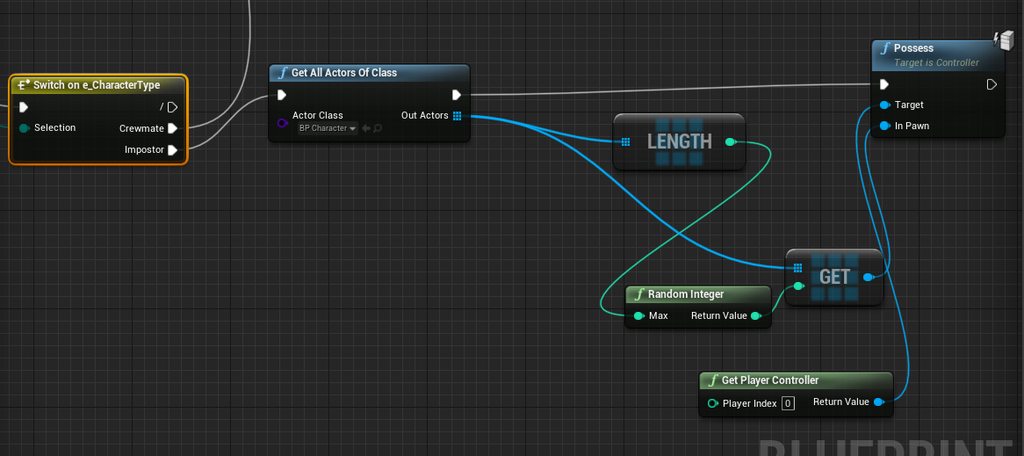
i even give it controller
steel vault
Just want to say I really appreciate all of the conversation about replicating bullet actors. I have put off finding a solution to my problem with spawning a lot of interactive/advanced bullet actors, but I think with all the conversation, I may have a good idea of what to do now.
@still path there is no reason why you shouldn't be able to destroy run time spawned actors and have that replicate. If you spawn an actor at run time, then call destroy on it and you are sure that it is checked off as replicating, it should destroy on both server and client.
 velvet bloom
whats some of the best multiplayer networking solutions people use for their games?
 fossil spoke
You might have to be a little bit more specific.
What do you mean by "networking solutions"?
 vale ermine
Back end like everyone wants but no studio is willing to write up that information or I am missing something.
still path
@steel vault its replicated and has been called with a straight destroy actor, a destroy actor run from a custom event set to on server as well as a multi cast executed from the server. Im not sure what im doing wrong
steel vault
Can you post any snippets of your setup?
sacred spire
ok i changed BeginPlay to OnPostLogin, the client finally possess
but the issue is that, the server spawn the characters twice
Anyone has any clue to why it spawns twice in OnPostLogin, while BeginPlay, it spawns once only
velvet bloom
Well some people use plugins for helping with their networking or just using basic ue4 dedi server?
vivid seal
so i'm getting more done in my combat system and i'm realizing that there is kind of a LOT of stuff replicating: each stat is an object that replicates, each buff or debuff is an object that replicates, each ability is an object that replicates, each resource (health, mana, energy, of which characters can have up to 4 in some cases) in an object that replicates...
is this kind of setup going to become unfeasible with a decent amount of players (i'm not looking for BR or MMO scale, just maybe 10 players in a game), or am i severely underestimating the internet and server cpu
 hollow eagle
- Figure out if everything needs to replicate to all clients - for example, does it matter if everyone can see everyone else's mana and energy?
- Values only replicate on init and then when they change - unless they're all changing all the time they won't affect bandwidth that much.
- If you think you are having bandwidth issues, look into network relevancy as a way to reduce the amount of actors being replicated to a client.
vivid seal
i already have some filtering in place, where stats are only replicated if their class is set to (i imagine almost everything could be server only, or at least owner only, but some will have to be replicated everywhere, specifically movement stats since CMC is fucked and i don't know how to use it correctly), i do want resources available to all clients to support party/raid frames eventually, and buffs i can apply filtering for but many will need to replicate for cosmetic effects over their duration
i'm mostly just wondering if it is the norm to have a lot of parts of a system like this replicating, or if people typically fake it with structs representing the objects where they can, or use some other technique
hollow eagle
I don't think you have to worry. Use the various network profiling and debugging tools available before trying to prematurely optimize things.
vivid seal
ok thank you
velvet bloom
Using unreal dedicated server, i'm trying to make a game to where you're able to login with a typical username and password and/or epic game services to where when you login
you keep all of your statistics, achievements, etc similar to fortnite.
However when you queue for a match, there will be a few restrictions when being put into a match.
- One game mode will not be able to be joined while it's in-progress.
- One game mode will be able to be joined while it's in-progress.
- Some game modes will only queue you with other players that are similar to your skill level.
Some of these game modes will only last 5-30 minutes each so they will be created and destroyed rather quickly depending on the mode.
Needing services such as but not limited to:
- Friends List
- Party System
- Leaderboards
- Achievements
- Player Stats Storage
NOT using peer to peer networking and allowing to be able to upload statistics to MySQL.
What in your opinion is the best plugin or way to go about this?
sacred spire
@spice skiff yes correct. I tried both Listen Server and Play as Client, same issue
on BeginPlay is only spawn once, and the main screen is the only one it possess, the 2nd client and 3rd client it won't possess
so i changed from BeginPlay to OnPostLogin, it solved that issue but now OnPostLogin, it spawns double the amount i set
 spice skiff
are you planning on having a dedicated server?
kindred widget
It might be worth noting that we have no idea how you're spawning your characters. But if we're talking about GameMode here, if you copied your code straight from beginplay to OnPostLogin, then yeah, it's going to spawn double if you're running two players. Triple if you're running three players. PostLogin is called once on the server each time a player joins the game. BeginPlay in GameMode only happens once on the server when the game is started.
 meager fable
does GetDisplayName return the same name on the server and the clients?
kindred widget
It's possible, but I wouldn't rely on it for anything more than curiosity.
chrome bay
yeah almost certainly won't be the same much of the time
 twin juniper
hey if anyone have any idea of host and joining session for android please help me I need guidance
like I wish to make online multiplayer but it was costly for me and did not have cc so I decided to make lan game as I was told it is free to make
so I make create session find sessions and join sessions and I used 2 phones and I open hotspot and host game but it didn't find any game
but when I used 3 phones the 2 which were using wifi found each other and hotspot one left behind
can anyone please help what I am doing wrong ??????
how can I make one phone as host and join with other and play.............
chrome bay
@grizzled stirrup it should work for seamless AFAIK, but in the project I was using it in I didn't specify a transition map
also it only works in packaged of course
 uneven oasis
Just recently setup Unreal Online Subsystem Steam when I build the project the steam overlay shows up but when I host game other clients that have the project the game does not show up.
I have followed many tutorials online but I don’t see any steps I have missed
I did find the the unreal documentation was out of date though and missing some steps.
 short cliff
Hi folks, quick question. Which protocol does UE4 use for a reliable replication? Does it use UDP for everything or TCP for reliable and UDP for unreliable replication? Thanks.
short cliff
Ah alright, thank you so much Jam. You are the best.
vivid seal
I can’t seem to find documentation on DOREPSTRUCT. Is it different from DOREPLIFETIME on a struct property? Does it support conditions? I’m trying to use FFastArraySerializer which Zlo has recommended a bunch of times on here, and posts I’ve found say to use DOREPSTRUCT with it. I’m not sure if these posts are just old, or if it’s actually got different functionality from DOREPLIFETIME
kindred widget
I would wager given that any search related to DOREPSTRUCT or DOREPARRAY only returns results from five or more years ago, that it's been deprecated and replaced. I'd assume that DOREPLIFETIME is much like the common GENERATED_BODY() that replaced all of the versions of those as well.
 limber coral
Hello everyone :) Oldish dev here but new to multiplayer and i have a question regarding multiplayer.
- I am trying to create a strategy game similar to gothic armada.
Both strategic and tactical maps will be real time. I am using blueprints. - In my designs the player will roam in the strategic map and if skirmish/combat occures it will take place
in a tactical map. - The question is can i create and run server instances of a specific (skir/combat)map from inside the strategic map/server then "travel" the relevalt players to that map resolve their interaction and have them traveled back to the strategic server/map with data nescesary?
chrome bay
You can't really do that no, not without some very custom networking solution
If you're in the same server, all players have to be in the same persistent level
chrome bay
yes
In stock UE4
To build anything like an MMO you need your own networking architecture anyway
chrome bay
Not that I'm aware of
limber coral
Ouch
chrome bay
MMO is like the hardest possible multiplayer route you can take
Takes hundreds of people to build that kind of thing
and all the required infrastructure
limber coral
I knoe
chrome bay
If you just want players to travel to some special area, just have a hidden zone under your map or something
that's pretty common
chrome bay
For that particular use-case that should be fine I would think
limber coral
but in stock ue all players must be at the same level, yes?
chrome bay
typically yes, you can have streaming levels in multiplayer IIRC
But ultimately all the players are still in the same server instance and world
limber coral
Ok thank you very much :D
hidden thorn
If you don't care about loading time and things like that you could use multiple servers I would assume? Each level would have its own server, it will also be easier for the server as it wouldn't have to process so many players and actions.
chrome bay
different servers can't talk to each other so not really
Even if they could none of the actors and items in each would be syncronised
grizzled stirrup
also it only works in packaged of course
@chrome bay I have no transition map either and it should work identically in a standalone game launched from outside the editor, no?
It seems ShooterGame ends up using both MoviePlayer AND overlaying a widget manually both at the same time
So it doesn't actually look like it's supported over seamless travel since it's not a hard load
Even if I call the same movieplayer code before seamless travel starts, it gets torn down when entering the transition map (even if you don't specify a transition map it still brings you to one)
So I guess manually putting up a loading screen widget that is stored in the GameInstance is one of the only viable hacks that I can see
Since putting it in the player controller results in a stale pointer after traveling (so you can never remove the UI)
grizzled stirrup
I'm not using ShooterGame just referencing
But I can confirm that testing all day yesterday movieplayer doesn't work over seamless travel
chrome bay
The only thing I can suggest then is maybe the level just loads too fast to even put a screen up?
grizzled stirrup
Nah I have the movieplayer delay for minimum 2 seconds AND it clearly sits in the transition map for a while before opening the real map
It's just not a hard load so it doesn't work like using OpenLevel
Unfortunate but the GameInstance widget for seamless travel seems to work fine
And using MoviePlayer for everything else
Thanks for your tutorial by the way very helpful
chrome bay
Hmm in that case I'm not sure, the last time I used that code it did work for me with seamless travel I think - but it's been a couple of years since I touched that project
You're not using UMG widgets or anything are you?
grizzled stirrup
I am using UMG widgets, are they a problem?
chrome bay
massive problem 😄
chrome bay
Can't use them for loading screens cus tearing down the UWorld kills them
grizzled stirrup
Ahh in that case I might try rebuilding in slate and see
chrome bay
Maybe it'll work if you use the GameInstance as the widgets' outer?
grizzled stirrup
I have it working great now
chrome bay
And not a player controller or something
grizzled stirrup
Just using the GI to show and hide the widget
And MoviePlayer for non seamless stuff
Then no stale widgets or removed early
chrome bay
yeah I would guess maybe that's why it's working there
grizzled stirrup
It's the only place I can think of as the PlayerController works but the widget becomes stale
chrome bay
but yeah UMG widgets and movie player/seamless travel is a big nope I think
grizzled stirrup
And never goes away
chrome bay
yeah
grizzled stirrup
Ok good to know
ShooterGame's solution is very interesting haha
Just throwing both up at the same time and seeing what sticks
winged badger
yuck
grizzled stirrup
At least I'm only showing the widget when seamless is happening and otherwise letting movieplayer do it's thing
A slight bit less hacky 😄
It would feel too dirty having both up at the same time
chrome bay
lmao so
That project I was talking about, just found this
    if (GetWorld() && !GetWorld()->IsInSeamlessTravel())
    {
//         FLoadingScreenAttributes LoadingScreen;
//         LoadingScreen.bAutoCompleteWhenLoadingCompletes = true;
//         LoadingScreen.bMoviesAreSkippable = false;
//         LoadingScreen.WidgetLoadingScreen = FLoadingScreenAttributes::NewTestLoadingScreenWidget(); // SECGame_LoadingScreen::NewLoadingScreenWidget();
//
//         GetMoviePlayer()->SetupLoadingScreen(LoadingScreen);
}```So... yeah
grizzled stirrup
😄
chrome bay
now I don't know anything anymore
grizzled stirrup
So I guess no seamless travel movieplayer stuff!
I spent the entire day on it yesterday
chrome bay
Sort of wish I'd left a more explanatory comment
grizzled stirrup
Doesn't seem possible from the bits and pieces scrapped together, at least without a lot of manual calls
Haha all your replies were "it works in seamless travel :)"
and I was like HOWW!
But good to know you had the same issue in the end
chrome bay
I've definitely had this working once I'm sure of it
Though I guess, if you have a transition map, seamless travel is "meant" to be seamless...
since the levels are meant to be loaded async
grizzled stirrup
It's actually nicer in my case to manually show / hide the widget for the loading screen as I can show the widget before the travel happens and a bit later after loading the map
Hides a lot of pops
And yeah it probably makes sense
Anyway a day well spent... kinda?
I still don't have the UMG widget being played by the movieplayer actually ticking animation
Which I think is a requirement to pass cert on consoles
The tick bool in FLoadingScreenAttribs didn't seem to change anything, nor the only tick when moving mouse slate thing
chrome bay
yeah I don't think UMG animations will work, since they use sequencer and that needs a level tick to be running IIRC
grizzled stirrup
Ah good to know may need to build it in slate then
Thanks!
In this case it's actually a material flipbook anim
But may need tick to be running somewhere it isn't when loading
chrome bay
ah if it's a material yeah I think it's the same deal, since material "time" is driven by UWorld::TimeSeconds IIRC
 mortal kernel
how do I sync Physic objects ? o.o
limber coral
@jambax about the servers not talking to each other: They could if the used the same files? Files = files in disk.
Like one server writes the other reads?
chrome bay
It's not that simple really
limber coral
Yeah i know
chrome bay
I'd suggest looking at some of UE's multiplayer examples to get a heads up
limber coral
but as concept?
chrome bay
Not really, it's just not how UE is designed to work
limber coral
Most ue multiplayer tuts and examples revolve around that 3rd person shooter
chrome bay
the general architecture is still the same in UE regardless of what kind of game you're making
one server instance, many connected clients
one shared world
that's the basis
limber coral
ok ok got it
mortal kernel

limber coral
Thanks for the inspiration everyone 😀 😀 😀
hidden thorn
different servers can't talk to each other so not really
@chrome bay That's true but you can have a database that tracks whatever you're doing and when you decide to go back to the other server it updated with the new info. I am not entirely sure what he wants to achieve and what sort of data wants to transfer but if he doesn't want to transfer objects/data than that should be fine as (player stats/inventory) would be stored in an online database regardless.
meager fable
I`m adding movement inputs like this in my controller class
the client can move around freely with no corrections on the server
but on the server the pawn just stays in place
here are my pawns replication settings
twin juniper
Does anyone have any opinion on what's preferred. Steam online subsystem or Epic online Services? Aside from the market place is there any drastic differences between the two?
grizzled stirrup
When I seamless travel and change from one gamemode to another with different player controllers, it works fine but if I switch back to the original gamemode after another travel, it uses the changed player controller and not the original one, has anyone come across this before?
I'm passing ?game= to use the correct gamemode but for some reason the player controller used by that gamemode isn't used, the one from the previous map / mode is instead
 leaden atlas
all of the save data from a client to the server
pretty much
or at least all of the data about a level
 vestal compass
Hi guys, super dumb question, I have just created a new Blueprint which extends from "DefaultPawn". Now if I press Play with Number of Players: 2, and Net Mode: Play as CLient, I cannot see the other pawn moving. Have I missed something?
vestal compass
@dull lance Thanks, I also read that in the PDF from Cedric. Is there a simple Blueprint or something I can create to test if the replication works?
My main problem is, that I have a "Pawn" which extends from ACharacter, but I cannot see it on the server
twin juniper
yes
well bReplicates needs to be true if the actor has attributes/variables
that need to be replicated
but you can set the actor to replicate in its bp
vestal compass
@dull lance Is this the same as bReplicates?
I have a simple BP now. with extends from Character. There is only a cube in it with the inherited things like SpringArm...
So now I cannot move, so I guess I have to implement this first?
If I extend from "DefaultPawn" I can move
twin juniper
If your cube has movement input then it should be movable.
But moving it on the client will not replicate it . Only if it's moved on the server.
leaden atlas
ahhh thanks!
 light monolith
Hi, i have a question, if I’m working on a game that has single and multiplayer. If the player is playing solo should i remake my code from the multiplayer to a single player or will it ignore the “telling the server and sending back to the client” automatically?
vestal compass
@twin juniper I now got it working
But I dont know why it works. Does the "Add Movement Input" Node take care of the replication?
 dark edge
@light monolith If you architect it right you can just have one setup that works seamlessly single or multiplayer.
spice skiff
What would be the best way for a multiplayer game with multiple ai? Character movement comp or pawn movement comp? I’m getting a fair bit of lag using character comp on ai
 thin stratus
Not sure there is any interpolation/smoothing on the PawnMovementComp, so you are probably stuck with the Character one.
peak sentinel
but pawn movement comp isnt replicated? how do you make your ais move with that?
i thought it will be replicated on 4.26
thin stratus
I have no idea about 4.26 + PawnMoveComp + Replication, so maybe that's true, idk
peak sentinel
I asked too many questions here about PawnMovementComp replication but I would like to ask you a more general question if you allow me to please, if you were working on a horde game, how would you overcome the situation of CMC is only replicated movement component?
I see people here made a replicated version of PawnMovementComp and some people just used CMC but I think there should be an easy way for someone doesnt want to use CMC
dark edge
@peak sentinel For something with tons of moving actors, you'll need to roll your own.
But, and it should be stressed, performance isn't a problem until it is.
peak sentinel
So if I see a real problem with current CMC i should write my own movement component or replicate the PawnMovement by myself?
dark edge
I doubt you'll outdo the CMC but I'd build from ground up if going that route. Better to fully understand the workings.
peak sentinel
Understand, thanks
vivid seal
If anyone has any resources for building out a movement component from the ground up I’d love to read them as well
summer tide
How do you create widget in multiplayer that only shows to the player who triggered it?
spice skiff
Spawn the widget locally
summer tide
Well it involves NPC. Let's say the player highlights the NPC then press E. Then the widget opens.
velvet bloom
@chrome bay its actually not that hard to make a mmo multiplayer lol
I keep getting told to make a tutorial series on how to make a custom networking solution using unity and/or unreal engine 4 but idk why i've been postponing it soo much
It seems to be in such a high demand but i always ask myself if it's actually going to be worth it because the information i know is honestly no where on google lol and if it is, it's litterally on some thread pages thats from ages ago.
peak sentinel
which thread? 👀
velvet bloom
Yeah thing is, good look finding that thread and website. @peak sentinel
The information about developing a mmorpg is so easily understandable, but complex at first thought because you don't know how it works. Once you actually grasp how it all works it's really not that difficult. People just overthink and over complicate things, but i mean i keep getting told atleast 2-3 times a week to make a series of videos of how to PROPERLY develop a mmorpg. All these indie idiots that are using UE4 dedi or impropable.io, barebones, rift, activism, and others are just wasting their time if they're trying to actually scale and not lock themselves into some contract or loyalties. I mean not hating on improbable or any of the solutions, but theres clearly a reason why there hasn't been a successful mmorpg built out of any of them.
I mean you can get around using the ue4 dedi by doing a shit ton of instancing but honestly meh it's like getting a USA charging dock to plugin to an australian outlet.
You're basically rigging something up to work that will fall apart before it really goes to be stress tested. I've been developing on my own personal mmorpg for the last 3 years and i don't even use a single thing from unreal engine networking except like 3 lines of code that is unrelated to any of the networking 99% of the community here uses.
 fleet raven
 velvet bloom
Well that's by a single developer @fleet raven and off and on
That's also including login auth, account registry, character selection, server hopping, friends list, private messaging, communicating between servers, combat, few working skills, quest system, server side pathfinding / collision, design and development of systems, replication / entity syncing and states, and a shit ton more lol
Difficult and time consuming are 2 different things.
 hybrid wren
Hi guys, I can't make lan working between pc and arm. It used to work 4 days ago and I did not changed anything. I'm using default session system. Neither device can find each other session. How could I debug that ?
slender mortar
Hello everyone, I'm facing a problem related to custom CMC
So I'm handling MaxSpeed, Acceleration, Braking and Deceleration using the CMC
I use a single method and RPC in the CMC (meaning a single Move) to send all of these 4 at anytime one of them changes
Sometimes it jitters and shows this error:
Hit limit of 96 saved moves (timing out or very bad ping?)
Anyone familiar with this issue? thanks! 🙂
 meager spade
@slender mortar you are also setting those values locally right?
i mean those values need to be kept in sync
but hitting saved moves limit means your not RPCing your stuff to the server properly. Only time i ever got that was with high lag or when i was working on hacking the CMC to make it work with client side navmesh movement and a AI controller on the locally controlled pawn (where i missed some callbacks)
slender mortar
Hello @meager spade , nice name :)
I guess the best response is to link you to the exact code that I'm using
https://github.com/dyanikoglu/ALSV4_CPP/blob/main/Source/ALSV4_CPP/Private/Character/ALSCharacterMovementComponent.cpp

GitHub
Performance optimized & replicated C++ port of Advanced Locomotion System V4 for Unreal Engine 4.25 with additional bug fixes - dyanikoglu/ALSV4_CPP
meager spade
not very familiar with ALSv4 apart from knowing its networking implementation is kinda bad
just looking at your code now
slender mortar
Yeah it isn't really related to ALS4, here it's a CMC implementation
meager spade
well
slender mortar
All that blueprint character does is sets DesiredX values, like DesiredMaxSpeed, then the character has a tick event that constantly checks if values aren't matching
meager spade
in your SetMaxWalkingSpeed, why are you delaying setting the speed till UpdateMovement?
you can just set MaxWalkSpeed directly in that function, server rpc can also just set it
slender mortar
You mean I can have what's in OnMovementUpdated to be already done in the RPC call?
slender mortar
So SetMaxWalkingSpeed is the locally controlled call
I also need in here to directly set the CMCs MaxWalkSpeed?
meager spade
{
    MaxWalkSpeed = NewMaxWalkSpeed;
}
void UALSCharacterMovementComponent::Client_SetMaxWalkingSpeed_Implementation(const float NewMaxWalkSpeed)
{
    MaxWalkSpeed = NewMaxWalkSpeed;
}
void UALSCharacterMovementComponent::SetMaxWalkingSpeed(float NewMaxWalkSpeed)
{
        MaxWalkSpeed = NewMaxWalkSpeed;
    if (PawnOwner->IsLocallyControlled() && PawnOwner->GetLocalRole() != ROLE_Authority)
    {
        Server_SetMaxWalkingSpeed(NewMaxWalkSpeed);
    }
        else
        {
              Client_SetMaxWalkingSpeed(NewMaxWalkSpeed);
        }
}```like that should work just fine
slender mortar
But wouldn't this be like not using the prediction at all?
Don't we need something like
bRequestMovementSettingsChange = true;
meager spade
no
slender mortar
Aha okay, I'm kinda confused because I'm thinking FSavedMove wouldn't have any effect with the example you sent
meager spade
we have never needed to do that when changing maxwalkspeed
slender mortar
And the UpdateFromCompressedFlags
meager spade
and our movespeed changes a lot during the game
for things like jumping, etc then yes you would use the flags
slender mortar
I see, jumping is already convered as one of the default flags I guess
Like crouch
Makes sense
slender mortar
So do you think that the same idea would apply to the acceleration?
meager spade
but those saved move errors
slender mortar
and other values
slender mortar
I will try it right now and let you know how it works
Thank you so much for the idea!
Been alwxays believing that SavedMoves are 100%necessary to predict those changes
I mean, this way they are "predicted", because the values are client authorized right
I'm afraid about the netcorrections
slender mortar
Under 200+ ms
meager spade
in editor
slender mortar
Yeah I already do
I do simulate lag 200ms
But I'll test it in AWS with a distant server
And let you know how it works
meager spade
i mean if you want you to use saved moves for it
then you can, i remember someone did it, let me dig out the github link
slender mortar
Okayy, thank you so much!
meager spade
struggling to find it (not on my pc, my motherboard decided it wanted to give up life)
slender mortar
Ow that's unfortunate
No worries man but I really reallty appreciate your effort, thanks a lot man
 velvet brook
Is the best way to get a user name from a client lobby screen -> server through a playerstate?
 quick flint
Character rotation (after) : P=0.000000 Y=89.999985 R=0.000000 on net mode: 1
Character rotation (before) : P=90.000000 Y=90.000000 R=179.999817 on net mode: 3
Character rotation (after) : P=0.000000 Y=89.999985 R=0.000000 on net mode: 3```I have this method which sets the rotation back to normal at the end of it being used
its called on tick, once on the server and then on the client
and when it ends, it essentially is supposed to set our rotation back to normal
but for some reason, the client (which is netmode 3) has the rotation in the wrong direction as u can see
the server set it to 0,90,0 in the FRotator
but the client still has it set to the wrong value
kindred widget
@quick flint I'm not seeing anything different between the client and the server? Their before and after values are the same.
kindred widget
Well whatever you're printing there has the correct values, how are you setting the rotations?
quick flint
SetActorRotation()
kindred widget
But when? And How? RPC, RepNotify? What is calling what to replicate and set the rotations or figuring the rotations to set, etc.
quick flint
@kindred widget its called on tick
unkempt tiger
what's FSavedMove?
is that a built in struct?
Oh wow, just looked at it
I had no idea that existed, it looks like it packs a LOT of data
 sand iris
what's the best way to replicate a character's rotation on the server to the client?
quick flint
Yeah it's a way of saving the location and it's added to the char movement component
 lucid vault
@sand iris CMC should replicate character rotation
sand iris
@sand iris CMC should replicate character rotation
@lucid vault automatically? I thought it only replicated character position automatically. Is there a bool that needs to be true for the CMC to replicate rotation as well?
 polar wing
@sand iris It depends entirely on how you're changing the rotation of the character. If you're just setting the rotation using SetActorRotation(), for example, it won't replicate automatically. There are specific functions you can call that are fully replicated, though. Like the AddControllerYawInput and Pitch functions.
If your solution requires a custom implementation, then you need to do some special trickery to get it to work with CMC. Luckily, rotation isn't server authoritative in the CMC (location is, which is why you get corrections if you start trying to change movement speed or position without overriding the FSavedMove logic), so you can get away with replicating the actor's rotation at a certain tick interval that you can dictate. Simulated proxies will automatically receive interpolation once the rotation is replicated down from the server, so other players will look smooth on other clients.
Are you planning to add in a sprint mechanic or other forms of additional movement logic? If so, take a look at this video. I always point people to it because it's a great demo of how the system works. It has its limitations (that small uint8 flags buffer), but there are other ways to get around that. Check it out:
https://youtu.be/Of8SGBa3WvU

In this video I show the proper way to make movement abilities for your characters. This is done by creating a Custom CharacterMovementComponent.
We start from scratch with a third person BP project, but here is the completed project you can copy code from: https://drive.go...
sand iris
@sand iris If you're just setting the rotation using SetActorRotation(), for example, it won't replicate automatically. There are specific functions you can call that are fully replicated, though. Like the AddControllerYawInput and Pitch functions.
@polar wing I see, that's good info, thanks! I'm using a character based on the ThirdPersonCharacter. In this case I believe that the controller's rotation refers to the camera's rotation right? However, what I want to adjust is the character actor's rotation, not the camera.
Is there function I could use for a 3rd person game that gets replicated and sets the actor's rotation?
polar wing
Ohh, in that case be sure to turn off UseControllerRotationYaw (something like that) in the CMC options and turn on OrientCharacterToMovement and see if that gives you the desired effect you're looking for
@sand iris
quick flint
We already ha ve use controller rotation yaw disabled by default, and OrientRotationToMovement is true by default @polar wing
sand iris
Ohh, in that case be sure to turn off UseControllerRotationYaw (something like that) in the CMC options and turn on OrientCharacterToMovement and see if that gives you the desired effect you're looking for
@polar wing I see, the main rotation we're trying to replicate is on the Y-axis (pitch) of the character, so I think the problem would still persist
quick flint
Ideally, we need to be able to just reset the rotation to 0,0,0 upon a method being called
We have a variable which essentially determines if we should be rotating or not rotating. However, I believe the problem is that the Tick on the client is setting the rotation before that variable can be replicated on the server to the clients, thus making it tick one more time and changing the location to the wrong rotation
polar wing
Ah, in that case, there are a few ways to replicate the pitch across clients (well, any kind of variable). You can multicast or you can use the OnRep method. Many devs prefer OnRep as it allows the engine to replicate properties as it sees fit (prioritise more important RPCs, etc) without flooding the RPC buffer. I'll give you an example of one way to set up the system. Seeing as rotation is something you want to be smoothest on the owning client, I would set up a rotator as a replicated variable in your character class (and set the ReplicatedUsing = OnRep_ActorRot).
Then, set up a server call function to ensure the variable is replicated up to the server and choose a certain tick interval (you can do it using the normal Tick method, but I don't think you need such a rapid tick interval for something like this, so you can set up a timer to call the RPC every 0.1 or 0.01 seconds). Create an OnRep function with the same name as you set in the ReplicatedUsing and implement it to set the character's rotation equal to the new rotation (which should only be the simulatedproxies if you use the SkipOwner functionality in the LifetimeReplicated function).
This OnRep approach is one of my favourite ways to handle most multiplayer logic.
dark edge
@sand iris use the control rotation
vestal compass
Hi guys, I have a default ThirdPersonExample Template, and wanted to add VR Motion Controllers to it, I followed this Video, and everything works fine:
https://www.youtube.com/watch?v=EKR8ogonD68&list=LL&index=1&ab_channel=MarcoGhislanzoni
But when I test it in the multiplayer only the ThirdPersonCharacter Position and Rotation gets updated, but not the hand position.
What do I have to do to also enable Replication of the two hands?

This is the easiest way I found to get yourself a VR body with arm Inverse Kinematic (requires Motion Controllers) and full thumbstick locomotion. This step-by-step tutorial shows exactly how to do it. Note that room-scale movement is not supported and you will end up out of y...
polar wing
Yeah, if you're not trying to set the actor rotation by other means, using the control rotation will automatically sync your characters' rotations like @dark edge mentioned.
@quick flint @sand iris Oh, yeah, just remember the OnRep approach only works for rotation in this instance because it isn't server authenticated in the CMC. Any additional movement logic will need to be implemented using the approach in that video I linked to ensure a smooth player experience. The example I used also technically only syncs the rotation on the X,Y (character rotation, not camera rotation), so "pitch" in this instance will need to be calculated and replicated in a similar approach for your animation systems, unless you're planning on syncing the exact camera transform between clients (which you then calculate the pitch from relative to the character).
So there's a few options to try out.
sand iris
@sand iris use the control rotation
@dark edge @polar wing I see but the control rotation refers specifically to the camera's rotation and not the character actor's rotation right? We basically want the character to rotate 90 degress on the y-axis/pitch to make it look like it's walking up a wall and then set the pitch back to 0 when the character jumps off the wall.
quick flint
I thought the same thing, isn't control rotation related to the camera?
polar wing
Ohhhh dear, okay, so you're climbing up a wall like Spider-Man basically? Yeah, the CMC doesn't explicitly account for that out of the box, so you'll need to do some hacky stuff (unless you keep the actual character capsule aligned along the World Z and just rotate the character mesh to make it look like it's running up the wall).
sand iris
@polar wing kind of, it's more like running up a wall, like parkouring
we want to rotate the capsule too since it's a shooting game
polar wing
Oooof, okay. So, would you allow the character to just run straight up the wall, or do you want them to be able to strafe left and right along the wall too?
Because it's suddenly turned into a bit more of a technical job, like implementing wall-running in the CMC. In which case, I can refer you to this video:
https://youtu.be/RtQRMcupJs0

Many of you have requested a way to leave me a tip so I've created a PayPal and a Patreon.
PayPal: https://paypal.me/reidschannel?locale.x=en_US Patreon: https://www.patreon.com/reidtreharne
Discord: https://discord.gg/PdvudWx
You asked for it so here it is! This is my Network...
kindred widget
Control rotation doesn't specifically mean camera rotation. For example, you can have a character that has a camera on a spring arm that's looking down to the character, and the control rotation isn't necessarily 0,0,-1. You can have that camera looking down, and still have a control rotation of 1,0,0. For first person shooters, control rotations are generally the camera's direction.
vestal compass
It seems like the position of the motion controllers do not get replicated. They are allways at 0,0,0.
What do I have to change to let those two variables replicate? They are inside the AnimationBP
polar wing
THis lovely gentleman shared his project with how he set up wall-running in the CMC, including (most importantly) adding in a new Movement Mode. The best approach to your problem would be to create a custom Movement Mode that turns gravity off (so the CMC doesn't fight you), rotates your entire actor, and then uses relativistic values to calculate the velocity you are running in (you'll be using Actor->UpVector instead of WorldZ). Take a look at how movement is handled in Phys_Walking and Phys_Flying, that'll give you the exact stuff you need to write your own method.
An important method is the SlideAlongSurface and Step Up code in those functions, which will ensure your character doesn't stop after every little bump in your level geometry (windows, pipes, etc). It's unfortunately a lot trickier than it should be, but that's just the nature of the CMC. I had to deal with a similar reality for my project 🤣 . However, it's also a great activity for really getting to grips with the CMC and movement logic in general.
sand iris
So, would you allow the character to just run straight up the wall, or do you want them to be able to strafe left and right along the wall too?
@polar wing we want the character to only be able to run upwards. Right now we set a constraint plane so that they can't move sideways
quick flint
@polar wing One thing I wanted to mention was that if I write this in our component's tick function:
if (Character && !bIsWallRunning)
{
  Character->SetActorRotation( FRotator::ZeroRotator );
}
It actually works fine upon stopping
polar wing
Actually, you might be able to just use the Phys_Flying mode to fly upwards along WorldZ, so you don't need to get too hacky.
quick flint
It sets our rotation to how it should be
sand iris
For example, you can have a character that has a camera on a spring arm that's looking down to the character, and the control rotation isn't necessarily 0,0,-1. You can have that camera looking down, and still have a control rotation of 1,0,0. For first person shooters, control rotations are generally the camera's direction.
@kindred widget I see, I haven't yet learned about setting up cameras and spring arm
polar wing
@quick flint Oh yeah, that'll get the right rotation, but just be aware of the other requirements of the CMC I mentioned when it comes to smooth gameplay on the owning client. You might start running into issues with corrections and stuff if you don't follow the CMC's rules
sand iris
An important method is the SlideAlongSurface and Step Up code in those functions, which will ensure your character doesn't stop after every little bump in your level geometry (windows, pipes, etc). It's unfortunately a lot trickier than it should be, but that's just the nature of the CMC. I had to deal with a similar reality for my project 🤣 . However, it's also a great activity for really getting to grips with the CMC and movement logic in general.
@polar wing I see, I didnt know it would be this complex 😆
quick flint
@quick flint Oh yeah, that'll get the right rotation, but just be aware of the other requirements of the CMC I mentioned when it comes to smooth gameplay on the owning client. You might start running into issues with corrections and stuff if you don't follow the CMC's rules
@polar wing Yeah the CMC is very irritating
I hate it
I don't think the CMC corrects rotation.
It just corrects position
polar wing
yeah, it doesn't correct rotation like I mentioned, just positional stuff
Unfortunately, once you start doing stuff like changing the Z orientation of a character, the logic changes a bit and you need to write your own Movement Modes. It isn't so bad once you understand it, but it sucks when you're starting out.
sand iris
I think I'm gonna watch that networked movement tutorial and try to get a good grasp of how it all works.
the way I make the player move up right now while wall running upwards is just by setting the character's velocity on a timeline tick while turning off gravity. Would using the Phys_Flying mode be better for this?
unkempt tiger
Got a question - how many RPCs can be declared for a single actor? I assume there is a limit, because every RPC probably requires a unique identifier to be net serialized into the packet's header. This also makes me wonder: does declaring a lot of RPCs cause an increase in the amount of bits net serialized for RPC unique IDs, for all RPCs?
polar wing
Hmmm, the Phys_Flying mode should work quite well for you, yeah. You aren't changing gravity (World Z), you're just flipping the orientation of your character, so it should work fine. Just make sure you change to the Phys_Flying Movement Mode upon "CharacterWantsToWallrun" or whatever using that compressed flags method in the SabreDart tutorial (AND do your rotation flip there too so it's replicated). Once you're in that mode and the character is flipped, just pass your movement direction into the CMC as you normally would (AddMovementInput) and it'll automatically handle prediction along where you're going.
The velocity approach you have there might not work on surfaces that have any bumps whatsover (especially if you're sweeping), so that's why the Phys_Flying mode is great. It handles smoothly floating over little imperfections. You might need to work on some additional logic if it doesn't work so well (like making your own custom movement mode and copy pasting the Phys_Flying code there and modifying it to your own logic).
@sand iris
sand iris
oh I see, yeah, you're right. I added a little bump by putting a cube inside the wall that slightly protudes outwards and when my character goes over it, I get pushed away from it.
I think it hits the edge of the cube and bounces or something
polar wing
Yeah, but you'll get it right! Now it just becomes a logic thing. This CMC info is VERY VERY difficult to find online. It's insanely harsh on beginners, especially when you run into the issue with there being limited custom flags (requiring a rewrite of a few systems). I've been wrangling it over the past 2 years alongside other multiplayer stuff.
Luckily there's a new system coming! So hopefully we can set the CMC on fire and move on soon haha.
sand iris
@polar wing ohh nice! I hope this new system will be out on UE5 or earlier. To be honest I just started learning UE around June and it's been a very steep uphill climb lol But i'm enjoying it so far, thanks for all your help!
vestal compass
Why is the default CharacterMovement Component not set to replication and still works?
Shouldnt it be set to replicated?
quick flint
Setting it to replicate only allows it to replicate variables I believe.
And a few other things like RPC's
polar wing
@sand iris Ahhh, I see! Glad I can help! Yeah, multiplayer can be tricky to get into.
vestal compass
I understand the concept of replication, but I just dont get where I have to put stuff to get replicated. If I store it in the ThirdPersonCharacter, does it automatically get rpelicated?
dark edge
@sand iris the control rotation can refer to whatever you want it to be. It's just a rotation that is treated a little bit special and I think it's automagically replicated and predicted for you.
Unless you got some sort of weird ass aiming set up like arma, you typically only have one rotation per player that's important for gameplay.
kindred widget
I haven't looked into it, but the CMC may not directly replicate. Being as tied in with the Character class as it is, it may simply use it's Actor to replicate instead.
polar wing
Yeah, the control rotation gets weird when you do stuff like orient to a wall. Run into issues with gimble lock and whatnot.
hidden thorn
@thin stratus Just wondering if there's any place where I can get my hands on the C++ multiplayer tutorials? I got the PDF but it links to pages that have been removed and every post I find that links to them, well it goes to the same missing pages.
kindred widget
I found learning multiplayer was pretty simple after learning that RPC meant to play an event on another machine. Basically you would replicate most values from the server to let the server show the clients what is going on. And clients RPC to the server to give input. There are plenty of videos to watch on the subject, but nothing really beats just playing around with it.
hidden thorn
So I've done multiplayer before its not the RPC I have an issue with is the custom GameInstance, I am trying to Create,Join,FindSession etc, but I can't seem to get anywhere with it. I've been at it for over 5 hrs now and made 0% progress. I have the GameInstance I created for my other project but that was in 4.19 (Not sure if much changed since then) Seems to not want to work as quite a few methods are missing from GameInstance now
 halcyon totem
bellow is the code for my foot steps but they dont play on other players PC , do we need to do the whole multicast with the foot prints too?
hidden thorn
Anyone got any ideas why IOnlineSubsystem::Get()is Null??
// .h
UCLASS()
class STARTERTEMPLATEMP_API UMP_ClientServer : public UGameInstance
{
    GENERATED_BODY()

public:
    UMP_ClientServer();

    virtual void Init() override;
// .cpp
UMP_ClientServer::UMP_ClientServer()
{
    if (GEngine)
    {
        GEngine->AddOnScreenDebugMessage(-1, 5.0f, FColor::Blue, FString::Printf(TEXT("UMP_ClientServer")));
        if (IOnlineSubsystem* SubSystem = IOnlineSubsystem::Get()) // IOnlineSubsystem::Get() Seems to be NULL
        {
            GEngine->AddOnScreenDebugMessage(-1, 5.0f, FColor::Blue, FString::Printf(TEXT("UMP_ClientServer - IOnlineSubsystem")));
            SessionInterface = SubSystem->GetSessionInterface();

            if (SessionInterface.IsValid())
            {
                GEngine->AddOnScreenDebugMessage(-1, 5.0f, FColor::Blue, FString::Printf(TEXT("UMP_ClientServer - IOnlineSubsystem - IsValid")));
                SessionInterface->OnCreateSessionCompleteDelegates.AddUObject(this, &UMP_ClientServer::OnCreateSessionComplete);
            }
        }
    }
}

void UMP_ClientServer::Init()
{
    if (GEngine)
    {
        GEngine->AddOnScreenDebugMessage(-1, 5.0f, FColor::Blue, FString::Printf(TEXT("Init")));
        if (IOnlineSubsystem* SubSystem = IOnlineSubsystem::Get()) // IOnlineSubsystem::Get() Seems to be NULL
        {
            GEngine->AddOnScreenDebugMessage(-1, 5.0f, FColor::Blue, FString::Printf(TEXT("Init - IOnlineSubsystem")));
            SessionInterface = SubSystem->GetSessionInterface();

            if (SessionInterface.IsValid())
            {
                GEngine->AddOnScreenDebugMessage(-1, 5.0f, FColor::Blue, FString::Printf(TEXT("Init - IOnlineSubsystem - IsValid")));
                SessionInterface->OnCreateSessionCompleteDelegates.AddUObject(this, &UMP_ClientServer::OnCreateSessionComplete);
            }
        }
    }
}
void UMP_ClientServer::CreateSession()
{
    if (GEngine)
    {
        UE_LOG(LogTemp, Warning, TEXT("CreateSession"));
        GEngine->AddOnScreenDebugMessage(-1, 5.0f, FColor::Blue, FString::Printf(TEXT("CreateSession")));

        FOnlineSessionSettings SessionSettings;
        SessionSettings.bAllowJoinInProgress = true;
        SessionSettings.bIsDedicated = false;
        SessionSettings.bIsLANMatch = true;
        SessionSettings.bShouldAdvertise = true;
        SessionSettings.bUsesPresence = true;
        SessionSettings.NumPublicConnections = 100;

        SessionInterface->CreateSession(0, FName("MP_ClientServer"), SessionSettings); // Session Interface is always null
    }
}
.Build.cs
PublicDependencyModuleNames.AddRange(new string[] {
"Core", "CoreUObject",
"Engine", "InputCore",
"HeadMountedDisplay",
"UMG", "OnlineSubsystem",
"OnlineSubsystemUtils",
"AdvancedSessions",
"AdvancedSteamSessions"
});

PrivateDependencyModuleNames.AddRange(new string[] { "Slate", "SlateCore" });
DynamicallyLoadedModuleNames.Add("OnlineSubsystemSteam");
DefaultEngine.ini
[/Script/Engine.GameEngine]
+NetDriverDefinitions=(DefName="GameNetDriver",DriverClassName="OnlineSubsystemSteam.SteamNetDriver",DriverClassNameFallback="OnlineSubsystemUtils.IpNetDriver")

[OnlineSubsystem]
DefaultPlatformService=Steam

[OnlineSubsystemSteam]
bEnabled=true
SteamDevAppId=480

[Voice]
bEnabled=true

[OnlineSubsystem]
bHasVoiceEnabled=true

[/Script/OnlineSubsystemSteam.SteamNetDriver]
NetConnectionClassName="OnlineSubsystemSteam.SteamNetConnection"
@halcyon totem yes you will need to multicast just the spawn sound node
spice skiff
the spawn sound at location
but would be better if you created a variable for your sound and location, and replicate the spawn sound just once using the variables created
halcyon totem
would I need to do anything to the Cue file settings so it doesnt play on all pcs?
for example one problem I had for a another replication issue was my character cloaks ok, but the cloak sounds play on all PCs
polar wing
@hidden thorn Is that in-editor or in a standalone instance that you're getting the null subystem?
meager spade
@photon what is up with all the multicasts
@halcyon totem
please please learn a bit more about UE4 replication
you never want to multicast state changes
vestal compass
@meager spade Do know how I have to use replication when I want to add an own CharacterMovement?
I am using the default ThirdPersonCharacter and added two variables for my left and right motion controller. But it seems those dont get replicated on the server.
kindred widget
@vestal compass What are you trying to make your left and right motion controllers make the character do?
@vestal compass If this is about the hand thing, then you probably shouldn't even be touching the CMC, you should be replicating those someplace like the Character itself, and using the animblueprint to get that replicated value and doing that in the animblueprint.
vestal compass
@kindred widget I added inverse kinematics to the hands, so the hands of the ThirdPersonCharacter are at the position of the motion controllers.
Everything works fine inside Singpleplayer, but If I try it in the multiplayer the Motion Controller positions are at 0,0,0, so at the center of the player capsue and never change
This is inside the ThirdPersonCharacter
kindred widget
@vestal compass Try this. Disconnect your Sequence and move that stuff out of the way. Start with a branch of IsLocallyControlled. You only want the one being controlled to update the server. Do a server RPC that sets those values, also set them locally for the local player. Make the transforms replicated but di it conditional to skip owner.
vestal compass
@kindred widget Should I set the MotionControllerTransform_Left and Right to Replicate or RepNotify?
kindred widget
It'd end up looking something like this in the end.
vestal compass
@kindred widget Thanks so much, I will try it.
I dont get why u first check if the Pawn is locally controlled
kindred widget
@vestal compass If you have three players in a game, you actually have nine characters in total. Three characters per player. The only one of those three that you want to update, is the one that the player is actually controlling. Basically speaking, it stops any of that from running on any version of the character except for the owning client.
vestal compass
@kindred widget Thanks.
I am using those variables then inside the AnimBP.
Do I need to replicate those as well?
kindred widget
If your animbp was working in single player before, it shouldn't need changed I don't think. But yeah that screenshot looks right.
Basically the idea is to let the owning client tell the server to set and replicate the transform to all other clients. Do be absolutely certain to make sure that you SkipOwner on the replication though, so that the server doesn't overwrite the owner's pawn.
vestal compass
But how are we skipping the owner here?
kindred widget
The replication condition. Set it right below where you set the variable to be replicated.
vestal compass
Ah, got it now thanks
is it somehow possible the packaged unreal engine project more than only once?
If I want to test it in the editor with multiple clients, than every viewport gets the same inputs
The VR multiplayer inside the editor is kinda weird
kindred widget
You could try disabling the RunUnderSameProcess checkbox, that might work for that.
If you do that, also check the editor and set UseLessCPUWhenInBackground to false
halcyon totem
yeah it does not seem to work
does anyone know how to make it so the foot steps sound on other PCs?
vestal compass
@kindred widget just tested it, now it works. Thanks a lot!
steel vault
If your animation plays on all clients then you can simply play a footstep sound on anim notify so as long as you are seeing the animation it should be playing the footsteps I believe.
 glad sedge
How out of date is Exi's CPP tut on getting a basic, null subsystem going? https://ue4community.wiki/legacy/how-to-use-sessions-in-cpp-eyad3cu0
halcyon totem
@steel vault Xero my foot steps arent working that way, hopefully this method works
halcyon totem
yeah that didnt work either
velvet brook
What is the best way to get info from a client that inputs info before it joins a server?
Ex. I input my username and join a server. The server then takes that info and sets my username
steel vault
@halcyon totem you are only calling server RPC functions meaning you are only playing the sounds on the server. Just call a normal play sound without making it networked. It looks to me like you are using an anim notify to line trace and play the sound which is fine, but let all the clients handle playing the sound themselves instead of making a network call to do so.
Get rid of replicated to server on those alien foot sounds and it should work everywhere I believe.
halcyon totem
@steel vault I tried like this and it still wont work
@steel vault tried adding a replicated var but it still wont work either
steel vault
@halcyon totem you should try simply playing a sound on anim notify without all of the other logic first to verify it plays at all locally. Once you make sure of that, then you can see if things are replicating. Also make sure the attenuation settings allow you to hear the footsteps.
hidden thorn
@hidden thorn Is that in-editor or in a standalone instance that you're getting the null subystem?
@polar wing That's in the Editor & Standalone, its because I was calling it in the constructor and that's too early, I moved it inside CreateSession and it works, now I need to sort the other things out 😄
summer tide
I have a server event in my component with some functions. I've included that component in a NPC. When I interact with NPC, I call that Server Event. It works in server but not in client. Any idea?
spice skiff
Try run the RPC from controller or player pawn
 glad wharf
The client needs to own the actor in order for the RPC server to work
(the client actor calling the RPC I mean)
And the owner must be set by the server or it won't work ( @summer tide )
hidden thorn
Not sure why but it seems steam sort of stopped working in my project, yesterday it was working (The steam popup was showing up in game) today not so much.
The one thing I noticed is I am getting this in the console LogSteamShared: Warning: SteamAPI failed to initialize, conditions not met.
I checked that I have all the plugins which I do, I checked the .Build file seems good also checked the .Config file
 hybrid zodiac
@summer tide A workaround to avoid having the player own the NPC is to create a server function on the player controller which interacts with the target NPC
So the server function is called on the player controller which takes the target NPC as a parameter, and the server can then do whatever with it
hidden thorn
Nvm: Didn't have steam open!!!
unkempt tiger
Is there any better check than 'Is Server' to know if a game instance has a viewport or not, for hud creation?
Or more generally: what's the best way to check if a game instance needs to render or not?
My concern is that if its a listen server, then IsServer is true, but the game also needs to render things
thin stratus
IsDedicatedServer
soft girder
I have a very important question for jamblax.
maybe someone else can enlighten me
i read his explanation of his work on HLL ballistics.
very good stuff.
we have an issue tho because we are using actors.
the fire rate is close to an mg42 but with a higher muzzle velocity and the actors only exist for certain amount of time before they spawn an explosion and destroy themselves.
 shrewd tinsel
is there a check when playecontrollers are initialized both on client and server?
soft girder
we went to make it vector and particle based and wasnt very happy about the limitations
@shrewd tinsel thats a good question
shrewd tinsel
maybe @thin stratus knows the secret
soft girder
what are you trying to do?
shrewd tinsel
put a widget lets say 'welcome to server'
soft girder
event post login in game mode maybe
shrewd tinsel
thats when it doesnt work
theres still no connection between servers playerscontroller and clients
thin stratus
after PostLogin you can call RPCs
So yes, this should work.
Another point would just be using BeginPlay of the PlayerController with IsLocalPlayerController.
shrewd tinsel
fuckin worked
thanks a bunch
should probably get that is local player controller check
soft girder
thin stratus
If you want to show "Welcome To Server" why do you even have to RPC?
Does the Server send some info back?
soft girder
well that actually does some other stuff
shrewd tinsel
im handling player joining the server
bunch of stuff happens i just said is as an example
soft girder
doesnt player controller fire event begin play again when it joins a new server?
or like get reinit or something
shrewd tinsel
why fuckin ue crashes when i change the struct
soft girder
:} becuz it hates us
shrewd tinsel
i cant add any variables wtf
soft girder
to the event?
shrewd tinsel
to a struct
but thats out of networking chitchat scope
is there a way to clean stuff up or something?
im trying to add a variable to a struct and it crashes
found a solution
move struct to a different folder and then change
kindred widget
@shrewd tinsel Blueprint or C++?
shrewd tinsel
bp
kindred widget
That's odd. Never had that happen with blueprint structs.
soft girder
is there anyway to get the actual full rotation of a client
kindred widget
Of a client what?
soft girder
base aim rotation
i raised the player character rotation to shorts and im seeing a small improvement
is okay to raise the update freq?
of the player controller and character
when am i demanding too much from net update freq
grizzled stirrup
Can RPCs be virtual?
I notice that if I override a Client RPC, the function in the cpp doesn't have the _Implementation suffix and it doesn't appear to get called on clients but it does on the server
Ok looks like it's a big gotcha
_Implementation must be in the header file of the virtual function in the child class
And it will then be correctly called
I suppose the generated.h creates this _Implementation function for you, so the original one is actually empty
hidden thorn
Can someone explain to me how do lobbies work?
Cause I think I might've had the wrong idea and I have to revisit my idea now
shrewd tinsel
should i decide who won on gamemode or gamestate
soft girder
@hidden thorn ive seen people that load and empty map and have a gamemode for lobby and do stuff all in widgets.
sacred spire
It might be worth noting that we have no idea how you're spawning your characters. But if we're talking about GameMode here, if you copied your code straight from beginplay to OnPostLogin, then yeah, it's going to spawn double if you're running two players. Triple if you're running three players. PostLogin is called once on the server each time a player joins the game. BeginPlay in GameMode only happens once on the server when the game is started.
@kindred widget What you said makes sense since BeginPlay never had this issue. Any clue what normally could spawn double/triple for OnPostLogin? As in, commonly known mistake or something.
@kindred widget been two days since then, i still couldn't figure out after so many search on the net
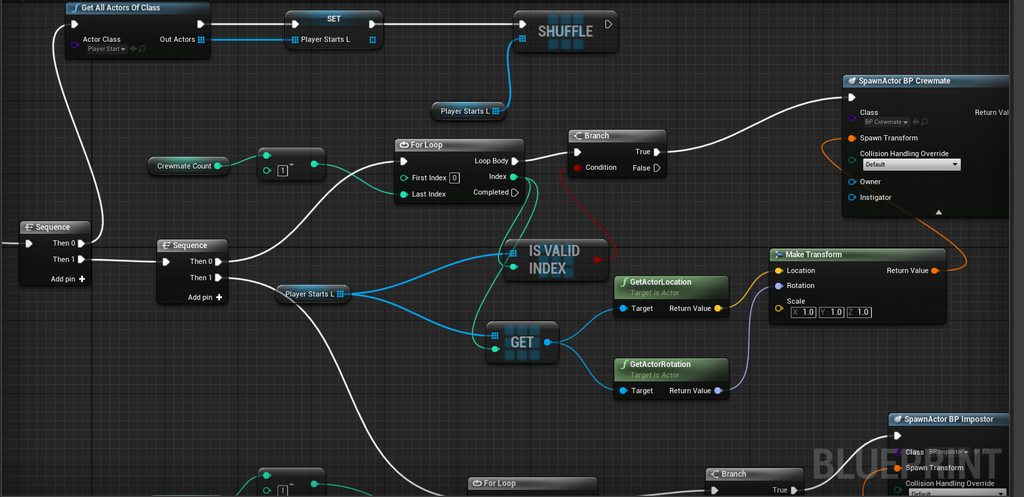
^ my function

it does not make sense that BeginPlay spawns once whereas OnPostLogin does it double or triple spawn
kindred widget
@sacred spire Okay. If you have three players in your game, you start a server. Beginplay will happen once. Because the GameMode on the server only happened once. But PostLogin will fire Once PER player that logs in. So it will fire three times.
sacred spire
i tried adding Switch Has Authority as well, it does not help
so, basically i am not suppose to use OnPostLogin in this case then?
kindred widget
So if you spawn three things in your code, and you put it on beginplay, it'll run once and spawn three things. If you put it on post login, it'll spawn three things three times.
 vocal cargo
Does anyone know why my DedicatedServer isn't working? When I open it with
DediServer.exe /Game/Maps/ServerMap -log
it runs, but the logs just never end, nor I can connected to it when running Open 127.0.0.1
For some reason, it's connecting to 0.0.0.0 instead.
Here are some of the logs:
sacred spire
I see.. is there a way to stop it spawning Once PER Player? @kindred widget
grizzled stirrup
@shrewd tinsel Ideally on the gamemode
hidden thorn
@hidden thorn ive seen people that load and empty map and have a gamemode for lobby and do stuff all in widgets.
@soft girder All the lobbies that I've seen are really just an extra widget on the same page with the connected players, loading an empty map seems more intuitive as you can add some gameplay while everyone joins and so on. Because I've never done one before I sort of want to know what are the possibilities, options, best practices and so on. I started looking online to what other do as well.
grizzled stirrup
GameState should relay data from the gamemode typically
Not do the decision making itself
soft girder
we havent made alot of lobby stuff.
kindred widget
@sacred spire Depends. What is Crewmate count? Where is that set from and what it is supposed to represent?
sacred spire
@kindred widget it represents how many crewmates are there to be spawned. Same thing with Impostor Count, which is at below
so basically, when i set crewmates 2, impostor 1, then it spawns that amount
hidden thorn
we havent made alot of lobby stuff.
@soft girder No worries 😄, thanks for the info anyway
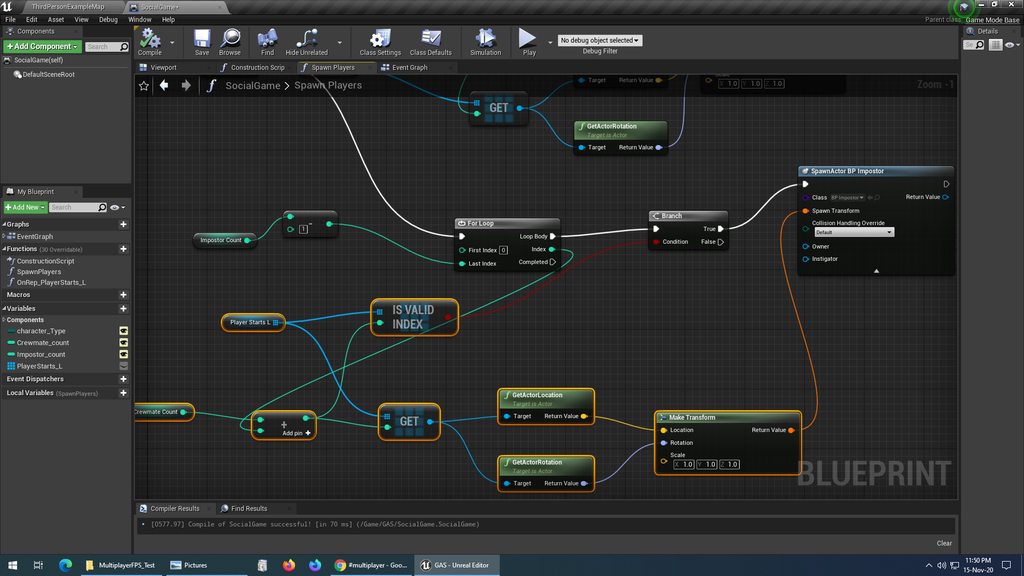 soft girder
edit: nvm i see it
kindred widget
It's hard to say without knowing the full scope of what you're trying to achieve. In short though, you'll probably want to save the spawned actors pointers somewhere and use them when a new player joins. I mean if it's a one off game where you don't allow rejoins or the games aren't that long, you could just spawn them on beginplay and possess them on login. Or OnLogin, If Current spawned count is less than crewcount max, spawn and possess.
soft girder
i have an example i could give
sacred spire
I am learning to replicate most of the games out there. This time I am trying to clone game
so, the gamemode is basically about Spawning Crewmates and Impostor, and randomize the players' role
some players get crewmates, some get the impostors
it is randomized role as character selection
@kindred widget But then the BeginPlay, if i launched it with Listen Server with extra 2 players, the other client screen won't be Possessed.
should it be considered normal that way for BeginPlay?
soft girder
this is old and i dont do it like this because i have other stuff that has to happen before spawning
but i used logon to spawn and posses for the controller coming in from the event
sacred spire
@soft girder if i recalled correctly, that way a direct way to spawn players in OnPostLogin Event, it really does not spawn double or triple.
sacred spire
whereas if you put extra nodes or whatever prior that, it will Fire twice/triple depending on amount of players.
soft girder
thats messy
sacred spire
Which is strange
sacred spire
like the Function (Spawn Players) node i made above. That one will cause it to fire once PER player.
soft girder
ya
sacred spire
without looping, the character won't be randomized, isn't it?
soft girder
players^2
loop the possesion on an random integer for index
let me reword that
actually no loop needed
store the characters in an array
and if you want it random take a random integer between 0 and the number of players-1
use that for a get at index
vocal cargo
Does anyone know why my DedicatedServer isn't working? When I open it with
DediServer.exe /Game/Maps/ServerMap -logit runs, but the logs just never end, nor I can connected to it when running
Open 127.0.0.1For some reason, it's connecting to
0.0.0.0instead.Here are some of the logs:
@vocal cargo can someone help here?
sacred spire
how would you do that? I would like to try the loop on possession instead
sacred spire
alright sure, i am trying to remove the loop and see what happens
soft girder
the max on the random integer needs to be the number of playercontrollers minus one
im not sure when you want to possess
you could instead randomize which character
the loop could stay in this case
loop for every player controller
just depends on what all you have going on
but you wanna make sure you store the player controllers as they come in and remove them as they go out
there is an event for disconnects
cant remember what its called
but i think you will get the idea
if you have post logon going into a loop tho it will loop everytime someone logs on
you could create an event that checks if max players has been reached and then if true fire the loop then when you have a full lobby
everything is like a dance. 123 123 123
its good to check the docs on nodes and ask around exactly what that node does if its unclear
i banged my head for weeks on some gamemode events before
sacred spire
i am trying to digest all the infos you just mentioned, it's indeed kinda of insane
sacred spire
i appreciate the efforts, really. thanks a lot
soft girder
my gf and her fam said its totally changed how i look at the world.
your very welcome
dont give up
it all comes together
sacred spire
i actually trying to look at all of it over the net and documentations and examples for 3 days now before i started asking again here lol
then i started to wonder, does it makes sense if I just use BeginPlay and let the other players' client screen being not possessed?
i only know that other client won't possess if using BeginPlay
soft girder
begin play only exists on the server
im sorry
i mean gamemode
but the begin play for gamemode will only happen on the server
gamemode doesnt get created for connected clients. they use the servers gamemode that has already fired begin play before they connected
theres alot of caveats to watch out for
i still dont know them all
you seem to be doing alot better than i did starting out tho
when i first started i made a blueprint from hell
turned out i didnt know about loops XD
sacred spire
not true, i have been learning through tutorials, and i randomly bring it out from there with a mix here and there
sacred spire
but wow that blueprint
that will scare me if i ever start that way
i might even quit
soft girder
:}
sacred spire
luckily no tutorials are showing me those
soft girder
tbh im kind of proud of it.
unkempt tiger
it shows dedication, no doubt
soft girder
thats only the portion i could fit in the screen shot lol
we are on our 3rd time trying to make a game and everytime it gets better and better
unkempt tiger
had a computer science test once in discrete math where they wanted a loop of sorts, and the approach I was suppose to remember came up blank, ended up filling an entire page with a giant opened loop (with handwriting mind you), got half the points
thankfully the iteration count was only 80, and not 800
soft girder
oh god lol
i really started to get alot better when i started doing little c++ projects here and there
once i had a little understanding of computer science things just clicked for me in blueprints. i still wake up in the middle of the night and realize that i should have collapsed that script into a function or no need to replicate this variable
I have a question. Will is server still be true if its a dedicated server?
unkempt tiger
it should, havent checked though
soft girder
:sad: i will have to approach this weapon a different way. im having problems with rotation. its way off after a certain distance and no where close to what they should be
up close its roses but after a couple of km its not even remotely close on clients.
unkempt tiger
what weapon?
soft girder
machine gun
spawing actors for projectiles is a no no
at this fire rate
the projectiles are not replicated
soft girder
ya its fake instances on clients
unkempt tiger
oh so its a CPU side problem?
soft girder
the real projectiles run on server
its just the way rotation is replicated from server to client or vice versa
its close but after a certain distance i can tell its off
unkempt tiger
you mean the trajectory is off?
unkempt tiger
is the ballistic simulation sub-stepped?
different tick lengths can result in different trajectories
soft girder
i think so
chrome bay
Sounds like they aren't being spawned in exactly the same position/orientation
soft girder
im thinking about doing your approach jamblax
chrome bay
Which would make sense if the client and server are spawning them separately, and the server isn't being told where to spawn them
unkempt tiger
yeah, thats the second thing: when spawning the bullet, make sure both sides use the same compressed rotation and location
soft girder
it goes off base aim rotation but spawns from the end of the gun
chrome bay
Yeah, that's never going to stay synchronised between the two
unkempt tiger
that^ plus substepping the ballistic simulation is going to guarantee the same trajectory (as long as no out of sync occlusions are in the way)
chrome bay
especially given both are almost certainly running at different rates
FYI we send an RPC to the server for every shot fired
Which just contains the quantized location, direction, and a seed number
unkempt tiger
seed for bullet spreads?
chrome bay
also for anti-cheat
chrome bay
We send direction as it compresses better
chrome bay
FVector_NetQuantizeNormal
(Also bullet orientation just follows velocity anyway)
RE the anti-cheat, it's just very basic
soft girder
do you inherit velocity from the player?
chrome bay
We seed the weapon initially from the Server, then every shot is given an ID. The ID is incremented client and server side, and it we get a mismatch, we know the client is spoofing packets by sending "known" RNG seeds
But it only works if you use reliable RPC's for shots
Which is expensive in itself, but necessary for our stuff anyway
soft girder
love HLL
chrome bay
@soft girder no but no reason we couldn't do that I guess
chrome bay
thanks 😄
soft girder
we played it last night after reading some stuff you wrote to another guy yesterday
or day before
cant remember
chrome bay
yeah the ballistics/hit-reg stuff was my little project for a few months.. turned out surprisingly well 😄
but it was a learning experience
I'd like to do a proper tech breakdown of it but.. because it's a live game and all that
 fervent spoke
how do i get the value of "NetServerMaxTickRate" which is set in DefaultEngine.ini, via blueprints?
chrome bay
can't go into as much detail as I'd like
Don't think you can @fervent spoke - could write a function to expose/retrieve it though
fervent spoke
ic
unkempt tiger
by the way @chrome bay what is the process of taking all the structs of active bullets and attaching particles onto them for rendering?
if they're not actors
chrome bay
Each bullet just keeps a TWeakObjectPtr to a particle system that we spawn independently
And we have a pool of them that it just keeps pulling from
unkempt tiger
Oh, neat!
chrome bay
Just have to update the position of it during each bullet tick
soft girder
uh oh (sorry ive started something) thanks for the help @chrome bay
chrome bay
The nice thing about particle systems is they infer velocity from their previous frames' position
rather than an actual velocity value it seems
but ComponentVelocity is accessible on scene/primitive components IIRC
I think they use that for things like TAA/motion blur
unkempt tiger
very cool
rose egret
if my SkeletalMeshComponent is hidden because of bOwnerNoSee what happens to animations and bone transforms ? will they receive tick and update?
or I should adjust VisibilityBasedAnimTickOption ?
🤔
vocal cargo
when I create a dedicated server I get Created socket for bind address: 0.0.0.0 on port 7777, but shouldn't it be 127.0.0.1?
vocal cargo
any idea why it's working in a new project but not on my actual one?
it just spits logs non stop
 tranquil yoke
what is not working, can you be specific ?
vocal cargo
I cant join by doing Open 127.0.0.1 like I can with the empty project
Also, with the empty project I get a few logs and then it stops
I only get more logs again after someone joins
In my actual project the logs just keep coming non-stop
I can try and provide more info if needed
Another question -- I should be able to join with another computer using my public IP address right?
 terse prawn
Can someone help point me in the right direction of creating an AI that will follow the closest player?
I've tried EQS but for some reason that only picks up server characters unless the client hits the AI and I cant figure out how to update constantly while the AI is moving to the player.
peak sentinel
I did that with storing all playercontrollers in an array and checking distances with for loop @terse prawn
Access ControlledPawn from playercontroller and cast to your character class and get their location, then check for distance in for loop and find the closest one
then on Completed node execute server RPC to move AI
terse prawn
@peak sentinel I like the sound of that. now how would I get it to update in the behaivor tree while the AI is moving?
peak sentinel
Oh sorry I didnt thought of BT. I was using blueprints only to reduce framerate drop. But I guess to make this smooth you need to execute the distance check with a timer or on Tick.. But to optimize maybe you can only make distance checks on overlap events
terse prawn
Overlap seems better, usually when I dont want to use tick I useually use a ~1.5 second timer
peak sentinel
If players overlap with AI's SphereCollision or ends the overlap you can check distance, if none of them is overlapping keep following the current one etc.
terse prawn
I'm not the most famillar with AI just yet but isnt there some way to update a blackboard key value in the BP outside the BT?
Ive heard you could do that but never known how
peak sentinel
I guess yes, I am not also familiar with BT and BBs but as far as I know you can use "Set Blackboard Value" node
in AIController or PlayerController
unkempt tiger
Do OnRep functions also get called on the server by any chance? A bit like RPCs? Or are they only called for receiving clients?
steel vault
@unkempt tiger they only get called on clients unless you are using BP then apparently they get called on both I believe.
You would have to manually call if you want it done on server as well for C++
unkempt tiger
Oh! Manually calling it from the server is clever, why did I just blindly ignore that option
sneaky :-)
winged badger
i find calling OnRep manually on server... inelegant
if i have to do it, i'll have another function that gets called from OnRep and manually on server
its even worse if you're using UFUNCTION() void OnRep_MyVar(Type OldValue); signature for OnRep
unkempt tiger
Agreed, I ended up doing the manual call like you suggested
Also Im kind of on the fence in regard to how to send player rotations around
@chrome bay earlier said that vectors compress nicely (next to FRotators at least), but FRotators can be sent as only pitch and yaw, which is just 2 floats next to the 3 floats needed for vectors
for inputs that are being sent (in my case) 60 times a second, isn't that a lot to slap an entire float on each of those packets?
and moreso, am I likely to see aiming inaccuracies with compressed FRotatos at high zooms? Or is it not as bad
 signal lance
usually for inputs that are in range from -1.0 to 1.0 I usually compress them down to uint8 (1 byte, 0 - 255)
unkempt tiger
you mean like axis inputs?
signal lance
yeah