#multiplayer
1 messages · Page 587 of 1
 vital heron
 chrome bay
oh yeah totally
vital heron
now I gotta go think about another idea for a game lol cuz the one I had in mind focused a lot on multiplayer
 autumn vine
Gotta start with baby steps man.
 unkempt tiger
you dont have to pivot your entire game development future
vital heron
ikr
unkempt tiger
you can do a small project, 2 months, learn the basics and come back to your original idea!
vital heron
I just want to learn how to replicate movement well which will take me a bit of time so it will be a while before I come back to my original idea lol
unkempt tiger
if that's what you just want to learn (rather than develop a game in the near future), then read up on solutions and tackle it head first
(you can do it!)
chrome bay
lol. ship it
vital heron
lmaooooo
autumn vine
@chrome bay if I limit the fast array to something like 100, everything works great.
 meager spade
are you updating all the time?
cause my fast array had 3k items in it, and not one issue
meager spade
something you have done must be screwing it up
without seeing your code or w/e we can only guess
autumn vine
what part are you wanting to see?
I'm not permitted to just post all of it, I can show snippets as necessary
meager spade
not sure tbh, probably your struct, how you are adding items, and your actors rep settings
or at least some bits of it
autumn vine
struct FItemEntry : public FFastArraySerializerItem
{
    GENERATED_BODY()
public:
    UPROPERTY(Transient)
    FString ItemName = TEXT("");

    /**
    * Optional functions you can implement for client side notification of changes to items;
    * Parameter type can match the type passed as the 2nd template parameter in associated call to FastArrayDeltaSerialize
    *
    * NOTE: It is not safe to modify the contents of the array serializer within these functions, nor to rely on the contents of the array
    * being entirely up-to-date as these functions are called on items individually as they are updated, and so may be called in the middle of a mass update.
    */
    void PreReplicatedRemove(const struct FVEItemArray& InArraySerializer);
    void PostReplicatedAdd(const struct FVEItemArray& InArraySerializer);
    void PostReplicatedChange(const struct FVEItemArray& InArraySerializer);

    // Optional: debug string used with LogNetFastTArray logging
    FString GetDebugString();
};```so your just sending a FString out?
autumn vine
class VIRTUALENVIRONMENT_API AMyGameState : public AGameState```show me your Serializer
autumn vine
I've simplified it to that base case ya
meager spade
how many props do you have in your full FItemEntry?
autumn vine
struct FItemArray: public FFastArraySerializer
{
    GENERATED_BODY()
public:
    UPROPERTY()
    TArray<FItemEntry> Items;

    bool NetDeltaSerialize(FNetDeltaSerializeInfo & DeltaParms)
    {
        return FFastArraySerializer::FastArrayDeltaSerialize<FItemEntry, FItemArray>( Items, DeltaParms, *this );
    }
};```and you hve the other part to go with it right?
struct TStructOpsTypeTraits<FBiomassDamageFastArraySerializer> : public TStructOpsTypeTraitsBase2<FBiomassDamageFastArraySerializer>
{
    enum
    {
        WithNetDeltaSerializer = true,
    };
};```like this?
autumn vine
this part?
struct TStructOpsTypeTraits< FItemArray > : public TStructOpsTypeTraitsBase2< FItemArray >
{
    enum
    {
        WithNetDeltaSerializer = true,
   };
};```just making sure, cause that is important
autumn vine
Yup
meager spade
then i have no idea, how quickly are you adding items?
are you calling MarkDirty after each add or after you added all ?
autumn vine
MyGameState:
{
    Super::GetLifetimeReplicatedProps(OutLifetimeProps);
    DOREPLIFETIME(AVEGameState, RegisteredItemsArr);
    DOREPLIFETIME(AVEGameState, Test); // replicated int32 incremented on server frame
}```cause you need to call MarkItemDirty after every item
when you are adding/changing
and MarkArrayDirty when removing iirc
else your ID counter ends up messed up
autumn vine
creation: partially cut down
{
    UItem* ItemObj = nullptr;
    UItem** ItemObjPtr = RegisteredItems.Find(Item);
    AMyGameMode* GameMode = Cast<AMyGameMode>(this->AuthorityGameMode);
    if (!ItemObjPtr && GameMode)
    {
        ItemObj = NewObject<UItem>(this);
        RegisteredItemsArr.Add(ItemObj);
        FItemEntry ItemStruct;
        ItemStruct.ItemName = Item;
        RegisteredItemsArr.MarkItemDirty(RegisteredItemsArr.Items.Add_GetRef(ItemStruct));
        ItemObj->SetItemName(Item);
    }
    else if (ItemObjPtr)
    {
        ItemObj = *ItemObjPtr;
    }
    return ItemObj;
} ```

ignore all of ItemObj stuffi had issues doing that
autumn vine
Doing which part?
meager spade
RegisteredItemsArr.MarkItemDirty(MyItem);```i honestly has weird bugs
when doing what you did above
autumn vine
Lovely, so what did you change to? Also, to note, is that I was having this same lockup problem with a regular tarray of this ustruct before moving over to fast array
meager spade
err i can't show you my code, my pc died, (motherboard or cpu gave up)
and my works project is all NDA 😄
autumn vine
Guess I'll try
RegisteredItemsArr.MarkItemDirty(RegisteredItemsArr.Items.Last());``` 😛no
just do FMyStruct& MyStruct = RegisteredItemsArr.Items.Emplace_GetRef(); MyStruct.Name = "Blah"; RegisteredItemsArr.MarkItemDirty(MyStruct);
also nice and clean
autumn vine
Launching now. I always forget which array libraries have which convenience function lol I hop languages and over to stl too much
Interesting. Stalled for a while then client started getting regular updates.
I think I've got something totally unrelated stalling network traffic for a good while at startup 😐 and all of this I've been screwing with is just a side effect.
meager spade
yeah
get the profiler out
and get insights running
find out what is happening
insights in 4.25+ will show you all network traffic
and sizes
unkempt tiger
thats something I gotta do myself
still havent managed to open the profiler and get it working
autumn vine
Thanks for the help man. I've used the profiler plenty.
 delicate zinc
Hi, I was wondering if anyone knew how to sort a scoreboard like in most shooter games with kills and deaths. I have the scoreboard made I just need to know how to sort an array of PlayerStates by the kills variable in it. I'm using bps
autumn vine
@meager spade reading the docs on it right now!
delicate zinc
If you explained how it works I might be able to figure it out in bps.
meager spade
i honestly can't think of an easy way to do it in bp, but in C++ i can do something like this TArray<FMyScores> SortedScores = GameState->GetScores(); SortedScores.Sort([](const FMyScore& A, const FMyScore& B) { return A.Kills > B.Kills && A.Deaths < B.Deaths; });
something like that
delicate zinc
wow that looks a lot cleaner than what I'm about to have to do in bps
meager spade
yeah in BP, i would have no idea how to do that
for things like that, i normally make some C++ function
cause i can do it so much easier
 winged badger
most loops are highly inefficient in BP
not just that they take several monitors worth of space
they aren't extremely performant, either
meager spade
basically, i think you would need to loop till you find the highest kills shove it in an array, then start your loop again, and make sure they are not in your array, then find the next one, add it to the array, then loop again, that seems really inefficient in BP
does BP not have a sort node?
winged badger
does BP have Swap function?
for array
Sort requires an operator< to be implemented on array element
which you can't do in BP
meager spade
it has a swap iirc
winged badger
but you could do for (0 to num -1) for (0 to num - 1 - outerloopiterations) if A < B, Swap(A, B)
in BP
basically implementing the simple sort manually
meager spade
yeah
winged badger
(where A is Array[OuterLoopIndex] and B is Array[InnerLoopIndex])
meager spade
@delicate zinc https://gyazo.com/b3283e7ee99cd042d19abfc05a8008ae


if that helps
delicate zinc
@meager spade Thank you so much. Sorry I went to go do something.
 gusty lily
I have a multiplayer game over a year into early access and i've always been bugged by getting information out of 1. saved files and 2. steam profiles and making that accessible to all clients.
I'm trying to pull these into the player state on begin play,, with RPCs. I think these variables shoudl then be accessible ad hoc to all clients, but it doesnt seem to be that way.
Is there a more sensible/reliable way to do this?
 slender mortar
Hello everyone, I read that SetControlRotation should be used to replicate character rotation smoothly (as it is handled with prediction and such)
However, I see that the springarm and camera use that setting mainly for rotating it
Which basically makes calling SetControlRotation get the camera always stuck behind the character (especially when moving)
The reason why I'm not using SetActorRotation is because I read that it'll result in jittery rotation on every client (owner and proxies)
Any kind help would be highly appreciated
 ornate copper
Hello everyone, I am trying to make a small project that is a Top Down Multiplayer game and I used https://forums.unrealengine.com/community/community-content-tools-and-tutorials/103887-template-multiplayer-topdown-template-c?131269-TEMPLATE-Multiplayer-TopDown-Template-C= as a template and fixed it for 4.25(https://github.com/shelltitan/UE4TopDownMultiplayerTemplate). I tried to set the lag to 75 using the console and the camera starts to jitter when you stand, I think this probably because the interpolation but I would like to know if anyone has a solution.
Unreal Engine Forums
This is the place to show, share, and link to your stuff!
 summer tide
I'm trying to replicate sitting on chair. So it's easy but having trouble replicating the character's rotation based on which way the chair is facing.
 misty plover
Hello, im new to networking. How would i make it so that an enemy can look at both the players instead of just the first player?
winged badger
@summer tide client is perfectly aware which direction the chair is facing
meaning it can run its own animation and calculate its own rotations
nothing needs to be replicated except which chair you're sitting on
 tranquil yoke
Hey guys, having one issue this happens always for one Hand, I am doing a VR multiplayer, and one of the hand never gets updated for other clients.
Not able to find why, this happens If i update the hand position using rep notfies + multicast, but if i do reliable then it does work.
Is something related to network congestion ?
winged badger
i think its safe to say no
tranquil yoke
It does not happens locally.
but always on Android
Does Engine.ini Net Driver settings goes to Android, or is there anything specific we have to do, Like increase limit or something.
i am totally clueless.
summer tide
@winged badger In blueprint I get the transform from chair then face the char that way. If the chair is facing away from me VS facing toward me, diff situation.
winged badger
what does that have to do with replication?
summer tide
The rotation of the char appears wrong on server for client
winged badger
all client needs to know is that you're (about to) sit on that chair
it can do the rest itself
summer tide
I still have to rotate the char manually.
tranquil yoke
@winged badger hey is there anything i can do debug this i mean start from somewhere
winged badger
wihtout knowing your entire structure, i have no idea
 keen thorn
Hi, does anyone have experience with using OnlineBeacons, and specifically OnlineBeacon servers (separate from game server)? What I'm trying to do is have a separate game server of online beacons that will be used to issue valid "ticket/tokens" to clients to use for security purposes. I.e if a client want to initiate match making they will need to supply this ticket reserved from the server.
Or if there are other standard ways to do this ticket thing. Cus right now my matchmaking server is open for any 3rd party to just request (since its just a simple Nodejs server that takes in REST requests)
 velvet brook
What do you guys recommend for hosting online servers? Linode? AWS? Google?
 silent valley
@velvet brook I recently worked through this blog post which met my requirements. Deployment of servers to AWS. Really great post.
https://medium.com/swlh/building-and-hosting-an-unreal-engine-dedicated-server-with-aws-and-docker-75317780c567
velvet brook
@silent valley thanks! i'll take a look
 plush wave
Are AInfo classes always relevant?
keen thorn
@velvet brook I recently worked through this blog post which met my requirements. Deployment of servers to AWS. Really great post.
https://medium.com/swlh/building-and-hosting-an-unreal-engine-dedicated-server-with-aws-and-docker-75317780c567
@silent valley for AWS i recommend looking into gamelift, as its very cheap and support scaling very well

Medium
Today I am going to walk you through the process of building and deploying your very own Unreal Engine 4 dedicated server running on…
silent valley
Yeah that's definitely the right thing for session based, but our game is persistent world with fixed dedicated servers per territory.
silent valley
more like Rust if you know that game?
so one world per server, aiming for ~100 concurrent users
velvet brook
Ooh awesome!
 fiery badge
Hey Guys!
Can Anyone HELP ME Out.
I want to learn multiplayer but it's just too complicated.
Everything going over the top.
I UNDERSTAND The Theory but can't make it HAPPEND
Can Anyone teach me OR Just Puch me so that i can start Somthing.......
silent valley
Sorry there's no easy way, start by making something small, follow through the basic tutorials on the unreal site
gradually your understanding will increase
silent valley
then make something single player first. multiplayer is WAY more complex than single player.
dont bite off more than you can chew or you'll get frustrated
fiery badge
i had create simple single player game
i just Can't make it Multiplayer
For Example
i created a box game
Short and simple
when you start game
you play as box character
and can shoot things
everything work on single player
but on multiplayer
it's just spawning two or three player
and that its
it's working on server side
but not on client side
some thing like that
i have experience in creating single player games.
but multiplayer.............
i had seen tutorials and read some documents
 rich ridge
Follow any good tutorial about RPC, some important multiplayer classes like GameMode, PlayerController and PlayerState, etc. And then follow one multiplayer tutorial
fiery badge
but nothing start to click
rich ridge
YouTube has abundance of such tutorials
Even epic games also have one multiplayer tutorial entirely in blueprints
fiery badge
in my experience ( till now ) tutorials on YouTube have two types
rich ridge

YouTube
Video Tutorial Series In this video series, Wes Bunn from Epic Games walks you through creating a networked game with Steam integration entirely through Blue...
fiery badge
- there start with theory and end with something confusing
- thart start with somethng build on and just explain what there did
rich ridge
Follow above link
rich ridge
They build it live during the stream
fiery badge
there don't explain how things works. there just explain how there did it
like hey we did this and this
and you can copy past it
ok
rich ridge
That tutorial is for starters or designers...that's why theyr doing in bp..and that's why they aren't explaining the science behind the logic because beginners or designers can't understand that.
If they can understand that than they can code in c++ and don't need anyone's help.
Just learn the building block and when you think you have gained some knowledge then you question
fiery badge
I know..... I know......
i just not in my best mood
like usually don't compline about thinks
but it's just more than one week
but when i open unreal engine for multiplayr
i don't know i am doing
rich ridge
Are you a student or professional engineer?
fiery badge
i am a student
rich ridge
Yeah I can understand ..
 earnest comet
One thing you need to understand is that singleplayer and multiplayer are really done different than each other.
It's definitely not a beginner friendly thing. Multiplayer that is.
ornate copper
you can have loads of issues that single player doesn't suffer from
earnest comet
I am working on Unreal non-multiplayer for like 5 years and when I look at multiplayer stuff I all make is a surprised pickachu face.
ornate copper
just bugs and depending on game hacking
earnest comet
it's definitely not rocket science but surely asks too much from you, especially at the patience department
there are tons of stuff that could go wrong
fiery badge
yeah
i was just hoping that someone will just teach me something
like just basic
to get stared
rich ridge
You are not in a position to question the science behind the logic.. just learn as it is.
earnest comet
as others suggested, your only bet is youtube tutorials and such
there are really good videos out there
also, people don't have to teach you things for free 😛
ESPECIALLY multiplayer xP
rich ridge
Even though you are curious to know how stuff works behind the scenes, if someone explains you the science you won't understand.
earnest comet
Indeed. You really need to delve into it face front.
fiery badge
i know i know
 mighty zinc
And then get ur face smashed into 2000 pieces
earnest comet
I don't think UE4 devs got any face left so to speak 🤔
rich ridge
Monkey de luffy is right.
silent valley
you guys clearly haven't attempted multiplayer in any other engines :)
UE4 is a DREAM compared to most others.
fiery badge
what i was hoping for is that someone teach me and in return i can do some programming ( IN SINGLE PLAYER ) or stuff like that in return.
fiery badge
I HAVE SOME FREE TIME RIGHT NOW
mighty zinc
As ive heard
earnest comet
well... People who knows multiplayer does not really need help on singleplayer themselves. Again, you can only hire someone to teach you stuff. And be prepared to pay a lot for multiplayer.
velvet brook
@fiery badge here is a good video that helped me understand it a lot

Try my C++ Survival Game Course:
http://bit.ly/unrealsurvival
Discord:
https://discord.gg/meFRZfm
Today I do my best to teach the basics of networking to you in under 30 minutes. Enjoy!
Download the test content as well and mess around
mighty zinc
Uk theres a bigger mess called ue4 for mobile
velvet brook
That’s the only way u learn, try to make something, fail, try again
earnest comet
Mobile is the true Hell QQ.
But then there is Mobile Multiplayer. Extreme Hell for the truest sinners.
silent valley
Unity has no multiplayer other than 3rd party libs. It's a mess. It's the reason I switched to UE4 and I'm so happy I did.
velvet brook
Same
mighty zinc
People like dani dont seem to have a problem with it
rich ridge
Unity is not changing with time.. they are stuck and not adding any revolutionary features for their Engine.
fiery badge
well... People who knows multiplayer does not really need help on singleplayer themselves. Again, you can only hire someone to teach you stuff. And be prepared to pay a lot for multiplayer.
@earnest comet Why not if you have lots of stuff than you can teach for one or two hours and i can for them for like two to four hours so it's win win for both.
earnest comet
Teaching someone multiplayer is not something can be compared to helping them in singleplayer in return.
ornate copper
Learning multiplayer is a long time
velvet brook
Lol
earnest comet
I would say... 1 day of teaching equals to 1 month of singleplayer payment in return 😛
fiery badge
I would say... 1 day of teaching equals to 1 month of singleplayer payment in return 😛
@earnest comet WHAT.....
earnest comet
What do you think multiplayer TEACHING is? Walk in the park? 😛
mighty zinc
Yes! lets scare the new devs here
ornate copper
it isn't a scare
silent valley
😂
earnest comet
It's not about scaring them.
ornate copper
most of them want a MMO in a week
earnest comet
Multiplayer is hard. Whoever thinks it's easy for a BEGINNER is doing it wrong in the first place.
velvet brook
eXi’s document is insane as well http://cedric-neukirchen.net/Downloads/Compendium/UE4_Network_Compendium_by_Cedric_eXi_Neukirchen.pdf
earnest comet
I think you guys really forgeting the times that Unreal Forums were SWARMED by people who wanted to make MMORPGs years ago.
We lost so many good folk trying to tell them "it doesn't work that way" 😛
mighty zinc
Well the most imp skill is to be able to browse source code now
ornate copper
There isn't too much source code
rich ridge
@fiery badge the number of things which you can learn from self exploration is infinite, if you hire someone to teach you he will only teach things for which you are paying him.
mighty zinc
Even youtube has some hidden gems
silent valley
The way I learned as a complete UE4 beginner was to follow this tutorial from start to finish. I did not understand it at all but by the time I reached the end I had something working and some concepts had started to make sense to me.
When I am learning I'm more of a do-er than a video watcher so this worked great for me.
Once you complete this you will be network programmer lvl 1. Ready to start slowly adding new features.
https://docs.unrealengine.com/en-US/Gameplay/Networking/QuickStart/index.html
Create a simple multiplayer game in C++.
ornate copper
depends on what you do
mighty zinc
Well it doesn't help to depend on people
If u want to stand out
U have to do it differently
Basically if u have a problem
Then look into source code
Try a bunch of stuff
Ull only learn
ornate copper
The thing is if you want to do third person stuff
you will have some source
but that might not work well if you want to make a game with players
fiery badge
ok
i have question
if you have class for example bullet
you want to spawn from you character
how you do it
ok
silent valley
C++ ?
mighty zinc
Spawn actor
fiery badge
i make bullet class replicated and than when character press button than spawn
what the bug is
rich ridge
Don't forget to add projectile component
fiery badge
done
silent valley
- Tick the Replicated box on the Bullet class.
- Make sure only the server spawns an instance of Bullet and if it's replicated all clients will also spawn it.
fiery badge
it's spawn in server but not in client
autumn vine
I'm guessing UE4's networking does an attempt at load balancing of some sort? I replicate a large amount of data in an Actor and there is no network communication for 20 seconds and then it resumes, another somewhat big piece of data gets sent and networking blanks out for 2 seconds then resumes to normal, regular updates of the small data I send. Any ideas what is going on here? My information is from looking at networking insights.
earnest comet
how large amount we are talking about?
silent valley
how much data are you talking? It's easy to flood the network driver and it throttles right back in my experience.
autumn vine
"large amount" of data was 178000 bits
silent valley
how are you sending it?
earnest comet
I don't think this should cause a 20 second delay though...
rich ridge
This is 21Kb
autumn vine
replicated fast array in gamestate.
seems ue4 limits data to ~1kbyte per network tick
I can see it takes 24 of the networking ticks to send but then there is that huge 20 seocnd gap before any data is sent
autumn vine
This is all running client/server in pie locally btw on a relatively high end desktop. 8700k 64gb ram
silent valley
worst case why not send it in chunks yourself via RPC
rich ridge
You are doing something wrong .. in pie it should be like speed of RAM.
fiery badge
ok back to WAR with MULTIPLAYER on my own.
WISH ME LUCK. (and have a nice day to all)
ornate copper
64gb ram?
silent valley
yeah I'm sure that somewhere in the engine it's throttling the connection
autumn vine
Ya somewhere is throttling but at an extremely low amount of network traffic.
silent valley
int32 UNetConnection::IsNetReady( bool Saturate )
{
    // Return whether we can send more data without saturation the connection.
    if (Saturate)
    {
        QueuedBits = -SendBuffer.GetNumBits();
    }
CVarDisableBandwithThrottling ?
rich ridge
You entire unreal process is in RAM and your networking behaves like IPC @autumn vine
silent valley
"net.DisableBandwithThrottling"
autumn vine
21kB is not much for a one time send. I'll look into the throttle variables.
one sec.. I'll get back to you with if that helps
silent valley
honestly I never really got to the bottom of my problems, the cvars didn't help. eventually I just send less data and now I have no problem.
chrome bay
replication etc. is tuned more towards lots of small packets at high frequency, rather than larger packets at lower frequency
Sometimes you just have to break stuff up
silent valley
👆 easiest solution is to do this unless you want to fight Unreal engine
earnest comet
as a really newbie in networking stuff
I thought 21kb wasn't abig of a deal?
Aren't MMORPGs doing much more than this?
I am abit concerned about this.
chrome bay
it's a massive amount for one single property
earnest comet
oh
chrome bay
If it's a replicated property causing the trouble it's trickier to workaround, you can't really break it into chunks
Unless doing so artificially with multiple properties ofc
earnest comet
I see. Let's just say I want to replicate an integer value.
This is what would be send in a sense, yes?
size-wise
chrome bay
4 bytes for an int32, plus any additional header data that identifies the property etc.
earnest comet
Got you. Then thats why you think 21kb is massive and I understand. 🤔
chrome bay
yeah for one single property on one actor it's a lot
autumn vine
I'm back so I'll try the throttling now. @chrome bay you say this is bad to do with a replicated value. My other stall is on an rpc (server to client) that sends 14kbits one time and stalls networking for 2 seconds.
chrome bay
yeah I can just imagine a case where you've set the replicated value up over several seconds or something so it replicates in chunks, but then a new player joins and it has to replicate in one go anyway
I think there is a max size for RPC's also
autumn vine
In my use case, the client is relatively dumb, so the server has to send over the initial conditions and then as the game progresses, changes to those conditions after the fact which are small and not often. Overall network usage is very low, but I need to be able to dump data to the client at the beginning
chrome bay
Hmm, it might be that you need to use a TCP socket or something to send the initial data perhaps
autumn vine
Isn't the whole point of replication to avoid working with a raw socket?
silent valley
it's just not designed for the sizes you're talking about
silent valley
if you need this tech for your game then you'll either need to write a wrapper that replicates an array of data in chunks, or make a wrapper for TCPSockets but that's probably gonna be more painful
autumn vine
Disabled thottling and it worked beautifully
I'm just gonna leave throttling disabled lol. The data sent during runtime is so low I won't have to worry about any client hogging the network. The throttling algorithm just stalls everything out at startup
earnest comet
lawsen can you tell us how you did it exactly? I might need to use it when the time comes ^-^
chrome bay
did you bump the default throttle limits in DefaultEngine.ini btw?
autumn vine
As @silent valley said. Console "net.DisableBandwidthThrottling 1"
earnest comet
Thanks!
autumn vine
@chrome bay I have not touched any engine network settings. Behavior I was getting was so bad I assumed I missed a line in my c++ or something wild.
chrome bay
InitialConnectTimeout=120.0f
MaxNetTickRate=60
NetServerMaxTickRate=60
LanServerMaxTickRate=60
NetClientTicksPerSecond=60
bClampListenServerTickRates=true
MaxClientRate=10000
MaxInternetClientRate=10000```

These are my current settings - you can bump MaxClientRate and MaxInternetClientRate up, I think 10K are the defaults, but lots of games go up to 30-40K IIRCClamping the network rates can be nice too, as it can help prevent clients with extremely high framerates from hammering the server
created a lot of problems for me in empty test maps, especially where client can exceed 120-150FPS or something stupid
autumn vine
Ya I've done a decent amount of ue4 networking before. Just never run into it completely starving a connection. Yesterday, the stall was so long that I assumed it was completely locked up and something in the code was silently failing.
chrome bay
yeah, it just doesn't like big chunks of data
autumn vine
"big"
chrome bay
Would be nice actually if Epic would write a utility struct similar to FFastArraySerializer that would stream data out gradually
autumn vine
For one time data it is quite small, on frame, ya it would be absurd.
chrome bay
yeah I use the term "big" in relation to normal gameplay packets 😄
autumn vine
Or is the throttling algorithm was just less sensitive to large one offs
I assume they're using something like a moving average. Could change it to be more "intelligent" about the occasional spike; especially within x seconds of a client connection
chrome bay
IIRC they don't do any dynamic bandwidth control, it's just once you hit that cap they consider the connection "saturated" and send nothing more
autumn vine
I mean that's about what was happening to me. And it got extremely oversaturated because a single property was so far over what was considered saturated that the connection got stalled for 20 seconds.
chrome bay
yeah
it's probably trying it's best to get other actors through as well instead of choking on the one property
autumn vine
I haven't yet looked much at the underlying code, but I'm assuming this fast array of ustructs will be more efficient network-wise as small amounts of data in the structs changes compared to a regular tarray of uobjects?
@chrome bay In this test case, the gamestate, playercontroller, playerstate, etc were all that was set to replicate actor-wise. Nothing in the level.
chrome bay
the advantage of FFastArraySerializer is that it will only send 'dirty' items, but the indices aren't preserved and the full item will be sent each time
Whereas with TArray I believe if the elements/number of elements are changed, it can potentially send the entire array again - though I can't remember the specifics now
autumn vine
Full item? Ouch. This was originally stored in a TSet until networking got added; indices don't matter here. Hmmm I may use TArray then, array size does not change after initialization, just the data in each object
And UObjects can serialize individual UPROPERTIES iirc?
chrome bay
Yeah same as an actor/actor component etc.
But the downside is you need to replicate the UObject itself then too, which has to be done through an actor
autumn vine
Ya I already have all of that code written. I was doing it that way and getting the massive stall. Which made me try the fast array
chrome bay
if you change a UPROPERTY inside a struct, then so long as you don't have a custom NetSerialize() function, only the changed property will be sent
And I believe the same is true for structs within an array
So sometimes a regular TArray property can be preferable over a FastArray
autumn vine
Ahhhh interesting. I guess that is easy to confirm with the network insights tool.
I hadn't used the UnrealInsights tool until yesterday. It blows the SessionFrontend away.
chrome bay
yeah, the old net profiler is still useful too
autumn vine
Thanks again for your help with talking all of this through!
chrome bay
Hmm this might be interesting to you
net.MaxConstructedPartialBunchSizeBytes
net.PartialBunchReliableThreshold
just found those digging around UDN
But yeah the older suggested solution to this was indeed to throttle somehow via gamecode
    net.PartialBunchReliableThreshold
to a small non-zero value, such as 4 or 8. This will help mitigate packet loss that would otherwise cause an entire large array to be repeatedly resent.```@chrome bay I've apparently got a udn account, just have never set it up. Sounds like I definitely need to. Company prevents me from asking any questions on there because of some language in the eula for udn lol.
silent valley
@autumn vine careful with net.DisableBandwithThrottling it's not valid for SHIPPING builds!
autumn vine
@silent valley worst case I make it valid for shipping builds 👹
silent valley
💪 💪 💪
 rose egret
@autumn vine whats you big data cant u just compress them ?
winged badger
@autumn vine server either creates the initial data from purely static data
or static data and random
either way, you can get away with replicating as little as single int32
for your intial conditions
provided none of them depend on player input
autumn vine
@winged badger ICs come from a different process running on the same machine as the server ue4 process
Not my design choice, but I’m stuck with it. Server is completely dumb until it receives the ICs from the other process. No way to seed the client except send the full ICs
 royal rampart
hey guys, small question, what if you want to implement a simple timer that is visible on the players HUD at all times, obviously the server needs to track the time but how do i replicate something like this? isnt it unnecessary server traffic to update the time every second for example?
i also thought that maybe the server just says start and the clients start counting themselves but then you have the problem that a guys timer with bad ping will start later
I really need it to be exact for all the clients
 red musk
Prob just make it a replicated variable
Sending it regularly isn’t so bad, like location on replicated actors
red musk
Could be on anything really
chrome bay
You can never make it "exact" as such, but replicating an int that counts up/down is probably fine
You can use a timestamp otherwise
And link it to the game states' ServerWorldTimeSeconds then round it
royal rampart
okay okay perfect 🙂 thanks guys for replying so quick!!
chrome bay
it's good enough to just show a match timer usually
royal rampart
yeah were making a multiplayer fast-paced handball game and we just need it to track time and I was wondering if unreal had something special for that
sounds like im just gonna replicate a variable
 twin juniper
Are there any examples anywhere for getting the unique net id for each player ?
chrome bay
APlayerState::GetUniqueId()
twin juniper
😅
keen thorn
Yeah that's definitely the right thing for session based, but our game is persistent world with fixed dedicated servers per territory.
@silent valley thats very cool, have you guys considered SpatialOS?
 polar wing
hahaha, I've been there a lot. Hey, how do I get this special thing? Oh, there's a function.
keen thorn
im curious how you guys split servers into spatial regions ingame, or are ur worlds small and dont need cross server persistency?
silent valley
@keen thorn actually yes we prototyped a game in SpatialOS for about a month before we started down this route. Very impressive for what it is, but we didn't need the full capability of SpatialOS.
In our design the worlds are small enough to be entirely hosted on a single server, so no need for SpatialOS.
keen thorn
aha cool, i guess you guys implemented replication graph to minimize replication yes?
royal rampart
it is normal that my tick in my derived gamemode class doesnt get called? o_0
keen thorn
how did you guys feel about SpatialOS btw, im also curios and wanna try
silent valley
Yes we have a basic RepGraph framework setup, but we've not done much profiling or stress testing at this stage.
keen thorn
right
silent valley
Re: SpatialOS I think it's worth firing up a trial and building the sample app. Very impressive tbh, but I gotta say it was such a big complex system that it made me nervous thinking about how our small team would be able to handle sucgh a big black box in the run up to release.
keen thorn
right
currently Its the only viable option for spatialization across servers no?
cus UE4 servers are single instanced atm
not suitable for mmo stuff
silent valley
By nature I'm quite cautious so the more 3rd party libs/systems involved makes me worried.
Yes that's right, nothing out of the box in UE4 for MMO.
I don't know if Rare have released any details how their system works for Sea of Thieves?
keen thorn
Im not sure
but for small teams i dont think MMO is within indie team's capabilities atm
silent valley
100%
silent valley
🙂
keen thorn
I myself just finished a multiplayer game that will launch for few thousand users... fingers crossed nothing goes wrong. The servers run on gamelift with custom matchmaking server
its my first one that will go kinda large scale for an event
 kindred widget
@royal rampart Tick is disabled in GameMode by default if I'm not mistaken. You might have to set it in the constructor in your inheriting class.
royal rampart
@royal rampart Tick is disabled in GameMode by default if I'm not mistaken. You might have to set it in the constructor in your inheriting class.
@kindred widget thanks, just fixed it 🙂
keen thorn
internally we play it fine, no bugs yet, but never know when things scale up, will be an experience to learn
silent valley
yeah are you softlaunching / beta?
keen thorn
no we created it for an event. you know cus of covid19 so some event maker (our client) wanted to create virtual online event
normally they create a festival outdoor
but now they have to do it online
keen thorn
basically a virtual festival with multiplayer battle game
ye i hope it will be fine as well 😄
Anyone here have some experience with OnlineBeacons?
summer tide
Trying to replicate Spawn Sound At Location. I have a server Event and Multicast. Multicast has the Spawn Sound At Location and a variable. I also have the same event setup to stop the sound.
 sharp niche
@summer tide where does the server event get fired? only controller & pawn can do rpc calls
summer tide
In char BP
The thing the sound replicates but it sounds like it plays multiple times and doesn’t stop on time
Behaves diff than server
summer tide
@rich ridge I know that using beacon you can create steam party without a lobby. Do you know if you can totally avoid the usage of OpenLevel at all? I've streamable levels and I don't want to use OpenLevel ?listen.
autumn vine
Anyone know off the top of their head how to up the ue4 packet size? Seems to be limited to ~8000 bits
tranquil yoke
[2020.11.10-18.26.32:298][107]LogNetSerialization: Error: FBitReader::SetOverflowed() called! (ReadLen: 1, Remaining: 0, Max: 75)
What does this means , it showing on server
 round star
Simple question..what is the difference between game mode base and game mode..and game state and game state sub class...I mean I assume the sub class and game mode inherit in a hierarchy...is one more difficult to work with then the other and why would you use one over the other
kindred widget
@autumn vine It's 10k bits by default. You can up that by adding a few lines to your project's DefaultEngine.ini
This one works for me at least for testing. Sets it to 1Mb/s Overkill, but eh, testing.
ConfiguredInternetSpeed=1000000
ConfiguredLanSpeed=1000000

[/Script/OnlineSubsystemUtils.IpNetDriver]
MaxClientRate=1000000
MaxInternetClientRate=1000000```Oh, I just reread that. Did you mean the general bandwith or the literal size of each packet?
 crisp sentinel
hi,
what is the better solution to make a networked inventory:
-replicated slots and item
or
rpc management like create an item on server and if ok call create item on client
kindred widget
It depends on what you need the inventory for and how your game is going to be set up. There is no 'best case'.
tranquil yoke
Hey, anyone can look at my network profiler data and can tell me is it bad or good ?
crisp sentinel
@kindred widget something for a survival game like
in replicated inventory there are the possibility to reference an object by network
kindred widget
Still depends. For example. I made an inventory system once that was nothing more than a replicated TArray of a struct that was an Int32, uint8, and an enum. Weapons and the like really had no 'state'. Durability on weapons and tools was the uint8, which also counted for item stacks of items that could stack. The enum was a quality modifier and the int32 was the Item's internal ID. Client and server independently populated a non replicated array in Gamestate from a datatable that was all item's information. Name, Weaponclass, etc etc and all of that could be gotten with the ItemID. I had another data table for crafting recipes that could take stuff from the inventory via the ItemID and the uint8 stacksize/durability. It worked incredibly well, but it was also very complex. Every item in game could have an InventoryComponent and the RPCs to interact with other components was all done through the player's inventory component on their character.
crisp sentinel
ok i understand
but it s give more control i think
@kindred widget the problem for me is how to designe the notification systhem cause in version with rpc it more simple to handle this stuff on the client part
and in a replicated pattern the only way i found was to get a notification component to keep the ref as soon as the player were correctlly notify
because if i don t replication will override data and you couldn t know what was here before
twin juniper
Does calling GetPlayerState in a pawn class get that specific pawn's player state or the client's actual player state?
autumn vine
@kindred widget I meant literal packet size 🙃
rich ridge
@summer tide the servers basically run BeaconHost.. and when a beacon clinet tries to connect to BeaconHost via ip and port you just send the message to client.
Party beacon code in Engine doesn't mean that it has to be party to function.. that party beacon code is coupled with OSS and can be used for ping to server as well.
When I was using party beacon I used for reservations on server as a single player not as a party leader
twin juniper
So..calling GetPlayerState will essentially always return that controllers player state no matter where you call it? @meager spade
I thought pawns can call GetPlayerState to get the state associated to their pawn..
 twin juniper
Okay I think I see, because i"ve been calling GetPlayerState inside IsNetRelevantFor and it's always returning the same state, I assumed it would return the state associated to the pawn it was called in such as "this"
So I assume this->GetPlayerState() is different than GetPlayerState()?
twin juniper
But isn't IsNetRelevantFor called for each pawn individually? Which means anytime it calls GetPlayerState it should return the state associated with that specific pawn?
meager spade
correct
twin juniper
Perfect however when I call it, it just returns the same player state everytime despite how many pawns are in the game.
meager spade
how do you know its the same playerstate?
twin juniper
I'm checking the pointer
meager spade
did you check a property on it that is guarenteed to be unique?
twin juniper
UE_LOG(LogTemp, Warning, TEXT("IsNetRelevantFor called on state:%p"), GetPlayerState());
Like so
meager spade
like PlayerName ?
twin juniper
No but the pointer should be different right..?
meager spade
sure
twin juniper
Or should I just use GetName or something else instead
Hmm maybe I'm not doing something right.
I'll double check
meager spade
UE_LOG(LogTemp, Warning, TEXT("IsNetRelevantFor called on state: %s"), *GetNameSafe(GetPlayerState()));
could try that
meager spade
see if it prints different
twin juniper
Yes @meager spade It prints the same thing repeatidly...
meager spade
and that actor is different?
meager spade
UE_LOG(LogTemp, Warning, TEXT("IsNetRelevantFor called on %s with PS: %s"), *GetNameSafe(this), *GetNameSafe(GetPlayerState()));
twin juniper
I place it inside my character class
So am I doing it wrong by overriding the method inside my character class because what I'm assuming the listen server is doing is going through all the actors in the level and calling the overrided method for them
twin juniper
Oh here
meager spade
nor can i see what you are doing
twin juniper
So that's the character class overriding the method
and every client connected uses that character class
or every actor
meager spade
why are const casting
twin juniper
That was just so I could pass them into my gaamemode method.
meager spade
but.. why?
twin juniper
Should I not const_cast?
meager spade
anyway, i don't know what is going wrong then, but why do you need the player state for relevancy check? is it like team based?
twin juniper
yes
meager spade
also never cast like this (AActor*)this
twin juniper
okay
twin juniper
okay
meager spade
go clean that up
and show me again, cause i am cringing reading it 😄
you also removed some additional checks
like i sent you before
meaning the controller will never replicate to owning client etc
you must have this as your first few lines
        || IsBasedOnActor(ViewTarget) || (ViewTarget && ViewTarget->IsBasedOnActor(this)))
    {
        return true;
}```else you will break things!
twin juniper
There was a problem with that though.
When I put that in the code,
my listen server began lagging severely.
And when I removed it, it ran fine.
So something with that.
meager spade
that would not cause lag
twin juniper
Was causing me to lag.
meager spade
that is engine code
twin juniper
That was the only variable I was changing though,
When I was testing the lag .
And when I would add it, I would lag severely.
And when Iw ould remove it, the lag would clear.
So I'm not sure.
But I can put it back in.
meager spade
that would not cause lag
twin juniper
I'll take your word for it.
meager spade
ah
you might need to do this
    if (bAlwaysRelevant || RealViewer == Controller || IsOwnedBy(ViewTarget) || IsOwnedBy(RealViewer) || this == ViewTarget || ViewTarget == GetInstigator()
        || IsBasedOnActor(ViewTarget) || (ViewTarget && ViewTarget->IsBasedOnActor(this)))
    {
        return true;
}```put the CA_SUPPRESS above it (if you get warnings)
meager spade
    CA_SUPPRESS(6011);
    if (bAlwaysRelevant || RealViewer == Controller || IsOwnedBy(ViewTarget) || IsOwnedBy(RealViewer) || this == ViewTarget || ViewTarget == GetInstigator()
        || IsBasedOnActor(ViewTarget) || (ViewTarget && ViewTarget->IsBasedOnActor(this)))
    {
        return true;
    }
AVisibilityZeroGameMode* VisGameMode = Cast<AVisibilityZeroGameMode>(GetWorld()->GetAuthGameMode());
AVisibilityZeroCharacter* ViewTargetCharacter = Cast<AVisibilityZeroCharacter>(ViewTargetActor);
const bool bIsRelevant = VisGameMode->AreActorsRelevant(GetPlayerState(), this, ViewTargetCharacter->GetPlayerState(), ViewController, ViewTargetActor);

    return bIsRelevant ? Super::IsNetRelevantFor(RealViewer, ViewTarget, SrcLocation) : false;
}```Alright yes that's how I set it up too
Okay let me test
if the print is different now.
@meager spade it's still printing the same state every time
So for whatever reason, I'm not sure what.. it's only being called for one actor and not on every connected actor
twin juniper
Could it be that IsNetRelevantFor is never called on the listen server's actor/controller?
But every other client connected to the listen server.
twin juniper
@meager spade I tested with two clients and a listen server and it gets called for the two clients but never the listen server.
And I think this actually makes sense..
Because technically the clients are always going to have to be relevant
to the listen server
They don't have a choice
summer tide
Anybody knows where it went wrong in client? Server looks fine. @inner cove
https://gyazo.com/8e59a497a8a8015c6cbd2aeec2c56484
So I have attached my character to the horse and from my character I pass the axis values via server event.
 woeful sigil
Ohhhhhh boy, I have a problem.
It's one of those days where the deadline is today and I thought I would be able to get done what I wanted to get done by now but nope, can't.
I was tasked with making a small server as a demonstration for a company, I've never worked in networking before so naturally I followed this tutorial: https://www.youtube.com/watch?v=QGrRV-11sx4&t=3s to a tee, and I've basically gotten everything done properly except for two issues.
-
The server doesn't recognise the ServerMap that I've created in the project, nor is it able to find it when I have the line "/Game/Maps/ServerMap -log" written in the shortcut, everytime it will fail to find the map.
-
When I try to open up the server on localhost with 127.0.0.1 the server will throw up a bunch of code but it won't say that I've connected to the actual server, and I have no clue how to fix this.
Obviously the client won't connect because even the localhost can't connect to the server, I have no experience in networking so any help or opinion would be much much much appreciated.

Hello guys welcome to another tutorial. Today I will show you guys how to compile a dedicated server for your own game. This will allow you to host your own server, and have anyone join it from across the world. I demonstrate this by putting the packaged final game on a usb an...
 vale ermine
No that that is done the multiplayer kit comes next 😄
woeful sigil
Multiplayer Kit?
 arctic turret
Guys, do you have any tips for someone trying understand how prediction works in the gameplay ability system? I can not seem to follow the execution flow
 shrewd terrace
Hey, I need some kind of advice here. If i'm working on a vehicle movement component using Physx AddForce is it possible to replicate and using Client Side Prediction and Server Reconciliation with it? or i have to have my own "AddForce" to be able to simulate?
winged badger
unlikely @shrewd terrace
physx is not deterministic
which makes network scenarios really difficult to control
@arctic turret i seem to remember a full 2 page explanation in comments in the header where PredictionKey was defined
shrewd terrace
@winged badger thanks, does that mean that ACharacter doesn't use Physx? cuz AFAIK it works pretty well in multiplayer
winged badger
CMC works... okay
when its not affected by physics
when it is, sure, no lag PIE scenario seems okay
enter net pktlag=200 into console and watch it explode
shrewd terrace
thanks
velvet brook
So I'm currently using 4.25.1 source build and just found out GameLift supports 4.24. Is there any way around this? or do i have to change version.
 tawdry wing
Hey all, I have a maybe stupid question but do the footsteps sound should be replicated if yes how ? 😀
tawdry wing
Thanks ! 😀 I was not sure about that.
tranquil yoke
What could be the reason of Client dsync on server, and both clients see each other at different places.
 thin stratus
Anyone made a Replicated Actor Pool? Was there an option to have them AlwaysRelevant but at the same time dormant?
Trying to see if we can somehow have a pool of actors that would otherwise be spawned nearly all at once and use up too much bandwidth for the initial spawn.
vale ermine
Need to focus on replicating the player controller and not the actors. You pool them on the client and have them not replicated from the server. The client sends inputs to the server and the server will either accept the input or decline it. I would work on sending the world actors data to the players and the client simulate its own actor pools based on the data. Then the server just verifies if it will accept the input. It might not work that way but it how I would think it should be done.
Once you are using the client pool you can use the world actor data replicated to your player to fake everything.
 vivid seal
Im trying to figure out the best way for a client to send extra data to the server of basically any type. Essentially I want to have an “ActivateServerAbility” RPC that a client component can call, passing a struct of arbitrary stuff that an ability needs from the client to execute on the server, like a HitResult, transform, or object/actor pointer. I don’t want to create separate functions for “ActivateServerAbilityWithHitResult,” “ActivateServerAbilityWithPointer,” etc. for obvious reasons, but struct inheritance doesn’t work in blueprint, templates don’t work on blueprint, and I can’t use an object to contain this data since I’d need to replicate it (since I’m sending from client to server). TUnion is also not exposed to blueprint, and I don’t if UE has a variant type but I doubt it’s exposed to blueprint either.
thin stratus
It has a Variant type
But it's not exposed to BPs
And yeah, you won't be able to get this working in BPs afaik
Even if you setup customthunk stuff to allow wildcard structs, it will fail when sending it via RPCs
vivid seal
Yeah I found the forum post with the custom thunk wildcard stuff and it seemed kind of clunky and I don’t know enough to understand what it was doing
thin stratus
I know that the #gameplay-ability-system uses EffectContext and last time I talked with Epic they said they just push everything into that and use the serialization to nuke things that aren't needed for a specific ability
So basically, a huge struct with all data that could be needed, but the serialization makes sure only the required things are actually send over.
But that's also less than ideal in my head.
Doubt there is much you can do.
At least with ue4's native stuff
winged badger
@thin stratus why always relevant? so they are not destroyed on clients when they become non-relevant?
thin stratus
Yeah, because then they would all be spawned in again I assume. I also don't yet know what is actually eating up the bandwidth that much when they spawn (it's pickup actors).
winged badger
our approach with pickups is
thin stratus
But I would assume the required setup would be an actor that is relevant and not active for the time being in the pool
winged badger
spawn on server and client separately from the same seed
and keep dormant until they are interacted with
thin stratus
Yeah, we have lots of data that the server determines before actively spawning it
The Client probably can't simulate that
At least not in a way that doesn't require me to spent lots of hours that aren't available
thin stratus
Yeah I know, so they are netaddressable
thin stratus
I think that works even without overriding those. Can't recall us doing that.
winged badger
bNetStartupActor and bNetLoadOnClient to true
thin stratus
At least for components
thin stratus
Yeah exactly, we have a setup for that for Components.
Where they are spawned with the exact same name on server and client
And then made netaddressable
Just have to make sure you never send a package from server to client before the client has their instance
:D Ran into that problem already
winged badger
slightly different with Actors, have to force the static NetGUID
thin stratus
Hm
thin stratus
Right. Let's say I only spawn them on the Server and have them replicate by default.
What setup is required to have them sit in place on server and client until I need them?
winged badger
they get treated exactly as if they were loaded from package
that is already too late
thin stratus
I guess I barely save anything, as they still need their data replicated when the Server determines it
winged badger
client doesn't resolve static and dynamic NetGUID in the same way
with static, its "oh i don't have this actor yet, but im sure im about to load it, so i'll just wait resolving this NetGUID for a bit"
and with dynamic, it spawns a new Actor
thin stratus
What controls static vs dynamic?
thin stratus
Okay so:
- Spawn (non-replicated?) Actor on Client and Server with exact same name (?).
- Set
bNetStartupActorto TRUE - Set
bNetLoadOnClientto TRUE - Override
IsNameStable(and do what?) - Override
IsFullNameStable(and do what?)
winged badger
4,5 return true for that actor instance
thin stratus
So just a flat return true;
thin stratus
So if one has a pool of those Actors, what are the steps to utilize them as well as returning them to the pool if used?
I assume I would have some logic on the Server that says "These 15 items were looted. I need 15 pickup actors." and then it grabs them from the pool.
Unless you perform that on both server and client, which we won't do
thin stratus
So I would fill in the data, turn on replication, and once they done their job, turn off replication, clear the data, and send them back to the pool?
winged badger
we augment the approach with a manager actor with ffastarrayserializer
its most basic form is FFastArraySerializerItem that has
UPROPERTY() TWeakPtr<UObject> ReplicatedObject;
UPROPERTY() TArray<uint8> Data;
Right, so your pool is utilizing that?
winged badger
post rep callbacks access the object and call PostReplication() or some such function on it
thin stratus
Gotta have to look into FastArraySerializer eventually >.>
winged badger
when server changes something on the object it encodes it in byte array
and pushes the change to the NetworkManagerActor
when clients receive the item, they send the data to their own version of the object
and then object decodes it and applies the effects
lets you run a push system where 1 Actor is responsible for replicating few hundred Actors
they are not evaluate for replication or replicated
thin stratus
What if the objects are actors already? Do you have all data set to not replicate?
I assume so, as otherwise that would make no sense
winged badger
the moment they register with network manager
SetIsReplicated(false)
mine can work just fine without it
but they don't replicate if they have a network manager
thin stratus
Yeah okay, that's something on top of the pooling though
thin stratus
Yeah
winged badger
the 2nd approach unburdened our network tons
got 1800 Actors that are not replicated, instead using 16 network managers
thin stratus
But even with such a setup, the amount of data to replicate if 50 Pickups are required, stays the same, or not?
winged badger
and there is a cap on how much time server is allowed to spend evaluating actors for replication each frame
thin stratus
Even if it's just a money pickup and the only value you replicate is the integer
It has to move from server to client either way
winged badger
ah, when combined
i don't need to replicate anything
until one of the interactable actors is changed
thin stratus
Right, the scenario here is opening some chest and receiving, let's say, 50 Pickups.
Right now they are spawned from the Server with whatever Data they need.
That's not so nice for our bandwidth
winged badger
that scenario
thin stratus
That's why I wanted to have them pre-spawned and requested when needed, so that at least the initial spawn of 50 actors is not part of this but only the transform and the item related data
winged badger
if client can't take a seed and generate the same data as the server
you're fucked
thin stratus
Haha, that's fair
Guess stuff like that is what you want to think about before implementing a system.
Lucky me wasn't around when that happened
Thanks for your time though (: learned a bit more
winged badger
fastarray can still help
as you don't need to replicate whole actors
just bits client can't generate
getting that stable though.... that is not a quick afternoon's work
we do not spawn actors on client + server after world's BeginPlay
thin stratus
Yeah, I guess the first step right now is to identify what is taking the bandwidth and reducing on that first.
winged badger
and we don't have normal replication on on those Actors until after BeginPlay
thin stratus
Yeah okay, we are far from having the option or time to add such a setup now
winged badger
bright side
network manager implementation took me around 3 days
i made it work for InteractableComponent + payload
thin stratus
The Systems setup usually doesn't take long yeah. However only if you don't already have a full system build around something that needs to change afterwards.
winged badger
im also not sure you're suffering from bandwidth
thin stratus
That said, you should write a blog post about that network manager. Might make some peeps happy
winged badger
as you can just have problems evaluating that many actors
thin stratus
Ah well, I can see other replicated stuff being delayed when that happens
winged badger
non-optimized system will start breaking past 500ish replicated Actors active at the same time
thin stratus
Yeah pretty sure my test didn't have that many in the level at that point. Far less even.
It also only starts to come in delayed the second all those pickups spawn
Even though the data in them, despite the overhead of AActor, is not much
Like, replication wise, it's maybe a location (where it has to drop to) and a e.g. an int for the value of it or so
NetworkProfiler will get some love next I guess
winged badger
not on 4.25 yet?
thin stratus
Why are you asking?
thin stratus
Ah, yeah, wasn't aware of what that all offers. Haven't needed to touch it yet.
winged badger
there is a smoke and mirrors approach, if those pickups don't need to be actors after they are picked up
then you can just put a fastarray in the chest
and have the client do a full simulation
just need to be netaddressable for that to work
 dusk spire
hi i have a little concern about component replication, so if i replicate a component that has member variables that get the replicated tag lets say health and mana for a unit, if something changes like health, but mana stays the same in the component, the data of the full component will be sent to the clients so both health and mana, or just mana since that is the only thing that is changed?
 signal lance
only stuff that changed is sent
dusk spire
thanks for response i see
 glad wharf
hey all, I'm struggling with a UObject replicated property that does not get replicated on client object spawn. What is strange is that this property is replicated afterward, if server changes it, then it's correctly replicated to client.
This property is owned by an ActorComponent, and is a pointer to a UObject coming from a package
I tried to spawn the owning actor dynamically, put it directly in the level with always relevant and netloadonclient... Nothing works. I also override IsSupportedForNetworking() in the replicated uobject class definition.
what is strange is that networking is working for this property, but not before server changes the property again after the client connected.
For instance,
- server starts with property = nullptr
- Server changes property to "pointer to UObject_0"
- Client connects, property will stay nullptr
- Server changes property to "pointer to UObject_1"
- Client receives a correct repnotify
I don't understand why on step 3, client does not trigger a rep notify and has its property value set to "UObject_0"
glad wharf
I checked with another property on the same UActorComponent: for this other property, everything is working normally. What is strange is that this property is also a UObject, in the same Package that the other property 🤔
This other working property is initialized to nullptr in the same way in the actorcomponent constructor.
 grizzled stirrup
If you change the gamemode on seamless travel but the new gamemode uses the same playerstate, does CopyProperties not get called as usual?
It seems CopyProperties does get called but the old PS has default values when it shouldn't... does PlayerState->Reset get called if changing gamemode via seamless travel or something?
Ok it does seem that Reset is being called somewhere, probably in engine code
 clever abyss
Hey there!
I want to set up the multiuser team editing using a VPN on google cloud. Has anyone have experience how to start to do that?
rose egret
is there any way to force a property to be replicated without changing the value ?
kindred widget
@rose egret How come you need to replicate it if it hasn't changed?
rose egret
I am doing some client side prediction, client changes several properties locally, cash, health, ...
then an RPC is sent to server for verification if verification failed, I want to replicate the new properties again.
it sounds easier than writing some rollback function for resetting properties in client
but it seems UE4 don't have such feature
I just want to say hay imagine this property is dirty, resend it
silent valley
Should I be guarding all my PlaySound calls with if (GetNetMode() != NM_DedicatedServer) {} ?
Does it even do anything on dedicated server?
I mean, I know for sure it doesn't cause me any problems because some are guarded some are not, but I wonder how wasteful it is to call PlaySound on dedicated server
if it's sat in the cloud on a machine that doesn't even have an audio device
kindred widget
It 'might' be possible. I don't think they normally write prediction that way though. Usually a client and server is supposed to just do the same thing which leads to the same value or nearly. But since server takes time to travel and update, the replicated value would always overwrite whatever the client does. So in that regard, the only RPC would still be just the one telling the server what the client wanted to do. For example, if you wanted to predict money and buying. You click buy. client lowers the money based on the item's cost, you rpc to server to tell it that you wanted to buy that item. Server also sets money along with the buying logic which replicates back to client a quarter second later and overwrites whatever the client set, which should be about the same unless the client is cheating.
grizzled stirrup
Is there any way to not have PlayerStates get reset when seamless traveling to a different gamemode with a different playercontroller other than overriding APlayerController::SeamlessTravelFrom and copy paste what was in super but delete OldPC->PlayerState->Reset(); ?
chrome bay
@silent valley engine already does it 99% of the time IIRC
You can use the pre-processor UE_SERVER to prevent the code from running at all on the dedicated server once compiled out
silent valley
👍
kindred widget
Doesn't look like it. One is just an event calling and function to do something and the other is the event doing it directly. Both should only happen on the server.
 peak sentinel
Okay, thanks
 vocal cargo
is there any way of creating a widget in c++ and using BP widgets as components of that widget?
kindred widget
@vocal cargo Do you mean a UserWidget that you can have C++ code in?
If that's what you mean, then in short, you need to create a C++ class that inherits from UUserWidget, and then make a BP class that inherits from that C++ class to be able to use the designer.
vocal cargo
I meant, I downloaded an Asset from the marketplace that has BP only widgets
but I want to add them to a UUserWidget c++ class
twin juniper
Is PlayerState::GetUniqueId() Replicated?
Meaning if I get a UniqueId For a player state on the server, should it be the same for when the client calls it on a player state?
tranquil yoke
I have a wierd probelm, where if components are located to Head Component, Everything gets replicated, if not, Then it wont get replicated.
Like i have hands and Head, if hands are closer to the head, replicate, only one of them has this issue, if not, only on of them keeps replicating.
 limber gyro
Im spawning a AActor in the server with a server function, while the colision is there the actor doesnt show up? does any 1 have any ideas»
can confirm that it shows up on the server, its jsut not replicating for some reason?
tranquil yoke
is it replicated ?
limber gyro
yep
nvm i am an idiot xD
i ticked the replicated in the component and not in the object itself
 hidden thorn
Just wondering if anyone tried 4.26 Multiplayer and maybe Steam integration? Have you had any issues? Last time I did multiplayer was on 4.19 and I guess some things must've changed since then.
tranquil yoke
Something already on the map, just wants to show it clients separately with there client side events only, Do i have to spawn it from client ??
winged badger
@tranquil yoke played with NetCullDistance maybe?
round star
What is the check in c++ for role authority
twin juniper
HasAuthority()
winged badger
GetLocalRole() == ROLE_Authority
twin juniper
@winged badger I believe HasAuthority() is the shorthand version of that.
winged badger
i prefer this because of different syntax coloring for the ROLE_Authority
easier to skim the code
twin juniper
Since the listen server has access to all the player controllers, how can I get my own local PlayerController
round star
There we go..thanks guys lol
twin juniper
Isnstead of another clients.
round star
GetLocalRole() == ROLE_Authority
@winged badger Thank you
twin juniper
Do I call UGameplayStatics::GetPlayerController with index 0?
winged badger
GetGameInstance()->GetFIrstLocalPlayerController()
winged badger
it will, but better not start developing bad habits
limber gyro
i am spawning an actor with an RPC, while it works fine in the server the clients see the actor spawned at the wrong location it has a slight offset to the left
any one faced anything like this?
twin juniper
Could there be some collision issue?
limber gyro
no its just a decal
 ripe rover
Hey everyone. I am working on a project that requires multiplayer. Can someone please recommend someone who does tutorials that covers everything from hosting, lobby to joining and UMG?
 steel vault
@limber gyro if the actor is set to replicates = true and the server is in charge of spawning it, then it should be in the same location when it's spawned.
You can also do a quick verification by setting it's location on the server to see if that updates its position properly on the clients as well
round star
@limber gyro if the actor is set to replicates = true and the server is in charge of spawning it, then it should be in the same location when it's spawned.
@steel vault Is a variable is replicated from server the clients automatically get it..but if a client needs to update everyone, it sends a value to the server to send to clients?
sorry for tagging not sorry XD
 stoic meadow
it needs to tell the server to update
if server ever updates a variable - it replicates
as in
sorry, if it is set to replicate
steel vault
@round star yes if you are a client and you need to update the position of an actor (be careful because this opens you up to cheating) then you tell the server it needs to move and the server handles moving it and everyone else should see its replicated position
stoic meadow
I mean, I'd have an event called client side on (i.e.) W pressed, this is a event on server that replicates movement input.
round star
Okay..and a multicast is meant for..if everyone needs to run the same function
steel vault
Multicast is for a one off event that doesn't pertain to the state of something (which is what a replicated property is for). You can technically get away with not using multicast at all and using replicated variables for most things, but it depends on what you're trying to achieve.
If you want to send a message to everyone just once, then you can multicast
 shut gyro
Anyone get this packet handler message error before when trying to connect via beacons in Steam?
[2020.11.11-21.00.35:425][250]LogNet: Warning: PacketHander isn't fully initialized and also didn't fully consume a packet! This will cause the connection to try to send a packet before the initial packet sequence has been established. Ignoring. Connection: [UNetConnection] RemoteAddr: 76561199016571282:7787, Name: SteamNetConnection_1, Driver: SteamNetDriver_1 SteamNetDriver_1, IsServer: NO, PC: NULL, Owner: NULL, UniqueId: EPIC:PUID: 000260a3badb42808d1f8a910f7cd066; EAID: INVALID
stoic meadow
gosh I wish I had your knowledge xero
round star
Yea that makes perfect sense
stoic meadow
haha I truly still don't understand or at least have the confidence when it comes to UE4's replication
limber gyro
multicast is ofr stuff that doesnt replicate from what i understand, you use it for networked VFX's for example
steel vault
Lol if you read the channels of this discord you will pick things up really really quickly. The people here taught me everything I know and they're geniuses compared to me lol
stoic meadow
that's very true.
round star
Like if you were to set a variable that had some random int or whatever..and you multicast from function everyone would get a different value (unles of course thats what you wanted)
stoic meadow
when I first started I would use mutlicast for absolutely everything.
Already a month or so in (to ue4 networking)I realise how silly I was being
that's why I love this server :)
 cedar finch
What is a optimal way to shoot and deal damage with a shotgun? I've tried everything I know but clients always lag/rubber band when shooting hordes of enemies with their shotgun. I tried shooting multiple linetraces for each pellet, then taking all of the hits and adding them into a single struct, then sending that struct to the Server using a "run on server" event. That event then applies damage to everything. Am I missing something? Or is my network logic flawed? Normal bullet weapons work fine but shotguns lag since they are shooting 8 linetraces in one shot which I guess is a lot of hits to apply damage to.
round star
Aim for the h ead
stoic meadow
8 line traces should not be causing lag.
steel vault
@round star I don't think I follow you. If you multicast from the server, you are telling all of the clients the same thing.
round star
@round star I don't think I follow you. If you multicast from the server, you are telling all of the clients the same thing.
@steel vault If the multicast had a variable be set with a random int theyd get different values
thats all I meant by it
steel vault
Gotcha. Yea if you multicasted an event but didn't send any info just told them to generate one themselves yes it would differ. But if you sent the random value in the multicast itself everyone gets that value
stoic meadow
Oh. That's what they meant.
round star
Only reason I am even saying this is because I have only started to delve into networking recently and I was one of the plebs who thought.."multicast multicast multicast"
stoic meadow
idk just multicast set actor transform on event tick, that's all i've been doing at it works great 👍
^^^lmao literally
 marsh gate
is there a way to get an output from the server from client?
Like calling a RPC function that returns something
steel vault
Reminds me of "lightning bolt, lightning bolt, lightning bolt". But yea, I prefer the control that replicated properties offers and I try to limit my multicast to very specific things and it seems to work nicely
@marsh gate yes you can either replicate a property or call a Client RPC from the server
marsh gate
Ah...
vale ermine
Trying to figure out the best way to do cell based movement. How would this be handled? I am thinking that the server spawns the cell actors and the client uses the cell data to move its client based pawns around. The only interaction the player will have is will the cells on the ground and the server will do the rest. What issues would I run into or could avoid when replicating that many walk able cells. Say 500x500. That is a lot of actors to replicate. Maybe have a component on them that when a player is a distance away from the cell turn on replication.
limber gyro
If the cells are already present in the map you dont rly need to replicate them i think
what exactly are you trying to achieve
vale ermine
I want to use the data from the cells to fake the client
I was thinking about a chaining system as one cell starts to replicate it lets other know they may need to replicate soon.
limber gyro
but why are u fakeing the client?
steel vault
You definitely don't need to replicate cells as actors if they never move
vale ermine
its a top down game so only the cells in view need to be replicated and a few out of range
steel vault
That can all be handled client side. If there's no information you're sharing about those cells across clients then you can get away with simply replicating a few choice properties on the characters
limber gyro
why cant you just replicate the client?
 empty axle
@cedar finch it is not safe to do that hit calculation client side
vale ermine
The client uses the cell data to move its pawns maybe. And that data is replicated from the server. Think of the monsters and everything as data on the client and server the client is the only one that spawns fake pawns to represent the game play.
cedar finch
@empty axle what do you mean? Are you talking about cheating? Because It's just a small coop game with no competitiveness.
cedar finch
So if it was a competitive shooter, then I'd do my linetraces on server?
limber gyro
@vale ermine you can just replicate normaly and make a local check for the cells in use
vale ermine
yea so the only hit the client would make is to the cell then the server would look at the data for that cell.
limber gyro
you dont need to replicate the cells
empty axle
So the method that you described should be fine
vale ermine
thanks ill try that
steel vault
Having the pawns know what cell they are standing on or moving to is good enough for replication at that point
You don't need any info about the cells themselves
vale ermine
well thats the thing
empty axle
@cedar finch yes and you would need to consider the fact that you need to do the traces at certain timestamp from the past
vale ermine
the cells will also control what particles are played on that cell
empty axle
https://developer.valvesoftware.com/wiki/Source_Multiplayer_Networking
This might be interesting for you
steel vault
Then you simply spawn the cells from the server with their appropriate properties like what particle effects they have. If that never changes you don't need replication
vale ermine
ok
steel vault
The cell will know what things to play when you're on it
cedar finch
@empty axle Ok so If I leave it where I do the traces on client, then send the hits to server, why is it that clients 'rubberband' when they shoot 8 linetraces into a horde of zombies? Is it too big of a struct being sent to the server? Too many hit actors stored in it?
I send "hitactor" , "hitLocation", "hitrotation", and "physical Material" in the struct
empty axle
what do you mean that they rubberband? Their pawns are lagging after the shot?
cedar finch
Yes so lets say a client is walking left to right and shoots into a horde of zombies, the client gets snapped back and forth like he's lagging. But only when shooting into zombies, not when shooting walls, floors, etc
steel vault
@cedar finch what version of UE4 are you running
You might see what your network graph looks like with insights to see if it's spiking really hard for some reason
vale ermine
and whats your server?
empty axle
Maybe processing all of the hit results is taking to much CPU time on the server
cedar finch
I'm on 4.23 I can look at net profiler to see. I'm just testing in-editor right now so maybe that's the reason. "fingers crossed"
it's hard to see in the gif but I my location gets snapped back
.gif's always hide the lag lol
limber gyro
i can see the rubber banding
steel vault
I can see it. I do know there is an issue with listen servers that hasn't been resolved so you might try it as two clients instead, but that might not be it either.
Can definitely try it as a standalone and also as client and see if anything changes.
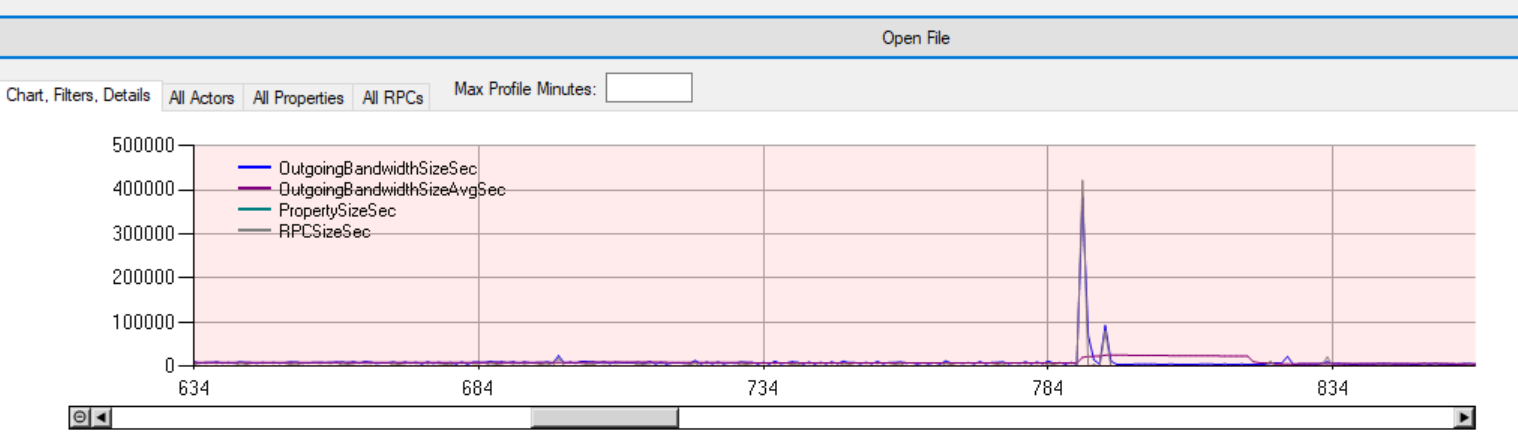
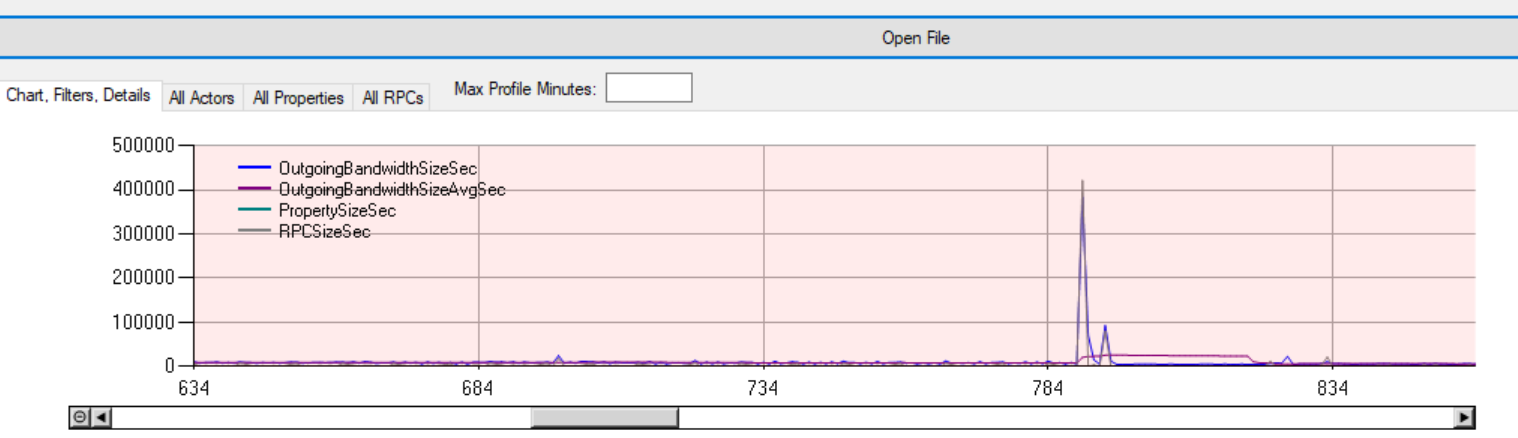 empty axle
Do also cpu profiling, because if you spike on the server that would cause the same effect
cedar finch
There definitely is a spike in net profiler
cedar finch
No
steel vault
If I'm not mistaken you could simplify your struct quite a bit by instead of sending actual actors and materials to simple enums that the server can break back down into their appropriate objects. Like an identifier for the actor and an enum for the phys material.
If you can simplify your struct even for now to see if it helps, that might be a solution
Try only sending the location and rotation and see if it rubber bands
empty axle
Sending actor pointer is IIRC like sending integer so it won't help
 terse geode
Hey Guys, ran into a problem today. Basically have a dedicated server, but whilst getting access via windows client works fine, the mac client does not refuses the connection, saying that the version is wrong and you should update your build.
Both running 4.25.4, windows one is from source though, could that be it?
cedar finch
@empty axle I don't really know how to read the cpu profiler. I have it pulled up
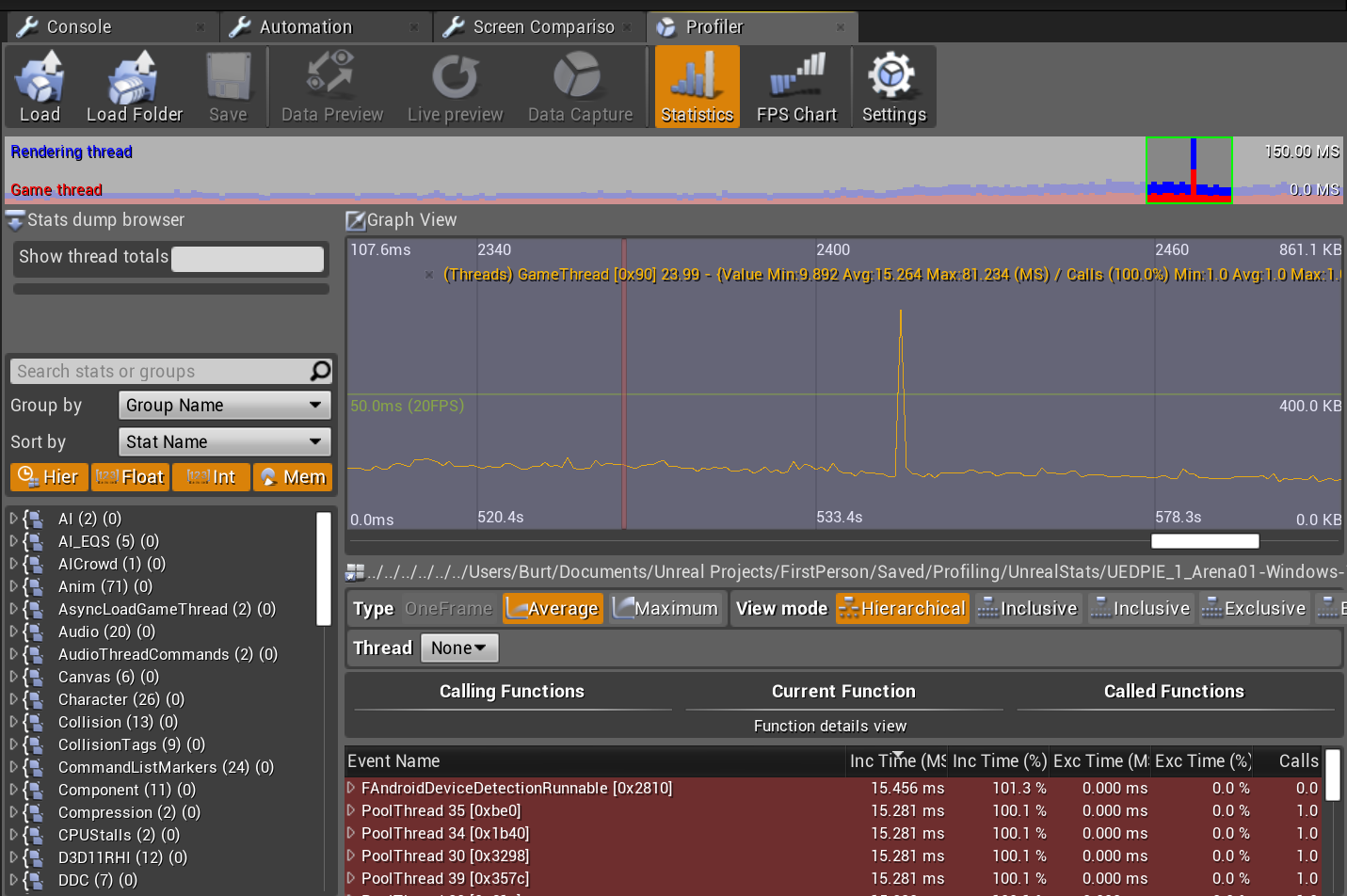

I see a spike which is probably where I shot
empty axle
Might be
Click on it and check out what is happening in the game thread
Is it client profile or server profile btw? Because you need server profile
cedar finch
I typed the command in on the server, the began shooting and playin on the client, then ended the command on the server. https://i.gyazo.com/ca9ef61638460338792967c71be70fb9.png
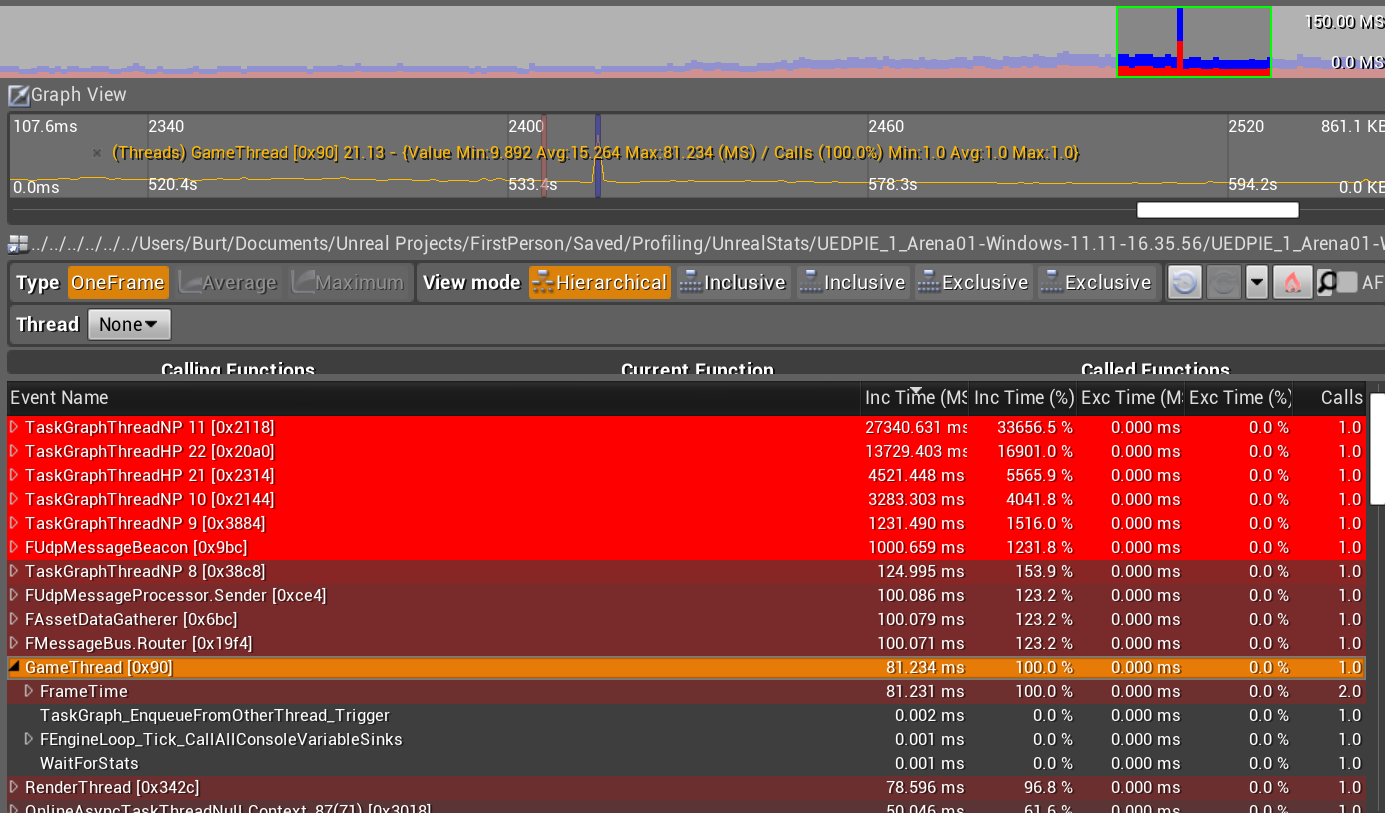
 empty axle
Oh yeah. 80ms is really a lot
You need to unfold it and check it out further to know exactly what caused that
cedar finch
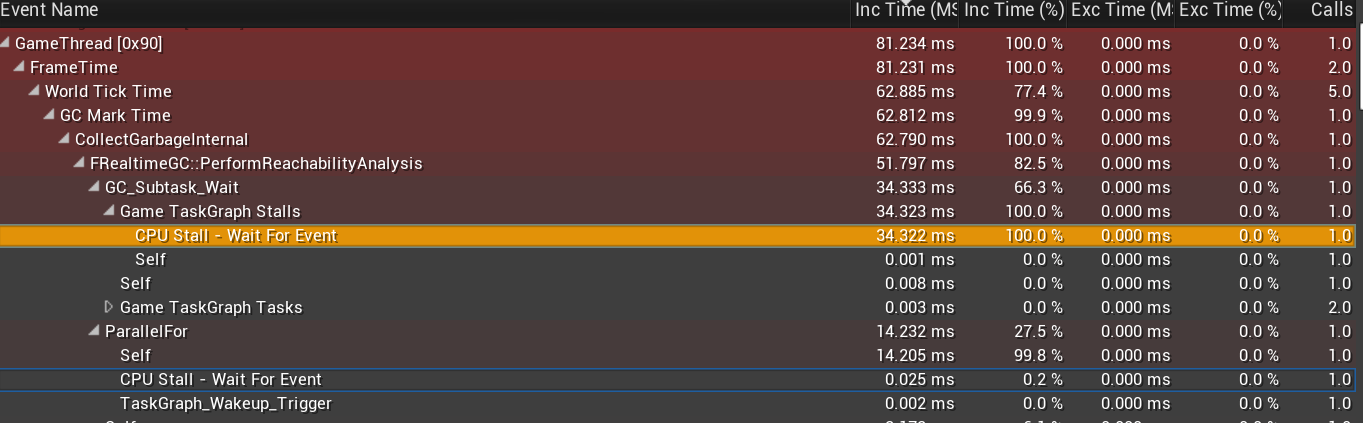

not really sure what this means lol
I'm running another test to see what happens in the profiler
empty axle
Garbage collector, that is probably not related to the shooting and the reachability analysis is not done in shipping so no worry
cedar finch
Ok so I did a really quick test this time where I started the profile, shot a few times, lagged really bad, then ended the profile. It looks ok on the game thread https://i.gyazo.com/906aa5f4c2574b82c009b39962c7b783.png
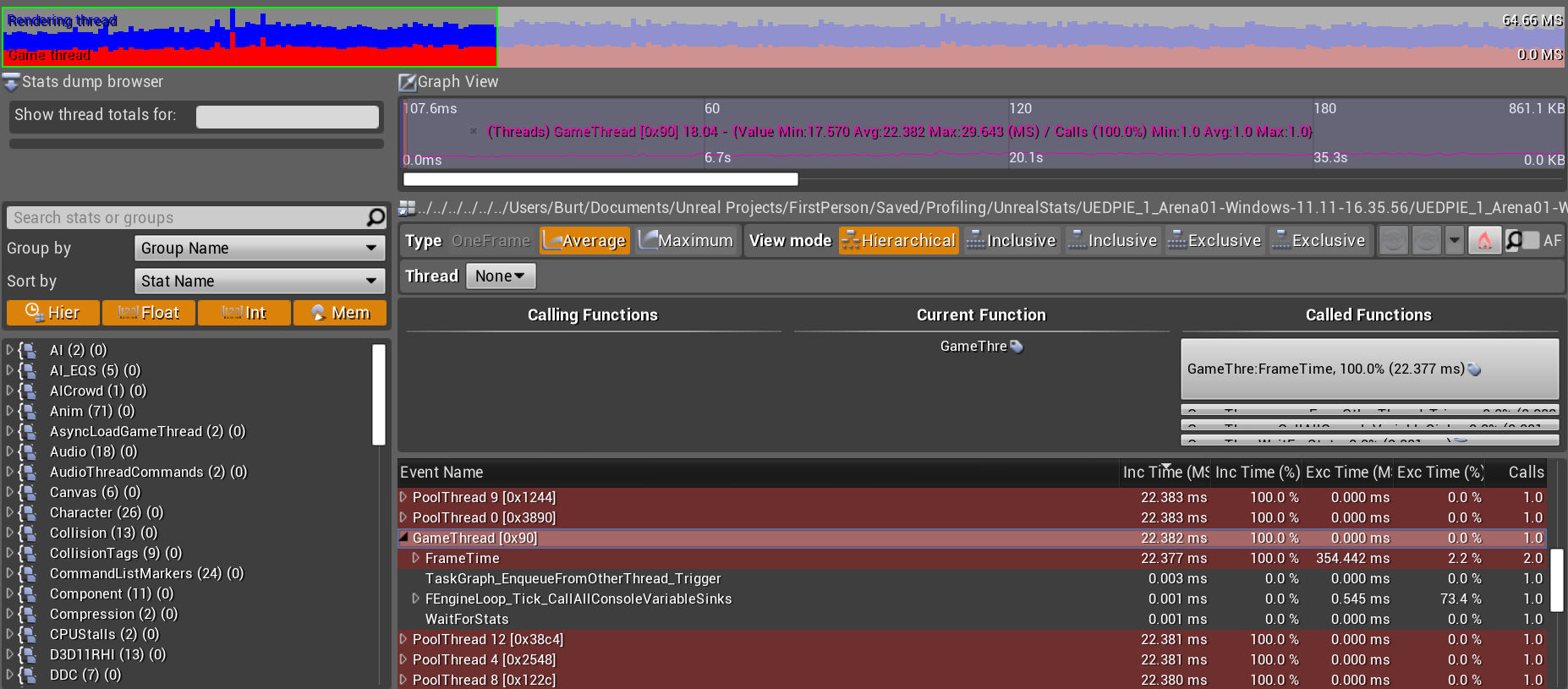
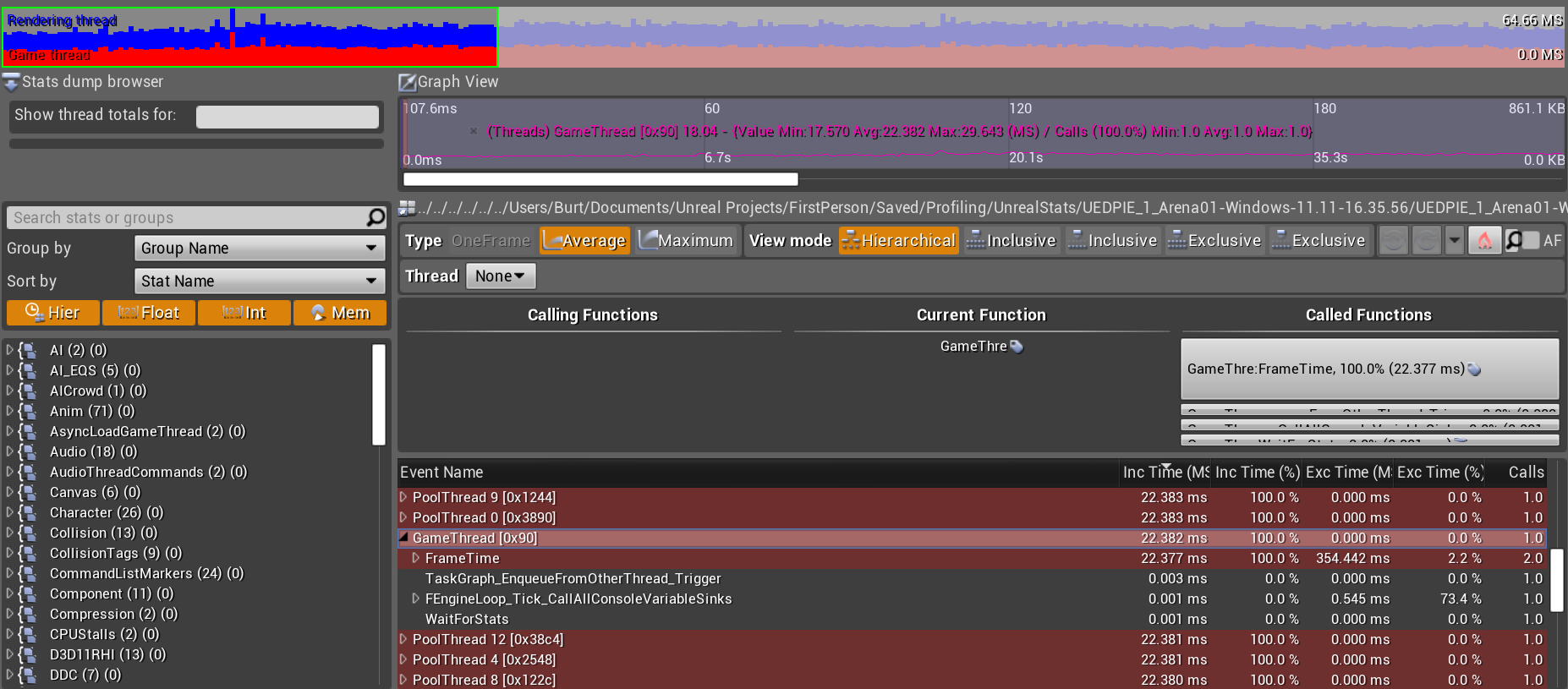
pretty solid line all the way across
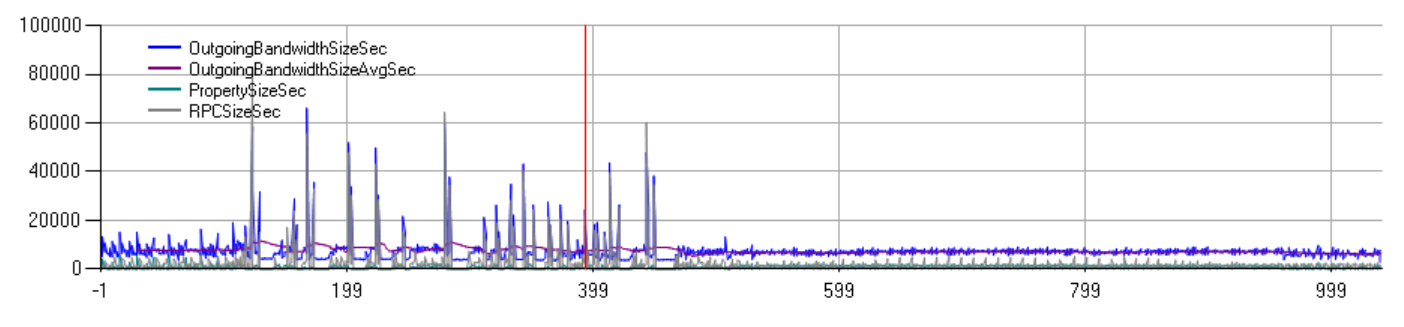

So it's gotta be network related right?
limber gyro
comment random parts of the code to see if any part fixes it
cedar finch
You can see each shot spike here. @limber gyro I tried that. I removed impact fx, dismemberment, etc. Basically everything accept damage, and it still rubberbanded and lagged.
steel vault
If you want to know if it's network related, get rid of your server RPC
limber gyro
looks like u didnt try the dmg then lol
cedar finch
Ok so I commented out everything so all I do is send the struct to server and it still lagged. So I tried not sending the struct to server and it didn't lag, But then I don't have damage, fx, etc. lol So it's clogging up the network with a fat struct being sent to the server I believe
empty axle
You could use quantized hit location and rotation if you are not using right now or send just location and direction of the shot and do the tracing on the server
steel vault
Yea, like I was saying earlier, you should try simplifying your struct and see if it takes away from the spike
If it does, then you have your answer
Just for simplicity's sake send the location and rotation and nothing else, those shouldn't clog things up. If it does, then I believe you're somehow calling too many RPCs
cedar finch
I thought I had it simple lol. My enum has 6 values. So I'll do what you guys said and see if I can remove some and figure out which one is causing this
I only use the hit location and rotation to spawn particle fx on hit actors, same with physical material
steel vault
Yea start with a small struct and increase it to find out what the bottleneck is. Also check to make sure you aren't spamming the call
cedar finch
It only gets called once per weapon fire. So everytime you pull the trigger
empty axle
That is okay. You can't call less for a shooter
cedar finch
@empty axle Ok so good news. I took out each thing one by one and it looks like "hitBoneName" was the cause. I only have "hitActor" in my struct right now and I have no lag. 🙂 But that sucks because I used "hitBoneName" to give points and dismember zombies. 😦
I basically got the bone hit and if it was the head bone, leg bone, arm bone, etc. I'd hide the bone and spawn some blood.
steel vault
Wait sending an FName caused the spike?
cedar finch
I'm not sure I follow
I assumed since i'm shooting 8 linetraces, each with bullet penetration. That's a ton of names all being stored. I have 24 zombies on screen at one time so it's unlikely but it could be 192 names stored if every linetrace hit every zombie. Now I've put in a check to prevent bullet penetration from going through more than 4 zombies so it wouldn't get that high but still.
winged badger
convert them to something more efficient
then send that over
GameplayTags seem like a fitting solution
Bone.Bonename
sent over network as ints
and you can create a tag from bone and convert tag to bone easily enough
cedar finch
I'll have to research GameplayTags. I haven't used them before. @dull lance That's food for thought. So if I did all the linetracing onServer wouldn't it lag a listen server when all players are shooting like crazy?
just linetraces that get the hits and apply damage and fx
So basically clients request access to fire their weapons, the server then does the linetrace, and does the damage, and plays the fx for everyone to see?
winged badger
lots of players shooting like crazy
isn't all disadvantage
you can afford yourself some freedoms and small inaccuracies
as when 5000 bullets are flying every minute
doesn't matter if some of them don't end up on same spot on every client machine
and even if it is
cedar finch
So instead of sending a big packet of info inside a struct every shot from client to server, I'd be send a simple request such as a boolean "canShoot?" to the server and the server would do the rest?
winged badger
it only matters for the player doing the shooting/being shot at
my firing package is the following
Enumeration for FiringMode, boolean for FireButtonPressed, AActor* for Target (Applicable in Automatic and Targeted fire modes) and a packed FVector for weapon target in manual firing mode
thats all
clients do everything else themselves from that information
they also calculate their own shots and RPC to server, co-op can afford that
ammo is replicated
weapon state is a state machine ran by firing package
it never goes out of sync
we are more 8v150-200 AI
cedar finch
Can I get that in layman's terms? hahahaha
winged badger
my clients have the same information server has to determine what happens based on player input
and while i try to minimize any discrepancies, i also don't care if minor ones happen
cedar finch
Mine is a 4 player coop zombie shooter. Survive waves, kill zombies.
winged badger
and they run the entire firing on their own
cedar finch
24 on screen at a time right now
but in a wave it gets higher per wave
never more than 24 at a time though
just move to player and attack
winged badger
let your owning client calculate its own shots
cedar finch
so no
winged badger
RPC those to server
cedar finch
that's what I'm doing. I to the linetrace on client, then send the hits to server
winged badger
because players will notice if server starts correcting health of the zombie they are shooting at upwards
it also allows you to inflict predicted damage accurately
for owning player
as for simulated proxies
use best guess, instead of replicating all the details
your client #2 sees zombie that has its left leg shot out, client #3 sees it without the right leg
there is no difference between those 2 scenarios