#multiplayer
1 messages · Page 580 of 1
 royal rampart
 winged badger
on its BeginPlay it will register with the GameState using those 2 functions
GS is not a server thing, its replicated
royal rampart
oke oke
winged badger
after the PS actors from other players have replicated, and call BeginPlay
they add themselves to the GS->PlayerArray
its the most reliable hook for what you're trying to do
as long as you're using GameMode/GameState, without the Base part
royal rampart
but my approach was that in the beginplay, the client tells the server in gamemode hey im new, give everyone my name
winged badger
it comes with a guarantee that GameState will have replicated by the time any Actor on client calls BeginPlay
royal rampart
but when the other clients try to set his name, that player isnt in their game fully yet
royal rampart
ooooh wait, dude, i think i know why it isnt working haha
winged badger
but when it replicates, the new name typically wouldn't had had a chance to replicate as well
royal rampart
im gonna try something, thanks in advance for your help 🙂
ill prob be back soon lol
haha
winged badger
OnRep_PlayerName,
use it to notify clients that already found the PS that the name changed
royal rampart
okay okay perfect
 meager fable
Still couldn't find the anwser to that rotation problem so I made it a question on AnwserHub, if anyone has an idea what happens hit me up
 twin juniper
In the game world/level what is responsible for spawning the players onto the level/field.
It's not the players themselves, correct? It's something that belongs to the server ?
 bitter oriole
Game mode
bitter oriole
Not really, people usually just roll with it using player starts
twin juniper
So every game mode has a default player which it sets onto the field?
Because what I don't want (dedicated server perspective) is for IsRole Authority to return true on the player.
bitter oriole
That doesn't make a lot of sense
twin juniper
ROLE_AUTHORITY should only return true for the server correct?
not for the clients?
bitter oriole
Or a single-player game, or a client-only actor on client
twin juniper
Yes but not on a dedicated server with multiple players.
Or a listen server where the client isn't the host.
bitter oriole
Unless the actor is client-only, spawned on client and not replicated
In which case it's also authority, obviously
Still not sure what you're asking
twin juniper
Let's say in the case of a listen server, each player gets their actor spawned into the level.
If some server sided code is called within the actor class, what I would want is ROLE_AUTHORITY to only return true on the listen server actor not the connected client actors.
bitter oriole
That still doesn't make sense
The server will always have authority
That's how the engine works
twin juniper
Yes the server will have authority but not the connected clients to the server..
Because they're not the server
bitter oriole
ROLE_Authority means : this actor is the server version of this actor
Basically
It's just an information for your code to use
twin juniper
So if a listen server calls ROLE_Authority in their actor class it should return true yes?
But if a connected client checks ROLE_Authority in their actor class,
It should return false
Or am I misunderstanding?
bitter oriole
All actors on the server will have ROLE_Authority, replicated actors on a client will have another role
twin juniper
Yes I get that part but from the connecting client, if their actor class checks ROLE_Authority it should not return true
bitter oriole
"Replicated actors on a client will have another role"
twin juniper
I'm misunderstanding something. Is the actor's class code running both on the server and the client?
twin juniper
So in that case ROLE_Authority checks would always pass
since an instance of it is running on the server as well
bitter oriole
On the server
bitter oriole
On the client, it would have another role
twin juniper
Ah okay,
bitter oriole
Like I said
All actors on the server will have ROLE_Authority, replicated actors on a client will have another role
GetLocalRole() on the server will always return ROLE_Authority
On any actor
AFAIK
bitter oriole
GetLocalRole() on the same actor, on the client, will return ROLE_SimulatedProxy or ROLE_AutonomousProxy, depending on the actor ; if it's replicated
If it's not replicated it will also return ROLE_Authority
(But then it's just not the same actor as the server)
twin juniper
But if you want that actor visible across all connected clients.
Then it should be replciated.
bitter oriole
Yes
twin juniper
Okay that part makes sense so far.
So is it valid to place ROLE_Authority checks and server sided code in the actor class?
Or should it be done somewhere else?
Since the clients are also running the actor class.
Whether it's a listen server or dedicated server.
bitter oriole
When you want to know whether a replicated actor is running on server, check if GetLocalRole() returns ROLE_Authority
twin juniper
And if it returns true is it okay to insert server sided checks there?
From a listen server perspective.
bitter oriole
If it returns ROLE_Authority, then you are running on the server
twin juniper
What I mean by server sided checks is,
Checks dealing with game code,
Verifiying game code.
Algorithms, etc.
bitter oriole
I can't tell you how your game code should run, I'm just answering the question
bitter oriole
Local role == ROLE_Authority + replicated = running on server
twin juniper
Of how the internal code works.
Let's say from a dedicated server perspective, GetLocalRole() should not return ROLE_Authority on the client actor class
Correct?
Only on the server's actor class
So there's no real difference,
Between listen server and dedicaated server
In terms of role authority checking.
bitter oriole
Listen and dedicated change indeed nothing at all
twin juniper
Ah okay.
bitter oriole
But like I said
GetLocalRole(), on the server, will always return ROLE_Authority on all actors
No matter if they're a remote client's pawn or something
twin juniper
So let's say I have this scenario. If you could help me understand it better.
One player is connected to a dedicated server. The player's actor class calls GetLocalRole() and checks ROLE_Authority, if that check pass an object spawns onto the map.
In that case only one object should be spawned onto the map.
Not two.
Since the connecting client's version failed the check.
But the one replicated on the server passed the check.
Correct?
bitter oriole
The client version is the replicated one. The authoritative version is on the server.
But yeah
twin juniper
Okay so if no check is being done and the actor spawns an object. Does that mean the client is now seeing two objects? One they spawned and one the server spawned?
Even though only one is being replicated?
bitter oriole
Depends if the object spawned is replicated
twin juniper
Assuming that object is replicated.
twin juniper
Ah yes okay, I'm understanding it now.
 rich ridge
Depends if the object spawned is replicated
@bitter oriole even though actor is not set to replicate, if client is spawning it he will see it for sure.
And rest of the clients won't see client spawned actors
twin juniper
Thank you that helped me understand a lot
bitter oriole
He asked if the player would see two objects
The answer is,
Depends if the object spawned is replicated
🤷
rich ridge
Client will be able to see object regardless of replication if he spawn the object
twin juniper
Now another question I have I suppose is, shoud game rules be handled in the level/instance/game mode or can game rules also be dealt with
In the replciated actor class?
rich ridge
Ohk
bitter oriole
Depends what kind of game rules.
rich ridge
GameMode
bitter oriole
Depends on the game. The server does, but maybe the client does too.
It's not a binary question
twin juniper
I know the server does,
I just mean,
Which part of the server and LAST_DEVIL said gamemode
bitter oriole
Do you want players to die 200ms after you fired a headshot ?
twin juniper
No
bitter oriole
Then it's clearly not the game mode alone.
twin juniper
So the actor should also kill the player locally on the client
But then the gamemode
should do the final
actual kill?
bitter oriole
It depends on the game and you will have to make such calls
No matter what happens, other players will see what the server tells them
GameMode or not
But the firing player may want to see something before the server tells him
twin juniper
So let's say, the player's health hits zero and I do this inside the actor class
if(GetLocalRole()==Role_AUTHORITY){
 PlayDeathAnimation();
 Die();
}
Very simply.
Is that valid?
bitter oriole
It is, and it will also fail to play any animation on clients
twin juniper
So maynbe I can change it to this.
if(GetLocalRole()==Role_AUTHORITY){
 if(health==0){
  isdead = true;
  die();
}
}

if(isdead){
 PlayDeathAnimation();
}
Something like that
bitter oriole
Provided IsDead is replicated, then it will work
twin juniper
Yes
bitter oriole
(Probably more like 50ms in this day and age, but still)
The point I'm making is, it depends on your game
twin juniper
Got it!
If my game isn't time sensitive,
Then that code is fine.
If it is time sensitive.
Then it needs adjustments.
bitter oriole
It's probably fine most of the time really, you probably don't want a bad replication timing to trigger a death animation when the player isn't actually dead
Same way Valorant plays firing effects instantly, but only shows damage effects when the server confirms hits
What I'm saying is, you need to decide how lag works in your game
rich ridge
@twin juniper if you aren't using GAS, what you can do , do RPC from server to client.. that player is supposed to die
And when player receive that RPC...
It plays dead animation..
twin juniper
That's also doable yes.
rich ridge
And bind a notify event on last frame of dead animation to actually destroy the actor
twin juniper
If the RPC is being called from client to be executed on the server, the client must own the Actor that the RPC is being called on.```Doesn't that mean that only the one client will see the death animation.
And not the other clients?
Or should the rpc be done to every client with the actor id.
To display the death animation.
meager fable
    void GetLifetimeReplicatedProps( TArray< FLifetimeProperty > & OutLifetimeProps ) const;
    UPROPERTY(Replicated)
    bool bIsAttacking = false;
void ABaseCharacter::GetLifetimeReplicatedProps(TArray<FLifetimeProperty>& OutLifetimeProps) const
{
    DOREPLIFETIME(ABaseCharacter, bIsAttacking);
}
When i set my variable to be replicated like this it disables my pawns movement, is that the correct way to set replication?
 empty axle
You would need to call rpc for every player. I think it is better to go with bool approach though
empty axle
Sure, just keep in mind that someone might join after the death. If that is possible in your game at all
twin juniper
Ah okay, I'll definitely keep that in mind.
rich ridge
Have you tried GAS?
twin juniper
I haven't.
rich ridge
Please have a look, fortnite uses GAS.
All the actors which is damage able is coupled to gas in fortnite
twin juniper
High-level view of the Gameplay Ability System
rich ridge
Yes correct
twin juniper
Okay I"ll take a look at it.
rich ridge
Detailed break down can be found here

GitHub
My understanding of Unreal Engine 4's GameplayAbilitySystem plugin with a simple multiplayer sample project. - tranek/GASDocumentation
twin juniper
Oh thank you
twin juniper
Cool!
 quasi kite
Does OnRep only work for certain types?
I have two OnReps, one for a USkeletalMesh* and another for FTransform that gets changed after each other in the same function.
The USkeletalMesh replicates for both server and client, but the FTransform doesn't replicate for either despite getting assigned a new value.
 daring igloo
Is it possible to call RPC on the server and pass APawn* as parameter and hope that it will be same Pawn on server?
empty axle
@daring igloo you can pass actors as a parameters in RPCs as long as the actor is replicating
daring igloo
@empty axle thanks
 rose egret
how you guys simulate weapon fire in remote clients in A FPS game. I have both short and long range weapons.
do you replicate the trace direction or you just use the location and direction of muzzle ?
empty axle
@rose egret I would say timestamp would also be pretty useful and personally I would go with current location and direction of muzzle.
 gloomy tiger
how you guys simulate weapon fire in remote clients in A FPS game. I have both short and long range weapons.
do you replicate the trace direction or you just use the location and direction of muzzle ?
@rose egret Watch out. Here you have to be cautious with what you transport over the network to avoid unnecessary lags. I wouldn't replicate both.
Perhaps I misunderstood what the second option was, but as long as you have the location and direction of the muzzle in all your clients, all I'd do would be broadcasting a Fire message to all your other clients, alongside the Player's (the one who shot) ID. When this information arrive at client-level, then I'd use it to perform the actual Fire action on each/every client.
 solar ivy
I'm building some functionality based on server time. But I noticed when my server runs for quite some time I'm starting to get issues with syncing time. To test this I'm sending RPC with local GameState->GetServerWorldTimeSeconds then checking the difference between this value and the result of the same function call on the server and sending back the result. So if at the beginning the difference is around 120ms and stable but after my server is up for around 12 hours the result becomes very unstable and can vary from 200ms to 1000ms. What can cause this?
 marble gazelle
check the source code, the default impl interplolates the time
royal rampart
small question, all my characters have a nameplate (widgetcomponent) attached to their root, but how do I get that widget to change the text from another character?
or does it have to be replicated automatically or something, I have been searching for 2 days now 😦
solar ivy
as I understand the interpolation is needed to avoid spikes when replicating time to client. It doesn't explain why the desync grows with time though. am I missing something?@marble gazelle
marble gazelle
\o/ actually I don't know, I removed it since I didn't want it to behave like that you could try to increase the update time and see what happens
twin juniper
Hello , I'm trying to make a voice chat system , but voices can't be heard , I already have this in the DefaultGame file :
[/Script/Engine.GameSession]
bRequiresPushToTalk=true
``` ant this in the DefaultEngine file :

```ini
[Voice]
bEnabled=true

[OnlineSubsystem]
bHasVoiceEnabled=true
and there is my player controller code and the sessions system :
gloomy tiger
as I understand the interpolation is needed to avoid spikes when replicating time to client. It doesn't explain why the desync grows with time though. am I missing something?@marble gazelle
@solar ivy If your response time is scaling, then:
- The packet being transmitted has grown;
- The operation (on the server-side) to prepare the data that will be sent to the client requires more time to process.
This is probably not the specific answer to your question, but I'd start from there.
 chrome bay
floating point precision breaks down over time
The longer the server is running, the less accurate it'll be
gloomy tiger
The longer the server is running, the less accurate it'll be
@chrome bay That, too.
chrome bay
2-4 hours is usually beyond the point of acceptable IMO
gloomy tiger
I'm building some functionality based on server time. But I noticed when my server runs for quite some time I'm starting to get issues with syncing time. To test this I'm sending RPC with local GameState->GetServerWorldTimeSeconds then checking the difference between this value and the result of the same function call on the server and sending back the result. So if at the beginning the difference is around 120ms and stable but after my server is up for around 12 hours the result becomes very unstable and can vary from 200ms to 1000ms. What can cause this?
@solar ivy
One other thing. Garbage collection.
chrome bay
After 12 hours that won't be the only thing that breaks down, character movements timestamping starts to break down not long after that
gloomy tiger
Pretty much, your server might be exhausted.
chrome bay
We reset our world timers during seamless travel which maintains the accuracy, but our matches only last up to 2 hours maximum anyway before the map changes.
Much more difficult problem to solve if you have servers up for longer than 4-6 hours without any map change
solar ivy
@gloomy tiger the time to receive reply from the server is not the issue. i'm checking that as well and it's around 120 ms which should be just ping related.
@chrome bay the precision might be the issue yeah. however in my case the inconsistency should be some milliseconds not the whole second. unless there are more operations with timestamp that increase it, maybe the mentioned interpolation does.
I'd prefer to keep servers running as long as possible until restart. is it even possible to make servers running for 5-8-10 hours or even more without major changes to the engine source code? or will there be other issues besides time?
gloomy tiger
Is your server a monolith?
I mean, b/c sometimes you can orchestrate other instances to lift up. I've done that in the past, but my game was based off sessions and not a persistent world.
But you can pretty much achieve the same results in a persistent world.
chrome bay
GetServerWorldTimeSeconds() is really inconsistent anyway, it's not really useful for accurate timekeeping
the implementation is far from ideal
marble gazelle
Since we are at this topic, any hints how to properly sync time between server and clients? (I was thinking about syncing a datetime, since int64 my be a bit mor pricise than float) but There still will be some delay due to ping so I'm not quite sure how to sync time properly
 kindred widget
@chrome bay Congrats on third place in the steam top seller list by the way!
rose egret
@solar ivy GetServerWorldTimeSeconds() sucks, search UE4 synced clock I guess there was a good medium article about it
solar ivy
I've seen that article yeah. I guess the main issue of Unreal's implementation is that they sync time with a replicated property. I'm guessing this is what's causing my issue as well. The time to replicate that property can be quite long and vary over time especially if number goes higher.
 lime raptor
this may be the wrong channel but how can i set up a simple multiplayer system i mean just one server and no more than 10 people
meager fable
@lime raptor
https://www.youtube.com/watch?v=abmzWUWxy1U&list=PLZlv_N0_O1gYqSlbGQVKsRg6fpxWndZqZ
and
https://www.youtube.com/c/brynertoma/videos

In this video we take a look at the finished project and step through each of the features that will be covered in this series. We show our functional Main Menu and its options, a lobby where players can chat with one another and select their characters for the game, some serv...

YouTube
might be good places to start
 lyric mural
How would I replicate this trace event properly? I've tried a few things but I cant get it to properly get the right actor
kindred widget
@lyric mural What is the function call for? Usually you don't replicate ui stuff, but replicate variables that can drive ui on other machines. And generally you wouldn't replicate the trace, but trace on that client, use a client owned actor to call a server rpc based on the trace.
lyric mural
The trace has to get the clicked actors ID and then it pulls up their profile. I tried it with nothing, run on client, and server, but every time its returning on the server hosts profile
kindred widget
Not sure what exactly you mean by profile, but if you're using IDs for it, it sounds like something that you'd either have replicated to a client, constructed on the client to begin with and then use the ID to get it locally with no RPCs or server coding at all. Or if it's some form of protected data, rpc to the server, and have the server rpc the owning client's player controller and have that controller open/set the UI data.
 golden plinth
Currently trying to display a ui on all players screens, but with my current code, it only does so if the function is called by the player in the main viewport/editor and ran on another player. Any ideas? Here is the code:
gloomy tiger
UMG is client-side only. That means every client have their own instance of a given screen. What you share among players is the data a screen contains. cc @golden plinth
Also, this is quite wrong IIRC:
empty axle
Yep, on client side you should always get Pc from index 0
gloomy tiger
Player Index IIRC stands only for local players, and not network players.
In other words...
golden plinth
Got it, thanks for clearing that up for me
gloomy tiger
You'd have to control what players are connected through other way. I usually use GameSession to control which players are connected, and to manage their controllers.
empty axle
@golden plinth make sure you are calling that multicast from the server also.
gloomy tiger
Just for your information on what's going on in your situation: Body Reported is being executed On All. That means even the server executes that piece of code. I'm assuming one of your players is hosting the game (meaning it is the server), and this is the player that sees the screen you reported. The others aren't displaying the given screen because of your GetPlayerController.
golden plinth
@gloomy tiger When I open my GameSession, it takes me to c++ code. Where would I manage what players are connected in blueprints?
 harsh lintel
is it possible to get the PlayerState of an AI through the game mode on a client? if so any suggestions as to how to get the right one?
 graceful cave
anyone know about a NetChecksumMismatch when connecting to a linux server but not windows?
the classes in question are cpp classes
i tried repackaging the client and the server and it still happens
maybe its time to delete intermediate again
graceful cave
ok for the record the issue was that i still had another terminal open running the previous version of the server
 swift kelp
any of you have an issue where you use PIE and you spawn an object client side and nothing will spawn (except for the last client)
so if you have 3 players the 3rd player can spawn but player 1 & 2 can't.
If you launch 4 clients in PIE, only the 4th client can spawn
if you run standalone game, everyone can spawn a local instance (instead of one for all like in PIE)
any way around this?
meager fable
do you have net load on client option checked on your actor?
kindred widget
@harsh lintel The only way to do that.. would be to have a chain of functions through different classes. Why does it have to go through GameMode if it's for a client?
harsh lintel
I meant GameState, I think I solved my issue tho
kindred widget
Both Pawn and Controller have a PlayerState values, does AI not populate this like Player pawns?
If they do, you don't even need the GameState, just the pointer to that AI.
meager fable
is there a way to get the name of the client the function was called on, eg if called on the server that would return "Server" if called on client 1 it would return "Client 1" etc
kindred widget
@meager fable UKismetSystemLibrary's PrintString function shows how to do that. At least as long as it's not a Shipping build.
meager fable
So just use print string instead of log and it will add the name?
kindred widget
Yep. That's one reason I still use that function in C++. Convenient for that.
Looks like this mostly.
Creates a Prefix string based on the NetMode and adds it to your desired print string.
meager fable
nice, thanks
meager fable
Okay, so I have this function hierarchy:
void ABaseCharacter::SetupPlayerInputComponent(UInputComponent* PlayerInputComponent)
 {
     Super::SetupPlayerInputComponent(PlayerInputComponent);
     PlayerInputComponent->BindAction(TEXT("Attack"), IE_Pressed, this, &ABaseCharacter::ServerAttack);
 }

 void ABaseCharacter::ServerAttack_Implementation()
 {
     MulticastRotateToControllerYaw();
 }

 void ABaseCharacter::MulticastRotateToControllerYaw_Implementation()
 {
FRotator PlayerRotation = GetActorRotation();
    FRotator ControllerRotation = GetControlRotation();
    PlayerRotation.Yaw = ControllerRotation.Yaw;
    FString DebugText = TEXT("Called Rotate, control rotation is") + ControllerRotation.ToString();
    UKismetSystemLibrary::PrintString(this, DebugText, false, true,  FLinearColor::Red);
    SetActorRotation(PlayerRotation);
 }
that produces this output when attacking:
Attack is called on client 1
and from what it looks like it should rotate correctly on client 1 and the server and fail on client 2
but it rotates correctly on client 2 and the server
and on client 1 it sometimes rotates and sometimes just stays in place
looks totally random
anyone has any idea what is happening here?
meager fable
when i run RotateToControllerYaw on the server instead of multicast it rotates correctly everywhere but never on the client that attacked
 lone ice
Does anyone know if RPC and rep events still work in singleplayer. I don't wanna make different classes for a multiplayer character and singeplayer one. Any insight on this would be appreciated.
meager fable
@lone ice UE4 docs says that If there is a possibility that your project might need multiplayer features at any time, you should build all of your gameplay with multiplayer in mind from the start of the project. If your team consistently implements the extra steps for creating multiplayer, the process of building gameplay will not be much more time-consuming compared with a single-player game. In the long run, your project will be easier for your team as a whole to debug and service. Meanwhile, any gameplay programmed for multiplayer in Unreal Engine will still work in single-player.
so I guess it should work
lone ice
Thank you very much.
kindred widget
@lone ice I'm pretty sure it all works exactly the same. Basically you would need to program your game as if you were doing multiplayer to begin with and your singleplayer stuff would literally be a multiplayer game with no connected clients. I'm fairly certain that OnRep functions in blueprint are called when done like this and you have to call them manually on the server in C++ anyhow. And RPCs meant for the server that get called on the server will just run anyhow with no network necessity.
lone ice
Alright, that's good to hear.
meager fable
How to correctly specify the map in serverTravel? I have tried serverTravel Game/Maps/Arena01, serverTravel Content/Maps/Arena01, serverTravel Arena01 and copying the path via right clicking on the map and Copy file path
bitter oriole
"Arena01" should be enough
meager fable
I'm talking about this blueprint node
or maybe the casing is wrong or something
just Arena01 does nothing. Is calling serverTravel enough to bring everyone to a new map or do I need to specify something more?
bitter oriole
Provided it's called on the server, of course, yes
meager fable
It's in game mode so I think that means there is no way for the client to call it
bitter oriole
Yeah, that's correct
chrome bay
@kindred widget that's news to me 😄
 thin stratus
@meager fable ServerTravel is supported, but not Seamless ServerTravel. Doesn't change your situation, but just making sure you have all info :P
meager fable
@thin stratus Well I didn't even know I`m using Seemless ServetTravel XD Thanks, guess I'll have to go and educate on that lol
thin stratus
That's setup in your GameMode properties. A little boolean basically.
It's more or less advised to utilize this for all your ServerTravels. Also a requirement for Steam iirc.
meager fable
Yeah I`m using steam services for now so that needs to stay
 jagged flax
Have any solution for this problem?
https://www.youtube.com/watch?v=Ggcbgp2A9O4

4.9.2 Realese
Create BP project Vehicle
in Sedan blueprint SpringArm set EnableCameraLag = true
Package game (Widows 64)
Lanch listen server
Lanch client (in some machine)
On client vehicle is lagging when speed is high ( 100 km/h )
meager fable
is there a way to give my game a name while running on steam online services? Right now when I run it steam shows I'm playing spacewar
 ruby rock
I think that's tied in with your SteamAppId (480)?
thin stratus
You need your own SteamAppId, correct. So you basically have to properly register your game with Steam. Pay the fee (if that's still a thing) etc.
meager fable
crap, guess me and all my friends beta testing it will look like pirates lol
kindred widget
@chrome bay I might have been mistaken. I remembered reading somewhere that you were on the team that is working on a particular WW2 shooter mass battle game. Noticed it was third in my top seller list yesterday.
chrome bay
Oh no that's right I just read it as "global" haha
kindred widget
To be fair, it's still like 49th on my global top sellers. Still damn good.
meager fable
I have made this 2 functions inside my Game mode, when I load my map and run the game in editor everything works fine, default pawn gets replaced but when I serverTravel to the map that uses that game mode I still get spawned as default pawn
Anyone has an idea what goes wrong here
Or maybe how to debug it. Seemless travel doesnt work in PIE so can't place any breakpoint or print strings
kindred widget
@meager fable Two notes. You're telling it to destroy your Game Mode on the Valid side of the Isvalid before spawning a new pawn. Secondly, you're in your GameMode, which means it doesn't need to be an RPC from OnPostLogin to the RespawnPlayer.
The second I can see if you're calling it from somewhere else for some reason, I think. Still not sure if it'd need to be an RPC though since you should call it from the server version of other actors anyhow. But definitely don't destroy your GameMode.
meager fable
"Instructions unclear, destroyed GameMode"
thanks for noticing that
but that still didn't fix the issue, I'm spawning as a default pawn 😦
kindred widget
Don't have much experience with server travelling yet. Does PostLogin actually get called after a travel?
kindred widget
Prints should still show up.
meager fable
oh It doesnt get called
funny thing because i added a print string in OnPostLogin before and just assumed it doesn't work in standalone
kindred widget
Only place Prints won't work is a Shipping build, or whatever "Test" build is. Even cooked development builds still have access to the debug stuff like prints and debug drawing on traces.
meager fable
Moved the code to begin play and everything works fine, guess when using serverTravel everyone just stays logged in so OnPostLogin is never called
thanks for your help
kindred widget
Will keep that in mind for myself. I kind of assumed that's what PostLogin was for was just when a player was joining the session, but didn't know if it was called once for each map or specifically only when a player 'logs in'.
meager fable
Yeah thought that since I destroy the previous player controller when changing the game mode the new controllers have to relog
 lost fulcrum
are structs replicated as whole even if one of their property change ?
 tranquil yoke
Guys, My server keeps Kicking all the clients again and again , for some reason.
It does not happen always, but it happens some times.
Server log seems , but i can see clients disconnecting.
 charred condor
How you setup different multiplayer game types in unreal I looked at game mode and that seemed like too much like switching between FPS and top down what I looking for is more switching between free for all or team death match
 halcyon totem
im trying to make a simple code but its not working in multiplayer
anyone know why it wouldnt work? do I need some multiplayer code to do a simple jump?
empty axle
@halcyon totem yes you need
@lost fulcrum iirc that was a thing in ue3, but now it replicates just the properties that changed
@charred condor it is up to you. It sounds reasonable to split it into two game modes which would probably share common parent class. You could have one, but I am afraid that class would have a lot of places like:
if (mode == EFreeForAll)
{
...
}
Ok so switching game modes it is
Is there any easy way to switch between game modes when player selects it in UI
empty axle
@charred condor I don't think it is possible to change gamemode on current level without reloading it. But if you want to open certain level with game mode overriden then that is possible
charred condor
Basically trying to figure out this basic flow which is standard in most game
Player picks death match in UI and then it is death match rules of player picks CTF and plays those rules
If you can’t switch game modes how is something like this setup
empty axle
I believe that player would pick for example death match rule in the menu right?
charred condor
Yup
empty axle
then you go with a command like "open LEVELNAME?game=GameModeAlias"
and game mode aliases can be set up in project settings
Under Maps & Modes advanced section iirc
charred condor
Is the ? Part of syntax or placeholder for level name
 analog rover
What's the correct way to test if the current code (in a PlayerController) is running on a listen server? I saw that there is IsNetMode, but it seems to not function as expected based on what I could find when searching
kindred widget
@analog rover You could always GetNetMode() from your UWorld. if == NM_ListenServer
analog rover
Does that work correctly? I'm kind of basing my concerns on this old AnswerHub thread: https://answers.unrealengine.com/questions/902324/view.html
I mean, I'll give it a shot, haha
tranquil yoke
Hey guys I am using If !WITH_SERVER_CODE which i think should Compile code for client.
But i am doing a local test yet, and do you think this will work, when Iam doing a server and client using commandlines
 sick totem
Does anyone know how to resolve issues with replicating client actions to the server via blueprint?
I checked run on server for the custom event which calls the multicast custom event which updates a counter on button click but it doesn't work. Why?
kindred widget
@analog rover To be fair, that post doesn't show how or where that person got their player controller ref. If they somehow made the mistake of rpcing or anything before somehow, or they might have checked all of the player controllers on the server, which would return that they're NM_Listenserver, because those controllers all exist on the listenserver's world and they might not have specifically called it from the client version of their controller. So who knows. I've never been led wrong with World->GetNetMode()
analog rover
Yeah, it was very vague, but it did make me want to be a bit more cautious
kindred widget
@sick totem Please show what you're trying to do. WindowsKey+Shift+S takes easy screenshots for blueprint.
 sleek elk
HI, someone knows how to make a listen server (mapname?listen) not listen for new player anymore without map change? I changed my multiplayer to seamless travel. But today I found out that after servertravel from "lobby map" to "game map" the server is still to find per "find Session". I look for a way to make a running server which begins its game after seamless server travel to make him not being able to find the server anymore for "find session". And also not connectable for new player.
Is there any way to make a runnig listen mulitplayer server not able to find for "find session" anymore?
Blueprint level would be good. Currently for create, find sessions I use BP.
Found a old question, same content, perhaps better explained.
I post my question as comment now: https://answers.unrealengine.com/questions/498953/how-can-i-hide-my-session-from-search-once-in-the.html
If someone have a solution and want to answer on UE4 Answers I give my kudos of course.
 floral crow
So, I have a Lobby map where the player chooses some data. After the seamless Travel to game, I need that data to be available on clients from the very start
What's a clean way yo achieve this?
 foggy idol
Does anyone know the C++ include for the smoothsync plugin
sleek elk
What's a clean way yo achieve this?
@floral crow
You could replicate the data in lobby from server to all clients and on clients save it in game instance. game instance survive all server travel and open level in every case and you have your data after server travel in each game instance directly availabe
Because you use seamless travel, there could be a better way, but I am self stuck at this point and google search point me ti game instance. I had questiosn by myself, nobody answered till now.
https://forums.unrealengine.com/development-discussion/blueprint-visual-scripting/102335-gamemode-variable-empty-after-seamless-travel
Unreal Engine Forums
Build powerful visual scripts without code.
Bt as long as you have no better solution, game instance will work in everycase. You can't replicate from/in game instance directly. But you can use your player controller or anything else which replicate to all clienst and when having data at clients, simply store in game instance. And read again later
floral crow
Hm, I know about GameInstance. But that feels like a hack. I would have loved to store it on PlayerState and do the transfer, But that only guarantees the server will know about that data from the start, not clients
sleek elk
Did you test already if server knows playerstate values out of lobby after server travel?
If so, I do not understand your problem. Then replicate it again from server to Clients at begin play
If you you do not want to replicate at start after server travel, game instance is the way for a solution
also other often point to game instance for this, also here: https://forums.unrealengine.com/development-discussion/blueprint-visual-scripting/101839-persistant-actors-after-seamless-travel "For persistent data look at Game Instance. "
Unreal Engine Forums
Build powerful visual scripts without code.
sleek elk
And now you have a workaround for my question? 🙂
sick totem
@kindred widget So I'm making a multiplayer app with markers in unreal. Right now when two players are in the session and try to change the brush size for the same marker, it only increments from the server side and updates it in the client . But when the client does it, the server's game brush size does not change at all. How do I replicate properly?
The second image is a quick screenshot I just grabbed right now. I know it's client to client here but still, the replication doesn't work here either.
floral crow
And now you have a workaround for my question? 🙂
I'm assuming it is this one:
HI, someone knows how to make a listen server (mapname?listen) not listen for new player anymore without map change? I changed my multiplayer to seamless travel. But today I found out that after servertravel from "lobby map" to "game map" the server is still to find per "find Session". I look for a way to make a running server which begins its game after seamless server travel to make him not being able to find the server anymore for "find session". And also not connectable for new player.
Is there any way to make a runnig listen mulitplayer server not able to find for "find session" anymore?
@sleek elk Unfortunately, I've no idea 😕
sleek elk
I think I found a way using Advanced Sessions plugin
 peak sentinel
I have an OnRep for my health variable that calls Anim Montage event
I want to play an anim montage on the death of my AI, and when BlendOut, enable ragdoll
But in client montage event never executes, in server montage event executes but montage never plays
Where am I doing wrong?
peak sentinel
Seems like this problem mentioned before 🤔 but couldnt find how to solve
kindred widget
@peak sentinel Not sure about the montage playing but why are you using OnRep and then multicasting? You're already repping the variable to all clients and you're in blueprint so that also runs on the server automatically, so it's already running everywhere, you shouldn't need to multicast at all.
peak sentinel
I read in forums montages should've multicasted, so if I delete RPC and make it a regular custom-event should it work?
Nope didnt worked
Or should I carry to logic into OnRep?
kindred widget
Okay. So to try to explain it easily. There's two ways that a server communicates with a client. The first and most common is replication. This is normally just a replicated variable that gets changed on the server and the server then 'replicates' it to clients. You can add a function to that variable that gets ran on the clients and server whenever that variable is replicated which is OnRep. The other way is RPCs, usually either Multicasting or RunOnOwningClient. These are usually used as one off functions for some reasons. They're avoided for a lot of gameplay logic because they don't keep state updated. For example, if you RPC a health change to all clients via multicast and a new client logs in, they will still see the default health value for that actor where as the other clients would see what was multicast. This is why you use Replication, because it easily keeps all clients up to date on replicated variables.
So, when you replicate your health change and run a function... you're running that OnRep on all clients and the server. Then all clients and the server will try to multicast, clients shouldn't do anything but the server will multicast to tell the montage to play. Which is pointless because all clients already have all the data they need to tell that montage to play from the OnRep.
What you likely read is that most montages are 'costmetic'. Think.. Players playing emotes like pointing, or waving. You don't need to replicate that state, it's easier to just have the server do a one off multicast. In your case it's a little different since this is tied to gameplay state.
peak sentinel
👀
First of all thanks for the great explanation
clients shouldn't do anything but the server will multicast to tell the montage to play.
all clients already have all the data they need to tell that montage to play from the OnRep.
it's easier to just have the server do a one off multicast. In your case it's a little different since this is tied to gameplay state.
So as far as I can understand from these three rules, when death detected from server, I should call montage event without any function/variable related to OnRep, and ask server to play Anim Montage
But.. even on the singleplayer Montage is not playing.. I suspect this is not related to networking right now
kindred widget
With the first one, I meant that for the mutlticast. I don't think clients will run that function at all, I think it gets dropped so only the server runs it.
Clients still run it, but only because the server multicasts. It was just a point that you're already replicating the state you need for this to happen, so the multicast is useless in this scenario. You can turn it into a normal function and just let each machine call it on their own.
peak sentinel
Understood very well. Thanks a lot for the explanation
kindred widget
As for the montage. Do you have your animbp set up to play montages?
peak sentinel
I didnt do anything specific related to anim montages but I have anim bp and assigned to Skeletal Mesh
Just created a montage and created some notifies (not using notifs. yet) and tried to PlayMontage on pawn class
kindred widget
Check out the bottom part of this. You have to do some stuff in the AnimBP to use the blueprint PlayMontage node like that. I'll find the other more comprehensive guide, just a sec.
Oh, it's in a link at the bottom of that page. The Note, See Using Layered Animations.
peak sentinel
Yep, I saw that
It works now
Thanks a lot 😄 Cant believe I tried to search 4 hours of Google pages about montage-replication and missed basic engine feature like that 😄
kindred widget
It happens. I thought montages played by default for a long while.
swift kelp
@winged badger @dull lance I found out what my spawning issue was. It wasn't an issue due to replication and it also wasn't an issue due to the TSubclass. It was because I was needing to spawn outside the world scope. I needed to do this because I needed an alpha channel for my cards. To do that, I needed to spawn outside the sky sphere. That puts me at a massive 1639385 in an up/down direction minimum. Now normally this is not an issue unless you are playing in multiplayer (which I was). If I spawn where the player is, the issue goes away, if I spawn while in a standalone game (opposed to PIE) the issue goes away.
So the issue remains if both criteria are met at the same time
- spawn at a 1639385 or greater distance (outside the sky sphere)
- I am in PIE (with at least 2 players)
I think the real issue is 1 here.
I will need to figure a way to get an alpha channel behind my cards without going outside the sky sphere
 vivid seal
i'm having issues with my buff system where when a buff is removed, the removal event is only triggered on the server and one client, but no more. this event is triggered by an OnRep of a RemovalEvent struct within the buff itself.
- Server determines buff should be removed
- Server removes buff from active buffs array, sets the buff's RemoveEvent struct to reflect the fact that it is removed, at what time, reason for removal etc.
- Server calls its version of "OnRemove"
- Clients receive an OnRep RemoveEvent function, that should trigger any "OnRemove" functionality client side, like UI cleanup or removal of particle effects
the OnRemove functionality is only running on the server (where it is explicitly called when the buff is removed from the active buffs array) and one client (via OnRep), but not other clients
 random nymph
Does client have autonomous proxy role on player state?
 fossil spoke
No a PlayerState is either Authority (On the Server) or SimulatedProxy (Clients)
random nymph
Okay. Found out InfoPlayerState->GetNetOwner()->GetLocalRole() == ROLE_AutonomousProxy works
tranquil yoke
Hey guys, we have a project going on oculus quest for server, but client seems to be disconnecting from the server in some time always.
we are using null subsystem right now and basically, just connecting to the ip address of the server directly, with no subsystem or something like that.
Is this happening to anyone else where client keeps disconnecting from the server and it happens for all the clients which are present in the server.
- How can i get more logs on this, because on logs, i just have connection Time Out error there.
- How would i make this more stable ?
 faint imp
When using SetViewTarget, the spectating player sees the characters left and right movement (yaw) but the pitch is not replicated. Does anyone know the fix for this issue?
bitter oriole
You would need to have the player controller replicate the pitch through playerstate or the pawn
With some interpolation
Basically RPC from each player, setting the current pitch on a new property of either class, replicated, interpolated on clients
twin juniper
Also if I host my game through steam and players want to act as a listen server, do they have to port forward?
Or does steam handle some sort of hole punching?
bitter oriole
Using the Steam OSS enables Steam's nat punch library, so no ports are required to be opened manually
twin juniper
ahhh
 soft relic
@tranquil yoke Is this also happening with a local server?
 twin sable
My clients are no longer spawning at my networkplayerstart actors and instead spawn at (0,0,0). My host/listen server player spawns at them fine though. does anyone know what might cause this?
 plucky sigil
Does Server Travel need to be called on the server ?
twin juniper
Design question: If a player is killed, how should I increment the team score when the score is held in the gamestate? Should I call a method in the gamemode base and the gamemode base will update the score in the game state?
bitter oriole
@plucky sigil Yes
plucky sigil
So ill have to make a server rpc ?
bitter oriole
If you want a player to be able to force the server to travel with all clients, yes
ruby rock
After a Pawn is possessed, when is the right time to begin using that Pawn. I'm using delays at the moment, but it strikes me there is a "final" point that the Pawn has caught up with replications, loading etc. What is that point?
soft relic
Does this still work when called on a dedicated server? Can't seem to find my server.
twin juniper
@ruby rock On clients, you always rely on when it is replicated. On the server who spawns the object, it depends on what 'using' means.
For example, a player state might be spawned on the server and all, but the moment it exits on a client is on OnRep
OnRep is a C++ thing
ruby rock
@twin juniper thanks - I'm mainly thinking about Clients (I think!). Want to be sure the system has caught up before allowing input by the player.
So OnRep - is that shorthand for
If so - what would I be waiting for ? If a pawn is possessed and the associated replications, animations, etc all need to load dont they?
Or maybe I need to put the question another way - when you use a DefaultPawn the engine seems to give the player access with everything caught up, but when I do it via using Possess - there seems to be a magical delay required.
bitter oriole
Well, why do you think a delay is required ?
If you have been able to possess the pawn on client - everything is ready
Not all replicated variables may have replicated, but that's impossible to check
ruby rock
Ah
That's probably what I'm hunting for - I had expected that there was a point at which the engine would say "good to go".
Though I'm possessing the pawn in the GameMode, not the client (GameMode being Server). Or is there another aspect?
bitter oriole
You are possessing in the game mode, server side
Once the client side player controller is possessing that pawn, everything is ready
Except of course replicated variables, since that is constant and always-ongoing, and there is no final state
For example, I stop displaying the load screen in my game once the local player controller is controlling a valid pawn
ruby rock
ok - this is good.
Do you loop and wait?
Or are you listening for something?
Eg OnPossess
bitter oriole
I usually avoid events and check on tick instead
 sweet robin
Could anyone shed some light on how they are handling doing sounds/one off animations (anim montages) for all clients? If I'm on the server it's easy enough to call a NetMulticast, but if I'm doing something locally for the client, I have to go to the local PlayerController and call a Server RPC THEN call the NetMulticast. I know a Server RPC invoked by the client has to be called on a locally owned actor. For me that is only the local PlayerController. Is there a better solution?
ruby rock
Thanks @bitter oriole
twin juniper
@ruby rock With replicated pawns, clients do not participate in possession events. The client never possesses anything. If your clientside controller needs to know when the server has - set it's 'Pawn' property - , override AController::OnRep_Pawn(). Don't use tick or or loops.
AController::Pawn is set on the server when the controller starts possessing. That property is marked to be replicated to clients. The engine covers what you need.
I felt like I needed to write this down
bitter oriole
It's perfectly fine to use tick to check for a possessed pawn
twin juniper
It's something that happens not too often. Why not just utilize what the engine already has, and lean towards event-driven approaches?
bitter oriole
Because events can be difficult to work with and unreliable. You may have received the event before the current process has started, for example.
Use whatever works best for you
There is no reason to tell people not to use tick instead
twin juniper
I heavily disagree running unnecessary conditional logic every frame when you can establish reliability with events.
Using Tick for this suggests there is no understanding of when things occur, just like Delay.
It is reliable
bitter oriole
You are free to disagree
twin juniper
But if it works and you're happy, then it's fine of course
I'm open to talk about the advantages
bitter oriole
To share a trivial example - if you have a respawn event, fade the player view to black and fade back in using OnRep_Pawn - then in that case, you need to ensure at the respawn event that the current pawn is not already the respawned one, because it might already be, if the latency was high and OnRep_Pawn fired before the respawn event had a chance to get to you. In that case, you would be waiting for OnRep_Pawn forever.
Until you can prove that the performance of your code is bad (say, slower than the render thread), you should put reliability and ease of reading above performance
kindred widget
Sometimes that 0.001 ms lost is worth it for simplicity. And by sometimes, I mean all the time.
twin juniper
I have an actor which is a visual representation of a variable. The actor has a text render which displays the variable's value. Both the variable and the actor are being replicated but for some reason the actor's text is only being updated on the server and not on the clients.
    TotalHits = 0;
    bReplicates = true;
}
void AMyProjectGameStateBase::GetLifetimeReplicatedProps(TArray<FLifetimeProperty>& OutLifetimeProps) const {
    Super::GetLifetimeReplicatedProps(OutLifetimeProps);
    DOREPLIFETIME(AMyProjectGameStateBase, TotalHits);
    DOREPLIFETIME(AMyProjectGameStateBase, myscore);
}
void AMyProjectGameStateBase::Hit(){
    ++TotalHits;
    myscore->DisplayScore(TotalHits);
}```
```    UPROPERTY(replicated)
    int32 TotalHits;

    UPROPERTY(replicated)
    AMyScore* myscore;```
Where myscore is the actor which holds the text render displayed in the game worldYeah, that's not how this works.
twin juniper
Oh?
bitter oriole
Your TotalHits variable needs to be changed only on the server ; it will then replicate to clients ; and you can use a ReplicatedUsing event to update your score actor
The score actor should not be replicated
twin juniper
I'm not sure I understand the example properly, but whatever.
Your TotalHits variable needs to be changed only on the server ; it will then replicate to clients ; and you can use a ReplicatedUsing event to update your score actor
@bitter oriole The hit method is called from the actor class only insideif(HasAuthority())
        AMyProjectGameMode* MyGameMode = GetWorld()->GetAuthGameMode<AMyProjectGameMode>();

        if(MyGameMode){
            MyGameMode->Hit();
        }
    }```
GamemodeHit then calls gamestate hit if(GameState){
GameState->Hit();
}```The hit method should not be calling DisplayScore, that should be called in the replication event for TotalHits, or using tick.
twin juniper
Ooh
So
There should be a replication callback method?
And then update it in there?
bitter oriole
(Actually it should be calling it on DisplayScore too if it's a listen server, rather than a dedicated server)
But yeah
twin juniper
Yes
It's a listen server
Essentially displayscore doesn't really display the score, it's already being displayed.
IT's basiaclly updating the value
To be displayed.
OOoh I think I see th e issue
hmm nevermind I don't
Yes it's my variables, they aren't being replicated.
Since my callback isn't being called.
    UFUNCTION()
    void OnRepTotalHits();

    UFUNCTION()
    void OnRepUpdateDisplay();

private:
    UPROPERTY(ReplicatedUsing = OnRepTotalHits)
    int32 TotalHits;

    UPROPERTY(ReplicatedUsing = OnRepUpdateDisplay)
AMyScore* myscore;```myscore should not be replicated.
At least not for that purpose here
If it's a visual effects widget it doesn't need to be replicated at all
twin juniper
Yes it's a visual widget
spawned in the game world.
I guess I don't need to replicate it.
But now I'm just wondering why total hits isn't being replicated..
I have bReplicates = true; in the constructor and void AMyProjectGameStateBase::GetLifetimeReplicatedProps(TArray<FLifetimeProperty>& OutLifetimeProps) const { Super::GetLifetimeReplicatedProps(OutLifetimeProps); DOREPLIFETIME(AMyProjectGameStateBase, TotalHits); }
Oh now it's replicating.
That's weird..
Didn't change anything.
except the display isn't being updated. So I think that actor display has to be repliacted as well..
kindred widget
The actor only needs to replicate if you want it's properties to replicate. You're not replicating properties in the actor. You're affecting the actor on each client.
twin juniper
hmm then I must be doing something else wrong.
OnRepTotalHits should be updating the display
@bitter oriole okay let me try that
kindred widget
IE, Replicate in your Gamestate, then in your gamestate get a local machine pointer to that actor and set it's value.
Alternatively! Do it the UI way.
Replicate the value and just make the machine's actor get game state and get the value on tick or something.
bitter oriole
More accurately, the widget should simply fetch the game state, which is unique, and read TotalHits on tick
lmao, ninja'd
rich ridge
The good way is to do reactive approach.
listen for replication change and then do Broadcast
and your UI is listening to broadcast.
bitter oriole
It's one way
twin juniper
More accurately, the widget should simply fetch the game state, which is unique, and read TotalHits on tick
@bitter oriole This might be the best way to do it tbh
bitter oriole
It's also still a lot simpler to read the game state on tick
kindred widget
Eh. I'd rather just have UI get it's data straight from the GameState. No extra hookups and it simply doesn't happen when you put the UI away.
bitter oriole
GameState*
kindred widget
Yeah that.
bitter oriole
You should
twin juniper
If you enjoy technical debt
bitter oriole
This is the very opposite of technical debt
It's really simple code that is easy to improve or remove
rich ridge
any wrong code in tick function may cause janks and it is very difficult to find which Tick function is causing jank
bitter oriole
"jank" ?
"wrong code" ?
Tick is just a function, it doesn't have magical superpowers
kindred widget
Saying not to use tick because you might mess it up is like saying not to eat food because you might retardedly choke on it.
rich ridge
jank (this is Android term)-> framee freezing
bitter oriole
If you have low performance because of game thread usage with UE4, you have been doing some wild stuff
It takes a lot
But it doesn't matter - you can trivially identify which actor uses too much time and optimize it
You can do that when the game is close to shipping, and you know features are final
rich ridge
Saying not to use tick because you might mess it up is like saying not to eat food because you might retardedly choke on it.
@kindred widget there are many things that should not happen on tick functions.
rich ridge
when I know the value of x is 10 for 10 minutes, why to read and update UI every frame?
bitter oriole
- Because you have an animation on that UI that needs ticking anyway
- Because the value will change more often than that anyway
- Because it's much simpler, and thus better, until you know the performance is subpar
And I would add - because that feature has a high chance of being cut during production
Optimize when you know it's making shipping
twin juniper
Or establish a scalable solution right away, which isn't that complicated as you describe it as.
bitter oriole
Or lose production time for every single prototype
twin juniper
Tick is easier for sure
rich ridge
Or lose production time for every single prototype
@bitter oriole this is good point.
and i agree
bitter oriole
For the record, I optimize C++ code for a living
Don't optimize your code until you know for a fact that it needs to
twin juniper
I agree with you on lots of parts about fast prototyping, it's often not worth premature optimizing
bitter oriole
So don't waltz in telling people not to use tick on what's a complete beginner discussion on how to update UI
Do that when people have a profiler log with high tick time
If you don't have profiler record, you don't have a performance problem
rich ridge
ok
twin juniper
ok
I'm not the one telling you to not use Tick, Epic Games is
Hey, so I'm working on a combat system for my game and I've found that only TArrays can be replicated. Does the FFastArraySerializer happen by default?
bitter oriole
@twin juniper Feel free to provide a quote from Epic telling you not to use Tick in C++
twin juniper
Or do I need to call it somehow myself?
bitter oriole
What do you mean "only TArray" ?
twin juniper
@bitter oriole https://youtu.be/2edoacF53F0?t=1854
This practical discussion led by Senior Dev Rel Tech Artist Zak Parrish presents an overview of common issues that arise during a studio’s first six months on a UE4 project, focusing on solutions. Topics include general best practices, optimization guidelines, and how to avoid...
in terms of containers I mean
TMap, TSet can't be replicated UProps, is that right?
"Just don't look at it, don't touch it..."
bitter oriole
The slide is about Blueprint
Not C++
So I'm asking again
@twin juniper Feel free to provide a quote from Epic telling you not to use Tick in C++
kindred widget
They also say that because designers try to calculate the meaning of life on tick sometimes. You can feel free to use it in blueprint too if you use it carefully.
twin juniper
It's not me who is endorsing this because of 'ego'. I like to use what's considered good practice. Not if it takes too much prototyping time.
@twin juniper I do think BP makes a big difference, in my own testing I found C++ to be 62.9 times faster at doing a simple loop so, there is some overhead there
There's nothing wrong in advising people not to use tick
twin juniper
Easy
bitter oriole
I'm not the one telling you to not use Tick, Epic Games is
This is a false claim, as far as C++ is concerned
And it's not even completely true for Blueprint, other than yes, you should think twice about it
So now I'll just block you, feel free to keep posting bullshit advice to beginners who check notes are learning how to update a text block
bitter oriole
@twin juniper Yes, the overhead of Blueprint is significant
Of course a loop is measuring only the overhead, so "XXX faster" is a bit inaccurate
But loops in Blueprints are pretty much a bad idea
twin juniper
Strangely enough..now the variable is being updated for every client EXCEPT the listen server 😂
I'm so confused
twin juniper
In a tick yes
In the event tick
I'm grabbing the value
From the game state
And displaying it.
bitter oriole
Well, in that case there isn't much that can go wrong
twin juniper
@twin juniper Perhaps you have an old function or something that is inside a HasAuthority() block that you have missed or forgotten about while refactoring?
I mean that is overwriting the value on the listen server
Hmm.
You could be right..
But not anywhere that I can see, no.
bitter oriole
What does the UI code look like ?
twin juniper
And this is my code
I'm replicating the variables like so
void AMyProjectGameStateBase::GetLifetimeReplicatedProps(TArray<FLifetimeProperty>& OutLifetimeProps) const {
    Super::GetLifetimeReplicatedProps(OutLifetimeProps);
    DOREPLIFETIME(AMyProjectGameStateBase, TotalHits);
    DOREPLIFETIME(AMyProjectGameStateBase, TotalHitsRead);
}
Then in my hit which gets called from the actor under HasAuthority I do
       ++TotalHits;
       UE_LOG(LogTemp,Warning,TEXT("Player was hit"));
   }
   ```
Then in my callback for the hit event, I have
```void AMyProjectGameStateBase::OnRepTotalHits(){
   UE_LOG(LogTemp,Warning,TEXT("Hits replicated event"));
   //myscore->UpdateScoreDisplay(TotalHits);
   TotalHitsRead = TotalHits;
}```
Where totalhitsread is the variable accessible to blueprints.
```    UPROPERTY(BluePrintReadOnly,replicated)
int32 TotalHitsRead;```You don't need any of that if you use Tick.
Remove TotalHitsRead and read TotalHits directly
Also remove OnRepTotalHits
The reason it doesn't update on server is that OnRepTotalHits can never be called on server
It's called when the client gets new data from the server
bitter oriole
So just write TotalHits on server, replicate it, read it
twin juniper
I feel so dumb with Unreal Engine.
bitter oriole
It's just that simple if you use Tick
twin juniper
Hold on let me change something.
And check if it works after
BAsed on what you said.
That works!
Okay so it was because of the OnRepTotalHits
like you said
But
I'll take your advice and remove it all
And use just the blueprint
bitter oriole
Now when / if you decide not to use tick, and use ReplicatedUsing instead - wouldn't update the UI in tick at all, and use the event on the replicated variable, AND the setting function on the server (no rep event on server, remember ?) to find the UI widget and update it
As people mentioned here, that's more efficient performance-wise
You can also keep the tick as I suggested, I trust that both points were made thoroughly
Just wanted you to have something working first
twin juniper
So going back to what you said, I don't even need to replicate TotalHits and TotalHitsRead, if I'm using the tick to read the variables from the gamestate?
Please tell him that we're here to have a civil chat. There's no need to get heated on it.
Or do they still need to be replicated?
twin juniper
Got it.
bitter oriole
You do not need TotalHitsRead at all, though, not replication events on TotalHits, since you just read and update every frame no matter what.
twin juniper
Okay let me make the adjustments you gave me.
rich ridge
Please tell him that we're here to have a civil chat. There's no need to get heated on it.
@twin juniper are you refering to me?
twin juniper
No
rich ridge
I was calm
twin juniper
I was talking about Stranger.
rich ridge
ok
twin juniper
I didn't expect his heated response
I didn't see him give a heated response to anyone. He certainly didn't give one to me. He's been nothing but kind and helpful.
"So now I'll just block you, feel free to keep posting bullshit advice to beginners who check notes are learning how to update a text block"
Totally unnecessary. I wasn't being hostile at all or endorsing bad ideas
Oh.
I Apologise for that.
No problem!
@bitter oriole I foudn the issue that was happening last time. Before I was updating the text in HasAuthority only but I changed the code to update the text in both HasAuthority and OnRepTotalHits so once for the server to see it and the other for the clients to see it.
And that does work!
So I removed the OnTick code,a nd went back to my previous.
But I figured the update needed to occur on botht he clients and the server.
ANd before I was updating it only on the server because of HasAuthority.
kindred widget
You shouldn't have had to update the text in the HasAuthority, or OnRep really. What we were talking about before was simply replicating the property on the GameState, and then telling the clients to have their TextRender actor's tick get the client's gamestate and get the replicated value to display.
soft relic
I got it to work after a lot of researching, it's actually not local if you forward the port
twin juniper
You shouldn't have had to update the text in the HasAuthority, or OnRep really. What we were talking about before was simply replicating the property on the GameState, and then telling the clients to have their TextRender actor's tick get the client's gamestate and get the replicated value to display.
@kindred widget Yes I did manage to get it working with tick event.
I went back to doing it the previous way because i was curious why I couldn't get it working.
But it worked fine with the tickbased system.
 soft girder
anybody ever had a variable like pitch for example not replicate even on On rep notify?
winged badger
there is a tiny bug in the engine there
if you have only one replicated variable in a custom class, and its ReplicatedUsing, it won't be replicated
soft girder
might not be my issue. i moved to on tick animation started working right
but weapons are still broken but its prob because i split the struct pin on camera to feed in that new pitch thats incorrect because its a delta. i need to get the delta in the anim blueprint only]
i was just setting actor to use control rot pitch before becuz no anims
but now i think i got it
ok im on to something
one weapon is working now
kindred widget
@winged badger Does that still apply for child classes? Or has it been fixed? I don't have that issue in places like a class inheriting from ACharacter
winged badger
not sure, last time we ran into it was someone else on the team, and i don't remember which class was it on
soft girder
i kinda wanna reproduce it tbh. just to show the guys and girls an example
winged badger
if just one weapon is working now, thats a little bit scary
soft girder
i got them all now
winged badger
if all my weapons explode, fine that could happen if someone fucks up
soft girder
i hate rep'ing pitch on tick like that
winged badger
just one tho... that would be real scary
soft girder
now my only bug left is clients not destroying old actor when swapping
all else see correct
but the client for what ever reason keeps it in his hand and just spawns the next gun
i will def have to redo all this later. im swimming in a mess trying to get anims on point. i should have attached camera to head bone and not worried about it
we use cam pos and rot to calc alot of shots
winged badger
you do know that we have absolutely no context on what you're talking about, yes? 😄
which is fine
🦆
soft girder
:}
i have to do a custom disarm to swap from certain guns in order for each weapon to show the correct predictive targeting material billboard position
twin juniper
Do I need to be partnered with steam to use the steam only subsystem?
soft girder
if a weapon lets say is not hitscan it will move this billboard factoring your speed and theirs with the speed of projectile so each shot in the box is going to hit unless they dodge. for what ever reason this is not working now after using the new mesh and animations.
@twin juniper idk but i didnt think so.
you can use the test app id to get everything working and then replace it with the correct app id once you pay the fee
twin juniper
Ooh okay
kindred widget
Just quadruple checking. There's nothing special you have to do to a struct except specify which properties in it replicate, and set the struct to replicate in your class? It'll replicate just the specific replicated properties when they change and not the whole struct each time one single property is changed?
winged badger
any UPROPERTY that doesn't have NotReplicated specifier change will cause entire struct to replicate
struct UPROPERTIES don't need Replicated, you need to explicitly add NotReplicated if you don't want a UPROP to replicate
 toxic schooner
has anyone found a way to do reliable cooldowns in multiplayer with gameplay ability system?
tranquil yoke
Guys, Can you check this log and tell me , what is happening there
sleek elk
Somebody knows how and why it can happen that after server travel client players do not have a valid player state?
I will write also a question on answerhub and add some screenshot. At the moment the page has a problem. But it is really simple explained, after servertravel sometimes player have not valid player states when access "player state" in player controller.
sleek elk
If someone is here who have good knowledge on UE4 networking, help help would be great.
Answerhub is online again and I put a question there.
https://answers.unrealengine.com/questions/991441/player-state-not-valid-after-servertravel.html
 summer jolt
Hey guys I was wondering can I do replication in actor component or actor that will attach to the character ?
meager fable
@sleek elk I get Access Denied after clicking on the link
sleek elk
@meager fable ue4 website was down some hours ago, perhaps in some countries it is still offline
perhaps now it is working? https://answers.unrealengine.com/questions/991441/player-state-not-valid-after-servertravel.html
 solemn ledge
Still says access denied
Can you screenshot your question or something @sleek elk ?
sleek elk
A bit large text for simple problem. But I explained also what i tried and what I found in forumsthreas and answerhubs:
kindred widget
sleek elk
@solemn ledge : Could you get a look on my screenshot. At the moment I try to get more in detail and test more to get rid of the "random" buggy behaivor. I try to use different game modes for Lobby and game now.
solemn ledge
@sleek elk That screenshot is pretty much unreadable lol
 grand lily
I've got a strange issue I wonder if anyone could help me with.
During PIE with 2 players and net mode as Listen Server if I call this code on the server it loads the specified map for the server, but the client automatically also switches map, but goes to the Game Default Map instead.
Expected behavior is that only the server loads the map (allowing the client to join later).
what makes this stranger is that it works fine in an earlier version of my project, running also on UE4.26
and I have not changed anything in this part of the code
any clues where I should start looking?
sleek elk
@solemn ledge: When I click it in discord, under the screenhot is a node, show in orignal and then it is bigger. But perhaps the button is only on my side because I sent it 🙂
And still down non your end? https://answers.unrealengine.com/questions/991441/player-state-not-valid-after-servertravel.html
solemn ledge
@sleek elk Still down
tranquil yoke
Hey guys, do you know what are the best way to debug, network profiler, what should be the optimal values for the game, i understand all the values, though .
can some one help , is there any doc on this
solemn ledge
@sleek elk Ah okay didn't know about that button haha
sleek elk
@grand lily: I think there is something wrong, I do not know why it should work before, but you have to start listen server, then open a map and have player joined., When when they are youned you can "ServerTravel" with them
But i think you can not "open level with them in pack
solemn ledge
@sleek elk So like basically you're doing a server travel and then the variable isn't valid anymore?
sleek elk
right, that the basic one sentence version
sleek elk
Important... only sometimes, its player state ... i don't get the random behaivor 😦
yes, wired also for me.
grand lily
@sleek elk: Yes, that is how it worked before. I do not want the client to automatically open a map (and the wrong one at that) when the server opens it. No idea why it happens
sleek elk
You start PIE I think in listen server mode. Then you start the BP nodes you show me. Then Server opens map, clients get back to default map.
So, as designed I think
solemn ledge
@sleek elk First of all i think you need to set the playerstate to your one for both maps.
grand lily
really? Whenever you call OpenMap on the server the client is supposed to be sent to whatever is set as DefaultMap in the project settings?
sleek elk
@solemn ledge: ehat was my setup for the last two days having this strange behavor. A few hours ago I started to change my setup to two different game modes with different Mode, Playerstate, Gamestare. one for lobby, one for Game player. At the momentan it seems then this "player state" not valid is not happen on server travel to game play map
But I do not really understand it, because I think the way you suggest should work
having same playerstate and then server travel
solemn ledge
It shouldn't work if you use two different playerstates
That should absolutely not work
sleek elk
I use "seamless travel " in all GM aI use, just as sidenote
solemn ledge
Lol np
sleek elk
Good night and sleep well
solemn ledge
Thanks!
sleek elk
Monokkelheute um 22:44 Uhr
really? Whenever you call OpenMap on the server the client is supposed to be sent to whatever is set as DefaultMap in the project settings?
yes
sleek elk
Definetly, when I am in multiplayer and My Server goes back to Main menu, then my clients drop all to default ap
map
your welcome, happy to help 🙂
If you want to see my strange problem, have a look :-)
https://answers.unrealengine.com/questions/991441/player-state-not-valid-after-servertravel.html
grand lily
I'm getting access denied for that link
sleek elk
setve had this also, I do not now way
grand lily
odd
sick totem
how do you replicate variables properly?
What i have set up is a text box and when the user hits a key it increments or decrements the number in the textbox.
From server to client it replicates properly but not client to server. What am i missing?
sleek elk
- only owner of an actor can replicate to server
- for replicate to server use "Run on server" for the event
- just try to check "reliable" in the event settings under "replicates"
That's with RPC
when you mean replicating variales per autpo replciate on change
then you are right, that just work from server to client and NOT from Client to server
make calciulations on server and then replicate on clients, that the way to go
If you need to Inform the server about values from client side, you can only use RPC (thats the way I described first, use a event and set replicates "on server")
@sick totem
So I think you just missed that "replicate variables" on change per variable set to "replciated" is a one way ticket from Server to ALL clients. But never from Client to server
grand lily
hmm, so I've got another problem. Joining the correct map now works fine, but the client possessed the default pawn instead of the one I have set in the game mode of the map
is there another obvious step I'm missing here?
sleek elk
- 2 things.... check the world settings of the map/level, if also in the worl settings of the map Gamemode and assign pawn is the way you expect.
- make sure your in the map/level has no pawns placed which are player pawns and the player will get controll over
beside this, i have no isea. My player get the pawns I have assigned in the map/gamemode
sick totem
I'll look into this some more but thank you!
 lucid vault
Is there any way to tell if an actor has an owner from clients?
GetOwner returns null on clients when it is set to a PC on the server
PC doesn't replicate, so that probably causes issues
Do I need to just create a separate replicated variable for clients to determine if an actor has an owner? Sounds like a gross solution
twin juniper
My game client is crashing when attempting to call CreateSession from OnlineSubSystem.
This is the code.
    IOnlineSubsystem* Subsystem = IOnlineSubsystem::Get();

    if(Subsystem){
        Session = Subsystem->GetSessionInterface();
        if(Session.IsValid()){
            //bind delegates here
            Session->OnCreateSessionCompleteDelegates.AddUObject(this,&ULobbySessionGameInstance::OnCreateSessionComplete);

        }
    }
}

void ULobbySessionGameInstance::OnCreateSessionComplete(FName ServerName,bool Succeeded){
    UE_LOG(LogTemp, Warning, TEXT("Succeeded %d"),Succeeded);
}
void ULobbySessionGameInstance::CreateServer(){
    UE_LOG(LogTemp, Warning, TEXT("Creating Server"));
    FOnlineSessionSettings SessionSettings;
    SessionSettings.bAllowJoinInProgress = false;
    SessionSettings.bIsDedicated = false;
    SessionSettings.bIsLANMatch = true;
    SessionSettings.bShouldAdvertise = true;
    SessionSettings.bUsesPresence = true;
    SessionSettings.NumPublicConnections = 5;

    if(Session.IsValid()){
        UE_LOG(LogTemp, Warning, TEXT("Session was valid"));
        Session->CreateSession(0,TEXT("My Session"),SessionSettings);
    }else{
        UE_LOG(LogTemp, Warning, TEXT("Session not valid"));
    }
```Session pointer is valid,
But calling Session->CreateSession just crashes.
soft girder
@soft girder why are you replicating pitch
@meager spade it's a long story
soft girder
Is there a better way?
Plus after spawning weapon to hand on animations has done some funky stuff
soft girder
My playercharcater is no longer use control rotation
Is there a way around this?
Replicating pitch messed all my guns up. Really threw a wrench in my shit last night
In order for the dude to look up and down in aimoffset I thought pawn couldn't use the control rotation
Any guidance is appreciated
 meager spade
oh i use control rotation
{
    float ClampedPitch = (RemoteViewPitch * 360.f / 255.f);
    ClampedPitch = ClampedPitch > 90.f ? ClampedPitch - 360.f : ClampedPitch;
    return FMath::Clamp<float>(ClampedPitch, -89.f, 89.f);
}

float AKaosPawn::GetViewPitch() const
{
    if (!IsLocallyControlled())
    {
        return GetRemoteViewPitch();
    }

    return GetBaseAimRotation().Pitch;
}``` i have thisthat RemoveViewPitch is inside Pawn.h /** Replicated so we can see where remote clients are looking. */ UPROPERTY(replicated) uint8 RemoteViewPitch;
like i said i never manually replicate pitch
kindred widget
It is, I've at least used it for animation stuff.
kindred widget
You need a lot more context for that question. Not even sure if you mean reliable RPCs or RPC often for reliability.
peak sentinel
Afaik you should never use reliable RPC on tick if thats the question
tranquil yoke
yes that is what i meant, should we use reliable rpc calls on tick
to replicate movement, is to okay to use replicate movement, does that do justice to your movement ?
peak sentinel
to replicate movement, is to okay to use replicate movement, does that do justice to your movement ?
didnt understand what you meant lol but its an engine feature yeah its only replicating movement
kindred widget
You probably should not use Reliable RPCs on tick. As far as I understand it, Reliable should be reserved for state changing calls. For example, a client telling the server that it wants to pull or release the trigger of a weapon. You might make these reliable so that pressing and releasing the mouse button always updates state and doesn't drop packets and leave a character running around shooting a wall even though they released the mouse button. Where as RPCs on tick are generally unreliable. They're just a constant stream of desired input from a client. They don't need to be reliable because you're sending them so often, it shouldn't matter if some of them get dropped.
peak sentinel
I need to ask a question too: Should I code my key binding in pawn or controller? I've tried controller before, had issues with server-side nodes/functions, but if I need to use pawn where should I use controller?
My main code flow goes around pawn-playerstate-gamestate-hud
kindred widget
You should put it in the place that it's used. Don't put a key binding that moves the character in the controller. Put it in the character.
 wanton tulip
Hello, I have a question about the PartyInterface. I have put on my online beacons and am now asking myself whether it is possible to connect to the host beacon using the party interface. The FURL that I need for this only supports SessionSearchResult and IP. does anyone here have an idea?
 quartz smelt
Is there a reason why the host is invisible to the client? I made sure no weird settings got changed. This ONLY happens when I change the skeleton
And when I recode it in the EXACT same way, it works
quartz smelt
Nah didn't change anything:(
 barren warren
Has anyone come across an issue where CharacterMovement is doing network smoothing before an openlevel has finished connecting to a new level? We're seeing an occasional (Maybe 30-40% of the time) crash with the following [2020.10.23-06.49.28:993][712]LogWindows: Error: Assertion failed: GetNetMode() != NM_Standalone [File:D:/unreal_versions/UnrealEngine-4.24/Engine/Source/Runtime/Engine/Private/Components/CharacterMovementComponent.cpp] [Line: 7261] which is happening in ```void UCharacterMovementComponent::SmoothClientPosition(float DeltaSeconds)
{
if (!HasValidData() || NetworkSmoothingMode == ENetworkSmoothingMode::Disabled)
{
return;
}
// We shouldn't be running this on a server that is not a listen server.
checkSlow(GetNetMode() != NM_DedicatedServer);
checkSlow(GetNetMode() != NM_Standalone);``` Seems like to me it's trying to run netcode around movement before it should? Any thoughts on how to fix?
@barren warren why do they have pawns before they finished connecting? whats the connection method?
barren warren
@winged badger just using a normal 'Open Level' node with ip:port,
winged badger
they can't have anything moving around or replicating before they are fully loaded
got any pre-placed or client spawned ACharacters?
thin stratus
Weren't non-possessed Characters stopped from updating CMC?
Valorant found that out the hard way :D
One of the characters they have can throw a Camera which is in itself just a hero (ACharacter) (it was even able to get a weapon if you drop it on it, which was a bug of course).
Another character can spawn an Ice-like wall. If the Camera guy was standing on that and went into the camera (which changed possessed pawn), and the ice-like wall breaks down, the camera guy was standing in air :D
winged badger
what is this when that breakpoint hits @barren warren ?
 sharp plover
Are there any examples or documentation on handling animation reconciliation with replication? Say I have variables set to be replicated for the owner but I only want to correct if the state is invalid for that given tick
Seems to cause a lot of jitter
empty axle
Is replicated TArray order guaranteed to be the same on the server and client?
twin juniper
If I were to use an FName in an RPC, what format would it be replicated as? The same hash type used in the engine, or a string type of some kind?
Also, would the hashing be stable on both machines?
chrome bay
@empty axle yes
winged badger
@twin juniper as string and no i don't think so
one way to get around that is to use a FGameplayTag instead
those are replicated as integers
but you can't invent new gameplay tags at runtime
i mean hashing should be stable, but there is no way to reconstruct the name from a hash
lost fulcrum
How should I implement replication for variables that are predicted on clientside?
For example I have a variable for ammo in my weapon class. This variable is replicated because server should tell how much bullets player has. However when player is shooting, firing state machine (e.g. delay, trace line, bullet consumption) happens on both server and client sides. This is needed to make game more responsive for client. But replicating ammo variable from server to client while firing breaks this sequence on client side because of outdated values from server.
twin juniper
@winged badger Thanks, good to know.
 humble comet
Hey guys, Apple review team cannot connect to server, after getting logs from device we can see that handshake timeouts, and error is as following :
LogSockets: Warning: Could not serialize ///.compute.amazonaws.com, got error code SE_EINVAL [5]```has anyone had the same issue, and what to do in that situation
Also seems like even on successful connections we're having this warning, what does that mean?:
LogSockets: Warning: Could not serialize ////.eu-central-1.compute.amazonaws.com, got error code SE_NO_ERROR [0]
lost fulcrum
is there a network counter structure that can be increased in both server or client predicted events and simply checked during manual replication ?
chrome bay
there is not no
prediction is complicated, usually you have to do something bespoke for whatever you're predicting
lost fulcrum
thanks
 cloud widget
Hi guys! I'm pretty new to replication and I'm trying to create a multiplayer game with a dedicated server (source build). I'm having trouble spawning my pawns though, with only clients 2, 3 and 4 actually possessing, while client 1 is in limbo. There are 4 player starts tagged 0, 1, 2, 3:
https://i.gyazo.com/9cc6163284b6b98eac8ee927932a0075.jpg
This is my gamemode blueprint, pretty simple stuff so far:
https://gyazo.com/42874f9ae99de0e6e322e0073f0b2a60


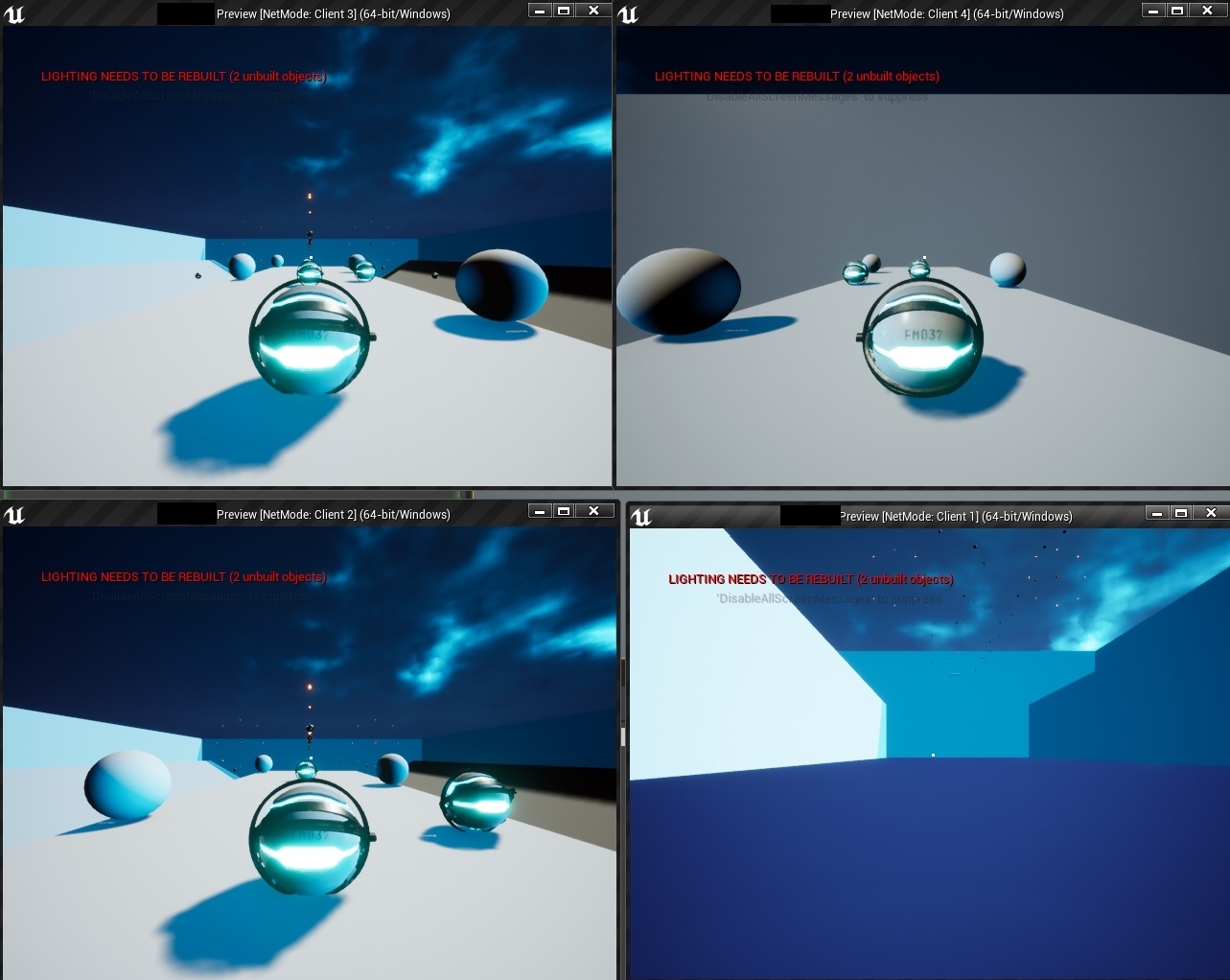
(Player_Controller is derived from PlayerController, because I decided to be confusing...)
soft girder
i managed to mess every gun i had up
somehow spawning the weapon and attaching to mesh socket has fucked my shit up real bad
guns refuse to fire. children not calling multicast
server can see the shot now after a rearrange of some nodes
why these children acting up tho?
weld simulated bodies shouldnt have been that big of a change
 vivid prawn
Can anyone explain to me why am I getting jitter when i scale up the character in multiplayer?
soft girder
is this because i made an edit to the parent class?
i dont understand why this isnt working cant reproduce on a copy
vivid prawn
from where you did spawn the gun?
if you spawn the gun in the client side, server doesn't know it existence, so it wont show up.
soft girder
it spawns on all
it worked right before i made an edit to the parent
now none of the multicast functions work
im gonna try and reproduce the issue again real quick just to make sure
vivid prawn
Anyone can explain why this happening? or is this a bug?
cloud widget
Are you referring to the jerky run?
This guy covers that issue in detail: https://www.youtube.com/watch?v=whow14uFWtw

🎮 Unreal Engine Replication Series - Part 2: Game Instances
In part 2 of our replication tutorial series, we are introduced to the idea of game instances - not to be confused with the "Game Instance" class that's built in Unreal but the idea of multiple instances of the game ...
vivid prawn
it's default character i don't need to replicate it
it is already replicated in the background
I made new project and scale the character in the Character Blueprint, it start to jitter
if i scale it back to 1, it is perfectly fine
soft girder
?
sleek elk
My Answerhub question is still awaiting mod approval. But like yesterday, if someone here who a a really, really good understanding of networking and have idea what makes a "playerstate" not available after ServerTravel, would be really nice to get some help. I am stuck at the moment.
Problem again... sometimes, more often playing on real steam env after publish, the client after "ServerTravel" have no valid PlayerState. I can check it "valid" and it is not valid. I also see that begin play of playerstate is not executed (of course because client has not playerstate).
facts: Happens after servertravel, using seamless travel on. Happens sometimes, not every time. Happens not or seldom on "local stand alone games", but much more frequent in real steam enviroment.
PlayerState valid checks shows that it is still not valid after some time. So it's not a problem that to need some frames or some seconds after servertravel is finished.
chrome bay
Even after Seamless Travel you get a new player state actor, the actor itself is not preserved, only certain properties.
So the old one will be deleted and become invalid, and the new one will take some time to replicate.
sleek elk
thanks @chrome bay, that's also the thing I now and that's situation my BP is expacting it.
As I said.... problem is, sometime the playerstate is not there. Even after 15 Seconds waiting after begin play, a "valid" check on player state message "not valid". And I do not get the point.
But yes, all what you said is right and when it would work like this, then I had to have a valid playerstate at least after some frame (or at least after some seconds).
chrome bay
Where are you trying to access it from?
sleek elk
PlayerController
chrome bay
And you are testing outside of editor yes? Seamless travel doesn't work in editor
sleek elk
Of course...
facts again .... Happens sometimes, not every time. Happens not or seldom on "local stand alone games", but much more frequent in real steam enviroment.
chrome bay
Shouldn't be any issue then, the PS should be received within the first few seconds usually
There's no guarantee it'll arrive before BeginPlay etc. though
soft girder
can he do it on arrival?
chrome bay
nope
rich ridge
And you are testing outside of editor yes? Seamless travel doesn't work in editor
@chrome bay if I run the editor as client and dedicated server in different process.. then seamless travel works.
chrome bay
Yeah that's true, non-single process should work
soft girder
does anyone know why a parent bp's multi cast function would stop being multicast in child? i used a print string and it doesnt have the server or client tag
sleek elk
I know, that's because I check frequently for player state. If you want to have, I can send you a screenshot of my answerhub entry per message. To have all informations. Also with links to discussions which are similar.
chrome bay
Don't forget the PlayerController actor will also be a new actor
I.e, not the same actor from the previous level
sleek elk
yes, I know also that. But I simply check at begin play of new playercontroller after srvertravel, and start checking playerstates there. Most time it works, epsecially on stand alone games on my local machine. So it can't be general wronng, then it would not work.
Also it only happens on clients sside
chrome bay
Yeah that's the problem - you're checking on BeginPlay
There's no guarantee the player state will be valid on BeginPlay
Sometimes it might arrive after, sometimes before
sleek elk
I quote my self again... "As I said.... problem is, sometime the playerstate is not there. Even** after 15 Seconds waiting after begin play**, a "valid" check on player state message "not valid". And I do not get the point."
chrome bay
Controllers have OnRep_PlayerState you can override in C++ which will be called when the player state is replicated
sleek elk
It's not about, that I do not get the point that it is replicated, because acces it too early. It's defininetly about "it's not replicated" at all. As I said, when problem occur I can wait 15 seconds, still not valid. It's clearly shown in log. Also "begin play" of my playerstate has some debug log, also this is not firing on clients when the problem occur. So the player state seems to be simply not generates/replicated on client.
chrome bay
Are you actually sure it's not being replicated though?
rich ridge
Not true..
If server spawning a player it is bound to have a player state
chrome bay
Replicated actor spawning should be "reliable", so you will receive it eventually. If not, the client will get kicked IIRC.
rich ridge
The default PlayerState or your defined one
sleek elk
Are you actually sure it's not being replicated though?
@chrome bay At least that's why I am here. It very seems for me, it'S "sometimes" not replicated at all.
The default PlayerState or your defined one
@rich ridge self defined one
Also with some debug log at begin play to see if it is spawned
rich ridge
Override InitPlayer function of GameMode where player State is created and assigned to player controller
And put log and see if it's fine or not
sleek elk
oh, that sounds good, do I have to dig deep to C++ for it?
chrome bay
Interesringly it looks like there are some known issues on UDN regarding actor replication after seamless travel
rich ridge
If things not working I override the default implementation and see things what went wrong
chrome bay
What engine version are you on btw?
sleek elk
4.25.1
Interesringly it looks like there are some known issues on UDN regarding actor replication after seamless travel
@chrome bay Do you have a link to it or where I can find something about it?
chrome bay
I can only link you to UDN if you have access to it. However I would start by checking the client/server logs to see if there are any issues reported there when it occurs.
sleek elk
If things not working I override the default implementation and see things what went wrong
@rich ridge Yes, that's really sound like a good idea. But I am very limited at C++ and I think I have to overwrite it in c++ in game mode right
However I would start by checking the client/server logs to see if there are any issues reported there when it occurs.
@chrome bay Of course, I study logs for hours... better saying for days now. Trying different things. Different gamde modes. Same Gamemoes... still hapens time to time
rich ridge
Or else you can debug your server process directly in visual studio
chrome bay
Look for stuff like this in the log: LogNetTraffic: Error: UActorChannel::ProcessBunch: New actor channel received non-open packet
rich ridge
No need to put custom logs..
chrome bay
Or UActorChannel::ReceivedBunch: Received a MustBeMappedGUID that is not registered.
sleek elk
ok, one moment, I search
chrome bay
You need to at least look through the server and client logs, but i would first be absolutely sure the player state isn't spawning
Also try setting LogNetPackageMap to VeryVerbose
chrome bay
Unless there's a general bug for sure, judging by some reports it looks like this isn't the first case of this happening
rich ridge
@sleek elk Is your player AI controlled?
By default ai controlled don't have player state
sleek elk
Or else you can debug your server process directly in visual studio
@rich ridge Yes, also a very good Idea. But I have to some no knowledge here. Also problem is it happens most of the time after steam publish in real steam env. Even if the cooked/build sourcs playing with 2 PCs its most of the time not happnning But yes, if I would know what to to, debug server side would be a good idea. Perhaps I have to dig into it to get the problem.
of course not, it's a player 😉
vivid prawn
@chrome bay can you take a look at this.
Anyone can explain why this happening? or is this a bug?
@vivid prawn
chrome bay
no idea @vivid prawn
vivid prawn
oh well
chrome bay
If you want to change the characters' size it's better to change the actual capsule size I suspect
sleek elk
You need to at least look through the server and client logs, but i would first be absolutely sure the player state isn't spawning
@chrome bay Talking to you guys here I notice I need to learn much more. Do you have any link how to "Also try setting LogNetPackageMap to VeryVerbos" is done
or momemnt, I will start google
is that what i have to do?
https://answers.unrealengine.com/questions/50582/how-do-i-show-log-entries-with-log-verbosity.html
[Core.Log]
LogActor=VeryVerbose
LogNetPackageMap=VeryVerbose
put into DefaultEngine.ini
right?
chrome bay
yeah that's it
The logging might be insane, but it will contain more detail
@vivid prawn you changed the scale but not the capsule radius/height
CMC probably doesn't deal with scale changes very well
not sure though
sleek elk
ok... I make the change to ini, package, upload to steam, do a check again, check my playerstate begin play debug log again if occurs on client when bug occur, and then come back to you ...
And of coruse i search the log for...
log: LogNetTraffic: Error: UActorChannel::ProcessBunch: New actor channel received non-open packet
UActorChannel::ReceivedBunch: Received a MustBeMappedGUID that is not registered.
vivid prawn
hmm... but then i do need to scale everything up, isn't the whole point of scale?
chrome bay
@sleek elk Yeah I would have a flick through the log looking for general errors first. I would also add some debug messaging to your player state, so that you know for certain whether it is/isn't replicated
If in doubt, add shitloads of logging.
vivid prawn
the thing is the capsule and all other components are perfectly fine, except the Skeleton Mesh
chrome bay
could be the network smoothing doesn't work with scale
You could try disabling smoothing on the CMC and see if it goes away
sleek elk
@sleek elk I would also add some debug messaging to your player state, so that you know for certain whether it is/isn't replicated
@chrome bay I have already, I simply make logging at begin play in player state. I see it this is working because on server side the log appears fine. It prints 3 times some text. Beside this, Playercontroller checks 3 times for valid playertimes also on begin play, everytime with 2 seconds dealy. As I see all logs appear on server side, I can be sure there is no error in looging iteself