#multiplayer
1 messages · Page 571 of 1
 meager spade
 river estuary
- Skeletal mesh replicated as in
Componnt Replicatesunder Mesh component? If so I've checked it and it's unchecked. - different move speeds / wrong movement mode - how can that happen / how can I check?
To clarify, what you see in the video is after I clicked play with Number of Players set to 1 and Net Mode is set to Play as Client
Also, it seems that while holding shift (sprint) the movement is fine, but once released it's back to stutter
river estuary
How do I get movement mode? what's that?
And to verify - movement speed = max walk speed right?
well don't know if mode will be another problem, but looks like speed is a problem and it's different! ty @meager spade
meager spade
yes
river estuary
So I got this code that's working - but is that how one suppose to do multplayer code? Is there an "easier" way?
 proven grove
@river estuary yes... jsut do it in client. and it works.
river estuary
what do you mean? I also need to do it on the server..
proven grove
its aprt of the character movement component and replciates on a diferent level. tyou dont nee dto replicate either crouch or jump
@river estuary https://www.youtube.com/watch?v=60wP-qGdJcc
Check this video to understand the character class replication and movement component replication.
MOST stuff regard locomotion and locomtion modes doesnt ened to be replicated.
Long explanation on what is the character class, what it does. Deep dive into character movement component, and some animation techniques.
Some of the topics:
0:00 - Intro
1:54 - Recap
4:55 - Turn types
11:47 -Turn physics
16:27 - Replicated root motion montage
33:52 - Jumpin...
another good resource is this: https://www.youtube.com/watch?v=CI8flHPwT7Y

This episode focus on game mode and all linked classes as well as standard epic games matchmaking sessions. As usual everything is ready for download - link in the description below.
This episode content:
0:00 Intro
2:37 Main Menu
5:13 Create Session
11:50 Join Session
25:16 ...
river estuary
@proven grove Is the time relevant btw? looked like I kinda jumped in the middle of the sentence there
river estuary
it's 1:51 :p
proven grove
my bad.. le tme fix the link. Edit. done. thanks!
river estuary
That's not my issue with the link lol. It's too long just know about the specific replication of movement component. I think it is anyway
ps its my tutorial ; )
@proven grove I actually saw that hehe. Nice!
 prisma crescent
Are OnRep events triggered differently in Blueprints vs CPP?
 winged badger
they are
OnRep in blueprint is not really a replication callback
but a callback from IPropertyChangedTracker
meaning server gets OnRep called, and client will get OnRep called if it sets the variable locally
@prisma crescent
river estuary
@winged badger And in cpp?
winged badger
only clients get OnRep called after property was changed by replication and replication alone
prisma crescent
Thank you for the sanity check @winged badger Was wondering why code copied directly from CPP would cause an infinite loop with OnRep functions
river estuary
cool, thx for the info!
winged badger
its a prime example why i don't do networking in blueprints
meager spade
i do basic networking in BP
but very rare
like on specific monster dervied blueprints
if i need too
where its too unique to sit in the CPP class
river estuary
I noticed the callback from OnComponentBeginOverlap (in blueprints) is called for all clients.
Is there a way to make it call only server and relevant (owning) actor?
Also, if I registered for that event in cpp - will it get called only on Client? Do those events work the same as OnRep you mentioned?
 tacit sigil
Hey guys, I need some clarity on owner relevancy and spawned actors in levels. I have a BP actor with a simple static mesh that rotates, spawned in the level. This BP is an arrow that points to the next objective with a 2d capture component reflecting to the HUD. I need this arrow to only be relevant to each player. When one player reaches the objective, and the arrow turns for them, it turns for everyone else. I’ve made sure there’s no replication set, and that it’s only relevant to owner checked. But it still moves across all players, server or client. It doesn’t matter. Is an actor spawned in the map not possible to only move on one clients view? Or is a spawned actor always going to move for everyone(replication allowed)?
meager spade
you need to seperate local stuff to replicated stuff
that objective arrow should be done locally, not handled on a replicated actor
river estuary
ok so it seem overlap events are called for everyone (server + all clients) even on cpp.
Isn't that a security breach? a way for some clients to know about other clients overlapping events, even when they shouldn't?
meager spade
no
river estuary
.. how come? I'm using the event to know when the player is close enough to use an object.
If other clients aren't notified, they need to guess if other players are close enough or not, and keep looking at it.
If they get notified it's on their client.
What am I missing?
meager spade
gate it with locally controlled and authority
river estuary
you're talking about controlling the state, I'm talking about information.
Imagine 2 players in different rooms and they can't see each other.
Each player will get information about the other client collision with walls for example, so he'll be able to "hack" the client and be notified where the client is at.
meager spade
how will he
if you are concerned
do a SphereOverlap or something
on server only
in a timer
🤷
river estuary
not a big fan of this solution :p
But I'll try to think of something else; thanks!
river estuary
Because of the timer mostly
meager spade
which tick every frame
river estuary
Aren't they event based? called when the physics simulation caught they overlap?
(which should work every frame, but it would work either way)
meager spade
mostly its every frame
but either way
you have one choice or the other no other real way, Overlaps are ran on all clients and server
you just need to gate them
not sure where you are getting "They can be hacked" from
how does X client know they activated X overlap?
river estuary
what do you mean how? we just established they get that information; it's sent to all clients..
meager spade
what information?
meager spade
and you are making a competive game with thousands of players?
where hacking is a concern and its competitive?
use an anti-cheat to detect memory hacking
if its meant to be that way
river estuary
Not thousands of player, but yes competitive and where hacking is a concern
river estuary
you'll need anti-cheat either way, but simply not sending information they shouldn't receive is also a great way
meager spade
i am 100 percent sure your game will not be the target of hackers
or they would waste there time
river estuary
how do you know that?
meager spade
will you have 1000's of player playing competitively? Where hacking gains them super advantage worth there time?
i would not worry about such things till it becomes a worry
and focus on the rest of the game to make something that is actually working.
river estuary
yeah people hack a lot of games for a lot of reasons.
Anyway even if it wasn't about the actual hacking prevention, I really don't think that information should even be sent
meager spade
then don't use the overlap node
or w/e
and run a timer
this way you can gate what actually runs the overlap
check UT4 capture the flag, etc
its all done using a timer
river estuary
Cool I'll check it out. And thanks again for the info!
river estuary
so actually I can't seem to find it that easy using google :p
A link or extra keywords?
river estuary
oh it's under epic repo? cool
mm can't find it under their repo. I'm assuming google won't find it if it's private though.
Unless you're talking about this https://github.com/lvian/capturetheflag ?/

GitHub
Contribute to lvian/capturetheflag development by creating an account on GitHub.
 queen dagger
does anyone here use aws gamelift?
I'm just wondering if anyone has any advice on getting started with it
 wicked brook
@queen dagger I use it. What do you need to know?
@rugged scarab are you running dedicated or listen server? Sounds like you running listen so on one client and server are the same
 rugged scarab
dedicated (play as client selected) with 2 clients.
wicked brook
idk post some screen shots maybe
queen dagger
@wicked brook awesome! okay so I’m wondering, is it easy to get going?
There’s some plugins on the marketplace and there’s some tutorials on YouTube, but besides that there doesn’t seem to be any information on things like syncing up with Steam, Xbox Live, PSN
Or things like replication.
I guess I’m wondering, will I end up wasting my time if my friend go down this road?
wicked brook
well replication is all handled through ue4 gamelift has nothing to do with that
queen dagger
okay cool, so if I build a game using the server emulation in Unreal, the server and client build will communicate normally on Gamelift?
wicked brook
gamelift/ aws is only hosting your server and providing an easy way to connect clients to it
wicked brook
so basically you build your server and upload it. Call the required code from client to get the server you want then it connects to that IP of the server
Aws docs are really good. Its not hard to impliment in c++ or there is a good plugin that lets you access it all in BP
queen dagger
okay awesome!
the plugin you’re talking about
is that the one by Aws?
or is that the third-party one that’s $250?
wicked brook
i bought it a long time ago. when it was like 40 bucks but i think its higher now
Gamelift with Blueprints (AWS) by multiplayscape
queen dagger
Ah okay cool yeah that’s the one
wicked brook
it depends what all you need
queen dagger
so I was planning on doing it through c++ initially so I know what’s going on and then using the plugin for the production build
wicked brook
if you only need gamelift that that will work but if you want to use more AWS services you would need their whole suite plugin or impliment it yourself in c++
queen dagger
ah okay, lol
I see some people are using Dynamo for data management and then Cognito for user management
wicked brook
I tried Playfab recently also and i can tell you from the documentation standpoint as well as support gamelift if way better to me
wicked brook
microsofts version of gamelift
queen dagger
Ah okay cool
Aws is pretty hard to beat
Okay so the last thing that worries me really is the platform integration
Have you seen anything about integrating with Steam’s multiplayer features
So instead of having a login screen via cognito it’d just auto-login
wicked brook
yes it works with other services steam, eos etc
wicked brook
Oh cognito im unsure of. I was referring to gamelift. but if you join the discord of the guys that made the plugins they could probably answer that. They good about that kinda stuff
only issues ive seen is on linux servers things can be tricky to get working sometimes
wicked brook
yeah like for instance i had a linux build that would always fail because ue would not add the dependencies it needed. So i had to move the project to a different drive than what the source engine build was on
not sure why but thats what fixed it lol
wicked brook
actually i think it was more of a windows 10 thing than ue4 thing if i remember correctly
yeah i always keep engine and projects separate now and never had an issue
queen dagger
awesome well that’s good to hear then 😂
wicked brook
i use aws for gamelift and also e2c for perforce server
Im still in my free year and also they gave me 1000 dollar credit
Most people dont know that but you can apply and they offer credits for start up projects
queen dagger
as in you keep your vcs on an ec2 instance?
and yeah their pricing seems awesome
as good as it’ll get for a small team I think lol
wicked brook
yeah vcs on ec2
queen dagger
is it just so it’s safe af lol?
I have mine hosted on Github rn because it’s a small project
wicked brook
its just easier imho. Do you use perforce?
wicked brook
ah ok. yeah i like perforce because of how you can checkout a file and everyone can work on project at the same time. Not sure how it works with github
queen dagger
yeah I mean you can basically do the same thing with Github, you just have to watch out for merge conflicts but that’s about it @wicked brook
I wish Unreal Engine had some sort of collaboration feature like Google Docs lol
That’d be awesome
wicked brook
yeah you dont really have that with perforce. not that i have come across anyways
well thats basically how perforce works
wicked brook
so basically each team member has a local copy. If you want to work on an asset you check it out then no one else can work on that asset until you check it back in. when you check it in they refresh and get the updated asset
thats the basics of how it works
queen dagger
ohhhhh snap
okay
that’s really smart
I’ll see if Github does that but I don’t think it can work like that
wicked brook
and it works really well inside ue4
queen dagger
ah okay cool that’s awesome
so I guess every day you’d just grab the latest build and then work on your features while the rest of the team does their thing
that’s cool
yeah I might have to get that
I’m really excited to just get something going 🙂
would you recommend I get a prototype built and then work on getting it working aws or should I have aws kinda figured out first?
wicked brook
yeah pretty much. it will also let you know if a file has been updated so you can refresh it before you use it
queen dagger
oh that’s awesome!
wicked brook
yeah if i was you id just use third person template get it all set up so you know how it all works
and use gamelift local for testing so you dont have to upload new builds all the time
you will need to download the gamelift/ aws cli tool. A lot of work is done in the cli
queen dagger
okay cool smart
I figured it’d be good to have an understanding of it at least 😊
thank you so much for all your help 🙂 !
wicked brook
once you do it a few times its easy
wicked brook
for the plugin?
queen dagger
nah I don’t think so

This video is the first part of an extensive and informative tutorial on how to integrate Amazon GameLift with Unreal Engine, going over concepts such as GameLift architecture, how to build Unreal Engine Source on Windows 10 using Visual Studio 2019, and making a new C++ proje...
This series
I think they just go the c++ route
it’s cool though because they talk about using Dynamo and Cognito
which is nice
I’ve worked with apps before and sign-in / user management stuff so I feel pretty comfortable with that
wicked brook
if you get the plugin it takes like 45 mins

Easily create a scalable multiplayer game by hosting servers on Amazon Gamelift. Can be setup through only blueprints, no c++ required.
link to plugins: https://www.unrealengine.com/marketplace/en-US/product/aws-cognito-dynamodb-gamelift-lambda
Windows required files: https:...
ive done it both ways either is fine
wicked brook
No i have two right now. One is a vr game its on hold the other i just started
wicked brook
not for the new one. The other is on oculus but its not active
wicked brook
its on hold. didnt launch yet
queen dagger
ah sorry, do you guys have a Twitter or something I could follow?
also when I figure it out I’ll let you know how it goes!
wicked brook
Sure just @wicked brook
queen dagger
cool! thanks again for all the help 🥳
I feel so much better, I was super worried lol
rugged scarab
you should be.
wicked brook
No problem
rugged scarab
jk, it really depends on your goals/project. You'll be fine.
queen dagger
lmao thank you @rugged scarab
we’re making a casual brawl style multiplayer game
sort of just a fun simple game
queen dagger
nah console / pc
wicked brook
well i guess you said steam earlier so
wicked brook
you ever played descent?
wicked brook
its old. probably not. like from 98
wicked brook
anyways thats what im working on 6 degree of freedom space shooter
queen dagger
oh cool! that sounds awesome
have you seen that team on the Unity subreddit?
they’re doing something similar
wicked brook
i just finished getting all my base movement and stuff down
queen dagger
it looks fantastic
queen dagger
oh sick nice
yeah I’ll see if I can find it
brb
ok found it lol @wicked brook

reddit
43 votes and 7 comments so far on Reddit
jeez I upvote a lot lol
but anyways if you go to their profile you’ll see some more posts
the vfx looks clean
wicked brook
oh damn thats kinda what mine looks like
queen dagger
shit lol 😂
wicked brook
i keep going back and forth
like between having all virtual hud or having real cockpit. Im leaning more towards real cockpit and actual characters sitting that can emote to other players
queen dagger
ah yeah definitely a real cockpit I think is the way to go
wicked brook
their gameplay looks different though so i think its ok
wicked brook
mine will be more of a pvp shooter it dont look like thats what they going for
wicked brook
yeah i like the shaders they used
queen dagger
it’d be cool if in yours maybe you could like exit your ship or something kinda unique
but that adds a lot of complexity lol
wicked brook
yeah maybe down the line. at the start its just going to be free for all game mode pick your ships and colors and go
wicked brook
but you can switch between first person and third
queen dagger
maybe it’d be cool if it was kinda like a race
wicked brook
so you can see your ship
queen dagger
you could shoot ships down but also go to some other objective
wicked brook
but if you in third person. players can shoot out your camera and force you back to first for a time
wicked brook
also have a back camera you can check on hud to see if someone is on your tail
i been thinking about it.
queen dagger
I’m kinda torn about that too
I don’t think we’ll do one just because our concept is so simple it could get copied pretty easily
I think we’ll document the process and release content after release but yeah idk
wicked brook
yeah thats prob would work for me too better
wicked brook
you in US?
queen dagger
like I’ve already seen copies of Fall Guys on the iOS store
and no I’m in Canada lol
wicked brook
Ah ok i did some game Jams with some peeps there before
queen dagger
oh sick! I’m yet to do a jam but I’d love to
I love going through and watching what people make at jams
wicked brook
i just do the epic ones when they do them
queen dagger
ah cool!
I usually watched the Brackey’s and GMTK ones on Unity
well sorry they use all engines
but it’s mostly Unity
wicked brook
i used to only use unity but switched like 2 years ago
queen dagger
yeah same, Unreal is so much more capable atm
wicked brook
took me a bit to get acquainted but once i did. never looked back
yeah with all the assets and extras its a no brainer. I mainly switched because unitys networking sucked
and it just works with ue4
queen dagger
yeah exactly lol, I still love the simplicity of Unity but there’s too much in beta right now too convince me it’d be good for a production game
yeah that too
It’s amazing all of Unreal’s built in tools for multiplayer
I’m starting to become a blueprints snob too loo
I’d like to go through and learn c++ but I haven’t had a need for it yet
wicked brook
i do everything in blueprints then go back and redo in c++ once i need to
i have not done much where i gained that much performance to warrant it though
queen dagger
yeah that seems to be the general consensus, I’ve watched the differences between bp and c++ processes
yeah it’s not much
esp. if you just nativize bp to c++
wicked brook
i found anything using loops it makes a difference
wicked brook
but i normally just nativize and go
queen dagger
yeah smrt lol
that’s something that makes Unreal so cool
I just hope they redo their ui for UE5
UE4 is definitely out of date compared to Unity’s ui
wicked brook
next thing i need to do is start getting more into shaders
queen dagger
ah same lol
there’s this YouTube playlist with 200+ Niagra tutorials lol
I’m gonna just go and do all of them lol
that’s gonna be a pretty big part of our game
with combo moves and stuff like that
wicked brook
ah ok awesome
queen dagger

YouTube
Unreal engine vfx tutorials Purchase Effect Package From Unreal engine Marketplace - ●Niagara Effects Pack - http://bit.ly/2LWgZTx ●Advanced Magical FX - htt...
anyways I’m gonna go to bed!
Oh also
idk if you’ve seen this but you gotta see this solo developer from China
wicked brook
awsome ill check those out
queen dagger
https://twitter.com/sakura_rabbiter?s=21
the stuff she’s making in Unreal is mind blowing, check out some of the ik posts

A girl indie game maker 一个做单机游戏的美少女
商业合作QQ:262745567
Connect:https://t.co/YRk8jpnhhP
微博:https://t.co/GSDY6iTZMM
B站:https://t.co/wtHK4atTZy
Tweets
526
Followers
15034
 Twitter
sorry lol Unity *****
v. cool anyways yeah thanks again! Can’t wait to dive into Gamelift
ttyl
wicked brook
4.26 should have full body ik built in
wicked brook
yeah
prisma crescent
There's also the ALS asset on the marketplace
queen dagger
we were gonna have a more cartoonish Mario-esq motion but I’m guessing it’ll be tweakable
wicked brook
ALS garbage in my opinion. Especially for multiplayer
queen dagger
and @prisma crescent yeah I’ve seen that, it’s some pretty impressive movement
wicked brook
control rig kinda changed the game for me as far as animation goes
between that and cascadeur
wicked brook
later
 terse prawn
I'm working on a text chat system and the basics of it is done. Player can send messages and receive them but how would I go about making a check that gets all the actors within a certain area and if they were behind a wall how thick is it and can they hear through how thick it is, or are they around a corner that they could hear.
How would I go about doing this?
 twin juniper
In a very simple scenario (2 players standing on opposite sides of a wall) you could simply do 2 linetraces, one from each player to the other, and get the distance between the hit points to get thickness. But in a real scenario it could be more complex so it depends on your game
river estuary
Sort of asking again, trying to get some more opinions:
Let's say I'm making a MOBA game and want players to be able to hide from the bush - how can I hide them so that the other clients won't even know where they are - not only be hidden?
 steel vault
Not sure you can do that. On normal actors you can run SetReplicates(false) and it will stop replicating. You might then be able to then set it back to true to replicate again but I’m not even sure that would work. Not sure why you wouldn’t just hide them.
river estuary
Cheating and saving bandwidth ... ?
rugged scarab
you could not replicate them if they're hidden, this is something called Relevancy.
river estuary
you could not replicate them if they're hidden, this is something called Relevancy.
@rugged scarab Awesome! Just googling that keyword gave me nice small info in the official documentation that could help. Thanks!
river estuary
@rugged scarab fyi it's not really good enough. While it does the job, it can't be used immediately; There's a timeout once you return false from the correct method, so actors will still replicates for some time (few seconds).
winged badger
@river estuary non-relevant actors with dynamic NetGUID are destroyed on clients and respawned when they become relevant again
expect some fallout there
 earnest solstice
can same help me with this Preparing to exit.Shutting down and abandoning module NetworkFile (12)Shutting down and abandoning module CookedIterativeFile (10)Shutting down and abandonintting down and abandoning module PakFile (4)Shutting down and abandoning module RSA (3)Exiting.Exiting abnormally (error code: 1)
 smoky plinth
Hi! do anyone of you have ever work with LODS and REBASING? im not sure where to ask about it
earnest solstice
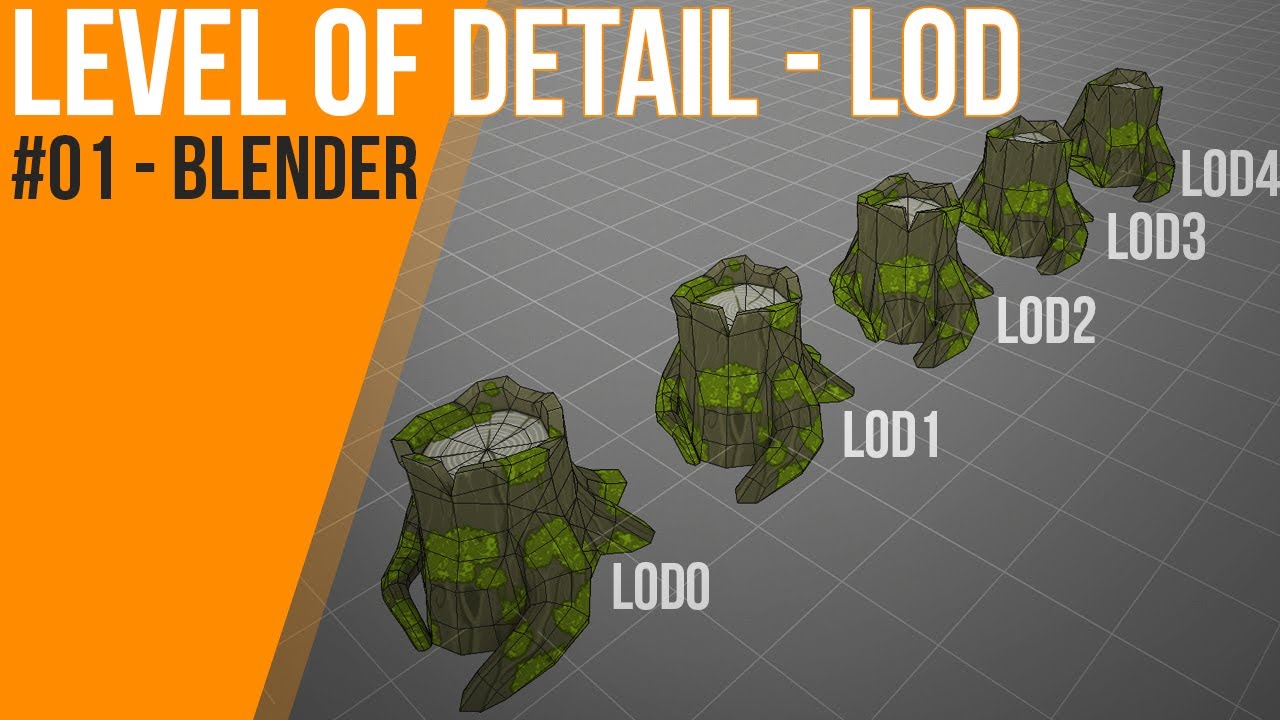
Timetalble:
0:37 What is Level of Detail - LOD?
2:26 basement
2:52 naming convention
4:06 decimate modifier
6:59 export
8:05 checklist for LOD
8:18 check your LOD asset in Unity
8:47 next time
9:00 outro
#LOD #performance #simplify
📁 Hey Pixels! Have you heard about LOD be...
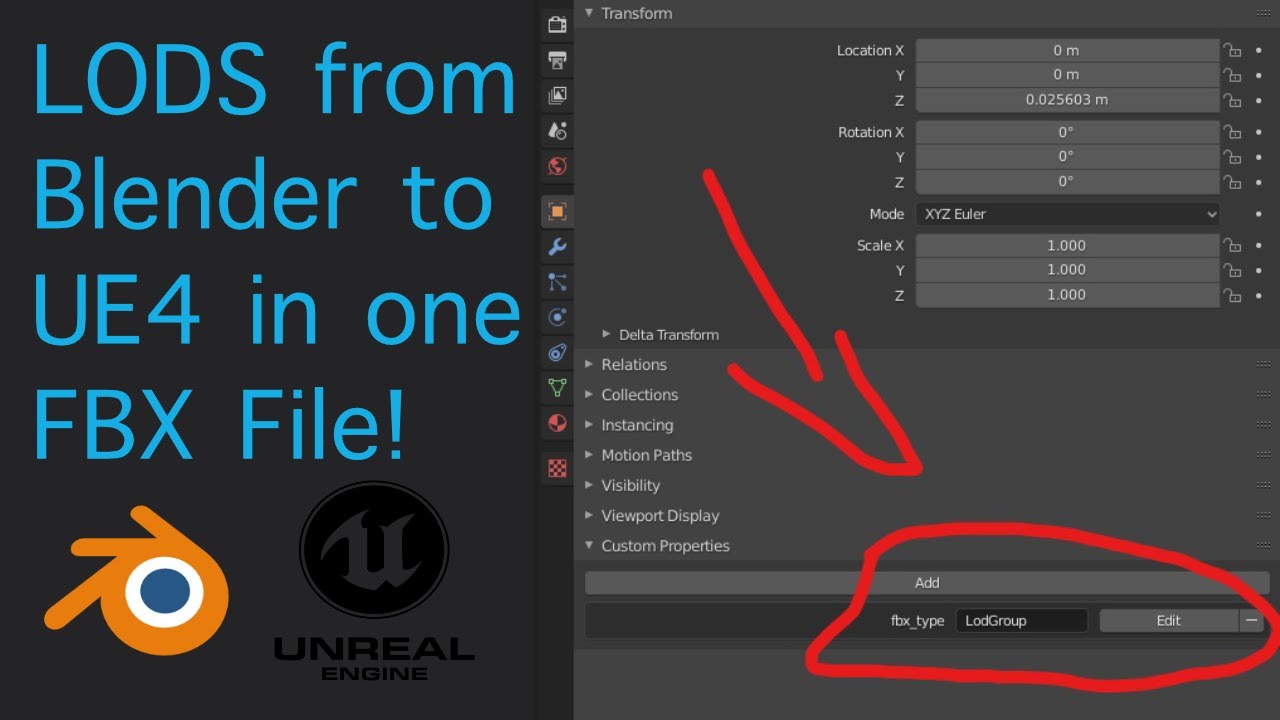
How to export LODs from Blender to UE4 in one single FBX file!
@smoky plinth look tham thay may help u
river estuary
@winged badger Immediately? without a timeout?
Also - what's NetGUID? I can't seem to find it
winged badger
its what gets sent over network - memory address of your Actor means nothing on another machine
there was no timeout i could see
every net addressable actor has a NetGUID assigned, as well as any asset after pointer it gets replicated for the first time
river estuary
I verified it by looping over all pawns and printing the locations (in all clients). Even after returning false from IsNetRelevantFor, the position kept updating.
I also found the actual code for it wtih the tmieout
winged badger
we had a fun run in with net culling and relevancy
our camera is attached to a Pawn that is not the player character
if we attached the camera pawn to the player character and walked 15k in any direction
things would start getting culled
as there were no calls made to APlayerController::ServerUpdateCamera
the vector you send through that is the center of your relevancy on Server
easiest test is drop net relevancy range to 1-2k, make debug spheres on pawns and as soon as you leave the sphere the non relevant pawn is gone
actors with static NetGUID don't get culled, they just stop replicating when out of range
river estuary
To be honest I didn't fully understand your story; but it seems to include knowledge about the camera and the network update, which I'm not familiar with.
static / dynamic net guid - what's that? how do I control it?
river estuary
I'm talking about players specifically, which are spawned on start and not preplaced on level.
I'm assuming they have dynamic net guid?
winged badger
they do
river estuary
well just so you know they don't get culled, they just stop moving
which is what I want. but again, there's a delay to that movement stopping, a timeout before closing the channel
winged badger
that doesn't help you in any way
and they get culled if IsNetRelevantFor returns false
river estuary
they don't
river estuary
I didn't call SetIsReplicated at all, and I left all the initial variables from what I remember. Not sure what the initial value is.
But either way it doesn't help me; do you know of any other solution?
winged badger
never gave it much thought
but as long as the... hidden pawn exists on client
client can hack to see it
river estuary
I even thougth about fortnite btw. I'm guessing they'd do something like that, since they don't really want to send movement information from 100 clients since many if not most of them aren't even visible (but sort of close enough)
client can hack to see it
@winged badger yup 😦
smoky plinth
@earnest solstice i had no problem with fbx, my landscape pops with Rebasing
 chrome bay
Hmm we're using rebasing in MP, haven't seen any LOD issues
Just every other issue you can imagine
winged badger
@river estuary your problem gets worse with LODs now that they are mentioned
river estuary
LODs? what?
winged badger
when the shrubbery the other player is hiding gets culled
but other player doesn't
all sorts of fun there
earnest solstice
@smoky plinth How you actually enable rebasing ?
river estuary
@winged badger actors are culled based on distance though no? and that includes player, afaik.
How would the bush be culled and the player not?
twin juniper
how is Relevancy set such as done in Valorant? https://technology.riotgames.com/news/demolishing-wallhacks-valorants-fog-war
Anti-cheat lead Paul Chamberlain walks us through the technical guts of Fog of War, VALORANT's anti-wallhack system.
winged badger
because say bush is set to be culled at a specific distance from camera
and players are say, always relevant
twin juniper
rather than being outside a culling distance, how do they stop sending information when a pawn is outside FOV on server?
river estuary
@winged badger that's easy though, just changing some settings :p
smoky plinth
@earnest solstice
    FVector actorLocation = GetActorLocation();

    FIntVector origin = UGameplayStatics::GetWorldOriginLocation(GetWorld());
    origin += FIntVector(FMath::TruncToInt(actorLocation.X), FMath::TruncToInt(actorLocation.Y), FMath::TruncToInt(actorLocation.Z));
    UGameplayStatics::SetWorldOriginLocation(GetWorld(), origin);
 thin stratus
Override IsNetRelevantFor and have fun with it, basically.
river estuary
@twin juniper I believe they overrode the network drive as well
IsNetRelevantFor is not enough, like me and Zlo just talked about
thin stratus
They do a lot of things, probably with more than one person having their eyes on it.
twin juniper
if there's a delay like you said that would be noticeable in a twitchy FPS, so I do wonder what extra stuff they must be doing
river estuary
so the delay is in the NetDrive. One could make their own, derive from it, and close the channel manually.
That's one way though, I don't know how they specifically did that.
thin stratus
Idk why IsNetRelevantFor shouldn't be enough though. Is there a legit reason or is this based on some tests you did?
Because I can't recall not being able to get rid of Replicated Actors by making sure they aren't relevant anymore.
earnest solstice
@smoky plinth im not 100% that look ok
thin stratus
We even had problems with Actors being non-relevant because we moved the ViewTarget to something further away when being in the Inventory..
river estuary
Idk why IsNetRelevantFor shouldn't be enough though. Is there a legit reason or is this based on some tests you did?
@thin stratus yup. The default net drive simply has a timeout; so onceIsNetRelevantForstarts returning false, there's some delay until character channel is actually closed.
In that time, all information will be updated as if nothing happened.
smoky plinth
@earnest solstice Im NOT using World composition, i think that might be a problem:
thin stratus
@river estuary That's true, but I never stated something else.
river estuary
I never said you're wrong, just said it's not enough.
thin stratus
Right, if you need the timeout to be "instant", then it's not enough. fair enough
There are so many little bugs you can run into the relevancy, it's annoying
river estuary
:\
earnest solstice
@smoky plinth try asking in may help in there #level-design
smoky plinth
ok thanks
 unkempt tiger
so, there is no proper way of accessing animation data on the server, right?
for hit registration that is?
do I absolutely have to trust the client?
because this showed on the Valorant article:
which confused me, since some people said that indeed, accessing animation data on the server was impossible in UE4
 bitter oriole
You should be able to also run animation on servers AFAIK
smoky plinth
@unkempt tiger You can play animations in server and check collisions, bones positions, etc.
However they might not be the same in clients
unkempt tiger
Oh..
smoky plinth
@bitter oriole Totally true, ive done it several times
unkempt tiger
How is that done?
My character uses an animblueprint
does it not run on the server by default?
Do I just enable some checkbox?
smoky plinth
Exactly the same way as you may do it on client. However, client and server might be running different
bitter oriole
But of course you should also let the client have some degree of trust, because it might be difficult to prove on the server that a client actually missed the head of a player based on a reconstructed animation state
unkempt tiger
yeah ofc
bitter oriole
Basically you would need to reconstruct, on the server, the exact scene state including animation of the shooter and target players as they were on the client shooting
Which is simply not possible
Not exactly
unkempt tiger
well it could be in my setup!
smoky plinth
Do I just enable some checkbox?
@unkempt tiger I mean, if you are aware of client-server paradigm, you can run animations on server like any other sentence. Im not really sure if theres any way to tell a Character to run their animations on server with a checkbox, if that is what you are asking
unkempt tiger
Gotcha
fortunately the code I have running on my client is the exact same code running on my server
as far as player state stepping goes
bitter oriole
@unkempt tiger It probably isn't because the server has literally no way to know when the replicated state of the target player arrives on the shooting player's machine
You can't know if the shooter shot at target client frame N, N+1, N+5
unkempt tiger
Oh I solved that issue
I have it divided into discrete fixed timed ticks
each tick has a state tightly coupled to it
the only difference might originate from the fact that animations are not re-rolled back like I do with the logical state of the player
bitter oriole
Yeah if you have each replication update coupled to a timing identifier, you can then have the server roll back to the states of both players, and simulate that
You can then add some kind of animation state too, though that implies the anim Blueprint does no logic at all
unkempt tiger
aye im literally writing this step:
oh it doesnt do any logic, yeah
Up there in that code, I was just gonna run a trace against the capsule during the lag compensation code
But if I can use the animation data, I have more to work with!
 wicked nimbus
Hello,
I'm currently overriding the Network Version with:
FNetworkVersion::GetLocalNetworkVersionOverride.BindUObject(this, &UClientServerHelperLibrary::GetServerClientSyncVersion);
FNetworkVersion::IsNetworkCompatibleOverride.BindUObject(this, &UClientServerHelperLibrary::IsNetworkCompatibleOverride);
This seems to work in Editor>Standalone but not in Editor>Selected Viewport;
Can someone tell me if that is intended or if I'm not able to override that when doing Selected Viewport?
wicked nimbus
Nvmd. Hot Reloading wasted my time...
winged badger
thats what it lives for
 oak hill
what's the best way to use input on a pawn not possessed by a player?
should I go through the player controller or there is a better way to directly use the input on that pawn?
 dusty axle
Hi everyone, if I understand how things work correctly, if I have always tick pose set on my skeletal mesh, server side the animations never play. Does that mean I can't use animation notifies? What I'm trying to do is I have a jab animation I'm using with a gameplay ability. I'd like to kick off the check for target in the jab hitbox when the jab is at it's full arm extent, so the target takes damage then even as the rest of the animation finishes.
It looks like my two options are using an animation notify or fire off the montage, set a delay for the duration of the part of the animation I want and then fire off the effect. I'm doing client/dedicated server. I'd like the first option because that means I can manage the animation and notifies in the future, tweaking the timings in one place if possible.
 quick flint
@wicked nimbus what is FNetworkVersion for lol
FNetworkVersion::IsNetworkCompatibleOverride.BindUObject(this, &UClientServerHelperLibrary::IsNetworkCompatibleOverride);```is this the stuff that rejects ur connection if the version doesnt match?
wicked nimbus
Yes
quick flint
oh wow
interesting lol
how did u find this lmao
SetProjectVersion

(
    const TCHAR * InVersion
) ```Reading the Source xD
quick flint
where does someone even call this
wicked nimbus
yep
quick flint
nice
 lucid vault
If I want to replicate control rotation without ReplicateMovement enabled, should I just use an RPC on tick?
steel vault
I would replicate a property with the rotation and simply set that property rotation on tick if it has authority
 uneven cliff
I'm trying to get a variable from my player controllers. It's setting properly on the client's end, but it's invalid on the server's end. I've tried setting the variable to replicated and repnotify, but it doesn't seem to work. I don't really get the replication conditions, and the docs don't do much to elaborate. Is there a standard way to sync up what the client side player controller and server side player controller have for certain variables?
 analog rover
@uneven cliff you can only replicate a variable from the server -> client, so you will need to use a RPC to notify the server of the PlayerController variable change
uneven cliff
Ok... umm, how do I do that? What I'm doing is having the client load saved data from their computer then store that as a variable, so if I can only replicate data from the server to the client, how would I go about getting that data from the client's computer?
@analog rover
analog rover
Depending on the data type, you can just call an RPC with the data as an argument
uneven cliff
I don't really understand RPCs, which I think is my biggest issue. I've read through the PDF compendium thing, and it's been a lot of help, but there's really a lack of info. At least, that I can find
analog rover
So in your player controller header you would need a function something like
void TransmitData_Server(FMyStruct Data);```And then in the cpp file you would do
{
    // Do something with the data on the server
};```And then the client can send that data by calling MyPlayerController->TransmitData_Server(MyData);
(I think that is right, someone correct me if I'm wrong)
Essentially you're setting a function that can be called from the client, but will be executed on the server
Unreal's networking system will automatically transmit the request and any replicated data
You can also add optional validation to make sure that the data you're receiving isn't garbage and kick players who do give you bad data (https://docs.unrealengine.com/en-US/Gameplay/Networking/Actors/RPCs/#validation)
Designating function replication across the network
uneven cliff
Ok. I'll read that, give it a shot, and try to do some more research on RPCs. Thank you
unkempt tiger
What @analog rover said, I can recommend naming naming the RPC like so: ServerReceiveX()
(that is for client->server RPCs, with a ClientReceive() variant for server->client RPCs)
analog rover
The biggest caveat is that a client can only run RPCs on actors it has ownership over, usually the player controller and possessed pawn
uneven cliff
Up to this point, I've been doing most things using blueprints. I've done stuff using C++ before, and based on the above linked page, it's not possible to have a function be an RPC in BP, and it has to be done via C++. Is that about right? (events can be RPCs, but they don't return data)
analog rover
I haven't actually used Blueprint RPCs, but I believe they are similar to C++ RPCs
uneven cliff
In BP, I have the option to set Replicates for an event, but not for a function. So I'm pretty sure I'll have to create a PC in C++ to do certain functionality like I'm trying.
meager spade
you cant replicate functions in BP
only events
events are like void C++ functions
functions can have return params, which RPC's do not allow.
uneven cliff
Yeah, I'm learning that. Now I'm just trying to remember how to create a player controller in C++. It's been a minute, but there's info on that out there
meager spade
that is why you can't use Delay etc in functions
uneven cliff
@meager spade So, in the docs it says you can't dynamically mark functions as an RPC from blueprints. Does this mean if I create a C++ player controller, and have a function within that which is an RPC, could I make that BP callable, or would that not work as intended?
lucid vault
@steel vault I need the control rotation from the client to the server. A replicated property would only go from server to client, right?
uneven cliff
You're kind of dealing with the same thing I am. According to what I've learned over the past hour, yes, replication only works from server to client, and in order to get data from the client, you have to use an RPC to pass that data along. I'm not sure how to do that yet, but I'm working on it. @lucid vault
lucid vault
I'm aware of how RPCs work. I'm simply wonder if there is some built in efficient netcode for replicating control rotation without replicatemovement
analog rover
I think aim rotation is replicated? I'm not entirely sure though
Get Base Aim Rotation
analog rover
How can I create a custom UObject at game start so references can be replicated across the network?
I'm creating a bunch of objects from a data table (that should be the same across all clients) and I'd like to replicate references to those objects
analog rover
How can I make them net name stable?
steel vault
@lucid vault yes you are correct. The replicated properties replicate from server to client so if you need to send information to the server from the client you need a server RPC called on the client and you can send up a Movement object struct you have created with all the movement information you need, or simply send up the rotation FRotator if that's all you need. From there you can update the server's rotation to what the client is seeing.
 glacial burrow
Can you guys help me out? In my controller i am setting the rotation of my Pawn to look towards the camera but it doesnt get updated towards the dedicated server (im using blueprints if that helps) i am not sure why it is happening since the updating of movement works absolutly fine.
proven grove
@analog rover Base aim rotation only replciates Y-axis )pitch) and no yaw. ALSO... in first person it will give you a 1-frame glitch on start and end aim offset.
analog rover
Yeah, I remember it being a little weird for some reason
proven grove
best way to avoid getting frame drops for aim offset is "get controller -> get actor rotation" on abranch if anim graph is being run by "local player controlled" controller. And honestly whatever on remote 😉 you can as well have a component that replciates the value.
thisis my universal aim offset calculation
- local player FP view (perfect no frame drops!) 2. Interpolated remote aim offset for fp view (only Y-axis)
This is used for IK sway of hands all together with leaning.
 fossil zinc
Hey guys, Im doing a Multicast RPC on some character to make them start playing a montage so everyone can see it. However, when there is lag it de-syncs. I know that we cannot control the lag but I wonder if there is a better way so at least looked synced in the client or if that's not really something we can control.
proven grove
and this is 3rd person replciated aim offset
@fossil zinc WELL IF LAG is consistent and steady it means all input and events have the same lag and the event chain is unbroken... the movement component correction is being synced backward at the same lag speed so the remote player WONT see any difference really. only when lag is changing you can get some tearing. When you are testing lag locally by console commands you SEE both players and you are aware of it. but from a remote player perspective things happen immediately 😉 Check also some movement component replication settings as it has a ton of settings for movement correction.
However short answer for you is: NO. we cannot control it. As client can predict the future only way to do it i think would be when playing a montage remote input the LAG value in milliseconds converted into animation time fraction into "start position" for client to catch up. But for some short animation montages like fireing a pistol 0.1-0.2 sec is A LOT.
glacial burrow
okay got my problem fixed ^^
analog rover
@meager spade to make an object reference replicate-able, is it enough to give it a unique name and a stably named outer? It looks like I might need to also set a flag (RF_WasLoaded? Will that have any unintended side effects?)
fossil zinc
Thanks @proven grove . I guessed as much. I think maybe a better question would be: "How do I optimize montages that everyone should see over the network?" My game is based on montages and would like to optimize them as much as possible.
Right now I'm playing them by using Multicast RPC's, so not sure is the best approach.
proven grove
for long ones you can remote play at 0.0 + lag. if they are short - just replicate via multicast. nothing more to do there 😉
fossil zinc
Ok, thanks. How do I get the lag?
 oblique inlet
I'm trying to replicate the pitch of my character, as a test I tried setting the rotation of my third person gun to the location of my first person gun but the pitch of the first person gun doesn't seem to get replicated either, how would I go about this?
proven grove
@fossil zinc This.. .you can get ping from sessions. There are also free custom libraries that allows you to ge tit from anywhere. Like RAMA free library on the forums, or (I think not sure) LE extended library
@oblique inlet I posted a lot of stiff regard this just above..
fossil zinc
@proven grove Ok thanks a lot
oblique inlet
Oh I see it
proven grove
yeah.. with screens and explanation.. 😉
and a video tutorial 😄 with download in descruiption.
so... that should help 😄
proven grove
oops.. hold on

Another episode of Advanced Blueprints tutorial and animation techniques.
We are making a true first person with fpp arms blended on top of the full body figure with full replication within just few clicks :)
In this episode you will find:
0:00 Intro
1:20 Quick demo
2:45 Char...
 peak sentinel
do you teach networking here Angel? 3rd time i saw this video on youtube
i am kinda afraid of the lenght of video 😄
proven grove
Everything i make is replcaited for both client host and dedicated server
 violet sentinel
Hi.
Question: is it normal to have many player controllers if i have many game modes?
My demo project currently has:
MenuPlayerController / MenuGameMode for game menu stuff
LobbyPlayerController / LobbyGameMode / LobbyPlayerState / LobbyGameState for multiplayer lobby
BattleGameMode / BattleGameState / BattlePlayerState are my base types for all multiplayer game modes
4-5 game mode implementations, but what about controllers?
peak sentinel
why do you need multiple controllers?
meager spade
i have 1 base controller for gamemodes/lobby
and 1 controller just for main menu
tho i don't even need it
just legacy 😄
wicked brook
I have a ship that uses a booster to give temporary speed boost. When boosting speed the client and server positions get out of sync. What can i look into to stop that from happening?
winged badger
@violet sentinel just trying to manage Lobby UI/PlayerInfo without a separate HUD & PlayerState is borderline suicidal
especially when things go toward production level and UI starts getting rapid iterations
uneven cliff
@analog rover I just want to clarify something: when a new player joins the session, a player controller is created on both the server and the client, data can be replicated from the server to the client. If, as the client, I call a function that is marked "server, reliable," this is actually being called by the player controller which exists on the server, correct?
analog rover
It will run on the player controller that exists on the server, yes
uneven cliff
Ok, sweet. This is a lot of abstracts to wrap my head around, but I think I'm getting it
 dusk night
Does HasAuthority mean that you are the owner of the actor? I keep seeing people say it is whether we are the server or client, but that is clearly not correct as a client can be authority.
violet sentinel
@winged badger yeah, the ui is managed by seperate ui controller. more like tons of rpcs that are specific to game mode
and game configuration (have no idea how to generify it) one game mode like CTF, second is FFA deathmatch, and other even more complex with many layers of logic.
there are over a hundred events for all of them (in single player controller bp) and may be even more. just opening blueprint often causes editor to crash). i want to split them somehow
uneven cliff
@dusk night The client can't have authority. It might look like it sometimes because of how the server-client model works, a lot of duplicates are made on the server, then stuff is sent from the server to the client, but if you're using HasAuthority, I'm pretty sure (though not positive), that works the same as IsServer. There may also be something which can give client authority, like admin login or something, but everything I've told you I learned over the past week, so take it with a grain of salt.
 gleaming vector
that is incorrect
the client can have authority over an object
but if the client does have authority, no actor channel is created and it's not replicated
uneven cliff
See, grain of salt. Thanks for clearing that up.
winged badger
@violet sentinel PlayerController is an Actor, it can have ActorComponents
uneven cliff
@analog rover It worked! You have no idea how happy I am right now. If it weren't for the plague and distance, I'd hug you.
analog rover
Haha, all good
dusk night
multiplayer is hard
uneven cliff
yes
gleaming vector
for the most part @dusk night you can assume that if you have authority over the object then you are the server
however, if you are are trying to do something because you are the server (not have authority over an actor), you want to check the NetMode
peak sentinel

Configuration, Core Classes and Levels
Today I found this awesome source for learning networking
I assume most of people never heard this website since i found this on 7th page of google
Feel free to check it out if you are struggling to understand replication & class communications in multiplayer system
dusk night
I'm trying to spawn some non-network relevant actors but they won't show up on clients unless replicates is turned on. 😦 I am calling an RPC marked with Client so it should execute on the client.
Might be because I am calling the RPC from a different actor? Is that allowed?
analog rover
Is the actor you're calling the RPC on owned by the client?
peak sentinel
calling movement functions on server works, it also replicates to clients, but i dont understand one thing, do they use multicast in their own classes?
if not, how they replicate to clients?
if yes, why we replicate variables which we add to movement funcs. parameters?
i might be wrong as i saw from source code of movementcomponent, "examplemove(FVector loc) {FVector loc = locationToMove}" <-- functions are like this
locationToMove is already replicated
analog rover
Anyone know how to replicate a runtime created UObject? I tried overriding IsNameStableForNetworking(), and ensuring that the name was unique, but it seems like that wasn't enough
 neon mango
Does this seem right? https://gyazo.com/bdab054416b728fd3e99bd1afaa90d8a

Shouldn't Is locally Controlled be false for client?
 spiral zephyr
@analog rover easy way is use a actor or a component to replicate your UObjects as subobjects, since you use GAS look how they replicate attribute sets as subobjects in the ASC in the "UAbilitySystemComponent::ReplicateSubobjects"
unkempt tiger
Shouldn't Is locally Controlled be false for client?
@neon mango should be true only if its the owning client
analog rover
@spiral zephyr I was hoping to replicate them without using an actor, or more specifically replicate a reference to the object
Since they are supposed to be initialized from a data table that every client has and are owned by a game instance subsystem instead of an actor
spiral zephyr
As far as i know you need a actorchannel to replicate, components uses the actor owner to replicate itself as subobjects
unless you replicate how actors does it, but I never looked that deep
analog rover
I know KaosSpectrum and Zlo have mentioned it in the past when referencing actors/objects created for a procedural level, so they can reference the objects without having to replicate all of the level objects
winged badger
yes, but its not the same object here
analog rover
But I can't seem to figure it out myself
winged badger
GI can't replicate
neon mango
So that's annoying... OnRepNotify doesn't fire for server? I guess since it didn't have to get updated over the network... But now essential code I need isnt' firing on the server...
winged badger
we did it with Actors, not with Objects
analog rover
Ah, damn
spiral zephyr
@neon mango are you setting members in a array ? onrep only trigger if you set the variable, changing things inside does not trigger
winged badger
very different rules for network addressing there
@neon mango it doesn't in c++, and it shouldn't
sloppy way is to call OnRep directly, better way is to make a Set function that you call from OnRep, and from server to initially set the property
neon mango
I mean server is setting the property
But there is a delay when it gets set so I had to use ON rep Notify
so that when it is updated I can do stuff
but now that stuff isn't done on server
so I have to check if i'm server and stuff should be done to do it
winged badger
not really
instead of setting a variable directly, you make a function that sets it and does everything else you need on server
and on client, you just call that same function from OnRep
no authority/server checks required
c++ OnRep is far superior to blueprint version, as it never gets called when it shouldn't and has one useful overload
UFUNCTION() void OnRep_MyValue(MyType OldValue);
 fluid flower
Does the SETTING_GAMEMODE filter work for anyone else? I can't seem to get it to work
SearchObject->QuerySettings.Set(SETTING_GAMEMODE, InGameModeName, EOnlineComparisonOp::Equals); it does not filter at all
analog rover
Re: my earlier problem I realize that I was already assigning a unique FName for each generated object and storing it in a master list, so I could just replicate the name instead of an object reference 😅
 fleet raven
pro tip: replicating FName sends full string every time
analog rover
Really? Dammit
Well, I can probably generate a unique integer
ID as well so it shouldn't be too difficult
uneven cliff
@analog rover So I posted the issue I was having with saving and passing variables on the answerhub. Now that I figured it out, I marked it as answered, but I wanted to actually answer the question. If you (or anyone else) has time, could you check it out so I'm not passing bad information to anyone else who might have this issue?
https://answers.unrealengine.com/questions/985091/view.html
 lost inlet
@fluid flower which OSS? steam? that should work
actually, are you setting it anywhere?
 red sand
Can anyone please explain me what are Beacons
 cinder tartan
Why's it so hard to find C++ networking stuff
lost inlet
Overview of the Online Beacon system
You read this?
It has some use cases for beacons
 worthy knot
So I have my game test packaged and ready, and I am joining a VPS server where i have my dedicated server instance of my game running, I have two PC's to join and test. The first one is ( lets call it Black PC ) a Ryzen 5 1600x , GTX 1050ti 4gb vram, 32 GB memory . The second one ( Red PC ) is an AMD Fx 8370 , GTX 1050ti 2gb vram, 16 GB Memory. Now when i join my dedicated server from the Black PC, it seems to load into the level just fine ( takes less than a minute sometimes ) no issues, but when I try to join with the Red PC it tries to load but just ends up giving this error message above inside the dedicated server shortcut log, therefore failing to join. Its not like both the PC's are very different in specs, they both run pretty fine
I have firewall disabled on both the PC's
and after a while of freezing of the Red PC , i get this message on the game.exe
unkempt tiger
any way to exclude the locally controlled client from a multicast?
worthy knot
@unkempt tiger Use switch authority ( not sure )
unkempt tiger
switch authority?
unkempt tiger
aye gotcha
unkempt tiger
yeah, tried to save the extra bandwidth
peak sentinel
chrome bay
Would be nice to be able to attach conditions to RPCs tbh, just multicast anyway
chrome bay
Why AController::GetPawn()
Why not just GetPawn()
If you want to cast it, just do Cast<AMyCharacter>(GetPawn());
If you want to cache that, override SetPawn() and set the member var there.
 gleaming niche
if you are using character you can just use GetCharacter() also iunstead of GetPawn
winged badger
i'd be surprised if they didn't add a templated version by now as well
 random nymph
Is there some delegate to bind into when using repnotify or do I have to make my own that I broadcast in the repnotify function?
winged badger
you need to make your own
fluid flower
I noticed that search filters are ignored in OnlineSessionAsyncServerSteam.cpp ( maybe I missed something ). It simply returns before any other filters are applied: https://github.com/EpicGames/UnrealEngine/blob/release/Engine/Plugins/Online/OnlineSubsystemSteam/Source/Private/OnlineSessionAsyncServerSteam.cpp#L890
So I highjacked SETTING_MAPNAME as a test, and it did work
 proven forum
Hey guys, I need a quick advice about RPC and have couple of questions
twin juniper
shoot
proven forum
- If I have a box overlap event, and is triggered by 1 client, it runs in both server and clients. Why?
twin juniper
first it makes sense for it to act this way
you can prevent it by simply checking for authority on event
twin juniper
because the object (pawn) is both on the server and on the client but owned by server
if you had an object that server doesnt know about it would only fire on client
you remote control the server owned actor and it is also triggered on you as wel
proven forum
thank you !
twin juniper
lets say you want to change the music when you enter an area
but only for that spesific player
you dont need to notify the server for that
so you just apply it to the client
thats why it makes sense
if something is replicated and does something about replicated stuff
it will fire on everyone since it is replicated to everyone else
proven forum
that is interesting, because I have a BP with the BoxComponent in the level, this is replicated?
twin juniper
If it was already in the map
it already exists on both the server and client
it doesnt necessarily need to be replicated
winged badger
it almost never needs to be replicated
its net addressable by virtue of being pre-placed in the level
which means it doesn't need to be replicated to resolve a pointer to it over the network, eitehr
proven forum
if I spawn something in the level later, also the server knows about it?
also it bring me to the next question
- How can I open a UI (or execute a function) only in the client that triggered the event?
I have something like this:
// .h
UFUNCTION(Client, Reliable)
void OnlyClientFunction();

// .cpp
void ARestaurant::HandleOverlap(...)
{
    OnlyClientFunction();
}
@winged badger i added the templated GetPawn
in 4.24+
my pr got accepted for it
also templated GetHUD https://github.com/EpicGames/UnrealEngine/pull/6352
also fixing there timermanager const's lol https://github.com/EpicGames/UnrealEngine/pull/6327
wicked nimbus
Quick question; Can I use a dedicated server that I boot up somewhere, have clients connect to it with open ip:port but still be able to use steam sessions? Because I can't seem to get that working.
Currently using IPNetDriver works but I'm not able to create sessions (due to online subsystem null);
So if I introduce the OnlineSubsystemSteam into the mix I can no longer connect to the server.
Any ideas?
 rich ridge
4.26 pushed and it has latest of code network prediction.
thin stratus
Well, I think some have solved it differently, but I went ahead and pinged Steam to get the ID of the Server.
And then connected via the ID
And yes, your Server will have an ID if it creates a Session for Steam.
winged badger
which is fine for experimenting, but that won't be production ready for at least 2 more versions @rich ridge
rich ridge
right, I more excited for GAS support
wicked nimbus
Currently it does not; And I dont want it to.. the dedicated server is basically an advanced menu at this point (social hub stuff.. needs auto scaling via aws.. I dont want anything steam related on the server)
thin stratus
You'll fail to connect to it
wicked nimbus
That being said, how would i create a steam session (on the server)?
thin stratus
Because of the mismatch in UniqueNetId Type
The Server will use NULL and the Game will use STEAM and it will fail
And Epic doesn't want you to mix them
wicked nimbus
Yeah thats what I'm currently observing. Can I do.. something like "use ipdriver for dedicated server and steam for something else?
thin stratus
If you need something generic you'd need to put your own Id on top, like using EOS etc.
You could before they locked it in 4.22
But they probably had their reasons
wicked nimbus
Aha, damn.
thin stratus
Like, as said, some may have solved it differently
But as far as I personally know, you are forced to have the same subsystem on Server and Client
I never looked further into it, but Epic's EOS basically servers as a crossplatform OSS
Where you auth with Steam, but internally it uses the EOS NetId, but iirc there is no official OSS for this
wicked nimbus
Maybe I find a workaround 🙂
Thanks!
thin stratus
That being said, how would i create a steam session (on the server)?
You can override the RegisterServer function in the GameSession class
And then do the same Register Session code, just without Presence and with DedicatedServer flag being true
There should be code on google
I don't have any at hand
wicked nimbus
Thanks again!
thin stratus
The "Ping Server and get Steam ID to connect." is more complicated and not straight forward
fossil zinc
Hey Everyone, I'm having some issues differentiating when a function is called by the server or a local client in C++.
Anyone know how do I differentiate if I'm a local client or I'm the server?
meager spade
check IsLocallyControlled
or IsLocalController
with NetMode Client for even more sanity
unkempt tiger
anyone know if APawn has any built in networking besides ReplicatedMovement that I should know about if I'm subclassing and writing my own networking?
I wana disable everything I'm doing myself
winged badger
it doesn't ReplicatedMovement also isn't movement as much as ReplicatedPosition
everything else is the responsibility of the MovementComponent
 steady briar
so im trying to set something up similar to a loadout, i think a pretty standard concept. i started with a struct that could hold pointers(or references? im bad with terminology) to a couple components. turns out u cant pass a struct as an argument, its basically a copy not the actual one thats being used. i made a class off of UObject that did the same with those components. i create them as default subobjects on my character class, but i cant seem to get any of their info to the client. server seems to work, client doesnt know about the components. any obvious problems with what im doing? (im sure there are)
its in C++ but it seems multiplayer related so i figured id ask here
 timber tree
Hi,
Can anyone help me with this
Error: Assertion failed: Index>=0 && Index<NumBits [File:D:/UE4.25_Source/Engine/Source/Runtime/Core/Public\Containers/BitArray.h] [Line: 829]
Error:
Error: [Callstack] 0x00000000BF0D7C64 libUE4.so(0x0000000008255C64)!TSparseArray<FPrecomputedVolumetricLightmapData*, FDefaultSparseArrayAllocator>::RemoveAtUninitialized(
Error: [Callstack] 0x00000000C0302D6C libUE4.so(0x0000000009480D6C)!FPrecomputedVolumetricLightmapData::RemoveFromSceneData(FPrecomputedVolumetricLightmapData*, int)  []
Error: [Callstack] 0x00000000BF0B330C libUE4.so(0x000000000823130C)!FVolumetricLightmapSceneData::RemoveLevelVolume(FPrecomputedVolumetricLightmap const*)  []
Error: [Callstack] 0x00000000BF0DAADC libUE4.so(0x0000000008258ADC)![Unknown]()  []
Error: [Callstack] 0x00000000BDBE0C28 libUE4.so(0x0000000006D5EC28)!FNamedTaskThread::ProcessTasksNamedThread(int, bool)  []
Error: [Callstack] 0x00000000BDBE0748 libUE4.so(0x0000000006D5E748)!FNamedTaskThread::ProcessTasksUntilQuit(int)  []
Error: [Callstack] 0x00000000BE6E3F5C libUE4.so(0x0000000007861F5C)!RenderingThreadMain(FEvent*)  []
Error: [Callstack] 0x00000000BE734E6C libUE4.so(0x00000000078B2E6C)!FRenderingThread::Run()  []
Error: [Callstack] 0x00000000BDC62AAC libUE4.so(0x0000000006DE0AAC)!FRunnableThreadPThread::Run()  []
Error: [Callstack] 0x00000000BDBDE69C libUE4.so(0x0000000006D5C69C)!FRunnableThreadPThread::_ThreadProc(void*)  []
its just happens occasionally on server travel
all I could figure out that while destroying the level right before server travel this occurs
analog rover
@steady briar are you replicating the components and the actor that holds the components?
steady briar
i have the active component replicate, the character also replicates
basically theres 3 components. 2 of them hold the weapons, 1 of them is just supposed to be a pointer to one of the other 2
analog rover
Are you able to replicate references to the components across the network?
steady briar
wut
i have the OnRep play a particle explosion just so i can tell if its being called. when switching the current weapon set between the 2, it plays the effect for everyone, just clients dont know what weapons they have
the struct one worked for the most part, until i had to pass it as an argument. the class one, client never seems to know what weapon they have
analog rover
So the components themselves are replicating? But not some of their properties?
steel vault
Where are you passing a struct as an argument?
Some pseudocode of what you are doing/trying to accomplish might help
steady briar
well its not a struct anymore, i changed it to a class
steel vault
Ok, so where are you passing the class object in
steady briar
ya i dont know what u mean by that
steel vault
You are saying that the class you made references the weapons?
And you are passing that class from server to client?
steady briar
well thats the whole problem isnt it?
steel vault
I'm trying to figure out what you are trying to accomplish because from what I read it's still unclear to me
steady briar
i have a character
i have a class that holds references to equipped weapons
i create the subobjects on my character of that class
the object is never valid on the client
steel vault
If you made a UPROPERTY(Replicated) of that class type, it should replicate from the server to the client anytime it changes on the server.
As long as you DOREPLIFETIME and add it as well
And to test that you can ReplicatedUsing= and name a function and print out something every time it changes
steady briar
    UWeaponSet* PrimaryWeaponSet;

    UPROPERTY(Replicated)
    UWeaponSet* SecondaryWeaponSet;

    UPROPERTY(BlueprintReadWrite, ReplicatedUsing = OnRep_CurrentWeaponSet)
UWeaponSet* CurrentWeaponSet;```they are in the DOREPLIFETIME as well
steel vault
So basically the issue is those only replicate when you change the pointer completely. So for instance if CurrentWeaponSet ever changes on the server by saying CurrentWeaponSet = PrimaryWeaponSet and it was SecondaryWeaponSet before you will trigger the OnRep__CurrentWeaponSet
steel vault
When you say not valid you mean it's not matching what the server object is showing?
steady briar
no im saying IsValid says its not valid. if i try to print the name of the weapons it holds, it says its not valid too, as expected
steel vault
Interesting
The only thing I can think of is that you are assigning CurrentWeaponSet = nullptr because whatever PrimaryWeaponSet or SecondaryWeaponSet is might not be initialized
If you check the CurrentWeaponSet in the OnRep_CurrentWeaponSet funcction and it is not valid, that means it was replicated down as nullptr
steady briar
well when i print the value of the weapon it holds, the server prints it correctly when i switch around. the client just never knows
steel vault
Oh so not CurrentWeaponSet itself but the weapon inside of that class is not valid?
steel vault
Right. Hmmmm. Honestly, if the OnRep_CurrentWeaponSet function has a print in there saying if !IsValid() then print it is not valid, then I would check the server where you are actually assigning CurrentWeaponSet = something and right when you do that check to see if what you are setting it to !IsValid() and print there as well, because technically if you are setting it on the server and the server thinks it's valid, the client should for sure see the exact same thing on rep. Narrowing it down first might help debug further
Another way to test is when you assign it on the server don't assign it to a pointer just create a new WeaponSet() object
That way you know for sure you are creating something that is not null
steady briar
well i only create them in the constructer on the character. i change the stuff inside them when i equip/unequip stuff
steel vault
Hmmm, well assigning that value should happen during or after BeginPlay that might be an issue for you. Creating them is fine, but try assigning after the constructor
BeginPlay() CurrentWeaponSet = something
steady briar
ive assigned it in the constructor but ive also done it separately, like a 1 second delay and then assign. same result
just to make sure it wasnt just an order problem
but i think all of that would be resolved when i switched weapons and assign it again, which works on server but not client
steel vault
Well at this point the best solution is to make sure that whatever you are assigning to the server side matches what is coming through the onrep function by seeing if it IsValid() right before you assign it and then checking again when onrep calls.
Yes when you do the switch weapons to assign it that should be what matters
steady briar
woulda been done with this long ago if i just used primary and secondary weapons. but nooooo i had to make sure it could handle dual wielding different weapon types. pain in the ass <_<
steel vault
Haha well at least you will come out of it more of an expert and learning more. That's how I always look at it when I take the more difficult approach.
steady briar
ud think that but i never seem to learn. replication is evil and it should just be magic and know what i want it to do.
multicast brain waves
dusk night
Does the editor output log display output for all clients in multiplayer?
 next fable
Anyone have success with Steam Leaderboard?
I can't seem to get an entry to write.
Using BP Write Leaderboard Integer ... This will create the leaderboard in steam if its not there
Have Leaderboard and Stat setup in Steamworks ... the stat is supposed to have the same name as the leaderboard, but repeated (with underscore between)
I get success on the call but no entries in my leaderboard...
analog rover
@dusk night I think so
 wanton tulip
When I call to Crouch on a Replicated Function for a Character, it not working, why?
river estuary
When I call to Crouch on a Replicated Function for a Character, it not working, why?
@wanton tulip show code?
river estuary
what do you mean by "not working" then? what is not happening?
wanton tulip
Crouch will call, but on StartCrouching won't be called. But when the Event is set to Not Replicated, it works
river estuary
I'm guessing by works when the event is set to Not Replicated you mean the single-player is crouching, which is because the method is simply running only on the client
is your pawn set to replicate movement?
wanton tulip
Yes
river estuary
Actually, I remember you don't need to do that on the server. Do it only on the client - it will be replicated to the server automatically.
This is what I'm using:
wanton tulip
But this is not Cheater save. There ist no CanCrouch Override 😣. But there i a CanJump Override 😣
river estuary
"Cheater save" ?
wanton tulip
Because I have a few checks before i execute Crouch
river estuary
well you can set a bool flag on the movement component to tell it if it can crouch or not
wanton tulip
How?
river estuary
but if you must use a function, you can call the server, check it, then call back the client and make it call Crouch. but t's 2 roundtrips, not really worth it.
Set Movement Capabilities
wanton tulip
OK i will Look tomorrow Thank you 👍
river estuary
Notice the node becomes "Nav Agent Props", but you can only find it in the context menu if you use "Movement Capabilities"
wanton tulip
Oh, ok. But I think this wont work, because thats only the base CanCrouch and when I am using Uncrouch this wont work 😣😕
river estuary
but if you must use a function, you can call the server, check it, then call back the client and make it call Crouch. but t's 2 roundtrips, not really worth it.
@wanton tulip this is your only way then. It will be:
Client-on-Input: Calls server
Server: Validate, calls crouch, and calls client crouch
Client: Calls crouch
The last Crouch will call the Server again, but it's just 1 call, shouldn't be much waste
wanton tulip
😕 Yes. Masbe I just use my own Crouch logic. I have to look, but I wonder why this dont work when I call it on the Server, I mean there isnt a ClientOnly warning 🤔
river estuary
It's not just replicated that way. The character movement is replicated in a special way, mostly to optimize it. Since it comes from the client there's usually no reason for that
you could also create your own derived class from character btw and overrde Crouch and Uncrouch, and call BP implementable methods.
wanton tulip
Oh good idea, i will this test tomorrow, thank you for your help 👍
 robust snow
I have a few questions:
How do you inspect what's being transfered between client game and host game? Assuming UE is using a modified version of UDP as people are talking about.
Where are the functions that call message passing protocol through UDP?
What should we look for when working with multiplayer communication in terms of the data that's being transfered?
 finite kettle
Hello everyone,
I would like if it is possible to host a listen server on playstation platform? Or do you need dedicated servers? I have no experience with playstation development. Thanks!
 silent frost
what would be the best way to make an elevator replicatable?
winged badger
replicating any order for it to move, but not movement itself
as the movement is entirely predictable, "go to 4th floor"
so the clients can simulate that on their own end just by running same movement code as server does locally
@silent frost
silent frost
@winged badger good idea, i was thinking of implemeting it into this great elavator blueprint thats free. https://forums.unrealengine.com/community/community-content-tools-and-tutorials/79173-advanced-elevator-blueprint
Unreal Engine Forums
There are a lot of good elevator tutorials on the internet.
Nevertheless i got a few requests for my elevator blueprint.
Therefore i release it as community gift.
fossil zinc
Hey guys, I'm trying to change a variable from the server. However for some reason its not replicating. I have all the replication done in the variables (They're in C++ so I added Replicated and the GetLifetimeReplicatedProps) and make a server RPC call to the server so the variables change. But I'm not sure why the client is not receiving the changes to the variable.
This is the RPC call I make to change the variables
 tall raft
Guyss, is dedicated server by default searchable for LAN option in Join/Find Session?
Or I need to initiate it by createsession on gamemode or something on dedicated server (console, by shortcut parameters -server etc)?
I know i can open:ip but what about searching for availble IP?
steel vault
@fossil zinc you need to remove the _Implementation() definition from your header file. Simply by naming it a UFUNCTION(Server) you are able to then define it in the .cpp file.
You should also probably name the function Server_InitializeComboVariables(); in order to better understand in the .cpp that you are calling a Server function/RPC.
fossil zinc
Ok thanks, make sense. I'll try it out
steel vault
The other issue you face here, is that you are Saying only do things if it IsLocallyControlled(). This means that if you are the owner of the character aka the client or the Listen Server client.
So I would get rid of that check
fossil zinc
The other issue you face here, is that you are Saying only do things if it IsLocallyControlled(). This means that if you are the owner of the character aka the client or the Listen Server client.
@steel vault That since will never do anything, right?
steel vault
You're basically telling the server, if I am a ListenServer client then do something
Which I don't think you really need/want
But yes by just calling the server function without that check, you should now be able to change the variable on the server.
Which if you want to make sure it changes on the client as well, you will need to make sure that variable is set to replicated
fossil zinc
Well, there is something I leave out that I think now is the core of the problem. I'm calling this function from an ability in the Ability System Component. I'm still figuring out how they work in multiplayer but apparently the run at the same time in the server and in the client that called the ability. So in this ability I want to make some calculations that should be in the server, so Im trying to do that. i guess that I should make all these calculations outside the ability? Not sure if u have worked with this
steel vault
I haven't used GAS because I thought it would be too much for my game since you can pretty easily make abilities on your own and replicate. If you want to keep things simple then yes I would do this outside of GAS and it will work just fine. Or, try it in GAS and see if it works but that might double up an RPC call somewhere.
Either way, calling a server function to do something will do the function on the server and if you set a variable in that function it will set the variable on the server as well. Then it's your choice to call a multicast RPC to tell everyone about the change, or just replicate the variable so it changes properly to all clients.
fossil zinc
OSo if I just change the values of a replicated variable won't need an RPC, right?
steel vault
Correct. But only if you are changing it on the server. Replicated properties are unidirectional and only notify clients when they change on the server.
fossil zinc
Correct. But only if you are changing it on the server. Replicated properties are unidirectional and only notify clients when they change on the server.
@steel vault Gotcha, thanks a lot man
 vivid seal
what is the best way to check (inside a static function in a function library) if the function is being called on server and not client?
 fossil spoke
You can check the NetMode of the WorldContextObject
vivid seal
thanks
next fable
Regarding Steam...what's the difference between Stats and Leaderboards?
Is there any reason why I can't just store a players stats in a leaderboard?
gleaming niche
this is leaderboard.
and they are mega hackable
as you can see by the #1 entry there
lol........
thin stratus
Not 100% sure but both of those are tied into each other or?
Isn't the Leaderboard based on the Stats?
Either way, I know that one of them (Stats?) can be setup to only work on official Servers, but that requires you to have official servers with a static IP (iirc).
worthy knot
Has anyone else experienced some UNetConnection connection time out error when joining a level ?
gleaming niche
maybe in the OSS implementation, but leaderboards are actually totally separate.
they don't use stats at all, it's just like recording a scoreboard entry
you just make a leaderboard, either on steam itself, or just.. when you first decide to upload an entry in application, and it just goes. there's no validation, nothing, which is why it's hackable.
stats on the other hand, can be configured to be set by Gameserver, or client, and can be validated. If stats are set as from gameserver only, it has to be using the SteamServer() interface to update. They can also be used directly for achievements, like for auto-counting ones.
i modified my OSS, so you can actually do the stats properly, and separately though.
the default OSS imp,ementation kinda sucks, because everything follows xbox/console, and steam is a bit different.
 daring igloo
Hello. I'm trying to replicate over network simple linear moving with constant speed actor with Replicates and ReplicatedMovement set. It's work well then lauched in two windows PIE. But then I build project an run it separately actror start to jiter and teleport. What I am doing wrong?
chrome bay
You don't even need to be running a steam game to upload fake stats
All you need is your player ID and the app ID
All of which is public info
The only stats which have some degree of security are official game server stats
Since Steam will only accept data from whitelisted IP's
But yeah all stats / achievements and leaderboards use the stats system and are unbelievably easy to upload garbage
gleaming niche
that's what i meant about "can be validated"
leaderboards ignore all of it
becuase they cannot be locked to "setbygs", or affected by the whitelist
i think nobody cares about the leaderboards, which is why noone has done anything about them
chrome bay
Steams entire stats system is utter garbage tbh
the OGS system seems to have amnesia, you'll store a value and retrieve it later and it'll have just dropped it. We had to work around so much BS when we set it up, took months to find out what was happening
Also in what universe is whitelisted IP's a valid way to mark servers as official in 2020
/rant
gleaming niche
yeah, if server goes down for any reason, before actually submitting, they wont
chrome bay
Oh the servers were up
We would literally write a value successfully, then ask for it back, and it'd be different
In the end we had to implement our own failsafes
As players would lose progress constantly
gleaming niche
ah i've never seen that, but i haven't really done anything with them since 2012/2013, other than as a placeholder thing to hold experience for a VR game
chrome bay
Yeah same here really... wasn't a fun experience 😄
Never know.. maybe EGS will light a fire up valve and get them to improve some of this stuff
gleaming niche
people would bitch all the time about not getting achievements that were tied to stats
chrome bay
yeah that figures..
gleaming niche
like we had one achievement, where you gotta drive over like 9000km
total
and it never tracked properly, and then one based on earned experience; which, we actually tracked experience separately, and would update the stat from our saved value
but it wouldn't always "save"
i never saw the set and retrieve different before though
well, not in one instance
yes over multiple serers.
like you go from one server, and then it would be 0 on another
hence, "should have taken a flight" would reset
chrome bay
Yeah it's odd.. we would upload the XP at the end of matches, and steam would report back as successful. Then in the following match the retrieved value from steam would give us something different, even if you were still in the same server
I trust nothing now 😄
gleaming niche
i did encounter an issue where stats were being sent "too often"
and it would reject everything
i have a feeling there was a time-out, where it would just ignore, but return ok
but not documented
chrome bay
yeah that could be it
that's what it felt like anyway
but god
the nightmare of trying to hunt that down in a live game
very not fun
gleaming niche
indeed
 near bison
Is it better practice to have functions for input in player controller or player pawn?
It's an MP game: may need the array of all player controllers later (and players can possess multiple pawns in game)
winged badger
if the PAwns have different control schemes
then Pawn
getting all PCs is trivial even from BP
so you don't need to cache the array of PCs
near bison
wdym by different control schemes?
Also can I do something like this?
All inputs bound to the pawn, but stuff like score etc bound to the player controller
winged badger
if you need to control a humaniod, a car, a plane and a rowboat in the same game
keeping inputs in PC becomes... impractical
near bison
I need to control 2 different humanoid type characters. But tehy mostly move the same, just different abilities
So I think PC is better, since it'll help me abstract a lot of the common movement stuff
 kindred widget
I find it's just easier to keep input where it needs to be. If it involves a character, do it in the character. If it's always necessary but doesn't directly involve a character or can happen if a pawn is possessed or not, put it in the controller.
chrome bay
Pawn is better tbh
you might have common inputs in the PC, like "show pause menu", "show scoreboard" etc.
but IMO pawn movement belongs in that pawn
 ornate sparrow
Hi everyone - does anyone have an example of uploading a file via blueprints to an external server? I"m using node as my API and I can deploy formidable or mutler for file uploads, and I can execute JSON requests fine throughout my UE4 project, but the issue is that these "file handler" modules for node require multipart forms, and I'm not sure how I would do that with VaRest or any existing Blueprint tools. Does anyone have any example of file upload to external server via Blueprints? If I could see one example of a file upload in any way from UE4 I could figure out the rest.
Thank you much in advance for any help.
twin juniper
So I have a door that my players can open. I also have widgets set up on the handles that are set to appear when a player gets close enough. The problem I'm running into is that even though I'm not setting the visibility on a server or multicast, changing the visibility changes it for all players.
 gaunt kestrel
hello. question - is IsNetworkCompatibleOverride is safe between 4.25.1 and 4.25.3?
twin juniper
how can i replicate the node launch character?
 foggy hinge
@chrome bay We found Stats to be more reliable than Leaderboards. Some old games we worked on would have Leaderboard aids
Where some time or another, leaderboards would just nuke themselves or lose values
violet sentinel
question: is there a "correct" way of handling waiting for actors being replicated to client?
simple case: player joining game, triggering display of game ui via rpc, but it has neither gamestate or teaminfo yet.
currently codebase is flooded with delays and timers checking for IsValid, is there a better solution?
foggy hinge
@violet sentinel What I setup is a message bus.
Message bus is a persistent object located somewhere like the game instance.
It contains a bunch of delegates.
When an event happens, such as the TeamInfo appears, it broadcasts on a delegate using the message bus object.
Thus, at any stage, anything can bind to that delegate in the message bus and be notified at a later point when it appears on the client.
violet sentinel
i'm currently stuck on fixing up ui display and replication interaction.
the replicated actors received in unexpected order . receive TeamInfo first then GameState, but TeamInfo code for some unknown reason needs to have GameState and calls its methods in OnReps which fail in multiplayer D:
the issue with actors not being yet replicated during join / spawn. when event happens > actor spawns > triggers rpc to show ui, but client has no idea about that actor yet (not replicated yet)
thanks, will think about it @foggy hinge
foggy hinge
Yeah, usually what I do is a funnel setup then.
OnRep_A -> Broadcast A, OnRep_B -> Broadcast B, OnRep_C -> Broadcast C, Broadcast A / B / C all call Setup which checks to ensure A, B and C have all arrived.
That way you catch out of order issues
With this, you can have the data almost anywhere you like; since they all funnel down to the message bus which ensures everything eventually calls a singular function which you can then check for validity and then execute
This method is also super useful in UI situations where you don't know the layout of widgets as they may not exist in C++
winged badger
@violet sentinel if you're RPCing clients to init UI you're reinventing the wheel
chrome bay
Aren't leaderboards based on the stats system in Steam?
winged badger
as the GameMode already does that under the hood, when it tells them to instantiate a HUD
chrome bay
AFAIK it's all the same thing
winged badger
which in turn instantiates the UI on BeginPlay
GameState is already there and replicated 100% by that time
violet sentinel
@winged badger i did get rid of magic that was there with hud initialization. now i solving the problem is that code has bunch of rpcs in postlogin to playercontroller calling "show char selection widget" when nothing is ready yet on client
chrome bay
We have had cases in the past where the GS wasn't available at HUD init time, but the game is quite heavy on network data
Also join-in-progress etc..
violet sentinel
i'm suprised it was even working somehow, but now multiplayer came and now i have to rewrite everything
winged badger
it has to be available at HUD BeginPlay