#multiplayer
1 messages · Page 555 of 1
 thin stratus
 twin juniper
@thin stratus mind if you can check my problem too 🙂
I am kinda frustrated how I failed at it again
 obsidian imp
Does anyone have any insights as to why I'm getting some pretty severe client position adjustments when always returning false from FSavedMove_Character::CanCombineWith and playing with simulated latency? I'm having a hard time understanding how this makes sense.
 tranquil yoke
Hey Guys Open Console Command will allow me to join a server running on Cloud Right ?
 waxen socket
Hello. Can one pass variables from the client to a RunOnServer event and expect the value to make the journey?
waxen socket
Is that the only way to replicate a value from the client to the server?
I'm trying to replicate an InputAxis value.
 meager spade
don't use Reliable on tick
or in Axis bindings (which also tick)
you will fill your reliable buffer
waxen socket
I'm trying to avoid that, yeah.
Is passing an axis value from the client to the server via a RunOnServer event parameter every so many milliseconds an efficient way to replicate rotation, or no?
I'm trying to get rid of as many multicasts as possible while I try to make my ship tilt as it's flown up and down the screen.
I think I need to run SetRelativeRotation multiple times per second on up to four pawns.
And have their rotations match so that collisions look believable on each screen.
twin juniper
Hello, Can you suggest me a solution for mobile multiplayer game?
 wicked brook
@twin juniper you may need to be more specific
twin juniper
@wicked brook Which paths do I need to follow for multiplayer matchmaking?
twin juniper
@wicked brook I want to know what to use and alternative options
wicked brook
just depends what you want and how much you want to pay. epic online services, playfab, gamelift, zeus.io, spatialos. Thats a few. You will have to google and see what else may be out there and if any would do what you need them to do
twin juniper
- epic online services and gamelift - I tried it as it is not working stably right now but I was not successful or my knowledge is insufficient to use. not enough documents!
- playfab - sdk version is very old and there are a lot of errors that haven't been successful for debug.
- I will look again for spatialos sdk now.
I think there is no other choice.
just depends what you want and how much you want to pay. epic online services, playfab, gamelift, zeus.io, spatialos. Thats a few. You will have to google and see what else may be out there and if any would do what you need them to do
@wicked brook thank you for the information.
waxen socket
@meager spade It inherits from Character.
tranquil yoke
Hey Guys i am running a dedicated server, I am using Open IpAdress to join the clients with server
When client is joining the server i have to pass some information to the server about the client, like user name that client had selected before joining the server
I am trying using Copy properties from player state, but it seems like it is not being called right now
wicked brook
@twin juniper i use gamelift extensively and it is very stable so im not sure what you mean
 cursive mortar
@wicked brook do you know which servers are working best on GameLift? Between Epic and Steam?
wicked brook
i upload to aws server
cursive mortar
about multiplayer, which runs best on AWS?
cursive mortar
Do you have the game published on any of the platforms?
wicked brook
one was on steam a while back but currently none are published
working on a new type of battle royale now as well as a vr sniper game. both with gamelift/aws
cursive mortar
Ok. Thanks for the info! 😄 Do you have any good tutorial on how to run on a game on Gamelift/AWS?
wicked brook
there is a plugin on marketplace that makes it super simple. or just all the gamelift docs are pretty extensive
if you buy the plugin those guys have tons of tutorials and docs
cursive mortar
What is the name? 😄
twin juniper
Thank you for the information I will do some more research.
cursive mortar
@wicked brook Ok, I think I found it. It's the plugin on AWS. Thanks a lot for the info. I will research more.
tranquil yoke
Hey guys, what would be the proper way to join to a dedicated server ?
wicked brook
depends where it is hosted
tranquil yoke
On Aws
I mean, does Open IP console command will work, i am just testing something out and using blueprints.
wicked brook
no
you need to use gamelift local if you want to test locally
or if you did not implement gamelift you can just build server and run locally with -log
tranquil yoke
yeah i am doing that
wicked brook
then in client/ editor use open level node with 127.0.0.1
wicked brook
i think you need to use open level node for server travel to work
tranquil yoke
I am able to join to the server problem is data is not being sent over, Before joining , i save some data inside the player state
and i have copied the data on Copy Properties Event, to the new player state
wicked brook
are you using different playerpawns before and after?
wicked brook
thats why
wicked brook
when spawning a new pawn a new player state is created
i think playerstate is attached to a pawn so if you have no pawns then maybe thats why also
tranquil yoke
First Map is kind of character selector and other is main pawn, i have done custom spawn logic for Spawning in main map, but for first map there is no Pawn. and i do not spawn one, but player state is being created. I guess, event is not being called, because of the pawn. Let me do one
wicked brook
yeah try spawn the same pawn in lobby that you want to have in server
i ran into this a while back and it was because i was using different pawn from lobby to server
tranquil yoke
Nope not working
wicked brook
do you have the default pawn and playerstate selected properly in settings/ game mode?
for each map
twin juniper
Would it be realisitic to use something like this to drive movement/anim for players? I think it controls movement based on the anim data. So if you only replicated movement data from player alone and just sent it to the other clients, more efficient than CMC?

We present a real-time character control mechanism using a novel neural network architecture called a Phase-Functioned Neural Network. In this network structure, the weights are computed via a cyclic function which uses the phase as an input. Along with the phase, our system t...
wicked brook
@twin juniper im not sure. I have never seen that sort of setup in multiplayer games. Only single player.
tranquil yoke
@wicked brook Did not worked
wicked brook
try save in the game mode and see if it goes across. Maybe you are not saving it correctly? i dont know what logic you are using. put print strings everywhere.
tranquil yoke
have put print string everywhere
yeah save game is the last option
copy properties event never gets called
wicked brook
i think you need a different map. just make a blank map call it transition and put it there
you will need to rebuild server though
also i think seamless travel dont work in editor i think you need to use client build if you not already
tranquil yoke
I am doing all of this.
This does seems to work man !! frustrating,
meager spade
you can't seamless travel in PIE
just a heads up
if that is what you are trying to do @tranquil yoke
ah got beaten to it 😄
tranquil yoke
Not doing that.
I am using shortcuts of Ue4Editor and has given project path and arguments to that to run the instances of that project as server and clients
this will work right ?
meager spade
sure
tranquil yoke
When i close the client, i see the logs which calls the copy Properties Event ?
I dont understand, is this event called on Ending of session too ?
wicked brook
i think you need built project with proper targets for it to work
running instance of editor wont work
tranquil yoke
okay, i will try that
tranquil yoke
One question, Is it important to have a session running on Dedicated server in order to everything work ?
wicked brook
dont quote me but i dont think so
i meant dont quote me on saying it isnt required 😄
tranquil yoke
😄
tranquil yoke
I have done my requirement using save game now.
But i honestly wanted to do it via player state,
wicked brook
did you build client and server targets and try like that?
 somber glade
What's the proper process for applying visual effects/color changes/etc to something in game for clients who join after that changed is already made? Normally if you have a blue cube and you want to make it red, you execute a multicast so that all connected clients run that code and change the color to red on their end. What kind of function should you be setting up for a client who joined after that happened, but still needs to see that?
wicked brook
as long as its on server and the proper thing set to replicate, then that should be all you need @somber glade
somber glade
it's a listen server. Specifically I'm looking at the following scenario: On begin play pawns play a propeller animation (montage). The host jumps into the level his animation starts for him, a client joins and the animation is started for the host and client, however the host's animation isn't started for the client because the client joined after that code ran on the host's pawn.
when the client joins, it's showing that begin play runs on the server's pawn, but for some reason the montage isn't starting on the host from the client's view
I'll have to see if there is something else blocking it
wicked brook
yeah im confused by that description lol
somber glade
On begin play a prop animation is called in a multicast so that everyone connected see's that montage. Host starts the map, his pawn starts the animation for him. The client joins, and the animation is started on the client's pawn so that the host and the client can both see it. But the host's pawn doesn't start the animation from the client's perspective.
the host sees the animation on both pawns, the client only sees it on himself.
somber glade
There's no variable to be replicated. There is no anim blueprint. These pawns have no animation beyond a single prop montage.
 cedar finch
Is that a WhippyTrout?
meager spade
if you want it to be lol
somber glade
Yes with a play animation node. No point in setting up an AnimBP when only a single animation will ever be played on the pawn.
meager spade
why would the client see the animation
if its already been played?
well i am confused
so gl, its 3:30 am lol
i off to bed
somber glade
because the play animation node is called in a multicast off begin play?
actually I see the issue right now.. I didn't make this pawn, i came into this part way through, they didn't set up the flow properly here.
even though the client runs begin play on the server's copy of the pawn, the client can't call a multicast .
 hoary lark
Is this pawn like a Wal-Mart greeter who waves his hand every time someone joins or something?
 winged badger
@somber glade why would you ever multicast anything on BeginPlay?
somber glade
again, I didn't set this pawn up, I've removed it and it's working now
 clear copper
Does anyone know how to use seamless travel for multiplayer? I open a listen level. Clients join. I have seamless travel enabled. I use Open Level. It kicks all clients from the server and only moves the host. What am I missing? Because every tutorial and doc i can find just says use open level with seamless travel ticked but it doesn't seem to be working
winged badger
ExecuteConsoleCommand(ServerTravel LevelName?listen)
clear copper
i don't think seamless travel works with servertravel
from what i've read, it uses open level
 violet frost
Has anyone got OnlineSubsytemSteam and AdvancedSessions working on UE 4.25.1?
thin stratus
@clear copper SeamlessTravel works with ServerTravel. I would even go as far as saying it only works with ServerTravel.
@violet frost Did you try what I suggested you?
cursive mortar
Does anyone have any idea how to save progress on the server? What would be the steps to follow? I bet a login of some sort is required.
violet frost
@violet frost Did you try what I suggested you?
@thin stratus I did, didn't seem to do the trick
I'm trying again with an older version
Ue 4.22
What do you make of this? LogModuleManager: Warning: ModuleManager: Module 'OnlineSubsystemSteam' not found - its StaticallyLinkedModuleInitializers function is null.
thin stratus
iirc, modules register with the manager via some static variable and that all sort of enters into the StaticallyLinkedModuleInitializers .
If it can't find that, then it will produce this error message.
In addition, that message only comes up for monolithic builds.
@violet frost Are you building a monolithic build?
violet frost
I don't believe so (not sure what a monolithic build)
After trying with 4.22, packaged game does not crash anymore but steam functions (like getting player name) still isn't working
winged badger
just to make sure
you do have steam client running and are logged into it @violet frost ?
violet frost
Yes
 hollow sphinx
Hello everyone. Is there somebody who encountered such problem as I did? So my problem is that I cannot connect to my dedicated server when I have Steam enabled (on both of PC's) while I disable Steam everything is OK. If someone know how to fix this, please share the solution or give an advice how to solve it. I'm using UWorks plugin for SteamAPI. Thank you.
cursive mortar
Anyone can guide me on how to make make a login and data saving of players on server?
For login I was thinking at VaRest, but I am not sure about it.
 rapid barn
hey, I just put up this question on stack exchange since I thought it was a bit too long for discord. Would appreciate if any of you guys could help me out: https://gamedev.stackexchange.com/questions/184323/ue4-blueprint-multiplayer-spawning-issue

Game Development Stack Exchange
I'm attempting to copy/modify the MultiplayerShootout project's multiplayer functionality for my own project. I'm running into issues when Player 2 joins a running session though. Finding it very h...
waxen socket
Hello. I'm trying to make my ships in my co-op space shooter tilt as they fly up and down the screen. I was using multicasts to do this but have been informed that repnotifys are the way to go for state changes.
My problem now is that I can't seem to get the** InputAxis value from the client to the server** in order to apply the rotation OnRep_.
Any advice on how to replicate a rotation very similar to that seen in Platypus would be much appreciated.

 grizzled stirrup
Should you use the generic Achievement interface when working with Steam rather than directly calling the Steam API functions like
const char* MyAchievement = TCHAR_TO_ANSI(*Challenge.ChallengeName);
SteamUserStats()->SetAchievement(MyAchievement);
And instead call something like:
                    ULocalPlayer* LocalPlayer = Cast<ULocalPlayer>(Player);
                    if (LocalPlayer)
                    {
                        IOnlineSubsystem* OnlineSub = Online::GetSubsystem(GetWorld());
                        if (OnlineSub)
                        {
                            IOnlineIdentityPtr Identity = OnlineSub->GetIdentityInterface();
                            if (Identity.IsValid())
                            {
                                FUniqueNetIdRepl UserId = LocalPlayer->GetCachedUniqueNetId();

                                if (UserId.IsValid())
                                {

                                    IOnlineAchievementsPtr Achievements = OnlineSub->GetAchievementsInterface();
                                    if (Achievements.IsValid() && (!WriteObject.IsValid() || WriteObject->WriteState != EOnlineAsyncTaskState::InProgress))
                                    {
                                        WriteObject = MakeShareable(new FOnlineAchievementsWrite());
                                        WriteObject->SetFloatStat(*Id, Percent);

                                        FOnlineAchievementsWriteRef WriteObjectRef = WriteObject.ToSharedRef();
                                        Achievements->WriteAchievements(*UserId, WriteObjectRef);
                                    }
                                }
                            }
                        }
                    }
 chrome bay
You should be able to just to Online::GetAchievementsInterface() to keep it simple
grizzled stirrup
Thanks that sounds much cleaner
chrome bay
But yeah you want to avoid calling steam stuff directly, since the interfaces (in theory) let the game code not care about what platform it's running on.
grizzled stirrup
Thanks I'll do my best to do that
I have noticed some cases where I have to do steam stuff
Like opening the overlay
But that's to be expected
I have most of the session stuff using the generic interfaces
Not sure about the leaderboards though as there are specific inputs and callbacks from Steam
waxen socket
Is there an efficient way to replicate an InputAxis value from the client to the server many times per second?
 placid sparrow
Curious, how safe are data tables in multiplayer from a cheating standpoint?
Think there's an option to only package on the server. I guess I could store any functions for returning the data in the gamemode to be safe?
winged badger
thats a death sentence to your network performance
having to replicate static data
waxen socket
But it's not static, no? InputAxis will be changing almost every frame.
winged badger
that was for Sp00nFed
waxen socket
Oh, sorry. 😅
winged badger
your answer is unrealiable server RPC, provided the axis value changed, on a very short timer
waxen socket
Okay, that's how I had it setup but I thought maybe there was a better way with repnotifys and maybe "burst counters".
placid sparrow
Yeah, I'm not worried about performance. This isn't something that is called on regularly
hoary lark
Everything is 100% safe if the server has 100% authority and 0% safe if the server has 0% authority
waxen socket
Can I pass a value from the client to the server through a RunOnServer event?
chrome bay
It won't stop cheating anyway. Even if you replicate something, there's no garauntee the client won't manipulate the received data on their end.
@waxen socket yep, you can send things that way
waxen socket
Thanks, Jambax. And do you have thoughts on replicating an InputAxis value? Do you think it's a use case for a burst counter maybe?
waxen socket
I'll repost my question from above. Thanks for your time.
Hello. I'm trying to make my ships in my co-op space shooter tilt as they fly up and down the screen. I was using multicasts to do this but have been informed that repnotifys are the way to go for state changes.
My problem now is that I can't seem to get the InputAxis value from the client to the server in order to apply the rotation OnRep_.
Any advice on how to replicate a rotation very similar to that seen in Platypus would be much appreciated.
chrome bay
Hmm, it looks as though the rotation is just inferred from the craft moving either up or down
waxen socket
Yes, but to know that the craft is moving, I need the InputAxis value, no?
chrome bay
If you're doing client-authority, I would just send XY position and XY velocity via unreliable RPC
But you'd want to send it as infrequently as you can get away with and at a maximum rate.
waxen socket
Something like this?
chrome bay
The multicast doesn't seem necessary there since the value is replicated
waxen socket
Okay, I think I understand.
chrome bay
If you're sticking to blueprint it's a lot harder tbh
What I would do probs isn't feasible in BP
waxen socket
I understand C++ for Unreal to an extent. Maybe I could make use of it if you showed me? Is what you have in mind a lot better in your opinion? I'll need to be able to support four ships replicating their tilts at once.
chrome bay
tbh, if it's only four ships - then you can just use the engines replicated movement. Since server-auth is complicated and probs not needed I would just do client-auth.
Setup:
-> Check 'Replicates Movement'.
Each Tick:
-> Update Position and Velocity
-> Each player sends position, velocity, rotation and input to the Server (unreliable, as low freq as you can get away with)
-> Override ReplicatedMovement condition to skip the owner so that local player doesn't keep snapping back to old position.
-> Between updates, the server can keep updating position/velocity/rotation etc. based on the last-received input (clients could do the same too I guess)
You'll probably also need to interpolate the ships visual elements to the actual transform each tick too, as it'll look choppy as heck otherwise.
waxen socket
I've been trying to avoid Tick but I guess this is a valid use of it, eh?
chrome bay
yep, perfectly sensible to do movement with tick
Driving it from input events directly is probably much less efficient anyway tbh
waxen socket
Okay, I'm gonna try to implement this. Do you mind if I at you tomorrow when I've finished if I have questions?
grizzled stirrup
It's very tempting to just run the Steam API function for achievements, works perfectly and is one line SteamUserStats()->SetAchievement(TCHAR_TO_ANSI(*Challenge.ChallengeID));
Can't get the generic interface to work
In theory if you only planned on releasing on PC and PS4, is it still viable to do something like:
if (OnSteam)
{
  SteamUserStats()->SetAchievement(TCHAR_TO_ANSI(*Challenge.ChallengeID));
}
else if (OnPS4)
{
  PS4UserStats()->SetAchievement(TCHAR_TO_ANSI(*Challenge.ChallengeID));
}
I understand that this would create branches for online leaderboards and achievements which is all I need the custom calls for but it seems far more straightforward than the mountain of code that the generic interface requires for achievements and leaderboards specifically
waxen socket
Are these options not useful for replicating the rotation of pawns? Are they meant to help with some other problem?
cursive mortar
I am still trying to figure some stuff out:
- what is best between Gamelift / Gamesparks?
- how would it be best to save the player data on the server? Any tips or steps to follow?
I want to make a multiplayer game on a dedicated server.
If someone know anyhting about these topics, any info is welcome
twin juniper
Hello, SpatialOS is there anyone using it for mobile?
waxen socket
@chrome bay This is what I came up with based on your notes. It seems to work well besides the server being a little less smooth than the client. I think that may be due to the difference of their DeltaSeconds values. Also, when I set VertSpeed to SkipOwner, the client fails to rotate unless they're also the server.
Does this look like what you had in mind?
thin stratus
That doesn't look like a good approach. DeltaTime with RInterp only really makes sense if you are using Tick. Right now your DeltaTime is a "fixed" 0.1 second.
And the RPC is also weird. BeginPlay calls on everyone, but you are handling it like it's only executing on the owning client
I mean, i guess ue4 takes care of dropping it for the wrong connections
waxen socket
You mean using Tick to run RInterp? My DeltaSeconds float it being set by EventTick.
I see what you mean about the RPC though. It would run on each ship... It's just I can't think of any other way to get the InputAxis from the client to the server to calculate the rotation.
clear copper
if I have a Lobby Player State, when I move everyone to the gameplay map that has a different default player state with servertravel and level streaming, do they keep their lobby player state or do they take the new Game Player State
 limber gyro
yo peeps, last time i came here with a question but didnt get a definitive answer
whats the proper way to handle random maps on start up with unreal?
is that suposed to be done with the backend or does unreal ahve a way to do that
i mean for the server
for example, you have a matchmaking system and everytime a new sessions gets dynamicly created it starts with a random map
tranquil yoke
Hey guys , Some doubts about
GameLift
Do i have to use source Engine for this to work, if anyone has any tutorial on this, i would love to get the the link.
 rose egret
how do I use TMap.FindByHash ?
instead of replicating FName I am replicating its hash. I want to use it in the find function of TMap
    template<typename ComparableKey>
    FORCEINLINE const ValueType* FindByHash(uint32 KeyHash, const ComparableKey& Key) const
whats the ComparableKey here ?
meager spade
the name you want to compare
clear copper
When using the AdvancedSessions Plugin, There's a node to get all of the player's Steam Friends. But lets say someone logs in or out after I've already gotten that list, how do I know that? Or do I have to just constantly refresh the list on tick?
 crystal crag
@cursive mortar I think how you save your data depends on what type of data you need to save and how you need the game to scale. There really are not great one-line responses to either of your questions.
The best thing would probably be look up slot-based game saves on the UE documentation site (I know they have some examples of some sort on there) and then if that doesn't look like it will fit your needs then maybe look up mysqlite game saves, which I don't think is on UE's web site, but there are definitely links indexed with google to help you with that approach.
Nothing is stopping you from developing a REST service and using structs in unreal to serialize and send the struct data as JSON to a web service to persist to a database either.
I'd start with the slot based game save data approach though and go from there
as for a dedicated server, I have yet to find anyone covering that. All of the examples seem to only cover a listen server approach. https://www.ue4community.wiki/Legacy/Dedicated_Server_Guide_(Windows_%26_Linux) shows you how to setup a dedicated server build
cursive mortar
@crystal crag I want basically to save all the player data: level, money, items, location on map. I know how to do the standard "offline" data saving (the one with slots), but I wonder if that can be done on the server. I've read about running a MySqlite service or REST Api implementation, but I think that is a really tedious process. Thank you very much for the info! 😄 I have it noted and gonna research it more.
crystal crag
I think, but I haven't tried this myself, that you would do the save slots on the server. The client would then just connect and have the save data replicate to it
cursive mortar
For now I have a dedicated server on another PC, and it works, also joining via a DNS name. Gonna try to make maybe a Slot save on the server. I really have no idea how to best grasp this concept.
crystal crag
I think on player disconnect or logout you would just save their data. Basically check that you are running with authority and if so, then do the save
if you are a client, then you wouldn't save anything. The client would just sign in, and then the server would know which game data to load for them
Saving game data is something I have been avoiding in my journey so far, so someone else might have better advice, but I am pretty confident that is a good overview
cursive mortar
The only thing I have also to figure out is who logged in so that the save is restored. But found some solution with GameSpark. Not sure if GameLift is also working.
Thank you a lot! 😄 I almost thought my questions were forgotten here
crystal crag
I've never used either of those. That is coming up soon for me on my current project though, so if I remember I will share what I have found. Also no worries hopefully I helped a little. It's frustrating when everyone ignores what you ask and pretend that they didn't see it.
cursive mortar
@crystal crag Thank you a lot! 😄 I will also give it a try soon enough (this / next week).
 frozen fog
Hey guys! Apart from steam, what are other good services that allow implementing Listen Server multiplayer over the internet? Is Epic Online Services capable of that?
grizzled stirrup
The generic interface for Leaderboards only seems to allow for a single entry on a Steam leaderboard (so you can't have score, kills, deaths etc. and only score)
In situations like this should you then directly call the steam API functions yourself?
 ashen pebble
Does anyone know how to make a local multiplayer system, where when a player presses a button, they will join the game?
ashen pebble
@crystal crag Idk, just on an Xbox or something, like if you wanted to play with your sibblings
On one console
ashen pebble
That's okay
crystal crag
Maybe there is an advertise lan option for those? I would think in practice the flow would be the same

Udemy
Use Unreal for Online Game Dev in C++. Tutorials Cover LAN, VPN, Steam & More. Epic Games Collaboration
That course doesn't talk about XBox, but it shows how to do it over PC and steam
maybe that would help you transfer over to XBox
somber glade
@ashen pebble you're talking about split screen? or just drop in local coop?
ashen pebble
I think local coop
somber glade
So like smash brothers? all the players on a single screen?
ashen pebble
yes
somber glade
That's fairly simple. You would just just identify the controllers when the game starts. Figure out what's player 1 or 2. Then listen for a button press on the second controller, if that button gets pressed you can then spawn a pawn for that player to control.
since it is all on the same screen and machine you don't really need to worry about dealing with replication or anything like that.
ashen pebble
Would I have to create a player controller for each one?
somber glade
You'd create a single player controller class
I would expect they'd both be using the same class.
The game would automatically assign a player controller to any controller that is connected.
When the game starts and someone picks 1 player, then you'd only spawn a pawn for the first player controller.
later if a button is pressed on the second player controller you spawn a pawn for them at that time.
ashen pebble
Do I need to make a separate character for the people who haven't spawned yet?
To identify the button press
somber glade
When you do local coop like that, your player controllers are identified by number.
0 is the first player, 1 is player 2.
You can assign a join button, like say B button
ashen pebble
But wouldn't they need a character for that?
somber glade
when B button is pressed you can check "is this player controller ID 1?" if yes "Do I have a pawn?" if no, spawn a pawn.
No.
You can just toss player controller 1 into a "spectacting" or "invisible" pawn.
ashen pebble
Oh
somber glade
Make your default pawn for the level an invisible pawn with no body.
ashen pebble
okay
somber glade
and if B is pressed, check your pawn. if pawn = invisible pawn then create a real pawn and possess that.
ashen pebble
Okay
somber glade
@ashen pebble This might help you: https://www.youtube.com/watch?v=PpGdOCvWk74&feature=youtu.be
These short tutorial series will show you how to set up a basic framework for a local multiplayer game using Unreal Engine 4.
In the next part I will show you how to set up a camera system that works as shown in the footage of our game Turf Wars.
If the tutorial was helpful ...
ashen pebble
Oh thanks
 lavish cypress
Is replicating an FNetworkGUID as light as replicating an int32?
or are there extra checks or bandwidth required
chrome bay
Get excite
https://www.youtube.com/watch?v=3HLvNu-j6eg

Quick video demonstrating the recent work to support physics in Network Prediction.
 scenic flint
@lavish cypress Considering the docs list a FNetworkGUID as a uint32 I'd guess yea its the same as both uint32 and int32 are both 4 bytes in size
chrome bay
Why would you replicate one manually anyway?
scenic flint
heh I dunno what it really is tbh I just looked up the docs. because normally a GUID is much larger in size (32 - 36 char string)
lavish cypress
I'm not replicating manually, just curious if the underlying system behind replicating a uobject reference (fnetworkguid) is equivalent to an int32
chrome bay
(Not that I think you can replicate them anyway)
lavish cypress
or if there's an extra overhead
chrome bay
It depends what the object is. If it's an asset like a class, it will first be replicated by it's full FName until an FNetworkGUID is acked for it
scenic flint
I'd say going by the docs that list it as a uint32 that it should be about the same as they should in all reasoning be the same size
winged badger
they are obviously handled differently, with server keeping a list of acknowledged GUIDs
clients keeping a list of received NetGUIDs they haven't resolved yet
which lets, for example, an OnRep for a pointer to replicated Actor fire when that Actor replicates
lavish cypress
Interesting, that's exactly what I was looking for, thanks!
chrome bay
The really cool thing is how it just magically fixes up all your references regardless of order etc. Forget how much UE networking does for you behind the scenes...
scenic flint
that can be a double edged sword tho 🙂
winged badger
it also doesn't replicate the actors loaded from package by full name for the first time
therefore, you can't assign arbitrary NetGUIDs
the last bit in NetGUID carries a special significance, static vs. dynamic Actor as well
scenic flint
took me 3 days to figure out ho to change movement speed via blueprints (without a custom c++ CharacterMovement Class) and not have it toss out all kinds of sync warnings/errors
chrome bay
Heck I don't even think you can really do it from BP because of the way rewinding/replay works
With all that being locked into CPP
winged badger
blueprint has about 10% networking tools available
chrome bay
yeah
scenic flint
the way I ended up doing it (was quite complicated) didn't show anything in any of the logs
winged badger
you can't do anything but the raw basics, and even that is clumsy and has odd behavior
lavish cypress
What's this replay/rewind functionality you speak of, can I read more about this somewhere?
e.g a header file
chrome bay
Well all the source is available, you can look at CharacterMovementComponent.h / .cpp
winged badger
ouch 😄
chrome bay
But even then you have to read and follow it through a few times and it's around 6K lines at this point
 rough iron
Hey guys i am having some trouble understanding why the attack animations won't show on clients?https://media.discordapp.net/attachments/732521364195377272/732535541970632704/unknown.png
https://cdn.discordapp.com/attachments/732521364195377272/732535460886478908/unknown.png

 grizzled stirrup
@chrome bay Yesterday you mentioned to avoid calling Steam API calls directly, I've noticed that the generic UE write leaderboard subsystem call only allows for a single score value to be submitted to the Steam leaderboard, with any other data (kills / deaths / ratio etc.) being lost. In this case would you consider calling the Steam API functions directly in order to have a fully functional leaderboard?
The achievements and session interface functions work find so I assume that you just have to make the call for more specific features
chrome bay
AFAIK steam only stores single values for the leaderboard doesn't it?
As they are driven by the stats system
grizzled stirrup
It takes in an array of ints for secondary data
UE's function passes in null there
chrome bay
Oh, I've never seen that
grizzled stirrup
Yeah I have it working when calling the steam functions direclty
But can't if using the generic interface calls
chrome bay
Since I'm working on a cross-platform game, we would just modify all the interfaces to take that array
grizzled stirrup
Ohhh right so you use engine source
chrome bay
And ignore it on platforms where it doesn't matter
grizzled stirrup
Yeah it'd be a simple tweak there
SteamUserStatsPtr->UploadLeaderboardScore(LeaderboardHandle, UpdateMethodSteam, NewScore, NULL, 0);
Would just mean passing in the int array and the num elements in that array for the last 2 arguments
And would work fine
Thanks that makes sense I'll consider moving to a source build
chrome bay
Since the OSS stuff is in a plugin form you can also just copy the plugins to your project plugins directory and override the behaviour there also 🙂
grizzled stirrup
Oh that's much easier! Good idea
Will UE always use the project dir version of the plugin over the one in the engine dir if it detects two the same?
chrome bay
As far as I know yes, I honestly wasn't aware of it until we did it with the vehicle physics plugin.
But we're workign from source so I don't know if we made other changes to make it work
Hard not to work from source once you've got it stable though 😄
winged badger
we avoid modifying source
you can usually make a non-hacky workaround without incurring the maintenance cost
chrome bay
yeah the maintenance can be a major issue
winged badger
and you have what? 2 people in studio capable of maintaining it total i imagine
chrome bay
Literally 2 in our case 😄
winged badger
i can often spend significant amount of time structuring the system to not just work but also be easy to maintain
it pays off
grizzled stirrup
@winged badger In this case (where inputs aren't available in the generic subsystem interface calls), what would you do? Project dir plugin or directly call the steam API?
Project dir plugin sounds like it could be good but would have to be maintained with future engine versions
winged badger
with steam API its unlikely to significantly change
they still use the coding style from last century
because they don't like changing it
a small wrapper seems like a way to go
grizzled stirrup
So you'd call those functions directly but use the generic interface for other subsystems potentially?
I'm not sure how to go about writing a wrapper unless it's an if statement with direct API calls and generic calls
winged badger
you don't need to take the entire engine plugin
and modify it
you can just create a small plugin that wraps few troublesome calls in the engine plugin
that lowers your maintenance cost significantly
you could even leave it in main project, depending on the case
grizzled stirrup
That does sound like a nice clean solution
Especially since the generic interface works for most things
I'll look for some examples on how to do that (wrapping specific logic)
waxen socket
Good morning, everyone. Yesterday I got some advice from this channel on replicating rotation. I ended up creating this which functions but was told by Cedric that it doesn't look like an efficient method.
Does anyone have any advice on improving this logic?
meager spade
A: Don't do logic like that in your RPC
your rpc should just set the servers version
waxen socket
Okay.
meager spade
on tick, you should use that axis value (if it has changed)
to drive your updates
peronally tho
depending on what you are doing
i would just do all the stuff on the local client and just RPC the location after client has decided it.
and server just sets the location
then you can just interp to that new location
waxen socket
What I'm trying to achieve is the ship rotation seen in this game here: https://youtu.be/xCi14KUbVi4?t=29
I need to replicate it to up to four players.
waxen socket
I noticed those controls the other day.
These ones.
But no one seems to mention them. I'd definitely use them if that's a possbility.
meager spade
check the main character
waxen socket
That screenshot is from a class that inherits from Character.
 waxen socket
Found them in the inherited variables.
Can this actually be used to replicate rotation? I've done a lot of searching and never seen mention of these.
cursive mortar
@waxen socket I have used those for a 3rd person, top-down RPG when rotating the character with mouse (DIablo style). In my case, I had to make sure everything is false.
cursive mortar
Yes, I managed to make it really smooth. It also works when attacking. Tried so far with 2 players, and also the 2nd player sees it smooth. Tried it in PIE and on dedicated server.
waxen socket
I don't suppose you built it with blueprints?
cursive mortar
I did it with C++
I also made some adjustments to the rotation angle, to rotate character if value is >0.5 degree or something like that. What I do is deproject mouse cursor in map, and make the character rotate towards the cursor.
waxen socket
Well, I'm not using the mouse myself, just InputAxis values. But maybe these booleans are what I need to look into.
cursive mortar
This is what I also changed:
ThisMovementComponent->bUseControllerDesiredRotation = true;
ThisMovementComponent->bOrientRotationToMovement = false;
ThisMovementComponent->RotationRate = FRotator(0.0f, 0.0f, 0.0f); //used when UseControllerDesiredRotation = true
waxen socket
Wow, thank you.
cursive mortar
bOrientRotationToMovement, anyway, doesn't have to seem any impact
waxen socket
That maybe have to do with rotating the camera? I seem to remember something like that.
cursive mortar
For camera, I did some more adjustements as well
for spring arm, more exactly
@waxen socket
Maybe this will offer you insight:
//setup SpringArmComp for player
SpringArmComp = CreateDefaultSubobject<USpringArmComponent>(TEXT("SpringArmComp"));
if (SpringArmComp)
{
SpringArmComp->bUsePawnControlRotation = false; //false, to be able to set angle. If 3rd person, set to true
SpringArmComp->TargetArmLength = 900;
SpringArmComp->SetRelativeRotation(FRotator(-60.0f, 0.0f, 0.0f));
SpringArmComp->bInheritPitch = false;
SpringArmComp->bInheritRoll = false;
SpringArmComp->bInheritYaw = false;
SpringArmComp->SetupAttachment(RootComponent); // attach to rootcomp
    //setup camera for player
    CameraComp = CreateDefaultSubobject<UCameraComponent>(TEXT("CameraComp"));
    CameraComp->SetupAttachment(SpringArmComp);
}
I appreciate that but I'm only trying to recreate the ship rotation seen here: https://youtu.be/xCi14KUbVi4?t=29
It's a fixed camera so I don't have need of a springarm.
Your generosity is very much appreciated though.
cursive mortar
@waxen socket That might be easier to do. Based on the axis value, positive or negative, you can make the ship rotate whenever value changes from the previous state. I would use a boolean for that.
waxen socket
Depending on how fast the player is ascending or descending, the InputAxis value will be different so I'm not sure I can just use a boolean. And I need the client and the server to match pretty accurately as the collision will be rotating too.
Here's another example: https://youtu.be/RRa2Q2FwwbQ?t=62

Hey there and thanks for checking this video. If you're interested in my course or even just to learn more about it then please follow the link to my site below.
My Website: http://sygami.com/courses/
Udemy Course: https://www.udemy.com/unreal-engine-4-learn-to-make-a-game-pr...
cursive mortar
@waxen socket yeah, I know this one. There is an entire tutorial on Udemy replicating this game step by step
waxen socket
Yes, but without replication.
cursive mortar
I mean as copying :)))
cursive mortar
yeah
waxen socket
Okay, I'm gonna give it a shot. It just seemed like there wasn't a built-in way to do this since everywhere I asked I was told to build custom logic. 🤷♂️
meager spade
waxen socket
Can you share your steps?


 waxen socket
Okay, I'm gonna try.
waxen socket
That's fantastic. But I do need it to have a maximum and it needs to lerp back to neutral when there's no input. Do you think I can use this technique for that too?
meager spade
you can handle tha via tick
and send the control input
axis input is just a tick call anyway
tick apply inputs
then lerp back
when no input is done
all on the client
waxen socket
This is what I'm trying but it doesn't seem to respect the clamps. 🤔
waxen socket
Oh!
 rich ridge
Hi , I m struggling with beacons from past one week.
EOSPartyBeaconClient_0[IpConnection_3] Client received: Challenge
my client is getting challenge
 shadow aurora
So if I'm doing a timeline movement of a player's camera and springarm, do I need to net-multicast it? I've been having some issues where if I only update it on the server then the client doesn't see the smooth transition, and if I only do it on client then there's some rubber-banding. I assume the rubber-banding is due to the server trying to correct the position of those components.
winged badger
@shadow aurora timeline movement, or position of those components should not be replicated
just a call to start the timeline locally
shadow aurora
The issue I'm having is that the server seems to keep correcting the position of those components whenever I update them via client-side functions @winged badger
winged badger
you should not be replicating their position
shadow aurora
Ok so, say I set the location/rotation of the player's springarm/camera via a timeline to match the location/rotation of another character's springarm/camera on a client-side function. Not replicating the position of the components.
When I then call possess on the second character (Server-side), I am seeing a jitter on the possess because the springarm/camera positions aren't the same on the server. Because if I print out the values client-side they're the same for the old character and the new character. But if I print them out server-side they're different.
Any idea how I can remedy that?
winged badger
client already updates camera under the hood
GetPlayerViewPoint in the PC is how you grab the position
its a unreliable server RPC sent quite frequently
that point is also the vector from which your distance based relevancy is calculated
shadow aurora
Yeah I had checked that out at some point. But basically this is what's happening: https://gyazo.com/2d5e450dda1c7b7cfc08ec02f1acc8f1

And that only happens on the client. The host is completely smoothed out.
winged badger
that doesn't look like network jitter
winged badger
use the same version of the game
keeping in mind that source build and launcher build are not the same version
even if they have the same files to start with
shadow aurora
I just can't figure out what else it might be @winged badger. If I'm setting spring arm target arm length + springarm/camera world location & rotation what else is there that could be causing that jitter? I am also smoothing socket offset and target offset as a precaution even those are just set to zero vectors.
[Edit] This is what it should look like (https://gyazo.com/94611fffdfb3992744b8d1f099342b89) this is on the host. The jitter is only on the clients.
 soft relic
oh so I have to make the game build from the source build version? @winged badger
winged badger
you can't mix launcher and source build
unless you override the function that does versioning
soft relic
okay so I made a server from source
winged badger
which i don't remember where it is
cursive mortar
@soft relic Yes. I am also using that for 2-3 players
cursive mortar
@soft relic Check the top option in VS (
soft relic
yeah its dev client win64
cursive mortar
Try building from inside UE4
soft relic
yeah trying that now, is it fine to have the project always use the source build version?
for development as well
cursive mortar
I am not sure what you mean with that
ashen pebble
Does anyone know how to use the CopyProperties function?
tranquil yoke
Guys I am getting Travel error, outdated client, what does this mean ?
[2020.07.14-18.37.41:203][952]LogNet: Error: UEngine::BroadcastNetworkFailure: FailureType = OutdatedClient, ErrorString = The match you are trying to join is running an incompatible version of the game. Please try upgrading your game version., Driver = PendingNetDriver IpNetDriver_2147482499
[2020.07.14-18.37.41:204][952]LogNet: Warning: Network Failure: PendingNetDriver[OutdatedClient]: The match you are trying to join is running an incompatible version of the game. Please try upgrading your game version.
This error
 half jewel
how do i combine COND_OwnerOnly and COND_Custom ??
limber gyro
yo yo peeps, theoretical question here, so the guy from the gamelift tutorials (flopperam, mightve heard of him), had an issue when making the storm for fortnite clone, he said the storm only replicated when he ticked the "relevant to all" box, so heres the question, arent actors put in the map replicated by deafult because they have a server version aswell? why would he need to tick that box? if i make my own storm and make a distance check for the player character only (without looking for all characters in the server) will it work?
 gusty slate
Hello,
Is Repnotify a proper way to update UI after certain changes in replicared variables? Like kills for example.
Getting inconsistent ui updates when they are called right after a normal replication
winged badger
@gusty slate repnotidy broadcasts a delegate letting UI update itself
@limber gyro server does distance check to see which data channel should the actor replicate over if your relevancy defaults to distance-based
relevant to all makes it not default
actors spawned at runtime that are not relevant to clients will get destroyed on that client and then respawned when they become relevant again
for something like storm, which makes sense should be visible from range greater then default 15k UU, relevant to all makes sense
and even if its preplaced on the level it would stop updating to the client that is outside the range
limber gyro
that was my first thought too, but he said that even close to the storm it didnt work too
winged badger
and they are not replicated by default
they are just net addressable
meaning you can resolve a pointer to them over network
limber gyro
so if i just put my death zone actor in the map it should work without any problems?
form what i understand, it should work normaly but it wont be nescessarily synched with the server?
 iron turtle
I have a multicast call from server. When I set it as reliable it triggers normally to all connected clients (x4 + dedicated server). If I set it as unreliable it never runs on clients, only on server. Any ideas of what could be happening there?
 tulip ferry
Hey guys, I'm using Advanced Sessions plugin and I keep getting this error when rejoining a hosted server:
LogNet: Error: UEngine::BroadcastNetworkFailure: FailureType = ConnectionTimeout, ErrorString = UNetConnection::Tick: Connection TIMED OUT. Closing connection.. Elapsed: 30.04, Real: 30.01, Good: 30.01, DriverTime: 30.04, Threshold: 30.00, [UNetConnection] RemoteAddr: 76561198874778461:7777, Name: SteamNetConnection_2147477036, Driver: PendingNetDriver SteamNetDriver_2147477037, IsServer: NO, PC: NULL, Owner: NULL, UniqueId: INVALID, Driver = PendingNetDriver SteamNetDriver_2147477037.
Anyone got any idea what it throws this only when I'm rejoining? Works fine the first time around.
somber glade
@tulip ferry if your client loses connection are you properly destroying the old session? While I was designing a kick function, I noticed that when I kicked a client from a session, if i didn't destroy the session, it would have issues rejoining.
tulip ferry
@somber glade AFAIK, yeah. Because, I'm calling destroy session before searching/joining a new session
somber glade
That shouldn't be the issue then. If you restart the client it works?
tulip ferry
Nope. It does not.
I closed the game and reopened it, it still threw the same error on trying to join
somber glade
so you're only able to join once and then never again?
somber glade
your host is a listen server or a dedicated server?
tulip ferry
Listen
somber glade
so if you restart that you can join again?
are you testing this in PIE or across the internet?
tulip ferry
Across the net in a packed game. Dev build
somber glade
you're using steam, so it shouldn't be a nat issue, I believe steam takes care of that.
tulip ferry
It connects the first time around, tho. So it can connect. It's the rejoining that's timing out. So, that should not be an issue.
somber glade
are you able to join with another client when the first client can no longer join?
I have a feeling that while you're destroying the session on the client, something is probably going on with the host that is not letting the client rejoin.
tulip ferry
I haven't tried that last part since I only have two pcs atm
On the host, the logs show that I connect as a client, but then I immediately get disconnected.
somber glade
does it give any errors?
twin juniper
Does anyone know why the movement on this map is completely broken for the clients when I put four players in? This isn't fully replicated yet, but it works on other maps so I don't understand why it wont work here. https://streamable.com/f3m2yl
 tulip ferry
@somber glade Not really.
It goes somthing like this host side:
Join Succeeded for user
LogNet::UChannel::ReceivedSequencedBunch: Bunch.bClose == true. ChIndex == 0. Calling ConditionalCleanUp.
 UChannel::CleanUp: ChIndex == 0. Closing connection.
Channel::Close: Sending CloseBunch. ChIndex == 0.
LogOnline: STEAM: Removing P2P```This all happens within a few seconds
And the JoinSession node side client actually prompts that the session was successfully joined to.
somber glade
tulip ferry
Yeah. I did. However, I'm using v4.24. So I'm assuming this has been fixed.
somber glade
you shouldn't necessarily assume that 😉
I've run into things that they've claimed to fix before that weren't fixed
tulip ferry
Haha. I'll give this a shot then. See if it helps. Thanks.
somber glade
Good luck, if that doesn't work, I'd post in the advanced session forum thread
tulip ferry
Sure thing. Thanks again.
cursive mortar
@twin juniper check the animation. Just compile it once. I had the same issue after modifying my Character. It was actually moving but without animation.
Also check if it behaves differently when running as a Listen Server or Client on a Dedicated server.
@twin juniper what animation set are you using?
 trim kindle
Player's mouse click order in RTS game. Reliable or unreliable? Player can spam mouse clicking but also missing some single order may not feel right.
chrome bay
Reliable IMO
With a frequency cap
Though, if a player can click a mouse 60-odd times a second I'll eat myself
cursive mortar
@chrome bay you can use autoclicker at 1ms time :)))
chrome bay
Yeah but then server should give them the boot anyway 🙂
cursive mortar
yep XD
trim kindle
Thanks for the opinion, makes sense to me :)
gusty slate
Hmm, hello guys
When starting a server timer, and you hold the timer handle in a replicated variable, does that allow clients to get the time remaining even without periodically resetting the handle from the server?
chrome bay
It does not
gusty slate
I see
gusty slate
I mean it makes sense it doesn't when you think about it yeah
Any suggestion on how to handle updating client UI when I want to track a few server timers?
Have a timer replication timer? :p
at x intervals
chrome bay
Hmm it depends what the goal is. Timing based stuff is never particularly accurate anyway
gusty slate
True yes
It is basically cooldowns and round timer, both in my game don't need to be exactly accurate
I was also wondering, do cooldowns need to be timed by the server?
chrome bay
It depends I think. If it's something with a really short cooldown like a player ability, you probably want to let the client control the cooldown themselves (but still sanity-check it on the server within some tolerance)
If it's something that lasts a while (we have 10-min cooldowns on some stuff) - then estimating it client-side also works.
Also, it's best to do this kind of thing with timestamps - instead of updating a continuously updated value
chrome bay
On both ends
So just store "world time seconds" when the thing was last used or activated, and get the cooldown from that
gusty slate
I see, but you would still need a periodic update to compare now vs timestamp
If I get what you mean correctly
chrome bay
Yeah exactly
Or at least, you only need that if you want to check the cooldown. Our UI for example just ticks, and displays that cooldown time
Players have to interact with the UI to "use" that thing anyway rather than from a key press so it works for that case.
In my side-project my weapons have a centralized "tick" function that ticks all weapons at a fixed interval.
My weps need to tick anyway for various things so it's just easier that way
gusty slate
I see what you mean.
I assume it is still just as secure to have the server get the timestamp and cooldown duration and then tell the client when he can use it again
same as having a server timer
chrome bay
Well what i do, since the server is activating the "thing" anyway as well - it too stores it's own local time when it was last used.
If the client tries to use it again too quickly, it just ignores it
But accepts it otherwise within a short tolerance, to account for changes in ping etc.
You can use some heuristic to keep track of it over time, and check if the client is constantly calling things too early.
gusty slate
I see
And the UI simply updates by calculating the time difference between stamps
well stamp and current time
chrome bay
yeah
example
GetServerWorldTimeSeconds() is annoyingly terrible, but it's what I've got to work with in this particular case.
Good enough for this project though
gusty slate
Interesting 🙂 I didn't think of this approach
chrome bay
It can also potentially be faster than doing a lot of lookups for timer info too, if you're already ticking stuff.
Probably not measurably so though
But yeah now and again, manual timers are still useful (Y)
gusty slate
This is a good approach too, so I can combine both to get the best results for myself
Thanks Jambax 😄 👍
cursive mortar
Can't a timer run on a server, and when it finished to send a replicated value back to the client with Cond_Owner only?
chrome bay
yeah you can do that too
gusty slate
My initial goal was to display the remaining time of the Timer
chrome bay
e.g a "locked" and "unlocked" bool or something, but if you need the actual time it's not much help
And there's a good chance you could miss those changes with short timers too
cursive mortar
yes, exactly
I did that with storing the timestamp, for a custom CMC where this is relevant. I was just curious about other methods as well. Thank for info! 😄
gusty slate
Another question, related to linking things with the UI. Let's say I have a death counter at the top, incremented by the server each time the player dies, what is better in your opinion:
1- Have the variable as a Repnotify and call a UI update when notified (This give me a slight delay)
2- Have the variable regularly replicated but use a binding for the death counter (This is faster than Repnotify I noticed)
for 2, I don't think I'll have many bindings apart from player only score/death counters
if I go that route
chrome bay
Hmm rep notify / binding should be identical in terms of timing
Bindings do pretty much suck, better off putting it in the tick event.
HLL is UI-heavy as hell, and we tick pretty much every single widget. Still isn't a bottleneck
And beats the hell out of trying to maintain sync between game and UI manually
There's a whole discussion about UI system design there though
I personally like the game to be as UI-agnostic as possible, and just have the UI "sit on top" of the game so to speak
gusty slate
Yeah
cursive mortar
@gusty slate I use in UI also 1) verification in tick (if current value is different than the previous then I set the UI) 2) have a delegate in C++ which is call when OnRep is called. Then I bind the event in UI which handles the update.
Depends on how often it changes.
I am still not sure which one of those would be the best
gusty slate
Yeah that's the question. I honestly don't think there is a huge difference, but knowing what approaches there are and which work better from other people's experiences is always nice to know
gusty slate
Hmm rep notify / binding should be identical in terms of timing
@chrome bay Oddly rep notify if half a second slower if I had to estimate it. The character does an RPC to the Server PlayerController which asks the PlayerState to increment the death counter
and on rep notify I tell the UI to update
🤷♂️
Could it be because of the default low net frequency of the PlayerState? 🤔
chrome bay
Well what I mean is when it comes to using either a rep notify or a ticking UI, both should be identical.
Since the rep notify is called as soon as the property is updated.
winged badger
everything is always better then bindings
violet frost
My array variable is replicating weirdly across clients. I have a GameState class with a replicated array storing all PlayerControllers of the players in the server. I use the PostLogin event in the GameInstance to update the GameState's variable. I expect that to be replicated to the client. To test that, I setup a UMG list to show the list of players and this happens...
 dark edge
@violet frost Wait, are you trying to send all PlayerControllers to all clients? That's a pretty big nono and not necessary.
Each client only has 1 visible PlayerController, their own.
Use PlayerState, which is already replicated inside GameState.
tranquil yoke
hey guys, i am using save game to save the data from lobby and then allowing server to create the Client pawn using that, it was running fine, when i tested this on locally, but now running from server it is not working fine,
Failed to read file '../../..//Saved/SaveGames/UserInfo.sav' error.
violet frost
@violet frost Wait, are you trying to send all PlayerControllers to all clients? That's a pretty big nono and not necessary.
@dark edge Oh yeah, that's a good point
How do you get all the PlayerStates? I can't seem to find a node for that.
dark edge
There should be an array of player states inside of the game state actor
violet frost
Oh yeah found it, thanks so much!
twin juniper
If one actor(replicated) spawns another actor(not replicated) does the spawned actor still get replicated on the clients?
Because the parent who spawned it is replicating?
 soft shell
When a client joins a level, with a server spawned actor which has a replicated variable on it.. Is the variable guaranteed to be the correct value (as set by the server some time prior) before BeginPlay is called on the actor (on the client machine)
winged badger
@twin juniper existence on non replicated actor entirely depends on how its spawned
and it will not be replicated
for example, if you spawn an Actor from BeginPlay of a replicated Actor, there will be an instance of that secondary Actor on every machine
but it will not be replicated, or even net addressable
and any authority checks made on it will return authority, on every machine
winged badger
@soft shell it is, but with one caveat
if a replicated variable is a reference to a replicated Actor, then it will be valid only if that Actor already replicated
otherwise NetGUID will still be good, but client won't be able to resolve it at the time
twin juniper
I'm getting some weird results with my code though. I have a listen server and then two other connecting clients ( 3 total) and i use a check if getlocalrole == ROLE_Authority then spawn an actor but for some reason, that code is being called three times. One per each client..
Shouldn't it only be called once, from the client who's the actual listen server
soft shell
@winged badger - Thanks, my use case is that replicated actor testing (via BeginPlay) a replicated variable that's part of it - so it should be good..
winged badger
when that Actor ref replicates later, resolving the NetGUID once that Actor replicates will trigger OnRep for the variable
@soft shell when a bunch to spawn an Actor arrives on a client, it contains value of every replicated variable that Actor has as well
so packet loss, lag... etc can't affect it, they will get there
soft shell
Nice; it just means that the actor can go straight to the "correct configuration" (via a test in BeginPlay on the variables)
winged badger
replicated variables are set, then onreps are called, then PostNetInit function in c++
which (indirectly) calls BeginPlay
soft shell
Appreciate the detailed explanation 😄
winged badger
btw, if you fill those variables via ExposeOnSpawn in BP or Deferred Spawn in c++ before you call FinishSpawning
those variables will have correct values before server calls BeginPlay, too
which allows you to branch your logic between server/client way less
so its an effective tool
twin juniper
@winged badger can you explain this behavior to me?
soft shell
Excellent, thanks..
winged badger
spawning an actor (if the world began play) will end with actor calling beginplay
but if you have expose on spawn variables, those will be set before BeginPlay is called
also, c++ version
twin juniper
My pawn class in BeginPlay checks if it's role authority and if it is, it spawns an actor. That actor then spawns another actor onto the level. So if I have one listen server and two clients running, I should only see one spawned actor, but I keep seeing three.
For some reason Role_Authority is succeeding on every cleint
When it should only succeed on the listener..
    if(GetLocalRole()==ROLE_Authority){

        FActorSpawnParameters spawnparams;
        spawnparams.Owner = this;
        FVector location(FVector::ZeroVector);
        FRotator rotation(FRotator::ZeroRotator);

        UWorld* World = GetWorld();
        if(World){
            spawnedgrid = World->SpawnActor<AGridBase>(gridbasetospawn,location,rotation,spawnparams);
            spawnedgrid->spawntiles();
        }
}```// configure deferred spawn
FActorSpawnParameters SpawnInfo;
SpawnInfo.bDeferrConstruction = true;
// spawn actor
AMyActor* MyActor = GetWorld()->SpownActor<AMyActor>(MyActorClass, SpawnTransform, SpawnInfo);
// set variables
MyActor->SomeVariable = SomeValue;
// finalize spawning
MyActor->FinishSPawning(PossiblyModifiedSpawnTransform);
//BeginPlay is called
as opposed to
// spawn actor "directly"
AMyActor* MyActor = GetWorld()->SpownActor<AMyActor>(MyActorClass, SpawnTransform);
// BeginPlay is called
// set some variables
MyActor->SomeVariable = SomeValue;
Maybe GetLocalRole is the wrong function to call?
winged badger
no, replicated Actors have their roles set correctly by BeginPlay
if that actor is locally spawned, then it would pass the authority check
in that case, if (GetNetMode() != ENetMode::NM_Client) is the preferred solution
twin juniper
Oh okay
I"l try that
@winged badger so should I not spawn actors from the player themselves but use something else to spawn actors as a better solution?
Hmmm I tried ```if(GetNetMode() != ENetMode::NM_Client){
    FActorSpawnParameters spawnparams;
    spawnparams.Owner = this;
    FVector location(FVector::ZeroVector);
    FRotator rotation(FRotator::ZeroRotator);

    UWorld* World = GetWorld();
    if(World){
        spawnedgrid = World->SpawnActor<AGridBase>(gridbasetospawn,location,rotation,spawnparams);
        spawnedgrid->spawntiles();
    }
}```
And its still spawning on all three clients..
I even tried if(GetNetMode() == ENetMode::NM_ListenServer)
Which means..every client must be a listen server?
I think the main issue is using a player pawn to spawn other actors..
But what else can I use to spawn actors into the game world?
It seems to work when I place an actor in the game world and have that actor spawn the others.
twin juniper
Well not really guessing.
The issue is
if(GetNetMode() == ENetMode::NM_ListenServer) always returns true if its being called from the default player pawn
Even if it really isn't the listen server
winged badger
thats not really possible
you can screw up an auth check
by say, spawning default player pawn manually from PC on BeginPlay, for example
and not checking auth there
twin juniper
No default pawn is spawning on its own in the level because its set in the gamemodebase
Not using beginplay to spawn the default pawn
winged badger
then i'd guess you have a bug in your debug tools/reasoning
twin juniper
Possibly
tranquil yoke
@winged badger Hey, i need some information on the Copy properties, it is not being called when i join the server.
Server is dedicated and running over Cloud I join the server using OpenLevel and provide the Ip Address.
winged badger
It is never called when you join server
For that server wouldhave to have your PS prior to joining
tranquil yoke
i understand.
So what could be the way around, save Game ?
winged badger
we have a local player subsystem handing player profiles, promotions, saving and loading game... etc
a GI subsystem handling entire steam
and a world subsystem for stats tracking and analytics
when joining server for the first time, the PlayerState pulls the data local player subsystem has ready
and RPCs is to server
ofc, conveniently formatted to a struct that can be sent via RPC
as you can't send a locally populated UObject to server
@tranquil yoke
 real yacht
@winged badger in which PlayerState pulls data from subsystem? BeginPlay?
winged badger
yeah
after initial connection though
all travel is seamless
so data gets transferred via persisting playerstates and copyproperties implementation on server, then replicates back to clients
real yacht
will that works with OpenLevel? i'm having problem with ClientTravel (ipaddress)
winged badger
we do not have same GameMode, PC, PS, GS, or anything in Lobby and Combat levels
real yacht
okay that make a sense
winged badger
its ExecuteConsoleCommand(ServerTravel <LevelName>?listen)
real yacht
but what if I want to connect via ip address?
winged badger
there are few differences between dedis and listen servers
then your players have to know how to port forward
which was okay 20 years ago
not anymore
real yacht
so seamless doesnt work out-of-the box
winged badger
it mostly does
real yacht
I will need to port forward on my local machine?
winged badger
you do need to understand how it works though
the server has to have ports forwarded
real yacht
okay thnx!
winged badger
otherwise connection will timeout
real yacht
kk
winged badger
because router willignore any connection request from clients
gusty slate
I think you can do most of your testing + even publishing of your game (depending on design/genre) with listen servers
winged badger
we use listen servers
its a co-op game so don't need dedis to enforce the rules like in competitive games
real yacht
if everything works on dedicated server, it will also works on listen, but that doesn't apply in other way, right?
real yacht
yep, depends
real yacht
yep
tranquil yoke
@winged badger I understand, I did not knew we cant send uobject to server,
Well i cannot do that much for now, so i am doing it saveSystem, it is working fine now.
soft relic
[2020.07.15-17.12.01:107][ 0]LogLoad: Took 0.016556 seconds to LoadMap(/Game/Maps/Gameplay/Development/DebugMap) [2020.07.15-17.12.01:108][ 0]LogLoad: (Engine Initialization) Total time: 11.16 seconds [2020.07.15-17.12.50:863][467]LogGenericPlatformMisc: FPlatformMisc::RequestExit(0) [2020.07.15-17.12.50:863][467]LogCore: Engine exit requested (reason: GenericPlatform RequestExit) [2020.07.15-17.12.50:863][467]LogCore: Engine exit requested (reason: EngineExit() was called; note: exit was already requested)
Why is this called when server is on Playfab?
winged badger
you can send a reference to UObject to server
but for that it has to exist already on the server
one you created locally doesn't
tranquil yoke
Thanks for the clarification, why copy properties was not getting called for the first time, now it seems pretty obvious.
@winged badger so if UObject is present on the server and client at the same location, If i change the data on local, it will get replicated to server with proper RPC right ?
winged badger
only with RPC that has data as payload and then sets it server side
same rules as with all other RPCs
 outer wolf
Hi. Does anyone know why a replicated actor pointer would point to the wrong actor on the client? I have a replicated struct that contains a pointer to an actor (the pawn spawned from gamemode). I set it on server and replicate it. The client gets the new pointer value, but it points to the wrong actor.
There's literally only 1 actor it could point to since there is only 1 actor on the server, but it somehow looks like it creates a new actor and points there.
winged badger
best guess
you set the ref on BeginPlay on a replicated Actor instance
and you did it on clients also
doesn't entirely track, but statistically, its something like that
outer wolf
Nah I send a RPC to server containing local player's actor pointer, then multicast it to all clients. In the multicast on the client, it receives a whole different pointer from what I sent.
It makes no sense
winged badger
that setup doesn't make much sense
server is already aware what player has what pawn
and you probably crossed some wires as well, likely using stuff like GetPlayerPawn[Index]
tranquil yoke
@winged badger For example i have a number of maps that can work as a Hosting maps, and Users can move from one map to another at will, How should i handle this kind of situation.
can one server would be handle multiple maps, or i need instances of servers running for each map ?
winged badger
can't be on 2 maps at the same time
tranquil yoke
I mean one client at one map another client is on another map
One server cant run two maps right ?
placid sparrow
No
placid sparrow
You can stream in levels, depending on what you're doing
outer wolf
I know that, it was a test to see if that was broken as well, and it is.
tranquil yoke
Streaming will work ?
I have streaming enabled though
I am still to test this
on server
placid sparrow
Yes you just need to load the level in on the server before the clients
tranquil yoke
So if there are 5 clients at 5 different streamed levels, then for server , every map will be loaded if there are 5 streamed levels + presistent
is this correct ?
placid sparrow
You can force the server to always keep the levels loaded, and only stream them on clients
tranquil yoke
ah i see, One more question, server does not render right, its just handling right ?
placid sparrow
There's also a server instance manager coming to the marketplace soon, if you dont want to stream
tranquil yoke
So that will create create instances of server, and will also allow to tell which map and data to load for specific instance ?
placid sparrow
Yeah, essentially
tranquil yoke
okay but for now, my way is to stream everything right ?
placid sparrow
It depends on what you're trying to accomplish and the layout of your levels. But yes streaming should be fine for you
tranquil yoke
its kind of a social interacting app, where people can interact with each other, and explore different maps at same time, so users may go back and forth between different maps.
placid sparrow
Then server instances may be better for that
tranquil yoke
okay i see
frozen fog
Hey guys, is it possible to replicate inherited variables? For example bHiddenInGame or similar variables that come from C++?
frozen fog
to replicate internal variables like those
i assume the way to go is using RPCs, right?
real yacht
yep RPC
frozen fog
thanks 😋
soft relic
Does anyone know what the issue is with playfab giving me a d3d dll missing when trying to launch the server there?
meager spade
bHiddenInGame is replicated
@frozen fog
ah
its bVisible
    UPROPERTY(EditAnywhere, BlueprintReadOnly, ReplicatedUsing=OnRep_Visibility,  Category = Rendering, meta=(AllowPrivateAccess="true"))
uint8 bVisible:1;```that is replicated by default
crystal crag
I am trying to tackle replicating custom uobjects again. I am getting everything to replicate as expected with just one exception - the OnRep call is only being called once when the TArray is populated. The array continues to be replicated, but the OnRep never seems to get called again. Does anyone have any ideas as to what could be going on?
meager spade
you are changing values?
crystal crag
Yeah
meager spade
OnReps fail to go
crystal crag
that's probably the issue then
meager spade
just put a random rep bool
meager spade
and see if it fixes it
crystal crag
I'm using 4.25.1 btw; not sure if the bug is in there or not
crystal crag
Ok
Oh nvm, there are four properties on the object.
The object is created / replicated with the FGuid being invalid. Then I run a console command to populate it on the server, and then when I double check the guid has been populated with the correct value. So I'm 99% of the way there!
crystal crag
What would be helpful is, in 4.25.x, does anyone know how to get the server process window to show up?
I can test the server/client setup, but I can't see any server output. It's been hidden away for some reason
crystal crag
Hm... ok well further testing shows that the FGuid is actually different than the server's. At least as far as I can tell.
so the FGuid is replicating, but not with the correct value
Could it be that it is not getting a stable name, so it is duplicating the object and re-initializing the guid?
when testing under a single process and using offline mode, the guid gets set and returned as the same value
so at this point, it really suggests something is whacky with the replication
 spring swift
Hey, I'm looking for some help.im using UE4 19, I'm in the middle of developing a climbing system, watched a few tutorials to see how others did it but i was wondering,
Why cant a client use a set actor location node, the server doesn't see it happening, and the client is trying to move but is being pushed back for some reason, I used some custom events to run to server then replicate it on all clients but when i do that, nothing happens and seems to stop the server from moving too, any thoughts?
crystal crag
The server is the authority
it holds the position of your character
if you go outside the tolerance of where the server thinks you are at, then locally the client will reposition to where the server thinks you should be
spring swift
that makes alot more sense then how mu brain puts it together, would you know any ways around?
crystal crag
that's how you get the rubber banding effect 🙂
I don't... think you want to try to work around that
sec in a game
spring swift
np
well to make my climbing work ive been using the SetActorLocation node, but im considering using the add movement input instead
but im unsure how that will go, if it has the same effect or if it will allow the clients to move
 lament kettle
Is there a way to replicate to clients only nearby, instead of sending the data to all players?
Think of a top down game, and a players actions are not important across the map.
spring swift
isnt that just replication notify? ive herd you can do somthing like that before, ill do a quick check theres a tutorial somewhere
i cant locate it atm but i know there is somthing for you
lament kettle
I found a YT video that explains what I need well.
lament kettle

🎮 Unreal Engine Replication Series - Part 4: Multicast & RepNotify
Part 4 of our replication series unlocks limitless potential with Mutlicast and RepNotify! In this video, we dive deeper about how Actor Replication really works as well as introduce ourselves to a variable re...
This video explains everything.
crystal crag
rainbow_donut I basically was just trying to say I think you need to go with a different design
I havne't personally tried to do a climbing game, but I haven't heard of seen of a case where you want to try to get around the behavior you are facing
limber gyro
I have an array inside the game instance that resets when i load another map, any 1 seen anything similar, could this be network related, i am under the impression that the game instance only exists localy but it never hurts to ask
 swift kelp
SessionInterface->GetResolvedConnectString(SessionName, Address)
I use that but it gives me an Address that is not based on the SessionName
or it isn't my Host IP address
I'm only hosting one game and there is only one host (my own pc hosting myself), and it is not getting My own IP address correct
any ideas?
spring swift
hmm it is a bit of a bummer honestly... the gameplay works signally but if it wont work for multiplayer well as you said not a good idea 😦
cedar finch
I'm trying to add swimming to my game but I noticed that clients have a "jitter" in their rotation. I tried making a gif but the jitter doesn't really show up in the gif. It's just a "laggy" look/feel. I'm not sure what I'm supposed to replicate so that it will stop jittering. I know it's probably they way I set the rotation of the player but I thought you guys may know a good approach.
https://i.gyazo.com/84cbf889e8fd22868690636f82931fa1.gif
https://i.gyazo.com/693b93fac79b027d1b849fde074b3191.png
https://i.gyazo.com/eabcdb53e78182977023d898754bc1e0.png

 violet frost
Hey guys, I'd like to know whether setting the global time dilation in a multiplayer game will automatically be replicated. (E.g. if I set the global time dilation from the GameMode)
winged badger
so, set time dilation to something other then 1 in GameMode and see if client slows down @violet frost
its a trivially easy test to do
violet frost
Aight
clear copper
When I select my character in the Lobby Level, how do I retain that information after using ServerTravel to get to the game level?
after selecting my character it gets updated in my GameState, but when I servertravel to the new level my GameState resets itself
swift kelp
getting the wrong IP and 0 for port when running
SessionInterface->GetResolvedConnectString(SessionName, Address)
any ideas?
At first I thought it was a simple mistake so I removed it, now I am actually stuck.
is there a way you can help me debug this?
 muted perch
does hosting a dedicated server require port forwarding?
 bitter oriole
Depends
If you're using Steam, it doesn't
If you're not but implement your own NAT punch, it doesn't
In other cases it does
swift kelp
I think my issues may be due to the VMware networking
Notice that UE4 is trying to use the same subnet as the vmware interface instead of my host computer.
It should be using my WiFi IP
Anyway, I got to get to work, when I get back, I will find a simple solution to disable all virtual NICs and try again.
that may solve the issue
muted perch
@bitter oriole thank you. I have been having a lot of trouble with port forwarding for so long and it is very comforting to hear that.
cursive mortar
@muted perch In my case I had to use port forwarding.
bitter oriole
Port forwarding was a thing in the 2000's, but between UPNP and NAT punchthrough, it's not useful anymore except for prototyping
cursive mortar
@swift kelp you can register a DNS on www.noip.com (total of 3 free hostnames, you will probably need 1), and run a small tool offered by them on your server so you won't have to use ip anymore. You will use instead a hostname (ex: Vaunture.no-ip.net)
bitter oriole
Or use your platform's session system so that you need neither
 unkempt tiger
does a player controller replicate player inputs?
dark edge
@unkempt tiger AFAIK no, but ControlRotation is replicated by default.
unkempt tiger
thanks 👍
 midnight karma


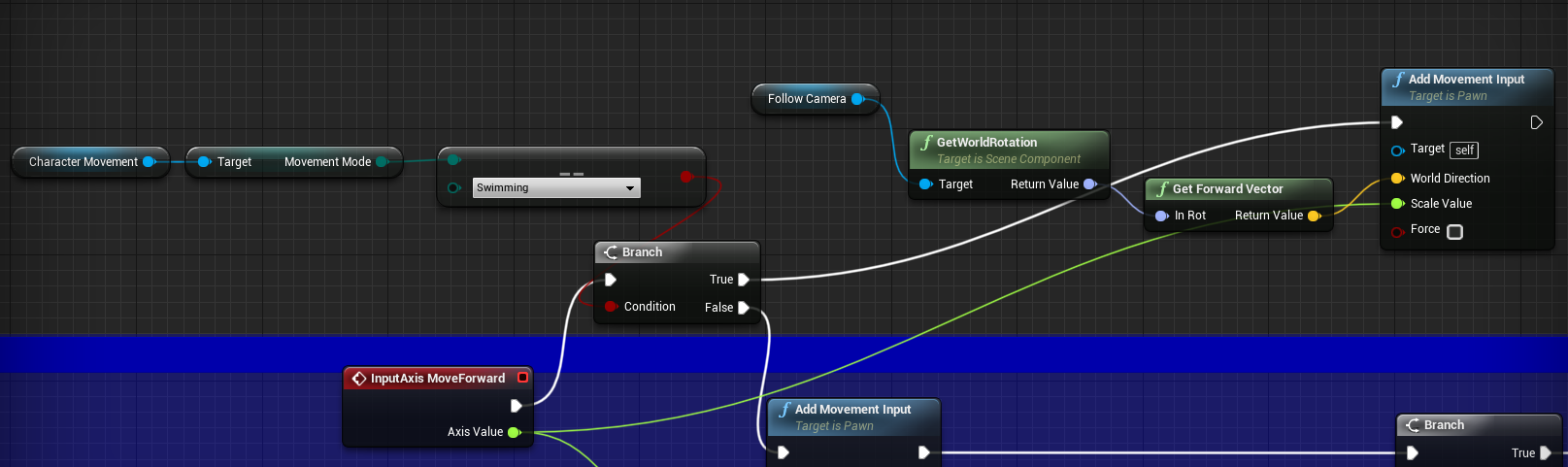
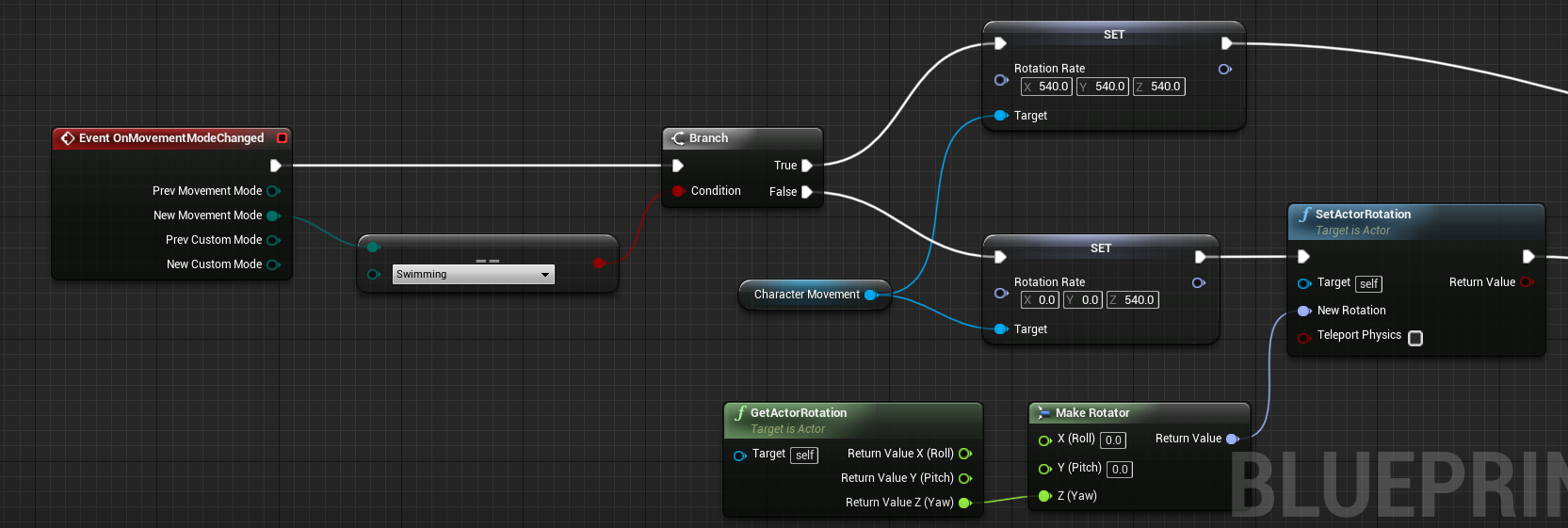
 lusty badger
Hello! I have a question, it is possible to maintain the Player State values in Server Travel?
I have a lobby where players can select their character and so, and then the server begin the match and everybody is bring to the map, in the gameMode I spawn the pawn that is stored in the player State of the player on PostLogin, the problem is that the values don't migrate from Server Travel.
winged badger
it is
as long as its seamless
or only the listen server host's PS, that one can survive hard travel
if you're using PostLogin, its not possible
lusty badger
Ok thanks, I will take a look to the seamless server travel
winged badger
if the classes of PC and PS don't change
seamless travel will persist their instances not just their values
and if they do change, then overriding copyproperties lets you populate new PS with whatever you need from old one
but for CopyProperties to work, both new PS and old PS have to be valid at the same time on server
and that doesn't work if clients are just now connecting
also, use HandleStartingNewPlayer, instead of PostLogin (call parent if you want default implementation -> RestartPlayer() call that spawns default pawn)
that function actually works for both seamless and hard travel, unlike PostLogin
lusty badger
So the best way to do it is to do a seamless travel and use HandleStartingNewPlayer to generate the player pawn using it's player State, Right?
winged badger
its what i do, and it works without any problems
also, steam sockets won't work without seamless travel
if thats a consideration
lusty badger
also, steam sockets won't work without seamless travel
@winged badger HO! Good to know
Thanks for the help!
Is there any limitation with the seamless travel and the editor? I just implemented it but the server don't travel, the editor don't give me any error either
 desert lance
How do you handle debug-outputs in your code? Do you use #define DEBUG, ..., #ifdef DEBUG ... #endif?
Or is there something built in I could use?
lusty badger
And, there's any event on the player character that is call when a new map is loaded seamlessly? Or I have to call all characters from Game Mode?
winged badger
you can persist characters as well by adding them to controller's seamlesstravelactorlist
or any arbitrary actors by adding them to gamemode's
stashing a ref to player character in GM would never work after hard travel
as the instance is destroyed
i find it best to put a struct with all the data required to reassemble player characters in the PS
and then just spawn them again
lusty badger
Ok, Thanks for all this useful info!
winged badger
as part of HandleStartingNewPlayer
lusty badger
Is there any way of launching various instances at the same time? Or I have to always package the project?
winged badger
you can launch standalone non-packaged by right click on .uproject and launch
lusty badger
Thanks!!
desert lance
I want text file assets in UE for short usage-descriptions of the blueprints in a folder.
In VS it is possible to create text files.
winged badger
wonders how is that a multiplayer question
cedar finch
If I want to play an enemy flinch anim montage when they get hit with a bullet, should I play that montage using a multicast or would that be a big No No since it will be executed so many times for every bullet that hits the enemy?
winged badger
client has a bullet?
cedar finch
I was going to play the animation on my zombie enemy when they receive damage so it would be the server event "AnyDamage"
 ocean geyser
@cedar finch you could do that whenever you play affects. for example in the bullet or the weapon or whatever is the bullet, when a hit is made (were on the server here) call a multicast function with the hit information and play the impact effects such as blood if you hit flesh and sounds and the animation on the zombie that was hit so that way everything is in one RPC call
cedar finch
@ocean geyser Ahhh that's a great idea! Thanks!
crystal crag
Anyone here find out how to show the server console output in 4.25.x? It's really starting to hinder my debugging abilities. I can't even seem to use attach to process with VS - it's like the editor is still using one process for the server, even though Run Under One Process is unchecked...
I've tried both with the Launch Separate Server checked and without
No one here has ever needed to look at the server output when testing in the editor since 4.25.x came out? I've read through all of the patch notes and I don't see anything about this being changed. This just started to happen when switching from 4.24 to 4.25.1
I figured it out. @meager spade you have to add -log to the server arguments just like you do when you run it from command line
It used to just add that option for you, but now you have to explicitly set that option.
limber gyro
Does any1 know if unreal have rule based matchmaking and automatic server instance deployment? or the match making they refer to is just a server browser?
dark edge
@limber gyro That's a question for the epic online services channel.
 dawn summit
Can anyone point me why the branch on the right is never True?
I am definitely controlling this pawn
winged badger
dedi or listen?>
 fossil spoke
@dawn summit EventPossessed is only called on the Server.
dawn summit
oooh...fuuuua
winged badger
you can just use BeginPlay on clients
dawn summit
but there's not acknowledge in BP right?
winged badger
they actually have a controller by that time
dawn summit
nope, i can't...i possess them dynamically
winged badger
if they are possessed immediately after spawning
fossil spoke
Do you have access to C++?
dawn summit
i have...but i really don't want to make cpp class from this atm
okay, seems no other way
fossil spoke
There are functions you can override to expose this to BP on the Client side.
Cant remember which one.
dawn summit
possess acknowledge it is
fossil spoke
Yeah
dawn summit
well, thanks...it really helps
winged badger
UFUNCTION(BlueprintImplementableEvent) void ClientPossessed(APlayerController* PC);

virtual void OnRep_Controller() override
{
  Super::OnRep_Controller();

  if (GetController())
  {
    ClientPossessed(Cast<APlayerController>(GetController());
  }
}
i was struggling with it and forgot about server only events
winged badger
i think its empty
fossil spoke
🤷♂️ Still, good practice.
winged badger
no