#multiplayer
1 messages · Page 522 of 1
 gleaming vector
and i never got it working
funnily enough, exact same use case... pooling projectiles
this was in like 4.12 tho
and the underlying code there has changed quite a bit
it's much more tolerant to errors now
but, i still don't think it will work very well
however, if you can figure it out, definitely let me know
you might be able to spin up a NetChannel to send "new proejctile GUID" information and do the remapping when packets come in
I'm interested in one day doing a dynamic reallocation of simulation authority type deal
where you have a number of "peers" (could be servers, could be other clients) and have them change hands on who is simulating what
seamlessly and in real time
 chrome bay
Ah yeah I decided against it in the end, was just an idea that popped into my head this morning that might have warranted more investigation... but then there's other things I didn't think about, like existing references etc.
gleaming vector
yeah
it's very messy
the GUID isn't intended to change during the lifetime of an actor
i ran into all kinds of issues once I actually figured out how to make the change
mainly crashing
chrome bay
It's almost entirely just for making sure particle systems stay "relatively" sync'd so there isn't a horrible visual artefact, but I think I that's easier and I can do it case-by-case
Yeah that makes sense
Glad I didn't go in then 😄
gleaming vector
but, like i said, this was back a few years ago now
and that code went under a rather significant revision by 4.19
chrome bay
nps
I'm certain it wouldn't have been straightforward anyway
And even if I get it working any obscure errors will be so difficult to debug
gleaming vector
yeah haha
 nocturne osprey
hello i have an issue with multiplayer replication, if someone could give me hand please!
so basically i have a client which doesn't move on the server side
 gentle lion
Your going to have to be a bit more descriptive than that. There could be hundreds of possibilities as to why this happens. Not to mention we don't know your setup
Are you using the character movement component?
nocturne osprey
well i can give you some screenshots
no it's the floating movement component
im putting a few screenshots then
this is from my player controller bp
when i put my custom events to run on server, the client doesn't move at all, and when i put them on multicast or run on owning client, the client move but the server cant see him moving
gentle lion
Is replicatesmovement set to true?
nocturne osprey
it is since i can see the server moving on the client side
well when i say server it's the host
 pallid mesa
Anyone using FGenericTeamId, any thought about it?
 thin stratus
If it works for you, use it.
 meager spade
that's what i said 😄
pallid mesa

 bronze arch
Guys there way to change server tick rate and client tick rate?
 severe cedar
My project has been dedicated server with connected clients so far, so it's been easy to differentiate between the server vs client instances of replicated Actors (like Characters) via net mode < NM_Client checks etc. This is useful for if we want to do certain logic only on server or only on client.
We want to also try supporting listen server, but I'm less familiar with this and was wondering if people could help answer a few questions?
1/ In listen server, is the hosting client considered a server or a client? My understanding is that if we were to use a net mode check, it would be server?
2/ If it would count as a server/if there is only one instance in listen server for the host, what is the recommended way to branch logic b/w "server" and client?
 winged badger
the server part works the same @severe cedar
the difference with listen server is that it also has a local player
nothing more
you might want to check specifically for dedicated server before you start running the UI and such, unless all of it is ran directly from the PC/Owned Actors
and you have to run the local client logic server side
IsLocalController/IsLocallyControlled starts to creep in into your net mode checks
so you can differentiate between the listen server host and the other players
 stark hull
I've run into an interesting widget problem, as when I restart the players after they die (detach pawn from controller and destroy it) with a brand new pawn, It seems that the on screen widgets stop reacting to the health updates (as the health is handled by a component attached to the destroyed pawn). All the rest of the data is fine as it's connected to either Player State or game state that don't get destroyed. My question is then, what would be the correct approach with rebinding component data to an onscreen widget?
I suppose that the problem is stemming from a dead reference that my widget has when the health component gets destroyed, but then why wouldn't it throw a nullptr exception...
Would it be a generally better idea to let the health component talk to the PlayerState, and then the widget would grab the data from the player state?
thin stratus
@stark hull Correct
If you destroy the pawn, it will destroy the component. If you saved these in the widget, then you have to update them after you got a new pawn
What the component talks to is not really important. You should just use one of the events of the controller (here most likely OnRep_Pawn) to tell the owning client to update their pawn refs in the widget
 weary zephyr
Does anyone here have any experience using Smooth Sync for MP replication of player characters?
I'm using it, and it seems to be working fine, but I'm having an issue where it seems as though replicated variables have a mandatory .5-ish second delay on their replication when using Smooth Sync? It might be something else I'm seeing, but that's what it seems like. Im running both clients and the server on my local system though, so the delay really shouldn't be present
 ember needle
All, I am setting the variable RemoteViewYaw in my custom character code:
void AOSACharacter::PreReplication(IRepChangedPropertyTracker & ChangedPropertyTracker)
{
    Super::PreReplication(ChangedPropertyTracker);

    if (Role == ROLE_Authority && GetController())
    {
        SetRemoteViewYaw(GetController()->GetControlRotation().Yaw);
    }
}
void AOSACharacter::SetRemoteViewYaw(float NewRemoteViewYaw)
{
    // Compress yaw to 1 byte
    NewRemoteViewYaw = FRotator::ClampAxis(NewRemoteViewYaw);
    RemoteViewYaw = (uint8)(NewRemoteViewYaw * 255.f / 360.f);
}
and
UPROPERTY(replicated)
uint8 RemoteViewYaw;

void SetRemoteViewYaw(float NewRemoteViewYaw);
but when I set on character SetReplicateMovement to false the variable RemoteViewYaw doesn't get updated anymore.
Still, the character is replicated (only movement replication gets set to false), so why does the variable stop getting updated?
meager spade
does it actually get called
ember needle
you mean PreReplication?
ember needle
let me triple check
meager spade
if you have 0 replicated properties
it wont ever call
(ie PreReplication is only called when a property changes)
hence why you see the behaviour issue with replicate movement
as nothing is changing on the actor (regarding properties that need replicating) then pre-replication will never be called
with replicate movement set to true, its replicating all the time the player moves
meaning pre-replication is called.
ember needle
so if I were to add a stupid replicated bool variable that changes all the time on server (as an example) then it would get called?
meager spade
yes
ember needle
hum.
what is my best to approach this then?
basically I need to replicate pitch & yaw but not position
this works nicely and is also compressed when movement is replicated.
 tall pine
Hi everyone,
If I have function in GameState that only run when i have authority, should I just move it to GameMode instead?
 pulsar maple
Does anybody know what changed with CharacterMovementComponent replication in 4.24? I was getting a ton of small network corrections with basic locomotion, but switching to 4.23 drastically decreases them.
 final rover
hey, so I'm having an issue where in multiplayer my player's inputs are all delayed by the ping to the server. Afaik what I want to be doing is to process the movement locally, and then also process it server-side and then do some interpolation magic to smooth stuff out. I guess what I'm trying to find out is, how do I let the player do local movement stuff while connected to the server?
 hollow iris
EILI5: What would be the proper process here (C++)? I have a character that has a pointer to a inventory component that is on PlayerState. I need to set the inventory's contents OnRepPlayerState with default items. What does that RPC chain look like?
Inventory component is set to replicate. The inventory array is on RepNotify.
@meager spade you are usually the guy with the answers. 😛
thin stratus
@final rover By default only the Character class with the CharacterMovementComponent can do that.
final rover
yeah I'm using that
thin stratus
Then it should work out of the box using AddMovementInput nodes
final rover
yeah probably because I'm using root motion
doesn't seem to work for jumping though, which doesn't use root motion in my project. I'm just using the built in Jump function
 echo geode
Thanks god CMC replicates all of networking movement for Characters
bronze arch
@echo geode oohhhhhh u re still alive bro? 
 fluid finch
Does anybody know what changed with CharacterMovementComponent replication in 4.24? I was getting a ton of small network corrections with basic locomotion, but switching to 4.23 drastically decreases them.
@pulsar maple Having similar issues. Really big problem, but haven't see much reaction to it
 sacred spire
Report to Epic and tell them it is bug maybe?
chrome bay
Most obvious first thing to do would be try it in a blank project. That's the first thing Epic will ask you to do anyway
If it's not occurring there, with the default movement system, then you can at least narrow it down to the project itself.
Personally I'm not seeing any issues, but I've not done much with characters in 4.24 so far tbh
 echo snow
I'm trying to switch my camera to the instigator's cinecam.
I couldn't get it done
Any help?
 rose egret
is there any config to delay sending of packets for a client? I want to make at least 3 seconds delay for spectators
rose egret
I want the hole game to be delayed (replication, RPCs, ...) for spectators . could not be much hard since its just a delay. like a proxy
 split gust
is your game sending ALL the info to the spectators no matter what? aka no occlusion of stuff they cannot see?
because if not that might make the delay hard to do
 half gust
I am trying to create a dedicated server with a login. I am not sure the best way to do it, therefore does anyone have any suggestions?
FYI, I have the 4.24 Dedicated Server Working, its just a matter or using a Gateway or some other system.
 ivory flame
Hello every one! I'm running Dedicated server from UE4Editor.exe with -port=7806. But for some reason, the server is always adding 1 to this number. What can be the reason of such behavior? Logs attached
tall pine
Hi everyone,
If I have function in GameState that only run when i have authority, should I just move it to GameMode instead?
Or should it still depend on the what the code does?
I'm fuzzy on what should go into GameMode and what should go into GameState
tall pine
I know the doc say the rules of the match goes into GameMode, and the current state of the match goes into GameState
Ah oh
thin stratus
And only if I need to broadcast stuff I call a GS function
tall pine
Thanks. Can you give an example of a function that you will broadcast in GS?
thin stratus
Ehm, honestly no. Got 10.5h of work behind me. Brain is tired :D
ivory flame
Do you already have one running?
@thin stratus No, I'm sure, checked on different ports, same(
thin stratus
It usually auto increments if one is taken
tall pine
ok thanks Exi
ivory flame
Another question: I want when player connects to game, assign specific pawn to him, how to do this? I tried spawning all characters in advance (when no players connected) in gamemode BP, but the pawn looks kind of 2d, I understand that it is kind of DedServer optimization.
thin stratus
That just looks like you specified the Scale wrong :D
ivory flame
Ohhhh, you were right!
That just looks like you specified the Scale wrong :D
@thin stratus Big thank you! I did't know that PlayerStart actors have so weird transform scales(
half gust
@thin stratus I am looking for a login screen similar to an MMO.
thin stratus
That works with a proper backend. Not really a DedicatedServer thing.
ivory flame
Do you already have one running?
@thin stratus My Dedicated Server fetches level that it should load on startup, then it opens it, I guess the reason why port is incremented is that I use Open Level to open new level in Dedicated Server
half gust
@thin stratus I am looking for suggestions. (My coding background is really not in gaming. I could code this the way I have for in the past for non gaming applications. Where there is a user class and that handles the SQL Calls for verification and validation. Also using SALTS to encrypt passwords so they can not be read in memory.
ivory flame
@thin stratus I am looking for suggestions. (My coding background is really not in gaming. I could code this the way I have for in the past for non gaming applications. Where there is a user class and that handles the SQL Calls for verification and validation. Also using SALTS to encrypt passwords so they can not be read in memory.
@half gust I'm using Nodejs + socketio for authorization, nodejs server acts as a master server which manages all Dedicated Servers, you can use the same, or(if you don't need sockets), then just use VaRest http client for connection to nodejs express server
Just google nodejs express server tutorials, there are tons of them, then use VaRest plugin to connect your client Unreal app to that server
 solar stirrup
Does anyone here have experience with the fast array serializer and have gotten weird data in fast array serializer item structs?

For instance, everything under Durability is bs data
thin stratus
@half gust You usually have a REST API of sorts for this.
solar stirrup
It's not a dangling pointer/ref either afaik, I'm inspecting the fast array serializer array itself
thin stratus
Which handles authentication and UE4 can speak to that via HTTPS Request and what not.
 odd iron
Hey guys on Online session should i use Get Player Controller [0] or there are another method ?
 little bloom
I have an issue with the host or first player that joins a dedicated server losing control of their pawn when a second client joins
odd iron
@little bloom i think we have same issue Because you are using get Player Controller [0] right ?
little bloom
No, Get Controlled Pawn is returning null
odd iron
hmm
little bloom
Made a work around actually after I just typed that out. Sets a variable to the character and repossesses it if controlled pawn is null
thin stratus
@odd iron No, unless you are 100% aware of what you are dealing with
It's better to use GetController etc relative to the pawn you are in
Or GetOwner if you are in the PlayerState
odd iron
idk i faced problem with HUD Replication on my other project its just showing the correct hud on player 0
idk if i missed something but yeah it happend
thin stratus
HUD replication?
thin stratus
Are we talking HUD or Widget?
odd iron
HUD
thin stratus
And are you replicating that inside the "HUD" or outside?
ivory flame
No, Get Controlled Pawn is returning null
@little bloom May be because your pawn haven't been possessed yet? Where are you calling it?
thin stratus
Hm no that sounds right. Either way GetPlayerController0 is not a good deal in multiplayer
little bloom
It's the default spawned characters set in the game mode @ivory flame
It's possessed, but loses possession when a client joins, and it only affects the first client that joined
thin stratus
It referes to the pc of the player you call it kn
thin stratus
If you e.g. multicast in a players Character and then call GetPlayerController0, you'll get a lot of different controllers
Just as a random example
odd iron
ok
i will check what can i do 😄
and for Advanced Session can i use GetPlayerController 0 Right ?
its will not effect
i mean if it was dedicated
thin stratus
That us usually called locally from the UI or so, so that's technically fine
Also you should use widgets and not the HUD class
Just as a note
odd iron
i was replicating the varibles on character bp
ok idk why the discord resending same messages
xD
thin stratus
Bad internet connection
solar stirrup
void FFastArraySerializerItem::PostReplicatedAdd and other replication notifications inside array serializer items aren't called server-side, are they?
winged badger
they are not
solar stirrup
dammit
winged badger
what? you have to mark the thing dirty anyways
so you know exactly where to put that code
i personally love it not being called on server, when a breakpoint there hits i know its client side
 nimble stirrup
Hey quick question. I'm implementing a multiplayer game that uses seamless travel to travel from a multiplayer lobby to the game map. I have overridden Handle New Starting player in my game mode to find the appropriate player start and spawn/posses a character at the player start location after the seamless travel completes. However, in my packaged version of the game, sometimes I can't find the appropriate Player Start when I search for it in the level ( currently using a very basic GetAllActorsOfClass and do a name comparison). Is it possible that the level hasn't loaded the Player Start actors by the time Handle Starting New Player is fired? thanks for any help!
tall pine
Where should I put a duration of the match that the game is taking place in? Is that in GameMode?
The reason I asked because if I put it in GameMode, then during the match, I'll have to continuously ping the GameMode (Server) to ask for what the current time is.
OR is there a better way of doing this?
Or should I tick the game time in GameMode, then write out the value into GameState, and then everyone can access it in GameState?
 mint roost
Hey guys I have a question for testing open ports. Currently when trying to host a listen via console command "open [levelname]?listen it seems outside player cannot connect to my computer when hosting. Port is open (7777), Ip is correct, the command is properly entered. However, when my brother hosts on the port I can connect to him via the same commands. For some reason on my computer only players cannot connect. Any ideas as to why this might be happening? I am also wired to the network, before i was wirelessly connected but changed that because i thought that was the issue originally. Thanks in advance!
little bloom
You likely have a firewall blocking the connections on your own machine, I don't have time to look up specific guides, but that should give you enough to google @mint roost
 timid moss
Also i heard that your ISP could be preventing yyou from port forwarding for outside connections. I'm currently experienccing that and need to call them to try to see if theyl let me.
if you do your firewall setup right, and it still doesn't work, maybe check if your ISP doesn't allow it
mint roost
@little bloom i even tried after disabling my firewall and was still not able to. So it could be ISP @timid moss
I know the port isn't the issue, that's for sure. Because im able to connect when my brother hosts on his machine. But when I host on my machine it doesnt allow him to connect
timid moss
i wasted too much time trying to figure out this problem. But I found out that if you goto https://www.yougetsignal.com/tools/open-ports/ and test the common ports that most computers have open but the website says they are closed, that most likely means its a problem with your ISP. For me that website says like all my ports are closed, even when firewall is off, so pretty sure its my ISP. That could maybe be a way for you to find out as well
The port forwarding tester is a utility used to identify your external IP address and detect open ports on your connection. This tool is useful for finding out if your port forwarding is setup correctly or if your server applications are being blocked by a firewall.
mint roost
I'll have to give this a shot. Thanks man
I just dont get why his machine would be able to host and not mine. Both have the open ports. Proper rules setup.
timid moss
you both on the same lan?
because for me i can do lan connections all i want. but when it comes to someone external from my lan joining. it fails
mint roost
We're both on same lan. And connect lan. Bit if we try to connect to the public open port it only works if he hosts
timid moss
hmm dats weird
mint roost
So if he does the ?listen command and i do open ipaddress (not lan address) i can commect to him
But if i do ?listen and he does open ipaddress nothing happens. Super strange
timid moss
are you doing dedicated server?
because if you are maybe u can see a message in the terminal of what went wrong
mint roost
No we are not. Just listenserver hosting
timid moss
also I would try swapping wifi recievers. make sure theres nothing wrong with the wifi reciever
mint roost
I actually switched so im hardwired in, cause previously i thought wifi may have been causing the issue
timid moss
if you happen to have a hotspot feature on your phone maybe try connecting to that and then try to open server connection
mint roost
I could. I just shouldnt have to go through all that. Shouldnt be that difficult to do listen server.
timid moss
idk. its just an option. for me i use my hottspot often so i was able to do a quick test just to narrow down the problem a little. did u guys try pinging eachothers' computers?
maybe try pinging the IP your trying to connect to and see if it works
like go to the terminal and type this cmdping [IP]
 limber gyro
is there any event that gets called when the player array changes?
@mint roost whats ur issue?
ok i was reading the chat
have you checked if you have anything else running on the 7777 port?
mint roost
@timid moss enter that into the command prompt terminal or unreal terminal?
@limber gyro I'll have to check. And my main issue is me hosting on open port 7777 on my machine so outside players can connect. Not peer to peer. So when my brother hosts on his machine on the open port i can connect to him when he hosts. But not when i host.
mint roost
I didnt see anything running on 7777. Is there another way to check whats running on it?
limber gyro
theres some CMD commands that i can not remember, if you have a svchost process running on 7777 its fine, anything else its gonna block connections
limber gyro
ye
limber gyro
svchost runs on a bunch of stuff its jsut how windows does things
timid moss
only other thing i can think of is you didn't configure your frewall inbound rules corectly.
maybe try it again but this time completely turn off the firewall
limber gyro
didnt he try disablign the firewal lalready?
mint roost
Yep
limber gyro
thats like the first thing people do usualy
timid moss
man idk lol
mint roost
I also do have rules setup for port 7777 one for tcp and udp
limber gyro
network stuff is pretty hard to debug
mint roost
Ive noticed 😅
timid moss
y computers so uncooperative
limber gyro
if you are connecting in lan you shouldnt eve nneed to portforward
mint roost
Well people who arent on lan need to connect thats why
limber gyro
does the server register any 1 tryign to connect at all?
mint roost
When my brothers machine hosts im able to connect to his server on the 73.xx.xx.xxx ip (non local). But not when I host. He can't connect to me.
The 193.xxx.xx.xx ip works for both
Connecting to those work
limber gyro
oh so the local works for both
mint roost
Correct
timid moss
have u tried doing the same test but this time using a computer different from your brother's?
limber gyro
1 for your brthers pc and another for urs
timid moss
o and yeah that woulud be the problem. if its not yet port fowded
mint roost
@timid moss not atm.
@limber gyro and it should be. I have same rules set on my pc that he does
limber gyro
u dont set those rules on ur PC u set them on the router
login into your router and check your port forwarding rules
u gotta make 1 rule for each local IP
timid moss
O. Another thing is that both computers can't fwd the same port. So one of them has to be 7777 and the other will have to be a different port. (me and my brother do 7777 and 7778). So if the computer who has the 7778 port is hosting, you got to make sure that it is listening on that specific port. So if your brother has his port fwd at 7778 then you would need to listen on 7778. But if your port is fwd at 7777 then make it listen at 7777
limber gyro
oh i didnt know that
but it makes sense, the router wouldnt know to which PC to send the packets
mint roost
Sorry 😅
 plush mist
https://youtu.be/P3Ut_yEucdM
Hi! why client camera for passanger has jitter? How can I properly attach passenger pawn in multiplayer?
 timid moss
dont b srry. every1 learns from somewhere
mint roost
So then if that is the case, would we just need to set another rule within the router and set port to 7778?
limber gyro
@plush mist its the car that jitters it seems, might be because the car is too fast and the server is trying to pull it back
you should try messing with the network settings specialy the distance that the server corrects
that would be my first gess
guess'
timid moss
yeah pretty much
can u answer a quick question? who's computer has a port forwarded on 7777
mint roost
Cause I think currently we're both forwarding to the same port. Therefore why im able to connect to him when he hosts and he cant when i host
plush mist
@limber gyro ok. thanks. I am trying with low speed.
timid moss
My guess is that only 1 of you have a port fwded at 7777. unless your router's options some reason lets you do 2 port fwding options on the same port. which in that case maybe it is just picking one of your computers to fwd to
ok that makes sense
mint roost
If anyone's is port forwarded to 7777 its his
timid moss
make yours 7778 TCP/UDP and find out whatever thing u need to do in UE4 to make sure your listening on 7778. So like figure out how to listen on a custum port number
plush mist
@limber gyro jitter continue at very low speed. https://youtu.be/9Ti5udektAk
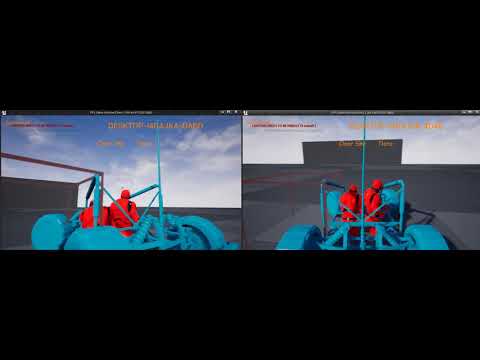
 limber gyro
if your not worried about people cheating you can set some variables that will let the client dictate the position
plush mist
@limber gyro please, guide me. It will be enough
limber gyro
gimme a sec
try setting these
GetCharacterMovement()->bIgnoreClientMovementErrorChecksAndCorrection = false;
GetCharacterMovement()->bServerAcceptClientAuthoritativePosition = false;
there should be something equivalent in the car movement component
plush mist
thanks, I will try it
limber gyro
Does any 1 know how to simulate a player connecting in the editor
plush mist
@limber gyro now I can fly out of my car ))
limber gyro
but does it jitter?
those options come with consequences
the player is telling the server where it is now
there is not easy fix for networking problems
they are a pain in the ass
plush mist
but does it jitter?
@limber gyro yes
limber gyro
well, then i dont know i would have to check it myself
 tacit sigil
Does anyone have a link to a video or page on how to disable a character select button once another character has chosen one? My game is only a 4 player/character multiplayer game, and i don't want two players choosing the same character. I feel like this should be simple, but i can't seem to find much documentation on it. thanks!!
This is with blueprints by the way. i'm still on C++ basics!
 tribal solstice
Hey everyone - I'm trying to make a chatroom system where a player enters a chatroom, which then adds their player controller to a struct which is nested within a map with strings as the chatroom names. So when the player enters a chatroom it executes a server event that grabs the struct from the map based on the chatroom name, breaks the struct to reveal playercontroller array, and adds their player controller to the array. I've been trying different things for hours and I can't seem to get the controllers to be added to the playercontroller array. Any ideas?
Here's the blueprint from my PC:
And from the event within the game state:
 coarse furnace
@tribal solstice seems to me you need to "Add" your updated "S_ChatroomPlayerControllers" list to your Chatroomplayers map after 'finding' it
@tribal solstice because I think you're just modifying a copy of it.
Hello. Super network noob here, trying to understand the basics... Why would the player controller ID return '-1' for the second player here? If I tick 'RunDedicatedServer', they both show as '-1'. Ty
tribal solstice
@coarse furnace That was the plan, but it seems like the PCs are not being added correctly. After the 'Add' node I do a read out of the contents and it does not show that there are any PCs inside.
coarse furnace
Oh I see :/ No idea sry, I am myself at total loss when it comes to network... I just barely started reading the documentation lol
coarse furnace
yep that's exactly why I tried to avoid it for as long as I did 😄
 rich ridge
I have asked this question a way long back and I didn't get a good response, so I hope I do get a good answer now.
Let's assume I m connected to Dedicated server and playing the multiplayer game. Now if I want to show some ads on screen will that request be routed to Dedicated server and dedicated server will again talk to actual internet to serve the ads.
Why I m having this thought is I believe that once we connect to Dedicated server the whole Network driver is connected to that dedicated server.
tribal solstice
@coarse furnace Your solution actually did fix my issue. Thanks!
coarse furnace
haha sweet 🙂
 winter plover
So I have an issue where regular movement replication is interfering with a ladder system I made up. I tried disabling movement as soon as a ladder is mounted but for some reason this causes movement for that character to be just ridiculously fast
I know I will probably have to block input for the character movement component somewhere, but does someone know why it does this?
I'd expect it to just y'know not replicate
 sleek current
What can I do expect fps limit when ue4 client has like 200fps and the movement feels laggy because of that?
 meager horizon
if i connect a client to multiplayer dedicated server, can i then split screen that client, and have it introduce two players under one process?
is that a thing?
or in ue4 multiplayer is each client process purely one player, and splitscreen a local only thing
just curious, because if that did work, it would be a great way to let my kids all play on my dedicated server together, i only have two devices.
and three kids 😛
 rocky totem
replication question
if i want to call a server function on the game state from the client do i need to go through the pc or can i just call it diretly
nvm dumb question the server owns the gamestate so i can't go to it directly
 fleet raven
you can connect a split screen client to a server and have two controllers for your one net connection yes
rocky totem
zeb i'm not crazy right i do need to call the server function initally from the pc since the client doesn't own the gs correct?
fleet raven
yes you can't call a server rpc on game state
send it on player controller or player state or something else your client owns
fleet raven
I hate this tbh
rocky totem
hate what
fleet raven
it would be so much nicer if you could have a ServerAny rpc type that lets everyone call it and you just get the controller that ran it as the first argument
rocky totem
yeah i would agree it's annoying BUT i'm sure deep down there was a design reason i'm not experienced enough to see so imma just roll with it
meager horizon
thanks @fleet raven 😄
 pallid token
I have MyActorComponent who is a member of MyPawn. MyActorComponent is set to replicate, and within it, I spawn MyActor which is also set to replicate, and is visible on all clients. The BeginPlay() Function in MyActor runs on all clients, however, when I call DoStuffFunctionA() on MyActor from MyActorComponent , it is only run on the server. If I call DoStuffFunctionB_Multicast() from the DoStuffFunctionA() it still only runs on the Server.
tall pine
Where should I put a duration of the match that the game is taking place in? Is that in GameMode?
The reason I asked because if I put it in GameMode, then during the match, I'll have to continuously ping the GameMode (Server) to ask for what the current time is.
OR is there a better way of doing this?
Or should I tick the game time in GameMode, then write out the value into GameState, and then everyone can access it in GameState?
winged badger
why would you need to ping the GameMode, does your GameState count down time at different speed?
tall pine
no, not at all
I'm tasked with re-write GameMode and GameState, so I'm learning and removing code where they're not supposed to be
I'm trying to understand what should go into GameMode and what should go into GameState
So yesterday I ended up having the timer tick on GameMode, and just write the result to GameState so everyone can access it. Is that a good way to go about it?
 rancid barn
There isn't really a hard-and-fast rule. The various classes have different properties and virtual functions that make them better or worse at certain things
In the case your describing, I would imagine that the starting match time is set by the game mode and elapsed time tracked by GameState.
Or you could have your own UTimerTracker class of some sort that periodically updates the gamestate
depending on complexity
tall pine
Yeah that's the trouble I'm facing, not knowing what to do in GameState vs GameMode
rancid barn
You can ask this question: does X feature change depending on the game mode?
elapsed time is always going to be the same across every game mode you ever make. a second is a second
that will tend to suggest putting it on something else, in this case the time elapsed is very much part of the game state, intuitively
but the total time required for the match to end will vary depending on the game mode, so that suggests that's where it should be
tall pine
so GameState is replicated to everyone, but its tick function only get called once?
rancid barn
GameMode is server-only, GameState exists on all clients and is the most easily accessible global replicating class that clients can access
tall pine
so there are N number of GameState, corresponding to N clients?
rancid barn
There is one game state on each client
the same
gamestate
exists on all clients and server
There is one unique controller for each client, that only exists on that client and also the server
there is one gamemode, and that exists only on the server. Clients will never access it
tall pine
So say since the client can have access to the GameState, if one client writes into a variable on his GameState, that will be replicated to other clients's gamestate?
rancid barn
replication is a server-only concept
replication is defined as copying a server value to all clients
so if the server writes the score to gamestate, all clients can see it if it's replicated
tall pine
so what happens when a client change a variable on the gamestate?
rancid barn
then the client will see the variable only locally
if it's a replicated variable, it will sync with the server the next time the server modifies the value
so if a client changes it's score to 999, it will see 999 on a local-only basis (nobody else will see that.) The next time the server updates the score, the local 999 will be replaced by the replicated value
tall pine
ok, that makes sense. I can now the match time can be in GameState instead of GameMode
what about logic decision making? Those should exist in GameMode?
Say for example, if I'm writing a racing game, and I want to know if a car can finish a race base on his current progress (number of laps), the number of laps should be stored in his player state? But the logic to determine that should be in GameMode?
winged badger
it has to be in GameState to avoid timers jittering because of lag variance
its a matter of practicality, you don't constantly replicate the match time
which means GS needs to tick them down
because GM can't do that for clients
tall pine
That makes sense.
what about logic decision making? Those should exist in GameMode?
Say for example, if I'm writing a racing game, and I want to know if a car can finish a race base on his current progress (number of laps), the number of laps should be stored in his player state? But the logic to determine that should be in GameMode?
rancid barn
Win condition is generally a GameMode thing
winged badger
i wouldn't put it in PS either
unless its there solely to be read by the UI
so when a player overtakes you he can have a widget overhead saying "3 laps ahead of you sucker!" or some such 😄
rancid barn
basically playerstate is for private player information and gamestate is for public information, so if you put laps in playerstate, other players would be oblivious to how many laps everyone else has run
which may or may not matter
tall pine
But we have a PlayerState array in GameState right? It seems logical to put the number of laps of each player in their corresponding PlayerState
rancid barn
There is one unique PlayerState on each client (and also the server.) Clients cannot see other clients' PlayerStates
so if you wanted clients to be aware of how many laps each other client has run, you would not want to put it in PlayerState
tall pine
but a client can ask the GameState for that info right?
rancid barn
clients can access the GameState
tall pine
so if I have a function say, MyGameState::GetNumLaps(AVehicle), and pass in a vehicle that I want to know about its current lap, inside GameState I can find that vehicle PlayerState, and return its lap
rancid barn
negative
assuming it is a normal UFUNCTION(), if a client called that function, passing in someone else's vehicle, the GameState would try to GetLaps() from a gamestate that doesn't exist on that client, and you'd get nullptr and crash the game
if a client tries to access any PlayerState other than it's own, it will just get nullptr
the server can access any PlayerState it wants, of course
tall pine
So only the server can call that function basically
rancid barn
A client could call the function as long as it passes in its own vehicle, because the client has access to its own playerstate
the server would have full access, yes
tall pine
I see, so back to the function that I asked about, to check if I can finish a race, that should be in GameMode then, since it's on the server
cause I can ask about any vehicle
rancid barn
Yes, generally win conditions go in GameMode
because win conditions can vary depending on the game mode / settings
depending on the game, it could be setup in such a way that the player/pawn doing the winning could say "I win, right?" and poll the GameMode, which then confirms the win
tall pine
ok, got it, thank you for your help Skyline and Zlo
rocky totem
ok i got a doozy for you guys. I have two maps in the same project. in the first map. I can replicate perfectly between client and server. However, in the other if i change something on the server it only updates the server and if i change something on the client it also only updates the server. they both have the same world settings what the hell is going on?
 harsh lintel
does DisableInput work in multiplayer? I need to stop a character from taking any action when a condition happens
 proper idol
Hi all, short question! I have a compiled dedicated server and want it to start a map so that my clients can join sessions. Unfortunately the node called "Create Session" requires a player controller, which the server does not have. How can i create a session on a dedicated server? I want to stay in blueprint level, and c++ only if its really not possible otherwise.
 glad juniper
Hey all, quick question. Does anybody know if there is an inherent restriction in the Replay System that doesn't allow players to possess a Pawn while viewing the Replay? We're creating a VR training application where the play session is recorded, and then the player and trainer are transported to a "review" room within the same level where the scene plays back on a SceneCapture2D plane / screen, while the trainer and player inhabit new full-body avatars to view and discuss the player's performance. Currently, when we begin the Replay, the multiplayer session seems to be killed (including VOIP). Is there any way to use this system while maintaining control of a new "playback" Pawn, in full multiplayer mode, with VOIP enabled?
 wet oriole
Hello Guys,
I set an actor to bOnlyRelevantToOwner = true; and only owner & the server can see that actor which is good, but when i try to use MeshComp->SetOnlyOwnerSee(true); i expect only client render the mesh but on both client & the host mesh is not rendering!
 real yacht
is there any documentation how to use QoS (https://docs.unrealengine.com/en-US/API/Plugins/Qos/index.html)
except this API
tall pine
@rocky totem : so you run the same code, but on one map it works and on the other it doesn't?
meager horizon
has anyone made a nice modern web ui for a linux ue4 dedicated server?
something that makes the log viewable at a glance, gives you a user count/user list perhaps, that you can run through apache or ngix?
i could probably make something simple that receives piped logs, and parses user join/part lines, but if someone else has already made something nice i wont waste my time later
coarse furnace
Hi. Is there a way to have per-player collision in a local co-op game? Like a door is spawned once per player and only visible to them (that I can do with Only Owner See). Then one player could open his own door and go through it but the second player would still see his own door closed and collide with it(thus seeing the other player go through it but I'm fine with that) Ty.
thin stratus
The door opening part you can route through the specific player via client rpc or rather just not multicast/replicate the change
The collision part is more tricky as the mesh on the server side would not block the second player anymore.
I would maybe just make 4 collision object types, player1 to player4 and then let the door block all 4 by default
And when the door opens you just set that specific type to be ignored on the door
Not sure if there is a less hacky solution
You could also ignore the door object on the specific player collision but then no door would block that player so not sure that's better
coarse furnace
Yeah I would have preferred not making multiple collision channels but if I need to it's not that bad
The replication thing, I'm still new to this but wouldn't that just be relevant for server/client with lan/online sessions? I'm asking for local coop so there'd be only one single instance of UE running
thin stratus
Ohhhh
Sorry
People ask so rarely about splitscreen/local stuff that i totally ignored that part
Ehhm
Yeah that's actually tricky
You might need to cheat that a bit
coarse furnace
haha, yeah no worries. splitscreen's not that popular indeed 😄
thin stratus
4 doors if you are unlucky
Set the owner to the player
And set owner only see on the mesh
coarse furnace
yeah that's what I'm doing for the moment. One door per player with owner only see for visibility
coarse furnace
but that doesn't solve the collision because both doors still lives in the game, right?
so there's two collision mesh (one for each door)
meager horizon
how does unreal do map versioning? e.g. if i update the map on the server, do clients with an older map version get rejected, or does it just desync? do they/can they be shown a user friendly error message?
coarse furnace
I was thinking of specifying a collision/object channel when I'm spawning a door for a particular player, like you mentionned above. It's not that bad I guess (if it works) but I was hoping not to flood my collisions channel with a bunch of 'PlayerX' channel
coarse furnace
Yup. Thanks for the help 👍
winged badger
you could manipulate the player's collision responses on overlap if the player is also the owner @coarse furnace
coarse furnace
@winged badger I'd still need one collision channel per player though right? Otherwise if player 1 owning the door would change door's collision, if would affect player 2 as well. So during the time player 1 go through the door, player 2 could go through as well. Or something like that I guess... not sure
winged badger
no, you'd need one query channel that you can't turn off for all players and a box on the door to detect them
then on overlap if the otheractor == getowner you set its response to channel <whatever the doors physics collision is> to ignore
on end overlap you turn it back on
coarse furnace
ohhh that way, I see
hmm interesting. I'm trying the multiple channel route for the moment and will try your approach if I'm not pleased with mine. Thanks for the suggestion
winged badger
you could disable response to door as part of the action of opening the door, but can't count on the players to close it to reset players collisions
coarse furnace
well, having two 'Player' object channels like Cedric suggested, works like a charm. I don't expect to support more than two players anyway so I'm fine with having just two object channels and it's actually quite trivial to implement. I have per-player visibility and collision working in splitscreen. Yay.
ty for the help 🤟
 wary wyvern
Does anybody knows, if it is possible to tear off not just single actor, but whole game? I need to shutdown a server process, but make clients stay on a same map with server's last state.
 unique kelp
Can a steam client successfully connect to a -nosteam server? Is it a matter of ignoring/providing my own unique net id? I assume it is possible somehow, but I would love a nudge in the right direction.
 bitter oriole
@wary wyvern No
wary wyvern
@bitter oriole So there is no way to shutdown server and show some post-round results right after play?
bitter oriole
That's possible, just not the way you think
You can copy the game state to another class every time it's updated, and show the post-round results in UI after disconnecting
wary wyvern
But that way client will need to wait, until a map gets changed. That takes time
bitter oriole
What do you mean by "map gets changed" ?
If the server was shut down, the client was disconnected at that point
Which you can handle with a travel to an empty map with a "post map results" game mode
wary wyvern
Here is the reference I want to achieve.
https://youtu.be/p1OsjWOAV0M?t=617
When round ends, it shows u winner team and you can stay on that server until press next button

Check out Gunrag's Video here: https://youtu.be/bJjmhiPCXw8
Playing today with Gunrag Singh and hitting that UNstoppable in Guns of Boom. To round the awesome matches up, there's also gonna be a four at once!! Enjoy and have fun with the gameplay =)
Check out my Discord:
htt...
You can see the results right on the same map.
bitter oriole
Then don't shutdown the server
Traveling to another map needs the server anyway
Server shutting down in UE4 will require a hard travel
wary wyvern
So there is no way to stay on same map, but ignore server shutdown? Because it is possible when server crashes.
But I do not want to crash the server) I just want some kind of "tear off" functionality
bitter oriole
Then no, there isn't that
wary wyvern
Okay, thanks
bitter oriole
Just keep your server running 10 seconds longer
Your players will be okay with not having the post-match state when the server crashes, anyway
wary wyvern
@bitter oriole There is a catch with this one. Our game launcher tracks game end by process shutdown to read game results from a file.
If I make it stay, that way users, who leave a server faster won't see battle rewards.
bitter oriole
I don't see the link here.
wary wyvern
So I wanted to make clients stay as long as they want, but shutdown the process
bitter oriole
Just write the file on shutdown
 quaint tendon
Brainstorm; How to add a physics based hover 'Add Force' that adds 'roughness'(irregularity) to the force but doesn't add so much that clients will be massively out of sync.
chrome bay
perlin noise?
wary wyvern
@bitter oriole As I said, players, who leave the server earlier, won't get their rewards. Rewards calculated using game result
chrome bay
Anything that varies with time and affects movement is not easy to do @quaint tendon
wary wyvern
One player can leave a second later, another player can stay for 30 seconds to see other players and game statistics
bitter oriole
@wary wyvern I still don't see how that affects anything
That seems like a horrible way to get the results anyway
chrome bay
If it's physics, doubt it'll matter though because in theory you're using client-auth anyway, or updates from the Server.
quaint tendon
@chrome bay Agree, which is why I'm trying to think of an intelligent solution. Only needs to look like it's hovering but not so much the clients are out of sync.
chrome bay
My suggestion would be a perlin noise LUT that you lookup with some kind of syncronised time variable
Use that to interpolate between a min and max force
wary wyvern
@bitter oriole It is still a problem, that we have to hold a server until all the players leave it. We have like 1m DAU on other game, so that a lot of servers 4x4)
chrome bay
Key part is making sure the time is in-sync, which is notoriously tough
Or, avoid it altogther and change the design 😄
wary wyvern
It would be much better if we could cut our connection without making client to change a map
wary wyvern
Yeah, I'll try to find a way. Thanks anyway)
bitter oriole
Or put a 10s limit and accept that 10 more seconds on a 10 minutes match is a 1.3% additional cost
Or show the results in a simple menu after the player has disconnected
quaint tendon
@chrome bay The nature of the movement replication demands it's physics based. They only have to appear synced, the micro variations in force can be different as long as the location stays relatively the same.
 hoary lark
"micro variations" smells like "use animations or other local visible fx" to me
chrome bay
Using time to lookup a perlin noise value seems to be the way to me either way
But yeah, otherwise I'd suggest using an animation instead of actual physics.
split gust
take a screenshot of the scene and use that as a background for the end result menu
wary wyvern
@bitter oriole Yeah, I just thought there is an easy solution with "Tear off" functionality)
 cerulean escarp
@wary wyvern why not just have the player open the same map when disconnecting, and when the server shuts off have the results sent to the file then to the new map?
chrome bay
If the only issue is the scoreboard/match result, why not just send all results to the client at the end of the match via RPC?
Then they can do whatever they want with it
cerulean escarp
that too ^^
chrome bay
Incidentally - that's what Gears 3 does. At the end of the match, if you leave the Server before the scoreboard is shown and return to the menu, the scoreboard shows there instead.
Game just keeps a "previous match" score hanging around
wary wyvern
@cerulean escarp That way I loose all game statistics. I will have to manually save it to some other class.
cerulean escarp
I would recommend doing Jamsh’s method
rocky totem
and ideas why i can't join a session in a packaged game? void UNeoscapeHorizonsGameInstance::JoinIP(const FString& Address) { UE_LOG(LogNeoNetworking, Log, TEXT("Attempting To Join Session At:%s"), *Address); APlayerController* PC = GetFirstLocalPlayerController(); if (PC) { UE_LOG(LogTemp, Warning, TEXT("SUCCESSFULLY JOINED")); PC->ClientTravel(Address, ETravelType::TRAVEL_Absolute); } } there is the console command. it works just fine in PIE and if i use launch game but refuses to in a packaged game
wary wyvern
I need to show statistics, all players, their equipment, names and stuff.
As I said, it could me much easier to leave clients with last server state and shutdown it. If it is not possible, than okay, just make another way to make it 🙂
solar stirrup
Finally fixed my weird data using the serializer
turns out, if you don't give props a default value, you can get garbage in there
dunno why
chrome bay
C++ das why
The engine usually warns you in the log if you haven't initialized properties
solar stirrup
well at least I've got that in mind now ^^
chrome bay
Good habit to get into tbh either way
Another thing UE4 sort of hides from you a lot of the time
winged badger
its not you can get garbage its you get garbage
solar stirrup
:[
winged badger
@solar stirrup as to why, you instantiate an object, it gets assigned a memory address in currently unused memory, your uninitialized vector is at N byte offset from the objects memory address
if you initialize it, that vector is written into that memory
if you don't, its value is whatever junk was there before
meager spade
you can see that behaviour if you use break points
sometimes you will see a pointer pointing to something different, till its assigned
its initalized, just not assigned
solar stirrup
that's called a dangling pointer right?
winged badger
you have a fair chance of uninitialized boolean having the value 0
its still junk memory
meager spade
but yes
solar stirrup
explains why I had bools with 17 or 250 as values
winged badger
if it has the correct value, its purely by accident, ergo, you always get junk
meager spade
dangling is normally if you had a pointer pointing somewhere, that object no longer exists, but the pointer never got updated.
pointers just hold a memory address, nothing more
tall pine
Hi guys,
In GameState, we have the array of PlayerStates. Can a client see the PlayerState of other clients via this way?
Or does a client only be able to see his own PlayerState?
tall pine
so I can access other playerstates if I'm a client?
Wouldn't that cause cheating if I modify another player's playerstate?
Or will that only reflect locally and then get updated with server value next time we replicate
winged badger
 rocky bobcat
Hi,
Where would be the best place to spawn an actor on the server but later controlled by a player pawn
the actor would be spawned on player start
tall pine
@winged badger : i have that too, reading through it, but it doesn't mention anything particularly about PlayerState in term of accessing from another client
I think I figure out it out now,
 marble depot
hey, I have a weird problem with my servers. they suddenly stopped connecting to Steam. they spam out [S_API FAIL] SteamAPI_Init() failed; SteamAPI_IsSteamRunning() failed. [S_API FAIL] SteamAPI_Init() failed; unable to locate a running instance of Steam, or a local steamclient.so..
they've been running for months with no problem whatsoever. nothing changed on my side, maybe a Valve API change? i haven't been able to get it working at all. any help? thanks
rocky totem
ok i need someone to tell me i'm not drunk
i'm setting up a playercontroller that will tell pick the correct pawn class is the hmd is enebaled
timid moss
lol
rocky totem
so the game mode has the following function
    //If this pawn is a player and is set to APC_NeoBase
    if (APC_NeoBase* PC = Cast<APC_NeoBase>(InController)) {
        return PC->GetPlayerPawnClass();
    }
    return DefaultPawnClass;
}```and then the pc is the following fiasco
    TSubclassOf<APawn> CurrentPawnClass;

protected:
    UPROPERTY(EditDefaultsOnly, Category = "Classes")
    TSubclassOf<ANeoBase_Pawn> DefaultDesktopPawnClass;

    UPROPERTY(EditDefaultsOnly, Category = "Classes")
    TSubclassOf<ANeoBase_Pawn> DefaultVRPawnClass;

    UPROPERTY(EditDefaultsOnly, Category = "Classes")
    TSubclassOf<ANeoBase_Pawn> DefaultSteamVRPawnClass;
public:
        UFUNCTION()
    void SetPawnClass(TSubclassOf<APawn> InPawnClass);
    void DeterminePawnClass();
        UFUNCTION(BlueprintCallable)
    void Server_SetPawnClass(TSubclassOf<APawn> InPawnClass);
    UFUNCTION()
    void SetPawnClass_Internal(TSubclassOf<APawn> InPawnClass);
    UFUNCTION()
    void OnRep_PawnClass();
set pawn class is standard replication and determine pawn class i believe is where the magic happens
    //if the valid parameters for the HMD are not set then spawn desktop pawn
    if (IsLocalController()) {
        if (CanLoadVR()) {
            switch (GEngine->XRSystem->GetSystemName()) {
            case TEXT("SteamVR"):
                SetPawnClass(DefaultSteamVRPawnClass);
                break;
            default:
                SetPawnClass(DefaultVRPawnClass);
                break;
            }
            return;
        }

        SetPawnClass(DefaultDesktopPawnClass);
    }
}```does this look half way logical
 gleaming niche
anyone here with experience with FFastArraySerializer? Either i've broken something, or those major changes in 4.23 have just.. screwed it up.
I recently upgraded to 4.24 from 4.22, and none of my serializers work properly anymore.
eg: in 4.22, it will never send a "Changed" event, without an "add" event first; even if you change relevency. it will always issue the add first.
in 4.24 (and i assume 4.23, since 4.23 is when the changes were made)
the add event will just.. not appear unless you're within netrelevency range when an item is added the first time?! has anyone else experienced this?
also, a huge difference between 4.22 and this, say for example you add something, change it, but then remove it shortly after (yes i know, it sounds like it's something that should be skipped if it happens, but I relied on this. in some cases, to ensure consistency between certain actions, based on what a human is actually doing. it's not something that would happen all the time, but is able to happen, and should be able)
in 4.23+ everything will just be dropped entirely
gleaming vector
im in 4.24 and im noticing the events don't work
however i never had it working in the first place, so i was unsure if it was 4.24 or just me
but, hmm
it's working with the ability system
chrome bay
@gleaming niche To be honest, even in 4.21 I found the event callbacks a bit suspect.
Just used it recently there and it's never quite accurate. I gave up in the end and used an OnRep Callback to do what I need instead.
Less than ideal.. but didn't investigate it much further than that
rocky totem
Anyone have an idea why i can't use client travel to an address in a packaged game
winged badger
i never had a problem with fastarray on any version
migrated to 4.24 2 days ago, so will see about that one
but the entire fastarray should replicate when actor becomes net relevant
winged badger
3rd
 eternal briar
Thank you, I was using the same. Have been struggling so much with multiplayer, I am beginning to question my understanding of simple things!
winged badger
@eternal briar if you haven't already, read this http://cedric-neukirchen.net/2017/02/14/multiplayer-network-compendium/
eternal briar
I have, I am having issues with Oculus Quest networking
tribal solstice
Howdy ya'll - I'd like to create software that runs on my PC and can be controlled via mobile/tablet. Would this essentially require setting up a networked game with IP and connecting the two devices?
 rare gyro
I was wondering if the server runs the same level streaming logic as the game client, or does it always have all levels loaded?
 grizzled stirrup
Is it safe to spawn clientside actors in the HUD class?
Damage number actors in this case
Thinking of moving them out of the PlayerController to reduce clutter there
chrome bay
perfectly fine IMO
grizzled stirrup
Thanks
 gloomy talon
Does anyone know what causes this issue with Advanced Sessions? If i package my proejct with it, i cant launch it
Log file open, 02/13/20 00:16:14
LogWindows: Failed to load 'aqProf.dll' (GetLastError=126)
LogWindows: File 'aqProf.dll' does not exist
LogWindows: Failed to load 'VtuneApi.dll' (GetLastError=126)
LogWindows: File 'VtuneApi.dll' does not exist
LogWindows: Failed to load 'VtuneApi32e.dll' (GetLastError=126)
LogWindows: File 'VtuneApi32e.dll' does not exist
LogConsoleResponse: Display: Failed to find resolution value strings in scalability ini. Falling back to default.
LogInit: Display: Running engine for game: ProjectName
LogInit: Display: Project file not found: ../../../Projectname/Projectname.uproject
LogInit: Display: Attempting to find via project info helper.
LogUProjectInfo: Found projects:
LogPakFile: Display: Found Pak file ../../../Projectname/Content/Paks/Projectname-WindowsNoEditor.pak attempting to mount.
LogPakFile: Display: Mounting pak file ../../../Projectname/Content/Paks/Projectname-WindowsNoEditor.pak.
LogPlatformFile: Not using cached read wrapper
LogTaskGraph: Started task graph with 5 named threads and 23 total threads with 3 sets of task threads.
LogStats: Stats thread started at 0.037546
LogD3D11RHI: Loaded GFSDK_Aftermath_Lib.x64.dll
LogICUInternationalization: ICU TimeZone Detection - Raw Offset: +1:00, Platform Override: ''
LogPluginManager: Error: Unable to load plugin 'AdvancedSessions'. Aborting.
LogCore: Engine exit requested (reason: EngineExit() was called)
LogExit: Preparing to exit.
 feral glacier
Anyone have any experience with Proteus? I'm having trouble building the .sln
 cedar finch
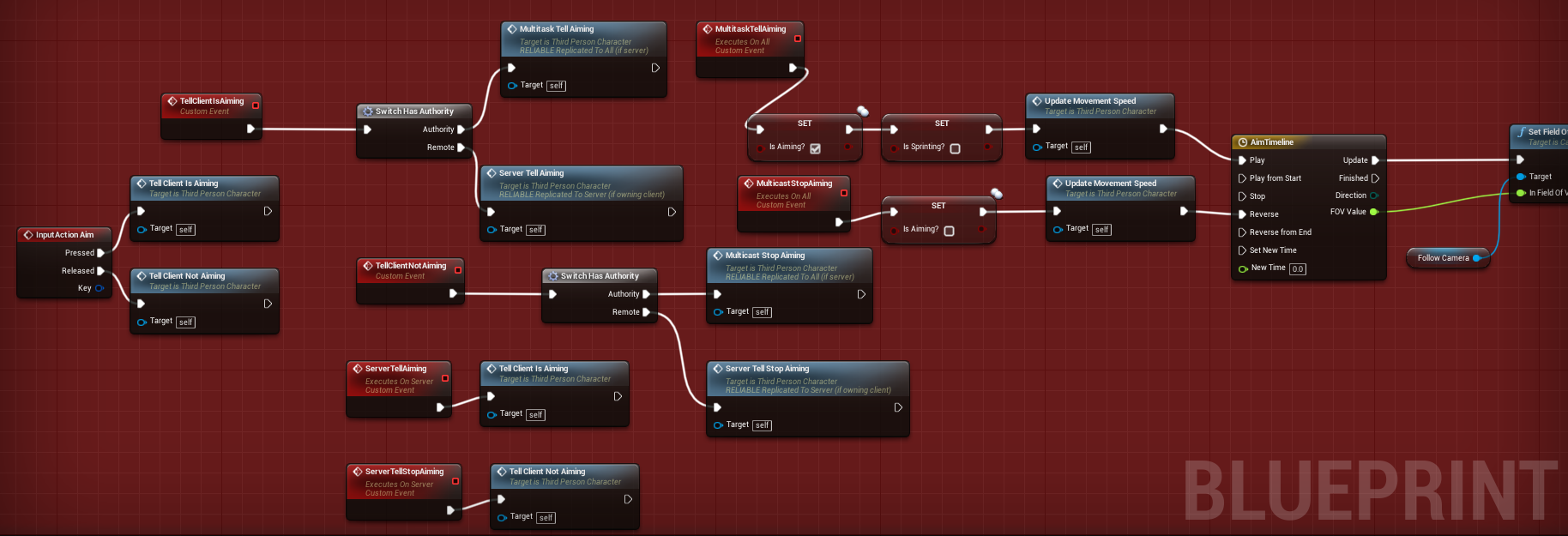
What is the correct way to replicate aiming your weapon? Right now I have a boolean called "bisAiming?" and a function called "SetMovementSpeed". The boolean when true plays the aiming animation inside my AnimBP and the function slows my movement speed. It works fine I just need to know how to replicate it so that there is not a lot of delay for clients when trying to aim. If I use the traditional switch on authority and then multicast in order to aim, clients sometimes have to wait a few milliseconds before aiming which isn't good.
I made this a long time ago and want to change it. https://i.gyazo.com/bffb00205a4b8cdc3ba1ca2e6d441101.png
 meager spade
@cedar finch aiming should be client side only
other players to see the aiming should just be a OnRep
set the bool to Rep Notify, condition Skip Owner
cedar finch
exactly! Ok and put the update movement in there as well correct?
meager spade
when you aim, tell the server to set bIsAiming to true, you as client set bIsAiming to true, you run the logic
cedar finch
Ok Thanks. That makes sense
cedar finch
True lol
meager spade
like a explosion, is a one off event
aiming a weapon is not
let me know if ya get stuck
or need help 😄
cedar finch
Ok awesome thanks. 🙂
cedar finch
If you haven't noticed I've been up updating a lot of my old work lol
cedar finch
It was kinda messy
cedar finch
If you want then sure
rocky totem
any ideas why findsessions would be incapable of finding session on the local network with OSSNull
rich ridge
@proper idol you can create a session on server even though it doesn't have player controller. There is another version of create session which takes userId, if your userId is NULL, the pass 0
Sessions->CreateSession(*UserId, SessionName, *SessionSettings);
In case it is your server pass 0 into your UserID
I don't know about Blueprint version, but this is how I have been doing from C++
ivory flame
Hello every one! I stuck with strange problem:
I do shooter, so I need to fire projectile from a weapon(on fire event from client, server spawns projectile in weapon's bullet_spawn socket position),
everything works fine in Editor with Dedicated server and multiple clients.
But when I compile Dedicated Server(NO HOST client) and connect to it, all projectiles spawn wrongly, 2-3 meters away from the point where they should, also their rotation is not as it is in Editor. I can't figure out what is wrong, and it is very difficult to debug. Any ideas?
any ideas why findsessions would be incapable of finding session on the local network with OSSNull
@rocky totem I think it highly depent on network where you host, maybe port which the host is using is blocked. You can check it byopen level **ip_of_host**
winged badger
@ivory flame i'd guess is that you didn't initialize a vector or a rotator somewhere
packaged builds won't go out of their way to do that for you like editor builds do
ivory flame
Found that it is of T-pose and disabled animation on server(Strip Animation Data On Server is ON). But still, why the editor version DS works fine?
gleaming niche
editor isn't exactly the same as a real dedicated server, i think you need to take of fhte option of running in the same memory space. that's actually bit me in the ass before when testing, thinking something was working when it only was because of that.
ivory flame
@gleaming niche you mean always build server to test it?
ivory flame
@gleaming niche Great! Thanks!!! I didn't know about it)
gleaming niche
🙂
meager horizon
if i made a standalone dashboard that can show users logged into a ue4 based game server by parsing the log, to run on LAMP stack, would anyone here want it?
i'll put it on github most likely.
rocky totem
i have an issue where the joining client will fail the assert on EditableObjectEditWidget and if i add the IsLocallyControlled then it doesn't show at all
 wise depot
hey, does anybody know where dedicated servers and clients check for different version numbers?
PossessedBy is only called on the server. you probably want to use an OnRep call from there to trigger the client, your best bet would likely be OnRep_Controller or OnRep_PlayerState
woops, that was the complete wrong ping, sorry
@rocky totem
thin stratus
grabs ban-hammer YOU BETTER BE SORRY!
Uff, I've seen the version check once but damn, I would need to look it up.
rocky totem
cedric i have been literally living by your network compendium thank you for writing it
save my life so much
thin stratus
(: glad it helps
 still moth
Can someone dm me and help me understand how to have multiple maps for players to connect to??
pallid token
The Replicated tag only causes a property to replicate when changed, correct?
 regal relic
Yes. Silently.
If you need a changed replicated variable to trigger a function or event. You can use RepNotify.
pallid token
Ok, so I have a TArray of actors that is replicated, the Actors are replicated within their own class, so the replication only needs to populate the TArray with the Actors that already exist. First replication, it populates with a few of the actors, and several nullptrs. It seems to replicate until all of the Actors are replicated and there are no more nullptrs. Is this observation correct?
cedar finch
Ok I have a quick question. When I pickpup a weapon I run a Pickup Function that sets my weapon variables locally for that client, Then I run that same function again only "OnServer" and set an OnRep variable which is supposed to tell all other players what gun I just picked up. I put a print string inside the OnRep Function, But for some reason it's only printing for the client that is picking up the weapon, and the Server. Nobody else is recieving the info. What am I missing?
cedar finch
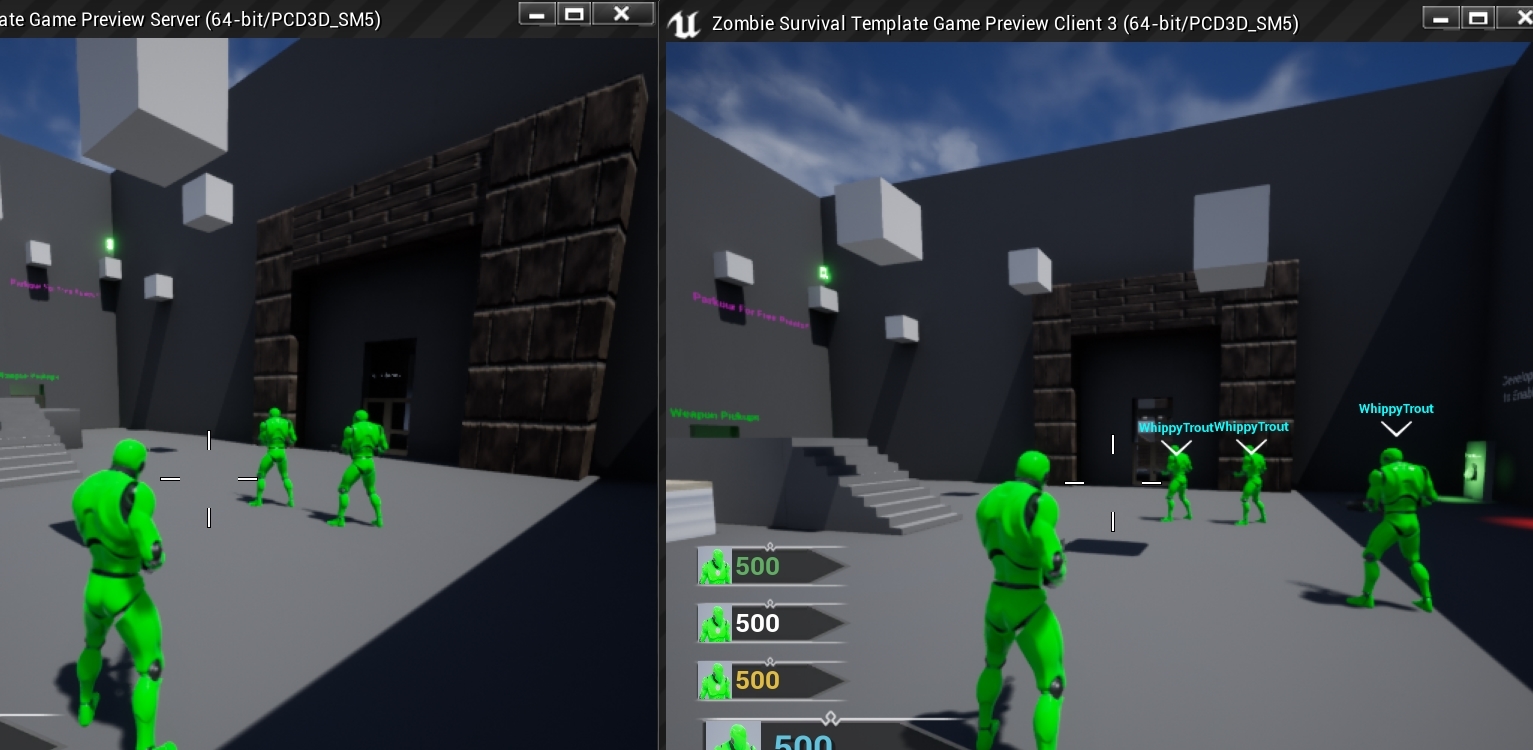
Ok so I put that other issue on hold and now I have another question. I'm trying to hide my player name widget component from my self. It works for clients but the Server player is hiding everyones names. Here is my logic flow: BeginPlay-->>ServerSetVisibility Event-->>Sets OnRepBoolean-->>That boolean's replication condition is set to OwnerOnly. Then the OnRepFunction sets the visibility of the widget component. See below how the server on the left can't see anyones names, But clients can see everyones but his own. How do I fix the Server player to do the same? https://i.gyazo.com/d6a32547a62f93098f2cf3cad0fe53eb.jpg
 stark hull
Hi, I have an architectural question. Say for example I have 2 opposing teams and each player has specific traits for that team (they are visible via a 3D widget in the world). Thus, those traits should only be visible to members of one team. How would I go about implementing the 3D widgets so that the team members can see each other's traits, but not the other team?
The way I've thought about this - is 1) to spawn 3D widgets locally on the client and populate the fields of that widget with the available data to the client through the replicated player states of other players. I would make a look up of the other player's role and if it matches the controlled player's role, the widget would be spawned, otherwise check the next player
I'm also thinking of 2) using the server to call a ClientFunction to loop through all the other pawns and show/hide the widgets per player team
winged badger
i find it easier to put the widget itself on a PlayerState Actor
and attach the PS to the Pawn
then each PS just needs to compare its TeamID with the local Player's TeamID and adjust visibility on (parts of the) widget on BeginPlay
@stark hull
stark hull
@winged badger thank you for the reply. When you say "attach" the PS do you mean have a reference to it?
winged badger
i mean physically, AttachToActor/Component
so that the PS Actor has the same position as the Pawn it belongs to
winged badger
you would probably need to have TeamID in the controller as well as PS, just to be safe
as there is no guarantee your PlayerState replicates over first
but the controller will be there before the PlayerStates replicate
delayed start would also work to ensure order
its not a big deal, bandwidth wise, one byte per player in a match
stark hull
In my case, the UI element I would want to show is far away from begin play. Just to give more context: the players have a "warm up" 10 second timer and only after that I show which team they got randomly assigned to
winged badger
then you don't have a problem there
the potential for race is only if the PlayerStates can call BeginPlay immediately as they replicate over
and need to set the team inside of it
stark hull
gotchu, I think I'm safe then hah, thanks again @winged badger
winged badger
be wary of of this abomination
    /** Return true if FindPlayerStart should use the StartSpot stored on Player instead of calling ChoosePlayerStart */
    virtual bool ShouldSpawnAtStartSpot(AController* Player);
it has the tendency to force players to respawn at the first PlayerStart that got assigned to them upon connecting
(GameModeBase) @stark hull
stark hull
Ow yeah I ran into it earlier once I figured out the "round" logic loop, it was annoying to debug
winged badger
that function has been known to cause problems in setups where team is not known at the time you load the map
if you just override it to return false, you can run find/choose playerstart normally each time
cedar finch
I'm having a similiar issue with players that load in or join into my game late and cannot see other players Names above their heads. I have a widget component in my ThirdPersonCharacter bp that displays the name. I've tried every way I can think of to replicate it using OnRep so that maybe people will see it if they join late. What is the best approach? I'll redo my approach to whatever works. I'm just wanting to learn the right way to do it. Ideas?
winged badger
if its always visible to all players
it just comes to having the component on the TPC CDO
cedar finch
My bad, I forgot to specify. So they can see the widget, the actual Name variable is not being set
winged badger
and having it feed the name to the widget and set visibility on it on BeginPlay
which is in PlayerState, right?
cedar finch
Correct I have a custom Name variable in Playerstate. I don't use the default one because I let players change their name in-game
winged badger
the PlayerName
you can rename the vanilla name as well, its just very awkward from BP
need to do it via GameMode call
there is c++ involved in this?
cedar finch
I couldn't get it working a long time ago that's why I did my own variable. I don't want to use any c++ for this.
winged badger
OnRep_PlayerState is the ideal hook for this
and its not BP accessible
(one on the Pawn)
thin stratus
@cedar finch The picking up of the weapon, where are you calling that rpc?
winged badger
aside from that you can have the PlayerState grab the Pawn on its BeginPlay and tell it "here is your name, tell the widget about it"
PlayerStates by default take a little while longer to replicate then the Pawns/Controllers
so while the Controller and Pawn have a good NetGUID for the PS by the time they call BeginPlay, the PS Actor hasn't replicated yet, and the NetGUID cannot be resolved yet
thin stratus
Iirc this name above head is just annoying cause of epic not exposing stuff to bps. A combination of PlayerState::BeginPlay and Pawn::OnRep_PlayerState solves this really quickly, but the OnRep doesn't exist in BP ,right?
winged badger
ofc it doesn't
thin stratus
😹
winged badger
i personally prefer to put those widget components on the PS itself
and attach the PS to Pawn
thin stratus
Fair solution
I can't stress enough how important it is to allow cpp in multiplayer games. Even if you code the whole game in BPs, you should always allow yourself to have an empty cpp parent class which allows you to expose stuff like the OnRep to BPs. Takes 5 min and the problem would be solved.
cedar finch
@winged badger So I'm down to do that if there isn't another way. Right now my gamemode creates the new player then that event calls the player controller event that sets the playerstate Name variable. Man this seems more complicated than it has to be lol
@thin stratus lol let me get this name thing working then we can go back to the pickup weapon.
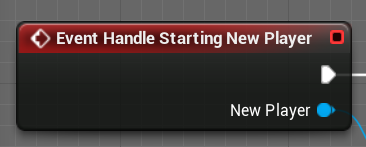
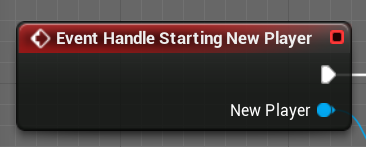
That's the event in gamemode
winged badger
he lets players rename themselves
thin stratus
But epic has a function for that 🧐
thin stratus
Yeah but that's like 3 nodes extra
cedar finch
I let the player edit their profile then save it to file. Name is one of those
thin stratus
Probably not even cause you save the playerstate nodes
rich ridge
Can anyone point me to a good guide on RPC UE4 specific?
thin stratus
Also you can pass in default names via "name=xyz" on connection iirc
winged badger
cedar finch
If I use the default name will Steam override it? Or am I even allowed to set that name? I thought in the past it didn't let me set it iirc
thin stratus
Ah, no it might override it
rich ridge
@winged badger does it have RPC stuff in details
thin stratus
It has enough for you to understand rpcs
rich ridge
Thanks bros
 gritty pelican
why i cant create delegate? DECLARE_DYNAMIC_MULTICAST_DELEGATE_OneParam(FOnSteamItemsLoadedDelegate, SteamInventoryFullUpdate_t, Result);
thin stratus
Cause that parameter is probably not a bp one :D
cedar finch
So I have gamemode, playercontroller, playerstate, and playercharacter. lol You said I need to either RepNotify the Name variable inside playerstate. Or I could attach the playerstate to the playercharacter?
thin stratus
You can't expose that steam variable to bps @gritty pelican
You need to make your own type and convert the steam one to it
Or wrap it into a struct at least
winged badger
idea about attaching the PS to Pawn is basically
widget is using the PS as a Context, it has all the information widget is supposed to be displaying
gritty pelican
struct FSteamInventoryFullUpdateResult
{
GENERATED_BODY()

SteamInventoryFullUpdate_t Value;

};``` right? @thin stratusbut being a widget on a WidgetComponent, where the widget is rendered depends on where that component is
cedar finch
My ghetto way of setting the player names works until someone loads/joins late. Basically I have the playername in my playercontroller. It sets the variable inside playerstate. I just don't know what to do next
winged badger
and thats why you attach the PS, so it keeps the same location as the Pawn at all times
with the WidgetComponent being on the PS, not the Pawn
gritty pelican
and delegate DECLARE_DYNAMIC_MULTICAST_DELEGATE_OneParam(FOnSteamItemsLoadedDelegate, FSteamInventoryFullUpdateResult, Result);
cedar finch
What happens when the player dies and gets destroyed?
winged badger
it will compile, but be completely useless from BP as far as parameter goes
cedar finch
Does his name just float there?
winged badger
then just lose the DYNAMIC from the delegate
it won't be even visible from BP, and it will run faster, and no need to wrap anything
gritty pelican
I need dynamics, as I will convert the structure to int in the future in BP
winged badger
you just said "i don't need BP"
but if you do
then that wrapper struct should take the steam type in the constructor
and do the conversion to int, stash that into a BlueprintReadOnly UPROPERTY
problem with that is steam params converted to int usually translate into uint64, which BP does not support
cedar finch
@thin stratus So my pickup weapon is called in my player character. If your not the server then the server runs the pickup again. https://i.gyazo.com/d88d6c7664873bae37aeca5776a4961c.png
https://i.gyazo.com/2338fc33eb40402a817766c4345f3011.png
Clients can see the new weapon they picked up but everyone else still see's the same weapon.
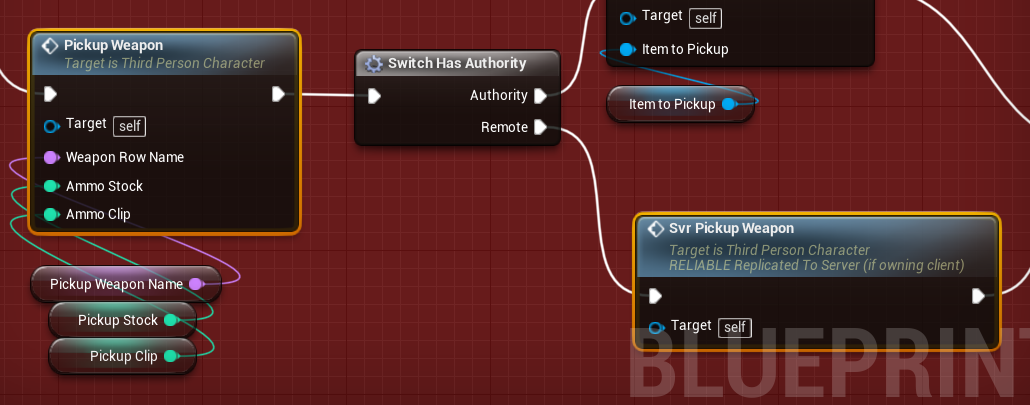
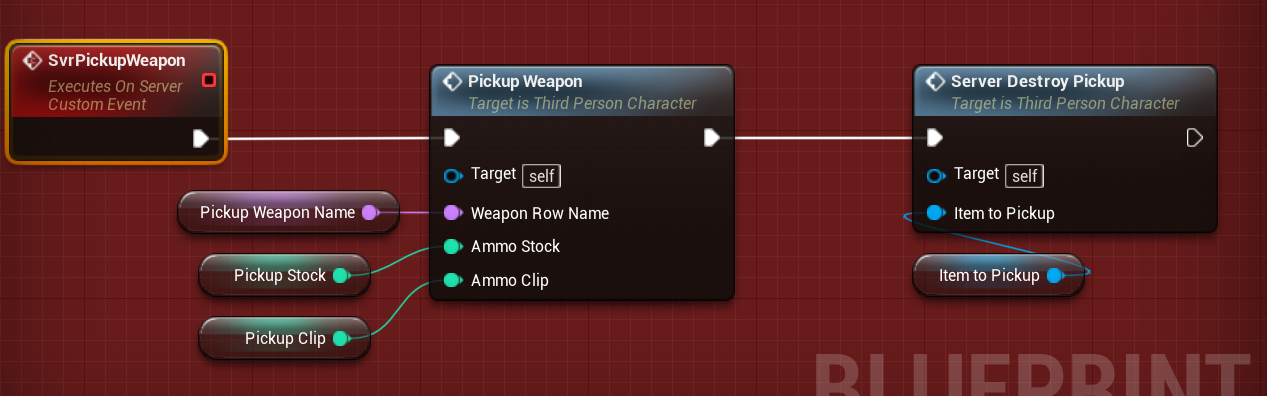

 winged badger
then add the UPROPERTY(BlueprintReadOnly) int32 Value; Rename the steam type, add a
FSteamInventoryFullUpdateResult(SteamInventoryFullUpdate_t InValue)
{
  Value = ConvertToInt(InValue):
}
I put the actual changing of the weapon mesh and the animation iside an RepNotify but it's only showing for that client and the Server. https://i.gyazo.com/f95d6bc56577c09c9bca1dc78902f258.png
https://i.gyazo.com/0c49c8a42737ddbcb48f9c17ea7431a6.png
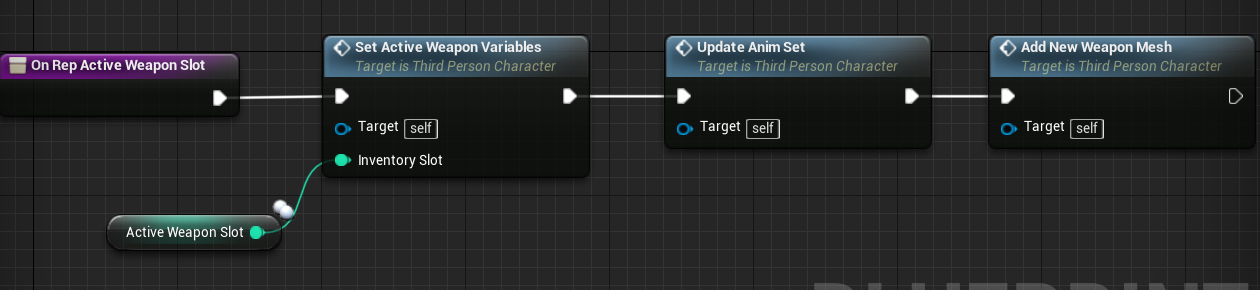
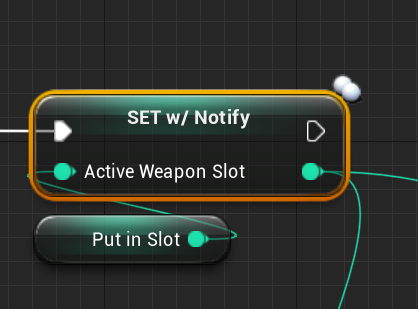
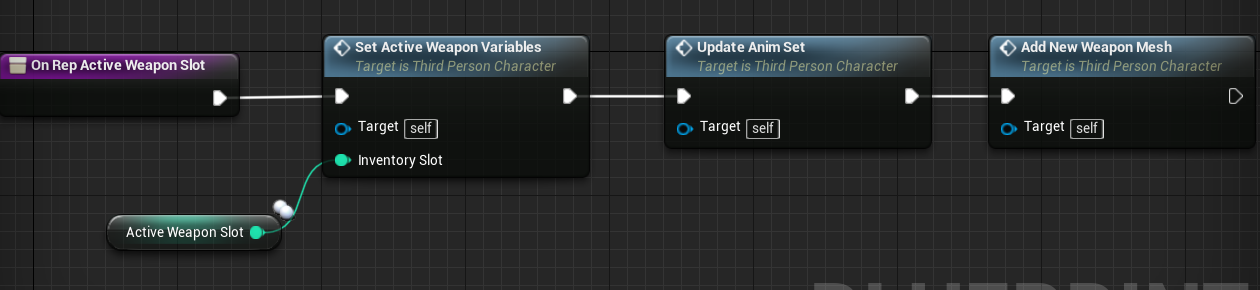
IDK basically I'm asking "If I set a RepNotify" variable while "OnServer" why does it not replicate to everyone? Usually it does". I may just step back and think about it. Feel free to message me or ping me if you have ideas.
gritty pelican
struct FSteamInventoryFullUpdateResult(SteamInventoryFullUpdate_t InValue)
{
    UPROPERTY(BlueprintReadOnly)
    int32 Value;
    Value = ConvertToInt(InValue);
}``` right?@winged badger
winged badger
no idea is to do
OnSteamInventoryUpdate.Broadcast(FSteamInventoryUpdateResult(InSteamTypeValue));
for that struct needs to have a constructor that takes steam type, converts it to int and sets it
which is what i wrote above
it still needs the GENERATED_BODY and all that
and the actual ConvertToInt function
gritty pelican
Okay, STEAM_CALLBACK(ACPP_DesertPlayerController, OnSteamInventoryFullUpdate, SteamInventoryFullUpdate_t, OnSteamInventoryFullUpdateCallback); I try to make this work as well, but I get a lot of errors.
and I don’t know how to properly bind the delegate in the constructor OnSteamInventoryFullUpdate.AddDynamic(this, &ACPP_DesertPlayerController::OnSteamInventoryFullUpdateCallback);
{
}``` FOnSteamItemsLoadedDelegate OnSteamInventoryFullUpdate; ```
Should I indicate the name of the function or callback? OnSteamInventoryFullUpdate or OnSteamInventoryFullUpdateCallback?I spent 6 hours, I didn’t understand anything
thin stratus
I usually call them OnSteamInventoryFullyUpdated so basically some past tense.
The problem is basically that you are using a DELEGATE version that can be exposed to BPs.
And cause of that you are limited to types that BPs understand.
So if you wish to use SteamInventoryFulUpdate_t then you have to wrap it into a struct that BP can understand.
If you don't want to expose this to BPs, then you can just keep the SteamInventoryFullUpdate_t in the struct and that's it.
Cause you can just grab it in C++ and work with it.
If you however want to expose it to BPs, then you need to add functions that use the struct and access the inner Steam variable to return information that BPs can understand.
That's the overall "way" of exposing non-BP types.
USTRUCT(BlueprintType)
struct FSteamInventoryFullUpdate
{
public:
    SteamInventoryFullUpdate_t* SteamValue;
    FSteamInventoryFullUpdate(SteamInventoryFullUpdate_t* InValue)
    {
        SteamValue = InValue;
    }
}
That shoud be enough to work with it.
(I think it's a pointer, or?)
gritty pelican
thanks
STEAM_CALLBACK(ACPP_DesertPlayerController, OnSteamInventoryFullUpdate, SteamInventoryFullUpdate_t, OnSteamInventoryFullUpdateCallback);Am I calling this correctly?
and this DECLARE_DYNAMIC_MULTICAST_DELEGATE_OneParam(FOnSteamItemsLoadedDelegate, FSteamInventoryFullUpdate, Result);
thin stratus
If you later need this in BP then you can do this:
UFUNCTION(BlueprintPure, Category = "Steam")
static bool GetSomeBoolFromSteamInventoryFullUpdate(const FSteamInventoryFullUpdate& InBPSteamStuff);

bool UYourLibrary::GetSomeBoolFromSteamInventoryFullUpdate(const FSteamInventoryFullUpdate& InBPSteamStuff)
{
    return InBPSteamStuff.SteamValue->GetSomeBool();
}
Not sure if that thing holds any boolean info, just an example
Am I calling this correctly?
Don't know. Does it compile?
The delegate looks fine
thin stratus
No
gritty pelican
;
struct FSteamInventoryFullUpdate
{
public:
    SteamInventoryFullUpdate_t SteamValue;
    FSteamInventoryFullUpdate(SteamInventoryFullUpdate_t InValue)
    {
        SteamValue = InValue;
    }
}```:P See code typed here as pseudo code. I didn't check if it compiles.
gritty pelican
for USTRUCT
thin stratus
Not sure if it's needed if you don't expose anything. I hate these macros because half the time I forget when/what/where they do.
Add it, just to be sure.
gritty pelican
{
}```
{
}``` Does the delegate need to specify the class at the beginning of the function?The STEAM_CALLBACK one? Honestly, no idea. I touch that every 12 months once or so.
gritty pelican
Yes, I only need one STEAM_CALLBACK to get the entire list of items from the Steam inventory
errors '_Script_ABYSS421_eventOnSteamItemsLoadedDelegate_Parms::_Script_ABYSS421_eventOnSteamItemsLoadedDelegate_Parms(void)': attempting to reference a deleted function
code DECLARE_DYNAMIC_MULTICAST_DELEGATE_OneParam(FOnSteamItemsLoadedDelegate, FSteamInventoryFullUpdate, Result);
https://github.com/davevill/UE4-Steamworks/blob/master/Source/Steamworks/Private/SteamworksManager.cpp
I found a code sample, but I don’t understand how it all works

GitHub
Steamworks plugin for Unreal Engine. Contribute to davevill/UE4-Steamworks development by creating an account on GitHub.
thin stratus
Looks like a member function is used.
So if you define this outside of the header/class, you have to put the class name infront of it.
gritty pelican
I will go read the documentation
plush mist
is it possible to fix wheels jitter and wheels move under terrain on client in vehicle game ?
replication is just fine. but wheels are so strange on clients
 winged quail
NoCodeBugsFree is this only when they lag?
winged quail
idk then, something weird is going on here
marble depot
hey, I have a weird problem with my servers. they suddenly stopped connecting to Steam. they spam out [S_API FAIL] SteamAPI_Init() failed; SteamAPI_IsSteamRunning() failed. [S_API FAIL] SteamAPI_Init() failed; unable to locate a running instance of Steam, or a local steamclient.so.
they've been running for months with no problem whatsoever. nothing changed on my side, maybe a Valve API change? i haven't been able to get it working at all. any help? thanks
winged quail
@marble depot i think you have 2 instances open on the same machine
marble depot
nope
marble depot
i have tested on multiple servers, there aren't multiple instances on the same port. there is a different message the server gives when this is the case
deployed dedicated server
winged quail
is steam running and signed in?
marble depot
do you mean on the client? yes
winged quail
not client. Server
marble depot
it's a server, it doesn't work like that
marble depot
you need the steamclient.so (or dll if you're on windows) and then the server uses that to connect to steam
i mean unless something changed on valve's side in the last month, yes. i've been doing this process for almost two years without problems
winged quail
@marble depot so what ur saying is if you don't put steamclient.dll you could use steam (client) to connect?
marble depot
if you don't give the server the library, it won't be able to connect to steam
and the obvious question is: do i have a steamclient.so along the server binary? yes i do
winged quail
[S_API FAIL] SteamAPI_Init() failed; unable to locate a running instance of Steam, or a local steamclient.so.```ok so if steamclient.so fails why don't u try to download steam and sign in and test
marble depot
what do you mean by that
winged quail
do u connect via ssh?
marble depot
it's a headless production server, yes
winged quail
i mean if u can see the gui of server then you can download steam from website and sign in and try it
because i see only 2 reasons it wouldn't work
marble depot
that won't work. the server uses a separate client. i remember doing that when first learning how dedicated servers work, and that doesn't work
winged quail
unable to locate a running instance of Steam: which i did 2 years ago and it worked
split gust
- In most cases, you'll want your dedicated server to be able to run in anonymous mode so that you don't need the Steam Client or a specific Steam user to be signed in to run it. So, when you use the controls to release your tool, the dedicated server appID and associated depot(s) will automatically be added to the anonymous steamcmd package (pkg 17906) to be downloadable using SteamCMD in anonymous mode.
- The appID will get marked as 'released' so that you can actually run the server via SteamCMD.
marble depot
my game is released and i have an appid of my own
split gust
did you add the steam_appid.txt file?
marble depot
yep
winged quail
run it in anonymous mode
winged quail
i don't remember. try -anonymous as extra arguments
split gust
maybe -login anonymous
 crude sparrow
Hi there, anyone know what is the best way to deploy a server that can be available for chinese people? We are currently hosting on Amazon Virginia but it seems to be blocked in China
split gust
or -log -AUTH_LOGIN=anonymous
marble depot
just tried, not working
winged quail
i think -AUTH_LOGIN=anonymous should work. Remember doing something similar
check this tutorial out https://youtu.be/L3FCsGgJ-fA?t=3343

In this tutorial, you will learn how to build a dedicated server for Steam using Unreal Engine 4.19.2.
I know that another guy made a video about it, but it didn't work for me, so I decided to do a tutorial when I fix all the problems I had.
My tutorial notes and screenshot...
marble depot
i know that tutorial, what exactly should i be looking at?
marble depot
i haven't changed anything in the last 3 months
winged quail
last month it was working?
marble depot
yeah
winged quail
🤔
marble depot
and then one day it just stopped working
winged quail
u tried restarting vm instance?
marble depot
at first i thought it was the server they were running on, so I changed to another server I had and surprise surprise it still wasn't working
winged quail
can u post ur full server log?
winged quail
@marble depot i don't see anything wrong with it
also there is no trace of unable to locate a running instance of Steam error
marble depot
winged quail
does it work on local machine?
marble depot
i haven't bothered compiling a Windows server to test
winged quail
you should have a testing server. It just makes your life easier
anyways i see this online: https://github.com/FezVrasta/ark-server-tools/issues/677#issuecomment-265275928

GitHub
Hello, The server is running pretty fine, but i got this message in /var/log/arktools/arkserver.log : 2016-12-06 14:03:44: start 2016-12-06 14:03:44: Running /home/steam/ARK/ShooterGame/Binaries/Li...
marble depot
yes, it can be ignored when the server actually works. it spits it out from time to time, but it still works. not on this occasion though
winged quail
maybe something else is at fault
marble depot
i have testing servers. linux testing servers. if it would work on windows, but not linux, what would i even be doing then
winged quail
Issue #626 is open for the new build failing with the symlink issue, the solution is to update to the latest steam.deb http://repo.steampowered.com/steam/archive/precise/steam_latest.deb then TF2 and the client is ok.
saw this online too thats why i think error is related to linux
marble depot
is it a recent issue?
winged quail
have you tried updating to latest steamclient.so ? Idk mabye that will break everything
is it a recent issue?
@marble depot no its from 2013. But at this point I can't offer more solutions
marble depot
yeah, I tried using both the old steamclient.so i've been using for months and the latest one. same result
coarse furnace
Hello. To be sure, I don't think it's possible to do a local split-screen coop experience where players can be in different levels, right?
Unless I use level streaming maybe? (but I don't intend to)
marble depot
update: I have compiled another linux server and tested it on a few machines (ubuntu + centos). same exact result... honestly i'm at a loss. i can't understand how with absolutely no change they stop working and i can't get them working again...
 sonic comet
@marble depot The steamapi_init call should give some error information on the 'output' channel, which I believe you can only see with a debugger like visual studios attached to the process. Trying to get that info might help
marble depot
this is good to know, but I don't think i can link a debugger to VSCode on linux (because there's no visual studio on linux) and get the server to launch through the debugger. unless i can replicate the exact same problem with a windows server
 raven trench
I've been reading through the network compendium, and trying to understand this diagram, as I'm doing my best to understand and adopt best practices for multiplayer PvP.
I'm struggling a little to know what goes where between the player controller and player character. Say I was making a melee PvP game, why would I not just put all movement and attacks etc in the player controller? Sorry if this is basic shit.
 half jewel
like input ?
logic for melee attacks should be on the character (pawn)
and input and control for the character should be on the player controller
playercontrollers dont exist on other players machines so you cant replicate stuff if all ur logic is on PC
raven trench
appreciate the quick response mate, really appreciate it
the reason I struggle to fully understand that is because surely each client sees other clients movement, so why would having the attacks on the controller not behave the same?
half jewel
because the controller does not exist on their machines
raven trench
apologies, just doing my best to fully understand
half jewel
the server has no way to tell those clients whats going on
the thing doing the melee attacks is the player character its what everyone would see so its better to do all logic there
from a programming standpoint and a ue4 networking standpoint too
raven trench
ok I get that, but why I'm confused is because you said control for the character should be on player controller. So you mean controlling like movement and jumping? Or should all that be on character too?
half jewel
depends on a bunch of things
usually better to leave input on the character side
in case you would have multiple types of characters with different possible inputs in the future
playercharacters can handle input by themselves
without needing the playercontroller to pass input threw
raven trench
ok, think I'm getting it. Basically, I can't go too wrong by putting player movement and attacks on the character?
half jewel
so to make things more clearly, the playercontroller is that players relationship to the server and only the server. its a server<->localClient relationship. so really heavy stuff like loading the players progress on the server can be done in PC. it will remain forever for aslong as the player remains connected.
the playercharacter on the other hand exists on everyones machine. so the server can run code on every1's machine... aka seeing the player character do a melee swing because the server willed it to be so based on the owning players input. These characters are not permanent. they die, they can be destroyed (if thats wat happens in ur game).
that being said you can do w/e you want in the playercharacter, if you can control its volatility when it "dies" in your melee game.
raven trench
mate thank you so much for that! You're a lamb! Really appreciate you taking the time to explain it
for some reason I was under the impression putting things in the player character made it easier for people to cheat, so was trying to do everything in the controller
half jewel
not at all, the server will remain authoritive. players cant use another playercharacter to send commands to the server on its behaf. because they are not the owner of that playercharacter.
if they try to send a playerinput rpc threw another playercharacter it wont work.
but picture this, you make an RPC with say, equip sword or something.. you need to make sure the server has logic to check to see if the sword exists.
because anyone can tell the server anything threw the copy of the playercharacter they own threw the server rpcs you make.
raven trench
ok got it I think mate. Thanks again for explaining it all! Very grateful!
echo snow
Sometimes both player load
But sometimes only one of them load and the other is stuck in the editor cam
Anyone know the reason?
meager spade
4.24? @echo snow
if so it happens alot
even if nothing is blocking the player start
marble depot
update on my situation: I compiled a Windows server and it's the exact same thing - but it doesn't say anything about the steam client. it just doesn't show up in the server list & i'm not able to connect to it...
meager spade
your app id correct?
marble depot
yes
meager spade
no
LogKaosWeapon=Verbose
LogKaos=Verbose
LogKaosInventory=Verbose```like that in the Engine.ini file
and choose like LogSteam or w/e the logs are
LogNet, etc
marble depot
did that, compiled a server and looking through the log and to it, everything's working properly
the only bad thing that I see is:
[2020.02.14-18.00.30:007][ 42]LogNet: World NetDriver shutdown SteamNetDriver_0 [GameNetDriver]
[2020.02.14-18.00.30:007][ 42]LogNet: DestroyNamedNetDriver SteamNetDriver_0 [GameNetDriver]
[2020.02.14-18.00.30:007][ 42]LogExit: GameNetDriver SteamNetDriver_0 shut down
it's after it finishes loading everything and is listening
 viral kite
I have a very noobish question, I added multiplayer support to a test project, it works if I try it on my two pcs (lan is unchecked) I can create the session and join with the other pc... but if I give the game to a friend it is not working.
 viscid escarp
@viral kite so you are working with a dedicated server?
because if lan is unchecked is should be a dedicated server
viral kite
ne i have no dedicated server -.-
viscid escarp
so you have to check LAN and connect with something like hamashi
btw someone know if i should build my game in VS with "Development Server" everytime before package the dedicated server?
viral kite
a dedicated server is not possible with blueprints?
marble depot
no, you have to compile the engine from source
viscid escarp
yeah, but you dont have to know c++