#multiplayer
1 messages · Page 514 of 1
 foggy idol
 pseudo iris
how would i insert the client and authority on here
foggy idol
lemme fix it in real quick
pseudo iris
I still don't see where I tell the gun to fire either
foggy idol
that screen shot is untested
foggy idol
its the general BP
i assume you using children so instead of having to create a whole new Bp you would just have create a child and change some variables
in order to make new guns
foggy idol
so then the current weapon variable is the general object
this is how i set it up from the input event
pseudo iris
sure
foggy idol
if your Gun variable is referencing your general gun Bp you dint have to get the child actor you can just cast directly
foggy idol
and the switch has authority node is irrelevant
pseudo iris
well the gun variable is just the reference to the gun child object within the player
foggy idol
and its type is the gun general object right ?
foggy idol
then just use it directly
no need to get child actor
and well get to tracing from the gun
lets finish with the character first
foggy idol
try setting up the input event like this https://cdn.discordapp.com/attachments/221799385611239424/663250015539429408/unknown.png
 pseudo iris
you told me for the server start firing to make the inputs for the gun parent the base class
foggy idol
yes
pseudo iris
tha wont work
foggy idol
substitute current weapon for gun
pseudo iris
it won't connect to the gun parent target
foggy idol
ohhhhhhhh
i use variables
i attach the weapon then set the variable to the attached weapon
pseudo iris
do you do that in begin play or event tick
foggy idol
i dont use begin play for much due to replication latency
i have an event thats called when the player picks up a weapon
the weapon is attached to the player
pseudo iris
what about the weapon at the start
foggy idol
like if i want the players to start the game with weapons?
foggy idol
after spawning the players i spawn the weapon and then call the event on the character then plug in the spawned weapon
in do this in my game mode blueprint
because i spawn the players myself in order to make changes like skins, clothes etc
foggy idol
if i explain my whole setup you would have to remove the component and change a lot of things
are you sure you want to do that ?
pseudo iris
I don't think so
foggy idol
then my advice is to wait for one of the more experienced people in using components or for one of the mods to come online
foggy idol
because i honestly dont know how to do it with components
sure
i can try
how does the gun component work
pseudo iris
i did what you recommended and got the owner within the gun itself
and the cast is failing
foggy idol
dont get player controller
in your character bp you have to set the owner of the gun to the character
but as i said my setup is for a variable not a component
thus i think its would be better for you to go back to your original setup
and wait for a more experienced user to come online
foggy idol
im sorry i couldnt be of more help
pseudo iris
nah i appreciate it
foggy idol
🙂
 cunning shoal
alright so got the sounds figured out
but the dififuclt challenge now is to make stop sprinting smooth when dealing with a laggy connection
this is where it turns on sprint, if it's a local client telling it to sprint, then it turns on instantly, and then asks the server - starting to sprint it is smooth... but turning it off is rough... it jolts back
this is the server part - most of the code is for a smooth progress/stamina bar animation, not for the actual sprinting
foggy idol
maybe its because stop sprint smooth is connected to stop instead of reverse
cunning shoal
the timeline is just for the progress bar that shows how much sprint you have remaining though
cunning shoal
no worries, appreciate the input either way 🙂
multiplayer is very challenging to get things working smoothly..... I mean I knew it would be difficult... but the lag compensation has to be the worst
foggy idol
yeah
cunning shoal
think I got it actually lol... had to set the sprinting variable to replicate but the condition to "skip owner" and also do the branch and is local controlled on the SprintToClients event
saying false
tried it with 800ms lag on 2 clients with a dedicated server so basically 1,600ms lag and it was smooth
 nocturne roost
Hey all, I have a question about unreal multiplayer, and I was wondering if it is possible to kind of "stream" the map to the players, basically I want to stop the players from downloading and looking at the entire map so they don't find secrets in the map or anything by using third party software to view the map
 steady cape
I still struggling. Now I attempted to do chat, so that entered text should be send to server for further broadcast of it to all players. But the case is... it just doesn't work
Breakpoint of TransitPlayerChatMessage does not trigger
HELP ME!
(And yes, I tried to send data directly to Game State, but it doesn't work too)
 dusty brook
hi there, what reason you may have to implement an online subsystem if you want to use your own SDK for networking ? would that be a problem if you need something from the Steam SDK?
 thin stratus
Subsystems are interfaced. Means if you release on multiple platforms, ue4 can choose the right subsystem for you. Otherwise you have to handle it yourself
dusty brook
the SDK is multiplatform i link it manually and the code is the same for all platforms anyway
 reef zinc
Is seamless travel broken in 4.22 (using VR-Expansion plugin)? My clients crash (Oculus Quest) when server traveling with seamless travel enabled... Has anyone experienced this?
When debugging the client throws an error (right after?) traveling:
01-05 12:51:05.963: D/UE4(19738): localhost-0003199708
01-05 12:51:05.963: D/UE4(19738): [2020.01.05-11.51.05:963][483]LogWorld: SeamlessTravel to: /Game/Levels/ROOM_01
01-05 12:51:06.032: D/UE4(19738): [2020.01.05-11.51.06:032][484]LogAudioMixer: Display: Flush succeeded in the source manager command queue (1).
01-05 12:51:06.047: D/UE4(19738): [2020.01.05-11.51.06:047][484]LogAudio: Warning: Waited 36.750259ms for audio thread.
01-05 12:51:06.056: D/UE4(19738): [2020.01.05-11.51.06:056][484]LogAudioMixer: Display: Flush succeeded the source manager command queue (2).
01-05 12:51:06.056: D/UE4(19738): [2020.01.05-11.51.06:056][484]LogAudio: Warning: Waited 46.268700ms for audio thread.
01-05 12:51:06.088: D/UE4(19738): [2020.01.05-11.51.06:088][484]LogUObjectHash: Compacting FUObjectHashTables data took 4.53ms
01-05 12:51:06.094: D/UE4(19738): [2020.01.05-11.51.06:094][484]LogStats: SeamlessTravel FlushLevelStreaming - 0.002 s
01-05 12:51:06.097: D/UE4(19738): [2020.01.05-11.51.06:097][484]LogWorld: Bringing World /Game/TransitionLevel.TransitionLevel up for play (max tick rate 0) at 2020.01.05-12.51.06
01-05 12:51:06.098: A/libc(19738): Fatal signal 11 (SIGSEGV), code 2, fault addr 0xdddddddc in tid 19755 (Thread-2)
Also, it's working on windows without crashing.. (I don't have a vr-headset connected to my pc)
reef zinc
Okay I figured that no player is being spawned after the travel which could cause the quest to quit the game..
 sleek harness
hey yall, im having trouble replicating dynamic animation (any one up to help?)
im getting camera rotation bugs
pseudo iris
anybody around who could help me with replicating line traces? I can't get them to rotate
 potent prairie
How do you correctly use seamless travel? My game is acting as if it's a brand new player connecting when I use servertravel to load a level, running all the Begin Play stuff again on the player controller. Does seamless travel not store connected players?
 thin monolith
I have a umg widget in world space, and a widgetinteraction... for some reason whenever launching in multiplayer mode, the hover effects on the widgets do not work... any ideas? It works fine in singleplayer, and it's just a hover effect from the widget itself with no code
thin stratus
@potent prairie Mark the gamemode as using SeamlessTravel and using "ServerTravel <mapname>"
That's sort of all. Doens't work in PIE though.
potent prairie
Yeah it loads the level and all in standalone, but its running all my begin play code all over again
So all my players get reset. No more inventory, stats back to full, etc.
so just wondering if this is intended for the seamless travel to be running begin play on the controller all over again?
any variables ive set on the controller arent carried over either
like its a fresh controller. I dunno I'm just confused about this
thin stratus
Not 100% sure but I would expect it to
potent prairie
I guess a temp work around is to save all the player info right before loading the level to the game instance
thin stratus
Well the Actors aren't kept iirc
At least not if it's a different class
But the GameMode calls OnSwapPlayerControllers
potent prairie
okay. in that case it makes sense it reruns the controller stuff
thin stratus
and the PlayerState has the OnCopyProperties/OnOverrideWith methods
That's used for moving stuff over
potent prairie
okay cool ill check those out
either way it sounds like I need to store at least the PlayerController somewhere, maybe in the GameMode? And then grab a reference to it when I load the seamless level
thin stratus
As said, GameMode has a function that gives you old and new PC
potent prairie
yeah just tested it out, I see how it works now I'll play with that. thanks
 opaque flicker
how to get the current session that I'm currently hosting in blueprint?
opaque flicker
I'm using advaned session plugin, does it allow that ?
thin stratus
No idea, check its documentation
 odd iron
Hello Friends
if im using cpp servertravel can i use Blueprint to return the map path ?
like if i have more than 2 maps the players will select one and its will return through bp to the code
thin stratus
Well yeah
You can mark your C++ functions as UFUNCTION and make it BlueprintCallable, or whatever you need.
thin stratus
Sort of depends on what kind of setup you have. BlueprintCallable will make the function available in BP.
You can also have overridable functions with BlueprintImplementable (no c++ implementation) and BlueprintNativeEvent (c++ and bp implementation).
Relative to the Actor/Object the function lives in of course
odd iron
Cool i will try and see what can i do 
 limber gyro
Hey guys, first time here, hoping you guys can help me with an issue
When moving side to side in a multiplayer game the other players characters seem to pop in the wrong direction when changing directions or when stopping
i was under the impression unreals movement component would smooth this out by itself? the same behaviour is present in a clean project
thin monolith
So regarding my earlier widget interaction hovering problem - it appears that On Hover on the button works just fine (I added a separate on hover event and a print string)... it's just that the hover style (just a bg color change) does not get applied when game is launched in multiplayer
Otherwise the interaction works... but there was another strange problem that I had to replace on click with on press because on click only worked in singleplayer
Okay looks like it might just be an issue with virtual user index and pointer index.. both look like they have to be unique
Also in case anyone runs into similar issues - if you "run in same process" when testing, that also causes problems with this :P
 granite jolt
I learned a while ago about that when I was doing some level streaming multiplayer tests.
kind of makes you feel that all previous testing was bugged somehow
limber gyro
i just tested with a friend on an actual packaged game and its not noticeable, only when the game is running in the editor
weird
 grizzled tide
Hi
someone has been able to heritage a class from UNetDriver?
when i try always get Severity Code Description Project File Line Suppression State
Error LNK2019 unresolved external symbol "__declspec(dllimport) public: __cdecl FDDoSDetection::~FDDoSDetection(void)" (_imp??1FDDoSDetection@@QEAA@XZ) referenced in function "public: virtual __cdecl UNetDriver::~UNetDriver(void)" (??1UNetDriver@@UEAA@XZ) CastleVersus D:\Projects\Mobile\CastleVersus\Intermediate\ProjectFiles\MobileNetConnection.cpp.obj 1
if i make a child of UIpNetDriver that error dissapear but UIpNetDriver has some code that is provate and i dont need to be executed
limber gyro
arent u missing a include somewhere?
i usualy get those kind of errors when i forget includes
 bitter oriole
This is an error caused either by a missing dependency in build.cs, or by the class or method not exposed in the UE4 API.
grizzled tide
as far as i cant tell i dont. i have been looking at some plugings and im using their same headers
bitter oriole
Not included related
grizzled tide
als cocheck build.cs
using UnrealBuildTool;

public class CastleVersus : ModuleRules
{
    public CastleVersus(ReadOnlyTargetRules Target) : base(Target)
    {
        PCHUsage = PCHUsageMode.UseExplicitOrSharedPCHs;

        PublicDependencyModuleNames.AddRange(new string[] { "Core", "CoreUObject", "Engine", "InputCore","Paper2D", "UMG", "Slate", "SlateCore" ,
            "Sockets","Networking","OnlineSubsystem", "OnlineSubsystemUtils",
              "Json","JsonUtilities","WebSockets"  });

        PrivateDependencyModuleNames.AddRange(new string[] { "OpenSSL","PacketHandler"  });

        // Uncomment if you are using Slate UI
         PrivateDependencyModuleNames.AddRange(new string[] { "Slate", "SlateCore" });

        // Uncomment if you are using online features
      PrivateDependencyModuleNames.Add("OnlineSubsystem");

        // To include OnlineSubsystemSteam, add it to the plugins section in your uproject file with the Enabled attribute set to true
    }
}
PacketHandler should be dependency for DDos
bitter oriole
I don't see NetCore in your dependencies, either
Which is where FDDoSDetection is defined
grizzled tide
The constructor of UnetDriver class the error
bitter oriole
Add NetCore
grizzled tide
netcore?
bitter oriole
The PacketHandler module does not define FDDoSDetection, NetCore does.
grizzled tide
are you sure that is the name? build dont recognize
grizzled tide
oh wait
i added a extra space lol
it was netcore
omg im so hayppy i was like 4 days with this
thank you!
bitter oriole
Let me tell you the process here
- find the file where the class is defined (actual .cpp with constructor)
- go upward in folders until you find Build.cs
- name of the module defined in that file is your dep
Completely failproof
potent prairie
so every time I open a new level with seamless travel, do I need to respawn the player pawn and all that? Or is there a way to just bring it over and not have to spawn it?
limber gyro
keep in mind im not 100% sure
in your level theres a game mode setting that you can change, in your game mode theres a default pawn option, if theres a player start i think it will atempt to spawn the pawn specified in ur game mode in the player start, if not i think it will spawn in 0 0 0
if there is not player specified in the game mode it wont spawn anything and you will have a camera spawned at 0 0 0
you are not bringin it over, they will just spawn again automatically, if you wanna bring anything over from a previous leve lyour gonna need to use the game instance class/blueprint
potent prairie
okay thats what i figured, ill use the game instance
 hoary lark
it's right in the official docs, it's right in Exi's compendium, read em @potent prairie
https://docs.unrealengine.com/en-US/Gameplay/Networking/Travelling/index.html
http://cedric-neukirchen.net/Downloads/Compendium/UE4_Network_Compendium_by_Cedric_eXi_Neukirchen_BW.pdf
potent prairie
yeah i read those earlier but im not using c++
got it working in blueprint with the game instance though so all good
thin monolith
I have the most bizarre bugs... my listen server character does not replicate up/down aiming, and my client character does not replicate left/right aiming, but replicates up/down aiming... :D
why do I get the feeling this is because I'm doing my own rotation logic because I couldn't figure out how to make control rotation work correctly when the character's roll was changed
 dense grotto
anyone here have experience with steam dedicated servers?
i have a pretty tidy little docker setup with all the right ports exposed (27015 / 7777) and LogOnline: STEAM: AUTH: Steam Auth Enabled in the logs + some other markers
in addition to this, whenever i try to launch my client from steam and find sessions theres a bit of a delay but still comes back with 0. if the server isnt up it immediately says 0
which makes me think theres just a configuration issue
 twin juniper
I updated my project from 4.23 to 4.24 and not I get warnings that my SubsystemSteam couldn't be found now. I haven't changed anything with my .ini or build files. I do see my Logs say "OSS: Creating online subsystem instance for Steam and then next entry says "OnlineSubsytemSteam::Shutdown()" Did something change between the two versions on UE4? I also have NULL disabled to see if it was superseding Steam with no luck
bitter oriole
What's the context here ?
twin juniper
as in? I upgrade the engine and tried to run a standalone game of my project and The steam side of things no longer work (Steam64 and playername)
bitter oriole
So it's a standalone packaged game ?
twin juniper
No, I just launched it within the editor
bitter oriole
Using "launch", not play-in-editor ?
twin juniper
correct
bitter oriole
Then it definitely looks weird.
I don't think I enabled Steam yet on 4.24, should probably check
twin juniper
I tried PIE (standalone game option) and get the error too. might have to stick with 4.23 then. I am not using UWork so I know it's not that
bitter oriole
PIE can't work
And it never did
OSSs simply aren't supported in editor, so that isn't new at least
Standalone not working is more of a concern
twin juniper
True, I just wanted to see if I got the usual errors from doing so
Just thought it was weird it seems to create and instance of steam and then instantly shuts it down
bitter oriole
Looks weird yeah.
 rain coral
Just doing a small test on a Character BP, this seems to rotate the player twice as fast on the server as on the client. I have no idea why, it doesn't seem to be called twice on the server or anything. Ideas?
bitter oriole
You're calling Rotate twice on server.
rain coral
That's the client though, right? It calls it on the server, then on itself
twin juniper
remove that Rotate after the Server Rotate and you will be good
rain coral
When a client calls a server function, it doesn't execute locally. Remote is client in this case, isn't it?
bitter oriole
The basic problem here is that on Authority, you rotate
Then the Remote client asks the server (Authority) to rotate
Before rotating itself locally
rain coral
But when a client runs this, it only runs the 'Remote' part, the server doesn't call anything since it doesn't get input from the clients
If I remove the 'Server Rotate' nothing happens on server, if I remove the 'Rotate', nothing happens on client (only on server) - so I need both. But something causes it to rotate twice as fast on the server, which I don't understand. I can zip this up in a tiny minimal project if someone has time to look
rain coral
@bitter oriole It seems to happen only when 'Replicate movement' is enabled on the Character. So the client rotates at 'normal' speed on the server, but slower on the client, perhaps due to being corrected? Not sure. Because if it only calls the server command and nothing else, it still doesn't get any rotation replicated, so I don't see how that can be the cause =(
Video: first with Replicate Movement, then without
bitter oriole
You shouldnt use rep movement on character.
rain coral
Why not?
bitter oriole
Because the character movement component is responsible for MP movements of Characters
"replicate movement" does something much more basic
twin juniper
How new are you to Networking in UE4?
rain coral
Is there a specific setting for CMC to replicate movement? I thought the Character overrides the more basic replication function and hooks up the CMC to do all the reconciliation, smoothing etc.
@twin juniper I've got some experience, but I've recently switched from a Pawn to a Character (and don't know much about Character) because of my headache caused by trying to replicate movement manually, and because it's a more robust character controller than I had made
bitter oriole
CMC handles the entire movement
Of course, you can't change the actor's movement without going through it
So no "add actor rotation" etc
rain coral
@bitter oriole I've never found anything relating to the character's rotation in the CMC.
But just unchecking 'Replicate Movement' and using the CMC doesn't replicate the movement.
bitter oriole
How do you apply said movement in the first place ?
rain coral
CMC::AddInputVector at the moment
bitter oriole
let me check something
@rain coral The FPS template doesn't use "replicate movement", which seems correct to me, and uses AddMovementInput for input which directly calls AddInputVector
rain coral
@bitter oriole Hmm, tried calling AddMovementInput on the Character itself, but it doesn't replicate unless 'Replicate Movement' is on. I can check the FPS template, but gotta brb meeting thing
bitter oriole
Yeah you should try the FPS template to see how to use the Character class
rain coral
@bitter oriole Checked both the first person and third person template, and they both use 'Replicate Movement', and if I uncheck it, they don't move over the network
bitter oriole
Okay, well, nevermind my advice
rain coral
UE 4.21
bitter oriole
In any case, do not use AddLocalRotation or other stuff like this
I mean, not just that
You want to send player inputs to the server's CMC, have it replicate it, and then you can check locally what to do
rain coral
The templates seem to just use the player controller's pitch/yaw input, and then have the character take just the Yaw part for example. Not sure what the general advice for rotating characters otherwise, outside that technique, would be? Since Replicate Movement seems incompatible with setting the rotation the way I did.
CMC doesn't take any rotation input for what it's worth
bitter oriole
It doesn't, because rotation is irrelevant since it uses capsule collision
But you still want the same rotation on servers and clients
So you need to decide on some strategy
What you did doesn't work because the server sets a new rotation, replicates it back to clients (replicate movement is checked, remember ?)
So your local client moves, tells the servers, and "ping time" later, the server will override the future rotation will that one
rain coral
I don't think it replicates it back to the owning client, otherwise it would rotate the character even if only the server command was called
bitter oriole
Pretty sure it does, but if you've checked...
rain coral
Yeah, I unhooked the local call to the rotation function, and that rotates it only on the server - but the simulated proxies receive the rotation, not the owning client
bitter oriole
And I thought the CMC was mind-fucking already
Well, then I'm not sure why you have a problem here
However, I would still not use AddLocalActorRotation - it's going to result in subtle differences based on framerate differences.
rain coral
Haha yeah. I think the benefits are worth it, but it's not the first hurdle I've come across with the Character
Yeah, I suppose I'd have to do the rotation stuff a bit more manually, correcting it when needed. I'll look into the templates more, but have some ideas on how to do this. Thanks for assistance!
 distant wave
Hey there
I have a shotgun
And 2 separate animations (1 for the player, 1 for the weapon)
I need them to play at the same time
So I just had a Server RPC and a multicast RPC
The server calls the multicast and the multicast plays the animations basically
The problem is that the other client sees a delay between these 2 animations
And that shouldn t happen
Look

 chrome bay
The correct way to drive a weapon animation is with a counter. ShooterGame uses one called "Burst Counter" which triggers all effects (including animation) for remote players. Increment the counter each time you fire, use the OnRep to trigger weapon FX.
You don't want the Server controlling animations, it's wasteful and they'll never be in sync anyway
And yeah, there will be a delay based on the latency of both the player who fired and the once receiving - but that's always the case, not much you can do about that
hoary lark
In the pseudocode I wrote for you to handle synced random streams, the idea would be similar - the one shoot event method which causes an RPC/multicast should trigger everything equally everywhere. You should never break up different parts of a "game event" like this into separate messages across the network, unless they are actually unrelated. Maybe move your shoot RPCs up to the character level instead of on the gun so you can handle everything appropriately or seek some other architecture that works to trigger everything from one RPC
distant wave
Thanks for the advice!
distant wave
Also @chrome bay
Wouldn't a bool be more efficient
It is binary, it can only be 1 and 0 and it would be more efficient setting the bool to its opposite value when shooting
bitter oriole
Bools are glorified ints
chrome bay
Also you will miss most of the changes
If an int goes 1-2-3-4 on the Server, on the Client is might go 1-4
You're not garuanteed to get every state, just the latest.
Bool will go 1/0/1/0/1/0, if it lands on the same type you don't know if it changed
And you can just use a byte
which is tiny anyway
bitter oriole
Same size as a bool, unless you're good with packing.
distant wave
so an int8 should do it
Or uint8
Still you are kinda limited to 127 shots
Maybe int16 would be better
bitter oriole
Or you can use a regular int32
The name of your weapon will use many times more than that
 cerulean escarp
I'm setting up my animations for my character right now, and the animations all work as expected, but when I load up two clients on a dedicated server and aim up or down it makes both players do the aim offset. if I switch to the other client the pitch hasn't changed and if I move it up or down again both players pitch up/down. all the other animations replicate as expected
any ideas?
also I should clarify that I'm rusty with networking
 dark edge
@cerulean escarp You should be driving the aim with a variable like ControlRotation. If it's properly replicated and the animation/pose is driven by it correctly it should work everywhere.
cerulean escarp
would it not work if I Rinterp the delta of the actor rotation and control rotation?
twin juniper
Anyone have issues with OSS in 4.24 creating an instance of Subsystem Steam and then instantly having it Shutdown()? I had it working fine in 4.23 and I haven't changed anything between the upgrade. This is happening in a Standalone build and using the Play->Standalone Game as well.
thin monolith
Does it make a huge difference how you structure your GameMode/State/PlayerState stuff as long as you're aware of the limitations? (eg. replication and availability on clients)
It seems like f.ex. dynamic spawning game-related actors seems like it would go into GameMode if you think of it sort of as a "game manager" of sorts, but I keep wondering if there's some other systems designed for this
 cedar finch
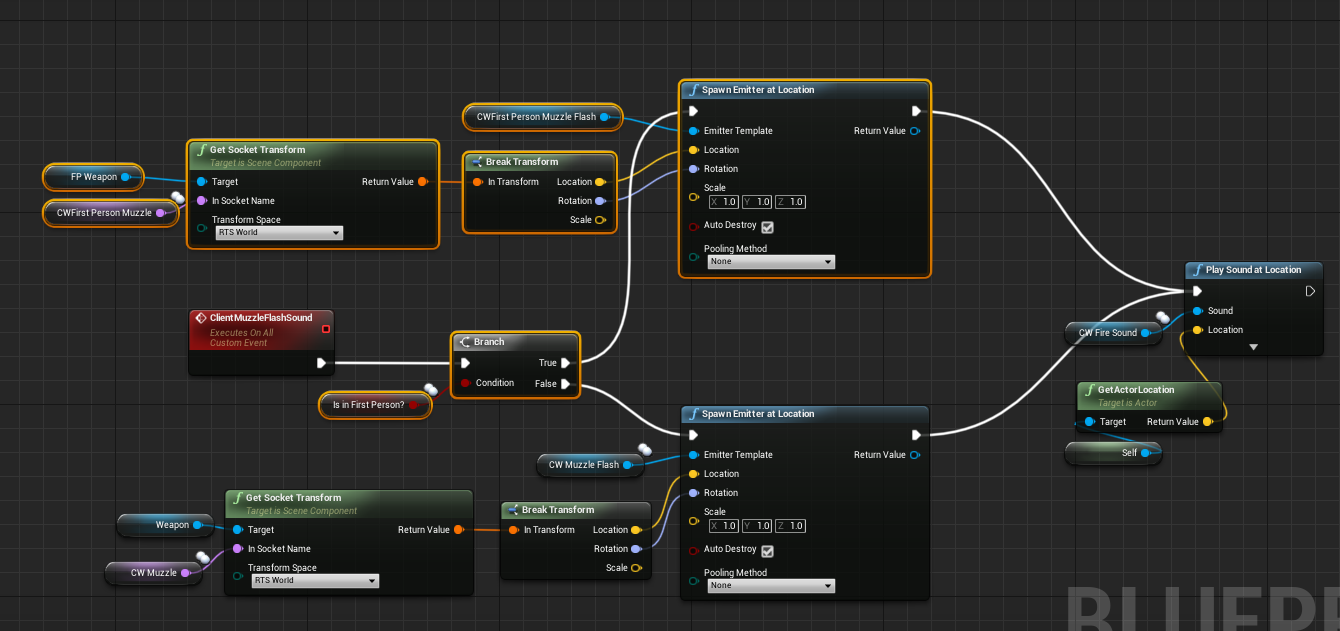
How do you play muzzle flash effects for first person/third person? For example when I shoot my weapon while i'm in first person, other players see my muzzle FX coming from where my first person arms are. But I want them to see the muzzle FX coming from the third person weapon muzzle.
twin juniper
I would have the server call a function on the Third person character that plays the flash just like how you would do it for the gun fire sound effect
cedar finch
Ok so I need to do it through replication. Hmmm So I always want to spawn the FX for third person so everyone sees it and so does the player if they are in third person. But I don't want them to see the 3rd person FX if they are in 1st person. Instead I want them to see the 1st person FX. So what would that replication look like from a psuedo code standpoint? When I shoot my weapon what RPC should be called?
 meager spade
urgh your BP right?
cedar finch
Yea. Basically how do I spawn a FX that everyone else can see but I can't
Also vice verca. I can spawn a FX that I see but nobody else can
meager spade
well, you would spawn it attached to the thirdperson gun
same with fp gun
if they are set right, the FX should not be visible vice versa, local sees it on FP gun, remotes see it on TP gun
you don't need to replicate the local's muzzle flash
but the TP gun would need to be replicated
shooter game has a prime example
but its C++
basically
they replicate a struct
called HitNotify
cedar finch
Hmmm. I'm not sure what you mean by "if they are set right" Here is how I have it now which is not a fix but allows it to look right for the owning player. Just not anyone else who's looking at them https://i.gyazo.com/6631c066f567a0609d7b8d9d15d82807.png
 meager spade
eek
cedar finch
lol what?
cedar finch
Teach me sensei
 worthy perch
So, about the FP and TP gun.
What are you thoughts on having the gun as a replicated actor?
This is my current set up, and it's been quite cumbersome.
meager spade
tp gun should be replicated actor
fp gun, no
if you look at the UT4 source code
they have 2 different actors, one for FP gun, one for TP gun
i think in shooter game, its one replicated actor with 2 meshes
 fossil spoke
You got that around the wrong way. UT First Person guns are Replicated, Third Person ones are not.
worthy perch
I'm a bit confused, why would only one of the guns be replicated, anyway? -- Why even have the non-replicated one?
fossil spoke
The FP gun contains all the mechanics the weapon needs to operate, TP gun is just an observer copying its state
meager spade
@cedar finch how is your current setup
cedar finch
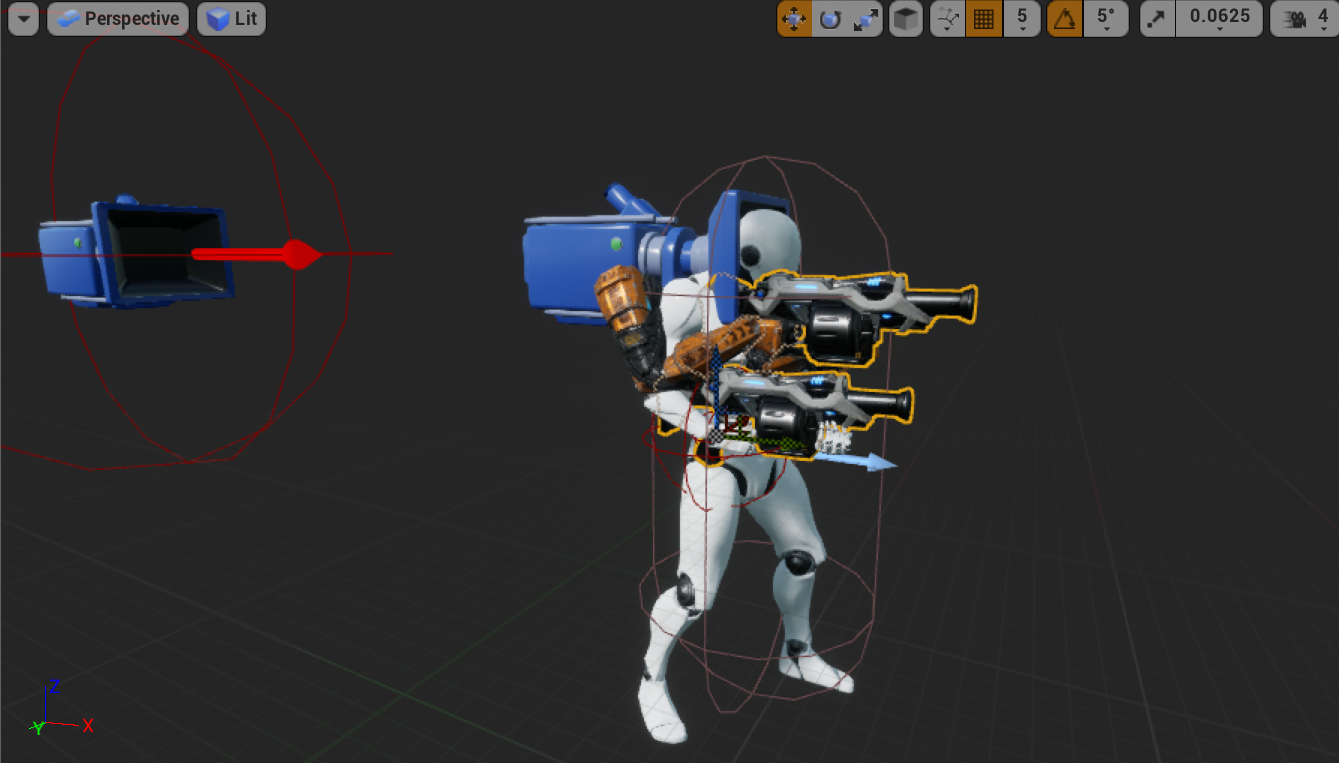
My weapons are just mesh components inside my ThirdPersonCharacter. I just switch out their stats and meshes when I change weapons. https://i.gyazo.com/fb2474047300de7d95ed2ccff3eb6d8c.png
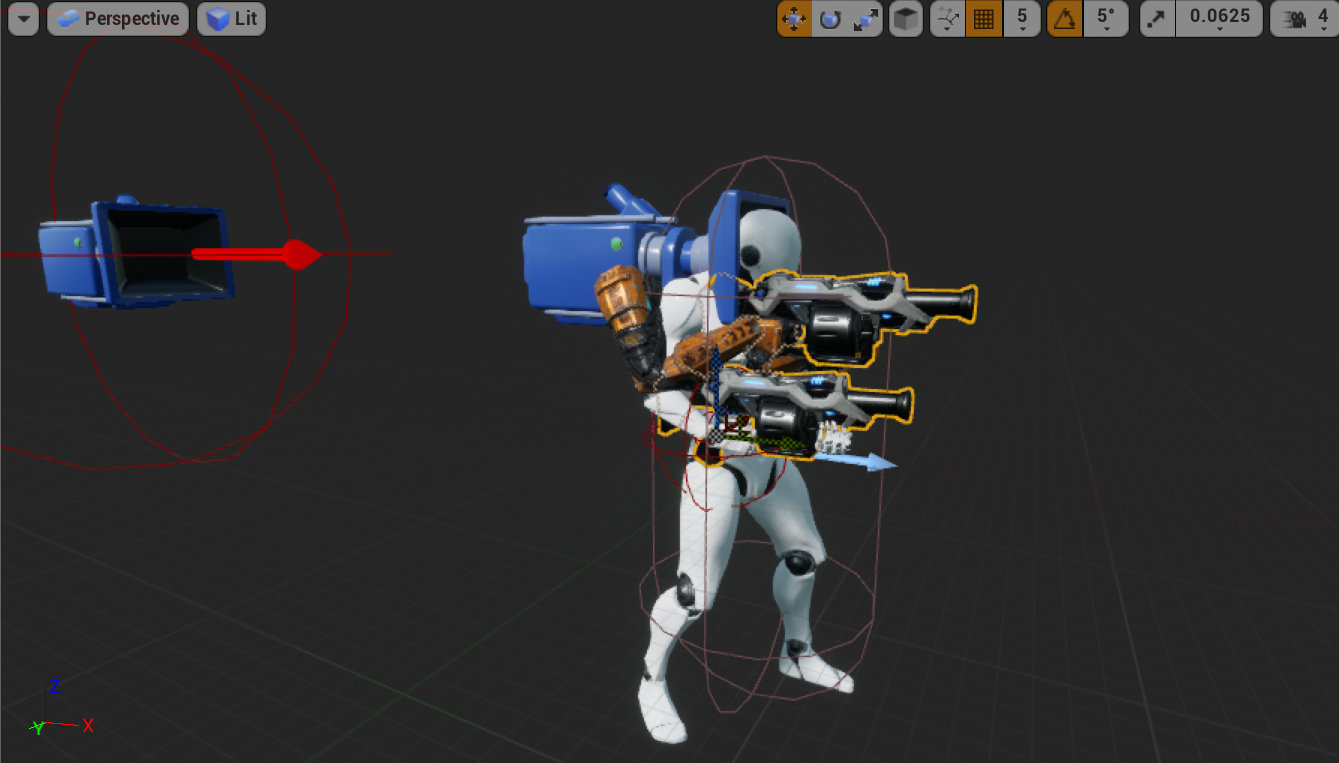 cedar finch
I have a first and a third person weapon
see in the picture above. I just have the first person ones set so only the owner sees them
cedar finch
That's just not the way I wanted to set it up
cedar finch
Nothing wrong with spawning them I just did it different lol
worthy perch
Hmm, alright thanks DevilsD and Kaos. I ... still don't quite fully understand that set up, I'll investigate it more later.
meager spade
@cedar finch have a replicated int32
called BurstCounter, every shot, increment it by one, and call a function called SimulateWeaponFire in its OnRep call back
this should play the FX on the thirdperson weapon
no multicast
cedar finch
Ok i'm following. So that will play the fx but for everyone. What if i'm in first person and don't want to see that 3rd person fx but want everyone else too?
cedar finch
Ahhhhh I see
cedar finch
Yea their going to put that on my gravestone
 polar lotus
Hey, whenever my player equips the weapon when is is right under him, it shoots the player up a bit
When i disable physics on the weapon, the problem goes away
But I need to simulate physics on the weapon
thin monolith
So I'm trying to access a controller's playerstate to assign it to a HUD... but it seems that in BP's there is no reliable way to do this? I tried to do an event from a gamemode's post login, but even then the playerstate is not immediately available
All the answers I can find are like "put a delay"... and that just feels like it's a complete hack :P
 young pond
A delay of 0.0 will skip a frame so it should help if there's a race condition (it is a complete hack). You could do a timer event that continually tries until it succeeds and then clear the timer.
thin monolith
Yeah I might just do a 0.0 then, it does seem like it could potentially just be a question of it becoming available on the next tick after post login
There is a way to get this via C++, the PlayerState variable in the player controller has the replication event thing on it, so if it doesn't work with a 0.0... I'll probably just do it with C++ because eh might as well :D
thin monolith
Yeah had to do the RepNotify... it's a bit strange that it wouldn't work off PostLogin, accessing GameState seems like it works (based on the shooter example)... guess using PlayerState as a HUD source is not so common :P
worthy perch
This sort of thing, you'll want to look into the how/when the PlayerState is created.
thin monolith
It seems like it's created along with the PlayerController when the player logs in, which is definitely before PostLogin
Although it looks like both that and PostLogin are called within the same method, so it's entirely possible the replication doesn't actually happen until later (which is definitely what I was seeing, RepNotify ran with a fairly noticeable delay)
young pond
Get any fun results trying this?
thin monolith
Yeah I tried something like that, on the listenserver client it'll give the name of the object as expected, on the remote client no, similarly if I checked using is valid it's false on the remote
Oh sorry - that's in gamemode
In gamemode it works just fine since the playerstate exists on the server as soon as the controller gets created
but as said, trying to do something like that in the clientside end, on remote client -> no go
(I had a a "replicate to owning client" on an event being sent to the controller, similar to the shooter example)
young pond
I'm hitting a wall with my own current player controller issues. I'm trying to do a listen-server where one controller controls two pawns, and it's a nightmare. It works perfectly fine without networking, but when I cook and test on two machines it fails. At this point I've even tried a RCP by throwing data from InputAxis events in my player controller to the game state, then having the game state call a function in the character that will call Add Movement Input.
thin monolith
I fixed some movement issues in my project by sending the resulting positions to the server and having it multicast that :P Not sure if ideal since the client can just claim to move anywhere they feel like, but that's not really a huge issue in my case
 pallid mesa
@young pond have you set the owner of each actor?
young pond
I haven't. I'm also not familiar with setting that, but I'll dig into it and give it a go tomorrow. Thanks!
 stray tide
Hi, i'm in developing game but i have warning that make me curious. Can someone explain this warning?
i think it's very common warning. but i can't to solve it.
😞
 unique kelp
@stray tide In my experience that triggers when you are saturating the channel for that actor, either sending or receiving a lot of data per frame
check your RPCs and see if you can remove some or set some as unreliable
stray tide
thank you @unique kelp , where is to check RPC in unreal? is unreal have debuger for that?
unique kelp
Yeah, it's sort of buggy but it does give you some indication of the frequency of your calls
Tool for displaying network traffic and performance information captured at runtime.
stray tide
thank you @unique kelp
stray tide
it's change to netprofile Enable | Disable LOL
 obtuse forum
At the very start of a PIE launch, when i have 4 players, is there a way to load different Savegames depending on which window it is?
 blissful gust
you could use the user index on the save/load game to/from slot
get their controller ID or something
obtuse forum
is controller ID different than player index ?
blissful gust
dunno, that would work to, you just need a unique but predictable (so 0 to however many players -1) value from each player
rain coral
Has anyone used the Character's crouch functionality in a multiplayer game? The position is jittering upon crouching when replicated from client to server, but it's perfect from server to client. Exact same issue as is described here https://www.reddit.com/r/unrealengine/comments/7wun38/crouch_not_replicated_to_server_properly
Server right, client left
chrome bay
IIRC crouching has no netcode by default, you need to add it in C++
rain coral
Hmm. There does seem to be from server to client though. I wonder why it only works one way?
chrome bay
Server can do what they want to their pawn, client will be continuously corrected by the Server unless the Server is doing the same thing
rain coral
@meager spade My guess is that it updates the capsule's position before it gets the update that the capsule is resized, resulting in a position change like that (since crouching = resize capsule + reposition capsule). With that said, it worries me that the server gets position updates directly from the client like this, if it's what's going on. I've noticed that the client can even set their own time dilation and just zoom across the map fast, defying gravity and all. Is the CMC not completely authoritative?
meager spade
the cmc is authoritive
if a client moves out of position to far, server will correct them
but then again
i have never tested with time dilation and stuff
rain coral
Not sure if it's something caused by testing in editor only, but calling Set Time Dilation on the client makes it seem like they have authority over their own movement. Example: https://cdn.discordapp.com/attachments/393895072757710858/664162262604578866/2020-01-07_18-42-48.mp4
(server right, client left)
meager spade
thing is you are still sending client updates of your position
based on your input
so its legit
no lag either
and no missed rpcs
set move speed on server to 200
then adjust client to 1000
and move
server will teleport client back
rain coral
This affects gravity and stuff too though. My only explanation is that time dilation gets replicated from the client to the server (even without RPCs), or the client has authority
meager spade
nah that cant happen
unless it passes through the SavedMoves
which is replicated to server
 ember slate
Any idea why two connected players to my dedicated server can't see each other?
ember slate
Well if I test in the editor it works fine
But when I build and host a dedicated steam server
Players can connect but they can't see each other
At first I couldn't connect so I changed SteamDriver to IPDriver cause I wanted to connect through ip and port directly
Do you think that's the issue?
 harsh lintel
I don't know about steam sorry
ember slate
[/Script/Engine.GameEngine]
+NetDriverDefinitions=(DefName="GameNetDriver",DriverClassName="OnlineSubsystemSteam.SteamNetDriver",DriverClassNameFallback="OnlineSubsystemUtils.IpNetDriver") <-- REMOVED THIS LINE

[OnlineSubsystem]
DefaultPlatformService=Steam

[OnlineSubsystemSteam]
bEnabled=true
SteamDevAppId=480

[/Script/OnlineSubsystemSteam.SteamNetDriver]
NetConnectionClassName="OnlineSubsystemSteam.SteamNetConnection"
Its alright maybe someone else might be able to help
Thank you though @harsh lintel
 ocean geyser
@rain coral looks fine to me
void ASurvivalCharacter::StartCrouch()
{
    if (!GetCharacterMovement()->IsCrouching() && !GetCharacterMovement()->IsFalling())
    {
        UE_LOG(LogTemp, Warning, TEXT("CROUCHING"));
        GetCharacterMovement()->bWantsToCrouch = true;
    }
}

void ASurvivalCharacter::StopCrouch()
{
    if (GetCharacterMovement()->IsCrouching())
    {
        UE_LOG(LogTemp, Warning, TEXT("UNCROUCHING"));
        GetCharacterMovement()->bWantsToCrouch = false;
    }
}
@ocean geyser Hey, so the issue I'm having is that the listen server sees the other clients popping into the air as they crouch. You're not having this issue?
rain coral
Right, yeah =(
ocean geyser
rain coral
Thanks for confirming it on your end too. I'm not sure how to fix it, other than either trying to fix it in the source code, but let's face it, it's quite dense with code, or to make a custom crouch mechanic that plays nicely with CMC - however, CMC/Character manages the mesh quite rigidly, and crouching requires you to offset the mesh as you resize the capsule. Since the mesh is managed by CMC/Character, this might not be as easy as it sounds (in my experience)
dense grotto
Hi, are there any tricks to getting this working with a linux dedicated server? Everything works fine in my windows dedicated server but I am unable to connect when its running via linux. The windows version also works with steam and is visible in the game browser (but not linux). The relevant ports are open on the linux vm with forwarding enabled (I am able to test this via telnet over the network). The logs on the linux server also seem to indicate everything is working (incl Steam Auth) so I am a bit perplexed.
I'm using 4.24.1 and im cross compiling from my windows system with the relevant clang version.
This is the linux base image im using: https://github.com/clifton/CMDemo/blob/efd3b74ead0218152260378ebc0876c703a15d33/Docker/Dockerfile
I'm mounting the app here: https://github.com/clifton/CMDemo/blob/efd3b74ead0218152260378ebc0876c703a15d33/docker-compose.yml
Config settings: https://github.com/clifton/CMDemo/blob/efd3b74ead0218152260378ebc0876c703a15d33/Config/DefaultEngine.ini#L22-L53
 digital arrow
I had gathered I would need to compile from source to use a dedicated server, but I can just tick "dedicated server" under "play" and get a server up and running. This is nice, but for some reason the server defaults to my main menu level rather than the level I have specified under "Maps and Modes" for "Server Default Map"
Ah. The "Server Map Override" option fixes this issue
dense grotto
i think u just need to compile from source to make a distributable dedicated server
digital arrow
Right okay - so it's something I'll probably need to do later but not during development
dense grotto
yeah
digital arrow
Just got the client joining the server 😄 God Unreal is so easy to work with
Nice, got two local instances joining
Interesting, "destroy" operations don't work on objects in the server space, presumably because the client isn't allowed to destroy objects on the server world, the client has to request to destroy objects and the server then carries out the operation
I can however create copies of actors in the world
Very interesting
 languid sapphire
hey, does anyone know the proper way to get player controller indexes? i can't find anything that has worked, everything i've found does player controller 0, which obviously won't work
i've been hitting my head against a wall for days trying to figure this out. every tutorial i've found either uses index 0, or assigns indexes at post-login or in game mode. i tried those, and it never gives a new id other than 0. i'm sure it's something simple, but can anyone help me?
i'm trying to make abilities for my characters, and i can't for the life of me setup the player controller right, it just always ends up being 0, the server, so no other players work.
languid sapphire
okay, so then how to i do things that require "Get Player Character" or "Get Player Controller" ?
on clients of course
 winged badger
by using a "relative path" instead of calling a static function would be ideal
this is blueprints?
languid sapphire
okay, pardon my lack of knowledge, but how would you construct this relative path? yeah blueprints
winged badger
Character from its Controller is Cast<AMyCharacter>(GetPawn())
or GetControllerPawn()
not sure which of those names BP uses
languid sapphire
so from the player controller i'd make a reference by doing self->get controller pawn?
languid sapphire
how would i store that?
winged badger
its also easy to access the PC from HUD, or any widget, as long as you connected the Owner pin on construction
languid sapphire
in construction? ohhhh, i tried doing it in pre-construct and construct, you mean that or the construction script?
winged badger
its GetOwningPlayerController and GetOwningPlayer, respectively
there is an Owner pin on CreateWidget nodes
PlayerController goes there
languid sapphire
okay, so when i add hud, have a call to save the owing player controller right?
languid sapphire
so how would i pass that to my character blueprint though?
winged badger
pass what?
languid sapphire
okay, maybe i'm not explaining right. i have a character blueprint, based off of the thirdpersonexample character, which uses things like "Launch Character." I am having issues with those functions not working on my clients, only on the server. i chock that up to the fact i am using playerindex->getplayercharacter->launch character. i am trying to find a way to pass the actual unique player character to these functions, as well as player controller.
i've tried using index, i've tried get owner from widgets, i've tried assigning with "Create Player" using an index in a loop iterating through all player controllers, but i can't seem to figure it out
blissful gust
for the client, the controller index 0 is always their controller
languid sapphire
well when i do pie, it controls only the server, same with launching standalone and joining
winged badger
using GetPlayerController[0] is the most common source of multiplayer bugs here
languid sapphire
i started off using getplayercontroller(0) and i knew that wasn't right, but i don't know what the actual proper way to do that is
winged badger
on clients, its the only one
languid sapphire
because almost everything i read has different ways of doing the equivelant and nothing i've tried works
winged badger
but there are few ways to use it that completely break the game
languid sapphire
so i DO want to do getplayercontroller(0)?
winged badger
i wouldn't especially when you can access it with GetController() instead
if we're taking character BP
young pond
It moves on the server but not the client? Is your Character BP set to replicate movement?
languid sapphire
yeah getcontroller doesn't work either because it still requires an index, which doesn't work either
young pond
winged badger
GetController works, except on server on BeginPlay or sooner
languid sapphire
so getcontroller should be called after beginplay? or you're saying i have to call it before beginplay?
winged badger
when you spawn a player character
languid sapphire
okay, so how can i store that for other bps?
winged badger
its beginplay is called before whatever node goes after it is called
languid sapphire
so should i put it in beginplay or possessed or what?
winged badger
which is typically possess
languid sapphire
okay so beginplay i should get controller, then save that value to pass to each function that needs it?
winged badger
so on server, character doesn't have a controller on its beginplay, but does on possessed
languid sapphire
ahhhh okay
winged badger
on client there is no on possessed
but controller is, due to how replication works, valid on beginplay
languid sapphire
so pardon my dumb question, but would i make a player controller variable to store that? or how could i use it in other functions/bps?
languid sapphire
well how could i use the get controller's return output in other functions? i have custom events that need that value, that's where my issue lies
oh, so when i call getcontroller, i can then just call it later on as well during the functions i need it in?
winged badger
the only reason to do it, maybe, is to store it as your controller type, so you avoid casting afterwards
languid sapphire
okay, so then i still am stuck with the dilemma of using the right player controller later on? you're saying if i do getcontroller on spawn, from then on out, the default of getplayercontroller(0) would work for things like "Launch Character"?
winged badger
you can call GetController from character reference from anywhere
note that it will be null if its not an owning character or server, because PCs don't replicate to other players
languid sapphire
so because each client sees it's id as 0, as long as you call after beginplay for clients, and on possess on server, the default value of 0 is fine?
languid sapphire
okay, waht about listen servers though?
winged badger
thats why i told you not to use indexes
same
it would crosswire all clients characters to host's controller
languid sapphire
okay, so you'd use an authority check, and if not server, use get controller?
winged badger
OnPossessed doesn't need an auth check, it happens only on server
there you can cast GetController to your type
and store it in a variable
BeginPlay on clients should do the same, but only if its locally controller, alternatively you can just replicate the variable
2nd approach is simpler code but uses a little bit more bandwidth (4 bytes per player, once)
languid sapphire
okay so if i do GetController it goes to pawn, do i need to cast the character to pawn then to get it?
languid sapphire
yeah, but if i try to use the GetController function, it doesn't accept my character as input....
winged badger
AActor << APawn << ACharacter
languid sapphire
so using getcontroller how would i get the character reference then? i usse get controller, it then only has the option to "Get Player Character" and it has that index again
winged badger
GetPawn, but for a character here you do need a Cast
languid sapphire
so cast the returned controller to my character blueprint?
or what would i cast to/from?
winged badger
inside a Controller BP
GetPawn returns controller Pawn
if you need a reference to your character, you just Cast it to your character
as your Character is the controlled Pawn
winged badger
no
can't cast a controller to character or character to controller
they don't inherit from one another
you can cast pawn to your game specific character type
and you can cast controller to your game specific player controller type
languid sapphire
so how would i get the specific player character then? launch character expects something like "GetPlayerController(0)" and I'm confused how I'd get the playercontroller's owned playercharacter to pass through then using getcontroller?
winged badger
also, that screenshot is useless, because i can't see which blueprint it is
languid sapphire
it's character
winged badger
then its just self, you don't even have to connect the target pin as it defaults to self
languid sapphire
with launch character?
languid sapphire
wow holy fuck i feel dumb
all this time getting frustrated and i literally didn't even need to use a target?
winged badger
you don't need to when Self is target


 languid sapphire
thanks
 gilded comet
I found a recently updated FREE Multiplayer template 4.23 ( Steam support ) developed by IdealistStudios
young pond
@pallid mesa No dice on the setting owner. Seems to be that Add Movement Input is a client authoritative function and trying to run it without a controller on the client won't work, but spawning a player controller and possessing it will only happen on the server. This is why a one-controller-two-pawn game will work without a server but will not work with a server. Now I need to figure out what the best way to make this work will be.
 gritty lodge
How is it possible that Paragon (according to a video one of their tech art people posted on the UE channel) only uses seamless travel after initial game launch? Since according to the docs: There are three ways in which a non-seamless travel must occur:
When loading a map for the first time
When connecting to a server for the first time as a client
When you want to end a multiplayer game, and start a new one
 drifting geode
Hi guys can somebody tell me a better way of doing this plase. I'm trying to replicate a plugin and wanted to put most stuff on server only. Once Montages are played replicate mostly only those. In order to replicate stop montage and play stun montage I figured REP notify would work and it does but stop montage doens't have a variable that changes so I had this dirty idea to just add to an integer and use REP notify on that. I assume that is a big nono?
 rich ridge
@gritty lodge can you point out that video to me. That will be really a great help
@gritty lodge I have read this question on forum but a video will help more.
https://forums.unrealengine.com/community/general-discussion/84523-few-questions-about-paragon-lobby-and-game
Unreal Engine Forums
General discussion about the game industry and the Unreal Engine community.
chrome bay
They do a hard-travel to the lobby it looks like
Then seamless travel into the game map from that lobby
gritty lodge
yeah, looking back the guy in the video just used poor wording
chrome bay
Makes sense, I seem to remember there being a very short load screen between accepting matchmaking and entering the lobby
 royal isle
I have a bit of a theoretical question. The last major unreal update on server performance was the introduction of the replication graph and that got me thinking what's next in this field. In that regard, I want to ask do you all think that a machine learning model that runs on top of the networking engine and optimizes network traffic on runtime would be possible? And if so, would it actually help or would the overhead of the model itself outdo its benefits?
chrome bay
I doubt any machine learning algorithm could improve it, for starters a lot of the information about replication is already known at compile time (conditional properties etc.) - and in the case of replication graph it's designed to be setup alongside the game to handle game-specific replication.
The point of replication graph is to remove runtime computations rather than add them, and optimize bandwidth at the same time
But the implementation is always going to be very game-specific
royal isle
What I was thinking was, the algorithm would actually adjust traffic to try and minimize all that waste that you get on replication updates when you don't do something like having a class with a 10sec update frequency that manually calls an update each time that you want it to update. Running the network profiler it is quite hard to get the actor's waste close to 0.
chrome bay
Rep graph is more for controlling relevancy, not how often things are sending data.
royal isle
Yeah I had the latter in mind
chrome bay
Well the engine already has adaptive replication frequency
worthy perch
Is the replication graph good now? -- No more weird bugs?
chrome bay
The point of rep graph was to remove load from the servers at runtime, by reducing the N^X issue
Not sure, the only project I'm using it on is still 4.21-based, and it was totally screwed in that version.
worthy perch
Alright, so it's pretty still totally screwed.
royal isle
The replication graph works great in 4.24
It can get a little tricky with dormant actors
but you can figure it out
chrome bay
It has a lot of bugs in 4.21, trying to replicate dangling pointers etc, or objects which have been destroyed
worthy perch
From what I've been seeing here, 4.24 looks like it's complete garbage.
royal isle
we are running a dedicated server with a rep graph on with people playing daily for over a month now and there are hardly any crashes related to it
chrome bay
We've had it for a year or so now, but it caused a lot of trouble for us in 4.21 which we went back and forth with Epic over. We have a really high actor / player count though so I'm not surprised
Project is moving to 4.23 soon so maybe it'll come with some of those fixes
royal isle
the 4.24 version is quite improved, they changed the API a bit too
chrome bay
Glad I'm not the one doing engine upgrades that's for sure 😄
worthy perch
Any reason why 4.23? It seems people have mixed feelings about that one.
chrome bay
4.24 only just came out, and inevitably it'll be being hotfixed for the next 2 months or so, still a bit too fresh for a production game I guess
I'd risk it but it's not my call 😄
royal isle
lol I've had to change about 250 variables to use Getters and Setters because they wish to make every inherited variable encapsulated so bReplicates and all those properties will stop working after 4.24
chrome bay
Ohh yeah that one I knew about... had to do a major update for that one on the pet project
Still need new macros to control encapsulated variable replication in child classes.. supposedly that's coming in 4.25
royal isle
More macros, great! xD
How far do you think the unreal networking goes in terms of player count per server if you stretch it to its limits?
for let's say just the default mannequin with a default movement component that can move around.
bitter oriole
10 ?
royal isle
my current confirmed number is around 50 people without any noticeable lag so I really doubt it 😛
bitter oriole
50 UE4 characters is no joke already
But feel free to try it out
Fortnite needed huge work to get to 100
chrome bay
We're doing 100 on what is basically a shooter-game character movement component. It's a nightmare
Worst part is our players aren't spread around the whole map either, they're almost always clustered together
royal isle
My ultimate goal is 200 people. I know it sounds silly but our characters are super light when it comes to replication. Their network traffic is 80% movement as our gameplay doesn't rely on tick rpcs for anything. I have also disabled client camera updates and with the spatialization the rep graph provides I think it can work. The gameplay itself rarely forces huge chunks of players to fight each other in a small space.
Not having automatic weapons saves tons of bandwith xD
bitter oriole
Automatic weapons have no additional bandwidth though, if they're not stupidly bad implemented
chrome bay
me looks at shootergame
worthy perch
In my defense... I need projectiles. 😦
chrome bay
Three Reliable RPC's just to fire. Genius.
royal isle
Yeah the shooter project is not made with high player counts in mind xD
chrome bay
Though at best it was probably meant to scale to like 10 players max at the time
yeah
it's like 5/6 years old now at least
royal isle
I think with the rep graph and a lot of per-class optimization tricks 200 is possible for my kind of game. We 've built it with high player counts in mind since day one
chrome bay
actually Jesus. Must be older than that, 2013 was when I got the the UE4 beta and it was there then too.. damn.
tbh the biggest savings we made are from rep graph, nuking the update frequency of objects (most are set to 1.f), and using proxy objects to replicate group info.
But some of that you can't really do until you know the full scope of a feature
royal isle
yeah the 100.f default netupdatefrequency is mad
winged badger
@royal isle its not just the network
200 CMCs running around is death
just UpdateOverlaps will hit 4ms easy on an average computer
royal isle
Realistically, there will never be a direct 100 vs 100 battle within the server so for the graphic side of things the significance manager can work wonders
the battles across the server would be 20 v 20 max
so spatialization saves the day
winged badger
players like to cluster together though
and if you end up running 200CMCs at the same time on dedi, you can expect that to eat upwards of 10ms CPU time
few things help, but are not always applicable
like NavMeshWalking, but it looks silly on anything except isometric camera
royal isle
Previous games that shared our gameplay very rarely had players clustering in the 200/200 servers. In the very very odd chance that they all coordinated to clump up somewhere it was completely expected by everyone that there would be a huge delay but the difference was that when a server was full (200 players) the delay existed even without the clumping due to the net engine being from 2010. What I wanted to do was at least remove visible lag in the case where players are not clumped up which is really 95% of the gameplay. I can get away with lots of things due to the very nature of gameplay.
chrome bay
The vast majority of the cost of character movement comes from the processing time, not even bandwidth.
And evaluating animations for 200 skeletal meshes on screen is death.
Bone count dependant of course, but if we're talking the base UE4 skeleton it's pretty high
pallid mesa
I'm still waiting for epic to replace the CMC, but that won't happen any time soon heh
chrome bay
The replacement for it will probably be just as expensive, but the network layer will be more abstract
So it'll be easier to make something more specific for your game
Problem with CMC right now is it's trying to cover so many bases, so it's bloated as hell and monolithic
pallid mesa
I don't think it will be as expensive given that CMC has dated badly due to some design intrinsics
probably their scope is to reduce the amount of custom work for 3D walkers
chrome bay
The scope atm is to abstract the networking layer, you can see them doing it already
royal isle
We actually use a custom skeleton with pretty much half the bones the unreal skeleton has
pallid mesa
oh, it's getting fancy
chrome bay
Much much nicer version of what I did for my vehicles
pallid mesa
the initial plan for this feature was to provide an abstract layer for prediction
(some sort of a generic solution)
but generic solutions tend to get cluster-f*ed
Been following your work lately
hopefully you decide some day to make that knowledge public domain (as in open source)
chrome bay
Netcode is the biggest barrier to people making their own movement components IMO (for multiplayer anyway)
This will make it a buttload easier
pallid mesa
the tech deployment you have there is quite impressive
chrome bay
Will still be C++, but folks will be able to just write the simulation part of it without having to care too much about what the network side of things is doing
Or at least.. not weave it directly into the movement sim
pallid mesa
as far as the concept abstraction goes, it accomplishes its purpose
now, is there any scalability benchmark of this component?
chrome bay
too early atm I think
They're still fleshing it out / doing overall design on it it looks like
Although you can sort of see where it's going
Between this and Chaos, I think in general you can expect more potential for performance improvements when it comes to moving primitives around the world
Quite a ways off atm though I think
pallid mesa
makes sense, heh It's been a ride all these years trying to find a proper solution for physics replication
chrome bay
Just one of those unsolvable paradoxes unfortunately... but at least having Chaos be an in-house thing it'll be a hella-lot easier to customise and control
pallid mesa
sure haha. Going back to the earlier discussion... I believe ShooterGame got better after 4.22 remap
I will probably deploy one test for my mental health, still considering things regarding that project
chrome bay
Yeah I think they added a repgraph sample to it
They should really do a GAS-powered example now for multiplayer. The ActionRPG example not being network-ready was a crime against humanity
But I guess if they plan to make huge changes to GAS after this plugin is done there may not be much point
And it could expose vulnerabilities for fortnite etc. that they may not have solutions for
pallid mesa
Kaos is doing something, I'll jump and help him after the 20th of this month. Purely pet project. GAS based.
chrome bay
Yeah I've seen lots of that project
pallid mesa
it is supposed to be some sort of Fortnite clone feature based. We'll see how that goes, but the main action interface is already using GAS.
chrome bay
Yeah, I'd love to poke around and see how it's setup. I've tried GAS a few times but it just wasn't a fit for what I was doing at the time and I was already so far into my own stuff
But it does promise lots of goodness once you have it in a good place
pallid mesa
it's based on this https://forums.unrealengine.com/development-discussion/c-gameplay-programming/1660211-gameplay-abilities-and-weapon-firing
Unreal Engine Forums
So i currently have GAS implemented, and currently working on the weapon firing.
Now i know a lot of games, the weapon is fired on both client and server at
worthy perch
Is Kaos' project public?
pallid mesa
no, and I don't know if it will be
worthy perch
Oh, alright, yeah I doubt it too then.
pallid mesa
I am just friends with him and he needed a helping hand
 clear cave
Hello, guys! I have a question: how to handle host server shutdown? Like there is a game menu with a quit option and host can end a session but clients get stuck in the session. How to fix that?
obtuse forum
i think you want: in the game instance , Event Network Error, on Failure Type enum pin there is a Connection Lost option
rain coral
Can someone who's using the Character class and CMC verify something for me? If you let the client call Set Global Time Dilation 10, can they move around the map super fast, jump faster, fall faster etc, even on the server version of their character?
unique kelp
TimeDilation is a replicated variable, so even if you set it to something, it will get reset eventually. I doubt other clients will see any difference in your movements
rain coral
The server seems to accept that the client has a different time scale. Which seems terrible.
unique kelp
Does your position not get corrected? do other clients see any effects on the character of the client that did it?
rain coral
It doesn't get corrected, and it replicates to all other clients. These are standard characters in a fresh test project for what it's worth.
rain coral
Other people who use the Character class may not be aware of this, so would be nice if someone could verify this for me.
unique kelp
Just to check, you are only using input to move the character right? you don't send the position to the server from clients
rain coral
Yeah, Character::AddMovementInput
unique kelp
might be worth it to test this in a build, as in with different processes per client
because time dilation is part of the world settings class
not sure if unreal does some weird stuff running in editor with that
chrome bay
Yeah, CMC uses the delta time between packets to work out how much delta to simulate with.
rain coral
I have tested with a mate over steam on a different project where we use Character, and they seem to have full authority over their characters in the same way
chrome bay
I would expect unchecking Use Single Process to break it
rain coral
@chrome bay What's Use Single Process?
chrome bay
In the PIE dropdown menu, go to advanced settings and uncheck it
rain coral
Aha, but I can't test multiple clients with this, right?
chrome bay
Ah no you can, so long as the default startup map is the right one
Just trying it now
rain coral
I mean, I have to build etc in order to test it?
chrome bay
Oh hang on, wtf. They disabled dedicated server with that..
ah nvm
urgh
insta crash. Thanks editor
Normally you do it like that
I suspect our project causes the crash so I cannae test atm
rain coral
@chrome bay Right, this gives more the expected behaviour. Will this affect anything when building or is it an editor only thing? Because I could reproduce this over steam, on different computers. Just seems to have some nasty implications of what the clients are allowed to do
Actually, while they cannot speed up the game, they can still slow it down
Including gravity and stuff they should have no control over
chrome bay
Interestingly you say it works for you now but it isn't working for me, I'm running around like a madman
Well the thing is locally they can set that stuff to whatever they like
But time dilation still shouldn't allow the character to run fast
Well that's borderline hilarious if that is indeed a viable hack
Mind you, normally you wouldn't give the player any method to do that. Memhack might do it though
rain coral
Yeah, I bet there are lots of ways to call that command without an explicitly designed way by the developer
chrome bay
Should defo report it for sure
It's weird that it accepts it though, I can't see why CMC would allow that since the Server is in control of how much delta to use
rain coral
But there are other things that worry me, because when we test, the client lags, warps, gets stuck in mid air on the host, in lots of messed up ways, hard to describe. Normally in a server authoritative setting, you'd have a perfect view of the game on the host, and the client would have the messed up one. Combined with this discovery, it sort of implies that CMC isn't as authoritative as you'd perhaps expect.
 bleak raft
Hey ! Does anyone know how I can change a VOIP talker settings in runtime ? Like where should I call it ? Server side ? Client side ? On Both ?
 rare gyro
@bleak raft Doing it on both when player state is valid works for me.
distant wave
Quick question
Can I have a repnotify void marked as virtual
?
For example
virtual void OnRep_Variable
I mean it compiles but does it work in game?
chrome bay
yeah it does
distant wave
K thx
distant wave
@hoary lark I looked at the files you sent me and I tried doing it that way, but it didn't work. It shot the line trace and hit where it should, but the thing is that I am shooting 9 line traces at the same time (for loop, because it is a shotgun) and all the line traces were concentrated in 1 point instead of being distributed as they should.
ember slate
Is there any other way to join a session beside using the search result? Can't I join with ip and port or join using server's steam id? Is there really no other way?
hoary lark
@distant wave you don't possibly think this might just be an issue with how you wrote your shotgun code?... 😄 I could likely have something wrong with the pseudocode I wrote but that sounds more like you have a general code/design mistake TBH
pseudo iris
so I've been following the Unreal Engine multiplyer tutorial from 2015
but I'm wondering if it's worth it or finding another guide
because I only have one type of player character, and I want multiple game modes
rare gyro
@ember slate I don't see any reason why you wouldn't be able to do that.
ember slate
@rare gyro Connecting using OpenLevel doesn't work
And on searching, people are saying its cause you are using SteamNetDrivers not IPDrivers
rare gyro
I mean just writing a function in code should work.
ember slate
How is that different from open level?
ember slate
Create a session? I am trying to not use sessions
rare gyro
Is there any other way to join a session beside using the search result?
ember slate
Oh ok
So can you tell me how to do that? join struct write the ip and connect
Cause join session takes in a "search result"
rare gyro
from what I understand, from using the Advanced Sessions library. You pass some kind of Session struct to the Join Session node, you can create a blueprint utility function that creates a new session join struct, the input being the IP.
pass that to the join session node
and it should just work
distant wave
@hoary lark well I obviously thought that, but then I couldn't find the issue and I got frustrated
=))
Also @hoary lark wouldn t it work if I have a seed in a game mode and whenever a player shoots, he casts to the game mode and sets that variable? Wouldn't it work?
Anyways it was just a thought
Not the issue I am having
Also, even if I don t use your method and I just to the seed and the stream and the random cone stuff in the gun shooting function
Other clients see all the traces concentrated in one point
But the player that shot his weapon sees correctly
hoary lark
I can't quite tell but I'm worried you still don't have a good grasp on the issue & how random streams work. to make sure, I'll say think you need to stop focusing on where you're putting or generating "seeds" so much and focus more on the concept of "random streams" and how they work.
If you create a new random stream with seed = 17, the random values might be something like
[0.2, 0.7, 0.3, 0.6, 0.9, 0.1, 0.3, 0.3, 0.4, ... etc ...]
you can create a thousand random streams with a seed of 17, they will all produce the same series of values, starting with 0.2 and going 0.7, 0.3, 0.6, ... etc.
If every PC (computer) running this game is pulling out the same number of values over time, they will all continue to generate the same random values, and continue to produce the same randomized results. If any PC doesn't pull out the exact same number of random values, it is no longer in sync and will be "behind" the other PC's with the random stream. The only way to fix or prevent this is to start a new random stream every time there is even the tiniest, most absolutely small chance that different machines could pull out a different number of random values.
If you simply make one random stream at the start of your game and use it, then as soon as any computer misses a shoot event or anything it will all go completely haywire.
If you simply set a seed value and use it over and over to make new random streams, every single random stream will be the same and each time you make a new random stream it will start the same randomization pattern
You have to do both - randomly create a seed (using global FRand) and then use that to create your randomization stream to use every time you might need to "resync" your game (e.g. at the start of every shoot event)
ember slate
Is there a way to use Steam Online Subsystem while using IPNetDrivers?
hoary lark
Depending on your usage, you might have to subdivide it into multiple streams - in my game I have real projectiles that bounce. My first "parent" random stream is running for the shoot event and handles randomizing each shot from the gun. This random stream also, in turn, creates another random seed for a "child" random stream for each bullet. This way, if a bullet bounces a differet number of times on the server vs client, the parent random stream being used for the shooting event won't go out of sync.
@distant wave
 sour sierra
how would you go about setting up voice chat?
blissful gust
maybe this might help https://couchlearn.com/positional-voice-chat-using-blueprints-in-ue4/
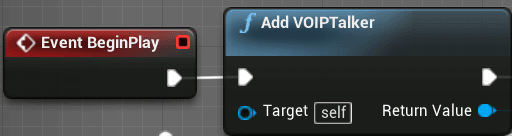
Voice Chat is a staple of modern multiplayer games. Many games include more open world aspects and the majority of players set their focus on having positional Voice Chat. As a result, this audio data is attenuated (lowered in volume) over distance. Contents hide 1 Is VOIPTal...
distant wave
Alright I will see if I can fix it. It is my first time using streams. Thanks a lot for your help! @hoary lark
digital arrow
I'm looking at adding some information to player state, but don't actually know how I add variables to it
I can cast to it and access it but not sure how I add variables to it like I would my character blueprint
digital arrow
That's the one ta very much
ember slate
Is it possible for server and client to be using different subsystems? Cause this is causing an error for me
How do I change the server subsystem?
rare gyro
Do you mean Online Subsystem?
meager spade
it does the second one :p
 severe cedar
I see a lot of stuff online that says Actors are the first type in the hierarchy at which stuff can replicate, and had 2 questions related to that:
1/ Does that mean UObjects don't?
2/ If I have a TArray of UObject pointers, and that TArray is set to replicate, will its contents replicate properly?
meager spade
UObjects can replicate
they can replicate through an actor
if the objects are not replicated, then they will be null on the other side
severe cedar
Yeah, that's what I'm seeing basically
Like let's say I have UObject type A, and a TArray<A*> on my PlayerController
that TArray<A*> is set to replicate, but on client, all its entries are always null, even if the size of the array is correct
 outer radish
@severe cedar I had the very same issue, and determined that uobjects just can't replicate as expected. There were some forums posts saying the same.. In the end, I abandoned using them as I couldn't even manually replicate them thru RPCs. :(
@meager spade could you elaborate on how to replicate them? I would die if I could actually use uobjects for my inventory system 😭
meager spade
You can replicate them
We use them for our inventory
Google ReplicateSubobjects ue4
outer radish
Do I require c++ in order to do it right?
outer radish
Yeah thats also what I deteremined when I tried last time, I'm avoiding c++ but it may be worth it just for this
Thx
severe cedar
I'll check out ReplicateSubObjects, that might be exactly what we're looking for. Thanks!
twin juniper
So I am trying to test out Steam Subsystem by getting the Player's Steam ID. The code compiles but when I call the function the game crashes "Assertion Failed: SharedPointers.h"
FString UNWGameInstance::GetSteamID(APlayerController* PlayerController)
{
    IOnlineSubsystem* ion = IOnlineSubsystem::Get(FName("Steam"));
    TSharedPtr<const FUniqueNetId> pid = ion->GetIdentityInterface()->GetUniquePlayerId(PlayerController->Player->GetUniqueID());

    if (pid->IsValid())
    {
        UE_LOG(LogOnline, Warning, TEXT("%s"), *pid->ToString());
        return pid->ToString();
    }
    else
    {
        UE_LOG(LogOnline, Warning, TEXT("Error Getting SteamID"));
        return "Error";
    }
}
I am unsure what is causing it. I am new to C++ but have successfully used steam with blueprints but wanting to moved to C++ (personal goal to learn C++ this year)
bitter oriole
Use your debugger !
twin juniper
its being called via blueprint right now. all it says is Assertions failed: SharedPointer.h
twin juniper
I did, that is how I learned about the Assertion Failed. I Googled it and found things about all different subjects besides ones about this sharedpointers.h I looked up to make sure I was doing the Whole pointer thing correctly and from what Iam seeing it looks okay. I even looked at the Wiki for the steam Subsystem and it looked almost exactly like what they had too. I wouldn't have come here and asked if I didn't already Google it and try to figure it out on my own so I can learn.
bitter oriole
If you ran the game through the VS debugger you have a shitload more information available to you
'assertion failed' is something even the UE4 logs would tell you
Since you're using the debugger, just check the state of every variable in the autos/local panel
An obvious suggestion is that "pid" here was returned as an empty ptr, and every subsequent attempt to access the content (through ->) has to fail
But you really need to learn how to use the VS debugger, it's easily one of the main C++ skills
twin juniper
Sorry I didn't See your "Obvious" suggestion. I JUST started to learn C++, no tutorial I have seen actually goes over the debugger.
bitter oriole
Time to find a tutorial on how to use the VS debugger
Most C++ errors will result in a game/editor crash, and most of these errors are trivial to understand when using the debugger, so you might as well start learning it now
twin juniper
Wow, you come off as a bit of a jerk. I have seen this with your replies to others and thought about ignoring your first reply. Guess I will keep that in mind next time. Have a good day
bitter oriole
If you truly think you can write C++ without using the main C++ debugging tool, well, good luck
 sleek current
Hey, how can I draw debug strings for each client?
bitter oriole
I'll block you too so that you can avoid my advice
sleek current
I want to draw certain values for each player in interaction system in multiplayer
twin juniper
Okay 👌
sleek current
When I use multicast on the drawmethod then the players are in separate sessions
I want it to work on clients and the server tho 😛
bitter oriole
Well, you can do the drawing on the player controller class when it's locally controlled
 mellow copper
@twin juniper Stranger has a point though, have a look at this: https://docs.microsoft.com/en-us/visualstudio/debugger/debugger-feature-tour?view=vs-2019
It will really help you and save you a lot of headaches

Get started debugging applications using the Visual Studio debugger
bitter oriole
I mean, you can also ignore its existence and just add a text log on every variable until you see which one isn't in the right state. It's just incredibly faster with the debugger once you've learned how to use it, which incidentally is rather easy
twin juniper
He had a point but his way of saying it is the issue. like I said this isn't the only time he has come off that way either
mellow copper
I don't really want to talk about your issues with each other. Was trying to help you solve your problem.
Anyway, it's hard to see from your code example what goes wrong. You would really have to check which variable is not initialized... You can do that with the VS debugger or print statements (although the print statements seem to be a bit much work.. )
bitter oriole
.
If I had to guess, I would wonder if this wasn't done in PIE, where the OSS barely exists
Since Steam was apparently the correct OSS (or it would have crashed earlier)
Anyway
twin juniper
I did the print statements just so I could make sure that what was printed in the log matched the UI( and learn to make the logs). We have other people working on the UI and just want to test that their UI blueprints were working correctly. This was the only function in the GameInstance at this time and exposed to blueprints. Thanks @mellow copper for the link, I will read it to learn the debugger. No tutorial I have seen goes over it and didn't know much about it besides seeing errors. Thanks for helping
mellow copper
Good luck, let us know if you need more help
clear cave
hello, I'm trying to fix disconnect error, when the host of the session destroys the session other clients get stuck in this session and I have found out that function void HandleNetworkError solves my problem, is that true?
mellow copper
It will probably help you solve the problem, at least you know when something goes wrong.. you would still have to implement how to handle it though
 keen thorn
Hi All, anyone got any advise on a cheap way to host ue4 dedicated servers? We are a new small team and not sure which options to choose. Thanks in advance :)
We are looking for cloud solution
 indigo viper
Hey everyone, I was wondering if there was a way to "filter" a multicast ? What I mean is, I have two teams (one red, one blue), and I want my server to be able to send data to one of them, depending on the situation. Is there a clean way to do that ?
clear cave
@mellow copper okay, but there's a problem, the method initially was defined as (see pic) , which means it's not overrideable and for blueprint implementation. Is there any C++ alternative?
mellow copper
you could check the source for that function.. see what it does there. I haven't used it in c++ myself, but I can have a look..
clear cave
There's no definition in cpp file of HandleNetworkError
chrome bay
You should bind a function of your own to GEngine->OnNetworkFailure()
E.g:
    {
        TravelLocalSessionFailureDelegateHandle = GEngine->OnTravelFailure().AddUObject(this, &UShooterGameInstance::TravelLocalSessionFailure);
}```There are several events you can bind to
clear cave
It is being bound when there's an error?
I mean not inside initialize function or constructor?
mellow copper
Being bound means that it is listening to it, so if there's an error your function will react
clear cave
Okay, just on example @chrome bay sent, gameinstance reacts only if there travel failure occur
mellow copper
In the example he binds the function UShooterGameInstance::TravelLocalSessionFailure to the GEngine->OnTravelFailure() delegate. So if the delegate broadcasts, your function will execute
mellow copper
Delegates are awesome btw, it's very useful to learn how to use them 😉
chrome bay
Yeah I just copy-pasta'd the code I had in front of me but you can use the OnNetworkFailure delegate instead
unique kelp
Off topic (ish), but can anyone confirm that GameLift launches server processes even when no game session has been requested, and then uses those processes to point the game sessions to?
I have a timer in case no clients could connect, to allow the server process to close itself if it has been empty for X minutes, and it seems to be triggered as if the server process had been started a few minutes before flexmatch requested the game session
mellow copper
@chrome bay Ah my mistake, I assumed it was a delegate, now I see it's an event.. syntax is very similar XP
chrome bay
Delegate =/= Event, they're pretty much the same thing
mellow copper
yeah, I was just learning to call them delegates so my google searches showed the things I wanted to learn. But yeah as far as I can see you use them exactly the same
chrome bay
Oh there is a slight difference IIRC, Delegates can be broadcast/edited by anything, whereas events specify a class which can broadcast/clear the invocation list
So you get a bit of protection with Events but IIRC they aren't exposed (directly) to BP etc.
mellow copper
Ah okay. Good to know! Thanks for the extra info
indigo viper
Hey everyone, I was wondering if there was a way to "filter" a multicast ? What I mean is, I have two teams (one red, one blue), and I want my server to be able to send data to one of them, depending on the situation. Is there a clean way to do that ?
clear cave
@chrome bay the example you take from is a shooter game project which epic made?
chrome bay
Well it's in our game, I dunno if it's still in the shooter game template
this project started like 3/4 years ago IIRC so it's based on something quite old
clear cave
I'm just having problems with binding 🙂
chrome bay
In what way?
clear cave
So, actually I know how to bind delegates like I already did with OnJoinSessionComplete .. other stuff. The problem is, in my case this is an event. And I made my handle function with these params(last 4), and it fails when I compile.Complaining about params.
wrong picture sorry
chrome bay
whatever your binding to just needs to have the same signature
How is the function declared?
clear cave
void OnHandleNetworkError(UEngine, struct FOnNetworkFailure, UWorld*, UNetDriver*, ENetworkFailure::Type, const FString&);
chrome bay
Yeah that's totally wrong.
clear cave
🙂
chrome bay
void OnHandleNetworkError(UWorld* InWorld, UNetDriver* InNetDriver, ENetworkFailure::Type InFailureType, const FString& InString);
You have to declare it like a normal function
And the argument types have to match
clear cave
okay, I got it. 🙂 I said that I should take only last 4 params, but didn't do so. thank you mate
chrome bay
(Y)
keen thorn
@indigo viper you cannot, you gotta send the team id also as parameter
rain coral
I've heard there is a command, in the editor, to see where the server location of your pawn is compared to your client position. Does anyone know about that?
rain coral
I see, so that's sort of tied into the CMC I guess?
indigo viper
@keen thorn Thanks, I'll give a try !
unique kelp
@rain coral Yeah I don't believe there's anything implemented at the pawn level for that
you could always make your own, by sending the position and bounds of the actor every X seconds and rendering that on the client
 rocky totem
ok i've borked something. I'm just trying to make an actor that i can change from a cube to a cone. So I have an actor that i gave 2 meshes as well as a pointer to the current mesh
    UPROPERTY(EditAnywhere, BlueprintReadWrite, Category = "Data")
    UStaticMesh* Mesh1;

    UPROPERTY(EditAnywhere, BlueprintReadWrite, Category = "Data")
    UStaticMesh* Mesh2;

    UPROPERTY(ReplicatedUsing = OnRep_ChangeMesh)
    UStaticMesh* CurrentMesh;

    bool bUseMesh1 = true;
And Here is the code for changing the mesh:
    if (Role < ROLE_Authority) {
        Server_SwitchMesh();
        return;
    }
    SwitchMesh_Internal();
}

void ASwitchBox::SwitchMesh_Internal() {

    if (!(Mesh1 && Mesh2)) {
        return;
    }

    if (bUseMesh1) {
        bUseMesh1 = false;
        CurrentMesh = Mesh2;
    } else {
        bUseMesh1 = true;
        CurrentMesh = Mesh1;
    }
    Mesh->SetStaticMesh(CurrentMesh);
}

void ASwitchBox::OnRep_ChangeMesh() {
    SwitchMesh_Internal();
}

void ASwitchBox::Server_SwitchMesh_Implementation() {
    SwitchMesh_Internal();
}
I can successfully change the mesh on the server but it doesn't replicate to the client and doing the same action on the client doesn't change the mesh at all on either
what on earth did i do wrong
meager spade
        return;
}```is pretty bad
you are not replicating the UseMesh either
so clients won't know
UPROPERTY(Replicated)
 bool bUseMesh1 = true;
thing is
you dont want to do that
actually your code is broken completly
you are not telling the server what mesh you want
rocky totem
i'm just trying to fix the problem from yesterday so i was trying to get a quick demo together
meager spade
unless your flipping
let me fix it for you
{
    if (Role < ROLE_Authority)
    {
        Server_SwitchMesh();
        return;
    }
    SwitchMesh_Internal();
}

void ASwitchBox::SwitchMesh_Internal() {

    //Flip flop the bool
    bUseMesh1 = !bUseMesh1;

    //Grab a temp pointer using a ternary
    UStaticMesh* ChosenMesh = bUseMesh1 ? Mesh1 : Mesh2;

    //If the chosen mesh is valid, apply it and set current mesh.
    if (ChosenMesh)
    {
        CurrentMesh = ChosenMesh;
        Mesh->SetStaticMesh(CurrentMesh);
    }
}

void ASwitchBox::OnRep_ChangeMesh()
{
    Mesh->SetStaticMesh(CurrentMesh);
}

void ASwitchBox::Server_SwitchMesh_Implementation()
{
    SwitchMesh_Internal();
}```@rocky totem
also RPC wont work
from SwitchBox
so client to server wont work
rocky totem
is there any way to make client to server work
meager spade
unless SwitchBox is owned by a player
have the client send a RPC
from his controller
normally done via a interaction interface in most games
so when you press E for example, you do PlayerController->Interact(WhateverActor)
then the PlayerController does ServerInteract(Whatever)
this will then run SwitchMesh_Internal on the server
rocky totem
the controller calls the server and says he interact with this object so it's only ever the server talking to the object in the first place
meager spade
the switchbox is placed in the level right?
meager spade
yeah so it won't have an owning connection
now if you spawned the switchbox with the owner as the player
then the RPC would work
but that is not what you want
see i have interactions predicted, but thats a different ballgame 😄
rocky totem
ok i think my brain has been unbroken to some extent so i would have to say interact(switchboxinstance) and then the server would tell the switch box that someone wants to interact with it
clear cave
how to check if level fully loaded? is there something like delegates?
rocky totem
got it
meager spade
call it InteractableInterface
apply this to your SwitchBox
if you are not sure, i can tell you how
rocky totem
thanks for all the help networking is seriously not my strong suit
i'll give it a go
meager spade
basically then in your controller
have void ServerInteract(IInteractionInterface* InteractionActor, APawn* InteractingPlayer);
somethiing like that
then you do PlayerController->ServerInteract(SomeInteractableActor, PlayerCharacter);
this should call InteractionActor->Interact(InteractingPlayer);
then interaction actor overrides Interact, and does what it needs to do
that might need to be a TScriptInterface<IInteractionInterface> InteractionActor
rocky totem
now what if i have multiple different ways the switchbox can be interacted with
meager spade
you can send in what way you want to interact
maybe like a enum specifying different interactions
but the majority of interactions is simply pressing say E and you call Interact
like opening chests/doors, etc
if you have like a selector wheel, or different keys
simply pass in a enum with the interaction type