#multiplayer
1 messages · Page 511 of 1
 shut saffron
 mighty schooner
Using OnlineSubSystemNull can you connect using direct IP or is it just LAN?
 amber ore
Is there an out-of-the-box way to throttle client-side CharacterMovementComponent sending moves to the server? There are settings for server->client but are there vice versa? Our client is sending way too many moves at unlocked fps (200 fps).
shut saffron
@mighty schooner at the moment only using the "in-engine" Dedicated Server option for testing and prototyping
mighty schooner
@shut saffron In editor it works. I just packaged a build and tried to connect open <my_public_ip> but its not connecting. If I use 127.0.0.1 it works
So I was wondering whats missing. I would like to test with my friends by connecting directly to my ip but it ain't working
shut saffron
yeah I haven't tried to run a real dedicated server yet. Just using the engine and play in engine
if I uncheck the dedicated server option it works
its weird
 twin vault
FVector Start = GetMesh()->GetBoneLocation(FName("head"));
i think this wont work on a dedicated server @shut saffron
havent worked with them, but im pretty sure bones arent evaluated on dedicated servers
mighty schooner
I don't think we have to use Online nodes https://docs.unrealengine.com/en-US/Engine/Blueprints/UserGuide/OnlineNodes/index.html for dedicated server
Describes the different kinds of Online and Error Related Blueprint Nodes.
mighty schooner
In firewall?
twin vault
firwall and router
The ports you need to forward are 7777 and 27015 someone mentioned
mighty schooner
Even if running locally on same machine?
twin vault
i believe so, to connect to my own sourcecontrol server on my machine i need to open with ports too
so id assume yes
twin vault
also remember to open with open ip:port
shut saffron
@twin vault maybe chaging the start of the linetrace from the "head" to the camera?
twin vault
you are already sending the pickup actor over the RPC, why not simply accept it?
unless you are tracing again for safety
shut saffron
I had the same thinking. But a friend recommend to re-check for safety
But if it keeps bugging, I'll just accept it and get on with it
twin vault
you can try first with camera, that should work
unless the camera is attached to the bone, then same thing would happen :p
shut saffron
I think it is 🤣
I've used the thirst person default and moved the camera to the hear to give a "full body" first person
Actually, I think this isn't the problem
I use the exact same line trace for attacking
and works both on dedicated and non-dedicated
maybe something with the pickup itself?
twin vault
debugging should give u the answer, place a breakpoint on both client and server trace, see if the start and end position are the same, and if its hitting the pickup correctly
shut saffron
yeah, trying that right now
thanks for the inputs, really appreciate the help
yeah the positions are pretty much the same
I think the server do process the bone
I'm almost sure that the problem relies on the pickup itself. Something that makes the HitResult doesn't find a Actor.
Because when I use the same linetrace to do damage to other player, works like a charm
Gonna keep debugging this for a while, if I made no progress for the next couple of hours, i'm just gonna give up the linetrace on the server and accept the actor passed in
mighty schooner
Opening ports (Inbound rules - Port 7777 both TCP and UDP) in Windows Firewall didnt help. I think I have to open them in router.
twin vault
@shut saffron if you place a breakpoint on this line if (AActor* Actor = HitResult.GetActor())
and hover over hitresult
what is the hitactor?
mighty schooner
Is there a way to get what IP and port the server is listening to? I remember something like URL->Port but forgot the exact thing
twin vault
then its not hitting anything
 worthy perch
What is the size of an FName sent through an RPC? Is it determined by the size of the FName?
Hmm, looks like something I should avoid, unfortunate.
twin vault
FName should be the most optmized of them all
worthy perch
This RPC might get called a lot.
I can either send some uint8 or 16 and map them to some FNames, or... I could individually create RPCs for each FName.
The multiple individual RPCs route seems bad, but it 🤷 it's not really.
twin vault
yea just saw FNames are not generally compressed, so when you are using them as parameters to RPCs, keep in mind that they will generally send the string each call.
worthy perch
Oh right, I saw that too. I think I'm going to go with multiple RPCs for each FName option... feels bad. Nah, decided to send a uint8 instead.
 slender yarrow
my dedicated server is getting stuck at this line for some reason. It used to work just fine for this project but this recent time i packaged the project and server its getting stuck like this. Anyone know what's going on here?
 narrow pasture
Hey guys. When moving Client's Character in multiplayer I need to send the Player input value to the Server, move it there and replicate the movement back to Client, right? I'm trying to do it in Player Controller with Simple Move To Location, but as a result, the movement is very jittered. The jittering occurs only on Client side. Am I missing something here?
 ocean geyser
@narrow pasture afaik the way UE does it is it performs the movement like you said, but the client requests to move, so the client moves as well as sends the move request to the server (so its smooth on the client) which replicates it to the other clients
narrow pasture
So the Client's movement is replicated automatically? I don't need to use RunOnServer?
ocean geyser
look at the movementcomponent, it should handle everything for you
 rich ridge
@narrow pasture no u don't do that
 high current
@thin stratus IIRC, Hoverloop has local players able to join in a multiplayer match, is there any specific trickery to that, because we are trying to support local drop in drop out in a multiplayer session, meaning you have 2 clients, but potentially 4 players and so on
 thin stratus
No, Hoverloop does not have this. They wanted, but UE4 doesn't do this properly and it was out of scope to fix this.
thin stratus
Nope, never looked into it.
high current
what happens if you create players as a client
thin stratus
I would suggest starting with an empty project, creating the smallest example and then fixing it step by step.
high current
it just doesnt allow you?
thin stratus
It does. There is also code to handle local players in multiplayer
 winged badger
you can create ULocalPlayer just fine
thin stratus
But it just breaks 50 things when you try
winged badger
but i don't know how a new local player would tell the server that its there
thin stratus
Could also be Hoverloop not being set up properly for it. Idk. I didn't look into it further.
high current
Well we can just have 4 server players at the start, but then how would you bind a secondary local one
winged badger
the easiest approach would probably be to create 2nd player and controller in advance
thin stratus
I think the connecting player registers all local ones. Trying this inside of the editor, without actively connecting (so AutoConnect), might break already.
high current
to the server slot
winged badger
then just keep the thing inactive till its needed
high current
Yeah, we need to create them anyway, because of how input detection in ue4 works by default
thin stratus
You need to have the LocalPlayer already before connecting
I know that the OnlineSubsystem interface has a function called RegisterLocalPlayers
So it is def a thing that they more or less planned for
But they never needed it, so as always it's just broken
high current
My thinking was, Server has 4 controllers, and each client has 4 local ones, as soon as an input is detected from a secondary client one, then that controller is slotted as the available server controller
winged badger
it would not work that way
thin stratus
I'm pretty sure the only thing you can do is something like Rocket League.
Start Game -> Add Local Splitscreen Player -> Join/Start Match.
winged badger
all those PCs have to be replicated
thin stratus
And that was UE3, but iirc they redid it for UE4 too for some console ports.
winged badger
and you can't match the PC instances after the fact
high current
What if we just create 4 players for each client always
just dont spawn pawns
and remove their viewports locally
untill they are used
so we connect to the server with 4 players, always
thin stratus
So you want hot joining for local players?
high current
yes
thin stratus
Yeah that's def nothing I wanted to do for Hoverloop.
We would have had the Players sorted before connecting
winged badger
this isn't it either, just looks like it
rich ridge
@thin stratus can you xplain what is this multiplayer handling local player?

 thin stratus
Still not sure what the exact question is. I also never did LocalPlayers in Multiplayer, so I guess no.
That I already answered
I know that the OnlineSubsystem interface has a function called RegisterLocalPlayers
That stuff is one of the steps. But as said, I didn't actively look into it.
You'll have to look through the UE4 source code yourself.
thin stratus
Well, that wasn't clear based on your question.
I just means that UE4 seems to have some code lines that take care of Splitscreen/Local Players connecting to a multiplayer match.
rich ridge
Ohh man I thought one client is allowing other players to connect along with him in an already ongoing match
thin stratus
Sort of? I mean, you know what local coop is, right? One Game, 2-4 players.
Rocket League is an example for this.
Most games only allow either local coop or online coop, so either you connect with one game to another game, both having 1 player, or you play offline with someone on a couch.
But UE4 has code in place to have your couch buddy connect to a game with you.
I just never touched it and I'm half sure it's not fully implemented/thought out.
rich ridge
Ok this seems to a nice feature
Like in mortal Kombat, in between fight some Ally of mine can come for a while
That's what it is right?
 icy nacelle
I've been battling this replication issue for a while now and I still cant figure out why its happening.
This is some code on the game state for an item to be spawned in the world. There's a branch which determines if a new item needs to be added, or a new instance.
The issue is that whenever a new item needs to be created, the client creates it twice, but when the instance is added, it only happens once.
I cant figure out why this happens, or how to prevent it from happening.
the 'MultiPlaceBrick' is an event called on the player controller, from a run on server event.
 dark hazel
Hi All,
A question/issue which you have most likely seen many times and would appreciate any help & support on this.
Revamping a project which was created in 4.18 sometime ago now, which was using the standard Steam Sessions with 480 AppID Spacewars, all was working fine with no issues.
I have since updated this to 4.23 and for the life of me I keep getting "No Sessions Found" through steam, this works fine on lan, all engine.ini settings are correct to my knowledge and I have tried for a few days now to get this to work but no joy. We have also tried the Advanced Sessions plugin and this results in the same of No Sessions Found.
Any help or pointers would be appreciated, Thanks
 oblique bluff
@icy nacelle if your HISM Brick is replicated, only spawn it on the server
icy nacelle
When I try to do that the brick only spawns for the server
regardless of who is creating it
oblique bluff
it probably is on the client but you dont see it. PrintString to the rescue. Just print in BeginPlay or tick or HISM Brick.
icy nacelle
Yeah, its printing out on both server and client, but the client isnt seeing it. Probably something to do with the instance I guess?
oblique bluff
dunno how instance static meshes replicate. Might be that you need to replicate the instances manually
icy nacelle
I think so - I just tested something...
I spawned the brick ONLY on the server whilst playing as the client, but this time I put a billboard on the HISM brick (unhidden in game)
The billboard is visible for the client, but the brick is still not there
 chrome bay
@icy nacelle Unless you're making a split-screen game it makes no sense to have a multicast RPC in the player controller. Should be a client RPC if it's called from the Server.
icy nacelle
which is telling us that the issue is the instance
Yeah I agree the multicast is probably not the best route forward, spawning it on the server makes more sense
The issue is definitely that the instance cannot be added on the server for some reason.
chrome bay
Well, it does - but instanced static meshes don't replicate their instances. Doing so would be insanely expensive.
chrome bay
No
icy nacelle
So what should I do as an alternative?
I wanted to use instances to improve performance when spawning loads of static meshes in a scene
chrome bay
If you have to replicate all the transforms of those instances it's just going to cost you bandwidth instead.
Not sure on the specifics of the game, but you'll have to replicate instance information through some other object and update the instance mesh components accordingly.
 real yacht
can someone explain me little bit detailed why multicast is expensive? thnx
or some documentation.
chrome bay
Multicast isn't really expensive as such.
Still not something you should do all the time, especially if they are reliable (rarely ever had a valid need for a reliable multicast though)
real yacht
so "problem" with multicast is because it's sent to all client connections?
chrome bay
Yeah. It also used to be sent regardless of whether the actor is relevant or not, but that's not the case anymore IIRC. Think that was fixed a while ago.
oblique bluff
Its expensive if you do it without the need to. E.g. send a multicast for a private message and filter on the client side.
chrome bay
Well, I'd argue it's more wasteful than expensive in that case 😄
real yacht
i;'m asking this because, i'm thinking what is the best soluition to change something visualy, using repNotify or multicast 🙂
real yacht
because it's only relevant if data is changed?
chrome bay
For all kinds of reasons, but if the RPC is dropped by a client - now it looks different on one machine to the other. And you have no way of rectifying it.
Join-in progress wouldn't work etc.
anything state-based and persistent should be driven by replicated variables.
oblique bluff
If you have a chest and want to replicate a open/close state, use a variable with RepNotify. If you have a effect that plays when the chest is opened, use a multicast
real yacht
understand, thnx
chrome bay
You can do all that with just the variable too.
 nocturne berry
hey guys, im trying to let the player reconnect. the player state doesn't seem to be transferring the data from the old PS using the CopyProperties when the player disconnects. so when the player reconnects, the OverrideWith is copying the default values of a new PS.
void APlayerStateBase::OverrideWith(APlayerState* PlayerState)
{
    Super::OverrideWith(PlayerState);

    if (APlayerStateBase * PlayerStateBase = Cast<APlayerStateBase>(PlayerState))
    {
        Kills = PlayerStateBase->Kills;
    }
}

void APlayerStateBase::CopyProperties(APlayerState* PlayerState)
{
    Super::CopyProperties(PlayerState);

    if (APlayerStateBase * PlayerStateBase = Cast<APlayerStateBase>(PlayerState))
    {
        PlayerStateBase->Kills = Kills;
    }
}
Any idea why?
chrome bay
InactivePlayerStateLifeSpan make sure that's set to something reasonable. The default is five minutes.
That's in AGameMode. It should automatically handle players getting their PS's back if it's setup
AGameMode::FindInactivePlayer is what restores them
nocturne berry
@chrome bay i have that set to 30 minutes, and the player state is getting restored, since the OnReactivated is getting called (i have it overridden)
im trying to find out if the data is getting copied or not when the player disconnected
is that done by default using the CopyProperties? or do i have to do anything for it to work properly?
i added logs and the CopyProperties is getting called when the player disconnects, though the values it is copying are not correct (they are the default values of a new PS)
chrome bay
Hmm not sure then, that setup is the same as ours and as far as I know it's working
nocturne berry
it's not making any sense
been following the code for 2 days, and it should work as expected. why the default values..
 fluid flower
Hey everyone, has anyone managed to get dedicated server memory usage down? In a completely empty map, no players connected, nothing loaded ( 90% of my stuff uses soft references etc ) it still uses 120mb. memreport shows that it allocated 70+ from OS before even starting to load anything. Can this value be tweaked down?
winged badger
yes
fluid flower
@winged badger haha is this in reference to my question? If so, do you happen to know how? 🙂
 vivid seal
For RepNotify, what’s the best way to see what a value changed FROM? ex. My player takes damage, his health goes from 100 to 90, when RepNotify triggers is there a way to get the 100 value to check how much damage was actually done? Someone on Reddit suggested keeping local cached values that don’t replicate and updating them after the RepNotify, and that works but for things like arrays of buffs and debuffs that seems like a lot of data to duplicate in every character, and I don’t thing comparing arrays to find what item was added, removed, stacked, or refreshed is efficient at all.
 fleet raven
for the array case you can use fast array serializer, and ReplicatedUsing in c++ can give you the previous value
 ebon bramble
Saiyoran I suggest you just not use RepNotify then
Do it another way. Such as with event calls or listeners. Then you can pass that extra data
You know ... Like a custom event that is repped to all clients
RepNotify isn't the best for every situation.
Because if you do it w a cached old value and RepNotify that is just like... A spaghetti cached state-mess from hell. In my book lol
I'm sure you get the same feeling since you are asking
 half jewel
@vivid seal rep notify functions come with previously replicated values built in. so if it was a float you would do void On_RepHealth(const float& Oldhealth)
dont forget to make sure its a UFUNCTION()
 foggy idol
Please I have an issue with my clients
Once they spawn they can't move
At all
Everything else around them works but they can't move
Only jump in place
 echo rune
Is there a good way to seperate Client and Server?
I'm pretty new to Unreal so i would appreciate some suggestions.
Also is the only way to build a client and server by compiling the Engine from the Source?
 split drum
dedicated server? If so then yea, you have to build from source to test outside the editor
echo rune
Curious about another thing, what exactly happens when you build the client and server based on a blueprint only project?
Will the client build just contain all client blueprints and the server, server blueprints?
split drum
my project is pretty much 100% c++ so idk too much about blueprints but I would think the blueprints would be included in both builds. Some assets won't be included in the dedicated server build though
echo rune
Hmm i see... Not sure if i should consider learning c++ to code in Unreal Engine. Like i do c#, sql and web stuff in school, but bet with c++ it'll be more anoying then blueprints :/
 wicked brook
Im doing some research now on server services. So far ive looked at Gamelift, Playfab and SpatialOS. Are there any others worth looking into?
ocean geyser
doesnt amazon have something?
wicked brook
Yeah that’s gamelift
ocean geyser
ah
rich ridge
@wicked brook may I know what is your major use case for these services.
I might suggest you something cheap
As all 3 you mentioned are not cheap by any means
wicked brook
@rich ridge right now just for testing. Game is FPS. What cheaper options could you suggest?
all three of the ones i mentioned offer so much free usage for development.
rich ridge
For development yes, they are free
But when you scale it's Damm pricy
You can't afford
Do you want to host dedicated servers as well?
wicked brook
the pricing does not seem to bad for me for playfab and gamelift.
yes i want to use dedicated server
client with auth server model
rich ridge
@wicked brook the pricing which you saw for gamelift is for 15 days that's is 365 hours
Are u sure it's not that high
@wicked brook if you can manage to host your user authentication and matchmaking stuff then you could combine Nakama and digitalOcean
With digitalOcean you don't need to worry about network charges
They offer 6 TB free network out bounds
Very instance
wicked brook
i mean its high but not outrageous until you have to scale in which at that point game should have revenue to cover it
ill check thouse out for sure
rich ridge
@wicked brook I won't go for gamelift for sure. They do offer some kind of framework to ease the development that's it. Rest is same with other cloud providers
wicked brook
has it ever been stated if unreal services will have hosting?
rich ridge
And the fleet creation takes significant amount of time
@wicked brook no epic won't offer hosting service
wicked brook
from messing with each a bit playfab and spatialos seem to be the easiest to integrate. Spatial is more expensive if i remember correctly though
rich ridge
If you scale u need to have free instances already in your pool to serve the demands
@wicked brook spatial is expensive they themselves say it
And these fleets may be idle in the pool and still u will be paying for them
wicked brook
they add to much latency for what im looking for anyways. ill stick with playfab and try out what you mentioned as well
rich ridge
You need to architect your game very well now itself during development
If your game becomes hit then you will be focusing on making it better not how to migrate to other cloud
wicked brook
good point.
rich ridge
That's what I m doing right noe
wicked brook
are you using the option you suggested?
rich ridge
I m being very careful what I choose and what I can manage if my game becomes famous
I m going for Nakama for the time being only for development till the epic services are not launched
For the hosting I will consider Linode and digitalOcean
wicked brook
yeah i will def use epic games matchmaking and stuff when its released
cause all that stuff is free
rich ridge
I have tried all the options like Gamelift, azure , google and spatial , they take significant amount to time to launch a instance
wicked brook
and im sure eventually they will integrate into engine and it will be seamless
rich ridge
@wicked brook y s
wicked brook
how much time ?
rich ridge
May one year
rich ridge
They took back their roadmap plan on which was shared on Trello
So that's worst case time
wicked brook
what you mean though? i have an instance running now on playfab
which is basically just amazon server cause i have not switched to there azure servers
rich ridge
I m talking about epic game service, they had roadmap published but they took it back and it's not available at all
wicked brook
ah ok yeah. they said recently they will start releasing to select studios in the next two months and scale up as they go
there are a few big studios they gave full access to so far
so im looking at nakama now. looks promising. How is it to scale?
is it pretty easy to integrate?
rich ridge
I believe it will get integration into the onlinesubsystem
wicked brook
I like how it has a local server you can use for testing as well
rich ridge
That's easy for others to migrate as well
wicked brook
hows the uptime for digital ocean?
rich ridge
It's good. And the instance creation is also fast
I m able to create new and boot instance in 20 seconds
You can actually create instance on real-time demands via API
And they good coverage of regions as well
You should try it once, only the things these cloud players lack is some kind of framework to ease the development and integratoon
 royal isle
Hi, for steam dedicated servers, can someone explain to me exactly what I need to set as my STEAMPRODUCTNAME and STEAMGAMEDIR and when can I find the correct values for those? Also, would using incorrect values here prevent my dedicated server from registering to the steam master server?
 distant wave

This video shows you how I got a dedicated server working on Steam with UE4 4.18.3 using the Advanced Sessions Plugin.
Please use these below jump points to get to relevant parts. The video is longer than it needs to be so I made these so you guys don't get tired of me talki...
Hey
So
I got an issue
I am using a render target for a sniper scope
and if I play in multiplayer
the server sees what the client sees
any methods to fix this?
I tried checking if the owner is locally controlled in the begin play, but that didnt do anything
 tidal venture
@distant wave I can't tell exactly what is your problem with what you desicrbe. But don't you think having a sniper scope is not more a job for the post-process and camera in the first place?
distant wave
i wanna make a dual render scope
i actually made it\
but it doesnt work so well for multiplayer
...
 fringe dove
@distant wave this is a very hacked together way I did it for the rifle in ShooterGame, I would find a cleaner way without tick but:
the scene capture component is set to only update on move (ok because I'm using it for VR and it always moves, just quickly threw that in to turn it off when not equipped but would be better to turn it on and off in the equip/unequip events in c++ for shootergame)
anyway.. it's not a good way, but it worked for quick prototyping and seemed to work in multiplayer without running the capture for everyone else
distant wave
Great! I am going to try this out tomorrow! Thanks a lot!
 quiet wyvern
anyone know why dedicated server when i run in PIE seems to make everything super laggy
like very little replication
seems like its being throttled like crazy
when i use listen it seems much better
half jewel
laggy ?
quiet wyvern
slow replication
half jewel
anything from stat net in console ?
quiet wyvern
half jewel
this is running the laggy dedicated server?
quiet wyvern
when i tick use single process and set it to none
it seems to work fine
ya
like player state takes 3-6 seconds to replicate
it set to do it like 4 times a second
half jewel
what happens when you set minimum update time to match normal update time ?
quiet wyvern
im just wondering if there is any setting to make the editor dedicated server work better
still same kind of issues
it seems like dedicated server with 2 clients is very choppy
when i use single process
otherwise its fine
half jewel
are you using 4.24 ?
i dont seem to have any trouble, try blank project to test things if some engine/project settings are bad somewhere. or might be project code/bp.
4.24 introduced some network emulation settings that you might have turned on by accident could be that
also in editor console (not game console!) try to see if net.UseAdaptiveNetUpdateFrequency 0 helps might need editor restart
you can get to editor console by hitting ~ in the assetbrowser
 dapper hatch
Hi everyone I have a quesiton... I have been working on a multiplayer game and eveythings fine.. But I have noticed something wrong.. When I test my game in the editor window, after around 15 seconds my fps starts droping reaallly badly (like 15 fps)
ONLY WHEN I TEST WITH 2 PLAYERS THO
when I test it with 1 player, everythings fine
Please someone help me... 😕
 dawn nova
Does anyone have experience with using Steam and dedicated servers? We got our dedicated server displaying correctly in the Steam Master Server List, however with the client, the IOnlineSession's FindSessions method yields 0 results. Are we missing some parameters that Steam checks for to verify it is the same game? (UE4.23)
 dim parrot
is there an online subsystem for epic launcher?
 hoary lark
an EGS subsystem? what features would it have? crash? 
 ocean geyser
@twin juniper i cant read that very clearly, but what i did for my doors which allowed for them to open/close along with the players being able to open/close the door before its fully open/close. have an OnRep boolean called DoorOpen and a function called OpenCloseDoor on the door actor. when a player wants to open the door just do a line trace (preferred) or by pressing E while inside a zone for an overlap event depending on how you want to do it. assuming your doing a line trace, on the client perform your line trace, if the line trace hits a door then have the client call a server RPC. the server RPC will perform the same line trace to confirm that the player did press E on the door. if the servers line trace did hit the door then have the server call the OpenCloseDoor function on the door. that function should simply toggle the DoorOpen boolean from false to true and vise versa which will trigger the OnRep event. the OnRep event should simply either open/close the door via code (i prefer this) or by calling the corresponding animation. because it is controlled via a replicated variable then join in progress players will see the door in its correct state as well
thin stratus
The important part is the RPC outside of the door blueprint
The door problem is also something i love using to check how far someone is with their knowledge
narrow pasture
Anybody knows why AIController::MoveToLocation() works perfectly in singleplayer but fails in multiplayer? There is problem with NavMesh replication or what? I execute this function from Server so why it doesn't work?
 lost inlet
I'm not sure what you mean by navmesh replication because it's not a thing that replicates
It must run on the server because that's where the AI controller will actually be
Make sure the pawn is actually replicated and isn't dormant and if all fails step through with a debugger
 jovial cipher
Does anyone have any links to an example of level changing the server with advanced sessions?
lost inlet
If the server travels then typically clients will follow
An overview of how travelling works in multiplayer.
narrow pasture
@lost inlet Well, there is an option in Project Settings -> Navigation System -> Allow Client Side Navigation so I thought NavMesh can be replicated to Client.
My AI Character is set to replicate and the Net Dormancy is "Awake".
jovial cipher
thank you @lost inlet
dawn nova
Anyone have any experience with Steam and dedicated servers?
I'm having trouble getting my client to find the server (the server shows up in Steam master server list).
worthy perch
Are you on 480? You might have to increase the max sessions results or whatever.
dawn nova
No, we have our own AppID
worthy perch
I don't know too much about this currently, but my last guess is download regions?
dawn nova
Already tried, I have also hosted the dedicated server on my machine and tried connecting
We have the logs for the OnlineSubsystem set to verbose, our server successfully shows up in the Steam master server list, however calling FindSessions on client, gives 0 results (according to the logs)
The player count is not being displayed properly but I'm not sure if that matters.
lost inlet
you are using the client's app id for the server right?
dawn nova
No I was not aware that this was necessary
I'm using the dedicated servers own appId for the dedi
Is that the problem then?
dawn nova
Am I only supposed to use the dedicated server's tool appid in the steam_appid.txt then and in the config files the client's appID?
split drum
@narrow pasture if your character is possessed by an AIController then it will work if issued on the server. I don't know enough about your particular case to tell you more than that. When I started my project I wanted to use "SimpleMoveToLocation", so I possessed characters with AIControllers and had players send their inputs to the server which would then issue the command to the AIController. This ended up being too much of a pain to manage so i switched to APawn::AddMovementInput instead as I didn't absolutely have to have the AI Navigation
see this post: https://drone-ah.com/2014/08/25/ue4-getting-multiplayer-player-pawn-ai-navigation-to-work-c/

Unreal Engine is an awesome piece of technology making it easy to do almost anything you might want. When using the Top Down view however, there is a hurdle to get over when trying to get multiplay…
narrow pasture
@split drum Thank you for the answer.
Yes, I saw this article. It describes how to use SimpleMoveToLocation together with Player Controller. I want to achieve something simpler: I want to use the SimpleMoveTo in AIController to move my AI Character. No input from the Player here.
I'm executing my logic on Server, as it should be for the AI Controller, but it doesn't work. The more advanced MoveToLocation function returns "Failed" every time I'm calling it. I have no idea why. It works perfectly in singleplayer.
I gave up this for now. I'm using AddMovementInput like you suggested. It works, but I've lost the pathfinding feature. I'm not happy with that 😦
jovial cipher
@lost inlet
would you happen to know why server travel would work only once?
I launched on stand alone, and it does load up new map, but only once
same game mode, and everything on both maps
 lost inlet
why is there no space for the command? you also don't need the full path to the map
jovial cipher
I used one of epics tutorials
lost inlet
which probably ha a space in the command
jovial cipher
 dawn nova
Unreal Engine Forums
I'm in need of help with getting my dedicated server searchable on Steam. I've went through all the steps and advice I could find on setting up a dedicated server
Does anyone know how I can do what the second post says without editing Engine Code?
Engine/Plugin code
It needs to happen before the OnlineSubsystem is initialized, apparently I need to spoof the dedicated server to have the base game's app ID
jovial cipher
I added a space, and it still only performs it once
when new levels load it shouldn't clear out player controller array from GM right?
So it calls the event again, but for some reason the player controller array is no longer valid
@lost inlet
half jewel
I know fast array serializer order is not guaranteed but what about just normal TArray ?
lost inlet
Why do you even need to keep an array of PCs?
You don't need a player controller for that node
@dawn nova this is outdated information, see: https://docs.unrealengine.com/en-US/Programming/Online/Steam/#steamappid
An overview of Online Subsystem Steam, including how to set up your project for distribution on Valve's Steam platform.
you can actually define the app ID for shipping builds in the target.cs file, no idea why the docs don't mention this
lost inlet
and it's in your server's target.cs file, not just the client's?
dawn nova
GlobalDefinitions.Add("UE4_PROJECT_STEAMSHIPPINGID=MY ID IS HERE");
GlobalDefinitions.Add("UE4_PROJECT_STEAMPRODUCTNAME="MY GAME NAME IS HERE"");
GlobalDefinitions.Add("UE4_PROJECT_STEAMGAMEDIR="MY GAME NAME IS HERE"");
GlobalDefinitions.Add("UE4_PROJECT_STEAMGAMEDESC="MY GAME NAME IS HERE"");
lost inlet
like i said, is it in both?
dawn nova
Did you mean that?
yes
and the SteamShippingId must be that of the client on both, right?
lost inlet
the server should use the client's app ID if you have a separate app ID for the server
dawn nova
I have tried that but to no avail
the steam_appid.txt needs to have the servers appid right for the server?
lost inlet
always use the client app ID
dawn nova
even on the steam_appid.txt? won't it display the wrong game then?
lost inlet
yes even there
dawn nova
how will it know its the dedicated server tool thats being used instead of the game?
lost inlet
it doesn't need to know that, so i'm not sure what you're asking
dawn nova
well when i start the server i need it to say My Game Dedicated Server and not just My Game, unless that is impossible with the UE4 Steam interface?
lost inlet
steam uses a separate set of APIs for game servers when it's a dedicated server
it doesn't really need knowledge of the server app ID, only the client one
dawn nova
okay, and then i can run them at the same time as well? i'm still kind of confused though because won't that make the dedicated server (which is a seperate tool) display it as if its just the game?
lost inlet
if you run from the exe it probably won't show anything, a dedicated server does not need the steam client
dawn nova
like for example use the title of the tool that i configured in steamworks
ok it's still a bit confusing to me but I will try it out anyway and see
Ah ok, I think I understand, it will know its the dedicated server tool probably because I upload it to the dedicated server's depot
I got it to work! Thank you so much @lost inlet
half jewel
my testing revealed that yes tarray order is indeed preserved in replication
for removes and modifies
fleet raven
yeah, it is
dapper hatch
Hi everyone! Im pretty new to replication and I have some questions of why my thing doesn't work... 😕 Basically here what I have done: https://gyazo.com/4e77ce412d19798d867acb56c7485d08
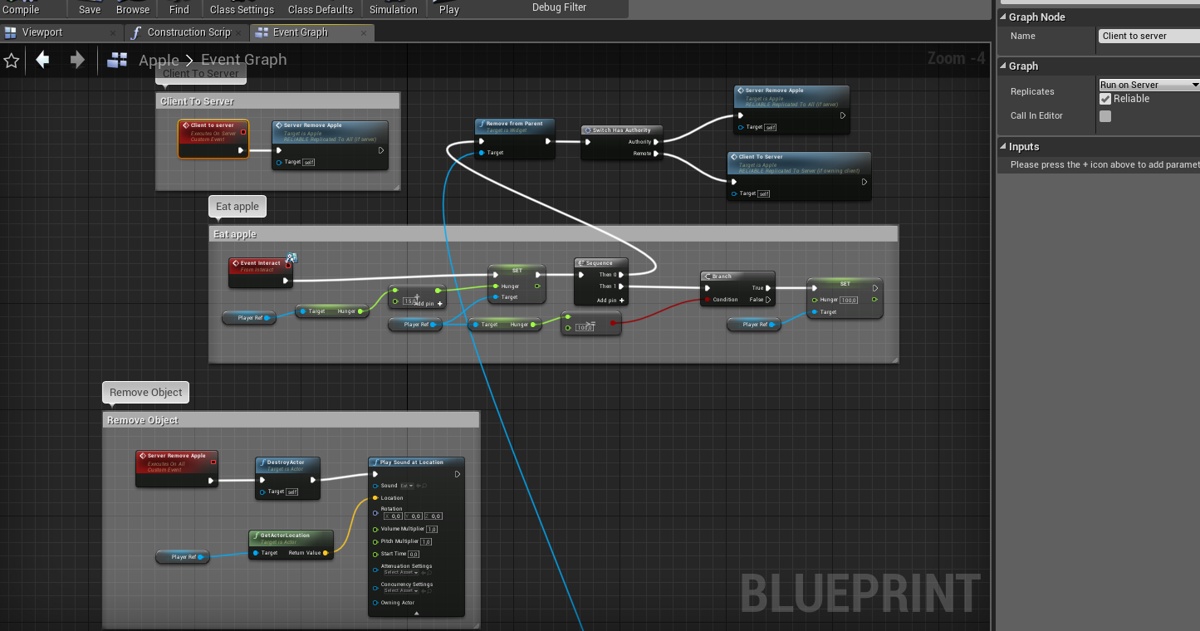
When my client "INTERACT" he can't destroy the actor and it doesn't play the sound too... 😕 Does anyone know why?
like I said I pretty new to this so...
 past pebble
Hello everyone, I'm trying to do a basic health system but networked so I've made a health bar on the clients HUD and when a client press "k" it should remove him 50hp.
So i've made that when you press "k" it call an event "onDamage" running on the server (Replication: "on server") that set the HP to 50.
The HP variable is set on "Replication Notify" with "Initial or Owner" as replication condition and when there is a change on it, it update the health widget to display the new health variable.
The problem is that it doesn't seem to update the correct widget since the hp value seem to change on the client where I pressed "k" but the health bar widget is not updating at all
(This is in the Event Graph on actor bp)
After my Set Health Percentage I made that it print the current health and it correctly print "Client 1: 50/100"
But the health bar widget is not updating at all, so maybe it's not able to retrieve it ?
 meager spade
if im sending a RPC every bullet, from client to server, what would be the best way to verify the fire rate ?
i know i would need to check the ping from client to server, and get the half time for a best guess of latency
but im confuser
 magic helm
Probably verify it when they spawn the pawn or item...
dapper hatch
Anyone knows why my physics object gets teleported a couple of meters in front of where they should be? (on my "client") 😕 . On my "server" its working completely fine...

These are my settings


This an image of where the tree should be (its a photo of my server player)

And this is where it is (this is a photo of my client) https://gyazo.com/d0a8f98b9dfc076faf96e1642027dc47

Did I do something wrong with the replications or somthing?
I really dont know why that happens...
Please someone help me
😢
wicked brook
Curious to know. Has anyone tried out Zeuz for multiplayer?
thin stratus


Split Screen is here!
Play Duos and Squads with a friend on the same PlayStation 4 or Xbox One. https://t.co/00sRUn94kH
Retweets
1869
Likes
19898
 Twitter
Hm, I wonder if get something that works out of the box next engine update.
dapper hatch
Yo everyone, I really need help to make my replication even thing work... 😕 I have been trying to resolve my TINY problem for 2 days now but idk what the problem is... I just want server to be able to see when my client when he cuts it down...
DM me if you think you could help me... 😦
 knotty badger
@dapper hatch Make 2 events, one that replicates it to the client and one that goes to the server
And does the same thing
meager spade
tree should use a replicated state
RepNotify
2 states, standing, chopped down
could be just a simple bool
you would only multicast the tree falling down
once the tree is down, the RepNotify (OnRep) would handle the state of the tree, and display the tree standing or chopped
knotty badger
Is it okay to store walk speed and money variables on my player for multiplayer
 twin juniper
Guys, anyone can help me with basic replication?
My client doesn't replicate to server
 grand kestrel
@twin juniper Just to correct the wording (specifically), replication only occurs server -> client (but I know in this case you mean your RPC wont send to server). The reason is simple, you can't send an RPC from an actor that is not ultimately owned by a player controller
Check the pins for the network compendium by cedric exi, its the best resource around for beginners (and beyond)
You're probably also getting a warning about the failed RPC in your output log, keep it open at all times when developing, it gives you a lot of useful information
twin juniper
thanks, i got it working if i do the replication on player character blueprint
but what if i want something to be replicated on non owned actor is that possible?
 fossil stratus
Hey guys happy holidays,
I'm making a multiplayer shooter and I get heavy performance problems based on how many projectiles get fired in the course of the game. Starting at 120 fps and after some 1000 projectiles ending up with 25 fps, the fps decrease linear. The bullet gets destroyed when it hits sth and it always hits sth. And the performance is the same on all clients doesnt matter who shooted (also tested the build on 4 identical desktops).
Is there a way that the server stores them all or sth like that?
fossil stratus
does sb now what this sleep and wait for event on the cpu graph means?
this is before i shoot
emitter stats also go high
lost inlet
@thin stratus split screen does mostly work out of the box but I wish there was more control over mesh visibility than the visible to owner stuff, wish it could be bitmasked instead for each split
thin stratus
Hm even online?
Splitscreen itself is not the problem
We ran into lots if funky behavior when trying to get 2vs2 matches with each 2 splitscreen players joining each other online.
lost inlet
we had it working online, the funky behaviour was mesh visibility for us
you have to connect with 2 splits, it might be funky if you try and add one after connecting
only thing i really noticed from the trailer is having the avatars in the corners, presumably to lower the required 3d resolution of each split, not sure if they would've added something for that
 quartz panther
hello, what is needed for ue4 game to find online dedicated servers without steam?
royal isle
@quartz panther For this you would need to use another online subsystem. If you don't want to use steam or amazon or any of the pre-existing subsystems then you would need to create one yourself. For that you'd have to make your own "master server" that exists somewhere in the web and stores the IPs and general connection details of your servers. You can register your servers to your master server with a socket connection or an HTTP request through the RegisterServer method of the GameSession class. Then you can use your game client to retrieve this data through a socket connection or an HTTP request to your master server and create a manual connection workflow to actually connect.
dawn nova
Does anyone know how to pass (max) player count data to the Steam master server? It shows up as 0/0
royal isle
@dawn nova are you using lobbies or a dedicated server?
quartz panther
@royal isle Thank you , that is the exact information i needed.
dawn nova
Dedicated server
royal isle
There is a SetMaxPlayerCount in steam's ISteamGameServer interface and I swear I was just looking at it 5 mins ago withing the ue4 implementation but I can't find it now, let me check again
dawn nova
Is there a generic interface for it or do I have to explicitly do it through the Steam one?
royal isle
yeah this is how ue4 sends the max player count to steam through its generic online subsystem
    int32 NumTotalSlots = Session->SessionSettings.NumPublicConnections + Session->SessionSettings.NumPrivateConnections;
SteamGameServerPtr->SetMaxPlayerCount(NumTotalSlots);```Ah, does it not automatically do that then with dedicated servers?
royal isle
It should, this snippet is from the dedicated server handler
one question for you though, have you managed to get your server to show up in the steam master server?
dawn nova
Yes, we can even see it in our game's server browser and connect no issue
We can even play on the steam session
It's just I want the player count to display correctly
royal isle
can you please please please help me with it I have been struggling with this for over a month xD
royal isle
let me dm you so that we don't spam here
 chilly mist
Since game mode only exists on the server, it won't make sense to mark any of its property as UPROPERTY(Replicated).
Is this correct?
 sullen burrow
Ciao guys i kinda need help with making a system which lets people create match that other ppl can join it (sorry for my broken english btw)
quartz panther
@chilly mist Seems correct to me
@chilly mist btw i checked AGameMode class for replicated variables , didn't find any.
chilly mist
@quartz panther Interesting! Did you do so by going to GameModeBase.h and ctrl-f "Replicated"?
quartz panther
@chilly mist yes
chilly mist
Good to know!
quartz panther
is there any reason for my client to successfully join the session but is unable to receive any input?
dawn nova
@chilly mist if there is a case where you need to replicate variables over from gamemode, the gamemode should put that var in the gamestate, which is made for sharing info between server and clients
chilly mist
Got it!
dawn nova
Anyone know how to have the player count display on the Steam master server list? (using dedicated server)
quartz panther
[2019.12.22-19.10.55:531][346]LogOnlineSession: Warning: OSS: No game present to join for session (GameSession)
[2019.12.22-19.11.00:560][647]LogOnlineSession: Warning: OSS: Can't start an online game for session (GameSession) that hasn't been created
Can anyone explain to me why i get these warnings?
dawn nova
Because you haven't created the session before you start it it seems
You must call CreateSession before StartSession
quartz panther
but how can i join the session if that is true, i'm using dedicated server and i have successfully connected 6 separate instances of game to that server, the only issue i have is that all connected players don't seem to have inputs enabled...
dapper hatch
When my server cuts the tree, both can see the tree falling. But when my client tries to cut the tree, the tree doesn't fall and it doesn't print the string "Is working" (in the purple comment). So that means that this custom event isn't working right? Do you have any idea why this custom event isn't working?
https://gyazo.com/a1d93229945fe470b3154665d67d3968

Here's what I have. The custom event im talking about is "Client To Server" in the purple comment.
Im really new to replications and shit so I really don't know what I did wrong... 😕
quartz panther
whats up with the tree health variable?
dapper hatch
what do you mean?
meager spade
i can see a few issues there
dapper hatch
really?
meager spade
Trees cant RPC
nor multicast
it needs to have an owning connection
server works, cause it straight up cuts the tree, Timeline is probably replicated
but a RPC from client to Server is not going to work
dapper hatch
Hummm... how would I make it work?
dapper hatch
where do I need this?
meager spade
when you interact with the tree
you press say E to chop tree
E would grab the object the player is looking at (the tree), and send a RPC from the controller/player to the server, saying hey i want to cut this tree
server goes, ok, ill cut the tree for you
in most games this handled via a common interface or common actor base
doesnt care what item you want to interact with, it will just say Item->Interact
honestly, i could make it work in 5 mins, but hard to explain
dapper hatch
yea I understand that its rly hard to explain... But here is what I have https://gyazo.com/db888e60db7bcd84b01640a32a17f1b8

this is my "Interaction"
with the tree
meager spade
right so you have a reference to the tree right?
from the overlap (i mean you know your overlapping a tree via that bool)
dapper hatch
this is in a different bp
meager spade
yes this is the chracter right?
dapper hatch
no
meager spade
controller?
dapper hatch
its an axe bp
meager spade
yeah doesnt matter
axe is attached to the player
anyway
just do this
you have your player character
you know what tree you want to chop right?
dapper hatch
yea
meager spade
right so in your Character BP
make a Server RPC
call it ServerChopTree
then your axe calls this function
doesnt matter if its host or not
Server RPCS will be a normal function on server
so just have your axe call ServerChopTree
then grab your tree reference
and call the multicast
dapper hatch
ight i'l go step by step and try what you said 🙂
meager spade
i think multicasts can work from the tree, but i don't do much networking stuff in bp
but anyway, its very simple
 steady briar
thats my typical reaction too
meager spade
:/ 😄
thing is once you understand, its second nature
but RPC's are funny things
you need to know where you call them from
dapper hatch
yea I think thats my proble,
meager spade
your logic only failed cause you cant call a server rpc from the tree itself
steady briar
this actually might be related to what i was gonna annoy Kaos about <_____<
meager spade
o_0
dapper hatch
XD
steady briar
well i didnt know where to ask, cuz technically theyre AI.. and its C++, and server related so... pretty much anywhere but UMG or Physics i guess
meager spade
well ask, if its the wrong place we will continue in correct channel
but if its ai related, ask in #gameplay-ai, regardless
steady briar
but an AI is pretty much server controlled, so can i ignore replicating a lot of functions?
meager spade
and yes, AI only exists on server
steady briar
well its not related to AI... behavior, this is in the actor itself really
steady briar
{
    if (IsValid(FollowerToRemove))
    {
        if (OwnedFollowers.Find(FollowerToRemove))
        {
            UE_LOG(LogTemp, Error, TEXT("Removed from leader index"));
            OwnedFollowers.Remove(FollowerToRemove);
            FollowerCount--;
        }
    }
}``` is there any reason why this does not remove, or decrease the int FollowerCount... but does print the text? its from 1 actor to anotherwhere is this run from?
steady briar
the ai character
meager spade
right but you need to remember variables need to be replicated still
steady briar
well when i spawn the followers, it does FollowerCount++ and that adds up. it adds them to the array, i just cant remove or --
meager spade
im not sure i really follow
steady briar
also... i thought replication was typically server->client. if the AI is on the server shouldnt it have the info?
steady briar
if i click play and then click the actor, the list is empty and 0 count. if i hit simulate (as server) the array has all the references and the count is correct
meager spade
which is correct
steady briar
ya but do i need client values at all?
steady briar
i dont think so in this case. unless i do and i just dont know why yet o___O
meager spade
ok
but your saying the follower count doesnt decrease nor the array removes an item?
i cant see why that wouldnt work
if its printing
then its passing the checks
try putting a breakpoint
steady briar
thats what i thought. also the client version doesnt go -1, -2 etc. stays 0
meager spade
yeah but the function might just be run on server
im not sure where you are calling it from
steady briar
i have a server function to handle death. one of the things it does is that function. if its a follower, it has a reference to its leader, it passes itself as a value with that function i pasted so that the leader can remove it from its array
meager spade
so its ran server only
so clients wouldnt get a neg value
are you sure its not decreasing?
steady briar
which is good, but it doesnt... seem to run anywhere
as far as i can tell, no. i have it print the value every frame and if i look at its properties in simulate, the array never changes and the count never changes
meager spade
what if you did UE_LOG(LogTemp, Warning, TEXT("Size before Deletion: %d, Follower count before: %d"), OwnedFollowers.Num(), FollowerCount);
before
you delete and adjust the value
then
UE_LOG(LogTemp, Warning, TEXT("Size after Deletion: %d, Follower count before: %d"), OwnedFollowers.Num(), FollowerCount);
to ensure its just not an editor artifact?
i never trust world outline
steady briar
i do tend to screw up really simple things, as u know... but lets see
ok weird
LogTemp: Warning: Size after Deletion: 0, Follower count before: -1```so it is working
steady briar
but printing the count in editor, server is the right number, client is 0. never changes. so... obviously witchcraft is involved
meager spade
why would client change?
steady briar
ok well follower count should have been 6 but it was 0
meager spade
on server or client?
meager spade
good
then ignore clients completly
thing is
it was 0 before deletion
so somewhere your logic is borked
steady briar
ya, but my print in editor says 6, the outliner said 6... so... again, witchcraft.
which is odd because its pretty simple
steady briar
literally add 1 when a follower is spawned, subtract 1 when it dies
meager spade
hold on
show me the full code
where add is called, the add function, where remove is called, and the remove function
PM me if you dont want to show it publicly
steady briar
i got some hackyness and commenting but i could just send the whole thing. its not very complicated as of now
quartz panther
@meager spade is there any good and up to date resource for making multiplayer games, specifically using dedicated servers and something that is not steam dependent? I watched a lot of tutorials and read a lot of documents, forum posts and wikis in the last few months and all i got from that is a lot of confusion
meager spade
dedicated server is not steam dependant
i can make a dedicated server, host it on my pc, give people my ip and they can connect
Sessions != steam
so look up UE4 sessions to handle sessions
dawn nova
Anyone know how to have the player count display on the Steam master server list? (using dedicated server)
 crisp sentinel
Hello,
i got questions about ownership of an actor
I want to know how will be the behavior of rpc call on character
with run on owning client.
dawn nova
if the RPC is called on Character from the server side, then the player who has that character will receive that on their end (clientside)
Can you elaborate if that's not what you were asking?
dapper hatch
Anyone knows why when my client moves left and right and backwards, its super laggy?
the server is fine tho
 rare gyro
@dapper hatch if ur fps is too high it can cause mismatches between server and client
dapper hatch
@rare gyro Do you know how can I fix this?
rare gyro
lower ur fps
dapper hatch
?
there's no other way?
does that means that my game canot be at 144hz and more?
cause when i walk straight forward its completely fine. its only when I walk left, right and backwards
@rare gyro
rare gyro
u either have client side movement code that isn't being properly replicated. or u have too much fps causing a mismatch, from my experience this an editor only issue.
setting NetServerMaxTickRate in DefaultEngine.ini helps.
dapper hatch
ohhh so when I package the game, everything should be fine? @rare gyro
jovial cipher
quick question
A client should have authority on a character they control right?
royal isle
@jovial cipher No, the concept of authority refers to network authority, hence a client will never have network authority. Only the server has network authority
dapper hatch
@rare gyro What do I need to do again in the .ini of my project? (to cap editor FPS)
rare gyro
t.maxfps
dapper hatch
?
I need to write this?
im not sure if understand what I need to do with t.maxfps?
@rare gyro
rare gyro
google it
jovial cipher
So I am having an issue when a client joins they can't hear this sound or see the particle effect. I thought clients always got the latest state of the game when they load in

This event is called before client joined
dapper hatch
@rare gyro They say to add this: [Startup]
t.MaxFPS=30 in the ConsoleVariables.ini
But where is the ConsoleVariables.ini
rare gyro
no, just press the console key and type it
dapper hatch
when I press play in the editor?à
meager spade
@jovial cipher Multicast is not a state
it will only play once to players relevant at the time the multicast is called
if you want late joiners to see it, you need to use RepNotify and play sounds via that
read cederics compendium
also check out the networking samples in Content Examples project from the Learn tab
to understand states (there is a chest in the examples that explains and shows it perfectly)
dapper hatch
@rare gyro I figured out to to cap fps but thats not the problem... it still lag asf when I move left,right and backward
it shakes just a little bit but reaaaaally fast
I really dont know why it does that... 😕
meager spade
package the game
and see if it goes away
might be you are sending reliable RPC's on tick
or something
saturating the net connection
could be anything
i dont lag as client
 molten pasture
Hey guys, having an issue where I lose input shortly after spawning and possessing on a dedicated server, EnableInput is not helping me gain it back either
I have input for about a half second
and then lose it :/
If anyone has had a similar issue or has any idea as to what could be happening, I would appreciate it, started with 4.23, was not an issue in 4.22, thanks.
dapper hatch
Hi everyone I have been getting an anoyyyyyyying bug in the third person template when you convert third person to first person. The bug is that the client is stutering like crazy when you move left,right and backwards I thought for soo long that it was a problem with replication and stuff but no... Just do what I did in the photo. Its as simple as that! https://gyazo.com/0ebd2e35c9b17c13766c5002e279586f

 cedar finch
I'm trying to spawn an actor using a "run on server" event but for some reason the clients can't see the spawned actor until they run over and touch where the actor is. Why is this?
Is it because I'm trying to spawn the actor inside an actor I'm about to destroy? I'm trying to shoot an enemy and then spawn an actor at that dead enemy's location and then destroy the enemy.
rare gyro
@cedar finch If u are just using SpawnActor to spawn in said actor, it should spawn. as far as I know actor spawns can be called on Destroyed
other than that I'm having a hard time understanding your issue
cedar finch
@rare gyro Ok so I shoot my boss enemy with a projectile. That projectile sends an interface message to my boss enemy telling him to play an animation and then destroy. Then the "OnDestroy" event is executed and I spawnActorFromClass using a "run on Server" event. But for some reason the spawned actor doesn't show up on Clients screens, only the Host.
cedar finch
Oh well. I was just spawning a ice block around my enemy. I'll just add a component to his bp and then just set the visibility. That seems to work fine. IDK why the spawn actor isn't working right.
 harsh lintel
I'm using APawn->GetController() but it returns null, already checked and APawn::Controller is being set to the AIController at PossessedBy
any idea of why GetController returns null?
dawn nova
@rare gyro Do you have a steam_appid.txt in the binaries folder with your appID? Should show your game name, doesnt matter that its not released yet
No unfortunately you have to do it yourself as far as I know. Yes thats the correct folder
I see you're doing a dedicated server, make sure to use the client appID for the server too, or else your client wont find your server in game
You should do it for client too
Also you must run the server directly from the executable, with a shortcut
Or else it wont be visible to your client either
Not sure, dedicated server doesnt need the steam client, its a different API for dedicated servers
It still uses steam tho so no worries
No problem, did it work?
Oh yeah make sure to have different gameserverqueryport for server and client, or else you cant run them on the same machine at the same time
We use 27016 for server and 27015 for client
Maybe, not that I know of
Change DefaultEngine ini and repackage, theres maybe a less time consuming way I dont know of
twin juniper


Why does this happen? client 1 is able to use the 3d widget interaction just fine but when client 2 tries his unable to touch anything on the 3d widget
i dont understand anyone able to help please .
 cinder cloud
Programming and watching lil girls at the same time are ya? @twin juniper
cinder cloud
ahahhahaha
twin juniper
its netflix
 echo geode
If the player joined a session using OSS, will OSS provides a server( I mean player-host like one, Not the decicated one.)?
dawn nova
if createServer is called on the player it will create a listen server on that players machine yes
If thats what you mean
if CreateServer is called on the client I mean
real yacht
what is proper way for restarting dedicated server, so it can be used again? RestartGame from GameMode?
echo geode
@dawn nova I mean, the listen server. So i do not need to rent/buy any servers if a player started a session using a OSS.
dawn nova
no you dont, it will be hosted on that clients machine
they must have the ports forwarded though i believe
Anyone have any idea why I need to restart my client after it has already joined a server? So I leave the server, I restart it but my client will fail to connect if I do not restart the client as well, it will try to connect and then just go back to the main menu
echo geode
Ok thanks @dawn nova
dawn nova
No problem
Is there some kind of reset I need to do on the client for it to be able to connect to servers again after connecting to one before?
twin juniper
https://gyazo.com/1fb3d498508f79d138fb7a530c322c12
Why does this happen? client 1 is able to use the 3d widget interaction just fine but when client 2 tries his unable to touch anything on the 3d widget
i dont understand anyone able to help please .
distant wave
Hey!
I have a problem.
I will also post this in #cpp because I am using C++.
I have a sniper rifle which shoots a bullet and on Impact, it plays some effects and it applies damage.
However, it doesn't work so well for multiplayer
I will show you a video and the code.

Google Drive
void ASniperProjectile::OnProjectileHit(UPrimitiveComponent* HitComp, AActor* OtherActor, UPrimitiveComponent* OtherComp, FVector NormalImpulse, const FHitResult& Hit)
{
    ProjectileImpact(HitComp, OtherActor, OtherComp, NormalImpulse, Hit);
}

void ASniperProjectile::ProjectileImpact(UPrimitiveComponent* HitComp, AActor* OtherActor, UPrimitiveComponent* OtherComp, FVector NormalImpulse, const FHitResult& Hit)
{
    if (Role < ROLE_Authority)
    {
        ServerProjectileImpact(HitComp, OtherActor, OtherComp, NormalImpulse, Hit);
    }

    FCollisionQueryParams QueryParams;

    if (SniperOwner)
    {
        QueryParams.AddIgnoredActor(SniperOwner);
    }

    QueryParams.AddIgnoredActor(this);
    QueryParams.bTraceComplex = true;
    QueryParams.bReturnPhysicalMaterial = true;

    FHitResult ProjectileHit;
    if (GetWorld()->SweepSingleByChannel(ProjectileHit, GetActorLocation(), Hit.ImpactPoint, FQuat::Identity, COLLISION_WEAPON, FCollisionShape::MakeSphere(3.5f), QueryParams))
    {
        // Blocking Hit Process Damage
        AActor* HitActor = ProjectileHit.GetActor();
        FVector CameraDirection = GetActorForwardVector();

        SurfaceType = UPhysicalMaterial::DetermineSurfaceType(ProjectileHit.PhysMaterial.Get());

        float ActualDamage = BaseDamage;

        if (SurfaceType == SURFACE_HUMANVULNERABLE)
        {
            ActualDamage *= 8.0f;
            UE_LOG(LogTemp, Log, TEXT("Headshot"));
        }

        // UE_LOG(LogTemp, Log, TEXT("%s"), *ProjectileHit.BoneName.ToString());

        if (SniperOwner)
        {
            UGameplayStatics::ApplyPointDamage(HitActor, ActualDamage, CameraDirection, ProjectileHit, SniperOwner->GetInstigatorController(), this, DamageType);
        }

        ProjectileImpactPoint = Hit.ImpactPoint;

        PlayImpactEffects(SurfaceType, Hit.ImpactPoint);
    }

    Destroy();
}
first 3 lines of code are the Event Hit
the event hit calls the function below it
void ASniperProjectile::ServerProjectileImpact_Implementation(UPrimitiveComponent* HitComp, AActor* OtherActor, UPrimitiveComponent* OtherComp, FVector NormalImpulse, const FHitResult& Hit)
{
    ProjectileImpact(HitComp, OtherActor, OtherComp, NormalImpulse, Hit);
}

bool ASniperProjectile::ServerProjectileImpact_Validate(UPrimitiveComponent* HitComp, AActor* OtherActor, UPrimitiveComponent* OtherComp, FVector NormalImpulse, const FHitResult& Hit)
{
    return true;
}

void ASniperProjectile::OnRep_ProjectileImpactPoint()
{
    PlayImpactEffects(SurfaceType, ProjectileImpactPoint);
}
the first 2 things represent the ServerProjectileImpact function also called on Remote in the ProjectileImpact
the 3rd thing is the on rep of the projectile impact point vector which gets a new value whenever we hit something
ProjectileImpactPoint = Hit.ImpactPoint;
The PlayImpactEffects function:
void ASniperProjectile::PlayImpactEffects(EPhysicalSurface SurfaceType, FVector ImpactPoint)
{
    UParticleSystem* SelectedEffect = nullptr;

    switch (SurfaceType)
    {
    case SURFACE_HUMANDEFAULT:
        SelectedEffect = HumanImpactEffect;
        break;
    case SURFACE_HUMANVULNERABLE:
        SelectedEffect = HeadshotImpactEffect;
        break;
    default:
        SelectedEffect = DefaultImpactEffect;
        break;
    }

    if (SelectedEffect)
    {
        FVector ShotDirection = ImpactPoint - MuzzleLocation;

        UGameplayStatics::SpawnEmitterAtLocation(GetWorld(), SelectedEffect, ImpactPoint, ShotDirection.Rotation());
    }

    USoundBase* SelectedImpactSoundEffect = nullptr;

    switch (SurfaceType)
    {
    case SURFACE_HUMANDEFAULT:
        SelectedImpactSoundEffect = HumanImpactSoundEffect;
        break;
    case SURFACE_HUMANVULNERABLE:
        SelectedImpactSoundEffect = HeadshotImpactSoundEffect;
        break;
    default:
        SelectedImpactSoundEffect = ImpactSoundEffect;
        break;
    }

    if (SelectedImpactSoundEffect)
    {
        UGameplayStatics::PlaySoundAtLocation(this, SelectedImpactSoundEffect, ImpactPoint, FRotator::ZeroRotator, 1.0f, 1.0f, 0.0f, ImpactSoundAttenuation);
    }
}
Any help would be appreciated!
hoary lark
Do you not spawn the bullet on the server?
hoary lark
On the server?
distant wave
yes the bullet is spawned on the server
if you want I can show you
            {
                SniperMuzzleLocation = MeshComp->GetSocketLocation(MuzzleSocketName);
                FRotator SniperMuzzleRotation = MeshComp->GetSocketRotation(MuzzleSocketName);
                FActorSpawnParameters SpawnParams;
                SpawnParams.SpawnCollisionHandlingOverride = ESpawnActorCollisionHandlingMethod::AlwaysSpawn;

Projectile = GetWorld()->SpawnActor<ASniperProjectile>(SniperProjectile, SniperMuzzleLocation, SniperMuzzleRotation, SpawnParams);```there is more of it but that is the spawn and it happens in the gun class
hoary lark
I can trust that. Just was wondering why you would RPC the impact to the server if role was less than authority
distant wave
after that if the role is not authority, I call a ServerFire function that calls back the fire function
so the client tells the server to play the effects for them
the thing is that I basically did the same thing for a line trace based weapon\
and there everything is replicated properly
worthy perch
Just by the way, you probably don't want to RPC so much data.
distant wave
yes but then, some things wont be replicated won't they?
worthy perch
Typically you don't need to send so many things. Usually maybe an FVector, but even then I feel like there are better approaches to avoid this sort of thing anyway.
Like, when you play an gun fire animation, and the clients play that locally, an anim notify plays (which is local), and that handles all the FX.
Same thing pretty much applies for impacts too.
distant wave
how would that apply for the impacts i am trying to achieve?
worthy perch
When the bullet actor impacts something, it does all the FX locally. No RPCs.
distant wave
but I want the other players to see the impacts
worthy perch
They have the bullets playing on their local client, don't they?
distant wave
so what I don't need to replicate anything for those impact effects?
to do any RPCs I mean
worthy perch
Probably, yeah. The bullets themselves replicate, and whatever they hit should loaded or are other replicated actors.
distant wave
what about the damage
worthy perch
That probably should be done only on the server.
hoary lark
Sorry I'm busy and can't talk a lot but this is all true, at most you should have one RPC for spawning each bullet. For high RoF guns, not even that. Just RPC start/stop firing (or replicated variable)
distant wave
alright
hoary lark
Suitable approach can vary slightly depending on whether you are worried about cheating or not (e.g. Coop games the client can just tell the server to spawn bullets but not for PvP game)
 peak star
@distant wave the ApplyDamage function in BP always runs on server.
distant wave
@worthy perch i commented out the
    if (Role < ROLE_Authority)
    {
        ServerProjectileImpact(HitComp, OtherActor, OtherComp, NormalImpulse, Hit);
    }
also commented out the ProjectileImpactPoint = Hit.ImpactPoint;
and it still doesnt work
worthy perch
All you need to do is trigger the BeginOverlap/EventHit stuff on each client locally.
Once you've done that, you can put the FX stuff in the BeginOverlap/EventHit/etc.
distant wave
I trigger it on each client locally by checking if the owner is locally controlled?
worthy perch
I don't think you need to check if it's locally controlled.
distant wave
yeah but by commenting out those lines I mentioned before
that is what I did
it is just that the event hit calls another function
which is not an rpc
and that doesnt work
maybe I don't understand something you are saying
can you point that out
worthy perch
void ASniperProjectile::OnProjectileHit(UPrimitiveComponent* HitComp, AActor* OtherActor, UPrimitiveComponent* OtherComp, FVector NormalImpulse, const FHitResult& Hit) {
    ProjectileImpact(HitComp, OtherActor, OtherComp, NormalImpulse, Hit);
}
void ASniperProjectile::ProjectileImpact(UPrimitiveComponent* HitComp, AActor* OtherActor, UPrimitiveComponent* OtherComp, FVector NormalImpulse, const FHitResult& Hit) {
  PlayImpactEffects(...);
}
Something more like that. The server related stuff should be wrapped with if (Authority).
distant wave
well thats what i did and there are still no effects playing
except for checking the other things with authority
but for now the effects concern me
maybe the play impact effects should be a multicast
hoary lark
I'm sorry I don't have time to review the code in depth but it sounds like from what Floss is saying your general methodology isn't right yet. This is how you're supposed to do it (or at least much much closer):
When the client pulls the trigger, the client spawns a local projectile that does everything except apply damage (because it can't). The client has a IsFiring bool they RPC up to the server. The server fires the gun which spawns an unreplicated projectile on the server and sends RPCs to all clients that this gun is shooting. Other clients then do the same thing the first client did - spawn local projectiles that do everything except apply damage. The server projectile obviously applies damage.
For single-shot or low RoF weapons, instead of RPC'ing an IsFiring bool, you can RPC to the server "my weapon fired this gun with the muzzle at this location and rotation". Repeat everything above otherwise.
hoary lark
Once you have that working you will probably be wondering how to handle randomization - you will need to learn about random streams if you don't already know. the firing client can generate a random seed int and pass it to the server along with the firing RPC and the server can share the seed with clients, everyone can then generate the same random values for things like bullet spread or projectile bounce
dawn nova
Does anyone know if you need to do some kind of reset on client after you have joined a server? If I join a server with the client, and then later on I try joining another server, the client will always fail to connect after he has already connected to a server before
So always to be able to connect to a server again I need to restart the client
worthy perch
Maybe destroy session? I can't remember if you need to do this on the client.
 jolly siren
yes, you need to destroy the session on the client
thin stratus
Yeah you have to
God damn it, Ethan
Good place to do that is when returning to the MainMenu.
Or rather when entering it.
 tropic snow
How come I do not see a loading widget on server... only on clients
dawn nova
Ah, thanks guys! I thought the session only existed on the server
Another question guys, does anyone know how to properly inform the Steam master server about the player count? In the steam master server the player count always shows up as 0/0
jolly siren
It shows 0/0 or 0/NumPublicConnections?
It will show 0 current players if you aren't authenticating your players with steam
@dawn nova https://docs.unrealengine.com/en-US/Programming/Online/Steam/index.html#steamonlineauthentication
An overview of Online Subsystem Steam, including how to set up your project for distribution on Valve's Steam platform.
dawn nova
It shows 0/0, max player count is 0 as well
jolly siren
Hm you are doing something else wrong then too
dawn nova
Do you want to see my session settings if that is what may be causing the issue?
jolly siren
yeah
tropic snow
So my seamless travel in multiplayer works fine for clients but for server, how come they can't see the loading screen?
dawn nova
    sessionSettings->bUsesPresence = false;
    sessionSettings->bAntiCheatProtected = false;
    sessionSettings->NumPublicConnections = MaxPlayers;
    sessionSettings->NumPrivateConnections = 0;
    sessionSettings->bAllowInvites = true;
    sessionSettings->bShouldAdvertise = true;
    sessionSettings->bIsLANMatch = false;
    sessionSettings->bAllowJoinInProgress = true;
    sessionSettings->bAllowJoinViaPresence = false;
sessionSettings->BuildUniqueId = 82657;```MaxPlayers is a variable on my Session class which I set to 12 in the constructor
rare gyro
@dawn nova the steam browser is still reporting my game as "Unreal Test!", even after the inclusion of steam_appid. I would appreciate some direction.
dawn nova
Do you have your own AppID?
rare gyro
yeah
dawn nova
Are you using a plugin for sessions? Or did you manually implement it?
jolly siren
You are setting SETTING_SERVERNAME?
rare gyro
I am not, I'm assuming the setting is set when the dedicated server session is created in GameSession?
I thought this was taken care of by the GlobalDefinitions defined in the server target
@dawn nova Manually
dawn nova
Err for me its showing up correctly without that ServerName setting
rare gyro
`public CensoredServerTarget(TargetInfo Target) : base(Target)
{
Type = TargetType.Server;
ExtraModuleNames.Add("Censored");
GlobalDefinitions.Add("UE4_PROJECT_STEAMPRODUCTNAME="Censored"");
GlobalDefinitions.Add("UE4_PROJECT_STEAMGAMEDESC="Censored"");
GlobalDefinitions.Add("UE4_PROJECT_STEAMGAMEDIR="Censored"");
// todo: this is the dedicated server appid
GlobalDefinitions.Add("UE4_PROJECT_STEAMSHIPPINGID="CensoredAppId"");
bUsesSteam = true;
bOverrideBuildEnvironment = true;
bCompilePhysX = true;
}
`
if that helps?
hmm, it might actually be SETTING_SERVERNAME, since I don't set it in my own GameSession implementation and I don't call Super anywhere.
dawn nova
Im sorry I have to look myself because I forgot which one of the things makes it show the correct game name
Would be odd, its showing for me but I dont have that in my settings
jolly siren
HostSettings->Set(SETTING_SERVERNAME, ServerName, EOnlineDataAdvertisementType::ViaOnlineService);
yeah do that
rare gyro
but is SERVERNAME = GAME? It's the game variable that is being reported as "Unreal Test!" in the steam server browser.
is everything okay here: https://gist.github.com/MarkJGx/648b7769966f40598dd03811a1cda6d9 ?

anyways, I don't want to sound ungrateful so thank you both for giving me some direction. I'll do my best to figure this out 🙂
dawn nova
Double check your target, defaultengine.ini, steam_appid.txt if that thing doesnt do it for you
I'm not sure what other possibilities
rare gyro
same
I've read somewhere that you are supposed to include the Steamworks libraries next to the game binaries? Right now I'm only copying steam_api64.dll next to the game binary.
I mean steam works, but it just doesn't work right.
after diggin around looks like OnlineSessionAsyncServerSteam::UpdatePublishedSettings has something to do with this
dawn nova
If you upload it to Steam and download it from there Steam will automatically put that uin
rare gyro
good to know
dawn nova
What engine version are you on?
rare gyro
4.24
dawn nova
I am on 4.23 and just setting my appID everywhere seems to do the trick
dawn nova
in Target, steam_appid.txt, in DefaultEngine.ini
rare gyro
same
dawn nova
Do you have the version of your game that you downloaded through Steam?\
maybe thats the difference
Try putting the steam binaries there manually, like you said
rare gyro
all the testing I'm doing is through steam
dawn nova
Yeah but is it the downloaded version through steam? afaik the only difference is the steam binaries
rare gyro
it is
rare gyro
sounds good
dawn nova
Along with my game exe
actually they are in my root folder of the game, but i think it is the same as if they were in binaries
rare gyro
I have just the steam_appid.txt in the GameName/Binaries/Win64
dawn nova
.exe?
dawn nova
the binaries that i took a pic of are the ones which steam automatically put in, so i assume those are the only ones necessary for dedi
rare gyro
steam didn't put those in on my install
dawn nova
odd, did you mark your dedicated server tool as dedicated server?
rare gyro
by mark if u mean created a tool appid as a dedicated server then yes
i mean the server reports steam as working and creates a steam server, so I don't think those binaries are needed. but who knows
but if steam is bundling them in ur depot automatically, that makes me a bit confused. maybe it only bundles them if it can't find pre-existing dlls
cedar finch
So I made a quick flying pawn and was wondering what I need to do to make the movement replicate. I have the simple "input axis move Right" "Forward" and "Roll" It works fine if you are the host but clients controls don't work. What's the best way to do this?
 rotund sapphire
the best way is in the character movement component. but you can try other methods and hope it works out for you.
cedar finch
@rotund sapphire I just completed this quick tutorial for the fun of it. It had me put the logic in a pawnBP. So I guess I need to make a new characterBP and use the movment component like you said

How to make an airplane player pawn featuring realistic plane physics and an animated rig with spinning propellor and moving fins. Topics covered: Physics assets, blueprint scripting, asset handling.
LINKS:
Assets Download - https://bit.ly/2S96Geb
SUPPORT:
PayPal - https://...
I'm just messing around with flying. I've never done anything with flying so I was curious how it worked
rotund sapphire
Its physics, the replication is quite difficult and character movement component is not compatible with this solution on the video.
cedar finch
I'm not really looking for 100% accurate replication. I just want clients to be able to control their plane. Can I just set the vector values on server then replicate the torque to everyone? https://i.gyazo.com/84479e6658bec79a8280b50f502c4a78.png
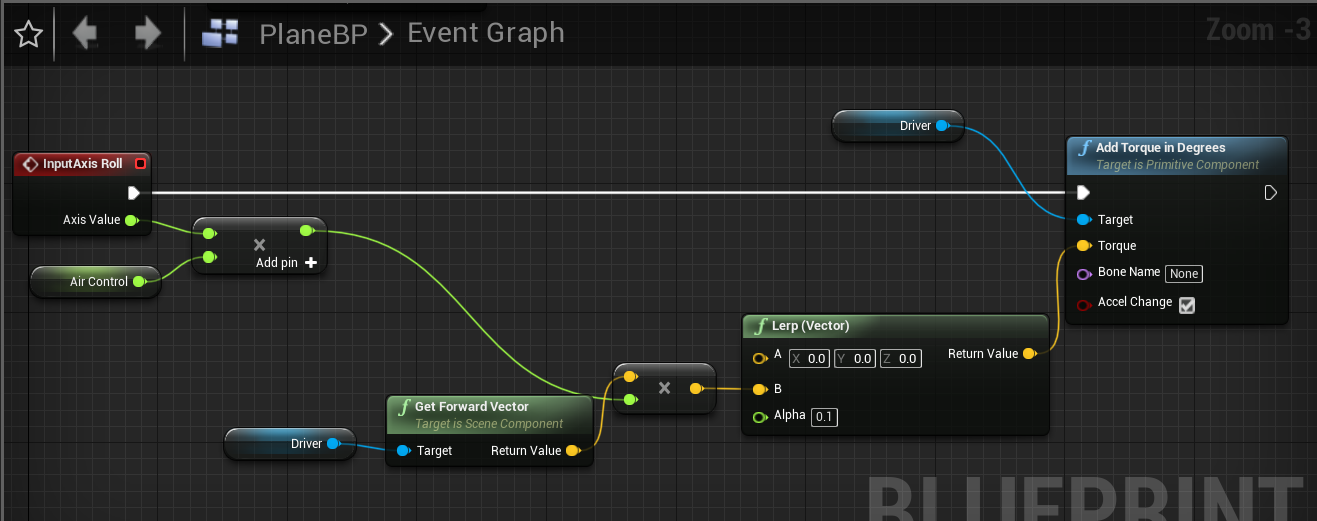

Maybe something like this? https://i.gyazo.com/5bc4316aecd76572cb2bd47ac23e6bc6.png
https://i.gyazo.com/0f2f479a83dfd0c334b7a01c0c38c669.png
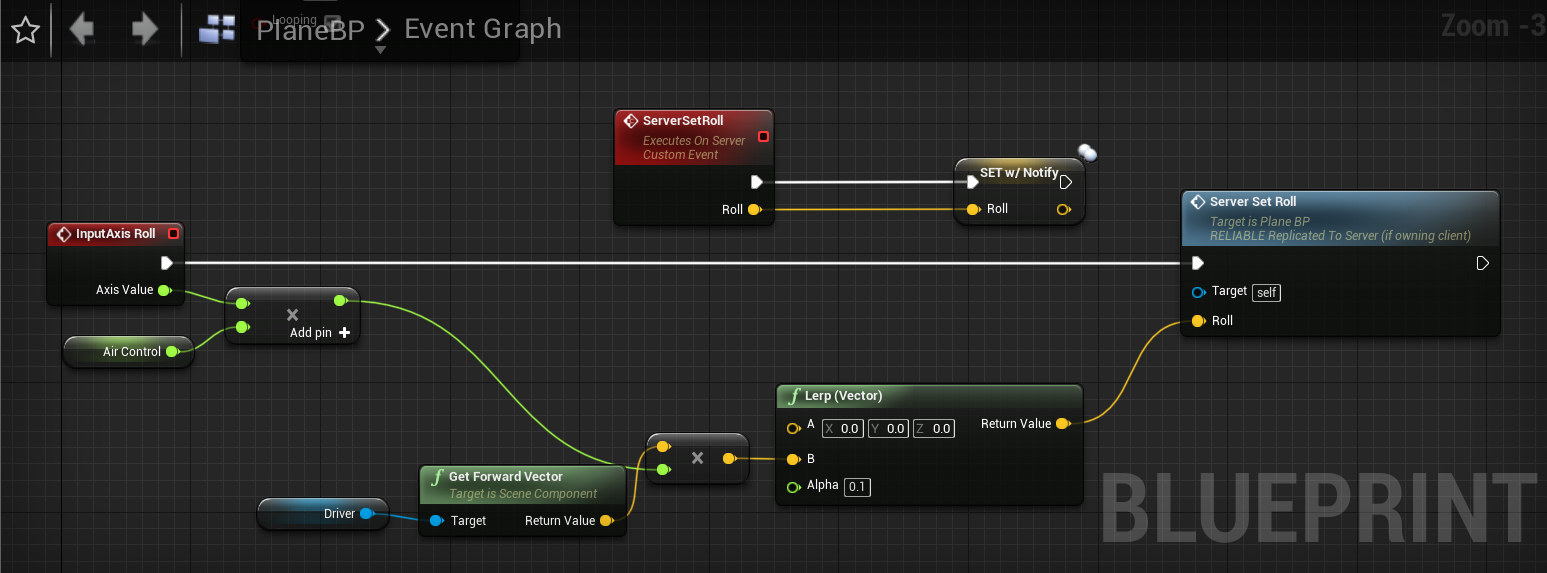
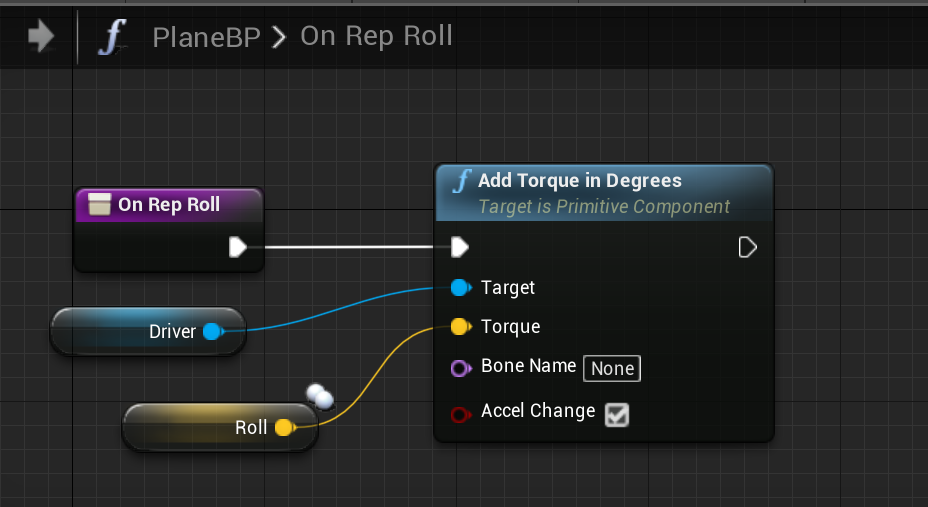
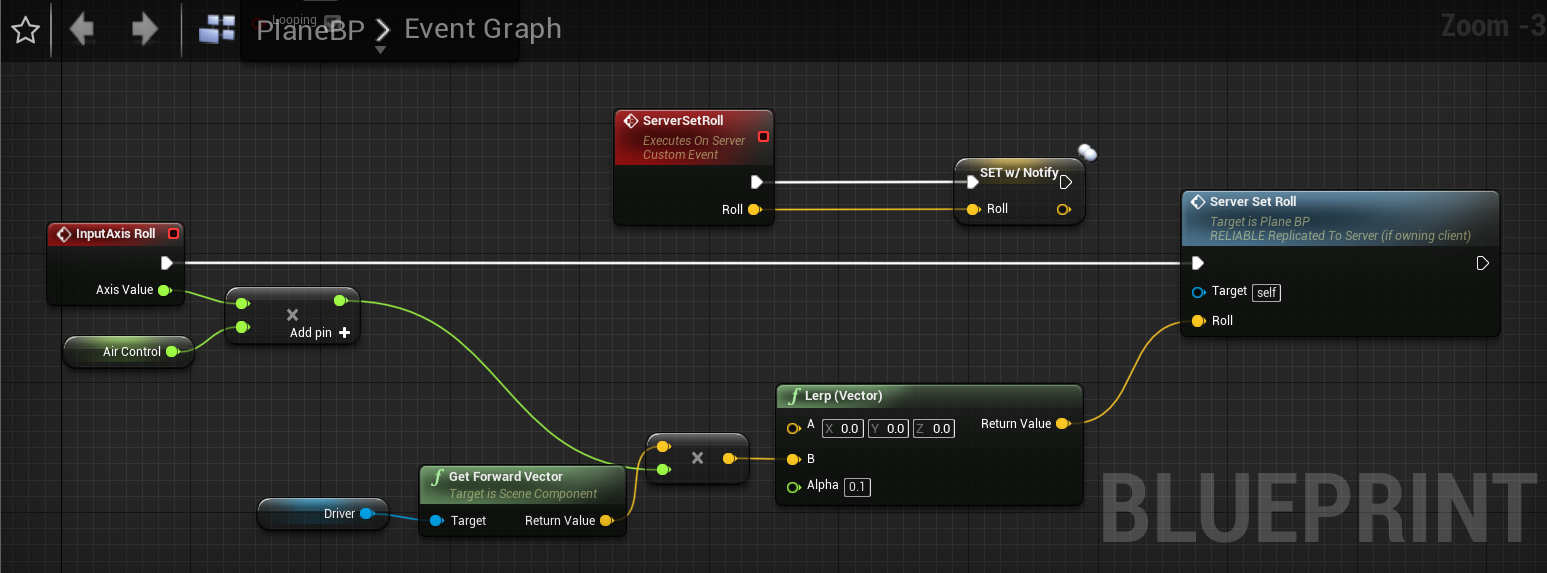
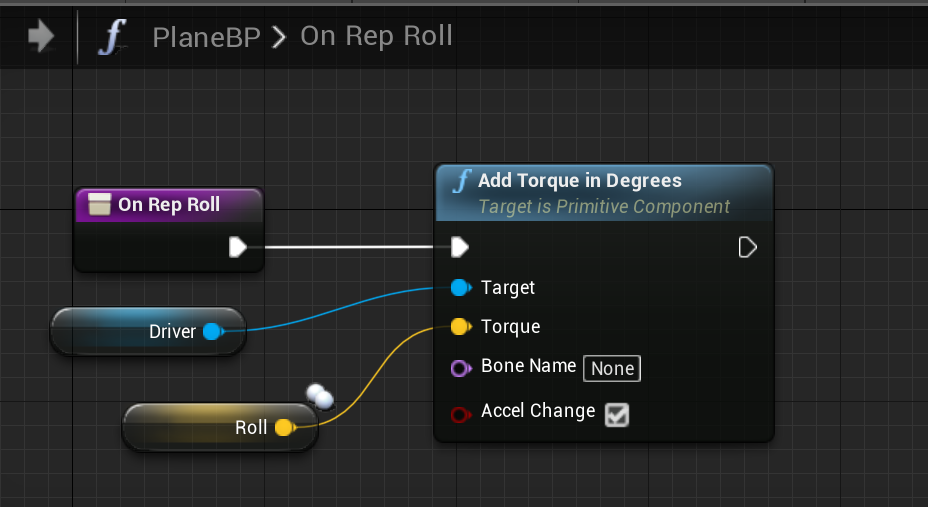 rotund sapphire
no because they will be flying in different directions and end up somewhere else on client vs server. you must replicate the movement of the physics object and that comes with laggy-jaggy movement in unreal physics replication... tho it may be less visible for this type of plane, but it's annoying on a car.
cedar finch
Yea physics are a pain. I got a BP working that uses static meshes and replicates. Works perfect but I still haven't figured out how to make the client player not "jitter" and "bounce" while standing on a physics actor lol. It isn't game breaking but it's just kinda annoying for clients when their screen is bouncing around like they are getting tased lol
rotund sapphire
Yes, cmc and physics is not compatible with one another. You can just disable all interactions between the two by messing with the collision specs for both meshes and character capsule too. Also add a collision primitive to the physics actor the character can be standing on maybe if the objects collision is a complex piece.
 gritty pelican
How to assign a variable "RepNotify"?
dawn nova
UPROPERTY(ReplicatedUsing=MethodToCallWhenReplicatedOnClient)
above your property
C++ right?
The ReplicatedUsing specifier is the RepNotify equivalent of C++
 heavy marlin
hey do i still need engine source build for dedicated server?
wicked brook
@heavy marlin Yes
heavy marlin
balls
 loud sage
I think this is probably the best channel to ask this question, but does anyone know of a way to expose a property to the editor so it can easily be edited using the Project Settings tab but have it only be packaged for dedicated server builds.
I've tried various combinations of WITH_SERVER_CODE and WITH_EDITORONLY_DATA to try and make either the UCLASS or UPROPERTY appear in-editor + the variable only appear in-editor/in dedicated server builds, but I keep hitting dead ends there (it either messes the UPROPERTY type detection up throws an error about how a UPROPERTY cannot be surrounded by a #if other than WITH_EDITORONLY_DATA -> but that would exclude it from Dedicated Server builds, right?). I'm trying to do this all on a UDeveloperSettings class, and am storing what could be deemed sensitive data along the lines of API keys/etc.
TL;DR: Is there a way to expose this data to the editor and have it only be packaged for dedicated server builds (so not even included in clients -> to protect against decompilation), or would #defines be the only real option here?
heavy marlin
Yes make a separate module that targets server only and put it in there
Then include that module in your editor target but not game/client target
loud sage
🤦♂️ I cannot believe I didn't think of that - thanks a ton!
heavy marlin
Np, if you run into problems put it in your game target as well but wrap it in an if editor thing
Also if you don't want to have references to it all over the place, use a tsoftclassptr with the base class so you can set it in bp
rich ridge
@heavy marlin thanks for the tip
heavy marlin
Np
cedar finch
I cannot get an actor to destroy for clients for some reason. I've tried everything. I'm using the "EventAnyDamage" and setting my health. Then if the health gets below zero I destroy the actor. But for some reason it doesnt destroy for clients. https://i.gyazo.com/142be2f840da4dfcb6d9ba92b1001194.png

 loud sage
Probably not it: but have you checked that the actor is indeed replicated under its settings? And if you add a print statement where the DestroyActor node currently is: does it print something, or does that code simply not get reached?
cedar finch
@loud sage Oh my god! I'm uninstalling ue4 🤦 It does this to me every time!!!!! I forget to check replicate. I wish it would be checked by default. Thanks though. Now it works, after hours of banging my head against the wall
I could have swore I checked that box. oh well
rich ridge
@cedar finch did you really uninstall ue4
cedar finch
Lol No I was just kidding.
loud sage
That checkbox has cost me many, many hours as well ^^ Glad I was able to help though!
rich ridge
@cedar finch I believe in people, they can really uninstall ue4, making games with ue4 is more about debugging and people do give up
cedar finch
I'm not giving up lol I was just being sarcastic. 🙂
rich ridge
Cool
echo rune
Lets say you want to make a game with one big server i guess like an mmo. How would you stop clients from starting a server with the - server parameter? Since it's build in one
Or can you somehow build a server and client? (using Blueprints)
 karmic briar
U can use this as a guide

In this video we setup our .NET Core WebAPI and build a data structure to store our player locations. We also add an API method to update the player location.
echo rune
Thx but that doesn't really help me 😅
Like sure he does a server but he also says you shouldn't do it. The way also looks bad. I mean i just need to seperate client and server basicly
dawn nova
I think you can only do -server in development builds
You can't do that in shipping I think
It is possible to build a dedicated server and a client, but only with a source built version of Unreal Engine, which you have to get from Epic Games' github
echo rune
Guess will have to go with the GitHub version then, thx 🙂
How will it work with connecting then?
Can i still just use the JoinSession on the Client and CreateSession on the Server or do i have to use the LoadLevel with the IP of the Dedicated Server?
or does it depend on rather i want to just have a single server or a list with servers that just i can host?
dawn nova
depends on what onlinesubsystem youre using, if youre not using any direct connect by IP will work
but yes
it is practically the same
other than that the server is seperate instance
 shut gyro
Hello everyone. I am trying to get party groups together so that they can travel together to the lobby. I read a very helpful wiki guide that describes how to do this at a high level: https://wiki.unrealengine.com/PartyMatchmaking. I have two separate beacons right now listening on different ports, and I am stuck on one last step (I think) before this can work properly. I need to have all the clients in the party know to search for the same "lobby" together so that the clients can join the host's lobby from the party.
Now, this can be done very easily from a RPC I thought, and I thought "oh ok I will send the Session ID from the GetNamedSesion function call so that the client can receive a RPC and call FindSessionById. Easy!" However, I am getting a problem wrapping the FUniqueNetId into a FUniqueNetIdRepl - it just simply won't happen - I get a crash error regarding that.
So, with that I am stuck - I have an idea regarding search filtering, but I am inexperienced with using it atm. Does anyone have any ideas on how to go about getting the clients to receive the host session id?
rich ridge
@shut gyro are u doing some kind of matchmaking
is your host a dedicated or listen server
shut gyro
Yes, I am attempting to do matchmaking with a custom lobby system
Listen server
@rich ridge
rich ridge
since its a party matchmaking, someone from team A and team B will take all its team mates to a dedicated server
this is what r u trying to do?
forget about this.
Your matchmaking service knows all the players, and probably the host as well
once matchmaking is complete, send your clients the host info and let your clients connect to your host via socket
and host sends the session info to clients and clients receive sesison info and joins the session
this approach involves zero backend
but high chances of failure
shut gyro
That is exactly my approach at the moment on a listen server. My only problem is what exactly to send over. I tried with the FUniqueNetIdRepl variable, but am not sending the right information. I think I accidentally sent some random guy a steam request through SpaceWar LOL.
I guess I should be sending the SessionInfo over through a custom struct - I will try that and let you know
rich ridge
this approach is really un reliable
u can't trust this and its damm easy to hack
Heroic Labs builds Nakama - an open-source social and realtime server for games and apps. It includes a large set of services for users, data storage, and realtime client/server communication; as well as specialized APIs like realtime multiplayer, groups/guilds, and chat.
Please read this
this might help
shut gyro
Hm, couldn't you check for oddities in the validate function? See if the ids you are sending out matches the one in your party beacon ATM. If it doesn't match, you are sending it to a stranger.
I will take a look at what you sent. I mean I eventually want to switch over to a Dedicated Server with AWS that should have a lot of what you are describing but I think the best approach is to start with a Listen Server, then build up to a Dedicated Server with Steam then on AWS.
echo rune
@dawn nova Do i have to connect using the ip when i'm using the dedicated server or can i simply use the JoinSession?
dawn nova
When onJoinSession has completed you can get a resolved server address frlm the OnlineSession and then you need to ClientTravel to that resolved server address
 spice skiff
Question, regarding dedicated server multiplayer. I am updating a skeletal mesh on a player and when another player joins after he cannot see the updated mesh. I have the mesh updating through rpc. Is there anything im missing?
winged badger
you don't have a replicated state for that mesh
your late joiner won't get the RPC after the fact
spice skiff
So what do I do for the join in progress player?
twin juniper
Guys, anyone else having lag/jagged animation when seeing the client move around?
Yo fresqo maybe u might want to update the player mesh upon joining?
i think u have to sync the client with the server state
dawn nova
@twin juniper maybe you are lacking client prediction to make up for replication time
twin juniper
maybe 😦 i'm kinda new to this, how do u guys go with ur MP project?
my game is not even running properly
when a client join, as the host the animation become very lagg/jitter
spice skiff
I had that issue
twin juniper
but peer to other peer see the animation just fine, except for the fact they get teleported weirdly when they bump to each other
dawn nova
But we fixed it but I dont exactly remember what it was
twin juniper
I see
spice skiff
For me It was replication. You don’t need to rpc character movement component
dawn nova
Theres an option to see where the server says your capsulecomponent is vs whefe the client thinks it is
If it is out of line with eachother, the server will constantly correct it to another location than the client, causing the rubber banding
What do you have in your character?
Is your client movement speed the same as the one the server?