#multiplayer
1 messages · Page 502 of 1
 tall saddle
Anybody know why camera rotation isn't replicating from clients to server? My clients can see the server player character rotating, but not vice versa. I'm a bit of a noob with networking and replication, but I can't seem to find help on this. Any advice appreciated.
 pastel elm
Replicate Variable Update only if modify by the server. If modify by the client they are not transmit to the server.
 chrome bay
Yep, replication goes from Server->Client not the other way around
If you need the server to replicate something it has to be sent via RPC
tall saddle
Right okay... I have no idea how to do that, but it's a start 😁
chrome bay
Characters pretty much have this handled out of the box
Just need to provide them with input and it will work
 twin juniper
Anyone got any tutorials on replication please and thank you
pastel elm
Well the most furnish document would be this one i guess :
http://cedric-neukirchen.net/Downloads/Compendium/UE4_Network_Compendium_by_Cedric_eXi_Neukirchen_BW.pdf
 cosmic badge
I was looking for that one to post as well, its a pretty good breakdown of the concepts and whats replicated
 haughty star
@chrome bay For bullet trajectory with raycast you can just do a loop and add velocity each time what? why add velocity each time?
tall saddle
Okay, but the thing is, the position of the gun model is done through hierarchy
It's childed to the camera. There's no actual code in first person template to make the gun appear like it's moving, it just naturally moves with camera rotation through the hierarchy.
I've set each component [camera, static mesh] to replicate but it doesn't work
Any advice here?
If it were being done through code, I could probably do it, but it isnt, it's being done just through parenting in the blueprint component hierarchy.
 winged badger
don't ever replicate SceneComponents that don't have custom replicated variables or RPCs in them
they can be addressed over the network anyways, so there is no need
simple solve is pull the rotation from owning client on Tick, and send it to server UNRELIABLE and have server replicate that, skipping owner
or try to use GetPlayerViewPoint in the PC
as it might already have what you need in it
 dark edge
@haughty star you add velocity in the z direction for gravitational acceleration.
haughty star
ok make sense thanks
dark edge
@haughty star basically the simplest raycast bullet with travel time and bullet drop would just have a velocity variable, and each tech cure cast from where the bullet is to bullet position plus velocity times time step, and then you add -980 in the z direction x time step to the velocity for the next go-round
The bullet won't have any drag but you can bake drag into it bye lowering the velocity each time by a certain amount times time step.
haughty star
okok thx
 silent birch
Hi
Sorry if I bother you but I have a problem
In a session we are for example at 2, if a player leaves the session I will stay alone and so there will be 1 player in the session, but the problem is that the number players of Game mode still show 2 players because it counts still the player who left the session
 meager spade
@silent birch 3 days now you have asked the same question
3 days people have said what you need to do
we are not your programmers, we are here to help, give advice/guidance, not program your game for you. You need to find out WHY it still says there is a player. You are not even showing us how you determine how many people are in the game in your game mode.
just asking a a vague question, that people just won't bother answering/replying to you with.
silent birch
You know that the game mode at a node for that, the num players @meager spade
You Know?
The node num players.
And then I create a HUD for that which shows the number of players in session and it works but when a player leaves the session this player is always counted in the session
meager spade
you create a hud in the gamemode?
 zealous saffron
HUD is created by default, shouldn't need to create one.
silent birch
@meager spade not in the game mode
meager spade
you should use PlayerState and get the PlayerArray and get the Length
that will give you how many players are in the game
silent birch
Then? @meager spade
silent birch
So I will not have the problem I have now? @meager spade
meager spade
🤷 i don't know what monstrosity your blueprints are, so how do i know?
 wheat magnet
best/trusted way to make dedicated server for ue4?
meager spade
eh?
legal?
you need to build the source version of the engine
then create a Server target
for your project, and build the server binaries
wheat magnet
can provide tutorial or article
meager spade
should give you a rough idea
silent birch
Because the display of the number of players in session has no problem then why you told me to use the Player State while in the game mode there is a node that we return the number of players in session, c is this node that I used
meager spade
cause clearly your sessions not being done properly
but the playerstate array will hold only connected players
silent birch
OK
meager spade
signing?
silent birch
@meager spadeI will try thank you.I will signal you tomorrow
@zealous saffronMy native language is French
zealous saffron
ah
silent birch
OK
 normal ermine
God i clicked Launch by accident and now the direct ip connect doesnt work anymore on my project
any ideas why this happened?
pastel elm
Question about Seamless travel : As the GameMode stay load what if the Intermediate Map has another Game Mode ? Is that a problem ?
meager spade
@zealous saffron did you see my reply to your questioon
zealous saffron
Oh yeah, just tried it actually
it works thanks @meager spade
been bugging me for a whole week actually
meager spade
sweep fails on same start/end
zealous saffron
probably more
meager spade
people complained about it beginning of the year
but epic said its by design 😄
it used to work, then epic "fixed" ti
 arctic totem
I am having a big problem with my UE4.22. Out of no where the other day, every 4.22 project will 'lag/rubberband' when I run with 'dedciated server'. Even a new blank project if I put a little logic in it. My 4.21 and 4.23 both dont have the issue. I have reinstalled 4.22 3x now and also wiped the temp data for 4.22 from appdata.
On my other CPUs the 4.22 dedicated server on these projects work fine.
Only things I can think I did the day it happened was I accidently clicked 'launch' like Tryedz said above. As well I noticed that now my '(max tick rate 0)' shows as 0 on my 4.22 projects. When I lag I usually get this error in the output log too:
"LogNetPlayerMovement: Warning: CreateSavedMove: Hit limit of 96 saved moves (timing out or very bad ping?)"
Any suggestions/ideas? I am going to have to format my computer if I cant figure this problem out soon.
arctic totem
Maybe this is related. Now in 4.22 when I 'play' the project on dedicated server, it shows these warnings that I dont remember seeing before:
LogOnlineSession: Warning: OSS: No game present to join for session (GameSession)
LogNet: Warning: UNetDriver::ProcessRemoteFunction: No owning connection for actor BP_FPSAICharacter_2. Function ServerInitializeCurrentWeaponInCharacter will not be processed.
Happens in multiple 4.22 projects now so weird. Why wouldnt it assign an owning character these are marketplace projects that worked before. So weird.
 harsh lintel
I have a server RPC that spawns an actor that is only relevant to owner and then saving a reference to that object(actor) in a RepNotify variable, the variable is valid in the server but it doesnt seem to be valid on the client
am I doing something wrong?
harsh lintel
repline?
meager spade
DOREP line
meager spade
oh bp?
harsh lintel
yes
 lost inlet
multiplayer in BP rip
lost inlet
you probably need to explain more about your setup and that you've verified that the actor is indeed spawning on server and is set to replicate
since it would still need to be marked as replicated even if it is owner-only
plus in C++ you can do stuff like set breakpoints in parts of the engine which isn't possible in BP
harsh lintel
the actor is set to replicated and relevant to owner, it's being spawned in a server rpc, when I save a reference to the actor in a RepNotify variable the server has a valid reference, but it doesnt seem to replicate
works fine without setting relevant to owner
dark edge
@harsh lintel Does it ever become valid or is it just not valid on rep?
I've had problems with references replicating before the referenced actor does
harsh lintel
It doesn't become valid, the RepNotify function doesn't even trigger on the client
lost inlet
you could try a soft reference and see if you receive that but the onrep may fire before the actor is known on the client
you may consider replicating the variable on an actor on the client that's only replicated to the owner already, like the player controller
you could also consider doing something in the owner-relevant actor's BeginPlay on the client to update a variable elsewhere
silent birch
Hi
harsh lintel
the variable is part of a player controller
@twin juniper This series explains networking itself with examples, it isn't project based hope it's what you're looking for https://www.youtube.com/watch?v=TbaOyvWfJE0&list=PLZlv_N0_O1gYwhBTjNLSFPRiBpwe5sTwc&index=1
Enjoy the videos and music you love, upload original content, and share it all with friends, family, and the world on YouTube.
twin juniper
This seems like exactly what I wanted! Thanks so much! I wasn't able to find it for some reason ><
lost inlet
@harsh lintel i would need to see your spawn bp/code, did you check that the actor was being received by the client (appears in the world, fires BeginPlay)
harsh lintel
this is the spawn function
the actor does fire BeginPlay but only on the server when Relevant To Owner is true
silent birch
What object to put for a player state
?
@meager spade This code does not work
lost inlet
Please take screenshots
zealous saffron
Cant even read that
lost inlet
These photos are barely legible too
silent birch
OK wait
lost inlet
@harsh lintel begin play not firing clientside would indicate that the actor is never being replicated to the owner
silent birch
So my number players variable must be an array?
zealous saffron
No.
silent birch
So what?
zealous saffron
The size of an array is an integer.
silent birch
OK
zealous saffron
int MyArraySize = MyArray.Num();
silent birch
I do not understand, I have to use a table at which level of the code?
zealous saffron
Is playerstate_online a child class of APlayerState? You shouldnt be casting let alone accessing gamemode there. Why are you trying to create your own array? And in the wrong place?
silent birch
Player state_online is a class child of player state
zealous saffron
Only things you need to access are your HUD and Gamestate, nothing else.
The playerstate array is replicated.
In Your HUD get the size of gamestate's playerstate array and display that value.
silent birch
My hud has been created but when a player leaves the session the number of players in session does decrease while he must decrease
zealous saffron
...
https://cdn.discordapp.com/attachments/221799385611239424/641493001213837312/IMG_20191106_052320.jpg
Delete this, access your HUD BP

Delete anything you have done to get the number of players so far. This screenshot is entirely wrong.
Go to your HUD BP.
silent birch
Ok
zealous saffron
The playerstate array already exists in UE4. In Your HUD get the size of gamestate's playerstate array and display that value.
meager spade
@silent birch you really need to read some documentation on the engine
you keep asking very very simple things here
which is all found in the official docs
silent birch
OK
meager spade
PlayerState, description is in the name. Every player has a player state.
GameState holds a reference to every players playerstate
lost inlet
please take screenshots, snipping tool is installed to every windows pc by default
silent birch
Sorry
lost inlet
it's hard to read these especially when you have your ceiling light shining on the screen
this stuff doesn't really seem multiplayer related to me, might be more relevant in #blueprint
silent birch
No it's multiplayer, the number of players in session
lost inlet
yes but a lot of this seems to be more about the basic understanding of blueprints and the gameplay framework more than it being specific to multiplayer even if the BP is literally for counting multiple players

 main spindle
Alright I'm making an online card game that works flawlessely in my editor and the packaged build works perfect whilst playing vs myself on my own computer, but for some reason I can't find the sessions hosted over LAN on my brothers computer? And I don't understand why!
the subsystem is set to null
I am using lan both in creating and finding the session
I have 2 max players when creating the server
main spindle
haughty star
Hello, is it possible to use SessionInterface for not creating SessionBased game but long term session like persistant world by just always start the game and never stop it ? It permit to list all the servers, and stuff like that ? There is another way? It seems to me the simpliest way.
 bitter oriole
@haughty star Sessions are basically for matchmaking
haughty star
Yes but if you want to use a persistant server, what can we use? Because we don't need lot of fonctionnality
bitter oriole
I believe you can keep a session running for a long time, but that depends on whether Steam etc have limits on it
It's probably not often used that way
haughty star
Anyway how does games to list servers with steam? There is something else in steam?
haughty star
I'll try.
 real yacht
can someone clarify to me... on mobile (Android) if client app is minimized (in background)
RPC from server can't be called
?
if i call from server MyRPC , it will not be proceed?
 thin stratus
You mean a ClientRPC?
Could be that nothing is actively ticking if the game is in the background, so also not processing any incoming data
haughty star
@thin stratus what do you recommand for persistant world dedicaced server? can be possible to use OnlineSystem with Sessions with Steam to have servers list but never close sessions ?
thin stratus
persistant world dedicaced server
Afaik that's tricky anyway as DedicatedServers need a restart every x hours
 fleet raven
you could edit the engine to replace all of the float time variables with double ones
thin stratus
So just having the Server up and running won't work(?) and would require some logic that moves the players seamlessly over to another server without them noticing
fleet raven
then make a PR so this problem is finally solved for all of us :D
thin stratus
At that point it might be worth checking out third party solutions
you could edit the engine to replace all of the float time variables with double ones
And you never heard of Luke again
fleet raven
technically you don't need to replace all of them, only ones keeping an absolute time value
so things like the timer api can remain as is
thin stratus
:bigbrain: Use "Find and Replace" feature of VS to replace all float with double.
I'm annoyed this isn't a server emoji, but guess it's a too toxic to release it upon lounge
thin stratus
Don't you need to give Discrod $$$ to use them on other servers?
 thin stratus
Yeah then that won't help me
fleet raven
using these emoji is the only reason I have nitro for
but yeah would be nice to have servers not randomly die
real yacht
@thin stratus yes, thnx
fleet raven
worst part is it doesn't actually "die" it just breaks somehow so clients that join only see the sky and don't receive the hud they would use to get back out
real yacht
if player A spawn BoxActor, and player B connects on dedicated server, BoxActor is not visible, how can that problem be solved? how can reproduce same state on map for new connected player?
Thnx
BoxActor is replicated
everything works ok if both players are already connected.
chrome bay
The Server needs to spawn it
If it's spawned on the server and a replicated actor, then any newly-joining players will receive it also.
real yacht
when you say server you think gameMode?
chrome bay
No I mean Server
real yacht
owning connection should call RPC (run on server) to spawn BoxActor
or i'm missing something here? :/
chrome bay
That's fine, so long as the RPC is what spawns it
The actor needs to be replicated and the client shouldn't be spawning one locally as well.
chrome bay
That makes no sense atm, you're calling a Server RPC but only if you have authority, which means on the Server
Remove that Switch Has Authority first
chrome bay
Where is this being called from? What class is that in?
real yacht
its some actor that is owned by pawn
chrome bay
kk
So yeah remove that switch
The Spawn Actor code should be plugged into the red event node
chrome bay
Yeah that's it
Then you call the blue node on the client. The red node will run on the Server, and spawn the object there.
real yacht
okay, but i dont get it, why should this works, and with switch auth. will not work?
chrome bay
When it replicates clients will create thiers
Because the switch means the client isn't calling a Server RPC
The client doesn't have authority on the actor, the Server does.
chrome bay
No
real yacht
hmm
chrome bay
Authority isn't the same as ownership
bitter oriole
Authority = basically checks if you're on server or client, with a subtle difference for Pawns that also have "locally controlled client"
Owner = controls RPC flow
Two very different things
real yacht
okay so if i'm in remote branch, than with locally controlled i can be sure that i can call RPC from that actor?
chrome bay
You can never be sure
bitter oriole
locally controlled pawns or players will very likely be owned by the local client
Since it couldn't work if not
chrome bay
To be honest, you don't need the switch at all.
bitter oriole
If they're locally owned, then you can RPC
chrome bay
If it's server-controlled, you probably still want the same outcome
real yacht
okay, understand
so if myPlayer holds a gun (Actor) i can call Shoot(RPC) but i need to ask is owned by player?
because i think that i need to ask every time or i will try to call RPC from not owning connection and message will be dropped?
chrome bay
You shouldn't need to check really. The game shouldn't ever get to a point where somebody who doesn't own the object is calling the RPC anyway
If it does then it's a design issue, the "no owning connection" message shouldn't ever really be seen unless something has gone completely wrong
real yacht
yep, understand
but with multicast is different
i will need to have switch auth
because it will be called on server, client and all replicated actors, right?
if i want to have some specific calculation only on server
chrome bay
Well multicasts can only be called from the Server, and yeah doing an authority switch might be needed sometimes.
haughty star
@thin stratus Afaik that's tricky anyway as DedicatedServers need a restart every x hours why? a linux machine can run for day/weeks...... right ?
real yacht
@chrome bay it works without auth. understand now
thin stratus
@haughty star I said the DedicatedServer. Not whatever you run it on.
bitter oriole
@haughty star UE4 is not built to run forever
Stuff like the game time, for example, is going to be less and less accurate as time goes
thin stratus
It's used for all kinds of things
haughty star
So even if I change float to double, how many day can run a server?
bitter oriole
You can calculate that
haughty star
There is no solution? 😦
thin stratus
float to double is a huge task iirc, if even possible(?)
And yes, that would also only extend the time
You need a system to move players from server to server either way
haughty star
So that's not a good way
bitter oriole
Let me ask you something in return : do you know of a MMO that runs UE4 for servers ? You probably don't
thin stratus
Yeah UE4 servers are for short match-based games, like UT.
Where the Server is killed after the match (or at least restarted during the night)
haughty star
ARK isn't UE4?
bitter oriole
Not an MMO
thin stratus
ARK can't endlessly run the Servers either
haughty star
It's an persistand server no?
thin stratus
Na, they probably get saved and restarted during the night
haughty star
I don't know ARK but I think it's dedicaced servers?
bitter oriole
The "MMO lite" approach of games like Destiny, Sea of Thieves, etc works well with UE4
Spin up a new game server for every activity, done
Activity finished, exit server
thin stratus
Still needs an additional backend system to handle that though
Just putting a server on a linux machine and letting it run for ever is not a thing
At least not with UE4's dedicated servers
bitter oriole
Actual persistent shared servers is a rare thing these days because well, it's massively more complicated and costly
haughty star
@bitter oriole I speak game like ARK RUST Minecraft games like that
thin stratus
And I already told you they suffer the same fate, at least ARK
You have to restart the server eventually
haughty star
Yeah yeah, I answer to Stranger
bitter oriole
They do the same thing
haughty star
Ok, so restart a game every-day isn't a big problem right ?
It's not the best thing but if the server have to, so we have to do that
bitter oriole
Let's think about it the other way : why do you need the server to be online all the time ?
You're going to need multiple servers depending on how many players are playing
thin stratus
Yeah you usually schedule a task on the host machine to shut down the server and then restart it
Linux can be a cron job or so
Haven't done that in a long while
haughty star
@bitter oriole I answered you, I like game where you've many servers, so IDK maybe a server can host 100 players, you play on the servers you want
so servers should be online anytime
bitter oriole
Nah
Just because you need servers available all the time, does not mean the servers need to never stop running
haughty star
true
thin stratus
a server can host 100 players
That's also not supported out of the box. Be aware that UE4 usually caps off at 32 players. Maybe a bit more depending on how optimized the game is.
100 Players in Fortnite needed a lot of changes in the Engine + the usage of the replication graph (buggy shitfest apparently)
That is 100 players at the same time of course
haughty star
it's because of the distance stream right ?
haughty star
It depends of type of game no?
bitter oriole
No
haughty star
Because 300 players in a Battlefield map is hard, but 300 players running in a GTA Map without stream is lighter?
thin stratus
Not UE4
bitter oriole
Both are extraordinarily hard
haughty star
that's the server can handle all the trafic?
bitter oriole
Also, the elephant in the room is that most indie games never have 10 online players in their entire lifetime, so plan for that realistic scenario in your game's design. Small 5-10 player instances that start when one of the player connects and shut down when everyone exits is much more manageable
haughty star
I never said my servers will have 300 players
bitter oriole
Just being honest about the numbers here
haughty star
Yes
But we have an interesting discussion about performance of UE4 servers
even if I don't have players in my servers
bitter oriole
The point I'm making is that both UE4 technology and the games business suggest low player counts
haughty star
How games like Rust can handle 300 players? Big servers probably, but? Yeah it's not UE4, but they're replicated objects and players, so that's basically the same right?
thin stratus
Do they have 300 players per server?
bitter oriole
I thought Rust was around 50 players max
thin stratus
Seems like they have 300+
Well different Engine. UE4 is basically not made for it.
That's all I can say
You can obviously do it, otherwise it wouldn't exist
But not out of the box with UE4
chrome bay
Rust uses Unity and Raknet, totally different ballgame
bitter oriole
Basic problems with 100 players include that player's computers won't keep up with 100 (or 300) players at the same spot, at least not with UE4. Too many characters to animate, too much bandwidth to work properly, problems with collisions...
thin stratus
Yeah Raknet is actually MMO size stuff
bitter oriole
Most high player count games work hard to ensure not everyone is going to meet up
chrome bay
Lol
That was a huge concern when the design of HLL changed to force all 100 players close together
Shock horror, the result was a clusterfuck
bitter oriole
^
thin stratus
Yeah I'm sure if all 300 players run into the same spot on RUST, it also breaks
chrome bay
Still dealing with issues now, had to do utterly crazy workarounds to make it playable.
haughty star
Interesting
bitter oriole
The basic fact of the matter is that 100 players on screen doesn't work for gameplay, art, networking, or performance
Now again @haughty star - you can perfectly design a persistent, shared world with 10 players on servers that restart every 4 hour or something
Basically you just need to save the game, spin up a new server with hat save file, tell the game on your player's machines to reconnect to a new server
haughty star
Yes but for 10 players, I do not imagine how persistent should be fun
bitter oriole
I mean 20 or 30 is perfectly fine if you pay for decent server hardware
The question is whether you need 100 players at the same time on your persistent server for it to be fun
haughty star
Yeah, but I wanted to say, it depends of the game, if they're only 10 players on servers, I am not sure is a suitable for a persistant gameplay
Imagine 10 players on rust, it's like 2 or 3 team, you'll always fight agaist the same guys? You know what I mean, I won't create Rust, 10 players is better in like a ZombieCallOfDuty mod or stuff like that ?
bitter oriole
If you need more than 10 people online for your game to be fun, how large is your publisher's marketing budget to get those people to buy the game ?
Our game never had more than 10 people online
And we sold like 10k copies, which is 5 times the Steam average
haughty star
Waw, indeed
bitter oriole
How are you going to even develop a game that is only fun with 100 players online ?
Bots ?
haughty star
You right.
I didn't know with 10k copies you have difficulties to have 10 peoples online
I just wanted to say gameplay like Rust with 10 players isn't interesting. But they're others gameplay for 10 players, Like multiplayer co-op
bitter oriole
How many hours did you put into your favorite game since you bought it ? How long ago did you buy it ?
Just calculate the % of time you spent on it
You're probably going to wind up with like, 1-5% of your time playing it
Let's assume 2% - 500 people who bought it means 10 people online
On average
But player count has cycles based on where you sold the most, so 10 people average means 2 at other times
haughty star
Yeah there is not so much people who plays 5/6h per days on indie games
bitter oriole
If you asked me for game design advice I would suggest not doing a multiplayer-only game because 0 other player online is a very realistic possibility, but i'm hoping it goes better than that
Just don't build your game based on having 100 players up
bitter oriole
If you build your game based on 10 online players, like say, an Overwatch game, you make it easier to have enough players, you avoid a lot of technical problems, and you make it easy to migrate the servers when they reboot
haughty star
10 players online with sessions based game isn't a problem to reboot some servers yeah
 grizzled stirrup
Has anyone ever encountered a problem where a player testing a game on Steam can't open the overlay with shift + tab as the UI steals focus? (shift + tab instead for some reason navigates the UI but never brings up the overlay)
The overlay is working fine on 6+ other machines tested but this one machine seems to be locked in focus to the UI. It sees the steam overlay notification pop up at launch as usual and can open the overlay fine in another game tested
grizzled stirrup
The root of the cause seems to be that for some reason shift navigates the UI on the machine that cannot open the steam overlay but the other machines don't have anything bound to shift (when in UI mode) so they can open the overlay
The solution seems to be to just avoid using the overlay and make an in game UI for friends
 worthy perch
This isn't a technical answer, but if it really is a unique problem for him (and he can't open the overlay in any other Steam games), then he should rebind his Steam overlay keys, and perhaps you as the developer can ignore that issue. 🤷
 wise depot
does anybody know where internally unreal sends players to the entry level when calling destroy session? i've been trying to find it for the past half an hour and can't track it down to change it
grizzled stirrup
@worthy perch the problem is he can open the overlay in another steam game we tested
It just seems that for some strange reason on his machine, shift causes UI focus (moves to the previous focusable button) in my particular game and it prevents the overlay from coming up
Will check with another UE4 game and see if it’s common to the engine on his machine
pastel elm
Is There any way to Get /Modify the list of client for which we want the game to replicate things ?
chrome bay
You can override IsNetRelevantFor on a per-actor basis if you're not using replication graph
But that's the whole actor, not individual properties.
Individual properties have a few conditional flags like OwnerOnly etc, but those are fixed.
 eternal briar
Can anyone please tell which method from below is proper:
Setup: I have a pawn, for which bReplicates = true. I have a static mesh in that pawn. I want the static mesh to change visibility on the server and all the clients.
Method 1: Static Mesh does NOT replicate.
Method 2: Static Mesh replicates.
Both the methods yield the same result. Which one is the proper one?
bitter oriole
Which one you like more
zealous saffron
Multicast
bitter oriole
An important difference here is late joiner
RPCs (multicast) only fire once
Replication will affect late-joiner too like you'd expect
silent birch
@eternal briar Your UE4 IS 4.12?🤔
bitter oriole
Every time you consider RPC vs Replication for server to clients, it boils down to this :
- Replication affects players joining the game after a change, multicast doesn't
- Replication has variable rate depending on many factors, multicast doesn't
eternal briar
ah understood, thank you!
@silent birch it is 4.22, but I am using different theme.
bitter oriole
Basically multicast/rpc is about events that have no persistent effect in the world while replication is about data
Visibility should probably be handled through replication, not multicast
silent birch
How is it a different theme? What theme? @eternal briar
bitter oriole

GitHub
My Minimal Dark Theme for Unreal Engine 4. Contribute to Sythenz/UE4Minimal development by creating an account on GitHub.
 tall drum
Hello
I was wondering between blueprint or database is the best for persistence for online game ?
I checked on google, the best is database if we have big data however, is there any security problem ? For exemple, cheater can do something with our database ?
Do you set-up the database on online server ?
I'm learning how network work with database and persistence
bitter oriole
Databases are for storing complex data that persistent between the lifetimes of server instances
For security, you just prevent remote access other than your dedicated servers
People can't cheat into something they can't connect to
And if you're asking this, you do not want to put a database for your game
bitter oriole
Build a database server in PHP or Python or whatever, call SQL on the database, and have whatever protocol you like between dedicated servers and DB server
tall drum
thanks!
silent birch
There is a way for the client to open a level when the server opens it? Because the problem is that when the server opens a level, there is also a level that is open at the client automatically
pastel elm
Server Travel ?
grizzled stirrup
@wary willow I saw an old forum post you made similar to the problem I am having at the moment: pressing shift tab to open the steam overlay works on most PCs but doesn't on one machine for no apparent reason (the UI steals focus when pressing shift when it shouldn't). Did you ever find a workaround to the problem?
 wary willow
I have no idea what you're talking about honestly
Need more context, maybe link to post at least?
grizzled stirrup
Finding the link now Edit: I swear I saw it earlier but the closest I could find was a discord message you sent about one PC not having an overlay and the other one having one which is not quite the same, sorry please ignore. If anyone else has encountered the problem of most players being able to toggle the overlay with shift + tab and a few others not, any pointers on how you solved it would be great!
zealous saffron
@silent birch I would highly recommend you read the documentation at this point.
pastel elm
I'd read all that if i were you ;)
http://cedric-neukirchen.net/Downloads/Compendium/UE4_Network_Compendium_by_Cedric_eXi_Neukirchen_BW.pdf
 hoary lark
twice
silent birch
@pastel elm OK
pastel elm
Is anyone aware of a replication bug that could occur after a seamless travel on client based on object that are initialy in the level. Spawn at runtime object are not affected by that replication glitch even if it's exactly the same object
grizzled stirrup
@pastel elm I had a similar one where a spawner that spawns replicated objects on begin play had problems after the 2nd seamless travel
Something to do with clashing net GUID values
pastel elm
What odd is that it does not occur on all of my clients and on one map in particular (Well i have 2 so that's not a good mesure anyway).. After looking at my log it seems that player that are late to travel (They arrive after the Match State change to Waiting to Start or In Progress) are not touch by that replication glitch. I'll look at the GUID it could be that
Thank you
grizzled stirrup
There is a fix in 4.24 for a similar bug so maybe it is also fixed there
 ornate crescent
Hi,i have problem for the rotation of the character in TopDown example. I want to improve the rotation of the character to force to replicate the rotation with the minimun of the rotation change
any way to force to update the frequency?
lost inlet
@queen mist so we had a replication issue where fast loading clients would not see actors being replicated after seamless travel due to a desync'd loaded level list
not sure how similar that is to your issue
but that only applies to replicated actors placed in sublevels, not spawned at runtime actors
persistent level actors were also fine
pastel elm
Oh that could be that yeah we do have a GamePlay Sub Level only for thoses objects
lost inlet
i'll dig up the change we made
we had some back and forth with epic on UDN about it
if you have UDN access i can link you the thread also
pastel elm
I will look into that thank you 😉 You can have save my working week ahah. For now i'm trying without net loading my object, i'll see after my build if that solve that^^
@ornate crescent I suggest looking at Prioritization (https://docs.unrealengine.com/en-US/Gameplay/Networking/Actors/Relevancy/index.html)
lost inlet
so open NetworkDriver.cpp and go to UNetDriver::PreSeamlessTravelGarbageCollect and comment out ResetGameWorldState
then in World.cpp:
            {
                UNetDriver* NetDriver = CurrentWorld->GetNetDriver();
                if (NetDriver)
                {
                    NetDriver->ResetGameWorldState();
                }
            }
add this to FSeamlessTravelHandler::StartTravel just after the line that looks like this (approx line 5503):
CurrentWorld = InCurrentWorld;```Is There any condition or verification before the part in World ?
lost inlet
shouldn't be
pastel elm
Okok, just looking at the reason for the bracket
lost inlet
just to have it scoped
pastel elm
Perfect i'll try that 😉 Thank you kind sir
fleet raven
there was probably an if (stuff) there at some point
and they didn't bother to remove the block when they removed that
lost inlet
nah i just scoped it, lines up with the comment better too
lost inlet
also i would suggest commenting any engine changes you make with your company name or your name (like the "NWI" in my comment), makes merging future versions in a bit easier
pastel elm
Yeah that we do. We have a few change already, all commented with the name of the first programmer that put his finger in that^^
lost inlet
do you have UDN? i can give you the link to my post if you need it for reference
pastel elm
That would be great. Yes.
pastel elm
Perfect thx i'll look that when i got some time 😉
 lyric mural
From my character, I am casting to its animation BP, what would I make the object wildcard?
Its not working when I do self or get player
dark edge
Get animations instance on the mesh.
winged badger
@pastel elm any streaming levels set to AlwaysLoaded?
and if so,are the objects affected by replication glitch only belonging to those streaming levels?
pastel elm
They are that are always loaded but not the one with the object that are causing problems
winged badger
i ask because there is a backlogged engine bug where server fails to set the sublevel visible to clients that load before it does
it is specific to AlwaysLoaded sublevels iirc
loading them manually bypasses the issue
pastel elm
@lost inlet Works like a charm ! Thx you
lost inlet
@winged badger yes this is what i posted to solution to after working through it with epic on UDN
this seems like it works for both of us (it's been a part of our code for months) so scroll up if you need the fix for your own game
winged badger
that was the most annoying bug in my career i think
i had no idea that the Actors failing to replicate were on a sublevel
lost inlet
for us, it was doors in an AlwaysLoaded sublevel. people with certain hardware were getting desync'd doors very frequently and they always had high-end hardware with NVMe SSDs
winged badger
the UDN answer was pretty much along the lines of "oh shit i forgot about that one" when we posted
lost inlet
we got away with the bug for a while because our matchmaking queue doesn't use seamless travel due to how servers are allocated, it came up more in testing and community servers
winged badger
it shouldn't be a too difficult fix if willing to modify the engine (and maintain it forever)
lost inlet
we have a merging process for engine upgrades anyway, plus we clearly label our own engine modifications
dark edge
How would you guys handle this. I'm working on a multiplayer game where you have 2 distinct modes. One where you are constructing your pawn, and one where you are controlling it and driving around. I'll call them Construction and Driving modes.
My question is this,would you guys have:
A) Two pawns, one you posses while constructing, and the Vehicle that you are working on and then possess to drive.
B) One pawn (Vehicle), and construction mode just swaps some controls around and changes the UI.
C) One pawn (Vehicle) and all the construction mode stuff is handled by the PlayerController.
lost inlet
if a bug is officially fixed by epic then we just overwrite the change with theirs
dark edge
Think Kerbal Space Program, with its construction and flight modes. Same idea
winged badger
C is a nightmare
because it results in significant amount of branching logic that doesn't scale well at all
dark edge
I'm using A right now, but it becomes a mess when it comes to late joining, etc.
winged badger
basically all input handling for first and second pawn should be separately encapsulated imo
dark edge
So the transition from Driving to Construction just shuts off physics, teleports the vehicle to the consturction bay, and you possess the COnstruction pawn which has its own camera and controls etc.
winged badger
how you do it doesn't really matter
dark edge
I wonder if B is the approach. It'd certainly make "testing on the stand" easier.
winged badger
if you are using same input bindings for both
just forwarding the input handlers to a component would do fine
you just swap the component handling the input and you're good
dark edge
Here's a clip of the gameplay loop
winged badger
you can also swap the PC if you feel so inclined
winged badger
the GameMode doesn't actually enforce all PCs be of the same class
just when you first load the level by default
basically as long as you don't go along the lines of
void HandleSomeInput()
{
    if (GetPawn()->IsA<AConstructor>())
    {
        // do one thing
    }
    else if (GetPawn()->IsA<ACar<())
    {
        // do something else
    }
}
or anything similar to it
you're fine
 severe widget
yeah you should do if (AConstructor* AsConstructor = Cast<AConstructor>(GetPawn())) instead 
 tribal plover
can anyone here offer assistance with steam? I have like 98% of it done..
lost inlet
you probably need to be a bit more specific than that
tribal plover
Everything connects. Steam etc. Hosts a connection fine.. When joining a connection on the second client it loads in but is basically frozen or "still" with no controls.. very odd.
bruh i have the exact same issue..
like the second client is almost frozen "still" like?
@edgy cave
damn wth
guess we have the same problem but different lol
tribal plover
When debugging it gets stuck at joined session.... never spawns character..
but loads into map
lost inlet
none of that sounds steam specific, i would have to see how you're handling player input and movement
tribal plover
Well I mean it should still spawn atleast the mesh etc right.
lost inlet
everything works in PIE when using dedicated server mode or non-dedicated with multiple clients?
silent birch
there is one thing that happens that makes a player take away the weapon from another player. When he is in the collision box of the weapon nothing prevents him from taking tear from the other
If I can not do it alone you can help me?
 grand kestrel
Epic just deprecated RelativeLocation RelativeRotation RelativeScale3D to be marked as private in 4.25. They will no longer be able to be passed to replication macros.
lost inlet
i'm not sure why you keep referring to multiplayer game code as "steam" when steam is very different from that as that's online subsystems
you should be testing in PIE with multiple players, if that doesn't work then something is wrong with how your game code handles input
tribal plover
I am using PIE.
grand kestrel
Didn't read any conversation beforehand so adding general advice, when testing PIE you should have the allow late joining option enabled and make sure your code works for late joiners too.
And with latency simulating via Clumsy (its better than the console commands at least in terms of convenience, try it)
tribal plover
thanks going to try it
thats not the issue @grand kestrel but i do appreciate the help.
grand kestrel
Like I said, I didn't read it, just offering general advice that everyone should be doing while developing for multiplayer
tribal plover
appreciate it
silent birch
Hi
Can explain to me or tell me why in my if a customer comes when the match has already started, he does not have the timer displayed on the screen.
?
thin stratus
Customer?
Do you mean Client?
Usually if late joiners aren't up to date, you used an RPC and not a replicated variable or even a RepNotify one.
So make sure your timer is replicated properly
silent birch
Yes client
So my timer variable must be repNotify?
Me in my game at the beginning the timer is not displayed, but at some point the server will have to press the C key for it to appear and the match begins @thin stratus
 plain flume
Hmm. If PlayerController is only knows for server and that specific client. How would client get access to other clients PlayerState? If PlayerState is get from the PlayerController?
silent birch
Me? @plain flume
plain flume
aah no. I was asking seperate question behalf myself 😄
silent birch
OK
If not, can you explain to me what I have to do to solve my problem? @plain flume
plain flume
Hmm, create some boolean when server has pressed the C key to show timer. Set that boolean to RepNotify. Then in the Rep function set timer to be visible. So that way all new clients sees it when joining.
silent birch
OK thanks i will try
The variable boolean I had already created since but it was not repnotify @plain flume
I do not see the condition where it is written visible @plain flume
plain flume
If you set boolean to RepNotify, it will create the Repfunction, right? Inside that RepFunction you can for ex. check the boolean state and do all stuff you want with the timer visibility.
and that RepFunction will be called automatically when server changes that boolean
plain flume
paste screenshot
dark edge
Dude. use the clipping tool. Stop taking photos of your screen.
silent birch
I'm going to try. I promise you my friend @dark edge
thin stratus
Or just ShareX
dark edge
Is BeginPlay called clientside on a join-in-progress?
chrome bay
yeah
 rain coral
Hey, got a case:
- Pawn spawns,
PossessedBy(AController* NewController)runs on server. It calls a function on the client to make it take care of some stuff. - Function is invoked on the client, but
GetController()returns null, which probably means that the client function has been invoked before the client's player controller has been replicated?
How do I deal with this?
chrome bay
Use OnRep_Controller() instead
rain coral
Ah, I can use OnRep functions for built-in variables?
chrome bay
Override it and the do the setup there, assuming you don't need any other vars also
rain coral
Cool, thanks!
chrome bay
Yeah most are virtual and can be overridden
 void nest
Hello, I'd like to stop my player controller from destroying the pawn they posses when the controller leaves the game. Any way to do this in blueprint?
chrome bay
DetatchFromPawnPendingDestroy() is called in C++ on the pawns EndPlay and Destroy event
I.e, before Blueprint knows about it
So doesn't look like you can do it in BP alone.
 graceful cave
is there a way to get a stable tickrate on a dedicated server? if i configure it to 64 then it goes back and forth between 62 and 66 and nowhere in between
void nest
Ok, I'm a new when it comes to c++ coding in unreal (I do know c++) just haven't used it in Unreal. I'm guessing i should override the function which destroys the pawn inside the controller class. Question is how do I do this? Do I create a custom c++ node? Or do I have to create a custom derived class from the controller class which contains an override function? The second one would mean I'd then have to reparent my controller actor?
Kind of confused as to what I should do next
because I can't edit the source code of the engine, I use a launcher version, not github version
chrome bay
You don't need to edit the engine, but it'll be easier to find a generic C++ tutorial for UE4 and follow that
void nest
Ok
chrome bay
tbh though, multiplayer in BP-only is an uphill battle
It's worth learning at least a bit of C++
void nest
well the game I'm working on is actually working fine with lots of featurs implemented already. This is actually the first issue I come across I can't fix using BP
But I do understand what you mean. I'm not the only programmer on the project. Another c++ expert is joining the team next week. He'll probably be able to fix it in a few seconds. But i'd like to get this issue fixed before that hence the urgency 😛
ornate crescent
Any help with the replication fo rotation for a TOp down cahracter?
i take a look to the priorization but i think i need to check another things
 royal isle
Hey can someone help me with steam dedicated server?
dark edge
@ornate crescent How are you driving the rotation? Of you're using the ControlRotation it should automagically be replicated.
ornate crescent
is with the character movement with TopDown Example
 ancient root
Hi, hopping some one could give me a tip here.
I want to create a dedicated server and place it on azura/digital ocean or any cloud computing platform. I've done this in the past is pretty straight forward, unfortuantly i wasn't the person who wrote the online sub system.
What i need to achieve now is, place a dedicated server on a cloud machine, then other clients running the app have the ability to create new session on the server (within a max number of active sessions ofc). Im not sure what this technique is called and have not found any guilds on it. But basically the master server needs to run for the purpose of recieving calls and spinning up, as well as closing down sessions
chrome bay
In UE4 that's not the way servers work
Each Server is one instance, one executable running. If a client needs to spool up a Server, they get their own dedicated instance with it's own port.
You would likely need some other program running on a the server which clients can access, to startup their own instances
dark edge
@ancient root it's doable but don't be handled by Unreal just out of the box. You'll need some sort of management system like Gamelift or maybe Steam.
https://wiki.unrealengine.com/Integrating_Unreal_Engine_With_Amazon_Gamelift
You could do it yourself but you'd have to write your own backend.
chrome bay
Gamelift does exactly what I said btw, spools up a new running instance of the Server
The actual UE4 server instance is not capable of handling more than one "session"
Steam won't do it either, steam is just a medium between your actual servers and the players themselves
ancient root
The trouble is that this solution is for enterprise clients, so its not actually a "game" whilst it does use game engine technology for the front end, their is an entire ecosystems of other non ue4 application running and communicating. Thats not really important for my request above however, I basically need to create a ue4 dedicated server that can spin up session when request without using any third party providers... i might have to write something my self but I only got about a week. So now the question i guess is how does gamelift plugin work and what the software on the gamelift server does to allow for this functinality
chrome bay
Gamelift quite literally just runs another instance of the .exe, and assigns it a new port IIRC
Not 100% familiar, but that's the gist of it
ancient root
Okay, thank you. Ill see what i can do to replicate it or alternatively fake sessions if it cannot be done in a week
chrome bay
But the idea of gamelift is to spool up those servers depending on how many players are around, whether it can be done manually IDK. I suspect you'll need a custom console client to do it.
It definitely can't be done inside UE4 itself
ancient root
Still need to actually finish writing and networking the ue4 project too
chrome bay
The engine (and probably all other game engines tbh) are based on that concept.
ancient root
Okay, thank you very much for the info. Atleast i know what and which direction too look now much quicker
 sleek jackal
Hey does anyone know why i cant run on server in an actor ?
silent birch
This actor is the server? @Endrix05#2415
lost inlet
amazon gamelift is a pretty expensive option for servers depending on what your scale is
 smoky plinth
@sleek jackal If you want to make an RPC on an actor that actor must have a conexion. A Controller may be a way to do it
sleek jackal
So cant i just has authoriti switch and when its remote a run on server custom event?
silent birch
So use this node (switch has authority)
@sleek jackal
I still have not solved my problem of when the client comes late and he does not have the timer displayed on the screen
But I will try again
sleek jackal
@silent birch it doesent work you cant do run on server in replicated actors i think
silent birch
In my game the timer widget should display if a variable is true, this variable becomes true when the server clicks the C key. But apparently if the server had already hit C before a client apparently arrives at that client the variable is not yet true
I do not even understand what you want to do @sleek jackal
sleek jackal
@nathan cant you just replicate the variable
silent birch
How?
meager spade
@sleek jackal an actor needs a owning connection to run RPC's
it can replicate variables, but never run a RPC unless it has an owner which has a owning connection
silent birch
My variable is already replicated @sleek jackal
dark edge
@silent birch Are you spawning the timer display in a RPC?
If the client comes late, he missed the RPC so it'll never spawn
use RepNotify so it will fire for late clients
silent birch
The repNotif with what condition? @dark edge
meager spade
depends, initial only if it only has to be set once from the server
meager spade
no
silent birch
OK
meager spade
do you know what that means?
dark edge
You gotta think. How would a late-joining client know that it should be displaying a timer?
The event to show the timer happened a long time ago, and it doesnt know about it.
So you need some bit of state to show the client that it should be showing the timer.
silent birch
I'm going to try. If it works, I tell you. @dark edge
 quasi scroll
Hey guys. Is it possible to join a session directly by using the steamID of the host ? Without having to perform a search session
grizzled stirrup
@quasi scroll yes but you have to use the find friend session function
quasi scroll
even if the player is not a friend ?
harsh lintel
Validation is required by now for every ServerRPCFunction.
Do I still need the WithValidation specifier in 4.23?
meager spade
yes
grizzled stirrup
@harsh lintel I think that quote is wrong, at least in 4.23 you it is NOT required
meager spade
really?
meager spade
does it add it implictly?
meager spade
so it automatically just returns it as true
if you don't use that specifier with the validate function?
grizzled stirrup
Looks like it, not sure what it does under the hood
meager spade
ill take a peek
grizzled stirrup
It’s a nice cleanup
meager spade
im running ue 4.25 😄
grizzled stirrup
You in the future
grizzled stirrup
Is the UI any more flat?
meager spade
was just testing stuff with it
grizzled stirrup
Liking the improvements to the UI in .24
meager spade
grizzled stirrup
Thanks looks around the same I think
harsh lintel
Alright thanks I will exclude WithValidation then
 gleaming vector
master stayed '4.23' for a while
meager spade
yeah dunno, but im just testing some of the GAS fixes they put in
really want to use the new prediction
for movement
but it keeps changing so reluctant to actually write anything
meager spade
Dave Ratti's famous phrase by the sounds of it is: This is unfortunate
 unique wadi
New to unreal engine - open world multiplayer game is something I want to do far down the line of projects... Should I do anything for it now (in advance)?
unique wadi
👍
dark edge
@unique wadi You should make multiplayer pong.
thin stratus
That moment you are fixing a bug and you ask yourself "How did this work during the last 12 months?"
Also why in the world does Epic think any player should be Spectator by default (at least in terms of the controller state).
I mean sure, maybe the player that joins UT is a spectator at the start and can fly around, but by default? NAME_Inactive makes a lot more sense or?
thin stratus
So QA noticed that simple LAN games aren't actually being found. Our Online Sessions are working fine and LAN on the same PC obviously works.
I'm 99% sure the Session Settings are correct (using bLan in both Create and Find Session).
Logs also show the Server has the beacon for LAN matches up. Also uses SubsystemNULL at this point.
Any other obvious thing that could block this from working? It usually uses Steam but LAN is only supported if Steam/Internet is not a thing.
Client LOG shows it's sending to 255.255.255.255:14001
Last time I checked that's not what one would use to ping the full subnet :<
 split gust
well how do you call a player that is spawned in the map and can only see what's going on but not act 😛
pinging to 255.255.255.255 is an old way to enumerate the servers
thin stratus
The Player isn't spawned in the map by default
split gust
the issue is that some routers stop routing those 😮
thin stratus
Ah right, it's the zero address
split gust
it's pretty overkill XD
it could have fetched the local subnet and build the local broadcast address
thin stratus
Are there some settings to change the way this is done?
Not that I would know a different one
split gust
but I don't think it actually technically changes much
A broadcast address is a network address at which all devices connected to a multiple-access communications network are enabled to receive datagrams. A message sent to a broadcast address may be received by all network-attached hosts.
In contrast, a multicast address is used ...
hmm seems that 255.255.255.255 IS standard for local network
thin stratus
Yeah
split gust
the issue is anyway that switches by opposition to dumb routers
they don't route broadcast packets much
thin stratus
So for me it's just important if this can be fixed in UE4 or is based on the router the player has
split gust
it stops at the first router encountered or something basically
the only way to fix it that I know is to manually ping every IP in the local network XD
with a for loop 😄
thin stratus
Rip
split gust
strange that UE4 still does it that way, unless they don't care enough for LAN to bother
or I'm missing something and it should still work somewhat
thin stratus
The only thing I can see is that it sends the 16 bytes and the only one receiving them is the localhost
split gust
https://superuser.com/questions/1287485/udp-broadcasting-not-working-on-some-routers
seems it's still kinda reliable

Super User
I have a game that runs on mobile devices and connects two of them together by using UDP Broadcast and simultaneously listening and broadcasting. On most home WiFi networks, this works well (corpor...
so if you can deal with "kinda" it's fine
thin stratus
Well, if UE4 only has that way for LAN NULLSubsystem games and that is unreliable cause some routers are jerks, then so bit it.
"Won't fix."
split gust
seems the modern method is to switch to UDP multicast
thin stratus
Has anyone done some prediction/reconciliation on just simple int variables, like ammo?
Weapon shoots so fast that the locally predicted ammo change is overridden by the late incoming update of the variable.
Don't really like trusting the client
Only thing that comes to my mind is not replicating the ammo variable directly but rather have replication only correct in events such as Start/stop firing
fleet raven
I do this by keeping the entire gameplay-relevant state of the weapons separated so after a server update it can run the sim again with the same inputs the client used previously
thin stratus
It's not that they go async
Just that visually the variable in the UI basically goes 70-69-68-67-server kicks in-69-68-67
fleet raven
so when the server update arrives and it's != the client side snapshot from that time, it will reset the state to then, and re-run all the steps after, then the prediction is consistent again
thin stratus
Right, the we have a fullblown prediction setup
Not really looking forward setting up keeping that state with timestamps ):
fleet raven
yeah the variable tick rate is really  for this system
very much looking forward to that new thing they're making with consistent tick rate
thin stratus
So either I trust client with the ammo variable or I setup a timestamp state thingy for the ammo alone
jeez
(not trust in the sense of letting them deal damage based on what they think is ammo)
fleet raven
alternatively you could store a list of predicted changes to just this variable with timestamps
thin stratus
Yea that's what I meant
fleet raven
then always send a server update with a timestamp too
discard older ones, and apply the new changes again
much simpler than a full prediction
I think this is similar to what gameplay ability does
thin stratus
Yeah so:
- Not mark the ammo replicated.
- Send post shot ammo from client to server with timestamp
- Save post shot ammo on client with timestamp (max 30 entries or so)
- Let server shoot. Check if post ammo is ==
- If yes, party hard
- If not, send correction with ammo and timestamp
- In correction on client, discard older saved ammo info and "replay" the rest
post ammo actually doesn't work, so pre shot ammo it would be
fleet raven
something very surprising I found during this is that replicating struct properties is not atomic like I assumed it would be
like it is possible for the client to receive a state that has never occured on the server
it'd make a lot more sense for it to send a delta from the last acked state every time
meager spade
i don't really have the issue of ammo counter adjusting on clients
then again i aint really synching the ammo count tbh, server keeps his own internal ammo count, and if the client fires and server doesn't have the ammo, the shot just simply wont happen
considering client tells the server what he hit, all shot logic is on the client
server just does some validity checks before accepting, like ensuring the fire rate is ok, ammo is ok, angle of the shot and hit target is ok from the pawn forward
it doesn't do any traces itself
fleet raven
so your clients can shoot through walls? 
 shy apex
anyone know how to implement voice chat?
worthy perch
That client authoritative shoot-through-walls thing is apparenly in a good chunk of shooters.
One example someone linked was Fornite. And I think Overwatch has that a little bit (eh).
 summer nova
i actually implemented the ammo issue you have commented here
in pubg
what i did is setup a prediction queue in the client, and everything moves through RPCs
when the client does any change to ammo coutn, it goes into the queue
when the server does any change to ammo coutn, it RPCs to client
the client then pops the queue. If stuff matches, then you are good
if stuff does not match, local ammo is overriden with server ammo
reloads are handled purely on server due to misprediction issues that caused bugs
somehwat similar to exi solution, but without timestamps, and also no asking for correct ammo by client
chrome bay
Ours is somewhat simpler. Decrement ammo on the client and server. If client fires the weapon and server doesn't think it's allowed, it tells the client it failed to fire and restores the servers' ammo count. OnRep_Ammo only applies the ammo change to the client if the new ammo amount is lower than the current amount, unless the weapon was previously empty or waiting for a reload to finish.
Works well enough
Also.. cheap.
meager spade
@fleet raven why would they shoot through walls?
fleet raven
you said the server doesn't verify the shot was actually possible, that it does not do any traces
so, client can aim at a guy behind a wall and say he hit him
meager spade
it doesn't nor does fortnite
the trace will still hit the wall client side
and return a failed hit client side
fleet raven
the client isn't doing any trace
meager spade
client is
fleet raven
his commands are controlled by the hack
fleet raven
I always go by the assumption that any data sent by the client could have been generated by an injected hack
meager spade
but still server is expecting a valid hit result, i mean sure they can possibly send it in
i mean possibly i can do a rudimentary trace for a hit, but then i have to do rewinds
as servers trace will not hit, unless i just do a blocking trace for walls and trust the client hit the actor
on the server
and not an actual check for the hit actor
fleet raven
if you don't store history for that actor, how are you verifying that it was even in the shot direction?
meager spade
server doesn't run animations either
so the trace would have to be from muzzle forward
actually
the trace would have to be from the client sent in data
start/end trace details from the client
as servers gun would be in the wrong position
 jolly siren
You would also need to at least verify the enemy is near the end trace location on the server. Or the client could just move the enemy character to directly in front of them before shooting
But yes, full server rewind is the secure way
chrome bay
We do bounding box check for actor location
jolly siren
And Zeblote is correct. The client could shoot through walls in this case since they are just hitting a hit result that they can fake
meager spade
yeah i wonder what security measures fortnite uses
cause it was confirmed the server doesnt do re-winds
chrome bay
the same cheats that you can buy for our game work on fortnite
I guess they just clamp down on anti cheat in a different way
I would link the website but I probably shouldn't, but all I will say is, UE4 being open source has made it godamn easy for people
meager spade
yeah for sure
chrome bay
Trying to find the video but it seems to have been taken down.. but yeah, somehow the hacker was teleporting other players to their location, shooting them, then sending that to the server. How the hell they did it I don't know, but it worked.
meager spade
 chrome bay
But yeah, we don't run anims on the server either so can't rely on bone/socket locations etc.
jolly siren
We had the same cheat in our game too
meager spade
so im assuming just to do some "sane" checks for the shot
chrome bay
Definitely do some sanity checks for sure.
I'm amazed by some of the crap I've seen so far
Tempted to buy the cheat and see how the hell they do it.. it's obviously writing over memory in places
Undetected by EAC too 😢
meager spade
fortnite uses EAC and BattlEye
chrome bay
I'll PM you the site so you can take a look
 quaint tendon
Any guides on origin shifting with MP? Should the trigger event be replicated (owner or server?).
Event is triggered by tick boolean, should tick be replicated?
chrome bay
Yeah don't do it, it doesn't work very well, at all.
Physics objects in particular are not happy when you yeet the origin out from underneath them
quaint tendon
Not an option, it has to be done.
chrome bay
Are you working with source?
quaint tendon
Yes
chrome bay
kk, well first of all it's local to each client
The Server always operates in zero-origin space
So if it's a precision issue it won't solve that.
You need to make sure any use of world locations on the client account for the offset too
If you need server-side rebasing I don't have a solution, I know Squad at least did their own interpretation.
We do a periodic origin rebasing check, if the character is >50K units way we rebase I think. Physics objects just don't behave at all though.
The sucky part is every client is operating in their own space
quaint tendon
Is there no documentation at all on how to implement it? Enabling world origin rebasing in multiplayer in project settings seems to have no effect so some docs would be helpful.
chrome bay
Epics own engineer told us they don't even use it internally at all
AFAIK there isn't any docs
I'm sure we made an engine change but it's been so long I'm not sure now
It really does suck though, if you have another workaround it's worth trying
quaint tendon
Outlaws of the Old West has some unique MP solutions so I know it's possible.
The complete lack of docs makes it way harder
chrome bay
IIRC there's not really much to it, you just need to rebase the origin as and when you need
The way we did it is with a timer on the pawn that periodically checks where it is and rebases accordingly. Most of the issues came from updating code that deals with any replicated / network-sent world position
quaint tendon
What happens is the first players location shifts fine but the second player completley glitches out and starts shifting all over the place so I'm doing something wrong. Essentially player 1 changing origin also changes player 2's origin which shouldn't happen.
chrome bay
All we do is if (IsLocallyControlled() && IsNetMode(NM_Client)) { GetWorld->RequestNewWorldOrigin(PawnLocation); }
quaint tendon
Did you replicate the timer?
quaint tendon
That may be the issue, I was replicating the event.
silent birch
For my problem put the variable in repnotify does not work
quasi scroll
Hye guys, is this a normal behiavor than I can travel to a steam game session without "joining the session" but only do a client travel to the "steam.steamId:7777" of the host
is this works because the two steam users are friends ? or can we join anyone just by having his steam id
silent birch
Please, my problem is not solved yet.
thin stratus
@silent birch It might also never be solved by us. People already told you to utilize something like a repNotify or calling it from somewhere you know it will show the timer. We are not here to give you the exact solution.
@quasi scroll Good question, I would assume you can technically join everyone?
quasi scroll
well that's why i'm worried
thin stratus
Sessions are only data. Nothing on ue4 end is checking if you are part of a session
thin stratus
Then you gotta check the session on the host side and see if the user is part of the session,otherwise deny them
C++ though
quasi scroll
yeah I definitively will do that
thin stratus
PreLogin or Login of GameMode should work
Gives you the unique net id
And specifying the error message will kick them
quasi scroll
it's easier for me to do it like that, but I wanted to make sure it wasn't an error
cause i'm using my own matchmaking service
but if in production i can't join anymore using this method..
silent birch
@thin stratus OK
 peak star
What kinds of variables can and cant be passed through an RPC? Same question for what kinds can replicate properly. I seem to have bad luck when trying to replicate or RPC structs and arrays
quaint tendon
@chrome bay It was because I was replicating the static mesh. Thanks for pointing me in the right direction.
thin stratus
@peak star Technically, blueprintwise, mostly everything. Only one that comes to mind that was (is?) broken is the datetime struct
tribal plover
can someone help me with rotation replication? trying to get rid of some lag
 shrewd tinsel
can i sync physics object location via blueprints?
how do i send actors location vector from client to server and then update the actors position for other clients??
because now my physics pawn is replicating only from server to client
thin stratus
Despite the fact that physics and multiplayer is a no go, you'd need to send a simple server rpc with the location
shrewd tinsel
i know, i dont care about delay, i can vinterp
but how does that work
rpc is multicast node?
thin stratus
You are lacking basics, did you read the compendium pinned to this channel?
thin stratus
Please read it. It explains this
shrewd tinsel
thanks, ok
silent birch
In my game I have a problem, when a player leaves a session, then he wants a second time join the session it does not work. Why?
thin stratus
Check your logs. Does it work if that player restarts the game?
If yes then you forgot to destroy the session on the client after they left
silent birch
How does it restart the game?
thin stratus
I didn't say that.
silent birch
So what are you saying?
thin stratus
Call DestroySession on the client after they left
silent birch
How do you check the newspapers? which newspapers? @thin stratus
shrewd tinsel
im reading euronews
 modern swift
to implement database for multiplayer, what solution you guys recommend?
thin stratus
@silent birch What? Are you using a translator of sorts?
@modern swift An online one or local?
modern swift
online one
silent birch
Yes. For some words that I do not know @thin stratus
modern swift
I wondering can I simply use a excel file
thin stratus
Newspaper is not at all related to what you asked
silent birch
What makes you say that ? @thin stratus
thin stratus
Because the word is not related to what you asked. I don't know what you want.
I also told you how to solve the problem with the joining
Please try that
silent birch
You told me to check logs
thin stratus
Yeah correct ,but "newspaper" doesn't even have something to do with gamedev :D
silent birch
OK I know
thin stratus
Log files are in your project's "Saved/Logs/ folder
silent birch
For people looking to open a level but only at the server, I suppose you have to create a function in the game mode and to open the level you want, you just call this function. Because we say that the game mode is only run on server
thin stratus
That only counts for scenarios where you have server and clients playing together
Outside of network areas, for example the main menu, you can freely access the GameMode
silent birch
Yeah, I know
silent birch
Please only give another solution for my problem when a client comes late and he does not have the timer displayed on the screen.
shrewd tinsel
why the hell cant i replicate a map
silent birch
I do not understand @shrewd tinsel
worthy perch
If you're asking if that's intended, yes, by design, you can't replicate a map.
meager spade
@shrewd tinsel maps are not replicable
not even in c++
we work around it with a struct, with Arrays
you get used to work arounds 😄
silent birch
Please give me another solution at my problem
shrewd tinsel
@meager spade yeah
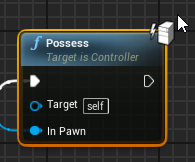
what does that lightning bolt with a server mean?
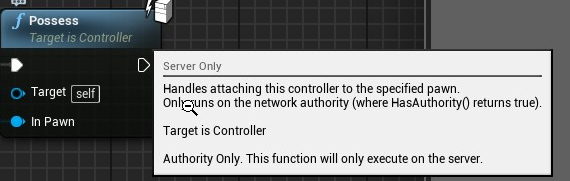
answer here
shrewd tinsel
i dont get it, i try to replicate a single variable but it doesnt work
i've tried replicating in playerstate, gamestate, gamemode, it doesnt transfer to clients
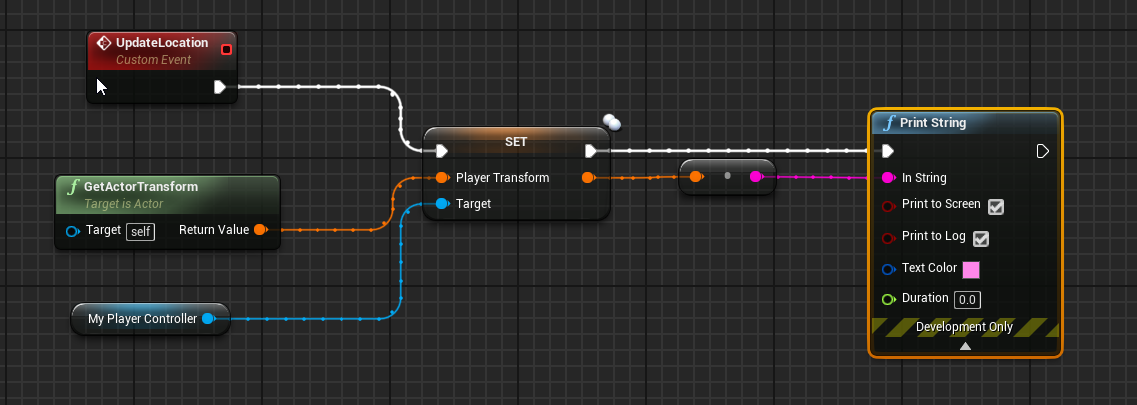
how do i send the variable thats in client to server?
worthy perch
Replication only goes from server to client.
If you want to pass a value to the server, you have to RPC it.
shrewd tinsel
i'd like my transform variable to be seen by server in the player controller
do i just :
multicast it ?
worthy perch
Server RPC.
winged badger
and unless the scale changes (which it usually doesn't) send the location and rotation, not the transform
shrewd tinsel
i would love to do that but i cannot figure out how to send it
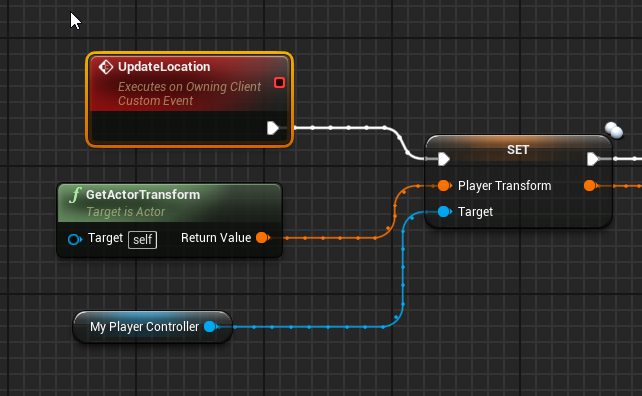
this should update the player transform variable in the server or on the client?
winged badger
no
and for server RPC to transfer data, the data has to be send through its input pins
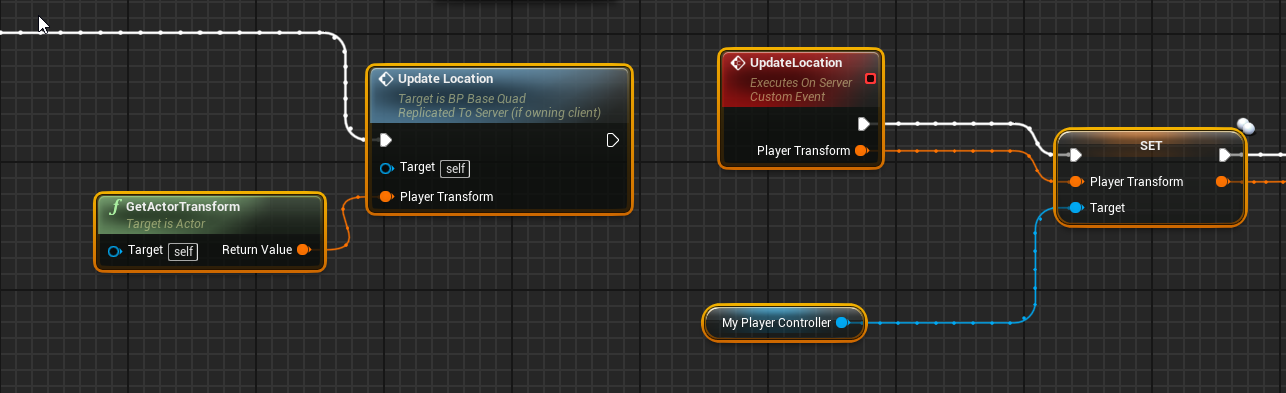


 winged badger
yes
silent birch
I have no problem thanks, but I have not used the repnotify
shrewd tinsel
@winged badger o shit it works
winged badger
@shrewd tinsel note that replicating that transform back to owner after you RPCed it to server usually results in some nasty jitter
worthy perch
o shit it works
My favorite feeling in the world.
shrewd tinsel
is it smart, spawning physics pawns on clien only and have separate actor just replicating its movement controlled by the server?
thanks for the help
winged badger
spawning on client only means they can't replicate
silent birch
Do you know how to prevent a player from taking a weapon that is on the back of another player?
winged badger
and there is no way to reference them over network
shrewd tinsel
have a bool variable "IsTaken"
but i can now get the transform from clients pawn and interpolate it on a dummy actor to make it look like player right?
winged badger
my approach to that would be to have all interactables as their own collision object type, then disable the collision while the interactable is equipped
so the code wouldn't even be able to detect a weapon on other players back
@silent birch
shrewd tinsel
or make it a 'stealing' feature
silent birch
I tried but I could not, please help me @winged badger
silent birch
How to disable the collision? @winged badger @winged badger @winged badger @winged badger
 quasi matrix
Hi all, just been using Advanced Sessions and I'm trying to make a dedicated server with it. Made it all work etc but I dont believe it's fully dedicated. On the hostgame it opens the level name and under options I have put "listen". I want it to be dedicated. What text would I put here?
winged badger
did you even try to google it @quasi matrix ? dedicated server has to be built from source engine
quasi matrix
I did was just wondering how to link it up to a browser.
Any turtorials/guides or general direction i can be pointed in?
 kindred widget
@silent birch https://docs.unrealengine.com/en-US/BlueprintAPI/Collision/SetActorEnableCollision/index.html
Set Actor Enable Collision
silent birch
I already found the deactivation of the collision thanks anyway