#multiplayer
1 messages · Page 485 of 1
 grizzled stirrup
Trying to stop AI controllers that have playerstates from begin copied over via seamless travel
Is the brute force method of just looping over all AI controllers and destroying them (and their playerstates) before travel a valid approach?
grizzled stirrup
Oh ok thanks I think I was misreading the logs
When the docs says this All Controllers that have a valid PlayerState (server only) do they mean all PlayerControllers that have a valid PS?
That's from the seamless travel docs that state what persists by default
grizzled stirrup
Thanks!!
 tulip ferry
Is it normal for one playercontroller to be shared amongst all clients in PIE? When I run my game in PIE (dedicated or listen), the same playercontroller is shared across all the clients. However, on the server, all the player controllers are present as expected.
 ripe hound
when i want to make a multiplayer game i did see you can do it with a dedicated server pack or Steam whats the difference?
 bold mica
do tags replicate? or do I have to make sure to replicate that myself?
 rose egret
how do I implement Server Authoritative Pickups of items?
Imagine my game is like APEX. what should client send to server for pickup. I want it to be fast peace and secure.
currently I do a raycast from center of the screen in the client to highlight the item
should I send HistResult, HittedItem, or RayCast ?
 faint dock
send the item and check if the player is in range on server
 cinder quartz
I use interface and timer. Player "scans" for items with raycast every 0.1s and then calls Use on item he wants and the server checks if the item can be picked up.
Server also "locks" the item if multiple people spam pickup on it on laggy conditions.
and the first guy gets it
So every item that can be "used", uses same interface so they have use function
and the trace only checks for items that have this interface
rose egret
my worry is I don't want the cheater to write a tools for picking best items automatically.
cinder quartz
you can have the server check for it
faint dock
then do the trace on the server
rose egret
one think could be checking the distance between player and item
cinder quartz
yeah that would work
faint dock
also the cheat can just make a bot there is not much you can do against this
thats a fight that you 100% gonna lose if someone realy wants it
like a aimbot for items
so dont bother
rose egret
@faint dock how do I do the trace on server. can I get the exact position and rotation of player on server at the time when user pressed 'Use'
faint dock
yes
rose egret
I mean without sending by client
cinder quartz
so like walk over object and player picks it up automatically?
faint dock
there is more then one way
faint dock
i think he want the player to look at the item
rose egret
yes. players look at the items and press F
I am trying to release my game for normal users with ping 100.
cinder quartz
you could make the trace and logic all server side and when server detects the item, send client some info so client can press f to pick it up
faint dock
then you have alot of lag
cinder quartz
i just use client side detection and server decides if the player can pick it up or not
faint dock
client should do a RPC
rose egret
🤔
cinder quartz
yeah, thats how I do it. Client sends rpc(I want this item), then server decides what to do. If server says ok, then I put it in players inventory server side, and the inventory is replicated
faint dock
yes
cinder quartz
it works nice, sure theres a little delay if player has like 200+ ping but its better than client picking anything he wants anytime
rose egret
🤔
faint dock
200ms is not that bad for things like that
cinder quartz
also tested with simulating 2k ping and multiple players spamming pickup on same object, doesnt break, one guy gets the item and others get nothing
faint dock
but he said 100ms
cinder quartz
yeah, for weapons I actually put them on players back since they are actors with logic on them, so for them when someone picks it, I put the weapons Owner to that picking player and to none when the weapon is dropped
also I disable "pickup" collider so others cant try pick weapons from other players back
so on server I first test if owner is none, then I can pick it up, if it already has owner, do nothing
but if its something you destoy/hide etc when picked up, then it doesnt need to check for owner
faint dock
i would always destroy it
cinder quartz
thats propably better way and just switch the mesh on different weapons and some stats like fire rate
faint dock
a item on the ground should not be the same as the weapon player holds in the hand
cinder quartz
true
faint dock
even if the item on the ground is a weapon
cinder quartz
but I'm using Epic's Shooter game as guideline
they have weapon as actor in the world that gets just moved to players inventory
faint dock
seams hacky
cinder quartz
but if you have lot of weapons like a survival game etc, you propably dont wanna do it like that
faint dock
yeah if you have like 8 players i dont think it mattes much
cinder quartz
yea mine has 4 players and its match based so its not that important
faint dock
also is not persistent i guess
cinder quartz
yeah, nope
match starts = players have no weapons, they have to find them first on the map
 high current
UT has an inventory system, I think more robust than ShooterGame, you might wanna take a look on github
cinder quartz
yeah I actually need to do that. Look at UT, has been plan for while now, its just huge and scary codebase haha
they also have cool custom movement component thats worth a look
 plain lagoon
is there a way to create listen servers that can be accessed from everywhere(not only lan) without the use of steam integration, a dedicated server or port forwarding?
 winged badger
With equivalent service steam provides yes
plain lagoon
do you know of any plugins that take care of that?
winged badger
No
high current
there was a free marketplace plugin
winged badger
Something has to be out on the internet with public ip to provide matchmaking
high current

OSS features: Identity, Sessions, Matchmaker, Recent players, Friends, Party, and Chat
never used it tho
winged badger
Or none of it works
cinder quartz
I'm waiting for this: https://dev.epicgames.com/en-US/services It seems to have matchmaking "coming soon"

Epic Online Services
With Epic Online Services, we're making it easier and faster for developers to successfully manage and scale high-quality games. As a game developer ourselves, we've tackled numerous hard problems over the years. With Epic Online Services, we're sharing the fruits of our labo...
winged badger
It will probably be good 6-12 months after that
cinder quartz
https://trello.com/b/ZR7VrLb3/epic-online-services-roadmap says 2019 here but we'll see
Organize anything, together. Trello is a collaboration tool that organizes your projects into boards. In one glance, know what's being worked on, who's working on what, and where something is in a process.
 bitter oriole
EGS features are already 6 months late and they're public store feature
Don't expect anything this year or early next year
grizzled stirrup
Having trouble with copying properties via playerstate over seamless travel: things like ints for score or health upgrades are working just fine but when I copy a TSubclassOf<AMyWeapon> class, it logs out fine after the seamless travel (when logging inside the CopyProperties() function), but when my character fetches that class from the playerstate it's always null. Are there any gotchas that could be causing this?
the weapon property is marked as a UPROPERTY() and is public, even though I'm not sure those are necessary for CopyProperties()
The weirdest thing is that it was working fine yesterday for one weapon, but another weapon of the same type crashed the engine (as it was null). Basically the flow is: player picks up weapon, it replaces the current equipped weapon and sets the weapon to spawn class in the PS, then on the next level after seamless travel, the player should spawn that same weapon class again (as CopyProperties() will move the class from the previous level into this new level)
high current
Any reason for all of this to be in the player state as opposed to the player controller?
grizzled stirrup
@high current I guess it could be stored in the PC too, but the PS CopyProperties() method still should work just fine. I wonder where I'm going wrong with it
It's hard to debug normally because you need to run a standalone game for seamless travel
high current
I was just noting that perhaps other clients dont need to be aware of the saved properties
grizzled stirrup
That's very true, I do have AI controllers using the exact same setup as players which meant the PS was a nice middleground to store this stuff
I'll try moving it to the controllers and fetching depending on if you are human or AI
high current
A player state is always relevant
Idk if other claases have the copy properties override tho, so maybe ignore my ramblings :d
grizzled stirrup
I believe the PC does come across just fine
I'll test with it now
Thanks for the help!
grizzled stirrup
Yeah I had been using that before but have been trying to move to the "correct" way of persisting data
It's just frustrating that it works for everything but the TSubclass<AMyWeapon> classes
Which makes me think I'm just accidentally setting it somewhere else or something
grizzled stirrup
Ok I was being an idiot and checking if the empty PS reference was valid before setting it on CopyProperties() 😄
So it never got set, got the order of CopyProperties() mixed up!
Am I correct in saying that CopyProperties() is called on the OLD PS with the PS being fed in being the new one?
 karmic briar
wanna ask is there ways to do seamless travel?i've seen this question lots of times and do we have method to do it without changing the source code or changing the source code is needed?
cinder quartz
Execute Console command "ServelTravel mapname" should work ?
at least it worked on LAN going from lobby to actual map
havent tested over net yet
karmic briar
im searching for solution on this one and really want one without need of loading screen
 brittle karma
guys if i use GetController() in an RPC, would it return client's Controller? or is there any way to get Client version of Controller in server side?
 mystic patio
@karmic briar Seamless travel is a bool option on the game mode class. I believe it's off by default, but by setting it to true, it should cause (e.g.) the ServerTravel console command to do so seamlessly.
karmic briar
can u show me how to do it?
mystic patio
Do you have a game mode Blueprint? If so, just look in its class defaults for the UseSeamlessTravel variable, and set it to true.
You'll also need to set up a transition map in the project settings, which can probably just be a separate blank level while you're testing things out.
The transition map setting can be found under the advanced section of the maps and modes category in the project settings.
karmic briar
can the transition map be a blank map?
mystic patio
I think so! That's pretty much what I'm using for now.
 limber mortar
I'm trying to make a scoreboard transition map for my game
 cinder steppe
hey guys, how can i send a message from one client to another other specific client?
duno how the server is supposed to know who is who
high current
GameState has an array of PlayerStates
if you for example have a team based game, upon team selection you can let each player controller notify the player state what team they are on
and then cycle from the player state array
but everything has to go trough the server either way
upon what logic do you need to send info from one client to another
cinder steppe
that would work if you have a set team. but im not using a lobby or something like that
but sending a PM to one of thousends of players
also there is the lack of security.
winged badger
you're not going to have thousands of players ^
cinder steppe
thank you
winged badger
the unreals network is not made for that kind of a load
winged badger
then you're not going to send the message via unreal
high current
maybe he is from Improbable, just testing us, see if we know whats up
cinder steppe
so i would have to send it to the database first or something like that?
high current
if they are not within the same map (server) then unreal cant see them
winged badger
ideally, you use an existing service, steam lobby would do
cinder steppe
that would mean i need to use steam and im not interested in that.
id like it to be independent
maybe IP based?
winged badger
you can either use an existing service or spend a couple of years developing stuff that already exists shrug
cinder steppe
hmmm
high current
🤔
cinder steppe
a messeging service would be nice. but i dont want to force my players into using steam
high current
if your game is going to have 1000 players, if it isnt on steam or any major platform, how are you going to get these 1000 players
high current
either way

The Realtime Database plugin lets you integrate out-of-the-box Firebase Realtime Database into your Unreal Engine project (compatible with all platforms).
cinder steppe
but you get what i want. isnt there a messeging plugin
sure 200 bugs if im correct
cinder steppe
but i guess i wound come around it
high current
its a database, you can do what you want with it, and you are not forcing your users to download anything IIRC with gameDNA
but never used them so it warants some exploration on that end
cinder steppe
i already have an external database
 thin stratus
Firebase is basically the same stuff. They are all just backends
But either way you need your clients to authenticate
If you don't use Steam
Or similar
YOu'll need Username/Password login
cinder steppe
still leaves me with the question. how does the DB know who is who?
thin stratus
Which comes with letting users register and login
Then your backend should keep track of who is who
The player is online after all
Your backend needs to have an endpoint in the UE4 client
Which has to listen for incoming messages
cinder steppe
well login system is working but im not that far. i just started learning SQL/PHP
thin stratus
Welp, either way, your backend should know based on sessions which actualy game client is which player in the DB
That way you can target people
How you code that is up to you.
cinder steppe
im only letting the server GET if username and password are valid
letting the requested client access
thin stratus
Stuff like this has to be properly authenticated
The Server needs to know whoever sends the requests is authenticated
You need to keep track of sessions
Otherwise you are coding the biggest cheat and hack fest ever
If this game should actually sell, then either you quickly learn how to do it properly
cinder steppe
😄
thin stratus
Or you keep your fingers away from it
cinder steppe
its just a prototype
thin stratus
GameSparks and such exist for a reaon
high current
There are middleware things out there that wouldn't require the user to install anything separately and probably ease some of the work and save you the trouble of worrying about security risks and so on
IIRC discord's game API allowed messaging and did not require the client to actually have a discord account.
cinder steppe
that could work since i dont intend to save messages.
now one needs to finde such a thing
and i dont see my self doing that in the next 5 minutes ^^
i think its time to call it a day
i could have a line in the database just for a line of text.
client-1 to server, server calles DB, DB selects REGKEY, DB edits the text, then somehow sends it to the REGKEY-client in UE4 and then the DB delets the line of text.
sounds like a winner to me xD#
high current
you also need a way for the player to know who they are sending a message
like a friend system
also something that steam has 😄
cinder steppe
ive got that
kinda
WIP.... pssssst
thing is
i need to send an invite to the friends list like a message xDDDD
grizzled stirrup
In this example from AGameMode /** Returns true if ready to Start Match. Games should override this */ UFUNCTION(BlueprintNativeEvent, Category="Game") bool ReadyToStartMatch();
How can I override it if it's not a virtual function?
Or maybe it is but not marked virtual bool? EDIT: nvm the solution is covered in Exi's compendium at page 16
cinder steppe
ist there a listen funktion?
server says : "Yo, i gotta message for 6ch48. who is that)"
client says: " Hey hey, thats me, thats me"
cinder steppe
yes.. but how does the DB send it to the client?
the server will only know the REGKEY but cant find the client that logged in as that REGKEY
im missing something here
high current
your database runs somewhere, and all the servers running have access to that somewhere
cinder steppe
yes
high current
your database needs to be able to communicate to each server
and as you want to do the database stuff yourself, it is up to you to write a plugin that does that
cinder steppe
the only communication so far is a return value... gues that wont get me far :/
ah shit
high current
Been playing Insurgency Sandstorm lately, weapons have a lot of attachments there, and when you are spectating, and cycling trough your team mates, the attachments load up after the gun model every time(like a split second after it, it is visually annoying)
How would such a thing be handled, I am just curious
If you were to have a weapon full of child components and SMs
which isnt always releveant obviously and gets unloaded as soon as you view the other person
I guess you can delay the weapon visibility until all its children are loaded
but that leaves you with half a second of nothing when you cycle
Another one I can think of is to load the data from 3 players, and not just the one you are viewing, but the next and previous one
that way at least you will see the issue only if you spam the cycle button
cinder steppe
btw XMPP might be se solution
winged badger
provided your only option to cycle through the players is previous and next
it would be awkward to wire that in with IsNetRelevantFor though
 tired juniper
Hi.
Is there anyway to test sessions in the editor? Or at least locally? I can't make it find sessions. If I try throught different computers it works fine, but it's being a pain to develop and test, since I can't even try the game in the editor..
 mighty rover
does a dedicated server have a singleton/static class that never goes away, even during server map travel?
similar to game instance for clients
 worthy perch
GameInstance.
mighty rover
I didn't think dedicated server has a game instance?
worthy perch
It does.
worthy perch
Nope, same thing. Behaves exactly the same too.
You can set the GameInstance class in Project Settings.
mighty rover
@worthy perch thank you, I knew about setting it in project settings, I just didn't think that the game instance itself was loaded on the dedicated server at all. mahalo!
high current
@winged badger what would your solution be
@tired juniper that is often the pain of MP dev. You cant connect 2 pie sessions together (believe me I have tried) :d
You can test with simulated players in editor
Iirc you can launch multiple standalone versions of the game
Without packaging it
Via cmd and an extension to the .uproject
But idk if it will work for session finding
tired juniper
hey @high current Thanks 😦
I ended up avoiding sessions in PIE, and tried using LAN in 2 local instances... that last thing doesn't work for me. It works well tho for 2 different computers with different Steam Accounts.... what a pain
high current
oh yes, sorry I did not account for steam subsystem usage
grizzled stirrup
Is it recommended to use AHUD to store and create UMG widgets clientside instead of doing that in the PlayerController?
I've noticed after seamless travel, if the widgets were drawn on the screen via the PlayerController, a stale and inactive version of the widget persists after seamless travel and can't be removed unless manually removing from viewport before traveling
I am guessing that using AHUD removes this problem as it won't be copied over and a fresh HUD can be initialized after travel
 fleet raven
using hud to own widgets is very common
 upbeat hound
Hi
I'm having trouble executing something.., here it goes
There is an equipment in the room (bp class), it has a static mesh, a box and a widget
when players overlap the box, they are "using" the equipment, and they should see the widget (which is basically a progress bar that increments gradually)
but only the player using the equipment should see the widget
How should I do that?
(right now, if one player uses equipment, all players see it.)
 solar stirrup
Spawn the widget on the client?
upbeat hound
(also, for some reason, I only see the progress bar.. progresses on the server, no clients see changes)
solar stirrup
Spawn the widget only on the client who's overlapping, and replicate the progress from server to client
upbeat hound
and when he stops using the equipment, I should.. destroy it? (how do I do that?)
solar stirrup
Either make it visible/invisible (add it to the equipment bp and make it invisible by default), or destroy it once you're done using it
upbeat hound
Yeah right now it's added to the equipment bp and as invisible, and I try to make it visible only for the using player
(it's easier if it's on the equipment because then I can "design" it's place and move it around the equipment to set the location properly)
But can't get the pb to work..
mystic patio
@upbeat hound , are you talking about a UWidgetComponent? i.e. a 3D widget that is attached to your equipment actor?
upbeat hound
Yes the widget is a widget component attached to the equipment actor
mystic patio
Gotcha. So to make that visible only to one player is gonna be a little different, I"m pretty sure.
upbeat hound
How T_T
mystic patio
Just a guess, since I've never done exactly this myself, but you might want to look into the 'Only Owner See' (bOnlyOwnerSee) boolean on that UWidgetComponent.
Trouble is, the UWidgetComponent will probably not be owned by any individual player — it will probably be owned by the server. So this approach might not work either.
upbeat hound
Yeah.. I've seen that but there are two functions, "Set Owner Player", and this is only for local player they say, and there is "Set Owner" but that doesn't take widget as input
Thank you for the suggestion though
Any other suggestions? 😄
cinder quartz
have the widget invisible and simply turn it on on the client side when needed? no other client will know it changed
server can send clientrpc to one client only if needed
upbeat hound
Well that is the challenge, I'm not sure how to do that
cinder quartz
to turn it on if client cant handle the logic
mystic patio
That's it. That's the way to do it.
upbeat hound
How do I send a clientrpc (I'm working with bp) to a specific client?
cinder quartz
well, for example, if you have somekind of trigger volume on server, player1 enters it, server calls clientrpc on player1, then only player1 gets the msg
but not sure about your exact setup
but if its only visual thing, maybe server is not needed and client can call it themself
upbeat hound
that sounds like what I wanna do, but clientrpc is a c++ term, isn't it? Do you know the equivelant blueprint term?
cinder quartz
hmm not sure how to do it in blueprint exactly
upbeat hound
Well, if the player finishes uses the equipment, he gets an important item, the progress itself is not necessary per se..
mystic patio
I can help there. RPCs in Blueprint are very easy.
You'll probably want to use your character/pawn BP, or perhaps your player controller BP. It doesn't exactly matter which — it just depends on which you'd rather 'get' on the server side. But let's say you use the character/pawn, which would be my choice. The pawn walks into a trigger volume, right? So we have the overlap. That overlap will provide an actor reference, which you can then cast to your character/pawn class. You probably have this set up already. Now for the RPC part.
mystic patio
(Just a simple representation of an extremely simple trigger volume setup)
upbeat hound
SetLooking(Forward)
mystic patio
And this is set up, for example, in your character/pawn class, in the event graph.
You can call your events whatever you want, but I recommend following the convention of prefixing Client_ for RPCs that execute on the client only. (There's also Server_ for server-only RPCs, and Multicast_ for multicast RPCs)
You'll notice that Client_RevealWidget event says, "Executes on Owning Client". The details panel for that event will let you change which kind of RPC it is (regular ol' events are not RPCs by default).
upbeat hound
I seee.. I've never got my head around hasAuthority
This is very helpful! I will try to implement it now
mystic patio
That simply means, "Is this code running on the server?"
Technically, if I remember correctly, that's not required for this example, since only the server is allowed to call Client RPCs anyway. But I think it's helpful to illustrate what the intent of the code is.
Of course, you would have an equivalent setup for the OnEndOverlap event to hide the widget component on the client.
upbeat hound
I seee.. yes that makes it clear. I've never used "on owning client" before
Okay I'll try to implement this now
one thing though, another problem now is that progress bar only increases on the server not on client
But let's see, maybe with this new setup it works ^^'
mystic patio
That's a little easier to solve. We can tackle that when you're ready.
upbeat hound
(I have progressBar binding to a var that is replicated)
mystic patio
Oh. Well, that was gonna be my suggestion.
upbeat hound
Yeah I'm not sure why that doesn't work, but let's see!
Thanks a ton!!!
(more like mega tons)
mystic patio
Sure thing!
upbeat hound
Hmm, just a question
So you said the RevealWidget stuff should be in the character/pawn class, right?
mystic patio
I suggested that because that's the actor that is overlapping the trigger volume, and I thought it would make it easy to set up the code that way. It doesn't have to be, though.
upbeat hound
Now in my multiplayer setting, I have the following:
"ClientSide_Controller" (Player), "ClientSide_Pawn", "ServerSide_Character", "ServerSide_Controller" (AI)
Most of my logic of sending things is in ClientSide_Controller
(I got this setup from a tutorial on youtube)
mystic patio
Those are BP class names you listed?
upbeat hound
yes
mystic patio
So you have two pawn classes (one for server, one for clients) and two controller classes (same story)?
upbeat hound
one pawn on the client, and one character for the server
mystic patio
Well, characters are pawns, so I was summarizing I guess.
Interesting. I'm not sure what your project's requirements are, but that's not a setup I'm familiar with.
upbeat hound
Oh right
Well I was following this tutorial
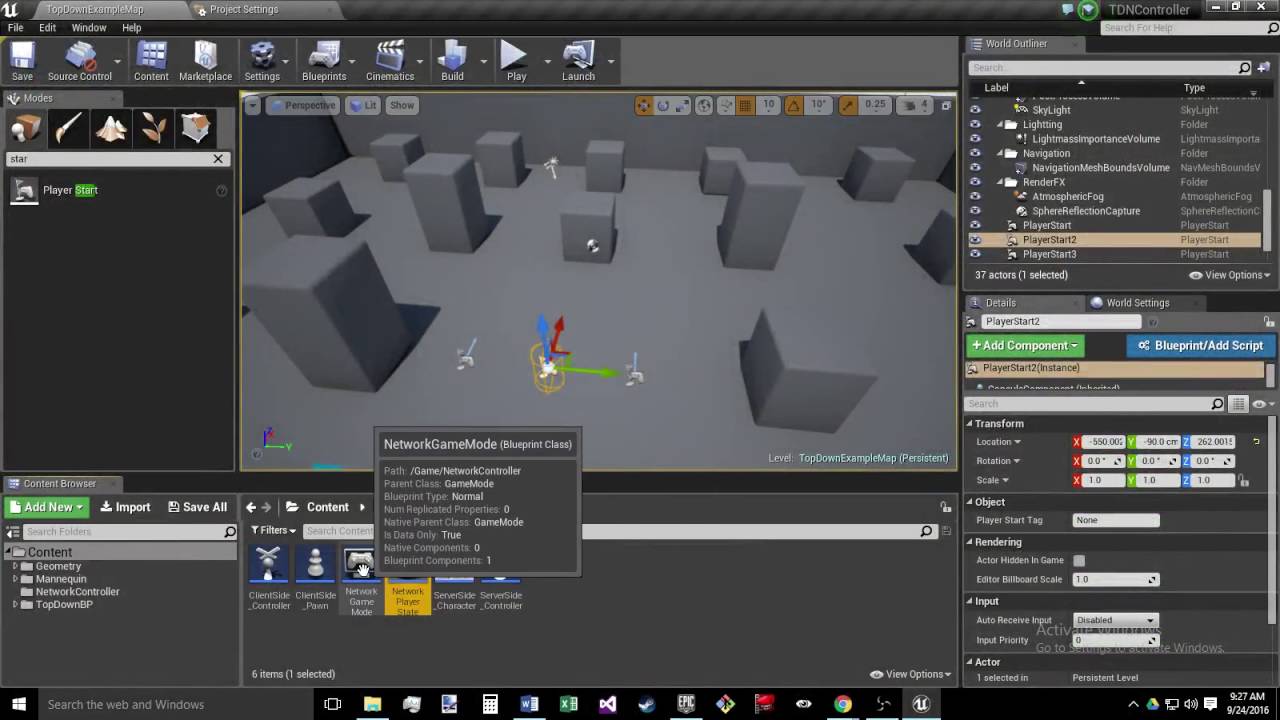
This is the second video in the Top down networking tutorial in the Unreal Engine 4.13. Basically I will be going over project creation and initial set up fo...
I just wanted a multiplayer version of the topdown template in ue4
cinder quartz
you can think it this way: server has world with pawns, actors etc, and each client has copy of that world, there is server version of player 1, and each client has their own version of player1
then depending what you call, server rpc, client rpc, multicast, is where stuff happens
upbeat hound
I see...
mystic patio
Yeah, that's what I'm familiar with. And each instance of each actor (be it pawn or whatever) stems from one class each.
upbeat hound
So the code you told me earlier should be on the clientside pawn?
mystic patio
One consequence of this is, you can do actor comparisons across the network really easy. It's just a simple == node.
cinder quartz
its just one blueprint
mystic patio
I guess? The expectation was that the server and the client would have their own instances of the same actor.
cinder quartz
but server runs that code he posted yes
mystic patio
I guess? The expectation was that the server and the client would have their own instances of the same actor.
cinder quartz
but server runs that posted Savvy posted
upbeat hound
Oh.. but in the setup in the tutorial they seem to be separate
mystic patio
I haven't watched that tutorial, so I'm not sure the reasons why they set it up that way.
upbeat hound
I see.. I will try that then.
mystic patio
But I can tell you this much: you definitely don't have to set it up that way to get networking working nicely.
cinder quartz
also for replicated variables, there needs to be server instance that changes the variable, then all clients get the change
mystic patio
Exactly! That probably explains your progress bar replication issue.
upbeat hound
Ohh maybe
cinder quartz
once you get the hang of it, it's a really nice system in UE4
upbeat hound
I hope I get the hang of it fast 😄
I'll try this out and report back 😃
Okay! Good news and bad news
Good news is, when I run two clients (dedicated server) it works nicely!
Bad news is, when running not deticated server (one server and one client), everyone sees the widget when it's visible
Should I care about the not dedicated server setting?
mystic patio
Seems like the server is also running the client-only code to reveal the widget.
Might want to double check your code setup. I'll gladly take a look if you can share a screenshot.
upbeat hound
Sure! One sec
So this is defined on Character (class called ServerSide_Charater)
And these are defined on an actor class called Equipment:
"Equip to use" is set somewhere else (when player clicks on equipment to start moving towards it)
mystic patio
Hm. Question: if you set up a non-dedicated server game (like you were just doing) and walk up to the equipment using the client, does the server see the widget too?
upbeat hound
yes
let me show a screenshot
Using equipment with client
using equipment with server
btw, the print string prints "Server: is using!" "Client: is using!" when either side uses the equipment
mystic patio
That the print-string is showing up is not surprising. That's just being called on the equipment actor anytime a pawn walks in, regardless of whether that happens on the server or client.
But as for the widget showing up on both every time, I'm not sure. I'm not seeing the problem right now.
upbeat hound
Hmmm
mystic patio
Maybe someone with fresh eyes can take a look at the problem.
I have to get going anyway. Sorry to leave you hanging. (Running a play-test of our game in a little bit!)
cinder quartz
when someone walks to the trigger, it happens in all clients, so they all trigger the overlap and all show widget
cinder quartz
I think easiest thing is just leave the overlap like it is, but Cast that actor from overlap node to your character, then get playercontroller and check if its locally controlled
at least that should work
oh wait, dont do that actually
cinder quartz
do the charadter part but forgot player controller
because only server and owning client has player controller
maybe character has node called Is locally controlled, i think it has
so dont need player controller
so actor -> cast to character -> is locally controlled -> branch -> your widget logic
from the overlap event
upbeat hound
Let me try that 😄
 spiral fulcrum
whats up I gota question to ask, if Im replicating a client shooting at an enemy and the projectile is hitting the enemy blood comes out etc but the enemy doesn't die as he should is the issue with replicating the projectile or in the enemy death event?
upbeat hound
Hmm.. it's not working for some reason
When I use the equip with server, widget appears on both server and client.
When I use the equip with client, it doesn't appear anywhere
high current
Peng, could be both, check if the pawn is recieving the damage correctly if it is, then it is your death event
If not, then it is the shooting
cinder quartz
FifthKira, not sure what to do next then. Maybe try do really basic overlap thingie and try just get it to print on server only, then on client only, with branch and switch has authority
upbeat hound
switch has authority means it will only print on server, right?
Okay, I'm trying something now.. I hope it works
cinder quartz
yes, switch has authority means its on server
upbeat hound
btw, when I'm not running a dedicated server,
does the server run the code two times, one as a client and one as a server?
cinder quartz
no, it runs it once and switch has authority is true since its server+client
upbeat hound
I seee
limber mortar
I was making my game in 4.19 source and am upgrading to 4.21
should I only put it in 4.21 source to package, or should I just continue upgrading the game in 4.21 source?
does it matter?
 viscid veldt
anyone have a general idea of number of players possible without a dedicated server, like a regular shooter game
viscid veldt
yeah
high current
I would say no more than 12 for an ok experiance
But it warrants testing with your game
viscid veldt
so i would have to a lot of work to get like 30+ players to work well with a listen server/non decicated server setup
high current
Every game is different
But you would need a lot of work to get that working on dedi as well
high current
I am basing my guess based on call of duty
As there is a reason for the low player count
And I am guessing that since you are soing p2p
Anyone can host
Therefere you have to build your networking around the worst possible host
I am also speculating that some routers would just clock out after some number
Skip packets and so on
But I might be wrong
viscid veldt
no worries i was just googling and didn't find much of an answer
i'll be diving into multiplayer side of things soon
and was just wondering what was already possible
 cedar finch
It's a pain in the butt sometimes but it's cool when it finally works
viscid veldt
yeah i realized if i really want to attract attention/money, i'll need to start learning multiplayer
cedar finch
Fortnut
high current
There is the replication grapg
But i have no ideq how that is handled or even if it is on listen
viscid veldt
yeah but assumed all the high player counts are using dedicated server to manage the players
high current
The host's pc would have too much stuff to compute
Whilst allowing the host to play
Cause that is the issue with p2p, if the host lags
Everyone lags
Server tick isnt consistent because it is the players fps and so on
Regardless, the only way to find out
Is to try
viscid veldt
yeah i had a thought while i was on a long drive today, to somehow split up the hosting between the players
of course i'll have to learn more before i can even see if thats possible
cedar finch
I've played with 4 players, one in California, one in Texas, and 2 in Georgia. We tested my game with 100 enemies on screen at once and nobody had any lag. Now I had to do a lot of tweaking to my blueprints to get it replicating efficiently. At first it lagged but I got it stable now
viscid veldt
thats pretty cool
cedar finch
It's a good feeling when it actually works and you see your friends running around shooting stuff lol.
As far as I know I only have one problem left to fix that I can't figure out.
 shut gyro
Agreed, the first time you get multiplayer working on servers it is a life-changing moment lol
limber mortar
It feels good
I've had my friends fly helicopters with me
Trying to get the bugs worked out from an update and the latest round of testing
I got to figure out why this stack overflow happens
upgraded from 4.20 to 4.21 😄
cedar finch
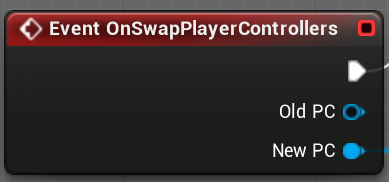
Maybe you guys know what's going on in my game. So I start a session and open the "Lobby" map. Then clients connect to the "Lobby" map and then the host starts the game and everyone travels to the "Game" map. My issue is when the host clicks the "Return to lobby" button in a widget, The OnSwapPlayerController event doesn't run and he's in the Lobby but still has the player controller of the previous "Game" map. Wierd thing is it only does this when testing outside my local network. I test it with my self and everything runs fine. My desktop and laptop return to lobby and all it good. But testing on the internet doesn't seem to work. Ideas? https://i.gyazo.com/859ac91dd0689ed55def0f9958f9dd08.png
 limber mortar
My players connect a little differently Its a dedicated server game, and from a widget join games opens a level to the IP address of a server rotating levels
have not done much with sessions yet
cedar finch
Yea this is just a servertravel the host executes to go back to lobby
limber mortar
what's your game about again?
cedar finch
Killin zombies lol
cedar finch
Nice! This is my first "real" project. I've started several that never got finished but they were single player so I deciced to create this
I got an idea for testing. So since it works on LAN but not on internet. I'm going to use my phone as a hotspot and connect with my laptop then test with my desktop
so the two should connect through different networks and maybe I can recreate this but and fix it. It's hard to fix what you can't recreate
limber mortar
nice I started one and have just been working on it for a year
Its taken a lot of tweaking to get working right on multiplayer
cedar finch
Yea same I started this multiplayer project a year ago as well. It's been a lot of learning and headaches getting it all working but It's fun
Ok so this is wierd. So I test multiplayer with my deskop and laptop. If my desktop (with wired connection) hosts and returns to lobby, everything is fine. But if my laptop hosts and returns to lobby, The host never executes the SwapPlayerController event so the Lobby never gets setup correctly and the host has all the widgets from in-game on his screen. Both players make it to the lobby so that's a plus I guess lol. Hmmmmm

Does this look right? The widget calles this event
 jolly siren
Does anyone know of an efficient way to replicate FQuat?
limber mortar
I feel ya whippy
winged badger
@jolly siren it can go into Rotator and back, and it can use compression for Rotators
winged badger
if its in a struct and you override NetSerialize, you can just turn it into FRotator if you're saving and serialize the FRotator (compressed or not), and if you're loading you deserialize the FRotator and turn it into FQuat
tired juniper
Hi.
What's the best way to make clients setup some own local information that can be shared later with others when enter to a session. For instance: Player name, skin setup, etc.
I thought about storign that in the local gameinstance and then when joined to the session the client would tell the server "hey this is my info", but.. it's not working for me.
is there any other way?
winged badger
as long as client RPCes that, it should work just fine
karmic briar


anyone can help me with these
having problem with this currently modifying my replication graph
thin stratus
@karmic briar Are you including the APlayerState header?
karmic briar
@thin stratus hey i just rebuilding a second time and yeah u right the APlayerState header did fix it idk why the first time didnt pick it up
and thanks for the suggestion
thin stratus
Do Arrays always replicate as one?
Or does it replicate the adjusted entry only?
We have a bunch of stats that we keep track of during the game. Some of them have to instantly replicate, others at the end of the match and again others not at all.
The Stats are currently tracked in a TMap<FName, FStat> but that can't replicate of course.
Now sending an RPC for each time this has to adjust is kinda insane and also not nice for late joiners and stuff.
A TArray<FStat> with FStat getting an FName entry would solve the replication issue, but if the whole array of multiple stats replicates every time one entry is changed, then this isn't good either
Oh and with stats I mean things like Kills, Hits, Shots, DamageDealt with Weapon XY. So these are a lot atm
 void nest
I made a custom movement system which replicates a transform variable using a multicast and a very small delay (as to not be frame dependant and cause badnwith flood on very high fps). The problem is that if about 10 players are in the game connected the transform replication becomes really slow causing the players to teleport. What is the best way to replicate a transform to get smooth movement with about up to 18 players?
the transform is already quantitized. I split everything up into ints which are also rounded, so in theory I think the data itself should be pretty lightweight
thin stratus
I wouldn't multicast the transform
Just mark it replicated
And make sure your RPCs on tick aren't reliable
void nest
Ok I'll try that thanks!
thin stratus
How absurd is it to have 4 TMaps + 3 TArrays for the different replications of stats?
One TMap for ServerOnly stats that never reach the client but only the backend.
One TMap and an OwnerOnly replicated TArray for UI related Stats that constantly changes.
One TMap and an OwnerOnly replicated TArray for UI related Stats that replicates once at the end of the match (could make this a ClientRPC).
One TMap and a "for all" replicated TArray for UI related stats that constantly changes (Kills, Deaths, etc. for Scoreboard).
That should keep everyone in sync and still make sure that we only replicate what is needed.
Kinda annoyed of managing 4 tmaps when modifying a random stat (cause yo ugotta check which map has the stat).
Tarrays would replicate with OnRep so I can just use the Tarray to fill a client-side TMap so I can still query the stats on the client via the hashed map.
 wintry dock
mutliplayer is a headache
everything i dont expect to work works and everything i expect to work doesnt
bitter oriole
Multiplayer is hard and way more work than SP, yeah
void nest
Honestly, it's not THAT hard once you get a hang of the 3 main nodes you should use (RPC, multicast and on owning client) If you truly and deeply understand how those nodes work and if you are used to their usecases, it's in fact extremely simple
but it's indeed more work overall
and a bit more complicated, but i simply add a pre tag to my nodes i name all my RPC's (S_Dosomething), multicast (MC_Dosomething) and owning client (OC_Dosomething) and that keeps it nicely organized and easy to see how everything works with a simple glimpse at your code
bitter oriole
Yeah, there is nothing simple about creating physics vehicles in server-authoritative multiplayer
That the tools provided in UE are simple doesn't mean "making a MP game" is
void nest
ok, well I wasn't talking about physic simulations over network. That is indeed a major challenge.
But regular multiplayer systems aren't that difficult
bitter oriole
Something as common as shooting a gun over a network is nothing near simple
If you want something remotely decent
void nest
it depends on how complex you want your system to be. If you want serverside authorisation of each shot / kill it gets a bit difficult. But if you go for a straightforward serverside shooting mechanic it's simple. (it won't be very lag friendly though)
bitter oriole
That's not acceptable for a modern game really
void nest
true
you want clientside shooting with serverside authorisation and correction
which is more work and somewhat challenging but doable
bitter oriole
Yes, and at that point we are very far from "simple" territory
void nest
yes, but you can build your game up in layers. The way we do it is first implementing every mechanic as purely clientside with serverside replication. This isn't cheater proof at all and not recommended. But we then take each system we created that way for a second pass to add serverside correction
it's really no use building any mechanic the final way (with serverside correction / auth) just to find out the mechanic is shit and needs replacement
First build your game until it's fun and then optimise / protect
bitter oriole
Look, all I said is "Multiplayer is hard and way more work than SP"
I've got really no correction to make to that statement
void nest
it is, I agree
But my response was more in terms of how complicated it is. And as far as that goes it really isn't once you get the hang of basic networking principles
but yes it's obviously more work
bitter oriole
"if you're really experienced and only make stuff that it is easy to add MP support to and don't have physics or movable objects and only do MP once every feature is approved, it's not that hard"
I agree with that
But then again that defeats the point of not being that hard
For 95% of people here, MP support will be the most complicated feature in their game by a long shot
void nest
Your point is basically that networking is difficult when trying to replicate stuff that is already hard to make in SP games, physics for example are unreliable and very hard to get right. Translating this to a networked game does make it even much harder, yes.
But I mean if it was easy everyone would be able to make games in a jiffy 😛
bitter oriole
No, my point is that MP is hard, always.
void nest
it does take time and understanding
well, making a good game is hard
and it should be I guess, because that is hat defines a good game, the fact that it was hard to make
bitter oriole
Not really
void nest
if it was easy there would be to many clones of games with cheap mechanics and basically cheap games
To make a game interesting it so craft a game that has mechanics that haven't been done before (or combinations of things that haven't been done before) and that means creating stuff that you have little to no documentation for as nobody has done it before. And that is in a sense what makes a games good / refreshing
but it's not a golden rule of course. Reskins of existing concepts can in theory be good as well.
bitter oriole
We're purely in "this is my opinion on games" here and I have no interest in that discussion, so that will be the end of it
void nest
👍
 twin juniper
Hey, I'm working on a multiplayer game, anyone knows why one of my players (always the first one) isn't replicated like the others? he can't look up or down and shoot further to other players, but when I use all of the other players its fine. thanks!
cinder quartz
Is there a callback or something after player joins game and is fully ready to go. Playerstate name replicated to others, pawn possessed etc.. Basically I need to spawn UI info for local player that includes other player's name. Now I'm just lazily doing it with timer and 3s delay in playerstate's BeginPlay. It works, but I'm scared it will break if someone joins with slow pc or bad connection. I tried using Playerstates OnRep_Name, but it simply doesn't work 100% of the time. Sometimes I get UI's per player without name, like the name isn't replicated yet, which doesnt make sense to me when I'm calling it on OnRep_Name...
bitter oriole
Basically check in Tick that every value you want initialized has non-defaults value, and then fire a method
With a simple bool to only call it once
cinder quartz
Hmm.. do you know whats the order of creating things? Like when someone joins, does it create controller first, then playerstate, then pawn and possess it, or ?
or are they all made basically at same "frame"
bitter oriole
I don't know, and it shouldn't matter
Pawn in particular will probably be last created
What I do myself is only start displaying the game after the player controller has everything it needs, pawn possessed and correctly initialized, etc.
cinder quartz
Because when I just create my UI for each player in BeginPlay Playerstate, it works, just the name is sometimes ""
Maybe I'm just thinking too hard, everything else works than the name if I dont put delay, I could just check the name with delay
bitter oriole
The problem with delay is that it will always be too short or too long
Just check every tick until you're ready
cinder quartz
yeah right now it's kinda annoying to see UI pop 3sec after someone joins
bitter oriole
{
    if (haveEverything())
    {
        callback();
        bCalledCallback = true;
    }
}```that looks good, if I put that in playerstate, I can even turn off the tick after that since it doesnt have anything else
shouldnt matter such a simple tick tho
upbeat hound
Hi vk, thanks for your help yesterday. I've been trying to fix the problem as per your suggestion, but it wasn't working, and now I think I might know why but not how to solve it
cinder quartz
Hey, just share with us, why you think its not working?
upbeat hound
So as I told SavvyIndoorsman yesterday, my setup is:
"ClientSide_Controller" (Player), "ClientSide_Pawn", "ServerSide_Character", "ServerSide_Controller" (AI)
My multiplayer setup is per a tutorial that explains that those classes do the following:
Now using this, all the characters are owned by the server
cinder quartz
yes but in the editor ClientSide_X and ServerSide_X are the same thing
The way its worded in that picture is a bit confusing
the engine will automatically make server version for server and client version for client
upbeat hound
upbeat hound
This is how they made it in the tutorial
cinder quartz
that looks very strange to me
upbeat hound
Oh, well that is easier to work with indeed
(only 1 and 1)
The ClientSide_Controller is a child of AIController
cinder quartz
but I'm not familiar with that tutorial so maybe it has reasons to do it that way, but I know the "normal" way is just to use one thing for both server and client
upbeat hound
thus I can use MoveToLocation
while if it's a player, I can only use SimpleMoveToLocation, right?
cinder quartz
not sure, I use character for player and character movement component
not too familiar with topdown stuff
propably dont need character movement for that, but its already replicated and ready to go
upbeat hound
Do you happen to have a link for a tutorial that does this? (preferable for top down setting)
cinder quartz
I do not sadly, not sure which is the best first multiplayer tutorial
can't even remember what I did as first thing to get familiar with multiplayer lol
upbeat hound
xD
cinder quartz
if you have just normal character, check 2 players, it should already just work
opens another window and boths movements just work
thats how easy its with character movement component
upbeat hound
I read somewhere topdown template doesn't support multiplayer by default because of this "SimpleMoveToLocation"
cinder quartz
yeah propably wont work automatically
this is pretty good read https://docs.unrealengine.com/en-US/Gameplay/Networking/Blueprints/index.html
The various aspects of multiplayer applied to Blueprints.
and this https://docs.unrealengine.com/en-US/Gameplay/HowTo/Networking/ReplicateActor/Blueprints/index.html
Guide to using the Replicates checkbox for Actors in Blueprints.
upbeat hound
Thanks! I will read them
cinder quartz
Also for multiplayer you might need to do "Add movement input" instead of SimpleMoveTo. Heres a picture when you scroll down https://answers.unrealengine.com/questions/48558/movement-replication-client-to-server-in-top-down.html
upbeat hound
Hmm, however it seems like linear movement
I mean it will not try to navigate around obstacles and stuff
However in "SimpleMoveToLocation" and "MoveToLocation", I just provide a world destination, and it tries to navigate there
cinder quartz
I guess it depends what kind of game you want, not sure whats the correct way to replicate movement with setup like that.
I know that if you have character and use behaviour tree(ai) to move it, it is replicated
Maybe the reason your tutorial has two different controllers, is because "player" is actually ai that moves with navmesh, and client controller just tells server to give it destination
a bit like strategy game where player can move many units
upbeat hound
Yeah, that's the structure I want
I won't be controlling more than one unit though
by structure I mean that I just give it destination and it moves with navmesh. If there is an easier way to do it without those 4 classes it would be cool 😃
cinder quartz
is the tutorial you were doing long? Maybe just follow it and see what happens, or did you already finish it?
upbeat hound
I finished it as a setup before I started working on the project, it's just 3 videos.
This guy has no videos on youtube except those 3, because he says he looked for topdown multiplayer solution and did not find, so he decided to make one
So I didn't say my suspicion earlier
Because the server owns the "characters" controlled by the AIControllers,
when I get BoxOverlap and run the widget stuff and call "run on owning client",
the owner is the server..
But for other setups, characters are owned by clients, right?
(Still reading through the networking link, half-way now)
cinder quartz
what you are trying to do isnt too hard to setup, just hard to explain through chat
upbeat hound
So you have an idea on how to do it better? 😃
cinder quartz
no, that sounds good what you are trying to do
I just have no experience with multiple controllable characters by one player
so maybe it's better I dont give bad advice lol
I have general idea how to do it, but no real experience
upbeat hound
lol, well one player would actually control one character only..
cinder quartz
oh sorry, I meant this : character is actually AI
how I move my characters is just AddMovementInput and it works fine
but they dont use navmesh
to dodge things like rocks on the way
upbeat hound
Ah I see
cinder quartz
but how I would start doing it is something like this: client sends server msg "I want this guy to move there", then server moves it and have the movement replicate automatically to client, at least character movement component does this
try do something simple first, send server a number from client, have server multiply it by 2 and replicate it back to all clients
general idea is the same with moving unit(s)
upbeat hound
Well now the units move nicely, after that tutorial players move flawlessly
My problem is the one I originally explained (showing widget only to the character (owned by server) overlapping box)
Hmm, I might have an idea
Let me try something 😄
thin stratus
@upbeat hound You need some sort of reference to the PlayerController of the player who controls the Pawns
So even if they are controlled by AIControllers, you need to save somewhere who the actual owner is
And if you mark that variable as replicated, then you should be able to simply check on overlap:
- Is it valid (cause it won't be on other clients) and 2. Is it LocallyControlled
upbeat hound
I have a reference in the AIController to the PlayerController
thin stratus
Yeah then you already have everything you need
Just make sure the ref is replicated
upbeat hound
Oh I see.. the ref is not replicated
That's whyy.. I tried earlier to do this Overlapping Character> get controller (AI)> Cast to my controller class> get ClientPlayer Controller ref > check if it's locallyControlled
but didn't work, probably because it's not replicated!
Let me try 😄
thin stratus
Overlapping Character> get controller (AI)> Cast to my controller class> get ClientPlayer Controller ref > check if it's locallyControlled
This won't work
The AI Controller only exists on the Server
upbeat hound
Oh
thin stratus
You will have to save the ClientPlayer Controller ref in the Pawn then, sorry
You can save it in both
And just forward it OnPossess
upbeat hound
by Pawn you mean Character?
thin stratus
Yeah, Pawn is the parent class of Character
upbeat hound
Got it, will add a reference there
upbeat hound
Hmm
One question, right now I'm following this..
The Client widget is "run on owning client"
this code is on the character controlled by AIController (owned by server)
I should put this code on the PlayerController, and reference it from the reference I made recently right?
I mean, I should let the playerController make the call to the server, then the server would respond to it because it's owned by the player.
Am I understanding this correctly?
Okayyyy, I tried this, and it almost works!
So again, with dedicated server, it works nicely
With not dedicated server, it works from the client side
(if the client uses equipment, widget is only shown to client correctly)
if server uses equipment, widget is shown to BOTH server and client
which is strange 😮
thin stratus
@upbeat hound No need for any RPC
The overlap that you are talking about happens on every player
Cause the Character exists on everyone
You just have to filter
So as soon as the Player Controller, that you saved on the Character in a replicated varaible, has "IsValid" and "IsLocalController" true, you are on the client already
You can just reveal the Widget
upbeat hound
Oh I see
Hmm
But because using the equipment is important, the signal should be given from the server, thus the upper part with hasAuthority
After that should I call it other than on owning client?
thin stratus
Like, even if you client manages to show Ui where it shouldn't be, they shouldn't be able to do anything with it
Cause in the end it would still be something that happens on the server and the server always has the correct info
upbeat hound
Yeah, but the check that they actually overlapped and the event after it finished using the equipment would come from the server..
I'll try to incorporate it some how, but I understand what you mean
thin stratus
Well you can also fiter teh overlap for the server
and call a client rpc on the controller
but that introduces lag (cause well, hast to get to the client) and it would ultimatly be on the client again anyway
upbeat hound
Oh yeah.. Okay I'll try to make only key events replicate and all those only on the client!
Thank you so much! "I think I have better understanding of multiplayer coding now" (Thought this multiple times during the past 5 days, but I always turn out wrong, let's hope I'm right this time lol)
 light fog
why does "Addworldoffset" not work when "ReplicateMovment" is true?
upbeat hound
It worked! The reason the widget kept appearing on the client even though the server uses the equipment is that for the widget, replicate component was set to true
Now it works as expected 😃 Thanks everyone for your helpful feedback and time!!
 maiden vine
How do I set 2 different game modes boolean at same time? I have GM_Menu and GM_Master. I dont know where to call from to get all the game modes.
brittle karma
guys doesnt ue4 support Replicated TMap?
bitter oriole
IIRC no, unless recent addition
brittle karma
hell i should change the whole code now, it all was based on Tmap 😑
high current
@maiden vine what do you mean, you can only have one game mode loaded at a given time...
 hollow breach
I'm trying to create auto attack feature for moba game. In this feature, when the player presses on attack button, the player needs to move automatically towards the enemy character and attack him. I tried using MoveTo and SimpleMoveToLocation on player character(server side), it's working on all other connected players except the local player controller. Could you please share your ideas to get this feature working?
I also tried with player controller sending commands to ai controller. Its working but the movements are lagging.
 long adder
I'm having issues with a UMG component (healthbar) that i add on top of characters. They work great on the client side, but on the server side, all clients healthbars jitters and laggs like crazy. Even if i just add a blank UMG component that has no functionality
high current
you gotta share code screenshots or something. This could be caused by a multitude of things
long adder
It appears it was cause i had hooked the UMG component to the base rather than the mesh
So... don't stick the umg components to the capsule.. lol. Rookie mistake I guess?
Yep, confirmed... Now to the next bug I have. Clients can't execute "Destroy session", it fails every time
Only works on server. The widget is created from the playercontroller
high current
Clients cant destroy the session as it has been created from the server
clients can disconnect, but not destroy the sessiion
only the server can
the owner of the session
in a sense
long adder
How do I make the client disconnect?
Or do i have to tell the server to destroy the session of the client perhaps
high current
IIRC you needed to just load a new level (main menu) on the client, and immediately after that call destroy session on client, so that next session connect/host works properly
long adder
Alright, I'll try that thanks 😃
 worthy wasp
I"m trying a new approach on my design - running inputs from the controller instead of the character class.... however i'm having some problems with even jus ta simple jump.....
I have controller (local funct) that runs a local funct in Character (BeginJump()) which calls a SRV RPC - setting a RepNotify boolean. OnRepNotify fires off this->Jump().
Print strings are printing out as i'd expect them throughout the chain - but the player isnt jumping.... i get the debug string on all attached PIE players.... so replication is happening to my view. Anything i'm missing?
 fickle pond
Would anyone be fine with joining in on a call and explaining exactly how multiplayer works in ue4
winged badger

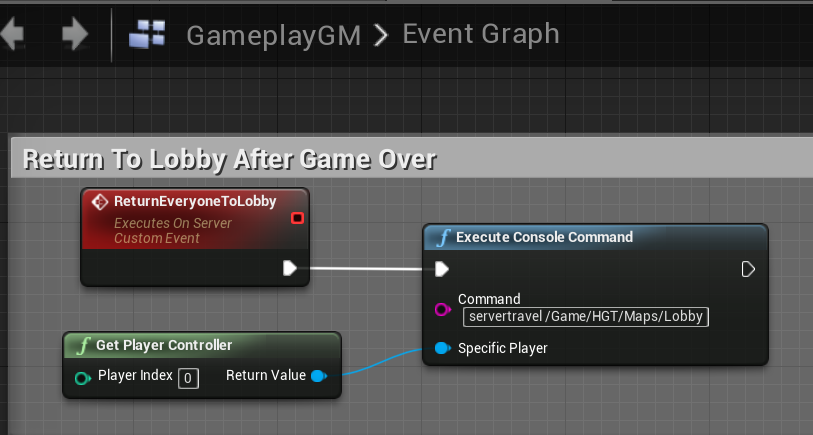 fickle pond
Correct answer would've been a no lol. Not really looking to read a 200+ page pdf
unless I cant fnd anyone to explain lol
winged badger
yeah, not likely someone will talk you through it over 2 months time, either 😛
fickle pond
well at least the basics is all im looking for
winged badger
the basics are in the compendium, the very basics
networking with unreal isn't easy, there are no shortcuts
fickle pond
idk i find auditorial learning seems liek a shortcut compared to reading
worthy wasp
"networking with unreal isn't easy, there are no shortcuts"
Understatement of the century
FWIW - i found out that you call Jump() locally - its replication is handled in engine side
fickle pond
Well if anyone is interested for a payment for tutoring on networking in Blueprints
worthy wasp
hope youre up for a hefty payment - i'm on almost 4 years bud - still have daily hangups with it
fickle pond
the hell is cedric
worthy wasp
good to know.
fickle pond
plus im there for the compendium not the author
worthy wasp
atypical
fickle pond
? how so
worthy wasp
jus ttrollin bud lol
fickle pond
mkay, well if anyone is interested in payment for tutoring on working with simple networking through discord id be glad (message me through discord preferably)
 naive crater
Has anyone had any luck with getting camera anims to work after a servertravel?
 inner pumice
hey just wondering what would be the "correct" way to get a reference to all the current player pawn positions on the client? I'm trying to make HUD markers for the other players, currently sending an array of all the player pawns via RPC, but it only works some of the time... It's as if the pawn references being sent aren't always valid when they get to the client?
Surely there must be a simple way to do this, reliably?
naive crater
I use my gamestate to track an array of my players and just read from that array with my hud
rather than sending it with an RPC, not sure if thats the best way of doing it, but it's been working without performance issues.
inner pumice
hmm, so then how do you find the actual current position of the pawn? currently i'm using GetActorLocation on tick to update the markers positions... so i need a reference to those actors for that
naive crater
yeah so lets say my Variable array is called "Players" i would Get Gamestate > Get "Players" and do for each loop with a validity check > Get actor location.
Now i wouldnt run that on an event tick, instead using something like a 1 second timer and just using an event tick to lerp the visual feedback to the player.
inner pumice
hm, so you just have an array of players' currently controlled pawns in the gamestate? i have essentially the same thing, except it's in my game mode
it has to be on tick because players can move every frame... the marker has to be updated every frame... i'm using ProjectWorldLocationToWidgetPosition to convert the 3D world position of the actor into 2D screen coords for my widget.
naive crater
The problem with game modes, is that clients cant see it.
inner pumice
yeah that's why i just replicate that array of pawns to the clients with RPC
naive crater
If you can get away with doing it on event tick and don't suffer from performance than do it 😃
The advantage to reading the variable from the client over sending it, is you can always reference the variable but you have to wait on RPCs
That's just my 2 cents though so i would take it as just a suggestion 😄
inner pumice
well i have it setup so that when the RPC is called, it refreshes the markers on the clients... for eg when a new player joins, etc
it's just really weird that my array of pawns all seems fine on the server, but when the clients try to use GetActorLocation on them, it doesn't always work 😦
thin stratus
@fickle pond This kind of stuff is for #looking-for-talent
We don't have an audio version of #old-rules, so please read them.
fickle pond
how do I post in #looking-for-talent
thin stratus
That's also posted in #old-rules. Check the pinned message in the #looking-for-talent channel.
fickle pond
ok thank
thin stratus
@worthy wasp Why are you controlling the Char through the PC?
The only reason I could see is you having more than one Character to control at once
OOP (C++/BP/etc.) are kinda based on the idea that every object mostly deals with its own stuff.
So if the Character needs to move through input, then in 99% of the cases it's the character that should be listening to the input.
Of course it's not bad to do it in the PC, it should still work.
I have controller (local funct) that runs a local funct in Character (BeginJump()) which calls a SRV RPC - setting a RepNotify boolean. OnRepNotify fires off this->Jump().
You don't need to RPC for jumping. At least if you really have a Character with a CharacterMovementComponent.
If you call the Jump function on the owning Client, it will set a flag in the CMC and send that via RPC to the Server already.
twin juniper
It seems that replication graph removes or mitigates the cpu overhead when figuring out if something should be replicated to a player or not.
Is it just using IsNetRelevant in a way? or is it event based that when something changes in an actor it notifies the graph?
Haven't dived into it too much just wanted to know if the graph takes variables of an actor to determine this or other magic involved.
 fluid prawn
Hello all, I was wondering if I could post a Useful PDF I've created to outline the Networking Model for the Default Character Movement Component Class. I created a sequence diagram that outlines the order of calls and how the flow of movement information is replicated and predicted. I've seen time and time again people asking question in here about it. The source code is overwhelming for most beginner programmers. New people trying to modify it and have it networked is quite the task. So I figured I'd make a diagram illustrating this to save people the pain of Ctrl Clicking and tracing through it to get a general idea. Here is a link to the PDF https://github.com/staticJPL/UE4SequenceCharacterMovement

GitHub
Sequence Diagram of Networking inside the Character Movement Component class written in Pencil. - staticJPL/UE4SequenceCharacterMovement
winged badger
i haven't dived into it yet as well, but i do know it does not call IsNetRelevantFor @twin juniper
fluid prawn
Let me know what you guys think of the sequence diagram I basically outlined the most important functions considering there are some helper functions nested that are not relevant unless you need to modify them specifically. But the function calls and the order is important to follow if you're doing any custom movement overrides, this should help tracing the flow of modified data from client to server easier to see.
winged badger
i do like the effort, only i am finding it somewhat difficult to read, and i am familiar with the CMC flow @fluid prawn
for me, it would be a useful reference point, combining it with what i remember
i think a beginner programmer would get lost in it tho
fluid prawn
It is a sequence diagram
so maybe some background of what a sequence diagram is would probably be needed
you read it top down
in order
the end has a legend that outlines kinda what the objects mean
winged badger
legend ontop would be a UX improvement imo
fluid prawn
haha ok
winged badger
less scrolling while you get adjusted reading through ClientServerMain
winged badger
it is a useful reference 😃
fluid prawn
it personally had to do it
to wrap my head around it
i literally was ctrl clicking and trying to stuff all that information in my head
did not work out too well
winged badger
because its a 10k lines bloated monstrosity
fluid prawn
yes
The good part is
the diagram
rips out the functions that are netcode only
and shows the order of calls and the flow so if you change something on the movement side
you can trace it or add to it in the same order
https://github.com/staticJPL/UE4SequenceCharacterMovement/blob/master/UE4MovementNetCodeSequence.pdf
GitHub
Sequence Diagram of Networking inside the Character Movement Component class written in Pencil. - staticJPL/UE4SequenceCharacterMovement
done
Cheers guys hope you guys make good use of it
worthy perch
Thanks for this, jpl.
thin stratus
grizzled stirrup
I'm recreating AGameMode / AGameState to better understand how they work (not the base versions) and I'm curious about the DefaultTimer() function in AGameState which increments ElapsedTime once a second
It seems ShooterGame implements a very similar DefaultTimer() function, but instead in the ShooterGameMode and uses it to set RemainingTime on their ShooterGameState
This means that they are essentially ignoring ElapsedTime and the timer in AGameState is just running and not being used as far as I can see (In the case of ShooterGame). Is this just out of convenience as they needed a decrementing timer instead of an incrementing one? (though they could probably just subtract ElapsedTime from whatever their initial RemainingTime value is)
Would it be acceptable to just have a DefaultTimer() function running on the master GameMode instead which drives both the GS time and handles any GM specific events, rather than having the AGameState timer being largely unused and the GM one being essentially re-implemented identically?
winged badger
It would
Best think of GameMode as very rough guidelines
then actual set in stone code
grizzled stirrup
Many thanks!!
 covert gorge
Could anyone help me with one problem? I have a possessable pawn that is not possesed by anyone at the beginning. If one player possess it, it works perfectly and Local ENetRole is ROLE_AutonomousProxy. However, if that players stops possessing it an another player starts possessing it, even thought it register server RPC correctly and inputs, if i print "Local ENetRole" it shows ROLE_SimulatedProxy.
Does anyone one why?
thin stratus
@grizzled stirrup We are doing the same thing. Our GameMode default timer does all the heavy lifting of managing the game.
The DefaultTImer in the GameState on the other hand takes care of decreasing the remaining time.
 real yacht
After ServerTravel, my client crash
and i have this log
[2019.08.13-13.22.07:508][839]LogWindows: Error: Assertion failed: (Index >= 0) & (Index < ArrayNum) [File:Runtime\Core\Public\Containers/Array.h] [Line: 611]
[2019.08.13-13.22.07:508][839]LogWindows: Error: Array index out of bounds: 7 from an array of size 0
how can i debug to see which array is problem, because with this log, i don't have f*** idea where to look at
 barren kernel
@tahirsle you need the callstack to see why the problem happens. Attach debugger before the crash and it should break when you have your problem.
If you can't get that, maybe there is some other logging above this to give some clue. What array of size 7 do you have?
real yacht
@barren kernel i will try to attach debugger, i'm trying to find through project which array, but i can't find it
and this is happening only after servertravel, because i want to restart current map
with all connected players
 fiery geyser
@rose egret The only way I know about is through a Replication Graph. Otherwise you could always change your logic. Someone else, please correct me if I'm wrong.
There is also DOREPLIFETIME_ACTIVE_OVERRIDE by using DOREPLIFETIME_CONDITION(AActor, variable, COND_Custom); see https://www.unrealengine.com/en-US/blog/network-tips-and-tricks, but i'm sure this won't help you.
rose egret
afaik its per actor not per connection
I tried overriding IsNetRelevantFor but it for the whole actor's properties
what I am working on is teaming and team info (imagine a game exactly like ApexLegends)
 royal isle
@rose egret the only way to do this is make your own replication graph and in that create a node for team only relevancy. Since the rep graph works class by class you should then need to wrap all of your team only properties in a separate component and have that rep to only team members
rose egret
there are 200 users and in the lobby they select their hero and magics
atm I am storing them on PS.
fiery geyser
You can always check this, see how they did it. https://github.com/DaedalicEntertainment/ue4-replication-graph/blob/develop/Source/RepGraph/Private/RTSReplicationGraph.cpp#L86

GitHub
Sample code of the talk "Using Replication Graph For Optimizing Real-Time Strategy Games" at Unreal Fest Europe 2019. - DaedalicEntertainment/ue4-replication-graph
royal isle
There is also a Replication Graph implementation for shooters in ShooterGame
royal isle
Well then it should be really fun cause the Rep Graph is one of unreal's hardest concepts and APIs xD
 glass plaza
Does anyone know why my camera is not pointing the correct direction on the players? I attach the camera's actor to another actor, check the location, it's in the right position. I check the camera, correct position. I SetViewWithBlend with the actor containing the cinecamera, it points from 0,0,0
covert gorge
I just managed to fix my problem, thank you anyway
rose egret
is it possible to move a replicated UObject to seamless travel?
for some performance and readability reason I want to remove my teaminfo properties from PlayerState and create a separate replicated UObject named UTeamInfo.
this object is filled in when players are at lobby map. and each PlayerState has a pointer to it.
thin stratus
Teeeechnically they should survive if the Actor they live in survives
Ah, just make a ATeamState
Not UTeamState
rose egret
is it possible to moved those UTeamInfo object to game map?
thin stratus
And base it on AInfo, like PlayerState
Not sure, but you can move the TeamState
As AInfo Actor
That's basically what UT does
rose egret
🤔
thin stratus
And we internally too
class HOVERLOOP_API AHLTeamState : public AInfo
void AHLGameMode::GetSeamlessTravelActorList(bool bToEntry, TArray<AActor*>& ActorList)
{
    Super::GetSeamlessTravelActorList(bToEntry, ActorList);

    ActorList.Append(TeamStates);
}
The PlayerStates, if they reference the TeamStates, will probably keep referencing them
Just be aware that if you reference them in the GameMode
Like we do with the TeamStates array
that you will have to get them via GetAllActorsOfClass or similar
Cause the GameMode does not survive
So the Array is cleared
rose egret
🤔
thin stratus
// Check if we already have teamstates from a seamless travel
int32 NumFoundTeamStates = 0;
for (TActorIterator<AHLTeamState> It(GetWorld(), AHLTeamState::StaticClass()); It; ++It)
{
    AHLTeamState* TeamState = *It;
    if (!TeamState->IsPendingKill())
    {
        TeamStates.Add(TeamState);
        NumFoundTeamStates++;
    }
}
if (NumFoundTeamStates > 0)
{
    UE_LOG(LogHLTeams, Verbose, TEXT("[%s] Found %d TeamStates from last round."), *GetName(), NumFoundTeamStates);
}
That's in the GameMode, before creating TeamStates
I check if we have some that survived traveling
rose egret
@thin stratus could u please send me header of AHLTeamState?
thin stratus
@rose egret Can only send small pieces :P it's not directly our project
Any reason you need that?
 rich ridge
Hey guys
I have small question
Can anyone answer
I have CustomeMovementComponent and CustomePlayerController,
And both can have authoritive control.
So which one is better in terms of replication, latency and bandwidth
Input can be setup in either movement component or playercontroller
thin stratus
@rose egret PlayerState has a TeamState pointer.
TeamState has an array of Controllers and PlayerStates.
TeamState has an ID.
Every actor that needs it has a "TeamInterface" that has functions such as "GetTeamID" or "GetTeamState".
rich ridge
So where to setup
thin stratus
PlayerController is not for Authoritive Online Movement
rose egret
@thin stratus
after seamless travel pointer to PlayerStates and Controllers become invalid so u re construct them again?
thats what I wanted to prevent
rich ridge
I m understanding little bit, so I think I need both custom movement and player controller right @thin stratus
high current
@rose egret perhaps take a look at the CopyProperties overrides on the Player State and player controller, there you can keep stuff between server travel iirc
grizzled stirrup
@thin stratus Regarding the timer thing, is there any reason to have two timers running when the GM timer can simply decrement the remaining time on the GameState as well as the other management of the game? Similar to the ShooterGame implementation. Since both are just functions running once a second it seems a bit simpler to do it all from the GM timer? In my case I'm writing my own versions of AGameMode and AGameState so I can completely remove that timer in the GS if it makes things cleaner
high current
I would imagine the reason for the timer to be in the game state is so that clients have access to its replicated version, no?
grizzled stirrup
No because all that matters is the time property which is replicated (GM sets the GS time property which is replicated to clients)
Only reason of having two timers that I can think of is if they run at different rates
OR only the initial time is replicated (COND_InitialOnly) in which case the client could indeed update the time locally from the GS
hollow breach
Hi Guys, I have question, Is it possible to achieve replicated AI MoveTo functionality in player character ?
high current
If your character has replicated movemetn, running the AI move to on the server will result in what you want
AI commands by default are always executed on the server in MP games
@grizzled stirrup IIRC in UT's case, GM and GS had different timers ,but I think that is what exi was saying
hollow breach
This will support client side input as well?
for eg: Kind of auto attack for moba ..where player can control their character and whenever the player presses attack button, player needs to move to target automatically...
rich ridge
@hollow breach what you are saying is u need GAS
GAS supports replication
@hollow breach In GAS if you assign your AIController to player character, it should work
All your movements should replicate regardless of AI controlled or player controlled
thin stratus
@grizzled stirrup The Timer in the GameState runs on Clients too.
We only replicate the Time every 10 seconds
No need for an int to replicate every second if the client can simulate this mostly
@rose egret PlayerStates survive by default.
hollow breach
I'm not familiar with GAS....I'll check that @rich ridge Thanks
grizzled stirrup
Makes sense thanks a lot
thin stratus
The TeamState pointer in them can be moved from old to new playerState via OnCopyProperties.
The stuff i was doing is located in the GameMode, cause that one doesn't survive.
@rose egret
grizzled stirrup
In the case where you had time being paused frequently (such as in between rounds), would it be acceptable to just replicate the time once a second and do it all from a single GM timer?
thin stratus
Well, it's all acceptable in some way I guess.
grizzled stirrup
I'm just looking to simplify as much as humanly possible even if it means a bit of wasted bandwidth
thin stratus
We have 180 seconds of match, + a few 3-5 second countdowns
And a 40 seconds post match + 10 second map vote.
So all in like 4 minutes of timer
So instead of 240 replications, we do 24
- the initial replication when a timer is setup (e.g. from Countdown to 180 second matchTime)
grizzled stirrup
Nice much more efficient
I'll definitely consider switching to that method if it becomes an issue
Though with things like rapid fire weapons always going off etc., that little replicated int would probably get sent with regular packets right?
rose egret
cant u use synced clock?
thin stratus
e.g.
// Everyone
const int32 OldRemainingTime = RemainingTime;
if(SomeConditionForReducingTheTimer)
{
    RemainingTime -= 1;
}

// Server
if(Role == ROLE_Authority)
{
    if(RemainingTime != OldRemainingTime)
    {
        if(RemainingTime % 10 == 9)
        {
            ReplRemainingTime = RemainingTime;
        }
    }
}


// OnRep of ReplRemainingTime
void AYourGameState::OnRep_ReplRemainingTime()
{
    RemainingTime  = ReplRemainingTime;
}
@grizzled stirrup
thin stratus
It's not the 100% exact code, but that's the idea basically
grizzled stirrup
Final super quick q: you shared a snippet overriding MatchState for some custom states you had for your specific derived modes, is the correct way to add more states to the MatchState namespace to simply have the same code as the AGameMode.h / .cpp but with your new additional states?
And would this be the best approach to add in some states that'd happen in between InProgress and WatingPostMatch? (Such as RoundInProgress / RoundEnding / RoundStarting )
thin stratus
The comment on it even says so
rich ridge
@thin stratus if I use CustomeMovementComponent and CustomePlayerController, will they be in sync or do I need to implement my own syncing mechanism
thin stratus
@grizzled stirrup ```cpp
/** Possible state of the current match, where a match is all the gameplay that happens on a single map */
namespace MatchState
{
extern ENGINE_API const FName EnteringMap; // We are entering this map, actors are not yet ticking
extern ENGINE_API const FName WaitingToStart; // Actors are ticking, but the match has not yet started
extern ENGINE_API const FName InProgress; // Normal gameplay is occurring. Specific games will have their own state machine inside this state
extern ENGINE_API const FName WaitingPostMatch; // Match has ended so we aren't accepting new players, but actors are still ticking
extern ENGINE_API const FName LeavingMap; // We are transitioning out of the map to another location
extern ENGINE_API const FName Aborted; // Match has failed due to network issues or other problems, cannot continue
// If a game needs to add additional states, you may need to override HasMatchStarted and HasMatchEnded to deal with the new states
// Do not add any states before WaitingToStart or after WaitingPostMatch
}
Yes it says to override, is the correct way just copying what they have in the .cpp / .h and removing the existing entries and adding your own?
So for example:
thin stratus
Last line
grizzled stirrup
Yep that's the part that is confusing me
I'm not sure how to add in between
Without defining the same entries again
thin stratus
@rich ridge No diea what "CustomMovementComponent" is.
UE4 only has proper movement setup for Characters with CharacterMovementComponent
And these are the ones you usually extend if you need your character to do more
@grizzled stirrup The NameSpace doesn't give you the order
It basically means you shouldn't leave the WaitingPostMatch State for a custom one
Neither should you go from EnteringMap to a custom one
rich ridge
Custom means I m extending MovementComponent
thin stratus
Once WaitingToStart is hit, you can go to a custom one
grizzled stirrup
namespace MatchState
{
extern MYGAME_API const FName RoundStarted;
extern MYGAME_API const FName RoundInProgress
}
And before going WaitingPostmatch you can
grizzled stirrup
Something like that?
Ok so it's just purely on how you switch
Not the order itself?
thin stratus
namespace MatchState
{
    extern HOVERLOOP_API const FName CountdownToEndWarmup;            // Counting down before ending warmup
    extern HOVERLOOP_API const FName PlayerIntro;                    // Showing a lineup of the players before starting
    extern HOVERLOOP_API const FName CountdownToBegin;                // Counting down before starting the actual match
    extern HOVERLOOP_API const FName MatchEnteringOvertime;            // Match is entering Overtime
    extern HOVERLOOP_API const FName MatchIsInOvertime;                // Match is in Overtime
    extern HOVERLOOP_API const FName MapVoteHappening;                // Match is in Vote Map State
    extern HOVERLOOP_API const FName WaitingTravel;                    // While the client waits for traveling
}
You can just do this
It's not an enumerated list
grizzled stirrup
And a similar definition to that in the AGameMode .cpp?
thin stratus
namespace MatchState
{
    const FName CountdownToEndWarmup = FName(TEXT("CountdownToEndWarmup"));
    const FName PlayerIntro = FName(TEXT("PlayerIntro"));
    const FName CountdownToBegin = FName(TEXT("CountdownToBegin"));
    const FName MatchEnteringOvertime = FName(TEXT("MatchEnteringOvertime"));
    const FName MatchIsInOvertime = FName(TEXT("MatchIsInOvertime"));
    const FName MapVoteHappening = FName(TEXT("MapVoteHappening"));
    const FName WaitingTravel = FName(TEXT("WaitingTravel"));
}
Ok so you just add to it and it'll now be part of MatchState
Thanks!
So you now have access to those entries as well as the ones before
And then it's up to you in the order you call them
rich ridge
@thin stratus Custom means I m extending MovementComponent
thin stratus
Yeah, there are some wiki entries about that
You don't need to do stuff with the PlayerController
@grizzled stirrup Yes, as said, not a list, just entries. The order you add them is made up.
You can go to any state.
I can go directly from WaitingToStart to MapVote
It's not set in stone
grizzled stirrup
Great thanks a lot!
I'll use mine inbetween InProgress and WaitingPostMatch
For a round based game
thin stratus
@grizzled stirrup
/** Overridable virtual function to dispatch the appropriate transition functions before GameState and Blueprints get SetMatchState calls. */
    virtual void OnMatchStateSet();
GameMode
void AGameMode::OnMatchStateSet()
{
    FGameModeEvents::OnGameModeMatchStateSetEvent().Broadcast(MatchState);
    // Call change callbacks
    if (MatchState == MatchState::WaitingToStart)
    {
        HandleMatchIsWaitingToStart();
    }
    else if (MatchState == MatchState::InProgress)
    {
        HandleMatchHasStarted();
    }
    else if (MatchState == MatchState::WaitingPostMatch)
    {
        HandleMatchHasEnded();
    }
    else if (MatchState == MatchState::LeavingMap)
    {
        HandleLeavingMap();
    }
    else if (MatchState == MatchState::Aborted)
    {
        HandleMatchAborted();
    }
}
So to continue this you would override, call super, and also do the same with your custom states
And make new Handle functions
grizzled stirrup
Sounds good so you'd start right away with more else ifs I guess after calling super