#multiplayer
1 messages · Page 482 of 1
 main owl
 grizzled bay
it also depends where you are creating the variables and running that event, some things only run on the owner, so even if set to replicate, won't
things like player controller and widgets are usually only handled by the owning player
widgets are more painful because the player who owns them has authority over them so will never fail an authority test done with them
main owl
hmm renotify is still not firing, the variable is set right off the event begin play after authorisation from an actor blueprint (so authorisation is the server). The renotify is supposed to call to run a multicast function. I think something else is affecting this as my other blueprint that I am sure follows similar logic is working fine. I will need to look over it further, but no idea what is causing this.
It just seems that none of the variables I am setting on the server are being replicated at all. I can run them on the server fine, just not pick them up on anything else.
grizzled bay
yeah can be hard to tell sometimes
 frank plover
okay so i got it to work on the server but not the client
grizzled bay
sometimes can be as simple as forgetting to make the actor replicate, other times can get pretty complicated
frank plover
so all my variables are replicated but does anything else need to be replicated excep the custom evetns
grizzled bay
replicating movement on the actor is sometimes needed
idk your exact setup, but if something isn't moving correctly it can sometimes be forgetting to do that
frank plover
now its working but only on the server i think
main owl
So found out that firstly my Actor did not have the replication checkbox enabled. And I am creating UObjects, that apparently don't support replication? So this still is not working, but I should be able to find a solution. I just hope the solution is not to create an actor instead of an object.
But its now populating the correct amount of items, just completely empty items.
 gleaming vector
@winged badger @pallid mesa yeah, the OnRep didn't work
i think imma just wait until Epic gets back to me
I'm running out of ideas here
 pallid mesa
welp, let's see if there is any luck
I still didn't have the time to replicate your scenario
but would be an interesting exercise
@gleaming vector send me the issue link through a PM's if possible
 granite peak
I asked this a few days back, but I have a non-player owned actor with a health variable set to replicate. It takes damage from Event AnyDamage, however the variable changes ONLY on the server, it does not get replicated to clients. What could be the issue here? My assumption was it being related to ownership, or AnyDamage behaving weirdly
gleaming vector
so, the OnRep fires after the object is deserialized in the other actor
that's why this didnt work
😦
looks like I can't get away from the fact that when I switch the item stack from one actor to another, everything routes through the new actor
and the client doesn't see the switch
 ebon nimbus
Just wanted to vent. Going from a basic projectile to one that's charged and then activated has got me feeling like i don't know jack shit lol
 meager spade
charging before firing ?
when fire is pressed, set the charge time, count this down every tick, once its <= 0.f, fire the projectile, if its one that increases damage/speed the longer the input is pressed, then whilst fire input is pressed, increase charge percent till it reaches 100percent, when they release fire, send of the projectile
ebon nimbus
yeah i got the process down for single player
i spawn it, attach to my player, then charge it
the longer it charges the more damage and the bigger the projectile scales
at max cast time it goes into an overload state where it explodes after a set duration if not cast
its just the getting it to work in multiplayer part
meager spade
that not that hard tho, have it charge locally, and tell the server once you released it all the details of it (might not be hack proof but it will work) otherwise you would need to sync it with the server, ie, server starts charging, aswell, when they release, the server can check to see if it matches, then spawns the projectile
ebon nimbus
ive had little issue with the spawning and charging of it
i posted yesterday about my problem which is when it goes to shoot
it fires along the vector in which it was spawned
ebon nimbus
getting it shoot at the actual direction im looking instead of where I was looking when i initially cast it has been my entire weekend
 hollow stirrup
@frank plover Just FYI, a multicast will only work the way you think it's going to work if it's called from the server
Also, just a general rule of thumb: never use multicast
There are only a few cases where a multicast is actually the better option to go for
Also, replicated variables go server -> client, not the other way around
So just because you have a variable marked to replicate doesn't mean the server will know about the changes.
 somber glade
I know that if I trigger an event and don't use a "has authority" or something like that, the server and all the clients in game will try to process that event. What about an event coming off a widget? I know a widget is local to the player, so in VR if I click a button that makes a call on another object (say through an interface) I know the client who clicked that will try to process that, I assume other clients won't try to process that, but will the server try to process that at all?
 lost inlet
run it through the player controller
somber glade
I'm doing that for something else. I'm just trying to understand exactly what happens in that situation.
grizzled bay
with a widget it can be hard because the owning player "has authority" i am having a war against that atm because i need stuff to run as server, but the client has authority in other functions if i call them from the widget
somber glade
@grizzled bay Thanks, that is what I was wondering. I do have some set up to call RPCs through the player controller, but I was just curious if the server would try to run a copy of the event at all or not.
 ocean geyser
@somber glade not sure if you got your answer or not, but no the server wont try to run a copy. lets say you have a widget with a button on it, when the button it clicked it teleports you 1500 units in the air. if your a client connected to the server, when you click the button, you will do a stutter for like a millisecond as your client "teleports" into the air, but is immediately brought back down to where hes suppose to be. the server wont run the code set on the button to teleport the client into the air, unless the client makes a Server RPC call to do it. so its just like setting a custom input in the playerinputcomponent to call a random function you have made, it will run on the client without the server knowing about it unless you make the server know about it
grizzled bay
yeah i am currently rewriting a single player inventory system to work with multiplayer, but it is pretty heavy on widgets, so i have to rewrite a heap so the server can handle everything except updating the widgets, sometimes it is easy, but other times it is painful
good learning exp though
ocean geyser
yikes, have fun with that
grizzled bay
lol
i have most working again so far, just some small things like the crafting system and storage system are still being a pain
ocean geyser
thats good atleast
 winged badger
@grizzled bay there are Roles (Authority, Autonomous/Simulated Proxy)
there is also NetMode
(Client, Server, Standalone)
in blueprints the BPPure function IsServer doesn't check Role
it checks the NetMode
grizzled bay
i tried an is server branch which then led into a run on server event if not server, but it crashed form infinite loop 😛 and yeah i am using blueprint
the widgets i am currently working on require a return, so i am calling a function form the pawn, then in that function calling a run on server function which calls what the widget was calling originally, then passing in the results from the run on server. that seemed to let me run from server correctly, it is a bit roundabout though
winged badger
crafting system of any complexity should be encapsulated into an actor component, along with all the RPCs imo, especially if its accessible only through a world object like a crafting bench
then interacting with a crafting bench adds the crafting component to the player
grizzled bay
oh that is all built into the inventory actor, the only part i was doing like this was the add item being called form the craft button
ocean geyser
have you thought about creating a UserWidget in c++, then setting your widgets parent class to the c++ version? that way you can do things in c++ such as your functions? you could still use blueprint for all the other stuff such as your UI for example. might make it a bit easier
grizzled bay
this is about what i was doing to access the inventory add item function as server form the widget
most of my stuff in in blueprint atm, so would end up having to rewrite most
winged badger
so the client has Authority over crafting 🤔
ocean geyser
you should consider doing a check on the server to make sure that your character has the necessary items to craft whatever it is hes trying to craft as a way to prevent cheating
grizzled bay
nope the client gets the info of everything from the server to be able to do anything
ocean geyser
i could still cheat that 😉
grizzled bay
😛
winged badger
yeah, but it sends the CrafterItemClass to the server
so, basically it decides what was crafted
grizzled bay
pretty much
winged badger
that can be hacked, if you care about that sort of thing
ocean geyser
replicate your inventory items with their owner (yourself), have the client check and see if he has the materials to craft it, if he does have the required items, then make the call to the server. the server function should perform the same check to make sure the servers version of your inventory does have the required items (it should since its replicated). if the servers version of the inventory does have the required items, craft the new item. let me know if im incorrect anywhere Zlo
winged badger
unless you have the server check if client had all the required ingredients before running the CallServerAddItem
grizzled bay
oh yeah the server is in charge of calculating if the player has all the items in their inventory, that is done elsewhere though
ocean geyser
then you should be good to go then if thats the case
grizzled bay
ill still have a look into the other stuff you said though, would be good to make it harder for them to cheat. atm i am just trying to get it to work at all though
ocean geyser
well once its working it will be good to give it another look through. personally when i do things like that, i do a check on the client, if that check succeeds, then call the server to perform the same check, if that check on the server succeeds, do whatever. such as for my item interactions and opening/closing doors and crap where im using line tracing, i always run the line trace on the client, if the client hits something, perform the line trace on the server to make sure it hit something. just takes a little bit of the load off the server (eventhough its miniscule)
grizzled bay
cool, thanks for the advice
 fossil plover
Is it possible in BP to get the playerstate of a player from a PlayerID?
ocean geyser
 fossil plover
PlayerID is a unique NetID, different from PCID afaik
somber glade
So..another head scratcher here. We have a puzzle system where players can upgrade something on a computer. First they needto attach a usb and then the puzzle will pop up. The puzzle is a widget, and when its solved it will upgrade a certain item in the game. The issue I'm looking at is having the puzzle only pop up for the player who attached the USB. The widget itself will be local to each player, so if multiple players were there, they could essentially each have a shot at solving the puzzle. The only way to detect which player attached the USB is maybe via the USB attachment slot. When the players hand overlaps that attachment cube, it grabs the USB and attaches it. At that point I could grab a reference to the player, and then somehow rep notify the puzzle and check that repnotify against the player whose hand overlapped
 thin stratus
Or you just send them a client rpc
 real yacht
after warm-up i want to restart current MAP, what is the best way to do this? With all connected players
thin stratus
ServerTravel to the same map again?
The better layout would be having Warmup on the same map.
Just act like "WaitingForPlayers" or whatever the state is, is your warmup
And when everything is done, start the match.
@ocean geyser @fossil plover PlayerControllerID is a local thing, for Splitscreen. In most cases you shouldn't use that "GetPlayerController" node in Multiplayer anyway.
The PlayerID that is part of the PlayerState is only unique in the current map iirc. Might also survive a Seamless ServerTravel, but it's def not a unique ID that persists between two matches.
And afaik, no there is no build in way to grab the PlayerState from the PlayerID.
real yacht
@thin stratus yes, but in warmup players can get pickups, so i want to restart everything on same position . So start match will call server travel or?
thin stratus
Then implement an Interface for resetting Warmup
Implement it on every actor that should be reset
That's how UT does it anyway
thin stratus
It's a lot more annoying to move Maps, specially for the players.
We also have the Warmup on the same map
thin stratus
Interface
@real yacht
I basically stop UE4 from going to InProgress by overring "ReadyToStartMatch"
And as long as the players aren't ready (whatever reason you want them to have), it stays in "WaitingForPlayers"
Which doesn't stop you from letting them play
Then in ReadyToStartMatch, as soon as you return true, it will go from WaitingForPlayers to InProgress. You can, in c++, add more states between that.
We have an EndWarmup, ShowLineup and CountdownToStartMatch state.
Each of the States comes with a function that is called, e.g. HandleMatchHasStarted or whatever it is called
In there you can use the Interface to reset every actor
real yacht
yep, understand that
thin stratus
One of the cleanest setups I can imagine
real yacht
so what is happening when state is ready to start match?
do i need manually to call restart? for each actor
call interface
thin stratus
You can get all Actors with a specific interface
And then just call your Reset Interface function
And the ones that should reset just implement that
e.g. your Pickups respawn
real yacht
okay, thnx for info
real yacht
@thin stratus by overriding ReadyToStartMatch, now all my players are spectactors, how can i let them play around map? i don't want to be spectaros
?
 lucid plinth
Has anybody implemented unreal's inbuilt vivox plugin?
thin stratus
@real yacht Call Restart on their PlayerControllers for example.
But that's all UE4 Framework stuff, it's document, so try around a bit first
real yacht
i will, thnx
 fossil veldt
Hey guys does anybody know how I can get a "OnServerUpdate" event that is linked to the tick rate of the server. I've been using a custom looping timer for my tick rate but this isn't great because it's not synced to the updates of the server.
thin stratus
Shouldn't that just be tick?
fossil veldt
I don't think so, Maybe for dedicated servers it is
On Listen Servers i'm pretty sure tick is hooked up to the frame rate
I might be wrong
 high current
Found this in my old tweets:
'
last screenshot crashed upon cooking because of the double by ref in the select node
😄
¯_(ツ)_/¯
just 4.15 things
 hollow arrow
Does anyone know how to handle Ai in multiplayer - What needs to occur on the server, and what happens when events aren’t replicated on the ai?
 glad sedge
AI is entirely on the server
winged badger
AIControllers aren't replicated
so it makes all queries, and all decisions server side
all helper classes for that should also not be replicated
hollow arrow
Helper classes?
winged badger
afterwards, you are just replicating what the AIPawn does so players can see
like AIManager that keep track/caches useful stuff, spawns and initializes AICharacters
glad sedge
Are overlaps done on the client?
winged badger
basically, if your AIManager caches a pointer to your PlayerCharacters
your AI don't have to search for them, they can just ask AIManager for the location
they are done on every machine separately @glad sedge
hollow arrow
Ah, so no references to players?
winged badger
and weird things happen when the collisions are set differently on server/client
glad sedge
@winged badger hmm okay. So I'd replicate maybe a value on the pawn when something is overlapping ?
winged badger
not sure what you mean by that
@hollow arrow you use it to cache everything AI needs frequently, and would consume significant resources to search for separately on each individual AI
you make it so its only one AIManager, and statically accessible
so all your AIs can just do GetAIManager()->GetCachedWhateverINeed()
fossil veldt
I want to batch together multiple client line traces to send in one network update so that the server can check these efficiently. How can I do this as I can't find anything anywhere about how to access the server tickrate manually.
As just sending a server RPC everytime I locally shoot seems like a good way to flood the pipe
meager spade
not sure how UT4 does it
i think they run the server and client the same time
and don't rpc
only rpc the start/stop fire
meager spade
o_0
 bitter oriole
Just so we don't restart here 😛
meager spade
it seemed like a network one tbh tho
bitter oriole
It is, but well
 chrome bay
CPP has been taken over by quake networking model now tbf 😄
meager spade
lol
chrome bay
But yeah pretty much what Kaos said - they only do start/stop fire, and one for verifying hits against players. All unreliable too.
They save some extra data into character movement and process stuff in a particular order, so they know when shots were fired and determine muzzle position from the characters position.
Works great if you're building UT, but not super portable
heckin' fast tho
 real olive
I'm trying to spawn identical non-moving actors on both client and server that the player can stand on without having to replicate all the actors. Currently I get a warning that the base actor can't be resolved, is this fixable by overriding getnetguid on the actor or something along those lines?
meager spade
the actors are spawned local and server?
non replicated
but you want them to be net addressable?
two things need to happen for that, either loaded as part of the world (package) or you set the same name on both client and server, to make then netname stable
real olive
cheers, was just looking through IsNameStableForNetworking
SpawnActorDeferred doesn't seem to take a name parameter but I can probably work around that
meager spade
Rename i think can do it
real olive
does rename have any other side effects I need to consider?
meager spade
supply the outer
else it will be set to null,
actually
passing a null actor
doesnt change its owner
do yeah just a rename should do it
real olive
thanks, I'll give that a try
 blazing haven
Hello , does anybody know what factor can cause a failure on find sessions? I have no idea where my problem could be
blazing haven
For the moment , i only have 1 session of my game launched , and it should be working with steam since i have the menu open, it's not searching for sessions at all
 solar stirrup
Should I store my player's health/hunger/thirst in the PlayerState or the Character? It looks like there's no real reason for me to store it outside of the Character, but I'd still love to see more opinions
high current
@solar stirrup do other players need to have constant access to those values?
solar stirrup
Well, other players will be able to see your Health and Stamina @high current
But IIRC Character values are still replicated to all clients anyway right?
high current
not if they are culled by distance
player states are always relevant
characters might not be
solar stirrup
Well that's perfect then
high current
so if you need those values accessible at all times for like your HUD
solar stirrup
Since you're not really gonna need to know another player's health/stamina if they're not next to you
high current
then store in the player state
but yeah, was going to say, if its proximity based in 3D, just use the player's values
solar stirrup
👌
thin stratus
That moment epic doesn't allow ULocalPlayer as Owner of a Widget. Wtf...
thin stratus
I sometimes really don't get how UT does some things. They try to AutoLogin the Player on PlayerAdded in the LocalPlayer.
Then, via Slate, if that fails they add a Login Dialog to the Screen.
I basically do the same and add a widget. But obviously mine never shows up :D
real olive
@meager spade I didn't dig into why, but rename resulted in actors that were counted in the world outliner but weren't visible and didn't collide with anything. I realised SpawnActorDeferred was just setting bDeferConstruction in the spawn parameters so swapped over to normal actor spawn and now it's all working. Thanks for the help
 distant talon
"@chrome bay
But yeah pretty much what Kaos said - they only do start/stop fire, and one for verifying hits against players. All unreliable too."
Geez, how do they get away with making start/stop fire unreliable
gleaming vector
unreliable to everyone probably
from client->server it's probably reliable
the multicast can be unreliable, you don't need to know if other people shoot
like, it's turbo frustrating if you get shot by something you don't see/hear
but the game simulation doesn't care about it
 fleet raven
the time it would take for a reliable rpc to be re-delivered is crazy high though so it would still feel strange even if it didn't drop it
ut sends your start fire as unreliable since if it is dropped, you're going to miss anyway
distant talon
Huh. That's fancy, but usually unrelaibles seem to get worse treatment in prioritization
high current
@thin stratus I haven't looked at the source of UT(even if I did, I wouldn't understand shit), but from working like 10+ weeks with it for game modes and mutators, UT does not act the same way UE does in regards to replication logic, some things are different, other are flat out weird and there are quite a few bugs as well
thin stratus
Well this has nothing to do with Replication though
It was basically just the case that UT uses Slate, which allows setting the LocalPlayer directly as Owner.
While Widgets, for whatever reason, require you to use GI, PC, World or whatever random class it was.
high current
oh god, I read State on my phone and zoned in another direction, sorry
high current
UT UI is awesome (in the end product) but hell to work with, UMG is there, but they dont use it at all, and their Slate system is practically not exposed to us
thin stratus
Some of our Ui works like the one from UT
Like the way they create menus and dialogs
I like it
high current
I would probably like it as well, if it was exposed to BPs
UT has this really cool, global UI animation system that essentially does screenshake on the UI, an it has like 30+ different shake animations based on what gun and fire mode you are firing
 tribal solstice
Hey ya'll... having a hell of a time trying to render one player's VR camera to a texture that a second player can view. Any suggestions how to do this?
high current
you mean the viewport of a player to be rendered for another?
or some sort of camera object that you have in VR?
also, show code screenshots...
chrome bay
UT sends 2 or 3 unreliable RPC's for start/stop fire instead of just one - they get queued up. The server rejects calls to start/stop fire if they've already been processed.
The point of it was to get the RPC's through quicker, since apparently an unreliable RPC can arrive more quickly than a reliable one. Haven't investigated that, but that's what the guy who wrote it said.
Since UT's target was 120Hz and it's very twitchy, I figure every millisecond counts.
But that start/stop is the same for automatic weapons as well, so it's not per-shot, it's per mouse click.
Everything weapon related for them is unreliable though - but I guess its not a problem if you have a very fixed bandwidth limit and you know everybody can hit it
high current
UT's default server tickrate is 60hz, which isnt at all enough for eSports and tournaments, every community server I know runs at 90hz+
thin stratus
I still feel like you should go with what you think works for your project.
The Start/Stop call being Reliable or Unreliable is both no heartbreak
We use Reliable calls here and everything works as fine as it probably would without
If you notice that your reliable calls suck, then improve it
But before that, just code your damn game
chrome bay
Yep 😄
tribal solstice
@high current I actually ended up scrapping the project file and starting again so don't have code snippets at the moment. I'm trying to rethink how to do it and wanted to get some opinions before I began. And yes, correct, render the viewport of one player to a texture for another player to view.
So essentially there will be one player in VR, and I want another player to be able to monitor what they see
high current
And I am guessing the other player needs to view its own viewport
tribal solstice
Correct
high current
or do you want them just to be a spectator
thin stratus
The whole Render to Texture stuff is sadly freaking expensive
At least if the other player sees the game too
tribal solstice
The second player will need to be able to interact as well, so not just a spectator
thin stratus
cause then you render the whole thing twice >.>
tribal solstice
@thin stratus Yeah, that's what I was afraid of
thin stratus
It might be okay for two players, as that's more or less splitscreen anyway
I wonder how A Way Out does this
thin stratus
@chrome bay You did that voronoi stuff, right? Is that causing the same performance hit compared to default splitscreen if players are two far away?
high current
I am guessint @tribal solstice needs it over a network
tribal solstice
@high current Yeah it'll be over a network, not LAN
high current
@thin stratus dinno where my head is at, you are right, I did that as well
thin stratus
I'm not even sure if people still actually know who that reaction is you are using :D
high current
I know
😄
I found that out like 3 days ago
been spamming Alexander's face ever since
Either way, afaik the split screen stuff in A way out isnt render targets right?
@tribal solstice to get your issue,does your second player, need to view themselves as a pawn, and control something, or just spectate the other player?
tribal solstice
So the main gist is one player is in VR, and the second player is 'monitoring' them and controlling things that happen in the game
so yes, second player needs to be a pawn as well
chrome bay
@thin stratus I gave up in the end, the biggest barrier was needing two full-screen render targets - ended up being way too expensive.
thin stratus
So basically the same issue
chrome bay
Would be great if we could use the stencil to mask regions, but unfortunately stencil isn't available in UE 😦
Oh not to mention post process was totally screwed up as well
thin stratus
Not sure, is that something else than the stencil stuff one uses for outlines?
chrome bay
IIRC the stencil is used as a scratch area for other data during rendering of the GBuffer, so it's fine to use for post-process at the very end - but during rendering the other buffers it's used by other rendering stuff apparently
thin stratus
Ah, alright
tribal solstice
Not sure if it makes a difference, but second player's view of the first player's viewport wouldn't need to be full-screen
chrome bay
If you could render the GBuffer from two different viewpoints, and use the stencil to mask which pixels are evaluated it would be way cheaper - but unfortunately not possible
tribal solstice
More like a little monitor
chrome bay
VR gets away with it because it's just two RT's next to each other, so they're still square
thin stratus
That is actualyl #multiplayer nvm moving to #cpp
tribal solstice
So if it's square (4:3) it's less expensive?
tribal solstice
Ah so if it's a small screen in the second player's viewport and it's 4:3 it may be fine?
thin stratus
4:3 isn't the point
You can make it 16:9
Or 2:2
whatever, just the resolution has to be low
tribal solstice
I see, that's good to know. Thank you. Resolution being low actually fits the theme of the game.
 bleak lily
Hi I have a spawner that only the host can see and not the client
tribal solstice
With that in mind, can you guys recommend a solid way to accomplish this?
bleak lily
they can run into it and they get all of the powerup benefits but it's just invisible
high current
Dude, the vehicles in insurgency sandstorm rubber band more than if I had made them...
guess they are having possession issues :D, just got teleported when I exited
@tribal solstice I would say, make sure the camera position and rotation is replicated within the pawn, from there you do stuff locally on the second client, and then when it comes to the second player sending commands and whatnot, that is standard RPC logic
Read the compendium for that kind of stuff (pinned in the channel)
tribal solstice
Sorry, I may be misunderstanding. I mean to get the VR player's camera rendering to a texture for the second player
I understand the basics of RPCs and replicating movement and such
bleak lily
does anyone know how to go about solving my problem
high current
Well, Broths, that should be as simple as attaching a scene capture component under the HMD of the player
tribal solstice
That's what I thought as well, but for some reason the scene on the rendered texture wouldn't change at all. It would show the first frame of what the VR player saw, but would not update as they moved
bleak lily

here is the spawner
it spawns a random powerup
and I just did a timer with function name
I tried doing a RPC server but that is when it becomes invisible
and multicast or client just makes the powerups the wrong ones
high current
@tribal solstice you sure that you set the scene capture to show movement and not render only first frame
tribal solstice
Definitely sounds like something I could've overlooked. I will try the setup again and report back if you don't mind. Appreciate the help!
high current
@bleak lily that is a standart function, how is it being executed, via an RPC?
bleak lily
yeah I have an RPC
high current
I would also advise you to get the random value with authoritiy, save it to a replicated var
otherwise each client is getting a different pwoerup
bleak lily
I tried that already
I just got rid of it in the graph since it didn't change anything
high current
show us your RPC
 high current
well you are spawning that on a server
are all the actors
within the PowerUp array
bleak lily
Yeah
high current
replicated demselves
bleak lily
oh
high current
by default
bleak lily
lemme check
ocean geyser
^ dont forget to set them to replicate or they wont show on clients
high current
when you spawn an acotr server side, and that actor isnt replicated
yeah what Cody said
ocean geyser
nah what MrTapa said, hence the up arrow 😃
bleak lily
okay I set them to replicate
lemme see if it works
alright it works now thanks!
sorry I didn't realize how simple the solution was lol
high current
^
high current
OFFTOPICSaw another gears of war 5 clip dedicated to replay lag on twitter today
Does the Replay system record and keep track of all network traffic within the match's lifetime
Or just the corrected one
Because it seems to me that if killcams were shown with the data from the client, rather than the corrected version, there would be much less outcry
I see this in almost every MP shooter with a kill cam or play of the game nowadays
the stuff that I do, and then when I rewatch it as POTG, its not the same, it is obviously server data, and I as the player am the only one who can actually call BS that is not what I saw
Hence, wouldn't it make scene that I see my data being replayed and not the server's one
ocean geyser
it would, however i feel like there could be reliability issues going that route, since the client would need to send his version to the server at the end, what if the client disconnected before it was all sent for example? id imagine its just easier to show what the server saw even if it is a bit off
lost inlet
if you use the HTTP replay streamer you can use that to show the replay in another UWorld, but if you want a serverside killcam without that then you'd probably need to use the in-memory streamer and somehow stream the data from the server to the client
high current
I am only suggesting that the client sees their version, not everyone
everyone else, doesnt know the ground truth which is what the client saw and played
so they wouldnt be able to distinguish between the two versions and there, server is easier
The point is to avoid people getting shook by server correction and lag compensation when they see, HEY this aint what I did
bitter oriole
This is about whether you want consistency or accuracy
Not really something with a clear answer
high current
Well I am just thinking out loud here
 cedar finch
So a long time ago I made a spectating system for multiplayer. But I notice now it's acting a little wonky so I'm remaking it. Something is screwing up when I replicate the rotation to other players. So now I want to try and use the Gamestate PlayerArray to get the players that are "not dead or myself" and spectate them. But I'm not sure if i'm going about it the right way. Can you even get a player controller from playerstate?
Or.... to make this a quck fix. Can I just not replicate rotation and allow the spectator to rotate freely while spectating a player?
high current
you are using set view target with blend from the PC right?
bitter oriole
Player controllers only exist on server + owning player
lost inlet
spectating can be pretty game specific. if you have first person then you'll probably want to replicate rotation with smoothing
since a few engine versions ago, you can get the pawn from the player state
and the pawn would be your view target
cedar finch
@high current Yes i'm using that only inside my playerstate. When my Gamemode spawns and possess the Spectator I call the Spectate Event inside my playerstate which then sets view target. @bitter oriole Yea I know it's a pain in the butt lol. That's why before I was just replicating the rotation of alive characters to spectators. @lost inlet Yea my game isThird person right now but could easily be a FPS so I should get this rotation and stuff working, your right.
I found someone who was wanting to do the same thing only attach the specator to the other persons camera but it's in C++ and I can't decifer it. https://paste.md-5.net/isuzukezuk.php
This is how my old system worked: https://i.gyazo.com/17feabea451e75364674691d1afdd6e5.png
 thin stratus
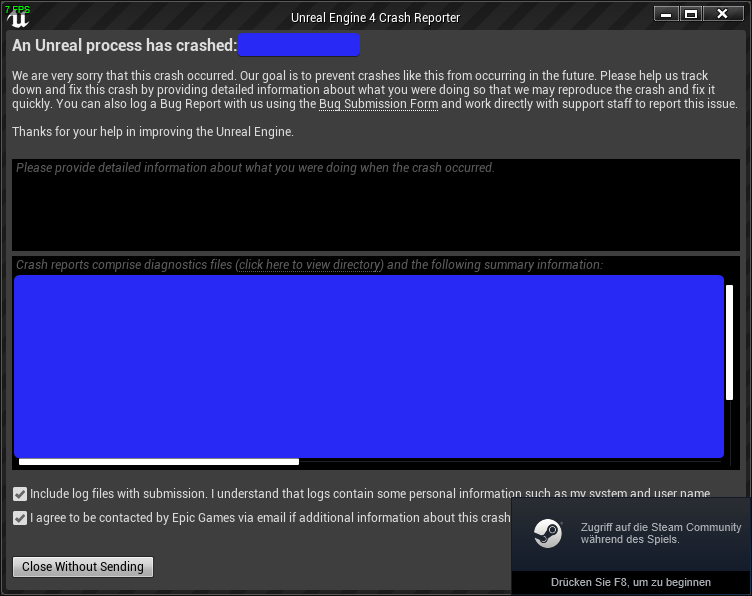
7 FPS and Steam Overlay in Crash Reporter
Only UE4 could do that >.>
@cedar finch That looks kinda weird, as you are sending the controller via an RPC
cedar finch
Wow! Good Eye! Like I said i made this about a year ago when I was first starting out. I removed the RPC and now it seems to work perfect. Thank you
@lost inlet You mentioned "smoothing" This is how I replicate my rotation. Is there a way to make it any smoother? https://i.gyazo.com/997f96c64deb6222cd06c7e68ece073d.png
 lost inlet
well not really using a multicast
we just have a networked control rotation that gets smoothed on tick to a separate variable using FMath::RInterpTo
then overriding GetViewRotation to return the smoothed value for pawns that aren't locally controlled
i suppose the default implementation is to do this where the server networks the rotation of your current view target, but the server and client need to be in-sync for the view target
high current
^
 timid moss
Why can't I call my Client RPC from BeginPlay()? This is what I do....```void AFPSCharacter::BeginPlay()
{
Super::BeginPlay();
if (Role == ROLE_Authority)
{
    EquipPrimary();    //This is my Client RPC
}
}```When I call it this way the RPC that is supposed to be running on the client runs on the server instead for some reason.
thin stratus
Cause that Actor isn't owend by the Client at that point
timid moss
Oh thx bros
meager spade
also name rpc's properly
like ClientEquipPrimary
or something
so you know what it actually does
unless that is a normal function that calls a client rpc
 golden aurora
When a player join one session, his gameInstance is destroyed?
Because I have a variable and the second is always null
meager spade
no
high current
not possible
meager spade
GameInstance persists from AppStart to App Close
high current
@cedar finch also, someone please correct me if I am wrong, but the by default the server takes care of yaw and roll, so you only have to send the clients pitch to have a viable camera rotation
golden aurora
So, why my variable in second player is null ? Any ideia?
The "second player" is the player who joins the session
 oak token
You could figure that out yourself by writing something into the gameinstance for both players, and then calling it and see what you get from both players after you have joined the game
golden aurora
@oak token I'm doing something like that.. getting both names but who create the session have the name and who join the session have null
This is in My_GameInstance
high current
the GameInstance isnt replicated
golden aurora
setting to my PlayerController
high current
it exists on both server and client but AFAIK its not synced
golden aurora
if I create a session with both, it works fine
oak token
Set Members in PlayerInfo -> Replicates?
golden aurora
yes
oak token
I just did the UE4 MP course's 3 first chapters so I was kind of interested in this myself
There is some answerhub post which would suggest using GameState instead
Reading more into this actually - GameInstance is both server and client, but not replicated
https://docs.unrealengine.com/en-US/Gameplay/Framework/GameMode/index.html documentation also suggests it should go through GameState
Overview of the Game Mode and Game State
high current
Yes, that is what I kind of nudged but forgot to mention
If you want to easily expose whatever you are doing to players, use the GameState, if you are only doing server logic and no player should have access to, use GameMode
ofc everything depends on the specific case
but that is how I generally structure my stuff
golden aurora
I tried with gameState instead PlayerController and know they have all the same name x)
I'll keep trying here (still thinking about save variables in PlayerController )
timid moss
does anyone know the difference between HasNetOwner() and HasLocalNetOwner() ?
lost inlet
you can check in Actor.cpp, the main difference is checking IsLocallyControlled
since on a server, there will be PCs for remote players but those aren't locally controlled
timid moss
Ok. also is there an overridable event in ACharacter that fires when the client's version of the character gets possessed? Kind of like the PossessedBy event (but PossessedBy is only called on server which is why I am looking for a client version)
lost inlet
likely on the player controller side, try AcknowledgePossession or SetPawn
timid moss
What is AcknowledgePossession for?
ocean geyser
question (in response to Brian), one way would just be a client RPC on the players controller that you can call after possession yes?
timid moss
Yeah that might be a better way. Because It doesn't look like acknowledgepossesion is ment for that kind of stuff. the comment for it says /** Returns true if input should be frozen (whether UnFreeze timer is active) */
@ocean geyser So your saying to call a client RPC from OnPossess?
cedar finch
@lost inlet @high current Ok I'm back sorry I had to step away for a minute. So I believe I understand what you guys mean. So basically instead of running the multicast on Tick I should do what you said @lost inlet and just set that rotation to a replicated variable and then let the spectator get that somehow. I'm not sure exactly where I should do all that though, or if I even understood correctly. I will still have to get that replicated rotation value on tick somewhere in order for the spectator's camera to stay updated correct?
high current
correct, or more or less, its when there is input, as the player isn't moving the mouse, rotation wont change (in most cases)
ocean geyser
@timid moss if you cant find a function thats already made (i really think there is one for on possession or something) then i would just perform a Client RPC yes
 sour river
Hello, I'm stuck on something...
I want to control a pawn location from a remote client. I can make it move on that client but it is not replicating to other clients.
How can I replicate a pawn to other clients if it's not possessed by my client?
ocean geyser
@sour river im not sure if im understanding you right, if i am then you should be able to (assuming the pawn is created on the server and not on a client), set it to replicate and set its movement to replicate
somber glade
if I play a 2D sound from the game mode in a multiplayer game does that immediately get heard by all clients or does it still need to be multicast?
ocean geyser
i believe sound needs a multicast
somber glade
Thanks
gleaming vector
@winged badger @pallid mesa @fossil spoke @thin stratus @chrome bay https://github.com/EpicGames/UnrealEngine/tree/master/Engine/Plugins/Runtime/NetworkPrediction
real big commit 2 days ago
they are redoing network prediction
and this is the first commit of it
somber glade
The more challenging question, what about an event on an anim graph called from an anim notify? Are all clients processing all the copies of the anim graph for each other?
so a 2D sound there would automatically play on all clients
 fossil spoke
Damn thats juicy
Its about time though lol
CMC is just a mess haha.
Looking forward to it.
gleaming vector
i have successfully Read The Code ™
it's pretty good
some missing pieces
but I can see how they plan on doing other stuff influencing network prediction
which is the biggest flaw of the CMC
I also see how you could do networked vehicles with this
which is going to be good
fossil spoke
Ill have a read when its done 😃
fleet raven
does it have any fixed tick rate™ related changes?
or is this still based on clients simulating frames for arbitrary delta times
that's the most  part of the current movement
gleaming vector
it's just doing a frame counter
in a key ring buffer
this is probably it's biggest flaw
but they note it
            // We also want to avoid accidentally introducing input latency as a matter of principle (input latency bad)
            // We *can* support local input buffering in two ways (neither currently implemented):
            //    -Fixed time steps (delta times will be constant so buffering wont matter)
            //    -Variable time steps with "interpolation layer": we will need to be able to absorb fluctuations in frame rate so there will be render frames that doesn't process any new input and
            //        render frames that have to process multiple inputs. (E.g, the goal would be to always "see" an update every render frame, even if we can't actually tick a new sim frame every render frame. Interpolation would be needed to accomplish this)
            // If either of the above ideas are implemented, it will be done as an optional/templated parameter to the network sim class.
Hey guys does anybody know if animations are synchronised on the server and clients. I need to do a Lag Compensation "Rewind" and I need to somehow match the animation state that the client sees to the servers rewinded animation state
 jade gazelle
There’s no synchronization of animation by default, you would have to implement that somehow
jade gazelle
It’s kind of “synchronized” by virtue of passing replicated variables into an anim BP, but that’s about the extent to which you could consider it to be synchronized
fossil spoke
@gleaming vector I like that they seem to be going all out with this.
If they are going to make either fixed or dynamic delta optional then they could probably implement both
 jolly siren
Doesn't running your uproject from the command line like this run it as a dedicated server?
"E:\UE_4.21\Engine\Binaries\Win64\UE4Editor.exe" "C:\Foo\Foo.uproject" Lobby -server -log -nosteam
For some reason I'm crashing within UI code 🤔
fleet raven
could that be the delegate that runs on starting to load a map and something has bound it to create a loading screen?
which then crashes as slate isn't supposed to be used in server mode
jolly siren
yeah likely, I'll comment out loading screen and see if that's it
fleet raven
it would be a situation unique to the editor as it loads all modules vs a real dedicated server that likely excludes your load screen
jolly siren
Right, yeah it's unique to the editor
yeah it was the loading screen widget being created in PreClientTravel. The IsRunningDedicatedServer check didn't catch it
Thanks Z
fleet raven
nice
well actually it's not nice 
@fossil veldt I had to make this time travel trace recently, it was surprisingly complicated
- need to save the pose of each characters physics asset on the server every frame (obvious so far, also easy, just iterate Bodies of the skeletal mesh and save the transforms)
- actually rewinding their state in the world (i.e. moving all bodies for all characters before and after the trace) is unacceptably slow
- next attempt: trace against the world first (excluding characters) and then manually against the correct past pose of characters whose bounds intersect the trace
- problem: there is no api that allows tracing against a body at a specific transform
- I ended up manually implementing that last part using the low level physx api

jolly siren
👀
Would love to see how you got that working
Been wanting to set full phat server rewind up for a while
fleet raven
it's still not perfect in practice because clients are doing some kind of interpolation of other clients and there's no fixed tick rate
and I'm only doing it for characters at the moment, everything else is assumed to not need time travel (obviously wrong but didn't want to  it just yet)
also had to make a version for sweeps and copy-paste that huge projectile movement sim function to make it use that instead during latency compensation
if weapons are performing any kind of tracing to determine aim (such as finding location under crosshair) then that also needs to use time travel traces on the server
am kinda excited for those new prediction and physics changes coming soon
maybe in the future this can be perfect™
jolly siren
That's awesome 😃
 grand kestrel
Indeedddd
Such a relief haha
Been hoping for years
Almost don't know how to react
cedar finch
I got a quick question. I servertravel from my "Lobby" map to my "Arena" map. But when I try to servertravel from "Arena" to "Lobby" It just loads forever. What could I be doing wrong? Or should I just destroy the session all together and kick everyone to the main menu?
fleet raven
I mean it's not party time yet, we still gotta wait for 4.24
hopefully by then chaos is ready for production too :o
 naive crater
Whippy i would make sure that the function to servertravel is actually getting called and that it's trying to load the correct map.
cedar finch
@naive crater Yea at first it was just taking the server player to the lobby and the client didn't make it. Then I noticed I didn't have Seamless Travel Checked in my Gamemode so I checked that and now niether players make it back to the lobby. Maybe it's my approach. I setup a game over countdown in my GameState that once it finishes it's supposed to server travel everyone back to the Lobby. https://i.gyazo.com/fb004036d3d8a38521d9190778c6a17d.png https://i.gyazo.com/7b9c27f324ac9b0ebe3eabf007a41502.png https://i.gyazo.com/49987267a3d0d5c78cfc4a45bbd60c5d.png https://i.gyazo.com/36d828c84b2fad56d1543b4860fb9df7.png

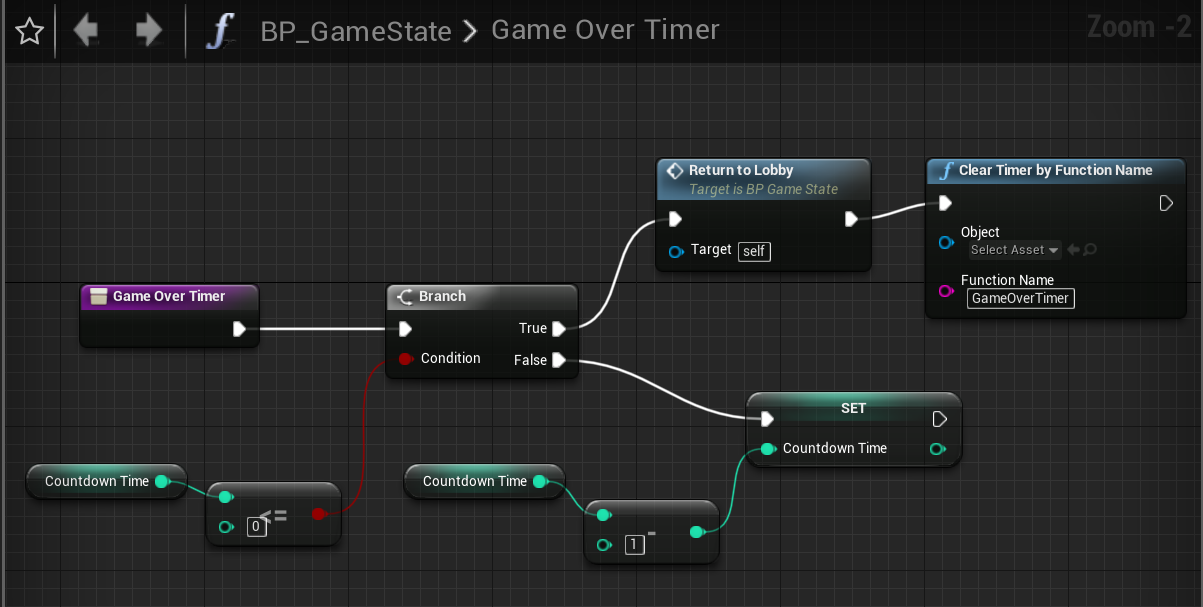

 naive crater
I'm not sure if it affects it, but i don't use the file path, i just use the map name.
oh, also make sure its the server running that
cedar finch
is there a faster way to test rather than copying it over to my laptop?
naive crater
you should be able to test it on your system unless your code prohibits movement until you have more than 1 player.
 slender yarrow
Does anyone in here know how to properly replicate a timeline? I tried multicast but the movement is very choppy on the commanding client and is smooth on the other client observing. What is the fix for this?
cedar finch
@naive crater I got it working. It was my derpy logic. I removed it all and just made a button the host can press when the game is over. It takes everyone back to the lobby perfect now. 😃
naive crater
Awesome!
cedar finch
Well I may have gotten excited too early lol. It works but it's spawning another version of me in the lobby when I return. I used the "EventOnSwapPlayerControllers" seeing as how I'm going from a Game Level to a Lobby level. https://i.gyazo.com/eb41cb4b4e6d1d0e510ca759e2197ea1.png https://i.gyazo.com/e05816fcd5a63fc8061ae7e33882519e.gif
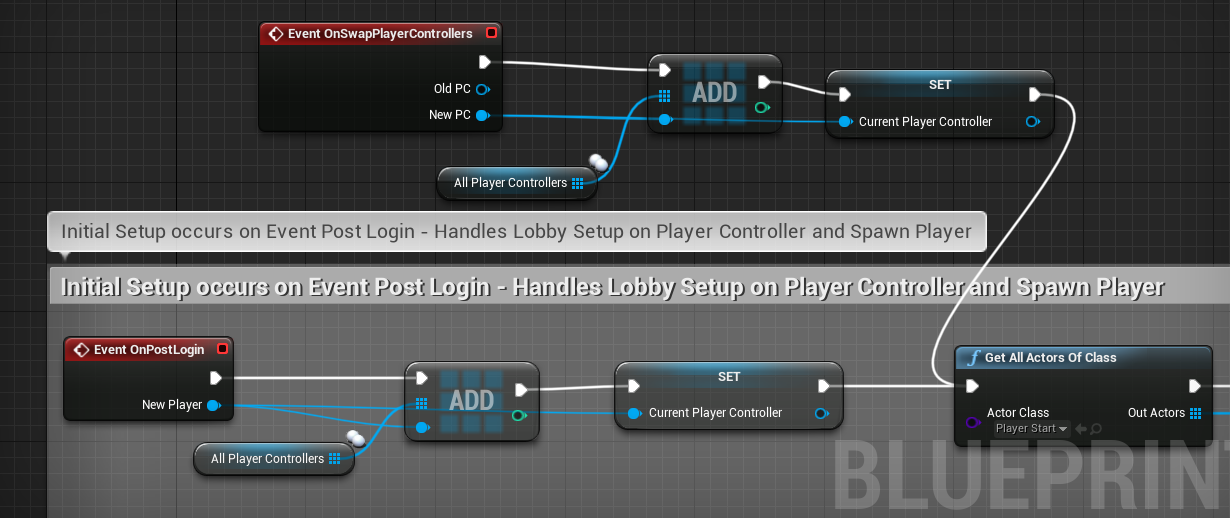

IDK where the other character is coming from. I put a print string in front of my spawn Actor and it's only printing once. So how is this dude here?
somber glade
if you have a function that occurs on a character BP, and then you 'execute' on owning client, is that going to execute on everyone's copy of the character BP or only the copy of the person who was affected by that event?
function works like this: Player is hit by stun in VR->Interface on character makes an RPC to do some server side calculations and then also calls a non-server function which "executes on owning client" which detaches their camera from their avatar (can't violently throw around a VR camera). The problem is, this is detaching the camera from all clients.
not just the client who was hit by the stun effect
 formal robin
Which option is best, to keep players from applying force to pawn objects?
- Apply Force to the player using a blueprint node to counteract the force the player is applying.
- Remove the player's collision
If anyone has a better solution, feel free to let me know.
somber glade
This code is set to only run on the owning client. Yet all clients are detaching from their avatars.
somber glade
ugh.. rep notify "owner only" is somehow also running on all clients and the host
 twin juniper
still no way for dedicated server in binary 4.22.3 ?
thin stratus
https://giphy.com/gifs/idiot-sanders-fraud-ncsQI9sF3pa8w @grand kestrel

So they basically finally make something you can drag into every movement class to perform predicted, synced movement?
somber glade
exi, I need your divine insight as to why my clients are all jumping out of their avatars, when only 1 should..
thin stratus
-NetworkSimulationModelTemplates.h: this is the lowest level guts of the system. This is what every simulation ultimately uses to stay in sync.
That pretty much sounds like you base your simulation on one and the same system
Which indeed would pull all that crap out of CMC
My goodness, can you imagine every single movement you want being predicted properly?
WHY DID I SPEND SO MUCH TIME ON HOVERMOVEMENT
(╯°□°)╯︵ ┻━┻
@somber glade Yo

This is kinda weird
Either you are on the Server, or the Owning Client
Also why is something like this an ServerRPC?
EMP should completely be handled on the Server
somber glade
@thin stratus the EMP part yes
thin stratus
And only effects should be on the Client
thin stratus
And ServerHandleEMP?
thin stratus
And why is that not on the Server already?
Why are you calling Server and Client RPC in the same execution?
somber glade
I think it is. I just wasn't sure, so I figured it wouldn't hurt to double check
thin stratus
You are either on the Server or on the Client, not both
Well despite maybe ListenServer, but that's even worse then :D
somber glade
Yes this is a listen level.
Basically the projectile is spawned, hits the character, makes an interface call
thin stratus
The Interface is called on whom?
Server or Client?
Right, show me the Hit event that does the Interface call
somber glade
This is the fire function on the gun. This makes sure everything replicated
{
    UE_LOG(LogTemp, Warning, TEXT("I HIT something"))
    if (OtherActor != NULL)
    {
        UE_LOG(LogTemp, Warning, TEXT("I HIT: %s"), *OtherActor->GetName())
        if (OtherActor->Implements<UEMPEffected>())
        {
            UE_LOG(LogTemp, Warning, TEXT("Hit another Actor with the interface"))
                IEMPEffected::Execute_EMPReceive(OtherActor);
                this->K2_DestroyActor();
        }
        /*IEMPEffected* HitActor = Cast<IEMPEffected>(OtherActor);
        if (HitActor)
        {

            HitActor->Execute_EMPReceive(OtherActor);
            this->K2_DestroyActor();
        }*/
    }
    else
    {
        this->K2_DestroyActor();
    }

}```that's the projectile hit event.
thin stratus
@somber glade That first image might call the FireGunLocal for the Server
Not sure if you want that
Actually you do nvm
somber glade
Yes, it's calling it for the server and the local, the local to show effects and the server to process stuff
somber glade
omg... I forgot to tick replicates on the blueprint
thin stratus
Either way, it should be on every player, right?
somber glade
the server spawns it, so I think that's spawned for everyone
the projectile is replicated
all can see it
thin stratus
Okay, so the OnHit will then also call for everyone
somber glade
that part definitely works.
thin stratus
Means you also call the Interface on everyone
Here is what you should always do:
In this image
somber glade
I have modified that slightly. I put a 'has authority' on the interface call
thin stratus
In this image, you use the SwitchhasAuthority
Limiting it earlier would make you need a ClientRPC again to get to the client
But htis calls on everyone already, that's perfect and makes it easier
You just have to filter properly
SwitchHasAuthority
somber glade
somber glade
because it's already a server.
thin stratus
On Remote, you check if the Avatar is LocallyControlled
If yes you handle the owning client stuff
That's all
No RPCs needed anymore
Just proper filtering
somber glade
ahhaa
okay
every time I think I understand this stuff, I totally don't
I got a bunch of other stuff working and thought I had it down
thin stratus
You always have to imagine Server and Clients as living in their own bubble.
An Replicated Actor sits in each of the Bubbles. So with 3 Players, 3 Times.
When the Projectile Hits something, it happens on all 3 of these Players.
So the Interface Call also happens on all 3. You just have to check in which bubble you want to execute what code
somber glade
like this but remove the other RPC?
thin stratus
Yeah, now your Server calls the top, and your owning local client the bottom stuff
somber glade
the other clients won't try to run it?
thin stratus
The will try, but the Switch will route them to Remote and the IsLocallyControlled is false for them
somber glade
okay. So how about the enable/disable input? should the server enable/disable or is it okay for the client to call that themselves?
thin stratus
Input is something local, you disabled that on the owning client
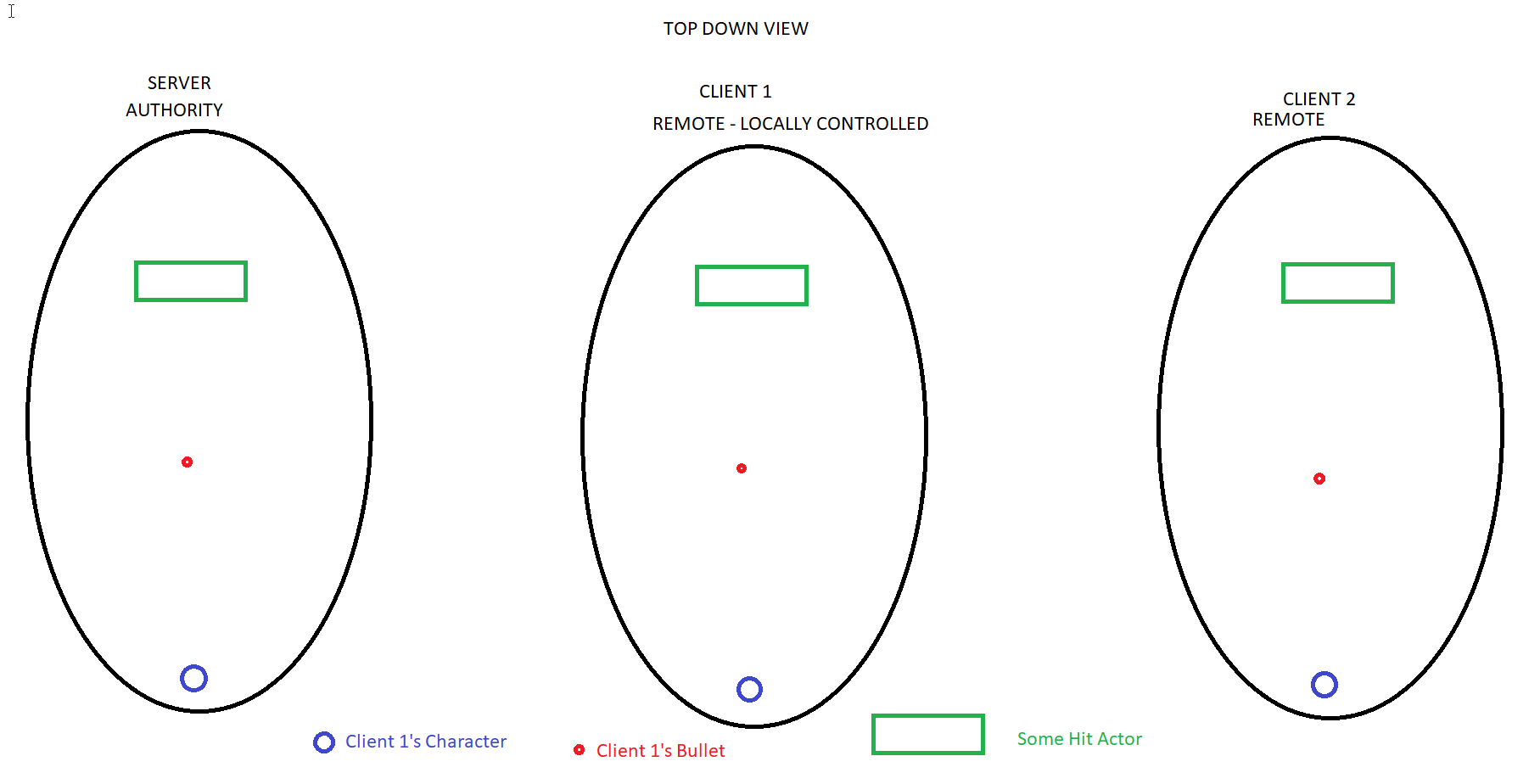
That's the bubble stuff I mean, all of what is happening happens once per player in their bubble, without them knowing about what the others do.
Even if you only see one Blueprint Graph. If you break point in it or print, you see it 3 times.
So you have to filter who is calling it. And that's what you do now with the Switch and the LocallyControlled
somber glade
And this still needs to be an RPC right? Since the server is holding the timer, when the timer is up, the server needs to tell the client to undo the visual things (put the camera back in the avatar, reenable input)
Thanks. That's really helpful
thin stratus
Also, to imagine RPCs (for maybe others that read this) you can always think of them like moving from one bubble to another.
ServerRPC goes from owning Client to Server Bubble, Client RPC the other way round and Multicast for Server Bubble to all others.
somber glade
the server starts a timer and sets a tag. If the character is "captured" in the time limit the character stands up and can continue playing. so the tags are unset, but then it needs to unset the visual stuff
thin stratus
Yeah that has to be an RPC
But you could technically let a timer run on the client too
¯_(ツ)_/¯
Prediction
somber glade
Right, I only want to deal with one copy of the timer right now
somber glade
if they get captured the timer is broke and the visual stuff doesn't get unset
their camera will stay detached until rescued
thin stratus
Alright, yeah you are on the right track
Just ALWAYS try to get an image into your head who is actually calling what
It's really freaking helpful to make things like these hit events call on everyone.
Then you can easily filter
Otherwise you always have to RPC around
But now I have to start working too :P
somber glade
okay. I was just a little confused as to how calls worked between actors
I appreciate it
I'll be testing it in a few minutes so I'll drop you a note. Hopefully this will work fine now.
 void nest
what is the name again of the go-to lag simulation tool? It's a small program which simulates lag / packet loss etc..
My memory is like a frikkin sponge
Found it! It's called Clumsy for those searching
fossil spoke
@void nest You know that the editor can do that for you?
The Net family of console commands can help you simulate lag and packetloss etc etcc
somber glade
@thin stratus Success. Thanks, you really saved me
solar stirrup
If an actor's NetMode is NM_ListenServer, it means the actor is owned by the listen server host right?
winged badger
NetMode has nothing to do with ownership
solar stirrup
So I need to check for both ROLE_Authority and NM_ListenServer right?
winged badger
if the Role is Authority and Pawn IsLocallyControlled
then you're dealing with the listen server's player's pawn
solar stirrup
a dedicated server can't control a pawn right?
winged badger
it can't
solar stirrup
aight
ah it kinda screws up my checks hmmm
would checking for the local role being authority and the net mode being listen server enough? Because I need to check it on components too and I can't predict that the owner will always be a pawn @winged badger
winged badger
anything the listen server spawned will be authority
as well as everything loaded from the package
solar stirrup
So how would I go checking if the owner of a component is the listen server host?
Remote and Local Role will be Authority right
winged badger
listen server or player controller belonging to listen server host?
solar stirrup
Any component, I basically have this method: static FORCEINLINE bool IsOwnedByListenServerHost(UActorComponent* Component)
If an actor/component is owned by the listen server host, technically, local and remote role should both be Authority right?
winged badger
bool USolsticeObjectLibrary::IsLocallyControlled(AActor* ActorToQuery)
{
    if (!ensure(ActorToQuery))
    {
        return false;
    }

    AActor* TopOwner = NULL;

    for (TopOwner = ActorToQuery; TopOwner->GetOwner(); TopOwner = TopOwner->GetOwner()) { }

    APlayerController* controller = Cast<APlayerController>(TopOwner);
    return controller && controller->IsLocalPlayerController();
}
this is what i do
solar stirrup
Why would that work? Just curious
ooooh I see
Okay so if the actor is owned by the local machine, IsLocalPlayerController() will be true
And if it's a dedicated server, it won't have a controller?
@winged badger
winged badger
yeah, if chain of ownership goes all the way up to PC, and PC is local
it will return true
and components can just call it passing GetOwner()
 wheat eagle
Hi people, I have a problem. I have a character that's supposed to be a knight and he is wearing a shield as an actor component , attached by a socket to its mesh. The problem is that when a character attacks, the shield on the client is moving thanks to the mesh animation as it should be, while on the (dedicated) server, the animation isn't being played (because nothing is rendered) and thus, the shield has the same position. This is bad because I do my collision overlap events on server and someone can hit the knight through the shield that is animated on his client. Is there a good way to make the server know the correct transform of the shield? Or do I have to make the collisions run for everyone (wouldn't really want that because I would need to change too much)
winged badger
you can make dedi run the animations as far as i know
wheat eagle
managed to solve it, thanks to this post https://answers.unrealengine.com/questions/49935/does-animmontage-play-on-a-dedicated-server-for-th.html
set "Mesh Component Update Flag" to "Always Tick Pose and Refresh Bones" in the mesh inside the character
 glass plaza
Game Instance is replicated to players right?
thin stratus
No
GameInstance is not relevant for Matches/Multiplayer etc. and shouldn't really have any data for the current match
That's what GameMode and GameState are for
@glass plaza
glass plaza
I'm trying to find somewhere to stash a reference to a DataTable so that my players can lookup into it without calling the server.
thin stratus
Put it into whatever is using it?
It's an Asset, so it doesn't have to be replicated
It's not changed runtime anyway
glass plaza
Since it's used at more than one place, I would have loved to have only one reference.
thin stratus
Yeah I know that feel, I solved that with C++ though
We have custom Project Settings where I have all the DataTables linked
You can place them into the GameInstance of course
That would be relatively okay
If it's just for querying data from a central point
The GI just shouldn't hold any runtime match data
glass plaza
GameInstance is visible but not replicated?
thin stratus
GameInstance is basically the class that represents your game.exe running
It gets created when you start the game and destroyed when you stop it
And with game I really mean your executable
It has nothing to do with gameplay
So it's not replicated
And every player has one that is only available to them
 light fog
hi so im following a tutorial to make a dedicated sever.In the tutorial he opens an sever - log file to open the sever. Does this file run the game and then create the sever via blueprints?
main owl
Hi all,
Having issues with one replication variable. All other variables are replicating correctly with no issues. I think its because of the type of variable, wanted to know if that's the case then what the best approach is to making it replicate, don't want it to be of parent actor class if I can help it:
@light fog If you are looking for somewhere to start for servers, this was the tutorials I was originally following, it goes over Lan and Dedicated servers. It's a few episodes in.
https://www.youtube.com/watch?v=JF3KFWF8hUs

UE4 / Unreal Engine 4 Multiplayer Playlist: In this collection of videos, we will cover setting up a project for both local and networked multiplayer project...
 royal isle
Hey everyone, has anyone solved this "LogOnline: STEAM: libsteam_api.so is linked explicitly and should be already loaded." on a linux steam dedicated server? and if so, is there a possibility this error causes the steam session to not show up in the search?
main owl
So turns out both of these variables are not replicating. One of them is AObject and one is UObect blueprint's they should be replicated with the information of 'Item info' inside, but nothing is replicating, not even firing if I put them as repnotify, anyone got any ideas?
 worn rain
Question. We've been hunting the reason for our server hanging 160-200 seconds into a multiplayer match and we now have an assumption. It's a shooter. Is it possible that each projectile is leaving trash in the memory of the server and why the server freezes is basically projectile garbage collection issue? If anyone knows. I can provide extra information if that was too vague. We'll now try just forcefully nulling the projectile class on destruct, but could be useful to hear if anyone has had a similar experience.
royal isle
if your shooter guns have a high fire-rate then you could add a limit to the amount of times the gun spray gets replicated per frame @worn rain
worn rain
We just tried slower fire rate as well, but are now thinking that it's about the time, more than the amount of projectiles. It's a 3 minute match and it always hangs around 00:20-00:25s left. The log says it has a problem with destroying one particle system component.
And the log doesn't show which component it is. I think we need to implement something that would collect the memory dump, but that's time consuming and we have a deadline tomorrow morning 😃
royal isle
If your original assumption about the projectiles being the problem is correct then you should look into the particle effects that your guns are spawning when firing. How are you actually playing these effects?
worn rain
I'm inviting @stable cairn our CTO to make the conversation more effective.
thin stratus
@worn rain Our game has a shit ton of bullets and even before we refactored to Pooling and fake bullets, the server didn't hang
THe only thing that happens when you spawn too many replicated bullets is that other stuff won't replicated anymore for the time being and it will start lagging
If you have a custom engine I would suggest just putting a log into the destroy part of the component and printing the name
Then you can at least disable it to get the build going for tomorrow
twin juniper
try gameplay with particles completely stripped away
thin stratus
Or that, but depending on the game, that could mean a lot of work :D
worn rain
@twin juniper We tested that, no hangs, no crashes.
thin stratus
What engine version?
worn rain
4.21
thin stratus
The only thing we have is a crash with particles if they try to reinitiate
On 4.22
Hm
Do you have any crash log?
 stable cairn
Hey!
thin stratus
Does it always hang?
thin stratus
And it's always 20 to 25 seconds left?
Never at the start or mid of the match?
Cause if there is a pattern then you might know what particle you are activating that could cause it
worn rain
We just tried a 3v3 game where everyone was spamming the weapons the whole time and it hung 20sec earlier than usually
thin stratus
What if you don't shoot at all?
worn rain
But when playing normally, it's 20 to 25sec left usually
We tried not shooting at all, doesn't hang.
thin stratus
How is your fire system build up and what are the amounts of bullets?
stable cairn
Here, the log https://pastebin.com/NxEswDuV

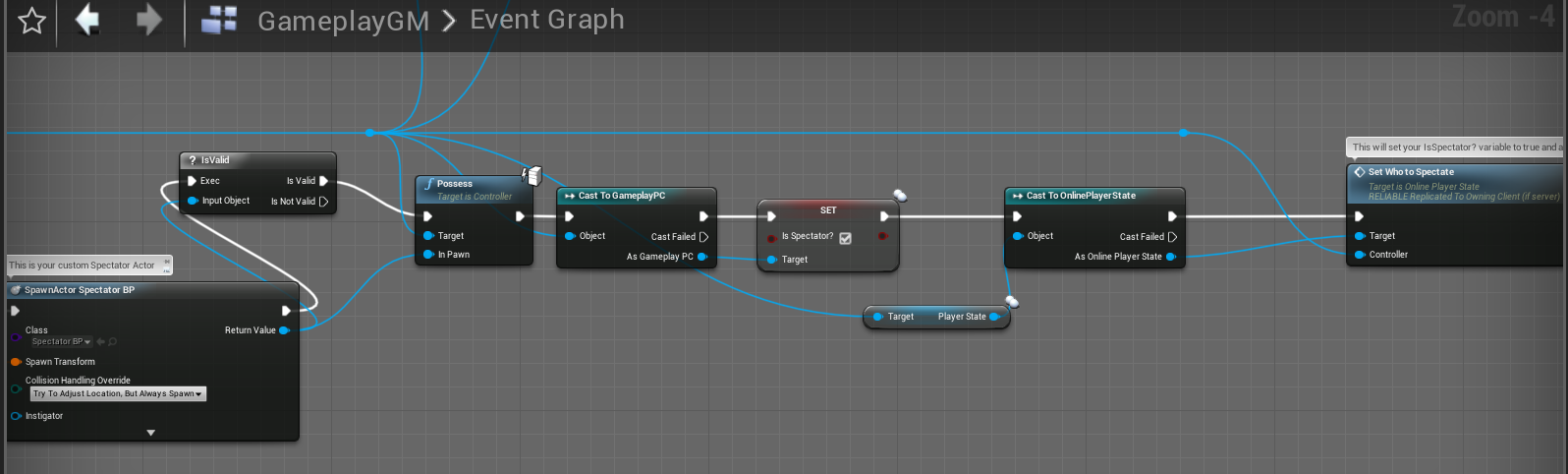

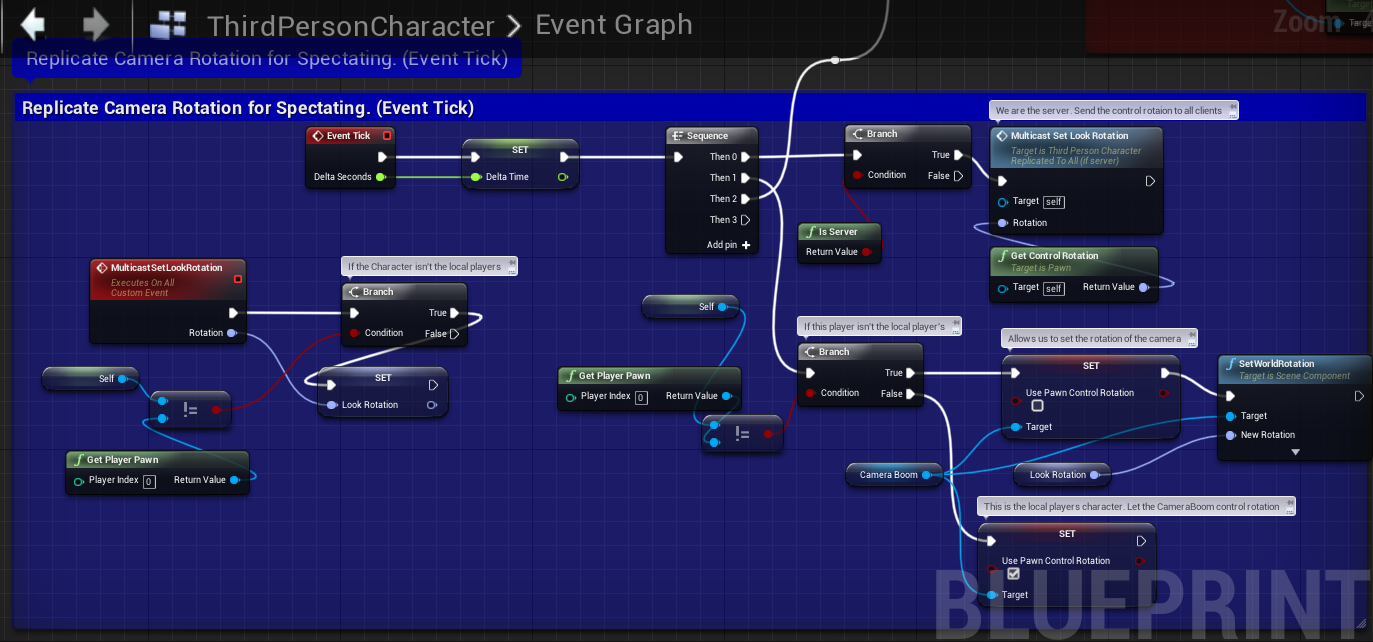
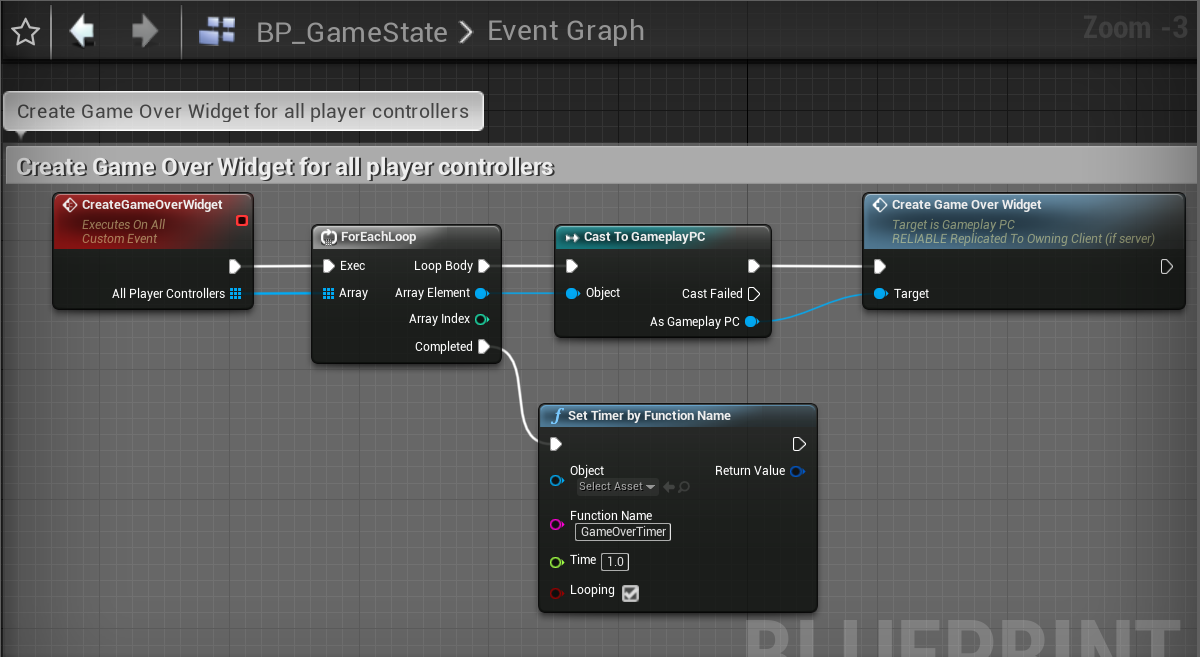
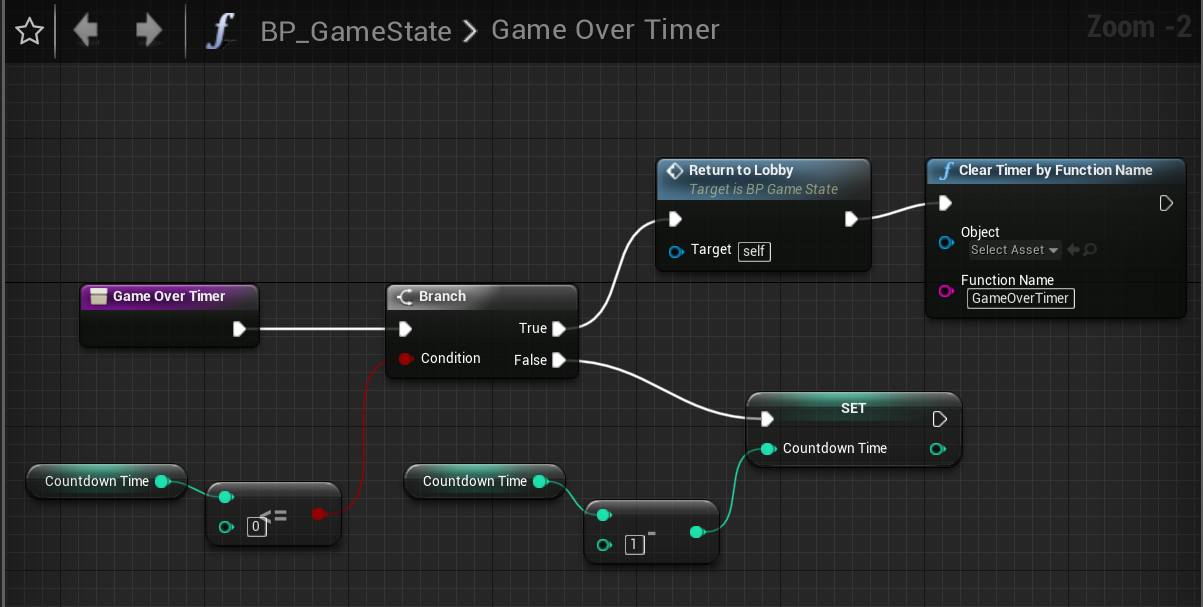

 twin juniper
how are you spawning particles ? usually i just use a particle component on the gun and activate it each guncycle instead of spawning emitters all the time.
thin stratus
That's also performance wise the better idea
I'm pretty sure we have/had this issue too
But we had this on the client so I found the particle in question
iirc
stable cairn
Cedric, I spawn a projectile class on the server that get's it's replication. The projectile class has the particle system inside of it
thin stratus
Right, and how many in a normal game?
Per second
I would otherwise suggest moving your DediServer to a PC with the Source Build on and when starting it, attach VS to the instance
Then force the crash
and check VSs callstack and variables
That gives you the most info
real yacht
when i start client from editor and dedicated server is checked, my void area start to shrink, but when i start dedicated server (regular .exe with -log) and client my shrink area is not visible (but in editor material is visible) any hint on this?
thin stratus
Even more than the memory dump
stable cairn
twin juniper
seems like the crash from the log points to a primitiveComponent of some sort during garbage collection
thin stratus
It can't be that many bullets if you don't experience any lag
So I doubt it's the amount of bullets
But rather the amount of that faulty particle
stable cairn
There's something with the garbage collection for sure
stable cairn
hahahahahahaha
thin stratus
Well I doubt it's weapon fire related
twin juniper
ye for real
stable cairn
that's nice!!
royal isle
looks a bit like ours too and we are making muskets xD
thin stratus
What we do by now though is, we have fast moving projectiles as line traces and spawn a fake bullet that moves pretty fast.
Looks exactly the same and saves replication.
And for slow moving projectiles we have a pool auf initially spawns actors that are reused
stable cairn
thin stratus
Saves a lot of bandwidth, but that's not the issue here, so I'm not sure.
What about the PArticle on the projectile
Is that different per weapon?
is that active by default? (autoactivate)
stable cairn
Is active by default, but it happens with different projectiles
thin stratus
Can you try to not set the AutoDestroy and AllowRecycle stuff
The Projectile will destroy and clean up the particleComp anyway
Just to make sure this doesn't cause any of this
twin juniper
set them to false just in case. ive always had bad experiences with removing things from constructor
thin stratus
Rest looks fine
stable cairn
AutoDestroy = false was the original value
thin stratus
I only ever use AutoDestroy for headless components
E.g. when spawning them runtime
stable cairn
I didn't tried with the allow recycle. gonna try with that
thin stratus
Not 100% sure what recycle does, is that for pooling?
stable cairn
I think it maintain the sprites in the memory
thin stratus
If true, this Particle System will be available for recycling after it has completed.
Not sure that makes much sense if you want to destroy it
Right, not really helpful comment (thanks Epic)
stable cairn
Right, not really helpful comment (thanks Epic)
hahahahahah
thin stratus
As far as I can see it's mainly used when the Component resets
So I would turn it off for now, haven't used it myself
stable cairn
Do you think I should try with it? Funny thing is that it never crashes with the editor
alright
twin juniper
could be trouble since the component would be long gone due to projectile being destroyed?
thin stratus
PIE and Package is always different
PIE does so many weird different things, it's annoying
It would happen more often if that really was the deal though
GC cleans every 30 sec atm iirc
So that should already happen after the first bullet has been shot
You really need to get a Server Instance connected to VS
To get the Crash actually show some useful info
stable cairn
PIE and Package is always different
PIE does so many weird different things, it's annoying
yeap!
royal isle
shouldn't allow recycling prevent it from being auto destroyed tho?
Since in my understanding you put them in a pool for them to be reused
stable cairn
You really need to get a Server Instance connected to VS
I'm gonna try that next. At least to get the crash sump from it. VS is kinda hard because we're running it on Amazon
thin stratus
What stops you from just starting the Server on your home PC and connecting via IP?
Console is a thing
Doesn't have to look good
GameLift doesn't have to be active for this bug/crash
stable cairn
just checked here and the allow recycling was not set in an previous attempt
What stops you from just starting the Server on your home PC and connecting via IP?
Validations on server side 😓
The server is validating all the login attempts with amazon and registering it with the matchmaker
And we also use steam for authentication. Unreal doesn't let me have a nonsteam server with steam clients.
twin juniper
need them dev builds
royal isle
Taking this directly from the source code
If true, this Particle System will be available for recycling after it has completed. Auto-destroyed systems cannot be recycled.
     * If true, this Particle System will be available for recycling after it has completed. Auto-destroyed systems cannot be recycled.
     * Some systems (currently particle trail effects) can recycle components to avoid respawning them to play new effects.
     * This is only an optimization and does not change particle system behavior, aside from not triggering normal component initialization events more than once.
     */
    UPROPERTY(EditAnywhere, BlueprintReadWrite, AdvancedDisplay, Category=Particles)
    uint8 bAllowRecycling:1;
from ParticleSystemComponent.h
stable cairn
Thanks for that info Balgy, I'm gonna change those parameters
royal isle
By setting bAllowRecycling to true, this block doesn't run
for (int32 EmitterIndex = 0; EmitterIndex < EmitterInstances.Num(); EmitterIndex++)
        {
            FParticleEmitterInstance* EmitInst = EmitterInstances[EmitterIndex];
            if (EmitInst)
            {
#if STATS
                EmitInst->PreDestructorCall();
#endif
                delete EmitInst;
                EmitterInstances[EmitterIndex] = NULL;
            }
        }
        EmitterInstances.Empty();
        ClearDynamicData();
so it doesn't cleanup I guess
stable cairn
Do you guys think it's better if I don't allow bAllowRecycling and leave the auto destroy on?
royal isle
It would make more sense to me for a weapon fire mechanic
thin stratus
I neither have autodestroy on, nor recycling
But then again, I also pool my projectiles
So they only get turned off, not destroyed
royal isle
Since we are all here, can anyone help with my previous question about linux steam servers? xD
stable cairn
Thanks guys I'll try with different settings and as soon as I resolve the problem I'll post it here!
Since we are all here, can anyone help with my previous question about linux steam servers? xD
What's going on??
Hey everyone, has anyone solved this "LogOnline: STEAM: libsteam_api.so is linked explicitly and should be already loaded." on a linux steam dedicated server? and if so, is there a possibility this error causes the steam session to not show up in the search?
Nope! I also get that warning when running on linux and it works
royal isle
oh k
well I don't know what's going on then , cause the API initializes successfully in the logs and the session gets created but I can't find it in the Steam master server
stable cairn
That's how I do it
fossil veldt
@fleet raven I was thinking of doing it a similar way but instead of rewinding all bodies on the server I was going to get the client to do a trace, Send the server the hit and local time, Then on the server, we get that specific player's physics asset cache @ server time - (server time - local time), Spawn a duplicate actor with just a skeletal mesh and hitboxes. check the hit and then send back the result to the client? Reckon this would work?
That way you don't have to rewind the entire server state, just the specific player that you suspect of a hit
thin stratus
@stable cairn @royal isle This logs if the Libraries aren't set to load dynamically
royal isle
@stable cairn ye that's what I do on the RegisterServer method too, and then I create the session, the logs say LogOnline: STEAM: [AppId: 9*****] Game Server API initialized 1 and it also reaches my custom log "LogTemp: Warning: Steam session created successfully!" but the session never registers on the master server
thin stratus
#if LOADING_STEAM_LIBRARIES_DYNAMICALLY
    UE_LOG_ONLINE(Log, TEXT("Loading system libsteam_api.so."));
    SteamDLLHandle = FPlatformProcess::GetDllHandle(TEXT("libsteam_api.so"));
    if (SteamDLLHandle == nullptr)
    {
        // try bundled one
        UE_LOG_ONLINE(Warning, TEXT("Could not find system one, loading bundled libsteam_api.so."));
        FString RootSteamPath = GetSteamModulePath();
        SteamDLLHandle = FPlatformProcess::GetDllHandle(*(RootSteamPath + "libsteam_api.so"));
    }

    if (SteamDLLHandle)
    {
        UE_LOG_ONLINE(Display, TEXT("Loaded libsteam_api.so at %p"), SteamDLLHandle);
    }
    else
    {
        UE_LOG_ONLINE(Warning, TEXT("Unable to load libsteam_api.so, Steam functionality will not work"));
    }
#else
    UE_LOG_ONLINE(Log, TEXT("libsteam_api.so is linked explicitly and should be already loaded."));
#endif // LOADING_STEAM_LIBRARIES_DYNAMICALLY
It's not an error, it's just a message for you.
stable cairn
ye that's what I do on the RegisterServer method too, and then I create the session, the logs say LogOnline: STEAM: [AppId: 9*] Game Server API initialized 1 and it also reaches my custom log "LogTemp: Warning: Steam session created successfully!" but the session never registers on the master server
Did you checked port settings and if they're opened?
royal isle
Yeah, and I also added the IP on the dedicated server list on steamworks and edited the 3 macros in the onlinesubsystemsteam file
thin stratus
Did you also make sure everything else for the Server is setup? Like your DedicatedServer settings on your Apps Steamworks page or whatever it#s called?
And the gamename variables and stuff in UE4?
royal isle
Yup and yup
royal isle
nope
thin stratus
Did you try dumping the session state and see if something is wrong?
but the session never registers on the master server
You say that cause you can't find it or cause it shows errors/logs about that?
royal isle
I have 0 errors, yet I can't find it on the server browser
I log the return value of CreateSession and it says it was successful
 worthy perch
I haven't really done anything with Steam, but someone had a similar issue and I recall he fixed it by setting the max number of sessions visible in the browser to a higher number.
royal isle
@worthy perch that has to do with using spacewar for testing with lobbies. We have our own AppId with a dedicated server
winged badger
you are looking for session from a machine that is not the one hosting it, right?
royal isle
@winged badger that and also from the steam server browser
winged badger
there is a steam API limitation where a machine can't see the session its hosting, is why i asked
royal isle
Yeah, that's not the case. I've also checked if the server machine has something on port 7777 that conflicts with the netdriver but no. I am out of ideas 😦 .
worthy perch
Maybe the region is different?
 rancid pulsar
if you're using the 480 spacewars id, then go to steam settings and set the same download region as the host account
royal isle
Download regions are only relevant with the Presence (aka Steam Lobbies) system. We are using the dedicated server system with our own AppId.
Is it possible that I have to do something on the OnCreateSessionComplete delegate? Shouldn't calling CreateSession with my desired settings be enough?
slender yarrow
does anyone know how to properly replicate a timeline and getting working in multiplayer? ive tried every configuration of multicast and running on server and client simultaneously. But no matter what I do its really choppy on the client. What is this fix for this?
royal isle
@slender yarrow Maybe try increasing the update frequency of your replicated actor parent or using ForceNetUpdate() in the key points of your timeline
slender yarrow
so im assuming i would need to crank up min update? Cause its at 100/s
the normal net update that is
royal isle
well 100 times per second should be smooth xD
timid moss
If you are making a serious multiplayer game I would suggest avoiding timelines because it is really CPU intensive. Which means your server is going to have to compute more, which also means more $$$ to have to pay for running your server. Lerps are better.
slender yarrow
im sending a timeline into a lerp though
timid moss
I know they arent the most visually appealing option but hey. saves money
slender yarrow
you mean a vinterp?
gleaming vector
@winged badger @pallid mesa looks like what I'm doing is just hard unsupported by the engine
Sorry about that - you did run into a case that isn't currently supported in the engine. The easiest solution is probably to recreate a new object under the new actor, unfortunately. Changing the name may work as well.

I've added an internal task for us to track the engine work needed to support this. It will likely involve adding some extra data to the bunch/object header to indicate whether an object was renamed, and updating the package map's GuidCache entry for that object, if you wanted to go down that route.```😦
pallid mesa
=//
gleaming vector
yeap
oh well
new network prediction code though
i'll just make this duplicate and when I figure out how to transfer the object from one actor to another I'll fix up the code
light fog
Hi when trying to launch dedicated sever it seems to work but doesn't connect to steam. I keep getting SteamNetDriver_0 for some reason. I have installed the steam_api.dll from dedicated csgo severs but still nothing. I am able to connect to the sever without using steam locally . using 4.22.
 plush wave
How is a game like Ark achieving worlds that are 63km in size in multiplayer? Custom engine build maybe?
 hollow patrol
"LogInit: - MaxHostConnections = 16 - Libcurl will limit the number of connections to a host"
Does anyone know if libcurl limits the number of connections? Does anyone know how that value can be modified? Already set the max connections in the net driver, but wasnt aware that libcurl imposes its own caps?
fleet raven
this has nothing to do with multiplayer or the net driver it is for parallel http requests
hollow patrol
👍 Thanks Zeblote 😃
sour river
Is there any way to call an RPC from a pawned not possessed by any client to a server?
somber glade
background music in multiplayer..music that needs to be stopped. I need a reference, but also an easy way for the clients to hear it. if the server spawns a sound, is that automatically replicated?
winged badger
@sour river no, unless its owned by the PC anywayas, @somber glade no
somber glade
Thanks I ended up creating a start stop BGM function on the character to do it locally.
winged badger
its the best way to create sound, its usually there to accompany some event
*handle sound
and if that event is important enough for the clients to know about it, they can just play the sound themselves when it happens
if not
they can figure out what sound to play when by themselves
somber glade
Yeah, I have the game mode call the event since the lobby is part of the gameplay map for now. Normally I'd just let it be destroyed on level change.
 weary saffron
Hi!
How can I to use it?
I need external database on web server like MMO games. But I do not know where to start.
What to do?
 frosty furnace
Ey hi everyone, I need to update a widget after an actor becomes net relevant for me, is PostNetReceive() or PostNetInit() the right place to do this? if not, Where should i do this?
sour river
I have another issue, I control a pawn with dedicated server (a car from DCXVheicle plugin) but I feel like it lags locally. If I put net update to 2 instead of 100, it totally lags instead of being smooth locally
I tried by switching my pawn to another project and it works, so it must be a config issue, but no idea where from...
Here's a video example
grand kestrel
@sour river You probably need to contact the plugin author
somber glade
I've gotten reports that my player count on the server isn't updating when players browse it. Yesterday we did a 3 person network test, and I hosted. A second person joined, and after they were joined the third person called up the server list, and it was still showing 1/4 not 2/4.
The first one is how the client looks for servers, and the second is the text on the widget that displays the current number of players.
is this an issue with the listen server not updating the number of connected users? Is that not automatic?
 rose cove
I ran into similar issues, the session support in BP is lacking
somber glade
Yeah that's why I'm using Advanced sessions, it's supposed to clear that up
rose cove
yea I've been wanting to check that one out
no experience with it though, was hoping it wouldn't have same issues
somber glade
I'll have to do a local test I guess first to see if it's doing what they claim
@rose cove Just did a lan test in PIE with 3 clients, the third client sees 2/4. So it could be a steam issue or my coworkers could be crazy. Either are just as likely.
rose cove
yea try to do a steam test - could be some quirk in the online subsystem - at least it might not be an issue 😃
 fathom aspen
Unreal Engine Forums
Tell us how to improve Unreal Engine 4!
Guys i have the exact same problem, what should i do?
this is another thread with the same subject
 rose egret
how static objects are replicated ? for instance a UClass* or UObject* to assets. will UE4 replicate the full path or is there some static NetGUID?
because I ma gonna go replace my enums with UObject*
chrome bay
Classes are replicated by FName until the client acks a NetGUID for it
Not for the name, but for the loaded class
bitter oriole
IIRC pointers to UObjects generally are replicated by their name, too ?
rose egret
@chrome bay what about the assets ? can't UE4 statically build Static NetGUID when cooking assets?
chrome bay
@rose egret no because NetGUID's are per-connection, and since you can't know what and how many GUID's will be needed at runtime they can't be 'baked' in.
rose egret
🤔
chrome bay
@bitter oriole IIRC they are the first time yeah until they too have an acked GUID too - until it's acked I believe they send the full FName
all done in UPackageMapClient::SerializeObject() IIRC
winged badger
@fathom aspen not by using PreClientTravel, its not meant for that
how do you select your PawnClass, join the server... etc, in order?
fathom aspen
Well my scenario of the object i want to share with the server is different.
the players join a lobby and then they open the game map that has has different zones with different buttons, each zone corresponds to a button, so in short each client picks a zone and then when they join the game, they have to spawn in the right zone in a random player start that corresponds to that zone(each zone has its own player starts)
So the thing is that I save the selected zone in my GameInstance while you are in lobby, and the data persist to game level smoothly, but thing is when I override ChoosePlayerStart that resides in GameMode, the problem is that the GameMode is server only, and so I can't seem to get the the value of the Selected Zone (ENUM variable) that resides in my GameInstance and store it in the GameMode
because the GameMode is server-only, and data I wanna access is client data
*The players(clients) and the listen server join the lobby using the command prompt
more like a command-line arguments
chrome bay
I can't remember what I was doing since that thread is >4 years old - but what I do at the moment is store the players desired pawn class in their playerstate. I've overridden SpawnDefaultPawnFor() in the GameMode to get the pawn from there instead of the gamemodes 'DefaultPawn' property.
When a player joins and gets their playerstate they tell the server what they want to spawn as, server verifies it and sets the property on the playerstate
ez
royal isle
@fathom aspen you can send the player's selected zone over to the gamemode with a server RPC and then have the gamemode decide where to spawn the player and actually spawn it. As Jamsh said, a playerstate is a better place to store network relevant things as game instances only exist in their respective executables.
fathom aspen
The thing is ChoosePlayerStart takes place really early
so where would i send the gamemode a server RPC from?
so you guys saying i can send a server RPC from player state to gamemode?
winged badger
if the players are joining a lobby
they are connected to the server at that time?
basically, forget using GI for that, its an awkward solution
use PlayerStates
and override its CopyProperties
each player in lobby selects its whatever you need
RPCs that to server as he makes the selection
so at the time the game starts, server has all the controllers, each having a playerstate with correct data
seamless travel later, those are still around
even if the class changes, its really easy to persist the data
as for ChoosePlayerStart
    /** Return true if FindPlayerStart should use the StartSpot stored on Player instead of calling ChoosePlayerStart */
    virtual bool ShouldSpawnAtStartSpot(AController* Player);
override this to return false, and it will re-run instead of using a value it cached in the PC when the PC first became active on server
royal isle
One other solution to the ChoosePlayerStart problem is to have the players start as spectators and then spawn them in manually with your own logic
fathom aspen
yeah that's something i thought about
okay will see how it goes
thank you guys so much for the insights, really appreciate it
@winged badger never seen that function before, should give that a try before i change the whole algorithm, looks really promising
blazing haven
Hello , i'm trying to test my multiplayer with the steam subsystem , i followed tutorial but it seem it doesn't work , i can't join a session. Was there a change or something that made the steam subsystem unavailable if you don't pay?
 narrow prairie
no game mode base
helps a lot
go for game mode
there is also advanced friends gameinstance
@blazing haven btw
blazing haven
Hmm i have a gamemode not a base one , when you are talking about advanced friends , are you talking about this ?
narrow prairie
find advanced friends
its a special one that comes with the subsystem\
the game mode
u have to select urself when creating blueprint
theres 2 versions
blazing haven
OH found it