#multiplayer
1 messages · Page 479 of 1
 brittle karma
for example i want to pick up bullets , bullet class should be overlapped or pawn class should overlap that bullet?
 high current
I would do it on the actor which is being overlapped by the pawn
well, in order for the overlap to work, both actors should generate overlap events first
imo its a matter of game design, and code structure, more than optimization
brittle karma
how can i tell that which pawn overlapped that actor ?
high current
if you have an extremely systemic game, where alot of things interact with that bullet
the other actor pin
from the begin overlap event should give you the actor overlapping
brittle karma
yeah i know that i mean how to tell everybody that this pawn overlapped that actor
can u give a basic perception about it?
high current
define tell everybody
like show up on their hud, telling them that this specific pawn overlapped?
brittle karma
so if i implement this overlap event in the Bullet class how can i increase the bullet amount of overlapping pawn?
i meant like the bullet increasing should apply to an specific pawn(overlapping pawn) and not everybody.
im new to multiplayer stuff so maybe the questions aint so right ((:
high current
well, if you cast to the overlapping actor, then you will only be interacting with that specific pawn wihch overlapped the bullet
other clients will run this logic(because each client has every other pawn, running as an actor)
but tha game knows which actor is currently being controlled and which isnt, so for a client overlapping the bullet, the bullet code on the overlap event will influence the client's pawn, but for everyone else, it wont influence their pawn, but the pawn which is interacting with the bullet (for them)
brittle karma
aha so basically i should not worry about that everybody runs the same code and it will increase for other clients too
one more question, should server do the logic for increasing bullet amount?
like server runs the code for increasing bullet for an specific client(overlapping actor) and tell that specific client that yr bullet amount has increased
high current
so just to reitterate your pverious question, if you cast to the other actor on the overlap event, everything will be fine because that is referencing one specific actor for everyone
but for example if you do get player pawn index {0}
on the overlap event
then everyone will execute the same thing for themselves
as for clients {get player pawn} is always the local one
and yes, server should do the logic
so in your pawn you have a custom event, which is set to be replicated on the server, and from your bullet you cast to the pawn and then execute the event, that would ensure that the server version of the pawn overlapping
executes whatever you want to happen
brittle karma
fantastic help. thank you so much.
 next warren
Hi,i have done the vehicle wheel spawning particle based on the surface type in networked, is this correct....
any suggestion or tips friends....
high current
you arent running the timer on the server
but you are trying to invalidate it
will probably give you an error as that variable will be null on server
are you having an issue, or are you simply asking if this is a valid way to do what you want to do
next warren
this is protocol and I m asking is this correct procedure and any modifiable need
And i m spawning wheel particle only on clients side is that necessary to run it on server
high current
if it is only cosmetics, and having them being out of sync isnt an issue
then its kinda fine
you can save a lot of RPCs if you switch to a RepNotify approach tho
 grizzled stirrup
Theoretically if you were simultaneously building for PC and console (provided you have the source etc), how would you handle the game using the correct subsystem for inviting friends?
high current
cross platform?
grizzled stirrup
Would you package each version with a different main menu map which would show the correct UI / use the correct subsystem for whatever platform you are on?
No just each one separately
For example if you use Steam, you can get by with having showing Steam specific UI in the main menu and then once in the session itself, you don't need any Steam specific functionality
I'm assuming it's the same for console
high current
No experiance there, but I am guessing you have to distinguish this on a version control level, and have a branch off from your main build
grizzled stirrup
That does make sense
I wonder if simply setting the game startup map and building one by one would also work (PS4 Startup Map, PC Startup Map etc)
high current
another way is to have your differences be loaded at game client start
with a branch on your game instance
reading if your are PC or PS4
for example
and then doing the corresponding setup from there
next warren
@high current So is this correct procedure or not
high current
idk if UE had that by default but I am sure there is a plugin somewhere that gives you an enumeration with the current platform
grizzled stirrup
I'm so curious about how much extra work in general there would be with ports
high current
if your stuff would be vastly different
for 2 platforms
then each platform will hold useless data
for the other platform
grizzled stirrup
It'd be the exact same game but with the correct invite system
So PS4 friends / lobbies vs Steam friends / lobbies
high current
doesnt sound too bad then
@next warren All I am saying is that it could be better, but hey, if it works it works 😃
high current
Well, then it is up to you if you want to optimize that
high current
Converting everything to a simple RepNotify function
can be a boolean you toggle
a rep notify is replicated each time you change the variable
next warren
Spawnparticle variable to repnotify
high current
so instead of running that on your MoveForward Axis, I would put them in our move foward button
next warren
Onserver side i have to change that repnotifyvariable
high current
yeah, and it doesnt have to be the spawnparticle
as all clients know what the particle is and it doesnt change
next warren
Spawnparticle is boolean in my bp
next warren
Yeah i know bro...
high current
ok, then yeah, I would have the MoveForward button set the variable to true if pressed, and false if released
in the OnRep function you run a branch, linked to the Spawnparticle condition
and from there on you do start and stop custom events
next warren
I can do that but its car acceleration so axis only best
high current
then put 2 DoOnce nodes
resetting each other
in your axis thing
the goal is that the variable is changed only once, isntead of constantly being set if you keep going foward, or keep your vehicle below 5 speed
now getting back to the on rep function, you can remove the multicasts from the start and stop custom events
and you should be good to go
high current
and does it work
high current
noice
next warren
u told constantly setting var put doonce i
i m not constanctly setting the spawn variable, only when its changed i m setting it on server using branch
high current
I advised against constantly setting the var
only once per state
so if you are doing that then you are fine
next warren
i dont understand
high current
when you start driving your vehicle, and it gets above 5 speed
the branch is true
and your code starts setting the spawnparticle variable
when the branch is true
spawn particle should be set to true once
and the same thing with false
oh wait
next warren
i m setting spawnparticle variable only once bro..
high current
you are already doint that
yeah the screenshot is far up so I remembered something else
then ur fine
sorry
next warren
after checking vehicle speed if greater than 5 checking spawn particle var if true then dont do if false then run on server
brittle karma
guys i implemented an Overlap function in Actor class (it is an item to being picked by players) here it is.
void ALaserBullet_PIckup::OnOverlapBegin(UPrimitiveComponent * OverlappedComp, AActor * OtherActor, UPrimitiveComponent * OtherComp, int32 OtherBodyIndex, bool bFromSweep, const FHitResult & SweepResult)
{
auto OverlappingPawn = Cast<ARollingSurvivorBall>(OtherActor);
PlayEffect();
// client wants to pick up the Lasers? Should send request to the server.
if (Role == ROLE_Authority) {
OverlappingPawn->UpdateLaserAmount(3);
Destroy();
}
}
and here is the UpdateLaserAmount() function implementation.
void ARollingSurvivorBall::UpdateLaserAmount(int DeltaLaser)
{
Server_UpdateLaserAmount(DeltaLaser);
}
and here is the simple logic for the Server...._implementation(...)
void ARollingSurvivorBall::Server_UpdateLaserAmount_Implementation(int DeltaLaser)
{
if (Role == ROLE_Authority)
{
//increase or decrease the laser shots
CurrentLaserAmount += DeltaLaser;
}
}
here is funny part
when server overlaps the item client gets bullets and when client overlaps the bullets, server gets the bullets.
and its only for Server and Client1; Client 2(or whatever more than 1) behaves in a proper way
why is that so?
my logic is that whenever anyone overlaps an item, the item class should call a function of overlapping actor and the overlapping actor sends request to the Server that i overlapped an actor so increase my bullet amount.
brittle karma
CurrentLaserAmount is replicated yes
logically i dont need current laser amount to be replicated, its ok to stay local
high current
yea
you do need delta laser tho
if you are setting it with authority
you want that carried over to the client
I get bamboozled when I see C++ still
so I am afraid I wont be of much help here
brittle karma
i am new to this MP stuff so sometimes i get confused by meanings like Replicated and RPCs and their differences
anyway, thanks
 twin juniper
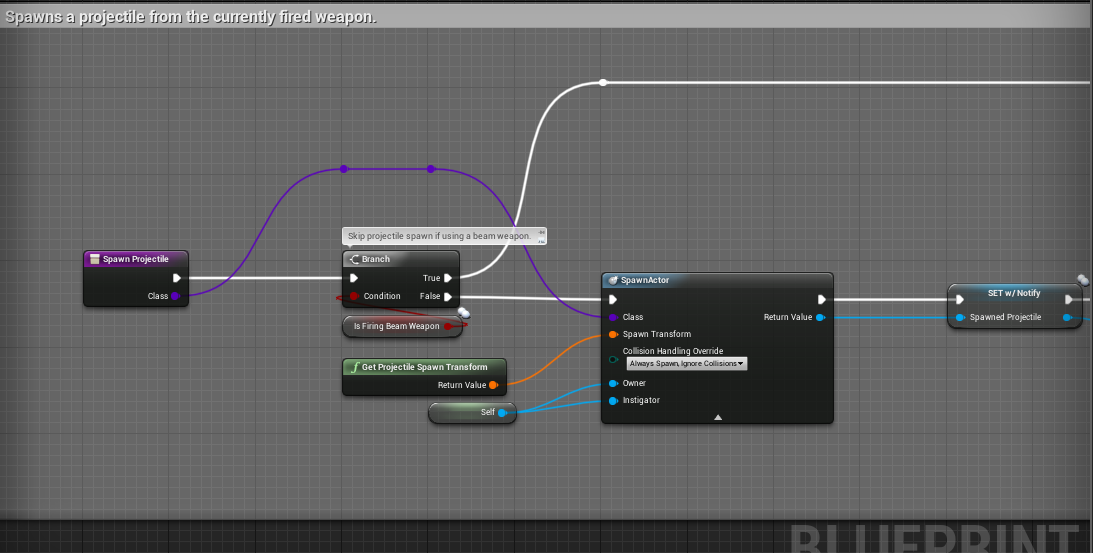
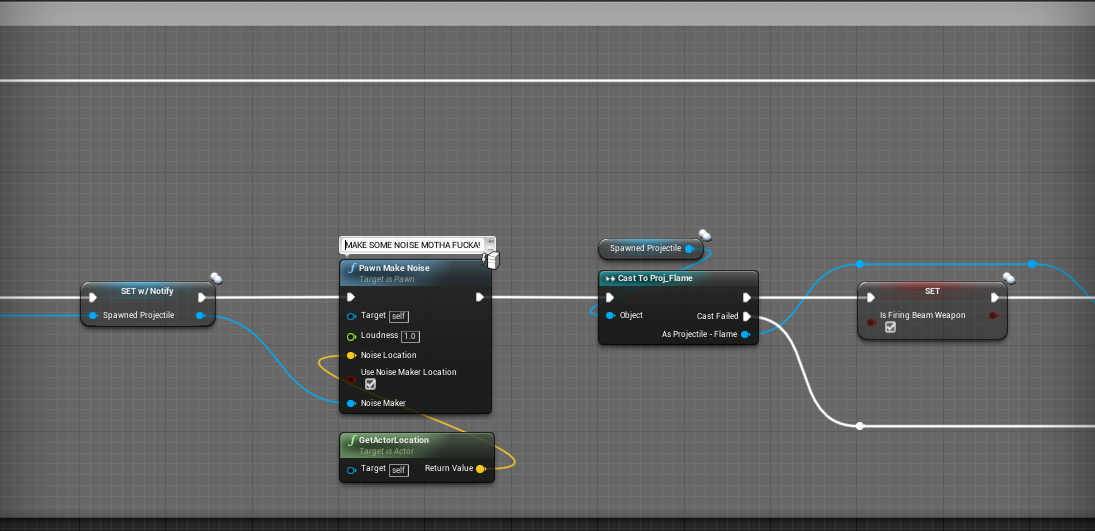
Folks, I require assistance with replicating firing effects for my template.
https://i.gyazo.com/42a73ad46c155e3582903491638e934e.png
https://i.gyazo.com/61a27109ebd423c3808ab3d7bc37f293.png
https://i.gyazo.com/94fed968d0a7f7a2ed81075ac976cd90.mp4


I am struggling to get the projectile to aim at the player's direction on the dedicated server.
Here is the gameplay on a standalone server.
https://i.gyazo.com/745ce77d9021eb67d341ef49d0ffcda3.mp4
twin juniper
No
 meager spade
or SinglePlayer
twin juniper
Singleplayer
meager spade
right
so first checks you need to do, and it is probably the issue
what is the rotation of the actor on server compared to client
put a print in tick
getting the actor rotation to print to screen
 distant talon
Having an issue where ue4's replication system is only sending the frequency of updates i'd like when the two actors are right next to eachother. anyone know where the controls are for proximity based repliccation/updaterate are? I already have those actors as always relevant, highest priority, huge net cull squared distance, so im not sure if there's even anything else i could do there. I already have the super broken adaptive networking stuff disabled. Min and max net update frequency are the same.
meager spade
can you just do it with dedicated server and 1 client
that wall of text is hard to read
twin juniper
Hey mate, you told me to use a tick and print out actor rotation. What did you expect?
What about this one?
https://i.gyazo.com/12c254885c8be11e5a8e58266c8f04c2.mp4
meager spade
ensuring the rotations are in sync
and i can't se your Spawn projectile blueprint at all
twin juniper
https://i.gyazo.com/dd9bd23fca31cc583d06d0ab04b72fc5.png
https://i.gyazo.com/f1c3ff02a69a04a0cfb5152e0c074a54.png
https://i.gyazo.com/459256f21b1b06e1c3482c13a2ee7ee0.png
https://i.gyazo.com/7ef6d1941c68ed098ec8520268ff3e06.png
https://i.gyazo.com/5fb1682c392e2ab0de3bd62301f81bca.png
https://i.gyazo.com/79c1662387202b114e90b40020609fb8.png
https://i.gyazo.com/51bb98909ca73de5a71bd223fc9fdc68.png
https://i.gyazo.com/9cc1e52f4242b2e3223a44fb8d115fb0.png

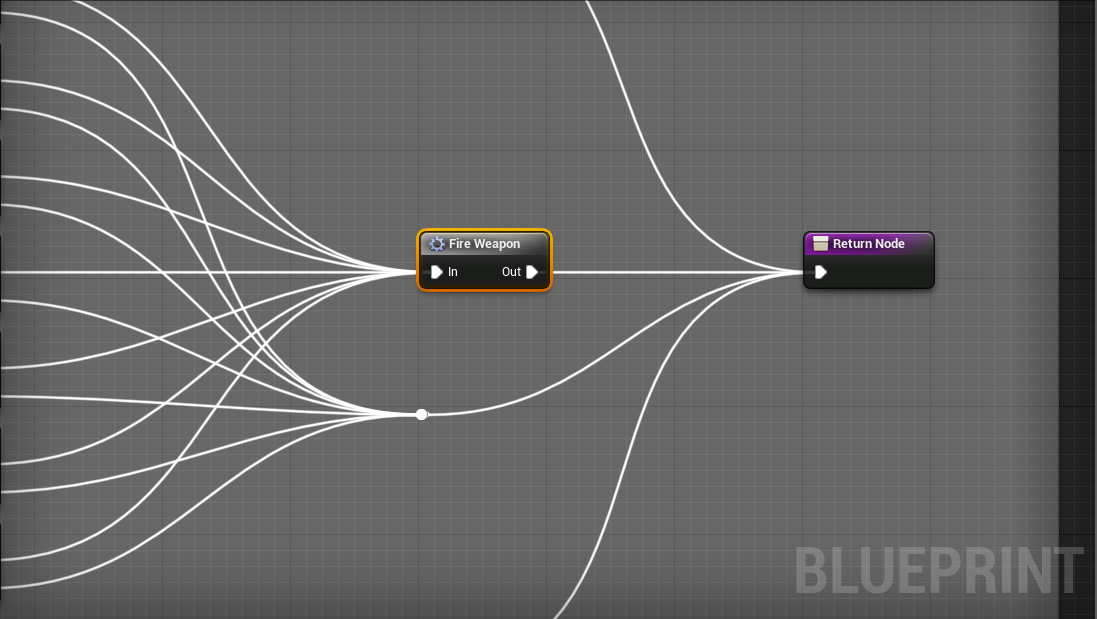
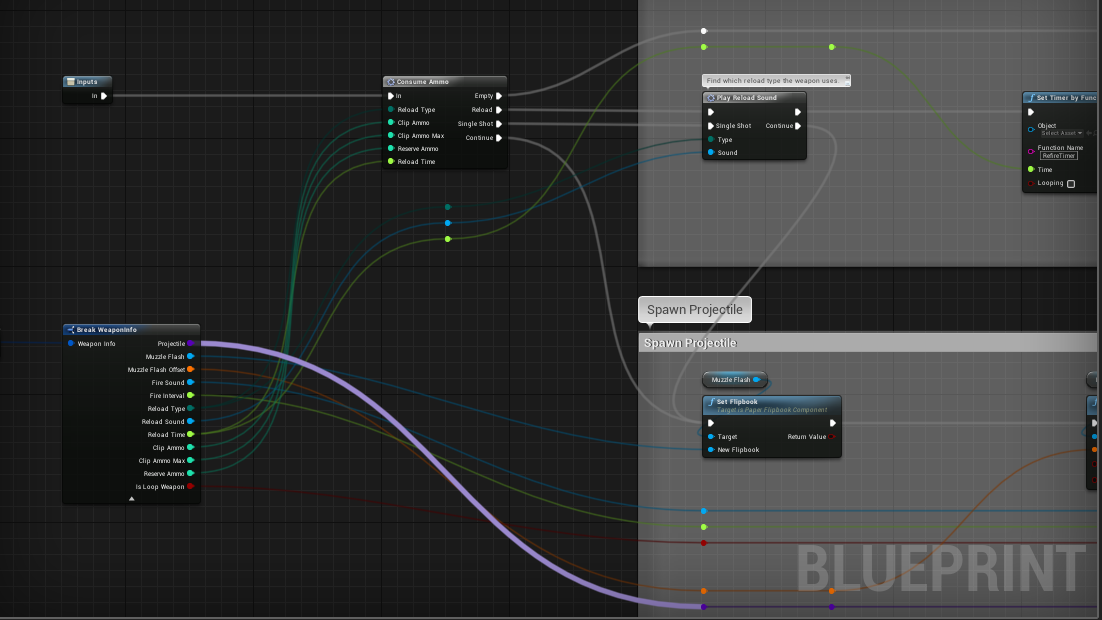
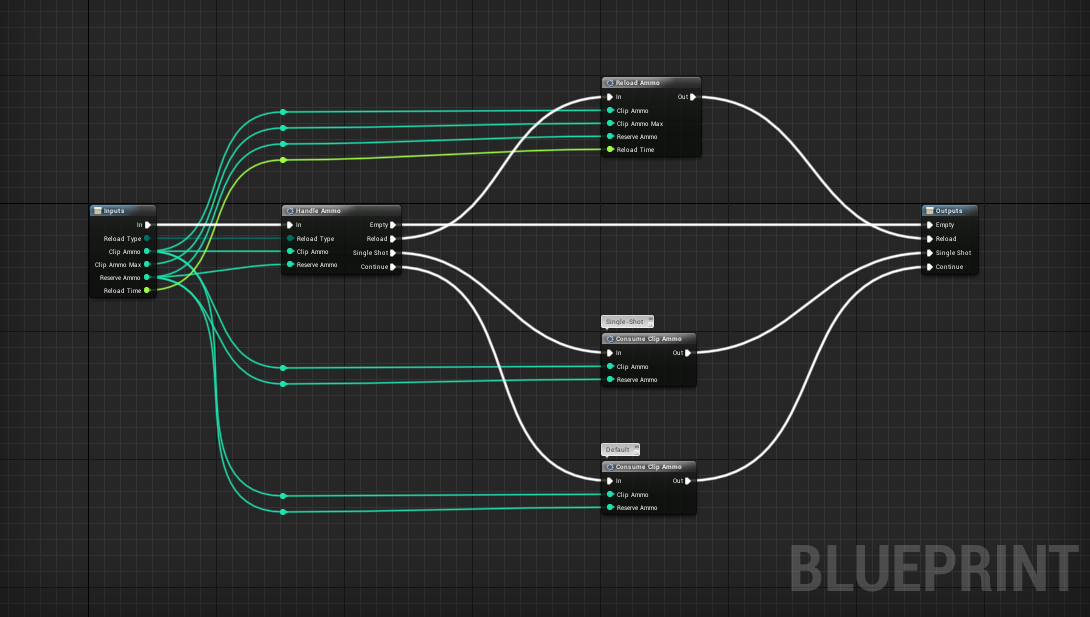
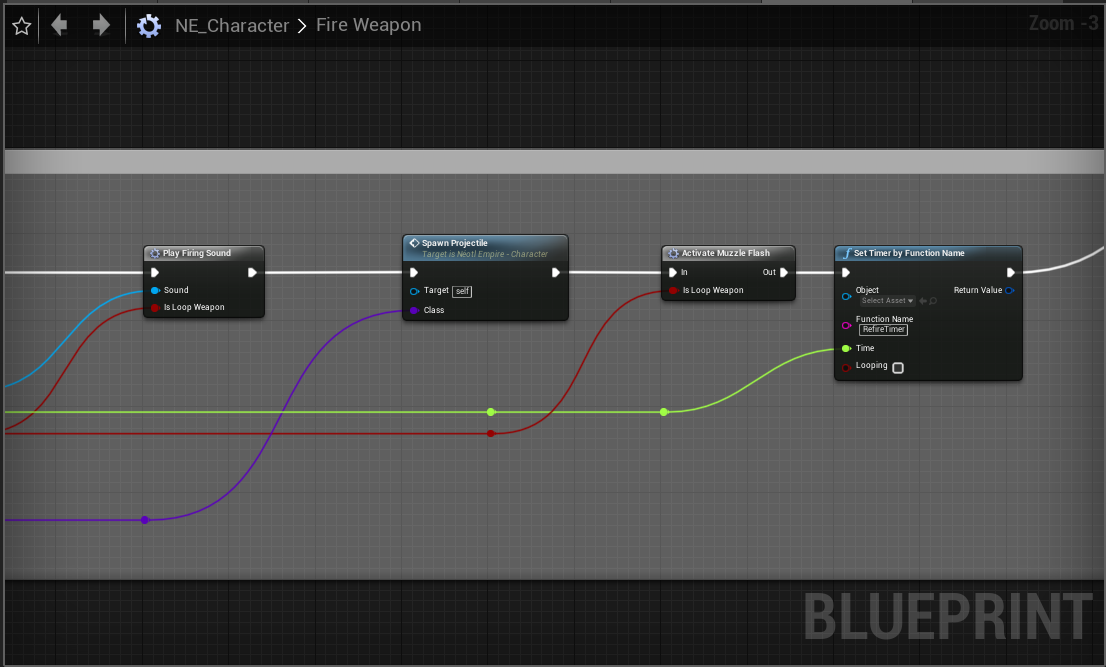
Its a complex system.
Mind the spam of imagery.
meager spade
still don't see where it actually spawns the projectile tho
distant talon
So today i learned about
 // magic number distances used by AI/networking
#define CLOSEPROXIMITY                    500.f
#define NEARSIGHTTHRESHOLD                2000.f
#define MEDSIGHTTHRESHOLD                3162.f
#define FARSIGHTTHRESHOLD                8000.f
it was not a good day
twin juniper
@meager spade Missed two more images.
https://i.gyazo.com/51bb98909ca73de5a71bd223fc9fdc68.png
https://i.gyazo.com/9cc1e52f4242b2e3223a44fb8d115fb0.png
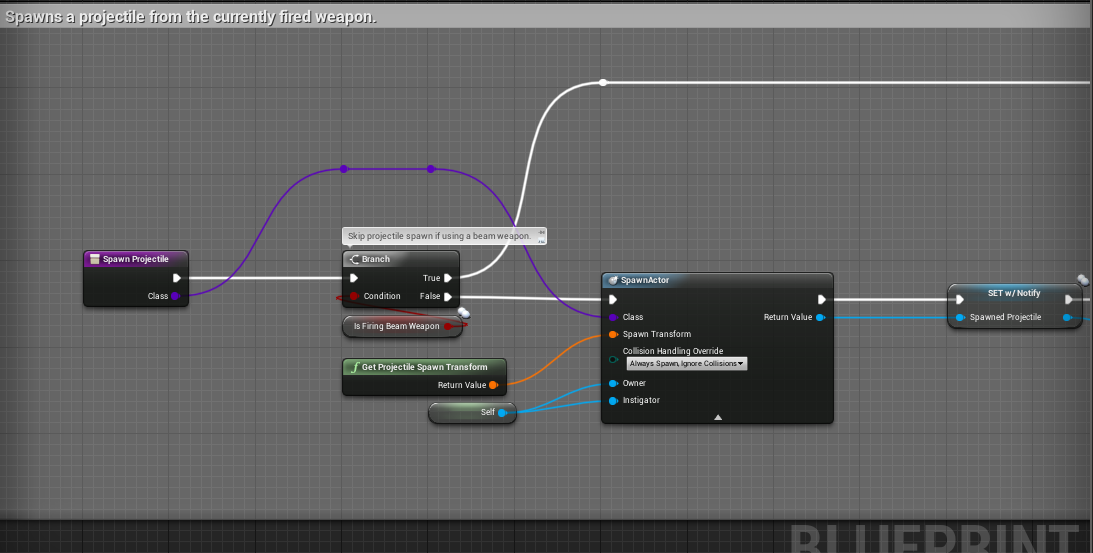
 meager spade
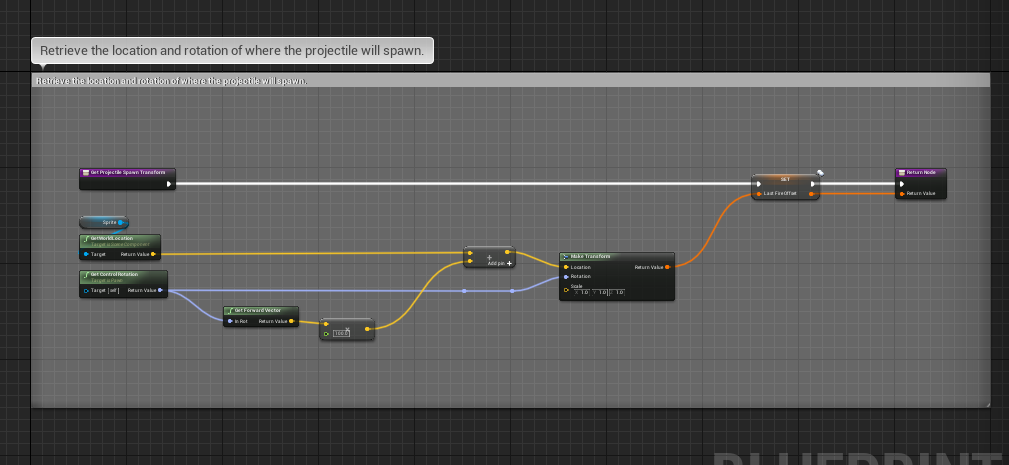
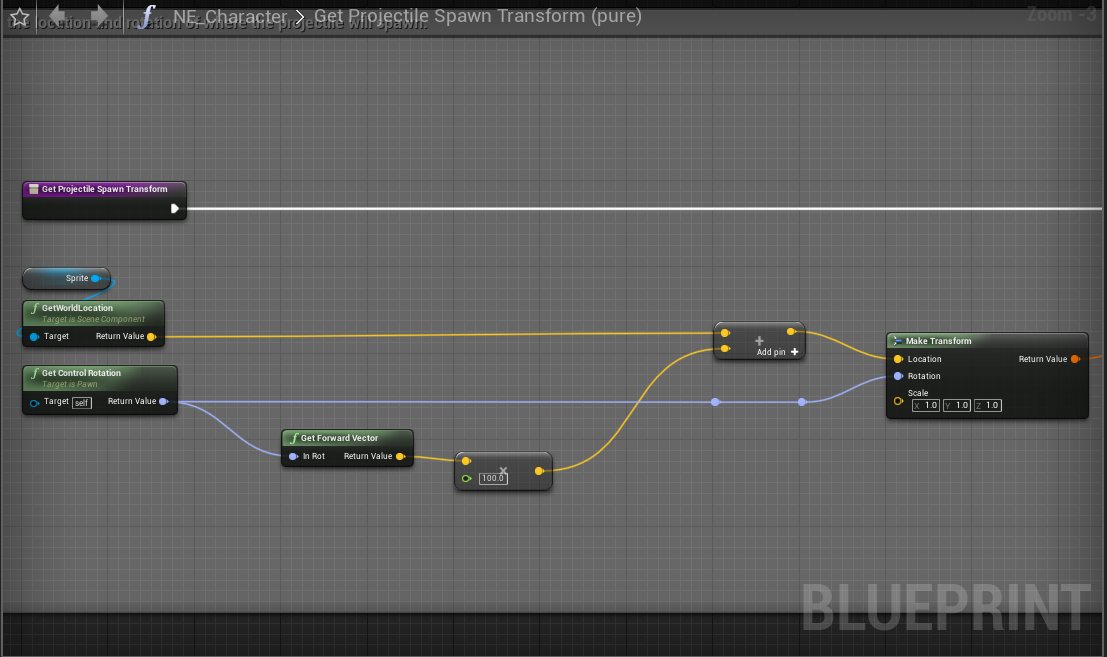
and what does GetProjectile transform do?
 grizzled bay
If i have an object in my level which displays a text widget when a player is nearby, how would i go about only showing it to the players who are nearby, and not just everyone?
 limber mortar
When your character overlaps said object, create the widget to the character owner
grizzled bay
is there anyway to use the widget attached to the object, or would creating to the player be the only way
limber mortar
Widgets run client side only so I think you would want to keep it with the player, use get controller, not get player controller
Actor begin overlap can be your start trigger
grizzled bay
thanks
limber mortar
np
 cerulean escarp
my helicopter keeps jittering almost like rubberbanding but not quite to that extent. is there any way to fix this?
 winged badger
First check if you havescene components rrplicated that do not need to be replicatef
(No component that is a part of a CDO and diesnt contain custom network logic should be replicated)
high current
crap, internet is messing with me, sorry for the weird messages
@cerulean escarp it is probably rubber banding, but record a video if you can
high current
oh wow, 330 mb, yeah, it takes me 30 minutes to upload a crappy twitter post, I cant watch that sorry, hope someone else helps you 😃
twin juniper
@meager spade The GetProjectile transform:
https://i.gyazo.com/f78964bdf4e704c5859afa5a458d812d.png


Whichever the player is aiming, the bullet spawns from the world location of the sprite.
and using the controller's rotation.
 normal ermine
is there a way to have an actor spawn and its owner always be the server regardless of who triggered the spawn?
i guess i could just set the owner as the game state
nvm
normal ermine
does it make a difference?
it's gonna spawn for everyone so i'd keep it in game state just for organization's sake
normal ermine
i still dont understand these classes very well so i dont know if there would be any practical differences for what i want to do though
twin juniper
Did not work.
I think a problem I see is that the bullet aiming it focusing at the center of the level.
I also found out that smart aim is not working either. So I can not shoot the ground when i hold right-click on the server.
They say macros dont replicate on server but it clearly seems to do so.
I just need to fix some aiming issues.
Also when I replicate the inventory manager array, it seems to replicate ammo just fine as well.
 grand kestrel
@normal ermine you're probably misunderstand ownership. Actors own actors, not server or client, they can be present on both, only server, only client but that's not ownership
If you want to call rpc the ownership chain needs to lead back to a player controller but anything can replicate
 fleet raven
what does it mean for this to print to the log 160000 times? why would the character movement keep failing to call this without me noticing any issue in game
 frank tinsel
I keep reading different things online. If I want to have player stats that can be leveled up, where should these stats be stored and how should they be stored? For example a charactersheet class vs playerstate. but I also want my NPC's to have their own stats so how would that affect it?
 late wharf
@frank tinsel take a look to the gameplay abilities system. No so known part of unreal. It might be what you need
@winged badger Forgot to tell you that took us a day, but we found out what was the problem. Turns out that there's a bug in the blueprints copy logic in ue4. It can happen in 2 ways: either because you copy/paste an actor that is on the level to duplicate it or because you copy/paste a BP in the content browser to create another BP that inherits from the same parent as the "original". In our case, it was the second. What the bug does is that it creates 2 blueprints with the same outer object, and that's not possible, so the 1st instance of your BP gets the outer nullified when the second instance spawns and so on. That crashes when replicating in our case because is the only moment the code checks for it. Took us a while until we discovered which enemy was exactly, we had to run different tests cooking levels etc.
frank tinsel
@late wharf I've heard its not very friendly with customization and since its leftover from paragon, that means it is not kept up with. I would also prefer to steer away from plugins if possible
But I can play around with it on my othwr machine and see what its all about
late wharf
it's incredibly customizable and Fornite bases its entire gameplay functionality in it. Not the only game though. Read the pinned docs/videos in the gameplay abilities channel. There's also one very good video talk about it from the Prague Unreal fest
the only thing is that you need c++ and that it's not straightforward. ARPG demo (Epic) is a good place for a 1st approach. Take a look, might be good for you or too much.
 chrome bay
GAS is used a lot by Epic and other companies. Splash Damage gave a good talk on how they use it, I think they intend to use it for everything they do going forward.
It's a lot of grunt work to get it setup, but once it's in the right place you can add new stuff quickly - I think that's the idea. It's not suitable for every game, but it's definitely useful and widely applicable.
frank tinsel
Well I'll play around with it. My real setback was how to approach handling my skills for the players in a multiplayer game. After I got the HOW to part, I could figure out the mechanics of it easier.
Maybe it's workable
 pallid mesa
@fleet raven be careful with proxy geometry clipping with the upper body of your character, sometimes with weird/thin geo the cmc predicts forward but gets corrected back and won't process a move
Q: I'm having an issue with attachments and possessions on UE4. (@ me please 😄 )
This only happens with several connections on a dedicated server session (+10)
When my character interacts with a vehicle I do attach the character to the vehicle in the server (snap to target) and then I possess it (on the server aswell). Then after a nice travelling session, I detach the character from the vehicle (aswell on the server) and I possess the character (server aswell).
Everything is good when I have a few connections on my server, but when the number of connections increases, esporadically when I posses the character back after travelling with the vehicle, the character appears in the position where I attached it initially (where I possessed the vehicle) and the cmc won't react at all... after some seconds the character teleports to the real location and the player regains control (this only happens on the owning client as long as I can observe). Is there something odd with my workflow?
pallid mesa
(+ Also, I'm unable to replicate this in engine with just the network commands to induce latency or Paket loss/dup - single process off)
 thin stratus
@pallid mesa I assume this is because the CMC doesn't replicate any location during the car drive?
With more connections you have more bandwith being used and it's basically just a lag?
Server is of course instantly
pallid mesa
Yes the cmc has it's movement disabled. Movement Mode = none. Now... we are speaking about seconds, sometimes it takes 20 seconds for you to regain cmc control
thin stratus
I heard of a similar issue where a cave was unloaded on the Client and the Server Character fell through the floor and when coming back the to the Cave the Server was gone until the actual server player moved again
Can't you call "Teleport" on the Character directly after possessing and enabling cmc?
pallid mesa
I tried setting the location manually on the owning client and that worked but still, no CMC control. Maybe calling teleport manually could do the trick, but what I do need is the cmc to "wake up", because just setting the location won't do it
about teleport... shall it be called from the server aswell?
thin stratus
Yeah
pallid mesa
👌 gonna try that and see what happens
atm I was using setactorlocation
I don't know the actual difference but it seems it does things with the primitive component
high current
And chance that an immediate repossesion of the pawn might wake up the cmc?
In case the teleport doesnt pan out
pallid mesa
If I interact again with the ship in this invalid state the character jumps into the vehicle again
since it's all server sided
the problem is scoped to the owning client and the cmc
high current
I see
pallid mesa
the correction comes too late
and I have no way to force call a cmc correction from BP's
maybe teleport works
high current
There was an option in the cmc
To detach the client
It was a bool iirc
Which might reattach the cnc back to the servers after it is toggled
It was near the prediction settings
Not on pc atm tho
pallid mesa
I have some buttons to touch yeah, the problem is that I can't replicate this in engine
so I have to deploy and do a proper playtest with qa testers
high current
Yeah, thats the most annoying type of debugging
 jade patrol
Hey guys, I'm having issues with RepNotify and I'm not sure what is causing it. I'm spawning spheres and trying to color them base on a variable that is set in the spawn actor node. I notice that the variable replicates after construction so I'm using rep notify. Just that the server paints with right color, but the material is not applied ? Not sure how to debug this.
 covert gorge
I have a problem and i am not sure how to solve it, i think that, due to bandwith problems, there are some replicated variables that sometimes desync, not because i change them on client, but because variable values are not well replicated. Is it possible to overcome/debug this type of bug?
winged badger
@jade patrol its a StaticMeshComponent on that Actor, or a StaticMeshActor?
there is no such bug @covert gorge
in any case andrei - that Sphere reference has to be Valid on the client for it to work
 void acorn
hi, do you use to store in GM a property of type MyGameStatesCasted or you cast each time you need ?
winged badger
i usually have a function that returns me GS of the correct type
i cache only when there are 2-3+ layers of indirection
void acorn
ok
covert gorge
@winged badger really? i am trying to find a post of someone that had the same problem, but he manage to solve it reducing bandwith consumption with network profiler
winged badger
delayed packages, sure
void acorn
but if you cache it ? in what function override would you do it ?
winged badger
but not outright replicated variable fails
winged badger
AMyGameState* GetMyGameState() const
{
    return Cast<AMyGameState>(UGameplayStatics::GetGameState());
}
not passing NetRelevancy check, or being Dormant might do it
likely the first
never had a single replication failuire that i noticed
if i cache it
covert gorge
i think that i configured it to be always relevant, but i am not completely sure
winged badger
//.h
UPROPERTY(BlueprintReadOnly) AMyGameState* MyGameState;

AMyGameState* GetMyGameState()
{
    if (MyGameState) { return MyGameState; }
    MyGameState = Cast<AMyGameState>(UGameplayStatics::GetGameState());

    return MyGameState;
}
@winged badger thanks, by the way I'm just looking a decent place to set cache property in the GM (wich handler/event should I override) ?
what's the good event I mean
winged badger
none, you just write your own getter functions like that
 fierce grove
So I'm building a small tps project and I struggle to switch weapon. I made structs where I log my data for each weapon. I've bound ways to switch weapons / pickup / fire.
On the local client everythings fine but when going multiplayer Fire Rate is "replicated" / weapon name / puickup events
but my laser amount seams off
BlueprintUE
just the end of the whole process if you need more info don't hesitate to ask
my laser beam spawn only spawns the first weapon laser amount weird
jade patrol
@winged badger actor with static mesh component 😃 . The weird thing is the actor is spawned on server and on client it works fine and it has the material. Now I notice inconsistency and on server after the spawn the RepNotify does not trigger at all.
 solar stirrup
RPCs don't support OUT parameters right?
solar stirrup
hmm
void acorn
hmm, do players ids change when someone disconnects ?
chrome bay
@solar stirrup RPC's are asynchronous calls so no
Scratch that, they're asynchronous calls that might not even get called
If you need a callback use another RPC or a replicated value
solar stirrup
Well the server deals with the handling already, the clients just RPC to say what they want it to do
for the inventory component
chrome bay
Yeah but it doesn't happen instantly
chrome bay
It takes time to do that, so you can't stall the whole thread while you wait for the result
you don't need to predict adding stuff to inventory
People can learn to live with stuff like that
solar stirrup
aight
chrome bay
It's overkill, not to mention prone to a lot of error
The only stuff you want to predict is something that needs immediate feedback, e.g movement, or in some cases firing weapons
solar stirrup
so technically the only public thing in the inventory should be the RPCs since only the server does the internal handling?
chrome bay
etc.
All my inventory stuff is done server-side
Adding slots, adding items to slots etc.
Clients just get the latest state via replication
And fire some events if they need to
solar stirrup
is there a risk if they move items around too fast?
chrome bay
I doubt it
solar stirrup
actually
chrome bay
if there is, they just move it again
solar stirrup
yeah nah because they just get what the server says anyway
chrome bay
exactly
solar stirrup
aight ty
oh and
how would you go for example taking an item from inventory A (player's) and move it to inventory B (a chest)?
chrome bay
have some kind of inventory interface on the player and the chest
Tell the server (move item from inventory a to inventory b), via the player controller or something
You can reference an actor you don't own, you just can't call RPC's on it directly
solar stirrup
I shouldn't own the inventory component myself right? The server owns it
just making sure
chrome bay
Well I imagine if it's part of a pawn, the client owns the pawn. Nothing wrong with that
If it's on a chest, then yeah the server should own it I expect
solar stirrup
Property replication is from server to client, regardless of owner right? yup
chrome bay
yeah always
solar stirrup
Aight I'm getting my head wrapped around replication nice
so my component's gonna need a few tweaks but it's perfect for now
limber mortar
Can I be sure this is a physics issue if I set high amounts of lag in my defaultengine.ini and can't recreate the problem?
If I take my spreading fire BP out of the map, vehicles work fine all map long on my dedicated server. I feel either:
A.) My fire is causing some replication, or congestion, that effects the vehicle
B.) My fire's processing is actually effecting the physic calculations of the vehicle.

I just thought if it was a physics desync I could recreate it with lag 😦
chrome bay
welcome to multiplayer vehicle physics
In a nutshell, here's the issue:
- You move the physics locally on the client, and tell the Server
- The server gets the packet later, and moves the vehicle. It replicates the location back to the client.
- Client gets the (old) replicated location and so snaps back.
The default vehicle movement component does not support multiplayer in the slightest, it needs a lot of work to be useable in a real environment.
Go into the vehicles skeletal mesh settings and uncheck 'Replicate Physics To Autonomous Proxy'
That will make it client-authoritative
limber mortar
Ah thanks partner.
I have been indoctrinating myself for a few days now trying to get this last part fixed. I'll try it out!
First I've seen 'Replicate Physics To Autonomous Proxy'
limber mortar
lookin 😃
I'll keep lookin, just didn't see it lookin at all the fields
unless its something 4.20 or above
I'm on 4.19
limber mortar
Its my first game, I'm afraid to upgrade being so close to ready for testing
 worthy perch
4.21 is pretty good too.
chrome bay
Just make a backup first
limber mortar
but I need vehicles working
chrome bay
Should be fine though, 4.21 and 4.22 are ok
limber mortar
yeah, about to
limber mortar
oh
also
I'm in 4.19 source build
so I imagine I need to install 4.21 then convert to source so I can make my dedicated server?
chrome bay
You need a source build?
worthy perch
From this Discord, from what I've read, it seems that 4.22 has problems.
limber mortar
I'm running a dedicated server my testers have been using
 shut gyro
Doesn’t 4.20 fix Desync issues with client/server position? I think it’s worth to upgrade just for that
chrome bay
Kk, if you've made no changes to engine source and you're just using it to build a dedicated server, you can use the launcher version for development then switch to source version for packaging if you want to save time
Otherwise yeah, have to redownload and compile source
limber mortar
oh ok
limber mortar
I'm going to copy and attempt the update today
chrome bay
It's exactly what this sort of thing is for
chrome bay
Once you do you'll regret having ever worked without it
limber mortar
but a waste I know
chrome bay
Just use Perforce, it's free for five users. Just need somewhere to host it
Hell hosting on the same machine is better than nothing
limber mortar
thanks, I'll make that my project for the day, setting up source control and engine update
I was going to do source control soon with my project mostly working. I do have copies of BP before I edit them and have been able to restore no prob so far
afk for a sec, more coffee
limber mortar
running some tests on the movement while I get ready for my upgrade
 ocean geyser
question, lets say i have a map thats just a house, the house may have 25-30 doors. would it be better to setup the doors via replicate using to open/close the doors on the client from the server, or to simply SetReplicates and SetReplicateMovement to true. im not sure which one would be more efficient over the network
 placid narwhal
@ocean geyser replicate the event not the movement.
ocean geyser
ty
 timid moss
hey guys why does BeginPlay() in the PlayerController not run on the client? I did multiple checks to make sure that it only runs on the server and it does. Am I missing a core concept to UE4 multiplayer?
grizzled bay
my understanding of it is there is one player controller per person, usually what you do in it will only affect the client it is owned by, then if you want to change stuff for other clients you need to call a server event on like player state or something. could be wrong though.
ocean geyser
maybe the playercontroller isnt setup on the client? as far as i know with the third person project, the user sends an input(like move forwards) to the server and the server handles it (which requires the player controller) to move the player
brittle karma
hey guys, why client cant see the projectile that itself has spawned ?
i ve set the Projectile actor to Replicated one, SetReplicates(true);
and my fire function in the pawn is server function. so basically server is responsible for firing, but why it doesnt show up for client?
void AMultiplayerBallsBall::OnFire()
{
Server_OnFire();
}
void AMultiplayerBallsBall::Server_OnFire_Implementation()
{
GEngine->AddOnScreenDebugMessage(-1, 5.f, FColor::Red, FString::Printf(TEXT("fire fire")));
if (CurrenetLaserAmo > 0)
{
    CurrenetLaserAmo--;
    GEngine->AddOnScreenDebugMessage(-1, 5.f, FColor::Red, FString::Printf(TEXT("laser amount is  :: %d"), CurrenetLaserAmo));
    MuzzleLocation = FireLocationSocket->GetComponentLocation();
    MuzzleRotation = FireLocationSocket->GetComponentRotation();


    if (GetWorld()) {
        auto projectile = GetWorld()->SpawnActor<AProjectile>(
            ProjectileBP,
            MuzzleLocation,
            MuzzleRotation
            );
        projectile->MoveProjectile(Speed);
        GEngine->AddOnScreenDebugMessage(-1, 5.f, FColor::White, FString::Printf(TEXT("Fire PJ")));
    }
}
}
grizzled bay
are you also replicating movement?
brittle karma
yes SetReplicateMovement(true);
every thing works fine except client itself cant see the projectile
here is logic, server is responsible for firing, so i declared a ufunction(server.....) named Server_OnFire
grizzled bay
sorry i wouldn't be able to help other than that, usually if your settings right and spawn the item from the server it just seems to work, maybe someone else will have other ideas
brittle karma
so whenever client fires ,it calls simple Onfire function and inside that Server_OnFire get calls, is this a true logic?
worthy perch
Do you have a BP child?
brittle karma
yes
worthy perch
Check its settings.
ocean geyser
so on the client, the player shoots and it calls Onfire. then Onfire calls a UFUNCTION that is set for the server called Server_OnFire? Server_OnFire spawns the projectile and moves it in the direction of the muzzle? the server sees the projectile when it spawns, but the client doesnt correct? if its spawning the actor on the server then it should be there for everyone, did you set the projectile to replicate? i think that would prevent it from being seen by clients
brittle karma
@worthy perch god damn thank you
grizzled bay
nice
brittle karma
@ocean geyser as @worthy perch mentioned i checked the Blueprint child for Projectile and i saw that Replicated and Replicated Movement were unchecked i reset their values and it works fine now
ocean geyser
sweet
grizzled bay
good to hear
brittle karma
its weird that sometimes cpp and bp dont match very well.
grizzled bay
yeah they don't want to play nice sometimes
 fossil veldt
Hey guys, When I disable Replicate Movement why is the client still receiving data for Movement from the server?
high current
@brittle karma did you fix it?
brittle karma
yeah @high current
fossil veldt
I guess I have the opposite problem to Shayan, I don't want the server's character position to be replicated to clients, But UE4 seems to be automatically sending this data even with it unticked
brittle karma
@fossil veldt can u describe more?
fossil veldt
I have 2 pawns which have their own movement components. However when I move the server the clients can see this, When I move a client the server doesn't see it
But to be clear
I don't want the server to see it
I want the clients to not see the server moving
I have "Replicate Movement" disabled and it's still replicating the movement from the server to the clients and I don't know why
brittle karma
i guess what u want is something like this.
if(Role < ROLE_Authority)
{
//now its not server, client runs the code
}
fossil veldt
But why is the code not being run locally anyway?
It's not set to replicate position
brittle karma
can u show some codes?
brittle karma
the specific parts, key ones
fossil veldt
Oh w8 nm I just fixed it :/
I turned off replicates
I am moving my characters using set physics linear velocity
so I guess replicate movement doesn't consider that
brittle karma
fixed?
fossil veldt
yea
That's really strange that it replicated that honestly
Ty for help
It's a bit of an unorthodox request as I wanted to manually write the netcode for my movement component
timid moss
Hey does anyone know if there is an OnPossessed() function for the client?
 strong knot
im getting started with LAN and advanced sessions but finding most documentation is about steam, is there any good recent LAN tutorials anyone could point me in the direction of? thanks!!
 gleaming vector
hey @pallid mesa @winged badger @summer nova we talked the other day about replicated structs and UObjects... I ended up giving up on my approach and made my Item Stack object just a UObject rather than a Struct
turns out the GC really doesn't like an array of UObjects inside of a struct that was new'd and put into a TSharedPtr contained within another struct
 somber glade
I've got a rather complicated effect I'm trying to handle properly in a multiplayer VR game, and I'm having trouble getting it right because it's turning into a mess with what i have so far. Break down:
Players can't be stunned by another character. Since this is VR, I rigged up an emote system, both for emotes and usage with this effect. Basically if a player wants to emote, the camera switches to an offbody camera while the character does it's emote animation and then when it's done it snaps back into the body.
The process for being stunned is this: Character receives an event from an interface upon being shot. The interface sets off the following chain: it starts a timer (if the player isn't captured after X time the player gets back up) , sets an animation to play, sets a bool which tells the Anim BP that it should emote (thus ignoring all other animations and just playing a one off animation), and then sets a tag on the players' body so that they can be "captured".
The issue I'm running into is that when they are shot, not only is their camera leaving their body as it should, but the player who shot them is being taken out of their body and set into the emote camera location. Then when it's over, both the character who shot and the character who got shot are being put back into the same body (leaving player who shots' body empty) and then the player who shot's HMD locks and follows the other player's HMD, that's just messed up).
because this needs two full players to test properly in VR, I don't have unlimited instant testing to see if I got it right.
I zoomed in for this, I just made some changes, the bit to the right is just setting and clearing the tag for capture
I don't know if this will test properly with 1 VR player and an empty VR avatar in the game. Because when you leave an empty VR avatar in the game it tends to grab onto your hmd and motion controller even though you have your own avatar.
What I don't really understand is why the player who shot is having their camera relocated. This code should run on the player who got shot only.
pallid mesa
@gleaming vector we'll resume if you don't mind the conversation tomorrow
gleaming vector
sure
just ping me, i love talking about this stuff
i'll probably have more experience in converting everything to UObjects
and the challenges there
pallid mesa
hehe sure, I'm @ a very low energy rn to discuss anything 💤
winged badger
@gleaming vector i don't even like having a struct being responsible for managing 1 UObject's lifetime directly
gleaming vector
yeah, well, item generators create UObjects now
for item stacks
so I removed structs from the equation completely
winged badger
i think i had a few encounters with a GC ref counter early on when i started with Unreal
now i just got used to putting only weak pointers to UObjects into structs
that was one of the factor that led me to two arrays approach i described yesterday
gleaming vector
yeah
winged badger
the other being single responsibility principle - my fastarray there is responsible only for keeping client in sync with server, and nothing else whatsoever
gleaming vector
well, right now I NewObject out an ItemStack and hope whoever is invoking the ItemGenerator stores off the UObject
winged badger
also its the only thing required to keep the client in sync
winged badger
i don't replicate my attributes at all, except for initial state following character customization (a CharacterData struct, outside the AttributeComponent)
i just keep buffs in sync and have each AttributeComponent calculate them on its own
basically, i have a single DOREPLIFETIME for the entire attribute system
somber glade
wooohoo.. i actually fixed my stun effect..
the problem is now..
for some reason the clients cannot properly control a pawn after possessing
Setup: due to a crash with server travel, i used advanced sessions to create a session and then I create a listen server. My lobby and my gameplay level are on the listen server in the same level. The lobby is just a box. After players pick their avatar, the avatar is spawned in the gameplay area and on game start the players depossess their menu avatar. Then the gamemode puts them in the avatar they selected.
In this case (current test) the menu avatar and the gameplay avatar are the same class. So they arrive in the lobby, they can move around, they pick their character. The game mode spawns a new copy in the gameplay area, unpossess and sticks them in the new one. They are in the new one. their motion controllers move the hands and head changes rotation. Buttons on the controllers work, but the thumbstick for movement no longer functions.
winged badger
you always manage to have the weirdest bugs
the new Pawns are obviously getting input, so what happens after you use the thumbstick?
somber glade
nothing
the clients can't seem to move.
but the buttons on their controllers (like to cloak)
do work
somber glade
it's a packaged build
I"m testing multiplayer VR
I'm going to add some print statements
but simply unpossessing and possessing a new avatar, that should work right?
the host can move just fine
winged badger
yeah, it usually does
which makes the problem likely related to your movement component
CMC?
somber glade
basically I'm doing this: The game mode spawns a new avatar based on their selection, then it calls to the PC and passes on a reference to the new pawn.
the PC unpossess the current pawn and possesses the new one passed in
winged badger
you are using the CharacterMovementComponent, right?
that code would fail equally for host and client unless you custom modified it
winged badger
im interested in what your movement mode is on the CMC
winged badger
after you possess the other Pawn, on client
somber glade
let me see what that parents back to
winged badger
i am suspecting "None"
somber glade
it's inherited from C++ so I'll look it up now
what's weird is that this was working before. And About two weeks ago I had the opposite issue. The client would join the lobby, and they couldn't move, but when the game started, they could suddenly move again.
oh no here we go: class VREXPANSIONPLUGIN_API UVRBaseCharacterMovementComponent : public UCharacterMovementComponent
it parents back to CMC
meager spade
In your character tick print the movement mode
somber glade
That's going to get messy in multiplayer.. I'll try doing it once and set it to 20 seconds otherwise with 2 players spamming on tick I'll never be able to read it
especially in VR, since it just makes everything blurry and weird even on the desktop mirror
I wish you could change the font size of the print
winged badger
it prints into the log file, too
somber glade
the actual text log generated after? okay
timid moss
Why cant I do DOREPLIFETIME_CONDITION for replicated props in an actor component? Does it just not have it?
Im used to coding on an actor
meager spade
Of course you can
meager spade
What's the error
somber glade
@meager spade Are you referring to this?
meager spade
No just movement mode
meager spade
We want local and server versions of the actual movement mode
timid moss
ok for some reason you saying that made it work XD
somber glade
this one?
meager spade
Yes
somber glade
Okay, I'll build that then and send that off, back shortly once I've got a result. While I'm waiting for that. how can I make sure that tags are replicated? Part of my stun function setting a tag on the downed player. I'm setting that tag as part of the "run on server", but I think that isn't being replicated. When I then tried to run the capture function which checks for that tag, nothing happened.
winged badger
GameplayTag or just Actor Tag?
somber glade
Actor Tag
winged badger
those don't replicate
somber glade
just 2. Capturable or not capturable.
winged badger
because
when you have Incapacitated.Stunned, Incapacitated.KnockedDown and Incapacitated.Dead
somber glade
But I didn't realize that actor tags don't replicate. I use tags elsewhere for things like keycards (adding tags as they upgrade them from level 1, 2, 3) doors check those tags.
good to know they don't replicate. I'll change that
winged badger
with GameplayTags you can just check for Incapacitated
and have it match any of those 3
somber glade
Okay after this VR test i'll look those up and how to do them.
the keycards will definitely have 3 states
winged badger
if you prefer the Tag approach to bools/enums
and need them replicated
GameplayTags is definitely the way to go
somber glade
Tags seemed like a quick way to identify a lot of things.
but I didn't realize actor tags weren't replicated.
I suppose I could set them with a multicast if I really wanted to just replicate an actor tag.
winged badger
yeah, but those are FNames
so they are replicated as Strings
not really on cheap side
you can't invent a GameplayTag in runtime
somber glade
ah okay
somber glade
Ah, okay
@winged badger @meager spade Move_walking but it looks like the client avatar isn't ticking
[2019.07.23-01.54.06:872][999]LogBlueprintUserMessages: [BP_VRPlayerAvatar_C_0] Player State Valid
[2019.07.23-01.54.06:873][999]OSS.VoiceLoopback = "0"      LastSetBy: Constructor
[2019.07.23-01.54.06:878][999]LogBlueprintUserMessages: [BP_VRPlayerAvatar_C_1] Grip Components
[2019.07.23-01.54.06:879][999]LogHMD: SetSpectatorScreenMode(5).
[2019.07.23-01.54.06:880][999]LogBlueprintUserMessages: [BP_VRPlayerAvatar_C_1] Player State Valid```both avatars seem to run their setup
on possession
or actually that comes off begin play
You can see the setup for the avatars there.
that print only seems to run once per avatar
However after that, [2019.07.23-01.54.07:291][ 14]LogBlueprintUserMessages: [BP_VRPlayerAvatar_C_1] MOVE_Falling [2019.07.23-01.54.07:296][ 15]LogRenderer: Reallocating scene render targets to support 256x256 Format 10 NumSamples 1 (Frame:6982). [2019.07.23-01.54.07:324][ 15]LogRenderer: Reallocating scene render targets to support 2688x1600 Format 26 NumSamples 1 (Frame:6982). [2019.07.23-01.54.07:324][ 15]LogBlueprintUserMessages: [BP_VRPlayerAvatar_C_1] MOVE_Walking [2019.07.23-01.54.07:327][ 16]LogRenderer: Reallocating scene render targets to support 256x256 Format 10 NumSamples 1 (Frame:6983). [2019.07.23-01.54.07:347][ 16]LogRenderer: Reallocating scene render targets to support 2688x1600 Format 26 NumSamples 1 (Frame:6983). [2019.07.23-01.54.07:347][ 16]LogBlueprintUserMessages: [BP_VRPlayerAvatar_C_1] MOVE_Walking [2019.07.23-01.54.07:368][ 17]LogRenderer: Reallocating scene render targets to support 256x256 Format 10 NumSamples 1 (Frame:6984). [2019.07.23-01.54.07:368][ 17]LogRenderer: Reallocating scene render targets to support 2688x1600 Format 26 NumSamples 1 (Frame:6984). [2019.07.23-01.54.07:368][ 17]LogBlueprintUserMessages: [BP_VRPlayerAvatar_C_1] MOVE_Walking the client doesn't report any print on tick
that falling probably comes from the fact that the avatar spawn spot is just slightly off the ground.
The client only sees this event: [2019.07.23-00.16.27:192][297]LogBlueprintUserMessages: [BP_VRPlayerAvatar_C_0] Player State Valid he doesn't get the grip components message, which is really weird, because the player state isn't printed until after grip components. I have no idea how it could receive 1 print and not the other.
Apparently I had this issue 12 days ago on a different build, and fixed it. But i've been working 16-18 hours a day since then and my mind is too numb to remember what I did 12 days ago haha. Off to source control to see if I can figure out what i changed.
 naive crater
Has anyone been able to get camera anims to play after a server travel?
somber glade
@winged badger this seems to be an issue with the client neither calling onpossession nor onrep_controller
LogBlueprintUserMessages: [BP_VRPlayerAvatar_C_0] Server: On Possession
LogBlueprintUserMessages: [BP_VRPlayerAvatar_C_0] Server: Grip Components
LogBlueprintUserMessages: [BP_VRPlayerAvatar_C_0] Server: Player State Valid
LogBlueprintUserMessages: [BP_VRPlayerAvatar_C_0] Client 1: Begin Pla
LogBlueprintUserMessages: [BP_VRPlayerAvatar_C_0] Client 1: Grip Components
LogBlueprintUserMessages: [BP_VRPlayerAvatar_C_0] Client 1: Player State Not Valid
LogBlueprintUserMessages: [BP_VRPlayerAvatar_C_0] Client 1: Player State Valid```I'm currently testing this in PIE, I set up the gamemode to autostart, so I've ticked dedicated server and set my VR instance to be a client.
winged badger
client shouldn't call OnPossession
and good hook for custom setup is PCs SetPawn function, its called from both Possess and OnRep_Pawn
somber glade
if I just plug begin play into the front where it sets the movement mode, it works.
and how that i have a test environment with a working client that I can control directly. I notice that none of my dynamic material instances are replicating properly.
This basically fixes it
somber glade
I got that from Exi
let me pull up the code
        void K2_OnRep_Controller();

virtual void OnRep_Controller() override;```{
Super::OnRep_Controller();
K2_OnRep_Controller();
}```I do have onrep_pawn made blueprint implementable if you think that might help.
somber glade
For now that issue is solved. I need to move back to dynamic material instances. which just won't replicate. I have the server calling to my door access panel to set up the panel. When it sets it up, it creates 2 dynamic material instances for the exterior panel and interior panel. It saves these to replicated variables. Then it checks the locked state of the door and updates a variable either red or green depending on if it is locked. That variable is rep notify. The client is getting the rep notify, which should set the variable on the instance to those values, but the client always gets "none" for the two saved material instances.
This is called from the gamemode, it goes through and initializes all the door panels with meshes, and sets their connected door as a variable (connected door is set in editor)
after setting both materials and the variable it calls this function which checks the actual color and sets the rep notify variable
which calls this and fails because both DMI variables report "none"
winged badger
OnRep fires before BeginPlay for a spawned replicated actor
Should make a function that gets the dmis, creating and caching them if tgey dont already exist
 unique thunder
Why won't this work in a networked game? I've tried running it on server, on server then multicast, nothing seems to override its relative rotation
The actor is set to replicate (I also tried setting the component itself to replicate)
somber glade
@winged badger Yeah I'm trouble shooting this now. i decided to make my DMIs in the constructor per another suggestion. This seems to work..except my manager struct is acting weird as can be now. It starts play empty, no entries. Yet the first time I hit the node to add something to it, it's already reporting a ton of entries
empty ones
it's actually creating the struct..but.. it's not putting it in the array.
this part seems to work.
better view, this runs on "has authority" so only the server should run this
....
I cleared the monitormanager array before the for loop and suddenly it's working
but there is no point anything should be added to this..
still not working though. This is in the information in the struct. But when I'm inside the for loop, why can't I see what's actually being set?
the only thing I can get any value on is the text
because the monitors are still all coming up black now
somber glade
I've got a break further down the line and it never comes
@winged badger So that explains what's going on..for some reason my client is never getting this onrep notify
LogBlueprintUserMessages: [BP_CCTVMonitor_New_5] Server: Set Render Target: TextureRenderTarget2D_1
LogBlueprintUserMessages: [BP_CCTVMonitor_New_5] Server: Set Render Target: TextureRenderTarget2D_2
LogBlueprintUserMessages: [BP_CCTVMonitor_New_5] Server: Set Render Target: TextureRenderTarget2D_3
LogBlueprintUserMessages: [BP_CCTVMonitor_New_5] Server: Set Render Target: TextureRenderTarget2D_4
LogBlueprintUserMessages: [BP_CCTVMonitor_New_5] Server: Set Render Target: TextureRenderTarget2D_5
LogBlueprintUserMessages: [BP_CCTVMonitor_New_5] Server: Set Render Target: TextureRenderTarget2D_6
LogBlueprintUserMessages: [BP_CCTVMonitor_New_5] Server: Set Render Target: TextureRenderTarget2D_7``` but the value is being set for each oneYou can't replicate a render target
Not unless it's a static asset.
Apart from the fact they have no replicated properties anyway, they are derived from UObject which needs special case-by-case handling for replication, and can only be done from C++
You can't replicate dynamic material instances either
somber glade
I realize that. My DMIs are set in construct
The render target isn't the only thing in the struct.
chrome bay
That's fine but your replicating Monitor Manager, many of those entries will be null client-side, or you'll get an error about trying to replicate an object reference that can't be resolved.
chrome bay
Are you sure the actor is actually replicating?
chrome bay
Have you told the actor to replicate?
somber glade
and it never calls
yes
it does call that repnotify on the server, it never calls it on the client.
somber glade
it's in the level when the game starts, and it's about 3 meters from the player's avatar
chrome bay
Check 'Always Relevant' for now - just to be certain
chrome bay
Is the replicated value actually different from the default?
chrome bay
Well setting it to false and true again in a single frame means it won't replicate, so that I understand
somber glade
put a delay between, still nothing
chrome bay
This worked fine on my end:
Got both a server and client 'Hello' message
If you're setting those variables server and client-side, you won't get the rep notify.
Rep Notifies only fire when the value replicates and is different from it's current value.
In C++ you get more control over that
somber glade
Theyr'e only being set on a call from the server.
the game mode is calling an "init" function on this actor
but I changed it to begin play
chrome bay
When is it doing that? It might be too early for the actor to know what it's role is
somber glade
which I had originally, no change.
there is a .2 delay after and a .2 delay before the second change
chrome bay
Unplug everything and just test the bool for now
Make it false by default, then set it to true, and check if the rep notify fires
chrome bay
Tells me the actor itself isn't replicating
chrome bay
kk, so something must be going wrong with the loop. Are you using dedicated or listen server?
somber glade
it's a listen level.
normally there is a lobby where players pick their avatar and then hit a button to start, but I moved the start to test these monitors
this stuff would set up in the background while they are picking their avatars
I ran my construct stuff and ran the test again and it was fine
so it must be that loop, but it's a fairly standard loop..just for each on the array and make a new array
chrome bay
If you're running stuff on construct it's too early to know if the actor is on the server or a client
somber glade
Im just setting the DMI's on construct
that's not really relevant.
I tried adding a flip flop to the loop
and setting the bool
LogBlueprintUserMessages: [BP_CCTVMonitor_New_5] Server: Hello
LogBlueprintUserMessages: [BP_CCTVMonitor_New_5] Server: Hello
LogBlueprintUserMessages: [BP_CCTVMonitor_New_5] Server: Hello
LogBlueprintUserMessages: [BP_CCTVMonitor_New_5] Server: Hello
LogBlueprintUserMessages: [BP_CCTVMonitor_New_5] Client 1: Hello```I stuck it there
chrome bay
Well you'll only get one rep notify, and even then only if the result value is different from when the loop started.
The loop runs instantly, the network thread will gather differences at the end of the frame and send them out
If you ran that loop one more time it wouldn't be different from the default and wouldn't replicate
somber glade
do you think because I'm running pie, that the "is server" isn't returning properly?
even though I'm a client
nope that's working properly
Previously, where i had everything set up on begin play, the CCTV cameras would work fine. The problem was if one of them got EMP'd the client couldn't see the black render target that took its place.
So it was suggested that I set up the DMIs in construct, which I've done, but now I can't get the screens to show anything but black.
ahha
it looks like the only way I can do it is to set up each monitor individually
I am doing something similar on my door lock, it's got 2 static meshes each with a DMI, but there are variable references made in the construct, not replicated, that works. But it seems the client can't pull any of this out of the struct.. I thought I was being clever with this struct. It was a really efficient tool for doing this really fast
it can get the render target, but not the reference to the DMI
oddly it can't get the reference to the monitor screen..
which is a static mesh
somber glade
@chrome bay This "works" in terms of the camera displaying when the game starts. However if I turn around and try to call exactly the same code with a "rep notify"
Like this, it doesn't work.
in the repnotify it claims all the variables are "none".
It's like during begin play it knows what that array is, but then it just loses it once a repnotify goes out
high current
Is the array created during runtime?
somber glade
Yes
high current
If so, shouldnt it be replicated
somber glade
not on 'has authority' so the client has its own copy
its not
okay..
it's like there is some kind of race condition going on
I start the game, and it throws up garbage about all those variables being "none"
then I stop and start again, changing nothing
and it works
start/stop again and it fails
high current
Start stop meaning you stop playing in pie?
somber glade
yeah
I tried putting a longer delay after begin play but that didn't help
I took out the delay and now its worked 5 times in a row
high current
From this i see that you are seting the var on authority, but its not replicated, so clients wont have it
high current
Ah i see
somber glade
Now the only "has authority" is before the bool
I scrapped the struct entirely
which is a shame, I really liked that loop
meager spade
there was nothing wrong with the loop
somber glade
Yes..it looks like now it was because of the delay
meager spade
why are your cameras seperate bools?
somber glade
I removed that 0.2 delay and 10 times in a row I got my cameras
somber glade
Because I've been debugging this all afternoon and this is attempt #283
so I'm trying anything at this point to make it work
meager spade
you would be far better off with a replicated struct
TArray
which holds if the camera is set, etc
and onrep that
somber glade
I tried something like that 2 days ago, it wasn't working.
One of the first things I tried to do was onrep the struct array
meager spade
we use replicated TArray's never had issues
somber glade
but it seems the reference to the DMI can't be replicated
so the client can never pull the DMI out of the struct
it was always coming back none
meager spade
DMI?
meager spade
why would you replicate that?
somber glade
because when it updates the scalar value it needs a reference.
high current
Welp afaik DMI's are client side...
somber glade
texture parameter.
meager spade
for that camera
then on rep recieves it
grabs its local material instance
and adjusts its scalar
high current
Replicate whatever you need to create the DMI, not it itself
somber glade
That's what I had long ago. But it wasn't working.
meager spade
then you did something wrong
somber glade
it worked in terms that the player could see the CCTV
but when it was EMP'd and I needed to replace the render target to turn it black it wouldn't work
meager spade
you set a flag on the camera when its been emp'd
the onrep will then tell the clients to apply the emp render target
seems pretty easy to me
somber glade
This is the function I've got on the CCTV. When it get's EMP'd it goes to the monitor, gets the manager, updates it's parameters in the array and sets the new render target.
The client wasn't seeing this change.
meager spade
right but you need to run the Set Texture Scalar locally
somber glade
That wasn't being run with authority.
meager spade
why is the local setting the camera disabled
that should have been done on the serrver
somber glade
Just to keep track of its index.
meager spade
oh i see
somber glade
so when it's repaired, it can go back to that index quickly to reset the texture parameter
meager spade
kinda pointless cause you are still waiting for server to tell you its repaired
somber glade
I'm going to revert the changes to the monitor if you think there is a way to make this work
meager spade
is each monitor an actor?
somber glade
1 actor with 8 static meshes
meager spade
and monitor manager holds all monitors server side?
somber glade
The monitor manager was written to quickly automate handling the association between the 8 cameras and monitors.
it doesn't need to be server if the clients need access to a copy
meager spade
yeah that's fine, and it should be server unless you want to allow clients to manipulate the cameras locally
somber glade
Well yes because they have to update the texture locally
so they need a copy of that array to do so
meager spade
doesnt matter
somber glade
otherwise they can't see it go black
somber glade
of course. Like I said, they worked up to the camera turning black. WHen hit with an EMP they'd stop panning, just the render target wouldn't change
one secon
i'll revert this mess
high current
I think i told you this a while back, but i think the timins of the rep notify, and the texture target var mismatch, so when the rep notify runs on clients, the texture target isnt yet updated and therefore it is not equal to the struct
Just guessing tho
somber glade
Yeah when we talked thats when I started looking at trying to use a rep notify to change it.
okay I'm back to baseline
One thing I don't get is the difference between my doors and my cameras. Both run on timelines. My door, when a keycard overlaps, the overlap runs on "has authority" checks to make sure it can open, then calls an interface to the timeline which opens the door. no problem. My camera runs on an interface, when it gets hit by the EMP it checks "has authority" and calls to the timeline to make it stop panning, and it doesn't. The projectile is created by an RPC
somber glade
@meager spade Okay, so with current testing, the client shoots the camera with an EMP. The camera stops moving, and the render target stops updating, but it doesn't turn black
meager spade
then you are missing something on the clients materials
somber glade
this first issue I had was my interface. When you make a C++ interface blueprintimplementable, you get 2 events.
one has that little blue arrow thing the other doesn't
I had the wrong one on the camera
meager spade
no you dont
somber glade
one is the right one, one is "wrong"
somber glade
then what's this?
void EMPReceive();```that's my code from C++
All my actors that have that C++ interface have both those events
obviously only one of them is the right one
but I set the cameras up like 3 months ago when I was first learning c++ events and dragged out the wrong one
 bright perch
Hey I just want to make an enterable vehicle and simply I don't want to posses it,instead I want to control it without possessing it,is it possible and also I the server and client both to be able to drive the car as it is an multiplayer game,thanks for everyone giving suggestionsunreal grinning
somber glade
wow..it's totally working. thanks all
I do have one outstanding issue with doors. My doors work. They open when the client puts the keycard on the panel. They run on the timeline as they should. But when I try to walk through, it's like there is something sticky where the door used to be. My character goes through with a slight hitch, and any items I'm carrying get yanked out of my hands.
That's the function I use to open the doors. The door and all its parts are replicated. And movement is replicated as well
it opens via the interface.
pallid mesa
a quick update on the weird a.f. bug where my owning client was moving around after a possession. Got to replicate it on a blank project using network culling to replicate late joiners
it's so weird it hurts, I'll make a couple videos to update what I think is the best & +weirdest bug I've seen in years
pallid mesa
is open door called from the server?
@somber glade
replicate movement needs to be off for the door, what you might want to do is to replicate the timeline
 fierce horizon
Hello Devs! I'm facing an issue running a multiplayer project where 8-12 players plays together. This runs on a Dedicated Server. Everything works fine when clients are playing at a limit of 60 fps, but when a client goes over 90, they start to see rubber banding of the characters movement. Really hoping that someone can help on this one.
UE version used : 4.22.2
somber glade
@pallid mesa That door open is called from an interface.
player holds a card when it touches the door panel the interface makes that call and it runs on authority.
The door opens.
Both server and client can see it
server can pass through no problem.
client "hitches"
and anything they car is blocked.
pallid mesa
but answer
somber glade
I just tried this in a FPS so I could unpossess.
pallid mesa
is it called on the server
somber glade
I just said it's called from an interface with "has authority"
There isn't an RPC that opens it
somber glade
I said there isn't one
pallid mesa
okay so if you have authority on the open door event
then you gotta replicate the timeline
and that's it
so every client will get the memo
somber glade
pallid mesa
another issue you might have is your replicated relative position
pallid mesa
yes okay that first bit until unlock seems to be aight and called from the server
now, for every client to get the memo
of the updated position of the door
you need to replicate the timeline
that or just multicast to everyclient the timeline so everyone gets the memo of the door moving
somber glade
okay
pallid mesa
not just the server
pallid mesa
😄
bright perch
Hey I just want to make an enterable vehicle and simply I don't want to posses it,instead I want to control it without possessing it,is it possible and also I the server and client both to be able to drive the car as it is an multiplayer game,thanks for everyone giving suggestionsunreal grinning
high current
you can forward inputs from the player to the car
but why dont you want to possess it
 unique kelp
Is it normal for saved moves to accumulate (up to 12, then I get a location correction) when testing with 200ms of ping?
fierce horizon
Hello Devs! I'm facing an issue running a multiplayer project where 8-12 players plays together. This runs on a Dedicated Server. Everything works fine when clients are playing at a limit of 60 fps, but when a client goes over 90, they start to see rubber banding of the characters movement. Really hoping that someone can help on this one.
UE version used : 4.22.2
unique kelp
Actually I'm still getting corrections from the server even when the saved moves is 0 and the velocities are the same
cool
 jade gazelle
Is it more efficient to replicate say 3 individual float variables, or one struct containing the 3 floats? On one hand if the whole struct needs to be replicated any time one of the float values changes, that seems like it would be worse. But I’m not sure if there are benefits from just having viewer total replicated variables that would outweigh that
 indigo robin
well each replicated property has an index and replication is done with a bitfield with 1 bit per property isnt it ?
jade gazelle
Maybe, that’s way beyond my current knowledge of the replication system, haha
indigo robin
so you trade flexibility of being abvle to update the properties independently to having couple of less bits
sometimes you dont want them to update independently either, so then they have to be in a struct
jade gazelle
Right, that’s kind of my question. does the efficiency from having less total replicated objects outweigh the benefit of having independently replicated objects
indigo robin
well they arent objects ?
jade gazelle
Objects was the wrong word
I mean values
Basically I’m trying to see if it would be beneficial to bundle some data into a struct for replication purposes, but this data is otherwise unrelated and doesn’t necessarily update together
indigo robin
then dont
bright perch
actually,I don't want to posses it because it is a very large game and when I posses it the server can sit in the car but not the client and so I thought of trying some other way,I also tried creating custom events that run on server and are reliable but don't know what is going on with my luck😟 it didn't work even. @high current
unique kelp
Wrong guy to reply to mate 😄
indigo robin
if they dont update together then whenever you update one the other will be sent along for no reason @jade gazelle
bright perch
Sorry,didn't see it in hurry @unique kelp
thin stratus
If you can't get possession working for the car, then it's a different issue you are having
bright perch
?
thin stratus
Based on the server can sit in the car but not the client I assume you are unaware of how to properly use Possess
bright perch
?
high current
didnt @ vor have a similar issue with CMC the other day
thin stratus
It should work just well by possessing the car and then controlling it
thin stratus
Then you are doing it wrong. Where are you calling possess?
bright perch
After destroying the actor
jade gazelle
Right. So I guess what you are saying is any benefit from having less total replicated variables would be vastly outweighed by the inefficiency of the struct always sending all values regardless of their need to update or not. @indigo robin
thin stratus
On the Server I assume?
bright perch
Yes
thin stratus
Cause if you call Possess on the Client, it won't work
Which your server can sit in the car but not the client suggests you are doing
bright perch
I am doing it in my character blueprint
thin stratus
If you interact with an object in the world and you need to execute something on the Server side of it, you need to RPC first
And not in the object you are interacting with
bright perch
RPC means?
thin stratus
Cause that's most likely Server owned
thin stratus
Please brush up your knowledge by reading the Compendium linked in the pinned messages of this channel.
That exists so we don't have to explain RPC every time
bright perch
Yes
thin stratus
That press E has to cause a ServerRPC inside the Character.
bright perch
Right
thin stratus
Then Trace or whatever you are using to get the Car reference
bright perch
Ok,Let me read the compendium
thin stratus
And possess it on the ServerSide
high current
Read up the compendium, should be clearer afterwards
bright perch
Thanks, I understood now simply I shouldn't be creating the code in the character instead inside the player controller so it goes to server and owning client and when he presses the E key that time it would cast to that RPC custom event and it'll do it,thanks a lot @thin stratus
thin stratus
You can do it in the Character too, but PlayerController might actually be smarter as you can recycle the possession code when existing the car (plus keeping a reference to the unpossessed character)
bright perch
Yup,thanks a lot
somber glade
after the game mode spawns this avatar, if the character is this time it spawns this device and attaches it to the mesh. This works fine when the character is controlled by the host, but when it's controlled by the client is spawns, but doesn't attach. The event itself is called directly from the game mode, so it's the server doing the spawning. Do I need to put this function inside the game mode?
pallid mesa
@thin stratus got to replicate the bug I was having in a development build inside the engine, here it is, if you have the time and the energy, give it a look if you don't mind, let's see if we can find the "dumb spot" https://www.youtube.com/watch?v=oMB-mp8yj2w
 thin stratus
@pallid mesa One thing I would do is move the Attach to an OnRep
Cause Attach is not replicated
thin stratus
Attach is not replicated
You are limiting it to the Server
If the location updates then only cause of the RepMovement from the Pawn itself
But it's way cheaper to turn off the movement replication of the pawn for the time being
And attach it on everyone
pallid mesa
okay I'm going to move the attach to the onrep itself
thin stratus
That's just some optimization, not sure if it fixes anything
high current
same this goes for @somber glade , your attach doesnt seem to be replicated, and therefore will only happen on the server
thin stratus
Don't have much time looking at the code
somber glade
Ahha. I wasn't sure if the server would be authoritative there.. does an attach only need to run on clients or does it need to run on the server too?
pallid mesa
@winged badger attach seems to not be replicated
ocean geyser
question, what do you guys generally check for in your validate functions? for example im looking at my add/subtract health functions and cannot really think of anything to check for. its simple 0-100 health and its only running on the server, any ideas?
somber glade
like would a multicast attach fix that?
thin stratus
@pallid mesa At least as far as I'm aware, I always attach via OnReps
Turn off Replication of Movement and see for yourself
Can you explain me why you need this stuff to execute more than once (OnRep of Active)?
Everything you do on % 2 == 0 should only happen if possessed
So why not a boolean?
pallid mesa
I did have a boolean but if for some reason it was false-false
the new comer to the netcull volume
wouldn't get the memo, but shouldn't matter
it could be a boolean un theory
but the outcome is the same
high current
@somber glade yeah, or do it via a repnotify like exi is suggesting
pallid mesa
I didn't check the C++ code of attach myself because I was told it was replicated
thin stratus
Also, you say in your video "OnThe Server"
somber glade
So basically rep notify the guard tool variable and have that attach it?
pallid mesa
thats not the server
I know
xD
I know I know
xD
That theory is clear
gucci on simulated proxies
miss behaving on the owning client
👌
worthy perch
MyReplicatedActor->AttachToComponent(GetSomeLocation(), FAttachmentTransformRules(EAttachmentRule::SnapToTarget, true));
This is only set on the server and this seems to replicate down for me.
And MyReplicatedActor has ReplicateMovement = False.
thin stratus
Still moving looks like you want to also flush input and clear the last input vector
high current
@thin stratus just curious, if the component and the parent are replicated themselves, would the attach be too?
probably no right?
pallid mesa
but I don't have control over the cmc
thin stratus
@high current The main idea is that attaching just updates the location based on the parent iirc
And that has nothing to do with multiplayer
If you attach on the Server and you replicate the Movement
it will look like it's replicated (the attach)
But if you attach it on a non-movement replicated actor
you should see the server moving the attached actor and the client not
high current
aight, ty