#multiplayer
1 messages · Page 446 of 1
 twin minnow
 winged badger
GetGameState should work just fine, as long as you are not doing it ridiculously early (like Tick or BeginPlay of an Actor/Component loaded from package) or from a UObject that doesn't have GetWorld() implemented
twin minnow
im doing this in player controller
winged badger
inside of which function?
winged badger
when /where is it called from and c/p the function
twin minnow
i guess since it's binded to a widget it's called every tick in a server function
and yea ill c/p
void AFortniteClonePlayerController::ServerGetNumPlayers_Implementation() {
    int Count = 0;
    //FLocalPlayerContext Context(this);
    //UWorld* World = Context.GetWorld();
    AGameState* GameState = Cast<AGameState>(GetWorld()->GetGameState());
    if (GameState) {
        GEngine->AddOnScreenDebugMessage(-1, 5.f, FColor::Red, FString("Gamestate is not null"));
        TArray<APlayerState*> States = GameState->PlayerArray;
        for (int i = 0; i < States.Num(); i++) {
            if (States[i]->bIsSpectator == false) {
                Count++;
            }
        }
    }
    else {
        GEngine->AddOnScreenDebugMessage(-1, 5.f, FColor::Red, FString("Gamestate is null"));
    }
    PlayerCount = Count;
}```int AFortniteClonePlayerController::GetPlayerCount() {
ServerGetNumPlayers();
return PlayerCount;
}```so, which part of it is not working exactly?
 gusty lily
hi, not sure where to put this. invertmouse console command issue:
when acting as a connected client, console command 'invertmouse' doesnt effect. (acting as a listen server is fine and i'm guessing the issue may effect other commands too). Is this known, and how to work around?
twin minnow
the screen message in the else statement is being executed
which leads me to believe that GameState is null
winged badger
well, world is not null, or you would had crashed
not quite sure what you're trying to achieve here
but PlayerControllers will be replicated before the GameState
twin minnow
oh
perhaps this is not a good place to do this then
im trying to make a function for my ui widget to bind to that returns number of players and spectators left in the game
winged badger
how does that thing return playercount exactly?
since server RPC won't change anything on the client, except via replication
in which case the replication won't happen before your synchronous return
so by the time you return, your PlayerCount will be whatever it was when you called the function
@gusty lily is this PIE?
winged badger
invert mouse sounds like something that should be executed per local player
 rotund sapphire
playerstate is always relevant you should be able to access them on a client without sending server queries .. i suppose
winged badger
not from first tick of a PC you can't, not reliably anyways
@twin minnow just have your PostLogin and Logout keep the variable in GS up to date, and replicate that variable
then bind the widget to it
winged badger
and fully expect it to be incorrect if you init the widget from a PC at the very start
you'd have to if you want to have a custom replicated variable in it
gusty lily
@winged badger the client player is typing into console.
winged badger
splitscreen?
gusty lily
nope
winged badger
that is odd, have you checked the source for what it does?
gusty lily
no, that is beyond me. but it seems to just invert the axis input
winged badger
void UCheatManager::InvertMouse()
{
    UPlayerInput* PlayerInput = GetOuterAPlayerController()->PlayerInput;
    if (PlayerInput)
    {
        PlayerInput->InvertAxisKey(EKeys::MouseY);
    }
}
that class doesn't get into packaged builds tho
you should run the contents of that function "manually"
    /** List of Axis Mappings that have been inverted */
    UPROPERTY(config)
    TArray<FName> InvertedAxis;
this implies it gets saved into a config file
gusty lily
thanks @winged badger. i will hook it up to the axis input in character and build a checkbox. appreciated.
 dark edge
Got a question for you folks about making sure state is synced up in my multiplayer vehicle building game. I'll just spell out the way I think things should go, and if you think I'm doing it wrong just holler.
-
Player builds their vehicle in the garage area. They are connected to the server (this area just exists under the map) but the vehicle is client-side only so everyone sees an empty garage where they are building their own vehicle. Think the KSP rocket hangar.
-
Player wants to spawn their vehicle for gameplay. They send a request to the server, with the vehicle recipe struct as payload.
-
Assuming everything is ok, the server spawns the chassis(the actual pawn), and starts spawning all the attached part actors. The list of parts is on the vehicle at spawn, and the attached parts are registered in a bunch of replicated reference arrays. Nothing is simulating physics yet. Chassis and all parts are replicated.
This is the part I'm not sure of. I want clients to be authoritative over the physics of their WHEELS, but the server to be authoritative over everything else. Therefore, I need to set the constrained components and enable physics on the server and client separately.
-
Vehicle Begin Play has to check that everything has replicated out before we can enable physics and finish setup. I'm thinking the way to do it is to periodically check that the Array_Parts length = NumParts from the recipe, and if true, check that all the Array_Parts come back as valid. That should assure that all the parts have replicated over.
-
Attach wheels client and server side, enable physics, play the game.
This sound like the right approach?
 grand kestrel
@dark edge you'll have better luck in #legacy-physics
You won't get server authoritative physically simulated vehicles without input delay correlating to latency
dark edge
That's fine, it's a slower paced vehicle game
 trim oriole
i got started on a project a year ago now just your basic FPS shooter and i got to the point where i want to test on a server it works lan great but my team cant get on it from outside my network and i run servers for games like minecraft but this has me lost i dont even know where to start i have no server functions but replicating my networking skills are vary low and we dont have a tec for that and i mean i have no login map is event begin play open ip thats it for join nothing els not sure how to get player infos or get them online right server has so little to go from and im jsut lost how do i make is so client can find my server then connect with out errors i mean i want vary basic online added nothing crazy just the start and i mean literly how i start stop end add and get when turning searches give ids names and pass is even more then i need just the basic system without steam just looking to get it on open and live tested i can get from the with what i can find here and there but im stuck here cant move forward at all at this point and any help with server side of things and handling and tips help screen shots iv never seen a full working online anything but a minecraft server just want server / client 1 server open map small can stand with a friend nothing more is needed right now trying to get this down so i know it the rest of the stuff is just reading and any C++ or blueprients would be greatly apricated
 thin stratus
@trim oriole Yo, please don't write wall of texts like this. That's very difficult and annoying to read
Also you don't seem to do much research on this as there is more than enough documentation about this process.
For Listen and Dedicated Servers, you either use a Subsystem and create, list and join session via the Session Nodes. Or you join directly via IP. That's the only ways available for online connections. Since you don't want steam you can only connect directly via IP. And that requires you to open up the 7777 Port the server is listening on.
 shut surge
haha 😄 imagine if he talks like this
 real yacht
is there any correct way to remove player from dedicated server? Or just i can do OpenLevel and move player to my main menu?/
 chrome bay
Kick them?
 twin vault
humm
thinking in ways to create a matchmaking system
just send my IP/Region over rest to the server, and keep a list of IP/Region and try to match those of same region
looks like all there is to it?
i guess i will try that out with a cloud server
 keen thorn
hi all, can someone explain why my replicated variable "testfloat" only replicates to 1 client when running dedicated server? Im using the following BP
testfloat replication
i want the testfloat to be replicated to all clients, is there a way to mark the variable dirty even when it has not changed?
i think this is because the var was replicated too fast and then got overidden
 twin juniper
Good afternoon all, wonder if someone could help me.... i am having a bad time with some MP stuff.... i purchased the Multiplayer Racing Framework from the store after so many failed attempts at making my own.... but i am having the same problems with the this framework... The problem i am having is when hosting a server be it direct join... or on steam the client car "jitters" its like it has square wheels on but on the host side everything is smooth! now i have tried the packaged one from the framework and everything is smooth... so i built the basic car demo from ue4 and just used console commands to join a server and the same is happening on this. is there something i am missing on settings in UE4?
keen thorn
@twin juniper the jitter happens usually due to the client and server is out of sync and trying to correct
it could be due to lag, packet loss etc... did you try to pakacge ur project to a standalone game and test?
twin juniper
yea... when i got the asset from the store... the first thing i done was i built it/packaged it 64bit and sent it to the other dev... we tested it and it jitters
no matter what we do... anything we package jitters
so it must be a setting in UE4 we are missing?
chrome bay
Welcome to physx in multiplayer
chrome bay
It's nothing to do with GPU physics
 bitter oriole
UE4 doesn't do GPU physics
chrome bay
For character movement to be smooth in a real network situation, it has to do prediction and replay - those things cannot be done with Physics objects.
keen thorn
it can
chrome bay
At least, not without considerable workarounds and game-specific implementations
thin stratus
Isn't the person saying that the packaged framework isn't jittering?
chrome bay
I'm going to create a thread for this at some point and just link it... this question comes up all the time
twin juniper
the packaged version i downloaded from the store is not
chrome bay
Well in PIE you won't get the jitter unless you use the packet loss settings
bitter oriole
@keen thorn Got any source on how to set up PhysX with GPU physics in UE4 ?
twin juniper
but the project after i package it is
keen thorn
physics already works in UE4 to some extent, heres a good post on the idea: https://gafferongames.com/post/networked_physics_in_virtual_reality/
chrome bay
not in multiplayer it doesn't
twin juniper
can i post a link to the store here to show you what one i am talking about?
chrome bay
If you want player-controlled physX-driven objects, you are going to suffer a world of pain
rotund sapphire
i also find https://jagt.github.io/clumsy/ is a handy tool for easily simulate latency for PIE tests
chrome bay
Yeah clumsy is great
bitter oriole
PhysX (for physics, not collisions) is simply not compatible with multiplayer
It's not deterministic so it can't really work
I usually recommend the UE4 multiplayer course on Udemy that walks you through prediction/replay
rotund sapphire
is there any marketplace asset currently in the store that claims to have networked physics and actually does work nicely?
bitter oriole
Best $10 you can spend
chrome bay
@rotund sapphire no
it's an unsolvable problem for the most part. Blueman's plugin claims to do it, but I've got it and it's pretty specific in what it does.
It's also horrendously unscalable
bitter oriole
It's solvable if you allow every client to have a vastly different simulation than other players, I guess
chrome bay
Yeah, or let clients have authority. Even then you're gonna have wierdness
twin juniper
well this is meant to work.. out of the box..... his packaged demo does with no jitter.... but when i package it it jitters.... https://www.unrealengine.com/marketplace/en-US/multiplayer-racing-framework i have to go get kids from school but the other dev is reading this discord @dark hazel he can also answer....
bitter oriole
I've moved forward with custom physics, and the physics sucks a lot but it's stable at least
rotund sapphire
TADS, i think TheJamsh is right client authority is the relatively easy way to get your game working - for now. if you want server authority a little bit of cpp development is ahead - and it wont be accurate but at least you can get something working on the line
chrome bay
When something on marketplace says it works out of the box, take it with a pinch of salt 😄
Enable physics sub-stepping too, otherwise physics will be limited to the dedicated server tickrate (20 by default I believe)
Coupled with lag, that doesn't help
rotund sapphire
TADS, the asset is wokring with zero latency, but that is not designed for real actual gameplay - unless you change the physics replication ini settings and get a totally desync with ocassional rubber banding and all sorts of weirdness
its also doable but i dont think thats what you really want there
chrome bay
It's also important to point out, that PhysX Replication that the engine does is for smoothing only
It doesn't solve the problem of input lag
rotund sapphire
yes it is zero latency only by design
chrome bay
yep
PhysX prediction is hard as f. Usually involves duplicating physics scenes etc, and usually does very game-specific things.
Rocket League for example, constantly replays the physics scene each frame - but they can do that because they have 9 physics objects max at any one time
rotund sapphire
btw, https://www.youtube.com/watch?v=iWfz0egnch0 ive done some relatively low cost approach for fixing the engine's built in physx replication, but its far from accurate
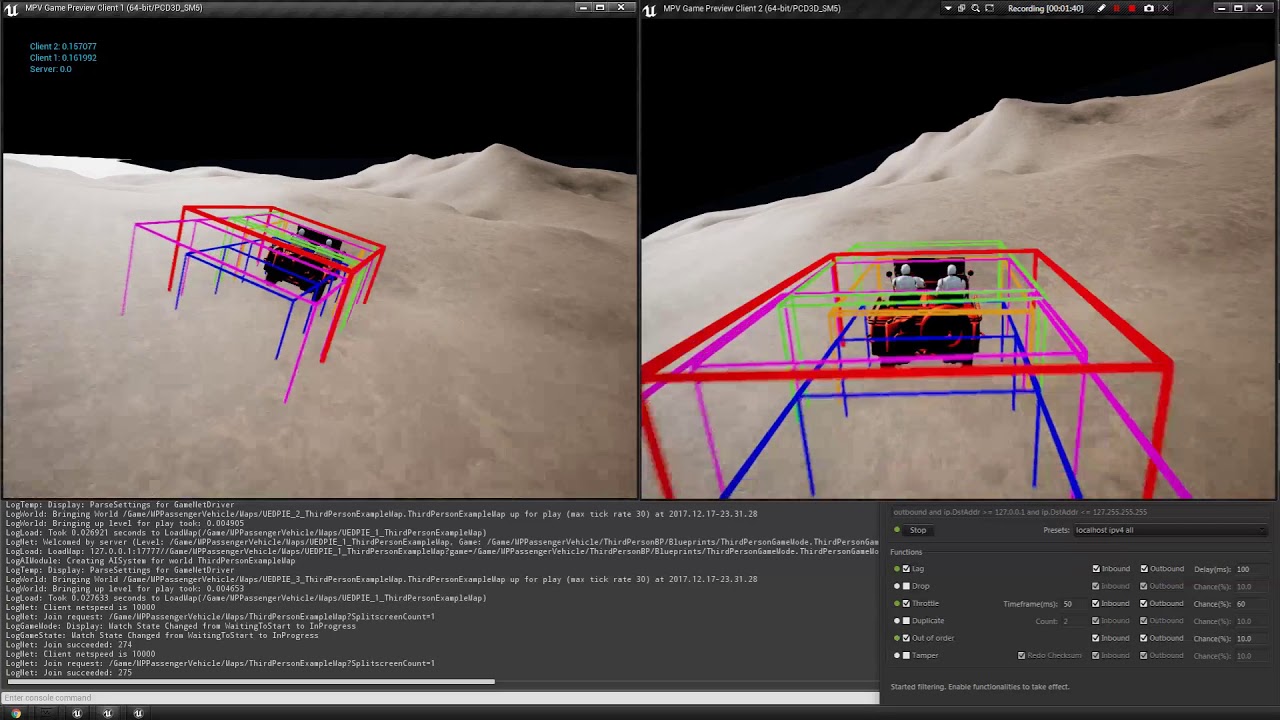
This model is using a locally gathered client history of physics simulation, but the server remains to be the authorative party for the final reconstruction ...
 fluid flower
clumsy looks like a useful tool! good find, I've been using the built-in stuff for a while, which is fine for basic tests
rotund sapphire
tho i belive it is accurante enough to get shot by a sniper from a distance and things like that - still its not the right way to have properly synced physx and stuff like that
chrome bay
I'm investigating the immediate physics mode for something like that. UE4 has an implementation of it for character Rigid Bodies.. I'm hoping I can leverage it for prediction/replay too.
Still involves lot's of duplication though 😦
fluid flower
I opted for client-side only, saved me some trouble, I have a server-authority version as well, but it doesn't play as smooth 😦
chrome bay
Got a Q about it on the Nvidia github atm: https://github.com/NVIDIAGameWorks/PhysX/issues/77
Nvidia has chipped in
If I ever crack it, I'll post codesies 😄
twin juniper
Thank you all for your comments... I am on my phone now as I am out... The thing I can not understand is on the store page he also has a link to download a test version before you buy... Its a packaged one... Tottaly smooth for both client and host. But its not when you build it yourself. We have emailed the dev and he can not get what we are... His is always smooth. Of course unless he is lieing but you would hope not.
chrome bay
The thing to bear in mind is that on LAN and with comparable framerates between server and clients, it would always be smooth. But once you introduce any latency and real-world(TM) conditions into the mix, it falls apart.
rotund sapphire
TADS, he probably have been tinkering with the physics replication ini settings (which i just mentioned earlier) but then his workaround will be desync and ocassional teleporting will occure
twin juniper
@chrome bay it jitters on lan too haha. I will look on to everything you have said here as soon as I get back home. Thank you for your info.
 void orbit
@bitter oriole are you referring to Tom Looman's or is there another?
bitter oriole
Let me check

Udemy
Use Epic's Unreal Engine for online game development in C++. Covers LAN, VPN, Steam, and more.
That one.
chrome bay
Multiplayer Helium Rain when :D?
bitter oriole
Absolutely never, would be a nightmare
chrome bay
Haha
bitter oriole
Working on something very different, that I'm still not sure will lead to anything
chrome bay
ah my life story for game dev...
bitter oriole
I'm trying to do something new and a bit original, so the basic problem is getting to something actually fun
chrome bay
Also my life story for game dev 😄
implement something technically sound.. but is it actually fun? usually not...
trim oriole
@thin stratus sorry about the long message i am trying to get the player just by ip connect but it kicks on join not sure how to handle the players join i just cant get it working its probably bad port forwarding on my part ill they join and then get kicked to the black load up map and when joined last for a minuet then kicks that player invalid info this is where i'm stuck.
twin minnow
@winged badger the issue regarding the counts had to do with when i was setting bisspectator to true/fase
false*
for some reason when i set bisspectator before possessing an instance of my spectator pawn, the playerstate's bisspectator goes back to true
which makes sense i suppose
trim oriole
@bitter oriole what a great resource just what i was looking for when asking for links and help thank you for posting this. not does it work i got tom loomens there to is there any other on this topic tested and working?
 twilit swift
Hey Guys, How can I make sure a CPP function only gets called on client? Here's what I'm currently trying. Does this make sense?
    void ReturnToMatch();```

```void UMyGame_GameInstance::ReturnToMatch_Implementation()
{
    //Do stuff
}```That function is marked with 'Client' so the _Implementation() will only ever be processed on a network client - unless of course you call ReturnToMatch_Implementation(0 manually.
twilit swift
So, because I'm dumb... If I call this function as the host in a networked game, this function will NOT replicate to the other clients.
twilit swift
Ok, thanks @chrome bay
 jolly siren
Does anyone know what the precision is for replicated floats?
jolly siren
okay, that is what I thought. Having issues where my replicated pitch/yaw floats aren't 1:1. Just wanted to make sure I can expect full precision over replication for them. Must be something else throwing them off.
Thanks James
chrome bay
np's!
 unkempt lodge
Hello, i'm making a multiplayer game and i have a problem on the movement, my character is moving like he was shaking 🤔
PS: sorry for my english 😅 + could you @ me pls if you think you have a solution
twin minnow
ive had a similar issue
when your character is shaking is this only happening when you sprint?
@unkempt lodge
because i have this issue when i was changing my movement's maxwalkspeed without replicating this change. however, now i just change the value added into addmovementinput based on whatever state my character's in (walking, running, etc.)
 brave moon
How to replicate hip position of ragdoll? This is the whole setup, it's empty project with this ragdoll blueprint in ThirdPersonBP.
This is how it currently looks(client see wrong position).
winged badger
force the actor position update before the ragdoll executes on client
 hoary spear
In this context tho, does it really matter?
The player (client) will never have something to compare it to during normal gameplay, will he ?
So its not like the player will go "eeeyy, your dead right foot is wrong!"
brave moon
It matters... for more reasons 1)there's a grab system where you can grab ragdoll do stuff with it.... ragdoll offset from server side can be 10m meters so while you trying to grab ragdoll you see on client it can be anywhere 2) when ragdoll goes back to animation it looks weird bcs its going on server ragdoll location and it will cross like 5-10m while getting up.
And i dont want to replicate all bones locations and rotations, just position of one bone(pelvis) so it follows where the capsule is.
Also when i put switch has authority node before set world location, capsule position on both server and client is correct but mesh still offsets(while still follows capsule) from capsule
https://uploadfiles.io/vqgp4 here is link of the project (50MB rar, 4.18 but version doesn't really matter) if someone wants to try to solve it

Download RagdollReptest.rar for free @UploadFilesFree
 tribal solstice
Is it possible to have different chat rooms on a server that display only players in that room?
I want a large number of people to be joined on a server, but I want them to be able to join chat rooms within that server and only see and talk to the players in that room. I'd like to do it without having to switch levels for each chat room if possible. In UMG.
I'm thinking there is the main server, which everyone is logged into. Then you can select a chat room, which opens a UI on the PlayerController and tags the PC depending on which chat room they selected. Then, that room only displays a list of the people with that tag.
tribal solstice
Is this a case where it might make more sense to have the widget created on the server so it's persistent?
and then PlayerControllers can add the existing widget from server into their viewport to 'join' the chat room
tribal solstice
For example at session start, a bunch of chatroom widgets are created and assigned as variables. Then when a PlayerController join the server and selects a certain chatroom from a list, it adds the corresponding widget to their viewport and updates the player list but only for those players that selected that specific widget variable
 runic cairn
Where do you guys call the GameMode's ModifyDamage() within GAS? I was thinking in PreGameplayEffectExecute?
 opaque oriole
Hey, I want to play sounds only on clients, to be heard only by the player that's calling the functions which are connected to playsound(), actor that plays the sound is replicated. Currently I'm able to either play sound on all clients, replicating the server/client events, or play on the server only (since the actor calling the sounds is owned by server)
any advise on how to approach this case to play and hear sounds only per each client individually
thin stratus
@tribal solstice 1. UE4 is not build for a lot of users. It might allow you to have 100 users more easily than Fortnite, because you are using a textbased thingy iirc, but despite that UE4 is more build towards having one MATCH per Server.
You can also not load more than one level per Server. One Server, one World, one Map.
- The way you describe the Widgets being created upfront is totally wrong. You can't just request Widgets from the Server etc.
Widgets are purely meant for Clients (and ListenServer Client) and aren't even replicated. If you want different "Channels" then you have to move the PlayerStates or PlayerControllers into different arrays and call RPCs only on the Member of these arrays.
You could make a Struct with a PlayerState Array in it, and maybe some other information about a chat room
Then make a TMap in the GameState with String as Key and the Struct as Value. A new Room would be a new entry then (e.g. "Room01": Struct).
You would then also save on the PlayerState or PlayerController of each user in what Room they are (just a String variable) so if someone issues a "Send Message" RPC, you can check what Room they are in, pull the Struct out of the map and send a ClientRPC to all States/Controllers in the Array that sits in the struct.
tribal solstice
eXi, thank you once again. I've been messing around all today and came up with something sort of similar to your suggestion., but yours sounds a lot more efficient.
About the many players - is it not possible to have many more than 100 players in your game if it's hosted on a dedicated server with sufficient bandwidth?
thin stratus
Really depends on the game
Fortnite makes heavy use of the new ReplicationGraph system
Which is def nothing for a beginner
UE4 was originally build for games like Unreal Tournament
So most 32 Players games work quite well.
But keep in mind this is also based on a 3D game
If you only have UI, you can technically disable all rendering
bitter oriole
100 players is nothing to laugh at for a 3D game
tribal solstice
For a 3D game I am aware that 100 is very solid, but my game is mostly text and UI. Appreciate the help once again, eXi.
@thin stratus Would you mind expanding on what you mean by 'Then make a TMap in the GameState with String as Key and the Struct as Value. A new Room would be a new entry then (e.g. "Room01": Struct).'
thin stratus
TMap or just Map in BPs is a type of variable
Similar to an Array
Only that it's not indexed by an integer but by a key that you can choose the type off
E:g. a String
So it basically maps a Key to a Value
I can't really expand on this more :P
tribal solstice
I got it! Thanks!
real yacht
when i call RestartGame in gameMode
is it GameState also restarted (variables to initial value)
or i need manually to set myInt = 0.
?
Thanks
thin stratus
RestartGame needs you to override the Restart function in each actor that you want to reset
And then manually reset the variables that you want to have default again
real yacht
so you want to tell me, that if i call restartGame in GameMode, current gameState won't be set to default value?
 meager spade
thats true
real yacht
okay, thanks
 hollow pond
Guys, I'm having a big trouble getting a bund on a multicast dynamic delegate to fire up in a Listen Server using CPP.
I'm firing it up from my GameState and I bind to it via Blueprints on all clients (UMG blueprints), but only the clients get the notification, the listen server never gets the Broadcast event, could someone point me out what the heck is going on? It works on dedicated servers and although I'm using a Server function to change a variable inside the game state, using "ReplicateUsing" to fire up RepNotify functions, I am calling them on the server manually but the listen server never gets the Bind to fire up
 winter plover
do you have some code?
hollow pond
Yeah, it's not anything complicated
winter plover
sometimes the devil is in the details
hollow pond

really that simple
just got the parts that are part of the problem
that's a gamestate class
and I just bind to that delegate on UMGs from client and listen server
but only the ones in clients that aren't the listen server fire up
I may be getting the architecture wrong on where the game state sits in the framework
winter plover
the gamestate exists on all participants
altho
I dont think it's owned by the clients
you are doing a client->server RPC
hollow pond
No
winter plover
those have to originate from an actor that is owned by them
hollow pond
I'm doing a Game Mode -> Game State RPC
winter plover
void SERVER_SetFoodInStorage(int32 Amount);```yeah, but I'm calling that from the game mode
winter plover
this is an RPC that is targeted to be run on the server
typically from a client when they request something
hollow pond
yeah
winter plover
so what you are saying it still gets called from the server?
hollow pond
it is called
the delegates fires up
and all clients bound to it on the UMG get the Broadcast event
EXCEPT for the listen-server one
if I run that on dedicated server, everything works as expected
but it's like the client-side of the listen server (which does the bound, I verified that) never gets the broadcast signal
winter plover
OnRep_FoodInStorage();
did you forget to paste that one?
im not seeing it in the cpp
hollow pond
let me check
yeah
{
    Resources_OnChange.Broadcast(2);
}```just broadcasts the change
hollow pond
😛
winter plover
can ya show me where you bind the delegate?
hollow pond
it's on UMG, onConsctruct
 winter plover
also guessing that the int32 param is a type instead of an amount
like an index for the resource
hollow pond
yeah
winter plover
kk
hollow pond
exactly, just like an ID,
just to avoid creating one for everysingle type of resource I'm creating
Like, the Idea I had in mind was to get the UMG notifications on gamestate changes from those values, so I'd use a deelgate to know when that changes on my UMGs.
for that to happen, the Game mode changes the Game state values and on those changes, I'd fire up a notify event for everyone bound to it
hollow pond
It has to be something about the duality of the listen servers
about it not being a client, per say
winter plover
I would start like
checking each piece of the chain
like first find out if your onRep gets called
hollow pond
I've done that already, everything truly works
winter plover
then whether or not your delegate is bound
hollow pond
all the rep functions fire
the delegate fires
but the listen server just doesn't get the signal on the broadcast
winter plover
then I would guess the UMG binding is causing difficulty
if the delegate itself fires
hollow pond
all clients update, except the listen server, and dedicated servers work like a charm
I'm probably thinking I need a different code logic explicitly for listen-servers
to get that delegate setup to work
but couldn't find anything related to that precisely, yet
winter plover
I dont think you really should need to
hollow pond
I know that ReplicateUsing on Servers have different behaviours
and you need to do stuff manually
winter plover
ReplicateUsing doesnt really fire on servers
hollow pond
exactly
winter plover
because they dont replicate to themselves
hollow pond
you need to call them by hand, but I do.
winter plover
yea
hollow pond
I've even fired the broadcast directly into the server function to test it out
but the client part never gets the event
winter plover
you said the delegate still fires
like did you try other binds?
that are not UMG?
hollow pond
no
just the UMG one
I could try adding some dynamics to it on a player controller
and try to see if I can nail it down
winter plover
try a couple of others, just so we know for sure whether or not it's UMG causing the issue or delegates in general
oh also, this might not matter at all but
I tend to leave delegate class declarations in the global space
as opposed to inside the class
dunno if that might cause issues
hollow pond
I actually was a bit confused about that and just wrote it down in the class and it worked
I'll try a couple of things and get back in here in a bit, haha
winter plover
good luck
 lost inlet
is it possible for OnConstruction to be called after replicated variables have been set?
winter plover
OnConstruction only re-runs in the editor iirc
at runtime you wanna use an OnRep function
that does all the things you need it to do again
winter plover
yea, what I mean is it doesnt rerun at runtime if you change variables
lost inlet
i know onreps can be called before BeginPlay
winter plover
once it's constructed that's it
lost inlet
that's not what i was asking, i do know that
it's if onreps can be called before it runs
winter plover
I see
lost inlet
they can run before beginplay
winter plover
that I dont know, but you could add a guard in beginplay
that ignores OnRep until beginplay actually happened
hollow pond
Guess what guys
stupidity matters more than we expect
nothing was wrong, at all
I was doing the OnRep thing and calling the Update on the GameMode BeginPlay
and it just happened that the listen-server client was just not fully connected during that begin play
I put a delay before testing out the messages and it worked
winter plover
nice to hear :v
hollow pond
it is counterintuitive that the listen-server wasn't ready before the other clients
so I didn't even think that'd be the problem at all
winter plover
well in any case you might not want to have logic be dependant on order of logins
bit flimsy
hollow pond
yeah, but it isn't
I was really using this way to test things out
was the only purpose of it
the client itself, after connected, register to the delegates, but at the same time reads the values from the game-state
I wasn't doing the read, yet, just the binding and testing them out
so the server one didn't get the update, but when it got to read the info from the game state they were already replicate (because they don't replicate on server) and after a small delay I'd do a bunch of changes to test the logic
and it updated correctly
 wary path
Does anyone know whether servers auto-verify (clamp?) enum value ranges in RPCs?
wary path
hmmm 😕
bitter oriole
I mean, enum values should be pretty harmless
Since you never process them directly, just testing against them
wary path
yeah well, I often use them for array access without checking, because I know their range
bitter oriole
Let me guess, C programmer ? 😛
Anyway, you'd need to clamp here, or better, detect out of bound in Validate so that the player is kicked
wary path
@fleet raven thanks for checking the code. So it would only work for bitmask enums, it seems.
 fleet raven
(there might be some more validation code somewhere that I missed, you should just try it I guess)
 odd scaffold
Hello, I started learning about multiplayer in c++ but i have a problem where I have only 1 player controller spawned in the game. This is how I know
It always prints 1 no matter how many players I set in the editor PIE
grand kestrel
@odd scaffold only the server has multiple player controllers. Clients only see their own. Unless it's a listen server, then it has them all
odd scaffold
@grand kestrel 1 is displayed on all windows. Window on server should display all of them right?
Even if I check for authority it still prints 1 on all windows
And I get the warning in log: "LogOnlineSession: Warning: OSS: No game present to join for session (GameSession)"
 green cedar
What class is recommended for keeping track of a session state across multiple maps?
If, for instance, a multiplayer game session progressed across maps 1, 2, and 3. And I wanted to keep track of stats (in an authoritative way) that happened in each of the levels?
I'd normally use game instance, but I'm not sure how that's replicated
I guess I could use game mode to store the variables in the server's game instance, then reload the game mode from the server game instance after travel, but that seems....not right
green cedar
Game State is lost during map transitions, though, isn't it?
I guess I could test that real quick
odd scaffold
Hmm
winged badger
not with SeamlessTravel
then it persists alongside GameMode, PlayerStates, PlayerControllers, anything attached to them, and whatever you add to the array of Actors that persist
green cedar
I guess I'll have to look into SeamlessTravel then, as all of that persisting would be very helpful
tribal solstice
Spent all day yesterday trying to crack this... so I'm making 'chatrooms' like so: A PC selects a room from a dropdown list. This triggers a widget to be created in the PC, and it is given a variable 'ChatroomName' which is set from the dropdown list name. Then I'm trying to show only the PCs with this same named chatroom widget open in a player list inside the room. In my GameMode on EventPostLogin I am adding new players to an array called 'AllPlayerControllers' and then running an event on GameMode which passes this array into all the connected PCs. The array is passed into the PCs and stored as an array in the PC. Then when they open their chatroom, I have it trigger a parsing logic where it ForEach loops all the PCs in the array, casts to their controllers, checks their 'Chatroom Name' variable and if it equals the owning player's PC's 'Chatroom Name', it stores them in an array of players in the same room. The last step where it's ForeEach looping the stored PCs, I get a cast failed to the PC. Here are pics:
Top two screens there are GameMode
These are PCs, red circle is the failing cast. Can anyone assist me with what may be the error? Or a better way to get this info and display the correct players?
 plush wave
How is one suppose to handle parties? I assume each platform has their one subsystem we are suppose to plug into for party functionality?
rotund sapphire
Brotch you cannot replicate player controllers to other players, it's only a reference which doesnt exists on the target so you get a bunch of nulls only.
Just use the player state classes instead, that's available for everyone already (no need to replicate either)
tribal solstice
Ahhhh, of course
So I should store the 'ChatroomName' variable in the PlayerState?
rotund sapphire
Yes. There is also a PlayerName variable already, but its not replicated by default so you can define your own instead
tribal solstice
Got it, thank you. What's the best method for collecting all the connected PC's player states?
So I can parse them for 'ChatroomName'
rotund sapphire
You can grab access to them by using the get all actors node, it's not really efficient but probably the easy way
tribal solstice
So I can do that from the owning client's PC and it should have access to all PlayerStates?
rotund sapphire
Also, storing objects in arrays is a bad idea. Just avoid doing that.
rotund sapphire
Interfering with GC and your game may start leaking. Other reason is that it gets confusing walking thru arrays of nulls.
tribal solstice
Got it, thank you!
I made a custom PlayerState, added it to my GameMode, and tried 'Get PlayerState' from my PC but I am not seeing the 'CurrentChatroom' variable in there
rotund sapphire
PC has a playerstate variable indeed, but it's class is the built in playerstate class. Cast it to your own PS class first, then you can access the variable in it.
tribal solstice
Of course of course.... thanks so much Robert
A lot to learn but you guys are all helping a ton. I appreciate it.
Hmm... I'm using 'Get All Actors of Class' to grab all my PlayerStates, then array out into a ForEach but it's not giving me access to the 'CurrentChatroom' variable I added inside.
bitter oriole
Cast
tribal solstice
@bitter oriole Instead of 'Get All Actors'?
bitter oriole
No, on each resulting actor
tribal solstice
I see. Weird, now it's working like this:
Wasn't letting me access before... does that look right?
rotund sapphire
Foreachloop is a macro, as long as you have something connected to it, it will mimic the type of that thing.
If you hover the mouse over a pin you can see its class
tribal solstice
Right, I think I understand better now.
winged badger
@tribal solstice GameState already has an array of PlayerStates
tribal solstice
Cool, so just pull from there and ForEach them to parse instead of ‘Get All Actors’?
winged badger
pretty much
tribal solstice
Awesome, thanks Zlo. Good to know.
winged badger
also, if you want access to chatroom name client side
that variable needs to be replicated
and on the screen above it is not
tribal solstice
I think that’s my issue right there. Going to test that now.
Even if it’s stored in a PlayerState it’s not replicated?
winged badger
only replicated variables are replicated
and only if they are a member of replicated Actor or replicated Component belonging to replicated Actor
tribal solstice
Got it! So setting 'CurrentChatroom' inside my PlayerState BP should fix that?
For some reason I assumed all variables in a replicated actor were automatically replicated
tribal solstice
Got me one step closer, Zlo. Thank you. Now just trying to figure out why player list in widget only shows up for the server while client's is blank
tribal solstice
Everything seems to be working, but when on client the Player's Names are coming up null. I'm having players select their names using a 'Change Name' node to GameMode.. does that not pass down to PlayerStates?
rotund sapphire
Timing is crucially important with replication, you are probably looking for things that are yet to be replicated at that time. You could try delaying the client to show up any lists, maybe they will arrive a second later.
tribal solstice
Ah I see
rotund sapphire
I'm having players select their names using a 'Change Name' node to GameMode do you mean you try to call a method on gamemode, from client?
tribal solstice
Yeah, looks like another issue
What would be the proper way to change a player's name when they select from a dropdown?
Just in PlayerState?
rotund sapphire
client select the name from dropdown -> player controller RPC sends the info to server version of player controller -> you set the player state's variable with the name -> everybody gets it in a moment later
this is what you are thinking about?
tribal solstice
Exactly
Can't figure out how to set the player name within PlayerState. Does it not already contain that variable?
It allows me to 'Get Player Name' from PlayerState but not 'Set Player Name'
rotund sapphire
There is a chance it is read only for blueprints. You can roll your own variable however which you should set to be replicated as well. Player name is not replicated.
tribal solstice
Copy that, thanks once again!
I'm so close...
Yessssssssss! Looks like it's working. Thanks to everyone once again.
Damn... it's working perfectly for client but server doesn't show any names but themselves in the chatroom.
I assume it just need an update to clear window and repopulate though...
twin juniper
onRep's are called before beginplay ??
twin juniper
tribal solstice
Looks like my last issue is that on the server the player that enters the room has the same name as the server. On client everything looks/works perfectly. I think it may be be how I'm changing the PlayerState 'PlayersName' variable?
Name selection blueprint looks like this:
PlayerController logic:
 fresh saddle
Does anyone know of a way to have a primitive component replicate it's variables once then set it's replication to false?
Seems that this is only possible with Actors and not Components
I have the DOREPLIFETIME_CONDITION set to COND_InitialOnly however I still want to disable bReplicates as I don't need any location replication happening on the component
 autumn swift
Anyone know how to do a check for dlc in steam using blueprints?
Mention me while answering plz
chrome bay
@fresh saddle conditional flags work fine on components too
real yacht
when match is started, do you think it's correct to send match time (float) every second to clients, so clients can display remaining time on UI
or, server just send matchHasStarted, and every client tick for himself and display time?
 hushed warren
What you can do is just send a timestamp of when the match started (GetGameTimeInSeconds) from there you can get the Elapsed Time by comparing the timestamp you sent to the client time. And from the elapsed time you can get remaining time by subtracting the match duration by elapsed time. This way you can save a bit of bandwidth by only having to send a value once
chrome bay
GameState already has a "Remaining Time" value IIRC
Annoyingly, it does replicate every frame
fresh saddle
@chrome bay oh, I know they do. But that's not what I was asking aha
thin stratus
GameState has no RemainingTime o.o
chrome bay
ah good..
thin stratus
What would that be based on :P
chrome bay
Maybe I've spent too much time in bloody shootergame templates
thin stratus
Like, you would need a MatchTime setting too
You did
UT replicates remaining time every 10 seconds
// Only sync the remaining time every 10 seconds
if (GetWorld()->GetNetMode() != NM_Client)
{
    const int32 RepTimeInterval = 10;
    if (RemainingTime % 10 == RepTimeInterval - 1)
    {
        ReplicatedRemainingTime = RemainingTime;
        ForceNetUpdate();
    }
}
/** Elapsed game time since match has started. */
UPROPERTY(replicatedUsing=OnRep_ElapsedTime, BlueprintReadOnly, Category = GameState)
int32 ElapsedTime;
Apparently theres an elapsed time var thats updated every second
chrome bay
That's tagged with Init Only
thin stratus
Yop, but that's the other way round
:D
GameState has a "DefaultTimer" though that runs every second by default
thin stratus
Yop
meager spade
interesting
thin stratus
I'm still confused why RepTimeInterval is set to 10
And then RepTimeInterval - 1 is used
I mean, just put the freaking 9 into it and write a comment!
(Says the one who basically copy pasted the code from its own repo)
real yacht
so, what should i take and use? 😃
thin stratus
- Have a Timer that runs on the GameState for everyone.
- Set the Timer to loop every second.
- Have a "RemainingTime" variable that is not Replicated and reduce it every time the Timer calls (would use an integer, not a float).
- Have an additional "ReplicatedRemainingTime" variable, that is set to "RepNotify".
- Update this one only every 10 seconds (see code I posted).
- In the OnRep of the Variable, simply set "RemaingTime" to the "ReplicatedRemainingTime".
That way every player counts down on their own and once every x seconds you make sure everyone is in sync.
The timer is only simulated for clients anyway, they should never execute anything based on it
real yacht
okay, thnx, and yes, nothing is executed on client based on timer, i have matchFinished on server that inform clients that match has finished
thin stratus
If you really want to use UE4's internal logic (which is often better cause a lot of other stuff depends on it), you should look into using the MatchState
real yacht
im using that
thin stratus
There is an "OnMatchStateChanged" or so function in the GameState
That calls if you set the MatchState
real yacht
yes
thin stratus
In C++ you could extend the enum but technically you can still use custom State names if needed in BPs
real yacht
yep, i figure out that i can add state names in BP
okay, i will refactor match timer for now, everything other is okay.
thnx
@thin stratus is this code running on server or client?
thin stratus
The code I posted is running on both, but the IF is limiting it to the Server
So yeah on Server I guess
winged badger
i would definitely use floats for that, and wouldn't overwrite if its "close enough"
don't want to cause visible timer to jitter
thin stratus
We use integer and I never had the Timer jittering
But of course, if you see the timer misbehaving cause of the integer, feel free to use floats
 gentle drum
Hi everyone , we just migrated to 4.21 from 4.19 and already facing an issue with the online subsystems. We are using steam online subsystem on clients and null on the servers. In 4.20 i understand that on prelogin it checks for the OSS types to be the same. so we override prelogin to skip the check. but we are facing an issue with the FUniqueNetID causing a crash. i already pin point where it happens (FUniqueNetIdNull) but this means we are no longer able to have different subsystems connecting to a server with null OSS. anyone have faced this or have any solutions? thanks
thin stratus
Hm, on one side, it sounds normal that you need the same subsystem on both
On the other side, if you just want the Subsystem stuff of Steam that has nothing to do with Connecting and Sessions, etc. it would make sense to use it only on the Client
gentle drum
Right yeah , and our servers are managed by the backend and have no use for steam
thin stratus
What exactly does the crash say anyway?
gentle drum
So basically on Null SubSystem , it uses FUniqueNetIdNull and it in the consturctor it also checks if the Types are the same
So when the Client sends their Unique Net Id it has the type steam but here It's checking if the type Is equal NULL_SUBSYSTEM
gentle drum
Yeah i tried to get the actual player id (SteamID) and create a FUniqueNetIdNull on server and then pas that through login
gentle drum
Yeah it fixes the issue but it also replicates that to the other clients and kinda losses the steam id
we won't be able to get names , avatars and steam related methods
thin stratus
What keeps you from just enabling Steam on the Server anyway?
gentle drum
We are using our own backend matchmaking and start servers on demand and connect through ip. also we are using gamelift
thin stratus
And the Steam stuff blocks ip connections?
gentle drum
yeah Steam uses same ports instead of incrementing them from 7777 , adn on gamelift we have no way of passing the port
thin stratus
Well another thing you can try is Using Steams Subsystem but not the NetDriver
And then passing the SteamID by hand
And saving/replicating it
(on the client it is)
gentle drum
Right but from what i tried , we aren't able to run multiple steam servers on one machine
the second instance always complains that failed to initilaize this could be due to a Steam server and client running on the same machine
My last option would be to create a SubSystem and only implement the Steam Features we need . on the server we just don't initialize it, this way client and server will be using the same unique net id
thin stratus
That's because you are missing the dlls
You have to put the steam dlls into the binaries folder of the Server
Then it starts without that issue
You have multiple options:
- You turn off SteamSubSystem for the Server and the try to keep it active on the Client, but turning off the NetDriver. Then you would pass the SteamID by hand as an option.
- You turn SteamSubsystem on for the Server and Client and just don't care about it, but that might kill the IP Connection as Steam usually handles this via the SteamID (would need to try that).
- You completely kill off the build in Subsystem and either implement the Steam API yourself OR invest some Dollars into UWorks, which is basically a full Steam API. You'd then pass the ID similar to option 1.
Idk if option 1. even works. It's just an idea.
If option 2. works with connecting via IP, then that would be the easiest solution
gentle drum
Right yeah i think i'll try to have the servers use steam Subsystem which i think would solve a lot of issues at once
Yeah i was also thinking about using null online subsystem for both server and client and write steam api request that we only use
since we only use auth , achievement and avatar and few small utilities
anyway thanks a lot for tips Cedric!
thin stratus
no biggie, good luck!
 ivory portal
How would you high-levelly give players their own nickname?
Like, I know to use playerstate
thin stratus
If you know about the PlayerState, I don't get the question
ivory portal
Ok, maybe did my question wrong. When I am not connected to server yet my player chooses his name
Then when he connects to server, how do I tell the server my playername?
Save it like in GameInstance?
and then on connection RPC it to the server?
thin stratus
Via Blueprints, probably by saving it in the GI or as a SaveGame
OnPostLogin -> ClientRPC -> ServerRPC -> ChangeName
RPCs should be in the PlayerController
ChangeName is a GameMode function
ivory portal
Does PlayerController have PostLogin?
thin stratus
GameMode does
ivory portal
ah so the client gamemode also has a postlogin trigger?
thin stratus
Client doesn't even have a GameMode
I told you the chain of events you have to call
GameMode::OnPostLogin->PlayerController::GetClientName (ClientRPC)->PlayerController::SendClientName (ServerRPC)->GameMode::ChangeName
The PlayerController functions are something you have to created
thin stratus
Is it somehow possible to have a boolean not call OnRep on spawn?
The Boolean is FALSE by default and even though it's not set to TRUE, it calls OnRep
Which does something that I don't want it to do
Cause well, only TRUE -> FALSE should cause it, not FALSE -> FALSE
SkipInitial isn't a thing
.>
real yacht
@thin stratus so when i do repNotify on ReplicatedRemainingTime, should i check on client is remainingTime != ReplicatedRemainingTime so i can correct time if not in sync
thin stratus
Does it matter if it sets it even if it's the same? :P
green cedar
Does anyone have a graph or page where it shows the event dispatchers/events called when a ServerTravel is issued?
I guess I could also jump into the c++, but I am being lazy 😛
thin stratus
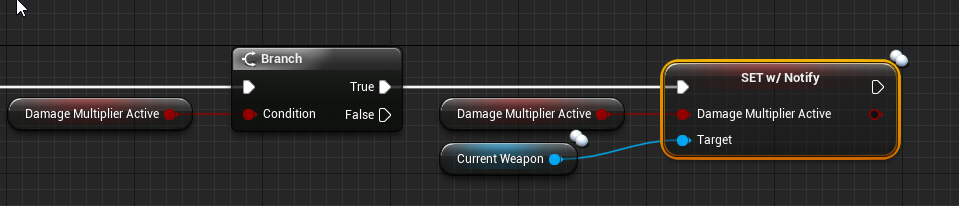
@chrome bay Any experience with a boolean calling OnRep when the game starts even though it's FALSE -> FALSE?
I thought only value changes cause this
Guess this does the job for now
thin stratus
Yop they are
ivory portal
When a player is a spectator, does he still have a playercontroller but just not a pawn?
chrome bay
@thin stratus yeah sometimes, though it does seem odd
thin stratus
@ivory portal Yes
chrome bay
I wonder if BP rep notifies are a bit "dumber" and just call the rep function anyway regardless of old value
ivory portal
Thanks
ivory portal
Maybe a weird question. I've created a LobbyController, for my main multiplayer map I'll have my MainController. Now, when I do a seamless travel it states that my controller will also move but I've got different controllers? So I guess the new controller will just take over. But how do you pass information from one controller to the other one? I thought through the server game instance but how does this instance knows which player got which controller? I can't seem to find a really good explanation about this in the docs 😕
thin stratus
- SeamlessTravel only works if you ServerTravel. Connecting to a Server is always a HardTravel, not a SeamlessTravel!
- In case you do perform a ServerTravel, which you must mark Seamless via the GameMode, the GameMode offers a function called "OnSwapPlayerContollers", which passes you both old and new Controller.
A good thing is to have a common base PlayerController class parent which defines data you want to pass.
Then you can blindly cast the two controllers that OnSwap gives you and pass data, without having to juggle if it's a Main or a Lobby Controller.
ivory portal
Ah, that's a good explanation. Thanks. (With Lobby I meant the lobby where players connect to to choose a team)
And thanks for the hint for the parent-controller
fleet raven
are rpcs processed before or after world ticks every frame?
chrome bay
before
fleet raven
that's good
chrome bay
I do wish they'd update timers before they're processed, but alas 😦
 timber anchor
Is there a way to disable the SSL certificate for unreal engine 4?... since i haven't the certificate and i can't even retrieve the data from my VPS!..
fleet raven
what certificate ?
green cedar
you'd likely have to custom implement whatever you are using to call your VPS
Unless whatever plugin you are using has a solution for it
 unborn nimbus
Anyone use gamelift?
 gleaming vector

 worn hill
<Sorry to cut in>
Where should I put a game/round timer that should be the same for everyone? I currently have the timer logic in the player controller..
I did start reading that Network compendium.
Curious if all the info in there is still applicable to current engine versions.
Ah sorry. I found Exi's comment on the subject here :
https://forums.unrealengine.com/development-discussion/blueprint-visual-scripting/78103-best-way-to-do-a-timer-in-network-game
Unreal Engine Forums
Build powerful visual scripts without code.
brave moon
Anyone know how to solve this? (https://answers.unrealengine.com/questions/577731/player-name-tags-all-showing-the-viewers-name.html), when trying to set player name above players head, my name is showing on different player
ivory portal
Im also working with Gamelift Dirtsleeper but I am using the plugins that we found on the marketplace
 harsh lodge
Is it possible to host a session over internet without using a dedicated server?
thin stratus
Yes, UE4 supports ListenServers
Which means one of the players is the server.
This opens up the game for cheating though so I wouldn't use that for any sort of competitive game
@harsh lodge
harsh lodge
No I'm not create a game I'm just creating a vr application to connect players over internet and have voice chat . I can successfully create session as listen server over lan. But dont have any idea about doing over internet. Can u please help me @thin stratus
thin stratus
For "over the internet" you are in need of some sort of MasterServer.
That Server usually acts as a central information point where Servers register sessions and players search for sessions.
Steam offers one, but obiously also takes the 30% cut.
harsh lodge
I want to do with default platform as I am targetting cross platform
Without steam
Like is it possible to host a session just by using create session and opening the port where application listens so that client can join using my public IP?
thin stratus
Sessions have nothing to do with direct IP connection
A "Session" is the information about your hosted "game" or "server".
If you "CreateASession", you basically tell a MasterServer "Hey, this is my Server, with this IP, these many players." etc.
Players can then find these and join them.
If you however don't have a MasterServer, all you can do is connect directly via IP, which requires the other players to know the IP (which usually is not the case, if not friends that share the IP by hand) as well as requiring the host to make sure ports are opened up properly.
harsh lodge
So how to connect directly via ip
thin stratus
Connecting directly via IP is a very manual and user-unfriendly thing.
thin stratus
You can use the "ExecuteConsoleCommand" node and pass in open <IPADDRESS>
where <IPADDRESS> would be the ip
UE4's ListenServer listens on port 7777 by default
harsh lodge
This will help them join the session itself or they will just get connected?
thin stratus
This does not use any sessions
harsh lodge
While creating a session should I include any parameters to setup for internet?
thin stratus
You don't create sessions for direct IP connection
Sessions are, as already said, only information about your server, so you can easier share it.
It's like a post-it with ip, name, etc. on it
Not required for direct ip connection
Server simply uses the OpenLevel node
With ?listen as a parameter
And the Clients try to use open <IPADDRESS>
That's all
harsh lodge
No if I want to allow multiple players ?
thin stratus
Has nothing to do with multiple players
harsh lodge
Ok from what I understood I need to create a dedicated server and allow clients to host a session rigtht?
If need to do without transparency?
thin stratus
You seem to mix up a bit of stuff :P
harsh lodge
Like without creating session how will I make clients find my game?
Can u dm me clearly and explain things up.😬
Please?
thin stratus
Server Types (nothing to do with Sessions):
- DedicatedServer: A Server that can be hosted on any sort of "PC", usually hosted away from Clients. Will run even if no Clients are connected.
- ListenServer: A Server hosted by a Client. The Client will act as Host and Player in one. If this Client stops playing, the Server will stop existing.
Ways of Connecting (can be applied to both Server Types):
- Direct IP: Requires Host to share IP and open up Port/s.
- Session-Based: Allows Server to register a Session on the Backend/MasterServer. Players who want to join a Server can request a List of Servers from the Backend/MasterServer.
Like without creating session how will I make clients find my game?
You have to share the IP of the Server.
harsh lodge
So in direct ip connection I don't need to create a session right?
And for dedicated setup can players create a session or the server itself should create
@thin stratus please help me with the dedicated server setup
thin stratus
There is a Wiki tutorial on how to create your own DedicatedServer
Please follow that
harsh lodge
I mean not creating it. How to make player join or should player create a session in the dedicated server
thin stratus
I already listed that above
DedicatedServer will listen on Port 7777
You need to make sure that the PC you host that thing on has that port open
And then get its Public IP
players can join it via the open <IPADDRESS> command
That's all
Sessions aren't required for direct ip connection :P last time I repeat myself.
bitter oriole
As Cedric said sessions have 100% nothing to do with your multiplayer architecture
They're a layer on top of it to avoid using IP addresses
And they provide matchmaking and other nice stuff
harsh lodge
How players can join in dedicated server without sharing its public IP?
Or how does a dedicated server creates a session without user intervention?
bitter oriole
They can't and no
tribal solstice
I've been working on this for two days and I've tried every possible combination of replication and many different ways to do this, but for some reason I just can't get it to work. When a player selects a chatroom name from a dropdown list, it executes an event to create a widget on their screen. Then it calls a function to set the 'Current Chatroom' variable within the PlayerState as the name of the created widget. No matter what combinations I've tried I can't get both the server and client to display the correct Current Chatroom variable for all connected controllers. If anyone could point me in the right direction I'd be very grateful. Here's the event that's fired after a chatroom is selected from the dropdown:
bitter oriole
You need to create a session to get rid of IPs
tribal solstice
and here's the event that tries to assign the 'Current Chatroom' variable in the PlayerState:
I'm sure I'm screwing up the replication somewhere but I cannot find out whats wrong for the life of me
harsh lodge
@bitter oriole the session should be created by dedicated server itself or by a player?
thin stratus
@harsh lodge DedicatedServers have no players when its getting created
If you do work with sessions, a DedicatedServer has to register/create the session by itself
A ListenServer does this when actively clicking "host game" or whatever your UI looks like
But Sessions require a masterServer
And there is no crossplatform service yet
At least non that works out of the box
 quartz vessel
I'm trying to create a party session (on xb1) so that friends can join eachother, form a team etc, before entering matchmaking together. I've been doing this initially via the online session interface, but this seems to really be made for the game session alone. Should I instead be going to the live session interface, or even xbox live sdk directly?
Oh, and nice compendium Cedric 😉
harsh lodge
@thin stratus thanks for your brief explanation
quartz vessel
@chrome bay I'll have to look at how Beacons are implemented, but if they aren't implemented as a live session under the hood then (afaik) the player won't be joinable from the xbox friends menu.
chrome bay
My understanding is that you create a session for the party, have players join that session via beacons. The beacons are then used for matchmaking and trying to join a session with all players in your party, then you kill the party session, move to the game session and reconnect with your party.
UT doesn't use a session for parties IIRC.. they actually use the beacons to communicate through some XMPP backend of Epic's own making (but that's not available to us ofc)
quartz vessel
bloody hell, sounds like a lot of messing around
chrome bay
It's no walk in the park for sure. There's a plugin on marketplace which does it similar to the gears-approach for Steam.
But yeah, they have an IOnlinePartyInterface which is designed to work with the Online Sub System, but the only implementation is via Epic's online services and that hasn't been released
quartz vessel
indeed
I might just go down the road of interacting directly with xbox live. We're already going to need a lot of custom party stuff because we're using our own matchmaking service, and it'll have to keep in synch between our online services party and the xbox live party
chrome bay
The party beacon code is what you are looking for. That code was ported from UE3 which we used on Gears and is most likely the basis of what Rocket League is doing. The way it works is that someone hosts and friends join that hosts session. The host then performs the matchmaking search for a match. The beacon itself doesn't implement everything that is needed since much of it is game specific, but it is the foundation
quartz vessel
Nice one, thanks
chrome bay
NP's. I thought there was more info than that somewhere but I can't seem to find it. Joe Graf is the man when it comes to that kind of thing, if you're able to reach out to him.
quartz vessel
Yeah, might stick a pin in it and post on UDN.
 remote crystal
Split screen - 1st camera have aspect ratio constraint
can i put a widget over the black space?
 maiden vine
What's the proper way to replicate set master pose component node?
anyone have a link on how to do this?
 ebon bramble
Just make a custom event that replicates to all
Highlight the custom event as if you are going to rename it and pull down the replicates drop-down ... Yeah
I have a question. I made a relatively simple multiplayer game with a dedicated server and I built the server executable for Linux in development mode. When I run the executable on a Linux server, it takes over 3 GB of RAM !!!!
I'm reading the forums and a game like Squad can support 70 players and only takes 0.5 GB
So what am I doing wrong. If I export for Shipping would that be way better ?
 fluid crag
I am trying to run NDisplay template in multiplayer but game crashes when I switch level
rotund sapphire
Is it possible with CMC to apply network corrections on the autonomous proxy in a fashion that it would smoothly rubberbanding (in a span of a couple of frames) and not just teleporting the character to the corrected location instantly?
chrome bay
The capsule needs to have it's position set instantly, otherwise you'd be constantly out of sync and sending bad moves continously
The mesh can be moved at will
Which is what it should be doing already, smoothly interpolating the mesh to the capsule over time
rotund sapphire
Do you mean, the character class by default should do this interpolation already, or is it something i should i have think about before design the character?
chrome bay
The capsule will always snap - but yes the mesh should interpolate
However, it depends on the size of the correction
If you're getting massive amounts of rubber banding, that indicates the client is regularly predicting and/or replaying something incorrectly
rotund sapphire
The correction only happens when theres a delay applied, but even then i only get a correction when i make sudden changes in directions, which i believe is acceptable. The bigger problem is however when i play root motion animations and introduce aiming which is changing the direction of the animation, there client and server will happen to disagree easily - apparently because the aiming is not synchronized properly by the CMC (or me). This slight change however causing multiple teleports to occure. It will recover from that error when i start moving normally again.
chrome bay
Root motion I'm less familiar with, but yeah I imagine in that case it gets harder
rotund sapphire
It works quite well already, tho i had to change a few ini settings to smooth it out a bit. Still the teleportation is very visible artifact which i'd like to get rid of. Probably the idea you outlined will be the ultimate solution to hide this error well enough it wouldnt cause visible errors this frequently.
chrome bay
Yeah I think making sure the animation is synchronised as best as possible is a start - it looks as though character movement still does smoothing when using root motion
rotund sapphire
Remote proxy is playing the root motion animations without root motion, and instead the capsule is moving the character's placement, so it looks smooth but not very accurate - not much i can do about this i believe. This apparently is the way i suppose to use RM over network.
chrome bay
Jesus, just looking at this abomination of an article
Yeah that sounds about right actually
Root Motion would perhaps, "fake" move the capsule then move the mesh the same way it normally would
Allows for smoothing and predictable movement then at the cost of accuracy
Man.. setting replicated vars from input functions with reliable RPC's. I've seen it all now.
In order to properly use Root Motion, it is important to note that the Root Bone of your character should be at the origin (0,0,0 with no rotation) as this allows the system to isolate physical movement (capsule) from animated movement (character).
fleet raven
is being at 0 not the whole point of a root bone? 🤔
chrome bay
I wonder if they mean in relation to the capsule?
But yeah... sentence makes little sense haha
 sharp pagoda
🤔 this guy just pushes asset flips on steam
Wow you weren't joking about it being an absolute abomination
chrome bay
Multiplayer tutorials that only work in PIE are the best
rotund sapphire
My bad i didnt mention, that i do not use root motion for locomotion, but instead playing short sequences in slots for attack / defending etc.
chrome bay
Ah I see
rotund sapphire
TheJamsh, just added a new scene comp, i call it CharacterMeshWS, but it's not attached to the actor, leaving it in world space. I attach the Character class' default Mesh to this comp instead. All i had to do is just interpolate the transform of this scene comp and the capsule, it is indeed smooth this jittering quite well. Will be thinking more about this idea, but its a progress. Thanks for the idea!
 keen wren
Does anyone know if OnRep functions call on a client when the client connects to a server late? Example: A different client invokes a server call to change an OnRep variable, after the variable has been changed and another client joins the game, will their OnRep function call once they receive the replicated variable? Because it doesn’t seem to occur on my side, does anyone know how to make sure the OnRep function calls on a late joining client?
chrome bay
@keen wren They will fire but only if the value is different to the default
E.g, if the default value is false, the server changes to 'true' and 'false' and the player joins while false, the OnRep won't fire
keen wren
That’s odd, the OnRep doesn’t call on my side even though its value is different. Guess it’s time to print logs, thanks for the confirmation though I appreciate the help 😃
 mental vortex
^ steamclient64.dll is provided (and loaded) but it fails with app ID 0 and steam init returns 0.
twilit swift
Hey all, I'm having this issue when I call UWorld::AddToWorld() as a server that it causes all the clients' movement to judder and rubberband back to where the client was when the Server called AddToWorld(). When I call the same function from the client it doesn't affect any of the other clients or the server (as expected). Anyone see something like this before?
I'm adding a duplicate level to the world for a killcam and I found that after the Server calls AddToWorld(), the client's player controller is set to local for the server.
Before the call it's remote, obviously.
very spooky.
I guess the thing I'm really wondering is what about AddToWorld() is affecting clients? Here's how I'm declaring the function it's called by:
    void AddDuplicateLevelsToWorld();```

```void UMyGame_GameInstance::AddDuplicateLevelsToWorld_Implementation()
{
    // Run AddToWorld()
}```Been working on this all morning and still can't seem to get the client's CurrentChatroom variable to display on the server. It only shows the default. I've tried every single combination of replication that I can think of and still no luck. On the client, it displays it's own CurrentChatroom correctly, and the server's CurrentChatroom correctly. The server shows it's own correctly but shows default (or no change) on the client's. Here are the blueprints - first is Chatroom Select widget. Second is the first function it calls to create the chatroom and assign it a name. Third is the function called next that applies the chatroom' s name to the PlayerState in a variable called CurrentChatroom. Any hints towards the right direction would be amazing. I can't wrap my head around what I'm doing wrong but I'm sure it's something simple I'm missing. Thanks guys!
tribal solstice
I guess the base question is what is the best way set a variable in the PlayerState so that it is available to server and client and can be pulled by either and used for logic?
thin stratus
@tribal solstice Pretty straight forward: Widgets aren't meant to be replicated
This part won't work. You can't replicate that variable
Widgets will and should only exist on clients (despite ListenServer, but that's a client too in some way)
tribal solstice
Right, so the incoming chatroom name should be stored in the PC as a replicated variable
?
tribal solstice
I think I did try that. I have honestly tried 100s of different things over the last few days but I think I fried my brain
How exactly do you mean?
thin stratus
- Widgets don't replicate.
- Variables in Widgets don't replicate (means your "ChatroomName" variable that is inside your ChatroomMenu shouldn't be marked as Replicated.
Nothing in a widget should be
Neither should a Widget have RPCs
tribal solstice
Yeah, I get it
thin stratus
- Replicated Variables only replicate in Replicated Actors (which is why it won't make sense to have them in a Widget)
- Replicated Variables only do that if the Server sets them.
- If you are a client and you want a Variable to replicate, you have to use a ServerRPC and pass the value to the Server
So you'd just add an input to the ServerRPC of Type string
And pass the room name of the Client along
tribal solstice
I think I'm following, I'll send a screenshot in a sec if you don't mind
thin stratus
If you hurry, I'm about to go to bed
thin stratus
Close
Remove that IsValid + ChatRoom thing
And change all Widger relevant stuff/variables to not replicate
tribal solstice
Copy that... changing now
twilit swift
Found a pretty big clue, I think.
Anyone ever see this log message before?
    {
        if (bBaseRelativePosition)
        {
            UE_LOG(LogNetPlayerMovement, Warning, TEXT("ClientAdjustPosition_Implementation could not resolve the new relative movement base actor, ignoring server correction!"));
            return;
        }
        else
        {
            UE_LOG(LogNetPlayerMovement, Verbose, TEXT("ClientAdjustPosition_Implementation could not resolve the new absolute movement base actor, but WILL use the position!"));
        }
}```It's in ACharacterMovementComponenet::ClientAdjustPosition_Implementation()
It seems something I'm doing on the server is causing the client movement component to have an unresolved base
tribal solstice
Where is the best place to trigger an event globally for all PlayerControllers? GameMode?
grand kestrel
Just to reconfirm - if the server sets two separate replicated variables, one with repnotify, when the repnotify is called, they'll both have been set? Meaning all replicated variables are set prior to any OnRep being called for that tick?
tribal solstice
I'm doing PlayerController > RPCServer > Cast to GameMode > Trigger event in GameMode that gets all PlayerControllers and ForEach Loops to trigger an event within each that replicates to Owning Client and does something. Sound right?
grand kestrel
Not really... use multicast
Frankly your whole setup is weird
Just do server RPC from your player controller -> net multicast without going to game mode, and this should only be done for input events that everyone needs to know about, since I have no idea what you're actually doing can't say
What is it you're sending to the server from the player controller
tribal solstice
Thanks for the reply - so a player selects a chatroom from a dropdown list within a widget. The selected name is set in the PlayerState as 'CurrentChatroom' to organize players into chatrooms. I have that working, but I'm trying to get it so within the chatroom, there is a list of players that updates for everyone in the chatroom whenever someone enters or leaves. Does that make any sense?
Here's what I'm executing on the PlayerController to update the list of players in the chatroom:
The idea being when a player enters the chatroom, this fires and filters through all the PlayerStates to find the ones that are in the same chatroom, then displays their names
grand kestrel
Seems backwards. The GameState should keep an array of players in the chat room. When a player connects the game state adds them when they disconnect it removes them. On their connect/disconnect methods, override them and send the RPC for other players
tribal solstice
And then create arrays of players for each chatroom in the GameState?
grand kestrel
Er, I don't really know your architecture. Player selects a chat room, tells server, server should have some entity representing that chat room, store it there
Also don't use GetAllActors_OfAnything_ nodes, those simply don't scale and are entirely unnecessary no matter what you make. The game mode already has an array of every player state
 severe widget
Vaei's got a step in the right direction for you, but if you make your chatrooms themselves a sort of state/info actor, you can then have any given player aware of their current chatroom state - which is the actual object with the array of others.
In practice, the gamestate is the framework actor that manages this, but you can get really fancy with the system if you want
going so far as to have custom relevancy =D
that just prevents you from also having a replicated chatroom ID or having to figure out which chatroom you're in
grand kestrel
Listen to this guy ^ I have never made a chatroom
severe widget
tbh I'd just do a socket server for a chat thing
You coud do IRC or something too
If you were going to do a filtered game-only chat, the messages can be assigned a channel ID and there might not be a point showing who is "in" a "chatroom"
tribal solstice
Thanks @severe widget! Trying to follow here...when you say make the chatrooms themselves a state/info actor do you mean like a Struct?
And just so you have a better idea of my goal, the chatrooms are part of a fake OS within the game. So it's like you're 'online' on a terminal within the game with other people who are online. A bit meta and maybe hard to understand.
severe widget
Ooooo
tribal solstice
No way anyone could have known that, haha
severe widget
You'd be best friends with another user here
severe widget
He's making a linux hack sim
tribal solstice
Oh awesome
tribal solstice
I'll add that as a note, thank you
severe widget
Nah I'm talking about like a GameState or a PlayerState.
You can make your own thing, we'll say ChatroomState :P
tribal solstice
I thought the game could only have one GameState object
tribal solstice
Ah
What exactly would an object like those be? Sorry if I'm not quite following. Do you mean in C?
Unfortunately I only know blueprints for now
severe widget
You're going to quickly run into an issue if want players to be able to all connect to a given channel
Every player in the world, that is
IDK - do peple join a game and then that's an instance of your game?
tribal solstice
The user starts the fake OS, it connects to Steam in the background without telling them. Then when they open a certain app to connect to the internet, they are assigned a screenname and can go into chatrooms.
But the actual network connection happens as soon as the game is opened, at the moment.
I imagine it's better to have them actually connect during the 'internet' part, but that requires me to do a Open Level and I don't want their OS widget and screen to be wiped. Does that make any sense at all? I know it sounds insane... hah
The idea is to have it constantly running on a dedicated server eventually
grand kestrel
Probably want to have an actual chat server and use the udp/tcp socket stuff in UE4 to send the info in/out
tribal solstice
Had no idea you could do that!
grand kestrel
Been so long since I looked at it
tribal solstice
That sounds awesome
grand kestrel
But I have sent stuff between different UE4 servers so you can definitely do it
tribal solstice
Is it fast?
tribal solstice
That's amazing. Think I could swing that in blueprints?
tribal solstice
I'd love to learn, not sure where to start with that though.
severe widget
It'd depend on whether they should be able to find anybody in the entire world, or whether it was an instanced world
grand kestrel
Google around for examples of sending/receiving TCP/UDP data with FCLSocket and Avoid anything with Rama's name he does it very wrong but he has examples (do not use)
severe widget
Really, it seems like different "websites" would just be different IRC channels
tribal solstice
So I could be running a constant IRC and then players would send and receive info from that?
severe widget
If you're going to be using anything from Rama, use it as a source of keywords that you yourself investigate
tribal solstice
Copy that
Are you guys both talking about IRC or was your method using something else, @grand kestrel ?
severe widget
hehe // BlueprintType is essential
grand kestrel
Thats universal but in this case I know he has a wiki entry on it that is very very incorrect
My method was for anything that you send in/out over tcp/udp
Its for nothing specific at all
severe widget
His is lower level IIRC
grand kestrel
Yup
severe widget
raw packets, right?
tribal solstice
Copy that
grand kestrel
I have wrappers for the socket, the sender, and the receiver
tribal solstice
So IRC - would that require me to setup my own IRC server ideally?
Or is that far too advanced? Probably easier to just join a network and make channels?
severe widget
you'd probably be able to start out that way
later on you'd want to host it yourself
tribal solstice
And then just change server data when/if I setup my own IRC?
severe widget
yeah
tribal solstice
Cool
@severe widget Should I just google what @grand kestrel said if I'm going to go with IRC?
severe widget
feel free to google anything either of us have said
you'll want to understand it before using it either way.
if you find sockets easier, do sockets.
tribal solstice
Looks like there are some plugins in marketplace as well
Just to clarify - @grand kestrel is saying I could use TCP/IP Sockets, but what would key difference be with using IRC?
severe widget
IRC is higher level, its "on top" of sockets
Just look at example usage code, really
grand kestrel
With sockets you literally just have a way to send arbitrary data in/out
That's it
severe widget
^
grand kestrel
What you send in/out is up to you
tribal solstice
And IRC is adding a level of security over that?
grand kestrel
Features
tribal solstice
I see
grand kestrel
IRC is a full featured chat
severe widget
not security
tribal solstice
That makes sense
grand kestrel
You could probably use sockets to get stuff in/out of IRC
tribal solstice
so channels and whatnot
severe widget
ye
tribal solstice
Goooot it. Awesome.
severe widget
Gl though
grand kestrel
Yeah its gonna be involved
severe widget
you'll learn quite a bit
tribal solstice
It sounds fun to be honest, I love this kind of stuff. Happy to learn
Really appreciate your help, guys
This looks interesting: https://forums.unrealengine.com/community/community-content-tools-and-tutorials/112836-socketer-free-tcp-socket-blueprint-plugin
Unreal Engine Forums
UPDATE 3: An Unreal Engine 4.21 update has been released! Find it's source code, installation instructions, and built windows binaries here: https://github.com/How2C
grand kestrel
There should be a lot of similar plugins around
Seems reasonably weak though, only works on windows and no udp
tribal solstice
How's this one look? https://www.unrealengine.com/marketplace/en-US/simple-udp-tcp-socket-server
No Mac either though... just iOS
 misty stirrup
does anyone have a solid work around for this?
i was thinking about making the call multicast, but im not sure how that will affect newly connected players?
i just realize this explains a ton of dumb workaround stuff i had to do involving making items not interact with players oh my god
 rapid crane
Hello, suppose I initiated a connection to a server using the open level command, all is fine and I get a message back saying:
LogNet: UPendingNetGame::SendInitialJoin: Sending hello. [UNetConnection] RemoteAddr: X.X.X.X:7777, Name: IpConnection_0, Driver: PendingNetDriver IpNetDriver_0, IsServer: NO, PC: NULL, Owner: NULL, UniqueId: INVALID
How do I later retrieve the RemoteAddr: X.X.X.X:7777 in say my playercontroller?
If I try this in the player controller:
return NetDriver->ServerConnection->LowLevelGetRemoteAddress(true);
I still get "127.0.0.1" back as host address which is clearly wrong. I can verify I am connected to actual remote host.
 cerulean acorn
Hi. A question on OpenLevel with a dedicated server. I've set a maximum number of clients that I check in my GameMode's PreLogin(), returning a non-empty error string if I reached the maximum number of players. So the client connects to the server on BeginPlay() , but if it fails because of Max Players, it spams the server continuously which returns the same error over and over. I can trap OnNetworkFailure() on my GameInstance, but doesn't do anything unless I explicitly call RequestExit() or exit(0) to make it quit. Any way of stopping it to loop this way ?
lost inlet
yes as that's the default behaviour
 pallid mesa
well, these five lines don't say so ```
[2019.03.09-12.46.28:280][ 0]LogOnline: STEAM: [AppId: 0] Game Server API initialized 0
[2019.03.09-12.46.28:280][ 0]LogOnline: Warning: STEAM: Failed to initialize Steam, this could be due to a Steam server and client running on the same machine. Try running with -NOSTEAM on the cmdline to disable.
[2019.03.09-12.46.28:281][ 0]LogOnline: Display: STEAM: OnlineSubsystemSteam::Shutdown()
[2019.03.09-12.46.28:281][ 0]LogOnline: Warning: STEAM: Steam API failed to initialize!
[2019.03.09-12.46.28:282][ 0]LogOnline: Display: STEAM: OnlineSubsystemSteam::Shutdown()
I might be missing a dll or a step
because it only works when steam is running on the background (even unlogged)
I've tried to place the steam_appid.txt on the binaries folder, but it erases it when steam is not running
meager spade
error C2275: 'UAresPlayerAnimationController': illegal use of this type as an expression
DOREPLIFETIME_CONDITION(UAresPlayerAnimationController, MovementInput, COND_SkipOwner);
oh nbm
missing UnrealNetwork.h
 solar stirrup
Hey everyone
What would be the best way to synchronize a player's inventory client and server side?
cerulean acorn
@solar stirrup I guess you are talking about replication. Your character has variables that can be modified on the server-side which is then "replicated" back to the client.
solar stirrup
I meant synchronize, aka make sure both have the same inventory
I mean my plan rn is to have RPCs for adding and removing an item from the inventory
but then i'd also have to serialize the state of the item (health, ammo left in weapon for example)
meager spade
use some sort of Attribute Struct
which contains the item status
and replicate that
solar stirrup
👌
cerulean acorn
Hmmm. I'll answer the question I asked earlier this morning: Don`t put OpenLevel() on BeginPLay() or else, a PreLogin() failure will cause you client to re-connect endlessly.
Deferring my connection request with some action prevented that.
 ruby furnace
Anyone here got dedicated servers on linux running for a steam project?
hoary spear
To keep inventory integrity in multiplayer, shouldnt the server hold the inventories?
ruby furnace
yes, otherwise the players can cheat and add things to the inventory?
hoary spear
its just a regular game at the end of the day tho,
in this specific instance your playing together up to 4 ppl,
and im not sure if its worth the effort to care if some of them would cheat or not
no competitive play or anything. just a 4 player rpg 😛
hoary spear
makes sense 😛
tribal solstice
hey ya'll. I'm sending a server RPC from my PlayerController, which then activates a multicast RPC but for some reason it's only triggering on the server
that should work yeah?
jolly siren
Are you expecting it to execute on all clients or only the owning client?
@tribal solstice
tribal solstice
@jolly siren All clients
rotund sapphire
PC exists on server, and owning client only, so this wont execute on all clients ever.
meager spade
you want to use GameState or some other actor that is readily available on all clients
tribal solstice
Ah of course. Sorry guys, still wrapping my head around replication.
So cast to GameState and have that execute a multicast to PCs?
rotund sapphire
Calling RPCs are very expensive networking operation, if you can design your idea around replicated variables you're better to use them as much as possible. Depending on the purpose of this RPC call of course.
meager spade
well RPC's are used where replicated variables cant be used
i re-wrote most of my systems to use OnRep's as much as possible
where previously i was using RPC's but you still need to rpc the server from client if you want a property replicated to all
rotund sapphire
Yes. OnRep Notify is one example that can be used to fire events, but doesnt suffer the overhead of RPCs.
tribal solstice
I'll look into OnRep Notify
meager spade
this is what i had before void UAresPawnControllerComponent::MulticastSetAiming_Implementation(bool bInAiming) { if (!IsLocallyControlled()) { bAiming = bInAiming; OnAimingChanged(); } }