#multiplayer
1 messages · Page 435 of 1
 thin stratus
 severe nymph
yeah its really my fault I haven't invested the time there
but I guess that's the climb everyone makes as they start to get more serious into UE4
I'm the retard that decided to go Multiplayer/Sandbox/OpenArea/VR on my first project HAHAHA wtf was I thinking

 jade gazelle
@thin stratus adding a one second delay before the client RPC solves the null value issue, so I’m obviously calling it too quickly
Will switch over to repnotify or delay loop
Thanks for the tip, you as well @severe nymph
thin stratus
RepNotify is def the way to go then
You want the Client to do something when the Replicated Component exists on it
So yeah RepNotify. No need for a loop
jade gazelle
Got it
 opaque flicker
hi, whenver i'm trying to set material of an hierarchical Instanced Static Mesh via RepNotify on client(not server) it appears null material (In blueprint) why?
thin stratus
Depends on what exactly you are doing
opaque flicker
I'm using repnotify to set a material of hierarchical Instanced Static Mesh on a specific client, but when i debug with print string, it tells that right name of the material (on client) , but when the shape actually appears it has a null material
thin stratus
at that point you might want to share the code
Cause by that I have no idea what is wrong
thin stratus
Ah, that's not a problem with your networking
You didn't check the correct stuff in your Material
opaque flicker
what do u mean with "correct stuff" ?
thin stratus
Sorry, got distracted
Was actually still writing
Open up your Material
Click on the big node that has all the pins on it
And scroll down on the left side
You'll find a list with a lot of check boxes
Search for the one that says something about "Usable with Instance Static Meshes" or so
@opaque flicker
opaque flicker
i will check and brb to u
dude u rockkkkkkk
thank u alot 😃
that saved me alot of time 😃
 icy nacelle
I've got a replication problem with an actor I've got moving along a spline. For some reason the Actor will disappear when its 10000 units away from where the client first spawns.
At first I thought it was a draw distance issue, but this problem only persists when playing as a client. Any idea what the problem might be?
thin stratus
Don't worry. I always forget about that too. Girlfriend reminded me a few days back cause I cried about my Matrial not working :D @opaque flicker ¯_(ツ)_/¯
opaque flicker
xD
thin stratus
@icy nacelle Sounds like relevancy problem?
Try ticking "AlwaysRelevant" in the actor settings
And see if that still happens
icy nacelle
Yeah. I figured theres a system in place that says "when actor is x away from player, its not relevant anymore so it doesnt need to replicate"?
thin stratus
Yop
If you open the Actor and check the replicatio nsettings
It has a "Distance Squared" for when it stops being relevant
Usually you don't want to mark actors as always relevant if they aren't really always relevant
Actors like the PlayerState are always relevant
icy nacelle
Oh brilliant, thats fixed it! Thanks!! I'm currently shooting my trailer and I'm trying to get some nice shots of my train but this bug was stopping me
This is a train that goes around the entire open world, its quite important for it to always be relevant I guess 😛
 worthy wasp
if I had a matchmake service that kicked out an IP for people to connect to (Listen Server setup) - can i pass an arg into the ListenServer client's GameMode to say how many people (and any other additional information) that can be set into the listen server - so it can detect when all the clients have connected?
thin stratus
MaxPlayers
Is what you can pass
If you know how many players there will be before the ListenServer hosts
You can do ?MaxPlayers=4
or whatever you have
@worthy wasp
worthy wasp
badass - thanks @thin stratus
however - i dont see this as a variable in AGameModeBase or AGameMode.... how do i detect this number in the server map startup?
thin stratus
GameSession
worthy wasp
thanks for the clarification bud!
thin stratus
void AGameSession::InitOptions( const FString& Options )
{
    UWorld* const World = GetWorld();
    check(World);
    AGameModeBase* const GameMode = World ? World->GetAuthGameMode() : nullptr;

    MaxPlayers = UGameplayStatics::GetIntOption( Options, TEXT("MaxPlayers"), MaxPlayers );
    MaxSpectators = UGameplayStatics::GetIntOption( Options, TEXT("MaxSpectators"), MaxSpectators );

    if (GameMode)
    {
        UClass* PlayerStateClass = GameMode->PlayerStateClass;
        APlayerState const* const DefaultPlayerState = (PlayerStateClass ? GetDefault<APlayerState>(PlayerStateClass) : nullptr);
        if (DefaultPlayerState)
        {
            SessionName = DefaultPlayerState->SessionName;
        }
        else
        {
            UE_LOG(LogGameSession, Error, TEXT("Player State class is invalid for game mode: %s!"), *GameMode->GetName());
        }
    }
}
you are so beautiful - to me!
thin stratus
:P
DefaultGame.ini can also have
[/Script/Engine.GameSession]
MaxPlayers=16```But that's less relevant to your problem i guess
worthy wasp
naw i'm pulling up GameSession API now and going ot work off that - looks to be more beneficial to my agenda
❤
thin stratus
bool AGameSession::GetSessionJoinability(FName InSessionName, FJoinabilitySettings& OutSettings)
{
    UWorld* const World = GetWorld();
    check(World);

    OutSettings.MaxPlayers = MaxPlayers;
    OutSettings.MaxPartySize = MaxPartySize;
    return UOnlineEngineInterface::Get()->GetSessionJoinability(World, InSessionName, OutSettings);
}
And this takes care of kicking players if MaxPlayers is reached
bool AGameSession::AtCapacity(bool bSpectator)
{
    if ( GetNetMode() == NM_Standalone )
    {
        return false;
    }

    AGameModeBase* GameMode = GetWorld()->GetAuthGameMode();

    if ( bSpectator )
    {
        return ( (GameMode->GetNumSpectators() >= MaxSpectators)
        && ((GetNetMode() != NM_ListenServer) || (GameMode->GetNumPlayers() > 0)) );
    }
    else
    {
        const int32 MaxPlayersToUse = CVarMaxPlayersOverride.GetValueOnGameThread() > 0 ? CVarMaxPlayersOverride.GetValueOnGameThread() : MaxPlayers;

        return ( (MaxPlayersToUse>0) && (GameMode->GetNumPlayers() >= MaxPlayersToUse) );
    }
}
FString AGameSession::ApproveLogin(const FString& Options)
{
    UWorld* const World = GetWorld();
    check(World);

    AGameModeBase* const GameMode = World->GetAuthGameMode();
    check(GameMode);

    int32 SpectatorOnly = 0;
    SpectatorOnly = UGameplayStatics::GetIntOption(Options, TEXT("SpectatorOnly"), SpectatorOnly);

    if (AtCapacity(SpectatorOnly == 1))
    {
        return TEXT( "Server full." );
    }

    int32 SplitscreenCount = 0;
    SplitscreenCount = UGameplayStatics::GetIntOption(Options, TEXT("SplitscreenCount"), SplitscreenCount);

    if (SplitscreenCount > MaxSplitscreensPerConnection)
    {
        UE_LOG(LogGameSession, Warning, TEXT("ApproveLogin: A maximum of %i splitscreen players are allowed"), MaxSplitscreensPerConnection);
        return TEXT("Maximum splitscreen players");
    }

    return TEXT("");
}
In the middle
PreLogin calls that
In AGameModeBase
There you have the full cycle, enjoy :P
Login also calls that a second time
@worthy wasp
worthy wasp
🍆
 fleet viper
so i've got a very bizarre error here and this happens only on client side https://cdn.discordapp.com/attachments/221799385611239424/530463784242905099/Desktop_Screenshot_2019.01.03_-_20.03.59.89.png
https://cdn.discordapp.com/attachments/221799385611239424/530463785916301383/Desktop_Screenshot_2019.01.03_-_20.05.23.10.png
and how can a location of an actor be 0 if he is somewhere else?

 thin stratus
Well you are getting AccessedNone errors
That's not bizarre
You are accessing a null pointer
An empty reference
@fleet viper
fleet viper
lemme check that quick
you mean the default replicates check box under replication right? if yes then the actor is replicated
thin stratus
Well where are you getting that causer actor from?
fleet viper
@thin stratus
 keen thorn
where does the damage event broadcast occur? Usually all dmg events should only run on server.
clients should only do cosmetic stuff
 lost inlet
so here's an odd thing, the NetDriver doesn't seem to keep hold of any of the stats it updates, resetting them all to 0 at the end of the block in TickFlush. it seemed like UT used NetDriver->In/OutPacketsLost to display the packet loss %
but because of this reset, it's always 0
 agile lotus
is there anyway to detect which playercontroller is host from the gamemode
keen thorn
@agile lotus thats kinda funny cus gamemode only exist on the server. So the playercontroller that have IsLocalController to be true should be the one
worthy wasp
am I to take this as a return out variable for the ErrorMessage in AGamemodeBase::PreLogin() ?
void AGG_GameMode::PreLogin(const FString & Options, const FString & Address, const FUniqueNetIdRepl & UniqueId, FString & ErrorMessage)
Accept or reject a player attempting to join the server.
if so - what is the target? There is no pointer to the playercontroller attempting PreLogin()
 sharp pagoda
Not sure what you're asking, but you use the ErrorMessage as a response to the client. If the string isn't empty, it will boot the connection attempt. A PC doesn't exist at PreLogin(), the soonest it's available is at Login() @worthy wasp
worthy wasp
i guess what i'm asking @sharp pagoda is how is this error message then handled? Do I call PreLogin manually somehow - and error check on GameSession->MaxPlayers? Or is this automatically done in GameSession via code - GetSessionJoinability() or perhaps AtCapacity() which Cedric says is done via PreLogin as well Login methods in GameModeBase?
sharp pagoda
The ErrorMessage is returned to the client, which can be used to inform the client as to why their connection was refused
worthy wasp
i was looking to give an error message to the attempted client - but i'm thinking ic an do that on JoinSession->Failure() delegate?
sharp pagoda
Don't call PreLogin manually
worthy wasp
how do i define this error message then?
sharp pagoda
It's a reference, you just assign it?
worthy wasp
udnerstood - so it IS INDEED an out parameter to the function?
sharp pagoda
Yes
worthy wasp
thanks - makes sense!
sharp pagoda
Typically non-const reference parameters are used as output
worthy wasp
i figuerd as much - i just wanted to clarify - all of these functs are new to me using in this project i'm putting together
thanks again!
 dull yoke
This is more of a design question, but is client camera should be on the server then replicated back to the owning client or can it just be pure client-side that server should be unaware of? And any advantages/disadvantages to this?
 edgy galleon
client side, why does the server need to know about the camera
dull yoke
Thanks @edgy galleon , that's actually what I'm wondering. Google searches always shows people asking how to properly sync server/client camera.
edgy galleon
well if you want other players to see your look direction or something you could pass along the rotator but other than that I don't see why you'd need to
 past bear
Anti-cheat measures, preventing players from modifying their camera client side
Pretty standard stuff, otherwise clients can look through walls, around corners etc that they shouldn't be able to
dull yoke
@past bear I think looking through walls is more than a camera issue. Any hack can just easily remove walls or make other players visible by making a skeleton outline, etc... That's why other game developers choose to external agent apps that detects processes that tries to read your game's memory values. Its very intrusive to players but it solves the problem without incurring overhead on the network bandwidth.
thin stratus
You should properly setup relevancy so that actors behind walls aren't replicating anymore. Then you also can't wallhack cause even without walls there is nothing to actually look at.
 worthy perch
Hello eXi, I didn't know that was possible. What property is that called?
@thin stratus
thin stratus
It is cpp only. Function you can look into is "IsNetRelevantFor"
worthy perch
Awesome, had no idea that existed. Thanks.
keen thorn
Anyone know why when I attach an actor A to a component B using AttachToComponent on server, on clients they will be attached fine but the actor position would slightly change every time? I'm attaching to a bone socket of a skeletal mesh, attachment rule is to keep world position. On standalone or listenserver it looks fine (no slight movement at all)
 meager spade
dedicated server might not be rendering the skeleton pose
well it wont render it by default, dedicated server will keep the pose as T or A (no animation)
you need to either refresh the mesh and some hackery before attaching to socket or have it always update on the server
keen thorn
@meager spade the skeletal is set to always update, the whole thing works, but theres just a slight translation
I guess i gotta make my own attachment code to fix this
 hoary lark
Any particular reason why you're using keep world position? Is this something like, being shot by an arrow and making the arrow stick into the player?
 robust wind
Hey folks I got a question,
In my Multiplayer Game when I use server travel to get to the game map from the lobby everything works fine.
Now that I want to go back from game to the lobby map it only works when the server is playing solo as soon as there is a player connected it crashes
Even though everything is setted up the Same way as to move from lobby to the game
 winged badger
It can crash for literally hundreds of different reasons. Output log at the time of the crash? CallStack?
 past totem
Best way to remove an instance of a static mesh component in multiplayer? (For server & clients)
tried this but it bugs out sometimes
ping me please
 jagged garden
@past totem instances arent replicated. you have to make sure they are added and removed in the same way on all clients/server
past totem
@jagged garden how would I do that?
jagged garden
if you wanted to add an instance you would have to multicast like you have for the remove instance
and you always need a target
jagged garden
are the foliage instances created statically?
past totem
they are created with the landscape foliage editor thing
past totem
doesnt destroy for client, destroys for server
so when I walk on it it bugs me out like it's not there but I can still see it
jagged garden
I wonder if the indexes aren't the same on client and server
try doing a rep notify instead of a multicast
jagged garden
yeah
sorry when I said rep notify I meant updating when the server foliage changes but that wouldnt work
I did something just like this but I dont remeber having problems
 twin juniper
Does anyone know how to setup p2p networking so that players don't have to port forward?
listen server without port forwarding
thin stratus
UE4 doesn't support P2P
What you mean is the NAT PunchThrough
If you use Steam for example it does that by itself
twin juniper
How does that work?
Are there any tutorials for this online?
I have project setup for dedicated server, but want add p2p listen servers
thin stratus
P2P and ListenServer are two different things
thin stratus
ListenServers that don't have to open ports are done through NAT PunchThrough
twin juniper
Okay so what I want is a ListenServer that uses NAT PunchThrough?
How do I implement this? Steam? Does steam have tutorial?
thin stratus
Steam does that for you
But as implied, you HAVE to use Steam then
I have never implemented NETPT by myself, so can't help you there
twin juniper
How does that work? Does steam have a way to just join a "nat punch server" which has good ping?
oh
Do you know anyone who has?
@thin stratus Sir, is this it? https://partner.steamgames.com/doc/features/multiplayer/networking
robust wind
Hey quick question I have the advanced sessions plugin installed and now want to create a LAN sessions works fine if steam is turned off but as soon as steam is enabled it fails, how can I switch the online subsystem that should be used during runtime if that is even possible?
 covert ember
I have an issue as well, during the compiling stage for packaging it says Steam API disabled, what do I need to do to fix this, any help is greatly appreciated, I have been stuck on this for a very long time. -Airsoft117
worthy perch
Airsoft, if I had to guess, and my understanding of how to properly use Steamworks is limited, you're probably calling some SteamAPI function before checking SteamAPI_Init.
lost inlet
that's a message you can ignore in the cooker
the cooker is just a cmdlet, which will load project plugins
worthy wasp
I'm drawing a blank here - I have a STATICALLY placed actor in my level - and the BeginPlay is only running on CLIENTS - and not the ListenServer in PIE testing.... Setting the actor to bReplicates.True does nothing different... it shouldnt even need this.
I thought BeginPlay runs as both Server and Client - but my listen server isnt seeing any events i'm doing in BeginPlay (which is also some delegate binding to GameState) - i shouldnt have to Multicast this event shoudl I?
{
    Super::BeginPlay();
    GEngine->AddOnScreenDebugMessage(-1, 10.f, FColor::Green, FString::Printf(TEXT("%s: HOLE MGR - HELLO"), NETMODE_WORLD));
}```BeginPlay does run on both server and client in pretty much all situations. What do you mean by ListenServer in PIE? Like checking "Running as Dedicated Server" or just having two clients run where one is the authority?
Because in the case with two clients, the authority client will act as the server and a client.
keen thorn
BeginPlay should run everywhere regardless
worthy wasp
thats a grand notion & all - but it simply doesnt happen in PIE testing for LISTEN server setup:

i solved it by doing an iterator of actors + running event on this actor - its a manager class... takign over ownership of the rules of the match i'm doing.
its weird - it runs fine on NetClients - but not on the ListenServer client - print stringing BeginPlay() only prints out to NetClients - never to the ListenServer client.
this maybe just a PIE problem - i'll debug this with Standalone testing later
worthy perch
It wouldn't be surprising if it was a PIE problem. Dedicated Server stuff in PIE has problems too. Though, this case in particular is a bit weird.
keen thorn
let me test quickly on my project, but im on 4.20 tho
worthy perch
Just curious, do you plan to stay on 4.20?
keen thorn
no i don't, I will update when i feel the need for new features in later builds and also if those are stable enough
worthy perch
Alright, I only asked because personally, I chose to skip 4.20 because of this issue: https://issues.unrealengine.com/issue/UE-62345.
Hopefully 4.21 is good. I do want to switch off 4.19.
keen thorn
Hm, havent encountered this issue yet, but its fixed for 4.21
maybe i need to update if i encounter same issue
keen thorn
ok i tested @worthy wasp 's issue and its not an issue for me, i can see the msg fine on listen server
but this may be because i use 4.20
 hardy dome
Hey, bros! How can I change the transform of a client-owned pawn from a server-owned pawn?
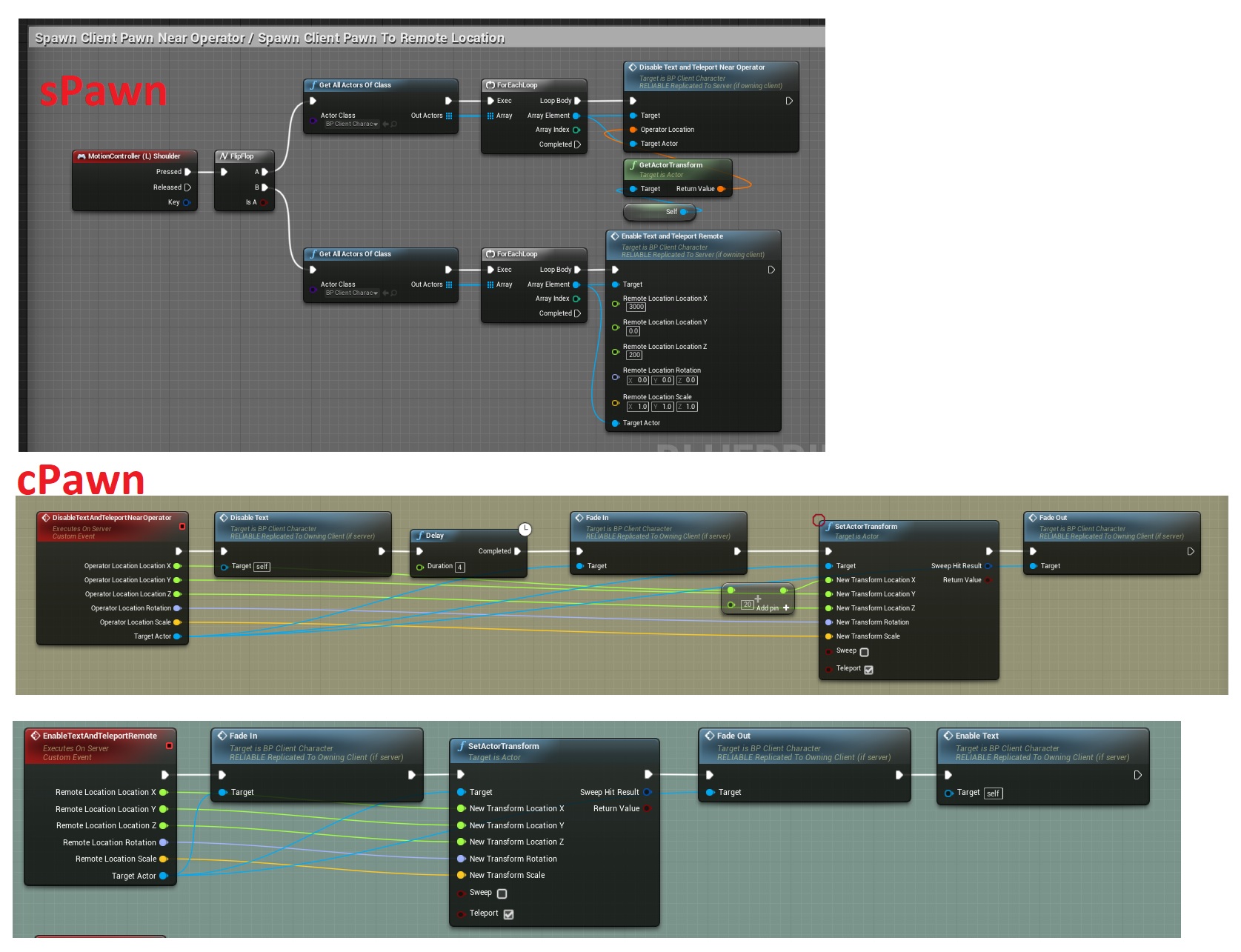
I've got 2 different pawns: server-owned pawn(sPawn) and a client-owned pawn(cPawn). I need to change the transform of a cPawn by pressing a button on a sPawn.
What I do is on the sPawn I look for all cPawns and let the server change their transforms. See BPs pic attached.
However, while on the sPawn side I see cPawn changed transform to near me, cPawn player stays on the same transform as before(nothing happens to him).
Why is that? I change cPawn's transform on the server and I thought it should work, but it doesn't.
keen thorn
have u enabled replicate movement on the cPawns?
this will let the server replicate translation/rotation
otherwise the server wont do this by default
hardy dome
Where is it?
keen thorn
the movement component doesnt need to be set to replicate since its inside the actor already
its the main property window of ur pwn
keen thorn
is this for ur pawn or for ur component
hardy dome
this is for the pawn
hardy dome
i'm using 4.18 if it tells you smth
keen thorn
i cant see the blueprint graph above clearly so not sure what happens there
are u using multicast to replicate or simply setting the transform?
hardy dome
Omg, thanks for telling me that, smth strange happend to the screenshot
hm, looks like discord downgrades it
keen thorn
ye
BlueprintUE
BlueprintUE.com is a tool for sharing, rendering and rating blueprints for Unreal Engine 4. UE4 is a game engine which use visual scripting called blueprint.
use this
u can copy ur bp and paste there
 keen thorn
oh i see ur RPC
its set to run on server
u see this part, what it does is it will call server function, so here it will again call the function on server
nothing gets transferred to clients
u gotta use multicast if u wanna replicate using RPC to clients
but since movement is replicated, u can just simply set the cPawn transform from cPawn
from sPawn
and it should automatically replicate to clients
hardy dome
So if I got it right I need just change these two functions on cPawn from "Run on server" to "Multicast"?
keen thorn
what happens on the MotionController event is u eventually try to call an RPC on the cPawn, but this RPC is set to only be called if u own the pawns
the server does not own these cPawns (not controlling them)
and these RPC are set to be called on server from owning clients as well
what u need is a multicast RPC
this way it will be called on all clients + server
keen thorn
yes looks right
keen thorn
ye
then u call that as before from the server
oh wait let me think, what are u trying to achieve
u want a pawn from a client's action to be shown on all other clients via the server?
hardy dome
No, I want a clients pawn to teleport near the server pawn location
By the push of a button from the server pawn
keen thorn
oh ok...
then u dont need any RPC
u can simply make it a normal event
like a function call
and change the transform
make sure the cPawn have replicate movement to true
hardy dome
it is
keen thorn
the function calls above are RPCs
can u try use normal function calls?
or simply set the transforms
in the for each loop
directly
and see what happens
hardy dome
Well, I can do that, but I doubt it will work, because how will the server know that cPawns transform has changed?
keen thorn
because u are calling it on the server (as u said=
)
the motioncontroller even is done on the server right?
that means everything that follows is known on the server
unless I am misunderstanding something...
hardy dome
Yes, I'm calling it on the server owned pawn, so does it mean these functions are called by the server(even if set to "not replicated")?
keen thorn
if u call it from the server then everything that follows is guaranteed to run on the server
replicated or not
by server owning pawn, do u mean a pawn owned and controlled by a listenserver instance right?
hardy dome
I'm a bit confused, sorry. So, does this mean that if the server owns sPawn than every fuction that fires on the sPawn is fired by the server? Like these motion controller events?
keen thorn
MotionController yes
hardy dome
"by server owning pawn, do u mean a pawn owned and controlled by a listenserver instance right?" - right
keen thorn
because external input is always connected to the instance that has this input connected, if this instance happens to be a server then it will run there
but if the motioncontroller happens on another machine, then it wont happen on the server sPawn (obvious cus sPawn is not owned by the other machine)
"I'm a bit confused, sorry. So, does this mean that if the server owns sPawn than every fuction that fires on the sPawn is fired by the server? Like these motion controller events?" Yes if motioncontroller fires on server, and server owns sPawn, then everything that follows run on the server
hardy dome
Lol I thought I have to set at least "run on server" even if the pawn is already owned by server
keen thorn
no u dont
😛
a server is like any other machine, it only has a special ability which is to send data to other machines
other machines have 1 special ability is to send data to server if an RPC is called within their owning pawn/controller
note here no machines (except for server) can send any data between themselves
in clase u use dedicated server then ur logic need to be different though
cus then everything thats visible will not be the server
hardy dome
I'm using direct ip just in case
keen thorn
in ur case now u do need a multicast RPC, to do the fading and stuff
but for the transform u dont need
hardy dome
do i need to set actor transform right in the sPawn after the foreachloop?
keen thorn
yes
u can set it in the cPawn as well as a normal function call
but all the fading and stuff wont happen on client unless u tell the clients so with RPC
only the transform will work
hardy dome
ok. I'll try that! thanks for the detailed explanation 😉 networking is so confusing lol
keen thorn
ye it confuses everything
everyone
😄
im also making a VR multiplayer game
but i dont have the VR gear here to test 😢
hardy dome
Hm, messaged you
twin juniper
Listen server collision broken
meager spade
im sure the collision is not broken
more you are spawning or moving a static actor
which causes collisions to fail
twin juniper
no!
Everything that works in single player works fine
by when we add ?listen
and connect other players, the collision is broke
falling through map
Could it be because I have bEnableClientSideLevelStreamingVolumes in WorldSettings?
Perhaps the levels aren't being loaded on the listen server?
 timid pendant
Hi how would I use the command line in jenkins to build a linux server. It compiles and builds the editor fine for windows but for linux it is not working. "C:\UnrealEngine-release\Engine\Build\BatchFiles\RunUAT.bat" BuildCookRun -project="MyProjectDir" -noP4 -platform=Linux
-clientconfig=Development -serverconfig=Development -cook -server -serverplatform=Linux -noclient -NoCompile -stage -pak -archive -archivedirectory="ArchiveDir"
 regal hazel
replace -NoCompile with -compile @timid pendant
timid pendant
Okay thank you
twin juniper
Listen server collision is broken
 plush wave
how do I detect if I'm connected to a dedicated server
I know "IsDedicatedServer" checks to see if you are a dedicated server
But I want to know if I'm connected to one
worthy perch
@plush wave Perhaps something like this: https://answers.unrealengine.com/questions/795554/how-to-get-server-ip-after-connection-to-session-o.html
plush wave
Thanks for the link! Not sure if that will let me differentiate between a host (peer) and a dedicated server, but I will dive into this and see if it will provide me with that data.
worthy perch
I took a quick look at UNetConnection and I don't think it has any information about listen server/dedicated server. You could just get that information through RPCs.
meager spade
@twin juniper stop keep spamming saying Listen Server collision is broken. its pointless and you won't get any help. Your implying that the engine is broken. 3 times you said that now, and you have not clearly said what is wrong, showing video of it happening etc. So please just stop saying "Listen server collision is broken".
 misty stirrup
does anyone have a breakdown on how Character Movement Component replicates?
thin stratus
@misty stirrup Don't think there is one written down.
But it's rather simple. It does all the stuff in the TickComponent function
It checks who is calling it (Server, Local Client, Other Clients)
And executes a function based on that.
Server Moves, Other Clients Simulate and Local Client Moves + Tells the Server to Move.
When performing a move, the Client saves that Move in an Array with Timestamp etc.
When the Server performs the move, it checks the end location (post move) with the end location the client send.
If that differs too much, it will cause the Client to be adjusted.
I think at that point it will simply clean up the moves array and force the client to the proper location.
If not adjusted, the Server will move the Client, the Client will, at some point later in time, retrieve the data about the move, and use the Array to retrace the steps + applying the move the server gave.
In a perfect world, that would always all result on the same location etc.
For more you'll have to actually look into the files.
misty stirrup
thank u
twin juniper
@meager spade but it not work
thin stratus
Which is most likely your own fault
twin juniper
why work in single play, dedicated, but not ?listen
partial collision work, not all areas
thin stratus
Cause you probably didn't set it up for all cases
twin juniper
collision is block all
thin stratus
What are you even trying to walk* on?
thin stratus
And when exactly does it fail?
You were talking about LevelStreaming
Are you using Level Streaming?
twin juniper
I turn level streaming off
It is random, some places are good, others aren't
some, you fall, some you don't
completely random
some rock work, some rock dont
some ground work, some ground no work
 bitter oriole
How exactly are you playin with listen server ? Because play-in-editor, for example, typically causes very low framerates that might affect physics.
As in if you play in a secondary viewport as a client while the editor window does listen server.
twin juniper
i have button that call
" open mymap?listen"
then friend in sweden connect
everything work except collision
Make sense?
is bad?
I go now. Be back later.
twin juniper
@bitter oriole @thin stratus You may find helpful, I think I find problem. It look like World Composition not load all tiles on listen server, only tiles loaded near server owner. So tile with other player not load properly, mean no collision. Make sense?
I not know how to force load yet though
Unreal Engine Forums
Talk about Level Design, Static Meshes, Physics, and more.
Need load all tile
I will tell when I find
 serene cloud
https://gyazo.com/1e59b0b433758624e3c4a25a04af3e2c.gif guys i was working on a fan game where i made a opponent and a player to make things easier i made a child mesh and made the opponent as the mesh of the child mesh but the thing is sprint and all stuff work fine but when i jump or crouch (when i press the key) the other player starts doing it too here take a look

please help
robust wind
Could you show use the code of the jump?
robust wind
Hmmh in the video do you mean by other player the opponent or the other mesh?
serene cloud
yeah
thin stratus
So I assume this is a problem in the AnimBP
You are probably using GetPlayerCharacter0
Or so
thin stratus
Yeah, that refers to the pawn itself, rather than always the character 0
serene cloud
https://gyazo.com/25409e5c64215fb0297b0a1d74872137.gif whenever i climb the window the camera of the second player switches to first player and after climbing it switches back to first player plus the first player is not able to climb he climbs and then gets back to where he started from climbing.
 thin stratus
You should really double check your code for all these "GetXXXXX0" calls
serene cloud
probably in the window bp there is get player character
serene cloud
trying to make it multiplayer xd
thin stratus
Yeah they didn't have to care about which player they were referring to
So you have to go over most of their code and check
thin stratus
Well then you gotta learn Multiplayer coding a bit more :D
serene cloud
this is the whole bp
wait is it possible that i can assign player index to a child mesh of the same palyer?
serene cloud
yea
 soft relic
why is the object spawning only when the server pressed the build object button?
Any help would be really appreciated!
worthy perch
Is the object set to replicate?
soft relic
"Replicates" is set on the object spawning in this case
client can build too
but server wont see it
worthy perch
If you spawn something on the client, the server won't see it.
But, uh, looking at that picture, I don't think that's the problem. I don't really know why you would have the server call a client RPC that calls a server RPC.
soft relic
what I want is to get both build objects
should i changethe first server call to a normal function?
worthy perch
Sorry, I don't fully understand. But typically the client calls a server RPC and then the server spawns the object, which if it replicates, replicates to clients.
soft relic
What I want is clients press a button to build the object
and I want it to replicate
isnt it the correct way setup already?
changed the first call now
worthy perch
Yes, that looks good.
worthy perch
Oh, I think only things with autonomous role can call server RPCs.
If the RPC is being called from client to be executed on the server, the client must own the Actor that the RPC is being called on.
soft relic
so how would I fix the problem in this case?
this is a building controller actor
spawned locally for each client
worthy perch
You probably just need to call that RPC from either your player controller, player state, or possessed pawn.
soft relic
Could the problem be because the actor calling the server function is not existing on other clients and server?
worthy perch
Oh, it's spawned locally for each client. Yeah, that won't be able to call or receive any RPCs.
worthy perch
https://docs.unrealengine.com/en-us/Gameplay/Networking/Actors/RPCs
Take a look at the Requiresments and Caveats section.
soft relic
got it
now just have to find a way to do it as the buildingcontroller actor is locally spawned, and this is going to be a marketplace product so i cant really use pcs
twin juniper
@thin stratus Thank you for your advisement.
 unique thunder
If I spawn an actor via server RPC and then feed the return value into a multicast event (actor input), why might the reference break in the multicast?
Null error
thin stratus
Cause the RPC is faster than the actual replication command to spawn the actor
@unique thunder
Feed the ReturnValue into a RepNotify variable
unique thunder
@thin stratus Would it be a bad idea to run attachment logic via repnotify?
unique thunder
Great, thank you
twin juniper
Is there a way to send a message to players when the listen server disconnects?
I want to let players know what happened so they don't think game is broken
worthy wasp
@twin juniper - Event::NetworkError or Event::TravelError (Both in GameInstance)
 worthy wasp
main menu is irrelevant & singular to your project (as there is no main menu class)
this is a native event that happens via Network Protocols in UE4 Network topology
this fires when theres either a NetworkError delegate or NetworkTravel delegate
keen thorn
Anyone here tried SpatialOS?
twin juniper
If I call IsNetMode(NM_ListenServer) on a player who is hosting a ?listen map will this return true?
Or are they a Client of their own listen server?
robust wind
Hey dear community I have a question I'm developing a game for multiplayer at the moment with both steam and LAN support,
But I'm occurring some critical problems.
The main one is that even though everything works fine when playing over LAN when steam is disabled, as soon as steam is enabled and I'm testing over internet it stops working, first thing that stops is seamless travel, the second thing is that the player sometimes gets stuck after some actions just like it doesn't set values over the steam connection,
All of these things work when playing with steam disabled and over LAN though, as already mentioned, anybody has any idea why that could be?
robust wind
Yes
twin juniper
cedric_eXi, so they will return true on listen server client
robust wind
It gets stuck in loading the server is on the ne map but the Client is still stuck in loading
But only over the steam connection
thin stratus
What do you mean with Steam Connection?
robust wind
I'm using the advanced sessions plugin
thin stratus
I mean, technically the only thing steam provides is the Session Data and mapping you to the Server via the ID
robust wind
When testing with steam as online subsystem
thin stratus
SeamlessTravel is required so that hte Client doesn't get disconnected between map changes
robust wind
It stops working
When steam is disabled(turned off) the online subsystem null gets used as far as I undrstood what I read so far
And there it works (over LAN
Yeah I setted up. Seamless travel the way I researched, having a lobby map and a game map. Where the game modea seamless travel is turned off and only on the transition maps game mode is it turned on and the transition map. Is setted in the project settings
thin stratus
no
robust wind
Otherwise I can't return from game to lobby if either of the game or lobbys seamless travel. Is turned on
robust wind
Then it crashes
thin stratus
So basically only the MainMenu one does not
robust wind
Yeah I tried that but then the game crashes when I perform the server travel back from game to lobby
But lobby to game works
Even though both events are setted up exactly the Same
worthy wasp
i'm having issues with a ProjectileMovementComponent actor - that i'm activating @ runtime (a golf ball). Before i started doing networking - i was setting up all the settings (velocity, runtime activation) in PIE testing (no listen server). I moved to ListenServer model - i have all the events working the way i need them as far as spawning the ball, ownership etc.... but i cannot get teh Projectile physics to work now in ListenServer.
I can print string the velocity, which is the same velocity it was using before i moved to MP networking.... but when i activate the component it just falls to the ground.
What am I missing here? I can take this same static mesh component (the root of this actor) and SImulatePhysics... applyForce and it works fine in MPlayer.....
robust wind
@thin stratus that's what the crash window says
thin stratus
Install debug symbols...
twin juniper
@robust wind please install a screenshot tool
thin stratus
You actively unchecked the box when isntalling your engine
Go to your engine version in the launcher
And check the settings of that version
or options or whatever its called
robust wind
Okay I will try that thanks
thin stratus
and isntall the symboles
 sly kernel
is it possible to have multiplayer without Steam ?
(using stock launcher version of UE 4.21.x)
 fleet raven
of course it is
bitter oriole
It actually defaults to that
sly kernel
I see, thanks
sly kernel
are old Epic tutorials about Blueprint MP game still relevant to 4.21.x ?
 sweet atlas
is there a free alternative to something like steamworks for multiplayer? i mean, i dont want players to have to mess with NAT stuff and IP adresses. need some way for players to just find all the open games.
bitter oriole
You need a central server for that, with your own service that every game connect to, to tell it that there's a server, or a client looking for one
Steam's the cheapest option
100$ lifetime vs what, $10 a month
sly kernel
what about listen server ?
bitter oriole
Listen server doesn't provide matchmaking
sly kernel
but do they provide NAT punching and server list ?
bitter oriole
No
It's completely unrelated
Server listing is matchmaking, you need a central server
NAT punch can be done through some free/oss libraries so it's just a matter of client implementation
sly kernel
what if I want to have one person running game as listen server and 3 others connecting to it? Would clients have to type in IP address of the listen server (and whoever runs server has to configure port forwarding beforehand and provide clients with IP address) ? Still talking about stock UE4 without any 3rd party services
bitter oriole
Yes
You'll need the IP
Port forwarding might not be required if you implement NAT punch
Server lists vs NAT vs listen server are three mostly unrelated topics
sly kernel
maybe I should just start off with split screen multiplayer 🤔
sweet atlas
hm, i think ill just go with steam for now then. iirc you can test it without having your game on steam.
bitter oriole
@sly kernel I mean, it's entirely up to what you're doing here
If you're doing an online MP game, Steam is a great choice for PC
Split screen MP is completely different, and not exactly all the rage these days
sly kernel
I am going for consoles
twin juniper
How do I disable world composition for listen servers?
Unreal Engine Forums
Talk about Level Design, Static Meshes, Physics, and more.
World composition is not ok for listen servers
because it unloads tiles
sly kernel
and since I am not into C++, I don't want to deal with anything that will be too complicated. From what I understand split screen MP is nowhere near as complex as online MP.
 dense citrus
Hey @ all , i have issue with ue4 4.21 network. If i play my game online over steam , it lags totally somtimes the characters even move. Pings about 20. If i do it on local all works fine and smooth. Any idea?
bitter oriole
@sly kernel Split screen is just very different, but sure, much less complicated
Though UE4 has shit support for it AFAIK
bitter oriole
I'm not sure it really exists in a solid way, simply put
I mean sure you can do split screen out of the box
But it's not the best experience in most games
For example, 2D games work best with something called a voronoi split
There's an asset on the store though : https://www.unrealengine.com/marketplace/voronoi-split-screen

A dynamic split screen system that elegantly merges when players are close together.
Looking at the description, it sucks
Basically expect some work on the viewport
Still less than regular online MP
sly kernel
I see
keen thorn
@bitter oriole u can make ur own splitscreen in ue4 quite easy with render to texture
fleet raven
that's a pretty  way of making split screen
bitter oriole
Now Voronoi is definitely not easy to optimize in a generalist engine
In your own engine you'd easily be able to tweak the viewports
Render to texture is the simplest, worst approach
twin juniper
how do disable world composition on listen server
it break collision for other player
it not work
bitter oriole
Don't use world composition, use a static level instead
keen thorn
@bitter oriole 1 frame lag in 30fps = 1/30 = 0.033s = 33ms (dont think this is an insane big issue for games that need this). And the rendering cost isn't that much more. Surely for a custom engine it would solve this very well, but then thats all it will do is to solve certain problems very well and leave u with a bunch of other problems that eat production time
bitter oriole
The rendering cost is 2X the base cost
If you're doing voronoi with RTT
That's huge
And 33ms is a far cry from zero
keen thorn
not if it works and can sell for the needed cash, surely it is not the best
bitter oriole
If you want the lazy way, just use the built in split with a post process to add a small border on top
Much better performance, zero lag
RTT is lazy and shit performance
bitter oriole
It can't indeed, but if you're in the business of shitty games...
keen thorn
up to u, but it sells for my daily bread, what works works
like nobody is really compressing sprites these days to save performance anymore, people just use entire sprites of stuff they need. Because production cost always outweights the tiny performance benefits these days, 60fps or 200fps, no one really care
bitter oriole
UE4 compresses textures anyway so...
keen thorn
its not about compression, its how they encoded the sprites
and cut them up to recombine
bitter oriole
That's not relevant anymore
bitter oriole
No, it doesn't
keen thorn
yes it does thats why they did it
keen thorn
exactly
bitter oriole
On a PS4 it's probably more like 30 to 15
And I haven't seen much hardware that renders a blank UE scene at 200fps
keen thorn
i see
bitter oriole
But sure, if you don't have any time and still need voronoi, RTT it is
Just saying this is engine-switching stuff for serious people
keen thorn
Square Enix just dumped their Luminous Engine for UE4 in making of Kingdom Hearts 3
they had to relearn everything from tutorials
bitter oriole
I know someone did it with UE4 so clearly it can be done well - playing with engine internals obviously
keen thorn
yes I think serious people will mod the engine
I would do the same if performance becomes a huge issue
bitter oriole
Then again, plenty of 2D games can work without it. Super Mario doesn't have split screen for example, despite being a typical use case for voronoi
keen thorn
yes u can make games without split screen for sure
twin juniper
@bitter oriole it broke
bitter oriole
What ?
twin juniper
anyone have a workaround to TMap replication ?
fleet raven
do it manually
twin juniper
WELL ITS NOT GOOD WORKAROUND IS JUST MESS
THIS IS THE CLEANEST IMPLEMENTATION OF TMAP REPLICATION IVE SEEN YET
fleet raven
a map is far too generic structure to replicate automatically
correct way to do it depends 100% on use case
 severe widget
Until we can do nested containers as value types in TMultiMaps over the network, they may as well not bother.
 jolly siren
Is there anyway to not replicate an actor to late joiners?
I know how to do it for a specific property
DOREPLIFETIME_ACTIVE_OVERRIDE(AFPSCharacter, LastTakeHitInfo, GetWorld() && GetWorld()->GetTimeSeconds() < LastTakeHitTimeTimeout);
But I'm not sure how to do it for AFPSCharacter itself
worthy wasp
I'm having issues with a ProjectileMovementComponent actor - that i'm activating @ runtime (a golf ball). Before i started doing networking - i was setting up all the settings (velocity, runtime activation) in PIE testing (no listen server). I moved to ListenServer model - i have all the events working the way i need them as far as spawning the ball, ownership etc.... but i cannot get teh Projectile physics to work now in ListenServer.
I can print string the velocity, which is the same velocity it was using before i moved to MP networking.... but when i activate the component it just falls to the ground.
What am I missing here? I can take this same static mesh component (the root of this actor) and SImulatePhysics... applyForce and it works fine in MPlayer.....
the reason i don tuse AddForce() is because it isnt hte same physics as the projectile - which i'm using SuggestProjectileVelocity_CustomArc() because i need it to land nearest to my calculated distance....
 cedar finch
Oh it might be because I spawn it inside a repnotify
jade gazelle
If I have an Actor Component owned by my player controller, and I call Destroy Component on the server, is it automatically destroyed in the client as well or do I need to manually call the destroy action for the client?
cedar finch
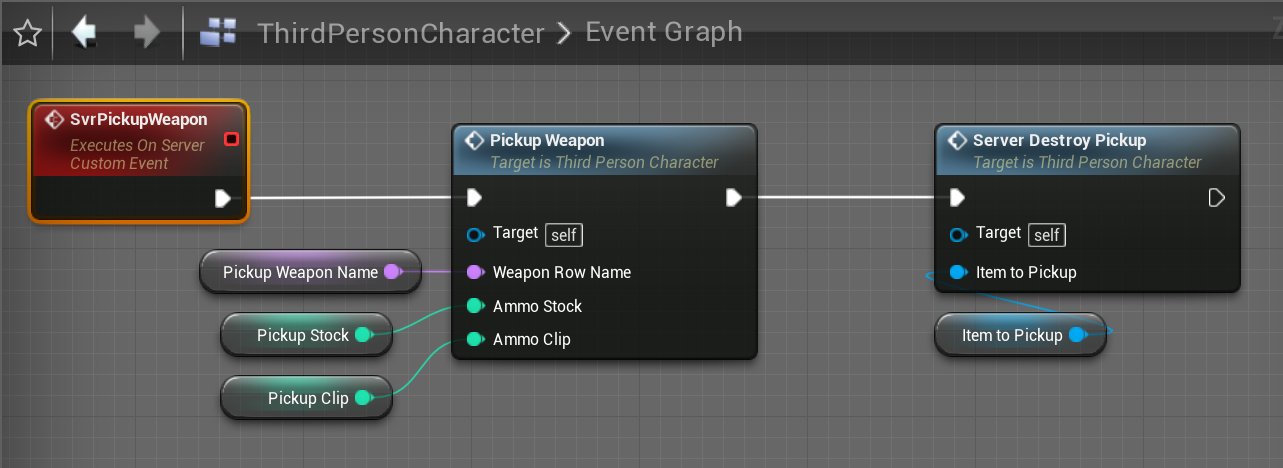
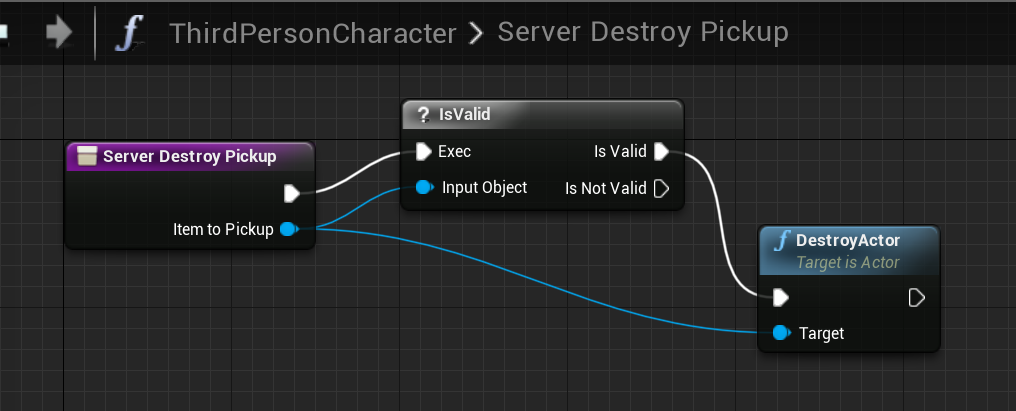
Can somebody help me figure out why when I destroy an actor only the server see's it destroy? Clients still see the actor. 😦 I'm destroying the actor using a run on server RPC
 fossil spoke
Is the Actor set to Replicate?
cedar finch
I clicked the class defaults and checked the replicate box
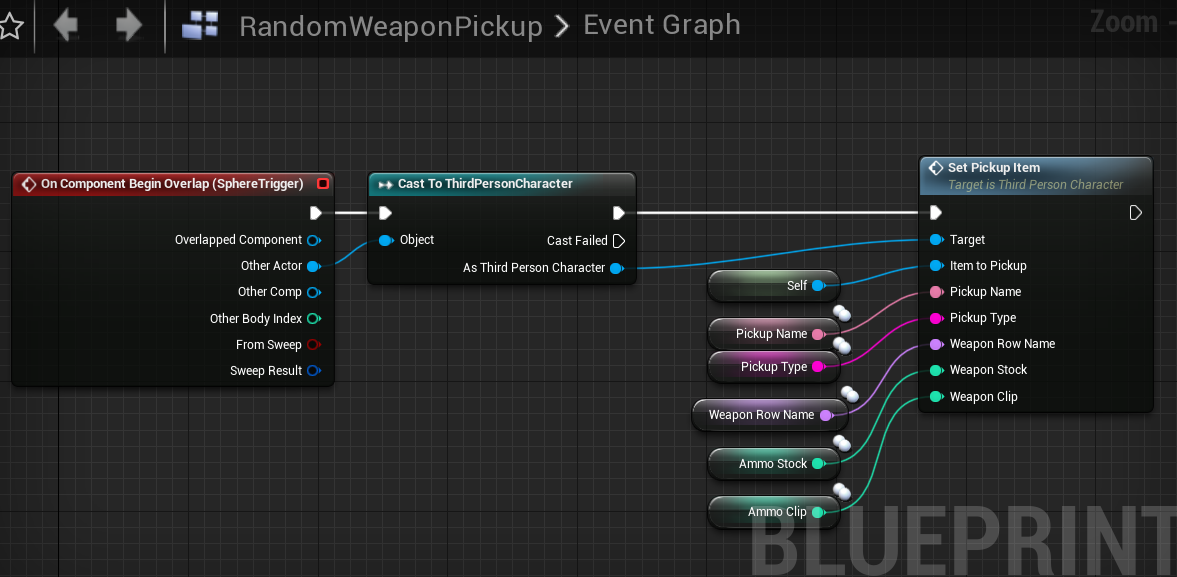
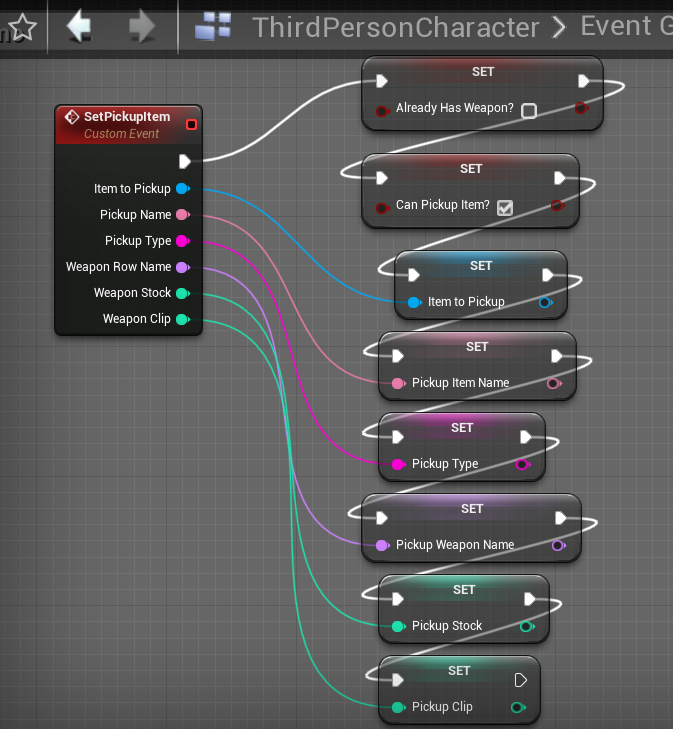
It's just a weapon pickup bluprint. It works correctly if I place it in my level but if I spawn it in then clients cant see it be destroyed. You wanna see my blueprints? I have the screenshots.
This sets the weapon info: https://i.gyazo.com/929dc65487cfbcbb622f8ae08f91c312.png
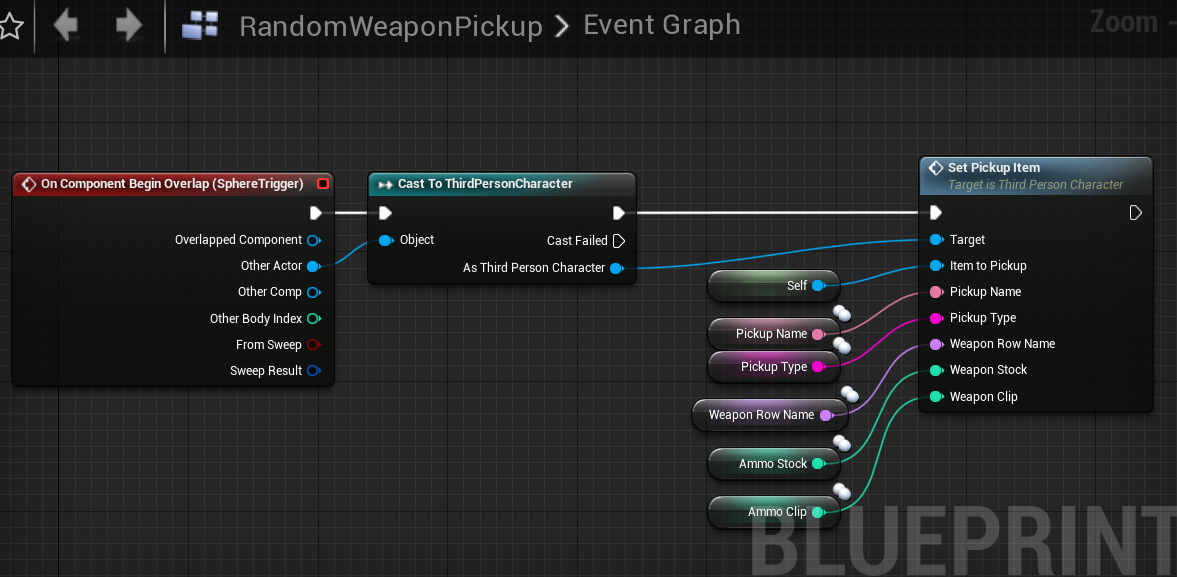
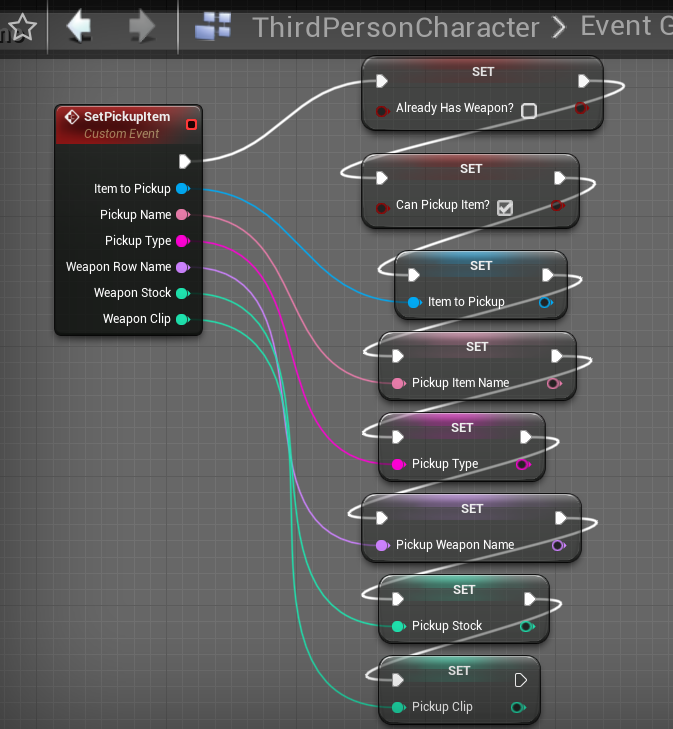
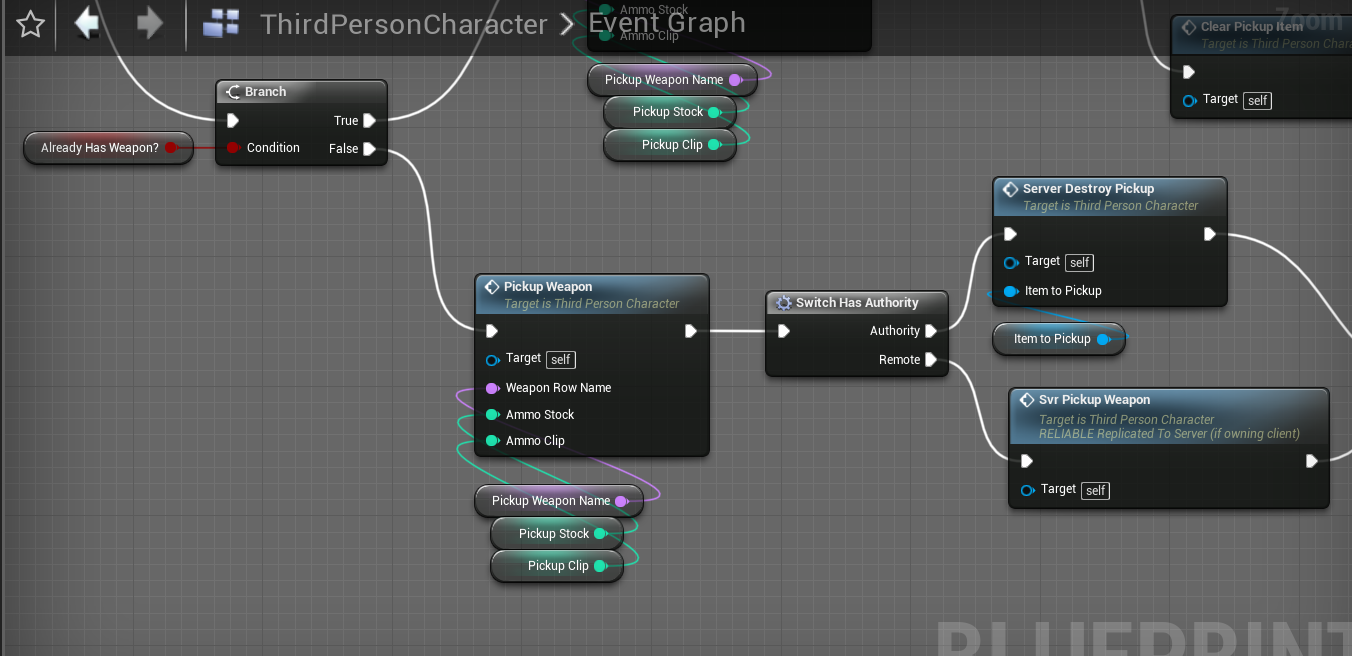
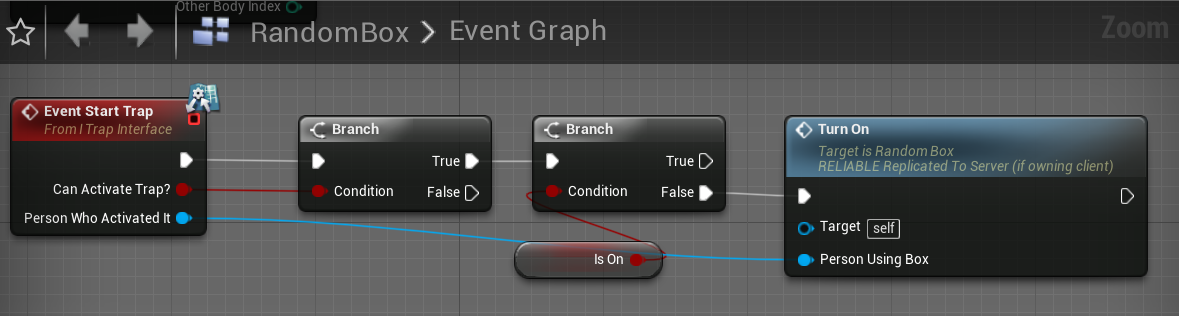
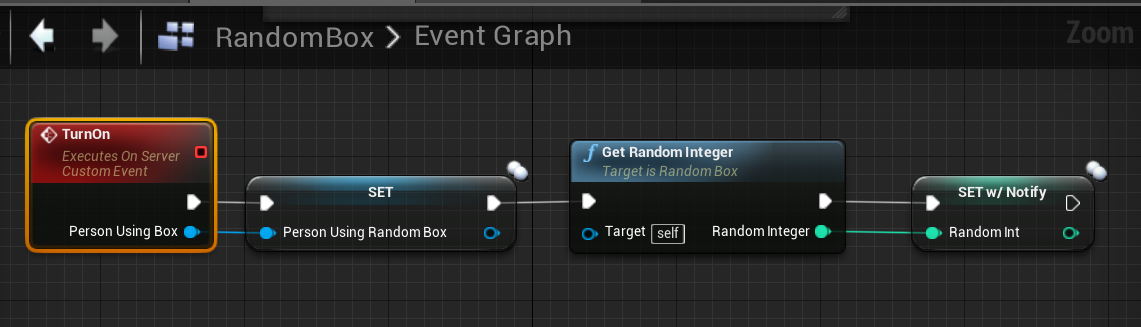
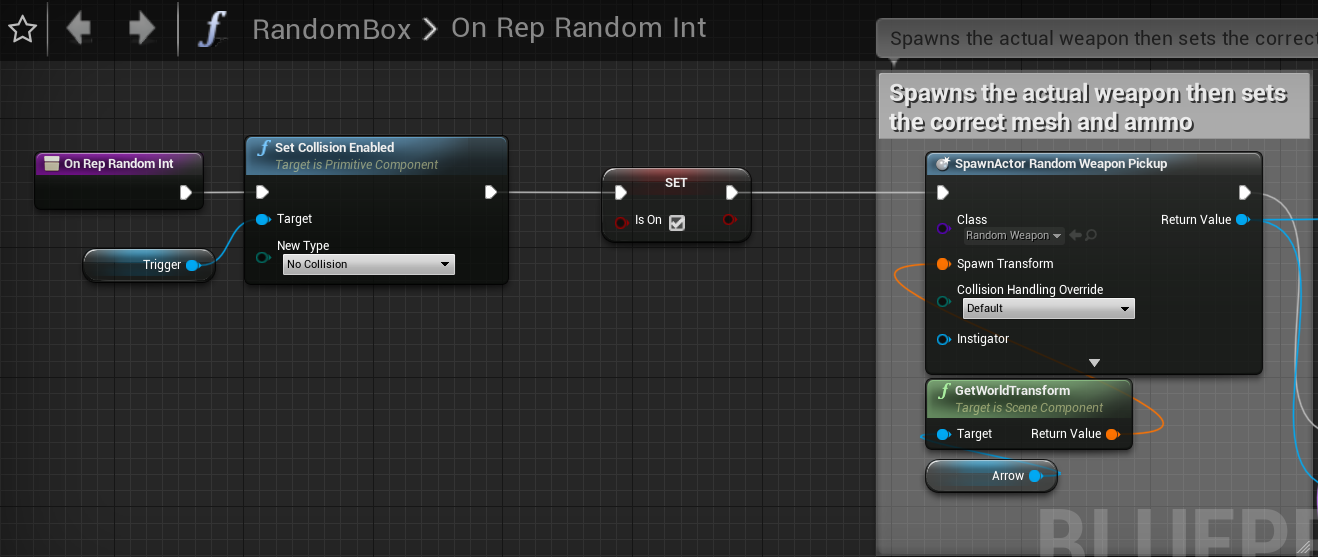
Then this is where you pickup the weapon: https://i.gyazo.com/08ca55e662f5e38eceb35d98f40538f2.png


Then it gets destroyed: https://i.gyazo.com/b3ede0bba0db30a786c8cea032f314d4.png

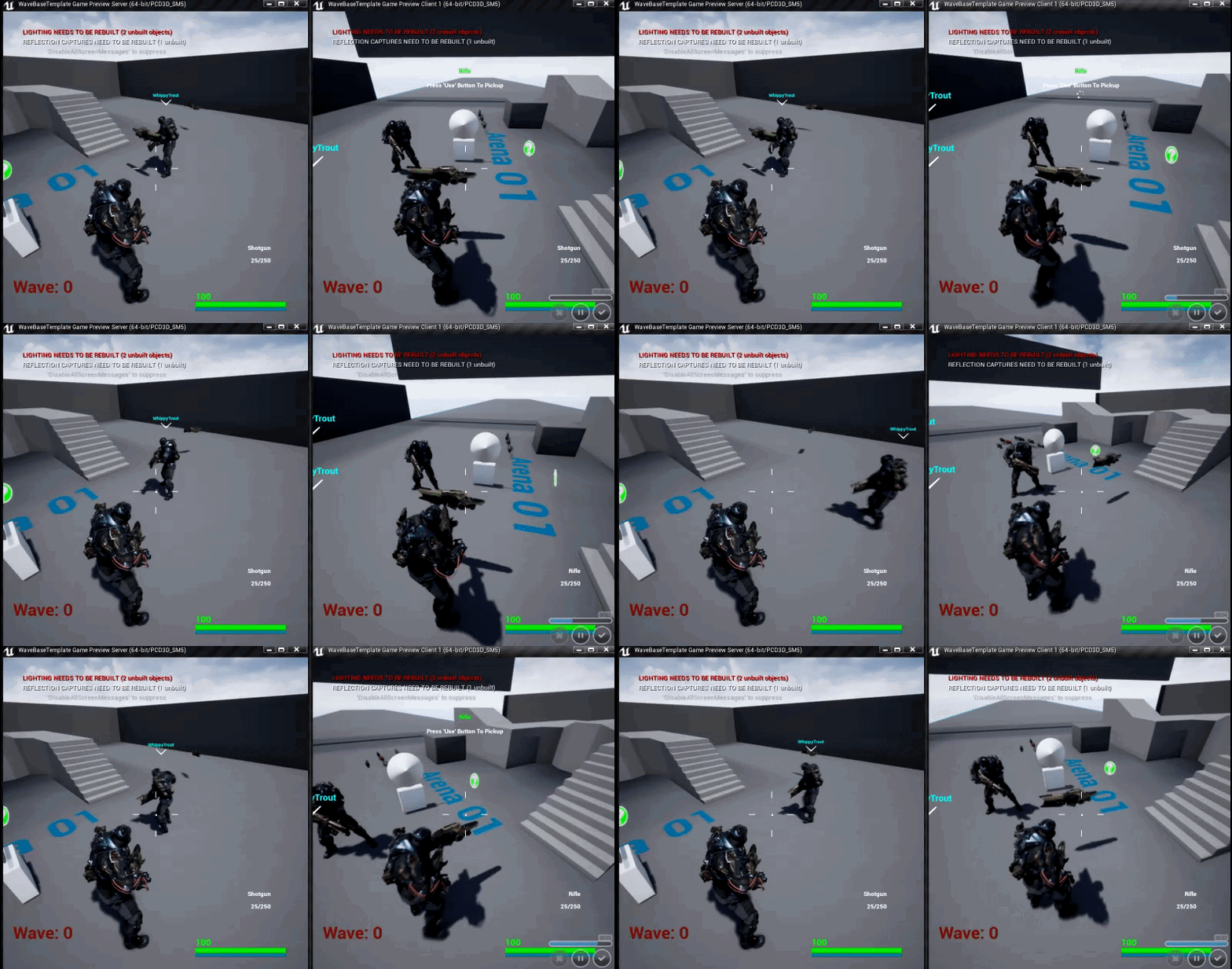
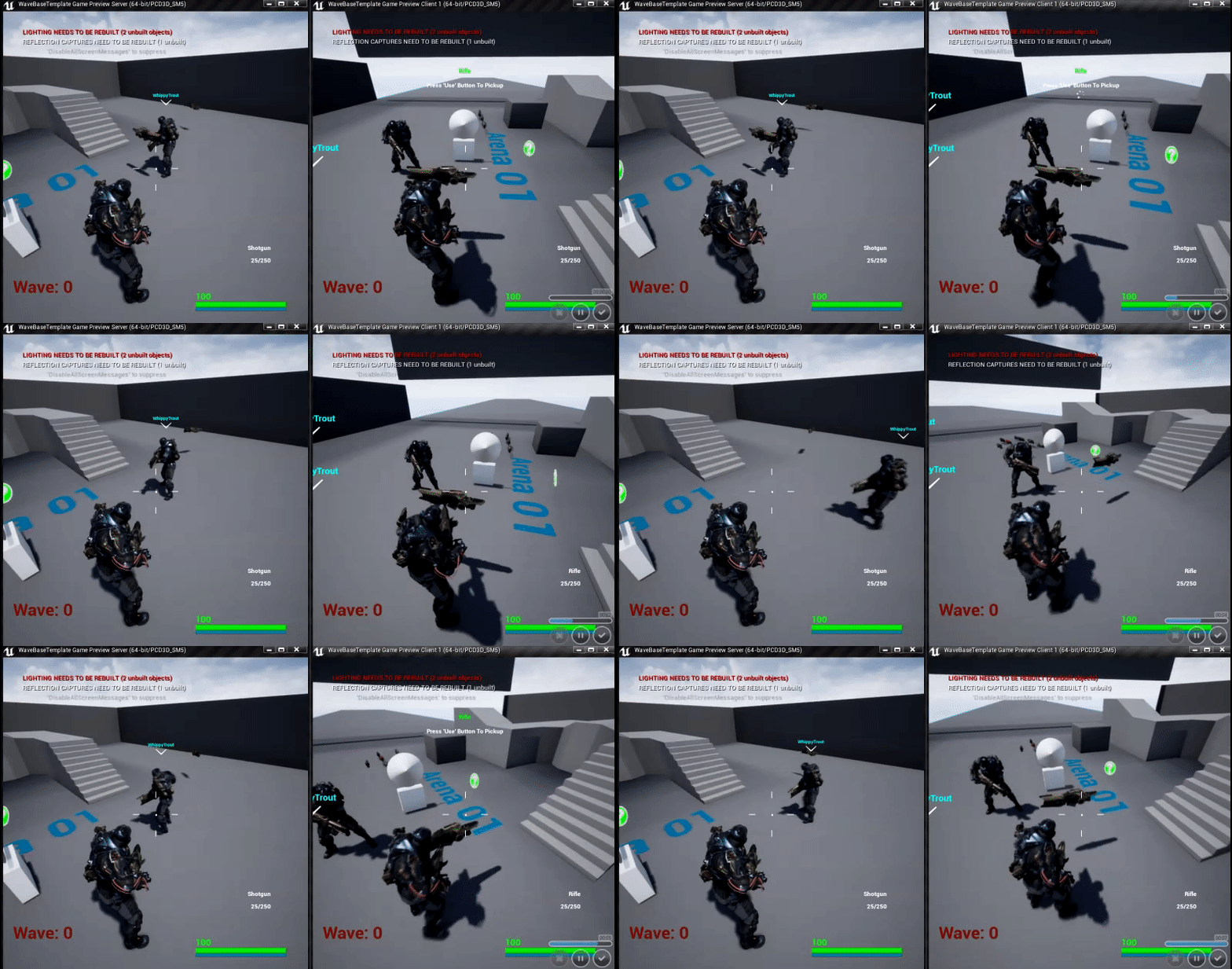
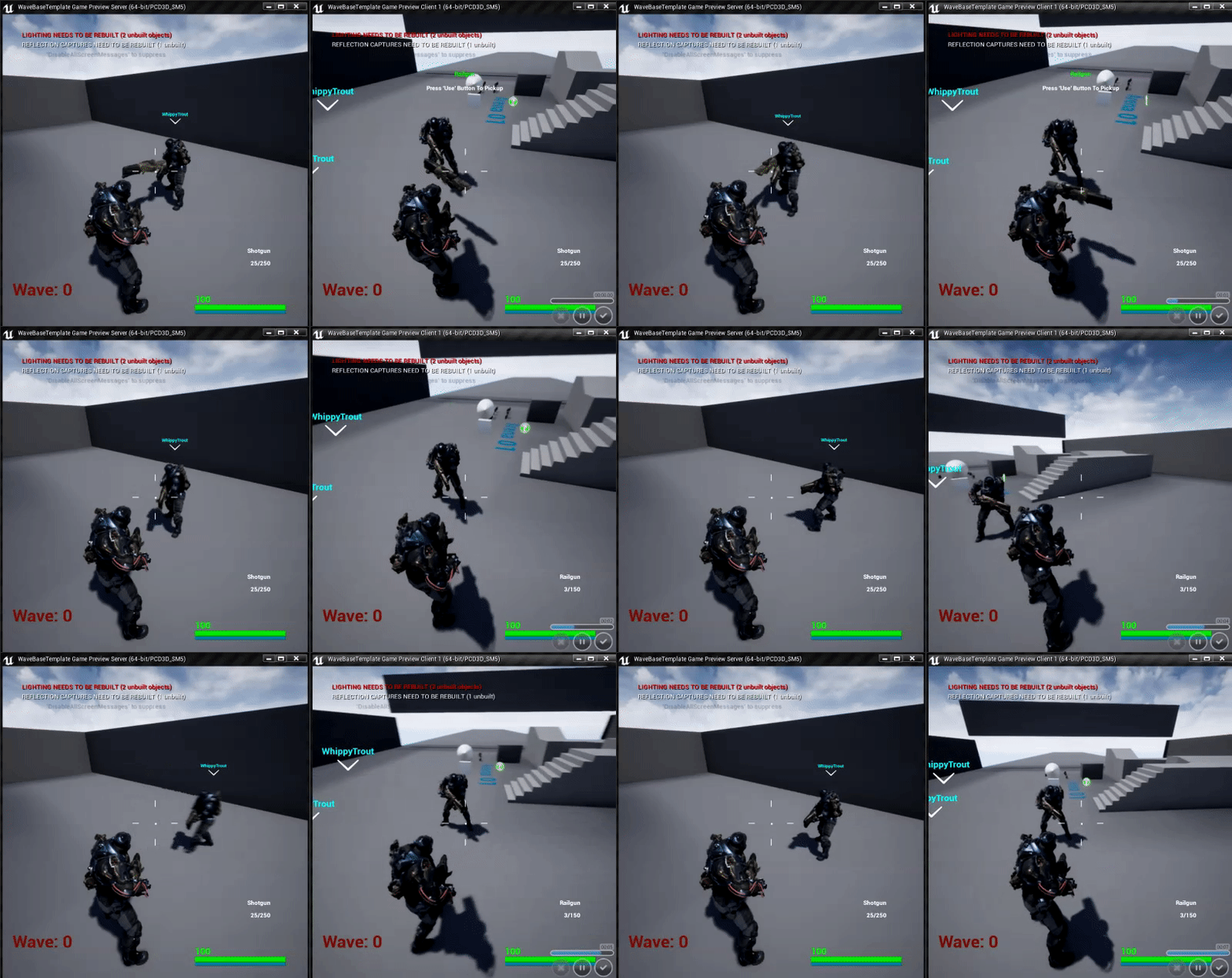
Server is on the left, Client on the right. See how it doesn't destroy? That is when I spawn the weapon. But look at this gif below where I place the same weapon into the level manually, it works then: https://i.gyazo.com/458f24e1b725d4f6b01ee5c7b66291d8.gif
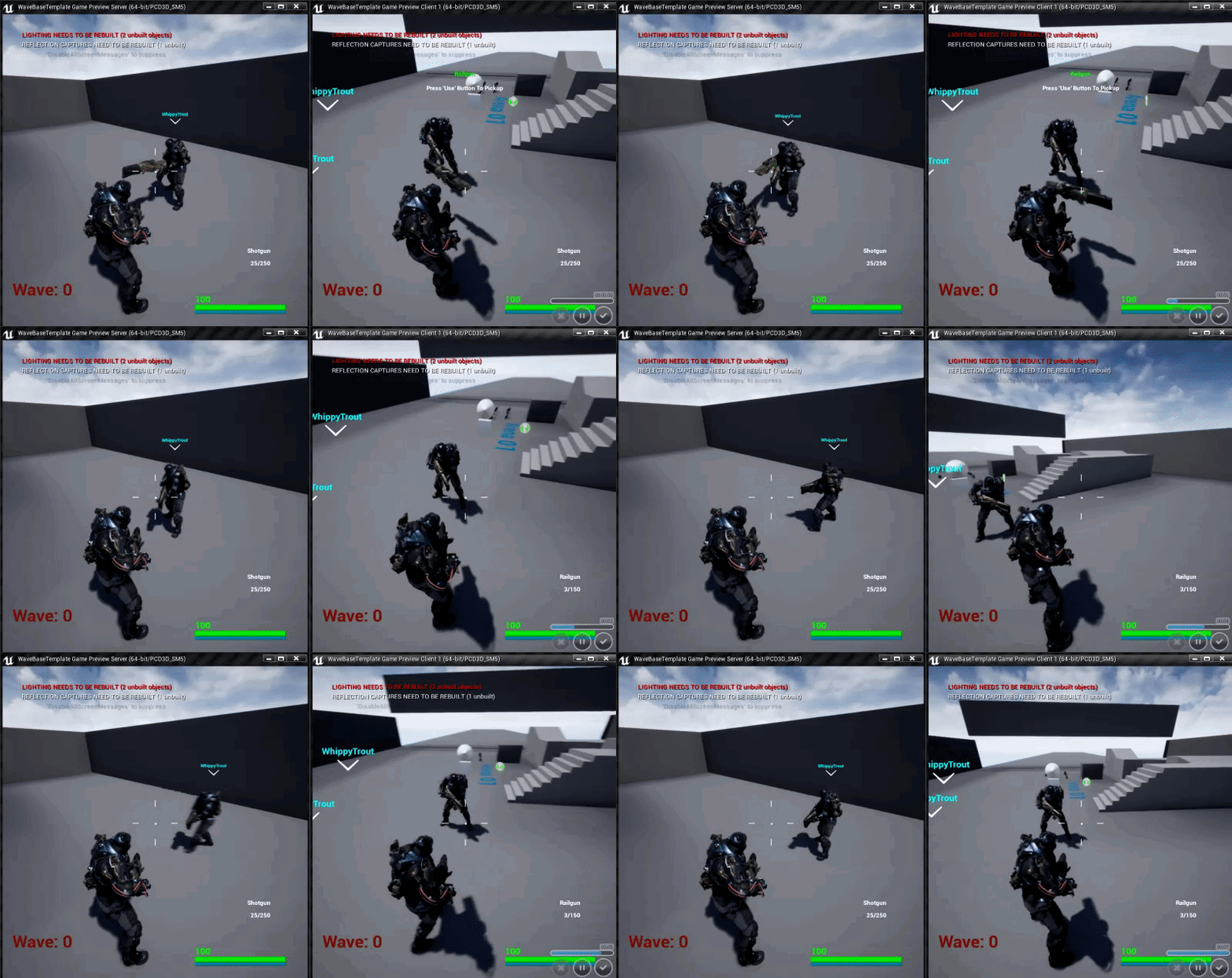
What is the difference between spawning it and placing it in the world? I spawn it inside a repnotify does that matter?

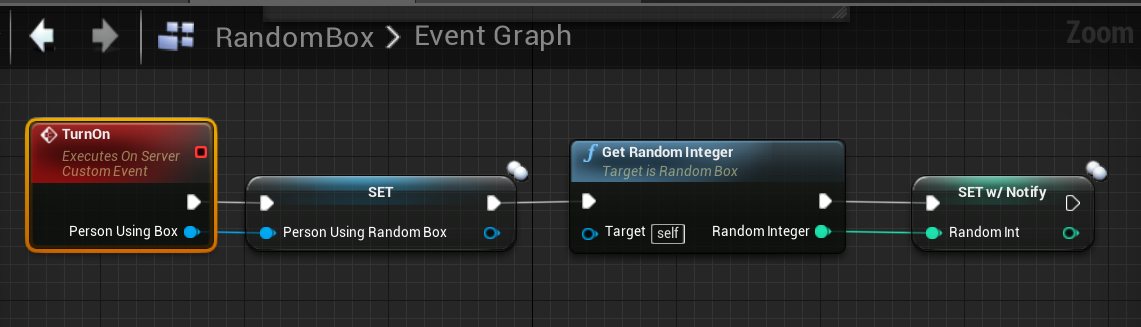
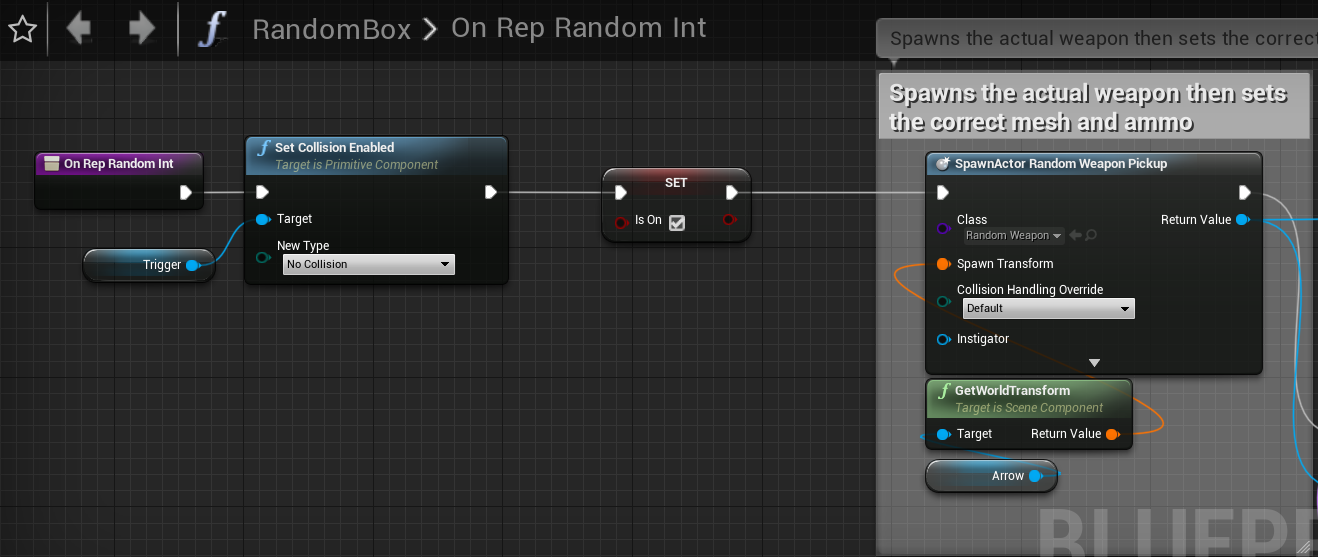 thin stratus
@jolly siren IsNetRelevantFor?
 prime axle
Quick question - I overrid the GetDefaultPawnClassForController function inside a custom GameMode with a log to know when I enter it.
I log into my server with a string of options to spawn with (different class, different guns and abilities)
When 1 guy enters my server this function gets called 3 times? I don't understand why it fires 3 times? Anyone know?
prime axle
Which causes issues like this one.
Red is the Log line from within my Custom InitNewPlayer (this is called when the player first joins with it's options)
The subsequent first GetDefaultPawnClassForController call reads the login data and reads properly that we want to log in as a LIGHT Class
but any subsequent GetDefaultPawnClassForController then returns a none and we end spawning as a none (which right now default to a non-functioning basic class)
SO any idea why this GetDefaultPawnClassForController is being called 3 times?
I also log the amount of players that are on my server and it's only 1; so it's not like there are 3 controller on my server either.
Im dumbfounded....
dense citrus
Who can help me to show only team member names overhead ? I created a widget with all informations ,also in my playerstate i have a team var all is working so far but can´t filter it out .
in my character i´m using a 3d widget component
 night jay
Does your playerstate have any way to indicate which player belongs to what team?
Like how do you differentiate between friend or foe?
 bleak lily
quick question I am trying to replicate spawn sound attached since it doesnt replicate the sound
how do I make the sound replicate for clients
I did an rpc
thin stratus
Well if we assume that you are on the Server when whatever happens that should add the sound, using a Multicast to spawn the component would solve this
bleak lily
oh multicast
thin stratus
Gotta look into SpatialOS for UE4 at some point, just for fun to see how good that integrates
worthy wasp
@thin stratus - me and a team were presented with this in about Aug of 2017 and at the time we were offered a free pass to SpatialOS as long as we help develop it.... we passed because of its state at teh time - it was a Unity produced tool that was tryign to make an edge into UE4 technologies.... and the documentation was less than that of UE4's wiki library - as well its functionality wasnt even stable for some of the VERY NECESSARY functionalities that you would normally do for online gaming - things that are A-TYPICAL of services like Photon, Gamesparks or Playfab.
all of its CORE COMPONENTS that related to the SpatialOS layer stack - werent even fully developed yet for UE4 API - either SDK or Blueprint.
so when you really wanted to utilize what SpatialOS was about - it was unable to do so in UE4 engine.
now mind you - this is already 1.5 years old.... so alot COULD have happened within that timegap
thin stratus
Afaik, they acutally did a lot for UE4 by now
You can use it for free in a small testing environment and if you host locally (which is all I need to test) and apparently you can "simply" work with the UE4 replicating and everything works
Pretty sure this improved by now
And if not, well then not. It's just to see what else is possible. Can never know enough for clients. :D
worthy wasp
but when we first approached it - we were HIGHLY anticipated by its talked abotu features & achievements.....
if it pulls off what it says its able to.... MMORPG for UE4 has never gotten better ❤
 normal girder
but when i put for exemple, a print string in tick or begin play
nothing appear
(sorry if my english is not good)
worthy wasp
ok i'm experiencing similar effects
first....
what MODE are you playtesting in?
Dedicated Server, ListenServer?
i have this very EXACT issue with my LISTEN SERVER not doing tick/begin play print strings... only on the LISTEN SERVER... the client behaves fine
worthy wasp
yep!
normal girder
i try with 2 plyer param
worthy wasp
@thin stratus hate to bug you directly - can you put some ears on this?
worthy wasp
been bugging me the past few days too.....
winged badger
pawn is not possessed on beginplay on server
normal girder
(for you know i m beginer in multiplayer)
worthy wasp
but @winged badger - TICK is behaving the same way....
i have this very same behavior
i print string a tick - with some variables i'm trying to watch for
my listen server never runs it.....
worthy wasp
@normal girder - i do notice one problem....
your not parameterizing the LPLAYER INDEX
so anything here will ALWAYS have index of 0 in that variable
just pointing it out....
normal girder
no, this index come from me
worthy wasp
i know its not a default of that function.
normal girder
it s a param i had by myself
worthy wasp
just noticing - thats all
normal girder
oki
worthy wasp
i'm unsure as to why the LISTEN SERVER wont do these functs.... Tick especially
normal girder
in fact, for serveur this index have a value, not for client
worthy wasp
seems that it should work just fine - as the listen server IS also a client.....
normal girder
so you think it s not normal that print string don t print on tick and begin ?
winged badger
actor not existing server side is the only thing that comes to mind
normal girder
@winged badger so behavior is normal ?
winged badger
far from it
worthy wasp
but if the actor is spawned FROM SERVER - how is this possible?
normal girder
sorry but my english is not as good for know if you say yes or no ^^
normal girder
haa ok
thin stratus
Same as missing Super::BeginPlay
normal girder
but it possible whith BP to do a Super()
worthy wasp
its there
sharp pagoda
Not having the super call throws an assertion
winged badger
BP BeginPlay is ReceiveBeginPlay
thin stratus
For BPs it shouldn't matter. As long as you aren't inheriting and overriding it in a child BP
winged badger
a BlueprintImplementableEvent
normal girder
ha ? oki
 sharp pagoda
No idea, but I recall missing a super::beginplay() (or tick? Can't remember) on accident and received an exception
worthy wasp
these functions DO NOT HAPPEN on ListenServer
winged badger
there is only one way BeginPlay never happens
worthy wasp
and @sharp pagoda - i never have experienced an exception for NOT including Super::BeginPlay()/Tick()
winged badger
on server
worthy wasp
#AllEars
sharp pagoda
Strange, I'd have to test it when I get home later.
winged badger
i did see it once, when messing with switch version that was using later then 4,18 im still on
worthy wasp
my code project currently is 4.21
winged badger
BeginPlay is end of Actor construction
worthy wasp
i can assure you that BeginPlay() HAPPENS BEFORE APawn::Possessed()
winged badger
if it spawned, it gets called
worthy wasp
so....
dont count on BeginPlay to work for shit you need in MP
but on the other hand....
Tick() - this is a problem
normal girder
@winged badger im with BP, and my actos spawn, i see there in editor, but i nothing hapen on Begin and on tick
worthy wasp
@normal girder - try to override APawn::Possessed()
normal girder
oki
winged badger
its possible to fuck up BeginPlay on clients iirc
normal girder
yes i kwno i try noow
worthy wasp
clients - NO PROB
ListenServer - FML ❤
sharp pagoda
I joined in a little late, what is your issue with tick? Some print string isn't printing?
winged badger
by forgetting Super::GetLifetimeReplicatedProps in GameState derived class
and a breakpoint in beginplay @worthy wasp ?
or Tick
normal girder
@sharp pagoda yes
but for me in BP
i spawn to Pawn with there controller
and Begin ¨Play and Tick dont print string
worthy wasp
@winged badger https://puu.sh/CtGhT/2b63ebaa3e.png
 sharp pagoda
Where are you spawning the pawn from, can you show that code?
thin stratus
I never had such an issue
normal girder
with the Two cowboy
thin stratus
Can't help. Can only guess either engine bug or doing something wrong
normal girder
i can do a little vid for example
yes a friend said me that isn t possible. he say that tick must be play
that why i come here
winged badger
engine bug that makes tick not run on listen server is more then a little unlikely to pass QA
normal girder
i just made a little vids
but remeber i m really beginner
so maybe i m on the wrong...
thin stratus
pretty sure you are doing something wrong
thin stratus
In a fresh project. If you create a custom pawn or character class.
And you spawn that in the GameMode on PostLogin
 normal girder
yes i will try
thin stratus
What are your GameMode and GameState parent classes?
worthy wasp
@winged badger - "engine bug that makes tick not run on listen server is more then a little unlikely to pass QA"
I wholeheartedly agree - so how am I doing somethign wrong?
thin stratus
What are your GameMode and GameState parent classes?
normal girder
the game mode is a personal gamemode
winged badger
got a custom parent for that class that is missing Super:: ?
thin stratus
If you can recreate this in a fresh project
worthy wasp
sorry
normal girder
gamemode parent are gamemodebase
thin stratus
Like is just explained
worthy wasp
APAWN
thin stratus
I'm gonna beleave you
worthy wasp
i mean - this was made in a fresh project from like 1 week ago
but i'll remake a fresh project to prove myself wrong i hope
normal girder
@thin stratus i ll try now in fresh prjetc
winged badger
put breakpoints
normal girder
i ll say you
winged badger
at this point the most likely point of failure is printing the string itself
normal girder
in my case when i put breakpoint, that don t stop
thin stratus
Also, don't use GameModeBase and GameStateBase mixed up with GameMode or GameState
winged badger
see if they hit
normal girder
@thin stratus me ?
thin stratus
Everyone
worthy wasp
@thin stratus though it doesnt crash engine - you DO get a warning in Output log
normal girder
ok
worthy wasp
however - it will still PIE test ... with this mixup you speak
i learned that hte other day
normal girder
but, i don t think i mix it ? i must do someting else to juste put my gamemode in setting ?
winged badger
in theory, you could had destroyed the actor before it completed construction
it would throw an ensure (not on 4,18, but would on 4.20, its newish)
sharp pagoda
BeginPlay isn't dispatched in the same frame as the construction?
worthy wasp
BeginPlay happens before event::Possessed()
winged badger
then weird things happen
worthy wasp
so any logic that is MP that you EXPECT to happen when you spawn the character....
isnt reliable in BeginPlay()
thin stratus
It is
winged badger
no, thats what OnRep_Controller is for
thin stratus
I never had an issue with BeginPlay not calling
winged badger
if you need something related to it
thin stratus
It's 99% a user error
worthy wasp
i wish i knew how i'm erroring (i'm not fighting you....)
normal girder
@thin stratus you saw my video ?
winged badger
@worthy wasp put breakpoints in
run with debugger
see if they hit
most reliable way to tell
sharp pagoda
Or even just walk with the debugger from the point of construction
winged badger
or if you are lazy to run debugger add the following to your c++ Tick and BeginPlay: check(false);
worthy wasp
i'm not lazy - i'll break point the begin play and tick events
normal girder
@thin stratus maybe i did t do correct, but fresh projet
create personal GameMode
add it on setting
create custom pawn
do this :
in editor i put 2 player
i have two screen aprear
my Custom pawn spawn
but tick is not playing
winged badger
@worthy wasp if you hit a breakpoint and it still doesn't print
i'd be interested to know what UObject flags it has
normal girder
sorry i miss posses
worthy wasp
i cant get to it right now - but i will tonight for sure
normal girder
4.21.1
winged badger
can you move the pawns
or do anything?
there is a gamemode option to start paused, is it on?
normal girder
me ?
normal girder
yes
maybe i do wrong way
but i would lean where i made wrong
i suppose it because i don t understand really well Server Side And clientSide
thin stratus
I just don't believe this can happen
normal girder
or somthing like that
thin stratus
So I'm gonna check now
If I run into the same issue I'm gonna check tomorrow (kinda late)
normal girder
that take 3 min to do
oki
it try with 4.20 is case it s ok
Well well well
@thin stratus
in 4.20
il t ok
th begin play is print
and the tick too
thin stratus
I used 4.21.1 and my Pawn prints
- Create GameMode Child (can apparently also be a GameModeBase Child, as long as GameMode has GameState and GameModeBase has GameStateBase as GameState Class assigned).
- Create Pawn Child
- Add Print String to Tick of Pawn
- Set the DefaultPawn of the GameMode to NONE
- Add PostLogin and SpawnActorNode, as well as Possess Node
- Assign the GameMode class in the ProjectSettings
worthy wasp
@thin stratus - what are your PIE testing setup variables?
 thin stratus
Whatever it starts with when you open a frehs project
worthy wasp
which ISNT this....
normal girder
@thin stratus but why in 4.20 it s ok ?
thin stratus
Kurlrip said he created a frehs project
He never said he touched the singleprocess var
worthy wasp
i understand - sorry i dont mean to thrwo mud into the mix
thin stratus
I'm not discussing your case
worthy wasp
❤
normal girder
@thin stratus sorry bur "Create GameMode Child" is different taht creat a game mode ?
thin stratus
 normal girder
thin stratus
normal girder
thin stratus
Let me know if I do something that you didn't say
normal girder
if someone want look...
thin stratus
Above is a complete blank ue4 bp project
thin stratus
German
thin stratus
Yeah heading to bed right now
normal girder
pfffff
i do same as you...
hoaaaaa OK
it s ok now !!
but i don t think i understand why...
worthy wasp
keep going....
normal girder
it s ok
worthy wasp
it does matter
normal girder
and it s ok with teh two
worthy wasp
you get a warnign abotu not being able to mix the 2 in OUTPUT LOG
normal girder
no
@worthy wasp ok
this : LogGameState: Error: Mixing AGameState with AGameModeBase is not compatible. Change AGameModeBase subclass (BP_GameMode_C) to derive from AGameMode, or make both derive from Base
?
worthy wasp
you foudn it!
😉
that is the one i'm talking about
you can STILL PIE test (PIE =- Play In Editor).... it wont crash
but
its not good.
as it most obviously states
normal girder
ok i ll take the GameMode so
worthy wasp
but i'm telling you.....
normal girder
but in all case, when i put my GameStat
worthy wasp
mine match in my project
normal girder
it don t work
worthy wasp
and i'm still getting errors with BeginPlay & Tick
normal girder
not me 😄
but actually i don t really know why
well in fact no problem with gamstate
well
i don t understand
worthy wasp
This screenshot shows the display of ListenServer, SingleProcess, 2-Players PIE testing (NewWindow). GameState + GameMode inherited.
Server is active player, pawn has been spawned on Server, and POSSESSED fires on the ListenServer (Print string verified).
My PrintString is showing up on the CLIENT - who doesnt even have a pawn spawned OR possessed..... but not on the ListenServer like i would assume it should be....
To go further, i've attached process to the SERVER window - and TICK DOES NOT HAPPEN
When i flip things over to the NetClient - it works flawlessly.
 agile lotus
so get player controller 0 fails to get the host on gamemode after seamless travel
I tried exposing session owner ID and using the unique ID from that to get the host but that also fails after seamless travel
agile lotus
listen server
worthy wasp
this happens only AFTER a seamless travel? Initial connection - GetPlayerController(0) works fine?
agile lotus
yeah
its like the player controller indexes get mixed up
this is the second seamless travel btw
they go seamless from lobby to gameplay
then back to lobby
worthy wasp
its funny you mention that.... very exact words:
look at 2nd answer
sorry firs tanswer
its very true too
``You have to separate two things : Controller ID and Controller Index.
The index is the position in the world player controller's array. It may change for the same controller especially in a Listen Server after a seamless travel with a controller swap (ex : if changing the class).
The ID (indentifier) of the controller is store in the LocalPlayer and is unique for each local controller, where 0 is the "main" controller that can be used for referencing HUD & Widgets.
So " the controller on index 0 is always "your player controller" " is not true``
agile lotus
I change classes too that makes sense