
#multiplayer
1 messages · Page 421 of 1
 copper portal
 thin stratus
You know what breaking means?
copper portal
yes it stops the loop from repeating
thin stratus
Correct, you have to swap out the ForEach loop with the version that has the break pin
I'm also not sure what you do with "ChooseSpawnPoint"
copper portal
thats the code that selects the spawnpoint
thin stratus
Like, do you have two different functions?
copper portal
for the break, is this something that you were thinking of? https://gyazo.com/65824e7ec416e53d7bf2a868d144a9d2
 copper portal
The code that selects a spawn point: https://gyazo.com/00b02738e238a1a1461677d6ab477ef3
 thin stratus
No, not that one
Don't Break the respawn one
That should call per player, that's fine
Show me the right side of that last screen
 thin stratus
I thought your images are differently connected
Ah then nvm
It looked like there comes the spawn actor node
Cause you didn't show hte return node
copper portal
o
thin stratus
Then it should be fine with the Taken boolean being true now
copper portal
ok let me test
copper portal
seems to work perfectly
with 3 people
and also with 4 people
thanks @thin stratus for the help
thin stratus
No biggie
 gloomy mural
If I'm using AI in a multiplayer game with a dedicated server, am I correct in thinking I can simply check authority and run all AI-related functions as server/multicast?
 trim dirge
How can i fix the car to run on server so it's shown the same on both clients
gloomy mural
Set your functions that change the car's location to multicast
trim dirge
i wish if it was that simple
the car is possessed by the player controller so i can ride and move, but once i do that, it changes location as shown
gloomy mural
there's obviously something that's running only on the local client
thin stratus
Does the ProjectileMovementComponent do any prediction?
Or is it generally suited for networked sitations?
Just need projectiles to not lag when having a higher ping :/
thin stratus
Anyone ever did some really basic Interpolation on the Client?
By default, Location Replication just sets the Location.
Which, with high pings and dropped packages, results in snapping.
All I want to do is make sure that the object moves smoothly from old to new.
But I'm not sure how to properly lerp that. One can override the void AActor::PostNetReceiveLocationAndRotation() function which sets the Location.
As far as I can see, the ReplicateMovement Struct holds new Location and LinearVelocity
That shouldn't be too hard to make smooth >.> brain is a bit too tired
gloomy mural
Are you saying you want to correct the position on the client smoothly, if it happens to differ from the server?
copper portal
@thin stratus I need more help. I have this system where for every player, a random set of sprites are selected for them (its just different colors). https://gyazo.com/bd3c4709a3044e0080f713f1ec535dfb https://gyazo.com/796d73e7418037cdf85cb9ab7b274302 and this is how I select the random color: https://gyazo.com/7bc0a333a479b3536e40c170db0c4a8a so I am wondering why only 1 player gets a color and the rest of the players dont get a color, meaning that they dont show up in the game


 unique thunder
Does repnotify have to be executed via server rpc?
 gleaming vector
today I learned, if you implement a custom struct to be replicated with a NetSerializer function, you must have an equality operator in order for the property change watcher to catch that you've changed the struct and to replicate the new one
 winter plover
hey, small animation related question here
do dedicated servers actually fully process animations and their blueprints?
I have set up a lag compensation kinda deal, where every tick I capture a pose and apply it to a dummy actor via the blueprint
I tested it all clientside first to make sure it worked all as intended and all
going into dedicated server mode, I do get hits properly, but I think the poses might be different, I have another system in place that draws wounds on characters where they got hit, and it seems to be rather off
ie. you would hit a character in the stomach but the wounds would appear around their arms for some reason
winter plover
for testing purposes I have characters not ragdoll yet, so the hits should be roughly hitting at the same spots and then get replicated to non-predicting clients
the check for where the hit happens is only serverside as soon as the shot gets requested
in my testing scenario the character is also stationary, so there shouldnt be any actual lag affecting anything yet
 sharp arrow
can someone help me with this
im trying to replicate this so he can go into the sides
but its not working he does the anim but he doesnt move from the position in the client and the other players cant see it
 slate veldt
It's 3:30am so forgive me if I'm wrong and super tired - but you're moving the character with a multicast. Surely if you move the character just on server, the replicated movement would take care of the rest?
I can't remember off the top of my head with characters - they obviously have their movement component, and this deals with a majority of their movement logic (from player input), do they by default have ReplicatedMovement set to true?
Also, not sure what's fully going on with the anim bp, but I'm sure that anim bp's don't support replication, so if you're trying to replicate anything, I don't think it will work, you'll have to go through the character (obvs can see you're sending an event to it from somewhere, so hopefully it's okay)
sharp arrow
if i dont multicast it it is worse atleast with it if i press to move right or left it does it but the other players cant see it and he doesnt want to move from the spot he is in solo it works but in multi it doesnt
slate veldt
For the multicast, I notice that it's using some variable "IsHanging" for the branch - I normally code in C++ so not sure on the BP UI for replication - does the double ball icon mean you're replicating this variable?
sharp arrow
if ti doesnt say notify than yes
like this the one in the left its replicated and the right one that says notify its notify
slate veldt
Have you put any breakpoints in to see if it's A) running on client B) getting through that branch?
Sorry, I'm super tired right now, don't think I'll be much help - if someone else hasn't helped you solve this, I'll take another look tomorrow
thin stratus
@gloomy mural Well yeah, the Server sends updates via "bReplicatedMovement". A default Actor, that isn't using the CMC, gets the Update and just sets the Location and Rotation.
The Update also seems to hold the linear velocity. I'm using a Projectile Component and all I want is that when shooting the projectile (a bouncy ball), that the Server Replicates Movement to the Client.
With higher pings, these updates get more and more delay, which results in the projectile to be jittering and rubber banding.
gloomy mural
What do you think of shooting the projectile on the client, then multi casting to everyone else, excluding the projectile from server updates on the client?
Projectile hit calcs can still be done on the server, and of course this may still result in some visual inaccuracy on the client
thin stratus
The projectile won't ever despawn
So it's basically just setting the velocity of it
I would rather have some math example of how to go from old to new location
Without just setting it
Google results are very wonky in terms of answering that question
The Ball can be picked up and shot. The Person who picks it up remains owner until they shoot it again.
After that the Server becomes the owner again and everyone will simulate.
@dark blaze You'd want to post code of what you are doing
Otherwise we can only guess.
- You don't need to use an RPC inside of an RPC. The first time you do the ServerRPC with LeaveVehicle is enough.
- The "SpawnCharacter..." is a Multicast. And in that you are getting the PlayerCharacter0, so this refers to the each Players Character, not to that specific.
Instead of calling the Multicast in the SUV, do it in the Character you possessed.
Yeah but that part is wrong
You shouldn't* even use the GetAllActorsOfClass
Cause that is not giving you the correct character every time
If you enter the car, you need to save the Character reference
So you can actually refer to the correct Character again
And when exiting the Vehicle, you can then use that Reference to call a Multicast on and show all the stuff again.
Oh you need to drop that GetALlActor OfClass stuff
That just gets a list of all Actors of course, if you have more than 1 you won't get the car in front of you
Try to learn either about LineTraces or simple Overlaps
You can add a Sphere Collision to your Character that only overlaps with the Car.
IF you overlap you save the Car reference
The nyou can use that to enter the car
So no need for the GetAllActors node
And when you have the Reference to the car and you possess it, you can also set a Character variable on it
Sure, but your Characters needs some sort of collision too
Something that is overlapping, not blocking
On a Sunday for free? :D haha no
No one on this Server is forced to help a user. We do this all for free. And it's Sunday.
I know, but you are asking me to go into a call with you on a Sunday. That's not what I'll do, sorry.
You will have to get rid of the GetAllActorsOfClass
In both cases you are using it
A properly saved reference
You can get the Reference to the SUV via an Overlap.
And you can make sure you keep a Reference to the Character by just setting it when Entering the Car.

Announce Post: https://forums.unrealengine.com/showthread.php?101051 This Training Stream takes a look at Blueprint Communication. We find that Unreal Develo...
This should help to understand the overlap and tracing stuff
thin stratus
This is not a tutorial for vehicles
This is about doing Overlaps and LineTraces
Which you need to learn and understand so you can use it for your case.
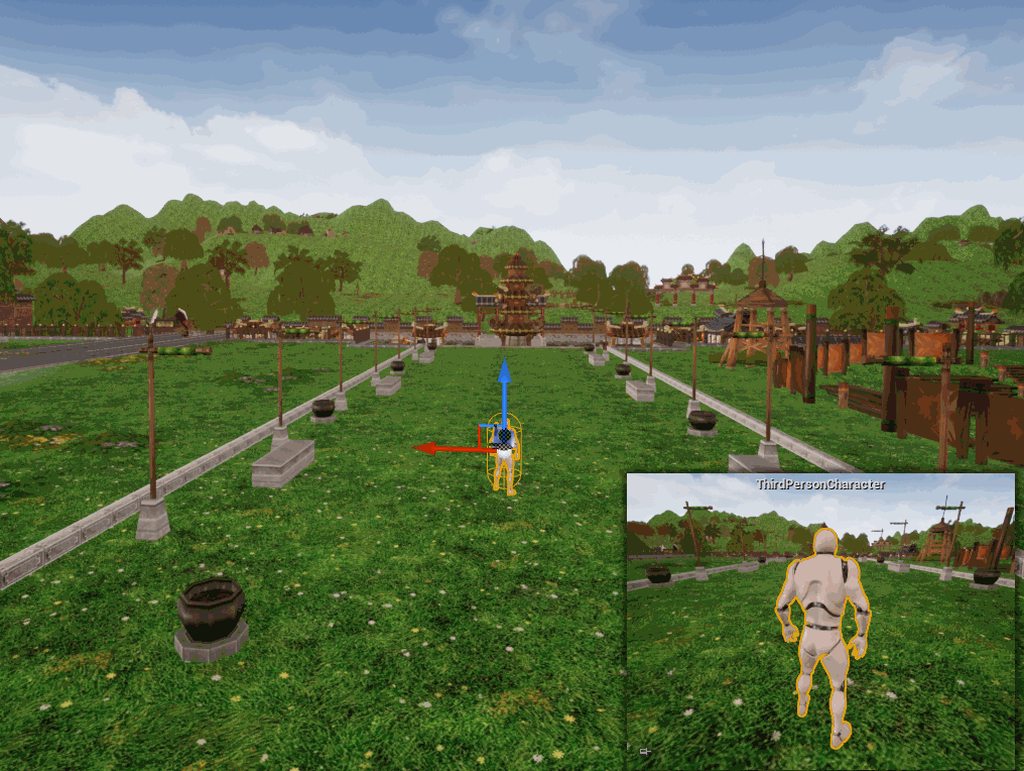
 manic pine
how do you know thats your character
unless youve made modifications, the normal approach for game mode is to spawn a character for you on playerstart
not possess one already placed in map
thin stratus
Either your floor has no collision or this is a different character
If you want to possess the one in the scene, make sure you have auto possess on and the GameMode has the default char as none
 pseudo sand
I choose Show Collision.. and this is result.. When I put PlayerStart on landscape, it has icon "Bad Size"
thin stratus
Holy hell, where is all that collision coming from
manic pine
hahaha, safe to say that's failed
shouldn't usually fail this bad though, must be something else wrong too
which specific meshes is it coming from and why are the colliders so much bigger than the meshes
thin stratus
Uff, such a hard time having a simple freaking ball smoothly move on Server and Client.
I would give a lot for a simple movement component that does that for me -_-
Tried some Interpolation and Extrapolation code, but it still looks jittery af
manic pine
yeah, potentially fast-moving physics simulated object doesnt sound easy
the extrapolation would need to be quite complex, and interaction with the locally controlled char would be horrible
thin stratus
It's mainly do get rid of the snapping
So that at high pings it won't correct the location
I'm currently storing the last 20 updates from the Server, including timestamp etc.
Not 100% sure how to handle this afterwards though
Guess that's for another day
 dusky willow
Hello
I'm trying to install a dedicated server (https://wiki.unrealengine.com/Dedicated_Server_Guide_(Windows_%26_Linux)#section_7_Building_and_deploying_a_UE4_dedicated_server_for_Linux) , I can not get point 4,
I do not have a file (UnrealVersionSelector-Win64-Shippping.exe) can anyone know what to do?
Dedicated_Server_Guide_%28Windows_%26_Linux%29
 bleak lily
hey my set game pause wont work in ue4
I am trying to replicate it
but it wont work
sharp arrow
can someoene help me with this
im trying to replicate this but it isnt working
 mighty rover
Does ipv6 not use NAT anymore? I understand that NAT wasn't meant to be used as a security feature, and part of the reason for creating ipv6 was to fix the use of NAT (so to speak). I'm trying to think of a way to get around the mobile NAT punchthrough issue when playing across the Internet (listen-server method) between 2 mobile phones. Unless anyone has a recommendation to fix the NAT punchthrough issue, would trying to play with ipv6 be worthwhile? Is there any way to obtain ipv6 address in UE4 at the moment?
copper portal
@thin stratus can u help me with something?
 languid dew
Hello, i hope u can help with it: Iam using now for a larger level (multiplayer) World Composition. But is it better to use a "Main"-Level which Contains the Skybox and lightning only? OR use a Main Level with Skybox, Lightning AND the landscape ? And create then sublevels with all 3D Objects? --- I hope u guys can help me with it ! Thanks ^^
copper portal
I have this system where for every player, a random set of sprites are selected for them (its just different colors). https://gyazo.com/bd3c4709a3044e0080f713f1ec535dfb https://gyazo.com/796d73e7418037cdf85cb9ab7b274302 and this is how I select the random color: https://gyazo.com/7bc0a333a479b3536e40c170db0c4a8a so I am wondering why only 1 player gets a color and the rest of the players dont get a color, meaning that they dont show up in the game
@thin stratus what do you think?
thin stratus
:P I would think it would be nice if you wouldn't tag me for all of your issues, specially on a Sunday.
First thing to notice, use a "SwitchOnString"
Instead of so many branches
 subtle peak
Hey guys. How can I set a variable on all player pawns through the server? So when the match starts, the server assigns the players a team. Can I do that though the gamemode?
thin stratus
PostLogin calls for each joining Player
And it gives your their PlayerController
There you can set a team
subtle peak
Even the host?
thin stratus
Even the host
subtle peak
cool, I'll try that
thin stratus
It only calls for hard travels though, so if you use Seamless Travel to later move your server and the players to a new map, you need to make sure you keep the team through OnCopyProperties in the PlayerState or through "OnSwapPlayerControllers" in the GameMode
Or you assign it in HandleStartingNewPlayer
that should call for hard and seamless travel
(not sure though)
subtle peak
Cool! Thanks 😄
thin stratus
When are you calling that PlayerArray loop? @copper portal
And when are you calling Update Animations?
copper portal
begin play in gamemode
update animation is the base for the character bp
like its already there
I used the template
thin stratus
BeginPlay calls before all players are there
copper portal
it also chooses a different color for players when only 2 instances of my game are open
not 4
oh
Event OnPostLogin maybe?
thin stratus
You need to do it like this:
In GameMode use "OnPostLogin". Grab a random Color and set it on the PlayerCONTROLLER!.
In your Character use "OnPossessed". Grab the Controller it passes you and take the Color variable from it.
Now use that to set the Replicated Color Variable of your Pawn
So you basically use the Controller as a temporary storage
And pass it to the Pawn/Character when you possess it
gleaming vector
@thin stratus have you done more advanced array replication stuff?
I've an array of structs, and I'm modifying one of them in place
thin stratus
Depends on what More Advanced is
gleaming vector
(get reference to struct, modify an element of it)
but for some reason it's not replicating the updated structure
 thin stratus
Yeah Arrays don't like replicating so easily
gleaming vector
yeah
thin stratus
Only if you call specific functions on it
Just set the Array with it self
That should call it
At least it did last time I checked
gleaming vector
that would cause the array to duplicate though wouldn't it?
copper portal
so object is array elem?
thin stratus
@copper portal Remove the Loop
The event is already calling for each player that connects
gleaming vector
(also, I technically do inplace modification across multiple arrays, so that wouldn't work)
gleaming vector
I wonder if FastArraySerializer would detect the changes
thin stratus
Not sure. I usually modify the Arrays either by Add/Set/Remove etc. (or C++ operations).
Or when I modify the item inside the array (struct) I check if that calls the repNotify/replication, if not I set the array with itself
gleaming vector
yeah, I usually do that too
I'm doing something creative though
I'm doing a funky Inventory Slot system
where I have an array of slots that can hold an item
each slot has an ID so I can reference them from anywhere
but I also have numerical IDs and Tag IDs, as certain slots are for equipment and other slots are for just a bag inventory
I'm trying to swap items between two slots, but I just look up the slot struct and swap the item between the two slots rather than add/remove the element
thin stratus
Hm
gleaming vector
oh interesting
thin stratus
Lemme check what I did
bool USGInventoryComponent_Base::SwapItems(USGInventoryComponent_Base* _SourceInvCom, int32 _SourceSlot, int32 _TargetSlot)
{
    if (IsValidMove(_SourceInvCom, _SourceSlot, _TargetSlot))
    {
        // Save Item from this Inventory
        USGItem_Base* Temp_Item = Inventory[_TargetSlot].ItemRef;
        int32 Temp_StackSize = Inventory[_TargetSlot].StackSize;

        // Remove saved Item from this Inventory
        RemoveItem(_TargetSlot);

        // Add Item from other Inventory to this Inventory
        AddItem(_SourceInvCom->Inventory[_SourceSlot].ItemRef, _TargetSlot, _SourceInvCom->Inventory[_SourceSlot].StackSize);

        // Remove Item from other Inventory
        _SourceInvCom->RemoveItem(_SourceSlot);

        // Add saved Item to other Inventory
        _SourceInvCom->AddItem(Temp_Item, _SourceSlot, Temp_StackSize);

        // Update current slot
        _SourceInvCom->Inventory[_SourceSlot].ItemRef->CurrentSlot = _SourceSlot;
        Inventory[_TargetSlot].ItemRef->CurrentSlot = _TargetSlot;

        // Update current InventoryRef
        _SourceInvCom->Inventory[_SourceSlot].ItemRef->CurrentInventoryRef = _SourceInvCom;
        Inventory[_TargetSlot].ItemRef->CurrentInventoryRef = this;

        UE_LOG(InventoryLog, Log, TEXT("SwapItems | Swapped Items of Components %s, Slot %d and %s, Slot %d!"),
            *(this->GetName()), _TargetSlot, *(_SourceInvCom->GetName()), _SourceSlot);

        return true;
    }
    else
    {
        UE_LOG(InventoryLog, Warning, TEXT("SwapItems | Not a valid Move!"));

        return false;
    }
}
FastArraySerializer allows me to control when I dirty an item
thin stratus
Well Idk why you need something more fance than this
What you described sounds still pretty basic
Maybe I'm not understanding it
gleaming vector
maybe it is a good idea to remove the item then add it again
thin stratus
Well my setup is always:
InventoryComponent takes care of itself, e.g. Add, Remove item.
InventoryManager handles two Inventories, e.g. Move from A to B
And then the default TempItem swap
copper portal
@thin stratus so it prints colors but when I start the game, no sprite set is selected
gleaming vector
well, I don't have two inventories, I just have two containers for items
within the same inventory
copper portal
I tried it with my original method with branches and it still doesnt work
gleaming vector
Equipped items and Bag items
thin stratus
Ah well
gleaming vector
if I'm swapping between inventories, I just drop the item into the world
there is no trading
thin stratus
I have dropping too. My Inventory and Player (equipp items) are two inventories
thin stratus
When I move from A to B it's two InventoryComponents
gleaming vector
yeah, I keep them in the same inventory
thin stratus
That's tricky though
Then you need to offset the UI and everything
sounds annoying
gleaming vector
my inventory is an array of tagged Slots
thin stratus
In the end, all your inventories do the same shit
May it be a bag, player, hotbar, chest, item trader, loot from a boss
gleaming vector
and I have a FInventorySlotReference that I pass around (and expose to blueprint) to look up the slot of a given inventory
thin stratus
They all have the same stuff they do.
And for Equipment you add an Enum to the Slot that is either NONE, or "Head", "Shoulder" etc.
gleaming vector
the equipment slots are tagged with a FGameplayTag, the bag inventory slots are just a int index
thin stratus
When trying to add an item to the Slot, you check if the item is Head, etc. otherwise you disallow the move
gleaming vector
so, yeah, I look for a tag Inventory.Slot.Head
thin stratus
Yeah that's similar then
gleaming vector
lets me lay out my inventory 100% in the property editor 😃
copper portal
@thin stratus everytime I servertravel does it reset all variables in the pc?
gleaming vector
no code changes to add or remove slots
thin stratus
@copper portal Yes, you can use a SeamlessTravel and then use the "OnSwapPlayerCOntrollers" node in the GameMode to move data from the old to the new playercontroller
Hm okay, well but in the end we both modify the array of structs
I think mine isn'T replicated in this version though
copper portal
would selecting the colors work if I do it in the level bp?
thin stratus
@gleaming vector I have a lightweight UI Struct
And let my Items fill that by themselves
void USGInventoryComponent_Base::UpdateInventory(const TArray<struct FInventoryItem>& _Inventory)
{
    UE_LOG(UILog, Log, TEXT("UpdateInventory | Trying to update Inventory Widget of Inventory Component %s!"), *(this->GetName()));

    TArray<struct FUIItemInfo> InventoryInfo;

    InventoryInfo.SetNum(_Inventory.Num());

    for (int32 i = 0; i < InventoryInfo.Num(); i++)
    {
        if (_Inventory[i].ItemRef)
        {
            // Let each item fill the Struct by itself with the implemented interface
            InventoryInfo[i] = _Inventory[i].ItemRef->GetItemInfo();
            InventoryInfo[i].StackSize = _Inventory[i].StackSize;
        }
        else
        {
            // If the item is not valid, use the normal constructor if the struct
            InventoryInfo[i] = FUIItemInfo();
        }
    }

    // Tell all clients to udpate the inventory
    Multicast_UpdateInventory(InventoryInfo);
}
@copper portal No, don't do it in the LevelBP
gleaming vector
yeah, I make use of my ItemSlotReference struct in UI
thin stratus
I just said that yes @copper portal
gleaming vector
each UI slot contains an item slot reference that asks a given inventory (the player one, but also can be like a chest or something) for it's item information in the given slot
copper portal
i dont know how to use OnSwapPlayerControllers
gleaming vector
i have all that replicating, I'm just dealing with stupid stuff in the inventory swap function 😛
copper portal
I have a lobby where players join that has its own gm and when u press start it transfers you to the level which uses my main gm
and the colors seem to select in the main menu
which is my main gm
gleaming vector
yep, remove and add is still not updating the item
looks like FastArraySerializer is my only option here
 urban dew
I've got my game working, now im working on all the network replication and I can' t figure it out.
it works in singleplayer, in multiplayer it doesnt destroy the actor
wait nevermind, it doesnt seem to be even firing which means the issue is here
urban dew
"LogNet: Warning: UIpNetDriver::ProcessRemoteFunction: No owning connection for actor Item_Herb2_1364. Function ReplicateInteract will not be processed."
 ripe cypress
anyone know a fix for ping over steam saying 9999
 fossil spoke
@ripe cypress http://www.aclockworkberry.com/ping-9999-issue-on-unreal-engine-steam-session-results/

In this article I’m talking about the Steam Online Subsystem of the Unreal Engine. I’m focusing in particular on some issues with the ping values when searching for a steam session from…
urban dew
Im using functions inside an actor, but wasn't working for multiplayer due to ""LogNet: Warning: UIpNetDriver::ProcessRemoteFunction: No owning connection for actor Item_Herb2_1364. Function ReplicateInteract will not be processed."" , so I've now set the owner to the player, before it initialised it, but it doesnt seem to be working
anyone know how to fix
urban dew
no matter what I do, actor isn't being destroyed. it does print "done"
so its acting as if destroy actor worked
 winged badger
that is a horrible name for an event, and you're likely executing it client side
urban dew
it's just a just name zlo 😛
test*
as i was trying to figure out why i twasnt working
 languid plume
Did you spawn that actor on the server?
If yes, you need to actually call the destroy node on the server, too.
 rose egret
Hi. in PC::PlayerTick I check GS::PlayerArray's length and elements.
PlayerArray has one item but myPC::PlayerState is null thats so weird. that must point to my player controller
 chrome bay
Arrays might replicate before the items they contains do
thin stratus
PlayerArray isn't replicated to begin with
 icy nacelle
Got a weird bug thats popped up.
I've got two actors spawning on server - A thrown grenade and a shot weapon. Both projectiles are spawned on server using very similar code.
Currently, the grenade spawns but the bullet doesn't. I don't even think I've changed anything related to it - it was working perfectly last week!
I've put a print string after begin play on both actors. The grenade will print out on server and all clients, the bullet will only print on server.
Bullets do spawn when playing on singleplayer.
(not replicating bullet spawn)
(fully working grenade spawning)
Strange part is, I've not actually touched the bullet spawning. Could this be a bug with 4.20.3?
thin stratus
Is your Bullet marked to replicate?
icy nacelle
yup
winged badger
@icy nacelle any accessed nulls?
winged badger
any "no owning connection for" in the logs?
icy nacelle
Nothing in the logs nope
winged badger
things you haven't touched in a while explode all the time with Unreal
version change is not a requirement
icy nacelle
hmmmm
I'm not sure why its happening though, I havent touched anything weapons related in weeks
winged badger
you sure its not spawning?
with those settings it is getting spawned inside a collision
or at least, likely is spawning inside a collision
no idea what StartLocation is used for
icy nacelle
Start location is used for some replication stuff later on
I'm pretty sure its only spawning on server and the clients cant see
 toxic meteor
Can you not cast to the player controller as the server in the level blueprint?
Each time I test either the cast to BP_PlayerController fails as the server unless I have run as a dedicated server checked then the first client fails the cast.
Any ideas on why this cast is failing would be great!
toxic meteor
so how would I get the owning client's controller? I thought Get Player controller @ index 0 returns the owning player controller
(in multiplayer)
 slim holly
no it gets controller ID 0
which can be...any controller really
just don't use it in multiplayer
but use ownership chain instead
toxic meteor
Okay ill try getting the owner instead
slim holly
in this case tho, you are looking for spawn points, yes?
toxic meteor
yeah im trying to spawn the player's camera at the spawn points
Ive got that part working just the cast for server clients fails
slim holly
mostly because it's all where ever
do it on game mode, use postlogin event for spawning initial spectator pawn if you don't want to spawn playable pawn immediately
and on the other note, not sure what gameinstance is doing there, but that too is individual for each physical machine
and is not replicated
toxic meteor
I'm already spawning the actor in the gamemode
yeah game instance is getting the player data from the lobby (what team, player color etc.)
slim holly
aight but you shouldn't expose spawn transforms or team values to clients
as in, client can request certain team, but server can within rules, overrule the decision
toxic meteor
its just getting the team the player wants to play on, I'm making an rts style game
oh.. I see what your saying
I tried using get owner but all casts are now failing
slim holly
where is that upper picture even
toxic meteor
The spawn player character is i nteh gamemode
toxic meteor
oh no, the casts are contained within the level blueprint
I thought you were referring to the 2nd screenshot I posted
slim holly
local controller asks remote controller to ask gamemode to spawn new pawn
unless controller is already server then it skips the first step
toxic meteor
Going back to the original question: I still don't quite understand why the original cast is failing when the server client performs it. All the other clients successfully cast it and spawn their actor (Using get player controller) and they all control separate actors.
slim holly
because 0 is not 0
toxic meteor
but why would it work properly for every other client?
slim holly
because (assuming) it's in level bp, local controller is always 0
toxic meteor
Like everything else spawns and possesses the camera properly:
slim holly
but it shouldn't be in the level BP in the first place
toxic meteor
just not the client 1 (while run dedicated server is checked) or the server when it is not
So where should I do this? If I do it all in the gamemode bp I would then have to cast to it from the level bp on event begin play anyways
slim holly
gamemode should always handle spawning players
toxic meteor
all the spawning is being done in the gamemode already
its just being cast to from the level blueprint
slim holly
either way, player index 0 is only valid in local clients
but being level blueprint, you can't get anything else there
toxic meteor
Heres my methodology:
- Game begins, new level is opened
- Begin play on the level's blueprint is triggered
- The level blueprint then casts to the gamemode telling it that the game is started and the players need to be spawned in
- Characters are spawned in and possesed
Is this not correct? How would you handle all of that if you only did it in the gamemode? How could you know when the new level is opened without casting from its' begin play?
winged badger
i'd guess your PlayerController[0]. along with every other PC is null at that point
 cloud ledge
@toxic meteor there is no guranteed timing between "characters are spawned" (in sense of beginplay) and the level blueprint's beginplay (or any other actors for that matter)
winged badger
the clients run their BeingPlay only when MatchState becomes ReadyToStart
server does not have that restriction
cloud ledge
UE4 is not very strict with timing of initialization and the behavior changed between versions already
winged badger
just override AGameMode::HandleStartingNewPlayer
its the cleanest thing to do
without an override this is where the engine will spawn DefaultPawn class Pawn for each PC and possess them
cloud ledge
I'm not sure what his goal is here, but that is good idea indeed
winged badger
also, it calls ChoosePlayerStart, which is also override-able
so you can tell it where to spawn them, as well
cloud ledge
There are a dozen other calls in gamemode that might be more relevant for whatever he wants to do
winged badger
controlling anything significant from a LevelBP is a very bad idea, imo
toxic meteor
I'm trying to spawn the player's camera & possess it when the level is opened.
cloud ledge
Speaking of that, I do have a question. How do I detect the reason for clients that have disconnected?
winged badger
especially when you make some hybrid trinity of LevelBP, GI and GM
cloud ledge
So far I'm really not sure how to do that. I can at best detect that client has disconnected so far, but not figure out the reason
From my surface investigation, I ended up in the net driver with no clear way to communicate a timeout upwards
winged badger
i think its GI that has an event in BP for sure, so something in c++ as well
HandleTravelFailuire and HandleNEtworkFailuire
and it gives an enum reason
its been a while, but its best i can recall atm
cloud ledge
Yah, I think I found those and they were still not correct in the general case
I don't remember why, but it's most likely because I could not determine which player had a failure
But only the network connection that failed
But I'm not sure there
I will check it out again next time I work on that part
winged badger
well, its the one whose GameInstance fires the event
cloud ledge
I wish they just had a simple event in gamemode....
Which simply passed the reason for player leaving the game...
winged badger
you could EndPlay from the PC
winged badger
or keep track which PS goes inactive
cloud ledge
Not the relevant reason
winged badger
because those persist through disconnects
cloud ledge
Yeah, but that would be more of a workaround
winged badger
the whole thing is a bit of a mess, imo
cloud ledge
It is
winged badger
like PlayerState having Ping
cloud ledge
Yeah
void UEngine::HandleNetworkFailure(UWorld *World, UNetDriver *NetDriver, ENetworkFailure::Type FailureType, const FString& ErrorString) this is why I didn't consider it seriously the first time
I still need to figure out which player encountered the failure from that...
winged badger
if it fires only locally
and it probably does
you can't
because that information only exists on now disconnected client
cloud ledge
The information does exist on server, it exists until the net driver cleans stuff up internally
Like
You have to figure out the client by recording what client corresponds to what connection or something like that
And then use that info to figure out who was the guy who disconnected last etc
winged badger
i never dived that deep
cloud ledge
Nothing clean, but I confirmed that the data for connection exists until the very last moment
winged badger
just enough to know what i need to override to achieve what result
i do know it has close ties with UPlayer or ULocalPlayer
cloud ledge
And yeah, I need a serverside callback, not a clientside one in any case
We need to figure out the reason for connection loss for some gameplay related minor reasons
winged badger
you might be able to pull that off with minor modification to NetDriver
replace the default class with a redirector in DefaultEngine.ini
much as you would with a RecastNavMesh
cloud ledge
I can just poke directly into the engine code, that's not an issue
winged badger
i prefer not to
modifying the engine when an override in inherited class would do is just sloppy
cloud ledge
Yeah, I agree, but I ended up poking the parts of engine that can't be easily overriden usually
😄
cloud ledge
I will see if I can just make a callback that doesn't exist and make this info somehow travel up to the gamemode
Would be more useful
(and would multiply the mess in the engine hurr)
winged badger
you can figure that out by PS
because it will stick around
and it will have the NetID
cloud ledge
Ya, it's a good starting point
Ideally I would set up callbacks for both timeout disconnection and loss of reliable connection (loss of network for more than 1 second)
winged badger
that broadcast for HandleNetworkFailure comes from UNetConnection::Tick
at least for timeouts
cloud ledge
@winged badger yeah, the handlenetworkfailure iirc comes from the place where network connections are cleaned up
I was going to start from that point, just a little upstream of HandleNetworkFailure
copper portal
Hi. I have made a certain widget component on my character bp and I want it to display the score that the current player has. The variable is an int with repnotify. I set the repnotify like this in event possesed: https://gyazo.com/ef0ee6663b3e5e9808a2b7abd69b8805 I set the playerscore var in a separate system in the gm where it checks when a player is killed: https://gyazo.com/6cff56e82492a91266a1e50370b0e85b But when 1 player scores it adds the score for them but when another player scores it doesnt add the score. I am aware that using get player character with index 0 is a big no no in mp but I dont know how to change that. Im pretty sure that is the problem. Let me know if you have an idea on how to fix this.

 winged badger
each Character (or possessed Pawn) has a PlayerController, a HUD and a PlayerState
out of the lot only PlayerStates are replicated by default
and Pawns have a replicated reference to it
winged badger
so it would really be an optimal place to keep the score, as its pretty much designed for it
copper portal
cuz the index is 0
winged badger
you said the its a WidgetComponent on player?
 winged badger
which means you can access the widget from a character (or create it) by WidgetComponent-GetUserWidgetObject
 winged badger
which in turn means you can push a reference to PS into if from the Character
copper portal
thats what sets the score for the player on the widget
im confused on what you are trying to tell me
winged badger
there is no need for statics
winged badger
as in GetPlayerCharacter[0]
copper portal
ye thats the problenm
winged badger
those are static functions in GamePlayStatics
copper portal
I just dont know how to change taht
to something that would work
like how do I get the player state without that node
copper portal
I need to get player state so I can plug that into the object of cast to bonkplayerstate (which is my custom ps)
and I do that with get player character
which doesnt work
so I need an alternative
to get player state
copper portal
https://gyazo.com/f8112f2a3b58b4cc08227863c7b60911 get player character needs to be changed. Im doing this in my gm which is handling the score
 winged badger
Cast<UMyScoreWidget>(WidgetDisplayComponent->GetUserWidgetObject)
copper portal
so if I remove the get player character, what do I need to use for the target of get player state
winged badger
from inside your character
winged badger
PlayerState is just a variable PlayerState
copper portal
but I need to cast to my player state
copper portal
???
winged badger
i do not know how i can be more clear
copper portal
I cant understand what you are trying to say here
copper portal
casting is not irrelevant
copper portal
naw
winged badger
casting it is a no brainer
your Character can, as soon as its PlayerState is valid
(which will be shortly after BeginPlay)
access the UserWidgetObject (cast to your particular type))
and pass it its reference to the PlayerState
(you can precast it inside the Character if you want, or cast it inside the Widget, it doesn't matter)
by pass it, i mean it can call a SetPlayerStateRef function on the UserWidgetObject
copper portal
here is what I am testing: I created a variable that is a reference to the character and I am grabbing playerstate from there
is that what you mean?
winged badger
or just set a variable for the PlayerState directly (cast or not, again it doesn't matter)
no, create a PlayerState (your custom type if you prefer)
variable inside the Widget
then from inside the Character, set the variable to be equal to Character's PlayerState variable (Cast, if the widget's variable is cast)
and you're set
i do not know if you can access/override OnRep_PlayerState from inside the BP
copper portal
I cast to playerstate in my gamemode
winged badger
but if you can, that would be ideal place to put that code in
and you don't need the GM at all
for this
winged badger
which class already comes with a replicated array of PlayerStates?
copper portal
game state I think
copper portal
cuz thats where I put the code
winged badger
well, think of it as an opportunity to evolve your design
copper portal
it would create more clutter if I transferred the score thing to gamestate
winged badger
i don't consider code to be of any (let alone production value) until its been through a couple of iterations
i rewrote 60% of my codebase (on commercial project) just because creating content now is 5 times faster, and things do not break
because some code exists, its no reason that it has to stay there forever
cloud ledge
I agree with that strongly
I always write code with the assumption I will rewrite it later
...which naturally leads to making it maintainable and modular as a side effect, but the main reason is that I can never get it right the first time and I never attempt to
 meager spade
i have re-wrote one component 3 times now
cause i made it better
and its easier just to re-write than fix the nonsense
and reduced code in half 😄
 twin juniper
I'm building a VR game that uses P2P networking currently.
I'm using Steam's P2P networking system which works extremely well for my use-case.
I've done some tests and know how to convert data into bytes, send it, and convert it back on the other end.
But my question is How do I know what data is what on the other end?
If I send a controller position, how does the receiver know it's the controller position and not the headset position?
Do I need a dedicated channel for each set of data? Or is the answer much simpler than that.
gleaming vector
the SteamOnlineSubsystem implements the SteamNetworking library
which is the p2p sockets
you can just use the built in unreal networking
and not worry about that
 marble depot
where can i get steamclient.so? my server is searching for it and can't find it
twin juniper
Is anyone having a problem with 4.20 and getting random "Accessed None" errors which didn't exist in 4.19?
The issue only happens on Linux servers, not Windows.
This is a big deal for me, it would cost 2 times as much to run servers on Windows.
twin juniper
The issue is that it isn't telling me what is "Accessed None" In the past it would tell us "Accessed None from Variable BLAH BLAH" But it just says accessed none. Second, this issue only occurs on Linux Servers. Is there a reason why the issue would only occur on Linux but not Windows Servers?
 twin vault
Any way to know from a client if a PlayerState belongs to the listen server?
 hollow patrol
[182]LogNet: Received unknown control channel message 7. Closing connection.
Anyone familiar with that by chance? Not even sure how to approach debugging it. Only happening in built version, client instantly disconnects when joining dedicated server.
thin stratus
Let the ListenServer set a simple boolean on their own PS @twin vault
 near drum
Hey guys! Does anybody know of a good platform agnostic voice chat solution? I've seen that Steamworks and OculusVR (i'm doing a vr project) have solutions, but I would like to avoid to be depended on a specific platform. I've also seen the Ultimate Voice Chat Plugin which got quite bad ratings and doesn't seem to work with 4.20. And last but not least I'm in contact with vivox, but this seems quite a bit overkill for my purpose...
subtle peak
@near drum I think the advanced sessions plugin has support for voip. I haven't tested it though.
winged badger
if its hosted somewhere that is not your server/host though
it will take some networking load off of it
subtle peak
Hey does anybody know why the client is able to trigger this event through the server but the actor does not spawn?
Its in the PlayerPawn
near drum
@subtle peak Thanks for the hint, didn't knew about that! I looked briefly into it and there is at least a 4.20.1 Version with two Blueprint functions "Start Networked Voice" and "Stop Networked Voice" which seems quite promising! Also it has two Modules, AdvancedSessions and AdvancedSteamSession which fulfills my platform agnostic requirement
@subtle peak Are you using a Listen or a Dedicated Server? Also, do you spawn the Pawn on the Server or the Client? And doesn't the Actor spawn on the Server nor the Client?
 eager kayak
Hello Guys, how are you?? have anyone work whit Ue4 and MySQL databases???
winged badger
not #multiplayer question 😛
thin stratus
Actually depends if he wants to use it for Multiplayer :D
eager kayak
is "multiplayer" because several people "sellers" will login into the app and see the data in real time, the database will content the information about 3 or 4 architectural complexes and witch apartments are available and so on. the client has its info over GoogleDatasheets, i already got the interoperability from Gsheets to MySql Database, now, i need to query this info to my UE4 project
urban dew
I'm trying to delete the "item" when character interacts with it
it's printing both strings, but it's not deleting the actor
no error message.
 wet oriole
Hello Guys, Any idea how i can fix the "No owning connection for actor" problem ?
I just trying to replicate a pawn's camera transform using rep notify function
The process working good and i can see the movement of camera on the other clients but the warning exists in log
wet oriole
@bitter oriole Thanks, let me try to set the controller as owner
@bitter oriole Still same problem after setting the owner of pawn to controller
 bitter oriole
Generally speaking, the warning either means the actor isn't owned, or the owner doesn't exist on this instance of the game (like player controller of an other player on a remote client), or you don't have the authority to change replicated data because you are not the owner
"'No owning connection" means "permission denied"
wet oriole
Thanks, This is my function , I'm wondering why everything works but still I've this error!
bitter oriole
The function is probably not the issue, it's more about what you're doing here
As in are you modifying an object youdon't own
wet oriole
yes, client is a nonVR pawn and this function is on the other VRPawn and trying to set camera position (Head) of that actor
I can see the head movement in the client without any problem
rose egret
how do I draw debug my Characters in muliplayer game? I want to draw the path my agent is moving to. it seems that gameplay debugger dosen't help
thin stratus
@urban dew Setting an Owner is a ServerOnly action.
And your Multicast in the Interact Interface Function is also only allowed to be called on the Server.
You need to ServerRPC before doing the Overlap Check and Setting the Owner etc.
Client's aren't allowed to call half of the code you are showing.
urban dew
@thin stratus ServerRPC??
thin stratus
An RPC from Client to Server
rose egret
how do I replicated Object* in my GameplayDebugger category?
it only serializes float and pod data
thin stratus
UObjects can be replicated through an AActor as a Subobject
rose egret
@thin stratus I know that but I am using GameplayDebugger for debugging my agents data it only accept a Serialize function there is nothing like UPROPERTY at there :((((
twin juniper
Whats the best way to convert a vector to bytes to send over a network?
thin stratus
Doesn't Vector already have NetSerialize?
twin juniper
Possibly. I'll check.
Was working in BP using the Extended Library plugin
chrome bay
Use FVector_NetQuantize
Or some derived type
They are compressed versions with less accuracy
(assuming that's what you're looking for)
slim holly
how large is quantized vector anyway?
winter plover
Hey, small question regarding Ping
Does the ping value you can retrieve from the playerstate update frequently enough that it can be used for lag compensation?
slim holly
no not really
winter plover
mhmm so I'll have to write my own routines to get an accurate latency reading?
slim holly
probably
I would assume the value is somewhere
but playerstate is kinda slow replicator
winter plover
well I am reading it serverside
so I know by how much I have to rewind my hitbox proxies
winter plover
I dont quite follow
slim holly
well "flat" I mean average from overtime
slim holly
it could work
winter plover
Does the playerstate ping update every tick though?
 sharp pagoda
@winter plover I built a lag compensation system recent and used ExactPing (server sided) on the player state. That was accurate enough for decent rewinding.
Do not use Ping
slim holly
don't think so, something like 3-5 ticks per sec
sharp pagoda
It's compressed to a byte and doesn't update often
winter plover
oh okay
I didnt even know ExactPing existed
aight ill give it a shot
cheers for the pointer
slim holly
I still recommend using average ping from set time span
people tend to find most surprising ways to exploit prediction systems
winter plover
I might try that in addition aswell
slim holly
realistically the average shouldn't be off by more than 5ms anyway
winter plover
but for now I'll test if my lag compensation generally improves
since I have been using an inexact measurement
sharp pagoda
If you build your compensation system properly, it shouldn't be possible to abuse your ping to manipulate the system. The system should only help the client, and manipulating the connection should just cause misses.
slim holly
I was thinking a scenario where player would generate artificial latency until it starts shooting
thus it would see enemy reactions with delay, and server would accept that delay, but actions were much faster than expected
winter plover
Im guessing that I should keep my lagcomp buffer fairly short
to not overly put high latency players at an advantage
sharp pagoda
Definitely, mine switches over to server authoritative shooting when the player ping exceeds 180ms
Don't let them get away with a high ping
It will result in a bad result for the vicitim
winter plover
I think the way mine is set up is that any latency higher than 300ms gets treated as having that
slim holly
yea, cross-atlantic connection is 130ms, not much excuse to have more than that inland
winter plover
because I pick the hitbox proxy closest to the client time
but I guess just ditching the lag compensation beyond that makes more sense
How do you deal with clientside feedback?
slim holly
I think CoD does visuals, but the hit ping is server authorative
sharp pagoda
I use client sided prediction and use that for real time feedback, but nothing is stopping you from sending an RPC back to the client confirming the hit
winter plover
yea what I got going on right now is that I apply a wound if the client detected a hit
but I might wanna delay that I guess
twin juniper
I was just wondering if anyone has seen any issues in 4.20 for Linux Dedi's vs 4.19
winter plover
and play a lighter effect over it
that doesnt stay permanently
havent done particle stuff yet tho
slim holly
I dunno, hit particles are very short generally
twin juniper
4.20 Linux Dedi's seem to be broken,but not Windows.
slim holly
I don't think you might even have time to cancel it
winter plover
yea but I want mine to be kinda large and visceral when I get around to making it
so firing one even though it might miss irks me a bit wrong
sharp pagoda
Yep, you'll get a pretty clean result if you play lightweight effects light blood splatter for the client hit prediction, then when the client gets the confirmation from the server you can play something like a hitmarker
Completely depends on your game style though
winter plover
mhmm I could play a lighter blood effect before the heavy one right?
slim holly
well, you could get around it 🤔
sharp pagoda
Yep
slim holly
if the projectile data is instant, but visuals are delayed
sharp pagoda
Just run the hit simulation on the client at the same time that you send the lag comp request to the server
slim holly
ie the tracer round hangs in air until server confirms the hit
-> spawn splatter
otherwise hit wall
winter plover
I have toyed around with the idea of masking the hit with just alot of smoke coming out of the gun
so that by the time you get to see the results the server already fired the response
slim holly
but with hit confirmations you might get saturation in line
that's something to keep in mind
slim holly
oh, then that wont be a problem 😄
winter plover
although that brings me to a different question out of curiosity
How do you deal with full autofire?
slim holly
looped timer, replicate trigger status
winter plover
do you just streamline it to start/stop on client request?
or do you fire each shot individually?
mostly worrying about a consistent firerate
slim holly
timer does that, it's not bound to game thread
sharp pagoda
Are you worrying about having it work on the client or the server?
winter plover
my setup was something like
requesting a new shot clientside every other tick or so
and then the server would check if the cooldown already expired for a new shot to be valid
which with ping variance would cause hickups
slim holly
no, you really can't replicate other than the status, otherwise even slow autofire will saturate the connection
slim holly
that's the difficult part
sharp pagoda
Yep, a good approach is for automatic weapons to replicate just the status instead of spamming RPCs, but for single shot weapons you should be fine sending out individual rpcs
winter plover
do I let the server take full control of that? do I make the client tell the server when it thought it hit something?
slim holly
seed random
winter plover
@sharp pagoda yea this is just pure curiousity right now
sharp pagoda
You need to send the server your seed (assuming you have weapon spread) and the actor you think you hit
Then on the server you rewind back to the client's view (based on ExactPing), run a trace, get the line segment of that trace, then compare how close it gets to the actor the client thinks he hit.
winter plover
so I basically dont evaluate hits on the server unless the clients lets me know?
sharp pagoda
Not necessarily
Every shot doesn't have to rewind
Only shots where you hit a compensating actor
winter plover
mhmm yea
sharp pagoda
Shots where the client hit like a wall can just be processed normally
winter plover
anyway cheers for the talk, was quite insightful
 balmy kindle
hey guys, i have a really hard time with character selection and get this data to the game level. Single player is no problem. I can store a character class variable in the GameInstance. That works fine. But how can i store that for multiple players.
thin stratus
Use Seamless Travel
Save the Selection in the PlayerController (ServerSide)
Use "OnSwapPlayerControllers" in the GameMode to retrieve the data
balmy kindle
ok, so does that mean i have to use the same pc class for the lobby and the game?
 raven rapids
I'm have a replicated actor in my scene that's print stringing a replicated variable. I'm running in dedicated server mode with 3 client. Server, and clients 1, 2 and 3 each display a print statement. However they each do it twice. So it looks like this:
client 1: var
client 1: var
client 2: var
client 2: var
client 3: var
client 3: var
server: var
server: var
What's going on there?
tldr: I'm an idiot, I had two actors.
Sorry, ignore.
 pallid token
Where is the best place to get started learning about replication specifically for a dedicated server. I understand What it is. That's it. I'm a programmer by education, so c++ would be preferable.
sharp pagoda
http://cedric-neukirchen.net/2017/02/14/multiplayer-network-compendium/ is always a good resource

And note that replication for a dedicated server is really no different than a listen server, there's just no client involved.
pallid token
Yeah, I gathered that when I went through the tutorial for launching a dedi. I kinda figured it would become different the further I got.
sharp pagoda
Nope, the underlying systems are all the same
pallid token
Good to know. Thanks, friend!
near drum
@twin juniper In what regards is the 4.20 Linux Dedi Server broken? I have the switch from Windows to Linux on my list for next week 😕
pallid token
Is GameState automatically replicated, or is there something I need to do?
 woven bay
for a tick function in a multiplayer game thats for draining thirst and hunger over time (C++) what's the best way of doing this? Should I check if Role_Authority inside the tick function?
subtle peak
How do you guys do spawning of players on different player starts? I know I have to override the "find player starts" and "choose player start" functions, but then what?
 opaque tinsel
I made an actor -> Poseable Mesh to make ghost trails, i succdeed in doing so but am now trying to replicate it so that other players can see, i was able to replicate it so that others can see however the pose for the ghost trails isnt being replicated
sharp pagoda
@pallid token Not sure if you got a response or not, but it is automatically replicated
@woven bay That would work, but if you want client sided simulation of your health draining and whatnot (this is useful if it drains quickly and predictably), you can run the same code on the client. This only affects you locally and gets reset to the proper value when an update comes in from the server, and can be used to have a more responsive health meter.
@subtle peak You can either spawn them yourself or let the game mode default implementation spawn them for you. When you let the game mode spawn in the characters (DefaultPawnClass), it will run ChoosePlayerStart and spawn it with the transform set to that player start.
subtle peak
Cool! Thanks @sharp pagoda
copper portal
I have this system that chooses random colors for my players and 3/4 get colors but one doesnt get a color so it is invisible. I use this to do so: https://gyazo.com/6b562afe874836813e7aa56a41697588 but when I check if color is null, I try to set the color to the remaining color but getting it from the array using the 0 index doesnt work. So I am wondering how I can get the last color left in an array when index 0 doesnt work
 winged badger
that looks like FText, not like FLinearColor
which you should not replicate unless you have no other choice, and you do
just make an array of colors, shuffle it if you must, and make GetNextColor function where it lives (singleton preferred), GameState or some such
have the Controllers call that function when they are ready and set it for themselves
and each time you call it you increment the index you're getting by 1
so everyone gets random color
 static lynx
So i have this weird issue....
I am trying to raytrace a moving actor. In single player, no problem, it works as expected. In multiplayer (dedicated server), the line trace ONLY hits the collision where the actor originally started, but NOT where the actor moves.
I can constantly hit where the actor was originally, even if nothing is there any more. But where it is currently, the line trace moves STRAIGHT through..... any ideas?
winged badger
AllowTickOnDedicatedServer?
static lynx
it is allowed, yes.
winged badger
basically, your collision primitive is not moving on dedicated server
static lynx
actually.... it is
winged badger
is what i can make of it
static lynx
I just checked
I ran the line trace on the server side, and it's working
the client side it isn't working
unless, singleplayer
winged badger
its not technically a client if its SP
static lynx
right
winged badger
so, your collision primitive is not replicating movement
static lynx
It's weird. the ship keeps it's collision, just doesn't respond to hit tests.
the collision i have is just the static mesh
i'll make a gif to better show the problem
winged badger
as long as its attached, it should follow the actor around
static lynx
yeah, something is funky for sure.
winged badger
and does the listen server + client have that problem?
static lynx
unsure
This is with the "Run Dedicated Server" option checked
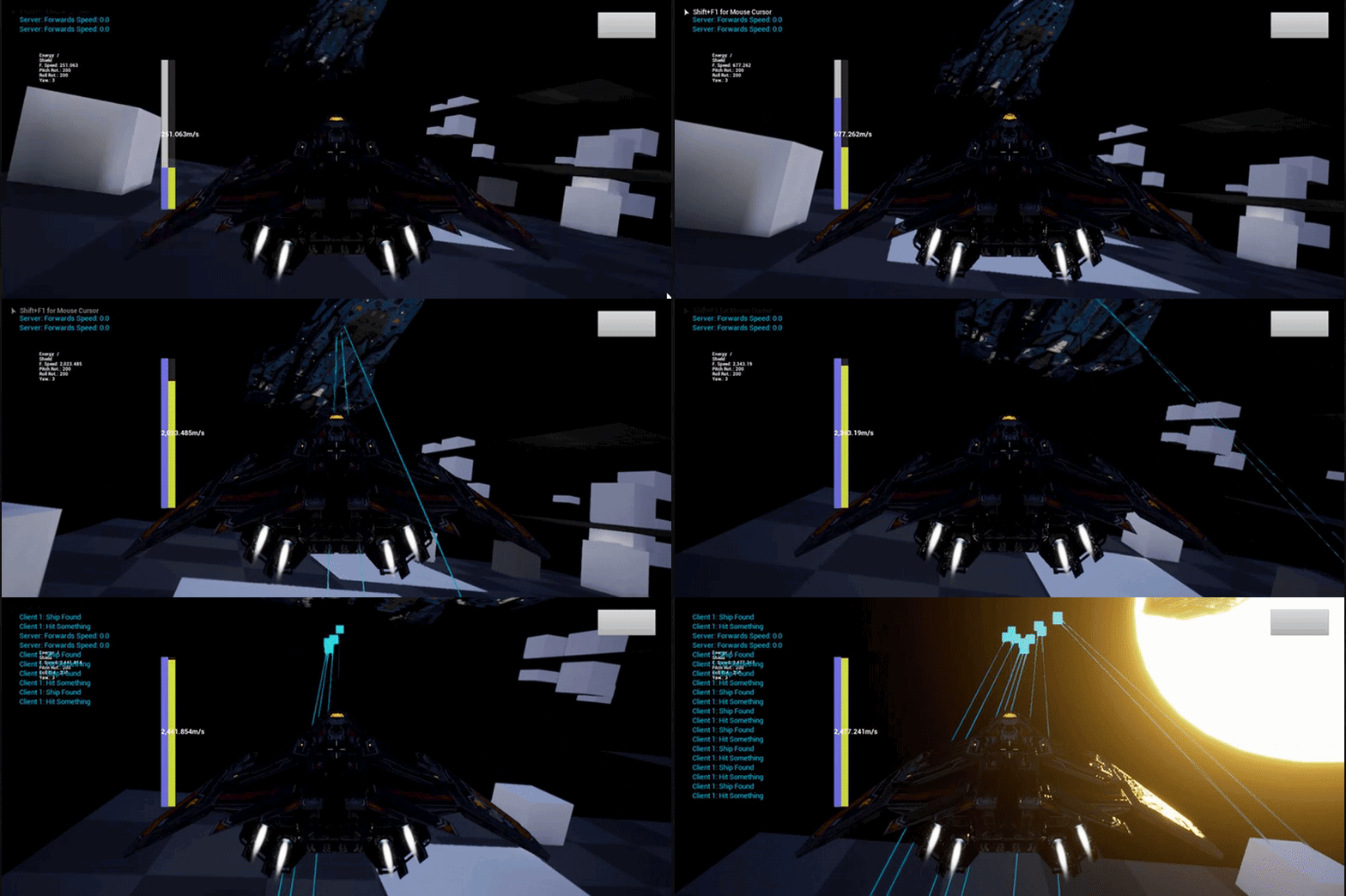
This is the client side. You can see the ship doesn't get the hits, but the STARTING location of the ship still does.

And thats the collision setup.
the problem doesn't really matter if it works on the dedicated side, but the collision still needs to move on the client side, and I'm unsure why it's not.
I take it you're kinda stumped as well? haha
static lynx
i had no idea you could do that. haha
winged badger
the illuiminati eye bottom right
winged badger
but i suspect at least one of its components is not
winged badger
print the component hit on trace
static lynx
good idea
The static mesh
even though the mesh is moving on the client and server. AND, if I collide with the moving static mesh, i have a collision.
static lynx
nope
that ship is spawned on the server, then just has it's velocity set. that's about it.
everything else is like those settings I showed earlier
winged badger
show me the entire trace?
static lynx
for which part?
static lynx
 winged badger
the forward vector is already normalized btw
static lynx
took it out, thanks! 😃
winged badger
is the problem dedi only
static lynx
yup
if I run the trace on the server side instead of the client, the problem doesn't occur
winged badger
do you have it on client when you start in 2 players listen server?
static lynx
but the client doesn't seem to get rid of that phantom collision, or move it
let me test that
Ok, so on a listen server setup, the listen server always hits where it is supposed, but the client is still having the same problems as the dedicated server.
where the client does NOT hit on the actor once it has moved, but it DOES hit in the original location, even if the actor has moved from that location
winged badger
so a general client server problem, not exclusive to dedi
static lynx
correct.
winged badger
on a ship that is used for target practice
static lynx
on that ship, or any other ship yes.
all children of a master ship class. two different ships had the same results
winged badger
SetTimerByEvent, 1s, looping, if NOT Authority, print the World position of its static mesh
static lynx
standby
winged badger
on BeginPlay is good
static lynx
It's moving.
winged badger
is the component itself replicated?
static lynx
yes
winged badger
how is it created?
 winged badger
CreateDefaultSubobject
static lynx
 winged badger
i am out of ideas now
winged badger
what version?
static lynx
20.1 iirc
winged badger
try switching the trace
toss the ships static mesh to its own collision profile
LineTraceForObjects of that type
see what happens
static lynx
when i tried that before our tests, same results sadly.
i don't think the issue is with the traces, but rather the collisions.
winged badger
asking in #legacy-physics might provide more insight
static lynx
I'll check it out. Thanks for your help. 😃
 worn nymph
@static lynx try adding a collision component of some sort as the root component in your heirachy. i think this will fix the problem
static lynx
I think it will too, but sadly I need accurate line traces on the mesh
worn nymph
yes you dont actually need to use it just make it small and turn collisions off but for some strange reason it just has to be in the root for collisions on static mesh to work
i encountered this behaviour when i was making an interactove menu and i wanted the player to click a static mesh of the character for character selection
worn nymph
isnt there a dropdown you can set no collision and it will set them all to off. and untick the tickboxes so it doesnt generate hit events etc
also double check on your static mesh click on it and in the details panel there is a tick box someowhere as well about wether the mesh can use hit events and stuff cant remeber of the top of my head
static lynx
yeah, it's just messing up my flight physics now, even though i have it set to no collision. haha
subtle peak
Does anyone know why the controller returns a nullRefereceExeption when its spawned? It works fine when I place the AI in the level and then move it :S
This is called from the player pawn
thin stratus
Check the Settings of the Character
It has one for when it should be possessed by AI
Options are, Spawned, PlacedInLevel, Both and None
subtle peak
@thin stratus You're right! That worked! Thanks 😄
balmy kindle
i have a steam multiplayer setup with listen server. But somehow the server loses its player controller when a client is joining. If the server spawns alone, no problems. Autoposses is disabled and i have multiple player starts too
copper portal
@winged badger here is the thing, the colors are just different sprites and in my character bp, I check if if the color == green or color == blue etc. So using color type won't work
winged badger
then use an int32 key
i mean, it will not break your game like this
but its bad practice to use text as keys with replication
balmy kindle
how do i prevent clients from joining my game? for example if players are at max or if the session is ingame?
sharp pagoda
You can reject their connection attempt in game mode PreLogin
balmy kindle
@sharp pagoda thanks, didn't know there was a PreLogin Function as i do mainly Blueprints
I still have the problem with the Player Controller though... when a client joins the server loses the player controller somehow..
 vivid siren
hey, any recommended learning resources for networking? i'd say i'm at an advanced level of blueprinting but the replication system is just beyond me for some reason. I've already checked out the network compendium
 swift topaz
Having a weird "issue" so to speak. I'm trying to do a server function that sets an actor transform, it works perfect for rotation and location, but scale doesn't update.
Even tried the SetActorScale3D node, to no avail. I'm using the dedicated server option for multiplayer editor testing. Is there a problem with scale?
 grand kestrel
@vivid siren I don't think you'll find anything easier to learn from tbh. It's well written
Just keep trying and referring back to it. Make simple mp stuff. It'll eventually click
You're definitely not going to find a resource that you can work through and Bam you're a networking guru
Expect to spend a couple months getting started
vivid siren
@grand kestrel I was sort of hoping for a lynda course or something to go through in a more hands-on way of teaching
grand kestrel
There are some proper udemy ones, can't remember which were meant to be good
 stray zealot
Hey who wanna play Fortnite

 copper portal
im using regular int
 severe widget
int32 is regular int
copper portal
ah
ok
well now it selects the same color for 2/4 players
hmm now its showing different colors for 4 players
I didnt even change the code
again
lol
did it decide to start working
@winged badger the int tip worked! thanks
oh now
no*
damn
sometimes it really do be like that
 severe nymph
So I’m looking at a marketplace asset “sky system” that I’m trying to optimize over networking and I could really use some understanding. Up until now I’ve replicated events which I understood as the client telling the server to call the event. If an event was on an actor in the world and the event is multicast then clients perform the logic so each variable used in that event wasn’t necessarily replicated but clients simply executed by command of the server. When an event was being performed and I just wanted to represent a parameter other than movement I’d replicate the var associated with that actor but not multicast the event as these actors exist on both the client and server I’d load on client is checked. So the client will tick the actor and execute the logic as well as the server and if getting the rep var the state should be what the server set.
Apparently I’m still learning because this thing is kicking my rear 😪
copper portal
what it just started working again
nvm
severe nymph
The asset is “fast sky” it’s a really good implementation of a beautiful sky system but the replication has to be completely redone
20k on stat net
I’ve given feedback to make the creator aware
 visual pebble
Any good links to begin setting up multiplayer connectivity? It’ll be one player on each end.
vivid siren
When testing multiplayer functionality, is there any pros and cons to testing with multiple PIE windows, multiple Standalones, or having multiple real world users with the same project through source control?
bitter oriole
@vivid siren Sounds like different stages of development
Multiple PIE works for basic feature implementation, to test quickly, in something that's a pretty particular environment
Multiple standalone + packet lag simulation is your daily multiplayer development environment, simulates two games pretty well (framerate will be bad in the non-focus instance, no Steam matchmaking psosible, so it's not 100% realistic)
Multiple standalones on separate machines is useful for development, since you can test with Steam
Finally, you always need to have real players testing !
 north trout
when i run an event from my gamemode (server) and my event is in my gamestate and set to multicast (which is replicated to all clients) why is it only calling the following UI Events on the server?
So basically event flow is like this
Gamemode executes PlayerJoin -> Gamestate PlayerJoin (multicast) executes UpdatePlayerLists -> UI gets updated or not 😦
thin stratus
Because you assume that the PlayerList is properly updated
It's not replicated, so each PlayerState, on each Instance, will add itself to the PlayerArray
If you want to do a PlayerList UI, do yourself a favor and just Tick the Update in the UI:
You can do that with 1 or 2 checks, depending on Teambased or not.
For the first check you save the Length of the PlayerArray in your Widget that spawns the PlayerEntries.
If that Length (the one you saved) is different from the actual PlayerArray->RefreshList.
And if you have Teambased lists where players can swap teams, you'd need to save the current Team of a Player in a TMap, where the Key is the PlayerState and the Value is the Team.
When going over the PlayerArray you take the current playerstate, find the team from the TMap and check if it changed. If yes, refresh list.
@north trout
thin stratus
The default Array is not
It will have all PlayerStates in it, but not because it's replicated
You can also look into ShooterGame and Unreal Tournament and you'll see that not even Epic fights with that crap.
They just poll in the UI if the Array changed like I just explained.
north trout
eh ok i will try that. I dont have the code on this device atm but thanks
trim dirge
how can i change the multiplayer spawns ? say i have two teams, how can make Team A spawn in A base, and Team B spawn in B base?
 opaque flicker
hey can some1 help me ? how can i cast from game instance to playercontroller of another level (get player controller) doesn't seem to work !
twin vault
what youre asking doesnt make much sense, what are you trying to do? get the player controller of a client? explain a bit better
opaque flicker
@twin vault hey, actually in my game instance after i create a session then open a new level i'm trying then to cast to player controller of this level so i can set some variables
like this but cast always fail
and be aware that the player controller of the main menu is not the same of level1
twin vault
I see, you have a different player controller per level, if you actually set up in the GameMode to use that playercontroller, it should work
if its not using the correct type of player controller, you wont be able to cast, (remember that casting is only helping the engine to understand which class an object is)
opaque flicker
@twin vault yes i did that before, the level1 player controller automatically working but cast to it from gameinstance doesn't work in the upper blueprint
twin vault
youre opening level, and on the same code getting the playercontroller on that level, i think it wont spawn the playercontroller before loading the level
twin vault
so you its probably getting the old player controller (which is getting killed)
opaque flicker
so the quesion how to get reference to the player controller of a specific level
twin vault
BeginPlay of that controller, could be
thin stratus
That's your best bet yes
opaque flicker
hmm gonna work around that
thin stratus
If you need to assign teams, you should do that in the GameMode
The GameInstance i usually not used for Gameplay code
The GameMode has the PostLogin function that calls when a New Player Connects
And it gives you the PlayerController of that person
twin juniper
Does anyone know how to replicate movement using "right click to move?" And simple move to location?
It won't properly replicate the rotation, and it is jittery
winged badger
and it doesn't really work over network
twin juniper
@winged badger are you talking to me?
swift topaz
TransformActor->SetActorTransform(NewTransform, false, nullptr, ETeleportType::TeleportPhysics);
Does not allow for the Scale to be set (location and rotation work fine)
float AddScale = ScaleDirection * 0.05f;

CurrentScale.X += AddScale;
CurrentScale.Y += AddScale;
CurrentScale.Z += AddScale;

TransformActor->SetActorScale3D(CurrentScale);
Still doesn't allow for scale to be set, any reason?
Works fine in singleplayer, but scale refuses to work in multiplayer
winged badger
my guess is it wouldn't be replicated
things that don't have a tendency to change usually rarely are
try RPCing the scale change
swift topaz
The scale and the transform are part of a server call, I figured the server will replicate the transform down to the clients, didn't think scale was omitted in the transform. Feels kind of silly to do a multicast afterwards to update the scale on every client ...
winged badger
would you replicate extra 3 floats on tick by default even though they almost never change?
if you were making the engine
 next falcon
does anyone know where the RPCs are defined ? (the class location)
north trout
how do I "wait" for gamestate to replicate? 😛
north trout
more specifically player array list isn't fully replicated when the player joins the lobby
so rep notify?
thin stratus
Well as already stated, the PlayerArray isn't replicated.
It's filled on each client by itself
You can make your own array that is replicated
Or you poll on tick, which is easier and also done by epic
north trout
is tick enabled by default? or where do i activate that o.O
thin stratus
Weren't you trying to update your UI from that?
Tick in your Widget should be enabled by default
It's an event that calls every frame
north trout
yeah i added a event tick in my widget
thin stratus
Yeah now add a Variable (Integer) to save the previous length of the PlayerArray.
Then test in the Tick Event if the PlayerArray Length is unequal to the new Variable.
If TRUE, Refresh PlayerList and set the Variable to the PlayerArray.
Now it will always refresh if the Array changes.
I usually strongly advise against doing this on Tick.
But I spent a fair amount of time trying to get this to update on an "event" basis, and it's just too many cases in which something isn't valid.
UnrealTournament also queries that thing on tick, so /shrug
thin stratus
You could try to make your own Array
And replicate that from the Server
With RepNotify
But I'm pretty sure I tried that
And even that wasn't working as wanted in specific situations
north trout
yeah kinda frustrating
north trout
if i would create something like a warmup "state" would i put this in the gamemode or the gamestate? gamemode right?
thin stratus
GameMode
The way I (and UT) handle that is by ticking the "bDelayedStart" boolean
And then have "WaitingToStart" as Warmup State
And when Warmup is over (whatever condition that is) I start the match and go "InProgress" with the MatchState
next falcon
So i tested many possibilitys for replicating a Big Array (30000 Size):
- Normal Replication
- Replication Notify
- Rpc Function
- Spliting it up in packets of 2000 Indexs
- Increasing the "Max Array Size" Setting
- set every index of client from server (Rpc for each index)
Nothing of it works..
Some other ideas for me ?
i know i could write a extension for the engine but thats a little bit to "Big" for me..
But im open for tipps for that
cloud ledge
What didn't work out with RPC's and splitting it up?
It sounds to me like this could be solved by having a custom struct that holds your array and has custom serialization or something IDK
next falcon
well i don't know exacly why it doesn't work but it doesn't work
and the struct with the array is still too big
cloud ledge
Ye, the struct only holds the array
You would use different means to actually send it
Taking fast arrays as an example
In fact, @next falcon, can you just use a fast array? One sec
I'll give you exact class name
It's called Fast TArray Replication, the class name is FFastArraySerializer
cloud ledge
Even if it's not what you want, it will be a starting point for writing your own custom thing