#multiplayer
1 messages · Page 420 of 1
 thin stratus
I think however they tear off the Pawn when dying at the very start already
 jolly siren
yeah ShooterGame does a tear off in OnDeath too
thin stratus
Yeah they do
// In Died()
bTearOff = true;
....
PlayDying();

// In PlayDying()
GetWorldTimerManager().SetTimer(DeathSoundHandle, this, &AUTCharacter::PlayDeathSound, 0.25f, false);

// In PlayDeathSound()
UUTGameplayStatics::UTPlaySound(GetWorld(), CharacterData.GetDefaultObject()->DeathSound, this, SRT_None, false, FVector::ZeroVector, NULL, NULL, false, SAT_PainSound);
And that last line leads you to the Statics file I send
jolly siren
Seems like it would be cleaner to just not detach the PC when a character dies
 zinc zealot
hey people
for some reason
Blueprint Runtime Error: Accessed None trying to read property K2Node_DynamicCast_AsThird_Person_Character from function: 'ExecuteUbergraph_PickPistol' from node: Branch in graph: EventGraph in object: PickPistol with description: Accessed None trying to read property K2Node_DynamicCast_AsThird_Person_Character
does this make sense ?
accessed none
but its just the person who is in the collision
thin stratus
Yes it does, because you are querying the Actor pin the whole time
If someone else overlaps in the mean time it'll no be valid anymore
Make sure to save a ref
zinc zealot
thx 😃
ahh so thats whats happening!
cause
it spawns very close to an actor
my game is so bad programmed xd
anyway
thx cedric 😃
its almost finished 😃
this is the last thing to finish it i think
 jagged sinew
How do I connect clients to an IP?
I want to run a server on my IP, and allow other people to connect from anywhere in the world.
I'm sure you use "open <domain name>" however, how do I make a client join?
zinc zealot
you need access to the console right ?
i think
then use a command
i think its in the compendium ? im not sure
jagged sinew
you use an exec node
jagged sinew
no
I'm not using a subsystem yet
I just want to start out by connecting people to a server hosted by me
zinc zealot
then idk... im very newb and i can only say about the steam subsystem xd
thin stratus
Doing open IPADDRESS will make him join
jagged sinew
and to host, I do open IPADDRESS too?
jagged sinew
gg
jagged sinew
@thin stratus ok so, they both spawn but I can't see one another in-game
"Run Dedicated Server" is selected, and 2 players.
thin stratus
You don't want to do this from within the Editor though
And no, hosting is doing via open LevelName?listen
jagged sinew
so I don't need any console commands in the host button?
zinc zealot
hmm
the way cedric said
maybe in options you should try
Online?listen
cause from what i heard ? is to seperate options
thats what i assume
thin stratus
The node opens the Level "Online" with the options "listen"
That's fine
(if your level is called Online)
jagged sinew
oh
so now I have:
open Online?listen
and
well that is for hosting
and for joining:
Open Level
Correct?
thin stratus
No
thin stratus
open Online?listenis for ListenServers. So you need to make sure that you actually host with a Client and don't use DedicatedServers.
If you want to use DedicatedServers, then this is the wrong approach.- for connecting it's
open <ip>
jagged sinew
how do I do it with DedicatedServers?
zinc zealot
xd
jagged sinew
Mk so I'm gonna try without
So how do I test this now? You said not to use the editor.
zinc zealot
@thin stratus xD
zinc zealot
wells
its an emote
and i like
it
so i do it
puts xd
xd
sry :d
@thin stratus now that i finished my game can i call myself a game dev ? 😂
thin stratus
(: you could stop spamming so much and tagging me all the time. I'm working and it's unnecessary for these matters.
 bitter lintel
How do you "query for the actor's most outer owner"?
jolly siren
Well you can always just loop and traverse upwards until owner is null
bitter lintel
Using GetOwner()?
jolly siren
yes
bitter lintel
I'm still not getting pawns to be recognized as owned. How do I check ownership?
if (objectToSync->GetOwner() == UGameplayStatics::GetPlayerController(GetWorld(), 0))
is never true on clients for Client Pawn but I can send server RPCs from it so I know the client owns it.
 north trout
Does somebody has some experience with FSavedMove_Character? The Connection for me times out after 240s because it has collected more than 96 SavedMoves. Do you have to manually remove SavedMoves from the array?
zinc zealot
heyppl
i can use the developers id from steam subsystem to play online with some friends right ?
 winged badger
@bitter lintel there is no guarantee its Owner is the PlayerController
if its a component on possessed Pawn, GetOwner() returns that Pawn
its NetOwner is still the PlayerController
and those GamePlayStatics can break server side
its a bad way to go around it
IsLocallyControlled() for Pawn reference, IsLocallController() for the PC
 twin vault
On a replicated variable, does the replication occur to all clients at once? is there a way to check if it already replicated?
My problem is that i have a bool variable inside the struct that can change too fast, and sometimes the client wont see it changed due to replication not happening every frame
and i cannot use a RPC
 sharp pagoda
You can't guarantee that a replication happens to all clients at once, the update will be sent as soon as possible over the wire but after that it's no telling what obstacles that packet will have to go through to get to the destination. You are only sure of the fact that it will get there, eventually (unless a network error occurs). Why would you need a variable to change every frame and to be replicated? @twin vault
twin vault
its not every frame, but sometimes it changes to true and to false before replication occurs
twin vault
ok that was more of a structural problem, fixed by changing how stuff worked
zinc zealot
guys i can use the developers id from steam subsystem to play online with some friends right ?
north trout
yeah you can use the spacewar thingy @zinc zealot
zinc zealot
thx
bitter lintel
@winged badger
if (const APlayerController *aPC = Cast<APlayerController>(GetOwner()->GetNetOwner()))
is never true for an actor component on RollingBall or ThirdPersonCharacter in the default examples.
Am I going about it wrong?
I'm trying to find out if any Actor is able to send RPCs from the client to the server (is owned locally).
sharp pagoda
@bitter lintel To test if an actor is locally owned, used IsLocallyControlled()
GetController
bitter lintel
What if it's not a pawn?
 static lynx
So I'm using blueprints. Trying to spawn actors on the server. All actors have replication set to true. They work if I don't use a dedicated server PIE, but they don't work on a dedicated server PIE. They spawn on the server part, but not the client. Any idea why?
I'm also setting replication to true on those spawned actors from the actor that is spawning them
 mighty rover
I'm having an issue with my client side cap stack sliding (https://www.youtube.com/watch?v=JL4HItJt8a0&hd=1) any ideas on what's happening? Should I just turn off physics on the client side and just have it replicate from server?

Having issues with the stack sliding on the connecting client side. Once the server hits the stack, the replication catches up, but it shouldn't be sliding.
sorry for the loud sound on the video for the main menu
bitter lintel
You will not want to do physics on two separate machines, they will pretty much never be equal.
winged badger
@bitter lintel if (Role == ROLE_AutonomousProxy)
bitter lintel
You'll need to sync it for sure. Are you doing Replicates Movement?
mighty rover
let me double check, still newbie to multiplayer implementation, so pulling a few cranks here, turning a few knobs there lol
right now, the Stack_BP is being spawned via the GameState with a Spawn Actor Node on BeginPlay
The Stack_BP handles spawning 20 individual Cap_BP's on start, then as they flip over they get removed accordingly. The physics is handled within the individual Cap_BP settings.
bitter lintel
Look at your cap_BP in the blueprint editor.
On the right side there should be a section called "Replication". Is "Replicate Movement" checked?
winged badger
which MovementComponent, if any is on Cap_BP? what does it derive from?
mighty rover
staticmeshcomponent
bitter lintel
@winged badger if (Role == ROLE_AutonomousProxy)
is never true on the Client when it is an Actor spawned by the server but then ownership is changed to a client.
winged badger
changed how?
bitter lintel
GetOwner()->SetOwner(UGameplayStatics::GetPlayerController(GetWorld(), 1));
To change it to the first connected client (This happens on the server).
winged badger
bool AActor::HasNetOwner() const
{
    if (Owner == NULL)
    {
        // all basic AActors are unable to call RPCs without special AActors as their owners (ie APlayerController)
        return false;
    }

    // Find the topmost actor in this owner chain
    AActor* TopOwner = NULL;
    for (TopOwner = Owner; TopOwner->Owner; TopOwner = TopOwner->Owner)
    {
    }

    return TopOwner->HasNetOwner();
}
this? Actor.cpp
bitter lintel
@mighty rover I think "Replicate Movement" isn't 100% deterministic. Not sure if this is your actual issue though. From tests I've done: Unreal's Replicate Movement seems to track all movement from the server and transmits it to all clients but it seems to stop caring once the actor stops moving on the server. Then you can hit it on clients and it will get off, but once it starts moving on the server again, it syncs back up.
mighty rover
Yeah, that's the behavior that it appears to be having. Would it be beneficial to have a check on Cap_BP spawn, where if server keep physics on, if not, turn it off?
winged badger
@bitter lintel APlayerController overrides the function with return true;
you can try making Caps full Pawns with their own movement components (something that performs corrections over network, like CMC), although it feels like an overkill
or you can find whatever setting controls drag/friction for physics, and crank it up
hope for the best
writing your own MovementComponent with basic networking is probably the most sane way to go, a very lightweight version of CMC
bitter lintel
How do I call HasNetOwner()? I can't seem to access it from anywhere. I wish they had examples in the Unreal docs.
It seems like it just checks if it has an owner though, not if it is locally owned.
bitter lintel
I only c++!
winged badger
    /**
     * Does this actor have an owner responsible for replication? (APlayerController typically)
     *
     * @return true if this actor can call RPCs or false if no such owner chain exists
     */
    virtual bool HasNetOwner() const;
its protected:
bitter lintel
So I need to override it?
winged badger
for some reason, because making a const function protected makes perfect sense
😦
i'd wrap it
add another function that calls his one, properly exposed to the outside
bitter lintel
Will that tell me if it is locally owned though or if it just has an owner?
exposed to the outside?
winged badger
can't call it from outside the Actor or its child classes
as it is
it the last in the chain of owners is a PlayerController
it will return true
otherwise it will return false
bitter lintel
But how do I know if it's locally owned?
winged badger
you can use some of their code if you want that
winged badger
    AActor* TopOwner = NULL;
    for (TopOwner = Owner; TopOwner->Owner; TopOwner = TopOwner->Owner)
    {
    }

    return Cast<APlayerController>(TopOwner)->IsLocalController();
epic's from that HasNetOwner() function
bitter lintel
heh, ok
mighty rover
@bitter lintel @winged badger - thanks for the help. I was able to fix the sliding issue by putting a server check on beginplay within the Cap_BP. If client, turn off simulate physics for the cap, if server, keep simulate physics on. Now the server is the only one running physics and the client has no out of sync issues with the stack.
mighty rover
Only problem now, is I gotta figure out how to speed up the cap replication on the client side. It's just really laggy when it's updating the cap positions. Physics is all accurate, just takes a few ms for it to catch up to what's really happening and it's not nearly as smooth: https://www.youtube.com/watch?v=xoUFc-lr2P0&feature=youtu.be
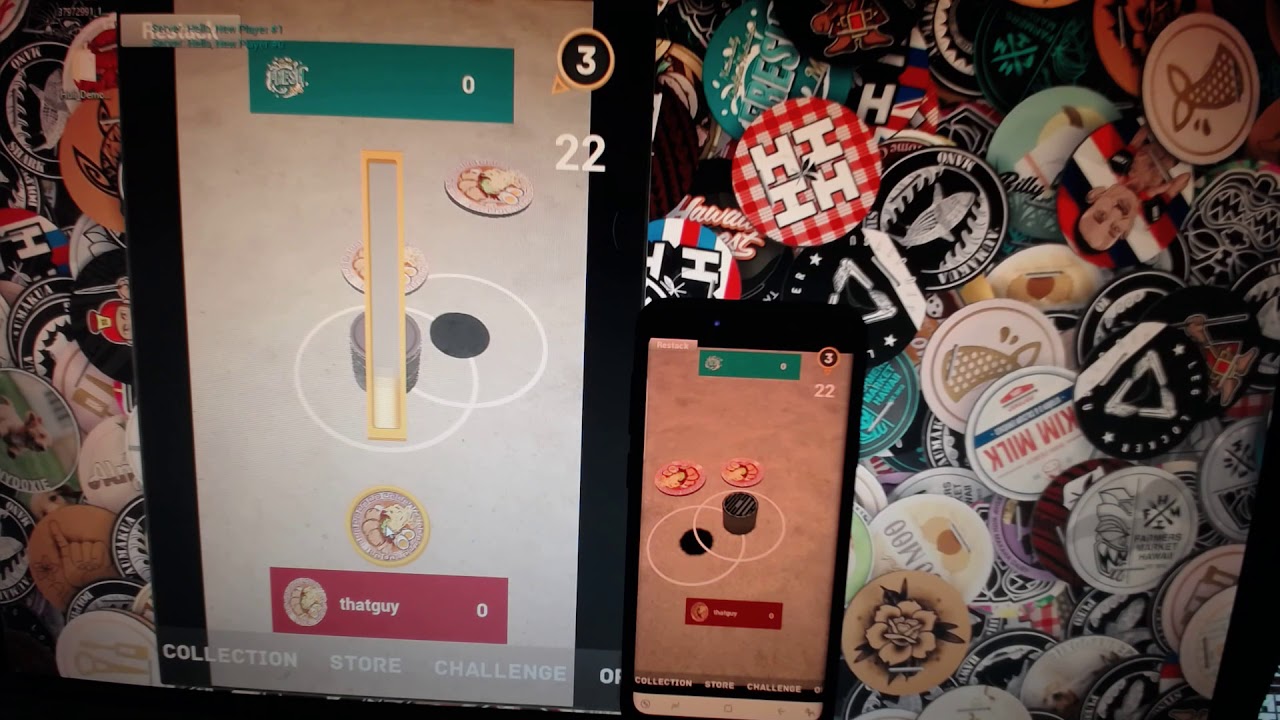
Basic multiplayer working between PC and Mobile phone.
what's the max you think I could push the Net Update Frequency and Net Priority to?
or what suggestions does anyone have to make that gameplay on the client side a bit more smooth? (listen server implementation atm)
bitter lintel
Is it because you turned physics off or was it doing this before?
 plain flume
Hello. I am studying this right now: https://api.unrealengine.com/INT/API/Runtime/Engine/GameFramework/AGameModeBase/GetSeamlessTravelActorList/index.html I'm not quite sure what does it mean if I add some new actor to SeamlessTravelActorList. Does the actor spawn in the same location it was in previous map with all the same properties or what does it actually do when adding new actors to that list?
Called on server during seamless level transitions to get the list of Actors that should be moved into the new level PlayerControllers, Role < ROLE_Authority Actors, and any non-Actors that are inside an Actor that is in the list (i.e. Object.Outer == Actor in the list) are a...
https://docs.unrealengine.com/en-us/Gameplay/Networking/Travelling Here is the list of actors that are in the list by default and that makes sense, but I don't know what it means if I want for example add inventory item to the list
 twin juniper
hello guys I have a question for the multiplayer game-is there a way to make multiplayer game or multiplayer system like in the game Fortnite or Conan Exciles with the free server from Microsoft?
 fringe dove
which event/callback can I look for on server to find when a client disconnects?
(and is there a separate one for clean disconnect vs timeout?)
AGameMode::HandleDisconnect doesn't seem to tell you which player disconnected
AGameMode::Logout seems to be the common case for a clean disconnect, and does give the controller that is logging out
not sure if Logout is called for a timeout yet
it also broadcasts FGameModeEvents::GameModeLogoutEvent in AGameModeBase
Logout seems to get called anytime APlayerController::Destroyed is called on server, so hopefully that happens with a timeout too
player state seems to be kept alive for a while after a timeout in InactivePlayerStates
fringe dove
anyone know specifics on what net.DelayUnmappedRPCs does?
it says " "If >0 delay received RPCs with unmapped properties"
does that mean delay the RPC receipt if it has parameters pointing to uobjects that haven't been replicated over yet?
mighty rover
@bitter lintel - it was doing this before.
sharp pagoda
I have a steam dedicated server that advertises and is visible in the master server list, but only when the match state is WaitingToStart. Once the match state changes to InProgress, the advertising stops despite having bAllowJoinInProgress enabled during session creation. Any ideas?
jolly siren
Does anyone know how to check if an actor is part of a replay?
fringe dove
@jolly siren not sure this is the best way, but: https://api.unrealengine.com/INT/API/Runtime/Engine/GameFramework/AActor/GetNetConnection/index.html
Get the owning connection used for communicating between client/server
And then see if that is a UDemoNetConnection
 unique thunder
Any way to minimize a hit to other client's CPUs from tick events run on client-auth actors I use?
I couldn't understand why others were being affected but I figure because the server replicates the tick changes, even though I run the initial calculations, other clients are still receiving them and from everyone.
 left marsh
I am testing in editor with a dedicated server, yet somehow my server is detecting my controller inputs locally.
Do I have something set up in a weird way?
mighty rover
@bitter lintel @winged badger - fixed the horrible lag on the client side caps by reenabling physics on all of the caps within the stack (via multicast event) after any player throws the hitter cap. It's smooth sailing now on both the client and listen server instances
 graceful cave
is there a way to get NetServerMaxTickRate in BP? if its not exposed to BP, how can i get it in C++?
using 4.20.3
i want to get it on a dedicated server
 ember needle
All, I have a slotting menu that uses a GamMode with seamless travel enabled. When ready, all players enter the map. When done, the GameMode calls a servertravel again, this time back to the slotting menu. All clients crash with this: https://pastebin.com/WAqqyPzZ

any ideas?


Ok I think I might have it... SeamlessTravel to: /Game/Blueprints/Widgets/Menus/OSA_Menu_SlotSelection
it's traveling to a widget that has the same name of a level....
I assumed it would know the difference between a widget and a level. I'm going to try renaming everything
zinc zealot
Guys i just started using advanced sessions and i wanted to know how to use the steam overlay to invite friends to sessions
all i find in youtube is like a way to create a steam overlay so to say
twin juniper
when server opening level all players disconnecting, how fix that?
graceful cave
@twin juniper run the console command servertravel mapname on the server instead of openlevel
graceful cave
has anyone else had net issues in 4.20 that werent there in 4.19?
my log is printing LogNetPlayerMovement: Warning: CreateSavedMove: Hit limit of 96 saved moves (timing out or very bad ping?) every few seconds when i connect to a server and everything is really laggy despite low ping and being connected to a dedicated server running on my own computer
nothing in my project's code changed after updating my engine except a few things unrelated to networking
sharp pagoda
I have a steam dedicated server that advertises and is visible in the master server list, but only when the match state is WaitingToStart. Once the match state changes to InProgress, the advertising stops despite having bAllowJoinInProgress enabled during session creation. Any ideas?
zinc zealot
im new to advanced sessions xd
@sharp pagoda
do you know about advanced sessions ?
cause i wanna do this
I wanna invite friends via steam overlay to my session
winged badger
@sharp pagoda with listen servers, joining a match in progress via Steam worked out of the box
sharp pagoda
Joining is not the issue, getting it to advertise while the match is in progress is what I'm trying to get.
I found some stuff in GameSession.cpp:59 that I think is causing it to stop advertising
Judging from this code, I'm not supposed to manually start a session but let the gamemode start it for me?
In GameSession::HandleMatchHasStarted()
FOnlineSessionStartComplete CompletionDelegate = FOnlineSessionStartComplete::CreateUObject(this, &AGameSession::OnStartSessionComplete);
UOnlineEngineInterface::Get()->StartSession(World, SessionName, CompletionDelegate);
 bleak lily
https://gyazo.com/887fd141237ff414f90acdad5d1c1790 hey so I have an issue where this isnt doing anything in the gamemode

I had a spawn system that worked in it but for some reason this doesnt do anything
 vital steeple
seems like unreliable multicasts are so... unreliable, i feel hesitant to use them. seems like it almost never fires... when i try to look at my net stats, everything seems ok :/
is that common or is multicast not firing (when unreliable) a sign that net traffic is being saturated
 grand kestrel
Wouldn't know, we use them in extremely rare cases, mostly using replication and repnotify
vital steeple
yeah i find myself using them far less often, now that ive worked more with replication
 rose egret
AIController exist only on server yes? so why APawn has APawn.Controller as replicated property 😃
 manic pine
in case the pawn is controlled by a client
it wont actually replicate the controller itself though, only a reference to it... and since the AIController isnt replicated, it'll be null on clients
winged badger
you can turn off OnlyRelevantToOwner
then it would replicate just fine
and turn on Replicated, ofc
override of IsNetRelevantFor would make it replicate to just one client, too
unique thunder
@manic pine hey that RepNotify you helped me set up doesn't seem to be working ;/ I can't screenshot right now, I'll do it in like 5 min - maybe you can see if I fucked it up
manic pine
@unique thunder sure
twin vault
is voice chat enabled by default? im hearing my voice testing with steam...
unique thunder
@manic pine
The idea was to send a RepNotify and only trigger the visibility for other players who shared the same Team variable as me.
It works fine when I test local but not multiplayer.
manic pine
that looks good i think
if its not working in mp then the var is not being repped ye
whats the replication settings on VivoxTalking
unique thunder
That bool is from the Vivox Participant Speech Detected node
It's determined on Tick inside the playercontroller
I can confirm that it does get to the correct controlled pawn (CurrentBody), just doesn't replicate in multiplayer
And the VivoxCanTalk? bool is set to true when the player joins a channel.
Can confirm that works, as well.
manic pine
does the var have any Replication conditions?
unique thunder
None
Everything seems accurate, I'm just not sure about the way it's checking for == team
manic pine
CurrentBody is your pawn
unique thunder
Yes, active pawn at any given time
manic pine
youve confirmed that SpeechDetection runs?
unique thunder
Yes, I can see the visibility change when I test offline
unique thunder
alright, will run a test and know in a couple hours. I'll deploy with the team check removed just to see if that works
as well
manic pine
e.g. in that bp you posted above, just add in a Print node before branch
yeah, the team check is the other likely suspect
along with speechdetection
but the team check should be fine if pawns are replicating the team var normally and the team class itself is replicated
unique thunder
yeah team var is being checked/used in a few different places and it replicates everywhere fine
should be able to run a test soon
 torpid nymph
I'm getting [2018.09.17-16.11.26:388][ 0]LogOnline: Warning: STEAM: Failed to initialize Steam, this could be due to a Steam server and client running on the same machine. Try running with -NOSTEAM on the cmdline to disable. [2018.09.17-16.11.26:389][ 0]LogOnline: Display: STEAM: OnlineSubsystemSteam::Shutdown() [2018.09.17-16.11.26:389][ 0]LogOnline: Warning: STEAM: Steam API failed to initialize! [2018.09.17-16.11.26:389][ 0]LogOnline: Display: STEAM: OnlineSubsystemSteam::Shutdown()
I'm trying to run a steam dedicated server
anyone successfully setup the dedicated server to run with steam? I'm trying to run it on an instance so I don't have steam on the computer running the server, with steam on it doesn't give this warning, but that kind of defeats the purpose of dedicated servers if I need to have an account for each and every dedicated instance that I have
north trout
talk to smart people of ue4 why does my custom movement timeout after 240s (96 Saved Moved) i dont really get it any pointers?
or examples? i looked into unreal tournament but i can figure it out
 glacial yacht
@torpid nymph i think you need to run Steam. I had issues today in a similiar scenario. Dedicated server grabbed Steam info before client and the client couldnt get the Steam info bc it was used already ..
To another point tho .. im really frustrated with unreal networking, i asked on here before about an issue i have with my ipv6 dslite connection and the inability to host games for clients outside of my home network. I tried something from a user here , setting windows plattform to ipv6 , which resulted in me being able to join my ipv6 from within my network but not from outside.. ( havnt tested from ipv6 to my ipv6 tho ). Also to my understanding, in ipv6 a port opens (if forwarded ) if an application is listening and with windows engine settings set to ipv6 and equally on ipv4 the port just wont become reachable . In contrast , a simple node or python socket listener works flawlessly. really not sure how to proceed here -.-
graceful cave
is there a way to optimize a weapon that has the server spawn 10 actors per second?
right now it makes the inrate increase by about 3000 bytes/sec while firing
twin juniper
The default online subsystem steam
Seems very poorly developed
Does anyone know of any alternatives?
grand kestrel
@graceful cave use an object pool
 red glade
@twin juniper gamesparks
 weary saffron
Hi people! I try call multicast event in my GameInstance from server GameMode. This event working on server but not working on clients.
What am I doing wrong?
winged badger
GI is not and can not be replicated
 fossil spoke
@weary saffron Use the GameState instead.
weary saffron
@fossil spoke @winged badger Oh my God! Ok, I'm using GameState. Thank you!
twin juniper
Hey, I'm developing the Steam multiplayer, I'm pretty much done, but it doesn't work, can somebody help me please?
I can Share Screen in DM
 late violet
Anyone know how I can make engine calls (like tick) run only on the owned client? IE, I want AI tick to only be called on the server, and the Player tick only called on that client. I can't find anything I should if-check. Note: It can't be doing a Multicast as I need it to be that frame.
north trout
can you not just check the the role in your tick function? @late violet
late violet
I tried checking ROLE_AutonomousProxy but this seemed to not work on the server. Also, I need this to work in a standalone version too. I was hoping there was a method like "IsLocallyOwned" or something.
north trout
@late violet what about
if(Role == ROLE_Authority)
that should do it? for the server
twin juniper
Can somebody please help me in DM? I've programmed it all, but I need help
please please please
 hot ridge
I am trying to setup the option for the host to return to the top main menu (sets up if you want to host or search for game) but after hosting a game,and then going back to the main menu, the game freezes
I am using Open Level
I have the name of the Main Menu as the map to load.
I am doing it in the player pawn, should I be doing it in the Game Mode instead?
It dosn't need to bring clients along with the host as this acts somewhat as a reset
The Main Menu has a different Game Mode than the lobby people can join
hot ridge
I've been using Open Level for connecting online with no problems
but going back to the lobby just dosnt work
late violet
@north trout That'll work for the actors owned by the server, yes, but I want to have the code running on the thing that owns that actor, IE: AI would run on the server tick, and the Player would run on the client Tick.
north trout
and why don't u just use?
if(Role == ROLE_SimulatedProxy)
{ // Client Code here
}

if(Role == ROLE_Authority)
{ // ServerCode here
}
On Tick, I'm checking if something should hit that frame, but I want the code for checking that to run locally for that actor, meaning the detection code will run client-side for players, however AI ones will be running server-side, so the two different roles doesn't help here.
What I want is something like this
{
    if (!IsActorLocal())
    {
        return;
    }

    // Do My Code Local to the Actor
}```It doesn't matter if it's server or client-side, it depends if it's running locally owned
north trout
oh
late violet
PlayerController's have a IsLocallyControlled() flag. What I want is something like that for Actors
north trout
but you kinda do that with the Role if check
ROLE_AutonomousProxy will always be the client that owns the actor
late violet
I have an Actor I spawn on the server, but set it's owner to my character, and in the Tick of that actor is where I want to know if it's running local. Will the Role be AutonomousProxy on the server, if it's owned by an AI pawn, and not a Player pawn?
Currently I can do a check that I don't like, but works by checking the NetMode, and seeing if it's standalone, or if not, check the NetOwningPlayer is null
netMode == NM_Standalone || GetNetOwningPlayer() == nullptr
north trout
nah that probably wont work can you try setting some bool variable for example Owned Locally and the ncheck if the local playercontroller owns that actor?
like this?
void AMyActor::IsLocalActor()
{
   bool OwnedLocally = IsOwnedBy(UGameplayStatics::GetPlayerController(this, 0));
}
there is a function called IsOwnedBy in the Actor class should be what you want
late violet
Interesting, that'll work for client-side ones, but AI ones will always return false right? Both on server or client
I noticed that in a dedicated server environment, the NetOwningPlayer is always null when the actor is running where it's owner is
north trout
yeah i guess but for the server you can just do the Role check
thats probably the easiest ^^
late violet
I'll try that out when I get time, maybe when I tested that before, I missed one other line of code.
Thanks for helping! 😃
 gloomy mural
@shuzzle let me know if you solve the "96 saved moves" freeze up, I'm seeing he same thing and haven't debugged it yet
@north trout
north trout
yeah iam dying inside iam gonna do a refactor soon today and will report back
hot ridge
Any help with the open level problem I am having?
gloomy mural
@hot ridge I think you need to do it in the GameMode, yeah
hot ridge
Ok, I did just test in game mode with no luck.
I'm going to take a lunch then work on it
thin stratus
Anyone a tip on how to do "Join with A Button" stuff for local splitscreen?
As far as I'm aware I need a PC to register the additional keypress and for that I need to call CreatePlayer
But that already creates the splitted screen
manic pine
havent used the splitscreen stuff any, but i know there's a split screen type you can set
maybe you can force it to none?
/** Disables splitscreen, useful when game code is in menus, and doesn't want splitscreen on */
    bool bDisableSplitScreenOverride;
this is in gameviewportclient
thin stratus
Will have a look
Thanks!
Also, replication graph docs are up
Looks really cool
(not much but it explains it highlevel)
manic pine
ahh, finally
thin stratus
tl;dr The Graph has Nodes and the Nodes make it possible to keep lists of Actors that send data on demand.
Without that system you have each Actor determine per function call if they are relevant or not
Which is bad when having a lot of actors
manic pine
yeah, so its more for server cpu saving than anything
thin stratus
Yus
Well also update times
Cause data is persistent between frames
So the overall amount of data send should also get better
manic pine
i guess the reason it becomes a problem for fortnite is due to the massive amount of replicated building parts
 slate veldt
Hi all, can someone give me a brief overview of how ShooterGame uses the Online Events interface? For instance, in the player controller Event->TriggerEvent(*UniqueId, TEXT("MultiplayerRoundStart"), MultiplayerParams)
thin stratus
Seems like the boolean for Splitscreen would completely disable the splitscreen
Hmpf
It's also based on Local Players, not even PlayerController
So I can't dodge it by not spawning a PC directly
manic pine
ah yeah, i think the idea is for e.g. a lobby for local players, which decides which controllers get to join the actual map
thin stratus
Yeah, hm
manic pine
have you seen what kind of behavior it has if you just plug in a second controller while already in a map?
thin stratus
Doesn't change a thing
I wonder how I can actually control different 3D widgets in Local Multiplayer
I set the owning Player to the Pawn's controller, but only one gets all input -.-
manic pine
hmm seem to remember reading that keyboard, mouse and controller#0 are all assigned to first player
and then every subsequent controller to the next
thin stratus
You can skip that and I have 2 controllers here anyway
Second controller doesn't work at all
-.- kill me now
manic pine
hmm so you have a second controller, a second player and a second playercontroller
controller == physical controller
second playercontroller should be receiving input from the second physical controller no?
thin stratus
Yeah that it probably does, but I need UMG Navigation to work with that
Each Pawn is preplaced. It's a lobby of sorts.
And each Pawn has a WidgetComponent
manic pine
and focus is correctly set?
well, whatever 'correctly' means for focus... thats always seemed arbitrary to me
thin stratus
I'll have to look into it. Not gonna spam the chat for that, but thanks already for your time
I'll probably slowly find points where I used Controller 0
:D
manic pine
haha, yeah nasty that one
zinc zealot
Does anyone know where i can start looking for a way to use steam overlay to connect to advanced sessions
thin stratus
@zinc zealot Not sure how AdvancedSessions does it or if it does it at all, but you usually hook into the Steam Delegates.
And I think the GameInstance does that and has functions for "OnLobbyInviteReceived" or so.
However I never did more than that, so actually joining from the Overlay, no idea
Only invite wise
north trout
why is my character movement (default character bp) jerky when walking sideways
 subtle peak
Hey where do I put code to handle game rules in MP? Like starting the round etc.. Game mode? Game instance?
zinc zealot
thx
 north stone
 azure karma
Hello, is anyone here who knows how to fix the bug/problem, that cars from the car sample are not syncing their position correctly? I am using the latest GitHub 4.20 version.
twin vault
@subtle peak gamemode, then call something on game state to warn the players the round started
@zinc zealot IOnlineSessionPtr SessionInterface = IOnlineSubsystem::Get()->GetSessionInterface(); OnJoinSessionCompleteDelegate.BindUObject(this, &UMyGameInstance::OnJoinSessionComplete); OnSessionUserInviteAcceptedDelegate.BindUObject(this, &UMyGameInstance::OnSessionUserInviteAccepted); SessionInterface->AddOnSessionUserInviteAcceptedDelegate_Handle(OnSessionUserInviteAcceptedDelegate); SessionInterface->AddOnJoinSessionCompleteDelegate_Handle(OnJoinSessionCompleteDelegate); SessionInterface->AddOnCreateSessionCompleteDelegate_Handle(OnCreateSessionCompleteDelegate);
there are more delegates
if you are asking what they actually are: used as callbacks when an action has been done on steam, such as inviting or getting invited, but not all steam callbacks are implemented as ue4 delegates, some are missing
zinc zealot
im using blue prints can i still call those delegates ?
zinc zealot
ty
 vale ermine
any way to replicate an actors component only to a specific client?
gloomy mural
call a multicast function and then add an If == a specific playercontroller
vale ermine
So if that is not possible my guess is I would replicate a few variables to the client then create an actor on that client with a flipbook component and move it and change it client side based on the replicated data. This way each client would not see the flipbook components for other clients but every client would see the flipbooks movement based on their camera perspective from the replicated data.
 versed rock
Is there some sort of documentation on understanding replication?
I just dont understand the whole replication, casting types of replication, permissions. so pretty much the whole multiplayer stuff
grand kestrel
 versed rock
that sorta what i should be doing
Only client that activates the interaction will see it rotate?
fossil spoke
You could either send an Multicast RPC that tells the other clients to start the spin or whatever, or you use a Replicated variable.
thin stratus
Anyone an idea why "Possessed" calls twice for a Local Player?
Got 3 additional pawns in the scene (menu) for splitscreen players.
And for whatever reason the same pawn calls Possess twice
LogBlueprintUserMessages: [BP_Pawn_MainMenu_Middle_338] BP_Pawn_MainMenu_Middle | BP_PlayerController_MainMenu

LogBlueprintUserMessages: [BP_Pawn_MainMenu2] BP_Pawn_MainMenu2 | BP_PlayerController_MainMenu1
LogBlueprintUserMessages: [BP_Pawn_MainMenu2] BP_Pawn_MainMenu2 | BP_PlayerController_MainMenu1

LogBlueprintUserMessages: [BP_Pawn_MainMenu_1635] BP_Pawn_MainMenu | BP_PlayerController_MainMenu2
LogBlueprintUserMessages: [BP_Pawn_MainMenu_1635] BP_Pawn_MainMenu | BP_PlayerController_MainMenu2

LogBlueprintUserMessages: [BP_Pawn_MainMenu3] BP_Pawn_MainMenu3 | BP_PlayerController_MainMenu3
LogBlueprintUserMessages: [BP_Pawn_MainMenu3] BP_Pawn_MainMenu3 | BP_PlayerController_MainMenu3
They are auto possessed
The middle (first player) too though
Oookay, apparently they Possess, Unpossess and then Possess again
Whyyy
Disabling AutoPossess on one of the pawns removes the 3 calls. So it's all triggered just by that
-.-
Well, Tags it is
Iiiit still does it by just calling possess. What is wrong with LocalPlayers o.o
I love that this boolean is still totally wrong labeled

It doesn't spawn a Pawn. It spawns a PlayerController. The Node itself also doesn't spawn a PlayerController but a LocalPlayer.
If you untick that boolean, you don't get a PlayerController and as far as I can see, only the first PlayerController gets actually created from the UWorld on Join.
You basically end up with 3 additional blackscreens if you untick that. Or I'm missing some additional node you can use
thin stratus
No idea what calls Possess twice, but in 4.19 they don't filter that
4.20 actually has a "SamePawn" test
thin stratus
Well, i don't know why, but if anyone ever has that problem of PostLogin or AutoPossess Possessing too often for LocalPlayers (Splitscreen), just use HandleStartingNewPlayer
¯_(ツ)_/¯
Guess it's a timing issue
 hardy cape
Anyone know how games with slow-moving projeciles (like a rocket launcher, grenades, etc.) deal with hit reg? Imagine you shoot a rocket at someone. On the server, it hits them. But on their screen, they dodged it due to client side prediction. If you lerp it to them it will create a noticable bend. This doesn't matter in most fps because you don't see fast-moving tiny bullets. Any thoughts?
manic pine
youd wanna forward predict them on the client
if you forward predict by ping/2, they'll see where the projectile is on the server but not be able to dodge in time(since movement wont reach server before another ping/2)
if you forward predict by full ping, behavior on server and client will be similar
disadvantage being the time period immediately after the shot is made
since it'll instantly have to go from muzzle to velocity *forwardpredicttime
thin stratus
You could have a look at the rockets from UT
I think they spawn a Rocket on the Client and then a Replicated one on the Server
And match them up once the Client receives the copy
Also, as long as you use dead reckoning for player movement, you can't really escape that dodging
You'd need to work with the data you have, so one update in the past
And then recreate that past frame on the server
thin stratus
Quick question: Number of LocalPlayers, how does one get that? Is there a Node with a weird name?
Despite GetAllActorsOfClass, which would only work for actual local Players
north trout
for split screens @thin stratus ?
thin stratus
Yeah
But they can be Splitscreens in an Online match
With ListenServers
Otherwise I would use GetAllActorsOfClass
But I fear to also get all other PCs when being the server
north trout
thats a good question ^^ hm
what do you need exactly the amound of players?
would be easier to just get the gamestate and from there just work with the playerarray
thin stratus
Cause I need to locally notify each player's UI
I could loop from 0 to 3 and check valid on the GetPC
But mäh
I think the UEngine class has a function
manic pine
hmm there's the ULocalPlayer class
thin stratus
"GetNumGamePlayers" but not sure
Yeah but LocalPlayers aren't exposed to BPs
Just checking before I expose something
Ah well, let's expose that GetNumGamePlayers function
north trout
eh? isnt that the same as doing length on the PlayerArray from the GameState?
manic pine
well you also have the player controllers you could just check if IsLocal
thats all exposed to bp i think
north trout
or that
thin stratus
Yeah but I would rather not use GetAllActorsOfClass if not needed
And GetNumGamePlayers seems to be correct
int32 UEngine::GetNumGamePlayers(UWorld *InWorld)
{
    return GetGamePlayers(InWorld).Num();
}
const TArray<class ULocalPlayer*>& UEngine::GetGamePlayers(UWorld *World) const
{
    const FWorldContext &Context = GetWorldContextFromWorldChecked(World);
    if ( Context.OwningGameInstance == NULL )
    {
        return HandleFakeLocalPlayersList();
    }
    return Context.OwningGameInstance->GetLocalPlayers();
}
So the GameInstance has the LocalPlayer list
manic pine
hmm gameinstance doesnt have much bp exposed stuff does it
manic pine
/** List of locally participating players in this game instance */
    UPROPERTY()
    TArray<ULocalPlayer*> LocalPlayers;
Yeah it has the TArray and handles LocalPlayer,s but nothing exposed
manic pine
was too much work adding a BlueprintReadOnly i guess
thin stratus
Yeah saw the same just now haha
Na that's not the point
ULocalPlayer is not exposed
so they can't expose the Tarray of it
thin stratus
Yeah, I exposed it for another project a few weeks ago. Adds a lot of stuff to BPs
manic pine
guess they just havent gotten around to it yet
 obsidian birch
Hi there, im struggeling a lot with getting the hang of blueprint replication and the whole server-client communication. Ive gone through a couple of different video series on the unreal youtube channel, but im still a bit lost. Does anyone have any good learning resources to help?
thin stratus
@obsidian birch Pinned messages. Second from the top.
obsidian birch
@thin stratus thank you!
torpid nymph
is it possible to connect via IP using steam subsystem?
sharp pagoda
@torpid nymph I don't think so, at least not properly. Use open steam.<gameid> to directly join a session.
torpid nymph
@sharp pagoda how do I know a server id?
sharp pagoda
Run the server with -log and it will tell you in there, the number is a 64 bit integer that starts with 9011... or open the steam client, click View and go to Servers. You'll see your server come up in the LAN section
The name of the server is the game ID, by default
torpid nymph
oh, I changed that in the source files to name it something else
torpid nymph
nothing in the logs
sharp pagoda
Are you trying to join a listen server or a dedicated server
torpid nymph
dedicated
sharp pagoda
Then it prints it in the log
Maybe you're not creating the server properly? Can you show me your RegisterServer()?
sharp pagoda
Mmm I'm not sure, I initialize my dedicated server through c++.
I don't see why it wouldn't print out the session ID though.
Trying packaging the server with full log verbosity in the config.
sharp pagoda
What are you getting in the log at the point of creating the server session?
torpid nymph
nothing, I'm just printing a success string to know it succeeded
Session->OwningUserName = FString("TestDedicated"); //Session->OwningUserId->ToString()
this is what I changed so that it would give a name instead of the int
before it was naming the server with owninguserid, so that means I just need to store this of print it?
sharp pagoda
Yea if you do that you'll see the session ID as the name of the server
And then you can open steam.x
torpid nymph
going to try it out, thank you very much
oh I think I know why he's not printing
I had a bunch of verboses, but LogOnline was not one of them
derp
sharp pagoda
Ah there you go
vale ermine
Trying to figure out the best way to replicate flipbooks. My only guess would be to replicate the movement direction and current action to the client then have the client create an actor and use the replicated data to control the actor on the client. Would that be the best way to go about it. I need each client to display the correct flipbook based on the clients camera perspective.
twin juniper
Hey, I've programmed everything, Host, Join, Search Games. For some reason, it doesn't work, can somebody DM me about this please?
twin vault
no, its better to ask here whats wrong
sharp pagoda
I'm using date times created with UtcNow and sending them across the network through RPCs in a lag compensation system I built, but have recently started having issues when having two computers on different networks use the system. Testing on my internal network on different machines has worked perfectly and the UTC measurements appear in sync, but playing against a coworker in a different network on a virtual machine dedicated server I've noticed a few seconds of desync in UTC time. I time synced the VM to the host machine which reduced it from about a 4 second desync to around 1.2-1.4 seconds, but this is still an issue since I need the time to be synchronized down to about a few milliseconds. Should I not be using UtcNow? If so, what should I be using instead?
 heady epoch
When testing multiplayer in editor with 2 players one is a server and the other is a client.
The preview window says Client 1
If you do 2 players with dedicated server the preview windows say Client -1 and Client -2
Why does it say minus? Is that normal?
I don't ever recall this before.
vale ermine
Would it be the VM performance causing the issue? You said it works perfect on internal network. Going from 1.2 to a few milliseconds is huge. Do you use the VM when testing on internal network? I always thought VM ran like ... but I don't use them regularly so.
sharp pagoda
The VM isn't on my network, it's on a coworkers. And performance isn't the problem, the machine is fairly decent.
 bleak cloud
My attack animations are playing on the server, but not on the clients. I feel like I'm missing something obvious.
Ah, I guess I just needed to throw a multicast on actually playing the animation
sharp pagoda
I think I'll just end up using the player state's ExactPing instead of passing timestamps around.
gloomy mural
@sharp pagoda UtcTime gets the time from the local system, so make sure your VM and test clients actually have correct time set and synchronized to a NTP server or something
That could be unreliable in production so I might use a different method to compare time
sharp pagoda
Yea I was under the impression that UTC would be universal for all client machines, guess not :p. I'm just using the player state ping instead now.
bleak cloud
So I'm using multicast to play an animation. What other options are there? I feel multicast is not the best choice for doing that.
subtle peak
Hello everyone 😃 I'm wondering how I can get the 2nd player's "BP FriendInfo" using the advanced sessions plugin? I'm using "get player controller 0" to get my own, but how do I get the 2nd players info?
Because all online players are "player controller 0" right?
 meager spade
subtle peak
meager spade
subtle peak
oh really? Thanks!
sharp pagoda
@subtle peak As a client (without authority) only your own player controller exists, you have no knowledge of anyone else, so getting player controller 0 will always return your own controller. On the server, this is not the case as the server is aware of all the player controllers in the game. To get another person's info you can't use their player controllers, but you can use their player state, which is replicated and every client knows about every other client's player state.
subtle peak
@sharp pagoda Thanks a lot! I'll look into player states 😄
thin stratus
You sure the Index isn't also just limited to local PlayerController?
Even on the Server?
Otherwise working with the ControllerID etc. might be a bit annoying if it also takes other players controllers into account
versed rock
Not too sure what im doing wrong, they dont land on same value
This is whats doing the spining
sharp pagoda
@versed rock It's not replicating because of the multicast. When you run this, all the clients, including the server, run the random number function on their own, everyone getting their own result. A better way to handle this is to create a seed in the server function, then pass that seed to the multicast so that when the clients run the random, they all get the same values.
vale ermine
If I can't replicate flipbooks in my game, it would be best to have the server replicate the actors data to the clients and each client spawn its own flipbooks that move/changed based off the servers replicated data?
sharp pagoda
When using find sessions with a dedicated server query, the log shows that Steam receives my server response and doesn't immediately reject it for having a build ID mismatch, but then continues to not add it to the list of found sessions? It displays the session's owning ID, owning name, p2p address, etc in the log right after getting the response as well. The find sessions complete delegate is returning successful too.
 worn oracle
I have an actor in a level with an actor component, no replication, should be server only.
When I run this in the editor it works.
But when I use servertravel to the level, none of the components functions get called.
I have a print string right before the function call that prints and one inside that doesn't print.
Anything obvious I have done wrong?
 deft ocean
So i created a new playerstate and I am using Seamless Travel but my playerstate vars get reset once I do servertravel, i havent been able to figure out why that is. Unless I'm reading the documentation incorrectly, playerstate should persist with servertravel when seamless travel is enabled.
thin stratus
Yeah but you have to put the variables over yourself
OnCopyProperties and OnOverrideWith are to be used for either direction
Think CopyProperties is for Seamless Travel
And OverrideWith is for reconnecting clients
@deft ocean
subtle peak
Hey again folks. I want to invite somebody to a lobby and bring all the players in to lobby to a game together. How can I do this? Do I need to create a session when you enter the main menu? And how can I transfer players from the lobby to a new map?
 bitter oriole
Your best bet is to have the lobby be on the map you're going to play on
Like Overwatch does
thin stratus
Or you use Beacons and Party Sessions
That's for inviting friends while still being in the main menu
C++ only of course
subtle peak
Ok thanks guys
 languid plume
What got me started on how Multiplayer works in UE4 is this tutorial: https://www.youtube.com/watch?v=abmzWUWxy1U

In this video we take a look at the finished project and step through each of the features that will be covered in this series. We show our functional Main M...
It might be a bit outdated but I think the main concepts still apply today.
 rancid orchid
Hi, quick one, if I have client - server game, would I store, say the player score in the APlayerState (which replicates to all clients and the server)? And would I only allow change to score for the player from the owning client only?
just thinking about all the framework hurts a bit since i havent done multiplayer much really 😅
winged badger
score is usually supposed to be publicly visible
whatever you set on client only will not affect the server, or other clients at all
so you'd have to set the score on server, have it in a replicated variable
and then anyone has all the scores locally, all the time
rancid orchid
awesome, thanks 😃
 long hollow
@languid plume im doing that tutorial for the past 2 days, got a bug that i cannot track down, driving me insane
also does anyone know if the dedicated server guide on the wiki is ok for 4.19?
languid plume
Yes, just use target file instructions for 4.18
long hollow
thought so, thanks 😃
languid plume
And whats that nasty bug you're referring to? Maybe we can help
 icy nacelle
getting my head around SQL databases...
If I have a variable (lets say player score) that I want to save to a database, would I save it every time it changes or would it be on a timer?
This feels like a dumb question but I feel I need to double check.
I've only been doing local saves up until now for development
 open cape
if your game isnt dependent on it in real-time, i'd just write to it in another thread with every change
icy nacelle
thanks
 pallid stone
Do components not replicate? I have a component, it has SetIsReplicated(true) and the parent also replicates. Yes variables are not replicating (I have getlifetimereplicationprops setup as well)
thin stratus
Yes they replicate
The BP ones do and I'm pretty sure I have a full C++ Inventory system based on Components that also replicates
pallid stone
Mine are not replicating, and I have no idea why
@thin stratus anychance of you lending a hand?
winged badger
best guess, you add them on BeginPlay or some such, without checking for authority
and up with a pair of the components on the client
and you're accessing the local, non-replicated one
pallid stone
Add what on beingplay?
thin stratus
The Component he means
pallid stone
@thin stratus This is what I put in the actor parent constructor
SetReplicates(true);
InventoryComponent = CreateDefaultSubobject<UInventoryComponent>(TEXT("InventoryComponent"));
InventoryComponent->SetNetAddressable();
InventoryComponent->SetIsReplicated(true);
thin stratus
ActorComponent I assume?
Well
Can you call RPCs on it?
Right now not aware of anything else than setting it to replicate
And for C++ also do the lifetimerep stuff
Might want to put "bReplicates" into the constructor of the component
Yeah looking through my own
I don't do much else
void USGInventoryComponent_CraftFuel::GetLifetimeReplicatedProps(TArray<FLifetimeProperty>& OutLifetimeProps) const
{
    Super::GetLifetimeReplicatedProps(OutLifetimeProps);

    DOREPLIFETIME(USGInventoryComponent_CraftFuel, FuelTimeLeft);
    DOREPLIFETIME(USGInventoryComponent_CraftFuel, FuelTime);
    DOREPLIFETIME(USGInventoryComponent_CraftFuel, CraftingTimeLeft);
    DOREPLIFETIME(USGInventoryComponent_CraftFuel, bIsOnFuel);
}
And ```cpp
ASGFirePlace_Base::ASGFirePlace_Base()
{
PrimaryActorTick.bCanEverTick = true;
CraftingComponent = CreateDefaultSubobject<USGInventoryComponent_CraftFuel>(FName("Crafting Component"));
CraftingComponent->SetIsReplicated(true);

bReplicates = true;
bReplicateMovement = true;
}
@thin stratus yeah the component as SetIsReplicated(true); in the constructor
Would I be able to give you a call at some point to get some feedback please?
thin stratus
Nope, sorry :P
pallid stone
My component and parent actor is setup like that, even has the tick box in the unreal editor saying it's replicated, and a ue log returns true for breplicates so I don't know what I am doing wrong
obsidian birch
is it acceptable to run the same script on both client and server? I wouldnt think so but wanted to check
something tells me I should run the script once on the server and then replicate variables to clients for them to update
reason i ask is im working on aiming and doing that through the server first and then replicating causes laggy behaviour
 gleaming vector
running code on both client and server is common
usually for prediction
the key is understanding when to communicate between the two (server telling the client of something that happened) and correcting the client when it gets the state wrong
for example, movement is something that should happen on both
and then when the server finishes updating movement, it tells the client where it actually is
if the difference between where the client thinks it is and where the server says it is is very small, then you can effectively ignore that update from the server
however if it's larger, correct it
obsidian birch
that makes sense
gleaming vector
so, yes, your code is mostly correct
gleaming vector
the only thing you are missing is making that variable (TurretWorldRotation) replicated
obsidian birch
but i gues thats what functions are for
gleaming vector
i wouldn't duplicate everything
you can have one function, UpdateRotation
that does the setting and the math
then have a ServerUpdateRotation function that just calls UpdateRotation
So, on the client, you call UpdateRotation and ServerUpdateRotation
obsidian birch
why does the variable need to be replicated if both client and server are doing the math anyway?
fossil spoke
Because thats where the Server will send the corrected value to the Client (and everyone elses client). If for some reason the Client calculated a different value they could be wildly different.
fossil spoke
Yes
obsidian birch
finally getting my head around the basics of this stuff
fossil spoke
Remember, replication is Server to Client, the Client cannot affect anything on the Server or other Clients through replication. The only way a Client talks to the Server is via an RPC.
obsidian birch
yes
set everything with custom events on the server first
and then worry about getting them to work on clients
with this as the function
fossil spoke
👍
 graceful shard
Posted in #blueprint but in retrospect seems more fitting here: Any ideas on how to make ProjectileMovement less choppy on a client? I'm using one to move the player pawn for an ability. Camera moves smoothly if the server does it, but is noticeably choppy if the client does it
fossil spoke
@graceful shard Read the #old-rules mate. Dont post the same thing in multiple channels.
graceful shard
👍 sorry
obsidian birch
could be you were making the same mistake as me
running everything on the server
which would then only have it update on the client when server sends updates
or did you mean that the projectile is smooth on the client if fired by the server
graceful shard
The ProjectileMovement is a component on the player pawn. It gets activated when the player triggers the ability. I'll check if I can see its running on the client
should be, hopefully
I tried to isolate it to only activate the ProjectileMovement on the server and it made the choppiness significantly worse, so I'm pretty sure I can conclude it's going on client too normally
Maybe, actually, I'm not 100% convinced either way. I'll keep looking
obsidian birch
is "get world delta seconds" the same value for both client and server?
cus for some reason my server tank is moving and rotating twice as fast as my client
 cloud ledge
No @obsidian birch
All timing is independent on client and server
In fact, there is only one clock that is supposed to be synchronized, but it's synchronized very poorly and you need to patch the engine to make it actually useful
No, GetWorldTimeSeconds and any other time function return different values on server and client
Server may run at 60 fps tickrate, but client is bound by rendering and can have any other FPS
Check if you're using right delta time and applying it just once per frame?
deft ocean
@thin stratus Got it! So I found Event CopyProperties to make this possible with BP and using that is working great. Thanks for your help!!! (And thanks for the network compendium 😃 )
obsidian birch
ooooh i got it
server is rotating at twice the rate
becasue its basicly repeating the function
once locally
and then again on the server
derp
fossil spoke
Input events will never be fired on the Server.
Clients only ever have Input
Unless its a Listen Server
obsidian birch
ye it is
fossil spoke
Ok
obsidian birch
or should i do a has authotity check?
is that cleaner?
the branch fixed the issue
just feels a bit hacky
fossil spoke
Why?
obsidian birch
just checks if your the server or not
cloud ledge
But what does it mean
Does it check if you're dedicated server or does it check that you're authority?
Etc
I assume it checks if you're dedicated server or no, then checks if you're authority or no
obsidian birch
checks if your dedicated or listen server?
fossil spoke
@obsidian birch @cloud ledge return World ? (World->GetNetMode() != NM_Client) : false;
It checks the World Contexts NetMode
If the World is being run on a Client then its obviously not the Server
cloud ledge
Yeah, I think that's what is in our code
thin stratus
@deft ocean No biggie. (cough I was the one exposing the CopyProperties even cough  )
)
mighty rover
Somewhere within my testing, my client stopped being able to connect to my listen server (phone). Again it was working but it's not anymore. I'm getting the actual ip vs expected ip mismatch on port. any ideas? Here's both console commands
LogNet: Warning: Incoming ip address doesn't match expected server address: Actual: 24.221.55.23:37026 Expected: 24.221.55.23:7777
Even when I appended ?port=7777 on both, and on one and not on the other.
 worthy wasp
37026 looks to be the source/outgoing port for communicationz ill bet. ... where 7777 is the destination/incoming port
How are you seeing 37026 anywhere?
The only place you should see that is a netstat command in windows command prompt
mighty rover
everytime I click JoinRunningDemoBtn in the output log it just returns that same line of expected vs actual but it randomizes that port
I'm curious as to why, even if I add ?port=7777 to the first console command node or if I add it to the second, why it doesn't force the port
thin stratus
It shouldn't give you the other port in the first place
mighty rover
Ok, so I'm testing again locally between phone and my PC and as long as I specify my local internal static IP of my PC, my phone can connect to it no problem. The same cannot be said when trying to connect to my phone (as the listen server) from my PC (client) over the Internet. It worked before though, unless it was just a coincidence
exactly, no clue why it's doing it
thin stratus
Do you have the port open ?
mighty rover
don't know for sure, it's over my cellular network
thin stratus
Maybe the Router just returns some garbage stuff
Ah well
I would assume that won't work?
thin stratus
I guess GooglePlay?
Idk
I also got a question: Anyone here did Splitscreen before and has some good solution to the screen scaling for 2 Player splitscreen?
We solved 3 Players by changing the top area to start at 0.25 and only be 0.5 big.
So it's now in the middle of the top area and the same size as the lower two players
 covert garden
blueprint can create server file with out c++?
thin stratus
(Actually found out that Mario Kart doesn't do 3 Splitscreens. They just put a 4th screen at the bottom that spectates random players)
@covert garden If you tell us what "Server File" is, we can probably answer your question
pallid stone
Would anyone be able to help me getting a c++ component to replicate, none of the variables are updating on the owning client
thin stratus
@covert garden DedicatedServers require you to at least download the Source of the Engine.
The Launcher Build does not have the proper Target files etc.
Once you've downloaded the whole Source, you need to compile it.
Then swap the Engine of your Project out to use the new Source build.
Then you can build the DedicatedServer.
And you probably need C++ or something like the AdvancedSession Plugin if you want to use Sessions with DedicatedServers
covert garden
@thin stratus it's can use to dedicate server's game create by blueprint?
thin stratus
No, you need the source
covert garden
pallid stone
Can you not replicate components in 4.18.3?
thin stratus
Yes you can :D
pallid stone
Lol hi again
pallid stone
Ah, I'm doing mine in c++
pallid stone
How can I find out what I am doing wrong?
I tried setting the component to be replicated, which didn't work
thin stratus
How did you define the Variable in the actor
pallid stone
UPROPERTY(Replicated)
int32 repint;
UPROPERTY(EditAnywhere, Replicated, Category = "Inventory")
    TArray<FStInventoryItem> St_Inventory;
THe top one is a test variable to try get it to replicate
thin stratus
No, I mean the Component variable
pallid stone
Oh, in the constructor, I have SetIsReplicate(true);
And in the actor constructor, I do the same
InventoryComponent = CreateDefaultSubobject<UInventoryComponent>(TEXT("InventoryComponent"));
InventoryComponent->SetNetAddressable();
InventoryComponent->SetIsReplicated(true);
thin stratus
And how did you declare it
pallid stone
Declare the constructor?
pallid stone
UPROPERTY(VisibleAnywhere, BlueprintReadOnly, meta = (AllowPrivateAccess = "true"))
UInventoryComponent* InventoryComponent;
manic pine
did you by chance forget declaring the var in getlifetimereplicatedprops?
pallid stone
Nope, got that
void UInventoryComponent::GetLifetimeReplicatedProps(TArray< FLifetimeProperty > & OutLifetimeProps) const
{
Super::GetLifetimeReplicatedProps(OutLifetimeProps);
//DOREPLIFETIME(UInventoryComponent, St_Inventory);
DOREPLIFETIME_CONDITION(UInventoryComponent, St_Inventory, COND_OwnerOnly);
DOREPLIFETIME(UInventoryComponent, repint);
covert garden
@thin stratus source file can use for dedicate server's game create blueprint?
thin stratus
Buddy, your question barely makes sense
You need the Source Version of the Engine to build a DedicatedServer.
And if you use Sessions ,like Steam stuff, you probably need IN ADDITION, C++ or the AdvancedSession Plugin
That's all I can tell you
@pallid stone Mark the variable replicated
The component it is
pallid stone
Mark the component variable as replicated?
Set inventoryCOmponent to replicate, still not replicating variables from client to server
covert garden
@thin stratus I already have a prototype game that created by blueprint and what do I have to do with source to make it become dedicated server?
thin stratus
Follow the tutorial you posted
@pallid stone That's the only additional change I have on my end
The Inventory variable is marked as replicated too
pallid stone
I also created an integer for replication on the actor, set it to 5 on the server, but it's still 0 on the client, yet is replicated
manic pine
the actual comp reference shouldnt technically need to be replicated
pallid stone
void AOvCharacter::GetLifetimeReplicatedProps(TArray< FLifetimeProperty > & OutLifetimeProps) const
{
DOREPLIFETIME(AOvCharacter, repintchar);
DOREPLIFETIME(AOvCharacter, InventoryComponent);
} Super::GetLifetimeReplicatedProps(OutLifetimeProps);
So I have no idea what I am doing wrong here
manic pine
i think its more likely youre doing some other mistake
maybe you are setting/checking the var on the wrong actor
pallid stone
Theres only one version of the actor in the level for my testing currently
pallid stone
spawned at game start
covert garden
@thin stratus i will try it,thank you.
manic pine
how are you spawning it
thin stratus
@pallid stone Is that really how your GetLifetime function looks like?
manic pine
hah ye i was wondering about that too, but i figured it wouldnt compile
pallid stone
In the character, yes (it inherits from the template character)
The inventory component is different. Have I been using the wrong function?
thin stratus
Well Idk, I looked through my components and they are:
- Marked to Replicated in their Constructor
- Marked to Replicated when being Created
- Their Variable is Marked as Replicated
- The Variable in the Comp is marked as Replicated
- The Variable in the Comp is listed in LifeTimeprops of the Comp
pallid stone
The component is this void UInventoryComponent::GetLifetimeReplicatedProps(TArray< FLifetimeProperty > & OutLifetimeProps) const
{
Super::GetLifetimeReplicatedProps(OutLifetimeProps);
//DOREPLIFETIME(UInventoryComponent, St_Inventory);
DOREPLIFETIME_CONDITION(UInventoryComponent, St_Inventory, COND_OwnerOnly);
DOREPLIFETIME(UInventoryComponent, St_testInventory);
DOREPLIFETIME(UInventoryComponent, St_BPTestSt);
DOREPLIFETIME(UInventoryComponent, St_TestSt);
DOREPLIFETIME(UInventoryComponent, repint);
}
some of them are my tests to try find out what I am doing wrong
Do I need to call replicatesubobjects in the character constructor?
manic pine
the fact that you cant even get your character int to replicate indicates youre doing something else wrong imo
probably related to timing or some such
pallid stone
I know, but I don't know what, since when testing with two, movement is rpelicating find
replicating fine*
manic pine
movement replication is very different
it uses RPCs
when are you setting the var on the server, when are you checking it on the client
pallid stone
Client presses e, which calls a function to replicate on server, server does changes to variables on it's end and logs them, then calls function on client which logs what the client things it's version of the variables are.
manic pine
how do you ensure the variables receive replication before the RPC which prints them?
what happens if you just press your button twice
does the second log entries show correct values?
pallid stone
One mo
Ahhhh. So, if I'm reading this right. It is replicating. But, the function was called before the data had been sent from the server to the client and the client had updated itself, is that right?
manic pine
most likely the function and the data was sent in the same network packet, but the client ran the function before updating the data
pallid stone
Right, ok, thats good to know. So how do I make sure the client updates after recieving the packet updated data?
After re-reading that sentence, I realise how horrible it was
manic pine
you dont. you cant count on the order in which stuff is done
exception being reliable RPCs, which are(or should be) guaranteed to run in the order they were called
pallid stone
Can I do a rep_using where it's owner only?
manic pine
yes
pallid stone
So that would look like UPROPERTY(ReplicatedUsing=FunctionName);
Then in my lifetimereplicatedprops I would do
DOREPLIFETIMECONDITION(aovactor, st_inventory, owneronly)?
manic pine
ye, only thign that changes is replicated->replicatedusing
its the same mechanic, the replication system just calls a function after its received an update on that var
pallid stone
Since this is for an inventory system, I just want to know what has changed, and do an update (make a new inventory icon, remove an icon, or update an icon). How would I find out what I want to do in that situation?
thin stratus
Make sure to mark the function as UFUNCTION()
What I did is having a second Struct
With only the information that is really needed for the update
pallid stone
Is there a compare structs function?
thin stratus
You can compare two structs of the same class
They are classes, you so can override the == operator
manic pine
when you declare your repnotify function, you can do so using
UFUNCTION()
void OnRep_MyVar(vartype OldVar)
ive had some problems using it with structs though...not sure it always returns the proper old var... or maybe i messed up the various constructors/operators
pallid stone
How do I pass in the oldvar on a onrep?
manic pine
you dont, the replication system does when it calls the function
pallid stone
So how does it know what variable to put in? Or does it just automatically put in the old variable of it's type?
manic pine
that function is only ever being called for that specific var
i expect youd get an error if you tried to use the same function for multiple vars if your function had an oldvar parameter
though i havent tried it myself
pallid stone
@manic pine Hey, so I have my onrep var setup like this
void UInventoryComponent::OnRep_InventoryChange(TArray<FStInventoryItem> OldVar)
{
if(GetOwnerRole() == ROLE_Authority) UE_LOG(LogTemp, Warning, TEXT("------------On Rep Authority ------------"));
if (GetOwnerRole() == ROLE_AutonomousProxy) UE_LOG(LogTemp, Warning, TEXT("------------On Rep AutonomousProxy ------------"));
UE_LOG(LogTemp, Warning, TEXT("Old inv size is %d"), OldVar.Num());
UE_LOG(LogTemp, Warning, TEXT("New Inv size is %d"), St_Inventory.Num());
}
However, oldvar.num() and St_Inventory.num are the same
What am I doing wrong?
 cursive yew
Hey anyone that know how to make a party system so friends can join your lobby and then start a game, or if there are any vids on it?
 chrome bay
@pallid stone Arrays will often trigger the OnRep multiple times - once when the array size changes, and again as it's contents are replicated down too. Particularly the case with any object properties as objects are replicated separately.
Also - pass the array by const reference, otherwise you're copying it everytime that function is called
UInventoryComponent::OnRep_InventoryChange(const TArray<FStInventoryItem>& OldVar)
chrome bay
use const
slate veldt
If I wanted to change the RenderCustomDepthPass bool on every static mesh actor in the level in a networked game, I noticed that the value isn't replicated (understandably) so does this mean that our client is able to change this upon loading the level? If so, where can I run my function when the player joins?
Basically, our level currently doesn't have any custom depth settings setup, and we've introduced an outline for team mates and enemies. We only want the render this when they are within view, hence turning on the custom depth render pass for each static mesh actor in the level.
Upon testing this locally (essentially single player) this works perfectly, it's very quick and doesn't add any performance lag doing it on the players begin play. From experience, I don't think begin play runs on an actor on the client? Is that right?
Don't want to do it on Character anyways, because they would respawn and call it everytime, I'm ideally looking to put it in a level begin play event, but I'm not sure whether that would run on the client when they join?
Failing that (and this might be another question for another channel) is there a way to set the custom depth render variable for all actors in the level and then save it?
pallid stone
TheJamsh#2257 doesn't like (TArray<FStInventoryItem&> OldVar) either
nvm
Still thinks it's got new value
slate veldt
@pallid stone Did you use const? You don't want the & inside the braces, you want it where Jamsh said
pallid stone
yeah like this void UInventoryComponent::OnRep_InventoryChange(const TArray<FStInventoryItem>& OldVar)
 hasty adder
Seem still a prob with unlocked frames and ded server? I get more then 130 and it's warp city 🤣
 tiny helm
Not sure if this is the best place to ask this, but a friend was telling me something about setting up your project with the -mmo flag to make sure multiplayer was enabled? I can't seem to find any documentation on this. Anyone know what he is referring to? If there is a better channel to ask in please let me know. 😃
sharp pagoda
@tiny helm No such thing, multiplayer is built into the engine.
tiny helm
See, and that's what I thought. I've been over all of the dedicated server documentation as well and I didn't see anything about creating a project with the -mmo flag. I didn't even think creating projects with flags would work necessarily at all. lol
Or, I have never heard of using flags when creating a project in any case.
hasty adder
Trolled
 thorn mauve
Any recent good tutorial for do a typical multiplayer is for a sandbox game
 knotty ore
wait a minute. weeks ago someone told me something about using -mmo to set the engine up for multiplayer
so i assumed i was being trolled which rolled over into maggot? lol
tiny helm
I'm trying to search for the post where whoever told you that @knotty ore and I can't find it... to much chatter on this Discord. XD
knotty ore
I am building a SP game. That was a good month ago, you will never find it
but as Xenonic said i guess its just a thing already there
sorry about that
tiny helm
The question is, how would one even pass a flag to project creation? I've never heard of such a thing, but hey, I learn new stuff all the time so I had to make sure. lol
Edit: I can't English today... 😦
sharp pagoda
Not that I'm aware of, I'm sure the project building tool has some command line args you can pass into it, but nothing that changes how the engine behaves.
tiny helm
Yeah, from everything I've read about dedicated servers, you simply have your stuff set up properly for replication, have your transition level target the host with Open Level, open the project solution, target dedicated server and then compile. ¯_(ツ)_/¯
That's obviously a simplified version of the instructions I've read, but I'm sure everyone here is far more familiar with it than I am. lol
thin stratus
You mean when actually creating a new project?
Or what do you mean with "project Creation"
 stray citrus
hi, in my lobby i want my players that they can switch team,but how to update on all screen's player the team?
thin stratus
The easiest way is really just letting your widget check on tick
I update my PlayerLists by doing two tests. First I check if the Length of the PlayeraArray changed since last time it updated (so you save that in the array if you update the list).
And second is I check if an Entry that is already created has a different team than before
So when creating an entry, I save the team into it too
And put the entry into a TMAP with the PlayerState as key
So i can find it again with a simple hash
stray citrus
okay thx dude
tiny helm
@thin stratus Someone told Darinius to make sure that he created new projects with the -mmo flag to make sure that multiplayer got set up correctly. He passed this info onto me, and I had never heard about passing flags during project creation. So I asked about it in here. Turns out we were being trolled apparently. 😃
bitter oriole
Yeah that was def trolling
People tend to want to build MMOs by themselves, it's quite the recurring joke
 gusty spire
Hello guys I have a problem with replicating an arrow that is shot by a player. I decided to post the question here since it is mostly related to multiplayer. So I have a situation where a player uses a bow to shoot arrows. The arrow is a CPP actor that is spawned by the server , so the functionality inside the arrow is executed on the server. The problem is that the movement and rotation of the arrow is laggy to the clients. I use bReplicate and bReplicateMovement set to true and I also have the arrow angle set every tick based on the velocity's x pitch. What should I do to remove the lag?
sharp pagoda
@gusty spire A typical approach to replicating projectiles is to spawn a client sided copy alongside the server. This client side version is just a prediction of what the actual authoritative projectile does. Since the client projectile isn't replicated, it won't have any jitter artifacts that come from simulation updates from the server projectile, but at the cost of not being a perfectly accurate representation of the actual projectile.
gusty spire
so I should spawn it in a multicast function instead of a server side function?
@sharp pagoda
sharp pagoda
No, spawn the client projectile where the client is firing the projectile (for example, on mouse click), the run a server RPC to spawn the actual projectile.
Another technique that might be useful to you is to override OnPostNetUpdate() and add custom interpolation code there to make the projectile smoother for clients. This technique is good for games that need accurate projectile representation
gusty spire
Sorry but I can't really understand why do you mean by the first sentence. Right now on a click event, the event that spawns the arrow is called and it is executed on server. What is your idea behind making a copy for the clients if not by replacing the server event that creates the arrow with a multicast one?
sharp pagoda
Making a copy means spawning an actor of your arrow class, but only when if we're not the authority. Do this before you run the rpc on the server.
Since you're spawning it on the client, it's not replicated and therefore only visible to you
fossil spoke
This may help you understand
If you use a multicast
The Client will have lag when firing
gusty spire
it seems to my luck that it worked by making it multicast and removing the replcates of the arrow. it runs smooth and all the clients can see it. But I will look up for overriding OnPostNetUpdate() technique . Thanks
ah
fossil spoke
Since the projectile will need to come down from the Server back to the Client in order to know its been fired.
gusty spire
i see
fossil spoke
If you spawn the projectile on the Client as well
The Client will have instant response for the Projectile
And appear to have no lag
The Clients version of the Projectile is purely cosmetic.
The Server should still notify the Client when the final hit occurs so that if there is any discrepancy with the simulation it can be corrected for the Client.
Hopefully that helps you clear up your confusion with what @sharp pagoda is trying to suggest.
gusty spire
Thanks to both of you. It's still kind of confusing how am I supposed to do that in the context I'm firing the projectile but I will see it for tomorrow since now I have to leave.
fossil spoke
Good luck!
thin stratus
It's also interesting how fast the arrow moves though
Slow moving projectiles seem to be good to replicated AND simulate and then sync up
At least that's what UT did
And I still think that Epic hopefully knows what they are doing
 trim dirge
any good tutorials about vehicle in multiplayer?
gusty spire
Does anybody know what to override the OnPostNetUpdate() function with to make projectiles (spawned on server and replciated to clients) look smooth for clients?
chrome bay
Movement code should run both server and client side, which should make them relatively smooth.
Override OnRep_ReplicatedMovement() if you want to add some kind of interpolation. Obviously, you shouldn't smooth the root component - only the visual elements.
Also, Reliable RPC's result in higher latency than Unreliable. Seems counter intuitive, but UT actually stacks up a bunch of unreliable RPC's for projectile firing and sends a unique ID with each one to see if it's already been received server-side.
If the game is a twitchy shooter, you'll have to get pretty inventive with some solutions.
 slim holly
then there's the pre-calculated approach
especially with projectiles, since you will know for sure where it will land
chrome bay
Sometimes, might collide before it gets there etc.
slim holly
yes, you still need to do the patch check, but since it's calculated there won't be deviation between client and server
subtle peak
Hey if I want to spawn an actor in MP, can that be done through the player pawn, or does it need to be done through the gamemode or something similar?
thin stratus
If it's a replicated class that you want to spawn so everyone sees it, then you simply need to spawn it from the Server Side.
So basically every class that exists on the Server could do that
It more or less depends on your class
A Weapon for your Character can be spawned on the Char and also deleted again, as the Char probably manages the lifetime of the weapon. @subtle peak
thin stratus
Setting the Net PktLag to 200 shouldn't that show my ping being quite high in editor?
LevelBlueprint of a DedicatedServer with 2 Players
Pings are around 12 after that
Weird, now it works
unique thunder
Is enabling an actor's tick via local RPC (if the actor is owned by a player) enough to avoid having the actor tick on other clients?
It starts with tick disabled.
 low obsidian
Hi Guys, if I have 2 meshes (one for first person and one for third person) and 2 weapon meshes, which mesh should I take the end of barrel position from? or should I reposition the hands to line up with the third person mesh?
 copper portal
hi I have some problems with my respawn system. Basically what it does is that it selects a spawn point which is an actor that is placed around the level. It contains a isTaken boolean which doesnt work somehow. And once it selects a random spawnpoint, the character gets spawned there. But if I have 2 or 3 instances of my game, sometimes the players will spawn on top or next to each other (the game attempted to spawn the players in the same spot). If anyone knows what I can do, please help me.
thin stratus
Without seeing your code, we can't do anything
trim dirge
Car movement isn't shown to other clients, everything is replicated, i mean it shows it for the first 3 second, then when i go away from other players, the location go bananas
i am using the seden care, shouldn't it be already replicated for movement and location
copper portal
@thin stratus The code that selects a spawn point: https://gyazo.com/00b02738e238a1a1461677d6ab477ef3
The code for the respawn: https://gyazo.com/0e2b77bd0a84d1fdd1f5631d5d884fbb https://gyazo.com/573447c0a79fcc8bce580f3959813d1e


 thin stratus
You aren't setting taken to true
thin stratus
Also, you are never breaking the loop
copper portal
lol
thin stratus
It loops over the spawnpoints, even if you found a spawn
You need to break the loop if you found one
thin stratus
When you spawn
And possess
you break it
This code is supposed to search one spawn for one player right?
So it executes once per player, or?
copper portal
ye
thin stratus
Yeah then break the loop if you found a spawn