
#multiplayer
1 messages · Page 415 of 1
 thin stratus
na for real, what keeps you from using the CMC
instead of a custom Blueprint comp?
 manic pine
isnt there a pretty low default client bandwidth limit set though?
something like 10k bytes?
thin stratus
Well you could reduce the frequence of the actor or?
But I assume he's just sending a location or so on tick?
@main sentinel
manic pine
yeah, decrease net frequency would help with traffic a lot, but at the cost of a less precise simulation
it sounds kinda weird hes running into issues with as little as 6 players though
thin stratus
Yeah we are sending a lot more data unreliable on tick sometimes for 20 players
and it's fine
That one vector or so shouldn't matter
(still not a good solution!)
manic pine
hahaha
yeah okay, that explains many things
trying to do movement in BP with the default CmC is hard enough, given all the hidden functions and settings
thin stratus
ffs, the new wiki broke the formatting so hard
that I can't read any code stuff
Welp "View Source" it is
 sharp pagoda
Still broken after 2 weeks?
thin stratus
Yeah
 jolly siren
Has anyone setup microtransactions with steam? Looking for a tutorial or at least a high level explanation.
sharp pagoda
Why is ServerTravel with a "Restart" parameter only causing the the host to travel? The docs claim that all connected clients will run ClientTravel to follow the server, yet this doesn't appear to be happening. Trying to get a match to restart after finishing.
jolly siren
@sharp pagoda Are you using seamless travel? They changed that back in 4.15 to only work with seamless travel
sharp pagoda
Ah that might be it
jolly siren
AGameMode::bUseSeamlessTravel
sharp pagoda
Mmm just saw this in the log, LogGameMode: Warning: CanServerTravel: Seamless travel currently NOT supported in single process PIE.. Wish I saw that earlier
@jolly siren That fixed the issue, thank you
jolly siren
np, glad to help 😃
jolly siren
okay, I guess UE4 could communicate directly with HTTP. Or I could create a separate web server hmm
 snow violet
Could also look at MicroTransactionBase.h
Dunno if they've done anything with that class recently, haven't looked into it in a while.
jolly siren
ahh okay I didn't know that class existed 😃
 cold raptor
hey guys anyone around ?
 main sentinel
@thin stratus @manic pine , thank you very much! You gave me a lot to look into.
And yes, I'm only sending a vector, a rotator and a boolean on tick. I'll try your suggestions and search more with them in mind
cold raptor
i created a procederaly generated map https://www.youtube.com/watch?v=1N28wVpQoc8 you can see it here , but im wanting to use it for multiplayer , but when i do it with a dedicated , it will kick my Client i added has authority , and it wont kick the client , but it doesnt show the mesh but the collision is there

Procedural Generation of Survival Map new BR game with some Game Play
would anyone be able to explain how i can fix this ?
any help would be much appreciated
main sentinel
I don't believe I understood your problem
cold raptor
ok so if i run just 1 player everything works fin
main sentinel
is it that when you try to kick a client from the server, it only hides his mesh and the client remains connected to the server?
cold raptor
fine '
here i will make a video
ok so what is happening , is when i run the game it will start , server will spawn the procederally generated stuff , but for the clients nothing shows up
but if a client walks to it , i can walk up a ramp or somthing
and if i do load level , it kicks the player to the default map
@main sentinel would u mind if i call you and share my screen and show you ?
main sentinel
Sorry, I can't make a call right now. But i'll try to help you
main sentinel
So, when you load a new level on the server, it kicks the client to de default map?
cold raptor
correct
main sentinel
Just to make sure.. Aren't you trying to load a new map on the client as well?
cold raptor
im not to sure how to do that , i have tried using Load Stream Level
for the client , even did it with a key press and then it kicks the player
to default map
main sentinel
If you are using OpenLevel on your client, you will disconnect
only the server should change the map
main sentinel
hmm, yea
just a sec
BlueprintUE
BlueprintUE.com is a tool for sharing, rendering and rating blueprints for Unreal Engine 4. UE4 is a game engine which use visual scripting called blueprint.
main sentinel
if you'll excuse me, I'd like to recommend reading this: https://github.com/Allar/ue4-style-guide
It will help you a lot having a well organized project in the future

GitHub
ue4-style-guide - An attempt to make Unreal Engine 4 projects more consistent
snow violet
sweet jesus
cold raptor
i will take a look xD
@main sentinel , would you know how to help my current issue tho ?
main sentinel
I'm taking a look at it. I haven't done level streaming in multiplayer yet
cold raptor
ok thanks so muchj
main sentinel
where are you adding your level to the streaming levels, and where are you loading them?
cold raptor
in the video i shared , it shows them bieng loaded , it happens on begin play , and it loads an array of sub levels into the persistant level
if im misunderstanding you let me know xD
im new to UE4 did unity for 5 years
 unique thunder
can I test my game by joining a dedicated server while playing in the editor or does it have to be standalone/packaged?
cause I can join the server successfully
just not sure if I'm missing certain elements when I run it through editor
main sentinel
Although I get some errors (that don't interfere with anything) while running a dedicated server in the editor. I can test just fine without the need to package the game
cold raptor
Landscape_0 Landscape Landscape_0 of /Game/Procedual/UEDPIE_2_PVEMap has the same guid as Landscape_0 of /Game/Procedual/UEDPIE_2_PVEMap_LevelInstance_14. /Game/Procedual/UEDPIE_2_PVEMap_LevelInstance_14.Landscape_0 has had its guid automatically changed, please save /Game/Procedual/UEDPIE_2_PVEMap_LevelInstance_14!
i get this when i attempt to load my level to the clients
any idea what it means ?
 winged badger
just a guess... you replicated your Landscape
even though its loaded from a package
cold raptor
Well im trying to have my server procederally generate my map , then replicate it to my clients
But when is does it it then kicks my clients to the default map
winged badger
you'd be better off replicating the random seed to the clients and letting them generate it themselves, probably
cold raptor
How would i do that , you know of a tutorial ?
winged badger
i don't know of a tutorial, but if you pulled all random numbers for procedural generation from a random stream
which was created with the same seed
all the "random" numbers will be the same
then its just a matter of running the same code
cold raptor
@Zlo#165 could i dm you ?
winged badger
ok
cold raptor
alright need someone that can help me with some level streaming , i have my procedural generation code working on Server , but i need it to replicate on clients , im willing to pay someone 10 usd to show me this
not kidding , tired of trying to figure this out
xD
 merry pebble
Hello, can someone lead me to a video that can show me how to setup multiplayer in my game?
cold raptor
no ? no takers ?
merry pebble
I'm sorry mate. But i cant even set up a simple two player multiplayer :/
lol
I would help if i could
@cold raptor I would say, i love the look of your procedurally generated world
cold raptor
xD thanks man xD
merry pebble
np m8
unique thunder
Is this a good way to set a variable in the playerstate that was previously set in the GameInstance?
merry pebble
0_0
merry pebble
When creating a session and opening a level as a listen, do you need to have the steam intergration plugin on?
 twin juniper
bros how do you set up multiplayer nodes just for creating session and joining it? i checked all YT tutorials but i couldnt extract that part from them, they are way too long and cover a lot of irrelevant things overcomplicating it
 rotund wedge
maybe ou too should read cedrics doc first 😛
 drifting plank
@unique thunder I have the same question ah ah
Is that the proper way and only way to pass information from offline client to connected client ?
drifting plank
I've some informations like custom game configuration or user choice
Ok I will watch how to that thanks 😃
rotund wedge
you would just create a savegame for each user
like profiles
they log into that
at least i think that is logic
unique thunder
@drifting plank The data in the gameinstance does persist, I can confirm this. It's more-so a replication issue at this point
I was able to retrieve the data but everyone had the same username above their heads (my username)
drifting plank
GameInstance is not replicated it's normal ^^
rotund wedge
and game instance data only persists as long as the game runs
drifting plank
But I will look for savegame
rotund wedge
thats what its for
unique thunder
Yeah fair, that's why we set it to the playerstate
but same issue
check this out:
drifting plank
For a custom game I don't need a database ? o_o
unique thunder
well, here's what I had in mind:
User logs in > Save username to GameInstance.
On session join > Beginplay in playerstate > cast to gameinstance > get and set username as shown above.
In player BP > on Beginplay > cast to playerstate > get username, set it on RepNotify
I can save the variables to a save file to retrieve on game launch, set to gameinstance then to playerstate on session join
rotund wedge
yee
unique thunder
But having a hard time replicating the variables correctly when getting them from playerstate
I'll show u how I'm tryna do it
feel like its a simple mistake, cant get a grip on it
rotund wedge
you can always set them directly
unique thunder
1 sec
rotund wedge
and then just do an instance spawn fro client
even me the multiplayer beginner sees that XD
unique thunder
On Beginplay in character BP, execute the first event
(Added delay in case the issue is playerstate not replicating right away for debug)
twin juniper
@rotund wedge i did read it
rotund wedge
you should tag cedric here and there :3 he knows all the multiplayer shit
rotund wedge
you wouldnt tag random with a question XD
and cedric clearly isnt random here
but
well have fun 😄
twin juniper
nah if he will want he will help
rotund wedge
he can only help if he knows that someone needs help tho 😛
twin juniper
i dont think he wants to helps newbs
rotund wedge
he desperatly wants to help newbs
 chrome bay
@unique thunder Never use delays to get around networking problems, because it will break
There's an OnRep_PlayerState event I believe. Better off using that.
unique thunder
@chrome bay Yeah good call, I added that just to make sure it is the cause because I know that used to be an issue with older UE versions. Not sure if it still is. Do you see any other issues with the set-up?
chrome bay
Well, FNames are case insensitive so you probably want an FString instead as I believe case will be lost over the network
Also, if you're telling the Server to set a replicated variable from the client, you may as well just have the server set it
When the pawn is possessed, get the controller and it's player state, and set the replicated username server-side
No need for any RPC's then
unique thunder
Here's what I'm doing in the playerstate
then the other screenshot of the player character
chrome bay
Although, if it was moi, I would just grab the username from the characters playerstate anyway when I need to access it
unique thunder
Character BP, on beginplay ^
I just did a quick test and I do see my username above my head but unsure if it's replicating just yet, will need to confirm later.
If anything seems off, let me know
Is this what you're referring to?
chrome bay
My advice would be, whatever is being used to show the player name above the players head, just have it grab the player state of whichever character it's assigned to and read the username from there
Otherwise, you're replicating the username both in the player state AND the character
And strings aren't cheap to replicate
Also given that "username" is more of a player-concept than a character one, it probably belongs there
Otherwise if your player possesses another character, you have to clean up the name of the previous character
Player State side looks ok, but I don't think you need the character side of it at all
unique thunder
It's a Name variable. Basically every time a player spawns, the default character BP is spawned and then I cast to the playerstate and retrieve a few variables that are custom to their character.
I'm setting the name while offline, during a login screen.
When a default character is spawned, the textrender above their head is null
So I have to set it each time, especially since its a custom variable and not some predefined PlayerName one that UE offers
chrome bay
In their infinite wisdom, Epic have prevented you from being able to set the player name in BP
GG Epic
twin juniper
what
unique thunder
😂 well, if we think of it as just a variable that's being replicated and the gameinstance persists through level switching, it should be fine
it seems to be working, I can't confirm if its replicating yet though
chrome bay
It will replicate, but be aware that "names" are case insensitive
But, yeah. My advice would be when the player state is replicated to the player, grab the name from there directly rather than setting another replicated name on the character
unique thunder
yeah I'm not, it's being grabbed directly, I'm just setting the textrender to = the name from the playerstate
if I destroy the character, it shouldn't be a burden on bandwidth I'm assuming
one thing im unclear on though,
you say Names are case-sensitive - as in, if a user enters Us3rNaME it'll show up the exact same way?
chrome bay
It'll show up as us3rname (all lower-case)
Kk I just wasn't sure why Set Player Data was a server RPC in the character
 bitter oriole
"Names" are not even supposed to be displayed
The FName type, I mean
Not sure the player name is actually a FName
manic pine
they're strings
twin juniper
guys is that thing "RELIABLE" removed from newer version of unreal? dont have it https://i.imgur.com/ZNFjAIB.jpg
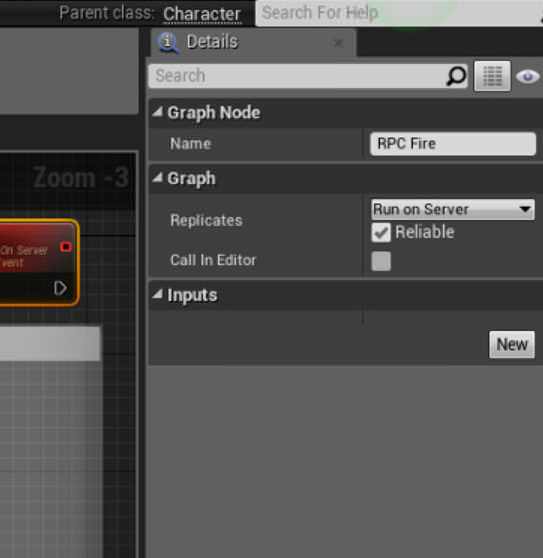

or is it replaced
rotund wedge
it is in 4.19
what engine version you have?
i feel like
doing network stuff is really teaching alot about unreal
twin juniper
nvm i found it
 orchid widget
hey someone can help 1sec with the portfoward with UE4
bitter oriole
Is that still required ? thought UE4 had NAT punch ?
manic pine
still required afaik... isnt the nat punch just a steam thing?
bitter oriole
I legit don't know, but I hoped we were done with this. Working on a listen server type game, so this is a big deal
 twin vault
yep, just steam does it
bitter oriole
Does it have any impact on lag etc ?
twin vault
steam? no
it will just try to force open the port, if it fails, it tries to use a relay server
manic pine
steam doesnt need upnp i believe
problem with upnp is that not all routers support it, or it might be off by default
so punchthrough is more reliable
bitter oriole
Right, it uses libjingle
Does that mean UE4 uses Steam networking rather than its own sockets ?
In any case, sounds like UE4 does support punch with Steam
 fleet viper
Hello a while ago ive bought the first person shooter kit which is for multiplayer (https://www.unrealengine.com/marketplace/multiplayer-first-person-shooter-kit) after a while i figured out that i can only find sessions in my network and that the steam subsystem isnt enabled in plugins. If anyone could help me with making this to a real steam based server then i would be glad to meet him :). Its because i want to make a game for me and my friends
twin vault
what i really wanted to know is if consoles does it, xbox seem to do looking at the forums, but i rarely play on consoles to know if listen server are something common there
bitter oriole
I would be surprised if they didn't
manic pine
there's a lot of p2p stuf fon console so yeah
twin vault
nice
manic pine
they prolly have a tcp fallback
bitter oriole
Console networking usually has a system level API that probably includes nat punch
bitter oriole
Well... Did you open them ?
 slate veldt
Hi All, what's the best way to find LAN sessions? Our LAN session search is rarely successful (despite being able to join via ip address).
twin juniper
stronger wifi
slate veldt
Haha, I mean, they are both plugged in via ethernet, so that's not helpful
Shooter Game seems to have no problems
Using most of their networking code for game instance etc
 marble imp
is it possible to upload a php file somewhere where varest can use it?
Wanna avoid buying a domain for now
twin juniper
wooot
free hosting?
free domain?
u can get domain for 1usd on namecheap @marble imp
 open cape
do you guys know if its possible to spawn a replicated actor from a widget blueprint?
if i call the server event in the widget, it doesnt spawn anywhere else but on the client. but if i move that event to the character blueprint, it seems to work fine
sharp pagoda
Not directly no, you would have to spawn it through a call to the widget owner, probably the hud, which would tunnel it through to the underlying character, which would call a RPC to spawn it
open cape
why is that?
sharp pagoda
Because the HUD is client sided, the character class is replicated
open cape
gotcha. but after the replicated actor is spawned, can the widget call RPC functions on that actor?
winged badger
you can always Multicast, but that has an effect only when done server side
Client and Server RPCs can only go through Actors owned by a PlayerController
replicated Actors
open cape
even if those RPC's are called by something else?
winged badger
it doesn't matter where they are called from, if they are not a member of a replicated Actor whose NetOwner is PlayerController, they won't work
or ActorComponent
open cape
ok thank you
winged badger
its worth noting that if you try you get a LogNet: No owning connection for... warning in the output log
bitter oriole
So, is there a way to check, on a client, if a pawn has a controller ? With non-local controllers not replicated on remote clients, and all that.
winged badger
IsPlayerPawn
its implementation checks if it has a PlayerState, and that the PlayerState is not a bot
winged badger
yes, i just went to double check the name 😃
bitter oriole
Works fine, thanks a bunch !
 limber spruce
Hi! Has anyone encountered a problem with animation notifies not triggering on the server in a packaged project?
works fine in editor
 eternal anchor
is there option to enable multithreading on dedicated server ?
eternal anchor
it's onlly for clients
servers are running only in single thrad
thread*
and I wonder if there is option to change it
merry pebble
Okay so i need help with setting up a listen server, cause i keep setting it up, but i cant seem to get my friend to join or be able to join my friend
cold raptor
anyone around able to help me with some level streaming ?
twin juniper
Hi!
I used to put some custom data in the PlayerState->PlayerName variable, which i would retreive in OnPostLogin event of the GameMode
but now in this variable i get the name of the machine
bitter oriole
Playing in editor ?
twin juniper
no
seems something is changed here between 4.18 and 4.20
in this NewPlayer->PlayerState->PlayerName
bitter oriole
Well, I know you get the machine name while in PIE
manic pine
think they deprecated it
twin juniper
I used to be getting whatever i passed in the open command
manic pine
and force you to use the function now
twin juniper
i just want to pass a simple string when connecting to a server
how would i do that?
i used to use ?Name=<some_string>
like open ip:port?Name=<some_string_i want_to_pass_to_server>
and then i'd be able to retreive this variable in OnPostLogin Event
bitter oriole
And you didn't ask a question
cold raptor
actually i did xD lol
look up
ive been asking for help in setting this up i have tried multiple ways have clients replicate but i cant seem to get it
bitter oriole
What is your question
cold raptor
how can i make this replicate from my server to my clients
bitter oriole
Replicate what ?
bitter oriole
Explain what you want to achieve
cold raptor
this is my level generation , i want to replicate this to my clients
 versed socket
Don't you have to do Length -1 for Random #s?
cold raptor
so that when the server creates the level it gets replicated to the clients
bitter oriole
Level streaming is supposed to be replicated already
cold raptor
its not tho , the collision is there
but the meshes are not
figured thats because the server is telling the clients there is somthing there
bitter oriole
Dunno, haven't used streaming levels in MP
cold raptor
well if anyone has a idea what i need to do let me know
cold raptor
can anyone lend a hand with that ?
 rocky badger
Without having a dedicated server running, do all of the clients need to be in the same level as the host? Just wanting to confirm
cold raptor
yea so when the server runs and generates the level , the connected Clients need to spawn it in the same way
so right now if i run it with no dedicated and 1 player , it spawns fine , but the issue occurs when i have a client running as well , it wont spawn on the clients game but it does non host , and if dedicated , it doesnt spawn on any client
but i need it to spawn on all clients
rocky badger
So if I were to move the host to another level, any clients that aren't moved at the same time would simply just crash right?
cold raptor
not sure i understand
cold raptor
well i do appreciate everyones help
 misty stirrup
should i be doing clientside prediction on the client that fires a bullet or is multicasting the projecile spawn at the servers barrel location
location+
phones suck
unique thunder
@cold raptor Are you trying to generate a landscape or something on all clients?
@misty stirrup Client-side prediction would be smoother but less reliable in cases of higher ping. You'll end up missing targets when the clients are out of sync. Execute a server event > execute a multicast event > spawn projectile and run logic.
It's up to you ultimately but I would rather a client lag than see clear shots miss.
I've had no issues with projectiles in this way so far.
misty stirrup
yeah but in the multicast should i include the vector
or should i use the clients barrel locaytip
unique thunder
Here's what my spawn projectile event looks like, this is executed in the multicast chain:
cold raptor
@unique thunder the landscape no , its on the persistant level , im trying to replicate the meshs that are generated
misty stirrup
idk i feel dumb asking it because it seem obvious
unique thunder
@cold raptor Running it on server should spawn / generate the same stuff for everyone.
@misty stirrup Not at all, it's a good question 👌
cold raptor
@unique thunder thats what i have been told but it does not
unique thunder
@cold raptor Strange, it might not behave the same with whatever you're doing. Have you tried multicasting it so all clients generate it for themselves?
cold raptor
if i could share my screen i would gladly show you
unique thunder
could take a look when I get home later if you haven't solved it, but do try running the event as a multicast. Server event running a multicast event. Should replicate to all clients. Spawning works on server alone, not sure about your set-up.
unique thunder
1 min
Try this: (but keep your set-up in mind in case you have to revert). Create a custom event, set it to replicate and run on server (reliable). Create another custom event, set it to replicate multicast (reliable). On BeginPlay, run the server event. On the server event, run the multicast event. From the multicast event, plug in your entire chain there (and remove the Switch has Authority).
cold raptor
i did nothing shows on client
unique thunder
Are those server & multicast events set up properly or are they default custom events?
In the graph settings with the event selected
unique thunder
Okay, now
Make sure the variables you're using in your calculations are set to replicated
unique thunder
To be safe, set all of the variables in that blueprint sequence to replicated. I can't say for sure if any of them don't need to be replicated
Yes
The ones in that blueprint chain alone
Needed for that logic
cold raptor
ok did that , no change still doesnt show on client
unique thunder
I could be way off, I'm not exactly sure what you're doing to begin with. I've never done level streaming specifically
Anyone else see what he's doing?
cold raptor
its been a pain xD
cold raptor
well idk
 vagrant falcon
hi, can someone tell me how to fix fbitwriter overflowed error
it happends when player a is on server, then player b connected to server and then player b leaves server and connecting again
this all results to all players being disconnected from server 😦
pls
cold raptor
@unique thunder thanks for trying man
vagrant falcon
nvm i got it. If someone will face this issue: never connect as client from same map that server is running
cold raptor
Anyone else available to help me get the procedural generation replicated to clients from dedicated
cold raptor
Hey guys anyone around ?
rotund wedge
m m me
i cant help with procederal generation in multiplayer tho
it sounds highly complicated
twin juniper
yea i cant help too sorry man
cold raptor
anyone wanna give it a shot tho ?xD
put our heads together and maybe figure it out ?
twin juniper
is transition level
just for purpose of freeing memory?
so you have one small level and one big (real one)
in memory instead of two bigs
cold raptor
is that directed at me ?
twin juniper
yes
cold raptor
no i dont do it that way
at the momment i have my level blueprint spawn sub levels in a grid pattern " randomly "
it works for single player or for the server
but i cant seem to make it replicate to the client
twin juniper
did you successfuly use create session/join session nodes aaron ?
cold raptor
yea my multiplayer stuff works fine
cold raptor
well once my PC stops bugging out i will get you a SS of mine
cold raptor
idk if it would help
twin juniper
is it possible to use 'createsession' node as dedicated server? or I cant set dedicated server through blueprint and I need to code?
winged badger
isn't dedicated server a session in its own right?
thin stratus
Reason: Default Node uses bPresence = true
No?
It has to register a session similar to how ListenServers do
But you are tagging it as Dedicated and have to change the bPresence stuff
Which is hardcoded into the DefaultNodes
bitter oriole
Sessions != multiplayer
"Dedicated server" is a multiplayer concept
Sessions are a separate thing
thin stratus
To be fair, in this concept a Session is very much a Multiplayer Concept
You register a Session, may it be Listen or Dedicated, and people can retrieve a list of sessions.
Sessions are information containers. The hold information about what is going on on the Server (players, map, gamemode) and about the server itself (how to connect (ip/port etc.), ping, name)
twin juniper
okay i found guide how to do dedicated servers thanks cedric
cold raptor
https://blueprintue.com/blueprint/ivh5y_00/ Could someone explain to me as to why this doesnt replicate to my client ?
am i doing somthing wrong ?
jolly siren
What class are you doing that from?
cold raptor
level blueprint
jolly siren
You can't do an RPC from the level blueprint. You need to be doing it in an actor that is replicated.
cold raptor
thank you
jolly siren
See the Requirements and Caveats section specifically
jolly siren
I would rather you just ask here
cold raptor
ok so i did switch it
to an actor , and did everything the same , but i still get no replication on client
jolly siren
is the actor a replicated one?
cold raptor
yes
marble imp
is this the right chat for json questions?
bitter oriole
How is json related to multiplayer ?
 proper olive
Hey guys, anyone got a clue why changing Max Walk Speed on the movement component wouldn't change the character's actual movement speed when crouched on server? The client does a crouch-run just fine, all the code seems to be working correctly, and when I mouse-over the Max Walk Speed variable in debug mode, it says the correct speed but the server character just keeps moving at slow crouch. The clients it works on, but both are reading the same #s on their speed variable..... any idea some random check box I didn't think of or anything??
you can't really see the movement speed in a picture, but here's the client playing as the same character in the same area and everything, showing the same debug but actually moving faster:
actually you can kinda tell cause of the smoke trail 😄
also the client character moves faster from the server's perspective, too..... so weird
slate veldt
Hey everyone - whilst developing for VR multiplayer, I'm going to be using non-seamless travel for testing purposes within the editor (as you all know, seamless travel cannot be used in PIE).
Later in development, I assume I'll be good to flip everything over to seamless travel and it will work fine in packaged builds (with transitional map setup etc)
 solid echo
@proper olive You have to call a server RPC to set the walk speed, then propagate that out to the clients.
Clients don't replicate variables to the server, only server replicates downwards.
 balmy kindle
Hey guys, i am moving an actor with a timeline and Vinterp. But in Multiplayer the framerate changes and the actor position isn't correct anymore.... any other ways to solve that?
twin juniper
Hello!
which client object persists when a session is changed from one server to another?
i need to carry over some data
open cape
this might be a trivial question, but if im setting an actor location immediately (to avoid lag), but updating to server / other clients through replication, then how are you supposed to validate the local actor's position?
proper olive
when you set it on server, the client will correct automatically
assuming it's replicated
open cape
yes but what if the local client has already moved again by the time it comes back from the server
then you'd get jitter
proper olive
it's just delayed
if the lag cuts down then the network movement smoothing interps it
there's a section on the movement component? I think, called Network Movement Smoothing I think
take a look at how that works
manic pine
normally you'd avoid replicating the location to owner
since he should already know it given that he made the movement in the first place
proper olive
it just works .jpg
open cape
i was thinking that @manic pine but then your client could potentially diverge from server state
if at one point it doesnt validate and you continually ignore
bitter oriole
The usual model is, both simulate movement with a feedback loop
With rollback & replay when the server replicates the location
This way you have smooth reactive player movement, and the server can still check it
manic pine
yeah, you'd store movement info for every tick made since last ack from server, then if server tells you you did something wrong you'd revert back to the move where stuff went wrong
replay it with server info, then replay the other moves you'd done since that one
manic pine
it might be... but if you end up essentially recreating the movecomp, maybe you should just be using that in the first place?
open cape
can movecomp be used with any actor? quick lookup just points me to characters
manic pine
yeah, sadly its kinda tightly bound to character
it could be fixed with some work, if youre doing source build
open cape
yeah so this is for an actor that the character controls
bitter oriole
I have my own movement component for non character
But it's not the character movement comp obviously
All networking needed writing
manic pine
ah, so this is not a pawn?
open cape
no
but is that what movecomp is essentially doing:
you'd store movement info for every tick made since last ack from server, then if server tells you you did something wrong you'd revert back to the move where stuff went wrong
manic pine
yeah, in a complex and roundabout way
and with lots of optimization stuff to limit network traffic etc
it also does tons of special movement stuff, i.e. how to behave in certain terrain
its essentially an entire networked physics simulation specifically made for character
open cape
and its essentially a drag and drop to the character right
im aware of the projectile movement one too but that seems to be the only one specific to an arbitrary actor
manic pine
yeah, its also very simple
but yeah, client prediction isnt always simple
make your own movecomp, use character or accept the lag
open cape
i guess an example of this would also be destroying things in fortnite
arbitrary actors being altered or destroyed
and replicating that
manic pine
much simpler
open cape
how so?
manic pine
because making a mistake there isnt critical, and also happens very rarely
i.e. you hit a tree and your client predicts it will fall
in 99.9999% of cases that's true
in some rare instances maybe you'll get killed on server before the final hit
if that happens, server tells client hit failed and client reverts death state of tree if necessary
solid echo
@proper olive you also need to make sure you're doing a "Switch Authority" when calling server functions.
proper olive
Why
I'm not trying to limit anything from happening here
The funny thing is the variable gets set correctly
It's just the movement component not reacting accordingly
If you read the question you'd see I'm checking the variable in debug mode on server and client, both set correctly
solid echo
Because the server is the one setting the variable on the client.
Server is authoritative, everything has to go through it.
proper olive
I'm talking about just the server here
solid echo
Even your own client.
proper olive
Server is the one not working
solid echo
Are you doing dedicated server?
proper olive
Can anyone who read the question help?
solid echo
Or is it just a listen server with client
I've done replicated speed changes for a few games, you're just not making much sense in regards to the question.
proper olive
Also the speed change works fine when not crouching
So it is working
And the crouch-run works for clients
solid echo
then you need to send a RPC to server for crouch check
proper olive
Does the built in crouch function have anything going on server-side only that would cause this?
solid echo
No, it's just like anything else.
Sounds like server isn't getting notified that client is crouched.
solid echo
You're showing mey your calls to the functions
not the funtions themselves.
minus my horrible typing
solid echo
ah nvm
proper olive
Server sees clients doing it
solid echo
didn't scroll far enouhg
proper olive
Clients see clients doing it
solid echo
dude, chill.
proper olive
So anyway
It works for clients and everybody sees it
But server themselves doesn't move faster when they run while crouched
So I think it has something to do with the crouch function if anyone has any expertise
solid echo
You're checking if crouch is set, but not setting it on server.
proper olive
Yea I do
Not trying to be counter
But yea I do it in there
It's in the function
solid echo
weird
proper olive
Yea it's somethin about the walk speed getting ignored even tho it's changed
solid echo
Is it just a listen server?
proper olive
Yea
proper olive
Listen
proper olive
Even if it's server?
solid echo
yea, should work
proper olive
I'll check it out real quick, gotta load up the project
solid echo
Pretty sure the listen server is still separating itself even though it's client.
Do a "Switch Authority" and do it that way.
Anything server wise you'll want to do that.
proper olive
it is
proper olive
first it sets it not replicated
solid echo
Multicast it out.
proper olive
then it switches on authority
server multicasts
client goes to server, sets it, multicasts
the multicast checks if locally controlled
if false, sets it
it
it's all in the pic
solid echo
Always keep it replicated, no need to change it.
proper olive
?
solid echo
oh nvm, misunderstood when you said "Sets it not replicated"
solid echo
proper olive
yeah all g
solid echo
Yea dunno, it should work with a switch authority and setting it both locally and multicasting.
proper olive
nope
running it locally and then server as well didn't help
the weiiiirdest thing is that clients can do it like wtf
it must be something I'm doing only on server side that's preventing the player from moving faster than a certain speed or something????? idk
solid echo
Well that means the multicast is firing fine.
Are you calling the same thing off the Authority Pin On the Start Running function?
The multicast version of it.
proper olive
before the authority switch
solid echo
I'm assuming that's what that function on top is
Can't read it lol
I don't do much with listen servers, but the concept is the same, listen server is authority, so if you call it on clients (remote) then it should be called on Authority (listen client) as well.
proper olive
oooh there's a max walk speed while crouched in the movement component
solid echo
Ah yea, that's right. forgot about that -_-
I'm at work so I can't look at any of my game BP's 😂
proper olive
-_-
lol
hey whatever works to find the answer 😄 thanks for your help
or attempts 😉
solid echo
Sometimes just takes another deliberator
Get the troubleshooting juices flowing 😛
I always hated doing the networking for listen servers, dedicated or bust for me 😂
proper olive
that was it!
lmao
I'm afraid of how much longer trying to figure out how this all works would take with a dedicated server on my first attempt 😉
so learning with listen for now
solid echo
Dedicated is actually much easier logically.
It's when you're doing split brain logic bullshit on listen servers that it can get hairy.
proper olive
but the time it would take to export, upload, and test each thing when it already takes long enough just to compile 😄
solid echo
nah, you can run dedicated in pie
You think that's fun though, wait until you try and start doing networked NPC's
Have a 6 pack ready to get the Ballmer Peak going
proper olive
I have networked NPCs and quests already but thanks for your concern
this was a proverbial checkbox in the crouch function like I thought it was I just didn't bother to look, myself 😂
after like hours of trying different RPCs :sigh:
open cape
@manic pine was thinking, and couldnt you also just rely on the client's position always, until at some point in time, it doesn't validate on the server, and would correct the client's position
so basically, server doesnt push anything until theres an issue
then you wouldnt need to interpolate, save state, or do anything like that
manic pine
thats what happens
and when there's an issue, the client needs to remember what moves he has committed since he made the error
so he can repeat them after correcting the faulty move
open cape
what happens in... movecomp?
and ok yea, or you could basically penalize the player by shooting him back to that position at the very least
manic pine
right, so you shoot him back to that position
but by the time you did that, the client has already sent new locations ot he server
open cape
right but you could disregard anything until state is corrected
manic pine
how are you gonna synchronize them?
putting the server version on breaks while resolving it?
open cape
- server receives invalidated position
- server stops receiving position from that character
- tells character to go back to previous position
- character's location is reset as server's location, and character starts movement from here
because yes, the client is sending new locations, but those are diverged at some point, so you cant really trust anything past that point
manic pine
so youd wanna freeze server actor for a full ping roundtrip
i guess it can work depending on what kind of a game it is
open cape
well otherwise you're saying you'd interpolate where the actor should be, given all movements past the broken point, and push him to there
manic pine
right... keep in mind for the CmC, it doesnt send location(well it does, but only for verification) it sends instructions
then the server replays those instructions, it even uses the clients DeltaTime to do so
open cape
right
manic pine
server then compares its results with the clients results
if they disagree, server knows client did something wrong
anyway, what youre proposing might be good enough for your specific use case
i wouldnt know
open cape
ok
yeah more so just trying to understand what the normal paradigm is compared to what im writing
but thank you
manic pine
there's no interpolating on server or autonomous proxy btw
only for the simulated proxies
open cape
for movement component?
manic pine
yeah, so a client interpolates remote clients
but server performs all clients moves directly
open cape
interesting
manic pine
i think technically the listenserver interpolates
since the server's remote clients moves are made with their deltatime, which may differ from server deltatime
so you'd get stutter
open cape
yeah, in my case, the actor is moved to where the character is looking. before, i was passing "new location", but i might pass the location diff instead
manic pine
new location is prolly better, the server's location for that character could be out of date
due to stuff like move delaying/combining
open cape
right, so in that case, i cant "replay"
twin juniper
Can I change the port on a Dedicated Server?
E.g to 7778
Using Linux if that helps, but command line arguments should be the same
Or will multiple instances of the server application change the port like an old ass forum post says?
jolly siren
@twin juniper yeah you just set it via a command line parameter
sudo -u omniwar ./FPSGameServer Foo?game=TDM?port=7781?QueryPort=27016
 heady tinsel
Does the server have player controllers for each client connected to it?
winged badger
yes
 hardy cape
anyone have any idea why when i spawn actors from gamemode, set to a random location in a certain range, it works in the editor but when i turn on the dedicated server it spawns them well outside the range?
winged badger
is well outside the range in range of 0,0,0 by accident?
chrome bay
If anyone would like to chip in on this thread, I'd appreciate it. Gotta wrangle Epic's attention somehow...
https://forums.unrealengine.com/unreal-engine/feedback-for-epic/1518161-seriously-damaging-change-to-online-subsystems-in-4-20
winged badger
should have a channel for stuff like that, and for voting for engine fixes
slate veldt
If I'm testing Steam Multiplayer, my "second account" doesn't have any restrictions on it does it?
For example, I noticed that you cannot add friends on a new account until you've spent $5, I assume this doesn't effect the ability to host sessions etc?
slate veldt
Haha, yeah I'm sure at some point I'll have to spend money to test friend system and invites later down the line. For now I'm just trying to host a session. Works fine on my main account on my Desktop, but when I first tested on my laptop with my new "second account", it didn't work.
Could well be my code has an issue somewhere, but could also be a Steam account restriction like the adding friends thing
Ah, yup, was an issue my end - forgot I changed a UMG class, so a cast was failing for some automated testing, whoops!
So long and short - can host session with a fresh Steam account, no need to pay money as far as I can tell
proper olive
Hey guys, I received some help on here regarding blueprint-based trees that fall over when being chopped down, in multiplayer of course, then once they've settled (or after 10 seconds), I turn collision on, turn physics off, and multicast the tree's location (which was the recent suggestion from here)
so that fixed the problem where when clients jump on the fallen tree, they would be teleported to 0,0,0 world location
so now that doesn't happen
well there's still a brief splash of water as if they got teleported there then back real quick
but anyway now when the server jumps on the log, clients see them turn invisible, when they jump off, attached actors become visible, but the server's character remains invisible until re-loaded via some other methods
OK correction, only the server sees other clients on the tree - all other characters turn invisible on the log when viewed from any client
(low graphics settings btw :x)
if I jump as one of the invisible dudes:
or if anyone knows about funky server/client location visibility while using platforms / moving platforms?
basically it starts as physics enabled, is spawned when a placeholder procedural-forest tree is knocked down, and once a timeline finishes, I turn off physics..... maybe I should have a third bp actor to represent the finished falling tree and just make it a blank actor?
funny enough, my characters have no problem standing on boats that I have moving around elsewhere..... I'm guessing spawning another static BP is the way to go but if anyone has any tips?
alright disregard the last page of screenshots 😄
if anyone is curious.... turning off "simulate physics" by default, and instead, activating it at begin play, fixed the problem. Other clients logging in when a character is already on the actor didn't seem to work tho so I might have to use RepNotify on that location, otherwise - yay!
proper olive
actually it didn't really work :/ just seemed like it wanted to work that 1 time
 distant wave
yes lol
distant wave
lets talk in dm
 silent sigil
k
distant wave
so we dont spam
 wise depot
is it possible to have unreal switch between online subsystems at runtime?
we plan to have dedicated platform support for p2p sessions (ie steam) but want an open dedicated server for platforms which runs off the null system.
After I join with a direct ip right now all calls to session related things like DestroySession etc result in the client printing a steam error for no session existing.
wise depot
i've posted a question here if anyone might have any information
https://answers.unrealengine.com/questions/821332/client-and-dedicated-server-on-different-subsystem.html
 green cedar
I may be a bit confused, but if I am setting a repnotify variable on the server, why would the repnotify function not fire on the clients?
I am seeing the repnotify function fire on the server, but not the clients.
Oh wait, I think I got it.
Yep, figured it out. Repnotify functions on the clients when the variable changes.
so my default for the variable was incorrect. switching default caused the variable to actually change from the client's perspective, and the function fired.
(it was a bool)
slate veldt
Hi all,
If I was creating a game with a lobby in the main menu (like overwatch or UE4 example PUBG 's party system) how would I do that exactly?
If possible I'd like to avoid travelling, if not, that's not issue. I know a lot of the tutorials for networking talk about creating a lobby map and game mode.
General flow I'm looking for: Open main menu, search for sessions, join lobby (staying on main menu) with option to leave lobby, host presses start and all players in session travel to map with game mode.
All players should be able to see a list of all connected players, and Host's currently selected settings for the game mode about to be played (map, time, score limit etc)
I've currently got a process where you can search for sessions and join another players session (no travelling thus far), at that point, if I get the game state (Which hasn't been updated) and get all players, I just get the local player (as expected).
Any guides or tips on how to go about doing this would be great. Thanks!
@chrome bay Don't suppose you've worked on anything like this, feels like something you would have done for Eclipse or your current project
 eternal swallow
How can I spawn an actor on the server and only replicate it to a particular client?
I'm currently implementing a minimap for a shooter game. There's lots of data that needs to be replicated from the server to a client. Location and view rotation of all of the teammates' characters is the most basic info we need. My idea was to spawn a MinimapDataHandler on the server, which holds a bunch of replicated variables. Every tick the DataHandler on the server collects the data needed and sets the variables. If they changed, they get replicated. The server needs an instance of the MinimapDataHandler for every client and those instances independently collect and set only the data that particular client needs. The minimaps of the clients use the replicated data from the DataHandler to update their minimaps every frame. The issue is, I don't know how to replicate an actor only to a particular client when spawned. I couldn't find any info on google or the answerhub.
slate veldt
@eternal swallow Make a particular player Own it, and then replicate it using bOnlyRelevantToOwner
Check out more on here, scroll down to "When is an actor replicated" https://wiki.unrealengine.com/Replication
Make sure the owner is a player controller, so if you know you want player X to have minimap X, and Y for Y etc, just assign the minimap data's owner to the relevant player controller, and make sure the variables are marked as OnlyRelevantToOwner, should mean the other clients never receive the data
eternal swallow
If the client is the owner, any changes a client makes to the variables is replicated to the server though, right? Can I prevent that?
slate veldt
No, replicated variables must be requested by the client for change. I believe that if you were to change the variable client side, it would be denied or instantly reset by replicated data.
Anytime you want to change something, you should be making a function that calls from the client into the server, and the server will verify the action before execution
eternal swallow
Hmm, actually I don't think that's relevant. I was thinking about a player potentially cheating. All they would do though is affect their own minimap data.
Ok thank you very much, I'll try implementing it by making particular clients the owner and using bOnlyRelevantToOwner. Much appreciated!
slate veldt
No problem.
But if you're sorting out the data on the server side, then only sending the correct information, the client shouldn't be able to cheat should they? The server should only be telling the client what it needs to know
eternal swallow
Yes exactly
sharp pagoda
Mmm not quite, @slate veldt you don't have to request a change if you're the client, you simply have to have authority to change the authority's value of the variable, which is done via RPC. If you change a replicated value on the client it doesn't deny it or revert it, it stays as is until it changes again on the server, which will update the local copy. As for you, @eternal swallow you probably don't want to take that approach with the minimap data, a better solution would be to use the game instance's player array to get pawn positions and rotations directly, unless of course you want more fine tuned control over the minimap data.
slate veldt
@sharp pagoda very true
eternal swallow
But a client doesn't have the locations of all the characters at all times, does he? If my teammate is on the other side of the level, the character might not be netrelevant and I can't get it's location. Hence, why I thought I needed to replicate all the info from the server.
sharp pagoda
Ah I didn't know there was a radius restriction to the minimap
eternal swallow
radius restriction to the minimap?
sharp pagoda
Only see local players on the minimap
Is that your concern or are you talking about net culling?
slate veldt
No, I think happy day means player X is on the other side of the map, but he wants them on the minimap. Due to netrelevancy, player X isn't being streamed, so he needs the server to explicitly provide the location
sharp pagoda
That should only be a concern if your map is absolutely enormous or you've set the net culling distance to a small number for some reason, but if it is going to be an issue I would use a manager object which all players report to that hands down the minimap info to every other player
slate veldt
Exactly 😛 but then again, we don't know the use case
eternal swallow
Hmm? I don't think I understand. I want to display the locations + first person view yaws + a bunch of other data for all of my teammates on the minimap, no matter where they are. Afaik the player array in the game instance is an array of player states. The data I need is not all contained in the player states. I don't think as a client I always have all of that data. I need to make sure the server sends it to me.
The maps are not huge at all. Rather small actually
slate veldt
Every player pawn actor's transform should always be streamed then if you have small maps
sharp pagoda
All you need is the ActorLocation and ControlRotation/ActorRotation
Which is already available through pawn replication
So why replicate it twice?
It's redundant
eternal swallow
First thing I tried was getting the characters from the player states from the array in the game instance, but I couldn't find a connection from player state to player character.
slate veldt
Could you not just GetAllActorsOfClass player character?
Cache those references, and then use the references every frame
sharp pagoda
PlayerState -> GetOwner -> Cast to Controller -> Get Pawn
I don't have the engine on hand but it's essentially that
slate veldt
Or that ^ although it does seem convoluted to make all those calls each frame when you can do it once, cache the references to the pawns, and then only update the list when a player dies (and are given a fresh pawn)
sharp pagoda
Ah nevermind, pc would be invalid on clients
slate veldt
Yeah that's what I was thinking
sharp pagoda
You could store a reference to the pawn in the player state
eternal swallow
I guess I could
sharp pagoda
That would probably be the best way to do it besides a manager object
slate veldt
Yeah, plus that way the server can keep the current pawn reference valid for that player, especially if they are respawning, you don't want to try and get location on an invalid pawn reference
That should then only update when a new pawn is spawned, so it keep it from using bandwidth. You can then use that reference to get the transform of the pawn accordingly
Depending on how you store the reference too, you might want a bIsSpectator flag (if you're storing as a pawn reference, then the pawn for a player state could be a spectator pawn, if you're storing it as a playable character reference then there is no need)
eternal swallow
Well, alright, If I assume a client always has the locations of every character in the game, I don't need to replicate the locations again for the minimap. Same is true for the control rotations, we already replicate those. There's a bit more data I need. I've got to think about that. I might still use a manager actor.
sharp pagoda
What kind of data specifically?
eternal swallow
let me check
Player color -> I guess we already have that in the player state.
Whether it's a bot or a player -> I guess we can save that in the player state too
Whether the character has a particular item (medkit); we want to display that on the minimap. -> I could get that from the characters
The minimap icons should update when a player dies -> client already knows that
Maybe we'll update the icon when a player gets shot or hits an enemy -> I guess a client can find that out already himself
Seems like all I need is to replicate a reference to the character in the player state.
Well, this has been insightful. Thanks again guys! 😃
slate veldt
Something I would recommend - Make both your bot and player character parented to a "BaseCharacter" class. This way you could store the reference as a "BaseCharacter" and then cast it to find out whether it is a bot or player
thin stratus
PlayerStates hold the info about being a Bot or not
So rather grab that instead of casting
slate veldt
Or that's a good idea too 😛
But in general, good to have the bots and player characters based off a mutual character class if you haven't already, means they can share a lot of the base logic that both will have, rather than recreate it (not sure what state your game is currently in)
thin stratus
Depends on the game though, if you have a lot of subclasses for multiple gamemodes, you rather inherit from them for the bots
instead of the main class
eternal swallow
Players and bots use the same character class. It's just a different controller.
thin stratus
Well yeah, if you only have one character class then that's fine
slate veldt
Of course, it's totally dependant on what you're trying to build, in most cases I find it quite suitable to have them share a mutual base, but yes you are correct
thin stratus
Did you enable the PlayerState for the AIControllers?
Cause by default they don't have one
slate veldt
Also, side note backtracking a bit to my question all the way up - I've now discovered lobby beacons which look suitable for my party system I was asking about
eternal swallow
I don't know. It wasn't me who started the project. We started with the shootergame from epic. I'm assuming that's already taken care of? Bots aren't a priority atm anyway. We'll look into bots at some later point in time.
thin stratus
Yeah so Bots need it set in C++
That's why I ask
"bWantsPlayerState"
That's not exposed
But well then okay
You want all locations of all players at any time for a Minimap?
eternal swallow
Only locations of teammates
thin stratus
Well okay, but that's ~50% of the people
Do they run out of NetCullDistance?
Or is the map small enough
eternal swallow
Let me check what the default value is
thin stratus
Because replicating the Pawn in the PlayerState won't help you if they stop replicating
eternal swallow
225000000,0
thin stratus
That's squared though
manic pine
150m
thin stratus
So? are they leaving it or not? :D It's your game
eternal swallow
Alright, in that case yes, maps could be bigger than that
thin stratus
Your best bet is to have the Server set a Location (or some struct with more info depending on what you need) on the PlayerState every x seconds or so
Cause the Reference in the PlayerState of your Pawn doesn't help you if they run out of distance
manic pine
or just increase nonculled distance ^___^
manic pine
haha, well presumably there will be weapons
eternal swallow
Yeah, that was the though I had in the beginning. Why I thought I needed a minimap data handler to replicate the info at all times
thin stratus
"Tick Always Relevant"
manic pine
maybe he can see/shoot players
even at 200m
if there's few players, its prolly fine to keep them always relevant
thin stratus
It really depends on his game. If there is no clear shot for 200m, then it's not needed of course
But just to workaround any potential bandwidth shit or relevancy, push the data into the PlayerState
thin stratus
"ForceNetUpdate" 4tw
eternal swallow
What happens when the NetCullDistance is exceeded? Will the character disappear on the client? Or is it still visible? Our usual maps are rather small. Probably smaller than 150 m. So our game should be able to handle replicating all players at all times. Particular maps, or community maps could get bigger. Is it a bad idea to just increase the NetCullDistance to something like 10 km, basically always replicating all characters? Should be no difference in that situations than if all those players were in a smaller level, right?
manic pine
hmm far as i remember, dynamic actors(spawned by server) are destroyed, while map-static actors are frozen
but someone else might be able to correct me on that
sharp pagoda
Does ForceNetUpdate() bypass net culling?
manic pine
no, it just sets the lastnetupdatetime to 0
forcing the server to do a replication check
sharp pagoda
Gotcha
eternal swallow
Alright, just tested it. Characters just vanish when out of NetCullDistanceRange and pop back in, when getting closer. I think I prefer the option of always replicating them and getting the info I need for the minimap from the characters directly.
jolly siren
Is this a minimap that only shows players that are within a certain distance of you?
jolly siren
Ahh okay cool sorry missed that
Then yeah you don't have to worry about cheating in that instance
 zinc zealot
Hey guys
did this so i could call a specific player
is it wrong ?
the rest of my blueprint
manic pine
its fine imo, just remember to delete it from the array again on logout
zinc zealot
it aint working
it says a bunch of errors
such as accessed none trying to read property gm
Blueprint Runtime Error: Accessed None trying to read property GM from function: 'ExecuteUbergraph_GameState1' from node: Murder in graph: EventGraph in object: GameState1 with description: Accessed None trying to read property GM
i also tought it was right but idk
if im setting it good
is there something wrong here ?
that was what i tought might be wrong
but rly idk
manic pine
lots of stuff wrong there ye
zinc zealot
what am i doing wrong ?
zinc zealot
i need tick ?
ahhhh :DDD
thanks 😃
hmm
still having errors
i switched begin play with a tick
manic pine
Accessed None trying to read property GM
zinc zealot
but im pretty sure it all goes back to one
ye
thats one
Blueprint Runtime Error: Accessed None trying to read property GM from function: 'ExecuteUbergraph_GameState1' from node: Murder in graph: EventGraph in object: GameState1 with description: Accessed None trying to read property GM
Replicate ?
manic pine
in other words, GetGameMode is not successfully casting to ThirdPersonGameMode
manic pine
oh gods youre in multiplayer too
zinc zealot
?
manic pine
on the server, yes
zinc zealot
but..
manic pine
gamemode does not exist on client
zinc zealot
hmmm
ye
but...
so i need to set the value of the player controllers
in the gamestate
right?!?!?!
im so dumb
cause i tought if i called it from gamemode it would just work right
cause the server has that information
and it has
but icant communicate it to the player!
i think thats it
gonna test it
manic pine
sure, but you may wanna brush up on the network compendium a bit more
zinc zealot
ye
manic pine
its very hard to design for multiplayer if you dont understand how the system works
zinc zealot
ive been checking it out 😃
manic pine
you could spend weeks and not really get anywhere
zinc zealot
hm
zinc zealot
thx 😃
 knotty frost
whats up with this new error in 4.20? Opening a map is not allowed in this play mode (client mode + multiprocess)!
never had any issues before testing locally
 worthy wasp
Anyone here have experience with SpectatorPawn? I'm having a load of trouble getting rotation to apply.... theres 0 docs on this and i'm only able to test off of API but i'm not understanding whats going on with this system..... sure wish there were some examples to stem off of! 😦
unique thunder
Any cross-platform voice chat plugins you guys know about? ded servers here.
I know about Vivox but there's a lot of C++ work needed for that one 🤔
zinc zealot
any tip to why when i start with 3 players
it prints 6 controllers ? XD
im getting an error from this in the actual function of the bp
like it isnt making the list smthng like that
im pretty sure because it aint supposed to make 6 controllers
im using a custom controller btw
manic pine
there's only 3 controllers there
it prints 6 because it prints them all every time a player joins
first time it prints 1, second time it prints 2, third time it prints 3, 1 + 2 + 3 = 6
look at the names instead
zinc zealot
ahh
xD
im stupid
but
in the actual command
when i do the actual thing which is
getting the list and get index 0
Blueprint Runtime Error: Accessed None trying to read property CallFunc_Array_Get_Item from function: 'ExecuteUbergraph_GameState1' from node: Murder in graph: EventGraph in object: GameState1 with description: Accessed None trying to read property CallFunc_Array_Get_Item
im getting the names @manic pine
weird
gonna go check the compendium
manic pine
youre accessing a nullptr on trying to get the list
manic pine
no idea, you havent shown the function which tries to access the list
manic pine
who runs Tick2