1 messages · Page 411 of 1
 copper portal
I am making a system where I want the game to choose a random sprite (the same sprite design just different color) and in my gamemode, I loop through the player array from game state and I cast to my character which has a string var called color and I have an array in my gamemode that is an array of strings with color names. I generate a random int, use the random int to get a certain color from array and set the color var in my character to the color grabbed from array. for my character bp, I have a bunch of branches that check what the color is that was chosen but only 1 player gets a random color and the rest dont get a color. I print string the color variable and 1 color shows but the rest prints null. Anyone know what I can do to solve this problem? https://gyazo.com/6ac4628b8af9c9934af57e2a6ece1d6f https://gyazo.com/85a754eb616910ee270552c4bd269eea
 livid barn
@winged badger I'd doubt it becuase it happens far too consistently at around the same time during testing. Also I'm testing on my own computer here in the editor running with Dedicated server.
Issue seems to happens regardless if im using Tick, a Timer, or OnCharacterMovementUpdated
Im now trying to follow up the common symptom people have whereby they just have a basic "isSprinting" toggle for their game. I notice some resets if i just setup a basic toggle, and each time i toggle there is a reset, so going through UnAnswers seeing different apporaches people have taken to see if any of them have a way to stop it :\
livid barn
and now im even more confused following some of these UnrealAnswers
looking at https://answers.unrealengine.com/questions/91038/networked-sprinting-for-players-stamina.html
In the first picture I can see a RPC (?) named "Server Does Sprint"
in that event, it says "Replicated From Client, Executes On Server, Custom Event"
but when I follow that setup, all I get is "Executes on Server, Custom Event"
am I missing something or tripping balls?
maybe the text for this stuff has changed since that comment was posted in the UnrealAnswers? Even so, after following what they've done I still get position jitters when holding down the shift key to actually sprint
tried following another answer earlier on, same thing, thought it was maybe a bad answer?
 ruby flume
Anyone here familiar with steam in ue4 that can help me know why steam won't work anymore? It was working a few hours ago and I just did a lot of updates on the game and it won't
None of the updates really effected the code for multiplayer
Anyone able to read my blueprint over?
 rose egret
how do I get number of player in mutiplayer PIE ?
 edgy galleon
rose egret
edgy galleon
rose egret
I mean before initialization. I am spawning things at GameMode::PostLogin
rose egret
whats the owner of a PlayerState ? PlayerController?
 raven holly
yes
 loud umbra
@livid barn thanks for your answer I will look into this and try a couple of things thank you 😃
 thin stratus
Length of the array makes more sense than printing each index :P
But in general, this array only holds players that have a playerstate already
Earlier than post login might only be possible via Login
WHich is c++
 low obsidian
Hello, I am getting a bit confused on how RunOnServer works. I have 2 blueprints. 1 bp gives health to a player, the client side checks the players health, then calls a RunOnServer event and executes more code on the server which works fine. I have a second blueprint that uses an interaction and I have the same setup except now the player needs to interact with the item. The only issue is that when the RunOnServer gets called from the client, nothing gets executed on the server. Could you tell me why it works on one BP and not the other?
thin stratus
Please read up on Ownership
RunOnServer requires the Client to own the Actor
Your Item is owned by the Server I assume.
@meager spade
Wups sorry
@low obsidian
No idea why that auto completed you Kaos
thin stratus
:D
 meager spade
just had a fight with the GAS plugin, but i won, finally got it so the AbilitySystemComponent lives on the PlayerState, and everything seems to work
 severe widget
Well obviously you needed Kaos to see this - discord can read your subconscious
low obsidian
@thin stratus ok thanks. to get around this I assume just use the player controller so when the character presses the interact button, you pass the character controller to the run on server event, then call the interact event, right?
 unique thunder
Was anyone here ever able to set up local GameLift ?
thin stratus
Well, GameLift only supports a few commands if you use it local
You simply need to follow their guide
rose egret
is there anyway to send UDP packet by UConnection or force the client RPC to be sent asap as a single packet ?
what happens when we call a ClientRPC when its sent?
 twin juniper
Folks, anyone know how to replicate this ?
i already done replications, but whats the best method for this case
 unborn nimbus
Ok, I have a render target that is created on the client and I need it to replicate to all other clients. I can't use DIM's because it says that they're not supported. How else can I accomplish this?
 dark wren
Hi there, do u know how to replicate axis LookUp. For example on FirstPersonTemplate: Server look up and server and client saw that, but if client look up, server dont sow that. How to FIX it?
thin stratus
@low obsidian You would simply call the ServerRPC in your Character already
So whenever your Player interacts, you do a ServerRPC and do the LineTrace etc. there too
You can even have both (server and local client) calling the same stuff
While letting the local client only do FX (sounds, effects etc.)
unique thunder
I'm trying to unpossess a pawn and possess a new pawn, this is init in an AnyDamage event which is server-auth
but it doesn't work as intended
sometimes the player who caused the damage ends up going through the respawn instead of the damaged player
what I'm doing:: if health <= 0 unpossess, simulate physics, spawn actor (new pawn), possess, delay, destroy old dead pawn.
(the physics sim is on multicast but everything else is server-side)
 winged badger
and it involves at least one use of GetPlayerController[0]?
unique thunder
@winged badger yeah
winged badger
with dedicated server its the first client that logged in
unique thunder
winged badger
wait, i thought you are using dedicated servers @unique thunder ?
unique thunder
I am
winged badger
so IsLocallyControlled executed on server should always be false
unique thunder
I actually just added that in, it wasn't there when I ran the test that was problematic
winged badger
well, unless you query against an AI controlled Pawn
unique thunder
this set-up works when I try it locally and shoot the server while playing as client
server dies,
spawns in the ghost pawn
delay
winged badger
what this code does (ignoring IsLocallyControlled)
winged badger
is UnPossess the first client that logged in (dedicated servers) or listen server host (listen server)
and gives it a new Pawn
unique thunder
so this is happening inside the pawn that gets killed, how do I unpossess the pawn for the player currently in it?
and not the first client
winged badger
doesn't matter who did the damage or received it
replace the GetPlayerController[0] with GetController
both of them
sorry
dark wren
Hi there, do u know how to replicate axis LookUp. For example on FirstPersonTemplate: Server look up and server and client saw that, but if client look up, server dont sow that. How to FIX it?
winged badger
you will have to replace the first one, then save it as a reference
before UnPossess, because after UnPossess it will no longer work
unique thunder
winged badger
@dark wren Unreliable Server RPC sending the value to the server
GetPlayerController[0] is... lets say handy when you want to grab the controller from a client machine
although there are always other ways to do it
from a listen, and especially dedicated server perspective, those are deathtraps
dark wren
@winged badger Unreliable Server RPC? i do that on my pc, i don't know what is that
winged badger
i never opened the first person template, but i imagine the LookUp is driving a variable that is driving the animation BP
you need to send that variable driving the anim BP to the server
or input itself, then calculate there
if you do not know what a ServerRPC is, i strongly suggest browsing through the pinned resources on this channel, finding Cedric's Network Compendium and reading through it @dark wren
@unique thunder that should work, use the reference for the Possess later
dark wren
But there is nothing in anim blueprint that connected with LookUp axis
twin juniper
@dark wren it is creating a custom event, making it run on server, and setting it to unrealiable you want those RPCs so that the server can execute them as opposed to local execution, when you have a normal custom event
unique thunder
@winged badger It does seem to be working but when I spawn the player back in as the actual character, he spawns in floating up higher without a body or something
dark wren
@twin juniper i try it in character BP
twin juniper
well just DM me so they can discuss i will DM u k
winged badger
with a class name prototype Ghost that seems almost fitting
CollisionHandlingOverride for Players should never be left at Default
unique thunder
I changed it to always spawn
as for the ghost,
that pawn works correctly
it's when I ditch it and spawn back into a regular pawn that the problem occurs
This
winged badger
get the PlayerState from the Controller reference, not the Pawns, after you UnPossessed it
 celest sigil
Has anyone used the Homing Projectile setting with Projectile Movement component in a multiplayer game? I'm kind of stumped because I'm casting to my parent character class and using it's capsule component as the target. But when I play against another player, the projectile comes back towards the character who fired it. Which I suppose makes sense, how well I differentiate for who the attack to home towards if they are the same character?
twin juniper
@celest sigil i use homing
in multi
if you look at the bottom of my pastebin link (a homing missile that is fired to other pawns in my game), you basically want to linetrace out to characters. if the character is HIT - you get that reference and set that as the homing target
celest sigil
Thank you you wonderful person! I appreciate you.
twin juniper
when you actually set the homing, just set the projectile movement -> homing target component to the reference of the target to hit from the linetrace
np
celest sigil
10-4. Thank you
 chilly mason
is anyone using amazon gamelift?
 gleaming vector
I've been casually researching it
but i never found a good way to do client interaction with gamelift
there seems to be a missing piece in my opinion in getting your client to find a server
perhaps it expects you to write your own matchmaker?
🤷🏽
chilly mason
I think it does, yes
Set up your game to use Amazon GameLifts FlexMatch feature to match players into games.
meager spade
i am spawning a widget on my AI which shows damage numbers, but i only want it to show on the player who caused the damage
is there a way to do that?
or should i get the player who hit it to spawn it when it applies damage?
 grand kestrel
Can anyone explain in a preferably short paragraph what replication graph does for large multiplayer games in a way that factors in the actual result of using it?
used for implementing custom server replication logic. That is, determining which actors replicate to which client connections, as well as how RPCs are routed.
So is it an optimization tool? How would you use this in a way that isn't already achieved through relevancy and what not?
gleaming vector
the tl;dr of replication graph is
previous replication system would query, for every actor and for every connection, should that actor be replicated?
this is all fine and dandy unless you have a lot of connections and a lot of actors
and then it gets really freaking slow
Replication graph solves that by splitting up the "For All Actors" and "For All Connections" part
specifically, it allows you to make an easy to traverse graph
according to the stream about it, they would put actors in grid buckets
because actors don't actually move all that fast
generally (your game may be different)
you can safely place them in large-ish (250m^2) buckets
and then when you go through "what actors can I see?", you provide the buckets that the connection could reasonably see
grand kestrel
Ahh so it's a server peformance thing?
Sorry only just saw you had replied 😃
@gleaming vector
gleaming vector
primarily yes
grand kestrel
Thanks 😃
 odd kernel
I'm completely lost guys. I'm trying to implement VoIP System (Voice Chat) into our game but I just can't seem to figure it out.
I'm currently working with UE4.19.2 so I can't use the Ultimate VoiceChat (for Blueprints) that everyone suggests to use for voice chat.
The main issue is that we are using a Dedicated Server and so I can't just set it up easily with a normal UE4 Session. (I've tested the VoIP with normal UE4 Sessions and it works totally fine).
Anyone who has worked with VoIP with Dedicated Server that could help me with it?
rose egret
what would happen if server spawns some replicated actors and a the next tick a new player join the map ? will the new client get those actors?
 manic pine
of course, how else would the player be able to see other players?
the actors just need to pass a relevancy test for that player
 hard veldt
Hello guys, I have a question, I'm trying replicate an information using widget, but I'm not sure. Someone know how to do this ?
 hardy dome
Hey bruddas! Is there any way to make the replicated VR controller motion smoother than it is now? It looks like 25 FPS in the 90 FPS environment now.
This setup executes on the client machine through 'has authority' switch:
DeltaTime = 0.7
InterpSpeed = 200
 bitter oriole
@hardy dome Local simulation on the client that provides inputs, + replay/rollback
Well, unless you're just talking about the replicated clients
hardy dome
This setup already executes on the client side
However, didn't heard about replay/rollback
What's that?
rose egret
@manic pine but its not receiving new actors. I spawned then at GameMode::PostLogin.
actually they sometimes are spawned well when ping is low :))
manic pine
doesnt matter when you spawn them
im thinking youre either destroying the actors before they can replicate, or trying to use them on the client before they've arrived
rose egret
@manic pine I just spawn some characters (my units ) when a user login (AGameModeBase::PostLogin). client himself receives the update. but sometimes other clients don't get it.
I am testing it on PIE . it seems UE4 has a little bug on multiplayer PIE :))
 spark fossil
Hi all. Having some trouble with a Server RPC call. It's marked as reliable but sometimes it isn't being called at all on the server.
Basically, it's a buff icon that removes the buff on right click. It seemed to be working fine until today, but it's almost random as to whether it works or not. It usually does. The call is being made successfully every time from the client side but the host just doesn't seem to be picking it up sometimes. Thought it might be a firewall issue but they're clear at both ends. Any ideas?
 soft relic
Hey guys, I have a really weird problem with my multiplayer steam setup, while I can connect with a friend of mine who lives close to me, It doesnt seem to work with others
What could cause such a problem?
 steady briar
im trying to figure out an annoying glitch thats going on and i think its yet another replication issue.
this is the end im testing for my projectile. i only see the remote one, not the authority one. does that mean im seeing the wrong projectile too?
i know its not a great test, but im wondering because in a Run On Server event i disable collision on the projectile, but in very specific circumstances it doesnt disable (at least the version i see) and the arrows hit/stick to eachother and make a line of arrows
 hybrid cypress
Anyone have a suggestion for the best way to replicate motion of a static mesh on loop following a spline? I’m trying to get a ship to follow a path between two docks that players can ride on, but the movement gets glitchy whenever I jump while standing on the ship. I’ve tried both a static mesh blueprint that’s replicated and a character child blueprint with the character movement component but jumping seems to offset the client while in the air.
 fringe dove
@odd kernel in FOnlineVoiceImpl::Tick(float DeltaTime) comment out if (SessionInt && SessionInt->GetNumSessions() > 0) (just the if, not the body of it)
if you want to run voice without sessions
winged badger
@steady briar what is the "Arrow"?
odd kernel
@fringe dove Alright I'll give it a shot
unique thunder
I have an empty actor I'm using as a loc reference, does it need to be set to Replicate for me to reference its location in a multiplayer session?
winged badger
depends
if its a TargetPointActor and part of the level, no
(or something similar, doesn't have to be TargetPoint)
if you spawned it, or moved it since the Play begun, then yes
steady briar
@winged badger a static mesh (sorry for delay)
i think whats happening is im seeing an inaccurate projectile. if i use a listen server so im the server, the projectiles work 100% correctly
im not great with replication obviously, but i think im seeing the non-server spawned projectile or something. i have a run on server event when it hits something it disables collision and sticks to whatever it hits. the projectile i see isnt that projectile i think, because on the clients screen it hits but it didnt actually hit (like a frame apart from server). so it stops moving, doesnt attach, doesnt disable collision. so every projectile after is hitting something it thinks has collision
eventually the real server projectile hits something and relocates it visually to where it hits. i could be horribly wrong but i think thats currently whats going on. where would the problem be?
fringe dove
Are SimulatedProxy characters seen roughly at the position they were on server, or are they are predicted forward in time?
the section "Character Movement and Simulated Proxies" in https://docs.unrealengine.com/en-us/Gameplay/Networking/CharacterMovementComponent
seems to just say they are predicted on frames where there hasn't been a server update
but not that they are predicted forward when there is an update
 vapid mortar
how can i replicate skinned mesh and anim instance?
vapid mortar
@bitter oriole thank you for your help
why my character's movement on client side jagged
like the character is lagging but not
bitter oriole
That can have many reasons - performance, bad netplay implementation, etc.
vapid mortar
how can i solve that thing?
bitter oriole
Well, you need to identify the problem first
Typical stuff I'd do is log the position of the character at every frame, and check that the numbers don't jump around
YOu can also put a video here and have people give you hints
Multiplayer is 100% this all the time - jagged movement, timing issues, etc
bitter oriole
Cool
vapid mortar
i just want to know
for character selection should i use spawn actor or just set default pawn class?
bitter oriole
Spawn
 slim holly
question: what would be the most bandwidth efficient way to identify npc actors for interaction?
I was thinking random integer, but I can't risk duplicates
manic pine
object reference?
8 bytes but guaranteed unique
unless you wanna make your own system to distribute some unique integer to them... but then the clients would need to know about it too, so you'd have to replicate it that way first
seems a needless optimization unless you plan on having dozens of interactions a second though
alternatively, have your interaction happen on the server so the client just sends a Interact rpc without arguments
slim holly
hmmm 🤔
I guess raw reference would work if it's only 8 bytes
I was thinking a bit of offloading AI to clients, that's why I asked
manic pine
hmm sounds potentially nasty
keep in mind AI then won't have access to e.g. replicated actors that fail net relevancy tests
on that client
would allow for some interesting cheats though, where a client controls an army of NPCs
slim holly
to be fair, I've already seen in P2P Coop games where host disables AI
and it's dumb
this way, I was kinda hoping to minimize the effect of such asshattery
manic pine
meh, dont bother
host still has all the control since its authority over ai's playercontroller and actors
slim holly
host has authority over it in the end, but I can work around everything else
like, actually using playercontroller channel to control the "ai units", which would mean disabling AI would disable that player too
manic pine
seems to me you'd just double or triple the amount of work youd personally have to do, and really just end up giving clients even more room to cheat
slim holly
cheating is going to happen in P2P anyway
but say, out of 12 enemies only 3 are disabled because 1 out of 4 players wants to cheat sounds better than none
and host can cheat as much as he wants but has to play alone
manic pine
host can just do enemy->destroyactor on all of them
slim holly
that sounds awfully complex procedure for script kiddies
manic pine
not any harder to do than iterating through aicontrollers and disabling them
jump into its tick function and do an immediate call to destroy
bitter oriole
If you worry about cheating, you need a dedicated server
manic pine
so yeah, youre focusing your energy in the wrong place i think
slim holly
that would be throwing money at the problem
 wise depot
Has anyone here done work with UE4 and steam dedicated servers? i'm having trouble getting my server to initialise steam
using 4.18.3, when the server comes around to calling SteamGameServer_Init from line 592 in OnlineSubsystemSteam.cpp bSteamworksGameServerInitialized = SteamGameServer_Init(
it always fails. All of that function is inline and then stuff inside hte steam dll's so i can't debug it beyond that line being called but it never comes back true.
wise depot
does anyone know if there is a #define anywhere for if its running as a server?
 twin vault
WITH_SERVER but its checking if its compiled as server not running as server
unique thunder
Anyone build a Linux server for Windows clients before?
 polar bridge
having problem with dedicated server on steam hoping someone can point me in right direction.
when i create a hosted session through the game, i can find and join it fine.
when i create a dedicated server, i can join it fine via open steam.xxxx but if i try to find the session it finds nothing.
chilly mason
I'm writing some team AI logic for my RTS game and using ActorComponents that I place on the game mode. So 2 AI teams = 2 team AI actor components on the game mode. I figured I'd do it like this as the game mode only ever exists on the server. Is this a sound approach wrt replication/cheating?
 rocky badger
Should I be using a different UFUNCTION for trigger boxes when having MP in mind? I'm currently using the standard OnOverlapBegin one in the docs. I've been having the long standing problem of the trigger volumes detecting all clients and the server on a single overlap and I see that same issue with other example projects.
polar bridge
@rocky badger that's acting exactly as i would expect. different ufunction? no. just check to see if it's authority or not
rocky badger
@polar bridge Checking for authority would only have the overlap be called on the server right? No matter who overlaps that is
polar bridge
yes, really it depends on what you're trying to accomplish
rocky badger
well i mean i want whoever overlaps it to call that function
polar bridge
what's "that function" doing?
if it's teleporting an actor, it should be on server. if it's triggering a gui component, should be on client
rocky badger
It's displaying a simple UI
polar bridge
then that's likely fine, if it's not being fired on every client how would they know to display the UI
again, that depends too. you could have player 1 walk in, and show gui on player 2 which wouldn't be intended
in that case you simply check to see if the overlap event was triggered by the local player
rocky badger
ahhh since each client is a local player right?
polar bridge
each client has a local player, yeah, but it also has networked players so you need to make sure it wasn't triggered by a networked player
you would have them walk into box, trigger overlap, check to see if it's a local player. i believe there's literally a function called IsLocalPlayer on a pawn, if not on the controller
winged badger
IsLocallyControlled for Pawn, IsLocalController for the Controller
polar bridge
there ya go
winged badger
from OverlapEvent, you would also need to Cast the OtherActor node to Pawn
to be able to use it
polar bridge
what ports you guys opening for steam dedicated servers? this dedicated server seems to be working exactly as i would expect with the exception that it's not hosting the session on the steam master list. i've added the IP to steamworks, configured steam, i've even mostly copied an old project and the stupid thing just doesn't wanna list it up on the steam master server list.
 solar halo
what do Cannot load default material /Engine/EngineMaterials/WorldGridMaterial.WorldGridMaterial - This happens on dedicated server when I run it.
winged badger
@polar bridge iirc there is a steam limitation where if the server is on the same machine you are looking from, it will show only under LAN
and there is nothing you can do about that
polar bridge
it's on a different box actually
i can even join it if i go to console and type open steam.xxxx where xxx it the p2p address the dedicated server spits out
but it can't find the damn session
the only difference since i last had this working is a new firewall, and i feel like it's being restrictive, so i was going to setup an azure VM and see if it has same behavior
 vital steeple
anyone had values (references and integers) not replicate unless you print them in teh same function? im on 4.18
its rare but ive run into it once or twice now
 static lynx
How do client to client communication in a multiplayer environment?
 fossil spoke
You must go from Client -> Server -> Client with UE4 out of the box.
If you want Peer to Peer you must write it yourself as far as im aware.
static lynx
No thats what I want to do, C -> S -> C.
just can't seem to figure out the right way to do so
fossil spoke
Depends on what it is your trying to do but typically if you want other Clients to know information about eachother you utilise the GameState or PlayerState classes
static lynx
I want to call functions/events on other clients basically
not something for gamestate or player state to my knowledge
fossil spoke
Whats the example
static lynx
even just a simple print example. So client 1 presses a key, the server gets a line trace of the actor Client 1 is looking at (which will be client 2), and will then send the event to client 2. Showing a print statement or any other event I would call.
fossil spoke
Well you could RPC to the Server, if the other Actor is the Player, call an Client RPC on its PlayerController.
static lynx
alright, I'll try that I suppose.
raven holly
Really stuck on this issue if anyone has any ideas: https://answers.unrealengine.com/questions/815225/linux-dedicated-server-stops-handling-connections.html
 next falcon
So what happend ??
i created a new 4.19.2 project, created a replicated actor, created a replicated actor component
started 2 pie (for multiplayer), the replicated actor added the actor component on server and all conections are shut down with error: FailureReceived, Error: 'Outgoing reliable buffer overflow'
i mean its fresh new project with no changes or so
winged badger
did you put the replicated component into a variable that is also replicated with RepNotify?
and RepNotify creates the component on client?
can't think of another way to completely disable the network with just an Actor and a Component
next falcon
i just did in the actor: BeginPlay->hasAuthority()->addComponent
nothing else
winged badger
no reliabke RPCs?
 vocal echo
Hey, quick question for anyone who can answer it - From what I've seen from searching online, UObjects are not supported for replication, regardless of whether they're part of a replicated actor and flagged for replication? Is this correct or did I misunderstand what I found online?
winged badger
you can make them replicate, but requires abit of extra work
 winter zenith
Aye - if you want replication see if you can make it work as a AActor
vocal echo
Thanks for the info. I'm early on in making this game (first networked game), so I'm just going to change the classes to use AInfo instead of UObject
 vocal dagger
are NetMulticast RPCs executed on server and all owning clients or should it fire on all clients who have a version of the actor in question. I ask because I have two clients connected (one of them being a server) and the game mode calls the multicast on both pawns and the callbacks are firing on the server and only on the owning client, so the SimulatedProxy (the replicated pawn from the server) is not firing the callback for it
 marsh gate
is there a way to show all active custom games running?
players can run the dedicated servers themselves
but is there a way to see which ones are joinable?
lets say, like CS:GO custom games for example, or any Source game
 vale ermine
Hmm maybe this would help? Shows something about show server list event. https://docs.unrealengine.com/en-us/Resources/Showcases/BlueprintMultiplayer
marsh gate
thanks buddy @vale ermine
I believe this works LAN though right?
How would it work like globally
Would there need to be some server hosted in the cloud?
A master server something?
I heard that term being passed around
vale ermine
Is there anyone that can send me in the right direction? Here is what I need to build. 😐 custom MMO back-end framework handling all gameplay logic including object movement, and interfacing it with UE through networking and a custom networking layer using either UDP or TCP. Any security tips would be appreciated. I am looking for what language I should write the back-end in. I am making 2.5D mmorpg style game.
Yea right now I am trying to write my back end dedicated server.
vale ermine
It is horrible.
marsh gate
How? I thought it just gets the job done
vale ermine
I am kinda upset that we are in 2018 and there is no engine that is ready to make mmo rpgs.
marsh gate
like World of Warcraft style?
there have been a lot of forum posts about that sort of networking
vale ermine
You wil be limited to around 100 players using UE4 as the dedicated server.
marsh gate
ah
vale ermine
The ai system is a joke to. That has to be done on the back end server and some hacky code on the clients
From my testing over the last week. UE4 can handle about 50 ai move to calls at one time. That is just horrible.
marsh gate
I know there are A LOT
of people who want to make a
MMO RPG
using UE4
and hence there are a lot of
discussions
revolving around that
It would be great for yourself and the community if you link up with those people, and make an engine together or something like that
I'm sure many people are frustrated about the UE4 Dedicated Server just like you are
In fact, I've come across many forum posts
With those topics, even though I'm not making a MMO or a RPG
vale ermine
Yea and I got the best information the other day from one of those posts.
I think I am going to have to even edit UE4 source code to make that happen 😦
marsh gate
I think your best shot is
Getting the community to help out
Open sourcing on GitHub
You will get a good amount of people for sure
OR
you will find someone
who's already done 90%
of the work
etc.
I'm sure there are some
vale ermine
I would like to learn that is for sure.
marsh gate

► ProjectTL (BEST 2018 GAME) (PC MMORPG)(Unreal Engine 4) ► As we reported a few months ago, Lineage Eternal has been put back into development after a new t...
Well this game is a MMO RPG
in UE4
so it's possible
somehow
vale ermine
The approach I posted above is the one that Lineage 2 uses. There was only 2 option given on the post by a epic dev. So those are the only options I see possible and the second option will not fit my game type.
They don't give info on what the back-end was written in. I assume they use C++ to do their networking layer. That is why I hope someone here could help send me in the right directions based on the approach posted above 😄
livid barn
@marsh gate Syed, please atleast finish a sentance before pressing Enter 😛
bitter oriole
Large community teams don't really work @marsh gate . You're not getting a large team to focus for longer than a year on a project, and even then, you're unlikely to have 10 really skilled people working all year long. Saying this as someone who's led 15-people amateur projects...
You also need to have clear leadership and people who follow it despite not getting paid
This is why the largest community game projects usually either fail outright, or take 10 years to not release anything
@vale ermine As to MMOs, you have technical problems and commercial problems. The tech is hard, getting the players is harder.
livid barn
@vale ermine is this a thing you might be after? https://www.youtube.com/watch?v=N_fUcEKrROM

OWS now supports seeing players on other zone servers by creating a network of zones that talk directly to each other and share player location data. Proxy c...
celest sigil
Hey guys, this may seem like a silly question.
I'm pretty comfortable with where the build of my game is at, and I of course built it with the server-client traditional model. What my question is about trying to go back to integrate a dedicated server for more reliability. I'm a little confused as to a few pieces of programs out here. Namely GameSparks and Amazon AWS.
Is Gamesparks a dedicated server system, or will I still need to link a dedicated server to it? (I know I'm using the wrong term, never used dedicated servers before)
livid barn
@celest sigil you're talking about running servers that people can just connect to?
celest sigil
Being able to find and connect to a match.
livid barn
ah, so you're running (or will be soon) dedicated servers happily now online, and just need functionality so people can see what servers are active and can connect to them?
celest sigil
I don't have any dedicated servers at the moment. I have an account with Amazon AWS to have them at the ready when I need them. I'm just not sure about how exactly some of these services out here work like Gamesparks and Amazon Gamelift.
livid barn
ah, yeah not sure. I ...think?.... I saw some plugins that you can enable that will help you with that sort of stuff. Otherwise I'd expect there would be documentation on those services on how to intergrate your game with them.
If you're just doing basic Dedicated server and X players connect to it. You could probably use Steam's features to find servers; but be hosting your offical dedicated servers on Amazon and such
(thats assuming i understand your question correctly)
bitter oriole
Why do you want to use Gamelift / Gamesparks ?
celest sigil
Because I was under the impression that they offered dedicated servers
bitter oriole
The "hardware" or the software ?
I mean, you can use AWS and just run your UE4 dedicated build
vale ermine
First, I would try setting up your own dedicated server on a different computer and connect to it from another computer. Maybe even connect to it from another IP that way you can get your testing down. Once you can do this you will know how to create your dedicated server and then you just need to learn how to host it on Amazon.
celest sigil
Ah
bitter oriole
Gamesparks is more than just hosting, so if you just need hosting, that's probably not the first step to take
celest sigil
@bitter oriole so Gamesparks does host? I guess that's the question I was trying to ask.
bitter oriole
I don't even know, don't use it
celest sigil
Ah
bitter oriole
My point is, are you sure you need this additional third-party UE4 plugin
livid barn
@celest sigil Im a little confused as to your knowledge level with dedicated servers?
Have you used them much? As in you know that they are essentially just a manager that runs the game essentially and lets other people connect to it.
you can just simply run a dedicated server on your own computer and have people connect to it. Eg, maybe you have a spare old computer lying around, just hook that up to the net, open the port on your router and let people directly connect to that
celest sigil
Sorry if they are silly questions. I really haven't ever dealt with dedicated servers and things like that.
livid barn
ahhhhhhhhhhhhh
okie, so the basics then:-
with your normal "Listen" server, you the player are running the game world on your computer. Also rendering the graphics and all sorts of things
but say you want to turn your computer off, then everyone thats connected would be kicked off
so what you do you have another computer that essentiially runs your game in "Dedicated server" mode. Which means it handles the game world just like normal, but there is no players in it
so if you have a forrest, then there is no one about to hear a tree fall
and thus when a player connects to the world, then they are just like any players that connected to your Listen server when you normally run a server
starting to make sense?
celest sigil
Yes ^_^
livid barn
you yourself dont need to be in the world for it to run
so Dedicated server hosting, is essentially just running it on your own computer or a spare computer. You copy your game code across to the Hosting company, and they run it for you
and normally with the service you pay for, you get remote access to that computer to set it up as you like
heck, you could rent some space in a server rack at a datacenter and have one of your spare computers live there and you make it run a dedicated server
@celest sigil what is the speed of your internet connection at home?
bitter oriole
Basically there are three concepts in MP : the dedicated server software which is just an UE4 game without a player (or an actual player, which is a "listen" server) ; the server hosting (any computer) ; and the matchmaking / session / "online platform" - Steam, XBox Live, etc. The three are very independent
celest sigil
300 MBs
livid barn
whats the upstream rate?
celest sigil
30 MBs
livid barn
yeah, then what i reckon is, get an older computer (maybe even buy a secondhand i7 or something) and run your dedicated server from your own connection for a while
see if people play and it also means you can configure things quickly and copy data over quickly when ya make changes
once ya get into the groove of it, then look at proper hosting providers
celest sigil
Thank you @livid barn and @bitter oriole . Appreciate you guys 😃
livid barn
good luck 😃
bitter oriole
By the way, if you do have a reliable online connection & power - that can be fine for a long while
Not every game needs its own datacenter
celest sigil
I suppose my next question then (again I'm no more than an intermediate blueprint user), if I'm using a dedicated server, is there any need for things that run on the client or can everything run on the server?
bitter oriole
You need plenty on the client
Basically all the game runs on both, with synchronization
(You also don't need a dedicated server - you can have one client play server too, if it's not a competitive game)
livid barn
Im making a multiplayer game myself at the moment, and I often do my testing with "Dedicated Server" enabled. That way i can pick up on issues where things are not being replicated across as expected
celest sigil
I'm making a competitive wizard based fighting game. I'm going to be testing it with a few people around the world to see how stable it is with the current set up. I'm just trying to do as much research as possible on dedicated servers in case I need to go that direction.
I really appreciate you guys patience for my noob questions. Lol
bitter oriole
So, competitive means dedicated, because cheating
livid barn
you'll spend a fair few weeks then just doing replication stuff. Using the Editors "Dedicated" mode and also having 2 clients running on your cown computer will eat up a majority of your work time
then when its ready for First Playable with others, yeah just run a dedicated server on your own computer or a spare and connect to it
you've got a LOT to learn about networking
😄
expect weeks/months until ya ready to show it off.
celest sigil
Yeah, that's what I'm afraid of reworking what I have done. I'm proud of where I'm at right now. Can successfully connect and play a full match with people. Been pretty fun designing it up to this point.
bitter oriole
That's pretty great, you don't need much more
Online subsystem if you don't already have it
livid barn
i reckon he doesnt even need an online subsystem yet. That comes later when he starts gettings serious about releasing
just manually connecting to an IP will do him fine for a fair while
"open xxx.xxx.xxx.xxx:xxxx" in console
or have it executed as a button click
celest sigil
I'm using Steams Online Subsystem at the moment. I have it so right now when you Host a game it puts you in a Lobby, the Client can than search for a Hosted game, Join the Server's Lobby, and when both players select their class and are ready it'll load you into what map the Server selected.
livid barn
yeah, then ya pretty much set when you run a dedicated server, if the dedicated server is talking back to steam
casue whats actually happening is something like "Hey Steam!, I'm a game server thats started up running MySpecialGame, add me to your server lists!"
and when a player "searches for your game what they are actually doing is "Hey STeam, do you have any game server that are running MySpecialGame anywhere?"
and steam is like "Why Yes I Do!, You can connect to it by this IP and Port number"
celest sigil
I'm going to imagine Steam is that cordial all the time now haha
wise depot
hey guys, is there a way to have a different defaultEngine.ini for dedicated servers than clients? I want clients to have full use of the OnlineSubystemSteam so we have steam p2p relay support however we want our dedicated servers to just use the null system
vocal echo
Hey, I'm trying to get multiplayer working for the first time, but I can't seem to get an actor to replicate properly. Anyone able to give me some pointers as to what's going on?
Issue: Spawned actor isn't being replicated to clients
Notes:
- The actor inherits from AInfo
- The actor is being spawned on the server, not clients
- The actor is set to replicate
- The actor is set to always be relevant
- The actor is set to *not* be only relevant to owner
- The actor overloads GetLifetimeReplicatedProps and registers the variables that should update
- A pointer to the actor is stored in the game state after it's spawned
- My initialization code checks the pointer in the game state to see if it's valid and only runs map setup code if the pointer is valid (which it never ends up being)
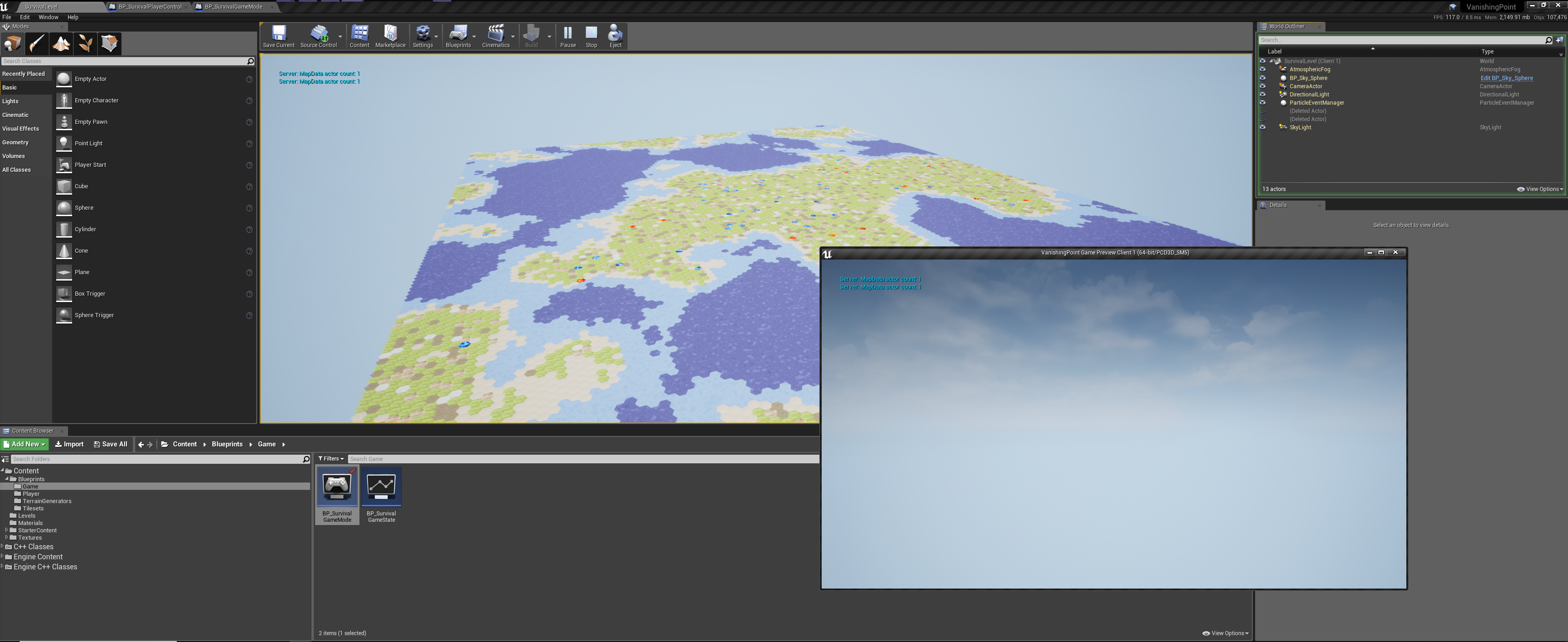
- Running a loop that simply prints the number of map info actors always shows 0 for the client and 1 for the server
Anyone know what I'm missing? :(
winged badger
the variable holding the reference in the GameState needs to replicate as well
winged badger
other possibilities include missing Super::GetLifetimeReplicatedProps()
vocal echo
Nope, got that for both the game state and map info actor
winged badger
which becomes particularly... funny if its missing in GameState override
vocal echo
My game state's .cpp file:
void AVPGameState::GetLifetimeReplicatedProps(
    TArray<FLifetimeProperty>& OutLifetimeProps) const
{
    Super::GetLifetimeReplicatedProps(OutLifetimeProps);

    DOREPLIFETIME(AVPGameState, Map);        // This is the pointer that should be replicating
    DOREPLIFETIME(AVPGameState, Materials);
}
Map info's cpp file:
void AMapData::GetLifetimeReplicatedProps(
    TArray<FLifetimeProperty>& OutLifetimeProps) const
{
    Super::GetLifetimeReplicatedProps(OutLifetimeProps);

    DOREPLIFETIME(AMapData, TerrainData);
    DOREPLIFETIME(AMapData, MapSize);
}
ok, when you change the world in the outliner to the client
is the actor on the list?
polar bridge
how can i go about changing my session name so it's not something like this
it's a dedicated server
winged badger
i imagine it is, since it prints something
vocal echo
@winged badger Does this show you what you need to know? Screenshot is of a listen server + separate client
https://imgur.com/Z6m8EEQ
The Map data actor is generated when the world is loaded; it's not one that's placed in the level in the editor. That said, I assume it should still show up in the world outliner if it was being replicated to client 1, right?
The map data actor does show up in the world outliner when I run the game as 1 client, no dedicated server
winged badger
there is an Unknown deleted actor there
vocal echo
Any way for me to figure out what those are?
winged badger
print the name in EndPlay
manic pine
can you put some printing thing inside BeginPlay of your actor and see how many times its printed
vocal echo
One thing I'm noticing as well, switching between the actors listed for the server and those listed on the client - I'm not seeing the game state actor listed on the client
@manic pine Yeah, one sec
manic pine
constructor should autocall parent
are you by chance spawning this thing using deferred?
vocal echo
Game State cpp:
// No constructor or begin play call

void AVPGameState::PostInitializeComponents()
{
    Super::PostInitializeComponents();
    InitializationSystem = NewObject<UInitializationSystem>();
    InitializationSystem->SetWorld(GetWorld());
}
Map data:
// No begin play call

AMapData::AMapData()
{
    // In-game terrain is static, and therefore does not need to tick
    PrimaryActorTick.bCanEverTick = false;
    bAlwaysRelevant = true;
    bOnlyRelevantToOwner = false;
    SetReplicates(true);
}
@manic pine Nope
Uh
manic pine
beginplay never called?
vocal echo
Since AInfo is derived from AActor and AActor defines virtual void EndPlay(), any reason that I can't override EndPlay() in the MapData actor? EndPlay() isn't marked as final in AInfo, is it?
Oh, hurr durr
winged badger
it has EndPlayReason enum
vocal echo
I forgot the argument passed to it
Thanks
Hm
Doesn't look like begin play is being called on the map data actor...? The message that I have to be printed to screen doesn't seem to be printed regardless of whether it's the server or the client
This is the code where I spawn the map data actor:
void AVPGameState::InitializeMap(const FIntPoint & MapSize,
    ATerrainMaterialData* Materials, UTerrainGenerator * TerrainGenerator)
{
    PRINT_STRING_NET_BASIC("Spawning map...");

    FActorSpawnParameters SpawnInfo;
    SpawnInfo.Owner = this;
    SpawnInfo.SpawnCollisionHandlingOverride =
        ESpawnActorCollisionHandlingMethod::AlwaysSpawn;
    Map = GetWorld()->SpawnActor<AMapData>(
        AMapData::StaticClass(),
        FVector{ 0.0f, 0.0f, 0.0f },        // Position to spawn the actor at
        FRotator{ 0.0f, 0.0f, 0.0f },        // Rotation to apply to the actor
        SpawnInfo
    );
    Map->Initialize(MapSize, TerrainGenerator);
    this->Materials = Materials;
}
what does AVPGameState directly inherit from?
vocal echo
AGameStateBase
manic pine
is it possible that youve not started the match yet
winged badger
if he didn't paste the code, i'd be sure he's missing Super::GetLifetimeReplicatedProps in GameState
vocal echo
My game mode inherits from AGameModeBase, which doesn't have the match starting stuff I think?
manic pine
beginplay wont be called by World until gamemode starts match
hmm
cant remember if its in base or other
winged badger
Easy enough to check, do you have any MatchState lines in the Output log?
vocal echo
I just tested it, the HasMatchStarted node in blueprint returns false
manic pine
i know it can be messed with by ticking something like 'start players as spectators'
delayed start is another
vocal echo
Well, I definitely can't use the StartMatch blueprint node since my game mode doesn't inherit from AGameMode
Oh here we go
It's called the BeginPlay node
Lemme see if this works
Huh
Uh
Well
I got a bunch of "Spawned map" messages spammed and the editor froze for like 10 seconds
vocal echo
lmao, right?
winged badger
usually comes with a big block of red in the OutputLog
manic pine
ye
vocal echo
I'm guessing that calling BeginPlay calls begin play for all actors? Regardless of whether it's been called before?
manic pine
yes, but it shouldnt have been called before
world will only call beginplay on an actor if match has begun play
vocal echo
Yeah, but I was putting in at the end of my game mode's initialization function, which is called by the level blueprint begin play
So if it calls begin play on everything that's spawned, I would assume it triggers the level blueprint begin play, which would cause a loop
manic pine
ah, yeah beginplay is prolly one of those things you never wanna call manually
vocal echo
Oh, shit... I wonder if that was calling the BeginPlay function of the game mode, not actually triggering the "Match Start" functionality of AGameMode
Though I don't have anything hooked up to my game mode's begin play, since it's handled in a separate initialization function
winged badger
note that BP BeginPlay != BeginPlay in c++
manic pine
yeah, i dont think the actor::beginplay thing is bp exposed, is it?
winged badger
BP version is renamed BlueprintImplementableEvent called ReceiveBeginPlay
vocal echo
There's an event "BeginPlay" that I can override
https://imgur.com/zFeG9dh
In my game mode's event graph
winged badger
yeah, that is fine
vocal echo
Also, the BeginPlay node that I tried doesn't show up anymore for some reason
winged badger
whatever you connect to it will execute just after Super::BeginPlay() in c++
vocal echo
Yep, I see that node
Lemme give it a whirl
Hmm
It's still causing the message I put in the Map data's begin play function to be called a shitton of times
Er
winged badger
i have a feeling we should be looking for a simpler explanation
manic pine
well, for one you should find out why its not auto-beginning play on gamemode
like it should by default
vocal echo
I take that back, the message that's displayed a ton of times is from the InitializeMap function, which spawns the map. That's called from the Initialize function in the game mode, which is called from begin play in the level blueprint
I'm gonna try calling StartPlay before my game mode's Initialization function
Okay, well, that confirms the issue
Editor reports an infinite loop
Apparently calling Start Play re-calls the begin play level blueprint event
manic pine
thats a smart editor
vocal echo
Adding a do-once node there makes it work again, but still only on the server
vocal echo
Originally, I was having issues with the initialization order of some stuff
winged badger
and made it worse? 😄
vocal echo
Ie the PlayerController::BeginPlay() was being called before the GameMode::BeginPlay()
I remember moving a bunch of things around to try to get it to work correctly, which is why I created a separate initialization class to handle all that
Just had the call to initialize in the level blueprint from that time
Just moved it to be called by the GameMode's BeginPlay event; no change - works on the server, not on the client
manic pine
hmm from what i can tell, uworld will do gamemode->startplay on its own BeginPlay
vocal echo
Also, can confirm - begin play for the AMapData actor is being called
Although I'm only seeing a call to AMapData::BeginPlay on the server... shouldn't that be called on the client as well if it's being replicated?
vocal echo
Begin play is called on the game state on both the client and the server
manic pine
finally some sanity
winged badger
EndPlay?
vocal echo
Only being called when I exit out of the game in the editor, for both the client and the server
It's not being called early, thank god
manic pine
for these latest tests, have you been manually calling StartPlay?
vocal echo
No
The "Spawning Map" message is from GameState::InitializeMap
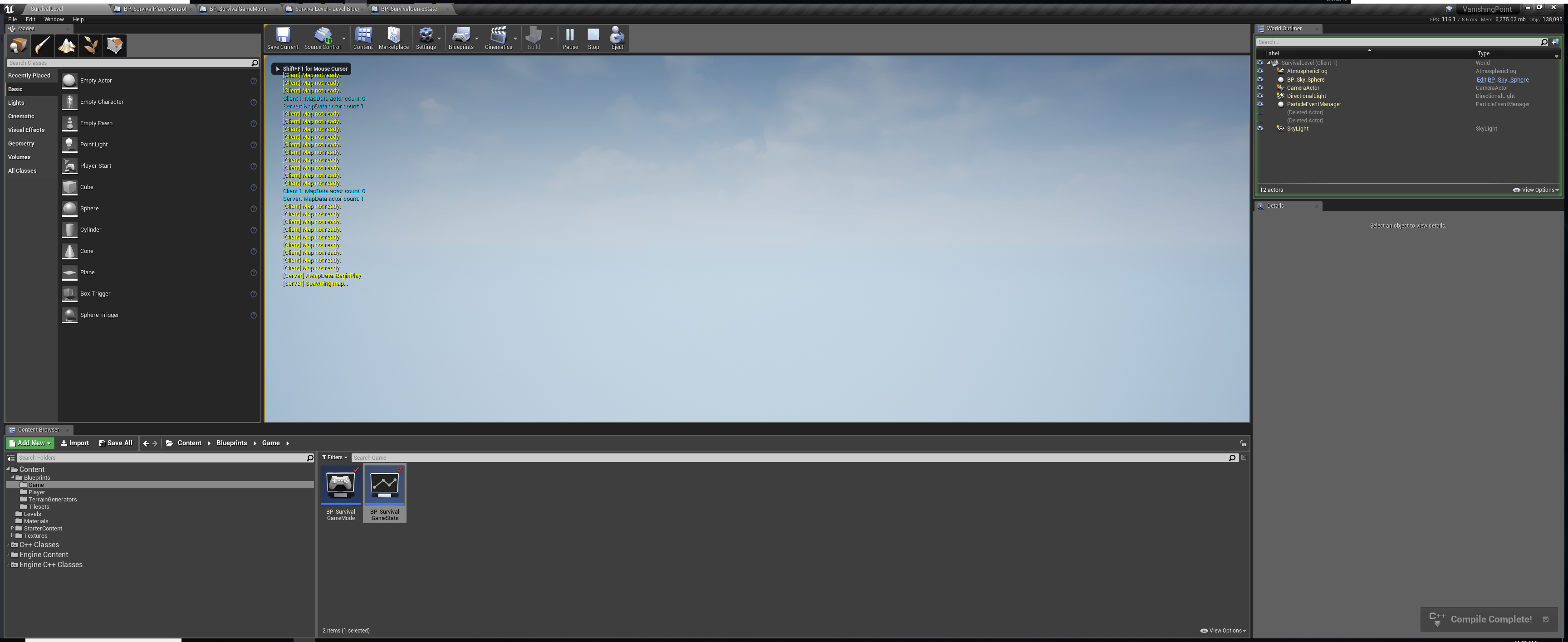
The client's "Map not ready" message is from a functor in the initialization system (separate instance per client), which checks if the pointer to the map actor in the game state is set
The map data actor count message is from an event in the player controller that checks the number of AMapData actors in the world
manic pine
on a regular interval?
winged badger
just a theory
if the NetUpdates are driven by Tick
and you did disable it for the MapData
vocal echo
Map Not Ready -> Looped via timer manager, every 0.1 seconds
Map Data actor count -> Looped via timer manager, every 1 second
Tried that already
It's currently disabled, but I tried enabling that too
manic pine
they shouldn't be... thats why you have the NetDormancy thing... its essentially network tick for actors
vocal echo
Though, lemme try it again in case any of these changes fixed it
winged badger
yeah, stepped in enough Epic's landmines not to take stuff for granted 😄
vocal echo
No, that's C++ only
I've got it marked as Blueprintable in case I ever needed to do that, but I'm not currently inheriting from it
PrimaryActorTick.bCanEverTick = true;
SetActorTickEnabled(true);
PrimaryActorTick.SetTickFunctionEnable(true);
PrimaryActorTick.bStartWithTickEnabled = true;
Can confirm, is definitely ticking. Can confirm, is definitely not fixed :(
winged badger
void AActor::SetReplicates(bool bInReplicates)
{
    if (Role == ROLE_Authority)
    {
        if (bReplicates == false && bInReplicates == true)
        {
            if (UWorld* MyWorld = GetWorld())        // GetWorld will return NULL on CDO, FYI
            {
                MyWorld->AddNetworkActor(this);
            }
        }

        RemoteRole = (bInReplicates ? ROLE_SimulatedProxy : ROLE_None);
        bReplicates = bInReplicates;
    }
    else
    {
        UE_LOG(LogActor, Warning, TEXT("SetReplicates called on actor '%s' that is not valid for having its role modified."), *GetName());
    }
}
this might be called a tad early
vocal echo
You think I should call that in the BeginPlay function for the Map Data?
vocal echo
I tried that too
Someone said that SetReplicates does more than that, so I switched over to using that
Lemme try putting bReplicates = true in the constructor and SetReplicates in the begin play, just in case
winged badger
hmmm, also
if you are calling that Initialize
from either Level Blueprint's or GameState's BeginPlay
it will run on both client and server
unless you filtered it by Authority
vocal echo
Level Blueprint doesn't have anything anymore, and when it did, I filtered it by authority
The initialization code is definitely only run on the server, which is how it should be (I think)
AMapData::Tick is only being called on the server
And that's with bReplicates = true in the constructor and SetReplicates(true) in the Begin Play for the Map Data
manic pine
dont use setreplicates, its for changing it at runtime
bReplicates is more than enough
hmm this is quite the mystery
vocal echo
But I can dream :(
manic pine
yeah but didnt he use always relevant
vocal echo
I have the map data set to always relevant
winged badger
can't say i ever got to using it, so i don't know
manic pine
not sure either
vocal echo
I'm not currently making any calls that would affect that as far as I know; should I be?
winged badger
altho i do not see any changes in AInfo to the NetDormancy
manic pine
just a low update frequency rate
winged badger
just a test here... AInfo gives you a hidden BillboardComponent, and some presets you changed anyways
change the base to AActor?
vocal echo
Aight, one sec
vocal echo
Still doesn't work
manic pine
insanity
manic pine
afaik, the single requirement for having a replicated actor is bReplicates = true
winged badger
agreed there
winged badger
hot reload might cause this tho
vocal echo
Two images in that album btw
winged badger
close editor, delete intermediate folder, regenerate project files, recompile and start editor again
because i am out of ideas
vocal echo
Aight
winged badger
btw, raap, i see the GetPlayerController[0] used on dedicated server daily now
manic pine
hahaha
i would ban that entire function so far away
how could they not have foreseen the abuse it would suffer
manic pine
yeah, that does make it more predictable
i mean, its not like its a huge problem if you actually know what youre doing
but the people using it usually dont
vocal echo
No change :(
manic pine
how big is this class's cpp file?
vocal echo
I can send the entire project over if you'd like - I only have terrain generation and rendering done so far
manic pine
yeah, everyone seem to love these bp static libs for some reason
vocal echo
Only things that would increase the file size are going to be the images for the terrain materials
(temp images off of Google images :P)
manic pine
sure, id love to take a look, this problem has me quite interested now
its a grand mystery
vocal echo
What folders can I ignore from the project folder? Intermediate, .git, .vs, etc?
winged badger
content, config, source, plugins and the .uproject are requred
manic pine
and maybe Saved
winged badger
(if you have plugins folder at all)
vocal echo
No plugins folder, but I'll add the ThirdParty folder where I have libnoise's code
manic pine
whats that?
manic pine
ah noise generator
vocal echo
Right now, I only have a blueprint wrapper for the Perlin module, but I'm planning on adding more once I get multiplayer working
manic pine
yes, having actors replicate would be a grand first step
vocal echo
~15 min for it to upload to Google Drive
winged badger
try just spawning a Pawn or Character in GameMode
set it to replicate
and see what happens on client
also, paste me your logs, client and server's
its in Saved/Logs folder
should be last 2 by date
vocal echo
Added a spawn actor node for the default pawn class in the game mode's begin play function
I can see DefaultPawn and DefaultPawn1 on the server (first one should be the one autogenerated for the player controller)
On the client, I don't see either
manic pine
is default pawn class even set to replicate by default?
vocal echo
Uh
manic pine
huh
vocal echo
That shouldn't be possible
manic pine
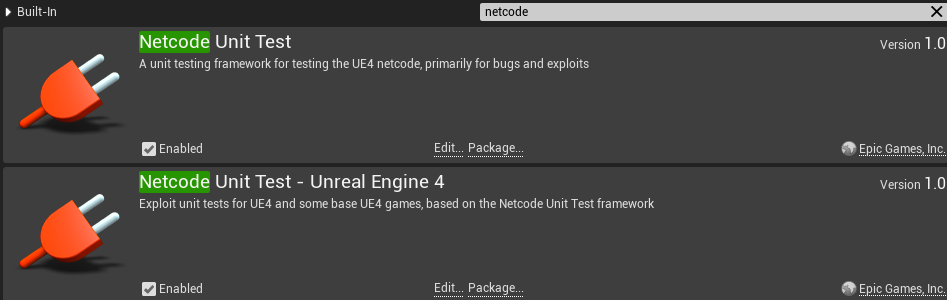
there is
lower image
(which discord doesnt show)
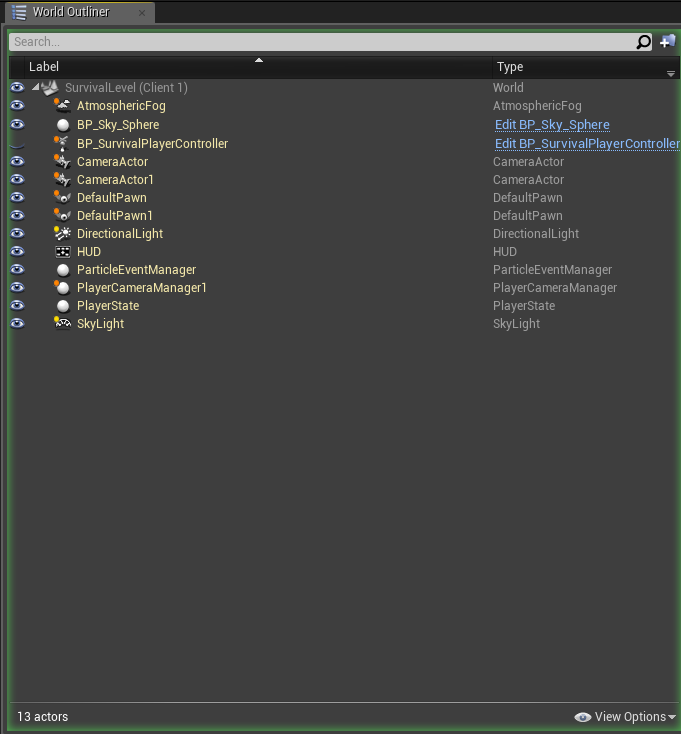
BP_SurvivalPlayerController
otherwise this would be really freaky
manic pine
lower image
winged badger
last two after it fails
and you stop play
question: did you Multicast anything from either PlayerController or GameMode?
that part looks more then a little odd
vocal echo
I added a test function at one point that was multicast on the player controller and called from the game mode, but I've since removed that
I closed the editor and deleted all the logs, then opened the editor and ran the game as Listen Server + Client
This was the log file it generated
manic pine
[2018.08.09-19.05.10:706][563]LogNetTraffic: Error: UChannel::ReceivedRawBunch: Bunch.IsError() after ReceivedNextBunch 1
[2018.08.09-19.05.10:706][563]LogNetPartialBunch: Error: Final partial bunch too large
Yeah, I saw that too
I assumed it was due to the array containing the map data, but I tried reducing that and it still didn't work
manic pine
are you doing some kind of huge TArray of items?
vocal echo
Yeah
winged badger
[2018.08.09-19.05.10:671][559]LogNetTraffic: Error: UChannel::ReceivedRawBunch: Bunch.IsError() after ReceivedNextBunch 1
[2018.08.09-19.05.10:671][559]LogNetPartialBunch: Error: Final partial bunch too large
that error is set to throw if partial bunch is > 64kb
vocal echo
Still didn't work :(
winged badger
there is an entire spam of those
manic pine
did it still throw the error?
vocal echo
The tile data stored by the map is an enum (tile type) and an int or float for height
Lemme check
Yeah, I'm still seeing that error in the log
vocal echo
// Array containing the terrain data for the map
// This array is optimized for iteration in the Y direction
UPROPERTY(BlueprintReadWrite, Category = "Terrain")
TArray<FMapTile> TerrainData;
// Map Dimensions
UPROPERTY(BlueprintReadWrite, Replicated, Category = "Terrain")
FIntPoint MapSize;
The TerrainMesh actors are spawned clientside and are not replicated
manic pine
didnt remove from replicatedprops?
vocal echo
No, I did
I set the ATerrainMesh class to not replicate in case AActor defaults to replicated (Didn't think that was the case, but I was hoping it'd fix it anyways)
Hm, interesting
I'm not seeing any more of those errors in the last bit of the log
winged badger
and the MapData actor on client?
vocal echo
@winged badger Not being replicated
It includes data from before; I was looking at the part at the end
~line 768, there's logs from a recompile
manic pine
ah, yes
vocal echo
Restarted the editor, still doesn't work
manic pine
alright so no more large bunches errors but still no actor replication
vocal echo
Log from testing it after restarting the editor
And yeah, the client still doesn't see the AMapData pointer in the game state get set
OH
SHIT
WAIT
IT AT LEAST SEES THE MAP DATA ACTOR GET SPAWNED
manic pine
!!!
vocal echo
Not 100% sure why the game state pointer doesn't get set, but that's at least an improvement!!!!!
winged badger
how large was that array?
vocal echo
What options do I have for sending a large array of data?
winged badger
compress it, split it
vocal echo
Well, I originally tested it as a 16x16 array of hexes, but then I pushed it out to 128x128 to see about performance (all before adding replication)
Soooooo yeah
That was definitely way too big
manic pine
hmm, might the netdeltaserializer handle it better?
vocal echo
Right now, I don't plan on having the terrain change at runtime
I just want to generate a level, then keep it static for the rest of the game
So what I might just do instead is have each client generate the terrain themselves
Then all I'd have to do is provide the map seed
winged badger
that works
manic pine
definitely, though if you allow map manipulation you'll eventually run into the same problem again
vocal echo
Yeah, but I can just send changes from the server to the clients
manic pine
yes, in which case youll run into the same problem again ^___^
vocal echo
Not if it's just saying something like "Tile at (x, y) -> New tile type, new height"
manic pine
lets say you join server and mess up everything for hours, then i join and have to receive all your changes
winged badger
the RPCs don't get stored
vocal echo
Fortunately, I'm planning on making this a match based thing rather than a persistent, long term thing
But, even in that case, wouldn't I be able to basically save changes server side, then, when a client connects, iterate through the array of changes and send each one via RPC? Not sure what performance would be like if there's a ton of changes, but that would work, wouldn't it?
Don't really have time to look into it right now (have to get ready for work), but the alternative would be to create a separate TCP connection from the Server to the Client so I can transfer large amounts of data
https://wiki.unrealengine.com/TCP_Socket_Listener,_Receive_Binary_Data_From_an_IP/Port_Into_UE4,_(Full_Code_Sample)
Since it would be for the map data, TCP would be fine (as opposed to UDP)
Anyways, I'll be back in about half an hour for a brief bit before leaving for work. Thanks a ton though guys, I don't know how long it would've taken me to find the issue without you two
winged badger
as long as you can punch through NAT...
vocal echo
IIRC I learned how to do NAT punchthrough when I was doing some C++ networking code outside of UE4, but I'll have to look into that again since I don't remember exactly what I did
But yeah, that could be problematic
winged badger
yeah, nobody can dig himself a hole quite like a programmer with some years under his belt taking his first step into Epic's minefield 😄
vocal echo
Oh yeah, for sure
This is basically my first time using UE4 outside of a small, blueprint-only project
I've been coding in C++ for ~9 years, so I at least know the language well... just not the UE4 framework
Anyways, back in a bit
 fierce haven
anyone have any experience using Steamworks AND Amazon Gamelift?
twin juniper
What is this? https://i.imgur.com/WwcWTOc.png
fierce haven
Found this huge free "Unreal Engine 4 Network Compendium" that I thought I would share for those who haven't already stumbled upon it. Looks very well done.
http://cedric-neukirchen.net/Downloads/Compendium/UE4_Network_Compendium_by_Cedric_eXi_Neukirchen.pdf
winter zenith
@fierce haven everyone should read that twice over at least if they want to get a good foundation on networking in UE4, for sure 😃
gleaming vector
that was made by one of the mods on this server and pinned to this channel 😃
soft relic
why does casting from game mode to pc and get its player settings doesnt work when the pc actually loads it fine from the save file
fossil spoke
GameMode ONLY exists on the Server, your RPCs and Replicated variables are probably not doing what you may think they are doing.
soft relic
So how do I fix this? I do know it only exists on the server but thats why I did the update everyone to get the info and then fill the player list
fossil spoke
If you want your Clients to interact with the GameMode on the Server you need to use an intermediary such as the GameState or PlayerState
soft relic
Its not the pc interacting with game mode, but the game mode getting a var from pc
isnt it different or
am I wrong?
fossil spoke
Im assuming your Clients are loading the Settings from a File?
soft relic
save slot
but i tried printing it from pc
and its shows up fine
but not from the game mode when getting the vat
fossil spoke
Ok, so the Server has no idea that your Clients have done that, unless you make your Clients tell the Server
Replication only goes one way. It only goes from Server to Client
Not the other way around.
soft relic
So when the pc gets the var from the save slot
server has no idea it actually loaded it?
fossil spoke
When your Clients load their Settings you need to RPC to the Server to let the Server know that the Client has loaded those Settings.
Yes correct
It has no idea
soft relic
Thank you very much
soft relic
Thanks, I actually did know that but totally forgot that thats the way it works
Now I can fix it 😃
soft relic
Fixed it, you were right. What I had to do is after loading I had to call a function on pc that was running on server and update the var 😃
fossil spoke
👍
unique thunder
This is on beginplay, for some reason this AnimBP reference is null in a multiplayer session
Any ideas?
polar bridge
trying to handle restarting a match. when it does, it would seem that begin play on my HUD is being called again, and it's duplicating all of my widgets. what's the proper way to handle this?
should i just remove everything in end play? seems...odd
you would think it would all be done automatically, seems weird to me. using a dedicated server
bitter oriole
Just don't recreate widgets if they exist
thin stratus
@fierce haven That's mine and thanks for sharing hehe (:
 worn nymph
@polar bridge use the is valid node before you create widgets. if its already valid it means its already been created so you would just add to viewport.
if its not valid create the widget and add it to viewport.
remove from parent doesnt destroy created widgets so if you then call create widget again when there is already a widget it will duplicate
hybrid cypress
Does anyone know of any info or tutorial that could explain how to, on a dedicated server, replicate the movement of a static mesh actor with collision smoothly that would allow clients to stand on and ride it as it moves?
 proper olive
+1 to that
manic pine
thats not really a trivial problem
manic pine
it would be made easier if both client and server knows exactly where the mesh actor will be at any given time
proper olive
I'm curious if anyone can help explain... I'm not looking for a "fix" per se, but... when clients log in to a game that already has a save file made, even if it's just a few characters with their default attributes, it takes like... a minute before the character gets a controller. BUT ..... if I do a multicast (reliable if that makes a diff in this situation) from the server, it'll kick-start the process and my character name menu pops up. Of course, if I fill in the name and log in, I get my character, but everybody's weapons are unattached and horses are unmounted, etc, which makes sense.... just curious if there's a way I can kick start the menu and then have the delay take place with some sort of notification, instead of just hanging there at 0,0,0 world location, just waiting for the server
and thanks @hybrid cypress 😄 as you probably know I have those fallen trees you can stand on, but when clients do it they warp in and out of space and time 😄
hybrid cypress
Haha yeah I’m having the same thing with ship travel, lots of wacky stuff, at least it’s entertaining trying to figure it out! Raap, my need for it would involve absolute mesh positions predictable that I could feed to both client and server, preferably moving the mesh along a spline with a timeline on loop (which I have working on a single client), so what I’m having trouble with is synchronizing the movement to those absolute world positions on multiple clients driven by the server.
proper olive
hmmmm my characters seem to stay on boats no problem
it's a little shakey on client side, worse with small boats, but they move around and behave as if standing on solid ground
I didn't do anything special, just plop the boat in the ocean and move it around using set actor location, has character can step up on, of course
manic pine
if you synchronize it to gamestate's server time, it should work alright i'd guess
the movement will just be ping/2 off, which isnt too bad for slow moving objects
proper olive
how is that done?
manic pine
if you wanna go even better, you could synchronize it to server time + your ping and get it perfect(under stable ping conditions)
well, its position on the spline would be determined by only a time factor
e.g. time 0-10 seconds ship is docked at portA, 10-100 its traversing the spline, 100-110 its docket at portB, 110-200 its traversing the spline back to portA
proper olive
I don't know what you mean by "synchronize it to gamestate's server time"?
I mean maybe I'm overanalyzing it, if all you're saying is set the position on the game state and send that to players then OK yea I get that..... maybe that would work with my fallen trees, if I do a quick "get location" on game state, then set location to all players once the tree has settled down?
manic pine
no, not exactly... we're still talking spline-based movement here right?
i.e. a route that both server and client knows beforehand
i was referring to the boat on my previous answer, for the trees its more tricky, especially if youre simulating physics
proper olive
yeah I am
and my boats I wasn't planning on using a spline, idk about @hybrid cypress
manic pine
your trees are falling based on a pre-made 'route'?
proper olive
oh sorry "yeah I am using physics"
proper olive
😉
manic pine
simming physics over network is terrible since server and clients run with different deltatime
a colliding object like a player can also be in a slightly different location on impact
proper olive
well until the tree has "settled," it has no collision with players
once it "settles" (timeline and/or if it settles before timeline finishes) I turn off physics and turn on collision
so it's static at that point
just need to update its location to synchronize
manic pine
right, and you get teleporting if you just do a naive setlocation call from server to clients
fierce haven
@thin stratus awesome man. Loving the pdf! Very useful, I’m about a quarter of the way through ☺️
hybrid cypress
Thanks for the info guys, and yes for my project I’m procedurally moving a ship along a spline using a predefined timeline, I’ll give your suggestions a shot!
And yes my usage of traversing the spline using the timeline exactly matches your description Raap. 😃 I’ll try setting the position of the ship using server time plus ping and see how it goes!
polar bridge
went to bed after my last message heh. the problem with widgets being recreated on the HUD begin play is that clearly it spins up a new HUD when the match restarts. so it actually see's that the widget is invalid and creates a new one regardless
manic pine
@hybrid cypress you can't do it quite that straight-forwardly. youd need to e.g. override OnRep_ReplicatedWorldTimeSeconds on gamestate where you'd calculate a server/client world time delta(ReplicatedWorldTimeSeconds - GetWorld()->TimeSeconds), then for the ship every tick you'd do something like PredictedServerTime = GetWorld()->TimeSeconds + GameState->ClientServerTimeDelta + PlayerState->Ping, and use that for your time position
proper olive
@manic pine I'm getting the teleporting but I'm not sure what you mean, should I just get the tree's location server-side then multicast to set its location or is there more to be done?
manic pine
if you wanna simulate the physics on clients then i dont think there's any other simple solution than to sync them up at the end like youre already doing... i guess you could maybe try disabling physics client side and replicate position/rotation continuously with some interpolation on the client between the two latest updates.. not sure how that would end up
hybrid cypress
@manic pine Thanks for the detailed explanation! That does sound a bit tricky. If I were to go with your 1st suggestion that would be off by ping/2 and maybe OK for a slow-moving ship, would it pretty much be driving the position updates on the server according the the gamestate’s server time, and doing the same on clients?
manic pine
they're the same suggestion... the reason you can't base it entirely on gamestate's server time is that it's only updated ~2 times a second, so your ships on the client side would be stuttering forward weirdly
oh, you dont have to make the delta time yourself btw, it already exists in gamestatebase
ServerWorldTimeSecondsDelta it's called
hybrid cypress
Ah I see, alright then I’ll read about overriding the replicated world time from the gamestate and see if I can do it in blueprints as I don’t have any experience working in cpp yet.
manic pine
you dont have to override it, its already calculating it for you
not sure if its bp exposed
hybrid cypress
Ah I see ok thanks, sorry I’m a noob at some of this and trying to learn
hybrid cypress
Hmm, found a link on modifying the engine source to accurately sync the network clock. Maybe I’ll give this a go and see if I can figure out how to use it correctly.
https://medium.com/@invicticide/accurately-syncing-unreals-network-clock-87a3f9262594
When implementing real-time network multiplayer in a game, one very important tool is a reliable network clock.
unique thunder
anyone here have experience with animBPs in a multiplayer game
winged badger
do not replicate them, replicate variables that drive them inside the Pawn
and its ok to multicast montages
unique thunder
@winged badger yeah that's what I heard, but I'm doing things backwards I think to avoid my logic having to run on tick in the AnimBP.
I'm using this custom enum which is a variable used in the anim graph
In my character, I cast to the AnimBP and set it to change grip poses for the hands
it works fine offline
but in multiplayer, only the server sees the changes
client doesn't even see his own state change
winged badger
because input action that changes it is routed directly to server, most likely
BlueprintUpdateAnimation is cheap
unique thunder
do I need to set up multicast custom events in my character that trigger this cast to animbp and enum set?
winged badger
if you want performance optimizations do not do any BP logic inside the AnimGraphs
unique thunder
if I'm setting these states locally in my character, won't I have to cast to the character on tick in the AnimBP to check the state constantly even though it only changes on grip?
winged badger
i usually do InputAction -> Server RPC -> PerformAction
and from Server RPC -> Multicast; from Multicast -> PerformAction if NOT LocallyControlled
you're likely to have more then one variable that is interesting to the AnimBP
but if not, event dispatcher is a fine alternative to updating every tick
unique thunder
why would casting to AnimBP to set the enum not work in a multiplayer scenario though? The process isn't very different than using event dispatchers since it's still being set in the animBP
winged badger
Enum replicated, with Notify, OnRep has a call to the Dispatcher, which has an input of the enum typpe
AnimBP subscribes to it once, and sets its own enum variable in the event handling it
well, i believe your enum is not getting replicated down to the clients at all
unique thunder
It exists only in the AnimBP so I figured it would replicate
unique thunder
then do I set it in the animBP with the dispatcher like you described
winged badger
you can, or use BPUpdateAnimation, or set it directly from OnRep
but it needs to be in the Pawn to replicate, rest is a matter of preference
unique thunder
how do I set it inside the AnimBP OnRep from the char
winged badger
you don't
i mean
you set the enum variable, replicated with notify
you have whatever you do to change it change it on the Pawn instead of the AnimBP
and then you propagete if from there to the AnimBP
unique thunder
using the BPUpdateAnim or by casting to the AnimBP like I already am
winged badger
doesn't matter, once you have the correct state on the client's Pawns, rest is just connecting a few wires
unique thunder
so as long as the enums are replicated in the character, the AnimBP will show the correct pose on all clients
unique thunder
it's strange because I have 'speed' and 'direction' variables local to the AnimBP that drive a blendspace and this is replicated fine. Just not custom enums
winged badger
or your anim BP has the information needed to calc them independently on server and clients
unique thunder
are all clients not always aware of each other's animBP states?
unique thunder
I do, yeah
winged badger
so each cient's pawn's movement component is aware of correct velocity
and AnimBP grabs the info from local CMC and calculates Speed and Direction
you can try making them non replicated i do not believe there will be any change
winged badger
BlueprintUpdateAnimation since i have about 15 variables to transfer in my project
it would be too much clutter to do anything else then
unique thunder
any noticeable performance cost to constantly setting variables?
winged badger
not really
its much much worse doing BP logic in anim graph
and warnings for that are suppressed by default
unique thunder
I'm just using the animgraph to blend between body & each hand separately, and then I have the Anomotion IK system running through that as well
winged badger
i am much better at networking then i am at animation 😃
unique thunder
im much better at animation than i am at networking 😫
winged badger
but if you do not want to use the BlueprintUpdateAnimation
its ok to access the AnimInstance from OnRep and just set the variable
simple, and out of the main EventGraph
unique thunder
hmm
winged badger
OnRep happens AFTER the variable has the new value already
unique thunder
so I run my logic local in the character, then OnRep cast to the animinstance and set the enum which is local to the animBP?
winged badger
so you'd just set the AnimInstance value to Pawn's value for the enum
fierce haven
Am I understanding sessions correctly? From my understanding you don’t need to create a session if you are just goin to join by IP, but if you want to advertise your server to your subsystem with some metadata such as server name, max players, etc, that is when a session should be used?
Anyone correct me if I’m wrong about this.. haha
 bleak lily
hey so yeah my issue is in my game you choose between two characters but it doesnt replicate for the second person, since the coding is through the widget how would I put it somewhere else for it to be replicated. I tried deleting the widget blueprint and pasting it to the player controller but the button doesnt work now since its not in the widget
any idea how to fix this?
winged badger
ButtonClick->GetPlayerOwner->CastToYourPC->CallServerRPC
provided you plugged the PC into owner pin when creating the widget
you can also go with GetOwningPlayerPawn, then RPC from the Pawn
bleak lily
what is RPC exactly
because all that stuff I cant see in bp
like I have little to no knowledge in stuff like this so I kinda tried to improvise with this stuff
bleak lily
ok thanks
 knotty frost
has anyone had a chance to mess with Replication Graph in 4.20.x yet?
thin stratus
This is wrong
GetPlayerController 0 refers to the one calling
Since you are on the Server it uses the Server one
You need to use the PlayerController of the Player who wants to control the character
I assume the ServerRPC is inside of your PlayerController?
If yes, use "Self"
grand kestrel
GetPlayerController0 gets so massively misused
thin stratus
Well mainly because people don't understand what RPCs do
grand kestrel
Bunch of YouTube tutorials that have no business being tutorials floating around advocating it's use. If you're using it there's a decent chance your chain of reference needs work
thin stratus
And that there are multiple duplicated instances for each player (in most cases)
They just see a Character and think that's the same everywhere
You can use it a lot
If you are referring to the local PlayerController :D
grand kestrel
Oh for sure
 swift topaz
I have encountered an odd problem.
Why would SetActorLocation stop working after un-possessing a pawn?
thin stratus
Or for local players when using the index
grand kestrel
Just that it gets misused and these tutorials tend to just say to use it with no further context
thin stratus
Pawn or Character ? @swift topaz
swift topaz
Character, sorry
thin stratus
In would assume either the Pawn/Character or their MovementComponent filter the call when not having a valid PC