#multiplayer
1 messages · Page 409 of 1
 umbral terrace
@winged badger can you see any reason why my bp wouldnt make the health increase when my level goes up since thats the issue im having now
 winged badger
i suggest making a LevelUp function
umbral terrace
Ah okay thanks
umbral terrace
If i have a function setting if variables should that be using switch has auth or not
 rocky badger
I've been having this really weird bug where I have a simple trigger box. When I have two characters(of the same class) in the level and one of them overlaps with it, the trigger box detects BOTH characters. Could anyone know why?
 twin juniper
@rocky badger might happen if you are using get all actors of class node
rocky badger
@twin juniper im in c++ and taking the "other actor" and casting it to my character class
I have no idea why the overlap is called twice though
twin juniper
@rocky badger here is a powerup BP i use - can be translated into CPP possibly i think. just have to place the code in the trigger box itself or the spawn volume code, rather than the character class
rocky badger
@twin juniper thank you! ill try it out after dinner and tell you how it goes
twin juniper
yw hope it works
rocky badger
@twin juniper sorry but your solution didnt work out
I still can't seem to figure out why if one of my characters overlaps the trigger box, it some how says that my other character did as well.
With three characters, if one overlaps, it assumes all of them have as well
 steady briar
@rocky badger i think its because overlap events are run on the server as well, what kind of check are you doing?
rocky badger
@steady briar I've been using the standard
OnOverlapBegin(UPrimitiveComponent * OverlappedComp, AActor * OtherActor, UPrimitiveComponent * OtherComp, int32 OtherBodyIndex, bool bFromSweep, const FHitResult & SweepResult)
I've had more stuff in the function but for now commented it all out and am just printing "OtherActor" on overlap
steady briar
ya i dont know C++ unfortunately. im dumb with bp too most of the time. also deleted my overlap thing but i can recreate the basics and u tell me if it makes sense? O.o
also theres this annoying thing with dedicated server where when u overlap it does a Start, End, Start in 1 frame, can screw some stuff up
rocky badger
It's the OnOverlapBegin node and in bp terms im just dragging the other actor node and printing it
its printing twice though in my case; once for each actor despite one of them not being even close to the trigger box
steady briar
is it printing the same name twice also?
rocky badger
No. Its accurately printing both actor names
steady briar
dunno how this translates but
i think doing this will limit it to the overlapping person
ok i guess it... blocked my image?
twin juniper
How can I go about adding host migration (listen server)? Once the current host has been terminated, how can I reconnect the previous clients to the new host? Is that even possible? I'm fine with c++
steady briar
ok i just re-copied and it let me post it.
i think anything on that If branch going to true will be for the player who overlapped. anything off False will be everyone else?
could be horribly wrong though
winged badger
@twin juniper host migration would involve a lot of work
most of it would be going around the UE4 networking
its not just the reconnecting clients to new host
its a ton of information only server has and only server needs to be concerned about
twin juniper
I can imagine, but I don't really have a choice do I? I'm making a coop 4 player game, dedicated servers are too expensive and overkill for such a game... is there any other approach you recommend?
steady briar
host migration is a listen server thing right?
winged badger
by default, there is no GameMode or GameSession object on the clients
AI controllers are configured not to replicate in any way
twin juniper
@steady briar yeah, if you have 4 players and one of them is the server, and then he disconnects, you need to find a new host to take over, otherwise it just zeroes everything out. Unreal doesn't support it
winged badger
plus, there is a lot of stuff that you only want to do server-side to conserve bandwidth, such as generating missions, spawning loot or whatnot
and you would have to have all of it synced to the backup host in addition to solving the reconnect
twin juniper
yeah you're right, the issue is when the server disconnects it's impossible to pass that info to the new client-host
yeah exactly
should I switch engines 😅
winged badger
so, nobody i know did it, or suggested they knew someone who did
might be doable to force the engine to maintain a server instance if it disconnects and allow for reconnecting
twin juniper
I can see why... do you know any way I can at least do the reconnect? Even if it restarts the level it's better than just a flat out disconnection
ahh
winged badger
by default, UE will maintain disconnected PlayerStates
which can allow clients to continue where they left off
but i don't know how exactly would i go around implementing it
twin juniper
oh that's really useful
it doesn't have to be seamless, but I can't just have it kick you out
winged badger
its a "graceful exit to main menu"
twin juniper
that's one way of looking at it 😂
winged badger
its what epic calls it
twin juniper
thanks for the help man
winged badger
i don't think clients would be able to continue if they close the game session
only if they lost internet connection btw
twin juniper
What do you mean? If the listen server closed the game session vs lost connection?
winged badger
i mean (and educated guess here) that PlayerController's ID, which server would use to link it to a PlayerState on reconnect would not persist if you closed the game on client
twin juniper
but if only the listen server exited it should persist right?
and they don't close the session
winged badger
PlayerState has the NetGUID
 raven holly
Anyone have issues with dedicate servers not letting connections in after a week or so of running?
winged badger
basically, as i believe as long as you don't close the game after losing the connection on client, the NetId of your PlayerController will persist, and if you reconnect to the same game it will recognize you as you by it
twin juniper
right, makes sense, thank you
winged badger
server should in theory be able not to close the game if it loses connection
as that state is more or less equivalent to all clients disconnecting individually
twin juniper
how do PvE (i.e diablo, monster hunter) games normally handle their networking without dedicated servers? it feels like I'm going about this incorrectly
ohhh I see
winged badger
another caveat is if you are using something like Steam, its SDK might boot you out
not sure
twin juniper
damn it just gets worse 😅
winged badger
on the bright side, steam lobby persists as long as someone is still connected
so you could use it to matchmake the players back together
as just the loss of a connection would not result in you losing the SteamLobbyID if you saved it to GI or some such
twin juniper
yeah that could also work
 unique thunder
I'm hearing some sounds play twice and other sounds appear to only play once while testing multiplayer (local, 2 players - one server, one client). Is this normal?
 rose egret
how do I create interactive session by OnlineSubsytem. I have a session room. players must select their location on a mini map and their options and + chat room.
is that all possible with session apis? how do I update session options?
unique thunder
I can't find any info on this online but, what type of variables do not need to be replicated? Booleans inside already replicated logic inside already replicated actors?
 bitter oriole
Well if you have an animation based on the character state, you should replicate the state, and adjust the animation based on it, rather than also replicate the animation
unique thunder
I'm setting a few local booleans that determine whether a gun is able to shoot, reload, etc. based on its current state
Do these bools need to be replicated so that the server also knows if the gun is able to shoot
Or will it know as long as the client knows?
bitter oriole
@unique thunder Well, the server should know everything related to gameplay
If it's able to infer everything from the state, replicate only the state
If it's not, then replicate the needed vars too
Basically default to not replicating, and try replicating the root information rather than stuff you update based on it
unique thunder
@bitter oriole Great, thanks.
I just got into networking, I've had this weird issue
For hours now where I spawn an item and it spawns correctly on the server but 2 versions of it spawn on the client
bitter oriole
Sounds like it's replicated and you manually spawn it on the client too
unique thunder
well yeah, the actor itself is replicated and I spawn it once without any extra steps
bitter oriole
Replicated actors are also spawned automatically on clients
unique thunder
hmm
so I should be executing the spawn event on server only
I think i did try that
bitter oriole
Yes, that's how you should be doing it
unique thunder
1 sec
something weird happens in that scenario
after it's spawned, inside the actor I have an event that triggers and allows me to "grab" the item immediately
but this method leaves the item floating in mid air
the actor itself is replicated but the event "Detach" is not replicated in any extra way
bitter oriole
Dunno if attachment is replicated.
 summer nova
@unique thunder you are probaably spawning both on client and server
thus why you get both
only the server can spawn replicated objects
if a client spawns something then thats local
 haughty carbon
Hello. I am trying to make a Game of 32 players per session and Hosted on a Dedicated Server. But confused about what will happen when more players try to play the game at a Time. Can someone guide me with this?
 fringe dove
Hey guys, I found a problem with steam lobbies and invites in 4.20:
As a workaround I'm changing ENGINE_NET_VERSION, but I'd like to know the right way to change COMPATIBLE_CHANGELIST instead
where is that supposed to be set? seems to come in from build configuration somewhere
I'd ultimately like it to be based on my subversion revision but can do manual changes for now if I know the right place to set it
 fiery dome
What's the best plavce to set the player name?
Begin Play? On server connect?
Initplayerstate?
 winter zenith
InitNewPlayer in GameModeBase attempts to pull the name out of passed in options in your connection string, you should be able to just set ?Name=Bob and have the connecting player's PlayerState have the PlayerName set as Bob
though I'm not sure if that's changed with 4.20, certainly fine on 4.19.2
haughty carbon
PlayerState is the best place
twin juniper
My game crashes when I call Super::SetMoveFor in my own CharacterMovementComponent ONLY when a client joins a listen server. Dedicated and single player work fine. Anyone know how I can fix this? I'm following this guide: https://wiki.unrealengine.com/Authoritative_Networked_Character_Movement
just the first part (initial setup) does what I'm having issues with; once you override SetMoveFor and call Super in its definition everything crashes (the moment the client joins).
here's the crash log: https://pastebin.com/qPijKvzi

 vagrant falcon
hi, how can i check on server owner of playerstate (to which player controller it bound)
vagrant falcon
oh
yeah
lol
thx
but value from player state doesnt replicate to server
if i call it in runtime and change value from client controller -> player state then fine, but if i call result from controller client ask server then its not set
value is set to being replicated
variable*
vagrant falcon
ref doesnt help. i guess its reffering to local player state
how can i get exact player id for player array from get game state
 hybrid cypress
Given a dedicated server game with the intent of allowing multiple clients connecting on one machine for testing purposes, does the blueprint node “Get Player Character at index 0” no longer make sense? Like isn’t tour first client index 0 and your second client index 1? And if this is the case, anyone have a suggested replacement for getting the owning player character for the present ue4 game instance?
 thin stratus
The Index is not for online games
It's for local Characters and Controllers
Online you can only use Index 0
Which refers the Character/Controller of the Player you are currently on
 slim holly
(^ logic needs to work with all controllers)
hybrid cypress
Ah ok thanks!
 drifting plank
Hello ! My friend has an issue with his actor component which he want replicated.
He has set it as replicated, netAdressable. Then he have added the Uproperty (Replicated with a ReplicatedUsing and his function) to the variable that need to be replicated. and finally the function GetLifetimeReplicatedProps to set the variable replicated.
The issue is that when the player left the network culling radius then he back into, his variable are absolutely not replicated. :(
I've already done that on an actor component but it was only for an owner only variable. It isn't concerned by relevancy.
Thanks in advance for your help !
 elder crypt
I have the advanced sessions plugin for connecting to steam servers and all of the sudden clients can't find servers
It's really odd because it's happened out of the blue
drifting plank
Oh we found the solution.
The begin play is called each time that a character reappears and we override the replicated variable.
 mild geyser
Is there a way to persis gamemode properites across multiple levels?
 tawny parcel
@mild geyser Before the level change you have to save those properties in gameinstance, than load them on map load
mild geyser
Does game instance exist on both server and client?
tawny parcel
They both have their own individual gameinstance, they both exist but are completely separate and not replicated in anyway
Even though they are the same blueprint
mild geyser
But it's enough if I save the data in the server game instance and load it from there?
tawny parcel
yeap
mild geyser
Ok, gonna try that. Thank you.
 plain oriole
Can anyone please tell me how I would replicate a hud
fiery dome
You're gonna have to be more specific? What are you trying to replicate? individual values?
winter zenith
@plain oriole aye, usually you wouldn't actually want to replicate the HUD itself, but have your hud/widget display the values of things you've already got replicated
plain oriole
@winter zenith right now all I have is a simple compass but I’m planning on adding more like a health stamina hunger and thirst bar and also display current time and temperature so would I have to replicate each individually?
 graceful cave
if you set the variables to replicate, and have the server set them in the gamestate or playerstate, clients will automatically get the data
winter zenith
^ that. Those variables you speak able are important to the playing of the game aside from just the HUD. You'll want to work out if they are things which are applicable to everyone at the game level (GameState) or specific to individual players, such as Health (PlayerState) and replicate them in there. Then locally your local player's HUD can look the current GameState or their PlayerState and display the values based off of that.
 shut gyro
Hey guys, how would one convert a SteamID to the 64-bit version? I get the steam3ID using CSteamID, but can't seem to get the 64-bit to store to a database - even using a 64-bit function available in the CSteamID struct.
unique thunder
I'm executing a multicast event and inside that event, I'm executing a function
But that function keeps throwing a pending kill error because I try to destroy the actor it references right after
Shouldn't this work since the multicast is triggered before the destroy?
winter zenith
Is that pending kill error coming up on the clients when they're trying to execute?
as calling that multicast won't have the multicast functions run right away, but instruct the clients to run them
and then destroy actor will also instruct clients that: hey, this actor is getting destroyed
possibly both of those instructions will come bundled in from the server at the same time (or even out of order), I'm not 100% on this but that's the general feeling I get of this issue
can you hold off destroying the actor right away so that the client's do not have the actors marked as being destroyed while this callback is running?
or for a quick test/hack rather than calling destroy actor call set lifetime and have the actor expire after one second (which in turn will destroy)
set life span*
unique thunder
@winter zenith Delaying the destroy would fix the issue, yes - but this event is responsible for a weapon's magazine insert. Any noticeable delay would be unintuitive and a short, unnoticeable delay seems like a cheat and like there's the right method I'm not seeing.
Here's how the sequence plays out:
Trigger Event (Run on Server) > Multicast Event (Uses Reference) > Destroy Reference, all in one tick.
Looks like a 0.1 second delay still shows a pending kill
winter zenith
ok, though a larger delay is happy?
I wonder if something like - 1 second delay, but as part as the callback on the client you call set actor hidden
possibly that with a short delay that both the RPC and the destroy get sent out at the same time pending on the net priority of the actor
but for sure, using a long delay is certainly a hack
unique thunder
The only reason I'm even having this issue
Is because I'm trying to use a 'set visibility' node
As far as I know and have been told, a Multicast is necessary for this to replicate properly
The rest of the event Runs on Server and works fine until I try to cue a separate multicast in the middle
Maybe if I set up yet another event just for the destroy it'll run it in the right order ..
nope
I didn't want to have to do this but I'll just set up an extra variable to temporarily hold the ammo count and then use it locally later
twin juniper
@unique thunder i have a ton of temp vars thru my code too 😛
 worn nymph
@unique thunder move the destroy actor code to the end of the multicast chain
whats happening is client or server is running the code multicasts then destroys almost instant before anything has had time to propogate so by the time the other clients process the multicast the object they need to access is already pending kill
another thing you could do is set the actor hidden and rather than destroying straight away use the set actor lifespan which will destroy it after x amount of time so you could set it to be equal to the reload animation time for example
also multicasts are not always the best option it is situational. in this use case its the better option but a lot of time for setting visibility and a lot of other multiplayer stuff its a better option to use OnRep function rather than multicast because it will still be executed by all the client but it will also work even if players leave and join again or become net relevant again
for example you have 2 connected clients. one client opens a door you multicast it. only those two clients would get the multicast and open the door.
now a third client joins and walks into net relevancy range of the door. to him its still shut he never recieved the multicast. if howether you had used OnRep he would also see the door as open
http://api.unrealengine.com/INT/BlueprintAPI/Utilities/SetLifeSpan/
Set Life Span
worn nymph
@shut gyro
not at my computer but something like this should work
uint64 Return = SteamID.CSteamID::ConvertToUint64(); //Return ID as String if Found
return FString::FromInt(Return); } ``` late violet
Anyone know how I would update something on the client pawn when the PlayerState changes? Currently, it only updates the pawn for that client's pawn, and I can't see the change on the other clients. I set the data for the PlayerState on the server and it replicates nicely to the clients. I currently get the controlled pawn from the PlayerController, which would be null for other clients.
 junior tree
by any chance is there any sample / downloadable project of a simple multiplayer game with guns, aiming, different crosshair and such that is BP only? (ShooterGame is mostly cpp)
even if guns don't look great, the effects are silly and so on
twin juniper
not from what i've seen....well at least that is free
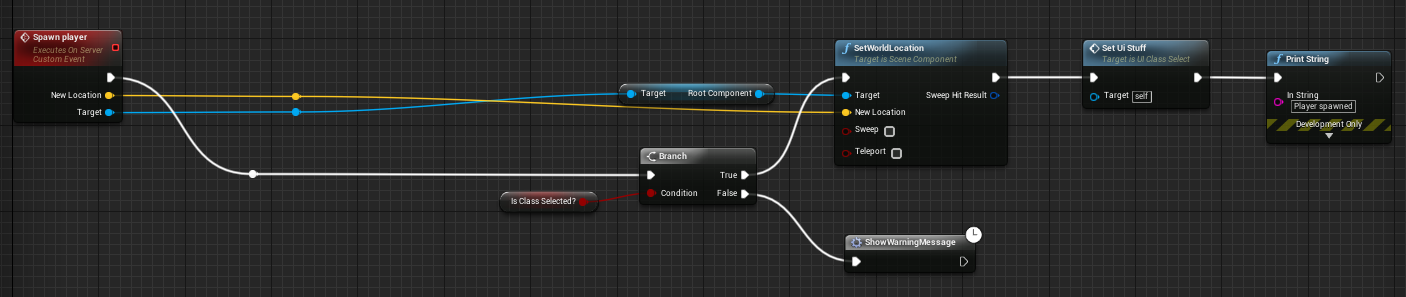
so im trying to make a spawn thingy when a button is pressed but it only works for the "server" editor window, just wondering if im doing something wrong here 🤔
https://i.gyazo.com/2a732f1b401f441ec8f0129d392217c7.png
 junior tree
in what was it does not work well?
twin juniper
the "only working for the server editor window" part
junior tree
okay, so the code runs on the server but it's not replicated to the clients, correct?
twin juniper
the client doesn't replicate to the server when its run on the "client 1 viewport"
junior tree
okay, so you perform the action and it's not done in the client but ALSO not done in the server
while if you do it in the "listen server" (aka server editor window) it works for both client and server
twin juniper
ooo good point
junior tree
from my experience, "call on server" events don't work on all kinds of actor. Player controller can run events on server from client, but if you just create an actor and create an event "run on server" it does not work even if it's replicated. At least it did not work for me
I was making no point, I was just figuring out the issue
twin juniper
👉 😎 👉
vagrant falcon
is using navmesh for ai performance heavy ? need for open world multiplayer game
if yes what tips can you give me for making navigation without navmesh, i dont even know what to google 😦
 chrome bay
If you don't want to use Navmesh, you have to write your own pathfinding.
In open world, you'll most likely have to generate navmesh at runtime. UE has support for this, but you have to budget for it
vagrant falcon
@chrome bay 16k x 16k map i guess its too big for navmesh, how long will it take to generate nav mesh on runtime. Also has it any affect on world composition ?
rose egret
how do I send secure command to my master server to execute a server instance after match making? I am using steam.
currently I use TCP and my own RPC. but the problem is a hacker or someone else with a little skill will send packet and destroy my servers
vagrant falcon
@chrome bay will invoker save situation ?
chrome bay
Last I checked world composition doesn't work in multiplayer anyway, but that might be fixed now
And yeah, that's what's used to generated navmesh at runtime
vagrant falcon
world composition is working fine in multiplayer also
@rose egret encode packet with something
rose egret
that way client will have access to key 😐
 next falcon
Does Someone has a hint for me how i can create like a multiverse?
Like in minecraft with diffrent Maps and players at the same time in it?
fringe dove
is there a way to get a callback when a checkpoint for a demo replay rewind is happening?
seems you can override:
https://api.unrealengine.com/INT/API/Runtime/Engine/Engine/UDemoNetDriver/NotifyGotoTimeFinished/index.html
Called when a
or better:
DECLARE_DELEGATE_OneParam(FOnGotoTimeDelegate, const bool /* bWasSuccessful */);```Run on server trace DEBUG is not showing up when dedicated server is checked for PIE settings. Is there anyway to show this?
 cold sparrow
how come I'm getting "The match you are trying to join is running an incompatible version of the game" when I test multiplayer via launching editor as a dedicated server and then as a client?
I use this example: https://wiki.unrealengine.com/How_To_Test_Dedicated_Server_Games_Via_Commandline
Editor: 4.20
I tested it last time like that like back to 4.17 and it worked...
has anything changed? If I run inside the editor (2 players, dedicated server) it plays fine. But if on one of the clients I say open 127.0.0.1 (or my actual IP) -> I also get The match you are trying to join is running an incompatible version of the game
tawny parcel
@cold sparrow Are you connecting two different projects? Or you may need to make sure you have compiled properly
Or are you using a previous (4.17) build and trying to connect to your new 4.20 of some sort
Also make sure when you right click on your gamename.uproject file -> choose unreal engine version is the correct one
cold sparrow
no it is all the same project, same directory
and the same engine
server -> "C:\Program Files\Epic Games\UE_4.20\Engine\Binaries\Win64\UE4Editor.exe" "d:\Unreal\MultiplayerTest.uproject" Voxel -server -log -nosteam
client -> "C:\Program Files\Epic Games\UE_4.20\Engine\Binaries\Win64\UE4Editor.exe" "d:\Unreal\MultiplayerTest.uproject" 192.168.1.244 -game -log -nosteam
192.168.1.244 is my IP, and I see that address in a server log
raven holly
did you do the build at the same time?
oh this is editor
run the server after the client
start your 2 clients, then run the server
cold sparrow
did not work. The same errors in a loop
cold sparrow
1.0.0.0
raven holly
client -> "C:\Program Files\Epic Games\UE_4.20\Engine\Binaries\Win64\UE4Editor.exe" "d:\Unreal\MultiplayerTest.uproject" -game -log -nosteam
try that
and then use console to open 127.0.0.1
is your project 4.20 ?
unique thunder
@cold sparrow are you using gamelift by any chance
I ran into this same error with it
a while ago
rose egret
has anyone here worked with steam server api?
 dark wren
Hello there!I have a problem.When i drop static mesh to the map and activate replication, everything is good, and the mesh replicates(movement) but if i do this with blueprint( add blueprint class--> actor) and our actor is static mesh(replication, movement replication are active, mesh won't replicates in clinet and in server i see different mesh movement, if you need i can attach video with this problem, pls help)
mild geyser
Has TMap replication support been already added?
unique thunder
I know I need to 'Replicate' an ammo count for example
But do I also need to replicate this?
Scenario: Bool is checked, if yes > can shoot. If shot > decrease ammo.
winged badger
not if you automatically drop the mag when its empty
then if ammo > 0 shoot & decrease ammo
if you can have an empty mag sticking out of your rifle though, keeping visual states synced might require it
unique thunder
it's VR, the mag stays in the gun until you remove it manually
so I'm a bit confused
this 'Loaded' bool is set to true when a reload is complete with ammo >= 1
does it have to be set to 'replicated' so that the server & other clients know this player CAN shoot
so that when he does, the server also gets a True from the bool
winged badger
that loaded doesn't know the difference between just completed a reload and reloaded 5 minutes ago, but still have half a mag left?
unique thunder
I'm setting the bool to true or false via events that are already being executed on the server
Does that mean the server already knows it's True even if the variable isn't set to 'Replicated'?
winged badger
you could just use the variable IsReloading
and then bool CanShoot() const { return !IsReloading && Ammo > 0; }
you get more information for the same bandwidth
unique thunder
gets a bit tricky, a player can re-use a half-empty or fully emptied magazine if they chose to, it just wouldn't work
winged badger
the ammo count should sync up anyways
unique thunder
ive learned how to replicate events but variable replication seems really abstract
like if my ammo float isn't replicated but I can check locally if ammo >=1, then trigger a replicated "Shoot" event
the variable would never have had to be set to Replicated at all
in theory
so now I'm like -- what's the point? and which variables don't need to be set to Replicated?
winged badger
the ammo on client is just informative
to display to the player how much ammo he has
server has to check for the ammo count itself
otherwise a 8 y/o with cheat engine can setup a script in 5 minutes that will let him fire forever, ammo or not
unique thunder
if the server is checking variables to make sure the mechanics are replicated properly, would you set all variables relevant to weapon mechanics to Replicated? and if so, which variables would you not set to Replicated?
winged badger
i go with the following:
i trigger a local and a server event at the same time
i don't want the player to wait for round trip of network latency to see if his game is responding to commands
if the ammo count is out of sync, it can happen that client sees himself firing while server doesn't fire
but that is your worst case scenario, and its not likely to happen frequently
you need to replicate all information required to present the player with current state of the world around him
and all information required to keep visual states in sync
wouldn't do great if client 1 ejected his empty mag, but client 2 still sees it stuck in his rifle
although the ability of client 1 to fire is the same in both cases - he can't
him having the clip in the rifle makes a difference between client 2 knowing he can't fire and having no idea if he can fire
summer nova
@unique thunder nothing like deciding to make an MP PvP game without knowing a lot about MP nor C++
you should hire someone to do it and it would be much more effective. A simple MP shooter is not that hard
specially if you can go and ripoff shootergame
unique thunder
eh, good point. A bit ambitious. Most of it already works, tbh. Ded servers, IK, guns, the map
I just don't wanna over-do it on bandwidth by replicating variables everywhere that would work with replication not enabled
summer nova
have you ran the game trhough the bandwidth debugger?
to see how much bandwidth you actually use
wich ims SURE its less than fortnite
how many players will you run in 1 server?
unique thunder
20-30 capacity
unique thunder
I've run some tests but not with enough people yet
unique thunder
im gonna get a nice AWS package but still.
bots won't be good in tactical situations, they'll prob just endanger the squad
summer nova
and?
unique thunder
I do have some offline/co-op options with bots planned though
cold sparrow
hi, @unique thunder , no Ido not use gamelift
Can someone confirm that in 4.20 is works or does not: https://wiki.unrealengine.com/How_To_Test_Dedicated_Server_Games_Via_Commandline
because for me a client cannot connect to the dedicated server running like that. It does work though inside the editor and in the shipping build.
 gaunt crown
how do I make only Physics happen on client and on Event Tick, the Client sends the Location of the Actor from Physics to Server,
But right now, the Actor bobs everywhere and is glitchy looking

as you can see, the ball that isn't moving, is glitchy while every tick, the client sends its location.
Currently its physics are disabled on Server so the Client can have a smooth transform locally.


 worthy wasp
Unreal Engine Forums
For gameplay programmers writing C++ code.
 unborn nimbus
Any idea why my dynamically added component is not replicating?
 cerulean hamlet
Can someone tell me if this is the proper use of TearOff
Player kills enemy, I want to delete the enemy on the server but keep the ragdoll on the client, so I tearoff
dark wren
Hello there!I have a problem.When i drop static mesh to the map and activate replication, everything is good, and the mesh replicates(movement) but if i do this with blueprint( add blueprint class--> actor) and our actor is static mesh(replication, movement replication are active, mesh won't replicates in clinet and in server i see different mesh movement, if you need i can attach video with this problem, pls help)
worthy wasp
@dark wren - you're using function SpawnActor() in blueprint correct?
@unborn nimbus - is your DynamicallyAddedComponent set to bReplicates = true; ?
unborn nimbus
I had it set to SetIsReplicated(true) in the constructor
worthy wasp
why not just check the box in the details panel on the component's details:
 unborn nimbus
because it's being done in c++
worthy wasp
fair enough!
unborn nimbus
haha
worthy wasp
so INSIDE of the details panel IN EDITOR....
does this same box above show TRUE?
when you select the component that is
also
do you have Replicated variables
and have you included the necessary header files to properly setup replication
unborn nimbus
no, I just need to call RPC's
unborn nimbus
it replicates fine if I create it in the constructor but if I try to add it dynamically later, it doesn't
worthy wasp
including RPC's
hmmmm
are you ACTIVATING The component when you add it dynamically?
i believe that its unactivated unless you set bAutoActivates to true
worthy wasp
i do apologize... the correct function is NewComponent->RegisterComponent();
unborn nimbus
yea I'm calling that
worthy wasp
ok
when you say its not replicating....
does the LOCAL client see it - but other clients dont?
unborn nimbus
no, it only exists on the server
worthy wasp
ok i'm going to go into a theory at this point....
Server adds the component - and server registers the component.
i have found tha treplication documentation is a bit cumbersome to understand and a bit false in the way its portrayed to the reader.....
in my OWN EXPERIENCES....
proper RPC chains to get it to show to networked clients require CREATION from the server....
and a NETMULTICAST RPC to equally put it to each networked client
i'll be honest - MANY people will fight me on this topic.
but its the only way i can successfully pull this off.
unborn nimbus
but then it wouldn't be replicated, it's just one on the server and local copies on clients
worthy wasp
and have proper replication chain of events going to networked clients.
that is not true.
try this - add a tick debug string ont he component.....
have it say HELLO
if its properly replicated - EVERY SCREEN of your clients that youre in PIE will say "hello"
if not - only your server will see it
now - do your RPC events like we talked about
tehw ay you have it now - with server... only the server client will say "Hello"
the others wont
try my method
unborn nimbus
no, even if they are just local copies, it would still print hello
unborn nimbus
thanks
dark wren
@worthy wasp no it is default mesh
 hoary lark
does anyone here launch uncooked server/client instances for testing, per https://wiki.unrealengine.com/How_To_Test_Dedicated_Server_Games_Via_Commandline? no matter what I try, the client just times out without connecting, wondering if there's some more up to date info I need
oh. nevermind, I just had to actually bother other people before discovering I simply needed to set my game default map settings in the project. facepalm
 dusty halo
Anyone has an idea, how to make something like these? Idea is, that red players can go trough, but blue ones can't


My attempts
But problem starts if red and blue players stands next to wall
together
@thin stratus Maybe you have any idea?
 gleaming vector
use a collision filter
dusty halo
@gleaming vector like making new collision channels?
dusty halo
@gleaming vector where can i find it and how it works?
Google don't give me answers 😂
gleaming vector
take a look at FMaskFilter and SetMoveIgnoreMask in PrimitiveComponent
I have not used it before
 ancient pebble
I have a problem with the Find Sessions blueprint node using Steam. If I have a session already running, the other player can find and join it consistently. However, if there's no current session, it never executes the On Failure output so my logic that should run when failing to find a session is not running.
 severe widget
The default sessions stuff?
ancient pebble
Yeah, using Spacewar.
severe widget
I think most BP people just use advanced sessions - fixes a lot of stuff OSSSteam leaves on the floor.
or something.
ancient pebble
I can see in the logs that it's searching and failing to find matching sessions.
It just never hits the On Failure output. 😦
Even though I can see it's failing.
severe widget
Yeah most likely just an oversight.
Outside of doing a custom engine to directly call that output, or using a plugin to work around it, I'm not sure what you can do.
ancient pebble
I see.
Maybe worth noting: if I unplug from the PlayerController input in the Find Sessions node and leave it default, OnFailure does execute, but then On Success never works.
severe widget
¯_(ツ)_/¯
 severe widget
What you might do is a time r which success cancels
though, you'd want the search to be explicitly aborted then, not sure if you can.
ancient pebble
I don't think so. At least I don't know of a way to cancel a search.
There's no session node for it.
winged badger
advanced sessions is a good choice for this
they do expose all the basic functionality to BP
 lean hornet
so i ran into a issue trying to make a character move with the vehicle. Any ideas what im doing wrong ?
other then that the position after detaching is completly wrong and generally im not sure what im doing wrong. My goal is to attach the actor to the car so he can still use his actions inside the vehicle aiming aso aso
elder crypt
Is advanced sessions not working for anybody else? I'm getting this error and I have no idea how to fix it :( https://gyazo.com/f6558f21b83d711f386bac4554b5b279

It says something about not finding a part of the path but I don't know what to do about it
winged badger
looks like you didn't compile them
winged badger
add any c++ class to your im assuming BP only project
elder crypt
Yeah
elder crypt
Okay
I have Visual studio installed
and the c++ libraries
I'll try that right now
lean hornet
Open visual studio and right click on the project and compile
winged badger
not sure that works with BP only
i've never tried without c++
thats what i told him, only the compile button in editor should also light up
when he adds it
elder crypt
is an empty c++ class fine?
winged badger
should be
im not sure child actor components are meant to be used that way @lean hornet
lean hornet
What would be another way to attach a player to the vehicle ?
winged badger
try attaching it to any primitive component on the car directly
elder crypt
I'm at this point now
lean hornet
@elder crypt its a visual studio issue did you install 8.1 windows ?
lean hornet
@elder crypt
 sly kernel
is there a decent tutorial available for a basic multiplayer top down twin stick shooter (no C++, Blueprints only) ?
 dusty sleet
@ancient pebble if youre still around... not 100% sure but the on failure doesn't indicate a session not found.. it indicates the find function itself didnt run. even if no sessions are found it returns a success because the command fully ran but just didnt find anything. You'd need to output the sessions array and make sure its empty to get a real "failed to find session"
ancient pebble
@dusty sleet Oh! Thanks for the tip. I never would’ve guessed that on my own.
next falcon
What happens if like 20 guys call a function every tick replicated to server?
How does the server handles it?
Does it just get slower? does it only like every 3. attempt ?
winged badger
to server is usually a little less taxing then from server
as its upload is the thing that gets the most stress
and they do that already, ServerMoveTo in CMC and the likes
you should still keep it at a minimum, and not set them as Reliable unless you absolutely have to
next falcon
An example on chunkloading:
If 20 player moves around with a range of 16 chunks in each direction (X,Y,Z) that are 15360+- chunks
and half of them need now to load new chunks (20000) so 20000 calls goes to server... i think thats very bad
Any ideas how i can do that better ?
winged badger
use streaming levels, do not load chunk by chunk and use net relevancy to figure out when they should be replicating
also, if each chunk is an actor... ouch
and if you are not using dedicated server, then optimizations to save only client's memory/CPU are kinda pointless
next falcon
Okay thank ya ill look at streaming levels
How many streaming levels i can have in a Level?
Infinite right ?
winged badger
handling each chunk individually in a network environment is just not practical
however you set it up
next falcon
i thaught thats how a chunksystem works
winged badger
you can group them in blocks of 50k or so
you can't send a RPC per chunk, it will suffocate your network
next falcon
but if they are grouped in 50k chunks and i wanna update only one ? than i need to update all of them or what ?
winged badger
unreal will replicate only stuff that changes
on the server
if your player is doing something to affect a chunk directly, then sure, RPC is appropriate
but keeping only what a client can see loaded, and pushing everything else over network constantly, that won't perform well
next falcon
Okay ill try a little bit around with streaming level instances
I already have problems with it xD
rose egret
how do I access steam web APIs on c++?
worn nymph
@next falcon with streamimg levels and map tileing you can also make it so that it uses static meshes from a certain distance to reduce the vertices count as well to improve performance
this tutorial series he is going over this stuff. so might be worth your while watching https://youtu.be/SPZmdTpjlk8

Link to map tiles needed for this demo: https://drive.google.com/open?id=1b4RO3UCRrorY2vaye5jOlBiLWUkVDnNQ In this session we will be setting up world compos...
tawny parcel
For multiplayer AI pathing to work do I need to check client side navigation (nav settings)? Or should it be able to just do the calculations on the server end and than replicate to clients?
My AI is working perfectly in editer with dedicated server checked but in a packaged game w/ dedicated server monsters are just standing still at their spawn point
drifting plank
Hey here :)
I've created a function to retrieve all relevant players of a specific client.
Is there already a function which do that ?
My method is simple :
I pass the client's controller.
I iterate through each connected player controllers (store in my custom gamemode).
I ignore the client controller and I check if the pawn is relevant to the client.
Is that a good approach to do that ?
Thanks for the advices 😃
drifting plank
Hum and how you handle the relevant players ?
I've tried a multicast with your method but I can't check relevancy
In my method : In the server, I retrieve all relevant players and I call a clientRPC with the concerned pawn in parameter to each client
winged badger
you just multicast and let relevancy handle itself
haughty carbon
Hey. Can someone clear my silly doubts Regarding multiplayer?
When a client creates a new session, he has authority. Is that normal in dedicated server?? I guess only the server has authority
bitter oriole
Not sure what you mean by session
@haughty carbon "sessions" in the context of the online subsystem, for example, are completely removed from authority/replication/etc
haughty carbon
@bitter oriole From BP on Game Instance I created a New Session with Create Session Node and the Client 1 Has authority.
haughty carbon
Oh. So how can i make the Client act only as client and not give him authority
bitter oriole
Well, don't create a session on the client
This is what you're probably doing right now
 manic pine
join the session instead of creating it
authority is really more of a per-Actor thing though
a client joined to a server will still have Authority on objects he has created himself
haughty carbon
Yeah. So a Player Controller is necessary to create a Session and The created controller becomes authority.
Is there any alternative way where server creates server and just player join it.
P.s: New To UE4 Networking.
bitter oriole
The idea is that your dedicated server should be creating a session
Your player should be searching for one, and then joining one
bitter oriole
They are
You can also not have sessions at all whatsoever and join servers by IP directly
Sessions are basically a way to find games
manic pine
ye, its more for sharing data that's not necessary related to the gameplay/map
haughty carbon
Well I want 32 players in a Session and its like matchmaking. So it cannot be a Join by IP i guess.
bitter oriole
Here's how it works
Every UE4 game executable can be dedicated server, client, or listen server (client that also does server)
For 32 players, forger about that last one - you have a dedicated server somewhere that you own and 32 players
You have two quite separate things to handle : networking, replication, basically your multiplayer support between server and client and sessions
Sessions are really just a way to handle matchmaking
You should start with direct IP connection to implement multiplayer and get a grip on authority etc
Then, once your game does work well in MP - add sessions
bitter oriole
The key thing is, do this step by step
You don't really need sessions until you're in testing
You can even be in private testing and have three dedicated servers with a known IP address, and three "join server X" buttons
The really hard part is implementing the multiplayer gameplay, sessions are just a nice usability layer
sly kernel
is there a decent tutorial available for a basic multiplayer top down twin stick shooter (no C++, Blueprints only) ? (basic multiplayer is the keyword)
haughty carbon
Oh. Thanks a lot @bitter oriole @manic pine
sly kernel
anyone ? :/
 finite bison
@sly kernel have you seen the series by epic here?

In this video we take a look at the finished project and step through each of the features that will be covered in this series. We show our functional Main M...
sly kernel
Is it the one led by Wes @finite bison ? If so, I've read on the forums that it doesn't work with current UE4
finite bison
no idea
but it should be easy to fix i guess
got a link to that forum post? @sly kernel
sly kernel
don't have it handy, sorry 😦
finite bison
nvm just curious at what issues would crop up in blueprints of all things
sly kernel
could be that someone didn't do something correctly or didn't follow through the series properly and then posted it as if the tutorials were flawed.. go figure 😃
sly kernel
hmm.. Implementing MP looks like a ton of work 😦
sly kernel
I still can't quite understand why a single-player game can be turn into multiplayer game eventually
it seems that a lot of other games out there do exactly that
 vale ermine
Hi. I am currently working on a game that is 2.3D (2D sprites and 3D world). The camera rotates 360 and each actor changes flip book based on camera rotation split into 8 section around the 360. What would be the correct way to implement my flip books for multi-player? Each player would view each actor on screen from a different angle. Would I just add a component to every actor on screen for each player that is only viewable to the actor that added the component then remove the component when the actor walks off screen?
dark wren
Hello there!I have a problem.When i drop static mesh to the map and activate replication, everything is good, and the mesh replicates(movement) but if i do this with blueprint( add blueprint class--> actor) and our actor is static mesh(replication, movement replication are active, mesh won't replicates in clinet and in server i see different mesh movement, if you need i can attach video with this problem, pls help)
ancient pebble
@dusty sleet Hey, just wanted to say thanks for the tip last night. You were correct! I set up a branch after On Success to check if the array is empty instead of checking On Failure. Works like a charm now. 😎
next falcon
How do i load a replicated streaming level?
 zinc zealot
Guys
 long wharf
Hi Guys, I have my multiplayer game all setup and working, Problem being after Server travel the Chat admin Controls stop Working, I have them set up on Event init from Gameintance, Working perfectly on first round than goes to pop after. Do i need to call them a second time?
 glossy vessel
Is there a way to get the SteamPlayerID? FUniqueNetIdRepl UniqueId gives me a nullptr
glossy vessel
steam with development build
zinc zealot
A while ago I came to this chat and a guy gave me a link for something like a book for every basic thing to know for making a multi player game
unique thunder
I'm running a ded server and audio seems to be replicating even if executed by an event that isn't replicated in any way (inside an actor that is replicated). Is this because the actor itself is replicated? It's using a play sound at location node. When I try to run it through the server and multicast it, I'm hearing the audio play twice.
glossy vessel
@worn nymph thank you
worn nymph
a bp function i made
you just pass in the player controller ID from the GetPlayerControllerID node
header file
bool GetSteamID(int32 PlayerControllerID, FString& PlayerSteamID);
Cpp
bool AUDPSocketMain::GetSteamID(int32 PlayerControllerID, FString& PlayerSteamID)
{
    TSharedPtr<const FUniqueNetId> TempPlayerSteamID = OnlineInterface->GetIdentityInterface()->GetUniquePlayerId(PlayerControllerID);
    PlayerSteamID = TempPlayerSteamID->ToString();
    return true;
}```

obv dont forget to change the class name from AUDPSocketMain to the class you are using.
doesnt have to be a bool return type either you could just return the ID i wanted the bool return as well for some other code to function@worn nymph As far as I am aware, if you play splitscreen with Steam, you all have the same SteamID
So passing in the Controller ID and getting the UniquePlayerId from that would give you the same ID for each Local player
If you want the actual SteamID of the online players, you should use the PlayerState, as this already has the ID.
You just have to ToString it and return it
winged badger
Only problem is that the API pulls the SteamID from the steam client running on the local machine
worn nymph
@thin stratus who said anything about splitscreen. he asked how to get the SteamID which this will do.
thin stratus
You are using the PlayerController ID
You can use your code of course. I only wanted to point out that your code only really works for local controllers. So you cant get the ID of your opponent
worn nymph
not really sure what you on about. the function asks for a LocalUserNum which is the controller of the player with the steam interface most of the time this is hardcoded to be player controller 0 but i thought it would be nicer to actually pass in the correct controller Id.. so in multiplayer game it will return the steam id of the currently connected logged in player per instance of the game? ive tested this with multiple clients connected to my server and it is always the correct unique steam id for each player as i use it to do my steam authentication log in system
manic pine
ye, credric just means it wont work on clients since they only have their own PC
worn nymph
what wont work on clients im confused?
manic pine
a client cant use your method to get the steam id of another client
worn nymph
there isnt anything in the steam api or the wrappers from epic that let you do that is there? you can get friends steam IDs there is functions for that.
manic pine
PlayerState->UniqueId should have it and be replicated to all players
worn nymph
worn nymph
is the unique id not exposed to bp? the player id in the player state only returns a number like 256 etc not a steam Id?
this is whats returned by my function
manic pine
doesnt look like it or any related functions are bp exposed sadly
playerid is something else, yeah
twin juniper
you have to online option @worn nymph -good!
thin stratus
The UniqueNetId is a class that the subsystems inherit from
So e.g. Steam or Oculus inherit from it to implement their own Id
So all you need to do is retrieve the Id from the PlayerState
and cast it to the specific child
Or just "ToString" it
If you want to expose it to BPs
You can use FUniqueNetIdRepl
Can't do much with it but you can pass it around in Blueprints. So just a small extra information
 thorny tangle
Hey! Have a quick question with C++ and Networking, so, we’re using the FPS Kit and we’ve tried hosting through Steam and Unreal itself and neither have gave us any results when we try to host a match, anyone know of any possible errors?
 ember needle
All, i’m thinking of making an ai follow a path. I think I have 2 options: 1. follow a spline or 2. substitute to the user inputs of the character movement component with some computed logic.
ember needle
the difference is: using a spline all clients and server have to compute the movement along the spline. Things will diverge and when replication adjustments come in, you will see a sudden movement on laggy clients.
AH.
summer nova
its just very hard to write the pathfollow code "emulating" player inputs
is better to hook up in some kind of intermediate part
ember needle
and rely on prediction of the movement component.
it’s a very basic path, basically an helicopter coming over and landing n
@summer nova what is the alternative? spline path following will result in lagging clients experiencing random displacements
ember needle
i’m spawning a replicated helicopter on server. then, every client and server compute the path
summer nova
why does that need to be a movement component?
ember needle
i’m not using it if following spline
i was planning on using it if i was going the “emulate user” path that you don’t recommend
spline following is a basic replicated actor
if i go this route i could have the server send periodical replication location messages and then lerp to them on clients
summer nova
emulate user with a flying vehicle is even harder
you can try it, but wont be that easy, unless you have very arcadey type movement
main issue is that its way too easy to not control accelerations well, and that you need your own path follow component
for example you overshoot on curves unless you brake properly
winged badger
character stopping every time he hits a pathing point for a frame was what made me give up after an hour trying to make that work
that, and the fact that Path always seems to be Valid, if you didn't request anything 0,0,0 will do
and when completed, it would go back to the original starting point
all that combined made me think making simulating input work is way too much of a hassle
summer nova
one of the classic tricks is to look ahead
you dont get the path location for "now"
you get it "2 meters ahead"
this makes it smoother
but you are on a VERY real risk of getting suck in a corner
ember needle
yes that is what i am doing with the spline
summer nova
not easy to tell the pathfind you NOT give you the points right at the corner
like, more at the middle of the polygon or something
or i just missed it
ember needle
i compute the lenght of each component and if they are far away i accelerate to full speed
summer nova
neat trick, thats like something i did
ember needle
if lenght is under a certain value then speed is a portion
summer nova
i had distances to the next node, and calculated the angle beetween segments
it was on that mech game i worked with
but was a long time ago
(Heavy Gear Assault), i was junior dev + ai programmer on that
ember needle
i mean what i am doing works relatively nicely
except that i doubt the replication part
there’s no prediction
maybe i can try lerping to periodical position messages sent by server
winged badger
prediction only comes into play when you have some information to predict with
like user input
ember needle
well not really position, the % distance on the spline is enough
so if on client the % is bigger than the messages, slow down
(on the client)
winged badger
but at the same time, it would replicate Velocity, which would slow you down automatically
ember needle
yes but violently
ember needle
@summer nova ok so you mean: spline path following, no CMC, actor replicated but position is custom replicated with lerp?
summer nova
yes
summer nova
for my VR game, i just lerped the transforms of the hands
can confirm it works perfectly fine
and stupid lerp at that
ember needle
with server sending info when? 1hz?
summer nova
as much as you can
so on tick
you just have a replicated variable
and lerp to that
its super easy
will do the trick
if it doesnt, then start thinking of more complicated ways of doing it
ember needle
yes but doesn’t that overflood net?
summer nova
how many dozens of helicopters do yu have?
thorny tangle
Hey! Does anyone have a recommendation for my situation?
ember needle
1 only 😄
summer nova
then dont care
ember needle
awesome
summer nova
do the thing that works first
if its too fat, strim it
and if its too ugly, try to improve it
but its best to just do it on the EASIEST way first
ember needle
then gonna set a rep variable /with notify
summer nova
keeping in mind the more complicated ways, so you can "easily" upgrade/optimize it later if needed
why notify?
winged badger
that is 480 bytes a second at 60 FPS
summer nova
you dont even need notify
ember needle
true indeed
ember needle
sounds good
summer nova
my vr thing was perfect and i had 4 players, each of the players broadcasting and replicating position + rotation of both hands and head
you can allways lower tick rate, it will look fine
it will just be more delayed
if you are doing the simple lerp version
ember needle
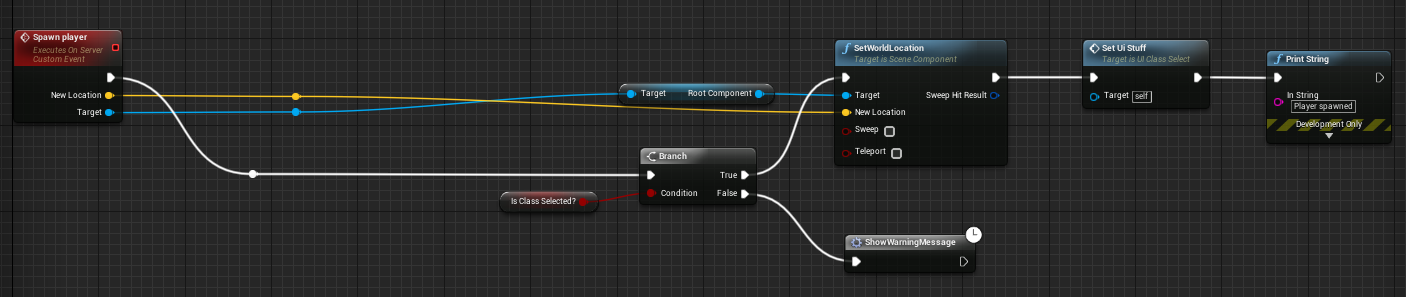
starting point is plain stupid https://gyazo.com/e300751e9267858a8ea167d0dad60f1a




speed depends on distance between points
winged badger
besides, your client can have a reasonably good idea for where the helicopter is going to
winged badger
and how the server will decide on its movement
ember needle
then i’ll need to understand how to compute yaw pitch roll to animate it properly
winged badger
quaternions will not use axii in world space for calculating rotators
summer nova
but you can define quaternions easily from the axis
wich will be very useful
pitch/yaw/roll is a nightmare to work with
ember needle
for pitch yaw roll?
summer nova
so lets say forward axis is the curve direction, side axis is the curve tangent, and up axis is the reversed of the "inertia" gravity
now you get banking
ember needle
weirdly enough acceleration is always 0 when setting position of the actor
that would help in pitch at least
helicopter increase pitch when accelerating forward
summer nova
you can create a rotator/quat from 3 axis
forwards, right, and up
keep that in mind becouse its going to be VERY useful for you
winged badger
the delta of tangent to the spline (would be your right vector) between 2 frames could be a reasonable starting point to calculate roll from
summer nova
given you have the spline tangents and stuff
ember needle
i realized i’m off topic. 😃 will be in vacation, will experiment and report back. thank you all.
vale ermine
If I add a component to an actor, it would only be visible to the client that added the component? This is what I am going for because I do not want the components to be replicated. I want only the actor that added the component to be able to see the component.
winged badger
you should add it at runtime
and only if the Pawn IsLocallyControlled
so, has to be done after it has a valid Controller
thorny tangle
we’re using the FPS Kit and we’ve tried hosting through Steam and Unreal itself and neither have gave us any results when we try to host a match, anyone know of any possible errors?
vale ermine
https://docs.unrealengine.com/en-US/Gameplay/Networking/Actors/Components I just read this and it helped me understand things a bit better. Now I feel safe coding it in knowing that if I add a component at run time it should not replicate unless I set it to.
winged badger
paste the server/client logs
thorny tangle
To you?
winged badger
you can just drop a file
thorny tangle
winged badger
in the channel is also fine, anyone might spot your problem
thorny tangle
Of course.
winged badger
that is the server log?
thorny tangle
That's just the log from my computer, sorry, let me try and see where I can find it.
winged badger
i do not see it listening for incoming connections
(did you open a map with ?listen parameter) ?
thorny tangle
One second, I'm just trying to explain our issue, not exactly a programmer.(sorry)
I don't believe we set-up a master server though @winged badger
Would that matter?
@winged badger Would you know where to look?
unique thunder
anyone know what might be causing stuttering / jittery animation client-side and only for other players? Everyone sees their own animation smoothly but everyone other than themselves is in perpetual lag.
tested this in a basic, empty level and can confirm it's not a bandwidth or performance issue.
winged badger
server constantly overwriting locally calculated variables relevant to animation
next falcon
How do i get a Variable from server without replication?
Example: i have a Test actor(replicated, always relevant) and it adds a testcomponent(on client, not replicated). in the test actor is a TMap and the unreplicated Component needs a value from the map
How does the component get it ?
manic pine
an rpc on the test actor
unique thunder
@winged badger that's what I was thinking, but how do I prevent this from happening?
I have 2 components that are replicated which drive an animation blueprint that animates the skeletal mesh in the replicated actor
winged badger
have either server calculate everything and replicate, or have it replicate the bare minimum and calculate them locally on RepNotify
unique thunder
but im not doing any of the calculations manually myself
next falcon
@manic pine that doesn't work cause it is a map who can't be replicated
manic pine
you said you needed a value from the map, not the entire map
winged badger
then replicate with RepNotify, Lerp between received value and backup saved in a variable, then save the new backup
next falcon
jeah but if i just store the value in a replicated variable every player can see
winged badger
i don't know your setup, but clients are probably calculating something on their own, and that gets "corrected"
resulting in jitter
manic pine
does the player own this TestActor?
next falcon
no the map
manic pine
i mean is the player the network owner of the testactor?
next falcon
what do you mean?
it is already in the map with the gamestart and not spawned
manic pine
ah alright
 vocal dagger
so does anyone know where I can get information if a local player is talking? I've tried VoiceIntPtr->IsLocalPlayerTalking(LocalPlayer->GetControllerId()); but that doesn't seem to work
manic pine
make an RPC on the character/controller which receives the value from the testactor
client rpc so only owner receives it
alternatively a replicated owner-only var on the character which takes the value
next falcon
uhm
let me test something quick
Okay no idea what u mean
i can't even acces the server from the component
Example:
Component -> OnOwner [(Owning)Get Var] -> [(Server) Set Var]
The Get var gets called but the ser var never.
@manic pine
manic pine
what you wanna do is, from what i gather
- Client tells server he wants a certain value
- Server sends that value back
is this correct?
next falcon
not really
- Unreplicated component spawnes on client
- that component wants a value from a serversided Map Var
- Component ask for that value and if it exist
- Server tells component if it exist and the value
manic pine
right, same essential steps. however, you cant communicate with the server except through actors which the client has ownership over
which means either character, playercontroller or playerstate
next falcon
Ouh ****
manic pine
so your unreplicated component is gonna have to go through one of those three to tell the server which value he wants
the server then has to go through one of those three to return the value
next falcon
how do i create my own actors which the client has ownership over
next falcon
mhh does actor components work too ?
manic pine
i havent used actor components much, but i would imagine actors spawned by those simply inherit the actor component's owner
manic pine
seems youd want something like:
component -> playercontroller->server get value-> serverTestActor->playercontroller->clientreturnvalue
next falcon
jeah thats what i want
But more like:
component -> playercontroller->find the test actor-> server get value-> serverTestActor->playercontroller-> find the component -> clientreturnvalue
so many ways between
Does that effect something ?
manic pine
whats 'find the test actor' mean
next falcon
"Get all actors of class" and than find the actor to get a referance to it
manic pine
just pass it along into the playercontroller
manic pine
you can even pass it along into servergetvalue
and back again into clientreturnvalue
so you never need to search for it
if its a map-static actor then both client and server should have access
manic pine
Child is the TestActor?
manic pine
component doesnt exist on server
sending a reference to that just results in a nullptr
next falcon
Doesn't work like this too
unique thunder
any gamelift users?
manic pine
you cant send the component through RPCs since the server doesnt know about it, only the TestActor... in addition, you cant call Client RPCs on the TestActor(or its component) since the player isnt the owning client
your player controller should have both RPCs
next falcon
OUH now i know what u mean
I need to store it in a variable before to server?
manic pine
you can do that, or you can just use a function on the TestActor which is executed locally
next falcon
what
manic pine
TestActor->ReceivedServerResponse(var requestedvalue), and then the TestActor on the client side informs the local component
eh nvm all that, just store component in a var on client's server controller
manic pine
your playercontroller should have a function called something like ServerRequestValue(TestActor, requestedvalue)... this in turn calls TestActor->GetValue(requestedvalue)... and then calls ClientReceiveRequestedValue(value).. which then does TestActor->ReceivedRequestedValue(value) which tells the local component the value
manic pine
your client-side TestActor knows about your component, yes?
next falcon
ya
manic pine
so when playercontroller receives ClientReceiveRequestedValue(value) from server, it calls the TestActor to let it know the value has been received
TestActor in turn informs the component
next falcon
okay got it now..
But so many roundabout over the playercontroller
getting a simple variable
manic pine
if you wanna hide it from other players yah
next falcon
does that way effect the system a lot ?
manic pine
well, youd still need to call server through character/controller/playerstate
but you could return it via TestActor
next falcon
if i do it 200 times a tick ? does it effect the fps or something ?
manic pine
well yes, anything done that many times a tick would, and also network traffic
if this is something you need to do regularly then youre probably doing something wrong
next falcon
mhh is there any other way i can get a variable by a key thing?
manic pine
it might help if you explain what exactly youre trying to achieve
from a gameplay perspective
there's usually many ways to achieve any one goal
next falcon
Multiplayer-Chunk System
each chunk is a intvector(The Key) and the data for the chunk (The value)
Each player has a max of 8 chunkrange around (4096) but not replicated so only he can see it(for graphics) but still need server landscape data
so where to store the chunk data? and in what ?
manic pine
hmm why does the client need to request anything?
the server knows where the client is in the game world
unique thunder
can cross-platform be done without writing your own online subsystem if you're using dedicated servers?
manic pine
cant he just give him the relevant chunks unasked?
next falcon
Not anything but if i change something in a chunk the server need to save that
wait
like if the player moves in the other chunk the server gives him the data ?
for surrounding chunks ?
next falcon
but if the players chunkrange is like 4 and others are not need ed ?
manic pine
you only replicate relevant chunks
next falcon
replicated chunks are only the chunk in where he is and surroundings like chunk range 1
oh no wait nvm
but u think that would be more efficent when there are 50 players there and every one is walking into a new chunk ?
manic pine
well the server is still gonna have to send the same amount of data
but there shouldnt be any need for the client to actually ask for that data
the server should be able to tell which chunks the client needs
based on his position
next falcon
jeah ill do it like that
Can i add u as friend?
(if it doesn't work) 😄
manic pine
sure
thorny tangle
Does anyone have any familiarity with the FPS Kit? Because when we package the build, it seems and try to host a game, it seems outside networks can’t view said server.
unique thunder
@thorny tangle Make sure ports are open
Does anyone have experience with replicating for ded servers?
thorny tangle
@unique thunder Query And 80 ports are open
 static lynx
So I have two pawns, each with their own player controller assigned. Using blueprints, I'm trying to look at the one pawn from the other, press a key, and call an event on the client I'm looking at
but I can't see to figure out how to do that. any ideas?
unique thunder
Scenario: Player reloads gun
Will this format work for that? Including: animation, sound effects, visibility toggles, variable changes
Dedicated server.
 grand kestrel
@unique thunder Ah.. not really? First of all, there will be an input delay, the reload wont start until the server multicasts it, which should be fine for simulated proxies but not the local player.. also that IsLocallyControlled node is very out of place, not sure if that's left over from something else
It's a bit odd either way
What I'd do is have a common entry-point, that can be called locally or from the server (even if you never use it), then have a ServerReloadWeapon and ClientReloadWeapon function, if SwitchHasAuthority is Authority then call ClientReloadWeapon, otherwise if it's local but has an owning connection (can call RPCs, dunno if BP has a node for this, you can check if a character is >= autonomous proxy though) then call the ServerReloadWeapon but also call the local function that performs the actual reload, this way if it's called from the server, the client will lead the call, should prevent any mismatches (such as if both the client and server called it within a certain time - specifically lower than the latency).. You should'nt need to run this on the proxies, just multicast the animations and replicate the ammo count
This "recipe" works for tons of stuff
Dunno if that's worth pinning, but feel free if [you - mods] think it's worthwhile
Translated it from C++ but should be accurate
winged badger
@grand kestrel that looks awfully strange
@unique thunder you're missing calling the EventLogic from InitializeEvent there, and connecting Branch to Cast, other then that, it will work - doesn't matter if its dedicated or listen server
(client starts reloading locally to make the game feel more responsive, and calls the server event, which in turn multicasts, which executes reload logic on every machine, except the one it originated from)
as long as the InitializeEvent is an InputAction, you're good - but if server were to call EventLogic (reload) automatically when AmmoCount hits 0, then EventLogic would not execute on OwningClient
grand kestrel
@winged badger Doesn't look strange in C++
void AWeapon::Reload()
{
    if (GetOwner() && CanReload())
    {
        if (GetOwner()->Role == ROLE_Authority)
        {
            // Client leads requests to remove inconsistencies (so we don't call local)
            ClientReload();
        }
        else if (GetOwner()->GetNetConnection())
        {
            // Tell the server to Reload the weapon then process the reload locally
            ServerReload();
            LocalReload();
        }
        else
        {
            LOG_ERROR("Illegal call to Reload on a non-local/authoritive owner without net connection");
        }
    }
}

void AWeapon::ClientReload_Implementation()
{
    if (GetOwner())
    {
        if (GetOwner()->Role < ROLE_Authority)
        {
            ServerReload();
        }
        LocalReload();
    }
}

bool AWeapon::ServerReload_Validate() { return true; }
void AWeapon::ServerReload_Implementation()
{
    LocalReload();
}

void AWeapon::LocalReload()
{
    if (CanReload())
    {
        // ----- Reload logic
    }
}
Blueprint just convolutes the living hell out of the most basic things
winged badger
what i mean is, if listen server runs that, then he is also the owning client
and any connected clients will not have any idea about any reload
grand kestrel
Oh, yeah, I didn't account for that because I haven't made any games that are on listen server, oops
Well, they don't need to
winged badger
what if they need to play an animation for reloading?
grand kestrel
You handle that on a case by case basis, this is a template
Doesn't have to be for reloading
void AWeapon::LocalReload()
{
    if (CanReload())
    {
        // ----- Reload logic
        if (GetOwner()->Role == ROLE_Authority)
        {
            // Multicast animations and cosmetics
        }
    }
}
The purpose of this is that the client can respond immediately, no waiting for server confirmation (depending on what it is you might want to validate the result for fringe cases)
thin stratus
May I ask why you go from Server to Client and then to Server?
winged badger
that is the other part of strange, had to read it 3 times
grand kestrel
It's pretty important
thin stratus
Well now I'm curious why this would be important
winged badger
what Sinn posted, aside from not calling the EventLogic from InitializeEvent will handle any InputAction correctly
grand kestrel
Since if it's already reloading and you call it again presumably it would do nothing
thin stratus
That doesn't really tell why you go from Server to Client to Server
It's not really needed to do that
grand kestrel
It's in the comments..
// Client leads requests to remove inconsistencies (so we don't call local)
thin stratus
What inconsistencies?
You call a ClientRPC on the Server to tell the Client to reload
And in that you tell the Server again to reload
thin stratus
Then give me an example where it's needed.
grand kestrel
Just wanted to offer something more useful and flexible
OK
Lets say you have several weapons and you can switch between them
Like in most FPS
If the server forces a weapon switch at the same time as the player switches the weapon themselves
Mismatches are entirely possible
thin stratus
That would only happen if the two can get async
grand kestrel
Why wouldn't they?
thin stratus
Well, a weapon switch usually has a "CurrentWeapon" variable
Which usually is RepNotify marked
If the Client changes it and the Server, then the Server will outrule this in the end
thin stratus
So in case both do it the exact time
And the Client switch to weapon A
While Server also wants to
And that ends up as double switch to Weapon B?
grand kestrel
OK so if the client switches to Weapon A then to Weapon B then the server switches to Weapon A then the client switches to Weapon C then back to B then to A then again to C, if they're spamming the input
At some point the server is going to start replicating
And overwriting the client
thin stratus
So you add the same concept to weapon switch that you add to movement code
So that a Clients choice won't get overridden by server responses
I see
Can't you solve that with a boolean
That says "IsSwitchingWeapons"
grand kestrel
I mean, I've already solved it
I'm not saying there aren't other ways to do this
But it works
thin stratus
I know
But seeing the Server->Client->Server solution for this makes me think if there isn't a better way
A guess the best way would be time stamping the calls, similar to moves
And check that the Servers aren'T overriding clients if it lags are if the client changes often
Well okay
Thanks for giving an example (:
grand kestrel
I was hoping you'd have a better solution in the end, even if it means I'm wrong 😛
But that said
thin stratus
Yeah well, I would try to lock the action
grand kestrel
I don't have any issues with the current one
thin stratus
If any of the two tries to switch the weapon
The Server sets a boolean to true
And only to false after the switch is complete
grand kestrel
Oh, right
thin stratus
So you can'T call another switch unless that one is done
grand kestrel
So in our game if you keep scrolling the mouse it interrupts the switch, so if scrolling up goes pistol->rifle->sniper->SMG it doesn't need to finish the switch
thin stratus
You can combine that with the CurrentWeapon RepNotify variable to also stop the client
grand kestrel
That way with a bit of muscle memory you can quickly scroll to any weapon you want
thin stratus
Ah well
grand kestrel
An alternative would be to buffer the inputs and start after a small window
thin stratus
At that point you might want to only send the weapon switch code to the server if the client stops scrolling
grand kestrel
But that adds a bit of delay (probably not actually an issue) and still doesn't let you change your mind during a switch
thin stratus
The client can do all sorts of things local
grand kestrel
But if you have a really heavy weapon, as an example, it might take a long time to switch to/from, so partial interrupts would then be a very important gameplay element
thin stratus
Show the scrolling in the UI for example
But only if he stops scrolling, you actually tell the SErver to swap
grand kestrel
Yeah, that's true
We do attachments during the scrolling, though, so your characters actually doing stuff, and can place it in their hand part way through the transition
And attachments replicate
thin stratus
Idk if you have the choice to simulate that
grand kestrel
We want it to show up on proxies too
thin stratus
Ah well