#multiplayer
1 messages · Page 394 of 1
 bitter lintel
Anyone know common reasons why an object would be replicated but not it's movement?
 winged badger
its not set to replicate movement?
bitter lintel
lol, a bit less common than that
winged badger
an object here is Actor?
bitter lintel
struct FActorSpawnParameters spawnParams;
spawnParams.Owner = UGameplayStatics::GetPlayerController(GetWorld(), 0);
AMySpawnActor* newActor = GetWorld()->SpawnActor<AMySpawnActor>(WhatToSpawn, spawnParams);
Yep!
an actor
that's how i spawn it
winged badger
you spawn it on the server and client sees it where?
bitter lintel
in the same spot the server sees it
when i collide with it though, the object becomes off on client and server
"off" as in different positions
winged badger
does it correct its position afterwards?
winged badger
there are quite a few issues with physics and movement simulation over network
yeah, its vanilla spawn code
bitter lintel
I know advanced networking conceptually, just hopping into Unreal for the first time.
Networked movement is working as expected when I have objects already in the scene.
By the first time I mean like a few weeks ago at this point.
 haughty carbon
@severe nymph No, Still the Problem is there. Actually I am doing something Wrong in the earlier stage of BP, Have to figure that out.
winged badger
is the listen server host supposed to own all of MySpawnActors?
because that GetPlayerController(GetWorld(), 0) is executed on the server
bitter lintel
I tried it without putting in any ownership parameters and it still doesn't work.
 cedar galleon
hi @everyone I have create dedicated server with advanced session
but not see the server in the list when the player find on steam list the dedicated server
why? I see the server dedicated only in the LAN
cedar galleon
@solar stirrup have opened with Windows Firewall, port 7777 and port 27015
but with LAN work
only with steam not work
 toxic pawn
Hey guys, do you know if it's possible to send objects trough run on server events?
And if so, if there's anything special I need to do in order to accomplish this?
bitter lintel
Like an rpc? I think you can send any uclass over, but only the uproperties of that uclass will be able to be sent over? Something like that. I'm new myself so I can't be of more help but hopefully that gave you more things to google.
toxic pawn
Thanks. Problem is, just sending objects like this doesn't seem to work in my case. I'm working with blueprints, and I'm trying to send a weapon blueprint over the network but it comes up as null on the server side.
I wanted to get into CPP, but I'm a java person and the syntax just looks alien to me
 chrome bay
Not unless the object is already replicated through other means
It's not something you can do with Blueprint I'm afraid
 hasty adder
Don’t use collision to movenobjects in. Multiplayer. Better off with a overlap event that then adds force or whatnot on server
Or only allow collision to happen on server.
chrome bay
Collision happens both on client and server for characters
hasty adder
Jamsh loves this shbject
chrome bay
Has too, otherwise the player would be walking through walls all the time then being snapped back
chrome bay
I've fought with multiplayer for a long time 😄
 meager spade
whats the best way to get players name above there head visible to everyone
UMG or slate widget?
chrome bay
either's fine, UMG is just a wrapper for Slate widgets
hasty adder
Yeah I end up using the replicated movement but use overlaps and just trigger on overlap some math to act like a hit server-side only seems to work well enough. 😃 but I bet bowling ball pins replication like that would get ugly ahah
 full bane
what unholy sacrifice do I have to make to have my dedicated server show up when searching for sessions? Using steam and I just can't get it to show up. The SessionThing tells me the session is registered properly - but not sure about that
toxic pawn
Thank you @chrome bay for explaining! One more reason to learn CPP. Still, I managed to find a (rather ugly) workaround by setting only the mesh of the weapon and sending the other properties manually.
hasty adder
Anyone do any implementation with steam friends to say show friends high score? High level though on how one might set it up. Like get the steam uids in an array and your own database sorted by them or something to pull down?
 severe nymph
Hey guys so I'm running this event on a replicated actor to "eat a banana" since the overlap event fires on both client and server everything seems great (which was a huge surprise btw as this was basically written for client only) the only issue is that the play sound at location node fires twice from what i can tell.
plays once from server (as expected) twice on client (from what i can tell the server replicated sound and the client) Anyway to correct this?
hasty adder
Sound should be on its own multicast event from server
Sound is tough to test too btw locally
If you replace the sound with a print. It is playing for that who prints
severe nymph
this event fires on the server overlaps fire from both locations. Not sure multicast is the answer? I could switch authority and run the play sound on authority and all clients would still hear
the actor is replicated so overlap events fire for all clients meaning logic chains do too
hasty adder
Well it might be working how you want it to but your hearing the sound twice because the overlap is happening on server and on client
hasty adder
😃
severe nymph
maybe setting owning actor on the play sound at location?
says limits concurrent plays
hasty adder
There is a console@command I can’t think of it to indicate editor to play sound only from a perticular window
Maybe someone else knows it here
But I am@thinking everyone is running the event and it’s playing twice because ta the same computer and the different overlaps are firing
severe nymph
hmm
i don't think that is it ... i can test really quick by printing before play sound
hasty adder
If your print is showing
Client 1: hello
Server: hello
They’re each playing the sound
If one of them says it twice then it’s really playing it twice for someone
But sound isn’t replicated. Just the event to play the sound. If that makes sense
In console use command soloaudio. It will only play audio for that “instance of player”
Clearsoloaudio to restore normal
severe nymph
ok i see what is going on here
so the sound is only played once per client and server but somehow the client may detect the overlap when the server doesn't
meaning the client plays the sound but can't destroy the actor
so the client then proceeds to play the sound again
until the actor is destroyed by the server
that's a bit strange
I'm seeing Client1 hello, server hello or client2 hello, server hello
when i play on the server i see client1 hello, client2 hello, then a repeat of that if i don't get close enough to the object
its almost like the client overlaps are in a different position than the server overlaps
but the object is spawned on the server and doesn't have a client copy spawned
winged badger
play the sound only if the overlapping actor is LocallyControlled
assuming that is your PlayerCharacter in question ofc
severe nymph
hmm but i do want the other clients to hear whoever eats it off in the distance
since the type of game I'm making that is a mechanic of detecting where players are
yea so islocallycontrolled basically only fires the sound for the client eating. if the server fires it everyone can hear it but the clients can't hear each other
winged badger
i guess then don't play it if its locally controlled, and you'll hear it only when the server plays it for everyone then
only the client eating hears the sound twice?
that is, play it only with authority
severe nymph
yea and its very inconsistent
hasty adder
You said the actor is replicated right
severe nymph
yes
hasty adder
Is that actor placed in the world?
severe nymph
yes
hasty adder
Like statically not spawned
So everyone has a copy of it at begin play already including that logic
So it will run ifnit knows an overlap occurred
winged badger
well, you can choose world in the outliner
click the illuminati eye for option
and you can see the world from client's perspective in the outliner then
NetLoadOnClient = false + Replicated = true
severe nymph
true
winged badger
still means actor exists on both server and client
server just needs to replicate its initially, which it wouldn't if NetLoad was true
well, it would replicate it either way, but it needs to instruct the client to construct its own version
severe nymph
netload just means the client wont create its own version of the actor when it spawns in on map load
if its true the client sees a copy of the item even if it moved
if false it wont be there .... it will be wherever anyone else has moved it
winged badger
but it will create its own version as soon as it replicates
severe nymph
from my understanding
yea
ok
so in world outliner you want me to change the view option to what?
winged badger
change world to one of the clients
and you'll see in the outliner what they have in their world
severe nymph
ok
yea there is a client copy
from what i can tell
cause its placed in the world
hasty adder
Quick question is this some kinda pickup?
severe nymph
its crazy cause when i eat it on the server it fires client1, client2, sever
even if server is very far away
from client2
hasty adder
Because the overlap is happening on all
They are all aware itsnoccouring which is correct
severe nymph
if i eat it on the client it doesn't seem to behave that way?
one sec let me test that
nevermind
it did
client1, client2, server
hasty adder
It’s supposed to because everyone has the actor overlapping it. What’s the goal? Might make more sence
severe nymph
the goal is i want everyone to hear someone eating. Which is seeming to work like it is. the event is firing for everyone and the sound only plays with annutation so if they are near it they hear it
its just that for some reason .... i guess based on replication the server and client overlaps were in exactly the same place
hasty adder
Maybe the location info is wrong. It’s printing because everyone is supposed to know it’s being eaten so that’s coreect
severe nymph
weren't
so it could play twice on a client because the server overlap didn't happen
hasty adder
So it eatsbit and then destroys it? Is it ever going to respawn?
severe nymph
yes but i have a spawner spawning it in cabinets
on the server
that bit is working great
hasty adder
So make only the server run the logic. And mc the sound in a do once and then destroy itself
Bisserver branch do rest
hasty adder
Another problem I predict is since it’s in the map. If you eat it and reconnect a client it’ll be there still
severe nymph
no it will be gone
since I'm not loading on client
if its in the world and its moved when the client connects its only where it was moved to
if it was eating its just gone
all that's working great
i hate overlaps
sheesh
so if i throw a switch has authority in there it plays the sound on the server
i think what I'm going to have to do is change my logic up
so quick question
if i call a play sound at location node after a destroy?
will that not fire because the actor containing the node was destroyed before the node can execute?
hasty adder
Right
It shouldn’t play. It might however
Might want to just have a do once if the right type of actor overlaps
It’s going to be destroyed no reason it should call it again
severe nymph
yea so i tossed this in there
just wanted to see
definitely an issue where the object isn't in the same place for the clients vs the server
client will eat it
hear the sound ... but not destroy the actor
because the server overlap didn't fire
walk forward a bit more
boom hear it and its gone
hasty adder
So movement is out of sync?
severe nymph
Should i round one decimal on location quantization?
instead of whole number?
or maybe its rotation?
short instead of byte
the client and server controller actors appear to be in the same place
its almost like predictive movement
if you walk towards it and stop short both client and server show character stopping short of the object. Overlap fires for client but not for server ... client hears it eating but server doesn't nor does it destroy it
walk a bit forward to actually touch it and boom fires for server
hasty adder
Stuff like this I use not the mesh but I put a collision sohere on pickups
I dunno this is why I leave it up to server only stuff so the servers version of the player is the only thing causing the world to change
Less desynch
On overlap . IsServer? True - run logic
full bane
what was the command to show server correction again?
can't seem to find it 😦
got ot
p.netshowcorrections
severe nymph
@hasty adder I think your right on the multicast for the sound
Switch authority call sound multicast from server rep event then destroy actor
That way client only hears once they really eat it
And other clients hear too
severe nymph
Is there something similar in bp to the Client_ProcessExplosion method?
 wary willow
@severe nymph 😉 Pretty sure that's just a custom function example
severe nymph
@wary willow multicast I’m assuming spawns the sound on the server before pushing out to the client. For things like this would a rep-notify bool and location be cheaper? Then run the function client side to spawn the sound?
Or since I have to spawn the sound for the listen server client anyways it’s negligible to multicast that to the clients
hasty adder
What do you mean? The mc includes the server.
 fringe dove
are there any guarantees on when incoming RPCs are handled in the tick cycle? is it before PrePhysics?
 winged jasper
What could cause Net pkglag= to break multiplayer movement replication? It doesn't seem to interpolate at all (jittery at 50, non-functional at 100). I re-imported the basic unreal character and the issue persists, any ideas on where I should look? I'm on 4.19.2.
fringe dove
@winged jasper you are using character movement or some kind of replicated pawn movement (you mentioned character so I assume UCharacterMovement)
winged jasper
Character movement, like I said I reimported the default third person character to debug and the issue is the same as with my custom character.
If I make a fresh project I don't see the issue, so it's something with my project i'm just not sure where to look.
fringe dove
@winged jasper look in CharacterMovement.cpp for namespace CharacterMovementCVars
then search all your inis including in the Saved folder and make sure you didn't touch any of them
winged jasper
Thanks. I just reset my saved/intermediate folders and it works now; could a plugin cause this?
fringe dove
sometimes when you set a cvar in the console it gets persisted to inis in certain cases
can't remember all of them, the vr plugins used to be bad about it
 rigid condor
So I have a serious problem, which I'm not sure if anyone has experience in, based upon the support I've found so far in the forums and reddit etc. I'm trying to set up a dedicated server on a separate physical computer in my house for testing, and later migrating to Steam's dedicated servers. I'm happy to discuss what I've tried so far, but the description would be a wall of text so I thought it best to explain in a DM or private group
I've been bashing my head against this for the last 4 weeks with no progress. FYI I do have the engine source code for 4.19 (unmodified) and am running 4.19 out of the launcher
meager spade
anyone here used beacons?
full bane
just recently implemented my own UDP query system, because I didn't about beacons 😦
😄
so no
 mellow glen
Hi, I have a network architecture related question:
I want to have a display actors in my scene with a world space widget that the user can click on. The display actor itself is bind to the widget event listening when the click happens.
The problem is that the display actor is not owned by the clicking client and therefore I can't notify the server about the click.
Any ideas how to approach this problem?
 calm hound
Display Actor as in, a representation of what the user is going to put down?
Like a transparent version of something they can move around?
mellow glen
nope just an actor to hold a world space widget
like there will be a screen on the world with a user interactable widget
but the server version of this actor has to eventually receive the click notification
calm hound
Your best bet is probably to send a server function down the line with an RPC call
which then lets the server do the actual confirming of the click, and then performs the click on the server end, and replicates it back
otherwise you do it all locally, and let the client send only the important information
but for a RPC to happen, you need an owning actor to send it. So you'd put the interaction actually inside your PlayerController, and then have the widget tell the player controller what RPC to call
mellow glen
hmm, the last thing sounds a little crazy.
calm hound
Well essentially what you need is that the Owner hierarchy to eventually lead to a player controller which the client controls
otherwise you can't send anything to a server, because it'll ignore a client trying to tell it what to do with non-owning actors
mellow glen
hmm, ok that is what I was afraid of 😄
So when the character sends the initial press key to the widget, it should pass its possessing controller with it and then the widget will know which player controller to reply
calm hound
If only one person can modify the widget, you should in theory be able to set your empty "DisplayActor" to replicate, and set the RemoteRole to I think it's Proxy I think it is, you can then set the owner to the client and let them have control of it and then tell the server what they did once they let go
but that gets a little harder to do
But yeah, you can basically do that.
it's hard to say 100% without knowing exactly what you're doing overall. But that's sort of the impression I get. When I created a UI that allowed a player to select a specific character and lock it from all other players from selecting it, I actually had the UI tell the player controller, and the player controller asked the server to try, and the server's version of the player controller asked the GameState which held all the characters in it
mellow glen
It just feels like a total hack needing like 5 extra methods spread between objects to make it work
calm hound
and then updated the results
it really depends on how you set things up. UI stuff is 90% of the time meant to be local.
mellow glen
I'm using the WidgetInteraction component to actually send the interaction info from character to widget, isn't it possible to somehow fake it?
calm hound
So it's not really designed to have replicated UI stuff. You have to setup your game to hold a bunch of replicated data, that the UI feeds to the clients to tell them whats happening. Like I said I used GameState to control what characters were available, and UI had to read that to know who was locked or who wasn't. And so it'd update it based on that. But when a client went to select some one? I had to send an RPC, which requires Ownership. So I had to tell the UI to tell the Controller to do it
GameState holds all the info, UI reads GameState info and displays it on the UMG widget. Player uses UMG to click on character, UMG tells PlayerController (I clicked character X), PlayerController tells Server that, Server says, okay, I can select that character, so it does. Which then replicates that characater is locked, that replicated variable is being read constantly by the UI, and the UI updates the lock
now this could be totally a work around to something simplier, but I never found a better solution myself
mellow glen
yeah, it really seems there is no easy way. Thank you a lot!
mellow glen
ok, I might eventually have to redesign this part of the game if it gets too complex.
 tawny parcel
Anyone know how Upperbody animation blends are replicated in a network game? I set them up identical to how all my other animtions are setup and they don't appear to work the same.
Oh wait I think I see wht...
 toxic meteor
How can you check if a trace hit a player?
I'm trying to create a group invite system so when a player presses F, a sphere trace goes out & if it hits a player then it will prompt the player that performed the trace if he wants to invite player to the group, if yes then it will prompt the hit player if he would like to join. I'm a little stuck on how to tell if a trace hit an actual player
 sharp pagoda
@toxic meteor I typically add an actor tag to the players, then on trace hit check if the hit actor has that tag.
toxic meteor
So something like this? @sharp pagoda
sharp pagoda
Yep
toxic meteor
Okay thanks, never really thought of using a tag to define which actor was a player
Seems to be a pretty good idea as it will allow for checks of NPCS etc.
sharp pagoda
Tags are great, they're lightweight ways of testing whether an actor is of a certain type without performing a runtime cast
toxic meteor
Is using Get Player Controller something I should stay away from in a multiplayer as it gets the player controller at an index?
sharp pagoda
Using GetPlayerController at index 0 will return the local player controller in a networked multiplayer game
If you plan on local multiplayer, you need a different method
Local as in split screen
 hidden thorn
When I use this in c++ ClientEnableNetworkVoice is there a way to check if the client is currently talking?
 sour talon
hello
hidden thorn
Sup
sour talon
doo yo speack franche
hidden thorn
Common man
sour talon
hein
hidden thorn
Nvm I don't speak franche
sour talon
ok dommage
 oblique garden
Want to learn how to make online multiplayer games, been making lots of singleplayer stuff.
Googling UE4 online multiplayer tutorials gives me 50 options, can anyone recommend a fairly comprehensive yet beginner friendly one? My C++ skills are still pretty new
NVM, think I found one
winged badger
cedric's compendium (pinned on this channel) is a good place to start
severe nymph
Anyone know how to do client authority on overlap with a listen server?
I can do server authority just fine and multicast but overlap events fire everywhere on replicated objects
So it’s hard to tell the listen server to ignore others “is locally controlled” maybe?
meager spade
anyone used beacons before?
winged badger
@severe nymph IsLocallyControlled is good if you want to execute something on listen server host only - if its pawn is in overlap, and on client only - if client's pawn is in overlap
severe nymph
@winged badger so here is my dilemma I’m making a VR game where the client can eat food. Server authority works and is ok I guess but as more things get added in there will be a delay between things like them hearing themselves eat if I can’t somehow play it locally before multicasting out to everyone else. Currently my problem is figuring out how to treat the listen server player as a client because the other players overlap events fire on the server also. My thought was to have a switch authority doonce remote that plays a client side logic chain before calling a rep event to multicast and on authority have a islocally controlled that does the same client logic then goes straight for the multicast. The issue here is do I check is locally controlled again and if false perform the logic so I don’t double tap the listen host player with the multicast logic.
And honestly I think it would double tap the client that played the sound locally too now that I think about it
So no matter what in the multicast I’m going to have to check is not locally controlled then execute
I just feel like the server is going to get hammered executing things in this manner. Do this for myself then again for everyone else. While clients do things for themselves and the server does it for all other clients including the guy calling but he just throws those sent packets away
 thin stratus
@flat bison Yeah, but if a Player leaves, you'll have a hole in that counter
E.g. Player with Index 2 leaves, then you have 0,1,3,4,5,...
 fossil spoke
Why not use the PlayerStates ID?
thin stratus
Could be that he wants to use the Index to keep the player visually in order
fossil spoke
Mmm
thin stratus
I did that once with a fixed sized array. And then just looping over it to find and empty spot and then assigning the index.
Then you can make sure that empty spots are refilled
 weak pasture
hey guys having some trouble with Dedicated Servers, everything works great mostly, running through Steam (appears in the Server Browser) but once I change the QueryPort through the command line to something other than 27015 the servers won't show up. changing the port and IP (multihome) work perfectly fine, its just the query port. our games server list is able to see the server at that IP but receives no response from it.
weak pasture
also should say its not a port forward issue, had the issue brought to me by our server company
 solar stirrup
@thin stratus do you still have the color scheme you used for your multiplayer compendium? I love it :D
 granite olive
Hmm... does anyone have any resources handy on lag switch detection / prevention specific to UE4? Google disappointingly has not a lot of info on the subject.
(P2P, no dedicated servers)
thin stratus
@solar stirrup I think it's UE4s color code
They had a style guide where you have one pdf with colors and such and one with how the logo is allowed to be used
I don't know the website anymore though so you have to google a bit
solar stirrup
alright thanks!
solar stirrup
You can't prevent lag switching but you can punish it
Keep track of packet loss and if too much happens disconnect the player/stop the host
Normally a lag switching client would only ruin their gameplay, so yeah if they want to make themselves lag no big deal
You really should just check the host since it's P2P
granite olive
@thin stratus I was hoping there'd be an easy way to get connection latency averages throughout to flag suspicious spikes.
I know 100% prevention is impossible.
I think I might have what I need in APlayerController::Player
In this case, it seems the team made a lot of stuff client authoritative where they shouldn't have, so lag switches are a bit too effective.
... on the other hand, this is a VR title, so I guess minimising latency was the overriding concern.
 cloud valve
I want to make a multiplayer game using blueprints; How should I go about creating it?
bitter lintel
@cloud valve
That seems like way too general of a question. It's like asking "I want to make a building, how should I go about creating it"? Well there's electricity, structural integrity, permits, curb appeal...
Check out Google with introduction tutorials to Unreal probably
cloud valve
Ok thanks
solar stirrup
multiplayer in BPs must be 🤢
 icy nacelle
I'm having trouble trying to figure out how to replicate items to spawn actors over the network.
I've currently got a lasso that shoots a rope when 'fired', although I'm not sure how to properly replicate this over the network.. Would I use rep notify boolean when the weapon is fired, and then put the mechanics in that? What's the appropriate way of doing this?
bitter lintel
@icy nacelle Depends on what you want but one way would be to just spawn it and have Replicated checked and Replication Movement checked.
You have to spawn from the Server though.
icy nacelle
So just a simple ROS event and replicate the parts?
bitter lintel
I'm pretty new to Unreal myself but it'll definitely replicate the object and movement that way.
icy nacelle
I appreciate the help. Can anyone confirm this?
sharp pagoda
@icy nacelle Can confirm, spawning an actor on the server that's set to replicate will spawn on the client as well
icy nacelle
thanks @sharp pagoda, is this the appropriate way to tackle the problem also?
sharp pagoda
Yep
icy nacelle
Great, thanks for the confirmation!
 next falcon
how many players can unreal manage ?
i mean the game "Elder scrolls online" (not in unreal engine) have massive mega server where 20.000 or more people play at the same time..
could unreal do that too with a extreme server ?
 flat bison
@thin stratus this what you guys ment?
thin stratus
No. That's a local multiplayer node
@next falcon UE4s default dedicated servers, with some tweaking, can handle 100 players (see Fortnite)
They are also more for simple "One round" games, in which you start one up, play a round and restart or shut it down
If you want mmo capacity, then you need to replace UE4s dedicated server networking with something more suited for mmos
At least that's what I think
flat bison
Mmos used layered servers don't they?
thin stratus
They probably have a shared backend
next falcon
okay but like game physic and so works for thousend of players ?
flat bison
Thousands of players on the base dedi ue4 should not handle that amount
next falcon
so i should make a network system for mmos?
 worn nymph
hi guys what is the best way to get time in unreal so its the same no matter what timezone the user is in the UtcNow Node ?
thin stratus
There are some already, like SmartFox or whatever the name is
Not free iirc
There was a free solution somewhere too
All quite a chunk of work to integrate
next falcon
okay is there a example of a mmo in unreal ?
thin stratus
No idea
flat bison
Ncsoft new one
next falcon
😄 okay thanks ill google some
thin stratus
I hope you aren't trying the good old "Ill do an MMO by myself" thing
flat bison
It takes years upon years for a team to so an mmo
next falcon
jeah i just started an thaught "oh fuck no way"
ill try to ask now some guys xD
flat bison
Even a simple hero shooter takes alot of time and effort
next falcon
jeah
flat bison
@thin stratus is there a way you would suggest?
that is better then mine lol
i mean i am not even using the id's atm with that i am pulling from from the "hero" class and pulling who dies and who killed have not put much logic in after that but it seems to work
thin stratus
Never ever
Use tick and GetAllActorsOfClass together
Even if it's keeping a list of actors by class, it's still slow
flat bison
ok
thin stratus
Despite that, eeehm, the system itself seems like you don't really know the ue4 classes
Kills, deaths and other player related data should be stored in the PlayerState class
It's replicated and can be used to share the data with other players
Each player has its own
Available through PlayerController, Pawn/Character and the "PlayerArray" of the GameState
Last one could be used for a Scoreboard and such.
Kills are usually handled through the GameMode. Means you Damage a player on the server side, and if they die you could use an event in the game mode that gets killer and killed person passed
Probably in form of their playercontroller
Then you can award each with kill and death, as well as using the Gamestate to broad cast a messages in form of some killfeed.
thin stratus
Check my compendium
I do write the purpose of the classes into it
Pinned to the channel
flat bison
i must of speed read thru them parts ive gone thru it twice looks like i should og thru it a few more times
it has helped quite a bit tho
hasty adder
Start small if your not familiar with classes before working on your dream game. Make a blocked out project. Like picking up coins track who gets the most coins in 30 seconds players store coins collected and game mode stores team wins or somethinf
severe nymph
Ok guys maybe one of you can help me
I setup my eating mechanics in my VR game to be server authority overlap driven and in most cases it works ok but sometimes due to sync issues or replicated actor lag the overlap would fire on the server causing the client to have his banana mysteriously disappear
I figured I’d solve this by going client authority overlap checks
So for the listen server and the clients I created this custom event called eatclient and I called from switch authority and remote ... it checks if locally controlled and adds food to variable plays eating sound then switch authority server destroy remote call rep event that calls multicast event and destroy. Multicast plays sound
Everything works actor has owner but doesn’t destroy
I’ll post a screenshot in a second
Server will destroy client won’t btw
hasty adder
Is the item set to replicate?
severe nymph
Yes its a replicated actor
The event you can't see off to the left is the multicast (play for everyone except calling client)
I can't for the life of me figure out why this isn't working
hasty adder
Not sure why your setting owner of the pickup
severe nymph
because i get an error saying rpc wont call without owner
hasty adder
Might be some misunderstanding of switch authority too. I’d give an example but at work. Basically event overlap cast to the character. If it fails it’s because it’s not a character. And he only rpc I see is the final server eat
Hm there’s a bit of over complication I have an example of a static healthpickup for an example probably needs some changes. But anywho
Actually I’d disregard that now that I look at it again
Haha old scripts never go back 😦 see all your silly mistakes
 cloud briar
hi folks, I'm trying to understand a little better the magic that happens when you run the FPS template game in multiplayer, ie when the PIE view is the listen server and it spawns other instances that connect to it.
Would I be able to make a very minimalist game like this, or would I need to create a way to determine who is the actual host (via a menu)? I'm just wondering what UE4 is actually doing to set up the PIE player as the host. Is there some magic that automatically assigns one player as the host? Or is it explicitly assign the PIE instance as the host for us? Basically Im wondering if I could make a packaged game with no menu, where you just spawn in a room, and whoever else runs the game also spawns in that room, without players having to manually host / join.
hasty adder
The host is whoever opens a map using ?listen ( there engine is listening for connections)
The client is whoever connects to them 😮
severe nymph
@hasty adder your logic is server authority
if i implement your logic I'm back to where i started
following that logic chain the server will evaluate the overlap going down the chain
and actually it would be whomever detects it first if that is a replicated item
so it could be an instance of the client actor as well first
hasty adder
If it’s not server authority two clients will undoubtably both eat single banana
severe nymph
hmm
that doesn't make any sense
do you not see the "is locally controlled" in there?
for the client logic the is locally controlled can only be true per 1 instance
hasty adder
Client a and b reach banana a. Different pings. Locally they see themselves as getting the banana. They both execute the client based logic
severe nymph
1 would beat the other
the banana would disappear and the person who really got their first would get the banana held in their hand
my grips are client authority server confirmed or deny
server would deny the second grip
now if two clients ran toward the banana and tried to eat off the table then both clients would attempt to do the logic based on overlap and for that one instance they may actually both get food added and make the sound but the server can only destroy 1 banana so
for VR i would much rather have the two banana issue than a client runs across the map with a banana in his hand ... the client desyncs movement for a second and overlaps his mouth and accidentally eats his bannna
but in his view the banana never leaves his hand right out in front of him
hasty adder
O Vr and moving and movement of an item
severe nymph
correct
server authority works like 70 % of the time with a collision constraint grip and movement
client works 100% of the time for client accuracy unless 2 clients kiss while trying to eat a bananna
then they both get health an server logs a "actor already destroyed" message
my problem is no matter what i try i can't get the client to destroy the actor
cleaned it up
still same issue
hasty adder
Feed is not replicated
hasty adder
Think that’s what it says your asking about a flost@value for a branch
This value will@be desynched
severe nymph
ok now I'm lost?
did you mean a lost value for branch and some value being desynced
All i want to do is figure out how to only evaluate client overlaps play a sound add to character variables (which are already replicated) and destroy the actor after playing a sound for each client
its not that difficult
the problem is that the banana mesh isn't in the same place on the client and server at all times
sometimes the overlap is client1, client2, server then the next time its server, client1, client2 .... sometimes randomly while running neither client detects overlap and BOOM server overlaps... just from running with it in their hand it somehow jumps to the mouth
the most accurate way i know of to handle this is ignore all overlaps unless "is locally controlled" is true
that means the remote evaluations and the server overlap evaluations will only pass this branch if its really "client" even if that client "has authority"
toxic pawn
I have a small issue with data from client (like movement, head rotation, etc) not being sent to the server properly. The other way around (server to client) works nicely as I rely solely on replication, but from client to server I use run on server events (as I'm in blueprints). By not being sent to the server properly, I mean there is rubber-banding on the server side. Client looks to be moving nicely whereas on the server it looks as if the client keeps doing what they last did (but actually stopped from doing now). It's just like playing a game with really high ping or with lots of packet loss (which obviously can't be the case with both the client and the server on the same machine).
Do you have any idea what might be causing this? Thank you!
 craggy rivet
Somebody can help me set up some things for MP? Like making an object multiplayer ready ! My door wont open on server side when I open it with the client. So i need to understand how to use " Has authority " etc to call request from the server with the client! Paying with paypal for some1 who can make and explain via discord share screen!
thin stratus
If you are looking for tutoring/consulting, please refer to #looking-for-talent
Or #looking-for-work in case someone is already advertising it.
I would be open, but I just moved and haven't setup yet. :P
severe nymph
Changed my logic to server authority and everything works. Only thing is there is this desync issue for the client vs server overlap where randomly the guy might eat the item and they are only running holding it nowhere near their mouth
thin stratus
Code looks okay to me
severe nymph
@craggy rivet you can just keep up with my post. I may not do everything right all the time but I'm pretty good about explaining whats working with my methods vs not working
thin stratus
So the issue is probably somewhere else. The Transform of your Item that the person is holding seems not properly replicated then
severe nymph
currently i really want to move to client side overlap detection for VR cause server overlap authority is horrible
craggy rivet
I'll try to keep up with yours as well uno! btw I couldnt post in looking for a talent group
thin stratus
Follow the pinned message in that channel
craggy rivet
I can make systems, I just dont freaking understand how to use properly Authority / RPC to call request from the server with client
thin stratus
It's pretty easy and straight forward.
craggy rivet
yeah once you understood the mechanics
thin stratus
You call RPCs. In Blueprints that's CustomEvents, marked as RPCs
severe nymph
craggy rivet
its easy they say
thin stratus
There is a Server, a Client and a Multicast
severe nymph
Here is an attempt to work around it
thin stratus
- ServerRPC: Owning Client to Server
- ClientRPC: Server to owning Client
severe nymph
it gets is locally controller for both client and remote runs the client logic if authority destroy if client call rpc that calls multicast
thin stratus
And then Multicast is for Server to All (everyone who has an instance of the actor)
The important part is the "owning" word
In UE4, you can own an Actor via your Connection. Usually done via passing the PlayerController of a Player into th e Spawn Actor Node
By default, actors are owned by the Server
craggy rivet
yeah guys, I can understand it like this, but when it happens to make the BP, i need explanation meanwhile
what stands for what
thin stratus
If you have a Door in the scene, it's owned by the Server
thin stratus
If you need to change the State of the Door on the Server, you need to do a ServerRPC.
Since the Door is owned by the Server, you can't call the Server directly on the Door.
severe nymph
yes your correct
thin stratus
You need to call the ServerRPC inside of you PlayerController or PlayerCharacter (where you have the key press)
severe nymph
but you can overlap detect on the client
thin stratus
And then do the LineTrace or whatever
severe nymph
not rely on server overlap
thin stratus
I'm mainly talking to Speed atm
thin stratus
Probably around next week or the week after. I just moved from one country to another and we have to do a lot in the appartment before I have time to do tutoring sessions
craggy rivet
ah okay :l
thin stratus
Send me a mail to contact@cedric-neukirchen.com if you are interested
Don't want to spam the chat here
craggy rivet
Iam! But i need some lesson as soon as possible, in the week :/
I just cant make it from screenshots, or texts, I need to see it in action :w
thin stratus
This week (so basically tomorrow) won't work. If it's not much then we can have an hour next week.
But as said, send me a mail, we can discuss the rest there
Anyway, time to sleep. 00:25 already
craggy rivet
okay I will! Thanks for your time , have a good night man!
thin stratus
Cheers
severe nymph
@meager spade lol have you ever handled overlaps client side with rpc calls?
meager spade
no but what's the problem?
severe nymph
This is my eat banana logic for my VR game
It’s seems to work with some occasional lag issues where server will detect overlap when client doesn’t have the object near his mouth
Of course the listen server client just works
So I attempted to ignore server overlap events using the following
Then rpc the server with the client side info
To make it more client VR friendly
It doesn’t work 😔
Random owner errors and rpc won’t call without owner
meager spade
so the only server function is to play a multicast?
severe nymph
Yup
All the variables are replicated and in the character bp
So server sees them as soon as they are updated
Since server keeps a copy of the player controller and characters
meager spade
on that second one you would need to put a delay even if its .1 of a second before destroying the object
to give time for the rpc's to work
and why you need to set the owner of the object?
severe nymph
Ok 👍🏼 I’ll give that a shot. Maybe that’s why the multicast wasn’t firing even though no errors were reported
Because without a client owner of the actor it can’t call the rpc
meager spade
ah good point, yeah of course
severe nymph
And the is locally controlled is so the authority client can still process the logic as well without affecting clients
Someone else asked me why I had that in there
It’s to treat the listen server client like an actual client
meager spade
you could tidy that up a bit though i think
severe nymph
I know it’s confusing... hurts my head thinking about it. I’ll probably have to add the variables to the rpc also on the second one
Not sure
I’d love to know a cleaner or better way lol
I could use a clamp on the greater than branch
Instead of not > 100
I’ll have to test a bunch with my first method to see if it’s really an issue. It’s very easy to follow and seems like less work for the server
Just don’t like the occasional problem of overlap sync between client and server problem
meager spade

but need to implement your banana stuff
just how i would do it
would need to put a delete and delay at the end
 severe nymph
So what about the fact that the overlap will fire everywhere
No need to check if locally controlled?
It will detect overlap on the server even if it’s the client instance overlap
That’s why I had switch authority at the beginning
There is a potential for the client instance and server instance trying to make its way down the logic chain at the same time
I had it pretty close to this on my first attempt at client side overlap detection
I guess as long as client detects first it won’t matter and usually that is the case. I’ll give this a shot man and let you know how it goes thanks @KaosSpectrum#0889
 burnt meteor
anyone know how to upload ur app to steam like with steampipe or what and yes i have my appid
do @ or DM me if needed ill be offline for 15m and ill get back to you
 sharp spire
Question for the multiplayer logic, if I have a save game called from the server from a listen-host session, does the listen-host save that file ?
Or is it still saved locally. I’d assume it’s saved on the listen-hosts machine, right?
thin stratus
ListenHost, yes
@burnt meteor Steams documentation covers this
You have to setup some text files, move the game into the right folder and then execute a script
Been a while since I did that
toxic pawn
I have a small issue with data from client (like movement, head rotation, etc) not being sent to the server properly. The other way around (server to client) works nicely as I rely solely on replication, but from client to server I use run on server events (as I'm in blueprints). By not being sent to the server properly, I mean there is rubber-banding on the server side. Client looks to be moving nicely whereas on the server it looks as if the client keeps doing what they last did (but actually stopped from doing now). It's just like playing a game with really high ping or with lots of packet loss (which obviously can't be the case with both the client and the server on the same machine).
Do you have any idea what might be causing this? Thank you!
thin stratus
I think ListenServers have the "Bug" of not properly interpolating client locations
 twin juniper
I've been looking up information on how to build a simple dedicated server that is centralized that I can just throw onto low end hardware. All the info that I'm finding does seem to address this at all and is geared towards having individuals host a session and having steam pair people up. Can anyone point me in the right direction on this?
winged badger
all ServerMoveTo functions are also unreliable, so if you overdid it with reliable RPCs elsewhere, the client to server movement updates could get dropped
thin stratus
@twin juniper That's how servers in UE4 are meant to be used mostly
You place your DedicatedServer on some hardware, people find it in a list and connect
Imagine CounterStrike here
Or older Unreal Tournament times
twin juniper
Yeah, I figure that's what most people are targeting.
thin stratus
It can also be used in combination with cloud hosting to simply fire up a Server on demand and hand out its IP
At that point, the Cloud Hosting Service does most of the work though
So that's also not much related to UE4
twin juniper
Guess I'll just have to figure out a way to make it work within the constraints.
It's doable, but not going to be as pretty as everything else. lol
thin stratus
What's the thing you are after?
Like, what are you trying to achieve with UE4s servers?
twin juniper
I'm exploring some open world MMO concepts right now. I currently have multiplayer setup to scrape a web API I built out to validate login details and store data. I'm just not confident that what I'm doing will be too taxing for cloud servers. Considering they don't have GPUs, I want to kill rendering and only track physics and variables. Being a noisy tenant could get a cloud server on most providers throttled or killed.
thin stratus
Well, the whole MMO stuff is a bit tricky with UE4 if you use the default Servers
Cause each server can only hold one world and one map afaik
So if someone moves to a different part of the map that needs to be effectively loaded, you need to spin up a new instance
twin juniper
Even with world composition?
That I did not consider. I just assumed it would work. Never thought to test it out.
 gleaming vector
world comp doesn't work in mp
server just streams in everything
and you don't need GPUs for dedicated servers anyway
Spatial OS kinda works for Unreal
twin juniper
I'll check that out. Side note, when you say GPUs for dedicated servers aren't needed, I kinda assumed that it isn't. I'm just confused as to how I go headless?
gleaming vector
build the game with the server target
when you go and package your project
one of the targets you can select is "Server"... ie "WindowsServer" or "LinuxServer"
after that's done you get a dedicated server executable
which runs headless
I recommend compiling the client the default NoEditor target rather than the Client target, that way you get can get listen server code on your client for testing
ie: WindowsNoEditor or LinuxNoEditor
rather than WindowsClient or LinuxClient
twin juniper
That I did not realize. Thanks a ton Roy and cedric.
burnt meteor
@cedric_eXi#4538 the docs are hard to understand could you tell me?
toxic pawn
@winged badger thank you for the suggestion, apparently that really was the cause of all trouble. Most of my movement related RPCs were set as reliable, after disabling that it worked perfectly fine.
 swift herald
Hello everyone 😃 So I’m having some issues trying to make a local multiplayer game. I am currently making a character selection screen, where I want four pawns to spawn in set locations. What I’ve done just before is that I have found all players and destroyed them, since the game-mode automatically spawns a player.
https://gyazo.com/d56bf7a50aad9441915288e2a7508fee
Then what I do here is that I spawn four players, and set their controller ids. However, when trying to call “Create Player” with index 0, it returns none, and I cannot seem to figure out why. I am still fairly new to Unreal, so what’s considered as bad code practice is still somewhat blurry to me, any help is appreciated tho :D.
https://gyazo.com/d19584f0729d1aa09852a5a95325f8a4


 tawny raven
Hey everyone, does anyone know how to fix an issue of Widgets appearing on other Clients' Viewports? In all of our current gamemodes, each player has their own specific Widget and it shouldn't be called to others clients.
 thorny kelp
@tawny raven You are probably interested in the property 'only owner see'
tawny raven
Where would I enable that at?
thorny kelp
This only applies to child actors.
@tawny raven if your widget is a widget component inside of your character, and it should only exist for local player, then I would recommend to destroy this widget on remote clients.
@tawny raven if your widget is wrapped into actor (child actor component), then you can use the property 'only owner see'.
tawny raven
It is not a widget component, as I'm simply creating the Widget when we begin
thorny kelp
@tawny raven Then you could simply check whether your pawn is locally controlled.
 thorny kelp
@tawny raven does 'Is valid controlled pawn' wait until the pawn gets possesed?
thorny kelp
@tawny raven And which class calls those nodes? Is this inside pawn?
tawny raven
Yeah, it's just a macro. We have them in each in Character Blueprint.
thorny kelp
@tawny raven PM
tawny raven
Gotcha
toxic pawn
Guys, I have yet another question. How would I go about getting an event to be called from the character on server and run on the character's anim bp on each client?
I figured I'll have to use a multicast event
But I don't know how I should go about passing the animbp
Here is what I currently did
The branch does choose the true execution
Which is correct for my setup at the moment of testing
But even though you can clearly see that the multicast fire event is indeed called, my debug messages don't show up
icy nacelle
Looking for advice on something that is potentially very difficult / complex....
Whats the best way to go about having a character carry another character?
bitter lintel
Make it a child, stick it where the arms would be. Or just literally follow around the point between your two hands or something.
icy nacelle
Yeah attaching the actor to a socket isnt the problem, I'm looking for advice on the best way to do it over a network so it doesn't mess anything up / be jittery
 granite jolt
increase the priority whilst carrying the other character I guess?
 gloomy tiger
Wait. @icy nacelle. Why would this be a network problem?
If Character A is carrying Character B, and Character B is somehow attached to a socket in Character A and your Character Movement Component is replicated, it would work out-of-the-box AFAIK.
 hasty perch
Hey guys. Anyone know of a good UE4 Android Online C++ Tutorial? Want to be able to play on a PC vs Android, and android vs android, pc vs pc.
gloomy tiger
Crossplatform doesn't depend of C++ or something, @hasty perch
If you're looking for 'how to create a crossplatform online game' through 'UE4 Android Online C++', you won't find anything useful really
It all depends on how you develop your backend.
hasty perch
Okay, got any tips on how I can make a backend to work for them both? Its not going to be a complicated game, like tic tac toe will do.
Have an assignment in school that requires it.
gloomy tiger
@hasty perch this is a complex subject. If you want to have a dedicated server handling the messaging for you, the approach you have to look at is one. If you want that one of the players host the game session, the approach is another. It all depends.
Let's say you want a dedicated server. You can build your own, using the UE4's built-in one, or maybe a different technology such as Go, Ruby or JavaScript.
There are also a few services out there that might help you such as GameSparks or PhotonServer--If I were you, would take a look at them.
The amount of variables are immense, as well as the amount of solutions.
hasty perch
Preferably both of them can host, but if will cause problems i think its okay to just have a PC that is a dedicated server and others are clients.
Okay cool, will take a look at those 😃
gloomy tiger
👍
GameSparks has a feature called RealTime Multiplayer that you might want to look at. Very simple to understand and they have a UE4 plug-in that will boost your development curve.
hasty perch
Cool thanks for the tips!
toxic pawn
Ok, so guys, can you help me with this? As you can see in the video, the animation for the akm bolt firing doesn't go till the end, or so it seems. The bolt should move from the closed position to fully open, but it only goes back a bit and then resets.
However, I can't really figure out why. I have an animation montage that handles that animation. Basically, I when the player sends fire input, it plays that animation, but only as long as the player preses the button. As you can see, that is not an issue if I keep pressing the LMB. However, If I just press once, the animation will not complete. I don't know why that is, given that the only thing that stops the animation is the anim notify i set in the montage, at the end of the section. In theory, when that notify is reached and thus the montage stopped, the animation should already be done!
meager spade
@toxic pawn Only thing i can think of is your calling the animations again and again andit keeps restarting
without seeing what you got, that is all i got
 fringe dove
if you get a replicated pointer to a uobject that itself hasn't been replicated over yet
do you get a second rep notify on the pointer when the uobject does replicate over?
meager spade
eek help 😄
            {
                ASPECPlayerController* PC = Cast<ASPECPlayerController>(GetWorld()->GetFirstPlayerController());
                if (PC)
                {
                    ASPECMainPlayer* MyPlayer = Cast<ASPECMainPlayer>(PC->GetPawn());
                    if (MyPlayer)
                    {
                        MyPlayer->SwapWeapon(SelectedWeaponPtr);
                    }
                }
}```attaches to the host client, not the second client (testing in PIE)
fringe dove
say I had this: ```cpp
USTRUCT()
struct FExample {
//...
UPROPERTY()
bool Foo;
UPROPERTY()
AOtherActor * Bar;
};
UCLASS()
class ANetExample : public AActor
{
// ...
UPROPERTY(ReplicatedUsing=OnRep_Example)
FExample Example;
};```
on the server I modify ANetExample::Example Foo from false to true and set Bar from null to point to a replicated AOtherActor
if the instance of AOtherActor hasn't replicated over to the other client yet, do I first get an OnRep with 'Example' as null, and then a second OnRep later after the AOtherActor instance has replicated?
or do I only get one OnRep for the initial change made on the server to the 'Example' member?
or does it defer the OnRep until the actual AOtherActor that Bar is referencing has been replicated over?
(from some documentation I see that it will be Null if AOtherActor doesn't pass net relevancy checks for this client, but it doesn't say what happens if the actor is supposed to replicate over, but just hasn't yet)
 fluid moon
Does anybody know where I can set the transition map that the servertravel command uses?
 fluid moon
Ah, thank you.
meager spade
bitter lintel
Is there any way to not send an RPC back to the owner? Seems like a waste of bandwidth.
As in, I still want to send to all other clients, but there's no reason to send the same information back to the owner that just sent the information to the server.
 pulsar nova
The only way to do that is to use Client (not multicast) RPCs and do the skipping yourself (E.g, put the RPC on the PlayerController, loop through player controllers, skip the one who you dont want to send to)
 high heart
does anybody know if it's possible to do a client-authed spawn? Ie: spawn something first on the client (because it's only relevant to the owner and should spawn instantly) and then propagate it up to the server so everybody can see it
or would I just need to spawn local actors on every machine?
use case is spawning a magazine in a VR shooter. ideally you'd get the thing instantly since nobody else cares that you're reloading, but they should know that you're reloading
bitter lintel
@pulsar nova I was afraid of that. Thanks!
@high heart Spawning a magazine for reloading? What needs to be syncd about it? Just dropping it on the ground afterwards?
I want to say I read that it's not possible to spawn an object on the client and then spawn some other object on the server and have it be the same networked object or whatever, but I'm not 100% on that.
high heart
@bitter lintel basically it just should be seen in the player's hand. nothing too fancy
bitter lintel
I don't see any reason why that couldn't just be spawned individually and not a networked object if it's just doing that.
Send over some RPCs, spawn locally, attach to hand.
Though, you also might want to just have it in a pool to save resources but that's a different subject.
high heart
hmm, thanks for the input. I think i know where i'm going with this
burnt meteor
guys i am getting a steam api disabled message when ever i package the game
UATHelper: Packaging (Windows (64-bit)): Cook: LogOnline: Display: STEAM: Loading Steam SDK 1.39 UATHelper: Packaging (Windows (64-bit)): Cook: LogOnline: Warning: STEAM: Steam API disabled! UATHelper: Packaging (Windows (64-bit)): Cook: LogOnline: Display: STEAM: OnlineSubsystemSteam::Shutdown()
i am using 480 appid and using the correct config
[/Script/Engine.GameEngine]
+NetDriverDefinitions=(DefName="GameNetDriver",DriverClassName="OnlineSubsystemSteam.SteamNetDriver",DriverClassNameFallback="OnlineSubsystemUtils.IpNetDriver")
[OnlineSubsystem]
DefaultPlatformService=Steam
[OnlineSubsystemSteam]
bEnabled=true
SteamDevAppId=480
[/Script/OnlineSubsystemSteam.SteamNetDriver]
NetConnectionClassName="OnlineSubsystemSteam.SteamNetConnection"
i started a new project and packaged it but it fails
in editor it works fine
i have tried multiple engine versions i get the same error Please DM if u know the solution
burnt meteor
@stuck wagonderator
 twin sorrel
Hey guys, does anyone know why SOMETIMES a client get's more than 1 hud?

this is in the player controller where i initialise hud
 broken maple
you can have 1 add to viewport
it's possible you may have set add to viewport twice maybe you have too many unbroken lines
burnt meteor
Please answer my question above
 fleet sluice
@twin sorrel Clients and the server all call the BeginPlay event. Since you have a "RunOnOwningClient" event, your server's BeginPlay will be rerouted to the client, who had already fired their own BeginPlay hence 2 interfaces.
Regarding the "sometimes" part: that event isn't marked as "Reliable" therefore it may occassionally get dropped due to regular packet loss and other times it will arrive as intended. If you marked it as "Reliable" your clients will always have 2 interfaces.
broken maple
@burnt meteor you may have set the code wrongly in the unreal engines version of it. theres like 2 notepads. you might not have it set up there or accidently set it up right
 teal crest
Hey folks, I've been doing a lot of research on the multiplayer side of things recently but I'm still unclear on one key piece. Let's say you have players joining to a main server and add the ability for those players to host virtual lobbies/join them... how would you go about spawning lobbies of players into unique instances of a level?
teal crest
In other words, assume my main server has a game mode that tracks incoming player controllers in some kind of array. How would I go about spinning up a specific instance of a level so they could start a fresh game so to speak.
burnt meteor
@broken maple no it's correct I have tried 5 times in different engines
And also have download a template am tried packing it same error but it works
broken maple
i've had this problem awhile back though sorry it was sorta luck i fixed it so I don't have a direct solution you can try like all the options here if you haven't already https://wiki.unrealengine.com/Steam,_Using_the_Steam_SDK_During_Development
burnt meteor
Np @broken maple it seems like the warning is a false positive
@teal crest u mean random maps?
broken maple
he means like deadbydaylight has it setup. server>peer>peer
hosted off the server then the peer hosted for other peers
teal crest
Yeah, that's right, except the hosting doesn't literally have to be done by the peer, it just has to appear that way.
burnt meteor
I don't think u create session s in a session
Three"s a event in the gm called event post login
With a pc as an input
teal crest
Think of something like starcraft 2, where there's a chat in the front, you can create different lobbies for various levels and then launch them independent of one another.
burnt meteor
So you can make a player travel to a map and that's it
Make sure u use client travel that's all
U don't need 2 session s
teal crest
But then each player that signs on and travels to that map would see the first player, no?
burnt meteor
They can see the first player if they are in the same map
teal crest
Yeah, that's what I don't want. I want two instances of the map. With each player in it, independent of one another.
burnt meteor
U can make a button to select the maps or a event login random map selector
teal crest
You aren't understanding my question
broken maple
i think he wants one server. and then anyone can host their own game off that server
burnt meteor
Yes, explain
teal crest
Exactly @broken maple
But I still want my server to do the hosting... not literally have someone else host
burnt meteor
U can't host (create a session) u can only make different maps or a world composition map
teal crest
Like let's say us three join my game as clients... and I have a single tic-tac-to map. How could we each join a standalone version of the map?
broken maple
that's what he wants
broken maple
i'm not sure how most games have it. cause it's very common. but for example csgo has many servers. for their games matchmaking etc
teal crest
Like tic-tac-to A, tic-tac-to B, tic-tac-to C... each with their own states, but still being served from my server
burnt meteor
Yea, you can make a world composition map and do that
teal crest
Exactly... like in overwatch. You search for a game, and you aren't in one giant open world level. Each map has only so many players at a time, but that map can have many games using it at the same time.
burnt meteor
Multiple maps in 1 server map
teal crest
I don't see what world composition has to do with it. That's more for level design and layout.
burnt meteor
No
teal crest
But I haven't really used it in depth, so there could be a way to instantiate the same level again and again with it
 burnt meteor
Exactly they use multiple servers for each map
broken maple
1 server = 10 people ranked
burnt meteor
Or a little complex method is using world composition and u make multiple maps and set them far from each other
teal crest
That would feel very hacky
Using the multiple servers for each map seems like what has to happen, but is there a way to run little mini-servers from within a server?
burnt meteor
Ow made Thier own subsystem which is the master server not doing the host but the find match's stuff
teal crest
Yeah, that's the kind of thing I'm looking to do
teal crest
That's the opposite of MMO based stuff
burnt meteor
Ue4 has great support for live session based
No it isn't
Ur talking of a master server hosting mini servers
teal crest
Yeah, that's what I'll have to do
burnt meteor
Which is the master session should be always up
teal crest
exactly, you got it... then I guess I could use that master server to spin up sub-servers through the terminal
and server/client travel between them?
burnt meteor
But ue4 has great support for 10m death match stuufd
broken maple
Unreal Engine Forums
For gameplay programmers writing C++ code.
burnt meteor
U cant
teal crest
@burnt meteor I have access to C++, I can do anything.
burnt meteor
Lol
teal crest
@broken maple that's exactly what I was looking for, thanks xD
burnt meteor
@teal crest u told me sub serves but that talks about different servers on different porta
S
That not sub servers
broken maple
he wasn't sure what he wanted exactly i think
burnt meteor
Lol
broken maple
which is why he was asking
teal crest
Sub/virtual servers from the main host directly would be cool, but I'm here to find the best possible solution not to split hairs on semantics 😛
burnt meteor
...
teal crest
So key takeaways are unreal doesn't have any built in support for managing those server instances mentioned in the forum post. I'd take care of the replication and master/slave relationships on my own and use the Server/Client travel features to enter the games.
 willow cave
Hey all, funny it took me so long to join this damn slack server despite working in UE for years. Anyway, besides the point, is anyone here familiar with Steamworks that I can chat to for 2 minutes?
willow cave
Yea sure, I am converting a single player game to multiplayer, and basically wanted to find out if Steamworks has player discovery, or ip sharing built in. Perhaps a steamworks API call or something "GetFriendIPAddress(FriendID)"
Oh and sorry, to qualify that a bit more, an API call in Blueprints.
fleet sluice
No and definitely no.
thin stratus
By default, BPs have no access to most of the subsystem stuff, let alone specific subsystems API calls
So you'd need a plugin or code it in C++ yourself.
Well and what Vlad said. There is probably no such call
Might be worth stating what you are trying to accomplish there
fleet sluice
Not really UE4-related, but just Steam being Steam and I thought I'd share this for amusement:
broken maple
vacban
 queen nymph
hi, can someone help me please with loading map instances on a client? There is a good reason why client cannot load its own maps. But, how do i set server to load map instances on server?
broken maple
if you scroll up a little bit. congruent was wanting to know the same thing
not an easy answer
queen nymph
scrolling up...
broken maple
Unreal Engine Forums
For gameplay programmers writing C++ code.
after he read it Congruent - Today at 5:29 PM
So key takeaways are unreal doesn't have any built in support for managing those server instances mentioned in the forum post. I'd take care of the replication and master/slave relationships on my own and use the Server/Client travel features to enter the games.
queen nymph
more i read it, more i am getting feeling this not same thing i have in mind. congruent wants to have one level that can be played by many players in their own instances. I would like to have one, empty persistent level where i can add (smaller, different) level instances. good example is diablo 3 tile level system.
broken maple
level streaming?
queen nymph
i have it working nicely in singleplayer. but in multiplayer server just kicks client out
yep
or load level instance
broken maple
sorry i haven't dug into that enough yet
queen nymph
to make things clear. i dont need system where level hide or show as players progress through game
broken maple
there's defienntly videos on it
not sure about the multiplayer part
if it's a blueprint
you have to run the command on the client to load the map also
done through custom events
and change it to run on server/run on client/ multicast
if it's done through blueprints. multicast is probably what you want
they have little tooltips
queen nymph
i will try multicast. but there is a anticheating/security thing that prevents clients to load levels unless instructed by server.
and i have no idea how to achieve that.
broken maple
ya the server needs to know that the code is true
so multicast runs the code on the server and then tells all the clients to run the same code
so clients understand that the level has been changed or not
clients don't get a say to change things like that
queen nymph
it doesnt work. 1 sec image incoming
this will kick client out
event is called run on server but it is mutlicast
willow cave
@thin stratus okay thanks for clarifying that. I was hoping there was a simple way for for a listen server to be exposed to your steam friends essentially.
broken maple
Unreal Engine Forums
For gameplay programmers writing C++ code.
Have client call the server to ask server to load it and rep that function to then load on the client with exact same name knowing it will be after the server loaded it
- Rama
queen nymph
but how, sorry to be like a toddler, but how do i call server to do that? in my case i have one empty level and there is one BP that manages loading. can client call server from that one bp, or do i need to create new one?
this also kicks client out
broken maple
there's a node called Switch has authority
try running that when loading the first level
authority = server
in the case of most cases
is this code in the level blueprint?
broken maple
i'm not certain it will fix it
queen nymph
i am going to test it. desperate times and all that...
broken maple
accurate feels
queen nymph
nope, because all it does is filters what does what. but when client loads level > kick
but i will try
broken maple
switch means the server gets the say
queen nymph
desperation +5
broken maple
run on server > switch has authority > load level > run on client > load level
queen nymph
this is from level BP
broken maple
don't switch for run on client
and remvoe the delay node and the after function
and put it after the code of the server loading
run on server > authority > load > run on client > load
queen nymph
then 'client' runs on server despite replication set to run on client. the print appears on server.
broken maple
sorry i don't quite get what you mean
queen nymph
code from 'client' event now runs on server. client doesnt see the print message
but i made some progress on different front
1sec
i need to add explanation in photoshop. 1 sec
this loads level twice on server
broken maple
maybe do the switch for the run on client one too
does the client atleast load it now without crashing?
broken maple
try
queen nymph
ah, nvm. level is twice there
becuase i forgot to disconnect wires in that bp actor
damm
broken maple
run on server > switch has authority > multicast > level open
queen nymph
i will. 1 sec
it loads directly that green level on server, while clients gets empty level
broken maple
try do a delay at the start of event begin paly and after the multicast
you can also try rep notify a true/false variable. that on it's notify that the client will run the function
queen nymph
it just loads the level i am trying to load into persistent level. and only on server
broken maple
try just opening the level
without switch and without the events
but on the blueprint editor
queen nymph
this is in persisten level BP and it loads the level from variable only on server
even if the variable is replicated
queen nymph
it is set as default. it is correct because server loads it correctly.
broken maple
@queen nymph is your content randomly procedural?
queen nymph
that's the general idea. but right now i am using just empty pers. level where i try to load 1 map. no random generation in this particular case.
broken maple
Weekly whatever on Wednesday (or whenever lol) when we do what you wanted! I had a comment on one of the videos asking if we could do an "example of how to d...
queen nymph
i saw that. no multiplayer and level is set up in very impractical way. generation itself is not that difficult. making it work on client seems impossible
broken maple
true sorry
queen nymph
np, i appreciate your help tremendously.
broken maple
funnily enough i was considering a game like what you wanted so if you can't get it to work tonight i might start on it myself
queen nymph
it make a world difference if you could look at it. thank you!
jeez i write like tarzan
long day and all that...
broken maple
so are you just using open level node?
queen nymph
for?
queen nymph
screenshot incoming in 5
this is from BP actor placed in the level, but same i get results if using level BP
correction in 5
i forgot begin play
same results if i ignore has authority in run on client
broken maple
you know you're using 2 different nodes from actor bp and the level bp
queen nymph
level bp is now disconnected
queen nymph
i never undserstood what open level was designed to achieve in this case. it just opens level i am trying to load into persistent level
broken maple
@queen nymph it works for me ;/
queen nymph
could you please post screenshots?
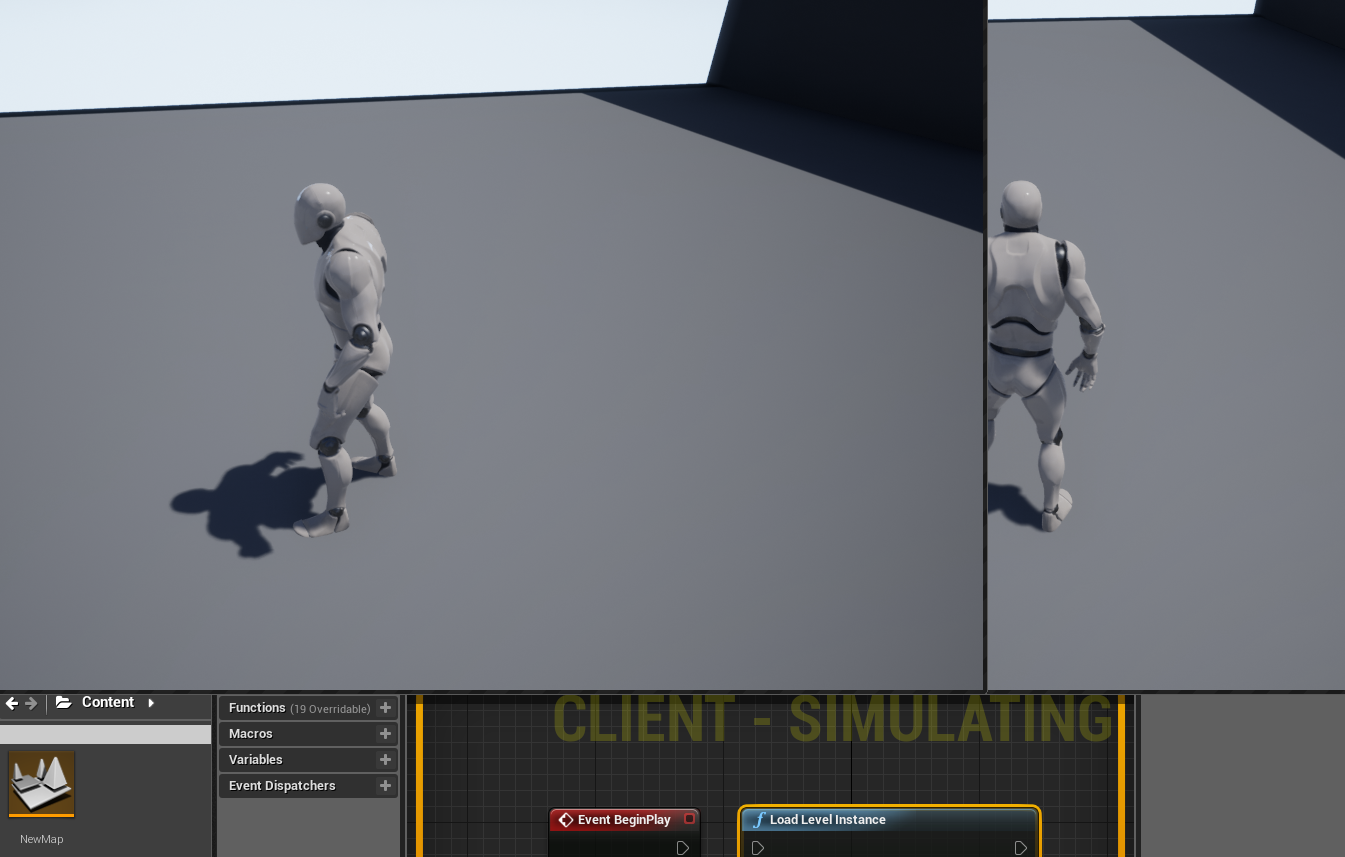
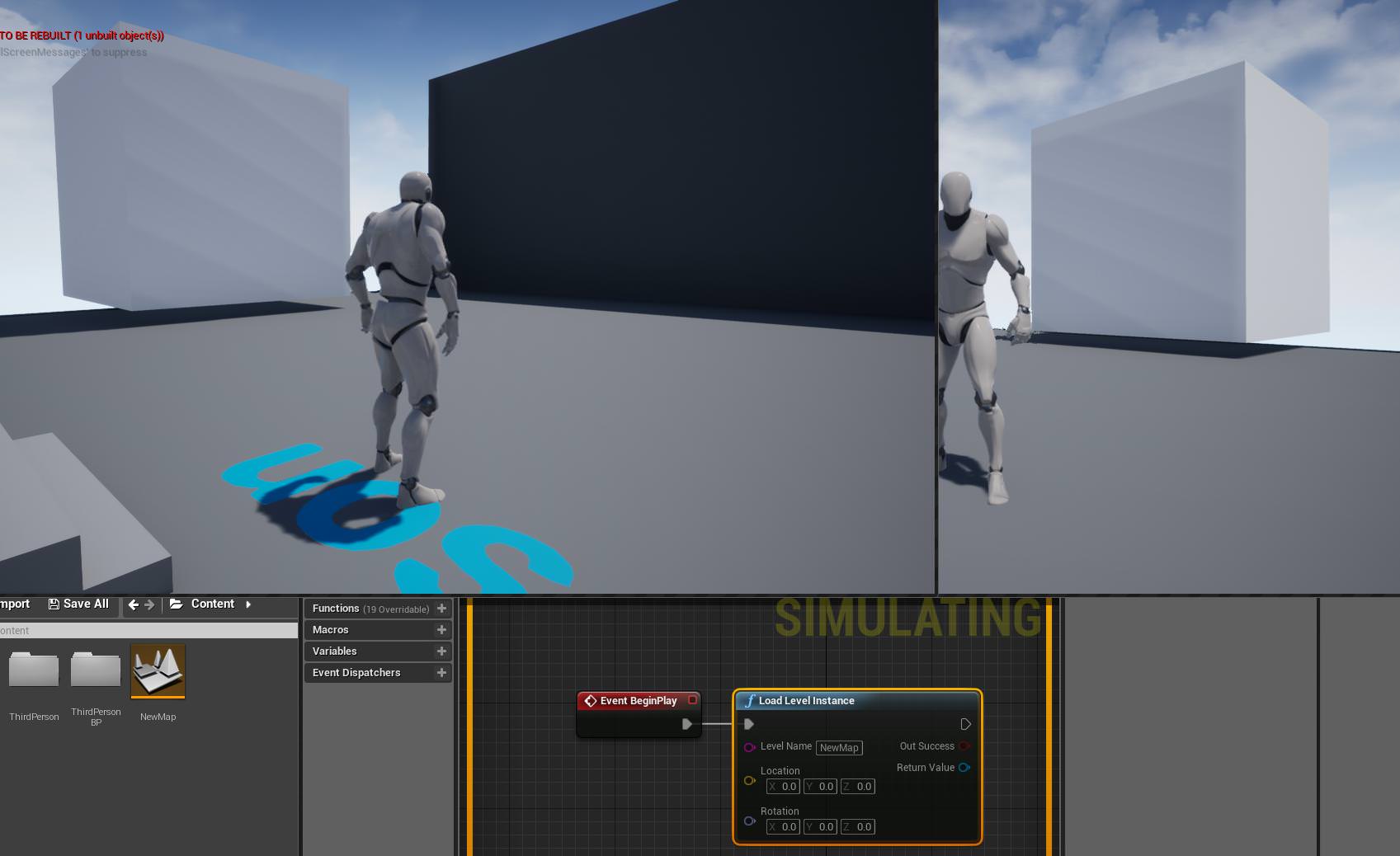 queen nymph
and this is in level BP?
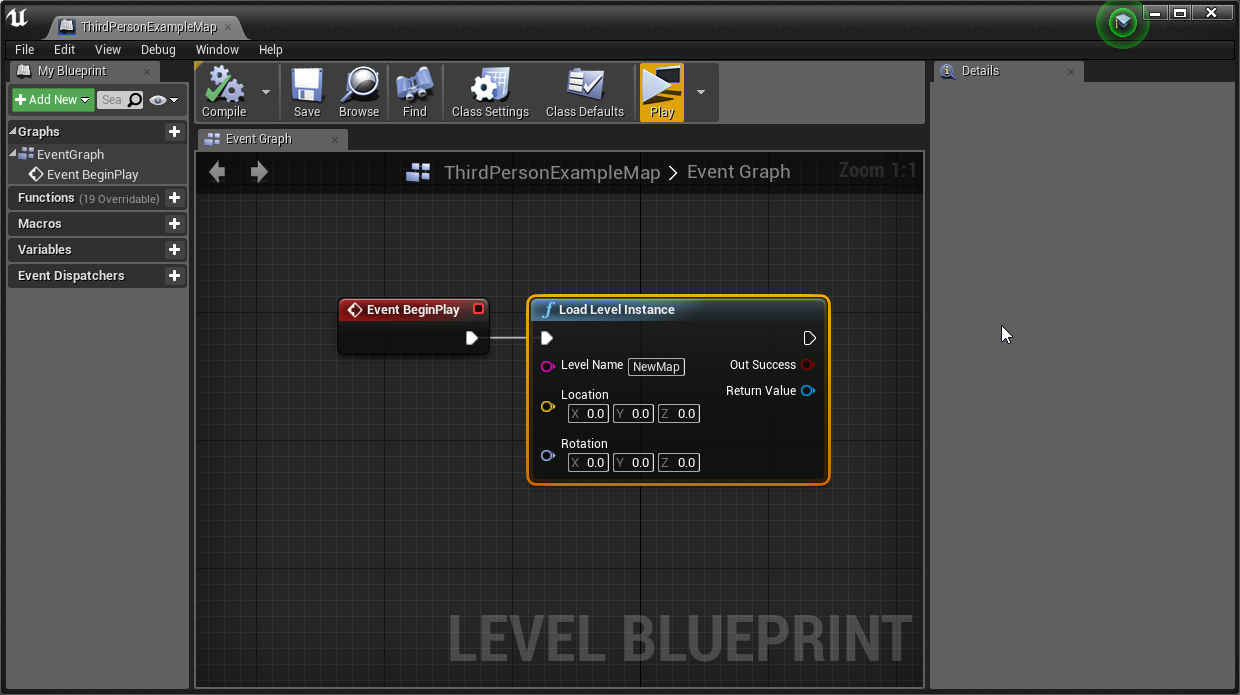 queen nymph
1sec, i am talking to suicide prevention line.
broken maple
hahaha
queen nymph
it fucking kicks me out
i am going to create even more fresh-er project and try again
broken maple
yeah just try what i did
new third person project. create new level
add a simple box to that level
load level instance on the persistent level blueprint
type the level name. no variables
broken maple
mhmm
queen nymph
suicide line redial
broken maple
it's usually my go to to fix a problem i can't figure out
clean project. and work on that 1 thing
also consider copying a new project from your old one each day before you start working on it
otherwise. rip when shit fucks up
queen nymph
i am doing that. i guess my 1000000 tests did something to the project. i am pouring gasoline on the HDD. it's the only way to be sure
broken maple
hahahaa
queen nymph
once more. thank you!
broken maple
np just remember there's apparently sub-level blueprints also. if you want to reach them. just under open level bp
not sure how you created that problem before. but according to that forum post others somehow got the same problem so just becareful what you touch to understand how that problem is created
queen nymph
hm, it needs to be run in level BP, otherwise it is doing the kicking thing
or not. now it works.
 wanton pebble
HI guys
i guess this gets asked here a lot
but, how do i create a simple host/join multiplayer system 😅
?
broken maple
If this working, hit like button :D or sub :D Have you any questions? Ask me in comments... ;) I'll upload more these tutorials... Used music: K-391 - Summer...
queen nymph
@broken maple , if you have and you haven't deleted that test project. could you please open it with the cube sublevel and see if both players can see each other?
broken maple
you might have problems though. when it comes to multipalyer there's always problems hahaha
queen nymph
if you have time*
wanton pebble
ah, thanks
broken maple
@queen nymph do you mean if the only persistent level is the cube?
queen nymph
no i think. i just noticed that i see 2 windows with two levels. normal mutliplayer. but in each windown, there is only one player. it kicked the client out and loaded default level. which is same as i am testing it so it looks the same
broken maple
do you mean they are in different worlds?
queen nymph
yep
broken maple
@queen nymph am i testing to see if i can't see the other client?
broken maple
@queen nymph i see what you mean
queen nymph
so it doesn't work on your pc?
broken maple
@queen nymph https://i.imgur.com/kql4jgG.png
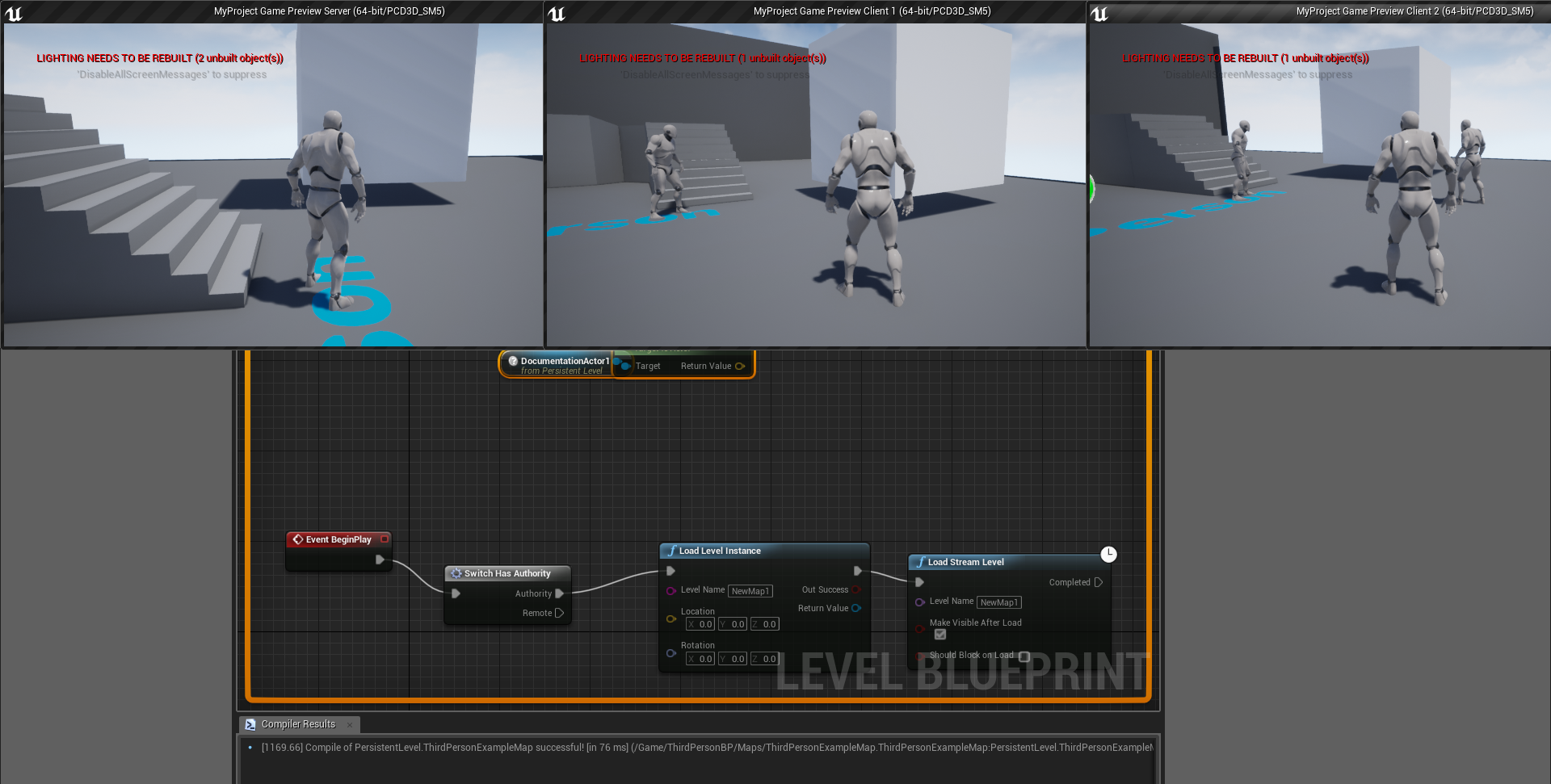 queen nymph
omg, testing it now. stay tuned.
broken maple
@queen nymph have this ticked https://i.imgur.com/hi2O51s.png
 queen nymph
i need to create fresh-er-er project. last fresh one is not working
what engine version are you on?
broken maple
the latest you can install
queen nymph
hm, same
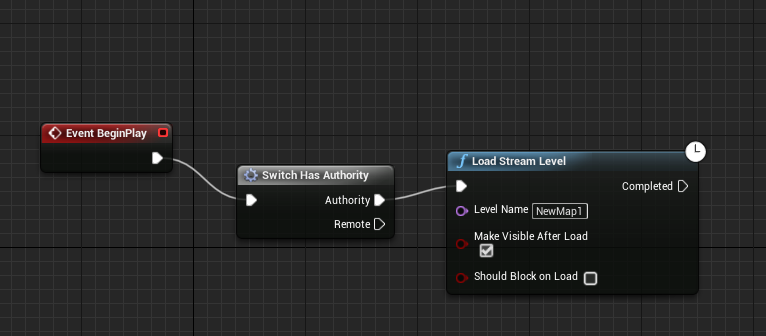
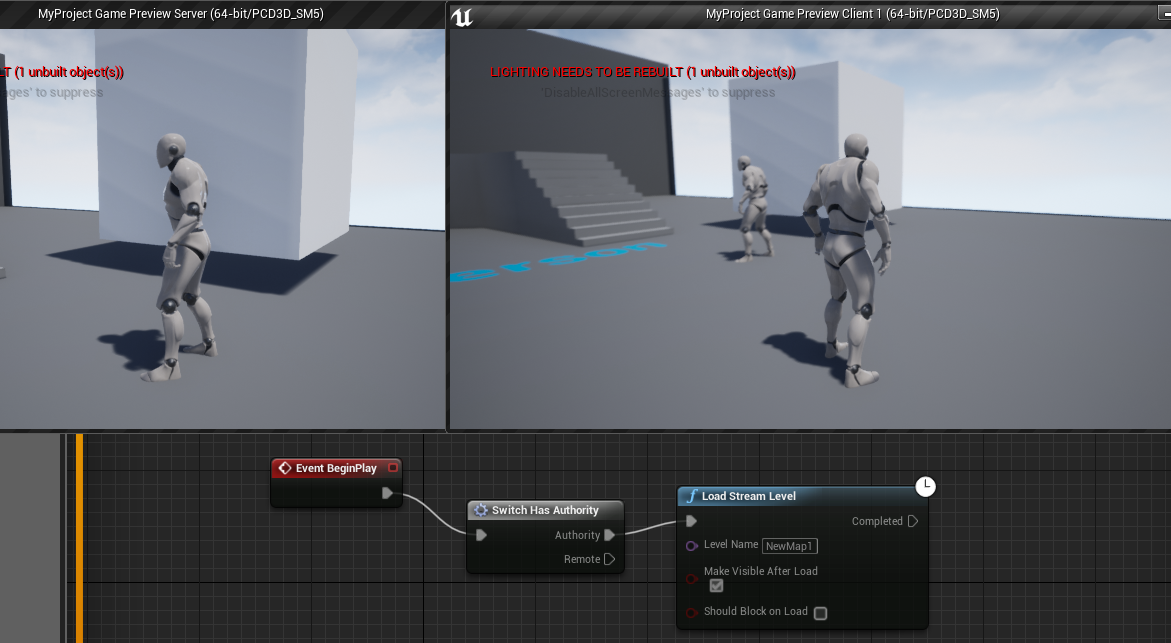 queen nymph
nothing.
i found this guy on the forums who made it work few years back. but i do not understand how he made it even when he posted images.
Unreal Engine Forums
Build powerful visual scripts without code.
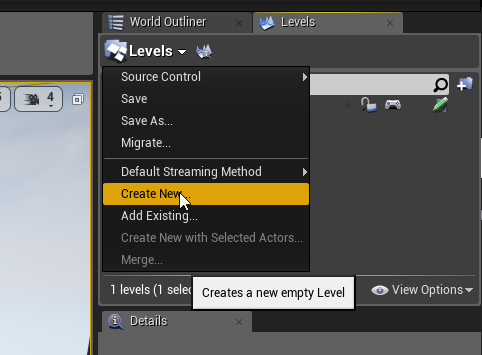 broken maple
you can drag them in also
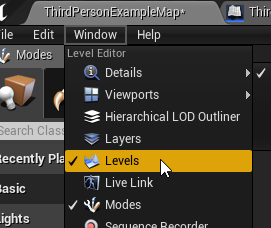


the persistent level owns all the information about the child levels
which is what the streaming thing is
queen nymph
problem with this approach is, i want to use random generation to create one large level made of smaller sublevels. so it is not clear at the start which levels to load.
broken maple
yeah i printed a string on sub level bp. and only once the level was loaded did it fire off "event begin play" which was the print stringg
added a 5 second delay before loading the stream level
which is what you want
which means you can add randomness to what spawns there as a level
queen nymph
this is my layout generator. here i create maze of levels. then each 'shape' like corner or crossroad has mutliple variants