#multiplayer
1 messages · Page 385 of 1
 floral ingot
 frank copper
you need to make sure that static mesh you're trying to use
has collision generated
if it has, make sure it uses the appropiate collision channel
if so, make sure it generates hit result
floral ingot
did that before, and it was all set up. but ill give it another crack
frank copper
better
floral ingot
thanks for the help mate, really appreciate it 😃
frank copper
no problem
 severe widget
so with CMC (or any movement component) you'll only ever get sweep overlaps and hits from the root component. One way to get around this, though taxing, is to have your desired component sweep from its last location to its current location and accept hit events or w/e a frame late.
But who knows maybe that'll end up as bad as just using floating pawn movement
 slim holly
excuse my morning slow, but if controllers are not present on clients, how is control rotation replicated?
never used it myself
severe widget
controllers are on the server, and then on their owning client.
You have your controller, and so does the server, but nobody else
 thin stratus
No, let's say you have spring arm
And you but a mesh on it
ANd place it in front of the character (so rotate it 180)
And you set it to control rotation
You'll only see yaw
cause the Actor moves
But Pitch (and roll) won't change.
Well at least as far as I tested a while ago
Only the local client and server can access it
slim holly
oh so it is replicated to server at least
ok guess I can live with that
trying to find an elegant solution to handle LookAt rotation when jumping between multiple pawns
without doing a bunch of casting
thin stratus
I think it's replicated to it, yeah
Maybe not as "GetController->GetControllRotation" or so
But there was something that had the rotation
However better just test it
Might also be worth trying to set the component in question to replicate
slim holly
I don't trust component replication tho
 grand kestrel
Casting isn't so bad, even on tick, it's a drop in the ocean compared to other things a game needs.. if even that
slim holly
not concerned about the performance, but it creates a reference jungle
grand kestrel
Ah
thin stratus
Even if itÄs a drop in the ocean
If you work on a bigger game
You'll want to work clean and proper
Otherwise you'll see yourself going back to that tick and removing the cast anyway
slim holly
and if you go even further, you start thinking "should I save this value to local variable" if it gets used multiple times inside function
thin stratus
I did hear that LocalVariables in Blueprints aren't that good though
Cause the pin is already a local variable
That's why you can query it by now
I mean, if you have a variable in the function
That you want to save and reuse in it
Then yeah
But the Pins not really
I did do that too before they allowed us to use the pins directly as variables
slim holly
wait, so it actually creates variable now from the return value?
thin stratus
The Inputs
On functions
You can just Get them
Inside the function
No need to use them from the input node
or save them extra
slim holly
oh, good to know
 worn hill
@slim holly pure casts help clean up cast jungles https://i.imgur.com/GaNbnLZ.png
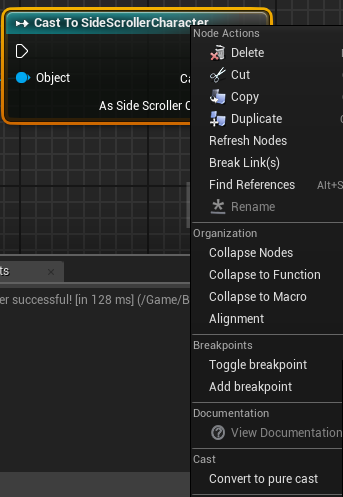 worn hill
gotcha
slim holly
it's just extra work if you have to do changes in the future
slim holly
kinda, just in the context of blueprint communication
worn hill
my bad. Overlooked yer "reference" qualifier
 indigo root
How do I handle replicating a widget attached to an actor? I have a healthbar widget attached to player actors, however they don't show up for people who joined before the player
I tried marking "component replicates"
thin stratus
You can't replicated Widgets
You replicate the Data they use
Would need a bit more information to know what you are exactly trying there
 bleak cloud
Can anyone give me some high level guidance on how to implement groups for matchmaking? My aim is something similar to Rocket Leagues or PUBGs lobby. It's simple enough to have a single player search for a session and join it, and when there are enough players you travel to map and start game. What if I want to make it so players can join a party together? Would they join a session together, then when they go to find a game, it would search for session that fits them all and moves them into there? That seems like it would be a bit clunky, and has a few issues. I'm not quite sure how to handle it otherwise though.
thin stratus
Given you are using a Subsystem that supports it (Like Steam)
You'd use Beacons for the Party
They are basically Sessions without maps
That still allow you to replicate States
Implementing them obviously needs c++ and isn't that easy
bleak cloud
How have I not seen anything on beacons yet? Thank you very much
thin stratus
I got a question too: How literal should one take the already existing GameStates?
I want to give the first and lonely player to join the match some warmup time.
Now I could do bDelayedStart == true which holds the MatchState in "WaitingToStartMatch" until a second player joins
However I'm not sure if it's okay to actually handle any game logic during WaitingToStartMatch
GameModes, by default, just spawn you as a Spectator during that time.
ShooterGame simply adds a Countdown of 15 seconds before they call StartMatch
Also leaving you in a Spectator Pawn
I just want a warumup round in which you can technically play, but nothing really happens.
As soon as the second player spawns, it will restart the round by calling StartMatch.
The other idea is to call StartMatch directly and just handle the WarmUp inside of it
:/
Open to suggestions
bleak cloud
I don't really know enough about UE4 to feel confident in answering, but... Does UE4 allow you to assign them to anything other than spectator during that state?
thin stratus
I could spawn a Pawn for them manually at that point
Which would get rid of the Spectator
I actually don't want them to be a spectator at that point anyway
bleak cloud
Does UE4 handle anything specifically during that state? I'm guessing it's just waiting for players to complete travel or connection, right?
If thats all, I don't see any harm in modifying that state to use it what you want it for
thin stratus
Right now I also don't see harm. Just wondering before I do anything bad
bleak cloud
I'm afraid I lack the experience and knowledge to give a better answer 😦
thin stratus
No biggie, was asking in general :P not just you. Thanks for helping!
extern ENGINE_API const FName WaitingToStart;        // Actors are ticking, but the match has not yet started
extern ENGINE_API const FName InProgress;            // Normal gameplay is occurring. Specific games will have their own state machine inside this state
I might just follow this comment
And do create my own States once I'm in InProgress
Tough thing
Seems like UT has warmup
Oh lord..
bleak cloud
Is the source for UT available?
thin stratus
Yes
bleak cloud
Which path did they go down?
thin stratus
Looking through it now
Quite massive
Okay they do it in WaitingToStart
Cause they reset variables in StartMatch
gg
bleak cloud
Nice. Good to know
thin stratus
if (bForceWarmup && UTPC && PS && UTGameState && (UTGameState->GetMatchState() == MatchState::WaitingToStart))
{
        PS->bIsWarmingUp = true;
        PS->ForceNetUpdate();
        UTPC->ClientUpdateWarmup(PS->bIsWarmingUp);
        RestartPlayer(UTPC);
}
That happens in PostLogin
Here, in case you ever need to look into it: https://github.com/EpicGames/UnrealTournament
 halcyon abyss
Is there a way to activate and deactivate the Project Settings option "Skip assigning gamepad to Player 1" at run-time?
So I can have player 1 join as keyboard or gamepad player
indigo root
@thin stratus yes the widgets can be reproduced from some simple data - it's a healthbar above a player's head containing health, maximum health and name
thin stratus
Yeah and what the issue now?
It's above the Player, so it's a WidgetComp on the Character
So you def have a ref to it runtime
Even if someone joins late
So I guess your way of getting the data is not correct
You'd need to show some code to get a better idea of the issue
 hidden thorn
Is this how RepNotify works?
// This is an actor placed in the level
//.h
public:
    UPROPERTY(EditAnywhere, BlueprintReadWrite, ReplicatedUsing = OnRep_bOpenDoor)
    bool bDoorOpen;

    UFUNCTION()
    void OnRep_bOpenDoor();

    void OpenDoor();

//.cpp
void ADoor::OpenDoor()
{
    UE_LOG(LogTemp, Warning, TEXT("Open Door"));
    bDoorOpen = true;
}

void ADoor::OnRep_bOpenDoor()
{
    if (bDoorOpen == true)
    {
        UE_LOG(LogTemp, Display, TEXT("OnRep_OpenDoor - ADoor"));
    }
}
//.cpp Part of the player character
// I shoot a raycast from the players camera position and pass the actor that I hit to this method
void URPGPlayerInteraction::ActorInteraction(AActor* HitActor)
{
    UE_LOG(LogTemp, Display, TEXT("NPCInteraction - RPGPlayerInteraction"));

    if (HitActor != nullptr)
    {
        if (Cast<ADoor>(ActorHit) != nullptr)
            Cast<ADoor>(HitActor)->OpenDoor();
    }
}
Yes and no
The RepNotify calls when the Variable arrives at the clients
In C++, the Server does NOT call OnRep, so you have to do that manually for him
So that part is fine I'd say
But your linetrace is not, cause you need to do that on the Server
You could pass the Hit Actor to the Server directly, but hten any client can just pass any actor, even if not hit
So you'd want to perform the line trace already on the server
hidden thorn
Can I not shot the line tracer get the actor hit and pass it to the method, and then call Cast<ADoor>(HitActor)->OpenDoor(); inside a Server RPC which has a HitActor parameter?
rather than perform the line trace on the server?
thin stratus
You can but take into account that this allows cheating by the client
He can call OpenDoor without even being need it then
hidden thorn
I see, well I will get it working like this for now and then change it
indigo root
@thin stratus the widget component of the character doesn't get replicated, that's the problem...
do I need to create it manually on each player's side when they join?
hidden thorn
What you should do is have the widget on the character but hidden, when it needs to be visible set it and then update the data.
hidden thorn
@thin stratus do I need to put bool bDoorOpen; into GetLifetimeReplicatedProps
indigo root
well it does not exist on the other clients @hidden thorn
 loud mountain
Probably already answered but you need to put bDoorOpen into GetLifetimeReplicatedProps, yeah.
thin stratus
@SuperCuber#7818 How is your setup then? Cause then you are not using a 3D Widget
hidden thorn
@indigo root Inside your character create the widget and simply untick Visibility and on other clients simply call a Server RPC asking for it to be turned on or do whatever you want with it.
hidden thorn
Is it possible to assign multiple methods to a RepNotify variable?
loud mountain
couldnt you just call another method inside the repnotify method?
hidden thorn
I am not saying there aren't work arounds but I was just curious
what I did was use the variable since it's a bool
and I did if(bool is true) ... else ....
which does what I need
 past bear
morning folks, I could do with a little assistance brainstorming why a simple integer on the player character might not be replicating
the int itself is Replicated, and is changed via UI
the UI calls the appropriate custom event on the client
which 'executes on all' and is reliable
now the event should be unnecessary, because the int is already replicated
but I'm a bit miffed
I can't seem to get the value to actually replicate xD
loud mountain
do you use RepNotify?
you need to call your change event on server
not on "all"
because replications only work from Server to Client but not vice versa
you could theoretically create an RPC wich changes your int to the value you specified
then have your changed event called on "all" inside the server RPC
that'll probably what you want.
past bear
it has to come from client
and it's not repnotify, no
but yeah, I'll try RPCing it instead
 lean river
You saying you try to change int from ui ?
past bear
initially it was directly, but instead it now goes through an event in the character itself
lean river
And now you change int on server right with rpc right? :)
past bear
that's the idea
and it's working
it was multicast before, now it's 'on server' only
thanks folks ^^
indigo root
@thin stratus I am attaching it to a Paper Character like this https://owo.whats-th.is/43ee0a.png
 indigo root
hm strange
 proper olive
hey peeps - I'm clearing out warnings/errors in my project so far... and I'm down to the LAST ONE!!! But pretty sure I read somewhere that this is inconsequential for the Editor right, because Steam doesn't actually work in the editor?
LogOnline: Warning: STEAM: Steam API disabled!
in full it's:
LogOnline: Display: STEAM: Loading Steam SDK 1.39
LogOnline: Warning: STEAM: Steam API disabled!
LogOnline: Display: STEAM: OnlineSubsystemSteam::Shutdown()
 bitter oriole
Yeah, Online is fully disabled while in editor
So you're correct, this is expected
proper olive
thanks!
mighty happy with my properly replicated day/night system! 😄
still some work to do (need to match sun and moon sizes for example) but sooooo rewarding to chill on this mountain with myself and my other self and watch the moon together 😂
 slate veldt
Hey all, anyone seen this before?
LogNetPlayerMovement: Warning: CreateSavedMove: Hit limit of 96 saved moves (timing out or very bad ping?)
bitter oriole
Sounds like what the log says, bad networking and your local player has too much moves stored
slate veldt
Getting odd behaviour where client side is moving just fine, but all movements are dialled down about 100 fold on the server and therefore the rest of the clients. It appears that the saved moves aren't being combined properly or cleared, so this list is exceeding the limit and therefore the full movement data isn't being pushed up to the server?
Yeah, I understand its what it says on the tin
 winged badger
searching for the log's text inside the CMC should shead some light on it
you can see what code triggers it
bitter oriole
96 frames means 1.5s, so it's a pretty huge lag here
What's that part about 100 times slower ?
winged badger
also, all ServerMove functions are unreliable
so if you overdid it with your reliable RPCs...
then you should re-evaluate them (is this more important then the ServerMove?)
slate veldt
Ah that could be the issue, thanks Zlo, I'll re-evaluate the reliable functions - bit odd that ServerMove functions are set to unreliable
slate veldt
The 100 times slower part isn't exact, but when the client moves, say they move about 20 meters on their side, on the client side the server only moves them about 1m
bitter oriole
You're going to have dropped packets at some point, and movement packets will always be obsolete by the time they are re-sent by the client (that's what"reliable" means)
Setting inputs to reliable only makes sense for stuff like abilities, door opening stuff
winged badger
critical gameplay
bitter oriole
More like, "still important to receive even five seconds too late"
slate veldt
On the face of it, I don't think I have a heck of a lot of reliable functions, especially not ones that would fire every frame to cause the lag. Is there an easy way to show networked functions? All my logic is C++ so could easily ctrl+F through all the headers, but it would be interesting to see a breakdown of what's happening on the networking every frame
bitter oriole
Well, start by measuring the lag itself, I'd be surprise if there isn't a stat net command or something like that
slate veldt
Yeah there is a stat net command, almost might do a netprofile
Ping 23, out rate ~4000 bytes, in rate ~5200bytes
doesn't seem like a lot at all
Interesting one, I've just noticed that the p.VisualizeMovement on other clients is showing them as having no acceleration or velocity
bitter oriole
Have you customized the movement component a lot ?
You can check in ShooterGame if you're using it the same way
Chances are you missed something on that front
slate veldt
Yeah, don't worry, I think I've just found the missing piece - I am overriding the movement component with custom overrides. There are 2 pawns the player controls, so this particular character doesn't have a controller assigned, in other cases I've done an override where we replace the Controller references with Linked Pawn Controller, which has worked well, but missed one controller getter in ServerMove_Implementation, so need to override that and replace the controller reference, I notice in there that it needs PC otherwise it sets InAccel to ZeroVector
 wary willow
Yo, can someone confirm that Standalone Game Multiplayer is broken in 4.19?
wary willow
Seems like it's from Single Process
 tight sorrel
Hello everyone , i have issue with pawn movement i am using rolling template with subsystem multiplayer. i have some lag or delay with client movement in his play view and it's annoying i couldn't fix it. and these pictures describe how to this work:
can any one help!!!
thin stratus
Without the CharacterMovementComponent you have 0 Interpolation etc.
You are basically just setting location
Well here it's torgue
But same problem
You have to code some interpolation etc.
 pallid mesa
if you only know how to program in blueprints, the only way to execute some code on the clients as soon as a location and/or rotation changed is using an on-rep notify
so you can trigger on the simulated proxies some interpolation code in every location change
here you have some hints @tight sorrel https://answers.unrealengine.com/questions/479211/what-is-the-best-way-to-smooth-player-movement-for.html
proper olive
@pallid mesa that's actually a super helpful explanation, I think I totally understand how network interpretation in blueprints can be done... got a similar approach to handling prediction with blueprint?
pallid mesa
anything by hand, reading the CMC can take you a good chunk of time since the class (not including header) is around 10K lines, but I think it could help you to understand how prediction can be done, and probably by understanding that and knowing how BP's work you will then know how to probably do some prediction using BP's
 shut gyro
Hey has anyone ever tested using beacons on the Playstation/Oculus or any other subsystems besides Steam? Are they even supported on them?
Also, would anyone have any ideas about how to handle making a loading screen between levels that is loaded asynchronously and doesn't block the main thread? Does this require the need for persistent levels?
thin stratus
Beacons, as far as I understand them, are something UE4 Internal
Steam only register the Session and provides it to connect to
As long as your Subsystem can handle Creating and Finding sessions, it should work
@shut gyro
 sharp pagoda
Beacons are subsystem independent, they are just internetwork UDP packet broadcasts. It will work on any system (in theory) that supports BSD networking
slate veldt
Interesting issue, our character (slightly modded character movement component) is moving around just fine on both server and clients, however, occasionally, when I run into the edge of a piece of geometry, the serverside will clip passed/off the edge and continue forward, where as the player client will run up against the object. The server and client will still perform the same movements, but are now in different world locations
This is PIE testing though so don't know if it will behave differently in standalone/builds
Typical, I can't reproduce what happened now I've mentioned it on here
Normally glancing off of fairly circular collision shapes, just been able to reproduce it
tight sorrel
thx guys for help
 misty stirrup
Does anyone know if pubg is implementing their own networking solution? Like how are they updating 100 players on one map?
grand kestrel
Pubg is the worst example out there. It's fully client authoritative and server doesn't need to do much processing
The devs don't know what they're doing
 stiff finch
Hey guys, i'm diving into the replay system (https://docs.unrealengine.com/en-us/Engine/Replay), just a quick question to anyone who is familiar with it .
If i have a replay file and i play it on the dedicated server - will it automatically play for every connected client (so, will actors state be replicated to everyone)? Or do i have to make any changes for it to work properly?
I want it so multiple clients can watch the same "replay" at the same time, while being connected to each other.
 high heart
@stiff finch just a warning if you're at the beginning of your dive, the replay system has some pretty major issues in 4.18. I was unable to get it working based on the tutorials due to some issue with the replay net driver, and the only information i was able to find was that it's just borked
Also had some critical issues with my character that made them not move in replays. gave up on it
obviously it's possible. just maybe not as well supported as the documentation says
I think the default behavior is to just play it locally though. so you may need to hack in a server travel somewhere to make it play for everybody. there's only one way to find out
but again, it's not a super smooth process. Now that I'm thinking about it the issue I was having is that you can't start a replay from UMG because in that scenario it dumps the DemoNetDriver during travel for some reason. There's a pull request out there that fixes it but you will need a custom engine build to make it stop doing that. IIRC using the console command works fine
On another note, I've got a bandwidth/architecture question. I recently moved a lot of my heavy server RPC's to an Enum based scheme to cut down on bandwidth. This gets pretty good performance (8 bits per RPC rather than hundreds) but I'm now wondering if it would be even more efficient to just use dedicated server calls for each value of the enum, cutting it down to 0 bits. Is there any reason not to do this?
The inner workings of an RPC are pretty foreign to me. Does it just send a function pointer over a socket? If so how big is it? 64 bits? Variable bits?
Also is there a more efficient way to send an actor reference to server? In VR the latency from 64 bits when picking something up is pretty noticeable, and I don't want to rely on the server to detect hand collisions
floral ingot
How would you handle a simple respawn system for a multiplayer game? I'm destroying the players character after they've taken enough damage to kill them, and disabling the input after that happens. Would I find all the actors for the spawn points, pick a random one then create a new character for them, renable input and spawn it on the random point?
Would it be best to do that in game mode, or the local character/server?
high heart
@floral ingot you'll probably want to do that in game mode, the shootergame sample has a decent implementation. you're going to want to be smarter than "random" though
floral ingot
ah ill implement something better, just trying to get my head around how to do it for now
high heart
in shootergame (which I believe uses the default engine functions) there is a ChoosePlayerStart function and a CanSpawnAtPlayerStart (or something like that). The idea is that you get all the legal spawns and then choose the best one
those functions are in game mode
As far as smarter selection goes, I used halo 3 as a rough guide of a "good" system, you can read about it here: http://halo.bungie.org/misc/fyrewulff_spawnsystem/
floral ingot
what an awesome article thanks!
thin stratus
stiff finch
Thank you for the warning @high heart, i'm ok with changing the engine (although would like to avoid it), i hope i'll find this pull request when needed 😃 For now i guess i'll make a simple multiplayer replay demo and see if it works.
high heart
i'll see if i can pull it up, might be in my browser history or something
@stiff finch here is the relevant answerhub issue (https://answers.unrealengine.com/questions/709068/demonetdriverreplay-stuck.html) and here is the fix (https://github.com/EpicGames/UnrealEngine/pull/3375)
 cinder hearth
Hello guys ! I need your help for a basic Voice chat system using Opus codec
Do you already use it ? It's for a Client and i have no idea on how to use it. I need to make it works for Win / Mac :S
stiff finch
@high heart perfect, thanks!
 verbal wave
holy shit you can actually spawn replicated actor directly from actor with ROLE_AutonomousProxy without calling a server RPC
did they change it recently? I've been adding abundant RPC for months
this.. makes so much sense
 west rapids
U mean u can spawn as Client? @verbal wave
west rapids
Ok after many different setups I've concluded that AddInputVector and AddMovement on the pawn/pawn movement component respectively don't want to work on a server. Really need to add that to the tooltip.
thin stratus
It does or not?
I'm half sure it states that PawnMovementComponent, without any additional steps, won't replicate
Ah well it says something else
* Add movement input along the given world direction vector (usually normalized) scaled by 'ScaleValue'. If ScaleValue < 0, movement will be in the opposite direction.
* Base Pawn classes won't automatically apply movement, it's up to the user to do so in a Tick event. Subclasses such as Character and DefaultPawn automatically handle this input and move.
 sweet spire
no it wont
you need to go and look at DefaultPawn.h and .cpp
There is quite a few things u need to do to get it to work
west rapids
Well, these things work locally out of the box when it comes to translating an actor, what's weird is that an RPC doesn't even move the pawn on the server.
neither input vector or addmovement actually move the pawn on the server, when ran on the server. however they move just fine local.
pallid mesa
when you replicate a component it replicated to all other players
gona try to drop an example
woth this same principle @raven holly
dang too many things on a single screen on my computer XD
 raven holly
😄
pallid mesa
Okay... sorry but gyazo is trolling me and I cannot make the gifs I would like to... -_-
welp basically if you have a varaible replicated
and you change that variable
let's say a health integer variable
if the component is not replicated, the variable will change only on the server and not in the client
in this case, the health component is replicated
and the health regen comp isn't
raven holly
hm
pallid mesa
so basically the component that replicates is the one handling the HP
the other one just throws some events and timers
to heal yourself over time
you don't need any replicated variable if it won't change on the runtime
this would be on the bp character
notice that the rpc is on the HealthRegen event and not in the Health event
this matters
@raven holly got it?
sorry long delays I'm fixing a repo XD
raven holly
ahh i see
pallid mesa
the health regen component isn't replicated
 hard mountain
Hi guys, a question. How should I make a local multiplayer with VR included? I've got the vr, just I want to make a prototype when you are 3 vs 1, three players plays on split screen, meanwhile the other one with the vive. Which is the problem? The problem is in the desktop should appear ONLY the first team screens, so the HTC Vive's screen won't be displayed on desktop or TV. Is it possible? How?
It's a party game
 icy nacelle
About to attempt to turn my 'Attach Equipment' Function into one that works over multiplayer. I was thinking of collapsing this half of the code into a function that runs on server. Please check out my comments and let me know if I'm going along the right track. Starting to feel like I understand multiplayer well, I just dont have 100% confidence in myself just yet 😃
edit: Solved.
To add - the function works perfectly without currently being replicated.
hard mountain
@sweet spire What do you want to know more?
sweet spire
ur asking alot but to kinda answer ur question
u would need seperate clients
that not not supported by default
and u would prob cause a fuck storm trying to intergrate it
FGameplayTag::RequestGameplayTag(TEXT("Equipment.Base.Energy.HERE")
need convert a number to FName and insert it at "HERE" whats the best way to do it?
winged badger
to string, concat, back to fname, i think
icy nacelle
^ Answering my question above. Yes, it did work, although I didnt follow my comments exactly. Less 'outputting' and more - casting back to the player to set those variables.
winged badger
without intellisense, that would be interesting
but sure i'll give it a go
FName(fnameVariable.ToString() + Int32::ToString(myint));
sweet spire
So iv got an FName and i basically need to create this
TEXT("FName.Int32"))))
with the .
ahhh i see
winged badger
then + "." also
winged badger
might be FromString for int
i never know how to manipulate strings off the top of my head, no matter how many times i've done it 😄
sweet spire
dam there is no examples on the wiki xD
why is there nothing on the wiki for this D:
wait
can u do the text thing
u can do for logs
for other things
TEXT("MyCharacter's Health is %d"), MyCharacter->Health
like that?
bleak cloud
In the context of firing a projectile from a weapon in blueprints. Player clicks a button - Check that they actually can fire the weapon - spawn the projectile. Obviously I want the checks that they can fire and spawning of the projectile to happen on the server. To do that, I need to run it through the PlayerController, which is the go between between the client and server, correct? In that case, should I have the input event in the PlayerController and have it call an event set to run on server, that then calls the checks and spawning in the weapon blueprint? Or does that code need to actually be in the player controller?
sweet spire
FGameplayTag::RequestGameplayTag(TEXT("%s.%d"), false, TagName.ToString(), Index)))
dam i tried to cheat it
like this
lmfao
no success
winged badger
you need to dereference a string inside TEXT macro
also, not the right channel for this
icy nacelle
Do BPIs run on all clients?
I made a system MONTHS ago, which uses an BPI, and it seems like its called on everyone 🤔
winged badger
BPI would be what?
winged badger
it runs on server if invoked from server, it runs of client if invoked on client
icy nacelle
Ah okay
Essentially, I've got something replicating in my game that I dont want to be replicating
and since I made it a few months ago when I knew nothing about unreal and followed some tutorial... I have no idea what I did 😆
Ah, I figured out my problem
So essentially I have a problem with this stuff replicating for when I dont want it to. When a player walks over an item, it highlights (Using Set Render Custom Depth)
I, for obvious reasons, do not want it to replicate to all clients. The "highlight" is being set with a function on the base class of my items.
Any idea how to use set the render depth so it only appears for a single client?
winged badger
you get the overlapping player
check if its a locally controlled pawn
and set the render depth only if it is, locally
icy nacelle
Hmmm
I've had a deep look at it, and I've tried changing various things to make it run on client, but every time it seems to change for everyone.
It uses multiple functions, like checking for which object is closer when overlapping two actors
Your suggestion seemed to work
but it also knocked out all the functionality of the items too, like picking up objects / opening UI. I'll look a bit deeper into this and see what I can come up with
Thanks for your help Zlo ❤
hidden thorn
So on the server Server_ChangeMovement is printed in the output log once when I press W and once when I release it.
But if I do the same on the client there are times when it is called 2-3 times and same when i release it.
This is based on the output log, I have Use Single Process set to true in this case so the FPS remains the same on both the server and client.
There is some code removed from Server_ChangeMovement because it's unrelated to this matter as all I am doing in there is setting some variables.
void ARPGPlayer::SetupPlayerInputComponent(class UInputComponent* PlayerInputComponent)
{
    ...
    PlayerInputComponent->BindAxis("Walking", this, &ARPGPlayer::Walking);
}

void ARPGPlayer::Walking(float Value)
{
    if (Value != 0.0f)
    {
        if (Max_Current_Speed != Walk_Speed * Value)
            Server_ChangeMovement("Walking", Value);

        AddMovementInput(GetActorForwardVector(), Value);
    }
    else
    {
        if (Max_Current_Speed != Idle_Speed)
            Server_ChangeMovement("Idle", Value);
    }
}

void ARPGPlayer::Server_ChangeMovement_Implementation(const FString& State, float Value)
{
    UE_LOG(LogTemp, Warning, TEXT("Server_ChangeMovement"));

    if (State == "Walking")
    {
        Max_Current_Speed = Walk_Speed * Value;
    }
    else if (State == "Idle")
    {
        Max_Current_Speed_Strafing = Idle_Speed;
    }
}
I tried to launch 2 instances where the server had around 20fps and the client had 120+, in that case Server_ChangeMovement was called 27 times both pressed and release in an instant.
If I hold down W for a few seconds it comes up about 4 times and when I release it 10 times.
 lost inlet
sending a state as a string rather than an enum value?
hidden thorn
I do have an enum for that as well but idk why I wasnt just using the enum, I guess I will change it :)
Thanks for pointing that out
 sonic frigate
Hey,
I have a very strange issue
I m working on multipalyer game ( steam integration) after packiging(shipping build ) other player cannot find servers ( Steam access is working )
i have added steam_appid.txt with 480, but cannot find servers..
-I set up find session max results to 20000- but still not work
(LAN can find session ,but when i join just got Fatal error)
I would appreciate any help.. im getting to crazy .. )
Cheers!
 kind bay
I believe the 480 steam id restricts finding sessions to players of the same region. You and your players will have to all be on the same download region on steam as the server to find the session @sonic frigate
sonic frigate
@kind bay yes, that is same. so i really dont have any ideas :\
 heavy marlin
welcome to using steam in unreal
floral ingot
Is SetActorRotation() not replicated by default? I can rotate my pawn, and want to reset its position after its been destroyed and respawned, SetLocation() works fine, but the rotation will always remain at its previous rotation
SetActorTransform() will set the location correctly, but setting rotation to 0,0,0 still keeps the previous rotation of the pawn
floral ingot
^ managed to fix it using setcontrolrotation on the controller instead of the actor
 vivid siren
hey does anyone here have experience with player states / game states / game instances?
 fossil spoke
Ask your question and find out 😉
vivid siren
lol, well basically im trying to get my custom player states to persist through level changes with multiple players
severe widget
sorry I've only got experience in gamemode :(
vivid siren
ive learned that the game state automatically keeps track of a list of all player states in a handle little array called PlayerArray
so i'm trying to store that PlayerArray in the GameInstance before switching levels
severe widget
C++ by chance?
vivid siren
unfortunately some variables in the player states get reset on the new level
noo strictly blueprints, sorry 😛
severe widget
Well I dunno if you can do what I'm about to suggest then
Ok
In your custom player state, override an event called Receive Copy Properties
That event will pass you a reference to another PS.
What you do is, set that other PS's variables to the current PS's values.
eg
Now, here's the cool part.
Don't even do anything with the playerarray
On seamless travel, the PlayerState is copied over, and this function is used to keep the state across the transition.
vivid siren
oh really? i have seamless travel set up as well, i heard it was recommended
severe widget
yup
severe widget
Ok
So
OverrideWith is for reconnects
its the opposite of CopyProperties
You should implement both.
they don't get called at the same time, don't worry
vivid siren
oh, my bad
severe widget
that's the right way for OverrideWith
vivid siren
and so, the player states on new levels should be updated to what they were on the previous level?
the Current_Class, that is
vivid siren
oh my gosh
yes
it carried over!
thank you so much, and you said you only knew gamemode, ahaha you saved me
 ember needle
i’d recommend reading cedric_eXi network compendium you would have found this solution in the first pages.
 glad sedge
odd q - any web guys here?
hard mountain
Ok, I've found what I previolsy meant: https://www.youtube.com/watch?v=LWea5VMyyVo

Test build of student project in Unreal Engine.. Asymmetric Multi User!
is there a guide about?
indigo root
"where is it?" lol
 thorn merlin
https://www.youtube.com/watch?v=s7Aokpe2HmM can I be a total newb and ask how you set a different server tick rate in unreal? does this mean u set custom actor tick rate on dedicated server vs our client actors?

The Unreal Engine (which powers both Fortnite and PUBG) really struggles under the load generated by 100 players, which results in a server tickrate of just ...
i mean i know how to adjust tick rates - this is more of a technique question - do most games do this, for each actor depending if its client/server they tweak the tick rate?
hard mountain
@indigo root about creating an asymmetrical prototype
VR vs PC desktop
The question of yesterday
thin stratus
@thorn merlin Kinda sure, yes. As Client Tick is kinda depending on Frames
You want a steady tickrate on the Server to be sure that everything more or less remains deterministic
At least that's what I think :D
slate veldt
For some reason, I have a Multicast function (called on server) that only executes on server an not on clients? Any idea what could be wrong? The actor is replicating
It's declared UFUNCTION(NetMulticast, Reliable)
Ahh... it appears it is being called when used later, but in the instance where it isn't it's called very early in gameplay, so perhaps it's not replicated quite yet on client side to even consider the multicast
 hollow bridge
This might be a silly question, I've made a project that allows you to connect to a 3rd party dedicated server and match with other users, but because of the nature of how i setup my game states any of ue4's multiple-player options create a server - client relationship that causes all instances to be unusable except the server.
Is there a way, short of using cmd or opening multiple projects to run 2, essentially, offline instances of a project? It would make things a lot easier for me but maybe the answer is changing how my game states are setup in the first place.
slate veldt
You could try right clicking the uproject and clicking launch game twice?
hollow bridge
yeah, that works. so does running something akin to
C:\Program Files\Epic Games\UE_4.17\Engine\Binaries\Win64\UE4Editor.exe "%FULLPATHTOPROJECT%\ProjectName.uproject" -game -PIEVIACONSOLE -ResX=1280 -ResY=720 -Multiprocess -messaging -SessionName="Play in Standalone Game" -windowed GameUserSettingsINI="%FULLPATHTOPROJECT%\Saved\Config\Windows\PIEGameUserSettings0.ini" -MultiprocessSaveConfig -MultiprocessOSS WinX=-1912 WinY=31 SAVEWINPOS=1
but i wish there were an in editor way of doing the same thing
thorn merlin
seems like this is set in NetServerMaxTickRate
hollow bridge
my soultion in the time being is to write a batch file to run cmd to open multiple game clients.
 meager spade
need a bit of help with some logic, i have a wave spawner, which spawns the ai in, what would be the sanest way to detect if there are no AI left in the level before starting next wave?
icy nacelle
@meager spade If the waves are being destroyed after, you could use GetAllActorsOfClass?
if the length of the outputted array == 0, start new wave?
I have a slight problem with my train spawner. Whenever it runs, its spawning actors into the server and moves them, however, the clients see the trains in their original start positions AND also the moving trains. Trying to figure out why the original trains are still there..
When I run it as a single player game, the trains do not appear in their first positions permanently
Also, the bugged out trains have no collision. I assume I need to update the player about the trains movements? But surely I'm doing this already as clients can see the train moving. Could someone please explain where I'm going wrong with my replication?
 dire temple
Does anyone here use SQL database for their game currently? I do, and I need to ask some questions for support if you would be so kind, thank you!
 supple aurora
Hey ya'll is there a good repository for the multiplayer info provided here? just starting out on C++ after getting Blueprint nice and comfy and I want to focus on multiplayer
icy nacelle
supple aurora
Thanks @icy nacelle
 toxic meteor
Is anyone familiar with creating a dedicated server using Steam OSS? I cant figure out how/why I can't join mine.
It also shows up in the steam servers so I believe its port forwarded correctly.
icy nacelle
Can you not join because the player limit is 0?
(havent used steam dedicated servers yet, just an observation)
toxic meteor
I'll test that right now; I followed a few tutorials on how to do it and they said to put it as that, but maybe.
winged badger
i am somewhat confused as to what a widget is doing on a dedicated server
toxic meteor
its not
the branch checks to see if its the sever or the client
if its the client, then the main menu opens
else start dedicated
Also, I just tested increasing the public & private connections which didn't seem to change anything
icy nacelle
Quick question... For server driven events to replicate properly, do I need to do a run on server?
Aka, the particle system on my train is not functioning correctly. The train is handled by the level.
toxic meteor
Whats the replication set to?
icy nacelle
The replication on what?
toxic meteor
your particle system
icy nacelle
The particle system is a component of the train actor
....Which can be set to replicate.
Dam, I cant believe I didnt think of replicating that. DUH! thanks bud
 thorny kelp
and how does it behave on clients?
toxic meteor
np 😃
icy nacelle
Just tested and that doesnt seem to have fixed it
(It works correctly when playing in singleplayer)
toxic meteor
Are you testing with a dedicated server or just multiple clients?
thorny kelp
do you programmatically set it to active somewhere?
icy nacelle
Owning actor is set to replicate
I'm testing it on a dedicated server yeah
No Joe, its all on the one actor BP
thorny kelp
Strange if you're not changing its state on server, then it shouldn't differ on clients
icy nacelle
Ah, I see whats happening
Since this is a 'breaking sparks' particle, I first deactivate it on begin play for that actor. When I call for the train to break, I enable the sparks again. Somehow, enabling this does not replicate.
thorny kelp
Is shouldn't
you can create RepNotify boolean variable SparksAllOverThePlace
and then apply it in notify_sparks... SetActive
thorny kelp
As I remember RepNotify acts as property, so it should also work in singleplayer
icy nacelle
Got it, thanks friend! I'm still new to rep-notify so I'm getting it slowly
icy nacelle
I've actually got another issue @thorny kelp, Do you think you could look into it for me and see where I'm going wrong?
When I run my game as dedicated, the train spawns at the start of the track, and just sits there. When I play it on single player, it doesn't do this.
Also want to mention, the train moves in a very stuttery way when its played on multiplayer. Any ideas how I can improve it to be smoother?
Should I change the update frequency to help make it smoother?
thorny kelp
Well, maybe
but no
I would rather implement interpolation in tick
and lower update rate
Can this train hit you?
icy nacelle
Yeah I want it to be able to kill players
Havent got round to programming that bit yet, but I know how I'd do it.
thorny kelp
Disable Replicate Movement by now
icy nacelle
Really?
thorny kelp
Train should move on both client and server but not synced
icy nacelle
Its still juttery though
thorny kelp
strange, should be perfectly smooth on both
icy nacelle
Hmmm
thorny kelp
looks like its still replicates movement somewhere
icy nacelle
Should I turn off replication for the actual skeletal mesh too?
Yeah thats what I'm thinking
slate veldt
Any VR devs out there had issues where the client's motion controllers components are not tracking their hands? We've confirmed that being listen server host is fine, but on both machines being client means that the hands do not track
thorny kelp
We had that issue too
slate veldt
This is on Oculus
thorny kelp
@slate veldt
slate veldt
@thorny kelp oh really? Any idea what the issue was/what the fix was?
thin stratus
Replication for MotionControllers never worked properly
You have to send the location and rotation to the Server and replicate it by hand
slate veldt
That's fair, would the client view any lag when doing it this way? obviously we would want it to be as smooth as possible on there end?
Currently the client just see's their hands on the ground
thorny kelp
@slate veldt
VR Expansion Plugin
Updated: 04/10/2018
10/10/2016 - No longer OpenVR specific, if platform does not support OpenVR the plugin no longer compiles out the
I guess
Not sure tho
slate veldt
Cheers, I'll take a look
icy nacelle
@thorny kelp I searched it up on google and someone said this works well for moving objects? Thoughts?
https://answers.unrealengine.com/questions/38798/how-to-use-delta-time.html
thorny kelp
@icy nacelle This is a different thing
icy nacelle
ah
thorny kelp
what it says that you should multiply your movement speed by delta time to remove difference caused by framerate
it does apply to everything in game, not only to multiplayer
thorny kelp
Check Replicate Movement again
in every component of that actor
I mean set it to OFF
thorny kelp
Replicate Movement and Replicates is a different thing
thorny kelp
Keep Replicates on
icy nacelle
Yep, still stuttery
thorny kelp
Let's go into PM
icy nacelle
Sure.
 eternal anchor
okkk… I call server RPC from client on component owned by PlayerController..
and it never reaches server
but properties on component are replicated correctly
any ideas ?
 summer gazelle
Using advanced sessions, what are the public and private connections options? https://gyazo.com/ee431bc93df75ba36b075a514f7f1dd9
 toxic meteor
@summer gazelle The public & private connections are the number of players allowed on a server, so if you change the public connections to 100, in the server list the player count will be 0/100
 weary trout
?
toxic meteor
I believe private connections is lan @summer gazelle That being said, I'm not 100% sure.
 vital steeple
anyone noticed that multicasts not executing properly (only execute on server) on begin play sometimes? ive noticed taht reliable multicasts dont always seem to run
if i put a small delay on it, it works fine
if i dont, it only executes on the server
wary willow
you don't need multicase on BeginPlay though
vital steeple
is there a way to monitor network saturation in ue4
vital steeple
normally yeah
its a child of a parent BP that has an authority switch, the server does a bunch of stuff, then sets a boolean. after setting the boolean, depending on the status of it, it calls "on" or "off"
then based on the server side event, it multicasts soem stuff (a widget text change and some other FX stuff0
so you are correct, normally i wouldnt have to
vital steeple
and i actually even have a client side event... taht runs off an on-rep var of that boolean
wary willow
Why not just do a RepNotify then?
vital steeple
😃
i actually have that and i can use it
this is just simpler, script-wise
and it was more out of curiosity if you guys have seen that
and know how to mo nitor network data in ue4, to see if my suspicions were confirmed
seems odd that the server would need to wait ~1 second before correctly executing a multicast
(even if its reliable)
wary willow
What do you mean by "monitor network data" @vital steeple ?
vital steeple
also, on-rep only triggers if the value is changed, not if its set to the same status it was before
i think...
itd be nice if there was a way to monitor how much data the server is sending to clients, get an idea for how much is too much, know why unreliable replicated events arent sending etc
like half-life 1 had the old net_graph 1 stuff
 jolly siren
Anyone else having issues with open 127.0.0.1 in 4.19?
Have been debugging quitters, late joiners, etc. with open MainMenu and open 127.0.0.1 since the dawn of time.
But now open 127.0.0.1 isn't doing anything
wary willow
bunch of issues in 4.19 @jolly siren
I wouldn't doubt that's messed up as well
Almost regretting my update from 4.18 which I thought was poop as well
jolly siren
I'm actually having a good experience with 4.19 as a whole.
Going to compare my editor prefs and report back if I find something.
dire temple
4.19 has won my heart so far, fixed 3 massive game hemmoraging errors of 4.19
of 4.18*
bleak cloud
If I'm spawning a projectile, is it not enough for the event to be run on server? Does it have to go through player controller?
 sharp spire
does anybody know how replicating movement works in a topdown game?
vital steeple
@bleak cloud you either run it from something with an owning connection or directly on the server itself
@sharp spire thats a really open ended question 😦 canyou be more specific?
@bleak cloud if there is a possessed pawn, you should be able to run it from that. you dont have to run it from the controller (but you can)
you can actually check the output log for errors in running replicated events. it will let you know if you are running it from something that doesnt have an owning connection
sharp spire
@vital steeple how can i replicate clicking to move? it seems the SimpleMoveTo is definitely not replicated by default
im new to replication, and maybe shedding some light on this situation could put it together foir me
bleak cloud
@vital steeple So if I have a possessed character pawn, and that has an attached weapon pawn, I currently have the input event in the character, which calls an event on the weapon which spawns the projectile. The event is set to run on server. The server is able to shoot, but the clients aren't.
sharp spire


tried this and it works for the most part, except rotations. was this done correctly though?


Where’s Cedric when you need him 😃
thin stratus
At that hour, sleeping :x
kind bay
I am currently working on an item/inventory system. My items themselves don't ever get rendered, nor do they need to be placed in the scene. Are actors my only option if I need them to be replicated for multiplayer? I originally had them set as an object which worked fine on the server, but obviously didn't get replicated on client
thin stratus
No and yes.
You can use UObjects
But they aren't replicated by default. However you can use Subobject Replication on an Actor to replicate the UObjects
kind bay
I am assuming UObjects are only available in C++ and not exposed to blueprints?
thin stratus
UObjects are also in BP, but the replication part is not
Do your Items need to execute any code
So do they need to have functions
(Also, it's not wrong to use an actor. You can spawn thousands of empty actors without having problems)
kind bay
Yeah I would like them to
thin stratus
Then you are probably forced to use AActor
Otherwise I would have said use a Struct
kind bay
Yeah I think AActor might be what I need to do. Is there any issues with just leaving all these empty (data and function only) actors at 0,0,0 actor location?
thin stratus
Hm if you make them relevant for owner
And set the owner properly, I guess not
Otherwise can't hurt to just attach it to the player? idk
kind bay
Thanks man, I’ll see how I go
thin stratus
Why would UT replicate the RemainingTime ONLY if Time % 10 == 9
Why exactly the 9, 19, 29, 39 times?
Why not 0 :x
That code could use comments -.-
pallid mesa
Thats weird, but thats a way to correct everyones clock before going into a 0 num XD
thin stratus
Fair enough
high heart
what's the best entry point to receive gamestate on a client? It's extremely important for my game that clients have current gamestate when the UI is initialized. My current system sort of works but is extremely spaghett and unreliable
basically i just ended up doing a procedure on tick that checks if it's there, which is obviously extremely stupid
winged badger
if you're using GameStateBase as a base
by the time client's anything does BeginPlay, GameState is already there
(it replicates MatchState, and after it does client calls BeginPlay)
high heart
oh, so if i just do it in an actor's beginplay it should be good?
say, the controller?
winged badger
yeah, it should work
high heart
interesting. i must be fucking everything up by putting logic in the widget constructor and/or constructing the widget on match start events
winged badger
BeginPlay goes right after ReadyToStart
high heart
hmm, thanks for the info
 full bane
Hey, what is the proper way to use the navsystem to move a character in a networked game?
Pretty much all the functions use the controller, and no remote client can simulate the behaviour this way
slate veldt
Hey all, does anyone know how to run a camera fade on client? When I call PCM on client and start camera fade, it sets the clients PCM settings, but the server is the one who updates. Do I have to call it all on the server instead?
Then it gets replicated down?
 keen wind
hmm, about the GameStateBase replication on clients: I often had the issue that BeginPlay is executed on clients before "GetGameState" returns a valid reference (so setting a GameState variable in BeginPlay wasn't possible for me without a Delay). I think after investigating a bit online a while ago I came to the conclusion that GameState isn't reliably already replicated when BeginPlay is executed on clients (on any actor) - am I wrong?
I mean, at least if I try it now it seems to work O_o
winged badger
GameStatebase replicates MatchState
and when its ReadyToStart, then BeginPlay happens on clients
if you were to forget Super::GetLifetimeReplicatedProper(OutReplicatedProps); in custom GameStateBase, clients would never call BeginPlay
keen wind
oh well, you are right. Why it didn't work before is a mystery to me though (I was using a blueprint subclass of GameStateBase, and didn't do anything extraordinary). But that's just one of many mysteries so I guess it's fine 😉
slate veldt
Hey all, does anyone know how start camera fade works networking wise?
jolly siren
It looks like 4.19 wasn't the culprit for breaking open 127.0.0.1. It was broken in at least 4.18 too. It worked in 4.16 and previous. So I've opened a bug.
sharp spire
Hey good morning @thin stratus we must be on opposite time zones.. does that look like it was setup right?
sharp spire
Apologies, but is anyone available to tell me if I wrote my top down player movement replication correctly?
sharp spire
It’s called on event Touch1
Oh the enter pin? It’s using the default topdown template script. I believe it is on event tick
thin stratus
Then don't mark the rpc reliable
sharp spire
Thank you very much 😃
Event tick gives priority as is?
Also did location need to be promoted to a variable and set to replicate to this process to work? Or could I have just sent the hit result straight to the server
For this process to work*
 untold sun
In my level blueprint why can I call getGameMode if the GameMode only exists on the server?
what resources do you guys use to actually learn networking in UE4? I have big troubles to understand in detail how it work.
high heart
@untold sun I found this to be tremendously helpful when I was learning https://gafferongames.com/post/introduction_to_networked_physics/
it's not ue4 specific but it goes into extreme detail about how it works. the next step is to realize that unreal already has all of that stuff implemented for you
all that being said I'm still struggling a year later. it's a whole lot easier of course, but it's not exactly simple
untold sun
I know the details that I can read in the documentation and in the networking compendium from eXi. But still - even after intensive researching 3-4 I found days I still do not have a replicated cube 😃
untold sun
replicated a cube as a first step... I can not find a tutorial about it, no simple project to download and nothing else. I have a test project ready for testing, but it does not work.
one try to be more specific, one moment
- I
thin stratus
@rancid idol#8582 Event tick calls every frame. Reliable would make sure that EACH of these RPCs arrives
You are flooding with that and would block others things from replicating
And that's the wrong Pierce
Why not
Thanks Discord
@rancid idol#8582
Welp
Sorry, buddy!
untold sun
I have a simple project in which I call methods on GameMode from the level blueprint - this projec so far works. But I wonder why that is possible as the GameMode exists only on the server.
This is big point of confusion for me
thin stratus
You can call "GetGameMode" everywhere
But if it's the client side that calls it, it will return null
Also, what's the problem of replicating a cube?
 rancid idol
Woah @sharp spire We have the same name
untold sun
I try the following "callstack": level blueprint -> playercontroller -> getGameMode... so the problem is probably that it is null as you said.
rancid idol
Im a different pierce
untold sun
because of that the cast fails
thin stratus
LevelBlueprint, depending on what you do in there, calls on all instances
So on the Server, and on all Clients
rancid idol
cedric you mentioned me but you were ment to mention the other one
thin stratus
The Server call can properly get the GameMode
The Clients can't
@rancid idol Correct
It's Discord
When I paste his name + ID, it tags you
rancid idol
xD
thin stratus
rancid idol
No dont write his name if you type @ Pierce it should come up with two different options
thin stratus
@sharp spire
Yeah well I did that already
Now it pings him properly
Idk what that is
rancid idol
xD
thin stratus
Anyway, sorry for the ping!
untold sun
what I want to do: keyboard event ---> <gameplay framework stuff> ---> have the server replicated a cube to all clients. do you know - very highlevel - what should happen in <gameplay framework stuff> ?
untold sun
yes, spawn it
thin stratus
Alright here are some infos:
- Actors that are marked as "Replicate" will spawn on Clients if spawned by the Server
- To move from Client to Server (so you can spawn), you need a ServerRPC
- To have ServerRPCs working, you need to call them in a Client Owner Actor, e.g. PlayerController. PlayerCharacter, PlayerState, or something that you set the Client as Owner on
untold sun
I will try that, thanks cedric!
thin stratus
So for you that is:
Press Key -> Have that Key as Event in your PlayerController -> Check with "Switch Has Authority" if you are a CLient or a Server -> ...
... -> On Authority, Spawn the Cube
... -> On Remove, call the ServerRPC -> In the ServerRPC, Spawn the Cube
untold sun
puhh.... finally...... thank you so much!!!!
😃
not sure if it works but finally I have an outline to try!!!
thin stratus
Make sure your Cube Blueprint is marked as Replicate
jolly siren
bRequiresPushToTalk is defined in the gamesession section of Game.ini. Does this mean push to talk isn't configurable per player?
I guess I could call StartTalking at the beginning of the match for each client if they have a custom push to talk config set to false. And have the bRequiresPushToTalk set to true.
thin stratus
Asked myself the same
Didn't find an answer
Might be worth looking into UT for that too
Or just ShooterGame
I would have thought that you can set that to True/False and if False you have voice activation
jolly siren
I think shootergame just requires push to talk. It isn't configurable.
I'll check UT
yeah they essentially do what I proposed
Custom bPushToTalk property. Set bRequiresPushToTalk to true. And call StartTalking in ClientEnableNetworkVoice
easy enough 👌
sharp spire
Thank you so much @thin stratus you’ve shined quite a lot of light on multiplayer for me 😃 so basically the entirety of multiplayer is based on that style of replication and rpc?
sharp spire
Ownership helps handle what controller is giving input from the client technically, right?
sharp spire
Ownership is just a matter of passing it on when things are spawned, right?
thin stratus
You can't do Server or Client RPC if no Client is owning the Actor
sharp spire
Got it
thin stratus
Yeah, most actors are taken care of already
sharp spire
That makes sense, because it doesn’t know who’s calling it. Right?
The instigator is basically ownership right?
thin stratus
but when you spawn you can pass a PlayerController of a user as Owner (or something else that he is already owning)
No, Owner is Ownership
thin stratus
The overall "thing" that instigated the spawn
It's easier in the example of a bullet
The Instigator would be the Character who shot it i would say
So Character -> Weapon -> Bullet
Weapon Spawn is instigated by Character and that passes onto the Bullet
In most cases I only use the Instigator when applying damage
To handle who killed a person in case the health goes <= 0
sharp spire
That’s the impression I was given aswell
But my biggest question with that, is why can’t the owner technically handle that?
Sorry if this is an obvious question, it seems like it is
thin stratus
In that case they could both do that
But there are probably cases wher ethe owner is not hte instigator
 elfin slate
How do I sync a replicated variable to a client that joined late?
thin stratus
Replicated Variables do that by default
elfin slate
That's what I thought too
Variable is marked with RepNotify
Are those variables set before BeginPlay is called?
elfin slate
True
sharp spire
One last question for awhile I think, how are clients handled as individuals when referring to them? For example how would I reference another player in the game. Do they have clientIDs still? Or are there exposed player handling features when using subsystems
thin stratus
Well usually you use the UniqueNetId
But as it is, that's not exposed to BPs
You can get it via the PlayerState
You can however expose it by using "FUniqueNetIdRepl"
That one should work
But yeah requires a small portion of c++
Despite that you have the PlayerId in the PlayerState exposed to BPs
Not Unique outside of the round I think
@sharp spire
sharp spire
Could it be as simple as adding a player to a custom uniquePlayerID array, and assigning the player to that ID as a permanent ID?
Sounds like using unreal engine out of the box can’t really handle multiplayer with accounts. Is that a correct assumption? Lol
If I were making a mobile game through iOS, Game Center couldn’t handle playerID?
Oh wait I just realized C++ is out of the box, I was thinking it was only with the source code
severe widget
strictly speaking out of the box it doesn't do accounts
but yeah you can do C++ with the launcher version.
sharp spire
But you can setup accounts on various platforms with c++ correct?
meager spade
why is GState->PlayerArray returning 17 player states? is it my AI that also has a player state?
nvm, i noobed out 😄
bleak cloud
For code thats running on the server, is there any way to get the rotation of the camera of the player that initiated the call? Or do I have to pass that in to the RPC?
fossil spoke
@bleak cloud The PlayerCameraManager exists for each Player on the Server. You can query the current Cameras location and rotation via the PCM on the Server side.
bleak cloud
@fossil spoke How would I go about getting the correct players camera manager? The way I currently have it, it's just using the servers camera manager.
fossil spoke
The PCM exists on the PlayerController
Grab whatever player you want and query the PCM from their Controller
bleak cloud
Is there a call to get the PC that initiated an RPC?
sharp spire
Can anyone explain to me why in my topdown game, when replicating movement, rotation is replicated to each client; but not locally... lol
fossil spoke
@bleak cloud What class Object was the RPC called from?
sharp spire
all i am replicating is the location of the click; and the moveto
bleak cloud
The input is in the possessed character, which has an rpc that calls a function in a weapon blueprint that goes through logic for firing/spawning a projectile
I'm passing the players camera in to the projectile transform for spawning
Obviously getting the player camera manager is doing exactly what it should, I'm just not sure how I should get the camera manager for the player that initiated this
sharp spire
https://answers.unrealengine.com/questions/204517/top-down-character-rotation-replication.html?sort=oldest is this my issue? im so terrible with this.. i cant figure out why it wont show locally but itll show over the network. (each client can see the rotation of another clients pawn, but my own pawn wont rotate for me)
sharp spire
Sorry that was lazy of me, so basically I’m lead to believe you have to disable all automatic rotating “orient rotation” in pawn; and then recreate rotating probably using the same gate I used when you touch the screen and set the actor to your new touch location ? Seems like it wouldn’t be terribly costly
heavy marlin
guys its completely possible im retarded
but say you have a 64 player game
if everyone is moving, and you have a tick rate of 100 which is default
thats near half a million messages a second
for the positions alone thats 3 megabytes a second
ok thats not bad, but i dont understand how half a million messages a second is a thing
wary willow
@heavy marlin https://www.youtube.com/watch?v=s7Aokpe2HmM
The Unreal Engine (which powers both Fortnite and PUBG) really struggles under the load generated by 100 players, which results in a server tickrate of just ...
sharp spire
is there a simpler way than this for replicating speed? https://gyazo.com/9112c3ce0d0d14f0a5c2e6bd38cada45

speed for an animation blendspace, sorry
 heady delta
if the animation blendspace is getting its speed from the character than chances are the server has that data already!
sharp spire
Ooo how do I access that data? Haha
Because before adding that tidbit, using the getpawn->getvelocity->vectorlength-> wouldn’t replicate 😦
@heady delta
The character movement component isn’t exposed in blueprint is it? I believe it’s not replicated by default but if it is that would have worked right?
heady delta
in the character, at the bottom of the components you will find the movement component, in the character BP you want to make sure that the actor is set to replicate, then the server will automatically take care of movement replication etc
sharp spire
Technically the speed is replicated somewhere, because you can see how fast the other player is moving by default
It has all that setup, but my character was stuttering locally mainly in idle
But the other client saw him moving fine
heady delta
so you mean on the listen server, the characters movement was stuttering, but smooth on other viewing clients?
sharp spire
Running dedicated with Two clients, the client moving would stutter, while the viewing client saw smooth walking
Client 1 walked around and I’d be stuttering, while client 2 saw clients 1 pawn walking smooth.
heady delta
that would tell me you have something on the local client that is trying to override the servers setting and the server is forcing corrections on that client
sharp spire
Could you possibly PM me a fix? I have to get to sleep lol I’m new to replication
heady delta
like changing max speed without doing it on the server
sharp spire
Hmm
heady delta
I'm actually at work and gonna be packing up shortly 😦
sharp spire
I have nothing coded it’s a blank top down
Just replicating movement as it’s not done by default
heavy marlin
heres an interesting pull request: https://github.com/EpicGames/UnrealEngine/pull/4401
world origin shifting in MP
bitter oriole
An interesting backlogged pull request
grand kestrel
We've had world origin shift in MP for a very long time
heavy marlin
yeah but i thought it was ....iffy
verbal wave
guys is it possible to send class pointer via multicast?
I have
USTRUCT()
struct FWhichBall {
    GENERATED_BODY()

    UPROPERTY(BlueprintReadOnly)
    ABall *TheBall;
}
And I want to execute multicast RPC with it
MulticastSqueezeBall(FWhichBall *WB);
But client blueprint only gets WB.TheBall == nullptr as result
Edit: Now I use OnRep function to do the whole thing, because according to google pointers can't be used as RPC parameters, even if they are UPROPERTY. Correct me if I'm wrong.
 fleet sluice
@heavy marlin Regarding you observation about the million messages per second: the mechanism is more complex. This is how it works:
- Every tick, the engine gathers all replicated variables which have changed (unchanged ones are ignored, in theory), as well as all RPCs.
- It bundles all that data into a packet, in the same tick.
- Also in the same tick, it sends the generated packets to all your 64 clients (according to your example).
The conclusion is that it actually sends anywhere between 0-64 packets per tick, of different sizes.
If the data to be sent to a particular client is bundled into a packet which is too large (above the MTU - max transfer unit), it will whine about it in the log and NOT send it.
 twin juniper
Hello
Please is there an option to disable whole tile in World composition if there is not currently anyone near it?
So all the actors and everything will be disabled on that tile until someone comes
heavy marlin
ok thanks for the clarification vlad
@wary willow this battle-non-sense YT channel is pretty cool
wary willow
it is
hidden thorn
Am I allowed to do this?
UFUNCTION(Server, Reliable, WithValidation)
void Server_AddItem(class AItemBase* Item);

UFUNCTION(Server, Reliable, WithValidation)
void Server_AddItem(TSubclassOf<AItemBase> Item);
It says that Error: 'Server_AddItem' conflicts with 'Function /Script/RPGProject.RPGPlayerInventory:Server_AddItem'
 brittle sinew
No, UFUNCTIONs cannot be overloaded.
(even disregarding the fact that generated functions for RPCs would make it double difficult)
hidden thorn
Oh ok
 shadow lichen
If I want to do health server side, I should make health changes via an Event, not a function, right?
untold sun
I am learning about networking... is the following model about networking correct: go from client to server: use rpc. go from server to client: replication. Of course there exists some special features like multicast or something else I don't know about.
when I read about the PlayerController exits on server and client. what exactly does that mean? It mean original object on the server and replicated object on the client? Or is there any other mechanism involved?
hidden thorn
If you go to page 9 you can see the things shared by the server/clients
The PlayerController of each client exists on the server, but on the client only his own PlayerController exists
hidden thorn
I have a question, lets say I craft an item, do I spawn that item on the server, owning client or on all the clients including the server?
meager spade
@shadow lichen send the request from the client to the server, and get the server to send the change to the client, the server really should be the only way the health can change anyway, for cheating purposes.
hidden thorn
Is it possible to do this?
UFUNCTION(Server, Reliable, WithValidation)
virtual void Server_Use();
When I override it in the child class I get an error saying function 'void AItemBase::Server_Use_Implementation(void)' already has a body
brittle sinew
Are you redeclaring Server_Use?
If so, don't—only override Server_Use_Implementation
If you redeclare the normal RPC function in a child, it attempts to redefine the function
hidden thorn
On the parent
UFUNCTION(Server, Reliable, WithValidation)
virtual void Server_Use();
On the child
//.h
UFUNCTION(Server, Reliable, WithValidation)
virtual void Server_Use() override;

//.cpp
void XXX:Server_Use_Implementation() {...}
bool XXX:Server_Use_Validate() {...}
This is how I was doing it
brittle sinew
Yeah, just override _Implementation and/or _Validate.
hidden thorn
oh ok
hidden thorn
Can I call Client/Server.. RPCs on a widget that I created inside <ProjectName>HUD
I created it like this InventoryWidget = CreateWidget<UInventory>(GetOwningPlayerController(), Widget);
brittle sinew
Widgets aren't replicated.
hidden thorn
I know I don't want to replicate the widget to any client, but I thought I could still call a Server or Client RPC on it.
brittle sinew
Once again, it's not replicated, so calling an RPC on it doesn't really make sense.
An RPC calls a function on another instance of a replicated object.
hidden thorn
Again I know, but I didn't know it had to be replicated in order to be able to call RPCs on it
So thanks for clarifying that
meager spade
is root motion viable in networking?
sharp spire
Simple question, where can I access the already replicated speed variable? My characters definitely move at a set rate, but my animation isn’t updating so It’s clear my method of getting the speed is the default replicated variable. Anyone know? I’d imagine it’s very simple. Does the CharacterMovement Component have a way of accessing velocity? That would be the only option that makes sense
Isn’t the default replicated variable *
hidden thorn
@sharp spire On the character do GetCharacterMovement()->Velocity
Just know that it is not replicated
sharp spire
There is an already replicated variable by default. There has to be or I wouldn’t see other players moving at the same rate
sharp spire
My charactermovement complement is set to replicate
thin stratus
Characters move based on the MaxWalkSpeed
Or other value sbased on the movementmode
If you set that on everyone, then Velocity->Length is the current speed
sharp spire
Oh so that’s not actually replicated, just default speeds?
hidden thorn
@sharp spire GetCharacterMovement()-MaxWalkSpeed also isn't replicated but using a Multicast you can let others know
sharp spire
Right, I created a CustomSpeed variable that is set to replicate and use that to drive my animation and it works. Is that the most appropriate method?
hidden thorn
That's what I did at first, but went back to using Velocity because I was just doing a lot of work to smooth the animation
sharp spire
My custom speed variable is set by my pawns velocity length
hidden thorn
You might as well just use GetCharacterMovement()->Velocity, the animation will update on all the clients anyway
sharp spire
Could you possibly post an example? I’m still confused somehow
hidden thorn
If you look at the third person controller this is how they do it: https://i.imgur.com/Dk0MVUa.png
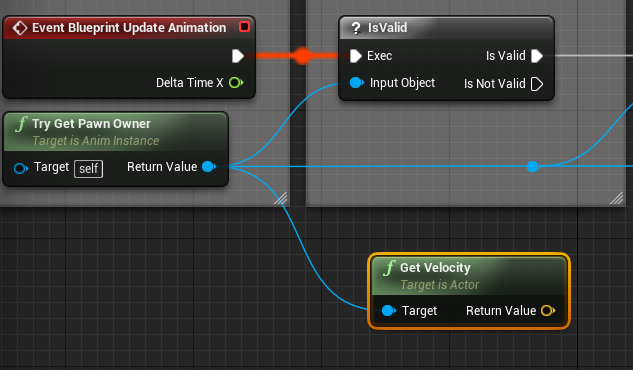 sharp spire
Oh wait so instead of the custom variable, you’d just send the velocity length straight to the server?
That doesn’t update my animation though
hidden thorn
That is inside the Animation Blueprint
sharp spire
Not locally anyway
I can’t remember if it’s locally or networked that the character would stutter in idle
floral ingot
So I have a function in my player controller that is updating a simple health indicator (5/100) etc for the local player, but its being called through the players controlled pawn. But, when they take damage/heal and I'm calling the function in the player controller, its only updating on the server.
Eg its updating only the servers hud with the damage/healing. Instead of each clients own. Any suggestions?
hidden thorn
@sharp spire https://i.imgur.com/U8ibmMR.png
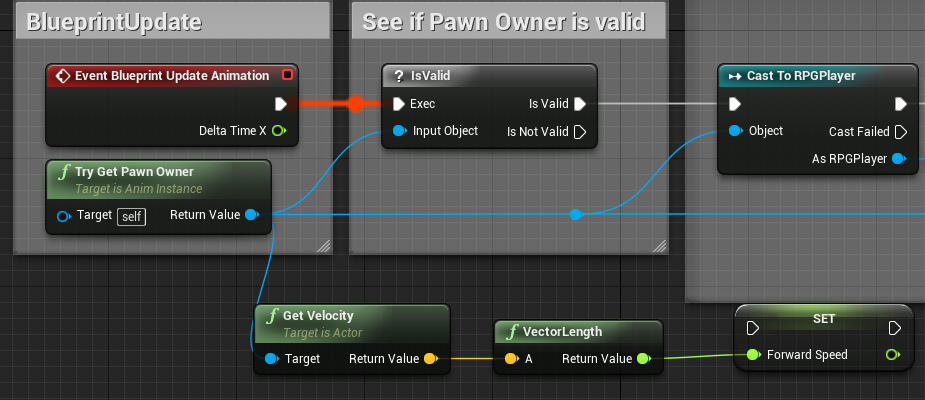


connect IsValid with ForwardSpeed
@floral ingot Is health marked as Replicated?
floral ingot
nah
and using getcontroller instead of playercontroller at index 0 wont let me cast to my playercontroller bp
thin stratus
Velocity and all of that has nothing to do with Multiplayer. Your Character walks based on MaxWalkSpeed.
So its speed is between 0 and MaxWalkSpeed.
You can grab that speed through the Velocity Length.
You don't need to replicate anything in that regard.
The only thing you need to replicate is if you change the MaxWalkSpeed variable.
@floral ingot Damage event in Character is hopefully on the Server
So "GetController->CastToCustomPlayerController->ClientRPC->UpdateUI"
sharp spire
@thin stratus my only issue is my blendspace in my animation is stuttering in idle instead of walking
Is it being overridden somewhere?
thin stratus
Not that I know
If you use Velocity
and it's stuttering
then it might be your blendspace setup
floral ingot
it seems it might be because the player controller is being accessed through the players pawn and creating the in-game ui that its only doing it for the server. getting an access none when trying to update on the client, because they havent set it up right
sharp spire
What should I use to drive a locomotion animation’s variable? I’m using try get pawn owners’ velocity length and setting the animation blueprints’ variable which sets the blend space axis
 solar halo
How much different is listen to dedicated? Like in terms of the code?
fleet sluice
@solar halo 99% the same. Why?
 flat bison
So question, is using "Move Component To" for dodging a good method, cause my replication for it is worked but drags the pawn back to the previous actor location after dodge
 modern dome
I am in PlayerState.Tick.
I want to track the Players Location (Distance Travelled). How do I get the Local Player Pawn here?
Remote doesn't fire, only Authority
thin stratus
Also Tick Event should fire for the Clients o.o
 heady scroll
So uh