#multiplayer
1 messages · Page 380 of 1
 graceful cave
 sly basin
Spent an hour last night working out elaborate logic to make a shuffled array cooperate. Turns out I was using the wrong one in my loop.... Knew it was time for bed when I saw it.
 inland pond
Does anyone know how to get access to the inactive state from the playercontroller? The event BeginInactiveState() is not exposed in Blueprints :S
graceful cave
@inland pond do you have a visual studio .sln file for your project or is it blueprint only?
inland pond
Currently its blueprint only I dont want to mix them yet ... Is it the only way of accessing the inactive state?
sly basin
If it's not exposed to blueprints in the code then you'd have to change it yourself
graceful cave
if the event is only available in c++ then i think so, but exposing the event to blueprint isnt hard
some guys here helped me expose the PostSeamlessTravel event from c++ to blueprint which is also in the playercontroller
so id imagine if you copied the code and replaced my event with yours it would work
inland pond
Exposing just means wrapping a blueprint callable delagate around the existing c++ event?
graceful cave
it will show up in the overrides list next to functions
inland pond
Okay ill try it my self and see if I success 😉 Thanks
graceful cave
sly basin
One you wrap your head around it it's worth it. (c++ nub myself)
graceful cave
thats all the code required, just create a playercontroller c++ class from your content browser and replace PostSeamlessTravel with the even you want, then reparent your player controller blueprint to the c++ class
inland pond
Yeah if you get the api its pretty straight forward. -; Thanks for the snippet I will do this after eating ;P
 hollow pulsar
Anyone in here know how to use the voice chat blueprints in advanced sessions?
or anything on voice chat in unreal?
 west rapids
Can anyone give me an example of an UNOWNED object?
 brittle sinew
...I mean, any object on which you don't set an owner (or it isn't set by the engine)?
Actors don't inherently have owners, even replicated ones.
brittle sinew
Not quite, no
The server has authority over it, but ownership isn't exactly the same thing.
west rapids
ye server has always authority, but im trying to figure out when he owns something
west rapids
there are server owned actors
brittle sinew
Well, I guess it does depend on what you mean by "server". This gets a tad bit semantic-y for me, but I'll explain
west rapids
dedi server
brittle sinew
Let me explain :p
west rapids
k
brittle sinew
When you're talking about ownership, "server-owned" and "client-owned" refer to the PlayerControllers of the server and client, respectively.
When you're talking about authority, "server" refers to the instance of the engine itself.
west rapids
aye, what im asking is if a server spawns something, does it "posess" it like a playercontroller posessing a pawn, or does it stay UNOWNED.
Or if you place an basic box in the level, is it unowned or owned.
brittle sinew
Like I said above, actors don't inherently have an owner. If you spawn any normal actor, it's unowned.
west rapids
i see
brittle sinew
That said, the server still does have authority over it.
west rapids
ok so if a playercontroller posesses a pawn, and then requests the server to do something to that pawn, and then on the server that something is done on a run-on-owning-client event, it should only update for the client that made the request, not all clients that poses an instance of the pawn
right?
like the server doesnt have ownership of his copy of the playerpawn right?
brittle sinew
Correct—it would go to the client whose PlayerController owns the objct.
Keep in mind, once again, the server still has authority over that pawn.
It's what would be referred to as "client-owned", however.
west rapids
aye aye master/slave, just ownership is unclear sometimes
since theres no way to check if something is unowned
brittle sinew
Yeah, the relationship between ownership and authority can be a tad confusing, especially with the term "server-owned"
Well, you can check if its owner is null, no?
brittle sinew
Now that I think about it, it's actually probably not a great idea
west rapids
for testing its fine
brittle sinew
That would work on the server, but if you were on client A and client B owns the actor, it would seem the owner is null, since client B's PlayerController doesn't exist on client A
west rapids
yeah but since i wanna know ownership state with respect to teh server, its all good.
main reason i was asking is cuz of this:

and from what you said, it seems Server only owns things that are AIcontrolled, generally.
so i can treat everything else like unowned
brittle sinew
Well, not necessarily. The server owns its own pawn.
It can own anything, to be honest. It's just that actors don't have owners by default.
west rapids
Ok so does server get ownership parallel to clients, and everything else is unowned?
brittle sinew
It's not that the server and clients 'get' ownership per se, ownership must be assigned. It's just that engine code assigns an owner for a pawn when possessing it.
There's nothing magical about how that's done; it's just what the engine does. You can do that with any actor you'd like.
But yes, any actor spawned doesn't inherently have an owner—it's unowned.
west rapids
Great. That means with the exception of GM and AIC, server owns same things as a client. All i needed to know
brittle sinew
(and believe me, I know I'm getting a bit nit-picky, rofl)
brittle sinew
I don't believe the server owns the GameMode, but I could be wrong.
The GameMode spawns controllers, so I don't really see how it could be owned by a controller
west rapids
it doesnt have to own them, they only exist there
brittle sinew
Yeah, sure. I just thought you might have been implying that those are server-owned
If you weren't, my bad
west rapids
what i meant was that clients cant have access to it
actually i did word it wrong, sorry 😛
brittle sinew
Yeah, that's true. That is a distinct concept from ownership, however.
This is pretty technical terminology, but it kind of has to be =x
west rapids
i disagree
all Epic had to do, is call it Pwnership
Pwnership = technical, Ownership = Where things live 😄
then again I guess pwnd is an old saying
inland pond
@graceful cave Thanks worked flawless!
 grand kestrel
Trying to build prediction for an actor that gets pushed around, but as it has no owner I can't send an RPC to set the timestamp, Is there a nicer way to do it? (Setting the client/server timestamps on the server)
 meager spade
I need a bit of insight/advice, when a player enters a new area, i wan't to activate spawners in that area, where would be the most logical way to handle this?
The GameMode handles the spawning of bot's, but i can't send to the GameMode from the client unless im confused af.
 wary willow
@meager spade Just create a spawner manager and have it in the world
get the players locations at a set time
spawn npcs around those closest
 vital steeple
@thin stratus thanks for the clarification, i feel like that should be stickied 😄
 winter plover
So I'm trying to reduce perceived lag with my prop interaction system, and in the pursuit of that I sometimes disable movement replication, so that physics manipulation is fully in control of the client until he lets go of whatever he's holding
However so far I have only been able to disable replication serverside
is there a way to basically tell the client to "ignore" incoming replication updates?
based on a condition?
 slim holly
I'm gonna go with no. Base idea is to not let client have control over movement correction
you need to make your own character movement system that can ignore server, but be aware it opens a whole can of worms for multiplayer game explotation
winter plover
its not a character movement thing
it's essentially carrying phys props not unlike the way you do it in halflife 2
via physicshandles
slim holly
oh I see
winter plover
while a prop is being carried I want to ignore the server's positioning, because it just makes the clients perception jitter
I dont worry much about authority
because as soon as the client lets go it snaps back to the server's version
slim holly
depending on the interaction level, you could spawn a local copy and make the replicated one invisible
until interaction stops
I'm sure there are better ways to do it, but it's too early to remember
winter plover
the way I do it now is essentially "freezing" the prop in place until replication kicks in serverside again
but it'd be better if I could just instantly apply replication again
which needs me to control it clientside tho
actually
I think I might still have the same freeze then tho
because the server would have to drop the object too
oh well nvm I might have just answered my own questions
slim holly
actually
right, so example: SetActorLocation running in both ends, and the target location is replicated, you should receive jitter-free movement because target location is synced with server w/ latency
client can set actor locations, but replication will fix the location if it strays too far
but if target location is nearly same in both ends, the jitter won't occur
or, can occur during packet loss
but there's nothing you can do with that
winter plover
so I basically do a server RPC in every tick of the held prop?
to update my location?
slim holly
no no, you are already replicating your character that holds the prop
so you can get the prop target location that way
winter plover
oh thats what I already sorta do
my PropHoldingLocation() is dependent on the player camera
slim holly
well, you gotta replicate that somehow
slim holly
but what I mean, you can use existing logic to extrapolate information without doing extra replication
winter plover
im not quite following
slim holly
me neither, trying to follow class here
winter plover
oh okay dw then, we can talk about this later
grand kestrel
@winter plover I found replicate movement doesn't work with physics in any real world scenario. A miniscule and expected difference causes an entirely different outcome; there is no prediction and there is no interpolation
Becomes nothing more than a jittering teleporting mess with any latency
winter plover
yea I kinda have that in mind
altho curious to see how far I can push it
in my small testing area it's been working fairly reliably
there's only a handul of things that I still gotta find workarounds for
grand kestrel
Are you simulating latency
winter plover
yea
its not exactly a "real scenario" yet
its just a small map with a handful of things
so I imagine as things move along, it will get trickier
grand kestrel
Ah
slim holly
The issue mostly is, physics engine does a lot of small errors constantly, which all contribute to larger error as time passes on
which makes replication difficult
say, at 3ms substep you'd be doing up to 33 error moves @ 100ms lag
which results teleporting/corrections/jittering
but something like carrying a prop, you could do manual math simulation of spring, then use rounded integer values to shave off errors, making replication more reliable
 winter quail
Hey guys, does anyone know if you can change whether or not the client or the server is shown in the world outliner?
When I start a game with Play and number of players on 2, it shows the server in the world outliner. But when I eject to move around in the world and check some stuff, it ejects me into the client. But the world outliner is still showing all the server actors.
Can I change that?
A maybe important detail. I do not work on a multiplayer game at the moment. I just have 2 instances of my app that communicate over a UDP connection, but run a total different level and gamemode and playercontroller. And to test both instances if they work together correctly I use the number of players option to test it.
It is not the normal multiplayer setup as you might expect so maybe that also creates an unexpected result with this. Just FYI.
winter quail
Oh cool thanks @thin stratus !
And also thanks for your Network Compendium, read it last week for a personal project I want to start in my spare time 😄 It was really helpful to understand better how Multiplayer is setup in UE4 😄 @thin stratus
 thin stratus
(: Glad it helps
 oblique mountain
I have a little multiplayer problem. I have a linetrace and if there is a collision with the linetract the colliding component will be set to invisible. But this function is relplicated with the player replication. So when player A hit a cube with the linetrace the cube will be invisible for player A and player B
The variables that stores the information about the invisible components is not set to replication
 winged badger
you're doing linetrace from which class?
if you can get a PlayerPawn from the class you're doing linetrace in, and you're doing it on Tick
put a Branch IsLocallyControlled
and if it is just set the Hidden for the cube locally, no replication required
oblique mountain
The Linetrace is from my Character an the Character need to be replicated
winged badger
point is
each client can determine its visibility locally
no need to replicate what's hit and what's hidden
oblique mountain
ok, good to know but the character need to be replicated so what can I do?
 native moth
Quick question, does lan sessions in UE4 work cross platforms? I'm thinking about making a virtual camera type app on an iOS device, using ARKIT, that feeds it camera position, rotation etc. back to my server on a Windows PC. Is this possible using sessions or would I need to go into something else?
winged badger
@Lennard#4742 not sending RPCs for vision trace does not mean character can't be replicated
2 completely separate issues
 sudden frost
hey i have question
it's better to make multiplayer mobile game in unreal or unity? XD
unreal multiplayer can be created for free? 20 free ccu or something like that?
brittle sinew
What?
There's no inherent cost for Unreal other than the 5% of sales.
You need to provide matchmaking and hosting (if not using listen servers) yourself; Unreal doesn't provide anything like that for you.
I have no idea what you mean by "20 free ccu" :p
Concurrent users?
If so, like I said there isn't any cost for anything like that—there isn't a "free" and "pro" version like Unity
sudden frost
ccu=current connected users
max online xd
so if i want to make a game i have to buy host for server?
hmm?
wary willow
This isn't Unity

Unity
Unity is the ultimate game development platform. Use Unity to build high-quality 3D and 2D games, deploy them across mobile, desktop, VR/AR, consoles or the Web, and connect with loyal and enthusiastic players and customers.
That's what he was talking about @brittle sinew
TBH, if Epic did come out with something similar (hint @sweet sphinx ) I think it would be a grand moneymaker
But also, make it much easier on most folks.
sudden frost
but i ask
this cost anything?
in unreal
to create multiplayer
[hosting? server? or they host it for free]
brittle sinew
No, Epic does not provide any first-party hosting.
You either need to use listen servers (one player hosts the game while playing it) or set up dedicated servers.
brittle sinew
Yes.
sudden frost
where can i buy it?
brittle sinew
Pretty much any server host will work.
A few examples are DigitalOcean, Linode, OVH, Vultr, etc.
You can also host your own servers if you'd like, but be aware server host companies are paid, in a large part, for reliability.
You can't guarantee reliability running a computer in your closet :p
(not saying that you are...just as an example)
sudden frost
i have vps on ovh
brittle sinew
Okay, sure. As long as the VPS has the resources to run a server, that should work out fine
sudden frost
ok so this is possible to run server on vps? i have debian 7/8 probably
brittle sinew
Yes, it's possible, you would just need to package for the architecture/OS
 twin juniper
I really am a fan of DigitalOcean.
Though, their server locations in Asia is very limited, the best location is Singapore which is still very far from the main gamers (Korea, China, Japan).
Google Cloud, and Amazon AWS are also both good, but more money. OVH is mostly Europe I believe.
I have a friend who uses Vultr. He has a server in Australia.
You should also think of location if that's important to you.
I believe AWS has THE most server locations.
twin juniper
xd
sudden frost
so there is no free way to create multiplayer? 😄
brittle sinew
Like I said above, listen servers are an option.
Not the best option, but on a strict indie budget, they can be a valid choice.
If you plan on releasing on Android, you might be able to make use of Google Play Games Services, which provides matchmaking.
twin juniper
If you don't have at least a job, I don't think you should be trying to do game dev
Lol
brittle sinew
No, it's provided alongside a published Google Play application.
There is a one-time $25 fee in order to publish on Google Play, however.
wary willow
@twin juniper hmmm, that's not true, there are plenty of devs that come from being students
there are a lot of free assets in place to use
Look at that kid who made Unturned
actually think he's even coming over to UE4 or already has
sudden frost
i mean that programing is my hobby :# i am making websites [design, backend (in nodejs too)],c++,c#,js for $ so yea i have a "job" XD
twin juniper
@wary willow If you are trying to do multiplayer. I just don't think it's very cost effective though lol
sudden frost
does Google Play Services offer real time service or what?
brittle sinew
They offer matchmaking.
They don't offer hosting.
That's where listen servers come in.

Google Developers
 rough aspen
Can someone help with projectile replication in multiplayer? (UE 4.18.3)
I have a simple setup, but for some reason when shooting happens, client spawns two projectiles for once.
I really don't know what to do here.
Here is the setup:
https://i.gyazo.com/d1faafbddec6ec22399296dda8857663.png
https://i.gyazo.com/00633ace3e7e694ff355051f3a1d08f6.png
https://i.gyazo.com/be92f0e04c944843fa4eae7fe944d4d5.png
And here is video of shooting, you can see info print in top left corner:
https://gyazo.com/88e50585ab9ace113838ff639fc9849a


 brittle sinew
What I would do in this situation is find the earliest point in the flow where something happens twice.
Does the input event fire twice? Does the server RPC fire twice? Does the multicast RPC fire twice? Etc.
Once you can figure out where that duplication occurs, finding the root of the issue will be much easier
rough aspen
but I don't understand what can be fired twice, it's like just one event lmb
brittle sinew
In situations like this, don't try to understand. Try to debug. :p
rough aspen
yeah that's what I'm doing last two hours 😄
brittle sinew
Once you find out exactly what is happening, finding out the why is next.
Print strings are your friend (breakpoints aren't really feasible in MP)
rough aspen
okay then
all events is firing once
but for some reason, there is two projectiles
so it's like, I don't know, fire event is fired only once, but I have print string in event begin play in my projectile and it's fired two times. It's like something wrong with SpawnActor node
inland pond
Mostly BeginPlay called twice because once on server and one time on client if its for instance a PlayerCharacter
rough aspen
okay but in my case it's called like this:
Client 0: call
Client 0: call
Server 0: call
and begin play is not the real issue i can see two projectiles spawned on both client and server
begin play is just being used to debug the issue
inland pond
Ohh okay ... Thats indeed a strange behavior ô.ó
inland pond
Btw why you are calling Server + Multicast?
rough aspen
Really - I don't know but it works this way, I'm new to multiplayer features, but if I use only multicast, it's not working, if only on server well then it's not working on clients
brittle sinew
It's definitely not an engine bug. 😛
Multicasts happen on all clients, including the server.
You're spawning one on the server, and one on every client.
That's why the server only sees one, but clients see two.
If you don't want the server's version to show up on clients, don't replicate it.
rough aspen
I'm feeling kind of stupid, okay so you mean like I need to check switch on authority maybe before firing events?
brittle sinew
Either spawn one on the server and replicate it or spawn a non-replicated version on all clients.
Don't spawn a replicated version on all clients.
rough aspen
okay now I'm feeling like I need to hit my head with my hand I forgot that projectile can be replicated with a settings inside of it. Disabling the setting helped, thanks!
inland pond
Does anyone knows how I can execute a function on the server from the ThirdPersonChracter? I mean only from the clients player controller. If I use the SwitchHasAuthority node it will work but the server does not execute the function for him self 😲
inland pond
I did this already and the function which was marked as run on owning client also fired 2 times 😮
graceful cave
use switch has authority
basically just change the exec from authority to the event you have now
and set it to run on owning client
winged badger
i don't get what you're trying to do there
its a character, it can just do GetController on the server side
its aware of how to fetch its own controller
and why that code is even in the character, and not controller itself is also... strange
inland pond
@graceful cave kk Ill try that. Basically I just want to spawn the equipment on the server for each Chracter on event begin play
winged badger
because there you could just do if(Authority) SpawnEquipment
without any of the Getters or RPCs
inland pond
I thought that if every character spawns his own equipment by notifying the server would be a good idea 😮 @winged badger Okay Ill try that too
winged badger
look, your character and your controller exist on client and server both
and they both execute BeginPlay and Tick
so your client version of character doesn't need to notify server its time to BeingPlay
because server already knows that and calls BeginPlay on all actors that exist on server at roughly the same time
so you just need to filter it out so that SpawnEquipment executes on server only, which is what the Authority switch is for
nothing else needs to be done
infact its the server that notified your client its time to BeginPlay
inland pond
Ohh gosh ... the last part definitly cleared it up. The first part I was already aware of but couldnt interprete it like you said here >.<
One last thing I always questioned my self. When do I have to use events? Currently I always use events if some classes are talking to each other (PlayerController - GameMode) and I only use functions for internal use within the same class. Is that correct?
Or do I get only trouble when I try to return something from a function?
winged badger
lets say you character has some enumeration for a state
say, Walking, Running, Jumping... doesn't matter
and your say, PlayerController needs to react when that state changes
(and im talking events as EventDispatchers in BP now)
you could put a check in PC on Tick to see what state the character is in
or you could call an event dispatcher in the Character whenever you Set the value of the enumeration
and have PC bind its own function/event to it
so it doesn't have to keep checking constantly, but instead gets Notified when the state changes
basically EventDispatcher is a multicast delegate that has an invocation list you can bind functions to, as long as the signatures match
and when its called/broadcast it executes all the functions on its invocation list
inland pond
That makes totally sense! If I create a custom event within the blueprints well it isnt bind to any dispatcher (or is it) is it then just treated like a normal function ?
winged badger
it is
inland pond
Okay nice thanks for all the great information!
graceful cave
what are some things that might go wrong if the max packet size is set too high?
ive been having weird issues that sometimes print history overflow in the server logs, but ive been able to prevent that for all actors that caused it except for the character, who only updates 30 times per second
the most common symptom of the issue is the PostSeamlessTravel event not getting called
and sometimes players dont fully possess their character when joining and have to reconnect
its a new issue but i cant pin it down the logs dont reveal much
 gloomy tiger
Hey guys! Question -- I do have a Multicast event that receives an argument from the server. The client prints false whilst the server prints true.
brittle sinew
It's a replicated variable. Variable replication has no guarantee of order, especially in relation to RPCs.
If you need that value to be consistent in the function, pass it as a parameter directly.
gloomy tiger
🤔
winged badger
is it a replicated variable?
gloomy tiger
Skill State is a stateful component.
winged badger
because the screen doesn't show it either way
brittle sinew
I'm referring to "Is Upgraded?" specifically
gloomy tiger
So, Skill State is a stateful component. When the user clicks on a button, I change one variable from its state through:
winged badger
ok, and how does the server know that?
gloomy tiger
This is what I was doing:
This is what's going on under the hood:
Please, don't mind most of the logic in the BP--not useful for our case.
As you can see, it actually reaches the Prepare Skill (Multicast) event.
To the server, Chosen Skill has Is Upgraded? as true.
I'm trying to pass this same variable to the client and it refuses to consider it true (lol)
winged badger
its generally better to set relevant variables on the server and let it replicate them to clients
the flow is more clear, and its more maintainable
gloomy tiger
Not sure where I'm NOT doing this. 🤔
winged badger
you are separately setting IsUpgraded? on client and server
gloomy tiger
Nope.
gloomy tiger
Oh, sorry, I haven't made myself clear.
Look.
I'm binding the Upgrade event to respond to my button's click.,
Afterward, I'm getting the player controller and calling Request Upgrade Skill
which runs on the server
graceful cave
the server doesnt know the widget exists, call a non replicated event in the player controller which then calls the replicated one
brittle sinew
Like I was saying above, it's most likely the case that the variable simply hasn't propagated to clients by the time the RPC reaches them.
If you need the bool inside the function, pass it directly as a parameter, as primitives like that don't need to be replicated—they're just passed as data.
When you pass the reference to the component, it's just a pointer—it's not a copy of what the server sees...it only refers to the client's version of that component.
gloomy tiger
The problem, @brittle sinew, is that I need the whole object because it contains required information.
winged badger
the ResolveSkillCasting is a user triggered event? as in user activates a skill and then it executes, right?
brittle sinew
If the bool hasn't been replicated down to the client yet, it would see it as false.
gloomy tiger
But it makes complete sense.
winged badger
which doesn't happen at the same time user clicks a different button to upgrade a skill
brittle sinew
In that case, you might want to look into using a RepNotify, depending on if it works for your use case.
winged badger
so its not the speed of propagation thing
because replication is always faster then you clicking 2 different buttons
gloomy tiger
@winged badger Not actually. The user presses a key and calls a server event called Resolve Skill Casting (On Server) and this event calls the function Resolve Skill Casting.
winged badger
but it can't happen at exactly the same time as user clicking a SkillUpgrade button
every time
my point being the setting of IsUpgraded? and the part where its not working are quite some time apart
brittle sinew
I would disagree with blanketing the statement of "because replication is always faster then you clicking 2 different buttons" onto everything
It depends on a lot of factors, including net priority and current network situation
gloomy tiger
🤔
brittle sinew
Variable replication is generally slower than RPCs
winged badger
even if NetPriority is low and the network is clogged it would still work most of the time
gloomy tiger
Well, but I think my problem is specifically on what @brittle sinew mentioned--replicating an object.
winged badger
so, which has the correct state of IsUpgraded? server or client?
winged badger
and is the variable itself replicated?
winged badger
and the SkillState is an ActorComponent, also replicated?
gloomy tiger
Mhm. That's a good question. This ActorComponent is created and attached on-the-fly. I don't have an option like Component Replicates?.
winged badger
SetReplicates
gloomy tiger
Ok, so, observe the image above.
winged badger
from where you're creating it
gloomy tiger
If I run Upgrade (Server) on all (as Multicast), it works.
GEEZ
That also worked @winged badger
And I think is WAY MORE convenient than setting IsUpgraded? through a Multicast event.
winged badger
your ChosenSkill variable was replicated
gloomy tiger
It was not. Until now.
winged badger
so the owner object of that variable (also replicated) could access it and set a variable inside ChosenSkill
ah, okay
wary willow
I am actually a bit confused by the logic though. Why does anyone but Server need to know if a player upgraded?
Is this information presented to other clients?
winged badger
so it was not the same ChosenSkill on both client and server
gloomy tiger
Not to other clients, just the owner @wary willow
@winged badger seems it was not. :/ You solved the mystery!
wary willow
So you have been going about this the wrong way
winged badger
and as long as class/instance of which the variable is a member doesn't replicate, setting the variable to replicate does nothing
gloomy tiger
@winged badger gonna save this on my Google Keep, lol
Thank you so much!
Also, thank you everyone else that helped me. 👍
winged badger
btw, you do not need a ServerRPC after that Authority switch
you already guaranteed you're on server execution at that point
gloomy tiger
Where exactly?
winged badger
CastSkill (Server)
gloomy tiger
🤔
Oh, gotcha.
That's only an habit I have to make clear to myself that I am working on a ServerRPC.
winged badger
commenting a node also works 😃
gloomy tiger
Yeah, you're right.
 heavy marlin
wait a minute who says replication is generally slower than RPC's?
just because of the delta checking or what?
grand kestrel
RPCs are sent when you call them, at least with UDP, TCP waits for a sufficient buffer, replication waits until the next replication tick 🤷 That's my understanding
 zinc crater
Hello everyone!
Did somebody solved the problems into Aim Offset replication for ThirdPerson? We're having a hard time. We have seen every single video, and documentation about it. Somebody got it working correctly in their projects ?
grand kestrel
It's already replicated out of the box, use GetBaseAimRotation node
zinc crater
server to clients works for us, clients don't replicate.
😦
we will have a check again tho, thanks 😃
grand kestrel
I can guarantee you it is because someone once got into a massive argument with me and eventually found out it was 😛
zinc crater
hahahahaha
I believe you Vaei
Thanks man. I apreciate it.
Anyway, I may get back to you if we fuck up.
thin stratus
Anyone up with a bit of knowledge about UE4's way of client prediction?
What exactly are they doing/using?
grand kestrel
@thin stratus It's enormous, what are you trying to achieve? Are you making your own version?
thin stratus
Depends. I have a Pawn driven by Physics and a Ball Actor driven by Physics
And I want to see, what Epic does for these to predict location etc.
And what I could add to make it totally smooth
grand kestrel
In that case, it'd be best to just walk through CMC and see how it handles it's prediction, but it takes a lot of time, you can find some more minimal examples if you Google around for building prediction with physx
There's a github here, though I wasn't too fond of some of his concepts @drowsy notch think this is yours? https://github.com/Acren/ue4-client-prediction

I remember seeing a good explanation too, if I can find it
I know TheJamsh has a git too where he's recreated CMC prediction
Which would be a lot less convoluted to look at
If you scroll down a few posts here MykonCodes explains how he handled it
https://forums.unrealengine.com/development-discussion/c-gameplay-programming/81522-physics-bullet-client-side-prediction/page4
For gameplay programmers writing C++ code.
That ball will not work based on how CMC does it unless it has an owner, because it sends timestamps back and forth
via RPC
Sorry @thin stratus I know it's not exactly what you were looking for but hopefully it'll get you started, maybe someone can answer your question a little more eloquently
heavy marlin
nice links thanks
heavy marlin
does anyone think RPC validate methods are horrible?
i mean if you return false the client gets booted
its not a soft validation to see if you can perform the rpc or not
grand kestrel
I've wondered, just don't really consider myself knowledgeable enough to say that
heavy marlin
hmm
if i spawn an actor in a server RPC and immediately call a client RPC with that actor as a parameter, its not going to work is it
it doesnt give it time for the client to spawn it
grand kestrel
Probably not, the replication wont have had time to spawn it
Why not put it in begin play with a !HasAuthority()
thin stratus
Thanks for the links! Was in a client call so couldn't answer
James told me, that basic RepMovement doesn't do much other than hardsetting the location
I wonder if that comes with a timestamp already
Will look into the CMC then I guess :x
thin stratus
I'll look into it in the weekend
Maybe I can figure out a basic custom MC that gives the prediction like I want it
grand kestrel
Yeah, replicate movement is largely useless
Because the server will replicate the position at a time in the past (due to latency)
Kinda surprised they don't have some basic prediction and smoothing built into AActor and for physics tbh
thin stratus
Well it's also that they don't seem to have any Entity Interpolation
Unreal Tournament might have that though
Cause in a fast game you can't really predict where a player goes between two updates
So you'd need to show the known info, which places the enemy you see back in time (at least on your end)
And if you then shoot at him, the server needs to recreate the state, otherwise you always miss
Cause in the actual state, he's already on server update further (or even more, with few ms of ping)
 full bane
Does anyone have experience with the replay system?
 gusty raptor
Hi, guys.. good afternoon
im looking for a way to replicate attach and deatach in c++ .. Anyone knows something about it...?
heavy marlin
i think you can only do it via RPC
gusty raptor
@heavy marlin RPC ? im not sure about what to do
oblique mountain
@winged badger "@oblique mountain not sending RPCs for vision trace does not mean character can't be replicated
2 completely separate issues" but how can I stop sending RPC's for vision trace?
 magic helm
Try running it only on the server and set a Boolean that has RepNotify(which can affect non server versions)
oblique mountain
"I have a little multiplayer problem. I have a linetrace and if there is a collision with the linetract the colliding component will be set to invisible. But this function is relplicated with the player replication. So when player A hit a cube with the linetrace the cube will be invisible for player A and player B
The variables that stores the information about the invisible components is not set to replication"
this was my problem and its not a problem with a variable
sudden frost
can u recommend any tutorials for creating multiplayer mobile game? i cant find a good one :# xd
hollow pulsar
This script only destroys player 1 not the colliding player any solutions?
brittle sinew
...maybe plug the "other actor" pin into Destroy Actor?
I mean, everything you need is right there in the screenshot :p
Keep in mind that that would destroy any overlapping actor, so if you want to only destroy players, you can try casting it to pawn/your character type, and if it succeeds, do the destroying
grand kestrel
@thin stratus UT stores player positions for x amount of time and rebuilds the game world so it can tell where you were when you shot and where the other players were, same as source engine
 high heart
Does using a bool in an RPC really use 32 bits? just read that here: https://answers.unrealengine.com/questions/711689/why-does-serializing-a-bool-use-4-bytes.html
Seems totally insane. Thinking I would be better off just using an enum instead of 2 bools as it'd use 8 bits as opposed to 64
(@here, also let me know if this sort of tagging is inappropriate)
 fossil spoke
You cant use @here you dont have the rights.
high heart
fair enough
fossil spoke
@everyone will also not work for obvious reasons
high heart
wait, are you saying it literally does nothing when i use it?
fossil spoke
Yes
high heart
oh, good to know. Anyways, what's up with networked bools? would I be better off just using a crazy enum to represent whatever states I need?
Additionally, what is the most efficient method of transferring data like this?
fossil spoke
Test it out and see
Do some research
You already know what you want to test, so just do it 😃
high heart
I am doing it. just trying to get some input so I don't waste time doing something dumb
😛
fossil spoke
Arriving at an conclusion where you learn something is never wasted time.
high heart
truth
grand kestrel
@high heart Can probably use uint8
uint8 bMyCondition:1
And you can assign them just the same as a bool, bMyCondition = false
high heart
right on. That'd be about the same as an enum though... so in that case I guess it'd be best to use an enum to represent more than one bool
grand kestrel
As most enums inherit from uint8 -- yep
You can also pack a lot into a single uint8
high heart
yeah i was thinking a bitmask might be appropriate. idk if it's really necessary though unless i had a ton of data. enums are pretty
grand kestrel
Yeah you only use a bitmask when you need a bitmask
wary willow
Hm, anyone notice any bugs relating to SpawnActor and setting the owner there via Self?
 obsidian epoch
How complex of a task would making a LAN multilayer game into one that can be hosted on a server on AWS or somewhere be?
hollow pulsar
Can anyone point me towards a simple damage system for a multiplayer fps?
Any help would be greatful 😄
 pallid mesa
Make a health component
 burnt meteor
what is the target file instructions for ue4.19?
 kind bay
Hey Hive Mind! Quick question! When replicating a variable on a pawn, is player controller that is possessing the pawn considered the owner for the replicated condition?
fossil spoke
@kind bay The Owner for the case of Replication Condition is quite literally the Actor that owns that variable.
So an variable on your Pawn that has Skip Owner as an RepCond would mean that it wont be replicated to the Players version of the Pawn but clients who are simulating that Pawn will get it.
kind bay
Hrmm okay, I think I understand that. I am currently using Rep Notify to update variables which for the client end only effect the HUD, the data is only relevant for the client that is possessing the character. I just want to make sure that I am not updating the variable on all clients as that would waste bandwidth. What do I need to do to make sure that this is the case? (bare with me I am fairly new to game dev)
fossil spoke
OwnerOnly would be what you want.
kind bay
Thanks!
thin stratus
@grand kestrel Yeah so enetity interpolation and lag compensation
Will do some Research today
And test a bit
thin stratus
Yeah read the gambetta one yesterday
Right now the concept is the smaller problem
Cmc is the bigger one hehe
grand kestrel
Indeed
Cmc gets a lot of flak, and for good reason, but it's a treasure trove of knowledge for networking and character movement in general
Just..not easy to read
thin stratus
Have you ever read the shootergame code
Like trying to understand what they do where and when (without knowing it upfront)?
Kinda hope it's not less easy to read than sg
grand kestrel
Haven't read it
fossil spoke
CMC is pretty bad IMO lol, once you get the broad strokes though it starts to make sense.
thin stratus
Welp, first the test project, then the code stuff.
Or rather, first a coffee.
slim holly
every great deed starts with coffee
grand kestrel
I'm about to start on something ludicrous too
thin stratus
Oh?
grand kestrel
We want to run multiple servers that share info (in real time) to lift the player limit that results from the limitation of processing power on one thread
thin stratus
Ah right, so you need to have the data outside the servers
Well that sounds interesting too. If only I had more time on my hands :D
On another note, how can you align the Editor Windows again when playing with like 3 players?
grand kestrel
Is there a shortcut or something that aligns them? I'm not sure
Mine tend to stay where I put them
thin stratus
I saw people having them auto size and auto align
I mean if they stay it's also fine
@nocturne token I remember you having something to properly align and size new editor windows when testing multiplayer. Was that something handcrafted or in editor?
inland pond
Could someone explain to me why those 2 approaches are working within 2 instances of PIE but not in the standalone? Isnt the server also the owning client of his own PlayerController? Edit: Solved it
 night jay
Guys question, do widgets spawn on dedicated servers?
Or more importantly, does the code inside the widgets execute on dedis
 vocal dagger
@night jay I would guess it's not
thin stratus
@grand kestrel Could it be, that there is no Client Smoothing in the Listen Server?
Yo @balmy gazelle , didn't you say last time ListenServers have no ClientSmoothing?
At least on the Character CMC
 balmy gazelle
Have client smooth but isn't working properly
And don't work properly only from the Listen Server view <happen with the Character Movement Component>
The clients see correctly AI driven by the server and the Listen Server
Is backlogged by Epic and no idea why don't fix it so :/
Is reported on UDN and Forums and Answehub from what I know
thin stratus
Alright
Just wanted to get that straight
Just tested to see what the CMC does and what not
gusty raptor
Hi, anyone knows how to replicate attach / detach ?
balmy gazelle
@thin stratus note is hard to see in low hz monitors, if the character don't run etc But is pretty clear with 120hz monitors and 60fps videos, probably at 60hz monitors too
And try to replicate it in local usually don't give the expected bug view. But you can easy see it in any tom looman video
thin stratus
I already reproduced it
Now checking how a non CMC actor looks when moving him
And then starting to look into the cmc
balmy gazelle
I think the report was this one by the way https://issues.unrealengine.com/issue/UE-32005
says affect 4.12.2 but affect them all atleast since 4.5 I think
If helps someone here is this aswell https://answers.unrealengine.com/questions/358869/clients-jitter-on-listen-server.html
But nothing of that worked for me back in the time
someone told me some studios edited the code but they never shared it I imagine by their NDA etc
so that is all I can help you with
thin stratus
Thanks!
night jay
Oh wow that's a pretty big issue
burnt meteor
what is the target file instructions for ue4.19?
 lament kettle
I am sending data from the Client to the server. And then the Clients (all other machines) are setting the data on the local pawn.
burnt meteor
@lament kettle yes
thin stratus
I assume it can be improved
burnt meteor
do u want to make it secure?
lament kettle
Well, yes, it probably can. But it's not bad is it eXi?
burnt meteor
hmm. its bad
thin stratus
Looking at it, yes it's bad :D
burnt meteor
😃
lament kettle
How do I improve it then?
burnt meteor
😃
thin stratus
Well, even without thinking about security, this is generally a weird flow of logic
burnt meteor
yes
thin stratus
What calls the top left event?
lament kettle
Event Tick
burnt meteor
i think u learnt this from the vid tut on youtube by epic right?
thin stratus
Limited to an instance or on everyone?
burnt meteor
Quick Question what is the target file instructions for ue4.19?
lament kettle
Uhh, every player controller has this event tick.
thin stratus
Server.Target?
burnt meteor
yes
thin stratus
Hm no idea right now, sorry
burnt meteor
hmm.
thin stratus
@lament kettle Well so you are directly calling that in Tick
That means it calls on Server and Local Client
burnt meteor
should i try 18?
thin stratus
Idk sorry
lament kettle
How do I grab the mouse position of the client, without running this on the client?
thin stratus
It's fine to call it on the Client
thin stratus
But the PlayerController doesn't exist on the other clients
burnt meteor
download this pdf by credric
lament kettle
That's fine. I wanted it to work that way.
If you are the Pawn, and you're controlling it, you do this code.
If you are the Pawn, and you're just some other guy, you do this part of the code instead.
thin stratus
Yeah okay let's say the posted code should only run on Client and Server
And never reach other clients
(cause it won't)
Then you don't have to do that weird ClientRPC -> ServerRPC
You are calling it on tick
It already calls on Server and Client
So if SWITCH HAS AUTHORITY -> REMOTE -> ServerRPC passing the Rotation
That's it
lament kettle
If i do that, it only updates for everyone else, but not me.
thin stratus
Is that a ListenServer?
lament kettle
No, dedicated server.
lament kettle
4.19
thin stratus
Well, you technically only need to do this:
meager spade
What would cause my enemy animation from not playing on a client but works on the server?
thin stratus
Set the Rotation variable to OnRep.
In the OnRep function, set the Rotation of the controlled pawn by it
On Tick, check if Authority or Remote
meager spade
its a Anim Blueprint
thin stratus
On Remote, do a ServerRPC and pass the Mouse Location.
In addition also Set the Rotation of the pawn directly
In the ServerRPC, set the Rotation variable
However I don't quite get why this is even needed tbh
This should technically be placed in the Character
So that the other players get the control rotation
Cause you are just taking a client value, replicating it and that results in teh client getting the value back that he already passed
So the only thing you could do is passing the Server the rotation and that's it
(in the playercontroller)
lament kettle
Ah, I see. Let me see if I can implement what you said.
thin stratus
Don't get me wrong, maybe I don't understand your goal
But you are working in a Class that only exists on Server and Local client.
Passing values between these two is all you can do.
You can't reach the other clients with that class alone.
lament kettle
But when I'm running on a dedicated server on a local machine, I see the other characters rotating?
thin stratus
So a Replicated Variable does only replicate to the Client who send the rotation in the first place.
So a more sensemaking thing would be just ServerRPC to the Server and he gets the Value for what ever reason

You are sending the Server the local rotation of the mouse
Which then replicates to the local person who send the rotation
Why would that need to be replicated
lament kettle
So something like this?
I tried to simulate lag, and it works good too.
The client doesn't have lag, but the networked clients are laggy.
thin stratus
On the local client (remote) you'll want to instantly call SetActorRotation on the Pawn
 rancid current
Ey guys I got an annoying issue lol, I'm grabbing a player reference from the player state and using it in game state but for some freaking reason even tho on the player state the variable works on game state its empty o.O null... why? ;-;
thin stratus
Otherwise the client has to wait on the Server updating it
Show your code @rancid current
rancid current


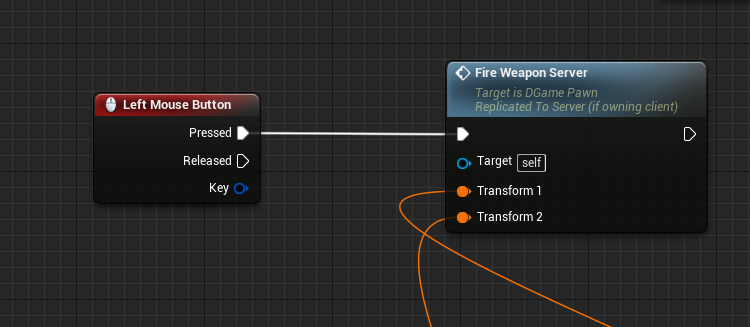
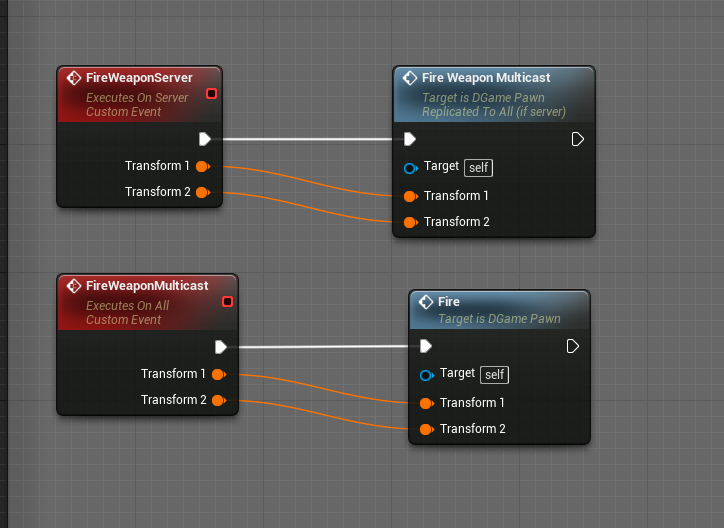
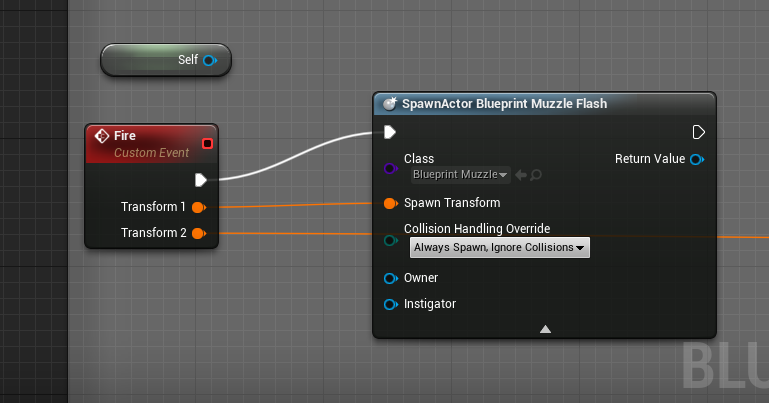

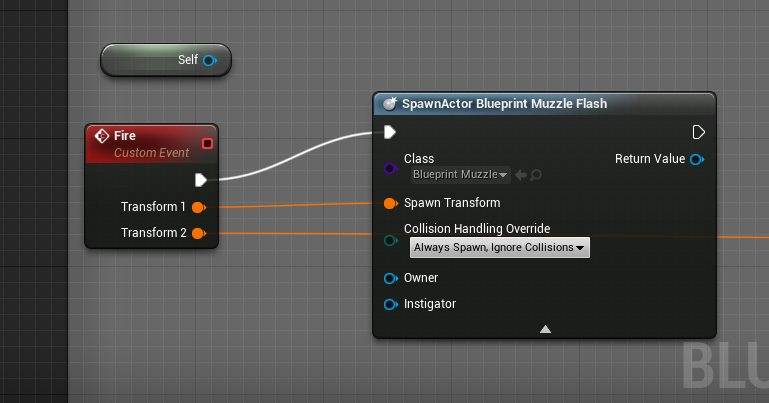
Zcharacter ref and scoreboard widget always giving null in game state but works in player state x.x
thin stratus
BeginPlay in Character is too early
BeginPlay calls before the Character is possessed
Use OnPossessed
rancid current
i've got a delay set up to make sure it has enough time
rancid current
i mean timer by function name x.x
thin stratus
Doesn't matter
Use the Event Possessed
Get the PlayerState from the passed Controller reference
And set the variable on that
rancid current
oh wait i did some sht on the controller before and i forgot to test it after last night lol gimme just a bit to try it out, i made a refernece on the player controller when the player is spawned and possesd
but okeh thanks i will try that if this doesn't work! Lots of thanks!
@thin stratus eyyy im back haha alright so what i did now the player reference works, and im trying to get a reference of one of it's widgets, but that is giving me null.. print shows only server tho and server has no access to widgets anyways right? x.x
thin stratus
You gotta make sure that, what ever you are acessing on a client, is actually available
Only because you set a Value on the Server to replicate to the client doesn't mean it's instantly available
Use RepNotify on the variable on only update your widgest then
rancid current
repnotify on the widget variable u mean? o.o
thin stratus
On the Character variable or what ever you want to access in the widget
rancid current
okeh i see!
Thanks lots! 😄
thin stratus
The CMC is in fact a minefield. It's hard to even find out where it starts
I might just leave it aside for now and just create a fresh component in which I implement my own prediction code.
Don't need the CMC for a ball or a hoverdrone anyway
lament kettle
When I run dedicated server, everything works fine.
When I run local listener, the clients can't update. Only the server can.
burnt meteor
lol
lament kettle
Do I lose performance if I do both?
thin stratus
No but it's different cases
thin stratus
Right now you are only sending the Data from the Clients
lament kettle
It doesn't matter, I'm using GameSparks + AmazonServers
burnt meteor
ok
lament kettle
GameSparks --> NodeJS server (runs dynamic servers when needed) --> Amazon Servers
thin stratus
So Amazon AWS not GameLift?
lament kettle
I'm not using gamelift because it costs more money.
thin stratus
Fair enough
I do not see why your code wouldn't work with a ListenServer
But if you do what you just said, then ListenServers aren't important anyway
burnt meteor
hm..
winged badger
the is dedicated server branch is redundant, i mean you are fetching the variable from listen server and then setting it back in itself
lament kettle
Well I'm running on a tick. Why would I want the server to run the ServerRPC?
winged badger
i mean, listen server doesn't have to do it either
 hidden mural
Hey guys - really quick C++ networking question
I have an actor (ADungeonGenerator) which generates a tile-based map on BeginPlay
Also, it has a SetTile(x, y, newTile) function, which modifies the map during play (i.e., a player carves a block out - imagine digging in minecraft)
so I want this SetTile to replicate to the Server from the Client, even though the client doesnt own the ADungeonGenerator instance
...how?
winged badger
how do you store the tiles?
hidden mural
it's a custom class, TArray2D<typename Type, int Size>
winged badger
and what engine class are they derived from?
hidden mural
the tiles themselves are just a UENUM which is like { None, Dirt, Brick }
winged badger
what you want to do is replicate the tiles themselves, not the function changing it
any client that wasn't connected when the tile was changed, or wasn't NetRelevant for any other reason wouldn't get an updated state with replicating a function approach
hidden mural
that makes sense actually
hidden mural
code 😃
winged badger
// in .h
UFUNCTION(NetMulticast, Reliable)
void SetTile(int x, int y, ETileType newTile);

// in .cpp
void YourClass::SetTile_Implementation(int x, int y, ETileType newTile)
{
    <function body>
}
that would execute SetTile on all clients
that are connected and NetRelevant
winged badger
only server
hidden mural
Okay cool... so this is the bit I'm missing, I have that and a SetTile_Server which calls through to the Multicast
winged badger
when client player is affecting a tile
InputAction -> ServerRPC (which moves exec to server version of your character/PC, from where you can freely interact with server objects)
then you affect the tile from server's version of your character, controller, of anything else attached to the controller
which are the objects that are owned by your client, only ones that can send ServerRPC
hidden mural
ahhh yes, that'll do it
so my problem is i'm trying to jump from client => server inside the ADungeonGenerator, whereas I should make the jump inside the PC/Pawn when the input occurs and we've worked out which tile to modify
winged badger
yes
Input->LootChest->ServerLootChest doesn't work
because Chest is not owned by your client
Input->ServerLootChest(inside owned object)->LootChest does
hidden mural
makes perfect sense actually, cool
so that's the function approach - but say i wanted to instead replicate my 2d array variable in the dungeon generator, is there a way to do that?
it's a TArray2D (my own class) which internally is just a large C-array
winged badger
is it an UObject?
hidden mural
hehe, nope... that's going to be a problem, isnt it?
winged badger
yes
most common approach is making a TArray<FTileStruct>
inside a class that does replicate
make it a replicated UPROPERTY
and then any struct properties that are marked as UPROPERTY() will replicate
hidden mural
okay... so 2 questions on that...
a replicated TArray... that'll call a OnRep_* function if i set it up in the properties (RepNotify or something)
is that called only when the array is assigned or when its data is changed?
winged badger
in code its:
// in .h
virtual void GetLifetimeReplicatedProps(TArray<FLifetimeProperty>& OutLifetimeProps) const override;

UPROPERTY(Replicated, ReplicatedUsing = OnRep_TileArray, ...)
TArray<FTile> DungeonTiles;
UFUNCTION() void OnRep_TileArray();

//in .cpp
#include "UnrealNetwork.h"

void MyClass::GetlifeTimeReplicatedProps(TArray<FLifetimeProperty>& OutLifetimeProps) const
{
    Super::GetLifetimeReplicatedProps(OutLifetimeProps);

    DOREPLIFETIME(MyClass, DungeonTiles);
}
okay, and I guess the array has to contain UObjects that have replicated properties in them for that to work - i.e. i couldnt just have my DungeonTiles as a TArray<ETileType> for example?
winged badger
you can
hidden mural
that's cool... so that is probably a better way to do that then
and when that array changes thru OnRep_ I can get the client/server/whatever version to talk to the ADungeonChunk actors to mark them as dirty so their geometry is re-created
winged badger
cheaper for bandwidth, definetely
OnRep is called after the new value is already on the client, so you'll have to back it up if you want to contrast and compare what's changed
hidden mural
that's cool, i don't need the old value to re-create the geometry anyways
although actually I think maybe I'm still approaching it the wrong way
because all operations on the tiles will be on the server anyway, so i guess the map array might not need replicating after all
as long as i can mark the chunks that have changed on all clients
winged badger
clients still need to know what the tile should look like
winged badger
and array of bytes is as cheap as it comes when replication is concerned
hidden mural
thats awesome then
winged badger
a mental note for you
forgetting to call Super::GetLifetimeReplicatedProps can cause really weird bugs
hidden mural
so the plan is, use server RPCs from the PC/Pawn to call SetTile(x, y, tile). server replicates this tile data to all clients, and also marks changed chunk actors as dirty (bChunkDirty, which also replicates)
client chunks check the dirty flag and re-generate if needed
haha, oh yeah - i've run into that one before
actually forgetting Super anywhere causes weird bugs (BeginPlay, PossessedBy, that sort of thing)
winged badger
this one is special tho
if you do it in GameStateBase it won't replicate the MatchState
result being client's won't call BeginPlay
hidden mural
haha oh wow... yeah, that's gonna cause some issues!
anyways, many thanks for your help - now to try and implement it 😃
winged badger
backing up is cheaper i think
then having server notify clients about dirty tiles
OnRep compares the array with backed up array
calls UpdateGeometry if any elements don't match (provided number of tiles doesn't change)
and then backs it up
hidden mural
sounds reasonable i think
i mean it would be marking chunks rather than tiles as dirty, and each chunk i think is 16x16 tiles
so maybe not so bad?
winged badger
nod
hidden mural
but yes, thanks for your help 😄
winged badger
yw
night jay
Does a dedicated server have a playerstate?
winged badger
Controllers have PlayerState
 slate veldt
Do I have to restart Editor to disable Single Process PIE?
winged badger
no, just need to uncheck it in Advanced settings under play
slate veldt
Hmm, still hitting the warning for ServerTravel
Still hitting this despite it being unchecked in advanced settings
 versed socket
Stupid question @slate veldt : is it best practice to call check(variable) instead of the other idiom, if (variable) or if (variable != nullptr)?
slate veldt
Come again?
That's engine code above
It seems MultiprocessOSS is not in the command line
I've worked out a get around hack for now, just place a breakpoint on the if statement,and drag execution down to the next if statement
Seems to create the server as wanted
hollow pulsar
https://blueprintue.com/blueprint/sgrq448f/ I have this respawn sytem but it respawns the player who got the kill not the person who died
fossil spoke
@hollow pulsar Calling DestroyActor like that is not correct at all
DestroyActor(self) should be the last node, anything called after it will not occur (because the Actor is now destroyed)
How are you calling CheckPlayerIsDead?
hollow pulsar
On Event Tick
fossil spoke
Ok well thats a bad design choice
You want to favor Event Driven Design over using Tick to check state every single frame.
For example
You have your Event AnyDamage that handles modifying the Player Health when they get damaged correct?
hollow pulsar
Yes
fossil spoke
When you modify the Health in that EVENT, you can then check to see if its <= zero.
If it is, that means the Player died.
So with that knowledge you can then simply call an function that handles respawning that Player.
No need to check if they are dead on Tick because we can alrready deduce that state after we apply damage to them.
Does that make sense?
hollow pulsar
Yeah But now I still have the respawning the Issue not very sure how to do that.
fossil spoke
Ok well respawning is quite simple, you had the right idea just that you werent doing it in the correct order.
You need to Spawn an new Character for that Player BEFORE you destroy the one that Died.
fossil spoke
Handle it wherever you like, the fact that you were trying to Destroy the pawn that died before spawning an new one was incorrect.
hollow pulsar
Alright but now I still have the same problem of the player earning the kill being respawned.
winged badger
if he calls the Posses with input of PlayerController(0) from the client, it does nothing
if he calls it on the server, odds are its the wrong PC
hollow pulsar
How would I select the correct PC?
winged badger
GetPlayerController(0) works reliably on clients
since (unless you're doing splitscreen) its the only one
the entire logic for respawning should be in PlayerController
where the correct PlayerController is "self"
so when your character's health drops enough for it to die, call an event dispatcher
and bind RespawnPawn event in the PC to it
then your controller gets notified on your pawn's death and can do its stuff
all of this has to execute on server for it to take, ofc
hollow pulsar
Ok Im gonna sound Like a complete Idiot but where do I find my player controller? Is it in the actor?
winged badger
if you did not make a custom PlayerController class, now's the time
PlayerController is the very top of client's hierarchy of owned objects
fossil spoke
@hollow pulsar Simplest respawn you could ever make.
winged badger
anything attached to it is owned by the client
fossil spoke
Not how i would do it, but its as simple as you could get
Anyway i gotta bounce.
Good luck
winged badger
(as long as it doesn't exec on client) 😄
winged badger
ah, engine event
fossil spoke
Take note though that AnyDamage is also called if the damage that was applied was handled as Point or Radial damage as well.
rancid current
Ey guys! I would like a quick suggestion to my issue lol so finally starting to do tests on dedicated servers and sht, and ah I've got a problem with my movement component for my character, because of the lag its making the character jitter A LOT x.x honestly i still remember a long time ago this didn't use to happen when i was simulating lag haha but now it does so I would like to know what are the options to get rid of this? Im using unreal's movement component btw ^^
meager spade
wont fire or the damage won't get applied?
hollow pulsar
Both
meager spade
because if it is the latter, then that is because only the server can apply damage
meager spade
was you just running one instance? and was you firing on the server?
hollow pulsar
Yes
meager spade
so like i said only server can apply damage
hollow pulsar
So how can I make it to where both players can apply damage?
meager spade
your second player fires, sends the apply damage to the server, the server then applies the damage.
hollow pulsar
And now it works .----. Thanks you very much
meager spade
what did you do?
hollow pulsar
I dont know to be honest with you.
Ok now If I go through the main menu and join on a different client player 2 still cant damag
hollow pulsar
replace the bad node with?
meager spade
the cast you had before
hollow pulsar
wait
meager spade
so basically create a custom event called Apply Damage
and replace the Apply Damage with the custom event you just created
grand kestrel
When you PIE with dedicated server checked, is it going to be loading the map 2x? One for server one for client? We have a large map that takes notably longer with dedicated server, just want to double check that's what is happening
meager spade
yeah can do
hollow pulsar
meager spade
your fire event is running on the server, and it is doing line traces from there
from the server, not the client
hollow pulsar
Big thanks man
meager spade
set that event to not replicated, does it work now?
i am quite new to multiplayer myself, so i am learning aswell
meager spade
😃
the only thing that has to be run on the server is the actual applying of damage, a client cant damage another client or the server, the server has to actually apply the damage
hollow pulsar
Well anyways again Big Thanks for that.
hollow pulsar
@fossil spoke Your basic respawn isnt working for me.
fossil spoke
How so?
fossil spoke
Your Cast isnt even hooked up?
Right click the Cast node and down the bottom it says Convert to Pure
Also, right click the Possess node and Refresh it.
fossil spoke
Well yeah of course it would, you spawned it yourself, you need to manage destroying it yourself as well.
burnt meteor
ue4.19 is trash
slow!!! and soo many errors while building the dedicated server
it works fine with others lmao
fossil spoke
No you cant do that. You would need to call Destroy on it yourself when the Character is also Destroyed.
Appropriate object management is an important fundamental to understand.
burnt meteor
yes
fossil spoke
GameMode has an FindPlayerStart() function
 fleet sluice
First of all, you should follow Epic's documentation as many times as it takes to understand OOP (object-oriented-programming). BPs are built on top of C++ and therefore they behave identically (conceptually).
Secondly, you need to create your own debugging workflow (i.e. I add PrintStrings on hundreds of functions without verifying anything, only to see when they get called because that gives me a good idea on the big picture).
Thirdly, we are living in the age of Google. Everything you asked about so far has answers 1-2 searches and 5 secs away. Coming to a public community and expecting strangers to spoonfeed you is a complete lack of interest and respect of those strangers' time.
And in case you choose to take this as offensive and not constructive, I'm a guy who learnt BP and quite advanced C++ 100% on his own, with the help of Epic's docs and Google and almost never with the help of the community. Toughen up.
grand kestrel
Brutal and true 😛
twin juniper
@fleet sluice I agree with this, although I think it's different for various people. I personally find it extremely difficult to read and understand things based on documentation, but when talking to people on here things just somehow "click" in 20 minutes.
I've been trying to cut down on coming to here specifically because I was afraid it came off as though I'm asking to get spoonfed; But in reality I just feel helpless when learning a new topic and thus far sometimes only the explanations from people like @grand kestrel (who had to endure me for multiple hours yesterday) push me over that wall.
Did he delete his message, by the way? What did he say?
fleet sluice
@twin juniper Yea, looks like he had deleted his last few messages. I agree with what you said almost entirely.
I may be a little too far gone towards the "solo" end of the spectrum, but I think reading the "Getting Started" parts of the docs should be a common sense minimum before asking questions because if someone can't even understand that, they're wasting their own time and there's objectively no reason they should be here. And it's highly unlikely someone can't understand the "Getting Started" sections. In the case above, the person didn't even know what the execution line and pins meant, then went on asking about casting. I'm willing to bet 10-year olds would understand that in a matter of minutes.
twin juniper
@fleet sluice Oh, I see.
sudden frost
is gamesparks a good service to use to create mobile game? 😄
twin juniper
I don't know, I'm not sure this is the right place to ask, either.
Thanks in advance 😃
meager spade
anyone know why animation blueprint would not be running on my AI if it's set to replicated?
twin juniper
Depends on what exactly is being replicated there that you expect the animation blueprint to read to adjust the animation to
If your animation blueprint isn't working properly, chances are you're losing some context on the client.
meager spade
it is just a basic locomotion blueprint which gets the ai forward vector and plays the animation. nothing fancy yet, just it works on the server not the client. curious as to what i am missing because my players animations replicate fine
twin juniper
If I recall correctly, when I needed to replicate my character's line of sight (I did this in blueprints) I had to move it to a separate variable that contained it, was set every tick an then replicated to the client at a reasonable frequency. I'm certainly not an expert, but it seems to me like this is the way to go if you want control over what your animation blueprint is actually receiving.
I think for whatever reason my camera's rotation wasn't replicated so I had to move it to another variable. Maybe your problem is similar.
meager spade
i kinda just figured the animation blueprint would replicate with the component. As i see no option in the actual anim blueprint to replicate
unless i am blind:D
twin juniper
well, I just threw in my two cents. I'm really the last person that should be answering questions on here, I think.
meager spade
ah got it kinda working, it plays the idle state now, one step at a time 😃
fleet sluice
@meager spade Animation BPs work by reading and reacting to various variables (i.e. character velocity). If your anim BP script relies on AAIController classes, only the server-side version will have access to those and the client-side animations wouldn't know a thing about them.
winged badger
@twin juniper you can generally do line of sight traces locally
without using any network bandwidth
fleet sluice
Imagine having your animation BP play a random state based on a variable, but that variable is set to X on the server and Y on the client. Server and clients would see 2 different states.
winged badger
AI controllers don't exist on clients, so they can't be replicated
fleet sluice
+1 to Zlo
twin juniper
By line of sight I really just mean the look rotation
fleet sluice
The easy way to do this would be to base the animation BP on characters, since those are replicated by default.
And ignore controllers inside the animation BPs.
winged badger
its ok for look rotation
Line of sight can easily end up being 100+ vectors, and replicating those on Tick would be a few too many 😃
(for example, you throw a vision trace in every direction so you can obscure items that are behind walls, closed doors... etc from view in a top down game)
meager spade
@fleet sluice So get velocity is called from the controller, even if you call it throught the character?
or is that from the Movement Component?
winged badger
you're already getting it through the character
you just stored the variable in the controller
twin juniper
Reposting a question from above, hopefully that's okay.
I'm trying to replicate a chatlog, which is an array of structs that represent the message. I'm doing this like so:
h:
void GetLifetimeReplicatedProps(TArray< FLifetimeProperty > & OutLifetimeProps) const override;

    UPROPERTY(BlueprintReadWrite, ReplicatedUsing = OnRep_PlayerChatLog)
    TArray<FSaeglopurChatMessage> PlayerChatLog;

    UFUNCTION()
    void OnRep_PlayerChatLog();
cpp:
void ASaeglopurPawn::OnRep_PlayerChatLog()
{
    OnPlayerChatUpdate.Broadcast();
}

void ASaeglopurPawn::GetLifetimeReplicatedProps(TArray< FLifetimeProperty > & OutLifetimeProps) const
{
    Super::GetLifetimeReplicatedProps(OutLifetimeProps);
    DOREPLIFETIME(ASaeglopurPawn, PlayerChatLog);
}
I'm following an article, and that's really about all it says I really need for replication of a property. However, it doesn't seem to replicate. Any idea why that could be? I do set the actor's replication to true via SetReplicates() function.
fleet sluice
I think TArray's only replicate pointers, but maybe someone else can shed some more light
twin juniper
Oh, is that so? In that case I might end up having to use RPC
thin stratus
The bigger question is: Why replicating the whole history
Why not sending one RPC with the newest message and let Clients keep their own history
twin juniper
I guess just trying to figure out how replication works in the first place
First time doing it in C++
thin stratus
Well in general this should work. Setting the Array should trigger a RepNotify
However Arrays are kinda special with RepNotify
At least in Blueprints I usually set the Array with itself after modifying it
Cause "Add" or just setting an element might not trigger that
thin stratus
But that's just me making sure that it repnotifies. There might be some more info about that but I never asked
twin juniper
Yeah, lemme try this real quick
thin stratus
But even then, I wouldn't use that RepNotify for a message log
If at all, then with a condition to only replicate ONCE at the start, for new players (if you want them to get the old log)
twin juniper
Yeah, it makes sense, bandwidth and all that
thin stratus
Yes
twin juniper
Roger-roger I'll just get a beginplay RPC to duplicate the server's version of chatlog with relevant entries
so it keeps the public chat
on relogs and stuff like that
winged badger
Replicated, ReplicatedUsing = <Function name>
twin juniper
Oh, I thought it was an either-or situation
winged badger
also, only UPROPERTY() marked properties in struct will replicate
and not replicating the whole array but just the latest message is a far better approach, as Cedric suggested
meager spade
could you not always mark the struct dirty ?
sure i have seen that somewhere, but i have not got into replicating my own structs.
winged badger
replication replicates the NetIDs for the objects
but in order to do that, the client must know how to construct the object on its own
which is not possible for String messages that another user just typed in
meager spade
Decode: what you mean always failing?
burnt meteor
see link @meager spade
twin juniper
Thanks for help, everyone!
winged badger
i think you might be building the engine