#multiplayer
1 messages · Page 376 of 1
 thin stratus
Usually you have some sort of visual list of players
 burnt meteor
yes
thin stratus
Usually driven by the playerstates
thin stratus
So if the server presses kick on the widget
He grabs the playerstate
Gets the owner
burnt meteor
ok
thin stratus
And has the correct playercontroller
thin stratus
Not via the playercontroller
Wtf
Use the PlayerArray of the gamestate to populate your playerlist
Or your own PlayerState array if you need
Get PlayerController 0 will always return the local one
burnt meteor
ok
 manic pine
hmm isnt there already kick functionality
thin stratus
So for the server the servers
burnt meteor
no? is there?
burnt meteor
@thin stratus thx
thin stratus
Which isnt implemented
burnt meteor
lol
manic pine
ah i found this
bool AGameSession::KickPlayer(APlayerController* KickedPlayer, const FText& KickReason)
{
    // Do not kick logged admins
    if (KickedPlayer != NULL && Cast<UNetConnection>(KickedPlayer->Player) != NULL)
    {
        if (KickedPlayer->GetPawn() != NULL)
        {
            KickedPlayer->GetPawn()->Destroy();
        }

        KickedPlayer->ClientWasKicked(KickReason);

        if (KickedPlayer != NULL)
        {
            KickedPlayer->Destroy();
        }

        return true;
    }
    return false;
}
Then that's new
But yeah doesn't do more than destroying the actors
The client rpc on there is empty i thinl
thin stratus
That's the playercontroller
thin stratus
While that CAN be used. You can't really use that in networking
Playercontrollers aren't replicated to other clients
burnt meteor
i red ur guide
thin stratus
GameMode doesnt exiwt on other clients either
burnt meteor
only server
thin stratus
Making the players array replicated is also pointless
burnt meteor
i get it but how do i get a player controller from that array
@thin stratus ue4 did it lol

In this video we create the layout of the Kick Player option for the server settings menu as well as provide the script for actually kicking a player out of ...
manic pine
you'd use some kind of ID for the players
thin stratus
That tutorial is garbage
burnt meteor
2:28
manic pine
that the admin sends to server and uses to identify the playercontroller
burnt meteor
@thin stratus lol
thin stratus
Seriously the tutorial is bad
burnt meteor
i get it but how do i get a player controller from that array
thin stratus
Don't use it. It teaches tons of wrong things
burnt meteor
ok
thin stratus
You don't. Use the PlayerArray
burnt meteor
ok
thin stratus
Of the GameState
thin stratus
That's a list of playerstates
The owner of a playerstate is its playercontroller
So get owner of them and cast
Be aware this only works on the server
burnt meteor
ok
@thin stratus could u send me a screenshot please?
its hard 😦
i have been trying for months
thin stratus
Not anywhere near my computer
burnt meteor
manic pine
have admin send the playerstate to kick to server, then let server use that to find the playercontroller to kick
thin stratus
Also a screenshot wouldn't help you. A playerstate driven ui with kicking takes a few blueprints
burnt meteor
...
thin stratus
Not gonna do that. You have to figure that out yourself. We all did
thin stratus
I already said rhe index doesn't exist in multiplayer
burnt meteor
...ok
thin stratus
It's for local players
Only id you can use is the one of the playerstate
That has a playerID
That is only unique for a playersession afaik
burnt meteor
thin stratus
Map changes and reconnects would chnage it
burnt meteor
why am i getting this
thin stratus
Idk where you are printing
thin stratus
Timing
If you want to access a class, make sure it's properly spawned
Aka use its beginplay or so
burnt meteor
...?
@thin stratus the player controller was spawned properly but it kept saying 0
when i switched it to a playerstate it worked
thin stratus
Playercontroller has no id
burnt meteor
but why did it the server go from 371 to 0,and client from 371 to 371?
ohh
ok
so is there a difference between player index in player controller and playerid in player state?
@thin stratus i am currently going to a printing store to print ur guide and study them in school lol
will come in 10m
thin stratus
There is a white version of it
To be more printer friendly
I hope you took that one
 fossil veldt
: Hey guys I need to replicate a large Array of Structs to a client but when I try doing this with RPC it's not working because it's too much data and if I set it to reliable it hangs the editor and disconnects the clients. Does anybody have a solution to how I can achieve this, Even if it means hanging everyones games for a few seconds like a loading screen any solutions you guys could come up with please let me know. 😃
 jolly siren
What data are you replicating? And is it really necessary to replicate?
fossil veldt
well basically it's voxel data
The generation occurs ahead of time in a "waiting period" of the game
and then I was going to have the data sent across to clients (Only needs to do this a singular time)
fossil veldt
Hmmn i'm not sure it would work though because it's not just location data
I'm basically simulating physics
on the server
and then saving the velocity and transform to structs
If you can convert that data to a seed and it would work reliably then that could be an option
 mild hull
would that not need constant updates?
fossil veldt
Nope
Think of it like this
The server simulates some physics
and logs all the transforms / velocitys of the objects simulating
then it stops those physics objects from simulating
sends those logs to all clients on the server
and then the clients are setting those variables
therefore stopping the server from flooding with data
It doesn't need to be updated in real time
I just need it to happen once
and then send the recorded data to clients
mild hull
so you simulate the start of the explosion and share the resulting transform and the velocity's?
fossil veldt
yea
basically
all of the explosions for example
they are simulated ahead of time only on the server
and then I need to send this collected data to clients
I've got the data collection part working and it's all stored in arrays but when I try and RPC set the array for the clients the server just disconnects the client
mild hull
i think that you can calculate it correctly on each client, but you could also send it over tcp/udp connection or split the array up and send it in pieces
fossil veldt
Unfortunately i've tried calculating it on each client and it's just not viable as the physics objects always seem to mismatch between the server/clients
But splitting the array up may actually work
hmmn
Also, do you know if it's possible to send TCP/UDP packets via Blueprint?
I know that functionality isn't there defaultly but do you know of a plugin or anything?
mild hull
not sure never had the need for a plugin
fossil veldt
Hmmn
By splitting up the array you'd have to create new arrays on fly right?
and just fill the data to arrays of lets say 10 structs per array?
mild hull
yeah in bp you have to do that

This plugin facilitates the creation of TCP socket connection's as client using pure Blueprints.
fossil veldt
Oh nice that plugins looks pretty cool
plugin*
I will keep that one bookmarked but ima try splitting up the array first
So, In BP you can't create new variables on the fly can you?
So how would you split up the array and create new arrays to fill with the data
For splitting up the array you could just do the length of the array on a for loop that's easy but how would you create the child arrays?
mild hull
in macros you can create local vars to hold things or use a loop that calls a function which takes a array +offset, that has a local array, copies 10 elems from the array into the local array and than sends that.
fossil veldt
Ah! Cheers
I will try that now, Thank you for the info
Ah damn I don't think the macro option will work for me as you can't assign certain types of data to local variables
I need to send over an actor reference too
so that the clients know what data relates to which actor
Oh nevermind there's a local wildcard option which I think will work for it 😃
Oh for fucks sake lol the local wildcard node is broken
 wary willow
Hmm. Random questions:
What's the cheapest way to replicate an inventory (ensuring that the inventory of a player from non-MP mode gets into an MP map)?
What's the best non-cheat way solution?
What's the overall best way? Via UE4 or Database backend?
Don't need specifics, just overall impressions for those that have done something similar. High level. Google has a wide range of opinions of the matter, but nothing really specific for UE4 (probably because it isn't really) but still wouldn't mind others opinions for UE4 implementation.
Non-Dedicated Servers. So all listen
thin stratus
Non MP to MP i would setup a backend
thin stratus
Otherwise you'd need to wrestle with sending it to the server etc
thin stratus
Would just host it somewhere and pass the id of the player to the server
Then he can grab the inventory
Then it doesn't matter much if MP or non MP
wary willow
Cool, so my train of thought wasn't too far off then
 graceful cave
is there anything built in to prevent version mismatch between client and server in listen server games?
thin stratus
Should already happen afaik
 bold heron
Hey everyone. When setting up a dedicated server using AWS, Azure or some other headless environment. What are some recommended specs for an instance. I know it will change based on the game. Just a starting point.
graceful cave
interesting, is it something that can be bypassed? my current idea is to "fake" a dedicated server by having another exe only used on server that creates a session upon launch
wondering if its even possible
 worthy wasp
@thin stratus - in your experience - have you seen teh default nature of EventNetworkFailure (host disconnects) as being: Loading the Game Default Map (Maps & Modes) ?
I am trying to do a HostMigration feature - and i've removed all traces of EventNetworkFailure from C++ & Blueprints.... and hands down when my host disconnects - my remote clients are going back to their Default Game map.....
thin stratus
@graceful cave Why would you fake a dedi server?
graceful cave
i dont have any c++ experience and that could be managed entirely with BP
thin stratus
@worthy wasp I think that's the normal sitation when the world is getting destroyed
@graceful cave There are full guides on creating a Dedicated Server
worthy wasp
😭 no abiltiy to explicitly do anything different?
thin stratus
It's not too hard to do this. You should not really use a ListenServer for this. @graceful cave
And it requires 0 C++. Only to download some stuff and compile
worthy wasp
my goal was to keep the current map loaded - create a session + continue to invite people from the game that WAS in session
thin stratus
That is all explained @graceful cave
@worthy wasp The main issue is, that with the host going, you loose all information
graceful cave
ok sounds good, i was under the impression it required a lot of coding knowledge
worthy wasp
hte information i was prepared to restore
thin stratus
@graceful cave No. You only need to download the Source of the Engine
worthy wasp
and handle on Client_PostLogins
thin stratus
Follow a few clicks @graceful cave and compile that thing
worthy wasp
from the disconnected match
thin stratus
That can take a while though @graceful cave
(sorry for the massive tagging. Don't want to mix stuff up with walldiv)
@worthy wasp You might need to check where the HandleNetworkFailure stuff comes from
It might just call a bit more that you don't see yet
Could also go down towards the drivers
idk
graceful cave
yeah i actually built the engine from source and when i made the server.target.cs file, i didnt have the "development server" option in VS so i probably need to download 4.18 source instead or release
but wouldnt i need to code a server browser too?
thin stratus
That can be done via BPs
As long as you either use the default nodes
Or the Advanced session plugin
graceful cave
ok
im actually using your lobby plugin
my next step is to reconfigure everything so that it requires no authority input between games
thin stratus
Yeah it's not setup for Dedicated Servers atm
Originally I wanted it just for local friends to host and join
And the host starts, chooses map etc
graceful cave
yeah and that works great
adding a mapvote between games wont be hard though
and character select at start
wary willow
@worthy wasp host migration, on dedi?
worthy wasp
no - LIsten server ( hear its even harder 😦 )
burnt meteor
@thin stratus what am i doing wrong here:
i am getting the ids properly but its not kicking
jolly siren
@burnt meteor Do not ping moderators to answer your unreal questions
 minor anchor
slaps @burnt meteor
 north stone
slaps @burnt meteor the other way
jolly siren
GameMode doesn't exist on client. Only server.
 ripe raptor
how wonderful, only one out of 6 bosses is showing extreme lag and rubber banding even in local LAN play
nothing out of the ordinary in net stats
no idea where to even start looking
fossil veldt
Hey guys, i'm trying to RPC Set an array on a client but because of the size of the array the RPC doesn't go through and if I try to set it to reliable it just disconnects the client. I've tried splitting up the array into seperate elements and sending them over and then rebuilding the array on the clients but it's still too much network traffic for the engine. Does anybody know how else I can get this array over to the client?
 finite bison
you could offer it as a traditional download e.g. in JSON format from a http server and send the clients the URL where to download it from
fossil veldt
Hmmn, But then the server has to upload to a http server
And those http servers would have to be self hosted so that's a no go for me i think 😦
finite bison
are you running a dedicated or a listen server?
fossil veldt
listen server
 nova sky
Have questions aboud includes from 8 chapter of this guide
What is SteamBridgeItemsDetails.h
- Why this include is error?
manic pine
anyone think of a decent way of doing character/character collisions without triggering tons of corrections?
 vagrant drum
I was looking at photon and some of their documentation and i was curious about their suggestion for mmos using regions of interest.
How would you tackle towns if you follow that approach? Even if you make it a separate level and cap the number of players that can exist, you can't control that in the open level if a lot of players gather on the same region right?
 twin juniper
@manic pine i would like ot know this too
wary willow
widget
burnt meteor
dude listen
when i click a button its cast to the gm
it selects the player from the gm
 burnt meteor
wary willow
burnt meteor
wary willow
Who is doing that call?
burnt meteor
server
wary willow
Who owns that widget?
twin juniper
is there a way to detect when an actor is going to get culled due to distance, and unculled?
wary willow
Why wouldn't you be doing that via the GameState?
burnt meteor
why?

Unreal Engine 4 Tutorial: - player child - player list - kick player (only server/host can do it) - number of player ▬▬▬▬▬▬▬▬▬▬▬▬▬▬▬▬▬▬▬▬▬▬ Music: ▬▬▬▬▬▬▬▬▬▬...
wary willow
Well, since you're following the tutorial..
I'm not going to watch it 😭
@twin juniper Are you talking about Net Cull?
wary willow
I have no idea, what did the tutorial tell you to do?
If i need to talk to my clients, I go through GS
@twin juniper Yo
burnt meteor
GS?
burnt meteor

 lusty dust
u dont put logic like that in a widget
 wary willow
<@&213101288538374145> ^Random pinging for help, has no patience
 fossil spoke
@burnt meteor Dont @ random people because no one can help you at this time.
Have some patience or try and research the issue yourself.
burnt meteor
😦
fossil spoke
Whats wrong?
Is that inside an Widget?
Widgets are Clientside only and the GameMode exists only on the Server so your Cast will fail because Widgets wont have access to the GameMode.
 heady delta
^
fossil spoke
You need to use an Proxy class like the PlayerController or more appropriately the GameState in order to call an RPC to the Server to then have access to the GameMode.
burnt meteor
see above @fossil spoke
fossil spoke
I can see exactly from your image what the issue is mate.
Did you not read what i wrote?

Unreal Engine
Blueprint classes can replicate the same way as native C++ classes can. This is a crash course on getting started, though is not a full tutorial on networking gameplay code
fossil spoke
I need more information than that mate, i cant read minds. Ive got no context at all from that
burnt meteor
this is in the gm
it failed
this is int the wedget where i call the GM's function

and from the gm i call the pc's function
fossil spoke
The ID is semi random based on connection information, it is not going to be very useful for you the way you are using it.
burnt meteor
no i have checked that by using a print string before it kick him'
and its correct
fossil spoke
You dont understand, you have an Array called Players which im assuming is an Array of PlayerControllers which your modifying yourself on PostLogin, the Index of the PlayerController in the Player Array will NOT correspond to the ID
Essentially what i think your attempting to do is grossly access an element outside of the Player array
fossil spoke
Dude i can see the images
burnt meteor
ok
burnt meteor
it gets the id from the connected players
i just copied the link
i dint post again
FINE i wont post
fossil spoke
Stop posting the same stuff over and over
I can see that same image 3 times
Its unnecessary
fossil spoke
Your printing ID to the screen, can you see how it returned 324
burnt meteor
ok
fossil spoke
You wont have 326 elements in your array
Your trying to GET the 326th element
in the Player array
burnt meteor
i followed a tutorial he did the same but it worked
fossil spoke
You need to go back and rewatch it because you probably missed something or did something wrong
burnt meteor
Unreal Engine 4 Tutorial: - player child - player list - kick player (only server/host can do it) - number of player ▬▬▬▬▬▬▬▬▬▬▬▬▬▬▬▬▬▬▬▬▬▬ Music: ▬▬▬▬▬▬▬▬▬▬...
fossil spoke
Im not going to watch that, you need to rewatch it and make sure you did everything EXACTLY the same.
burnt meteor
devilsD not working
 fresh saddle
Should RepNotify be getting called on Connect? I can't seem to work out why it isn't
 stray harbor
So weird question but, is it possible to have players on the same server in different worlds?
 cloud ledge
Theoretically
stray harbor
That sounds terrifying
 hasty adder
any tips for storing bots stats? aicontroller is a no go from what i've tried (i imagine its not replicateable.)
can't use the pawn they get destroyed
fossil spoke
C++ or BP?
hasty adder
bpp :<
fossil spoke
You could hijack the PlayerState class and create your own managed array of BotStates
Inherit from PlayerState, spawn your own BotStates
hasty adder
do ai have a playerstate of sorts?
or is that what you mean
generate one for the aicontroller
hasty adder
hmmm
fossil spoke
PlayerState is simply an special type of Actor
So it can be spawned just like any other Actor
Its up to you to determine how you use it
If you dont want all the mess that comes with PlayerState just create your own Actor type of BotState and just spawn it
PlayerState is just convenient because it cant be placed in the world
It must be spawned
So an Designer couldnt accidentally drag/drop an BotState into the world if it was derived from PlayerState
But again, you inherit all the mess in PlayerState as well
When an New Bot is spawned, have the Server also spawn an BotState for it that is replicated through GameState the same as PlayerState
hasty adder
Well right now, gamestate looks to see if bots are on, then asks gamemode to spawn its pawn, which of course makes the controller, then when the pawn is destroyed the pawn on unpossess does the respawn routine with game mode, i suppose on creation of the aicontroller i could spawn the in world playerstate for itself to then house its stats as a reference in the controller
and then other players can just look for the array of botstates
fossil spoke
👍
fossil spoke
Well like i said, if you dont want to worry about inherited crap you dont need, just derive straight from Actor instead.
PlayerState is actually derived from AInfo which is an Abstract NonBlueprintable class of AActor
AInfo represents an Actor that has no physical represention and thus acts as an type of Manager class.
fossil spoke
Good stuff
hasty adder
well nice got a workaround for name. 😉
the display pull for the states is by ps - so if in the event the name is null
i just do a compairison with the ps's owned by the pawns since they're replicated anywho just means the name will disappear if they die l(
😉
and come back when they spawn
 coral dock
Hey guys, hoping someone might be able to recommend some good learning resources on multiplayer rewind systems. I don't need it to be UE4 focused, but just want to read best practices and such because I'm probably going to need to implement one in my next game.
twin juniper
Is it considered OK to set Character as Owner for PlayerState and check PlayerState's net relevancy "depends on owner", and so when Character is network-culled because of distance, PlayerState is also culled (i.e. destroyed locally)?
I mean is this ok as a practice?
thin stratus
@stray harbor Not by default. ONE server ONE world.
@fresh saddle If the actor is replicated, yeah
fresh saddle
@thin stratus it is. Will need to investigate tomorrow
burnt meteor
@thin stratus u online?
thin stratus
@burnt meteor Buddy, stop pinging specific people like this (: I'll help whenever I'm online and not busy.
finite bison
is ShooterGame still a good example on how to do a (fps) multiplayer game in ue4?
if not, any pointers to weak spots in the project so i can read up on them?
 grand kestrel
You want responsiveness with server authoritative detection. Not the realm of a small example project; prediction for shooting is complex and involved. I don't know any good examples, might have to figure out your own solution if you require that (any competitive online fps)
finite bison
i meant in a more generic multiplayer way
grand kestrel
I'm not familiar enough with it to answer that specifically then :)
finite bison
np and thanks for answering either way 😃
if i want to disable an actor component when not running on the owner's machine (be that server or another client), is there an alternative to if (GetOwner()->HasAuthority()) {...} ?
north stone
last warning on that as well @burnt meteor so you are warned.
manic pine
yeah no7hing, you can do GetOwner()->IsLocallyControlled
that'll check if any of the local playercontrollers are in control of the pawn
well its a bit more roundabout than that, it assumes GetOwner() refers to a pawn, and you'll have to cast it from AActor to APawn too, since its a pawn function
and that could be problematic too... the best way would be to start the actor component disabled
and then when client receives onpossessed, enable it
finite bison
in this case it's actually a pawn and the component is added in the pawn's constructor
so {Actor Component}->SetAutoActivate(false) should do the trick?
manic pine
in constructor you can just do component.bAutoActivate = false;
finite bison
why not use the interface? 😛
manic pine
you have to find out what function is called on client pawn when it receives a controller though... cant remember which it is exactly
finite bison
my guess would be ReceivePossessed
"Event called when the Pawn is possessed by a Controller (normally only occurs on the server/standalone)"
manic pine
yeah probably, just make sure its onnly called on the possessing client
right so thats not it
finite bison
shit
finite bison
thanks, i'll try that
manic pine
its not set to condition owner, so it could trigger for other clients too
so you might need a check e.g. if(Controller){doyourstuff}
finite bison
why is this hidden so much? oh epic...
fossil spoke
Always call Super unless you know why you dont want to 😃
finite bison
yeah i've run into that one from time to time. horrible to debug/find out
nova sky
https://wiki.unrealengine.com/Dedicated_Server_Guide_(Windows_%26_Linux)#8._Dedicated_Server_on_Steam Does who know , what is SteamBridgeItemDetails.h in SteamBridge.cpp? Where can I get code or download .h file?
manic pine
oh and this approach wont work on listenserver
you'll need to use something else to handle that case, maybe ReceivePossessed
manic pine
haha, ouch... yeah, replication doesnt happen on the server obviously, unless they're called explicitly
which they are in some cases, but you can only find out by doing a find all references to this function thing
finite bison
so now i'am back at square one: using GetAuthority 😄
manic pine
well, at least you can use it in combination with GetNetMode() != NM_DedicatedServer
do you only need this for listenserver though?
if you dont plan on doing dedicated, and if clients dont need those components running, then hasauthority should be fine in any case
finite bison
no plan on doing dedicated servers as it's only coop
manic pine
ah, well, if you need them running for clients too, override the onrep and activate there, but also activate in ReceivePossessed if hasuathority
finite bison
not local coop though (at least not exclusive)
manic pine
splitscreen too eh?
manic pine
hmm ive yet to try this vr stuff
wanted to wait for the headpieces to get better before i jump into it
finite bison
the Vive Pro is a step into that direction and the next Oculus Rift will most certainly be an even bigger step (though not before 2019)
manic pine
yeah, i imagine its gonna be great eventually
though im a bit concerned about long term use and the effect on eye sight
finite bison
though, the mobile Oculus Santa Cruz with 6DOF tracking for both headset and controllers will bring something unique to the table
even if it has (supposedly) only the resolution of the regular Rift
manic pine
hmm i was kinda hoping it would be fine to use with just regular kb/mouse
e.g. playing a regular mp shooter just in vr
finite bison
for development or actual usage?
manic pine
yeah actual play
finite bison
once you've tried actual motion controllers, you don't want to get back 😃
manic pine
haha maybe thats true, though i can imagine its very hard to aim precisely with
finite bison
it depends on the implementation
e.g. aiming with one controller over the other can be super precise
 slim holly
anyone know any templates that include multiplayer melee damage system combined with hit combos?
having hard time trying to figure out how to set up animations without making client authorative
nova sky
@jolly siren Can you create video guide of last part (Steam Subsystem) ? https://wiki.unrealengine.com/Dedicated_Server_Guide_(Windows_%26_Linux)#8._Dedicated_Server_on_Steam I really can't find some information about working steam subsystem. Nobody can't help me.
 pallid mesa
@thin stratus http://cedric.bnslv.de/sessions-in-cpp/ <- still hosting it? It says domain unreachable
pallid mesa
👍 updated the compendium? this is not a very old copy
thin stratus
Yeah
pallid mesa
aight got the latest version, some links aren't pointing the right domain/page on it . I'll PM you in a single message the pages where I find links not working and then whenever you'll have time you can fix them if you like :) @thin stratus
 magic crest
Anyone up for a discussion? A fairly high level one, without too much implementation detail.
I am designing a loot system where killing an entity would drop an entity. Since I am not sure how many item types might be dropped and what they might do when PickedUp, I am kind of reluctant to use the standard tutorial pickup pattern where they use a pickup class and then keep adding BPs for each.
What I was thinking was making an interface, e.g. IPickupableEntity, which I would then implement on the EntityBase class with a virtual function and have all droppable items inherit EntityBase. Then on each, implement the pickup function. This way, I could have a, let's say fully functional gun on the ground as a pickup, but when actually picked up it attaches to the player and becomes a usable item (shoot). On the other hand, another pickup might just modify the player and be destroyed all together.
Also, this would allow for a minimum amount of BPs to handle like weapon, powerup etc. Instead of having 'copies' of BPs for each individual type, the visuals might be setup by getting the data from a data table and simply modifying existing components (Meshes, particle systems etc) on spawn.|
What do you think?
 steady tendon
@magic crest EntityBase class and having an interface in its childs overriden the functionality is very flexible and powerful, i suppose it would receive a reference to the player as a parameter of the event
steady tendon
Its very similar to my case with my inventory, i have a PickUp actor, composed by a static mesh and a sphere collision, and an ID as a public variable, so in the construction script i take the info that i need (static mesh of that item, sphere interact radious, etc) from the datatable of all the items with its ID. When i overlap the sphere, the pickup actor adds itself to an array that the player has
So when i press E key in the player, if the array isnt empty i execute OnPickUp in the 0 index of the array, a custom event that i created in the pickup actor
Its just a possible way
magic crest
Yeah. that's pretty much the same. It depends on the environment. I want to be able to force an AI to pickup something that will benefit the player in his gameplay, but also have this item be pickupable and usable by the player. I suppose a 'pickup' could be a trigger to spawn a certain actor, but then i lose some of the functionality for the gameplay. for instance, modifying the behaviour of the gun in such a way that it heals and have an AI pick it up by mistake
shoot at the player thus healing him 😃
or whatever other scenario we might come up with
It's an action game so no real inventory exists, except the left and right weapon and nothing is swappable until you drop and loot something else. no windows, no bags, nothing
 little dawn
Hey folks, I'm working on a local multiplayer 2 player game. I want to assign them each to a different "team", and I'd like to do it via a player start.
I have a custom player start, but don't see a way to imbue the team value onto the pawns
any thoughts on how I'd do that?
 winged badger
add a variable for team in say playercontroller, override GameMode's choose player start function
if you do tho, keep in mind that overriding it will also affect the "Play From Here" in editor, unless you check if you are in PIE mode and return w/e parent function would return if you are
fossil spoke
@little dawn Why do you want the PlayerStart to assign the team? Why not give each Player their Team when they connect and have them spawn at their Teams PlayerStarts?
little dawn
Thanks guys those are both good ideas, I'll try them out and see what works for me. This is my first multiplayer project, so it's all new to me. 😄
fossil spoke
👍
 heavy marlin
can anyone confirm that RPCs can only be called on the client when they reside in the player controller?
lest i call something "retarded" which isnt actually the case
 brittle sinew
No, that's not the case.
The object on which you're trying to call the RPC needs to be owned by the PlayerController, however.
(it can be indirectly owned, i.e. PC owns A which owns B which owns C; you can call server RPCs on C)
heavy marlin
ok
so for example an inventory attached to the player controller would be fine
but a chest in the world would not
hmm
guess i need to take ownership of the chest while im interacting with it
(if you can even do that)
thin stratus
@heavy marlin You can but that's the wrong way
With this, only one player at a time can manage the chest
Split your inventory into Inventory and Manager Component
heavy marlin
yeah good point
thin stratus
Leave the Manager on the PlayerController
Let the inventory deal with itself (remove, add, etc.)
And let the Manager deal with two inventories. (move item from one to another etc.)
Like this you can always call server rpcs on the manager and pass it the inventories
thin stratus
Yeah
thin stratus
Well can also handle a bit more. But that's the basic idea
heavy marlin
i was thinking about that, i could have a series of "View" classes that are essentially proxies for access to a game object
thin stratus
Just make sure the inventory components are set to replicate
thin stratus
So you can pass them via the rpc
That's the proxy for you then
Cause level placed actors are owne by the server
And you can only have one owner at a time
heavy marlin
ok cool, so thats a way of specializing functionality for that item in a class without bloating my PlayerController
thin stratus
Yus
If done properly, you can plug the inventory component onto every actor you like later
Mine is also handling spawning its widget etc
heavy marlin
yeah i have a generic container which has an owner (the world can be an owner) which can be an inventory or chest or whatever
thin stratus
Quite handy
heavy marlin
in fact you can see it here: https://github.com/georger/rpgbase

ill make a ContainerView, make a note that it should be attached to the player controller, have a function to set the current container, done 😄
 vernal idol
Hi, can anyone help me with this question: https://answers.unrealengine.com/questions/764564/network-how-to-catch-manual-connect-to-ip-failure.html
winged badger
you could do a workaround,, have the server add its IP to custom session data, then check if any session in FindSession results has the entered IP
vernal idol
Interesting advice. But I think custom session data can be done only with C++. There is no way with Blueprints? I know this plugin "Advanced Sessions Plugin" and there is possible, but at this stage I am sticking to engine build-in features. Also, what about if I don't want to using Session nodes (Create/Find/Join)? Only console command node with : open map listen and open IP.
winged badger
problem with those is, it will not punch thru the NAT
you would have to set port forwarding for it to work
vernal idol
Yes I know for port forwarding, but the problem is not - player can't connect with manual IP address entering. It's - player don't know when this server not exist and visually this error can't be represent on the screen if manual connect is used with console command node: open IP.
winged badger
i think first feedback you'll get from the engine is ConnectionTimeout 60 seconds later
you can read your LogNet logs and see if there is anything you can latch on to for notification, but i do not think there is
also it would likely require c++
AdvancedSessions is your best bet
vernal idol
Yes I seeing in PIE "Output Log" panel messages for: LogNet time out... something like this. Can I catch notifications from LogNet with Blueprints? But probably it's possible only with C++.
I have a idea. Player entering manually IP adress (input field) and pressed button for Join. Appearing visually on the screen dialog with Loading text, this will be Delay node 2 seconds, after this is - execute console command node: open IP. And if 10 seconds nothing happent and player is not connected to a new level, then screen dialog text is appear "can't connect to the server" or something like this.
But this is just to simulate loading proccess with screen representation. This is not trully the real situatuin that's happens.
Actually I know this delay is set to 60 seconds in the INI files by default for server timeout... and these 10 seconds are unreal thing 😃
magic crest
Hi. How does unreal handle 'prefabs'. I have a BP of enemy. I'd like several instances (unity's prefabs) that would have a different texture, some stats numbers changed etc. But, duplicating this BP doesn't sound right, since I'll be creating a whole new class, with no new functionality, just some numbers changed. How is this handled in Unreal? Data tables and then change data on spawn or is there a way to make instances of the BP in editor and then spawn them when needed.
SeriousEngine had this handled by dragging instances of an object to the scene, then reference them in a manager and spawn with manager.
manic pine
if you only have a few types, data blueprints should be fine, if you have many variations then data tables might make more sense
magic crest
I wouldn't call them types you know. Here's an example. There is a red robot that has 100 hp and deals 20 dmg. but there is a purple robot with 200 hp and 50 dmg. they are the same dype.
type*
the only difference is 2 numbers and a base material color
manic pine
variations* not types, sorry
yeah, you have to decide if its worth the extra work of making the data table setup and spawn alterations
if youre only gonna have those two variations, it probably isnt
magic crest
i'm certainly going to have more than 2 variations, each potentially carrying a whole different weapon etc... yeah, data tables sound right
manic pine
on the other hand, data table setup would also make it easier to load from files rather than pre-make it all in editor
magic crest
yeah. excell n shiat. so, unreal doesn't really have an option to make an 'instance' of the bp and then spawn the instances
the way I'd do it in unity is make a scriptable object as the data holder (data table) and then populate it with other scriptable object assets that carry the data for each variation i need
then spawn the prefab, populate with data from asset and done.
thnx for the tip @manic pine
I'm reading about data-only BPs. something to do with deleting the construction script so it becomes an 'instanced bp'
manic pine
yeah, im doing that for essentially everything
you just delete the three initial functions
then compile, close, reopen
magic crest
gimme a sec. i never noticed this 😃 do i need to derive from my original bp or from the c++ again?
manic pine
its nice when doing all logic in cpp and you just want bp's for altering values without recompile
either should work fine
just means it'll inherit from bp or cpp
magic crest
oh nice.. this is promising
I have to say i never noticed the parent construction script when i derived from c++. Honestly, i rarely open the construction script to begin with
Erm.. my BP derived from C++ doesn't have a parent construction script node
so, do i delete graphs or what. I'm lost 😃
manic pine
for making data only bp?
magic crest
yeah
manic pine
delete all bp variables and functions
magic crest
I don't have any defined in the bp
manic pine
if graph is completely empty, save compile and reopen bp
should give you the data only view
magic crest
ok sec
oh, you mean the bp editor that sometimes opens in that other mode and have to click show full or something to get to graphs and class settings ?
manic pine
yah
magic crest
aha! i never realized that actually changes the bp 'type'
Hehe reading also helps a lot 😃
Note: This is a data only blueprint.... +)
manic pine
^___^
twin juniper
😦
sad
can make multiplayer game without C++?
@twin juniper yes u can
oh i am hipe
but i don't know that
do you say me link or tutorial??
 gleaming bobcat
C++ > BP 😃
I mean the collaboration is the best
The question what you put is massively generic 😃
Start with this as a soft theory preparation : http://cedric-neukirchen.net/Downloads/Compendium/UE4_Network_Compendium_by_Cedric_eXi_Neukirchen.pdf
thin stratus
You'll want to not do Multiplayer before you can do singleplayer
Learn how to program first
BPs are C++
Just in visual form
You can't avoid learning the basics of programming
@twin juniper
hasty adder
hmm where oh where would i find the right override for when a player joins a dedicated server it checks its PS for a password to disconnect them if they have nothing set
 polar bridge
@hasty adder my guess would be AGameMode::PostLogin
HUDs don't spawn on server right?
 magic helm
If your talking UMG they can if it's a listen server... Otherwise no, it's suppose to spawn on the owning client
polar bridge
just want to make sure i don't need to check for is local controller on the HUD
magic helm
Yeah just make sure it always spawns on the owning client and your good
thin stratus
@hasty adder @polar bridge AGameMode::Login
PostLogin would already be POST the login
Actually PreLogin
The one that gives you Options and the ErrorMessage
Options would be the passed password and what not
And ErrorMessage needs to be non-empty to deny login
hasty adder
doesnt look like prelogin is exposed in bp anymore so require some c++ and parse options?
thin stratus
C++
BP only has Login
Also BPs don't allow to get the passed Options
GameMode OptionsString is the one from the Server
However clients can join via the ClientTravel function
Passing options with ?key=value
Which you can grab in PreLogin
:P Can't say often enough: If you do Multiplayer, be prepared to use C++
hasty adder
right so either way i need to make first a server based option to bUsePassword and set a string and then if used a prelogin override to get the option passed from client to match to allow or deny
thin stratus
Well if you do check in the PreLogin, you don't need to use any SessionOptions
Despite maybe the boolean
To indicate that the session is locked behind a password
But the compare of passed and actual password happens on the server
You don't want to save the password in the session info
hasty adder
well if it makes a difference i'm just trying to make a ded server option to allow users if they want set a password ie mydedicatedserver -pw hellofriend
then if set it looks for this when clients join if
thin stratus
Yeah
You can grab the command lines in c++ too
if "pw" is defined, you set a boolean for the server
and save the passed password
and in PreLogin you check the boolean and if it's true you compare the password etc
It's pretty straight forward
thin stratus
:P hehe
Yeah and then you should also kinda save that PW in the RegisterServer function
That sets up the Session
Although not SAVING the PW
but save that there is a PW
so that if a player clicks on a Session with PW, he needs to enter it
hasty adder
right - well i'm more a designer then coder, so i have my 'workarounds' haha - so far simply if a password is set a 1 or 0 is passed to my master server alas mysql. which when is passed to client when they search for servers ingame browser, it gets the one setting it requires a password // more logic here.
 hidden thorn
Is there any way of making the Editor the server and other instances of the game to be clients?
For me it only works the other way around.
winged badger
advanced options under play
uncheck single process, set the number of clients to 2 (probably enough)
and you will have a dropdown to select if the editor will be the listen server or the client
the other one will start in a standalone instance
hidden thorn
For some reason the standalone doesn't have anything on the screen
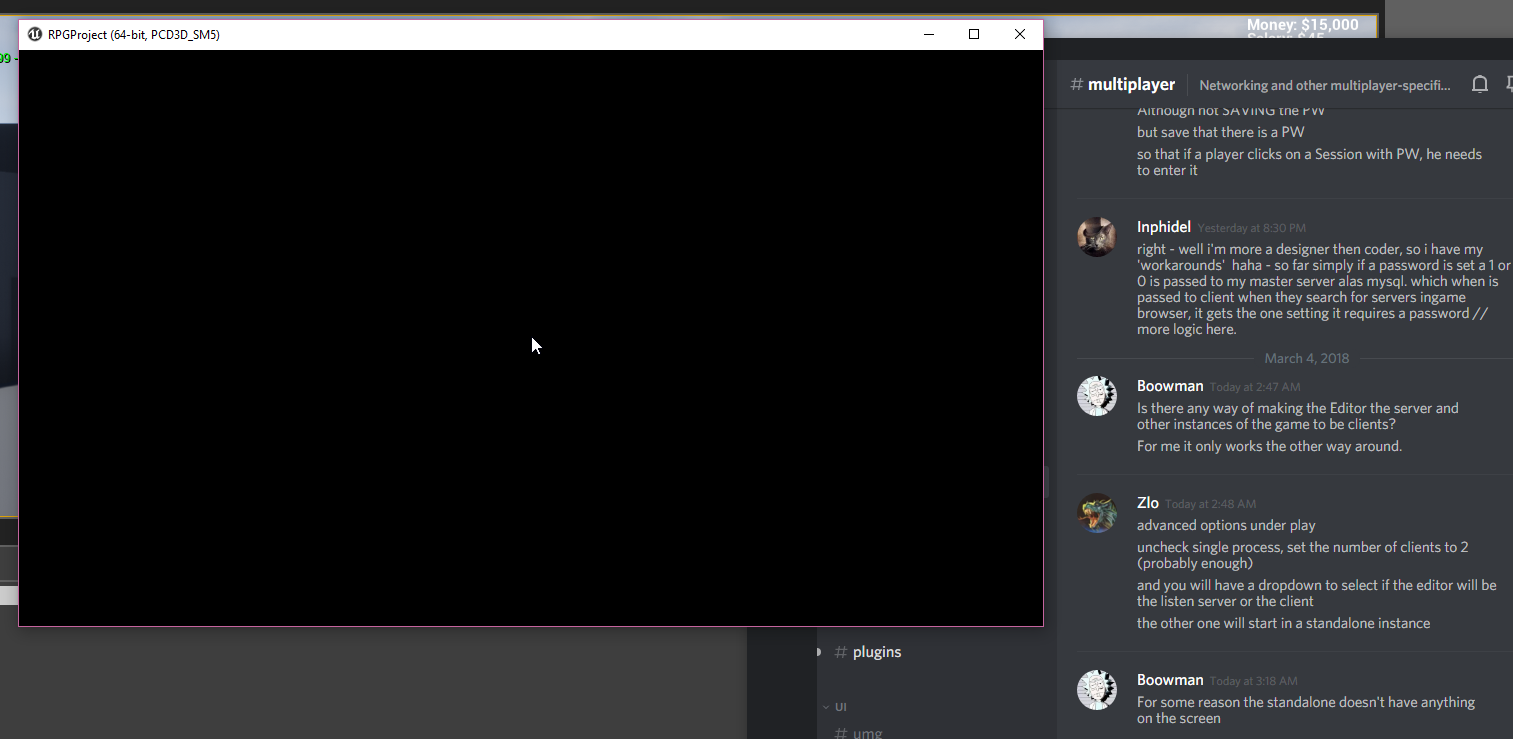
I am using sessions so not sure if that has an impact on it or not
winged badger
steam involved?
winged badger
it should work just fine in "Play from here" scenarios
i am heading to bed, hopefully someone else can chip in, sorry
hidden thorn
I'm also going to bed, will try it again in the morning
fossil spoke
There are plenty of tutorials on Youtube mate. Take 5 minutes and try and search for some yourself.
twin juniper
for storing player data?
twin juniper
aha on your Pc where you create game can ??or not??make the PC server and if yes how??
thin stratus
@twin juniper Pinned to this channel, you'll find my Compendium
Read that first before you ask anything (:
 cold sparrow
I'm making respawning of my character once it is killed. The way how I do it: I unpossess killed character, spawn a new one, possess a new one. Problem is that PlayerState remains the same for just spawned character, thus all weapons, and other character props remain from old one... Is there any way to create a new player state?
or is resetting values in PlayerState the only solution?
winged badger
weapons and props do not belong in a PlayerState
its purpose is to hold stuff like rank, name, score, other status information of public interest
cold sparrow
right...
cold sparrow
ok, looks like I should move it to the pawn itself
tx
question: let's say a player gets disconnected, game mode will keep that player's PlayerState until some timeout expires. Will that player state hold a pawn as well?
cold sparrow
(that was the reason why I kept weapons in PS)
winged badger
and then the other shoe dropped
you can probably save a PC/PlayerState to Pawn mapping in your GameMode when someone disconnects
cold sparrow
What would the be best solution to keep weapons/props for disconnected players? Copy that all in PS and when a player reconnects copy that info to pawn?
winged badger
then check if that particular controller was already around on PostLogin and give it back the pawn it had if it has
cold sparrow
I see
manic pine
you could just keep the pawn around and reference the pawn in playerstate
winged badger
that too
manic pine
player returns, gets back his old PS, repossesses pawn
cold sparrow
got it
so, keeping a reference to my Pawn in PS, will not kill the Pawn on disconnect, right?
manic pine
only calling Destroy on it will kill pawn
of course, someone could kill the pawn while hes disconnected, unless you handle that
but maybe thats alright
cold sparrow
perfect, thanks a lot! Going to rewrite that logic.
manic pine
should be able to add the reference in pawn when it receives its PS reference
slim holly
PS could run a check on beginplay to check does controller have a controlled pawn 🤔
no wait, that won't work
 rapid dagger
I would like a better answer than this. I can understand disabling for PVP. but what about a co-op game?
I want clients to be able to pause a game.
winged badger
ServerPauseGame RPC inside the PlayerController that does GetGameMode->SetGamePaused(true)
should do the trick
 ionic rivet
Good evening guys. I have a question. I will write the server with the normal UE4 server setup system and close all replicas. It will only be used when users are running custom events. How many people support it (capasity)?
Sorry for my bad english 😃
rapid dagger
@winged badger Thanks, I'll give that a shot.
 indigo root
how do I specify what map to travel to after using console command "open IP"?
 bitter oriole
@indigo root Why would the client connecting to a server decide which level to load ?
indigo root
well how do I make the server decide that? (using blueprints)
right now im doing this https://owo.whats-th.is/5455d1.png

but the client doesn't travel there, instead it goes back to the first map that opens when the game starts
which is a login menu
bitter oriole
It goes like this : server starts a level, client connects to the server (and loads the server level), then the server may change the level
Which part is the problem ?
indigo root
this is what I do to connect https://owo.whats-th.is/ceb311.png

the B part of the append is the IP
when I run 2 windows in editor it crashes telling "invalid url /Path/To/LoginMenuMap"
when I use "launch game" on the uproject it just moves to the login menu map on the client
im not sure what am I doing wrong
indigo root
same results
tested already
i am testing by running both on the same machine with ip being localhost
bitter oriole
The first screenshot I don't understand - you're opening a level twice
indigo root
yeah I know, the servertravel one is my debugging attempt
disconnected the servertravel node, https://owo.whats-th.is/0d671f.png
 bitter oriole
Start with regular console commands in console
indigo root
same as before
bitter oriole
Launch two standalone games, run on as server, the other as client
When you understand the flow of commands well you can implement it with buttons
indigo root
is there a way to "launch game" on uproject in windowed mode?
bitter oriole
Right click -> launch game
indigo root
yeah but its fullscreen
bitter oriole
If you've set the game to fullscreen you can set it to windowed in command line
setres 1280x720w
w is for windowed
indigo root
k
bitter oriole
Basically your server should only do "open level X as listen", and your client should only do "open"
indigo root
ok so it kinda works now
except client is spectating but I know why that is
but the blueprints are doing the exact same thing so I am pretty confused
so I ran Travel GameMap?listen on one and open localhost on the other
and it worked however pressing the buttons that do the same doesnt work
bitter oriole
If you're starting the game through the editor with 2 players, they're already linked together in a weird away
So be sure to always test networking in standalone
indigo root
yeah ik
so I did this https://owo.whats-th.is/fe6716.png

which should be exactly what I inputted
now host button just makes it travel to login menu???
oh shit I meant GameMap
not GameSerevr
ok so host works now but join still travels to login map
for no reason
bitter oriole
Sure you really do "open localhost" ?
indigo root
ok wtf
its inconsistent as well
sometimes it connects and sometimes not
ima need to investigate some more
it suddenly works now...
im extremely confused but ill take it
ty for the help
indigo root
I'm trying to change a player from being a spectator to controlling a pawn using this https://owo.whats-th.is/dfc1c6.png
On listen server host: works, player becomes a normal pawn
On client: only client sees a new pawn (in addition to host's), still is in spectator camera

probably something to do with authority? idk
@bitter oriole you seem to be a multiplayer wizard, maybe you know?
graceful cave
so i got dedicated server with steam working but im having some issues with players who leave and reconnect
they dont show up on scoreboard, their ingame name is reset to their steam name instead of what they picked ingame
seems like it relates to the player state
also they arent updated on the status of actors in the level
where would i even begin to start fixing this?
jolly siren

Maide's Blog
How to restore a player's PlayerState after they reconnect having left for a short time.
graceful cave
thank you
jolly siren
np
indigo root
@jolly siren any idea why my thingie doesnt work? (a couple messages up)
indigo root
ok so I changed it to this: https://owo.whats-th.is/a98cf1.png

now it unpossesses properly but does not possess the new actor
thin stratus
Are you somewhat starting the player as spectator?
indigo root
yes
thin stratus
Cause there is a Boolean that blocks further possession after that
And I think that was C++ only
(:
indigo root
bruh
what node do I press to kms
u sure theres no way to do that using blueprint?
maybe theres a plugin that allows to manipulate that?
or rather what keywords can I use to research all that
indigo root
@thin stratus answer me reee
 wide chasm
How do I get the local pawn in a multiplayer game?
pallid mesa
I was typing "yep"
 quartz vector
lol
fossil veldt
Hello guys, I'm working on custom player movement for a pawn class and I've stumbled upon a little bit of a problem concerning movement replication. When my pawn moves at first the movement is very skippy and looks like it's jumping frames and then after time it becomes less so and looks like it normally should. Anybody know what's going on with it or some solutions? (My guess is it's to do with the engine's prediction)
thin stratus
@HexiaDesigns#5179 What exactly do you mean?
@indigo root No idea. I just know that I had to reset the boolean via c++.
fossil veldt
Anybody?
 high heart
i'm having an issue in 4.18 where VoIP cuts out for random players after a seamless travel. I don't remember this being a problem in 4.17... anybody @here know what changed?
graceful cave
is there a way to test my built dedicated server with a standalone game running from the editor so i dont have to package to test things?
running the binary i just built generates errors and the log closes
but that doesnt happen if ive packaged the whole project
winged badger
you can do "<full path to your engine's UE4Editor.exe>" "<Full path to your project's .uproject file>" - server - log inside a shortcut and start a standalone w/o the editor that way
altho i think you need to do a few more steps for dedicated server standalone to work
graceful cave
yeah it requires me to build the engine whenever i package the game
so i think thats why it wont work
but i figured out another way
winged badger
there is a workaround
try searching for UWorks documentation
it has a pretty good guide for that
it does involve copying a few files from steamworksSDK and engine source to your engine
 gloomy tiger
Hey guys!
I have the impression my DefaultEngine.ini is not being considered when running my game through the Editor.
Am posting this here because the subject is directly related to the Steam integration.
When I run this command in my prompt:
"C:\UE4\Engine\Binaries\Win64\UE4Editor.exe" "%CD%\MyGame.uproject" StartMenu -game -log
Steam works properly. But when I do execute the game through the editor, Standalone or not, it doesn't work. The Steam overlay simply doesn't appear and my status on Steam doesn't change.
cloud ledge
That's intentional behavior
One sec
I'll give you exact line of code that does it (steam subsystem skips loading when you're running game in editor)
gloomy tiger
Even in Standalone, @cloud ledge?
cloud ledge
Only if you are starting it from editor
gloomy tiger
🤔
Wait. I don't get it. If I start the game through editor, regardless of being Standalone or PIE, is it supposed to not work?
cloud ledge
\Engine\Plugins\Online\OnlineSubsystemSteam\Source\Private\OnlineSubsystemSteam.cpp:485
gloomy tiger
Because I've created another project here. A vanilla one. Used the same DefaultEngine.ini and Steam works on it, through Editor or not.
cloud ledge
It should start up steam subsystem only when -game switch is added to command line
gloomy tiger
so
        // Test all the Steam interfaces
#define GET_STEAMWORKS_INTERFACE(Interface) \
        if (Interface() == nullptr) \
        { \
            UE_LOG_ONLINE(Warning, TEXT("Steamworks: %s() failed!"), TEXT(#Interface)); \
            bSteamworksClientInitialized = false; \
        } \
this is the code fragment I should be looking at?
cloud ledge
No, it might be different between our versions. Look for bEnableSteam = IsRunningDedicatedServer() || IsRunningGame();
Steam subsystem will be disabled because it will not consider your cases as "running game"
winged badger
steam works in standalone, even started from editor
normally
even in not-single process PIE
gloomy tiger
🤔
gloomy tiger
Well, that's weird. Why it is not working through the Editor but when I run that command? 🤔
cloud ledge
Only if you started with -game switch
winged badger
looking at it right now
winged badger
PIE in more then 1 process will host one instance in editor, for which steam will not work
and other instances will be connected via standalones
gloomy tiger
But the point is: why can't I manage to make it work here, in Standalone? 🤔
winged badger
and for those steam works
gloomy tiger
Have a .bat file with the following command:
"C:\UE4\Engine\Binaries\Win64\UE4Editor.exe" "%CD%\MyGame.uproject" StartMenu -game -log
Then, the game it executes, works with Steam perfectly.
winged badger
any relevant logs?
gloomy tiger
That's a good question. Is there a proper place to see Standalone logs?
/Saved/Logs seems to only save/show editor logs. 🤔
winged badger
saves standalone as well
gloomy tiger
Ok. This is my log: https://gist.github.com/chiefGui/cfac477125ee7555eeb4c836fe379614



Line 130: LogOnline: Display: STEAM: Loading Steam SDK 1.42
No errors.
cloud ledge
I presume the reason that steam subsystem doesn't start in editor is because it can't handle client and server within same process
For whatever stupid reason
gloomy tiger
The editor, meanwhile, reports me:
LogOnline: Display: STEAM: Loading Steam SDK 1.42
LogOnline: Warning: STEAM: Steam API disabled!
LogOnline: Display: STEAM: OnlineSubsystemSteam::Shutdown()
But whatever. It's the editor.
winged badger
that is not proper steam log
as far as i remember it
there is no information that it found runnign steam client
no line with your steam name
etc
gloomy tiger
@winged badger agreed.
@cloud ledge well, I'm not running the dedicated server/client in the same process. 🤔
Well. Just started, again, the other vanilla project I have with Steam and checked the logs. The same output, but it works.
winged badger
which subsystem are you using?
gloomy tiger
[/Script/Engine.GameEngine]
+NetDriverDefinitions=(DefName="GameNetDriver",DriverClassName="OnlineSubsystemSteam.SteamNetDriver",DriverClassNameFallback="OnlineSubsystemUtils.IpNetDriver")

[OnlineSubsystem]
DefaultPlatformService=Steam

[OnlineSubsystemSteam]
bEnabled=true
SteamDevAppId=480

[/Script/OnlineSubsystemSteam.SteamNetDriver]
NetConnectionClassName="OnlineSubsystemSteam.SteamNetConnection"
On both projects.
I do remember that I fixed this issue a few weeks ago. Forgot to document my solution and now we're here. 🤷
I also do remember that was something stupid that I forgot. Like checking a box or something...
I just can't remember now. 😢
Mhmm... Ok, progress!
Setting this option to Play Offline initialised Steam properly.
(Was Play as Client before.)
Yep. That's the problem. Using Play As Client, even in my vanilla project, makes Steam stop working.
^ this is the setting my project has. Doesn't work with Steam.
twin juniper
Hello.
help you solve the problem
LogOnline: Warning: OSS: AutoLogin missing AUTH_LOGIN=<login id>.
Dedicated Server..
thin stratus
Normal IPNetDriver. So Subsystem Null?
@gloomy tiger You can't have more than one instance with steam on one computer
Usually one gets blocked by steam
Cause it only allows one game at a time
Dedicated server, after being packaged, will allow multiple ones, but they need the steam dlls and don't have an actual account like you do (that's also why presence needs to be off)
 full bane
what is the cleanest way to exclude the calling client from a multicast?
to be specific:
1) I want the client to do a thing, spawn local effects on the local machine, 2) then it tells the server the action happend and 3) the server tells all clients to play the effects 4) the issue is the client then receives the multicast he/she initiated
magic crest
- are you're using GetLifetimeReplicatedProps()?
magic crest
Aha. Well, I don't use multi-cast. Instead I use this pattern:
full bane
repNotify?
magic crest
I implement a Server function, say ServerFire()
aha..crap, no onRep..
in GetLifetimeRep you can define condition. ignore_something.. sec
Detailed information about how to conditionally replicate Actor properties.
full bane
that would mean I have to add variables though
for stuff that techincally doesn't need variables
magic crest
What's the exact scenario? You need something to happen but nothing really changed?
like those effects that play. what do they represent?
What made the caller (client) decide that the particles need spawning?
full bane
let's just say you press a button and then it plays a particle effect
I want to play it on the calling client directly, to have a crisp feeling to it when latency is high
magic crest
i understand
full bane
so
that's it
do you have a proper code sample for the RepNotify thing?
probably using 'COND_SkipOwner'
magic crest
sec
it just sounds strange that you dont have a value to replicate. at least something like 'someKeyPressed', hear WHAT key was pressed and then do stuff on other clients (as if they were the ones that pressed the key).
What is the purpose of particles if nothing actually happened in the game (purely logical)
{
    Super::GetLifetimeReplicatedProps(OutLifetimeProps);

    DOREPLIFETIME_CONDITION(ASWeapon, HitScanTrace, COND_SkipOwner);
}```so, when a player shoots, it gets the Hit result. he populates the HitScanTrace struct (in this case) and replicates it. Clients receive it OnRep and create particles that shoot from gun to hit point
so. pattern is this
Client shoot -> if !HasAuthority -> ServerShoot (which simply calls shoot again) -> hit gets replicated -> OnRep -> calls PlayParticles(HitPoint)
so, client will call server, immediatelly make his own shot (local no lag) and be excluded from the rep (so he doesn't shoot twice)
full bane
ya, that could work
still weird for something that has nothing to replicate other than the actual event 😄
magic crest
I don't know other methods. Let me see the docs to check how a multicast can ignore the owner
full bane
just play particle, SFX and an anim montage
I checked, and there is nothing
your way is probably the proper way
magic crest
is there a value that forces the montage.. like, i have a bIsAiming
just to be clear, you're in c++, right?
full bane
ok, I will cook something up that creates the least amount of confusion when reading the code 2 days later
thx for your help 😃
magic crest
well, you can flag your client as bEffectsPlayed
then check when received event
ignore those who have it true
or... send the netId of the instigator via the event and ignore on those who ==
But I'd stick to something tangible. Like, what actually happened when the key was pressed. Forget visuals. If we have a scenario. You press a button. Something happens in the game. THEN we add visuals, if it's a 3d game 😃
full bane
sure
magic crest
imagine we're the headless server. you press a button. what happens? surely not visuals 😄
magic crest
whats the event? I dont understand. if you jump, you change state. if you move you change state. what's your event?
full bane
text emote
with SFX
as simple as it can be
the thing I could add is a delay thing
or IsPlaying something, but it technically isn't
magic crest
ok. from what I understand, there must be an emote that you want to send. So, replicating the emote value sounds correct. if there wasn't an emote. the message would be text, right?
you'd need to replicate the message.. unless it's the ONLY emote 😃
full bane
sure, but it's way cleaner to just send the emote to the server
and the server multicasts it
and more logical
than a variable that I have to manage
because I probably have to reset it after some time to get a change propagated over network
magic crest
yeah, I understand.. From what I gather online, this might be the cleanest solution
 {
    //stuff inside of the multicast_implementation that will not run on owning client
}```I read that
but I am not sure if that is the fix
because MyPawn->IsLocallyControlled() would be true for all clients
magic crest
yeah. IsLocallyControlled is often used in stuff like that. I see it all over the engine