#multiplayer
1 messages · Page 361 of 1
 chrome bay
 compact gulch
hi.. has anyone use ONlineBeacon before.. i'm wondering if port forwarding is neccesary for those?
 bitter oriole
So I'm still having strange MP issues with Role vs RemoteRole. Here are they, printed (role top, remote bottom)
The right pawn is weird. remoterole doesn't match role on the other one...
Still works, but isn't that strange ?
First pic is server btw
bitter oriole
Is there no example of replicated vehicles ?
 twin juniper
I for the life of me cannot remember who the developer was, but they were offhand talking about rewriting the character and moverment component in ue4. I dunno if they were going to release it but it did spark me to wonder how much effort would it actually take to rewrite the movement component and character to be both more generic
 stark dome
twin juniper
stark dome
twin juniper
can anyone help pls? Client cant control a pawn that he got possessed into
 pliant cypress
Kudos to everyone!
Would it make sense for a card game, to create a session to each player and try to connect whichever is successful first and destroy the other session not used? Or could it cause problems? My goal is to connect 2 players as soon as possible, do not want them to wait or even worse, they both try to join but there is no session.
 verbal wave
does the server call OnRep_Asdf() locally, if Asdf is changed by server?
C++ wiki says it doesn't, but in BP it does. Do they really behave differently?
bitter oriole
In C++ I'm confident it doesn't
verbal wave
yea me too, plus last time I tried in BP it didn't either. It's weirdly inconsistant
bitter oriole
It makes little sense to have it calle,d tbh
 grand kestrel
@twin juniper @stark dome A long while ago several of us posted on the forums to bring attention to issues with CMC (CharacterMovementComponent) and epic dev agreed with us but never responded with any sort of conclusion or timeframe. As for how much effort it would take, I know it inside out and can confidently say it will take an overwhelming amount of effort and time and skill/expertise. @chrome bay made the thread (@ in case you have any info I don't know about and maybe because you're the guy Ra.h was referring to?) https://forums.unrealengine.com/unreal-engine/feedback-for-epic/101132-suggestions-for-a-refactor-of-character-movement-s-netcode-for-better-diversity
Honestly if I had the time I'd love to do it myself, but Epic would need to $ me for me to even consider it (and I'd have to decline even if they did offer, which they wouldn't as they don't know me)
 cloud ledge
The "rewrite" for CMC they intend is initially just splitting it into several files/classes
Without actually changing the behavior or fixing bugs
(that's as far as I'm aware)
bitter oriole
FWIW I got my multiplayer movement to work @chrome bay - going with authoritative server, custom physics.
Tried the auth client approach with real physics, but it was just as complex
I already have fake physics on many parts of the movement to make it more playable than real simulation, so it only makes sense
The Udemy course was hugely helpful - great value at the $15 price, even though I hate the fake pricing system udemy has
 wary wyvern
OnRep is calling when variable was changed in BP, whenever it is server or client, function called on both sides. If I change variable on client it calls function on this client. So it calls everytime var is changed.
But hat about C++? When OnRep function gets called?
bitter oriole
@wary wyvern Pretty sure it's only called on client, in C++.
wary wyvern
Mine is not calling on client either
But I guess the reason is that change this var on client before replication goes to me..
Client > Server > Others but owner client;
So I should manually call OnRep_MyFunc();
bitter oriole
Replication is only server to client, so it will also fire on the owning client
The usual process is; call server method from client to set the data -> server sets the data and replicates -> clients get the new data + onrep event
wary wyvern
Yeah, but I need client to react first, then call server event, then others but client.
So I chane variable on client and call OnRep, then call server event and change variable (Alse calling On_Rep), then other clients get var and OnRep fires on their side
bitter oriole
That's not going to work, because OnRep will be called twice on your ownling client
wary wyvern
No, it wont. Because OnRep is called on change. If I change it before replication recieved, so var will not be changed and OnRep won't be called
bitter oriole
I highly doubt it's called on change
wary wyvern
Called on replication recieved. But I tried, it is not called on owning client as his variable is already changed.
Anyway I set COND_SkipOwner, so Owner won't get replication
bitter oriole
IMHO you need a method to process the new variable, like "ProcessVar". When the client changes Var, call ProcessVar(), and ServerSetVar(). Then in OnRep, test if the object is locally controlled - if not, call ProcessVar() again
Skip owner works too
What i'm skeptical of is that OnRep wouldn't fire if the variable didn't change.
chrome bay
@grand kestrel I meant to respond earlier - I have done a lot more investigation since then and it's definitely possible to split things off into more reuseable components and functionality, I've had some luck with it myself for my own movement comps. If Epic were to do it, it would almost certainly mess with a lot of games though.
 burnt meteor
whats the server taget for ue4.19?
grand kestrel
@chrome bay Yeah that's why I always suggest leaving CMC/Character alone and doing a new one and doing it properly, it'd more or less be a replicated pawn and then a more-character like thing subclassed from that
burnt meteor
@here whats the server taget for ue4.19?
 inner iris
@burnt meteor you’ve tried the 4.18 one and it fails?
chrome bay
Yeh I agree
 thin tulip
Am I crazy, or was it previously the case that calling TearOff() on the server would cause TornOff() to be called on the client actor?
Because that's not happening, and looking at the code in DataChannel.cpp it looks like it only ever calls TornOff() if bTornOff isn't set.
Which is the opposite of how I remember it working.
I remember overriding TornOff being a typical way of handling client-side death animations and such.
thin tulip
Ha, nevermind, this is something strange with actors that are placed in the map vs. spawned by the server.
wary wyvern
Hey guys, I want to spawn an Actor with replicated property. Is it possible to replicate this actor with this variable at begin?It need to make some actions on client at BeginPlay.
chrome bay
Only works if the properties are set before the actor is spawned
So, using BeginSpawningActor and Finish Spawning Actor. Between there, you need to set the property
then it'll be set to that value for the initial replication
wary wyvern
@chrome bay I use SpawnActorDeffered(); Init properties and then finish spawning, so reference variables replicate with actor. But variable replicates later
bitter oriole
Anyone familiar with how NetUpdateFrequency might break prediction, if it changes ?
inner iris
Does it make sense to store a struct of gamemode variables such as round time / max players in the game instance temporarily when transitioning from the main menu to a game map? Trying to allow the user to customize the rules of the match from the main menu.
The gameinstance could then set the gamemode vars on begin play before the match gets initialized as it persists between maps. Not sure if I'm missing some other way of doing it
Well it worked great, so will use that method! 😃
bitter oriole
@inner iris Hey, did you use the Udemy MP course as a learning base ?
I've been trying to prototype something, but even the reference project from the course has huge issues
I removed the NetUpdateFrequency override and added some simulated lag - it just breaks down entirely
inner iris
@bitter oriole nah this is an older BP only project- will be rewriting in C++ later when it all works. I watched that course mainly out of interest but didn’t bother following step by step for the vehicle section as it’s not something needed for my game (but will def be referencing it for shooter lag compensation in the future).
Have you contacted the author of the course? That section is still in progress so maybe there is more he needs to iron out
Seemed really smooth from his tests at 1 update a second with 1000ms lag
Not sure if he changed those settings during the videos though
inner iris
That’s pretty odd
Definitely something to bring up with him
Hopefully he finishes the section covering this as the last course they did ended pretty hastily
bitter oriole
Yeah
Oh, well
The code obviously can't handle variable frequency
Which UE4 does
Can't handle != 1 really
thin tulip
@wary wyvern The short answer is that you can't guarantee that an actor's properties replicate in the same bunch as its initial spawn.
In most cases they will, but it's not behavior you can rely on. Sometimes they'll come in a subsequent bundle.
Specifically any actor references that the spawned actor has (so AActor* properties) won't always be valid when it first replicates.
bitter oriole
Well, I've asked on udemy about NetUpdateFrequency.
 undone girder
How can I start with replication/multiplayer in C++ without blueprints? Anyone can give me tips, tutorials or blogs?
 indigo hawk
Has anyone got host migration working with listen servers?
 worthy wasp
@indigo hawk - can you be more specific with "host migration" ?
indigo hawk
When a player is hosting a listen server session, if there are other players connected and the host loses connection, host migration would make another player the new host
worthy wasp
understood there
hit me up PM
i'll be back soon - i have to run out hte house for a short while
 pallid mesa
Could be good if you could just post here since others could be interested in the solution if you guys have something
 native crow
Yes, post your ideas here
 jolly siren
For a fps do you guys prefer instantaneous client-side predicted impact effects or server authorative lagged impact effects?
I'm talking about blood effects for the player
It looks like neither UT or ShooterGame use client-side prediction for hit effects
indigo hawk
The accurate one
inner iris
@jolly siren For impacts I have it set up so that any non important (damage causing) impacts are client side but any important ones come through the server
If you show the player you hit an enemy but they didn’t actually, it’s more annoying
jolly siren
ahh okay
indigo hawk
Don't show blood unless the server says it was an actual hit
inner iris
Yeah plus other impacts are basically not important enough to replicate and waste bandwidth on, most people won’t even notice them
jolly siren
Right, but then they will all be reliant on latency
inner iris
Always a trade off
Provide accurate info with a delay
Or provide instant inaccurate info
I can see both working fine
It is strange when a blood impact appears behind a player moving fast at higher latencies
But I’d still prefer that to being sent false messages about damage
And there’s always ways to get around it like not spawning it exactly where it was hit, but attached to the current enemy position etc
jolly siren
Yeah I spawn my blood particle system attached to the player.
Right now I'm using server authorative for damage hits. And clientside prediction for status effects like slow, stuns, bleeds, etc. And I'm running into obvious desync issues with the status effects. For example player running around with a frozen material applied because it didn't hit on server and did on client. Or a player with bleeding out particles but isn't actually taking damage server side.
If I use server reconciliation for those cases the player will still see the particles/material for a brief moment. Players are pretty unforgiving nowadays, so just trying to design it well.
inner iris
You applying actual damage serverside only too?
And yeah I can see how that stuff can get inconsistent
jolly siren
yes
inner iris
How’s that working out when firing at moving targets?
You notice you have to lead different amounts depending on the latency?
worthy wasp
Talking with @bitter oriole today we've recognized that AGameMode does not appropriately handle APlayerController::Possess(InPawn) correctly for remote clients.... where as AGameModeBase works just fine. This is a huge problem - as AGameMode is required for anything utilizing MATCH STATES - which is not found in AGameModeBase.
Does anyone have any working solutions with 4.15+ projects using a LOBBY SYSTEM (Delayed Start specifically) and MatchStates from AGameMode -> and being able to handle pawn spawning from teh gamemode?
inner iris
@jolly siren in those cases I’d probably do everything on server since they seem to affect the character / gameplay
Like stuns etc- it’s more important to communicate the accurate state rather than a more responsive client prediction
jolly siren
I'm not doing server side rewind, so yeah latency affects accuracy with moving targets
inner iris
Ah yeah I found that to be a problem and had to start testing some client side / server validation stuff
Got frustrating for anyone playing it
jolly siren
Yeah stuns need to be accurate for sure, so I agree there. I'm not sure how forgiving the average gamer is when it comes to server reconciliation. I would assume not very; by the little overwatch stuff I've read on their forums.
inner iris
If it leads to “bullshit” where they think they have done something but they haven’t really, then they won’t be forgiving. If it doesn’t really matter either way like a healing animation or something more minor, I think they don’t care or won’t even realize it’s off
jolly siren
Yeah that makes sense
native crow
Has anyone really even worked out a good way to do server side hit detection?
What do they do in UT/Fortnite?
native crow
Yeah, like do they do hitbox rewinding or anything like that?
Or do you just have to lead your shots proportionate to the amount of latency?
worthy wasp
so - while you ARE GOING to have some replication lag with this setup.....
heres how i handle htis in my own projects
1: Run client side linetrace for hits - to do all client side things like particle effects, sounds etc.
IF HIT:
2: run server RPC with a line trace in it.... PASS THE START/END POINTS as args
now
when you setup the SERVER LINE TRACE
dont use the END POINT passed arg solely.....
calculate a direciton from start -> end
add a good 500 pixels
if you stop the line trace AT THE END POINT you pass.....
9/10 times you WONT HIT THE OBJECT on server
which is what you want to do
now
when server has hit the object
use your final code to apply damage
as its now VERIFIED HIT from server
and not a client hacked hit
native crow
The adding pixels part confuses me
native crow
That makes no sense in the context of vector math, lol
native crow
Ah, so trace slightly longer than the client?
worthy wasp
no....
when you run the SERVER RPC
you have to pass an arg
for start & end points
to setup the line trace
so.....
i TYPICALLY calculate the end point in client
and send that to the server RPC
but i pad it some - +500 in the direciton its going
and not the actual HitResult.Location()
native crow
Direction of the line trace, or direction of hit actor?
worthy wasp
direciton of line trace
by all means - you can just pass in the CALCULATED end point of your trace
native crow
By padding, do you mean that you are doing a swept sphere trace?
worthy wasp
which - should be FollowCamera->ForwardVector * Distance
but
server doesnt have access to FollowCamera->ForwardVector()
native crow
Right, plus even if it did, the server's version of the camera direction could be wildly different from the client's
worthy wasp
yah i've printed tha toff before
it could be like 30 degrees + out of sync
so thats why i pass the arg
so that its acurate to what the client is seeing
native crow
I'm still not following how you are adding "padding"
Are you doing a sphere trace or something?
worthy wasp
ok here one second
so....
this is my client
StartTrace = FollowCamera->GetComponentLocation(); EndTrace = StartTrace + (FollowCamera->GetForwardVector() * InWeaponReach);
now....
you can SIMPLY PASS these variables
as args to your server RPC
this will work fine....
if you want to PAD endtrace at all
native crow
Right, with you so far
worthy wasp
you neeed to calculate direction of this vector
and add some distance to it IN THAT DIRECTION
which would be:
    CalcEndLoc.Normalize();
    CalcEndLoc = CalcEndLoc * 1000.f + InHitLoc;
InHitLoc & InStartLoc are hte passed args in the server RPC
now....
this would be only needed if you passed in maybe say the HitResult.ImpactLocation()
if you were to simply pass in the EndTrace fromt eh client code....
 mild hull
why dont you pass only start and direction?
worthy wasp
you'll be fine and DONT NEED to pad it at all
 tidal jungle
hey, so i have kind of a beginner question, i want to implement a standalone server, testable serverside is done and i wanted to ask where to beginn implementing the clientside part of it. Should i implement it into the projects code or do you recommend implementing it into the engine itself?
native crow
For your RPC, the InHitLoc is the hit location from your hit results struct, and the InStartLoc is your StartTrace vector from the client?
worthy wasp
@tidal jungle - here's my DedicatedServer video instruction

Detailed steps on how to create a Dedicated Server with UE4. Very minor code involved - simple copy & paste from the below link. Very extensible... future re...
@native crow yes exactly
why i did it like that - i dont know
you can simply pass the ENDLoc from the client
will be fine
native crow
Hmm, and you've thoroughly tested this to make sure it's reliable?
worthy wasp
100% reliable yes
traced with DebugSpheres & DebugLines drawn
100% accurate between client to server
now your going to have replication lag - especially if something is moving
if your even a frame or 2 behind from replication lag.....
your server wont HIT the object
but the client will see it as a hit
now hold on a sec i have a web page to talk about this
native crow
Good, cause if I'm understanding you correctly, then a moving object would not be hit on the server if there was any significant amount of latency.
From your description, it sounds like the trace on the client and the trace on the server follow the exact same line within 3d space.
tidal jungle
@worthy wasp thanks for the video but not quite what i meant, the standalone server i want to integrate does not use the pre made server by unreal engine, its an own piece of software
worthy wasp
perhaps your meaning an actual BACKEND server
which is completelly different from the OSS models UE4 networking modules have setup for authentication
a backend server would be more tailored towards a database
web server + php
perhaps a service you build for chat/login purposes
tidal jungle
well, this server should handle players connecting, maintain their data (where they are in the game world, stats and stuff), the problem i have, i read a bit into the stuff and got told the server unreal engine offers is more for FPS (low player count high data rate) than (MMO)RPGs (high player count), and thats the way i want to go
or is that information outdated?
worthy wasp
it is not outdated
to be more specific - you can only have a total of 70 players i think per map with UE4's OSS networking model
and if you get anywhere near that amount.....
your going to be reallybogging things down
what you probably should look at....
is something like GameSparks or another Backend As A Service model
there are a few - Photon Cloud, Amazon web Services
CloudForge
tidal jungle
arent those just hosters for that stuff?
i mean the server still needs to be written codewise
and my bigger problem right now is the client integration, not the server itself 😄
worthy wasp
so with these services.....
you would not use a dedicated server as much as you would their backend
which is typically JSON based
and you pass all your infomation via JSON requests/responses to their service
you simply program th FRONT END of the user experience (the client playside)
now therE IS another type o fservice
that you can use
its called SpatialOS
VERY new
very hard to get used to
not even fully encompassing UE4's architecture

Welcome to the world's most powerful game development platform.
theyre idea is FANTASTIC
yet
they dont have the API anywhere near workable
tidal jungle
i dont like the idea of having just a "stupid" json based service and developing it all on the client side, for RPGs that might be well, but when we talk about MMORPGs thats way to much controll for the client
tidal jungle
no
worthy wasp
apparently you have MUCH TO LEARN bud
tidal jungle
you understood that wrong 😄
mild hull
json is stupid, it only text
worthy wasp
and JSON is soft-compatible to almost nearly any developed backend
mild hull
its a syntax for text how could it not be compatible?
tidal jungle
i mean stupid in the way of, the service will save data it gets and output data that gets ordered to be outputted, but it cant actually do logical things like, how do you verify if the user really just dropped 20million gold? if the server just gets the information without even checking it (like a pure json service would do i guess) you loose all controll
worthy wasp
lovely thing about JSON is the easibility of its requests/responses to encode & decode
bro JSON is a means of sending data yes
the SERVER AUTHENTICATION is what handles this stuff your talkin about
you dont build server authentication OUTSIDE of UE4....
mild hull
you use logic checks with json, json is only a means of transfer
worthy wasp
unless your going to program your own backend logic to do that.....
which would be pointless
tidal jungle
thats what i was asking the whole time
worthy wasp
as UE4 alreayd natively supports that
tidal jungle
the server is its own piece of software, I decided against the native support from UE4 because of the player limit
worthy wasp
so if you're going to bypass the authentication standards of UE4 - you would need to build your own au thentication model
which means the client therefore becomes a dummy terminal
tidal jungle
what exactly do you mean with the word "authentication" like checking if the user provided information is right or actual user authentication?
worthy wasp
i can see the loosely adapted wording of Authentication
so you have UserAuthentication - logging into a system
but in game development.....
you have Authentication - which is the SERVER having control over a variables replicated state that other users (or just the local client) can see
its the AUTHORITATIVE variable state
only if a variable is set to Replicate
tidal jungle
ok good, got what you mean with it
I am fully aware i need to develop that system on my own, but aslong as unreals server supports low playercounts it is the way i choose to go
worthy wasp
for a prototype to a MMORPG framework - your on the right track
i hav to go for a few minutes - here's a good read:

reddit
500+ Player persistent UE4 worlds.. a common question without a consistent response • r/unrealengine
I know, I know, this is far from the first "How do I make the next WoW in UE4" discussion. Even so, new entrants into gamedev often come from the...
particularly the 2nd post here
its rather current as well
Ark is developed solely on UE4 architecture
they just recently merged to more than 70 players per map capacity
it IS doable - how .... i'm not there yet in my Kung-Fu
tidal jungle
I have to say, I am new to the engine on its own, this is for me a POC and testing for future evaluation, I tried to get into the engine itself some time ago but start of university blocked my time shortly after. I developed rather small ingame systems for a really old game that had running code for server and client (so old it does not even have a real engine it runs on, just a bunch of frameworks [3d, sound, UI] thrown together) I might have some bad habits from reading through that code.
My position now is:
I have a running console client and console server that are communicating via the library RakNet, just simple packets for now, my question is where to begin integrating the players side networkclient?, in the project itself, or the engine source?
 glossy wasp
Anyone mess around with host migration? I'm trying to figure out how to best serialize the game state from the host when he quits and get the state info to another player in the match who then automatically creates the session for the rest of the players to join and resume playing
 thorny fiber
Hello, how to make the multi-platform client-hosting multiplayer ?
bitter oriole
Can you clarify ?
thorny fiber
I want make a 2D game like Move or Die and i wantt create online multiplayer with client host the party (for less server cost) and if possible create cross platform surport (PC players can play with Xbox players (for examples)) like Rocket League
I supose i need implement OSS of plateforms (steam, XboxLive, etc) or i need create a custom OSS and implement steam, xbox live, etc friends system
bitter oriole
Cross-platform peer-to-peer is probably not possible, no. Depending on the platform.
At least I know of some console platforms that wouldn't allow it
Client-hosted PC is also a big problem because it enables cheating
You also can't have cross-platform friends, really, so if you're doing friend-based multiplayer, that's only on separate platforms
thorny fiber
Yes i know in first i have idea to player only with friends but with that if you not have friens you can't play 😦
bitter oriole
Finally, it's worth mentioning that updates on console are not up to you alone
If you do an update, it might be a week late on PS4
So generally speaking, cross-play between platforms doesn't really work. There is just a host of issues.
Not to mention you don't get on the XBox just by asking nicely 😃
Start on PC, do your game, make sure it works well, etc - and then see if you want to expand
thorny fiber
yes i now, the cross platform on XBox and PS4 is for future (Switch allow indie games)
I can use OSS of steam and custom sessions implementation (on dedicated server ?) ? and Hosting sessions by the dedicated server are you big cost (performance) ?
I want this beacause i don't have money for pay steam licence
bitter oriole
The $100 Steam fee ?
Getting on any console will cost at least an order fo magnitude more
And i'm confident you don't get on the Switch just by asking nicely, either.
The choice of dedicated server VS peer-to-peer is about cost, number of players, possibility of cheating. If you are doing PVP on PC, you need dedicated servers, if only because of cheating.
thorny fiber
Yes i know (the console support is for the future (eg: next year (2019) if my game work))
bitter oriole
if money is a concern, like most devs, your default choice is Steam ($100 isn't much) + client-hosted networking (can't do player vs player or > 4/6 players)
As an indie you should define your game by what you can do
thorny fiber
The concept of my game is very inspired by Move Or Die
 finite raft
Is it true, that client RPCs only work in actors that are directly owned by PlayerController?
jolly siren
finite raft
yes, I know that, my question was more about if the ownership has to be be direct, or if an acor may be owned by character, which in turn is owned by Playercontroller?
jolly siren
"To determine if an actor in general is owned by a connection, you query for the actors most outer owner, and if the owner is a PlayerController, then that actor is also owned by the same connection that owns the PlayerController."
finite raft
From that I understand that the ownership does not have to be direct.
In fact I had an Actor, that had a character as owner, which in turn was owned by PlayerController in which the client RPC never got called. When I changed ownership of the actor to the PlayerController the calls came as expected.
I would then assume that something is broken in my character class.
jolly siren
Was the Actor replicated?
finite raft
yes
also checked owners and roles in debugger, seemed to be all fine
also no warning about dropped calls in the log.
yeah, I have it running now with the direct ownership. I can live with that for now. I just wanted to make sure if I had a missunderstanding there with the owner requirements.
 ripe raptor
Anyone know why I'd run into the issue of my HUD being null on my server?
Works fine on the client
jolly siren
HUD is client only
 manic pine
each player controller makes one locally
so the listenserver should have one
he wont be able to access other pc's huds though
ripe raptor
that's fine
I just need the local one
reports as null on BeginPlay
I might need to throttle a frame or two
manic pine
in beginplay of what
ripe raptor
My pawn
manic pine
does the pawn exist before playercontroller?
ripe raptor
It shouldn't.
The controllers are created in my lobby map, no?
I do servertravel from there
manic pine
controllers are made in gamemode's login i think
youre getting the hud through controller though right
ripe raptor
Yea, I'm adding some intermediary debug prints to see where it fails
manic pine
maybe its controller thats failing with null?
seems weird you'd get non-null on controller but null on hud
ripe raptor
Yeah checking it out now
manic pine
hud is spawned is postinitializecomponents
ripe raptor
hmm, that seems to be the case, the playercontroller exists, but the HUD returns null
alright, let me shuffle around some of the code
manic pine
wait, look at this
    if ( GetNetMode() == NM_Client )
    {
        SpawnDefaultHUD();
    }
so it really doesn't exist at all on the listen server?
manic pine
yes and no
it appears the controller creates its own hud based on default AHud class
but then later, gamemode overwrites it with the selected hud in gamemode
ripe raptor
I think the safest thing to do here is to abandon my "Use the HUD as a sort of widget manager" design approach and move stuff over to the controller.
manic pine
yeah, your client could actually be getting the wrong hud class
while your listenserver fails because it doesnt have a 'fakehud'
manic pine
did you check to see if client's hud pointer was of the correct class?
ripe raptor
just as a last test, I moved my code to PossessedBy() from BeginPlay()
yes, it's correct
manic pine
eh weird
pawn prolly shouldnt know about hud in the first place though
let hud poll pawn, or listen for pawn events
ripe raptor
I wish I could step through the code but I can only do listen server when not running the editor...
ripe raptor
Ok so the HUD object is null for 3 frames following the creation of my pawn...
weird
ripe raptor
That'd make sense if I wasn't testing on my own PC with two instances running.
worthy wasp
i've grown accustomed to polling for pointers to set static references for them
picked that up from Mike Allars Generic Shooter project
ripe raptor
but in either case, I've just set up a timer to check for the HUD every .5 seconds so it's no big deal
right now I'm struggling with my component not wanting to replicate values
 calm plaza
anyone had any luck replicating collision settings?
worthy wasp
@calm plaza - can you be more specific?
maybe as to what your NOT seeing that you expect to see?
calm plaza
@worthy wasp Well, when host player picks up an object (not with physics handle but by disabling sim phys and collision, then attaching to player) collision is disabled on host but is not replicated to client. client players sees host player stuttering due to collision of held object. tried many different ways to disable collison on client (multicast, run on client, etc) nothing seems to work.
worthy wasp
when you pick it up - are you doing it in this order:
Pickup Locally
Pickup Server
Pickup MCast
?
your SERVER should disable the collision, as well the Local
MCast should just be picking up the object
calm plaza
running the set sim physics and attach on the server seems to work well but the collision does not.
worthy wasp
again - what point are you doing that in?
client - server ?
you FOR SURE need to do it as server - but also client for local viewpoints
calm plaza
i think i understand but every attempt i have made to replicate "Set Collision" has failed.
i have run the pickup sequence on both client and server and server alone. tried everything i could think of.
worthy wasp
so out of curiosity
@calm plaza
is the item youre picking up set to bReplicates = true; ?
not the component - but the whole AActor
calm plaza
It is.
worthy wasp
forgive me - was posting an answerhub question
ok what about the StaticMeshComponent - is it set to COmponentReplicates = true; ?
@calm plaza
and can you post your code for the pickup methods?
calm plaza
Im working in blueprints but yes one moment
Process starts with a server run line trace. if the hit actor has tag "item", this code runs. thoughts?
this is just my latest effort based on this: https://answers.unrealengine.com/questions/257396/set-actor-enable-collision-not-replicated.html
and again, i've tried to do this without the collsion variable route but it didnt work either.
By the way, thanks for your help, @worthy wasp
worthy wasp
noat making heads or tails or your top line here....
what level is it at? Local/Server?
the funciton ServerNoCOllision() you're not passing in any arg
you need to pass HelpObject
otherewise your not utilizing RPC correctly
hold on let me chicken scratch on them....
on esec
calm plaza
the top line is located in the player character blueprint. happens if the line trace hits actor with tag "item". runs on server
worthy wasp
for starters
setup your SERVER RPC Like this: http://puu.sh/yLw4v/c626d3d812.jpg

take away that var for HeldCollision
calm plaza
i have tried it without the variable. its just my latest effort.
calm plaza
same result with this straight forward approach (no variable). sorry for the spaghetti. working quick
worthy wasp
ok this SHOULD get you through
but i've not tested it - i'll let you try to replicate it and see if you hae good results or not

the MCAST MAYBE not needed
and i'm sorry - i forgot to set it to NETMULTICAST
if this shows up on OTHER CLIENTS - then the MC isnt needed
if it doesnt - try to hook up the MC
calm plaza
I'll give it a try! Thanks, friend. By the way, if this game if ever complete, you absolutely will get a copy. (hopefully thats a good thing haha)
one issue i see with your suggestion is that collision isnt altered in this method. being that collsion isnt auto replicated by the engine, i'll have no luck.
worthy wasp
bah forgive me
right before SImulatePhysics node - set the NoCollision
form the StaticMeshComponent
burnt meteor
@here best way to create a dedicated server without errors?
worthy wasp
Detailed steps on how to create a Dedicated Server with UE4. Very minor code involved - simple copy & paste from the below link. Very extensible... future re...
worthy wasp
watch the video - i've had nothing but excellent reviews on that
worthy wasp
then you did it wrong 50x
burnt meteor
yes lol
worthy wasp
this is tested & proven to work 4.18
burnt meteor
i got ue4.19
worthy wasp
i'm headed out the door real quick to get some food - i'll be back in about 20 minutes
hit me up a PM
i'll msg you back here shortly
calm plaza
@worthy wasp IT WORKED!!!!!!~!!!!!! I'm am willing to have your babies! How can I repay you? I've been working on this for soooooo long!!!!! Thnank you!!!!
calm plaza
sorry different issue. i was working on collision replication.
burnt meteor
ok
worthy wasp
great to hear @calm plaza 😃 Replication takes some getting used to! I feel like some days i got it... other days i fall flat on my face lmfao
 loud sage
Does blueprints offer a way to "use" multiple subsystems? For example: combine the amazon login thingy with the default online subsystem so my servers/etc. work, however, my users can log in using amazon (or whatever, if I'm not mistaken the amazon thingy is an auth provider). I'm pretty sure you can "select" a subsystem in c++ when calling functions, but was unable to find such functionality in the blueprint version. Is there some way to do this, or will I be required to use c++ for this? 😃
bitter oriole
@loud sage Uh... Online subsystems isn't your server, it's the online platform for stuff like login, matchmaking, friends
Not sure you can concurrently use two subsystems in C++ either
burnt meteor
u cant i am pretty sure in both
bitter oriole
Yeah that only makes sense
Dunno how you could login with Amazin and then do matchmaking with Steam
loud sage
Hm, I misunderstood then I suppose 🤔 Thanks for clearing it up!
IOnlineSubsystem::Get(FName("Steam"));
``` in c++ got me confused ^^xD
u can make a dedicated server or ur own subsystem to slove ur problem @loud sage
i dont have much knowledge(as i just started dedicated servers & port forwarding)
bitter oriole
I mean, you're always going to need your own servers no matter what (unless you go with client-hosted)
loud sage
I'm considering building my own, however, I would still need to rely on another subsystem (meaning I'd essentially need a 2 system setup). I could probably merge them though 🤔
bitter oriole
Online subsystem is just the login, friend, achievements, matchmaking etc - just metadata around the game, it doesn't do any server stuff
You need the online subsystem for the platform you ship on , game servers are an entirely different thing
loud sage
And yeah - you'll always need servers, but doesn't the subsystem also handle how things are replicated? 🤔
loud sage
Oh really? Cool 👍
bitter oriole
Online subsystem basically doesn't touch the game
burnt meteor
yes @loud sage
bitter oriole
The onlinesub is about player identity, basically
burnt meteor
yea
loud sage
Yeah - now I recall, sorry, I was messing a few thigns up ^^
bitter oriole
No worries
burnt meteor
hm...
bitter oriole
To clarify, online subsystem is also optional. You could just do it the old way and tell someone your ip
loud sage
Anyway, if I'd want let's say steam's approach for matchmaking, but for some strange reason wanted to create my own leaderboard, my best way to do this would be to not create a subsystem at all (as I can't use both steam and this custom thingy)
bitter oriole
Then have your game do "open <ip>"
loud sage
Yep
burnt meteor

Imgflip
bitter oriole
@loud sage You can just use Steam for everything and have your own ladder service, whether it's a custom online subsystem or not
burnt meteor
dedicated server's are best for security and cusomisation
loud sage
Yeah - that's true. I think I know how to implement this now 😃 Thanks a lot for clearing a few things up 😃
burnt meteor
but it comes at great risk
bitter oriole
A ladder can just be two PHP pages - one that you call from the game with a simple POST request, and one for display
Simple as it gets
burnt meteor
steam is a bit tricky at times
loud sage
Yeah - servers are the reason I haven't ever done a ton of MP 😛 You need a game to attract users, but then you also need users to keep the servers ^^
bitter oriole
@burnt meteor Dedicated servers are cool, but that's entirely unrelated to Online Subsystem, to be clear
burnt meteor
yes i never said they were lol 😛
bitter oriole
Yeah, just being clear here since that topic can be confusing 😃
burnt meteor
@bitter oriole but u can make a steam dedicated server 😃
bitter oriole
Well, what's a Steam dedicated server ?
Steam doesn't do hosting AFAIK
Steam does matchmaking
The server is yours to provide
Once you have a server up, Steam does have a service to connect that server to players looking for a game
burnt meteor
no i mean u can host it on steam
bitter oriole
I've never heard of Steam offering that service
bitter oriole
To the extent of my knowledge, Steam provides the cheap and centralized part of multiplayer - matchmaking.
burnt meteor
bitter oriole
Servers are your own problem
Well yeah
"You can't host dedicate server on Steam"
"you or user of your game will need to host it somewhere"
Like I said
jolly siren
Has anyone written lag compensation that works with a characters physics asset?
bitter oriole
@jolly siren I haven't, and from what I gather, physics with network in UE4 are pretty hard
 grim olive
@jolly siren what about vehicle collision bodies?
jolly siren
It would be similar, but yeah I'm specifically talking about character lag compensation
manic pine
no, i couldnt figure out how to get animation and times etc.
i ended up adding custom hitboxes to sockets and recording position/rotation on those
when you add in blending, recording and playing back animations for lag compensation seems to get quite difficult with the UE4 implementation
jolly siren
damn alright
manic pine
its sad, since it would certainly be much cheaper to just store char location and animation type and time
more elegant too
animation system doesnt appear to be designed to be precisely controlled from code though
jolly siren
It seems like I could at least use the physics volumes instead of creating another set of hitboxes
manic pine
yeah, but i tried getting positions from the physics asset colliders
didnt find out where they were stored though
probably some convoluted and poorly documented place
feel free to give me a heads up if you do find it, since i hate dealing with this second set of colliders myself
jolly siren
Looks like this stores the shape https://docs.unrealengine.com/latest/INT/API/Runtime/Engine/PhysicsEngine/UPhysicsAsset/SkeletalBodySetups/index.html
Array of SkeletalBodySetup objects.
But it says the body positions is taken from the mesh hmm
manic pine
yeah i remember digging through those classes
but it didnt seem as straight forward as an array of colliders anywhere
jolly siren
@rough iron Have you written lag compensation that uses the characters physics asset volumes?
jolly siren
Dang that really sucks. I found this gem http://blog.bluecurse.com/2017/09/18/lag_compensation_part_1/ but it would require keeping a separate list of hit boxes. I'm already using the physics asset volumes for ability collisions. It seems like I should be able to get the location/rotation of those volumes somehow.
jolly siren
Okay, I wonder how Fortnite handles it
 rough iron
No idea
I would just modify the engine
And saving the colliders positions within the phyasset
And use that data instead of the asset when tracing
But is engine code, no idea if use a source build
jolly siren
Yeah I use the source build for dedicated server stuff. It's ootb right now tho
rough iron
Ok
and adding a new component that just records the array of colliders?
Like a proxy
Then you just have to use the proxy instead
jolly siren
Yeah, that makes sense. This comment had me hoping that the volume positions were already easily accessible.
UT really just uses capsulecomponent for hitscans?
rough iron
Would have to check
jolly siren
I would much rather keep using the physics volumes for hitscans
jolly siren
I'm actually pretty surprised that there is zero info out there for physics asset lag compensation in ue
rough iron
Yep, I'm about to write a component that just does that, record and rewrite
jolly siren
That is awesome. Let me know if you end up being able to share any of that because it would be immensely helpful.
manic pine
i think most commercial games use far less detailed hitboxes than physics asssets
 lost fiber
hello there. in BP i have a eventdispatcher in my playercontroller which I bind to in my hud. i call this event in my controller when i respawn the pawn. how do i get this call to happen on the client only (it should update the hud)? my respawn function in controller is set to "run on server". i tried a call to a new event "run on client" and trying with different "is locally controlled" and "has authority" but i dont get it.
any hints? I'm struggeling with ownership and authoritiy on the controller all the time. it is so hard do distinguis between server and client
and when i call event foo with no rpc settings from an event bar which is runonserver - whats happening to foo? run also on server? runs on server and simulated on client? so how do i come from "run on server" to the normal flow
manic pine
there is no 'normal flow' per se
tick is the closest you'll get
but that's not necessarily active
you'll have to keep track on who would initiate a certain chain of functions
lost fiber
i can't use tick. i want to react in my hud on the client only to an event triggered from my controller on the serverside.
is there no node you can rely on to get if you re the server or the client? i thought "is locally controlled" would be the closesed but it is still true for a client controller on the server (which is technically locally controlling)
lost fiber
when i set an event to "execute on owning client" i would thinkt it is ONLY called there! - but it is not - it is called on the server AND client
i think this is what you mean
manic pine
on listenserver yes, since listenserver is also client
shouldnt be called on dedicated though
lost fiber
it is player-v-player - so i will not have a dedi
manic pine
right, but presumably you want it called for the server player too yes?
the server player has a hub that needs updating right?
hud*
lost fiber
no. every player has a hud on his screen. the server should call his update hud only when "his" pawn is respawned, and the other clients should call it if they respan.
sorry I'm not a native english speaker 😉
manic pine
yes, thats what i mean too
when you run a client rpc on a specific player's controller, it'll run only on that client
lost fiber
not if it is called from an event which is set to "run on server"
where my respawn player is set to
manic pine
a server rpc calling a client rpc will still only execute that client rpc on the client
lost fiber
no
wait i'll take a screenshot
the clientRespawnedPlayerDel is called both - on server and client
right after the printstring it is calling an eventdispatcher which my client huds are subscribed to
manic pine
hmm it shouldnt be... I take it you know by print string running on both client and listenserver?
how's respawn called
lost fiber
yep. it is telling me twice the print string - once with server and once with client1 prefix.
i call it from my pawn in the event destroyed.
don't mind - i've worked around it ... but it is something i'd love to understand 😄
worthy wasp
Anyone elese than myself & @bitter oriole getting these issues with AGameMode not possessing remote client pawns properly? Exact same code works FLAWLESS for AGameModeBase.
https://answers.unrealengine.com/questions/738978/agamemode-spawnactor.html
 soft hamlet
@worthy wasp yes i have similar issues! can't correctly possess a pawn when running a dedicated server, but it does work with a listen server
I am calling Super::PostLogin() on my inherited GameMode though
manic pine
im inheriting from gamemode and doing this
APawn* NewCharacter = SpawnDefaultPawnForPlayer(KilledPlayer, PlayerStart);


    if (NewCharacter)
    {
        KilledPlayer->Possess(NewCharacter);
    }
works fine
manic pine
could it be the VM?
jolly siren
huh?
soft hamlet
@manic pine just commented Super::PostLogin and put your snippet, it's the same behavior. i have the viewport of the clients' pawn but no input to the pawn, it's like a halfway initialized controller?
manic pine
the unrealscript virtual machine ere... im just throwing something out there though ^____^
soft hamlet
weird thing is, PIE client does have input, other clients dont. (starting 3 clients (one PIE, 2 separate threads) with a dedicater server)
manic pine
one client with input and two without? and on a dedicated server
soft hamlet
yeah. I click play on PIE, with 3 players and a dedicated server, all on different processes. PIE has input, others dont
if I build and launch server and clients (so no PIEs at all) none have input. In all cases, I have the correct pawn viewport.
 agile crane
Hey guys, I need help for making a game mode for my multiplayer game. The game mode is called infection, its like, 2 player spawn as a zombie and needs to kill the survivor and when every survivor become infected, the round is over and more round can be added.
If anyone can help me please : D I would be so happy! Thanks!
jolly siren
None of the example profiler screenshots I've seen have "BP" on them. And I definitely don't have "BP" class. Hmm I'm going to profile something else and see if it has this
 final blade
Hi folks
Question about listen servers
How can I differentiate from the host's player controller and other clients' controllers?
Will the host always have a controller index of 0
final blade
Where can I find that
Ah I see
It's a part of the World
Brilliant
Using controller index of 0 to get host's controller would give me issues if I run a dedicated server instead of a listen, but this solves that
Cheers @pallid mesa
burnt meteor
my port's are forwarded (7777), and i have a static ip, firewalls rules are fine, and i can connect to my local ip : 127.0.0.1
@here
DM me for more info
worthy wasp
Detailed steps on how to create a Dedicated Server with UE4. Very minor code involved - simple copy & paste from the below link. Very extensible... future re...
tested to work as far as 4.18
burnt meteor
he doesnt show how to connect with ur friends
worthy wasp
sorry - that is simple functions of FindSession & JoinSession nodes
havea read - all you'll need to know:
https://docs.unrealengine.com/latest/INT/Engine/Blueprints/UserGuide/OnlineNodes/
Describes the different kinds of Online and Error Related Blueprint Nodes.
i should note - as its not INHERENTLY stated.....
burnt meteor
i am running a dedicated server
worthy wasp
all users need to be connected to the server for this to work
worthy wasp
sorry man
burnt meteor
i can connect with this ip 127.0.0.1
worthy wasp
i assumed a session joining thing....
burnt meteor
worthy wasp
you need to use a ConsoleCommand -
worthy wasp
i'm pretty sure its in that video of mine
burnt meteor
i can connect with this ip 127.0.0.1
not my external ip
which is beyondfantasy.ddns.net
Please help
worthy wasp
pings timeout - is your IP: 45.251.34.69 ?
worthy wasp
what is your CONNECTION code that you use to connect to server?
it should be a CONSOLE COMMAND
with the following:
worthy wasp
open 45.251.34.69
burnt meteor
not working
worthy wasp
when you say your SERVER isnt connecting....
you do understand that a dedicated server setup....
the server IS THE DEIDCATED SERVER?
burnt meteor
worthy wasp
it never connects to anything - as its constantly running
worthy wasp
watch my video and understand how a dedicated server is both programmed and launched
i'm VERY Detailed in that video
its bulletproof
worthy wasp
then where are you failing at?
burnt meteor
my port 25565 is open cause i use it for minecraft
burnt meteor
25565 is open
worthy wasp
ok so yah
burnt meteor
but 7777 is closed
worthy wasp
you didnt watch my video that well
burnt meteor
fine 1sec
worthy wasp
or read up any of the documents on dedicated server
7777 is the default port for servers WAN connections for UE4
make sure its open
and make sure your firewall/antivirus have exceptions for it to run
burnt meteor
i dont have anti virus and its also disabled
worthy wasp
alot of AV's block the server portion of UE4
worthy wasp
no thanks man - take no offense
burnt meteor
what am i doing wrong?
burnt meteor
this the server problem for sure.
worthy wasp
an dforward port 7777 to the IP address (internal) of the computer running the server
worthy wasp
ok so
as my video shows....
run hte SERVER ont his machine
then
from anothe rmachine
try to connect to it
worthy wasp
same is fine - if you have your IP of 45.251.34.69 set in the console command.....
it will route out of hte internet
and back in
which is a good test anyways
burnt meteor
my text box handles that
worthy wasp
tells you your port forwarding will work
worthy wasp
i have no information to tell you why its not working. my video is VERY explicit - as its a very detailed setup to get it to work. There are settings you need to do in the project.h file, as well how to run the dedicated server in the first place.
Is your server LOG showing up when you rn the server on your machine that should be hosting the server?
burnt meteor
yes
worthy wasp
in your remote client - can you hit th ~ key and manually type in: open 45.251.34.69:7777
burnt meteor
 worthy wasp
when you do this - check the LOG on the server - does it show a connection attempt?
worthy wasp
i dont know man - i didnt program your project.
u know whats ar eally good question for you.....
how are you testing your connections?
are you using PIE to try to connect?
is this a packaged .exe that your testing from?
are you testing Standalone in editor?
burnt meteor
all i have tested
worthy wasp
all have VERY different settings to setup
worthy wasp
i urge you to follow that video i have to the T
burnt meteor
ur video i followed excatly
i think i have found the problem
there's a invaid gameinstance
twin juniper
how can i get a reference to a remote character in a client multiplayer game
worthy wasp
depends on how you retrieve that character @twin juniper
theres several ways - raycasting -> HitResult.GetActor()
twin juniper
wait
if i get a playerarray woner, it won't work for remote clients
*owner
because you can't reference a remote controller, right?
worthy wasp
PlayerArray = array of PlayerStates ........... PlayerState->GetOwner() returns the playercontroller yes
so this would ONLY be useable inside of gamemode
twin juniper
yes, but it dosn't work for remote clients
worthy wasp
as teh server has reference to ALL/ANY controllers - but clients do not
can you be a bit more specific to what you're trying to pull off?
theres several methods you can use to get remote clients references
twin juniper
i have a replicated list with "playerids",
scratch that
i want to be able to loop through all character references
on a client
simple as that
i know i can use get all sctors of class
but i'd like some more elegant solution
player array won't work, because of a controller issue
so i'm not sure what else do i have
worthy wasp
well to be honest - unless you RPC chain up to GameMode and back down to your Character class.... thast the only othe roption
and dont mistake what you just said.....
PlayerARray = an array of PlayerStates
its great utility!
if you setup replicated variables in Playerstate - all your remote clients will have access to whatever you replicate in here
twin juniper
so should i replicate character reference in playerstate? will that work?
worthy wasp
then @burnt meteor you are not following that video. its bulletproof i assure you.
worthy wasp
no no zrmanja
burnt meteor
and i can connect like u
worthy wasp
i'm just giving out some examples
worthy wasp
to be honest - GetAllActorsOfClass will be the best utility to get all the players connected in the game
burnt meteor
its listening on port 7777
worthy wasp
from the CHARACTER class (remote player) that is
burnt meteor
no u can do a event portlogin in the gm and add it to an array and u can call that
twin juniper
walldiv someone told me that's not too efficent, can you confirm?
burnt meteor
yes it not
worthy wasp
can you please tell me what efficiency you're looking for?
burnt meteor
see epicgame's tutorial
worthy wasp
your polling the entire world for 1 class type
twin juniper
don't know 😄 will it slow down my game
burnt meteor
eg. updating chat box -> get all players and> update
worthy wasp
do you have 1 billion characters logged into the game?
twin juniper
nope
burnt meteor
1client>joins>add's to the server's list>in an array
worthy wasp
again - its what you need/want to do with the GetAllActorsOfClass<ACharacter>
worthy wasp
@burnt meteor - again.... GameMode is only accessible from the server - not remote client
twin juniper
allright, i'll go with GetAllActorsOfClass, as its the simplest solution.... thanks mate
worthy wasp
Carrying a list of players in GameMode is pointless - as you already have that list in GameState via PlayerArray - however this is a different list.
 thin stratus
I would also save the PlayerController in the game mode in an array and iterate over that instead of using GetAllActors.
Specially since UI shouldn't be sitting in the character and a simple client rpc on the pc array would allow the specific ui uodate.
PostLogin and Logout is enough to keep track of the PlayerController / Players who are in the game.
burnt meteor
@worthy wasp i finally solved it
it was a silly mistake but for anyone else who's stuck
the problem was i dint add a service for udp in my router
so remember to add tcp and udp
=============
but for some reason my port is not open
finite raft
Some time ago there was a discussion in this channel about when Replication-Notifies (UPROPERTY(ReplicatedUsing=x)) are being called. If they are only called, when the property actually changed its value on client, or if they are alwasy called on each replication.
Well, I stumbled across this in UnrealNetwork.h:
/** Allows gamecode to specify RepNotify condition: REPNOTIFY_OnChanged (default) or REPNOTIFY_Always for when repnotify function is called  */
#define DOREPLIFETIME_CONDITION_NOTIFY(c,v,cond, rncond)
 full axle
ONLINESUBSYSTEMUTILS_API void ApplyVoiceSettings(UVoipListenerSynthComponent* InSynthComponent, const FVoiceSettings& InSettings)
How can I apply settings to VoIP?
twin juniper
@thin stratus Is there a way to run Server RPCs on a Client?
Or a Listen server
But the listen server is just the client (single player sort of mode)
worthy wasp
@twin juniper - isnt that the inherent nature to pull off SERVER AUTHENTICATION on remote clients - via Server RPCs ?
rough iron
@twin juniper if you use the rpc just as a proxy which calls the real method on each end you can just call that one.
 void bluff
What do you mean?
twin juniper
@twin juniper you know that you m entioned couple thousand people rn?
@everyone can someone replicate some animations for me please? i'll pay him/her!
@everyone if interested message me
dat mention spam
void bluff
What do you mean...
twin juniper
@void bluff i mean replicate (so all clients can see the animations for multiplayer)
twin juniper
Is there any reason why the rotation of my Mesh on ACharacter would only be rotated properly on dedi server mode?
The mesh literally gets changed from -90 on Z to 0,0,0
dedicated server mode works fine
and im never calling something like SetWorldRotation()
im just passing it directly into the blueprint skeletal mesh component
in details panel
pallid mesa
probably because you are doing it client side and the server (as the player) needs to know, do you have it like server rotates properly and client 1 sees it, but not the opposite, right?
@twin juniper
twin juniper
It's so weird...
If I open a listen server... The server rotation is all jacked up
But if I connect another player
that second player has EVERYTHING WORKING
just like how i have it on my dedi server
is there a way to create a listen server, but not have the bullshit that im having?
lol
finite raft
Are you doing something like if(!HasAuthority()) or if(role < ROLE_Authority)? The listenserver has the authority, so code in such if-blocks would only be executed in real clients.
twin juniper
Oh
Yeah
I use that EVERYWHERE
because its necessary lol
Is there a way though to just make my listen server act more like a client?
pallid mesa
I do follow this scheme
If i have authority i execute the function, if not i execute it on the server
The function inside will check if isServer and it has authority (yes again)
If yes i multicast only to remotes skipping owner
If not i just continue the execution of the function

@twin juniper


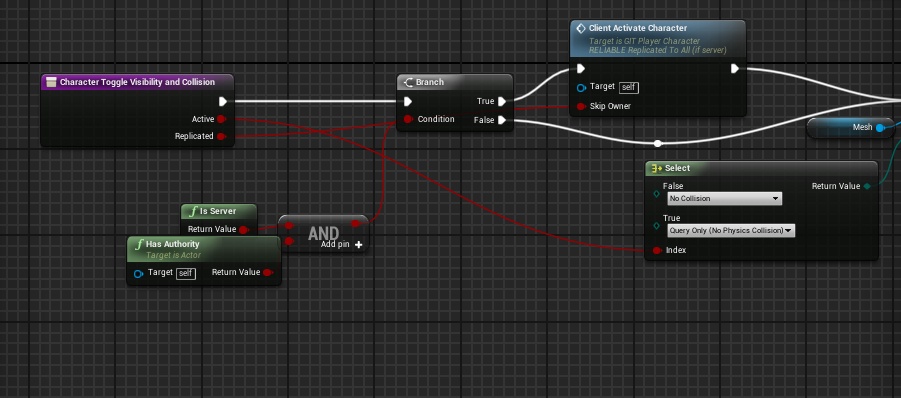 finite raft
You could also use GetNetMode() != NM_DedicatedServer instead of querying the authority.. Wonder if thats a common pattern for implementing deticated servers? I only did listen server so far, so I have no experience in dedis..
pallid mesa
This works on both listen and DC
If you read the blueprints slowly you'll understand why this makes sense
If you have any question about any of the nodes just ask
agile crane
Why does no one has ever replied to my messages any time?! So I joined this discord for nothing, every time I comment here and ask for help no one help me nor reply to me. ITS DEPRESSING!
As I said multiple times, 1 time:
How do I make my mp game hosting site so I can join people online and play with people like, which site should I pick up and can it be possible with blueprint only? I don't do c++.
Second:
How do I make a game mode called Infection, like, some people play as infected and some as survivor and infected needs to kill every survivor and the last man is the winner.
Please someone help me! I've been stuck trying to make these thing and no one has ever helped me! PLEASE 😄
Now please, someone need to at least reply to me! please 😃
I even messages UE4 on their twitter and they read my messages but don't reply. Which is more and more depressing
pallid mesa
Those are very general questions, provide us with code or concrete doubts. What is not working on your gamemode? Did you try to follow tutorials about listen server programming and testing?
Also if you are looking for a dedicated server solution you'll have to go through C++
agile crane
I tried making a infected game mode but I cannot make it, like, how do I check people and do like, if 2 more people are online 1 more people play as infected, so like, when there's 12 people, there is 4 or 5 infected, and when is 8, there is 2 or 3 something like that.
Buttt
I won't be able to host with my pc all the time!
Is there a way to get a hosting site that work with UE4 where it can host my game mp + host the server browser?
Welp, no one is replying I guess no one can find a solution..
finite raft
@agile crane
You are basically asking us about how to implement your game idea, which we cannot answer at all, because there are thousands of ways doing it.
I would suggest either to talk to a software developer friend of yours, if any, or hiring someone doing the implementation, or even going the hard way of learning all you need to know by your own, but that may take you several months or even years.
A good starting point is watching the UE4 tutorials on UE4s youtube channel.
I know nothing about game hosting solutions.
pallid mesa
@agile crane you are asking for a dedicated server
agile crane
I've searched for tutorial and there's none good tutorial especially the UE4 yt channel, its the most empty UE4 tutorial channel.
Yeah but how would I host it?
pallid mesa
You will need to hire a server first and compile the engine for dedicated server
In your server computer you'll execute a bat with some commands probably relying on "advanced session plugin"
agile crane
I suck at c++ and all the time I try to do stuff with visual studio it cannot work.
pallid mesa
And you'll have your dc server up ready for players to join
agile crane
But my pc will host the server? And will it auto detect the blueprint inside the game? Like, I've made a lot of stuff that work lan, and I even can join myself with two computer at my house and it works lan.
pallid mesa
If you are hosting and playing you are doing a listen server
If you want players to host like you do
You dont need a dedicated server
Will be good if you could read a bit about networking because all i see here is a conversation with no end
agile crane
I'm so confused, I tried joining my game with other people around the world and we cannot find each other!
I'm so confused a looot, Idk what to do
okay
but where?
pallid mesa
Internet in general lol
agile crane
I tried searching for make a dedicated server or server and stuff nothing is useful
pallid mesa
Maybe wrong google searchs t
There are pretty useful youtube tutorials for beginners
agile crane
not for me let's just say that
pallid mesa
Even EpicGames has a networking guide zero to hero
pallid mesa
Anyways dead end conversation
agile crane
okay
I'll just cancel my game and stop making game, nothing is useful in my shitty life.
pallid mesa
Hey, we all started learning at some point
Dont pretend to do everything the first day you start researching, also it is clear you didnt research enough
agile crane
I did searched a lot. Since like 5 month I've been searching for making a hosting site and I tried getting a hosting site but it cannot seem to work with UE4 or its overpriced and I'm a poor kid without money.
 final adder
Sup
mild hull
Follow some tutorial to get multiplayer shooter running than add some infection mechanic and you are done
agile crane
Before I work into infection thingy I need to make my game playable and being able to join online first of all.
final adder
I've been invoked here. Tell me your wishes
pallid mesa
Muit 👀
final adder
Thats my name, not a wish
agile crane
But can it be possible to get a hosting site where I buy it and put my game on it and it works? And about dedicated server.. Will it detect the lan system and will it work online?
I also did a UE4 post for help multiple times and No one has ever replied to me, its why I am depressed, everyone ignore me.
pallid mesa
Hold on glitch let me break it in parts
agile crane
I also tried gamesparks but it doesn't seem to work I cannot join online even with matchmaking.
pallid mesa
1 - if you want to hire a server to put your dedicated server there you need first to know how to do a dedicated server
2 - Your programming should be compatible with dedicated server
final adder
Making a mp game is not only "putting the game on it and it works"
pallid mesa
Also muit is right
agile crane
I found some useful tutorial for dedicated server so how do I after made it and put it online and hosting all the time?
and yeah
Before I waste 10 hours making everything I want to know if it works, I already got these kind of problem where I follow a tutorial and at the end it doesn't work and UUUUUUU its so annoying.
pallid mesa
You will need to follow allar's tutorial about dedicated server ue4 compiling, doing a dedicated server for your first mp project is... Well, not recommended
agile crane
uhh cool but how do I do that? Lemme search what you said
pallid mesa
If you want to do what muit said you depend on your players
Because you have no computer hosting but people
final adder
It wpuld be the classic "play with muit" screen from a player perspective
agile crane
I'm kinda confused...
I did that it works lan
I can join myself with two pc on my house
final adder
Well, ue4 uses an specified port to connect
final adder
You need to open that port to be accessed fro m outside, and specify an ip
pallid mesa
And allow all the entry connections
agile crane
Ohhh I get what you mean
but where inside the game do I edit the port to search the game?
final adder
Ue4 provides certain functions to connect to another game
If youwant to connect from outside, you first need the IP
pallid mesa
You can join using your console aswell
final adder
Yep
agile crane
Yeah but it cannot work with other internet connection
final adder
open ip:port
agile crane
where?