#multiplayer
1 messages · Page 357 of 1
 wise depot
 shy nymph
nah, its using that if i play in viewport cause steam doenst work in viewport but when i launch stand alone i wasn't aware that you could attach to that to debug
i try that out in a sec
"allowJoinViaPresence=false" doenst change anything D: T.T
it still doesn't find jack -.-
shy nymph
There is no Error... @wise depot thanks for the tip with stepping through stand alone, works great, but it works correctly... it goes into "findInternet" into "FOnlineAsyncTaskSteamFindServers" and adds the new Task seen in the picture but it just won't find anything...
shy nymph
i mean at this point i would pay for the solution T.T
wise depot
Ok that's searching
Do you even know that the dedicated server is registering correctly?
That's what was saying. If it's not even using steams subsystem then something is wrong
Our can't connect to a dedicated server through steam if the server itself isn't running through steam
shy nymph
well i dunno if its registering correctly but how do i check that if not for a connection? any other way? but it IS using steam
 jolly siren
you are port forwarding both ports that it needs?
shy nymph
from my router, and doing the same ports in windows firewall
jolly siren
looks fine
shy nymph
i knoooow T.T everything looks fine thats soo frustrating xDD if something looks wrong i could work on something, this way i just dunno what to do xD
shy nymph
noone? u.u
jolly siren
@shy nymph why are you using 0 as the searching player id for FindSessions? What does you UDedicatedGameInstance::FindSessions call look like?
shy nymph
cause the find session in steam online session does nothing with it
and called is this function from a own class with a blueprint callable
called from blueprint UMG button
 normal girder
hello
i looking for to do multiplayer game
i tried gamespark for use their matchmaking system
but could i use only UE ?
how to do a game where player can click "Search match" and play with the fist frree player
like clash royal for exemple or other game
someonen have doc or tuto or sample to do something like this ?
 twin juniper
@normal girder You will need a server to handle the matchmaking, or write it into your dedicated server, but that still needs to be hosted somewhere
Gamesparks is probably a good idea if you haven't done that kind of stuff before since they handle most of it
 regal narwhal
hello, is there anyway to set different gameMode for multiplayer game? There will be 2 different character in my VR Project. One of them will be VR user the other one will be GameMaster.
 wary willow
@regal narwhal ?
You should read up a bit on the Network Comp that's pinned
So you have a better understanding of what's going on with UE4 Networking
But, to answer your question directly, you wouldn't use two different game modes
You would use two different pawns
All you'd need to do is in Player Controller, check if HMD is enabled
If not, spawn FPS/whatever
IF yes, spawn VR pawn
regal narwhal
@wary willow actually I read some ue4 network tutorial and I know I cant set 2 different game mode. I think begining of my question was wrong 😃 . Sorry and alsoe thank for your answer . I will try do this in player controller
 thin stratus
@normal girder there are no docs about that. You could use GameLift for the scaled hosting and gamesparks for the matchmaking, but it's pretty complex and not documented. Also Gamelift and probably every other hosting service like that (and i think gamesparks too) is really expensive for a single dev. If you don't have a few hundreds or thousands planned in to spent (given your game attracts a lot of poeple), i would stay away from matchmaking for now
 twin sorrel
Hey guys, not sure if this is the best place to ask this question. I have a problem involving the replication of animations (i think). I have attached a gun to my players hand on the server, and when i shoot, it grabs the position of the gun and shoots from there. As i call the shooting on the server, for some reason it does not recognise my aim offset or when i am crouching
just the yaw of the player and the position of the player it seems
Maybe i'm passing my variables onto the anim bp in a way that the server can't see?
thin stratus
Animation maybe not ticking offscreen? There is a boolean in the skeletal mesh
thin stratus
The problem is basically that the socket your gun is at doesn't get moved on the server as the animations aren't playing on him. Check if things work when the server can see the client
twin sorrel
i'm running a dedicated server
thin stratus
Ah there should be a bool for that too iirc but not sure
Check through the skeletal mesh comp if you can find dedicated server related settings
twin sorrel
i can't seem to find the bool in skeletal mesh
thin stratus
It's the component, sorry, jusz woke up
twin sorrel
oh mesh facepalm, not skeleton
thin stratus
Skeletal mesh component
thin stratus
💶 💶
Nothing diff about bitwise in BP or cpp
Check general bitwise operations on wikipedia
wary willow
@thin stratus Where's the paypal account?
thin stratus
It's pretty straight forward
wary willow
To anyone who has a Comp Sci degree yes
I got the AND part down
and OR actually
XOR and NOT is strange
I get negative results
with NOT
twin sorrel
@thin stratus, no luck.. couldn't find any options regarding networking
unless im just stupid
thin stratus
@wary willow it's generally turning the number into binary
And using rhe operator on each bit
Filling with 0 at the front if one of them is too short
 wintry cove
@vectorz called refresh bones
thin stratus
@twin sorrel
twin sorrel
yeah, i've seen images of the setting, i just can't find it
wintry cove
Skeletal mesh component
Not in the skel mesh itself
So in your actor click on the skelmesh
thin stratus
@wary willow
9 = 1001
7 = 0111
If you compare each bit and set it to 0 or 1 in the result based on the result of the operation, you get a new number
& would generate 0001
| would generate 1111
XOR only is true if one is 1 and not both bits so that generates 1110
twin sorrel
YES, thanks so much @thin stratus... worked like a charm
thin stratus
Found it?
twin sorrel
yep, and it worked
regal narwhal
Is there anyway to open 2 same project and define one as server the other one as client?
normal girder
@thin stratus ok thank for answer.
@thin stratus and make matchmaking system by myself ? maybe too hard ? possible with UE4 you think ?
thin stratus
@regal narwhal Yes, as standalone, one is listenserver, other connects
@normal girder It is a lot of work and still needs database and server hosting
regal narwhal
ohh . I tried one PIE the other one as standalone . my bad .... thanks for answer
@thin stratus
thin stratus
Yeha two pie instances or one and standalone might not work
regal narwhal
but theres one more question how Can I know which one is will be server 😃
ok I did it with has authority node
 slim holly
pie instance window title tells which one is listening
regal narwhal
yeah if you open it in same game instance
but I did it with different game instance via standalone
normal girder
@thin stratus thk. For the database and server it s not probleme. I use mongo i thk it s good.
@thin stratus but for coding this in UE4... it s more difficult i suppopsed.
normal girder
yes but i don t think i have 1M player 😃
the server 'harware' is on a recipient
the main problem isf for do that in UE.
 burnt meteor
hey everyone i am having a problem in pawn possession in multiplayer
====================
here are the screenshots

this is in the pawn the above one.
==========================

This is in the PlayerController
You are destroying the PlayerController and then trying to use it again
jolly siren
Debug it then. Is the cast successful?
 hidden thorn
Are there any tutorials how to create a join/create session using c++?
I found 2 using BP but just in case I missed it
wary willow
@hidden thorn pinned
jolly siren
wary willow
@burnt meteor wellf irst off your logic sucks
Why is there even a check if it's 0 or less before any other math is involved?
Can you verify if the True Printscreen ever get called
hidden thorn
@jolly siren @wary willow Thank you
jolly siren
np
wary willow
Also< I would recommend not having respawn in your PC
And having it in GameMode
@burnt meteor
Super old example I have, but only one I feel like giving out right now ^^ Pawn
in GM ^^
burnt meteor
Sry I was offline
@wary willow thanks and lol I don't know there was a dead State in ue4
wary willow
there isn't
Pretty sure that's something I made up
@burnt meteor Let me know if that actually helps you though
Or if you're still running into issues
I would look at the pinned messages
First though
burnt meteor
I actually switch ed of my pc
wary willow
Lots of good tidbits in there
burnt meteor
I'll try it tomorrow since I have stuff to do
If it didn't work I'll pm u
Thanks @wary willow
twin juniper
Is there any way to find ount
what is causing slowness on the server side
NetworkProfiler doesnt help
becauhse this isnt an RPC
its just like Timer loops and such
so idk how to bring up... the CPU profiler through a server?
hm
burnt meteor
Are you using steam?
twin juniper

Unreal Engine
Is the frame rate in your game low? Do you know why? Could it be because you have too many enemies spawned at once or is it because one specific enemy is expensive? Could it be because you have a ton of visual effects or because of that sweet skill system you wrote? Read on to find out.
I need to be able to run this... but on a Dedicated Server
ive been using this heavily recently
to massively increase my fps... but now im having issues on the server side
With network hitches
and slowness
But without a profiling tool... I am simply guessing where the issue is occuring from.
burnt meteor
Are u using steam?
twin juniper
no
burnt meteor
480?
twin juniper
but i dont think its steam based
thin stratus
@twin juniper Epic will release better tools in 4.19
twin juniper
@thin stratus what do you mean?
burnt meteor
For networking?
thin stratus
To profile dedicated servers
twin juniper
oh yeah?
thin stratus
Based on their experience with Fortnite
twin juniper
is there a preview version?
twin juniper
Or an article on this?
twin juniper
link me?
twin juniper
@thin stratus it sounds like (i found an article about it) they not only are releasing more tools
thin stratus

Unreal Engine
In the course of developing the Battle Royale game mode we’ve made many performance, memory, and workflow optimizations that not only benefit Fortnite: Battle Royale but every developer using Unreal Engine 4.
hidden thorn
I was following the session c++ (https://wiki.unrealengine.com/How_To_Use_Sessions_In_C%2B%2B#Creating_a_Session_.7C_Header_File) tutorial and I am not sure if this will cause an error but it does say it is. https://i.imgur.com/1t9VQxt.png
 thin stratus
You are probably missing an include
That is my guide and probably outdated. But can't find time atm to refresh it
twin juniper
@thin stratus
thanks EPIC
THANK FU CKING GOD
I was just talking about this yesterday
twin juniper
the CharacterMovement component is sooo shitty as it is now
i literally
cant wait for this lol
because i was about to go to this stuff myself
but didnt want to have to miss out on future updates by making engine changes.
or... completely rewriting charmove comp
Shame is i think we gotta wait for 4.18.2 first
to get these changes.
hidden thorn
@thin stratus Ah nice one, I will have a look then.
hidden thorn
@thin stratus Just a quick question, at the top "Creating Session" where we add the parameters, does it mean that we can add more than what you added? Like map, mode, etc ?
thin stratus
Correct
Steam has some weird limitation I think, but I#m still not sure when the overflow warning ist harmless and when not
hidden thorn
Good to know, thank you
twin juniper
@hidden thorn just use UWorks
it costs a bit but its a lot better imo
none of those useless, meaningless, unhelpful, error messages
where u dont know whats dooing what
burnt meteor
I have a steam app id
hidden thorn
Well I don't have £103, also this is not a commercial game so I don't need to use someone else's code. I am trying to learn how to go about doing it
burnt meteor
Steam it's a bit of a problem
shy nymph
since steam is atopic right now i would like to throw in my problem again xD ( i know im probably the most annoying person on here right now)
https://forums.unrealengine.com/development-discussion/c-gameplay-programming/1396612-dedicated-server-session-in-steam-not-findable
or provided some client logs under my reddit post
https://www.reddit.com/r/unrealengine/comments/7i2gn1/dedicated_server_session_in_steam_not_findable/

reddit
So i compiled my project from an unreal source build into a dedicated server. The Project is using the Steam OnlineSubsystem. The Server seems...
not getting any reactioon what so ever, seems like i've opende the box of panora with this one
xD
 copper lintel
Hey guys, whats the first event that fires when starting a multiplayer game
 merry hemlock
I've figured out how to do a local multiplayer, however, is there a way to stop it from opening up an extra client server when I start a standalone game? i basically have to close that everytime so that the other machine can connect
Other than that, I'm a bit confused about how the system treats player index....I made a Key event that moves the player at Index 0 up, then I hosted the game, and my client connected. When my client machined used that key, it moved the CLIENT up, not the Host machine up. Is there a reason that the host machine wasn't the player index 0? Is this a replication thing because they are BOTH player index zero and CAN BE because they are not replicated to one another? (at least the server isn't replicated to the client?)
thin stratus
What index are you using?
Cause for Multiplayer you always use PlayerController0 to refer to each local PlayerController
PlayerController1 etc are for local splitscreen only
merry hemlock
@thin stratus That's the issue.....I'll need to learn more about how the engine distinguishes from player to player
thin stratus
The PlayerArray in the GameState usually
merry hemlock
Do I want GameStateBase since it replicates?
thin stratus
Öhm, yes? Or the GameState directly if you need it's additional functionality
merry hemlock
Well, this is a non-tradiional multiplayer.... essentially I have a VR user and an "instructor" who needs to control some of the events in the game
but it is entirely local, so EVERYTHING can replicate as far as I care, there is no issue with hacking or anything like that and the gameplay logic is very simple
merry hemlock
@thin stratus Thanks for your help, I really appreciate it
Does the GameState need to exist in the world, or is it generated if you set it in the GameMode/Project settings?
normal girder
hello
i try to use google play with "online subsystem google play"
i configure my game in google console
i think it s ok
i config in UE4 too
when i lanch game
i have the google play connexion menu with my game name
next i have "Google play game" writing with green backgroud
and next
that close whithout choise profil or player
and the "Show external loginUI" return "on failiure"
someone could guide me to know what i doing wrong ???
normal girder
i just look at log and google help
maybe i just find the problem
i try
well
not good
merry hemlock
Is it possible to have a client connect to a server but exist on different map; and for that client to not have all of the content the server has? I have a large project and I'd like to have a control panel that can be used on a low-entry laptop or even a smartphone and it would only consist of a Widget, that's it....is that possible?
 solar halo
UE4 uses 7777 still, right?
 fossil spoke
Yep
solar halo
Hm
My MP was working ~week ago and now it doesn't.
Nothing on my net has changed either.
fossil spoke
What is not working to be precise?
solar halo
Other players don't load into the map that I'm in.
fossil spoke
Do they see the session or are you connecting to IP directly?
solar halo
Directly
fossil spoke
Make sure your IP is correct
solar halo
It is lol
fossil spoke
Did you need to port forward?
solar halo
Already have
fossil spoke
Make sure your router has unblocked the port for the correct local address for your machine that the server is running on though.
solar halo
When I run the server the port doesn't show that it's being used.
Sec and I'll nmap to see again
fossil spoke
Make sure there is an firewall rule for the Server as well.
If the servers exe has changed location on disk it may not have an valid firewall rule anymore
solar halo
It's static
Anything in engine that would impact this?
@fossil spoke Not even connecting to localhost works.
like wat
solar halo
haha
Not sure what's going on
Works in engine ofcourse, but out of it no MP works.
Even said yolo and disabled win fw.
fossil spoke
When you say in Engine you mean in Editor
solar halo
Any ideas?
@fossil spoke Possible that I'm building as a shipping game?
@fossil spoke Yeah, that's the issue.
If I build as Development then it works fine.
shy nymph
So for anyone who might be interested in the Problem i had the past couple days spaming this chanel about Dedicated Server Session in Steam Subsystem, i got it to work as i found a forum post talking about this topic.
It seems like i've missed some ports that weren't opened but i hadn't heard anything about. The post linked this page
https://support.steampowered.com/kb_article.php?ref=8571-GLVN-8711
after opening all of thoose ports not just the 7777, 7778 and 27015 on TCP now the Server is findable
twin juniper
does anyone know what's the prefered way for a client to connect to a dedicated server
i'm trying with "open level" but it fails
should i be using "console command" open ip:port
i wanted to say that it doesn't work when connecting over the internet, but the server is visible in steam server list
thin stratus
Steam Dedicated Server by default don't allow IP connection anymore iirc
Cause of the way they are code in the Subsystem
You'd need to connect via sessions
So via server list in your game
twin juniper
I'm using UWorks to obtain a public server ip address
burnt meteor
hm...
twin juniper
once i obtain the public ip address, im trying to connect to it via "open level" node
burnt meteor
nice
twin juniper
but it doesn't work... my question is
twin juniper
i don't know about advanced sessions
burnt meteor
u have never used?
twin juniper
i'm looking for hints in order to make it work, like do i need to setup firewall
or some port forwarding
or is the "open level" node a problem
should i be using "run console command" instead
burnt meteor
if you make a cloud based one, i dont think you'll need a firewall problem
what do you mean?
twin juniper
how would i troubleshoot this in general
burnt meteor
troubleshoot what?
twin juniper
the problem i described, not being able to connect to a remote dedicated server
burnt meteor
i dont have much experience in dedicated server's although i am gonna start
have you tested your port forwarding?
with a minecraft server or anything?
@twin juniper
twin juniper

so this is a server list i've obtained from steam
next thing i'm calling "open level" to xxx.xxx.xxx.xxx:29624
but it's failing, anyone has idea how would i troublshoot it?
the server is hosted on my local machine, this is a laptop
twin juniper
@twin juniper Join Session?
You should obtain a session struct from that server, pass that to join session
for direct connection to ip there's a console command
"connect xxx.xxx"
 short whale
hey everyone, I'm trying to replicate the leap motion hands to another client but I'm not sure what the best approach would be. Does someone have experience with networking in unreal to point me in the right direction? My current way of thinking does use a fake skeleton mesh for the other clients that get updated event driven by their bones, but I'm not sure if it is the right decision. It will always be LAN, 2 players.
 sweet spire
root motion across network should work? if im understanding what ur asking
short whale
I don't have that much experience with unreal, so I may skip the easy solution by accident. I just want that the listen server as well as the client does have it's own leap motion hands synchronized to the other player
I guess just activating "replicating" does not help me when I want the client to inform the server about his hands, since it's a one way ticket from the server to the clients, does it?
thin stratus

Unreal Engine
We catch up with GPORTAL to discuss what developers should know about managing multiplayer infrastructure in their multiplayer-focused games.
regal narwhal
Hello, how can I understand if my instance is client or server? I tried with switch has authority its working but the print node write every instance
thin stratus
Instance of a replicated Actor?
regal narwhal
actually when I use switch authority node, its working good in player controller but the print node execute every instance
thin stratus
Well, it depends on where you call it
BeginPlay or Tick obviously exist on every instance of an actor
thin stratus
You mean screenwise?
PIE is usually starting in Single process. You'll always see the print string on all windows
regal narwhal
oh again same 😃
burnt meteor
multiplayer...😰 😡 😡 😡
regal narwhal
actually I want create VR project . There will be 2 different character. One of them will be server only computer screen. Server will be who wants give order to AI characters via Widgets. And Clients will be user which are use HMD like HTC Vive or Oculus Rift.
Is it possible? Yeah actually its depends on me. This is my first multiplayer experience in UE4. I watched already some tutorials and ready network tutorial created by @thin stratus but in practice we come across some noob problems 😃
burnt meteor
we need a server just for multiplayer lol
jolly siren
@thin stratus are you using gportal? Any idea if the plugin is just for the application or do you need the plugin attached to your actual project?
jolly siren
Cool, yeah thank you for sharing 😃
burnt meteor
did pubg use a dedicated steam server?
 dull jasper
jolly siren
dull jasper
jolly siren
https://issues.unrealengine.com/issue/UE-45381
Won't fix? Hmm, wish there was a place to write a reason why for those
regal narwhal
Must I set default pawn for GameMode or is it problem if DefaultPawn==None?
thin stratus
If DefaultPawn is NONE, then you need to spawn it yourself
twin juniper
@regal narwhal also you need to possess it yourself
PlayerController::Possess(APawn* InPawn)
burnt meteor
easy to say lol
 hasty adder
So
When a bkueprint is setting up to host a listen session. Can they dictate spectator spots and how would one join as spectator? Or is this a dedicated server thing
Also with open ip?spectatoronly=1 what spectator class do they use, is it the one defined in the level as spectator?
 inner iris
Apparently PUBG uses a web based main menu, so it launches a browser window essentially when starting up the game. I'm not sure how far into the main menu it goes, but does anyone know the reason for this? (easier to login to their site to link the account or something?)
hasty adder
Probably easier user management
burnt meteor
dedicated server is sooooo hard :((
hasty adder
Like outside ue4 market system and what not update data tables etc
@burnt meteor what's not working?
twin juniper
would anyone be able to decipher why is my client failing to connect to a remote dedicated server?
inner iris
@hasty adder makes sense! I always thought it was just regular UMG widgets, surprised that the menu is web based. I guess it does make it easy to show the most current data and even might handle the crate opening etc.
burnt meteor
@hasty adder setting up the server
wow
guys wow
can you guys help me?
for making a dedicated server?
inner iris
@burnt meteor assuming you have read and followed this guide? https://wiki.unrealengine.com/Dedicated_Server_Guide_(Windows_%26_Linux)
burnt meteor
i did that
hasty adder
What is uworks?
burnt meteor
but when i build the development server its says run as admin in visual studio
inner iris
So did you try running VS as admin and rebuilding?
hasty adder
It looks like it's trying to connect I mean it's receiving a hit from@the Client printing everything
Did you build both a no editor and dedicated server same time?
burnt meteor
@inner iris there's no option to run as an admin
hasty adder
I'd recommend using ue front end
hasty adder
When you build source it should have built front end
It's in the source folders slmewhere and is handy for building out your stuff outside of the editor
burnt meteor
@hasty adder what version do you recommend?
hasty adder
Oh ok just making sure your not trying to connect to yourself with pub up 😃
burnt meteor
is 4.18 good?
hasty adder
I haven't started with 18 yet. Still on 17
burnt meteor
alright
hasty adder
There was a lot of bugs when it first came out. And been awol from dev since holidays 😃
burnt meteor
multiplayer......
hasty adder
What version are you working on currently decode?
hasty adder
@twin juniper so if it works on LAN I am wondering what the connect logic might be looks like server gets request sends info back to Client waits for somethjng and times out
burnt meteor
what are you exactly trying?
twin juniper
in both cases works on LAN; but fails on remote
burnt meteor
@twin juniper
twin juniper
connect to a dedicated server
burnt meteor
from a different pc?
twin juniper
yes, different pc, different network
twin juniper
yes, check the log output for both failing and ok case, i pasted the images
hasty adder
Can you connect to dedicated server not using your browser and just use open ip?
Console
burnt meteor
are you using steam?
burnt meteor
did you test your port forwarding?
hasty adder
Using ~ and type open ip
burnt meteor
` not ~
hasty adder
I know steam out of the box will not allow you to host games
You need to ask them to turn that on
burnt meteor
hasty adder
With your app id
twin juniper
i have app id
hasty adder
So is this your steam app is or the pub?
burnt meteor
twin juniper
but im hosting server on my machine
twin juniper
the server shows in the server list
twin juniper
i'm only using steam to distribute the ip address to a client
hasty adder
Steam is weird for my dedicated servers I don't use steam
hasty adder
Oh it's packaged no I think you need to. Change code somewhere to allow console
I'm not familiar withbuworks
If suspect the problem might been in that.
twin juniper
this is driving me crazy
hasty adder
"usually engines tend to send the important stuff via tcp while simultaniously having UDP for unimportant packages"
Someone said this
Any bit of truth to this?
thin stratus
That's usually how UDP and TCP is defined
UDP doesn't make sure that things come in the right order or at all
Like Video or Audio Streams
You don't care if a package fails at some point
TCP is used when things need to arrive and in order. So it actually waits on packages if they don't arrive and resends them etc.
Not so good with you don't want to wait
hasty adder
Ahh thanks for the clarification 😃
Im observing ppl saying ue4 is to blame for input lag in games.
Uhg
twin juniper
@thin stratus sup man
hasty adder
😉
So @thin stratus is the defined spec class what's used if you join a server with spectatoronly=1 ?
In the map settigs
thin stratus
Haven't done much with spectators yet
hasty adder
I'm gonna mess around tonight
We're both working on games where a good spec mode is important 😃
 small temple
hey, anyone here with experience in replicating physics?
 fringe dove
Is there a way to make sure certain properties are set on an actor before it replicates to clients (beyond just hardcoding one way or another in the constructor)?
so clients never see it in the default state, only as what you have dynamically initialized it to
small temple
@fringe dove only start replicating once the properties are set?
deep and enlightening answer, i know
fringe dove
@small temple does that actually guarantee it though? is there a guarantee that all properties will be replicated over sort of atomically?
small temple
@fringe dove no idea if it's guaranteed, but that seems like the only way to do it to me
fringe dove
ah that's what I'm worried about, I'll have to search around and see if that's the case I guess
small temple
well, i don't see why it wouldn't be guaranteed actually
you set the properties, you replicate the actor with the properties
unless the properties reset for some reason, they'll replicate
and by "set the properties" i mean "make sure the properties are set correctly and fix if necessary" like your original question asked
fringe dove
yeah, if I can spawn the actor, initialize some properties, and then turn on replication and guarantee the receiving client will see the actor only in the after-intiialization state I'm good
hasty adder
What about physics replication?
fringe dove
but I need to make sure that is a real guarnatee before I build a bunch of stuff relying on this
hasty adder
It's a pain subject 😃
small temple
well i have a simple setup with physics-driven player pawns
and obviously i want to replicate them
but!
small temple
yeah so i want to keep it simple and just replicate positions
because i'm not going to have player collision anyway
so it's not a big deal
but i can't figure it out
hasty adder
Ok I've done some hover ships that replicate
small temple
oh i should mention i want client-side physics, obviously
so to sum that up, player pawns move client-side > replicate position to server > server moves pawns around
this seems like it should be the simplest thing ever
hasty adder
You want server to do it sll
small temple
hold on a sec i gotta 🚽
fringe dove
@small temple hmm the answer here seems to say you need to use SpawnActorDeferred for what I want: https://answers.unrealengine.com/questions/417150/spawn-actor-with-dynamic-data.html
not sure that's right though
small temple
ahh that's also way above my head @fringe dove 😃
@hasty adder was that a question or a statement?
fringe dove
@small temple hmm then there is this: https://docs.unrealengine.com/latest/INT/API/Runtime/Engine/GameFramework/AActor/PostNetInit/index.html
Always called immediately after spawning and reading in replicated properties.
hasty adder
So my hovercraft I have the input only replicate to move them
So say w for forward
Replicate that forward is down and tick on server says forward is down add impulse or what not
small temple
yeah, so you do the movement server-side and replicate it to the client
hasty adder
And the actor just needs to have movement replicated and everyone sees t move
small temple
but that will be a problem with latency, no?
hasty adder
There will be likely the view of input lag if there is a big ping
small temple
yeah, so i'd like to avoid that because i need high precision input
small temple
mhm, but that's for client-side prediction of server-side movement i assume
hasty adder
It's tough because physics is stepping based on your frames and you can end up in some major desynched problems
small temple
ok, but i don't need to do all that because i don't actually need to replicate physics
what i had in mind now was simply to cache the pawn position on the client, set the pawn to that position on the server, and then replicate it back to the clients the normal way
does that make sense?
shy nymph
yes but i worked on a physics based movement kind of thing as well
you wont get smooth movement that way
small temple
i would interpolate it
shy nymph
yea that you would have to do, but if you just cache the positon to the server and do not validate it its exploitable
small temple
absolutely, but i'm not too worried about that
the problem is it doesn't work,lol
and i don't understand why not
hasty adder
What happened exactly?
shy nymph
you do this in blueprint or c++?
small temple
blueprint
shy nymph
can you show us what you did?
small temple
yep just a sec
shy nymph
sure
small temple
i accidentally deleted the wrong code and my undo doesn't work for some reason so...
shy nymph
yea no hurry
small temple
hasty adder
I mean if you aim to have no input lag. Ultimately your asking to simulate local. And have the server move you the same only you don't want to see locally the server side sim of yourself.
small temple
i know the event isn't replicating but that doesn't seem to matter
that's right @hasty adder
twin juniper
Not to derail this convo, but has anyone experimented with asymetrical multiplayer? I am trying to do a proof of concept where I have one pawn spawn at 2x size and the rest spawn at normal size.
hasty adder
Can you do a print after that set transform of the value
small temple
the prints are off to the right as a matter of fact 😛
hasty adder
Not setting the value Hun the authority side event version
small temple
so yeah i tried it and it's confusing
hasty adder
Update pawn event print that get
small temple
well i can go through all of it again and tell you what it prints depending on the conditions but it's about what you'd expect
the server transform never updates
oddly enough
hasty adder
Because I see remote is setting a transform but how is the server to have access to it to set it if it's not going through an rpc
small temple
client caches transform > server gets cached transform > server sets transform
is how it should work
small temple
yeah there's a screenie above
shy nymph
Oh is it? Im sorry just a sec
small temple
😃
shy nymph
So the UpdateTransform Note should be on the serer yea?
small temple
yeah
you mean it should be set to run on server?
because yeah, but that doesn't make a difference
the server transform just doesn't budge
shy nymph
you set this? cause the Custom event note should look like this then
oh okay you tried that?
shy nymph
but without this it deffinitly wont work, how should the server know to move it?
shy nymph
have you tried a set up like this?
small temple
i've tried something similar but hold on
shy nymph
cause "setting it on the Server" when your server is a playing client could jsut not show it cause the playing server might just act as another client so you have to multicast it from the back end working server to the playing server client
small temple
nah my server is a dedicated server
shy nymph
the terminology might be totally off here but i hopüe you get what im trying to say ^^
small temple
no difference btw
but yeah a listen server replicates fine
only the listen server though, not the clients
shy nymph
hmm thats strange, well one more tip is if you have the "replicate movement" checkbox checked from unreal for me it did some weird behavior cause basicall you do the movement replication so you don't need it, just try to uncheck it
small temple
hmm i tried unticking all the replication stuff but yeah i'll try that
no difference, lol
that wouldn't make sense anyway
because the movement replication is what would actually replicate the pawn
in the end
after i set the pawn transform on the server
shy nymph
but thats actually really strange o don't think when it comes to executing BP node there shouldn't be any difference between dedicated and client, i don't think
not on this simplicity level
small temple
there isn't
hasty adder
Can't explain while at work on a phone.
small temple
you can keep it short @hasty adder 😃
hasty adder
The server value needs to be updated by the client. Then the server needs to multicast to update your transform locstion to others
shy nymph
yea thats what my screenshot does
shy nymph
well if listen servers work fine that would be weird
small temple
well it makes sense
it only works fine for the server, don't forget
the server position replicates, but client positions don't
shy nymph
what is it that you're moving, a "static mesh" inside the BP?
small temple
skeletal mesh
shy nymph
uh okay, dunno if skeletel mesh work much diffrent, but do you have the "replicate component" turned on for the skeletal mesh?
small temple
i didn't but it makes no difference
shy nymph
i had the same issue, tried to remember if and how i fixed it, but moved away from that project so i can't quite remember
kk
small temple
also wouldn't make sense because it works fine on a listen server
shy nymph
hmm thats though
hasty adder
so when you say it's not working what is happen?
shy nymph
yea thats true
hasty adder
Client does what and host does what?
small temple
client moves on its own screen, but not on the server or other screens
small temple
possibly
hasty adder
This is telling me the transform@value your trying to pass is not getting set .
small temple
the transform cache is replicating though
and i can see it is being set lol
just a sec i'll try something
ah, you're kinda right
if i just print the transform on the server, it's always 0
but if i print it on the client, it's fine
so it is being set, but it's not being replicated
thin stratus
What are you doing where again?
small temple
trying to replicate client-side physics to other clients
oh hold on a second, might've messed up something
nope, no change
so yeah, the transform variable isn't replicating...
oh i just read replication only works from the server to the client
that explains a lot
so then how do i handle this 🤔
shy nymph
yes but the way my screenshot showed you r not "replicating" just manually making RPCs, this should work
thin stratus
Yeah Replication only works one way
small temple
but it doesn't replicate to the clients yet
thin stratus
If a Client wants to replicate you need to ServerRPC
small temple
even though it should, right?
thin stratus
But hte Client has to own the actor
small temple
can't do that with blueprint can i? @thin stratus
except in so far as what sk.pat said
anyway so now it actually updates the transform server-side, but the server won't replicate it for whatever reason
even though that's what replicate movement is supposed to do...
thin stratus
Replicate Movement is kinda bound to CharacterMovementComponent
small temple
are you sure? it works fine for me with a physics pawn on a listen server
i think that changed recently because i remember trying something similar a long time ago and yeah, it didn't replicate physics back then
shy nymph
you can see here that a while back i had it set up as my screenshot basically and i had it moving but not smoothly, didn't figure out what that was but it DID move

Its no skeletel mesh but basically did the same thing
thin stratus
Well usually if your Actor is replicated (and repMovement) and you set a the Actor location o nserver, it also changes on teh clients
If you, however, can't get that to work, you should try to send the location from server to clients directly via RepNotify variable
Or, depending on how you set it up, use a ServerRPC and then set the Variable
That's all you have as an option
small temple
@shy nymph nice! very jittery though yeah
shy nymph
yea it was amess (worked setting the chckbox to "dedicated as well btw)
small temple
@thin stratus i'll try that
hasty adder
Ah repnotifys on tMylocation and on event tick remote set transform tMylocation sorta?
Well more then that but
small temple
ahhh it's times like these when i regret learning blueprints instead of c++
thin stratus
Would be the same in c++
small temple
ehh well i'm struggling with flow control right now basically
in ways i've never had in my limited coding experience lol
hmmm yeah i can't get it to work
so, i set the server transform to the client transform
then i store the server transform in a repnotify variable
and then i multicast it?
hmmm apparently not
i should just be able to do that on the client since the variable is already replicated but that doesn't work either
stop the presses
hahaaa, it works
you know what the fucking culprit was? i have to teleport the skeletal meshes on the client side
it actually spammed a shitload of warnings about it in the error log but i didn't look at that because i was expecting some errors there
thin stratus
Can you share code pictures?
small temple
sure
thin stratus
You might just do something completely wrong :D
Ah haven'T read till the end
You made it work :P
small temple
i might still do something completely wrong 😛
thin stratus
Physics Actors need to be teleported when moved via SetActorLocation
But I mean yeah the warning tells you
small temple
thin stratus
You need to limit that Tick Call more
thin stratus
The RPC should only happen in the locally owned Character/Pawn
You are calling it on all clients
small temple
oh?
thin stratus
That part
Needs be limited to LocallyController TRUE
So that the Local Clients sents his Transform to the Server
Other clients do not own the Actor
So the RPC won't work for them anyway
Then, remove the "SetActorTransform" node from the Tick
small temple
hmmm
thin stratus
You should only do that in the OnRep function
Which also counts for the Server (he calls that in BPs too)
small temple
sec
nope, i'm confused
one thing i get is that the SetActorTransform shouldn't be in the tick, but it doesn't work if i put it after Set ServerTransform
not sure why
as for the other stuff, if you mean i should limit the tick stuff to non-local controllers only, that doesn't work
neither does limiting it to local controllers only for that matter...
sorry i got a major case of spaghetti brains after working on this all day, nothing computes anymore
btw thanks @thin stratus @hasty adder @shy nymph
you all get a free copy of my game when i never release it
shy nymph
@small temple no problem dude that's what this channel is for right? i mean ask so much for help here thought maybe i can give something back ^^ looking forward to your game 😄
small temple
@shy nymph thanks! maybe i'll share once i fix up my gamemode and all
burnt meteor
anyone know how to solve this build error in vs15?


there's no option to run as an administrator

please help
burnt meteor
@here
solar halo
When I get the playername it returns "Player", any ideas?
How can I make the playername the pc name of said player?
burnt meteor
Bind the text @solar halo
burnt meteor
can anyone give me the Server.Target.cs for ue4.18?
 wary cedar
What is the best way to call an remote function only on part of clients?
For example, for realization of Fog of War for a 2D game. If I want to replicate some data only for objects that are visible for specific player.
twin juniper
@burnt meteor
// Copyright 1998-2017 Epic Games, Inc. All Rights Reserved.
using UnrealBuildTool;
using System.Collections.Generic;
[SupportedPlatforms(UnrealPlatformClass.Server)]
public class MyGameServerTarget : TargetRules // Change this line as shown previously
{
public MyGameServerTarget(TargetInfo Target) : base (Target) // Change this line as shown previously
{
Type = TargetType.Server;
ExtraModuleNames.Add("MyGame"); // Change this line as shown previously
}
}
I'm using this, if that's what you need
burnt meteor
thanks
twin juniper
I have an interesting propsal. Is there anyone here willing to run my game client in order to test if it's possible to connect to a dedicated server
burnt meteor
so can you send my the edited target.cs?
twin juniper
?
twin juniper
it is my project name
burnt meteor
alright thanks
twin juniper
are you having conversion issues?
burnt meteor
?
twin juniper
i had to update those files, when i was switching form 4.17 to 4.18
because of some errors
deprecated stuff
burnt meteor
we only change these right?
// Copyright 1998-2017 Epic Games, Inc. All Rights Reserved.
using UnrealBuildTool;
using System.Collections.Generic;
[SupportedPlatforms(UnrealPlatformClass.Server)]
public class MyGameServerTarget : TargetRules // Change this line as shown previously
{
public MyGameServerTarget(TargetInfo Target) : base (Target) // Change this line as shown previously
{
Type = TargetType.Server;
ExtraModuleNames.Add("MyGame"); // Change this line as shown previously
}
}
only 3 things right?```btw why did you switch from 17to 18?
 twin juniper
i switched because i'm using ConfigBP plugin which had a bug in 4.17
burnt meteor
getting this error when i am setting up ue4.17
burnt meteor
ill install ue4.18 source
thin stratus
@wary cedar probably the use of NetRelevantFor with your own logic
@solar halo by default it returns the pc name. Did you maybe change the name in the game mode defaults?
thin stratus
Alright
wary cedar
@thin stratus thanks. Will try it
jolly siren
Would a cpu with more cores or faster cores be better for a ue4 dedicated server? Assuming that pretty much everything in the game is coded on the main thread. For example, i5 vs ryzen 5
thin stratus
Well you kinda don't have any GPU stuff, as the Server isn't doing much on that side :P
So RAM and CPU are probably the main things to upgrade for multiple dedicated servers
jolly siren
Right, that makes sense. I was asking about the cpu specifically. If more cores or faster cores would be better if I wanted to run a lot of instances on it.
In the $200 price range I could get an i5 with 4 cores or a ryzen5 with 6 cores or a xeon e502670v2 with 10 cores
solar halo
Do I need Advanced Sessions to do Steam MP or can I just use UWorks?
(I don't own UWorks yet btw.)
jolly siren
You don't need either. But UWorks opens up a lot more functionality.
solar halo
So what would be the reason to get UWorks? Just to use more of the steam api?
solar halo
Hm
Do you have any resources on steam mp without advanced sessions?
Everthing I find has advanced sessions.
jolly siren
Are you a c++ coder or a blueprinter?
solar halo
Mixture
jolly siren
Advanced sessions is open sourced, so you can look at what it's doing. The base of running a multiplayer game on steam doesn't really need anything special. But all the bells and whistles that I posted above will either need to be coded yourself or you can use one of the plugins you mentioned.
UWorks looks good imo, but I've never used it.
solar halo
Mostly I'm just wanting to host a steam mp session with a friend for testing.
 finite raft
@jolly siren Personally I would not expect seeing any difference in performance between the Ryzen 5 1600x and the Core i5-7600K processor. if you have the chance then do benchmarks with both of them. If not just buy the one of them. Don't take the xeon, becuase it is optimzed for multithreading with low speed per core.. - just my personal opinion.
jolly siren
even if it's sole purpose is to run ue4 dedicated servers?
finite raft
the xeon has something like 2.5 ghz, and will perform worse than the others, which have 3.8 and 3.6ghz.
but that is only a guess, only a benchmark will show for sure.
finite raft
intel is usually faster per core than amd, thats why amd does more cores per CPU to compensate.
jolly siren
right, I know ue4 is mostly single threaded. But I wasn't sure about dedicated server instances
finite raft
I'm not sure either, its just my general expectation.
 next falcon
Guys is it possible to do a map for each player ? like every player has own map but all on the same session ?
next falcon
i mean if i have a map for all players and if one player goes trough a door it will load another map BUT only for that player who goes trough the door and all other stays in the start map
burnt meteor
yes
its called world composition
which is really difficult
wait
ill send you a video
next falcon
thanks 😄
burnt meteor

Hey all, today we start working on the World Streaming. For future BR Tutorials I plan to first bring the Concepts like inventory and crafting as Standalones...
and
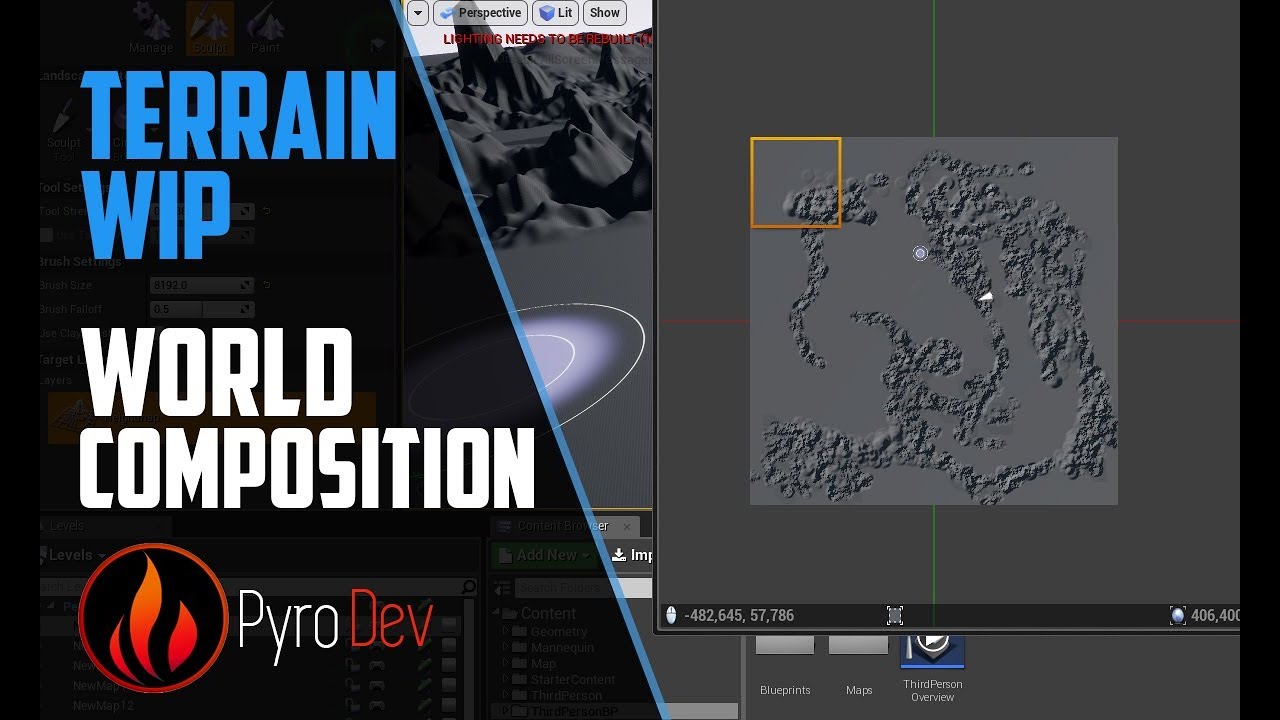
Hello everyone, Today I show you a bit more about world composition and about its advantage in LOD settings _________________________________________________...
Official Epic Games
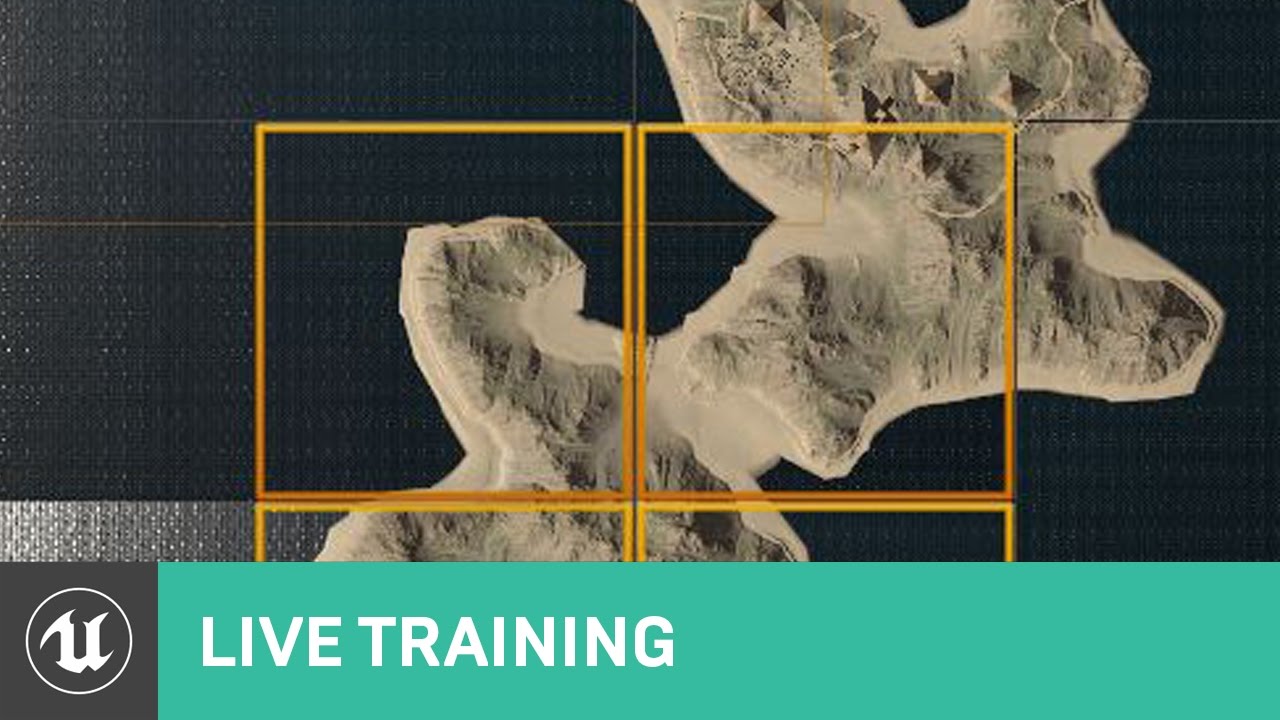
Announce Post: https://forums.unrealengine.com/showthread.php?144654 World Composition is a fantastic tool for handling multiple landscapes, managing massive...
next falcon
thanks ill watch it 😄
burnt meteor
😄
hello @thin stratus whenever i try building i get asked to save .sln file for ue4.18 source
please help anyone
can anyone help me in building a dedicated server?
thin stratus
There are guides available for that
- Download Source
- Start Setup.bat
- Start GenerateProjectFiles.bat
- Open SLN file and compile engine for target DevelopmentEditor
- Change Version of your Project to that custom Engine
- Create a Server.Target file
- Build Game for DevelopmentEditor and DevelopmentServer
- Package Game in Editor
- Move Server.exe from Project Binaries to Packaged Binaries
inner iris
@burnt meteor Details on those steps here: https://wiki.unrealengine.com/Dedicated_Server_Guide_(Windows_%26_Linux)
small temple
35 times 😂
burnt meteor
i actually took a print out and took it to my exam hall lol
small temple
damn
 manic pine
i think the guide is outdated
burnt meteor
drive soooo slow
manic pine
the ServerTarget files can be much simpler now
 small temple
yeah that's always hell
burnt meteor
where do you think is the best place to install ue4.17?
 livid aspen
on a harddrive
burnt meteor
..
manic pine
inside c:\windows
small temple
somebody please tell me why my clients spawn at 0,0,0 instead of at the playerstart
server spawns at playerstart just fine
god why couldn't i just make a singleplayer game
manic pine
no playerspawn found?
small temple
nope, seems to find it just fine
small temple
it gives the correct transform
of the playerstart
but somehow the clients still don't spawn there...
manic pine
right, so its the spawn function itself
small temple
i suppose so yeah
manic pine
which youve overriden from?
burnt meteor
small temple
what do you mean @manic pine ?
 manic pine
oh its just the regular world->spawnactor?
burnt meteor

LMGTFY
small temple
@burnt meteor ❤
burnt meteor
😄
small temple
@burnt meteor 👉 👌 ❓
burnt meteor
👍
small temple
@burnt meteor 😏
burnt meteor
🙂
small temple
ok but seriously why isn't it spawning correctly?
it can't be collision because my player meshes don't collide with each other
manic pine
if it was collision, it wouldnt spawn at all(depending on spawn collision handling)
should just return nullptr
same if any transform input values are NaN
small temple
yeah
small temple
that shouldn't be the problem
the pawn spawns just fine client-side
but in the wrong place
burnt meteor
oaky
manic pine
could you do a log entry after isvalid on spawned actor, print actor location there
burnt meteor
do they spawn in the server's place?
or the default place?
where the player start is?
small temple
@manic pine ok @burnt meteor they spawn at 0,0,0
 lost fulcrum
Can USceneComponent* be used as an argument for Server function ?
small temple
the player start is at like 0,-4250,0
lost fulcrum
I mean will the reference be replicated ?
burnt meteor
hm..
lost fulcrum
So the component must be Replicated ?
burnt meteor
ill see to this tomorrow since i need to sleep now xD
manic pine
it needs to exist on both server and client, which means replicated, yes
burnt meteor
i think the best place to do this is the GM

99% stuck for 3mins
net speed 200mb/s
😭
small temple
@manic pine heck it looks like it spawns the actor in the correct location server-side but not clientside for some reason
small temple
yeah it looks like it has something to do with my custom replication
i thought it didn't because i disabled it
buuuuut
burnt meteor
MULTIPLAYER!!!!!!!!!!!!!!!!!!!!!!!!!!!!!!!!!!
manic pine
hello doom
twin juniper
I'm still dealing with this issue lol
I got this huge 10 km map and I'm trying to spawn in certain animals based on a biome
But it causes a ton of server lag :l
manic pine
youre populating the entire map in one go?
twin juniper
sec
lost fulcrum
You can spawn them as long as player can see them


 lost fulcrum
like its done in minecraft
twin juniper
but it doesnt seem very... efficient tbh
thats my spawning volume (it inhereits from AVolume, which inhereits from ABrush)
twin juniper
@burnt meteor learn RPCs
And learn to understand that essentially every event is called on the server and the client
so BeginPlay() is called every time it becomes relavant to a client, and is called on the server once.
Same with tick(), endplay()..etc
manic pine
so every 1 seconds you check current number of npcs vs desired, and spawn one npc if less than?
manic pine
probably not, but one actor spawned a second shouldnt be anywhere close to causing problems
its not that expensive
twin juniper
uhm
No
You cant move
lol
everything takes like
3-10 seconds
to do anything
twin juniper
As soon as you uhm
Go into that Volume... after like 10+ seconds
That's the server profile btw lol
twin juniper
lol.
burnt meteor
lol
twin juniper
I'm seriously just trying to figure this out
Because if I can't figure it out
I have to dump AI completely
in my game...
which would be a shame 😭
 dusty sleet
@twin juniper whats the problem?
burnt meteor
AI for an online game 😦
jolly siren
Are you utilizing Net Cull Distance Squared?
burnt meteor
where is all this?
twin juniper
@jolly siren Thing is, they don't even show up on the client sometimes and it stilll lags the player lol
burnt meteor
lol
twin juniper
@dusty sleet trying to spawn large number of AI (Think of ARK/Rust where ark has 35,000+ AI with little lag/hitches)
Lol
burnt meteor
..
burnt meteor
yes
twin juniper
@twin juniper ik