#multiplayer
1 messages · Page 309 of 1
 fresh saddle
@raven holly I'm not sure how much into detail Subsystem supports this. Definitely possible with your own implementation but Subsystem is more of a barebones that works on a most cases basis
 chrome bay
Finally got Server-Authoritative networked PhysX working.
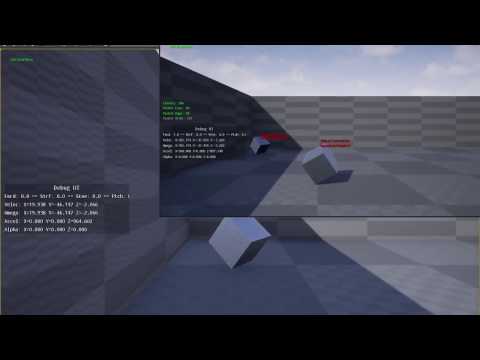
 nocturne token
^Things I am interested in
 raven holly
😄
 heady delta
@chrome bay I use projectile movement for my physx barrels 😛
chrome bay
Haha, thanks @nocturne token sauce will definitely come via Git, has a few niggles to work out first though
chrome bay
yes but, you don't get client prediction
raven holly
Ooh fancy
chrome bay
so if you're applying input, it won't actually be applied until the server has applied it and sent the movement back
anything more than 20-30 ms of latency suddenly becomes unplayable
heady delta
Woah how quickly is that doing corrections @chrome bay
raven holly
Ooh, this would be a great addition to the engine, you should submit it
chrome bay
At the moment it replays the physX scene in one frame when it gets a correction (which it has to do) - but I'm going to do smoothing soon so that the collision and visual mesh are split, so the visual mesh will smoothly interpolate to the proper position.
Yeah I will submit a PR probably, and release sauce beforehand. I need some help from other people though. Need to work out how to create a new physX scene, just so I cna simulate a single object
Otherwise you get the spasming on all other physics objects haha
raven holly
Haha nice 😃
raven holly
Is there a way to simulate a large amount of clients/players?
Without increasing the number in the editor
Not this 😛
This with hidden "clients" ??
chrome bay
I don't think so!
raven holly
😦
chrome bay
Just make the pop-up windows tiny, like 1px * 1px :p
chrome bay
yeah I've done around 8 before... but tiny windows haha
chrome bay
It really depends on the game to be honest, but UT can handle a big pile of players
nocturne token
Barrel + projectile component = lol
heady delta
Well, ark is capped at 64, squad is going for more, but they did a lot of work on network stuff and optimization
chrome bay
Reminds me of the fallout 3 train-head thing haha
nocturne token
But I don't know a better way
heady delta
xD it works
raven holly
Ark is capped at 64 cause.. ark
chrome bay
Ark is pretty hax to be fair, it's based off of shootergame haha
nocturne token
Basing off shooter ptojects is A OKAY
heady delta
What's wrong with shootergame, apart from a few things
chrome bay
Squad probably has nicer netcode. I wouldn't expect them to reveal any secrets though, one of their programmers was in #cpp last week and basically managed to insult a valued member and generally look like a dick
heady delta
.>
raven holly
I asked one of the squad devs they use default
chrome bay
ShooterGames fine, I just lol'd when Ark crashed and pointed to some line in SG code haha
heady delta
I would say you might be being very optimistic
chrome bay
64 does seem to be the target number... I guess battlefield started that
raven holly
That's still a lot of players.
heady delta
I wonder if Ark kept Shootergames instant hit weapon firing logic, since it is fully client side to make up for the lack of a snapshot system or something
raven holly
I wonder what sort of specs that would need.
I know when i was doing stress tests for my game, each player has a cpu thread made for them?
 fierce birch
I'd be happy with 20 😄
fierce birch
as far as replicated physics pawns go
raven holly
Nice what sort of game?
fierce birch
think of battlefield
raven holly
Ok
fierce birch
(that's the impression I've gotten from docjors game)
I could be totally mistaken 😄
heady delta
It kinda looks like it, but plays completely different
chrome bay
But only 20 or so players max
heady delta
O.o
raven holly
Im doing an open world DayZ style game
chrome bay
the rest is AI
raven holly
PVPVE
heady delta
O lawd, how are you doing AI
raven holly
idk im working on that now
heady delta
Your server might kill itself
 chrome bay
so far with immense difficulty. the AI stuff in UE4 doesn't bend too well to vehicles as it is...
heady delta
I'm still amazed how dayz could have those immense hoards + vehicles + flight
and still work
chrome bay
tbh that looks okay, especially when you consider that character movement component is a huggggggely expensive class
raven holly
I dont think dayz standalone has flight
chrome bay
dayz might have had lockstep or something maybe
raven holly
DayZ runs like a potato anyway lol
Considering my game is 100% blueprints too wish me luck hahaha
chrome bay
Why do all the games that run like ass always do so well haha
raven holly
Idk 😦
nocturne token
Its the five nights effect
heady delta
You can nativize BP now, but I'm not sure if you can nativize BP for a dedicated server build
nocturne token
Tldr; people are retarded
chrome bay
haha
heady delta
Yes they are
heady delta
also youtube needs more 13y/o comments on every new game ever that say "But it not look as good as bf1"
raven holly
It's these guys who throw blueprints together, have 200 things on tick and say OMG BLUEPRINTS SUCK
chrome bay
You can potentially save a lot of bandwidth by doing some netcode in C++, since you can serialize structs / bitpack things etc
Which the nativizer won't do for you
raven holly
My only bottleneck right now is GPU
I get ~60 fps on 960 in most places. I guess thats a good base
heady delta
bigmap + moving objects + movable directional light is not real good on ue4
raven holly
Yeah
I have 2 movable directional for moon light, sun - for day/night cycle
So quite expensive
raven holly
It's Ultra Dyanmic Sky
I disable the night during day and vice versa
(doesn't come by default)
heady delta
There is a problem with ultra dynamic sky
raven holly
UDS runs like a potato too
nocturne token
Its only ultra not extreme
heady delta
turn on shader complexity, and you are in doomsday
 dawn glen
is there a way to replicate animations? i dont mean just replicating a variable but making it so that the animation itself is replicated? I have the ability for my players to do a couple dances. It isnt a big deal but they dancing isnt synced. So if i come in her may start dancing at the start of the animation but say i want where he is currently in the animation replicated to other players.
raven holly
hahaha i know
@dawn glen use RPC to replicate to all? I guess you are doing a montage for the dancing?
dawn glen
its in an animBP state machine
raven holly
Do you have a variable isDancing or something?
dawn glen
so a bool is set and a int, so the fact he is dancing is replicated and the dance he is doing is a replicated int
but if its a 4 minute dance loop he could be 2 mins in then next guy comes up and on his screen he starts dancing from teh start
raven holly
Ahh I see.
Thats a tricky one, as you may need to store the time of the animation
And when the next person loads in, starts it from that time
dawn glen
i thought animations were replicated from servert to client but apparently not
chrome bay
You'd have to send a time to the client of how to offset the animation
Anims are all played locally
Account for ping too, so fina ltime would be "CurrentAnimTimeOnServer + Ping"
dawn glen
its minor i guess cause dancing isnt really part of the game, just a funny little thing. just looks funny on testing
dawn glen
try to show friends its working multi player but the 2 windows arent dancing the same.
raven holly
Could you do like crouching or something?
dawn glen
all movements are replicating, so crouch/jump/walk/run
raven holly
I don't know haha, what type of game do you have?
dawn glen
stupid dances draw more attention is all
chrome bay
Thing people forget is that all the default character anims are driven by replicated variables, or by the movement of the character.
so the anims "look" synced even though they aren't
dawn glen
it will be an open world AD&D style game
chrome bay
Like I wouldn't even know where to start doing a 2d fighting game or something... how da heck you compensate for lag on that..
raven holly
@chrome bay most anims are like 2-3 seconds in 2d games so lag probably doesn't matter to much
dawn glen
it could over long distances. like a west coast NA and an aussie lol
400 ping difference
raven holly
400 ping is unlikely
dawn glen
we seen it on ark a lot
chrome bay
that's just ark :p
raven holly
Arks networking is... not good?
dawn glen
id run a west coast server and aussies would be 280-500 ping
raven holly
I guess aussie's internet is crap
chrome bay
We have links to those huge undersea cables
australia doesn't have so much of that...
raven holly
Haha
chrome bay
wtf hahaha
 dawn glen
lol, we had a shark chase us onto land and into the woods one time
raven holly
My net ^^ 😄
chrome bay
https://cdn.theatlantic.com/static/mt/assets/international/Screen Shot 2013-07-16 at 11.17.56 AM.png
 dawn glen
they arent well optimized i know that
 agile lotus
I don't suppose anyone knows anything about Stop Jumping being ignored by clients connected to server
chrome bay
I had ark for about 25 minutes, during which time I got up to about 17 FPS on a 980
decided to rage refund
dawn glen
i have a r9 290 and had 80 fps...
fierce birch
yeah, I got like 14fps on low settings on my gtx670
dawn glen
at mediums
chrome bay
I think I spawned into a highyl vegetative area, but man it did NOT agree with my PC
fierce birch
I actually got better frames on ARKs launch
they've supposedly optimized it a lot since
but it never showed on my computer
dawn glen
i gave up on it when they charged for DLC in an early acces
fierce birch
they just added more stuff in so I don't think it sped up overall
dawn glen
used to mod for it
agile lotus
I don't suppose anyone knows anything about Stop Jumping being ignored by clients connected to server
dawn glen
what do you mean stop jumping?
dawn glen
are you running it under auth?
dawn glen
never had that issue
agile lotus
I've used breakpoints and print strings and its being ignored completely, even OnReachedApex is being ignored
fierce birch
just saw the same update notes
we got the search few days ago
now it's just for everyone
dawn glen
my stop jumping seems to be working, although i cant figure out the ability to just keep jumping over and over when you hit the button repeatedly, but stop jumping is working for me on 4.14.3
dawn glen
dont upgrade to 4.14
agile lotus
I've been warned about it
just got my netcode working
dont wanna break everything
basically right now the only issue I have is when the clients press jump they fly to the heavens
dawn glen
i had all kinds of broken replication when i upgraded
agile lotus
and never come down
I've actually had another programmer in here helping me but he's done everything I asked of him so its up to me now

Instagram
See this Instagram video by @indiedevprazon • 118 likes
little clip of my project
basic replication bugs
ive fixed the projectiles coming out more then once already
I've deleted my custom jump logic, replaced it with default jump mechanics and still doesnt work. so frustrating
It's like the server is detecting released before pressed
dawn glen
the server shouldnt detect the buttons
dawn glen
and the release is being picked up by the client?
agile lotus
No
Its not being picked up at all
The server can perform it
on his end
with his pawn
but not the client on either screen
raven holly
4.14 isnt that bad
dawn glen
so if you put a print before the stop jumping on release it will print for the server player but not the client
agile lotus
Let me double check quick
 hollow quartz
I'm trying to replicate a TMap<FVector, FVoxel*> VoxelsMap where FVoxel* is a pointer to a USTRUCT, on a replicated actor. I can't seem to add UPROPERTY(Replicated) to it without compiler errors. I'm new to UE4 and C++ in general, but would appreciate if someone could point me in the right direction. I want to send this data as soon as the server is done generating it, then I want to call a function on the clietn as soon as it is replicated. Looks like I want to use RepNotify, but not sure how to make sure this data is replicated properly. Do I need to use a TArray<FVoxel> so they can be passed by value? If so, how would I handle memory management of the created FVoxels?
dawn glen
did you do a:
void Aclass::GetLifetimeReplicatedProps(TArray< FLifetimeProperty > & OutLifetimeProps) const
{
DOREPLIFETIME(Aclass, variable);
}
?
hollow quartz
Yes DOREPLIFETIME(AVoxelChunk, VoxelMap);
Error USTRUCTs are not currently supported as key types. SP_Voxel C:\Users\Andrew\Documents\Unreal Projects\SP_Voxel 4.14\Source\SP_Voxel\VoxelChunk.h 56
TMap<FVector, FVoxel*> VoxelsMap;```Okay so the print comes up on released so released is being detected on both server and client, but it stops at Stop Jumping
dawn glen
did a google search show any reported issues with the stopjumping in 4.12.5?
agile lotus
I saw some people with issues replicating the Jump itself but that was it
dawn glen
@hollow quartz is the FVector portion screwing you up as teh key?
hollow quartz
I guess, is FVector a USTRUCT? makes sense
yeah it is, never even realized
Alright, so I'll want to use a TArray with the FVoxels in it. Will pointers to USTRUCTs be replicated properly?
No they wont, cant have pointers to USTRUCTs
dawn glen
do you need pointers?
hollow quartz
I guess not, before I was using the map to contain the pointers for memory management, now it looks like I can't replicate the pointers and have store the array by value. I'm trying to figure out how to make sure I'm not duplicating the whole array, since I'm creating the FVoxels with new and storing the pointers so I can delete them later. Whats the most efficient way to create them with new but also have them replicate in an array?
dawn glen
wouldnt you create the array and then just alter the array slots as things change?
and then replicate the array?
your wandering outside of my understanding a bit (learning too) so i could be off base
hollow quartz
VoxelsMap.Add(Location, Voxel);``` is how I'm creating them now, so I can use `delete` on them later (if you walked out of range, etc.)but if I cant store in the pointers in the replicated array, and I store them by value, wouldnt that make two copies in memory? Sorry if I'm totally off base
dawn glen
sorry man, someone more knowledgable is gonna have to take it from here 😦 i tried lol.
hollow quartz
No worries, I appreciate the help
 spring oxide
what exactly is in an FVoxel and why are you using a pointer
hollow quartz
its a USTRUCT to represent a voxel block like minecraft
spring oxide
so you want to replicate all the voxels in what i assume is a chunk
spring oxide
the actor in question is like an AChunk or something
ok
i think you should simplify it then
to a TArray of FVoxels
if you know the size of your chunk in X by Y by Z (i'm assuming a cube) you know it's X^3 FVoxels
hollow quartz
right
raven holly
Question.. whats the best way to have a loading screen when using "open ip:port" the game just seems to hold/freeze until loaded
spring oxide
im trying to think of the way to index it
so if you have a vector v then. voxel = voxels[ v.X + v.Y^2 + v.Z^3 ]
that's probably wrong
but you get what i mean
dawn glen
@raven holly easiest way might be to call a widget in the gameinstance and then kill it when the map is laoded on the other end?
hollow quartz
So the array is FVoxelsArray<FVoxel> and I use:
FVoxelsArray.Add(*Voxel);```Hmm.. the game window will still be frozen
hollow quartz
I was thinking that would make a copy but dereferencing doesnt make a copy, back to basics
dawn glen
it would be frozen on the widget till the server loaded yes, there are youtube tutorials on how to have an active load screen on youtube though
spring oxide
if your FVoxel is a struct you don't even want to use pointers
hollow quartz
really
spring oxide
when you construct it you can just do
FVoxelsArray.SetNum(FMath::Pow(Size, 3));
then fill them in
raven holly
A lot use level streaming.. this isn't good for a multiplayer game
spring oxide
for (int i=0; i < FMath::Pow(Size, 3); i++) { FVoxelsArray[i] = FVoxel(); }
hollow quartz
oh interesting, don't need to use new then eh
spring oxide
structs are different than classes
they're passed around as like collections of primitives
if you wanted to perform an operation on them you would pass them around as a reference with &
hollow quartz
does that not allocate them to the stack vs the heap?
hollow quartz
oh ok
i thought using the regular constructor for any object would allocate memory on the stack
spring oxide
if you make one inside a function then ya it's on the stack
dawn glen
i think level streaming is likely going to be the most seamless way to run a load screen.
spring oxide
but it's not like it's gonna go away
since your chunk actor has the memory data in itself now
raven holly
It's hard to level stream into a dedicated server though.
Unless.. you connect to the server without loading the map then stream it in
spring oxide
by the way i'd be careful i don't think ue4 property replication will be your ultimate solution for minecraft blocks in multiplayer
that's a huge amount of properties to keep track of
dawn glen
https://forums.unrealengine.com/showthread.php?52624-Animated-loading-screen-and-UMG has some suggestions @raven holly
Hello everyone,
For the last few days i am trying to figure out a way to play an animated loading screen between (paper2d project) levels.
After reading everything i could find in the forums i suddenly realized that something so basic (since all games have loading screens) is missing from your software as an out of the box feature!Even the great Rama was having trouble with this.
UMG is a great opportunity for you guys to fix this since it takes less than 5 minutes to import a video
post #21 might help you
raven holly
Cheers.
hollow quartz
@spring oxide what would you suggest?
spring oxide
event based updates probably
if a block is created, destroyed, changed to a type index, rpc that to whoever has the chunk relevant
when it becomes relevant obviously you gotta give them the whole thing
replicating a bunch of chunks won't be that bad but each block individually is insanity
hollow quartz
thats what i was thinking, how would you send the data the first time? custom Serialize() on the chunk actor?
spring oxide
i'm pretty sure you could just feed the entire tarray through
hollow quartz
as a replicated var?
spring oxide
no as an argument to the rpc
hollow quartz
ah I havent seen any examples of that yet
agile lotus
So I think JumpHoldTime has something to do with my jump not working on clients
found this question
but I tried his fix and it didnt work
agile lotus
I set JumpKeyHeldTime to replicated to see if it will solve my issue
did not solve it
 fossil spoke
Jump should already be replicated by the CharacterMovementComponent.
fossil spoke
You talking about the events that fire?
fossil spoke
It shouldnt be...
agile lotus
It works on the server's pawn
but not the clients
the client just jumps and receives velocity forever
fossil spoke
Can you show me how your doing jump
 native axle
@agile lotus are you setting charactermovement->notifyapex = true on your clients?
agile lotus
I'm just making it readable for u @fossil spoke give me a sec. @native axle yes I call it on begin play
native axle
@agile lotus try setting it true every time before you jump
fossil spoke
Cant reead it at all lol
agile lotus
Okay but even when I disconnect all of it and just use Jump and Stop Jumping
it has the same result
native axle
oh dear god what is that xD
its working on my side
just try this to check
and disable all ur stuff
ohhh wait i think i didnt read what ur bug was properly
fossil spoke
NotifyApex is not waht he needs
His problem is that StopJump doesnt seem to be called for clients
fossil spoke
@agile lotus Are your Characters set to replicate and replicate movement?
agile lotus
Yeah
native axle
like forever?
native axle
do you not have gravity?
agile lotus
I do, server pawn can jump and fall fine
native axle
they should fall even if you dont call stop jumping
agile lotus
its just the clients
I can use Launch Character
and they fall back down
but not Jump
native axle
so the code i posted doesn't work on clients?
agile lotus
It does it prints fine on Apex
native axle
but they fly up forever
agile lotus
yes
fossil spoke
Are you sure your working in the correct Blueprint @agile lotus i remember you having ALOT of character classes
agile lotus
I only have one character class now
then children that look different
All of my imparts are unchecked
native axle
I'd suggest starting a new project just to test this if you can't figure it out. Should only take 5 minutes
or a fresh character class
agile lotus
Okay I'll let you guys know
 still finch
Hello, do Replicated Variables ("On Notify") automatically sync up with a new connection on connect? Or do we have to get that variable manually on connect?
heady delta
new clients will get them like regular replicated variables
still finch
Thanks
 hollow arrow
how can replicate destruction mesh in ue4
raven holly
Make it into a blueprint and replicate it.
hollow arrow
how tho what do i put on the blueprint to replicate it
cause whenever i test it the client couldnt see the destruction
how d i fix that
chrome bay
You have to trigger the destruction event on the client as well, via a replicated variable or an RPC
Which also means you will probably have to 'spawn' it in the world as well
fresh saddle
Destruction on server should replicate it throughout each actor
hollow arrow
but it doesnt work for me. i shoot the destructible mesh but it doesnt replicate on the client even the replicate indicator is checked
chrome bay
It won't replicate it unless the actor itself is replicating
And it also won't simulate the chunks the same way either, doing that would be way to expensive on bandwidth
Setting a flag on the actor to replicate doesn't neccesarily mean that there's a replicating variable called "bDestructed" that causes clients to play destruction - you will still have to set that up yourself
Just checked ADestructibleActor - it doens't have any replicating properties, so yeah my suspicions are correct
fresh saddle
@hollow arrow yes but you need to call destroy on the server
hollow arrow
it works on the server tho
chrome bay
The Server will work fine, the client won't until you send an RPC to the client
hollow arrow
so ill execute Event AnyDamage to switch has authority and exec the authority or the server to an custom event that make the mesh replicate the damage
 potent prairie
how do I respawn a player as it's selected class if I have multiple classes? I'm not sure what I plug into the purple node. Do I need to promote it to a variable or something I'm really lost here. All the tutorials I've found are dealing with one character for example purposes
potent prairie
nvm i figured it out, needed to make an ingame respawn event instead of trying to call the original one:)
 tribal flare
Hi I was just wondering how much of a task am I getting myself in for if I want the htc vive HMD & motion controllers to control one character, and a controller or keyboard on the same machine control another, with that character being the main one on the computer monitor?
relatively simple or harder than it sounds?
 wooden plume
hmmm
ive managed to do that in multiplayer
with two seperate computers
not sure how you would do it on the same machine
tribal flare
Based on your experience with two seperate computers how much work does it take?
is it relatively easy with unreal?
wooden plume
i did it with the vive being the server/host
when the clients would connect, thould be given a regular non vive player controller and pawn
pretty straight forward really
just need to override pre and post login functions in the gamemode
tribal flare
Cool sounds doable, cheers 😃
wooden plume
yeah, it didnt take me long to get something very basic working
 wary willow
You cannot currently do that in ue4
Not on same machine without some heavy engine modding I suspect
You can in Unity relatively easy tho
Project with one vive and 3 local players watching being dev'd now actually. Not terrible resource hogging either somehow
agile lotus
@fossil spoke A little late but the reason my jump wasnt working was because I was using a variable called DefaultJumpVel and setting my Jump Vel to it during Jump because theres a different velocity for the double jump. This wasnt replicating properly so it was using the default set velocity which was 1600 for some reason. This made it look like it was jumping forever but it just shot my pawn up and killed them when going out of bounds
agile lotus
Anytime I want to set my pawns animation state should it be called on the server?
fresh saddle
@tribal flare you can if they're two seperate game instances
@agile lotus yes
Call on server with Variable set to replicate
This will automatically multicast to every client
agile lotus
Thanks @fresh saddle
What if I want to change a default variable that isn't replicated and doesn't have the option
Is that a situation I would use multicast in
fresh saddle
What variable cant be replicated?
agile lotus
Well Default Walk Speed doesn't seem to change if I call it on an RPC and same with the node Launch Character
 thin stratus
Use a multicast for that
So instead of setting it only on the server, you call a multicast event in the same time and that multicast event sets the movespeed etc
 native moth
Anyone that can tell me why this gets updated on clients, but for some reason the meshes on the server will be stuck at [0,0,0], but printing out the variables on the server shows it got the correct data? btw, the HMDTransform works fine
think I might have the issue... The controller values never get set on the server. Trying out some RPCs to fix it now
@thin stratus sorry to disturb you, but you seem to have a good grasp on this. Conceptually speaking, how would you go about handling getting HMD/Controllers replicated? Since the MotionController component doesnt work with replication, it seems like the only way around it is outputting transform locally to an RPC on tick and set the right transforms the meshes on all other servers
native moth
Okay. So for some reason my transforms get send correctly to the server, but the RepNotify responsible for setting the correct transform doesnt do anything o.o
thin stratus
I think you can't set the camera
If you want to move something you need to use a Mesh and set that one to the transform
 heady merlin
it doesn't kill the late update
the only thing that kills late update is if you turn off FollowHMD on the headset
 twin juniper
@heady merlin It does actually. Since you're just updating transform on tick manually, the late update in the render thread doesn't occur
 heady merlin
no
the late update is done regardless
unless you are just not even using a mesh attached to the controller
twin juniper
Opening the steamvr overlay shows the in game meshes not updating late like the steamvr overlay meshes
heady merlin
its never 1:1 anyway
but if it is actually attached to the controller it should late update
if you are never attaching it and just manually moving it then it won't
last i saw people doing the blueprint manual replication, they kept it attached and moved it back on tick, which is after the initial offset anyway
twin juniper
Attached to yes, but setting manually not. However, I have no luck w a multicast for the one component. I have one set for player that's local, and then update on server w "owner no see" meshes
A bit off topic but the only way to use more than two controllers for now is to manually update, which works for IK since it's not late update anyway: https://gyazo.com/47fee6d8c983bce3a3229df6355b1029
 wary willow
Replication in Timelines doesn't work right?
Unless I am doing something rather silly, doesn't seem so
I take that back

 glad knot
I wonder if an IsAuth node on the top SphereCollider would help?
wary willow
NO idea
But
I used Haptic Feedback instead and it worked

As intended, so not sure if I was just using dynamic wrong
Never used feedback before
glad knot
yeah, I'm not sure I have never used feedback nodes. I was just trying to think of anyway possible that the node could have been called twice.
Multiplayer programming can be fun to debug sometimes 😃
glad knot
I haven't tried VR, but it seems like it would add a whole 'nother dimension to debuggin
wary willow
I had to set up an FPS debug character to test at home
glad knot
yeah, that makes sense
wary willow
But tomorrow, or rather today is our first playtest and we have two vives in school
glad knot
I used a Rift one time and kept having to take it off to see the keyboard
wary willow
So, I'll get some proper feedback on what I've accomplished in two weeks
wary willow
Yeah it is
heady delta
Anyone had any world origin rebasing hands on? How is it shaping up, is it bug free?
glad knot
@heady delta I have been meaning to try it, but what has stopped me is that based on the research I have done (there isn't a lot of information out there, so correct me if I am wrong), level streaming in UE4 is still not 100% multiplayer compatible (it sends all loaded maps to all players). So instead I have just been building large world using dozens of individual maps and client transferring between them.
 brittle slate
Hey does anyone know how why when i try to stream a level into my persistant level none of the collision works?
 cloud ledge
@brittle slate on client or server
brittle slate
@cloud ledge it doesnt work on client
chrome bay
I made a compiled version of the Networked PhysX Component, without smoothing etc as a proof-of-concept. (Copying post from #legacy-physics)
https://forums.unrealengine.com/showthread.php?135955-Networked-Physics-with-PhysX&p=661207&viewfull=1#post661207
 ivory parcel
So, just for clarity sake. The PlayerArray should be exactly the same on the Clients and the Server right
twin juniper
@ivory parcel Yes but it needs to be replicated to clients
Before they know about it
So for a sec there might be a mismatch depending on latency
ivory parcel
Well, from what I am seeing the clients always see themselves and only themselves in it and the server sees everyone
wary willow
How is projectile movement in multiplayer?
@ivory parcel clients never see each other
Never know about each other anyway
Server knows each of them though
ivory parcel
I mean their playerstate should be in the PlayerArray though and that should be replicated right? that was my understanding
If its not then some documentation probably needs to be updated
wary willow
As far as I know. It is on the server
ivory parcel
GameState is atleast on both
wary willow
But players do not have access to other PS
ivory parcel
Ya
wary willow
I think this is by design
So that other players cannot fuck with shit that is not theirs
@ivory parcel have you read Cedric comp?
ivory parcel
I think so, wish it had more though
wary willow
Also, unreal doc's are pretty decent
ivory parcel
I have not had as much luck with unreals docs
wary willow
Right, he can't really, or it would be a million pages long
And he isn't getting paid for it
But he could be
Hint hint
ivory parcel
Well I like what it goes into, but more what I was concerned with was the actual connection process and networking process
which unreal docs are sparse on
wary willow
TBH, between docs, streams, example projects, comp, and some private tutoring I still have trouble ;)
The best way for me has been by actually trying to implement it in a projector
ivory parcel
I have custom engine modifications currently for missing steam functions, and I have still yet to get lobby beacons working or find a working example of them or get the steams lobby api working
ivory parcel
I mean, I just wish there was more on networking
wary willow
There is though
ivory parcel
I know unreal is capable of it, but as an example our project took 2 weeks to get some form of networking in unity with replication
wary willow
They can't just do a separate tutorial on everyone's game
They give you the basic tools
ivory parcel
its going on 4 months of work for unreal and its still iffy
wary willow
It is up to you to use it and improve slowly but surely
4 months?!
Damn, I only seriously started in December.
For December jam.
Then it has been a slow but steady progress
ivory parcel
I mean its ~ 2 years worth of work in total, but were a small steam and work sporadically
wary willow
I kind of sidetracked myself from c++ again sadly though
But once I have BP MP done decently, I will be looking into CPP MP
ivory parcel
Ya this is a mix of CPP and BP
ivory parcel
there are a significant number of functions you need CPP for as far as steam goes
 sacred ether
I am using 4.8, and I have a node to create a session. I am using the Steam SubSystem, and the node keeps failing to create session
In blueprint, anyone know how to fix this? I think I set it up correctly, because when I simulate the game, it runs with steam enabled
 brittle sinew
Not sure how much support you'll be able to get on 4.8 😮
 nocturne copper
so I have had an issue this past couple of weeks with trying to pass some variables other than player names when joining and game in progress
from what I have been able to look around into is that the only thing that does not seem to get destroyed when traveling from say the main menu where a player is not connect to a game that is being hoseted is the Game Instance
is this were I would the best place would be for varialbe to get stored in a FStruct and then refrenced once they clinet player joins the host game?
glad knot
What kind of information do you want to store?
 robust wind
Instances store information during travelling from one map to another normal blueprints don't
Is that what you asked for ?
nocturne copper
@glad knot I have a struct that holds an arry in it, the array I am trying to have read once the player moves to the game from their save information. However this works fine in PIE but on a packaged build the clint only inherits the servers data
@robust wind To a degree yes i know what you are talking about, I have the initial data when it gets altered in the main menu where the player is not connected to anyone the data updates the game instance and is saved to the player local machine. I have been runing into the issue of the game instnace for the player is being carryed over but on a package build it is if the game instance get ignored and the server is the only game instnace that seems to exsist
I also have in the game mode seemless travel set to true when traveling the maps either by the client themselves or with server travel from the lobby
robust wind
Hmm mhhh
glad knot
When you test in editor, do you have the Dedicated Server checkbox checked?
That one got me the other day. I always run with it checked, but then in a new project forgot to check it. Took me hours to figure it out 😦
robust wind
That sounds awful 😣
nocturne copper
@glad knot I have tested this both with server/ clinet play and dedicated enabled with multiple players and it works fine in editor just also really stumped as to why the package build acts differently
glad knot
Yeah, I couldn't figure out why it all worked fine in editor, but then failed in the packed game. I felt stupid when I found the checkbox unchecked.
ok
nocturne copper
if it helps at all I am running this useing the Steam subsystem
glad knot
ok, I am not familar with that. Maybe that works differently.
I use my own sever system.
nocturne copper
@glad knot so for the issue that you were having, were you able to get it resloved and were you having to package the project as a dedicated server type. I was looking to try and keep this as a hosted type game as the game wont be haveing a constant server to call to
glad knot
So my issue ened up being that I had an RPC call done the wrong way. But what confused me is it all worked perfect in the editor and then completely failed in the packaged game.
I have been working on the same project file for over 2 years, so I totally forgot about the dedicated server checkbox in the editor
when I created a new project file, I forgot to check it
that is all
Probably not related to your issue
This is old, so not sure if it has any useful info:
Here is one other possibly useful piece of info:
did you adjust your Build.cs?
PublicDependencyModuleNames.AddRange(new string[] { "Core", "CoreUObject", "Engine", "InputCore", "OnlineSubsystem", "OnlineSubsystemNull", "OnlineSubsystemUtils" });
PrivateDependencyModuleNames.AddRange(new string[] { "OnlineSubsystem" });
These Modules should be included in your project to work properly, I guess the Editor adds them automatically? :/ Just a try though, I'm not exactly sure as well
adding "OnlineSubsystem", "OnlineSubsystemNull", "OnlineSubsystemUtils" worked for me, i already had "Networking" but none of those
nocturne copper
@glad knot Ok, let me take a look and see what I can find in there and if it contains what you have just mentioned
I been stuck on this issue the last two weeks and tried asking around, this is the most help that I have gotten so far
glad knot
yeah, it sounds like your issue might be different, but I guess it is worth a quick check.
Hard to debug when it works in editor but not in the packaged game 😦
thin stratus
@nocturne copper what is the issue?
Passing data from client to server after connecting?
nocturne copper
@thin stratus funny enough is that i am building the game on top of your multiplayer lobby system lol, but yes that is what I am intending to do, kinda the same process as passing the players name along to the server to be read. There is a struct that contains an array of data that is to be refrenced for that player to find their build of their weapon.
thin stratus
Well yeah should be the same process
Before joining you save it on GameInstance or SaveGame
And after joining you us the OnPostLogin
To then call a client rpc on the playercontroller
In there you get the data of the GameInstance
Then a server rpc to pass it back to the server
That's it
nocturne copper
yes, I did for the time being attached the weapon info to the settings varialbe to get the information to be passed and read, works great in PIE but not so much on a packaged build
glad knot
Steam subsystem. Tha is why I thought maybe he was missing a module.
nocturne copper
Also thank you for the help, but this is with steam that I am putting the subsystem on
thin stratus
You want to test multiplayer stuff on multiple standalone versions
Hm steam...
Listen or dedicated server?
nocturne copper
yeah i have been pushing anothe build to the other low grade laptop on this end for proper testing and connection
Listen
thin stratus
Weird. The RPCs etc should have nothing to do with steam
nocturne copper
I am pushing a array in the setting struct for now, could this be something that may cause clients not to be able to read their data?
nocturne copper
For now another issue has come up, ill try to get that out of the way and I will investigate a bit further into what has been mentioned to me here as I am not trying to take up more time as everying is surly busy
yes getting the player name works flawlessly as gettting the player name can be retrived a number of different way
allof of posts I came across on my treck through the internet asked about getting names
but yes that works fine.
Ill post screen grabs for sure of the code. It may be awhile but Ill post them here anyways in case in that time anyone that I have spoke to comes back throgh agian
thin stratus
Well i mean the way of saving it in the GameInstance etc
 cursive herald
Anyone used FAttributeBasedFloat before? Trying to ise it in an attribute set.
nocturne copper
I read that post were you had addressed the issue on where to find the single process, as well I have refrerd back to the conpendium that you put together as refrence onpersisting actors on seamless travel
it was on page 81 to be exact
thin stratus
@nocturne copper referencing persistent actors with seamless travel is only for servertavel
Not for joining a game
chrome bay
Source now on GitHub:
https://github.com/TheJamsh/UE4-Networked-PhysX-Component

GitHub
UE4-Networked-PhysX-Component - A solution for PhysX Pawns with Prediction and Reconciliation in Unreal Engine 4.
 formal willow
as someone who has never created anything in multiplayer yet.. when i create a widget, should i put 'get player controller' in the 'owning player' input?
wary willow
@formal willow depends on what you want to happen exactly and when
thin stratus
@formal willow technically yes
As the call to create UI should happen on the client anyway
hollow quartz
Is replication for actors when a player joins throttled? I have a bunch of actors that are replicating slowly, as if throttled:
https://gyazo.com/feb9c07ed12a48a6ae3a8fe27074ee04

Is there anyway to speed up the replication when a player first joins? They are the only actors in the scene, and NetUpdateFrequency didnt seem to have any effect
Also, BeginPlay is not called for them until ALL of them have replicated
wary willow
@hollow quartz show BPs?
hollow quartz
Its in C++, what did you want to see exactly
wary willow
@hollow quartz Have you read this: https://docs.unrealengine.com/latest/INT/Gameplay/Networking/Actors/ReplicationFlow/
A detailed description of low-level Actor replication.
hollow quartz
Havent seen that, will read, thanks!
wary willow
🤑
hollow quartz
Still not sure why there is a set delay between each actor being transmitted, I tried setting NetUpdateFrequency to a high number with no change
hollow quartz
Hoping @thin stratus might be able to shed some light on it for me
 smoky ore
Quick question about replication, server can damage the client and the client will damage the server, but the server won't "recognize it's health had change even though debug strings are showing it did change. What is causing this.
?
brittle sinew
Are you trying to change a replicated variable from the client?
It might change temporarily on the client until it gets the next server update, not sure
If so, you'll want to call up to the server to do the damage, and not deal damage directly from the client
smoky ore
Well. How it's currently set up is that when the function is called, it first checks to see if it has authority. If it doesn't, it calls the server version, else, it runs it like normal
brittle sinew
Is this on your character/PC? Or on the character you're damaging?
Because you can't call server RPCs on unowned objects
Though I should've asked, are you getting print strings from the server method? If so, that's different
smoky ore
The character I'm damaging. Which is the server
brittle sinew
Well if you're trying to call a server RPC on the client's version of the server character, you can't do that
wary willow
First off
All damage events happen on the server automatically
So there is no need to have a Has Authority check
Unless it's before the function you have the damage script in
Depends on how you have it set up
@smoky ore Are you using rep notifies for the damage value?
smoky ore
No. Just regular replication, would rep notify s be better?
wary willow
Depends on how you are outputting the value
Is this in BP?
If so, Screenshot whatever you are doing so we can help you better
smoky ore
In CPP.
wary willow
@smoky ore did you get a chance to do networking in BP before going over to CPP ?
smoky ore
Yes, I did, I'm also looking at pointers on how it was done in ShooterGame + an online tutorial that had a pretty good overview of it
wary willow
OH, there was an overview done on ShooterGame @smoky ore ?
Link?
I am about to move my "limited/basic" networking knowledge into CPP soon
smoky ore
overview of networking in generial for cpp, not shooter tutorial
wary willow
ah
smoky ore
http://orfeasel.com/networking_intro_p1/ Tutorial anyways
 smoky ore
but this is what is going on really, that is it.
brittle sinew
What's happening is you're trying to call a server RPC on an object you don't own. But the rest of the function still executes, and the value is very temporarily changed on the client
The RPC call just doesn't occur when you do that
At least if this is on the character you're damaging, if I understood correctly
Designating function replication across the network
The table midway down shows you what you can and can't do
smoky ore
So how would I "own" it?
brittle sinew
In this situation, you wouldn't.
You would route it through something you own, like the PC
But you shouldn't let the client call a server RPC with entirely its own data without checks
smoky ore
I am using validation if that's what you mean
brittle sinew
Well, as long as the validation is doing meaningful checks, sure
(i.e. not returning true)
😛
smoky ore
:P, I just followed the tutorial from the link I posted, so I am just returning true right now
alsom by PC you mean Player Controller?
smoky ore
So how would I route it though? The shooter tutorial and that tutorial link don't seem to route it through a PC
brittle sinew
By the looks of it though, is the character damaging itself in this tutorial?
Trying to read into what it's doing exactly, but haven't seen this one
brittle sinew
Well, atm, it looks like the bomb spawning just damages itself
Where the client does own their own pawn
That's why they're able to call a server RPC directly
I'm not sure why they even have the authority check to be honest, it's redundant
Calling a server RPC from the server doesn't break anything, just calls the method
smoky ore
So how do I get the client to own the pawn? it looks like i;m doing nothing wrong, even though I know i'm doing something wrong. (I'm more used to working with dedicated servers, where I almost never have these issues).
 brittle sinew
Just to confirm, you're trying to damage other characters, right?
You don't own other pawns, for good reason.
wary willow

@smoky ore please watch that real quick
If you can watch the WHOLE series, it will help you
But, from 5 on, is basically telling you what you need to be doing
You'll need to take the concepts into C++ though
which is what orf is doing anyway
smoky ore
yes, the server character can damage the client characters, but the client characters can damage the server character
wary willow
But, it may help to have the original source material
stop calling it the server character
😉
brittle sinew
The server always owns everything, so there's no worry about that from the server end
wary willow
Listen Server
brittle sinew
You can't directly call a server RPC onto something you can't own. You don't own other pawns on the client. That's really all of your issue
On the server it's an exception, because the server doesn't have to worry about ownership, but if it were two clients, nobody would be able to damage anybody
wary willow
If he watches the video, he'll be fine
smoky ore
I'll watch the video, thanks Victor.
wary willow
It may be the fault of the author
I haven't actually done that tutorial yet, was planning to though
But he may have skipped some steps
brittle sinew
At least in the part 1 that was linked, from both the video and the code, it just looks like spawning the bomb damages themself, so that's why I was confused
Didn't look like the author was attempting to damage others
brittle sinew
Yeah, but it's just damaging their own character
 brittle sinew
Ah. okay
wary willow
Yeah, the only thing I don't particularly like about some of his tutorials
Is he doesn't really go step by step about why/how he is doing it
brittle sinew
Yeah, I kinda got that by skimming it haha
wary willow
Just a big chunk of code, a quick summary and then next
brittle sinew
But looks like the bomb is always spawned on the server anyways
So there shouldn't be ownership issues, at least for the bomb
And the arming function only occurs on the server version of the bomb
So not sure where the disconnect is happening in following it, hmm
wary willow
Well the video I link, is a 2-3 part that this cpp thing is based on
But there's actual explanations
And will help him understand what's going on better I think
raven holly
Anyone done open world VOIP before?
fossil spoke
Open World VOIP would probably be like whats in DayZ and ARMA where you hear within a localized area
raven holly
Attenuated
/ Spatilised
Default UE4 voip is non-attenuated
But yeah bascially what devil said
fossil spoke
I couldnt imagine it being to difficult, just route the voice data as an ingame sound at the players location
wary willow
yeah
If you can maybe drop them as sound cues dynamically?
I don't know crap about sound other than the basics
But, if the cues are attenuated
well no, cues are usually recorded nvm
@twin juniper did you get spacialized VOIP working ? I forgot
twin juniper
@wary willow No I didn't give it a try, I was just talking about how it could be done
wary willow
ah
native axle
Is this the right way to do a replicated animation with client-side prediction?
native axle
Ok made it a bit better so you don't send the whole player controller:
 lapis forum
hey guys
I've noticed that getting the server world time seconds from the gamestate is a little inconsistent, is that normal?
for example, every frame I'm printing the result of the serverworldtimeseconds - gametimeseconds. If a player joins 10 seconds after the session is created you'd expect that to stay at 10 seconds. Currently I'm noticing it's staying at 10 seconds for most of the time, but is occasionally jumping to 10.01 or 9.99 (not these exact values but a very small difference)
I think I can probably work around that by having some kind of finterp to node which smooths out the jumps, I was just wondering if this is expected behaviour?
 wise depot
guys, is there any reason that ping is ExactPing / 4?
if so, why?
twin juniper
I would like to know that aswell
 lost inlet
it's so they can network it with 8 bits
but i suppose it's very rare for a ping to go above 255 if you have a decent connection to a server
wise depot
yeah i see, @twin juniper
basically, ExactPing is a float (32bits)
ping is a uint8 (8bits). so EP / 4 (so long as EP is never over 1020ms) will always compress nicely.
In the event it goes over because its a uint8 it'll just wrap back to zero and keep counting up.
twin juniper
Hello everyone. Does anyone know a good, recommendable multiplayer tutorial with VR (like 2x oculus rift)?
wise depot
not off hand but i can't see where you'd have any issues treating it as a normal game as far as MP goes
twin juniper
alright ^^ You never know if there is something to look out for if you have something like this in mind
 raven viper
Guys, how would you go about a versus online game on mobile, with direct connection to eachother? To be honest we did not dive too deep into OSS and we don't know if that would fix NAT problems or so. We also need IAP and Ads, and we plan to support Android/iOS so we need some middleware like FB OSS or Amazon OSS. Any ideas about this? LAN works already fine but over internet gaming would be an important aspect, and we did not find much of a documentation so far.
wary willow
Oh yeah...whatever happened to that dude who only had a week to do a Multiplayer Android project but didn't know anything about MP
raven holly
How do even people use ue4 for mobile wouldn't it be a few gigs for a game lol
For 3d
fossil spoke
When you build for mobile the engine compiles out alot of modules that mobile doesnt need. It breaks down the size of the engine considerably.
raven holly
Ah ok
 bold cedar
Has any of you used Network Beacons?
fossil spoke
Someone was talking about Network Beacons a few weeks ago from memory. Ask @rough iron he is god 😃
bold cedar
Oh, I remember Discord has search now 😃
bold cedar
Ok
wary willow
@bold cedar Doing network stuff what?
bold cedar
Starting on a project that is big on networking :p Going to be lots of questions in here I imagine
wary willow
Nice!
bold cedar
@wary willow Networking isn't new to me though :p
bold cedar
It's a secret, but only because it's heavily based on another game. It's really just a challenge to myself, not something I plan on commercializing
Really just seeing if I can replicate another game's mechanics
wary willow
Of course you can
bold cedar
Well, you're right
I guess it's a matter of how much time I spend. Once I am finished with a lot of work, it will be a good show of networking knowledge
wary willow
Yeah, that's always the case
What is the time cost for implementation
But yeah, I am with you, I would really love to get really deep in MP, expand my knowledge, it's slowly but surely increasing, still so much to learn though
bold cedar
Yeah
 true peak
anyone have any good guides in c++ steam multiplayer? Been looking through the shooter game example and its a bit confusing for me
twin juniper
Can anyone help me with an multiplayer issue? I "assume" that I managed to create, find and join a session. But when the second VR Player joins the first VR Player who is the host, kind of gets "kicked out" and can only watch, but has no interactions anymore. Also the new player "resets" the map for himself and doesn't see any previous changes made by the first player... Did my second player really join the session then?
hollow quartz
Anyone have any tips for replicating large amounts of data? Should I pursue replication with compression via NetSerialize, or use RPCs or custom sockets?
 faint fable
Any clues how to remove your listen server from session result after starting the game?
So when the game starts you tell no one can join your listen server anymore
raven viper
Anyone here can help a bit with RPCs? I'm having an issue with some client/server side invoked destruction and I'm going mad already.... I'm pretty sure when I die I'll have to do RPCs all day in hell....
 subtle harness
@faint fable I think you could update your session and set bAllowJoinInProgress to false - at least when I did that yesterday I could not see my session anymore. I just tried it again and that seems to be what you are searching for
faint fable
@subtle harness Yea i probably should have said i'm using BPs. Any way to deep dive using a console command and set that bAllowJoinInProgress value?
subtle harness
Are you using the AdvancedSessionPlugin or just the Epic Session Nodes? @faint fable
@true peak I used this Tutorial https://wiki.unrealengine.com/How_To_Use_Sessions_In_C%2B%2B to get me started with sessions in C++ at all. If you have that up and running it's pretty straightforward to enable steam and use that instead of the Null Subsystem
twin juniper
Does anyone have experience with vr multiplayer?
fossil spoke
@twin juniper talk with @wary willow 😃
faint fable
@subtle harness So far only Epic session nodes... Advanced session Plugin gives access? got to take a look at that

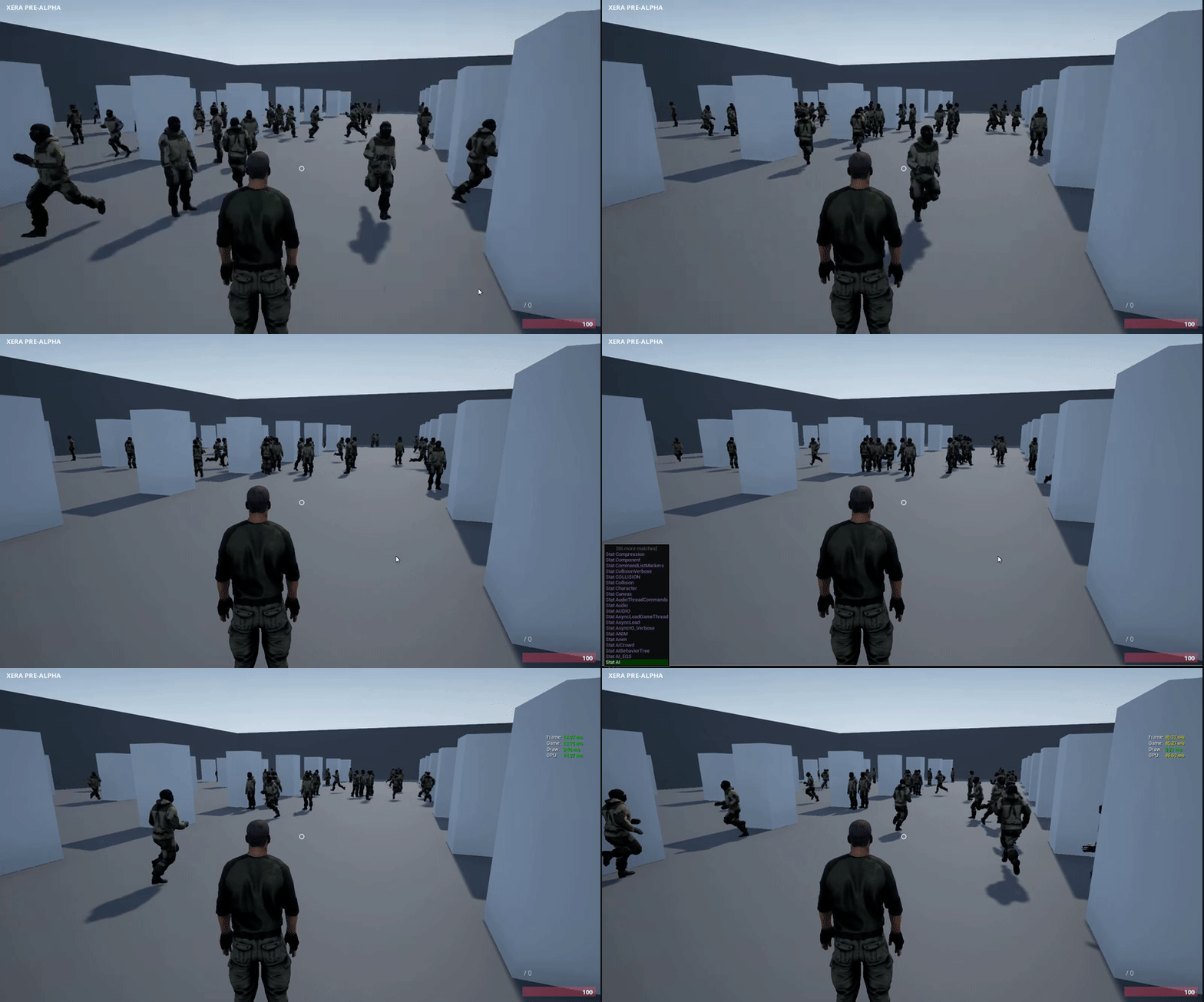

 fossil spoke
Lol
twin juniper
@fossil spoke well, he unfortunately went offline after I asked =/
wooden plume
@bold cedar I know a thing or two about network beacons
fossil spoke
@twin juniper you could PM him and wait for him to come back online.
twin juniper
I did and I also appreciate everyones help ^^
wooden plume
I played around with VR multiplayer a little bit
it was with 1 vive player and a bunch of non vive players
twin juniper
@wooden plume I want a multiplayer session with 2 VR Players (considering oculus, but vive would also do it's job) but it doesn't really work and I don't know why
wooden plume
which part doesnt work?
twin juniper
I don't really know. I hooked up two PCs with a direct connection and I can ping each other which is good. I can also create a session on one PC before I can find and join the session with the other pc. But now comes my issue. The first player, the host, can modify the map and stuff, but as soon as the second player joins he kind of "kicks" the first player out of control (not the map or something). There is no movement or interaction possible for the first player after the second one joined. I assume that the second player kind of overrides the "Player 0"-Variable and takes control of it, so the first "original" Player 0 is nothing more than a spectator. But worse than that, when the second player joins he also starts from the unmodified map, so no changes from before are considered and when I change the map with the second player, the first player is not able to see any of these modifications... Like they are in the same "session" by definition but disconnected nevertheless.
wooden plume
sounds like the first player is losing their controller?
which is odd
im not sure why vr would change how this happens
usually
when a new player connects, they are assigned a pawn and player controller
that happens in pre and postlogin functions in gamemode
personally i would start there and see if that is taking place
also, are the actors that have been modified set to be replicated?
twin juniper
Taking the HMDLocomotionPawn, I only have one in my map. The first player (host) spawns at that location. But the second player joins at the origin of world space. This also happens when I try to add a second Pawn of the same sort, telling it that it should be possessed by "player 1" (which would be the second player, I guess)
wooden plume
I gotta step out for 30mins dude, i shall be back!
twin juniper
I modify a static mesh, like the floor and I set every variable to replicated inside of my blueprint actor I attached to that floor for the desired functionality
wooden plume
ok im back @twin juniper
twin juniper
@wooden plume welcome back and thanks ^^
wooden plume
was thinking about what you were saying
i think i might understand where you are going wrong
you are trying to possess a pawn in the world, rather than have the game mode create and assign one
which might explain why the first player gets kicked out when the second joins
twin juniper
So I have to create a new Pawn and possess it when someone joins?
wooden plume
usually you let the game mode create the player controller and the pawn, assign them to the new connecting player, then it finds a player start spawner
and lets them free
it should be automatic
via the gamemode
do you have a player start in the map?
the object
twin juniper
yeah I tried that, but that didn't change anything =/
wooden plume
delete the pawn you have in the map
and check in your game mode that the default pawn object is set to the one you want
default pawn class
player controller class
twin juniper
my default pawn class is already the one I use, say HMDLocomotionPawn
also set in the gamemode
wooden plume
how many player starts do you have in the map?
twin juniper
I tried none, one and two
wooden plume
put one in there
delete your HMDLocomotionPawn from the world, if there is one in there
press start
and see if you spawn in at the player start with the correct pawn
twin juniper
Hmm I will try that but it will take some time building everything again. Any idea what else could be the cause for my issue?
wooden plume
not really beyond that
twin juniper
hmm so maybe I get the second player going, but what about the modified map? Can I set a static mesh as "replicated" or only those changes I do in the BP-system?
wooden plume
that sounds like you have set up replication on the objects
that you are moving around
you should be able to set those as replicated
as long as the server has ownership of them
ie, the server spawned them
twin juniper
I guess that the server has ownership, because the session was created and can be found and joined. Therefore I expect the second player to be on the server's map and not on an own version of that map (why would he then even try to join it?)
wooden plume
the server doesnt own the map per se
they have authority over certian actors in the map
the client has a map too
don't think of it like 'this is the servers map'
it doesnt quite work that way
its all to do with actor role
twin juniper
So everyone has their own map and the server should dictate which actors the clients should use/see/know about?
wooden plume
yeah pretty much it
twin juniper
hmm trying to wrap my head around that. So I could tell the server to replicate everything that happens/changes on the server? I will not need any protection against cheats or stuff, because those are for demonstration purposes (like two VR player in the same map modifying the actors/meshes)
wooden plume
yeah
twin juniper
@wooden plume so, according to replication, do I only need "replicates" checked or also "always relevant" or "replicates movement"? My stuff is currently not moving around, but some 3D-Widgets are rotating/facing the player, I guess that is some form of movement?
wooden plume
i think what is happening for you is that both the server and the client have authority on those actors that you are moving around
what should happen, is for replication to work correctly
is the server should have ROLE_Authority on the actor
where the client should have ROLE_SimulatedProxy
it might take a while to get your head around roles
but once you do, multiplayer programming becomes a whole lot easier
twin juniper
So I need to set those roles inside of the BP-Actor? If yes, how do I do that for StaticMeshes which have no BP graphs?
wooden plume
if you want something quick
you should have the server spawn the actors you want replicated when the game is ready to start
im sure there are better ways of doing it
but that will get you going a lot faster
twin juniper
hmm well I guess I can not do "that", because my 3D-Widgets need to be a child of a staticmesh to know what they are modifying.... Or am I able to tell the game "Hey, I created you and I need you as a child of that mesh and at that position to do stuff! Also take these parameters of meshes or materials with you, because without them you are worthless!" xD
twin juniper
I think it's pretty complicated to create an actor, assign it as a child and give them a lot of parameters to work with =/
wooden plume
i could be wrong about all of this btw, its been ages since i used standard UE4 networking
twin juniper
"Double ups" means what?
wooden plume
as in two sets of actors
the replicated version from the server as well as their own ones
they would most likely be on top of each other, in the same position
twin juniper
I would prefer that each actor only exists once in the map ^^ I don't need the client to have their own version of those actors. The client only needs to move and interact with those 3D-Widgets
twin juniper
All meshes and actors are set in the map itself. The server does not spawn anything additionally yet, but I thought that the server did kind of "spawn" the map, because it created the session and owns it by default
wooden plume
oh wait a sec
in your replication settings
do you have
net load on client ticked?
twin juniper
oh boy, I just realised how messy it is to trim a single player experience into an multiplayer experience.... Example: My 3D-Widgets are facing towards the "first" player only... Have to change that for everything I guess xD
yes it is checked (I guess that net load on client is checked by default)
 orchid cairn
If I have a variable set to RepNotify, if on the server I set that variable, but to the same value it currently has, will that replicate and call the RepNotify?
twin juniper
@orchid cairn I would guess "yes" because you are setting the value and the exec-path has to traverse through that node then. But I can not confirm that.
orchid cairn
@twin juniper I'm thinking the same thing, but also thinking that the engine network code might "optimise" and not send a variable that hasn't changed
thin stratus
I would say no
Setting a true boolean to true again won't call repnotify
At least that's what i experienced some time back
wary willow
Repnotify only happens on value changes
bold cedar
@wooden plume Essentially what I need is for each player to be able to have their own instanced house map, while still having some connection to the server. What I was thinking, is that the player loads into their house map locally, and then using beacons, retrieves data about their house, and can send any changes made to the house to the server. I wasn't sure if this a good use for beacons or not
wooden plume
yeah you can do that via beacons
if you pull apart the beacon system, it shows you how to connect to a server without having to change maps
bold cedar
What kind of learning curve does the beacon system have?
wooden plume
its pretty low level
well it depends how far you want to take
it
you can use that as an example on how to create a game similar to journey
with seamless mp connections
bold cedar
The farthest I would push it is the example above, and then getting info about the server from the lobby
wooden plume
then yeah, somewhat straight forward
just put a bunch of breakpoints in the source code
watch the steps, the handshake etc
extract what you need
it essentially becomes this extra connection actor that exists in the world
you can push infomation through it
even RPCs
bold cedar
Sounds like it can work 😃
wooden plume
if i remember correctly, UE4 source has an implementation called the party beacon
that they used for something
might be a good example on how to use it
although, I remember having a hard time when I first looked at it
bold cedar
I see that it is mentioned in the 4.9 release notes
Network beacons themselves are only marked 4.13+ compatible in the documentation
bold cedar
Oh
That's good to know 😃 I'll take a look at some of this later and see what I can come up wit
true peak
any one know how to assign a player character to a controller when you finish joining a session?
native axle
@true peak Go to your game mode and pull out the OnPostLogin function. This is called after you join a session and returns a player controller. You should be able to just possess the character if it is spawned earlier on server side. If that doesn't work try adding delay before you possess to account for replication.
true peak
thanks you! how do you suggest adding a delay? Having trouble figureing out how to wait in C++ for a delegate to return before I can use that infomration
 rough iron
@thin stratus a trick to re-replicate a bool (or any other value) is to bundle it within a struct, the struct. The struct itself contains the data you replciate and an uint value that you increment each time you have to replicate it.
native axle
@true peak you can either set a timer or store GetTimeSeconds() when you call the function and check current time against that
@rough iron Would the same thing work if you used a bool along with the struct and toggled it between true / false?
rough iron
Yes, keep in mind that the rep notify must be on the struct
the engine will just replicate the changed data of the struct but you will get the notify
so you are actually only adding the overhead of an uint
which is not much
if you check a struct called ServerMove or SavedMove (can't remember the exact name)
the engine already uses that trick to enforce replciation
let me check the source a sec ^^
fossil spoke
@rough iron Has spoken, all heed his voice! 😛
rough iron
xD
FPickupReplicatedState
does exaclty that
/** counter used to make sure same-frame toggles replicate correctly (activated while player is standing on it so immediate pickup) */
UPROPERTY()
uint8 ChangeCounter;
^^
I use the same technique in the twin stick shooter sample too
native axle
@rough iron Ohh nice to know. I was stuck on that when trying call a function and skip owner. Currently I have it setup like this, is there any reason I should change the code to use rep_notify? https://cdn.discordapp.com/attachments/221799385611239424/278092509362651137/unknown.png

 rough iron
variable replication is more efficient that RPCs
whenever you can solve it with vars do it
 regal hazel
Is there a way to turn movement corrections off or increase the correction threshold for a period of time in the character movement comp?
I'm doing something similar to the dishonoured blink and it works pretty well but as its currently just a vinterpconstant towards target the server sees the clients position being slightly offset towards the end of the movement. It's only at high latencies that it actually becomes an issue
rough iron
@regal hazel not sure, there are some values to tweak but most just create a subclass and code their own (like UT)
regal hazel
Yep that's what I've done 😃
I've done the whole FSavedMoves etc that's how I've got it working well thus far but im just trying to make it better atm
The last piece is improving these minor corrections
for the most part they are corrections smaller then 10cm but in first person view it does look a tad janky
rough iron
You may want to check the ClientPredictionData then
regal hazel
I'll do some more digging thanks @rough iron!
native axle
@rough iron Thanks~ will do that
rough iron
^^ np
thin stratus
Ty @rough iron
rough iron
ya welcome ^^
 cyan bane
Is it true that upping the amount of data a server can send to clients per second will slow server framerate?
hollow quartz
How are you adjusting the amount?
cyan bane
I guess that would make sense if the server feels obligated to send all the data it could to every client every frame
Well I'm reading a forum post made by a developer of the game Conan Exiles (a UE4 game), and in it a player claims to have found a fix for the games lag, in which he modifies the default values of
ConfiguredInternetSpeed, TotalNetBandwidth, MaxDynamicBandwidth