#blueprint
402296 messages · Page 527 of 403
 trim matrix
 mortal cradle
sure, thank you
trim matrix
@mortal cradle
you need to save the return value of the interp so it can be used as the starting point (Current) for the next iteration of FInterp
mortal cradle
man I was so close, I've tried something similar but without float variable on current interp
thank you a lot, will test it out
trim matrix
nice
also remember that you are going to have to set that float somewhere also
to make it not start at 0, or if you can just change its default value idk what your gonna have todo for your specific case
and also remember this will work perfectly find on an axis event also
mortal cradle
I think I will be able to figure it out now, thanks again, it's been a while since I wanted to use interp with floats but without success and always moved to different things
trim matrix
gl then
 haughty axle
guys need a bit guidance, how to do two key presses like shift + space to do action
haughty axle
thx man, will do with this first then will se if i have any problems
haughty axle
@trim matrix thx man had to put my Shift action on Flipflop, works like charm now 🙂
trim matrix
np
 quasi frost
I'm not even sure where to begin getting these two actors to see eachother. If one is infront of the other I want them to deal damage to eachother. What would be the best way to go about getting them to detect eachother do you think?
 dense peak
@quasi frost add some aiperception to them and split them into teams
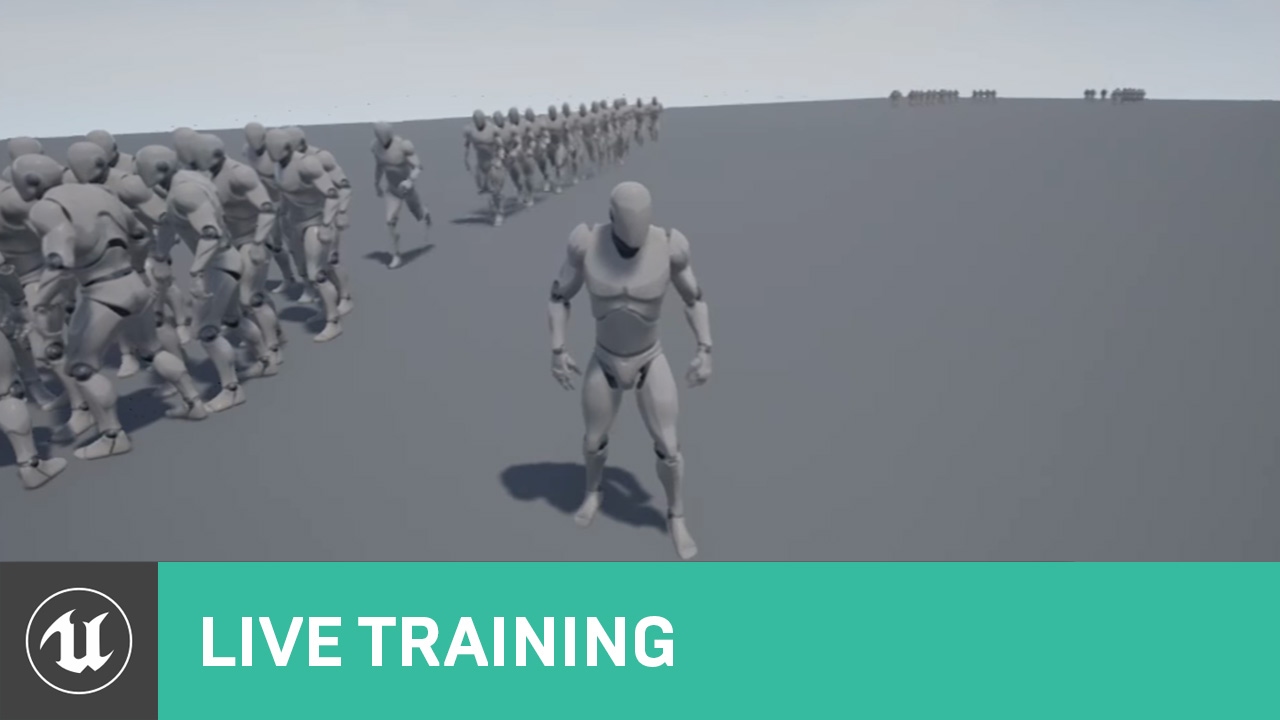
Announce Post: https://forums.unrealengine.com/showthread.php?109449
In this Live Training Stream, Ian and Alexander talk about what we'll need to create MOBA Minion AI. In part one: we'll start with an overview of observed behaviors, then create a new project, and finally mo...
Ian Shadden is a legend
trim matrix
While would definitely need some variable to determine which team they are on, Ai perception would definitely be a bit overkill. If this is a turn based grid game then you should have way to input a Grid Space Coordinate and return info about that grid space. If you are able todo that, you can simply translate the grid coordinate to get the space in front of the the unit.
Im assuming your game is turn based and not live action based on the end turn button.
dense peak
might as well just do a line trace forward one square
 fading parcel
Hi, when using the console do you need to activate a setting before the commands you type shown up? if i enter a command to show the collisions i do not see the black outliner also not when checking the capsule in a network test example: p.netshowCorrections 1 gives nothing
trim matrix
That would be a good short term solution yes, if you don’t have the proper infrastructure setup for a grid based play field yet.
@quasi frost
quasi frost
Yes the grid field fully works, it supports spawning, movement and even combat against the player, I am trying to implement combat against other summoned units now. I have a grid array set up for spawned friendlys and enemys, I am just not sure how to say "Check the tile infront of you and if there is an enemy deal damage to it"
trim matrix
Do you have a function that can take a grid cord and return the grid peice?
Or are you even using grid cordinate at all?
I would assume your units all have a grid cordinate right?
quasi frost
They have a grid index yes
trim matrix
Oh an index I assume for your array
quasi frost
correct
trim matrix
Hmm well it’s really important for grid games to use an cordinate instead of just storing an index
quasi frost
Every grid coordinate stores an unique index so it works more or less the same
dense peak
because you only have an index you don't know what's around you, if you convert the index to a coord you can then check all sides or just in front depending on what you need
trim matrix
Yep
quasi frost
summons can only move and attack forward so it shouldn't matter what is around them.
dense peak
ok that makes it a bit easier
trim matrix
You have to think about the future of the game though.
It’s very important for any grid based anything to have two functions
quasi frost
Right now I am thinking about doing it here in the movement event. If an actor is on the tile it is trying to move to "check to see who is on that tile" just not sure how to translate that
trim matrix
- Grid cord to Grid Space Info
And
-Grid space info to Grid Cord
If you skip out on making those two functions I promise you it will create a world of hurt in the long run
dense peak
☝️
 crimson swan
zars one hacky way i have for your tile problem is the following
let me draw it up on paint
quasi frost
@trim matrix Is there an easy way to set up this grid coord or is this an all day thing?
quasi frost
@crimson swan That is actually hilariously simple, then I check colliding actors and deal damage to it? lol
trim matrix
The only real challenge is to make the function that takes in two numbers. X and Y. And convert that into a index in your array. It requires some thinking but it’s not super hard.
crimson swan
yup
name each cylinder a direction and problem solved
for your grid coord system
one hacky/proper way (idk which it is tbh) is to create a mesh
say 1x1
and replicate it with distance 1 in between in an array
like a tile, and on beginplay of your map just dupe it all over the field you need it to be in and voila, grid system you can refer to to get positions and x,y coords
trim matrix
Yep
crimson swan
for clarity let me refer you to my amazing paint skills, brb
 alpine halo
I also tried using timeline with lerp and it snaps to lerp A value instead of going through timeline length first (I guess it just needs ticking and there is no other way)
@mortal cradle https://youtu.be/KBE7ZbWBMa8

In this tutorial I'm gonna show you how you can do gradually increase and decrease sprinting with interpolating.
Thank you for watching
Like and Subscribe
quasi frost
I think the cylinders thing will work perfectly on this type of simple grid. Gonna try it real quick.
quasi frost
lol
trim matrix
It should would work perfectly. There are a million incredibly simple ways that will work just fine for that specific task.
quasi frost
tetris inventory? Those are neato
trim matrix
Oh oof those arnt super simple
trim matrix
Nice
alpine halo
@quasi frost why don't you attach a collider in your character and when the collider begin overlap is player then attack
 main lake
I want to create the main part of my multiplayer game (killer vs survivors), I can't code that in the level blueprint because I will have multiple maps, I can't code that in an actor BP because it will be linked only to that object, so in wich BP (or something else) should code in please ?
The coding I need to do is to set up 2 teams, set missions for the survivors (object to pick, mini-games, killing script for killers,...)
quasi frost
What is the correct way to get variables from this actor? I can't grab the health vairable of the colliding actor doing this
 flat raft
What's is the difference between using a Interface, and calling a Custom Event on a actor? They are both 1 to 1, they both require a reference, and they seem the do the same work.
Is there a benefit to use one over the other?
dense peak
@flat raft I have multiple enemy AI and an interface for attacking I can use the same AI controller and Behaviour tree for all of them and then in the Attack function it can be different for every AI
dense peak
@flat raft it's more that you have a defined set of functionality applied, yes you could duplicate the custom event and it would work in a similar way but when you edit the event you have to edit it everywhere, whereas the interface is a single change across all of my AI enemies for example
quasi frost
Using a custom event so I can call it at any time
dense peak
it's a design pattern
flat raft
Ahh..gotcha
main lake
@quasi frost I'm talking more about the GetOverlappingActor
flat raft
that makes sense. My Events are defined in a parent class, so when I change 1, they all change, but I suppose if it were in the child, then I'd have to change each one.
Thanks! @dense peak
crimson swan
@main lake i think you can make most of that in playercontroller
teams would be via tags
and missions and everything else can definitely be in playercontroller or on the character itself
quasi frost
I'm still not quite sure how to get variables from the overlapping actor event. Even using a class filter I can't seem to set or get variables from it
main lake
@quasi frost use casting
quasi frost
Can you explain? I am looking to overlap with a parent of the same actor. So two cards which have the same parent but may or may not be different children overlap, I can't cast to self. I am just sort of confused on how to do that.
crimson swan
zarz have you tried foreach?
flat raft
@quasi frost what ya trying to do?
quasi frost
@flat raft I am trying to get the collided actor get the health so I can subtract from it to do damage to it.
crimson swan
yeah so overlappingactors->foreachloop
flat raft
How many actors are colliding ?
crimson swan
then cast the array element as your parent class
quasi frost
2
flat raft
You can use a OnOverlapEvent
crimson swan
used whatever i had handy but that's the general idea unless i'm understanding wrong
quasi frost
I mean that would work but I have tons of cards so I would have to cast like 100 times like cast to 1 cast fail cast to 2 and so on. I am sure there has to be a better way
quasi frost
No. It would always be 1 at a time. But it could be any 1 of many
flat raft
The event is better, and more efficient
crimson swan
you can always sphereoverlapactor
flat raft
all you need is a reference, which the event gives you.
crimson swan
wait no i think i just got what you meant by cast to one then to the other
a for loop is definitely what's going to handle that anyways
quasi frost
Yeah they would have the same parent but be different children. Just not sure how to get the right one and then get variable from it
crimson swan
i showed you how though
if the parent has the health or event that would need to be called then the children all have it too
quasi frost
I can't grab variables from this :/
crimson swan
cast it to the parent and you can access that event
arrayelement -> cast to whatever your character parent is
quasi frost
Hmm I will need to move this event somewhere else to do that though. This is being done in the parent. Maybe it is better to do this in the controller or game mode or something?
quasi frost
yes
quasi frost
Is there a way to avoid doing this?
flat raft
Wow that's a lot of casts!
Do you have a Good Guy class, and a Bad Guy class?
Parent class, I mean
quasi frost
hmmm no I don't maybe it would easier to clone the master card class and make one enemy?
flat raft
How are you determining which cards are good, and which are bad?
quasi frost
Bool
flat raft
Hmmm..
This kinda thing usually uses a parent child hierarchy.
Like a MasterCard, from which you make a Enemy, and a Friend class.
From your enemy, you have your bad guys class. From friend, your have a good guys class.
quasi frost
hmm well this isn't working at all lol.
flat raft
This way you group 'Like Functionality' and don't have to have weird things
But since you have it like this... just cast once to the parent.
quasi frost
This isn't printing string. So these casts aren't working somewhere
okay
This isn't working
crimson swan
it's not returning any elements?
quasi frost
no return
crimson swan
was doing some final adjustments on my code lol, decided to pop by for a visit before bed. Weird
you sure your front colider is set up properly
?
quasi frost
I mean it's a collider lol. I can double check
crimson swan
i closed UE so can't remember what you can call
but try something other than overlapping actors
getcollisionsphere or something
quasi frost
This is printing
crimson swan
ok well you can use that
give some inputs to your deal damage to enemy card and do your magic in there
or just do it all in the overlap
anyways i gotta go for real. I'll check up later
quasi frost
thanks cya
 stray rain
Question: Anyone know why when I shoot twice and the first projectile is not destroyed yet, the first projectile stays alive indefinately? how can I change that?
dense peak
the target of destroy is being set immediately which means subsequent calls to the spawn function override the target while it's waiting for the delay.
maybe put the destroy inside the projectile itself
on begin paly - wait - die
main lake
Can someone explain to me in simple words what casting is please ?
stray rain
maybe put the destroy inside the projectile itself
@dense peak The problem with it is that Its a multiplayer game and I would not know how to set different delays in the projectile. Like this I can set the delay on the player and if he has a powerup I can extend the delay right?
Can someone explain to me in simple words what casting is please ?
@main lake well from what I understand, if you want ANY interaction between two blueprints, you need to cast from one to the other.
 fallen tartan
hey guys, did anyone else had issues with spring arm if you set inherit yaw from blueprint? it goes crazy on movement
dense peak
@stray rain yeah so if inside your projectile you have a variable called duration, you can pull a node off return value of spawn projectile and do set duration
@trim matrix how does that look?
stray rain
@stray rain yeah so if inside your projectile you have a variable called duration, you can pull a node off return value of spawn projectile and do set duration
@dense peak thanks, I will reconsider putting the code in the projectile instead of the player... I thought that's the correct way, but you are right imma rewrite ^^
dense peak
@stray rain you're not wrong at all, it's just timing. You could add a function inside the player that you pass the newly created projectile, adds a timer and destroys it
you could create a generic function destoryAfterDuration have two inputs an actor and a duration
stray rain
but how would I tell it what projectile it should destroy?
But I will go with "inside of projectile" like that I realised I can also put the damage number and various other things inside of it and expose those variables
dense peak
call the function after the spawn node and pass it the return value
stray rain
ah thats it? mmh I still need some time to make more mistakes and come up with solutions ^^
dense peak
ha
stray rain
@dense peak like this I guess
 hazy igloo
Bool
@quasi frost Macros are your friend. Not?
dense peak
something like that @stray rain, just trying to replicate but can't add a delay node for god knows what reason
 velvet viper
Yo, could someone help me out? I've recently been trying to emulate a trick system seen in games like Energy Hook, Spider-Man PS4 and Tony Hawk but I can't seem to get the rotations smoothed out - Essentially, on a button hold and with a subsequent movement input, I want my player's mesh to rotate based on that axis input! I've set something up which is sorta what I want, but very rudimentary and the rotations are all off! I'll pop in a GIF of what I've been working on, and what I'm trying to achieve! Any help would be greatly appreciated, cheers!
trim matrix
oh @dense peak was that for the grid thing?
dense peak
@trim matrix yeah, it peaked my interest
trim matrix
ah i see.
Well the real one to be worried about is the opposite of what you did
Inputing a cord and then gettting an index in the array
dense peak
I'll give it a go
trim matrix
yea try that one
stray rain
something like that @stray rain, just trying to replicate but can't add a delay node for god knows what reason
@dense peak works perfect btw, thanks for pointing me in the right direction 🙂
dense peak
Other way would be as I first suggested, let the projectile take care of it's own lifespan
 tight schooner
I think actors have their own lifespan function and a "set lifespan" node
Don't need to roll your own
dense peak
Now that I did not know, that's actually awesome, thanks @tight schooner
sorry @stray rain ignore everything I told you, just add a Set Lifespan node after the spawn projectile and you're done
everyday is a school day
tight schooner
@main lake A cast is a check that determines if a provided object reference is of a certain class. If the check succeeds, then it transforms the object reference into a reference of that class. And once you do that, you can call functions and manipulate components and variables that are specific to that class on the referenced object.
Casting is one of a few methods of "blueprint communication", an umbrella term that includes BP Interfaces and event dispatchers.
@velvet viper if you can't get spiderman to forward-summersault then maybe it's a gimbal lock issue, in which case you can try quaternion rotations which is a type of 4D rotator that avoids gimbal locking.
That aside, to me it just looks like you're rotating on Z (yaw) when you want to be rotating on pitch (Y?)... It's hard to tell what's going on under the hood based on your video.
velvet viper
ye, i did think about quaternion rotations, never messed around with them tho and don't know where to start with regards to them
tight schooner
(either way I've never tackled these issues myself so I can't suggest much beyond that)
Yeah I never tried quaternions either.
stray rain
everyday is a school day
@dense peak indeed 😄
velvet viper
Ye, in the vid it's more of an issue in regards to smoothly rotating the player back to their original rotation, can't seem to rinterp it in game and it looks really jarring
 thin apex
Why is this getting called twice when there is only one player???
and one locking volume
trim matrix
@thin apex Ik on begin overlap can be strange sometimes and can call multiple times. A simple fix is to use a Do Once
You can reset it on end overlap if thats what you need
thin apex
it works for the first 2 times but then it doesnt reset
trim matrix
oh is your end overlaping checking to make sure its stoping overlaping with a player also?
thin apex
yes
trim matrix
ah then the last im not exactly sure
The last thing i can recomend is how i would normaly do it.
I normaly save the overlaping player(s) to a variable on the object
Making sure that the variable is clear on overlap
and making sure its set to the overlaping player on end overlap
I never done it with a do once before i just assumed it would work.
i dont see why it wouldent tho anyways.
thin apex
but why does on overlap begin happen tweice?? it was working fine a few mins ago and i didnt even change anything
trim matrix
Its just some glitchyness ive ran into a million times
Im not exactly sure what causes it todo that i only have theorys, but i do know that sometimes begin overlap/ end overlap will run more then once for no random reason
 glacial eagle
Every possibility that you have two components on the actor with collision response that generates overlaps.
E.g, if both a character capsule and the character mesh have overlapping response
trim matrix
that would be a good thing to check also
dense peak
Have you ever tried custom channels / objects?
 thin apex
well maybe next time that might solve ur problem too
trim matrix
hopefully yea
dense peak
I've just started working on an AI spawn manger type thing, I started with distance checks but didn't feel like it was the right way to go so added overlap but wow, that's a world of fun right there
 gritty elm
need help
i'm creating widget animation which play from right to left, but i want to hide from right side, and i want to only show from left side, how it possible
 stray folio
hi is there anyone who can tell me why this code isnt working?
tight schooner
@stray folio just post your question to the #blueprint channel and if somebody knows the answer they'll chime in
stray folio
i understand im just having trouble getting the screenshot XD
l3 sorry
okay
this is my stats
I want BP to be raised with a training function
the input
and its not working
(the print string does show up when pressing Y)
anyone have any clues?
tight schooner
Try connecting the "false" on the branch node to the print string at the end of the function
it'd be helpful to know if the function is being called at all
(Does the function exist on the same blueprint as the one setting the timer?)
stray folio
and yes
same results
stuck at 69
so now theres a print string at the end of the false
now what ;n;
tight schooner
well, if you don't see the value of "BP" being printed, then you know the function isn't running
stray folio
okay ill make BP the vaule of 999
and see if it hits when hitting 1000
so its my UI
thats my UI
tight schooner
well, if the value is updating, then the question is... is your UI update script being called
stray folio
i dont think so
tight schooner
If it is, then what's the point of failure? Does it pass the cast? etc.
tight schooner
idk, I thought that screenshot was it
tight schooner
yeah, construct only runs on... construction. When the UI is spawned.
stray folio
hm. Im a novice and the video only shown me the construct
tight schooner
IDK if you're pressing "Y" on the keyboard to alter the value and then opening the UI...
stray folio
no
im not
im pressing enter
its a pause button
(would you like screen shots of that?)
tight schooner
does it actually pause the game?
tight schooner
I don't think timers run when paused...
stray folio
But the value should still change right
when not paused?
what about the
UI update
tight schooner
Yeah. So let's say the game isn't paused. You're hitting Y and the value is going up. And you have the UI open and you want it to update in real time...
You'll have to make a custom event in your graph. You can call it UpdateStats or whatever. And then connect it to the script that's attached to Event Construct.
And then you need to figure out some way to call UpdateStats whenever you change the stats.
tight schooner
Wherever you want really. Just right click on the graph, Custom Event, put it underneath Event Construct or something. I mean it'd necessarily have to be in your UI graph.
stray folio
just as long as it dont loop inf correct lol
tight schooner
I've never dealt with a live UMG UI so I don't know the proper method of communication between the UI and your player-pawn.
stray folio
well
I understand the update stats. But i dont know how to update the UI
like is it a hard code, or is there a node
imma have to look it up
tight schooner
no I'm just talking generally. I suppose I meant update the stats.
stray folio
i understand
in my old game in DM coding (before i went to unreal) I put it in stats where the player stats was, where it updated every 1.5 seconds
well Stats() is what it was called
it was a proc
but
im still a little lost
i dont know the right way to update the UI
(yet lol)
tight schooner
You could maybe update the stats display on a looping timer provided the game isn't paused, lol. But ideally it'd be done on demand somehow. You press Y to increment the number. The "Training" function would have a reference to a spawned UI (if exists) and call UpdateStats on it at the end of the script.
tight schooner
disconnect Event Construct from "Cast to BP_Mannequin..."
create a new custom event called UpdateStats (or w/e)
connect that to "Cast to"
and on the Event Construct... event... simply call UpdateStats
it'll produce functionally the same outcome, but at least now you can potentially update the stats UI on demand
stray folio
imma try it right now
having trouble calling the UpdateStats
(think it has to do the with the UI to the characer Blueprint?)
tight schooner
It constructs properly, right?
stray folio
yup
tight schooner
The player-pawn needs a reference to the spawned UI object. Does the player-pawn spawn it?
tight schooner
I mean you push a button (enter?) and the UI pops up. Does the script that spawns the UMG widget reside in the player-pawn?
the "Melee"?
dense peak
try get player pawn instead
main lake
can someone explain to me why get an error with this script (it's in a level blueprint) and also it doesn't want to switch to Input Mode UI only , I can keep moving my character even if the UI is displaying my Widget
tight schooner
@stray folio So here's a node from my current project. You must have one of these somewhere (create blah-blah widget). The "return value" data pin on that node is a reference to the widget. You can save that data to a variable (right click on the pin, "create new variable").
Now that you have that reference in a variable, you can plop the variable on the graph and call functions/events on the widget. For example you can make it UpdateStats on demand. This is all assuming your player-pawn is the one spawning the widget in the first place.
 shut torrent
can someone explain to me why get an error with this script (it's in a level blueprint) and also it doesn't want to switch to Input Mode UI only , I can keep moving my character even if the UI is displaying my Widget
@main lake that happened to me too, did you try setting the input to UI before the widget is created?
main lake
@shut torrent nope as you can see, I create first the widget then set the input to UI only
stray folio
it does?
shut torrent
yep :/
shut torrent
Idk how to call them, those little spheres for sorting paths in your BP
tight schooner
@stray folio there's two conversations going on so I'm not sure what you're talking about...
stray folio
l3 im a little confused myself
tight schooner
did you see the screenshot/description I posted?
stray folio
yes im looking for it now
main lake
@shut torrent If I put it before I need to get reference of an object if I cast to my widget BP, wich object should it be ?
main lake
yes ?
shut torrent
Try that
main lake
but these something missing in the widget to focus
shut torrent
Oh that's true
Damn
Just set it like me😂
I don't understand why it is not working for you
main lake
set it like you ?
shut torrent
Like in my screenshot
main lake
It's the same as you but I can't select my widget as I'm goind this in my level blueprint
alpine halo
Any ideas on how do I start character dismemberment gore system
stray folio
so if i have to call update Stats from the Widget, how can i call it to update the stats when i train?
im still stuck on that
tight schooner
Reread what I wrote earlier — if you have a reference to the spawned widget saved as a variable in your "melee" pawn BP, you can call UpdateStats on the widget from any graph in the pawn BP. Just drop the variable on the graph, pull the pin out, and in the search box you can find UpdateStats (provided you compiled and saved the widget BP).
stray folio
okay
tight schooner
So in your Training graph, you put a call to UpdateStats after it alters the value.
Anyway I g2g... If you have other questions just ask the channel
Calling functions & events with object references is a basic form of "blueprint communication". You should look up a general primer on that sometime.
stray folio
i changed it to UpdateStats
 stiff hatch
Hi, I have a Character system I made and when the client tells the server to load the character in, it spawns the character of the specified class and updates it's information then tells the client to possess it after thats all done.
but the character dosnt spawn on the client until a few seconds pass after it has been told to possess the new character.
Is there a way to remedy this?
And if so how would I go about doing that?
~thanks in advance! 🙂
glacial eagle
A few seconds is quite extreme. Would expect a short delay though.
Maybe the client is loading all the assets for the first time so it hitches
stiff hatch
the characters do have a saved inventory that is a Replicated array of a Structure of item information. I'd figure that would be the reason why but putting a delay there would really just fix it sometimes if i'm not mistaken. because slower computers would load it in a slower times possibly taking more time then the delay
 fallen glade
Any way to reset a "Material Parameter Collection" to default values in one step ?
stiff hatch
my issue was causing my hud to draw before it had a valid reference to the player's character so I needed to draw the HUD widget after the character was spawned.
I fixed this by having the Master Character class 'event be begin play' checking to see if it's current controller was == to the player's controller and if it was then the character would draw the hud widget providing a reference to self to the widget.
I do appreciate the help though! it helped me get on track to find this solution! Thank you!
velvet viper
Yo, can someone please help me out with recreating this stunt system, it's really doing my head in! I'm trying to replicate this and so far I know that in order to achieve it I'm probably going to need to delve into quaternion rotators but I have no idea where to start! It looks like some axis input (i.e moveRight or moveForward) driving a rotator on two axis, and then interping back to a set rotation (maybe?) - Every time I've tried doing this it just results in horrible spasms (maybe euler lock hence the quaternions?) - Any help would be greatly appreciated, cheers!
 mental robin
Not sure how to add force to all of the static mesh components I spawned....
velvet viper
Aren't you just referencing one on tick?
stray folio
can someone tell me how to pull a widget into your graph
 thick plover
any suggestions on how to prevent an overlap event on a character
 opaque blade
any suggestions on how to prevent an overlap event on a character
@thick plover what you mean by "prevent"?
thick plover
The scenerio is that I am I spawning spheres that do damage to the player but want that damage to be prevented if the character blocks
opaque blade
Check for a boolean / do an interface call if it is true, don't apply
something like
IsBlocking
thick plover
I can turn off collision to prevent something that does damage on hit but this does not work for overlap
Ok good idea I will try that
opaque blade
You could also use a GameplayTagContainer for such status like effects (which is like a multitude of booleans)
To prevent it forhand the sphere cast would have to know upfront the player is blocking, which could work on larger systems by passing in "ignoring actors"
 dusk flame
Hello everyone!
Can anybody help me detangle a delegate in blueprint? I have a blueprint read/write delegate with 3 params.
I want to update a widget based on one of these params.
I got the delegate into blueprint (just search the name), but I don't know how to detangle the data.
I get a red "pull tab" which is of type delegate -I was hoping to see the actual channels of the delagate.
mental robin
Aren't you just referencing one on tick?
@velvet viper I figured I was getting every mesh because I was getting it at the end of the loop
and to be honest I am not sure how to accomplish what I need here
opaque blade
@dusk flame drag of the red pin (cube pin)
then you can create an event that has the proper parameters. Which is your actual listener on that delegate
other ways are using "Create Event" node, so you can set any other event/function as listener and don't have long wires in your bp
dusk flame
@opaque blade, OK, so when I drag the red pin off, I don't get too many options.
then you can create an event that has the proper parameters.
dusk flame
OK
So custom event exists, but it isn't "connected" when added
I am a code monkey trying to learn Blueprint 😬
What I expect is the ability to bind this delegate in some way that I have access to the paramaters.
opaque blade
Oh
Oh.
This is wrong
You have to use the "Bind to abc Nodes" not use it as a plain variable (didnt even know that this is possible but seems it is)
dusk flame
The delegate is assigned in CPP like: UPROPERTY(EditAnywhere, BlueprintReadWrite...
When I search in the context menu I can create that "delagate" node, but then Im stuckk.
dusk flame
Hmm ok. So BlueprintAssignable, and then follow the suggestion above?
opaque blade
Which actually makes it Assignable like "binding" to it
yes
then you can just use the "Bind to" "Assign to" nodes
just launching a project to make a screenshot
Note that the UPROP needs to be a Mutlicast Delegate for this
dusk flame
Thank you so much! Ok I edited the CPP. Just quickly running again
Ah yes now I find this 😬
opaque blade
We use it for listening for character customization here,
imagine the "Create Event" just being normal Custom Events - but with Create Event you can bind Functions or Events, and also do the binding in Functions which cleans up your blueprint overall
The Get Mampfistate is just like your object you try to use in your widget, basically the owner of lots of delegates
velvet viper
@mental robin set it to an array, you're just referencing one mesh from the loop
Oh just saw your message nvm
 runic badger
I have pre-placed actors that I want to update variables on with construction or call-in-editor scripts, whats the best way to save the data so its not lost on engine restart?
 rough blade
Hey everyone, I am working on various projects right now and one roadblock that continually causes problems is having a decent animation system for our characters. Everything from retargeting to getting the animbp working correctly has driven me up a wall. Could anyone point me to a good anim bp that I can use and add onto or even have someone build one correctly that can be used for various projects? All I need is a basic humanoid that looks nice while moving about.
 maiden wadi
To be fair. Your animBPs should be targeted to your project. One for all projects is probably going to be badly optimized. Unless your projects are nearly identical. It's worth putting the time in to learning how to set them up. You can make simple ones in less than an hour once you know what you're looking at.
 urban zodiac
I was wondering, is there any way to get the controller or actor that clicked a widget from within said widget?
maiden wadi
@urban zodiac Is this for local split screen style?
urban zodiac
no dedicated server widget screens. I need to find an actor that has authority in order to actually do anything
The playercontrollers have authority so if I could find out who clicked the widget I could use that
maiden wadi
I'm not exactly sure what you're trying to do. Widgets should generally have nothing to do with networking. They should be client side only, displaying what that client has access to currently.
urban zodiac
If I want to make an interactable computer screen that players in multiplayer can interact with then in order for anything to happen I need to send an RPC from an actor that has authority. Widgets don't exist on the server. So I need to find out who clicked the widget and call the RPC using him instead
 marsh seal
if youre trying to make a multiplayer interactable widget that somehow exists on the server..... you might want to make an actor that just contains all the values that would be involved in the widget
that would replicate to clients.. and then their screens would change
sort of like a virtual widget data holding actor.. that holds all the logic for happens in teh widget maybe?
urban zodiac
well the screens dont need to change. But I do need to have widget interaction call something on the server. Like pressing the "Open Door" button, which needs to call a server RPC so I can multicast opening the door to all clients
marsh seal
uhhh oh
 surreal peak
Gotta route that through an actor
marsh seal
if you're talking about a multiplayer interaction system
there's plenty of stuff on that
teh widget wont control the door
the widget just says "press E to open door"
urban zodiac
Yes, that is why my original question was if there is some way to tell from within a widget which pc or actor clicked it
marsh seal
the door actor could contain the value of who
as an object
and you could replicate that i guess
urban zodiac
The door is a bp. The door bp contains the widget component. The widget component knows that the door is its parent. So the widget has access to the door and can call functions on it
marsh seal
oh you'r edoing it that way
surreal peak
That doesn't work though
marsh seal
i just throw something on my characters hud that tells me about the door
surreal peak
You need to interact with the door through an actor that is owned by the player
marsh seal
i do use widget components for health though
surreal peak
Otherwise you can'T RPC
urban zodiac
yeah but how would I know what actor interacted with that specific widget. I am actually using c++ but thats another matter. also, nice network compendium 😄
maiden wadi
Why do you need to know who opened the door?
urban zodiac
Because whatever actor opens the door will have network authority so I can call it over it instead
I think
it also just makes logical sense that I can say "player 3 opened the door"
instead of "A player"
marsh seal
on the door BP have an Actor variable that you set whenever someone does the thing
urban zodiac
I could call a function on the pawn that clicked the widget (from within the widget) and then this pawn can call the function on the door
maiden wadi
By default all clients have two basic actors that can RPC. Controller and controlled pawn. Make your widget have one of those do a server RPC. You're now on the server. How you get the actor that can open the door to multicast to all is up to you. Also might be worth checking into replication if you allow new people to join or whatever since multicasts won't open the door for others. As for telling which player opened it, you could compare their controller on the server.
urban zodiac
this is what I am talking about
a widget component being interacted with by a pawn with a WidgetInteract component
 twilit heath
@maiden wadi 3 Actors, PlayerState as well
maiden wadi
True! Didn't consider that one. Used to just using it as an information bin.
twilit heath
i like to attach it to the PlayerPawn
then it can hold the widget components other players can see without 2 extra layers of indirection
urban zodiac
this is a console. Like Doom3, Quake4, Prey(2007) and the new prey have. A blueprint with a widget that is positioned in the world and can affect said world. Its easy enough to do in SP since authority isn't really a concern. But for multiplayer its another question
surreal peak
Well, okay, so the Button to Open or Clase has to route back to the Player itself, passing the Door along, then the Player can RPC and the Server can tell the Door to open.
urban zodiac
yes
surreal peak
Yada yada, that's the first part
The "who clicked me" is something else
Your WidgetInteractionComponent might give some info about that
But I haven't used that outside of VR yet
urban zodiac
I checked through the header for it but I couldnt find anything that would give me the information
maiden wadi
It's been a while since I've used it, but if I recall correctly You can set up different pointer indexes for the WidgetInteractionComponent. Which you'll also need if you want to see who's hovering over what.
urban zodiac
each are per user i think
urban zodiac
at first I figured I could use player_id and set the virtual user index to it but there was some reason why that didnt work
surreal peak
What you could try is
In your Character
Where you have that InteractionComp
You can get the "HovereredWidgetComponent"
Which returns the currently hovered one
And then interact with it that way
urban zodiac
hmm, lets see
surreal peak
Because theoretically you don't need to simulate a button press
urban zodiac
UWidgetComponent was for the entire component. I suppose it would work if I could return what widget within the component its actually hovering
surreal peak
Might become weird when multiple peeps hover it
But instead of calling PressPointerKey, you could manually get the Widget and say "You were pressed!"
And pass it the Player along
At that point, however, you could also just throw this all out of the window
And just use the Widget to show the state
urban zodiac
😄
surreal peak
But do the interaction just through a normal line trace
Can't type
Put two collision boxes where the buttons are
And perform a normal line trace
etc. idk
urban zodiac
yeah that would work
surreal peak
I don't like 3D widgets :D
twilit heath
you make it so every player has its own instance of the widget
twilit heath
and then you don't have to wonder who clicked it
urban zodiac
I can feel the pain already
twilit heath
or about multiple hovers
urban zodiac
honestly...screw finding out who clicked it
how about I just use the localplayercontroller
surreal peak
@twilit heath A 3D widget has no owner by default. So inside of the Widget, you have no idea who you are. Depsite getting "GetPlayerCharacter0" or so.
urban zodiac
since the widget itself is local to each client anyways
urban zodiac
oh
surreal peak
I try to avoid that
urban zodiac
I have an idea
 languid cliff
you should split the hover and click, and make the hover local and the click replicated
twilit heath
i use that only to iterate through all players from blueprint
urban zodiac
widget knows its owner is door. How about I just set the door to be owned by local player 0 when something happens
 proud cipher
In Unity, you can edit values of variables directly in the inspector during gameplay.
Does Unreal Engine have support for that? If not, will it in some future update?
twilit heath
ummm, no @urban zodiac
proud cipher
live editting or w/e
urban zodiac
oh right...because the RPC still wouldnt work
twilit heath
you would have to send a server RPC through an owned ActorChannel
for server to SetOwner
at which point it becomes a little impractical
urban zodiac
hmm, how about adding a actor var to the character and then telling from within the pawn filling said var when it interacts with the door. Then when the door calls its open function I can call the local player controller 0 instead and then open teh door from within the pawn as RPC
twilit heath
@proud cipher anything marked InstanceEditable
urban zodiac
...
twilit heath
can be accessed through details panel when you play in PIE
you usually need to Eject first to get to those
twilit heath
how about puytting an interaction interface on a door
and having your player controller send the RPCs required for interaction interface to work
then you can use same RPCs for windows, chests, w/e
urban zodiac
I already use that system for everything...except doors...since my plan was to have them controlled with the widgets
twilit heath
so instead of pressing E to open the door you have to click a widget to open a door
doesn't change a thing
you still call interaction interface functions, just from a different starting point
 dense mica
Hey UKaosSpectrum, I dont want to pin you since I dont want to distrub you, you sent me this screenshot 2 days ago, today I tried to implement it but I couldnt understand what "Customevent_01" for, if you are here, can you explain?
urban zodiac
So the flow is
Pawn presses Widget -> Widget calls function on door -> Door does whatever
and the interaction flow is usually just
Pawn calls interact -> targeted actor does whatever implementation of interact interface it has
twilit heath
@dense mica its an event that gets called when move is completed
he just didn't name it, left default name
twilit heath
that is because you're trying to do it inside a function
c/p the event handler (custom event) to the event graph
and use create event node to link the event dispatcher with the handler
languid cliff
the player needs a way to line trace to its crosshair and look for "can interact"
on the door button side set up a trigger box and do a on begin overlap, cast to player class, and reference itself and set it to can interact while it overlaps.
then on mouse over you can trigger the display of the switch, it will only display for the character using it.
then on a interact event (button or click triggered as preferred) then it calls a event in the switch to activate it, replicated over the network.
you can use the same player side interact code to interact in different ways with different objects
twilit heath
@urban zodiac so the only alteration you need is Pawn presses Widget -> Widget calls Interact providing Door pointer -> Door does whatever implementation of InteractionInterface tells it to
urban zodiac
Well the door would need to know what function it needs to execute. And what function it executes is determined by the widget the pawn clicks
and widgets will animate. I would have to some super annoying hacks to get custom collision boxes to work with that
twilit heath
so what can a door do, aside from open if its closed and close if its open?
urban zodiac
be bolted shut so it cant be opened. be electrified, have its widget disabled...
whatever I can think of I suppose
and thats just for a door
There is going to be a lot more widgets "computer screens" players can interact with that do all sorts of things
twilit heath
so add another DoInteract function, this time carrying a byte payload
as a very simple example
door has enumeration of actions on it
you call DoInteract, and turn your action's enum into byte
that goes through the RPC and when server side function on the door receives it, iut will know what to do with it
basically, instead of making 50 different code paths, you figure out a way to send a generic payload through the interaction interface
urban zodiac
yes but how would I know what payload to send with the interact
twilit heath
if widgets context is a door
it knows what action you're taking
and knows what to send
on the other side (server) when door's function handling interaction receives the payload, it will know how to itnerpret it
it doesn't matter that door can't interpret the payload for a computer terminal
because interact RPC for computer terminal should never end up handled by an instance of the door
widget for computer terminal knows how to encode the payload for computer terminal, and computer terminal knows how to decode it
same goes for door, or any other class
 rough eagle
HEllo, i'm trying to understand how the "perception : Prediction" work, and the doc is not very helpfull. does someont have a good site or video explaining it ?
twilit heath
which reduces the generic interaction to figuring out what payload is ideal to handle everything
urban zodiac
hmm I will need to come back to that tomorrow. I just had a wisdom tooth removed so im a bit woozy. Thanks for the help regardless @twilit heath
 cyan hornet
What is this node? (plese)
twilit heath
trust me, you don't want to maintain 50 similar code paths
as that is a bug incubator
urban zodiac
yeah I will think about it...I am getting another wisdom tooth removed tomorrow...so ehh maybe on the weekend
when my face is no longer hurting
cyan hornet
zlo do you know?
urban zodiac
thats the half height of a capsule
twilit heath
if that is a pattern, you might consider taking up boxing
urban zodiac
capsule component is a collision
twilit heath
its faster, and you get your excercise in along the way
cyan hornet
I mean the node that goes from the component to float
urban zodiac
if its 64 units in height then the half height is 32
urban zodiac
@twilit heath well I can ask the doc if he just wants to punch the tooth out
twilit heath
best thing is you get to punch him back shrug
btw, @urban zodiac one really effective way to handle payload for almost anything
is a pair of GameplayTag and a float
say, Action.LockDoor 1
then you just add tags instead of creating enumerators and shit
 unique dagger
Hello new to unreal im pretty good with c# have a little experience with C++ from an old college course my class now is making me use blueprints and im not really getting the help I need from teachers. Could someone help me run through some homework im having trouble with?
its probly real simple for some of you just a blueprint for an array and cycling through with a for loop i just cant grasp the visual scripting thing
 fickle blaze
@unique dagger still need help?
unique dagger
ty
 brazen elm
Please can somebody explain, in plain english, what 'exposing' a blueprint variable does, and why we need to do it? What are the pro's and con's and what is the c++ equivalent? thanks
marsh seal
expose on spawn?
brazen elm
Yeah
marsh seal
it makes it so its a pin when you SpawnActor and its that class
and then it can be used in the construction script
brazen elm
Ah ok, so why would all the variables not be automatically exposed at all times? What are the benefits to keeping it un-exposed?
marsh seal
i dont really know how it works in C++ but I think you can put something in the Constructor so it takes in variables?
the more code one piece of code knows about.. .the more overhead
when you look at C++ files
brazen elm
Ah performance?
marsh seal
and you're looking at the includes
ya performance
so i think until like 4.19 there used to be a lot more included
in base actor class
but then they stripped a bunch of it out
and you have to include it yourself if you want access to it
in blueprints you can actually make a variable "private" which means that other scripts/blueprints wont be able to access that variable directly
you could still set up a "SetThisVariable" function
when you're doing C++ you can make a variable private (only this script can access it), protected (only this script and children of it), or public (everything sees it)
in blueprint you have to manually click private
brazen elm
Awesome , thanks man
marsh seal
when im setting blueprint variables to expose on spawn its usually cause i want to use it instantly in the constructor script... like when i fire an Arrow in my game, it could have any static mesh.. and i have that exposed on spawn.. so in the constructor i set the mesh
no problem!
 north bay
Hi guys! I created a new project in unreal with the TopDown preset. There I created a new PlayerCameraPawn and new Playercontroller. I want to use my own camera (its an rts-style camera that pans with the mouse) instead of the preset one.
So my problem is whenever I hit play that its not using my new camera. It just shows a top view perspective. I changed the default Pawn and the player controller in the world settings. I also selected my camera and changed auto possess to 'Player 0'. I also removed the standard mannequin in the scene
i'm kinda lost, does any of you have any idea what the solution could be? I just cant figure it out 😦
thin apex
im printing a ammo on screen into an editable text box but it doesnt change??? the number of bullets change and my gun stops firing but the ammo count on srren doesnt change what am i supposed to do about that???
is there a way to change text already printed???
 thorny willow
Are you updating your textbox when the ammo count changes?
You're probably settings the value on creation, but never updating it whenever ammo changes
thin apex
how to??? thats what i dont know how to do...i thought since its editable it should check the value continously
mental robin
I have an array of wind vectors on x/y in blueprint. How do i access all elements of an array? I am trying to draw a debug arrow for each element. I can do it easily on begin play..but I need to see the arrows update as the vectors change..but I can't figure out how to do this
thin apex
i can only bind a func to the text and not a tick func
thorny willow
You don't need tick
thin apex
then how am i supposed to change it??
 simple dragon
how to get actor from primitive component
thorny willow
@thin apex what you could do is bind your text box to a function that gets your ammo, say from the ammo variable in your player/gun/etc class
Then all you have to do is update that ammo variable in that class whenever ammo changes
thin apex
that is what im doing
but apparently i was trying with live coding and all i had to do was restart...thnx for the help tho @thorny willow
thorny willow
Np
 arctic edge
I have a problem with blueprints and need help. Where is a good place in this server to get help?
awesome!
I am trying to use the sequencer to trigger an event that is on my level blueprint. I have been trying for like an hour to figure out how but i just cant seem to do i
t
 true yew
@trim matrix stop trolling plz k thx 
 true valve
After I load my level, I see the cam at 0,0,0. That's before the player gets loaded and placed at the desired location. WHen the player is placed, the cam moves to the player. Is there a way to fix that?
crimson swan
@north bay explaining all the steps would take a while so i will refer you to this youtube video https://www.youtube.com/watch?v=vNjxEdMYSCI&feature=youtu.be
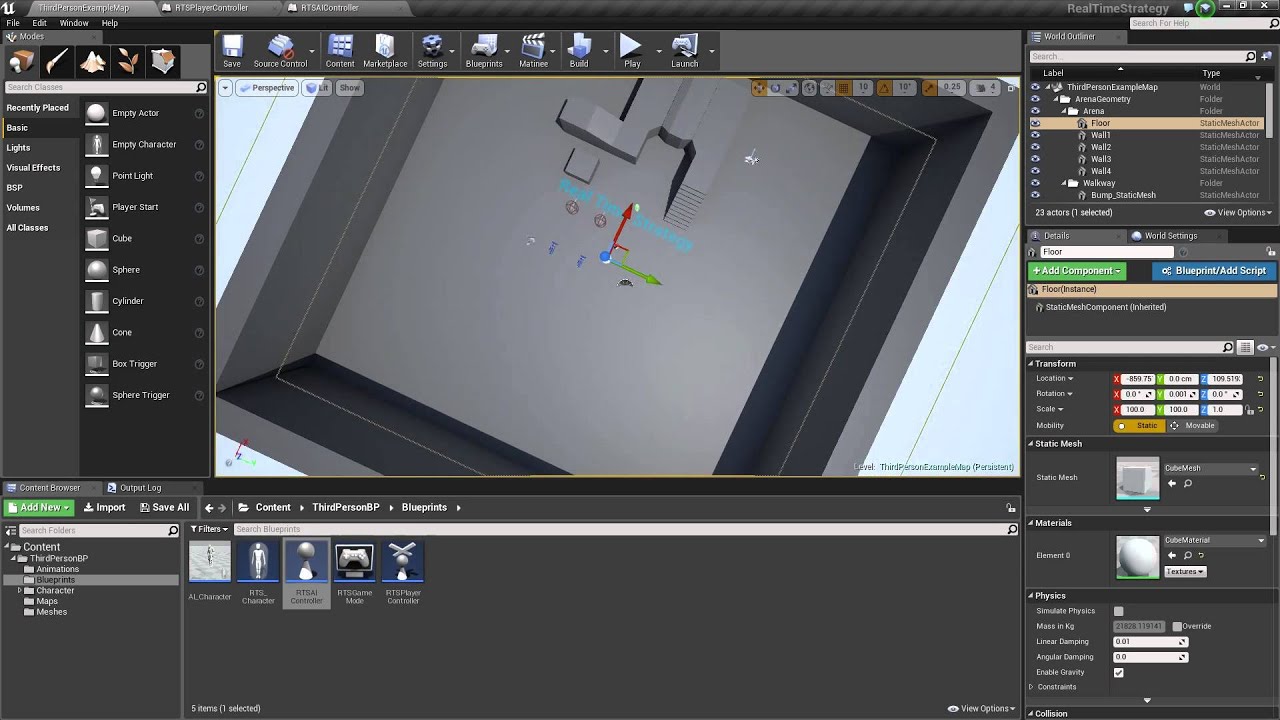
Just a quick rough draft for a tutorial on how to build a RTS style gameplay, with selecting a character and moving with cursor for multiplayer. Demonstration video: https://www.youtube.com/watch?v=sWr1cvOyZYU
Multiplayer section starts at around 11:20
Will hopefully get so...
After I load my level, I see the cam at 0,0,0. That's before the player gets loaded and placed at the desired location. WHen the player is placed, the cam moves to the player. Is there a way to fix that?
I second this, i would also like to know
north bay
thanks @crimson swan I will check it out!
thorny willow
@true valve are you loading a savegame or just your level?
 cobalt temple
bah, I thought I made it through most of my issues with the 4.25 upgrade. I didn't get this warning in 4.22, not sure what I did wrong. It isn't a complex rpc
tight schooner
Check if your emitter migrated properly. Esp. important for Niagara cuz they're always changing stuff
cobalt temple
I don 't know how to check, will have to google
is there some meta data to look at?
tight schooner
Hmm dunno then sry
thorny willow
@cobalt temple set a breakpoint on the Spawn emitter at location and Set max draw distance to see what exactly is None (null) here
If I read the warning correctly, the return value seems to be None here
thorny willow
And run your game, the game will pause when the breakpoint is hit
And then you can inspect the game at that point in time
So you can see what the inputs and outputs are
cobalt temple
ok, I don't get the warning in the editor, so lemme compile and see what happens, should only take 10 min
thorny willow
Ok, I gotta go though, hope you get it resolved, otherwise I'll check back in the morning
cobalt temple
thanks
the game plays
I just don't know how much the warnings impact it
and would rather fix
thanks for your help
 chrome orchid
hey i packaged my game and i cant launch it
cobalt temple
do you get an error?
trim matrix
Hello, i am creating an inventory following this tutorial series. I have a HUD widget which is empty (But i added a border with a color) and it houses the Inventory Window widget which has a grid for the slots and some text. The tutorial shows how to toggle the Inventory Window with a function like this and creates the HUD widget in the Player Controller on Begin Play. The problem is that since i added the border with the color, the black tint of the HUD stays on screen indefinetely. What i want to do is toggle the HUD with the Inventory Window together. Any thoughts on how to do that? Hope i explained this well enough.
Thanks in advance!

In this new series I go through a method of creating an inventory system, similar to a survival game. In this first part I introduce the system and go through the process of setting up some key assets that we will need going forward.
There are unlimited ways to create a tutor...
BlueprintUE
cobalt temple
damn, when I ran the server.exe it went right through the break point
mental robin
So I have these arrows that draw the direction of wind. Now I need to add noise to it...this I have absolutely no clue how I would do it. I am not even sure how to explain what I mean. Is there a way I can 'sweep' values across the surface of these vectors and lerp between vectors to have a smooth gradient from one wind strength to another
Guess I need to dig into some big boy math
Is there anyway to read from a texture to get values
flat raft
@mental robin what defines the direction of the wind?
flat raft
@trim matrix if the inventory is a child of the HUD, then when you toggle the HUD, the inventory will as well.
alpine halo
Hello, i am creating an inventory following this tutorial series. I have a HUD widget which is empty (But i added a border with a color) and it houses the Inventory Window widget which has a grid for the slots and some text. The tutorial shows how to toggle the Inventory Window with a function like this and creates the HUD widget in the Player Controller on Begin Play. The problem is that since i added the border with the color, the black tint of the HUD stays on screen indefinetely. What i want to do is toggle the HUD with the Inventory Window together. Any thoughts on how to do that? Hope i explained this well enough.
Thanks in advance!
@trim matrix well the border in the HUD should be invisible i mean the brush color alpha should be 0 and you should actually add the border inside the inventory widget
In this new series I go through a method of creating an inventory system, similar to a survival game. In this first part I introduce the system and go through the process of setting up some key assets that we will need going forward.
There are unlimited ways to create a tutor...
BlueprintUE
I've made this inventory referring this tutorial
 native plover
Is having generate overlap events on many objects bad? Like 100-1000 objects.
flat raft
It's very optimized from what I hear
native plover
hmm
tight schooner
if they're all moving around and colliding then yeah you should keep an eye on performance metrics
 snow halo
Could someone pass me a quick tip on getting the world transform of a static mesh inside an Actor's static mesh component?
i would this this would work
but im not having much luck
marsh seal
you're trying to get a specific socket location right?
GripPrimaryRight?
I think you can just "GetSocketLocation" on static mesh scene components..
 hearty moss
^
snow halo
ya
hearty moss
im confused on what youre using this for tho
snow halo
let me try that quick. failing hard rn : /
just trying to get that sockets world location
so i can move something to it
marsh seal
snow halo
always confused me what that or is about
there is no toggle, or does world-space = bone location : /
marsh seal
oh
well sockets and bones are kind of the same thing
thats all that means
you can feed a bone name into a "GetSocketLocation"
hearty moss
can anyone spot the error in this?
the number of traitors is set to 2, so there should be 2 traitors, but sometimes one player is assigned to both traitor and crewmate
im thinking its something to do with the random integer but i cant see the error
marsh seal
you're using Arrays right?
hearty moss
yes
marsh seal
i think remove will still remove all instances of an object
use a Set
and i think it'll work
i dont know if that's your problem for sure
but just a hunch
hearty moss
like set the array after removing an item?
marsh seal
no
Sets are a type of variable
like the little drop down that you click
to make it an array
hearty moss
ah right i gotcha
marsh seal
after that there's Sets.. and then Maps
you can't replicate a set
or a map
but they're really handy
you cant add the same thing twice
and the object itself is the index for getting it
also you can convert it to an array easily
and when you remove it will only remove the specific instance
 thorny glen
hey, wondering if anyone can help out with a new issue I have in my project.
To preface, here is movement as of yesterday:
https://streamable.com/hsvvqq
and here is what is going on now:
https://streamable.com/rzxu8h
it's telling me that the movement settings are being read as none, and also there is an initializer that sets char movement variables from the basechar bp and puts them in the combat component, but they are also being read as none. I am thoroughly confused, because I thought the component that it can't find was being accessed in (self), but obv not. Any help would be appreciated, I am stuck

 hearty moss
hm ive never used sets before so i would have to look around with it
hearty moss
actually i think i just fixed it by setting the random integer to a new variable
i suppose it was getting a new random number every time i used the connection
yep it seems to be working properly now
i'll definitely have to look into sets tho because they seem like they can be useful. thanks for your help :)
@thorny glen its really hard to see the issue without seeing the structure of the project more closely
thorny glen
whatever you need to see, i can show
hearty moss
well you said it was working yesterday? did you change anything significant?
marsh seal
oh right lol.. yea pure functions fire off seperately for every connected pin
thorny glen
that's the thing, i didn't change anything significant. i applied physical animations today, but then removed it all.
the variables that aren't loading i definitely didn't mess with, or anything near it
lemme link somethin'
this is in my als_base_char bp
my b, this is it
so, the char movement component is there
inside this bp, this is where it originates
but when i initialize it and set it in combat_component, it reads as none
yesterday it worked fine
this is another example of a variable not being read, this time the curve referenced in current movement settings
my b for massive influx of pics, but lastone
errors
hearty moss
try setting current movement settings before where it gets accessed
like set one of the values of it
thorny glen
i assume that gets done by alsv4, i never had to set it or mess with it
but i can look around
hearty moss
well its telling you that what its reading is empty
thorny glen
yes, i understand
hearty moss
have you tried simply deleting the node and then dragging it back in?
sometimes small changes can mess with the blueprints
thorny glen
i deleted the references and dragged them back
what's weird to me is that it reads as none when, i thought, both properties were set within (self)
marsh seal
click on the errors and follow it to the node where somethigns being found null
isAttacking?
thorny glen
i did that, that is what the images are
yes, it says that char movement is reading as null
char movement is set in als_base_char
it is set by initializing
marsh seal
i dont see a branch in any of your images
and thats where its coming back null on some of that stuff
CanAttack
and uhh
combat component
thorny glen
i will link you that but i don't think it is relevant
thorny glen
right, but the beginning is als_base_char
all these references originate from (self)
marsh seal
i move in reverse
thorny glen
the references are to components in (self)
marsh seal
are you doin this stuff in multiplayer?
thorny glen
no
marsh seal
ok
you're doin this stuff on begin play
?
have you tried putting a small delay in?
marsh seal
well never hurts to try something
even if its not the approach that you wanna take
it might show you whats going on
if it randomly works by adding a delay
if there's a race condition happenign where the component isnt initialized yet
when you're begin play happens
then if you didnt wanna do a small delay.. you could do a broadcast kinda thing with delegates
to run your code after every component reports in as initialized
thorny glen
i think i am seeing my problem
it may be possible that i've altered an enum that deals with overlay states, and the als v4 operates heavily off of that enum
not being rude, but it's definitely nothing to do with a delay
the exact same layout worked yesterday
marsh seal
all good
thorny glen
so i know the loading order was proper, as i've not messed with it
thorny glen
i'm still not understanding why this single stretch of code isn't functioning, though
if i follow only my initializer
this is the beginning
all of those components in the called function are already a part of this blueprint, right?
the initializer
so then how does this not work
that line of code ends there, essentially
the referencing part of it
i have my blueprint, i begin play and call the initializer with components of (self)
the initializer never sets the errored reference without being called (no need for delay)
but then i still end up with those 3 refs being 'null'
marsh seal
what i would do... is first check before you pass it in.. to see if its valid
and this is gonna sound funny
but sometimes in blueprints
literally printing if its valid or not...
fixes it
thorny glen
i think i am misunderstanding how that works, are they not automatically valid if they are components of the blueprint?
flat raft
Use the Debugger, and Watch Values
marsh seal
well ya they're suppose to be
but thats where i would start
just start followin that trail
cause ya
wtf it should be valid.. is it valid before i pass it in? if not.. fuck .. if so.. FUCK
lol
but two different fucks
hearty moss
then you find out why
marsh seal
when shit's broke i just startin pullin levers
flat raft
LoL
marsh seal
lol
hearty moss
the struggles
flat raft
I'm dreading Ai and Multiplayer
marsh seal
seriously though about blueprints returning null on something that's totally valid.. and if you check if its valid with the classic one that gives back a bool.. and print it..... IT FUCKIN WORKS
sooo
be aware...
shit'
not perfect
sorry
pardon my french
im french.... canadian....
lol
flat raft
You sure it's not operator error?
marsh seal
is that what it is? i dont even know what that means
i just know ive had that problem and what i said fixes it
flat raft
😂
flat raft
You making your own game? What ya making?
marsh seal
a sorta simple medieval multiplayer RPG
flat raft
Nice nice... witcher like?
marsh seal
im using the assets that were the better PBR version of some free modular fantasy hero assets from a while back

Unreal Engine
Modular RPG hero character pack with many parts for customization
i needed modular.. it was cheap... lets rock
lol
so no.. not witcher like
way more lame
flat raft
Coolz
marsh seal
but i do have a working levelling system and perks and all that fun stuff
and its replicated
and im putting real world music in it
cause im a musician and i used to host open jams at a few local bars.. so i know a lot of musicians that would love to have their stuff out there
and i even got a hold of some stoner rock bands im in love with
Yawning Man... Elder..
its not gonna be super awesome
but its gonna work
and be complete
and i feel like thats the most important thing for me right now
@flat raft what are you trying to acheive and why do you loathe multiplayer and Ai??
crimson swan
damn wish i was using unity when that character pack was free
i really need to learn modeling
sidenote, yay for tetris inventory! No more random deletions or can't insert issues! 3 days lol
finally have it working with 1x1 and 2x1
 whole rose
crimson swan
whole rose
crimson swan
a little bit yeah
i tried finding a tutorial for ages and couldn't, then tried finding some paper explaining the logic and couldn't.. then just bashed my head against a table with a metric ton of debugging and have a semi working version
still have an issue where the last row will get items added to it that are 1x2 and that's no bueno
solving that now
flat raft
What's the basic logic?
crimson swan
ok so you create a grid (the numbers you see)
each one of those is a separate widget
the way i did it is probably way suboptimal
but anyways, so when i drag and drop an item i compare the id of the one i dropped on, the one above it and the one below it.
if both are empty then i can place mine and delete the old one
so on so forth
flat raft
Oh
crimson swan
sounds simpler than it is, i just maybe oversimplified it a bit lol
flat raft
That's on my list of things to attempt now 😂
crimson swan
it's really satisfying
but now i still need to solve how to swap items when i drop one on another etc
i'm just trying to make a shitty diablo clone, been at it for like 6 days
flat raft

This is a tutorial for the advanced jigsaw inventory system available in the UE4 market place.
https://www.unrealengine.com/marketplace/en-US/slug/advanced-jigsaw-inventory-system
Try out the demo: http://tiny.cc/jigsawdemo
More tutorials: https://ue4jigsaw.blogspot.com/2019...
Maybe some tips in that tut
Also #umg might be helpful
crimson swan
yeah no that tut is just someone showing how to use their marketplace system
it's basically 99% what i'm trying to make just i had to do it from scratch
i found one in japanese that goes over the logic but doesn't show code but then again it's in japanese
flat raft
LoL.. fun
crimson swan
yeah, i was considering making a small tutorial series for like the 10 people like me who would be interested in doing this. But then again it took me 3 days to get it semi functional, i can only imagine how long it's gonna take me to clean up the spaghetti so that i can actually present it