#blueprint
402296 messages · Page 504 of 403
 trim matrix
 ember token
shouldnt make any difference
@sly spade yeah, in the end I made it, the problem was that I had to use the event thick instead of a random custom event, so I used a sequencer with my other event thick and it worked!Thanks a lot for your help 😳
trim matrix
Do you wanna join a call?
 rancid anvil
Sure if you're up for it that'd be great
trim matrix
kk
 fossil shoal
Question:
I have a character using root motion, and some node strings that get its forward velocity. However due to my Running animation, its velocity speeds up and slows down. how would get the average of the number values produced by its changing velocity?
im not sure what nodes to use or even where to begin to set this up
 nocturne remnant
do you need an average velocity or an average speed?
fossil shoal
sorry if im taking long to respond im discussing wether or not i actually need this with someone else :<
fossil shoal
well upon much argument and discussion I dont actually need this
Nvm and thank you :\
 split ginkgo
Is there a way I could make a turning radius for my AI?
Right now it looks ugly when moving around because it just snaps to the forward direction
 worthy frost
#gameplay-ai and adjust the rotation rate in CMC, and use Control rotation not orient to movement.
 sterile quest
Question: I'm trying to attach a query collision component to my character to detect when the space in front of them has an interactable object (door, something they can pick up, etc...). I'm able to attach it in blueprints just fine and it follows the character and works as expected. But when I instead initialize it as part of my character's C++ constructor, even if I call InteractionComponent->SetupAttachment(RootComponent); it does not follow the character and instead seems to remain rooted at the origin. Moreover, it seems that every once in awhile, the details panel goes blank for the C++ created component. Is there some easy gotcha I'm missing here?
 solemn pumice
So I’m not sure if this is the right channel to ask in, but I’m wanting to make a pipe system for my game, since it’s slightly focused on automation and machinery.
The pipes are clear with metal frames so the player can see what’s in them. My question is how can I make the items move through the pipe from the proper output to the proper input? I’m guessing it’ll be something with paths but I’m not sure how that would work.
 twilit heath
@sterile quest blueprint has few serialization errors, the easiest way to break it is to rename your component in c++ constructor
easiest way to fix it is to rename a variable holding a reference to it
and that is the correct way to attach a component in c++ constructor
@solemn pumice i'd look into splines if i were you
solemn pumice
Oh ok. Thank you
twilit heath
there was a live training stream for splines that wasn't a total disaster @solemn pumice
solemn pumice
Are they usually disasters? I’ll go check it out. Thanks again.
twilit heath
they are, they do unspeakable things in favor of expediency
trim matrix
How do you get automatic widget size?
I want to scale an image accordingly depending on the resolution of the screen.
 covert arrow
@twilit heath i have a level sequence in my level it plays but after it ends it goes back to its original position how do i leave in the position after the level sequence ends
twilit heath
haven't done any work with level sequences, sorry
covert arrow
nvm i found its in the properties of the level sequence keep state after finished i just seem to find it if i ask the discord idk its weird
twilit heath
 devout geyser
Hey guys, I have an Hit animation but I can press mouse 1 to reactivate the animation constantly
How do I add cooldown to the mouse 1 click input?
@bitter star Place the particle in the car bp, then make sure its disabled, place the particle in the car's exhaust, then when the trigger supposed to be activated activate the particle
It won't strech
If its still doesn't work, go to the emitter settings and play with it untill you will get it right
Try using the emitter settings, with the graphs and all of that I am pretty sure there are the settings you are looking for there
 cold leaf
using linetracebychannel and wondering what i use for the impulse to be based of where the hit it is detected on the bone? Before i had it so it just had a impulse based on a vector meaning it would only react in one direction.
 violet mauve
I need some help with vehicle AI. I want my car to have a set speed for each spline and have the speed stay consistent. currently the smoothest i can get is getting the vehicle forward speed and if its less than splines desired speed, throttle is 1 otherwise throttle is 0. what is a better way to do this?
devout geyser
Try changing the max speed in the AI movement @violet mauve
violet mauve
AI movement? i just made a bp that does steering off a spline with a normal vehicle bp
 still trellis
kind of a weird question, but what are we supposed to be using for things that are just regular classes, not things in the world or components of things in the world? i've been using UObjects but apparently they aren't replicated. I'm talking about things like Stats, Spells, Events, etc. things that aren't actually physical things in the world but need to contain a few functions to modify themselves. I would use structs for this but in ue4, structs can't have functions.
trim matrix
I have a stupid question so pretty much i have consumables enum and every enum just restores health cause default is the healing one and so how can i make it to choose the correct one ? xd
trim matrix
@still trellis Since objects cannot replicate, you need to have all the data you want replicated stored in place where replication is possible. Like your player state for instance. This could require some work arounds or a different approach.
In a stat system for example, you could have a UObject which is the stat manager. It manipulates and manages a array of different stats. Instead of storing that array on the Stat manager Uobject itself, you could instead store those values on your player state (Or any actor which can replicate). Then you could have your stat manager UObject point to the array on the replicated player state whenever its getting or setting those values.
Another possibility, if you simply need some basic functions to manipulate a struct(Or something along those lines), you can instead use a blueprint function library to hold the functions instead of a UObject. Then you can have the struct variable in a blueprint where replication is possible, and use the functions from the function library to manipulate it.
still trellis
using a function library in combination with structs seems like a good option. i dont want to use gamestate or similar because stats should also be applicable to enemies and other players (and for prediction, i want at least some of those stats working on the client)
trim matrix
Oh oml just realized i was thinking about playerstate the whole time
But wrote gamestate
Anyways yea tho could store the values anywhere that can replicate
I have a stupid question so pretty much i have consumables enum and every enum just restores health cause default is the healing one and so how can i make it to choose the correct one ? xd
@trim matrix
Can you elaborate on that? Im not sure what the problem is/
so the problem is that when i call the event to when i use an consumable i use the enum to choose the correct function to make the items do different things and when the event happens it doesnt chooses the correct enum, it chooses the default "healing herb" and even when i use the mana herb i still heal and idk how to make it to choose the good one, cause i take the enum -> switch on enum and idk how to make it to choose the good pin on its own probably not a good explanation @trim matrix
sorry for my scuffed english xd
Is the enum your using for switch on enum hardcoded in or something?
Cause if not it seems like an issue with the code that would need to be debugged
@trim matrix
idk what hardcoded means but ok xd
the issue is that i have no experience in programming
I mean do you have a enum varible plugged into it or not basicly
oh
You might have to show me the blueprint then
violet mauve
heres a video of my issue. the car seems to bounce because of the throttle going full on full off but other ways ive tried are even worse https://youtu.be/baVDvN6w8gI
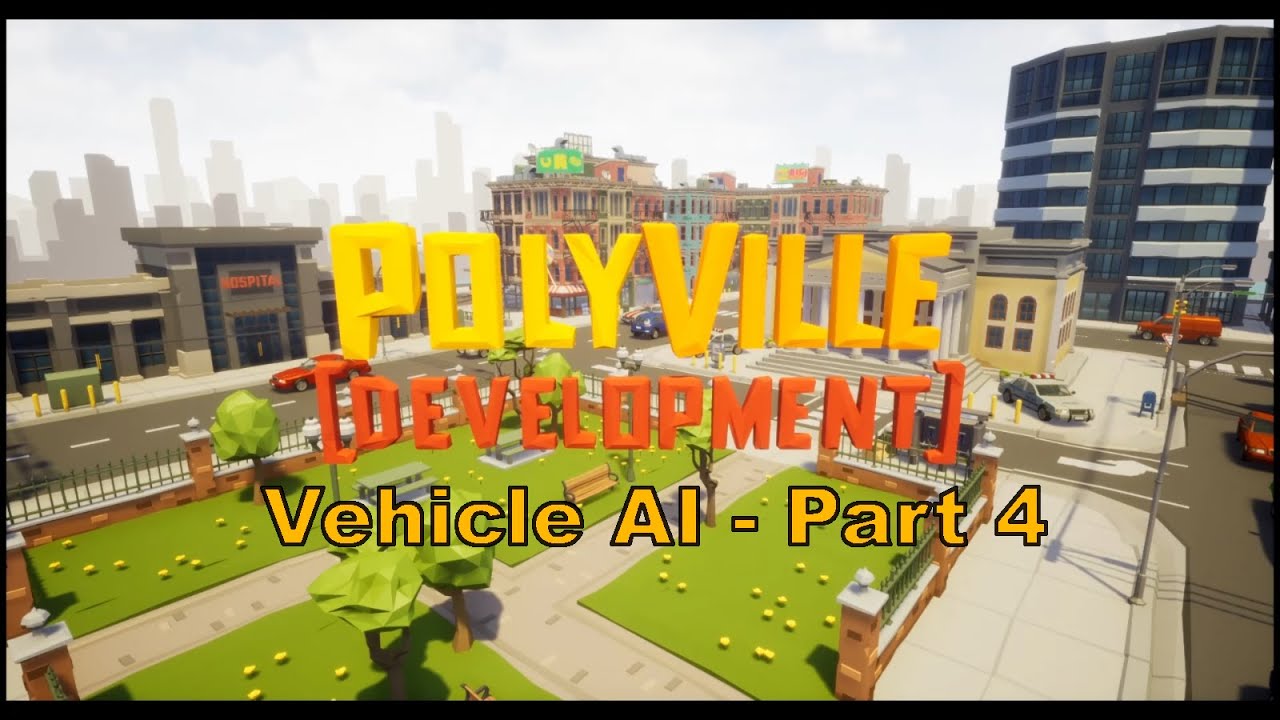
#PolyVille #UnrealEngine #SyntyStudios #indiedev #indiegames
@UnrealEngine @SyntyStudios
The player no longer has to control any input of the vehicle, and there can be multiple cars now.
trim matrix
ok wait but dont laugh at my no skill xd
dw
I couldent tell you seraphiend


ah i see
oh nvm i think i plugged it wrong
xd
Ooh?
Is it fixed now?
yeah im a genius
a programming warlord
Were you not using the consumable enum from the item info or something
yes
im stupid
xd

xD dw
but still thank you xd
np im glad you figured it out
ok so i have another question since you are still here xd
oh yea what is it
how would i go about making a fishing system and making spells a skillshots like a circle on the ground and you choose the position and bang a meteor drops down there or something xd
uh thats not nessicary a easy to answer question
true
but still
wouldnt fishing work like when you have a fishing rod and you are near a water you just click and you have a chance to get a fish or smthg xd
Well really its not a question anyone can just answer. Just a simple fishing system would require alot of moving parts that would ultimatly be pretty unique to your game.
I would stop and think about it for a second exactly how you want your fishing system to work in your game. Make note and plan out all the blueprints and additional functinality your gonna need to code to accomplish it. And go from there.
but you know it doesnt have to be like fishes are swimming and chance that one will swim to the thing and you will catch it but just a simple when near water play animation and get the fishies
 blissful grail
I'm trying to implement the ability to jump off a wallslide, so do a wall jump pretty much, however, when I add do the LaunchCharacter function, it teleports them. They are sliding down, so when I jump, I should jump backwards, which I have that, but it isn't actually "jumping", it's just teleporting.
Any ideas?
blissful grail
I'm not wallrunning, I'm wallsliding. I have the slide already implemented. My question surrounds why LaunchCharacter is teleporting instead of just adding the force.
trim matrix
well yea if its that simple then create a trigger volume for a fishing spot or something and create an interact button to start fishing and maybe have it appear on your hud as a button promt. Then could play an animation and spawn a rod in the charecters hand. Then reward player with a random fish
But nobody can just explain how to program that since there's many different little moving parts to accomplish that simple task.
violet mauve
ty anyway
trim matrix
@trim matrix so how about making a skillshot? would it just be like mouse position to vector2d and then you just play animation and colision in that location that deals the dmg after the animation ends ? x
Im not sure exactly what a skillshot is tho?
like you know you just aim a spell and a circle on the ground that indicates where will it go
ooh i see
nocturne remnant
Are you sure that it's teleporting and it's not that you're doing something else with the velocity?
blissful grail
Pretty positive.
trim matrix
Yea you would need to get the world position of your cursor and then have some blueprint with a decal or something trail that position
@blissful grail doesnt you need to activate the simulate physics to do lauch ?
@trim matrix oh ok i see
blissful grail
@nocturne remnant Yeah - it's teleporting
All I'm doing is getting the normal to the wall and multiplying that by x, that is my launch velocity
nocturne remnant
how are you sticking to the wall?
trim matrix
why wont you just google a tutorial on yt just found in 2s what you are looking for xd
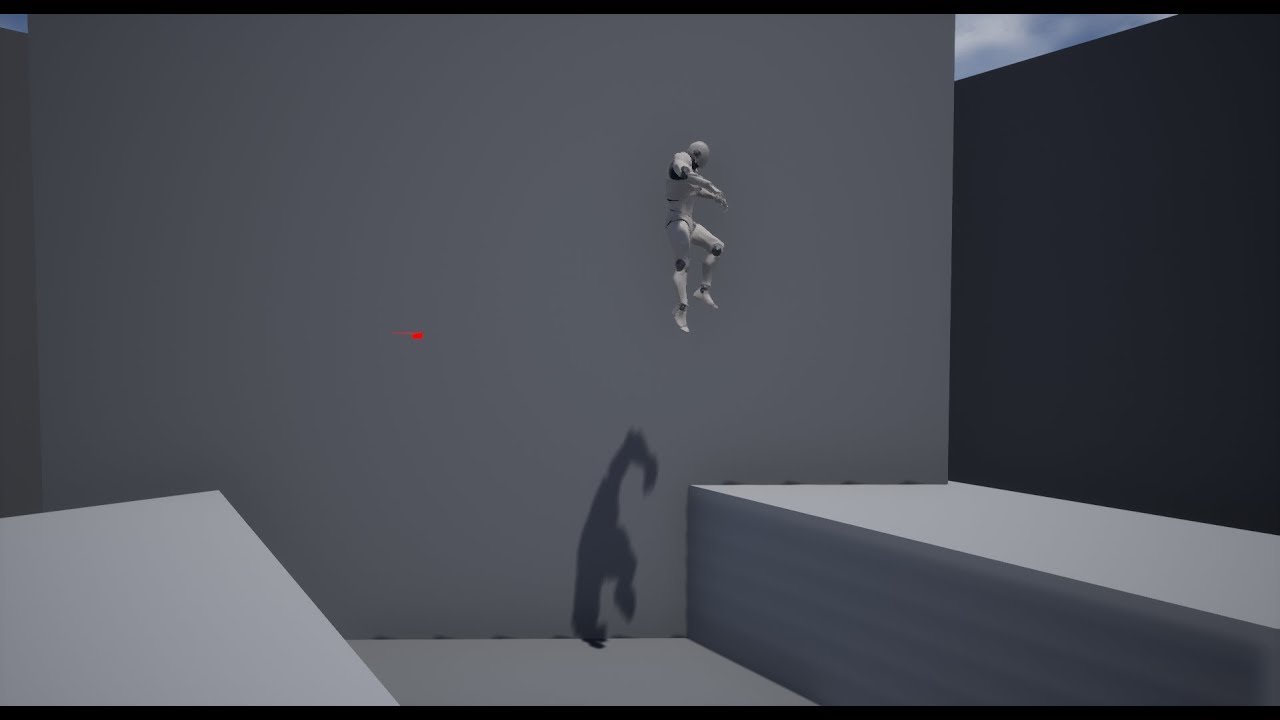
My test go at wall jump setup and I'm really satisfied with the result.
Also, let me know if you have wishes for future tutorials.
Dualgm Discord:
https://discord.gg/hvaB7M
blissful grail
@trim matrix I am literally asking why LaunchCharacter is teleporting instead of adding a force. Tutorials don't cover that.
blissful grail
That will not answer my question
trim matrix
i guess xd
blissful grail
My question is WHY is this happening
Not how do I do this
@nocturne remnant For that - jump to the wall, then stop gravity and flip a bool. Then we apply some velocity in the -z to slide down (numbers are not final, just placeholder stuff right now) and then reset the gravity scale back to 1.
nocturne remnant
Are you specifically setting the z velocity over time?
blissful grail
What do you mean?
nocturne remnant
I mean are you using set velocity on the character movement component?
 untold anchor
will need to see the blueprint to know for sure
blissful grail
That's exactly what is happening.
nocturne remnant
Well, yeah, since you're zeroing out the velocity
blissful grail
I just cut that out and applied the launch character to happen once hitting the wall.
Late night. Thanks.
nocturne remnant
Since you're disabling gravity, zero the velocity when it hits the wall, addimpulse for your sliding down, then set your gravity and launchcharacter in whatever your jumping off shit function is called
 cerulean depot
Running into an issue of trying to use a cable component in a Pawn BP, I can add it, test with it in run time and the works fine.
But when I close the editor down and reopen the component ends up removed like it was never added to the components list.
Anyone have a guess what would be the culprit to this issue or would it be a editor bug that I have?
nocturne remnant
and you may actually want to use stop movement immediately rather than just setting the velocity to zero
I'm guessing some kind of bug, because I still had an accidental noodle dick on my character. I made a plain pawn and it saved that too.
 true valve
I need help with a logic
using blueprint
I created a pass time widget where you can use 1 - 8 hours to pass time. I have 24 hours time goes from 1 - 24.
Let's say the time is 22. I open the widget to pass time for 4 hours.
I use global time dilation to speed time. I have the logic working if the total time (22+1=23) is less or equal than 24. But If it passes 24 then what could I add to my logic.
 thorn ermine
(time + delta) % 24 perhaps?
thorn ermine
the difference to add to the current time
thorn ermine
where the result of an addition ( + ) modulated ( % ) by the limit, would yield the result still within the limit. so 26 % 24 yields 2
true valve
I see that but trying to put that in if statement.
So I guess I can store that in a variable
thorn ermine
there is no logic required for <= limit. 22 % 24 is still 22
true valve
Then as the time increases, I can keep checking (CurrentTime + 4) % 24 == 2
thorn ermine
right
true valve
I think this is correct: (CurrentTime % 24) == 2
But the currenttime will only go upto24 then start from 1
true valve
yes correct
thorn ermine
if you want currenttime to be over 23 for other reasons thats fine, but better would be to keep current time modulated directly after any math operations
true valve
I get float i cna't use equal
thorn ermine
are you incrementing time using fractions?
true valve

Gyazo
This one works hopefully bug free
(CurrentTIme + HoursToPass) % 24 = Mod Result
I don't think I could use >= or <=
thorn ermine
you can experiment and see what works for you 🙂
true valve
Thanks
 faint pasture
@swift pewter break spawn transform, modify rotation, remake
You basically want to spawn the three projectiles in the same location with different orientations
And use a for loop to do it 3 times
You'd want your projectile not to collide with itself. if collision between projectiles is something that you definitely want, then you'll have to adjust their location as well
 tired saddle
Currently the smoothest i can get is getting the vehicle forward speed and if its less than splines desired speed, throttle is 1 otherwise throttle is 0. what is a better way to do this?
@violet mauve You can try a PID controller.
https://en.wikipedia.org/wiki/PID_controller#Mathematical_form
https://en.wikipedia.org/wiki/PID_controller#Control_loop_example
Basically, gradually increase the throttle while going too slow and decrease the throttle while going to fast.
A proportional–integral–derivative controller (PID controller or three-term controller) is a control loop mechanism employing feedback that is widely used in industrial control systems and a variety of other applications requiring continuously modulated control. A PID controll...
There is a pseudo-code form at the end of the Wikipedia article that computer-minded people may find easier to read.
faint pasture
@violet mauve
Try starting with
throttle = maprangeclamped (currentspeed - targetspeed, -10, 10, 1, 0)
That'll output full throttle if speed is 10 too low, zero throttle if speed is 10 too high, and smoothly between when in the range.
Tune range to taste
 low rampart
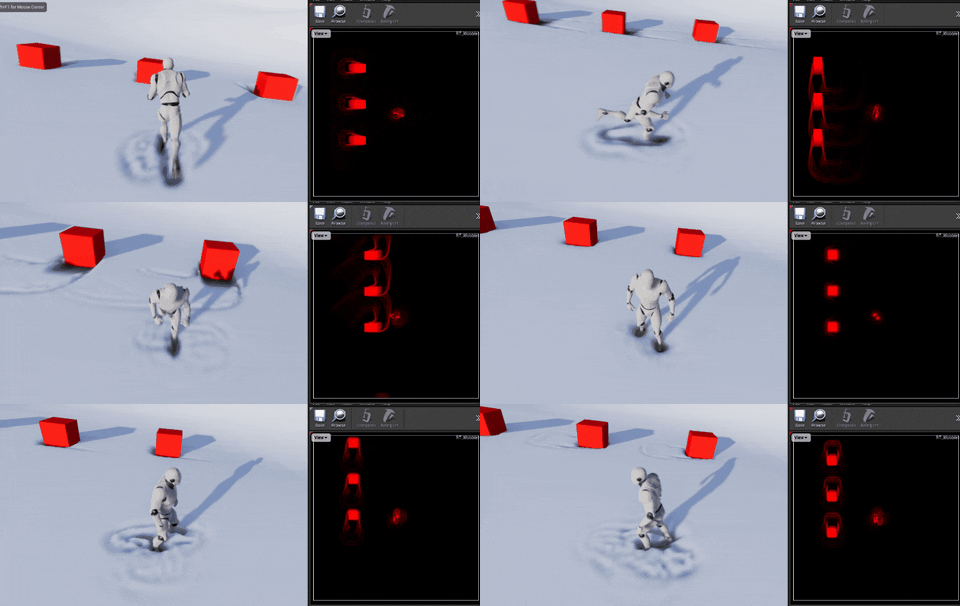
Hey guys, any ideas how to modify this Content Example for Fluid Simulation to work in World Space around the character and not based on the UV of the mesh, like Ryan explained in a Unreal Fest 2020 session?
https://docs.unrealengine.com/en-US/Engine/Rendering/RenderTargets/BlueprintRenderTargets/HowTo/FluidSurface/index.html
How-To use Blueprints and Render Targets to create realtime fluid surface Actor.
tired saddle
@violet mauve
Try starting with
throttle = maprangeclamped (currentspeed - targetspeed, -10, 10, 1, 0)
That'll output full throttle if speed is 10 too low, zero throttle if speed is 10 too high, and smoothly between when in the range.
Yes. That is the P-part of a PID controller. A PID-controller with the I and D coefficients set to zero.currentspeed-targetspeedis what the Wikipedia article call theerror value. If that works well enough then 👍 . If not, then look into the other two term as well.
 teal dove
Hey guys! Does anyone know if it's possible to spawn linetraces based on a noise texture?
Like in this drawing, where it would only spawn on the red (black) part?
 hollow flame
how to get name of current playing animation of active blendspace?
 rapid scarab
Hey guys need help can someone show me a simple blueprint basically I just want to rotate an object when button is held then stop rotating when released will be for android
 frigid anvil
Maybe this can help? @rapid scarab
https://answers.unrealengine.com/questions/854733/keep-a-button-pressed-to-rotate-an-object.html
rapid scarab
I tried this but didn't rotate :( also it doesn't say what bp to use etc
@frigid anvil
frigid anvil
This works @rapid scarab What are you trying to rotate and with what do you want to control it with?
rapid scarab
What bp is this made in ?? And I created a mesh and I just want to rotate it when touch/button is held and then stop rotating when released
frigid anvil
So when the item is clicked on you want it to rotate or do you have a widget button?
rapid scarab
Either really think it would be better when screen is pressed/held
But at this point I'm just trying to get any button to work lol
 bleak vector
Is there any reason to use character over pawn if I'm not using the default movement class?
thorn ermine
UPawn actually provides the default or pawn movement component ( with very little movement logic in it though ), where Character provides the SkeletalMesh Component as well as the CharacterMovement component. so...
up to you i guess
bleak vector
🤔
 odd veldt
Can someone tell my why this is not working?
LODs are changing, but not the view angle
thorn ermine
you have to 'Set Field Of View' on the player camera. rather than setting the default FOV in the camera manager.
 woven saddle
https://media.giphy.com/media/Urnc8EJaZZ9p3yl0l0/giphy.gif anyone knows why this might be happening? I want it to start at the character's feet, it starts that way but then the base moves up a bit

this is the setup
timeline is just a 0-1 in value (and 0-2 in seconds)
bleak vector
I recommend using the ease node 🙂
woven saddle
interesting, does that work similar to a Lerp?
woven saddle
yeah I'm trying with ease but getting the same result, the base ends up in the air
ah, I think I know what might be happening
bleak vector
you should do something like this
you're getting the current scale on each update of the float and making a change to it
which will set it to the starting value -10, -100, whatever
woven saddle
yup that works
the base doesn't float anymore
appreciate that
just need it to start at bottom now
might be an initial scale thing
ah got it
@bleak vector cheers!
 fair sun
HI, i made a health bar widget that is not based on any variable now and added that to my actor, it looks fine in editor but when i run the game it becomes blank
in game:
what could be the problem?
 knotty ore
possibly the health value isnt being replicated, depending on how everything is setup?
easiest thing to do is just put breakpoints and/or print strings in your BP chain to see where/why its failing
fair sun
ok, got it. I accidently bind a function to it
fair sun
How can I update the progress bar based on a variable stored in an actor class?
trim matrix
by accessing the variable
hollow flame

Here we take a look at how we can set up a progress bar content binding which will allow us setup health bars.
We also go over an in-depth look at how we can style a progress bar using our graphics.
UI Resources: https://drive.google.com/open?id=1TuyvuG4lSHyJXjdCCw81dwR26-26...
fair sun
thanks
 drifting kite
need a bit of help as a beginner, I currently have something like this in my controller BP. I have a character BP that im trying to control in third person. But now its forcing the character to rotate in the direction of the camera. How should I go about this?
bleak vector
Is there a way to clamp an input vector? Specifically when pressing forward and right at the same time I want it to move at 0.5 forward and 0.5 right 🤔
@drifting kite you need to go to your character in the left
and change use controller rotation
Oh, I see that's on the controller not the actor itself
anyway the actor needs to not be set to use controller rotation
drifting kite
anyway the actor needs to not be set to use controller rotation
@bleak vector when i disable the rotation, the camera completely disables
like i uncheck "use controller yaw" and the camera just stops moving all together
should i combine the character and controller BP?
bleak vector
turn orient rotation to movement off
maybe?
idk
I have found problems when putting movement stuff in the controller instead of the actor itself before
specifically, I was doing the forward/right inputs on the controller and sending it to the actor and for some reason it kept getting the wrong inputs
through an interface
don't know why
drifting kite
Wait is it possible to just create a project without the controller?
I have found problems when putting movement stuff in the controller instead of the actor itself before
@bleak vector if u can do this, then what is the point of the controller?
bleak vector
ai controllers seem to have a lot more purpose than player controllers afaik
drifting kite
i see, have yet to touch any ai controller yet 😂
bleak vector
@mortal pilot hmm I set it to normalize 1.0 and it made forward/right 7 and forward+right 1 🤔
0.7 that is
 mortal pilot
normalize will just make it fit inside the unit circle let's say
it makes the length of the vector 1
and if you have x = 0.7 and y =0.7, the length of the vector is ~1 so that's what that's that
but this way makes sure that for example if this is an input vector for movement, that your movement is constant speed
cause if you'd have 0.5, 0.5 then the length of that vector would be ~0.7, so if you'd multiply that with your movement speed, the player would only move at 70% speed of what he would when walking in a forward or directly sideways direction
if you get what I mean
cause I think that was your use case?
bleak vector
I'm actually just setting actor world offset
right now if you press both inputs its double the speed
 teal nexus
I need to turn something "on" when pressing a key, and then turn it "off" when pressing same key again. Kinda like toggle something with the same key. On press I am checking "activated" bool. If it's True, run "turn off" code and set bool to false. If false - run "turn on" code and set bool to true. Sounds like it should work in theory, but it somehow doesn't
what am I doing wrong? Is there a better way of doing this ?
bleak vector
could use flipflop but I'm not sure if you can save that 🤔 why is it not working
or rather in what way
 gray kite
For this line trace, I want it to check and see if the actor has the water tag, but Im not sure how to get it to check all the tags rather than just index 0?
bleak vector
did you try the has tag node
gray kite
Oh perfect.. lol didnt know that existed thanks!
nocturne remnant
flipflop is the way to toggle stuff, generally
Also, your controller should be the thing receiving input and your character is what acts on that input. So, you have an Input Axis MoveForward in your controller, you make an OnMoveForward event inside your character that takes an axis float. Call your BP_CharacterDude->OnMoveForward and pass the axis value from your controller. And then your add movement input or whatever you need to do on the character
 rugged flame
Hello! BP Newb here, trying to set up a virtual camera with a Vive Tracker. So far it's working, but I'd like to offset the rotation and position of the camera. For example, now it's rotated 90 degrees wrong in relation to how the tracker will be mounted. So, do I plug a value between the GetWorldRotation and the SetRelativeLocationAndRotation nodes? Can this be entered while in play mode somehow? And bonus: Can I move and rotate the whole setup using a second set of controls?
(picture coming) 🙂
teal nexus
@bleak vector @nocturne remnant thanks, I'll check out flipflop node
 signal pewter
Hey. I am trying to create a light chain with rotation. Now i cant just rotate the point light the way I rotated the static mesh actor (which is a candle like object)
instead i tried to add a spring arm component and a light as a childactor of that to get the light in the correct place
what am i doing wrong? (ignore the stuff i plugged out. That is essentially the first idea of just rotating them, before realizing thats not a thing)
trying to get the lights to appear where the lightbulbs are
nocturne remnant
your light is set to moveable,right?
signal pewter
uhm no its static.. does that matter tho ?
i mean i set up the path once and bake it right? i thought thats the move resource friendly option here
ok so even as movable it doesnt help
nocturne remnant
Oh. So it's not going to move. Why not use an emissive material then?
signal pewter
i am also doing that in the mesh itsself
but if you mean this..
in the add static mash component that setting is greyed out
 fleet ermine
If someone could refresh my memory what is the hotkey for creating a reroute node... without double clicking on the line?
nocturne remnant
as far as I know, there's not a hotkey
fleet ermine
I'm using 4.25.3 I don't know if something has change... I thought it was hold " . " and left mouse click but that isn't working
nocturne remnant
unless they added it at some point and never put it in the settings
signal pewter
any more clues on why that might be greyed out ? cuz that would indeed fix my issue of adding lights in the first place
nocturne remnant
to use a static mesh with an emissive material for static lighting, the mesh needs to be set to static and not movable
nocturne remnant
That's why I thought you were trying to use lights to begin with. Because you can make dynamic lights that will cast shadows, but emissive materials have to be static and baked for shadows
signal pewter
so just for testing reasons I turned the numbers up quite a bit but i am not getting any lights on the wall so its not quite working yet
 thin rapids
so just for testing reasons I turned the numbers up quite a bit but i am not getting any lights on the wall so its not quite working yet
@signal pewter did you rebuild the lighting after doing that?
signal pewter
yes
nocturne remnant
It works fine for me; are you sure that you have the right material and/or material settings?
 indigo sparrow
I am using the Unreal CollaborativeViewer Template, I have added an additional command like the ones that come in the template(Measurement,Xray etc)... My command toggles actors visibility based on the Actor tag... The build works fine on desktop, but when I switch to VR mode the application freezes and player is frozen at origin...
I have added the new command to the contextual menu via BP_Collab_V_PlayerController blueprint as shown in the figure above
Here is the contextual menu which works fine in the desktop mode as well as in the editor
I am not able to switch to VR.. Please let me know if anyone has ever had the same issue and has been able to resolve...
Much appreciate any help...
signal pewter
LOL in order to test if it might be the material I put a singular light with the material somewhere and set it up similarly.
i mean it doesnt look right but there is indeed light emitting i suppose
nocturne remnant
the parent object needs to be static too
signal pewter
uhm yea i suppose that did it..
 slim gazelle
When ever my character is falling and is moving forward they get stuck on slopes
the example is with a slope that is 85 degrees.
they should not be able to stand on slopes greater than 44 degrees
Anyone know how to make them slide of slopes while moving forward in the falling state?
https://streamable.com/mxfqcd
 nocturne remnant
Does it still get stuck if it's say.. 75 degrees?
slim gazelle
yes on every kind of slope that is over the walk threshold
so every slope greater than 44 degrees
walls that are 90 degrees work as intended
nocturne remnant
it should be working just fine out of the box
slim gazelle
the velocity of the character movement component is being set by root motion for some reason deceleration happens on Z velocity when pushing against a wall
root motion does not effect z velocity.
So I am confused to what is happening here
ok I tested it with a fresh 3rd person project and added this code
my character gets stuck
I am just adding to the already existing velocity
Anyone know what makes my character decelerate on the z axis?
it also happens on a 85 degree wall
nocturne remnant
You'll get stuck on slopes if your forward velocity is high enough to keep you pressed up against it without sliding down it
nocturne remnant
not applying velocity constantly would be a start.
slim gazelle
problem is root motion does that
if only epic made a feature for additive root motion like Unity
gray kite
Anyone know how I can make an event that happens in a component trigger an event in the components parent?
nocturne remnant
I'm pretty sure you don't want to use root motion for general movement
gray kite
https://gyazo.com/f5543980b1ba91204e54d42e4cbb0317 Is there a way I can create one of these events from the component?
 violet mauve
@faint pasture @tired saddle thank you much but im using blueprints. how would i implement this? do i need to do it in C++? if so where?
faint pasture
@violet mauve just add a map range outputting into your throttle value
its a node
That would be the P in PID. You are making the control variable (throttle) PROPORTIONAL to the error (Speed - DesiredSpeed)
@violet mauve
You will may find yourself oscillating, depending on friction and vehicle mass and power.
But it'll be better than what you have, which is basically doing the same thing but with a speed range of 0 instead of 100
violet mauve
in range, do i change that for my max speed?
and 0 and 1 dont change cause thats the throttle. ok i get it. thank you so much.
i gotta go bac k to work tho. thank you again. i will try it after work
fleet ermine
Can anyone in here help me with my question about blueprints...?
I've asked everyone and no one is responding... You'll be a life saver and save me tons of money on headache meds cause I'm going nuts racking my brain on this one... could you please refresh my memory what is the hotkey for creating a reroute node... Without double clicking on the wire? I'm using 4.25.3 and holding " . " and Left mouse button clicking isn't working... Which is what I thought it was...
Please someone respond
fleet ermine
@nocturne remnant I know there was a way to do it... and it didn't involve doing anything like that...
Thanks for responding though.
 indigo bough
Hey folks, bit of a tracing issue.
Can't seem to get the line trace from the cameras location/forward vector to actually aim directly towards the center of the screen? It always appears offset by some strange amount. I've tried using ScreenLocationToWorldLocation instead and it gives the same imprecise results. 😦
The camera is attached to the head bone of my character mesh (pretty standard)
Basically, my expected results would be that the HUD dot would obscure the line trace perfectly (assuming it's tracing correctly)
thorn ermine
for your end, i would imagine you would need to ( GetComponentLocation() + (GetForwardVector() * Distance) ), vs only (GetForwardVector() * Distance)... as it is not taking the camera location into account when calculating the end. also you dont need to use worldrotation, can just use getforwardvector directly form camera.
indigo bough
Thank you @thorn ermine ! I'll remove the worldrotation. Turns out the offset was from the distance I was tracing not being long enough. Upping the * value seems to have solved it. Just need to add another check after the trace to make sure it's within a certain distance from the camera to restrict interaction distance 🙂
 gusty shuttle
Quick question: Im making a repairable object, I want to shoot at it and as it takes "damage" (repairs), I'd like to go from a blown up state to a fixed state on a mesh/skel mesh. Tips?
Is there a way to use a blend anim to adjust the 0-1 state of it?
 teal burrow
Yes, in an animation BP you can set it up to use a float value for the curve
gusty shuttle
Cool, I never dinked around with that. So I guess I need to set up a anim bp to do that though eh? Is there a way to get around it without making a anim bp?
teal burrow
You could set it manually in normal BPs but it can be clunky in my experience
As an example, this is in the animBP event graph
gusty shuttle
Cool, I'll try it out, if it sucks, Ill make a anim bp. I just need to use a float and gradually go from 0 (busted) to 1 (repaired)
teal burrow
"Heresy Level" is a variable within it
Once as a variable, it makes it much faster to run in the animBP
gusty shuttle
This is VR, is it performant? I'll have multiple repairable actors in the world for a quest
teal burrow
This is a standard thing I do in my characters' BPs, on a 1070Ti there's no significant drops
gusty shuttle
Cool, thank sman! I saved the screenshots, ill test tomorrow
teal burrow
And this is the Calculate Heresy Level if you need some extra guidance
This is more specific to my project, but for you it'll be just reading a "Health" variable from your repairable object BP
And then using a "1 - x" or directly the variable
gusty shuttle
Nice, yeah it's just the health variable, should be easy to set up
teal burrow
Aye, in my case it's specific since it's a status effect
But for you it's just 1 variable
nocturne remnant
I motion that we require all games to have a heresy level stat
teal burrow

 novel gull
How can one set up a blueprint system where the collision detection is detected from every angle, whether that be the floor or the ceiling? I have an addon that can change the gravity of my character to any direction, and I want to see if I can apply it to my character and have it be able to freely move around any surface until the character eventually jumps off of it.
trim matrix
im a noob so wont help but maybe by tracing every direction
novel gull
I tried that, but I can only can get as far as roughly 90 degrees in the pipe before it just outputs nothing. Maybe I'm using it wrong.
 wind atlas
hello, I'm following a tutorial using editor utility blueprint, but I cant find the GlobalEditorUtilityBase class, maybe its changed for 4.25?
in this tutorial: https://www.youtube.com/watch?v=LXduG19JFWg
in the comments someone says "globaleditorutilitybase is missing in 4.24 , it seems editor utility widget work well"

Here we see...
- how to create render targets
- what the different formats options are
- how to draw into them using scene capture 2d actors
- how to draw into them using materials
- how to set up a blutility to invoke drawing from the editor
I think I answer my question, I need to find out what editor utility widget is
ah ok cooool
 pulsar rock
Hi, I'm creating some procedural building generators. It's working well in the construction script, but I've noticed that when I use Add Static Mesh Component the static meshes don't appear in the component list on the left side of the BP editor. Does anyone know if it's possible to have them appear and be editable?
trim matrix
I have a question, how would i go about creating a crafting system
i have the inventory but idk how to do crafting
 rancid crag
How would I make it so that my camera doesn't flip when on the opposite side of the target
trim matrix
chu mean
rancid crag

I'm trying to stop the camera from doing the 180 rotation when it goes on the other side of the target position (marked with a red sphere)
violet mauve
@faint pasture thank you that works so much better.
 obsidian folio
I am looking at seeing if it is possible to do with just blueprint, when the player goes to set their character name, they can hit a button that generates a random name for them.
The name is generated from a free open source api (randomuser.me). Obviously I'd like to do this without opening a web browser on the client lol.
Is it possible through blueprint to get the data through the API? If not, how about would I need to proceed in order to achieve this?
 oblique ruin
Silly question but is there a node to convert a texture sample to a texture object?
I'm trying to use the parallax material function, but I need to adjust the UV's of the texture object I'm feeding it.
oblique ruin
So the texture image I have isn't a perfect square.
Right now it's a bid condensed but it's supposed to be a river.
untold anchor
i see
untold anchor
the object the material is being applied to, is a rectangle or a square?
untold anchor
no, like actual ussage
what are you using it for?
a material is applied to an object in game, what is the shape of that object you're applying it to?
untold anchor
so a square
oblique ruin
yeh
untold anchor
ok, then you're likely gonna need to go in photoshop
and add space on the left and right sides to make the image a square, if not, you'll be destorting it in game
using a rectangular image isn't an issue if the object you're placing it on is also a rectangle
if you don't have an image editor capable of that, you can upload the image here, and i'll edit and send it back for you, but also blueprints might be the wrong discord section for this , since this is not blueprint related
oblique ruin
Thanks I can take care of it
untold anchor
if distortion isn't an issue for you, then you could mess with the tiling
but because of how close the black lines get to the left and right edges
oblique ruin
Can you alter the tiling of a texture object?
untold anchor
you're likely to have issues
yea, in the material properties you can easily change the tiling
oblique ruin
Wait a minute
waitttttttt a minute
Sorry I just realized I probably could scale after the parallax and it would do the same thing 😐
untold anchor
nice ^_^
oblique ruin
Nope nvm doesn't work
Aight I'll take it into photoshop and give what you're saying a try
However somehow managed to overlook the UV option
Which I already had something plugged into -_-
 earnest tangle
you need to set the can attack to false before the montage
or connect it into the normal exec output pin of the montage to set it to false - note you've currently connected it into the complete pin, which means the montage will have to play to completion
nocturne remnant
there's a joke in there
earnest tangle
Mmyeah that graph is actually kind of a mess lol
It might be easier to use a gate that gets reset by the delay tbh
Do Once -> Attack -> Delay where the delay then connects back into the Do Once into the reset pin
 stuck hedge
PIE: Warning: Attempting to move a fully simulated skeletal mesh SkeletalMeshComponent0. Please use the Teleport flag My project was fine yesterday, opened it today and it's suddenly spamming this message. I have a little drone that is flying around using DON's AI pathfinding. It is a skeletal mesh, but "simulate physics" is not enabled anywhere on the actor.
nocturne remnant
@untold anchor I'm starting to think that it's fundamentally impossible to get the character facing to work properly without rewriting some source stuff. Shit always tries to flip upside down when changing directions
untold anchor
yeaaa, i'm realized i'm gonna have to dive into quaternions it seems :/
haven't done that since college lol, so yay, starting basically from scratch again
however, i'm redesigning the entire wall running system to make it simpler, cleaner and more reliable
then i'll figure out the rotation maths X_X
devout geyser
Mmyeah that graph is actually kind of a mess lol
@earnest tangle Ty it worked!
nocturne remnant
assuming I don' t die in the next couple of days, I think I'll look into building plugins and do my own quat one
devout geyser
How can I set ref to widget when I can't choose it?
 elfin schooner
hi im having trouble with some basic bluieprint stuff
in particular i want to display a menu (widget) that i have already created when i click on a certain actor
but its not working
what am i missing?
i also tried to change te mouse cursor when hovering over the object but that wont work either :(
devout geyser
Try printing a string after a click to check if the click is regiestered @elfin schooner
devout geyser
Try fixing the click event
elfin schooner
i think the problem is that when i create the event actor
its not linking properly to the object i have selected
i dont know how to fix the click evet, i started with this 2 days ago 
devout geyser
Can you show me the other bp?
devout geyser
yeah
elfin schooner
its an actor i think, im not sure how to check 100%
ok thanks
what im trying to do is
i imported an object from an external project
which is a speaker, for music
elfin schooner
lol
devout geyser
Yeah its impossible to click on
Because the engine thinks its just a useless prop with out scripts inside him
devout geyser
Simple
Go to the folder you want the actor at
Right click there on an empty space
Select Blueprint class
Then actor
elfin schooner
got it
devout geyser
There is a brand new actor that you can make from there, if that's for example a gun, lamp, chair, speaker etc...
you can interact with actors in many ways, if he enters a collision for example and more
elfin schooner
ok i dragged the speaker into the viewport
and ill organize the nodes in the event graph and see if it works
devout geyser
If it doesn't work i am here
elfin schooner
its still not working
im sure its cause im not linking these 2 nodes to the actor
it must be a very silly and basic mistake
devout geyser
Umm you don't have on click event
that's why you can't click it
Go to the viewport select the mesh, after that go to the event graph mouse 2 then type on click
elfin schooner
ok that sounds good
do i have to also enable click event or something like that?
elfin schooner
no...
devout geyser
What game template are you using?
 native plover
https://cdn.discordapp.com/attachments/734899596542869504/737945378674049064/unknown.png Anyone have ideas how i can fix this camera clipping while hanging on ledge?
 elfin schooner
first person character
trim matrix
Hey! Can someone help me rq, can someone help me make an "infinite void" room? Ive got a sphere with a plain white texture. I made the mat double sided, and now i need just the sphere to be in fullbright, to create a "void" of sorts. Other objetcs need to have proper lighting though, just this sphere and the floor you stand on
native plover
@elfin schooner Any other ?
native plover
ideas
devout geyser
@elfin schooner Try instead of mouse input using keyboard input for that, with collision
much more simple with 1st person
elfin schooner
with a trigger box i can get it to work
native plover
o i thought you were giving ideas XD my bad
trim matrix
near clip plane?
devout geyser
@tacit citrus You got this, its simple
trim matrix
try making the clip plane like 1 or smth
devout geyser
i am still here
elfin schooner
its this clicking over a bpc that is driving me crazy
devout geyser
wait I will try finding a quick solution meanwhile try using the keyboard input
native plover
anyone can help me ?
trim matrix
@native plover try setting near clip plane to 1
elfin schooner
yeah i can pop up the menu easily with a keyboard input
@devout geyser
and trigger boxes
elfin schooner
the whole point it to try and do it by clicking on the object / actor / bpc though
devout geyser
ok
elfin schooner
theres the menu
trim matrix
edit ---> project settings ---> Search for it (just write "near") Will be a float at a defualt of 10. Make it like 1 or 0.5, then restart your enigne
devout geyser
@elfin schooner wait 2 min I think I found solution
elfin schooner
🙏
native plover
ooo let me try
elfin schooner
could it be this? maybe its not supposed to show up as a component
native plover
@trim matrix works but now i can see part of the head xd
trim matrix
did u set it to 1 or 0.5?
native plover
1
trim matrix
hmm ok
devout geyser
@elfin schooner wait 2 sec 🙂
trim matrix
if it 1st person any way you could just remove the head?
elfin schooner
got it
trim matrix
not sure if this is it, but try HideBoneByName
native plover
i don't mean hide bone
trim matrix
lololololol
native plover
XD
trim matrix
you may need to move the camera a bit back into the head
unless you like the spot its currently in :/
trim matrix
now down more???
 blazing cobalt
could someone please help me on where to start with blueprint, im stressing myself out and wasting out because i dont know where i should be learning. im tired at looking at tutorials and i want to make my own cool projects
trim matrix
worth a shot
devout geyser
@elfin schooner I think you watched a tutorial that says how to destroy a couch right? the template there is having already a working mouse input, now I am trying to edit the controller and sending you the results,
elfin schooner
yes i did haha
thats the problem of watching tutorials, there are always different configurations of other stuff that is incompatible with that way your project is set up
i do have a working mouse cursor though
when i go into game mode it looks like thins
devout geyser
Sometimes the tutorials aren't that great which makes it 10 times harder to understand
elfin schooner
apart from the red cross i have the typical mouse cursor which i can use to click on menu buttons, it just doesnt show on the screenshot cause this screenshot app wont capture the mouse cursor, but its there
trim matrix
guys my shaders are compiling in the negatives im scared lolol
native plover
@trim matrix not working well 😦
trim matrix
yeah i cant help then, that was my best shot lol. All i can say to do is to either keep messing around with it or set clip plane back to 10 and move ur cam back
blazing cobalt
could someone please help me on where to start with blueprint, im stressing myself out and wasting out because i dont know where i should be learning. im tired at looking at tutorials and i want to make my own cool projects
devout geyser
@elfin schooner I got a solution
trim matrix
Arda
devout geyser
finally 😄
elfin schooner
@devout geyser 
devout geyser
ok
native plover
@trim matrix moving it back look terrible when i aim down
devout geyser
Go to your player BP in your case its "FirstPersonBP
trim matrix
again, set clip back to 10 if ur gonna go back to the same spot
devout geyser
Go to the event graph
elfin schooner
yes
native plover
@trim matrix no ik, im saying it'll look bad if i do that
devout geyser
Mouse 2 in the event graph type "InputTouch" scroll to the bottom of the screen and you should see a little little mouse icon
that says "Touch"
trim matrix
again sadly i cant really help you ¯_(ツ)_/¯
native plover
sad life
trim matrix
you can say that again lolol
devout geyser
Like this one @elfin schooner
trim matrix
good luck
elfin schooner
got it
devout geyser
Update me when you done it @elfin schooner
ok
cool
now click it
it will create a node
elfin schooner
yep
native plover
ty gl with your negative shader compile @trim matrix
devout geyser
Drag out the last one called finger index
native plover
xd
elfin schooner
hmh
trim matrix
xdddddddd
devout geyser
Type there "==" and select Enum
elfin schooner
done
devout geyser
Select Touch 1
elfin schooner
its selected
devout geyser
After that drag out from the red dot and create a branch
elfin schooner
done
elfin schooner
devout geyser
No because the click event is on your speaker
so it will be called whtn its clicked auto
elfin schooner
these new nodes are in the first person bp tho
elfin schooner
and the stuff about the speaker ins in the speaker bpc
devout geyser
Ok
You have hands right?
Your brain tells you to touch it
The hands touch it
Lets say there is a light switch
your brain(fp_bp) tells you to touch it
you give your hands(cursor) the ability to touch it
the switch(your speaker) will activate
simple as that
Does it work?
elfin schooner
it doesnt seem so..
elfin schooner
ye
elfin schooner
yea
devout geyser
Click that then add the top down content
it will take time to load
when it will finish
elfin schooner
wait what do you mean top down content?
devout geyser
yeah
elfin schooner
oh
devout geyser
ohh no
devout geyser
ok 😄
elfin schooner
no problem at all
you dont need to say sorry at all
the worst thing is that itll probably be some super minor detail
very obvious thing that im not able to tell
some unchecked box or some weird configuration somewhere
devout geyser
I am trying to figure out how to combine the TopDown mod and the 3rd\1st person mode to move the camera with out dragging it around
and just simply follow the mosue
elfin schooner
im already using right click to rotate the camera
and wasd to move
idk if that helps
elfin schooner
im okay with it
elfin schooner
the frist person character bp?
devout geyser
wait
again mb ^^
If you will look on the top toolbox
you can see
save current source control nodes content and all of these
Do you want a screenshot?
elfin schooner
yeas please haha
devout geyser
devout geyser
open up world settings
elfin schooner
yeah
elfin schooner
yes
devout geyser
don't use the search bar XD i am so bad at explaining, just look for Game mode
you will see many options under this category
elfin schooner
found it
devout geyser
Select this option right there and select topDownController
elfin schooner
devout geyser
Oh choose in the 1st option
your game mode
1st person
then on the player controller choose the top down
elfin schooner
ive never touched these
devout geyser
Always a 1st itme
elfin schooner
let me tell you that the point of my work is to export an interactive app
so thats what matters in the end, and where all the stuff has to work
devout geyser
ok
elfin schooner
 devout geyser
🙂
elfin schooner
@devout geyser GENIUS
devout geyser
Enjoy man
elfin schooner
1000000 IQ
good lord i cant believe
i was about to go to sleep, its 6 am
ahhhhh i didnt expect this
so it was the game mode??
elfin schooner
my teacher never told us about those, but then again this is more complicated than what we saw in calss, so maybe i just dug myself into a hole here
yeah minor problems are always the most common..
blazing cobalt
could someone please help me on where to start with blueprint, im stressing myself out and wasting out because i dont know where i should be learning. im tired at looking at tutorials and i want to make my own cool projects
please
devout geyser
its ok, game developing is about exploring now me and you has a little me of experience 🙂
Happy to help any time @elfin schooner
devout geyser
Np man any time
elfin schooner
i super appreciate your effort
devout geyser
🙂 always
elfin schooner
my work is due in a couple days so you might still find me asking stuff here
specially now that i got this to work, i lost my highlight effect
blazing cobalt
can someone please help
elfin schooner
which is an effect that workd with normal objects, but not right now with bpcs, so ill need to sweat a little with that
but now im going to sleep
thanks again, you were super nice
elfin schooner
this is the function btw if youre interested
it makes the desginated object glow with a yellow highlight when closer than 300 cms
but if the object is a BPC or an actor, it stops working
good night !
 haughty axle
hey guys, need some advice, i am working a lot with procedural generation lately, and have question, i need to make road/path procedural generated, so first: is any possibility to make it from spline (like set points from a to b and it would generate random spline with curves etc..) or is better just to do simple generation with pre made road assets to build road.
this is some of the stuff i working on https://twitter.com/rbutrimavicius/status/1279928116564148224


Here we go vroom vroom.... random generated world with moped test... crappy moped test.... #UE4 #UnrealEngine #unreal #vespa #moped #gameprograming #Blender3d #gamedev #testing #Random #rng #goodday https://t.co/u7Zri0S1R9
 Twitter
devout geyser
Twitter
devout geyser
@haughty axle I think a simple generate will be enough but that's my opinion
haughty axle
yeagh i am moving towards that, but trying to figure out with splines what would save me some work 🙂
devout geyser
Good luck, I never used splines or generating in general, I think spines will make it harder work because you need to set like I think an array that will be constantly generating every single one of each spine
 mellow stump
I made a procedural dungeon once and each actor "room" i put an entrance node and exit nodes "scene components" in them. I made sure the exit nodes were rotated the right way and when i spaned a new room in, I rotated the room to match the exit node then set location of entrance node to the exit node and they matched up good
I deleted rooms using the GameTimeSinceCreated node
 floral quail
@mellow stump can you share some of the blueprint? 🤔
haughty axle
@mellow stump it's cool stuff but its not a thing i am looking forward, i wan to use splines cuz i can attach mesh to spline to generate road, and my world generation takes maps from a list, so i thinking just to do bunch maps with different layouts of roads and then generate everything else on top.
floral quail
If you want to instantiate a bunch of actors from somewhere is it has practice to do this from an empty scene?
If you want to make an abstract class with blueprints is that something you can do?
 thin heart
How to record a video in runtime
 midnight kiln
@thin heart I use to use fraps but now I just use the Xbox Game Bar (if you are using windows)
thin heart
@midnight kiln with blue print I need
midnight kiln
@thin heart ah, sorry I misunderstood. The only other way I have tried is using the Sequence Recorder, but it's been a while.
https://docs.unrealengine.com/en-US/Engine/Sequencer/HowTo/SequenceRecorder/index.html
It also looks like.. "As of Unreal Engine 4.24, we recommend using Take Recorder instead of Sequence Recorder."
Hope that's more helpful.
Record your actions with the Sequence Recorder, and use that data inside of Sequencer.
 queen hollow
Sequence/take recorder is only available in the editor (or PIE)
 pale orbit
t i'm having a very weird problem that no one on the internet had it yet apparently my character can only walk forward/to the right normally crouched
 midnight kiln
@queen hollow thank you for that. I didn't know. :)
trim matrix
how's your input get setup in your event graph @pale orbit
pale orbit
what do you mean
so i apparently fixed that not entirely but this is happening now
when my character looks at the ground and jumps it gets a high boost
queen hollow
@queen hollow thank you for that. I didn't know. :)
@midnight kiln yeah, it was a little annoying when I found out. I guess it’s because you can only create new UAssets from the editor, which take recorder needs
trim matrix
lmao @pale orbit can you show me your event graph where you get the axis input data for the movement??
ngl i might not be able to help, but i'm curious as to why these things are happening lolol
trim matrix
yeah definitely with the camera orientation or something
i wish i could just look at the project
i just don't understand how crouching would change the orientation, and why looking down would cause you to jump higher.. i mean i know how looking UP could make you jump higher
so weird lol
low rampart
Anybody that can help me with Fluid Sims in Unreal? Or what is the best channel here to ask? 🙂
trim matrix
lmao idk if you upload the project somewhere i would totally look at it and try to sniff it out
assuming it's not like a grand huge almost finished deal
trim matrix
zip it up and throw it into dropbox or something
oh well if it's 1.8
Anybody that can help me with Fluid Sims in Unreal? Or what is the best channel here to ask? 🙂
@low rampart i didn't dabble myself, but when i was looking into it i think i decided my best best was this guy https://www.patreon.com/cannabis_cod3r/posts but patreons costs money. not sure where to start for free
low rampart
Well i'm trying to recreate the technique used in Fortnite as shown in the Ryan Brucks session for Unreal Fest 2020. The simulation is kinda in World Space around the character. Currently my setup works with SceneCapture but relative to the mesh plane of the water. If i attach the camera to the player, it looks as if static objects are moving and the character always in place in the center
https://media.giphy.com/media/l0uPVow04YcfsObDpk/source.gif
 trim matrix
there's an example in the starter content if i recall correctly
if you want to deconstruct it
low rampart
yes but as i sad that is relative to the mesh, i need this to be in world space 😄
trim matrix
i think i'd have to see fortnite's water, cause i'm not sure what you're trying to do exactly
low rampart

Unreal Engine
Unreal Fest Online is a free one-day virtual event offering over 50 sessions across five industry tracks.
find the Building worlds in fortnite session
24m40s
trim matrix
hmm but why do you need it in world space? he's talking about the boats like it's just regular old 2d rendertarget
lmao i should've waited 5 seconds
yeah man he specifically says they use the same method as the one in the content examples
they just use 2 channels
OH i think i know what you're saying dude
the camera, you should attach it to an actor that you spawn in the world then attach it to the pawn, not attach the camera directly to the pawn
is that what you mean?
floral quail
@pale orbit i think maybe your AK is colliding. Causing the jump to get the collision boost
trim matrix
@pale orbit i think maybe your AK is colliding. Causing the jump to get the collision boost
@floral quail smart.
floral quail
Thank
trim matrix
@low rampart is that what you meant?
low rampart
well, yeah. In Fortnite when the character moves it acts like a "mask" of what the character sees around him, and on my example its like the characters is static and objects are moving. So dont know what the solution is. The camera is spawned in the world and is offseted then based on the movement @trim matrix
Im using this example, just trying to make it a Fluid sim
https://www.raywenderlich.com/5760-creating-snow-trails-in-unreal-engine-4

raywenderlich.com
In this Unreal Engine 4 tutorial, you will learn how to create deformable snow trails using a scene capture and render targets
trim matrix
lmao whoah, i've followed the same one to get a dunebuggy driving in sand dune effect
i remember getting it to work perfectly, are you just stuck on a part?
that sounded condescending, it wasn't without trial and error though
lemme open up that project real quick
low rampart
plenty of hours of trial and errors, dont worry 😄
trim matrix
@low rampart this is what i used to update the actors location
low rampart
same 🙂
tired saddle
could someone please help me on where to start with blueprint, im stressing myself out and wasting out because i dont know where i should be learning. im tired at looking at tutorials and i want to make my own cool projects
@blazing cobalt Sounds to me you're using tutorial wrong. Your should have a project from the start and with each tutorial you watch you should apply what you learn to your project. Immediately.
Watch, replicate, experiment, fail, read documentation, fix, back to watch.
 keen seal
Does anyone know how to make a gun shoot 3 projectiles at once?
I have 3 spawn points, but I don't know how to make them all activate at once
 visual shell
Assuming you have the points in an array. You use a for each loop to activate them "at once"
elfin schooner
hi guys, i need help with what im sure is a problem with a very simple and basic solution. i have the following function in the level bluprint, which measures the distance between the player and a given object and if the distance is less than XX, the object get highlighted through a setting in the post process volume and render custom death:
it works perfectly for normal objects but i need it to work for actors and BPCs as well, so i need so swap the nodes circled in red by their equivalents for BPCs but i dont know how to do it without breaking the entire thing :(
because for example "get distance to" seems to only work for regular objects
(im very noob, i ony started with blueprints 2 days ago)
thorn ermine
curious, what is a bpc? are you referring to a blueprint component perhaps?
trim matrix
@elfin schooner you might try :
- avoiding tick,
- using a sphere trace and testing for all objects that meet your criteria whenever the player pawn moves or performs an action that warrants a seek of such objects
the reason you want to avoid tick is that it is expensive if you keep seeking objects. tick should only be used as a last resort
thorn ermine
you can calculate the distance to anything by subtracting 2 world locations from each other, and simply getting the vector length.
elfin schooner
@thorn ermine blueprint class
Ok thanks guys I’ll try it in a bit
From a beginners standpoint it seems pretty annoying that you have to do it in such a different way for such a small variation
trim matrix
if you're "getting the distance to" either one object or an array of objects or get all objects of type it's very inefficient
yeah
the standards though. i guess i just get used to them
once you develop the commonalities you can probably keep them as part of a toolkit you can use if you need to do it again
elfin schooner
I was using tick because I literally could find another way to keep that event going all the time
trim matrix
how is your player moving?
elfin schooner
Since I need it to be checking the distance all the time
I move my player with wasd
trim matrix
call it on move event
elfin schooner
In game mode
trim matrix
either that or
you can have a timer
and call it in a timer
if you do tick, it's very rapid-firing
up to you though. hope it works out
elfin schooner
I tried to use a timer yesterday but it I ended up discarding for a reason I don’t remember
trim matrix
perhaps there was a delay before the highlight and the delay was unfavorable?
simply increase the timer frequency to just enough to the point it becomes bearable
doing it from movement is a good idea though. that way it only fires when the character has movement applied to the axis.
because how else can it be updated, right?
unless there's a force applied to the character or the character position changes in another way
so if you use the standard unreal axis movement stuff, you can simply trigger the sphere trace on that axis move
and one more thing i will add, don't use sphere trace by channel, use sphere trace by object to filter your objects properly
elfin schooner
i think it was more of the fact that im new and it seemed to complex, or that the operation didnt worked for regular objects, which is what i was using at the time
elfin schooner
i cant test now but ill let you know when i do in 30 min or so
trim matrix
cool
elfin schooner
more advanced than i can manage...
fair sun
hey guys, im making a health bar that is filled based on a value stored in an actor class
so far it looks like this
how can i get the owner of the widget>
I`ve seen people do it with get player charater but this health bar is not going to belong to the player
mellow stump
GetActorOfClass, GetAllActorsOfClass, GetActorWithInterface, GetAllActorsWithTag, theres quite a few ways to get a Reference to an actor.
trim matrix
@fair sun can also try this: ```In your Blueprint Widget, make sure that the text component you are using to display the name is marked as IsVariable in the checkbox.
Now, make a new blueprint class deired from Widget Component. Set the Blueprint Widget you have created to be the "Widget Class" in default settings. Use GetUserWidgetObject and cast to the widget blueprint. From the cast node, get the text variable component and call set text. You can call GetOwner->GetDisplayName to get the display name to you want, and plug that into the set text.
Use this new widget component you have created in the AI characters, and you should be good to go.```
are you calling the return node from within the widget in umg?
to have a percent indicator ui or something?
fair sun
I'm sorry but I don't understand the question so I guess no
trim matrix
where is get percent 0
fair sun
inside my HealthBar widget class
trim matrix
ok yeah then its in the widget
so you can try getuserwidgetobject in there
if that doesn't work try Get Owner
fair sun
cant find getUserWidgetObject function
and for the owner i only find the player owner
trim matrix
try taking off context sensitive?
trim matrix
cool
fair sun
for both i get these errors
ok got rid of the second one
that was caused by a missclick
trim matrix
@fair sun is the widget always going to be called from a player? or an enemy AI or other object?
twilit heath
GetUserWidgetObject is a function on the WidgetComponent
it needs a WidgetComponent referrence to work
turning off context might not had been the best idea here
trim matrix
here is an example of me using getOwnerPlayer but i suppose it wont work if it's not a player so..
fair sun
the healthbar is going to be a component of a trainingDummy actor class
trim matrix
@fair sun this is how i do it in my game
for this shield bar
@thorn ermine any tips here?
thorn ermine
sorry, i was in the wrong window
trim matrix
how to get the ui to show his float value?
ok
@fair sun might try get owning player pawn even if it's a training dummy actor class
thorn ermine
oh hang on, are you using a widget component, with a userwidget set on it? then you first have to get the widgetobject, and cast it to the correct widget class and then you can set values on it. if i am understanding correctly...
trim matrix
here's an example of the casting @fair sun
fair sun
okay thanks, will try that in a sec
trim matrix
try what alwynd said too if it doesn't work
haha
@thorn ermine are you devving a game?
thorn ermine
we are working on 2 unreleased titles at the moment yes. trying to get the stuff in a demo state
trim matrix
cool
thorn ermine
you?
trim matrix
do you guys have a discord? i can DM you maybe
yes very much so
i am doing 4 games now, solo devving it
2 unity 2 unreal
thorn ermine
yikes!
trim matrix
haha lots of work
but i alternate
when i get tired of the ue ones i go to unity lol
thorn ermine
we do not have discord no. 🙂
trim matrix
i should say 3 of my games are full-ish, one is kind of in late alpha
so i suppose it's technically 3 and a half
haha
thorn ermine


 fair sun
for get player pawn i get a warning that the cast will always fail
not sure about that getwidgetobject
i cant find that function inside blueprints
fair sun
I made a healthBar widget bp, added a progress bar to it and then added it as a widget component to my actor bp
twilit heath
then add a variable of your actor type to the widget
on your actor's BeginPlay, pull a reference to the WidgetComponent, from that reference, pull GetUserWidgetObject function, then Cast the result to your Widget's type, and then pull a reference to Self and set it as your Widget's ActorRef
elfin schooner
@thorn ermine @trim matrix i used the method that alwyn suggested and it works, it highlights the BPC, but i think something about the calculation of the distance is wrong, because the bpc stays highlighted no matter the distance, when it should only be highlighted when the player is less than 100cm away
it stays like this during game mode
no matter the players position
wait i might be doing the substraction in the wrong oder
elfin schooner
i changed the order and made it 200cm but its the same
thorn ermine
then gain, its always less than.. you can also try and print the result distance using the print function, and remove it afterwards.
to see the actual value, you of course are using the distance of the correct actor? not the same blueprint actor?
so SM L Deco speaker is a variable from ( another actor ) somewhere else ( or a blueprint component within the same blueprint that can move dynamically apart from its parent ), not the same blueprint? otherwise the distance will always be 0. because they are located at the same place... or what?
thorn ermine
right, makes sense it will always be zero, you are taking the distance form the speaker to its parent
perhaps you want to take the distance from another actor?
so the speaker, and the player?
elfin schooner
oh wait
thorn ermine
or the speaker and some projectile
elfin schooner
this shopuld be the player location! not the actor
thorn ermine
huzaa
thorn ermine
to get the player you can get it from anywhere at any time. except in a material. 🙂 and an animgraph
one second
this is a global blueprint function
available "everywhere"
thorn ermine
one thing though
elfin schooner
yes? about the event tick?
thorn ermine
from your get player character, call IsValid on it first, if the game for some reason ends, that tick will crash
in a packaged game, it will throw a nasty windows error
thorn ermine
yes, even so
trim matrix
@elfin schooner are you going to get around to converting it to SphereTracebyObject ? 🙂
elfin schooner
@trim matrix i dont know what that is but if i can do it, yes
although i dont have a lot of time