#blueprint
402296 messages · Page 474 of 403
 shut hinge
 tight venture
And the "Other Actor" will be null, I imagine, in the existing actor's EndOverlap event?
 stiff drum
Honestly not sure if it called it for the destroyed actor, I would assume not
tight venture
Well, the EndOverlap would only be triggered once the actor has been destroyed, so even if it does trigger on the existing actor, the Other Actor pin should be null on that event, I would think
stiff drum
Destroying an actor doesn't actually remove it from the engine immediately, there is a bunch of cleanup and stuff that happens on the engine when you destroy the actor. I don't think the actor would be null, there are some flags on it that you could check to see if it has been destroyed
tight venture
oh okay. What are those flags?... (I initially was going to add a boolean flag to the destroyed actor to do this, but if it's something that's already built-in...)
shut hinge
I have 16 gb of ram in the computer. 2 tb hdd but only 2 gb in the video card
 brave citrus

 static charm
brave citrus
static charm
brave citrus
yeah thanks that didn't come up with anything @static charm
static charm
open the directory and log file
brave citrus
I already researched it, and found nothing, which is why I am here
The log doesn't say anything useful either
static charm
there should be other log files
or you might have to enable it
in the editor/project/packaging settings
otherwise fiqure when/what you are doing when it crashes and check that code/area of interest
 shut hinge
not a version conflict with anything modded?
 crude timber
How can I make the movement go faster if I press a specific Input in that setup ? For example I want to speed up the movement pressing the trigger.
tight venture
@crude timber you could perform your movement with a VInterpToConstant node, then plug in your speed as necessary
although that may require being in the EventTick in order to get DeltaTime :/
crude timber
yeah I kinda want to avoid te be in it
but thanks for the tip !
I can't use the character max speed because my blueprint setup is all in a Pawn
I managed to do it doing this, BUT it works only when I go forward.
For backwards, it actually slows down the movement
and I need the trigger to increase speed both ways
tight venture
Probably because your forward vector is still facing forward
So you're adding some negative value to a positive vector
Question:
Anyone know if short-circuit evaluation is performed in blueprints?
crude timber
Isn't there a way to just increase that vector right at the end ?
Question:
Anyone know if short-circuit evaluation is performed in blueprints?
that's above my knowledge :p sorry
tight venture
e.g. would I run into problems with this?
errr wait up lol, that example is too crazy
actually, no, nvm that holds up
that would translate to:
if (!ClosestActor || DoSomeStuffOnClosestActor( ClosestActor )) {
DoSomeStuffOnClosestActor( ClosestActor );
}
which doesn't make a whole lotta sense, but it's just this part that I'm talking about:
if (!ClosestActor || DoSomeStuffOnClosestActor( ClosestActor )) { ....
if ClosestActor is null, does DoSomeStuffOnClosestActor() ever get evaluated?
my example would be a bit clearer if I just got rid of the last True execution pin from the branch
yeah that's where I messed it up hehe
brave citrus
@static charm
turned out to be Async Loading
I disabled it and it stopped crashing
shut hinge
if we load in a widget and animate it, do we have to also remove it from parent afterwards to unload it from memory, not just animate it off the screen?.
crude timber
I think I'm getting there ! I used a Power node, Input Value on the trigger is set to 3, that way even when the vector is negative, the speed increase will go backwards. BUT, in that setup, my pawn is moving forward even when I don't touch anything :/
so I need some kind of bool to say, If the trigger is not pressed, use the normal axis value
"Was Input Key Pressed" works, BUT then i'm not moving faster, my position just snaps further
 native dust
hello everyone, how can I get the length of an array of actors with the same boolean?
crude timber
I GOT IT TO WORK 😄 Here's the setup. The only bug right now is that the pawn is moving slowly when the game starts.
I have to press the trigger to refresh and make it still.
 short pawn
Hey guys. I made a render target and 2d scene capture to make a gif with a plug in. Problem is the hud doesn't show up. Is there a setting I need to alter to get the widgets to show up?
 stuck hedge
is there any way to make a spring arm visible in game? like you can with arrow components and collisions?
 mossy cloak
What kind of blueprint class would you guys recommend for an upgrade menu? Should I just use the MainMenuHUD and just name it accordingly?
static charm
pretty sure there's some debug settings for camera spring arm
stuck hedge
Spring arms are already set visible and NOT hidden in game, but you can't see them. I can't seem to see another setting that would make them draw a line just to check what they're doing.
stuck hedge
I'll try that, but I don't think that's the actual spring arm itself.
static charm
but it shows the spring arm when u unposses and select the actor in game
with it enabled
stuck hedge
unfortunately I need to check what it's doing during movement.
static charm
well the draw debug lag would be most useful
short pawn
Hey guys. I made a render target and 2d scene capture to make a gif with a plug in. Problem is the hud doesn't show up. Is there a setting in my render target or 2d scene capture I need to alter to get the widgets to show up?
 elder hornet
Hey all. I’m new here. I have an efficiency question.
I was told there is a better method to reference an actor without repeatedly casting to it but I can’t remember what it is called.
elder hornet
Oh no I mean there is a way to have it permanently cast to in the entire project
I saw it on a tutorial weeks ago but I cannot find it again
short pawn
Do u know how to help me
 marble lagoon
Hey guys
i just added Weapon reloading Animation
But i can shoot while i'm reloading
How can i disable this?
elder hornet
Either setup a timer before you can reshoot or a bool system to only allow shooting when reload it done
short pawn
Lol everyone always ignores my questions
elder hornet
@short pawn what is meant to display your image?
short pawn
I it is capturing a gif of the screen. But the hud is not in the gif
I want the render target and 2d scene capture to also get the hud
elder hornet
Ah I see. I have little experience with image capturing 🙁
short pawn
OK thanks for trying at least
elder hornet
Oh wait.... I have done this before with a minimap. I’ll look for that project. I know it is discussed on YouTube by UnrealGaimeDev during a quest series
 tight cobalt
Can anyone help with this one?
I have a ditch, that kills character when he falls into it. Then respawns it on the location. I used "destroy actor", then "spawn actor" and "possess" with get player controller node hooked into it.
Problem is that I lose all variable data upon character dying, all pickups and collectables are gone, any way to avoid this?
 zealous moth
yeah, store those values in your controller, not character
that or do not destroy your character, scale it to 0, teleport it and scale it back to 1
 rare gale
I'm getting some weird errors about editor only properties that I never used to get. How do I know what the issue is. The only thing I can guess is that it's not ok to use a Cast inside of a Macro Library macro? I'm casting to my Game Mode. Is that an issue? This BP has been around for a long time and only recently have I seen any errors.
tight cobalt
that or do not destroy your character, scale it to 0, teleport it and scale it back to 1
@zealous moth Thanks..will try it
 trim matrix
@marble lagoon ask google first?
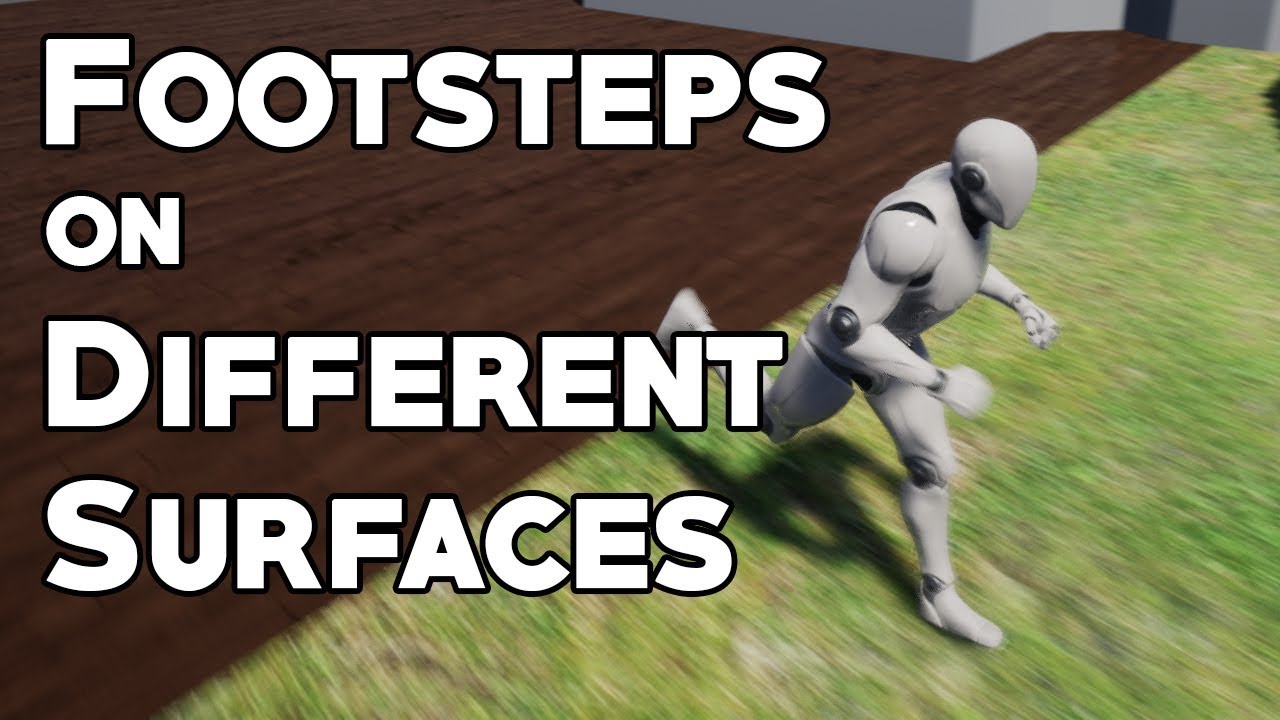
How to use physical materials and character animations to change the way footsteps sound based on which surface the player is on. Topics covered: Animation notifies, blueprint scripting, material graphs, physical materials.
Special thanks to NoKnowledge for the request!
LINK...
tight cobalt
@zealous moth Teleport did the trick. With some black fade screen its good. Now I have different issue, when the character teleports it remembers where I was looking at while falling into the ditch..do you maybe know how to adjust the direction of where the character is looking after the teleporting?
 cloud socket
can anyone here help direct me where to go to learn about making a gun selection screen to then spawn that with a character? like cod does with the custom classes
please @ me
 normal stream
Helo; I am attempting to troubleshoot a movement blueprint for a vertical scrolling shooter; I've been following a tutorial, and I have a working version in the 'Follow tutorial exactly' guide, but the one I made for my actual intended project isn't working. I can provide screens of my blueprints as needed.
short pawn
@normal stream whats wrong with your project
normal stream
I am trying to get my WASD movement controls to respond. I have a little ship that flies in and does an animation, and then it should release control to the player for standard up down/left right movement. The animation plays, and as far as I can tell the 'Player now has control' is active, but there's no input.
i have uh, the project settings > input section setup in a hopefully correct manner.
so either i'm forgetting a step somewhere, (which is entirely possible, and am examining), or something else happened.
 deep elbow
are you putting debug prints on the end of the input events to see if they are getting fired
deep elbow
right click, search print, just plug them in to the end of your input flow
normal stream
Hmm, I think i found out what i was missing, digging into my example files to confirm.
thank you for the suggestion though
Hmm, yeah examination indicates that I was presumptive in assuming my movement wold even work, I don't actually have any BPs that say 'Input [on keypress]' in the current project. Doublechecking.
tight cobalt
@normal stream Can you post the screenshot of your bp?
deep elbow
@short pawn what exactly are you trying to do, record a gif from a 2dScene capture? that sounds like a shitload of work, do you literally just want a gif to post to twitter r something, cause there's good programs out there like https://www.screentogif.com/
Free screen recorder tool. Record, edit and save as a Gif or video.
tight cobalt
You sure you set your starting health more than 0?
And speed..vert sped, etc more than 0?
normal stream
health is set to MaxHealth in another part of the BP, so that should be clear.
deep elbow
and interp speed of 0, have you tried playing with that
normal stream
newp, thinking...
hah! Good catch, the function had an interp speed of 0, forgot to set that; Still not working, but helpful!
thinking
cloud socket
can anyone here help direct me where to go to learn about making a gun selection screen to then spawn that with a character? like cod does with the custom classes
please @ me
normal stream
found something! My 'set has movement enabled' node wasn't setting it properly
it's now responding to inputs, but not correctly
and i had to manually mark the boolean as true
short pawn
@deep elbow i have a plug in that works pretty well was only like 5 bucks, but I couldn't figure out how to get the 2s scene capture to capture the hud as well so I made a 3d widget and it captured it to the gif
normal stream
sighs
i do not have enough experience w/ this UI
i was getting a bunch of false negatives because the viewport won't automatically 'rise up' and let me possess the pawn
so I was hitting keys to no efect until after I clicked theVP window
Found the problem
it was a combination of the above, and the timeline I had set for the spawn animation; I made it 3 seconds longer than it needed to be, so while it was running, no inputs were being registered, ergo I thought nothing was happening.
tight cobalt
it was a combination of the above, and the timeline I had set for the spawn animation; I made it 3 seconds longer than it needed to be, so while it was running, no inputs were being registered, ergo I thought nothing was happening.
@normal stream 🤣
normal stream
There, i now have a ship that moves up and down, left and right, and when it moves horizontally, it tilts convincingly to evoke aerial maneuvers
short pawn
What do you put into the "object" of cast to viewport?
tight cobalt
@normal stream You following Udemy course on game prototype?
tight cobalt
Yea..I got that one too.
Didnt have time to check it yet...still working on my thesis
I jsut scrolled through it
normal stream
my mixed feelings aren't about the quality of the work- i mean I'm learning a lot.
tight cobalt
Its a bit hard if you are beginner.
normal stream
my issue is that I just don't like learning from lecture-videos.
 austere knoll
I've been coding for decades but I am relatively new to UE4 and learning their Blueprint environment, so apologies if this question is a bit "noobish" - To assist learning, I bought this "ProMainMenuV2" off the UE4 marketplace, and the project itself is entirely BP based consists of two simple levels - the "intro" level and the "main menu" level.
The intro level is completely empty as far as I can tell. There are zero objects in the viewport, and if you go to Blueprints > Open level blueprint the Event Graph is completely empty. This level is designed to be a placeholder for you to add intro content to your game.
The point is, I'm attempting to figure out the logic for this Intro level and at what point it decides to pass execution to level 2, the "Main Menu" level - If there are zero objects in the viewport for the intro level, and the Level Blueprint's Event Graph is completely empty (no nodes), where might the execution logic be?
What am I missing?
tight cobalt
Once you learn how to move information from blueprint to blueprint, and how to use blueprint classes..you will start doing your own things..
deep elbow
@austere knoll what actually happens when you press play while in the intro level? does it load the main menu level?
tight cobalt
I started unreal around year ago...and some things jsut didnt make sense at the beginning.
austere knoll
@deep elbow It does, the main menu loads and executes properly.
I just see absolutely nothing in the Intro level, which I have confirmed in Project Settings > Maps and Modes is the default level.
normal stream
my issue is that for me, nearly everything makes sense, I just don't know the environment well enough to execute what I want; or ask the right questions.
tight cobalt
Do you ahve any prior programmign experience?
austere knoll
Or default map, rather.
deep elbow
@austere knoll so you press play in the intro level and it immediately loads the main menu - or are there any other steps, like a UI element appears and you press load, or pressing any other key, but you have intro level open, you press play, and it immediately opens the main menu
normal stream
https://www.youtube.com/watch?v=ZomQfGhpHIo&feature=youtu.be thi sis what Tony is working with yeah?

Unreal Engine Marketplace: https://bit.ly/35xJOfv
Pro Main Menu V2 is a completely remastered asset created from scratch. You get a completely renovated Main Menu that includes the latest technical UI standards, such as automatic input recognition and layout adjustment, key r...
austere knoll
@deep elbow No, the default map is this "Intro level", and if you press play, it simply loads the Main Menu
@normal stream Correct, that's the one.
tight cobalt
I am working on my thesis in unreal, and I;ve been learning by myself, and google helped a lot.
one thing I learned, repeating after tutor is the thing that will never make you learn.
short pawn
@tonydanza open the output log in the windows tab and run it
austere knoll
So it's clearly loading the "intro level" as specified in Maps and Modes, then heading right on over to the "Main Menu" level
tight cobalt
Only way to learn is to set a goal..break it into parts..and start working the way up.
deep elbow
@austere knoll if that's the case, then I would look at the game mode blueprint, and I'd look at the player controller blueprint, the execution order goes: game instance -> game mode -> controller, so there'll be something in one of those that is calling to open the menu level
tight cobalt
This is after jsut a year in unreal..All by myself and some help of community.
Jsut like 4-5 months I was in the same boat..didnt even know how to plug print string ahaha..
This is now
BlueprintUE
deep elbow
you can find those in project settings -> maps and modes
short pawn
@tony> @normal stream @tonydanza open the output log in the windows tab and run it
Oops
austere knoll
@deep elbow Thank you, will have a look.
short pawn
I suck at discord
austere knoll
@short pawn This is the requested log output:
ogFileHelpers: Loading map 'Intro' took 0.312
LogContentBrowser: Verbose: The majority of assets in the view are of type: World
LogSlate: Window 'Asset Audit' being destroyed
LogSlate: Window 'Asset Audit' being destroyed
LogAIModule: Creating AISystem for world MainMenu
LogSlate: Took 0.020976 seconds to synchronously load lazily loaded font '../../../Engine/Content/Slate/Fonts/DroidSansMono.ttf' (77K)
LogAssetEditorSubsystem: Opening Asset editor for LevelScriptBlueprint /Game/ProMainMenu/Levels/Intro.Intro:PersistentLevel.Intro
LogContentBrowser: Native class hierarchy updated for 'BlueprintGraph' in 0.0004 seconds. Added 121 classes and 0 folders.
LogSlate: Took 0.000125 seconds to synchronously load lazily loaded font '../../../Engine/Content/Slate/Fonts/Roboto-BoldCondensed.ttf' (158K)
LogSlate: Window 'Intro' being destroyed
LogSlate: Window 'Intro' being destroyed
LogWorld: UWorld::CleanupWorld for World_2, bSessionEnded=true, bCleanupResources=true
LogSlate: InvalidateAllWidgets triggered. All widgets were invalidated
LogAssetEditorSubsystem: Opening Asset editor for LevelScriptBlueprint /Game/ProMainMenu/Levels/Intro.Intro:PersistentLevel.Intro
LogSlate: Window 'Project Settings' being destroyed
LogSlate: Window 'Project Settings' being destroyed
I believe some of the ending is me fiiddling around in the editor.
normal stream
oh man speed, that's a think of beauty
i just love blueprints
ever since I was introduced to the hypergraph in maya, node-based anything is amazing.
tight cobalt
Yea..Same.
austere knoll
I'd prefer to write everything in C++ personally but I was informed that to properly leverage UE4 you need to utilize both BP and C++.
So I'm learning BP.
deep elbow
@austere knoll are you sure a level called main menu gets loaded? I don't see it, could it possibly be that there is a UI HUD that is the actual main menu
austere knoll
When I was a kid they had a language called "Logo" where you controlled a "turtle", which was a triangle in essence, walking around a screen, it was graphical too.
tight cobalt
Whole my life I had this thing regardign programming, I thought i dont like it...but in fact I never tried it.
austere knoll
@deep elbow confirming
tight cobalt
Then in college I got familliar with python, c sharp..maya scripting and mel..
And I thought ...what a fool i was.
It was so interesting..
austere knoll
@deep elbow Screenshot attached.
deep elbow
expand selected game mode, underneath game mode
austere knoll
Ok
Well it's the default GameMode so it's all the defaults.
These guys didn't create a custom GameMode.
deep elbow
that's where your actual 'controllers' are, i reckon what's happening is the HUD blueprint is creating and adding the menu widget to the screen
really, its default
like CPP
austere knoll
I suppose, here, getting screenshot.
deep elbow
if those game mode and so on is greyed out then it's CPP derived
austere knoll
Expanded GameMode @deep elbow
deep elbow
yeah, default, ok makes sense, easy for porting between projects
austere knoll
Well, the project is BP based, all the elements are BP as far as I can tell and that's what they advertise it as.
From my study notes, here's what I was told the execution order is, please correct this:
Overall execution flow of a Blueprint-based project
- Level blueprint - Event Graph > Begin Play (once per project)
- Level blueprint - Event Graph > Event Tick (once per frame)
- GameMode - Construction script
- GameMode - Event Graph > Being Play (once per project)
- GameMode - Event Graph > Event Tick (once per frame)
deep elbow
i think the game mode executes before the level but there's not much in it
begin play is a bit whacky tbh i try not to use it because you have no control, for important stuff anyway, random gameplay shit is fine
deep elbow
but looking at your last screenshot, theres a custom game instance
bp_pmm_instance
i'd presume the logic resides there
austere knoll
Interesting, ok
deep elbow
that is the first thing that runs when you press play
austere knoll
A custom game instance is the first thing that executes when you press play?
Oh, hah, pro main menu.
Apologies, I assumed that was some UE4 naming convention.
deep elbow
if you set that as the game instance of the project yes, game instance is like.. the game i guess
sorry, early morning, my brain is slow
deep elbow
that's too late to be digging in blueprints
 abstract maple
Sorry to butt in but I have a quick question (if anyone can help)
I followed a tutorial that tells you how to outline objects (use post processing/custom depth stencil)
It should only enable around an object when you get near enough
That does work, however it's enabled upon game start so ALL objects in the scene are outlined until you get near them and walk away
For the life of me I can't figure out how to disable custom depth rendering on game start. How would I go about this?
This is what I tired and it's not working.
tight cobalt
@austere knoll Isnt this just the main menu? With just imaginary intro level? I think the focus is how to build main menu and pass the lading to the level after you for example press play...I assume level is empty for a reason.
austere knoll
@tight cobalt The point is I'm attempting to determine the actual game logic to follow the execution path, because I'm learning BP and want to understand how this seemingly -empty "intro level" passes execution to the following "main menu" level.
Thank you @deep elbow , very helpful.
deep elbow
@abstract maple I've had problems with the array -> single input, have you tried running a for each there just to make sure it actually fires? and how are you getting that hit result struct
tight cobalt
Unless used blueprint class.
abstract maple
@deep elbow This is my function to start tracing. I will try as you suggested but do not understand blueprints well, so bear with me.
short pawn
I want to rotate my entire game in the options for people who have rotated screens, how could I do this dynamically
deep elbow
oof
abstract maple
https://blueprintue.com/blueprint/b_e7v5s0/
https://blueprintue.com/blueprint/augpddv0/
https://blueprintue.com/blueprint/m8jq4dqf/
Maybe this is easier to see what I did wrong?
cloud socket
can anyone here help direct me where to go to learn about making a gun selection screen to then spawn that with a character? like cod does with the custom classes
please @ me
 sand shore
I want to rotate my entire game in the options for people who have rotated screens, how could I do this dynamically
@short pawn
There might be something like that for phones when you change between portrait and landscape. Not sure how usable that is in BP... and if you aren't targeting mobile I don't think there would be anything preexisting
deep elbow
@short pawn https://polycount.com/discussion/105526/chew-magna-fortress-udk someone goes over rotating to vertical, the post has a pic of rotated monitors, cant link a post on polycount

polycount
Hey guys! I'm building an environment based off a scene from one of my favorite books, First King of Shannara by Terry Brooks.
short pawn
@sand shore thanks, not using mobile so I guess I'll have to figure it out somehow. I know vertical shooters have the option so there must be a way 😭
short pawn
@deep elbow thanks I'll read the article!
deep elbow
@abstract maple it's hard to follow exactly, but it looks like the very first line trace is going to reference the Interactable variable before it has been set - have you tried right-clicking that and converting to validated get, or running the hit actor outpur through and IsValid node?
no thats not right actually, ignore that
ahh it might be though
abstract maple
You're referring to the Start Tracing function right?
deep elbow
because that branch would return through because if you hit nothing and the struct is not valid they'll both be none
talking about your event graph where you do the line trace
abstract maple
This part?
short pawn
@deep elbow ive already got it constrained to the correct 9:16 aspect ratio. But now I want the whole image to be rotated 90degrees and back with a button push
abstract maple
Yeah sorry, I only understand about a 1/3rd of this :\
deep elbow
@short pawn then you need to rotate the camera, you'd need to do that in every camera or hopefully you are using a camera manager and can just do it there
but do you even need to do that, surely its more the aspect ratio that matters
unless you are doing mobile
short pawn
Hmm but then I'd have to rotate everything in my project and the gravity @deep elbow
deep elbow
this guy is literally doing that, and rotating all the widgets to match, i guess it's just awkward, but if you are just trying to support vertical screen on PC then you shouldn't have to rotate anythign, just change aspect
@abstract maple are you objects starting with custom depth enabled by any chance?
austere knoll
So here's a question - what is the exact execution order of a BP-based project?
Seems like there's a lot of confusion on the Internet, per Google.
short pawn
If the aspect changes the view changes and my view is a particular size. Thanks tho for trying to help @deep elbow
austere knoll
What I mean by this, I mean execution order in the project itself. For example, I'm aware Construction Scripts fire off first, then Event Begin Play once / Event Tick / every frame, but for a general BP-based project.
deep elbow
@austere knoll if you want to be 100% certain i'd create some empty project, create a new game instance, game mode, player controller, default pawn, camera manager, HUD, actor and level, and add a begin Play (game inst uses Event Init) and print the name of the class, then you can read bottom to top the order of execution
austere knoll
I mean overall. Surprisingly difficult to find out this information. Like as an old C / Pascal / ASM coder, it's pretty straightforward, the execution order, but for UE4 / BPs it seems a bit daunting.
Huh, that's true @deep elbow , good point.
I'm just surprised no one can just rattle this off to me.
deep elbow
i think because a lot of it is up to you, the begin play is just when the object is created and that can change quite a lot depending on what is going on, the only things that seem to have a really defined order are the classes in the maps & modes
austere knoll
Right, it can vary, makes sense.
I mean is there a general trend? Such as, GameMode > Level ?
This project is leveraging the default GameMode, it's meant to be slammed into your own project as a way to add a menu.
deep elbow
i believe the level gets executed before the game mode, because levels can override game modes, so it makes sense that the level gets exec first
austere knoll
Ok, good info, thank you.
And it's interesting, for example in this project, there's the "intro" level, and then in the "Intro" Content folder, there's a BP_GM_Intro, but when I examine the "Intro" map / level I see nowhere BP_GM_Intro is even referenced.
Example
The naming convention "BP_GM_Intro" would lead me to believe it's a Blueprint for the GameMode for the "Intro" level, but where the hell is that GameMode referenced in the "intro" level / map itself?
abstract maple


@abstract maple are you objects starting with custom depth enabled by any chance?
@deep elbow That was my problem.
austere knoll
@abstract maple feels me.
deep elbow
as an example, for my current project, i have a game instance and a persistant streaming level. the game instance runs, gathers save data and settings, then tells the persistant level to fire off an event to stream in splash screens, then the main menu, then the main menu level execs the game mode, the game mode execs the controller, the controller execs the hud and then possesses the pawn and the pawn initialises on Event Possessed
shut hinge
that's how i feel when working with blueprints
deep elbow
@abstract maple ok thats great that you got it solved tho! it's always something small and hidden away 😛
abstract maple
🙃 Thanks guys
I wasted 4 hours on this and you figured it out in 4 minutes
austere knoll
That's because your smiley is upside-down.
@deep elbow So in your project, it's Game Instance > Persistent Level > event to stream in splash screens > Main Menu > Game Mode > Controller > HUD Pawn
shut hinge
I think blueprints was invented by japanese programmers.
abstract maple
😂 Programming must suck in either langauge
deep elbow
yeah exactly
then a whole load of bullshit inside those to let you still be able to play from camera when working in the editor, that all gets ignored when the game is packaged
austere knoll
I've never in my life had such a hard time determining the execution flow of a project.
shut hinge
they think backwards in Epic so things don't work normally as we think they should do, but the engine works instead in reverse....
austere knoll
And this is a simplistic project that is meant to be slammed into another project, it's purpose is just to provide a main menu.
Oh well, Dear Baby Jesus, I think I've found it
deep elbow
have you figured out where the main menu is being opened from tony?
austere knoll
In the Intro "World Settings" pane on the right, under "Game Mode", they have "Game Mode Override" set to the BP_GM_Intro object
deep elbow
oh so they are just being assholes
deep elbow
like, that should all be done on project level
austere knoll
So they're overriding the default Game Mode in this specific level with the BP_GM_Intro
would you refer to that as an object? BP_GM_Intro?
What is the terminology there?
shut hinge
epic like to make things difficult and lots of tedious mouse clicks. The Row editor has been improved, we only have to double click with the mouse now instead of sweep the mouse to add each row.
deep elbow
it's a game mode
austere knoll
Ok
deep elbow
lots of people do a separate game mode for menu levels
anda different controller, because you can do different logic and not worry about interfering with the player controls and such, problem with that is you cant change a game mode when using streaming levels apparently, so meh, per-project decisions
austere knoll
Right
So I'm guessing, since I see nothing in the Blueprint for the level, not a single node, and the Intro level is the first level per Project Settings, that execution flow is going Intro Level > BP_GM_Intro
deep elbow
yeah exactly
that game mode bp should have some logic in there, to either open the menu level or display a hud, your log didn;t look like it was loading a new level but who knows
if you open the game mode, and select Class Defaults, it has a list of classes that can be overridden, pawns, hud, controllers etc
so instead of doing it in the project they have done it "locally" here. which makes sense if you want to drag 'n' drop the menu into a new project. but it'll only support a game that uses the open level command rather than streaming, which is fine for 90% of unreal projects i suppose
austere knoll
Ok @deep elbow, really, thank you.
shut hinge
what if your project has 100 + systems
austere knoll
Good information.
I don't know much about "streaming" at this point.
But I shall learn!
deep elbow
Yeah sorry I couldn't be more helpful at the start, but you're figuring out some stuff in 30 minutes that took me a month
austere knoll
haha, well I've been through a few userful Pluralsight tutorials and one shit Udemy tutorial.
As my robot vacuum cleans the house like a champion.
So here's another question:
That's a screenshot of BP_GM_Intro. It has an event graph, but no construction script. Is that normal for a GameMode?
And instead of a Construction Script, it has a "Create Intro Widget" tab
So here's another question: when I attempt to read a native "remove all widgets" function, I've installed the symbols, but I get an error "Could not find code file, D:\build++ue4...."
It shouldn't be looking for it on D, I thought I installed Unreal to C:
I'm guessing the path is wrong, anyone know how to edit that?
I mean D: is a backup platter drive, nothing is installed there but part of my steam library, why the hell would it be looking for the symbols in D:
let alone D:\build
normal stream
also sorry for late, but thanks everybody for the help earlier
shut hinge
shaders are still compiling.
day later, shaders are still compiling.
deep elbow
@austere knoll you'd need to have installed a CPP project, if it's a blueprint project it won't be able to locate those files
 maiden wadi
@austere knoll About the first question on the construction script thing, that's just a tab. It does have a construction script though.
austere knoll
Ok, so more importantly, my original question -
deep elbow
the create intor widget tab is just a function look on the left, you have a group called general, is it
austere knoll
It does, ok.
where the heck is it?
The only tabs present are Viewport, Create intro Widget, Event Graph
deep elbow
double click it int he list of functions on the left and you'll get that opened up
austere knoll
In the event graph, off begin play it calls Create intro Widget
maiden wadi
shut hinge
careful with construction script, it can affect engine performance if you call too much to it.
austere knoll
I'll be damned, there is is, thank you @deep elbow
deep elbow
ah ok that makes sense, so its not opening anew level, it's simply adding the mainmenu UI to the hud
and the menu widget will have event construct which is roughly the same as begin play, and i presume it'll set input mode to ui, do some other nonsense, etc
deep elbow
i gotta start my laundry, back later!
austere knoll
Thanks @deep elbow, super helpful.
I'm currently dissecting the "Create intro Widget"
So now, my quest is to dissect this widget (which I assume is a widget based on its name):
I'm currently confused by the "WB Intro" variable of type "WB Intro", the hell kind of type is that?
I'm used to languages that have predefined types that really primarily define (other than arrays and pointers) how many bytes a given variable is going to take up in RAM, this variable is called "WB Intro" and it is of type "WB Intro"
The heck is that about.
 elfin hazel
In blueprint, you can make a variable of any class'es type, and it can only hold that type. So WB Intro is the class that the widget is, and the variable is of that type. I'm not a programmer so not sure how to explain it properly.
austere knoll
So if I'm reading this right, the "Is Valid" check is checking to determine if the "Remove All Widgets" function executed successfully, and somehow also using "WB Intro" as a param to determine if valid.
@elfin hazel That actually does make sense - so in essence, you can create a variable, that is really a struct or class, consisting of whatever - X amount of variables within the class, what have you - and make it its own class / type.
If I'm understanding that correct.
Correctly.
So akin to a struct, I believe.
deep elbow
yes
so that function is saying, has this widget been created - ie does it exist ie is it valid - and if it is, then just display it, if it's not then create it, set it to a variable for later use, and display it
austere knoll
So that Is Valid check - the "Exec" pin, is that simply for control flow? To indicate what the previous node was?
Hmm, ok.
deep elbow
exec is flow, most nodes do not have multiple outputs, 99%, it's just a way of ordering your functions or logic
austere knoll
Well the two params for Is Valid are "Remove all Widgets" plugged into "Exec", but the "input Object" is that custom "WB Intro" variable
So is the Is Valid check really just checking that "WB Intro" variable?
And the Exec pin is just a place to put the previous node?
deep elbow
the input exec has nothing to do with what came before, it is purely saying "execute this next function at this time"
austere knoll
Do what?
Put it this way - does the Exec pin have anything to do with the "is Valid" check?
deep elbow
the Exec pin ON the isValid node?
austere knoll
Yes
deep elbow
yes that says "run this function now"
austere knoll
Wouldn't "Remove All Widgets" have already run due to it having been linked off "Create Intro Widget", or no?
deep elbow
if you double click the isValid node - you'll see it's but a blueprint macro that takes a wildcard input, runs the pure function 'is valid' and outputs the true or false of a bool
austere knoll
I suppose "Create Intro Widgets" isn't an event
I get it
So the Is Valid exec is required to actually execute the previous "Remove all Widgets" function
austere knoll
So "Remove All Widgets" will run automatically because it's linked off of the default "Create Intro Widget" node?
Since the entire "Create Intro Widget" container is linked off the "Begin Play" of this Game Mode
deep elbow
yes exactly, it's left to right
austere knoll
Right
deep elbow
first begin play, then this function, then remove all widgets, then is valid
austere knoll
So the "Is Valid" exec pin is checking the results of the "Remove all Widgets" function, it's not calling it again
deep elbow
no it's not checking it, or calling it or anything, let me write a poor analogy
austere knoll
ok
deep elbow
a blueprint is a 'choose your own adventure book'. every function/node is a chapter, the exec pin on the left is the start of the chapter, the output pin on the right is the end of the chapter. if a function takes inputs (like a float, a struct, etc) those are like paragraphs - they make up the chapter.
branches (like the output of the isValid node) are where you choose a different path in your adventure, they take an input and make a decision based on that and then the flow follows that decision.
in order to read the book, you need to start at chapter 1, and work your way through. each chapter doesn't know anything about the previous chapter and it doesn't know anything about the next chapter.
fuck that is a torturous analogy and probably less than helpful
austere knoll
lmao no man, I appreciate the effort.
deep elbow
but an exec in and an exec out are basically 'run this' and ' i started running this' like they have no relation to anything
austere knoll
I guess my confusion is, I get that each node is isolated and doesn't know anything about anything other than the params you provide it
deep elbow
exactly
austere knoll
My confusion is, the way I see this, left to right is, "run the remove all widgets function", then pass the return value (functions always return a value) to the "? Is Valid", and Is Valid also takes the WB Intro variable as a param
And somehow it takes those two results, it decides "is this shit valid", and if so it does path A, otherwise path B
deep elbow
the remove all widgets output is just an execution, the execution input on IsValid is just saying "run this function" it doesn't know or care about what came before
you have to remove the idea that a white pin or a white line carries any information
austere knoll
But when you say it's saying" run this function", it's implied that it's "running a function", aka "remove all widgets"
deep elbow
other than 'run whatever is at the end of me'
austere knoll
But then we're also saying remove all widgets already ran
Ok, so white wires are not passing values, noted
elfin hazel
I suppose you can see it that way. If whatever happens in the "remove all widgets" never finishes executing, the isvalid will never execute. But the isvalid isn't dependant on any result or parameters of the "remove all widgets", just its own input.
austere knoll
That's good information
@elfin hazel Ok, there you go. So basically, the purpose of the left "Exec" pin on "? Is Valid" is simply to allow connectivity from the previous node
Correct?
elfin hazel
yes
austere knoll
Got it, thank you.
deep elbow
Robin to the rescue lmao, phew
austere knoll
So "Is Valid" is actually, in this case, checking the "WB Intro" variable
deep elbow
exactly!
austere knoll
Yup
elfin hazel
lol, been spending so much time thinking how to explain it
austere knoll
Well it makes sense, it's just when we keep saying the left exec pin is "running" something it implies that it is calling the previous node and "running" it
deep elbow
oh i see
austere knoll
I got it, thank you much.
maiden wadi
If it's easier, since I know you prefer coding, just think of it like a function that has a list of other function calls.
RemoveAllWidgets();
WBIntro.IsValid()
austere knoll
So now the great question is, what the heck is this thing doing with the "WB Intro" variable. How does it become valid / invalid.
maiden wadi
Only the is valid is more of an if statement in this case.
austere knoll
Right, I get it, the exec pin is simply there to specify execution flow, it has no bearing on the comparison being performed.
deep elbow
precisely
maiden wadi
@austere knoll You know C++, generally, right? I vaguely remember that from the UMG channel.
austere knoll
How might one track down the purpose of this custom class WB Intro variable? I assume in the context of Blueprints, "is valid" is referring to if the variable has a set value, or is it referring to if the variable exists in memory at all? Akin to a declaration?
Well yes, I coded tetris in C++ in high school, I'm familiar with traditional coding.
elfin hazel
So at the start of this function, "WB Intro" is not valid, because it has not been set. So the false exec will fire and trigger "create widget". That creates the widget and passes it to the "WB Intro" reference variable. If you were to is valid "wb intro" now, it would be valid.
austere knoll
These GUI-based languages are new territory for me, when I write it's usually in C, Pascal, Ruby, Bash, something like that. Text-based, server-side code.
maiden wadi
In blueprint it's generally whether the variable has a value.
 blazing ridge
good morning!
somehow my game is not pausing when i "set game paused"
austere knoll
@elfin hazel Perfect, thank you.
blazing ridge
im checking afterwards if game is paused, it always returns false
can "set game paused" be succesfully called out of a widget B?
BP*
austere knoll
Considering I'm tracing execution flow from the start of the project and I've seen no references to WB Intro yet, I wonder where WB Intro might have been set at all previously to even justify having an Is Valid check.
Right now I'm guessing that always fails.
maiden wadi
It probably wouldn't. Usually you use this kind of execution to reuse widgets.
austere knoll
Ahhh
maiden wadi
If it's not created, create it and set it. If it's already been created, don't waste time making another one.
austere knoll
So in Blueprints, GameModes might get called repeatedly and execute their default code?
elfin hazel
@austere knoll Yeah, it's a bit redundant but also I guess a safe guard. It's more of a 'best practice' setup.
austere knoll
Or is a GameMode like this typically a one time thing.
@elfin hazel Yes, perhaps that's the case here.
elfin hazel
Like, "just in case we have created the widget already, query it".
austere knoll
In case the Intro Level gets called again
deep elbow
yeah in this case it's pointless unless somethign terrible happens
they might also be calling the function from somewhere else
austere knoll
Because in this project, the Intro Level has overridden the default game mode with its own, and this is the code within that GameMode, "BP_GM_Intro"
Ahh, yes, and perhaps that custom GameMode gets called somewhere else as well
Despite its name, lol
Ok
It's all coming together.
Thank you @deep elbow, @elfin hazel, and @maiden wadi
elfin hazel
I haven't used game mode a lot, but it can be used for things like storing player score. So you might be calling functions on it at times.
maiden wadi
The reuse of the widget isn't really about the game mode so much. You'd generally use that style when dealing with most widgets that aren't "Throw away". Considering that seems like it's for a main menu where you might not even use widgets more than once, it's probably just best practice habit. Game mode is a strange place to handle Widgets though. Personally speaking I feel like that's bad practice. You'd likely never use game mode for that in a multiplayer game since UI is meant to be client specific and the game mode only ever exists on the server machine. But I suppose it doesn't ever really matter in single player how you structure things.
short pawn
Does anyone know how to change the letter box border color in unreal
deep elbow
the constrain aspect ratio indicator?
austere knoll
Man, that was an adventure.
I just translated what you all taught me into my notes.
Brilliant work.
Interesting point @maiden wadi
This is a project I purchased off the UE4 marketplace to assist in learning Blueprints.
So these guys might not be following best-practices.
deep elbow
it seems more focused on widgets, and UI is a different beast entirely
austere knoll
So GameModes are entirely server-side?
elfin hazel
No, don't rely on seeing best practice.. anywhere really. Market place, tutorials.. even Epic tutorials has some bad practice examples, such as bindings in widgets.
austere knoll
Noted.
elfin hazel
For multiplayer information you're probably best off reading guides dedicated to them. That should explain what class is server side and what are client side. here's an example http://cedric-neukirchen.net/2017/02/14/multiplayer-network-compendium/
austere knoll
Well, I'm not attempting to build a multiplayer game, that was just an interesting note.
elfin hazel
Okay, just making sure because that's a whole other beast.
austere knoll
Absolutely.
I have to say, between you three this has by far been the most educational channel of the 300 various channels on this server.
And you managed to do that in the space of an hour.
Certainly the most helpful.
Great work.
So this "Create WB Intro Widget", pardon my ignorance, but if I double click on it I'm not taken to a "Widget UI" so to speak, how might one track that widget down?
I'm trying to trace execution flow through this project.
Also, there's nothing in the details pane of that node.
You'd think the Widget in question would be specified somewhere.
deep elbow
there is a magnifying glass icon on the create widget node, click that and it'll locate it in the content browser
deep elbow
the node that creates that, its not a specific node for that widget, its just called "create widget" , try making your own, and you'll see when you plug in a widget it'll change name, its just a way of displaying what youare creating
the magnifying glass is a constant in unreal, if it's there it'll take you to the object reference of whatever it is associted with
austere knoll
Perfect.
maiden wadi
I actually didn't know that one. Haven't used that before. Might have to remember that is there. Always did it the hard way of searching the content browser for the class name.
austere knoll
Yeah, these guys certainly put a lot of functionality in the GM, if this isn't best-practice they screwed up.
Here's an overview of all the functionality within the BP_GM_Intro GameMode:
deep elbow
eh it is what it is, it's fine for a single player
maiden wadi
It's not really a big issue for singleplayer.
austere knoll
They're creating widgets, launching videos.
deep elbow
oh ok
austere knoll
At some point I think midgets roll in the room on unicycles juggling bowling pins.
Quite a bit going on here.
deep elbow
well there you go, right at the end, they've got the open level
austere knoll
Ahh
maiden wadi
In singleplayer GameMode is usually little more than a starter class that is spawned by World when it's done loading it's assets. GameMode then spawns all of the default game classes like player characters and controllers and such.
deep elbow
all that stuff is probably placeholders so you can add your own stuff
austere knoll
Yes, in their manual they say you can specify up to 3 videos to play during the intro, those video players are for that purpose.
deep elbow
unless they actually included videos
austere knoll
I'm just using this for study so I'm not particularly interested.
maiden wadi
It's likely just a typical game intro that everyone escapes through. Usually you'd have a studio logo, maybe a Made in Unreal short video and then some game intro video.
austere knoll
Exactly.
The pubg intro comes to mind.
A train coming towards you followed by 300 chinese players using VPNs with autoaim enabled.
shut hinge
is that the boatload of blueprints on that train?
austere knoll
Yes, aka "the Blueprint party bus"
So are you guys professional game developers or hobbyists?
deep elbow
oof personal information
elfin hazel
Hobbyist, if I can even call myself that.
deep elbow
ex-AAA now indie cause more fun
austere knoll
Very nice.
maiden wadi
Just a hobbyist myself. At least for now.
austere knoll
I'm a hobbyist myself, I co-own a company with about ~15 employees but we are not involved in game dev or anything of the sort.
But I am interested in learning this software to see how we could leverage it.
Plus me and my business partner enjoy pubg, we probably put in 2 hours a day.
It's a bad habit.
deep elbow
isn't pubg dead now?
austere knoll
haha, no.
But people like to say that pretty regularly.
It still exists, I mean it's far from ideal, it's overrun with cheaters, at least on the PC version.
We refuse to do so it's a brutal uphill battle, but we have gotten better.
We won our first game in duos the other day and almost threw a parade.
deep elbow
lol
austere knoll
So someone had mentioned that you cannot open native nodes using symbols when the project is BP-based, but isn't there a way in UE4 to integrate C++ and BP?
deep elbow
hey does anyone know how unreal uses the Spawn from Current Location and Default Start Point - like where are those accessed
yeah you need to create a CPP project, from file -> new project or wherever
austere knoll
I was originally going to be a hardass and be C++ entirely but I was informed that BPs are common and both should be leveraged.
deep elbow
BP is convenient and fast
austere knoll
I watched a presentation on YouTube from a UE4 developer conference where the guy mentioned that there is a performance hit with a lot of BP
up to 10X
Depending on the situation.
So if you create a C++ project can you then also use BP?
But not vice-versa?
deep elbow
eh, depends on what you are doing, it's negligable unless you are developing an actual big title, using BP in a single player toon-shaded platformer is fine, trying to do a 100 player multiplayer batte royale is gonna tank
austere knoll
Makes sense.
deep elbow
still, Fortnite.. so they make it work
austere knoll
What I'm considering creating for fun, I'd be compiling on Windows and Mac OS.
Is that an issue? I'm deving on Win 10.
But I'm typing this on my MBP next to my Win 10 box.
As long as you have access to a Mac is it possible to compile on both?
Even if the project is BP-based?
maiden wadi
You can add CPP to a blueprint project.
austere knoll
You can, ok.
@deep elbow Is Fortnite BP-based?
If so, that's quite the pedigree, that game was bigger than Jesus for a while.
My daughters both went through their Fortnite phase.
deep elbow
it will use blueprints, not a fully bp project tho
austere knoll
Right, so both, that seems to be the consensus, both BP and CPP have their place in any given UE4 project.
Anyone have experience compiling a BP-heavy project deved on Windows, on OSX?
maiden wadi
I started writing small blueprint library functions in C++ recently, but I still use blueprint for a lot of my design. Some things are just not easy in blueprint though. Making four functions that sort an Array of structs in blueprint that you can write in ten total C lines is amusing.
austere knoll
lol
Amen @maiden wadi
I have to say, it's so nice understanding the execution flow of this project now.
I've taken like 5 pages of notes from this conversation.
Although now that I'm at the Open Level "Main Menu" section, looking at the Main Menu level, I'm not seeing the functionality to actually create the fancy menu they create. They're doing the same GameMode Override with BP_GM_MainMenu, but I see nothing in that GameMode like we do in the BP_GM_Intro.
The BP for the Main Menu level is empty just like the Intro level, so I navigated to the BP_GM_MainMenu like we did with BP_GM_Intro, but this GameMode appears empty.
Empty construction script, empty event graph.
Hmm.
elfin hazel
Placed actors, level blueprint also empty?
austere knoll
Yes, empty viewport.
Here.
Main Menu Level Blueprint (empty):
Main Menu - Level (empty):
BP_GM_MainMenu Event Graph (empty):
The construction script is empty as well.
 gloomy linden
@austere knoll you cant compile on windows for OSX
austere knoll
But, within the content browser folder, you see the HUD and what not:
So those BPs are getting called from somewhere.
elfin hazel
If you PIE, (play in editor) you see some menu appear?
austere knoll
@elfin hazel Yes, you get a fancy menu with a top nav, particle effects, etc.
Example PIE:
elfin hazel
Check the PC_mainmenu, I think it might be created when this starts up. It's a player controller.
austere knoll
Ahh, so perhaps it's a default controller override?
elfin hazel
yeah
austere knoll
Interesting.
gloomy linden
Check the GameMode in World Settings
austere knoll
@elfin hazel Where would that setting be? I don't see it in the World Settings pane.
Fascinating, where might this be.
austere knoll
@gloomy linden for the Default Controller Override?
gloomy linden
austere knoll
No, not GameMode override.
We've covered that, the GameMode appears empty, unless the Default Contrller Override is there?
Hmm.
gloomy linden
Youre searching where that stuff is coming from right?
elfin hazel
If you open the Game Mode class again, check the details panel.
austere knoll
Ok, so the point we're at now with this project is, we've followed the execution flow to the "Main Menu" level. The Main Menu level has a GameMode override for "BP_GM_MainMenu", and in the screenshots listed above, the issue is that unlike the Intro GM Override, this specific GameMode appears empty.
elfin hazel
It could be that they created that game mode just to override the player controller.
short pawn
@deep elbow i mean when you constrain the aspect ratio, the leftover is letterbox with black bars. Can you change that colour?
gloomy linden
Can you show a screenshot?
deep elbow
i don't think you can thru blueprint
gloomy linden
Its too big
austere knoll
lol
gloomy linden
No, just screenshot that pary
austere knoll
Which part?
austere knoll
The global project settings under maps and modes has the default GameMode
Each of these two levels are using a GM override.
gloomy linden
So they probably create the menu in one of the GM overrides
austere knoll
Yes, that was the assumption.
gloomy linden
The proper one would be the HUD one
Less proper would be the player controller one
austere knoll
Except the problem is this particular GM Override's event graph, unlike the Intro GM override, has an empty event graph.
Well we've established these guys probably aren't using best-practices. 🙂
elfin hazel
Check the class defaults of the Game mode.
austere knoll
@elfin hazel checking, one moment.
gloomy linden
@austere knoll can you expand the GameMode override menu in the world settings and screenshot that?
austere knoll
@elfin hazel - BP_GM_MainMenu Class Defaults:
I think you nailed it, the controller appears overridden.
elfin hazel
yeah, so the game mode is created and it then creates that pc class.
austere knoll
As well as the HUD class.
gloomy linden
Look at the HUD class..
gloomy linden
one tip for the future, use Shift+Windows key + R to make screenshots instead of Printscreen
austere knoll
So when you specify a class like that within the BP for HUD or Player Controller, would that be considered an override since it's changing the project defaults?
gloomy linden
it allows to capture just a part of the screen
austere knoll
Would that be the proper terminology?
gloomy linden
when you have a class and you implement it somewhere, you can @override functions
austere knoll
Remco: I use the Windows snipping tool, but yes, absolutely.
gloomy linden
which basically just does that
austere knoll
My point is, in this particular case, would one refer to this behavior as a "class override"?
gloomy linden
well kinda
austere knoll
Akin to the "GameMode override" setting in the World Settings section of a GM
Trying to use the proper terminology. 🙂
gloomy linden
in the project settings you set the default values for a level, in the level you can either use that or override it
gloomy linden
the level just loads the project settings initially
austere knoll
If you specify a different class than project defaults in a given GM
gloomy linden
but when you set another game mode, you can override the used classes, but it also changes them in that set GameMode itself
dunno if Epic fixed that issue tho
austere knoll
Right
Thank you much @elfin hazel @gloomy linden
On that note, I'm going to get some sleep, it's about 3 AM here. Much appreciated, by far the most helpful channel I've found on this server. 🙂
gloomy linden
np, its not that busy here either
sometimes it is busy, then you see people only asking things
which should be easily googled 😄
have a good sleep
 junior rapids
I have just had a quick on google and that for this but can't see anything on this, probably searching the wrong thing. Is it possible to call an event in your level blueprint from your player character?
deep elbow
i think you'd need to use an event dispatcher
maiden wadi
Level blueprints aren't normally supposed to communicate with other classes for the most part. So yeah, Dispatcher is pretty much your only way for another class to talk to it. If it was the other way around, the level could use DirectCommunication, but only if the player character is dropped into the world and loaded with the level and not spawned from the GameMode.
Well, I suppose you could also use GetPlayerController>GetControlledCharacter instead of direct communication, but regardless. Classes are generally meant to be designed to be level independent and not rely on being in a specific level.
 dapper cradle
How do I make a node like this from the Out actors pin ?
Promote to variable didn't work (it gave me a set node)
junior rapids
ah okay thats fair enough I will see what I can get working
use the get a copy option 🙂
maiden wadi
@dapper cradle Looks like a Get(a copy) node.
dapper cradle
brilliant thank you guys!
 pastel ibex
hey guys, any idea as to why this is firing both true AND false? This even happens when I have a physicsbody object in the sphere overlap
better image
maiden wadi
@pastel ibex How often is this execution line being ran?
pastel ibex
tick with a .2 delay
maiden wadi
Where is the delay?
maiden wadi
It is odd that it would do both. I just wondered if it was just two different executions running nearly at the same time.
pastel ibex
yeah, i've never had this issue before
basically, what im trying to do is when the object overlaps with the sphere, assign some tags to it, but when it stops overlapping, get rid of those tags
i cant figure out a way to make it know that the object isn't overlapping anymore and remove the tags
i dont want to use on component begin/end overlap, though
maiden wadi
Your best bet for an easy solution is probably to keep a Set of actor references and add to it based on the sphere overlap. This'll filter out copies automatically. OnOverlap set tag to actor and add to array. Then make a function that iterates through the set's array and asks if it exists in the sphereoverlap's actor array. If not, remove the tag and remove the actor reference from the set.
You could lessen the impact of everything by making a function that inputs two arrays. One being from the Set, the other from the SphereOverlap.
pastel ibex
I've never worked with sets before, but i'll see what i can do
also, i figured out why it fired both
maiden wadi
It's just an Array that automatically disallows copies. So you can't have two references to the same actor in a set.
pastel ibex
basically, i had two of those objects that had a sphere overlap in the scene, and it was confusing the bp
ah, that sounds useful
maiden wadi
@pastel ibex This may or may not help. Pretty sure this should work for what you were after though.
pastel ibex
oh wow, yeah this looks like what i wanted, thanks!
pastel ibex
almost works, but it removes the tag immediately
disabling the lower half shows that the tag is being added, but when you re enable the lower half, the tag gets removed
@maiden wadi
maiden wadi
Oh. That was my bad. Move the branch to the false part. You want it to remove the tag and ref if contains is false.
 weary spire
Wondering about the best way to tackle a “slope dodge” in blueprint.
Scenario:
Double tap s/d to perform a sideways jump or dodge.
If you stand next to a steep unwalkable slope and dodge into it.. it should propel you in an arc over this slope. Using the normal of the slopes surface to calculate this arc height&distance
How would one go about this? I’ve got double tap dodging in a while ago with the help of a knowledgeable individual here ❤️
But any tips on how I potentially could make this work
Would be greatly appreciated
Slope dodge as in the unreal tournament games
 compact owl
can I find all files in a folder with blueprints?
I basically want to do pick a random static mesh from a folder
pastel ibex
@maiden wadi yeah i dunno anymore
tried a bunch of things, im too dumb to get it to work lol
but i have learnt about a few new nodes thanks to what you showed me
maiden wadi
It is odd that doesn't work just switching that to false, since when it's true it removes the tags fine.
compact owl
when I'm trying to copy blueprints via screenshots, is there a good way to find nodes from how they look


eg what is SET?
oh its part of Encapsulation 🤔
 hazy goblet
SET sets a variable of your blueprint
make a variable and then you can find a setter and getter for it
@compact owl
compact owl
thanks dreamland got it 👍
still confused how I would go about picking a static mesh from a folder 😂
crude timber
hey all ! How can I tell my UI to translate different float values, into a specific text for each ?
so far I'm here but what I tried didn't work
 dim robin
there is a function called "toText"
crude timber
but it's to convert one value, here I need a different text for each
compact owl
what text do you want it to be?
crude timber
for example, when the float equals "1", that's my "Very Fast" preset
20 is "Very Slow" for example
crude timber
I've ben trying to use the bools with a Branch for each but can't get the Exec pin to be right
deep elbow
you can plug false into the exec of the next branch, but tbh i dunno if that's the simplest way to implement somethign like that - do you just want to display current dolly speed, or specific speeds
oh no i get what you are doing
dim robin
as far as I understood he wants to set a specific text for specific float
deep elbow
can the dolly speed be inbetween those float values, like 1.278 etc
crude timber
as far as I understood he wants to set a specific text for specific float
correct
The dolly speeds are set values that I chose
They need to remain the same, so I can have presets
deep elbow
so the player can't jump between those, why not set an int where you set those speeds, and then grab that in your widget
you can do this but seems excessive, and would require you to change stuff in a bunch of places if you change stuff in otyher places
crude timber
thats what I tried first but couldn't figure out the configuration for the exec pins
deep elbow
personally i'd use a map or a struct or something to store the text and the float value, like get it in one place
crude timber
I'll try this way
personally i'd use a map or a struct or something to store the text and the float value, like get it in one place
@deep elbow yeah that's what I tried also :/ I have a array of "doly_presets"
deep elbow
what do you mean config? like the true pin would set the int you are using in the text array
crude timber
what do you mean config? like the true pin would set the int you are using in the text array
I mean I coudn't figure out how to connect them properly, but now I'll try based on your image
crude timber
Perfect, it works indeed ! But yeah it looks awfally like a temporary solution
I'll figure out how to improve it later, thank you !
crude timber
I'm not sure how to use a map, I'll look into it now
elfin hazel
oh wait, I get an error using float as key.
Well if you always use whole float numbers, you can convert them to an int.
I'll show you how you can set it up, just had a crash.
crude timber
Oh that'd be very nice !
elfin hazel
So a map is a key-value-pair. There's the key that must be unique in the Map, with an associated value. Also known as dictionary and some other terms.
So in your case you want to associate the speed, which has to be converted to an int value for this to work, with an index that you use to get a member from an array with.
crude timber
ooh ok I think I got it, let me try
elfin hazel
Or you could just associate the key (int) with the value (text) directly too.
deep elbow
i there anything in your map?
elfin hazel
uh, that's a strange error.
deep elbow
yeah it is
crude timber
my map does have the correct values, I think. Each speed presets sets an integer to refer in the Array
deep elbow
weird, i know this sounds dumb but have you tried compilign again, also might be because its nested in somewhere that doesnt work, not entirely sure
elfin hazel
I put a map in a widget binding and don't get that error so I'm not sure what is up with it.
crude timber
yeah no with the "Make Map" I can't specify exactly what integer needs to be used for what value, it will just pick the exact same float for everything
back to bruce force then 😄
elfin hazel
Disconnect the map fro mthe Find node and rightclick the map-icon part and "promote to variable".
crude timber
same error
elfin hazel
What version are you using? editor version
crude timber
I'm not sure what you mean, version of unreal engine ?
elfin hazel
yeah
crude timber
4.25
ok this is weird, not I put back the brute force setup, compile, and I have the same error
Ok I deleted the "dolly_map" from the Local Variables
and compiling works
elfin hazel
No idea what is up with that then.
crude timber
At least now I know about Maps and how to use them 😄 Thanks again !
started like a week ago on UE, very interesting to program with nodes
Didn't expect it to be that much fun
I'm coming from blender but this is a whole other level
elfin hazel
It is pretty fun to throw together a prototype that almost works.
crude timber
Not doing it for games tho, I'm creating a tool for Virtual Production
but now seeing how fun it is I got a couple game ideas to try out for VR
Now trying to figure out how to Fast Forward/Backwards the sequencer using a shortcut
 floral egret
hey anyone have a good way of detecting or doing holding down a button
like left click
i'm trying to get this very tricky way of single clicking making my character go somewhere and holding down left click makes a selection box
elfin hazel
Well, there's the input action that you probably already use. On press - timestamp. On release, query the time pressed. When deciding between the selection box or move order, you can also query the distance the mouse has moved, maybe it need to travel say 5 pixels to start the selection box.
floral egret
so like is mouse button pressed and has moved so many pixels
elfin hazel
Yeah.
well, start with just the press time, and if it doesn't feel good maybe look at the travel distance method.
crude timber
hey anyone have a good way of detecting or doing holding down a button
@floral egret I found a great way on youtube, it works perfectly everytome for me
using a function
let me screencap
using a macro I meant *
floral egret
this one
crude timber
So, you have to create a macro, and use this setup
floral egret
hehhe
floral egret
i too have searched the earth trying to find a usable function or macro
that one however was kind of buggy
crude timber
It's really flawless for my use
floral egret
maybe i was doing it wrong then
crude timber
do you use it this way ?
floral egret
sort of
see i had to sort of manipulate it for the selection box
but most of the time the selection box was being drawn far after i started dragging
not the macro just stuff after it
i was going to ask about the duration you went with but then i saw the pic you posted, anyway thanks for the help guys
elfin hazel
Either you need to get overlapping actors on begin play. Or, though I haven't tried it, you could have the collision sphere be disabled by default and on begin play, enable it. Whether that is a disabled collision or something else I'm not sure.
That queries if it overlaps a specific component. You need the Get overlapping Components / actors.
It wouldn't fire an event, but you'd get the actors that it is overlapping.
You might want to go with the collision method.
elfin hazel
Yes, but you need to cast the primitive component to static mesh component, and get static mesh.
yeah I guess so. Query if the cast fails, then it's not a static mesh component. Print the components display name to see what you're overlapping.
no wait, the overlapped component I think is - this - component.
it's probably the other comp you need.
 eternal vortex
Hi , I have a little question if someone could help that would be awesome .... in character movement component under rotation settings you have the option to orient rotation to movement the makes the character rotate to face the direction of your velocity according to rotation rate .... what am asking is there a way in blueprint to make the same effect but to make the character roll in the direction of velocity what i mean that if the character moved right he tilt so that his up vector point in the direction of velocity .... i tried to give it a rotation rate in x so that it rolls but it did not work in either walking state or flying state ... any thoughts would be appreciated
 hoary pivot
Hi, I have one big problem xd. I need in my 2d game to do saving coins in the main menu. Someone explain to me how to do it? Best as if you would save separately level 1 level 2 and so on😎
 tall pine
I have a problem with camera shake upon walking. I got it to work when going forwards and to the right, but since going to the left and backwards has a scale of -1.0, I used an absolute float to convert the scale to a positive value and bring it to the camera shake node, yet it doesnt do anything
it should work but it doesnt
hoary pivot
@floral egret no, It's an item in the game😎
floral egret
the game instance can keep track of multiple variables as its above the level layer
if you put in something like an int for your coins in the game instance it'll keep track of that
if I've interpreted it right
 tranquil prawn
Please is anyone able to help me?
I'm trying to load a file (PlayerController) from a project I haven't loaded in a long time.
It was ran on a source built version of 4.22 with some plugins.
Whenever I open/load the file, even right click it, the editor crashes:
Error: Pin named StructOut was serialized while trashed - requesting pin named StructRef owned by node K2Node_SetFieldsInStruct_650```
I tried:
- To run it on the source built editor that it was originally ran on.
- To run it on a regular 4.22 version.
- To run it on a regular 4.24 version.
- To load the file from backups of the project, even very old backups that I'm sure were working - are giving the same crash when I load the file.
**Any idea how to fix this?**
Please ping @ me if you have any advice, thanks. thin rapids
I have a problem with camera shake upon walking. I got it to work when going forwards and to the right, but since going to the left and backwards has a scale of -1.0, I used an absolute float to convert the scale to a positive value and bring it to the camera shake node, yet it doesnt do anything
@tall pine the camera shake node has no class selected
tall pine
@thin rapids yeah i just have noticed it i forgot to put it in
thin rapids
does it work now?
tall pine
yeah
@thin rapids i want to double the intensity of the shake upon running so i created a float with the number 2 as 1 is used in the movement scale in the project settings. yet when i sprint the intensity doesn't change at all. i'm a complete beginner and work by my own logic so idk really lol
thin rapids
it's because it's doing the walking shake when sprinting because the walk event is running
tall pine
do i have to build it if a certain speed is reached then it will activate it?
thin rapids
yes, it's a way to do it
thin rapids
get velocity if i'm not mistaken
thin rapids
tall pine
whats the node of the greater or equal called?
tall pine
did it like this but doesn't do anything
floral egret
you did connect the branch to the sprint input action right?
thin rapids
invert the nodes in the >=
tight venture
My kitties are overlapping each other...
Do I have something wrong with their collision settings?
Those are the settings on SK_Kitty, their skeletal mesh
thin rapids
@tall pine you also have to make the values change according to the branch
tall pine
still nothing, connected the exec to the sprint and set the scale to like 5 in the shaker
how would i do that?
thin rapids
put that in the walk node you have and make a bool to check if it is sprinting
see if that works
and if it isn't sprinting make the normal camera shake
floral egret
er stupid question tibetan, that number in the run speed float
that has that as a value right?
tall pine
its 600 as in the brackets
 worldly karma
hello all - what is the equivalent to this setup, but to spawn a component from the blueprint itself (static mesh, light, anything really) as opposed to an object reference ?
(specifically a point light component)
floral egret
tibetan this is my custom headbob that i play on my first person game, it runs the custom event on event tick
tight venture
@worldly karma you looking for this?
worldly karma
that looks exactly like what I am looking for - but I can't seem to find it ? (context being a construction script btw)
floral egret
its a spawn actor node
worldly karma
or dyou mean, that the only way would be to make an actor out of the light ?
tight venture
That I got inside an EventGraph. It wouldn't come up in the constructor
worldly karma
right yeah
worldly karma
I see, interesting
floral egret
wait po do you want just a point light on the object
worldly karma
is there any reason why such a thing wouldn't exixt in constructor ? Here's some context :
that would not be practical as begin play, as that is something I need feedback on during level creation
tight venture
There are certain nodes that can only be used in certain places. I'm sure there's a reason. Probably can't spawn things in the constructor because the constructor only knows about statically allocated memory. Spawning actors sounds like dynamic allocation
I mean, you could technically use a new statement inside a constructor in C++, but this ain't C++, this is blueprints.
@worldly karma it allows spawning actors in functions. Just put it in a function and call it at the end of your constructor
floral egret
cali i think the collission is supposto be the master
tight venture
You mean the root?
floral egret
yes
tight venture
This is the only option available on the root component
And these are the only options available on the main blueprint (self)
worldly karma
haaa, I could also just call a generic point light, using "add point light component", that works. But then how do I access/set its parameters ? Color, attenuation, and so on
tight venture
@worldly karma you could promote it to a variable in your blueprint. Then you'd have access to it whenever you need
You could also just make the point light a permanent component of your blueprint. Then you wouldn't need to spawn it at all
worldly karma
right, but the issue was the duplication around the ring, based on a loop
tight venture
So, each instance of this blueprint will have a different number or arrangement of point lights attached to it?
worldly karma
yup, potentially
or rather, even if using only one, the whole point is to be able to tweak diameter, spot amount, and so on
tight venture
Are the point lights always there? Or do they get created and destroyed over the blueprint instance's lifetime?
worldly karma
just always there, in editor
but yeah that aspect works now 🙂 Still not clear how to promote the various point light controls to the BP - how does one do that ?
tight venture
I would just add a variable of type Array<PointLight> to the blueprint. Modify it wherever and whenever you need
"Promote to variable" just adds it to the variable list on the left
worldly karma
but ... promote what
tight venture
Promote the point light
worldly karma
tight venture
But if you need a bunch of them, potentially, then I would make it an array
worldly karma
from just that ? how would one do that
floral egret
return value
tight venture
right click on the return value
When you click "promote to variable", see how it adds a new variable to the list on the left? That's all it is is just an alias for adding a new variable from the blueprint nodes
 frozen sky
I have a tile system but I'm having an issue getting adjacent tiles. I created a struct that holds the tile object and an X and Y coord.
- check x, if x is the same see if y is +/- 1 and if it is then it is mark as above/below
- check y, if y is the same see if x is +/-1 and if it is then mark as left/right
This is the simplest way to do this correct?
worldly karma
ok that makes sense (I should have mentionned, very much a beginner here 😄 )
but then that's just a "dumb" variable isn't it ? It doesn't seem to contain any editable light properties
tight venture
Me too. I've been working in UE for about 2 months now. I think after maybe a year I can stop calling myself a beginner
frozen sky
you should be able to pull off that return value and edit it's properties
I think you'll have to do it by name because it is not set as expose on spawn
worldly karma
practically speaking, how would you control, say, light color.
floral egret
aye
 thorn fiber
What would cause this behavior ?
tight venture
That's just one point light. If it were an array, you'd need to call GET on the array first to get a single PointLight from it
worldly karma
oh wow
tight venture
@thorn fiber if IsActivated == true lol
worldly karma
ok - whats the input type for light color ? constant3 ?
tight venture
vector3
 gusty shuttle
Quick question, how does one rotate the static mesh in a thumbnail. I know there is a way to do it without opening it. Any tips?\
floral egret
ex unity developer?
gusty shuttle
Me? no haha
floral egret
nah not you mate
tight venture
@gusty shuttle Class Settings > Thumbnail
worldly karma
hmmm can't seem to find vector3
gusty shuttle
I guess that works for a BP actor, but what about just the static mesh thumbnail
tight venture
@worldly karma just drag off the input pin it should give you the option you need
gusty shuttle
worldly karma
I feel so close haha, can't find it though
tight venture
my bad, it's a linear color something something
floral egret
ha beat you
tight venture
i assumed vector3 but was wrong
floral egret
yes
worldly karma
tight venture
@thorn fiber I also have problems with debugging. I am noob myself. But if you're sure that it's going through the true pin, then it must be true and something is lying to you
worldly karma
tight venture
The compiler never lies
worldly karma
actually linear color seems best, no conversion
floral egret
yeah
if you ever want the variable for just that
just drag off the pin
and it will come up with set as variable
worldly karma
yeah, still confused a bit by the flow of that, it didn't strike me as obvious
but I can see it now indeed
so yeah.
floral egret
it's confusing at first
tight venture
@thorn fiber only other explanation for that behavior would be if another thread is modifying the value for that variable. But I very, very highly doubt it has anything to do with threading
gusty shuttle
To the answer of my own question , you can edit your thumbnails by going into this mode
floral egret
nice
tight venture
Oh. Well, there ya go. Just... be sure that what you think is going on, is going on, before you start digging into any thread-safety issues
shut hinge
soo as I put in 4 or 5 player characters in the map to follow me around in a party group, the engine slows down.
thorn fiber
Well I'm just going not do it the way I was lol
Sadly more tricky than what it is worth
tight venture
@shut hinge are you using EventTick a lot?
shut hinge
no, I don't use the tick alot....
tight venture
Well, we'd need more info to help you. A lot of triangles in the meshes for these characters? You made any changes to LOD settings?
You could always try reducing the engine's settings down from max
floral egret
is it only when they move?
shut hinge
Cali West, the engine is set on low and medium
tight venture
Does it slow down with just one additional player character? Or does the slowdown happen linearly: with each additional character you add, it slows down a bit more
shut hinge
slows down a bit more. It also slows down when I try to add in the Game Components to the project. So If I add in the fighting system, then add in the levelling, then add in the Inventory, then add in the quest system, I start running into slowdown issues when I start to add in the party members into the map.
I'll just check to see how much triangles my commander mesh has.
tight venture
Your computer could also just be a piece of shit 😜
floral egret
😄