#animation
1 messages · Page 146 of 1
 crimson dirge
I’ll send u the link on that when I get the chance
And I have to say the best way to learn about this stuff is just to follow tutorials on how to animate a character for an FPS game or something like that
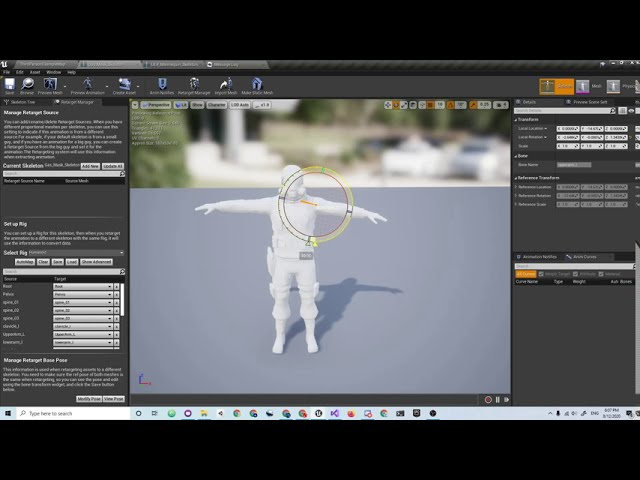
And just in case, you can check out my video about retargeting from the mannequin skeleton
 mellow summit
hi guys i have edited one of the arm positions in my idle animation. i hit save and run the game but it isn't reflected
mellow summit
i have the arms wide open like this but when i save and hit run, the changes are not reflected
 steel raptor
hi all, how easy would it be to use a Kinect (Xbox One) to capture animation and apply it to the character ?
Or at least capture some static poses and apply them to the character
 vague cosmos
Hey all,
I have been looking into animation sync markers to make my 3rd person character movement to look better, no foot sliding and possibly better transitions from idle to walk, jog, run and then back to stop. I am now using a 2D blendspace (speed and direction) and while it works pretty ok, I would want to try to make it better. I have taken a look at sync groups and animation sync markers which according to my understand both try to solve some of the problem domain I have. Sync groups for syncing animation clips and sync markers for foot placement.
If I understand correctly I need both groups to match the clips but markers also in the clips to be used within the group, am I correct? How does the engine use the markers, is it automatic or do I have to implement something to take use of the info in the clips? Is there a good way to verify the markers work other than judging the transitions and feet placement by eye?
 dreamy ridge
@vague cosmos Sync Markers are automatic once you've set them up, you don't need to do anything more than adding them to each animation and making sure that each animation you want to blend between belongs to the same Sync Group. You should see the difference by eye 🙂
Also look at Inertial blending if you haven't already.
Does anyone here know if Epic ever gave a reason for not releasing the Paragon animation nodes they promised a couple of years ago?
 pine anchor
hello, I am trying to create a breathing effect with colors is this possible?
 dull pecan
so im using the Unreal to Rigify and Send to Unreal addons for Blender and I am having some issues with it
The issue is that while animations look fine in Blender, when I export them to Unreal Engine, some bones animations will get messed up, they will not be rotated in the same direction, but the skeleton itself looks good. I don't know what causes this but its obviously making my animations unusable.
Another issue is that with some animations there is a pop midway through, like a sharp cut, but the actual animation should be smooth.
I would like to find out the solution for these problems, I hope it's just me being unexperienced and not a big issue that everyone is having.
vague cosmos
@dreamy ridge Thanks mate! I will try to put this in place later today and see how it goes 🙂
 cinder linden
Hey guys I'm trying Anim dynamics for the first time and things aren't going as expected the movement is too jittery, even with linear & angular constrains https://gyazo.com/1c217857de743671a7fd077f4f737bc2
what is causing it to move like that?
 bronze osprey
@mellow summit you need to use the create asset button i think
@cinder linden i think ur capsules are overlapping
 fathom junco
Hi everyone
anyone can please tell me how can i make a skeletal mesh copy a pose from another one
meaning spawn a skeletal mesh make it overlap the other skeletal mesh while it's in animation
and then have them be completely independent
as in the one i spawn can go ragdoll right from the copied pose
 prisma shadow
So, retargeted my animations from other character, exact size, different positioning of arms. Still retargeting necesary.
No issues in preview. None. Go in play and the bones seem to explode in all directions.. Looking at the legs it's like a scaling issue?....
In short. When i retarget animBP i don't get this.
I get this when i retarget all animations and then retarget the anim BP and use "Allow remapping to existing assets". Yes it's the correct assets...
fathom junco
if anyone can drop by and give me some pointers for this i would really apreciate it
prisma shadow
set master pose?
fathom junco
master pose doesn't work
because after i break the link the "child" just goes back to the animation root and ref pose
i want the "child" to ragdoll from the animation pose
prisma shadow
Unsure what you mean with "break the link". But just hide the original skeletal mesh for the duration you want.
fathom junco
i want to have them both at the same time and independent
i want to spawn a skeletal mesh at any point have it copy the the original skeletal mesh pose/position at that moment and have it go do it's own thing
 granite beacon
Im trying to use control rig to make a wood chopping animation, is there a way to put an axe in his hand?
i cant get sockets to show in conrtol rig
 mortal pine
Does anyone know how to have a component follow a socket's location but not rotation?
mellow summit
hi guys when I change bone positions in an existing animation and save it, why doesn't it reflect immediately when running the game? right now I have to create a new animation for each modification I am making....can this be avoided?
also I have implemented a kick animation....how do i set the velocity impulse? do I create an anim notification when a collision occurs?
 wooden valley
help
help
my pelvis (root) is just staying in it's place
and not moving like i made in the animation
 sand vine
how can i constrain a weapon skeletal mesh to the unreal manequin control rig inside the sequencer?
 misty dagger
Hey can anyone help me with my android game
 mystic pine
Hey guys, Im importing a height morph target and running into issues with the skeleton if I modified it. It may be better to modify the bones in unreal? If so, where is the better place to do it? I read somewhere that ideally it can be done with a Posable Skeletal Mesh, but it seems that I lack a lot of functionality. Another way to do it seems to be from the AnimBlueprint. With the later, Im a bit worried about the performance, also not sure how to access to the AnimBlueprint Graph from Cpp (or any other place where I can modify the bones). In short,
A) Is there any way to keep remaped the bones with the morph target?
B) If not, would it be good idea to set it in the animation graph? If so, can it be done with Cpp?
If B, I don't want to do it in the UpdateAnimation but set it once (or drove by a custom event)
dreamy ridge
Is there a way to get the amount of time that has elapsed since entering an animation state? I guess I could send a notification on entering a state and track it that way but it seems like there should be a better way?
 meager plank
how do i rotate the hand so the lightsaber covers my protect me from the laser? I can show you how i want it...
 shrewd coral
my rifle animation pack doesn't have a good animation for moving left-forward
is it possible to rotate a different animation about the origin and use that w/o having that animation's source?
prisma shadow
Has anyone had this weird scaling bug? This is a simple blendspace movement going horribly wrong. No retargeting stuff. All mannequin.
mellow summit
I see you need to create a new animation each time you modify via Create Asset
its not possible to modify existing animations without creating a new copy
 blissful linden
Hi im wondering what's the best way to use a walk cycle animation with a special character that has something like heels. Do I have to recreate the animation again for that character, but modified with the foot bent down for heels? Or is there a runtime mechanism to modify the foot just for some characters?
 warm pebble
Can someone guide me on how to set up ADS like this?
using the right hand IK
true first person ADS
 dull panther
@blissful linden : If you just want the walk cycle to work then have you tried rigging the character so that the bottom of the shoe is treated as the bottom of the foot, ie. the ball of the foot is towards the base of the heel? Should mean that they can use the animation and the foot will land on the floor correctly. That said people do walk differently in heels so you may want a custom animation set for that.
 peak bane
Hi, is it possible to retarget a mixamo skeleton / animation to another mixamo skeleton?
crimson dirge
@warm pebble This saved me so much https://www.youtube.com/watch?v=bMCXypuq4jk&list=PLfCrVJxHeD5biT1gPL0IAsmWLVwOJWVCq

This is a tutorial series where i will show you guys how to setup a true FPS character with the following features:
- Camera system.
- Locomotion setup.
- Turn in place mechanic.
- Hand IK system.
- Weapon ADS (Aim down sights) system.
- Weapon sway mechanic.
**Join my disco...
@peak bane it is
The skeletons have to be somewhat similar tho
peak bane
they are very similar, only 2 added bones on one of them
crimson dirge
This is my video one retargeting the mannequin and mixamo character
@peak bane r u getting the failed to merge bones error
cuz then you can't retarget w/o messing w the skeletons urself
peak bane
No, I couldn't retarget because when I use the retarget manager, the humanoid has a very different structure than mixamo
https://www.youtube.com/watch?v=iY5Ui6-JfWA&t=12s
@crimson dirge is this for retargeting mixamo to ue4?
crimson dirge
@peak bane yes it is
peak bane
@crimson dirge Just watched it, this is for using UE4 animations with a mixamo character, I want to use mixamo animations with a different mixamo character, and the problem is when choosing the humanoid rig, nothing autofills
crimson dirge
@peak bane You should be able to do w/o a problem if the skeletons are the same
Otherwise I dunno
mellow summit
so i figured this out by just duplicating animation blueprint for each player
mellow summit
lol i figured it out
warm pebble
@crimson dirge thanks
 stable solar
For example how much does animation cost per frame? With this size. It's like half size of characters from blazblue.
bronze osprey
as far as i know flipbooks are basically free
 swift heath
Not sure this is the right channel, but is the camera anim deprecated? It appears to be using matinee and I get this warning at the bottom of the screen when I try to edit one:
I need a camera anim for a camera shake, I'm trying to use that to simulate head bobbing, as the oscillation options of the camera shake are not suitable for me. That's because I'm trying to transition slowly from head-bobbing during running to head-bobbing during walking. Right now my only option would be to have different camera shakes for each, but this way the transition would fell very sharp.
 sonic roost
How do I get around this problem? My movement blendspace has some interpolation, but when a character goes from -180 to 180 for the direction value, he interpolates by taking the long way around, causing this glitchy behavior
 severe berry
I want to take the shooter game animation and put it in anthor project but it always don't work
I tried alot of things
Copy and paste dosent work when I enter unreal I found that the animation is destroyed
I am using version 4.21.2
severe berry
Is there an animation starter back for the arms in the market space
 strange urchin
Hello ! i just start in unreal, do you you know if it's possible to record your camera like that and smooth it ? https://www.youtube.com/watch?v=a7qyW1G350g

In this video we try a different approach to animating the camera in Blender. It's a faster method I use all the time to get smooth steadicam-like movement! (Stick around to the end for a surprise)
Timestamps:
00:00 Intro
00:21 Camera setup
01:16 Auto keying
01:55 Smooth keys...
 zenith meadow
Is there any way to get the average of two bone transforms when retargeting an animation?
A skeleton that I'm trying to get a bunch of animations from has one extra extra spine bone, so basically I'd like to get the average of spine_01 and spine_02 and use that for animating spine_01 of the other skeleton.
I've tried mapping (spine_01 -> spine_02) and (Custom_1 -> spine_02) on the source skeleton, with (spine_01 -> spine_01) and (Custom_1 -> spine_01) on the target, but the result seems to be the same as without the Custom_1 mapping.
crimson dirge
@sonic roost https://www.youtube.com/watch?v=Uckhu0ZYWMI&t=90s

Edit: As the comments already said, don't divide by zero when you get to setting the Blend Space Direction at 03:20, instead just set the new value to 0 directly.
Hello all, I'm kinda new at Unreal Engine and inexperienced at programming so not sure if this is the correct wa...
@cloud lodge I remember we were talking about synced anims and stuff earlier, and I was wondering, do you know if it's possible to make realistic reload anims (that is with deattaching the mag and stuff like that) with the anim starter pack?
 cloud lodge
only ever done that with custom anims
the anims for the weapon play the same time as the pawn anims
and the mag is controlled via the animation
cloud lodge
i didn't use them either
crimson dirge
Not sure if I can do something like attach the clip to a hand socket
cloud lodge
the animation handles showing the mag
crimson dirge
How do you mean?
cloud lodge
the mag moves the way the hand does
crimson dirge
Oh ok
cloud lodge
and if both are started the same time
crimson dirge
And you set it active or something like that
cloud lodge
they stay in sync
no
just literally play 2 anims
that is it
no notifies, nothing
crimson dirge
Oh, so one in gun and one in the player mesh
cloud lodge
yes
 spiral spear
so im trying to export a skeleton model from blender to ue4
but when i import it across it can't use the ue4 mannequin skeleton
(i exported the mannequin from ue4 to blender)
in the bone hierarchy it has everything inside the bone "SK_Mannequin" when the ue4 mannequin doesn't have that bone
@ me please if you know how to remove the bone "SK_Mannequin" in blender
i figured it out 🙂
mellow summit
hey guys how do I slow down a character animation?
mellow summit
nvm figured it out
 silver jasper
In this animation what is this red line?
If I enable root motion the animation no longer has the 'red' offset (and this jump attack is played on the ground)
 jolly osprey
it's probably the root bone then
silver jasper
Oh its literally an offset... isn't that kinda bad from an animators perspective?
As I no longer can use root motion with this animation
jolly osprey
if it goes away when you enable root motion... doesn't that make it the root motion
silver jasper
It is but the "jump attack" is now just getting played on the ground
so I guess I have to either disable movement input or manually have some lerping to the locations
which is kinda awkward to have to code up some crap for a single animation
well... I guess itd be easier just to edit the animation myself >..>
 mellow zenith
If you play the animation with a montage the root motion should be applied to the capsule component (you may need to change to a flying state so that the Z motion can be applied)
 compact pebble
Hey people of internet, how you been guys? simple question, what is more efficient or better build melee attacks in animation bp as locomotion or do anim montages?
cuz i never did melee animations
 pallid shadow
Hello , is it possible to have multiple , additive layer tracks to one bone in an animation sequence?
I don't think so right? Every time you add in a new key it overwrites the previous?
 worldly ibex
Hello, reposting question for visibility 😀 ! I'd like to add new poses for the hand in the default SteamVR assets for the Valve Index. I know very very little about animation in UE4, those seem to be animation sequence (which I guess are only one frame long?) that are being blended between. I can't seem to directly transform the bone since they snap back into place when I reopen it. I'm not sure which way I'm supposed to modify it to match the rest of the assets, any idea? https://puu.sh/GpdvS/3930bda381.png

 ionic jasper
hi everybody
my name is taha , iam a beginner in ue4
i have a problem when i want to import rigged character from 3ds max to ue4
but the program refused that , i dont knew why
any help please?
mellow zenith
@compact pebble it's probably easier to do it with anim montages, since you don't have to add each montage to the animation state machine, and you can use root motion if you need
compact pebble
@mellow zenith thx man, I will few ways, add extra in locomotion (this time is dodge and few extras) and will whats works better
mellow zenith
I think for dodge it works better to add it to your locomotion animation state machine and add in root motion via code
That way you can apply the dodge in any direction, and use a blendspace for the dodge animation
I'm still pretty new at this, but that's what I've found anyways
compact pebble
yeagh, i need to use blend space, so locomotion it is
 dense jungle
Has anyone seen issues with the animation starter pack strafe animations? Fwd right and back left are fine, but fwd left and back right look weird. Is it a blend space issue? Many thanks in advance.
 cedar rain
@silver jasper to get vertical root motion you have to enable flying mode on the charactermovement
 ornate pasture
Hello all, i have a question. Ive been watching videos on procedural animation but they are in unity or blender.. does UE4 do this or can it be done? If so point me in that direction. Thanks!
zenith meadow
@ornate pasture Procedural animation is possible in unreal. Advanced Locomotion System is available for free and has procedural elements for example. I haven't seen any examples of "fully" procedural animations, such as those mechanical spiders someone created in Unity though. But I don't see why that wouldn't be possible to achieve.
ornate pasture
Sweet! Thanks! I will checking that out! And yea those spider animations are sweet!
 celest raptor
Control Rig is probably a step in the right direction for procedural animation
Making procedural control rig spiders is my next to do so I suppose I'll let you know if it works
ornate pasture
Control rig??
celest raptor
Control Rigs in Unreal Engine 4 is a scriptable rigging system that is based on Blueprint and is mainly designed for controlling properties to drive animation.
still experimental
cedar rain
Some procedural oriented plugins:

Unreal Engine
Strider is a procedural animation warping plugin which improves animation diversity via several additional animation nodes.

Unreal Engine
Power IK is a full-body IK solver with built-in ground alignment.
But all the nodes you need to do procedural work are in the AnimGraph: https://docs.unrealengine.com/en-US/Engine/Animation/NodeReference/SkeletalControls/index.html
Animation nodes that enable direct manipulation and applying solvers to the bones of the target Skelet
 narrow ginkgo
would you guys recommend using aseprite ?
nevermind, scratch that, do you guys know any sprite sheet softwares?
mellow summit
hey guys I have two animation blueprint one for each player. they both use the same animations in a blendspace which fires off AnimNotify event. However, it only fires for the other player not the current player.
Based on each player's height, I am animating them falling. However, only the other player shows this. Player controlled player does not.
 ripe coral
i want to adjust an animation, how do i toggle keyframes?
i keep seeing keyframes in yt videos but when i open mine i don't see any
 supple lynx
Hey guys, Is it possible to set location of a socket in the skeleton inside the animation sequence directly in UE4 ?
Let's say I have a animation where my character raised his hand (that have a weapon socket) and I want a sword to pop in the air and go right to the socket as the animation goes.
 uneven wigeon
How do i blend 2 animations in animgraph without using multiple states? Blend poses don't seem to work.
misty dagger
What should I use to make a socket "look at" a target
 warped token
So I came across this problem when I attached a AnimMontage to my character when it shoots.
Anybody got any idea how to fix this error.
Here's the AnimBP for movement
Link to the mesh and animations I am using

Unreal Engine
Licensed for use only with UE4 based products. Includes the character model, animations and skins for the Paragon Hero, Lt. Belica.
uneven wigeon
@warped token you need to blend top and bottom parts of the body
uneven wigeon
@warped token https://www.youtube.com/watch?v=fktCz7TtUh8

Here we take a look at how we can blend the top and bottom halves of two animations using the layer blend per bone node to split them from the spine and marge them together to create one animation state.
♥ Subscribe for new episodes weekly! http://bit.ly/1RWCVIN
♥ Don't forg...
warped token
Thanks my man
mellow summit
how do I reuse the animation blueprint across different characters which share the same skeleton? I created children from the parent animation blueprint. However, it does not trigger for other characters.
mellow summit
yes I've done that I think what happens is that I am casting to the specific character in the animation event graph
so I need to override it somehow
mellow summit
yup that fixed it lol
its amazing how talking through a problem gets me to a solution most of the time
this feels dirty tho....I have CH_AI and CH_Player.....they both use same animation blueprint....but the CH_Player is hardcoded so when I apply it to CH_AI, I need to copy paste a large blueprint tree and change it manually
but meh, its working
worldly ibex
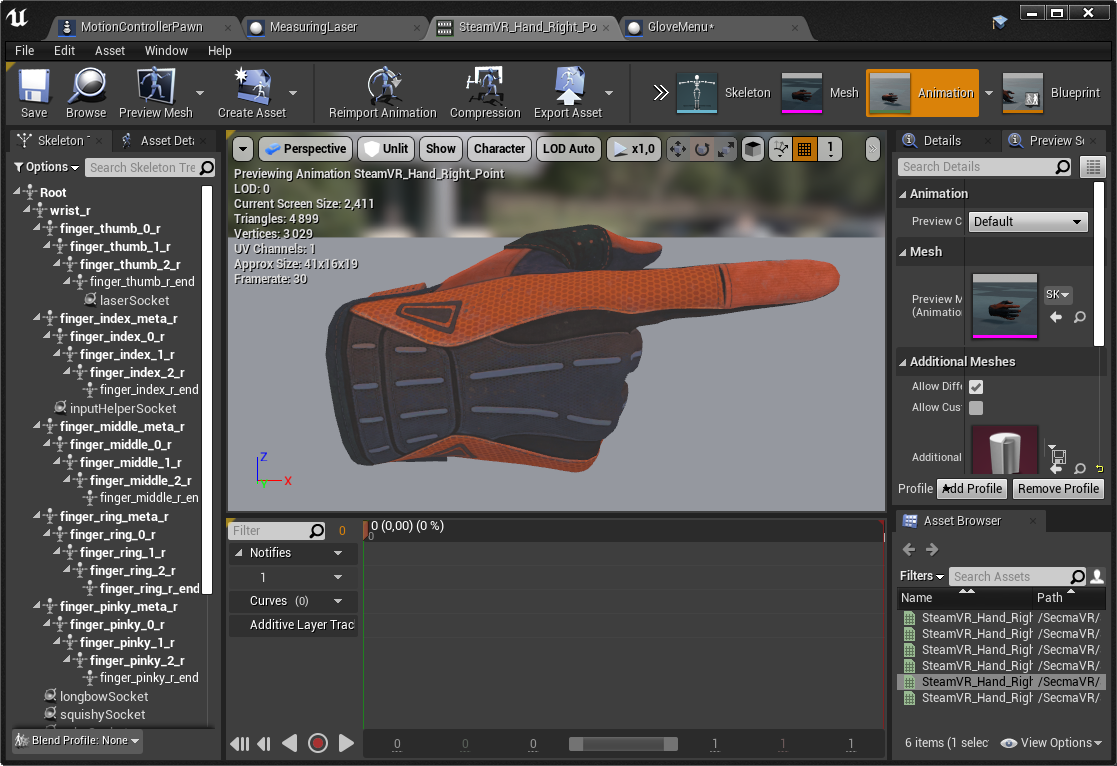
Hello! Anyone knows how to save my pose once I've edited it? https://i.imgur.com/9QIAUZT.png
I've tried everything I could think of 😕
In the meantime I've done "create new animation asset from current pose" but this requires me to create a new asset, consolidate references, save and reload the editor to rename the new asset for every modification I want to make, so any alternative to just edit it in place would be welcome 🙂
mellow summit
i asked this too and you cant do it without duplicating :S
it so weird seems so straight forward
worldly ibex
That's ridiculous 😕
I think a while ago I found there was a way to actually apply the modifications to the current animation sequence, might been misremembering, but having to duplicate the sequence and do all that (frankly unsafe) asset juggling to move a finger's bone 1° off is pretty terrible
 placid thorn
Anyone know why some animations appear distorted when exported to Unreal (manually or using BlenderToUnreal plugin) but look fine in Blender?
In Blender:
https://gyazo.com/a872e7ee01f28111fd21a66fd1ecbfc1
In Unreal:
https://gyazo.com/a20c3ecab4fd4bba930c128291fe299f
I've been banging my head against this problem for days, found several similar posts online but no working solutions...
 tall holly
is there a tutorial on how to do this? https://youtu.be/TYSdxW2WHcI?t=988 because i cant figure it out for the life of me and the docs don't help because the nodes don't even exist
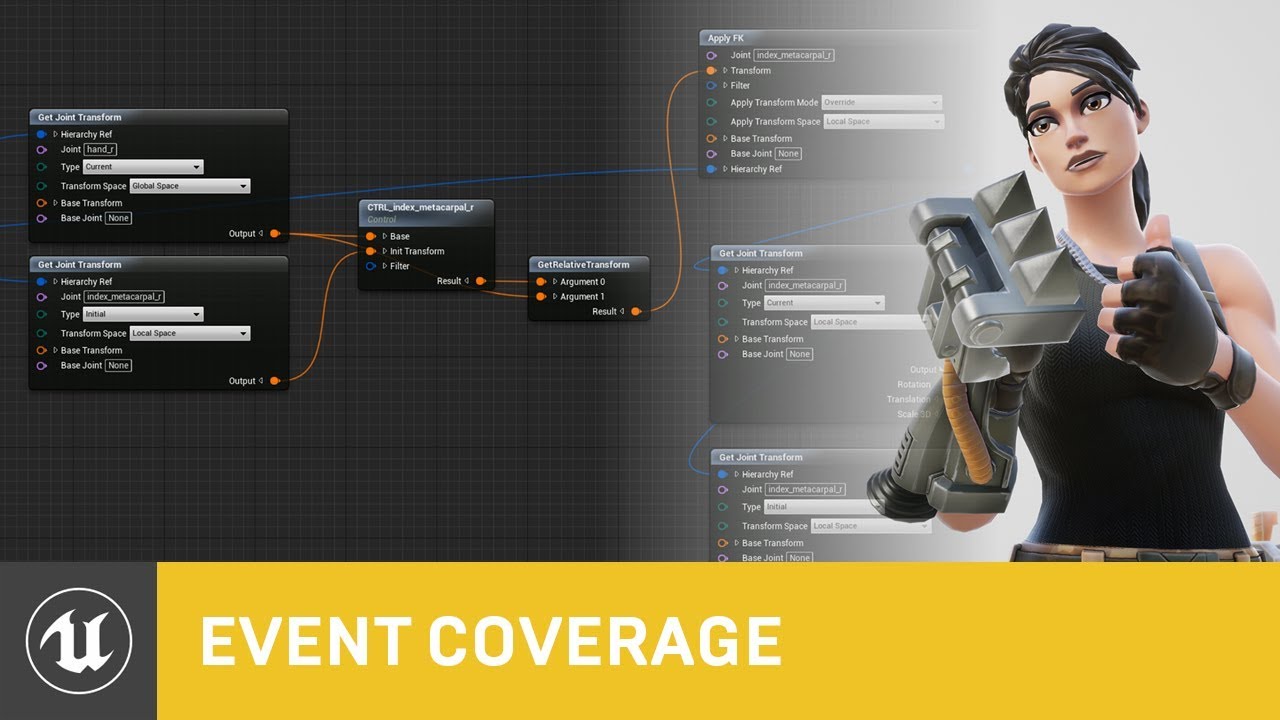
Control Rig is a highly flexible tool based on Blueprint that can be used to drive animation inside UE4. In this Unreal Engine Learning Theater session by Epic’s Wes Bunn during GDC 2019, you will get a look at the Control Rig system and learn how to set up a Control Rig Bluep...
 icy pumice
Is there a way of making an animation play on a character from a selected frame (for example from frame 20 or 34 instead of frame 1)?
tall holly
actually nvm i tried to that as well and i couldnt figure it out
mellow summit
@worldly ibex let me know if you do figure it out....it seems so obvious but isn't available
worldly ibex
@mellow summit I'll try to remember and ping you if I do find a solution, for now I'm just duplicating sequences and doing the reference switch thing
 young urchin
Greetings!
How can i get Socket/Bone location in ABP?
it seem only possible from owning skeletal mesh
 clever shore
did anyoine used Aim node from Control Rig ?
I somewhat got all working within control rig when using control points
but it falls aprat in game, due to wrong axis ;s
celest raptor
Check that you're correctly using direction vs. position vectors. Also check that you're using global coordinates vs. local coordinates.
 ripe yew
Hwo do you fix this twisted wrist?
https://gyazo.com/e86fcca97a49ca2bb66826dfebdf82bb
 mellow summit
im really confused.....there is no anim notify that was created but it is still firing....wth?
like AnimNotify_IdleStart
does this automatically start when locomotion state machine changes?
yup i can't get anim notifications to fire in the child animation blueprint but it works fine on the parent animation blueprint
zenith meadow
Did Epic only release full animation sets for strafe blend spaces for a few of the paragon characters?
zenith meadow
Did you make sure you're not switching out of the state in which the animation plays before the notify is reached? I think that's a thing that can happen.
mellow summit
I found out that its not even transitioning to that state! something else is going on
it would be nice if I could debug locomotion as the game is playing
ugggh i feel so stupid i can't beelive i wasted 3 days on this thinking it was "jumping" when it was just the guy walking and being lifted in the air
LMAO
 devout dagger
I have 5 LODs, Base and 4 more (skeletal mesh). On Windows I am fine with all of them. On Android, I need for Base LOD to be LOD1 (basically I need to ignore Base LOD on Android). How do I do this?
 plain skiff
Just curious as to what causes this when retargeting skeleton assets to another skeleton, and how I could possibly try and fix this.
This is causing my animations to be off obviously.
 arctic spindle
Mesh contains Armature_001 bone as root but animation doesn't contain the root track.
Import failed.
HELP IM TRNA TO REIMPORT MY ANIMATION
but it keeps giving me this error
dense jungle
I think a while ago I found there was a way to actually apply the modifications to the current animation sequence, might been misremembering, but having to duplicate the sequence and do all that (frankly unsafe) asset juggling to move a finger's bone 1° off is pretty terrible
@worldly ibex You can do it by adding key frames and modifying the position of the bone (then hit apply). This adds a layer track to the animation.
worldly ibex
@dense jungle But the default SteamVR asset all seem to use the default skeleton position (which isn't tied to keyframe I think? But then again it does say it has "1 key", it just doesn't appear in the timeline). I just wanted to keep my additional assets similar to theirs 🙂
dense jungle
@worldly ibex Not sure about the Steam VR anim - I just open the anim, pause it, scrub to frame 1, make the adjustment, click plus to add the frame and apply. Works a charm.
 soft trench
Anyone having issues with Time Stretch Curve in montages? Doesn't seem to care about the curve
In 4.25.3
 fallen gate
Does Unreal have any concept of some generic animation clip editor like Unity does? I know there is animation editor for skeletal meshes, and there is also sequencer for cinematics, but I am wondering about something simple for linear animation on blueprint level, for example when I want to animate just some simple static mesh hierarchy 🙂 Something like this:
 sudden sedge
Can I do a rotation only additive animation?
 dusk cedar
Hi I am having trouble with my "direction" variable in my animation blueprint that is used in my blendspace for the direction going... Here's what I have right now. https://gyazo.com/ad23cf7cd167e2c8c7370f843d5628a0 As you can see in the little video preview, the server can see the direction of all clients. But when I try moving with the server, clients don't see the server's direction... https://gyazo.com/cbbf4451d6e3dedf7d30ecb4adddcf05

Would extremely appreciate if someone helps 🙂
 pulsar trellis
Is there a way to get around creating blend spaces for every skeleton? For instance, I have many monsters that will have similar animations, but different skeletons. I was able to make a base animBP and I just create a child of it for each monster and fill in the variables with the correct animations. At first, I used blend spaces, but every monster would need them created. I then started to recreate the blend spaces directly in the animBP so I could simply plug in the used animations. Is it possible to just create one blend space and then make children of it to override the animations? Kind of tired of making the same blend spaces over and over, haha.
 small portal
anyone having problems with control rig randomly rotating and moving controls around when using them in sequencer?
i specifically didnt touch any of the leg controls here
dense jungle
@fallen gate use a timeline and add keys to change the transform values
this is a timeline
 mental badger
Anyone know why my montage breaks when looking up? I have it set to additive and local space.
https://www.youtube.com/watch?v=3Wt6jZAmXpU
 graceful saffron
When walking I would like to make my character turn around in a “prince of persia” kind of way. For instance player is running to the right and the controls are suddenly changed to the left. So the character basically “applies brakes” before turning around. How would I go about making something like that? Is there a specific term I can search for on google or something?
pulsar trellis
@graceful saffron Make a montage that includes braking and turning around. Play montage when sudden change occurs.
graceful saffron
@pulsar trellis ok. So I would have to make something that controls and monitors changes in acceleration in generally the opposite direction and work my way up from there to a montage. Ok. Thanks!
small portal
https://i.imgur.com/lPaYpUh.gif heres an example on what exactly is going on. simply moving the viewport will randomly move parts of the rig around. really odd
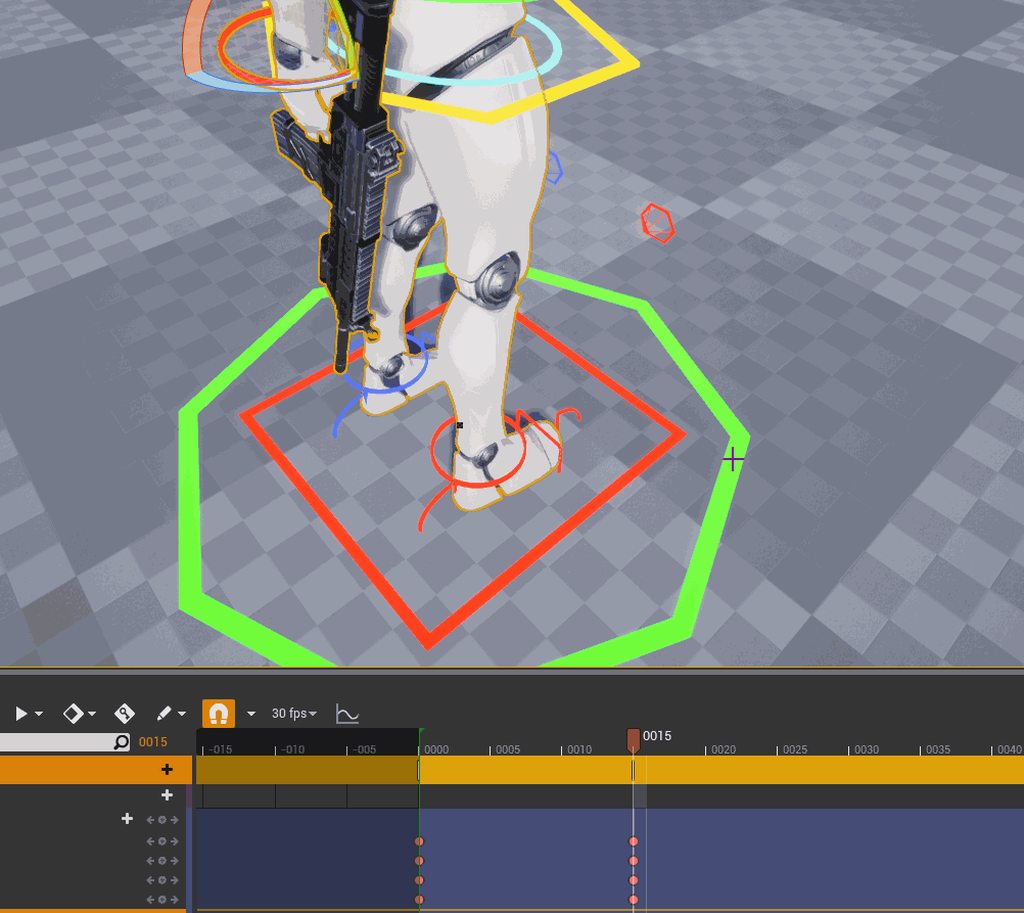
for reference if someone encounters this: the sequencer by default has the keybinding [S] to key a transform. this also triggers while in viewport navigation mode, this is what was causing the issue. i dont know why it would do that but there you go
 strange thistle
Can someone recommend a good animation guide? From start to finish
 fresh wave
@strange thistle Start being what?
 split void
Is there any way to incorporate a Montage and blended animations? I'd like to have the feet of my character mantle dynamically to ledges of various heights, but activated in the ThirdPersonCharacter blueprint.
 thorny egret
Anyone know what im doing wrong? I want him to swim on the surface so i moved the root up in the swim animation but it changes nothing.
 zenith meadow
Is there any easy way to create an animation sequence that is simply an animation looped twice? In-engine/in-editor, I mean.
 thin badge
i'm starting to learn to animate characters for my first game... i have a jump animation that need to be split up into a start, loop and end animation. does someone have a link to how this is done please?
 mighty sable
Hello guys pls does anyone know a good auto rig system I can get?
I want to make my mesh use unreal skeleton
thin badge
does anyone know how to stop the root motion affecting to orientation of my character? i've searched for hours and can't find an answer. please help lol
dense jungle
Does anyone have any ‘best practice’ links or tips for implementing a sprint animation - currently my character sprints backwards which looks ridiculous! Many thanks.
 winged violet
Are animation sequences created from control rig just as optimal for games as ones you'd create in a DCC?
small portal
i'd guess that depends on the amount of frames you render your sequence to/use in your sequencer
speaking of which, is there a way to copy the sequencer keys from one leg to the other, e.g. for a walking cycle
i dont find a way to do it
bronze osprey
id say controll rig is still highly experimental,. not using the words "completely broken'' 😛
other than that its just a bunch of frames it spits out when recorded so performance wize doesnt matter how u made it
 flat sluice
Hi all, I have a dumb question. I want to make a skeletal mesh with a single hinge joint. For the rigging, would this require blender or can I make the bone structure in UE4?
here is a very shitty and crude drawing of what I am trying to do
bronze osprey
you cant weigt bones in unreal
but 1 hinge with 100% weight you could just rotate with a timeline
it doesnt need a skeleton
 wind marlin
so i made a character in fuse, and sent it to mixamo. then downloaded the fbx and imported it into ue4. the character is some what transparent and the face wont show up. fix?
flat sluice
@bronze osprey thanks for the reply. I don't quite understand what you're saying -- would it be one or two meshes with your example?
bronze osprey
2
flat sluice
thanks 🙂
bronze osprey
you could also do a bone in blender, whatever u prefer
mighty sable
hello guys i have been having this issue after using auto rig pro
pls does anyone know what to do
ive been trying this for days
 normal bramble
I have a blendspace but one of the animations is oriented downwards. is there a way to fix it without exporting, editing and reimporting the animation?
 tranquil lark
@north herald 2 months ago, you actually posted the answer to the problem that you were having. Thank you. I just ran into the same issue and couldn't find an answer anywhere. Thank you for not being another DenverCoder9 (https://xkcd.com/979/ - for those who don't know the reference)
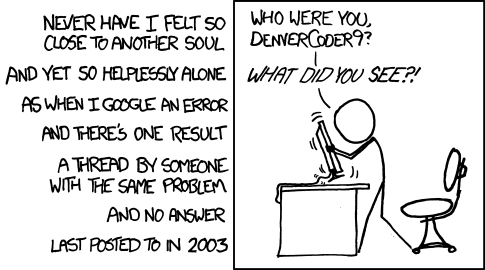
All long help threads should have a sticky globally-editable post at the top saying 'DEAR PEOPLE FROM THE FUTURE: Here's what we've figured out so far ...'
 somber root
@wind marlin with your question you turn all of the materials from transparent to opaque.
In the material blueprint
wind marlin
Yep
I figured it out already
Then I found eye brows were fucked
But I fixed that
 hallow valve
I can't import my blender model into UE4, UE4 detects it as an [import animation] and wont let me import until I assign a skeleton in my project for my import. If I do select one, UE4 says it failed to import it.
"Mesh contains bone as root, but animation does not contain the root track"
hallow valve
turns out I had one bone outside my root hierarchy, fixed it
 pseudo narwhal
Im looking to buy a new laptop for art, both 2d and 3d. Ideally I want those new flip laptops so I can draw and maybe use the pen to move bones around for animation. Does anyone recommend a flip laptop for this and if so which brand do you recommend? Thanks 🙂
warm pebble
Hey guys, need some tips on reload animations of weapons like assault rifles and pistols
pallid shadow
Hello , i'm trying to make strafing anims for a dragon , and to make the behavior itself in general. How would i go about this? Do i take normal walking animations and shift their focus to the center of the screen as if its looking at the player? Use those as the anims and then create the behavior?
 rigid mango
Hey. SO ;I need to add a Anim Notifies and I am running the latest version of unreal Engine and every tutorial or documentation points to a par I can simply right click and add a Notifies to. This is not the case and I simply can't figure out how to add an anim Notifies
Never mind. I found the answer.
Answer
 nimble patio
Hello, does anyone have an updated tutorial on the workflow from creating a custom character in blender to rigging it for animation properly to work inside of ue4. Im trying to find a thorough tutorial series or class that teaches this along with all that is included in making a character from scratch live uv wrapping, normals, etc. Every tutorial i seem to find is from blender to unity or is running on old blender.
 simple shuttle
@nimble patio not really series or teaching, this is my rigging workflow
https://anasrar.github.io/Blender-UE4-Workspace/skeletal-mesh/#workflow
https://anasrar.github.io/Blender-UE4-Workspace/skeleton-preset/rigging/
misty dagger
Yeah @spare garden. What do you do your rigging and animations in? Maya?
Ah, it says blender.
 placid furnace
Just came here to ask the same @nimble patio . I used a meta rig and renamed the bones to match those of UE4 to be able to retarget mannequin animations and thought there has to be an easier way
misty dagger
This is exactly why I just made the switch over to Maya using ARTv2.
The rigging seems so much easier to match to UE4, but I haven't looked into it too much. Just getting started.
I stumbled upon a LivAnimated video on youtube. There's a whole series on Mesh to rig to skin to ue4.
placid furnace
I'd rather work with Blender though, also Epic just recently started to support it more
but it's still missing out a few pieces when trying to export a character rigged with rigify - that is supposed to be able to retarget animations
at least as far as I know - came here looking if I missed something
misty dagger
Gotcha. If I could get something like ART2.0 in blender, I would still live in blender.
simple shuttle
this is how i rigging and skin weight in Blender and export to UE4 with my addon
https://www.youtube.com/watch?v=mBTbSlWbTNM

example my blender addon how to rigging and export directly to unreal engine
TIMESTAMP
00:00 - Rigging
06:35 - Check Deform
07:38 - Vertex Weight
10:44 - Export to Unreal Engine
11:11 - Check Animation
CREDIT
Model
Gamedev character with a handgun Free low-poly 3D ...
placid furnace
thanks @simple shuttle I will watch it now
looks really good!
so no need to retarget animations?
one question though, I'd like to use the rigify rig to make animations - how would this work with your addon?
simple shuttle
one question though, I'd like to use the rigify rig to make animations - how would this work with your addon?
@placid furnace yes you can, you can import to UE4 and export the skeletal mesh to fbx and using UE to rigify
https://www.youtube.com/watch?v=9FjlgyuGhNo&list=PLZlv_N0_O1gaxZDBH0-8A_C3OyhyLsJcE&index=2&t=0s

UE to Rigify is a Blender addon that uses constraints defined by visual nodes to drive any rig and its animation with the Rigify modular rigging system. In this video, you will learn how to get up and running with the addon and how you can immediately start using it in your ga...
so no need to retarget animations?
@placid furnace no, in latest version you can set pose exactly like mannquin
read the documentation https://anasrar.github.io/Blender-UE4-Workspace/skeleton-preset/rigging/
placid furnace
so you are saying make the rig like in your video of your addon, then to make animations use the UE to Rigify addon?
simple shuttle
yes
placid furnace
ah you only generate the rig after exporting the skeleton
awesome, trying it out today!
misty dagger
Wow rin that looks really promising.
 simple shuttle
you can also retargeting any animation
https://anasrar.github.io/Blender-UE4-Workspace/retarget-animation/tips-and-tricks-retarget/
placid furnace
bear with me, one last question. How would I go about using Mixamo animations for my custom character with this skeleton?
oh well, guess you just answered my question before I asked ^^
people really need to know about your addon! It looks even better than the praised Send2Ue
I was just about buying autorigger pro - just to get the export to UE right, as the bone names and everything had to be mapped all the time
simple shuttle
my reddit account got shadow banned, i cant promot any update
placid furnace
what, how?
simple shuttle
im not very active on reddit, and post a lot reference link
i think thats why i got shadow banned
misty dagger
Wow, you have a ton of documentation too.
simple shuttle
Unreal Engine Forums
Blender Unreal Engine Workspace
Blender 2.8x (above) add-on for export directly to Unreal Engine 4 with all setting in Blender (inspired by send to unrea...
misty dagger
Added to my list of to do tomorrow, I'm gonna fire up blender again and try to to get a project into UE4.
Maya is fun and all, but I'm just better in blender.
placid furnace
thank you very much rin for providing this addon
misty dagger
I wish I would have stumbled upon this sooner.
placid furnace
I guess it took a lot of time creating it, and it looks very powerful
misty dagger
Thanks @simple shuttle.
If I have any issues I'll be sure to annoy you in DMs.
Lol, jk.
simple shuttle
not problem
plain skiff
Just curious as to what causes this when retargeting skeleton assets to another skeleton, and how I could possibly try and fix this.
This is causing my animations to be off obviously.
https://cdn.discordapp.com/attachments/221798806713401345/753876894486757446/unknown.png
 misty dagger
Maybe root bone isn't named armature?
or other way around.
I know I had that issue. Probably has nothing to do with yours. Lol.
plain skiff
Just re-opening my project. Will check that right away.
simple shuttle
also you can check github issue https://github.com/anasrar/Blender-UE4-Workspace/projects/1
im make alot mistake when refactoring code lmao
GitHub
blender add-on for better workflow with unreal engine 4 - anasrar/Blender-UE4-Workspace
plain skiff
Hmm. Root is just called root
nimble patio
@simple shuttle Im sorry im just getting back to this, But your documentation is exactly what ive been working for thank you so VERY much!
 wraith hornet
hello people, I have a rather weird issue with my animation I can't really figure out. Can anybody help me with this? https://answers.unrealengine.com/questions/982233/view.html
 vivid surge
If I have two skeletal meshes that share a skeleton, is there a way for them to have the same socket with different transforms?
under the same bone in the hierarchy
I just found out you can create mesh sockets, nevermind
 gilded kayak
Hi ! I was wondering if there is a way to seperate the anim graph from the animations in a blueprint ? We are having multiple characters who will move the same way but with different animations, so I want to keep the "logic" of the animation graph but change the animations, so I can have like a "idle" animation that is different. Right now, all tutorial I saw makes me directly reference an animation. Is there a way to have an abstraction that I can say:
For Character A:
Idle: CharacterA_Idle
Walk: CharacterA_Walk
For Character B:
Idle: CharacterB_Idle
Walk: CharacterB_Walk
and then in the anim graph play "Idle" or "Walk"
simple shuttle
you can use blend by enums and set unique enum each character, not really recommend if you have more then 4 character, its really hard to maintain
even epic using separate animbp for each part
gilded kayak
hum, so far we have 16 characters, but thanks I'll look it up, maybe it will work 🙂
simple shuttle
@gilded kayak after digging you can do with variable, drag any animation to animgraph click the node, on detail > setting you can expose the asset sequence and store the animation into variable
you can assign variable on init anmbp
gilded kayak
oh nice ! Thanks a lot ! It looks like exactly what I was looking for !
 modest moth
I have a weird question.....so I have a walk animation and an attack animation. ....they look ok separately but when I attack while running, my character does the attack animation but also kinda keeps floating forward. How can I make it that my character stops moving ....does the attack animation and then starts moving again???
 nimble cliff
(Unreal)Im trying to record during gameplay, I want the capsule to update is height as well and is transform information. If I start the record crouched he will put the capsule in crouch positionhttps://i.imgur.com/9z8tVYu.png but when I stand he will https://i.imgur.com/LiaIYXP.png keep the capsule in the crouch position. I added https://i.imgur.com/3HxQL7f.png to the sequencer recorder but seems that do not record


 lime ore
hey, i have made character animations on blender to unreal, all with 60 frames. is there any performance boost if ill change the anim frames to 30? and does it look smooth when game frames are 60+? is 60 frame animations just overkill? 🤔
 mental ridge
Hey guys I am combining the flying locomotion animations into the dynamic combat system. When I am trying to cache the state machine It gives me an error...
Infinite recursion detected with SaveCachePose Flying and LocomtionWithJump
Anyone know how to fix this? If I disconnet the flying cache it compiles
@modest moth Does your attack animation when by itself move the character? If so it needs to have root motion enabled. If its the case of having a blended animation between the two walk and attack you should have a slot setup for upperbody the can be blended together by bone in the anim graph.
modest moth
@mental ridge I do have root motion enabled that's not the prob....and the other thing u told is to attack while walking ....I want my character to stop then do the animation and then keep walking
mental ridge
@modest moth I would create a boolean that you can set to true or false when the attack is happening and use "disable all movement" that might work. You could also try anim notifies if the attack is an animation montage and have that be used to flag the walking to stop. Hope that helps 🙂
modest moth
@mental ridge I'm sorry but could u clarify a bit more what u mean by that second part???
 wet fog
is it possible to export only the animations of a skeletal mesh to FBX? whenever i try exporting just the armature UE4 cant find a mesh or timeline
i want to avoid having to reimport the entire skeleton every time i want to add an animation
errr this is regarding blender. sorry 🙂
simple shuttle
@wet fog assign action you want to export to the armature , select the armature > export fbx > object types only armature > bake animation > uncheck NLA Strip and all action
wet fog
Thanks! I’ll try it again
devout dagger
what's the downsize of scaling up or down skeletal meshes ?
I have a character already made and animated, and I'd like to scale it up a bit to make a mini-boss.
simple shuttle
nothing
mental ridge
I have the Dynamic combat system (the bundle) from the market place. Is there a best way to learn from this? It is very complex with many things I don't recognize, I want to understand this so I can make proper adjustments and make my own combat system.
hallow valve
I made a mesh in blender and made an idle animation for it in blender, I imported both of these into UE4, but it seems like it created both a mesh that is not animated, and some sort of "animation sequence". How can I have my mesh play the animation of the animation sequence? I can't seem to assign any animation to it.
I guess I need to add the mesh to a character class blueprint and control the animation from there.
bronze osprey
yea or if u drop the anim in the level it also plays
misty dagger
Hey guys what controls an NPC's abiltiy to turn right realistically rather then just snapping to a 45 degree angle?
I'm sure it's done in animation blueprints but I don't know what tutorial I need to look at for it
misty dagger
Hello, I am having some trouble with my root motion, I animated a character with the root animated while remove all translation data from the hip and put it in root bone when i activated enable root motion the root motion doesnt work, it keeps jumping back in place all the tutorials show is you animate the rig while making sure the hip only rotates doesnt move and animate the root translation and in engine activate root motion and your good idk what im doing wrong is there a step i am forgetting or i have to do in order for it to work properly?
@misty dagger I'm having the same problem lol...
wet fog
@simple shuttle thanks! that worked, it's just REALLY finicky. you have to have the Armature selected while you export.
 cloud wing
Hi guys, I have a FBX with multiple animations, like eyes blinking and other simple stuff, is there a way to merge them all so they are played at the same time? this is like a rest position, so it's really simple
but I can't make both eyes being played at the same time for example lol
modest moth
im trying to retarget this...but idk why the skeleton comes as really big so when i retarget my charcter is like folded in....how do i make it small??
devout dagger
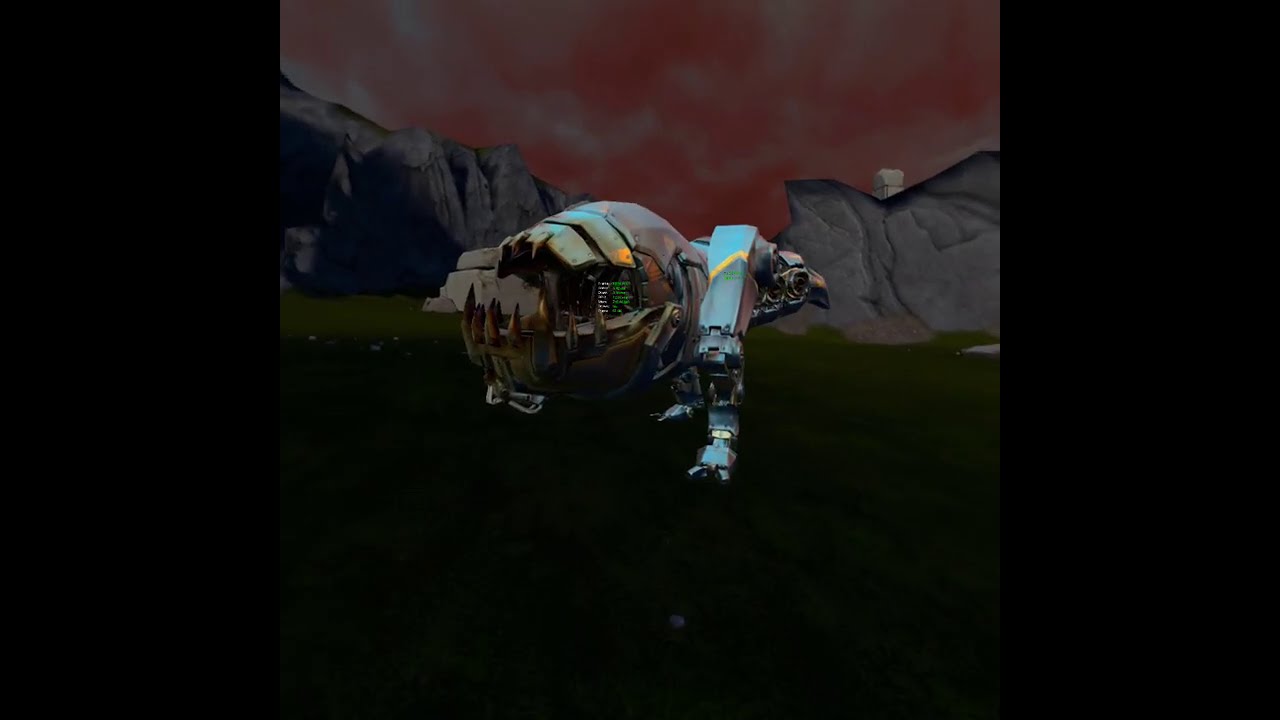
if you look at his foot, you'll see that lower LODs are twitching. It appears perfectly fine in the anim app and in FBX viewer.
devout dagger
this is a better video https://www.youtube.com/watch?v=V73_Yb8bWK0

 sudden axle
need someone to help me rig a cross bow Please dm if you know how to do it Thanks super new to game dev !
 real karma
Can you set up your rig so that elbows can't bend backwards? If you set up your rig nice enough is it like moving an action figure? What software would allow such customization. I was looking at getting started with Spine, but am considering jumping straight to 3D
 azure brook
Hello guys, i want to ask something. What is Curve Driven Animation System ? Thank you
 novel viper
Question. Is there a way to blend two animations together without using code? I'm using animation montages for weapons reloads. Now I have two parts of a rifle reload (a place in bullet and a cock animation) I'd like to combine these two so that I can make a single anim montage of it that I can then use in my code. I know I can blend the two using blueprint, but this would completely go against the simplicity of the system I have installed to use a single montage. I can also not edit the animations myself in external software sadly. What would be the best way to achieve this? Currently I played both animations inside a montage as sections but there seems to be no way to add / change blending when section one jumps to section 2?
placid thorn
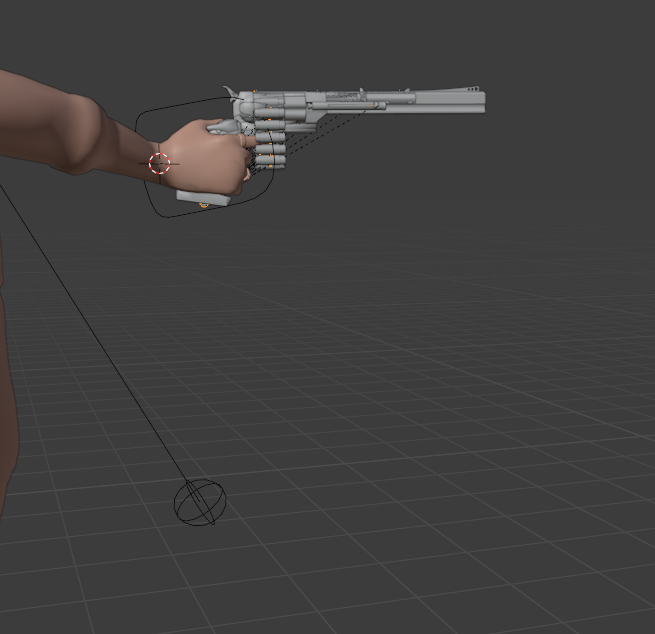
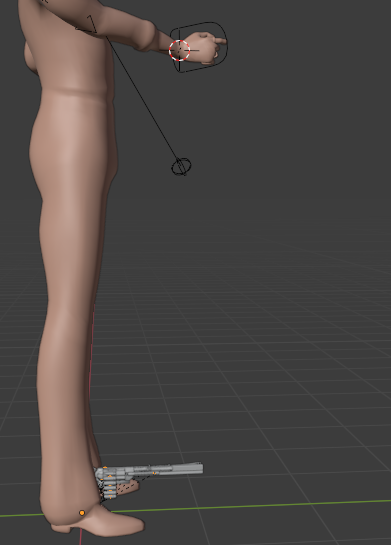
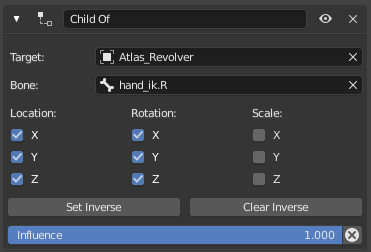
Anyone know how do export an object from Blender to be socketed in Unreal, while maintaining the same relative distance as a Child-Of constraint in Blender? Both are skeletal meshes, if that makes any difference.
With constraint on:
https://i.imgur.com/dd8xHQx.png
Constraint off (for exporting):
https://i.imgur.com/uG9sgNG.png
Child-Of settings:
https://i.imgur.com/VMm5Gwz.png
When socketed to the hand in unreal (180 degree rotation on Z, otherwise zeroed):
https://gyazo.com/dcfec0d59f6cd37914e88e043a0fa58d
 devout dagger
I'd really appreciate help with that twitchy animation issue 😦
 crisp field
Hi, I have a problem with the rig mannequin control, I try to move the hand and press the s to save the key but the leg also moves as if they were tied.
devout dagger
@tribal zenith is there any way someone could look into this https://forums.unrealengine.com/development-discussion/animation/1812523-skeletal-model-joints-stuttering-jittering-in-lods-lower-than-baselod (along with the bug report I submitted) ? Thanks
Unreal Engine Forums
Just noticed this weird issue last night (UE 4.25.1):
https://www.youtube.com/watch?v=V73_Yb8bWK0 (https://www.youtube.com/watch?v=V73_Yb8bWK0)
Is it a bug or was it always like that in UE4 ? I never used pre-made LODs before. It was always either BaseLOD-only skeletal mode...
nimble cliff
Hi guys I did a list of places to learn blueprints for animators
blueprints, blueprint, unreal, engine, paragon
do you guys know more channels to learn this stuff?
cloud wing
wow thanks man, really useful
 tribal zenith
 summer swift
hey can somone help me inport a character mesh , i have bones they all match up and it keeps saying failure to import , and want me to rebuild can someone help real quick?
misty dagger
does anyone here animate with 3ds max? Im trying to export a rigged and animated mesh to UE4, but when I import it to Unreal, it counts the mesh itself as a bone
I tried to put the mesh under the root bone in the heirarchy within 3ds max, and now it exports the full skeleton (while still exporting the mesh as a bone, under the weapon bone), but when I import the test animation.... it animates the gun but the mesh isn't skinned to the bones.
It only seems to be skinned to the mesh bone
and I don't even know why it's exporting the mesh as a bone in the first place.
 fair drift
Can I make shared anim blueprint for multiple skeletons? I have identical animation logic on multiple characters
meager plank
is it possible to add an impulse while playing a montage`?
 lean jasper
so what settings do I need to have in order to correctly import the ue4 skelton to blender it never imports correctly?
sudden axle
can someone help me rig my crossbow and make the animations Please im super new to game dev and im trying to help my kids make a a game Please and thanks need to be able to use in ue4 feel free to Dm me
summer swift
can anyone help me import a unity project to unreal its rigged, no matter what i do non of the animations will play for it anyone really good with rigs and bones?
 outer iris
Anyone know how to use morph targets in the ue4 control rig?
 errant hearth
My idle animation is messed up, left hand twisted too much inside. But when i view it in the blendspace everything is ok. Also if i check it outside the blendspace it's ok. The only problem is when i play the game. What could cause this?
modest moth
how do i add a notify in a montage??
all the tutorials online are for older versions of unreal
errant hearth
What could cause this left hand problem: https://i.imgur.com/nIlEaO4.png it's twisted in the wrong way. it's an idle animation, but when i check it in the blendspace it looks normal. it creates this problem only in the level and when i play it

 timber star
@azure brook you need to add it in anim BP
using a node dynamic physic something like that
that s do a simulation of physic on the bone
@errant hearth are you using something more in the bp
blending etc...?
this could came from here like mistake in ik etc
misty dagger
how do i fix this? or is it normal?
 echo patio
modest moth
echo patio
modest moth
ue4 4.25 add notify in montage
how do i add a notify in a montage??
all the tutorials online are for older versions of unreal
 crisp bluff
does root motion works with replication multiplayer?
bronze osprey
@misty dagger no that looks messed up
misty dagger
yeah i know, i gave up on that im just making my own rig now and im gonna import it into unreal
bronze osprey
if u import many to blender in fbx import setting check auto allign bones
ahh ok, i sometimes do that, but i dislike rename every bone for humanoids
 verbal gazelle
Here is a question....Can you animate a large chunk of landscape with trees and foliage etc? Like for instance, could i morph part of the landscape and the trees would follow the morph? Or would I be better off creating that part of the landscape in another 3d package and treat it like a character with bones etc?
bronze osprey
landscapes usually dont move
treess are done with vertex offset
you can just grab a plant from megascans and use their wind stuff
verbal gazelle
Ahh ok thanks...I will treat it as a morph target type thing then I think or rig it. ....its a piece of landscape that has to move in real time to change shape but the trees stay in the same spots roughly
A huge piece of landscape might I add
misty dagger
what do i do?
bronze osprey
fix ur mesh 😛
bronze osprey
your verts are not connected
misty dagger
yeah i just found out right now this whole dude has a duplicate of his own body under his skin lol
errant hearth
@What do you mean with "ik"?
timber star
@errant hearth if your are using a node with ik and you set wrong param in this will cause this kind of bugs
*_*_*_*_*_*_*_*_*_*_**_
is it the normal way this ik bone should work using ue2rigify epic tool in blender or is there a bug?

 harsh garden
Hi
What does this mean, Generate Overlap Events?
simple shuttle
@harsh garden https://docs.unrealengine.com/en-US/Engine/Physics/Collision/Overview/#overlapandgenerateoverlapevents
An overview of how Collision and Collision Responses operate in Unreal Engine 4.
harsh garden
@simple shuttle
okay, so it comes in handy when you want the character to trigger an event or other blueprint event related things
Not the physics itself
correct?
harsh garden
A very simple thing, yet not working 🤔
What could be the cause?
hmm, could be this one
errant hearth
@timber star Animations that i use are from the marketplace. And i doubt that they are created with the blender. Can something in the AnimBP create this problem?
 dusty burrow
"this bone exists only on the skeleton but not on the current mesh"
the bone in question is for handheld objects
but when i import an animation with it it ignores that bone because the skeletal mesh doesnt use it
how is this resolved
short of skinning some useless geometry to this bone
bronze osprey
u might wunna use asocket
so u had a skel, and ur anim bp is using that skel
later u added a bone to that skel and made an anim with it
if u dont change the skel mesh to have that bone it cant do anything with it
its like retargeting
it can use the anim but not the extra bone
dusty burrow
i dont want to use a socket
bronze osprey
you get it in the anim bp not on import right? (the error i mean)
dusty burrow
because the thing the character holds can leave their hand
bronze osprey
but you can detach stuff from sockets
you could add a virtual bone to ur old skel and retarget the anim object bone to VB_object bone
thats if they allways have the object on em, if they can change objects use a socket
or add another skel mesh component to the character
if u R mouse a keleton, not skel mesh >create > rig you create a retarget rig for that skel
skinning useless geomety to it is not goin to work cuz skel meshes can have bones w/o any weight to em
 dim stump
After playing an animation in character through level sequence, skelMesh -> AnimInstance -> play animation in slot does'nt working
But play montage char node is working.
Also tried to put the key of animation mode to switch back to "use ABP" instead of "custom mode"
even while in "use ABP" doesn't working 😦
timber star
@errant hearth yes like i said bad use of blending or ik can typically generate this kind of error
dusk cedar
Hi I am trying to find a tutorial on how he does that. (Rotating arms) at 1:02 in this video. https://www.youtube.com/watch?v=bMCXypuq4jk&ab_channel=DevLoDCould someone help me with that?
This is a tutorial series where i will show you guys how to setup a true FPS character with the following features:
- Camera system.
- Locomotion setup.
- Turn in place mechanic.
- Hand IK system.
- Weapon ADS (Aim down sights) system.
- Weapon sway mechanic.
**Join my disco...
basically I dont know how to make the arms move based on the rotation of where your looking..
 wispy sorrel
maybe try parenting your arms mesh under your camera?
 peak venture
someone please join the voice channel i need some help
or can anyone please help me?
errant hearth
@timber star I have fixed it. It was a problem was aim offset in the animBP.
warm pebble
Can someone guide me through additive animations? to be specific im trying to add a "hit reaction" animation to my character when he is idle, or aiming with a gun
basically when the player gets shot, he needs to give a sudden jerk animation ( but the same animation ) even when he is aiming or standing idle
 static falcon
@peak venture help with what?
@warm pebble Just animate the hit effect that you want on top of the idle or aim pose, then you put the original (without hit) as the reference pose
It will then just apply the difference
I'm not an expert at it but that's just a crude explanation of how they work
What could look cooler though is that you could add a physics impact from the direction of the shot to the capsule that got hit, so if he gets hit in the shoulder his shoulder would move for example
timber star
@errant hearth yeah that s good
static falcon
This would require IK's to do properly though I think
 fair sable
Hello, i want to make Animation Sharing, but can it use Skeletal Control inside?
 trim pawn
@dusk cedar Try this tutorial for full body first person. https://www.youtube.com/watch?v=vNP7UbgC4jk&ab_channel=AngeIV

Another episode of Advanced Blueprints tutorial and animation techniques.
We are making a true first person with fpp arms blended on top of the full body figure with full replication within just few clicks :)
In this episode you will find:
0:00 Intro
1:20 Quick demo
2:45 Char...
@warm pebble You can find a lot of information on additive animation in the official documentation. A cool thing to know is that you can have additive MONTAGE animations in slot. This is usually how I use hit reactions and shoot animations. If shoot is additive - you can use single animation for both ads and normal shooting. as it enhances the pose not overwriting it.
dusk cedar
@trim pawn Thanks m8 appreciate that 😉
fresh wave
Hey, anybody here know why static meshes exported from Blender are the correct size in UE4 but the animations are super tiny?
clever shore
have anyone used Animation Layer Interface ?
I know how to use it
but I wonder how people structure complex setups with it
I currently made two layers for weapon aim/relaxed but then.. there linked sub anim graph which is more flexible
and might actually work better sine most of layers would share most of state machine in any case
trim pawn
@clever shore I prefer the linked anim graphs as its easier to work in a repository when each animation state is a separate object. working with sub graphs is same as linked graphs. only advantage is that in sub you can have montage slots.
how I made it in my tutorials and any project is having 2 layers at least... One for core movement and one for overlay. On top of that I usually have 3 montage groups (as groups can run simultaneously). groups are: default, additive, overwrite. In each group I have a montage SLOT named full body, upper body. I control if upper body should do full body at idle on tags and animation curves. So I can have part of upper body on a spin in example go full body and return to upper body 0n curve change (like they do in paragon examples)
clever shore
@trim pawn thanks, gonna watch your youtube check it out.
I managed to create setup using layers (where each layer corresponds to one state in FSM), but then.. turns out Linking anim layers do not support BeginPlay (reported). Apart from that, it turned out to be quite good idea.
I wanted to have FSM and graph for various functionality, like weapon locomotion, reload in FSM and currently keep FSMs in separate graphs.
trim pawn
you dont need "begin play" as your core anim graph does begin play and you can push just the values downward to linked anim graph 🙂 MY workflow usualy means one weapon is a single animBP
clever shore
I want to isolate data for each graph
besides it is inconsistent it works for Linked Graphs
but doesn't for Linked Layers
trim pawn
Well i usualy get all data in one graph, but the most important data except locomotion vectors is a single gameplay tags container.. and I do stuff based on tags.
Thats why I dont use layers 😉 if you want to learn about layers and how to use them correctly I suggest breaking apart ALS v4 🙂 Thats the best learning experience you can get for that sort of things
clever shore
meh I really dislike this thing
but i managed to replicate fortnite setup
with layer per state
which is quite clever
trim pawn
huh? what does it mean? : ) I don't know how fortnite animations work.
clever shore
it's on documentation page for Anim Blueprint Linking
each state in state machine have one layer
and when swapping weapons, this weapon links it's own AB which implements those layers
- layers for upper and lower body
 reef agate
Does anyone have best recommendation for working with short non-looping turning animations for characters, like turn 90 or turn 45 left or right? Are they valuable in state machines?
mellow summit
how do I get back the bone manipulations I put in my animation?
I can't believe all that work disappeared
I created new animation from it too
but I open it up and its the old pose lmao
wtf
damn this is really non intuitive
I should be able to modify skeletons, click save and have it reflect
instead I need to record a whole new animation
I lost all that work
wind marlin
Hey trying to remove a piece of the skeleton of this object. I cant seem to delete it. can i get some help
wind marlin
please @ me
warm pebble
@static falcon i go to the hit react anim and set additive pose ( idle ) inside that or the other way?
mellow summit
ohhhh god "spine_01" ---> "spline_01" LMAO
warm pebble
lol
reef agate
Is there any blend pose node in the anim graph that works by a float blend weight other than layered blend per bone?
just trying to blend between two animations, but based on a float range rather than time
fresh wave
Is there an in-engine way to mirror a 3d animation in runtime?
Unreal Engine Forums
Update:
You can check it out in the Marketplace at the following link: https://www.unrealengine.com/marketp...imation-system (https://www.unrealengine.com/marketpla
There's this plugin, but I'd rather not spend money if there's already a way to do it
If not, I'll get that one
 simple star
Posted an ad for an animator in #looking-for-talent if anyone is interested!
fresh wave
@wind marlin Yes, I made them
So the idea is, that I have multiple characters and they move in 2 dimensions, but I don't want them to be back towards the camera when they're moving left.
The easiest would be if I could just mirror the armature transforms.
 lunar valve
Can anyone tell me how to import Unreal animation to blender?
I want to import the animation to an existing rig in blender
wind marlin
I am trying to setup a reload animation with this gun I have. I play the animation but I’m trying to attach the mag to the hand when I do it but don’t know how to. Help? The gun is imported as a Skelton and it has different bones
 celest crane
Anybody have any good best practices for dealing with multiple skeletons and multiple animbps that share almost all their animations? Mostly Im worried abotu the AnimBps and how I can avoid having to redupe my logic everytime I need to make a tweak
simple shuttle
@celest crane just some tips
https://docs.unrealengine.com/en-US/Engine/Animation/AnimationRetargeting/index.html
https://www.youtube.com/watch?v=Oe7fYS9qxmk
https://www.youtube.com/watch?v=tWVZ6KO4lRs
Describes how retargeted animations can be used with multiple Skeletal Meshes, allowing you to share animations.

This talk by Epic Games' Senior Technical Animator Jeremiah Grant covers Fortnite’s use of animation Blueprints including the use of Blueprints for gluing together character parts after retargeting, dynamic solutions for low LODs, and faking dynamics in higher LODs with proced...

In this talk from GDC 2019, Epic’s James Golding, Laurent Delayen providet a roundup of all the latest animation features built for Unreal Engine over the past year, including those created for Fortnite that have made their way back into the tools.
Learn how new features and ...
celest crane
@simple shuttle thanks!
 dense tinsel
Does maximo animations for with the mannequin in unreal engine 4
 mystic wyvern
Anyone have a guide on making a custom Anim BP node? I'm looking at docs and through the source and it's really messy.
 faint grotto
hello everyone, does someone knows why on importing a Mixamo animation, and adding it to a state in my state machine --> in the transition the whole character blinks? I mean it dissapears for 1 complete frame
Does maximo animations for with the mannequin in unreal engine 4
@dense tinsel yes they do work but I'm having some troubles on blending them
 vapid ibex
celest crane
vapid ibex
celest crane
is there any recourse for dealing with anim notifies after retargeting an animation? at that point its just 2 different anims so tweaking any notifies would need to be done twice
wind marlin
Hey so anyone think they could help me with something. I have this relaod animation for a gun, and it plays. I also have the gun imported as a skeleton with the mag as a bone. how do i connect the mag to the hand to get rid of it and add a new one
 tame sinew
Has anyone here looked into cascadeur? I'd love to get started with it, but not many tutorials none the less any vids on it as of yet
 fleet hornet
Sharing behind the scene story from Reallusion Pitch and Produce Program Winner: Ishan Shukla's "Schirkoa" (India). See how added iClone Unreal Pipeline into his new 2020 animated scenes for his Schirkoa universe.

https://magazine.reallusion.com/2020/09/01/pitch-produce-schirkoa-moving-from-traditional-animation-to-real-time-iclone-unreal-pipeline/
Ishan Shukla (India) “Schirkoa” / Film - Ishan is an Indian animation filmmaker. He graduated from the 3D Sense Media School in Singapore in...
 scarlet seal
Im using fracture to animate 'destruction' and using 1 bone with separate objects
would it be possible to lets say bake the animation as merged object keeping that 1 bone ?
or each piece needs to be separate and would need to use multiple bones, or perhaps no bones at all with just fbx?
Because right now merging on import fails right now and would love to have it as 1 object, not really an animator here, wondering what would be the best approach
bronze osprey
@scarlet seal 1 skel mesh with a bone for each piece i think
there is also apex or chaos in engine
depending on what you make could also use a mesh particle emitter
scarlet seal
@bronze osprey Aye I ended up using alembic, small file size since the pieces are not morphed or anything
and dynamic destruction was not an option 🙂
works perfect
 stray aspen
i have a problem with my walk blendspace. when i walk back my value flips from -180 to 180 which results in really bad transition... any idea how to fix this?
faint grotto
any idea on why going from state to state in the state machine makes the character dissapear completely for 1 frame?
if I pause and press F8 I grab the character and I move it it pops out again (with the game paused)
simple shuttle
@stray aspen its normal, you can make blendspace min -180 and max 180 and put 2 animation walkbackward in -180 and 180
 opal jackal
What's the correct way to play first person weapon animations? I have arm animations, weapon animations, and some weapons have animations for the bullets themselves. But they are all in one .fbx file so I'm not sure how to implement them in UE4. Ideas?
Should I just play the separate animations on each skeletal mesh and hope that the arms, weapons, and bullets all sync up?
stray aspen
@opal jackal you can sync them in one blender file (you can use any software for this) and then export every single model with his skeleton afterwards. in the engine you just have to play all animations at the same time and they will be in sync
opal jackal
yea when i open the .fbx in maya its all there. I just didn't know if I was supposed to play them all at the same time or not. What confused me was when the magazines were animated as well so I'll have 3 animations to play all at one time just for one weapon
 left jacinth
Anyone had issue that Two Bone IK is not working in build?
faint grotto
is this an UE4 bug? Look what happens during 1 frame when the state blend ends
 granite laurel
Hey, anybody tried to use Linked Anim Graph Instances to have a weapon drive a character's arm animations?
 brisk depot
how do i add my animation to the character?
 stark cedar
Hi guys, I'm starting to get into Unreal Engine and wanted to know if there is a control rig similar to Maya or iClone within UE4 that you use to animate and pose characters.
misty dagger
someone know how can i add clothes to an animated body?
faint grotto
someone know how can i add clothes to an animated body?
@misty dagger is really easy just try to ensure that your 3d model polygons are well distributed, check here: https://www.youtube.com/watch?v=X5acomKAux4&t=3s

In this video we are going to look into dynamic cloth simulation within Unreal Engine 4 and some of the considerations to take to avoid common issues using this method.
Support me on:
https://gumroad.com/mad_pony_interactive
https://www.patreon.com/madponyinteractive
https:/...
Hi guys, I'm starting to get into Unreal Engine and wanted to know if there is a control rig similar to Maya or iClone within UE4 that you use to animate and pose characters.
@stark cedar You can't animate characters in UE4, you can do animated scenes moving bodies like cameras or characters but if by animating you mean poses like 'walking' ue4 is not the right software to do it
how do i add my animation to the character?
@brisk depot u have to create a state machine, inside this state machine create a state and you can drag and drop an animation inside, you can also call directly an animation.Play() from blue prints but the state machine is way easier to understand
brisk depot
thank you!
 prisma plover
Hey guys, we are capturing some camera animation using a Vive mocap kinda setup. We have our cameras loaded in sequencer recorder and they record and playback fine but as soon as we want to render using the camera it seems to be ignoring an additive transform offset that's also there. So the camera has the animation from 0,0,0.
What is the normal process for using this recorded data, I would imagine this applies to anything animated and not just cameras.
Cheers!
 neat dock
my ue4 animations wont play
wind marlin
can someone help me with removing a bone from a skeleton. i have blender and the fbx. please lmk thanks
 lilac oriole
So i have this annoying problem and ive given up on trying to fix this on my own,
Essentially i'm trying to retarget animations to a new skeleton mesh, which is nearly identical in structure to the mannequins. The only problem i have is the IK bones do not want to cooperate.
I have no idea why the Ik bones don't adhere to the same rules even though being exactly in the same place.
opal jackal
Ok so I'm confused. I'm trying to add first person weapons but I don't know if I have to make a new animation blueprint for every single weapon mesh? I already have an animation blueprint for my arms but my weapons are animated as well so I'll need a way to play the idle, run , walk, jump, etc. Is making an animBP for each weapon the correct way to do it? Or is there a more streamlined way? It just seems wrong to create the same animBP over and over just for different weapons.
wind marlin
hey so how can i combine 2 animations. i have a stabbing one with a knife, but the legs are idle. and so when i walk it plays it. but how do i combine a walk and a stab
opal jackal
@wind marlin You have to use a "layered blend per bone" node in your anim blueprint. Then create a slot called something like "upperbody" and set your knife animation montage to "upperbody" then it will blend the two anims so that you can walk and knife at the same time
wind marlin
thanks
@opal jackal and just use the same animbp, but like name each state, rifleidle, riflewalk, fistidle, ect
and setup states
and conditions
and all those
if u want me to ill show u what to do in a call?
opal jackal
I know how to make the animBP's I was just asking if there was a more efficient way to handle the weapon mesh animations without having to create a new animBP for each weapon.
https://i.gyazo.com/8cc4b6f48619b103af2d74a96aa00c7f.png
https://i.gyazo.com/b2630283894dad223f7cefe9efbdd6bf.png


See right now I have to create the same animBP for my arms, then for each weapon in order for it to match
simple shuttle
@lilac oriole unreal engine using world space transform for retarget, even your skeletal mesh nearly identical proportional but your skeletal mesh has different bone length (clavicle > hand, thigh > foot, etc) because of that you lost contact point
https://youtu.be/tWVZ6KO4lRs?t=867
In this talk from GDC 2019, Epic’s James Golding, Laurent Delayen providet a roundup of all the latest animation features built for Unreal Engine over the past year, including those created for Fortnite that have made their way back into the tools.
Learn how new features and ...
@lilac oriole to fix that you can make AnimBP for animation post process, copy hand and foot transform and paste to ik bone with component space transform.
assign AnimBp to skeletal mesh and now you can bake (record) the animation
opal jackal
If I made a child of my animation blueprint, could I change the child's skeletal mesh to something different? I ask because I have one generic animBP that all my weapons will use, I just have to change the default values for the animations to match each weapon.
 valid maple
Hey all, how do I re-enter/reset a state that is currently active ?
 naive dagger
Hi, Got a quick question for you all! I'm putting together my hero character and was wondering if you know if there would be a huge performance hit on a character with around 100 bones driving the mesh? Thanks!
 valid sky
Hi Guys, I have a question for you. Do you have an idea how can I export alembic file with texture direct to UE4? I have this animation inside Houdini. Is there any way to stream textures from Houdini? ( I don't know very well Houdini, so will be nice to have any help from you), thanks and greetings!
opal jackal
In Maya does my first person arms and weapons need to be all under one hierarchy? Right now they are separate but the animations match.
bronze osprey
@naive dagger bones itself are super cheap, the logic that drives em and the amount of verts they push matters a lot more
lets say a robot that has verts 100% weighted to a bone wil be cheaper than a snake where every vert gets pushed by 3 bones
opal jackal
See I have a group for the arms, and a group for the shotgun.
https://i.gyazo.com/4ff0477ee9d35a93ca0b232b5b64146b.png
https://i.gyazo.com/0fc08ed70fce9f56c18c901d86fc7d90.png
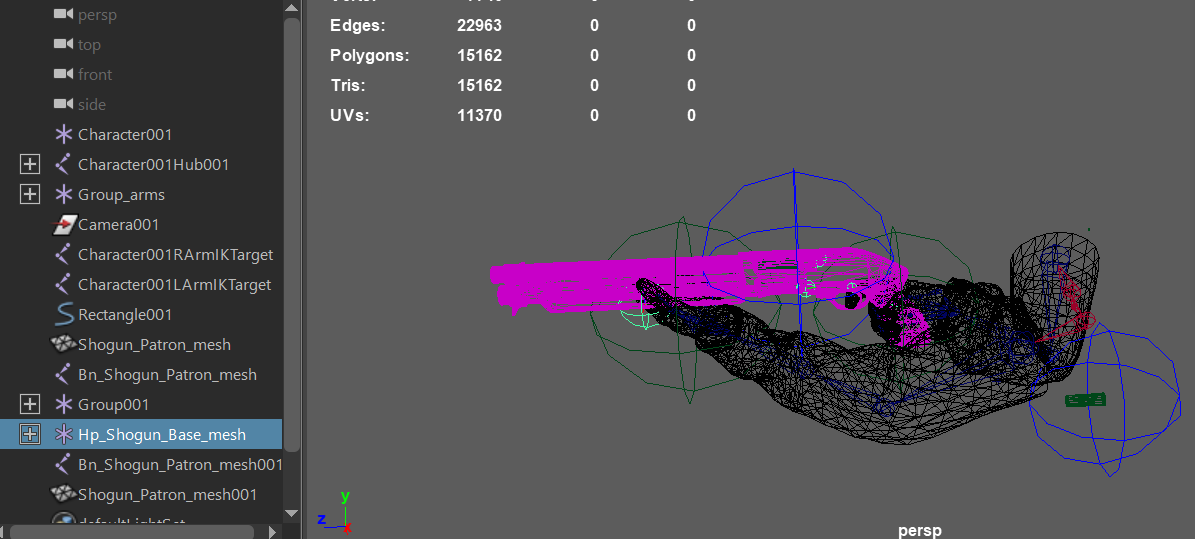 bronze osprey
100 bones is not an absurd amount, you might not want a city with pedestrians like that, unless u use skel LODs
valid maple
@opal jackal I think if you want to use child animBPs you have to reuse the same skeleton as you can only override the animations if you want to use logic from the parent animBP. Once you have the above bit figured out, there is a setting somewhere around the the animation sections in ue4(cant remember where) that scales the bones to match your exported maya anims.
Animation BPs are a right pain in my arse !!
 amber nymph
hello, can anyone suggest me beginner to pro tutorial series for character rigging, skinning and animation for ue4 using maya?
right now i can rig and solve all skinning issues in c4d but since industrial standard for character animation is maya and it has much more power than c4d, i want to learn about this pipeline.
lilac oriole
@simple shuttle That's some solid advice, thank you so much!
 vast trellis
anyone know where the new fbik node is in controlrig? I only see these:
vast trellis
(turns out it is a separate plugin)
naive dagger
@bronze osprey I gotcha! Thank you!
tranquil lark
Before I go off and create my own node - does anyone know of a node that I can use to randomly start an animation inside of a Random Sequence Player?
tame sinew
has anyone here looked into using cascadeur? seems like an amazing program that'll only continue to get better:
More helpful information:
https://cascadeur.com/learn/how_to_begin
Больше полезной информации тут:
https://cascadeur.com/ru/learn/how_to_begin
The open beta-test (OBT) of Cascadeur is available now. With the OBT a broad user base is able to test and evaluate the next major v...
bronze osprey
i tried it a lil, wasnt a big fan, some other ppl seem to like it tho
tame sinew
I'm big on physics based stuff so this is appealing to me personally
ok so I was planning to spend like a whole day wasting my time experimenting, but felt it'd be more productive if I asked here:
Justice Online is one of the most popular new MMOs in China, and will soon be receiving full RTX support. Check out this live, RTX tech demonstration from Jensen Huang’s CES 2019 presentation.
With RTX ON (RT and DLSS), users will experience real-time ray-traced shadows, refl...
how did they get such nice caustic reflections
on the underside of that bridge in real time
bronze osprey
well the only way to find out is to try urself
tame sinew
that is just so crazy nice
not true at all what xd
I could ask here and someone could know and say: "Oh yea it's this that and the other" instead of wasting a whole day messing around with it lol, some people don't have a whole day to experiment with lighting
they say with the ray tracing and RTX
it does it "by itself"
bronze osprey
i was talking about the animation thing
tame sinew
oh my b
They say the caustics are in real time so do they really mean they just put a water sim with slight waving and put lights on
and it worked just like that? Cause if that's the case that's crazy cool
 soft crown
No way to stop Random Sequence Node from looping the randomly select sequence?
tame sinew
well just found something way better than cascadeur
so glad I looked around first
Akeytsu looks absolutely phenomenal
 near mural
Why is it that when I use assign skeleton after doing the retargeting bits, it seems to be fine, but when animation gets applied it does ... whatever the hell this is? https://puu.sh/GwpSv/c3a9f8567a.png

 lavish narwhal
Is there an equivalent in UE4 to the UDK aim node that allowed entering bone rotation information so that an NPC character can turn their body toward the player as they are passing by?
I know about Aim Offset assets but they require animations for blending. For this purpose I'd just like to enter bone rotation settings for the values like the old AnimTree Aim node in UDK.
(it allowed turning just the bones you designate so that character's spine and head rotation could kind of follow the player's position when nearby, a cool effect)
For a little more context I have seen how people do similar things with a lot of transform modify bone nodes in the anim graph, but I am wondering if there is a way to set up just bone rotation values in an Aim Offset, or a similar node or asset without extra animations.
UDK's "Aim" node worked just like this, where the aim would be applied to all animations and IIRC would target the player character by default.
 night halo
Hello all, I'm using the UE4 Blender Pipeline tool to move a model over to UE4, and it's working well except for one part. The eyeballs are coming across as separate objects. They are rigged as part of the main character, and they are parented to the main mesh... But UE4 imports them as separate. Any ideas on where to start looking?
lavish narwhal
Joining them to the main mesh instead of as a seperate object would be a sure bet, but if you want to keep them seperate I'd take a look at the import check list it, it might have something that combines all mesh objects on import.
Also worth noting if you're exporting from blender into UE4, if it was modeled in Blender Units it would be a good idea to convert to the units to metric 0.01, then scale 100x, then Cntrl-A "apply transform scale" before export->import.
Otherwise the mesh may come in extremely small but not be noticed right away.
night halo
ok will do
 hollow quail
@near muralI also have something abnormal, or am I doing something wrong in the rigging is not strong but what day I can not understand in what business, good people who know how to fix a rig? Using Maya
 limpid raven
Just tested the full body ik in 4.26
Previously there was the “new parameters” category that allows to expose transforms to the AnimBP
But looks like is gone in 4.26, and I haven’t found an alternative that shows up as exposed in the AnimBP
Also using a transform as an input in the position in the full body ik node, as soon as you translate a bit, it starts flying off
Weird
Anyone experiencing the same issues?
 fringe moss
so my sprint animation has the gun move towards the players chest and then move up and down a bit to look like running. how do i make it so the first part only plays once when the player sprints and then loop the up and down part in my animation bp
reef agate
Has anyone used additive control rig or control rig in sequencer with a modular character blueprint? Whether using set master pose or abp copy pose from mesh I get wicked crashes when the sequence is open and the blueprint compiles calls constructor
Animinstanceproxy line 2551 I believe
Some kind of null error from an invalid index
 noble arch
I'm creating a modular character by doing a mesh merge, but after the mesh merge I can't seem to get a reference to my pawn. The AnimBP runs but Try Get Pawn Owner returns NULL after the merge. Any ideas?
small portal
Someone working with blender and is able to export shapekeys with fbx?
hollow quail
lol it looks like this server only knows how to ask questions...
simple shuttle
not really, I'm just not sure to answer
 teal thicket
help, how do i click this overlapping montage?
devout dagger
Does anyone know if Alembic geometry is rendered on GPU or CPU on mobile (Vulkan) platform? How is the performance compare to animated skeletal meshes ?
simple shuttle
@teal thicket zoom the timeline
fringe moss
i made a new animation for my character (same rig) in blender and imported it, but for some reason the animation is on its back in ue4. why?
 tiny mirage
does anyone know if I can ragdoll a skeleton if it uses animation sharing? or do I have to make some sort of unregister from sharing manager first? This node doesn't exist in BP for prototyping so I'd have to make it.
 void coyote
Is there a way to control how strong the physics try to remove clipping ragdoll bones from one another or the terrain? If I try to use the dying animations and then switch to ragdoll at the end the ragdoll spazes out as some limbs are clipping due to animation, or the ragdoll was clipping with terrain or something. I would like to change so the un-clipping is done less violently.
And please don't tell me to use better animations, ok? Such "advice" does not help.
 bronze sierra
hello, on the animation editor is there a way to set the values of the rotation of a bone on an axis and not make it affect the other axis? I just want to make some corrections and he keeps changing the values after
reef agate
damn i'm pretty certain there is some bug with using control rig on a skeletal mesh inside a blueprint when you add that blueprint to sequencer and add the control rig to it in sequencer for authoring
consistent crashes
 full gull
Hi all!
My team is partnering with Radical Motion for a motion capture tech demo on Tuesday. We are also giving away a free 12 month subscription of Radical Studio Pro ($2280 value) after the demo!!
I'll be showing how we built a full motion capture pipeline with Radical's new software, and answering Q&A.
Its an extremely fast and efficient solution to animating characters, compared to industry standards that typically cost tens of thousands of dollars. Radical Studio has real time, on premise motion capture + rendering. With Live Link to Unreal you can even view your motion captured animations on your own characters, in real time as you record the motion.
If you can't join the stream while its live but want your questions answered, use this Reddit thread: https://www.reddit.com/r/Revn/comments/iyl8k6/motion_capture_tech_demo_with_qa_revn_x_radical/
The stream will also be featured by 80 LV (https://80.lv/), and I will be making a short highlight video for those who want a quick tutorial afterwards.
 mystic cedar
[Help] So in 4.25 the anim montage menu has changed.. and i still think im settings things up right.. i've selected my slot.. and then selected it again in the ABP.. but when i do a play montage it still just makes my character STOP for the duration of the montage.
i can share some screen shots in a moment
[Solved] The AnimationSequence that was being used in the montage had "EnableRootMotion" On
dont wanna nonna that root motion for a guy who needs to run and swing his sword Warband style
 drifting gull
Exporting a static mesh from UE4 to FBX, converting it to a skeletal mesh and reimporting it into UE4 breaks the materials. Am I missing something in this process?
drifting gull
Nevermind, preview image of the mesh had me thinking it had the materials slotted
 warm island
is there a way to make animations ignore physics completely in UE4? as in just play the anim but ignore individual parts collisions?
 fringe forge
@full gull the motion capture tech looks amazing! The way I would want to use it would be to either buy a perpetual version for a set price or do a month to month of Studio. It seems right now neither option is available. Studio is available only for one year at a time and no perpetual license exists.
full gull
@full gull the motion capture tech looks amazing! The way I would want to use it would be to either buy a perpetual version for a set price or do a month to month of Studio. It seems right now neither option is available. Studio is available only for one year at a time and no perpetual license exists.
@fringe forge Let me talk to Radical and find out if there will be other options.
I believe they have discounts for indie studios, see the screenshot
I agree, month-to-month is the best way to use software like this if you are a small developer
fringe forge
@full gull Thank you. I read that at the bottom and thought that was for the Pay as you go Unreal Live Link only. Is that also for the Studio of the motion capture software?
full gull
@full gull Thank you. I read that at the bottom and thought that was for the Pay as you go Unreal Live Link only. Is that also for the Studio of the motion capture software?
@fringe forge I am not an official Radical Motion representative, but I will find out.
I've been working with them for a while, I'll make sure to cover all the pricing options during my demo on Tuesday
 remote nacelle
hey guys, got a skeleton with some physics bodies and constraints, trying to do secondary animations using phat. anyone know of a way to not inherit the skeletons parent velocity when doing the physics solve?
like can we do the phys in component space or something similar so that the animation is the only thing that affects the physics?
dull pecan
@remote nacelle i have no experience with that but one way to do it would be to simulate the physics and bake it into the animation in another software
remote nacelle
might have to at this point, or just settle with the less detailed result from anim dynamics
wind marlin
Hey so i have a player camera setup, and then a craft station. it is set as a custom actor, and in the actor i added a camera. how do i set that as the player character, until its out of the craft area, which is used by a box collision
 floral vortex
SO is there a way to set up a button press animation that uses multiple animations, example i have a sleep animation with 3 parts, start sleep, sleep, and awaken how do i set this up with a button press ?
 slim herald
@floral vortex I did something similar before with a sitting animation, the way I did it was:
Button is pressed -> sets Boolean A for start sitting is true which makes the state machine in the animation blueprint play the sit animation -> the sit animation has an event set up on the last frame, event is triggered which sets another Boolean B to true that makes state machine move on to sit idle animation
Button for stand is pressed -> Boolean C is set to true , which makes state machine play stand up animation -> on the last frame of stand up animation there is an event which sets Booleans A,B,C to false thus returning to normal idle state.
floral vortex
thanks!
 violet wigeon
Alright. What I'm trying to attempt is something that I'm very new at doing. I'm very good at importing objects and even landscapes but I'm not very good at importing characters fully rigged at all.
To somebody know any particular videos or methods To help me or get me started
Even if it takes Quite a few hours of tutorial I don't mind
floral vortex
its easy to get a rigged character, just import and then leave the skeleton empty make sure skeletal mesh is selected
like that just make sure skeleton is empty if you dont have one your trying to use
violet wigeon
Alright. Sounds easy enough I suppose. Question real quick. I take it it's better if whatever character I'm trying to add a skeleton to is completely joined right? No loose pieces it's all one object.
Keep in mind I don't add a Skeleton to things too often
floral vortex
in unreal it will give you a error if its not right so dont worry to much, just test it out, if it works you will know when you try a animation
its the same thing doing a animation, but you just select the skeleton of the mesh you want to use
violet wigeon
. Alright I'll just receive an error. Is it still better than with everything is still one object? I'm just asking because I rarely seen character models that are made up of many pieces unless it's a boss fight
Also is there a plugin for unreal that will just make a rig for me
violet wigeon
Indeed good sir. Model him myself
violet wigeon
Don't make me cry because I tried to use miximo except it wouldn't accept my model 😭
floral vortex
im not sure on that
violet wigeon
Do you have blender
floral vortex
i do but i know only a bit about rigging
just know how to make it work
and fix multiple bones
violet wigeon
. I'm going to try something crazy and then get back to you. The thing is I just need to properly set up all the bones so I can replace the default character with mine
That's really all I want to do right now. take things one step at a time.
small portal
if you want to keep using the ue4 skeleton your best bet is probably to export the mannequin, remove the mesh, and skin your mesh to that one
violet wigeon
Funny enough that's actually what I planned on doing. I had an addon for blender for a long time that is literally just that.
Time to dust that sucker off and put it to good use
small portal
talking about rigify?
violet wigeon
Yup :D
small portal
yeah that one seems great. havent tried it yet though
violet wigeon
This is going to be interesting theory it I let everybody know when I'm done.
This my take a minute because apparently I forget to model the hands
I really hate hands
small portal
good luck! from my experience going back and forth between blender and ue4 can be a bit finicky, but there's some tools lately that ease the process. check the unreal youtube channel, theres some good information on it
violet wigeon
. Believe me I know. That's why I'm happy that I finally get the pipeline to unreal engine so I can just press the click of a button and see it all happen in real time
It was a collaboration I believe with blender and unreal engine companies. Even had a whole life stream to show it off
teal thicket
anyone know why this is happening? why the left one look big?
fringe moss
trying to set up aiming while scoped and i cant figure out how to pause the idle animation in my animation blueprint while they are scoping. is this possible and how?
opal jackal
@fringe moss you can make a boolean called "isAiming" and the play an aiming anim for that state in your animBP. If you dont have an anim for aiming just duplicate your idle anim and delete all the frames but one.
 solemn kestrel
Hello fellow animators and game developers, I was wondering if there is a way to set up real-time mocap that effects both the characters face and body simultaneously? and if not simultaneously how should i go about this? I've seen Live link for IOS for face mocap,
Dynamixyz for face mocap, but i don't think theses can be used simultaneously. Basically I am asking what are my options? what is the easy to use? and what provides the best outcome?? ALSO ALSO ALSO,,, i have 16 ps3 cameras to use with IPI software when i get the money together for body mocap, is there any Github/ plugins i can use that will allow PS3 usb cameras to be used for mocap in unreal in real-time?
I really appreciate you reading this, I always appreciate the help.
https://www.youtube.com/watch?v=lXZhgkNFGfM I found this,, but are there other options?
Watch Cory's presentation at Siggraph Real-Time Live that won Bebylon 1st place!!!
Kite & Lightning reveals how Xsens inertial mocap technology, used in tandem with an iPhone X, can be used for full body and facial performance capture – wirelessly and without the nee...
opal jackal
So everyone says first person arms and weapons need to be separate in UE4 but I'm not sure how to go about playing the animations. If I import the weapon and arms separately then they will both use different skeletons and I'll have to play the same animation twice for each? Wouldn't I also have to make an animation blueprint for each weapon in order to play weapon idle, walk, run, etc anims? I can't seem to find anything online that explains or uses weapon animations, they just use the arms for all the animations and play one reload anim on the weapon mesh. Also do I attach the weapon to the arms because that would mess up animations where the weapon leaves the hands such as reloading certain weapons?
solemn kestrel
@opal jackal If you create a FPS template it has a basic firing animation, maybe you can see how they set it up there. I haven't got too much experience with animation yet, but i think the weapon is a separate mesh and the weaponmesh is attached to a bone socket on the right hand (normally right). I think the animations are all in the arms and the weapon just follows. Make sure you skeleton for your arms is a neatly made skeleton to prevent animation clipping and other problems.
I think if you want to put in advanced animations like bullet shells coming out, or other mechanical parts moving on the gun separate to the firing animation (which is mostly the arms moving) then i think you need to have 2 animations playing at the same time. It's not a big deal to do that. I think you should make a separate animation that works with both the arms and that gun as 1.
My best advice is do whatever works for you, don't get bogged down too much with little things.
opal jackal
I can do it several ways. I was just curious how most standard games do it. I have the anims with the arms all in one maya file which looks perfect. I just didnt know the best way to use them in ue4.
solemn kestrel
@opal jackal Technically the best way is to have the animations play from C++ code and not from blueprints, because blueprints have a heavy effect on the CPU in comparison to C++, but you can always use Blueprint nativization which takes away alot of that heavy effect i described before.
simple star
ANyone know why my playrate is always 0 from animation instance but correct if just placing the animation mesh into the world?
 marble ridge
Whats a good way to create a non human model, for instance a demon spider thing
 molten stump
need someone who knows what theyre doing cause i have no clue
had a character made for me, wasnt to ue4 spec even tho i asked but oh well..

goes invisible even after retarget
bones etc are the same
devout dagger
let's say I have an animation of a character standing and holding onto something with right hand, at around where character's head is. Now that we have control rig in UE4, how can I adjust the anim where character stands in the same pose, but instead of holding onto something at the level of his head, he'd hold onto something at the level of his waist ? Or would it be easier to simply modify anim in the anim app and export an extra animation to use in UE4 ?
misty dagger
hey guys
hows it going
can someone help me?
so this animation....everything is alright with it except
its too far to right....is there a way to bring it back to middle?
ok so it seems if i grab the hip and drag it it woorks but
but it also affecting other animations as well...show can i stop that?
i think i fixed it...not sure tbh
i checked the root motion box and i feel its fixed rn
meager plank
why is my character like that whjen i export it from bledndr
blender
what should i change
 ornate garden
 bold orbit
Is that a video of you @ ace
anyways, I'm having this annoying issue where
I'm making a blend space, right?
On it, I have an idle animation and two walk animations
If all the weight's on the idle animation, it plays just fine
if all the weight's on one of the walk animations (or if it's spread out between the two walk animations), it's fine
but if most of the weight is on the idle animation, and there's also some weight on a walk animation
the idle animation plays ultra fast. Like, my character looks like she's on crack
I think this has to do with, like, the walk animation and the idle animation having a different, uh, play rate (if that's the right terminology?). The walk animation's play rate must be a lot faster than the idle's.
I'm trying to find out if there's a quick way (like, some setting I can tweak or something) to make this look less weird. Like, if most of the weight's on the idle, it shouldn't be using the walk animation's play rate
Well, also, the frame rate of the idle animation is 60, but the framerate of the walk is 30.
wind marlin
how do i add a add bone transform to addivite layers in a animation
violet wigeon
Alright I am very lost on a few things but the one thing I need to know currently is is it a good idea to go ahead and import an object with animations as a solid object or in pieces.
 noble nacelle
to do an IK rig on a forearm, would you just do the same thing you'd normally do to a 2 bone IK rig?
this is the model and armature for reference
simple shuttle
yes
noble nacelle
Awesome, thanks!
 verbal tiger
yo! if i am spawning a bunch of characters with the same animation, which u guys think is the best solution to avoid them to be in sync?
picking a random animation starting point maybe?
pallid shadow
Hello , can someone help with this? I imported a model from blender and i tried retargeting some animations, the character snaps back to his original place once the animation finishes
I thought its probably root bone related , enable root motion is checked
Has anyone ran into this issue before?
devout dagger
If I place several of the same characters with idle anim playing on the level, they all play that animation in-sync.. How can I make each character play idle anim from the different time stamp ?
verbal tiger
exactly what i am asking 🙂 @devout dagger
devout dagger
@verbal tiger maybe this works http://en.esotericsoftware.com/forum/Starting-animation-in-a-specific-time-frame-UE4-10254 ?
verbal tiger
checking, ta bro 😉
devout dagger
I am guessing you'd just feed random timing from a range there.
devout dagger
@verbal tiger did it work ?
verbal tiger
trying smthing in the event graph first
misty dagger
I want to create character control like Resident Evil 2 Remake
Any tutorial or tips about it?
I have experience with programming
devout dagger
how is RPG games animation different from any other animation ?
also, no one will @ at you - just post your question and someone might reply
 mighty shell
 merry ledge
help, I'm new to unreal and I make an anim montage with a loop. Now, I don't know how end the loop animation to go back to the idle. I try to use the stop anim montage but it did not work, the node disable my loop. Any other way? please
 ornate skiff
ue to rigify doesn't export animations. I've tried over and over with many different configurations. It just doesn't work.
 stray saddle
I'm having a bit of an issue here, and don't quite know how to articulate it
Would anyone here happen to know a clean method for lowering the framerate of an animation, without slowing down it's playrate? I'm trying to emulate an older style, and would really like to not have to reanimate everything, or edit the animations by hand :/
 tranquil wadi
@stray saddle depending on what program you're animating in, you can step the animation in the curve editor. when you bake that it should look the same in UE4
So if you're animating on 2's and have a key on each second frame, step the curves and bake
Another option is to export what you have and step the curves is UE4
TLDR; make it happen in the curve editor
 steady cloak
whats the best way to manage very busy large timeliens with lots of keyframes
right now i just have one huge sequencer
and im wondering if theres a smarter way
like nesting sequencers or something?
 dull plover
@steady cloak I'm not sure what your project goals are, but if it's just a matter of getting video, you may want to consider rendering each scene out and editing them in another suite - like Resolve or Premiere. I find UE's sequence editor a bit unwieldy once things get busy.
steady cloak
its video content yeah
its like seamless camera moves through multiple scenes that change
so i have one sequecner that im carrying along to multiple scenes/levels
because i want the camera to match
and its getting so unwieldy lol
would be cool if there was a way to stash sections away into little folders or something so i can just focus on the elements in the scene at hand
or is there a good way to share the camera keyframes between different sequencers?
@dull plover TY for responding btw 🙂
oh so turns out there ARE folders
for sequencers lol
thats definitely a start
dull plover
yes sir, i was just about to mention that. and you're welcome! I'm by no means an expert, but happy to share what I know.
In fact, I'm working on a scene that uses volumetric lighting at the moment, and in the viewport, everything looks great. Everything is right where it needs to be. But as soon as I render out a video or view the scene in game mode, all the light masses disappear. Anyone know what that could be about?
steady cloak
weird i mean, i presume you have tried using a warm up
like if the light masses are coming from volumes that are produced over time
dull plover
that could very well help. I'll have to fiddle with that. I'm trying to avoid using fog particles, which might not have this problem.
here's a quick still shot of the workspace. note the red light behind casting it's volume.
here's a rendered frame
steady cloak
thats really od eah
im also... no expert
my next guess would maybe be that its some kind of baked lighting
or have you turned on your alpha rendering
dull plover
oh alpha render... i hadn't thought of that. is it enabled by default?
dull plover
holy shit @steady cloak i had the ExponentialHeightFog set to NOT visible in game ☠️
I was an idiot, but now i am smart.
steady cloak
oh of course
no alpha isnt enabled by default but you can experimentally enable it so you can export without a background
though now you can do that in a render queue setting
so dont need to
i find that exporting alpha is a little problematic if your using lots of fogs and particles and stuff
dull plover
oh i could imagine. At some point, I'm going to mess around with some type of typography in UE, but I haven't figured a good paper solution to getting started. I'm already pretty slick in After Effects, so I'm not sure it would be more than just a novel thing.
alpha channel rendering out of UE could be awesome for that.
 bleak storm
masters, to play 1 sequence (360 rotation) in parts, how to with input control to pause play, how to search this or proper word for it to google?
teal thicket
how do you make this look same? how to edit the view? the left one is out of view
 lost jackal
Has anyone tried Advanced Locomotion System 4 with 4.26? The animation play rate is sped way up. I'm not sure why.
 graceful thistle
Hey guys
Please help me out
My aim offset is not going correctly idk why?
Anybody any idea
 hardy tangle
I just retargeted one of the mannequins animation's to my player mesh and it works fine. But when I import the mesh and set the skeleton to the mannequin skeleton, everything breaks. Are there any fixes for this?
verbal tiger
Hello, this doesnt work, why?
By default the montage is played without the PlayMontage node, trying to customize the parameters
 visual wigeon
Hey guys so i downloaded an animation online. I want to start in the middle of the animation when i enter in it's state. but how do i change the starting point of the animation when I enter that state?
It's a landing animation. and the beginning of it starts off with falling but i want to skip to the part of animation where his feet already touched the floor.
 noble swan
@verbal tiger you need to say what skeleton component it will play on, right above what you circled
verbal tiger
I tried to, but it didnt allow me to select the one i wanted, anyway np, i finally found a solution in C++ reading the montage abd setting the animation starting point, ta anyway @noble swan 😊👍
noble swan
No worries @verbal tiger
noble swan
y'all, how do you debug parameters in Control Rig? I've set a default value to it but nothing's moving until I unplug the param
fringe forge
@noble swan a Accumulated Time connected to Sin node should get something to move back and forth to test it out. Do an add node of the old position to get it to start closer. Control Rig seems really glitchy to me. After much trial and error trying to get the position of my hands to follow something I gave it was still lagging the position of the hands location. I ended up using two bone IK in the animation BP.
fringe forge
How can I change the default position of the skeleton rig?
 grizzled basin
anyone use the mocaponline animations? I'm working on a root motion controller using their mobility pro set. I was following the tutorial series here: https://www.youtube.com/watch?v=v0hB-GAEMuk and ran into a small snag. Their turn in place animations simply turn in place, while the mocap ones turn and take 2 steps before finishing. I'm not quite sure how to work that into the blend space at 31 minutes.
Join our Filmstorm Motion Library: https://www.patreon.com/filmstorm
Join us on Youtube Gaming and click join next to the like button:
https://gaming.youtube.com/watch?v=v0hB-GAEMuk
Unreal Marketplace Link - https://unrealengine.com/marketplace/open-world-animset
Get the Op...
 rancid swift
Hey newbie animation question: I have one state in an animation graph that has an idle animation, and another state connected to it with a transition triggered only by boolean. If the boolean is true right now, the idle's state animation will always play out before transitioning. What is the way to interrupt that animation and go to the next state immediately? I'm working off of the animation starter pack (fyi).
fringe forge
@rancid swift I think what you want can be done with a State Machine in the AnimGraph under Animaiton BP
grizzled basin
can I mix IPC jump animations together with root motion for everything else?
or is that going to screw up the movement of the pawn?
grizzled basin
so the answer to that is yes.. it does screw up the movement, when I use the IPC jump animations (start, loop, stop), the pawn stops moving forward. Any way around that?
grizzled basin
it's hackey as crap, but if I actually tell the anim BP to set the root motion mode as "none" when it detects "is falling" and then "extract all" when it is not falling, it works.
 cinder sail
anyone dealt with this one? (hands)
blending 2 animations here, happens on the feet too (at the IK locations for that matter)
cant figure it out
looks fine in blender tho
errant hearth
When i simulate the physics asset and test it everything looks ok. But when i kill the npc and he drops dead the mesh is distorted - armor part around the neck. Why?
misty dagger
hey guys hows it going
i made a rope climbing BP and animation....it kinda works but there is a problem
and i think i know what is the problem but i have no idea how to fix it
anyone got time to help me please?
misty dagger
so um... no one?😅
 shadow hamlet
@misty dagger if you describe your problem in here someone might post an answer later on, lots of people check this place intermittently or leave it open while they do other things. I don't think anyone is going to commit to helping 1 on 1 without knowing what the problem is first
 woven wren
The rotation of my weapon is all messed up when I'm attaching the weapon through BP, I've chosen "Snap To Target" on position, rotation and scale in the AttachActorToComponent node.. When previewing it looks great, but it messes up somewhere. What could I have done wrong?
woven wren
I've tried reimporting the weapon with all kind of different rotations, but no matter if it looks good in the preview it always messes up....
 atomic steeple
Hey so with control rig, it seems the transform I input as a parameter is completely off. The same transforms put the bone in the correct place using anim blueprint. Is in game world-space different from control rig global space? Am I missing something?
harsh garden
hi
What do I need to do to turn this player into a ragdoll?
I want to do that during game over, he just collapses
 clever abyss
Does anyone knows how to record ROOT animation when using Sequencer Recorder?
I'm using 4.25 and somehow I can't find an option to bake root animation
 stark maple
Hi guys, what is the best way to rigg / skin / animate a character to Unreal From Maya ? (UE 4.23)
bold orbit
Is it possible to properly play animations from Mixamo.com on Paragon characters? I tried retargetting, but the animation always ends up looking fucked on the Paragon character (Serath).
cinder linden
Hey guys I'm using the Female Mannequin Character which is a modular character pack, I'm getting some really visible seams is there any way to make it completely attach https://gyazo.com/93df697f5fc5564d13457852d467b56c
found the solution for my problem.
- take the Skeletal Mesh that comes with the character as the main driver
- add the component as a child of the Skeletal mesh ( no socket attachment required )
- add the Set master pose in the construction script

 quick geode
When using Aim Offsets, is it possible to make the Eye bones finish blending first before the rest? I'm trying to use the "Per Bone Blend" within the Aim Offset editor but it doesn't seem to work.
verbal tiger
Yo! I think some people were searching for a solution to start an animation at a random position, here is mine
float fLength = Montage->SequenceLength;
float fStart = UKismetMathLibrary::RandomFloatInRange(0.f, fLength);
GetMesh()->GetAnimInstance()->Montage_SetPosition(Montage, fStart);
Enjoy 😉
hardy tangle
I don't know why but I can't import any animations from blender. The asset for the animation shows up but the animation doesn't do anything. This is my NLA track and I want to export the 2 punch animations
noble swan
@hardy tangle are you using the Send to Unreal addon?
hardy tangle
@noble swan no
noble swan
you might wanna check that out
hardy tangle
I've been able to properly export animations but I don't know what the case is here
And it just worked randomly
mellow summit
hey guys I want to create a bouncing ball animation but Iwant the elbows, joints shoulders to move naturally depending on where the ball is
so each bounce should look natural, regardless of speed
is there something in ue that lets you do this? for example (move other parts of the body depending on the socket location. so if im gripping a ball and I move the ball then both arms will follow naturally)
almost like a tethered effect
harsh garden
hi
What do I need to do to turn this player into a ragdoll?
I want to do that during game over, he just collapses
@harsh garden
Solved it.
If anyone need the info:
 honest bobcat
hi guys, I'm familiar with bones animation (in blender specifically), and I'm looking to hire someone for animations. He's talking about biped and cat in 3ds max.
I was wondering if anyone has any personal experience on importing them to ue4, and which should be used or avoided and why ?
 fickle citrus
Hi everyone! I'm using this script to get the character direction. This script returns -85 on Left, 85 on right, -175 on backward, 0 on forward. The return values shouldn't be -90, 90 and -180?
bronze sierra
hello if i have an animation with Force Root Lock set to true and Enable Root Motion set to false shouldn't that still make the capsule stay in place and ignore path finding commands?
woven wren
I'm having some issues with switching animations. I'm using the RifleAnimsetPro plus the animations that comes from the TPS template. I use RifleAnimset for when in combat mode and the template ones for when exploring the world... When I'm using the template-animations my character is standing firmly on the ground, but as soon as I'm in combat mode my character is above the ground, just ever so slightly but enough to drive me nuts.. Is there a way to fix this easily?
This is how it looks when I'm opening the Idle Animation from RifleAnimsetPro.. He's way above the ground.. 😦
I've tried to reimport the animaton fiddling with the Import Translation settings, but it doesn't change anything..
cinder linden
hey guys is anyone experience with the advanced locomotion system? I'm using my own character and the IK for the left hand is not in the right position https://gyazo.com/b696c44588425cd3d8340d1bb9169237
 verbal tiger
Hello. Is it possible to remove animation frames in Unreal?
simple shuttle
@verbal tiger yes
 little pasture
Hello, I have a lot of trouble with animation notifies. I set up one in my montage. That montage is being played in a slot. But the anim notify is not firing, therefor not calling the event in my AnimBP. Anyone else had issues like this and found a solution?
verbal tiger
@verbal tiger yes
@simple shuttle may u say how?😏
simple shuttle
@verbal tiger right click on anim sequence
verbal tiger
gotcha ta
noble nacelle
anyone know how to set up finger tracking on the index controllers?
couldn't find any guides online
hardy tangle
I've got a pickaxe that I want the player to equip. I've setup a 1 frame "animation" that just has the hand and fingers rotated properly to grip the pickaxe. Whenever the pickaxe is equipped, I want to spawn the actor at a socket located at the hand and play that "animation" so it looks like the pickaxe is being held. The animation part is where I'm a bit confused. Would I just make an anim montage out of it and blend between the normal pose and the wrist/hand bone whenever it's equipped?
 storm phoenix
How do I see how performant my animation blueprint is? I would like to compare using fast path to not using it.
 vapid breach
@storm phoenix it really comes down to multiplayer projects and if is a single player that does not matter much
In multiplayer when you have 100+ player in 1 server if you no using all the optimization techniques like fast path in the animbp you will see the difference
storm phoenix
It is a multiplayer game, although small scale. I'm mostly just curious what kind of impact it would have, it's not bottlenecking performance or anything.
 frozen wing
I rigged a model in blender and made an animation for it but when I import the animation into Unreal it scales down by like 10, but the imported mesh is fine. I tried scaling it up in Blender but it did nothing. Does anyone know what I could do?
I also tried renaiming the armature to something else but it still imports tiny
well now the scale is fine but the bones are all rotated wrong
https://i.imgur.com/SzlYKfa.png does this bug look familiar to anyone?


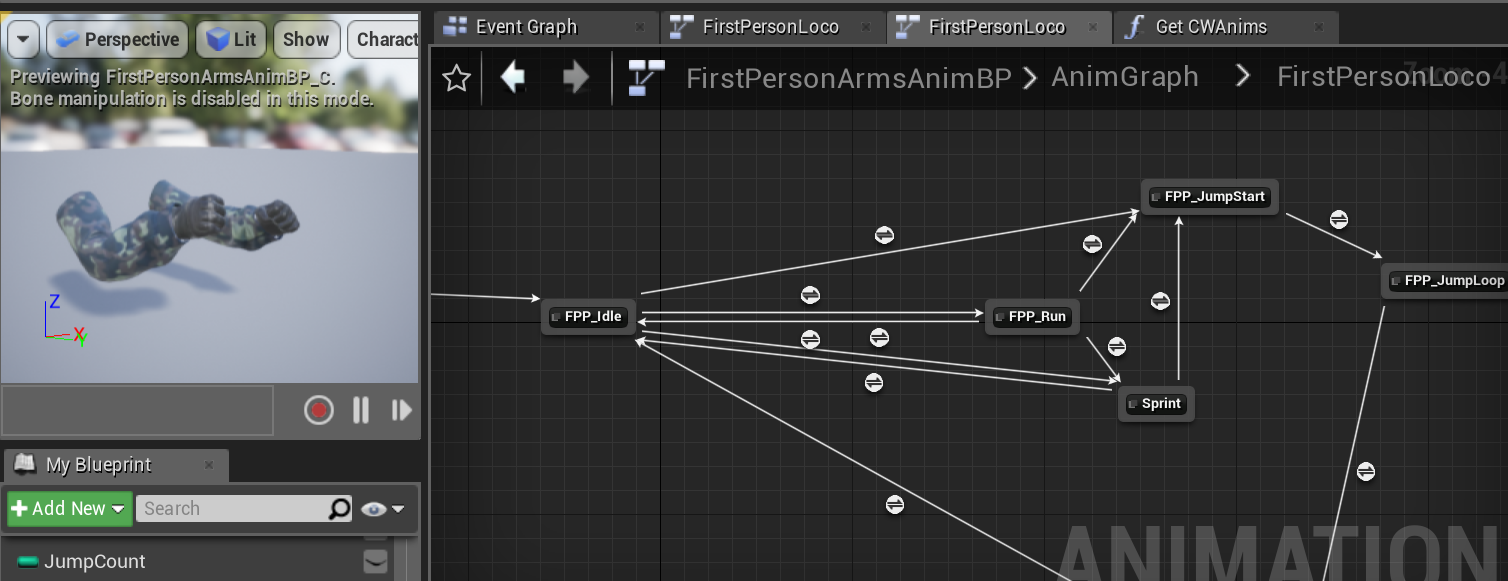
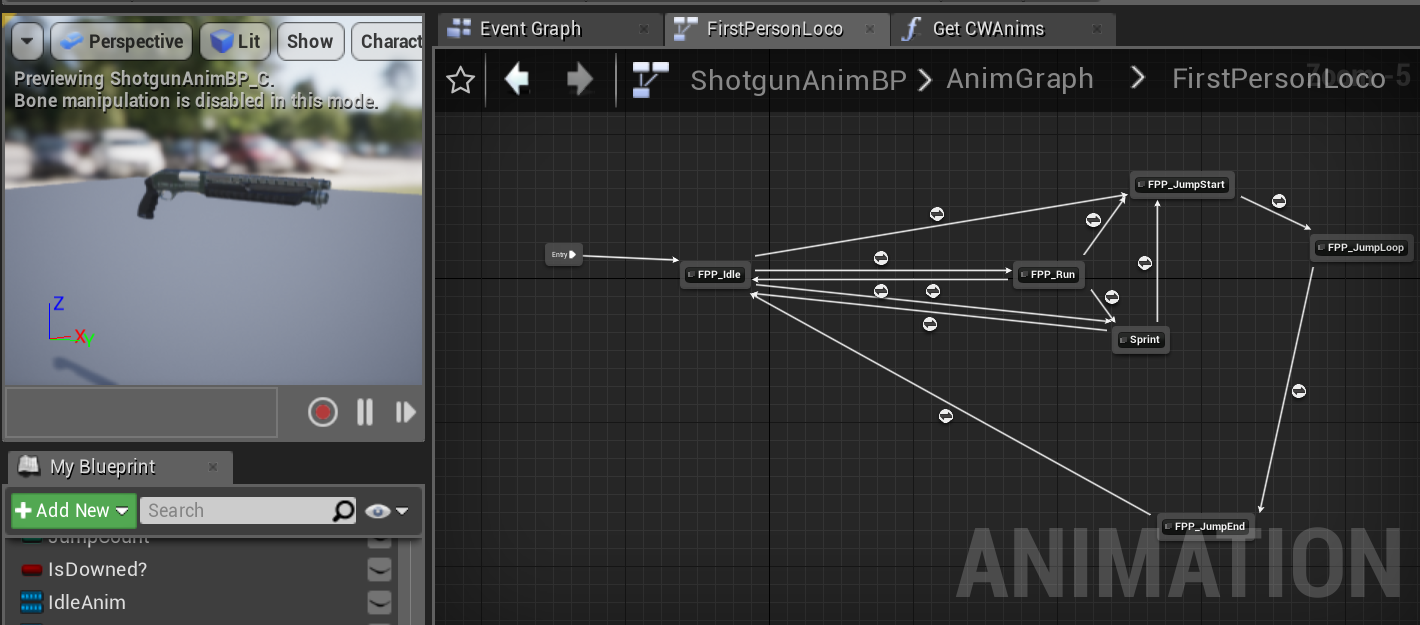

 frozen wing
it looks like all the bones are rotated 90 degrees when they get imported for some reason
it only affects the legs though
vapid breach
@storm phoenix in that case nothing to worry about then
You should only worry about it when you have 30+ player in 1 server
storm phoenix
@@vapid breach Understanding anim bp performance is still something I'm interested in, I know it won't make a noticeable performance difference in my game's current form. :)
 lunar pulsar
i have 1 animation that i would like to retarget to my zombies skeleton sadly the skeletons are not working with each other causing more issues than ever before and all i need is this one animation retargeted can someone correct me what im doing wrong
also apperently the zombie skeleton that im using does not have a root bone its root bone defaults to the hips while the animation im trying to retarget is from the ue4 manniqen skeleton
 vivid roost
Hello. I am experienced in the gameplay programming side of Unreal but want to start making and importing simple animations for testing/dummy art. Is there a guide or tutorial for how to generate and import animations?
 lone crow
Does anyone know of a way to setup a function in the anim graph by taking a cache post as the input?
harsh garden
hey guys is anyone experience with the advanced locomotion system? I'm using my own character and the IK for the left hand is not in the right position
@cinder linden
Hi!
I have a question to you, since you seen to know how to use the female third person character
How do I use it in a certain combination? The demo level starts with an empty outfit and then you toggle through the options.
I want to set one option and stick to it How do you do that?
cinder linden
@harsh garden Hello there if you go into the demo level you should see all the parts they are assembled into a single character but if you click on any of them and then press ctrl + b that should take you to the folder where all the pieces live.
-
on the character set the inherited mesh on the character to be one of the piece I don't think it matters which one, and then for every other part you add they should be children's of this inherited mesh ( don't attach to sockets, It should work just fine as is)
-
Go into the construction script, find the node called: " set master pose component " add all the extra components to the target pin. An important node ONLY the mesh inherited should be the one having an ABP. This set master pose component would pass that animation information to the components.
Hope that helps. I'm also going to make a video tutorial tomorrow on my channel about this process so let me know if something is unclear and I'll cover it there https://www.youtube.com/channel/UCK4d2655QQaUpyefjX_UrWQ

YouTube
 late briar
I've been trying to understan asl and getting animations in and out of unreal/blender... my only solution at the moment is to have two skeletons one with the bones disconected and twisted round for exporting and the other straightend out and connected for automatic wheights... still i cant modify the animations... i have to start to learn pinning or blend4 unreal tools...?
harsh garden
@cinder linden
thank you very much. This led me to the right direction:
Does this look correct to you?
Mong the mannequin samples, some of them had different color for chest and arms