
#animation
1 messages · Page 142 of 1
 grave drift
grave drift
grave drift
Hmm.. maybe attaching the mounted socket to the root of the horse instead of the spine?
 snow scarab
i have a car driving down a road, both straight and curved. what is the best way to create a camera sequence that follows the car and moved around it?
 steel tree
hey guys other than the documentation,are there any good tutorial or documetation on how to use control rig in ue?
 carmine seal
hello, is there any way I can set tangent angle for a point in a float curve?
i need to make a custom bp to set the tangent angle?
 verbal inlet
Question:
Why are there settings for axis constraints on bones within a skeleton and on constraints between the pieces of a physics asset?
Are they just two ways to accomplish the same thing?
What if those settings conflict with one another?
Why do I need a physics asset in the first place... shouldn't the skeleton relay all the information about how this mesh moves to the engine?
 misty dagger
Oh my god Advanced Locomotion 4 has sooooooooo much stuff in it and almost all of it is tightly connected. Sometimes I wonder if it's even worth trying to integrate it into my projects
 wise apex
Does unreal engine support corrective blendshapes?
This kinda stuff https://youtu.be/bSRuSW50_4Y?t=266 ?

Facebook - https://www.facebook.com/My.Oh.Maya
My Oh Maya (Blog ) http://area.autodesk.com/blogs/stevenr
Check out...
 copper current
I need some help with Control Rig. I have a very simple rig, just using IK on a limb of the mannequin. Works great in the editor, until I restart the editor; then, the character animation gets all wonky. If I force the control rig to recompile, e.g. by removing and then reconnecting a pin, then it's OK again.
This phenomenon persists in my built game, unfortunately. When I run the built version of the game, the arm is not using the control rig, just as like happens when I restart the editor.
Can someone help me out?
 lament hatch
Hello, not sure if this is the right place to ask, I have purchased some character assets from the market place (subculture guy & girl) and need some advice on how to integrate them correctly into my project. If any is familiar with these products and is willing to share some knowledge could you please message me? Cheers 😊
copper current
FWIW I confirmed that if I just use the mannequin control rig from the marketplace, the same thing happens: if I apply it to my character in the AnimBP, it's fine, until i close and reopen the editor. Then, the whole skeleton gets balled up until I fiddle with the control rig, forcing it to recompile itself.
copper current
After more exploration, I think the problem is that the "propagate to children" settings are not being retained. I tried making a very simple control rig that just spun the torso around spine_01. This worked fine. When restarting the editor, only the bottom portion of the torso was rotating. I guess I can file a bug report.
 supple flame
Hi, I want simulate cloth on my character, but i want attach final mesh (more poly) to simulated proxy (low low poly) mesh. Can you send me same hints how to do it?
 smoky shell
How can I stop it leaving a state until it has fully blended into it from the previous transition?
Seems like I have to use this 'fully blended state event' and use hacky logic
 tawdry pebble
Hello, I was wondering that if i buy mocap suit for my games and animations. Would it be good idea to start selling animations?
 viscid mantle
New to Blender and 3D modelling in general, when I try to subtract a cylinder from my buster sword it creates these two edges that connect to the crossguard.. is there a way to delete these without also deleting the faces? Or perhaps is there a better way of creating holes on objects?
smoky shell
I also have a problem with curves. If its blending from an animation that has no curve, into an animation that has a curve, it blends the curve value between 0 and the actual value, how do I give full weighting to a specific state?
 terse lagoon
Do assets need a skeleton to be animated?
I tried just animating in maya with no bones but animation didn't work in the engine
 stuck ravine
If I'm animating a model skydiving, do I leave the root bone at the origin and pose the rest around it, or do I also rotate the root bone (moving it away from the origin)
 potent bronze
are there any packages for aim offset ?
using the UE mannequin skeleton
I tried using the ones in ShooterGame but the skeleton is way too different the animations are broke
 green musk
Hey guys. Is it possible to scale animations? Ultimately I want a root motion, say a dash, but let it be a variable length of the dash. So like if in the Animation the players skeleton moves from point A to point B, with a distance 100, I could also scale it down, so that the dash only moves from A to A' with a distance 50.
 bleak pike
Is there a smooth way to switch animations?
MeshComp->PlayAnimation(AnimationJumping, false);
That just switches to the animation immediately
 ionic monolith
hey guys...whatsup
bleak pike
What if I want to blend?
ionic monolith
i'm like to know if anyone know a way to use fullbody and upperbody in the same montage like a defense mode
when you are moving use upperbody and when stop full body
made with curves???
ionic monolith
but need to have two montage?
I wanna to make a montage like frontal defense instance with fullbody when stoped and upperbody when moving
terse lagoon
oh ok, now. how do i give a clock a skeleton?
no i'm planning on an animation for the pendulum and then make a blueprint for the hands
bleak pike
Yeah I'm wondering how to blend between two animations
Right now I have it set to single animation mode
It'd be cool if there was some function that took two animations and a float from 0 to 1.0.
Transitioning smoothly between two animations on a single Skeletal Mesh
Animation Graphs eh
bleak pike
I'll see if I can make an animation blueprint do what I want
I was doing just straight play animation in C++ but it wasn't smooth transitions
bleak pike
There we go these are much smoother
Added the transitions based on variables. I'll have my code in there, but only to set the variables and the state machine will do its thing.
Now just have to figure out how to set the variables from C++ on the animation blueprint
Oh it's the other way, the animation blueprint can read properties from the character class
One way to relay the info
Doing that in code would be more ideal though
bleak pike
Works like a charm!
 honest geyser
Is there a way to scale bones with morph target changes? for instance if I have a morph target that controls a characters overall size.
 hollow axle
hello I am looking for a sword equip animation I cant seem to find any, they all have tons of sword animations but none to equip it~!
 fresh whale
Hey everybody, I was wondering if anybody might be able to know how to fix this problem we are having with cloth inside UE4 not responding to the base geo correctly. We have rigged the character inside 3ds max using the CAT rig feature, we have a video attached. Any possible help with this would be greatly appreciated. 🙂 https://www.reddit.com/r/unrealengine/comments/gx7yjv/cloth_not_being_effected_by_the_physics_asset/?utm_source=share&utm_medium=web2x @lone lantern

reddit
7 votes and 2 comments so far on Reddit
We have tried a number of the common solutions for cloth that pops up on answerhub and the like but no results so far.
 lost sonnet
Hey Everyone!
I have this Problem with a self rigged test Character.I want to eventually use it with the Unreal default skeleton so i can just exchange animations etc. Its rigged in Blender with Rigify and Uefy Script.
the Bone Hirarchy seems fine as well as the Scale but when i try to show or play animations on it it just turns invisible ... anyone any ideas ?
thanks for any help 🙂
also as shown it seems in the animation window all the bones except root and ik are just gone ? rly dont know what to make of this ...
 iron field
hi guys! can someone look at this?! when player punches an anim montage plays punch sequence the problem is that punch sequence is so short(about 0.27 s) and there is not enough time for blending out. i need at least 0.1s for blending out but if i set blending out time for anim montage to 0.1s i lose half portion of punch anim sequence.
 scarlet mason
I've imported an animated model of a sail that folds. However, when imported the mesh looks very 'low res', with random holes in it and when you get too close it turns invisible. Anyone an idea what could be causing this?
 devout dagger
is it safe to assume UE4 doesn't have anything like that https://assetstore.unity.com/packages/tools/animation/moveen-101452 ?
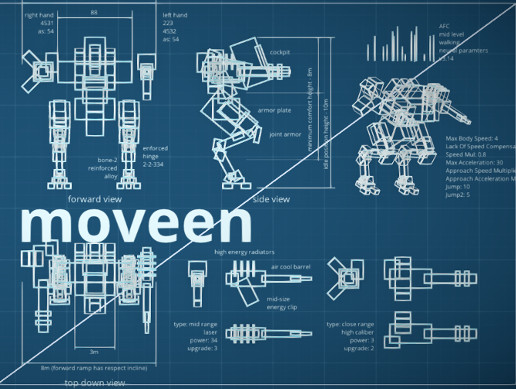
Use the Moveen tool from Yuri Kravchik on your next project. Find this & more animation tools on the Unity Asset Store.
(pre-made that is)
 vast glen
Hey there! I'm having trouble with my Healthbar animation.
So I want the Healthbar start flashing around when it reaches a certain amnount of Hp.
but it seems like it's clashing with the Lerp animation it has.
So I got it working for the most part. but as soon as the health bar percentage is ABOVE said requirements it just disappears....
I ended up with this
 static falcon
I spent many hours trying to understand how to use IK handles properly in UE4. How can I learn this? Any example content I can dissect? Any guides? They never worked for me.
 hardy drum
And me, I'm desperatly trying to understand how the retargeting works. I start to understand the great principles but many things are not clear at all... If something has good general guides or tutos on this... 🙄
 simple shuttle
@hardy drum try to watch this video https://www.youtube.com/watch?v=nY4Q8cYBLP8

Many of you asked me to make a video about my Blender to Unreal Engine 4 workflow. You ask, I make! Here it is!
In this video I explain how I set up my characters with materials in Blender. I take you through the entire export process and bring it all into Unreal Engine.
We ...
 karmic mesa
whats the process of rigging and creating my own animations
hardy drum
@simple shuttle Great ! Thanks !
 bronze osprey
@hardy drum sometimes i import a skel mesh, and in the retarget screen with the 2 pictures (new skel and the one u want to retarget too
i checkbox uncompatible skeletons
and just works
but bone names need to be the same
they become compatible when u set both skels to same humanoid mesh but this is not actually needed a lot of the times
 torpid scroll
Um could an expert tell me how I can implement the aim offset I created for my side scrolling shooter to the character I already have and not the mannequin of the animation pack?
and allow the character to move his legs while moving and aiming too
bronze osprey
dont think many experts hang here, but u want to look at upperbody slot
torpid scroll
um how?
hardy drum
My head hurts too, lol
@bronze osprey Yeah this retarget thing is a bit weird
What do you call an "compatible skeleton" exactly ?
It seems that there isn't exact rule about that
However, I've just find a video (by the guys of UE themselves) which is more clear than all vids that I've seen until now : https://www.youtube.com/watch?v=FDbpHamn2eY
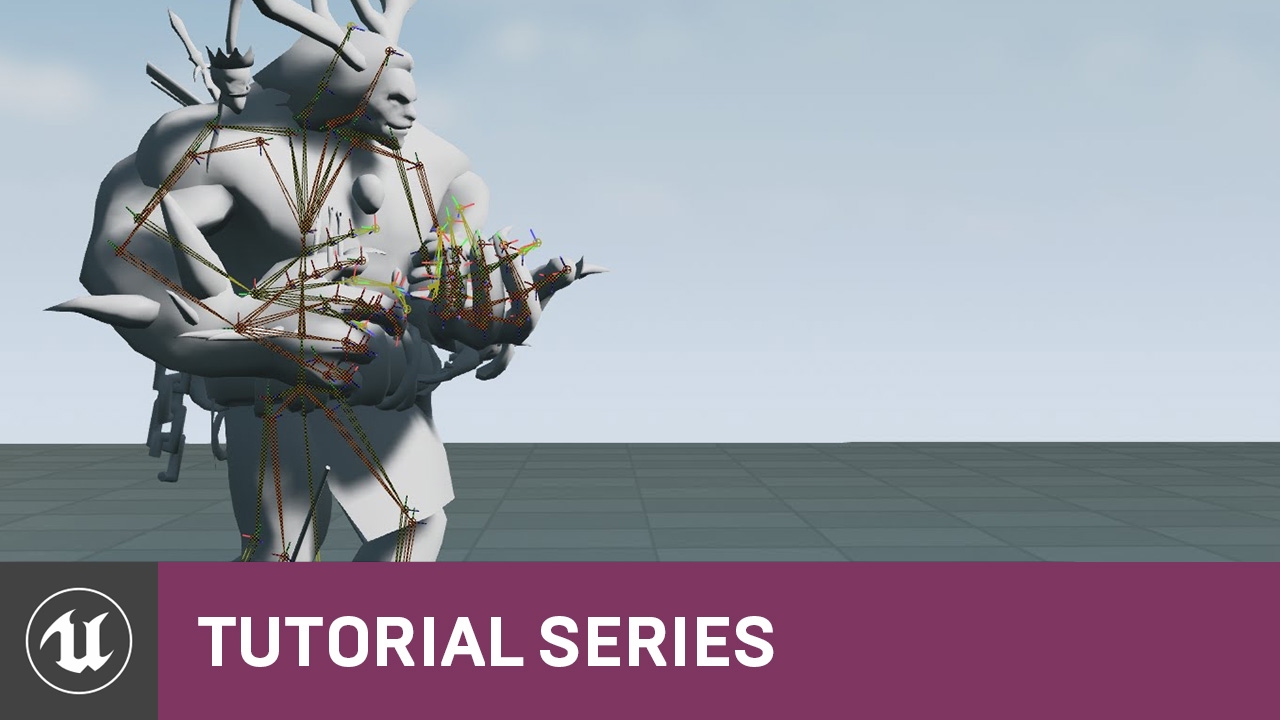
In this video we cover what Skeleton assets are inside Unreal Engine 4 and how they are used with Skeletal Meshes. We also talk about when Skeleton assets can and cannot be shared with additional Skeletal Meshes and highlight some of the advantages to sharing Skeleton assets.
...
If I understand well, the main point to remember about the retargeting is it needs to keep the same bones names and the same hierarchy
The skeletons can be slightly differents (it's a bit complicated to explain but in short, you can add bones as long as you don't break hierarchy)
And it is here that I'm a bit confused...
So...
Again, if I understand well, if I want retarget two different skeletons, two skeletons with NOT THE SAME HIERARCHY, nevertheless, I can... 🙄
BUT...
They must not be too different... I presume... but to what extend exactly, I dunno... 🙄
bronze osprey
when checking tuts keep in mind 4.8 is years ago
lots has changed some is similar
prolly better to search for paragon retarget
bronze osprey
mixamo is a complete mess btw 😛
hardy drum
Yeah I hear everybody tell this and it seems it is not totally wrong haha
bronze osprey
i havent checked in years but i believe its not worked on
and heared they even made it harder for unreal but i dunno
hardy drum
But it is quite handy though
But anyway, even if I don't use Mixamo, retargeting is always useful so...
Ah and also, still concerning the hierarchy, there is this "humanoid" rig which many people use while retargeting animations. Not sure to understand this thing here again...
So tell me if I'm right please : I believe that you are totally obliged to choose this specific type of skeleton/rig if you want to retarget two differents skeletons, right ? So if I understand well, it's just the default rig of UE4 and you are obliged to go through him if you want retarget 2 differents skeleton, that's right ??
hardy drum
no pb
bronze osprey
r mouse > retarget anim assets
decheck only show compatible skeletons
pick ur new skel
retarget
it wil retarget bones with same names
mayB its good enough 🙂
hardy drum
ok, I'll remember it 😉
and what about this "humanoid" rig/skeleton, did I understand the thing correctly ? 🤔
I'm talking about this thing :
You tell me that I can retarget good even if I don't use it but
I'd just like to know what this thing is exactly
bronze osprey
you need to set both to humanoid and save
now its a compatible skeleton
also why are they all on none?
none of the bones are named the same?
thats pretty messed up 😛
if they are named the same it wil put the same bone name where none is now i think
hardy drum
Yeah I just selected a random character to take a screenshot and show you but this was a bad character imported from CC3 and for which I forgot to launch the auto-setup
nevermind ^^
karmic mesa
every time my character jumps he goes to the hang animation
this is my animation graph
 cedar rain
@karmic mesa Best way to troubleshoot this is to debug the graph live. While playing in pie, select the character in the scene - you will see the live nodes in the graph pulsating. If it is always in the hanging, check the transition conditions (most likely the one between JumpLoop and Hanging) to determine why they are incorrect.
 pearl swift
Hey any pro animators out there? Trying to budget things out for our game and wondering how long it would take to animate something like a single dark souls weapon animset?
 lone lantern
Hey everybody, I was wondering if anybody might be able to know how to fix this problem we are having with cloth inside UE4 not responding to the base geo correctly. We have rigged the character inside 3ds max using the CAT rig feature, we have a video attached. Any possible help with this would be greatly appreciated. slight_smile https://www.reddit.com/r/unrealengine/comments/gx7yjv/cloth_not_being_effected_by_the_physics_asset/?utm_source=share&utm_medium=web2x @fresh whale
reddit
5 votes and 7 comments so far on Reddit
 trim fossil
short question about aim offset.. it looks like more complex idle animations breaks the aimoffset (second hand weapon holding as example).. so whats the best way? use blendspace as aim offset and build the idle/ run animation in the aim animation via blendspace?
or does some IK blends does the job? not sure what is the best approach for that
misty dagger
Hey, is there a way to convert a PSA animation into FBX?
trim fossil
oh nvm.. forgot to use a blendspace.. i test the things out only with a animation.. now its works ~ ( basepose = blendspace > Aimoffset
 cinder linden
Hey guys I'm using control rig with 4.25 for the very first time I went through the docs but they are out of date https://docs.unrealengine.com/en-US/Engine/Animation/ControlRig/Blueprint/index.html this part to be precise https://gyazo.com/6f9288ccc3081fb67cfed3fe15ccb590
While the Control Rig is the scriptable rigging system, Control Rig Blueprints are the assets where you provide your scripted functionality and set up the rigging parameters.

does anyone know the current node to use for this purpose ?
 long temple
hey I am having an issue importing animations to ue4, I have a skeletal mesh which is a decent size however once I import an animation for it into ue4, it makes the mesh super tiny
misty dagger
hi !
i want to add an animation behind the purple node
i dont know how xD
its a linetrace on a tree, the folliag tree turns into an actor, after that i do an animation on it and then i want the tree to fall i can do all except the animation , does anyone know a good understanding tutorial or can me tell what to do ?
 pallid mango
Quick ragdoll question for y'all. My skeletal mesh doesn't want to stop animation after I go into ragdoll mode. So once he's done flopping to the ground, his idle anim keeps playing...
I am using Mesh->Animation->Stop before starting the physics call, but it's not stopping. Unless the animation BP is kicking it into idle because it's not moving?
pallid mango
Sort. Needed a death state in my anim BP
bronze osprey
@cinder linden yea but when i use it my anim bp has compile error when i restart the editor
i can get stuff in there but have to relink all the variable stuff again
ow actually im wrong
thought u meant vars
i think u dont need that node at all anymore
its like a reference to self but now it allways has that as default or something
pearl swift
Anyone see a stupid obvious reason why this aimoffset wouldnt be working? I tested and the Yaw and Pitch values seem to be updating correctly
also tried plugging the aim offset inbetween all the other options haah
static falcon
Hey friends
I made a video on how to make playable characters in UE4

I hope this is useful for somebody!
If anyone likes it please comment if you'd like me to make more because otherwise I'll be sad and too lazy to do more
I also go over Retargeting characters in this which is something I've seen asked repeatedly in here and is really powerful!
 sour lantern
Hello
Im not sure if this is where I should ask this, but Im new to unreal engine and I see Matinee's used a lot for animation in game. Yet for some reason I don't have the option to use a Matinee, any ideas why? Thank you
pallid mango
Is there some way to adjust the active range of the time slider in the anim sequence editor?
I'm stuck at 0.0 to 0.03
 trim vigil
beleive me we need all the help we can get with this kind of engine because its a bit of a nightmare to work with.
 real hound
How can i fix this issue?
Im using mixamo rigged character with an animation made for ue4 rig
 snow orchid
@lost sonnet If you want to use Blender with Unreal Engine for character animation you must make sure to set World Scale to 0.01 at the start of the project. You must also make sure to resize and apply scale to all armatures and meshes individually. Otherwise you end up with the problems like you have with your character disappearing when you play an animation. This is a scale interpretation issue between blender and unreal. In my Uefy Script videos you see the first thing I do is always set world scale. Then I resize and apply scale on all the objects involved throughout the tutorial.
static falcon
@real hound It’s in my video posted above.
Let me see which part
This one https://youtu.be/_oUGVs55gcE at 5:30

Basically you’re using absolute values and need relative values
real hound
i already set them to skeleton except hips
root is animation hips is animation scaled and others are skeleton at the moment, still not right
@static falcon
 wooden tangle
does the default unreal walk animation stutter for anyone else (right at the end of the loop). Always looks like the model has a slight limp which is annoying
static falcon
@real hound how did you transfer the animation to the new rig?
Using the retarget method?
real hound
yes
misty dagger
hi !
i bought a chibi character from epic long time ago and still today i dont know how i can use this stuff
il bee needing it now to make my project , i want to use mixamo with it ,
i hate retargeting etc guess i dont know how to do it all
is there a good guide for this ?
real hound
not exactly
static falcon
falm flat vs palm out
Try retargeting an animation and it should show you the two poses in the preview
 manic slate
Hi all, I am setting up a character pipeline where I create my characters in Character Creator 3. All my animation logic is actually done with a blueprint made for the sk_mannekin, and I want to keep one master blueprint for everything, so I dont have to update everything everytime. My issue is the following : when I import characters from CC3, the only option I see is to retarget my old blueprint to the new mesh, which makes a new blueprint and animations. But that makes two separates blueprints, which is not what I want. I tried to create a child blueprint and retarget it to the CC character, but it creates a new parent blueprint along the way, and it seems to break if I parent it to the old one. I dont know if it was really clear, sorry 🙂
anyone having a solution for this ?
static falcon
@real hound send a pic if you want, they don't have to be EXACT but can't be facing different ways
real hound
static falcon
Cem, as far as I understand Animation Blueprints are unique to skeletons so not sure that's possible
I mean a side by side of the retarget @real hound , it should show the two meshes next to one another in the retargeting window
real hound
manic slate
@static falcon That's what I figured, but since my skeletons have the same hierarchy and since I can retarget them correctly, I thought there would be a workaround for this, but I guess not, thanks for answering though
static falcon
@real hound Hard to see because his texture is so dark but it looks pretty darn close. Can't tell if the wrist is rotated a bit more on the right one, if so you can rotate it in the skeleton window and then set it to the new pose, but I don't think it's different enough to cause the issue you showed.
real hound
yes i think the reason is my animation uses the twist bones but my skeleton doesnt have those bones
static falcon
@manic slate Well I don't feel confident enough to say with certainty it's not possible. Another thing you could consider, though it's probably not a performant solution at all is binding both skins to the same skeleton and hiding one 😮
Ahh yeah that could certainly be it!
That makes a lot of sense
Do you know how to add in bones to an existing skeleton?
You could add it to yours in your DCC#
manic slate
@static falcon That's not the road I want to take, I want multiple skeletons, but using child blueprints of a master blueprint holding all the logic
but I couldnt make that work
I'll try more things
static falcon
Are the skeletons identical on each?
If so, it should be similar to creating "skins" in a video game right?
If the proportions are the same too
In the Paragon examples I am fairly sure they have multiple skins driven by one AnimBP
real hound
Do you know how to add in bones to an existing skeleton?
@static falcon no, whats dcc#?
manic slate
I'll see these paragon cahracters to look how it's done, thanks
static falcon
good luck
static falcon
I can help with Maya, but don't use blender
real hound
would love that
static falcon
basically just put a bone where the twist should be, reparent the bones in the correct order to match your source skeleton's setup
Then if you want to give that bone skin weighting, you select the mesh and the new bone, and do Skin > Edit Influences > Add influence. In the options set the weights to "lock" so that it doesn't mess up the existing weights
I would also export that mannequin from your source mesh and import it into maya to see how they've weighted the twist bone so you can mimic it
 glacial canyon
Does someone know how to go back to animation from a ragdoll? I'm trying to stop simulating physics and switching back to the anim blueprint, back it seems like location won't change and rotation is wrong
static falcon
You can change the joint display size
it's under Display > Animation > Joint Size (going off memory)
That's not the same mannequin you showed earlier though
real hound
yea they use the same skeleton
static falcon
ah okay
Animation Pose Snapshots can capture a runtime Skeletal Mesh Pose inside a Blueprint and can be used for blending in or out of additional poses within an Animation Blueprint.
real hound
god i hate rigging
glacial canyon
I don't need to blend, I need to go back to animation and reset properly location snapping and rotation
static falcon
ah sorry
never done it myself, but I do remember the Advanced Third Person Character rig that was free on the asset store a few months ago could do that
it had a key to enable / disable physics
glacial canyon
Will have a look
static falcon
Sorry the correct name is... Advanced Locomotion System
@real hound Let me know if I can help again
trim vigil
ALS needs tweaking to get it to work properly.
I hate rigging too. Troublesome Mixamo. With Mixamo Customer blender made Rigs, I had to turn em into Static Mesh in Unreal Engine, then export the static mesh to blender and then export out that static mesh to mixamo to auto rig it to try to stop the deformities in the rig mesh.
Now I no longer have all this corrupted twisting and warping going on in the miaxamo animations.
static falcon
A "static mesh" in non ue4 terms is just a mesh without a rig, so in maya you just duplicate the skin and it becomes a "static mesh"
probably similar in blender
trim vigil
However, if the rig in unreal engine is corrupt or twisted or warped in any way through blender's object mode rotation bug, which messses up the bones then it will show up in the skeleton editor or in mixamo's animations as twisted and warped mess. The way I found to get a good mesh is to go to assets and turn the animation t-pose into a static mesh even after you download the t-pose rig from Mixamo.. then re-rig it with Mixamo again. that works for me to avoid corruptions with animations.. Because if the Blender Bug is active, it will mess up the mixamo animations when you animate in Unreal Engine.
static falcon
Doesn't make sense to me, but if it works for you then great
I think I understand now
trim vigil
its because Mixamo dosen't always target the bones properly. So sometimes the mesh has to go through more than once. I have found that if a mesh is already corrupt because of blender's rotation and scaling bug, it will show up in the animations in unreal engine.... You will see the corruption of the bones in the skeleton editor.
static falcon
Are you talking about uploading a rig that is already rigged to mixamo rather than generating the rig?
If so, I didn't even know you could do that
trim vigil
, talking about rigging a blender custom made STATIC mesh using mixamo Auto Rigger, (the rig bug dosen't show up in blender 3d viewport if the mesh corrupts) but soon as you import it into unreal engine and then animate your character the animations turn into a warped mess or they are a warped mess when you import the mixamo animations in and hit play in the animation.
Somehow the mesh corrupts itself when this bug in Blender gets triggered off when trying to move the mesh around in the object mode and that throws off Mixamo's bones and skinning targeting, which explains why you sometimes see skin drooping off the mesh like spaghetti, or bones twisted up ect......
its a real nasty bug blender has
So to avoid the bug getting set off, I only export just only static mesh from Blender to Mixamo for auto rigging and avoid moving it when in object mode.
trim vigil
I had to convert my commander's custom made Blender mesh into an unreal engine static mesh and then export him out again to blender and then export him from blender as a static mesh for all his warping troubles with his rig to stop with Mixamo.
BUT. If I just exported his mesh from Unreal Engine straight to mixamo. Mixamo will show his armature laying down on the ground with his mesh standing up. And if I import that into Unreal Engine, the skeleton editor will only show one single bone with all his skelton bones missing.. So that's why I had to export it to blender before auto rigging him in Mixamo.
trim vigil
I trust Blender with my Commander's Mesh about as much as I trust Blueprints. Blender is somewhat Dodgy Software and so are the Blueprints LOL.
 crimson vortex
Hey, is it possible to rotate a socket on a skeletal mesh using blueprint?
cinder linden
Hey guys having a little bit of an issue with my mannequin rig and another rig for scissors they are not in sync, here I detailed the issue, if you guys could give me a hand I would love to get your take on how to approach a solution.
https://www.reddit.com/r/unrealengine/comments/gyzpgg/best_way_to_animate_complements_items_for_the/

reddit
0 votes and 0 comments so far on Reddit
 noble pelican
Has anyone set up twist bones for Control Rig? I've tried to set the twist bone rotation based on the hand/foot controls but I'm not quite getting the right result
misty dagger
you got any idea why my hit reaction montage isnt being played?
https://gyazo.com/f25a3f063234f09ada4f0cc0b0d1f294

Basically the only thing in the montage is a hit reaction animation
static falcon
Did you pick a slot for the montage to play in?
Not sure if you HAVE to do this but might need to put it through the default slot too
In the anim graph
@cinder linden are you using IK handles or no?
cinder linden
@static falcon no how can I add those ?
static falcon
Oh I see what’s happening!
you either need to use IK or you need to disable physics on the upper body while he is holding the scissors
Right now you have physics making the arms animate but not the scissors
If you attach the scissors to the right hand it would follow that hand but not the left hand, this is the problem of forward kinematics
Your game looks awesome by the way
I think the “easiest” thing to do would be disable physics on the arms while holding scissors and just animate a “running with scissors” loop on the body to play only on the upper body
“Things I've tried:
-Rigging the scissors with their own separate rig and add them to the mannequin with a socket( doesn't work because I'm using physical animation and it doesn't sync properly with the hands)” - I don’t know why this wouldn’t work... you’re using bone physics not cloth physics right?
 carmine bobcat
static falcon
carmine bobcat
static falcon
All I see in that image is motion blur
cinder linden
@static falcon thank you man yeah the artist are doing a great job with the art, I'm using physical animation
 static falcon
Never used that. It does say it’s experimental
Wonder if this would work better https://docs.unrealengine.com/en-US/Engine/Animation/NodeReference/SkeletalControls/AnimDynamics/index.html
Describes how AnimDynamics can be used to provide physically based secondary animation.
cinder linden
thank you so much for the help 🙂 I really really appreciated
so in that clip I show you the yellow balls are the pole targets the white the ik position
so I'm creating sockets in the scissors and pasing that information in the abp
static falcon
Wicked! Really hope it works for you
wooden tangle
hi all, wonder if you could help. Im not sure how ive done this but my character is now turning in the direction I am moving. I am using the third person character blueprint and for some reason now if I press left, right, forward, back, he turns in that direction (instead of walking backwards or strafing) and for the love of god I cant work out why.
 vital pelican
Could anybody help me out?
My crouch animations are really messed up and abrupt. I turned on interpolation to try and make it better, but now when I stop moving, my feet don't stop moving until the interpolation is over.
Video below (sorry for bad editing, just using Filmora 9 for a quick edit);
https://streamable.com/rvf9qm
I can also screenshare if anybody needs more info
(ping me)
 ripe wind
@wooden tangle check your inputs in project settings?
misty dagger
So, the default mennequin has multiple animations right? How do I make multiple animations in blender in the same way so when exporting I get multiple animations too?
 random shale
my animation blueprint is in tpose, but every single animation works on the skeleton, but the actual blueprint wont?
nevrmind.. just started working randomly
misty dagger
Hi. I exported the SK_mannequin_Arms (which is the arms from the First Person), and did an animation using Blender. The problem is that the character doesnt do the animation in UE4. I have seen many tutorials and foruns, but nothing works. What am i doing wrong, with the export and import?
This is the window when i imported the animation to UE4
This is when i export from Blender
lament hatch
Hello, could someone tell me why some of my animations block the player from moving while the anim is playing, while other anims I have allow them player to move around while the anim is playing?
static falcon
Lorash
try changing the retargeting option on that bone
Here's another shameless plug for my youtube tutorials I made the other day! https://youtu.be/ZaijAfvMJZ0

 stoic bloom
Hi there, I am having some problems with importing animations from blender to ue4 using mixamo assets
I made a custom animation in blender using the mixamo skeleton and no matter what export settings I use the y and z axis always swap
will post screenshots now
it is a 45 degree walk
but when I import to ue4 the forward axis goes from y to z and the up axis goes from z to -y
changing the transform forward and up axis in blenders export settings doesn't make a difference
 foggy mulch
Rotation in the Persona Skeleton doesn't save. Has anyone found away around this?
 ivory blaze
My Tutorial on how to convert Mixamo Skeleton & Editing non-in-palace Mixamo animations to use in UE4
https://www.youtube.com/watch?v=N-BnubSUIf8

Download character from Mixamo for UE4.
Convert Mixamo skeleton to standard UE4 skeleton.
Edit Mixamo animations root bone.
Ultimate Character : https://youtu.be/mYQj3p1HY7M
Ultimate Movement Component : https://youtu.be/FCl3Uo-80Vc
Download Blneder : https://www.blender.org...
 sterile linden
Can anyone help me with FootIK? I have followed the Content Examples version exactly as i can, but for some reason the character does not move the feet. Any tips or something that i may have missed will be a great help
 teal vessel
Try first compiling, then unchecking "context sensitivity" and searching again for "UpperBody".
 small portal
Hey guys, How would i go about having an airborne vehicle, spaceship or airplane, that is physically simulated for its movement behavior, but the visualisation, e.g. banking and tilting, should happen through animations? out of the box the physics override the animations, and not having the mesh as root will remove the ability to do collisions with it.
 simple temple
I'm fairly new to UE and I've done a working blendspace so far, I wonder how to make an aim offset and how to attack both hands onto a gun model
 sly gust
would anyone mind helping me export my rig and model to UE4 ?
sly gust
Failed to import '../../../../../3D models/ROBOTaniRIG.fbx'. Failed to create asset '/Game/Mannequin/ROBOTaniRIG'.
Please see Output Log for details, anyone understand this ?
simple temple
Import settings
simple temple
I'm no expert
Try skeletal mesh or something
Import the skeleton and then set the mesh as skeletal mesh using the one u have
sly gust
ok
 wide pulsar
Does anyone know how to make a retarget rig for a non humanoid character in UE4? Actually is that possible inside UE4?
 soft crown
can we make simple animations inside 4.25 now?
teal vessel
@misty dagger My bad. things changed since I last used montages, I guess. You can't search for the montage slot anymore. Just get the default montage slot and then set it ot be the upper body on the detail pannel
@sly gust What does the output log says? Are you importing a completly new Skeleton Mesh? Or are you importing another mesh into an existing skeleton? Or perhaps even an animation into an existing skeleton?
bronze osprey

Google Drive
teal vessel
You can attach a gun (or any other mesh) to a hand by creating a socket on that bone and attaching a mesh to the socket, for example
@simple temple to create an AimOffset, you have to first make the animation poses with the character aiming. After you import them into UE4, you have to set them as Additive before placing into the AimOffset node, (since AimOffset itself is an additive process).
You place the aimofffset note inbetween the base animation and the final pose, so that the animations compound
glacial canyon
How do you loop montages in 4.25?
simple temple
@teal vessel thanks, I will learn documentation about animating because it's got many layers already with the animation tree and animation blendspaces
misty dagger
I want a sphere to deform automatically when it collides with something. Idea is to add 6 bones equally weighted to support the deformation.
How would I make these bones move to the center of the sphere whenever its pushing against something?
Must be some sort of function I can use for that right?
kinda like the spring arm behaves for a camera
teal vessel
@misty dagger Off the top of my head, you can cast from the center on collision and evaluate vector for the distance and direction. Direction drives which bone moves and distance the amount, maybe?
misty dagger
sounds like a lot of math xD if I wanna get educated on this what am I writing down in the google searchbar?
teal vessel
https://docs.unrealengine.com/en-US/Engine/Physics/Tracing/HowTo/SingleLineTraceByChannel/index.html
This how to covers using a Single Line Trace by Channel Blueprint node to return a the first Actor it hits that responds on the Visibility channel, and prints its name.
misty dagger
Thanks for the assist, Ill give that and physics constraints a read while I make my ball in blender ^^
teal vessel
@misty dagger I just thought of something different. (your problem is interesting).
Not sure if this would work at all, tbh. Just that it might be an easier different solution.
Could you create a few spring arms from the center towards where the 6 bones are, then utilize the built in feature of not going through solid objects? You would then use the position of the arms to drive IK bones on the sphere itself.
Would that work?
misty dagger
I could try messing around with that. Guess I'll have to read up on ik bones in unreal 😄
I already figured out it's not as easy as selecting a bone and adding a constraint xD
karmic mesa
guys, my blendspace looks good but my character is stuck in idle
im not sure what to do
teal vessel
We might be more details than that 😄 , can you show your animation blueprint?
soft crown
Hmm I fear in engine animation but be limited to Skeletal Meshes for now
or wait, maybe I can use Sequencer for this
karmic mesa
theres something wrong with my animation bp
 grave citrus
Anyone have any input on stopping my character from 'popping' when transitioning from idle to start jog, to jog loops when the player changes direction mid blend?
teal vessel
@karmic mesa It looks like you are using a blendspace 2D for something you only want a blendspace 1d
the diference is that one takes 2 inputs and another only 1, (like only speed)
in your case, you might be changing your speed, (from 0 to 100, let's say).
But since you are using a blendspace 2D, nothing is feeding the other axis. (it even says "none', as if it's left as default)
I assume, from that picture you have your idle animation on the "bottom left", which mean *Speed 0 * but also none 0
Change it to a Blendspace 1D, make sure idle is on speed 0, then walk, then run as the speed gets higher and you should be good
karmic mesa
@teal vessel thanks, that worked, but now my character wont stop jumping
even though i checked if falling is false or not
is it best to do the jump loop like start, loop and land?
or is there a better way
teal vessel
I do it that way. Start, loop, recovery.
That way you can go straight to the loop without passing by the "start" in case a the character falls from a high place (as opposed to jumping from the ground)
karmic mesa
yeah so he keeps jumping even though falling is false, i checked with a print string
i had this working earlier now i screwed it up lol
teal vessel
show the animation BP again, please?
It's impossible to know what's wrong without any extra info
teal vessel
what is the rule you set to enter that state?
teal vessel
maybe you are forgetting to turn it off somewhere?
karmic mesa
do you know much abotu making your own animations because these are ugly af
misty dagger
If you animate in blender I'd recommend the youtube channel "Royal Skies LLC" and practice, lots of practice
karmic mesa
@misty dagger ive been getting pretty good at 3ds so i dont want to switch but i heard blender is better for animation
teal vessel
Not sure about much. There's **a lot **of people out there that have way more experience than me. But I've been in animation for a decade now. And I've been the single animator/rigger/tech artist for the game we develop for the past 6 years. I can give you some pointers wherever I can. I love teaching, tbh
I do most in Maya, though. I used 3dsMax to animate in the previous game, but I have almost no experiece in Blender
karmic mesa
okay, so i created this mesh today, i like him, i imported him into mixamo and got some animations working, i would like to create some of my own to learn and just not look the same as every other mixamo animation
would you suggest max or maya for the skele creation and animations
misty dagger
@karmic mesa @teal vessel I only know blender, blender is easy to learn if you know words. If you don't know words it's still rather "easy" press buttons stuff happens. once you remember the words for what your doing you can just use the searchbar when you forget the hotkey xD
teal vessel
Does the mesh have a rig? That's the first thing you need.
I prefer Maya rather than Max. I find it rigging and animating in Max to be pretty painful. I do not know about blender, though
karmic mesa
so i have a rig from mixamo and it works fine and it seems good enough for this character
misty dagger
The channel I mentioned will have your mesh rigged in 30 seconds 😛
teal vessel
then you just need to import it to your 3D software of choice to start your own animations. I heard that Blender has some really interesting tools. @misty dagger seems to be much more versed than I am on it.
Maya can be a bit overwhelming for first time users
karmic mesa
@misty dagger ill check it out
i think i will download blender and try it out i have heard good things
misty dagger
I have a royalty free mocap library from somewhere. I just hog a pose and make a loop whenever possible
karmic mesa
@misty dagger I am not sure what you mean
teal vessel
his character is a monkey, I think. Might be harder to find mocap for that though. 😄
teal vessel
hahaha
karmic mesa
btw i appreciate the help @teal vessel and @misty dagger
teal vessel
yeah. my bad. I think things changed since last I set up my montage slot in the project I'm working on. Sorry about that @misty dagger
misty dagger
@karmic mesa Assuming you have some experience trying to animate in 3ds. https://www.youtube.com/channel/UC2U5mRfclG1Rrr1ztNkpGKA/videos this list of videos should speed up whatever you are trying to achieve in the moment. I found it easy to follow at least

YouTube
Welcome to Royal Skies! A place dedicated to teaching you how to create that special feeling we call "fun". I believe wasting other people's time is a capita...
teal vessel
😊
misty dagger
@teal vessel Spend an hour visualizing the goal for a single bone. Stuff takes years when you don't know how paint works XD. Saved all your tips to a handy text file. Now im gonna check if I should keep the origin and root in the center or not. But at least I'll have the sphere in ue4 finally XD
teal vessel
are those bones... all unconnected? If you are going to import a Skeleton mesh into UE4, they have to be in a hierarchy, afaik
misty dagger
Its fine, it's just a test object XD
they are all parented to root at the very least
teal vessel
oh. ok. As long as they have a parent, they can be whatever. =]
 static zodiac
I'm guessing this is the closest topic but I just installed a plug-in to let me import gifs. Does anyone know how to actually get them into a widget?
teal vessel
(I would argue that your top bone should be your root, but that's not what you are here for, hahahaha)
@static zodiac you might have better luck on #umg
misty dagger
erm, I guess thats an export error, thats actually the name of the armature
teal vessel
yeah. that happens sometimes
static zodiac
I'll give it a shot thank you HB
wise apex
Ive imported a skeletal mesh and used the ue4 mannequin skeleton for it, Ive kept the hierarchy the same and all that, Only issue is that the legs are poking underground and the arms are pushed upward
Is this a scale issue or something?
nevermind, found the animation retargeting thing
 simple forge
alpha
wise apex
havent managed to fix it entirely, anyone here know how to retarget animations for same skeleton?
 coarse oxide
Hello, I was wondering if anyone has ANY idea how to get root motion working properly with a skeletal mesh exported from Blender. I have the root bone at world origin (0,0,0), have the armature named "Armature", checked the enable root motion checkbox in the animation tab of the persona editor, checked the enable root motion from everywhere in the character animation blueprint. Despite all this, the character still goes through walls and snaps back to starting position when attacking. So I'd really appreciate any help.
coarse oxide
Well I'm retarded, root motion doesn't work if the root bone wasn't moved in the animation. T_T So I fixed the animation so the root actually moves with the character, but now in UE4 when I try to check enable root motion it seems to actually look the root bone in place (it plays the dash attack animation without the movement from one place to another) instead of having the root bone follow the character. :/
lock* not look
 midnight oyster
Hello Everyone, In a blink morph Target, we were having issues, with mesh overlapping, So we added inbetween morph, but it seems like, it is not working in Unreal.
What is the way to do this.
thanks
bronze osprey
check the checkbox import morph targets in the import window
and the material needs : used with morph targets
midnight oyster
Morph is working but not with the in between morph ?
midnight oyster
Maya in between morphs not working im u real
bronze osprey
ahh, i dont use maya
teal vessel
it seems to actually look the root bone in place
@coarse oxide That is normal. In Persona, if you have root motion enabled, the preview will lock the root in place. But in a montage the motion will happen.
glacial canyon
anyone knows how to loop montages on 4.25?
 velvet sparrow
@glacial canyon As far as I'm aware, you can only loop individual sections of a montage, rather than the montage itself. Making a section that spans the entire montage should do the same thing though.
This video should help: https://youtu.be/Vqlo8j3gWQ8

In this video, we´ll see how to make loops in animations to persist over time in unreal engine 4.
You can also follow me in facebook:
https://www.facebook.com/3dmaxtutoriales
 ripe coral
Does anyone know how I can fix this issue: i got the greatsword weaponmaster animset but my character tends have the weapon slip off one of his hands. how can i fix this
simple temple
I'll have to learn how to fix that too
In some video I had found he would explain how to add an anim displacement (?)
Basically moving one or multiple bones of the anim when you need
I'm not good enough with UE to explain how to do tho
wise apex
Anyone know how to fix this
teal vessel
@wise apex Looks like retargeting issues
wise apex
@teal vessel yeah, I've gone through and done the whole tranlation retargeting thing, and that fixed the scale and the legs, but it hasnt helped with the shoulder. Its sharing the default mannequin skeleton.
teal vessel
it could also be that the mesh on the right does not have any skinning information for the clavicles. So even if they move up, that part of the mesh between the neck and the shoulders is 100% to the chest
@wise apex ^ you can check by moving those bones around and seeing if the mesh deforms as expected. If not, you might need to touch up the skinning of the rig a little bit
wise apex
Oh your actually absolutely right about that
Thanks
Is there a way to adjust animations between skletal meshes in unreal?
stuff like arm angle offset in case arms clip into the character
teal vessel
you can edit/adjust individual animations in engine, yeah.
Just go to the animation panel of Persona, move the bone to the desired position and Key (and Apply) it.
Animating in Persona is kind of a pain (at least until 4.24. not sure in 4.25), but it's enough for small corrections
wise apex
Yep thats what I was looking for thanks
 silver jasper
is there a way (keyboard shortcut?) to automatically make a transition by enum?
Its very tedious when you have numerous statse
wondering if there's any tricks to make this faster
coarse oxide
@teal vessel I didn't use montage because I'm only playing 1 animation for 1 button press. Are montages the only way for root motion to work? Because in the animation blueprint I have the root motion mode set to "Root motion from everything" and i thought that would get it to work.
teal vessel
@coarse oxide No, you can use root motion from the ABP through animation nodes. Unless its a network game. then it will have to be through montage
coarse oxide
So i have to make changes to my character BP? This is how i have it setup
teal vessel
oh, damn. You are playing animations from the character blueprint?
I've never done that. I'm not sure how the engine evaluates root motion in that case. I know that it blends between all the weighted poses in the Animation Blueprint, but if its's hard coded like that? Not too sure...
How does your animation blueprint looks like? Maybe it's overwriting the root motion from that event?
coarse oxide
Ohh, so I'm not supposed to put animations in the character BP? I guess that could be the problem. Sorry I'm new to understanding Blender to UE4 animation workflow so I literally have no idea what i'm doing LOL.
So how is it generally done then? I'm guessing it's mainly with state machines? I actually have one set up earlier i'll try going back to it
Currently i have this going on in my anim BP (didn't touch the event graph)
coarse oxide
@teal vessel Dude thanks! Finally got it to work 🙂 So basically had to turn set the state machines variables on and off in the character BP on button press, rather than doing everything in the character BP. I guess i should be following more tutorials to say the least lol. https://www.youtube.com/watch?v=wmMOMpoleZE&feature=youtu.be
 teal vessel
cheers
lament hatch
Hello, could someone tell me why some of my animations block the player from moving while the anim is playing, while other anims I have allow them player to move around while the anim is playing?
trim vigil
how do I rig and animate the Sloop? Hes not a humanoid mesh so i can't rig him in Mixamo.....
teal vessel
@trim vigil You would have to rig it yourself, in the 3D software of your choice.
The big 3 (Max Maya and Blender) all have plugins or tools that can help you with that, like CAT rigs, Rigger, or Rig Studio.
Alternatively, you can do it from scratch by setting bones, constrains and rig controls. It is good training that in my opinion every animator should do at least once. It help to understand a lot about the basics of 3D animation. And there are thousands of tutorials online.
@lament hatch unless you are using root motion, the animation playing in the animation blueprint should not interfere with the movement of the player's capsule.
 thorn tendon
@teal vessel I made a simple montage for VR hands to grab a joystick (pilot stick) any tips
I mean it's hard to explain, but like in VR, I want to take my hand skel mesh, then montage anim to the joystick
Right now the montage is playing...BUT it's not visible. Or it's not playing the mongauge on my hand skel mesh. The cast is good and the ref is good so it should be
teal vessel
I've never done any VR things, so I'm not sure if there is any type of authority that the actual hand control takes over or anything like that.
But a couple of things that sometimes people forget to do with montages that could cause the issue:
- Did you set a proper slot for the montage to play in the Animation Bleuprint?
- Did you set the same slot in the montage itself?
- try queuing the montage section in the Montage before playing. I've seen sometimes an issue where the montage "plays", but no section is queued
thorn tendon
I have not made a slot, unless default slot counts haha.
I just added test anims to it
@teal vessel I'm guessin this is not sufficient
Maybe I need to think of another way to do this
Or pay someone
teal vessel
@thorn tendon You have never made any slots, but you did add that "montage slot"node in your animation blueprint, right?
thorn tendon
It's been almost 9 months since I touched any animation stuff so bare with me
teal vessel
thorn tendon
Dude if you have a paypal account and are willing to walk me through it, I can toss a few coins your way to teach me
teal vessel
You montage need to know where in the Animation Graph to play.
Nah man.
I already have my dev day job. (which I should be doing right now, hahahaha)
thorn tendon
lol fair enough!
Man, Im good with art, but when it comes to programming and animation I am weak. Thanks for answering man
teal vessel
no problems
Just trying to help
If you have not touched any animation blueprint for a while, do check the basic UE4 documentation on montages.
all the basic info is there
Animation Montages are a flexible tool that enables you to combine and selectively play animations that are contained in a single asset.
thorn tendon
You know that feeling when you did stuff in the past then someone says "you should go back to grade one and learn how to read" feeling? haha. I know I need to though 😛
I already checked out a few vids, some bypass the anim graph
you know what it's like, some vid has the answer but you gotta dig through 5 min of shit before you get that one single checkbox you need to click
teal vessel
Believe me. I've been doing this for a decade now and every once in a while I'm like.... I've done this 4 years ago and forgot EVERYTHING. Damn getting old, hahahah
thorn tendon
It's the nature of the business, indeed.
So I made the slot in the anim graph
I need a source. I guess I need a blend space too?
teal vessel
your source is all the animation that is playing in the hand normally. The montage will override that while it's playing, but after the montage is done, it goes back to playing whatever is in the source
if the source is empty, then the hand will stay in the rigged pose
thorn tendon
This is all I got haha
teal vessel
just plug the end of the rightGrip_BS into the source and the other end to output pose
that way the montage overrides the blendspace while it's playing, but is ignored when it's not playing anymore
gtg, best of luck
thorn tendon
Good times ahha Ill follow a tutorial
thorn tendon
I think what I need more is that the static mesh from the VR hand blends to a final pose that is a static hand on the joystick
teal vessel
blending static meshes can be a complicated process.
The easiest way might be to have the hand as a Skeletal Mesh, and animate or pose the hand in the 2 estates (open and holding-joystick)
Then you can simply either blend them or play the "hand closing animation" to go from one to another
 vague jackal
is there an alternative to move in an animation without rootmotion, while player input is blocked? Im on multiplayer, so i have root motion montage only, is making anims like that into montages a bad idea? plz @ me
 neat kraken
Hello,
Does anyone know if it's possible to add a force or impulse during a animation montage? I can't seem to get it work and it will only add it before or after the montage, not during like I need it to
trim vigil
I don't have the rigging knowledge that's why I rig everything up as I can with Mixamo. And I don't trust Blender because of the Bones Rotation Scaling Bug problem that software has with rigs.
But I'm limited to only rigging humanoid characters with Mixamo, So I don't know how to rig my sloop. Because hes not a humanoid character....
trim vigil
Hello,
Does anyone know if it's possible to add a force or impulse during a animation montage? I can't seem to get it work and it will only add it before or after the montage, not during like I need it to
@neat kraken You need to place an anim notify event inside the montage to call up the force impulse code while it is playing the anim montage..
vague jackal
is there an alternative to move in an animation without rootmotion, while player input is blocked? Im on multiplayer, so i have root motion montage only, is making anims like that into montages a bad idea? plz @ me
trim vigil
i don't know about multiplayer but I would like to know how to get my sloop creature rigged and animated with a simple idle, walk and run , bite and shoot from the mouth anim. so 5 basic anims i think is all it needs I just need the model to be rigged and then animated with the anims so i can set up the blend space stuff with the anim bp for it in the engine.
 uneven wigeon
found a cool tool https://www.youtube.com/watch?v=CPc5ciN2BsM
Free Download / Documentation: http://terribilisstudio.fr/products
Website : http://terribilisstudio.fr/
Discord : https://discord.gg/9wWj3sZ
Steam : https://store.steampowered.com/search/?developer=Terribilis St...
trim vigil
whats this? Oh this looks like its only for Mixamo humanoid meshes that you download from Mixamo, my sloop creature is not a humanoid static mesh.
Pic of Sloop
So hes only got two legs and a head.
trim vigil
yeah I'm trying to get him rigged and animated but don't know how as hes not a humanoid rig.
so it presents a problem for me, as I only know how to use the mixamo humanoid rig for humanoid meshes.
uneven wigeon
idk anything about rigging or animations
trim vigil
Then once hes rigged and animated (5 basic anims, idle, walk, run, and bite attack, and pop attack (shoots a projectile) then I can get him running around in the editor.
becuse i know how to animate it in the editor once its been rigged and animated.
trim vigil
ok, i am not a programmer, i barely can understand the logic in the blueprints.. I have trouble understanding some of the logic. So Its hard for me to piece together all the components of my game in the engine. Before I had a bad GPU card 810A, now I'm using RTX 2070, I dumped the bad card.
uneven wigeon
nice
trim vigil
I may have the card but I have trouble putting together all the code from the tuts....
 violet widget
If my player character can jog strafe but only have the ability to move forward when sprinting, do I keep the sprint anim in the blend space or do I keep the sprint animation separate?
trim vigil
usually the sprint animation is put in the same blendspace as idle, walk and run and set to a higher number instead of 600 speed, set to 800 speed.
violet widget
that's what i have so far but logically, i think both make sense. i'm sure either would work but i'm wondering which is best.... thanks for the response :)
misty dagger
Would animation be easier to do in blender or unreal
trim vigil
I don't know, its a static mesh, its not been rigged yet with any bones.
bronze osprey
@trim vigil did u make that?
trim vigil
no another modeler had made it for me. But hadn't rigged and animated it yet.
bronze osprey
ahh ok
there are many tutorials about rigging in blender, takes a lot of time to animate something good tho
trim vigil
this one is not a humanoid mesh, so usuallty i animate them using mixamo and then set up the animp bp. But Mixamo requires arms and legs for targeting when auto rigging.
bronze osprey
you could prolly still use human legs on it
trim vigil
checking now...
bronze osprey
i never used mixamo for rigs
trim vigil
nope, Mixamo is unable to map it because it has to be humanoid shape.
 tawny lagoon
steel tree
tawny lagoon
steel tree
hey guys so anyone here have action rpg inventory system can help me
i've been trying to find a way to when i equip specific weapon like sword or bow,it will play that swordman state or archery state
i tried 2 things that i know might be help 1.in the structure called InventoryItem i added an enum called WeaponState and in that its basicly for when i created a weapon for example sword i can set the enum state as swordsman.first method i tried is in the managercomponent of this inventorysolution in there are two funtions called equipitem and unequipitem there i basicly use macro that has reference to the inventoryitem structure and set the variable in both of those function.then in animbp i can get reference of that component and use it for various weapon state but that doesnt work
second method that i tried is i get the reference to the inventory item directly and use it in animbp but thats doesnt work either
i also asked in the arpgis forum for help as well and i tried this method https://forums.unrealengine.com/unreal-engine/marketplace/65774-action-rpg-inventory-system?p=1765112#post1765112 but thats doesnt work either or maybe what i tried in april by using this method is wrong
Unreal Engine Forums
Hello All,
I am happy to announce our first marketplace content.
Action RPG Inventory System - Marketplace Link (https://www.unrealengine.com/marketplace/arpg-inventory-system)
Supported Engine Versions: 4.13 - 4.24
Views: 1 Size: 200.6 KB ID: 1168237
Update Notes:
V1.1...
now im run out of ideas on what i can do
the other method that someone recommend is merging weapon component pack from marketplace into it but i dont want to buy something i can get it done myself
trim vigil
Zmi that would be appreciated if you can help me. Weight painting I'm not too worried about, just want to get him animated.
email tozan35@yahoo.com and I will send the model if you can help.
misty dagger
Does anyone know any websites that sell realistic FPS animations
 jolly osprey
I can get URO to work, I can get anim sharing to work but not both on the same meshes...
 tired lagoon

Hello, anybody know what's wrong?
I am importing an anim to UE3
I am sure I have no bone that's called "none"
Any help would be appreciated
I have been stuck with this for a month
 sand crag
How do i achieve this first person view. The info i have on this is, the legs are separated from the arm mesh. Is this pretty simple to create?
This is a quote from the description...
"The second type of commonly used first person viewpoint uses the same arm mesh from the traditional style of character with an additional separate mesh for the legs. This provides a sense of immersion when looking down since the character’s legs are visible, but requires separate sets of animations for each of the meshes. Games like Halo, Escape From Tarkov (shown below), and the newer Battlefield games feature this sort of setup, which is easily distinguished by the lack of a body."
tired lagoon
hm ok seems like my problem has something to do with mesh?
misty dagger
@tired lagoon Your fbx is binary, from personal experience is better if it's ASCII, That is plaintext.
Also, you said you're trying to use unreal engine 3? it's possible that you are using a newer version of FBX export, that the good ol' UE3 Doesn't know?
Anyway let's start with step one, and convert that fbx to plaintext, it's much easier to use a text editor to search for stuff this way
@sand crag There may be several ways to attack this.
- https://docs.unrealengine.com/en-US/Engine/Animation/AnimHowTo/AdditiveAnimations/index.html
- https://docs.unrealengine.com/en-US/Engine/Animation/WorkingwithModularCharacters/index.html
- Just unnaturally rotate the spine when looking down 😄
Demonstrates how to blend animations together, in this case, a character that can move and fire a weapon at the same time.
Describes the different methods you can use to create modular characters comprised of multiple Skeletal Meshes.
sand crag
Haha alright. Thank you
One last question for now, you know how in fallout 3, nv and 4. When you are in first person, all you have is just arms and a gun, then if you switch to 3rd, you have a whole new full body mesh with all new animations. I would like to replicate that some how. @misty dagger
misty dagger
Very easy, barely an inconvenience 😄
keep track of your states 1st or 3rd
and send an event when switching
have a listener, that shows and hides meshes as needed
that's it
@sand crag
Dan Kestranek in his Github GAS examples has a very good implementation of exactly this
among other things
misty dagger
make an effort and Google 😄
misty dagger
Is anyone available?
trim vigil
I'm still trying to get my sloop rigged
 knotty geyser
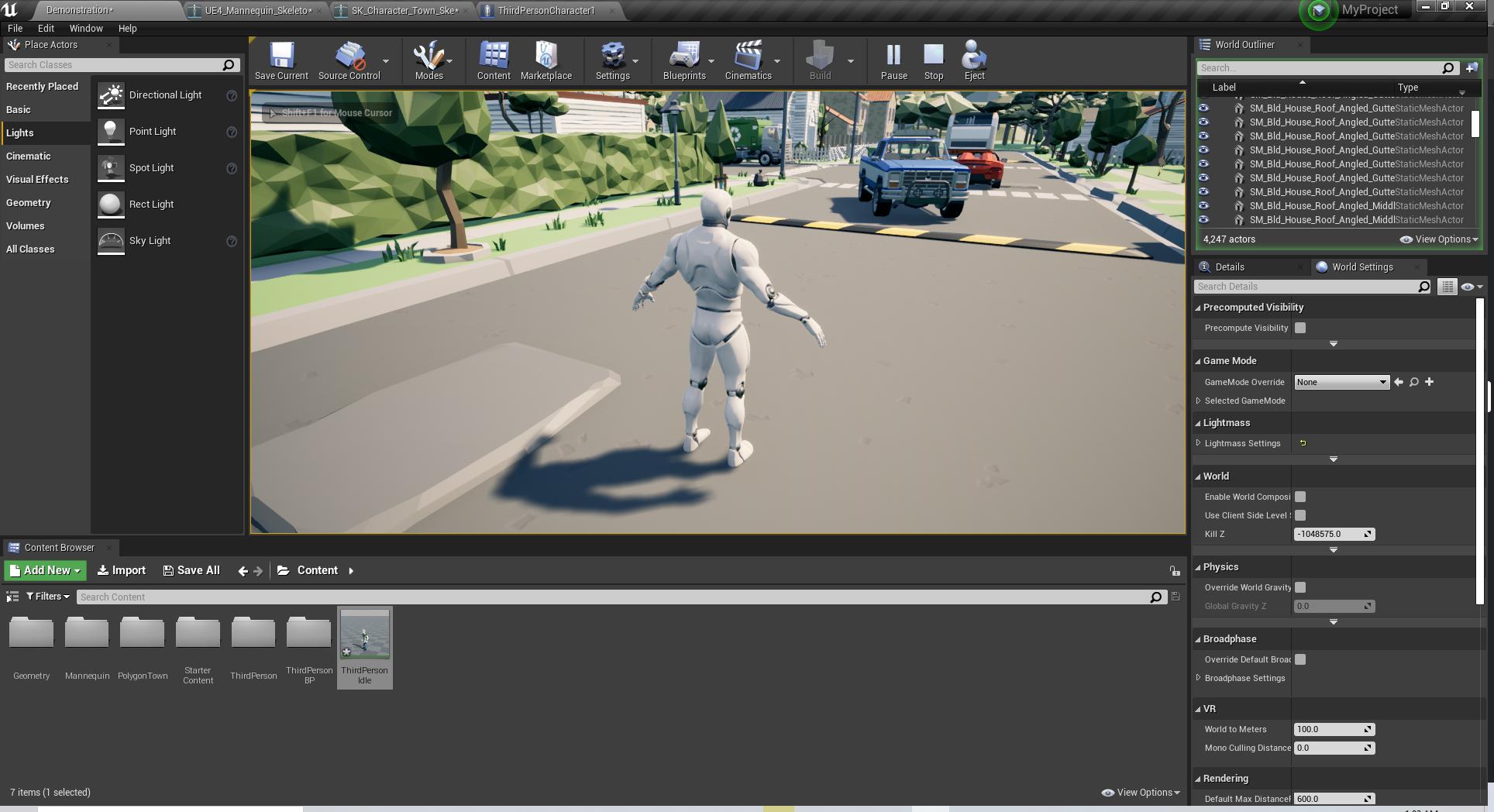
So hey guys, Complete noob to unreal engine.
I'm using the third person default player controller.
Question when I change the Mesh to another mesh that supports the same animations the default third person controller use.
How do I make it use the same animations as default for different mesh?
Example: https://bit.ly/2XXoDCL
(The animation breaks when changing mesh.)
 misty dagger
why is the keyframe button greyed out?
 crimson geode
sup
i have 2 punch animations
when i click 1 time it does the left one
the second time i press it it does the right one
but the problem is that when it plays montage 'LeftAttack'
it also plays the right one
so the FULL clip
any help?
trim vigil
how long will it take to rig up the sloop and give him idle, walk, run, (simple attack pop, attack bite anims?.)
trim vigil
Hes just a static mesh at the moment, but I don't know if he can be animated in unreal engine as a static mesh. I think he has to be rigged to do that.
I can't use mixamo, his mesh is not a humanoid mesh. So mixamo won't accept it.
crimson geode
you can rig it yourself like a humanoid mesh but nothing is skinned to the armes
btw
do you know how to do this
trim vigil
I don't have that knowledge, that's why I usually use mixamo to rig things.
trim vigil
But mixamo only accepts human meshes. Otherwise i get the error çannot map it.
mixamo also will not allow me to rig any meshes with any blend shape keys. It destroys them. That's why I can't have talking 3d characters running about in myg game.
So mixamo has limitations. It can't rig this mesh for me.
misty dagger
Hi. Does anyone know a good video that explains how to add keyframes, delete keyframes, apply curves...? On UE4
static falcon
@trim vigil a really basic rig like that isn't so hard... you draw a skeleton and place joints where you want it to bend, then you bind the skin. Give it a go in Blender, 1000s of free tutorials!
trim vigil
I don't have the knowledge of manual rigging a mesh. except I know this about blender, it has a bug in the program that causes rigs and bones to mess all up if you move them in object mode. Thisis why I dont' trust the program to do it myself.
The bug will not show up in blender, but when it gets triggered off, it messes up the animations in unreal engine and leaves a warp twisted skeleton, or stretched bones in the skeleton editor...
 astral wing
Hey all, is it possible that a character wont play an animation montage until the character mesh is in view of the player camera? I'm running into a weird issue where if the camera FOV is zoomed way in, but the character mesh isn't in the camera's view, the animation doesn't play until the camera has returned to its normal state/character in view of camera. Should mention this is just for the player mesh/player camera combination
EDIT: To help anyone in the future... SkeletalMeshComponents have an option for ticking, "Visiiblity Based Anim Tick Option". The default is to not tick if not in view. Setting this to "Always tick pose and refresh bones" fixed the issue. Cheers
 leaden widget
Hey, does anyone know how to move a hand with the same motion as the mouse? I don't even know where to start tbh. Thank you 😄
 winged violet
If you wanted to make a weakpoint / headshot system but have enemies that have different body shapes, should you make a dummy bone called weakpoint and position it roughly where the weakpoint(s) are and then add physics assets collision to those areas?
teal vessel
do you know how to do this
@crimson geode if you need to use the output of a pose in 2 diferent locations, you can "save a cached pose"
@winged violet You could also always have a socket called weakpoint_socket in your mech and attach the actor that receives the hit to it. That socket can be placed anywhere in any skeleton, following any bone you wish.
winged violet
@teal vessel Then you'd need a separate actor to receive the hit though right? Rather than just using the skeletal physics asset as for other hits
Which could make things a bit more complicated to setup in the case where you'd have say 6 weakpoints
Then the owning actor would have to bind delegates to each of the weakpoint actors to know when they have taken damage
When you make the dummy weakpoint bone then you can just make x amount of physics asset shapes and if they are hit, they'd count as a weakpoint when reading in the bone name hit
But it's definitely an option if the skeleton couldn't be edited
 flat sluice
Hi there! Is anyone here bored out of their minds enough to want to make a skill exchange? I would love to barter my programming skills for someone to help rig this model 😄 https://www.cgtrader.com/3d-models/character/sci-fi/assault-mech-b8abdb52-479e-42a2-bbdf-979e8777871d

CGTrader
Model available for download in # format Visit CGTrader and browse more than 500K 3D models, including 3D print and real-time assets
trim vigil
i'm looking to get my sloop rigged, but i don't know how long it will take to get it rigged and then animated with walk, idle, run, bite, and shoot out of mouth anim.
 fickle trench
Hi to all!
Gentlemen, who is in the subject. Tell me, now there is only one plugin adequate for maya to create an epic sceleton - Artv1? Or there are other alternatives?
 warm island
has anyone come accross a weird bug when using retargeted animations where your character seemingly falls through the group in between transitions?
 sage parrot
is there a way to get an animation notify in another blueprint?
I cant cast to the animation
coarse oxide
@sage parrot try creating a new Blueprint Class and creating an anim notify BP, make sure you expand the all classes dropdown to see it
though im not sure if thats what you need but it worked for me
misty dagger
@flat sluice I thought that was Megatron for a sec
misty dagger
@proven nimbus could use your help, Prime 😨
 wraith verge
Hi, ive read sometimes using animation blueprints is slower in performance than c++ animations. Anyone know how much it takes?
 azure roost
Anybody know why my blendshape animations won´t import from maya?
I selected the basemesh, as well as the root joint and ticked "include deformations" in maya and bake before export, but I get no blendshapes in Unreal.
Following various tutorials online, I can´t find the option to "import morphtargets" anywhere, I assume thats deprecated.
 vital mesa
at what point of a footstep is it best to play a footstep sound? (heel touches ground, full foot is on the ground, right before it starts lifting up, etc.)
@misty dagger Id say heel. When you walk in shoes, the heel usually comes down first and this is where all your weight comes down as well
how can i "simulate" a 3d blendspace, as in constrained by 3 values? In my case, I have animations where my character jumps up and grabs a ledge, which depend on the angle the character is coming at, and the distance from the wall. However, I also want it to depend on the height of the wall.
I tired that, but when i just use a blend, the more information i get from the 1d, the less i get from the 2d.
ye, but that would mean id have to do all angle and distance animations twice: for low height and for max height
since the height info is basically only contained in the root node, i was wondering if i can just add that info to the 2d blendspace
ye, thats why i was wondering if maybe i could do some IK-like setup for the root, where I would just add the height from the root onto the angle/distance pose
I'm using root motion tho. WIll i run into trouble with that?
i havent tried any IK yet, but AFAIK things like "move component to" dont work with root motion
I actually remember looking into it, but at first glance it wasnt what i needed. Do you know what feature of the control rig I should look for?
sure, it's kinda essential for what I intend to do
it's not just the hand position tho that needs to be adjusted to the wall height. It's also the jump-height ansd the overall body position
is it possible to combine root motion with scripted movement?
alright, i will try it out. Thanks a lot!
 round shale
if I don't include scale when I export animation, will that mess with things?
 fallow oxide
hello
absolute newbie to animation here,, i do level design mainly.
problem: got a character from the marketplace. it's set up with a hack&slash running/attack/idle animation
i'd like to give it a gun instead.. so run/idle/attack with gun
what's the easiest option to go about this problem?
thanks
PS: i can't do blender/3dsmax or any of those
round shale
@fallow oxide I'd attach a gun mesh to your skeleton socket.
v. easy, piece of piss.
fallow oxide
not exactly what i was looking for,, since the char is normally running with a sword.. putting a gun in the handsocket looks weird
but, it's all good. i figured it out, gnna re-key some stuff
 fleet willow
Is there maybe any software with which i can do motion tracking with a simple camera ?
fleet willow
That's sad :/
I'm totally limited when it comes to animation's for my game.
The best solution would be to buy a motion capture suit, but even then i'd've to pay like 2k€ and the results are also gonna be ehh
vital mesa
@fallow oxide characters with swords run differently than characters with guns. Maybe there is some fix in-engine, but I think that your best bet would still be doing the animations manually, OR get some gun-animations from mixamo and retarget them to your character
fleet willow
renting those seems hard here in germany, i found a site but that's arround ~480€ for 8h a day
And making them per hand is a huge pain in the ass xD
vital mesa
@fleet willow not if you make a 1st person game^^
fleet willow
@vital mesa Actually making it 1st person
@misty dagger Looks sweet, gonna give it a try
vital mesa
but in that case you'd only need arms and maybe legs, depending on what youre trying to do
fleet willow
Luckly only arms
But that limits me to animations for the player, but not for enemys
vital mesa
in which case you should always fit the game's features to your skillset, not the other way round
fleet willow
https://www.youtube.com/channel/UCafJo_qV3VukeixfbDwiUiQ
You can take a look what i got so far with the epic's monthly gifted assets, but then again. I can do something with stuff i got, but new animations to add is a problem for me
vital mesa
well, there's 2 easy ways to go about this: you could either only use assets that already have all the animations you could need, or you use 3dmodels that don#t need animations. For example, if your enemy is a sphere-shaped drone with a red eye in the middle, it only floats around and maybe shoots, and you dont need animations for that
fleet willow
That's smart, didn't really thought about such simple ways
bronze osprey
that video looks like a promotional vid, not the actual tech
you dont see any of the bone tracking
you pay for what u get usually 😛
and now u get mobile phone mocap
nah u should let ur ai train on cleaned up anims
its the curves they should study
fleet willow
@misty dagger Sure ^^
devout dagger
fleet willow
Anyone know how i'd let an animation play X seconds ?
Like is there maybe some UE magic which does that ?
Cuz so far i only see the option to set the playrate after doing some math
To descripe it a bit more;
I have fireball spell which needs 5 seconds of casting time until you can fire it.
And i have the cast animation which takes 1 second with a playrate of 1.
But i wanna let the animation play 5 seconds until it reached the last frame of this animation
vital mesa
you could specify in the transition rules when you want the cast to end
fleet willow
That was not the problem i have :D
Like i wanna have the animation stretched over the casting time from my spell if that makes any more sense
velvet sparrow
What's the problem with just setting the play rate?
fleet willow
I didn't got it to work ^^"
But i think i found a better way with the Interp Result here
Now i just have to get this done :s
velvet sparrow
If your animation is exactly 1 second long, it should work like this
fleet willow
Oh, that makes me now kinda sad after i see how easy the solution is xD
Thanks, really
But would this also work when the animation is e.g. 5 seconds long or 0.5 ?
velvet sparrow
You'd just have to enter the duration of the animation in the first slot of the divide node
fleet willow
Alright, thanks again ^^
velvet sparrow
Glad to help :)
 wise wave
What do you guys think is the best way to make facial expression animation to in-game from Blender to Unreal?
I've seen many people using regular mesh bones, but I wonder if those mesh morph handles can also be used
velvet sparrow
It depends mostly on your animation and rigging workflow. Bones are nice if you want to easily reuse the same skinning on multiple characters, while morph targets offer more fidelity but usually have to be set up for each character individually
I personally prefer using morph targets / blend shapes because I get better results and hate weightpainting complex facial rigs
trim vigil
But Fey, we can't animate the rigs with Mixamo if they have any blend shape keys, for Mixamo just destroys the blend shape keys in the existing rig when auto rigging it. I didn't know that lip synching has to be done all last after all the animations have been done first. But if I get someone to add in a blend shape key to the skeleton after all the animations been done then, Unreal Engine will proabbly give the This Skeleton has Changed Error and could destroy all the animation data and void them so I am not sure how to add in lip synching animation to a fully animated rig. For this problem is why I can't have talking 3d models in my game.
wise wave
Thanks both of you @velvet sparrow @trim vigil . I never did this and I've been wondering about it for the past days
trim vigil
I would like to have 3d talking models in my game for the dialog because my game is dialog-driven I can use Crazy Talk 2d talking movies, but Crazy Talk is rather creepy looking with some of the expressions. I wanted 3d talking models, so I can work on switching camera angels during the dialog. But I think I need talking 3d models for that. ...Also I might switch to a one to 2 line dialog system than just putting all the text on the screen at once otherwise it clutters things.
Ren is that a Blender model? What does the model look like when its not animated. What animation is this ?
trim vigil
can anyone rig and animate my sloop?. If I try to do it myself in Blender I might mess the bones up... Hes a two legged creature with no arms.
 muted vigil
Hey all, would anybody have recommendations for importing first person camera animations (Maya)? I've tried just using camera shakes but they don't quite have the level of control I'm after, looking for subtle movements to reflect what's happening with the character's first person arms. I seem to be able to import a portion of the animation to a CameraAnim asset but the playback area is locked to one second no matter what I do, leading to longer animations like reloading or swapping weapons getting cut off halfway. Any and all help would be greatly appreciated!
trim vigil
you can change the speed of the animation montage to make it play faster, or you can go into the montage and cut the frames you don't need.
muted vigil
It's not a montage unfortunately, it's a CameraAnim asset using the older Matinee interface. This method would work fine except the green "playable area" refuses to extend to the end of the camera animation (where the red keyframes end). If I extend it and close out of the Matinee window, it jumps back to the 1 second mark.
fallow oxide
hmmm, so i've rotated this arm out a fair amount to make the weapon stock not clip into the body
saved it all.. why does it not update in my animBP?
or rather,, when i go in the character blueprint.. she's still running with the gun stock clipping inside the body
like nothing changed
am i missing something?
char BP,, gun still clips as you can see
trim vigil
Two sockets must be created on your player character. One socket to hold the weapon in the hand, the other where the weapon is not in use.
fallow oxide
i've bound the weapon to the hand socket temp
that's not the problem. look at her hands.. in the first pic
and then look at the hands in the second pic
the animation doesn't update
after i make a change
trim vigil
In Player Character add in a scene component. Attach that scene component to the socket. Then attach the gun mesh to the scene component. Then rotate the scene component to fit the gun into place. This allows the weapon to detatch from the player after death.
trim vigil
Otherwise the gun will still be in the player's hand after death if its not attached to the scene component. I think it needs to be set up this way for switching to multiple different weapons .
As for updating animation, you could make the adjustment and try the + Key to add in a key to see if that will add in the change. and hit compress animation. See if that updates it. I'm not sure on that.
fallow oxide
ah, i'll try the compress anim
ok that doesn't do anything
so look.. i'm in the jog anim
i'll rotate the arm in a wacky position
trim vigil
and the gun is not moving with the player's animation?
fallow oxide
yes the gun is moving with the socket
don't worry about the gun
so i moved the arm in a weird position right
and saved the anim
this way it updates my jog forward/backward/left/right
they now all have that arm up in the sky
trim vigil
is this a blendspace?
fallow oxide
no thats the raw anim
so now i went into my blendspace
and it has updated the arm
so far so good
trim vigil
ok, strange, the arm should not be pointing up in the sky or bent at the arm like that.
trim vigil
need to see a video of this to see whats actually is going on. That's weird looking.
fallow oxide
which refers to this BS_Jog
that i've just showed with the arm up
but here,, it just shows the mannequin
and none of the anims that i changed are used here
what am i missing
trim vigil
and this is from the player's animp BP its showing the mannequin instead of your character?
hold on wait a minute that's the default mannequin's anim bp I'm looking at, not the player's animp bp.
trim vigil
so you are using the default Mannequin's BP.
trim vigil
I'm not good at level design.... I'm trying to get my sloop rigged and animated (alien two legged creature). But Mixamo don't support two legged meshes for auto rigging.
So the arm goes up during the anim, or it remains up while anim is playing.
Is the mesh in the a pose in the skeleton editor (no funny bent arm showing)
fallow oxide
yes it's in a normal pose in the skeleton editor
trim vigil
ok
whats it showing in the 3d preview in player character when selecting the animp bp. Is it just the one anim that this shows on.
velvet sparrow
@fallow oxide After editing the skeleton in the preview window, you need to "bake out" that edit into a new animation
Then replace the previous animation in your blend space with the newly created one
fallow oxide
Thank you fey. I’ll try this after dinner
 scarlet spade
Yo, can someone help me out with a root motion problem? Montage keeps moving my player back to his original position after play
simple shuttle
A look at how root-based animation is handled within Unreal Engine 4
scarlet spade
@simple shuttle Looked at that documentation and it hasn't helped out at all
simple shuttle
@scarlet spade get the default mannequin
and reimport the animation, should be fine
 dusky arrow
Anyone found a bug with the Control Rig in 4.25 where you add the Control Rig to a level, move some controls (or not), then save the level. Close the editor, re-open it, and the Control Rig loses all controls?
my bad. it seems you have to re-open the sequence afterwards and the controls come back.
crimson geode
please someone help me
i rigged my character
put it into mixamo
leggs are always crossed
@shadow lion
 shadow lion
You've summoned me to a channel that I know little about, lol.
Sorry, I'm all about the code.
crimson geode
can you send someone?
shadow lion
I wish. I don't know any animators.
simple forge
Can someone help me with an animation
I only need to know if its possible
I am making a tornado..it needs to be a skeletan mesh. When the tornado moves around and changes direction..is it possible to make the movement like in the diagram. So when the bottom moves..it 'bends'
dusky arrow
@simple forge maybe an odd place to look, but in the vehicle movement component demo, the advanced one specifically, it shows you how to do that with physics
simple forge
@simple forge maybe an odd place to look, but in the vehicle movement component demo, the advanced one specifically, it shows you how to do that with physics
@dusky arrow Thank you I will take a look!
dusky arrow
drag it
 long turret
for some reason when i import my .fbx file, it creates a sequence for every keyframe
 sharp oracle
Does anyone think they could hop in a call i im stuck and i dont really know how to explain in? if they could that would be great
 earnest storm
@misty dagger I have the same issue
Also does anyone know if you can actually use the control rig / sequencer duo to be able to create actual animations for a skeletal mesh such as an independent run/walk/shoot animation? Or is it just for like film animations for movies and such?
misty dagger
is there a way to change the folder from which blendspaces and montages are referencing animations from?
Attempting AssetActions > Replace References
bronze osprey
@simple forge i would use FABRIK for that
 bold temple

 remote needle
Hi, I could do with a tip.
I am trying to make a system where in,
static mesh is attached to sockets (to be interacted with) at set points of an animations run time.
I was wondering, is there a way to somehow do this using the animation or anim montage ?
Because it is vital that they appear at the right time in the animation.
Also, I am hoping to set this up as an array so I can give it additional elements,
as each animation has a different amount of interactable sections, at different points of the animation.
If I have made any sense ?
trim vigil
i don't know if I done it right, but I have now rigged my sloop, now I need it animated with idle, walk, run, shoot, attack.
trim vigil
warm island
anyone with Maya know what this means?
i had a mesh, i copied it, modified it but it has its own hierarch group so i unparented it and when i try to reparent it, it throws this error
remote needle
Should each anim notify have its own track ?
I ask because some of mine are close enough to overlap
velvet sparrow
anyone with Maya know what this means?
@warm island Maybe try exporting the mesh and reimport? Maya can be pretty weird sometimes
Should each anim notify have its own track ?
I ask because some of mine are close enough to overlap
@remote needle Doesn't make a difference, as far as I know. I think multiple tracks exist just to make it easier to work with notifies
remote needle
ok that makes sense, thank you for the info @velvet sparrow !
warm island
@misty dagger thanks again on your tip on how to copy skin weights! worked like a charm
@velvet sparrow i was doing shift+p instead of p, meaning i was trying to unparent it from the world but that's the lowest denominator
 fast geyser
I'm trying to import a simple open and close of a door animation, I have the door set on a plane but when i import only the door will import without the floor. Does anyone have a clue of what im doing wrong?
trim vigil
I need my sloop creature animated, Mixamo is unable to map my skeleton....
 small orbit
How to replicate animation?!!!!😩😫
trim vigil
Drat...I can't get the idle, walk, run, shoot, bite animations from Mixamo because my sloop rig Skeleton cannot be mapped by Mixamo. and I'm not an animator....
trim vigil
I don't know how to do walk cycle, run cycle or idle animations, I'm not an animator. I cannot put my Sloop in Mixamo because it won't accept the mesh. So I can't animate anything at all in Mixamo.
I don't have any animations for my sloop yet. The only thing my sloop has had done is been rigged, I had to rig it myself, so I'm not sure if I done that right.
Because the sloop only has two legs and no arms and just a head and body, is why Mixamo won't read it. Mixamo only reads meshes with four limbs.
that won't work, because my Rig haswhat, 15 bones in it? Much less bones than the 65 bones of the mixamo Skeleton, you got to have a skeleton that matches the targeting.


that's the rig in question. I used extrude bone to create it. Then I just auto weighted it. I made sure I only moved the bones in the edit mode, not in object mode in order to avoid Blender's bug, as Blender has a nasty bug that messes up rigs when animating them..
i can cause I had alot of trouble with blender with my commander, it warped his mesh. I found a way around it, I had to turn him into an unreal static mesh, then export him out of blender as a static mesh and then re-auto rig.
Strange bug occured in mixamo when I exported the commander as a unreal static mesh, he only showed 1 single bone in his skeleton when importing him from mixamo into the engine. Mixam showed his Mesh standing up while his Bones were all lying down on the ground. So Unreal Engie only could read 1 bone because it was not in the mesh. And that's the bug in the auto rigger I triggered..
You can load custom static blender meshes into mixamo to auto rig but not Unreal Static Meshes as I found out. the auto rigger probably don't like Unreal's format.
Plus the Mesh has to be humanoid shape for Mixamo to accept it. it must have two legs and two arms.
yeah
so you are wanting me to hook up the sloop to the player and target its walk idle and run animations to the sloop. Hmm, I had trouble getting the player preview to show up in anim targeting.
When I tried targeting in 4.25 with my commander with the mannequin, the mannequin showed up in the A-Pose preview but not my commander....And I didn't know how to get my commander to show up.
trim vigil
well sloop skeleton is not showing in retargeting manager. only mannequin skeleton is showing.
already got the sloop mapped to the humanoid rig so it should be showing up
nup its not showing up
i hate this problem, I'm not sure how to get it to show in 4.25.
how do i get it to show up?
I got both skeletons windows open, so it should be showing the sloop rig
but its not...so I can't target the other skeleton.
warm island
do you actually need to retarget the skeleton?
trim vigil
I don't know how to get my sloop to show up in the preview window. I cann't use mixamo to get the animations for my sloop because the mesh is the wrong shape.
remote needle
Thank you for the info @misty dagger
What do you mean by make sure they are not qued?
trim vigil
so it won't map it.
warm island
@trim vigil are they the same rig type? as in humanoid?
trim vigil
As Mixamo only targets humanoid meshes. Not meshes like this.
https://cdn.discordapp.com/attachments/221798806713401345/722833158747324477/unknown.png
warm island
right so why are you trying to map it to a humanoid structure?
trim vigil
because I don't know what I'm doing. I was told to just try to map it to an existing epic skeleton so I can get the animation targeted for the sloop. The sloop has no animations, so I'm told to try to target them from the mannequin.
I said to the guy that won't work, my sloop only has got about 15 bones, its not the same hireachy as the epic skeleton, he said, don't worry, just map only the bones that you need to target and just ignore the rest.
warm island
your sloop has a rig, but to get animations from something else you have to have a similar (or close enough) rig structure. you cannot map an arachnid to a humanoid for instance. I recommend you create your own animations in blender(?) and import them.
your guy is a fool, forget his advice
trim vigil
So I have to try to map 65 bones skeleton animations over to a 15-16 bone skeleton for the Sloop. Which the skeletons are not equal.
warm island
you will have to animate it on your own
trim vigil
That's the problem, I don't know how to animate it on my own that's why I'm in trouble.
warm island
seeing how little bones it has, it should be easily 1-2 days
youtube it, i dunno anything about blender, i use maya
you probably have to set a track, pick bones and over a timeline rotate them accordingly
trim vigil
i dont' know how to do walk cycle animations, its not that easy, its quite complex the adjustments you have to do for each frame..
because you are not just moving only the feet but also the whole body.
trim vigil
Ok, just selecting the preview mesh asset dosen't update it, AND IT SHOULD. But no that's not enough, I have to click also on apply before it will actually update the preview window. (double unecessary mouse clicking) just to select something.
I see what you mean Lorash, i do have to play around with targeting advanced to set everything mostly to skeleton, but don't think this will work for the Mannequin Animations Yeah, hes swaying about a little too much in the animation.
 onyx fern
Anyone good at skinning fpv arms onto the base ue4 mannequin rig that could possibly help me with it really quick? It would be much appreciated 😊
trim vigil
Hmm, the walk animation didn't come out right. Sloop is swinging side to side.
The Mannequin Walk animation is designed for WEAPON carrying guns.
This probably why my Sloop's is swinging side to side like a stormtrooper's rifle. when he walks or runs.
wise wave
You'll have to make your own, unfortunately
trim vigil
maybe i can get it off my commander instead, he dosen't have just weapon carrying animations.
the other obstacle is trying to get my party members to lip synch in the game in 3d, not 2d.
wise wave
You can either face it head-on and learn (don't worry too much about it, it's not really hard) OR you can import an animation from a bird-like rig
trim vigil
we don't have alot of years for learning this engine.
but it does takes years to learn how to customize it,
 opal jackal
If I export my skeleton from UE4 into maya, add a root bone, then import back into UE4, how can I easily retarget all the animations to the new fixed skeleton?
wise wave
There's the retarget option in the skeleton settings
This is assuming the skeletons are similar
opal jackal
Yea I tried that thinking since there was only one bone difference, it would be easy to do but the retarget options are all bones for the mannequin, which my character doesn't have a lot of.
I went through each bone and selected the closest match to my character but when I retarget it's all stretchy. 😦 I hate root bone issues. Every character I purchase comes with no root bone. 😭
I was hoping there was an easy way inside UE4 to fix it. I know how to fix the anims in Maya but that will be a lot of work. I have a lot of anims.
wise wave
That's weird, the retargeting system usually works well
There's a few things to do for setup sometimes, but it usually does the trick
Specially using mixamo rigs
opal jackal
Looks like It may just be the spine. My character is missing a Spine 02 https://i.gyazo.com/4333ec256b372ee2a2ec1fdee95cb1ba.gif
he reverted to his old snake ways hahahahaha
wise wave
This is a character you bought, isn't it?
opal jackal
Yea
wise wave
It's most probably a difference between the skeletons
try taking the rig off and create a new one in mixamo
opal jackal
Oh so I just used Spine 1 for the missing spine and it looks ok now. It's just rotated 90 wrong. Hmmmm
I'll probably just have to fix the anims myself in maya. If I put it into mixamo that would just make my anims have an even harder time retargeting wouldn't it? IDK It'll be fine. Just work lol
wise wave
I mean, if you simply remove the original rig a let Mixamo create a new one, it will generate a rig that can be retargeted
 velvet geyser
I have weird question but maybe someone will be able to help.
I'm using LegIK node and I have shared anim bp with AI and Player. Is there any way that LegIK node won't be ticking if it's alpha is 0?
Or is there any way to tell node that it should stop with updates?
I can see that even with 0 alpha (for AI) it's still doing calculations.
 trail matrix
Hello! could use a hand if anyone is willing. Im making an enemy, I'm using animbp's and anim montages. does anyone know how to add notifiers in anim montages? it seems to have been changed within a recent update.
bronze osprey
you can actually retarget anims to a completely diffrent mesh, but you have to know what ur doin
and no guarantee its gunna look good
arachnid to a humanoid for instance. totally possible, but it wont move lika a spider 😛
you could retarget the leg anim to all 8 spider legs or leg and arms and have it walk upright
but.... you have to get the names right for starters
well dont even need that, but u have to setup a retarget rig
multiple ways to do it, they all make as much sense as a spider with human animations tho 😛
if u keep the pelvis to head intact u can do anything with it
ur just mapping bone transforms to other bones
i would prolly use the iggy & scorch rig from paragon or build my own rig for that creature
misty dagger
anyone know how to make cutscene like epic did in fortnite as season trailer?
 fair sable
Hello, i want to record my character inside sequencer. However, when i record it, my character goes to rotate 90 degre (facing the floor/landscape). It happen if i use my character skeletal mesh. I try to use other skeletal mesh and my sequencer recording goes well. Can anyone know what happen with my skeletal mesh?
 violet oyster
Does anyone have good resources for learning animation in Unreal?
fair sable
@misty dagger it use sequencer i think
bronze osprey
@violet oyster the 3rd person anim bp, the paragon anim bp, and paragon anim videos
trail matrix
Im back again, now i seem to be having an issue reducing the length of this animation. i cant seem to move the green/red lines on each side of the anim and i dont know why. i can add frames but cant subtract.
bronze osprey
numbers on the right side than?
 past tusk
Can anyone help link me some good tutorials on how to do procedural animation? All I can find is informational, "this is why procedural animation is awesome" not "this is how to set it up in UE4" 🙂
bronze osprey
procedural is just a buzzword, you have to code everything that gets done 😛
linetraces, stuff like that
past tusk
Yeah I understand that, and I know how to do the linetraces, but where do I tell the foot that the line trace has hit something?
bronze osprey
anim bp
like a blendspace is allready kind of procedural
and think of a person running , now he comes at a river with rocks sticking out keeps running
now the player checks where the rocks are or the rocks tell the player where he can place his feet
now the player bp decides how high/ fast and far the jump should be
and the anim bp should put the limbs in the right position
now you can move the rocks around in the water and the anim should still work
or the player pawn refuses to take the leap
so, if you use 3rd person template you can allready say you use procedural animations
its just a buzzword
pixar movie. everything is defined when they hit the render button, not procedural
 smoky oriole
Hey guys! I have a big problem importing fbx files in Unreal engine, it always delete some bones and offset all the names, i didn't find any information on the web about it, anyone has an idea of what is happening?
It seems to mistake bones and joints
Could i t be cause i don't use the FBX 2018 format?
bronze osprey
looks like some ignore leaf bone kind of thing
smoky oriole
But i wouldn't see wich option in the import options would fix that
i'll try adding another bone in blender on each terminology and offset everything myself
smoky oriole
Tried that but Unreal couldn't detect those
bronze osprey
where did that last bone go?
smoky oriole
Actually it seems to be still there but in a really confusing way
So the UE4 mannequin has "invisible" bones

But why
I'm new to rigging so i don't understang the logic
bronze osprey
yea i think thats how it should be, ur char also works right?
smoky oriole
It does work but when i recalibrated animation it looked like shit, now i know why
but i spent a few hours thinking it was a problem from my export settings, but the truth is i just didn't understood how the mannequin rig in UE works
 haughty magnet
anyone experienced with cloth simulation? My character can't simulate multiple cloths at the same time for some reason but can simulate one or the other
karmic mesa
can someone help me getting some simple animations going for my character
ive rigged it in blender but I am not sure it is sufficient
vital mesa
@karmic mesa what do you mean by sufficient? and what kind of help do you need
if youre looking for simple animations as in basic locomotion stuff for humanoids, you can always just go to mixamo instead of doing them yourself
karmic mesa
@vital mesa the character has hands but no arms so i cannot use mixamo since it requires arms,
vital mesa
so its like a first person character?
karmic mesa
no its third person just no arms
vital mesa
how do you have hands but no arms?
vital mesa
unless you are garbage at modelling, Id just advise to add the arms if just for the purpose of getting it into mixamo. You could then always give them a separate material that just makes them invisible in game
but in case you dont wanna go that route, what kind of help exactly do you need with the animations?
karmic mesa
the character is pretty simple so I just wanted to create my own animation for jumping
vital mesa
okay. So, first thing you gotta ask yourself is do you want root motion or not