#animation
1 messages · Page 140 of 1
 rustic swallow
hmm, the existing notify events in the AnimBP are not showing in the animation sequence editor
and when I add their names manually, they dont fire
ok... looks like I just had to delete and remake the event nodes once I added them in with the same name , idk why they arent showing in the first place
 native moss
anyone use livelink? having issues with built 4.24 project no t being able to use livelink, works in 4.22
 junior blade
I'm trying to use the animation starter pack on my ThirdPersonCharacter but I can't get it to work. Is there a simple guide on how to use it
 solemn sail
I'm experimenting with SimpleGrassWind on some objects. Got it working fine, but read that you need to use vertex weighting to mask areas you don't want to be affected by wind. Do I set those weights in my DCC app when I create the model, or do I paint those weights in Unreal?
 tranquil surge
Any ideas why I can't access the Anim Notif for "Left Plant" and "Right Plant" in the animation blueprint for the Sparrow asset?
I see them in the animation sequences, but I can't add them to the event graph of the Animation Blueprint
because they aren't notifs! They are sync markers!
 junior geyser
Anyone know why Control RIg sequence wont show up in editor. I have control rig in the list but sequence seems to be missing
 warped field
I need some help here with animation montages. I am making a tower defense game with different types of defense turrets. I have two so far, a standard and a machine gun turret. For each, I have a fire animation montage and an idle animation. All of my turret properties (including the different montage references) are setup in a data table. The fire animation works fine with the standard turret, but the machine gun refuses to play its montage. Ill post some screenshots in a sec.
^ machine gun anim BP
^ Montage play node
^ Machine gun fire montage
Both turrets are child blueprints to a main turret class
warped field
seems like for some reason the slot isnt working, but bot the anim graph and montage use the default slot
it is ok for two montages in different anim graphs to use the default slot?
 cobalt sierra
@fossil bear i'm a noob too, so odds are really good that i'm leading you astray, but mixamo was easy for me. blender also seems much easier to do custom animations with than UE4's workflow
warped field
I have also tried recreating the montage with no success
When I assign the montage to the mesh instead of the anim blueprint, it plays fine, so there is not much wrong with the motage
im going to try to remake the anim bp
I remade it and still didnt work
plz some1 help ive been working on this for hours
warped field
ive searched for hours and found nothing of use on google
ive tried making new slots. didnt work
 tender flicker
hey does anyone know how to restart the animation on the finite state machines?
I have the same animation on 2 of my states, and when they transition between them, they always seems to be playing from where the previous state left them
 vital mesa
does anyone know how to make root motion animation from blender work? Thing is, when I name my rig "metarig" or "skeleton" in blender, the root bone isn't the root in UE4, and that's probably what causes root motion not to work. However, when i rename it to "armature", the skeleton imports correctly, but my animations are invisible and I get "imported bone transform is different from the original" warnings. And the only fix for this problem I found was to rename the armature which obviously won't make it work either...
 sharp cedar
I saw few tweets about people using control rigs to animate inside the editor (one of the new features) - any idea where I can start? Is there a control rig available for the mannequin somewhere? I know I can make my own, but I'm looking for one thats already done 😛
tender flicker
I think ue4 has a default one for the mannequin
 narrow topaz
Hey y'all, total noob question.
I need a default ue4 mannequin to work with multiple character animation packs.
But it seems that pack A is stuck to its skeletal mesh mannequin, and pack B has its own - even though both are rigged for the default mannequin. So when I use the mannequin, I can access one set of animations, but not the other, depending on which skeleton I choose.
Any ideas how I can take my default mannequin, open up the dropdown menu Animation Assets, and have all my animations from the multiple packs be available?
 frail eagle
@narrow topaz I don't recall the precise steps and I don't have the project handy, but there's an option you use when right clicking on an asset to replace it with another one, I did that to all the skeletal meshes in the animation packs so they were all using the one from project, then fixed up redirectors and delete the pack-specific copies of the skeletal mesh
tender flicker
or you can export and reimport them
 ashen gorge
Question: DO I need to have a transform node after a fabrik node in order for the Ik resolving to take place?
tender flicker
what do you mean?
ashen gorge
are those transform bone nodes needed after to actually update the transforms
or are those just to correct improper rotation from being inhereted from the motion controller transform?
tender flicker
I'm guessing the second one
narrow topaz
@frail eagle that helps considerably! Thank you!
ashen gorge
okay, so what im finding is that when i move too "far" my motion controllers are no longer attached to the bone, their transform still effects the bone
tender flicker
I haven't used motion controllers, but when I was using FABRIK for my foot placement, you either have to set the alpha to 0 to stop it effecting the bone or give a Identity transform and set the transform space to be relative or whatever it's called
ashen gorge
Yeah, so im reporting the motioncontroller's transform on update, piping that transform into fabrik, resolving from hand to clavicle
the target effector space is world space. So its telling that tip bone to go to that point in world space
and inherit its rotation
I was thinking it might be more accurate if I do a transform bone on the hands, to the MC transform, and THEN solve the hands to the clavicles
without piping the effector transform into the fabrik node
I want those hand bones to ALWAYS be attached to the motion controller
tender flicker
does anyone know how paragon did their movement blendspaces?
I saw on stream they rotate the 90 degree movement animations for the diagonal ones
didn't show how they did it though
 molten jewel
https://discordapp.com/channels/187217643009212416/221798806713401345/706800629275689020 in regards to that @tender flicker you have to smooth over -180 +180 instead of zero
But really: would avoid blending axis by angle to begin with
Use a diamond of direction and mag of speed
tender flicker
not sure how to do either of those, is there any tutorials regarding that?
I fixed it btw, I just did 2 different blend spaces, 1 for forward and 1 for backward, when the character is moving forward the blend space goes for -90 -> 90 and when backward it goes from 90 -> 270
the new issue is with just the problem with not having backward + left/right and forward + left/right anims which cause the character's legs to look weird when moving at 45 degree angles
 spare otter
Would appreciate any help in the subject of why my Root Motion animations are not working correctly : /
Character Skeleton

 spiral cove
Hey everyone, got a small problem here. I have an animation of roots going into the floor but when I import it in UE4 there's no z translation, it plays on the spot.
tender flicker
animations retargeting
in the skeleton of your character, go to the skeleton tree, and on the options -> show retargeting options
check if root is set to animation
spiral cove
oh right, cheers, sry but i'm kind new to this :p
yup, everything is set to animation, this is strange, other anims never had this problem
 icy raft
Anyone been able to access animation curve data on the server?
 strong python
Anyone knows how to get a head splitted from the body to fit perfectly with the animations using skeleton please ? I tried using a socket but the neck keeps getting trough the shirt
spare otter
Ok solved my issue. To anyone wondering why their root motion animations are not working correctly . You have to set the root motion mode:
vital mesa
anyone know, why after enabling root motion both in the animations and in the animaiton blueprint and checking that the root bone is indeed at 0,0,0 and has no rotation, my animation still moves in place?
@spare otter was that all the fixing you needed?
strong python
It's more obvious ingame
 narrow mist
trying to follow some tutorials about animating a char in unreal.
it seems state machines and animation montage can do the same thing.. right?
not sure how to pick one or the other
also i've more question about skeletal mesh and fbx, is this the righ channel?
vital mesa
@misty dagger what change
 misty dagger
@vital mesa for example a movement
vital mesa
when you close the window, the bones in your skeleton reset to their default positions, if that is what you asked
misty dagger
YES
FOR EXAMPLE THIS
when i close the window
the bones rest the position
reset
vital mesa
from what i read in the docs there is no way around this, there#s no "save"
misty dagger
how can i fix that
vital mesa
Overview of the Bone Manipulation Mode that allows you to translate or rotate bones while previewing animation assets.
there's no fix. This is only to preview stuff, not to fix mistakes or create animations. What is it that you want to do?
strong python
@vital mesa Can you help me fix my problem above please ?
vital mesa
@strong python if I knew how ... what do you mean by separated head? Its using the same skeleton, but it's a different mesh, right?
strong python
Yeah same skeleton but different mesh, When i imported the assets, the head was a file and the body was a file that imported one by one
vital mesa
did you animate them together or separate?
 restive yew
Perhaps this will help
https://docs.unrealengine.com/en-US/Engine/Animation/WorkingwithModularCharacters/index.html
Describes the different methods you can use to create modular characters comprised of multiple Skeletal Meshes.
strong python
@restive yew Yeah i checked it but i'm stuck at this step - I don't know in wich blueprint do i have to put this
restive yew
animation blueprint
strong python
@restive yew I have this, on the left panel i don't have the reference for the body part like in the image
restive yew
Of course. You’re looking inside an state
strong python
this ?
restive yew
You need to be in the AnimGraph. Working on final output
Now I must head out. Goodluck
strong python
Thanks 😦
vital mesa
@strong python did you sort it out?
strong python
Nope i'm stuck because i don't have the "mesh to copy" on the left bar like on the ue4 doc 😦
vital mesa
can u send a pic?
strong python
so wich mesh i have to copy ? The body or the head ?
vital mesa
or skeletal mesh
strong python
so wich one ?
vital mesa
skeletal lol, that was my bad
strong python
Ok so how can i put it as a variable to have it on the left panel ?
an i have 2 skeletal 1 for the body one for the head
vital mesa
so, let's say you want to copy the pose of the head
strong python
yup ?
vital mesa
you would use the head's skeletal mesh to feed into the copy
vital mesa
you need to access the skeletal mesh component of the blueprint and then promote it to a variable
strong python
i have it here
vital mesa
look, you need t ocreate a character blueprint
put 2 skeleatl meshes in it
one for the body, one for the head
strong python
already have one
vital mesa
okay, open it and add another skeletal mesh component
strong python
i have this inside BP_MainPlayer
vital mesa
as a child of the body
strong python
done
vital mesa
okay, you have the head in there, too
vital mesa
so, go to the anim blueprint, add an event
it's called sth with "initialize"
it's basically the equivalent of "beginplay"
strong python
So it's not in this blueprint right ?
vital mesa
no, in the anim one
strong python
i have this in the anim bluprint
strong python
like so ?
vital mesa
not the class
the other one ... like, if your BP is called "dude", you can either cast to "dude" or to "dude_class". You want to cast to "dude"
strong python
this ?
vital mesa
yes
then on the left side you connect a node called "try get pawn owner" ort sth like that
 serene lake
Is there any kind of Tweener (Tween Machine) planned for UE4 for sequencer/control rig?
vital mesa
@strong python try this tutorial, I gotta go back to a problem of mine im facing^^

This is to cover a request I got from one of the patrons. Last time we created a character with a modular approach where the character head, lower body and upper body are different skeletal mesh components as for customization purposes. But with this system, we had some animat...
strong python
Already watched it, he talks to much and i understand nothing
vital mesa
Im gonna watch it later and see if I can understand it, but for now i need t ofigure out why my animations have a 1% scale with root motion disabled but 100% with root motion enabled
strong python
Thank you for your help 🙂
 clear gust
Question: I have an animation in 30FPS, but I want it to skip every 2nd frame. I have turn on the "Step" mode. How can I change the "sampling rate"?
 odd token
Is there a reason neither Skeletal Mesh, Skeletal Mesh Actor nor Skeletal Mesh Component variables allow me to select my skeleton when I make the variables public?
I just want to find the Z position of a bone (world space) in the skeleton's TPose in an animationmodifier blueprint but can't seem to find the bone location in anything other than the current animsequence =/
 brazen wharf
did you try "get owning component" => "get socket location" in animation bp?
odd token
Can't get owner in animationmodifier blueprint apparently.
 opal heron
@strong python : just catching the conversation now, but : are you aware of "Set Master Pose Component" ?
spare otter
Hi guys, has anybody had a similar issue when Enabling Root Motion ? Where the character rotates slightly ?
As you can see here, the animation is perfectly straight before Enabling Root Motion. But once I do the character turns a bit?

I have checked in Blender already and the animation seems perfectly straight there too... : /
 primal rapids
do you blend the Animation into the running?
it looks like the root of the following animation might not be in that direction and during the blend it takes root motion of the blending one but i have no idea tbh... just from the looks and the default 0.2 sec it feels like it starts to rotate around there...
ashen gorge
I am trying to set up a CCDIK node to control pelvis-Root. I was wondering how to set the effector as another socket relative to the tip bone?
narrow mist
hey, still trying to understand animation workflow in unreal. I see a state machine and anim montages, and blend spaces...
is there something that is "old school" and we now moved forward and there are preferred tools to use?
for example i know that unreal used to have a hud blueprint, now there is the umg
is that the same for these animation toosl? it seems they kinda do the same things... ? I'm judging based on tutorials i've seen
 wind marlin
When I import a custom character I, make it in fuse, import to mixamo, then when I import everything does import, except the face. Anyway to fix?
 spring harness
In 4.25, is there a control rig for the mannequin that I just can't find?
strong python
@opal heron I added this node but same problem
 lilac rapids
has anybody used this much?
https://www.unrealengine.com/marketplace/en-US/product/advanced-locomotion-system-v1

An advanced bipedal locomotion and layering system focusing on high quality character animation with responsive movement. Built to be flexible, extendable, and to provide a solid starting point for new projects. Currently Singleplayer only. (100% BP)
when playing a montage through blueprint, other than the ones that came with it, i get a single frame pop when the blend in finishes
character disappears for a split second
then reappears and finishes out the animation correctly
oh and this is only when playing on the base layer slot
tender flicker
does anyone know how the interpolation time works on the blend spaces?
if my interpolation value is set to 1 second, and I have 1D blendspace that goes from 0 to 100, does that mean it will take 1 second for it to go
0->100 and going for 0->50 will take 0.5 seconds or is it it just takes 0.1 for it to update no matter the difference, like if it goes from 0->10 it will take 1 second and 10->50 will also take 1 second?
vital mesa
@tender flicker it depends on the interpolation type you set. you have average interpolation, linear interpolation or cubic interpolation. Linear means it increases by the same amount every timestamp, cubic means x^3, and average I have no idea about.
vital mesa
let's say you have from 0 to 1, and your interpolation time is 1. Linear means you have 0.1 at 0.1 seconds, 0.5 at 0.5 seconds and 1 at 1 seconds
cubic means you have 0.0001 at 0.1 seconds, 0.125 at 0.5 seconds and 1 at 1 seconds
not entirely accurate in regards to cubic, but just to illustrate the point
tender flicker
but what do you mean from 0 to 1? do you mean what the old and new value is?
vital mesa
zero as in left side of your axis, 1 as in right side
tender flicker
ok so if i have a graph that goes from 0 to 100, and I have an interpolation time of 1, it will take 1 sec to go from 0 to 100, and it will take 0.5 sec to go from 50 to 100?
vital mesa
in linear, yes
tender flicker
ok, thank you
 safe knoll
hi. i faced some problem in mixamo . some of their animations doesnt have in place tick box,how do i do?
spare otter
Wat would be the process to get this assassin girl to use the Mannequin skeleton as the the body proportions are quite different : / is it possible?
brazen wharf
@tender flicker look at this, https://easings.net/

Easing functions specify the speed of animation to make the movement more natural. Real objects don’t just move at a constant speed, and do not start and stop in an instant. This page helps you choose the right easing function.
quite handy for all animators
 velvet sparrow
@spare otter The skeletons look fairly similar to me. If the bone names are identical, they should already be compatible. Otherwise, I guess you"ll have to do some retargeting? https://docs.unrealengine.com/en-US/Engine/Animation/AnimationRetargeting/index.html
Describes how retargeted animations can be used with multiple Skeletal Meshes, allowing you to share animations.
narrow mist
couldn't i blend between idle walk run in a state machine instead of using blend space?
i understand blend space is more compact and graphical way of doing that, like a function.
 covert gull
Hey, do any of you know if there is a way to use both clothing and morph target on a skeletal mesh? when I apply clothing on a section, the morph target doesn't act any more
opal heron
"Otherwise, I guess you"ll have to do some retargeting?"
if I am not mistaken that's incorrect (or at least, not necessary). If the bones are named the same and follow the same structure, they can actually be driven by the single, original animation asset, even if the skeletons are proportionned differently
(without the need to even duplicate/retarget the animation asset)
velvet sparrow
@opal heron Exactly, that's what the "otherwise" means. ;) It's only necessary if the skeleton hierarchy doesn't match
That being said, results would be more accurate with retargeting either way. There's more information on that in the documentation I linked
spare otter
@velvet sparrow thanks fey! I did check that out previously but i tried again and got it to work this time! : D
 bronze wedge
Hi guys, do you have any links explaining animation sharing plugin? I find official documentation lacking, as if few things are omitted mid way. Is it worth the trouble?
 quiet crescent
@tender flicker look at this, https://easings.net/
@brazen wharf I wish they would add curves to this doc https://docs.unrealengine.com/en-US/Engine/Animation/NonLinearBlends/index.html
velvet sparrow
I have this walking animation and attacking animation. Is there a way to combine the two and make it so that when the player is walking and attacks, the upper body will play the attack animation but the bottom part of the body will play the walking animation and continue to walk?
@ember field The "layered blend per bone" node probably does what you want. https://docs.unrealengine.com/en-US/Engine/Animation/AnimHowTo/AdditiveAnimations/index.html
Demonstrates how to blend animations together, in this case, a character that can move and fire a weapon at the same time.
quiet crescent
Do you flip the is attacking anywhere? Otherwise you'll run it once, it will be set to true and your check will stop you from every running the montage again
velvet sparrow
You need to set the IsAttacking bool to false again after the animation is finished
quiet crescent
Yeah sorry, by flip the bool I mean set it back to false.
velvet sparrow
Can anyone tell me if it's possible to **automatically ** blend/crossfade consecutive sections in a montage? Making sure that first and last frame of each animation perfectly match is a bit of a pain
quiet crescent
Inertial blending 😛
But they don't have it for montages yet sadly I imagine they will do it for 4.46 It's very powerful
velvet sparrow
Got it, I guess I'll have to stick with manually matching for now then. Thanks
 sour latch
Qestion" how do you loop a single animation montage?
tender flicker
I have a bit of a problem, I'm trying to use blend per bone to blend my lowerbody and upperbody animations.
I have some movement animations which I want to reuse with all my weapons, however the problem when I play the attack animations while moving, the upper body is bent slightly forward so it looks like they are attacking toward, this is because in the movement animations, they pelvis is rotated a bit, so when I play the attack animations (set to blend from spine_01) the upper body is bent
does anyone know how to fix this without having to redo/fix all the animations? like using the "look at" anim node or something
 keen inlet
should i skin character's dress that will be used with cloth simulation to legs so it deforms with leg movement or should i skin it to pelvis (spine) bone so that the cloth simulation deals with the leg deformations?
 bronze turtle
@keen inlet tough call i imagine just to pelvis would cause tons of legs clipping through cloth even with decent physic asset set up
Ive never had luck finding a nice balance not weighting to legs that my physics asset doesnt distort my fabric too much...
That would prevent the skin from clipping through on fast animations
You're probably also don't want to go setting your weight to 1 on everything... Cuase then you're not giving the fabric enough ability to modify the shape
So it's a tough call
keen inlet
what if i have zero weights on simulated polygons, i was planning to hand-model physics bodies in blender so i can have more control of the shape
bronze turtle
Then if you don't weight to anything at all it just fall straight to the ground like a blob
The bones need some weight...even .1
Otherwise your in for some funny blob cloth
That or your left fiddling with the cloths defaults for hours trying to get it not to become liquid
If you are creating external PAs...you might be fine, but using just basic shapes in our PA editor is a no go
And convex hulls on a character is an absolute no way
This advice is based solely on my experience with ue4s cloth tools
Theyre no where near as good as just using apex
But atleast we dont have to take it externally anymore to make quick cloth
Also my cloth experience is using marvelous designer created clothing
Your experience May differ
keen inlet
okay so i should expect lots of tweaking anyway, i had one encounter with cloth in ue4 and i remember it to be painful thing to tweak, also i wasn't the rigger in the last project and i wasn't informed of the rig specs, i only needed to tweak the physics parameters
bronze turtle
If youre good enough with creating fabric in an external program...and it supports exporting amblex(butched that spelling) files for your cloth do so...it will save you a million headaches
Imagine having to export from an expensive suite of reallusion tools and marvelous designer to blender just to create an Apex file lol
I die a little inside every time lol
keen inlet
I don't like to use many programs for making 3d content, i mean i will do it on my job, but when I'm working from home i only blender for all my 3d work, also i don't need to pay licenses 😄
bronze turtle
Its create in marvelous... Import to 3D exchange... To import it to reallusions cc3... Export the character as an fbx through 3d exchange... Import to blender to create my fabric simulations.. export fbx and apex ... Import to unreal engine... And still you need to tweak
keen inlet
Sometimes i miss the features that some of the paid programs have, but i enjoy more when i open one file and have everything i did on it in one place.
Its create in marvelous... Import the 3D exchange... To import it to reallusions cc3... Export the character as an fbx through 3d exchange... Import to blender to create my fabric simulations.. export fbx and apex ... Import to unreal engine... And still you need to tweak
@bronze turtle Yeah i can feel the pain 😄
bronze turtle
And pay over $2,000 to do all that fun stuff lol
Laughing on the outside...crying on the inside
"people ask me if im fine but im not fine"
Meme
keen inlet
I really hope that blender f**** over Autodesk, ZBrush and everyone else, especially the expensive boiis, with no "Easyt on the wallet" subscription plans...
Anyway thanks for the help i got to go, bye 😄
bronze turtle
Cya 🙂 best thing to do is just try it both ways... Then choose the one you have to tweak less
 red ferry
Hey, i've prototyped a game with the default third person mannequin, im at the stage i'd like to replace the default mannequin with a character, what would be the right course of action so i could use the manneqion skeleton on the new character.....
i've got the character, with a temp rig, using blender
 indigo fulcrum
Hi. I'm currently blending my animations Layered Blend by Bone node. But is there a way to only blend if the character is actually moving?
So if the character isn't moving (velocity = 0), the animations don't blend and the full montage is played instead?
misty dagger
Hi Everyone - I'm studying games animation and was wondering if anyone knows about a good online resource to teach me UE for animators? I would be keen to learn things like how to get mesh+animation into the engine play it and make videos for my reel - Inside Unreal. I would be keen to learn some basic VFX as well if possible. Any help would be appreciated.
misty dagger
Or where is the best place to start ?
molten jewel
@misty dagger how does that bone not reach the imported mesh?
can you explain please what you expect at the end of the process of importing?
bronze turtle
@misty dagger the weapon bone on a weapon is mostly so you can use it with animtrails...if its on a gun its so you can make a posable out of it and do reload animations or add sockets for addons like a gun scope and if its a bow it usually controls the string...you dont generally retarget a weapon bone unless that weapon has a ton of animations created for it(unlikely but possible) ...you could assign other 1 bone meshs the weapons skeleton...other than that not sure exactly what you are trying to do with it
 deft solstice
i have a gear rotating with the rotator node but its tiling how do is stop it from tiling
its a user interface
bronze turtle
can you show a screenshot of what you mean?
 bronze turtle
youre using flipbook for this? or animating with the widget sequencer?
it looks like your using flipbook and didnt make sure your image is a perfect square
equal in x and y
if you needed a animated gear like that you just need a gear by itself as an image, and use the animation tab in widget designer...add an animation , then on the animation track click the +track...all named widget--->yourgear....then click the + icon then transform...drag the timeline up like 5 seconds...click the + transform again...then drag it to the exact middle at 3 seconds +transform..click the little drop down triangle and change the rotation by 90*...hit play...you have a spinning gear
obviously add as many keys as needed for a smooth spin...but if you make sure your first and last frame are the same it can loop smoothly
bronze turtle
🙂 its just a suggestion, they have a lot of neat tools in designer
deft solstice
thank you
 thick ridge
Is there any way to see a state machine's operations when playing the game in the editor, like with event graphs?
 compact plaza
I got a question regarding making animations with weapon. I have been playing a couple of games that do cool flips and rotations with weapons like sword and stuff. I have been animating a character and for the most part i attach it to the hand. So how do i maybe rotate the weapon seperately do i have to make sepearate animations for the sword or make it in BP
 limber fog
yo guys, so im trying to get my head around the control rig so i can edit some of my animations, im using 4.24 so it seems lots of the components mentioned in the ue4 docs are from 4.21 and have been deprecated since. can anyone point me in the direction of a resource for how to use this in 4.24?
red ferry
I've added to a character the UE4 default mannequin skeleton (in blender) when i import it back to UE i get this error... any idea why?
 fresh rapids
I'm making skeletal meshes in Blender 2.82 as well as animations for those meshes. For the player character the Animations and Meshes work just fine. But when I make enemy meshes and animations, the animation causes the mesh to grow really large (roughly 10x the size) at the start and end of the animation and I can't figure out why. I made a new project in Blender to test this using just the basic cube and an animation, the exact same thing happens with no scaling being performed, simply some rotation along the X-Axis to make it kind of roll - But at the start of the Animation and upon stopping it from looping the Mesh grows 10x larger for a frame or two. Any ideas why?
I am using the Better FBX Import/Export addon for Blender, and animations in my player character projects don't cause this growth.
 daring bone
I have a skeletal mesh with one LOD that's already in separate 'sections'. Is there anyway to split it into separate skeletal meshes by those sections? Having the hardest time with what seems like it should be simple
Same question for static meshes too
 blissful lintel
so im currently attaching meshes to my character to give him some equipment. The helmet was easy since the headshape up there itsself doesnt change but only move. Now I am trying to continue on the pants and attaching them to the hips makes the pants "stuck" to that one spot without moving with the legs
not sure how this would be handled so if someone could just tell me what this i am looking for is called it would be a great help
 frigid drum
are the pants weight painted? @blissful lintel
you need to weight paint on your 3d software, then on ue4 you use SetMasterPoseComponent, so the pants have the same animations as the body
 verbal inlet
I have a question of advice for y'all. I am making a top-down 2D game with some parts of the environment that are static and will never move or be affected by anything, and I plan on using sprites for those. However, other actors in the scene will need to be able to interact with each other, will need to be affected by gravity, etc. For these actors, I was initially using sets of planes painted with materials, but especially for ones that will need to look different depending on which direction they are pointed in, I am starting to envision giant headaches in the near future at least as far as the animating is concerned. So... I was wondering:
It seems to me like the best approach would be, for these dynamic actors, to model them as 3D meshes, texture it just once, and animate that mesh. Instead of creating different versions of these actors for each north, south, east, west direction they happen to be pointing. Does that sound like the correct approach?
 gentle gulch
Hi everyone, please help me how to make camera shake less when my character running?
sharp cedar
@gentle gulch do you attach the camera to the character mesh / bone directly?
you can attach the camera to the spring arm and enable camera lag to add some smoothing.
blissful lintel
@frigid drum i watched a tutorial on the master pose component and he said i need a skeletal mesh- using this though, hides my entire mesh except pants and for some reason the head...
 nova mantle
My animations stopped working after i imported a new character, it complained about merging bones or something of the sort? does any 1 know what happened
im not an animation or arts guy, so im not familiar with that part of the engine
 ocean bison
What are the advantages/disadvantages of playing slot animations vs montages?
nova mantle
montages can have logic in them i think, for stuff like reloading
ocean bison
This is true - I'm just trying to simply my setup, right now. I've merged several different assets and in order to have the montage play nice, I have to add and tweak a large number of curves and layers. I'm trying to find a better way to inject the animations than that. It works, it's just a bit cumbersome. I wasn't sure if playing the raw animations as a slot or dynamic montage would rectify that.
 sudden sedge
@blissful lintel skeletal meshes sharing master poses need to be using the same skeleton
iirc
 mellow wind
Hi Guys, Going crazy right now trying to import a fbx file into UE4...
It's a relatively simple Smiley mesh with animation. Initially, I've bought it on SketchFab, but I've two issues: first the fbx contained 12 smileys, but I need to use 1 by 1, and second: my UE crashed each time I've tried to simply import the fbx (even with no animations).
So, I've used Blender 2.82 to edit my file, just keep one smiley and its animation, and then exporting in fbx again following this https://www.blendernation.com/2019/01/25/blender-2-8-to-unreal-engine-4-21-2-export-tutorial/.

John Wagner writes: In this Blender 2.8 tutorial, I'll show you how to export a mesh from Blender to Unreal. We'll briefly discuss collision models as well as materials. At the end of the tutorial you should be ready to use your blender models in Unreal 4.21.2.
But now, when I import my newly created fbx in UE, the animation appears in a laaaarge file numbers as discussed here: https://forums.unrealengine.com/development-discussion/animation/37256-exporting-animation-from-blender-to-unreal-creates-a-large-number-of-static-animations.
So, I've tried to download Blender 2.79 to be able to save in ASCII format as described. I couldn't even open my file.
I've also try to make an animation montage, but 1. it doesn't let me to add simulltaneous animation, 2. I have about 300 anim files....
Not to mention that I'm pretty new in UE4/Blender... If someone could help me!! turning crazy :/
Thanks a lot!
Unreal Engine Forums
Animation discussion, including Animation Blueprint, Persona, Skeletal Meshes, and more.
 tulip nacelle
My project has a whole bunch of animation assets that are just named 001, 002, 003 etc. Obviously this isn't very descriptive, so is there any way I can add notes or description text to an animation asset so that I can easily know what the animation's intended use is?
gentle gulch
@gentle gulch do you attach the camera to the character mesh / bone directly?
@sharp cedar thnx, all done i just attached camera to other bone
But.... how can i solve this problem?
https://drive.google.com/open?id=1A7dQgHqynZAMnXLBi26P0I91CTpp61FF

Google Drive
Google Drive
sharp cedar
@gentle gulch So, you are using advanced locomotion systems. Did you make any changes to the FPP camera?
This system has its own discord channel, so you probably find some more dedicated help there. You can find the invite link in the project decription on the marketplace.
this looks like the character can keep up with rotation
 slender oak
Hello , any idea how to fix mesh problem (belt, not blue hair) after retargeting?
 sullen coral

 real atlas
can someone please help me with my layered blend not working
I want EVERYTHING ABOVE his torso to only use the aim offset, but they STILL TRY TO USE THE RUN ANIMATION
so can I just force his top half to not use the run animation at all
 spring moth
hey, any Blender -> UE4 animators here? What is the workflow for getting a perfect loop from Blender to UE4? I always end up with a weird pause at the last frame of my looping animation.
Looks perfect in Blender, just pauses in UE4
 outer mantle
@spring moth not a solve but a fix, you can also trim off the pause in ue4
spring moth
Thanks @outer mantle , but that doesn't always work, as then I get abrupt snapping in my animation where I trimmed off the pause
outer mantle
I'd also check your export frame range is what you are expecting sometimes (in maya) you work 1-30 for example but it exports 0-30
I don't use blender but it can't be unreal. So it means its in the export most likely
blender is only exporting an fbx so you can test that with an fbx viewer
spring moth
Hmm, okay thanks Dave, I'll try messing around with the export
real atlas
uh so can anyone help with layered blend
outer mantle
@real atlas I looked at your images and it seems set up correctly.
real atlas
ah thats not good then
outer mantle
can you confirm it works w/o the blend?
real atlas
yeah it does the same thing without it
outer mantle
so its not the blend is it the aim offsets?
meaning at what point does the pose break?
you have animation that looks right, you break it up to work on the setup
at what point does it not line up anymore?
real atlas
now you mention it I didnt actually think of it being the aim offset thats wrong, but when I have the aim window open it looks fine, but I was hoping to use this layered blend to fix it not working with other animations
I was thinking surely forcing the top half to use the aim would stop the other animations messing it up
outer mantle
reloading is tricky. Are you following a tutorial? I saw a good one recently on it
or are you just aiming like normal fire aiming
real atlas
yeah this isnt for reloading, I saw a tutorial for that and thought I could use the same technique for aiming
funny thing is Ive gotten aiming working in like 3 other projects, maybe not the best way but it works a lot better than this one
outer mantle
its not importing?
 remote elm
@spring moth in blender make sure the last keyframe is + one frame out from your animation loop, so if your animation ends on frame 80, put your last (the copied key frame from frame 1) at frame 81. this prevents it from playing the same frame twice as it goes from 80 to the start of the animation track again
spring moth
Will do, thank you @remote elm ! 🙏
 brittle night
Has anyone used the MrMannequinsTools with Blender? Do you know any quickstart guide on how to begin making a different character using that rig?
 hushed granite
How can I import loads of animations into the engine in one go without running out of memory? I's like to not have to edit the files, I probably won't use many of them in production, it's just convenient to be able to view them in the editor until I decide what I need.
A fair bit are from Mixamo, I can probably do about 20 at a time right now without crashing.
Also the Mixamo files I downloaded are only the root motion ones. 😦
@brittle night I've used MMT, I seemed to have problems last few days with 1.3. It's been a while since I set things up so can't remember what I did exactly and it must have been an older version with less crashing Python scripts.
I couldn't get imports to work at all testing 1.3 on this machine. I don't think I used the LOD0 mannequin and modified it, pretty sure I was importing.
I've got more results from retargeting, it's another option though. Waiting for this new Rigify tool.
Or a fix on pre/post rotation.
 tardy stag
Hey all, I'm also asking here since idk where else to ask or what to do anymore, it makes no sense, can anyone point me in any direction with this?https://streamable.com/68ijkh

Right - how cloth is supposed to behave, left - how it actually behaves in the viewport/game
 undone geyser
Hey, guys
Cant find any info about current version of Control Rig in UE4
Maybe some of you can share info about it? I really want to use this plugin, but documentation is really outdated
brittle night
Alright, thanks @hushed granite 🙂
 foggy estuary
Hello all, i have a beginners question, and i cant really seem to figure it out on my own. So when youre making a new animation with say, a sword or another object of some sort (all in blender), how do you go about importing the animation, AND the sword, so that it'll work in UE4?
brittle night
Not a help answer but more of a question, why animate the character together with the weapon? You can add a socket to the hands and back in the UE4 Editor for the weapons later if you ever feel you want more weapons, eg. for weapon switching, to use the same animation. Hope that made sense
foggy estuary
It does sort of make sense to me. I just didnt know the usual workflow for this. So would you make an animation without the weapons and then combine the weapons and the animation within UE4?
Cause you cant adjust animations in UE4 right? or am i wrong..?
brittle night
Imagine the Animation Starter Pack from the marketplace, it has no weapons, it's all animations but has "weapon ready"-animations, you then just add a WeaponSocket to the UE4_Mannequin_Skeleton inside UE4 and then you can call weapons/shields etc to attach to that socket with C++ / BP
foggy estuary
Oooooooooooh i think i get it
So to make sure that the fingers arent clipping with the sword, i could adjust that afterwards?
brittle night
Yeah you can add and move the sockets around wherever
foggy estuary
Alright dope. Thanks for helping me out. I also have one more question if you dont mind... Whenever i import an animation, the bottom half of it is clipping with the floor. Is that a problem with UE4 or blender?
brittle night
No idea sorry 😦
Last I did something with UE4 animations was like 3 years ago lol i'll have to get back into it
foggy estuary
Damn ok. Thanks anyways!
brittle night
No worries 😄
 devout trail
hi, did someone know how to fix this?
 random cipher
I've got a modular character setup with a bunch of parts linked together. The setup is a skeletal mesh base that is used as just the default master, with a bunch of skeletal mesh children that are the parts. Master pose is all set and the base setup works just fine. Now, i've begun tinkering with manipulating the scale's of the individual parts to try and shape the character. Bigger arms/head etc. I've got a basic animation BP with idle/run. When idle, the changes take hold and look as I want them. The moment the character begins running, the modified individual parts revert back to their initial scale for some reason. Just the modified individual parts do this. If I change the scale of all the meshes through the parent mesh, everything is fine. I'm guessing the animation overrides the relative scale, but don't know how to correct that.
I can't figure out why the scale works fine in idle but reverts during run.
 hidden aspen
Alright dope. Thanks for helping me out. I also have one more question if you dont mind... Whenever i import an animation, the bottom half of it is clipping with the floor. Is that a problem with UE4 or blender?
@foggy estuary is this only the animation or whole mesh and skeleton?
Pase screenshot with your bones shown during the animation
 grave drift
How can I make my horse anim BP notice when I'm moving uphill and downhill and apply specific animations to the horse? Do I need to Trace the ground per footstep (instead of per tick) and register if the ground's Z value has changed, gather in what direction the Z value changed and then apply animations? Not sure how to attack this. :/
undone geyser
Guys, how to make Animation Sequence out of Level Sequence?
Trying to use Control Rig to make some simple animations
And Im only able to make Level Sequence. Cant find how to make Animation Sequence
 trim vigil
I'm wondering why my commander comes out with hunched up shoulders after rigging him with Mixamo. He has unnatural -looking shapen arms and shoulders. I will send a screenshot shortly to show the issue.
trim vigil
Is there a way to get the body shape to be more natural and relaxed? The Commander is a Custom Blender Mesh that was rigged up with Mixamo and has the mixamo animations.
brittle night
Import the 3D model first before importing any animation and then make sure when importing the animation that you select the Mixamo 3D model skeleton in the FBX Import window and then hit the Import button @trim vigil
 icy zealot
hey
is there anyone who has got advance locomotion system v2 or 3 documentation?
 indigo swift
Hello! Anyone here familiar with the whole PoseAsset for Facial Animation Sharing pipeline? I have questions that the documentation doesn't really go into, and I'm kinda stuck. Any help would be appreciated! https://docs.unrealengine.com/en-US/Engine/Animation/AnimPose/Facial-Animation-Sharing/index.html
Describes the method in which you can share facial animation using Pose Assets, Animation Blueprints, and Anim Curves.
hey
is there anyone who has got advance locomotion system v2 or 3 documentation?
@icy zealot There is no documentation for it, really. You can find some information in the creator's youtube channel (LongmireLocomotion)
icy zealot
@indigo swift actually, There is.
I've got v1 documentation
outer mantle
@icy zealot I've been studying it for a week or so in my spare time. I've come to the conclusion it has great examples for small features to understand but its far too complicated to use.
trim vigil
I want to know about facial animation as well how to get this to work with a moving animated character in the game (using a Data Table) so the characters lip synch the dialog while playing the game.
as for Advanced Locomotion System, ALS you have to modify the camera movement as it runs on curves. The problem I had with ALS the camera the running player would go out of the scree area when moving around. That's no good, the player has to stay on the screen at all times.
outer mantle
I'd still argue that, while its very organized, its still too complicated to work with for anyone other than the creator. I wish he's do a 101 tutorial on his process. He's got a setup thats pretty different than others I've seen or made. He's very good at adding animation layers ontop of each other.
trim vigil
Now I looked at ALS, the drawback is this, the player runs past the camera's speed until hes running all off the screen instead of keeping the player on the screen when running.
 tawdry cloak
If I play a character death montage, unchecking the "Enable Auto Blend Out" should prevent it from using the pose from the animation blueprint right? So he should appear to stay dead instead of going back into the anim state machine?
outer mantle
@trim vigil I think you can reparent the camera to the mesh instead of the capsule if thats your only issue
trim vigil
Ah ok, There's just too many settings in ALS, I don't know where to start... Its a complex system. At the moment I am not using that lerping ALS system, because I couldn't stop the player from outrunning the camera and going off the screen. as you add more meshes in and build up your level, all that smooth lerping will start to get jerky.
indigo swift
Just replace the ALS camera system for a regular capsule camera in the actor and you'll be good to go. Thats' what we did
trim vigil
Now the issue I having with Mixamo, This is not the correct human-looking body shape (shoulders up too high) and misshapen, too round. And the mesh becomes like this soon as its animated. The mesh was made in Blender, then it ws rigged in Mixamo's Autorigger, using Mixamo Animations.. Then it was imported into Unreal Engine as the Skeleton, then the Mixamo anims were all imported in after it. Go back up a few screens to see photos of the problem with my mesh after its been animated...I'm not happy with the unatural looking arms and misshapen shoulders.
brittle night
Did you try my suggestion above? @trim vigil under your screenshot
That way your skeleton shouldn't get all messy from Mixamo
trim vigil
I imported in the rigged Mixamo Skeleton of my blender mesh, then I imported in the Mixamo Animations. Then I went to the targeting to change it all to skeleton except for the hips I left that as Animation. And that was the result I got. So the animation targeted the bones of the skeleton, but not quite the way I expected it to... Because the mesh is not relaxed, its all stiff and tight looking like a surfboard.
His Physics Asset
This body shape definitely does look strange, dosen't look quite right.
brittle night
Import it like this guy: https://youtu.be/bHv8masC28s?t=659

Hey there Dev Squad, in today's video we take a look at how we can use Adobe Mixamo to animate characters and bring them into Unreal Engine 4 as a game ready character.
If you want to learn how to import and rig your own character with Mixamo you can check the video below:
h...
And don't mess with retargeting bones
trim vigil
I can only think of three things, 1) Mixamo Animations, 2) Targeting with the Skeleton that's causing the misshaping of the mesh when animated) and the third is the model itself could be at fault.
so here's the model mesh
here's the skeleton targeting settings I used for him. Because he was rigged in Mixamo he has no root bone, hes only got hip bone. So If I target him to the Mannequin, his anims will have the mannequin's root bone, and then you run into a ref conflict of the wrong skeleton if you target him to the mannequin without having a root bone.
So without the root, he cannot be targeted to the mannequin's anims without messing up his targeted anims. So I had to target his animations to his own skeleton bones instead of to animation.
Guys, have a look at this... There's a V bend in the Mannequin's arm in his skeleton.
And in my Commander's Skeleton, There's no V in the arm, its missing.... Mixamo didn't rig his arm to bend properly.
That's why hes got a square shape shoulder shape which causes misshapen arms and round shoulders when he starts to bends them.
This looks to be the issue look at just how high up the collar bones are set in his skeleton way too high up his collar bones is almost up out of his NECK when compared to the mannequin's bones.
And here's the Mannequin's
tawdry cloak
What prevents the animation blueprint pose from being used after a character death animation montage is played? I don't want to use the normal state machine after the player is considered dead.
If I play the death animation in the animation blueprint I can uncheck the "loop" option and then play that instead of the normal animation if the player is dead. But I need to play the animation from code because I set a timer. So I want to play the death animation from code and I'm wondering what stops the output from the anim BP state machine from being used after the montage is finished playing.
trim vigil
HOW TO FIX THIS. noticed when hes rigged, in Unreal Engine one shoulder is more higher up than the other causing the shoulders to go out of shape.. His Collar bones are also spread too wide apart....Is it safe to try to adjust his Collar bones in the Skeleton Editor to narrow them in.
I need someone to check his mesh. hes also missing the natural slanted shoulders that the Mannequin has.
It would be good if Unreal Engine eventually develops a Vertex Mesh Editing System for Skeletons that allows you to just remove the mesh from the skeleton and select from a library of many different mesh body shapes to fit over your skeleton and then update the Animations without needing to reskin or retexture anything, just change your mesh body shapes or edit the mesh to adjust it. I don't think we have that kind of advanced system yet for Skeletons in the engine.
misty dagger
where can i edit the default idle animation of the thirdpersoncharacter?
probably there is a video which explains some basic animations in ue4 with the thirdpersoncharacter?
misty dagger
i could not find the window where i can edit the keys of the animation
want to edit it/do my own
brittle night
You need a 3D modeling program like Blender
misty dagger
But a lot of people said its possible to do it in the engine directly
remote elm
@misty dagger google blender addons Mr Mannequin and Bone Breaker. Mr Mannequin is handy for making animations with the mannequin as its already rigged and everything. Bone breaker uses rigify to import and rig the mannequin that you export out of UE4 (you can export the idle animation and do small adjustments to it easily) or you could do it in engine, just cant quite remember how
the animations for the zombies was done in UE4 so it is possible https://www.youtube.com/watch?v=FvPoUCUrEhs

little feature i forgot to mention, after a zombie is killed, its corpse will be removed after x seconds to help with performance once the rounds get high with alot of spawning. currently you will start to drop below 120fps at about 100 zombies(alive) and 30-40 zombies(dead an...
remote elm
there was also a control rig added into UE4 with 4.25 i believe where you can animate in engine as well that you might want to look into
brittle night
May I ask where I can find this Bone Breaker addon for Blender? @remote elm
remote elm
A plug-in for Blender that allows you to quickly and almost effortlessly edit and adjust your default UE4 animations.
brittle night
Cool! THanks man!
remote elm
expect the occasional crash with it when clicking DO IT ALL buttons and importing. if you have the ability its honestly better to try and create your own rig or use the Mr Mannequin IMO as its very fluent
brittle night
Still at the very early stages of learning MrMannequinTools. I'm not sure how to begin when creating my own character to use that rig, which is what I really want
I've asked the addon author for a guide, hopefully he makes one lol
remote elm
you should be able to remove the mannequin mesh, bring in your own mesh and parent it with the armature since the rig is controlling the armature which in turn controls the mesh
brittle night
I'll try that later! Cheers!
remote elm
goodluck
grave drift
How do I make a custom morph target for my purchased horse's eyes? I want to animate it's eyelids. Is it possible without going into 3rd party software?
trim vigil
watched the video but blender meshes don't work the same way as mixamo ones.
Cody have you got anything for fixing blender meshes rigged with mixamo, I'm getting weird results with the targeting of the bones in Mixamo auto rigger.
remote elm
@trim vigil never used mixamo nor am i experience enough to know :/
trim vigil
ok this is the bad result I was getting from mixamo with a blender mesh. Bad misshapen rounded shoulders when auto rigging. because the auto rigger set the shoulder bones too high up in the mesh.
i'm going to load him up in mixamo and check the mixamo animations to see if the same bad shaping is happening in mixamo's animation editor web page when hes auto rigged..
grave drift
How am I supposed to blend in the Random Sequence Player properly?

I want it to run random idle animations every now and then, but right now it's not affecting the mesh's children, as seen here:
Nevermind. I hadn't set the meshes to the horses' Master Pose Component.
How do I make the Random Sequence Player play the animations less.. rapidly? I would like some idle breaks inbetween them
If the velocity of the horse is zero then the horse is allowed to run idle animations. I can play with that value I guess
trim vigil
I think I might know the trouble why it rigged wrong in mixamo, problem is I don't know how to get Blender to reset from the A pose to the T Pose so when I delete the bones the static mesh should remain in the t-pose position because mixamo will not load the mesh's armature saying it cannot map the bones, because the model originally goes into the A-Pose when loaded up in Blender but in Mixamo the mesh has to be exported in the T Pose for auto rigging.
icy zealot
@outer mantle you're right it's complicated, but somehow I've got to check it out.
which version do you have?
trim vigil
How do I reset the mesh in Blender so it stays in the T Pose. I can reset the bones and they will go into the T-Position, but the mesh just stays in the A-Pose instead of resetting with the bones.
This is the position I need the mesh to be in.
misty dagger
if it's purely a blender question you should ask on blender discord. In this case though you should go into pose mode select all bones and press alt+R then save pose
trim vigil
ok. cause when I just went into the pose mode and did CTRL A and selected Apply pose as Rest Pose instead and that reset the armature in the right pose position but the mesh didn't reset with it and stayed in the a position.
misty dagger
Well does your armature control your mesh at all?
trim vigil
What it did was reset the mesh back to the A- Position.... I don't want that, I want the t-pose to be the new rest pose. So when I reset the pose then delete the armature, the mesh will remain in the t-pose position so i can export it for Mixamo as I can't rig it if its in the a-pose.
misty dagger
If you modelled it in the a pose you need to keep the armature because the armature contains information that the bones in the arms should be bent into the T pose
trim vigil
Mixamo only supports Meshes that are in the t-pose. but I have to delete the armature because Mixamo won't rig meshes up with any face bones. It will just say Bones cannot be mapped.
It can rig meshes with no armatures as long as they are in the t pose positon.
misty dagger
wait there is probably a way to do it
You need to use 'make real' on the armature modifier like you can do with others
But idk what the feature will be called in 2.8
trim vigil
that's why I'm trying to reset the pose in order to to reset the mesh. Because Mixamo won't allow me to choose to try to auto rig if it can't map it.
sharp cedar
Did anyone publish a full control rig for the manequinn (the in-engine one, not for Blender or something) yet?
Is there a learning resource for that? 🙂
remote elm
@sharp cedar https://www.youtube.com/watch?v=mlngozpLFQQ

Quick demo of how to get the control rig working in unreal engine(4.21) , to allow you to create animations inside unreal without the need to export to external programs.
Tried following the unreal documents but they only tell half the story so hopefully this helps fill in t...
sharp cedar
@remote elm thx, I alrady know how to use it, I was hoping to find one already made 🙂
By learning resource I meant something like "Content Examples"
remote elm
ah, wonder if you can export rigs made in blender?
sharp cedar
I highly doubt that, this seems to be very different
trim vigil
which bone do you guys rotate to put the mannequin into the t-pose position.
is it the twist upper arm?
 earnest stump
Hi, I need to import some new animations into unreal, I've already imported the fbx before but I've now added new animations to it. The import says successfully reimported fbx, but doesn't add the new animations
remote elm
@earnest stump are you using blender? if so how are you exporting animations
earnest stump
yes, I'm just exporting the fbx.
remote elm
also i have a little tut series on bringing animations over both just the animations and the meshes for weapons and characters that might help https://www.youtube.com/watch?v=zB4uoOpdOeg&list=PLnHeglBaPYu_1a_v3UE3GA_xYqAoQtkHC

In this video we download a high poly 1911 pistol which we decimate (we dont need 400,000+ tris) and rig it with bones and perform weight painting.
I'm not an animator or artist by any means (as you will see from the quality of my animations), so this is just a series from a ...
earnest stump
when I did that the first time, it imported all the existing animations in the fbx along with the skeletal mesg
remote elm
ok then you should be able to go to the action editor and select the action you want to export (or setup using NLA strips), select the armature and go to the fbx export menu, under animations de select All Actions to export the animation you have selected (this is for actions, not sure on nla strips)
earnest stump
ok i'll try that, should i tick Selected Objects in the include section?
brittle night
Oh hey, didn't know that that was your channel. Cool to see you here, I've found some of your videos to be really helpful. Thank you again 🙂
earnest stump
and should I export this as something else or name it the same as my mesh
remote elm
@trim vigil select the armature and try switching between the pose position and rest position
@earnest stump yes tick selected objects so that your only exporting your armature/animation
why thank you 🙂
earnest stump
ok so I've done that, trying to import into unreal it says Can't detect import type. No mesh is found or animation track.
trim vigil
have you baked the animation.
remote elm
also you can probably leave Simply at 1.00. i have it at 0 because if i dont blender screws up my animation when im using constraints like for a weapon
trim vigil
Cause when I did lip synching with f-curves I had to bake the anim before exporting out to unreal engine. Only thing with lip synching is that I don't know how to get the anim to work with fully animated rigs, i only know how to get it to work with rigs with only just blend shape keys without walk, run idle animations because Mixamo destroys blend shape keys soon as you try to auto rig it.
so I don't know how to get lip synching into my rig so my game characters can be able to talk in their dialog because of this Mixamo problem. Mixamo will do basic walk run and fight anims, but anything that has shape keys it deletes it.
earnest stump
yeah the animation was baked
trim vigil
ok
earnest stump
ok cool got it working! turns out i had NLA strips ticked
remote elm
smooth
earnest stump
thanks very much for the help! 🙂
trim vigil
ok so whats the best way to go about getting the 3d characters to talk in the game without having to use 2d animated images with crazy talk.. i find some of the expressions in crazy talk to be just downright creepy. Can we have sub directories in the movie folder?
remote elm
rig the face and make expressions?
trim vigil
I've only got lip syching working in the engine with a blender shape key rig, but the problem is, it needs to work with a fully animated rig. Otherwise you have south park syndrome. Models opening their mouths and closing them and not moving their body and only the mouth moves..
if I can get lip synching working for fully animated rigs it will have to pipe the lip synching in from the data table. .... At the moment I got basic dialog and text and audio and movies working but not lip synching with fullly animated rigs yet.
trim vigil
I also need to know how to stop the Lip Synching animation from endlessly playing once you import it into the engine.
 sage oxide
Is there an easy way to add one animation uasset to a manikin that has been designed to be used with a manikin?
I don't see where there is an option to say "add animation" to the manikin
remote elm
@sage oxide import it and select the mannequin skeleton as the skeleton
sage oxide
I go to re-import and it asks for a .abc or .fbx or .obj file and this is animations for the manikin from the UE4 Marketplace. so I can't re-import, it is already a .uasset
the animations came with their own manikin but I want to re-assign it to the manikin that is already in my project, or assign it to a paragon character
sage oxide
So basically I imported a manikin animations and I want one manikin to use all the animations, not one manikin to use some and the other to use some but both can't use all.
 vernal lion
What variable type would I use to include anim sequences and anim composites
do they share a type
Anim Sequence Base?
 mint comet
can anyone help me with animations in #blueprint
trim vigil
I fixed the misshapen shoulders.... I found a good copy of his mesh that wasn't corrupted....But when I put him back into the capsule and shrunk him down to size to fit in it. I find that HIS WEAPONS all shrunk down to ants and pointing the wrong directions.... His weapons are child actors attached to scene components. All I did was replace his skeleton mesh. . How do I get his weapons to show up normal size.?
grave drift
Hey guys. I'm looking for ways to animate my horse riding up or down hills. I'm using DragonIK for quad solutions to IK the horses feet, but it doesn't look as I want when the horse rides too fast. Recently I noticed incline and decline animations in the horse pack, so I want to find a way to use those. Here's what the author of the horse pack said:
"What I did in Unity was casting 2 rays one from the Hips and another from the chest.. with the contact points on the ground from te rays I can calculate the Angle of the Slope on the Terrain... and that angle I use it on a BlendSpace for the Walk Animation going Up or Downhill.."
Could anyone point me in the right direction? 🙂
 trim vigil
Codelikeme has a tutorial series on horse riding on you tube in his videos. I haven' got a rigged horse in my game. So my player can't ride horses yet. Nor can he use bow and arrows yet. I don't know if Blender has an auto rig for horses or other creatures. Because all I know is just Mixamo which only does humanoids. The only thing he has is a sword and ax at the moment.
grave drift
@trim vigil True, but he is simply aligning the horse mesh to the ground, not compensating with different animations based on slope. 🙂
trim vigil
I'm not as advanced as he is. But my game has insects, alien creatures that are not humanoid and i need to know how to rig them if there' a blender option for this.
Do you know if Blender Meshes have issues with not working with IK.... I also need to know if I can also migrate the Vehicle Jeep Blueprint that comes with Unreal Engine into my project. Can we get the two templates to work together? Because I want my player to also drive vehicles in the game. But I'm using third person. And if I download this free of the month Car Vehicle Pack, can the car meshes be replaced and still be driveable?. You can start projects in these starter templates separately, but what if you want to integrate them into the same project so you can have third person, fly a spaceship, drive a vehicle ect... how does this work?
grave drift
I think you would have to ask the author of that car pack; I think you can replace the vehicles, if you keep the same rigs.
So a thought to my issue above: I guess I should be tracing from hip and chest, and if there's an incline or decline I'll trigger a boolean which blends the anim graph by bool, true state being a new statemachine using a blendspace for the incline and decline animations? I guess I would need two trigger booleans, one for incline and one for decline, and thus two state machines? Or is there a better way to solve this?
 bronze osprey
blender rigs have no problems with IK, you just need to flip a bunch of axis
you could also copy the blender IK solver to unreal as long as it doesnt make it into something packaged or a plugin 😛
trim vigil
i was using standard blender with no plugins., ok I might try to add IK now to my commander to see if he works with it.
I managed to fix the bad misshapen warped shoulders of my Commander's Mesh. The mesh was corrupted but I thought it was just the Skeleton, but turns out his mesh somehow got warped and twisted also in Blender before being rigged in Mixamo....
 half willow
how i can resolve this problem ?
outer mantle
@outer mantle you're right it's complicated, but somehow I've got to check it out.
which version do you have?
@icy zealot I have the latest. I learn a lot and its my main reference but its also a philosophy that I'm not yet on board with b/c it dictates how you should animate. Advanced Locomotion is smart, but if you look at the animations many don't make sense b/c they are additive and/or used very specifically. I want something simpler and more straight forward. I'm currently trying to do the setup that is locomotion as one blueprint and then make the fighting or whatever inherit, but then still use montages for specific moves. So I don't have a full grasp on what I'm trying to achieve yet but I believe you have to built it yourself to understand whats going on and how to change it.
its also no complete and a WIP, for example the crouching is still WIP. Its already better than what I'd do but you can see CLF and CRF which is not implemented for Crouch Right Front. There's still a lot of popping in the crouch leg movement
icy zealot
@icy zealot I have the latest. I learn a lot and its my main reference but its also a philosophy that I'm not yet on board with b/c it dictates how you should animate. Advanced Locomotion is smart, but if you look at the animations many don't make sense b/c they are additive and/or used very specifically. I want something simpler and more straight forward. I'm currently trying to do the setup that is locomotion as one blueprint and then make the fighting or whatever inherit, but then still use montages for specific moves. So I don't have a full grasp on what I'm trying to achieve yet but I believe you have to built it yourself to understand whats going on and how to change it.
@outer mantle
so can you send the v3 and 4 documentation to me?
well ,i think i got to try implement it as you mentioned.
also i checked the anim graph and its very optimized ,you know all those node are used fast path and thats awsome
its also no complete and a WIP, for example the crouching is still WIP. Its already better than what I'd do but you can see CLF and CRF which is not implemented for Crouch Right Front. There's still a lot of popping in the crouch leg movement
@outer mantle Yeah its WIP (for some reason like updatimg or so It must be ) actually i relaized about CRF coouple hours ago and yeah they're not complete yet
outer mantle
@icy zealot where is the documentation? I never saw it
icy zealot
🙃
hey
is there anyone who has got advance locomotion system v2 or 3 documentation?
@icy zealot
@outer mantle
actually i asked about it at my first question.
i can send you ALS documentation V1, but I've not v 2 - 4 and asked it here, maybe someone has got it, seems no one have it.
foggy estuary
@foggy estuary is this only the animation or whole mesh and skeleton?
@hidden aspen the whole mesh and skeleton is doing this. Ive tried making sure that the root is zeroed out, and ive made sure that the origin is matching with the world origin and 3d cursor within blender. I hope this screenshot is what your looking for, and sorry for the late reply...
 somber briar
is this really how the ThirdPersonIdle's animation looks on the hands? or have I broke something
yeesh, it really is... just made a new 3rdpersontemp
grave drift
Could anyone help me out? Anyone knows why this isn't working? https://gyazo.com/eecc255e8e7011ac085703e2f8057bcc

It's within my rider's anim BP, which is supposed to match the blendspace direction and speed of my horse. The blendspaces are identical, but for some reason the rider is not rotating when standing still, due to the branch check I'm running there.
 wide pulsar
Is the skeleton on the Mannequinn arms of the first person sample project same as the one for the mannequinn?
grave drift
What's the best usecase scenario when mounting a horse; blend the riding state machine & logic based on bool in the player's default anim BP, or create one dedicated only to the horse riding?
real atlas
ok so can anyone confirm if the layered blend per bone node actually even works properly in 4.22? I swear to god Im using it the same way ANYONE else would but it just DOESNT do its JOB
oh everyones just asking questions...
tender flicker
does anyone know if you restart an animation on the animation blueprint state machine?
 tall knoll
is possible to adjust a montage so that it pause at the end ?
maybe by using section or ... ?
 meager plank
can you in some way set a current animation into a static mesh pose? Basically same as pausing an animation but setting it to a static mesh
?
 zealous birch
anyone good at importing characters and animations from blender to ue4? Working on my first game and im lost at this point
I have a 24fps running animation rigged IK, exporting with only deform bones. But when i get to unreal it doesnt have any animations
im baking the animation as well
red ferry
I've got a custom character, it has an identical skeleton to the default mannequin skeleton (the IK is missing), when i import it into UE and select the default skeleton, i dont get any error, when replace the mesh in the character BP, it breaks. where do i start to debug that?
The imported character assigned to the default skeleton
same skeletal mesh, applied to the character BP
 remote needle
Can any of you more experienced UE wizards please tell me
what the best practices are for storing and organising animation data ?
I notice that in a lot of SS of other people folders and even the assets from the market place
anim files seem to be kept all together...
What is normally done with the other files ?
I.e the mesh/ physics asstes ect...
zealous birch
Whenever i try to play an animation to my custom character, it dissapears completely
In blender, this is my setup
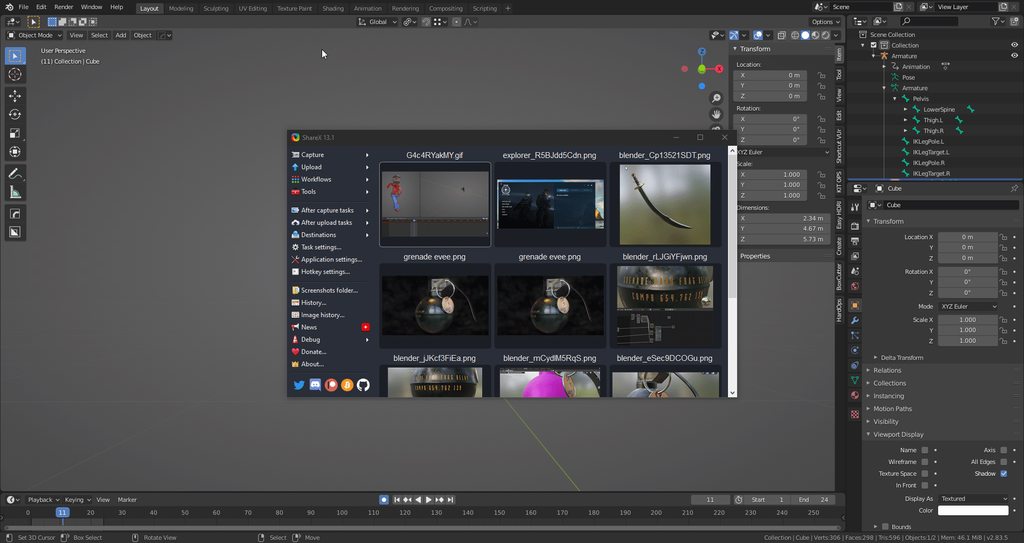
Is this a problem?\
bronze osprey
@zealous birch in object mode apply location rotation scale
like all the time
when u scaled something or moved something
zealous birch
ive screwed it up, it keyframed that apply and now my rig is all over the place
im trying to manually fix it right now
bronze osprey
make a save
clear the mesh from the parent
drag it where the mesh should be
now apply rotation location and scale
now cntrl P mesh to skel and pick / with skeletal deform
bronze osprey
yea in pose mode clear pose
bronze osprey
but also dont need to clear pose i think
just reparent with skel deform
apply rotation rotation scale all the time :p
nothing will make sense if u dont do that 😛
zealous birch
lol thanks a lot @bronze osprey i thought i was in the blender discord when i was asking these questions XD
didnt mean to come in here and ask blender related questions
But I'm back with another question, with any luck this will be the last. I think im almost there
I can see the mesh
and now the mesh is gone
this happens whenever i try to play the anim or preview it
remote needle
I have an animation playing from a montage.
It stands in its idle pose during play until I activate its montage to play its other animation...
since the two animations clearly have different starting positions, it backslides before playing the animation which is not practical, as well as looking weird.
any ideas what I could do ?
I did already consider moving it within the viewport as I use an actor class to play the animation on but the actor in the viewport uses the Idle pose.
so changing that doesn't effect the back slide which occurs when I play the montage attached to it..
zealous birch
Well, I fixed my issue. I had to rename my armature in blender to literally, anything else
red ferry
yeah the armature issue is crazy, took me a few days to figure it out
red ferry
yep, it's never easy
zealous birch
and now im looking at another issue of my materials being brighter in ue4 but honestly, i don't even care anymore for today
im just going to ignore it
red ferry
one critical issue per day 🙂
remote needle
Can anyone please give me some advice.
For the backslide which occurs when I play the montage
 snow scarab
im having an issue with sequencer, when i preview the animation it runs fine in the viewport, but when I render it as a sequence, the camera on the vehicle spring arm does a weird flip to the other side of the car and is upside down
misty dagger
does anybody know why my weapon doesnt move during third person reload animation? just the hands?
brittle night
Hi. My Notify track "EndTurn" doesn't show up in the tracks. What to do? (4.25)
Not showing up in AnimBP as an AnimNotify. EDIT: NVM Figured it out. Did it incorrectly!
 steel tree
anyone here can help me?im trying to do dodging but the aniamtion looks weird from the original


anyone know why this is?
 native atlas
Is there a tutorial video out there for smoother 2D sprite animation? I can't seem to find one.
native atlas
Also can you use skeleton based animation on 2D sprites in Unreal?
steel tree
i tried adding fullbody slot but still doesnt work anyone can help me?im bad with aniamtion
 cobalt zodiac
@steel tree You don't need to use a Layered Blend per Bone if you want a full body animation. This node is useful only for partial body animations. The Full Body slot is just a name, it doesn't mean that the animation will be played on the full body.
So yeah , your solution is right
steel tree
ahh the defualt slot its use in other aniamtion that blend with walking running anim
is there better ways to do this?
or any advice you can give me?
cobalt zodiac
I think this ok. Usually you would use layered animations when you want to 'layer' animations (ok it's obvious i know). For instance play your sword swing on the upper body while keeping the walk on the lower body. In the case of roll, you want to completely change your animations so I would create a new state your state machine next to your locomotion with the rolling animation. You can put your layered blend in your locomotion state so everything will blend nicely.
remote needle
I accidently made my animation with the wrong location..
1 should be in the same loacation as 2 (which happens to be its idle pose location...
is there an easy work around in unreal ?
I just need to somehow shift the animation forward a few inches in its preview but i don't know how to... ( or even if it is possible)...
 primal yew
Hey all,
My anim notifies don't trigger when I use a linked anim graph. Any ideas why?
grave drift
Hey guys. Is it possible to attach the reins of a horse to my player's hands? There's no included animation for it, so I was thinking maybe attaching a virtual bone or something, and attaching that bone of the reins to the player's hands? How does that sound?
https://gyazo.com/b50025011064ca49f95a89636a8bc45a - not attached

 restive flame
My retarget is acting very weird, the hand placements are not equal to the ones I retargeted from..
tried changing retarget options on the bones from skeleton to animation, but it did little to nothing
grave drift
How can I make the character's back less stiff?
<-- not the animator, its an asset from MP
 bronze osprey
@grave drift how about some pants first ? 😛
grave drift
@bronze osprey Pants are overrated 😉 Nah, got equipment and all, just wanted to showcase the issue 😛 I feel like the back is straight like a plank, kinda meh
bronze osprey
you can add anim dynamics, but can also use the horse bounce and feed it into the spine
grave drift
@bronze osprey How would I use the horse bounce? Never done anything like that before. Ehh, I have the same locomotion float values setup for both the horse and the actor so they should be running the same animations based on speed and angle, but I feel like the rider isn't animating properly, like the animation might be off in the blending or something, not sure
grave drift
https://gyazo.com/b7673819a54de8c25a45931e5e6d0b34 that's a bit more dynamic than the gif I showed earlier, it's the base anim
bronze osprey
prolly just rotate forward based on speed
bronze osprey
movement of the horse wil take care of that
native atlas
@grave drift
As someone who rode horses, i could maybe offer some tips for posture. To make him less stiff I would maybe tilt the pelvis back at a tiny bit of an angle. That way you could fix the spine to not lean forward as much.
This might help
 elder cedar
Is there anything special that I need to get line trace to hit bones on a modular character? I can only register bone hits on the main mesh. I can see the bones with ShowFlag.Bones but they don't register line trace hits
Or is there a setting I need to set on the child components to sync the bones or something?
 clever gazelle
Hi can anyone point mw to a tutorial for UR for animation?
 mossy carbon
guys, when you're animating do you just do the states or do you include blending into ur animations?
like if u have a attack right and attack left, would u start animating both of them from an idle animation
or would u just animate them separately and blend from idle to an attack in engine?
remote elm
@mossy carbon montages for that would probably be better
mossy carbon
im asking cuz im making some animations and I dunno if I should include the idle
cuz i saw that in engine the manequin has a very short jumping animation that's supposed to bridge the airborn and jump animations
so I don't know what's better, have one animation blending 3 states or have 3 animations,one for each state
grave drift
@native atlas Thank you. 🙂
native atlas
No problem I hope it helped
grave drift
@native atlas Yeah, I will try it later this evening. 🙂 Is it possible to just rotate the animation in the animation itself, or tilt the bone per-animation? OR do I have to do it in the anim BP?
native atlas
I'm still very new to UR so I don't know the details of animating just yet. I assume that there is a way to do that, though I'm not sure how
 deft patrol
I save pose and disable physics. Why do I see 1 frame of T-pose and only then ragdoll snapshot?
Is there some kind of cache or delay on SnapshotPose function?
earnest stump
Hi quick question, I have my animbp set up to play a looping animation in a state. I play other animations on the SK in other places, but I'd like it to return to the animation from the animbp state when those animations finish. However, currently the SK just reverts to the default pose of the SK when the animations are done. How do I get this to work?
restive flame
Hi! Does anyone here own this pack?
There's no video of it, only a pdf of the animation animation names so I'm kind of hesitant to buy a animation pack based on only pictures and names.
sage oxide
I have an animation that is a jump-end and the manakin doesn't sink down and then go back up, instead he just lands in thin air and then his legs go down.
What am I missing?
I think it was just a bad asset animation I got.
the transform location stays the same, the z should go down and then back up
earnest stump
I figured out my issue. For anyone who had the same issue: I needed to add a 'slot' between my state machine and my output pose. Then when you play animations, use the play montage node, don't use the play animation node, this seems to override the animbp.
For my purposes just the default slot was enough.
 full sierra
hi
i need help with aim offsets and anim blueprints
i put my aim offset in the blueprint
but its not working
i don't need the x axis bc it moves the whole character
 granite flicker
I've generated some LODs for my skeletal mesh using lod generator, but they don't seem to work in the game and when I turn the LOD colouration it shows them not working but still on lod0 any advice? thanks!
grave drift
@native atlas Figured it out, did a simple Transform by bone in which I rotated the animation. Looks a lot better now!
Another issue arose; how can I attach the reins to the player's hands? :)
https://gyazo.com/cb34616cd6df6f16a5f43faa1ceba6cc (outdated gif ^)
 restive flame
Sockets?
Or, are the reins animated, or simulated?
grave drift
The reins are not animated, they're only set to master pose of the horse, and I applied some cloth physics to the reins.
So if I set two sockets to the reins, how do I attach those sockets to the hands?
restive flame
Attach it to the bones in the hands in blueprints, pretty sure
Not 100%, as I haven't really done this alot
grave drift
Oh okay. Well, I'll give that a shot then 🙂
restive flame
Cool, let me know what the results are 😄
 formal ibex
I added a new animation to my modle and exported it but the animation is not in unreal do i have to delete the modle and reimport it to get the animation?
native atlas
This is gonna be a nightmare and a half to animate. I want to animate a short idle sequence but I want to use a 2D skeleton to animate it... How would I go about doing this?
brittle night
Using an Aim Offset, a character aims a weapon in the direction of your mouse or controller.
native atlas
Can you do 2D spine animationin a different software and then import it in Unreal Engine
 stoic cosmos
Question, say I want to animate a door opening and closing based on user input. If I were to model a door in Blender and bring the mesh over to UE4, would I be better off creating the animation in-engine perhaps using some kind of blueprint or should said animation be created in Blender and exported as well with the mesh?
 carmine kayak
havent been doing anything with animations in awhile, Does anyone know what the "allow remapping to existing assets" does
grave drift
Hey, I'm struggling. I cant animate the reins of my horse since they're a skel mesh with no specific skeletal (the skeleton is the horse itself), atleast not as far as I know of. So, I attached two sockets to the reins for each hand. I arranged two scene components in the horse BP and I reference the location that way. Then I set the player's hands to that location.

But that gives a very bad result, where the hands are superstiff due to the reins being too far away (since they're not animated with the player they're just hanging onto the horse) and they crack when they first want to move the elbows. As briefly demonstrated here (ignore the sword hanging at an odd angle hehe):
What would be the best approach to this? The animations are not made by me.
 sand talon
Hi guys, I have Two animation BPS for two different players that are driven by the same User Controller, The first player works has expected, and the second player that is a retarget of the same animation BP has the first player is having a small issue with the Speed value for the movement of the player even though the first players speed Value goes to the 600.0f the second player will not even reach near 10.0f
sand talon
has you can see on the second GIF, the player character slides in the ground and only moves a little when the player jumps
I have been trying to figure out the problem but I'm not sure what is happening
 vague jackal
What's the difference between the play montage and montage play nodes?
 barren zenith
I am trying to import a face with morph poses for the eyes, gums and head. When I import, all the morph keys are merged into a single control when I need multiple. I am using maya. Any tips?
mossy carbon
is anyone using blender here? Can the thing export an fbx per action?
 green musk
@mossy carbon Yeah, it should I think
Hey guys, I have a question. I am trying to create a slima/blob like animation to use in UE4. Now as I am not that good at rigging, I wanted to ask if it was a good Idea to bake a physics simulation and then exporting that to UE4. Is that even possible?
mossy carbon
@green musk UE4 supports vertex animations, so I don't see why not.
green musk
ok, thanks
native atlas
Is there a way I could do 2D spine animation in After Effect and then import the sprite animation in UE? Or is there a plugin for spine animation that I'm not aware of
steel tree
hi i wanna do when i double tap the wasd key my player will double tap..im using the macro for double tap from ALS but it doesnt work on axis mapping only on input mapping
anyone know ways i can do this?
https://gyazo.com/eae4eca158fd931fa4da070fc0529baa

 lean trail
Do anybody know how to disable anims on non rendered pawns ?
 terse shuttle
@stoic cosmos up to you really but for sliding doors, Unreal handles that pretty well. Doors that swing open can be a little more finicky
red ferry
i've wasted the last two weeks trying to get a character to work with the default 3rd person skeleton.................... anyone was successful in doing that?
 half basin
What would be the best way to handle a character with hydraulics in UE4? Should I do the look at constraints in side UE4 or Outside on the DCC like Max or Blender?
 vague hawk
How can I rotate a bone before applying the location? I'm using root motion to drive a character's movement, and to make them turn I need to rotate the root bone before the location is added. I can only seem to get it to rotate after the animation, which doesn't affect the location
strong python
Anyone can help me on my animation please ? I created a BlendSpace, an Anim Bp and all that stuff, and putted my animations, but the animations fo my characters going to the right and left, and also behind doesn't work. It keeps playing the running animation for the left, right and backward instead, any help please ?
And also i have some animations going in the wrong direction, I tried to rotate the Skeleton for these animations, but it rotates it for all the other animations (so it's like we did nothing)
brittle night
Sounds like you set up the blendspace incorrectly @strong python
strong python
@brittle night How can i set it correctly pelase?
strong python
Anyone else please ?
 fair sable
any source about how we create foot ik?
 obtuse adder
Hey, whenever i play as my character he is sideways, is there a way i can fix this, i have created the animation BP and BS as well...he only has two animations, idle and running
 stable quail
Hey guys, i've put a PlaySound animNotify in one of my animation and they're not playing out when that animation is a part of an animMontage.
any ideas? Thanks for your time
 waxen ibex
if the montage being played is being blended with another animation, the other animation might override the sound because of weight @stable quail
correct me if im wrong
waxen ibex
Np
I have an Issue,
when I imported my custom skeleton (made in blender 2.8) and UE4 generated 'end bones' on the skeleton. Then got it animated and such. I created another mesh using the same skeleton in blender and imported it into UE4 but then it tries to merge the bones with the end bones and fails.
Is there a way I can have it not generate Endbones or something along those lines?
 eternal blaze
Im making a animation in blender, a simple sprint
but the weapon root controls the arms
So if import the animations
the arms are static
but waepon has the rotation
how can i apply the rotation of animation to the arms
strong python
Anyone can help me on my animation please ? I created a BlendSpace, an Anim Bp and all that stuff, and putted my animations, but the animations fo my characters going to the right and left, and also behind doesn't work. It keeps playing the running animation for the left, right and backward instead, any help please ?
And also i have some animations going in the wrong direction, I tried to rotate the Skeleton for these animations, but it rotates it for all the other animations (so it's like we did nothing)
 bronze parcel
My AnimBP keeps playing an animation that I'm not explicitly setting. Is there a default animation setting somewhere that I'm missing?

If i detach the TwoHanded state machine it will not play
but the two handed state machine I've disconnected the entry node
 green musk
Hey guys. Whenever I import my Blender Armature with its baked animation to UE4, it says:
The bone size is too small to create Physics Asset 'Blob_PhysicsAsset' from Skeletal Mesh 'Blob'. You will have to create physics asset manually.
and
Imported bone transform is different from original. Please check Output Log to see detail of error.
Any Idea how to fix this issue?
bronze osprey
apply rotation location scale to ur mesh and skeleton B4 parenting em
i should write a bot to say that 😛
green musk
Thanks for the quick respond. But I don't completely understand. :/ I had 3 bones, one of them parented to another one. UE4 said "no I don't like 2 base bones". So I added another bone just to be a parent of the other 2 bones. Where did I go wrong 😄
How can I fix that? Delete the "Master" and then applying transform and then reparent it to a new "Master"?
 soft crypt
Hi I am a complete noob to the Unreal engine source code, yet I rather go this route than Blueprints at the moment, as I feel more secure with C++ and I tried this through blueprints once before, well anyways.
Is there any way to check if an input is held for an amount of time?
what I did was a while loop, added a integer timer and made it check that, but its crashing.
what I would rather like to do is
while(Onpressed)
{int timer++;
if (timer > 0.05) {Jump();};
}
what I did was write while(1) which i know is probably wrong
ohh and yeah need to exit the loop after
green musk
Ahhhhh ****... But whyyy. How then do I do a animation... I'm lost. I spent so much time with the bendy bone. It's the perfect animation 😦
bronze osprey
yea sorry man, dont think there is an easy fix for this
havent used bendy bones a lot, you could replace every segment in the beny with a bone on another duplicate and mayB reparent the weights to the normal bones
but i have never done this myself
green musk
Yeah I'm too stupid for this :/
It's a friggin slime bounce animation and I still can't get it to work 🤦♂️
strong python
@bronze osprey Any solution for my probleme above please ?
bronze osprey
@green musk try IK
ehm blendspace
yea i know nothing about your animations or setup, could be a lot of things
all animations should face the same way if you open em up in editor
remote elm
In this video we download a high poly 1911 pistol which we decimate (we dont need 400,000+ tris) and rig it with bones and perform weight painting.
I'm not an animator or artist by any means (as you will see from the quality of my animations), so this is just a series from a ...
bronze osprey
looks clean 🙂
strong python
@bronze osprey they don't appear the same way
bronze osprey
mayB in the animation details you can rotate it
or in external like blender
but i have no clue whats wrong
 opal jackal
Does anyone know how to add a root bone to a character? I bought a character and it has root motion walk animations. I want to make them in-place so I imported it into Blender but I can't figure out how to add a root bone.
strong python
@bronze osprey I just rotated the animation in Blender but it keeps getting the wrong direction, I'm cursed I think
bronze osprey
@strong python stick as close to epic made anim blueprints as u can at start
just replace theirs with ur anim and look what they do
misty dagger
Hello everyone, there is something I deeply dont understand. I'm new with unreal (2 months practice). Why there is certain variables in Animation blueprint that server send back to all clients, and others not.
For exemple when I get my roll pitch yaw, my client is sending these informations to the server, but the server only replicate roll and pitch to clients.
Why ?
Thanks in advance
Same for another variable that I called, "lastspeed". Its basically the last speed value before the player stop moving. I use this variable to make a smooth jogstop. But again, AB vars are not replicated, and even if speed is replicated, and my lastspeed using speed information, this one wont be replicated at all. :<
To deal with it, I tried to replicate them manually directly from the player blueprint (what I learned from internet and forum) and use the replicated variables into animation blueprint. But the thing is, as soon as the client has lag, it will delay the information to the client and inevitably break the animation blueprint output
real atlas
I have a weird bug, one animation I have always faces the x axis and I have no idea why, like if I go into that animation from any angle it turns to face x and then turns back
trim vigil
ok how do we loop the montage in Version 4.25?. I need to do a jump Animation and I need to loop the jump and the Landing but I don't know what the right sequence is in this new montage editor.
misty dagger
on the right corner
you have a montage section
if you click on the square you can change it to loop
@trim vigil
trim vigil
Is the sequence Preview = Default Preview Loop = Preview Land and Loop? Because all this does is cause my player to be stuck in the middle of his jump.
trim vigil
I don't understand the behavior of this montage editor. if I change Land to Default right at the end of the sequence, I will lose the still looping of the jump and the player will just keep on jumping in the air.....
I had it like this
real atlas
I have a weird bug, one animation I have always faces the x axis and I have no idea why, like if I go into that animation from any angle it turns to face x and then turns back
trim vigil
misty dagger
Yes and from my basics knowledges you shud use jump section to navigate though these different sections :>
trim vigil
i have no idea what you mean.
i just need to see a screenshot showing the correct sequence
this editor dosen't allow me to delete the loop at he end but it keeps on deleting the other entries and resetting itself, this is so annoying
this is a very bad change they made to the montage editor. , it keeps on changing the combinations. Does anyone here know the correct sequence?
outer mantle
Anyone know why when you export the UE4 Mannequin animation as FBX it kinda explodes a little? If you edit curves and reimport everything still lines up in unreal, but its kinda horrible in maya and hard to see
thats just one part, and if I export it wo animation it looks normal. Import animation on that skeleton is goes back to this.
trim vigil
where is a document to show me how to loop the jump animation, there are over 100 different combinations I can come up with this montage editor in ver 4.25 and I don't know what the correct sequence is.
red ferry
The 3rd person default mannequin, imported in Blender, armature bone orientation is -X / Y. Is the bone location correct? looks messed up...
trim vigil
Yes blender messes things up with meshes that have Armatures, my Commander was twisted up in blender without me knowing, and then after giving him the sword and combat code, discovered the irregular warped shoulders when doing his animations, and he took out not only himself and his own BP out but took down my whole project, one bad mesh is all i took to stop the blueprints from working once i replaced his bad mesh.
Yes there's a bones rotation scaling bug in Blender do not whatever you do move any of the armature or the bones while in the object mode or you will mess up the armature bones scaling and rotations. its a nasty, nasty bug because it dosen't show up in Blender, but it does in Unreal Engine. Its one of the worst bugs in Blender I come across.
red ferry
i've spent more time trying to figure out how to change the mesh of the 3rd person character and keept it's skeleton than programming my game.....................................................
switching to unity at this pace.........................
😛
trim vigil
Likewise I have spent more time fighting fires in the engine than developing my game so I've become a fire fighter instead of a game developer, Just doing the usual, throwing out more gasoline on the blueprints and watching the engine smoke and burn. As I just found out, once you animate the mesh, its there in the engine code pernamently, your mesh becomes fused in the engine...
 marble oak
I am calling a server function, thats disabled CharacterMovementComponent via SetComponentTickEnabled(false) in multicasting it to all clients. Animation stop ticking and updating at listen server. Animation Graph just stopped its update. How do I force update it? Its very easy to reproduce in standard Epics TPS template by this code.
My goal is to make anim graph updated when CharacterMovementComponent is not ticking.
 last vortex
I’m making a general purpose machine gun, and I’m considering animating springs for the bolt. I currently have 2 models in Blender - 1 extended and 1 compressed. Is there a way to use these for the animation?
To clarify, I don’t want to just scale the model. I want the spring to actually expand and compress
remote elm
@last vortex can you animate it in blender? make one animation extended and one compressed and use a blend space to blend between the animations
opal jackal
Riddle me this Batman. I export my animation from UE4 to Blender. I tweaked a few frames, then export back to UE4 and it says I have too many roots and won't import. 🤔 I didn't change anything though. I'm so confused with blender it isn't even funny

I select the bones and the mesh and export selected only. What am I missing?
trim vigil
When you export out from Blender, uncheck Add Leaf Bones found under Armature. That should stop the extra bones being added. And whatever you do, do not move the armature around or the bones when in object mode because it triggers a nasty bug which warps and twists and stretches the bones in the Armature but you don't see it in Blender except for changed rotation, scaling values, but it shows up as a twisted warped skeleton in Unreal Engine.. Its known as the scaling rotation bug.
hmm the only walk animations that I know of that you can check in place and export is from Mixamo. They have that option in their animations.
opal jackal
Hmmmm so I tried again with an unedited animation and I unchecked the leaf bones exported the selection but Still nothing 😦 The only reason I need to do this is to make my walk animation "in-place". The walking animation I have is moving 😦

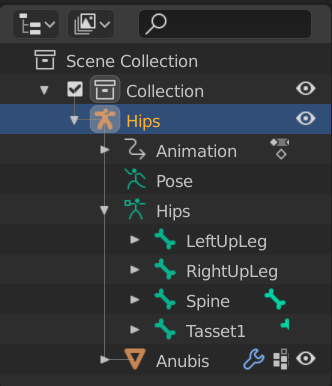
 native atlas
My first animation in Spine... yaaaaaayyy!! I'm completely aware that it looks like crap. This was a test to figure out how spine works.
trim vigil
remove the extra root bones in blender
opal jackal
@trim vigil That's the thing. There is no root bone. Only Hips 😦 That's why i'm so confused. https://i.gyazo.com/ae144f5527767bf9b4ed8264614182c2.png
trim vigil
Where did the model come from?
Mixamo dosen't rig meshes up with Root Bones. It only rigs them with hip bones.
opal jackal
Its a Unity character. I bought it and the animations and the model are all in one .fbx. The anims wont even open inside blender. Only the model opens. I could import the anims into UE4 though. It let me. That's why I exported the animation from UE4 to blender
trim vigil
i can't get anim notifys foostep sounds to work with the interface so I got problems as well. Another bad thing about this engine is that it dosen't delete the skeleton anim notifies automatically after you remove them from the animation. Instead it retains them in a list and that list just keeps on growing.
 smoky shell
Can I make a layered blend per bone blend out spine_01 but exclude left arm?
trim vigil
i neede to know what the yellow color means when an interface all turns yellow.
green musk
Hey guys. Is there no way to import bendy bone animations from Blender to UE4? I am trying to make a bouncy ball/slime animation and it only looks good with bendy bones, as it really squishes the ball...
 iron field
how to enable montage debugger inside editor?
remote elm
@opal jackal change the Hips (the one you have selected in the screenshot) to say Armature, then change the other Hips (the one above LeftUpLeg) to root
real atlas
I have a weird bug, one animation I have always faces the x axis and I have no idea why, like if I go into that animation from any angle it turns to face x and then turns back
green musk
I don't know much about animation, but it could be a local/global space problem 🤔
real atlas
yeah it seems to be, but Ive never seen this happen before
grave drift
How can I decide what animation slot an aim offset uses? Wanna use the same archery setup I use for my player on foot as I use for when riding a horse; got a slot for horseback riding, but afaik that's just for montages and cant be set for a single animation sequence? Or am I wrong? And if I'm not wrong, how should I blend my aim offset archery poses with the upper body slot? :/
verbal inlet
I am making a game where cats poop on the floor. I have a 3D mesh of a cat that I have uv mapped, rigged, and animated, and have now exported it into UE as an fbx. When it comes to the pooping, I am just using a basic cone with a brown swirly poop material on it, but I obviously need the poop to come from the cat's butt, and not somewhere else on the mesh (under its belly at the floor is the BP's local zero point).
My question is:
I am thinking of using a socket to ensure the poop comes out its butt... is this the right approach?
lol
 cinder linden
Hi guys I'm making my first swimming ABP how can I make a distinction between swimming on the surface level and underwater on the code ?
verbal inlet
The socket works fine, but... something really weird is going on when i hit play:
Why does my kitty look like it's made out of jelly?
real atlas
this game is gonna be great I know it
if its the ragdoll you dont like then it might be the physics asset, I found that often using cube shapes works a lot better than capsule shapes
 last plume
Anyone know what would cause the issue with the wrist? weight painting?
real atlas
how does it look normally?
trim vigil
and was it made in blender
real atlas
it could be weighting but unfortunately it might also be something to do with how its retargetted to the mannequin (I assume) like it looks like its pushing the hand back into the wrist a bit but Im not sure
verbal inlet
thx @real atlas you're probably right, i'll check the physics model
last plume
@real atlas If you use Blender, what do you use to create your rigs? Rigify or something else?
real atlas
I used to make my skeletons myself, but for normal human characters I just downloaded the mannequin and weighted my own model staight onto it so I could make sure it was ok, but Im not sure if that works for models like yours if it doesnt fit the same shape, so I assume you did the retarget thing
I havent done retargetting myself so Im not sure but it could be that thats affecting it
last plume
I watched a few videos on what you describing. I think that would work even if the shade doesn't 100% match the mennequin, but maybe not...
This is done using Auto Rig Pro and retargeting. I haven't had the best luck... lol
verbal inlet
i made my own rig for my kitty. the animations came out quite nicely. i followed this guy's video. by far the best one i found for rigging

http://www.LittleWebHut.com
This is the second in a 3 part video series that demonstrates how to use Blender to make an animation of a Robot Dog. Part 1 of the series covers Modeling the dog. Part 2 covers Rigging. Part 3 uses the Graph Editor, Dope Sheet, and NLA Editor to A...
real atlas
nice, but how do you do its collisions? cus I know its quite inconvenient with capsules that you cant rotate them
verbal inlet
@real atlas I'll let you know in a little bit, just got back from lunch.
serene lake
@sudden crypt Are you guys working on a Tweener for sequencer?
verbal inlet
@real atlas Okay, so I'm watching some tutorial videos on the physics assets system, and I have a question:
What is the purpose of creating a rig in Blender if I have to make this physics asset in UE as well? Or vice-versa; what is the purpose of the rig if I could just use the physics asset tool? Why would I want both?
In my case, I never want my cat to have ragdoll physics (I'm not blowing them up and sending them flying across the room or anything), so should I just delete the physics asset entirely?
Thanks
The only physics I want involved is gravity; I want my kitties to stick to the floor. They don't even jump or anything, they'll never leave the floor.
real atlas
oh so basically physics assets are literally just the ragdolls, they're not needed for the skeleton or anything, importing the skeleton straight from blender should usually work fine if it's set up right, so yeah you can delete the physics asset and it'll be fine
verbal inlet
cool, thanks
The physics asset was also stopping my kitty from moving around (I had some logic in there using VInterpTo from before)
 frigid flower
friends, I have a CSV file with time and angles for the animation of some bones. Currently I'm applying the animation from the Actor bluenprint by reading the CSV. It feels hacky, tho. Can anyone point me in a direction to do it in a proper way? Maybe with an animation sequence that reads from the CSV maybe?
I need to use the CSV file as it comes from a telemetry reading and I'd like to be able to update the animation in read time in the released version.
so, maybe a dumb question, but would it be possible to do that with an animation sequence?
brittle night
That's not actually an Epic staff member, you just tagged someone random lol @serene lake
 fair sentinel
can somebody please explain to me what the animation setup for Overgrowth would look like in Unreal? Specifically what systems and concepts I should be focusing on. is there a native system for just blending between poses and blending in additive physics movements for bounce and tilt and such? I'm not exactly an animator
From what I understand the idea is to use keyframes that represent the extremes of each movement and interpolate between the last and next pose. But what does that look like in Unreal?
Are pose assets what I should be looking at?
last plume
I'm surprised to find how little information is available about using Rigify to export a to UE4... Maybe most people are just using the mannequin rig... Is there anyone here using Rigify with Blender?
native atlas
I think I finally have a passable idle animation. https://drive.google.com/file/d/1WfzumRuur6FqqszDmsCRA6Vy9pMB1V1J/view?usp=sharing

Google Docs
hidden aspen
My animation of Thar boss in Cubers: Arena
https://www.reddit.com/r/animation/comments/glwh8u/this_is_thar_one_of_the_bosses_in_cubers_arena/

reddit
2 votes and 0 comments so far on Reddit
 turbid horizon
Hi guys has anyone tried ART v2?
cant get it to work, it shows up in the menus but when i click something i get:
Error: AttributeError: file D:/ARTv2/Core/Scripts\ThirdParty\Qt.py line 88: 'module' object has no attribute 'QStringListModel'
 sage parrot
should unreal create a physics asset when I import a character?
indigo swift
It depends -- do you need it?
trim vigil
ok, how do you fix a variable that has turned invalid. This is why the collision for the sword is not working.
trim vigil
LogScript: Warning: Accessed None trying to read property closesenemi
ThirdPersonCharacter_C /Game/ThirdPersonBP/Maps/UEDPIE_0_ThirdPersonExampleMap.ThirdPersonExampleMap:PersistentLevel.ThirdPersonCharacter_167
Function /Game/Character/test/CH_HumanAxle.CH_HumanAxle_C:ExecuteUbergraph_CH_HumanAxle:1FA2
Was working before, but now the variable has turned invalid. It turned invalid after migrating the project.
verbal inlet
I was messing with the collision properties of a BP's skeletal mesh component, then I reparented it to inherit from Pawn because I thought that seemed like the right choice... but now:
The option for Simulate Physics is permanently checked, and I need to be able to move this BP programatically (I'm using VInterpTo + SetActorLocation), which having this checked seems to conflict with because now that won't work.
What causes Simulate Physics to become greyed out and permanently checked like this?
I tried reparenting it back to inherit from Actor but it's still greyed out.
sage parrot
@indigo swift I'm not sure, but my animations don't work (they all say 0 keyframes) and im wondering if thats because theres no physical asset. Could that be the issue?
verbal inlet
@red ferry try the discord server called "OpenVFX: The Blender Hub". I don't know how to link it or I would lol
trim vigil
V.neck. Did you bake the animations before Exporting are you using Blender?
 frigid knot
I want my character to bend forward when walking
So I made this
My character has no animations.
Nothing to animate lol
I just want him to bend forward
The code is called from a behaviour tree, but the set rotation is not working
Any help?
 dusky ferry
i made animation and
my hand goes through the camera and causes ugly mistake plz help
i cant take pic its so fast
 tiny mirage
Does the animation sharing plugin disable collision on the character mesh? when I enable it bullets go through my mesh, when I disable it then everything responds as expected
sharing on
sharing off
sage parrot
I ticked the "bake animation" in blender yes, and also I think it has to do something with unreal because I tested it with another character and animations that someone else made @trim vigil
trim vigil
mixamo ?
sage parrot
nah just a random selfmade one
trim vigil
ok
 dusky arrow
Anyone find any documentation on using the latest version of Control Rig yet?
smoky shell
@dusky arrow it's definitely different, but I was able to use it by forgetting what I knew about the old one 😅
Probably not too helpful if you're trying to convert a system. I just rebuilt mine
and was mildly surprised when it worked
dusky arrow
https://youtu.be/Iuyq41p2aug?t=3276 this helped me. @smoky shell
Control Rig documentation: https://docs.unrealengine.com/en-US/Engine/Animation/ControlRig/index.html
Unreal Engine 4.25 Release Notes: https://docs.unrealengine.com/en-US/Support/Builds/ReleaseNotes/4_25/index.html
Andreas Suika's twitter, scorpion Rig WIP: https://twitter....
smoky shell
@dusky arrow Hmm all I needed to do was make a very large robotic arm mimick the rotations of a normal size arm, which was much easier with the new system. I never needed to go in-depth with control rig so far but I look forward to it coming to fruition.
Epic are definitely on the right track now - the previous version was terrible in terms of UX
And when I saw 'parent constraint' I knew exactly what to expect, and none of this weird hierarchy node and so forth
 midnight thorn
Does anyone know why my AI wont face my character when he is chasing him? He runs but its left to right running???
his body does not turn
brazen wharf
is it normal that a character close to a cube that can be stepped on behaves like theres a slope (like the collision capsule moving up/down) when getting closer/further away
it's only when really close to the cube, but it messes up my IK system
trim vigil
does anyone know where I can rig none humanoid meshes (insects, aliens) ect.
 spiral sequoia
are AnimDynamics obsolete already? trying to add some bouncy bits to a character and not really sure how to approach it
 spark turtle
morning everyone
if I'm having problems with playing animation montages from cpp, do I ask here, or the cpp group?
😉
spark turtle
Im using the FPS Assault Pack by Deadghost. I'm having a problem with the reload montage. I pickup the weapon, and it moves with the arms when I walk/run/spring/jump/aim all that... but when I play a reload montage, only the arms animate. the weapon doesn't move along with the animation. it does move with the arms when i preview the animation on the skeleton so the socket is correct
is there something i should set once I attach the gun mesh to the arms mesh?
 grizzled basin
Is there a way to add some random variance to animations? For example. I have 10 units who spot an enemy unit. They all raise their gun at exactly the same speed and enter the same firing animation at the same point. It ends up looking like synchronized swimming.
mint comet
i have a sword mesh and i want to when i press F for the sword to kinda slash across the screen what is the best way to do it
grave drift
Use an animation?
@grizzled basin Maybe make a random float within range so you get some random speeds?
@spiral sequoia Let me know if you figure it out, I'm also interested in using it for the same purpose
spiral sequoia
nothing yet. just seems to shrink the bone no matter what i do
mint comet
ik this is in unity but how would i go about making animations this https://youtu.be/yqmiuPF9YEU?t=275 not the swinging just the slicing animations
spark turtle
hi guys. any reason why sockets do not transform and move with Animation Montages?
the socket twists and moves during normal locomotion movements. but as soon as I play an anim montage, then the socket doesn't rotate along with the hand
have a look at the red line. You'll see that it moves along, but during the reload anim, it stays put (along with the weapon)
ignore the FOV. it was only to be able to get the hand in view for debug purposes
steel tree
RigNet: Neural Rigging for Articulated Characters
Zhan Xu, Yang Zhou, Evangelos Kalogerakis, Chris Landreth, Karan Singh
ACM Transactions on Graphics, Vol. 39, 2020
(also presented in the Proceedings of ACM SIGGRAPH 2020)
Project page: https://people.cs.umass.edu/~zhanxu/proje...
what do u guys think?
spare otter
Is there anyway to move the root bone of an animation and have the children[all other bones] move with it? Essentially creating a +10 in the XYZ offset to all frames?
I currently have 2 different root animations. but their root bone locations are different so when I transition between them, it 'blinks' from one to the other. because theyre at different locations.
Any help would be greatly appreciated as I've been trying for quite some time...
dusky arrow
@spare otter it should be possible with the new Control Rig. Using a Distributed transform method
 mighty ore
I made a dodge/attack system for a character but now I'm sitting and trying to figure out what's the best approach when making an interactible chest that opens/closes
I tried to use basic "Blend" node with two poses but that doesn't seem to work
no idea what "was visible but ignored" means
bronze osprey
if it has an input somethin needs to go in
also anim bp for opeing a chest might be a tad overkill
mighty ore
guess I could somehow do it with simple anim montage
welp those still need animbp, don't they
idk I feel like manually rotating a bone inside blueprint is a bit messy
okay nvm I managed to open the chest using a montage. Now it won't stay opened
alright solved it all. Gonna use animBP after all. It's a bit more intuitive for what I'm doing. The chest is gonna be opened or closed based on few conditions within it's blueprint and all that. Thanks though
how do I communicate between animBP and an object that isn't a pawn though
I'm kinda stuck here
indigo swift
@spiral sequoia @grave drift AnimDynamics is kinda old now, yes. You are better off configuring the bouncy bits with a Physical Asset, and make sure that you add a Rigid Body node to the end of your Anim Blueprint, before the Final Output
Rigid Body node + PhAT configuration is more efficient than AnimDynamics nodes. Of course if you only need to move the one thing, one bone, maybe animdynamics is still good.
But Rigid Body with PhAT is what I would do (and I what I am currently doing, too)
@mighty ore does that chest have a skeletal mesh to open and close?
mighty ore
yeah
indigo swift
What you should probably do then is
Create 2 animation assets for that mesh
Simple, 2 keyframes would do
One from clos to open, other from open to close
Maybe even add an extra anim asset 1 frame long with the lid open (as a state)
Then create a montage, add the assets as sections within a slot
and then from the regular BP, play the montage and jump from section to section accordingly
That way you can control it without using any animBP whatsoever
in theory it should work
mighty ore
well maybe. Someone on another discord just helped me out getting a reference to blueprint though
I just cast to anim instance (so that's the animBP) on begin from within the chest blueprint and set a reference variable so the animBP can communicate with it
basically this
thanks for your time though
bronze osprey
you dont need an anim, just transform bone