#animation
1 messages · Page 139 of 1
 cedar sedge
 thin mica
see, apsu. my problem is that the animation I import, despite being connected to my skeleton animated using that same skeleton in blender...
 remote needle
I recently made an animation that was so small it looked invisible.... not likely your problem though.. XD
you probably do just need to give it a preview mesh
thin mica
the animation is completely invisible.
cedar sedge
To be clear, by "the animation is invisible", do you mean there's no movement, or that the mesh disappears
Because those are very different problems
thin mica
mesh disappears
. . .
areyoufuckingjoking
ITSTHESIZEOFANANT,BUTTHEMESHITSELFISGIGANTICNORMALLY\
i spent
over an hour of this
cedar sedge
Haha, it's a scaling issue then. Fun
remote needle
Was it just really small ?
cedar sedge
Hey, at least you learned the problem, and that scaling can be a problem. That's worth learning!
cedar sedge
Probably just unit conversion in FBX import
 radiant kestrel
Trying to follow IK a little. Reading through the Docs on IK setups, but I'm a little confused on one tiny part. JointTargetLeft/Right. They don't show where they're getting those vectors from, they're not being set in the presentation from what I can see. https://docs.unrealengine.com/Images/Engine/Animation/IKSetups/AnimGraph.png Do I need to get these constantly on mesh update, and where from?
 cedar sedge
@radiant kestrel Yeah that's an annoying omission from that tutorial.
thin mica
So how do I scale it properly? Do I just keep guessing?
cedar sedge
If you download the content examples and look at their bp, you'll see static values for the joint targets, which are basically placing them in front and above the knees.
remote needle
@thin mica I exported my character to blender to use as a size comparison (begause thats all it is good for by the time its in blender for me...)
cedar sedge
It's also annoying because the orientation is rotated a bit, so you can't just do something nice like y = 100, z = 100
thin mica
mhm, the animation and the normal t-pose asset are both the same size
in blender
uh oh
cedar sedge
@thin mica Unreal units are 1 unit = 1cm. So you need to set the FBX scale to 100 when exporting, I believe.
radiant kestrel
Just to make sure I'm on the right track with IK. I'm using the AnimationStarterPack, and on pitch up in a created 1d AimOffset, the second hand sways a little off when looking up, moves away from the weapon. Other hand holding the weapon is perfectly fine. Presuming that IK is the only easy way to fix that?
 misty dagger

This short was made in celebration of Halo: Reach releasing on PC!
Special thanks to Luis Humanoide for another incredible musical piece! Check out his channel!
https://www.youtube.com/channel/UCp7r4PJY4f81hQPAu_ghbjQ
Support the channel on Patreon! ► https://www.patreon.com/...
Is this animated inside UE?
cedar sedge
@radiant kestrel It's the easiest* way. *YMMV, you can do this with perfect socket alignment with the pose and rotation angles in creating the offset positioning, but it's hard. And doesn't account for animations on the weapon later. IK does.
remote needle
@cedar sedge when you mentioned the "Source skeleton" did you mean this one..
radiant kestrel
Eh. The rest of it's prefectly fine with every other direction and only while aiming. I'll just tell it to IK if pitch is above 0 and aiming is true.
cedar sedge
@remote needle If that's the one you're trying to take animations targeted to, and apply them to some other skeleton.
Like, the idea I was going for is you have meshes/skeletons A, B, and C. A has animations on it, B has animations on it, C is your target. You want A and B animations on C. So you setup the rigs on all three skeletons, then retarget the A and B skeletons to C.
thin mica
got it working now
cedar sedge
Now an anim BP using C's skeleton can use A and B animations
thin mica
Thanks 'yall
cedar sedge
@remote needle This comes up a lot with marketplace assets. You download an animset, it has some mesh/skeleton with it that the animations are targeted to already. You want to use them on some other mesh/skeleton you have. So this is the method for doing that easily without having to duplicate+retarget the animations themselves
It only works when the rigs match, and if they're both Epic rigged, it's easy
Note that 'rig' is an overloaded term here. There's the rigging itself, i.e., the armature, and then there's UE's "rig" configuration for a given skeleton, and is configurable.
I'm referring to the latter, via the retarget manager interface in a skeleton editor
remote needle
they are both the same skeleton, its just the one of them has a scale issue (its too big).
I have no doubt that someone like yourself would do this in like 2 mins.
Working on it now 😄
cedar sedge
Nonsense, I'm no expert, just have solved some of these problems before :P
remote needle
😄
Should I be saving a bone map for each of the source skeletons the belong to the different animations ?
that belong""
cedar sedge
I believe if there's extra bones in a source it'll add them to the target with the skeleton retargeting
 junior geyser
if using blender and mannequin rig. I have been using mr mannequin tools and or uefy script to export from blender. This way, it is directly compatible and no need to retarget.
remote needle
I feel like I am following your steps and that It likely worked... @cedar sedge
I was hoping that the scale would change once retargeted but it hasnt... I was lkiely wrong in assuming that it would work in that way ?
cedar sedge
Scale issues can mostly be dealt with by changing the retargeting modes for specific bones
In the skeleton tree, drop down the options box right above the tree root, and pick show retargeting options
remote needle
This
cedar sedge
As I understand it, you probably want "Animation" for root and "Animation scaled" for pelvis/hips
Skeleton for the rest
cedar sedge
There's a doc page on this, talking about retargeting for different size skeletons, but same hierarchy :P
https://docs.unrealengine.com/en-US/Engine/Animation/AnimationRetargeting/index.html there it is, it's the main retargeting page
Describes how retargeted animations can be used with multiple Skeletal Meshes, allowing you to share animations.
remote needle
thank you Apsu!
cedar sedge
Np
remote needle
I just changed one (see red arrow)
should I manually change each of them one at a time over to skeleton ?
@cedar sedge
cedar sedge
Good question! But the nice part is there's helpers for doing it in a single click
Right click a bone and it should have "recursively set to ___"
So you can try it out
This is about the limit of my bone retargeting mode experience :P
remote needle
that is helping do a bunch at a time!
 thick ridge
How do I sync up a walk animation and run animation? My walk is 24 frames and my run is 16 frames, and I need the contact poses to be in sync in an animation blend.
@thick ridge Still no luck on this. I actually did solve the problem, because I had a really dumb moment and started the walk cycle with the right foot and run cycle with the left foot, so changing that actually fixed the whole thing - but I'm not happy, because this is most definitely something I need to learn, and there appears to be absolutely zero info on how to set up sync groups or anything like that. Does anyone have any good sources on this in general?
cedar sedge
https://docs.unrealengine.com/en-US/Engine/Animation/SyncGroups/index.html did you check this?
Sync Groups allow you to maintain the synchronization of animations of different lengths.
The first paragraph talks about exactly this
remote needle
Anyone able to tell me how I can make this FlicFlic animation play only once and on button press ?
I already set it up a few days ago on another animation but it took a while to figure out and ive forgotten how I did it! (Ill most likely remember it/Document it this time..
this is a montage btw
Nevermind, I got it! 😄
remote needle
thank you @cedar sedge !
cedar sedge
Yep
cedar sedge
Mm, turn in place is tricksy. Do I want to try to read root motion curve data... hmmm
radiant kestrel
Okay. This might be the first thing in the past few weeks that has gotten me frazzled. I can't seem to make the two bone IK work correctly. Even telling it to move the bone in world space, and update the variable on tick gives the most incredibly stupid results that don't initially make sense. I'm even creating a debug point to make sure that the world space point is correct, and the hand just entirely refuses to go near the correct vector.
radiant kestrel
How are people getting other skeletal meshes like their weapons into an animation graph? Noticed that in the Content Examples, just not sure how to do it.
cedar sedge
@radiant kestrel You mean like running animations on a weapon? My understanding of the process is you attach an anim bp to the mesh for the weapon as a component, which is attached to another component of the character (usually mesh at a parent socket location). Then you can trigger events in that bp just like you would in the anim bp for the character mesh
radiant kestrel
Nah, I'm trying to simply make the left hand of the character mesh move to a point on the rifle. Everyday IK, or so you'd think. The AnimationStarterPack has a slight sideways movement on the left hand when pitching upwards in it's AimOffsets, and I was hoping to correct this with a simple little IK telling the hand to move to the target location(Which is the world location of the socket on the weapon) I've tried a few different things between Two Bone IK to FABRIK. Not even remotely lucky.
cedar sedge
FABRIK is a pretty common way to do this
https://zaggoth.wordpress.com/2019/01/26/ue4-tutorial-the-right-way-to-do-left-hand-weapon-ik/ I take it you found this?

Everyone else on the internet is wrong. (Okay, not quite — though I spent a good many hours going through tutorials and not getting the results I wanted for left-hand IK. There are a LOT of t…
 fresh rapids
So I'm working on a very basic character to learn Blender 2.8 to UE4 import/export. I was advised to pick up the Blender 2.8 Addon "Auto-Rig Pro" which works like a charm on the export. But when I import to UE4 the animation does nothing. It runs the same length of time it should, but the model doesn't move (even in the Animation Preview window.) The model and skeleton are exactly how I created them in Blender. Any ideas what's going on with the animation?
radiant kestrel
Yeah. That was the closest I got. Still didn't quite get it right even with his settings.
 red ferry
I'm trying to create AimOffset, i've taken the Aim sequence, duplicated 3 times, created a center frame, up frame, down frame, all set to mesh space, and selecter animation frame, with base pose as the center frame. When i create the Aim Offset, i add the center, down, up frames. the AimOffset does provide a preview of the character..... the Aim space does not work when i plug it into the Animation BP, what am I missing?
something is wrong with my center frame, when i set it as the Preview base pose, im losing the preview
on different animation, i get a preview
cedar sedge
Make sure the additive type is mesh space
red ferry
it is
radiant kestrel
Yeeeees. Victory! Took ten hours, but first IK figured out.
 wild fog
so, I followed a tutorial on adding cars to ue4, and I'm running into a good bit of issues
biggest ones are...
- wheel cols are huge
- car is tiny
as the tut said I set the scale to 0.01 cm in blender and applied rot/scale/trans to the whole thing

From mesh to driveable in less than 16 minutes!
Based on the PhysX vehicle. Does not require armature rigging.
Dodge Charger RT model courtesy of HomiDiFerru - TurboSquid
in-game view of wheel cols
you cant even see the car with pxvis collision command on cause it's so small and the wheel cols completely obstruct it
only place it looks odd is in the bp viewport
where the cam is huge, car is tiny again so idk
any help is appreciated, im a complete noob
hopefully this fits here
fresh rapids
Anyone know how to resolve this error? Blender 2.82 to UE4. The model and skeleton import just fine, but the animation causes this error.
wild fog
please ping me if you respond, im gonna work on this more, thanks
i scaled up the car in the bp viewport, (not sure if this is advisable) but wheel cols are still ridiculously sized and out of place
ok, so for some reason the scale of the skeletal mesh for my wheels is 2.501
...
i applied scale/etc so idk why
meh, still doesn't work
thick ridge
https://docs.unrealengine.com/en-US/Engine/Animation/SyncGroups/index.html did you check this?
@cedar sedge I have. It tells me where it is, but doesn't explain how I'm supposed to use it. I've added my anim blend to a sync group and I've added sync markers to the animations individually. Now what? I've seen some UE4 streamers have multiple tracks in one group with notifies, but I have no idea how to set it up, and it doesn't help that those guys show it already set up.
Sync Groups allow you to maintain the synchronization of animations of different lengths.
 junior blade
I'm having a issue getting my PlayerCharacter Animation to Work. In the guide I'm following they have by default "Final Animation pose" where as I have 'Output Animation Pose'
cedar sedge
@junior blade You're two layers deeper than where Final pose lives. Click on Animgraph in the breadcrumb bar at the top
@thick ridge From the docs page, it looks like sync markers are optional. The simplest usage by far seems to be to just put the animations into the same group, and set one to be the leader, so the clip lengths will adjust to match that one.
junior blade
I ended up being able to fix it with this
https://cdn.discordapp.com/attachments/472107676428533772/702272336241491978/unknown.png
 misty dagger
hey i think this question is for this channel cause, but I have ran into a problem when trying to make clothing and getthing it to work with the animations on my character, Im using the default UE manq and this is what it looks like when i export https://i.imgur.com/e5CVinJ.jpg
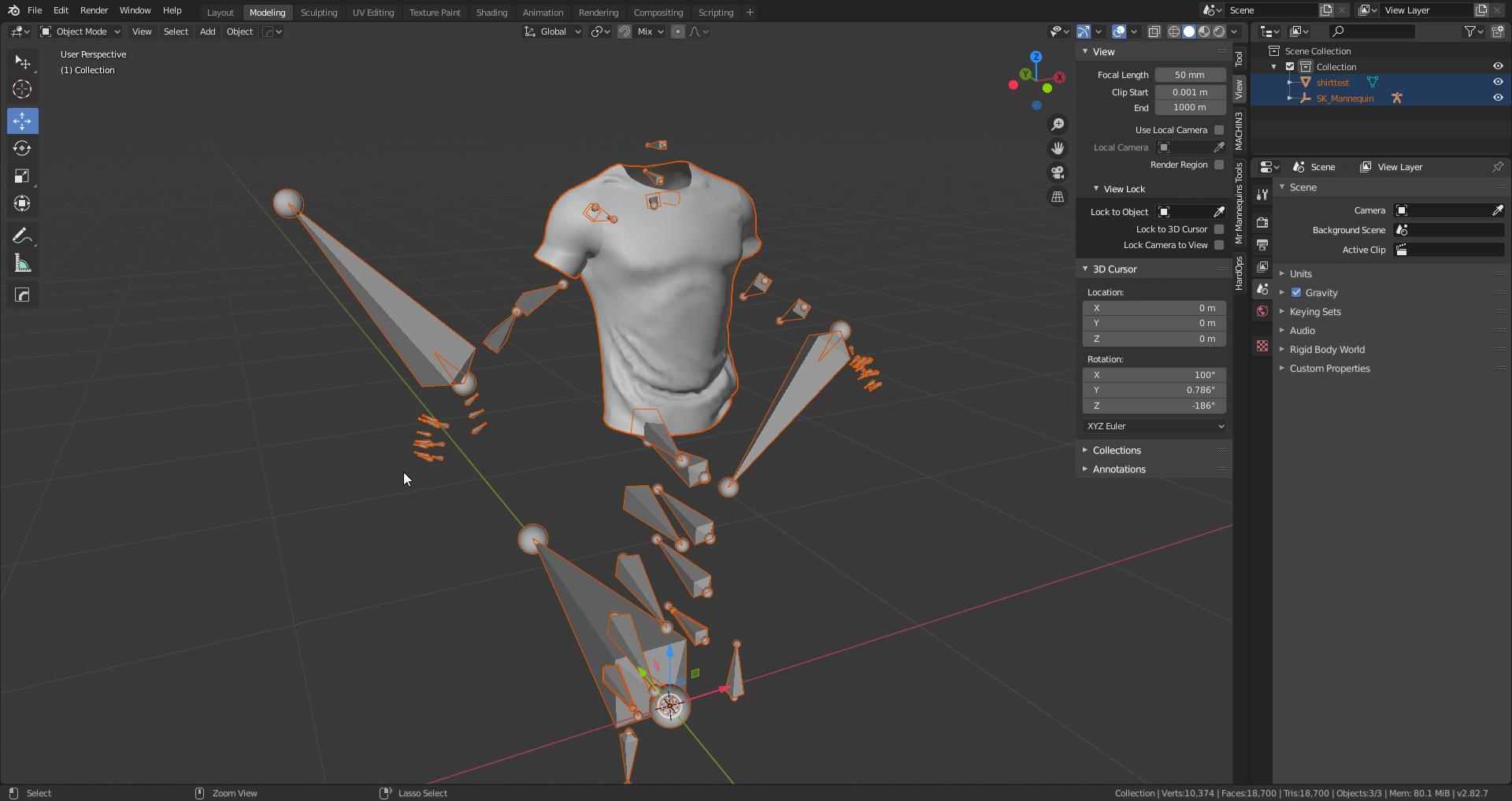
the bones look all out of wack but they are straight from engine sothats not the problem
the problem im having is when i import the shirt with the bones of the character, its doesnt pick up on the skeleton and tells me this and if i hit yes it crashes https://gyazo.com/6514175f6366526d0e1328e8a520139e
but it is literally a shirt mesh and no other bones or anything besides the existing bones that already are on the UE manq
 inland oyster
Why is it that in my blend space my character skips walking and just runs instead? I dont know why this is happening.
Ping me if you can help me, Thanks in advance
misty dagger
@inland oyster go to the blend space and on the left you will see interpolation time and make that like 2 seconds
Also it’s happening cause u are on a keyboard and it’s instant, that’s one way to counter it, if u test with a controller it should walk then run but there’s no walking on a keyboard unless u bind it
cedar sedge
Woo, this is working pretty well. https://streamable.com/qqn17c

There's 1 animation clip, no aim offset blendspace, and no foot sync. Just some cleverness and procedural aiming
cedar sedge
If anyone's curious, the ADS mode is using an animation layer with look rotation divided over spine_01 to spine_03, since rotating spine_03 turns the clavicles and thus arms/aim point. Then just turning off orient rotation to movement, and modifying the movement input vector so the back hemisphere is mirrored to the front, then just set the actor rotation to the new modified vector manually. So you always face towards the front hemisphere, but it rotates the hips when your input is in the backwards hemisphere.
^ the procedural aiming layer
It's basically orientation warping, but instead of modifying the root or pelvis bones in the mesh space, I'm just rotating the actor to simplify the input and look calculation system, so the charactermovement component's fancy velocity/accel/braking/etc systems are still behaving as expected
 bronze turtle
I have a tough question, im using frank climaxs kitana animation and my character does not have built on weapon bones....im using a socket on right hand for the kitana and a socket on left hand for the the steath...the animations use the weapon bones to keep the sword in the steath while running and idle...and he only pulls it out for attacks...heres the question...how can i keep the sword from clipping out of the steath without manually editing all the animations ...i failed miserably trying to use handIK to keep them aligned...what are my options, before i go the route of manual edits....
cedar sedge
@bronze turtle His skeleton is not actually using the L_Hand_Weapon bone to hold the sheath. He attached it to the Pelvis on the Sword_Case bone.
It always stays on the pelvis, the left hand just loosely grips it in some of the stances
Where you'd want the left-hand IK is in stance 1 and 2, not stance 3, from what I can tell
 vapid apex
If this is for gameplay. I would reduce the frames it takes to pull the sword out. I usually have frame 0 with the sword in sheath. Then skip to the pose where the sword is already almost out at frame 2-3.
cedar sedge
Yeah, there's a general idea here that is important and saves you time. Namely, that fast animations should be evaluated in context of full speed action. A few fast frames that aren't "perfect" are often nearly imperceptible at speed
And some fancy large studio games that look nicely polished actually have the same 'cheats' in their animations
For example, Warframe cheats by stowing weapons during the airborne flips/twists, without any attempt to do a stow/re-equip animation during or inbetween.
The weapons just interpolate through the mesh over a frame or three
But at full speed, looks great
This saves them from having to make or IK or tweak a million animation combinations for each weapon type + motion combination
Preventing clipping from a staff type weapon while doing airborne flips is hard.
Example frame from a mid-flip animation
The huge axe stave weapon isn't fully stowed or still equipped in the hands
So I agree with @vapid apex, make your transitions fast, don't worry about the inbetweens as much, they won't be very obvious
 storm star
Hey guys, can anyone help me out here? I am doing a layered blend of two animations to override the upper body animation. However the weapon, which is socketed to the hand, is moving as if it's still playing the original animation
"UpperBodyOverride" is just arms at the side, the original animation is swinging the arms as the character runs. The gun I would expect to be at the character's side at this point
 austere light
@storm star Quick sanity check: are you using any constraints, or if the gun is attached to a socket on a bone, is that bone definitely being influenced by the UpperBodyOverride and not Locomotion?
In the layered blend per bone node, it might be worth manually adding the necessary bone to the blend list just to be certain
bronze turtle
@cedar sedge what can i use to record a gif later so i can show you the clipping im trying to resolve...stance 1 and 2 are actually fine as the steath stays on hip...stance 3 tho, he grabs the steath with the left hand and puts the sword in it...it grossly clips due to hand bone movements like a scissor opening and closing...the attack animations are fine, since theyre fast as hell...but the idle and run looks like he has a huge scissor...my character doesnt have bones but sockets instead...frank uses the bone in animation to keep the sword and steeth alighned...its just unfortunate for me that the attacks and jumps and other animation are fine...but idle and run, the 2 animations i cant cheat on are giving me the issue
 lapis hill
Noob question. If I want to for example create a character with particle effect above it. Should I create the particle effect in blender or ue4? Also If I create a character in blender should I create the walking animation in blender?
storm star
@austere light thank you!
austere light
@bronze turtle Gyazo is useful, though the free version only allows for 7 second gifs to be recorded
@lapis hill There isn't any reason why you can't create a rig in Blender and then animate in Maya, for example. However, you would need to take into consideration any unit conversions so you don't end up with scaling issues
In UE4 1 unit = 1cm, so make sure your scenes in whatever modelling/animating tool you use is set up correctly
lapis hill
Oh, so its up to me to test particle, effect, animation etc in blender and UE4 and see which ones feel better?
Thought there would optimization things to consider for sure
but if not the more merrier
 earnest stump
Hi, just wondering if there is a way I can multiply the magnitude of root motion used in an animation? Say if I want to make the character move half as far, multiplying the root motion by 0.5?
In engine of course, not animation software.
 bronze osprey
yea u multiply the root bone by 0.5
bronze turtle
Wouldn't that shrink the character?
earnest stump
How would I do this for a specific animation, in either the animation asset or a montage?
I have other root motion animations that should stay unaffected
bronze osprey
u just scale the location not the size
bronze turtle
Ah
bronze osprey
u would prolly need to flip a float when that anim is playin or rerecord it
or remove root motion and add ur own
inland oyster
@misty dagger It didnt work
Im going to make it where you have to hold shift to run but I want to default speed to be him just walking
I cant seem to fix it
earnest stump
I ended up using Character->SetAnimRootMotionTranslationScale which solved my issue
inland oyster
Nvm I fixed it lol
It had the wrong speed value of 100 for some reason so I set it to 600 and boom fixed
inland oyster
Iv ran into a new problem, Can someone help me fix this?
bronze turtle
Cast the reference player to your character blueprint and see if it does that
If all youre storing is a player pawn without casting it to your blueprint it has no idea what that bool is
inland oyster
Unreal was just broken lol
I restarted the engine and the error is gone lol
Wow lol
 scarlet spade
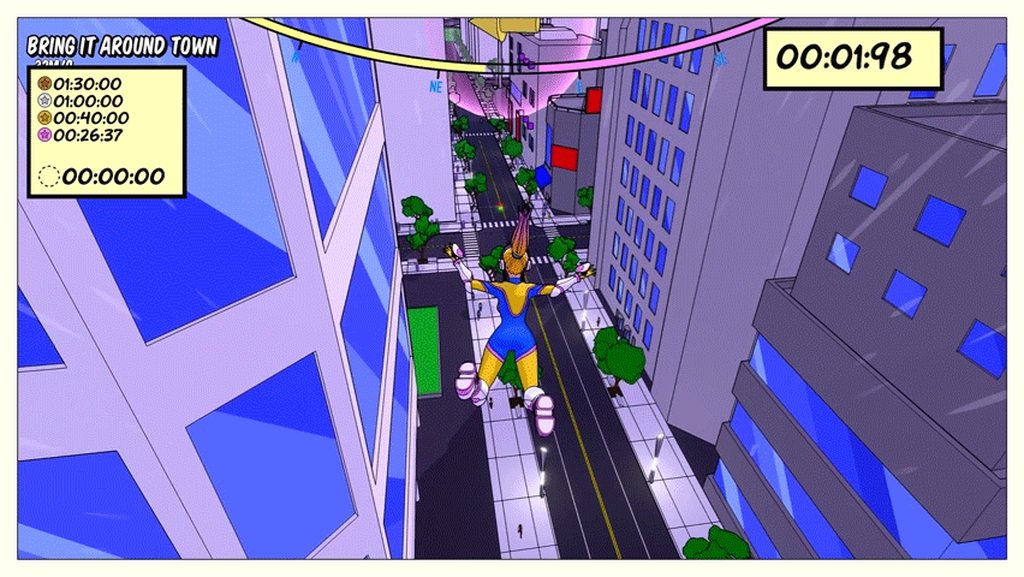
Yo, might seem like a bit of an ask, but could someone lean me in a direction to try and understand how this looks so smooth?
I understand it probably has some great anims in it, but I don't really know the logic behind how it should pick the 'right' anim when leaping off of a swing or twirling through the air
I know calculating something like the swing angle would help out, but surely there is more at play than just that
bronze turtle
https://docs.unrealengine.com/en-US/Engine/Animation/AnimationBlending/index.html ... Plus they probably take velocity and direction into account in what looks like would be a pretty complex animation state machine in thier anim bp
Transitioning smoothly between two animations on a single Skeletal Mesh
There's just so many way to accomplish that kind of motion its hard to give a step by step...closest thing would be look at the free paragon characters anim bps...they have all sorts of blends not for swinging on a rope, but it would be the same concept, they blend different animations of changing direction and attacking
Same concept can be applied to rope swinging
Your initial idea that they take velocity and direction into account is actually correct... They just feed those two into a bunch of blend spaces
That handle merging the animations
scarlet spade
Yeah, it looks like it's taking a lot into account for each swing - think it's a safe bet to assume that swing angle, direction and velocity are all considered like you said
bronze turtle
And camera direction
scarlet spade
Would it require like a large amount of animations to replicate?
Like >10 per state (i.e in air, swinging)
bronze turtle
No, i see maybe 6 animations there
scarlet spade
Ahh alright
bronze turtle
And theyre "blending by bone"
inland oyster
Finally got the animations working lol
bronze turtle
Exactly if isfalling for x sec is true do a backflip, is isfalling for < 3 do a twirl
They probably use the isfalling boolene built into the movement component
To determine air time
scarlet spade
Yeye, plus I'd assume that would tie in again to the swing angle
So the player doesn't do a backflip aiming to the ground
bronze turtle
The swing is a blend...they could swing at any point and it would morph the animation to look like they have a super complex calculation there
But all it actually is was blending
bronze turtle
Yes absolutely
To make it look that smooth your are blending everything
Otherwise it would look really clunky
scarlet spade
Would it be worthwhile to set up different enum states and blend by enums?
bronze turtle
It's actually only 4 animations
You could, but would complicate it too much when you can just use a "state" node and branch that into the different twist and flips based on airtime...if i was at my comp i could show you how i manage switching between 3 stances of a samurai char while maintaining smooth blends between the stances
I use a enum for my "classes" tho...as that changes everything
In the animbp...
But for just switching around and doing flips i use state node in a statemachine
scarlet spade
So it's not worthwhile in my case to use any enums for the blending?
Just handle it all in states
bronze turtle
Totally depends on what you are doing
scarlet spade
But just for the air and swinging anims like the clip, it's probably not worthwhile?
bronze turtle
I personally wouldnt use a enum for something like those swings
scarlet spade
Ah alright thanks man
bronze turtle
If you are running a character that changes classes or something but want to handle everything under a single master anim bp...an enum is the way to go
If you want to have a bunch of back flips all changing based on height, speed , ect...a statemachine with state node might be better
I need the enum cause changing my "classes" from warrior to mage changes everything the way it walks, fights, and jumps
 tall knoll
is there anyway to scale the keyframes of an animation sequence in UE4?
I got and idle animation for my FPS arm but it moves a lot .I want it to move less 😦
I am not animator so I am looking for a trick if any
bronze turtle
You can do key frames in the animation
 nocturne vapor
@earnest stump Hey, sorry to bother you, I'm having the exact same issue as you, but I can't find SetAnimRootMotionTranslationScale. All I can do is Get it.
I guess it's just a c++ thing? :[
 brazen wharf
two noob questions... if i want to animate an character, i have to animate it in place right? if so, how would i determine the actual velocity for the animation?
e.g.: I make a walkcycle in blender, export it as fbx, now i would probably need to know how fast to move the mesh when the cycle is played?! or doesnt it work like that?
e.g.: I make a walkcycle in blender, export it as fbx, now i would probably need to know how fast to move the mesh when the cycle is played?! or doesnt it work like that?
brazen wharf
thanks, guess i have to figure out what works best for me
so velocity is somehow bound to the rootbone, too?
as if i have root motion in the animation, it would a.) move the character in the world and b.) the velocity of said movement would be visible to getVelocity calls in code?
cedar sedge
@brazen wharf You don't have to animate it in place, it can have root motion curves, and they can be used or ignored in the engine, in an automatic fashion. If used, it will be applied to charactermovement (if you're using the standard character derived blueprint setup), and thus show up as character velocity, yes. You can also extract the root motion curve data and apply it as motion manually. There's problems with replicating blended root motion in a multiplayer game, so the default setup there is to only use root motion from montages in an anim BP, so you may have run into this if you tried using a root motion clip already that wasn't in a montage. There's several strategies here, but the sophisticated one uses the curve data to feed the regular input system, instead of applying it automatically.
Often the actual motion is going to be modified from the root curve based on various factors and blends, so replication questions aside, the naive application often isn't enough anyway
 patent jacinth
Hello, everyone! Hope you're staying safe. I've got a quick import/retarget question. As I understand it, setting my "hip" bone here to AnimationScaled in the retargeting options should set his feet on the ground, or at least make the "hip" bone roughly the size of his legs, the way it is in his skeleton before retargeting, and the way the "pelvis" bone is on the default mannequin. However, it retargets super long, lifting him off the ground and making his feet slide all over the x/y/z. Any ideas?
cedar sedge
This looks like a Mixamo rig, or similar. Where the hips are serving as the root bone
I know in the Epic rig for changing skeleton scale you set the root to Animation and the hips to Animation Scaled
Find the Pelvis or equivalent bone and set that to AnimationScaled.
Find the Root bone, any IK bones, any weapon bones, or other marker-style bones and set them to use Animation. ```It is a Mixamo rig! I was wondering about that. Now, on the mannequin the bone that stretches from the ground to the hips is labelled "pelvis," just like the Mixamo's "hips." Should I set the Mixamo's "spine" to animationScaled? Since it's one-up from the first bone?
cedar sedge
Good question. I am not certain, this is near the edge of my experience in this area. I do know there's some guides on adding root bones to mixamo rigs so they can map better to Epic rigged assets
But for scaling Mixamo rigged skeletons, not sure.
I assume it should be very doable somehow since there's plenty of non-standard skeleton hierarchies, such as non-humanoid characters or props
So perhaps something like what you suggested is workable
patent jacinth
Sounds good, thank you @cedar sedge! I was planning on adding a root bone as a final resort, but I'll give it a shot. It makes sense that a root bone would really help in this area. Take care!
cedar sedge
np
patent jacinth
Thank you, that worked! I went to bed last night I tried adding a root bone, but for some reason never pursued a tutorial for it- I found a great blender plugin for anyone else who's interested. https://github.com/enziop/mixamo_converter
GitHub
Blender addon for converting mixamo animations to Unreal 4 rootmotion - enziop/mixamo_converter
cedar sedge
Nice
patent jacinth
Proper credit, CodeLikeMe on YouTube led me to the plugin. Cheers, all!
remote needle
I am exporting this from Blender, it has 100 frames of animation (static because I just need the pose to use as a statue in game)
when I export to unreal its not exporting with the animation...
I would be grateful for any advice on this ...
 simple karma
anyone see anything in regards to animation curves using just the transform bones to do things like curves for momentum in the animgraph? looking for ideas to get a general sense of weight added to the skeleton from just velocity
austere light
Hi everyone, I'm trying to use the LODToFrameSkipMap to reduce overhead for animations, but it doesn't seem to be actually taking effect at all. I have set Enable Update Rate Optimizations, and Should Use LOD Map in the AnimUpdateRateParams, and then set the LODToFrameSkipMap values
But nothing actually works, animations look smooth still even from a distance
This is all being set on the primary Mesh for the character
inland oyster
How do I change the default preview mesh for all animations without having to go to every single one and change the mesh?
cedar sedge
Select them all, right click, asset actions, bulk edit via property matrix, animation category, preview pose asset, set it, file menu, save all
cedar sedge
Is the skeleton not assigned to a mesh?
 viscid adder
here is my problem when i press C to crouch the camera goes up and when i press space to jump the camera goes in the ground under the character and stays there help. The Weapon Component Asset 3.1 was used as refernece
tag me or dm me if you coolud fix is
it
 abstract wigeon
What can interrupt a montage? I have one that gets interrupted intermittently and am finding it hard to track down the cause
inland oyster
For some reason in my blendspace the Hold Gun socket is placed right when moving but when I go idle it shifts up words for some reason and I cant seem to fix it, Ping me if you can help. Thanks in advance
brazen wharf
@cedar sedge thanks a lot for the detailed explanation 🙂
cedar sedge
np
 opal terrace
hey, is this the right place to post about help with animation of a mesh?
i'm still quite a novice so it's not a super complicated issue
I want to get the entire flower to move with the simplegrasswind modifier
but every time i've modified the materials of the plant to do that, it bugs out
 still raven
hello i was just wondering if its at all possible to edit an animation in unreal just to push the bottom of this bone forward to work with root motion without reimporting if possible? for example this is normal
after finished moving forward its back there
i'd like it to stay between legs at all times and enabling root motion when importing does not move me forward it only keeps me in place
still raven
even if not id like to know in blender if its possible and how to pls 😛
viscid adder
so im starting the modeling of my character question can i import it into ue4 and set up the bones and animate it in ue4
bronze osprey
nah u have to weightpaint outside UE4
viscid adder
so i model the character and set up the skeletal mesh in blender can i still animate it in ue4 or blender to
opal terrace
would someone be able to look at my issue when they get the time as well? it's just up in the chat ^^
opal terrace
also trying to figure out how to animate flowers in general with the simplegrasswind modifier...
 echo vapor
Ahhh rigging
austere light
Hi, did anyone have a chance to see my query above about the LOD frame skip map? I had it working perfectly back in February, and then sometime over the last 2 months it stopped working and I can't understand why it no longer affects the character mesh
viscid adder
is there a good video on how to set up blender for ue4
the scale and all the rigging
inland oyster
I cant seem to fix this someone please help me, For some reason my gun on this animation just changes rotation and I cant fix it, It been 6 hours now
tall knoll
how do I blend movement animations with upper body correctly for Kubold Animation packs ?
I am using Layered Blend Per bone but cant merge ik_hand_root well
that my problem. my socket is not at the right location when I walk and reload
bronze turtle
Any all right rig pro users here, your opinion: must have or social distance...
@patent jacinth just for future reference...mixamo rig does have a root, its just incorrectly named for ue4...if you export it to blender or maya, and rename the armiture "root" then import back to ue4...youll have a proper root bone to use RM...
patent jacinth
Thanks! That will really help, I appreciate it!
 brisk marsh
I’m trying to set up root motion in unreal but having an issue with the walk cycle loop. I made the walk in max and used the loop controller in the curve editor to make it loop correctly but when I turn on root motion in unreal the loop pauses slightly at the end of each loop and is not seamless. Interestingly enough with root motion off it loops perfectly but I do need the root motion so I’d like to have that working. Any suggestions?
simple karma
Anyone familiar with "set all bodies below simulate physics"
I want to make my characters arms go limp lol
bronze osprey
yea it does what u want 😛
simple karma
but doesnt seem to be doing anything when i set the bones with it
bronze osprey
set all bodies blend weight after it
i think
and it needs a phys asset
or use the anim dynamics node
simple karma
nadda i need to see a video of someone doing anythign like this to a character .
bronze osprey

Google Drive
i can open it up and take a lil peak
thats a phys animation profile
for the pullin back of the limbs
bronze osprey
had to pick version, thats gunna compile some shaders 😛
also dont think u wunna make it full numb, unless it chopped a bone 😛
set physics blend weight
i was so close
i would have found it w/o lookin it up tho 😛
you dont need the contraint profile
i did, cuz super fancy setup 🙂
an arm goin limb i would stil do with animdynamics
 calm flare
Newb question alert! Hi, How to select what animations a random Sequence player will choice? i can't find it... Any help?
simple karma
maybe my skeleton is wrong or i'm calling it wrong place i'm using begin play and doing what your doing to an arm
nadda
hmmm
bronze osprey
physics blend weight 1?
calm flare
@calm flare Find it thank you
thick ridge
Right, after some fiddling with the rig, I managed to get cloth working to some extent, but it looks pretty awful to be honest.
-
The cloth, even though an edge may be only ever so slightly bent from the simulation, is shaded as if it has a 180 degree bend, giving it this weird shading on the edges of the cape.
-
The cloth is very twitchy and collapses on itself a lot. I just want to smooth it out as much as possible.
-
Most importantly, the cloth seems to completely ignore my physics asset, leaving the cloth dangling only by the joints it's skinned to.
Any ideas? I'm getting a little sick of my animation portfolio project turning into dozens of technical rabbit holes, not gonna lie 😩
@cedar sedge Yeah, while I still haven't found the right place to look for the sync groups (can't find anything that looks like what others have), so far it looks like my different cycles sync up with each other automatically, but I know that I will need those markers later, when I add my jumping animations that start from either foot that is going to hit the ground next, for example. So in short, it works for the moment - but I have no idea why.
cedar sedge
@thick ridge
This is while selecting a clip or blendspace, inside of an animation bp
misty dagger
@still raven As far as my knowledge goes, you can't edit an animation. (Probably you can but idk how) If you plan in using root motion and you are using blender there are some things that can solve your problem.
First in the UE4 editor be sure you are processing root motion in your animation. (This should be on the menu bar that has scale location rotation and other options, check everyone of then i don't rember clearly where it's located.)
If it's checked and root motion is still nt happening then you might want to go to blender and do the following.
Install the Mixamo RootBaker Add-on in blender.
Bake the root. (You should be able to see a window when you press N or T that says Mixamo rootbaker, and if you haven't changed the default shortcutsl Assign the bone you want to make the root. Then re-export it and check if it's solved.
Now if the scale is weird (too small or too big) I suggest you change the option "Uniform scale" when importing and change the value to one that goes well with your model. I suggest the values 2,5,10 and 20 to try first.
Ps; This is my workaround so it might not work for you. Hope it helps!
 heady olive
Hey so when I import my skeleton, the rotation axis aren't parallel to the model/forward direction, they're rotated slightly
inland oyster
Can someone help me with this? I was replacing the animations for jumping but this was the result, Please help
cedar sedge
@inland oyster You usually need 3 states. Start, fall, land. Start and land wouldn't loop, fall would, and the transition logic is important.
It looks like your land animation has a fall loop that's long and playing fully
What's in those two states?
misty dagger
Hi, I animated a snake in Blender. I made a root bone and connected the upper and lower body to this as children. I made my head a separate child of the root so I could move it independently of the body. When I export my 'slither' animation, my mesh gets all distorted: It is not smooth like in my .blend file.
I can get round this by choosing 'preserve local transform' and reimporting, but when I do this, my head does not animate properly, as if it has inherited a transform from elsewhere: What do I do?
red ferry
Trying to import animations from blender, I have two animations on the time line, one on keyframes 0-30 and another on on 60-90, export those animations out? any idea?
@misty dagger do you know how to export multiple animations from blender?
red ferry
thanks, will try
not really familiar with blender, how is it usually done? setting up several animation in one fbx...
misty dagger
you need to go into the nla editor it's a bit complicated
do you have the animation window opened?
red ferry
yes
misty dagger
you see where it says 'dope sheet'
red ferry
yeah
misty dagger
next to that (NOT that) is a drop down, one of the options is nonlinear animation
I cant remember everything perfectly you need to google it a bit
but that is where your different animations are saved and you can toggle between them
red ferry
thanks
misty dagger
Alternatively your method is actually fine if the animations aren't too long, if you just put all the animations on one track and import different ranges into UE4 that could be an easy solution, but this might give you a very big FBX file which is maybe bad
 rain depot
Hey all! I was wondering if its possible to display the frame number of an animation being played in real time. There don't seem to be any nodes for this as far as I've found
 covert gull
Hey people 🙂 I'm going for a modular character system from blender to ue4, on mannequin skeleton if possible. Should I export each piece (head, torso, legs) as a unique skeletal mesh and then recombine everything in blueprint or is there another better way of keeping all inside one skeletal mesh or something?
Also do you have any tip for getting a mesh rigged for the mannequin skeleton? I was thinking of directly skinning the mesh on the mr mannequin tools rig in blender but i'm also open to ideas 🙂 Thanks!
 feral owl
Hey guys, I'm trying to retarget an animation that I got from the UE4 Marketplace but I'm getting this error. Help plz! Thank you!
red ferry
when importing animation from blender, they are imported upside down... any idea what import/export setting i need to adjust?
rain depot
youll need to change the default up axis on export most likely @red ferry
red ferry
I tried, -Y right?
rain depot
ue4 up axis is Z
red ferry
force Root Lock solves it, kinda weird
 tender flicker
Is it possible to change an anim montage blend in and out time during play?
 mental berry
how can I import an animation with a ue4 skeleton onto a different skeleton?
cedar sedge
@mental berry Use the retargeting manager to put them on the same rig. Then you can retarget the skeletons, meshes, and/or animations
mental berry
ah yes, thanks
mental berry
I have a simple roll animation, but whenever I enable root motion, the skeleton gets distorted on the animation, what causes this?
 bleak blaze
Has anyone managed to figure out animsinglenodeinstance within blueprint? I've scoured all day and not found a bit of helpful info. It has some nodes I'm interested in using
still raven
im back and i managed to get root motion working btw but i do have an issue with it as it seems to act strangely when enabled.... as you can see i start from pose 1 and go to pose 2 (non root motion)
but
with root motion the animation is off
it leaning forward at the end for some strange reason 😂
 runic sundial
Hey I having some problems retargeting two skeletons, the bones are all the same but one of them has a few tail bones
any advice?
 candid kite
Has anyone managed to fix the engine vehicle in ue4?
@still raven Try using the scale option in the retargeting options
misty dagger
Hi I have an animated snake armature, I have a root bone with three children, the lower body the upper body and the head. My animation looks fine in blender but on export to UE4 the head is not animated properly, it looks like its transform is wrong. I can change this to get the head transform ok but this then messes up the skeleton. The head bone is the only bone whose location I animate, the rest of the bones are just rotated (actually I move one bone near the centre at one point but it is not visible). Here is my skeleton in Blender
The floaty bone in the middle is my root bone and is called 'Root' on export
If I use 'preserve local transform' I get the weird head position, but if I turn it off it messes up the rest of my skeleton and it is weirdly 'lumpy' and not smooth
red ferry
Tip: Changeing the name of my character from Armature to anything else solved many import issues for me from Blender to UE4, super weird, but works
brazen wharf
is there any way to auto add IK bones to a mesh? or to do it in blueprint?
or cpp when necessary...
 compact pebble
ok, i surrender, i just cant make right skeleton in blender to export in UE4 for animation retargeting. Reriged few times, ree did weight painting, bones names are right but it still looks deformed in ue4... can anybody give me some guidence?
thick ridge
Is there any way to examine everything going on in the pre-made character BP in blueprints? I would like to get into building one from scratch.
brazen wharf
@compact pebble https://gumroad.com/l/MrMannequinsTools

Gumroad
Mr Mannequins Tools (v 1.3) - Third major update of the add-on for Blender 2.8+ that gives the ability to export animations and weighted meshes that are directly compatible with the third person mannequin without re-targeting anything in Unreal Engine! Even more bugs and issue...
compact pebble
@brazen wharf yeagh i know about this but still hav eissues with it, and just got tired of this rigging stuff 😄 need a break. maybe just go do some blue prints....
brazen wharf
yea i can relate
I've already messed days with it, too
there are so many tutorials, lots seem to not doing the right thing
or it just works for their mesh/rig, while it doesnt for others
compact pebble
yeagh i come to like 80% perfect rig and after that it goes to shit... i started thinking getting a guy who can do me armature and weight painting on my base mesh in blender...
bronze turtle
@compact pebble invest in some courses on it or just watch yt videos to learn it...trust me rigging isnt something youll only use once in a while...youll be constantly making rig or fixing them or adjusting them
compact pebble
@bronze turtle yeagh i thinking on some curses, but i can do my own anims in blender ant hey work fine with my rigs but if I want to use my rig and retarget animations (cuz i am to lazy to animate normaly) they all just messes all up
bronze turtle
I use Manni tools just to get a decent base
You getting the skin doing weird deforms around bends?
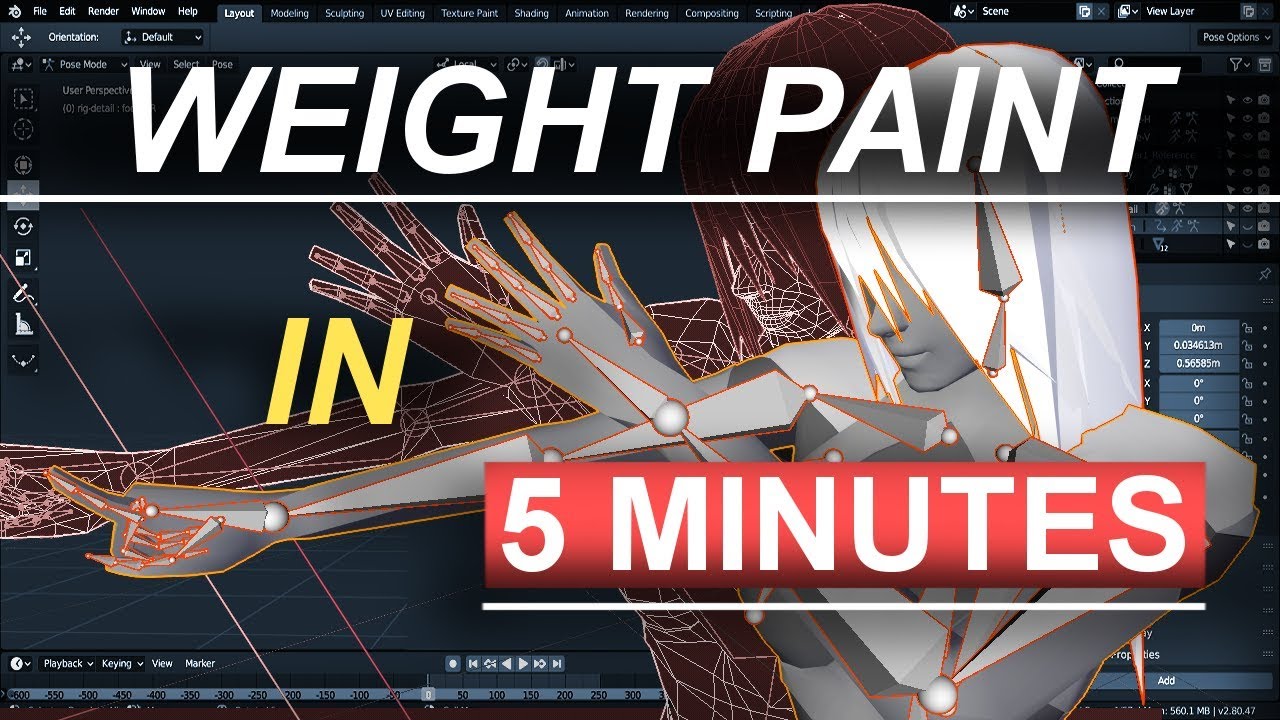
Hey everyone new Blender 2.8 tutorial! In the 5 minutes you'll never have to wonder how to weight paint ever again! Hope it helps you guys and don't be afraid to leave comments and questions below if you have them!
Song: [Chill]aKu - Love Shine
http...
This is an absolute godsend
This man completely changed how i weight paint
In 5 mins
The .2 trick is 100 percent awesome
compact pebble
i getting weird sh*t then i retarget animations in ue4 my own anims works fine. @bronze turtle i whatch this, i can do normal weight paint in blender and fix stuff, but with all that retargeting is so anoying and new mannequin tools works weird on 2.82a blender. but i will figur eit out
compact pebble
lower arm and hand, but i will work it out, i think i do something stupid with armature
bronze turtle
Make sure you have your humanion advanced bones set in the rig section of the retargeting window
Also set your advanced retarget options on the skeleton to anim on root, anim scaled on pelvis, and skeleton for the rest
 terse shuttle
I have honestly no idea how to ask this question on Google so I'm just going to ask on here. I'm using Blender to animate a character. How does one go about making multiple animations (I know how to animate) for Unreal. Like can I make multiple animations in one timeline and ask Unreal to render that based on input, etc. or should I make multiple timelines? or if anyone can tell me how to word this i'll just google it lol
 remote elm
@terse shuttle you can make them all in a timeline and cut out frames in UE4. what i do is make new actions in the action editor (click Dope Sheet and then select Action Editor). record your animation under that action, export as fbx, then under bake animation (i think) there should be a checkbox that says all actions or something, uncheck it to only export the action you have selected. if its checked then it exports all actions (all your animations)
 long moss
when i use aim offset the animation is jittery
misty dagger
@terse shuttle as I said before to someone you can use nonlinear animation feature to handle multiple animations (Google it because I forgot specifics). Alternatively you can just animate different animations on one timeline, export, duplicate in unreal and reimport with different frame ranges. The latter approach might give you a big fbx file though.
terse shuttle
@misty dagger @remote elm Thank you guys. I'm gonna attempt to do this over the weekend
misty dagger
does anyone know a good custom clothing workflow?
ive been trying to get a shirt i modeled working on the UE 4 manq
 slim herald
anyone know how i can make conditions in the anim graph?
i have a locomotion with different states like crouching, walking etc... but i add a layered bone blend to make the character have its mouth open in every state. the character should open its mouth only when MouthOpen boolean is true.
this one works but i want it to be based on a condition where if a boolean is true, it will do this otherwise it will skip the layered bone node and connect straight to the end. anyone know how?
remote elm
@slim herald make another state machine?
slim herald
@remote elm lets say I have another state machine for mouth open that is similar to the first one, how do I make the condition so that it uses this state machine not the other one ?
remote elm
blending like shown above?
slim herald
Oh yeah I guess I could make a state machine that sends nothing if a Boolean is false and sends the mouth open animation if the Boolean is true
and then blend the result with the main state machine
 tiny valve
Hello! idk where to put this
But how do i pause a matinee? i want my matinee to play but after 5 sec i want it to stop and then play the rest after 10 sec how do i do that? 🙂
 sour latch
How would I go about looping a single animation montage?
red ferry
from my character BP, in calling PlayMontage, playing only a section, I'd like to move to a different section, the MontageSetNextSection is not available from Character BP, is there a workaround?
or do i have to hook everything up through the animation BP
thick ridge
I'm trying to add a little wind up animation if the character jumps while idle. Why is she doing the wind up animation twice? I have specifically set it to NOT loop, and I've asked it to move on to the regular jumping animation after completion.
Here's the condition.
 grave forge
Would anyone happen to know why importing a single FBX file with all the animations could end up with Unreal importing all the animations as 1 giant animation? It's not separating them.
 faint compass
Hey guys, I'm trying to add a particle effect into the animation with a timed particle effect. My only issue is that it starts, but does not stop once the event is called. From what I understand in the documentation, the end is supposed to end the particle effect
any ideas on why it might not be stopping
Nevermind on that, closing and reopening unreal fixed the issue 😐
terse shuttle
Having multiple different frame limits for each "action" in the action editor doesn't affect the animation right? like if one animation takes 1800 frames while the other takes like 300
 last vortex
I can lock a bone’s rotation during an animation, right? I want the player’s torso to “aiming” straight ahead when reloading, as if the player was looking forward
I want vertical aiming to be handled by the torso normally and the neck when reloading or when the torso can’t be moved
faint compass
It would be best to know how the bone structure is. From my understanding, you would do an IK setup for torso/aim independence.
last vortex
I don’t have an actual character model yet, so the plan is based on the default UE4 3rd person character
The use of the spine for aiming comes from an FPS tutorial

Today we take a look at how we can use the player's control rotation to affect the position of the characters weapon. Doing this will make the player's weapon/gun follow the player's camera at all times. Enjoy!
► Resources: https://www.virtushub.com/game-dev
Unreal Engine 4 ...
cedar sedge
@last vortex You can rotate the spine bones for aiming, yes, if you don't want to use an aim offset blendspace. I have set one up multiple times now, and I have come to like doing it in a separate layer.
Looks pretty much the same as that video, yeah.
For shoulders
You can also include neck/head and divide by 5 if you want to distribute rotation upto the head, though that won't work for rifle aiming (as the shoulders/spine03 dictates the arm rotation)
Like I said, I put it in a separate layer to clutter up my main animgraph less.
 toxic thorn
anyone here that knows ALS v4?
i am trying to change max speeds and the provided movement data struct isnt changing anything
https://www.unrealengine.com/marketplace/en-US/product/advanced-locomotion-system-v1 this is the pack im talking about

An advanced bipedal locomotion and layering system focusing on high quality character animation with responsive movement. Built to be flexible, extendable, and to provide a solid starting point for new projects. Currently Singleplayer only. (100% BP)
 sly anvil
Hey does anyone know how to fix this issue? When I set up a play montage in a blueprint it just does not play? Or at least the arms do not move. The mesh on which the animation has to play uses the same skeleton as the animation so that should be fine right?
cedar sedge
@sly anvil Did you hook up a slot node for the montage to play through in an animation blueprint?
sly anvil
This is a slot right?
cedar sedge
Yep. And I assume you assigned the montage to the Arms slot?
sly anvil
I cannot really assign a slot?
cedar sedge
I don't mean the play node, I mean the montage asset
When you edit it, you can assign a slot
Drop down the box, pick your Arms slot
sly anvil
Totally forgot! It works now! tysm
cedar sedge
Np
tall knoll
how do I add condition in the beginning of my state machine ?
I have 3 state machines for my weapons (rifle, pistol, hand) which all look like the following :
based on the weapon type I blend the states. but the problems is of character is in crouch and I switch to another weapon. crouch2stand is played again
how do I fix that?
cedar sedge
Sounds like your criteria for transitioning out of crouch is being met on weapon swap, rather than a state machine changing issue, as I'm not sure why the crouch2stand state would trigger otherwise.
tall knoll
because I use bCrouch=true to move to the stand2crouch
cedar sedge
Why are we talking about stand2crouch? You said crouch2stand was playing.
It matters a lot exactly what's happening to diagnose :P
tall knoll
I tried to use a conduit at the entry but it says : Coundit cannot be used as the entry node
🤔
cedar sedge
If stand2crouch is playing again, then it's an issue with the new state machine going active, and not 'skipping' enough initial states
When you select a state machine, the details panel has a couple options that might help
Max transitions per frame, and skip first update transition
It also has reinitialize on becoming relevant
tall knoll
oh sorry I didn't explain well I guess. stand to crouch happens I want it to go to crouch immediately
can I add an empty state to the entry of a state machine ?
so that when state machine is started and bCrouch is true I jump to crouch not stand2crouch
cedar sedge
What are your settings currently, that I referred to? Max transitions, skip first, reinitialize
tall knoll
its default
the problem is here . it should jump to crouch if bCrouch is true not stand
cedar sedge
Yeah I understand.
Just trying to find docs on those options to understand their semantics fully.
Pretty sure you should be able to get the behavior you want there
Maybe try unticking Reinitialize on the state machines and re-test
Really what you want is to run all three machines at the same time, and just blend the results
So their states are sync'd
tall knoll
then I should make lots of transition . w8 I got an idea I go and try it.
sly anvil
So I ran into another issue, I have seperate hand and gun animations so the hand animation gets triggered on reload and I try to do the same for the weapon but that results in nothing hapening again. I added a default slot to my animBP because the weapon cannot be assigned to the arms slot since they dont share the same skeleton. But that still does not work.
cedar sedge
@tall knoll Try caching the poses from the machines and using the caches instead of the machines directly
That might run them all together and keep them sync'd.
cedar sedge
No, literally cache them. There's a node that saves the output of a pose node as a cached version
And you can then use it by name
Drag off the machine, type cache
Then right click in empty space, type cache, pick it. You can rename it too
tall knoll
I used cache before but never on state machine. I am gonna try it
@cedar sedge my trick worked. I added an new state to the entry of state machine.
😂
cedar sedge
lol kk
 real atlas
can anyone help me with getting mixamo animations working like they should
used the blender addon but whatever I do it just makes it go all shakey and wonkey
 ashen falcon
Hi, Got a animation asset in a level that I want to play when the player goes through a trigger box how do I go about that I can't find anything on it
remote needle
How can I use my animation montage to stop the animation in its finishing position ?
It is a traveling animation that zaps back to its starting point at the end.
I would very much like it to stay in the position of its last frame 😄
@ashen falcon youll want to set an overlap event on that trigger box
 boreal summit
Does anyone know a tutorial i can watch on how to use animations in unreal?
toxic thorn
hi, does anyone know if using AnimNotifyState's tick function
is dependant on frame rate?
i want to do a line trace in it to detect mesh (sword) hits
but that's obviously a bad, bad idea if it's FPS dependant
 quiet spruce
Hello just a question i just wondered could anyone help me out a bit i made this post on answerhub https://answers.unrealengine.com/questions/956523/view.html I would really appreciate if you could help.
real atlas
I guess no one has any answers for anyone here
 iron reef
Hey guys, could anyone help me with an issue im having importing new animations from mixamo? i think ive changed a default setting somewhere when ive tried to change the mesh of a child blueprint of my main character and now all newly imported animations are all over the place, the bones appear to be in the right place when i show bone names in the skeleton view and all my old animations still work perfectly fine. someone please be a kind soul and maybe screenshare me so i dont have to pull my hair out anymore!
thick ridge
Is there a way to get the character BP to ignore current speed in the Z axis, or not associate it with walk speed?
remote elm
@thick ridge get the velocity vector, break it, make new vector, plugin X and Y but not Z just leave it as 0
earnest stump
@nocturne vapor sorry I saw your mention really late. Yes, SetAnimRootMotionTranslationScale is c++ only.
nocturne vapor
alright, thanks
earnest stump
Has anyone had an issue where an fbx imported into Unreal will have the wrong scale just for the animations? The skeletal mesh is correctly scaled.
misty dagger
Are you using blender Chris?
I have this same problem when exporting FBXs from blender. What usually solves it for me is when importing to UE4 changing the setting "Uniform Scale" to 2 , 5 or 10. Try changing it on the animation asset and reimporting it.
@earnest stump
earnest stump
hey @misty dagger thanks for the help, but I just now managed to fix it a different way. I changed my unit scale to 0.01 in the Scene settings. This made everything 100 times smaller, so I scaled up my mesh and armature, making sure the dimensions were the right size. I then applied the new transforms. I had to also scale up the movements in my animation.
It seems Blender exports the mesh and the animations differently. No matter what my unit scale is, the mesh seemed to be the right size as long as the dimensions were correct (eg. the gun I made was 0.2 m long) but the unit scale seems to matter alot for the animation size.
Hope this helps for the future.
misty dagger
Oh yeah I tried that workaround but sadly didn't work for me. So I had to do some maneuvers to get it right. Also something I found with the exporter is that if your armature is named anything other than "Armature" UE4 would create an additional bone. I should retry to do it with that workaround and see if it works for me. Since it's a lot more manageable than changing the uniform scales every time I try to import a model.
 balmy nimbus
Any good tutorials on the animation side of UE4?
red ferry
is it possible to take two animations, idle_1 and idle_2 and use a montage to play them in sqeuence and have the montage correct the position from the end of idle_1 to the begining of idle_2 ? for a smooth transition?
radiant kestrel
I've been looking over some tutorials that involve retargeting the animstarterpack animations to other skeletons like the third person one. But I can't seem to do that in reverse? I'd like to retarget the third person movement animations to the animstarterpack mannequin's skeleton but that doesn't seem possible. Which is odd since it can go the other way and looking at them, they look identical. Wondering if anyone with more animation practice has any input on that.
bronze osprey
it goes both ways or no way at all 😛
uncheck only compatible skeletons and should work sorta
or u both set em to humanoid and they become compatable
thick ridge
What's the best way to simulate cloth so that it isn't all jittery?
brazen wharf
is there some way to get bone rotation in a animation layer?
brazen wharf
or can someone suggest how to limit rotation axis with CCDIK for legs?
 tardy stag
Hey all, I have multiple units running the same animation sequences. Is there any way to avoid all of them moving in the exact same way? It looks weird.
Maybe randomly delay some of them somehow so they initialize slightly off from each-other? Any idea on how to do it? 🙂
 languid bloom
hey guys i have a issue with my animation it retargeted to the same skeleton and am having problem climbing ladders how do i get the player to face the correct way
 blissful linden
If I want to play an animation montage, how do I avoid conflicting it with my locomotion state machine
 whole flare
Hi, digging into realtime hair for first time. Any tips on binding the hair to head for transforms? Using the Eisko Louise rig as a sample and hair doesn't move with head rots. Not sure if this is a model specific issue or part of general hair setup https://www.eisko.com/louise/virtual-model
Louise is Eisko's Virtual Model, a sample 3D Head Model distributed for free under a non-commercial license to showcase the quality of our productions.
brazen wharf
its 2020 and unreal doesnt have any sane solution for IK solving?
they just put in a bunch of IK methods which are all nuts without bone constraints
any angular limit works for both sides, or is there any way to limit rotation to one side for bones like a shin
slim herald
anyone know how blend depth works for this node?
can't seem to find unreal documentation on how it works
junior geyser
@slim herald starting from the bone name, how many bones in that chain to blend
slim herald
So why does it fully blend at 0 and the higher the number is, the less bones blend
junior geyser
@slim herald Well my explanation was a little off i guess. Blend depth determines how many bones it takes to get to 100% blending.
Consider the following bone chain: Spine1 --> Spine2 --> Spine3 --> Neck
Here's an explanation to the Blend Depth if you set it to a number greater than 0.
BoneName = Spine1
BoneDepth = 3
The blend strength of Spine1 will be 33%, Spine2 will be 66%, Spine3 and EVERY bone that is a child of Spine3 will get the full 100% blend strength.
The Bonedepth value basically allows you to get a smoooth blend.. Compared to just setting it to '0' where it will have all of the child bones have 100% blend strength.
slim herald
Ah, thanks , it all makes sense now
brazen wharf
is there any IK solver that uses constraints which are set in the physics asset?
 celest crane
Anybdoy have noticeable perf issues when running Maya 2020 + UE4 at the same time?
 tawdry cloak
I don't use the unreal animation tool much but I have a quick question. Say I have an animation that takes 2.3 seconds to play. But I want it to play in 1.7 seconds. Is the rate multiplier value the way to do this? Or is there a way I can type in that I want it to play in exactly 1.7 seconds (sped up)?
red ferry
Hey, im animating with the default mannequin im trying to find basic animations like sit, drink, throw. is that available for free somewhere?
I've found the basic animation set, it's mostly rifle movements
brazen wharf
@red ferry there isn't much free, you probably found that already https://www.unrealengine.com/marketplace/en-US/product/28fc3cc4332541e3b0037d67a65e5d6d
 honest blaze
( Noob here )
Have you friends ever had any luck with Unreal IK Foot tracing?
I am having a devil of a time getting it to work!
red ferry
thanks @brazen wharf
brazen wharf
@honest blaze to me it looks like there isn't any sane IK solution, i got mine finally somehow work in ALSv4
honest blaze
Yeah to me this ( Meaning, the tutorial ) seems just totally busted 😢
brazen wharf
basically i do trace on the feet, save the hitlocation and use CCDIK to move the leg to the hitlocation
however, im just waiting for a situation for it to break again, as the leg does bend in whatever direction it wants
didn't found any way to set constraints so that the rotation is limited to one side only (for the shin for example) -.-
CCDIK allows to set bones to locked which is good for 3 bone legs where upper leg has bend/twist bone, however it doesnt have any option to lock rotation for an axis (which LEG IK node can do, but LEG IK can't limit rotation for bones)
honest blaze
Nice. Thanks for the advice. I will look into CCDIK and see what I can get working.
brazen wharf
there are also several plugins, but either they cost a fortune or i couldn't get them running
this looks interesting but didn't compile on linux for UE 4.24 for me
maybe you are more lucky if you use windows
honest blaze
Yeah, I saw the plugins hanging around, but I am very hesitant to build on something like that
Since if I don't understand something fully, building on top of it can lead to trouble down the road
brazen wharf
yea i'm still not sure if i should drop ALS from my project and start from scratch
UE got plenty new features which ALS doesn't use, and it's kinda messy imho
honest blaze
I have seen some looney-tunes IK implementations floating around
the ContentExample is actually really simple, but it doesn't work when I port it into other projects!
tawdry cloak
Sorry, so the rate scale makes the montage play faster but when I call UAnimInstance::Montage_Play() it returns the duration without regard to the play rate. So if my original montage takes 2.3 seconds to play with a rate scale of 1, and I increase the rate scale to make the animation play faster. Then to get the real time it takes to play the sped up animation I have to call UAnimInstance::Montage_GetPlayRate() and do the math myself right?
honest blaze
@brazen wharf I actually found a really excellent unreal IK implementation:
https://unrealcg.itch.io/unreal-foot-system?download
itch.io
This was made in unreal engine 4.15 If you like it, buy me a coffee :)
honest blaze
OK I think I've figured out my problem.
My character's mesh is like, tightly coupled to my collision container.
In WORKING IK implementations, the mesh and the container are not tightly coupled. In my character, they are.
Any advice?
My character ( Mesh moves with capsule )
Their capsule ( Mesh does not move )
brazen wharf
@honest blaze i think thats always the case, you have to move the pelvis down by the foot offset if im not wrong
 strong parrot
Hello, im new to Unreal Engine. Decided to download and mess around with it because i've already spent so much time in other games lol. How do i make a basic punching animation (where the model gets into an aggressive stance, one arm raised while the other extends outwards with closed fists) without the use of additional software?
strong parrot
Or is there a punch animation out there for free that i could use as a replacement?
 dim stump
does anim montages being stopped when they're finished? (no loop)
do I need to stop montages to be sure, or they will automaticly stopped after complete ?
 gleaming frigate
Hello. I am having an issue with my pose assets. Is anyone familiar with them?
tawdry cloak
@strong parrot try looking in Epic's Content Examples project (animation map). There is a video training series on YouTube called "BP 3rd Person Game" and he says thats where he got the punching animation for the video. Not sure how good it is though but maybe somewhere to start if you have nothing.
strong parrot
Perfect, thank you.
gleaming frigate
@dim stump sounds like you need a "do once" node
dim stump
thx, but no
I'll try to expose more correct.
For example
If I play montage with loop in it, it will never stop.
But if i will play simple montage without loop, will it be stopped when finished ?
its weird, just to be sure
tender flicker
hey, does anyone know a way to set the anim montage blend in and out time during runtime?
thick ridge
I want my character to twist its spine a little when turning. Is there a way to use additive animation where I have only twisted the spine in the bind pose without having the head and arms end up in the bind pose?
tender flicker
you can do Layered Blend per Bone thing and apply it to a specific bone
thick ridge
you can do Layered Blend per Bone thing and apply it to a specific bone
@tender flicker Yes, but everything that comes after it in the hierarchy is also affected, like the arms and the head. Is there a way to maybe automatically counterbalance the animation of the shoulders and head? Or have it literally additive, like it only detects differences from the bind pose and not acting as if I want a twisted stiff t-pose animation? I'm just spitballing here, can't figure it out at the moment.
 fathom owl
Quick question, I can't seem to find the answer to online:
If I had two skeletal meshes for one character, essentially different outfits but the same head - will I be able to use blendshape morph targets for the head across both of them on the same skeleton? The head would not be a separate skeletal mesh btw.
bronze turtle
Both skeletons would have their own blendshapes
There is a tool on mp that can transfer morphs between them tho....
If they both contain the same named morph targets then the code doesnt care about the skeleton
All it cares about is the name of the morph target
Meaning if you have code that changes the value of left eyebrow to .7...and both of them have a blendshape called left eyebrow....the code will automatically work for both
@fathom owl
fathom owl
Ok so if each skeletal mesh contains the same head with the same morph targets, I can use the same skeleton then?
bronze turtle
If the skeleton is the same between both characters you can rightclick the mesh and "assign skeleton"...as long as the blendshapes are the same the assigned skeleton will be able to alter the values
fathom owl
Alright perfect, thanks zethfox!
bronze turtle
Be wary tho...duplicate your assets and test
Im working blind and dont know your full set up
fathom owl
I usually backup project before doing anything major, thanks for the heads up though. 🙂
bronze turtle
All its checking for is the name of the morph targets... So long as they're the same they don't necessarily need to Target the same verts... But they have to have the same naming
 past comet
can anyone recommend a tutorial for how to get a character setup in blender to reuse the default unreal character setup?
eg so I can swap the model but all the animations and controller setup in unreal remains the same
bronze turtle
You mean retargeting frankie
Theres a bunch of yt tutorials for it
Doesnt require blender unless youre making a skeleton for a mesh that doesnt have one for the first time
tender flicker
@thick ridge I have used it before where you can set the depth and it only effects the selected bone
it's either -1 or 0 I think
also the additive should work no? that's what I use for my spine when looking up and down where I just use the my idle pose and adjusted the spine and it works fine with my weapon idle animations which I apply using blend per bone
past comet
zethfox I want to make the character in blender but I dont want to do any anims so needs to be the same as the default unreal one I guess
if its the same then I dont need to retarget anything
honest blaze
For those of you invested in my IK woes: My cylinder was too fat, so my legs never got the chance to move.
By making my collision cylinder smaller, I was able to get my IK stuff working
misty dagger
Hello guys, i'v a tricky question → I made : basic jog with jogstop blendspace. I use a speed value to move arround the axis. Like a normal jog blendspace.
At the moment no problem ! Once i stop jogging, he is doing jogstop correctly. My character is doing the animation as it should be. Iv no problem with this.
BUT → if I start jogging again while doing JOGSTOP animation, the jog animation will start from speed = 0. This mean the verry start of the jogging animation.
So if my character is moving again while doing JOGstop animation there is a weird transition that is not smooth at all and it feels broken.
Anyone has a trick to save the last jogging blenspace animation position ?
remote elm
@misty dagger why dont you make a blend space and near the start (not at the start) of the blendspace (where you would put an idle pose for example) play your JogStop? so when you slow down to a certain speed it starts playing the JogStop animation and returns back to idle?
misty dagger
@remote elm Because i'v two type of stop, walkstop and run stop :/
 boreal vine
Would anyone mind pointing me in the right direction on learning how to make animations for my character? I’m really interested in learning with blender,
Thank you
bronze turtle
@past comet in blender youre in luck...
https://gumroad.com/l/MrMannequinsTools
Gumroad
Mr Mannequins Tools (v 1.3) - Third major update of the add-on for Blender 2.8+ that gives the ability to export animations and weighted meshes that are directly compatible with the third person mannequin without re-targeting anything in Unreal Engine! Even more bugs and issue...
past comet
whooo thanks
brazen wharf
i think the female one is just another mesh but the same rig?!
bronze turtle
Oh it even has export buttons that can redo skeleton bone names ands stuff on a none ue4 char...check out his yt chann guide cause its way more than just a manniqun
Its another whole character with different bones...ive never used her tho
past comet
yeah females have an extra rib bone 👍
this is perfect
I better get a move on making the character model 😂
bronze turtle
Glad I could help frankie
brazen wharf
but theres only one rig
and as it targets UE4 mannequin, i doubt he added any extra bones
bronze turtle
Its different its definitely not the male for sure
Is she even a real epic thing or no?
 limber fog
anyone got any idea about use cases for the linked anim graph node?
sour latch
how do I loop a single animatoin anim montage?
 oak badger
Hey guys, I have an issue with a character that has been skinned to the default UE4 mannequin skeleton, ive imported him, and ive noticed 2 issues. Firstly, most of the bones imported in the correct location, but a few seem to not work, I cannot figure out why as they have not been touched at all in 3ds max, the skeleton is identical afaik, I can show these bones in a screenshot to better describe it. But more importantly, when you throw a default animation on him (one that works on the mannequin) it plays correctly, except hes displaced vertically, like hes floating a few meters in the air, and I cant figure out what would actually cause that, can anyone suggest anything?
remote elm
@past comet something else that may be of help to you, started working on this series to try and help people setup their blender projects to work in UE4 a little easier for animations and such. these are for FPS animations https://www.youtube.com/watch?v=zB4uoOpdOeg&list=PLnHeglBaPYu_1a_v3UE3GA_xYqAoQtkHC

In this video we download a high poly 1911 pistol which we decimate (we dont need 400,000+ tris) and rig it with bones and perform weight painting.
I'm not an animator or artist by any means (as you will see from the quality of my animations), so this is just a series from a ...
thick ridge
also the additive should work no? that's what I use for my spine when looking up and down where I just use the my idle pose and adjusted the spine and it works fine with my weapon idle animations which I apply using blend per bone
@tender flicker I think I forgot to turn my twist pose into an additive animation. Seems to work now that I put them into a 1D aim offset.
On a related note, I ran into a new problem. It's another one that might not be strictly animation based, but it's the animation it affects, so I'm asking here. I have set up an FInterp node to make the character's twisting to transition to 0 when the camera is in front of the character. Looks like it's working one way, but I can't find a way to get a smooth transition the other way around. Does anyone have any ideas?
Here's the blueprint. It's hooked up to event tick.
 ripe coral
hey guys, for ASLV, would i retarget mySkeleton -> ALSV4 skel?
or ASLV4 Skel -> mySkel
my blendspaces i have are for mySkeleton, and i merged DCS/ASLV4 hoping i could make the mySkeleton work for it
 daring osprey
[QUESTION] I'm looking at this particular plugin for Vive MoCap... (https://www.unrealengine.com/marketplace/en-US/product/vive-mocap-kit/questions?sessionInvalidated=true) Is it possible to combine the curves into an FBX animation? I tried what I know about curves and keying on animations and exported as an FBX file but on re-import the animation defaults to without the curves. Anyway to make the animation "stick" with the file so it becomes the base?
It seems to me that I'll cannot convert the curves back into the animation using only UE4 - any ideas? Am I missing something? Should I explore a third-party software I do not yet know about?

Using SteamVR for real-time motion capture
 tired garden
how would i fix my wheel bp putting the wheels on the root instead of the wheels?
last time this happened i forgot to apply rotation and scale, which fixed it, but this time i had already fixed that
tender flicker
@thick ridge print the yaw and see what values you are getting, I think it goes from 0->360 and not -180->180
FMath::Fmod(ViewRotation.Pitch + 180,360) - 180; this is what I used for my aim offset
 stone locust
I'm trying to figure out how to work with the AdvancedLocomotionV4 pack, but my animation skills are currently woefully lacking. Any good tutorials or guides floating around that can help me get more comfortable with the system?
past comet
@remote elm thank you!
 wide pulsar
Does anyone know how to use the Mr
Mannequin tools to rig a custom character?
I want to rig a character I have to the UE 4 skeleton, any help would be nice : )
thick ridge
@thick ridge print the yaw and see what values you are getting, I think it goes from 0->360 and not -180->180
@tender flicker No, the yaw does go from -180 to 180, but that part seems to be doing fine (character yaw is 0 because I unplugged it from the print). The delta node compares what the camera is looking at in the yaw and what the character is looking at, and makes the difference the twist value, and to me it looks like it works. It's the FInterp node that I can't get to smoothly transition back to twisting, rather than just snapping back like it does now.
past comet
I'm trying out the Mr Mannequins thing but cant figure out how to export meshes
anyone had any luck with it?
lol ok I have to select the mesh to export 😂
obvious now
bronze turtle
@oak badger check you retarget manager
In the new imported model...make sure the rig is setup up correctly
And check the advanced retargeting options in the skeleton top left corner
Make sure you dont have any weirdness
@thick ridge set it up to lerp back to 0 before updating to a new location
 drifting shore
Hi everyone, is there any advanced locomotion tutorial available? I saw this https://www.unrealengine.com/marketplace/en-US/product/advanced-locomotion-system-v1 and im super duper lost.
An advanced bipedal locomotion and layering system focusing on high quality character animation with responsive movement. Built to be flexible, extendable, and to provide a solid starting point for new projects. Currently Singleplayer only. (100% BP)
 civic nova
Does anyone know if there is a clean way in an AnimBP state machine to transition from many states to one, without creating a swarm of connections? e.g. If a character gets stunned and they would go into a stun animation, regardless of what they were doing at the time.
slim herald
@civic nova not sure if it’s the best solution but you can connect the state machine to a layered blend per bone node in the animation graph
So you blend the stun animation with whatever comes out of the state machine
You can set the layered blend per bone to have the root bone as the blended bone so that it will blend all the bones to that animation
Promote the blend weight to variable and then set it to 1 if you want to show character stunned, or 0 if you want the character to use animation coming out of root motion
This should definitely work, but like I said, there might be another way to solve this that is better
civic nova
@slim herald Thanks, will give that a try 🙂
@drifting shore I only dabbled with ALS but I think there's a Discord server for it. Link should be on the marketplace page iirc.
 tardy crater
So I have an animation/collision problem if someone is willing to help me.
I am trying to use a sphere trace for attacking collision in the animation through a notify state, but the sphere trace cannot keep up with the animation and leaves massive gaps between collision checking making my character only be able to register an attack at about a 1:6 ratio. Is there anyway I can replace or improve this?
drifting shore
@drifting shore I only dabbled with ALS but I think there's a Discord server for it. Link should be on the marketplace page iirc.
@civic nova Alright, I'll check that out.
 wise spoke
Do you guys also have problems with imported animations from mixamo?
Look at that :
I just imported the mesh from mixamo (mesh + anim)
 rare steeple
@wise spoke I use this tool: http://terribilisstudio.fr/converter
Seems to work okay for me
So I downloaded some of the Transition animations from Mixamo and they were root only, so if I wanted to use them would I basically on move, play a montage of the transition?
I'm doing a click to move top down game, if that helps
or I can disable the root animation too I think i'll have to look into it
rare steeple
The Mixamo unarmed crouch animation is truly abymsal. Also it might just be loading weird for me
slim herald
have you used Blendspaces before?
rare steeple
me? Yeah
I set up one for it, thats not the problem, the skeletal mesh is looking down
slim herald
isn't there a crouching shooter animation on mixamo?
this looks like just the basic crouching animation, not one made for shooter
rare steeple
If I fix it for this animation is changes it for all animations, I'm wondering if I can take the crouch animation from the AnimStarterPack with the rifle, and take everything but the arms
yeah, sorry. He's got preview meshes on right now, but i need unarmed anims
I've got the rifle crouch sorted
slim herald
you can blend by bones
rare steeple
I've only ever blended at the spine, which maybe will work I guess i'll try
slim herald
its called a layered blend by bone node which takes in that animation you have and blends it with another animation based on bone
rare steeple
Yeah I've used it a few times, just wasn't sure since I wanted most of the animation
And I can't use blend bones with blend spaces, right, so I'll have to break the idle and walk into separate states
slim herald
you should be able too, can't see why you can't
rare steeple
you can only put sequences into a blend space
slim herald
yeah , just blend the output of the blendspace
the blend space is in the animation graph right?
so drag from the output and do layered blend by bone
 primal rapids

I was finally able to try speed warping with control rig
Its really simple... basicly just scaling the feets location in one dimension with a basic 2bone IK
slim herald
how long did it take you to implement that @primal rapids ?
primal rapids
this morning
slim herald
nice
primal rapids
control rig seems to be super powerful but its pretty buggy
and I dont like using IK cause of efficiency... so im gonna try to record animation from it and then blend it with the original that way the scale should still be right in terms of ground speed
rare steeple
so I have an animation that's basically Stand to Crouch, so best method would be to Add a notify that when it's done, set isCrouching to True, because I'm using a Blend pose by bool and the legs snap a bit too much for my liking
then play it in a montage
rare steeple
I'm trying to use Get Current Acceleration node, but it's zero when I move, and it seems like I need to know if for distance matching
primal rapids
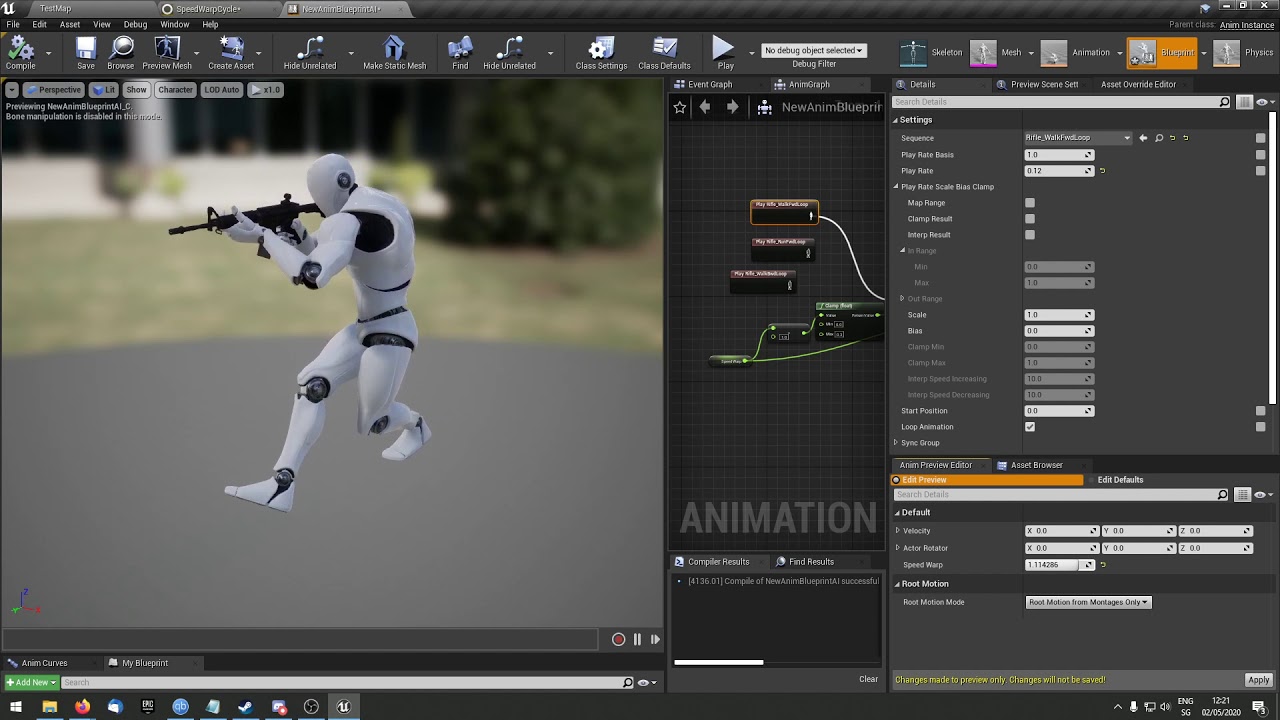
Updated to make it possible to go to speeds above 100%
basicly just taking a scaled distance between the feet and adding that to some "pelvis" offset to prevent leg overstretching... might have to add some sine to make it look smoother
primal rapids
@midnight oyster Right click in your Content Browser->Animation->ControlRig
Then once you've opened it you right click in Rig Hierarchy and import your rig
 midnight oyster
i had seen some demos, where they do it form here, is it removed now ?
It seems like they have changed alot with this .
primal rapids
they changed stuff apperantly since that presentation
but i figured the workflow by trying out some stuff and think i got the basic idea of it now
midnight oyster
is there any tutorials on new system ?
primal rapids

google translate it
if you dont know japanese
but i didnt go through it
but helps to get an idea
midnight oyster
@primal rapids Thanks , this will help
wise spoke
What hte hell? I set up my constraints to locked and the neck is still behaving crazy. When I remove the neck body everything works fine. Can someone tell me what is going on?
wise spoke
Can someone help me please?
I Just added a body for the head, a simple sphere, didn't touch anything, didn't add any constraint. I just pressed simulate selected with no gravity, and the head will fly! What is going on? I can't understand why it's doing that!
If I deactivate the collision for the body, it doesn't do that, it stays still. But I need the collision :/
wise spoke
@bronze osprey If I add a constrait, it jerks like the previous gif
civic nova
Does anyone know if a montage in the AnimBP can be stopped when a value changes rather than waiting for it to finish playing? I have a stun montage being played when a bool is set to true, but after it is reset to false, it's sometimes a couple of seconds before the animation ends.
wise spoke
@bronze osprey Found it. It's because I had a preview mesh attached to the head (for the hair). And this was causing a collision with the head.
 vague jackal
Can anyone give me some pointers to start making animations for ue4. What software should I use? Any tips to improve fluidity? I'm trying to make a fast paced sword combat system.
civic nova
@vague jackal Maya is usually the go-to but Blender is also decent (and free). There are some courses on the Gnomon Workshop to get started, including some UE4 specific ones: https://www.thegnomonworkshop.com/tutorials?tags[]=character-animation
The Gnomon Workshop offers the most comprehensive set of Digital Production tutorials anywhere. The broad scope of the tutorials contained in this section range from foundational understanding of the software tools all the way to the professional application of these tools and...
 left sinew
Anyone familiar with cinematics here? My BP is jittering all over the place. hmm
 eternal ridge
I need to move actor when it is flying(but not when it is on the ground), so I have cut the hop to three parts (HopStart, HopFly, HopEnd). I run HopFly when HopStart is 90% done.
Is there a way to start another animation exactly at the end of the current?
brazen wharf
i'm trying to get CCDIK working with control rig, but somehow it scales the effector bone to 0
so the mesh of said bone and its children disappear
the IK for the bones from root => effector seems to work, tho
 crimson otter
Hello everyone! Can you help me with advice? I have a rootmotion animation. i check rootmotion in this animation(screenshot), but in game animation is not rotmotion. Character go away insede capsule. Why?
rare steeple
So i have a run animation and a run to stop animation, and I'm using top down click to move, but I can't visualize the logic needed to get it to work
any one have any suggestions
Since I know the intended destination well in advance I'm guessing it's a lot easier than distance matching that I've looked up, so do i just need to get the distance from current position to end position and when it's within a certain range, play the stop transition?
brazen wharf
did anyone use FABRIK/CCDIK in control rig and might have an idea why my child bones/parts disappear when using it?
if i set it to propagate to childs, if i dont the child mech gets stretched
 strong python
Anyone knows how to deal with skeletons that are split in 2 parts (1 for the head and 1 for the body) please ?
I'm a novice in Ue4, and i need to understand why some people do 2 part skeleton instead of 1 (if you have any video explaining how it works it will be better 🙂 )
Please ping me if any answer 🙂
 ashen gorge
Is there a way to get a bones current transform? I am trying to get the Head bone Z height, and offset the pelvis bone by a proportion to that?
ashen gorge
okay
should i be doing that in the event graph and storing it as a transform?
referencing that in the anim graph?
I have a reference to my player character there, I can do a get from that
brazen wharf
that depends on your usecase
ashen gorge
Fabriking the thighs to the Feet relative to the pelvis, pelvis gets its Z effected by the head height
So Im getting the pelvis current transform, subtracting the HMD Z from the Pelvis Z. Combing that back into a transform
feeding that into a Transform Bone on pelvis
Replacing the pelvis's location in bone space based on that new transform
brazen wharf
i'm a noob myself probably, but i would probably do it in the animation blueprint in the animation initialize event
as its onetime only
ashen gorge
it does need to be updated
ashen gorge
yeah thats what im doing
I have really nice hand and head ik with the vr headset right now
just have to get this pelvis bone moving properly
and then ill have a rudimentary fullboady
brazen wharf
just curious, do you do IK in control rig, too?
ashen gorge
driving ik in the animgraph
storing variables for the HMD and Motion controllers in the AnimBp eventgraph
 south stream
Is there any way to tell whether or not a particular slot is actively playing ANY sequence? This node exists to find out whether a slot is playing a specific animation... but do we have any method for knowing whether a slot is playing any animation at all?
 zenith oyster
Someone who could help explain to me why having strafe animations in my blend space is causing my forward animation to reset inside the blendspace :/ ? when I move forward it keeps resetting everytime the direction calculate 0.019 causing massive amounts of stutters
 mint rapids
Guys, good morning, i have a question, i have an jump attack animation, but i need just a single animation for jumping without attack, how can i do it?
 novel viper
How can I import a skeleton from 3dsmax which has 3 bone structures, all are link constrained to a root bone. But when importing into Unreal I get "multiple roots founds". I can't normal link the 3 structures to the single root bone, because that way I can't move the 3 structures anymore. They need to be separately moveable. How would I go about this?
thick ridge
Excuse me? So this additive animation appears to scale down and garble my animation. What could be causing this?
civic nova
@mint rapids Not sure what you mean exactly. Do you want to extract a jumping animation from a jumping attack animation? Or do you want to have 2 separate animations which can blend when attacking and jumping together?
mint rapids
both them work for me
civic nova
I'm not sure that you can create an animation from a different animation, but you can blend them e.g. attack anim on the upper body slot, and jumping on the lower body: https://docs.unrealengine.com/en-US/Engine/Animation/AnimHowTo/AdditiveAnimations/index.html
Demonstrates how to blend animations together, in this case, a character that can move and fire a weapon at the same time.
thick ridge
Excuse me? So this additive animation appears to scale down and garble my animation. What could be causing this?
@thick ridge Nevermind, apparently you're not supposed to turn these into additive animations when blending.
But on a related note, how can I actually trigger the blended animation? There's tons of tutorials on animation blending, but they all just show the blended animations looping with no way to start the blended animation, such as reloading or equipping a weapon when appropriate, as if that's useful. Anyone know what to do?
civic nova
@thick ridge In the AnimGraph you can use nodes like "Layered blend per bone" and pull in cached poses from your locomotion for different slots, or use "blend poses by bool" based on a flag you have set like "IsReloading" or "IsCarryingWeapon".
vague jackal
since root motion isnt suitable for replication, how can i make an animation not snap back to its original position after playing?
mint rapids
I'm not sure that you can create an animation from a different animation, but you can blend them e.g. attack anim on the upper body slot, and jumping on the lower body: https://docs.unrealengine.com/en-US/Engine/Animation/AnimHowTo/AdditiveAnimations/index.html
@civic nova i think i will need to do it
Demonstrates how to blend animations together, in this case, a character that can move and fire a weapon at the same time.
 verbal inlet
I have a noob question (I am completely new to animation). I am making a 2D top-down game with kitty cats lol. For my kitties, at first I was just using a floating head haha (just a plane with a material), but then I decided to try and make them look better, and my first thought was just to use a few more planes (differing on the z-axis by 1.0), one for the body, one each for each leg, and one for the tail, and "attach" them to each other at specific points on their respective planes, kinda like this
At first I thought to use sockets (cuz I had heard of them but didn't know much about them, and it sounded right), but come to learn that isn't what sockets are for.
So, my best guess now on how to do this is to use a skeleton. Can you use a skeleton with a 2D mesh? It would just have, let's see... 7 bones in it.
Is this the right approach? Or should I make an actual 3D cat mesh and put a skeleton in that?
bronze osprey
skeleton on 2d is possible
verbal inlet
Is that the best approach to doing that?
bronze osprey
I used a plugin for blender once but there are many programs that do this and prolly better
can also do it in blender without the plugin
verbal inlet
I just mean, doing it all with planes vs creating a 3D mesh
or something else that I don't even know about
brazen wharf
you can rig your planes, too
verbal inlet
okay, so to keep it simple cuz I'm a beginner, just use the planes with a skeleton then
brazen wharf
yes
verbal inlet
what are those
bronze osprey
planes on a skel
verbal inlet
that's what this process is called? oh okay
bronze osprey
might have other names aswell, but entire programs and workflows are made for this stuff
verbal inlet
Okay, so I have these planes set up in my blueprint. How do I add a skeleton to it? I've Googled for it, and it doesn't seem to let me do what the examples show
I don't even know how to get from there to the skeleton editor
Persona, or whatever it's called
misty dagger
Can someone show me how to get a custom made character on the ue4 skeleton?
All the youtube tutorials are out of date
 ripe yew
When I add a sound to an animation montage, how can I keep the sound to play ONLY at location?
Currently the sound always plays at the same volume even if I am close or far away.
verbal inlet
So, from what I have learned watching youtube videos, it seems like I need to make my cat in something like Blender and then export it as an fbx file into UE4
tender flicker
hey, does anyone know how to get a blendspace to wrap around?
right now I have a a walk blendspace that goes from -180 to 180, and it works fine normally but I noticed that when I changed direction, it looked really weird
cause it was instant so I increased the blend time in the blendspace, it's fine when you are moving forward and slightly to the left and you move to the right, it will blend properly
but when i'm moving backward and left and move to right after, it will blend the animation from like -145 to 145
going through -145 -> 0 -> 145
 cobalt sierra
Anyone have any opinion on the "easiest" way to import characters from Blender into UE4 and use the UE4 skeleton?
This is my first time doing any of this stuff, and this step has been particularly difficult, and I've spent an embarassing amount of time rigging the model over and over and over trying to get various methods to work. It just seems really difficult, and unintuitive. The UE4 skeleton when you import it into Blender is just weird. I feel like I am missing some foundational concepts of maybe rigging and animating in Blender? Should I just animate some stuff in Blender? It really doesn't seem that difficult, in Blender - I made a walk cycle - Just time consuming. But the UE4 skeleton is very different from the conventional type of rig I made myself. Why is the UE4 skeleton so different? Sorry for rambling. Thanks.
Anyone have any experience with any of these tools?: Mr. Mannequin Tools, Auto Rig Pro, UEfy, or Rigify, using them to rig character models in Blender to the UE4 skeleton?
 molten jewel
Chaos duck, you must be slowly integrating the angle by atan2 or something? Instead, get the target ideal angle, find the smallest angle -/+ and use that, then normalize to -/+180
primal rapids

Extended the whole idea with Terrain Orientation which should make it possible to use only one LineTrace and adjust the pitch and roll according to the the hit normal
@tender flicker I read somewhere to just delete one of the backwards -180 spots
dont know if that would work but i usually use a 2D blendspace in a way that you map the velocity vector to the space
so with sin and cos you can get the right point on the field
like this
tender flicker
wait what
primal rapids
needs a fine grid tho to get the speeds/sqrt(2) for the diagonal points
the idea is that you have the speed as the length of the velocity vector and the the yaw of the difference of the controller rotation and actor rotation and then convert that from polar to kartesian coordinates to throw x and y to the blendspace
misty dagger


I do have a slot called Combo
And i want to play the animation in it without blending and am confused how i can connect it somehow that it plays normaly
An y thoughts?
cobalt sierra
Do you all actually use UE4 for animating? Or some other program? Anyone make custom animations?
Does UE4 have a very Robust animation system?
I think that for now, for me, the best path forward is to just use Blender, and I guess Mixamo, for all the animations, and just import all the animations, and forget about the UE4 skeleton, and the animations on the UE4 marketplace
But I can't use a custom skeleton with mixamo, and mixamo got the shoulder joints all messed up lol
brazen wharf
@cobalt sierra look at Mr Mannequin Addon for blender
it has a blender friendly rig, which converts to UE4 compatible mannequin rig on export
also you probably have to watch some of his tutorials on youtube to get an idea of the workflow (but its probably the best way to get mannequin compatible stuff from blender to unreal)
cobalt sierra
I am too much of a noob to be able to figure out the basics of it, and I couldn't think of a way to politely ask for basic help about it. I have watched like 2-3 hours of his videos (skimmed through about 6 hours worth), but... there doesn't seem to be anything about just the basics.
I am pretty new
I haven't used any Blender addons before

I've been pondering for a while of how people rigged their characters to the UE4 mannequins skeleton. Since most Marketplace assets are this way, it's insanely useful as you can completely avoid any kind of retargeting and rebuilding animations blueprints. Made it short and tr...
I was able to use this method, but the weight painting or vertex groups were all messed up.
brazen wharf
if you have a custom mesh you probably wont get around weightpainting it by hand for good results
cobalt sierra
I guess I should try that method again, and try to inspect the weight painting and vertex groups this time.
brazen wharf
auto weightpaint is good for testing, but not for final production
cobalt sierra
It was a lot of work to follow that method -- First I had to make a temporary rig so I could pose my mesh in the Epic A pose instead of the pose I made it in which was T pose, so it was extra work
brazen wharf
character animation/rigging is probably the most complex part of games
dont expect good results within a few hours if you have custom stuff
cobalt sierra
honestly, i just keep thinking how much simpler it is and would be to just do it all in blender ... and wondering if the value in being able to share animations across the UE4 platform is worth it. But if I do use blender exlusively, I'll still need to learn how to use a shared skeleton so I can share animations
brazen wharf
and you end up writing your own animation blueprint for movement logic/IK and such
thats what im dealing with now, after a month spending on ALS and Mr Mannequin xD
cobalt sierra
what's ALS?
cobalt sierra
i mean, if you're already using mr mannequinn then there's no real alternative, i think, that i know of, but i'm a nub, so
brazen wharf
mr mannequin only makes sense if you want to use animation stuff that was made for the UE mannequin
cobalt sierra
and you're doing your animations in blender?
brazen wharf
im not doing any animations yet, but when everything works out i'll do them there
cobalt sierra
well, i thought it would save me some time, and open up options, too, if i used the UE4 rig
brazen wharf
im trying to make my own animation blueprint with simple movement for now
yea but with any custom stuff comes that you have to extend it
and then you have to deal with what is in there
cobalt sierra
i got mixamo animations working fine, but that was discarding the UE4 skeleton as well, it doesn't seem all that hard
with a blend space and stuff to change from idle to walk to run
 fossil bear
Hi, I was wondering where to start with animation in Unreal? I want to make a slingshot for my small project but really don't know where to start. Do you do all animation simulated in modeling program or? Any decent tutorial recommendation, paid ones are cool too.
 simple star
what's the easies way to rotate a bunch of animations in unreal 90 degrees? Can it be done in ingine or does it have to be done manually using 3d software ?
 onyx grove
@simple star animation modifier
onyx grove
Animation Modifiers enable users to define a sequence of actions for a given animation sequence or skeleton.
simple star
so this is a layer on top of the animation did I get it right ? it doesn't change the animation itself ?
onyx grove
yep
simple star
not what I need then, I'll reimport everything, thank you anyway !
thick ridge
@civic nova Thanks, but I can't see how either of those will work. Blend poses by bool seems to only be a pose, and layered blend per bone doesn't provide a boolean. Why is this being done outside the state machine in the first place? And what does the setup even look like when it has more than just one blend going on? Is there a separate state machine for upper body only? I just want to use full body equip/unequip animations when the character is idle, and have the exact same thing but only on the upper body when the character is moving around or jumping.
civic nova
@thick ridge The upper body animations can either come from a montage or a separate state machine. The state machine option would probably work best for you since you need to transition between equipping, holding, shooting and unequipping in the upper body only. You can have a bools for "IsWeaponEquipped" then blend your upper body state machine with your result from the main state machine for the lower body. Then inside the upper body state machine, when the bool is true, have it play the equip animation into idle and shooting states, then unequip when the bool goes false.
If you only wanted the upper body to blend when necessary, you could have a second bool for "IsWeaponOnBack" so it can switch back to fully using the main state machine once the unequip animation is done.
Kinda like this, but you can use a second state machine instead of a montage: https://docs.unrealengine.com/en-US/Engine/Animation/AnimHowTo/AdditiveAnimations/index.html
Demonstrates how to blend animations together, in this case, a character that can move and fire a weapon at the same time.
You would plug the state machine into the upper body slot.
covert gull
Hey everyone, quick question!
I'm writing a character editor in BP, and I'm currently using morphs target to edit the body, but I'd like to use as well bone scaling and stretch. I found about Skeletal control anim nodes like "Transform (Modify) Bone" but I was wondering how heavy all this was. If each of my characters have to go through dozens of this nodes for each anim, I guess it must be bad for performances? Is there another of better way or is this the only one and performance will not be an issue? Thanks
 hybrid ether
Hello, I am having some troubles with some animation assets. I am using the Gideon Paragon Character assets which has animation for casting an ability. The problem is that the animation is not starting from idle position, and I am using Animation Montages. If this is the only animation in the montage, it is working correctly as there is blending when starting to play a montage, and the character is moving properly, however I also need to add additional animation in the montage to turn the character and so I have 2 montage sections - one for turning and one for the casting. When going from the first section to the second there is no blending and there is a noticeable pop between the animation as they are do not start/end at same poses. Is there a way to make blending between montage sections ?
 restive yew
Yes. I’ve not done it myself however. Just know that it’s the same as you’d blend within the animation blueprint.
hybrid ether
Then I have missed it somehow, What I am doing is setting one of the section to play just after another there is a visible pop between the poses at this specific time
misty dagger
can i have some help i imported animations as fbx from blender but it split into 9 animations 3 for scale 3 for location and 3 for rotataion how can i recombine all of them
brazen wharf
anyone have an idea why the parameter pins of my controlrig are broken everytime i reload my project? (have to compile the controlrig once again so that they are set to the correct (vector) parameter type)
then reconnect everything as before, and it works as expected -.-
tawdry cloak
Have a question about migrating animations from another project. When I migrate the animations, it also copies in the skeleton/mesh along with them. I already have that same skeleton/mesh in the project, but the migrated animations point to the newly copied duplicate skeleton/mesh. How can I make the newly migrated animations use the skeleton/mesh that already exists in the project (since its the same as the copied one)?
brazen wharf
you'll probably have to retarget them all to your skeleton
rightclick the animations, then chose you retarget and your correct skeleton
it'll duplicate all of them, so you can remove the old ones + skel after that
tawdry cloak
Thanks Ben. Is there a way to avoid these extra steps when migrating new animations for an existing skeleton or is that the way that most people handle it?
tender flicker
I want to use some of the free animation assets but my character has a slightly different bone naming, I already retargeted some animations
i'll try it
brazen wharf
im trying to setup IK for my rig, but the foot target moves backwards (might be that the foot doesn't reach the goal and in the next frame it line traces from that position which moves it further back every frame)
any ideas how to avoid that?
also i wonder what vector length does, https://docs.unrealengine.com/Images/Engine/Animation/IKSetups/Foot_IK_IKFoottrace_Function.png here they use it for the line trace result

doesn't that measure distance from 0,0,0 to the vector point, which is wrong in that case?
 livid shard
Does anyone have experience with alembic cache animation files? I have 40 alembic cache animations playing on a loop, when I look at them the framerate drops significantly. Should I be using alembic cache more sparingly or is there something I can do to optimise them?
misty dagger
@livid shard Take a screen shoot
tender flicker
hey, is it possible to use the control rig to retarget animations during runtime?
from the same type of skeleton by different names? or should I import the models to maya and just change the bone names
brazen wharf
no, controlrig isn't usable
you can use the retargeting manager in the skeleton views
set it to humanoid and map the bones
tender flicker
but I will have duplicates of the same animations right?
I don't want to create like 10 different duplicate for the same animations/BP/montages
since I have different characters with different bone names
thick ridge
@civic nova Well I'll be damned! Seems to work the way I set it up, though it's probably more bloated than it has to be, since I'm keeping the entire original state machine running, because if I leave it out of the upperBody state machine, the arms will just remain in their idleWalkRun loop. For some reason, when I set up the equip animation, the unequip animation inexplicably works too. No worries, I have a tendency to be unhappy with things that work but I don't understand. Might get unnecessarily complicated once I put in the jumpingWhileEquipping animations, but I guess that's what people use montages for, which I haven't gotten into yet.
Here's my setup for now, in case anyone wants to examine or critique it. I'm sort of muddling my way through a mishmash of tutorials and forums, so feel free to give me feedback on how I could be doing this in a more elegant way.
civic nova
@thick ridge Glad you got it working 👍 Just out of interest, will you be using different animations for the upperbody during the jump? (arms up or something maybe). If not, you could omit any jumping logic from the upper body state machine.
thick ridge
@civic nova Yeah, I'm going to create slightly modified jumping animations with the arms less raised than when unequipped (she has a shield, but I haven't put it in its socket yet). I've been wrestling with blueprints for a few features for about a week now (specifically getting the character to twist when not facing the same direction as the camera and looking forward when the camera is in front of the character - almost made me scrap the whole thing!), so I'm lagging behind on creating actual animations 😅 . This is just a project for my portfolio so I can prove that I can put this kind of thing together in UE4. Now I only have the extra jumping, an attack, and a strafe system left, and I think I'll call it a day 😃
civic nova
Ah ok, sounds good good 🙂
livid shard
@misty dagger I think I solved my own problem. I've exported the animation as a .fbx with a single bone instead of a geometry cache. I don't know why I didn't realise this before but there ya go 🙂
livid shard
@misty dagger Just curious, did you find anything useful about it?
tender flicker
does anyone know why this is happening?
the skeleton has the same bone hierarchy as the ue4 mannequin but with some different names, so I imported the fbx to maya and changed the names and exported it back to ue4
and when I import it and set the skeleton to be the ue4 mannequin, that happens
misty dagger
just don't use the mannequin, figure out an other workflow that doesn't require the mannequin in engine
i did an never looked back
tender flicker
I can't, I bought this from the marketplace and I plan on buying some similar characters since I can't model or animate
I don't want to have like 5 duplicates for each animations since I would have to retarget the anims for each skeletons separately
is there a way to do it without animations retargeting?
 tired vortex
retargeting is safe and easy, epic themselves did a great video series about it, it just works
tender flicker
yeah I know it works but it will create a bunch of duplicate animations, right now I have a sword weapon and that has an anim montage that get's played when the player attacks
but if i use retargeting, I will have to get a specify an anim montage for each character for each weapon
I'm not sure why I just can't rename the bone
bronze osprey
ow nm 😛
 rustic swallow
hi, kinda new to animbps but need some help
I copied an animBP (and replaced all references to one pawn, with another)
its branching the logic and playing the attack animation. But the animnotify_damage event isnt firing
basically its set the attack bool to true, played the animation but I dont know where the animnotify fires