#animation
1 messages · Page 138 of 1
 tacit wolf
 junior geyser
yea
junior geyser
yep
tacit wolf
Sweet ty
Hmmm I get this when I try to use any of the list items on A.R.T 2.0 dropdown
# Error: AttributeError: file V:/ARTv2/Core/Scripts\ThirdParty\Qt.py line 88: 'module' object has no attribute 'QStringListModel' #
I may have done something stupid but I can't check as the online doc for ARTv2 is down 😦
junior geyser
not sure on that one. tried restarting maya? i only used it once or twice. I use blender now lol
 misty dagger
well i've made some progress on my mesh resize problem
after applying scale in blender(havent used it in a bit) it seems to be working alot better however my skeletal mesh is now insanely large lol
 neat schooner
how do u convert actor velocity to charactermovement speed?
im doing vectorlengthsquared on getvelocity, but im getting 40,000 when I want to get 200
neat schooner
oh yeah u right
misty dagger
Good news i fixed my animation problem, it was quite a workaround but it seemed to be a blender scale problem
i multipled the blender scale by 100
then applied scale
then exported to fbx using fbx unit scale and now i have matching meshes and animations

 native night
Hey, basic question but what's the common/preferred way to do very simple animations? Like a switch flipping or a lid opening or something like that. Is it with playing an animation and having the intractable as a skeletal mesh or would you usually just do that with blueprint code?
 hollow summit
I think both are reasonable depending on your skillset/what's needed? I've seen it done both ways depending how much time was required from the various teams.
Question: I'm using the Paragon assets and I was wondering what would be the simplest way to repurpose some animations to make a ledge grab mechanic. (I'm using the Sun Wukong model)
 balmy quest
question: i have a aimspace setupped, everything seems to be working fine. however when i move the walking animations is running "below" it, ive tried layered blend per bone. but no matter what i do i cant get it to work. is there anyone who can guide me in the right direction? or show a screeny in wich order the aimspace is supposed to be attached inside anim graph
 ebon kiln
hey guys, if i buy an animation pack from the asset store, how do i actually use it in a multiplayer game that i want to make? From my understanding, root motion templates such as ALS are not replicated so cant be used in multiplayer games. So how do i use this pack? https://www.unrealengine.com/marketplace/en-US/product/fpp-melee-animset

360 FPP animations for 5 medieval weapons - sword, spear, halberd etc.
Yes im a newb so its a newb question. sorry
 compact pebble
Hi, anybody have anything to read about mr. mannequin tools in blender to rig custom mesh
compact pebble
i am trying to figure out how it works, it loads all the shit but idk how to approach to parrent bones
 timber star
 junior geyser
@compact pebble look on his youtube. he has tutorials on it
compact pebble
kk i will check
 cedar sedge
@ebon kiln If you need root motion that's not canned into montages (which you can replicate the triggers for), you can still do it.
There's several blueprint and C++ functions available that can extract the root motion transform data, which you can then feed into controller move input
Also some marketplace plugins that simplify it I think. Used to be anyway
But the basic idea is relatively simple. Instead of wiring MoveForward -> movement input, which takes the 0..1 ranges and applies the min/max move speeds based on the current move mode, etc, you would use the root motion transform data to move the character capsule directly.
Takes some effort to do it with blendspaces and such, but that's the general strategy afaik
Hm. That all said, looking at the character movement code in 4.25p6, looks like it has root motion network prediction and replication logic.
Might only be looking at montages though
Epic Games\UE_4.25\Engine\Source\Runtime\Engine\Private\Character.cpp is where I'm poking at for reference
At the very least you can see how they extract root motion tracks codeside
 tardy stag
Hey, does anyone know how to sync two animations on two different characters? (like attack - block/hit/dead synchronization for instance) Wasn't able to find anything on the topic
Am I doing something wrong? Why can't I find answers/solutions for this? 😛
cedar sedge
Sounds like by 'sync' you actually just mean 'look good', and sounds like a melee combat setup. I assume you're wanting character A to attack and, if their hitbox collides with character B's hurt box, B plays an animation.
tardy stag
Thats the problem: I have no collision to trigger anims, that would be easier/way easier. It's top-down turn-based. I have many models with various anims for attack and other skills. They're all rolling on montage+notifies but tweaking each one is very hard since most anims vary in length and some attack-defend/hit relationships look fake/unsynchronized. Moving notifies around can only do so much before some of these relationships break. So, some look good, some bad, and some terrible. Cutting anims to roughly the same length is helping but I was wondering if there isn't something i don't know...
So it's all "fake", there are no collisions, many times chars don't even touch each-other
cedar sedge
Gotcha. So old final fantasy battle screen style. Play montage on attacker, play montage on target, sync timing so they look related.
tardy stag
Disciples 2 copy-paste if u like 😛
yep, I'm still in love with simple, old-style 90s' stuff xD
cedar sedge
For sure. So you're already using notifies, and just having trouble lining them up with all the combinations.
tardy stag
exactly that!
Looked at sync groups but that's just something else, there aren't assets that would have leader hierarchies or something similar so idk...That's basically what i'd need, but it's the wrong tool for the job since it's an AnimBP feature while I use 100 ABPs 😐
nothing on the web either, I always check before asking here 😐
Making a huge blueprint that would "ask" which anim is being played, get it's exposed length and adjust the length of the reaction anim accordingly would kill my performance probably, and I'd also pretty much need the game to run on tin-cans so I'm out of ideas here, but idk anims well enough...
Not to mention the work that little monster would require
cedar sedge
Well, generally speaking as a strategy across varying length animations, where the 'hit' frame on the source isn't at the end, that should be the trigger for the 'respond' frame on the target, animation notifies are the answer, with putting them at the right 'hit' locations on the attacks. So long as your response animations start immediately and you trim off any and all windups and prep frames, it should reduce your problem to just placing the attack notifies correctly
Sounds like you have enough animations that it's going to be a large job no matter what you do, but removing variation in reactions is step 1, imo
That way timing is all about the source
I'm no expert in this area but that's how it seems to me :P
I'm not sure what criteria could even be used to automatically sync dozens or hundreds of animations like you're interested in. Even if there was a function to sync a list of anims with another list, unless they were appropriately trimmed, it still wouldn't look right
tardy stag
I see. So, there is not feature I don't know of in UE4 🙂 mostly, that's what I wanted to make sure of, before fine-tweaking each anim and notify to have them as close as possible.
cedar sedge
I mean if there is I'm not aware, but again, I'm no expert here. Perhaps someone else will chime in
Still not sure what criteria it could use to do what you want
tardy stag
Another Idea I've had was to start the reaction anim at the appointed notify instead of frame 0 but couldn't find any way of doing that either
that way I don't need to trim (which is distructive), I could jsut loop both anims in a BP and move the notify until I get it right
cedar sedge
Nah, just add a section (not segment) in the montages, give it the same name in every one, specify the name in the BP node. I assume you're using the Play Anim Montage node? https://docs.unrealengine.com/en-US/BlueprintAPI/Animation/PlayAnimMontage/index.html
tardy stag
using the other node, play montage, so I can switch on notifies
but it's the same really
oooooooohhhhhh and use the Section name
yeesssss!
so reaction would start to play at named section - exactly what I've wanted. Using AMs anyway 😄
cedar sedge
Yep!
tardy stag
yep, there it is! 😄 thank you very much for your time & help!
cedar sedge
np
 serene perch
Is it possible in the animation blueprint to just pick a pose from an arbitrary time code at all?
I want to have the playback be based on the position of an actor instead of time
compact pebble
need help guys,, i export rigged model from blender (bone names are fine) and the problem is that to last finger bones are streched as hell
then i retarget animation
compact pebble
Nevermind almost fixed :)
ebon kiln
Does animations effect game optimization at all?
 robust geode
Hi need a bit of some help of insight into something..
I have two separate skeleton meshes that have animations designed separate from one another. When played both at the same time they create the full animation. Is there any way of connecting these two animations in engine? I notice there's like an attachment function in engine but it seems to make a dedicate slot for a bone.
 devout hound
Is there any way of checking which animations are being blended between in the current state?
 grizzled crown
How would I go about making a character model that has each limb as a socketed object?
Let me explain, I need to make something that allows the player to rip off his damaged limbs and then replace them with other limbs
I'm paying for a commission to alter this model I already have so it's separated at each joint but I just want to make sure that's the way to go about doing it?
 steep vale
Does anyone have experience with anim notifies and linked anim graphs or linked anim layers? I've set up a main anim blueprint and sub anim blueprints through both methods and I don't seem to be able to get any anim notifies handled by any of the anim blueprints no matter what I've tried.
steep vale
maybe https://github.com/EpicGames/UnrealEngine/pull/4866 has the information I needed to know
misty dagger
I was watching this video because was curious about diving into animations, 3:30 he is talking about FOV and streching when FOV changes. To combat this he said to use 2 cameras, 1 which switches FOV of everything else, and the other which stays on player's view. Does anyone know how I could set something like this up so whatever animations I create isn't ruined by higher/lower FOVs

Watch 100s of Blender tutorials - start your FREE trial on http://www.cgcookie.com
Before we dive into all the technical stuff about how to set up the project and get animating, I want to take a few minutes and share some of the interesting tips and tricks that I found while ...
 neat lichen
is there anyway to edit the transform of my preview asset?
 topaz cypress
Back again because I'm looking into an alt method for hair bone physics.
Anim Dynamics didn't provide the look I was after, so I'm looking into bone bodies. What I am trying to do is give my character here dynamic hair for her ponytail. What it should do is sway side to side when she is idle and simulate wind effects when walking or running. Does anyone here know the answer to this? Thanks!
cedar sedge
@misty dagger The "use two cameras" thing requires a custom viewport. It's an old idea. Basically you're compositing the close-cam on top of the far-cam, and displaying the composite instead of the usual way engines do it, by showing only the active camera feed.
Or you could cheat with a render texture, perhaps, or even a fancy custom camera that uses different FOV in the near plane
But any way you slice it, it's going to be custom work
misty dagger
@cedar sedge render texture material or something, so something like this? https://www.unrealengine.com/marketplace/en-US/product/weapon-fov/

Material node that implements separate Weapon FOV for FPP/FPS games.
they seemed to use a material in this
misty dagger
Is it possible to use root motion with the pelvis as the root bone?
I've got about 900 animations here from an old UE3 title (for experimentation), but it uses what seems to be an animation system no longer supported by UE4.
 shadow magnet
importing into ue4 is horrible, after redoing animations several times and watching tutorials nothing works, changing the world units to 0.01 didnt work, everything is still tiny.
compact pebble
need help guys, every time i import my mesh with rig, my hands looks like this, rig naming and orientation is how it have to be for ue4 (i think so). anyone have any advice?
 flat agate
does anyone know what this does? I can't find any documentation on it at all.
I'm guessing its just a curve that's always "1" or something?
neat schooner
when making pivot painter meshes in blender, do all pivots have to be oriented the same way?
with x as the vertical
misty dagger
Is it possible to limit root motion to translation and rotation along "z" only?
 void forge
speaking of animations, does anyone here know if its possible to play back an "OBJ Sequence" inside of unreal engine at a rate of 30 .obj files every second? I think the reason i can't do alembic is because each .obj has it's own separate and unique UV map.
 pearl swift
Alrighty, I'm doing something dumb but I cant figure out what it is. I've got an npc set up. And it will "Play animation" but not "Play animation montage" Anyone know why?
top works, but no tbottom
montage is set to play in default slot, and its plugge din
Out of curiosity I tried the same way my character is set up (where play animatin montage works fine) but to no avail
only guess is that its something to do with teh controller?
fuuuuuuuu
apparently i just neede to remove him from the scene and drag him back in
misty dagger
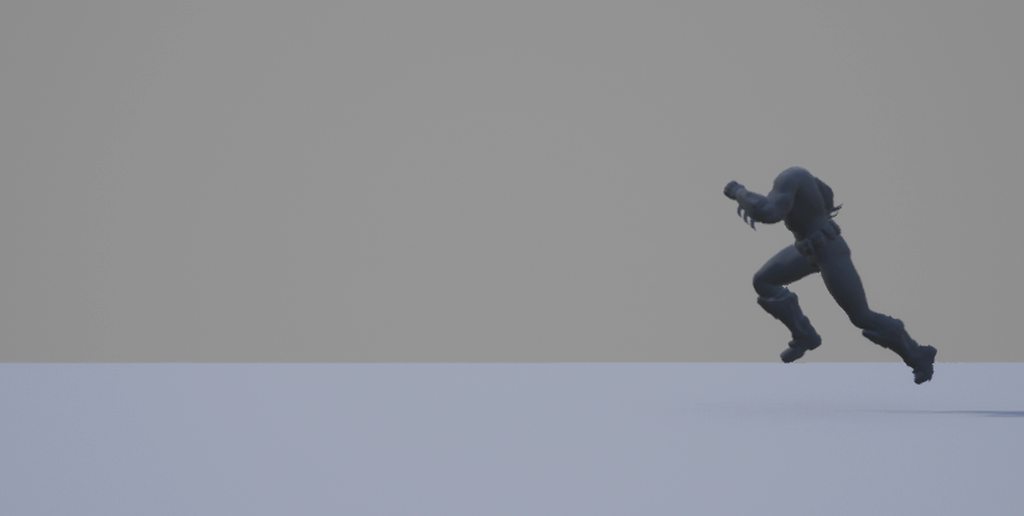
Hey guys. I'm having issues using root motion with most of the animations I extracted (for experimentation) from Arkham City. When root motion is set to use the "ref pose" it wobbles from side to side, and moves at an upwards angle with "process root motion" enabled. These are the raw files used by the game, with no alterations:
"Process root motion" unchecked: https://i.imgur.com/SLvB3bW.gifv
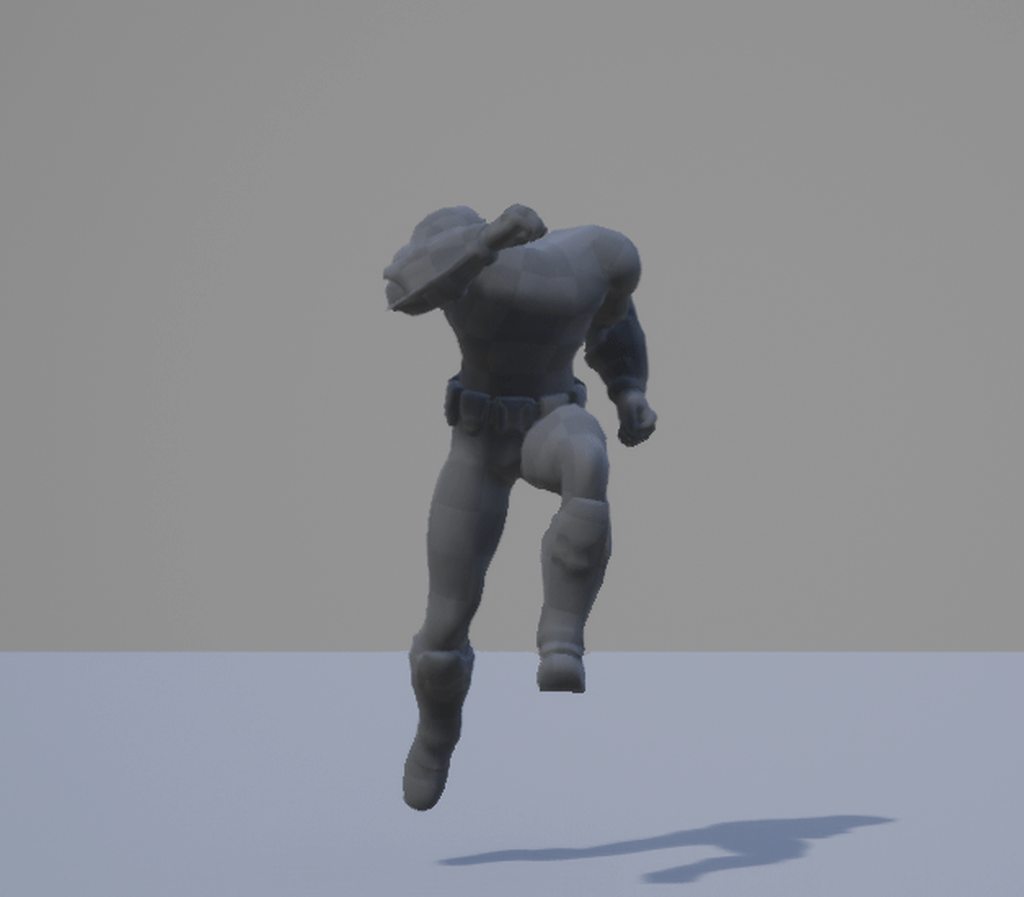
"Process root motion" checked: https://i.imgur.com/3xUmoZK.gifv
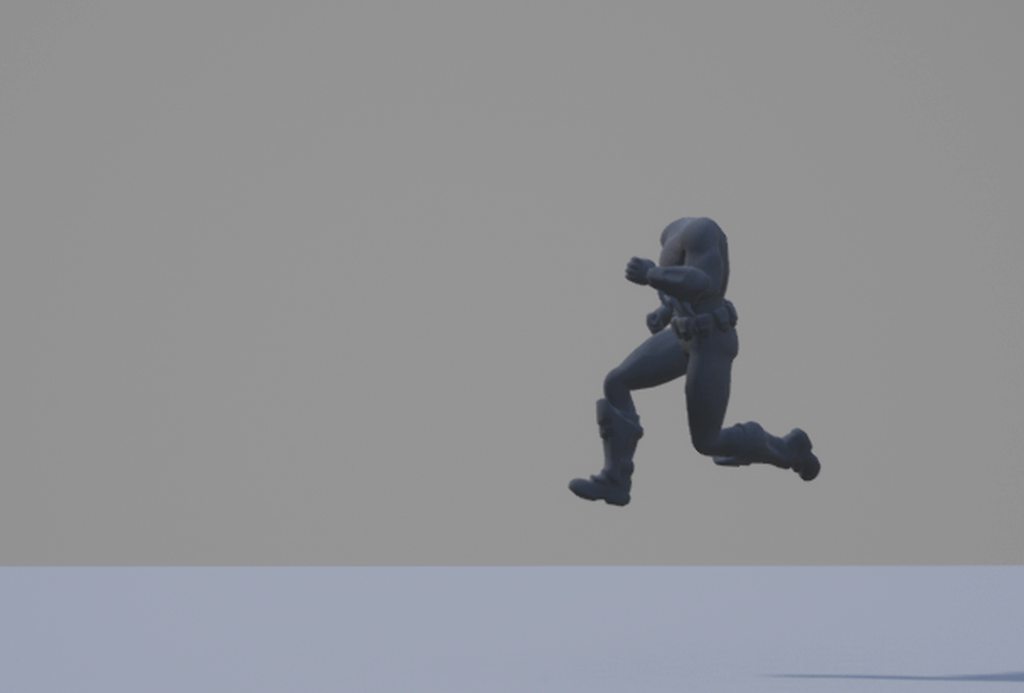
Root motion disabled: https://i.imgur.com/woHDbvG.gifv
The skeleton: https://i.imgur.com/PEIzLRK.jpg
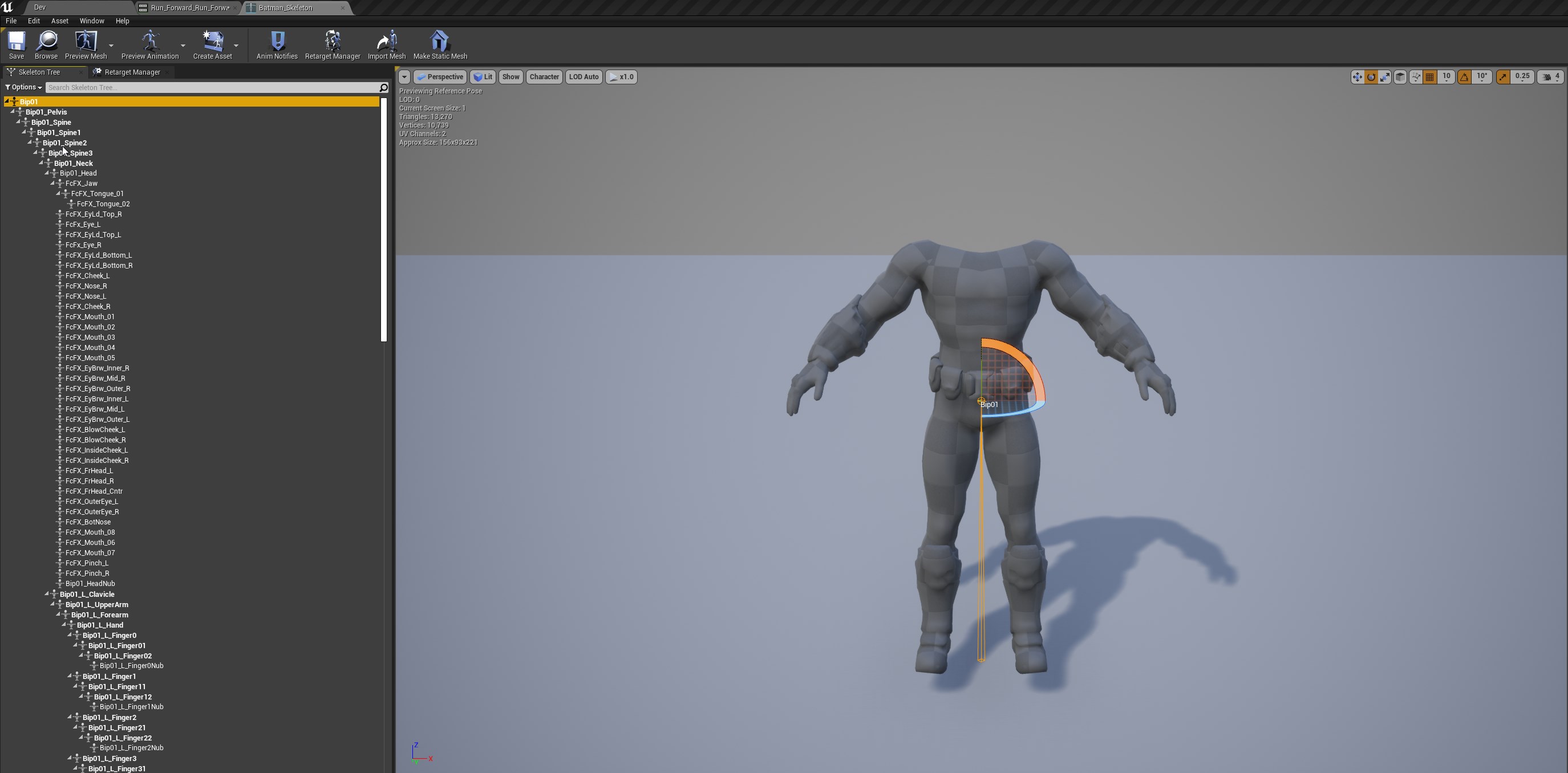
Any suggestions? The root bone being placed near the hip seems most likely to be the issue, but I'd need some sort of batch solution to fix the other 800+ animations.
shadow magnet
No one even reads here.
unreal engine hates fbx, i burned 2 full days trying to just get the scale of my animation and model right with unreal, and then the animations are floating and i cant fix it with anything i've found online. legit just gotta give up at this point
Even editing the animation IN unreal to PULL the root down doesnt do anything.
 stuck scaffold
@shadow magnet Have you tried scaling it in the import settings? What software are you exporting from?
@pearl swift The play anim montage node doesnt seem to be hooked up into the execution? (The white line needs to go through it)
pearl swift
haha yea na posted the wrong image there
shadow magnet
@stuck scaffold
I can, but the animations I import are floating. No fix I've found
pearl swift
it was plugged in. I believe the issue was needing to re drag in the BP after pluggin in the slots in the anim bp
but its working now
 remote needle
I use a line trace to activate animations, any idea why I initially have to press the button twice when I initialy go into preview mode ?
like the first button press does nothing
As one example, I have attached an audioclip to play with an animation, the audio plays with the first click but the animation doesnt.
Is it possible to put an audio file in here so it plays with the animation repeatedly ?
timber star
Hello is there a bone used for ik elbow inside the ue4 mannequin skeleton?
I just foun ik hand and uk food and both got parent and don t understand what the parent are made for
stuck scaffold
@shadow magnet Did you make the animations and the character skeleton?
remote needle
I use a Flipflop to switch between these two animation states.
how could I make it so it only plays the R_O_flic_BT_Anim_Retarg once through before returning to its idle pose ?
stuck scaffold
@remote needle Sounds like you would want to be playing it on an animation slot with a montage
remote needle
that sounds exactly right! thank you for the advice!
I have tried to understand animation montages before but ended up finding other ways because it couldnt quite get it, Ill have to revisit it.
@stuck scaffold
stuck scaffold
@timber star As far as I know the "Ik hand" joints in the unreal skeleton is just for keeping track of the hand position in baked animations from maya. In case you are running ik and want to know where the hand is in the animation. The skeleton does not have bones to use for elbow target, have to make your own
timber star
@stuck scaffold Ok thx for that answer
but i do get an other question, when i i'mport a mesh from blender it seems that unreal add bsome bones and that s break the skeleton cause there position are stupid
do you know what that s doing this do i miss something during export/ import process?
@stuck scaffold
there arre index03-end etc
for each hand bones
and just look at the pic there position at wtf
are*
blender
UE4
stuck scaffold
Are you creating a new skeletal asset when you import the mesh or are you augmenting an existing one?
stuck scaffold
In the options box when you are importing you should get an option that says [Skeleton]
timber star
but i got a similar i just import a skeleton from ue4 to blender to create animation and then i try to reimport just the animation but i got a lot of problems
yep
stuck scaffold
There you either pick "none" which then creates a new skeletal mesh asset. Or you pick an existing skeletal asset and unreal will then try to merge the bones of the imported skeleton with the existing one
timber star
Yeah but that s break everything
stuck scaffold
What breaks everything?
stuck scaffold
The reason you are getting that error is usually because It is not the exact same skeleton and you have added a bone inbetween an existing hirachy
timber star
maybe it when he try to import there is the bug with 'stupids' bones
no really
I can restart all the process to be honest it s just a test before doing my work so i can retry it
i export a skeleton + mesh from ue4 to get the skeleton etc...
I do need to make the ik working for arms hands and then make my animation and import them in blender but i don t know where the process broke
oh i think i found something
how can i exctend a already made skeleton @stuck scaffold
stuck scaffold
You can either only add leaf joints to the skeleton, which are joints at the end of a chain with no parent. Or you could resort to unreals retargeting if you have other biped animations that you want to function on your new skeleton
stuck scaffold
You should be able to parent them to the root just fine @timber star
timber star
ok
@stuck scaffold Still have lot s of problem i do not understand where can be this happen
i export my mesh from ue4 with x axis forwar import it to blender with auto armature rotation do a simple animation and after that i god huge problem
i mean this is the exact skeleton i just export 10mins ago
stuck scaffold
@timber star Very little knowledge of blender but what happends with auto armature rotation off?
stuck scaffold
No idea what I am supposed to see in that image, is that with it on or off?
@timber star
stuck scaffold
@timber star Does it break when you animated with it turned off?
timber star
@stuck scaffold yeah
junior geyser
is that mannequin skeleton?
timber star
Maybe i do some mistakes during export
@junior geyser no
there is 3 more bones
2 sorry
junior geyser
ah ok. cause if it was i was going to say just use mr mannequin tools but nvm.
timber star
i don t understand why there is generated bones inside ue4 after export import
do not know if blender export mistake or ue4 import mistake
junior geyser
just make sure you double check all the settings on import and export. I chased an issue like that for 3 days and it was a checkbox i missed
it will be better when epic finally releases the ue4 blender tools
timber star
yeah if they do it some days
 upper ermine
I've a looping rotational animation but everytime it loops back it creates a blurry jitter that lasts a moment, couldn't get rid of it.
Is there a way I can make it look smoother without that jitter?
stuck scaffold
@upper ermine Is there any blendout/blendin time happening or not happening?
Could you capture video of it happening?
upper ermine
I tried to set it to 0 but that glitchy looking blur still persists
I think I can, wait.
timber star
@junior geyser what is the box that you forgot
misty dagger
@misty dagger older games didnt have a "root" bone, their root bone was the waist bone and root motion would only take location into account, not rotation
I'm having the same problem too with my animations
No way around it
 fair sentinel
haven't really animated 3D characters in unreal (worked in after effects, have done stop-motion/flash/blender, etc). Does Unreal care what the rig for a character is like, or is the adherence to the Epic Skeleton more than a move for marketplace compliance?
also, what are Pose Assets? I read the documentation page, but I'm not sure what they are intended to be used for. Are they supposed to be blended between to achieve the legendary Wolfire semi-procedural animation?
shadow magnet
@stuck scaffold
Yes I did make both.
junior geyser
@timber star i dont remember. it was a good while ago.
timber star
@junior geyser he is talking about smoothing group and unpresent bone like head_end forearm_end x_end etc
i don t know what s about really
there his no sense to add those bones
So you got right there is a box to uncheck ^^
misty dagger
@misty dagger Hm...
Thanks for the lead, I'll let you know if I figure anything out.
Yes please, if you do let me know because I'd love to get root motion in for my game
 thick ridge
For sequencer, I'm having a problem with my imported animated camera being locked at 35mm focal length instead of the 24mm it's supposed to be, Whenever I try to change the focal length, it just snaps back to 35mm, even when I set keyframes for it. Sequencer says 24mm while the details panel says 35mm, and the details panel seems to rule the camera. Only when I turn my custom lens into a prime lens by only allowing 24mm it seems to accept 24mm, but this has to be the incorrect way to solving the problem. Any ideas?
 faint forge
is possible use the forward animation to move the character backward reversing the animation in Unreal?
 stoic frost
Guys, is there any simple correct method of importing houdini camera to unreal?
animated camera
remote needle
Is it possible to make an animation only play once ?
maybe an anim notify ?
Because I am guessing it loops over and over when its in the level because it does so here ?
 grave forge
@remote needle It's bound to a state in a state machine I imagine? Make sure you're also exiting your state so that the animation blueprint moves on to the next animation for you
remote needle
@grave forge though I dont fully understand how to do what you suggested I think it sounds spot on! Ill show you my current state
@grave forge this is it
grave forge
Right, so is there an exit condition?
Those white circles
Inside you could have for instance
Or in your case, maybe a bool "isFiring"
remote needle
Im using a Flipflop to change between states at the moment
which is ok but It loops endlessly XD
 vapid apex
Do you have the loop check box unchecked?
remote needle
it has two states, Standing in an idle pose and running into a flip.
it would be really nice if it could return to idle pose after the flip
there is a loop box @vapid apex ? sorry im beginner so its new to me
vapid apex
👆
Also. Flipflop is not a standard way to switching animations in the animgraph. I would try and solve the switching through conditions, most likely a bool.
Bools and floats are most typical way of setting up statemachine transitions.
grave forge
Yep, feed a bool "isFiring" into the animation blueprint
Guys I have this weird issue where my animation in Blender:
Turns into this in Unreal:
I did move the hip bone (pelvis) in Blender, it seems it doesn't like that
Is this an error in my workflow or something?
vapid apex
si the ue animation a montage?
grave forge
Sequence
Just an import of the fbx as-is
(reimporting in Blender shows it working correctly again, which is weird. It's only Unreal that is throwing a fit)
vapid apex
ah. so it's not getting filtered through a blendposesbybool?
grave forge
Nope, this is just in the animation asset viewer/animation workspace
vapid apex
have you successfully exported a different animation with teh same rig?
grave forge
Many animations work, this seems to be an issue with the pelvis/hips
vapid apex
just to double check. but it this your skeleton setup? You have a root, then hips, then legs.....etc, etc.
grave forge
vapid apex
actually. got the animation clip and looking on the left side window for "root motion". play with those check boxes EnabelRootMotion and ForceRoot lock to see if it works .
grave forge
Doesn't change it it seems like
vapid apex
enablerootmotion is if you have the root animating in world space in blender and wnat to move the same way in ue4. forcerootlock is the oppisite. your animations moves in world space in blender but you want it to stay at 0.0.0 in ue4
grave forge
It's like the Hip bone just behaves differently in Unreal and Blender
See how it doesn't compress?
It just moves the whole character up and down
vapid apex
Did you get any results by playign with them check boxes i told you?
grave forge
Nope, nothing changes
vapid apex
I don't know if this is the problem. But usually in my ue4 pipeline experience. We usually have a Root joint at 0.0.0 and then the hips, and so forth.
im not convinced that is the problem though
can you show me your import animation window? so i can see the settings your using
vapid apex
Try unchecking Remove Redundant Keys for testing another import. Also, for future reference. The green needs to checked on. If it is not checked on. Do not have the red set to 0. 0 is infinite sample rate default. Increasing file size.
grave forge
Same problem without remove redundant keys 😦
The green needs to checked on. If it is not checked on. Do not have the red set to 0. 0 is infinite sample rate default. Increasing file size.
Noted, thanks! 🙂
vapid apex
did you already try checking on ForceRootLock option?
grave forge
Aye aye :\
 edgy token
Hey guys, I really need help with some exporting issues. I'm making FPS animations with the help of the ARTv1 Maya plugin and I want to export my gun and arms together. So I click the export button on the anim interface and I select my weapon ref from the dropdown menu but instead of creating 2 different FBX files, it only makes one with the arm animations only.
I'll provide screenshots or a quick video if necessary
vapid apex
@grave forge Sorry. I've exhausted most of my troubleshooting methods.
If the gun is going to be a part of the character, that guns joint higharchy needs to be a child of the characters root joint.
grave forge
No worries @vapid apex, thanks anyway 🙂
 rigid leaf
Hey Guys
I want to make the Game Physics Based Ragdoll ..
Like Stickfight or Human fall flat but idk what is the idea of this like character
Is the Character or the animation
Reposting Here in the right Place xD
rigid leaf
Check the animation in Anim-Graph if loop box is checked
rigid leaf
yes
faint forge
idk
misty dagger
@misty dagger Think I got something... it'll take me a few hours to compile it, but looks like someone already set up a pull request for separating translation/rotation in root motion: https://github.com/EpicGames/UnrealEngine/pull/6756
Alternatively, all versions of UE4 before 4.6 had that feature (though it's probably not worth downgrading).
@misty dagger Is this 4.24?
Yep
Interesting...
Currently cloning the source - if you want me to compile it for you, I should have that done in a few hours. Otherwise, feel free to do it yourself.
Yeah compile it for me and send it over I guess
Curious to see what it's like
No problem
thanks
 sudden sedge
@grave forge the compression in blender is due to an ik rig
unreal doesn't have ik applied to meshes by default
also what does the hierarchy in blender look like?
and did you bake animations when exporting?
misty dagger
@misty dagger Build finished, currently just making sure it runs - I'll compress and upload it in a moment, though it could take another hour or so provided nothing goes wrong.
aight cool
misty dagger
Uploading now with an ETA of 30 minutes.
...and now an ETA of 40 minutes, I'll ping you whenever it's done.
misty dagger

@misty dagger
thank you
No problem. Could take a while to unpack, as the major downside to .7z compression is the speed - I'd say it was altogether worth it so I could actually upload it, but I hope you've got a good CPU.
grave forge
@sudden sedge I noticed that if I reimport the whole skeleton as a new asset, it works again. No idea how the skeleton got corrupted
Thinking maybe I have to retarget everything again with the new skeleton:(
Wish I could just reimport the existing skeleton asset
 bronze osprey
there is a reimport with new file option
grave forge
For the animation, but not for the skeleton iirc?
 barren quarry
Hi guys, I want to create a physics asset for my model. it is rigged and has bones, now I want to add physics to it. the way I did it seems to be quite wrong tho:
is there a way to connect them or something?
 fluid onyx
Hi guys, how would you go about animating the beard and peachy hair along with the blendshapes made in maya? Is there some kind of script or solution to transfer the blendshape position data onto the hair polystrips and bake it into them inside of maya? Or maybe a solution inside UE4 directly. Thanks!
thick ridge
Is there any way of pinpointing the exact movement of a character blueprint so you can make the appropriate animations for it? If I've understood it correctly, in order to avoid sliding feet (or hands, or anything else touching a surface), you need to animate according to the character's movement in the game engine - the root. A walk cycle has constant movement, so that's not an issue, but an idleToWalk animation, or a walkToIdle animation would require me to match the root's increasing/decreasing movement speed in the engine.
Any ideas, or am I overthinking this? Also, how much of this would be alleviated with IK controllers for the body part touching a surface?
stuck scaffold
@thick ridge You should have full control of those parameters in the character controller if I am understanding you correctly. Like acceleration and speed etc and those parameters can be applied as movement in the dcc you are working in if you want to animate to your movement speed. IK gives a bit of leeway for this as it should prevent any sliding when the foot is on the ground but the animations would still need to somewhat match the movement speed of the character.
@fluid onyx Have you looked into this? https://forums.autodesk.com/t5/maya-dynamics/xgen-facial-hair-on-blendshape-character/td-p/8311009

I have a rigged character brought in from Character Generator, exported with blendshape facial expressions (not bones). I'd like to use Xgen hair sculpt to apply facial hair around the mouth/chin and eyebrows that moves when animating the face. I'm open to other methods but ca...
 wind yoke
Can someone help me? I have an animation and I want to mirror it to the other arm using blender

Draw Spell - 3D model by ffmoliveira94 (@ffmoliveira94) [94c9daf]
thick ridge
@stuck scaffold You mean exporting the movement of the character controller to my 3D app of choice (Maya)? I would prefer to just get the root movement from UE4 to Maya and work on animation from that, but I'm not sure if that's what you mean?
stuck scaffold
@wind yoke How far have you gotten? seems like it should just be possible to just copy over the keys from one side to the other?
@thick ridge I will assume you are using some form of character controller blueprint class which I think has speed and acceleration that you can set as numbers. You can keyframe that speed on your root controller and then animate under it and then remove those keys from the root controller when you want to export
since your movement will always be some form of unit per time.
wind yoke
@stuck scaffold I tried to copy and paste flipped but everything was wrong. I should not select all bones to copy the frames?
misty dagger
@misty dagger sorry for the ping again, I wanted to add some stuff to the source build, so I'm trying to download it right now from github. How did you download the pull request and add it to the engine? I haven't used git in a very long time
stuck scaffold
@wind yoke Are you following any guide or winging it?
wind yoke
I would love if you could share a guide. I was trying to follow a video for walking but its not working
thick ridge
@stuck scaffold That to me sounds like it would only work in a reliable way if the transition from one to the other is completely linear and not exponential, which is necessary for smooth gameplay and animation. Is there any tool for translating acceleration in UE4 to an animation curve in Maya? If possible, I would prefer to have an animation curve in UE4 for the various root movements so it's easier to control rather than float values, as you may also be able to pinpoint how much time/frames the transition from idle to walking for example takes so I can animate accordingly. Am I getting this correctly?
stuck scaffold
@thick ridge I mean, you have full controll over the animation curve in maya? You can make it as linear and not linear as you want in the animation curve editor
thick ridge
@stuck scaffold Yes, but it sounds like I have to eyeball speed and time in Maya if I can't actually bring it into Maya. That's fine if that's the case, I was just wondering if there was a way to actually get it into Maya so I can get it as precise as possible.
 eternal blaze
how would i make a bolt action sniper reload in blender suitable for ue4
where the animation has the arms putting bullets in
eternal blaze
Yes
sudden sedge
are they rigged?
eternal blaze
Yup
eternal blaze
What is baking an animation?
sudden sedge
at the end of the animation exporting to fbx should give you the option to "bake animation"
what that basically does is key every selected object every frame of the animation
eternal blaze
Ah, so it exports keys from a range?
sudden sedge
the range of the animation you specified
most animations in your editor are curves
where it interpolates between keyed frames
however, this can mess up when exporting, so it's best to bake
but the animation in your package will usually convert easily to unreal as long as it's bone based animation
morphs and blenshapes are a different ballpark
 prime basin
hey can someone point me to a walkthrough on how to adjust the ue4 mannequin to work with the meshes from synty ?
wind yoke
need help for mirroring my animation. Anyone can teach me?
https://sketchfab.com/3d-models/draw-spell-94c9daf7dd5a463382648923f4431d82
@wind yoke

Draw Spell - 3D model by ffmoliveira94 (@ffmoliveira94) [94c9daf]
So I tried to export the animation from unreal and I got this in Blender
I tried to select all frames, copy and paster flipped but it doesnt look the same on the other arm
In Object mode, I cant select single bones, all of them are together
stuck scaffold
@thick ridge The interpolation you use in unreal would likely be some form of basic function and is easy to remake in maya in the curve edior. I Highly doubt you would get into a position where you are manually tweaking tangents to match what you are getting in unreal. So it would be one to one.
thick ridge
@stuck scaffold Alright, I will give it a shot. Thanks for explaining this.
wind yoke
So I tried to export the animation from unreal and I got this in Blender
I copy the keyframes in the graph editor with the bones from left arm selected. Then select bones from right arm and do a shift+ctrl+v and I get a curve with no values and no movement..
wow I think I fixed by changing an option during the fbx import. I need to put automatic bone orientation
misty dagger
@misty dagger Sorry I'm late. I'm no expert on Git, but I figured it out by:
- Cloning with Github Desktop
- Pressing Repository > Open in Command Prompt
- Typing in "git fetch origin pull/6756/head:BRANCHNAME"
- "git checkout BRANCHNAME"
- Making sure I had "BRANCHNAME" selected in Github Desktop
I'm currently making some modifications as well, namely the ability to replace the root bone with the pelvis (or any other bone index).
Again I'm no expert, but from the little I know and other examples in the source it seems relatively straightforward. As for "BRANCHNAME" that's
quite literally the name I used, but you should be able to change it if you want.
tardy stag
Hey all, any way to fix characters popping up after animation retarget? I'm retargetting UE Mannequin to a mixamo SK, which means that the rig has no root bone, the first bone in hierarchy being Hips (pelvis for UE SK), root is unmapped. The problem is that even with Hips set to animation scaled it still pops the SK up by 20-30 units.
eternal blaze
hey
i spent hours on a sniper animation in blender
i exported it and the first half in unreal engine looks fine but the bolt pull is way to angled
it looked fine in blender
anyone got idea?
 molten jewel
reexport the mesh, you likely modified the bone in edit mode at some point
stuck scaffold
@eternal blaze You need have an animated joint which is attached to the weapon. So you can parent the weapon in the engine under that joint instead. Because right now it seems like you are just placing it under the hand, which will cause it always just stay in the hand.
Place the joint under either the characters root or the characters right hand. Just make sure it follows the position and rotation of the weapon in the dcc
 novel viper
How can i overwrite a certain bone rotation ABSOLUTELY and completely, so that no animation what so ever can ever influence the bones rotation. I want to bottom spine bone to look at where the player is looking, it must always face this exact direction and when there are certain animation which would normally rotate this bone i want these animation to influence all bones EXCEPT this one, it may never be influenced. Anyone know how I can do this? I've tried using lookat, but the bone still seems to be affected by animations even though I disabled "use local space". I've also tried using transform bone modifier, and set the rotation to worldspace. This seems to work, but there is a weird issue, I can only set the yaw, the roll and pitch seem to do exactly the same thing?? How is that even possible? o_O There seems to be no real pitch, as both pitch and roll change the yaw. The yaw changes the roll.
 peak quail
@novel viper Transform(Modify) node with Rotation Mode=Replace Existing and Rotation Space=World Space
novel viper
Ok thanks!
Is there a way to interpolate / blend between animation montage sections?
peak quail
@novel viper I've encountered this, my way is call another play montage when the section is finished
eternal blaze
@stuck scaffold thats exactly the problem i think
just a bit confused on how to do that exactly
stuck scaffold
@eternal blaze I have no idea how to constrain things in blender but it should be as easy as just creating an extra bone under the right hand, and constraining that bone to the weapon
eternal blaze
Oh you mean in blender
stuck scaffold
yeah
stuck scaffold
that way when you see the weapon leave the right hand in the animation showing correctly that bone will follow along that motion. So attaching the weapon to that bone then in the engine should give the same result
eternal blaze
@stuck scaffold wouldnt that affect previous animations i have made due to the change in skeleton?
stuck scaffold
@eternal blaze If you just add the bone at the same position as your socket everything should work as normal since the other animations wont have any animation driving that bone so it will remain static in those
eternal blaze
Ah ok
ty
this is parented to the right arm bone
would i just constrain it now?
stuck scaffold
@eternal blaze is that the same position as the socket you created in unreal?
stuck scaffold
You have all the transform values in the skeleton tab in unreal, so just copy them over so it has the same "default position" because that is the position it will have when it is not animating.
@eternal blaze
eternal blaze
Ah ok ty
thats not really working
a bit confused
i made a anew bone on this shoulder since it controls the arm
stuck scaffold
@eternal blaze wat
eternal blaze
that highlighted bone controls the whole right arm
so when the sniper is a child of it
when the sniper moves it moves the arm along
but rn in ue4 it follows it all the time
but im confused on making the new bone
i tried making it on the hand
and copying the socket transform
but the bone went to outer space
stuck scaffold
@eternal blaze Are both of them share the same parent? Because they have to for copying over the transform like that to work. Since the socket is placed under the "CATRigRArmPalm" joint it's transform values will be relative to the palm joint. So the new joint you create needs to be under "CATRigRArmPalm" for those values to make sense
stuck scaffold
No, the parent should be "CATRigRArmPalm", the shoulder bone is like their grandgrandgrandparent
eternal blaze
Oh
this is the skeleton setup
Okay i did that
sorry if im a bit bad / slow man
stuck scaffold
now you should try copying over the transforms
stuck scaffold
@eternal blaze Sorry, unreal units are in CM and your scene seems to be in Meters
stuck scaffold
you cant change "Length" to centimeters?
stuck scaffold
@eternal blaze Things working now?
eternal blaze
Not yet, trying to get the rotation of the bone correct
stuck scaffold
You can create a socket under the new bone in the engine and correct the rotation there, might be easier
@eternal blaze
eternal blaze
Yeah
Thanks ill do that
Okay i made the bone, but now would i export this animation normally or export it again as a new skeleton since it has a new bone that my original skeleton doesnt have
stuck scaffold
You would need to export the model file again and then right click on the skinned mesh asset in the engine and press "reimport"
eternal blaze
Ah ok
Okay great i made the bone
Set the socket location roation
what was i supposed to do now @stuck scaffold
stuck scaffold
constrain that new joint to the weapon in the animation and export the animation again
eternal blaze
nah didnt work.
stuck scaffold
@eternal blaze what didnt work?
stuck scaffold
@eternal blaze does the new joint have any animation on it?
stuck scaffold
@eternal blaze the original constraint?
eternal blaze
yeah this one
@stuck scaffold
the weapon is constrainted with it
so if the weapon moves the arm followed
this was the original one
and the 2nd one we created on the hand is the new one
by animating the new one what do you mean?
stuck scaffold
The new joint should just be constrained and follow the weapon. It should work independently from anything else in the rig. Should not have to change anything else.
stuck scaffold
It should represent the offset the weapon has from the hand during the animation
@eternal blaze
eternal blaze
@stuck scaffold the highlighted greenbone is the new one and it follows the offset
is this what you meant?
stuck scaffold
yeah
eternal blaze
Great, now i just export and repostion?
stuck scaffold
export the animation again and things should work as intended. Dont know what you mean by reposition?
@eternal blaze
eternal blaze
since the sockets not working in blender i can just do it in unreal like you said earlier
stuck scaffold
@eternal blaze That was just rotational corrections
thick ridge
This is more of a Maya question, but it's part of the pipeline, so I'll give it a shot:
Maya game exporter for animation is doing some weird interpolation with baked animations, causing some body parts to jitter when imported into UE4 where you can see between the frames (most visible with IK controllers in baked animation). I've been playing around with different settings, but can't seem to find the correct setting to just get normal, linear interpolation from baked frame to frame. Anyone got any ideas?
 dim stump
Is possible to blend between animation sections in anim montages ?
stuck scaffold
@thick ridge Have/had that issue aswell. Super dumb and I have no idea why maya is so mean.
 fossil pike
guys, I imported this lovely character I made from blender to UE4. The animations were baked and exported along with a mixamo skeleton. However, my animation makes the character the size of an ant almost 0.001 tha actual size. How is this happening?
I would like to point out that I was presented with the following error messages when importing the FBX file. 👆
the animation is not only 0.001 the original size of the skeletal mesh, but also is rotated 90 degrees making him lying down facing up
How can I fix the animation?
thick ridge
@stuck scaffold Tried manually baking before export and turning all curves linear that way, and it's still jittering, so something strange is happening here. Could be that 24 fps isn't enough to cover up the inaccuracies, but I don't think that should be a problem when the interpolation is linear between keyframes. I've done similar things in other situations, and it hasn't been a problem before.
stuck scaffold
@thick ridge I mostly think its just eulers being dumb, but donno. Have you been able to reproduce it in a clean scene? Or different maya versions?
thick ridge
@stuck scaffold Haven't tried different Maya versions, but if I try to import the FBX and stretch out the baked animation, sure enough the jittering is present in Maya too. So it's very likely an export issue.
 fleet willow
Is it bad practise to add gameplay logic such as; "spawn something within the spawn animation" with a notifier ?
stuck scaffold
@fleet willow Can be practical, but can come with bugs. Depends a bit on what and how. I would suggest just doing it and seeing if you run into anything 🙂
fleet willow
Alright, i just found out that this exist and it feels like this will change a lot now
misty dagger
Hi @fossil pike , There are some things you might want to do before changing anything in Unreal. I also work with blender
I reccomend you to tick off the option "Add Leaf Bones" on the Blender FBX Exporter, under Armature Tab (This will prevent bones like TopHead_End_End from being created)
I also reccomend ticking of the "Force Start/Ending keying" under Animation tab on the fbx blender exporter.
If you are planning to use Root motion be sure to name your Armature in Blender as "Armature" and nothing else
If it's named with any other name UE4 will create an extra bone and you won't be able to use root motion.
There are some workarounds around this scaling issues , some might work and others won't.
What I've found personally work is:
A: Adjusting Scales in the mixamo Rootbaker Add-on inside blender, changing the units inside blender to match UE4 system and changing scale on the FBX importer (This might not work)
It usually doesn't do it for me.
B: In your animation Asset you will have to change the dropdown menu settings under Root Motion and set it to "Ref Pose" or "Anim First frame"
(See image for reference)
If this doesn't work then try reimporting after aplying an uniform scale of X (Try with numbers like 2, 10, 20. 50) until you
get your desired size. This is in The aimation Asset under the tab of Transform (See image for reference)
Important Note: I'm by no means a profesional and this workaround is probably very bad for a lot of things. But for me has done
what i've needed.
Sorry for the wall of text 😅
 grave drift
Hey, how can I cast from my character's anim BP to it's bow anim BP to get a reference as of when the bow animation gets a notify or not? (Need to know when the player can attach his hands to the string or not, as currently his right hand stretches too far to grab the string)
 candid fulcrum
How come my Blendspace wont accept Thigh changes? It accepts Root Transform changes, but not anything else I've tried.
 candid kite
does anyone have a good way to do facial lip sync in ue ?
 thorny egret
Anyone use the Advanced Locomotion System V4? Im having a bit of an issue. I re-assigned a mesh that used the ue4 mannequin skeleton to the ALS skeleton and all the animations are seeming to work perfectly but when you enter its ragdoll mode it does a wierd snap and spin.
fossil pike
@misty dagger no worries. In fact, thank you for the details. I didn't know about the leaf bones or the "force start keying" options. And for the Mixamo Rootbaker, that thing could be a good solution to try. What I did to fix my issue was to scale down my model in blender by 100 units then imported them all into UE4 with a uniform scale of 100. There was a little difference in size between the model and the animation, but it was acceptable for now.
thick ridge
How do I see a bone's index? It doesn't say anywhere.
misty dagger
Is there anyone that can help me with animation and rigging?
misty dagger
@thorny egret might be that the physics asset of that mesh isn't configured correctly to work with that locomotion system
misty dagger
Hey I am trying to animate my weapons. I am planning to have more than 1 weapon and possibly a system for players to create mods for weapons. One thing I cant figure out though is how to dynamically load animations. Every tutorial I see, all the animations are manually written out in blueprints for each weapon
Is it possible to automatically load the weapon animations using c++
thick ridge
I think I found a temporary workaround. I was able to display bone names with numbers, but there were a bunch of overlapping ones, because I imported all joints into UE4, because I can't select weighed joints only, or I don't know how to do it. I just pulled the desired joint away from the rest and took note of the number. Very cumbersome way to do it.
thick ridge
Is it possible, or recommended, to simulate only parts of a skeletal mesh's joint hierarchy? I've been playing around with it, and got something resembling it turning the character's collision into "Ragdoll", but is it correct turning the whole thing into a ragdoll that only activates when told so through blueprints? Also, while I try to tell it to simulate the rest of the hierarchy, it only seems to simulate that one joint, or it's extremely rigid.
Also, in this case, only the joints on the cloak seem to react at all to my blueprint, and the hair does absolutely nothing. Again, could be a rigidity thing, or a length thing.
Another thing is that the physics simulation is way different between the blueprint view and in-game. In-game it's way too lose and doesn't react much to wind at all, and in the blueprint view it's all over the place.
bronze osprey
@thick ridge use the rigid body node
i couldnt use that gumroad rig cuz no max 😛
you want to do this in the anim graph or cloth physics
settin this up in bp is not the way to go
and if u do use phys anim profile
stuck scaffold
@thick ridge You dont really need do a get bone by name and give it an index since all you have to do is write the name of the joint and give it a reference to the mesh
Also why not make it cloth instead?
fleet willow
Does this look any right ?
Im having here the problem that i have to connect most of them to another Hit and ShieldHit state, but after connecting that it will look boalt af
That's what i mean with boalt
This just doesn't seem right
misty dagger
Is artv1 also compatible with maya 2019?
stuck scaffold
@fleet willow Just by looking at the names it seems that alot of those can just be montages instead?
fleet willow
Idk tbh, i didn't worked with montages yet since i though the animation BP would be enough
stuck scaffold
I mean montages are a big part of the animation blueprint and I would highly suggest looking into them. They are not very scary
fleet willow
Alright, any chance that you got a good source for it ? ^^
stuck scaffold
docs are actually pretty decent on them
Animation Montages are a flexible tool that enables you to combine and selectively play animations that are contained in a single asset.
fleet willow
Ty
eternal blaze
@candid fulcrum
did u bake it after u made changes in unreal?
How can i make a revolver animation suitable for unreal
this is the rig i made
These are
each bullet is rigged*
candid fulcrum
did u bake it after u made changes in unreal?
@eternal blaze I applied a note, same way I did when I change the root, which works just fine.
I'm not sure what u mean by bake
eternal blaze
usally when you modify a bone in a animation in unreal engine , red text pops up and states that you have to bake it if you want changes to apply
But in your case i dont really know the solution, just thought it might be the problem but seeing as its a blendspace it might not be
stuck scaffold
@eternal blaze Seems like a decent start of getting a revolver into a game, are you having any issue with it?
eternal blaze
not right now, i rigged it now onto posing it with a weapon.
thick ridge
@bronze osprey Okay. I was looking it up and going with whatever I found, but something felt off about the whole thing.
@stuck scaffold Oh, I didn't know that. I didn't see any way to do it.
Why not make it a cloth? I figured it would be cheaper for the system and more manageable to use joints when they are available. I thought maybe I could mix the two, by using the joints for the base and cloth for the tip. I'm assuming the more vertices are cloth, the more expensive the simulation is.
But one important question: Do I have to import simulated meshes separately, or is it perfectly fine to use whether joints or cloths from the same skeletal mesh?
 tulip nacelle
can anyone explain to me what's the benefit of combining multiple animations into a single montage?
 chilly venture
hey guys,
i'm an audio guy but i need to work with animations as well to showcase some stuff.
i want to speed-up the standard UE 1stperson project walk animations when i change my character speed.
how do i do this ? i imagine there is some animation reference variable "animation speed" or something...
could one of you please point me into the right direction?
thanks! 🙂
bronze osprey
blendspace
chilly venture
blendspace
@bronze osprey if i see it correctly it blends between animations based on variables.
does this mean i need to create new animations?
i just have 3 states set by integer, - player slow, normal, fast
so i'd like to take the default 1st person animation and just play it at different speeds.
or am i unaware (probably) of blendspace-functions that allow exactly that? taking the same animation and playing it at different speeds?
bronze osprey
you can duplicate 1 and increase the playback rate
and drop that1 in the blendspace
chilly venture
🙂 @bronze osprey thanks a ton man
 jade eagle
Guys what do you think of having arrow symbols for directions in anim state like this instead of namings ,FD, BD..etc
Can there be any problems in future because of this
vapid apex
Yea. If you have to change something in the future for some reason. It'll change the pipeline naming convention standard you are building here. Also it will be hard to find these statemachines when you search for them. Engineering may not like this in the code either.
Why are you using arrows for directions anyways? Are you not using a blendspace for directions?
jade eagle
I am using Terra from Paragon, and it has only F B L R blendspaces with leaning, so I thought if they didnt have such a blendspace for direction then probably this is the solution, + it gives a bit more flexibility
deleted
So its pure local representation, so I thought arrows a a bit more visually pleasant xD
stuck scaffold
Doubt it would come up as a big issue since they could always be renamed and names of states only really affect the persons working directly with them. Also having them as states is also fine and can give control of how you animated changes of direction which can often look wierd when only using a blendspace @jade eagle
stuck scaffold
@thick ridge Cloth will of course come with some overhead, but doubt it would be something noticeable. You do not have to import the simulated meshes separately. Should just have to click on it and press create new cloth asset if I remember correctly (should be tons of videos for it). Side note, I don't think physics colliders have any wind input and you would likely have to create your own for that to work and I doubt the result would be very pleasing.
 lofty peak
guys, I know this is basic but I just can't find a youtube tutorial thats easy, my character keeps t-posing and Idk how to give him the default third person animation. can someone help pls?
stuck scaffold
@lofty peak Do you have an animation blueprint assigned in the character blueprint?
lofty peak
like on Event Graph or Viewport? Sorry im a bit new to this
stuck scaffold
In the character blueprint you should have a mesh placed and when you click that mesh to the right of your screen you should see a tab that says "Animation" under which you can select an Animation Mode, which should be Use animation Blueprint and then an Anim Class which likely should be the default one
@lofty peak
https://docs.unrealengine.com/en-US/Engine/Animation/index.html Also highly recommend looking over some of the documentation to get a better overview of what you can do
System for deforming skeletal meshes based on keyframed animation data and morph targets.
lofty peak
yes sir
he is still t-posing sir
what do I do next?
try all 16 or do something else?
stuck scaffold
@lofty peak Did you start with a third person project template?
lofty peak
yes
stuck scaffold
@lofty peak Does your new character share the same skeleton asset as the unreal default one?
lofty peak
I dont think
I dont think so guys
how do I check if he has the same skeleton asset as the default unreal mannequin
guys?
tardy stag
Hey! Any idea why this keeps showing up?
Couldn't find anything on this error... JumpToSectionName "XX" failed bEndOfSection: 0 ...makes no sense to me 😐
molten jewel
@lofty peak you load up the mesh preview and see what the skeleton is on the top right area
tardy stag
@lofty peak Just follow this to understand how animations work in UE4, you apparently need it 🙂 https://www.youtube.com/watch?v=hRO82u1phyw&list=PLfQ3pODBwOcaV1TdnqNWLTJ4wiUzEvXis

In this series of videos, Wes Bunn will walk you through the steps to create a third person game.
(00:05) - Intro and Play in UE4
(02:17) - Importing FBX assets
(04:55) - Wrap up
 cobalt sierra
is there an equivalent tool for this in UE4? https://www.youtube.com/watch?v=rGB1ipH6DrM

JOIN THE DISCORD SERVER!
ABOUT THE VIDEO
It's another Quick Bits video! In this one we're going over how to achieve a more natural, realistic looking foot placeme...
cedar sedge
@cobalt sierra https://docs.unrealengine.com/en-US/Engine/Animation/IKSetups/index.html scroll down to foot placement
Inverse Kinematic systems allow for reactive animation, such as foot placement on non-planar terrain.
cobalt sierra
thanks apsu
 last vortex
Would it be possible to use IK for animating weapon attachments? One weapon has a pic rail at a 45 degree angle, and an underslung grenade launcher will be one of the available attachments
I need to be able to animate the player using and reloading it despite being at an odd angle
Basically, I need to be able to move the hand between preset points on the weapon
cedar sedge
Sure that’s basically what IK solvers are for. Moving joint chains between points.
 last sedge
If I have a third person animation such as a character swinging a hammer (ie for hammering a nail), is it possible to use IK to target precisely where the hammer head hits? I guess a hammer would be a skeletal mesh too, whatever works. I've seen demos of controlling exactly where a mannequin points using CCDIK, but that is working with just the mannequin skeleton, not through an attached weapon/tool.
candid fulcrum
But in your case i dont really know the solution, just thought it might be the problem but seeing as its a blendspace it might not be
@eternal blaze
I appreciate your help:) I'll look into it and see if it works
 tawny cliff
Hello! What is the console command to show all the animations, states and blendspaces currently running on a character? Can't remember it at all!
It gives you like a huuuge list of what is going on with blend weights and everything
 bronze turtle
Hey all, ive recently purchased the frank climax slash pack and his skeleton includes extra bones for the weapons...is there a way in engine to transfer the extra bones to my retargeted character...im trying to accomplish getting weapons using sockets, but its painfully difficult to get the weapons to line up correctly with every animation....i can get them pretty close, but not exact....
Anyone have that set mind telling me how they resolved this, or am i missing something thats very easy? @ me please
tawny cliff
Hello! What is the console command to show all the animations, states and blendspaces currently running on a character? Can't remember it at all!
@tawny cliff found it - 'ShowDebug Animation'
 atomic wren
Hey all, ive recently purchased the frank climax slash pack and his skeleton includes extra bones for the weapons...is there a way in engine to transfer the extra bones to my retargeted character...im trying to accomplish getting weapons using sockets, but its painfully difficult to get the weapons to line up correctly with every animation....i can get them pretty close, but not exact....
@bronze turtle From my experience I just add the extra bones as virtual bones by opening the skeleton, right-clicking on the bone the socket/bone needs to be attached to and selecting to add the virtual bone. give it the same exact name and orientation as it does in the pack you are retargeting FROM.. This should work and any functions they use to attach a weapon component to a bone socket should then attach it to that
 oblique kiln
Hmm imported my animation from blender but even tho it's a walk animation the skeleton is standing still and doing the animation on one place rather than walking
any idea what could cause that?
last vortex
@last sedge thanks for the links
Next step: will it be possible to combine this with an animation? I need to create a reload animation for an M320, which is an underslung grenade launcher. It there any way to play an animation for the left hand that uses the launcher’s grip as a reference point?
This is the M320. The barrel swings out to the side and ejects the spent shell, then a new one is inserted
oblique kiln
Anything is possible as long as you do the animation on the weapon as well @last vortex
bronze turtle
@atomic wren just copy the XYZ from the bone on the Frank skeleton?
cedar sedge
@bronze turtle It might be easier to just assign the mesh you want to use to the slash pack skeleton. Make sure to set both source/target skeletons to Humanoid rig first. Extra bones in the skeleton aren't an issue, so long as the rig hierarchy is the same (and it is for his pack), and so shouldn't require copying or re-setting up bones.
bronze turtle
The only problem is frank uses different extra bones in each of his sets...that would solve it if i was only after one of franks packs...but im planning on using all 13 of them ....thats where things got complicated
cedar sedge
Ouch. That's a lot to manage.
bronze turtle
Its being used with synty modular fantasy...cause i like chaos lol
bronze osprey
lol is that how guns look these days?
 tiny flicker
Guys, how do I rotate physics constraint for a bone of a skeletal mesh? My bone limits by 45 deg, but in wrong direction
 vagrant juniper
I'm a bit lost, completely new to animation and everything so character oriented. My needs seem pretty simple, I have a bird with a few idle animations. I want to randomly cycle through animations, static, in one spot, just picking a random animation and playing. How do I get started with that?
Figured it out, animation blueprint with a random sequence player
 tender flicker
hey
does anyone know how to do proper IK? even when the character is moving?
I currently have working foot IK while the character is standing but when I move the feet sinks into the ground or is floating when it's on a hill
is it possible to control a float with an animation? what I want to do is have a IK weight, so when the character lifts the foot it goes from 1.0 to 0.0, so when the characters foot is on the ground it will have a weight of 1 and when it's on the air then it will have a weight of 0
ah fuck
its called animation curves
if anyone wants it
Curve system for driving properties of Morph Targets and Materials throughout animation playback.
cedar sedge
If I have a non-root motion animation where the pelvis is offset from the root and I'd like to translate them closer, can I do that from inside Unreal or do I need to edit in Blender/etc?
It's an in-air roll, and it's offset to about character height, which puts it at the top of my capsule. That causes weirdness with ground detection/transitions to landing/etc.
If my description wasn't clear enough
I'd like to pull it down so it stays centered in the capsule
tender flicker
I did it in unreal
had to set the hip location to be the same height/offset when you are standing so it looks good during transition
cedar sedge
You mean by manually setting the mesh offset in the capsule during the animation then setting it back?
Or is there some property in the animation sequence itself I'm missing
tender flicker
there is a way for you to edit the animation in ue4 and save it
if you open the animation, change the hip location, I think the option to save it is called create asset from animation
not sure what it's called exactly, don't have access to the editor right now
cedar sedge
Cool, I'll poke at it. Thanks
cedar sedge
@tender flicker I made it work without tweaking the anim, just smarter state machine and landing logic https://youtu.be/vA8LJaA3tHE
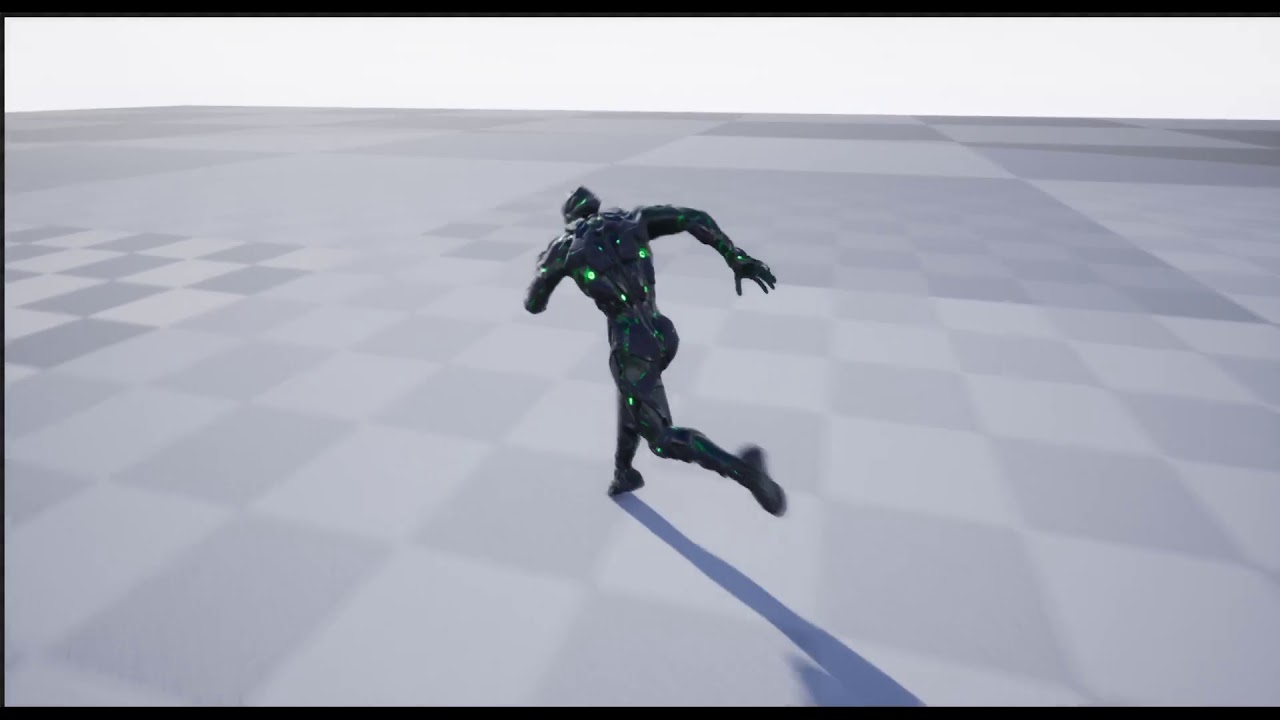 bronze osprey
pretty smooth
cedar sedge
Yeah, needs some more polish but it's a good start.
Might need to try to get conduits going before this state machine gets too crazy
It's not too horrifying yet but there's a lot more I intend to add, hehe
jade eagle
Guys did anyone encountered weird problems when using BlendMulti node in state entry? In comparison with simple blendspace
 thorn prism
Hello everyone, newbee here and working on a project that requires animation to be made.
Not sure how to proceed, studying the AI with blueprint course right now but not sure if I am going in the right direction or not, need help.
jade eagle
Guys how I can rotate the animation from the root bone to the waist of the skeleton during an animation?
 dusk dove
C++
jade eagle
Thanks, found it
cedar sedge
@jade eagle That plugin in particular is quite complicated, and I'm not sure it's necessary, at least for the orientation portion. I've worked on what you're trying to do recently, and it's not just rotating the root. You need to distribute a twist all the way up the spine from the pelvis, in the opposite direction of the root, so the upper body "looks" in the same direction. But root to pelvis should be in alignment.
 sage parrot
I would like to have my character face in the same direcion of a slope like this, can I do this with a locomotion or is something else required?
cedar sedge
https://docs.unrealengine.com/en-US/BlueprintAPI/Pawn/Components/CharacterMovement/FindFloor/index.html is probably good for this. Just split the result struct and split the hit struct to get the surface normal, then rotate your character to match.
Using Find Floor bakes in a bunch of checks to make sure the surface is walkable or perchable, so it won't trigger on smaller edges you pass over
grave drift
Hey guys. I have a zombie mesh that is split up in body parts due to dismembering logic. If the zombie gets within range I want it to attack me, running an animation on the Mesh, which is the parent to all of the other body parts. However, only the mesh referenced is running the animation, the rest ignores it. What's the best solution to this?

 cedar sedge
Are you using the master pose component?
Describes the different methods you can use to create modular characters comprised of multiple Skeletal Meshes.
If all your modular meshes are on the same skeleton, you can use the master pose component to hook them together, and animation targeting the parent should propagate to the children
Just pair it with copy pose from mesh in the ABP. The doc page shows how
sage parrot
thanks for the reply @cedar sedge I tried it but now my character is always facing the same direction :/
do I need to split the rotation?
cedar sedge
@sage parrot You're setting the rotation to the normal value, which includes the yaw, but not adding in your character's current yaw
cedar sedge
I'd do it by splitting out pitch/roll/yaw and combining them componentwise into a single rotator from the two sources
grave drift
@cedar sedge Thanks, I forgot that part 🙂
cedar sedge
np
candid kite
Does anyone have experience with senquencer?
i just want to know if root motion works with it. Can anyone clarify if so?
bronze osprey
yea it works
misty dagger
Hi does anyone know anything about Blender? I am trying to rig a non humanoid npc character for my game (insect)
I know how to rig but what confuses me is exact naming and hierarchy conventions so that UE4 does not break the hierarchy on export/import
thorn prism
Hello all
I messaged yesterday as well. I am creating an animation, does anyone know how to keep the animation running in a linear path and keep it running that way. It seems to be changing direction after one second of running and then starts running over again.
 spiral cloak
Hi All - I've got 2 skeletons, one is the ue4 default mannequin, and another is one I purchased from the UE4 Marketplace that is the UE4 default mannequin but has 2 additional bones (for prop holding) that has been animated.
How would I merge these skeletons? I've been fiddling around with retargeting, and assigning skeletal meshes etc but keep losing the additional 2 bones.
I briefly came across an option before (a couple of weeks back) that said something along the lines of "would you like to add the additional bones?" but I cannot remember which combination of buttons I pressed 😂
Any help would be greatly appreciated.
oblique kiln
Any Maya rigger animators here? Looking for recommendation on Plugins to speed up rigging, animation process?
spiral cloak
Right... Found the option for "add bones to skeleton" but it just seems to produce some Zombie bones that can't be used?
misty dagger
Whats the best way to make my own animations?
tender flicker
Anyone know how to do a proper weapon switch animation?
Currently I have an aim offset and a weapon bring up/lower anim montage
But when I play the weapon switch montage, the character looks straight ahead then looks down or up depending on if I'm looking up or down
My weapon switch montage has the character aiming center, I'm not sure how I get it to work with any aim angle
misty dagger
Another question lol. I am having trouble getting my animation to loop seamlessly, as I am getting a stutter at the end (I have tried ending the animation at 1 frame before it goes back into rest/starting pose, no help). I guess I could just play 20 loops back to back in a single animation though I would still get the stutter once every 20 loops. Firstly I would like a fix obviously. But if I take the latter route, what is the increased memory cost of performing such an action?
 narrow ingot
Hello. For a video sequence I need to move example a lizard from rock to ground and then it movies forward. All movement for like 5 sec. Where and how would be the easiest to do it?
Tutorials ar pritty poor on these kind of topic
misty dagger
how do i attach a detach guns on pick up to a socket
Is there a way I can use an anim montage and/or blendspace to create a smoothly looping animation? It's quite simple (the animation)
 warm coral
So I have a wallrun animation to play when my character runs on a wall, and I want it to lock at the same rotation of the wall. What's the best way to do that? I have a half working system right now, because the character will either face the right direction, or 180 degrees off.
 wise spoke
Hi guys, if I want to equip a character with a vest, the best way is to create a skeletal mesh component in the character Blueprint for the vest only, and share the animation with the character mesh? Or is there some other ways?
 midnight thorn
any suggestions on how to get a push animation set up so my hands don't go through boxes without using another boxvolume?
misty dagger
hey guys i need help to a simple answer
at least i hope its simple im just too noobie still to know
 remote elm
@misty dagger attachtocomponent and use the socket name, theres also a detach function to detach it
misty dagger
so thats what i did but its spaqning in a different afre athan the socket so i moved it manually in my weapon base bp and i cant get it to aimt up and down now with my camera only left and right
@remote elm
remote elm
then you messed up something if its not attaching to the socket, show me the setup
 slim herald
Hey does anyone know how you combine animations between 2 characters ? Like let’s say you have character A and B, character A performs an execution animation on character B. How would you go on about doing that so that it looks good?
Since character B would also have a being executed animation playing at the same time
remote elm
i would imagine you would have to move their positions to the locations they need to be for the animations to blend together? not sure what other ways there are, hopefully someone knows of a good one
slim herald
That was my first thought, second thought would be to use mesh sockets on the root bone and just show the other character when needed. But if anyone knows another way to do it, feel free to @ me
 vital coyote
anim bp vs anim montage, when would i use one over the other? seems that anim bp is for movement and anim montage is for special actions. Like if I want to do a stealth kill takedown, I'd use a montage?
and actually would a stealth kill be an anim montage or a sequence?
cedar sedge
@vital coyote Sequence is just what UE calls a single animation clip, a sequence of keyframes/curves. Montages have 1 or more sequences, and the concept of slots. Slots allow you to insert animations "out of band" without having to fit them into a state machine. Anim BPs aren't comparable to montages, as they are large controller units for organizing and managing whole systems of animations, including sequences, state machines, and montages.
BPs aren't just for movement, and montages aren't just for "actions".
But a very common and useful way to do actions is using montages
That allows you to add a montage on top of a movement system, absolutely.
It makes it easier to deal with things you want shown regardless of what state the state machine is in, for example
The trick you're probably missing is slots
You don't need to have your BP active and then play a montage as an isolated thing, then go back to the BP
Instead you add the slot to your BP's output, and calling any montage on that slot adds it.
vital coyote
wow! thank you for the detailed response
cedar sedge
vital coyote
I don't understand montages that well, but I do know that I have to use them for root motion via networking
cedar sedge
It looks like this in the anim bp
Right click, type slot, add the node, then in the details panel you can pick a different slot
You can add slots and customize them in the montage editor
So, for instance, you can add an Upperbody slot
And add attack animations to it that use the arms
Then do a blend per bone to combine upper body slot animations with the regular full body ones
vital coyote
so are montages like layers then? things I'd want to do on top of a state?
like in an fps I'd have an anim bp state for full body run, then if the player is holding a weapon, layer on top of that an upper body montage holding a weapon?
cedar sedge
Something like this, with the layered blend node setup for spine_01 bone and above
Now, you're asking about layers, and montages are not layers, but, if you modify this image slightly, so the bottom pose isn't the same as the top one
But instead an upper body layer
Then yes. That's exactly the idea
Then you'd blend the upper body poses on top of the movement poses, and the montage slot would apply one-off upper body animations
Or, add a different slot after the blend node, for whole-body montages
vital coyote
for something that requires root motion (e.g. ladder climb, jumping slash, etc) would I ALWAYS use a montage for that?
cedar sedge
If you want it to work with replication yeah.
vital coyote
i do 🙂
so for a stealth kill takedown then, I'd be in the anim bp state "crouch" but then trigger the montage of "stealth takedown" from that?
how do u trigger a montage from an anim bp? all tutorials I've seen always do it in the player character like it is some kind of override
cedar sedge
Well, the question is where the trigger comes from
The anim bp probably doesn't own the logic for when to do the montage
vital coyote
can u give me an example of a montage triggered in an anim bp? i can only think of example in player character
cedar sedge
First, why would or should the anim bp trigger a montage?
vital coyote
idk i thought u said it could
cedar sedge
It can, but when would you want it to? For your stealth takedown scenario, is the player not the one triggering when to do it?
Or in the case of an AI behavior tree, it would be the trigger
That all said, if you want to, just add one of the montage nodes to the anim BP's event graph.
vital coyote
i see, it's just that flexible it can be done from anywhere if needed
cedar sedge
Yep. But for organization and separation of concerns, the anim BP probably shouldn't be the place to play it from
Instead, call it where the logic controlling it lives
And use the slot system to wire it into your anim BP pose flow
The montage's selected slot(s) will route it for you
It's not something where in your anim BP state machine you have a "montage" state
It's a layer on top, of sorts, like we discussed
vital coyote
i see now! 🙂
cedar sedge
Cool
vital coyote
thank you soo much Apsu!
 fossil bay
Hey, how do I make an animation just using 2 Pose Assets?
cedar sedge
@fossil bay Curve driven or the pose blender/pose driver
Illustrates how you can use a Pose Asset and Curve Data to create a new Animation Sequence driven by animation curve data.
fossil bay
Curve if its simple to make, I just want to make a walking animation sequence using two poses, one with left foot forward one with right foot forward
fossil bay
Thank you very much
cedar sedge
Np
fossil bay
so I dont have animations that I start from, I have just two single poses so when I open the pose asset nothing comes up where the tutorial showed a list of Pose_0, Pose_1 etc coming up
cedar sedge
Where did you get the poses from?
fossil bay
I went to the skeletal mesh, rotated the bones, then clicked Create Asset > Create Pose Asset (from Current Pose)
cedar sedge
So, apparently, the list of poses matches the frames of source animation. When you create from a mesh, it just has one, the reference pose
fossil bay
That makes sense I see
cedar sedge
There's some other pose related tools in the docs
Pose driver for instance
Plus I believe you can make your own animation sequence and add keyframes
So that might be a way to get pose assets for what you want
fossil bay
Okay thank you i will try that
spiral cloak
@cedar sedge Gave up in the end - decided I didn't particularly need those additional prop bones, and for the most part I can get away without them by using sockets on the hands. Retargetted all the anims to ue4 mannequin (and other skeletal meshes) fine, just lost those 2 bones
cedar sedge
Nice
Was just going to say the easy way to do this is make sure you have Humanoid rig on all the skeletons involved, right click the ones you get from marketplace and retarget to your character skeleton. You can retarget multiple skeletons to the same one, so long as they share the same rig, and "Epic skeleton" rigged ones will automatically map nicely when you enable the Humanoid rig
So it's really fast to assign a bunch of marketplace skeletons to your desired one. I did it like 5 times today setting up some quick test projects :P
Extra bones may get added that way, which is probably when you saw the prompt
cedar sedge
I should mention that will remap the assets assigned to it, but if you want to use the mesh itself, you also need to right click it and choose Assign Skeleton
spiral cloak
@cedar sedge Yeah it's all good, way ahead of you!
I think the particular marketplace one in question had additional bones in their rig, I was adding them in as "Custom1" and "Custom2" in the humanoid rig, but it continued to mess about.
Got a far more bespoke solution now, sorted the extra bones (replaced with sockets) and I'm several hours ahead now with IK setup etc. etc. haha
Quite used to working with persona, retargeting etc, but those extra 2 bones were throwing me off. Think it's a non-standardised thing that doesn't play nicely with default ue4 mannequin
Never mind, sorted now!
cedar sedge
Cool, glad to hear it
 gleaming frigate
Hello. I am trying to wrap my head around pose assets. So a pose asset can store multiple poses? I see how to call a pose asset in animBP but I dont see how to select individual poses from a pose asset inside the animBP... https://docs.unrealengine.com/en-US/Engine/Animation/AnimHowTo/CreatePoseAsset/index.html
How to use the Animation Editor to generate a single frame Pose Asset.
misty dagger
hey im new here and at programing so im not to good at doing anything,do someone have a fox 3d model with animations that i can use?
 red ferry
Hey, is there a recommended video tutorial for character animation, free or paid, having trouble figuring the right way to use the state machines / slots / bone blends / montages ... looking for an a-z tutorial...
gleaming frigate
@misty dagger https://www.unrealengine.com/marketplace/en-US/product/17c2d7d545674204a7644c3c0c4c58ba

Nice Assortment of 5 animals to populate your projects.
gleaming frigate
In this series of videos, Wes Bunn will walk you through the steps to create a third person game.
(00:05) - Intro and Play in UE4
(02:17) - Importing FBX assets
(04:55) - Wrap up
red ferry
@gleaming frigate thanks, i've gone through it, any thing more comprehensive?
My character has 2 idle animation, with and without a rifle, not sure how to perform the boolen decision (using which tool) to display the correct idle animation
does that happen in the state machine?
misty dagger
hey @gleaming frigate i like the pack but, i am without money right now
gleaming frigate
@misty dagger https://www.turbosquid.com/Search/3D-Models/free/fox
Free 3D fox models for download, files in 3ds, max, c4d, maya, blend, obj, fbx with low poly, animated, rigged, game, and VR options.
misty dagger
ok thanks
gleaming frigate

Epic Games has released 20 character assets from Paragon and now we want to show you how to get started with those assets! Shinbi's animation Blueprints are included to give you an example of how to setup the characters. In this livestream, Jay Hosfelt walks through the steps ...
red ferry
thanks
remote needle
My animations all share the same skeleton, this makes things easy for me, that skeleton has to be downsized every time I set it and its getting anoying because it is huge XD
I cant seem to find a way to down size it...
 warped mulch
Does anyone know how to hide parts of the mesh like in this picture?
 warm cipher
hello. Any one know why the character anim with the socket not corrisponde to the socket animation? Is the same animation.
the right hand is in a different position. I don't know why
thorn prism
Hello
remote needle
So apparently its not a good idea to change the skeleton here (I was trying to skep the retarget step...)
hours wasted XD
thorn prism
Is anyone available to answer a few questions?
remote needle
@thorn prism I advise you ask away and if someone who can help see it they usually get back to you.
thorn prism
I have an animation of a wolf crossing a road. I need to set a trigger to make that happen on the road, so when my car comes on the road and the trigger goes off it should make the wolf cross the road. I cannot do that. As soon as I start my project and the wolf keeps on running and I cannot get the trigger aattached to the animation
Need help or direction with this if anyone can.
 silent stirrup
So if I retarget the skeleton of a character and later decide this was not desired. What is the best way to undo retargeting the skeleton?
 vague barn
anyone can tell difference between anim montage and dynamic anim montage?
 ashen sphinx
Does anyone have any knowledge of taking FPS Animations and applying them to a Third Person Character?
I'm trying to figure out how todo that. IF anyone has any information they could share would be very greatful ^_^
 polar dune
Blender to ue4 is not importing right. The hands seem to be a bit off. Anyone why this happens?
 rare glen
Hey guys, question on the sequencer, I added PhoenyxAnimPack3 to my project that has animations but they are not showing up in my Sequencer? Any idea why? The only thing there is the default animations from third-person controller and that's it :(
I'm searching in the search box and nothing happens either, can't find them, even though I see them in the content browser
I'm talking about this:
I guess I need to use the mannequin that is provided with the pack? 🤔
warm cipher
@ashen sphinx if the animations have a different skeleton you need to retarget first.
remote needle
Question.
All of my animations share the same skeleton.
By accident I originally made that skeleton too big. So big that when it travels in the animation it travels out of bounds, is it possible to scale down the base skeleton, there for adjusting all the animations which use it at once ?
this is the one I need to scale down...
remote needle
It is so big it dwarves the floor
warm cipher
I think you can change the skeleton and after do a retarget ING. But Im not sure if work
remote needle
junior geyser
@remote needle incorrect scale from blender?
remote needle
Yes,I was wondering if it could be fixed, because its going to take me a long time to work around it @junior geyser XD
junior geyser
@remote needle could you not just fix it in blender and re export?
remote needle
I have done that now, would I just retarget all the animations I have in there to work with the resized skeleton ? @junior geyser
junior geyser
@remote needle i would think so
 devout dagger
Is there a way to lerp between anim frames over a period of time, using BP ? (basically I'd have two extremes and I need to lerp between them depending on a value pulled from elsewhere)
junior geyser
i think you could use blend poses node and set the alpha
devout dagger
thanks, I'll look into it
btw, is there a way to move a bone on one of its axes via BP code ?
devout dagger
would that be it https://docs.unrealengine.com/en-US/Engine/Animation/NodeReference/SkeletalControls/TransformBone/index.html ?
Describes the Transform Modify Bone control which can be used to modify the transform of a specified bone.
 supple lynx
Hi there, I'm using a in place rotate animation on my pawn, and I'm not using rootmotion (saw it's not suitable for network replication etc ...) so How should I update my pawn rotation during the "rotate" animation occurs in the AnimBluePrint ? thanks 😉
 silver rivet
Hi all. I'm having an issue with blend space playback in networked games. On the listen server, remotely controlled (client) pawns show a "stutter" when blending through a blend space. The blend space, however, works perfectly on client instances (even for non-controlled pawns) and it also works perfectly for the server's own locally controlled pawn. I've simplified the setup to try to isolate the issue, and right now I'm just applying a simple triangle wave (generated locally, not replicated) to simulate the values that would drive the blend space. The issue persists, suggesting it's not a replication issue.
Here's a video showing the problem in slow motion; it's hard to see, and at normal speed it appears as if the remote pawn is animating at a lower frame rate (kinda stop-motion-like).
junior geyser
@supple lynx depends. Maybe post a vid of the animation
@silver rivet co can you not see it at normal speed?
silver rivet
You can, it's apparent even at normal speed, just hard to see exactly what's happening like in the slomo.
At normal speed it looks kinda like a weird stop-motion thing is going on. You can easily tell which pawn is wrong though.
junior geyser
without seeing everything on the inside of what you have its hard to say. You can try adjusting the network send values
silver rivet
What do you mean by network send values? Nothing involved in driving the blend space is replicating right now. I'm just generating a value from -1 to 1 locally and feeding that into the BS, while debugging. That's what you see in the video there.
junior geyser
yes but that information is still being sent to the server to let the clients know whats going on. so replication on the pawn is active
the net update frequency could possibly help
you could also look into the smooth sync plugin. Although i think that may only be good for position and rotation
silver rivet
No, that can't be. The Anim BP isn't replicating any variables, and even if it were, it would take a Server RPC to get that data up from the client to the server. Let me show you what I'm doing.
junior geyser
is replication checked on the pawn in network setting?
silver rivet
Yeah, the pawn is definitely replicating. That's all fine. Maybe I need to make some more things clear.
silver rivet
Yes, it's doing the standard Character and CharacterMovementComponent stuff. But again, I really don't think that's the issue here.
junior geyser
like i said its hard to know without seeing what you got going on in your BPs. Good Luck
silver rivet
I'm putting some simple screenshots together, hoping it will clear some things up, for what it's worth.
I've greatly simplified my anim BP while troubleshooting this. Here's the anim BP "tick" — I'm just generating a value between -1 and +1 each update, which I'm feeding into a 1D blend space that I'm testing with.
Here's the greatly simplified anim graph:
Here's the blend space I'm testing with, just set up to take a value between -1 and +1
Set up this way, it even displays correctly in the anim BP preview viewport.
The issue only affects remotely controlled pawns as viewed from the listen server instance.
junior geyser
it could be that more than one thing is replicating maybe. Try turn of replication on all the components on that pawn except the mesh and see if it still does it
silver rivet
Okay, tried disabling all replication on the pawn after 20 seconds (enough time for me to get the pawns into position to closely see each other). No change.
silver rivet
Update: it's not limited to blend spaces. It's ALL animation.
Still affecting only remote pawns, but even an idle loop shows the same problem (though it was harder to notice, since the idle loop anim is much more subtle)
misty dagger
can anyone tell me how to import / export the ue4 mannequin between blender?
this is what i get...
this is what it should be
junior geyser
try mr mannequin tools
thick ridge
How do I sync up a walk animation and run animation? My walk is 24 frames and my run is 16 frames, and I need the contact poses to be in sync in an animation blend.
 steel tree
hi i wanna ask currently i have a bunch of animation idle state while on horse(patting the horse,checking up on horse etc),i wanna do after a certain amount of time lets say 2 minutes the player on top of the horse wil do the patting animation or checking up on horse animation..how do i check after a certain amout of time to play that animation?
 viscid adder
i need an anim space for pistol and rifle and shoutgun and mby a sniperfile
junior geyser
@viscid adder what are you asking? For assets or how to make?
viscid adder
@junior geyser im thinking of making my own character and anims but for start and ref. anim asset with the character looking aroun like in the animstarter pack but for a pistol
junior geyser
could look at mocap pistol pack maybe
 warm island
would anyone with Maya experience have a couple of minutes for a 3 bone joint setup? I understand weights but just not the bone part
 jaunty field
hi! i've imported an animation from blender but the scale of the skeleton seems to be much smaller than the mesh i think it's 1/100th and no metter what i do the problem persists
can someone help me out?
acutally 300 times smaller
junior geyser
did you set unit scale in blender to .01?
viscid adder
@junior geyser thats all nice and all but is there anything free just an aimspace
 radiant kestrel
Is there any easy way to create a lot of different AnimationSequences from a different AnimationSequence for an AimOffset? Right now my workflow is deleting all but the one frame and using SaveAs with a different name and then undoing the original frame deletes on the first AnimationSequence.. and it's tedious. Just wondering if I'm missing a simple "Create AnimationSequence from frame" or something.
cedar sedge
@viscid adder Are you asking how to do procedural aiming without an aim offset blendspace?
Because it's actually relatively easy
remote needle
Hi guys,
Before I spend another day failing I was Hoping I migh get some advice here.
All my animations share the same skeleton. I need to change that one they are all connected to (Because the original was too large).
Can I retarget the original, to effect all the animations attached to it ?
Because If I can, I would like to avoid retargeting each animation.
As I am still new to this I am not sure how many of the animation assets need to be retargeted (the mesh, the skeleton, the Anim BP etc...).
If it is possible could I have some specifics on what I need to do... thank a lot!
viscid adder
@cedar sedge no im looking for the animation for the character to look up down left right to make an aim offset when its holdinga a pistol i have it for the rifle
later on i will modle my own character and animate it this is just temporary
cedar sedge
@remote needle Yes you can, so long as they share the same UE retargeting rig, which is a system built into the animation retargeting. If all your skeletons are Epic skeleton based, it should be pretty easy. Edit the target skeleton you want all of them to point at, go to the retarget manager tab at the top left, and under the Set up Rig section, drop down the Select Rig box, pick Humanoid. If it's Epic skeleton based, it should fill in the correct bone mappings automatically. Go do the same for all the source skeletons that the various animations are targeted to. Then, right-click a source skeleton, and pick 'retarget to another skeleton'. Pick the target skeleton in the dialog box, accept. It will automatically remap all the assets that were on the source, to the new target. So that any assets based on your target skeleton (meshes, blueprints, etc) will have access to the new assets.
@viscid adder Well if you're just looking for temporary, and if you have a pistol idle, maybe setting up a procedural aim is still a good approach. I don't know of a free pistol aim offset animset. I'm doing procedural aiming/looking for everything
remote needle
@cedar sedge Going to wok on this right away, thank you VERY much for your help!.. If you dont mind I will let you know how I get on..
cedar sedge
@remote needle No worries! It's confusing, I know. Also this only gets you to the point of (bunch of assets) -> one skeleton -> that skeleton's mesh. If you want to use the other meshes you have on your new target skeleton, you can also go right-click them and choose Assign Skeleton, to point them at your new target skeleton you setup
There's some gotchas in this part, namely around different scales
But the docs talk about how to deal with it in the retargeting section, if needed
tl;dr, make sure your target skeleton has the appropriate retargeting modes on the root/pelvis bones
remote needle
brilliant thank you @cedar sedge !
cedar sedge
np
 thin mica
Hey, so I made my first animation in Blender. I tried literally everything to import it in Unreal. But it either is invisible or straight up t-poses. Here's my settings and the error


 viscid adder
@cedar sedge so i just roate the spine bones sa i look aroun for now and when i moel i can just replace it with aim offset
cedar sedge
@viscid adder That's the idea, yes. I'm doing it in a separate layer, and can show you how if you like
cedar sedge
Since spine_03 is the parent of the clavicles, that controls shoulder rotation, which is what aim offsets are doing anyway
Each of those transform bone nodes is using "Add to existing" so they keep their relative rotations, hence the divide-by-3
Is how I'm using it, in simple form
The layered blend is setup on spine_01, so upper body only
remote needle
@thin mica Im still very new to this myself, I get my animations from blender too but my details box looks like this..
are you importing only an animation or the mesh and skeleton also ?
remote needle
Ok @thin mica ... are you animating a custom mesh/skeleton or is it the unreal mannequin ?
thin mica
custom mesh/skeleton
remote needle
and do you have that same mesh/skeleton in unreal waiting to receive the animation ?
thin mica
Yes
remote needle
I go through the same process, when I import an animation from blender I have to retarget it to work with my assets un unreal..
remote needle
Seems like your getting the animation over then. have you tried retargeting it ?
remote needle
did you make the skeleton that you are using in blender ?
thin mica
I can't retarget it, because it's already using the mesh's skeleton.
I've been going at this for over an hour now
remote needle
lol @thin mica recently I have been spending full days on these things just to fail... but i would like to try a couple of things with you
you have something like this ?
remote needle
the one i have circled is the one I would like you to left click on and select .... Create (its at the top) then select anim blueprint..
thin mica
Done
remote needle
when you open that Anim BP, the animations compatible with that skeleton will be in the bottom right (see picture).
If you have an animation there we can move on...
remote needle
lol I put a red line around the animation in my SS 😄
remote needle
is that your animation from blender ?
thin mica
Yeah, in all its invisible glory
remote needle
cool! lets give this a go then!
remote needle
click and drag the animation into the graph, then connect it to that OutputPose, then hit COMPILE in the top left... the character in the top right should change its pose to that of the animation if it works..
remote needle
so it did something!