#animation
1 messages · Page 136 of 1
 oak badger
Im going to ask him to export them as you said and ill just give it a go
and try to set it up to work with a single animation rather than seperate
 molten jewel
No problem, yeah I think you'll be in much better shape dealing with pure animation for it all
you wouldn't need ik for that
 acoustic escarp
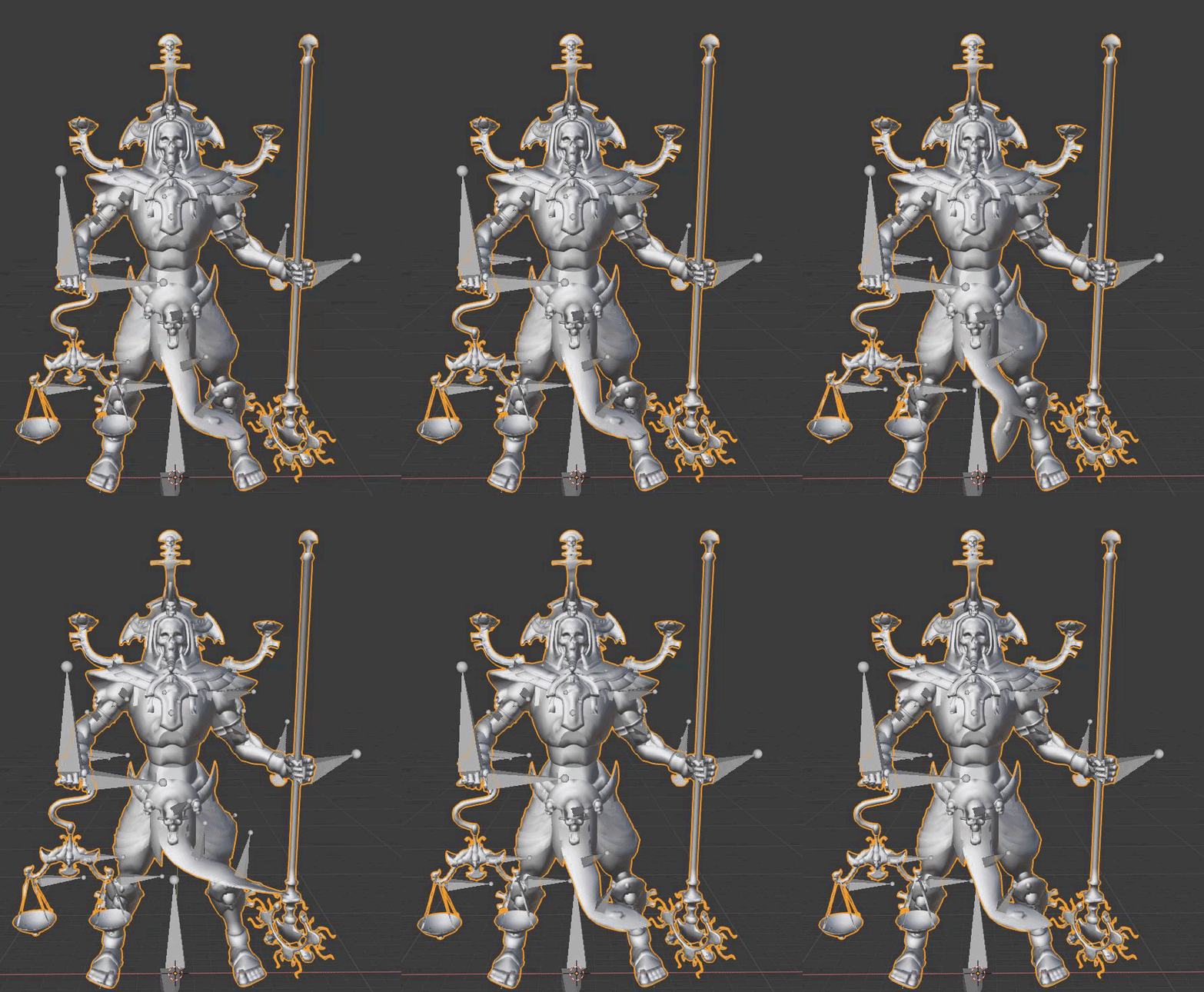
Hey all, I was hoping I could get some help with a joint transform issue I'm having. I already have a skeleton in engine and just want to update the fbx with the same joint hierarchy and mesh but with better skinning. As you can see the two fbx's at the top of the image have the left arms joints aligned perfectly, but once the old fbx is updated in ue4 the skeleton in the left arm (from the elbow down) gets offset. It has to have something to do with UE4 import because before that both skeletons are identical.
I hope someone can help me out, much appreciated
 silent stirrup
Anyone know a dirt simple way I can force the head of a character to not move with the idle animation?
Like just lock the head.
So the only time it moves is when I look around.
 upbeat comet
Hi, everyone! Hoping someone can point me in the right direction. I don't want to start down the wrong path. I've got two rigs, one is my character and the other is the gun. I've got them separate so that I can change the gun out but they're both in the same character blueprint and the guns will all use the same skeleton. Both are rigged and I'm no stranger to Maya. SO... The whole blueprint must move left and right, he must rotate the turret to aim at the pointer, shoot, and reload. Now I'm not sure where to start because there's now something the character needs to haul about...
A closer look.
The gun incidentally rotates at 0 if that helps at all.
upbeat comet
Perhaps doing it as a modular character?
 tender elk
I am trying to setup foot IK for a paragon character, i am sure i am missing something but i don't seem to be able to move the bones
 knotty stump
Hey there - has anyone used RapidRig Modular in Maya and used rigs and animations in Unreal through that pipeline?
have some weird issues, that I am quite sure it needs the right retargeting - which we don't know that well. Someone around to help?
 feral gale
I got a slightly more advanced issue - I got physical animations running on a char but then I wanna lock his hand onto a weapon with 2 bone IK. I notice once the physical animations are on it doesnt match anymore, so it runs after the anims. Can I get the 2 bone IK to override the physical animations somehow?
image example, the hand should fit the weapon but physical anims are offsetting it
 sacred ledge
hello, I imported a charater I saved as fbx, but when I click on animation tab, it's empty, why is that?
theres no model moving there
upbeat comet
@sacred ledge I'm not sure what your problem is exactly, but the method is you must import an FBX with its character and mesh as a skeleton. THEN you import another FBX with the animation on it ONTO the skeletal mesh you imported just before. I don't know if you can do it all in one go with one FBX.
 junior berry
hey hey, im working on animation can you give me some feedback ?
https://syncsketch.com/sketch/470acb8ad441/ body mechanics/spline
 supple axle
has anyone ported the ALS blueprints over onto C++ and is willing to share code? 😄
 misty dagger
Hey guys! Is there a free unreal engine mannequin rig which is properly rigged?
And usable in Maya
 bitter ginkgo
I cant find where to set the max distance value, anyone who could point me in the right direction?
is it just the paint value that represents distance?
 floral sky
I'm confused what a pose asset is suppose to be used for
I thought it was like a "single frame" that you could weight or interp to, but I doesn't seem to work well in anim bps?
 bronze osprey
i used em in sequencer, and for retarget i think
if u have an apose that isnt quite correct u can make a pose asset with moved bones and use that as base pose
and there is more
 gloomy tartan
Hey guys, I just started using UE4 and I moved from Game Maker Studio 2, so I haven't really ever modeled or animated in a 3D space. Which software do you use for Modeling/Animation? And I looked into VRoid Studio for player models, would it work in the long run?
 regal sage
I use Blender for 3D. It's very, very good, and open-spource. I'm my opinion, VRoid is only sustainable if you export the models to Blender to animate, which can be a bit of a hassle.
gloomy tartan
Ah alright, I installed Blender but thought it would be difficult to start making models. If you don't mind me asking, how do you go about making models?
regal sage
I use reference to create a human base model and then duplicate and add detail to that base model for any hunanoid character. For a beginner to 3D, I recommend Sebastian Lague's humanoid modeling turorial on YouTube
Blender is pretty easy once you get the hang of it :)
Depending on the style of the project I'm working on, I may also use Adobe Fuse to create my character... But then you'd be using an Adobe product...
gloomy tartan
Alright, i'll see if I can start out. Thanks man! 👍
 mighty ore
hello. I made a forward roll animation and I'm currently trying to connect it all within ue4. For some reason my anim notify won't fire. Any ideas?
trigger chance is at 1.0 so it's not that
 ivory flume
Hey, if i have camera shaking in lets say weapon reloading animation in blender, how do I make it work in UE4? Do i need to attach the camera to the bone which controls the camera movement or there is more practical way?
misty dagger
Is there a good UE4 rigged mannequin for Maya?
 vestal osprey
are there any tutorial about procedural animations for Unreal Engine 4?
vestal osprey
In this 2016 GDC talk, Ubisoft's Alexander Bereznyak breaks down the basics of IK Rig technology for animators, and explains how it can be used for everything from video games to feature films.
Register for GDC: http://ubm.io/2gk5KTU
Join the GDC mailing list: http://www.gd...
IK procedural animations, I guess
molten jewel
the tools for that stuff are at your fingertips with the engine. not sure of any specific tutorials but generally use "two-bone ik" node for limbs, "fabrik" for spine /head
the actual method of how to use these together is something thats not super engine specific
vestal osprey
two bone ik, thank you
 slate olive
If I make an animation in Blender with bendy bones, could i Import it to UE4?
slate olive
okay what about IK?
bronze osprey
that works
usually u use em to make animations in blender than dont eports any non weight bones
slate olive
okay cool, I have the legs of my character set up in IK, I just need to figure something out for the neck and tail
bronze osprey
you can also setup ik in unreal for gameplay stuff
stuff like a lift crane u can setup in engine its just rotating 1 bone
slate olive
oh cool, I'd rather complete the rig in Blender since I plan on animating in it
slate olive
I do, I already imported my character into the ark dev kit, but not the version with IK
bronze osprey
ok good
slate olive
yeah I just need to figure out a reliable and ue4 compatible way to rig this neck
mighty ore
I have an anim montage with single animation set up and for some reason root motion doesn't seem to work for this. Could anyone help me out with this?
I mean dodging. It's simple forward roll animation and it just doesn't move the character anywhere when played
I spent hours on this by now and I sorta managed to play the animation via node in event graph earlier and root motion worked that way. Just not in Anim graph and I'm trying to figure out why
I just noticed that the animGraph uses the animation itself. Not the montage. Guessing that's the difference causing that. Is there any way to make it work?
 craggy coral
Has anyone tried using sync groups between linked anim graphs?
Does it work?
As in, if I have some master ABP, and I'm in a state there, and I have two linked ABP's in there, with asset players assigned to the same sync group, will they sync?
I'm guessing whatever is true there will also be true for anim layers
mighty ore
no idea what exactly you're doing, but as I was just browsing through random settings here and there, I found that. So in just in case you missed that tooltip, here it is:
craggy coral
Yeah, those are the sync groups, but I'm wondering if they sync over ABP borders when using graph linking so to speak
Experimenting with it right now
mighty ore
yeah I meant the "for now we only support one group" part
don't mind me lol. Still struggling with Persona
craggy coral
I think that's specifically for marker based sync
I'm not using that anyways 🙂
np
I'm a programmer by trade, I just do this anim stuff as a hobby for a project, so we're struggling together 
mighty ore
I'm kinda torn between being programmer and trying to get into gamedev as something entirely else
craggy coral
Hmm, well, whatever you choose, try to focus on it since getting in is pretty hard.
I worked in a corporate environment for a couple of years before I got into the industry
I can only speak from my experience though I suppose
mighty ore
I'm about to start a big project with my team. We're supposed to deliver a game after a year and get our diplomas afterwards. I'm hoping that this will get me a job in gamedev eventually. Along with some smaller project(s) on my own. Until then I'll just remain a programmer and do gamedev in my free time I guess
craggy coral
oh, a student, fun 😄
mighty ore
yeah, one year to go
craggy coral
That's probably a good path I think. Very different from mine though 🙂
mighty ore
in the meantime, I need to defeat an obstacle in form of anim montages
craggy coral
haha, I wish you good luck in your endeavour
mighty ore
thanks, I could use some of that
craggy coral
Just had a quick look at your post
I'm guessing that you already checked that your animation has root motion
mighty ore
yeah
craggy coral
and that your ABP is set to extract root motion?
mighty ore
yep
I have one last thing to figure out and I can't find any useful info on that
here's what's happening:
I had an animation where I only used that one hand for conjuring a weapon or something
so this is my setup that remained
for "upper body" slot
now my "forward roll" animation only uses that hand
I don't know how to make it play using the whole rig
I played it nicely using the animation itself but I just HAVE TO use montage instead in order to get the root motion
and every single tutorial out there uses montages for blending multiple animations together
craggy coral
hm, I don't think I would use a montage for doing something like that, but then again, I'm not very experienced in animation
If I understand you correctly, you have some locomotion ABP
And then you have a forward roll ability a la Dark Souls
mighty ore
yeah exactly. That's what I wanted to achieve
craggy coral
And you want to blend into the forward roll ontop of locomotion
craggy coral
I think I would have a blend stack and have my roll blend ontop of and override locomotion, hard to explain with words I suppose
is dodge the roll?
mighty ore
(except that "dodging" node is useless since I'm using montage in event graph)
yeah it is
craggy coral
I see
I think I would do something like this if this makes sense
sec
I think I would do a dodge roll like this
And OverrideState would contain stuff like my dodge roll
mighty ore
what are AnimOffsets there
craggy coral
Then you manipulate what has control using the blend weights
Anim offsets is stuff like aiming your weapon independent of locomotion
I just mocked it up like that to show that the overrides would override locomotion and aim offsets
craggy coral
You shouldn't have to, but maybe I'm misunderstanding your problem
mighty ore
if I don't use montage, I don't get the root motion
as in: my character doesn't move during the roll
craggy coral
Hm, you can control root motion from the animation sequence
Just set your roll animation to extract root motion and your other animations to be in-place
Then set your ABP to extract root motion from everything
mighty ore
I did set that. Ehh maybe I messed something else up, somewhere
craggy coral
And only your Root motion animation sequences should affect your transforms
Hmm, I have this exact setup in my current project
Although I use root motion for my locomotion and rarely use in-place, so for me the situation is kind of reversed
mighty ore
I found this
Unreal Engine Forums
Tell us how to improve Unreal Engine 4!
it's from 2014 so hopefully it works by now
craggy coral
that is very out of date
as I mentioned I use root motion from all my state machines
craggy coral
good luck 🙂
mighty ore
thanks for your time
craggy coral
np, still setting up my test for the sync groups
@mighty ore I would start by double checking that your are extracting root motion from everything
I remember sometimes setting that property on the preview by mistake, and not the default value, so it never actually changed
Class defaults in ABP's are wonky
mighty ore
yeah I noticed the preview and defaults thingies
it's there. Just doesn't fix anything
craggy coral

Well, I got my answers
Sync groups do not work between linked anim graphs
And further more, linked anim graphs can't extract root motion
wow
This is pretty bad
Linked anim graphs are experimental though, so maybe it gets proper support down the line
Who knows
mighty ore
and I got my root motion out of state machine somehow
 mighty ore
except I messed up and my mannequin keeps rolling away
he's done with my shit for today
bedtime for me as well
craggy coral

mighty ore
thanks a ton
craggy coral
np
mighty ore
and goodnight
 peak quail
Anyone try the control rig in 4.24? I can't see anything in control rig page in Modes panel QQ
 muted stump
Would it be weird to put a forced call to start jump animation then delay for a bit before calling the jump function to fully playout a jump start. Following the style thats in third person shooter animations. Feels weird that the jump is instantly in the air and the jumps start animation plays when you hit the IsInAir? condition. Kind of looks unnatural
vestal osprey
So there are no tutorials of IK procedural animations
bronze osprey
control rig is a plugin needs to be activated
google blender IK or unreal IK and u should find some info
gloomy tartan
I'm having trouble finding a good starting point for my game, I haven't really used Unreal in the past and I kind of know what I want to do but unsure in what order and how. I want to create my own animations for walking, running, different attacks etc before I move on to anything else so I can a solid understanding of my gameplay loop and how nice it is and then build on top of that. Does anyone know a good starting point/tips/tutorial videos that could help me out?
Would be immensely appreciated
 strange sigil
@gloomy tartan , for basic animations the third person example project in UE is a good starting point, once you understand how that works there's a nice livestream called "Character animation in UE4" that builds on top of that.
 nimble hatch
welp I am in that trouble of getting mixamo into UE4 lol. Anyone have a current guide that works to get past the "Mesh contains root bone as root but animation doesnt contain the root track" error? This is just importing an animation only FBX from mixamo
 bleak sapphire
@nimble hatch you have to rename your bones to the ones mixamo is using
in unreal you can then retarget your skeleton with the one from mixamo so that you’ll be able to use the animations on your own object
also use fbx 2012 if you have trouble importing your own object to mixamo, it doesn’t support latest fbx above 2012
.. and I also got a problem 😄 Tried to import an animation I did in Maya. It doesn’t contain bones , just added rotation to Y and baked animation. UE4 is asking for a skeleton and failed to import due to lack of it. Any advise? It feels as if I have been searching along the whole web but couldn’t find a proper solution. I exported selected object with animation to fbx which didn’t help. I baked animation, exported to fbx and that didn’t help either. Have seen several guides now..
nimble hatch
@bleak sapphire thanks I will try that
bronze osprey
@nimble hatch first you impot ur mixamo rig, now u add a whole lot of virtua; bones
ow w8, first get 4.25 preview
it ill borks on 4.24
ok, whole lot of virtual bones
now u activate control rig in plugins
now u make control rigs for the virtual bones to drive the controll rigs
or something
now u get objects in world space so u can drive the virtual bones
and now u have animation driving over the control rig so it doesnt matter if its from mixamo

Google Drive
or something like that, documentation still a bit behind
 arctic tangle
Hello, can anyone tell me where to find the UI element to adjust "play rate" for an animation? Thanks
slate olive
Aim offsets use the first frame of an idle animation combined with whichever direction your character is looking right?
 lofty sphinx
Not sure if this is the right channel to post this, but how can I export an mesh with materials/textures from Unreal to Sketchfab?
bleak sapphire
@lofty sphinx when your mesh contains material slots Sketchfab will recognize them and you add them additional when you uploaded your mesh. so you upload your textures as well afterwards and attach them to the mesh inside Sketchfab
 daring osprey
I'm trying to mess with Notifications / Event calling from within the animation blueprint anim graph. I am using Stumbling as an example though this is my first time exploring the concept. I have a custom event in the anim graph as well as the character BP with the name "StumbleEnd" and have set it up in all locations. How can I get the transition when entered/left to call a custom event? Do I need to make an anim notify specific to performing the functionality?
daring osprey
I just figured it out using this YouTube clip: https://youtu.be/N-BI2pEaYA0?t=295.
Turns out that it doesn't call the event by name since you're meant to add the event as an animation event AFTER you type it in the box it will recognize it.
 sacred estuary
Anyone have experience with Iclone animations?
 wanton surge
hey everyone! we are currently trying to make it so our humanoid character work with the UE4 manequinn skeleton so that we can retarget animations from the Marketplace to our character.
Our character currently has an extra bones on its fingertips... when setting the skeleton in the Retarget Manager we set the finger bones 1-3 but NOT this extra bone.
Our character's fingers are all screwy when retargeting the animation... any help with this? Do we HAVE to have the exact bone structure as the manequin?
 shut kraken
Anyone here know an easy way to make the Rigify rig play nice with upper and lower body animations?
That is, the default has 2 spines and it's a mess lol
 silent plaza
@wanton surge is should be fine if you have an extra finger joint, as long as the extra one is the tip. it possible you have skipped the knuckle and not the tip?
wanton surge
which bone is the knuckle? the first in the finger bones?
 wide pulsar
I have questions regarding root motion D_D
I bought asset pack from marketplace and it has root motion animations, I am making a multiplayer game, would it be bad to use those animations?
On the documentation for it, it says for networked games only montages should be used with root motion D_D
Also how can I make the animations look more impactful?
misty dagger
Hey there. i hope this is the right section. I try a main menu with a sequence. Now i try, that the camera follow on "hovering" by different buttons, different sequence. For example, i hover over exit - my camera switching slowly to the door. Hovering through "Load Game" the camera switch slowly back to a disk and so on. Some advice how i can prepare this on the bps?
Best example what comes in my mind is the main-menu of the Game "Mafia 1"

 hollow moss
Hi everyone! Quick question: I exported two poses from Blender into an FBX (the fbx contains the mesh - a hand - and the armature). When importing into Unreal, the Skeletal Mesh scale is correct, but applying the poses scales it like 100 times smaller. I tried disabling the scale in the animation timeline in Blender, but it does not solve the problem. Do you know how I could correct that? Thanks! 😄
On import in Unreal, in the message log I've got: "Imported bone transform is different from original. Please check Output Log to see detail of error. "
So in the output log it says that source transform has scale of 100, and converted global transform has scale of 1. And basically it says that there is a transform error...
(noob in animation / dcc here)
Seems to be a Blender / Unreal bug https://developer.blender.org/T57932
 formal sonnet
is it safe to say making sprite based animations should perform better for an mmo game vs polygons with lots of shading, post processes going on?
Let's say 100 client in the same screen all at once, lots of particles movement etc.. what would be the performance difference, between a full sprite pixel art style game vs let's say albion online..
misty dagger
i want the leg/arm stretched when the duck moves away
https://gyazo.com/41cc49f113078f278f7332a3a6251123 i want the leg to be in the ducks mouth before it's torn off when the blood appears
 wide pulsar
For some reason I can't get Z axis values to apply for Rootmotion, does anyone know why? D_D
mighty ore
I have my anim plugged in like so:
any my animation is snapping back to idle_walk_run thing before it finishes
^ that's the glitch/snap at the end. This is how it's supposed to look (in slow-mo)
ofc the question is: why is it doing that
True Blend Time / False Blend Time don't seem to affect anything
scratch that. I was using wrong values. Problem solved
 next pine
Hey, has anyone used a custom state transition blend graph before? I can't find any information about it at all, and it seems like it's missing a 'blend percentage' input value.
molten jewel
@misty dagger it would require that your mannequin animation blueprint have a leg being pulled state
you'd need to feed it the ducks mouth position and rotation relative to some place on the skeleton
then use a two bone ik node, enable stretching and put foot in mouth
 neat spoke
hi can someone help me import maya gameplay animation to ue4?
any idea where i can learn the workflow
 worldly grove

can someone help me with this i need to make that in some moments of the animation i need the gun to be in the left hand and then in the right hand but i can't find anything on google or youtube that helps me i just find reload videos but no explanation of how do
 toxic latch
Could you create a bone that the gun would be parented to instead of parenting it to the hand bone? Then during the reload anim you could just move the gun bone around
worldly grove
so I have to create this bone in the character's skeleton? or my gun?
slate olive
Do I need an Idle animation before I set up an Aim Offset?
Cause I created the aim center animation for the Offset which should be the first frame of the idle if I'm correct
 eternal blaze
Im getting this error when the left hand doesnt move, only fingers are animated during anim montage , i set arm l and arm r for layering override, therefore the left arm should be moving? any idea why its not?
https://cdn.discordapp.com/attachments/671140338521341952/685652652725370898/2020-03-07_00-52-23-1.mp4
mighty ore
I thought I solved my problem but apparently this cast always fails.
I'm trying to create an enemy, not my character. I understand that the blueprint is still supposed to be a child of Pawn class, right? But what am I supposed to pin into cast node instead?
I just can't get anim blueprint to communicate with BP_Golem. Any help appreciated
 normal bramble
is there a good starter animation blueprint for characters that you can plug synty characters into?
supple axle
@mighty ore is the animation running on a pawn that is a BP_Golem?
mighty ore
yeah @supple axle
supple axle
are you sure?
mighty ore
I mean, BP_Golem is a blueprint that is a child of Pawn class
I wanted to connect player's controller as input to make things happen for now
supple axle
yea but is the animation running on a BP_Golem, is the owner of that animation instance of that class?
mighty ore
wait, I'm not sure. How do I check that
supple axle
Try Get Pawn Owner returns the class of the object that is currently running that animation
mighty ore
sorry, since I posted the issue and now, I slept. Launching my project now, give me a sec
supple axle
you should know what is running it
since you're the one who sets the animations for skeletal meshes in the BP editor 😄
mighty ore
omg why is this so confusing to me
I set up my entire character using mannequin from scratch
but I'm not sure what you're asking here
I have Golem_BP and my anim instance. Now how do I check whether what you're asking is true or not ;-;
supple axle
what do you think Cast does?
 open grail
so I have to create this bone in the character's skeleton? or my gun?
@worldly grove
This would be your character. Apply a child of constraint of the rifle to follow the respective hand for the animation but make the gun the child of a separate bone of the rig which is not affected by animation. When you import your rig and models instead of having a socket on the hand place it on the bone made for holding the weapon model. Play animations on the weapon and hands in sync.
That's one way of doing it.
supple axle
@mighty ore
what class is running the animation?
in my screenshot BP_PlayerCharacter is running that animation I circled on the right
supple axle
👍
 late burrow
when my character move (it use blendspace) it wobble to left.
 proud lichen
why is it that if i move grab my ragdol and move it all the bones just go jittery
late burrow
@proud lichen your collision overlap
proud lichen
ahh
late burrow
Now help my anim blendspace ;_;
misty dagger
Is there a way for CameraActor to "follow" / do Camera sequence XYZ on hovering Button XYZ?
or blending between "fixed" camera actors during one is flexible and try to reach given point XYZ?
late burrow
Gotta check that out tommorow.
I dont know that camera can effect the blendspace.
Btw the details :
The character (bp char capsule) when given input move. It wobble to left / right. Then it walk normally. (I use norm blendspace. With onterpolation 0.2) i am sure as hell it work correctly when interpolation set to 0.
proud lichen
the collisions didnt helpo
i can turn them fully off and still i get the jitter when i move it fast
like the bones spit up
even tho they are locked
misty dagger
why my blendspace backwards moving is not working
no animation combinations work
they just blend back left and right same time as i walk backwards
everything else works
right kinda works
misty dagger
nvm was rotation setting
 sudden sedge
Is there a way to lock the axis root motion samples from? I have a mesh that has the pelvis joint as its root bone, but when I zero it out I get the mesh moving wrong
so I wanted to lock it on the x and y planes
neat spoke
can anyone help me out with some animation in maya
 smoky relic
if I have an animation montage, and I wish to add particle effects spawning at the socket of another mesh - what would be the best way to go about that? Eg montage is for the character skeletal mesh, and I want to spawn muzzle flashes on the weapon's skeletal mesh socket
late burrow
#@$!(#&$(! animation blendspace making me crazy
 gusty ingot
Hello, I'm experiencing a problem with AnimDynamics and I cannot find the cause. I have this character and want to apply dynamics on a chain of bones but when I do apply it the mesh gets deformed, I have tried playing around with box extents and local joint offset and nothing seems to fix it. I also made sure the mesh is properly skinned to the bones. Im attaching pictures of the issue, my settings and my rig. Thanks
 exotic cipher
Does anyone know why AnimNotify doesn't show up in AnimBP?
 digital wigeon
Someone pleasse help xD
I am trying to setup Physical Animation on my characters
but some of the constraints are not being generated along with the bodies
and when I try to simulate...
welll this happens
 vast glen
Is it possible to animate a number within a UI ? So I want an animation which drops down the numbers so for example:
Character is taking damaging the hp cound does kind of rolls down to the current hp
I do have the HP text ready yet but it's just a static "this is how much hp you have" (looks boring af)
digital wigeon
What do you mean animate a number within a UI?
vast glen
Do you know Borderlands ?
I want an effect like If you buy smth there... The numbers kind of roll down
digital wigeon
I do
vast glen
or up if you get smth
vast glen
Do you know how ?
digital wigeon
My suggestion would be to separate the numbers in the UI so each one is it's one widget (they can be the same widget and you just need to animate that widget once)
then you can add the function for it to animate towards the number you want every time that there's a change
 hushed granite
What's the best way to import a lot of animation files, DataSmith? I've hit out of memory limits bringing in hundreds at a time.
 molten shore
Can anyone point me in the right direction for what the best method to align a bone to keep it horizontal would be?
It's for a rotor on a vtol aircraft and I want it to always point down regardless of the direction the aircraft is pointing in
 compact pebble
guys, how are you... need a bit of help, i have a BP actor cube with few collision objects and I made it able to push with physics. Now how can i add animations to trigger then I push it. can i somehow triger collision in BP actor to play character animations?
 crisp hemlock
can u guys help me join voice chat.
 woven sphinx
You should probably mention what your issue is with animation
molten shore
@compact pebble isn't there an on collide event in actors?
 inner hornet
does somebody knows why my character is not leaning forward when Im swimming? Got the Animation from mixamo
 quartz laurel
Hi, I have a problem that I have been dealing with for a bit now. I have a character in Blender that is on Epic Skeleton, but my guess is that the armature or something is oriented wrong, When I import it into the engine the character is fine in the A pose, but once I put any mannequin animation to it it just goes all wrong, the character twists sideways and such.
this is humanoid btw 😄
The issue is that I did have this exact skeleton with this exact mesh imported in the engine before. But I think I am missing some crucial step in the process like fix rotation somewhere. The working one was like a half a year ago I already downgraded all my tools to that times version to rule out any upgrade issue but no luck there. Sadly back then I did not take good enough notes to figure out what I need to do to recreate it.
any hints?
I can provide all the intermediate steps as well.. just did not want to write a full article on it in case I am just in the wrong spot
mighty ore
hello,
I'm currently setting up my biggest state machine/animBP etc. so far and I'm wondering which approach is better when it comes to characterBP <---> animBP communication.
• Querying characterBP from animBP by casting to character and checking all the booleans/states this way
or
• setting animBP variables from characterBP via blueprint interface events?
 wheat junco
Hello guys, im trying to blend a facial animation with my body animation i have been told to use layered blend per bone but im struggling with it can someone help me ?
 deep quail
recent project with a buddy, all UE4 https://www.youtube.com/watch?v=2ayqra7DwJ4
Short animation Tony Leonard and myself have been working on.
 muted pine
I got a pack of animations that use the UE4 mannequin but it's different to the one I currently use, how do i move the punches to the third person mannequin?
i can't find the mannequin skeleton in the retargeting menu
never mind, found it
muted pine
actually my animation isnt working?
it's working in game when i simply place it but I can't get my character to perform it
the animation works when it's just the animation but not the montage
eternal blaze
how can i increase the amount of keys available in here?
e.g 50
so i can key them
nvm
mighty ore
that's part of my anim graph. My question is about that conduit. It's the first time I'm using one
going from idle_walk_run or combat_movement to dodges through it works fine
but my character keeps staying in any of those 4 states instead of going back. I just double checked my transition rules and I'm kinda stuck 'cause that makes no sense to me
alright apparently I need separate pin from each of those 4 states to both of my default movement states
anim graphs are spaghetti
 ocean bison
I've assigned a skeleton to a mesh, but the mesh doesn't have the same bones. All the animations work great, but some of my other code relies on attaching to those bones, and since they don't exist on the mesh, nothing happens. Anything that can be done sans exporting the mesh and adding them (unsure about skill level to tackle that one)?
 orchid sparrow
my animation sequence curves disappear when packaged
anyone know how to access them in packaged build?
im on 4.23
 golden rose
Where would I find roller skating animations? (UE4)
 long stone
Anyone tried modifying montages so the blend in / out is based on the % of the montage time instead of fixed time?
 terse lagoon
I've got a head bobbing animation but I'm having problems with it
- It keeps bobbing after I've stopped walking (I need to interrupt or stop the animation and fade it into original position whilst buttons aren't being pressed)
- It only works while walking forwards or right but not backwards or left
compact pebble
have a question. can i save modified animations in UE4 or i have to do it externally and then re import?. i tried moving bones in animation, but it don't save it.
 tardy stag
@compact pebble You can, you just need to do some extra steps, nothing too fancy, look it up youtube
You can manipulate animations quite extensively inside the engine i would say...
compact pebble
@tardy stag thx i will check it, cuz it's anyoing to fix little stuff just to get back in blender
neat spoke
hello, can someone help me with adding a sprint into the animation blueprint
i already have entry connected to idle then to walk
where can i put sprint to ?
 restive yew
Animations are baked when you export it. So no. You can make an additive animation in unreal but I strongly discourage this. Treat it as a bandage.
misty dagger
I have an animation for my caustic
but it's not showing
the actual caustic isn't there
not sure what is wrong.
I'm not sure why it isn't showing
shouldn't it project the texture as a light?
 pliant hawk
are you in forward rendering maybe?
misty dagger
foward rendering?
pliant hawk
is your light movable or static (or stationary)?
compact pebble
question, is any way i can lower my skeletal mesh in UE4 without re-doing all animations in blender and re-inporting them
neat spoke
hi does anyone know how to set timing for jump in ue4 ?
i have a idle to jump animation and the jump is too early for the animation
 golden bolt
quick question (that i think probably has an easy answer): I got carried away playing with the animation editor and ended up turning the default landing animation for a jump into a little kick animation. (Specifically, this:)
Is there a way to swap that animation out for a different one? As in, if I downloaded a new animation from Mixamo that I wanted to insert in place of this animation how would I smoothly replace this one with the downloaded one in the blueprints?
 velvet geyser
Is there any way to sync anim BP from one skel mesh to another? If I'm using the same anim BP some things arent synced. I would like to have the same final animation on one skeleton to another. Maybe there is an way to do it? edit: yes there is copy pose from mesh which is doing exactly what I need.
 wise spoke
Hi guys, I'm trying add an offset on all of my skeleton bones, but the graph looks ugly, is there a better way of doing that? In a For each loop for instance?
 frigid knot
How can I export animations in ue4 to blender to edit them?
bronze osprey
r mouse export
 devout hound
Not 100% sure if this is the right place to ask, but I was wondering if anyone has made anything like the floor prediction path here for debugging their locomotion animations?
molten jewel
I've done something like that in the past yeah
Wasn't able to make much out of it though
tried using the data to properly assume some turn radius
the S motion was too much to think about in the end
devout hound
I'm trying to understand how to achieve this sort of thing. Am i right in thinking that rendering it would all be done with particles? Also, for future position of your character, I can't find a good way of forward simulating a character. I would ideally want it to be able to walk up and down hills etc.
molten jewel
basically have to commit to some time in the future
you build the future by evaluating trend of past relative to other captured frames
flip it
devout hound
ah that kinda makes sense
molten jewel
what i mean by committing is, you have to make a latent decision early on of where things must be
without that it'll just look not-smooth. but it does introduce latency in response
molten jewel
Probably just debug lines to draw it
 chrome mountain
Im not sure if this would fit here but I want to use cloth physics for hair
But the problem is that I'm using a solid mesh as hair and once I use cloth physics the cloth collapses
And I can't find any way to simulate thickness
molten jewel
There are super secret/mostly undocumented ways

This tutorial provides step by step instructions on how to author physcially simulated clothing pants using backstop offset and backstop radius. Backstop is a fast way to provide small degree of movement without actual collision volumes.
Prerequisite: http://www.youtube.com/...
That is 3D studio max, but you can paint the same information in using ue4
TLDR: backstop distance and radius let you control volume but it really is a strange thing to understand @chrome mountain
chrome mountain
Thank you so much @molten jewel
All i need now is an IK ADS system
And I'm good to go
 red ferry
Hey, using the 3rd person platform, i need to make my character (default mannequin) who is holding a rifle to be able to aim up (45 degrees) or down - so basicly it has 3 aiming modes, 0 degress - straigt forward, 45 degrees - upward, -45 degrees - downward. where do i start with that? could use any pointers you can offer, new to unreal.
 karmic sigil
@red ferry you will have to find a way to output the tilt XYZ values of your character (rotation with a break vector node), then you need to get the characters rotation current value (get rotation again and then another break vector) then you will need to combine the relevant values so that the aiming vector will always stay at that level after you trigger it with your input commands no matter what direction the character is looking.
 toxic thorn
hi, why do i get a t-pose skeleton when retargeting animations
when both skeletons have arms at 45 degrees (stock epic skeleton)?
the retargeted animations end up having arms off by 45 degrees
skeleton #1 (the one im trying to migrate from)
skeleton #1 (the one im trying to migrate to)
skeleton #2, the one im trying to migrate from
skeleton 1 has several sockets added, but those don't affect animations afaik?
now say i want to migrate these animations to skeleton 1
i get this
nevermind, i found the relevant menu, but have no idea how to modify the pose... literally hide pose, modify pose, use current pose xd
toxic thorn
how do i get rid of a notify i created by accident? (named it wrong)
it's just always there now, being annoying :(
eternal blaze
do i parent hand to gun or gun to hand for weapon animation
bronze osprey
if he lets go of the gun should the hand come off too?
parent the gun to the hand, and you should prolly do the animation of the gun seperate
 tacit wolf
Yo anybody know how they got the animations in Fortnite so crispy? They just look so awesome, Are they using a high fps for the animations or something?
molten jewel
Good animation and compression
toxic thorn
i just tried to switch root motion from everything on and suddenly my controller broke? as in inputs are COMPLETELY ignored
i switched this from "montages only" to "everything"
i use this to drive the movement, i printed all relevant variables
they stay the same whether root motion is turned on or off
and the controller works fine in montages only root motion
 winged violet
@misty dagger Sorry for ping, just saw your older message about getting Animation LOD working. Can you point to how to you go that working? Mainly the distance based animation update rate?
Tried things like GetMesh()->bEnableUpdateRateOptimizations = true; and GetMesh()->AnimUpdateRateParams->UpdateRate = 10; for example
But seeing no change in the tick rate
 rigid leaf
Hi Guys i have problem with my Client Character Animation its so glitchy when player moving or running keep shaking i can't find a solution in google
 young urchin
@rigid leaf it depends...may be an animation issue, may be a moving component issue
rigid leaf
its happening just with the Clients The Server working very smooth
rigid leaf
ok im jumping there then xD
 mental badger
I want to make an FPS locomotion system which consists of:
-weaponless idle/walk/run
-pistol idle/walk/run/shoot/reload
-rifle idle/walk/run/shoot/reload
Do I need an aim offset for every animation for every weapon?
 rocky brook
@orchid ferry Don't spam channels like this
 orchid ferry
im sorry i didnt think it was spam. Nvidia is giving away a free month of adobe and thought that it could genuinely help this group @rocky brook
rocky brook
Right, that makes sense. But post it in 1 channel
orchid ferry
especially those who aren't using student license's
ok i couldnt find a general channel which one should things like this go in?
once again i apologize
orchid ferry
ok i thought some people may use adobe animate or after effects or have wanted to try it out
once again my post was with the best of intentions and not meant to come off as spammy
thanks
rocky brook
No worries, thank you for cooperating
orchid ferry
no problem
 muted wadi
Can anyone recommend a good set of FPS animations? Looking for both 1st person and whole body that go together.
 cinder linden
Hi guys so I'm breaking some bones over here but they keep animating is there a way I can stop this behaviour ?
https://gyazo.com/7b1fb3e3a9c9c8f35645a6c89302a702
 cinder linden
I found this but I can't seem to find it on the animation blueprint even with context sensitivity off
Remove Bone Animation
cinder linden
I find out that you can access that node in an animation modifier
tacit wolf
I need to setup animation blueprints for my game soon and am looking to use a mix of both Mixamo animations and Epic Skeleton animations and also potentially some custom ones in the future. However, I obviously will need to retarget these. Does anybody have any idea what the best skeleton out of these two would be the best to use? Is there a skeleton that retargets onto the other better? E.G Mixamo -> Epic Skeleton bone structure? If you have any knowledge of this would very much appreciate if you shared it with me 🙂
 meager plank
why is this happening
misty dagger
How would i go about setting a state if a blackboard AI entry is met?
For example, if my enemy loses sight of me, i want him to go from walking to looking
misty dagger
anyone in here familiar with weapon animations?
 remote elm
thats what im learning
remote elm
question, i have my blender project setup to make fps animations to import into UE4 and i was wondering if someone could lend me a hand in my problem. i exported my reload animation for my weapon and it went just fine into UE4, but my animation for my character arms were completely messed up. im not sure exactly what key frames and such i should be recording and all of that along with doing constraints properly for use inside UE4. can someone lend me a hand so i can get a better understanding on what im doing wrong
 frozen vortex
Hello, when I bring my animation from blender the skeleton mesh and the animation has different scale
As you can see, the animation sequence has different scale from the skeleton mesh
 weak quartz
question : how does it work? and what does it do?
 split dove
hey guys! is there a way to change the capsule collider of different animations? It seems my character rises in different animations 
 sick field
trying to export animations of a character I made for my work place, I was charged with making a a small Easter themed video game using our new mascot but for some reason the legs specifically keep fucking up, I really need some help with troubleshooting and figuring out how to fix this animation exporting issue
 viral marsh
is there a replacement for camera anim since matinee is being phased out? i was planning on using it but i may have to make a workaround if there isn't
shut kraken
@sick field Bunny thiccccq
@sick field Show your export and import settings.
Is that a rigify rig?
 steel tree
hey guys so i need your help so im making horse riding system and i got the animation for when mounted and when player go up the horsr working..but the problem is now is when dismount the dismount anim wont play..im confused i debug this for a day now and have my friend help me out too


i debug it the dismounting and can play dismount anim i print string it the value that its outputing is correct but something is conflicting with it and make it not playing the anim
sorry for spamming the code btw
 novel berry
How can I make a smooth change of animation blueprint?
I have several blueprints and I want to seamlessly switch between them
 tame violet
I am not an expert, but my general understanding is the animation blueprint doesn't change, instead your ABP contains slots that can be used to override animations
Has anyone here used a MontageTimeLapseCurve to control the playback rate of an animation within an Animation Montage? I'm not seeing the playback rate change regardless of the float values within the curve.
 neat schooner
anyone know how to animate turning in place based on character rotation? (not by input axes)
im trying to have a timer that detects change in rot but nothings owkring
 opal jackal
I was wanting to add a grenade throw animation to my third person character but don't know how to make it look right. I used the blend per bone so it plays the animation above the hip but the rotation is off when moving in certain directions. So I'm thinking I need to create an anim offset for the grenade. I need some ideas. IDK if an anim offset is the right approach. I'm already am using one for my weapons.
 spare otter
Is there a solution to playing Animations ONLY on the right side of the body ? Like a defaultgroup.UpperBody but idk DefaultGroup.RightSide ?
spare otter
@misty dagger hmm i'll take a look at that thanks
@misty dagger Lots of Animations on Mixamo. I use them A LOT. Would recommend
misty dagger
I do not understand how to do animations!
floral sky
Can you get the actor/component that an anim blueprint is linked to from the anim bp itself?
spare otter
@misty dagger Then I would suggest watching youtube tutorials on importing animations from mixamo into unreal engine
misty dagger
hey i have a problem where when i shoot the character, when the death animation plays, the animation will reset if i keep shooting it with my bullet projectile
anyway to make it where it only plays once after dying?
misty dagger
nvm fixed it
viral marsh
anyone know if camera anim is still supported, or should I be doing it another way?
 sterile linden
Anyone got any tutorials on how to import Mixamo Characters into UE4 and convert the Skeleton to use the UE4_Mannequin_Skeleton ?
I am using a lot of the Animation Starter Pack's animations and do not want to lose them
sterile linden
Would i have to retarget my UE4_Mannequin_Skeleton to the Mixamo_Skeleton and then move all the of the animation Blueprint across ?
remote elm
question, im trying to export my blender animation to UE4 as a test and im having some issues. im using Mr Mannequin to generate the rig + mesh for animating inside of blender and its accurate. i generate the fp gun mesh + rig and attach it to the GripPoint of the skeleton in blender (just like its done in UE4) and start creating my test idle animation. the problem im having is this as shown in the screenshots. the rotation seems to be off and i was wondering if anyone can lend me a hand with figuring it out?
in blender
the .blend
wise spoke
Hi guys, is there a way to manage this curve in blueprint?
 tiny mirage
aight so got a game that has several different models using several different skeletons currently. I want to be able to tell any of the models to play an animation that a particular weapon object will hold. Is the best answer here to get all of these different models onto the same skeleton or to like retarget all these animations and build a table to reference what animation should be used?
I feel like the latter is just a waste of space, opinions?
tame violet
it's always better to get your skeletons to have the same naming conventions and hierarchy
and to reduce the total number of skeletons
 twilit marlin
Has anyone here done a lot of work with custom anim notifiers?
It looks like they may have a slight variance in activation timing, and there is an option to use a more precise method of activation, but even with that active still looks to vary sometimes... wondering if that's from the actual notify or from the animBP
 elfin ember
From what I have noticed it is mostly dependant on how accurately you place them, and how your animations get blended together. I don't think I have ever noticed mine being off on timing
twilit marlin
In my case, I have a component switch sockets during the animation (being passed from one hand to another) and half the time the socket transfers without any issues, and the other half of the time you see a noticeable snap, like the notify took a little longer to activate. I did think at first maybe it was due to animation blending, but after just letting the animation run a bit longer and turning off blending, the same issue persisted
I then tried to move the notify to a perfect frame number rather than inbetween frames, but it still was inconsistent
misty dagger
Hello
animation is hard! I'm currently stuck on the animation part of my game and I don't know howto add my animations that I have on my engine and add it to my character
shut kraken
Any of you guys here Blender pros? I prefer the smoothness of FK rigs but I love using IK for speed of posing. Have any of you had good luck getting the temporary auto IK system in Blender 2.8 to behave?
@misty dagger Where are the animations from and where is the character from?
misty dagger
Is the animstarterpack from UE4 store
shut kraken
Doesn't it have a couple demo characters to show you how to hook up the animations?
misty dagger
What's a good way to do an animated jumpscare?
misty dagger
okay did the animations
 tawdry sky
how to play a wounded animation when health drops - 50% UE4
misty dagger
@shut kraken you can make a rig with an ik and a fk chain and then a button that copies the ik to the fk poses and switch between the influences
 hidden geyser

First person animation reel 2013/2015
Weaponlist:
0:05 GSH-18 (2013)
0:16 BERETTA 92FS (2014)
0:32 H&K USP MATCH (2014)
0:57 FN P90 (2014)
1:18 FN Five-seveN USG (2014)
1:33 DESERT EAGLE (2014)
1:51 TOZ-66 SAWED-OFF (2014)
2:13 AKS-74U (2014)
2:29 SIG-SAUER P220R (2015)
2:42...
how do I make animations like this video
pls help me
i need too much
with auto desk maya
wise spoke
Hi guys, In a Blendspace 1D, what does Scale Animation checkbox does exactly? I don't see any changes in the animation speed when checking it on or off
 floral horizon
Afternoon all.
I am looking at ways to create a skeletal mesh, that the player can walk on.
Is there an option for per poly collision with skeletal meshes?
Oh....
Hmm... still not able to walk onto the mesh
floral horizon
mental badger
Can anyone help me with this spine rotation problem?
Unreal Engine Forums
Instead of using aim offsets, I have decided to use spine rotation based upon the control rotation of the pawn. Both horizontal and vertical.
The result sort-of works. However, when the characters' body is rotated 90 degrees horizontally, looking up and down is not perfectly ...
neat schooner
How do u export only one action from blender?
 buoyant obsidian
I am urgently needing help with rigging and getting a vehicle to work with the bones from Maya to UE4 4.23
My rig was flipped sideways despite trying to fix the axis and the rig is not working right...
 jolly osprey
@untold cosmos I've been searching on discord on how to save animation graph states and stream them in and came across your question that's a couple of months old - have you found a solution and if so care to share how it works? thanks
exotic cipher
How can I remove foot sliding from Start and Stop transitions?
steel tree
Hey guys anyone here can help me make my horse movement smoother and looks like more realistic movement
Rn I just use blendspace 1d with the idle walk trot gallop and Sprint anim
No turning no nothing
Can anyone help me make it better since I'm really bad with animation
 copper dawn
https://creatureartteacher.com/product/fundamentals-of-animation/
They put this course Free. Is from a Disney Animator. Maybe is interesting for some of

Learn from former Disney Director & Animation Expert, Aaron Blaise!
 somber sinew
Hey guys, does anybody know of a way to swap a skeletal mesh with one that has a slight name changes? Docs says you can't, but maybe somebody knows a work-around? (https://docs.unrealengine.com/en-US/Engine/Animation/Skeleton/index.html)
I got names like "upperArm_export3_L_jnt" but for consistency "export3" should be without a number. But if I export from maya again with a few changes such as this, the skeleton no longer matches...
 grim sleet
hey guys. im having some trouble with the animation graph. you see, im creating a first person shooter. i have animations for my character's gun to walk/jump/etc and ive stored actions like shooting and stuff in the default slot. i want to perseve my weapon bobbing up and down when moving and have the shooting affect add onto it rather than the animations blending halfway. what is the procedure to make that work?
nevermind i figured out i have to set animations to additive. guess the name shouldve made it obvious lol
 jolly steppe
Im making a aim offset and setting the reference pose im having a problem where its not only offsetting the head/spine but the hands, how can i avoid this?
 somber jackal
Hi everyone I need some help with get a animation to finish its play while my character is walking. The montage i am playing is for the weapon when the player fire his weapon. The problem is if he fires while running its only play the first half of the animation and not the remaining amount it just stops
slate olive
So I just finished this tank rig today, and want to put it in the engine Do i need to animate the wheels or can a physics property of some kind self animate the wheels
 burnt thicket
Hi
my character hand deformed after retargeting / i use "recursively set translation retargeting skeleton" but still have problems.
please help me.
thanks ♥
 glacial canyon
Hey, how would I blend 2 animations of lets say a idle/walk run state and another one that would guard his hands on loop? I know montages can do that but I need it to loop, is there another approach?
 charred matrix
action editor maybe on blender
glacial canyon
need to do it inside ue4, there's a way of doing this for sure 🙂
charred matrix
ok
misty dagger
Ok I need help with something
How do I make my gun show up more like in csgo or overwatch
or any other fps
my gun has a full body but when I run, walk, or be in idle it only shows the tip
like this
here
example--> Whole Body of an AK47
body of an AK47 when Running
how do you show more of its body while keeeping it on the right side of the screen only???
Help will be appericiated
appreciated*
 wanton oracle
Why can't i give this a mesh for the animation blueprint? I've tried dragging one from the editor too but the box is red.
misty dagger
try opening the mesh, keep the mesh open and then try to put it
Worked on me 3 times
@wanton oracle
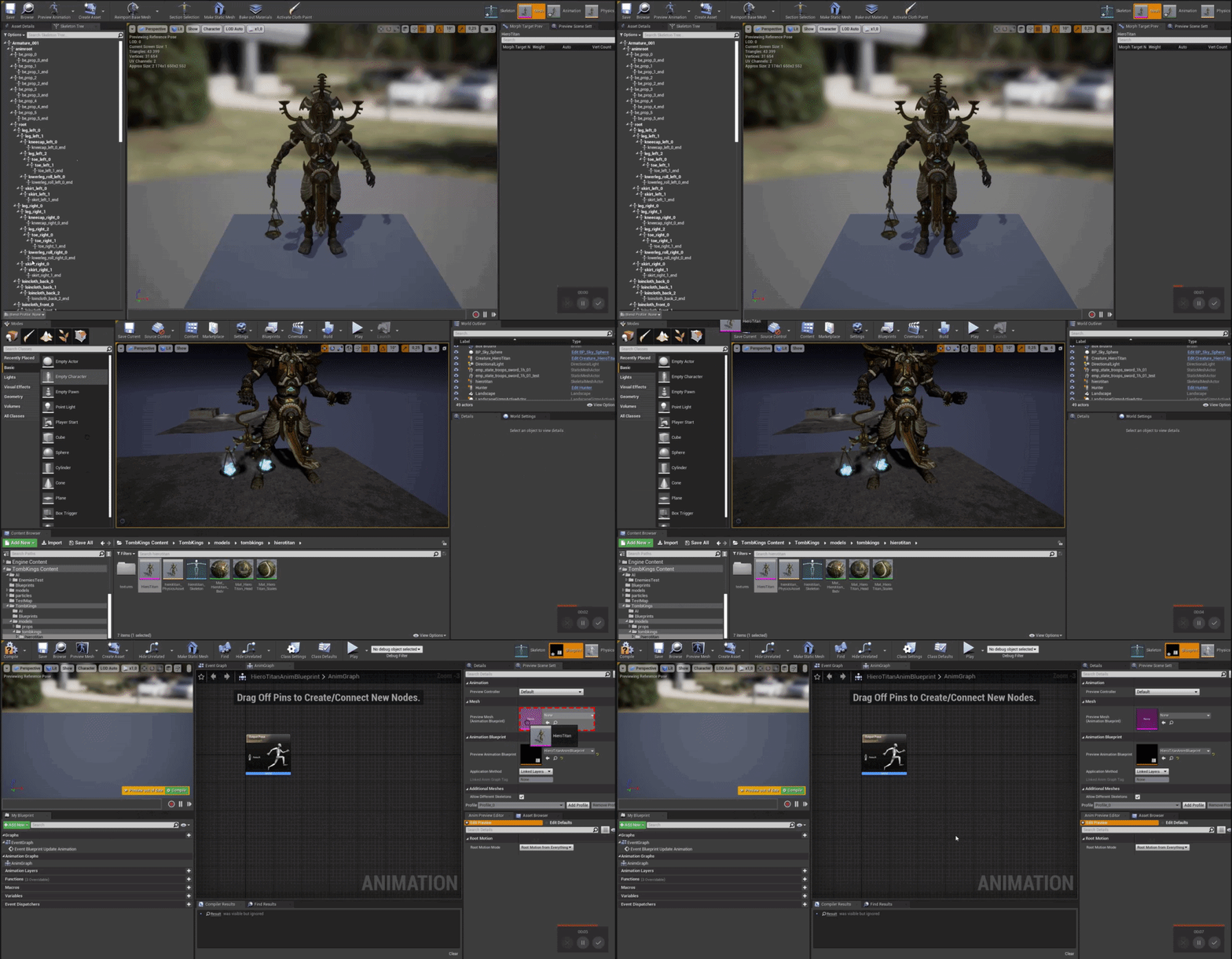 misty dagger
You can't drag it
just leave it open then click 'mesh' and see if it works
It has worked on me
if it doesnt work then I'll try hitting up my bud to see
wanton oracle
Thanks for the help btw.
wanton oracle
So i deleted some duplicate files and now it suddenly works
But now i can't seem to import animations
;1
Also do i have to keep the skeletal mesh that gets imported with every animation?
I only want the anim but i have like 20 more of these.
misty dagger
@wanton oracle yes
wanton oracle
But i already have the skeletal mesh that i want to use. Why do i need 20 duplicates
misty dagger
Idk but my mind says keep it lol
OMG
DIDNT REALIZE IT WAS 5 AM
i gtg good luck and try to ask other skilled devs
GN
misty dagger
Hi everyone, hope you're all well during these strange times. I was wondering if there is any way of exporting animated characters out of Unreal and into Houdini or Maya. In our timeline we have the characters with an animation clip applied in the sequencer, Is there any way of getting this out whilst maintaining the characters relative position in the world? Sorry if this is a simple or stupid question, I dont use unreal very much. Thanks
wanton oracle
https://i.gyazo.com/5225f4858b2668360781d36c2b254945.gif so i've been battling some root motion issues and had to reimport everything because blender put an extra bone in my armature and fucked up my hierarchy but now i get this on my animations. At least the root motion stuff seems to be working. I get this when i have this option enabled, any of the other ones makes the whole thing disappear, if i disable root motion everything disappears too.

 delicate junco
@wanton oracle If you want to prevent Blender for adding that extra bone you can use the fix I talked about here https://discordapp.com/channels/187217643009212416/221798806713401345/649705914256850964
 untold cosmos
@jolly osprey Sorry for the late reply, I was kind of busy yesterday.
No, I never figured out saving whole AnimInstance and didn't have enough time to work on custom streaming for it. I did two things:
- Saving in combat is forbidden, and that's where most poses are. That's not just a workaround for me, but for design decision by the team, so I was kind of lucky there;
- Saving cached poses - an absolute necessity for dead or knocked down characters. Fortunately, that's easy to do, if you need any tips there, let me know.
 slim herald
@misty dagger if you are still struggling with the fps view problem, i had the same problem before, i fixed it by creating a version of the mesh with only the hands and the gun and moved them upwards infront of the camera
charred matrix
i finished my (first) blender animation/mesh for ue4 and all of my objects + bones when imported in output log say "IMPORT TRANSFORM ERROR" and in message log it says "Imported bone transform is diffrent from original". what do i do? and when i go view the animation there is nothing there. i have the root bone. and 4 animations. PS : what part should i take a picture of for someone to at least have an idea of what the problem is.
slim herald
now if you are making this for multiplayer, you'll have to make the character have both the full mesh and the hands only mesh while hiding the full mesh from the owner and hiding the hand only mesh from everyone except the owner
not sure if this is the best solution, but this is what i went with for my multiplayer shooter
charred matrix
im doing singleplayer first person
slim herald
oh i was replying to the guy who was struggling with fps camera view from a couple of hours ago, sorry for any confusion
slim herald
try this, rename Armature to Armature2
in blender
then export
i had similar problem before and that fixed it for me, not sure if it will fix it for you, but you can try
let me know if it works out @charred matrix
slim herald
do your export settings look like this?
charred matrix
the add leaf bones and only deform bones were swapped
any other settings that need to be changed
slim herald
need to make sure in the main tab of export that armature and mesh are highlighted
and if you want only selected object, make sure you have all meshes selected in object mode before you export aswell as the armature
i have my armature and root bone both renamed to something different than the default, so you might want to try that aswell
charred matrix
is there a video of how to do those steps?
can you please give me a cube with all the armature scale stuff
so i can use it on my model? because i don't understand the steps or at least put together a video
and i think it is a scaling problem. PS: if anyone would like to edit the model to fix it i will give them the model to do it
charred matrix
any good tutorial series that you know?
charred matrix
also the game im making i want to be blocky.
jolly osprey
@untold cosmos thanks for the follow up, appreciate it! yeah I'm working on a strategy game so there's a good chance some units will be in combat whenever a save occurs so I'll have to come up w/ something. was looking at the demo net driver and its various streamers - thinking of just running Serialize() on everything anim related and see where that takes me
misty dagger
@slim herald how do I do this??
slim herald
best solution would be to delete or hide parts of the mesh that aren't the hands
you do this by either exporting the mesh into a 3d editing software and doing that or apply invisible material on those parts or use hide bone by name blueprint function (but hiding bones depends on how your mesh is planned)
the alternative approach
is removing your mesh completely and just make the gun stick out of the camera
and if its for multiplayer, you can use the hide mesh from owner thing i mentioned a bit ago
now if you are making this for multiplayer, you'll have to make the character have both the full mesh and the hands only mesh while hiding the full mesh from the owner and hiding the hand only mesh from everyone except the owner
this one
charred matrix
i got the animations and size working but how do i make it only select one action in ue4 from the action editor in blender?
slim herald
To clarify, you want to export an FBX file from Blender only containing 1 action from the action editor ?
charred matrix
no i have 4 actions and i only want one to play
slim herald
Can I see what animations assets you have ?
Just how it looks like from the content browser
charred matrix
slim herald
Why don’t you use blueprint node “play animation” instead of “play animation montage “ since that plays a single animation
charred matrix
k thanks for the help
 sand vine
does anyone know how i can increase the velocity at which the player thinks hes "falling"? currently whenever i tp my player hes waving his arms like crazy ...
wanton oracle
I'm importing a single animation but it's giving me all this weird extra animations that are not in the file i'm importing
In blender there's only one anim
neat schooner
same^. Im trying to import only 1 action and I don't think its even possible.
export from blender*
no clue why blender has to make it so hard
wanton oracle
I didn't think i'd ever miss working with animations in Source. At least the exporter for blender is really well made and never gives you any problems.
I have no clue what the fuck is going on
neat schooner
? blender exporter has been shit for me
wanton oracle
Oh, no i meant like, the exporter for the file format you use in Source.
neat schooner
oh
i think its mostly cus i also have no clue what im doing in blender
do u know hwat an NLA Track is?
apparently the only way to export 1 action is through that
wanton oracle
Nope
My animations break completely now too when i import them to UE4

I guess i'll try to create new files from the raw anims again
neat schooner
Im going to make seperate blend files for every single animation... if anyone knows how to export single action it would help me out a lot
My skeletons also get offset in unreal
sand vine
to answer my own question about the animation "falling" thing - its more bluprint based than actually anim. when you tp your player just call a custom event directly after the tp that sets the movement mode to "walking"
nice littel hack
wanton oracle
ye
It works
but it's not the root anim
now at least
something is fucked in blender
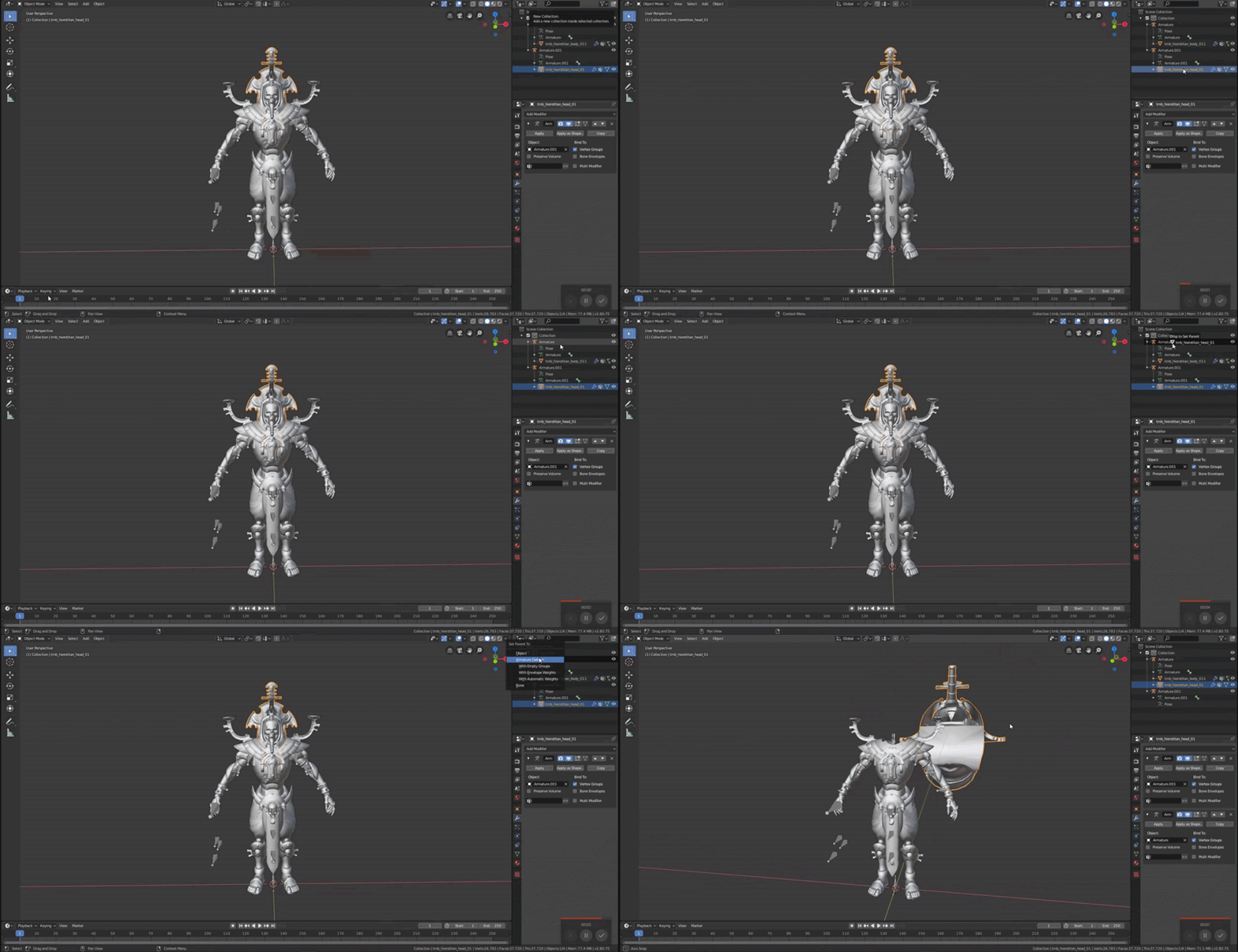
Same Armature, just trying to get it all under one mesh and armature, it breaks for some unknown reason, even though i literally have a file where it works fine (but this problem seems to persist even for my animations, which is why i'm getting the deformed animations like i posted earlier.)
untold cosmos
@jolly osprey If you have some progress there and if you remember to, please tag or PM me. I'm still very interested in discussing a solution, this is a must-have feature, imo.
jolly osprey
sure
though I'm doing it for lockstep deterministic p2p multiplayer so our usecases might be somewhat different
untold cosmos
Hard to say before it's done 🙂 But streaming UAnimInstance or related data seems to be a pretty isolated task.
jolly osprey
thing is I'm sure the replay systems's already tackling this
but I've looked at the demonetdriver and its accompanying streamers and got overwhelmed quickly
 solar anchor
So my character that i transported from blender shrinks in size when i go to the animation tab, but it looks normal everywhere else
not there
because its to small to see
slim herald
@solar anchor try renaming your armature object in blender to armature 2 see if that works
@wanton oracle in blender , go to the dopesheet and the go to the action editor, check whether there is only 1 action there. This might be causing your multiple animations export problem.
For the animation breaking when you import it into UE4 , try this, after you export the FBX from blender, import the FBX into another blender window, if the reimported FBX breaks inside blender then you are probably exporting the FBX with wrong options.
wanton oracle
Ok thanks so
This is when i export it
(I need to fix the staff lmao don't mind that.)
This shows it better tbf
this is when i re import the exported animation and attach the mesh to the armature

Here's the export settings
 mint creek
Hey guys! is the issue with blendspace notify is still here? For some reason it fires two times for each notify, and nothing helps.
wanton oracle
Ok so a little progress. It's not blender anymore.
https://i.gyazo.com/6235a1024b4d78f7b02806e80efdb7d4.gif when i import the anim, without selecting a skeleton it "works". (Like you see in the gif it's tiny asf, only goes to the correct size at the end there because i enable root motion.)
But if i try to select the same skeleton, just that it's been imported already, it breaks like this https://i.gyazo.com/cc3112997c26ee8c1466a39c82bcfb4c.gif

(was kinda hard to see the deformation in the gif but here)
wanton oracle
So
if you apply the scale in blender
it seems to really mess it up when you import to UE4
Problem solved at least.
slim herald
Are you sure you exported the skeleton correctly ?
You need to turn off “add leaf bones” and turn on “only deform bones” options
In the blender export options for the skeleton
wanton oracle
Might be it but it's working now.
 remote needle
Anyone able to give me some advice please ? I want to know if i can program an animation to stop an half way through the animation with a button press. During gameplay in unreal ?
 carmine kayak
Is anyone able to help me I am trying to add a simple attack animation to ARPGinventory kit
misty dagger
alright guys I just noticed that an actor's blendspace doesnt seem to be playing when he's not visible, is that so by default? can it be toggled off? because if not that would be not so good
slate olive
hey are you guys familiar with additive animations at all?
misty dagger
@slim herald I made this Project in Third person to show the full body then made the camera follow where head is looking and doing and to then make it look like a fps
So I need the Gun to show its ironsights not just its tip
also I need it to stick on the right side of the screen not move to the middle when I move to the left
 runic sundial
??????
My montage section seems to have fallen off my animation, how do I get it back
misty dagger
Is it possible to evaluate a normal flaot curve on a notify at an animation?
misty dagger
okay I have new animations how do I add them to my character
slim herald
Usually I save a copy of the blender file of the idle model with no animation , and then create a new save copy whenever I make a new animation
Then in export options for FBX , make sure you have the mesh and armature tabs not selected in the main tab, and bake all animations in the animations tab
Then you should import it into unreal and when importing , set the skeleton to be the skeleton of the model you want to add the animation to @misty dagger
That’s assuming your problem is that you have the mesh and skeleton inside the unreal and you want to add new animations for that mesh and skeleton into unreal
remote needle


the details panel for my skeletal mesh doesnt look like this so i dont know where to start, My goal is to use my animation montage in game so i can play / pause / resume with a button press...
any advice would be appriciated!
remote needle
I cant figure out how to open blueprints for animations, there doesnt seem to be a tab for it..

this is the skeletal mesh.
 remote needle
I would REALLY appriciate it if someone can point me in the Direction of a good animation montage tutorial, I have been struggling with this for hours now and havent sussed it out.
My goal is to have an animation play on a NPC doll and give the player the ability to play, pause and resume the animation with a button press..
remote needle
Hi all.
I am trying to create an animation which can be paused in unreal engine and i cant seem to figure it out, i cant even create nodes for oculus touch button press inputs to activate animations because nothing appears in the search bar when i enter terms like oculus touch... when i used the term input, literally everything BUT VR inputs came up, PLEASE someone help, i have been looking for HOURS 😦
remote needle

I would be SO greatful if someone could tell me where i can find this details box!
wanton oracle
How would i add an attack animation into this? I don't want to blend anything or nothing. I just want the animation to play whenever i call on my attack, which it "does" already (I used Play Animation but that seems to break my animation blueprint and the locomotion).
wanton oracle
So i did it in a really hacky way. I set the bone to the root bone. If there's a less hacky way to do this please tell me.
 foggy chasm
Would I need to only export my model into ue4 if it has an IK from blender or will I need to make a IK system in ue4 also?
 fair narwhal
What's the difference between these two and how do I get the Play Montage version in my AI BP? I only have the option for the Play Anim Montage
wide pulsar
Can someone tell me the proper way of retargetting the Paragon Animations to the UE4 Mannequinn, they always seem to break for some reason @_@
Like weird shoulders or foot and things like that happen D_D
 snow scarab
i have a car that was animated using a script rig in max, and when i import the tires into Unreal that go crazy all over the place
HELP
 ripe yew
Where is the checkbox for Mesh Component Update Flag?
 hallow gazelle
hello my lords! i have interesting moment and it looks like bug, but maybe it's just a missing checkbox. I have some curves of morphtargets, they are changing in same time. but in anim curve window and on the model visualisation I see that in same time only one morph affecting my model
shut kraken
Has anybody here ever edited or simplify the rigify rig to make it play nice with unreal?
toxic thorn
hi, how can i get my melee weapons to stop moving when i play montages?
the weapon is a spawned actor, attached to a slot
on my character's mesh
all collisions are on overlap and gravity is disabled
and when animations play, the sword moves
shut kraken
@sick field Just the exported skeleton has like 2 spines etc. I'm sure I can edit it to export a nice clean heirarchy of bones, but just wondering if anyone around here has done that before.
@toxic thorn Unattach it. Why would you want to do that?
toxic thorn
the problem was very specific to our locomotion system, had an extra metadata track that was causing it @shut kraken
and it's attached so it moves with the mesh, but it was moving away from the socket
with each montage play
 cedar sedge
I'm using root motion in an 8-way locomotion blendspace, and the idle animation is crouched down lower than the walking animations, so the pelvis is staying at the same height in my 3rd person character capsule as it blends between them, instead of following the foot height.
Animation on its own seems fine, but in the char BP it appears pinned from the pelvis instead of feet, not sure what to adjust
 junior geyser
If anyone could give me a direction to go on this, that would be great. I modified the UE4 Mannequin and reimported back to UE4 from Blender and assign my skeleton that all my animations are set to. Everything looks fine until i try to use an animation. Then it gets all mangled. If i retarget to a new skeleton then it works. I must be missing something. Here are some photos for reference.
 stoic yew
Ok Animators! Project Time! If I have 2 skeletal meshes. Mesh A and Mesh B. Mesh A punches Mesh B, upon collision I want to [Check for bones present in collision, make bones on Mesh B the child of Bone on Mesh A, and use Mesh A collision to change the location of mesh B bones. Is it possible. Im looking for a fluid dynamic collision dynamic.
 bronze parcel
I retargeted an animation from a UE4 Skeleton to another SM that also uses that Skeleton
except now it places rotated 90degrees, any idea why?
or how i could just change the rotation?
 solid delta
I have an issue i would like to wrap my head around. I am using Epics paragon eye shader here and for some reason the material looks incorrect on one eye. The model is currently static and the eyes plus UVs are duplicated. I am not 100% sure, and this is where my knowledge lacks, so could it be that the eyes need bones in order for the material to show correct on both eyes?
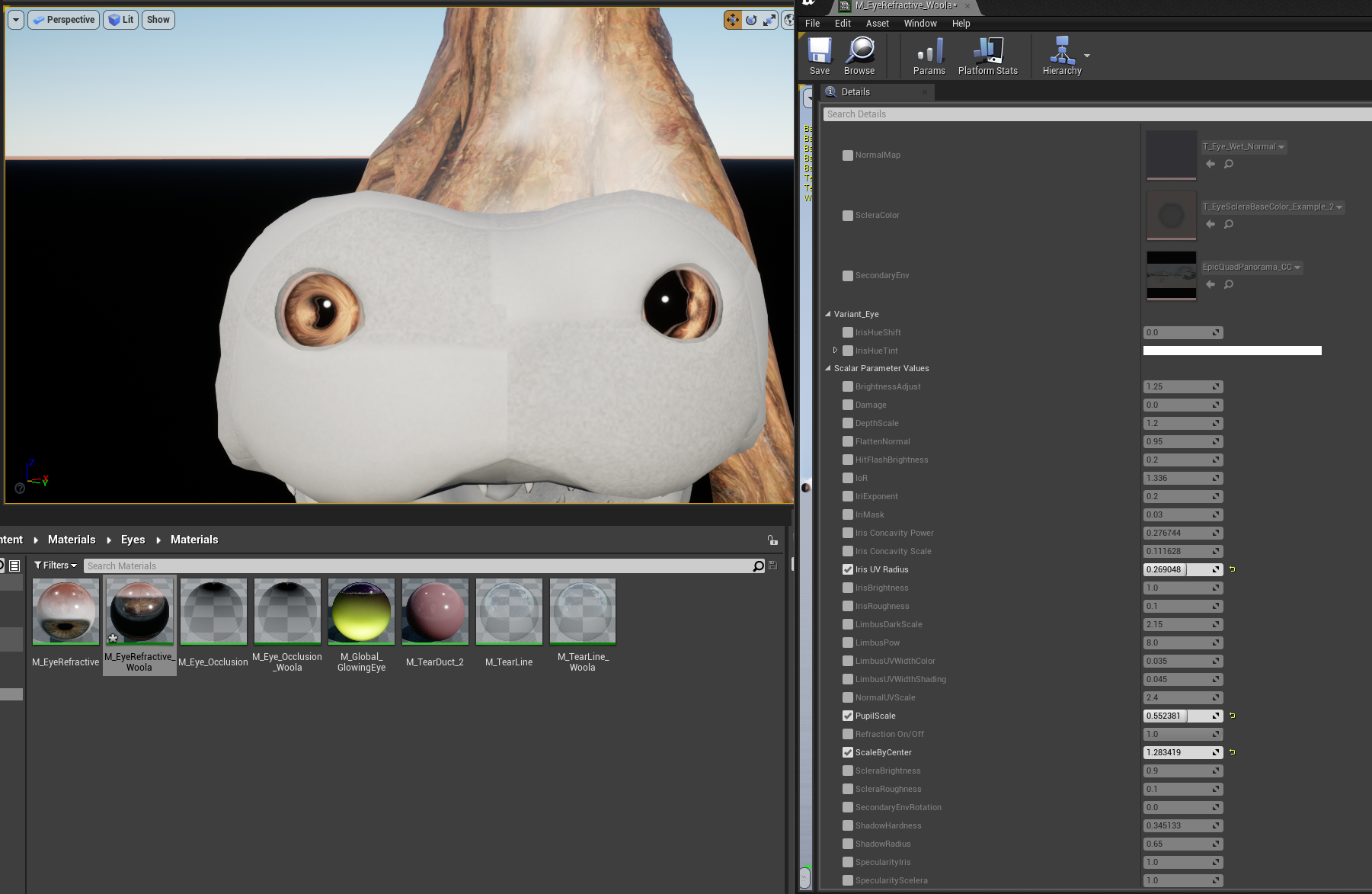 wise spoke
Hi guys, I created an new animation in ue4 from a skeletal mesh. Problem is that the animation only last one frame, how can I make it last longer so I can add keys?
 desert maple
Has anyone successfully implemented this before?
https://docs.unrealengine.com/en-US/Engine/Animation/WorkingwithModularCharacters/index.html
Describes the different methods you can use to create modular characters comprised of multiple Skeletal Meshes.
steel tree
@desert maple I have done it with meshmerge one
 gilded island
Hey guys! I'm currently working with root motion animations and in this specific case it is really important, that the character ends up on the same position every time.
But every time I play the root motion animation from the same exact position there is a random offset at the end...
Do you know why that is?
peak quail
@wise spoke right click on the animation timeline -> append at the ends
 scarlet spade
Anyone know how I can fix the jittery rotation my player has when moving
I've got no clue lol
peak quail
@scarlet spade Rotation Rate of CharacterMovementComp ?
scarlet spade
@peak quail Adjusted the rotation rate, doesn't seem to be really doing anything
terse lagoon
How can I interrupt an animation and make it fade back to original position? (Camera animation)
 ripe coral
hey guys, new to unreal here, i got franks action rpg sword from the marketplace, and was wondering how I can use it? When I drag and drop the Mannequin it still spawns me as the default third person controller
 minor comet
Hi! i'm new to unreal, I'm trying to make a paper character controlled by mouseclick on a 3d environment, already managed to make the idle animation and the walkforward animation, but i have no clue on how to proceed to make the walking back animation and the walking left and right animations. If someone could help me i would really apreciate 🙂
misty dagger
why i dont understand jackshit what i need to do in animBP
seems every variable is not doing what I want. Also not playing anything I want
and why i need to open 100 different windows to play different kind of animations?
isnt it easy just to do EVERYTHING in state machine?
junior geyser
Depends what you trying to do. Using blends and Layers are a great power in ue anim
misty dagger
exdactly what i want to use
blends and layers
I just want to have these animations play when I land
junior geyser
Im no expert but dm me what you trying to do and ill try to help
frozen vortex
I have this char, and I want to have clothes as in App purchases.. My game doesn't have any physics
Should I Rig the clothes?
never don anything related to..
if you guys have good tutorials for this pls send me! Thanks
 gloomy lintel
Hi, I was wondering if is possible to add movement on top of a playing rootmotion montage.
The idea is to push the character a bit forward on some melee attack montages
my current solution is to have a Notify State that disables root motion and apply some force until is ends
gloomy lintel
not sure I understand your question. can you rephrase it, or post some images?
is a paper 2d character or the character looks like the ones in paper mario?
ripe yew
Certain animations in Standalone mode inflates the player but it doesn't happen in viewport mode. Any idea why?
 gray magnet
please help me 🙂 whenever i import an animation into unreal engine i ALWAYS get these errors. it's really annoying me because I've spent so much time animating.
"imported bone transform is different from original"
i've not been able to find any solution online
the model appears tiny and faced down
any fixes?
steel tree
hey guys
i wanna ask for help
i create a horse mount and i successfully created the coresystem of it to be working
but the animation for the horse is really crappy with how i do it.im super bad and inexperience with animation so there's that
here what i got so far

rn im using blendscape 1D and using speed value to drive it but i would like some kind of turning and make the anim more horse like
 grave skiff
is it possible to edit an animation INSIDE ue4 ?
 main ferry
Anyone know why bones would be at zero in local space during the NativeInitializeAnimation function? I'm trying to get the length of all the bones in a tentacle skeleton. I've been working on this for a couple days now and I can't figure out why bones would be at zero during this function. Here's my code ```cpp
void UKS_AnimInst::NativeInitializeAnimation()
{
Super::NativeInitializeAnimation();
//Objects
if (!SkelMesh)
{
    SkelMesh = this->GetSkelMeshComponent();
    PlayerRef = Cast<AKS_Pawn>(UGameplayStatics::GetPlayerPawn(this, 0));

    //Starting locations
    FVector tmpBaseLoc = SkelMesh->GetComponentLocation();
    IK_Start_Head_Loc = SkelMesh->GetSocketLocation("Tip");
    IK_Start_Head_Quat = SkelMesh->GetSocketQuaternion("Tip");
    IKCurLoc = IK_Start_Head_Loc;
    IKTarget = IKCurLoc;

    //Get skeleton length
    NumBones = SkelMesh->GetNumBones();
    TArray<FTransform> tmpBoneTrans;
    for (int i = 0; i < NumBones; i++)
        tmpBoneTrans.Add(SkelMesh->GetBoneTransform(i));
    tmpBoneTrans.Add(SkelMesh->GetSocketTransform("Tip"));
    for (int i = 1; i < NumBones + 1; i++)
        StandInSkelLength += (tmpBoneTrans[i].GetTranslation() - tmpBoneTrans[i - 1].GetTranslation()).Size();
}
}```
When I have a breaker trip in there I can see all the bone transforms are at the root location, with not spacing between them. So my length always ends up being zero.
I suspect this has something to do with it but I haven't made sense of it yet https://forums.unrealengine.com/unreal-engine/feedback-for-epic/1604545-initialization-order-of-animation-is-garbage
Unreal Engine Forums
Skeletal Mesh Components are a hell to work with if you want to bind Delegates and such before the animation initializes.
Because no matter what you do, the
This sounds like a hot mess. Does anyone know where I should attempt to get my skeletons length at the earliest time possible but after it has done these first blank initializations
 glad hawk
Hi guys, do you know if is it possible to use capsule shadow as character collsions?
slim herald
hey guys, anyone know how to set up a transition in animation blueprint so that it moves from a state to another after it finishes playing the first states animation ?
for example i have a value called IsSitting, when it becomes true, i want my character to go from the idle animation state, to playing the sitting down animation until it finishes, to playing the idle sitting animation
cedar sedge
@slim herald Just use the automatic rule based transition after the sitting animation to the idle sitting.
Or you can take the other common approach of setting the transition rule to when < some small percentage of time is left in the animation
Using the time remaining (ratio) node
slim herald
what does automatic rule based do? it transitions when animation ends?
cedar sedge
@slim herald This is an example from the third person template graph
slim herald
the automatic rule based works fine also. thank you so much
cedar sedge
Well, the docs/tooltip are a little confusing for the automatic rule. It says "Try setting the rule automatically based on the most relevant player node's remaining time and CrossFade duration...."
Which basically means it's going to wait for the state to end, but adjust for crossfading
The ratio approach ignores some things that you may not want, like crossfading out of states
It's also slightly easier to grok for starting out. Probably why they do it in the template
The automatic approach isn't a bad thing though, just may change behavior based on other settings. The Paragon animgraphs use automatic rules in quite a few transitions
slim herald
now i'm having another problem
i turn on a bool value to sit, the player sits, the player plays the sitting animation. but when i turn off the bool value, the player stands instantley even though i told the animation blueprint to play the standing up animation
cedar sedge
There's lots of ways to get from one state to another. Need to see your transitions, and if you have any event graph code triggering specific animations or not
Or interrupts
 odd token
Quick question. When retargeting, Unreal started crashing after I changed some parts of the RIG to use virtual bones.
Are virtual bones not compatible for retargeting purposes? 🤔
Was about to try restarting my pc (the magic fix) but wanted to know if it was maybe simply not possible.
slim herald
here (its not about sitting, i just used sitting example so its easier for others to understand), its about getting my dog character to go into barking pose if the variable "isBarking" is true and come out of it when the variable changes to false. i checked all animations manually and they work
it reaches Dog Bark Idle correctly and plays whatever animation is inside that. but when i switch IsBarking to false, it skips the "Dog Out Of Barking Pose" animation and goes right back to standing idle (a state below)
cedar sedge
@slim herald What's the transition from outofbarkingpose to the standing idle?
cedar sedge
Did you check the "can enter transition" box inside the automatic transition?
slim herald
its not checked but i just tested it , it still doesn't work with both checked and unchekced
i tried redoing all the 3 nodes above from scratch a few minutes ago. it still gave me same result
cedar sedge
Well try with the ratio check instead of automatic. I'm no expert in this area, there's probably something weird with how it's applying in your graph
slim herald
heh i found something new
if i delete the transition from the dogbarkingidle node , it still resets to standing idle when i set is barking to false
cedar sedge
Sounds like you're entering that state from elsewhere then
slim herald
i deleted the transition that checks if IsBarking is true, and it stopped going into barking. so thats the only way i'm entering that animation. i thought maybe the blueprint script is playing animations on its own, but the bug still happens after i disable all nodes in the blueprint of the dog. i'll try to see if creating another animation blueprint from scratch has the same result
oh i get it now
i was thinking of these nodes as sort of animation states
instead its more like a tree, where every second the animation blueprints goes from the entry node and follows through the logic to find out which node it should stop at to play the animation in it
cedar sedge
Yeah, it's known as a directed graph, which is similar to a tree, but can be cyclic
slim herald
alright with a few extra booleans i got it working. thanks for all the help @cedar sedge
cedar sedge
Np
slim herald
anyone know why this bug happens? i make a transition and it doesn't have that circle thing in the middle of it and i can't click on it to inspect it
cedar sedge
I don't even know why your transitions are different colors.
 urban knot
how do i detect if the player is not moving to do an idle animation?
cedar sedge
GetVelocity probably, if using the stock CharacterMovement component
urban knot
how would i do that? (im sorta new to ue4)
cedar sedge
Generally the flow is, check for conditions in the character blueprint event graph, set variables on the char bp. In the anim bp, check those variables from the char bp, use for transitions. The slightly more helpful way is to set them as variables in the anim bp, so you don't have to do the grab variable nodes each time you want to use them
@urban knot Something along these lines in the anim bp
Gives you a single float value with the pawn velocity in the world.
Or you can cast to character, get the character movement component, and get its velocity variable
In any case, you can then use the anim bp variable you set for transitions
urban knot
what one is event blueprint update animation? i cant find it
 cloud lodge
its in the Animation Blueprint
Event graph
if you are getting horizontal movement, i recommend stripping the Z from the Velocity and get the size of X and Y, for ground movement, and using the Z as your vertical velocity
urban knot
also ik what the event graph is. i just dont know what that event is
slim herald
anyone know why this bug happens? i make a transition and it doesn't have that circle thing in the middle of it and i can't click on it to inspect it
Solved this bug by zooming out or zooming in then trying to link again until it works
My transitions have different colors cause They get assigned a color when you save them. I do that so I can reuse them later in the same locomotion
 indigo copper
Hello slackers
Anyone pressent is well handed with blender imports to UE?
Having this issue, on Blender the animation works wonders for every object in the scene, but when imported to UE the shield, sword and teeth are eother out of place or non-animated
slim herald
I don’t know how to fix this but I can offer you an alternative solution
In UE4 you can open the skeleton and create mesh sockets
So if you create a mesh socket in the character hand, you can attach the sword on that socket so the character holds the sword
You can move and rotate socket around until the sword holding looks good
floral horizon
@indigo copper Are you Retargetting to an existing skeleton in UE or is this a custom one?
 ebon valley
Hello guys, I'm merging meshes using code provided on the UE4 documentation. I'm trying to make a mesh to dismember it. However, after separating the skeletal mesh and exporting from blender, there are always openings between the mesh parts. I'm simply selecting vertices in blender and remove, then invert the selection and remove and import both skeletal meshes. Does anyone know what causes this gap between meshes and knows how to fix?
Should I maybe use bisect instead?
ebon valley
Disregard this question, inversion deselects one ring of vertices too many, fixed it by doing a proper bisection 🙂
 hard bronze
Hey all, so the internet isn't really helping me out, but I'm wondering a couple of things regarding animations / FPS / multiplayer games;
-
Using a seperate mesh for the FPS view and the TPS / Multiplayer view is usefull because of different FOV's, clipping and an overal nicer result. Do I need to make 2 animation sets of everything? so an FPS version of reloading a weapon, and a TPS version? Can't I just use the TPS skeleton / animation, and hide everything but the arms?
-
Do I really need so many "animations" for every weapon? I have 0 animation or modelling experience but reloading an AK and an M4 differ just a tiny bit. It feels useless having to animate the hands, and then animating the weapon, for every weapon seperately. Can't we just use IK? Pulling the mag, pulling the bolt - its all a very linear action that would be very easy to just "program" in, in my opinion. hand on mag -> merge mag + hand bone -> pull hand to side -> put it back. Just like shooting (pulling the trigger), or holding the weapons - its just a combination of certain hand shapes and putting those on the right position of the weapon.. I don't understand why 1 gun would need 300 animations:
Arms Idle
Third person idle
M4 idle
M4 with grip idle
AK idle
AK with grip idle
Arms pulling trigger
Third person pulling trigger
M4 pulling trigger
M4 with grip pulling trigger
AK pulling trigger
AK with grip pulling trigger
Arms pulling trigger and firing
Third person pulling trigger and firing
M4 pulling triggerand firing
M4 with grip pulling trigger and firing
AK pulling trigger and firing
AK with grip pulling trigger and firing
it just feels so useless and I'm wondering why I'm not seeing any "tutorials" or explainations on how to do it efficiently.. Am I just seeing this wrong?
this guy is fucking abusing his mouse and keyboard tho lol
 misty lichen
https://cdn.discordapp.com/attachments/221798862938046464/693479077939511357/unknown.png
This is making my player stay still, It seems to be a casting issue

It's in my AnimBP
junior geyser
@misty lichen Did you try deleting the cast to node and re-add it?
misty lichen
Hold on
junior geyser
Ive had to do that before when ive made certain changes to the character bp
misty lichen
No, hold on, I'm getting it fixed
junior geyser
ok
misty lichen
I GOT IT TO WORK
shut kraken
What's the approach to smooth locomotion transitioning to backpedaling? Do I just make 2 blend spaces for the forward and back anims and have a state transition in the statemachine or something?
I'm mostly talking about when you switch to backpedaling if you start forward then go right then back smoothly. You'd switch somewhere around the 90 degree mark.
remote needle


How Can i get more of my animations into this file on the bottom right ?
mine is the one with onle 1

I have this

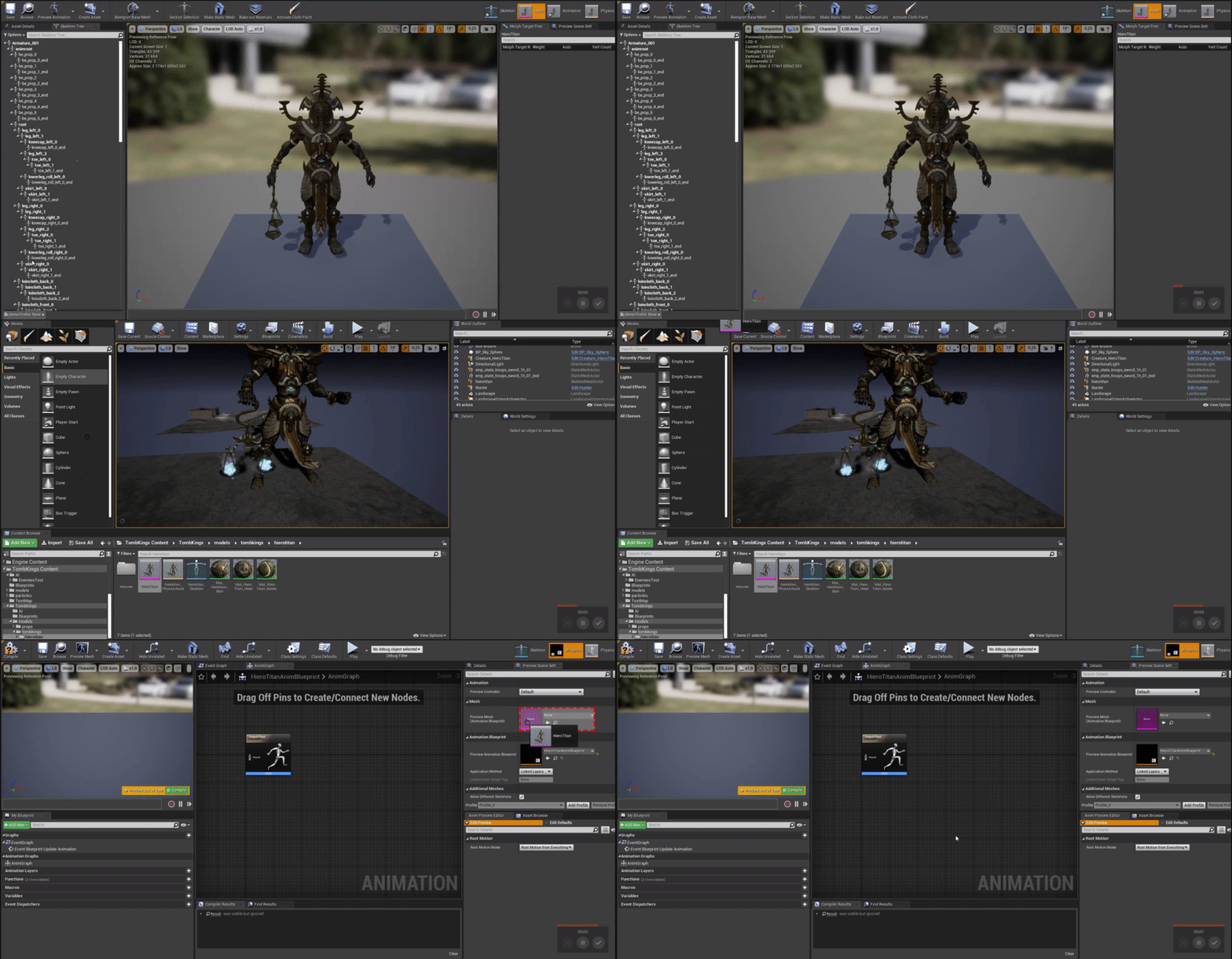
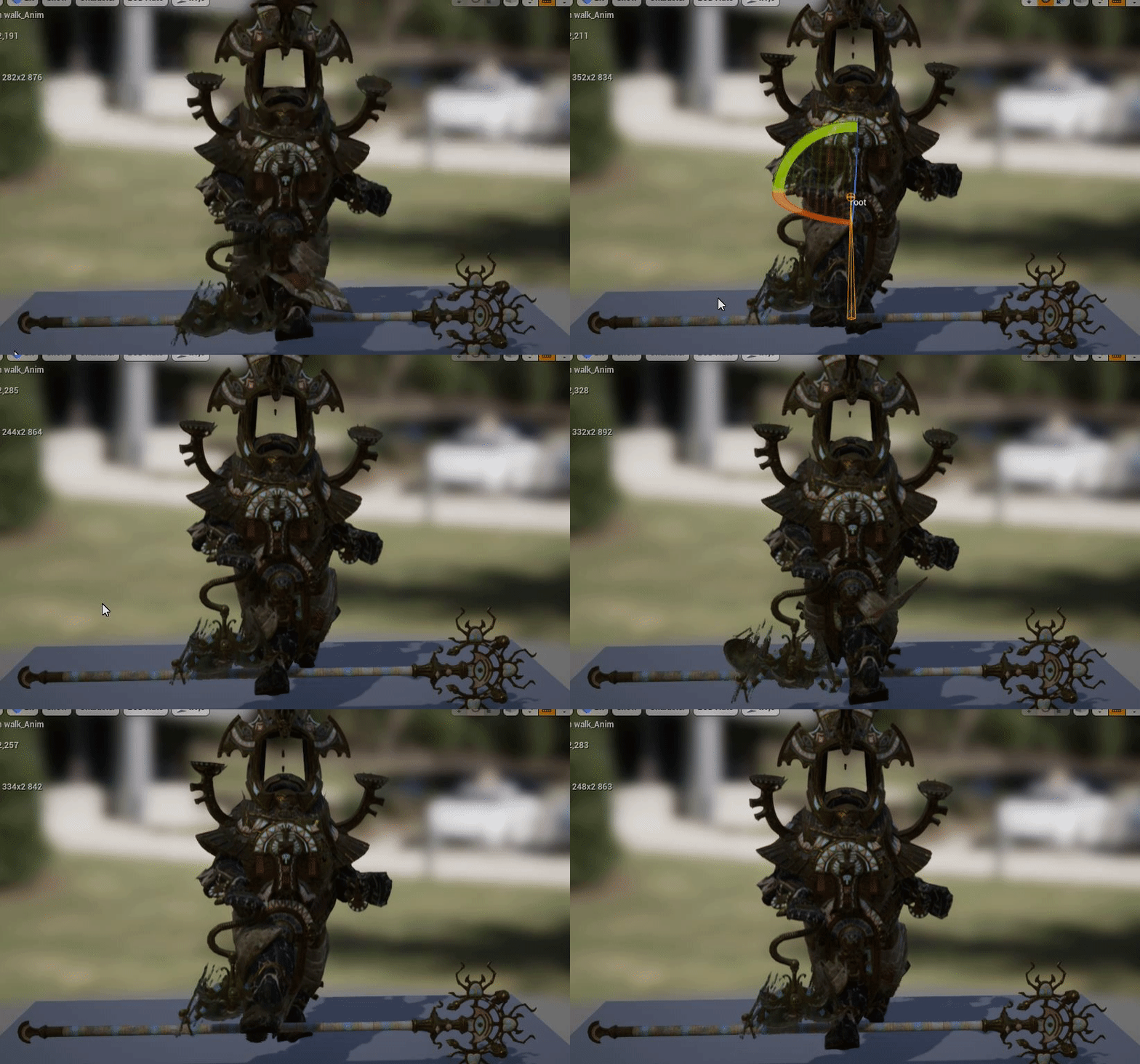
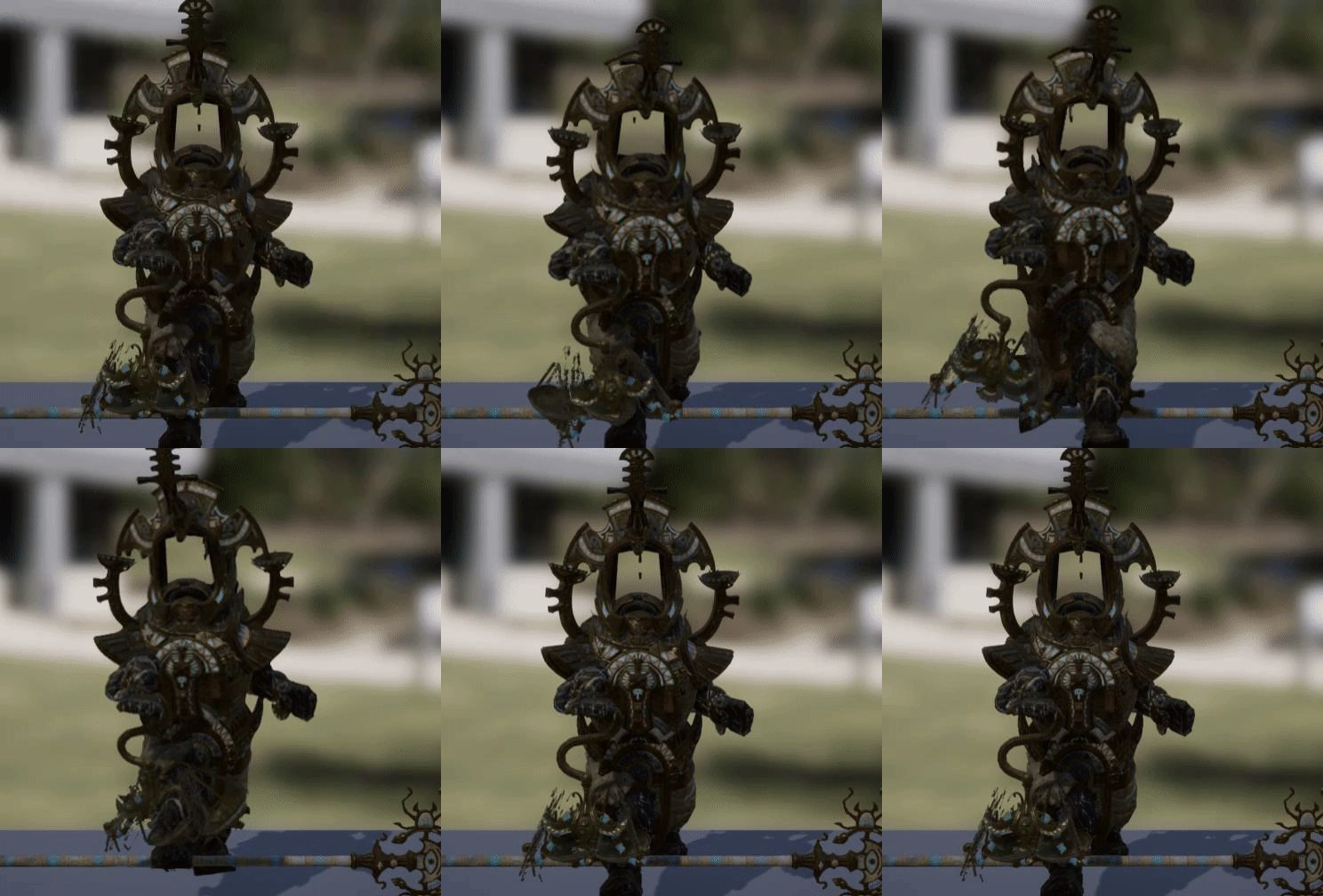
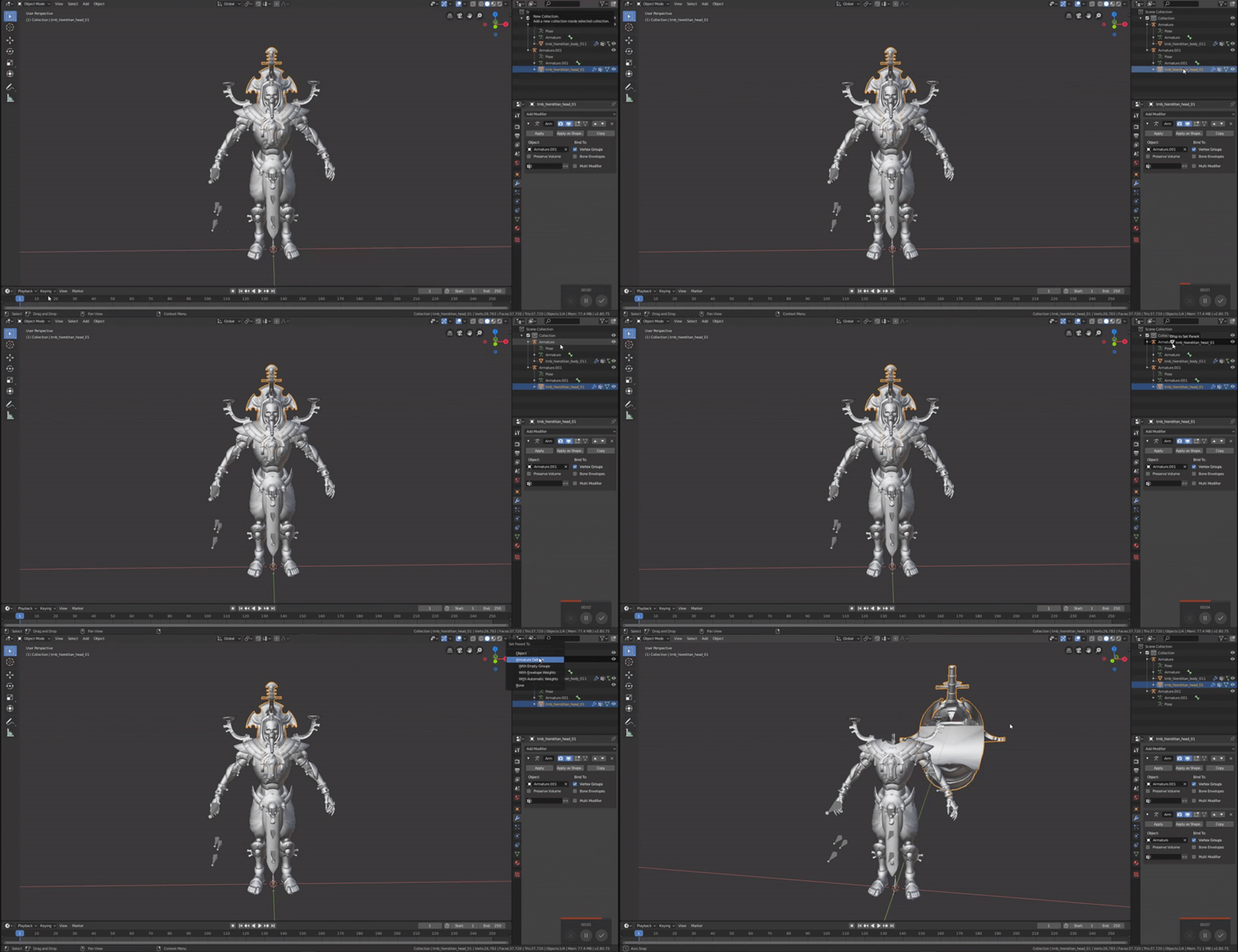
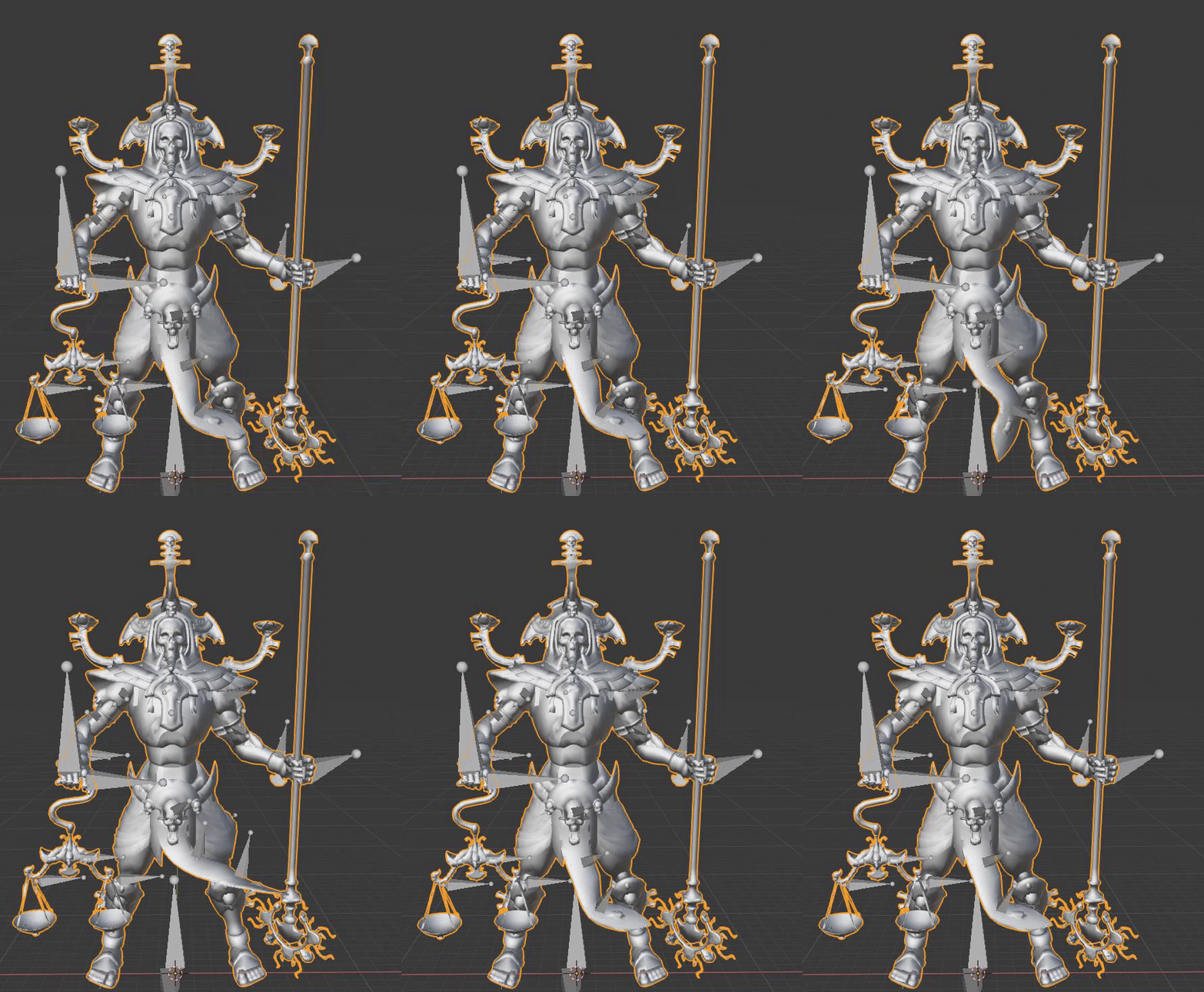
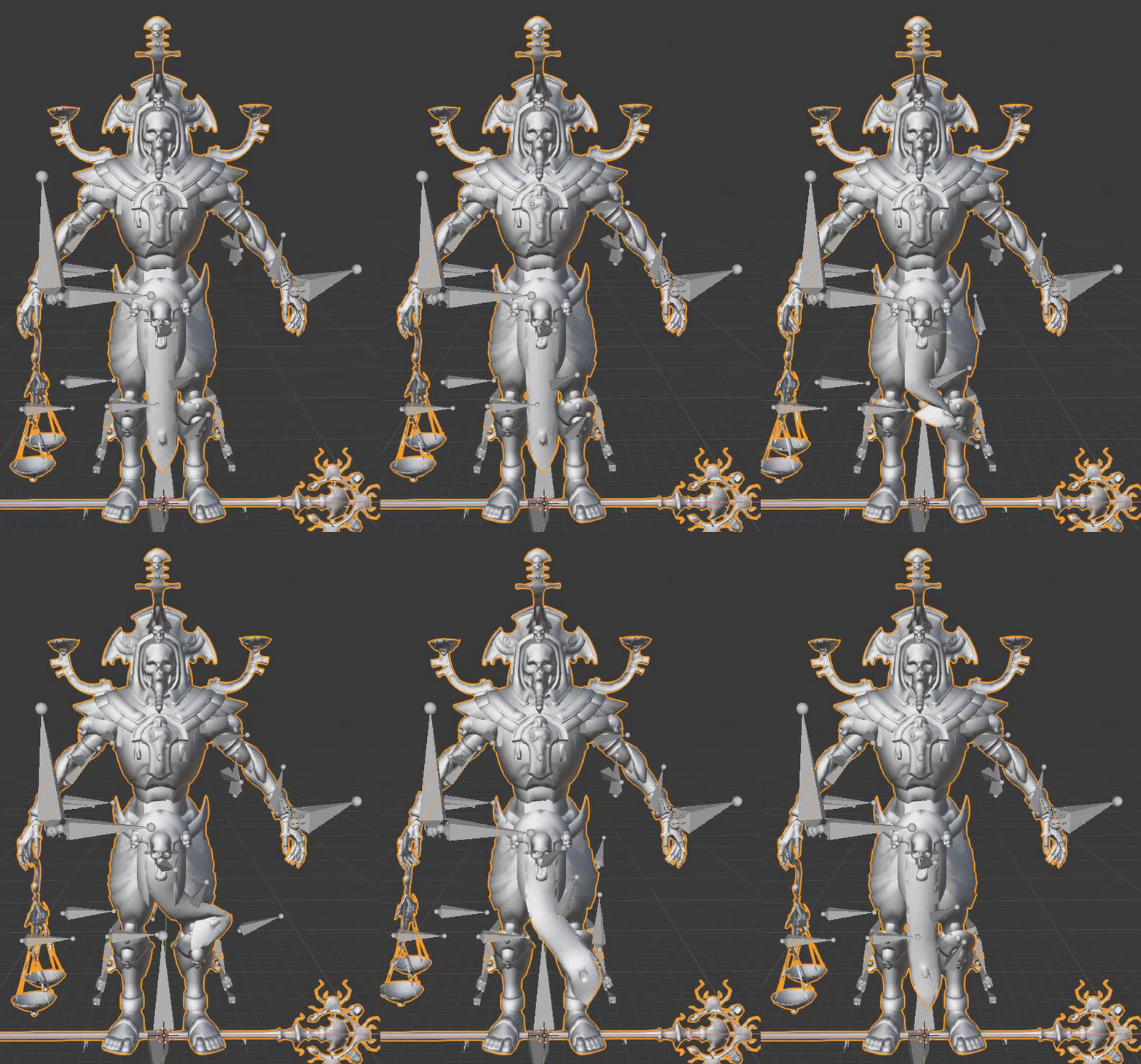
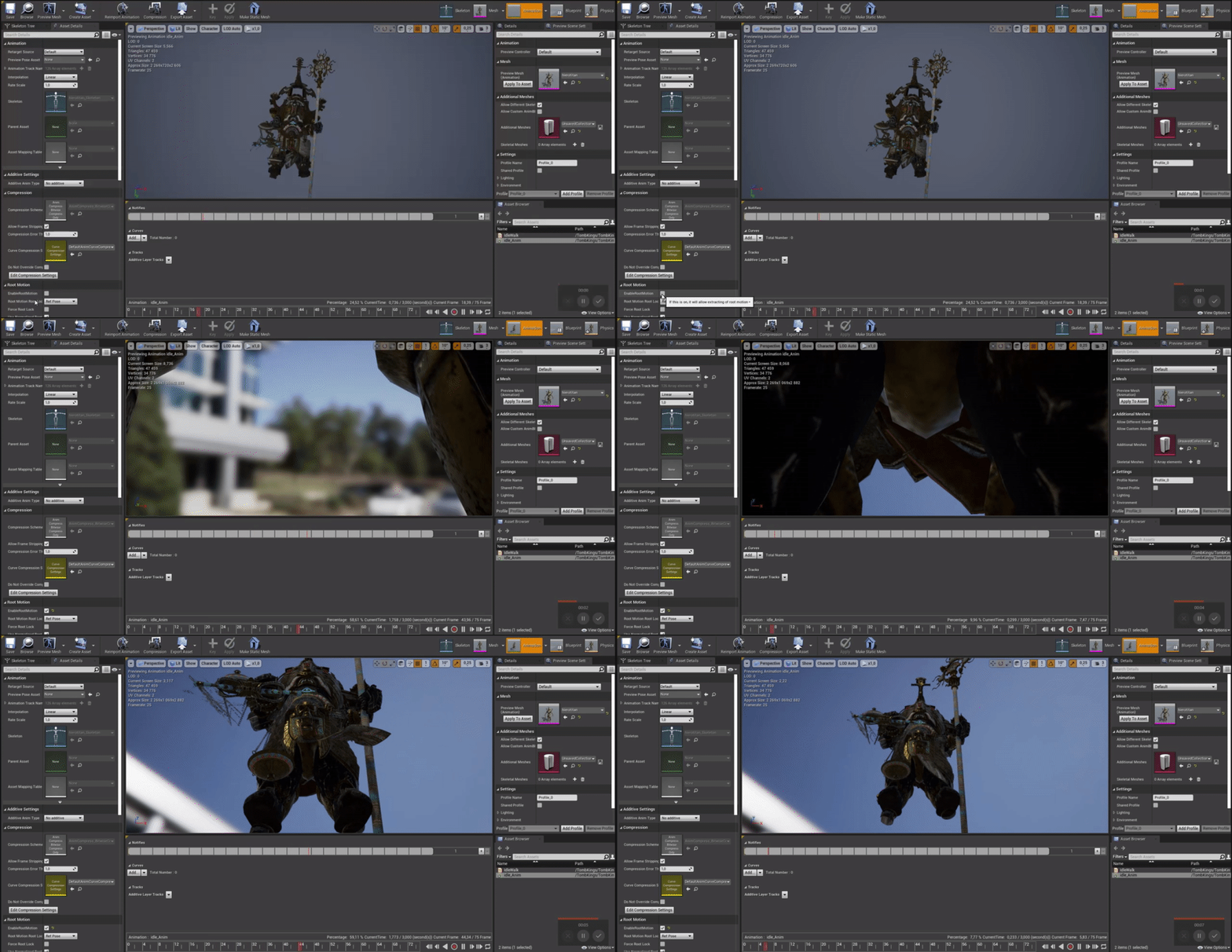

I am trying to make something like this
I cant figure out how to call a second animation into the graph for the life of me
even though i have several animations in the level
Ive seen in the errors that it was using a different skeleton..
I got that error when i tried to copy and paste from one BP to another
odd token
Just right click and start typing the name of your animation asset then you'll be able to find the nodes more easily.
I do believe your animations should be for the skeleton that your anim blueprint is using though
 faint forge
hi, im new using unreal engine, i has put the idle animation, but i want to change the animation on walk moviment, how can i do that?
 opaque stirrup
I need UE4 bone exprts 😉
In Ue4 is a bone rotation more or less expensive than translation?
I'm doing a facial rig and am trying to decide if I want to base the bone off rotation or translation?
indigo copper
@slim herald might try that out if i don't manage to solve the import, thanks
@indigo copper Are you Retargetting to an existing skeleton in UE or is this a custom one?
@floral horizon It's a normal Blender human armature, but i am importing it custom, not useing the UE skelleton
hi, im new using unreal engine, i has put the idle animation, but i want to change the animation on walk moviment, how can i do that?
@faint forge The best you can do is learn how to use an animation blueprint and animation state machine, there are various tutorials for both including UE documentation.
odd token
Is there a setting somewhere for making virtual bones show up in the retarget manager?
I could select them in 4.20.3 but retargeting crashed when using them. Upgraded my project to 4.24.3 and retargeting worked but if you want to change the retarget manager settings the virtual bones don't show up anymore.
remote needle
@dawn salmon Hi, you mentioned spawning characters on a plane earlier on (to play their animations on).
I have done some looking and most of the results talk about spawning characters (like player characters).
would it be the same thing i want to do even though nobody will be controlling this character ?
 dawn salmon
hi @remote needle, not sure why you're tagging me here. I'm not an animator, and tagging people randomly isn't the best thing in any case. I suggest you ask your question to people in the channel, and hopefully you can get an answer from someone with the knowledge.
remote needle
Thank you for the idea, I just couldnt figure out how to even phrase the question to ask.. ill give it a go nyway.
dawn salmon
I suggest you explain your case in full instead of worrying about spawning characters for now
remote needle
Anyone able to point me in the right direction ?
Ill give some context....
I have made some animations of various sporting skills.
The intention being that they will go into my level where somebody will be able to view them in VR.
For educational purposes, they will learn how the skills are supposed to look this way.. and can view them from all angles.
I want to be able to call these animations in from a menu, switching between animations and characters as they are selected from the menu.
They should be located in the centre of the map where the player will be.
I could do with some advice on how this could work..
thanks in advance!
junior geyser
That sounds like more of a programming question rather than an animation one
remote needle
thank you @junior geyser
 stuck scaffold
What issue are you having? That it is yellow?
upbeat comet
I've got a workflow question. I've got this character that moves this massive gun around. At certain stages of the upgrades the gun changes its look; it animates the same but shoots faster. I've got two rigs, one for the character and one for the gun. I'm casting to separate animation blueprints to run each of them but I feel like double casting is the wrong way to go. Should/Could I just make a combined rig with the character and gun and then switch out the meshes when I upgrade and just have them all point to the same Skeleton??
 meager dirge
Can anyone please tell me why my Arms wont play the Idle animation from the AnimBlueprint after playing the fire animation from the Weapon Blueprint?
It looks like it stops using the AnimBlueprint after playing. This is fixed if I Blend by Bool the fire animation with the Idle animation inside the AnimBlueprint, although it doesent look correct to me, as if the animation is slowed down
meager dirge
This is what Im getting with the WeaponBP driven animation, its the result Im after
This is what Im getting with a Blend by Bool in the AnimBP driven animation. Is there any way to fix this?
ripe coral
hey guys, i am looking for an animation for my character where my character expands into glowing particles and then it comes together to reform my character again. any good recommendations? or am i making it sound a bit confusing haha
meager dirge
Look into Niagara Mesh Particles, theres some great tutorials for what youre asking on youtube
junior geyser
@meager dirge maybe need to adjust blend time lower?
meager dirge
@junior geyser I fixed it by using a Montage
 nocturne moss
@ripe coral I'd look into anim_notifies, anim montages, and cascade/Niagara. I'm not someone who works with particle systems much, but I know people have ember it in UE4 pretty quickly
floral sky
Is there no easy way to lerp/smooth/blend bone transforms in an anim bp?
nocturne moss
@floral sky can't you lerp the alpha of the transform mode?
floral sky
Manually in blueprint update yes, but I have 18 or so bones I need to do this to. Was just hoping the transform node had a way of doing this.