#animation
1 messages · Page 134 of 1
 molten jewel
well
you know sin cos
they make an angle
w encodes cos(angle/2)
length of xyz encodes sin(angle/2) by the axis
so when you set x and y to zero
the w part to normalize all components to 1
it wont be the same amount of rotation if you were to clip out the x and y by converting to 3d rotation
 jolly osprey
hm
molten jewel
FMath::Acos(Quat.W)*2.f
that is the angle of the quaternion around its normalized xyz
jolly osprey
so how would I go about getting a look-at rotation w/ quats so it doesn't suffer from gimbal lock, only on the Z axis?
molten jewel
in range 0..360
well
FRotationMatrix::MakeFromXZ(x,z).ToQuat() is a way
but i mean if you just find the 2D angle over xy
you can do the math i had for your tatoo
jolly osprey
I wish they had a retarded Cartman face so I can sum up how I'm feeling
molten jewel
quats are fun really
jolly osprey
what do I pass in as the 2nd argument of makefromXZ?
jolly osprey
I've tried that though and it wasn't working like I'd imagined it would
molten jewel
you could also use MakeFromX
i think this does the same thing if you don't have a z
molten jewel
what are you expecting?
MakeFromX(TargetLocation-ViewerLocation)
should get you a rotation where x faces target from viewer
and i think it tries to stay z up
jolly osprey
let me try that again
ok so makefromx is not maintaining the Z
*the Z up
neither is makefromxz
AimQuat = FRotationMatrix::MakeFromXZ(AttackTarget->GetActorLocation() - AimTransform.GetLocation(), FVector::UpVector).ToQuat();```it should.. maybe you want y up or something?
may need to consider the bone your rotating?
jolly osprey
that's aim transform
AimTransform = GetSkelMeshComponent()->GetBoneTransform(2);
then I have a custom anim node that sets the quat on the bone
molten jewel
the bone is x forward z up?
jolly osprey
it's the hip bone so I guess it is
molten jewel
thats not expected?
jolly osprey
when did gyazo stop previewing
molten jewel
ok
then the vector you pass to MakeFromX has to have no z
must be flat
or limited
jolly osprey
let me try
you've just earned yourself fourteen gold pretzels my man
you haz math!
molten jewel
easier way to do it would be get the angle with
float Angle{FMath:Atan2(-LookVector.Y,LookVector.X)};
float ZComponent{ Angle < 0.f ? -1 : 1.f };
FQuat QOut;
QOut.X=0.f;
QOut.Y=0.f;
FMath::SinCos(&QOut.Z, &QOut.W, Angle/(2.f*ZComponent));
QOut.Z *= ZComponent;```but i'm not completely sound on that atan2 call
if i weren't tired i could think proper but i think negate y is the answer there
you skip a matrix conversion with that anyways and more
jolly osprey
I'm typing that in like there's no tomorrow
molten jewel
if its off by some degree or goes the wrong direction just try different combinations of swapping and negating y and x to that first call lol
it could be x y but yeah not many possibilities
jolly osprey
lookatvector is target-source right?
molten jewel
yea
Angle would be nan on normal atan2 if it were zero units away on those axes but i think fmath does something different when its an impossible answer
taking a look at MakeFromX should describe the behaviour they use for that, i think its just angle == 0
jolly osprey
+Y on the first line works!
molten jewel
sweet
molten jewel
fast maths
molten jewel
I got into the habbit by how broken parenthesis initers are on other things
and like the way it looks over equal signs
cause you can't call with curly parens
jolly osprey
hm c++20 might have a few things to say about that, eventually
jolly osprey
I remember some interesting upgrades I had to make to ue4 source to get it to compile on c++latest
molten jewel
decltype({}) is initializer list
jolly osprey
revolved around initializers iirc
molten jewel
auto v{}; is different than auto v={}; or something idk
it gets silly haha
auto is broken imo
jolly osprey
so um... this above magic, how would that change when I did not want to constrain it to Z only?
molten jewel
well
you could get the z only version, then unrotate the xy by it and use that by z
then multiply the quats
would be good to normalize at that point
but really
acos(Z) i think is all you need so long as Z is that of a normalized vector
where zup (1.f) == 0.fradians == cos(0)
basically the same thing but around y
to get a second quat
using acos(normal.z) for pitch detection (which is not reaaal stable but it should work)
then multiply them together
jolly osprey
my all-axes version w/ quats used to look like this:
const FQuat targetRot = (AttackTarget->GetActorLocation() - AimTransform.GetLocation()).ToOrientationQuat();
that works too
jolly osprey
is that the fastest way though?
molten jewel
you'd have to compare times
if you need to do anything beyond what that does, like limit stuff, you can benefit from calculating the angle though
which is likely calculated inside that function and just not returned to you
but yeah i mean, its probably fast as it can be
jolly osprey
I have 5000 spaceships ready & waiting to compare times in a tightly optimized core game loop
molten jewel
lol cool
jolly osprey
but tbh no chance I'm going to come up w/ the all-axis version on my own
molten jewel
much of the quat operators use the simd stuff anyways so its hard to beat that unless you know the compiler can understand the constants going on
jolly osprey
I've made some very minor optimizations to ToOrientationQuat()
I think it got like 2% faster :D
molten jewel
worthy
jolly osprey
anyways much appreciate the help, I'll leave you alone now and maybe come back to haunt in a couple of days
molten jewel
lol np
 simple star
Hello, I've just started using animation linking but my animations loaded in this way are playing at 2x speed? Is this normal ?
or is it a bug ?
 naive ferry
where would i find someone to make a skeleton for my monster? jobs area of forums ?
naive ferry
i cant read 😉
 misty dagger
Helloooo beaaautyfuuul peooople!! 😎
I came accross some weird warning on my ABP editor
anybody happend the same before? 🤔
thanks! 🙏
 glad hearth
anybody have an idea on fixing this issue. im trying to use a montage for this climb (im following this tutorial btw) https://www.youtube.com/watch?v=BKiSTM-G9pQ&list=PLgFYEI3rXtycgC3HtnTQEfvRuQ-HyjgMv
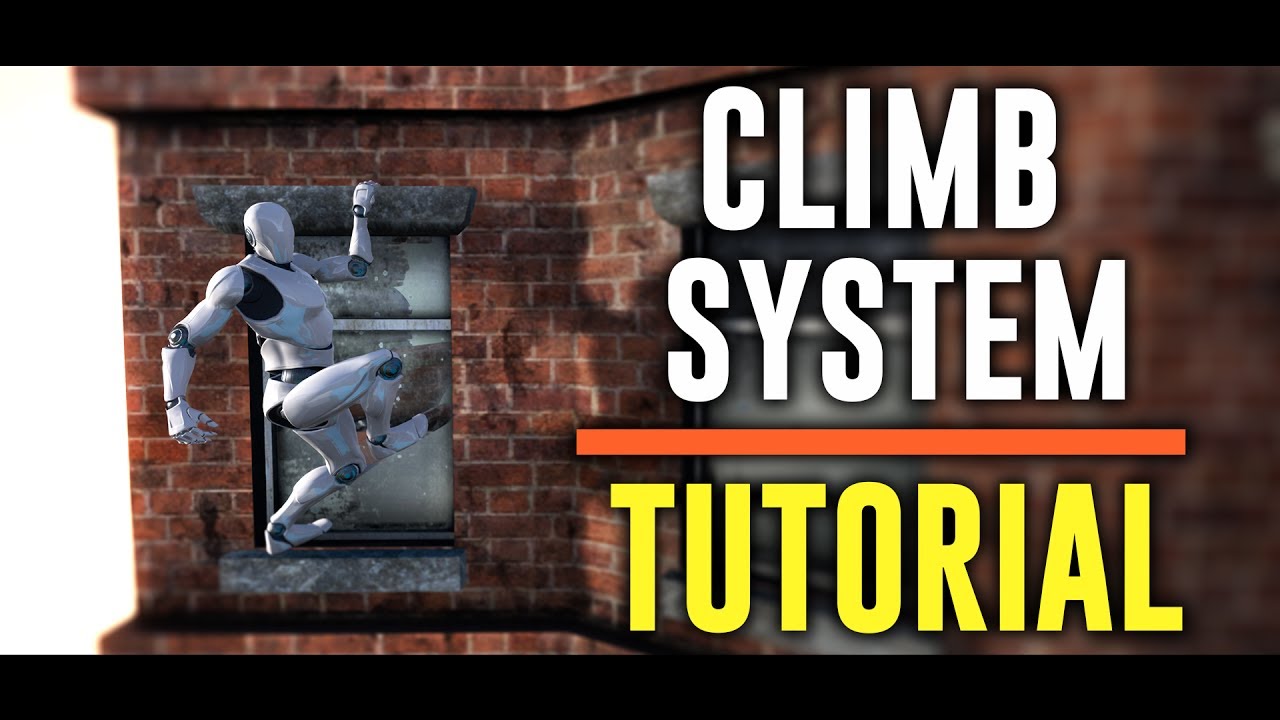
Hi guys!!!!! Can we hit 200 likes??????
Today is a special day!!
I've just finish the first part of the tutorial series of the climbing system. It will be a 4 video tutorial series.
Video 1: Grab & Climb Up
Video 2: Side movement
Video 3: Corner detection & Side Jump
Video 4: ...
 restive yew
Turn on root motion. Movement mode needs to be briefly set to flying for vertical root motion to work.
 woeful ivy
any idea whats going on here ?
the model isn't following the skeleton at all
https://i.gyazo.com/e6381631ddbc89d0d85a2510ef55d89c.gif The skeleton seems to be fine , it's just the model glitching out

the animation also isn't moving at all , when in blender and i'm guessing according to that red line it should be hovering
glad hearth
@restive yew I believe my root motion is checked for both animations as shown in the pictures
 hybrid lance
hey! working on an animated short. basically i have an alembic with a skeleton that i brought in from c4d. i’m trying to make two spheres follow the position and rotation of the alembic (they’re supposed to be eyes lol). is that possible? thanks for any leads 🙏!
woeful ivy
https://i.gyazo.com/562528830f6b26a383864939aae386e1.gif just adding in , the animation actually moves when i select anim first frame from root lock , but the model is still glitched , not sure if this helps

 vague hawk
How can I automatically share animations between two skeletons? I have a human and a centaur and they need to share upper body bow and arrow animations. I don't want to retarget because then I'll have to update multiple assets whenever I want to change something about the animations
 shut anchor
You could have your human skeleton as an invisible skeleton in your bp that drives the main motion and use the copy pose from mesh node to copy the anims from the humanoid to your centaur along with its own animation tree
molten jewel
@glad hearth you must also animate the root bone
your not
if root motion is enabled there anyways
glad hearth
how would I animate this root bone. would I have to move the mixamo animation to blender and adjust the bone location 🤔
glad hearth
I think I know what your talking about. ill give that a try, thanks for suggest that to me 🙂
molten jewel
yep
if your using blender, the root bone is the armature itself btw
unless its name is Armature
glad hearth
gotcha 👍
jolly osprey
can I copy an animation curve out into a curve asset?
 devout dagger
any idea if this https://docs.unrealengine.com/en-US/Engine/Animation/WorkingwithModularCharacters/index.html#meshmergeexample going to be official out of the box feature in 4.25 ?
Describes the different methods you can use to create modular characters comprised of multiple Skeletal Meshes.
 mild talon
anyone else have a problem with mixamo or am i just an idiot?
jolly osprey
@devout dagger I'm using that in 4.22 - wdym official out of the box?
it's just FSkeletalMeshMerge really
devout dagger
cuz I don't C++ :/
vague hawk
@shut anchor Genius. I love it
jolly osprey
keep in mind that copy pose is going to eat into performance
glad hearth
@mild talon I feel like mixamo animations aren't that great sometimes, like the reload animations for the fps aren't aligned at all
mild talon
i dont need anything super precise just good enough for prototype
restive yew
Gonna throw this in here as a wild guess
http://jollymonsterstudio.com/2018/11/10/animation-re-targeting-with-unreal-using-mixamo-assets/
mild talon
i think i figured it out
i had to manually retarget every bone on the mixamo character
like they showed in that video but i found it out before you sent that
all these other tutorials i was watching were not showing that they made it look as simple as drag n drop
for some reason my mixamo character looks way bigger
 mild talon
pretty cool
jolly osprey
I'm experimenting w/ variable-speed animation
and the problem is that sometimes the transition from the acceleration phase pops the bones into the walking phase
not always
yet it's always the same test run
very simple setup
in case discord is screwing w/ gyazo again: the first link is where the bones pop and the second is the good one
jolly osprey
nope
mild talon
hmm
jolly osprey
usually it's even more pronounced but I can't seem to catch it w/ my recorder
it actually seems to be popping back to rest pose for a brief amount of time
and then start the Walking state
mild talon
im going to bed, best of luck
restive yew
There’s something terrifying about how it walks forward as it turns to look behind
jolly osprey
cool
AH!
I think I have it
all you gotta do is complain and the world turns a brighter place
 grizzled basin
I'm watching the Epic video on runtime animation retargeting. And I get the basic concept, but I'm wondering how can I compensate for the mesh a little more? They have a slider of 0-1 that does the two bone IK for the hands from 0.95 to 1.25. I'm just trying to fix a mesh that I have, but... even at 1.0 the hand is still slightly off. So I increased that two bone ik to a max stretch of 1.50 (thinking it would stretch further) but it doesn't seem to allow the hands to move any closer together.
You can see the model there is a slight gap with the left hand. Reference epic mannequin has no gap, the hands are together well
devout dagger
@tribal zenith do you happen to know if this https://docs.unrealengine.com/en-US/Engine/Animation/WorkingwithModularCharacters/index.html#meshmergeexample is going to be a standard Blueprint node/system in 4.25/4.26 ?
Describes the different methods you can use to create modular characters comprised of multiple Skeletal Meshes.
 tribal zenith
I wouldn't think so since it's very case specific and would bloat the base class for everyone else, but I'll see if I can verify
devout dagger
or at least if the code is still up to date 😊
tribal zenith
There's an easy way to find out!
devout dagger
if I wasn't occupied with UE4 crashing on FBX file and ES3.1 not working in VR as it suppose to, I'd probably tested that code
devout dagger
sup
molten jewel
and or, diagnosed
the crash is when no materials exist on the fbx
its fixed in 4.24.2
devout dagger
well, since it's a skeletal mesh, I guess this chat is quite appropriate
basically, if I create a blank project, my FBX imports fine. But if I try importing said FXB into any existing project, UE4 crashes
Editor crashes rather
molten jewel
yes, and also never attach an fbx to a bug report because it'll silently not send
hm
are your other projects on 4.24.0 or 4.24.1 ?
if you want to try and address the issue so it'll import in those two versions, add a material to the things in the fbx
4.24.0/1 for some reason thinks it doesn't need to make a material for the surfaces that don't have one. replaces null with none
 short plover
I get this when I edit CameraAnim asset. Is it part of matinee, or not?
devout dagger
@molten jewel I am using 4.24.2 and FBX is FBX, it's not from any previous version of UE4 (I am not migrating assets from older project to newer project)
devout dagger
something something "material" and something something "velocity".. I'll probably submit bug report to Epic, after I get off work and get exact crash log.
molten jewel
good idea, make sure to zip the fbx when you do submit
devout dagger
does anyone know if glTF import in UE4 supports skeletal meshes and animation?
in 4.24.2 specifically
devout dagger
@tribal zenith do you happen to know anything about it ^^ ?
tribal zenith
Nope, but it should be easy to test
devout dagger
🤷
jolly osprey
I have this problem w/ the mech's feet sliding
I'm using variable speed so not really seeing it in motion when still in Maya
what's a good technique to avoid it?
w/ fixed speed animations I just tweak the speed in UE4 until it looks okay
my only idea atm is to take the speed curve from UE4 back to Maya and apply it as an offset to the root bone there
jolly osprey
okay I've managed to get my speed curve set up in Maya, now the question is how do I import it into UE4?
nvm got it
 shy scarab
anyone got any good sources to learn more about setting up your own motion matching system?
jolly osprey
does the flag Force Root Lock result in single-threaded execution like true root motion would?
jolly osprey
I might be wrong
iirc I read that somewhere
either in source (which means it's true) or on the internet (we know what that means)
I must've read it on the internet b/c I can't find anything in source
it only seems to be control rig that forces single-threaded execution
yay
okay so I assume there's no downsides to using that flag
 hybrid topaz
anyone know how to get a reference to an animnotify outside of an animation blueprint? I have an actor blueprint that only needs to play a simple animation so i'd prefer to use an animation asset rather than an animbp but I don't know how to get to my animnotify
 reef agate
does anyone have any livelink experience? I'm desperate to convert the coordinate space of some transforms coming into ue4 through livelink
is that even possible? I am using evaluate live link frame and i believe i can grab all the transforms i need to create, but how would i set them without storing them all as new variables?
jolly osprey
I have zero experience w/ livelink but what do you want to set them on?
reef agate
So i am streaming in a ton of transforms which apply to a skeletal mesh in realtime
long story short, the coordinate system of that streamed data is wrong
jolly osprey
if you want to change bone transforms on the fly there's an animnode for that
reef agate
ya that's the only one i know
but how would i use that to multiply against the incoming data?
the only option is Add or Blend
jolly osprey
zimpel!
you just make an anim instance w/ anim proxy in c++ and do your stuff there
what
molten jewel
wouldn't call that real simple, you have to have an editor module too. for the node at least
reef agate
i'm so confused lol? like let's say i need to change the rotation order
so the transform rotation is x y z, but i need z y x
or i need -x, -y, z
whatever the case. i don't see how that Transform Bone node could do it?
jolly osprey
it can't, but you can copy the class and make your own that could
and transform modify bone is good reference
reef agate
i'm tots happy to use c++, but 1) i have never made a custom anim graph node and 2) i haven't used anim proxy yet
but i'd LOVE to give this a shot
jolly osprey
doo eet
reef agate
i'd need some tips though : /
is there an up to date guide or?
why would i need a proxy at all as opposed to just a custom node?
reef agate
welp, i dunno where to start lol. hrmm. i could just switch this whole project from LiveLink to OSC and i wouldn't have to deal with this locked up LiveLink data
the developer of the message source hid it all in a.dll so i can't just change the coordinate system there
jolly osprey
not sure how you'd change rotation orders
I hate rotations
quats eulers and math and stuff
reef agate
i'm elementary school math but it's not hard at all i think
you just change the order by making a new FRotator etc etc and negate what you need to
jolly osprey
anyway, have a look at LiveLinkInstance.cpp
reef agate
LiveLinkRotatorData = FRotator(-z, x, -y) (FRotator being a new variable)
jolly osprey
and probably LiveLinkRemapAsset.cpp too
reef agate
remap asset is just for getting an index i believe
index of a transform or a float etc etc
misty dagger
@hybrid topaz For only one animation, you don't need anything fancy such as an animation blueprint or an animation Notification. You could instead simply play an animation montage. Or you could simply and statically assign an animation in your character blueprint to your mesh. Basically replace the animation blueprint with just one animation asset
jolly osprey
@misty dagger he wants access to the anim notifies in the animation
like how in an anim blueprint you can declare an event that gets called automatically when the notify hits
misty dagger
Of course I understand, I was just wondering if Occam's razor would points toward a simpler solution...
grizzled basin
I decided to try to use some ccdik solving for this animation. Despite using runtime retargeting, the meshes hand when holding a rifle will not sit under the gun barrel during this idle relaxed animation. The hand is still slightly off when holding a pistol as well. So I stuck a socket on the rifle where the hand should be and on tick the BP gets that value. the anim BP records that value and feeds it into the ccdik. During one idle animation, the hand is under the barrel, but during this one the hand is always off the side. Shouldn't the CCDIK be forcing the hand to that socket?
misty dagger
@hybrid topaz If you really want access to animation notification, in C++ you could look into NotifyQueue.AnimNotifies.Num() on your animation instance, and take it from there
reef agate
@jolly osprey something like this might work
in between break transform and transform bone anim graph node i do math
jolly osprey
there you go
jolly osprey
it'll be slow unless it's c++
single threaded
w/ c++ anim proxies / nodes you get automatic multi-threaded execution
no lightning bolt = no bueno
woeful ivy
Hi , was having an issue with animations i imported from blender , finally had the bright idea to show the output log , whats going wrong here ?
also noticed this , could this be the cause ?
grizzled basin
I got CCDIK to snap the left hand to the gun barrel..but doing that for some reason makes the right arm weird, and the right arm isn't even covered under CCDIK. the gun is attached to the right hand and I'm attempting to attach to the left hand to a socket on the gun barrel. Why would having CCDIK solve for the left arm make the right arm weird?
Actually no, that's not it.
devout dagger
@tribal zenith tested glTF import - UE4 imports skeletal mesh as static mesh :/
devout dagger
haha, I figured out that nasty f#cking FBX crash in 4.24.2 (but only after I submitted bug report) !!
I guess I'll wait for Epic to get back with me to report what exactly crashes Editor
hybrid topaz
@misty dagger thanks for answering. Yes, I really just wanted a way to know when exactly the animation asset inside my regular blueprint was done playing, knowing the duration of the animation itself I'll likely just use a delay to fire my subsequent event. Don't know c++ too well =p
misty dagger
@hybrid topaz You can get the animation duration without any problems, you don't need to custom animation notification for this
In C++ would be something like float fDuration = AnimSequence->GetPlayLength();
The animation sequences is the actual animation asset
there should be a blueprint equivalent for all this 🙂 I apologize, I just suck at blueprints 😄
hybrid topaz
well technically im looking for a point ~60% through my animation, but I think i can just eyeball the amount of time I need before my next event triggers, thanks!
grizzled basin
For some reason my animations are playing more than once..And no they're not looping. They play through once, and then continue to play through about 25% of the way again before transitioning (doing split jumps)
My rule for the transition is if the ratio is < 0.1
 balmy quest
ugh, ive been trying to get root motion into mixamo animations with the blender/mixamo plugin.
however i cant get it to properly work inside unreal
there is always something off with rotation/scale
been googling for a long time now and i cant get a proper solution
is there anybody out there that has a proper workflow or maybe settings i gotta use?
balmy quest
ok, found a proper tutorial
for the people that have the same issues or want to do the same thing
GitHub
Blender addon for converting mixamo animations to Unreal 4 rootmotion - enziop/mixamo_converter
follow rlly close and will get u there
seems i was following wrong tutorial for 2 days
great ^^
 sinful patio
Hey, anyone know why I cant set morph targets in the construction script anymore?
 fresh tangle
Morning(?) all, quick question:
If I were to add a tongue joint to my character that already exists and has animation in UE, will that new rig (again, just a tongue joint added) need a full retargeting process to work?
molten jewel
Idk what a tongue joint is
But humanoid bones, you’d need to use one of the custom slots and pray
Keeping the tongue in mouth will be difficult with retargeting
fresh tangle
Custom slots.. in the anim montage?
@molten jewel Or do you recommend actually going through the retargeting instead?
molten jewel
i'm saying if you want it to work with retargeting it could be in range of difficult to impossible
depending on how much tongue movement you have
on the human biped bone selection for retargeting
there are some custom bone slots
you'd have to occupy those with your tongue bone(s)
fresh tangle
The tongue doesn't need to move at all, I can just add those animations back in manually
I just don't want to redo everything
molten jewel
if question is if you need to do anything with the tongue then, no you don't
fresh tangle
it's really more of a question how to import a new skeleton that has very minor additions without going through the whole retargeting process
molten jewel
ah okay
if you have a version of the same skeleton without the tongue bone
it should be the same skeleton
the way bones work
they can have more bones than the mesh fits
fresh tangle
Yes, that's right. But my new skeleton doesn't point to any animations from the previous version
molten jewel
if you have one mesh with tongue bones and one mesh without, they are fully compatible to be aon the same skeleton
that might be because they aren't the same skeleton
you have to right click on the new mesh and assign skeleton
fresh tangle
Ah
molten jewel
it'll merge the new bones to the old skeleton file, but will not break the mesh that does not have them so long as the hierarchy is the same
as in same number of spine bones
fresh tangle
So you mean I take the new mesh and assign the skeleton without the tongue?
molten jewel
yes
then the bones get added to your old skeleton, your mesh that does not have a tongue will still function proper, it just wont have the bone for tongue and this is okay
fresh tangle
So any new joint (the tongue) will not be part of it, so no new anim I add will be compatible?
molten jewel
what happens is the ref pose for the tongue will be used when its not specified in the animation file
fresh tangle
I think I'll need to try this out.. 🙂
fresh tangle
@molten jewel Thanks again btw!
Oh, is there a way to copy the retarget base pose from one skeleton to another?
 stoic rain
hey guys, does someone knows how i can stop the loop in my 2d animation ?
molten jewel
@fresh tangle no
ref pose is per mesh
as the bones are too, so even though they exist in the skeleton file. they wont exist on the mesh that doesn't have them
jolly osprey
finally nailed some code that deduces the correct speed of a walk cycle
does such a thing exist? have I been reinventing the wheel here?
it's nothing complex but all I could find on determining the correct speed of walk cycle anims was to eyeball it
 spiral cloak
Is it possible to blend between animation montage sections, or is the only way to achieve a blend via playing 2 different montages?
misty dagger
@jolly osprey what do u mean btw
jolly osprey
what I mean is you've animated a walk cycle, great
but now you gotta figure out a speed that goes along w/ it
so there's no foot sliding and in general it looks like a nice speed for a given walk cycle
also what if you want variable speed
I don't think there's a way to do that in stock engine
say you have a limping zombie...
it won't be heading at a constant speed, since it's limping
so how do you do that in stock ue4
or in my case, a mech: I wanted it to have a staggered walk cycle since it's heavy so its feet's impact stage is much more pronounced than a human's
it kinda smashes into the ground when it's planting its feet
misty dagger
how do u determine when it limps
jolly osprey
well. I animate the walk cycle in maya with root motion, meaning I get to see exactly how fast it moves
and I can also control the speed / distance travelled in a way that makes sense i.e. by moving the char's root controller bkwd or fwd
so this in essence is plain old root motion, nothing fancy
but then I take the animation into ue4 w/ root motion and all and calculate per-frame speed
save it out to a curve
then when I need the thing to walk (limp) in-game, I just add a location offset derived from the speed curve
the point of all this is that I don't need to know when it limps per se - it's already baked into the root motion
but I don't use it as root motion, I just extract the speed out of it and enable "force root lock" on the animation
a big benefit of this approach is that I can take the speed curve and feed it into my char movement system and since it's not relying on data from the animation (notifies, etc.) it should be good to go w/ lockstep multiplayer
fresh tangle
@molten jewel Thanks, I was hoping there was a way to save and load the retargeting joint assignments between skeletons, but for the retarget pose instead. Guess not then.. cheers!
jolly osprey
@misty dagger I'm no animator as you can tell but notice how the feet remain perfectly planted w/ a minor variation in speed (top left for the speed indicator)
and this is the curve that's driving it
w/ traditional root motion you don't have access to this data outside of the animation system so you can't really integrate variable speed into your gameplay logic, since depending on the anim system for anything is undeterministic - it also makes more sense from a logical standpoint that gameplay code is driving the anim system and not vice versa
fresh tangle
That's pretty awesome @jolly osprey
I thought root motion in UE allowed for this somehow? I've never used it though so don't know what I'm talking about.
jolly osprey
yes it does - this is practically root motion w/o root motion if that makes sense :)
but you don't have access to root motion data from anywhere outside your anim instance (anim bp, anim nodes, anim xxx)
so you can't really use it for driving gameplay
root motion also slows networking down some as you now have to sync anim keyframes w/ your netcode - w/o root motion you just had to sync capsule state if I understand ue4's stock networking correctly
that's why there's an option to enabling root motion on montages only
so that the engine doesn't waste time syncing every single animation up w/ the server
 queen sail
Hey, I know this is pretty simple, but how do you set an input to an animation, where you press something and the animation happens? I don't know if it's in blueprint or something else,
misty dagger
@queen sail It depends, you can play an animation Montage, or an animation sequence, or trigger a transition in the animation blueprint
What is you are trying to achieve?
molten jewel
munchy gear grinding when @jolly osprey ?
misty dagger
@queen sail Google can take you to wonderful places such as
https://docs.unrealengine.com/en-US/Engine/Animation/AnimMontage/index.html
https://docs.unrealengine.com/en-US/Engine/Animation/Sequences/index.html
https://docs.unrealengine.com/en-US/Engine/Animation/StateMachines/TransitionRules/index.html
https://docs.unrealengine.com/en-US/SiteIndex/index.html?tags=animation 🙂
Animation Montages are a flexible tool that enables you to combine and selectively play animations that are contained in a single asset.
individual assets containing all of the transform data making up a single animation.
Guide to rules that govern State Machine Transitions
Index of all pages in the Unreal Engine documentation
queen sail
Thanks
jolly osprey
@molten jewel just 2 more lines of MEL and... just 200 more lines of MEL...
blender has python doesn't it
molten jewel
Yep and it isn’t nuts like maya’s pymel melpy
jolly osprey
I've used python in my youngen days for websites
no thank you
(mel is obviously worse)
actually, here's a question
actually no, I've figured it out
marvel at my speed.
molten jewel
Zooom
jolly osprey
alright here's a real one watch out
how can I make sure that a specific animation never stops playing? i.e. it plays when it's in view, out of view, unrendered, etc.
might it be one of these
but this is per skeletal mesh
I just want one particular animation to always tick/refresh bones etc.
the rest of the animations shouldn't be doing that
jolly osprey
basically I need "Always Tick Pose" but only for one animation (I don't need bones refreshed as it turns out)
if there's no such thing, can I advance animations manually?
maybe via subclassing uaniminstance?
 neon zenith
hey everyone, got my lovely ship here I'm trying to get from blender to ue4
bunch o parts are parented to the rig (i.e. animated landing gear etc)
some parts not though, they just parented to the main hull mesh
they don't come through to ue4
is it the rule that every mesh has to be parented directly to the rig?
 scenic dagger
Hi, anyone have any idea how animation curves are calculated?
fresh tangle
@neon zenith That is indeed a lovely ship! Take any of my advice with a hefty pinch of salt as I'm not the best with animation import/export/ue4 best approaches etc, but I think your best bet is to create your ship as a skeletal mesh, and have each gear animated with joints. If you import it as such I think you'd be best off having all meshes as one. I'm not sure how it'd work otherwise, maybe there's an easy fix but I have only used single meshes.
Also depends on what you want to do. You can 'import into level' which imports a lot of things at once, maybe that's something. If you don't need fancy stuff import each mesh as a static mesh and put them together in a blueprint.
Again, pinch of salt here
misty dagger
Am trying to do a combo attack using play montage
any1 tried it b4 ? if you can share your knowledge
misty dagger
yeah
@misty dagger
@misty dagger mate look

Am doing Combo attack

They are 3 attacks
They are working fine atm
but when the last attack comes it kinda lags
and not playing it fully from the start
Am confused 😄
Oh
Its play rate 😄
i missed up
@misty dagger so this triggers 3 animations on 1 button press?
Mystic am trigger to do if it reaches the notify and i press left mouse button again
the next attack happens
well concerning the "not playing fully from the start" might be related to the blend in of the animmontage (and/or the blend out)
am trying to think how i can manage to do that
aah
yeah
got any idea?
yeah it's not few stuff but basically have the current attack as integer, on mouse press play the section associated with it, then what i did is, I have an anim notify where it says "hey now the input is active again" and from there I have a timer on an event or something and when that event triggers I reset the attack index
so when you do an attack also it should increment the attack index
and reset it at max
also might need an "isattacking" boolean
to stop inputs
so attack -> is attacking true -> increment attack index -> anim notify attack done -> is attack false -> timer on event to reset attack index
and also when you do another attack in that time frame you have to reset the timer
i do this by using settimerbyevent with a value of -1, though it throws a warning in the log
 cedar sedge
Can also do a queue system. If your combo timing is the length of your animation sequences.
input -> add to queue; get from queue -> play sequence -> if more in queue -> play next sequence -> ... with a little bit of rate limiting and queue clearing at end of sequence
Easier to do in code than BP I'm sure
misty dagger
Humm
Is there a way i can check if i pressed left mouse button?
i think i have an idea after reading this
both of you are doing it in a great way tbh
cedar sedge
https://docs.unrealengine.com/en-US/BlueprintAPI/Game/Player/WasInputKeyJustPressed/index.html exists
Was Input Key Just Pressed
Might be a mouse version or similar
misty dagger
what apsu described is probably having a better feeling
but I mean it would need a time window where you can queue a next move up

 cedar sedge
The reason I'm thinking queueing is just because the "expected feel" of combo systems is usually that spamming inputs results in the combo. Some games want you to have to be more precise in timing, and it gets complicated with counting frames and such
misty dagger
@misty dagger Input event left mouse?
if i can check in brach
branch if i press mouse button then go to the next one
i think that ganna solve alot
mystic yup
cedar sedge
But most of the time you basically want a wide window of input timing during an attack that queues up the next one
misty dagger
so you can keep the mouse pressed?
no its only 1 press
i want to press it again to go to the next
that wouldnt work
@cedar sedge you are right mate
like having a bool there for the exactly timed event
you ganna spamm that input i nthe game
it's more like
well
you could always have a boolean on pressed and released
Yea a boolean humm
but i mean to time it like this would probably be not so nice
i think that just be the case
hummm
lemme do a few events
cedar sedge
https://youtu.be/9SMQ1hRQGjM?t=134 this might be a better way.

Project Files : https://www.patreon.com/CodeLikeMe/posts?tag=source code
Support my work on Patreon : https://www.patreon.com/CodeLikeMe
In this episode, we will explore how to add combo attacks to our melee combat system. I'll use 3 different attack animations for this. The...
Tl;dw, increment attack counter on montage finish, then use counter as input (modulo max combo length) as an index into the montage
The timestamp I linked shows the DoOnce logic being added
Which is kind of the other way I was thinking of approaching it
And adding a delay system to provide the input window for comboing
misty dagger
just one question apsu
the do once
how do you restart it?
i just tried it as you told me about it
it will only happen once
is there a way i can restart it?
cedar sedge
Yes, there's a reset input
In the video I linked, they're triggering a reset after the combo window has expired, basically
cedar sedge
The DoOnce is basically a way to constrain your inputs so you can control the attack counter values, so that spamming click doesn't result in counter > montage sequences
misty dagger
Apsu you are a legend mate heh
cedar sedge
That way your counter reflects the desired inputs, by staging them through the delay
haha, glad I could help
misty dagger
But when you keep spamming the mouse button your click couter is ganna reach like 10
by the time you want 2 for the second attack
right?>
cedar sedge
That's why the DoOnce is there, that's what I was just saying. It will only trigger once until reset. The reset logic happens after the sequence and delays
So you can control the counter increments along the way.
Now, if you want to have a variety of attacks/actions and stage them all appropriately and reset their inputs when a different action is taken without waiting on the delays in each, it gets a lot trickier :P
Basically have to wire up each input to reset all the other inputs.
Otherwise you can end up with Attack Combo 1, 2, Drink Potion, 3, if the potion ability doesn't take longer than the combo window
And other wonky stuff
misty dagger
Am test it now and let you know how it gose with me
am ganna*
that was really helpful thanks mate
cedar sedge
np
misty dagger
@misty dagger sorry bad to read maybe but something like this:
@misty dagger this a combo for how many attacks :D?
as many as you like
i just threw that together
You just did that????
yeah
Wow
problem is i didnt test it yet, I tried to make it safe against loopholes, didnt really do it extensively though
Event QueueTriggerAttack should probably rather be called QueueAttack
a bit misleading
Am reading the whole bp atm
oh yeah and the anim mont sections should be called like: 0, 1, 2, 3, ...
so you can simply use an integer there
you can also do 0_L, 0_R,... and append a side suffix to the integer
like randomly or whatever
and also if you wanna have something like different possible combos based on input type, like X and Y, you probably need another system to choose animmont and section
cedar sedge
I think at this point it makes sense to start looking at GAS or similar, since it can handle combos as well as cancelling queues if another action is taken inbetween, etc
Like CancelAbilityWithTags, to cancel other attacks or combo sequences when a different one is started, without having to wire up a bunch of resets or zeroing counters or clearing queues, etc
misty dagger

@cedar sedge
I have come up to something like this
What left to do is if i did the first one and stopped i need to reset Attack Counter
Some how i think i need to add delay
like 1 sec if nothing happens Attack counter = 0
Any thoughts?
cedar sedge
First I'd swap out the Switch on Int for just Select, putting the starting section values into the select, using the counter as the index input
Then you only need a single play montage node
misty dagger
Switch for just select?
can you explain that one more?
wait let me check the node

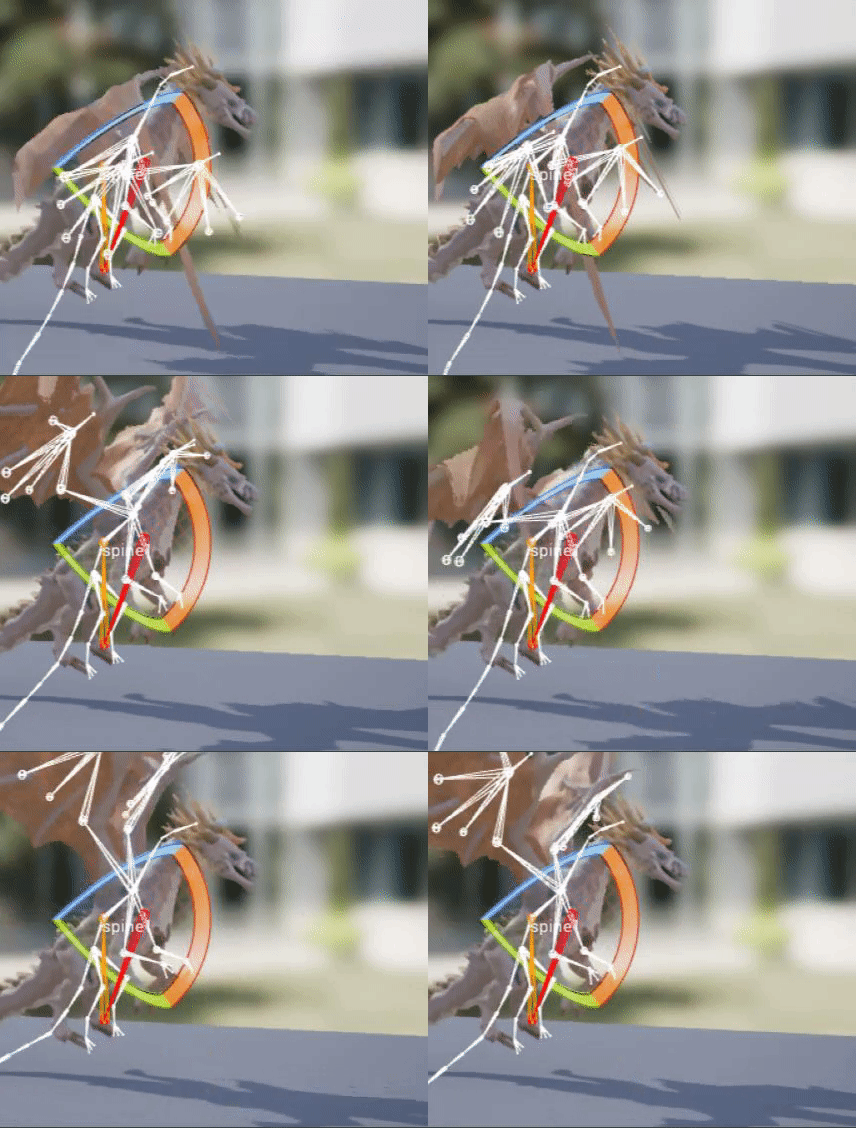
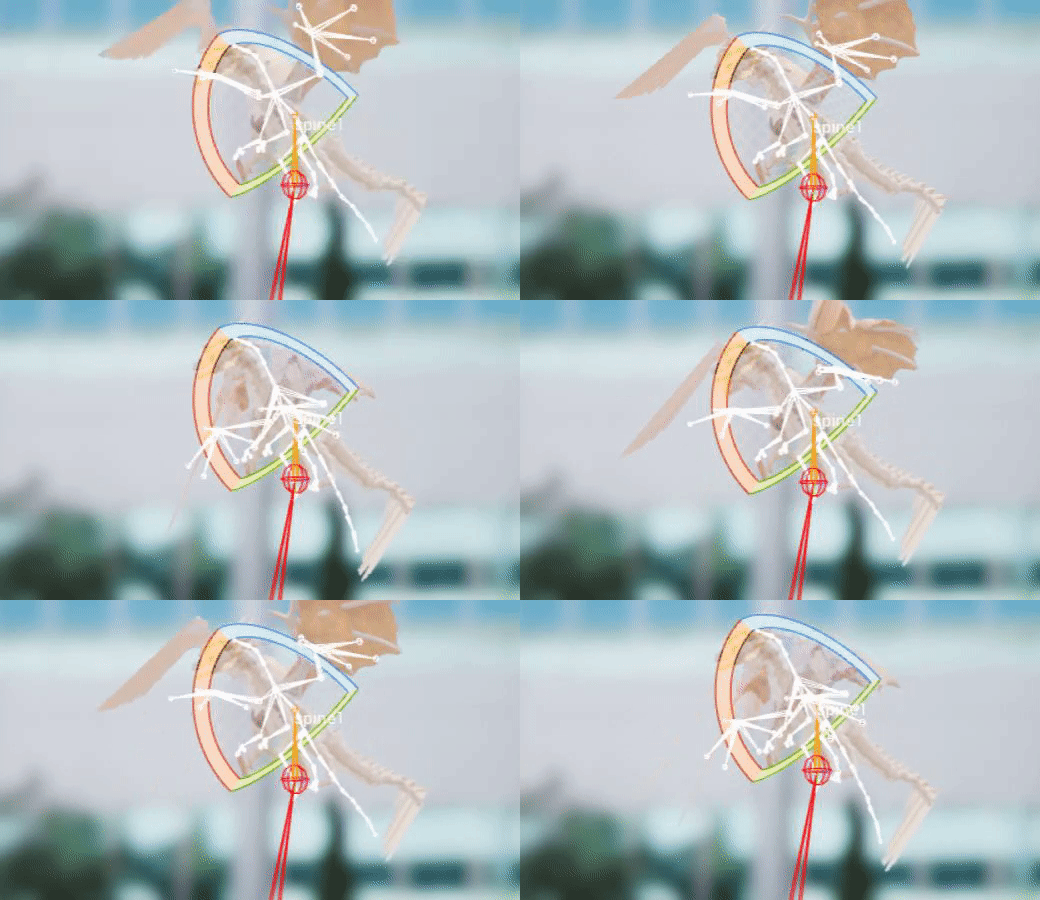
talking about this apsu?
Sorry i might be killing your brain atm hehe
cedar sedge
This node. I changed option type to Name, added some name values
Change index to integer, hook up to your attack counter
Pipe the output to the montage start sequence name
That sort of thing
misty dagger
@cedar sedge 1 last question am really scared to lose my project
i just went to the place its saved at
and Copy that project and paste somewhere else is that like a backup for the project?
cedar sedge
I'm no pro at this but I believe everything is self-contained in the project folder, so yes, copying it all elsewhere should be all-inclusive
jolly osprey
how do RTS games approach foot planting (leg IK)? can't imagine you'd want to run leg IK on 100+ units every frame...
 placid garnet
does anyone have experience with control rig?
I am trying to set up a procedural animation for aim-down sights
basically, set a socket on the weapon and have a place to look up where the socket is and animate the character's arms into position to center that socket
im thinking about using control rig for it, but i'm not sure if that is the best route
maybe some other method of procedurally moving things?
jolly osprey
@placid garnet I'd avoid it if I can since it forces single threaded execution
placid garnet
oh
that is a good reason
i have the camera stuff working, but i'm still offset by a bit
my thought is that it's the animation getting in the way a bit
that is simply moving the camera to the socket location in worls space
which isn't quite what I want to do
but it gets close to the effect i am going for
jolly osprey
have you tried two-bone IK or FABRIK
sounds like a simple IK solution is what you need
placid garnet
my animation skills are nearly non-existant
so i don't know how to ask the right question
but, i guess my question is... how does that factor into the fact that I need to center the gun?
jolly osprey
if you want to animate a char's arms to move to a specific place then you need an IK control - probably two-bone IK since that's the common one used for arms e.g. grabbing door handles etc
that or I'm not understanding what you're wanting to do
placid garnet
well, I want to center it without creating an animation to do so
this is more of a #cpp topic tho
 leaden wasp
What would cause the animation to jerk like that?
reef agate
Hey all, i'm a bit stuck in this late hour. I noticed that if I add a Rotator variable to my anim bp and plug it into a transform bone node that i can still keep fast path but if i make that rotator an array and get a ref to an item in the array and plug that into transform bone i lose fast path
is there any way around this using arrays and blueprints?
Not sure what to make of this in the docs "Note that some "Break Struct" nodes, like "Break Transform" will not currently use the fast path as they perform conversions internally rather than simply copying data."
 strange oasis
Does anyone know how hard is to implement such physics:
https://www.youtube.com/watch?v=K3tUZPvB80s
Can't find anything like it in the marketplace or other forums
PLEASE READ: This is an older video I felt like making public. Essentially my goal is to create a compelling and unique 3rd person combat system focused on swords, and other kinds of melee weapons. This is a personal project (one I've had in my head for years and years), and I...
molten jewel
@leaden wasp looks like your trying to get data of the animation inside update animation?
jolly osprey
@reef agate accessing array elements will pull it out of the fast path, no way around it w/o c++ really unfortunately
jolly osprey
only the following structs will be broken on the fast path:
static const FName NativeBreakFunctionNameWhitelist[] =
{
    FName(TEXT("BreakVector")),
    FName(TEXT("BreakVector2D")),
    FName(TEXT("BreakRotator")),
};```I imagine the reason accessing array elements is no good is b/c it's getting a copy
 stray timber
Hey I think this is a simple question and I'm messing a step but i have a constraint on a bone that has physics to it but when i add my animation the physic bodies do nothing. I don't know what step I'm messing for this.
stray timber
Nvm I figured it out
reef agate
@jolly osprey ok thanks, I’ll have to wrap my head around that and likely change my array of FTransforms to structs
Assuming structs of FTransforms is ok and I can break out the rotator and keep fast path?
jolly osprey
probably not
as you can see in the code snippet above it should only work w/ vec, vec2d and rotator
iirc ftransforms store their data in sse registers internally, so the bp vm would have to do a vector store sse instruction first
molten jewel
wouldn't touch that list haha
your better off having your update in event graph begin with a sequence node
where the first then does everything you need regularly
and last then is just doing all the work, like that array grab, to a variable that you just connect to the graph
jolly osprey
anim sync groups don't force single threaded execution do they?
molten jewel
nothing should really force single thread execution
so long as graphs with inputs beyond source poses light up
jolly osprey
I always enjoy a lit up graph
so is there a tutorial on how to get turning w/ movement done right? how to animate for it, do blend space on it etc
so that the feet plant correctly
I'm driving my speed via speed curves which works fine when a unit's walking straight but it's kinda breaking down once there's turning involved
 mental berry
ah.....I imported an animation and used my character skeleton and this happens......why though?
misty dagger
how i should add animations to alsv4
misty dagger
lelel
 tender flicker
hey
does anyone know how to do a weapon reload with aim offset?
right now I have my reloading animation and a weapon aimoffset, and if my character is looking up and reloading, he looks forward then play the reloading anim and go back to looking up
is it possible to make it so that hand moves toward the players hip/ammo pouch using IK?
 limber pulsar
Could someone give me some keywords I can research to learn how to take an existing run animation, but bring the arms up as if holding a sword or gun? Is it possible or would the run animation need the arms keys removed, and then the other animation added somehow? thanks
misty dagger
@limber pulsar Perhaps this may help https://docs.unrealengine.com/en-US/Engine/Animation/AnimHowTo/AdditiveAnimations/index.html
Demonstrates how to blend animations together, in this case, a character that can move and fire a weapon at the same time.
misty dagger
I have the problem that my spawn animation won't play with NM_Standalone in a packaged build
AnimInstance->Montage_Play(SpawnMontage); gets called
in PIE everything works. Has anyone encountered something similar?
limber pulsar
@misty dagger Thank you
tender flicker
@misty dagger it might be something do with the asset not being included when packaged
I saw something similar before, let me look it up.
misty dagger
@tender flicker the directory of the anim is added to be always cooked. Can i somehow verify if it gets cooked? And every other montage seems to play, i only have problems with this one
tender flicker
I'm not really sure
Cooking Content and Building .pak Files for Distribution
that might help, the analysing asset-to-chunk assignments
misty dagger
Hmmm it's added to a chunk
My first thought was that it has something to do with NetRole, i don't know if standalone triggers client functions
I guess montages don't play on servers by default?
But since other montages work, that is rather unlikely
misty dagger
no error
queen sail
Hey, how would you go about a jumpscare animation like dark deception, I know you get the animation, but how does the camera move with it and all that stuff that I have no idea about. I have the enemy, but when he touches me I want to play an animation, I don't have one yet. But I could get a free one off of the library or something, If you would like to help please dm me because it might take a while
misty dagger
why in the fuck i cant put a single animation to my char
just copy paste would be so good
but no
make it so hard
tender flicker
is it possible have an aimoffset on a reload animation?
does anyone know how I would go about making this
 craggy coral
Is there really no way to get a callback on an AnimInstance whenever a state transition occurs without having to set Enter/Exit on every single state?
I guess I could add exit / enter native bindings for every single state and then propagate those
Seems a bit insane
misty dagger
I want learn how to rig character in blender for ue4 without tools. Is the any good tutorial or steps to be followed as test i exported the mannequin from ue4 as fbx file then get it in blender and exported as fbx file then imported in ue4 but iget this. What did i mess?
tender flicker
@misty dagger someone told me that blender to ue4 importing is broken
I tried using blender but just gave up and got maya LT
misty dagger
@tender flicker do you mean it is broken in character case or in vehcile case also?
tender flicker
character
I didn't try with vehicles but you might run into the same issue
when I imported the mannequin to blender, the bones were all messed up. I tried using some other tools to fix it and set up a control rig
but nothing worked
misty dagger
in vehice it works because it is very simple and the orientation of boned is simple too.
@tender flicker yes you mean like in foto, becasue this ried in Maya
but i didnot chane anything then exported as fbx then impotedd it in ue4 and the result was like first foto
tender flicker
yeah it was like that when I imported it to blender
but when I import it from Ue4 -> Maya LT, it was like how it's in ue4
misty dagger
but i dont want change to maya because it costs
restive yew
You just set the bone alignment to automatic in the import menu
 young urchin
Any blender users?
misty dagger
@restive yew with tick this option i get so in ue4
restive yew
Talking about importing to blender
misty dagger
yes i know . But i need then reimport in ue4. This is just test because i learn how to ri character from blender to ue4
 hollow patio
@misty dagger
https://www.youtube.com/watch?v=r7G3pvi3Gyo

Unreal 4.21, blender 2.8, quick method to transfer the unreal skeleton to blender, with bones keeping correct rotation and orientation. Transfer of animations back into unreal without any orientation issues.
Step by Step guide on rigging the UE4 Mannequin using Blender's rigify addon and the Uefy script.
Offical Page: https://www.rakiz.com/uefy
The final character is exported to Unreal Engine with the Epic Skeleton compatible bone hierarchy. You can easily retarget marketplace a...
 velvet imp
@misty dagger i suggest to use addons such like auto rig pro cuz it has the option on export to create IK bones and rename bones so it matches with ue4 one
misty dagger
@hollow patio i tried it but i get the same
@hollow patio please if you tried it and withoutanimation tel me if it will work with you.
 spark raptor
anyone got a guide for setting up animations for a character
i have all of the animation files i just dont know how to set them up
 thin osprey
You should watch Virtus’s make an RPG series. I needed help with that too but now I get it
young urchin
Does anyone know how to remove unused NLA tracks in Blender?
misty dagger
@young urchin https://blender.stackexchange.com/questions/7084/how-can-unused-tracks-be-removed-from-the-nla

Blender Stack Exchange
With autokeying enabled I accidentally moved a few objects, unfortunately they now appear in the NLA editor. I removed the actions saved and reload but I can't get rid of the entries.
@thin osprey can you share the link of series
young urchin
My issue is actual NLA tracks
thin osprey
What do you mean?
misty dagger
You should watch Virtus’s make an RPG series. I needed help with that too but now I get it
@thin osprey this one
thin osprey
K
misty dagger
is there is setup character from scratch, right?
thin osprey
Kinda it starts out with the Manaquin
misty dagger
My issue is actual NLA tracks
@young urchinI do not have lot of experience in blender, maybe one another can help you
thin osprey
In today's video we take a look at how we can import a custom character for our RPG game inside of Unreal Engine 4.
We go over importing the character model, animations and set up the initial blend space for its use.
Unreal Engine 4 Beginner Tutorial Series:
https://www.yout...
This one and the next
young urchin
@misty dagger it was a Delete key. I was not sure why i have not tried it -_-
misty dagger
maybe this help https://www.youtube.com/watch?v=weMes839wlc

Blender 3d Modeling and Animation tutorials and lessons.
How to use NLA editor and NLA actions. How to create animated actions that can be saved and reused in the NLA editor. The non linear action editor can make it easier to repeat and link up saved animation actions.
 quaint fjord
Is it better for learning purposes, to create your own root motion controller or use a pre made one via a plugin?
molten jewel
you'd learn more making it on your own in theory
young urchin
@molten jewel oh...you're using blender?
molten jewel
but would try understanding animation blueprint in general before jumping to plugins
yeah i use blender
you select the track and press x
but you have to unlock them
young urchin
i'm working in maya, but our animator in blender
 bronze osprey
yea u made a duplicate or something 😛
molten jewel
blender has a fix bone orientation option on fbx that destroys axis information
blender bones point ONLY +Y
young urchin
@molten jewel imported "IT" in blender or in ue4? it is mesh or animation?
young urchin
oh...so i need to import mesh with fixed bone orientation?
molten jewel
like most poeple are when the import mannequin
and chose that option which destroys axis information
no
you need to not do that
make sure the bone orientation is not fixed
alternatively, re-export the mesh using the armature/skeleton the animator used
if you import the animations to maya, you'll see what i mean if you look at the difference in axes
young urchin
sorry, but where is that setting?
young urchin
coNNect...ok
bronze osprey
i think u just need automatic bone orientation
bronze osprey
i never do force connect
 upbeat comet
Hello, everyone!
bronze osprey
i allways have automatic on, but i dont import the skel i select the skel allready in engine to import anims
upbeat comet
Sorry to bother, does anyone know of a video tutorial on having a third person character interact with a stationary "swivel" gun? Or anything abstracted higher. I've got an idea but I don't feel I'm on the right path.
molten jewel
do you already have tons of animations done @young urchin?
young urchin
in blender or in maya? =))
molten jewel
lol gulp
young urchin
maya animation were made prior to that
upbeat comet
@young urchin Me? Maya preferably. But anything really would put me on the right path.
young urchin
this one is new, made in blender and it's screwed up
upbeat comet
Oh sorry, I'm picking up stompies. 😛
molten jewel
if you export the mesh from blender it'll work s-ed
but your sockets (if any) and whatever else relies on bone orientation will need rework
retargeting isn't an option for that thing
but you could make a constraint machine of sorts in blender to some how go back to old maya orientations
young urchin
hmm...so...issue is blender treats all bones as if they were Y+ ? no matter if originally they were...different?
young urchin
i wonder how many characters will be like that -_-
molten jewel
each
bronze osprey
but the rig looks fine in blender
molten jewel
but the mesh is not using that rig owninator
bronze osprey
those flipped legs are weird
young urchin
yep, it looks fine in blender...but seems...
molten jewel
this is the problem
you'd have to re-export the geometry from blender and give up any maya authored animations
if its bipedal in nature, you could retarget between skeletons/armatures
where, again all your bones in game would then be -y forward
because the signed hand conversion
bronze osprey
ehm u can export any animation u have working in UE4 too blender and it wil stil work
just hell to animate
molten jewel
yea the issue is, it sounds like s-ed has animations done already with the messed up correciton
this is how mannequin should look correctly imported
young urchin
"correctly"
molten jewel
which looks wrong to any animator
young urchin
i see
molten jewel
its further a big issue because blenders constraints use the y axis for stuff like ik
an you can't adjust this
if you work completely within blender you have no issues
but trying to retain maya bone orientation is otherwise an issue
bronze osprey
i can export shinbi to blender and animate
molten jewel
what you could do, take the 'corrected' version and the 'maya' version
bronze osprey
i just cant get the rig back in engine its more easy to use the rig allready in
molten jewel
duplicate maya version, then merge the duplicate into the corrected one
parent each maya version bone to the corrected bone of same / similar name
bronze osprey
so i can use automated bone, and than use the non automated bone from in engine
molten jewel
then go to the maya version and world constraint every single bone, to the child of the corrected one in the other rig
bronze osprey
gltf2 plz 😛
molten jewel
you would be able to salvage this way, but it can be troublesome to say the least
bronze osprey
well thats my convoluted way of animating paragon chars in blender
molten jewel
yeah, theres jitter sometimes
blenders math operations are really shitty with rounding on purpose for some reason
0.00001 degrees rounded to 0 up the spine is totally noticable at the hands
would consider just re-exporting geometry from blender tbh
bronze osprey
cant say i noticed that so far
molten jewel
using world -> world?
 ripe yew
Is there a way to separate two skeleton meshes sharing the same skeleton?
bronze osprey
man i dunno that world local euler stuff is confusing AF 😛
molten jewel
copy rotations is worse haha
but yeah
yea korvax
import it again in a differetn folder and don't pick a skeleton (let it generate one)
bronze osprey
i watched the epic stream about the blender live plugin, it looked cool but i didnt think it tackled the problems ive seen
well yet
they were gunna do animations soon
bronze osprey
yea ppl praise it, but usually those plugins still have the same problems 😛
misty dagger
if you work completely within blender you have no issues
@molten jewel you mean if i rig my character in blender and made my own animation then it will works fine in ue4? rigth?
molten jewel
they seemed like they were very responsive to peoples requests but didn't understand the heartache of stuff lol
bronze osprey
yea just apply location rotation scale all the time 😛
molten jewel
yeah @misty dagger , y forward is completely fine so long as you stick with it (such as you would have to with blender)
bronze osprey
lot of blender problems is you didnt apply the scale 😛
misty dagger
for scale ctrl +A then location rotation, scale but thats doesnot help in mannequin case
bronze osprey
mayB i should try animation in engine using VR, just put handles on all the bones
mr mannequin?
thats free i think the epic plugin isnt released yet i think
misty dagger
i watched the epic stream about the blender live plugin, it looked cool but i didnt think it tackled the problems ive seen
@bronze osprey
is this pluin free
bronze osprey
it will be free
misty dagger
yes nice
bronze osprey
we will see 😛
ppl allways say dont animate in UE , but you can do really cool animation stuff just with BPs
like cranes and machines no prob
record physicas and all sorts of cool stuff
seq recorder is underused
and sorta unstable 😛
ripe yew
@molten jewel Thanks but what If I have another skeleton that I could use in a different folder?
 buoyant narwhal
How do people sanitize the axis input direction to -135,-90,-45,0,45,90,135,180 for use in blendspaces?
For example, if using WASD for input, you can move in 8 directions, -180 to 180 by 45 degrees. If you move your character with input axis, how can you calculate what the current 45 degree angle direction is so that you can feed it to your anim bp?
 obtuse basin
Are maximum bones per 1 skeletal mesh still 256 ?
grizzled basin
AnimBlueprintLog: Warning: SLOTNODE: 'Upper' in animation instance class GuardAnimation_BP_C already exists. Remove duplicates from the animation graph for this class. This is a weird error. There are in fact two different "upper" nodes in the animation BP, but they're in two totally different points and they can never overlap.
misty dagger
can someone tell me why this animation thing is just pure hell in unreal?
nothing works like they show in tutorial
s
jolly osprey

Announcement Post: https://forums.unrealengine.com/showthread.php?97151
Laurent Delayen and Ray Arnett came on the stream to show how they are implementing character animations into Paragon. They pulled back the curtain and opened up their Anim Blueprints to show the details ...
this is a good one
limber pulsar
I have this weird roation, I am trying to keep the sword going along in a straight fashion, anyone have an idea what's going on? You can see the wrist at the beginning and end have same rotation, but for some reason the wrist rotates even tho it's not keyed for it
jolly osprey
how can I get animations on a 1D blend space to not snap to the grid? I've turned the snap to grid checkbox off and had also tried pressing Alt while dragging the animations around but it doesn't seem to be working
 hoary knot
Is there any way to define locations inside of a montage? Like a skeletal bone, except its only part of that montage 🤔
short plover
I have an animation blueprint and it works fine, but when I use it as a post-process blueprint, it fails to read character's variables every other frame, any ideas why?
setting up character reference
setting variable in even blueprint update animation
when I use it as anim instance
when I use it as post process blueprint
Blueprint Runtime Error: "Accessed None trying to read property character". Blueprint:  Shotgun_Procedural_Anims Function:  Execute Ubergraph Shotgun Procedural Anims Graph:  EventGraph Node:  Set ControlRotation
Blueprint Runtime Error: "Accessed None trying to read property character". Blueprint:  Shotgun_Procedural_Anims Function:  Execute Ubergraph Shotgun Procedural Anims Graph:  EventGraph Node:  Set in air
Blueprint Runtime Error: "Accessed None". Blueprint: Shotgun_Procedural_Anims Function: Execute Ubergraph Shotgun Procedural Anims Graph: EventGraph Node: Set in air```as you can see it just can't read variables every other frame
when it is used as a postprocess animation blueprint
 grave ice
I'm trying to add a simple offset additive to an animation... It's not having any affect at all... what am I missing?
quaint fjord
Is there a tutorial for creating a root motion controller ?
 hushed granite
Bit of a wild shot looking for some help, but I won't get back to debugging for a bit. I have an issue where I have a character in a standard GTA 3rd person setup , the camera rotation is controlled with the mouse. so the character is facing side on if the camera is facing and they do a turn. This all works fine at low speed, when I try to run to the right or left though it drops back to a walk. It's like it's clipping something to make it drop the speed. Has anyone come across this/got ideas of the cause?
Colliding I should say, maybe the camera, but I don't think that should be in the way. I'll probably get to look at it again on the weekend.
I really do need to add some camera dynamics I've decided as well in this dreaded polish pass 😣 , so I guess I'll be looking at them both in more detail anyway.
 opaque stirrup
okay so. uh
shape keys from blender
I have a base shape, and 3 modifiers, only two are imported, and they have different vertex counts?
They do appear to work, but I can't understand the reasoning behind this.
Any Blender users have thoughts?
misty dagger
Hello guys, export some animation from mixamo to unreal. Everytime when i create a montage my Enemy is not playing the animation correctly someone a idea why?
misty dagger
I mean he play very weird stuff
restive yew
Somehow you doubled your vertex count. That’s interesting
Anyway. This was the only confirmed tutorial on how to import shape keys from blender that I know of
https://youtu.be/UQ73eMJfF-Q

Mesh could be animated by both skeleton and shape keys, but I had trouble like many other guys when export animations made through shape keys to unreal editor. So I searched a lot information on the Internet and fortunately find out how to do it properly. I hope this could be ...
molten jewel
That 100% is the only working example of blender blend shapes i've seen as well
opaque stirrup
Thanks, I'll see what they do different. I have 4 shape keys (1 base model and one fat, skinny, and muscle varient that I want to blend between) and the muscle version is applied by default and the other two only appear so something i'm doing is messed up.
oh noi
this is about the animation :*(
so this isn't going to help me because It's just showing everything I did already, import, check import blend shapes
fuuuu
I need to check about the 'don't import curves bit' maybe
molten jewel
the curves are what drive the face
opaque stirrup
yeah but right now I just want the blenshape there?
I mean I can change it on the two and there is literally zero animation?
I can't drive the blend shapes via code?
it HAS to be an animation?
Because if that's the case i'll end up where I was with bone driven body shapes it appears
molten jewel
the way you drive them
is by curves
you can either animate the curves, or insert values to curves with the modify curve node
opaque stirrup
Still not importing them right
I even tried to make a shape key animation
no luck
it just won't import them
I mean, I'm sure somebody has imported shape keys from blender
molten jewel
yeah, HighTide has. witnessed it.
opaque stirrup
I just can't figure out why it ALMOST works?
like 2 of the 4 shapes import, and a 3rd is applied by default but I'm not sure WHY? I even duplicated the base to see if that made a difference, it didn't make a difference. Still just 2 with a 3rd applied by default (so no base mesh) then I tried doing it as an animation and making sure that the chekcbox for deleting unused wasn't checked I dunno.
but that video doesn't actually tell me what I want to know
it doesn't show the parameters for the shape keys, I mean as far as I know I have functional shape keys, so why are mine not working? SO what's he doing different, he doesn't show that so it's not really helpful.
But he's not even showing the mesh import screen so eh

If you liked this tutorial hit the thumbs up button and subscribe if you want to see more of my vids. If you have any questions tell me in the comments.
Blender version: 2.78b
Unreal Engine 4 version: 4.16
Patreon: https://www.patreon.com/AlenLoeb
Facebook page: https://www....
I mean I'm doing exactly this and it's working
The vert count thing is wierd
maybe it just stores the delta and not all the verts?
jolly osprey
do anim nodes whose blend is 0 take up resources?
or is the anim graph able to elide their execution
opaque stirrup
I think I might have figured it out
jolly osprey
good good yes yes
 muted wadi
This is really basic question, I'm sure, but if I'm designing an FPS rig, do I need to make the camera attached to a "head" bone in the rig? I want some subtle head movement during reloads and recoil, and that seems like the best way.
jolly osprey
void FAnimNode_RotateBoneQuat::EvaluateSkeletalControl_AnyThread(FComponentSpacePoseContext& Output, TArray<FBoneTransform>& OutBoneTransforms)
{
    check(OutBoneTransforms.Num() == 0);

    // the way we apply transform is same as FMatrix or FTransform
    // we apply scale first, and rotation, and translation
    // if you'd like to translate first, you'll need two nodes that first node does translate and second nodes to rotate.
    const FBoneContainer& BoneContainer = Output.Pose.GetPose().GetBoneContainer();

    FCompactPoseBoneIndex CompactPoseBoneToModify = BoneToModify.GetCompactPoseIndex(BoneContainer);
    FTransform NewBoneTM = Output.Pose.GetComponentSpaceTransform(CompactPoseBoneToModify);
    FTransform ComponentTransform = Output.AnimInstanceProxy->GetComponentTransform();

    // Convert to Bone Space.
    FAnimationRuntime::ConvertCSTransformToBoneSpace(ComponentTransform, Output.Pose, NewBoneTM, CompactPoseBoneToModify, RotationSpace);

    NewBoneTM.SetRotation(RotationQuat);

    // Convert back to Component Space.
    FAnimationRuntime::ConvertBoneSpaceTransformToCS(ComponentTransform, Output.Pose, NewBoneTM, CompactPoseBoneToModify, RotationSpace);

    OutBoneTransforms.Add( FBoneTransform(BoneToModify.GetCompactPoseIndex(BoneContainer), NewBoneTM) );
}
why is the head jittering madly?
that's the bone that my quat rotator is modifying
all is well and good until the mech itself (the bones below Top_Mech_Med_result_JNT) starts rotating it seems
but only at the start
I am clueless as a kite
naive ferry
Before i post this in jobs, anyone interested in rigging my mantis (Paid) ?
neon zenith
When I hook my skeletal meshes animation up in the animation blueprint, it makes my mesh 120x smaller?
I scale the actor up in the viewport but then all the POM materials are flat
Tried setting the Import Uniform Scale to 120 in the Animation but it didn't make any difference
molten jewel
Blender @neon zenith ?
neon zenith
yah
just following this:
Unreal Engine Forums
When I import a skeletal mesh in a .fbx file with animations when I import the animations they're too small. How can I fix this?
molten jewel
So you need to apply transform on your armature and your geometry. One of these likely has a scale applied to it
neon zenith
yah, scaled rig
just trying to fix animations
"Then to the right click the pivot point and change it to 2D cursor"
Can't figure that bit out
molten jewel
Your animations have the scale stored in them likely
If you apply transform in blender to both and reexport geometry and animations it should be a non issue
neon zenith
I didn't animate scale and the rotations are fine
I just have a few location key frames that are 100x too small now
Apparently it's a known thing
You sound like a blender guy, can you understand what he's saying here:
Unreal Engine Forums
When I import a skeletal mesh in a .fbx file with animations when I import the animations they're too small. How can I fix this?
" Your animations will get messed up, to fix it, select the rig and open the graph editor, there click the magnifying glass and type "location". Then to the right click the pivot point and change it to 2D cursor. Then select all keyframes and scale by 100, pressing Y to constrain the scale vertically."
change the pivot point to a 2D cursor???
ah, maybe that was in blender 2.79 eh?
ooh found the 2d cursor thing
Sweet, got it 🙂
muted wadi
Asking again, since it got lost:
This is really basic question, I'm sure, but if I'm designing an FPS rig, do I need to make the camera attached to a "head" bone in the rig? I want some subtle head movement during reloads and recoil, and that seems like the best way.
molten jewel
@muted wadi its up to you
wouldn't make that decision based on recoil camera punches though
muted wadi
@molten jewel yeah, that seems a bit excessive. I'm think more for reloads, and other minor interaction stuff
molten jewel
the amount of effort in designing animations to be 100% head mounted camera is high
https://www.youtube.com/watch?v=pBaNiCK3HiY old project, if you pay attention to how stiff and constrained the head is in the video, it took a lot of extra nodes to not break the rules on placement there but keep it stable and as people would expect for an fps
no games do this
floating hands is the standard, where games like bf will throw a torsoless pair of legs under you
muted wadi
Gotcha. I'd assume recoil punches are based on the arms moving the rifle?
molten jewel
in my case there is no camera punch, the recoil is simulated as well as the operators muscle reflexes to it.
but for camera punch, the easy approach would be to add an additional scene component parent of the camera
 nimble hatch
I take back all the hate I had for montages lol. You can set them to blend internally in the animation window and after tearing apart the shinbi example from the Marketplace I learned to like the way they used them for combos with notifies. Even got basic lock on targeting working. https://i.gyazo.com/1e4b218bbd4f8d2dd528bff26fbc0f61.gif
havent figured out how to easily swap out weapons and animation sets as the character BP drives the montages directly but it does work. Thinking of moving all of the montage info to the weapon itself so it only loads what it needs based on the weapon you are using
molten jewel
hooray
restive yew
Well that was a 180
nimble hatch
I still don't like them but in the effort of trying to follow epic standards and practices they do work if you work with them instead of fighting lol. It's more rigid but most games the combat animations are rigid
quaint fjord
I cant seem to find Time remaining (ratio) node, any help please
nimble hatch
its there its just renamed to ratio blah blah anim name
restive yew
You managed to find standard practice? Almost want to call bs 😜
nimble hatch
@quaint fjord
quaint fjord
@nimble hatch Alright thanks !
nimble hatch
well I assume the action rpg and the paragon stuff is "standard" so I guess as epic standard as a normal noob like us can get lol
but I wont argue about calling BS, going thru shinbi there are extra nodes that are not used (assuming since they ripped the other stuff out) that can confuse people and there are even anim notifies and events and such just simply renamed to ASDAJKWQEK and such lol
restive yew
Please tell me you’re joking