#animation
1 messages · Page 133 of 1
 buoyant narwhal
 spring bloom
Does anyone know how to apply certain movement to animations ?
Like making the player move during the animation ? - Can that be done with notifies & code ?
Please ping me ! ;_;
 jolly osprey
the "rotate root bone" animation node takes a "mesh to component" rotator in as a parameter - how do I get or calculate that in an anim blueprint?
 molten jewel
do you need to?
jolly osprey
yes
I'm making some progress figuring out why ue4's importing animations w/ a mismatched rotation
it seems to be related to parent groups/objects in maya
from being off 90 deg on x it's now off 90 deg on z - much nicer to look at!
:P
jolly osprey
problem is
if I do that in ue4 the anims import fine but the "internal data" seems to remain messed up
i.e. when I run my custom aim anim node on it, it's off by 90 deg on some weird axis
that's why I was asking about that mesh to comp thing
hey so when you're importing skel meshes, what does your fwd axis end up being? X or Y?
jolly osprey
ok it's the groups
moving the geo & result joints to the top of the hierarchy fixes all my rotation issues
specifically the joints
well that's a bummer
 warm atlas
How difficult would it be to have my character swing the weapon he has towards the mouse cursor? Like terraria
 pulsar torrent
@vernal rain Thank you for the help its working perfectly 😄
 vernal rain
Cool :)
 strange echo
Did a guy try to scale down his armature instead of just changing the units?
 mellow mulch
can anyone help me with view distance? I cant see far ends of my landscape anymore for some reason
mellow mulch
oh i found it, had to set my far plane to 0
strange echo
I don't really know much about landscapes-
strange echo
Render?
mellow mulch
a cinematic i mean
strange echo
How do you do those, btw?
mellow mulch
lol
strange echo
I've been trying to use UE4 for rendering recently-
mellow mulch
Cinematics>Add level Sequence
then you can add tracks, which are objects or anything in your scene that you want to keyframe
strange echo
Are you able to render video or images with it?
mellow mulch
yup
strange echo
Sorry if the question's a bit basic. I didn't know it could be used for rendering things until I heard about the Mandalorian
mellow mulch
its very similar to a timeline you find in premier
dont worry, im new aswell
and i know exactly what your talking about
strange echo
I was rendering high res images with cinematic cameras before, but wasn't sure if it could do video
I was looking for the keyword rendering, maybe cinematic would have been a better choice
 amber lance
hi guys is there a way to make the root bone face the same dir as the mesh? it's always facing 90 degrees to the right
 misty dagger
@amber lance By any chance, can you double check that your 3-D Software doesn't have the same problem? Also is the root bone relative to the mesh, or the mesh follows the root bone and it just happens that is 90° to what you think it's right side
Meaning may be your imported mesh and skeleton was imported 90° to the right side
amber lance
thx for the reply i'm using the default mannequin
when the capsule's yaw rotation is 0 the root bone rotation is -90
misty dagger
I mean, worse comes to worse, you can add local or world rotation on tick to correct your pose
it just feels unnatural to do it like this 🙂
I never had any problems with the default stuff from epic
amber lance
i have to use the add bone rotation note to offset the mesh
misty dagger
But I experienced rotation issues with meshes imported
amber lance
but the root bone itself already has 90 offset
misty dagger
It's unexpected to me that the default mannequin gives you problems...
I apologize, but I don't think I have an answer ... 😦
amber lance
np thank you
jolly osprey
trying to use the master pose component but only the skel mesh that's connected to the "new master bone comp" pin is playing animations correctly

all of them are mapped to the same skeleton
and w/o master pose comping them together they animate fine
etc
I have this set to max
molten jewel
lol
jolly osprey
the topmost comp cna't be a skel mesh it turns out
molten jewel
i was actually gonna say the parenting might be an issue
molten jewel
woo
jolly osprey
looking at the mesh merge code of epic's, it doesn't have any runtime costs once the meshes have been merged, correct?
molten jewel
afaik it don't merge meshes but it just runs only one animation blueprint
jolly osprey
oh really
jolly osprey
the mesh merge thing? you sure?...
the code seems thorough
mergedindexbuffer, mergedcolorbuffer etc.
molten jewel
hm when you call it mesh merge thing it makes me double guess myself lol
molten jewel
does this have something to do with master pose though?
molten jewel
ah okay haha
jolly osprey
either or
jolly osprey
wrt anim proxies and custom anim nodes
do I have to create a custom anim node in order to update the anim graph?
I couldn't seem to find a way to do it straight from an anim proxy
anim instance proxy
molten jewel
anim node
i mean
you technically could skip the graph entirely
on the proxy
you don't need to make any nodes specific to your proxy/instance type
but its largely the point of having a proxy
so you can hide your hard coded bone knowledge there
molten jewel
it its a super big leverage on performance anyway
you can put stuff between frames on the proxy
pat is a bit tired
jolly osprey
I've put my code in the virtual bool Evaluate(FPoseContext& Output) function but apparently that knocked all the rest of the anim nodes in the graph out
so it was either my anim proxy doing stuff or the rest of the anim graph doing stuff
molten jewel
would have to look at the code but if you don't call super on one of those it does not run the graph
jolly osprey
yeah I did, meticulously
actually where would an anim proxy's Evaluate() be run? at the start or the end of the anim graph?
molten jewel
ready for some surprising information?
the anim graph runs exactly as its shown in call stack
in reverse i mean from the sink out
so the answer would be around
around
jolly osprey
huh
molten jewel
like if you have a blend node
that takes pose a and b
when that node askes pose a to evaluate
it does, its all a call stack
jolly osprey
sure
that I get
but where do anim proxies fit in in all of this?
they don't have a node per se
not unless you make one
so proxies w/o nodes is the question I guess
jolly osprey
yes
molten jewel
you can think of that node as the proxy
the thing connected directly into is the first node to run
and it checks things its connected to
back
jolly osprey
got it
molten jewel
then forward
jolly osprey
proxy == 0th node
molten jewel
ye
molten jewel
so theres like this triple tier thing
update runs while it basically ensure the event graph data (AnimInstance) is not going to be messed with at all.
its not the same thing as on the game thread
but it ensures that whatever is on the anim instance wont be changed with thread locking
i call it triple tier because you end up having multiple copies of data
anim instance has copied data, and then each node has copied data
but anyways
 haughty parrot
So I made this animation for the mannequin, and the anim plays fine when I edit the anim, but when I use the anim in-game only the hand moves a little.
molten jewel
update should be quick, after update eval runs in a really unconstrained thread safety timing
so your supposed to treat the anim instance as unreachable in eval
jolly osprey
so order is 1. update 2. eval
molten jewel
yeah update before eval
btw
what i just said
thats specific to nodes
the proxy does run the nodes too, but proxy also runs the pre update bp invoke etc
by phoning back to the anim instance
so update animation is different in bp land
jolly osprey
pre-update being run on GT
molten jewel
yeah event graph is always gt
none of the graph runs on gt unless you say it needs to or fail to lightning bolt nodes that take non pose pins
molten jewel
Eval technically is always possible to thread
Update is where pins are read
And stored to memory
You get no pose info at this point
Then evaluate happens
It does a full trip
Through the stack for each
molten jewel
Look at the two functions on anim nodes
The one argument is passed all the way back
You’ll see what I mean on the pose information comment
molten jewel
Try posting a video of what you are having problems with @haughty parrot
 naive otter
how can i make an animation blueprint return to running it after i play an animation manually?
naive otter
or how do i handle attacks in the animgraph in general
naive otter
yeah i also tried that, but i just found out that i missed the slot in the animgraph, works fine now
jolly osprey
this skel mesh merge was easier than I'd thought
warm atlas
I know this is a blender question, but does anyone know how to make these side options popup:
 restive yew
That’s a plugin. Ask the blender discord for more information
molten jewel
yeah they are helpful there
warm atlas
@molten jewel Big news
I found a program that can fix the fbx issues
on mixamo
It gives them a root bone
 young urchin
In case anyone will face a Crash when Compiling an ABP after adding an BP Interface that had no any issues before -> Its a bug.
To solve it Renaming all the sub Functions of Interface may help.
haughty parrot
so this is the animation I made. It is supposed to play at a rate of .3 in the anim bp
this is what it does in game (animation after the halfway point)
I know it is not a very good animation but it is just supposed to be something to get me by
The variable that triggers the transition has a 1 sec delay before it changes the variable to allow it to exit the transition
haughty parrot
Figured it out, my animation was just too short
 hidden veldt
hey, i can't find one, but is there a list of what to name things for import? i recall if you called something like... obj.SKX or something, it would automagically be reconized as a hitbox. so again, anyone know a doc or something with the listed extensions?
 mystic trout
@hidden veldt https://wiki.unrealengine.com/Assets_Naming_Convention#Assets_names
Dunno about hitbox but if you mean colliders see link below
https://docs.unrealengine.com/en-US/Engine/Content/FBX/StaticMeshes/index.html#collision
 cloud lodge
how can i play lower body ?
i mean i know its layered blend per bone
but im trying to play turn in place on the lower body only
 fading yacht
Is there a "proper" way to export/import skeletal meshes and animations to/from Blender and Unreal? It seems like every time I move between the two, either the scale is messed up, the skeleton, or any other number of things. I've made sure to disable leaf bones on import in Blender and I've changed the Blender scale to cm, but I'm not sure if there's anything else I need to do.
jolly osprey
if it's of any consolation, maya has similar issues when it comes to ue4
misty dagger
And here is me with a useless comment: I never had any problems with 3DS Max 😄
jolly osprey
we're both awesome
 austere light
Hi all, I'm trying to implement LODs which strip out bones at higher LOD levels. My character is modular (separate meshes for chest, head, legs etc), so I went through every mesh, generated the same number of LODs and removed the same bones from each one. When I view each mesh in the editor, I can only count 14 bones at the highest LOD, but in game when using a.VisualiseLODs 1, it says "RequiredBones" is 23. I have no idea what those extra 9 bones are
Is there a way to show in-game the names of the bones? ShowDebug BONES doesn't show any information, show bones doesn't give the names, showflags.bones 1 again just shows the wireframe skeleton but no bone names
When I manually count the bone names in the mesh editor, I can only see 14 listed, so I would be really curious to understand why VisualizeLODs says the animation has 23 required bones
My setup is that I have 6 skeletal meshes, with the chest mesh being the parent of the rest. Every mesh is set to adopt the same LOD as the parent, so they're not calculated independently
and also use the same master pose, so they aren't independently animated either
 hollow summit
Anyone in here would know how i can weight an IK in one specific direction? I am using a plugin to do VR IK and it works rather well but I'm running into the issue that the arm of my character tends to want to go inward and I'm trying to pull the elbow outward.
The developer of the plugin recommended using Two Bone IK but I am unsure how to use 2-bone to only weight the position of the middle joint and leave the rest of the system nearly unaffected.
 rotund forum
Hello everyone so i am retargeting some animations from anime sets i bought from epic marketplace and from some free characters there but when i retargeting it and apply it to humanoid rig and i set all my bones to skeleton only pelvis to animation scale when i retarget it my character arms and hands are out of place and not doing a good job i attached a pic down below pls check it out
 keen solstice
Looks like whatever this is could be breaking it
You could try making sure that bone doesn't get retargeted and see if it still happens.
keen solstice
You'll want to find which bone that is and then click the X here
obvs don't click the X on the same bone I did though. find out which bone that is and remove it from retargeting to troubleshoot and see if that does anything. (It might not completely fix it, but it might get us closer to finding out the problem.)
@rotund forum
 snow scarab
Hey all, is im looking for a way to give the end user the ability to create a custom camera path and export video/stills from a simple scene, is that possible?
keen solstice
Anyone know how to make an animation start up instantly? When I attack the animation in, it doesn't really start from the beginning and it looks horrible. I want to snap her into place when she attacks.
This is what that animation looks like. (It's a lot slower because I needed more frames to get the swing right, so I'm applying the animation at 2x speed.)
As you can see, he hand is suppose to go all the way to her left, but it never reaches that far when in play mode.
I followed a tutorial stream on the Unreal Engine YouTube channel, but idk if this is even a good way to do it.
so basically, I don't want any Interpolation from idle to attacking. I just want her to go into the animation instantly, but leaving the attack, there should be Interpolation I think.
misty dagger
This is a bool check for when i am side aiming my weapon while jogging....Now when i jog i want the top portion of my characters body to still rotate left and right on their offset...but i want the arms to freeze. because they keep swaying and moving because of the animation of them jogging
How do i freeze the top portion of the characters body...well the arms so that way my aiming will be better
 spice galleon
I have been asking this question from long time and no answers yet. I will ask it again. I have an animation which plays fine but the capsule and camera component doesn't move along with it.
I m playing that animation as Montage from GameplayAbility.
keen solstice
Have you tried root motion? Idk if that moves the capsole component though. If it were me, I would tweak the animation in blender to keep the animation in place and use a timeline and code in the movement of the capsole component, but Idk if this is a good way to do it. (i never used root motion so idk of that will work for your situation)
misty dagger
@spice galleon can i see a snippet of ur character blueprint?
 shell nexus
General question for animators here: Supposed you have a spaceship of sorts that has some parts that can transform - hidden thrusters for example, like in this example:
https://youtu.be/rUerackEBs0
Why is stuff like this so rarely seen in games? Is there a technical reason? I can imagine that if you had a skeletal mesh (a robot for example) that had transformable parts, keeping transformations in tact with old animations might be tough to do or something? Although I guess additive animation would do the trick? I'm not an animator so some explanation would be much appreciated.

The Earth Team installs Eurobeat on their craft.
The black edges are because of the show's original aspect ratio [4:3]
Scenes taken from Episode 13 of Oban Star Racers
Song is Hotblade - Manifold Love
I will probably be making more of these. Maybe.
If you see ads it's beca...
 frigid drum
no reason at all, in the video itself its 3d models, whats done there is completely doable in ue4
shell nexus
figured it's doable, but what would the workflow look like?
Just regular skeletal animations and applying an additive animation to keep the thrusters activated while still being able to use regular locomotion animations? Blend shapes are probably not the way to go, as the anim is too complex for blend shapes, is that correct?
 heavy needle
just use the state machine for that.
frigid drum
if state machines cant cut it, for example because of the many combinations, you can also blend specific bones, also yes, additives are really easy way to make locomotion + other animations together
shell nexus
using the state machine would be counterproductive, as that's would imply doubling all the animations and tweaking them every time you add a transformable part just to keep up with the combinatorial aspect of it..
@frigid drum okay thanks, thanks for confirming. Once I find the time I will experiment with additives, sounds like it's what I'm looking for
keen solstice
👀 anyone know the solution to the issue I posted above?
the problem with the animation not playing properly when I attack. It seems to be interpolating the animations together and I don't want that
heavy needle
I think its the blend time of your montage. blend in blend out. they are .25 by default. set it to .1 or .01
keen solstice
oh I didn't see that option. It's my first time working with anim montages.
I'll see if I can find it.
also I do want it to blend out of the animation but not in
let me check
heavy needle
its on the left side of the window
heavy needle
lol no problem
keen solstice
It works!!! AWESOME!! :D
 deft solstice
in maya can you use blend shapes in animations for unreal?
keen solstice
I believe I've seen someone use shape keys they made in Blender and it worked in UE4
Don't know how though. Still learning this stuff 😓
deft solstice
yeah cause i saw people using it to make wrinkles on character and in game so i was wondering how they moved those blend shapes to unreal
keen solstice
That I'm not too sure.
spice galleon
@misty dagger it's a montage animation, which does translation in persona but not move camera in world
Not much code involved. Just GameplayAbilityTask->PlayMontage
This GameplayAbility Task works fine for other abilities with Jump Animations
Basically I m working on this guy's ultimate ability
keen solstice
@molten jewel assuming you're talking to me. That's actually what I want to do.
 trim stream
my vehicle's wheels are spinning too quick, how do I slow them down?
molten jewel
You have to configure the settings on the vehicle I think
Iirc that node checks the vehicle actor
trim stream
Any idea what I should be looking for? I've checked both the wheel classes and the vehicle movement component @molten jewel. I must be missing something
misty dagger
@spice galleon im using blueprint
misty dagger
@spice galleon the problem i having is that my character top body moves when i am aiming
i want it to freeze
if hes moving, it messes up my aiming
spice galleon
no idea bro how to solve this.
 neat nexus
Getting a weird issue after I import my animation into UE4 from blender
For some reason, there's a tiny hop, its hard to see but is there. And when playing the game It's distracting but I'm not sure what's causing it.
The animation is pretty simple, with only 3 keyframes
The hop is happening half way through at 30, or very close to it
I dont see the hop in blender
spring bloom
3D Sidescroll Character Issues
So, I would like to have my character to only face left and right directions like this
https://gyazo.com/6486a94b470cbf6b230b33a0216dca16

But if you slightly press the opposite direction, you face in between like this:
https://gyazo.com/7124bba515ec56ad6727ee3ff00e3f5a

Which is not good because of MANY reasons.
Any way to only have the character to be able to only face left and right without the possibility of facing inbetween ?
These are my Movement Nodes in my BP
CanDash && Can MoveLR are booleans controlled by AnimNotifies - so nothing to worry about there
misty dagger
@spring bloom Rotation is just a convention, right? So let's say what you consider facing you is 0. So left is -90 and right is 90. Then at any given time anything between 0 and -90 is being hard clamped at -90. Anything between 0 and 90 is being hard clamped at 90. Which basically makes the character always either face full left, or full right, No more in betweens 🙂 and only when switching from (-90,0) to (0,90) allow that smooth transition animation for rotation, say half a second. Just brainstorming, not necessarily the best approach 🙂
 noble swan
Hey y'all, what's the fanciest way of doing camera shakes / animations? I've been looking at what's currently there but it looks a bit old. The current camera shake blueprint takes some procedural settings + a matinee sequence, but given that Matinee is deprecated I'm starting to think about maybe trying something else
 lean tiger
Hey all, I'm having an issue with all my characters when using animations from the marketplace. All my characters use the UE4 skeleton so they all share the same animation and all have the same issue. I'm using CC3 to create my characters and for all the animations, when the arm is going to far back the shoulder heavily deforms as seen in the picture. I tried changing the retargeting options of the skeleton but it doesn't really help. Anyone has any idea what causes this ?
It's looking normal otherwise
misty dagger
@noble swan I use UGameplayStatics::PlayWorldCameraShake
     * @param WorldContextObject - Object that we can obtain a world context from
     * @param Shake - Camera shake asset to use
     * @param Epicenter - location to place the effect in world space
     * @param InnerRadius - Cameras inside this radius are ignored
     * @param OuterRadius - Cameras outside of InnerRadius and inside this are effected
     * @param Falloff - Affects falloff of effect as it nears OuterRadius
     * @param bOrientShakeTowardsEpicenter - Changes the rotation of shake to point towards epicenter instead of forward
     */
    UFUNCTION(BlueprintCallable, Category="Game|Feedback", meta=(WorldContext="WorldContextObject", UnsafeDuringActorConstruction = "true"))
    static void PlayWorldCameraShake(const UObject* WorldContextObject, TSubclassOf<class UCameraShake> Shake, FVector Epicenter, float InnerRadius, float OuterRadius, float Falloff = 1.f, bool bOrientShakeTowardsEpicenter = false);```

If you don't mind me asking, what makes you say it's deprecated?This it's being called from an animation notify
heavy needle
@lean tiger there is a twist bone between shoulder and elbow. you can rotate it and it should help to fix this.
lean tiger
Oh let me try that, thanks !
lean tiger
I guess there is no way to do that inside ue4 right ?
heavy needle
You can edit animations by setting additional keyframes.
restive yew
You can somewhat. It creates an additive layer though. So it can get messy rather quickly.
 steel tree
hey guys how do i fix this direction variable value for my ai when the ai move in straight line it always make it when its go to right


this is what its play when it go on straight line https://gyazo.com/bf36828ae41283d9f7c13f9ba81c68d7
 molten jewel
Side note: when you have every possible entity on a blend space filled like that, you are kind of losing out on the better interpolated animations. Won’t fix the problem but try doubling your grid divisions per axis.
Otherwise debug the anim blueprint @steel tree, watch the values your pumping to the node
Could print them to screen as well. You likely just need to adjust the rotator before delta node but idk
molten jewel
@steel tree you may want to consider that blend space the more it runs through my mind too. what are those numeric values for the left and right?
may want to correlate them to an inverse signed turning radius or something that makes sense. either way, its a pretty horse and good animations. you likely just need to watch the values as i said already
 ripe viper
hello, anybody here with experience with the Animation Sharing Setup?
lean tiger
@heavy needle and @restive yew thanks a lot, just learnt that you can actually edit keyframes in UE4 and that's absolutely fantastic to not have to open Blender everytime. Cheers guys !
misty dagger
Hi guys, I have a big problem that I tried to solve for a week, but didn't find the solution. So I've made an animation of a drone helice "opening" , the model is using 4 meshes and they are connected to an armature. On blender the animation looks fine, as I want. But in UE4, when I import it, it looks like everything is messed up, here is a gif to show what I mean :
 mellow urchin
wopps where did my question go.
can i drive a single anim with the max walk speed/ velocity
shouldnt be hard but i cant find how to do that
restive yew
You’re not editing keyframes @lean tiger . The animation is baked when you export them. You’re basically creating a new animation and having it recalculate with the old animation when you’re use Add keyframe feature in unreal.
frigid drum
@misty dagger looks like you are animating the object itself, not only the bones, looking at the origin moving there
misty dagger
@frigid drum thanks, I just set all meshes origins to 0,0,0 and everything looks fine now ! Quite helpful
 upbeat comet
Is anyone able to help me with an ART rigging question?
I've got my feet bits here:
And then for some reason when I build the controls they end up below the feet.
 nimble hatch
Q: Montages and looping. Using straight animBP and the state machine I can easily let it blend between states for each attack in a combo. when swapping to a montage as recommnded if I loop combo 1-3 after 3 it loops back to 1 but does not blend. What is the correct way to fix it so it blends correctly? What I have read the animations need to be set up correctly to play back to back as the montage system won't handle the blending.
molten jewel
Montages are my weakness when it comes to animations.
Not sure if you can alternate them and then manually blend them with alphas calculated on the event graph
but perhaps that'd work
heavy needle
you answered the question yourself. its basically one long looping animation which is cut into 3 parts and then put together in the montage, so you can stop them with notify event. frame 1 on animation 1 is identical to the last frame of animation 3.
nimble hatch
damnit ok that is what I was worried about. The animations are not intended to loop just those 3 (its a 5 part combo) so i can't use montages to loop the first 3 together I would have to use the state machine . booo
molten jewel
cached pose with state machine is a thing
nimble hatch
I have it working fine with a pure state machine but wanted to use montages as people seem to recommend them as the right way and it definetely worked well its just got crummy animation now lol
molten jewel
but gets complicated for sure
nimble hatch
yeah just dropping the anims into the montage and letting them loop is a problem. I would have to maybe play the montage for the 3 attacks then "pause" and let the anim bp blend it back to the idle or first attack, then play the montage again lol
its all just learning right now so learing all the bad stuff / issues with all the systems is still good =)
molten jewel
yeah, if the transition times are similar and part of the reason for the montage is different weapon types (assumption) you could just assign the animation by pin too in the state machine
but yeah I'm not familiar enough with montages to really advise much on them.
nimble hatch
ok so im farting around with the free 3d character lo poly stuff that was for a month. It has 5 weapon types and each weapon has a 5 comboattack
setting it up in anim bp in a state machine was easy enough if attack was held down I just moved from one attack to the other. In the montage i just tell it to play and it stays looping but without a smooth transition from 3 -> 1 it looks crappy lol
the anim bp of course blends transitions automatically if you tell it to
misty dagger
You can have longer or shorter transition times, depending on your need
nimble hatch
yeah but can you transition in montages is the question/issue
pure montage, 3 sections, looping from 3 back to 1
molten jewel
I just meant, you can checkbox the thing on the right
misty dagger
worse comes to worse, timers?
molten jewel
then store your weapon animations to variables on the bp, set by event graph
nimble hatch
oh yeah the anim bp stuff works great
molten jewel
wouldn't be able to specialize transition times, but it'd be a generic way to support all the weapons without copy and paste state machines
misty dagger
Another way I've done it in a dancing project, switch the camera at the moment of transition, None the wiser 😄
nimble hatch
well the new anim bp stuff can have sub graphs that you can swap out so that actually makes that one easy to do as well =)
but yeah for testing I just have 2 anim bp's that are basically duplicates so consolidating it into a swappable system is a goal
all my research so far says montages are the correct way to go but that seems to only help if you have proper animations lol
molten jewel
hahah
yeah, i've not tried the sub graphs. but yeah the thing with them needing to be proper and not fudged sounds like a thing.
nimble hatch
i ran into trying to figure this out when I added in damage to the weapon, which actually works well, and I was noticing using anim BP that my start notify was getting called twice for some reason (start -> end -> start) which uh... shouldnt happen lol
so I was like whooo lets learn montages like a proper animator and WHAM wall lol
molten jewel
yeah I have had that moment of discovering how unstable notifies are too
I tend to avoid relying on notification in general from the graph
nimble hatch
yeah i think it's due to the blending times overlapping , I know i had an issue with a finish not getting called when it was blending to the next too early
I kinda just stopped trying to figure it out to learn montages lol
molten jewel
first thing most notifies do is make sure they should be running lol
don't blame you for avoiding them
nimble hatch
i mean all the "real" stuff epic has released uses montages and notifies so I figured learning it that way was right but right now...
molten jewel
When your just putting mp content together
its a lot harder to use epic's fortnite stuff lol
nimble hatch
my attack stuff worked nicely tho so I was happy about that. BP actor which held the mesh and collider. Events on the actor using interfaces to interact with the item it overlaps with. Events to turn on and off the collision as needed and to prevent it from being used to damage more than once per animation
and it "seemed" right but once I started debugging the notifies and blends it did not return the expected results lol
molten jewel
yeah, a looping animation can cause it
nimble hatch
its all good, got a couple more days Im going to just ingest all the animation stuff on the web and see what happens =)
molten jewel
but really like, its so fragile
but yeah you'll get something going i'm sure. probably just expecting to get whaled on by event calls and checking if its time to run them or not will work most of the time
nimble hatch
yep I thought the looping would do it but even then it should not have. Just playing the 1 attack animation would do start -> end -> start almost like the animation played then when it was done when it was blending back to idle it would trigger the start again (which makes sense but ugh...)
molten jewel
ye
nimble hatch
and by should not have I mean damnit its not what I wanted it to do lol
molten jewel
i know the anim graph code pretty well and the anim nodes have little to no understanding of what the larger picture is
yet they are responsible for firing off the events and everything
stuff like avoiding refire is something they just don't do
nimble hatch
yep it all makes sense I just need to figure out a good flow for events and triggering and blah blah making a game is work
its all just a fun project to learn some stuff. i spent like a day just trying to decide if i wanted to allow movement when attacking or locking into the animation lol
like half the stuff I am doing is game design and that's just not as much fun as figuring out the code
but hey it's all good info to know for passing on to others in the end =)
molten jewel
Definitely is good info to pass on. Design is tough too yeah
nimble hatch
Epic needs more animation courses that are updated and past the basic one (which in theory is coming) so trying to come up with the "right" way to do stuff while epic themselves does it in special ways is annoying
molten jewel
YEah, they just throw tallent at everything 😂
Control rig is pretty cool but even that solution is pretty involved for bringing 3 separate sets of animations still
nimble hatch
in th end it all comes down to everyone does things different even if they are supposed to do it the same...
molten jewel
Yeah for sure, well its a freedom really. But yeah seeing animation glitches in games is a peeve
the way the graph is concealed so hard makes people relying on frame old data way too common
nimble hatch
yep yep. Just glad to know I am not missing anything yet but still tons of stuff to dissect 🙂
molten jewel
teach them the ways 👍 haha
nimble hatch
assuming I can I will lol
 opal crown
Hi there, can someone help me by telling me how to rotate an animation?
I imported an FBX file
the skeleton body is rotated incorrectly
the animations play correctly
 raw relic
How do i attach and detach a body part of a skeletal mesh? For example i want to take off the arm and leave it in that location and than pick it back up
molten jewel
You would need to reposition it manually using modify bone
nimble hatch
so on a silliness scale how far off is this from doing it right? https://imgur.com/a/w5kR68j Basically a walk state machine that handles idle/walk and jumping. an attack state machine that handles the attack como animations. Caching the walk state machine then using it with a layered blend node at the spine to allow movement and attack toblend at the waist. the attack state machine using the cached walk animation as the first node to make sure it blends properly.
I had the layered blend inside each state of each attack inside a single state machine but that would just reset the animation for the idle/walk BS every time an attack started lol. this way above "seems" good?
Fucntionally and visually it seems to work https://i.gyazo.com/ab4cae2f76eb71532f776e1c28e32b3e.gif as I can cancel any animation and blend properly and the feet seem to maintain the correct walk cycle when attacking
 supple axle
blender addon stream online now btw

Blender is getting more powerful by the day, and to improve the Blender to Unreal Engine workflow we're developing a "Send to Unreal" add-on for Blender. Epic's Kaye Vassey and James Baber are the developers behind this tool, and they'll be joining us for this episode of Insi...
nimble hatch
holy hell I cannot get my head around the "proper" way to do animation with the systems in UE4 lol. Lets say you have 3 weapons with unique animations (all animations unique from idle to attacks). You want the player to be able to swap weapons so of course the animations need to be able to swap as needed. the animations are not synced properly for atack1 -> attack 2 -> attack 3 -> attack1 -> etc. so using a pure montage for looping makes it look funky lol
I was trying to use the new sub graphs but you cant seem to get data into them easily to re use. they swap out easily enough but it's like basically you have a main graph with sub graphs but the sub graphs do all the work of a main graph so why not just swap main graphs lol
restive yew
Wat
nimble hatch
I think you are supposed to treat the sub graphs as full on graphs using the event and anim graphs in them to calculate the output but.... I guess maybe a sub graph is overkill for just a simple animation swap system
restive yew
No one knows the proper way
nimble hatch
so should I have like 1 main character graph with 5 state machines that I just blend by into to choose which one I want to use based on passed in weapon # lol?
restive yew
Each weapon has unique animations yes?
nimble hatch
yep each one has 100% unique animations
restive yew
gg
molten jewel
Did you consider what i was saying with the animation assets being swappable? you could use one state machine for all of them if you have a variable for each 5 attacks that you set with the current weapon
nimble hatch
I know this is an extreme example but I am literaly using the free assets from epic so it's a realistic one lol
molten jewel
lol
nimble hatch
swap which assets?
molten jewel
so if you go to a play animation node matheww you can show the animation by pin
and then assign a variable animation reference to it
nimble hatch
well its more than just the attacks in the issue since the idle is different, run is different, jump is diff, etc.
restive yew
Sockets. You prevent animations from running if x weapon isn’t active
molten jewel
yep you could specialize each of these per weapon
nimble hatch
plus blending % might be different between each weapon so I cant use one state machine with 5 generic spots for attacks
restive yew
Gets messy
molten jewel
blending % would be not likely able to change correct.
with messy assets though might be an okay solution
Montages <- pat does not know
restive yew
Nah I’m with Mathew, make subgraph
nimble hatch
before I deleted it all and tried the sub graphs I had basically 2 blend by int nodes with 5 inputs into each based on weapon then the 2 nodes would blend by layer for the spine into eachother so I cold blend the walk/run animation with the weapon animations lol
molten jewel
I have no idea what subgraph does tbh, another thing i've not used.
nimble hatch
but the sub graph system doesnt like getting data into it, you can swap them out which is nice but then you just basically do the entire fricking graph again in another graph which seems weird
by sub graph I mean linked layers
molten jewel
hm yeah
nimble hatch
because even epic doesnt know what to call this shit
its under animation layers but layers are completely different in the docs
took me a while to find it under sub graph instances lol
molten jewel
i made wrong assumptions about what the sub graph does tbh, i don't know haha
nimble hatch
I mean the docs are great https://docs.unrealengine.com/en-US/Engine/Animation/AnimHowTo/LinkedAnimBP/index.html
but to get calculated data from a sub graph you need to get that data inside of it, so talking to the character for example, which should be the job on the main graph
oh wait now I remember why I didnt like it as well, notifies are not called in the parent graph but this sub graph
restive yew
This shit is why I stopped animation programming
nimble hatch
ok so I am not crazy it's really just throw shit and see what works. Hope you have no issues with perf and if you do try and debug it or hope an expert can help lol
but I am glad to know that just like every other part of the engine there is multiple ways to do it wrong 😉
I don't want to show people the wrong way but... uh.... I can't seem to find competent docs on the "right" way heh
all the docs and videos and training are snippets, yay we can play a montage or we can make a state machine for running but not an actual lets do something real lol
restive yew
Beyond the basic idle-walk-run blend and jumping, you’re in barf to a wall and hope it works territory
nimble hatch
the action RPG uses montages but they are part of the gameplay abilities system and even then not a very robust system in terms of making stuff animate
meh I think I will redo all the work I deleted earlier and see how that goes lol 🙂
blah even then thats stupid
restive yew
Did you look at paragon?
molten jewel
keep those lightning bolts lit, it'll be fine 😄
nimble hatch
I didnt look at paragon yet but even then it's not like the weapons swap on the characters? I think only 1 actual anim bp was released for Paragon assets
molten jewel
I think people that do these animation state machines all the time just throw state code around like popcorn
but yeah i don't like the extra maintenance either lol
nimble hatch
my logical thinking is keep as little loaded as possible. So if you have 5 unique weapon sets of animation only keep 1 loaded at a time
restive yew

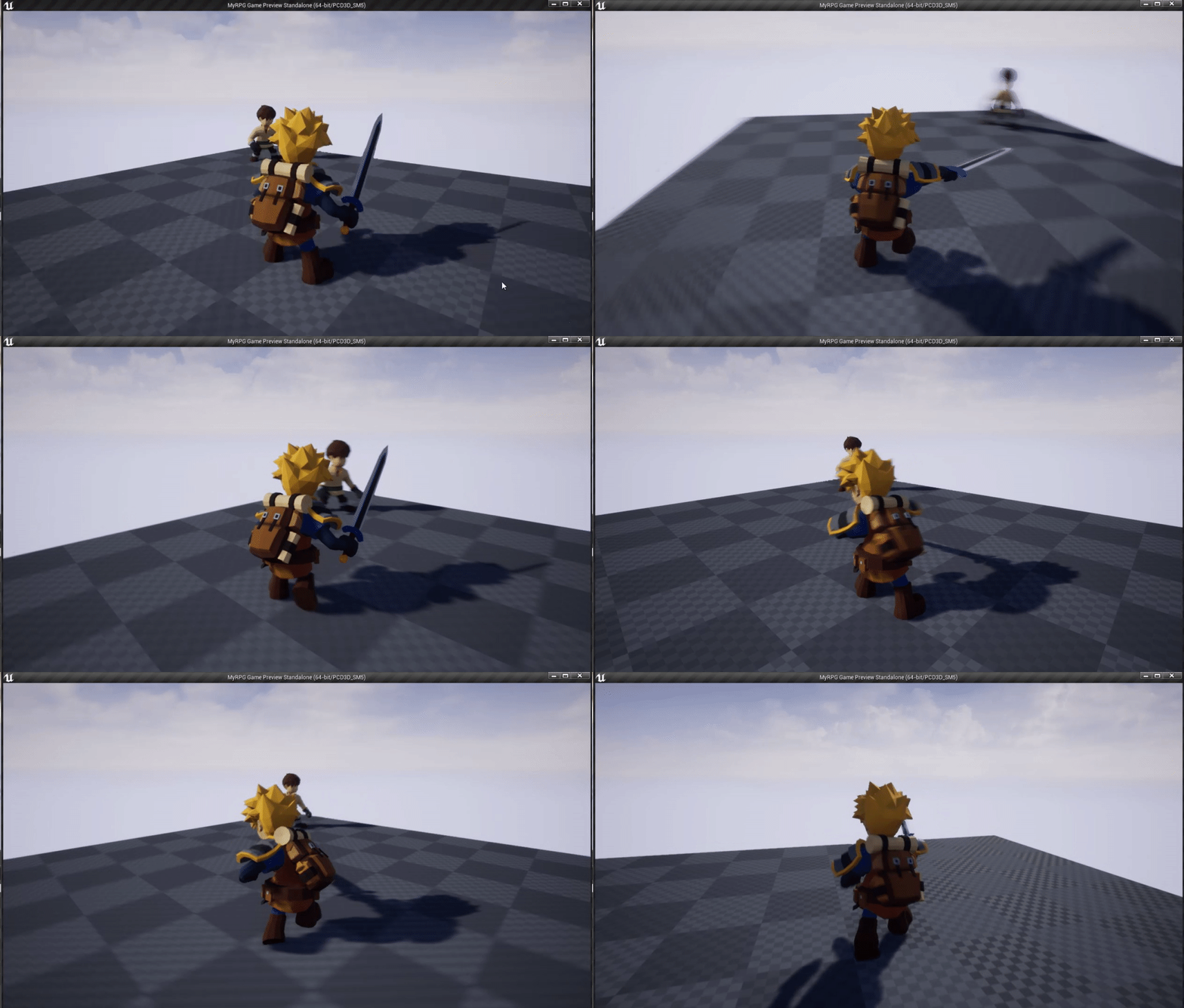
 nimble hatch
so using the linked layers, to swap the weapon type being used seems smart, but you can't pass in data from the main graph (like speed/is attack) and have it re used in the linked graph. At that point you have to calculate that info the same way as the parent graph so whats the point of the parent if you can just swap full unique graphs lol
besides it being an unusable messy non efficient duplicated nightmare
molten jewel
my head just exploded when you said that
so i'm familiar with the subgraph node for post process bp
nimble hatch
I have more than once just sat here with my head in my hand today
nimble hatch
you can and I tried that but passing in the data means it has to be used in the main anim graph
which means state machines in the anim graph cant use them since you cant pass in data to the state machines
the state machines get the data from the actual event graph which you cant pass data into you have to get it from something like the character which then defeats the purpose and your duplicating shit again
which I think... is the right way to do it
I just dont like it lol
nimble hatch
the issue is you cant run any execute wires in an actual anim graph so no setting variables
the programmer in me just wants to have a ton of re usable parts i can swap in and out heh
molten jewel
animation blueprints in general with their binding to a skeleton is a thing that makes my inner programmer sad
restive yew
tracking down one of epic’s animation programmer is going to be your best bet at this point. Especially in your case.
nimble hatch
I hope I am just missing something. It seems logical to be able to do this but I just havent gotten it to click yet
restive yew
You are too dangerous 😛
nimble hatch
I am looking at the shinbi paragon character again btw but even then it's what 2 years old and not using new tech so who knows
action rpg is a good example but it's really really really basic in the end
no cancelling, using a montage that is called from a GA on the weapon
and all the animations are perfectly set up to sync in a chain
molten jewel
heres some of the things i mentioned
nimble hatch
yep now
get that input variable into a state machine that you are using to determine idle/jump/run
molten jewel
Yeah
that input node ..
just realized how messed up that is that theres a node on the animgraph coming OUT of variables
nimble hatch
its great for your example, but once you want to do something outside of the graph itself it's stuck
molten jewel
yeah
 brazen canopy
Hey all. Is there any tutorials or sample projects on using animation sharing? Couldn't find any of those on the internet((
molten jewel
i understand the problem now
however mathew
you can use cached pose
make cached pose on anim graph and hook them into states
nimble hatch
yep but again how do I get that variable, to say drive a 2d blend space, inside the state machine
molten jewel
lemme see
nimble hatch
lets say I have a normal use for a state machine (Idle/run blendpace with transitions to a jumping set of animations) just like say the TPP
getting the data into that state machine to drive the blend space is the issue. I mean yes I could drive the blendspace outside the state machine, cache it, then put that cache into the state machine
which I did do and it works lol
but then the next problem I ran into is I am doing a simple transition check using a boolean inside the attack state machine and I can't just pass that into there heh
molten jewel
yeah i think this would work
but
I don't know what can be modified in the event graph in terms of transition speeds alone
when it comes to layers, i have even less of an idea
nimble hatch
well uh
molten jewel
so even if that cached works (which i'm not positive it does)
nimble hatch
how do I tell it to actually play the attack pose
molten jewel
would have to take in all the inputs your current state machine uses
er previous rather, the one using a state machine
nimble hatch
idle is an idle BS that needs a speed to determine how fast to play it
Attack 1 is transitioned to when the is attack bool is true
attack 2 is transitioned when attack1 is done and attack2 will transition back to 1 when it's done
attack1 and attack2 both can transition back to idle when attack is false
molten jewel
yeah i'm understanding more
nimble hatch
sooo... normally those variables are available since the main event graph gets them
molten jewel
my solution does not handle transition booleans
yeah
hm, this seems rather half baked, that input node
nimble hatch
well I could see it being useful if you only have the event graph grab the data needed for that particular thing
like a weapon sub graph using it's event graph to get weapon related data
molten jewel
as someone that avoids state machine, it works
nimble hatch
upper body doing the same ,etc.
molten jewel
but yeah transition pins, these aren't fillable
nimble hatch
can you toss out an example of that
molten jewel
an example of upper body only?
nimble hatch
of the transition pins
nimble hatch
ok so silly question but... lets say I had 5 weapon types. I make 5 anim blueprints that deal with just movement (idle/jump/etc) and then 5 more which deal with the attacks. I use the layer stuff to blend them together and swap out what is used based on equipped weapon. Each anim bp (layer) controls it's own variables. The only advantage I can see of this over the others is uh... I have things compartmetalized even more than just 5 that handle movemnt and weapon together
molten jewel
it looks like in the event graph you can get layers
The way i read this right now is, this category looks revealing
Question is
imagine that there is a master graph
nimble hatch
yep the linking and unlinking is how you swap them
molten jewel
yeah, so you can potentially get the master graph in a linked one
in its event graph i mean, copy off the variables you need
nimble hatch
ah gotcha uh I dont know if I can especially since you would have to cast
molten jewel
You'd use the type of your master animation blueprint with the layers/ the one setting the layers anyways
(i think)
nimble hatch
yeah I dont think it knows the concept of parent. I could get char -> get anim instance -> cast -> get but thats silly
molten jewel
Yeah it wouldn't be a parent
These animation blueprints are classes
so you should be able to just use the one master class
nimble hatch
yep but the ones you link dont know they are even linked
molten jewel
your sure?
nimble hatch
yeah the master one would be the anim instance running on the character
well I know the master one does know which ones are linked
molten jewel
nimble hatch
its ugly but for example this is what I use to swap the linked layers when I "swap weapons" in the character right now
grabs the current linked one based on the Weapon group and unlinks it so I can link the new one
molten jewel
hm interesting
nimble hatch
yep your code would be fine but again at that point I am getting the info from somewhere else (the parent in this case) why not just get it from the actual character who has it lol
molten jewel
that is what mine is doing
nimble hatch
efficiency wise yours is probably cheaper
molten jewel
Get Owning Component is the skeletal mesh component anyways
I'm not seeing anything about linked parent though yeah
I wanted to assume everything linked was considered linked to eachother but idk
nimble hatch
I think the benefit of this is just to allow you to compartmentalize but not really make it more efficient or re usable. You still have to create each unique anim bp to use as a layer and they all have to be self contained if you want to use state machines
it makes sense but durnit
I think I will try the 11 blueprint way and see how that goes heh
heavy needle
if you just want to swap weapons, you can use a switch on int/enum etc.
nimble hatch
basically turn the main character anim BP into a shell that holds layers that drive the locomotion and the weapon anims
and let each layer handle itself completely
... crap that still runs into the issue where the main anim bp doesnt get notifies from the linked layers
I guess if I just assume the weapon will handle the notify then problem solved. whoo obfuscation thru 10 layers of code
molten jewel
the problem mentatz is state machine
and transition settings wnating to be different
nimble hatch
It's a very specific problem due to using very specific assets in the wrong way
molten jewel
and i agree with you mathew. reusability goes out the window with animation blueprints really.
reusability with animation blueprints on the event graph at least is just blueprint macro library everything
nimble hatch
I think this will work in the end, 11 blueprints but the ability to have each one be tweaked correctly and only have 1 set of animations loaded seems optimal
molten jewel
its likely not as optimal as one huge graph
heavy needle
you dont need the state machine for that. if your weapons are just the upperbody for example. all the statemachine has is idle/run BS and jump.
molten jewel
but it works
nimble hatch
I really don;t know. I have to duplicate getting stuff from the character but I would assume if I had 1 graph with 10 sets of animations it would use more than just 2 sets
heavy needle
the paragoncharacters all use lower body/upper body set up.
nimble hatch
what would you use for weapon combo animations?
assuming you cant use montages because you have un optimized animations
heavy needle
that combo stuff makes really complicated.
nimble hatch
yep we can do easy, its the complicated that is causing this conversation 🙂
molten jewel
I wouldn't use state machine for anything
nimble hatch
5 sets of animations, all unique, and none of the attacks optimized for a clean start -> next -> repeat loop
molten jewel
If the question was to me
I make nodes for pretty much anything and everything to retain control over stuff
nimble hatch
so how do I blend 3 attacks together smoothly?
I am all for no state machine if I can do that
heavy needle
like what animations are you useing? they are from a pack you said?
molten jewel
you can convert it to a evaluate node
that way you pump in the actual time for the animation
and then you can use regular blend nodes to transition between the three as needed with a float you manually calculate on event graph
heavy needle
but if you only problem is that your blending not back at the end, you maybe go back the the idle animation and then start the montage again.
because it will blend back from the montage to statemachine.
nimble hatch
that was a thought, and I tried it, but the problem is I didnt want to do that lol
i transition based on attack boolean and I would have to say stop the boolean from being true, delay, then turn it back on (auto attacking)
I was working on looking into that but wanted to figure it out a better way
molten jewel
I really do
nimble hatch
so Idle idle idle (auto attack on) -> attack 1 -> attack 2 -> attack 3 -> idle (no animation plays as it goes right back to attack1)
molten jewel
to me thats a lot less complicated than state machine
nimble hatch
welp I will try that once I get this 11 blueprint system in place and see how it works lol 🙂
I've redone this lke 4 times so it's not like I cant do it by heart now
molten jewel
haha hang in there
nimble hatch
nah this is how I learn
molten jewel
yeah, feel free to ping if you wanna try that route and run into issues. would recommend this setting for blend multi. only other thing that comes to mind as being annoying with that graph i just posted is times are in seconds instead of fractional
nimble hatch
damnit lol everytime I think I have this the engine is like nah uh here have some more crap
screw it, just going to duplicate variables all over the project whoo
nimble hatch
I wonder how much memory and perf cached pose uses up
nimble hatch
ahaha... crashed it damnit
molten jewel
then memory for the table of names etc
oof.
cached pose is the only way to really reference a chain twice and have it evaluate once
so that difference, makes up for performance
using it once: meh
nimble hatch
hey atleast I can reproduce the crash. Cant add an input pose subgraph into a linked layer animation state lol
heavy needle
I took a look at the animations and it should work fine. frame 1 Animation 1 is the same as last frame animation 3
molten jewel
darn haha
nimble hatch
@heavy needle for which animations?
molten jewel
i wonder if the input pose needs to be connected and evaluated prior to something else
heavy needle
are you sure you using the correct ones? like there are root motion and in place ones
nimble hatch
I am using the in place ones
heavy needle
from this pack you linked.
nimble hatch
yep, Combo01_SwordShieldAnim -> combo02 -> combo03 -> repeat
3 ends in a pierce, 1 starts with a back hand swing
heavy needle
they are 5
you just add the other two ones and they go back to idle, the double sword ones have 3 animations
nimble hatch
yep but we arent using all 5 😉
hence the need for blending
like I said using assets in the wrong way is not helping
but damnit this is guerilla game dev, we don't have resources to do it right
molten jewel
may be able to fine tune them in editor but i'm not positive on how that works beyond just using sequence recorder to make an animation
lol yeah
nimble hatch
yeah I could do that and had thought of that. add a few more frames and keyframe it back to the start but
molten jewel
may allow the montage approach to work
nimble hatch
just because I have a good set of assets doesn't mean someone else does or I will in the future. Learning to get it to do what I need is the goal
plus in this case I like the 3 swing combo
heavy needle
you could edit the animation and set it back to the idle state.
molten jewel
i think 3 is the right number of attacks anyways
must check what streets of rage does
jab uppercut kick
nimble hatch
Im using ESO as my example for this, and they generally have 2 animations for swings and it works fine
this is more along the lines of making what I have work for what I need which is what most people tend to run into
molten jewel
you should definitely mention to use VectorLengthXY for speed from velocity
nimble hatch
but epic doesn't do it that way, why should we 😛
molten jewel
when epic turned that get direction node into a pure node, everyone looked to youtube on what to do with the green version instead of blue as the epic docs say. And the one video on youtube that talks about it tells people to use VectorLengthSquared instead.
So now all the people trying to learn animation blueprints that i see are using VectorLengthSquared
nimble hatch
to the trial and error machine!
molten jewel
lol yeah
well squared speed works for the one use of transition checking
so you tell someone, no thats wrong
and they are like: nah it works
but yeah, godspeed
nimble hatch
lol
brazen canopy
Hey all. Is there any tutorials or sample projects on using animation sharing plugin? Couldn't find any of those on the internet((
@brazen canopy
Bump((
nimble hatch
cool, I will check it out! thanks
heavy needle
no problem, was just copy paste.
upbeat comet
@nimble hatch I never thought I'd see you out in the wild. Just wanted to say thanks for all the videos you make!! They really help 🙂
nimble hatch
found a weird compromise to getting it to go back to idle for a tick, dont know why i didnt think of it before lol, I just added a new node between last attack and first to go back to idle for a small bit of time instead of sending it back to the actual entry idle node... duh
welp it's weird but it works. I can grab the current linked weapon or locomotion layer in the anim bp and unlink it then replace it with the one I want. technically I can now have different feet animations than weapon animations as well if I ever wanted that. I could see a good use for this now maybe i get a horse or something and then I just link in a static locomotion graph and bam done
molten jewel
sounds like it works though 👍
nimble hatch
so far so good. Only tested with 1 weapon set and 2 locomotions.
the bad part about all this work and discussion is none of this feels right. If I was programming I would accept it since multiple ways to the same goal but my brain won't let me accept it with this.
molten jewel
I completely understand that feeling
the only point where anim bp works like that is when your dealing with the c++ part of it
I really wish there were more reusable features
that didn't require that i mean
 hybrid ruin
Uh
So I'm trying to export my blender animations to UE4 but after export they show up empty
Any ideas why?
 glad hearth
im trying to create a blend space so my character can walk and run when using a joystick, but every time I move the joystick a tiny bit it immediately plays the running animation and not the walk
hybrid ruin
Hiya, just wanted to say that I finally figured out my problem
It wasn't that they weren't there
Just that they were very very very small
Turns out the scaling in UE4 is VERY different from Blender
glad hearth
@hybrid ruin I hate it when that happens lol, glad you were able to figure it out, I had no idea personally
glad hearth
no problem 👍
hybrid ruin
I asked a friend and he said not to use the Vector Length Squared node
glad hearth
alright ill try that 👍
hybrid ruin
Just use Vector Length instead
glad hearth
omg that fixed it, thanks so much man 😂
glad hearth
thats awesome!
molten jewel
@nimble hatch see what i mean
@glad hearth did a tutorial tell you to use that squared node?
glad hearth
yeah by virtus the zelda game series episode 1
molten jewel
we were literally just talking about that misinformation lol (using squared)
nimble hatch
Would explain why I never had that issue I just use the third person template and it's set up already lol
Pretty sure the docs say non squared as well
glad hearth
interesting
molten jewel
yeah I dm'd you the source video i think that spread the problem (matheww)
hybrid ruin
Who is this video by?
nimble hatch
Yep even official docs are good https://docs.unrealengine.com/Images/Gameplay/HowTo/CharacterMovement/Blueprints/AnimBP_EventGraph.jpg
 nimble hatch
Well he just said he saw it from virtus
hybrid ruin
lol XD
molten jewel
then search youtube and get the misinformation
hybrid ruin
That's the same guy that gave my friend issues lol
molten jewel
must compare upload dates lol
nimble hatch
Crap calculate direction is gone? The page says good as of .23
molten jewel
what happens is you drag out
and its not there
because its not an exec anymore
its pure now
you'll see in the dm i sent
nimble hatch
Huh. In bed or I would test lol.. makes sense tho I haven't used a 2d blendspace in a while
molten jewel
yeah, the video says how to get it to come up but then says to use squared 🤷
nimble hatch
Weird
There's an image from 2015 showing the pure version of that node so this must be waaaaaay wrong
Lol I wonder if they changed it to impure then back to pure
Watched that Zelda one I bet it's more due to virtus video than anything else due to his reach. He definitely uses vector length squared without any explanation
molten jewel
what was the date on the virtus one?
nimble hatch
Feb 2018. 35k views
 weak jungle
Hey guys. How would yall go about implementing attack speed ?? I want it to speed up the rate my montages are played. But the blends don't scale with play rate. So as my attack speed gets higher the blends go wonky and start ruining stuff.
Not sure of the best way around it. Tried looking in a few discords. Done a bunch of searching and can't seem to find an answer.
 hollow tide
I haven't tested this feature, but it sounds useful for your case. It's called Inertial Blending https://docs.unrealengine.com/en-US/Engine/Animation/NodeReference/Blend/index.html
Animation nodes that blend multiple animations together based on a set of criteria.
molten jewel
Yeah thats definitely earlier than the one i'm thinking of mathew
weak jungle
Unfortunately inertial blending is for anim graph only as far as I can see and doesn't take montages into account. It's just a shame the blend in and out of montages arnt dynamic and adjust with the play rate. Seems a bit odd to have them static like they are.
molten jewel
yeah i believe its a state machine transition thing
brazen canopy
Hey all. Is there any tutorials or sample projects on using animation sharing plugin? Couldn't find any of those on the internet((
opal crown
Hi there, Is there a way for me to combine Skeletal meshes together? I have an imported FBX file that has multiple moving parts: doors, chassis , fans. and they became separated.
Please @ me if you know, thank you!
misty dagger
@opal crown https://docs.unrealengine.com/en-US/Engine/Animation/WorkingwithModularCharacters/index.html ?
Describes the different methods you can use to create modular characters comprised of multiple Skeletal Meshes.
opal crown
Thank you
 boreal remnant
I'm working on implementing some foot IK. I'd like to be able to blend the IK on/off based on the vertical distance the foot is from the ground plane in the source animation. I had the idea of baking out the ground plane offset in Maya into a animation curve in UE4. I'm assuming I'll need to develop my own tooling for this, but does anyone know if there's another way to do this?
molten jewel
@boreal remnant would highly recommend not bothering with curves with footing
a thing i'll complain a lot of is people using last frame's data to do things in the current frame
its the only option with curves unless you are dealing with custom anim nodes specific to the curves
because you get curve values in event graph, its always going to be immediately prior to the frames animation determination (Animation Update) or after the determination (Post Update)
only way you can usefully utilize the curve data would be make a c++ node that does what you want to respond to it which operates after the curves are filled by animation normally. that is the only place you can modify the pose being made and also work with the same curve data in the frame
https://www.youtube.com/watch?v=IKbYxaV59gs a 'lightweight' approach to the thing is to match ik foot root to the normal of the movement capsule against the ground. i do use curves here to state if the foot is on the ground or not. at the end of the frame if the foot is on the ground and it was not on the ground in the previous frame i store that frames ik root position for that foot, then on the following frame if the foot was on the ground i lock the foot in place as if ik foot root didn't move from the previous frame, and that foots animation is ignored. its not ideal because if running faster than frame rate and i miss a foot up curve the foot gets stuck where it is. but just sharing this to give you more ideas. I don't think foot height to ground would be a good source of info to work with. but you could definitely figure out whatever solution that works for you
 kind crown
if I have a custom anim graph node, do I need to put the editor node class somewhere else than my normal game editor module?
doing that seems to break starting a standalone game through the editor with -game because the abp fails to load since it depends on the editor module which is not loaded
yet the normal nodes from AnimGraph module (also editor only) don't seem to cause any issues 
kind crown
apparently my editor module needs to be type UncookedOnly rather than Editor for this to work
molten jewel
yo @kind crown
I have been using the same loadphase for ever
for anim node modules.
kind crown
mine is loading phase default and type uncooked only
molten jewel
        {
            "Name": "AnimExt",
            "Type": "Runtime",
            "LoadingPhase": "PreDefault",
            "AdditionalDependencies": [
                "CoreUObject",
                "AnimGraphRuntime",
                "Engine"
            ]
        },
        {
            "Name": "AnimExtEditor",
            "Type": "Editor",
            "LoadingPhase": "PreDefault",
            "AdditionalDependencies": [
                "CoreUObject",
                "AnimGraph",
                "UnrealEd"
            ]
},```I recall having issues like what your running into, pre default for the structs and the editor node graphs works. I don't know how necessary they are to be there.
I probably don't need to
I just followed some dated wiki article advice
kind crown
you ever try to start a standalone game through the editor? i.e. launch it with path/to/bla.uproject -game
molten jewel
yep
kind crown
yeah so that didn't work
because the bp depends on the editor node thing
and that module isn't loaded if it's type editor
molten jewel
the graph is separate from the anim instance
the structs are stored in an array some how
kind crown
I have no idea how it works
molten jewel
its custom de/serialization i think
kind crown
I just know it didn't work before and worked after I changed it to UncookedOnly
molten jewel
Hmm i am not familiar with that at all
kind crown
are you on 4.24 yet?
molten jewel
ye 4.24.1
kind crown
strange
molten jewel
what does UncookedOnly mean
 shy scarab
Sorry if this is a noob question but I've tried googling several things to no avail. Just wondering if anyone knows how they might have done the animations in a game like mordhau?
From my understanding (haven't actually played it) the direction of the mouse movement controls the angle of the sword swing. So would this have been lots of different motion capture of various angles?
Or would they have gone for one animation and used some script to apply it to the direction of the mouse?
molten jewel
There are really a lot of ways to go about it. I haven't played mordhau but in general if you can envision it working one way, it probably will work, you just might find it harder than you thought. But as you try it out you may run into a better or simpler solution, so its probably best to experiment.
jolly osprey

I have this debug mesh that's experiencing some visual popping when the left leg is added
I'm using runtime skeletal mesh merging - how can I avoid the visual glitch?
shy scarab
@molten jewel thanks mate
boreal remnant
@molten jewel Thanks but I'm finding that I can't accurately get last frame bone position to determine velocity reliably - and some animations move the feet off the floor but the capsule is on the ground =/
jolly osprey
I'm noticing that the "visual glitch" I was referring to earlier actually looks like sub meshes being collapsed for a frame or two
my ultimate call is to SetSkeletalMesh(BaseMesh, false), where false is being passed to bReinitPose. if I set it to true the glitching is gone but the running animation obviously gets reset which is not what I want
bah solved it
had to do cpp MergedMeshComp->TickAnimation(0.f, false); MergedMeshComp->RefreshBoneTransforms();
austere light
Hi everyone, I'm using 4.24.1. How do I activate the animation budget system? I followed the instructions in this link:
https://docs.unrealengine.com/en-US/Engine/Animation/AnimationBudgetAllocator/index.html
System for constraining the time taken for animation data by dynamically throttling Skeletal Mesh Component ticking.
I enabled the plugin, closed and rebuilt the editor, then run a play in editor session and typed a.Budget.Enabled 1 in the console
But nothing happens, nor does anything happen if I type a.Budget.Debug.Enabled 1
No graph appears or anything
Ok sorry I managed to get it to work by messing around, seems like you have to call the "enable animation budget" blueprint function first, console command doesn't seem to work properly
However, even when I have 200 characters on screen, the graph just shows the budget as 1ms and the current workload at 0, so it seems like none of my meshes make use of it
With debug enabled I don't see the "HI, LO, I" marker on each mesh either
The documentation makes it seem like just by enabling the budgeter and leaving the values at default it will work
Does anyone know anything about this? I don't understand why none of my characters seem to be visible to the budgeting system
mellow urchin
hey does anyone know where or how i can see the keyframes of my anim?
 empty mural
I think I'm going insane, it's been 5 hours since I started to understand how Unreal's animation system works but I'm still lost between the animations, poses, blend spaces, sequences and other anim bluprints. All I wanted was setting a different pose on my VR hand for each pickable objects, can someone give me a hint on where to look?
austere light
@empty mural the way I do it is create an enum to describe how the object should be held, and then use a blend by node
For example, in my game we have various types of weapons: musket, pistol, sword and so on
So I have an enum which sets the type of weapon it is, and then in the animation blueprint i have a blend by node which has a different idle / run / aim animation depending on what enum value is set on the held weapon
empty mural
hum, I would like to have a Pose variable on each object so that the artists can integrate their stuff without me having to maintain an enum, do you think that's possible?
austere light
So that's what I have, a pose variable. Then the artists can integrate their animations for each pose and whenever you create a new object you just set the pose variable and it will all work
The pose variable is an enum in my case
So I have a drop down list on each inventory item from which I can pick the pose
And it will just work, if I take the pistol weapon and change the pose to "musket" then suddenly the guy will aim the pistol with two hands
empty mural
That sounds like what I want, but there's still the "it will all work" part that I don't understand. I know what I want, but I don't know how to achieve it
austere light
So step 1: define an enum which contains the different pose descriptions you want. They can be anything you like
Step 2: create the animations for each pose
empty mural
where?
austere light
Are you working in blueprints or C++?
austere light
Ok, so I think you right click in the content browser and go to Data, and then Enum to create a new enum. Open it up and add the relevant entries
Yeah that's it
Sorry I work in C++ so not familiar with blueprints
Create a new Enumeration and add the various entries which will describe each pose
empty mural
ok, done
austere light
Now in your base inventory object blueprint, define a new variable using your enum type
Make it public so you can reference it in the anim blueprint
Now, in the animation state machine, open whatever state you want to do animations in, and right click and search for the node called Blend By (Your enum name)
Get a reference to the inventory objects enum variable you declared, and plug it into the blend by node
empty mural
ok so I think the problem's here, I don't have an animation state machine
empty mural
I actually have nothing since my artists still have not done any animation. Can I create poses directly in Unreal?
austere light
I don't think so, no. If you can use blender you could create some placeholder animations just so you can block everything out and then replace with proper animations after
empty mural
I don't know blender either :/
I will try something and not bother you any longer, thanks a lot for your help!
austere light
You're welcome, always happy to help. I'm in the cinema about to see 1917 but if you're still stuck later then I can take some screenshots
young urchin
Greetings! Is it possible to override the State Machines in child ABP?
 gleaming frigate
Hello. I am having trouble with Root motion. My root bone is rotated different than the other bones. I need to somehow reset the root bone to 0,0,0 location and 0,0,0 rotation without it effecting the mesh.
 toxic thorn
hi, why is my character's rotation not updating? im using this in my character:
moving forward works fine, moving side to side is not
edit: i can move side to side, but the character animation is not updating
i've started a clean project, where the side to side movement works and i have the same parent class and same class defaults
 tender flicker
Hey guys
Just want to know something real quick
If I have an animation with 120 frames and it plays for like 2 seconds
What happens if I decide to set the playrate to be like 4x so it basically plays for 0.5 seconds?
 rigid junco
Hey guys, i'm currently working on my animations for combat system. I set up a block animation that is looping while I hold Right Mouse click with an anim montage, it works fine. I added a new anim montage that trigger when I get hit by a character while I hold the block button. The new anim montage trigger well but after that, it goes back to my idle state in my state machine. Any one has an idea how I can do Block => Block hit => goes back to loop block after the hit until I release my right mouse button to go back to idle ?
Should I play my block anim montage right after the hit anim montage end ?
 vagrant fiber
i added a socket to my right hand - previewed animation. the weapon snaps to the socket no problem. however when i choose an animation pose the weapon floats in the air (where the socket started) not following the player
misty dagger
any places i can get 3d fighting animations?
 full plank
Does anyone here ever have experience with some animation like sekiro shadows die twice takedown (mortal blow) and have any source of tutorial to how to do it ?
or can give any clue
to give me a kickstart
using two characters to do one animation
 radiant phoenix
@misty dagger I use it
I decided to try out breast physics and am happy with results, however when movement stops the physics kinda 'lingers' as if in zero g. Wondering if anyone has ideas to make breasts settle into place. https://gyazo.com/013966a6072baee0bcd359f7d4726d55
 fair narwhal
Is there a way to attach a static mesh (like a weapon) to a character in the animation editor window? I'm having to repeatedly update a BP I made to see how attachements look, but I'm editing an animation and it would be nice to have that in the same window
misty dagger
@fair narwhal Right click on your Socket and add preview Asset
fair narwhal
oh, awesome... didn't know about that... thank you so much
@misty dagger Any way to set the location and rotation to match my character? Not seeing anywhere that I can set that
NVM, looks like it's the actual socket's parameters to set that where you want it
 blissful apex
Hi, i have animations like jog_start or jog_stop, where can i attach it to be working? in locomotion ?
 balmy ferry
Hi Guys! Maybe I have a newbie question, but I never touch animation system in games. I know that there is a skelton in character meshes and we can animate skelton but... what about regular props? I have very complex rings animation to do (in cutscene there will be about 100 objects to rotate, one by one) and how should I do it? Should I create skelton for this props and use animation blueprint or should I use timeline with 100 outputs for it?
 terse lagoon
how can i interrupt an unfinished animation. i have a headbob but it keeps going if timed poorly with someone stops walking. how can stop the animation from running an fading the camera back to idle location?
 fresh tangle
@blissful apex I'm a noob when it comes to this but maybe take a look at animation montages?
fresh tangle
I have tried recording an AI controlled character with the old recorder and the new Take Recorder (which is the preferred option) and both do not play back the recorded animation correctly unless I switch on 'Force Root Lock' on the recorded motion. This can get tedious, especially considering I'll have a hundred or so actors eventually recorded at once.
Is this expected?
 winged crater
@blissful apex you use animation blueprints and animation blendpaces
animation blueprints to change states(start/stop) mostly
winged crater
hey everyone, has anyone seen a good video somewhere about Ik ? as in foot placement - hand placement and full body adjustment ik ? i'd appreciate it alot
 coral hazel
Yo
anyone know why when I import from blender to unreal it replicates animations like 250 times
coral hazel
nevermind I fixed that
why does unreal treat fbx files with multiple meshes like they're all skeletal meshes with bones?
is it possible to stop this?
jolly osprey
do animation nodes get evaluated (consume resources) when their alpha blend property is set to zero?
jolly osprey
@coral hazel not that familiar w/ blender but try the following export options:
key is to untick nla strips and all actions
coral hazel
Thanks for the quick reply, I found this on a thread and it works perfectly.
jolly osprey
ah ok
coral hazel
im not all that familiar animation exports so this is kinda new for me, sorry for wasting your time
jolly osprey
anim exports have their quirks, not just in blender
 slate olive
what do i do with bone mapping containers?
 pliant hawk
when you import the mesh in UE4 you can set the mode to import as a not skeletal mesh
then you'll get one mesh per "element"
you can then also set an option to import the mesh as a single mesh
jolly osprey
Out of curiosity, what orientation do you guys use when creating and importing skel meshes into ue4? back when I've started I'd used +Y as the fwd axis in Maya, imported the mesh into by applying a rotation of -90 on Z.
today I've read up on this b/c it seemed weird and from what I gather some people do it like me whereas others set X fwd in Maya and aren't applying an import rotation in ue4
also, +Y fwd in maya seems to be used b/c of all marketplace assets having +Y as fwd too
which seems to be incorrect in that it's a workaround but Epic's mannequin has +Y fwd too
so... what gives?
molten jewel
y is flipped in blender
so face -y in blender is +y in ue4
+y is what ue4 expects going by the labeling of the viewports as front, left etc
jolly osprey
if I create an arrow component it's going to be facing +X
jolly osprey
gah...
jolly osprey
yes
slate olive
@pliant hawk ah okay, I'm retargeting skeletons and animations and so how would I use it for that?
pliant hawk
sorry I wasn't answering to you but to the one question above 😛
slate olive
ah okay my bad lol
jolly osprey
+X
ultimately, in ue4
after all the rotate magic's been done
or should I have them facing +Y
slate olive
why does my skeleton/animation retarget come out looking like this even if I renamed the bones to match one another
 white rampart
I had the same thing happen. Apparently posing your mesh to better match the pose of the skeleton you're retargeting to can help. I think some skeletal meshes are just not compatible with retargeting. But I'm not positive on that.
I originally posted this in the wrong place so relocating here. If anyone knows if there is another setting (beyond the initial 'Import Morph Targets' with mesh) that I should be ticking to import morph targets/shape keys, or a reason why they might not import, please let me know, because my blender skelmesh just will not import the shape keys into unreal.
I've followed a number of videos step by step exactly, and it just never imports the shapekey.
slate olive
@white rampart okay so I should just repose the model in someplace like blender and not parent the armature of model I want animations from?
white rampart
The way that I did it. Whichever editor I used for actual retargeting, there was a way to rotate the bones to match the position of the other armature. It had 2 little windows one with the target armature and one with the retarget armature. I was able to rotate them from in there. But I ended up with similar results to what you have anyway.
slate olive
ah okay
I might as well just start animating the models I was going to animate myself
white rampart
I got the impression (because I'd done things exactly as the tutorials instructed) that it may just not be compatible with meshes that have too different of an armature or body shape. I'm not sure how it goes wrong like that.
 craggy coral
Does anyone here know if there is a good set of root motion animations for prone locomotion?
Like crawling around?
Can't find any on the marketplace
I assume you can find stuff like that on animation sites, but not sure which one to opt for
Any tips would be appreciated 🙂
white rampart
Something llike Mixamo is what I've seen people use.
craggy coral
Yeah, but I've heard there are many options, and mixamo might be one of the lower quality ones?
I'm very new to this though
hehe
they do have prone locomotion though
hm
white rampart
My shapekey made in blender works perfectly in Blender. When I import it into Unreal, the morph target is not importing (import morph targets is ticked).... I can't find anything on this problem, I've done everything exactly like every demonstration. I'm totally confused how that is possible.
white rampart
I see what the problem is now.... It won't import shape keys if there is a subdivision surface modifier active on it at export.
Which really sucks because Animating shape keys with the subdivision surface already applied does not look good at all.
(And it won't let you apply the subdivision surface after adding shape keys)
jolly osprey
I have this custom anim node of mine that's indicated to be sitting on the fast path
is this still getting some sort of BP slowdown though?
my main concern is the use of quats in BP even if it's for the absolute simple task of piping an existing variable into a node input slot
ideally I'd like to be able to keep using quat input pins but if it's to the detriment of performance then I'll have to remove all the visual goodness that nodes offer
 opal jackal
Can you export a pose from blender as it's own mesh? I posed a character and want to import that pose into UE4 as a new mesh.
molten jewel
@jolly osprey with orientation its not super important but take a look at the front view of the mesh
and left or right, if these match up then it'll be the same as mannequin
for the capsule the character mesh lives inside, x should be forward always
And if you see a bolt, this is the clearest indicator that its running threaded.
it should work with any type that doesn't have a non-trivial copy constructor
TIsPODType i think
jolly osprey
the reason I'm keen on getting orientation "right" is b/c I'm having to add 90 deg to computed rotations when it's facing the Y axis
the only counterargument to that is all the marketplace character assets being Y forward
jolly osprey
well. screw the marketplace, I guess it's more important that I don't deal with quirky rotations
esp when quats are involved... how do you even add 90 on Z to a quat ?:P
molten jewel
90 around z
this would be
0,0,0.70710678118654752440084436210485,0.70710678118654752440084436210485
jolly osprey
y thank u let me tattoo that on my forehead
molten jewel
quats are axis.xyz * sin(angle/2),cos(angle/2)
jolly osprey
would make a nifty tshirt this
jolly osprey
if I do ever end up getting marketplace char anim packs I'll just export them out to fbx and rotate once in maya and be done w/ it
molten jewel
ye
jolly osprey
actually
how do you limit the rotation of a quaternion to a single axis?
e.g. to Z only
rats he's gone
molten jewel
i'm here
so x y z of the quat is the axis of rotation
multiplied by sin(angle/2)
is if you wanted only the z
you'd set x and y to zero, then normalize the quat
but
i don't believe thats a clean operation
jolly osprey
b/c I'm losing the up vector or?..