#animation
1 messages · Page 131 of 1
 small leaf
 indigo swift
It's very strange that Auto Rig creates the bone setup but it does nothing. I mean, it defeats the purpose of creating the bones, right? They are only useful if they actually follow the animation.
 restive yew
Just out of curiosity, these aren’t leaf bones you forgot to disable upon export yes?
indigo swift
No, I don't believe so. Those are the IK bones in the same setup that you would find on default mannequin in UE4
 signal otter
does the ue4 engine crash for anyone else when trying to retarget paragon assets (countess, in this case) to the ALS rig ?
it works for 1 animation at a time but if i try to do multiple it crashes (on latest ue4)
i suppose maybe its for MSA or other kinds of animations
yeah apparently for any additive
 warped sable
Hello everyone beginner here 🙂 , can someone help me ? i'm trying to smooth my A.I Movement but i have no clue where i can find tutorial or ressource to help me i have a basic understanding how blendspace and movement work in unreal https://www.youtube.com/watch?v=1mc04u-NEww here you can see what my A.I is doing atm i just would like to smooth the movement and if possible maybe allow them to run and still looking and firing at me at the same time (i hope my english is understandable)

 molten jewel
Are you using c++?
warped sable
i'm using 100% blueprint i've learn some c++ for unreal with course but i'm still really bad with c++ but i can add it if it's the only way i still have visual studio
molten jewel
I only ask because there are some things that are only definable in c++ in terms of what things should be aiming at.
its not a problem though
The trick is you have this information on the pawn some how
warped sable
i'm not looking to go AAA quality just trying to do a fun basic shooter
molten jewel
if they should be focusing somewhere
yeah the pawn just needs to describe if it wants to be looking somewhere, and where to be looking.
then you use this information in the event graph of the animation blueprint to prepare for data that gets read on a separate thread (the variables)
and that data gets copied a 3rd time into the nodes in the anim graph
so you'd use all that in conjunction with a look at node
warped sable
you mean when the pawn enter in combat mode is should activate a variable to use a new anim ?
sorry i'm really a beginner and english isn't my native language so i'm trying to understand
molten jewel
You would be best off to treat things like where a character is looking on the pawn rather than in the animation blueprint yeah.
Just a boolean if looking, and a vector possition would be a start
then in animation blueprint, you try to cast the owner actor into your pawn type
and copy things to variables of the anim blueprint that are needed by the anim graph on it.
that is the full circle of things
warped sable
I should cast the ai pawn in the animation blueprint or the target ( player ) ?
molten jewel
Do you have a common pawn type between the enemies your trying to animate?
warped sable
They all use the same bp_anim and skeleton
molten jewel
yes but the character blueprint i mean
do you have your own blueprint child of character that all your enemy blueprints parent to?
warped sable
Oh yes !
molten jewel
This is where you would place the looking variables first.
And what you would cast in the event graph update of the animation bleuprint to read and copy further.
warped sable
But my main bp_ai is just a « civilian » and the child got every information about the shooting action
So I should do it in the main bp or the child who got the shooting information ?
molten jewel
think of it as anything you intend to use this animation blueprint should be of the blueprint you derive the data from.
warped sable
Okay
molten jewel
you can of course check multiple different types in the event graph should you need to.
but yeah
it would be easiest to have a common base with the information the animation needs is what i was trying to express.
warped sable
Ok i understand that aha
And for the fact that once my IA spott the player they do a 180 spin to aim at me where should I look to smooth the movement ? And not just instant aim the player
molten jewel
mm, you got options
It may be more ideal to have the pawn not do this instant jump
that would be separate of animation thoughts
but you could also make your animation event graph make it impossible to do such instant turns
such as comparing previous rotation to current and undoing
but, really that could very easily be the next thing to fight constantly.
warped sable
So I should check the rotation of the pawn and limit the rotation speed ? Or I can add more movement directly in the blend space ?
molten jewel
yeah, i mean. with the looking how i said to set it up to describe what it should do, take that advice towards anything
your able to communicate with the animations this way on any task
so should you want to control a blendspace by some variable you set to the turn speed you could do this.
warped sable
Ok i will try that it’s seem in my capacity aha
molten jewel
most basic implementation is to do it the hard way and try to reinfer everything like animations are seperate wholly. Don't need to do things this way though.
You seem to got a lot done already so I don't see you having much problem with this stuff.
 hardy drum
Hi guys, do you know if there a way to import animations from Mixamo to Blender and then to modify them ? I've just seen this tuto on how to do it but with Cinema 4D. I was wondering if it was possible to do the same with blender ? https://www.youtube.com/watch?v=HS2S5SleiHE
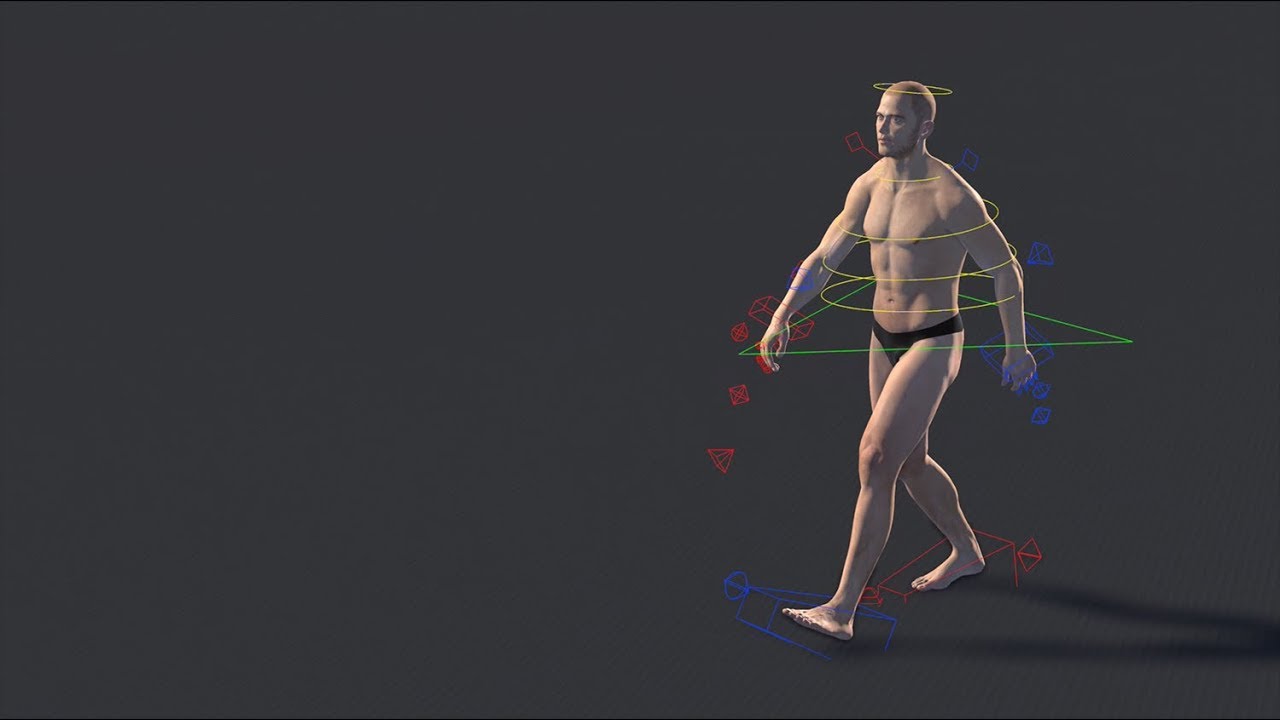
In this Cinema 4D Quick Tip, Jonas Pilz shows you how to create variations of Mixamo animations with the new Mixamo Control Rig template in Cinema 4D Release 21. It literally takes just a minute to setup the whole rig.
More Cinema 4D Quick Tips: https://www.youtube.com/playl...
molten jewel
yes
when you import animation fbxes to blender, it imports them as actions
you use the action editor to set the action in, then can edit it however you like
 visual eagle
Hi all, I'm having an X-File issue... maybe you can give light to my problem
I get the speed of my AI Character in the event graph, and store it in a variable Speed of the animBP
Debugging, in the animgraph Speed still has the value....in all states it has its value.... but when the execution enters into the state IDLE\RUN where I use it.... the value is 0
any hint or idea I can try or do? I'm totally stucked
I forgot to mention, that it doesn't happen to all of the instances of the AI Character..... 😦
 heavy needle
@visual eagle post a screenshot of your ABP event graph.
signal otter
do you guys know if theres a way to copy curve data from one animation to another (same number of frames/time)
 long steeple
Anyone have tutorials for npc animation rigging so it can be interactive with the player
 junior urchin
I'm not sure if this is the right topic... But how do i make the brake calipers to be in place without spinning with the wheel? I have one bone for the wheel and one bone for the caliper.
visual eagle
@heavy needle sorry, but couldn't write sooner 🙂
here is the event graph
And now a debugging session showing the values of Speed in different parts of the AnimBP (execution is paused in same point)
In the eventgraph:
the value is ok
now in the animgraph, in the transition prior the state with the blendspace
the value is still OK! 🙂
but now... inside the state...
for this reason, SOME instances of my AICharacter looks like skate rolling
any help or idea will be highly appreciated
in case of the images are a little bit blurred...
eventgraph part1: https://ibb.co/gWRLwgX
eventgraph part2: https://ibb.co/CVdYmrR
debug eventgraph: https://ibb.co/M1x2wmg
debug animgraph1: https://ibb.co/938vS99
debug animgraph2: https://ibb.co/HGc4ynz
visual eagle
Damn it... I just rebuilt the transition of a state and it works everything fine!!!
sorry for the "storm" of images and text
 dawn salmon
anyone understand why IK on one foot can be different than on the other on flat ground, during movement?
heavy needle
@visual eagle glad I could help you on this. lol couple of things I noticed. 1. put a is valid node from your try get pawn owner at the beginning. 2. in the unreal tuts they get the speed from the try to get pawn owner node. 3. if there is no special reason, you start your state machine with your blendspace. like there is no need for a transition. your BS can have idle/walk/run all in it.
 timber girder
@everyone I have questions regarding animation retargeting. Should the rig have pelvis bone for retarget to work properly? My rig have hip right and left bones instead of pelvis.
 spare otter
Hi guys,
Just having an issue with my aimoffset + playing a montage. It seems during the montage it ignores the aimoffset not sure why :/
I could just use layered blend per bone with an animation and just apply it to the top half when shooting? but i thought montage is the 'correct' way to do it. But havent been very successful
Here is how i did my aimoffsets
heavy needle
@spare otter because you go first through the AO, it needs to be after the montage slot. montage slot -> layered blend -> AO
spare otter
@heavy needle ohhhh interesting! I will try that when i get home ! thanks
visual eagle
@heavy needle thanks anyway for the advices and for taking your time to review my posts!! :). Greetings!
heavy needle
no problem, I´m glad I could help you guys.
 radiant pulsar
@misty dagger ahh found you
 molten jewel
hail, speed warp!
molten jewel
Question: Does that modify deltatime to nodes preceding it?
 misty dagger
Hi I built and animated a hornet model. So far I have two animations, wing flap and sting. If I use the character bp to drive the animations, I can have the looping wing flap play by default; I added some logic so that when I pressed 'z' the 'sting' animation played once. This worked but also froze the model so that the 'wing flap' no longer played, though I could 'sting' as many times as a wanted after.
I have been using an anim bp now and I am using the following node
The problem is that though both animations now play when I want them to, the 'sting' animation scales the model up I would assume 10 or 100 times (it's a Blender model) until the animation is complete. I have had Blender problems in the past, but I am confused by this because there are no scaling issues if I perform the animations separately, or via the character bp. I can't seem to work out what is different between the animations that is causing this scaling issue.
molten jewel
Sting animation should be set to additive
is it?
In the settings of the animation in UE, should be additive to something like the first frame of the animation, if that first frame matches the flap pose without flapping.
dawn salmon
hey guys, is there a way to freeze position in the animation editor, so that frozen bones keep their position while other bones rotate in relation to them?
misty dagger
wouldn't it be additive to the whole animation?
molten jewel
I don't know really
if you think of additive as, having something subtracted out of it
in order to be added back to something else
you want to subtract from the sting or the flap animation something that makes sense when its added to another
dawn salmon
so I managed to almost get there until I hit the roadblock of not being able to add maps or sets in the anim modifer blueprint. has anyone used the anim modifiers yet or extended with custom ones?
molten jewel
I've only used it to delete bones from animation files before
dawn salmon
@molten jewel can you work with viewport selections?
and also how do you run them? there are no "run" events except for anim notifies?
molten jewel
They run once basically, its some kind of stack on the animation you apply them to
they're for modifying literal key data
its something like modfiers window in the animation viewer
molten jewel
 oblique jasper
@misty dagger you can do a layered blend by bone also.
*per bone
So I would cache your flapping pose and blend that with your attack pose.
filter base on whatever, neck I guess.
misty dagger
I looked at that but it only allows selecting all bones below a certain in the hierarchy no?
How do I cache a pose? Can I cache the whole flap animation?
misty dagger
none of the wing bones are parented to any other
oblique jasper
So if you have a blend space or w/e turn left/right you can cache the pose for the direction of travel and blend it in.
I don't believe you need to select a filter
But you could add a filter for each wing bone
pretty sure you want a layered blend though.
probably more so the body maybe if you use the movement as the base
whatever the stinger attaches to or the stinger itself if it's also not attached to anything
also, if you're using additives there are some things you need to setup in the animation itself to use as an additive.
misty dagger
Thank you I got it to work was a mystery why the other way didn't work though
oblique jasper
No problem, there's additive specific settings you need to do in the animation to make additives work properly. I assume you probably skipped that step.
In the latest version of UE I'm getting some odd behavior with bone transforms and additives not working also.
Easy way to tell if your additive animations are setup properly is to make an additive blend space and try to add the animation to it.
It won't let you until you get it somewhat right.
misty dagger
No I tried many things but each of them screwed up and distorted the animation in different ways. Something to do with Blender maybe
oblique jasper
So, the way I've done additives for like a character leaning is to only have the one frame of the character leaning in the direction and then using a blendspace and the animation set to use just the first frame and the default position (animation with just one frame) as the reference.
dawn salmon
is there a delegate that can be activated in an anim modifier that allows to listen on each change in the animation viewport?
spare otter
@heavy needle Is this what you mean?
Not sure what I am missing as the montage doesn't seem to play anymore
heavy needle
@spare otter yes that should fix your first issue, have you set up the layered blend by bone node correctly? maybe you forgot that.
spare otter
I'll be honest I just winged it after reading the UE documentation for this . But I thought it was correct
spare otter
@heavy needle ah yes... 🤦 Thank you so much !
heavy needle
@spare otter happens, but nice structured bp setup though.
spare otter
@heavy needle true . haha I probably spent a lil too much time with node organization but its a serious hinderance to my workflow if its not very organized so thanks 🙂
 simple trout
Hey everyone
I'm trying to animate in Blender 2.81, i'm using 2 armatures (For the weapon and the arms) but when i animate they are not synced how it's supposed to
oblique jasper
Mine don't do that in .24... pretty dope
molten jewel
@simple trout are you familiar with NLA?
oblique jasper
Is there any way to avoid this when using a proxy?
molten jewel
what is that first node?
oblique jasper
split get proxy structure node
molten jewel
wow
oblique jasper
ya
molten jewel
didn't know that was a thing haha, the anim instance proxy?
oblique jasper
yeah, an optimization but huge
molten jewel
do you still get lightning bolts though?
molten jewel
i've had no luck in breaking of native structs on my own lol
oblique jasper
I mean even if I broke it I think I would have the same problem
Would be nice to be able to access a variable directly, and get a fast path
molten jewel
eh i don't really thing that big pinout is a big concern beyond just being an eye sore
molten jewel
imagine it uses proxy variables at time of update and not evaluate right?
ah yeah
that happens
with huge huge pinouts
with huge huge pinouts
oblique jasper
yeah, so the way I'm doing it is in PreUpdate I gather the variables from my other classes.
My event graph is completely empty which is great.
Not sure why my text is in red there, never seen that before.
oblique jasper
yeah, so the way I'm doing it is in PreUpdate I gather the variables from my other classes. animgraph doesn't evaluate anything just accesses the variables. and no other class writes data into variables in the proxy or instance.
molten jewel
so with create anim proxy your just doing what the wheeled vehicle thing does with returning memory of a member?
the variables of the anim instance serve a good purpose though, i mean a third layer of thread safe memory access is something haha
but if you can expose the proxy as you do, and are sure that nothing wants to write to the proxy during the pin read (which, likely is a non issue) it works.
oblique jasper
yeah nothing writes to the proxy ever, proxy reads from sources.
molten jewel
exposing the proxy to the graph like that is just something i'm not familiar with. I've written a lot of proxy code and nodes https://youtu.be/EG41gvV6e8I?t=14 all the bones here are triple buffered springs (except digits, and facial bones)
though exposing it to the graph there is pointless for me because the nodes are all hard coded to use the proxy directly haha
but its interesting that the break struct does not take your lightning away
oblique jasper
Break struct might, the split does not
molten jewel
They shouldn’t be separate things
oblique jasper
wait so you implemented custom nodes that read from the proxy?
They are apparently according to https://docs.unrealengine.com/en-US/Engine/Animation/Optimization/index.html
Describes methods to achieve more performant Animation Blueprints through optimization techniques.
molten jewel

next step would have been to make those pins part of the UAnimInstance type but moved on to a better project
most the nodes there though yes, they query the custom proxy type manually
it basically converts the one animation read into acceleration and applies it to the body as force
all the bones on the skelton are hard coded and everything is template expansion
the nodes even create a stack of sorts so they can tell what is running and read /write to the future this way haha its controllably tangled.
but yeah split should be fundamentally the same as a break anyways
oblique jasper
yeah one would think so
molten jewel
i really would appreciate a cross through lightning bolt when something isn't threaded
over a lightning bolt only on things with pins on them
oblique jasper
It would be nice to have collapsible sections on the split/break
molten jewel
break will collapse for some types
break on native types is cursed though
but its cool to hear it doesn't de-lightning bolt you
if you break a native struct it gives you copies
a blueprint struct, not native, will give you references to the members
oblique jasper
Split seems to work pretty well
molten jewel
is it your own proxy type? or just your own animinstance ?
molten jewel
how come?
 cloud lodge
i can never get things smooth, with blends, etc
like im trying to do stopping
from locomotion
oblique jasper
basically the same one from the link I posted. but customized
cloud lodge
and it looks awful
molten jewel
it sounds like your trying to utilize state machine. kaos
cloud lodge
yeah
molten jewel
I dislike state machine
anim graph already feels like it runs on gpu enough to have something so uncontrollable like state machine lol
cloud lodge
how else would you do it
oblique jasper
So, in my movement I don't use 0 as a speed value, set the min on your blendspace to like 150 and let the idle transition stop you
molten jewel
you use normal blends, custom nodes, more animation references over hard coded states
https://cdn.discordapp.com/attachments/550206522907426826/641068938884677695/unknown.png like here kaos
the dance animation is just one evaluate node.
with a swapping animation
yeah blend space idle is not a good idea. a in-place jog will blend better, then you just fade to an idle on no movement
oblique jasper
maybe bump up the transition time a smudge
molten jewel
is sprint further in the blend space or something?
cloud lodge
yeah i really suck at this stuff
i can do all the logic and programming
but doing actual animation work
molten jewel
well first, it looks really good.
and being picky about sliding is good
the trick with blend space is all the clips should be roughly the same duration
cloud lodge
might just be my animations aswell
oblique jasper
like in you move blendspace at the lowest speed you should still be walking with a min value of ~150
molten jewel
so if you blend space by distance traveled over the loop, with all similarly timed animations you then would make a curve of playback speed relative to speed and distance over loop
oblique jasper
don't put idle anims in the move blendspace
cloud lodge
they are not
oblique jasper
ah
molten jewel
in - place jog yeah
oblique jasper
cloud lodge
i use 1, 2, 3
for my speed
calculated, then adjusted to provide a speed warping value
molten jewel
issue is when you strage right then left
molten jewel
it never blends correctly, and theres no reason you can't walk one direction with one foot infront of the other sideways
yeah
cloud lodge
this is the type of movement i want, so i suppose i need some custom animations made
molten jewel
if you want this type of movement
make three blend spaces
one with twisted left, twisted right and no twist
then blend on x y speed
cloud lodge
did you see the animation glitch
molten jewel
well what i said there
cloud lodge
best find myself an animator
molten jewel
that would give you full control
cloud lodge
i mean
i could disable pelvic twist
and just have it side step
they actuall change the whole root
molten jewel
yeah
well
that -180 to +180 blend
this will be the death of most people
it never works
cloud lodge
i know in fortnite they split it
oblique jasper
Right
molten jewel
then you're using it correctly
but its still imo a bad way to split the values up
if you have jog in place at the center
the blending doesn't involve angles that the character is not moving
by blending i mean softening of things
adding smoothness in to the point on the space
oblique jasper
I think the key is just having the run 45 angle movements right next to your center and nothing in between them and your sprint
That way it smooths everything over a larger range
character is always moving in my moves
molten jewel
idk, the idea that its a turret of sort still becomes obvious to me when i see games do it
oblique jasper
yeah the character can't run backwards either
cloud lodge
might put a post out looking for a anim bp guy
molten jewel
still think jog in place center and then X -> side velocity, Y -> forward velocity is the best blend space for foot work
if you have three blendspaces like these
cloud lodge
i don't want to spend months on this, i have other things to get done D:
molten jewel
one with left hip forwrad, one with right hip forward
you can blend between them at will
oblique jasper
for leans and such yeah
cloud lodge
thing is i did before, and most of the responses were "i can do it", i ask ok, what experience do you have "oh i used Advanced locomotion"
molten jewel
https://www.youtube.com/watch?v=fMXJ-gDbAn0 (super old, one of the first ue4 things i did) but you can see how just locking the ik foot to world space can do a lot to help the slip too kaos
oblique jasper
I do this for lean direction
        RightSpeed = FVector::DotProduct(Velocity, pawn->GetActorRightVector());
        if (HorizontalSpeed != 0.0f || RightSpeed != 0.0f) {
            bIsMoving = true;
            if (HorizontalSpeed >= 50.0f &&  RightSpeed != 0.0f) {
                LeaningDirection = RightSpeed;
            }
            else {
                LeaningDirection = 0.0f;
            }
        }
        else {
            bIsMoving = false;
        }
lol advanced locomotion
it looks pretty good though, i've not looked at how it does it.
cloud lodge
you should see my calculations..
to be fair, its all done in AnimInstance c++ atm
but it will move to a proxy once i get it working
no point micro-optimizing yet
molten jewel
yeah, proxy only makes sense if your making nodes anyways
oblique jasper
You say that but once you've created your massive state machine going back and swapping out everything for proxy variable is a nightmare.
variables*
molten jewel
this does not surprise me as, state machine is a nightmare regularly lol
oblique jasper
It sounds like you have as many variables as I do
youll likely have that monster struct split to deal with
teleporting all over
lol
molten jewel
yeah idk, i got fed up with footwork and just startd moving to calculating it myself https://www.youtube.com/watch?v=sCbmRu9zyrc but yeah moved on from that project too
 molten jewel
have you measured the improvement?
oblique jasper
negative
molten jewel
i know it'd be less memory
but question how much faster it'd make things
to still have it go through pins and all that
oblique jasper
ah you know what, I think putting related stuff in a struct will solve my problem.
Then I can just split what I need.
oblique jasper
lol
molten jewel
its the reason there are so many float pins there
because if i make a facial expression struct with all those floats
i don't get lightning bolt.
oblique jasper
nah just need to split
oblique jasper
much more manageable
molten jewel
but split? 🌩️
oblique jasper
ya but huge when split still
rip
lol
I guess not huge in transitions but in movement state huge
molten jewel
does a break actually make lightning bolt not work?
oblique jasper
appears to be ok with break
still huge
more refactoring into structs I suppose
breaks if I can keep my fast path would keep it manageable I think
misty dagger
How can I use a single frame in a blendspace? I can use eg frames 40-41 but then I get a bit of jitter
@misty dagger not in blend space per se, But this is how I set the animation on a single frame
It may not be related to what you need though, I apologize for muddying the waters...
Its okay I just duplicated poses between adjacent frames in blender
oblique jasper
You likely are trying to do the additive thing:
The option is selected animation frame and the index at the bottom is the frame number.
That's in the actual animation itself though
 grizzled basin
Why doesn't the remove frame x - x work on a montage? the option is there, like on an animation itself, but selecting it doesn't do anything.
misty dagger
what's the easiest way to make an anim montage animation stop at the last frame without it playing the animations afterwards?
I know of 3 4 methods: 1. includes making single frame animations as the state which is a lot of additional work, 2. uncheck Enable Auto Blend Out which then also plays the animations afterwards, 3. set the Blend Out Trigger Time to 0,0 and a high Blend Out Time which then also plays the animations afterwards, 4. pose snapshot
 zealous bone
Hey guys! Can someone help me with Imported bone transform is different than original issue
dawn salmon
is there a way to limit how much IK can push an animation to bend?
perhaps even in which bones it uses?
oblique jasper
Nested proxy struct variables only take fast path inside state machines, at the root level of the anim graph it complains about them...
oblique jasper
ya I kind of figured, it complained when using 3-4 chained reroute nodes also.
inside state machine
 jolly osprey
figured it out
restive yew
No idea what that is. But boy is it oddly satisfying in a printer like way
jolly osprey
ha!
my bind pose was misaligned
and here I was thinking auto playing gifs annoy the crap out of people...
restive yew
Nah. You just gotta appeal to the monkey brain
jolly osprey
got it - upgrading twitter feed
molten jewel
I need sound effects.
https://youtu.be/pG8RAbWs1yo?t=15
 radiant phoenix
Wonder if anyone has experience in creating & rigging armour. Here's the workflow I've come up with so far..
- Character base mesh rigged & skinned
- Created armour piece (in this case gloves), positioned to be covering hands.
- Bring gloves into maya, the skin them to rig.
- To avoid overlapping with underlying base mesh, I create an opacity mask which hides the base mesh geo.
At first I tried to skin the gloves so that in each pose I modify the weights to hide the base mesh. Too much work. Is there a better way than my opacity method?
Also, at first I tried to have the equipment centered at 0, 0, 0, then have an extra 'glove' bone which I then match transform & attach gloves to. It seems in the end it's just easier to place the gloves where they should be rather than having a special bone for each armour piece. Am I going about it right?
If anyone knows of a tutorial (even paid) that covers the topic of creating armour I'd appreciate a link
Here's what i have so far https://gyazo.com/161311d00612e93be93486501854122b
 misty dagger
@radiant phoenix I've seen AAA studios implementing modularity for anything including but not limited to naked body
So basically you replace the mesh for the hand without glove With an actual mesh with glove, but there's no Naked hand anymore Per se, I hope it's somewhat clear what I'm saying 🙂
radiant phoenix
Yeah I think I get what you're saying, so their character mesh if in pieces and they replaces sections?
misty dagger
basically just imagining that any body Part can be replaced, so naked body part is treated as armored body part, they all meshes, and are being swapped as needed
A human being thinks that naked hand is different than armored hand
but from the engine perspective, a mesh is being replaced with a different mesh, And that's that
molten jewel
@jolly osprey what does it look like in blender animated?
radiant phoenix
kind of sounds like what I'm doing except my mesh isn't split into modules, rather I use a mask https://gyazo.com/5f97ead3eb5fb9c2d0be058321a23dfa
 jolly osprey
@molten jewel I've fixed it so it's all good - in maya, blender and ue4
misty dagger
From a design perspective, you broadcast an equip event that eventually triggers async load and replace of your hand mesh. This way you don't have to worry about hiding the naked hand under the armored hand and maybe have some random clipping of the knuckles or something 🙂
restive yew
Describes the different methods you can use to create modular characters comprised of multiple Skeletal Meshes.
misty dagger
I've done this before, I replaced a naked torso with a cloth shirt torso and later leather armor torso or even metal armor torso
That's the way to go, high tide Is right
radiant phoenix
I will have to try it out
misty dagger
it's really easy and intuitive once you think like a machine not like an artist 🙂
radiant phoenix
I'm having trouble wrapping my head around it imma have to ponder this some more
Thx for the help btw
 cursive socket
Hello everyone! i have a little bit of a problem exporting animations from blender to UE4, i've limited the influenced bones to 4 and my animations keep working fine in Blender but once i import the FBX to UE4 some distortion takes place on random bones... i'm clueless why this is happening. I'm using the Rigify plugin with the humanoid simple meta-rig
anyone having the same issue?
cursive socket
i think i found a hint to what is to be the problem, i've noticed that the rig (scaled to fit the mesh) has an height value different to the mesh itself, for reference my mesh is tall 2meters but the rig says 5.9 meters, roughly 3 times the size of the mesh, i think this is what is causing UE4 to freak out. The scales are applied and at 1 on both the mesh and the armature
 tight raft
why is it whenever i import an animation from blender ue4 imports like 50 animations when theres only one and it messes up each one of those 50 animations
zealous bone
Can somebody help me with this ?
cursive socket
@tight raft check your action editor and see how many there are. When exporting you can select the option to export only the selected action too
Update on my problem: it's not a scale problem. I've REDONE everything allover again, scale is perfect, rigify is how is supposed to be and still getting distorted animations once imported to UE4......... i'm frustrated
@zealous bone are you trying to retarget a skeletal mesh?
zealous bone
no
im exporting one window with a bone
and set one animation
and when i try import it im getting that
cursive socket
so you are importing a skeletal mesh, what's the bone's name? is it an FBX file?
zealous bone
yes is a fbx, Bone's name is Arm
what the? I don't know why but my importing settings are broken!
omg my meshes are too small
cursive socket
oh, whats the scale? and i think you need to name your root bone "Armature"
zealous bone
Let me try
now im getting that
Could not find bind pose. It will use time 0 as bind p.
wait a sec i did not check bone when exporting
solved all exporting problems
but naming bone as armature didnt solve my problem
instead increased
cursive socket
lol whelp glad u soved
solved*
i came to the realization that my problem is due to bone roll... it's already the third time i redo animations... im so tired...
zealous bone
i didnt solve it
let me try again
something is wrong
do you want to know what is that ?
you solved my problem. Thx.
Its rare to see who helps directly like this
thx again
cursive socket
Lol glad it worked out!
 hushed granite
Anyone know a way to view a virtual bone's target?
dawn salmon
hey guys, has anyone found an event dispatcher/delegate that is util BP exposable for the animation editor? something that allows me to fire it every time the animation changes
molten jewel
what is the use case?
 hexed jasper
Don't suppose anybody knows if there's a pull-request for Set Master Pose Component killing all collision on Slave meshes is there?
molten jewel
@hexed jasper describe collision?
hexed jasper
As in when you tell one mesh to use the pose of another, it kills the collision of the slave mesh.
Using the Master Component system
molten jewel
It should still use the physics asset i think?
hexed jasper
Nope, doesn't work
molten jewel
That might be by design but.. do kind of recall it working on 4.22
i might be wrong about that
hexed jasper
It's been in for a while unfortunately it seems
https://unreal-engine-issues.herokuapp.com/issue/UE-27081
molten jewel
But the master's mesh has all the bones?
hexed jasper
Epic has marked it as "won't fix" which pretty much sucks
molten jewel
I see
Yeah I mean
I know post process blueprints don't work iwth master pose component as well
hexed jasper
You can create an anim BP and use "Copy Pose From Mesh" but most of my meshes don't share the same bone structure, so it means a new anim BP for each skeleton
hexed jasper
yeah... bummer
molten jewel
Imagine batching the physics assets to the master would be an approach
ie, making one on the fly
from the articles
but I don't have an idea if that is something you can do at runtime or not
hexed jasper
Ah wouldn't work in my case, I only need the Slave mesh for query collision not full physics
But needs a different profile etc.
Ah well
molten jewel
hm yeah
i'm surprised that all those bodies do have to share the same query information/profile
i didn't really consider that before
thats quite a limitation
hexed jasper
Yeah, I guess since it's setup per-mesh component rather than per-body
You can give the bodies different physical materials
But not totally different profiles etc.
molten jewel
yeah darn
hexed jasper
At least there's a workaround for now, even if it's a bit sucky
molten jewel
the copy?
hexed jasper
yeah
molten jewel
eh yeah... i mean
it sucks that it waits on the one graph to run before it runs the copy
but its what it is
eats away at the threading benefits
hexed jasper
yeah
hexed jasper
Haven't messed with welding but I think that's a physics-simulation only thing right?
The master mesh is simulating physics but not the slave one
molten jewel
I think it will weld bodies to the parent primtives by default
just curious if that makes and difference with set master pose
the thing that i'm confused about
is that the physics asset is used for rendering bounds too
so its kind of confusing that it doesn't merge the physics for you but w/e
hexed jasper
Huh yeah, that's a good point
Fortunately I think skeletal mesh bounds are so inflated already it covers me 😄
molten jewel
by a very small amount actually
they are still essential for it. have ran into multiple problems with stuff on MP hah
of the phat file doesn't cover everything it clips in etc
hexed jasper
Ah fortunately the mesh that is the slave is very close-approximate so so far at least, I've not had any issues there with popping
That's good to know though
molten jewel
for sure, yeah i don't know if the non-masters pa is used at all with rendering, but kind of assume they'd have to.. just a weird disconnect anyways, sorry i can't think of a solution
oblique jasper
I think the only real solution is to use sub anim graphs with their own proxy with fewer options, I looked into implementing category collapsing struct pins which definitely looks possible but will take quite a bit of time and not sure would be useful/wanted to commit upstream.
jolly osprey
I've scaled a mesh's joints up in maya via a parent group, which implicitly scales the corresponding meshes with it, but ue4 still thinks the meshes are the old scale
is there a way to fix this w/o having to re-rig the whole thing
I know I can tell ue4 to import everything at a certain scale but I'd rather fix this in the dcc
what to do what to do
molten jewel
Herm
jolly osprey
I'm listening
molten jewel
Problem is I don’t know maya
When you export is there like a bake transforms option?
jolly osprey
maya's exporter bakes animations by default
molten jewel
Is it just an issue of ref pose on the mesh?
jolly osprey
ok so here's the weird thing
the animations seem to have the correct scale
it's just the skel mesh alone that doesn't
small one is the skel mesh
molten jewel
If bind pose with weights is the thing just reexport the geom maybe?
jolly osprey
I'm reexporting everything, always
molten jewel
It’s a weird thing with ue4. It stores translation rotation and scale for things without ref pose
So if your bind pose to the mesh verts are scaled it does weird things
In blender the fix is to just apply transform to the mesh and armature, set things to cm and be done with it. Maybe your geometry is scaled separate from the rig?
jolly osprey
I'm thinking it's a bind pose issue in maya
alright I'm going to import the skel mesh w/ a custom scale matching that of the rig's
and import the animations with a scale of 1
yeah that fixed it
molten jewel
Woo
molten jewel
<@&213101288538374145>
 copper dawn
people who cant read rules are silly
molten jewel
Yeah lol
 sonic roost
I'm a bit confused about "root motion". I know how to use it in UE but I'm about to animate a character myself and I've only ever done in-place animations. My assumption, please correct me if wrong:
I need to animate the pelvis acting as the root through space and end the animation in the pose it started in but leave the pelvis where it ends up. Then in UE, if I loop this with root motion in use, the character won't snap back and every time the animation is looped, it will further move him forward.
molten jewel
what do you use to animate @sonic roost?
sonic roost
@molten jewel 3ds Max
molten jewel
it has been a very long time since i've used max but with blender i'll say that you animate the root bone not the pelvis
but with blender the root bone is the armature object (skeleton) itself
I don't know if its like this with max
when you import mannequin fbx from ue4 for example, it makes an armature object named 'root' with pelvis, ik_foot_root and ik_hand_root bones and their children
you have to animate the root armature object separate from teh bones in blender, so.. if its confusing like that in max too, that might explain it?
 swift blaze
Hey. I've imported a scene from 3ds max including a camera that is animated and 1200 keys. But there dont seem to be any keys in the sequencer. What do I do wrong?
 urban gate
I don't think Unreal imports camera animations out-of-the-box
I had to write custom code to import camera keyframe tracks for our studio
 young urchin
@molten jewel you're using Blender? How do you rid off the armature on export?
molten jewel
@young urchin the armature is the root bone
young urchin
yeah...how to rid of it?
molten jewel
You don't
young urchin
can you name it root?
molten jewel
it should be named root yeah
young urchin
okay...
molten jewel
or whatever you want the root bone to be named
young urchin
cause i'm not working in blender, and i'm getting some models from it with "armature" instead of root
molten jewel
Apparent'y if you name it Armature wierd things happen
young urchin
ue4 needs root to be named root if you want to use root motion
young urchin
yeah, i've tested and it does not work if it's named differently...at least it was like that in 4.22
molten jewel
damn
swift blaze
@urban gate Found out. It was actually quite easy. I use datasmith for import and in the content folder under camera it automatically makes a sequence that I just double click and it shows the animation in the sequencer.
molten jewel
I think if you use the name Armature you can have a literal armature bone for root instead. but not positive. it has some special meaning on import though
urban gate
@swift blaze interesting, when i was working on camera importing Datasmith was still part of Unreal Studio so I never tried that route
swift blaze
Took me two hours to find out 🙂
molten jewel
what software is in use?
 oak badger
Hey guys, when dealing with camera animation in first person animations, what sort of setup is considered standard. I have a full weapon animation, arms, weapon and camera movement. So far ive only been able to import the weapons and arms, but not the camera movement. I looked into the UE4 level sequencer and how that works, but it struck me that I surely dont want a bunch of camera animations that im trying to execute individually depending on the animation im playing, because id have to store all of that data somewhere to dictate which camera movement to play for a given animation. Should I be implementing a camera bone into the first person arms, which can then be animated, then inside my character blueprint parenting the first person camera to the arms and socketing it to that bone? That way, in any given animation, the camera movement would be part of it? Does anybody have any experience in first person weapon setups/animation and can share some insight into good practice here? Thank you very much for any help!
heavy needle
that level sequencer is for cutscenes/videos. you have fundamental misunderstanding here. you have to make your player character bp and an animation bp. this two things work together. PCBP is basically dragging around your ABP. watch some basic level tutorial from the unreal engine yt channel to get a grasp on what is going on. you have to set up the camera part again from scratch. you cant just import that.
its would be better you say what you want to have at the end. a video or a game?
oak badger
Hey Mentatz, ive already set up animation bp, and character bp for each of the components, the only thing I dont understand is how to setup animation for the camera as part of character animations, weapons, vaulting etc, I assume that it works by parenting the camera to a camera bone in the skeleton, that drives the movement, thats what im trying to ascertain
Its a game, I think you have misunderstood where im at though, everything is working fine and I know how animation bps work, I just dont know which components are parented to what, camera to the arms, arms to the camera, and how the camera gets animated during a weapon animation for example
molten jewel
I don't know if its the proper way to do it. There is hopefully a better way than what i'm about to say. But you could make a bone for the camera. constrain it to the camera object in max, then attach a camera to the bone in ue4
I would expect there be a better way.
oak badger
^ thats exactly what I was thinking, but thats what im saying too, im not sure if theres a better way, a more versatile and proper setup
Because that will work yeah
heavy needle
your ABP is parented to you PCBP. and you basically have to code the logic in so the PCBP is dictating what your ABP is doing.
molten jewel
#cinematics might know. But since you mentioned its for fps bone may make more sense. Should think of yourself too, bone might be easier to work with.
oak badger
Yeah I know that Ment, what im saying is, what setup for a pair of first person arms makes the most sense, as p@t said, I can parent the camera to a camera bone, inside the arms for example, but what im asking is, what is the correct setup for a first person rig
heavy needle
yeah we still dont know what you want to do at the end. just a render video or a interactive game.
oak badger
is the camera parented to a bone in the arms
I said, its a game, but you're misunderstanding what im trying to achieve here
Like p@t said, im trying to understand what setup is correct for a first person rig, whether the camera is parented to a bone in the arms skeleton, or if the arms are parented to the camera and im driving the camera animation some other way
heavy needle
ah okay
molten jewel
would say though
didn't want to imply that i think camera control is a good idea
Assuming your doing ghost arms approach?
heavy needle
that depends again, if you want to do a true fps game, you will parent the camera from the PCBP to the skeletal mesh of your player. if its normal fps you dont need to attach it do a bone. the skeleton will follow you camera if its a attached to the PCBP. but all that stuff is explained in tutorials from UE on yt. you really should check them out.
oak badger
I know p@t dw trying to figure that out myself, assuming by ghost arms you mean im doing a traditional fp arms approach rather than a true FP setup, in which case yes, the arms are their own rig/mesh.
heavy needle
but the main thing I want to get across is that you have to redo that stuff in engine. there is no way you can import this kind of behaviour
oak badger
I dont understand mant, why would I have to redo anything?
im setting it all up pretty much for the first time
so as you said Ment, in a normal fps, you dont attach it to a bone, you attach the arms to the camera, in which case, again, how do you animate the camera shake for example during a reload animation
None of this is explained in YT videos, ive not seen a single video online where someone has animated a full weapon inc camera movement and set it up, theres a few videos of just adding some shake to the camera, but none showing the import of a specific animation
molten jewel
I parent camera directly to head bone here https://youtu.be/Y2AgpsKx-nk?t=68. But tons of effort is in place to have it perceived as traditional fps. So i mean there are options.
Traditionally you don't animate the camera for anything, you move the arms about
most of the old school games render these things at a specific fov to make them seem beefier too.
So if you just treat the camera as if its pointing down zero
oak badger
I think theres a misunderstanding here. When you animate a weapon, you animate both the weapon, the arms, AND the camera?
molten jewel
and move arms about, thats how pretty much every game does it before farcry
heavy needle
we are getting closer. lol , if you want a cam shake you will have to call a node from the bp on an event. the thing you want to do is done by progamming.
oak badger
I have a setup where I have a character, just like in this video @molten jewel where I have an AK rifle, with animations, being driven from animation blueprints. it looks just like yours. But theres no camera movement, the camera should be animated during gunshots, reloads etc
Im not talking about programmatically shaking the camera though, im talking about playing the camera animation that has been created in 3ds max, all fps games animate camera movement as part of weapon animations

In this 2015 GDC session, Bungie's David Helsby shows how Bungie creates high quality first-person animation that supports Destiny's cutting edge gameplay.
Update: Due to a technical error, the last portion of this talk is not currently available on YouTube or the GDC Vault...
Heres what im talking about
heavy needle
that stuff operates independent from eachother. but you will basically play it at the same time to sync it and make it appear to be one thing.
oak badger
as you can see at the point I linked, theres the arms/knife animation, and the camera
Okay great, but how do you play the animation in the first place
I know how to make the arms/knife play, but I dont know how to play the camera animation
Or, is this as we said above, created by parenting the camera in engine to a camera bone, which has the camera animation from 3ds max on it
molten jewel
That concept of animating bob to things is something i've never seen before in a game
But yeah you could do that with a bone.
oak badger
You mean what I linked in the video p@t?
molten jewel
yeah
oak badger
Well older games didnt do it, but anything modern/realistic does it right
So yeah the bone would work as I think we can both picture
Im just trying to take into account all the other things that would be affected if I parent the camera to the arms
Hence coming here for some wisdom haha
molten jewel
in that video i sent, Its direct 1:1 head bone camera
heavy needle
if you look at battlefield all the animation are done in a 90 degree angle to the player camera. if you want your camera to look down you have to code that stuff in.
molten jewel
i tried to stay true to old school games with preparing it but have it be full body and observable.
if your not a point in space that can look around an exact point in a shooter, the precision is lost
(imo)
I personally wouldn't go with that animated feeling bone
but could certainly account for it
heavy needle
you have to make your animation appear infront of the camera in your animation software.
oak badger
How else would you get the camera animations into the engine though, all modern/realistic fps shooters animate their cameras to make their weapons feel more punchy and realistic, and from what im able to see, theres no other way to do it other than a bone
im confused what you mean by that Ment, how do you mean exactly?
for example, battlefield, call of duty, insurgency, tarkov, all of these games animate the camera like in the GDC video I sent
heavy needle
they appear like you say but everything that happens is within the field of view.
oak badger
I dont know what you mean by that :/
Every single one of those games, in some way, animates the camera during weapon animations etc
But how
I believe the call of duty rig has a camera bone for example
heavy needle
they do not, the camera is not moving at all. the whole, for example reload animation is happening from a static camera. the player itself can move the camera of cause.
it basically like a ui.
molten jewel
Eh its something i've not seen in other games. View kick code is usually all thats neccisary and often doesn't bob the camera separate from the gun
COD is not one of the games I've worked with
heavy needle
you can bob the camera but you need to call it by code, not in the animation itself.
oak badger
Ive spoken to an animator at DICE studios, and he told me the camera was animated
And as you can see in that GDC video, they did it in Halo and Destiny too
molten jewel
Hm yea the last DICE thing i had on hand was bf2142
oak badger
@molten jewel Theres many ways to skin a cat I guess the saying goes, from the people ive spoken to they do it this way but they are just animators, they dont implement it themselves in engine so
molten jewel
Yeah, just not sure if it's as standard as your thinking but its a way to do it.
heavy needle
from a logical perspective this does not make sense because if you have a cam transform on reload in a multiplayer match the player would be outraged if he had no control over the camera.
molten jewel
It looks like if it is subtle enough its fine
the video hambo posted
it looks just like animated bob
heavy needle
nah if you look at lets plays, the arms basically look long like a river.
all that stuff happens from a fixed cam angle.
molten jewel
traditionally yeah, camera is just aiming out 0,0,0
oak badger
Im 100% sure that BFV has animated head bob though
molten jewel
I assume its attached to camera for sure.
but i think camera bone could still be used for sure
oak badger
Ive spoken to someone at DICE who worked on BFV and I know they animated it
molten jewel
camera_transform->skeletal->camera
that might be how they do it
yeah
if you look down in bfv you can see legs are disconnected lol so thats a tell too
heavy needle
the whole aim offset wont work if you animated the head bobbing.
molten jewel
it could though
i mean most games use completely separate animation sets for the two things
oak badger
Are you talking about third person anims vs first here?
They use completely different sets in BFV
When you say camera_transform->skeletal->camera @molten jewel How do you mean, im unsure which element is which there
heavy needle
thats what Im saying. the cam is by coding the arms by animation.
molten jewel
holy grail of fps is that your a point in space with guns
so by camera_transform i mean, where the camera is placed in the world
then skeletal a child of that
then actual camera that renders child of that
oak badger
skeletal being the floating arms
oak badger
Okay I think we are on the same wavelength now
so then the rendering cam, in my specific case, would be parented to the arms, attached to the camera bone?
so that as the camera bone moves, for any animated head bob, so does the camera that renders?
molten jewel
yeah
that would work
i kind of hesitate to think all the bobs in the game are animated with the animation that plays with them
but that knife strike makes sense kind of
oak badger
that way I can just have the arm rig (being driven by animbp_arms) and the weapon one (animbp_AK) and that will then encompass all the physical movements, plus the camera bob, which would be part of the arms right
molten jewel
yeah
oak badger
Yeah well thats what I was a bit worried about, but you can additively play up to 8 animations to the camera in UE4 cant you?
So if there was like a hit impact on the character, and you wanted to bob their head for that, you could add that ontop programatically?
by calling an animation that was animated as you said, not animated to a specific animation?
molten jewel
yeah you could
dunno where you heard 8 but
cameras are just scene components
so they have their own child transform
oak badger
I read it in some UE4 doc, it said up to 8 can be layered simultaneously onto the camera additively I believe
molten jewel
hmm interesting, wasn't aware of there being built in camera animations
oak badger
If you watch that GDC talk he goes over all the ones in Destiny 1, and talks about a few in Halo I think, and also there is an Overwatch FP panel too where he shows a bunch of them
molten jewel
cool stuff
i've been pretty impressed at reach on pc. I do wonder how much clean up was required to get stuff looking good at 240hz haha
oak badger
Im actually just testing what we spoke about above now, ill let you know how it goes 😛
Hahaha yeah id love to see myself, Id guess it was a lot more than people think haha
molten jewel
yea me too
oak badger
@molten jewel @heavy needle Thank you both so much for your help before, I appreciate you both taking the time to help out! I can confirm the bone socketing thing worked exactly as I had hoped, ill post a gif here tomorrow if I get a minute to show you a before after 🙂 Thanks!
 neon spire
😃 That sounds great @oak badger
heavy needle
okay cool thing.
 exotic marlin
Is there anyway to make unreal engine 4 take the vertical movement of the root motion as well?
restive yew
If you’re using character movement, you need to set the mode temporarily to flying during the animation sequence
exotic marlin
Oh okay. Thanks. Ill test that out
 crisp bluff
what mean by vertex animation? can we do AI stuff with vertical animations by rendering thousand of NPC's using vertical animation?
 noble swan
hey y'all, has anyone tried doing procedural animations? What do you need to learn to do that?
urban gate
@noble swan Maybe look into Control Rig?
Control Rigs in Unreal Engine 4 is a scriptable rigging system that is based on Blueprint and is mainly designed for controlling properties to drive animation.
 torn tendon
Hmm... vertical procedurals for animations 🤔
 carmine umbra
Hello everyone, i am currently working in a Dynamic Locomotion project. Was curious if there is an "easy way" to have him do all of his current locomotion, with an object in his hand. For example, i have a ball that the player holds in his right hand when he overlaps it (picks it up). But i want to adjust the character to an animation after he picks up the ball and its in his hand, while still maintaining the Dynamic Locomotion. Any videos, screenshots, or information would be most appreciated. Thank you in advance.
 solar pasture
Hey guys wanna ask about mixamo. It was mentioned a lot in my community, reading the FAQ from Adobe all the things provided from maximo.com are free including auto rig?
The animations look pretty good and would save tons of work building a (3d) game using that. I seek for any commercial service provided by it, but only found a subscription plan, but that was on a 3D animation news and posted 5 years ago. So I'm kind of baffled, what's the actual catch?
Specially for huge companies like Adobe, I don't think they'll give something like this for free without any price. Well one is your information obviously, since you need to be registered using Adobe id. But really, nothing?
Also have anyone actually using them on their commercial projects?
 stiff ledge
Hey!
Anyone know if it's possible to rotate bones / animation assets inside a blendspace?
Let's say you have identical run forward / left / right animations - the only thing that is different is the root rotation.
Right now I just duplicate the run forward animation and change import rotation to -90 and +90.
That works - but the downside is I have 3 animation assets for just 1 animation.
This example is just to explain the question.
 cerulean flax
Anyone else in 4.24 gets crash when try to re-target animations?
 gleaming latch
Hi, im making some animation tests and have 2 questions.
- When i stop pressing the key to move it stops but the animation keeps going for a couple of seconds, how do i stop the animation?
- Do i need different blenspaces for moving like walking and running and another for crouching and attacking?
molten jewel
- assuming your using state machine, click on the transition between the states and shorten its duration on the panel.
- probably.
You should try and keep all things in a blend space timed similarly
it might not make sense to have walking and running in the same blend space. but it can sometimes. just make sure you don't stick in a long idle sequence at the center. a jog in place is better with a idle state on the machine.
 eternal blaze

anyone know why this happens when importing animtion from blender?
i removed constraints and it fixed one arm
but not other
 still escarp
I need a guide for a animation to tell me something
eternal blaze
still escarp
Well can i make separated animation for all weapons with one character? Well i have a gun animation example with new gun its little bigger then the animation with first gun
when i repose it for new gun the first one is scrowed
so is there a way to do this stuff
 novel axle
Did they change where control rig sequence is?
jolly osprey
trying to grok how to approach modular character creation where extremities can fall off and reattach
think mechs
I've read a couple of the docs and watched some modular animation videos of Epic's
but what's not clear is how do I rig for all this modularity?
say I have 3 types of legs, torsos and arms and 10 types of weapons in total
I'm guessing I shouldn't have to rig every single combination of these
molten jewel
No real straight forward approach to that comes to mind.
but you'll likely want to use master pose and all that for attached limbs.
jolly osprey
wouldn't master pose entail having everything set up on a single skeleton?
jolly osprey
I've seen several animation related videos incl the one on fortnite but atm it's just a giant ball of mess in my head
:)
wrt master pose, that would mean rigging each and every arm/leg/torso/weapon combination separately wouldn't it?
molten jewel
mhm like what your speaking of is gonna take some thinking. If you don't want everything to be one skeleton when attached, you could parent the skeletal limbs to sockets manually
coordinating that will be rough
well what i was gonna say about fornite is they have an empty/geometry'less master
so the master would have all the bones possible yeah
jolly osprey
yes
afaik there's 3 main ways you can do modular chars: master pose, copy pose and mesh merge
(a la the epic modular char page)
and using master pose for everything would mean that I can't add any extra bones to the character
but copy pose is expensive and mesh merge doesn't do morph targets so yeah
molten jewel
well
wouldn't exclude it as an option like there is basically a lot on the table to decide on. if you think there will be more than 200 bones between everything a master wouldn't work yeah.
jolly osprey
I think I can keep the bone count fairly low
they're just dumb mechs, they won't stretch
molten jewel
i'm not sure the level of modularity your thinking of tbh. in my head its like tank track feet vs hover legs
jolly osprey
say I have a mech that's got a melee weapon as its left arm: I'll obviously have to make an animation that covers attacking with said melee weapon
which would involve mostly every body part there is: legs, torso, the arm itself, etc
then the arm gets chopped off
and it picks up another type of arm, this time a gun
so now it's got a gun for its left arm so I have to switch the melee attack animation out w/ a simpler "shooting my gun hand" animation
which will influence the legs/torso differently, if at all
keeping in mind that there's different types of legs
torsos, not sure - maybe I can get away w/ a single-jointed set of torsos
molten jewel
yeah, i mean
set master pose is the most efficient thing on the table
but you can also use copy pose from other component or whatever
that will let you keep sub graphs
i personally would try to avoid sub graphs
it makes a unfortunate wait condition
jolly osprey
I don't think I have that in 4.22
molten jewel
but it would be the most straight forward to implement if you did want to have one of these things drive
there is control rig but i've not touched that and dunno specifics on it
unsure when that copy node was added but yeah it may have been 23 or 24
jolly osprey
oh I meant sub anim graphs
molten jewel
er
jolly osprey
molten jewel
yeah that is a thing too but i don't know what that is.
I just meant 'sub graphs' as in more than one anim graph running
molten jewel
nah its cool
jolly osprey
sure?
molten jewel
terminology seems shallow
jolly osprey
:D
molten jewel
ye lol
layered materials, material layers
but yeah i mean, when you use that copy node it holds up starting the graph until the depended on thing runs its graph, so it isn't the most ideal thing
jolly osprey
I'm looking at insurmountable amounts of rigging I guess
molten jewel
doesn't sound simple no
jolly osprey
I thought there were some fancy clever ways to deal with this sort of thing
jolly osprey
that's the procedural thing isn't it?
molten jewel
fortnite thing yeah
i understand it as runtime retargeting but i may have the wrong understanding of it. have not used.
jolly osprey
well I appreciate the help, I'll look into control rig and probably cut back on my "ambitions"
or just grab 3 six packs of red bull and power through the rigging :)
molten jewel
haha
does sound cool though. yeah i mean it sounds like the idea of control rig is to constrain bones to some smarter rig so if it really would be benefitial to have extra bones like you said, yeah that might be the way to go
and
if you use master pose, it seems like physics assets are also ignored for limbs
just a heads up
it uses the physics assets for render culling, but not for collision (the master does that)
jolly osprey
the plot thickens
oblique jasper
@jolly osprey you can adjust bone size via bone transforms instead of morph targets using mesh merging
novel axle
Is control rig sequences still a thing in 4.24?
oblique jasper
Seems to be missing for me.
Well, it's there as a c++ class, so you're going to have to subclass it and make it blueprintable I think.
Probably not a good idea to use it:
If you're feeling froggy though you can compile it with PublicDependencyModuleNames.AddRange( new string[] { "ControlRig", "AnimGraphRuntime", "MovieScene", "MovieSceneTracks", "PropertyPath", "TimeManagement", "AnimationCore", "LevelSequence", "RigVM", } );
in your build.cs
novel axle
yeah im thinking if they went through the effort of deleting the exposure for it, its not worth it
oblique jasper
Sounds like a cool feature, maybe in a couple versions.
novel axle
time to learn blender for animation ;-;
oblique jasper
good luck, blender definitely has a steep learning curve, for me at least.
maya has a free educational license you can get
novel axle
i have it but i feel like long run blender is gonna be better
oblique jasper
probably so and much cheaper
 wintry belfry
Good morning ,
I'm experiencing something a little wonky. You see that when I start/stop walking or when I look up/down the left hand is not aligned anymore with the gun:
https://gyazo.com/9b2ea79769a6d6832701f43e948c1f14

I'm not really sure what has changed recently. No IK is there, and if I add one with hand_r as reference, same issue.
Any ideas on what I could try?...
wintry belfry
yes
misty dagger
thats might be the issue
between the interpolation its calculated based on interpolation type
wintry belfry
it also happens when starting/stopping to walk
ah I see
so I should try other interpolation types?
on aim offsets?
wintry belfry
it didn't use to do this, i've github bisect'ed but it's complicated (have to go back also UE4 versions)
I did put IK as a try
but using hand_r as origin and hand_l as target gave the same result
so that got me puzzled
misty dagger
if you can, make the weapon be facing the direction
using look at rotation
so you always have the weapon alligned with the hands
even if them are shaking
wintry belfry
not sure I understand
the weapon socket is attached to hand_r
so hand is always ok there, it's the left one that "wobbles"
wintry belfry
I align the socket already if I understand this correctly, that's how the rifle aligns with it
thank you I will try different interpolation modes, I really hope it's that
wintry belfry
i've tried both with / without IK
same result, which I guess should be a clue but i don't know how to interpret it
misty dagger
if none solution works
maybe then its ur mesh weights
look if the skeleton, in bone vizualization
is keeping the allignment with the mesh
thats would be a problem of rigging then
but what i notice from ur video is that the weapon socket is alligned with the camera
not with the left hand
 stiff trail
it's possible to animate 2 characters at the same time?, i mean, in the same screen, or in the scene itself
 spice galleon
Hi all, I have animation when its playing via ability then camera is not moving
any solutions
 distant breach
Anyone got any suggestions for importing .fbx files from blender into ue4, when you've got a lot of animations in the .fbx? Should I make a second fbx?
urban gate
@distant breach you should be able to export each animation as it's own FBX file
distant breach
Really?
I'm not sure if that's an option in blender if I'm using actions
Oh wait.. there's an all actions checkbox...


Thanks @urban gate .. lol
molten jewel
MikeMoore may want to disable NLA when you go to export too
if you get strangeness, if you don't ignore above
jolly osprey
@distant breach
try these settings
(2.81)
let me know if you're still on 2.8 I have screens for that too
jolly osprey
ue4 should throw those out when nothing's mapped to them shouldn't it?
urban gate
I think the fbx export throws them away if you have "only deform bones" checked. Unreal will import all bones in the armature
molten jewel
this is not blender tho?
jolly osprey
nope it's maya
urban gate
they dont export, becasue the leaf bones wont deform anything
molten jewel
bring it to blender and use those settings glass
urban gate
eww maya
jolly osprey
alright lemme try
@urban gate lt
can't take them to blender, they're not being exported
(the leaf bones
pretty sure I got a warning in ue4 though
molten jewel
well that explains it :D
jolly osprey
telling me that certain bones have been dropped from the skeleton
b/c they had nothing mapped to them
(no verts)
molten jewel
when you have that leaf bones check boxed glass
it adds bones that don't exist and exports them
from blender
those _end bones don't exist in blender but they are exported
distant breach
trying desperately not to make bad fluke joke
molten jewel
lol
distant breach
Painfully
jolly osprey
tadaa
molten jewel
lol
distant breach
I appreciate you, @jolly osprey
molten jewel
that joke is worth 10 dollars 👍
jolly osprey
what a gentleman!
still - a bet's a bet and if I can't prove my point by eod I'll owe up to it
(it's 2pm here)
molten jewel
its 2pm here too
molten jewel
jolly osprey
are you in my house??!!
molten jewel
lol
molten jewel
i'm just lazy
i am curious now though
tried to activate and it says i'm on a non genuine key
jolly osprey
ebay != microsoft store
jolly osprey
hm
jolly osprey
is there a faster code path for when you set max bone influences to 1?
jolly osprey
:/
 odd sapphire
Hi, are there any off the shelve IK solvers for UE? I know of iKinema but afaik they don't do games since they got aquired by apple?
molten jewel
how familiar are you with animation in ue?
there are a few ik solvers that come with the engine, but unsure if you mean something grander than the anim graph
odd sapphire
yeah I mean something more robust
asking, because currently we write our own IK for foot placement, and look at
for some reason the one in UE is not used (no idea why, might be it's too simple)
interested in how much it would cost to buy something instead
i saw some ikinema videos and it seemed that we could also use it for hand placement on guns, which would be usefull for our usecase
jolly osprey
fabrik?
molten jewel
yeah fabrik is another one. though its a bit overkill for two bone ik
jolly osprey
yeah for that there's just twobone_ik
molten jewel
would say writing your own solution when you can is probably the best. Idea with stuff like ikinema is to retain center of mass and all that?
I don't think theres anything that verbose that comes with ue
odd sapphire
well the idea came to me mostly, because I feel that our IK solution just looks bad and I have no idea if the math is just so hard, or if we are doing something very wrong
molten jewel
is it only knee and elbow stuff that looks bad?
odd sapphire
mostly knee and head (for the look at), although that might not be IK? not sure about that