#animation
1 messages · Page 122 of 1
 rugged turret
 nimble hatch
Shields guessed right on this one 😃
rugged turret
can I have permission to ping you guys if im still having problems?
nimble hatch
you can sure but I rarely pay attention lol
 vale apex
Yeah feel free, if its mid-day i might not check my phone for a while but ill respond when i can
rugged turret
awesome thanks
the person who was walking me through just up and stopped responding when he told me that the materials were going to give me problems so I didnt want to bother him with any more questions
rugged turret
@vale apex @nimble hatch im getting this error message when trying to save the saber to the same spot as the actual weapon and pressing replace The asset '/Game/Content/Mordhau/Assets/Weapons/Longsword/DeoVolenteSkin/SK_DeoVolente' (SK_DeoVolente.uasset) failed to save.
Cancel: Stop saving all assets and return to the editor.
Retry: Attempt to save the asset again.
Continue: Skip saving this asset only.
nimble hatch
replacing the old one with the new one?
rugged turret
yes
well, im trying to replace a SK_DeoVolente with a 000saber
well
no
im trying to rename the saber to that which already exists
im trying to rename it to SK_DeoVolente @nimble hatch
it says its only partially loaded in the error
nimble hatch
weird
if you were just trying to replace the one in the engine if you update the original file you can choose to reimport over the old one
rugged turret
I attempted a reimport and after it finished it caused ue to stop responding
ok
well i fixed it
nimble hatch
what did you do?
nimble hatch
that was going to be my next idea lol
bummer it's freezing on import but that can happen with a large file, I just let it go most of the time
rugged turret
yeah, just took a while
i went to eat and when i came back it was like a min from finishing
im cooking it now praying it worked
nimble hatch
heh
 minor lintel
I'm trying to import an ,fbx file but it's not seemingly working. It's just standing in a star pose, not doing what I wanted...
 ancient marsh
@minor lintel have you tried enablind "Import Animations"?
are the animations baked?
ancient marsh
when you place your fbx file in one of unreal engine's project folder, a window will pop up
it shows you all the options required before importing the animation
there will be an animations tab in that menu
if "Import animations" is unchecked, check it
make sure you took out the fbx file from the folder, maximize and minimize unreal, place the fbx file back, also make sure there are no assets related to that file, and the menu should appear again
minor lintel
Okay, so I have to put it in a specific folder called "Project folder"?
Sorry, I'm kinda a noob here.
minor lintel
Okay, so I figured out the problem lol
 native moss

so this joint has a limit of 45 degrees on the axis its moving
is there a way to make it like, aduct 5 degrees abduct 40 degrees ?
like set the joints reference orientation without rotating it or something
ancient marsh
is using copy constraints instead of child of constraint bad for game engines?
in blender
 dim torrent
Soo, not shure about the rules of the channels, can i ask for animation help here? 😅
ancient marsh
feel free
dim torrent
thanks
soo, Total Noob Allert! i'm starting to use the Rig PluginIn but when i should put a track, i don't have any. i'm following a tutorial for context but i'm not shure to be able to put it here.
dim torrent
any ideas?
 upbeat sphinx
I have an animation on a spline - yet when I try to reference the timeline play from start inside the widget blueprint it doens't work 😦 any ideas?
upbeat sphinx
A timeline node in a separate item...
Sorry - I probably don't have the right terminology yet 😦
Yep , first picture was just me still messing - I didn't seem to work either way (event dispatch or creating variables)
It works when I do EventBegin Play into the timeline - but I want the timeline to play from the widget button - not on the start.
Yes, so Widget button pressed, then animation plays from start. If the button is pressed again, then animation plays from start again...
Still not good.... I have a Custom Event called 'TrayAnimationFromStart' which connects to the 'Play from start' in timeline node....
Then in my BP for Widget (with the button) I try and call the custom event...
(Apologies, I'm a totally newbie for UE!)
I did it!
Woooo
So, I had missed the Get All Actors of class then CAST TO.
Man, feels good.
Woooo
 rotund musk
Is there any way to preview the currently running Anim graph while playing the game?
ancient marsh
which one is better for making animations?
copy constraints? or child of constraints?
 obtuse swift
hey, I want to socket an object with 2 bone in my animation . ( with both hand). how to do this?
 restive yew
Locators that can be added to SkeletalMeshes to use as attachment points for weapons, effects, and more.
dim torrent
soo, there is any good willed man who can spend some time teaching me stuff?
like, really basic stuff
 brazen pelican
Hi all. I am playing an attack animation. My weapon is in a socket on the right had / left hand respectively (depending on weapon). When I play the animation it feels slopy because my weapon (socket??) moves from its original location.
For example the sword is in the right hand. I attack and it gets out of the hand in the middle of the animation and goes back to its original location after animation is completed.
Any idea why this is happening?
 round shale
gah, my animation is just stuck on the T pose for some reason.
It's the standard UE skeleton - I was playing around with some retargeting stuff but wasn't getting anywhere, now nothing will animate.
round shale
Weird - I had to reimport all the animation fbx
dim torrent
i need to import a rigged 3d model, anyone that can give me a hand in private?
 lunar magnet
hmm. if I have a rigged mesh, is there a quick way to make an animation for it in the editor? I basically just need one bone to rotate
if I right-click the skeleton I see options for Anim Blueprint (which I’ve used before and seems like not what I’m after), Anim Composite, and Anim Montage—are any of those going to help?
dim torrent
Why this happens?
 young urchin
Greetings! Any Sequencer experts?
round shale
any suggestions on when to specifically play an animation from a montage without blending? This one involves a death / collapse, with movement from the root bone
 next pine
@round shale - No blending at all is gonna pop pretty bad.
next pine
Does anyone know a way to, from Blueprints, force a Skeletal Mesh to recalculate it's required bones index?
 soft trench
Does "Montage Get Position" return a value between 0 and 1 indicative of the percent played, the frame, or the actual time in the animation?
 sudden lava
I was wondering if there was a way to use something like layered blend per bone for animation montages. Please @ me if you respond
round shale
@sudden lava you can do that, but it works the other way round
i.e. play a montage slot, cache it and use it as a layer blend
 lunar silo
 limpid patrol
i have a bone on a rig i use that i animate weapons on, so you can throw it up in the air, or somewhere else, etc. it's not weighted to anything as all the weapons are attached via socket to the bone in unreal, however when i import the skeleton to unreal it won't play animations on that bone because it is not skin weighted to anything. any idea how to fix that?
 cobalt halo
Hello, I wondered if there is a way to import an animation curve from for example maya or so
cobalt halo
I've read that you can do it when you import the animation - via custom attributes on bones, which solves my problem.
I'm currious if I can create one from float curve or so on an animation that has already been imported. Thanks in advance. 😃
 ebon portal
Hey guys I'm currently working on optimizing my animation graph using the fast path system. Is there a better way than creating variables for my state machine transitions?
 crude wadi
Hi guys, currently working on hair simulation and getting really fed up with the lack of being able to have the hair simulate and then go back to a designated "rest state"......now, I'm looking at using "Anim Drive" to give more control over the hair simulation. Does anyone know of any good workflow/tutorials regarding this aspect? Also whether this would really be workable for what I require?
 tawdry cobalt
Hey all - I have a question.
When you're working on a project for a long time, does it sometimes happen that your animations don't play properly when you get back to testing? Is it possible? Is all I have to do is select the build option in the editor?
Thanks in advance!
 main maple
Hey, I am using the Vertex Animation Material created by Houdini. However the animation is infinitely looped. I just want to play it once. The picture shows the UV panning part. Maybe one of you has done this before or can give me some tips? Id really appreciate it.
 marble oak
I have a wink/blink animation for my character. How can I apply it during runtime over current animation?
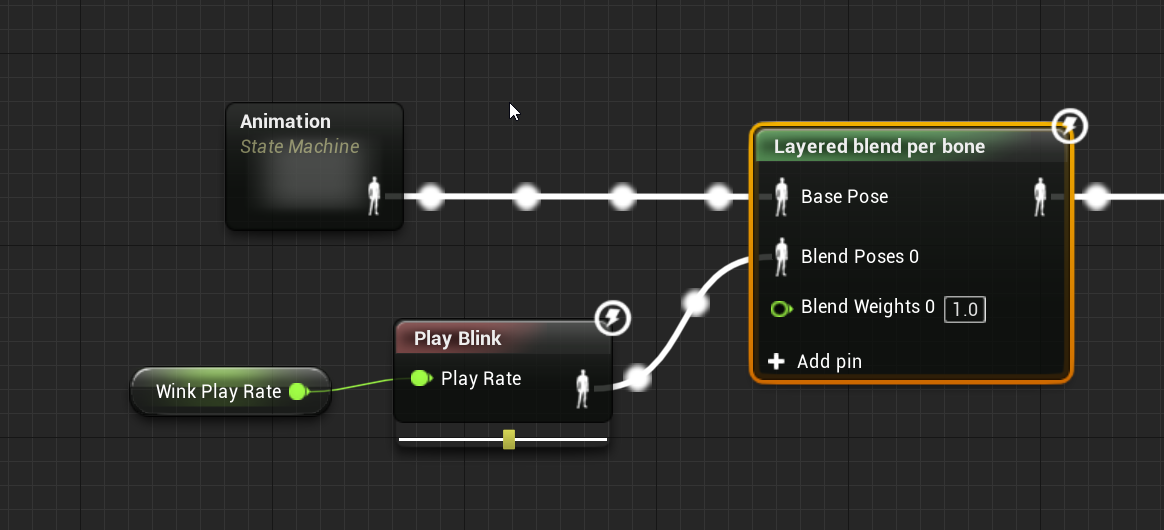
 unreal sphinx
how to move bones in sequencer
 rocky brook
I have a weapon mesh that is driven via arms using master pose. But I would also like to do animations on the weapon itself like a spinning part. Is there anyway to blend master pose with the animation blueprint of the weapon itself?
 feral owl
Hello does anybody know where I can get the FBX for the UE4 mannequin? I'm trying to retexture it
feral owl
Nevermind got it
 novel basalt
Trying to add a "turn" into my animation graph. I've got the blendspace set up with Speed and Direction, but I can't seem to get the actual actor rotation from the AI's movement.
When I add a "print string" onto "Roll" it always returns zero regardless of whether the character is turning or not.
 shrewd jungle
Hey!
Is it possible to make bones not inherit parent transform in Unreal Engine? AKA orphans, free, independent.
Context: I'd like to have a character moving away from it's bones and have the bones being constrained using IK to the only joint still connected to the character.
 fleet marlin
 smoky shell
Moving joints in the character's skeleton breaks animations, is there some way to update them? I don't want to go through the nightmare of retargetting everything from scratch and replacing the many animations
@rocky brook Master pose is rather out-dated, you can do that easily using the Copy Pose from Mesh node (in anim graph)
rocky brook
okay cool, yeah I was messing around with that node too
smoky shell
Any joints that match the name of the mesh its attached to will copy the transform
And of course you can manipulate it after the fact too as its an anim node
rocky brook
Awesome, thanks for the help 🙂
 floral horizon
I can't decide if I should use Blenders rigify rig, UE4's Mannequin rig, or create my own
 upper wigeon
for the past 2 months been trying to figure out why my aimoffset does not allow me to add my animation to it ☹ it keeps on disappearing the character and say's invalid addaptive animation type
 raw stirrup
Is there a way to force AnimNotifyState's NotifyEnd when a montage has been interrupted by the same montage?
I'm doing some sort of animation cancelling - it works on different animations/montages but not on the same ones.
 light cosmos
I am new to unreal engine 4 I am trying to add my custom character and all the animations workin preview etc but it only idles in play?
anyone able to help ive been trying to figure out this but cant seem to find the solution
 serene lake
did u drag the animation into the world
light cosmos
into the assets?
serene lake
where does it idle exactly? in the world space?
light cosmos
basicly what I am trying to get is the walking animation working atm when I like go forward it just idles
I followed a tutorial and did the same but mine just idles
light cosmos
when I press forward it just idles
when I go into the preview and set the speed there in the preview it works fine but in play it wont work at all
could my BP be wrong or
light cosmos
thats the one I am using
but replacing the character
ill send a screenshot of my bp
serene lake
whats inside the idle state
light cosmos
serene lake
do u have a walk cycle animation in there?
light cosmos
in idle I only got idle anim
serene lake
wheres the walk cycle
light cosmos
in blend
serene lake
can i see
light cosmos
serene lake
theres no walk cycle animation sir
light cosmos
this is what my blend space looks like
all dots in the bottom is idle and the two going up is walk and run
light cosmos
yep
any idea how to fix?
any way I can send this to you so you can have a loo
k
this is my first time using ue4 so I have no idea what to do lol
serene lake
HMM
hey bro try this
go to Content > Mannquinn> Animations> right click Third Person Anim Bp > retarget anim blueprints: select duplicate anim blueprints and retarget
uncheck 'show only compatible skeletons' select your character
and see if he runs around
light cosmos
ok thx will try
light cosmos
so like this?
serene lake
yep
serene lake
sample check if your character runs around with that new BP
 light cosmos
I tested the running animation and the only thing that moves is the head
can I send you the project file?
serene lake
ok try sending
light cosmos

anyone know how to fix?
it like teleports when I go to fast and shit and the fov is weird
when i enable root bone this happens https://gyazo.com/e2fa9a72f1198dc6b9ae711661fa4fd4

the animation becomes weird
 tidal canyon
@light cosmos - the glitching gif (second to last gif is caused by root motion. Enable it and it should be fine) What's the issue with the animation? you should remove any code that moves the root/capsule when you have root motion enabled
light cosmos
ok thanks
 floral sky
What's a good way to convert animation data to your skeleton?
 stray inlet
More a general advice request, what are some of your favourite methods for implementing long hair on characters in UE4? Currently I'm thing of weighting a hair mesh/cards to 3 spring bones but wanted to get some input before I try implementing it.
round shale
Can I append an animation dynamically? For example, a pose to a anim montage?
 raw relic
soo, im using blender, i wanna use animation packs from marketplace but ue4 mannequin skeleton seems a bit messy, what are my alternatives? i dont wanna pay money and i will use free assets as much as possible
 ionic dragon
Does anyone know any other way of flipping a skeletal mesh other than changing the scale?
 obtuse basin
I set a clothes simulate.
Her sleeves are not collide with arms when she move arms.
How do I fix ?
 unborn lion
ey boys I got one for ya
how come the cube doesnt lerp after the toggle and reverse from the end?
 quasi geode
hi everybody, do you know how to convert a SK mesh pose to static mesh and keep morph value?
when I convert to SM, it only keeps SK animation pose, not the facial blendshape values, thank you 😄
tidal canyon
@unborn lion - you've set it so that once the box exits the collision it starts going back into it again
only that once it enters it it should start go out again
and it gets caught in a loop
you should make a check to see if it's the player that's entering/exiting the col.
Oh, and in that first gif you're not doing the lerp properly, you want to save the variable of the start pos before you start lerping - otherwise it'll change during the lerping + it also means that it doesn't have anything to go back to when you lerp reverse from end since the start pos you want to go to is where it's at now
feral owl
Hello does anybody know how to export the original 3D Mannequin normal texture? I can't get it into PNG or JPG form, I'm trying to have a character designer help tweak it for me.
 winter notch
Heya all, looking for some high level input from the experts out there. If you were making a next gen AAA game that featured a fair bit of close up facial animation. How would you approach in from the in game implementation side? Is the state of the art essentially bone based animation? Is anyone using full morph target based approaches? Is it a blend of both? Are there any good shipping UE4 examples out there?
 devout thistle
howdy lads, how would you guys set your skeletal mesh for your fps character? Would you have the weapons'bones be tied to the hands, or have them both on seperate armatures? If seperate, how would you link the IKs to the weapon....in blender....ty
 teal epoch
Any thoughts as to why my 2D blendspace is flipping out like this? https://gyazo.com/e4b3780a4e88c672e2e051b8d92f0bcf
 teal epoch
Solved it. I messed up my root bone creating animations for the blend space.
https://gyazo.com/e2e36c3349a62dc197e457dca5d6eaa7

 odd thistle
Guys quick question
I've have a death animation montage that is playing when the enemy dies
However, whenever i kill the enemy, the death animation plays and then the enemy starts playing it's idle animation
What is the best way around this?
raw stirrup
Hello everyone! I'm trying to understand a relation between a tick and an animation frame in game. Are they in any way linked to each other? The official documentation states that we get 1 tick per 1 frame that's actually rendered. So far I'm getting around 5 ticks per animation frame in a Gameplay Task and I can't seem to figure out why
round shale
@tribal flint remotes
 untold marlin
trying to fix this type of twisting on the wrist of the hands, anyone done it before and can point in right direction?
its for VR
untold marlin
seems to be like I need dual quaternion skinning and a custom engine build
fantastic
 misty dagger
i want to implement the basic animations into a side scroller example
does anyone know how to do this
I am all set for running left and right
however, i want the gun holding animations to play
when i jump
if anybody knows how to do this pls @ me
misty dagger
I have an error saying mesh contains name as root bone but animation doesn't contain root track
It wont let me import any animations
 fallow lynx
should the head or the tail of the root bone be at 0,0,0? blender doesnt allow me to make both points at 0,0,0
for root motion
restive yew
Head
Tail is technically just there to give you a visualization of the pivot point (head)
misty dagger
I have an error saying mesh contains name as root bone but animation doesn't contain root track
 muted wadi
Can anyone point me to a really good animation tutorial for in-place, multiplayer focused animations? Seems like there are many out there, but I want something that includes best practices and good workflow so I can start off on the right foot. Thanks!
obtuse swift
hi , i have an outfit . i want to attach it to a body . in fact I want a head and a hand for my outfit. how can I attach this outfit to a body. please help
misty dagger
Any animators here experienced in retargeting?
 lone bay
how do you offset the pivot point on an object?
 eternal ivy
My animbp doesnt seem to be ticking in the animbp editor
the lines dont have that flowing animation to see whats playing right now
it works in another animbp, but not the one I'm editing right now
 rugged tinsel
hey when i try to import just the weapon animation into UE4 it keeps going on for ages and then when its done there is loads of animations instead of just the 1 i need
eternal ivy
well it seems to be previewing, just doesnt show the flow lines...
rugged tinsel
because all i want is a reload animation from the gun but in 1 i have never had this issue before
eternal ivy
trying to blend a sword idle animation into a slot that just affects the right arm, but it keeps rotating wierd!
have tried mesh space and local in the additive settings for the animation
rugged tinsel
are you talking to me?
eternal ivy
anyone that can help
eternal ivy
All the damned rotations with my right arm are wrong
 cinder linden
hey guys this is what I'm using to switch between animations, this is the parent class of my children https://gyazo.com/a4db70b204117abc98f6a646b3dc8b93


how can I make it so that only one of them switches instead of every children?
 cloud lodge
raw relic
cloud lodge
raw relic
Hey, im using blender and rigify. I imported a walk animation to ue4 made with rigify addon. How can i reuse this animation in my other characters? I think i managed to do it but i need to find the optimal way.
raw relic
@toxic pagoda im not too experienced but, other characters will most likely use same exact same bone hierarchy and im not sure if i need to rig them from scratch again or just copy the rigify generated rig and just parent it
and will retargeting work even if i have different rigs?
 toxic pagoda
Yeah, converts animations from one rig to another. Can be used on most skeletons, if the rigs are all rigify then retarget should work no problem just need to make sure they have similar poses.
raw relic
ok man thanks. and what do you think about making rigify rigs compabitble with mannequin-ue4 rig system? like with uefy script etc
 junior umbra
Hi,
In my project in tps view i m.just doing simple reloading anim ,i like to add fps so in fps view i want an reload anim with mag add and remove from gun
How can i achieve that?friends...
smoky shell
This is my animation: https://i.drowningdragons.io/BsEqvJ6VN.mp4
This is what UE4 does to it: https://i.drowningdragons.io/XpSao6Qna.mp4
The maya video is imported from same fbx, how do I fix it? Appears to be related to non-uniform joint scale. Disabling 'convert scene' results in different joints flipping out. But it imports on his back, so if I set import rotation to import the correct direction, the different joints are still the ones flipping out.
misty dagger
I created a cloth, using a mesh made in blender then applied the clothing data and everything. So when I place it in the scene is moves once for like one or two seconds and then stops moving. I added some wind but nothing happens. Did I miss something in the settings ?
 orchid egret
This is a scary old man
Hi, when I import my animation it is completely blank as shown. My FBX looks fine in FBX Reviewer and my skeletal mesh shows fine in the engine it's just the animation
It appears my character was indeed too small this is non sense
round shale
Anyone done pure data-driven animation before? It should be possible to move the Rootbone, right?
 iron slate
I wonder if anyone could lead me to a correct solution for something I'm trying to do. My thought was to create my own AnimNode to do this, but I wonder if there is a solution already available.
I want to create a map of bone names to transforms and do a transform modify bone animnode on all of the bones that exist in that map with the corresponding transform. I'd like to create the graph to map this for every bone name in that map instead of manually create a modify bone node per bone.
My thought was to create an AnimNode that behaves like modify bone that takes in a map of name: transform and steps through each one.
Is this a silly way to do it and/or is there another less manual option already available?
 grave flume
I've been at this for months and I can't come to a conclusion. Is there any reason why my mesh explodes when I apply the RigidBody node in Anim Blueprint? I'm trying to give the hair some physics using a Physics asset, and everything looks great in the Physics asset, but as soon as I apply the RigidBody node, it shrinks the entire mesh wherever physics bodies are and seems to break it entirely. I'm using 4.17.2
PhAT editor
AnimBlueprint + RigidBody node
Would greatly appreciate any help. No exaggeration, I have been trying to get this to work for MONTHS.
 hexed elk
So, I've got some free animations from marketplace, but they come with their own mannequin skeleton/mesh/whatever ;/ and I cannot change it to proper mannequin because of course that would be too simple, easy and convenient and we can't have that... so how to change that?
floral horizon
@raw relic Have a look at some of the recent videos on the official blender youtube channel. There is one dedicated to Rigify.
Probably better off asking in the blender discord.
But generally, you can delete all the face bones, most of the hand bones and the breast bones.
 radiant matrix
Is there someone here todays?
 atomic stirrup
so i retargeted my animations and everything works but my arms dont move like they should
its like they are offset somewhere
so when walking you look like this lol
all the bone structures and names are identical and it animates the arms they just seem offset for some reason
 unique glacier
 winged violet
Would you say the chests / lootable containers in games like Fortnite are skeletal meshes or the opening is done with vertex animation?
OR maybe even a simple blueprint that animates the rotation of the chest lid (two separate static meshes- base and lid)
 scenic dagger
anyone knows where i can find animations to open 2 doors ( like dark souls)
 sudden sedge
@winged violet could be just 2 objects and it pivots one object
either that or skeletal animation
 opal jackal
I'm not sure how to make this animation work with root motion. Any Ideas? If I enable root motion the character doesn't move up into the air anymore. https://i.gyazo.com/dc6c84b9f5cc253de3ac9a7efd9e6b60.gif
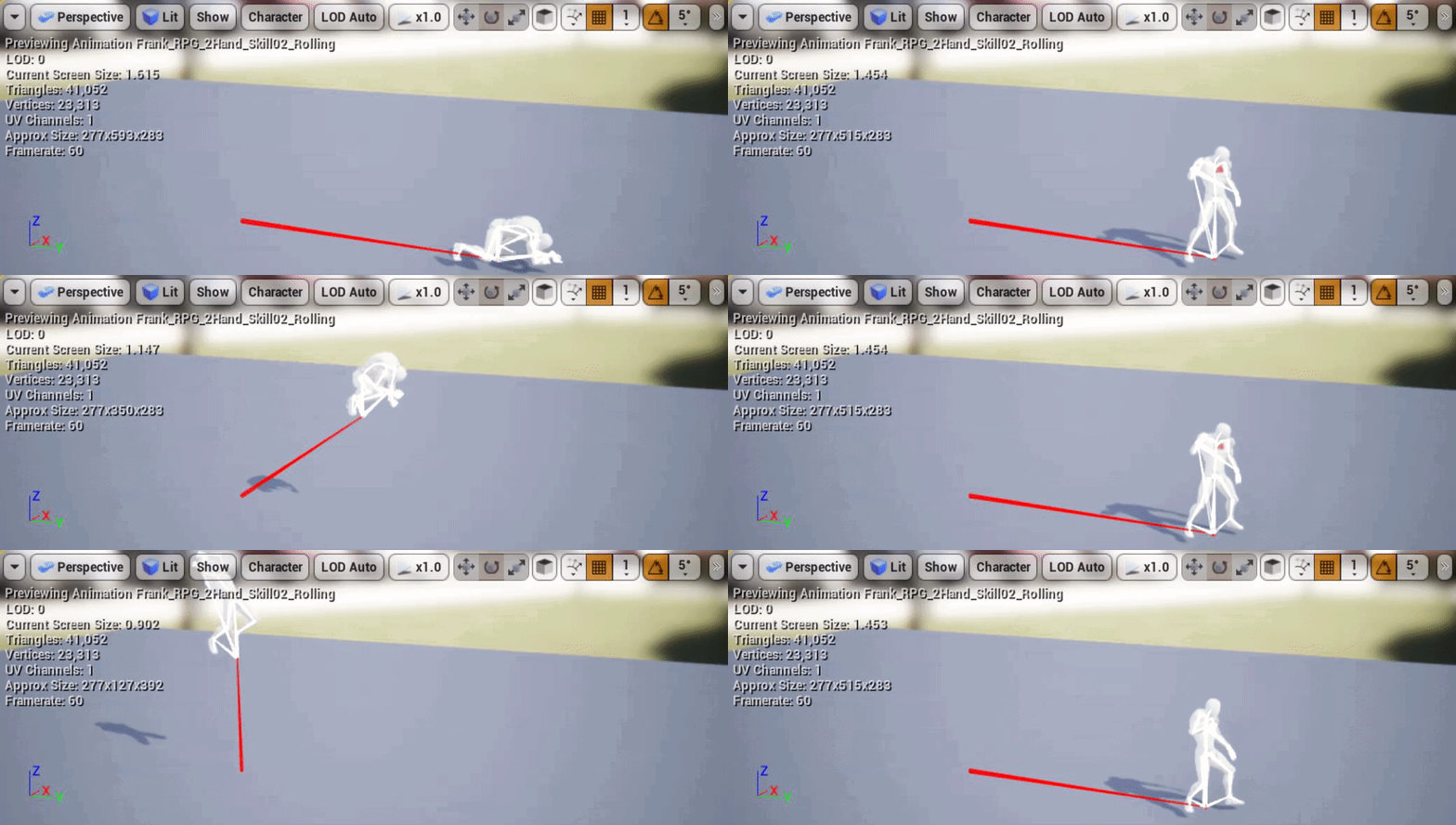
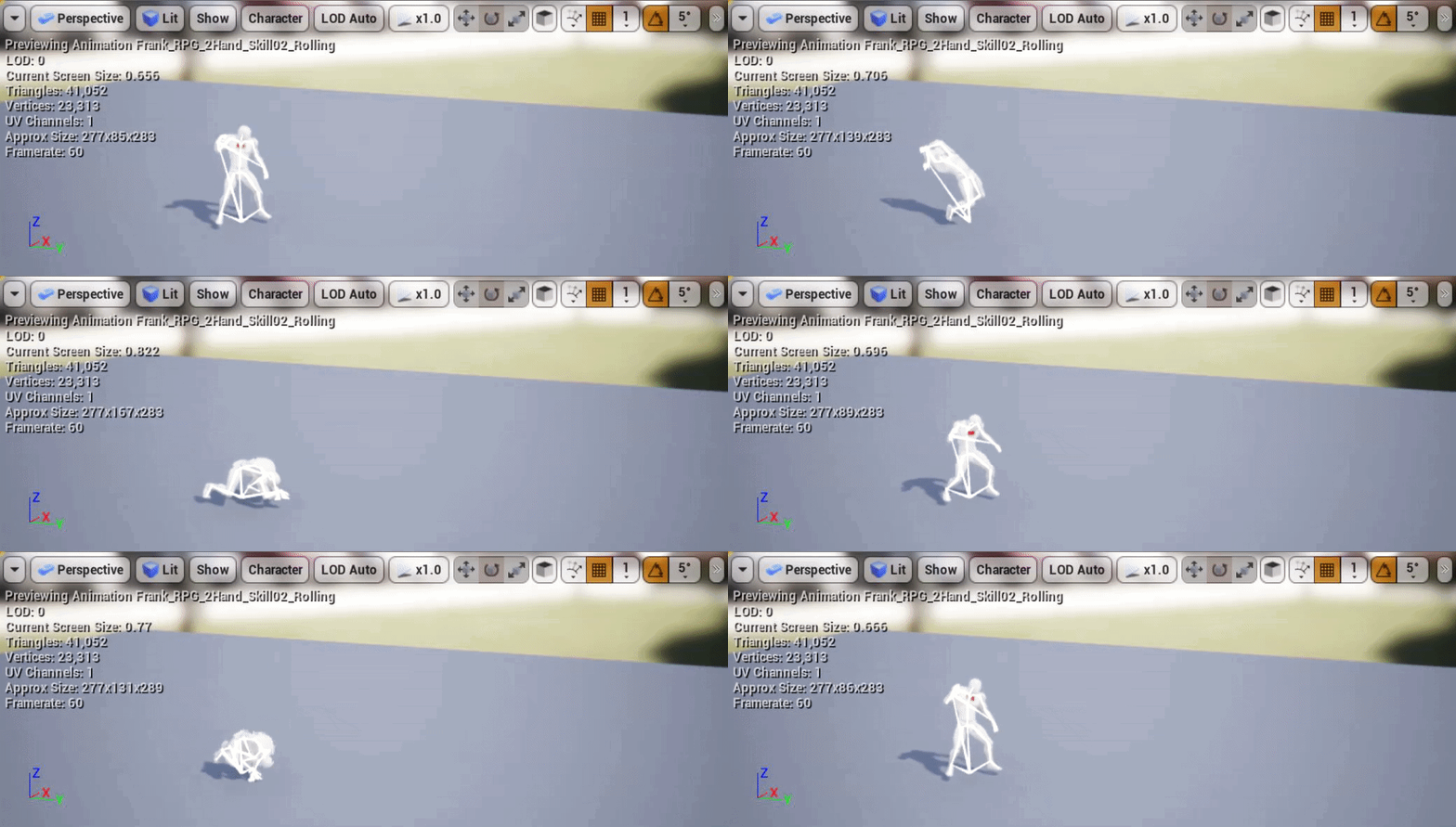 round shale
@opal jackal I'm having the same issue tbh
opal jackal
 opal jackal
The animation moves. It just doesn't go "up" idk
opal jackal
@round shale So after searching around on the web it seems we have to set the player's movement mode to flying somehow
 chrome mountain
Please does anyone know how i can do the ik and ads for a first person shooter. With a third person mesh
Cus I want to make a first person multiplayer shooter but not replicate the change in bone location so every else sees you as normal
unborn lion

im working with setting max walk speed , but the movement of the character doesnt align with the speed of the animation properly
you can see that especially in the walking portion of the blend space
any suggestions??
walking speed doesnt align with character speed properly, any suggestions?
restive yew
You need to adjust the blend space
unborn lion
I created a rig for a mixamo skeleton to use for the Unreal default skeleton
but this is the result
the upper left leg pops out a little so do the shoulders

 half wolf
Here's a weird question... I have an animation that's a 180 degree turning in place animation with root motion. In order for it to look like he turns the whole way around I had to set the rate scale to 1.5. End of day project closed. Next day with the same rate now he turns about 70% of the way. I'd have to up it more to make it look right. Any idea why this happens? It's also an exponential issue
sudden sedge
@unborn lion You need to first find out how fast the model moves at 30 fps
so say they move 850cm during the animation
you then divide your speed like that
so if you're going 1000cm, divide by 850 and set the playrate
 grizzled basin
how do I create this top node? I can create the bottom function but not this asset node on top
 stable roost
jo guys, is there a way to preview an animation in editor view window, without pressing "play/run"?
want while editing, that this dude animation starts...
misty dagger
how is that possible? 😄
 frigid drum
i got this once when i had Reinitialize on becoming relevant
basically was resetting each time the state machine was being reevaluated
misty dagger
didint help , but i fixed by adding another transition from "SpiderGwen"
 crimson otter
Hey, everybody! Help with advice, or recommend a video, to solve this problem. So I created a few AimOffences, with a gun, a rifle, a shotgun and a knife. I took them out to Aimgraph, and I made each AimOffence one by one. They're working, everything's fine. Now I want to assign buttons 1 2 3 4 to each of the weapons. How do I do that - I pressed 1, Aimgraph played AimOffence1 animations, I pressed 2, Aimgraph played AimOffence2 animations, and so on?
floral horizon
So, I am looking to create animations for my character. Looking at the third person template for reference. But I don't understand why there are "Jump" "Jump_Start".
When would jump ever be used??
In total there are 4 anim sequences just for jumping. Jump, Jump_End, Jump_Loop and Jump_Start
 delicate junco
@floral horizon Basically you don't know how much time your character will be in the air so you need to break the anim into three states
No clue for the "Jump" one though lol, I only use jump start, loop and end on my character
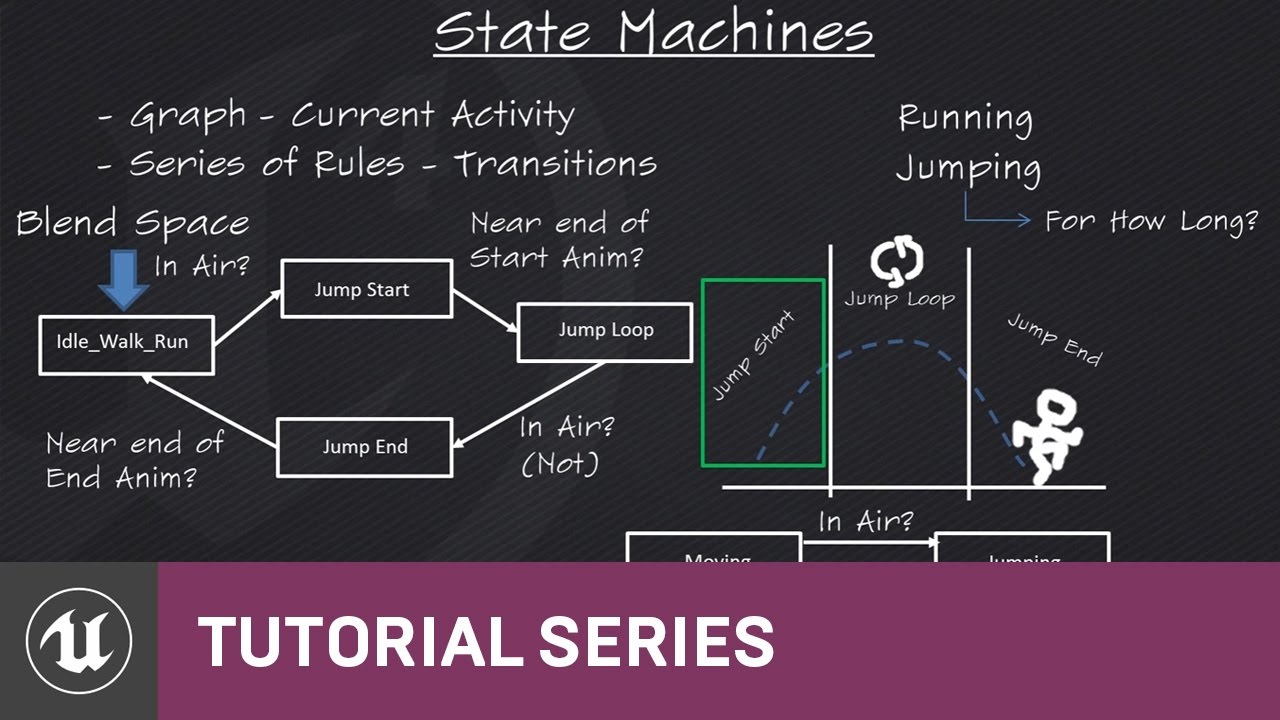
(00:05) - Intro to State Machines (03:48) - Creating the states (05:48) - Jump Start (07:57) - Transition Rules (09:19) - Jump End (11:15) - Wrap up
More details here
radiant matrix
is there someone here?
restive yew
Shh
 jolly osprey
I've imported a planet destruction animation as alembic and tried both skeletal mesh and geometry cache - any reason why the skeletal mesh version outperforms the geo cache by about 2x? 60 vs 120 fps roughly
floral horizon
@delicate junco Yeah I get needing the three different variations, start mid end, but there seems to be that fourth one. Dont get it.
 tight raft
how do i import animations from blender into ue4?
tight raft
ah okay
 mellow urchin
When creating a robotic skeletal character in blender, do you need vertex groups?
Ive parented the meshes directly to each corresponding bone
Why would I then need to create vertex groups?
If anyone could weigh in I would greatly appreciate it
floral horizon
@mellow urchin I think it only really needs weighted vertices if the robot mesh is a single mesh.
If you have parented each individual part to a single bone it wont need them. (It may even automatically create them on export/import) Not sure
mellow urchin
Awesome
Issue is our programmer has reported duplicate bones in the characters in UE4
floral horizon
As for doing it as a single mesh. It doesnt make it complicated.
You can weight the parts of the mesh in edit mode, and just add it at 100% weight. No fade. Then you wont get any bending between parts
mellow urchin
Yea I jus want to save time an avoid things if they are not applicable, it doesnt seem hard, jus time consuming. Very good to know I can skip with mechanical characters
Now as for the duplicate bones
NNo idea how thats happening
floral horizon
I made a mech prototype character a while back. I was able to do it by exporting and importing the skeleton into UE4 on its own. Then exporting individual pieces of the mech into UE4, and selecting use existing skeleton.
Allowed me to set up a modular mech character with a single skeleton
floral horizon
Super simple. All your individual mesh parts are already parented to the skeleton.
Just select a single mesh part, AND the skeleton and export
mellow urchin
Im avoiding this and simply having preset classes of mech that can be upgraded, like warthunder
Oh I see
Hmm
floral horizon
I wanted to be able to have custom legs, body and "arm/shield" pieces
floral horizon
At the time I was jumping about between projects deciding what to work on.
I decided to work on something more achievable.
I think I have some videos on YouTube of the project. But none recorded of the mesh I made.
@mellow urchin https://youtu.be/z0vP1YD6GUQ

Just a quick test to make sure I can get my animations in game and working as expected.
mellow urchin

Google Drive
awesome
What luck, to run into another mecha fan in the animation channel, this late at night!
Your prototype looks great btw
Animation could use some work lol
But feature wise looked promising
What do think of my Walk Cycle?
Theres more I want to do, give it more weighty movement but wanna move onto other anims like running and firing
floral horizon
Oh for sure. My animations there were probably the first I had EVER made. And were just a quick mockup just to show it was moving. Would love to work on it some more.
I can't load your animation at the minute. My internet is being awful.
floral horizon
You too. What you workin on? You got a team?
mellow urchin
A secret mech project
Yea have a small team
Myself (project lead), co-founder, lead programmer and co-programmer
the programmers are freelancers weve established a strong working relationship with
Im a jack of all trades, animation, illustration, marketing, business, legal
 white tiger
Hey, what software do u guys use for animation or can u give a recommendation? I’m trying to get away from 3Ds max, since I still have an old version
 hollow ember
@white tiger Blender 2.80
white tiger
Yeah I was thinking to switch there anyways - for Modeling. Just a bit lazy to take the time and learn the robes. But I heard it’s easier now with 2.8
floral horizon
Blender is pretty damn awesome. Even the older ones.
Its just a more user friendly now
 finite fulcrum
Guys, I've been working with animnotifystates right now, I've did some checks, and found out that OnNotifyEnd is called even if animation is interrupted which is really good for cleanups. How much it is reliable in very short notifystates? will it always be called?
mellow urchin
BLENDER IS LIFE!
Seriously though, its free and version 2.80 is here bringing in a ton of upgrades and overhauled UI
Its great for animation aswell
That animation I posted earlier
MH Walk Cycle v2-5
Ive only just learnt to make animations and thats how good its looking. If you want link to the tutorials I followed hit me up
Only thing is Im focused on vehicular animation, which is much easie rthen biological as you dont need to blend weights
You can jus select a mesh an parent it directly to the bone
None of this weight painting fuss lol
For biological characters, youll have to give it automatic weights, then adjust that for each bone an test, its a right pain ><
If you had 3ds max, you could jus use skin wrap? I think the modifier was called
Essentially takes the bones weights from one rigged character and applies them to your new rigged character
3ds max and maya may be better for rigging biological characters
 hasty gazelle
is there any reason why in many epic tutorial it is encouraged to make duplicate of variables in animblueprint instead of directly using public variable from character?
grizzled basin
if the root bone doesn't move during an animation why would the character actually change their location?
when extracting root motion
delicate junco
Maybe the root bone stays in place but the other ones move
rotund musk
Hey, anybody have a solution for this? I have a simple LookAt node in my anim blueprint, but I only want the LookAt node to affect the yaw of the bone, I want the rest of the axis from the animation to be preserved
delicate junco
I never used that function but it seems to have some different params in the details pannel, aren't they enough ?
Refering to these
rotund musk
I'm not entirely sure what these values do
delicate junco
I think that's what you need here
The values are explained here https://docs.unrealengine.com/en-US/Engine/Animation/NodeReference/SkeletalControls/LookAt/index.html
Describes how the Look At control can be used to specify a bone to trace or follow another bone.
rotund musk
hm, okay, I'm not entirely sure how to manipulate that value to get my desired effect
white tiger
Thanks guys and @mellow urchin , I’ll come back to u. I’ll wait till my new pc arrives (just waiting for that darn 3900x to come) and then I’ll probably do the switch to blender
opal jackal
I'm trying to export a simple animation from Blender to UE4. I've only been using blender for the past hour so I'm a noob. I have my animation complete and just want to export it to .fbx then import it to ue4. I renamed my root to Armature does this look right? If so what do I select to export so it'll work with my existing Mannequin skeleton in UE4?
 delicate junco
@opal jackal to deal with the additional bone issue I used the 2nd solution here https://forums.unrealengine.com/development-discussion/animation/1466009-blender-to-ue4-root-motion-not-working
To export a model and its armature select both of them and choose "selected" in the fbx exporter options
Unreal Engine Forums
Hello, I am using Blender and UE4. I have attached pictures for what i will be referencing.
I'm trying to export an animation to UE4 with root motion, but it
opal jackal
So I'm still confused on what to select. Do I select the Armature or do I select the root bone. I just need the animation, not the mesh right?
I've only ever worked with Maya so this is all new to me
So it's saying it is creating a second root bone. So I just need to fix that. But i don't see that code in the .py file. It's different than mine.
delicate junco
Ah you're using 2.8 ? Didn't make the jump yet, still using 2.79
Yeah select the armature in object mode, select the mesh by holding shift and selecting it too and then export
opal jackal
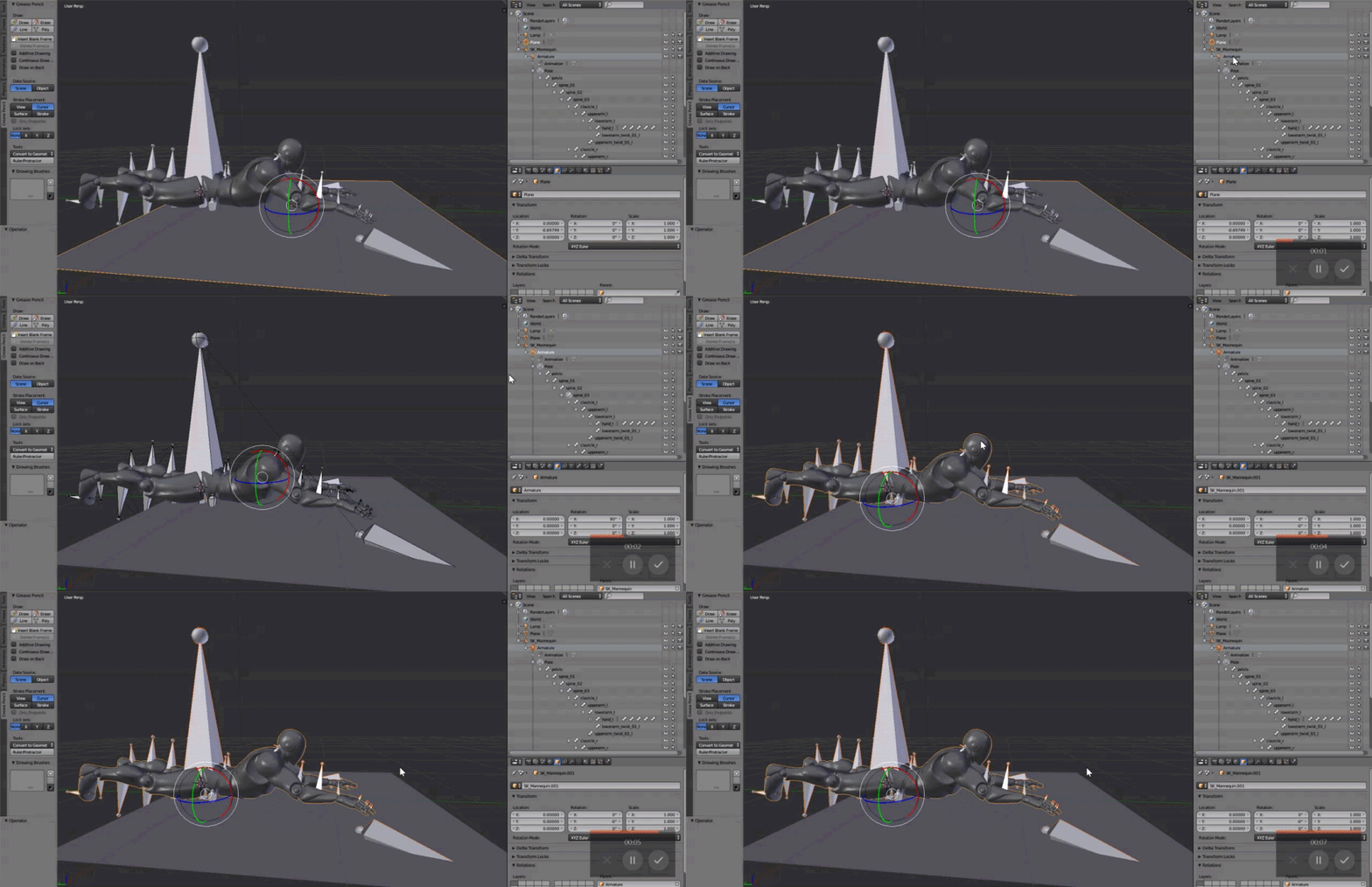
I must be doing something wrong. https://i.gyazo.com/e1d1dce4d3774ad6cdcd65da9de86811.png

Is this what you meant? https://i.gyazo.com/9785cfd6c81a56f7e21de8a23fba0c13.gif
@delicate junco
 delicate junco
To solve the first warning, just choose face instead of normals only in the exporter, geometry section
Hum looks good to me, I'm just a bit confused that selecting the armature selects the whole thing, I usually have the model and armature separate
opal jackal
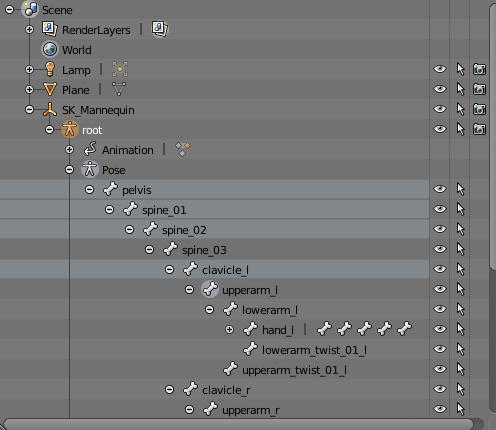
Did i rename the wrong thing Armatur? This is what it looks like before: https://i.gyazo.com/a8c059bb17fe49e32258fbd7b3dd56ee.png
 delicate junco
I'm in bed so can't double check but it should work lol
Just make sure that you only have one root bone as specified by the error
So create a new bone
And then make it parent of the other top parents
To do that in 2.79 you select the children then the parent then CTRL+P keep offset
Should work in 2.8
Need to sleep rn but if you don't solve it just send me a PM with the file, I'll take a look tomorrow
opal jackal
Thanks! Happy Sleepin.
 gritty prism
Is there a way to snap a notify or section to a frame in a montage? I hate that I have to zoom in really far to get something more accurate instead of exactly accurate.
For example, dragging a notify, I can get it to be right on a section start/end just by dragging because I get the little blue dot signifying which section its in.
 boreal crag
Hey guys anyone can explain how we can add extra bones to default manequin at art in maya?
 sour vigil
@boreal crag are you trying to add a root bone by any chance?
boreal crag
@sour vigil parented to root yes
sour vigil
Ah, I am not 100% on that, I have only ever had to create a root bone and add the whole hierarchy to it.. I followed this tutorial to do it

not sure if that's what you need though
boreal crag
I dont need to create root bones
I need to add extra joints to the default manequin
Using ART
So did anyone done it?
smoky shell
What's wrong with the spring controller that it does this no matter what I change the settings to? The attached mesh just jitters like crazy trying to keep up https://i.drowningdragons.io/Sxoce6sFK.mp4
Its still bad even if using "Max Displacement"
Otherwise you could argue its an expected result
Its also doing it way too fast.. is this in world space or something?!
Omg it is, isn't it
Nevermind, this node is botched
"Wont fix"
smoky shell
Fixed their spring controller myself. Its a few lines of code an a bool to preserve original behaviour they have no excuse
This is on Git, @ me if you want a link. Mine doesn't break when falling at high speed either (as its component space wont factor velocity).
Mine : https://i.drowningdragons.io/u76HqK5Du.gif
Theirs : https://i.drowningdragons.io/Ta5dfL7HQ.gif


 silk axle
how bad of a hit is it to not use "Fast Path" in the anim graph? I need to do a calculation after I do Two Bone IK on my hands in order to feed data properly into nodes further down the chain. I could do some crazy math and estimates to maybe accomplish the same effect, but it would be really hard, so I want to know if it's worth it
or if it isn't such a big deal to go something like *2 Bone IK -> Some custom C++ function to set a variable -> continue with anim graph"
smoky shell
I don't think there's any situation where there's a reason to avoid fast path
Makes me wonder how you've set it up that its a concern
silk axle
In this specific case, I am doing 2-Bone IK on a hand based on the position of a MotionControllerComponent. In order to make the elbow position look more realistic, I want to rotate the elbow based on the twist of the wrist across the hand-elbow axis (notice on your own arm that if you try to twist your wrist too far without moving it, your elbow moves to compensate.)
The issue here is that, until I do the IK to calculate the position of the elbow, I don't know what that hand-elbow axis will be
so the most natural flow without doing any fancy tricks would be to grab the motioncontroller position -> 2-bone IK to calculate the elbow -> calculate how much the elbow needs to adjust based on the rotation of the wrist along it's axis -> adjust elbow
If I can't do it inside the anim graph, I would have to get a different C++ IK library and do my own internal calculations based off that, before passing all the final data off to unreal's anim graph
smoky shell
Does your IK cause the wrists to rotate?
silk axle
no, the wrists rotate based off the motion controller
smoky shell
So it looks to me like what you want is to drive the pole vector on the IK node with the motion controller's rotation which results in that elbow rotation
silk axle
that's right
smoky shell
So you should be able to calculate all that before applying anything in the animation graph
silk axle
The rotation of the motion controller relative to the elbow will be different before and after the animation graph execution
smoky shell
All you're doing is raising/lowering the pole vector based on the wrist rotation
Oh
What I'm saying is
Drive them both with the motion controller's rotation
Instead of trying to drive the pole vector with the wrist rotation
silk axle
If, for simplicity, we just think about the "twist" component of the wrist rotation, I don't know how to capture this in relative terms. For Example, if stick my hand out directly in the X-direction, then if I twist my wrist I am rotating on the X-axis. If I stick my hand out directly in the Y-direction and twist my wrist, I am rotating the controller on the Y-axis.
The only frame of reference I have to know which way is what is by drawing an axis to something else. In this case, the "correct" frame of reference is the axis created by the elbow and wrist.
Unless there is another trick. Right now if I were to just use the world rotation of the motion controller, a wrist twist would be different depending on which way I'm facing
I get what you're saying, just drive the pole vector based on how much the motion controller is rotated in the "twist" direction, but I don't know what the "twist" direction is
smoky shell
Hmm not experienced enough with VR to be any help there
As for your first question - Fast path just means its multithreaded IIRC, so shouldn't matter unless you have more than a few meshes (or, players)
silk axle
I still appreciate your time 
The solution I'm about to start writing will be to use the elbow location from the last animation update and have it guess based on that, with the assumption that the time-step will be small enough that the guess is good enough (rip 5 FPS players)
mellow urchin
Hey guys
Im having an issue I wonder if anyone can help with
After rigging, animating an importing my character into Unreal, its floating slightly and tiptoeing instead of walking normally
It should look like this
But in Unreal...............
Any ideas?
mellow urchin
Anyone?
round shale
@mellow urchin the root bone might be offset slightly by the looks of it
round shale
Honestly, I'm not sure. Though I'd assume it'd defer to 0,0,0 but maybe it doesn't?
A solution could also be manually set the skeleton down on begin play to match the floor.
Could get fancy, do a line trace and get the location - set the Z etc.
mellow urchin
You may be onto something
round shale
I'm also not at all an expert.
mellow urchin
I remember altering the root at some point
round shale
Not even close
mellow urchin
Hmm
Ill have to go through the entire process again, Ive clearly made a mistake on the way
round shale
What are you using? Blender?
round shale
custom rig or the mannequin?
oh, custom by the looks of it.
Not sure if this helps at all but this just came out for 2.8 https://www.reddit.com/r/unrealengine/comments/d06p1f/blender_to_ue4_free_mannequin_addon_first_release/

reddit
Posted in r/unrealengine by u/JimKroovy • 14 points and 3 comments
 pallid kayak
anyone here have side dash and slide animation? can i have those? XD
 narrow ocean
mellow urchin
narrow ocean
mellow urchin
Dont think people are just gonna give you animations for free, also, animations are specific to the rigged character
Ofc you could re-target, but thats another mag of ammo
Deathwish what program you using?
junior umbra
hi,climb animation is played using play montage in animationbp ....root motion enabled but i dont know why animation is looking like pop up at the end of anim...any suggestion or solution friends
tidal canyon
Rakesh - looks like Climb Lft and Climb Rgt isn't aligned to the same height (Could be root-joint is slightly higher up in ClimbRgt)
junior umbra
the problem is after he climbs the player pops @tidal canyon and also in side jump the prob occurs
any suggestion bro
tidal canyon
bro...>_>
But it's really hard to tell from the videos, the jump left looks like it could be rotated the wrong way in animation. Perhaps easier if you rendered with the skeleton visible.
Does it always glide up after a jump Rgt? Cuz then it could be that the Jump Rgt ends in a different pose than the Idle animation
 prime sequoia
Hi, I'm sure a while ago I had a tutorial video found on youtube on adding individual toes to an existing mocap skeleton in ue4, but I can't find it anywhere now, does anyone know of it?
prime sequoia
Maybe it was fingers but they said you could apply the same to toes.. I wish I could remember more about it :/
pallid kayak
try to retarget mixamo animation to my character. why source doesnt show up?
 nova lark
ok I cant find any solutions online and its driving me nuts
my skeltion is targetng the wrog physics asset, how do I cahnge that? https://gyazo.com/f12cbab485d9d97ead420489344a8e0d
 nova lark


physics is a brutal endeavor. Someone help me I dont know what Im doing. https://t.co/2Iyh3xWdAH
 Twitter
 bold juniper
@nova lark do you need a tutorial?
nova lark
No I don’t think a tutorial would help as my skeleton is already quite different than stuff online
young urchin
@mellow urchin have you tried to place a skeletal mesh in to scene?
Cause it's how generally SK meshes look (Aurora from Paragon)
it's just ground plane is shifted (not root)
@nova lark in mesh tab
 alpine flume
does anybody know how to get hold of a physics material on a skeletal mesh on hit?
 dense pine
Hey everyone ... Probably an easy one... Is there any way to make a character bend to pick up a mesh, but only bend as far are required to pick it up? I'm thinking Ik?
 valid maple
any tips for debugging a state machine ... its driving me nuts!
 fresh imp
hei guys, i have a litle problem, when i try to set my animation on the speed 1d bleed, in game the charater dont change the animation from idle to run
some one can help me'
okei i resolved it XD
 hollow latch
Is there a way to rotate a bone in the animbp, but have all the children bones keep their original positions?
 latent frost
Hey, have people here used Uefy for blender? It's a bit expensive for me so I wanted to learn about other people's experience with it before I pay for it.
https://www.rakiz.com/uefy/
young urchin
@latent frost haven't use uefy, but Epic used this one on their Blender stream https://github.com/chichige-bobo/BlenderPython/tree/master/RigifyToUnreal

GitHub
Restore bone's custom shape objects in Blender 2.69 - chichige-bobo/BlenderPython

Announce Post: https://forums.unrealengine.com/showthread.php?145938 DOWNLOAD BLENDER ASSET HERE: https://s3.amazonaws.com/contentplugins/BlendMann.blend Tom...
latent frost
Thanks @young urchin
latent frost
I have imported some mixamo animations using https://github.com/enziop/mixamo_converter
GitHub
Blender addon for converting mixamo animations to Unreal 4 rootmotion - enziop/mixamo_converter
But sometimes the feet of humanoids are all messed up. Anyone know what I am doing wrong?
 queen matrix
Hey, anyone experienced with first person anims? Need fixing some anim files and correctly reexporting them. Will happily pay a few quid :).
misty dagger
Hey, I'm using UE4 mannequin compatible characters and was wondering if there are any real downsides just assigning the mannequin skeleton to the skeletal mesh instead of retargeting?
First hand the assigned animation looks way cleaner than the retargeted animations which end up pretty distorted even when adjusting retargeting options.
pallid kayak
anyone here have vault animation? for action shooting game
im thinking of buying for that file
 spiral sequoia
so AnimDynamics still require a bone for each moving part right? im trying to plan for a modular character that may or may not have moving bits here and there. i feel like if i need a bone for each piece id end up with tons of unused bones and/or moving parts all having to be in the same spot. am i missing something? O.o
 fickle yarrow
@cyan grove Have you setup the animation update in the animation BP?
 cyan grove
what update?
fickle yarrow
cyan grove
where do i place it?
fickle yarrow
Have you read through any of the documentation on animation blueprints or watched any tutorials on it?
cyan grove
i did watch some basic tutorials on youtube
delicate junco
Check that one and a few of the following ones https://www.youtube.com/watch?v=Mr7q5Cfjj7c

(0:05) - Intro and closing Blend Space (00:51) - Creating the Animation Blueprint (02:17) - Graphs in the Animation Blueprint (03:13) - Tabs in the Animation...
You'll be good to go then
delicate junco
yeah
cyan grove
thanks
 serene perch
Howdy, ive been plagued by an animation issue that I cannot for the life of me get to the root of. Im working on some basic first person weapon equipment stuff, and when drawing a freshly equipped weapon, the idle animation flashes up for a short amount of time before the intended drawing animation occurs, even though my code should be starting the montage animation immediately after I set up the mesh.
I attempted to make the mesh only visible after I initiated the slot animation (which happens within OnDraw), however it seems to not actually help
this has been tormenting me for days and I cant figure out where to even begin looking to solve this
delicate junco
@serene perch Did you put thestart blend time to 0 ?
By default it's at 0.25 or something
serene perch
let me check
fickle yarrow
That gets me everytime
delicate junco
Same, dunno why it's default lol
referring to these btw, in the anim montage options
delicate junco
Hum, do you have a state machine ?
serene perch
 delicate junco
If so maybe it's doing a quick transition, snapping to idle real quick ?
serene perch
all it has is an idle animation and a slot to override it
delicate junco
Ah ok
cyan grove
@delicate junco bro can you send me the whole playlist?
delicate junco
It's that one I think https://www.youtube.com/watch?v=hRO82u1phyw&list=PLfQ3pODBwOcaV1TdnqNWLTJ4wiUzEvXis

In this series of videos, Wes Bunn will walk you through the steps to create a third person game. (00:05) - Intro and Play in UE4 (02:17) - Importing FBX ass...
cyan grove
if there is any
delicate junco
Kinda old but all animation stuff is still relevant today
cyan grove
thanks fam : D
delicate junco
@serene perch Unfortunately I don't have any idea about where it can come from rn...
serene perch
im suspecting something else somewhere in my code is screwing with it
delicate junco
Did you try to make a quick BP setup, make an anim montage with the anims and test it ?
If that works fine then it comes from the code yeah
serene perch
problem is, I dont even know where to begin looking
the code thats dealing with this stuff has worked fine before
delicate junco
@serene perch Not sure at all but here's what I think happens if I understood well : at some point no anim slot is overriding the idle anim cause the anim is finished so it quickly pops before registering the next slot anim
serene perch

here's the bit of code responsible for making the new equipable be displayed on the mesh component
the OnDraw method pretty much immediately should play the slot animation after I set the mesh
altho for context, not sure if this is relevant
currently I am using only a single asset for everything
rifle, door keys or whatever they all use the same asset, because Im working mostly on code stuffs
could that be related?
delicate junco
I'm not sure unfortunately and I need to go rn 😦
Hopefully someone else can help you figure this out cause I have no clue rn
silk axle
Is there a way to just cache all of the casts in an animation blueprint on launch (like beginplay?) Right now I have the casts in the eventgraph but it's totally unnecessary to cast every tick. I tried putting it in "Event Blueprint Begin Play" but it bricked the animation blueprint completely to the point where I had to restore to backup (errors about NaN bones which probably means the skeleton isn't initialized yet within that timing window)
delicate junco
@silk axle The event "Blueprint Initialize Animation" is what I use, in the anim blueprint. I do all my casts there, once and for all
@cyan grove You can't edit anims in UE4 I think, need to use a 3D software like Blender, Maya or 3DsMax
delicate junco
Good night !
silk axle
Thanks  I'll try it out
fickle yarrow
@delicate junco You can do it with curves or with plugins like AllRightRig. Curves have limitations though.
@cyan grove Sorry. I don't mind helping with specific problems, but you need to spend some time learning the basics.
delicate junco
Oh ok good to know thanks !
hasty gazelle
how to convert animation montage to animation sequence?
 fair sable
Hello, i have a "Stop Animation with Root Motion". It's placed in my Loco. But i want it can be interrupted when i move again.
Example : Press Move->Walk_Start->Walk_BS->Walk_Stop_Root->(can interrupted)->Press Move.
Also i wanna clarify that how can i interrupt a Root Motion Anim/Montage.
Any idea? thank's!
raw relic
is there a free way to make lip sync like in game life is strange
i just couldnt find any non-outdated source on taking data from audio file
delicate junco
If you know some machine/Deep learning you could use these papers to build a custom model https://youtu.be/ZtP3gl_2kBM
Otherwise I don't know

The paper "Audio-Driven Facial Animation by Joint End-to-End Learning of Pose and Emotion" is available here: http://research.nvidia.com/publication/2017-07_...
 young aspen
Hello, please help me answer this question about Animation BP for AI. I am trying to set an animation blueprint for different AI characters. I am using the same animation blueprint that my player controlled character is using, but the problem is that the AI mesh gets animated when my main character moves, even if it just standing. The animation blueprint i am using is getting the information for speed and direction from the player controller node, how can i make it get the information for speed and direction for each individual AI npc, so the animations work correctly? I know it's a long question, i am sorry
delicate junco
You're probably using a "get player character node" in your animBP, could you post a screenshot of your event graph ?
@young aspen
Try something like this
 modern kite
Why is it yellow?
delicate junco
My screenshot ?
modern kite
Yeh.
delicate junco
Oh just using f.lux lol, it's late for me
delicate junco
Yup, it filters blue light depending on the hour
I think Windows 10 has a built in feature like this one if you have it
modern kite
There is something like that, yeah.
Anyway, was just curious. Back to tutorialing I suppose. 😛
delicate junco
😁
young aspen
@delicate junco Thank you for the advice, i will try using the nodes you posted
i am using this animation blueprint for my AI character, and it's giving me problems
delicate junco
NP, the initialize event is here to do the casts once and for all to avoid casting everytime
yeah the problem comes from "get player character" on the left
Replace it with the try get pawn owner node on your AI
young aspen
how can i get the set pawn owner node?
delicate junco
I created a variable to hold it named Pawn Owner
It's not really useful tbh since there's no casting, you can skip it and replace the pawn owner variable by the get fucntion. I just did it to make my nodes more clear
The controller is a good thing to have in a variable though, cause you cast it once and for all in the initialize and then you can use it as a variable in the update anim
 brave drum
Am I allowed to ask stupid questions in here? I have a weird animation import issue..

all my animations import like this where the chest rotates 90 degrees
modern kite
@brave drum Well that's.......weird. 😛 What file type are you using to import the animations?
modern kite
Have you tried importing the animation from Maya instead of Blender?
I dunno if that'll fix it, but it's an idea.
brave drum
I don't have maya or the original file
the problem lies with the FBX and I think I figured it out already
the root bones scale is 0.001
I just scaled it up to 1 and reset the local scale
that seems to work
modern kite
Ahh, okay cool.
Still, that's a very odd import glitch. Never seen that happen before. 😛
 reef agate
anyone here messed with the Face AR Sample?
next pine
@young aspen - The node you want is "Try Get Pawn Owner"
That will get the pawn currently playing the animation bp, and not specifically the Player.
 abstract wigeon
Hi guys - just wondering if anyone has had a problem with their montages t-posing at random times. I have three in a row that play (a knock down, a lie on back with its delay to the next given a random float in range, and then the get-up) sometimes it poses before the knockdown and then goes to lie flat, sometimes it poses after the knock down before the lie flat and rarely messes with the get up. I have tick pose and update joints selected I'm the skeletal options but not sure if I have to do anything else? It's all in my character because it has branching stuff that checks for no legs and also to add it to my anim BP means I would have a locomotion state machine that would colour the whole screen in white
next pine
I've only seen anim-bp's t-pose if they're not sending a pose to the Result for some reason.
next pine
My guess would be, if you have nothing other than your montages playing, and your montages don't necessarily link up exactly on a tick by tick basis, it could t-pose between them.
next pine
Yeah, that sounds like, for at least a few ticks, you're not sending data.
If you want them to play in sequence, put them all in one montage.
abstract wigeon
I tried to make sure the 1st montage doesn't fully finish before going to the next by using a multiply by .9 to feed the delay
Nah I want variable time on the ground otherwise I would
Might have to in the end if I can't fix it soon
next pine
I have no idea your specific context, but remember you can loop sections of montages.
abstract wigeon
Yeah the lie down loops but the others play out
next pine
And yeah, pretty confident that you have nothing to fall back on, and your montages don't properly sync up.
abstract wigeon
Ok man thanks anyway 👍
 noble pelican
Hey all. I'm new to all this UE4 stuff. I'm trying to get my character to play attack animations and it works but when I try to get her to go back to moving, she stops playing her moving animations. Not sure what's wrong.
I've tried checking to see if she is doing a normal or combo attack and it's just not working.
abstract wigeon
You'll have to he way more specific about the setup for any real help
Is it pkaying montages?
Is it a loop of states?
Are the transition rules set right?
Is the anim BP event graph pulling the correct variables?
noble pelican
I'm just doing a simple Play Animation when the Left Mouse Button is clicked.
abstract wigeon
Is it looping?
noble pelican
I have it set up in the Player Character to set Attacking and Combo Attacking and I have corresponding Bools set up in the Anim_BP to set the variables from the Character ones.
No, I made sure they're not looping.
abstract wigeon
If the left click sets a variable that the anim BP uses to go to attack state, then then the transition rule has to have animation time remaining as ratio < .1 as true and your variable in the character set back to default
noble pelican
Sorry, I'm setting the variables on the character, then the Anim_BP is handling what Anims to play.
abstract wigeon
Yeah I gotcha
noble pelican
I'm trying to get the Transition Rules in my State Machine set up.
abstract wigeon
Ok so the one going to attack is fine, you just have to set the one going back to your locomotion
noble pelican
yeah.
From Normal Attack to Combo1 is fine. Just the one from Combo1 back to Idle/Run isn't behaving.
abstract wigeon
Focus on that one and you will get it working
And make sure the variable is set back to default in your character or the attack state will stay triggeres
noble pelican
I wonder if the fact that I am just setting the Bools for Normal Attacking and Combo Attacking in the Anim_BP is causing it to not set them back on the Player Character...
I hope I'm not being a pain in your backside.
This is my Anim_BP for my character.
The bools on the left are from the Character. The ones on the right are being set from the ones on the left.
abstract wigeon
You will have to manually set them back in the character my means of the left click event or an interface from the anim BP to the character
You can cast too if you want
noble pelican
This is where my Attack is handled in my Character.
abstract wigeon
Why are both ticked true?
noble pelican
So maybe a delay hooked up to both and then set them both back to False?
abstract wigeon
Yeah a delay for the animation length
You can also use an anim notify to set the character bool back
They work great
And allow for perfect timing
noble pelican
I'm following a vid on YouTube and he did have me set up some Anim Notifies.
That's where the Notifies are being set.
Wrong pic
abstract wigeon
Yeah that's setting the books in the anim BP but not the character. Use a get pawn owner - cast to your character and then drag out the variables and set them back
noble pelican
So when I click, Normal Attacking is set to True, then when the animation for that attack is nearly over, there is an Anim Notify that sets it back to False.
Yeah, ok. I'll try that out.
abstract wigeon
Yeah that's the idea. And your notify tells your character to set it's attacked by bool false
And in turn your anim BP reads it and sets it's bool false
Simple
Give it a go, if you still can't get it, ping me
Gotta go afk
abstract wigeon
Haha nice 👍
noble pelican
Thanks for the help!
I had a case of the dumbs.
Also, I figured out that if I was setting the bools on the Character, since I was setting the Anim BP bools from them, I could edit those out from where I had them hooked up to the Anim Notifies.
It's staring to storm. I gotta get off of here.
Thanks again for the help. Have a great day or night or whatever.
abstract wigeon
Anim BP is easy once you learn the basics man - but anyways, no problemo 😉 feel free to hit me up for any more questions
hollow latch
hi all, my hand ik retargeting doesn't make the ik bone budge at all
anyone have thoughts? thank you
the fk moves fine
but the ik just stays in A-pose position
hollow latch
Think I got it. Had to add more anims under the bones to move array
 ivory blaze
Hello Guys,
I've a problem with importing animation from MotionBuilder to UE4, as you can see in the screenshots after importing the animation character is in air!
Any idea how to fix this problem?
I'm not very familiar with MoBu
tidal canyon
Vahid - does it look correct if you set the Character Source to None in Motionbuilder? (I.e. is the skeleton plotted properly?)
 jolly rain
Is it possible to add a bone and re-import your characterSK? - I've tried many times to add a un-weighted dummy bone to my existing character and ue4 crashes every time.
 languid pewter
Oh fun.. keying a transform property on a blueprint is completely borked in 4.23
in sequencer
ivory blaze
@tidal canyon I found the problem, I changed root on the skeletal retarget options to scale to animation & after resetting them, animations are good now...
misty dagger
I haven't been able to create a walk cycle that works in all directions yet but I can't tell what I'm doing wrong compared to the content example. I created a cycle for forward, backward, left, and right. They all blend together great when travelling forward but when moving backwards problems immediately occur. Is there a guide on how to create walk cycles that are intended to blend together?
 signal kraken
@misty dagger you are using an "angle+speed" blend space, right?
misty dagger
Yeah
straight out of the content example. Tried to mirror their animations too. Mine are of course lower quality so I think that might be where the problem is
signal kraken
did you enable transition times in the blendspace?
I'm asking because those reveal a problem with the angle+speed setup
misty dagger
I'm not sure where that is actually
I noticed that my animations didn't blend too well going forward but once I modified the animations so that the feet were synced up temporally they started blending way better. But going backwards they dont
signal kraken
anyway, the problem is that when the character is walking backwards the angle can quickly change from -180 to 180
the blendspace always interpolates values linearly, it has no idea those values are angles and mean the same thing
misty dagger
That could be it. But walking straight backwards doesn't cause any problems for me
signal kraken
I found that using a simple X+Y setup works much better
misty dagger
I could try that is there an example of it or do I just change the graph to be 0-360
signal kraken
it's also easier to input values, since you don't need to muck with angle calculation
trust me, once you go X/Y there's no going back
it also allows you to add more animations and details that aren't really possible with the angle+speed
you setup the blendspace's axis as "moveForward" and "moveRight"
misty dagger
yeah I was thinking worst case scenario I'd make new cycles for 135/-135
signal kraken
going from negative max speed to positive max speed in both
misty dagger
oh that's interesting
signal kraken
so the blendspace graph becomes a directional map
center is idle
left is left, right is right, up is forward, etc
misty dagger
The axis labels will help me get a better grasp on this
its a little hazy right now
I guess X would be labeled side movement
signal kraken
"moveRight" for the horizontal axis and "moveForward" for the vertical one
misty dagger
or something, and Y would be forward/back movement
okay cool
thats how my inputs are setup too
it'd be nice if the graph matched what I've already laid out
signal kraken
yeah, that's the bonus: it maps neatly to inputs
misty dagger
I think I'm just missing what the axis values are now? I've got 0,0 in the bottom left ant 100,100 in the top right
signal kraken
to calculate the values, you do something like:
dot(getVelocity(), getForwardVector()) for "moveForward"
dot(getVelocity(), getRightVector()) for "moveRight"
misty dagger
are those still going to be positive/negative speed values
signal kraken
yeah, positive and negative for both axes
you'll literally be mapping your characters velocity vector into the animations
misty dagger
yeah it looks like I definitely prefer this
now that I can see this in a new context I think its definitely related to my animation quality. I didn't want to work on any walk cycles since I didn't know what I was doing wrong but now I think I'll try making new ones again
thanks, I have a giant list of thank-you's on my trello and if I ever produce anything you'll be in it
unborn lion


why does this happen?
I want to pllay the montage then pick up the gun on notify
it just freezes up
smoky shell
Umm.. does UE4 have any anim controller nodes that ARENT broken?
Both the spring controller and trail controller are broken
fair sable
Have a quick turn 180 with non root motion, is it possible to combine it with non root controller game?
 atomic narwhal
This may sound like a silly question.. new to animating. Is there a standard position for weapons when using artv1 in Maya (position, rotation, etc)? Currently I am positioning my weapon to the l or r hand bone, freezing transforms, positioning them then parenting them to the bone.
floral horizon
So. I am trying to put together an animation montage. But I can't figure out how to increase its length
delicate junco
Not sure that you can change change the length of the anim. You can speed it up or slow it down though
floral horizon
hmmm... I have an anim montage that I created in the past. Its 60 odd frames long. Has enough space to fit the 4 different animation sequences. But this new one is only 14 frames long and I cant increase it
floral horizon
OK. My bad. It auto changes the length. My secondary animations were empty
latent frost
Hi, I am having some weird looking deformations of my mesh when animating. I made a character with Fuse and use anims from Mixamo, and I use the blender-mixamo addon to give them a root bone and rename the bones to match the ue4 skeleton. And when it is animating the joints deform weirdly like this (happens to arms too).
I am too new to this to know where to start looking for a solution. Any help or pointers would be awesome.
 primal sandal
okay i figured it out the animation needs to be lowered by 30 on the z axis
so how can i do that? how can i make it so every time that animation plays its set to -30 on the z?
\
reef agate
is anyone here working on the Face AR stuff in ue4? I need to brainstorm with someone who has had success already with it. I think 4.22 and 4.23 broke something
 zinc jackal
anyone know why my model gets 10 times smaller and moves position when its animation starts?
 solar gyro
Is there a way to retarget ShooterGame's TPP characters animations to the Mannequin? The problem for me right now being that in the ShooterGame's character, spine_03 and neck(_01) are merged into one bone and its making a the animations weiird.
sudden sedge
@primal sandal I imagine the mounting animation starts at the ground, but when riding the actor position is on the horse
misty dagger
how would you all go about making sure that both hands are attached to a two handed weapon like a staff? I'm animating it to be as close as possible in blender but it would be nice if the other hand just snapped to the staff. Should I use IK bones?
sudden sedge
ik
alpine flume
Help! Can somebody please tell me how to get hold of the collision primitive on a physics asset attached to a bone through blueprints? I'm currently trying to make a character only able to climb on parts of another skeletal mesh that has a particular physics material and prevent them from moving out of those parts, but I can't clamp them to that area if I don't know what the actual area is...
 simple star
Does anyone know of a tutorial on how they moved the snake in snake pass ?

Slither and sneak your way through Sumo Digital's awesome new physics-based platformer. Here's a sneak peek at one of the many levels awaiting you on this hi...
 winter sluice
Hey, does anyone know why the look at bone screws the rotation? my bones rotation is at 0.0.0 in 3ds max and I've reset xforms
simple star
what's the rotatioon in engine ?
winter sluice
same
0,0,0
until the the look at is applied
with no look at node
can sort of tweak to move it into place when pressing play, but its a long process not accurate and needing to do a fair few of these
winter sluice
solved, the rotation preview is because the bone it was looking at is at 0,0,0
silly mistake
jolly rain
Anyone having trouble with 4.23 physics assets? I can't edit any of them without it crashing.
worked perfectly in 4.22 - same assets
delicate junco
I didn't upgrade to 4.23 yet, too many people said many things are buggy rn so wouldn't be suprised that your problem comes from 4.23 tbh
jolly rain
Yeah, it's all good - I knew early .0's would have have things to iron out. I'll just work on other things 😅
misty dagger
Hey guys. How do I import animation from Blender to UE4, with object constraints on one or more objects in Blender? I have a location constraints on an object, but UE4 seems to ignore that.
delicate junco
i'm not sure you can unfortunately
young urchin
@simple star https://www.youtube.com/watch?v=tqczzzNAcAc

Announce Post: https://forums.unrealengine.com/showthread.php?134190 In thisss livestream, the development team from Sumo Digital is joining usss for an extr...
simple star
@young urchin thanks man. its appreciated !
 blissful linden
I would like to animate my character with props e.g lying on the bed, or sitting on a sofa. Is it better to do this in unreal animation engine or the modelling engine
young urchin
@blissful linden how are you gonna animate character in ue4 w/o a props? using a rig plugin or a allrightrig?
props generally make no difference for animation, except cases when character could move them, in that case you have to attach and detach them dynamically
blissful linden
It'd be easier to view it and make changes, compared to exporting and importing the animations everytime if I used my modelling software
primal sandal
anyone know why i am getting that bunny hop after the mount animation is complete?
 mental badger
Okay so, a layered blend per bone takes a base and the additive get's added from the specified bone and up. Is there any way to have a base animation and the additive only applies to the legs?
I want to have an additional animation that only effects the legs rather than the upper body
sudden sedge
@primal sandal what are you doing in your ABP?
try removing the fadeout time for the mount animation and removing the fade in time for the saddle animation
sudden sedge
yeah
primal sandal
okay yea i tried that
sudden sedge
that way it snaps
primal sandal
hbut i found something interesting here
@abstract wigeon maybe this will mean something to you as well
if i make it so it will never transition to the riding state
it does that
sudden sedge
how are you doing transitions?
primal sandal
so its like when i snap to the mounting position the place where it snaps that animation is the feet
a time remaining in relevant anim
 sudden sedge
is your riding animation at the origin, then offset by the horse?
also I usually do time remaining lessthan or equal to 0.1 or so
since it triggers more consistently
primal sandal

i dont know how to answer that first question really
but mayb ethis will answer it?
i set mount and ride to a key press
and this was the result
this is just playing the animation
sudden sedge
I'd really have to see all of the animations to help you out
are you using root motion?
primal sandal
ive tried both

Stunning Horses to use on your Amazing games
thats the thing im using
for the animations
so the riders root bone is on the ground it says
that looks like why hes standing on the back
abstract wigeon
Silly question, but when you had it almost right, the animation isnt set to looping is it?
@primal sandal ?
primal sandal
nope
but i think i figured it out
its the skeleton
i messed something up i guess
abstract wigeon
Figuring out the cause is 90% of the battle man - good work
 elfin trench
hi there, could someone tell me if there is a bone number limitation for a skeletal mesh in mobile and nintendo switch?
hollow latch
Is there a way for sync markers to work across different animbps?
Ive got a charactet whose lower body is a different bp than their upper body and I'd like to sync the breathing idle
next pine
@elfin trench - The bone limit defaults to 255, but can be modified on a per project basis. That said, less bones is better on weaker systems.
elfin trench
thanks @next pine , so there is not a hardcoded limitation? it's just a matter of having better performance?
next pine
Yeah, look for MAX_GPUSKIN_BONES if you want to modify it.
elfin trench
LogSkeletalMesh: Warning: Skeletal mesh has a LOD section with 91 bones and the maximum supported number for feature level ES2 is 75.
maybe the default is 75 instead of 255?
i'm not sure what is "ES2" though
next pine
Ah, ES2 is mobile.
elfin trench
yes
next pine
The people I see talking about this are mostly talking about bones per vertex.
What do you have that set at for your mesh?
elfin trench
we are not exceding the max. influences per vertex, just the number of bones
next pine
Hmm
Well, then you're more knowledgeable than I.
Doing some research, it looks like some lower end phones have hardware limits that mandate that 75-bone limit.
 next pine
If you don't care about the old phones, you could look in RHIDefinitions.h and change the ERHIFeatureLevel for ES2 to a higher number, but that could cause problems with older phones not able to play your game.
elfin trench
seems that OpenGL ES2 is used on Android 2.2
next pine
Remember, you can split your meshes up if you want to get under the 75 bone limit.
So, for instance, you could split the body and the head.
Or the upper and lower body
To get under the limit.
elfin trench
oh, that would be a fix
next pine
Yeah, it will make your animation setup a bit more complicated, but it would get you around the limit.
elfin trench
Thanks mate, I'll try to port my game to some old phone to see what's the impact on the performance first
next pine
For very old phones, I believe your mesh just won't display.
As the hardware can't run the shader.
 restive flame
Animation WIP
next pine
Good job on the drool. : )
restive flame
Thank you!
 gray lichen
@restive flame Looks really great!I like how its not monochromatic. Some gray in the flanks and jowels.
silk axle
maybe someone has a quick thought on this:
I'm debugging an animation graph and have stripped it down to a single transform ("replace world rotation") node on a single bone. I define a rotator variable to be [90,90,0] and feed it in. I then print out the bone's world rotation
nothing else is affecting the bone, so I expect it to just print whatever the default value of the variable is [90,90,0] but it doesn't, it prints some seemingly unrelated value
how is it that after explicitly telling the bone to set its world rotation to [90,90,0] it is printing a different value?
 amber comet
When using PlaySlotAnimationAsDynamicMontage if I set a blend out time, anim notifies towards the end of the animation don't get fired
is this normal?
next pine
@silk axle - Hard to say on that one. If I had to guess, I'd say maybe you were setting the local transform and not the world transform? I don't know if you can even set the world transform of a bone.
silk axle
solved and update for other people: Another reason to not use Euler angles. Basically, if you give Unreal a Rotator it will not simple copy-paste the values you tell it to put into the yaw, pitch, and roll fields. It will interpret the rotation and put whatever it wants. If I say "Unreal, can you rotate this to be [0,110,0]?" it will go "yeah sure np buddy I'll rotate it to [180, 70, 180] for you!" Same rotation in effect, but given differently
next pine
Nice
silk axle
solution: use quaternions or vector angles
next pine
Eulers: A Leading Cause of Goddamit in Game Dev Since Forever.
silk axle
every time I think I can just use euler angles for this one little thing this happens 😵
 fair sable
Hello, can we make a Quick Turn 180 (L&R) without Root Motion Controller? I have the animation and it's difficult for me to get the state rule & transition. Is it possible?
delicate junco
@fair sable Here's an idea (not sure at all if it'd work though)
-Sprinting_BS to sprint_Stop is straightforward and depends on your game's logic so I won't cover it
-Sprint_turn to sprint_BS would be done once the former is done, you can do it using a time remaining condition or better using a notify to take advantage of fast path
-So for the sprint stop to sprint_turn, the main idea would be to compare the actor rotation and the control rotation (using break vector to only care about z axis rotation) and if the angle is greater than a certain threshold, do the transition. You could even use the sign to choose between turn left or right anim. You'd probably only allow this transition during a certain time
fair sable
@delicate junco Sure, i'm gonna try your solution. I'll tell you if it works with my logic. Gotta check it out. Thank's!
 haughty lily
how can i randomly play one animation of specified set of animations in my state machine?
fair sable
@haughty lily Maybe you can make an Integer var, then try to random it in Event Graph. Take the value to your transition state rule.
primal sandal
its a root motion anim
no collision on the mesh or capsule component for the rider
haughty lily
@fair sable i want to play it after transition happens, i'm just not sure what set of nodes to use
what i want to achieve is one loop of death animation played. i know it could be done using anim montages but i'm trying to decouple my code from animation as much as possible
i used this approach

and this is what i got
my guess is that due to select node it keeps switching between animations but uses one time frame due to play node being unlooped
valid maple
can't you just generate a random integer when the character gets hit and bring it in to the animBP event graph?
haughty lily
i can but what will that change? that select node still stays in place to choose animation and that's what causes jitter i think
valid maple
if you get the variable from the character when he's hit and set a variable in the animBP and use that to select.... it will only change when he is hit again
haughty lily
oh, right..
i can work with that i guess, thanks
valid maple
welcome!
haughty lily
worked like a charm with some bool logic in animbp node graph. thanks again 🙂
delicate junco
@primal sandal Collision with the horse maybe ?
If he's got a capsule or something
primal sandal
thats what i was thinking but my player collision is set to no collision when i mount
delicate junco
Did you make sure that both the mesh and the character capsule have no collision


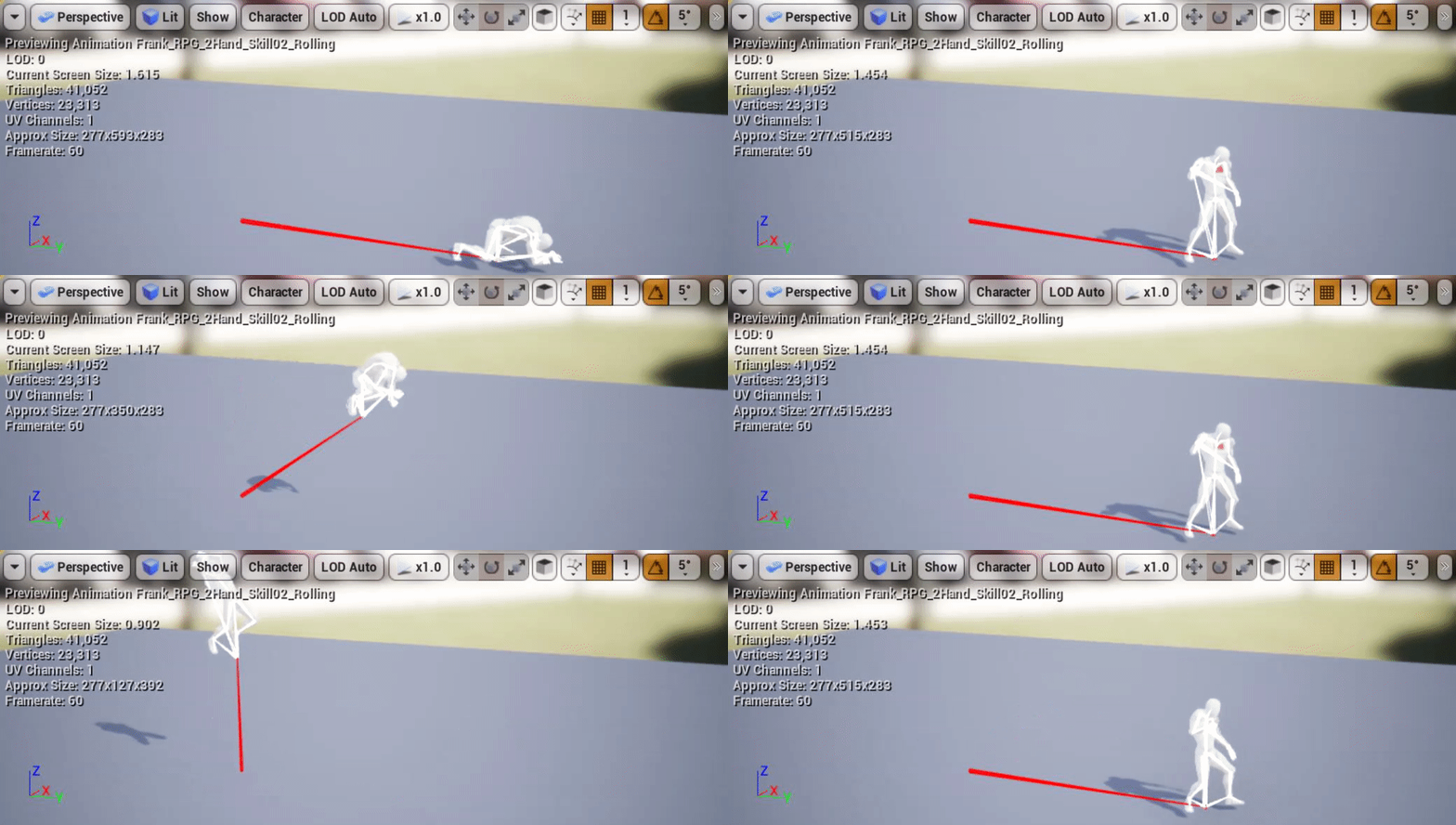
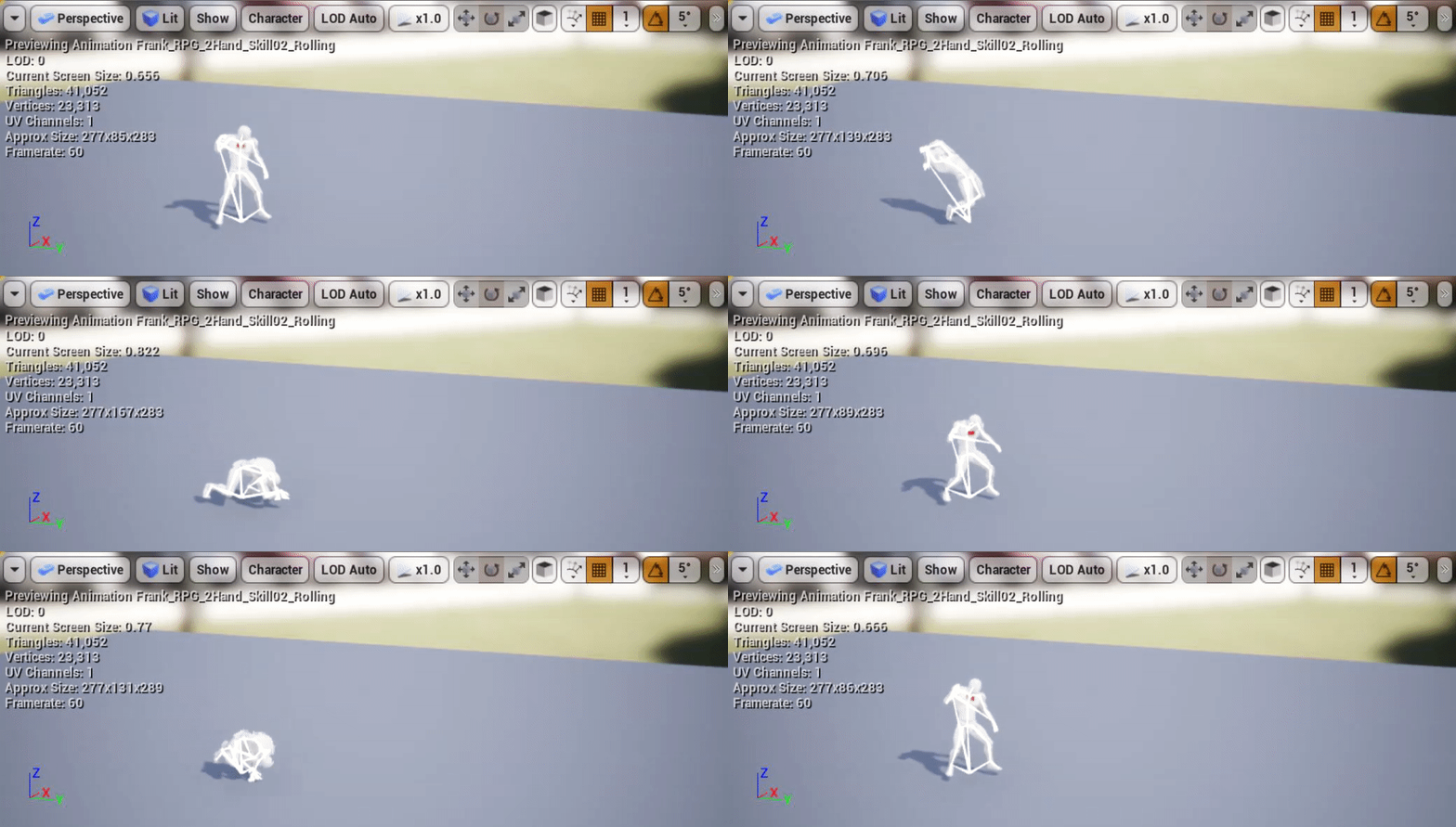
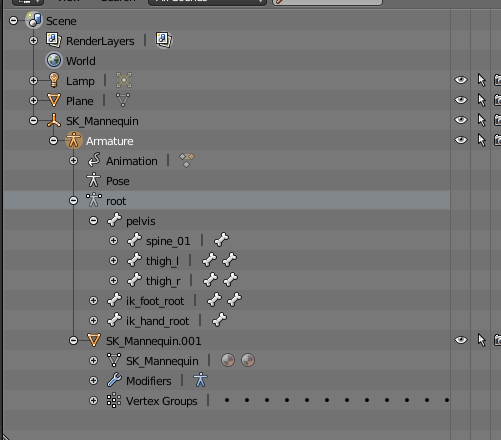

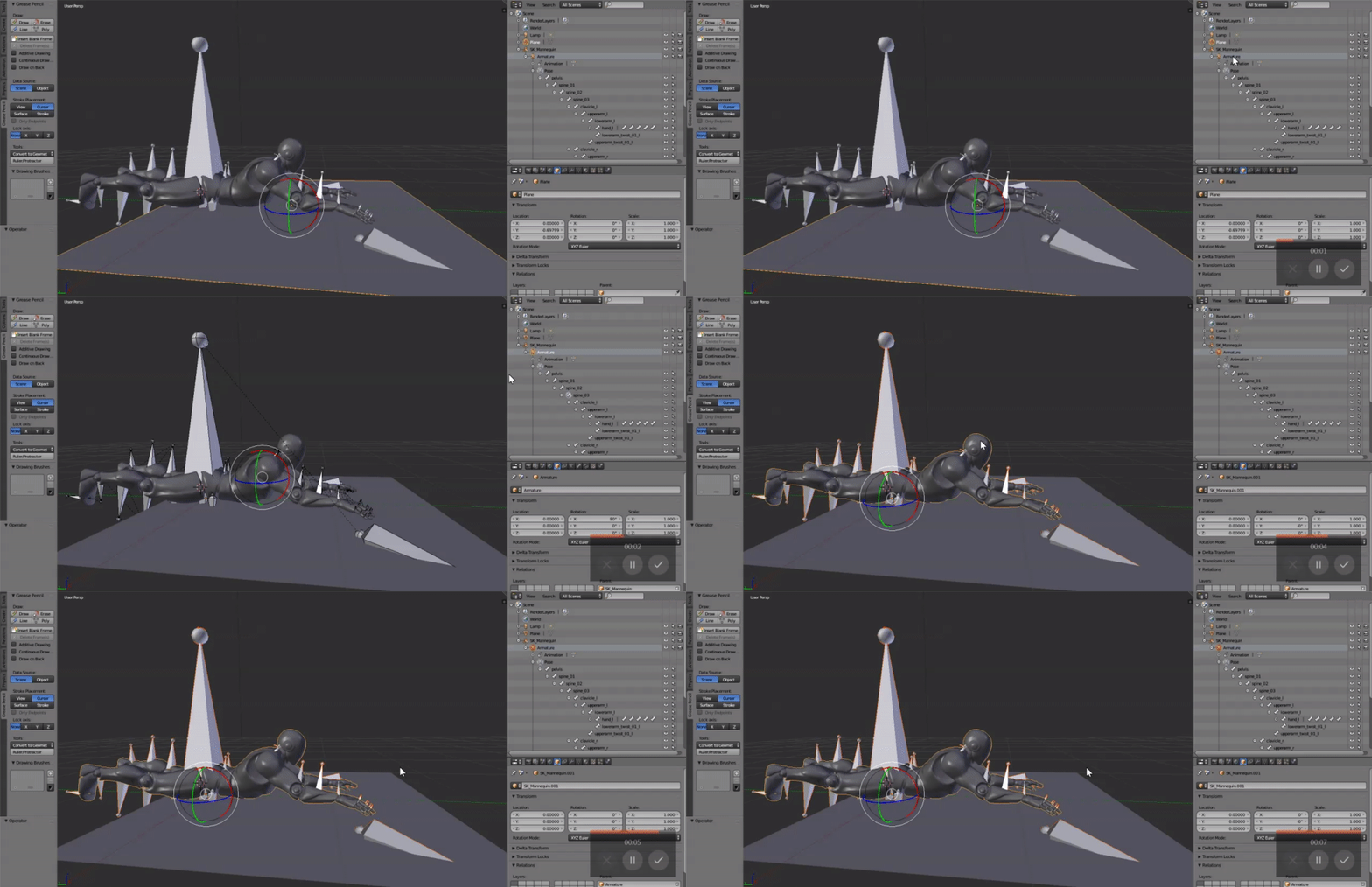
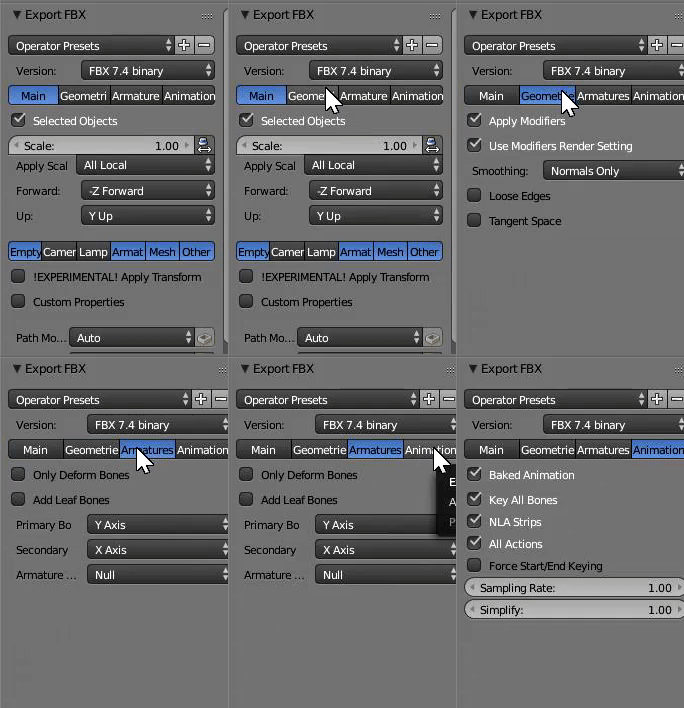
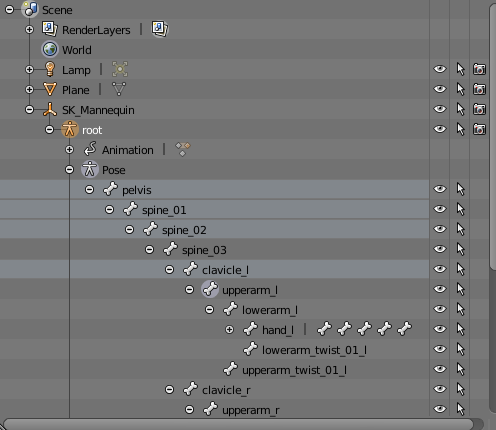


 delicate junco
hmm
This really looks like a collision and not an anim issue to me
Can you display your horse collision profile please
delicate junco
try changing both to world static just to check
primal sandal
so custom -> world static?
primal sandal
@delicate junco i cahnged them to this