#animation
1 messages · Page 121 of 1
 stoic thistle
 plain ledge
DCC is the most used route I suspect
 rugged tinsel
so i can't just use the character reloading animation on its own?
stoic thistle
you can, but you would have to dytnamically at runtime control the mag
its not gonna move on its own
rugged tinsel
oh ye dam i forgot when the character reloads the mag doesn't actually move its just showing the character reloading not the gun
stoic thistle
then no you dont need to generate any animation for the weapon
 frank ibex
The character keeps flickering
stoic thistle
you just play the animation on the character
the gun is permanently attached to some socket/joint then
frank ibex
Does someone knows why
rugged tinsel
you can see the mag its not on the hand it just floats into the gun
so what is dcc so i can use it
plain ledge
some animation attached to it? @frank ibex
plain ledge
BAROBAToday at 12:40 PM
DCC is the grab-all name for all Digital Content Creations applications: Maya, Modo, Max, Blender, C4D and others
frank ibex
@plain ledge What's the problem in my project
plain ledge
As @stoic thistle said: you can use IK to fix taht
that
No idea, looks interesting
frank ibex
How to send video
plain ledge
upload to Youtube?
stoic thistle
streamable.com but its not gonna help anybody
 plain ledge
Ah, I think I know this one 😛 Your animation is not made in-place ( crap translation). Your character moves in the scene instead of moving in one spot?
in your animation software?
frank ibex
How to solve it
plain ledge
move the last point of the animation back to 0,0,0
frank ibex
Where
frank ibex
I downloaded from mixamo
rugged tinsel
mixamo does't like UE4 anymore lol
frank ibex
What should I do then
rugged tinsel
they stopped supporting UE4 and now the animations are issues when you use it from them
put it in blender or what ever you use then export it back out or something
frank ibex
I don't have blender
rugged tinsel
yep get the best blender
frank ibex
I had adobe fuse cc
rugged tinsel
that blends food good
plain ledge
you have Fuse, which costs a lot to have, but not Blender?...
rugged tinsel
XD
rugged tinsel
blender is amazing and its free (not advertising lol)
plain ledge
Fuse is indeed free, I have it as part of my CC subscription, I thought it costs money
in Fuse you need to export it to obj and import it into Blender
But it is also possible to save it as FBX from the mixamo site
plain ledge
yes from the site
frank ibex
Wait ,I export my character as fbx file
rugged tinsel
why is it when i export my animation from UE4 and import it to blender it shows like this lol
frank ibex
What about animations
rugged tinsel
the weapon the same
plain ledge
fbx can be exported as animations only
rugged tinsel
how would i export a animation from UE4 so i can see the body too
found it dam UE4 things of everything lol
frank ibex
@plain ledgeSo character from fuse and animation from mixamo
plain ledge
I would go for both from Mixamo, then you will have the weighting too ( needed for the skeleton and animations)
frank ibex
So basically export the obj and fbx files to Blender??
And just export to UE4 from there
Without any modifications
@plain ledge
rugged tinsel
baroba why is it when i export my animation from blender and try to open it. it only has 2 key frames and the animation isn't there
you can see bottom image is the one i exported and opened again to see if it works but there is only 2 key fames when exported
it might be ok now
plain ledge
Not familiar with Blender, but those yellow stripes in the timeline aren't those keyframes? @rugged tinsel
rugged tinsel
yes they are
man this stuff doesn't make sense lol i tuned the animation in blender with the character and gun there and the mag was on the hand and when i imported it to UE4 and tried it out the mag is floting on its own again wtf is this
plain ledge
Good luck I got to go
 opaque stirrup
I can't find anything about how to set up unilateral joint constraints
 twin ice
How do I import a new animation for a .fbx
I have it all imported a set up but when I reimport the new bones and stuff appear but not the new animation
https://answers.unrealengine.com/questions/452201/how-do-i-reimport-new-animations.html I've tried this but don't have a import option
 spring moth
make sure you have the armature selected when you export to FBX
in UE4, just import the animation by dragging the FBX into the same folder as the skeleton
 fleet willow
Is there a easy way to make the end of an animation flawless to the start point ?
Got right now some ugly jumps from the end to the start point
spring moth
what are you using to make your 3d animation @fleet willow
twin ice
The animation is exporting correctly because when I deleted all the files and just reimported from scratch they were all there. However it seems a nuisance to have to reimport everything every time I make a new amination
 toxic dew
Has anyone encountered an issue where you apply cloth sim to a mesh and all their morph targets stop working? If so, is there a way to overcome it?
spring moth
i mean that's how it works tim 😅 Everytime you change the animation outside of UE you gotta reimport
@toxic dew in my experience morph targets and physics don't play well together
twin ice
Like I mean I can't just drag in a reimport or press import and reimport. I have to deleted everything and then start the import process from the beginning again
toxic dew
@spring moth I'm experiencing this as well :p Doesn't make much sense to not allow character clothing to have any morph targets though.
Ahh looks like it just needs a unique material ID for them to blend together properly
spring moth
@fleet willow you'll probably get better results trying to do that in a 3d animation program as you can edit the curves directly, eliminating the ugly jumps in the end
fleet willow
So no easy way within UE ?
spring moth
I don't think so, editing animation in UE is kind of rudimentary
fleet willow
Damn
 crimson parrot
does anyone understand the process that goes with importing animations and applying them to a skeleton? whenever i do it with a skeleton that has working root motion bones UE4 devours all my ram, freezes my computer for like 20 minutes and then crashes with a chance that it will have successfully imported the animation
but when i use the animation on a skeleton that doesn't have working root motion it imports in like 30 seconds and it works perfectly fine
also the entire time the root motion animations are in my project UE4 is horrendously unstable
the only difference between the working skeleton and the skeleton that has root motion bones is the fact that i disabled importing IK root bones in the other one, but i have no idea why that would make importing any animations onto that skeleton so unstable
spring moth
what do you mean by "root motion bones"?
root motion depends on just the root bone moving so any skeleton/anim should be able to work if you toggle use root motion
crimson parrot
normally the skeleton has multiple roots
it has a root for the entire model, and then a bunch of IK bones
which are all roots
since UE4 doesn't work with multiple roots, i simply export the FBX file without the IK root bones
but for some reason this causes UE4 to freak out and crash
spring moth
🤔 can you parent the IK bones to the root bone?
 viral marsh
hey does anyone know the best practice for doing animations that require the hand holding a weapon to move independently, say for reloading the bolt on a sniper with the hand that holds the weapon?
i've tried several things like special bones for this case but they don't work properly with the additive animations i've setup
if i try baking out the weapon bone animation using some constraints it ends up jittering in ue4, setting the framerate back to the animation's rate seems to help reduce the jittering but not all together
fleet willow
Can someone recommend me a site where i could get free to use (also for commercial use) some animations which are done for the UE4 player ?
 tidal canyon
@viral marsh - Have a look at this (timemarked) https://www.youtube.com/watch?v=tWVZ6KO4lRs&feature=youtu.be&t=994

In this talk from GDC 2019, Epic’s James Golding, Laurent Delayen providet a roundup of all the latest animation features built for Unreal Engine over the pa...
And @fleet willow - if it's specifically for the UE4 character then the Unreal Marketplace is probs the best bet... Some of them might be free.
 misty dagger
Does somebody know how to access Control Rig Plugin controls from the anim blueprint? I see there is an "Animation Input" checkbox whic says "Selecting this will allow it to be exposed as input pin on evaluation nodes" but I don't see any pin appearing
 cinder linden

hey guys I'm trying to simulate VR controls with my mouse the only things I'm missing now is a way to put the hand and finger onto the surface they collide how could I go about implementing this ?
 prime hemlock
Who uses artv1 in maya for animation? Please help.
I need to export the animation of my weapon ignoring the root motions. Because the weapon is attached to the arm.
How can I do it?
How to create an animation for a weapon?
viral marsh
@tidal canyon i did actually look at that video, but i rewatched it incase, turns out I just needed to use a VB from the chest rather than the root and that fixed it, thanks
 pallid roost
I've created a kind of handcuff effect using a two bone ik function. My characters hand bone is pegged to a location in world space. However, it's possible for the character to rotate in such a way as to let the arm move through it. Is there some built in ue4 functionaility I can use to stop this from happen?

I thought perhaps physics constraints but that doesn't stop the capsule from rotating.
 royal axle
Every video that i watch about a "Physical Animations" not helping me how to find the "Physics Profile" for the new version of unreal , if you guys don't know what im talking about ? here is the video for you
https://www.youtube.com/watch?v=6pG9SZQ0o7w&t=124s
stop at 1:49
thx .....
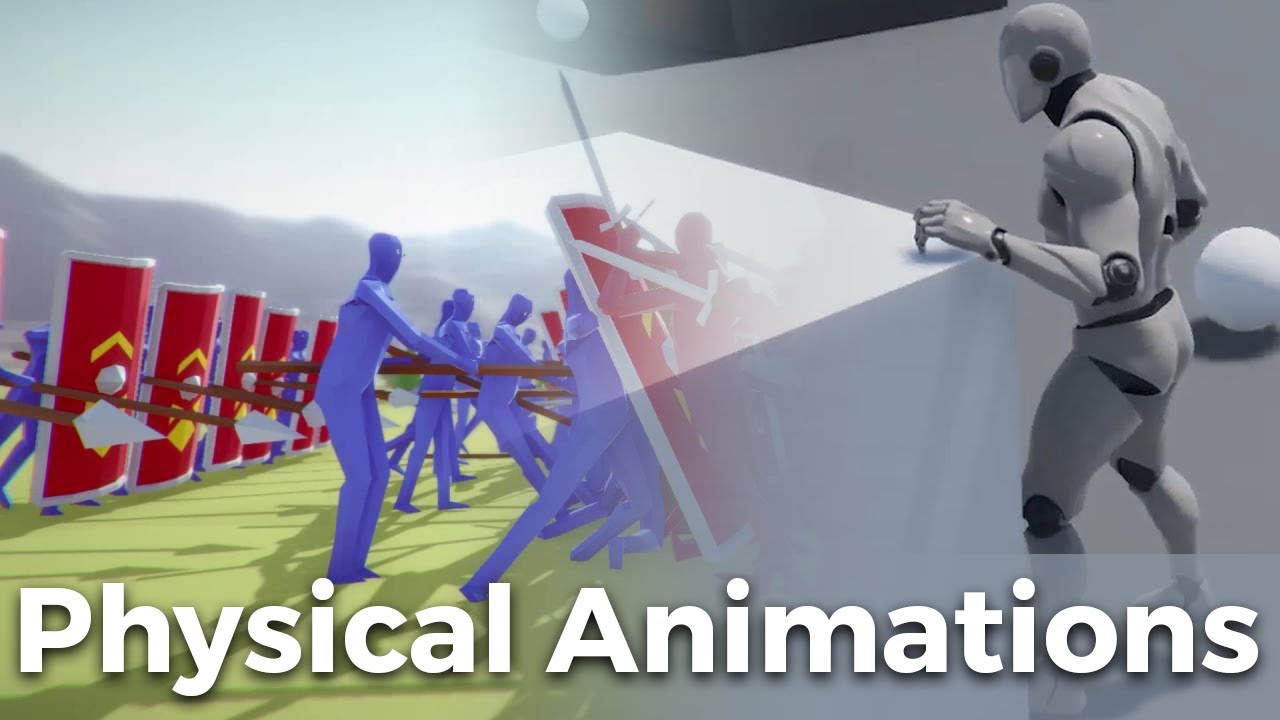
Hey everyone! In this Let's Create we'll be developing physical animations. This allows you to combine that ragdoll style movement from gang beasts with anim...
 strange oasis
Does anyone know where can I find / buy UE4 melee combat animations like in Mordhau and Chivalry?
 flint plover
has anyone worked with the facear sample yet?
 sudden sedge
@pallid roost if you have 8 direction walking just rotate the pawn to be perpendicular to where the point is
 real atlas
hey, is it safe to edit individual bones of a skeletal mesh and then reimport, or will it break all the animations?
only small bones such as fingers I just want to move around slightly, how badly will it damage animations?
real atlas
ok yeah Ive changed a lot it looks like Ill need help retargetting or something
real atlas
ok so can anyone actually guide me through retargeting my skeletal mesh to an existing one
Id really rather not remake ALL the animations
the internet hasnt been much help really
well I got about 3 body parts working
not sure where to go from there to fix the rest of it
so anyone gonna help or should I just remake the whole bloody thing
 ivory parcel
Can anyone tell me how would I do Idle > Start Walking > Walking Forward > Stop Walking > Idle using states?
 sick halo
@ivory parcel you could take a look at the idelwalk blendspace in the thirdperson template
ivory parcel
I did but it did not help. Is there a specific name for this so that I can google it up? When I type start/stop ue4 tutorial it does not do much.
I think I would have to use Anim Notify?
sick halo
what you seek is in the thirdperson template. thats how i learned to do it
its not a state, its a speed var used in the blendspace
its part of the statemachine, but no transitions into other states occur until the 'in the air' var changes to jump
ivory parcel
I know it uses the BlendSpace but that is normal Idle > Run. I have tried to use blendspace with Idle, Walk Start, Walking, Walk Stop and Idle again (4 animations together) but it did not work. I can look it up again but I am not sure.
sick halo
speed is used to determine what animation to use
0 to 25 walk, 25 to 75 jog, 75 to 100 run
reduce the speed to stop
ivory parcel
I know and I used that variable but it skips the Walk Start and Walk Stop altogether. I think we are talking about 2 different things. I have Idle animation as well as Start Walk animation as well as Walking animation. These are 3 animations. What I need is when I press a "move" button (keyboard) is to move from Idle animation to Start Walking animation, then when Start Walking is done it will blend/transit to actual walking animation and then the same thing in reverse. Hope you understand now what I am trying to say. I apologize if I said something confusing.
sick halo
Whats different about what you need then whats in the thirdperson animbp? Got a video?
ivory parcel
I do not have a video link for my project as I have not implemented (well, did try before but could not so I deleted a project). Will find a video for you...sec.
Look at Run_F-To_Std_Rlx
it is in a mid-ish in the drop down list
Let me know if you are able to see it.
Here is YouTube video

Military_Rifle - Mocap Animation Pack http://www.MotionCaptureOnline.com Military Rifle Motion Capture Animations From the MocapOnline catalog, now available...
It is link at the right time
sick halo
i would use a blendspace to achieve that
ivory parcel
1D or 2D
sick halo
1d is one variable
2d is two variables
do you need to take in consideration direction?
ivory parcel
Well, I think I would have to since it is TPS
sick halo
problem solved use a 2d blendspace
ivory parcel
I will try to replicate based on your suggestion but I think I will fail again. Thank you.
sick halo
it will fail if you think it will
ivory parcel
lol so true
sick halo
it will succeed if you think it will
it worked for me. im developing a TPS
you can check out my progress --> https://forums.unrealengine.com/community/got-skills-looking-for-talent/job-offerings/1444463-exorion-sci-fi-ftps-battle-kaiju-mutants-techno-terrorist-in-alien-powered-super-suit
Unreal Engine Forums
ExORION Sci-Fi FTPS: Battle Kaiju, Mutants, Techno-Terrorist in Alien Powered Super Suit...https://cdn.discordapp.com/attachments/342590384398139392/5758213417024880
ivory parcel
how long have you been working on it?
sick halo
ive been learning UE4 Blueprints for 3 years
but when developing solo, you have learn everything
ivory parcel
true
I will be back in 10...would like to hear more about your game if you do not mind?
ivory parcel
Yeah I did.
Awesome stuff.
I spent almost 2 years with Unity but decided to switch to UE4. Now, I have to learn BPs all ober again. I think it would be easier since I am familiar with C#.
sick halo
programming experience does help with blueprints. but the visual management is a completely different beast. lol
do you have any information on your game concept @ivory parcel
ivory parcel
I do not have anything concreet set in stone. Mostly brainstorming and caban stuff. It is set in the future but it is sething between The Division and Mass Effect 3. It is in the future but weapons, arhitecture and technology is kept to, whay I call "relative perspective". Meaning it does not go crazy future were weapons make no sense and the only look cool. I do have inventory system, quest system and character stats system but in C# for Unity lol.
*something
*they
sick halo
i put everything into a Game Design Journal. Some ideas will make it in the game, some will not. When one develops solo, tradeoffs are common.
My priority is to create something unique.
Google Docs
ExORION GDJ ExORION Game Design Journal HeadlessStudios.com 2018 Last Update: 08/04/18 Contributors: Frankie ‘TechLord’ Taylor DPROBOY Deranjer Game Analysis ExOrion (pronounced ex-zor-rion) is a FPS/TPS up to 4 Player co-op game that has a skill tree system to allow the ...
 marble heron
Hi guys. I have an Animation notify state which I have added to several montages. How can I check inside the notify state from which montage has the trigger been received?
Please tag me if you know about this ^
 green walrus
I have an animation that when I export my .fbx and import again, it comes out like this when it was previously fine... any suggestions or ideas as to why this could happen?
green walrus
(SOLUTION)
So after digging elsewhere, the error is replicated when weights are for example at 99%, meaning it works fine before export, but exporting it decides to leave a vertex out, causing the issue
 abstract scroll
can we manipulate the bones of skeletal mesh within editor ?
ivory parcel
@sick halo That is pretty cool journal.
sick halo
Thanks @ivory parcel . The intent is too encourage you to create for your game.
crimson parrot
so i have an animation that is a heavy attack with a weapon that includes root motion of the character stepping forward to attack
afterwards there's an animation of the character stepping back and transitioning back to an idle animation
is there a way to interrupt the second animation's root motion so that the character can run around instead of having to wait for the entire animation to play out?
 stoic remnant
Is there ways to retarget animation from like the mannquin walk to a Skeleton that is basically the same but missing 1 spine bone?
sick halo
Retargeting with different skeletons
https://www.youtube.com/watch?v=xy9aLbZLdeA

In this video we take a look at how we can share animations between two Skeletal Meshes that are using different Skeleton assets. We go through the setup and...
ivory parcel
@sick halo I appreciate it.
 novel viper
I have a problem. Im trying to import a rig into Unreal, but i always get multiple roots error. I checked everything million times I do not have multiple roots. But I do have link constraints, if i change these into normal bone links it works, but then the bones can not be moved seperately anymore which makes the rig useless. How can I import a rig that has link constraints?
im using max btw
 astral wing
This is probably super simple, but does anyone know how I can duplicate an existing animation and modify it in the editor? I tried moving the bones around in the preview viewport on an existing animation, but the changes don't stay even when I try to save it. (e.g trying to make a modified crounch animation where the character is just hunched over a bit more)
 atomic narwhal
You need to add a key frame. the + icon in the top of the animation preview. Set the one where you want them then apply.
*bones
astral wing
@atomic narwhal Yep, figured it out. Thanks so much!
atomic narwhal
Np 😃
misty dagger
Can someone help me please? I imported my AnimStarterPack into my project but those animations are not showing in the asset browser in the anim bp
 tiny granite
When this happens, what corrects it? Do i need to speed the animation up a little? Because just changing the speed would only increase/decrease the input and changing the animation anyway. What makes the anim and movement in sync?
 grizzled condor
Some-one encountered that anim notofies fires twice in animation composite ?
 tacit rover
Is there any weight smoothing applying to the skin weights in UE4? I'm getting in-consistent skinning weights between Houdini and Unreal.
stoic thistle
more than 4 weights per vertex ?
 tranquil willow
So I think I remember seeing this somewhere but I can't seem to find it again, probably missing the correct terminology. But its it possible within UE4 to combine different animations from different areas of the body?
So I would like to get my aim offset and combine it with the bottom half of a separate slide animation.
tranquil willow
shouldn't you just have the source animation?
 jagged mountain
Do i have to call this in Play Mode ??
Because it somehow works in the Blueprint Editor, and should just rotate, that i see, that i am doing the right thing, but it doesn't, so obviously i am missing a point !
 dreamy flare

 obtuse swift
i want to transform bones in animation. i can do this . but in play preview changes don't apply and revert. i do this in animgraph in BP by transform (modify) bone action it's worked. but it's worked just for one bone.can you help me to transform for more bones in animgraph. ( or anyway i can transform and applied to for play)
 pliant hawk
looks like you are going to the gimbal lock positions
sudden sedge
@dreamy flare just cap looking up to like, 89.999 or something
 solid arrow
I have the same question as @obtuse swift I think: if I open a skeletal animation and modify bone transforms, the changes only persist in the preview window. Is it possible to modify an animation this way, and save it?
 glad night
hi guys he is great join his server he is worked for dream works SirWade#3359
for animation
 winged violet
Two Bone IK, FABRIK, CCDIK, Leg IK etc...
Which is best for IK leg correction on slopes / stairs?
 runic wren
Guys, I have some character rigs done with different skeletons, and I need to replace the old skeleton with the UE4 skeleton.
What is the best way to do it?
The rigs are all done in Maya.
I would try Unreal's ART tool, but I can't seem to find a copy of it.
I don't want to retarget animations, which is why I want to replace the skeleton 😛
sudden sedge
@runic wren I had a neat way to do it with 3ds max
not sure if maya has the same tools
runic wren
I have Max 😛
sudden sedge
ah
you just need to swap skeletons correct?
if you want to dm, I have a process for swapping skeletons in 3ds max
runic wren
awesome, sure
misty dagger
Is there any resources I can use to actually learn animation so I can create good looking animations on blender?
 delicate junco
The animator survival kit is a great start imo @misty dagger
 edgy vapor
heya guys... i have a big project (polygon / meshes wise) and its running super smooth... however adding few hundreds (~500) blueprints (same one placed in scene with small value change) with "simple" script slow it down significantly... (-90%) even if i disconnect the script ( eventbeginplay)
Is there some known limitation / unreal unhappyness or could you suggest any direction i should investigate ?
(script is moving this blueprints along the spline to create tracks, using loop)
(i used this tutotrial if that helps... https://youtu.be/bWXI91FdMtk )
In this video, we show you how to make an object move along a set path using Splines. We also show you how to control the speed of the object, it’s starting ...
delicate junco
@edgy vapor When you use a timeline, you have some implicit tick event so maybe that comes from here since you have quite a lot of actors. To make sure though you should use the profiler tool imo
I recommend watching this great vid for improvement suggestions, I timestamped it at the relevant part https://youtu.be/j6mskTgL7kU?t=1134
In this presentation from Unreal Fest Europe 2019, Epic's Sjoerd de Jong offers an in-depth look into Blueprints. Best practices, dos and dont's, and recomme...
obtuse swift
@solid arrow i found a way about that. in animation editor , before any transform,rotate or scale change timeline to zero time (start of animation in timeline). now you can edit the bones.after you finish edit your bone add keyframe from the toolbar and apply that. for every bones you should do that.
 strange echo
Any recent tutorial on animation blueprints? Whole of lot new functions and such that it says I need that aren't in the tutorials
delicate junco
@strange echo Did you see that one ? https://www.youtube.com/watch?v=Oe7fYS9qxmk

This talk by Epic Games' Senior Technical Animator Jeremiah Grant covers Fortnite’s use of animation Blueprints including the use of Blueprints for gluing to...
And this one ? https://www.youtube.com/watch?v=Zwc9uuOYfFg
Epic Games' Animation Programmer Jurre de Baare recaps all of the animation features built for Unreal Engine over the past year, including those created for ...
strange echo
I usually avoid the long ass developer posted videos
delicate junco
If you're referring to livestreams these are not
They are presentations from Unreal Fest
strange echo
It's like... I'm skimming through, and they never talk about what I'm looking for, because they're trying to do things that are much more complex than my goal
Honestly, the livestreams taught me more than these videos in the end
delicate junco
Oh yeah I see what you mean. Unreal docs for intermediate users are lacking for sure
strange echo
Let alone that people tell me to "just use documentation" when the documentation has links that just redirect me to the main page
From Google search? Still redirects me to the beginning of the whole documentation
And I'm just assuming that there were links, because there aren't any links in the documentation for, say, behavior trees
but there's a list of names for tutorials that when You try to open them through Google (because there's no links), it just redirects to the main page
strange echo
So I'm getting a variable, and although from what I've seen, I should just have to connect it to "can enter transition". But it wants a reference to a blueprint
I gave it the blueprint and now there's no errors. But the animation still doesn't change when the bool changes
 tawdry jungle
Hey guys, I was wondering if the camera shakes and animations in some FPS games are made in Unreal by programming or in the animation software I used to animate the FP Arms(like a bone used to move the camera). Does someone know anything about it?
I saw some Battlefield 5 gameplay and some of the animations seems to have been made in the Animation Software because it's smooth.
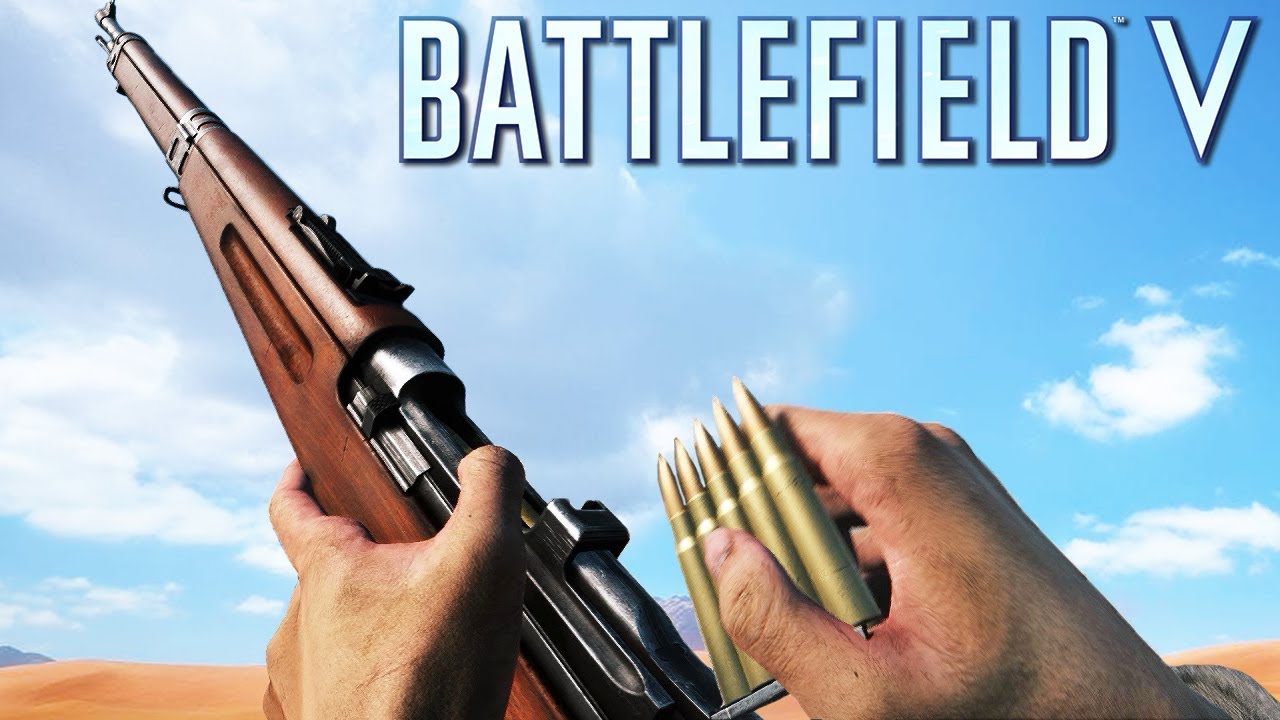
Let's check out all the weapons from Battlefield 5! All reward weapons included too! Also the Chauchat! 00:00 Liberator 00:15 Luger P08 00:28 M1911 00:40 P38...
sudden sedge
@tawdry jungle you can do either or
strange echo
- Is this still an acceptable method?
- What do I need to put in target?
I'm not sure what it does, but it seems like it spazzes out whenever it starts moving. Like the bool doesn't stay one way or the other, but when it's on, it just turns on than off than on again every tick
tawdry jungle
@misty dagger There's a lot of examples of rigs in the 3DS Max by default I guess. In Blender too if you enable some plugins.
misty dagger
3DS Max is pricey so I use Blender
delicate junco
Use the rigify addon, they have prelmade rigs for cats and such iirc
delicate junco
You could take one of the quadruped rig and modify it a bit maybe
Or use them as a reference and produce your own
misty dagger
I'm remaking the first level of the NES Lion King game to pitch to Disney
delicate junco
Good luck, this will be hard !
misty dagger
I think they'll do a movie tie-in game someday
and because the new movie is a remake of the first movie, it would be good for the game to be a remake of the old one as well
jagged mountain
i am totally stuck for days now with accessing a bone in my static mesh, and i don't know why ...
i bought dcxvehicle to get into a well balanced vehicle a little bit more easy, and just wanted to start off, trying to adapt my usage onto that tank.
so i tried to access the turret bone and turn it.
finally i am just accessing a float, which continuously changes.
My AnimInstance blueprint prints out my string, so that i can see, that is really happening
why is it not showing up ?
But this Value is never used. It doesn't turn !
Can anybody guide me to access that ??
Somehow this was erased ...
jagged mountain
Help !
 marble oak
Hi! Does anyone try to use standard TPS locomotion system in VR? Now I am trying to apply this locomotion to my VR pawn and have some problems unresolved such as at FPS/TPS mode to calculate the speed for locomotion is easy - just get the vector length of Pawn's velocity. How can I get speed to VR pawn ? How can I calculate the speed of headset ?
jagged mountain
Is my question just stupid ?
Because i am asking today third time, and get no response
strange echo
Well, hey, I've been waiting for about 19 hours, and mentioned mine in general
jagged mountain
maybe your shown vids help me out ...
jagged mountain
i only need to know, what i really would want to do, to achieve that.
if i would, i could search a little bit more precise ...
jagged mountain
i finally think, my rotation handling is fine, but sth. else is happening ...
i can set it to a const value, like 90°, and then this happens
i think, this is going on in the vehicle classes, but i can't see anything that hints me about this...
 floral sky
Is it better to have the anim bp pull relevant variables directly from it's owning pawn, or is it better to have the owning pawn set variables on the anim bp.
jagged mountain
i found out my issue
but i am not able to solve it
would need some more maya or 3d max skills
 strong turret
Why does Creating an animation using preview mesh inside the animation editor result in a 1 minute animation instead of the original length?
Why does Creating an animation using preview mesh inside the animation editor result in a 1 minute animation instead of the original length?
strong turret
Also reduces number of frames in the animation. Is there anyway to change these settings?
misty dagger
What's everyone's experience with character customization? I've been browsing for a few days and this looks like what I'll be doing: https://docs.unrealengine.com/en-US/Engine/Animation/WorkingwithModularCharacters/index.html
Describes the different methods you can use to create modular characters comprised of multiple Skeletal Meshes.
I do notice that it says this method can be somewhat resource heavy. Are there any other methods to customizable characters that I should be aware of?
obtuse swift
I have a question. I want to edit the default walking animation of mannequin .but i don't see any keyframe on animation . when add keyframes in walking , that bone are moving like before with my changes. help me
misty dagger
pretty sure you need to animate in an external program
 gritty ice
Hey guys. I have character animation system where i need to switch AnimInstance Blueprint Class(ABP). Problem is that there is always few frames in A-pose and it makes the transition looks glitchy. It seem to me that this would be extremely useful to do smoothly. Is there chance someone has it working??
obtuse swift
@misty dagger there is no other way? it's hard for me
 twilit wigeon
Hey guys, not sure if that is the channel. But I am having a crash with phyiscalAnimation. Whenever I am calling the ApplyPhysicalAnimationProfileBelow, I get a crash. The dump gives me array out of bounds.
only crashes when I actually have a physicalAnimationProfile in my PhysicsAsset, if I delete it -> no crash

 delicate dragon
hi guys, is it possible to export fbx with all animations with names?
im totally new to to animations, i need a couple of animations like 'idle' or 'attack'
i have the animations already
im just confused how to transfer them to unreal
misty dagger
@delicate dragon I export my mesh first with a name like "Human" and then I export the animations for that mesh separately with a name like "Anim" and Unreal automatically names all of the animations "Anim_Human_etc"
delicate dragon
@misty dagger does this work with vertex animation btw?
misty dagger
I've never done vertex animation so I'm not sure
real atlas
how do I reset a skeletal mesh to its original form, I retargeted it and its fucked everything
Im actually starting to panick over how much is ruined
it seems Ive tried everything I just cant get the goddamn skeleton back
please ping me any help
misty dagger
@real atlas whats the scenario here. Are you using your own skeletons and meshes?
atomic narwhal
Hey guys, other than using ARTv1-2, what is the best way to get the Epic skeleton rigged in Maya? I'm running into an issue with the twist bones acting weird when I bring in the FBX file and rig it. I'm really new to Maya so it could just be an oversight on my part. I've tried adding constraints to the twist joints, but they still wont follow the parent joint orientation.
 sullen halo
One question, i am a newbei in UE4, i am making my final degree project.
I need to setup a city with and automatic traffic flow, but i dont know the best way to create this AI, can someone give me some extra info?
I googled but did not worked....
BTW this is the right channel for this question?
atomic narwhal
Might want to check in AI or blueprint/cpp depending on what you are using.
 slow valley
Does anyone know why Anim Notify's are so unreliable on a dedicated server?
 grizzled basin
Quick question. We have a model. It's been rigged to the epic skeleton. The model's size is the same (give or take) as the mannequin, but when an animation is applied to it, it grows like 2-3x the size
our modelers don't have a lot of experience with UE4, so they're having some growing pains
atomic narwhal
check your scale in the 3d program
grizzled basin
before applying an animation they're about the same size
Would this likely be a scale issue on the individual bones? or the entire model when it was exported or something?
I"m not a modeler and our modelers don't speak English.
atomic narwhal
What program? Blender?
atomic narwhal
i have only used maya / blender >.< But it's likely a export scale issue. Wouldnt hurt to brint the mannequin into 3dsmax and make sure they are similar in there.
*bring
grizzled basin
Yeah, they have a copy of that, and a copy of some other ones. Not sure what they messed up. I'm working remotely for a little while until I move to the city our office is in, I'm the only who speaks english and who knows anything about UE4, so it's left to me to look this crap up. They all have a unity background. Apparently this stuff "just works" in unity. There aren't that many resources in Korean for this kind of stuff
atomic narwhal
Eh, its usually the same for UE4, it's just a different workflow. If they are used to using unity settings it will have some growing pains. 😛 I dont know for sure but it would be good to check export / import settings. Most everything i have made in maya / blender if scaled properly in the program have imported over properly.
grizzled basin
Yeah I ended up having to hire a freelancer out of pocket a few days ago because the first two models they couldn't rig at all. They were all twisted and messed up. The freelancer was nice enough to include the maya rig files so they could learn from that.
atomic narwhal
I'm currently in the process of learning rigging. It has been a huge pain so far to rig for UE4 in my limited experience.
you would think there would be more resources out there but im having trouble finding basic information
grizzled basin
Yeah even when I was googling, i wasn't finding very much at all.
I really know very little about anything 3d modeling related, I used blender a couple times with a guide to fix a mixamo animation scale issue, but if you asked me to repeat it without the step by step youtube guide I couldn't even operate the interface haha. I googled around and there was a little bit related to maya , but nothing for blender
 pastel trout
Anyone here have experience with the Fabrik node? I need a little help
Or retargetting? I retargeted a bunch of animations and the left hand on all my weapon animations is crossing through the right hand out of position
 static falcon
@grizzled basin Did you scale your model in UE4 to get it to the right size or did it import at the right size?
grizzled basin
One of the modelers fixed it, no idea what they did.
static falcon
problem solved then?
static falcon
sweet
grizzled basin
who knows what the next one will be haha
 mellow carbon
.
 sick field
im not sure where to place this but on the subject of character creators that lets you change the proportions of the body would it be better to play with morph target or to build the rig with ''proportion bones'' in mind? by that I mean having bones on a rig that serve to grow or shrink certain areas like the waist or the biceps for exemple, im trying to make a character creator and I want my player to be able to kitbash their own selected body type so to speak
delicate junco
@sick field I'm sorry I don't know anything about good practises related to this subject but I found this article a few weeks ago, maybe you could take a look at it to get some ideas ? It's for unity but I think you could adapt it to unreal https://www.patreon.com/posts/22650450
sick field
thanks dimy
delicate junco
There's a demo here https://tibbletop.itch.io/character-customiser
 sick field
just by looking at the sliders it seems a lot like what I wanna do
delicate junco
Nice, she uses blendshapes iirc
sick field
I noticed
but this works almost perfectly for what I wanted
to a cetain extent of course ahahahahahaha
when I get home il see what I can make of this
delicate junco
Cool ! 👍
 scarlet seal
hmm a question
does it really if I make a default character pose in non T pose ?
but with arms down ?
any default character pose should be working well with the anims later on right ? 😃
for retargeting
static falcon
it's best to match the default pose of the model you want to copy from
but you can bind in a non tpose, then in UE4 rotate into a tpose and store that pose as your retarget pose
sudden sedge
what's the best way to use another animation as an ik target?
pastel trout
Is there anyone available to help with an animation issue I am having?
pastel trout
NVM I figured it out
misty dagger
This game engine seems like trash. There is literarly no tutorials on how to make hitboxes. And i bet those that do exist are overcomplicated.
 rapid bluff
We are looking for a professional animator to our project ...
Dm me for more info !
 nimble granite
hi everyone, curious if anyone has tips for if when retargeting the result puts the feet too close together in animations
would like to abate that 😄
misty dagger
do you guys know any tutorial on IK on hands ? I couldnt find a good one 😦
sick field
@misty dagger hit and hurt boxes pretty simple, just make a trigger volume with a new collision channel that you are gonna keep for damage detection, from there you have your hurt boxes and then you can just use ray traces to generate your hit boxes on the fly with a filter so that they only look for objects or components with your damage detection channel
and also this is the animation channel, for programming stuff I recommend going to one of the programming channels
 narrow sigil
Been evaluating some characters and I noticed a few have interchangeable parts as a heap of skeletal meshes set to use the base character mesh as a master component pose. Is this the norm? Or will it turn out to be an unusually expensive approach for 10+ characters visible at once?
sick field
wait what?
you mean like the head is a seperate skeletal mesh to the body and stuff like that?
narrow sigil
Yep. And the hair. And the ammo belt. And the gloves. And the... There are about 10 separate ones
sick field
should not be that expensive
are you using the polyarts modular rpg character set by any chance?
narrow sigil

Great sci-fi suit EC-1 modular pack (male and female versions) optimized for game projects.
sick field
should not be too expensive
narrow sigil
aha this was enlightening https://docs.unrealengine.com/en-US/Engine/Animation/WorkingwithModularCharacters/index.html
Describes the different methods you can use to create modular characters comprised of multiple Skeletal Meshes.
sick field
oh?
sick field
trying to do an anim notify for a sword swing,I have the notifystate bp in my montage but it wont run, any clue why?
sick field
I am following this tutorial: https://www.youtube.com/watch?v=BQ7X01SmQJA

A new set of videos where I explain and teach you how to make it so you can deal damage to enemies. This first episode covers how to use notify states and a ...
 void mural
hmm, i'm pretty sure this would be the right category for it, but i currently have an issue in my first person shooter game where if a player has their pitch below 0(not looking straight forward), the animation would play as if they'd be looking upwards even though on their client end, they're looking down
on the left is the client looking down, but as you can see on the righthand side it shows they're looking straight up
i've no idea what's causing this
delicate junco
@narrow sigil Epic uses modular characters for Fortnite so don't worry https://youtu.be/Oe7fYS9qxmk?t=112
This talk by Epic Games' Senior Technical Animator Jeremiah Grant covers Fortnite’s use of animation Blueprints including the use of Blueprints for gluing to...
misty dagger
how would I go about creating an aim/loot-offset for a character rig with no animations to look around?
 heavy needle
you either create them with blender or whatever, because they are just poses and not animations or you find a suitable paragon character and retarget them on your skeleton.
 hushed hound
Hello everyone.
We're having trouble making root motion work. Could anyone point us in the right direction as to how to properly create and animate the skeleton (blender) and then import into UE and make it work as a root motion?
Different tutorials tell different things about using root bone or not using it at all, and answers don't seem to really answer our question.
delicate junco
@hushed hound Do you use the rigify addon ?
Or a custom rig ?
Also did you understand the principle of root motion ? Just to see what I'll have to cover lol
hushed hound
To my knowledge our modeler uses custom rig, created from scratch
And about the root motion principle - yeah, I think it's understood)
delicate junco
Ok cool
hushed hound
With root motion enabled for a single animation, the character (in the anim preview) moves along with animation, in the space i mean
But if we try to use this SkelMesh and this animation on actual character, the capsule stays in place
delicate junco
Ok so basically
Your character needs to have a Root bone which will be the parent of all the others
here's an example on one of my prototype characters
hushed hound
https://cdn.discordapp.com/attachments/577199389362094080/601727073400258571/1.gif
Here's an animation. he has a root bone that is the parent of all bones
 delicate junco
Here, the root bone is the four arrow shape
hushed hound
And in the gif, the preview is with root motion enabled
Is this how it supposed to look like?
delicate junco
Nope, I just did that to see it better lol, it's the same as if it was the classic bone shape
So during your anim, if you move this bone
Unreal will detect it when importing
Cause the capsule will be linked to the root position
hushed hound
I see, so basically we have to anuimate the root bone as well?
delicate junco
Yes, if your character performs a slash attack anim in which he moves forward for example, use the root bone to make the translation movement
hushed hound
BTW, This has to be line this (the hierarchy): Armature -> Root -> Hips -> etc. ?
in blender i mean
Upon import the UE will drop the armature and will make the root... the root, right?
delicate junco
Yes, it works for me at least
hushed hound
Okay, thank you, we'll try that
delicate junco
You can refer to the rigify addon skeleton as a ref if you still have problems, it works prefectly with it
hushed hound
Okay, thanks again!
delicate junco
One last thing if you do jumps and such using root motion, I had this issue before
if you want to do some jump anim using root motion, make sure to change the physics to flying when inputing the action @hushed hound
I use it when I do some air combos and such
hushed hound
ooooh, I see.
delicate junco
Good luck for your project !
hushed hound
Thanks. Our modeler says he animated to root as well, but to no avail.
First he tried the root->hips->etc hierarchy, didn't work, everything looked ... very strange in the anim preview.
then he tried removing the root root, it looked like root->other bones. Then the anim preview looks perfect and cahracter climbs/walks further and further.
the root stays glued to the floor, like you saw in the gif, it only extends, but one point always glued to the origin point.
delicate junco
Hum weird.
I'm need to go in a few minutes unfortunately, maybe you could send me the blend file in DM so I could have a look ?
hushed hound
So if I understand correctly, when previewing correctly rigged and animated model for root motion, all of the bones have to move, including the root, right? Does that include the root created by unreal engine, or not?
Yeah that will be good, I'll send you in a couple
misty dagger
Ok I'm having a weird one, when trying to bringing one of my blendspaces into the animBP and set it to active state, or blend, the mesh vanishes, just goes empty, it only happens on one blendspace, the other one works well. It is almost like all points of teh mesh is being pulled to (0,0,0) in it's local sapce
which is what I don't really understand why it would do that
 glad patrol
Hello good guys from animation, to be short I'm stuck on animating my character , I need basic tree chopping,mining rock,picking items,fishing etc. animations but I can't find any suitable ones.Even mixamo can't help me here. I need "hold tool" animations as well.So I was wondering what should I do, I never animated anything so my knowledge there is 0 . Can you help me with deciding what to do?Learning from 0 or somehow finding and buying everything I need? (I don't even know where to find those things)
 restive yew
Learn it. Those animations are easy to make
rugged tinsel
hey i'm wondering when making a reload animation for example how do you make the body move at the same time to make it look realistic when i make a reload animation only the arms move and it looks so bad is there a easy way to do it or do you have to individually have to make the body parts move
sudden sedge
Is your root bone the pelvis bone or a bone at 0,0,0? @hushed hound
unreal doesn't support axis locking so if you use the pelvis bone you'll get some weird root motion extraction
you need to use a node at 0 0 0
 dry harbor
So I'm using the sequencer with a character that has an animations blueprint. I set up a slot for the animations to play in, but I forgot that play two animations in the slot cancels the previous one so you can't blend in the sequencer in the same way. The solution I came up with was to play the animation in a different group and blend using layered blend.
Nothing seems to be working though now.
This my set up. I would like to be able to grab the weight from the animation sequencer and pass it into the layered weights input. Any help on how to solve this would be much appreciated.
sick field
anyone handy here that works with anim montages and anim notifies?
dry harbor
@sick field Do you have something specific you would like to ask?
 grave drift
Hey. I'm trying to set up an aim offset for archery. I'm trying to blend the pose by boolean (which is called from player, i.e IsAiming), true pose is the aim offset and false pose is the locomotion state machines. However, nothing happens. Could anyone share some light on how to approach this? I.e having different animsets for different weapon types.
grave drift
I only want to enter the archery state if I have equipped a bow, which is why I took the approach with the pose by boolean
obtuse swift
hi . I was download Paragon sevarog character asset from the marketplace. this character has an axe in his hand. i want to remove that axe but I can't. I tried to remove socket in his hands but not worked. anybody have this asset ? I want to remove that
grave drift
You can add a translucent material to the weapon
 gloomy fable
Yo, Im looking for some custom anims (I need my character to be holding a shotgun in a ready position in one hand and an axe in the other) but my animation skills aren't quite up to snuff. What alternatives (If any) could I go with to try and make these anims?
dry harbor
So I'm trying to set this up in my project to blend in and out of using the animation blueprint and I've done it just the way they did here. Does anyone know what variables might be preventing the from working? https://docs.unrealengine.com/en-US/Engine/Sequencer/HowTo/BlendingAnimBPs/index.html

Describes how you can take a the pose from an Animation Blueprint and blend it with animations defined inside a Level Sequence.
misty dagger
why dont u use iclone motion live
 vast viper
I have a question. So I bought a pack with first peron animations for a gun. And I want to add it to the UE4 Mannequin. With the generic animations with it attached. How do I do that?
So if I had an animation BP and it was the default UE4 animation BP. How do I add FP animations to it?
sick field
@dry harbor I have an issue with the anim montage, I set up an anim notify to make a collision that con insides with a sword swing, I got the blueprints working but the trace only appears at the character's root, for context I have the anim montage on the third person character and I have a sword has the child of the mannequin, the sword has two sockets one at the tip and the other near the guard, the anim notify is supposed to make a sphere trace between those two points but for some reason it makes it at the root of the mannequin
misty dagger
https://gyazo.com/7511dbee70415181f7d12f3cae3f19f5 @stoic flume
 dry harbor
@sick field Could you post the blueprint you used in the notify? I think I know what it is.
But I need to make sure
 stoic flume
@misty dagger not sure about blender cause i use maya, but i think you should move that pivot point to the origin
misty dagger
it is at the origin
sick field
here you go
@dry harbor first pic is my montage, second is my anim notify, third is the models and the last one is my sword's sockets
dry harbor
@sick field The problem is that the mesh you are provided is actually the skeletal mesh of the character NOT the sword. It is looking for those sockets in the character mesh since it can't find them is just defaulting to 0,0,0 relative space to the mesh. You need get the sword by some other method.
sick field
aahhhh
@dry harbor I was thinking of maybe doing a mesh merge but I dunno how those work, got an idea for someone who cant use ccp to save his life?
dry harbor
@sick field I wouldn't do a mesh merge. It ties your hands for what you can do later and could get messy. I would use this node https://api.unrealengine.com/INT/BlueprintAPI/Components/GetChildrenComponents/index.html or something like it to grab the sword and cast to a skeletal mesh component or actor. However you are doing it.
Get Children Components
You should be able to grab the sword by some relation to the mesh
sick field
Thanks, il give it a look
sick field
@dry harbor that completely fixed my issue!
dry harbor
@sick field Glad to help 😄
 mighty yoke
Hey everyone :v i'm having an issue with aim offset in which only the pitch works but the yaw doesnt @@ I tried to type the yaw in animation preview and it was working fine. Any help would be great 😃
 steel tree
anyone here have use advanced locomotion system
i wanna ask for help merging it into my project
obtuse swift
@grave drift thanks that's worked❤
grave drift
Hey, I'll post my issue again:
I'm trying to set up an aim offset for archery. I'm trying to blend the pose by boolean (which is called from player, i.e IsAiming), true pose is the aim offset and false pose is the locomotion state machines. However, nothing happens. Could anyone share some light on how to approach this? I.e having different animsets for different weapon types.
I only want to enter the archery state if I have equipped a bow, which is why I took the approach with the pose by boolean
sudden sedge
@mighty yoke Control rotation has been funky for me usually
I just grabbed my actor forward vector and deltad from my camera vector
 bronze osprey
Did anyone see articles/docs on different approaches for making weapon recoil in FPS ? Animation, code or animation+code
 opal laurel
So ... my Character has a series of animations where he opens his chest plate to fire a laser.
Somehow in the start animation he no longer opens his chest plate. He still opens it in the channel and end animations.
I've confirmed this still works in the original blender file. Have reimported the character with animations to UE4 and have retargeted the animation back to the original skeleton - but again it does not work.
The animation works in UE4 on the new import, but not once retargetting. However, the other 2 animations work fine on the existing skeleton. Any ideas what we've done?
sudden sedge
@bronze osprey I'd do a combo of animation/code
a simple animation with recoil, then code that shifts the view based on the recoil for spray patterns
tacit rover
In an animation blueprint, how would I set the location of a bone to match the location of another bone using the Transform (Modify) Bone node?
Never mind figured it out, there is a purpose built node for this which is the "Copy Bone" node.
mighty yoke
@sudden sedge thank for your reply 😃 i unchecked Inherit Yaw in my character_BP and it works now
misty dagger
Trying to make animation for using med kit in Maya3d. I need to put medkit from one hand to another. Any ideas? Thanks for attention.
gloomy fable
I keep getting jttery animations from my 3d movement blendspace. How would I smooth these out?
forward movement is fine, but left, right, and backwards strafing are way too jumpy
This if for TPS ADS
 waxen merlin
Hello!
Currently, I am reading this post on UE4 answers
And in order for AnimMontage to play on the server it says to: set "Mesh Component Update Flag" to "Always Tick Pose and Refresh Bones"
In a case where I have a player attacking with a weapon, is there currently a way I can have it only update the upper body but not the walking or IK on the server?
 sharp cedar
I got lost in different reference frames. Some smart advice would be nice.
I have some typical fpp animations for running with a gun (normal skeleton).
I'm adjusting the position of the right hand with IK, in component space (since that's easiest way to position the hand where I want it to be).
It works perfectly.
However:
The animation has some hand movement. I want to keep that. Right now there is no movement since the IK forces the hand to stay in a specific place.
I want to essentially keep the whole animation of the hand, but "move it to the side" :)
Adjusting IK weight to something like 0.5 kinda works, but it also moves the desired location in a weird way, blending between normal and target.
So for example, if I wasn't clear. If right hand starts at x = 0 and moves between -20 and 20 during animation, I want to move it so that it moves between 20 and 60 for example. (moving everything by 40 to the right)
ofc in all 3 axis 😃
misty dagger
I need help how do I fix that mountain causing the top clay coming down when Ever I go distance away
misty dagger
@dense marsh Is not there is something like distance feild of view or like thatt
I think I messed up with setting learning from unreal academy
 dense marsh
gee I don't know, ask someone competent lol
I'd wager it's either LOD, either your material or tessellation.
 round shale
Is there a way to move the root bone back manually? In my case I want to mix some IK based on a direction a player has been hit and move the root bone in reaction to where they've been hit.
 mossy sundial
Hi guys , how would i know who has interrupted my montage ?
 summer jewel
Doing non-skeletal animations: use blueprints and timeline node/sequencer?
tranquil willow
How would I go about adding a recoil animation that doesn't interfere with my aim offset?
the Unreal documentation method on anim montages just overwrites the aim offset it wonky ways
misty dagger
@tacit rover what are you trying toachieve
?
to move a bone towards another bone, or force it there even if it is too far from it?
 fiery plinth
how can i add collision to a fbx animated sequence ?
 small mural
Is it possible to apply a permanent scale to bones in the skeleton editor?
my son needs to live
small mural
if the above is not possible, its a shame these arent public. i just want a few variations to play with
scarlet seal
it doesnt matter what pose character is if making custom character to replace manequin animations ? 😃
but its best to make one hands down right ?
is that how manequin is ?
by default
cause I thought it had T pose 😄
small mural
im not making custom art atm just to have a shawty
and yes its the default pose. A pose is far better than T
scarlet seal
so default pose pretty much doesnt matter in the character
when replacing mesh/retargeting it later ?
should just go with the A pose since its better for stretching later
 obsidian path
Lol action
fiery plinth
how can i add collision to a fbx animated sequence ? help me plox
 serene lake
quick retard question: can you set keyframes to SPLINE like in maya?
misty dagger
Hey guys, anyone know of any good resources for physical/proceduarl animation?
 hollow latch
Do anim bps have an associated skeleton? Or is that just determined by whatever anim assets they summon or bones the reference?
serene lake
when u create an animbp it asks u to select a skeleton
hollow latch
Ahhh thanks, probs should have just tried but brainstorming things away from pc
 warm crag
@small mural I freaking love your dudes.
small mural
those are epic internal stuff for paragon 
warm crag
I still love the goblin and giant.
small mural
ye same. theyd be so useful for testing!
sick field
@small mural what you are speaking of is actually something I intend to dabble into this weekend, im rigging a character and I wanna delve into possibly using animation and blendspaces itself to control the proportions of a character
 slender torrent
Does anyone know how to add morph targets to a human character model?
small mural
@sick field let me know if you find anything out! there was that one shooter game on UE4 which was based around landing shots to increase/decrease body part sizes so it should be possible!
slender torrent
Does anyone know where I can get ue4 workout character animations? I'm willing to pay anyone to make a few.
misty dagger
Guys how to set a default animation for a mesh so i don't need to use a animation blueprint?
 sterile raven
@misty dagger Wether the mesh is on the scene or inside of a bp, you can select the mesh, in its detail set "animation mode" to Use animation asset instead of use animation bp
 primal imp
Hi, I was wondering if anyone would help me with this:
I am using a third person template to make a game, and I don't know how, but when my character spawns using player start (because I created a new level), it does not play the walking and running animation, just keeps in idle
I think it is because I am using the player start because in the main level(the one we get when we open the third person template) my player is already spawned in the map
and walks normally
could anyone help me with this?
sorry for the bad video quality
misty dagger
I don't want to spam here but can anyone send a link to somewhere where i can learn how to get the character to point the weapon in center of screen while aiming?
misty dagger
also why is the camera so huge when i attach it to a bone on my mesh? I made it in blender please answer
The things are scaled exatlly to 100 times their normal sized when i attach them to a bone
twilit wigeon
they inherit the bone scale
misty dagger
Hmm but in blender i applied the scale, location, rotation. @twilit wigeon Am i doing something wrong?
twilit wigeon
make sure your blender bone scale is (1,1,1)
if it seems to be, try resetting xform
not sure how that works in blender tho
 brazen pelican
Can anyone help me understand the basics of root motion animation? I have an animation that is not root motion but I want to make it root motion and I don't know what I am missing
EDIT: I don't know how to make a normal animation root motion. It simply stays normal. I compared the same animation not RM to RM animation and I see no difference... I am confused
EDIT2: Problem solved, I had to create a new track that animates the transform too
 broken geyser
is there a way to get a button press in anim bluprints? I am trying to reposition my vr controller but in an anim bluprint
 outer iris
can you set two skeletal meshes to use the same anim instance?
outer iris
i have two skeletal meshes in the same character and i need both of them to follow the exact same animations
misty dagger
Is it only possible to blend per bone on anim montages, I can't use single animations for it?
stoic thistle
@outer iris use master pose component "Set master pose component" function
misty dagger
Anyone know how to do a gun reload where he actually takes out the magazine swaps in a new magazine and pulls back the slide?
misty dagger
I was thinking i would make a one mesh third person and just attach a camera to the head bone of the mesh when i want to switch to first person @sudden sedge
sudden sedge
that's a bit involved
misty dagger
the thing is i just don't know how to make an animation and then implement it into unreal. I know how to animate but i just don't know how i will fit the pieces together in unreal
@sudden sedge
viral marsh
for our project we have separate skeletal meshes for the player and weapons and share the animations in first and third person
(using blender) I animate the player and weapon mesh together in the way I want using constraints (idk what the Maya equivalent is), then export the animations for each mesh
then I make the respective anim montages and play the corresponding animations together for the weapon and player at the same time
stoic thistle
hello can i play animations not dragged manually into the AnimBP ?
i want to use a map instead
misty dagger
@viral marsh won't that cause sync problems? What if the reload animation doesn't fire at the same time as the character animation ?
viral marsh
theres a chance it might depending on implementation, in our case its worked wonderfully. UT does the same thing, might be worth a look there
@stoic thistle you could use anim montages, or if you need it for a more specific case in your animbp you can do this with any animation node then use your map on it
stoic thistle
when i did that and connected it to a BP node like "Get animation"
it never actually executed the BP node
it seems it has to be a static asset reference
misty dagger
Okay so i have made my mesh in blender i have applied scale on both mesh and armature but for some reason when i import to ue4 and parent another mesh to one of the bone it's scaled up to exactly 100x the normal size
anyone knows why?
tacit rover
How would I reference the current location and rotation of a bone form within an animation blueprint while an animation is playing? the purpose is to perform some calculations to then use the "Transform (Modify) Bone" node.
 kind chasm
hey guys. currently struggeling with importing one of my assets. shenever i import the fbx (with animations) the animation object is rotated around.
would really appreciate if someone would help me put there! just @tag me 😊
tidal canyon
@misty dagger - I don't know how Blender works but if it were in Maya you would have to make sure to freeze the scale on the joint so the new scale is 1, could it be a similar issue from blender?
 twin rampart
I've created an animation blueprint and I want to play 5 anims, one after another. Simple stuff. How do i set this up? Does not need any functionality, just for testing.
tidal canyon
@twin rampart - Queue them up in your statemachine. (Create New Statemachine -> drag all anims in and string them up, then have the condition to play the next when they're done ("time remaining <=0.x" should suffice))
stoic thistle
dont use event BP nodes in the anim BP like that
 eternal blaze
anyone know how i can set a fabrik node depending on what weapon i have equiped?
 exotic wagon
anyone know how I can reset a skeletal mesh to its base pose
like I spawn it in tpose, then I apply an animation to it, but I want to reset it to Tpose afterwards
prime hemlock
Hey!
I'm trying Set Constraint Profile for bone. But it does not work.
I made a physical asset for the skeletal mesh, and it works in the physical asset editor.
Please, any ideas?
I created profile
eternal blaze
@meager plank
try going into ur animations software and raise the charcter up abit
and import again
 meager plank
thanks for helping but actually managed to fix it
eternal blaze
Nice! How did you fix it?
meager plank
did something in maya
meager plank
i watch some videos and tried something and it worked. dont really remember how i did it
 errant forge
Sorry, couldn't resist
misty dagger
hi there. I have a simple question: how do you make a IK for a robotic arm in UE4? Something like in the picture, different joins have only one degree of freedom: https://sites.google.com/site/misschokrsroboticclassroom/_/rsrc/1431405058558/home/topic-overview-unit-outline/ROBOT_ARM.jpg

anybody knows?
eternal blaze
anyone know how i can fix this jittery movement?
it always seems to happen in the third person template
no idea what is causing this. animation bp? movement blueprints??
is there a way i can clean it up and make it smooth or is it to do with animation starter pack
floral sky
Doesn't it make more sense for the anim bp to pull data from the actor, and not have the actor push data to the anim bp? That way anim bps can be more modular
eternal blaze
so is it the animbp?
or the bp?
eternal blaze
i found the issue
it is the use controller rotation yaw in the self tab
in pawn
but now i have the issue that the camera doesnt follow properly
i fixed it by undoing orient to movement in character movement
floral sky
Node Transform (Modify) Bone - Bone: Head uses potentially thread-unsafe call Try Get Pawn Owner . Disable threaded update or use a thread-safe call. Function may need BlueprintThreadSafe metadata adding.
What exactly does this mean?
 rocky brook
I have a state that has 1 transition going out of it that is taken if bLandToGrounded == true
I am doing the following in my AnimInstanceProxy::Update
void FPortalWarsAnimInstanceProxy::Update(float DeltaSeconds) {
    Super::Update(DeltaSeconds);

    const FName MachineName2 = FName("Full Locomotion");
    FAnimNode_StateMachine* const StateMachine2 = GetStateMachineInstanceFromName(MachineName2);
    const FName GroundedStateName = FName("Grounded");
    const FName LandStateName = FName("Land");
    if (StateMachine2) {
        const FName CurrentStateName = StateMachine2->GetCurrentStateName();
        const int32 CurrentStateIndex = StateMachine2->GetCurrentState();
        const int32 MachineIndex = GetStateMachineIndex(MachineName2);
        if (CurrentStateName == LandStateName) {
            const float TimeRemaining = GetRelevantAnimTimeRemaining(MachineIndex, CurrentStateIndex);
            bLandToGrounded = (TimeRemaining == 0.f);
        }
    }
}
And for some reason this causes the state to loop back into itself instead of taking the transition
Does anyone know the correct way to do this?
I'm converting an anim bp to mostly c++ in order to fast path
rocky brook
@molten jewel Sorry to ping but I've seen you talk about FAnimInstanceProxy before. Any chance you know the proper way to set this up? It seems almost no one has knowledge on this topic
 molten jewel
No apologies for ping
But yea
You just make your own FAnimzinstanceProxy and UAnimInstance types
In UAnimInstance you override two functions. Create proxy and delete proxy
And use your custom proxy type inside there
Can’t recall the actual function names but it’s something like that
Then in anim bp you change base class to your UAnimInstance
rocky brook
Okay I did that. I have the proxy setup and it's using it. But I'm getting stuck in a state still. I moved the property from the AnimInstance to the AnimInstanceProxy in hopes that it would fix that issue
molten jewel
Hmm
rocky brook
If I manually force it to only ever set bLandToGrounded to true 1 single time like this it doesn't get stuck
if (CurrentStateName == LandStateName) {
    if (foo == 0) {
        const float TimeRemaining = GetRelevantAnimTimeRemaining(MachineIndex, CurrentStateIndex);
        bLandToGrounded = (TimeRemaining == 0.f);

        foo = 99;
    }
}
Which is the same behavior I was seeing without the proxy
I was thinking the proxy would fix whatever timing issue seems to be going on
And the TimeRemaining == 0.f part isn't the cause either. If I replace that with just bLandToGrounded = true; I get the same behavior
molten jewel
So the proxy is what fires off event graph update. You could override that behavior to do something immediately before or after event graph runs
Basically thats all on the game thread
The proxy runs on many threads though
rocky brook
Is it not common practice to only set this variable when we are in the state that uses it?
molten jewel
So you have to copy data from the instance in update on the proxy
rocky brook
Wait what? I have to copy data from the instance to the proxy? What data are you talking about?
I'm just using the proxy directly in the transition rule
rocky brook
It's getting stuck in my "Land" state
molten jewel
The pins for things get updated on game thread too
rocky brook
And not taking the transition. Even though it's "true"
Land is somehow looping back in on itself over and over again
molten jewel
Hm
rocky brook
FAnimNode_StateMachine::SetStateInternal just keeps getting hit with Land for some reason
molten jewel
Not going immediately from land->ground->jump->land or something?
rocky brook
No, I printed the current state out on tick and it's always Land
unless it's changing multiple times a tick
molten jewel
Tbh I have little knowledge of state machines I avoid them at all costs lol. But since there’s no like duration checks in there maybe that’s what’s going on?
rocky brook
It seems like I am missing something fundamental in how this is supposed to be setup
molten jewel
Well
What I was saying about copying
The pin reads are stored in the nodes which are stored on the proxy
They are stored from the anim instance
So race conditions would be somewhere in there
fAnimNode
Update_AnyThread is what copies off the instance/fires pin read delegates
Even for state machine node I believe
So storing it on the proxy explicitly probably won’t result in much as it’s not exposed
To the bp I mean
rocky brook
I'm exposing the proxy on my AnimInstance tho
    UPROPERTY(Transient, BlueprintReadOnly, Category = "Example", meta = (AllowPrivateAccess = "true"))
    FExampleAnimInstanceProxy Proxy;
Oh
rocky brook
That's what the documentation says to do
Describes methods to achieve more performant Animation Blueprints through optimization techniques.
molten jewel
How does that work with construction?
rocky brook
I just override this and it gets created
  virtual FAnimInstanceProxy* CreateAnimInstanceProxy() override

    {
        // override this to just return the proxy on this instance
        return &Proxy;
    }
In my AnimInstance
rocky brook
What do you mean? That's what you said to do earlier too
You just make your own FAnimzinstanceProxy and UAnimInstance types
In UAnimInstance you override two functions. Create proxy and delete proxy
But it will be grabbing from delegate still I can’t imagine much benefit to having it read only
Yea but I don’t expose as uproperty
I just new FMyAnimInstance
rocky brook
ahh okay, yeah that all seems to work fine. It just seems like I'm not understanding something correctly tho
molten jewel
Keep state related things on UAnimInstance I’d say
rocky brook
All I'm trying to do is set a variable and then use it. It should be simple
molten jewel
Yea. You don’t really need a proxy for that alone
rocky brook
Okay, what is the point of the proxy then? If other classes need to access these properties?
I'm just trying to set a variable in my AnimInstance that the graph can use
molten jewel
I use a proxy for like keeping three frames of data for every bone to calculate proper vel and acc
Like I store tons of runtime info on it
That would otherwise need copying from animinstance
No need to have proxy for that
You just define uproperty bool bThat
And then it shows up in your anim bp under variables
rocky brook
Right, that's what I was doing before. I just had the bool on my AnimInstance and was doing the following
        const FName MachineName2 = FName("Full Locomotion");
        FAnimNode_StateMachine* const StateMachine2 = GetStateMachineInstanceFromName(MachineName2);
        const FName GroundedStateName = FName("Grounded");
        const FName LandStateName = FName("Land");
        if (StateMachine2) {
            const FName CurrentStateName = StateMachine2->GetCurrentStateName();
            const int32 CurrentStateIndex = StateMachine2->GetCurrentState();
            const int32 MachineIndex = GetStateMachineIndex(MachineName2);
            if (CurrentStateName == GroundedStateName) {
                bGroundedToFallLoop = Velocity.Z < 10.f && bIsFalling;
                bGroundedToJump = Velocity.Z > 10.f && bIsFalling;
            } else if (CurrentStateName == LandStateName) {
                const float TimeRemaining = GetRelevantAnimTimeRemaining(MachineIndex, CurrentStateIndex);
                bLandToGrounded = (TimeRemaining == 0.f) || bIsFalling;
            }
        }
That's within AnimInstance::NativeUpdateAnimation this time
And I was having the same issue
Which is why I thought proxy was the magic bullet
rocky brook
It looks like it only happens for transitions that rely on something like GetRelevantAnimTimeRemaining that have the issue
And if I always set the property instead of only setting when I'm in that state then it works
i.e. removing the if (CurrentStateName == LandStateName) { wrappings
molten jewel
ah i see
maybe its jumping clear through entire states then? idk if thats a thing or not
misty dagger
anyone know how to apply animations from an fbx to the unreal mesh?
i got a set of cogs that are rotating but im not sure how to actually apply the animation to the mesh
 light marsh
Quick question, not looking for a final solution just a nudge in the right direction

I have this character set up with a SkeletalMeshComponent attached to a Socket (All done programmatically in C++) now I'd like to set up the animations for the player to run properly as if he were holding an assault rifle. I'm quite new and don't know where to start for this sort of thing
restive yew
Look into aim offset and layered blend per bone
 gleaming sleet
if you dont already have the anim starter pack, get it
gleaming sleet

a Fantastic resource for prototyping your next project or getting your next mod up and running.
misty dagger
im annoyed that i cant get this mesh to animate how it does in blender
it gives me two variants of the gears moving but never both
 tranquil fable
How do I setup my AnimBP to pick and choose multiple standing animations while still blending them into the walk and run? I have a blendspace with the default standing animation blending into a walk and run. But now I want to see if I can use a variable to change through different standing animations and still blend. How do I do this?
stoic thistle
you can create an inherited AnimAsset from your blendspace with overrides of the Standing animation
and then you blend between those animassets explicitly in the animBP
but whats probably better is to not have standing in your anim blend
 hasty gazelle
hei guys is it possible to rig the premade skeleton from Paragon and implement the old animation in to the skeleton that is already rigged
hasty gazelle
not that, I wanna use the mesh and the skeleton from paragon,
so I wanna make new anim from Paragon asset,
I try to use auto rig those skeleton to get better control with other software,
the thing is, after it's rigged, everytime I import the original animation from Paragon, it just doesn't work
winged violet
@clear sorrel Very viable but in a way a bit inflexible as if there are any problems, the dev has moved on from Epic
I prefer to rig manually for more control but whatever works in the end!
 clear sorrel
@winged violet how long have you been doing rigging for? we're fairly new (students) so well, im not the rigger, but im trying to investigate solutions that could save us time and give us good results
winged violet
I'm still fairly early on- beginner to intermediate
ART definitely saves time and the results are great for humanoids
If you are just learning about rigging though it can be difficult to understand why something doesn't behave the way you want
If doing a human character then I think go for it
clear sorrel
oh i think they know about rigging, just more coming from not games rigging
light marsh
Okay so I'm rather new and currently I'm trying to replace the basic animations that come with the Top Down template to work with a rifle being held by the actor. What I've done so far is import/replace the running and walking animation with the forward running/walking animations that come with the Basic Animation Starter Pack from Epic.
I used the default unreal replace option to do this by the way
The issue is now, in the blend for the animations, the character T poses when it should be playing the walking or running animation

should I have no used the replace feature? I know some times features like that in software aren't the best option and im rather new to unreal like I said. I'm also mainly a programmer never done much animation work
light marsh
got it, it was pretty easy actually with a better understanding of animations
the new animations were targeting a different skeleton
misty dagger
If anyone can figure this one out, trying to export these turning gears as a single object/animation from blender to unreal 4, can't for the life of me figure out how or why but when I Import I just get single sets of one rotating at a time with the rest of the meshes inert. Troubleshooting has thus proved ineffective.
misty dagger
its just exporting to a ridiculous number of dupes
and i havent done this enough to have any idea what the issue is 😄
ok now its exporting to a reasonable number but how do i combine the animations in the single mesh?
 quick skiff
Hello, everyone! I am having trouble with my character's animations. How can I make her hair and clothes react to inertia? The Animation Blueprint that I'm using supports that, and I show that in the first half of the video below, but when I use the same skeletal mesh and animation blueprint in an instance of Character, her hair and clothes become static. 🤔
Any ideas? I have more details in the video description, and feel free to ask anything. Thanks!
<video deleted>
Nevermind, I just needed to set the skeletal mesh's collision settings to "Collision Enabled (Query and Physics)
misty dagger
i animate the objects, they're parented to a single bone that's at the origin of the set
like i don't know the process, all i know is that im getting multiple exports of inverted versions of the animation on only one at a time
 obsidian path
So im using the paragon stuff I want to make a simple anim montage where the character does 3 animations but atm the second one makes the feet snap into the starting pose, would I use an anim montage to fix this?
an if yes then
How to anim montage 
rocky brook
Does anyone know how to lerp between two single animation frames?
 rancid torrent
You mean making them smooth
rocky brook
@rancid torrent yeah, I just have two frames to work with. And I need to have unreal interpolate between those
rancid torrent
@rocky brook this may help you
https://answers.unrealengine.com/questions/581524/animation-looping-interpolation.html
rocky brook
No that's not what I need. I have one frame that is essentially a closed state and another on that is an open state. But I need to smoothly move between them (where there isn't animation data)
rancid torrent
Oh wait
Maybe this Will help you while switching from the closed and open state and vice versa
Look at this https://answers.unrealengine.com/questions/36764/view.html?sort=oldest
@rocky brook
Cuz there isn't any animation data so you can create those frames into a small animations to get it working
@rocky brook
rocky brook
yeah I guess I'll need more than these single frames
rancid torrent
No, you can create those single frames into an animation for perfectly doing what you need
rocky brook
what do you mean?
rancid torrent
You can create those single frames into very small animation.
Like you want to smoothly change between states,but you can't cuz there's no animation data ,there are just some frames so, you can create those little frames into animations
And switch between them in your open an closed state
rocky brook
Right, of course I can do that. I was trying to get it working without creating full animations
rancid torrent
No, that may not work so its better if y'all create animations
 tardy mica
Hi, I'm having a little trouble with blend per bone, and also floaty feet. Trying to separate lower and upper body (locomotion pose, and upperbody pose)
my floaty feet:
https://gyazo.com/031ac97f9f4a9b750cc32ce57f90b743
my blend per bone node:
https://gyazo.com/06950f30a01ab0ef4537211a2ec1c7d4

would like to see some blending up the spine, but just getting what seems like a hard transition at the pelvis (I tried values greater than 1 but that is similar or same as not using the blend node at all)
sudden sedge
ik is useful
 spark charm
I'm really hoping to use it for more than just foot placement eventually
 simple trout
Hey guys, any ideas how to make bones like this in 3ds max? Tag me in case you know
https://media.discordapp.net/attachments/371739991031676928/607898126090502164/unknown.png?width=1440&height=613
https://media.discordapp.net/attachments/371739991031676928/607899242857496605/unknown.png


 neat compass
Unreal Engine Forums
Dear Community,
I would like to share my Maya LT animation toolkit with you for free. Download link: GoogleDrive (https://drive.google.com/open?id=1EgYnrxcrAw591g6i
Can someone pin that? <@&213101288538374145>
rocky brook
neat compass
Thank you
 smoky quest
I'm having trouble retargetting UE4 animations to mixamo skeleton
their body moves when it shouldnt
 half plank
that's a pretty awesome feature imo
misty dagger
it's a feature™
outer iris
hey so you guys know how you can force a skeleton to follow another by setting the Master Pose?
can i make a small adjustment to the child skeleton? I need it to follow the parent's movements exactly, but I need to add an offset to its spine
i need this mesh to follow a normal mannequin's movements exactly, but with the bent spine added
cinder linden
is it possible to move the control bones of your rig inside the engine I would love to track the position of the player with it so that the eyes follow https://gyazo.com/b50b56451d29c835733661f85c36f541


 tall hedge
Hello to all. Do need to create a bone for a pistol magazine to animate it later on?
And if so, does this also apply to a bullet in it? (Bullet one)
Example:
 true parrot
hey quick question i set up a jump animation and it works fine until he lands, he has jump start, jump apex and jump end. when he jumps and reaches the apex its fine, after he lands for a split second his mesh grows 10 times bigger then shrinks back to normal size, any way to fix this?
tall hedge
@true parrot The first thing that comes to mind: check out the whole way of blending animations.
true parrot
kk thanks i'll look into that, and what would cause my character to jump backwards after spawning an actor in his hand?
tall hedge
@true parrot Alas, here my intellect is powerless)
true parrot
thanks anyways haha it was wierd i spawned it in his hand and he wont stop jumping lol
smoky quest
What causes root motion to go too far
or to add too much velocity
(I've never worked with root motion and a pack I got on the marketplace is adding waay too much movement)
true parrot
@tall hedge i turned the alpha to 0 and it works fine now thanks for help
eternal blaze
when im making a aim offset it says animation should be additive
misty dagger
I have been trying to research vertex animations, with an idea towards a scripting solution, quite a bit I of what I have found is difficult to grasp. Anyone here comfortable with that line of questioning?
 full gull
Working on implementing physics bodies with / animations on characters when...
For anyone who's curious, seems to happen when enabling "simulate physics below bone" on a bone name that doesn't exist in the skeleton
misty dagger
now for some quick whirlwind particle effects and nothing to see here
 tough reef
Hey guys how would I go and make two human NPCs dance together when they interact with each other?
I don't understand at what point does it become either a single object? Or how would the animations be handled there? Anyone have any idea?
I know at least where the NPCs are when they start the animations.
Ohhh wait so that means I just animate both at the same time but both with different animations that happen to be synced right?
Ohhhhh I think I got it.
Still, thoughts?
tall hedge
@true parrot It's my pleasure 😉
 soft trench
Is there a way to determine the end vector position of an animation with root motion?
 young urchin
Anyone familiar with the sequencer?
 main forum
Could anyone help me with transfering the animations from frank rpg dual to dynamic combat system?
misty dagger
https://docs.unrealengine.com/en-US/Engine/Animation/AnimationRetargeting/index.html maybe these have what u want
Describes how retargeted animations can be used with multiple Skeletal Meshes, allowing you to share animations.
maybe they dont
Retargeting animations for use between different skeletons.
main forum
the thing is i followed that and it didnt work
misty dagger
do they all have the same skeleton?
main forum
wdym?
outer iris
How do I make minor adjustments to FP_Torso after setting the master pose?
outer iris
I need FP_Torso to follow Mesh but I also need to add an offset to it. Does anyone know how to do this?
 native comet
Anyone know where I can find working caracter models?
novel viper
Hey all. I've got a new rigged and skinned character for my game. Problem is that the new character is much smaller than the old one. Everything in my game has been based on the scale of the old character, and let me say that's A LOT of stuff. It would take me tons of time rescale everything, with the big chance of forgetting things and having a potentially a shitton of bugs. Is there any way I can scale the new character to match the size of the old character? The character is made in Maya. I tried using a locator in maya which allowed me to scale the new character up to the size of the old one, but when I export the new character as FBX, the scale is lost and the character is still it's original small size once in imported into the editor.
tidal canyon
did you freeze the scale in maya after you scaled it, WixZ? (though messing with an already skinned character can give a lot of issues) - Maybe the easiest way is to scale the character BP in UE4 until it's aprox the same size as the previous?
 steady ether
Do any of you have experience solving clavicle joints based on arm position for an IK rig? Want basic functionality like clavs rotate up when the character is reaching up, rotate forward when the player reaches forward etc
gritty ice
Is here anyone who is using Animation Sharing Plugin?
 spiral cloak
Hi all, got an interesting animation/physics question:
I've got a skeletal mesh (0.5 times scale), and it looks fine when playing it's anim, but once I set it to simulate physics it returns to it's 1.0 scale.
The thing that appears to be causing this is that the bodies for the physics asset are set to kinematic (as the object is rigid, I would like the selected bones to continue playing animation even as the object as a whole falls)
Any scale settings for kinematic bodies that I can tweak so the object doesn't scale back to 1.0 when it simulated physics
young urchin
Any ideas why this field may not work in sequencer?
I just can't use picker or set actor from the list
it resets
figured out..."spawnables only could reference spawnables"
young urchin
How to tell the difference between Relative Absolute and Additive tracks?
seems like only hover helps
 ancient marsh
does anyone know the reason why the feet act weridly when imported into unreal?
this happens in blender aswell, but without the toe bones
this is how it should normally look like
and this is the full setup
my least opinion is that there is a parenting issue
the foot and toe bones use goal bones which it makes em behave like an ik chain
its for a foot roll
because of that, it makes the entire foot go crazy when animated
I parented the foot bone to the leg controller that controls the whole ik chain
the controller is the rectangular circle
any ideas how to fix it?
or to be precise
is it possible to still get the foot roll without the ik?
 native moss
i've done plenty of physics bodies for characters and usually get to a reasonably good result. that said, i have no idea whats happening in this one: https://gyazo.com/b2b54844354f35e567434269e122c194
anyone ever experience something like this?
 rugged turret
hello!
rugged turret
what im doing is replacing a sword model in a game with that of the lightsaber, ive got everything down and just need to cook it but it doesnt show in the viewport
yep
it should be
 vale apex
For sure. Can you repost this pictures?
rugged turret
if you need anymore just ask
someone said I am going to have a problem with those materials
and im completely new to ue4
close to no clue how to use it
vale apex
When you exported the model, was the mesh at the origin in youe modeling package?
rugged turret
?
sorry i dont know what that means
those are the same mesh from when i exported and imported it
I exported from cinema 4d into 3ds max where i then exported using game export
and imported into ue
 nimble hatch
It's super weird since you wouldnt assume all of those materials would be bad
rugged turret
?
nimble hatch
well if like say the blade was a weird material that wouldnt show up I could understand but not the rest
vale apex
The materials look fine, im wondering if the locator isn't where the mesh is
nimble hatch
here is a weird idea tho, hit the F key when you have the lightsaber selected and see what it does
nimble hatch
target the ground and do the same, it should change your camera
then do the sword again
I would have guessed the exported scale was wrong but the numbers look right in the editor
nimble hatch
yep the pivot like shields was mentioning
rugged turret
can i move that?
nimble hatch
the 0,0,0 point in your DCC (Max in this case) is the pivot for the mesh when exporting out
rugged turret
OHHH
nimble hatch
so move it there and make sure to zero out and freeze any transforms or rotations before exporting
vale apex
Or c4d, whatever you're using to export
rugged turret
will this require me to completely start over in max or can i fix this in here
nimble hatch
uhm... do you have the original fbx?
rugged turret
yes
nimble hatch
from max
rugged turret
yes
nimble hatch
ok so in the mesh editor
look for the import options
and there is a translate import option
rugged turret
mesh editor?
nimble hatch
the double click to open the mesh thingy
rugged turret
duble click the lightsaber asset
nimble hatch
lemme find it on a skeletal mesh, i dont know where they hide it
rugged turret
under import settings
vale apex
Yep, Import Settings > Transform > import translation
nimble hatch
yeah stupid default meshes dont have them in the engine lol
rugged turret
ok
vale apex
Sorry i cant screenshot atm
rugged turret
k im there
nimble hatch
yep thats the right spot
rugged turret
what do I do with that
nimble hatch
that is your offset so eyeball it and adjust those numbers then hit reimport at the top
so if it looks too far left or right, change the X or Y and hit import and see what it does lol
the correct way would be to fix it back up in max and re export it but shrug
vale apex
@nimble hatch will this cause any issues with his skeleton?
nimble hatch
It shouldnt it just applies a transform on the import but that is a good question lol
rugged turret
I can just do it in 3ds max and reimport it
nimble hatch
yep doing it in max would be the best
rugged turret
its not that hard to redo what ive done now that i think about it
vale apex
If you do go back into max, make sure the mesh and the bone you want to use for socketing is at world 0,0,0
rugged turret
plus ive lost the ability to click in ue4 so I have to end the task
nimble hatch
yeah damn it does affect any imported animations if they were exported in the other position
nimble hatch
but you can always translate the imported animations as well so it works out in the end lol
rugged turret
alot of polygons im prettysure
nimble hatch
yeah there are about 230k too many lol
vale apex
Ah, yeah typically game engines require lower polycount assets
However, ue4 has a great built in tool for reducing polycount
On static and skeletal assets
nimble hatch
your saber mesh seems to have about the same amount of triangles as a hero character in a AAA game 😛
but yay hopefully this fixes it 😃
rugged turret
thats a sacrifice im willing to make