#animation
1 messages · Page 119 of 1
 devout pagoda
 misty dagger
So I think I may have gotten the downward dive problem that I've been having figured out for the most part, but now there's 2 main problems. 1. Whenever I'm doing the downward dive by holding S + Shift, the animmontage constantly resets until I release it, when I want it to just keep moving forward in the animation instead of constantly resetting as long as I'm holding the buttons down, don't know how to fix that. Also, 2. I don't know how to get out of the loop in the montage. Right now I have a loop in the anim montage because I want the diving part of the animation to continue as long as S and Shift are being pressed down, but I can't figure out how to get out of it. I'm trying to make it where after you've started downward diving, once Is Falling is set false, or S and/or Shift is no longer being held down, it goes into the last section and goes into the falling/idle pose and stops the movement so it doesn't try to continue the launching. How do I do this? Here's a picture of how everything is set up so far
 lofty igloo
Hey, I'm a bit of a newb, and have a newb question. I'm trying to make a game using the Top Down template and one of the Paragon characters (Gideon). I'm struggling to get the animations working. Here is what I have done, which isn't working:
The TopDownCharacter is my default pawn, and within the TopDownCharacter blueprint, I have set TopDownCharacter to use the Gideon Skeletal mesh.
I have also changed the AnimClass to the Gideon_AnimBlueprint.
Within the Gideon_AnimBlueprint, I have changed the GideonPlayerCharacter variable to by of the type TopDownCharacter.
What am I missing?
Thank you!
lofty igloo
BTW, when I run a preview, it shows that the execution flow in the AnimBP's event graph is going as expected, and when I use PrintString to print the values of my movement-related variables, they are all updating as I would expect. In the AnimBP's AnimGraph, the flow is also moving as expected, all the way up through the Final Pose. I also have a Level Start montage that is connected to Begin Play, and that Montage is playing just fine. The problem is that once that montage has played, the character is in a frozen pose. He moves around the screen on mouse clicks the way a top down character should, but there is no animation. I'm sure I'm missing something stupid.
 devout hawk
So, I'm trying to get a character with shape keys from Blender in FBX to Unreal. When I port it, I am missing the shape keys. I made sure apply modifiers was de-selected. Any ideas?
Ah found it. Didn't have import morph targets selected.
lofty igloo
I think I figured out a solution to my problem as well. If anyone ever searches and finds this: In the Paragon AnimBPs, the "Ground Locomotion" state machine was not functioning well. I deleted it and replaced it with a new one, and came up with a better set of sequences anyway. That seems to make everything work.
devout pagoda
I am importing a blender file with 4 meshes and 3 of them are animated. When I import them, it comes as about 15 files per object. Googling says the answer is to join them before importing but doing so ruins the animation. Any knowledge? im gonna keep googling
when I imported my other object with no animations so I could join them without issue, it worked as normal
 exotic marlin
why does this happen?
notif in the montage is set to launch character downward by a huge mark. so why does the animation stop right above the ground? it feels really odd and breaks the gameplay
 tender musk
to do sprites should i draw each and every frame
like each and every image of his movement
tender musk
oh ok
misty dagger
@devout pagoda why not just make the objects separate blender files. Alternatively maybe 'import scene' (from file > import scene) would better suit your needs.
devout pagoda
Il try that. And doing separate legs in different files might make it hard to align in ue4
misty dagger
I'm headed to bed, if anyone recognizes why I'm having a problem I'd love to hear it
 lunar silo
i had problem when export Animation data from blender
This is all animation in blender
This is result
Can anyone help me please.
 boreal vine
Is anyone here free or available to help with a problem m having, I brought the human pack from UE marketplace, I have another pack ive purchased before and i want to use the animations from the other pack to my human pack, Ive tried retargeting animations and same for the character skeletons, The skeletons are the same, the poses are the same, he is using the bp, but when i move him, He doesnt do the animation he's just stiff and looks like he slides along the floor
 oblique yoke
Like in a pose?
misty dagger
Hello folks, I would love to start making my own animations for UE4, probably will try the trial of MAYA to do it. But I can't find any videos or doc explaining the all pipeline to create even simple animations for the Epic skeleton and import them in UE4.
Can some of you point me in the good direction to start ?
(Maya or Blender even better to UE4 to siplify the request 😃 a step by step explain me like i'm 5 tuto)
 viscid scarab
Hey Guys, I need help here. I can use Control Rig to copy animation in Animation Blueprint?
Example: I have a new skeleton and I would like to use animation existing in another skeleton.
misty dagger
@viscid scarab Right click the animation you want to use > Retarget Anim Assets > Retarget
Select the new skeleton and click Retarget
viscid scarab
Without being the retarget?
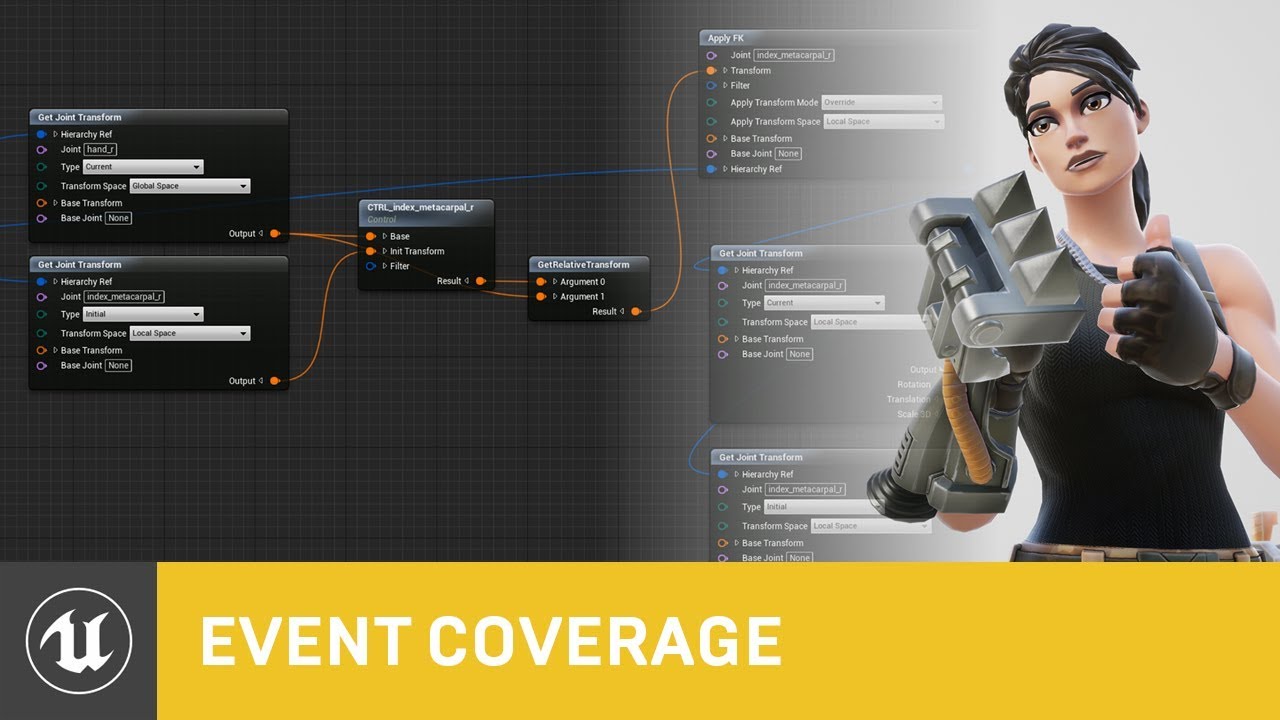
Control Rig is a highly flexible tool based on Blueprint that can be used to drive animation inside UE4. In this Unreal Engine Learning Theater session by Ep...
equal in this video
I no found an example
 royal hatch
Hey,
I was trying to set up the animations for the third person character. The character has default idle,jog and run states. When the character is not firing, everything seems to work fine, except the hands are not on the gun. But I think that can be fixed with little tweaks. I'm using the aim offset in the animations to rotate the character towards the direction camera facing. It seems to work correctly. Also I'm trying to use Anim montage for weapon firing. The issue is that when the fire is pressed, the character fires the weapon by turning towards the front direction, and then goes back to the normal direction is is facing. Is there any way to fix this issue? Any help would be appreciated. Thank you in advance.

 rotund star
Guys, is there a way to have input inside my weapon actor and use it when attached to a character's socket?
Now the input node isn't even firing inside the weapon actor, when it is attached to character's socket
 restive yew
No. Pawn class are of the few that receives player input. The keyword to look into in your case is Blueprint Interface.
 gentle pagoda
Anyone ever have an issue with morph targets not working on just a part of the mesh?
I have a head model and the face and eyes deform just fine, but the inside of the mouth doesn't
I thought it could be that only one material id is being morphed, but the eyes and mouth share the same material, so it's not that
 gilded patrol
Is there a way to achieve this level of draping in ue4
I would like to know if there is a way the collision can occur directly on the character rather than on capsules shaped as the character.
Capsules dont seem to give me a very 'cinematic' result, and its a little frustrating.
misty dagger
Yes, you need to set custom collisions on your capsules and mesh and what's hitting them
gilded patrol
Any example of how the custom collisions work, cause the when our cloth collides with our mesh, we see the "capsules" sticking out all over the place and its unsightly
would love if a proxy of the characters body could be used as collision for cloth
misty dagger
Check in your project settings Engine - Collision here you can set your custom trace and object channels and the preset for them, not sure how to do it with cloth, i use that stuff for projectile, but i'm sure if you look for some tutos on custom collisions in UE4 you will find a way that suits your needs 😃
gilded patrol
ok thanks @misty dagger
misty dagger
Np, good luck
gilded patrol
Another important question....do you have to pin a part of the cloth when using cloth paint, like cant everything be painted white , must a part be left pink?
Cause when we leave eveything as cloth, the cloth mesh falls off our characters and doesnt colling with the shoulders or arms on T pose stance
gentle pagoda
Yes, the cloth must be pinned
I don't think cloth can collide on a per poly basis in Unreal
For that kind of level of fidelity, you will need to author the cloth animation in a package like Houdini and export it as an Alembic file
(that won't be dynamic, of course)
gilded patrol
Thats really sad, so it theory, if i pin a single point on the cloth, the rest will collide with the character?
but if i make everything cloth (unpinned). its not gonna comply
Anyone here tried using NVcloth for rigid bodies, like necklaces?
misty dagger
Im having trouble with the retargeting in unreal, anyone has good knowledge with that? I have a player skeleton with an idle animation, then i have a much larger character based off the same skeleton that should use the same animations. Everything except the hip height works. I set the pelvis to animation scaled but it just places the hip on the source file position and the feet goes way below the root which makes the character go below the ground when the physics kicks in.
maya source files. Right is the mannequin and left is my character that should retarget.
 night crow
hey, how do i make an animation play only when there is an active animation in the sequencer? and not all the time?
ie i dont want the skeletal mesh to be animated before the purple starts in the right lower corner
but when i record now it juts animates and then restarts when the purple animation key in the sequencer starts
worked it out!
 true parrot
Hello I'm trying to make this dragon I have animated and I got it walk and jump but im stuck at making him go from walk/run to flying, how would I go about this?
Kinda half assed it haha
 fallow heath
what constitutes a good bipedal rig
like what should it include to make it fully functional and make the animator's job easier
 soft trench
There has to be some kind of universal animation retargeting tool or something that doesn't make you have to painfully guess the exact pose, duplicate and retarget the animation, then readjust if it's wrong
Please tell me there's something lol
misty dagger
I have some animations for my alien but with this particular one he gets weirdly squashed:
Normal
(Normal is below)
I am using blender and on export choosing 'X forward Z up'
getting this
hmm well I can uncheck 'preserve local volume' which gets rid of the squashing but I get a weird distortion like when I move in the x direction the z scale changes
misty dagger
Hey everyone, I still haven't been able to fix the problems I've been having with the downward dive. The problems I'm having are 1. Whenever I'm doing the downward dive by holding S + Shift, the animmontage constantly resets until I release it, when I want it to just keep moving forward in the animation instead of constantly resetting as long as I'm holding the buttons down, don't know how to fix that. Also, 2. I don't know how to get out of the loop in the montage. Right now I have a loop in the anim montage because I want the diving part of the animation to continue as long as S and Shift are being pressed down, but I can't figure out how to get out of it. I'm trying to make it where after you've started downward diving, once Is Falling is set false, or S and/or Shift is no longer being held down, it goes into the last section and goes into the falling/idle pose and stops the movement so it doesn't try to continue the launching. How do I do this? Here are the pictures of how I have it set up again just so you'll know
 wicked cedar
Is there something... undocumented I need to do to get the On Notify Begin/End pins on the Play Montage blueprint node to actually work? The montage is running, it has notifies, but the pins are never firing.
misty dagger
I believe if you hover over the pins it tells you what you need, with the notify pins I believe it says you need a certain node, but check just to make sure
wicked cedar
It just says "Event called when using a PlayMontageNotify or PlayMontageNotifyWindow Montage in a Montage. That's just the regular Montage timing track in the montage, right?
 celest orbit
hi guys
i wanted to have my Equip_Rifle to be blended by layer with the BlendSpace Animation so that when i call Equip Rifle it Playes while the player i moving no peoblem
can anyone guide me on what i need to look for
 wet lake
Does anyone have any images or blend files I can look at as an example for the proper setup of twist bones and their skinning? I've been trying to set up a custom skeletal mesh rigged to the mannequin skeleton, but since importing into blender messes with the orientations of the bones, I've been having difficulty seeing the correct base setup to replicate.
I'm not getting any crazy results, so I don't think I have any serious issues, but my results are a bit off and would like to get them as perfect as possible. Also open to any relevant tips 🙂
 static falcon
@gentle pagoda did you figure this out? Are they a single mesh in the 3d software you created them in? Side note, usually the teeth would be part of a jaw bone rather than blendshapes since they never deform.
gentle pagoda
I did not yet figure this out, no. They're all part of the same mesh
That's a good point actually 🤔
But in either case, the morph targets do work properly in the external editing package
The eyes are also driven through morph shapes, I guess those should also normally be done through bones
But I'm not sure if the face mocap software even supports bones (all of the animation work was done by someone else, I'm just trying to get it into Unreal)
gentle pagoda
All of the recording has already been done, it's not really an option to do everything again sadly
static falcon
But at any rate, that doesn't fix your issues.... all I can guess is that you either have some kind of history on your model from when you merged the face with the teeth so they are not truly reading as one singular mesh
Also UE4 will create blendshapes based on the areas that there are changes to reduce data, so if the forehead doesn't move for example no data will be used. Could be that it's not including the teeth because they don't move in most poses, but this seems unlikely because in your open mouth pose they are moved a lot
I can give it a try if you want to send the file?
gentle pagoda
Hmm, I checked an exported fbx to see if the meshes are merged (which was the case) and asked the artist who made the model (he confirmed that it's one mesh), but upon checking the source fbx myself now I see that they're in fact not merged
I'll get back to you once I've been able to test with an actually merged mesh
the strange thing is that the beard and the eyes are also separate meshes, but they do deform
static falcon
Hmm.. I've never tried exporting blendshapes that are across multiple meshes, so I can't say much on that, but I expect if you merge them all it should work. If you use the same merge process on every blend shape and the final mesh, the point order should be matching and then you can re-create the blend shape node and should be good!
gentle pagoda
Oh right that's a good point, all of the blend shape animations will probably be broken when the meshes are modified
:<
Hmm
static falcon
You can presumably copy the keyframes to the new blendshape
gentle pagoda
Hmm yeah maybe, in theory the blend shape curves are just floats driving the blend shapes by name
static falcon
Indeed. We had to re-map some of these curves in Houdini and it did work
We wanted to export blendshape keyframes from UE4 and it doesn't support this by default
 drowsy jacinth
This might be a dumb question, but does anyone know how I could copy the ending pose of one animation and modify another to start with it. In my current project my attacking animations all end in the same pose, but that pose isn't the same as my idle pose. I hoped I could just manually copy the bone transform values but every time I change one field, it changes all of them because they're linked.
gentle pagoda
I'm a bit confused, are you not blending between the different animations?
drowsy jacinth
No, i probably should but i have them using a "blend" that just chooses whether to play the idle/walking animations or the attack animation
I have it set up to do a layered blend by bone so that the the walking animation is the only one allowed to change the legs and the other ones just control the torso and arms.
my "alphas" are just binary 1.0 or 0 depending on if the action is being taken
gentle pagoda
When you use blend by bool, Unreal will automatically blend over time
gentle pagoda
Has anyone here had any luck working with control rigs?
Pretty much any pin I connect in the rig editor crashes Unreal
I get that it's in beta, but this just seems highly unstable
 barren zenith
Can someone explain IK workflow to me. I skinned my model to the epic skeleton, and it works fine. I am now trying to setup IK for feet placement, and having troubles as none of the IK bones are weighted to any vertices. How do I make these IK bones? When I export the UE4 skeleton, the IK bones arent included. Do I set it up the IK inside UE or inside my 3d editor?
static falcon
The IK bones are used as targets for your leg bones
They don't need to be weighted
I'm learning this stuff myself at the moment, but that much I know
misty dagger
This is what happens to this rocket girl rig when I export it from maya and import it into 4.21.2 does anyone have a fix?
static falcon
Import it back into Maya and see how it comes in perhaps. There seems to be some issues with how it's been exported
Does one of your 9 materials show as transparent?
I usually don't import materials into UE4, it's easy to just rebuild them and get a clean start
misty dagger
nothinng is transparent as far as I know
this is the message log on import
and not uploading the materials didn't work either
static falcon
This sounds like you didn't properly bind the skin to the character
Did you just parent the meshes to the bones?
misty dagger
i didn't do anything like that
static falcon
Didn't bind them or didn't parent them?
static falcon
What software do you use
misty dagger
maya
static falcon

Binding smooth skin includes setting the smooth bind options, binding skin, then checking the binding by exercising the skeleton. To bind skin (Use these steps if you have already set the Bind Skin Options you want.) Select one or more deformable objects, then select the root...
misty dagger
thanks mr
static falcon
you're welcome sonny
misty dagger
hmm
static falcon
https://www.youtube.com/watch?v=JNnwGg8xMdU here's a video too

Very simple, short tip, on binding a mesh to a rig.
misty dagger
im still getting the same issue
static falcon
Send me your file?
static falcon
This is a really complex rig with all sorts of deformations that won't be supported in Unreal
Is there a reason you are using this one?
static falcon
Yeah this is more of an animation/film rig than a game rig
If you want to use her I suggest making a new skeleton. Have you heard of Mixamo? It is a free auto-rigging tool from Adobe. Here's the mesh without the skeleton or anything.
 outer garden
i was directed to post this in here rather than the general ue4 channel
XYZ values doubling upon tweaking any of the axis individually
apparently been a thing since 4.20 so it's a really strange thing that it hasn't been fixed already since it makes animating anything absolutely bonkers
this happens with auto-key as well
misty dagger
if i already have it animated would it still work
static falcon
Short answer is no. You'd have to transfer the animation to the new rig.
misty dagger
transfer?
static falcon
You can retarget animation data from the joints of one skeleton (source) to the joints of another skeleton (target). The source skeleton is the skeleton from which you want to retarget its animation data, and the target skeleton is the skeleton to which you want to retarget t...
@outer garden sorry don't know anything about this
outer garden
really?
if you rotate X only a few times, YZ will have done a full 360
its like driving a car, and after youve done a few left and right turns, car is upside down
something very basic for all animators, yet ue4 has gone through 2 major updates and it hasnt been fixeed or noticed?
static falcon
I didn't see this bug in any of the projects I've done recently, have been using the sequencer a lot
does it happen if you key in the values manually?
outer garden
its the adding of the key that triggers it
static falcon
Sounds like an annoying bug then 😦
 nocturne whale
Hey. Does anyone know how you can bind motion capture points to custom bones with autodesk maya?
static falcon
I don't. Do the points read into Maya? What are they interpreted as?
 serene perch
yo quick q regarding anim notifies, if I set anim notifies in an anim sequence, will they still fire when they are placed in a montage, or do I have to set them in the montage separately instead?
static falcon
Anyone using the new control rig yet? Wondering if it's already usable / useful
gentle pagoda
@static falcon I tried to yesterday, but it's very, very unstable
Literally every node I connected crashed the engine
 light crag
Does anyone know why my character's foot twists when changing the alpha on my IK foot set up?
misty dagger
does anybody use blender?
Me
@misty dagger was working on an animation never had this issue before
but it imported like this

Make sure when you export you do X forward z up
Tbh I am having problems with blender to ue4 also
woah
Try messing with 'add leaf bones' option but on export
That just looks like wrong coordinate system.
misty dagger
@misty dagger tried everything nothings doing the job
light crag
Can anyone please help with this? IK works fine on the UE4 mannequin, but as soon as i retarget the animations to my own skeleton, the foot twists when adjusting the leg position. I can't figure out why! The only thing i'm guessing it could be is that my skeleton lacks the calf and thigh twist bones that the mannequin has. Is this the problem?
light crag
No one able to give me any pointers? 😦
 turbid osprey
Question about using motion capture data for looped player animations in Unreal: To use the animations in a loop walk cycle for the player. should the animations/skeleton be set up to use root motion or not?
MORE DETAIL ON Q>>> I did a mocap session where I had the performer walk across the space, and then attached that data to my character model (rigged via Mixamo) in MotionBlender. When I import it into Unreal, the animation looks fine, but character walk is still crossing the room. When I enable root motion it stays in place but looks bad. Not sure if I need to create the skeleton with a root joint, or if I need to try to change the animation so it stays in place?<<<
 bronze sierra
hello, i have an idle state on my anim blueprint with a blend state with 3 possible idle anims to play tied to a variable. how do i change that variable after the current anim finishes playing so i can random the next one? Do i need to create a blank state that is executed when the idle finishes, that has a on entered event that randomizes the next one and then transitions back to the idle state? Or is there another better way of doing this without splitting the idles into different states?
misty dagger
I'm trying to do direction flinching with four different flinching animations, Back, forward, left, and right. Is a blendspace the right tool to use? Anim nofifies are used to tell the character when flinching is over. But I also want to do severities. So a hard flinch will last longer than a soft flinch. As I understand it, it will only use one of the two notifies, it won't blend the notify or anything correct? So My flinching duration won't be dynamic, it'll be based on whatever notify is weighted more heavily?
I guess I could have flinch duration be assigned based on a variable on the character rather than the anim notify. That'll be my current plan
@light crag You made the skeleton? Did you make it in blender? If you did your IK bone needs to be overlapping your foot bone or whatever is next on your chain. My leg IK ends at the ankle, so I use the bone right after the shin bone. Your IK bone needs to have the exact same orientation and scale as the bone it's overlapping.
@light crag That issue is incredibly obscure btw. It took me months to find an answer, which is probably why no one else had one for you
misty dagger
Quick Question: I'm trying to use Mixamo animations, and I'm wondering how I can make the animations in place in UE4?
I cant seem to figure it out
bronze sierra
@misty dagger the animations you are using use root motion?
misty dagger
There are motion on the root
But I'm wondering how I can make the animations in-place
bronze sierra
open the animations and enable force root lock
bronze sierra
np
bronze sierra
enable root motion
misty dagger
It's still not in place
bronze sierra
try the different root motion root lock options
they have changed those options since the last time i needed to use them
misty dagger
After thinking about it, i had an issue with this when I was retargeting animations one time to my mesh.
The in-place root motions wouldnt work when retargeting, so maybe I have to change the options on the original animations before retargeting?
Yeah it doesnt work for that either. It makes the animations spastic
bronze sierra
if you use the original animations and set the root lock does it go in place?
misty dagger
it convulses
it stays in place, but it doesnt resemble a sword swing
even when enabling root motion
misty dagger
it doesnt
both of the first lock options do the same things, and zero makes it lay down while doing so
I wonder if I could export the retargeted animations, and just make all of the root location keyframes similar to the first
bronze sierra
not sure 😛
misty dagger
Yeah i had to edit the location keyframes individually in blender
Man, this is going to be a pain for the rest of the animations
i just change the x and y offsets on the root bone location to 0
bronze sierra
:S
misty dagger
That said, I'm working on getting weapon combat sorted out.
Although at the moment, it just consists of animation states and such, before I get around to nitty gritty things like hitboxes and such.
I really need my own custom animations to get this thing right, to be honest.
I'm trying to do action game tier combat, and not something like an RPG like Skyrim, etc.
 daring oriole
how to animate AI?
 maiden plover
For my ai I just derived it from my character class and got the animationz
Used eqs and the animation s worked
Just use the same anim graph as your default player
oblique yoke
How do you stop morph targets from resetting when using "Play Animation" node
 icy valley
Looking for an experienced animator to do some freelance work. #looking-for-talent
 onyx shale
quick help please. I got a character blueprint that has a spring arm with a camera attached to it. I want to set a different location to that camera when the player crosses a line with the set spring arm rotation node. It works but it is an instant transition. How can i animate the camera that is inside the blueprint
 fringe oriole
Does anyone know how to use Motion Capture (with kinect) to record animations and use them in Unreal? Or at least a tutorial to get me started on it? IT seems like all plugins I could find are only for live streaming and not creating recordings.
fringe oriole
Is there a hiring board or something like that to find animators beyond this discord?
 vale turtle
What is up with sequencer not being able to be docked with the other tabs?
 swift ravine
any experts around/?
have a questions about blend shapes and morph targets
and distortion of the texture
is there a way to setup more then one blend shape or morph target on an object
for example if it extends in one direction then adds a curve to the shape is it possible to add both onto the same mesh?
and is it also possible to add it into unreal
 cedar rain
omg - not sure how i didnt know this - but just discovered huge workflow improvement: if you hold shift when double-clicking animation, it opens a NEW window!!!!! massively important when copying notifies for a large number of animations 😃
(sorry if stating obvious )
vale turtle
sequencer does not persist over level load. Trash, just trash.
Really forcing me to cut everything into pieces, and use delay nodes and other trash things.
No wonder people have to spend so much time working on trailers
oblique yoke
Can you add looping animations as sections?
And have them loop before you use the next section node?
 fleet tide
Can I move the root of the item that is being attached to a socket in-side of the engine?
wet lake
Been having trouble finding resources online. Does anyone have any tips for animating two characters together in Blender?
I'm trying to have one character help another character stand up, so I need to create a "being helped" animation and a "helping" animation.
I currently have both rigs in the same scene in blender, and am planning to animate them assuming a shared central point, going back and forth between the two rigs animating key frames as I go, hopefully having two seperate animations that I can export at the end of the process. I'm just currently trying to avoid any pitfalls I might be missing before I end up finding them weeks from now.
oblique yoke
Thats what you do
You edit the keyframes for both the rigs, if you're going to export to ue4, make sure you're converting the scene units properly or else you may have to redo it from scratch
wet lake
Okay, thanks 😄
 dapper crest
Hey, anyone who knows rigging and physics joints around? How do I rotate a physics join's angular limits?
I have this, I want to rotate that joint so that the lid swings properly
But the joint's origin is at the bone center
 sullen fable
❓ Question:
If I want to import an a skeletal mesh with additional bones to the base skeleton in editor, is it possible to have the mesh with additional bones work without saving the original mesh?
For example: I want to add a winged version of the base character but without making any changes to the base skeleton.
night crow
hey, im importing an animation of a mesh i did in c4d and the mesh is split into all the small parts that the mesh is made up of. how do i make ue4 not split the mesh into all the parts put combine it?
its just this arm that i animated in c4d to move up and down like in this video
ah the video was too big. but its just this arm moving back and fourth. and i want to import that animation from c4d into ue4
but when i import it the mesh i split into a million pieces
the mesh is just keyframed in c4d, thats how the animation is made
anyone?
i baked it in c4d and imported as alembic but its still not working perfectly. the animation is a bit out of sync and the mesh is a bit scrambled around in where the pieces of the mesh should be
night crow
ugh anyone? plz
sullen fable
@night crow when importing , click "combine meshes"
night crow
its an alembic not an fbx!
fbx doesnt work unless it has a skeleton which mine doesnt
night crow
anyone willing to help me get a c4d animation to ue4 for some money? have been struggling with this long enough that i'd be happy to pay whoever thinks they can do it!
sullen fable
@night crow you can send me the c4d file if you wish
night crow
i got help from someone, thanks anyways!:)
sullen fable
np
 balmy oar
hey for some reason my character will always loop jump when falling loop is not checked or anything
any help?
 simple star
Yo I'm in need of doing a blinking eyes loop for my characters, anything I should do to make it look better, more realistic ? if you have any tips i'd love to receive them !!! 😃
misty dagger
More realistic than what
misty dagger
Hi peeps I have a turn based system, when it's the enemies turn then based on some ifs and integer variable s and randomness the enemy casts a spell with sound and FX and an animation. However I have no idle anim. How easy would it be to implement an idle anim to my current system so that it blends ideally?
I am not using anim bps just regular bps with 'play animation' 'pause anims' nodes etc
I don't need the actual spells to blend with each other only the idle
bronze sierra
hey guys, i've been playing around with animation modifiers and i'm trying to do a vector curve, the problem is that the animation preview only seems to support float curves. When i run the modifier he creates the curve, but i have no idea of how it looks. Is there a way to visualize that to confirm that the vector curve has the right data?
exotic marlin
anyone know what can cause animation to fudge up when being used as montage? im seeing my animation play perfectly but when playing on montage, the legs are messing over
bronze sierra
do you have a layered blend per bone in the animation blueprint?
another thing, try the anim using the actual mesh and not the mannequin in the preview
exotic marlin
the only layered is on the right hand and that is only for 1 anim montage which isn't this
and what actual mesh?
this is very confusing and im beginning to think its UE4.22.1 causing the issues cause this started after I updated
but any idea what can cause this?
bronze sierra
@exotic marlin i would place an anim montage instance with only that anim in the level and see if it's ok, if it is, then the problem is probably in the anim blueprint
if it's still broken then it might be something with the retargeting or the animation itself
exotic marlin
^ did. its perfectly functional
so if the problem is in anim blueprint, I need to identify what is the problem
 crude axle
how do i make an animation montage to loop?
exotic marlin
you can have it check using an anim notif whether it should play again or not
crude axle
i made a notify but how would i make it loop?
exotic marlin
when that notify gets called, if you want it to only loop for a certain action, you branch for the bool
if its true, you play the montage, if not, do nothing so the montage ends
exotic marlin
thanks bakadev. you were right. it was a stupid thing in the animation blueprint that I totally overlooked
 amber flicker
Does anyone know how can I prevent my character from freaking out?
bronze sierra
@exotic marlin good to know 😃
@crude axle if you want a section to loop you have to click it twice on the bottom part of the montage so that it turns gray

In this video, we´ll see how to make loops in animations to persist over time in unreal engine 4. You can also follow me in facebook: https://www.facebook.co...
soft trench
Should there be separation from Character BP and Animation BP as far as state goes? It seems like there has to be. For instance if I want the character to attack. Character bp checks for input, sets "Character State" to "Attacking", tells AnimBP to set "State" to Attack1, Attack2, or Attack3 so that the transition happens. Is there a more unified way of doing this?
I'm coming from Unity where everything animation related was queryable at any given time to find out what state the Animation State Machine was in
 reef cypress
 viral marsh
hey guys, I'm making weapon animations for first person and I'm wondering how you would animate the camera. I've seen something about the camera anim bp which I think is what I want but it doesn't seem to have a way to import animations from fbx. Any ideas?
viral marsh
i've figured it out, you just import the fbx in the matinee window under file > import. that was easier than i thought 🤔
 cinder linden
hey guys I want to set a condition which is cheking for the enemy spotted boolean and also to check if the previous animation has finish before transition to the other stage

this is my set up but it doesn't work, how can I check if the animation has finished before transitioning ?
I think I might have found a solution https://gyazo.com/f538f23aa0904096d2776c0175817812

 simple loom
Id like some help if anyone could offer. am working with the Feng Mao character from Paragon. I have created some montages of the base animations same as the melee montage that is already present. The montage epic includes in the character content is on the upper body slot. So are the animations I have created montages for. The animation epic included still animated the lower body including the root rotation (spinning melee attack). But any of the montages I have created always have their Lower body blended out. Despite trying to find differences I cant figure it out. Both montages and the base anim are setup the same. Thanks for your help
 tranquil willow
I take it that animation montages can't be put into blend spaces?
I'm using anim montage notifies for footstep sounds but also want to put it in a blend space but it's not having it.
huh seems like you don't need montages at all for notifies, weird that I thought they did
 woeful spade
with 4.21 or 4.22 there have been some weird changes to how ragdoll physics work, they often don't work now
did anyone saw similar issues when moving to 4.21 or 4.22?
 polar dune

 opaque sail
the animation was probably not done properly in 'one-go'
the frame in which it stutters.. and the frame just before it.. the character's position is too away
so there is not smooth transition maybe
or maybe once the animation loops.. (last frame and the very first frame) .. the position is off then
@polar dune
 ripe yew
Test that in your blendspaces.
 lunar silo
on Idle animation using the throw away magazine and when reload animation is done magazine will go back in position but there is any method to make it working like this.
https://youtu.be/JD08708zueo?t=642

0:06 SECONDARY WEAPONS 5:22 ASSAULT RIFLES 11:04 CARBINES 15:07 DMRs 18:12 SHOTGUNS 22:35 PDWs 26:56 LMGs 33:06 SNIPER RIFLES 38:30 LAUNCHERS 40:48 BATTLE PI...
start at 10:41
 opaque estuary
anyone knows why animation in blender and ue can look different? in blender, her face is fine, but in ue it looks damaged, eyes not working and mouth open for some reason =\ https://www.youtube.com/watch?v=034Vb9cu_Ts&feature=youtu.be

rest of the body works fine though
eh, it's ok now. i was needed to apply location and scale 😤
 crimson tendon
Anyone using Cinema4D got some tips on how to export simple object animations(position/rotation/scale) to Unreal without having to use a skeleton?
crimson tendon
Bummer, do you have to skin weight all items to the joints?
@night crow in this video I see them using Maya without a skeleton:
https://www.youtube.com/watch?v=K29WNGQH2lk

Software: Maya 2017, UE4 V4.18.1 I have never found a simple tutorial for importing non-character objects into UE4, without rigging them with bones. So I dec...
night crow
@crimson tendon i tried figuring it out but ended up using skeleton
there was some plugin to c4d thats called saveselect that managed to do it i think but couldnt find it anymore
i dont think u have to skin weight
 copper dawn

Jamie Lozada talked about the principles used to make readable game animations, their structure, and the difference between them and CGI animation.
 queen matrix
I'm trying to build a small mo-cap set up at home with some kinects, first kinect came like an hour ago and this is the first result 😅 it will need some keyframe corrections, but quite pleased with the result so far. I'll need to improve head tracking
https://i.gyazo.com/3e6bf6078670a572eec74ddda086e434.mp4
https://i.gyazo.com/5db376694cba499b9298269e4d7de47e.mp4
https://i.gyazo.com/58531c12d801bbc017b5cb7f626ff8fb.mp4
anyone's got any experience with this?
 fresh quest
Anybody know anything about switching between multiple state machines i thought it was blend poses by bool or int but when i update the active (value/child index) nothing happens
 raven field
Hello, I am wanting to make specific parts of the body simulate physics but the rest not. Like a tail or ears.
 wraith lion
anyone know of a stairs anim in the UE4 marketplace?
just walking up stairs?
or running?
static falcon
@raven field you could try cloth physics and paint the influence
@wraith lion probably some on Mixamo
raven field
@wraith lion I dont know of any, but if you set up IK Foot Tracing you would only need a regular walk
wraith lion
thanks guys ill take a look
 wraith verge
Hi, whats the difference between fabrik and TwoBoneIK ? whats the best one to use (both work here)
 dusk dove
Fabrik is old
 neat lichen
Does anyone know how to fix this,
https://gyazo.com/04cd36b80e9c7cc560e8e54eb9785945
the wheel colliders are sideways. Is it a skeleton problem?

 indigo current
guys
I need to make a programmer animation
I have no tools installed
but I'll get whatever
what is the absolutely easiest way to make an animation of an already skinned mesh that is pretty much the mannequin just some bone names are named different
like we ain't talkin about high quality anim
 supple axle
has anyone done "true" first person stuff? I tried using ASL but the head bobs too much in it. Then I got the idea of using some IK magic to modify the head bone position so that the bobbing wouldn't be too strong but I never got it really working.
Question is: Has anyone else used a similar method to ease head bobbing of true first person anims?
supple axle
it has the added bonus of the player being aware of what parts of his body are not behind cover and such
 wheat badge
anyone know how the root motion is extracted to move the root component when root motion is enabled? Like how would I go about making my custom logic to move the root component according to the root motion just like how the CMC does
 bronze osprey
@indigo current use bps
get random rotations
send to bones, no program needed
and it wil be procedural
thats hip now
or set simulate physics add impulse to a bunch of bones and use sequencer recorder
also in unreal
this wil actually bake out the animation
or make a few pose assets and let em blend,. also no program needed
*** gets kicked out of animation channel
bronze sierra
hello, is there a way to apply additive to an animation sequence to create a merged one?
static falcon
@indigo current just retarget some animations from samples or mixamo
 rugged tinsel
hey i have a problem with my character but i dont know why i was deleting a few things because i was fixing errors but i dont know why this has a problem my problem is when i play my character is stuck in idle animation when i move the character is just a stick it stays in idle animation
i fixed it i put is valid in some wrong places
 smoky relic
hi all, are there any plugins I can buy that will let me create keyframe anims directly in the editor instead of needing to export/import fbx's ?
 pliant kayak
Hello, I'm new here and also new to UE4. Does anyone know if I can blend my animations in animation montage? I have section with a sequence of few animations and some of them don't transition well between each other without any blends. Is there a way to blend them somehow?
static falcon
You can do it in sequencer and then export it as a single clip I believe
@pliant kayak
@smoky relic You can also do some basic keyframes in the sequencer but there's nothing really good enough for character animations directly in the editor yet.
pliant kayak
oh you can export sequences as a single clip? interesting, I'll check it out then
would I be able to use it later in animation montage though?
static falcon
If I'm correct that you can export it, then yes, you'd just import it back in and then make a montage with it
But montage isn't for creating new animations, it's just for notifiers and triggering animations in certain ways and on certain parts of the body, I believe
pliant kayak
yeah, I have complex jump animations for different states
and some of them don't transition well
static falcon
Hmm I may be wrong on this, I might've misunderstood your first question
As I understand it, I think montages are usually made from clips that are authored to loop correctly without needing blends
pliant kayak
I have a montage looking like this
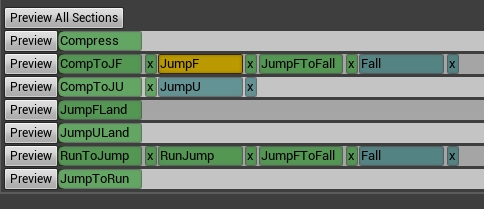
and let's say one transition from RunToJump to RunJump isn't looking well
so I guess using sequence with those 2 anims blended should work fine
and blending between different sequences is already handled by the montage I think
so yea thanks for the advice with the sequencer, I will try it out
static falcon
These look like things that should be done with state machine honestly
pliant kayak
I tried already
static falcon
state machine has blends in it
static falcon
gotcha
pliant kayak
and there are still transitions like walk-to-stance or stance-to-run and stance-to-walk
so I think montage is the right way to go
static falcon
alright, best of luck, let us know how it goes 😄
pliant kayak
thank you, I will 👌
 delicate junco
Hey guys, if I want my game to run at 60 fps, can I make 30 fps animations and double its speed in UE4 ?
Nvm, just found out the "use default sample rate" option when importing
 untold skiff
hello guys i'm not sure if i'm in the right chat but how can i by nodes select a triggerbox. i'm trying to make a triggerbox for the sword for hitting enemies, which is working great. The problem is, that i don't know how to create areal damage, by doing a special attack. I created a other triggerbox on the ground in the ThirdPersonCharacterBP.
 rotund nest
Hey! I'm a sound designer, and I have a question about animations. Could someone suggest a way of conversion FBX animated models to video files in a somehow automated manner, something like: import FBX, manually set up camera if a model is a bit off, press a button, get rendered video file, maybe even named after the FBX file. I don't know, maybe this can be done with UE? Or maybe you know some way of doing this using some kind of other software?
I'm asking because I hate recording videos of animations via screencap, I would love to have frame-accurate and properly named short video files.
 silver badger
Importing to mixamo from a .obj does not upload the textures, any idea how can I fix that?
If I open the .obj I can see the model is texturized
 remote elm
quick question, when people make a first person shooter, when they aim down the sights (for this example lets use a rifle), do they usually move the camera to the firearm or do they animate the arms so the firearm gets moved up to the camera?
delicate junco
@rotund nest Blender could do what you want imo. Just import the fbx file, place the camera and render. It's quite easy to do so and a lot of great tutorials show you how to render videos
@silver badger Did you try to upload a zip file with both the .Obj file and the textures images ?
 supple lynx
HI there, I'm new to UE4/BP, I'm trying to use animation from a pack. Everything seems to be correclty setup.There is a dodge animation which make the character slide to left/right sides. I'm using RootMotion in the animation, and want to "control" the length of the slide (translation) in the animation, how can I do that ? Should I apply a transform in the BP_anim to the character ? Or, is this something to be done in the animation itself ?
silver badger
@rotund nest yes thanks, that's how I fixed it, sadly another problem appeared.
Now everything looks fine until I downloaded the animated FBX from mixamo, there the textures look like translucent.
 meager pewter
hey guys I'm new to UE4 and would like to know how to have the reload animation I have from MCO_Mocap_Basics to hold the magazine in addition to making the hip rifle reload make the pawns legs move, any help is greatly appreciated.
 half basin
Hi all. I've never touched UE4 animation before but I'm just asking, is it possible to say have an IK chain or link to make an finger or entire arm move to touch a dummy object that's animated by an input or by the player?
so essentially making a finger always point and follow a box?
static falcon
@half basin I think this shouldn't be a problem
@meager pewter I recommend downloading the free paragon Shinbi character and dissecting the blueprints a little. You can play animation in "slots" that only play on certain bones.
pliant kayak
Well so I didn't get to play around in sequencer but I did use animation composite to reduce amount of anims
now I'm just struggling with finding the best way to set up locomotion between idle, walk, run and sprint states
I have animations for each start/stop but I have no idea how to set them up so everything works well with each other
tried with animation montages but quickly realized it complicates things even more
and state machine gets clogged up fast too
any tips on creating somewhat advanced locomotion system with start/stop motion for each state?
static falcon
Have you looked at the basic 3rd person blueprint locomotion?
pliant kayak
yeah, it's very basic
static falcon
I’m not much help I guess. There was an “advanced locomotion” project free last month, might be more helpful. Is it still free?
pliant kayak
I was trying to search for it
I can only see a paid version which is a little too expensive for me
was it on the marketplace?
static falcon
Yeah, it was free last month
misty dagger
guys
when i import my animation from blender
into ue4
it imports correctly but when i open the animation viewer thing in ue4
the gun is flipped sideways and is completely compressed scale wise and is not moving
any ideas?
pliant kayak
apply rotation/scale/location in blender?
also I think you need to make sure both animation's and model's armature are the same size and facing the same direction
misty dagger
Should i apply rotation location scale for the armature as well?
When i do that it makes the whole mesh huge
also i get this import error
Okay i fixed that error
but still
nothing is happening
i open the mesh
animation
and it dosen't do anything
completely static
and the timeline is going at full speed
pliant kayak
I think apply it both for object and armature
and scale down whatever is too large back to the size it has to be and then apply again
misty dagger
Now when i import
it cant even create physics assett
becasue bones are too large it says
 forest comet
how do you have inherent movement on a static mesh like the moving statue from the paragon props? It bobs up and down by itself with no coding involved
remote elm
how do you guys go about animating your weapons in an FPS? for example, currently i have my from the hip rifle idle animation for 1 rifle, 3 different recoil animations, and an ADS idle animation. is there a better way to do this than to have different recoil animations for both shooting from the hip and shooting while ADS? i thought about only having one set of animations which would be from the hip and just moving the camera to be inline with the sights but that does not seem as natural as actually moving the characters arms/weapon to the camera
static falcon
@forest comet I am not looking at the example but could it be done in the material?
lunar silo
can anyone help me about this ?
When i change the mesh the left hand is twisted but in Mannequin is just work fine.
pliant kayak
different rigging
since mannequin isn't organic, the mesh bits like forearm and hand are separated and skinned entirely to single bones
while your character's entire arm is a whole mesh bit
so hand must be skinned only to the wrist and rotating that bone too much will give you unnatural twist
sometimes they rig helper twist bones to correct things like that
pliant kayak
well, you can open it up in some 3d software like 3dsmax, blender or maya and add the bones, adjust skinning and edit the animation
a lot of hassle
lunar silo
exhale
static falcon
Look up roll bones, Censor
static falcon
Sometimes you add an extra bone for the forearm that will allow you to correct this twist problem
 edgy reef
What's some of the best books on game animation you guys have found?
For learning and study I mean. I'm familiar with most essential regular animation books like animators survival kit etc.
But looking to pick up stuff on gameplay animation that goes indepth
 stiff thunder
I find "The Game Animator's Guide to Maya" by Michael McKinley is still a good read.
pliant kayak
"Game Anim" by Jonathan Cooper came out not long ago and I've heard it's really good
stiff thunder
Yep. i heard good things about that one too. Still have to get it myself tho
pliant kayak
same
also, this has been bothering me for a while now
does anyone know if this can be simplified so I don't have to use left or right foot variants as separate states?
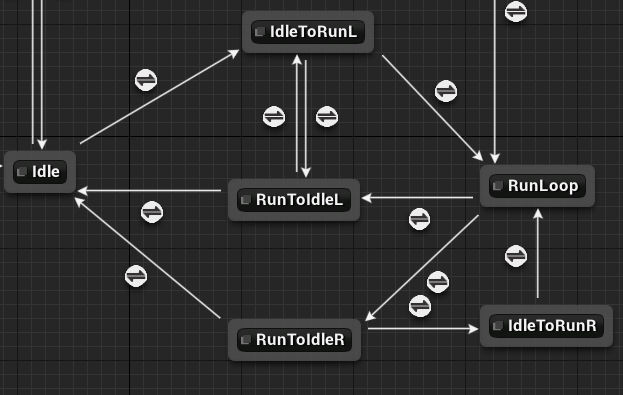
 tawdry jungle
@misty dagger Hmm, this looks like a export problem. Can you send me the blendfile? try to set the Simplify Animation to zero in export options. I was getting some timing problems with that in 1.
a baking problem maybe? A forgotten bone constraint can make it too
 winged violet
Is it possible to have layered animations without using anim montages?
For example when aiming
Or if you want to blend locomotion with upper body only animations like aiming then they have to be anim montages?
 radiant garden
Hello
I just got ArtV1 for Maya and was wondering if this is appropriate for a character with wings or is it only bipeds?
edgy reef
@stiff thunder How so? I saw it in university library the other day I think.
@pliant kayak Yeah I have actually wanted to get that book!
 soft charm
Hello, all. I have tried to apply a Local Rotation to a socket defined by a bone in my SkeletalMesh, but the rotation is not applied to Components that are attached to that socket (like ParticleSystemComponent). What am I missing here? I would like to set up a Local Rotation on a socket and have it apply to anything attached to that socket.
 sudden sedge
Is having 2 additives bad for a default pose?
 regal grove
idk whats the right channel for that, but when I import new SKMs into the engine the bones are displayed way bigger than normally o.O (Scale etc is all the same) ... are there settings for that cause that is really annoying?
remote elm
im having some trouble with bones and porting the mesh over to UE. i made some animations last night in blender and for whatever reason they are not nearly correct in the engine. it seems to be coming from the weapon and its root. the origin and everything of the weapon is fine and in the correct position as it should be, but when i look at the weapon in UE4 the root is still in the right position, but showing this(its fine if i export my weapon in the exact center of the grid in blender).
https://gyazo.com/2aadaed5af74bf33e544b796ff1f2997

because of this i had to offset the socket in the players hand drastically, and when it played the animation the weapon would rotate very weirdly and not be in the right positions. heres an example of it in blender
https://gyazo.com/ee2c2fdab31d21029367221369bafe83

 vagrant vigil
is it best to duplicate animations for each mesh even if they share the same skeleton? I just can't get animations to look right between different characters even though they are using the same skeleton
remote elm
how different are they
vagrant vigil
the meshes? not too different just humanoids
remote elm
how different are the animations
vagrant vigil
not sure what you mean
you mean like how off they are between characters?
basically the hands and such are off so it looks weird when holding weapons
between characters
one character might have hands overlapping, the others might not be close enough
some characters the walk looks fine, others it looks all rigid and stiff, just bad
remote elm
as long as the mesh over the skeletons are similar i would imagine they would look very similar if not the same
vagrant vigil
theyre all humanoid in the same pose. Some I guess have longer/short arms or whatever but generally the same. I'm guessing its just best to keep anims separate per character to avoid any issues
lame as I wanted to reduce the amount of anims in my overall pacakge
delicate junco
Hey guys, I'd like my character to move and play similarly to 2B from Nier automata. I'm really wondering if I should use root motion for my animations, I didn't find much resources about whether it is or not good practise for this type of game.
 full jungle
Hi!
I'm a programmer trying to solve a problem we have, and I have a question about the Blend Poses nodes.
I see all of the use Enum as input parameter. We want to use a gameplay tag but can't see any built-in way to do it.
Has anyone here extended one of those nodes to use gameplay tags?
 kindred oracle
Hi everyone, I've created a custom vehicle and used the SimpleWheeledVehicleMovement component for the blueprint. The wheels have high friction, and as far as gameplay goes, it feels pretty good. The animation for the wheels is a bit off to say the least:
I'm only using the Wheel Handler to drive the animation. Any thoughts on what might be causing the jumpyness of the wheels?
Also FYI, if I explicitly drive the wheel animation from the animation blueprint, it doesn't seem to do this.
remote elm
can anyone tell me why this is happening when i import into UE4? i cannot figure it out and its preventing me from properly attaching the root to sockets and screwing up my animations and everything. this has stopped progress for 2 days as i have been trying to figure this out since i just now noticed the problem and already scrapped all animations made because of it -_-
https://gyazo.com/9391c4ab881a32fcb3d2c0c9b7ffc1d7
https://gyazo.com/c474c826b3469a647973616d6ecefbe4


the only way i can position it correctly is by moving the entire mesh/skeleton down to the exact center in blender and exporting it, but when i play my animations after doing that they are even further off than they were since the model moves itself up to the starting point which is way above the player
 spiral sequoia
for facial animation/expressions and stuff, whats the pros/cons of morphs vs bone/rigged anims?
 crisp flower
Anyone here have alot of experience with ARTv1?
I've been banging my head against a wall trying to figure out a problem with exporting animations from ARTv1 and I'm about to throw my computer into a lake
kindred oracle
With regards to my wheel issues, looks like it might be a motion blur problem: https://docs.unrealengine.com/en-us/Engine/Rendering/Materials/HowTo/RadialMotionBlur
 remote obsidian
hello there.
I'm currently studying anim dynamics to make some props attached to my character to move with the animation. in the tutorial they use a IB character that has the prop in the same model and a bone to drive it. but my character is an humanoid without no extra bones for the props, and those are attached as child actors in sockets. any way to do something similar to anim dynamics in that case?
 tiny mirage
was there a tutorial on how to use the new animation sharing yet? I followed this https://docs.unrealengine.com/en-us/Engine/Animation/AnimationSharing but theres still some holes in my understanding here
i think it may have been mentioned in a live stream?
also @ me with response please
 void python
Hi guys i have a question about motion capture....when i do the face mocap do i have to create blenshapes to my character or just rig thr face of character and import mocap animations? Thanks
 split dove
Fellow human beings i would love to know wether the way im doing my animations are the correct way... Im busy making a fps game just as a hobby. The way i do my animations then import it to unreal is i export the entire mesh and bones along with animations as a whole. Then import it to unreal. .. I setup all the animations to work like walking shooting etc. But i want to add multipal guns and ive seem to find a way to do it but i dont know if its janky. Im going to add each animation to the character but just toggle visibility... So on the player capsule ill have about 10 guns and arms attached but they will be invisible to the player... Is this method a OK method or not?
 wheat rain
Hi, I'm working on a game in the first person.
To be able to control my character. I took the BP from the first person and copied the event graph, but what variables do I use for "speed and jump"?
 runic fractal
hey guys, has anyone ever been able to sucessfully cvreate a character for unreal engine?
it never works, i literally downloaded the manequin and when i would reupload it, it doesnt work
like some bones are all wack
 fallen fog
If you download from mixamo , does not work you need to create a new rig,because mixamo use a different skelleton, use this rig if you wanna help!
I need help too with another problem... my animation when i croush, restart every second , I am creating a game and my best is not the animations, I created an animation that when I click the ctrl key my character it lowers, and I can walk downloaded but there is a problem ... this animation is teleporting myself I walk forward and it goes back as if the animation resumes itself can someone please help me?
 iron bloom
I'm having some trouble with a tutorial
It says that I need to access the physical animation (I geuss it would be called window)
The place where you can change values for a physical animations strength and velocity, but I can't seem to find it. I am able to create the physical animation profile but I can't find out how to alter that profiles velocity and strength
If you would like me to clarify just ask, and thanks
How do I get to the physical animation highlighted in yellow in the current build of unreal
NVM, random clicking to the rescue
gilded patrol
Is dual quartenion supported in ue4.22 and if not how do I get a dual quartenion skinned model into ue4. Basically trying to get corrective morphs in ue4 without using "pose driver" manually as I have lots of character already skinned using DQ skinning.
fallen fog
Someone can help me, someone knew how I can put my animations in a loop so they do not always restart ... I'm trying to find out but I can not
true parrot
is their anyone that can help me learn how to animate the desert dragon or a tutorial on one?
fallen fog
Someone here tell me how i stop the animation restarting... i need the croushing animation but the character stay croushing and standing all time infinitly... someone help?
fallen fog
this is the what i need fix, someone help? https://www.youtube.com/watch?v=3S_x9JBQIGc

 desert rose
How do you make collision for crawling animations? With only single CapsuleComponent character have back part of his body flying in the air and front part clipping through ground.
fallen fog
u maybe have the wrong skeleton, whre u imported the animation?
if u imported from mixamo try use this rig
 gilded hazel
I use blender for all my animations and build my assets in there. When importing animations from blender 2.8 its importing 20 of the same animation does anyone else have that issue
 latent ember
so i have a 2d sprite and its jump animation actually moves the character (its not in place). this results in a weird scaling effect. anyone knows how to fix this?
this is what happens
this is the flipbook
oh this is in the wrong channel isnt it?
fallen fog
i have the same problem but in a thirdpersoncharacter
i think i can fix you problem
u need to create a standing_idle animation
latent ember
I have one.
 oblique vortex
hello so i have a root motion animation for climbing but i want it to work on different heights can i use something to get it to work,or i need to make different animations for it,the other option is to make it not be root motion and just do it manually
 neat compass
Hey I'm looking for a good tutorial on rigging characters in blender for the unreal skeleton. Are there any you guys would suggest?
 proud lichen
i exported my skeletal mesh to static mesh but ingame it just spens like crazy
spins
misty dagger
Import as skeletal mesh then?
fallow heath
is there any package that is popular for rigging and animation?
I've used and liked modo, haven't used anything else so I can't compare anything
 polar portal
After retargetting an animation BP and replacing the playable character, some animations aren't working at all. On the previous character, they were working perfectly. Any ideas on why this is happening?
proud lichen
Im having issue where this animation blue print is working in preview and propeller is spinning but when i try it ingame its not rotating even tho the value is changing.
 sick field
@latent ember might be a bit late for responce but for your animation have you tried keeping the sprites alligned so that the image doe snot rise in the flipbook itself?
also it might be good to seperate your flipbook into 3, one for the jump, a midair and a land
latent ember
ye i fixed it in a way. the animation had a "loading" period. the character was crouching first and then jumping, i tried adding a delay but i just ended up cutting the animation
i made a jump and a midair, couldnt get the landing working
misty dagger
trying to get a skeletal mesh to sit in a chair properly and rest their hands on the arm rests naturally. can I somehow preview the animation on the chair as I'm working?
polar portal
Having trouble blending animations. Anyone else having issues with this?
 candid hull
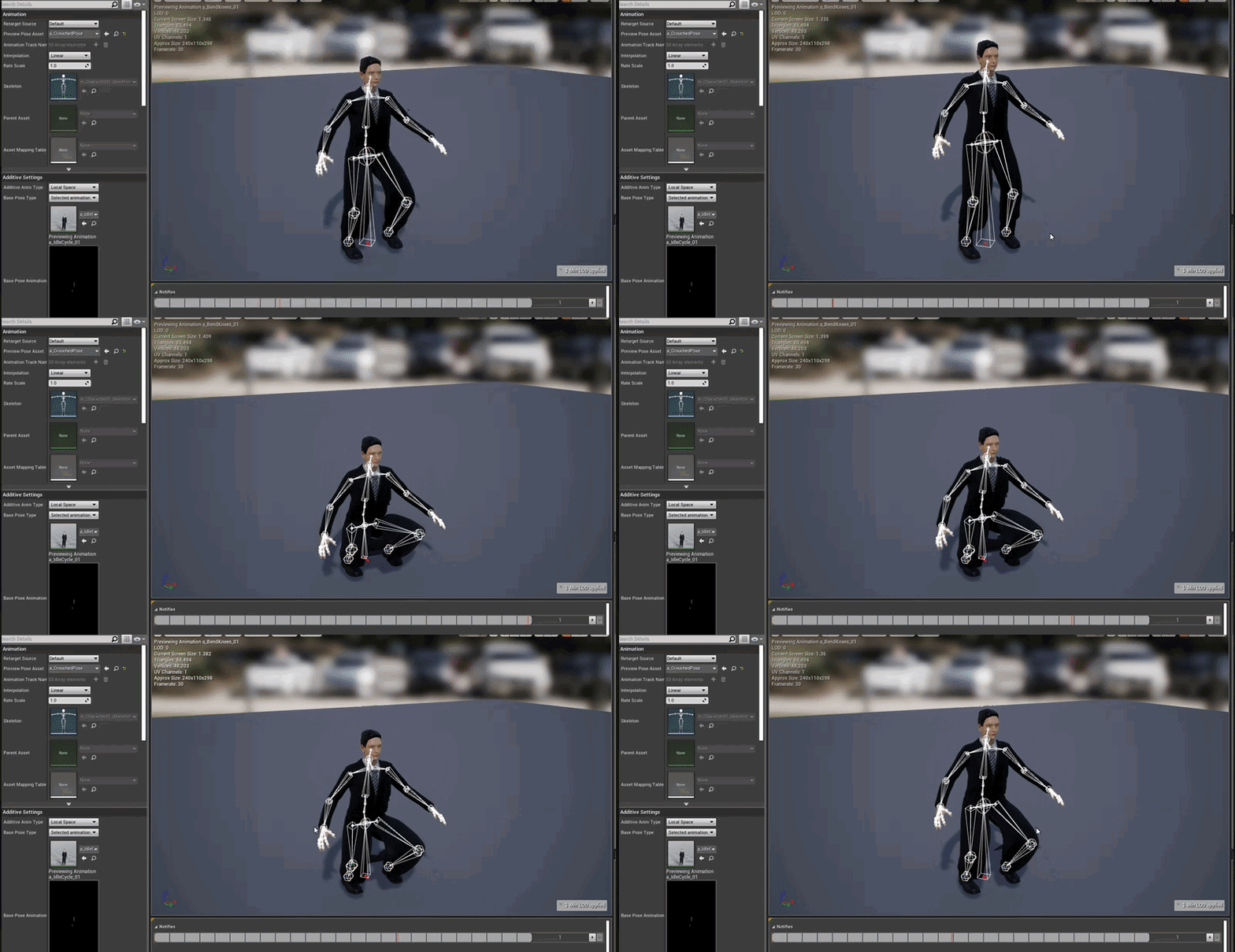
https://i.gyazo.com/d9104c3d87f658c48d446d4ab0482cbe.gif
I want to use the time in the animation as a blend pose
I use the avateeringfrom the kinect to get the pelvis height and remap that to the time of the animation
it doesn't work
I originally tried using a blendpose but the feet need to stay leveled
https://i.gyazo.com/0ec898fb038d4e1e320354d2ab69c4e9.gif

 narrow sigil
any way to export paragon assets (cleanly) to blender? https://cdn.discordapp.com/attachments/510953807018983429/580018160523018260/unknown.png
 bronze osprey
you can disable the LOD export
thats 4 LODs showing up
i dont think those bones are connected in engine either. u can have em point to the next bone inline tho
narrow sigil
oh yeah I was more concerned about the bones than LOD
I see the automatic bone orientation/force child connection options now though 😄
well, that was with force connect on, close enough!
bronze osprey
yea, not actually sure if it messes up ur anims tho
 dawn salmon
hey, so does anyone understand the process under which anim notifies become available to other classes than the anim blueprint? currently I have some custom anim notifies available, but not all of them in bp classes other than the anim bp. I'm trying to understand how it works
bronze osprey
ur anim bp allready has a cast to the pawn BP
if u make a custom event in the character BP the anim BP can fire if off with a notify
dawn salmon
I was thinking the other way around though @bronze osprey . like some notifies show up in my character BP but some don't. I want to know how to make them show up or not in the character BP
bronze osprey
thats what the cast is for
anything that fires in anim BP u can just send to the pawn BP
dawn salmon
not sure what you mean? @bronze osprey you make it sound like the anim bp should handle character logic
I'm really just trying to understand how I can get anim notifies consistently to show up
or not show up
right now it seems inconsistent - some of them show up, some of them don't
bronze osprey
what notifies show up?
dawn salmon
I don't understand the mechanism for them showing or not showing
some custom ones I made before
dawn salmon
yeah I get that
what I'm referring to is this
this is my character blueprint, not animation blueprint
@bronze osprey
bronze osprey
havent used notifies that much, none of em show up in my char bp
dawn salmon
alright, thanks for your time
bronze osprey
mayB one is a montage and the other isnt or something like that
i only have em show up when not context sensitive
dawn salmon
they're all varied, some are composite some are not
so it doesn't seem to make a difference
 green walrus
Hey guys I have an issue with an animation, so I will try to explain.
I have a planet with a rotating animation, only 1 animation but when I upload export, it seems to remember previous data from another planet, even though the animation isn't there
for example in UE4, I have a mars animation and a venus-mars animation, which is 2 frames and doesn't do anything but still imports...
What causes this? How do I get rid of this in the data of the Blender export?
pliant kayak
go into dope sheet
switch to action editor
and click 'push down' for the action you want to use
then in export settings for fbx tick only 'baked animation' and 'NLA strips'
green walrus
awesome thank you @pliant kayak I will try that now
I did those steps, and now it exports with no animation into UE4
but in blender if I turn on keyframe animation, it still spins
pliant kayak
you sure your settings for export look like this?
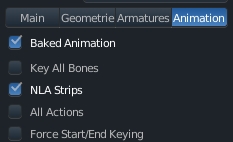
you can also tick 'key all bones' and 'force start/end keying' if you want
just keep 'all actions' disabled
green walrus
if I do this, I get no animations or skeletal mesh imported, if I turn them on -- now I get 3 animations instead of 1
pliant kayak
no skeletal mesh?
that should be exported even without these
unless you disabled that in main tab
green walrus
everything exports fine as standard, I just have way too many animations there should only be 1
pliant kayak
yeah
green walrus
I have no idea where this phantom animation is being stored
pliant kayak
yeah, you chose this and click 'push down'
green walrus
yep it is already pushed down
pliant kayak
it should appear in NLA editor window
pliant kayak
I thought you made a mistake of pushing down wrong anim into nla editor
green walrus
I don't really do animation, so pushing down doesn't really mean much to me
all I know is I have too many animations xD
pliant kayak
okay, go into nla editor and show me what you've got there
it's another window type btw
green walrus
sure thing, ill bring it up
sorry for taking time to reply, I was just doing some testing on other planets that had this issue in some cases having 2 additional animations....but now when I export (exact same settings as last time and no changes that you spoke about) it no longer does it....
The only difference I can think of is I have since closed them and re opened them, kinda like when a material isn't used its deleted. but other than that they were the exact same lol
pliant kayak
yeah that also fixes the issue
but instead of closing you can push actions down to nla strips and export the armature's animation only from those strips
so technically it should work, I dunno what you're doing wrong
I did that for my script that imports like 600 anims and exports them back that way
green walrus
Basically I would bring a previous planet in, scale it, retexture it and delete the keyframes and put in a new animation
I guess deleting the keyframes didnt clear all the data
green walrus
I almost never do animation so a lot of that I don't have much experience with
pliant kayak
yeah I understand
recently had the same problem with exporting all actions
nla strips was the fix
green walrus
thank you for the help, at least now I know! 😄
I think if I accidently fixed it and never asked, I would be just as annoyed and assumed it was a bug
pliant kayak
yeah it's always good to ask when something unexpected happens
green walrus
thanks again! ^_^
 proper tangle
Hi guys 😃 I'm using some mixamo-rigged characters and anims, adding a root bone to the hierarchy and I have 2 questions:
1: Should I be copying the translation of all 3 axis from the hips to the root?
2: Should I be zeroing those axis on the hips after moving to the root or should I just be flattening the translation as per this video example?

Like what you see? Consider donating to support the channel: https://www.paypal.com/cgi-bin/webscr?cmd=_donations&business=JUVNAEQP4W8UQ&lc=DK&item_name=Awso...
I've seen it suggested to move just the x translation from the hips but I've also seen suggested x and z, and seen suggested all 3 axis lol
proper tangle
any feedback greatly appreciated 😃
 cloud lodge
anyone experience with loosing attaches meshes when playing montages?
 stray plume
Ukaos, try to attach the mesh without scale snapping, maybe the bone (or socket) goes 0 scale that's why it disappears. Btw i had no such issues in 4.20 and prior.
cloud lodge
thyey are not dissapearing
just detaching
well staying where you last played the montage
and this is only on Dynamically added components
ones defined in bp stay attached
oh and its client only
not server
stray plume
It won't update the relative transform maybe an issue with the anim (bone you're attached is stay still), or new engine bug
 civic phoenix
is there any solution to stop my character sliding? it's using a modified Epic Skeleton and the free animations assets.
Maybe I fucked the rig up?
 willow niche
hey guys, i have a really basic model (like a cube) and i want to try out some really basic animations (like just rotating the entire model for moving right and left, etc)
can i do that directly in ue4? or i still need to import the animations form other software? (as i said i just want to rotate the entire model for the animations)
sudden sedge
Is it possible to reimport an animation, but keep the trimming I performed in UE4?
daring oriole
hey i am having some issues with my animations and im 99% sure why i just cant figure out how to fix. so i have my bp set up that when the ai sees the player it starts running to it, and ive done the animations but when it does the running animation it switches to the idle and it looks like its teleporting around but its not, its just the animation not being set up. so a fix that i think could work is that i set up that when the player is seen check(boolean) and then if seen then do running animation if not then idle or walking
 ruby swallow
I don't have the engine available right now, but; is it possible to polish the playrate of given sections of an animation inside the editor? to make it more "stylized", i.e. make the charge-up slower and hit faster?
daring oriole
i believe you can, you change the editor speed or something like that
not the editor speed but the animation speed, you could try to split up the animation and then do the speed up before and the after part slower or other way around
 short rose
Hey guys. We are starting on a new project and in need of a single camera tracking solution for full body and some facial. The installation space is very limited so we can only use 1 sensor. I am trying kinect v2 with the neo kinect plugin right now but it's pretty jittery and hands and face are not tracking well. Also looked into nuitrack and openPose and not crazy about the results. Anyone got any suggestions that won't require much dev input, like writing a new API and UE4 plugin? Thanks in advance for you help!
cloud lodge
anyone here have experience with root motion?
outer garden
https://gyazo.com/56dffc68a53cd938999b5edc8a6f75ce anyone that knows what the deal is with this? some random destruction of curves for location/rotation keys? They are unable to be anything but linear curves.

 hushed agate
I'm doing a test project and looking at animation pipeline best-practices... specifically upper body blending for multiple weapons in the game. Now I know how ot pull this off with blending - my question moreso lies in HOW I should differentiate the blending best....
My thoughts at first were with an Enum - in the character class that has every weapon available - switch the enum when a weapon is equipped, and the AnimBP picks up on this change to revert to the appropriate StateMachine for the equipped weapon..... But is this really a best practice? I question because of some AAA games out there like Fortnite, Destiny, CoD (any FPS title...) that has 15-30(OR MORE) guns in their title..... and wondering how this would best be managed?
Anyone have some better experience with this area?
 opaque stirrup
With the animation retargeting could you have a skeleton with a two piece bone retarget onto a single bone animation? Say you want to have an arm.bone in two pieces so it can be broken at the mid point and not just at the wrist or elbow
hushed agate
@opaque stirrup - docs say with retargetting the skeleton has to be 100% identical - any deformation to the joint hierarchy means it wont react. now thats not to say that something OUTSIDE of an endbone wont work - IE: a tail attached to the Root or wings attached to the Spine_02.... they just will follow the respective joints... but anything INBETWEEN the hierarchy already established will break retargetting.
opaque stirrup
Ah okay
I was hoping for the two bones to be treated as one. But I guess there is no such thing as a free lunch in this regard.
opaque stirrup
The animation retargeting is one of the most exciting thing about UE4 for me so I wouldn't want to break it
opaque stirrup
Yeah I guess I'll just experiment
hushed agate
question for you
To ThirdPerson AimOffsett - or not to TPS-AimOffset (That is the quesiton....)
i feel like i should - but have it way more restrictive
maybe like 30 degrees to either side = auto-turn the character
 coral hatch
hushed agate
coral hatch
hushed agate
@coral hatch - why?
what DCC software uses quats?
any .fbx exported will be in typical transform values of fvectors
 rare cypress
Hey, I got a problem with my AI cahracters aniamtion. I made an AnimMontage from an animation, I enabled root motion in the animation and set root motion in the animbp to root motion from everything. Stilly my animation snaps back to its origin everytime it gets played. Did I miss anything?
or could it be that my animation simply doesn't work with root motion (no clue if thats possible I am not an animator)
 narrow spindle
It's quite hard to find resources on skinning your own characters to the epic skeleton, could anyone shed light on that please?
 steady hatch
Hey anyone knows how to make the player character backpaddle walk?
void python
Hi guys how can i retarget and clean mocap animations in Unreal Engine! Also How to combine facial animations with body animation and clean it as well. Thanks
outer garden
@void python check out the Alright Rig plugin
void python
@outer garden How it can help me
outer garden
lets you rig characters, taking anim assets turning them into the rigged character that you can then tweak, copy-paste animation between two rigged characters. It's all inside ue4 if that's what you need. Otherwise you can do it in other softwares.
I believe you can do all the tweaking with UE4s own anim asset preview thing, but depending on how much you have to do, the plugin might help better
void python
@outer garden Thanks
 storm bluff
Does anyone know how the curves you can add to animation in the Unreal editor are supposed to work when layering additive animations?
I'm seeing some strange behavior and I can't tell if I just don't get something, or if there are bugs.
Basically, I have a pair of curves that I set in various animations to enable/disable foot placement IK for each foot.
And I have them set in the idles, when the foot is planted during runs/walks, etc.
That all works fine, and the curves have the right values if I play the animation in game.
However, if I try to play an additive animation on top of them (breathing ambient motion, in this case) the values for the IK enabling curves are always zero unless I also add the curves to the additive animation.
Which sort of makes sense even if it's not really what I want, but then, if I take the curves out of the normal animations and leave them in the additives, the curve value is still zero.
It seems that the curve must be present on the base animations and the additive animation for the value to be anything besides zero, but in that case it seems to only use the additive animation's value for the curve.
I've also seen the curve values become negative (!?) when doing Blend per bone nodes, and stuff like that.
Anyone have any experience with this?
 novel viper
how can i see the bounds of a skeletal mesh?
tiny mirage
has anyone seen an actual useable tut for the animation sharing plugin yet?
@storm bluff does that mean you actually got the animation sharing set up working?
soft trench
Is there an easy way to take an animation sequence and split it up in unreal?
storm bluff
@tiny mirage Not sure what you're referring to. My issue doesn't have anything to do with anim sharing.
 tight raft
how tf do u use an animation when u click a button
tiny mirage
@storm bluff oh the sharing uses additive animation stuff too
lunar silo
Anyone here can help me with Camera motion?
Which way is efficient to handle camera motion for FPS like in this video.
I've tried with Bone tracking but if there any way please tell me to thank you.
https://www.youtube.com/watch?v=pBbcRhDCbcM
Just a showcase of all the weapons I worked on and a few scripted sequences I animated for Titanfall 2. Twitter: https://twitter.com/hyper3d
raven field
@tight raft Are you talking about a play animation montage?
tight raft
yes
raven field
So, was that the question? Or was there more to it?
tight raft
thats the question
raven field
Well, im sorry i was late. But i hope I helped.
tight raft
k

 ripe dawn
I'm interested about other people's animation pipeline. Just about to start content production on a solo project. #1 External content apps: do you create a file per animation? With a proxy rig? (I think that's the thing to do, right?). #2 In UE: where do you put the animations? I know there's no single, correct way to do things - just looking for insights/tips. I use Blender but I'm sure the same principles apply for other software.
hushed agate
@ripe dawn - My Pipeline:
1 - Character rig in its own file - T or A pose + Rigged
2 - REFERENCE IN the rig to a new file for each animation - (this is a Maya workflow - not sure blenders capability with File Referencing) - this provides a NON-DESTRUCTIVE rig that you cant delete things - but you can add on top of the base rig - and if the rig ever changes in the MAIN FILE (the referenced parent) - then it will change in all files you have referenced it in.
3 - Depending on software - save the file first and dont save after doing this next step: Bake out hte file to .fbx animation. The reason i say the software is dependant - Maya will bake the control rigs keys to the joints selected - which in turn destroys ANY/ALL rig that you have applied to your file (yes even references). This is why i save first, and DONT SAVE after doign this step - so that the control rig (and keys) are still in tact if i ever need to go back & tweak the animation.
"Where do I put hte animations?" - If you mean in the project/editor - i put them with the following Hierarchy folder setup: (this mimics the setup from templated files - with a bit of alteration to the parent folders) ***NOTE*** Already this is a big characters size for naming conventions - which is currently limited to 255 characters per file name - keep that in mind!!!
Content/Skeletal/MESHNAME/Animations
Content/Skeletal/MESHNAME/Character/Materials
Content/Skeletal/MESHNAME/Character/Mesh
Content/Skeletal/MESHNAME/Character/Textures
ripe dawn
@hushed agate Cool. Thanks. Yeah I don't have experience with it yet, but Blender has some feature to proxy a rigged mesh into another file, which will not mess with the original - I'm not sure how it compares to Maya - it looks like they are re-writing the proxy system to be a lot better in 2.81.
hushed agate
in all honesty - dont let anyone steer you away
i started off in blender
i may go back to be honest....
Maya is combersome (POWERFUL) but really expensive
if it wasnt for work paying for the license - i woldnt use it tbh
blender is phenominal software and has come A VERY far way in its short lived life.
ripe dawn
Yeah, for sure. I have been tinkering off and on for years as a hobbyist. Maybe about 2 years ago I got sick of Blender and decided to try Maya. What I found was that Maya is great in a lot of ways but not necessarily so great that it's worth the money - and I encountered a lot of bugs. Then about 6 months ago I got back into game development and found out about Blender 2.80 and I totally love it. It's still not perfect but way more intuitive than old Blender. Should be out of Beta within a month or 2 and then there's even so many more improvements already announced for 2.81.
hushed agate
industry guys will say "get you an ACTUAL software that is industry standard".... meaning maya/3ds/Cinema4d/etc..... What they fail to realize is that theres nothing Blender cannot do - sure there ar ehiccups in the .fbx data exported out but they are minimal and have developed lightyears since 10 years ago. Honestly - stick with it... for free - you cant beat it. plus - if you already know the interface - it saves you having to go clumsily (and several months) learning a new software suite... which is the biggest downfall of any change.
My life was NIGHTMARES for a good month+ after switching from Blender to Maya.... i cursed maya for being so stupid..... it just took time & dedication (like any other software suite will be to learn).
now - does blender have allt he bells & whistles that maya (or other softwares) does? I have no idea... id ont get paid to compare them lol. But i do know that Blender is EXTREMELY veresatile in its arsenal of tools.
ripe dawn
Yeah, I'm sure there are some killer features that high-end animation studios need like Maya Muscle, etc, idk. But for an indie game, there's definitely nothing Blender can't do.
hushed agate
muscle doesnt bake out to .fbx natively - though i bet it could drive blend shapes and those do bake out to .fbx for animation..... .FBX is very limited in exported data types - for a reason because its already a very heavy data flow for joint animation in realtime game engine performance. 72 bones (I think thats the current max joints per rig?? I could be wrong) @ 9 channels (translate, rotate, scale) is already 648 things happening EVERY FRAME on just 1 character. fun times! lol
 arctic socket
Whoop! finally got this working was a nightmare figuring out what was wrong with the FBX early on..
ripe dawn
@arctic socket I like the style
arctic socket
Thanks man!
 ember saddle
Hi guys, quick question: When a character dies, I play an anim montage (Death Animation). How would I make it so that the character wont go back to idle, but just keep lying down in the last frame of the death animation?
cloud lodge
you wouldnt handle the death via a montage
it should be in animbp
with a bool check IsDead
set to not loop
before the Final Result node
this way it overrides everything, plays the death animation and remains dead
outer garden
Is there any documentation over as to why they made Curve Editor not applying values realtime any longer?
soft trench
Shouldn't the "Automatic Rule" transition after the animation is completed?
ripe dawn
So I'm using a 1 frame animation as a pose which I can blend to - but I thought it was weird having a 1 frame animation (and seeing the play head flying by) - it's not really an animation - and remembered there's such a thing as a Pose Asset... but it seems to be a lot more complicated than just storing a Pose - it stores a bunch of poses and curves to additively blend them or something... IDK, it looks good for facial animation but that's not what I'm doing. I just need some independent poses, so I'm guessing 1 frame animations are the right way to do it?
 crimson atlas
So my university just set up a new motion capture lab, but no one really used unreal with it.
I'm planning to make a game using ue4's default skeleton, so i just need to make a simple character in maya. is this a good workflow? or should i just make my own bone?
 tender elm
If you just use your own skeleton, your mocap animations will not have the IK bones, which leads to my current problem: How do you retarget, fix or use a workaround if your animations doesn't have the IK bones animated?
 wicked pike
how do I import a inhuman skeleton (IE Bowser or Sonic)
 sterile linden
https://gyazo.com/5ed3cdad457d8cb8aa4a168ab529c6e7 Can anyone help with this ? the animation on the characters looked jagged and is not smooth

 west cosmos
I made some modifications to my skeleton, but when I attempt to retarget an existing models skeleton with the update, it tells me that the skeleton needs to be saved. What? I am looking at my skeleton in the editor, and there is no asterisk * after the skeleton file denoting that it needs to be saved. Is there some hidden save feature?
ripe dawn
When I import an animation (FBX via Blender) and open it in Unreal, the viewport shows nothing. After searching I found someone saying to try checking "Force Root Lock" - which worked for me. Actually what I've discovered is that the mesh isn't invisible, it's just super tiny. I've seen people say that you need to name your Armature in Blender to something besides Armature... but this didn't change anything for me.
How do I fix this issue?
ripe dawn
After like 5 hours of suffering, I think I have finally figured out what to do and what not to do when taking animations from Blender to UE 😫 The worst part is that I know I had all the same issues like a year ago and forgot how I solved them 😢
green walrus
has anyone here worked with animation in .dae format?
 runic wren
Whats the best way to get a character with a different skeleton, to use animations made for the UE4 skeleton?
I have tried UE4's built in retarget system, and the results are really bad.
runic wren
I would try ART in Maya, but I checked the "extras" folder, and the python script isnt there
So, can't retarget, can't use ART. Now what?
yeah so, where is that userSetup.py?
static falcon
Did you manually define the bones using the retarget tool?
runic wren
Yes I did
static falcon
Did you try setting the bones to skeleton rather than animation in the skeleton manager
runic wren
Not sure what you mean
static falcon
Trying to find a guide to share
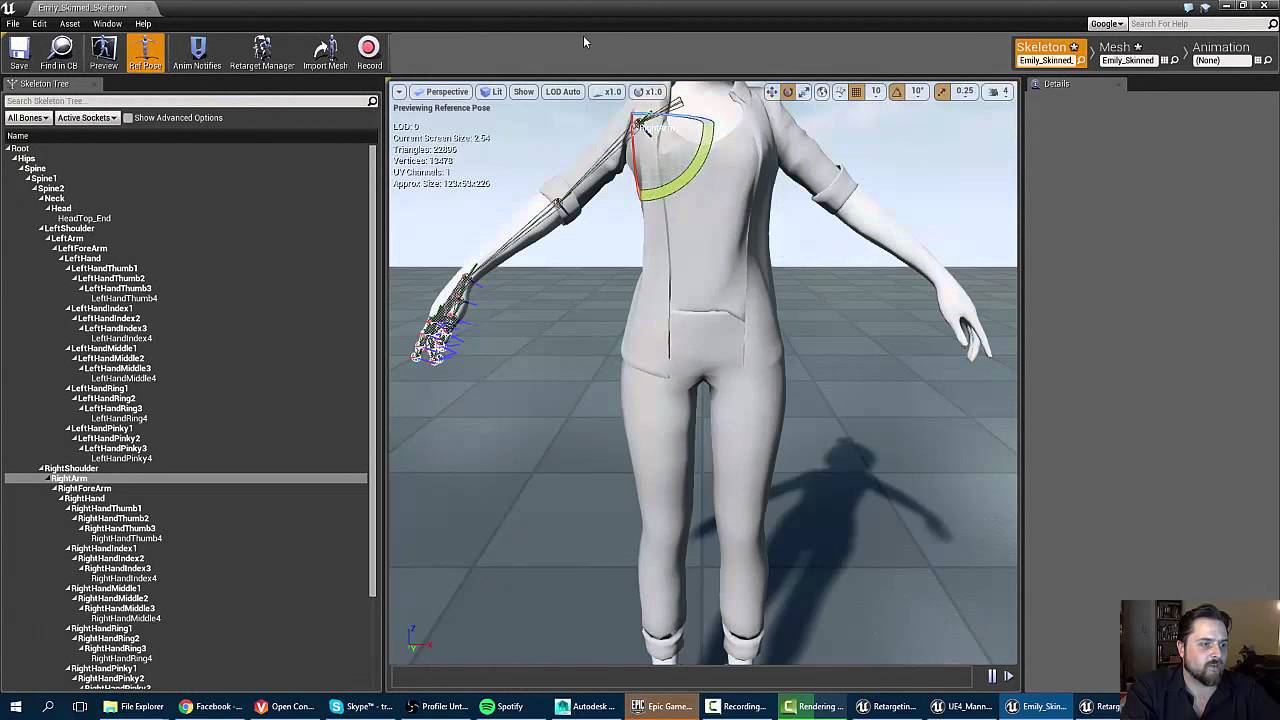
In this tutorial, I show how to import a model with a different skeleton from the default mannequin, and retarget the animations so that they can be used to ...
Have a look at 10:42
runic wren
okay, this helped alot
still got some issues, ill double check to make sure its not on my end
static falcon
Is the hand backwards or just twisted wrist
runic wren
i didnt retarget any of the twist bones
static falcon
I didn’t mean that... I mean in that pic is the hand rotated the wrong way around or is the wrist just twisted up
runic wren
yeah idk why though
runic wren
was grabbing some food, forgot to eat
im using these in retargeting
ive ignored all the other bones
those positions translate to the UE4 mannequin pretty well, so my guess is that, ue4 isnt dealing with the extra bones well
Whats the easiest way to apply the UE4 skeleton to the model?
instead of doing retargeting.
I've got Maya 2017
I don't need the old rig
static falcon
I guess just move it into place on your character and do a skin bind
soft trench
Does anyone know how to iterate through Animation Blueprint state machines in C++?
 potent hawk
can i ask something about UE4? let's say that there is a circle with 100m of radius, with my character being the center, now, only those who enter this circle will get their cloth physics rendered. how can i make it so that cloth physics are rendered indefinitely? why is this happening?
wicked pike
how do I import a inhuman skeleton (IE Bowser or Sonic)
restive yew
In blender, the rig (object) will be treated as the root bone in Unreal. So creating a bone to act as a root won’t allow you to use root motion.
 mental hawk
so im trying to find out how to animate the ThirdPersonExampleMap character but im lost. Do i need a separate program and if so what would would be very beginner friendly? (free)
restive yew
Use maya or blender. Both have their handaches so be warned.
 steel grove
Hello UE people! I have a question for the hive mind. I have a 1.7 mil poly FBX with a skeleton Rig that im importing into UE4.22.2 the original FBX is around 60 mb but after import its 550 mb. Does anyone know why this is? or what its doing?
hushed agate
@steel grove - you shouldnt import a 1.7mil poly fbx into UE4..... just sayin.

 hasty glade
@steel grove I assume you mean the uasset file that is 550mb. it could be autogen'd proxies, LODs, etc. Altho 9x as much space is weird indeed. Is a bit surprising.
 oblique canopy
Hey all, trying to import a skateboard I have rigged to a single armature from Blender to UE4. The skateboard is made up of multiple disconnected meshes, and when I import into UE4 it makes ones mesh, which I what I want, but also messes up the bone structure. Each individual mesh becomes a bone as well. So it's essentially unusable
Any suggestions?
opaque estuary
if im using a cloth simulation for hairs, is there any way to save volume and shape? here the original hair shape
and here simulated with cloth. hair get straight down and loose all curviness
opaque estuary
i did it. i was need a proxy mesh and paint on it
 tawdry cloud
how expensive is it driving joints with Perlin Noise 1D ?
 lyric crypt
Hello !
I downloaded a modular character pack that come with a lot of animation.
The craracter is built as shown in the screen.
When I want to play an animation, what I do is that I just assign the animation BP to every component of the character. By doing this, do I create 8 instance of the BP ? is it bad in term of performance ? Should I use a different method ?
thanks !
stray plume
MioMilo look for the concept and use of the master pose component instead
lyric crypt
Just took a look, seems like what I need, thank you !
 idle hull
Guys, I have this animation I've made on Maya, it without bones, only animation on pivots positions on the timeline, I'm having trouble to import it to Unreal, could some kind soul give me hand?! ;] I'm going to print some of the errors!
idle hull
BTW, I'm sorry about typing errors, my English is better than this. Haha
steel grove
@hasty glade Yes. I think I know what was wrong. 1.7 yes is heavy but im thinking the engine should support a character of that size and detail. I can it though a new cleanups and desimated the mesh in Maya. I got it down to 160 mb as a uassest but Im think a bit currious to see what the extra data compared to the fbx contains.
hasty glade
Collision, LOD
Different method of storing UVs, skinning, vertcolors, skeletons etc
vertices even
is hard to say w/o more info ig uess
 quartz cove
A damn shame there isn't an animation(persona) masterclass (on Udemy or elsewhere), a-z type deal. Epic ones are meh and outdated, Virtus ones are just too quick and meh.
If any of you know a nice series (paid or not) let me know.
 nocturne finch
I keep hearing that you should apply any transformations to your armatures/meshes before animating, but how can a person apply a transformation to an armature at all when doing so breaks it? I've never been able to apply, say, scale to an armature and mesh successfully, so my animations are horribly mangled inside of UE4.
 bronze osprey
@quartz cove i would say persona is fairly straight forward, its just for pose assets,minor adjustment, root motion, playrate stuff like that, in combination with sequence recorder and anim BP you can still do a lot of stuff, but animations are mostly done external
ow and curves and notifies cant 4get those
quartz cove
Aye. Don't care much about raw anims
I still feel like there's no good a-z source though. Everything is scattered about
bronze osprey
hmm yea most u do there can and should be done external
anything specific u want to accomplish?
sudden sedge
when extracting root motion, is it possible to lock the axis the root motion is extracted from?
proper tangle
does including the buttocks as part of the leg rather than torso (in modular characters) cause any deform issues usually?
I've noticed they typically include buttocks in the torso but I thought it makes more sense being part of the leg
nocturne finch
Does anyone know how to safely apply transformations on an armature without ruining it?
 woeful aspen
Okay, so i am having this weird issue with rotations of bones
Each time i reimport the skeletal mesh without changing the joints rotation, but reskin it, it changes the rotation of the joints inside unreal engine to totally random rotations
hushed agate
Does anyone here have any experience with Optitrack Motion capture plugin? Looking for some deep issue i have with their plugin.... have posted on their forums but also wanted to touch base here with any individuals that have used it int he past.
 grave flume
Posting here as well:
Hi I'm using 4.17.2 and I'm working with the Physics Asset and the Rigidbody node in the anim blueprint. I'm using this document as my reference: https://docs.unrealengine.com/en-US/Engine/Animation/NodeReference/SkeletalControls/RigidBody/index.html
Basically, my problem is, I have everything set up as close to this as I can (no external force node in 4.17.2), and my item with jiggle physics stretches all over the place in game. The soft constraint seems to do nothing in the phat editor, and I've played with the damping. The only solution I could come up with is adding a translation constraint to the jigglebone, constraining it to the previous bone in the hierarchy. While this works, it feels more like a bandaid, and I still have the problem of the object flopping back and forth SO FAST sometimes, that it appears to flicker until it settles down.
Describes the Rigid Body node and how it can be used as a lightweight physics simulation inside Animation Blueprints.
 storm socket
Hey there,
I use for my project one of the Paragon characters and I saw, that it have a side blendspace and a normal forward blendspace. Is there a way to combine these two blendspaces, without changing something in the blendspaces?
misty dagger
anyone knows why my mesh becmoes invisible if I try to preview an animation? it has the same bone structure as an other mesh but that works just fine....
sudden sedge
might be the skeleton doesn't have a preview mesh
misty dagger
it has
 grizzled condor
Hello
What is PostAnimation BP ?
What it does by default ? I see a option DisablePostAnimationBP in SkeletalMeshComponent - but I don’t know what it does
 terse meadow
i have a problem with the facial rig The "Stretch to" constraint causes the face to do weird things on the unreal engine one. I would like to know if there is info about how to make a good rig for this kind of faces (Expressive ones) and know if theres another thing i could use besides the stretch to constraint. You can clearly see the problem with the interpolation at the end of the video.
terse meadow
Well, i couldnt get rid of the problem using this rigging method... Which was using the "Stretch to" constraint on blender, that stretches and changes the size of the bones depending on said stretch...so simply put, i just removed the stretch to constraint and everything is fine now...
I just spent time on a feature that is useless in unreal engine
 golden patio
I need a bit of assistance, I've just downloaded UE4 and I want to import my custom FPS animations from blender into the engine so I can test them. How can I do this? (Involves a custom rig too)
 long temple
Hi I am having an issue with my Aim offset, my preview mesh turns invisible when I put in the animations
terse meadow
@golden patio Select your armature and your skeleton on blender >> export to FBX>> on the bottom try this settings
press okay
and then in import at ue i just set the skeleton option to be "Clear" so my blender made skeleton is applied to my imported mesh
then you import all
experiment with the settings everynow and then
 deft solstice
In blueprint

In Game
1
The animation wont play nor does the particle system works
long temple
anyone know why my aim offset is doing this?
you can see the guy on the left screen is looking at the other player but it doesn't show that with the animation offset
golden patio
@terse meadow thanks i'll try it
wicked pike
Is there anything that lets you animate in UE4 that doesn't cost you money?
golden patio
Well not in UE4 but some softwares you can use to make anims, yeah
golden patio
Now how can I replace the animation?
 wary geyser
You want to make your own animations?
golden patio
No, I made my own animations with my own mesh but I'm having a hard time trying to implement them into the engine and make them work
 gritty ice
is there a way to set physic alpha in Physics Asset Tool Window ? I need to test the blend with animation but cant find it in the new version(im pretty sure there was this option in the older versions e.g 4.10)
sudden sedge
@terse meadow for that kind of facial animation, I'd look into morphs
 river pecan
hello, would like to ask, is there a way to trigger animation blending from code? I would like to trigger it manually rather than allow auto blendout
soft trench
Every animation that happens goes through Instant Transition. Everything has 0 duration blending. Instant Transition has no animation result, so occasionally it will stutter into the bind pose before transitioning to the correct state. Is there a way to somehow cache the previous animation frame and have Instant Transition use that as it's Result output?
 placid hornet
can someone help me with exporting cache simulation from Modo to Unreal as Alembic File? So I have simple simulation done in modo, just flor, wall (severeal boxes) and sphere. After creating simulation, and cache simulation when I select all (solver included and without it) and export as alembic, after importing that in unreal nothing is animating. Can someone explain me pipeline for that or give me some tutorial for Modo because I cant fined any. Did fined some for blender, some technical things but it just doesn't work.
sudden sedge
@soft trench basic attacks should be montages or so. If the animation is marked as an additive, it'll play over the current animation, otherwise it'll be instant or blended based on the weights of the montage
misty dagger
Hey I need some help with animations for my game
I made a few animations of my character in blender based off a mixamo rig
problem is, uhhh
Unreal Engine won't take them
It says the "imported bone transform" is different than the original
despite using the exact same skeleton
The animation still imports, but...
Now he's on his side?
Why did my model import like this?
Here are the relevant files
Could someone please lend me a hand
Please
terse meadow
@sudden sedge morphs?
sudden sedge
Creating and importing Morph Targets for Skeletal Meshes using the FBX content pipeline.
per vertex animation
basically you capture poses in a single frame, then blend between them during sequences
spiral sequoia
so im new to animation and generally kinda dumb. if my goal is to have 1 skeleton with different people having different animations, what is that called?
or rather, what is the organization called? to separate the types of animations. PersonA walks and jumps like this, PersonB walks and jumps like that... and so on
 sterile prawn
so im trying to figure out how to play an aimoffset or aimoffset like animation as a oneshot animation on a blueprint, ideally something similar to the slot system would be amazing but it looks like it doesn't take aimoffsets and playing multiple slots at the same time and blending them doesn't work either.
any suggestions? basically an aimed attack animation but i need to know the duration of the animation at the end of the ride
misty dagger
@sterile prawn afaik you can only play multiple anim montages if they are different groups
@sterile prawn If by aimoffset you mean something like a recoil, I'd maybe use something like a timeline with different curves for the weapon types and then at a shot play it from the start, define the playrate based on weapon type and duration of firing or whatever, make curves for x and y, randomize the float outputs a bit and add them as offset to the player rotation
Also limit the outputs based on Y rotation so the weapon wouldnt recoil further than pointing directly upwards
sterile prawn
thanks man 😃 👌
i figured out the groups things and going to work towards that for now
misty dagger
Alright
 untold marlin
anyone that use auto-rig pro in blender can share how hand bones are supposed to be setup?
untold marlin
nevermind, just went into persona and tried to match the ue4 manny quinn
why does it seem like the blender one has extra bones though
sudden sedge
because blender draws them as bones, while UE4 draws them as points
golden patio
Can somebody please instruct me how to implement my own first person animations into the game with a custom mesh and weapons, as I am struggling to do so
 dim yew
Hi all, is it okay to post a GIF of an animation problem?
dim yew
Thank you


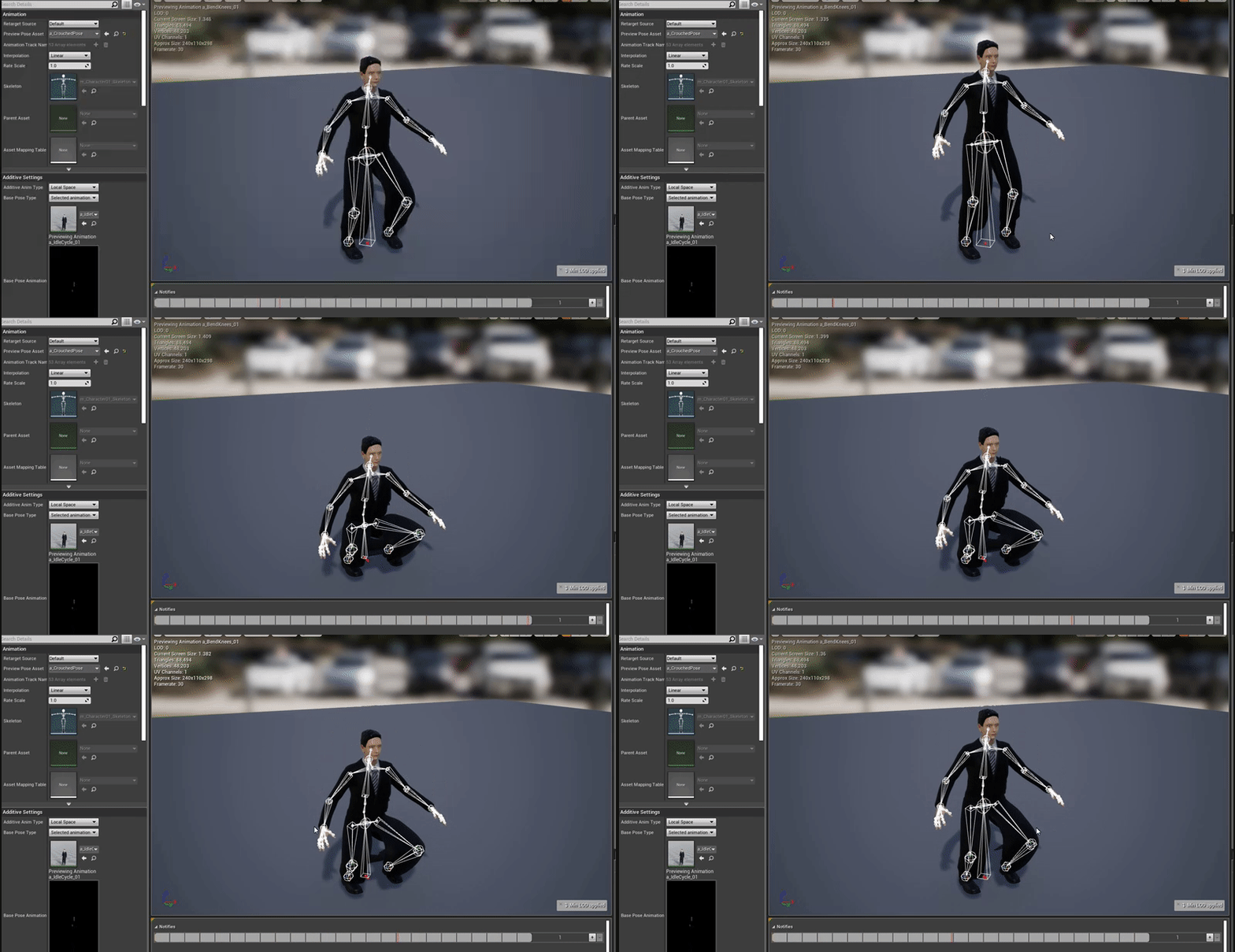

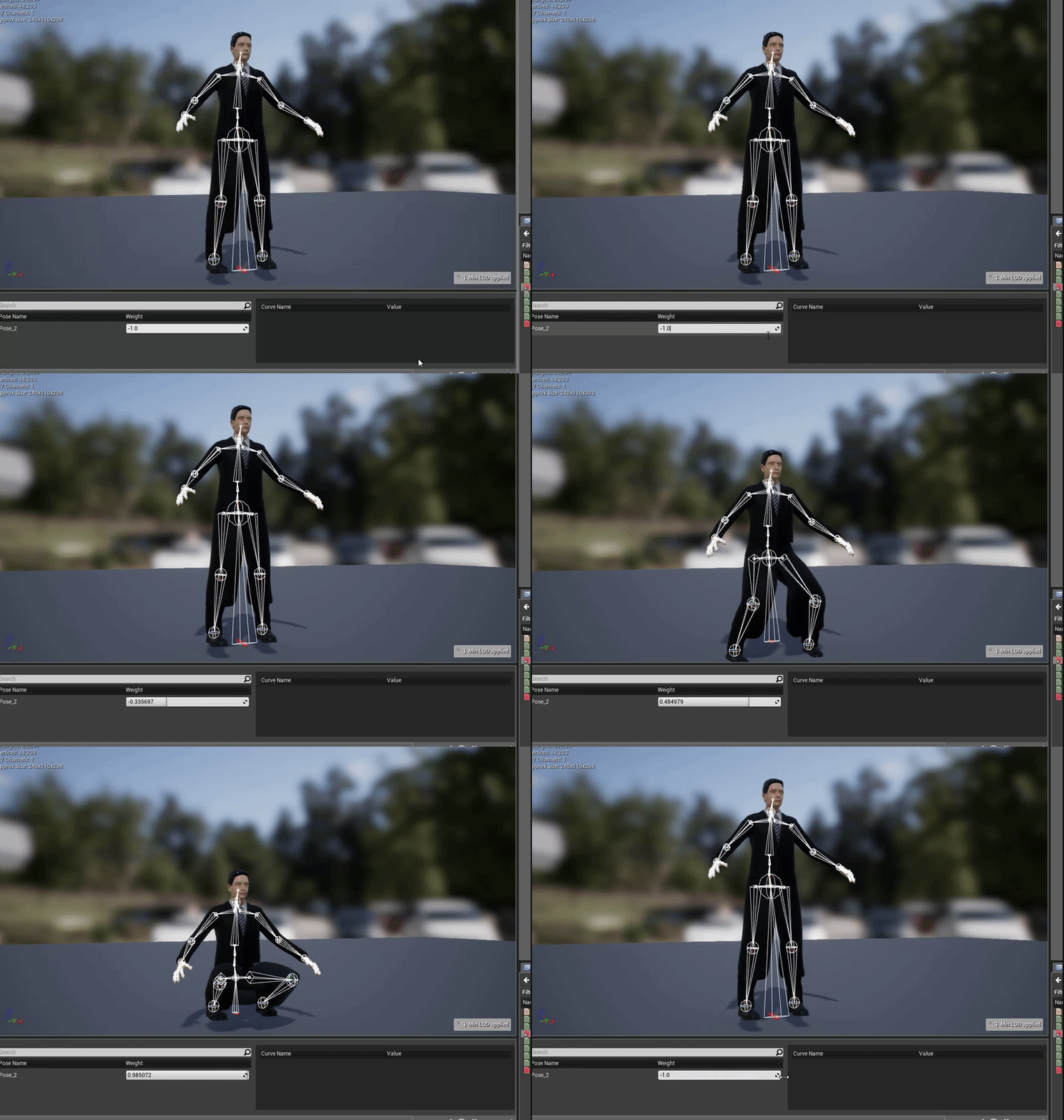


I've got three animations at work here, a start, loop, and end animation
But for some reason upon landing the character just bounces before completing the cycle
Are there any settings in the animation I need to adjust for jumping?
dim yew
Of course, of the animation state machine?
dim yew
I'm making a collage of the blueprints in the jump cycle, unless you'd prefer to see a specific state/rule?
misty dagger
nah