#animation
1 messages · Page 116 of 1
 solar gyro
Is there a way to mesh animations together, like mix bone movments in the same mesh depending on the animation of another object?
Like I want to have the character animation to drive the reload/bolt carrier recycle animations.
 misty dagger
@restive yew Yeah that would be really useful, hahaha.
 green cypress
Any character designers out here? I;ve got a project going on and I could use some help
misty dagger
How would I place a non looping animation between two looping animations, and have it play, based on a variable?
: \
example, idle flight to flight. and have a transition animation when it leaves idle, rather than just blending into flight.
 harsh patrol
quick question, can I use a float variable and a min/max value to tell the animation to happen when true?
green cypress
I made an actual thread on the Unreal Forums about my character designer needs https://forums.unrealengine.com/community/got-skills-looking-for-talent/job-offerings/1590564-paid-contract-looking-for-a-character-designer-for-a-game
Unreal Engine Forums
Hello,
I've been working on a game for the past year, the game is quite advanced, but I am not entirely happy with the current main character in it, so I
misty dagger
What kind of flying animation @green cypress
green cypress
Just simple, Not like a dragon with wings or overly complicated
misty dagger
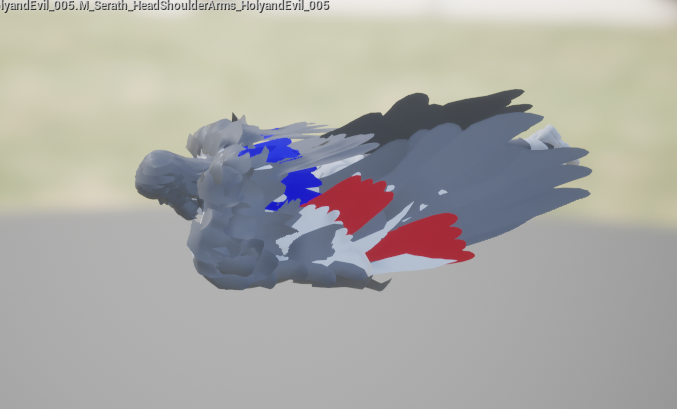
ahahah, im animating an angel character atm and its hell.
 restive yew
@green cypress #looking-for-talent
misty dagger
Hey @restive yew ? I followed the jumping tutorial and I had to change one or two things slightly to fit my case (Since his jump mechanic doesn't use a falling animation and it's all attached) But my jump animation doesn't play at all. It just does the usual running animation in the air.
restive yew
Set is jumping node in the event graph is disconnected
misty dagger
Oh I need to connect it to the sequence?
Well, I connected it to the sequence, but the same problem is happening. The jump animation just plays over and over again repeatedly, even after I land and stuff.
restive yew
show me the animation sequence
misty dagger
The jump animation, or the sequence node in the AnimEventGraph, the one I was talking about?
So basically for the jump animation my character jumps then for 1 or 2 frames goes into the falling animation. Here's a picture of the animation sequence @restive yew
restive yew
the sequence is broken up yes?
misty dagger
Yes, there's an animation for the jump, there's an animation for the falling, and then there's an animation for landing.
Here's another pic of the rest of the stuff on the left for the jump animation
misty dagger
What do you mean?
For idle to running blendspace? That's the only blendspace I have.
restive yew
 remote steeple
hello guys, i'm new on the discord so hello everyone :), i had a question, today i tryed to take the original firstplayercharater mesh and i imported on blender i make a simple animation
and reimported on ue4, frist i got a error of "no smooth group" and when i try to make the retarged duplicate anim. compare this error (sorry for my bad english) (i used blender for animation)
restive yew
@remote steeple no smoothing groups found even though you can clearly see that the smoothing group successfully imported is a old bug. You can ignore it, there’s no harm to doing so. If you want to remove the error just for the sake of it, you need to set Normals to tangent (or something along that lines) when exporting the mesh
For your second problem
So long as you haven’t change the rig (add bones and such), you don’t need to import a new skeletal nor retarget it
Just set the Skeletal to the original in the import menu
remote steeple
@restive yew thx for the aswear, hmm i tryed and i can import the skeletal but the animation dont work/move
remote steeple
yes
restive yew
Set that to whatever it was you exported from Unreal to Blender
 hardy relic
So what'd be the best way to export animations that involve multiple skeletons from Blender into Unreal?
 wraith nova
Hello i am trying to setup two different styles so when i press L trigger or Right trigger my character will switch stances and animations. Are their any tips or tutorials to help me get started, thanks
misty dagger
@restive yew Alright, here's the transition from Landing to Idle,. But the thing is, it doesn't leave the jump animation. It never goes into the falling animation when I jump, it just plays the initial jump animation over and over again, and never gets out of it even when I fall, land, or run or anything.
restive yew
Never do == 0
misty dagger
How come importing bone tracks takes like 50 yrs.
@misty dagger I'm doing a similar transition over here, and I figured it out last night.
if i can get my project file open, I'll send u the solution lol.
I think I did less than or equal to 0 ?
srsly, what the hell is this.
misty dagger
I tried using equal to 0, but the jump animation still just lays over and over again and never switches to the falling or any other animation
 cinder linden
hey guys I'm making a character for unreal and I want to retarget all the animation right now is working but the knee is not bending


 misty dagger
Uh...
So I tried to edit an animation in blender, and when i imported it it says it has bones that the skeleton doesnt, and they won't be animated, the mesh is all stretched and broken too.
the default animator is really bad otherwise I'd do it in ue4.
misty dagger
So I'm guessing you're not sure what I can do to fix it @restive yew XD
Or what should I do instead of Equal 0?
Because I want to make it when the jump animation finishes playing once it goes into the falling animation, so I thought that I could make it to when the time remaining for the jump animation Equals 0, it goes into the falling animation
misty dagger
Is there a way to make it less than 0.01? Because it doesn't seem like the whole animation is playing.
Or maybe I make the jump animation a little too quick
 icy marsh
Hi! I have a pistol attached to a socket in the right hand of my skeleton, and now I want to "attach" my left hand to a socket in the pistol. I tried using two bone ik in the animation blueprint, but I have a rather weird bug that adds like a delay to the left hand
Do you know how to solve it? or if there is any examples in a template or free asset that something like this had been implemented to look at?
 muted agate
Is it possible to get procedural pose animation in UE4?
Akin to what was presented in the Ubisoft GDC talk.
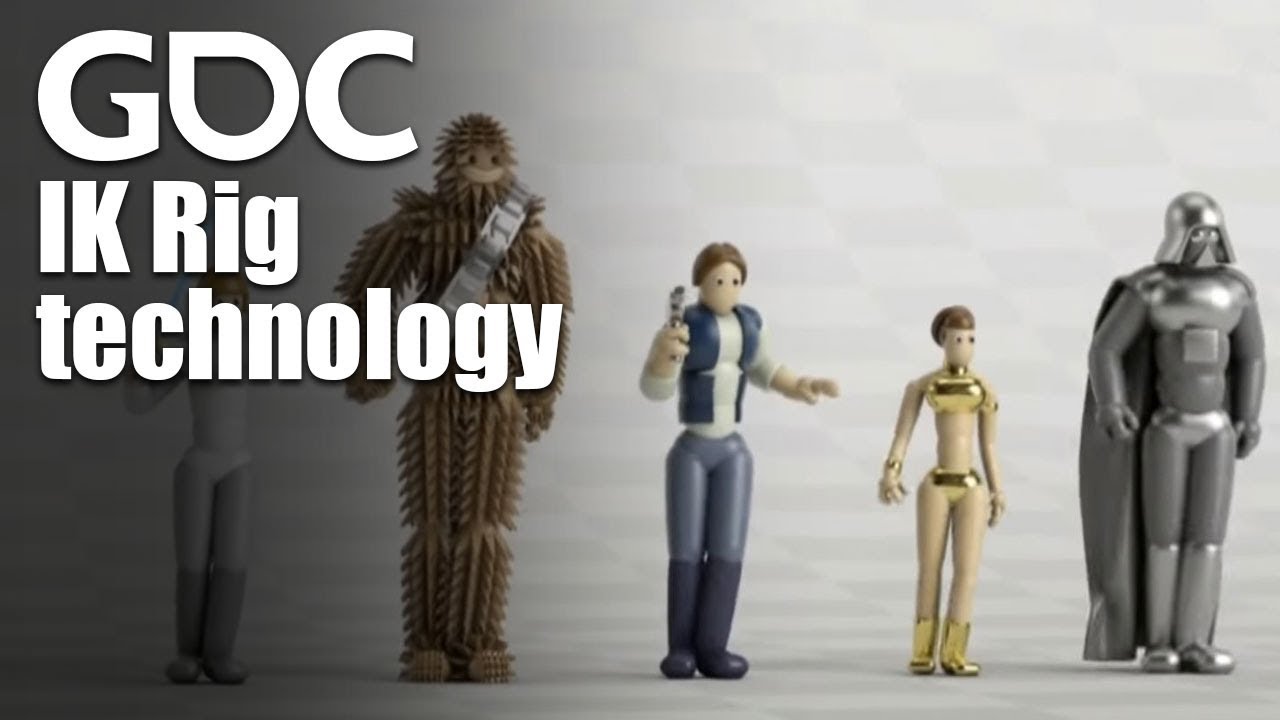
In this 2016 GDC talk, Ubisoft's Alexander Bereznyak breaks down the basics of IK Rig technology for animators, and explains how it can be used for everythin...
I believe this tech was added to Unity within the last year but I don't know enough about it sadly.
misty dagger
Alright I got my character to play the jump animation correctly! I've had to tweak the actual animation a little bit to make it look better, and I may tweak it a little bit more to make it flow better too, but thank you so much @restive yew ! his took me a while to figure out, and you really helped me. So thank you 😃 ❤
Now on to the next trouble, how do I get my character to play the jump animation again during the double jump! My character has two jumps (one on the ground and one in the air) so I was wondering, how do I make it to where it does the jump animation during the one in-air second jump XD
restive yew
That’s going to be dependent on how you implement the double jump function itself
misty dagger
Well in the characterblueprint I literally just changed the "Jump Max Count to 2, so that's how I did it.
Is there a better way to implement the double jump to where it's easier to get the jump animation to play during the in-air jump, or is there a way I can do it with this method?
restive yew
Hehe well lets break it down
you have a animation system that'll jump once until you land
Now you need a system to repeat jumping while in air
you have a condition that checks if you've jumped twice
So it's a matter of altering your transition rule
misty dagger
Hmm. Do you know how to do that without messing up the current jumping transition system? Do you think I should add another jump animation to the anim blueprint and change that one's transition rule to what I'll need for the double jump? Or will that create a conflict between the two.
Something like this maybe? Or could I use he same transition for the jump and the double jump without much problem?
 grave drift
Hey guys. Is it possible to "cut" an animation in two, as in for example swinging a sword; push a button and have the animation run till the sword is up, ready to swing, and then while the button is pressed the sword is just hovering there in position. When released, the sword would swing. How can I do this without splitting the animations up in .fbx? It's Kubold animations; the blueprinting is already done to register the attack etc, I just need some tips on how to "split" the animation, if it's possible at all. I tried to cut the animation playtime across two animation montages, but that didn't work - although I had very little time to debug this. 🙂
misty dagger
Or how would you go about doing it HighTide
restive yew
Nice, you're on the right track
But indeed if you just have the transition check for double jumping, how'd would you prevent it from looping endless? Going to drop hints instead 😛
misty dagger
I'm not entirely sure, hahaha. I don't really know the first thing on how to get it to play for the 2nd jump, I could barely figure out how to get the first jump to work with multiple people helping me XD
restive yew
@grave drift duplicate the animation. In the animation sequence, scrub to the frame where you want to split the animation, right click on the timeline and you'll get the option Delete before/after [frame] to [start frame/end frame]
grave drift
Oh okay, thats nice. How would I make the anim «pause» in the chargeup state?
Tried to delay by mouse input, but I guess I need 3 anims, one to chargeup, one for holding in the chargeup and a third to release?
Thanks for the quick response 🙂
restive yew
For that Simen, I'd use animation montage. It'll allow you to apply functions to the animation itself
misty dagger
Am I on the right track to playing the 2nd jump animation? XD
I don't know what to do, but I'm basically trying to make it to where when I press space, or when jumping or something like that, and Jump Max Count is >2 then to play the animation. I'm not sure I'm doing it right @restive yew 🤣
restive yew
you can't make a function in the transition rule
misty dagger
Yeah I didn't think so. So what should I do?
restive yew
treat the second jump as a new branch derive from the first jump
misty dagger
What do you mean? How would I set that up?
Sorry I don't really understand how to set this up XD
restive yew
duplicate the first Jump and Falling. Branch from first Falling to second Jump . Connect second Falling to Land. Set up the appropriate transition rule from there
misty dagger
Do I just use the same transition rules as the first jump and falling?
restive yew
I'm going to let you figure that one on your own. No more spoon feeding from here on out mate 😛
misty dagger
Awww, come on! Hahaha
Alright, time to take another week to figure this thing out! Let's goo!!!
restive yew
You can do it! Take a break if needed. Digest this weird pipeline that is animation programming 😄
misty dagger
Hahaha, yeah, this is interesting to say the least, even if it is difficult when you have no idea what you're doing. But I'll do my best!
Thank you again for all of your help Courtney 😃 ❤
And even if it does make things more difficult, I do really appreciate you trying to teach me to get better by making me do it myself 😜
restive yew
To be fair, I've never realize how... terrible the tutorials on the topic are. They don't teach the fundamentals well. Can't blame you for being confused
misty dagger
Yeah, a lot of them are pretty confusing. and sometimes the ones that aren't are outdated and won't work anymore.
restive yew
I’ll see what I can do in that regard
misty dagger
Alright! Well, I'll start working on trying to get the double jump animation to work! I may take a break first though because my head kind of hurts XD
 tawny dome
Is there a way to change the direction of the mesh in the preview window for animation blueprints? I want to rotate it by 90 degrees so it is facing the Y axis.
restive yew
Nope
icy marsh
I have a blueprint that has a skeletal mesh SK, and it updates one vector variable target from the SK anim blueprint every tick.
In the anim blueprint I have a two bone IK which target position is target, for some reason, it seems that the anim blueprint is beign updated with some delay, because the ik doesnt firmly follow the target. I saw this problem happens to many (https://www.google.com/search?client=firefox-b-d&q=two+bone+ik+delay+ue4).
Does anyone have any idea as to why this happens?
restive yew
This is a known thing. All animation bps run roughly a frame behind.
icy marsh
Oh okay, can you point me somewhere in the documentation to know more about that?
restive yew
About what?
icy marsh
About why that is the case, the fact animations blueprints run a frame behind
restive yew
It’s due to the framework of the engine itself. You can download the source and root around there https://www.unrealengine.com/en-US/ue4-on-github
 lone scaffold
can i create a new animation in unreal editor?
lone scaffold
erm
so i cant just add a key frame to lift my guys arm?
whats the common free method, blender?
restive yew
You can, keep in mind that it's only additive. As such, you'll quickly end up with a messy curve if you're not careful. Blender is a free option yes
 crystal jungle
hey all, I'm having an issue with my 3 of my animation montages stopping and freezing on frame one, they are set up the same as my other montages and being called in the same manner, anybody know what the issue would be caused by?
restive yew
Could be a number of reasons. Forgot to set slot, forgot to set sections, ani montage isn’t being called properly in the char bp, you didn’t cache the particular slot in the anibp.
crystal jungle
alright, all of the settings are the same, I'll just rebuild the montages and notifies and see if that works, they where working yesterday, and nothing was changed between then and now, thank you @restive yew
 somber briar
what's the best way to go about skinning exact poly meshes, but different height/weight characters? I've tried ngskin weight import and maya's weight imports but the different height characters are way off
the legs and arms are the only problems really
misty dagger
Character looks heavily distorted after importing it with animation using Character Creator 3 and IClone 3DXchange, any idea how I may fix this issue?
 stiff valley
Morning all - I'm hoping someone can help. I'm looking for some recommendations for learning resources for animation fundamentals please. Having recently seen 'Ralf breaks the Internet' I've come to realise that I'd like to understand how animation is created, and learn the basics. Any links and information would be very much appreciated.
 manic kraken
https://gyazo.com/0a42f5b8706ffcb7259701771fb4bd5e
Hello, I want to fire a cannonball from my cannon, for a slow-mo cinematic test - and I've been reading up on sockets, because I thought that's how it's done, but I think i'm heading in the wrong direction, because It's a tower mesh and not a character rig.
I wanna trigger the cannonball somehow, and I want it to come out of the cannon mesh. My unreal terminology is non-existant so I need some pointers to help me achieve this please.

 merry flame
Hi guys does anyone know a decent efficient way to get lip sync to work for a Fuse character im an Idie dev and this is the last technical hurdle I have left to solve
icy marsh
Is there a node like ¨Try Get Pawn Owner¨ for anim blueprints that gets the owner even though it is not a pawn? like "Try Get Actor Owner" or similar
 frigid drum
 cloud lodge
need some help with montages and throwing a character
anyone have experience with that?
misty dagger
how the hell do you remove keyframes in ue4.
icy marsh
Thanks a lot @frigid drum!!! I was searching by "owner" so "owning" didnt came up
misty dagger
Hmm, Maybe I shouldn't have a double jump, because I have no idea how to make it happen Courtney XD
I can't seem to be able to figure out what to put in the transition. Every idea I've had so far either ends up in a dead end, the nodes don't connect right, or I'm not able to search up and use the node because apparently it is applicable.
misty dagger
Alright!
misty dagger
Just curious, what is it?
restive yew
video tutorial on how to make double jump
misty dagger
Oh okay! So this'll teach me how to make the jump animation play for the 2nd jump too?
I'm really sorry that I wasn't able to figure it out on my own and that I let you down
restive yew
It's assuming you already have the first jump implemented
As we said earlier. There isn't great resources on the fundamentals. Can't blame you for that
misty dagger
Yeah, but! After I'm done with this prototype I'm going to go back to some courses I have for stuff like Unreal Engine and C++ so once I start those I hopefully should have enough to be able to work on my project without too much excess trouble. Just on a slight time crunch so I wanted to finish the prototype before I started take the month or two it'll take to learn what I need to know, hahaha
restive yew
You're never going to have a project without excess problem. All games are just a series of panicky solutions 😛
misty dagger
Hahahahaha, fair enough. But at least after the courses I'll be more better equipped to deal with them XD
I mean making a game and fixing bugs, glitches, and problems are not easy, I mean look at SEGA and Sonic Boom
 red marsh
So i made a simple test in UE4 and got a simple running animation working. ive come back to it and now its not showing the running animation, even though its still linked the transition is still there and its plugged into the state machine its just not showing the animation on the character when i run now
by come back i mean. i closed the project after saving and then opened it a few days later
no compile error
restive yew
There been a number of people with the problem of losing their work lately. Perhaps you had a duplicate project open and couldn't save without realizing it. Never encountered the issue myself
@misty dagger You grabbed the vid? Need to delete it soon
red marsh
i havent lost my work though all my animations are there
its just not working when i hit play anymore
hes just in the idle animation when i move
despite the fact i just copy pasted the UE4 demo stuff for this test
restive yew
It ain't working when it worked previously without altering it. Therefore you lost your work mate
red marsh
how do i fix that then do i have to restart the build? and create a new state machine
restive yew
Debug it. Check if the variable is being set, whether the transition rules are being applied, if your skelemesh has the ani bp applied, whether pawn owner is getting called, etc
 tidal moon
I'm new to 3D animations - is it better to add a blueprint-called animation montage, or to add it to the state machine?
The blueprint-based "animation override" seemed to do a nice job, though it doesn't seem to have a "after playing" pin to let me know when it completes
restive yew
depends on the animation
tidal moon
this is basically a mining animation, so it starts/ends with the idle animation
and it fires on an overlap event or keypress
restive yew
I'd do ani montage for that
tidal moon
Ok, cool. I built the montage for it already, just not sure how to "end" the montage. I tried unselecting "loop", but it seems to loop regardless
though perhaps that's a question for me to take to the blueprints channel
Montage - which works, but doesn't seem to ever end
perhaps I need to rig in a start/stop to the "is playing"?
restive yew
you'd want to cach your montage in the animation bp
tidal moon
ok
restive yew
then in your character bp, use Play Montage node
tidal moon
Ok, that's in the char BP there, so I just need to set play montage instead of override anim
I'll give that a shot!
misty dagger
no srsly, how do you delete keyframes.
if you can't do that in ue4, there's no reason to make animations in ue4.
restive yew
Well you can't make animations in ue4. Only some additive curves 😛
misty dagger
that's animation, isnt it?
would it really be so hard for them to just implement key frame deletion / addition?
and copying, and all that
I don't like the retarget method, messes up my anims.
 bronze pulsar
Currently looking at a few different characters for my Post Apocalyptic demo game. Just finished setting up the Animation Blueprints. I just need to pick a Character.
 opal jackal
Does anybody know what I need to do to fix the spamming of jumping breaking my animations? I want players to be able to jump fast but it looks like this: https://i.gyazo.com/e91d9f2c9130b31f028006cff7cf81d8.gif
 restive yew
Scroll up. There's a drive link to a tutorial on how to do multi jumps
opal jackal
@restive yew Well I was watching it and it just went to a 404 error and says page not found. 😦
opal jackal
Yea I figured that's what happened. I timed it just wrong lol. Ok I'm downloading it. Thank you
restive yew
sorry about about that 😛
opal jackal
Oh no problem. I appreciate the help.
opal jackal
Im not sure how this helps me. It's cool but I don't want double jump. I just want to be able to jump again when I touch the ground and the animation play.
restive yew
ah even easier

This is part of a tutorial for a custom character animation set implementation into UE4. Some of the content of this tutorial was derived and adapted from ot...
It looks like you didn't set up your transition rule correctly
opal jackal
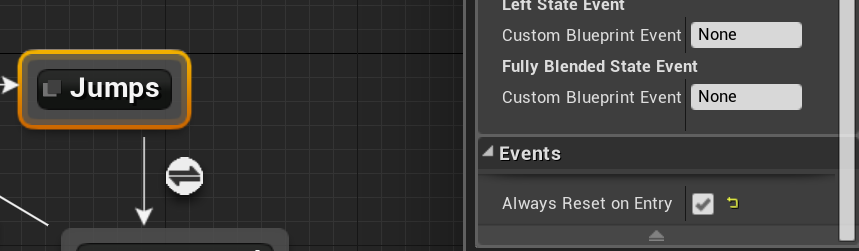
Well I think I fixed it. I found a check box that resets it. https://i.gyazo.com/4553f5438d3e1be5850341eac6227e55.png
Now I only have one more issue which is my Ironsight Offset. https://i.gyazo.com/b80415fe84be6832527e6ca2814338bb.gif
 restive yew
Not touching that mate, good luck 😛
opal jackal
Hahahahaha I don't blame ya. I'll figure it out somehow.
misty dagger
Hey @restive yew , sorry to bother you I was just wondering, how come my Format Text node doesn't have the greenish node connector thing under the place where I put "Max Jump(speed)?
 deep ridge
use curly braces { }
misty dagger
Ooooh okay, thank you!
misty dagger
Thank you so much HighTide! You saved me at least a month of trying to figure this out! I would've never been able to figure any of this stuff out on my own XD
It makes so much sense once it was all put together and everything (Except the format text part, I'm still unsure on why that was done personally XD), but I never would've tried what you did for at least a long while XD
I guess it's because I don't really have the mind of a coder yet hahaha
restive yew
No problem. You’ll get it in due time 👍🏼
misty dagger
Yeah! Now these next steps I'm trying to get a ground slide, a mid air boost forward thing (basically a slide in the air), and some other movement options, and then I have to set up 3 ground attacks, 4 air attacks, and also one combo attack that is the same both in air and on the ground. so, I'm making my way! XD
I'll try to do at least most of this without bothering the discord too much, hahahaha
restive yew
Well now I know you’re clinically insane 😜
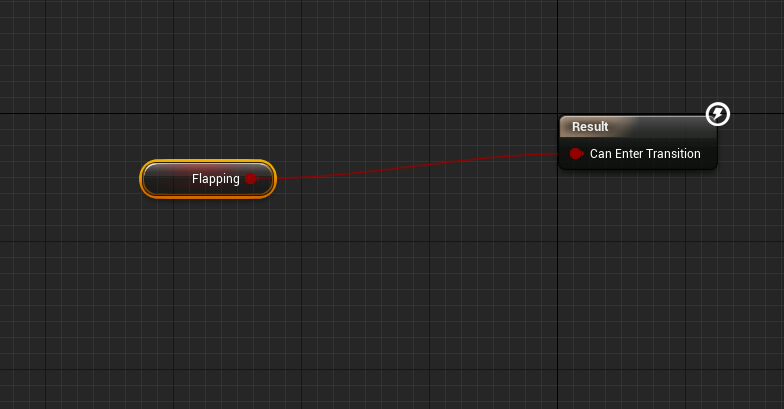 restive yew
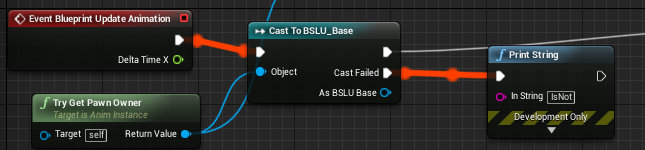
You’re casting to anibp for one
misty dagger
arent i meant to?
restive yew
Absolutely not
misty dagger
In my character bp im not meant to cast to anim bp?
restive yew
You do Try Get Pawn Owner or Cast in the ani bp’s event graph. Never cast in the character bp
misty dagger
alright
anything else wrong with it?
I don't get how i'm supposed to do a setup like this but with my rules instead.
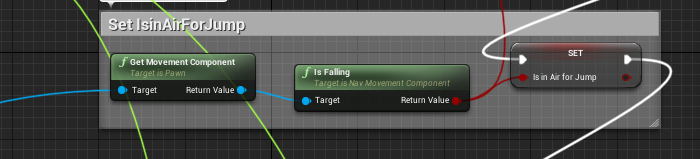
because I'm not using the movement component.
I want to fire off an animation on a button press that's literally all it is lol
restive yew
How are you able to call that node if you don’t have the component to begin with?
 vestal jewel
This is probably a dumb question, but I can make my own animations in Unreal 4 yeah? or is there another software to use that is better for making those sorts of things.
restive yew
No
vestal jewel
No to which?
restive yew
No unreal can’t make animations. Maya and motionbuilder is the industry standard. Blender if you’re broke
misty dagger
Maya?
probably
so what would be the solution to having it fire on button press?
aside from actually playing the anim within my BP, because I don't wanna do that.
vestal jewel
Alright well thanks for that 
restive yew
Motion builder is superior for animations. But it can only do animations. Maya can do that and more. It’s up to preference and long term plan
If you’re not using movement component, you’re going to need logic to determine if player is in air, their vectors and such
But for you
restive yew
Actually, can’t assume. This isn’t a flappy bird clone correct? 😜
misty dagger
Nah, but I have a set up where after dropping to a certain velocity, press space for lift calculations & Wing flapping.
If I could ever get the animation part to work.
restive yew
More specifically, do you have a jump sequence (jumping, falling, landing) or is it just literally flapping
restive yew
Then you can be lazy and use animation montage
misty dagger
restive yew
Never mind then 😜
misty dagger
the issue is, they're both in air movements.
so I cna't use the same rule for both of them
when I used the anim montage, the animation started way behind my character and then like, teleported to my character.
yet, they're in the exact same space in the animation sequence
restive yew
The player glides when key is pressed too?
restive yew
Then why would they have the same rule
misty dagger
because i'm literally just using 'is falling' for that
I'm saying if i wasn't using is falling for the glide, i'd use it for that.
restive yew
You can use an And Boolean
restive yew
Use a var to trigger the flap
An enum ideally
The transition from flap to glide would be Time Remaining [animation] < [number]. So you avoid an state machine infinite loop
 velvet veldt
Hey all, quick question. im diving into animation curves in unreal. Is there a way you can edit the animation curves that blendshapes create to have a different tangents. Right now they feel very linear. Can you change them to slow in or slow out for example?
misty dagger
Im boutta give up on trying to make it flap.
and just use a montage
i'll record what I mean by the weird snapping it does though

not sure what it is or how to fix it.

fixed it, it was the blend setting
 slate shore
How do i change the Move Tool's increment setting for dragging/moving bones?
 elder barn
hey guys im not really sure how to set this up correctly, Im trying to create a character with Bow animations. its top down perspective, i also have to socket the bow on the character. anyone know of a tutorial i can follow?
 junior umbra
Hi... when i accelerating my vehicle ,vehicle wheels are looking like this ,wheels are not visible clearly ..idk whats the prob
Anybody give some suggestion to make wheel rotate perfectly fine...thx in advance
 next pine
I'm not sure this is the right place to ask this, but I have a character that is composed of multiple skeletal meshes compiled together using the "Set Master Pose Component" function. If one of those components had a Post-Process Animation BP, would that persist into the compiled mesh?
misty dagger
with an aim offset is there any way to stop my character from going back to idle if I yaw too far left or right?
I just want it to hold that angle, until I move my mouse back to neutral
the answer isn't a clamp, because i tried that.
misty dagger
Nvm fixed it, it wasnt recieving my yaw input properly.
next pine
Yay! (it's always nice when problems are relatively simple like that)
 tranquil siren
Hi all, is it possible to use per-poly collisions with a rigidly skinned mesh? I have an animated catapult - static base and an animated rotating arm with a bucket on the end. I'd like to fill the bucket with falling rigid bodies and then launch them, but the physics wants to use capsules per bone or convex hulls, which is ruining the bucket physics - any thoughts?
 tight gust
Hey hey hey. I would like to understand the mechanisom on how to do this: My character has already setup Material Instances for legs, arms, belly, etc where i use parameters to blend two normal maps (basically for the character to have a muscle contraction effect). Now, i would like to animate this in Unreal. Can anyone briefly explain me what would be the correct approach to do it ? Thank you.
What i am thinking is like this: To create an Animation Blueprint for each material instance, where i somehow feed an animation curve to the desired parameter ? Am i thinking correctly ?
tight gust
forget about all what i said, i found this : https://docs.unrealengine.com/en-us/Engine/Animation/Sequences/Curves
next pine
Hmm... Hard to say without seeing your BP, but that looks like you're maybe doubling up the effect of a blend mode? Everything looks ramped up too high.
junior umbra
Hi... when i accelerating my vehicle ,vehicle wheels are looking like this ,wheels are not visible clearly ..idk whats the prob
 cobalt coral
Anyone ever have issue with this crashing your engine?
imported-bone-transform-is-different-from-original
or how I can fix the error
I checked my 3dsmax, even old ones that didn't have this error now are getting it
some scales seem to be .99999 instead of 1.0
when importing
In persona it looks totally fine
 nova oxide
Hey! I wonder if there is a way to save the bone mapping for retargeted skeletons in UE 4.18? I have 3 characters that I need to retarget to 2 skeletons each and reading the docs I see there is an option to save and load mapping but I dont have that option, does it mean its in a latter version of UE? https://youtu.be/qna6b-kAN48

Okay I found out its available from 4.20
misty dagger
Hey everyone! So right now I'm trying to create a ground slide like thing for my character whenever the player presses shift, but I've ran into a problem. I think I'm on the right track to setting it up, but I need to attach the node called "Is left shift down" to an input, but I'm not exactly sure what that'd be or how to set it up. Here's a picture of the Anim Blueprint
And here are two pictures of the transitions, just so you know how I'm thinking of setting up like. I don't know if setting it up like this would work, but that's what I'm trying to figure out XD
next pine
Hey @misty dagger - You probably want to use Input Action mappings for your slide.
That way you can let people do things like Key mapping, and controllers. : )
I also have (another) question. I'm considering trying to use Montage Play to play a montage from the level. I want to activate an animation based on walking into a proximity trigger.
It's a weird goal, I get it, but right now my issue is that "Play Montage", "Montage Play" and the "Play Montage" macro, all fail to actually play the montage. There's no errors, and the events trigger properly. I've confirmed that my character is being properly cast to a Character, I'm getting the right Skeletal Mesh, and from that I can get my AnimBP.
But I always get '0' as the length of the montage, and it doesn't do anything.
Any ideas?
restive yew
Not sure if it applies to you’re situation but I recall there was a bug in which the first section never plays. Can’t remember the conditions you needed to trigger that bug but try to make your first section empty and the second your target animation nonetheless
next pine
That is weeeeird.
But I'll give it a try (in a smaller project, I'm worried some other level of complexity in my main project is mucking things up as well)
 late dawn
I am exporting a simple skeletal mesh from Blender with a simple animation, and when I open the skeleton I see my mesh, but when I open the animation the editor is empty
anyone know why?
restive yew
Rename your rig to anything but Armature
late dawn
also, if I choose that animation in the skeletal editor as a preview, my mesh shrinks to super small
@restive yew haha, oh in blender? what, Unreal is finnicky with that?
restive yew
And set the scene unit to centimeters
Yeah it’s an old bug
No idea why unreal hates anything named Armature
late dawn
interesting... it worked, thanks!
restive yew
Yes I know it seems like a troll answer at glance 😜
late dawn
similar to naming a mesh NONE... then it will just disappear (which I reported to the Datasmith team and they fixed it in like 2 weeks, but I think it's still in the engine itself)
misty dagger
@next pine Do you know how I can get the slide input action node into the animblueprint? Just so that I can make it to when the input action is triggered the sliding animation plays.
late dawn
I was really hoping this would work, but perhaps I should get the animation a different way?
I don't want to create an animation blueprint!
restive yew
you can't use a montage unless you have an ani bp
late dawn
I'm too much of a newb to know what a montage is, but is there no way to set the current frame of an animation on a skeletalmesh with a single animation asset?
(without an animation blueprint, I mean)
restive yew
then do this
next pine
@misty dagger - Heya! So your Input's, once you've set them up, should be available as Events. You'd use one of those Events to play an Animation Montage (with your slide animation in it) into a particular Slot. Then, in your animation graph, you'd merge the slot with your existing animation pose evaluation.
There's a good training that shows how to do that latter bit, which is pretty fiddly.
This one:
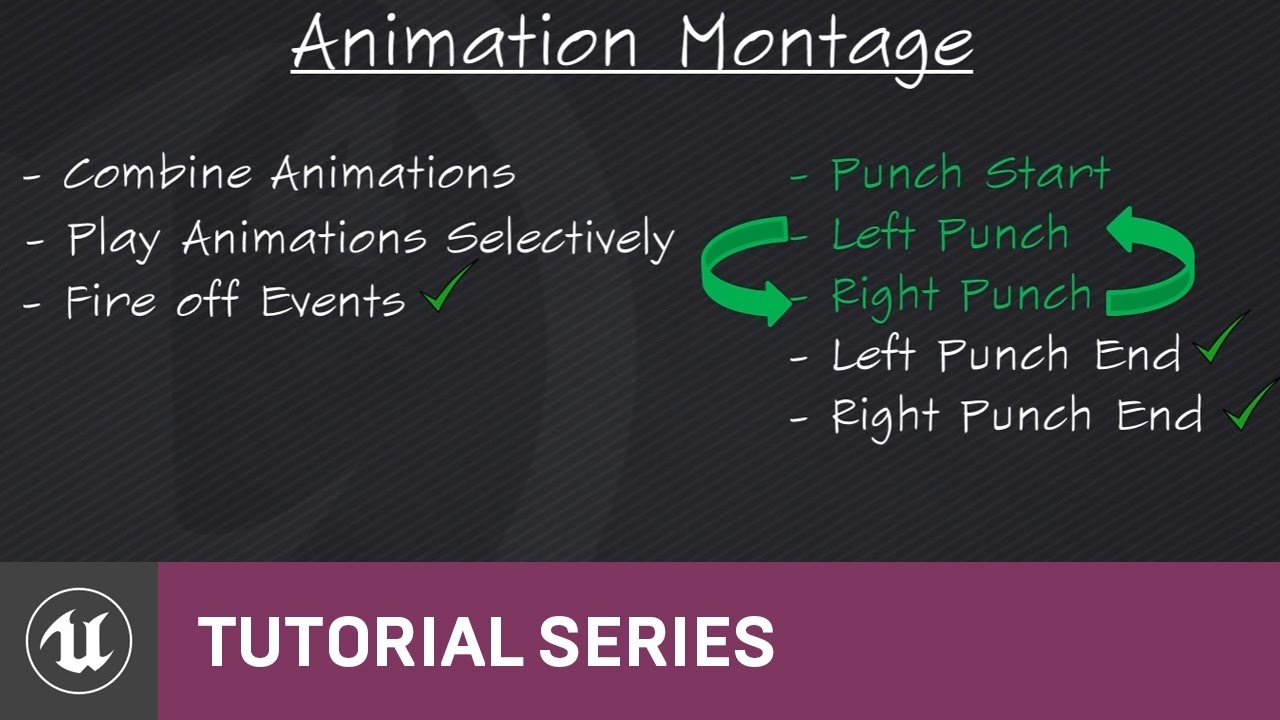
(00:05) - Intro to Animation Montage
 inland ridge
guys, does this work? I want to edit an animation in 3ds I exported from UE4. I have the same skeleton in 3ds, but with a control rig. The imported animation is applied and baked to the bones, so the control rig is useless. what to do? I want to edit it using the control rig and add more secondary bones to it
 void mural
okay so i'm trying to rework the entirety of our animations and like the casting to https://i.imgur.com/vXZCoE0.png and isvalid is always failing no matter what

late dawn
@restive yew thanks, I'll try it this weekend
next pine
Hi @inland ridge - This is doable, but it's fiddly. If you're using a canned rig (like the HumanIK control rig), there's usually a way to bake from the skeleton back onto the control rig. I haven't used Max enough to know where that is, but that's what you're looking to do.
If you're using a custom rig, then you have more work to do, because you need to make your own 'bake to control rig' function. For that, you're going to need a reversed constraint mode on your rig, or a way to constrain your control rig to an incoming skeleton. When I've had to do this in the past, I picked the 'when loading, make a new skeleton, constrain my rig to the new skeleton, bake, then delete the new skeleton' method. It tends to be less frustrating then to support a completely reversible rig.
inland ridge
@next pine thanks a lot for the answer! Damn that sounds hard. I'm using a custom rig 😔 I don't think I'm knowledgeable enough to do it, but the modifications I will need to do will be minor I guess, maybe I can find a way around the problem
next pine
@inland ridge - In my experience, it's not hard so much as time consuming. If you built your rig, then you know enough to do it. You just have to do be methodical about it. Constrain the IK effectors to the limbs they control, the FK controls to the bones they control. If you have IK/FK switches, it's a good idea to pick one set of options and always switch to that when you're reloading.
Setting up a pipeline to run backwards is annoying, but it's almost been helpful when I've done it.
inland ridge
@next pine hmmm then I think I can try at least 👍
next pine
👍
misty dagger
Hi guys I have an animation, is it possible to add root motion in UE4?
When the tentacles are down I want the body up and vice versa
or do I need to do it in the software?
restive yew
Yes you can have root motion
misty dagger
How do I do that? I oould do it in blueprint I guess but not ideal
could*
in my specific simple case
restive yew
Create an additive curve in the ani sequence
misty dagger
couldnt work it out just resorted to blender.
misty dagger
@next pine Alright! Does the slide animation have to be in an anim montage, and do you know how I'd set up and attach the nodes in animation? Like attach everything from the event, to the anim montage, and etc. to get the slide working?
misty dagger
I have the anim montage finish now I think, I just need to know how to set up everything in the anim bluprint I believe XD
next pine
You need to use a "Slot" node.
@misty dagger - Each montage plays in a 'Slot' and that goes into your anim blueprint as a node.
The one that will show up in the list will be "Default Slot" but you can change which slot it points to on the node.
opal jackal
I'm wanting to rotate my Mannequin arms to be out front like a zombie but I want to keep the running animation for his legs. Is there a way to get rid of the arm movement that already exists on the arms?
restive yew
use Layered Blend per Bone in the anigraph
opal jackal
Does that work with blendspaces? I've used it for montage cause you can set the slot. I'm still learning this as well
restive yew
Yep
opal jackal
I'm not sure how to do it. I use the blend per bone but It sill only plays the animations in the blendspace.
I guess I'll have to edit each animation. I was just wanting the arms to be the same as the Idle animation while the legs ran.
 restive yew
You forgot to add a bool pose
I'll show you an example, one moment
Bah, I'm sure you could of got it with that hint. Nonetheless
opal jackal
So my Boolean expression would be speed? Since it's based on a 2d blendspace?
Like Greater than or Less than a value?
I don't know whats going on. So the state variable is something you made?
I mean I get your example but I don't know what I need to do
restive yew
It’d be whatever conditions is applicable to you. Mine was to attack while moving so I used speed to determine mine.
 reef agate
I have an animation with root motion of my skeletal mesh hovering some feet above the ground, then landing. The root bone along for the ride while hovering and of course lowers with the skeletal mesh. But even if I set movement mode to flying I cannot for the life of me get this animation to start up in the air and land.
with root motion enabled it's just always on the ground : (
i of course want the physics capsule to follow the mesh as well
am i missing something dumb?
 gusty carbon
Can someone help me im having some trouble and is it possible can you help me in DM
gusty carbon
someone help me pls
 analog locust
Ok. Silly question. I've pieced together my State machine for an enemy AI but I'm not really finding the information as to what the logic behind changing the transition state booleans are. I'm using Pawn Sensing with my Enemy and that plays an important part in handling the movement/detection/chasing/idling. So, my question is, inside my Enemy BP, should I be casting back to my AnimBP to change the transition state booleans or what is the correct way to do this? I've watched dozen videos but they fail to pinpoint this portion of the setup.
 gray totem
when I'm deleting transition state from Anim BP >> then the Engine crashes and comes up with this message !!
 last shale
how do you guys deal with a lot of different attack animations for the same weapon. For example I am using the sword animation pack by kubold and i have "Attack left down 1, attack left down 2, attack med left high 1" etc etc
next pine
@last shale - That really depends on your game design. Like, do you need a combo system? Do the animations need to be playable while moving? Do animations chain into each other, or are there discrete attacks? Can attacks be blocked or interrupted? If so, how?
There’s a lot of questions to answer before you start integrating your animations in the engine.
@gray totem - When you re-open unreal, is the state deleted or is it still there?
@analog locust - Typically, I’ve seen it done the other way around. You read your pawn’s state in the event graph and fill out your animation-relevant variables there during Tick.
(I think this is because your animBP only ticks when animation needs to update, saving you cycles)
gray totem
@next pine Still there, the engine crashes with this message when i try to delete the transition rule
next pine
Weird, is it just that state, or does it happen any time you try to delete any transitions?
gray totem
i guess it's transition problem ... cuz deleting the transition rule doesn't delete the state, but deleting the state does delete the transition rule ,, not it's most likely the bug is in removing the transition rule
the bug happens whenever i try to delete the transition rule by anymeans (Like deleting itself, or deleting its state)
next pine
I think it might be something to do with bidirectional transitions. You have a compiler warning there showing that you’re using one.
It’s possible that the delete function for state transition rules doesn’t handle them properly.
They aren’t supported yet (apparently)
Iirc, they don’t compile, and don’t work.
gray totem
i fixed this warning of bidirectional transitions.. i was just testing if this could help me to delete it, but not
not it's just normal transition rule that can even work properly in the state machine.. but when i try to remove it for some reason the engine crashes @next pine
next pine
Well - I mean, you mentioned that you were able to delete the state, which deleted the transition rules properly.
My suggestion would be to do that, then just re-create your state.
Cludgy, but without a programmer, it’s probably your best bet for getting back to work.
gray totem
nah i was just explaining a logic of deleting states will delete the rules but not vise versa .. the engine still crashes when i try to delete this specific state or its rule
restive yew
Just uncheck bidirectional in the transition rule’s detail panel
 clear bough
My mesh clips down like 100 units in Z when i preview an animation, anyone who knows what could be wrong?
This option fixed it
analog locust
@next pine Thanks, got it working.
analog locust
I'm having this issue where my AI is not moving when they enter the Crouched-state. I'm using RootMotion. All my other animation states are setup in the same way and work like they should. It's also shouldn't be collision issue.
Any ideas where to look next?
analog locust
Ok it seems the problem is with the RootMotion not functioning as it should. I'll just try to use another crouching animation that has RootMotion working as intended.
That fixed it. TL;DR: Reason was sucky RootMotion in animation.
misty dagger
guys I am having some import issues, my animated skeletal mesh (which has 5 animations) is being squashed and distorted. Here is the message log
and some stuff from the output log
I know the whole 'max bone influence thing' just means if there is a bone the other side of the model with a 0.001% influence on the mesh then it won't get registered so I'm not worried about that
and the end bones I guess UE4 adds those? Could that be the source of my error? Blender has an option to 'add leaf bones' which I can try to turn off [edit: I did and half the errors go but I think the main one is the 'bone transform different']
And my 'ref pose' well I have 4 animations with the same start and end pose but 1 uses a different start and end, they never play at the same time though
misty dagger
solved it - for some reason file > import into level was giving me tons of issues but regular 'import' works fine...
next pine
@misty dagger - Ah, that makes sense. Import into Level is supposed to be used to import entire scenes from a DCC.
cloud lodge
anyone expereince with animgraph?
restive yew
That’s like asking if anyone is experienced with unreal
 granite flicker
Anyone good with rigging in 3ds max? I need some advice!
misty dagger
any idea why my root motion is not working? I have a space person and an animation which involves translating and rotating the root, however in the export it only recognises the non-root motion
misty dagger
actually I just need unreal to take into account z axis, my issue is my animation is invisible unless I apply root motion, but then it won't let me change the z value, I actually don't care about collision because it's a death animation.
next pine
@granite flicker - I've rigged in max before. It was a while ago though. What are you looking for?
reef agate
Anyone got any Face AR Sample Experience? Got everything working perfectly except I can only get head rotation within Epic's project not my own even though it's the exact same mesh : )
 static wasp
If I have an animation blueprint which is tied to a blueprint, is it possible for the blueprint to directly call an event within the animation blueprint, or does the animation blueprint need to poll the state of the pawn and fire its own events?
next pine
It depends on what kind of move. For continuous movements, like locomotion, that's usually done by reading state. For specific movements, like an attack animation, that's often done using the "PlayMontage" feature, which can be triggered through an event.
granite flicker
@next pine alright mate! I'm trying to rig a leg with two joints, I'm using a hi solver for ik, what's the best way to limit two of my joints to an axis?
next pine
Ah, are they twisting around on you?
And, if you don't mind me asking, why use the hi solver for a two-bone ik? Why not use the IK limb solver?
@static wasp - So, yeah - you can use events.
static wasp
How do I call an event within an animBP from a blueprint?
next pine
Let me double check - I want to give you the right answer.
static wasp
thanks, my current workflow has been to pull the pawn owner from the animBP, cast it to the pawn I want, and then poll a variable to drive state. I'm thinking there's gotta be a lot more of a direct and easy way
granite flicker
@next pine I've always used hi solver. I don't know the difference lol. And yeah they're all twisting about!
next pine
The limb solver only works for 2-bone ik.
Good for normal limbs.
Less good for weird robots or tentacles.
@granite flicker - Do you only have the effector or do you have a second effector for the knee?
@static wasp - So this works.
You have to cast the animation instance to your animationBP class.
Then you could broadcast an event, or call a function directly.
I think you could also do it with an interface, in which case you wouldn't have to cast, but I'm not sure which way is better.
static wasp
ah, perfect. Let me try this out
opal jackal
Anybody know how to fix this issue with my AI animation? https://i.gyazo.com/79f7cd4a3d63cbaeef94efb2c83ccb8d.png

They walk wierd up stairs lol
restive yew
Looks like a selling point to be honest
Not sure what you did to rotate the mesh to a surface’s normal. But for movement over staircase and such, most people like to use ik to do the dirty work. https://docs.unrealengine.com/en-us/Engine/Animation/IKSetups
opal jackal
Ok. I just used the standard third person animBP and anims. I just edited the arms. IDK what I messed up
@restive yew Do you know what to do to fix the camera from zooming in on my players back/butt when you back into a wall? What do other 3rd person games do? I have it where if the camera collides with the player the player's mesh goes invisible but sometimes that doesn't help, see: https://i.gyazo.com/09387ffb16f2a70c1e4c0f705171b01c.png
 restive yew
It’s the Spring Arm. You can fiddle with the component or script in an camera position solution
opal jackal
Ok thanks. I'll check it out.
granite flicker
@next pine I have no effector for any knee
next pine
@granite flicker - You're probably going to want one. : )
That's how you avoid your leg spinning all over the place.
granite flicker
@next pine I'll have look into it! Thank you very much!
next pine
: )
misty dagger
@opal jackal I had the same issue it's some kind of depth test on camera/spring arm can't remember exact option but one tickbox solves that problem
 wicked wind
hey folks, i've got an issue where i've got an animation with root motion enabled, but its not moving the capsule component - anyone around who might be able to help me out?
ive been looking for fixes online but almost all of them that're suggested havent worked for me - its got it to a point where the character now freezes in place while the animation is playing, but it doesnt move as its intended to
 grave flume
Hey all, I'm working with PHAT and I'm trying to fix my constraints. The constraint shows up right on the bone, right where it should be, however the handle to translate/rotate/scale the constraint is snapped to the next bone above in the hierarchy. Manually lining up the constraint handle to the actual constraint fixes any problems, but my question is: Is there a way to snap the handle to the constraint without having to "eyeball" it?
 dusty condor
Hey any Maya users here who use HumanIK? Have there been any issues getting the Unreal Mannequin rig working? I know HumanIK doesn't like Maya in z-up mode.
void mural
now i don't wanna say i'm doing a bad job, but  https://gfycat.com/vacantblaringblowfish
 misty dagger
Hey, does anyone know how I can get my slide to work? I want my character to be able to slide on the ground, and whenever he slides I want him to get a slight boost of speed for about a third of a second, and then change to being bellow the normal run speed until the slide animation is done. I'm also trying to figure out how to make it to where whenever my character is sliding under an object (like under a tree or wall or something) that the slide will continue until he's not under an object anymore. I already have the animation montage part finished (I think), but now I just need to get the slide to work, hahaha
But before I deal with the keep sliding until my character is off from under an object and has room to stand up, does anyone know how I can get the slide itself working?
I have the slide in the Inputs in the project settings, and I have the slide animation montage set up, but not much else.
 winged violet
Are animation montages supposed to be used on top of a regular locomotion anim blueprint?
So if you do a special double jump, a montage overwrites whatever the anim bp is doing and then blends back to it on completion?
opal jackal
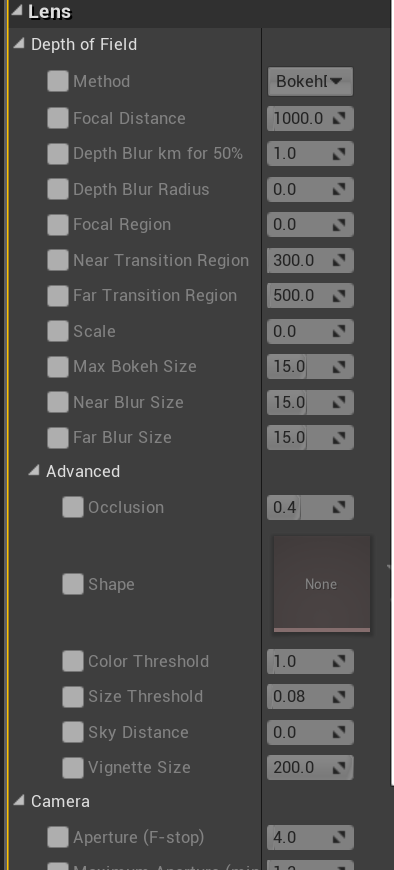
@misty dagger Ok I see these settings for the camera. Do any of these look like what you changed? https://i.gyazo.com/e08a6beb6aead9c368e9ddf496b30296.png
 short panther
hey can anybody here help me out with an animation blueprint problem? im making a 3rd person controller thing that animates when I press the WASD keys. when i press the WASD keys, my third person character transitions from an Idle animation state to a running animation state as intended but when i let go of the WASD keys, the run animation plays for a bit more before transitioning back to idle. how can I possibly fix this? im using blend space
restive yew
Check your interpolation time in the blendspace. The higher the value, the smoother the blend. But at the cost of slower transition period
And obviously check your velocity. Make sure you’re acceleration is high and that your speed variables is being properly called
short panther
ive checked the velocity and its changing as shown in my debug prints
even at velocity 0 im still looping through my run animation
nvm I changed the interpolation for my blendspace to 0 and it fixed it
I dont understand why this fixed it though because I have another character with somewhat the same animation blend space with the interpolation set to 1 and it actually makes the transitions for that one a bit smoother
anyways thank you @restive yew if you can help me with an explanation for my other question that'd be very much appreciated
restive yew
Your other question?
You’ll have to excuse me, I haven’t had tea yet. What is your other question?
short panther
nvm I changed the interpolation for my blendspace to 0 and it fixed it
I dont understand why this fixed it though because I have another character with somewhat the same animation blend space with the interpolation set to 1 and it actually makes the transitions for that one a bit smoother
that one 😃
what exactly does interpolation do?
I guess it didnt sound that much of a question but im wondering why setting the interpolation value for 2 different blendspaces have different effects
restive yew
It’s the amount of time allowed for each transition. Why you’d have different results from the same value can be from a number of reasons. You could have a different Interpolation Type, different inputs, different animations, etc
 acoustic cedar
Heyho, how would i properly export a static mesh with animations in Maya and import it in unreal? I got it working at least a bit .... bones get created and the boards can be moved with the bones but the animations is only animating the board at the very top (even though in maya everything works) and is also going a bit crazy 😄
not sure why the bones are positioned that way though
this is the hirachie
 misty dagger
Hey, can anyone help me out with a problem I'm having?
restive yew
@misty dagger I’d stick with the blendspace. Aim offset is an additive and wouldn’t help you in this scenario. Love the wings by the way.
misty dagger
I want my character to be able to slide on the ground, and whenever he slides I want him to get a slight boost of speed for about a third of a second, and then change to being bellow the normal run speed until the slide animation is done. I'm also trying to figure out how to make it to where whenever my character is sliding under an object (like under a tree or wall or something) that the slide will continue until he's not under an object anymore. I already have the animation montage part finished (I think), but now I just need to get the slide to work, hahaha But before I deal with the keep sliding until my character is off from under an object and has room to stand up, does anyone know how I can get the slide itself working? I have the slide in the Inputs in the project settings, and I have the slide animation montage set up, but not much else.
next pine
Hey @misty dagger - Do you have your montage slot in your animation blueprint?
misty dagger
Hmm, I don't believe so. Hold on, let me show you a picture of what I have in the event graph in the animation blueprint
next pine
Not the event graph, the animation graph.
My guess is, if you're using a state machine for your default locomotion, you probably don't have a montage slot for playing montage animations into your character.
misty dagger
@restive yew thanks dude. they're a long way from being done still but im starting to like them too
That' what's in my anim graph. so yeah, I basically just want the slide to happen whenever I press shift, whether I'm running or in idle and I'm staying still, but only whenever I'm on the ground. and I want to get a small boost of speed in the direction that my character is sliding during the slide, and then slow down to a speed that's slightly slower than the normal walk/run speed(my character is always running).
restive yew

In this stream, Wes Bunn takes a look at the quickest way to get a humanoid character up and playable from a Skeletal Mesh and a series of animations. We’ll ...
misty dagger
That's for me?
restive yew
Yes
misty dagger
Alright, I'll watch it over and see if it'll help me out, thank you!
 unreal jungle
sorry
 hoary kindle
is it possible to add a "motion point" to a static mesh?
i have this lantern and i want to make a part of it moving (a chain)
but its only one mesh
next pine
@misty dagger - That was exactly the videos I would have linked.
restive yew
Parent it to the socket of the chain
 native ocean
anyone have any fixes or tutorials for getting root motion from mixamo animations?
restive yew
Some have root motion, some don’t. For those that do, you’ll see an In Place toggle. Disable it and you have your root motion
*in mixamo
native ocean
@restive yew when i import into UE4, it does not come with a root bone
@compact nova the mixamo skeleton uses the hip(pelvis) joint as the root
restive yew
Then you gotta manually remake it
misty dagger
@opal jackal how is your game? Given up yet? XD
err, I'm having massive trouble trying to get my animation to angle with my character's current pitch.. I; made a blend space, with input for the vertical axis called = Pitch, and the horizontal called =Yaw
kinda hard to describe what's happening so i'll just record it.
uh oh thats what I have to do next haha
you'll probably be fine, i think most of the problems im having are because im trying to animate a flying character.
I am getting a problem with flying AI. Feels like things are way harder if you try to do something non standard.

her wings are meant to tuck in when she's pitched all the way down.
like this
my thought was just get the current pitch, cast it to the anim bp, plug that into the input on my blendspace animation, and it should work just like that, but nope : ).
misty dagger
is the animation playing when you want it to? Is it just an issue with how the animation looks?
nope, it doesn't even get to that full pose, it snaps back to the middle point of the blend space.
you can maybe do something with the rotation of the entire actor not just the skeletal mesh
I think due to how the controller is set up to level the pitch out automatically, I need to set something else up, to get the current actor direction, and if the actor is facing in this direction, use that portion of the blend space.
for example I have a death animation that rotates the character, when it plays the character snaps to 90 degrees regardless of his mesh rotation, but I can just rotate capsule component, that's only if you don't care about collision though
yeah I don't care about collision atleast until she has to land.
so you are basically saying that as the animation starts the mesh snaps to the 'natural' rotation the anim starts in
or maybe im wrong
Not really sure what's happening tbh, that's why it's so hard to trouble shoot.
So the right / left yaw works just fine, because it's built on the controller input, and not on an input axis for movement.
show u what i mean hold up.
it's saying my second image is explicit..
it says yaw input, but i'm doing roll calculations off the yaw as well
what is the branch node for?
i forget.
Oh, it's to switch between ground movement and flight.
well I am going to assume that works
there was some kind of rule plugged in but i think it got deleted, anyway, it doesn't do anything atm.
Whats that got to do with the animation?
your hang glider body. What type of object is it? Does it have collision and a skeletal mesh?
the hang glider body just drives the whole movement
it's a static mesh with physics applied, and the skel mesh gets attached to it when we're flying.
It's really hard to trouble shoot if i can't explain what the actual problem is.
It's like .. it doesn't play the blendspace animation when I'm pitched at that angle, it looks as if it's going to play it but then it snaps back to the middle animation
check if it is playing
it's definitely all working as intended, it's just I think the pitch calculations aren't happening unless W is being pressed.

you see how it goes into the tucked wings animation, but then snaps back to middle?
w puts you into nosedive right?
yep.
show the logic for when the tucked wings anim plays
alright
']
and the pitch speed is calculated here
https://i.imgur.com/ADdPgR1.png (in the mesh bp)
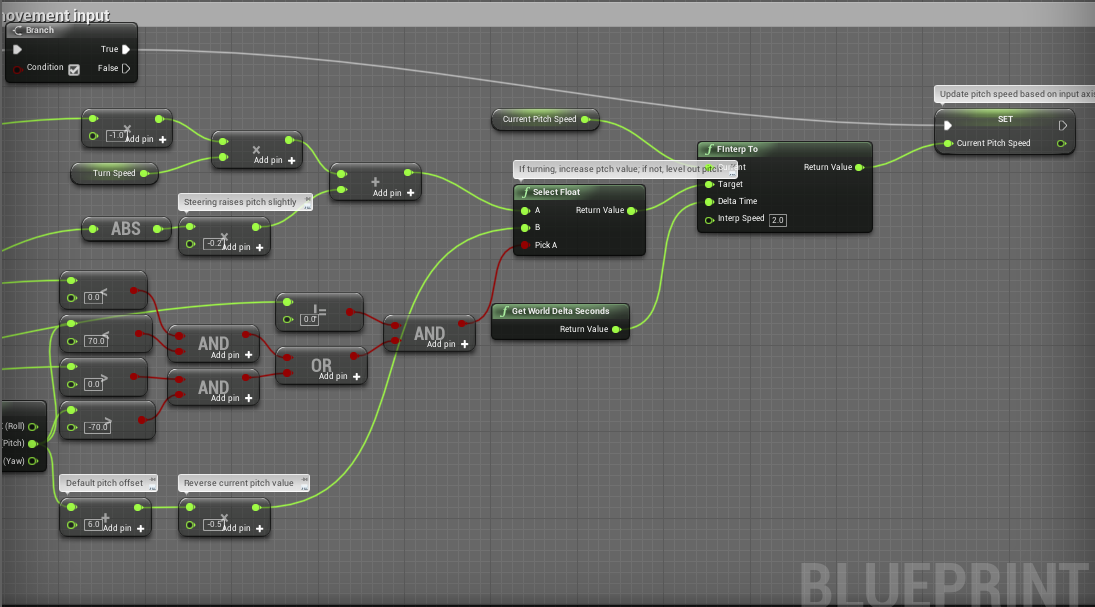
yeah but the logic for when the anim actually fires
could be something like, you are resetting the animation every few ticks or something
could be, but I think it has more to do with how my actor's pitch levels out, and because it's reading from the pitch speed, it levels out in the blend space too
i don't think I can use the pitch speed variable for getting my current pitch.
i might just make a simple version of this without all my code complicating things, and then run down a list of things inside my code it might be.
Idek llol, what if i plug some code into my event tick to print the current pitch to screen
restive yew
To be honest, I just use the input value to set the pitch and call it a day 😛
misty dagger
well Idk lol, nothing i've tried has worked.
On the button press, it does the wing tuck animation, but It's like the pitch calculations just stop there or something, because i take my finger off, and it is no longer playing the animation, even though i'm flying directly down.
restive yew
Yep it’s not going to work in your case. The input val normalizes to 0 when mouse isn’t moving
misty dagger
based on the code there?
even when I remove the normalizing to 0 part, If I take my finger off, it returns back to neutral blend space position
opal jackal
@misty dagger Well the game is basically finished. I just can't fix some little things like the camera issue zooming in on my booty. lol and sometimes my weapon's line trace is off. It shoots left of my crosshairs sometimes and I don't know why.
misty dagger
@opal jackal here is the option you need... 'Do Collision Test'... if it is off, instead of the zoom objects will just block your view. But tbh i preferred the zoom so put it on.
oh actually they won't block your view
meshes will just disappear if they would block your view (if it is off)
@restive yew but that's control rotation
the mouse doesn't do anything but roll, it's just for camera otherwise
opal jackal
@misty dagger Ahh ok. That's good to know. I think I'll stick with the collision on for now. You still run into the same problem of not being able to see when backing up to a wall, but this time you just see the wall instead of your characters booty
restive yew
It’s basically what you do to calculate aim offset. You’re just not using additive poses in this case
misty dagger
so ignore the control rotation part?
opal jackal
My camera just goes through the walls but I can't see through them. https://i.gyazo.com/c001114b791ddb888d75c8be57f305d1.gif
 misty dagger
maybe if you increase the wall thickness so the camera would intersect with it
thats if you care enough about this
if that doesnt work cant help you sorry!
misty dagger
horray
restive yew
Getting control rotations is used to limit how much the animation appears to orient compare to the bp’s actual orientation
misty dagger
it's still returning to the netural blend space pose.
neutral*
@restive yew
I think i'm kinda close to figuring it out, basically the pitch goes to 0 but the actor its self doesn't rotate back to 0.
yeah I don't think you can properly do this without setting it to controller rotation..
Got it working, the only problem was the fact it wasn't calculating the pitch after I took my finger off the input axis key lol.
misty dagger
I have similar problem thought it would be easy. How can I get my animations to consider the local mesh rotation?
 fading yacht
Is there any good way to make a physics animation of a static mesh actor in Unreal? For instance, if I want a falling object. Prefer not to use an actual physics simulator because of inconsistencies and lack of control, but I also do not need collision on the mesh. Am I best just animating this in Blender and importing it into Unreal?
misty dagger
@fading yacht my solution to that was just attach your skel mesh to an invis static mesh
and have it drive your skel mesh, and just apply the physics on the static mesh
err.. does this make sense?
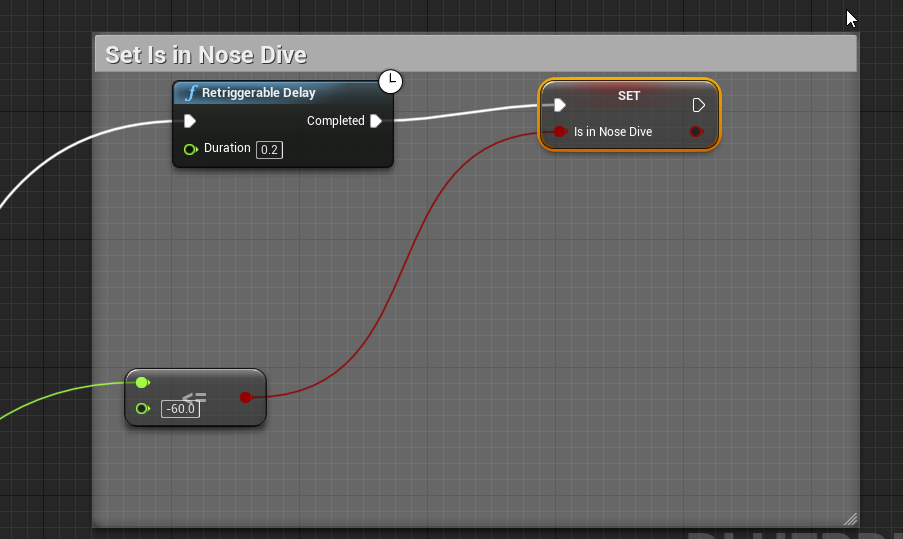
the <= is the current pitch
the delay is meant to occur before the nose dive happens
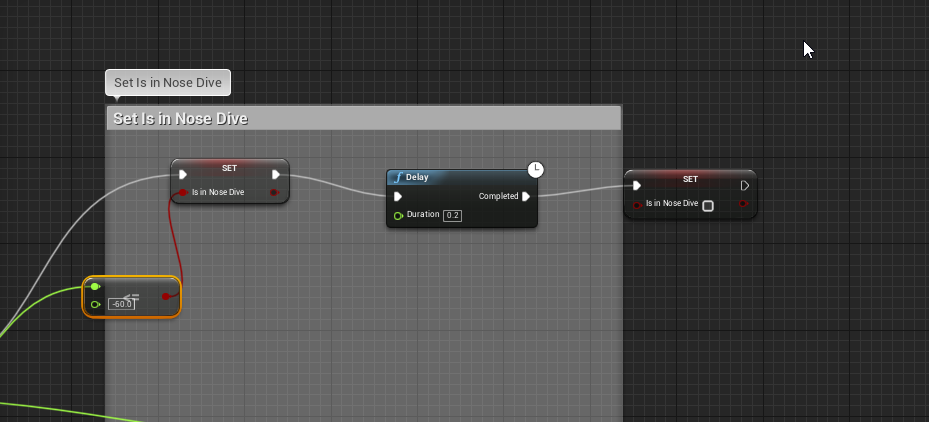 misty dagger
 marble basin
 stiff dock
Hi guys, i´m having a problem with Nav Mesh, my scene is not at default height, its way higher, then Nav mesh stops creating the green color (path) after it reaches certain height so my AI cant walk, how can i make the Navmesh height to be able to reach higher than default values?
 spark folio
Hi, I'm new here. I'm a 3D animator from Maya.
If I want to import an animated rig with no joints/bones (uses simple rotation and point constraints on curves) from Maya to Unreal, do I import it as a skeletal mesh?
misty dagger
yep.
spark folio
thx
misty dagger
Hmm a bit confused here. I have an animation that is resetting when I set 'pause anims' to false and I am wondering why
I have double, triple checked that when I set 'pause anims' to false, the current active anim is the one I want to be playing.
sry to bump ur question, but is there a way to do this, but also blend the transition from anim bp and vice versa?
 restive yew
From a character bp? No
misty dagger
I thought not :s
Any idea why my above code isn't working then?
if pitch = -50 to -60, enter diving mode, if pitch = greater than -60, leave diving mode
i know for sure i've done something wrong though.
boutta post it on the forums too, because ive been trying different things all day and nothing has worked
next pine
You have min and max screwed up I think.
They're negative numbers.
You have Min -50, Max -60.
misty dagger
I'm working in negative values though?
next pine
Right, so Min, the lowest, needs to be -60.
And Max, the highest, needs to be -50.
It does not implicitly abs your values.
misty dagger
alright changed that
all I'm trying to do is play an animation when we're pitched at -60 (but have it blended with the state im currently in)
restive yew
I’d use InRange(float)
next pine
Yeah, that would be a better option.
misty dagger
she goes into diving and then immediately back into not diving.
err.. so like this?
next pine
Nope.
Your branch is not checking the condition.
It will always pass.
You need to connect the red pins.
restive yew
Both
next pine
Sorry, if all you're doing here is setting the variable, than you don't need the branch, just set the result of the InRange. If she's not doing what you want, you need to watch your pitch value to see why it's flipping in and out of the valid range.
misty dagger
I already checked my pitch value it stays around -69 to -70 when the axis key is held down
so it can't be related to that
next pine
Err
Well that is going to fail your test then.
Because "InRange" checks if you're between values.
And -70 is outside that range.
next pine
Then you need to use >=
next pine
Depends on which pin you put what value in.
misty dagger
i feel like this would be easier if i wasnt working in negatives.
next pine
If all you want is 'if pitch <= 70: diving = true" then just do that.
You don't need a range.
If you want "if pitch <= -70 and pitch >= -50 : diving = true" then you need a range.
Right now, it sounds like you're using a range when you want just a simple greater than test.
And you've set up the range wrong.
So that it briefly flicks through that range, then goes beyond it.
misty dagger
I tried using greater than last night and the dive mode was just constantly active
next pine
You probably were plugging it in wrong.
misty dagger
do I need to make a second 'diving' mode node to declare as false, or is what I plug into the bool of the first one declaring whats false or true?
probably a dumb question
restive yew
This is why I prefer enums 🍿
misty dagger
alright that kinda works? It's just the inverted effect.
she starts in diving mode, then when you pitch below -60 she goes into diving mode off.
restive yew
Just invert it
misty dagger
which.. sounds easy, but Idk how i'd go about that.
change -50 to 70, and 70 to -50?
cus that didnt work xD
restive yew
Mate, just flip the bools
misty dagger
Didn't work.
Only thing that worked was using lessThan nodes instead of greaterThan
likely because im working in negative values
greater than would be going in the direction of leveling my pitch out
next pine
You can plug things into either pin.
You don't always have to plug them into the top pin.
misty dagger
what would I plug in?
next pine
Also, looks like you're using '70' and not '-70' in that top node up there.
misty dagger
Alright that worked, is there a way to make it play through the whole animation before stopping?
next pine
That is highly contextual to how you're playing the animation.
And what your game state is.
misty dagger
I think i'm goign about this a needlessly complicated way.
next pine
Maybe, but animation setups tend to be pretty complicated.
misty dagger
If there's a way I can set it up so like, 1 second after entering nose dive, my character does a single wing flap.
but any time I've plugged a delay in has been met with failure
restive yew
Make a one way transition rule for that
misty dagger
https://i.imgur.com/T5jXoqA.png alright, suppose I do that, how would I plug a delay in here?
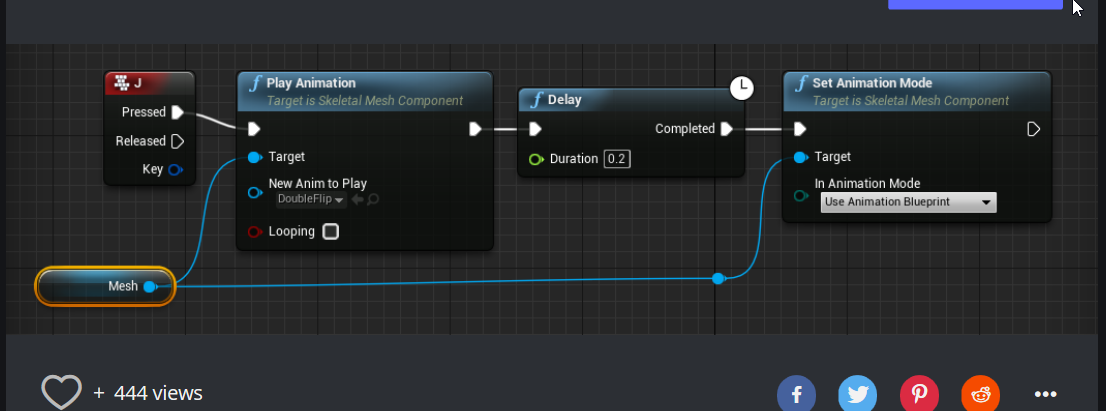
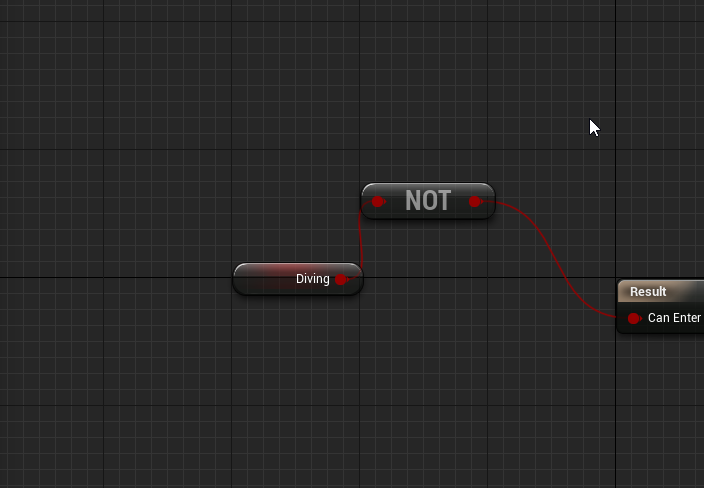 misty dagger
got it working, sorry for the brain numbing questions
i feel ive lowered the collective iq here lol
misty dagger
@restive yew another dumb question, but how would I call on 'Diving' from my character BP?
cast it?
the animation parts all good, but I wanna add additional physics calculations once we're diving.
 chilly canopy
I downloaded the Prototype Characters assets from the marketplace and i tried to retarget the animation(?) and/or skeleton and it always turns out weird, am i doing it wrong or is there a way to fix this?
misty dagger
last time that happened to me it was fixed after i created a new rig
and assigned htem both to the same rig
why is my animation not overwriting my old? I have some events in sequence and my character is waiting for one anim to end before starting the next
The old anim is a looping run anim so obviously I want it to be interrupted but it waits for the current loop to finish which I don't want
 odd summit
@chilly canopy 2 Questions, was the Prototype Character Skeleton in the same Pose as the Unreal Mannequin Skeleton? Also, did you assign the humanoid rig to both skeletons and either auto-assign the bones or manually change them before retargeting?
And I guess a 3rd question too, Did you duplicate and retarget the anims or just retarget?
chilly canopy
@odd summit i changed the poses to be the same and i assigned the humanoid rig to both but the bones are pretty much the same so i didn't really think they would be different and lastly, i just retarget the animations without duplicating
odd summit
@chilly canopy I would 100% make sure the bones have the exact name and setup as the UE4 mannequin, the slightest change in names/order will throw everything off
As well as duplicating and retargeting rather than just retargeting,
chilly canopy
The only difference is that the prototype character from the store has a weapon socket attached on one of the bones
opal jackal
What do I need to search to lean how to adjust my weapons location in my hands? Not just one weapon, several. I want to be able to adjust each weapon separately.
restive yew
Sockets
opal jackal
I have a socket that the weapon attaches to but how would I adjust my left hand for individual weapons?
opal jackal
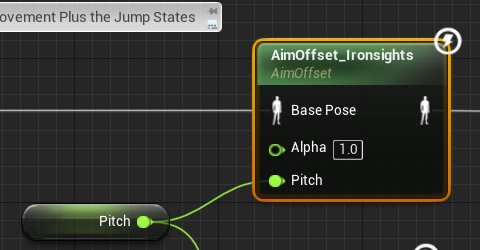
@elfin stirrup Do you need Yaw? If your camera is locked to your character like that then you can just use Pitch. https://i.gyazo.com/ad1c6bf35c7f153519931041319a0a18.gif

I used an 1D aim offset because I only need to look up and down if my character is locked to the camera. Then you can add a shuffle animation for your feet later so it looks like your turning instead of sliding/spinning.
 elfin stirrup
It's a first person game @opal jackal
I'm afraid that the animation will be "Stupid" without the turn around
Uhm
The sliding should be a nice option
opal jackal
Oh. I thought it was a third person game I'm sorry. So you want the upper torso to turn then the lower part to adjust when you reach a certain point correct?
elfin stirrup
Yup exactly
opal jackal
Ok cool. I'm no expert on this stuff and don't know exactly how to do that but maybe somebody smarter than me can help you out. I'll look around though and message you if I find anything. I feel like I saw someone doing that that other day.
misty dagger
Is there some kind of way to say "at this frame in animation, adjust speed variable to *2"
?
do I use an anim notify?
opal jackal
You can use an anim notify and then just do whatever logic you want inside your event graph
opal jackal
Yes just do it inside your anim BP. For example on my reload animation I added a animNotify called ReloadSound. Then i can get that animNotify event inside my Event Graph and put my logic inside it. It gets called when the animation plays. https://i.gyazo.com/4d81786db8c714e01cabd58cd0ac4d0a.png

You can cast to your character and get his speed and set it to whatever you want
Or cast to characterBP and just call an event that is inside your character that sets your speed. Whatever makes you happy. 😉
misty dagger
Hmm, alright. lol.
A bit confused guys. Before I understood weight painting in blender I had some issues with limbs getting detached, so I imported them separately and attach them in Unreal via sockets. My attach script is here:
This has worked for me in all my levels except this.
I am using the same character skeleton
However in this level the limbs attach at weird locations and rotations away from my character
Here are the socket locations
In the skeletal mesh editor, the sockets are at the end of certain bones and in other levels the sockets appear in the right places in viewport.
I had to 'add leaf bones' in blender and I have attached my sockets to the leaf bones, which in the skeleton editor look like they are in the wrong places but rotate correctly in the other levels. However it is like in this level the mesh goes to the incorrect leaf bone position as shown in the skeleton editor.
@opal jackal
because I did it like this and it had 0 effect lol
not very professional looking
opal jackal
@misty dagger Hmm I'm not sure that this is right for your case after all. But before we scrap this attempt can you put a println on the cast failed to see if it's passing the cast or not?
misty dagger
it is
tried this too
seems like setting the speed in the anim BP has 0 effect over the actual character bp.
opal jackal
So it looks like your trying to increase your speed when nose diving correct? That sounds more like something you should do in your character BP like you said before. Then for the animation just get your speed from your characterBP and have a state or something to play the animation. We went about this backwards
opal jackal
No not cast back
restive yew
Never cast your anibp
misty dagger
then how do i get them to communicate
restive yew
Set max fly speed in your char bp. Easy as that
opal jackal
They communicate in your animbp event graph through this: https://i.gyazo.com/e4ae892401583f816f211d72e50437de.png
 misty dagger
opal jackal
misty dagger
opal jackal
@misty dagger Basically just create a new event inside your character BP that calculates your nose dive speed based on whatever you want. I'd assume your rotation or yaw or whatever you want. (never done a flying game before) then that variable will allways be set in your character. Then in your animBP you cast to your character and get that variable and can use your state machine to say, "if speed is >100 then play nose dive anim" You get it? You can use the variable to switch between states
misty dagger
what I'm trying to do is have the animation determine how fast we're going, not the other way around
would that be possible with that method?
I have to use an anim notify don't i?
restive yew
The animation doesn’t move in world space
misty dagger
No ik.
I didn't mean literally, i just meant, at frame 20 Increase speed to x3
that's not doable?
opal jackal
What is the animation? Maybe that would help me understand. Do you have a gif?
misty dagger
i'll make one, 1 sec.
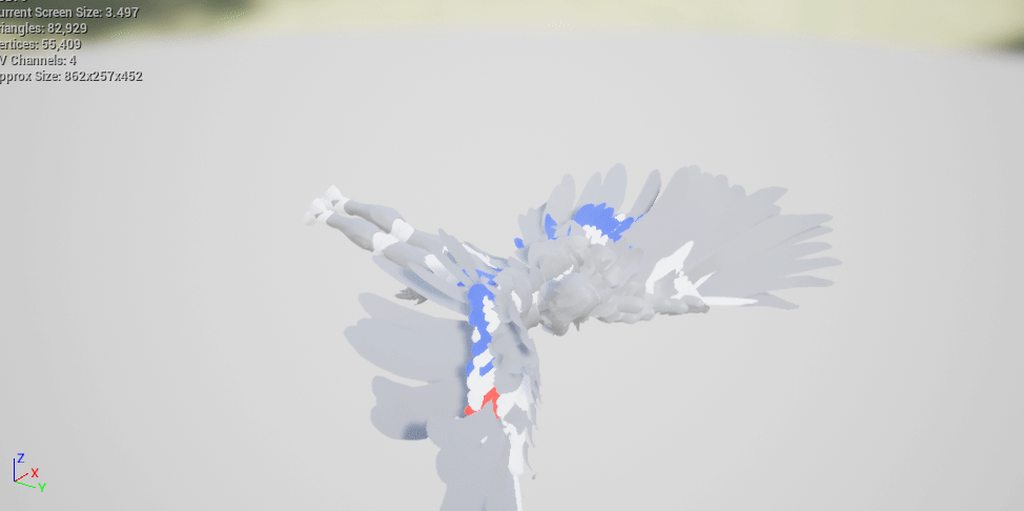
its meant to be a powerful wing thrust that pushes the character in a certain direction fast.
so, when the wings are on the downstroke, increase player speed
opal jackal
Ok cool. So I still think putting the logic inside your characterBP is the way to go. It's just like a reload animation. You press a key and your character plays an animation, sets speed and a boolean "isWingThrust?" . You might be able to just play the animation in your characterBP if it's just a quick animation. But if it's more important and longer then you might need to make it a state. Depends. Is it a one time thing then you go back to normal? Or does this animation lead to a new state where you stay flying faster?
I just made up the boolean by the way. You might not need it and can call it whatever you want
misty dagger
The speed deteriorates after the thrust
gradually
i have no idea how to go about it lol.
opal jackal
Yea it's going to be all blueprint stuff.
misty dagger
I need to do it at exactly frame 20, so it'd have to be an anim notify right?
I think casting those variables to the anim BP was working, it's just I was pre-setting the speed before that and it was conflicting.
opal jackal
You can try it. Use what you had earlier and cast to your character. Then drag off your characterBP and call a function. You'll have to make the function though inside your characterBP. Call it something like UpdateFlyingSpeed or something. Here's how I set my speed: https://gyazo.com/35961cdda94417e58f40778025f133fd
 misty dagger
AYYY i got it working.
Somewhat, the notify doesn't play until the animation is on its second playthrough.

any ideas ? lol
misty dagger
Nvm, it was this section, in the pitch calcs.
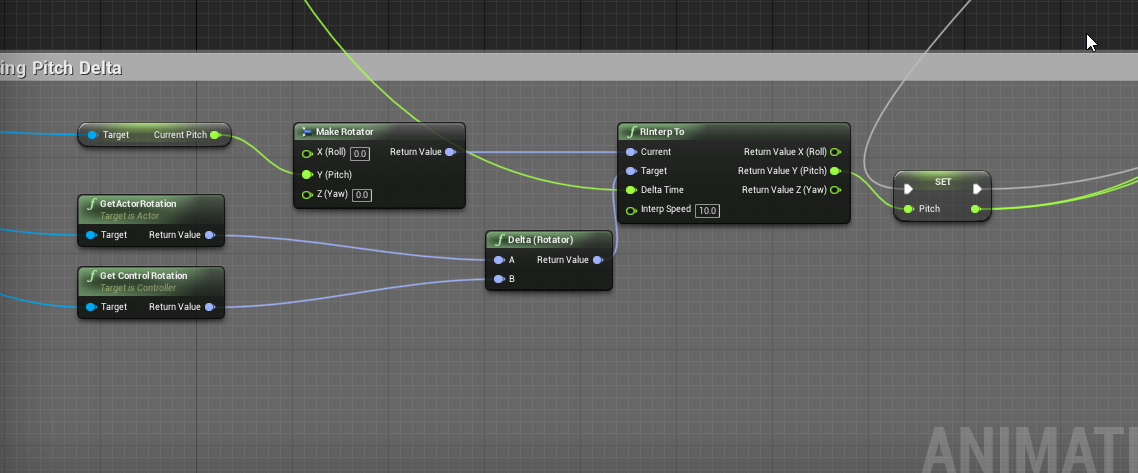
changed interpolation speed from 15 to 10.
now to fix my moonwalking bug
problem with one of my attack anims just looking like a hitler salute :/
Lol.
that's a bit of a downer
oh dear
pretty big roadblock for me too
I want physics to be different when we're coming out of the nose dive, but there's no way to determine if we've come out of the nose dive.
 hallow shale
https://gyazo.com/7e28141ae92b2d43bda42ab354153a50 tried to do anitmations eneded up with this
xD
https://blueprintue.com/blueprint/m7s91wme/
idk if that is the problem or not but if anyone has any idea,
 restive yew
Kinda looks like you have root motion on
restive yew
Animation sequence
hallow shale

also my whole character is gone now xD
idk what i did but its gone and it says https://gyazo.com/e8c6d871bb808497b19ce1f325d9f167

i mean i can get them to ap pear nvm
but the error is still there
restive yew
Click on the word with the magnifying glass icon next to it. It’ll take you to the error
 hasty glade
anyone here who I could ask a skinning related question? (not sure if allowed to ask in here since this is more an in-engine channel)
restive yew
You can give it a shot. Though you will get a better answer on the software's forum if it's purely a technical question for said software.
misty dagger
@hallow shale it's possible your character is just very very small, for some reason turning off root motion did this to me (something to do with export scale), took me a while to realise my characters were animating just 100*smaller, simple rescale solved it
hallow shale
Ah I'll try that @misty dagger
 lunar silo
 inner ibex
anyone know if there's some hack to either share derived child anim BP's or sub anim instances with skeletons that share the majority of their bone structure?
Ie the paragon assets have the same general bone hierarchy, but every character has some extra bones for details
 urban helm
Has anyone done animation retargeting here and you have curve data on the animations? unreal engine messes up the curve data names everytime I retarget animations.
So much fun when you have few hundred animations with curves and you have to rename each curve in each animation
urban helm
Seems I can rename the curves thankfully
next pine
@inner ibex - Check out the "post process anim bp" . That lets you run a second animation bp on your character for dynamics.
inner ibex
I'm not sure how this helps, we'd use this for.. What it's designed for
next pine
"extra bones for details"
You run the main animation bp on your character, then this post process bp is used for dynamics, special bones, etc.
inner ibex
Ah, what I meant is that the animation bp inheritance seems to require everything having the exact same skeleton
but it seems like you should be able to share the base anim BP with other anim BP's that use a similar enough skeleton
 grave flume
Is there a way to snap your X/Y/Z gizmo to your constraint in the Physics Asset Editor? My constraints appear in the correct location, but the X/Y/Z gizmo is in the wrong location. Moving it with Alt + Mouse works, but I want it to be exactly at the root of the bone. Here's an example. The constraint is in the correct location, but the X/Y/Z translation gizmo is snapped to the previous bone
And no, the snap button is not what I need. That moves the constraint to the bone, I need the translation/rotation/scale gizmo to be at the root of the bone as well without having to use alt+mouse to "eyeball" the origin of the constraint.
 grave flume
seems to be working normally and fine /s
hallow shale
?
grave flume
Just a joke, that's quite a predicament
 fallow venture
Is there a hard limit on bones for skeletal mesh's for mobile?
 tepid aspen
Would anyone be willing to walk me through my options with motion capture and UE4?
Mostly just some clarifications needed
 obtuse yoke
Has anyone encountered a situation
That mesh animation cannot be play in level sequencer
The mesh just cant play the animation
misty dagger
Hey! So I've been following that tutorial that you and Jack were talking about, @restive yew , and there are a few problems I may need help with XD
So I'm using the Anim Montage and connected it to the GroundSlide input action, and it plays the animation whenever I press shift, but it kinda slowly shifts from the idle/ run and slowly turns into the slide animation, then it finishes. How do I make the transition of going into the Anim Montage slide animation quicker? If that makes any sense.
misty dagger
I'm not sure how I would make it to where whenever you're sliding you're committed to a movement where you slide forward with a slight boost of the normal run speed, then slow down to slightly slower than it, then go back to normal. I think I have an idea on how to do it, basically set it to change the max movement speed upon press, then connect it to a delay, then set the max movement speed to a little under the run speed, then whenever the slide is finished it'll go back to normal, but how do I connect it to this?
 bleak mirage
Does the epic skeleton import into blender properly or do you need to recreate it in blender and retarget epic skeleton anims to your custom rig?
 thick ridge
Can anyone help me out with this? https://www.reddit.com/r/unrealengine/comments/b1i9c8/problem_with_custom_jump_animations/
bleak mirage

This video shows how to use the Uefy Script to enable Blender's rigify addon to pose and rig any character with similar bone structure as the UE4 mannequin f...
Nevermind. Uefy got updated so no more need for retargeting
restive yew
Your best bet is to try #cinematics
 placid socket
You are right its better to post there
 still patio
I don't suppose anyone can point me in the right direction for animating the teeth on a chainsword?
I can get it animated in Blender, but not sure how to make that animation work in unreal 4. Was looking at setting up a spline watching a video for tank treads, but he skips over a few steps so I'm not super sure how he got it all together.
misty dagger
I have a question about an issue im having in an animation montage if anyone can help. One of my particle effects i have in my animation with the notifies seems to be following my camera so i cant properly allign it on the right rotation it just always looks at my camera.
@still patio Just animate it in blender, then in UE4 call it with a button press or something in BP
I recommend doing it with an IK chain
misty dagger
https://i.imgur.com/OtdiACW.jpg
Is this issue familiar to anyone? Making a rig in blender and using IK in UE4 causes my foot to snap to this seemingly random direction.
 misty dagger
Hey everyone! So it seems I've run into a slight problem. I've set up the AnimMontage to play the slide animation, and it plays the slide animation whenever I press shift, but it also plays the slide animation in the air, which I don't want it to do since it's a ground slide (Note: I attached the Branch node to a sequencer, and the sequencer is attacked to an event tick. Also, I'll connect the Set Can Slide to a Get of itself, though that may be part of the problem) But the slide animation still plays in the air. Can anyone help me figure this out?
you need a branch instead of a set @misty dagger
Right now every time you press the slide button its saying that sliding is allowed
I stayed up all night trying to fix my issue but I couldn't figure it out so if that isn't the right answer it's because im sleep deprived but based on that image your can slide condition is irrelevant because once you hit slide you enable sliding
Oh, well how exactly do i make it to where I can only slide when I'm on the ground and press shift (the input action)? What exactly do I need to change out and how?
Input action > Branch IsFalling? True > Nothing False > slide
 opal laurel
Hey guys, I'm trying to get cloth in an environment being blown by the Wind Directional Source Anchor. It works well for my characters but large banners I have in the environment are only affected if the Speed is turned up really high, but then the character's go mad.
Is there a way to make the banners more reactive? I've played with their configuration, even matched the mage's clothes but I can't get the banners to react to anything less than 100 speed, the mage looks fine at 0.1
misty dagger
Oh okay, thank you so much!
No problem I actually worked on sliding for a while but I gave up since I couldn't get it the way I liked it. Slopes were giving me trouble so I just unplugged everythign for now
Aww yikes, well I hope you get everything worked out.
Now I gotta figure out a way to make you committed to the slide, because right now you can still jump and you can spam shift and he'll keep staying in and resetting the slide animation XD And it's not that I don't want him to jump, it's that I do't want it to be the regular jump. Later I'll I'll make it to where if you jump while you're in the middle of sliding, then you'll do a special jump called a "Momentum Jump"
but for right now I just want it to not be cancelable and make it to where once you press shift, you're committed to the slide.
Is your slide based on the duration of the animation or is it based on some other parameter? Like, my slide was ended once the player hit a certain speed
It's based on the slide animation length.
Set an anim notify at the end of your slide animation that casts to the anim owner and sets IsSliding to false, that's what I'd do
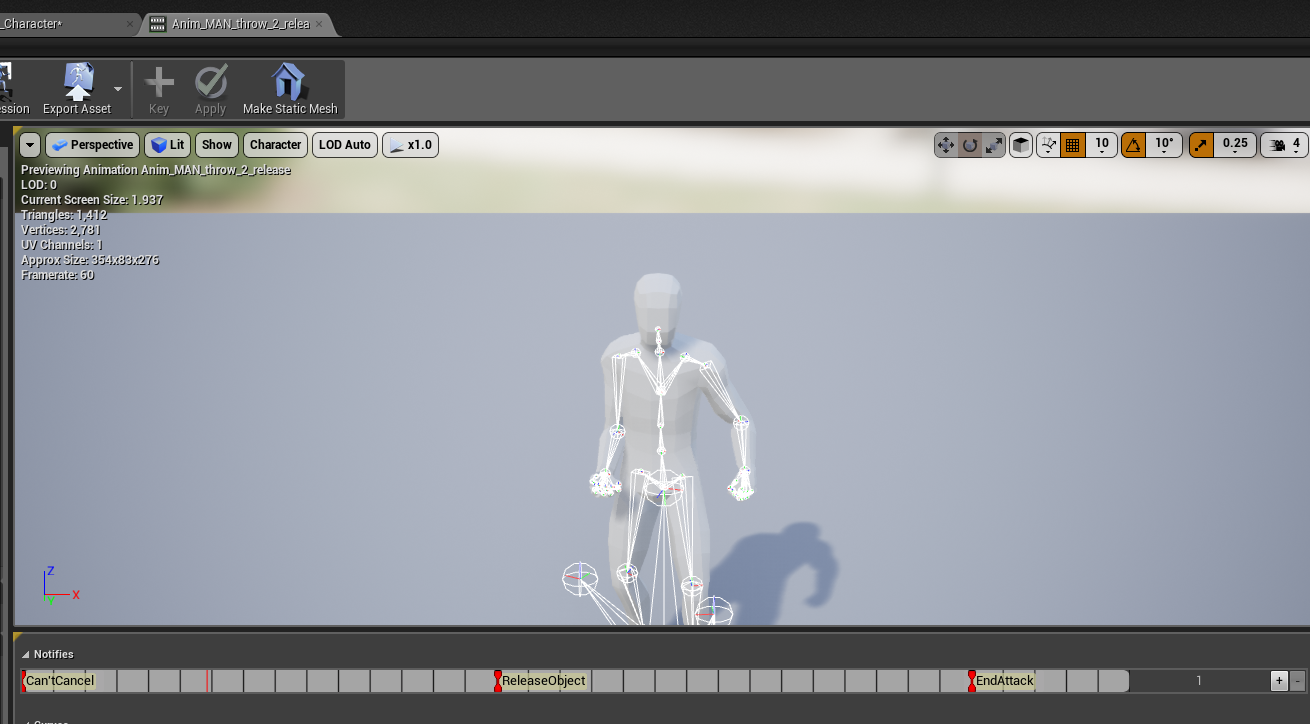
But the thing is that right when I press shift and go into the slide, even in the middle or at the beginning of the animation I can keep pressing shift and he'll stay in the slide animation
You go to your animation asset, right click the timeline, add notify, New notify
Yeah you're going to need a variable called something like IsSliding
when you start sliding set IsSliding to true
when the animation reaches its end set IsSliding to false
then put a branch in everywhere it'd be relevant
Branch > IsSliding? True > nothing > false > proceed down path
That way when you press slide if you're already sliding nothing will happen
That's how I do it at least. There might be a better way but I don't know of one
Oh okay! How do I attach nodes and stuff to the Notify's again?
find the animation of your slide and right click the timeline. The timeline is the thing in my screenshot that has the red notifies on it
That notify will create an event for you on your anim BP
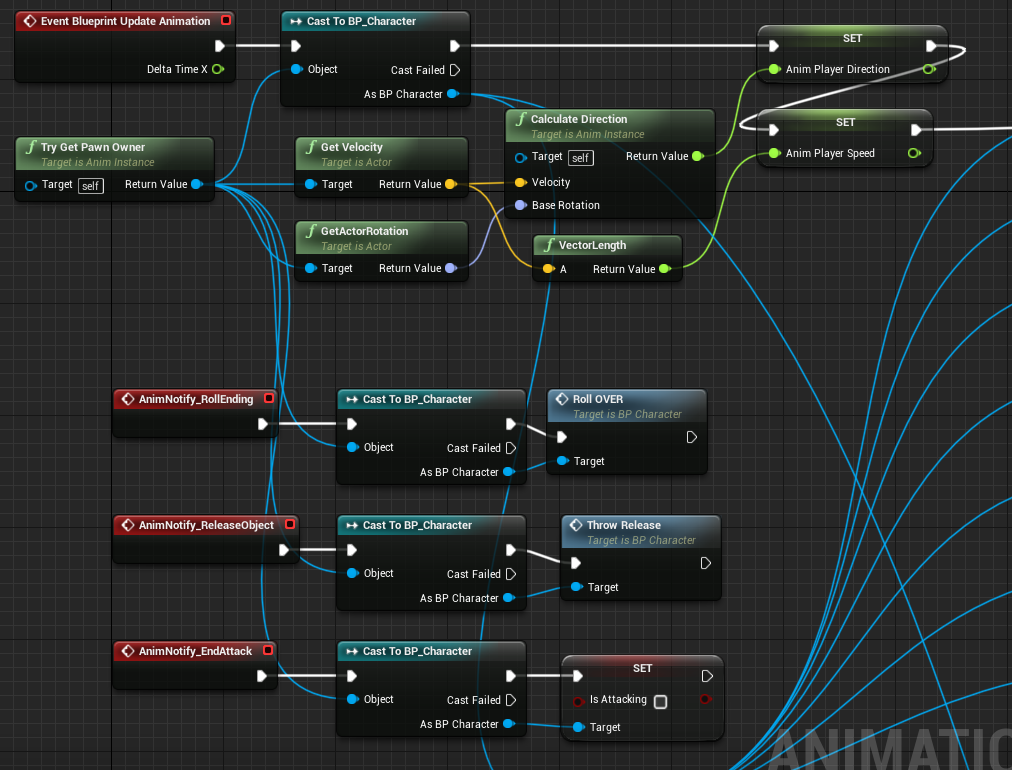
So yours will look similar to my bottom notify that sets is attacking to false
Now do I get the notify event in my characterBP?
if you use try get pawnowner you can just cast to the character and set the boolean, you don't need a whole event set up on your character
I had an event for my rolling because I needed multiple things to happen and it was more convenient for me to keep track of that on my character BP rather than the anim BP
So you think it's better to put the slide notify stuff in my character BP rather than my AnimBP?
The notifies will have to be in the Anim BP as far as I know but then you cast from those notifies to your character and set the IsSliding boolean to true or false depending
so youll have one notify at the start of the animation that will cast to the player and set sliding to true, and one at the end of the animation that will set sliding to false
MathewW is the ne that helped me out when I was learning about notifies he's got some good tutorials on youtube
I gotta run but I'll be back in like 3 hours I think
Alright, thanks for your help so far man!
 fickle yarrow
Anybody here use Blender and AutoRigPro? I'm trying to figure out some of the IK stuff, if I can customize it so that it behaves how I've seen it in other programs. Right now if I move say a foot IK controller the motion stops completely at the hip. In other rigs I've used If I kept pulling the controller it would pull the rest of the mesh with it. same with the hand etc... Can I tweak the values to get this behavior?
 split vale
Trying to understand Conduits in UE4
But I can't quite get them
I have two possible states that I wanna go to
IsInAir is a boolean. If it's false, I should go to state "Walking" and if it's true I should go to "Flying"
From what I understood a Conduit could serve as something that check multiple conditions before it chooses a different state
But if that's true, how am I supposed to express that in the conduit?
fickle yarrow
Importing an FBX cahracter with bones into Maya, It has animation on it. In Blender I could alt+r etc to reset the transforms or delete the pose and use the rest pose. I'm having trouble figuring out how to do this in Maya. I import a mesh with bones, the bones are in a pose, I want to reset the transforms to the original orientation. If I use mel to delete the bind pose the joints remain in the same position. If I try modify:reeset I get an error that it is a joint and has skin attached. Any help on the way I should be going about this? I want to use human Ik to add an ik rig but with the bones in the pose position it has a little trouble .
fickle yarrow
I just selected the whole hierachy and entered zeros in rotation in the channel box/layer editor and that worked
I don't understand though why doing it through the modify/reset transform/rotation doesn't work
misty dagger
hey guys just a super basic question where I can't find a clear solution for it: is it possible to create some custom animation inside unreal engine like key frames and a graph editor to animate inside unreal engine itself? any help, hint would be highly appreciated!
ohh and if you answer please ping me thanks
fickle yarrow
@misty dagger You can edit animations by hand by creating a duplicate and editing it or using sequencer. Last time I tried it was a pain. "All Right Rig" looks pretty good , it's a plugin for this and is on the marketplace.
misty dagger
ohh ok but if I have a rig can I make then custom animation
fickle yarrow
In theory.
misty dagger
but why can't you fully do that ? what method is used then? because for example you make your animation in blender and you have an uneven terrain in unreal then there would be an problem with the animation made in blender.... how could you fix for example this problem?
fickle yarrow
You could use IK or an animation blend
With IK you detect the ground and move the foot using BP or code. With a blend you do the same thing sort of, you detect the ground slope and then use that in the blend.
misty dagger
ok thank you for the help
fickle yarrow
It's not my strongest area, but I've used both methods.
AllRight rig has support for Ik and he has a few videos on how to use it for that.
misty dagger
ok I will look into it thank you
fickle yarrow
If you don't want to spend money, there was a live training that went over it about a year or so ago, should be on youtube and twitch channels
hoary kindle
https://youtu.be/XzRcgJjWiWQ suggestions why my hand is goin morphin power rangers mode? almost looks like it breaks but it "stays" in that position

https://www.youtube.com/watch?v=J0IhLSSYckE&feature=youtu.be <- here in game


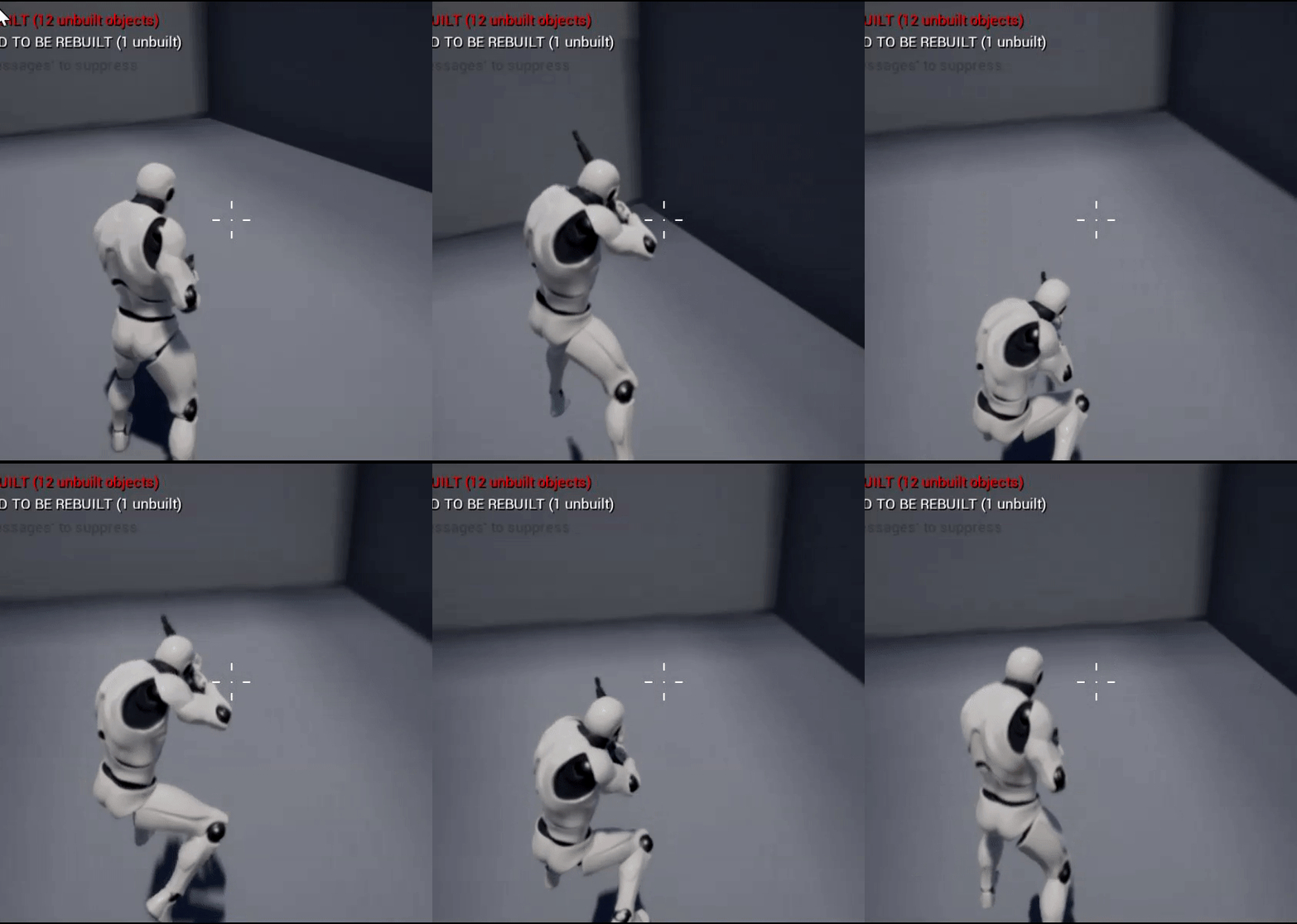
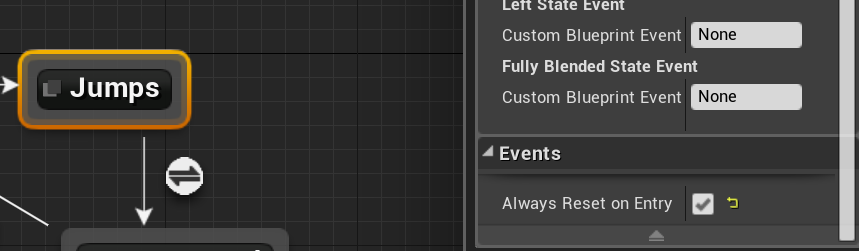
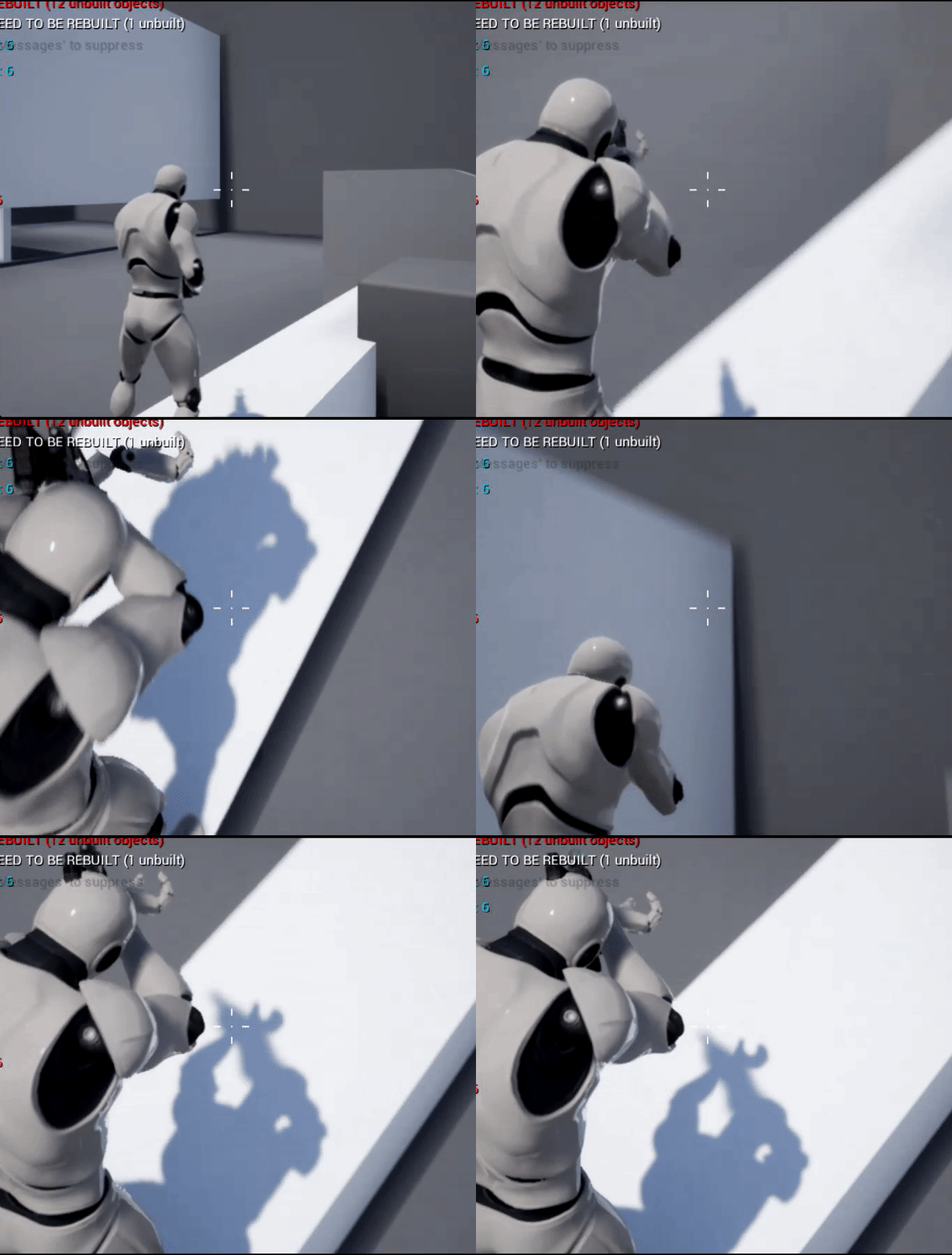


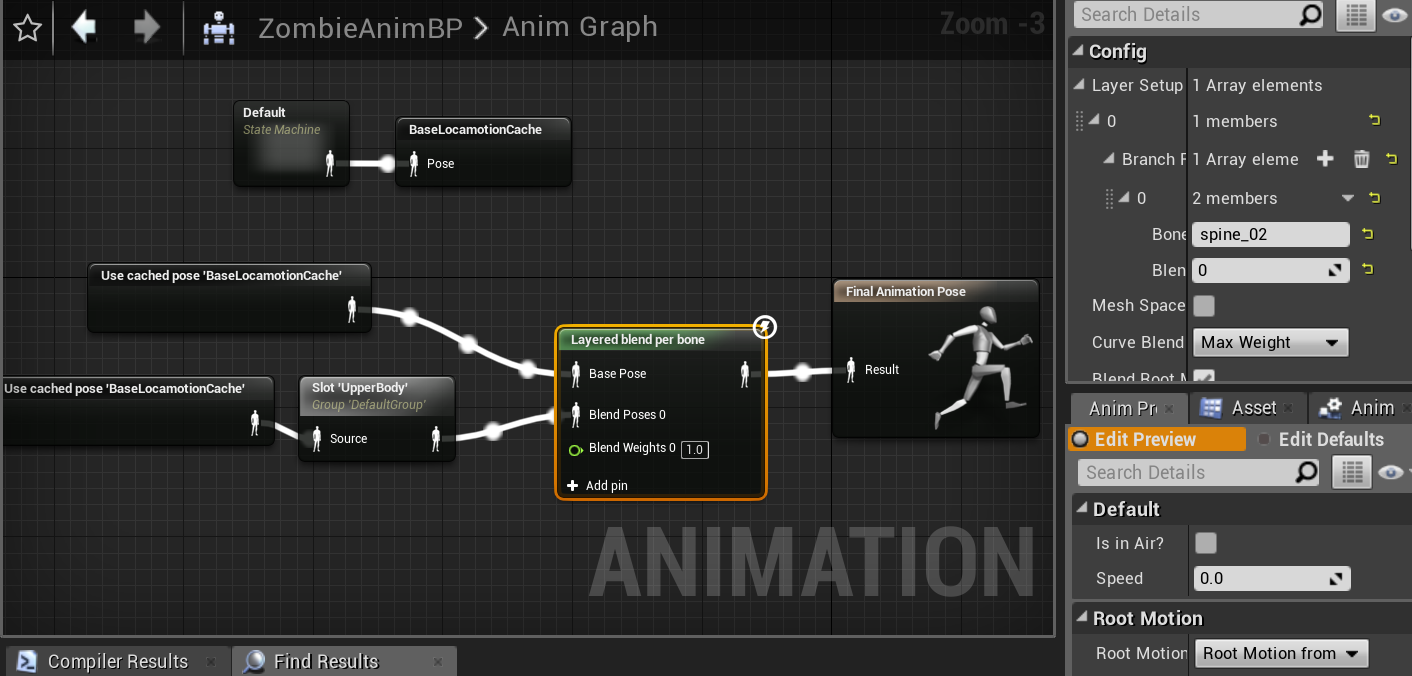




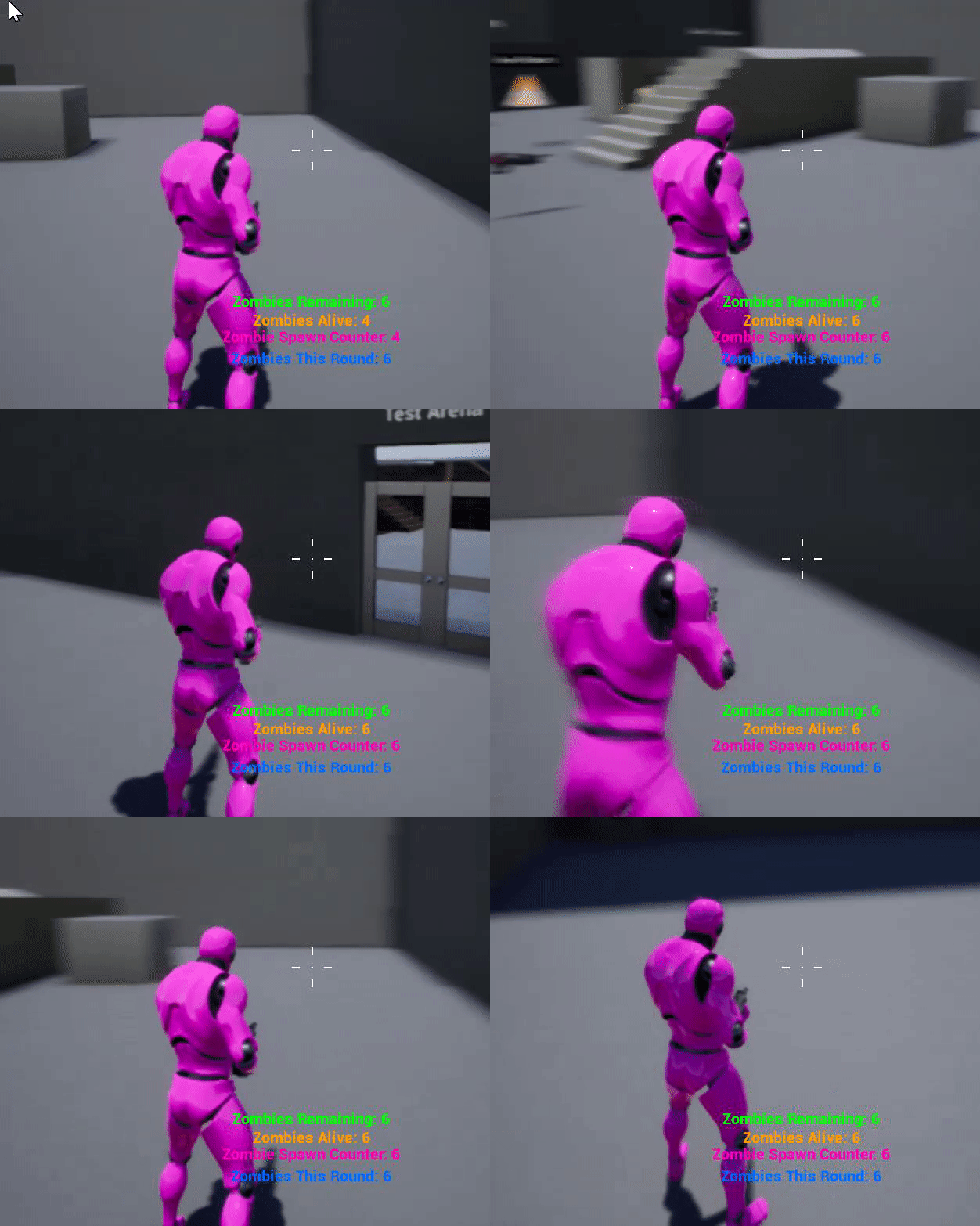
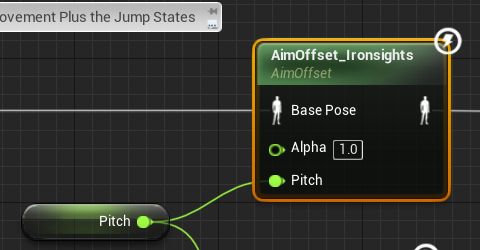
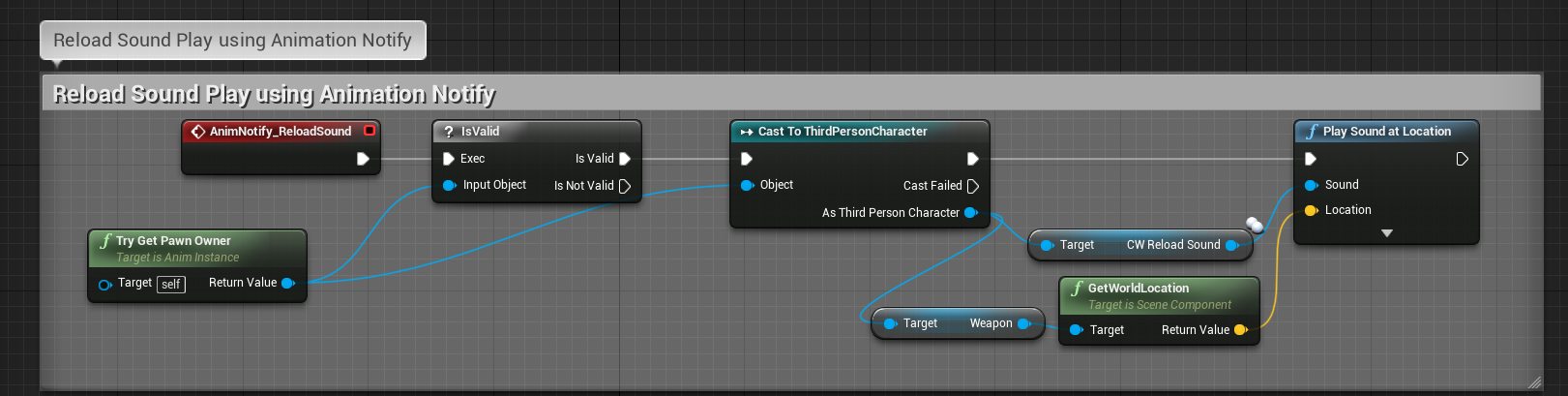
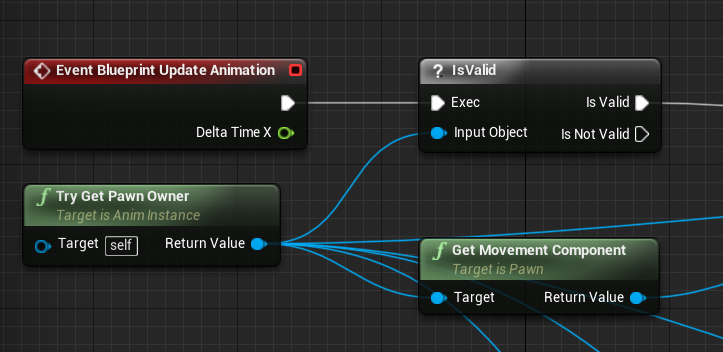


 hoary kindle
oke got it
😄
the lower arm missed a capsule and was connected to the upper arm
regenerated all the bodies and now it works
cloud lodge
can anyone help me understand why my montages fail to work?


want these to play on the lower body (legs only)
but i need to keep the locomotion on the top side
 lone flower
hey, so my animation isn't doing what it is supposed to be doing it doesn't move I am using version 4.22 preview 5
It's moving but not the correct way or speed
misty dagger
Hey, so I'm trying to get it to where whenever my character slides and does the slide animation (Triggered by an input action linked to Shift, and the input action is connected to an animation montage), and I want the player to be committed to the slide animation. As it is now I can continue to run, jump, and stuff like that even though my character is in the middle of the slide/slide animation, and I want him to be committed to the slide until he's out of it.
I got some help earlier, but I didn't really understand it very well. Can someone explain how I can set that up in detail? XD
fickle yarrow
@misty dagger You need to disable the input or the results of the input while the montage is playing. You could set an event timer to start polling when the montage starts and check if it is still playing and reenable input/motion control when it returns that the montage is not playing or you could use anim notifies and respond to those. Put a notify in the beginning and end of the slide montage.
hoary kindle
anyone knows if its possible to make my head sphere (these purple things between the constraints) cause to bend the spine? if im running into a wall head first, my head just flips backwards (:D) but i would rather have my character straighten his back
misty dagger
@fickle yarrow How would I do and set that up? The first way or the second one, which ever one is less complicated/confusing or the best way?
IF you could explain it in extreme detail, I'd really appreciate it since it'd help me understand it a lot easier XD
fickle yarrow
@misty dagger I'm not going to do that. There's a thousand and one tutorials on Youtube for that basic sort of thing. You could google anim notifies, go through any of the many series of tutorials out there or go through the live trainings to get going.
BUt the basic gist is an animation can triger a notify at any point of the animation. You trigger what you want disabled during the play of the animation at the start and trigger another notify at/near the end and re-enable it.
misty dagger
Yeah I know how to make the notify's and everything, but what I want to know is how to set it up where it disables input and re-enables inputs while in the slide so that you can't jump and stuff. I've never seen a tutorial on how to do that specifically.
misty dagger
Because I'm not entirely sure how i could make it that once the animation notif is passed in the anim montage the inputs don't do anything until the end of the animation where there's another anim notif that re-enables the ability to move and do other things, I'm not sure how to set that up blueprint and stuff wise.
restive yew
Reread Mike’s post. If you don’t know how to script it, I’d suggest watching some tutorials on the basics of blueprints and fundamental programming.
misty dagger
Is there anything you can recommend that'll help teach me what I'm trying to do
fickle yarrow
@misty dagger Here's what I did for a dodge montage, but I don't actually do anything with the start and end notifies. I was using them to triger a change in the collision height but with the mechanics of the game it's not needed anymore. The roll notifies are for triggering sounds.
I used root motion for the dodge, I did build another dodge that used a force so that there was a little control during the movement but removed it
you could add any kind of check before you process the input to see if you shouldn't add it to movement. It can be as simple as changing a bool value using the notifies.