#animation
1 messages · Page 108 of 1
 gilded latch
in the actual blend, when i drag the green preview dot over idle, its perfect. when i hover it over the walk, its perfect also. its simply the blended part where he dips below the ground
maybe root motion
hrm only seems to happen when i use one of the original tutorial animations (idle or walk or run) with any of the actual twinblast animations
 main frost
Newbie question, how do I go about getting a new character to use the existing UE4 mannequin skeleton and animations? I'm using blender and I can't seem to find a way to reimport an fbx to use those
 cosmic sable
ooh i'd like to know if that's possible
I just assumed each character model needed its own animation
main frost
Nevermind was just double checking something
what I do need help with is scaling though
I've retargeted an animation to the UE4 skeleton and for some reason it's importing incredibly small
when I scale it up in blender the model scales up but not the animations
wait fixed that too lmao
 bronze osprey
you can do full blown animations in ue4, i dont recommend it tho 😛
 sinful smelt
@cobalt steppe Like this ? 😉
https://www.youtube.com/watch?v=b80zmrbvgpM

Unreal Engine 4 Pac Man Re Target Test from the epic Third Person character. Need Help ? Check this: https://forums.unrealengine.com/community/got-skills-loo...

 cobalt steppe
@sinful smelt yeah :3 I was just looking into how that works and whatnot
Are the animation files made in UE4 itself or a seperate modeling program?
Moreso I was planning to make my own animations to begin with
 ocean wharf
I have a question about Animtrail effects. Do they attach strictly to the bone? What if I wanted to offset and rotate them?
sinful smelt
@cobalt steppe All the technics are in the description of the video 😉
 idle veldt
Yesterday I hooked up the AllRight Rig 2.0 pre-marketplace to a character in 4.19 to evaluate it for work.
So far its super adaptable ik/fk rig and animating in the sequencer is pretty smooth.
I'm getting it for home this weekend. This has a lot of potential to eliminate the need to leave UE to animate. google it, its pretty slick.
sinful smelt
@misty dagger Superb ! Looks realistic i think
 misty dagger
👧
gilded latch
this might be a silly question... but how do i just place a char in world and have them active when i play? the shibi test works fine... my version seems to require a gamemode to set default game mode, default pawn etc. i cant just place my playablechar_bp in world (where he shows up), hit play, and have game take over. missing an obvious step im sure
if i change my map to use my gamemode, it spawns new copy of my char and im playing that one not the placed one. and if i select none, like in the shinbi example, im not playing anyone. i can just walk around my placed char
cobalt steppe
Tried retargeting the model to no real results
Any idea what I'm doing wrong or...? ah well, I planned on making my own anims anyway for the most part
gilded latch
got it. someone helped me in other chan. was auto possess player!
cobalt steppe
oh wait I think now I'm kinda getting it
I can't get my model animating despite retargeting some bones already
gilded latch
to play just a single animation without creating a montage, is Play Slot Animation as Dynamic Montage the way to go?
i remember there used to be a playanimation but that seems to be gone
gilded latch
this is weird. cant see to force an anim or montage on eventblueprint start
 random shale
Ive downloaded coveranimset pro, but the animations don't show up for my skeleton, says not compatible, how can i fix this
 forest bronze
for some odd reason like 5 minutes ago I was able to create an animation track of my chracter here
buut now, when ever I select it and try to create an animation track It does not create the animation track of the thing
and I can't get it to work
h e l p p l z
forest bronze
Nvm I found the problem
 vapid ore
Can some1 explain me how to add ik bone setup to my mixamo skeleton?
 lofty marlin
Is there a way of letting UE4 Interpolate between Start and End of a Running Animation?
We seem to have 1-2 missing key frames (for whatever reason) and if UE4 can do that it would be faster than having the art team fix this
 sleek onyx
Hey guys, anyone know why my animation is importing like this?
Oh nevermind, think I've fixed it, I had it forcing to a certain axis on import and that seemed to have a effect on the mesh that it shouldn't have
main frost
I'm having a similar problem importing a basic metarig from blender onto the existing UE4 skeleton, the character's bone rotations are all over the place
anyone have experience with this or know how it should be done?
misty dagger
@main frost either your rig doesnt have the right heirachy or your rotation normals are wrong, that should be a simple google search tbh
main frost
I would think so, I guess I just don't know what to search
normally I'd just retarget it but that wouldn't be convenient for the client at all, and all of my search results are on retargeting
I'd assume the rig simply wouldn't import onto an existing skeleton if the hierarchy was the issue? Or is that incorrect? @misty dagger
misty dagger
client?
main frost
Buyer
misty dagger
do you have a buyer already?
main frost
Yes
misty dagger
cause this issue is a simple thing which any rigger should know, and if you are professional enough to have clients then it should be a simple fix
main frost
New territory I guess, and I'm freelance, they asked me
misty dagger
ok well i hope you get it sorted
main frost
Basically they don't want it retargeted, they want it on the base unreal skeleton
for some reason in spite of the hierarchy being 1:1 the import's rotations are a mess
I've had a similar issue gone by simply using an older version of blender but no dice this time
 devout dagger
I have a character I animate every now and then (adding extra anims when I get to it). When I re-import FBX with newly added anims into UE4, new anims are not imported :/ Is it a bug or a feature of 4.19.2 ?
(if I rename skeleton and import FBX as basically a new file, all anims get imported)
idle veldt
@lofty marlin if i understand your question correctly:
create a sequence level, load that into sequencer, add your skeletal mesh and animation, then add the animation again, on the same layer, and create a blend from the last two frames of your first anim clip into the first frame of your second anim clip. trim it on the second frame of your second anim clip, then save the new animation out.
in your animations, change the name of the old first animation (version it) then name the new animation what the old animation was. sometimes i trim off the last frame if it matches the first frame and is making a pop when looped.
lofty marlin
That does however sound more complex than having the art team fix the anim haha
I thought it might be an option to have looping animations blend from last to first key frame
Instead of expecting it to be perfect
I know there is a button to add the first key frame to the end
to make it look better, but the anim seems to be missing more than 1 frame
it's like 2-3 frames or so
Just a slight leg and arm movement when running
 forest comet
Is there anyone in here well versed in Blender? Im trying to attach 2 katanas to the TwinBlast mesh, the same way his guns were linked. Im sure someone that knows Blender well can solve this in 5 minutes but I cannot for the life of me figure it out.
idle veldt
@lofty marlin its pretty easy
Go to Blending Animations and Properties
https://docs.unrealengine.com/en-us/Engine/Sequencer/HowTo/CharacterAnimation
But ya...
If you can Get frame 1 from the animation and blend to it from those end frames in code.
Or in Persona set a zero key, on a layer, 3 frames in from the end, then copy the first frame, and paste it at the end of the animation. Pretty much same as blending in Sequencer.
This could be a quick fix if its just a few joint hierarchies to match up.
lofty marlin
Hm right. I'll look into it (: thanks!
sinful smelt
@lofty marlin Try to put 2 times your run animation into an animMontage
then select one of them then in right panel play with the times values of start at and end at
Then in the left panel you can change the value of blend and timing blend
lofty marlin
Can I play Montages in StateMachines?
devout dagger
you can @lofty marlin
although I'd say in the anim graph
I haven't tried doing it inside individual states
 hollow tulip
hey guys, do you know how can I use same miximo animation to multiple mesh ? when i try to use same miximo skeleton for other miximo characters the animation looks odd , the bones seams to have wrong scale (Edit: Nvm, i created a rig based on first character and retarget animations 😃 ) Edit2: But I need to duplicate animations, can I not have just one ?
 solid nova
yo
anyone know how to make animations
on characters
not be still in place?
Like if i have a walking animation
how can i let the animation actually walk forward? Without key framing it in the sequencer
Im doing a cinematic
I know ive done this before but i cant remember how i did it
 teal pawn
I have a question guys, just curious. How do you make "Lattice" like deformations on a cartoon rig from FBX? At the moment bones do not inherit global deformation based on parent, only local - making hierachal scale useless. I read in the forums that you can reparent a rig bone using blueprints to work this way.. but I'm trying to avoid this so I can just export from my target software (Blender) and get the "lattive" like deformations with sheer, sheen, stretch, squash, etc.
Main goal: Deformable non-spherical eyes within the same rig as the character.
@solid nova I usually bake the rig global root to a null, export that, then import that to the sequencer and parent it to the character - now I get the baked global transform of the character in the target software. As far as I know, you can also push your animation clip to also transform the root of your rig in the Skelaton view.
teal pawn
Scale will incluence how thigns go, so you better get your export/import game on.
main frost
Can someone tell me what I'm doing wrong here? I'm sure it's obvious and I'm just missing it
importing a character onto the existing UE4 skeleton using a skeleton made in blender
for some reason it looks like this when using UE4 anims
idle veldt
maybe try the ol, export the mannequin, pose match your character to the mannequin, and replace your character's skeleton with the mannequin's skeleton trick?
main frost
Rigging it to the mannequin huh
idle veldt
just the skeleton
main frost
it's safe to delete the twist and IK bones right?
idle veldt
i wouldn't change anything other than your character's skeleton using this trick
main frost
I don't know if it's blender, let me know if this rings a bell
I exported the UE4 skeleton to see what happens on reimport
Is this normal?
idle veldt
that's pretty not normal, i'd guess
main frost
For reference, I opened the default third person template, exported the mannequin as a 2018 FBX
then reimported that FBX selecting the mannequin's default skeleton
What makes matters more confusing, despite that looking chaotic, the mannequin itself looks fine when a specific animation is selected
idle veldt
sounds... promising?
main frost
I guess, that in mind I'll try just reimporting on the UE4 skeleton to see what happens
idle veldt
it never hurts to get one more version of fail out of the way until you get a win
maybe it hurts a little
main frost
good ol trial and error
idle veldt
huzzuh!
devout dagger
I have a character I animate every now and then (adding extra anims when I get to it). When I re-import FBX with newly added anims into UE4, new anims are not imported :/ Is it a bug or a feature of 4.19.2 ?
(if I rename skeleton and import FBX as basically a new file, all anims get imported)
anyone?
 split needle
ok
I need a person who is capable of answering what should be a simple question. HOW do I clamp or otherwise stop a bone from rotating past a certain distance!
Please help me.. this is driving me round the twist (get it.. ha)
devout dagger
don't set the range of degrees that would lead to twisty bones ?
split needle
@devout dagger what do you mean ?
devout dagger
how do you twist your bone ?
devout dagger
oh, it's IK your are talking about.. Probably worth asking in #virtual-reality since folks there work with IK setup
split needle
righteoo
main frost
Some further investigation @idle veldt
For some reason I can get the mesh to obey the bones by setting them all to skeleton
but then I lose the pose
devout dagger
so I guess no one adds anims to FBX and re-imports?
gilded latch
hi all. i have a 1d blendspace for strafe. -180 to 180, 8 segments. have all my anims in there. based on direction. everything works, everything blends. the only issue is when the direction swaps between -180 and 180 i get a hitch even tho its playing the same anim (both -180 and pos 180 are jog backwards anim). any idea how to fix? this only happens when i have any sort of interp set. i tried high interp. low interp. only works if its off completely but i need a bit to make the blending a little cleaner
teal pawn
Got it. I managed to make somewhat more deformable cartoon eyes without lattices and blueprints - direct from Bforartists/Blender.
https://media.giphy.com/media/5b9t6P4wzUa3SKrOfA/giphy.gif


Simple enough in concept, but can be worked on to make it work. Nice.
sinful smelt
@main frost If you are using blender, try this maybe https://cdn.discordapp.com/attachments/434369821803806730/464405674445635584/LocRotFix.jpg
 devout dagger
back with my question
I have a character I animate every now and then (adding extra anims when I get to it). When I re-import FBX with newly added anims into UE4, new anims are not imported :/ Is it a bug or a feature of 4.19.2 ? How to work around this issue ? (if I rename skeleton and import FBX as basically a new file, all anims get imported)
 honest shard
How can i accomplish a melee weapon collision with environment? I mean, i want to cancel the current montage on hit and start a "weapon hit the environment montage"
This is called when my sword collides with the environment during an attack animation
but idk how to stop the current attack montage and play the "environment hit montage" because even if i stop the montage and play another or simply call another montage, the attack montage doesnt seem to be affected
its only noticeable if the attack montage is 200% slower
honest shard
Maybe IK its the solution? can someone explain?
 craggy needle
@frosty peak @carmine cove
4.20.1 should help some of those importing issues :)
https://forums.unrealengine.com/unreal-engine/announcements-and-releases/1507567
Unreal Engine Forums
The 4.20.1 Hotfix is now live! This Hotfix includes important fixes for importing FBXs and crashes with forward shading.
Feel free to discuss this release on
 frosty peak
@craggy needle Just tested it. It's working great! Thank you, Amanda!
craggy needle
Woo! 😃
gilded latch
in animgraph, is there a simple way to make a transition rule that is simply X seconds have passed? like... im in combat idle... after X seconds return to regular idle.
maybe relevant anim length
honest shard
Do anyone know how to solve my issue? at least i want to know if its an animation related feature or something that must be done in regular BP
gilded latch
might be a silly question, but im playing an anim with root motion. char moved away from my cam and is now offset. how do i force cam to follow? it follows the capsule np
nm i think i fixed it
can single anims be set to a slot or must it always be a montage
what im really trying to do is create a locomotion set (Which i have, idle, run, stop, etc) and then have it talk to a combat actions that can supercede any of the stuff before. is that simply with slots? the issue im having is that i made an 8 way dodge blend (1d) and all anims use root motion (which i want).. .and i cant find a way to put those in the combat state and check for them then return back to the locomotion state machine
since i cant put montages in a 1d blend, i cant assign slots... it seems like. so i have a 1d blend for 8w dodge... but not sure how to make it work with the rest of the movement state machine
gilded latch
i got it to work using blend poses by bool and playing a cached pose of each into the blend. but seems like there would be a better way
 vivid roost
Is there a tutorial for how to make simple animations in Blender for unreal?
 wary geyser
There is NI mate 2
I had to solder a power cord to an Xbox one connect and change the usb to usbA cable and have a usb 3.0 port.
 vast trellis
I'm doing some IK stuff and I'm trying to implement twist bone constraints. From this, the forearm twist bone is supposed to roll 50% with the hand, and upper arm twist is supposed to rotate -100% with the upper arm roll:
https://answers.unrealengine.com/questions/111599/art-trouble-testing-the-forearm-roll.html
I'm trying to copy -100% of the rotation delta for the upper arm and it isn't working right, I think probably due to gimbal lock?
The X axis is applied last in unreal's euler to rotator/quat conversion, right? (since it is oriented around first person shooters and pitch/yaw are more important than roll)
am I right that you can't really take x deltas against ref poses like I'm trying to do with bone driven controller there due to that?
and any ideas on how to work around it?
vast trellis
(short version: I want to constrain a child bone to rotate opposite it's parent bone along the bone axis. is that possible?)
 unreal cosmos
shouldnt this be fast path properly?
4.19, pretty sure it was back when this was 4.16
 thorn tendon
Any keywords or nodes for switching directions more smoothly. Should I make a montage based on direction and button push time?
unreal cosmos
@thorn tendon state machine with an actual animation that goes from left to right
so you have 2 anims, left to right, and right to left
and 2 states, fly left, and fly right
well, and the transition states
thorn tendon
@unreal cosmos Right right, I will experiment with that!
unreal cosmos
ok my issues were a bug
bronze osprey
or hide it with special effects 😛
frosty peak
@unreal cosmos Have you tried disabling Nativize on the animBP? Some of the warnings, and Animgraph stuff gives funny messaging when nativize is on, Blend By Bools definitely work with fast path.
gilded latch
anyone know much about notify states? have a couple questions
 kindred swallow
Hey guys, using 4.20.1 how could one use the starter pack animations on a custom biped skeleton?
 foggy night
Retargeting the custom skeleton to the unreal mannequin skeleton. Check the Unreal wiki documentation for steps on doing this.
kindred swallow
Thanks!
 valid trout
I may have imagined this but isnt' there a feature in UE4 now that allows you to create new animations for an existing skeletal mesh within the ue4 editor? If so can someone point me to the name of this feature or documentation/tutorial on it? Thanks
honest shard
I'm doing an ABP that must support per arm animations (about 2 blendspaces per arm) and i'm doing it with Layered Blend Per Bone. I'm not convinced with the result, how would you guys do this?
 errant scaffold
hey guys, i retargeted a animation from a mixamo char to ue4 mannequin. but it turns out this way...any ideas how to fix it?
 sweet tartan
@errant scaffold have you tried raising the model?
Inside of there on the left there should be a function for it to be at a certain height. Do that and reimport asset. I think.
I'm pretty new to unreal so sorry if my 'help' is vague or unhelpful.
errant scaffold
in the retarget options of the skeleton tree i changed the translation from animation to skeleton, that did the trick 😃 however, the fingers are still messed up...
 lyric pelican
can anyone here help me retarget my arms to the ue4 mannequin?
 drifting oyster
I need ideas where else do I need to add transitions to fix a certain bug.
It gets into Idle_CrouchAim from anywhere, really. Same with going into BS_CrouchWalkAim
However, from BS_CrouchWalkAim it goes to BS_CrouchWalk when I stop aiming and moving, instead of going to Idle_Crouch
K, fixed it, wrong condition checks
misty dagger
I'm trying to properly export animations from Blender into Unreal to be used in game, and i'm quite confused as to what i'm doing, does anyone have anyone good tutorials or examples to look off of, such as on forums youtube or pluralsight?
feel free to @ me btw
 carmine cove
@misty dagger What are you confused about?
misty dagger
I dont know how to properly export the animations from blender into unreal to be used in a fighting game setting, calling animations and such.
I need to know what file type to export, where and what else should be exported and where it should go in my games files
forest comet
does anyone know if you are generally supposed to pre-make a gun recoil animation, or is recoil done in UE? And if its done in an animation WS, how? Do you animate the gun by itself? or is the recoil based off of the players hand movement?
 vague hawk
Kinda new to unreal. I have a JumpStart animation state that plays when the player jumps using a bool value in the ABP as a trigger. My game has double jumping, and I want the animation to play when the player jumps in midair as well. But if you double jump really fast it will try to trigger JumpStart again before the first one transitions out. What's the easiest way to instantly re-trigger a state like this? Is there a way to restart the state?
carmine cove
@misty dagger Export your skeletal mesh first (with the skeleton/bone chain), then export animations after that
misty dagger
Thanks joseph
carmine cove
you'd uncheck baked animation for the mesh/skeleton
and uncheck "Mesh" for the animations
vague hawk
also is there a way to rotate an animation asset within unreal? im using marketplace stuff so using the reimport setting will be annoying
misty dagger
Is there an easy way top retarget a bunch of anims that are all in subfolders? I want to do them all at once and preferably keep the folder structures intact.
Right now I can only think of going into each folder individually, or using the animation filter to ignore folders
 woeful aspen
this is really weird, my skinned hand is changing on import, the mesh is moving out of the skeleton and totally useless as animated
anyone have a clue what it can be_
?
 elfin cypress
hello guys, anyone can help me?
let me explain whats happening
the animation is a step foward + slash with a sword
my character is moving foward(a little buggy, he slides foward), but it dont play the animation itself
frosty peak
@elfin cypress If that branch is happening on tick then perhaps it is playing the first frame of the montage repeatedly.
@woeful aspen Is your mesh in the bone hierarchy? That looks like a double transform. OR maybe the skin weights are not normalized.
@drifting oyster There are simpler ways to structure your graph. For instance, if you had an Enum: Standing, Aiming, Crouching, CrouchingAim. You could do this graph with only 2 states by simply putting a Blend By Enum node in your Idle & Walk states. The advantage of that is that you don't have to worry about accumulated transition time or a web of transitions.
Or you could have separate state machines per stance, which would let you further develop each mode without needing a lot of transitions (I'm a fan of this pattern).
devout dagger
if I have a blendspace to transition from stand>walk>run (controlled by speed), how can I blend from run to full stop using additional animation ? (simply cutting speed doesn't look good)
elfin cypress
Guys, when im using a cast to my animation BP in my character BP, my blueprint doesnt work
my character start to slides on the mapo
misty dagger
Animation That Won't Import Into Unreal 4
carmine cove
@misty dagger What?
misty dagger
@carmine cove I was having an issue importing the animation, i fixed it
ocean wharf
What is the difference between anim composite and montage? The main question is how to combine an animation cycle with the specific pose into a single montage? On the transforms level, I want to apply pose data and then apply the animation cycle.
 gleaming glacier
I brought this up ages ago but no one had any solutions. The default UE4 Mannequin ignores bone translations, but I can use that identical skeleton but named something else and it works fine. Can someone please tell me why bone translation is ignored on the default mannequin skeleton? I don't want to have to retarget animations simply because the default skeleton has translation locked somehow.
Feel free to DM me if anyone has a solution to this problem
 finite trail
@frosty peak Any thoughts on this one? ^
frosty peak
@gleaming glacier Could you show us the retarget options on the skeleton?
gleaming glacier
@frosty peak That fixes it
thanks
I find it odd that "retarget options" affect an animation that isn't retargeted
frosty peak
the skeleton mode only uses rotations, so you need animation scaled or relative if you need translation from a retarget
gleaming glacier
It's not a retarget though
I just created my own set of animations on the default skeleton
hence my confusion
frosty peak
if you dont have any retargeting, then set it to animation
gleaming glacier
Which fixed it, thanks!
frosty peak
👍
 midnight granite
Anyone know of a unique alternative to anim notify for hit triggers?
 tame gulch
im getting some kind of crash that, as far as i can tell, is caused by bones going into NaN. is there a way for me to check where this is happening?
Bone transform contains NaN from AnimInstance:
carmine cove
Say I have a large panel with buttons that need to be pressed and a "move hand up and push button" animation
Should i use a virtual bone from the root for IK?
vast trellis
@tame gulch you can try trapping on NaN to figure out where it is happening:

Stack Overflow
I have an application where some component occasionally inserts a qNaN in a large data stream, which then invalidates the entire processing (FFT on a vector containing a single qNaN results in an all-
ocean wharf
I would really appreciate if someone could link or say how to apply an additive pose to the animation sequence. I am trying to combine both in the composite but I fail to apply the pose transformation.
misty dagger
I need to disable a IK post process when playing anim montages - how do i go about doing this?
And presumably turn it back on once montage is completed
frosty peak
@misty dagger Add a variable animation curve or metadata curve to the animation clip, then in the post process blueprint you 'Get Curve Value', store it to a float and use it as an alpha to your IK nodes.
random shale
everytime I duplicate retarget anims, it is crashing my engine any idea what could cause it
frosty peak
@random shale honestly, that could be just about anything. Have you setup your retarget mapping? Does it happen with any single animation?
random shale
seems to of been caused by my virtual bones
my screen now looks like this, instead of showing the animation and all that
how can i fix it
frosty peak
wow thats messed
you might be able to reset your workspace layout in the window menu
random shale
yeah, no idea how it happened!
random shale
reset it, didnt change it :\
frosty peak
restart the editor? Did you have a persona window open while retargetting?
misty dagger
@frosty peak Thanks, but that's not really going to work i dont think - it's a separate post process anim BP that i wish to disable then enable whilst a montage plays. Still trying to find a solution
frosty peak
@misty dagger This will work, the variable curve is stored on the skeleton, which your post process animBP has access to.
I use this pattern myself
misty dagger
OK ill give it a go, but simply making the alpha 0 inside the post process BP didnt help
frosty peak
like, it was still doing the IK?
misty dagger
I believe so. Currently I'm using the ALS loco system, which uses the post process anim BP for feet IK etc, which is good.
But when i go to play a montage on my character, this is of course affecting the montage playing. if i remove the post process BP from the skeletal mesh, it plays montage correctly as you would expect.
Setting the two bone IK for each foot's alpha within the post process to 0 still causes the issue
So im looking for a way to just ignore the post process BP when a montage plays, maybe by a notify or somthing
frosty peak
Have you checked to make sure that you are playing the montage into the correct slot?
curves > notifies
misty dagger
its set to fullbody
frosty peak
I would first just verify that you have the right node for the IK.
if you plug in an alpha into a two bone IK, or any anim node, you should see it disable correctly
if its not disabling, I would guess that is not the node you are looking for
misty dagger
OK ill dig deeper, thanks
frosty peak
this curve approach is Epic's goto for disabling IK
misty dagger
I was hoping that whatever function runs when you press the new yellow box to disable the post process, can just be implemented :P
frosty peak
you certainly could
there are many options
you could remove the post process animBP from the skeletal mesh, and then use a Sub-Anim Instance inside of the main AnimBP
or within the postProcess you could cache the incoming pose, and then have a blend by bool or even a regular blend, that allows you to skip the entire post processing chain
lots of ways to handle it.
personally, I usually avoid IK till the very end of the project, so that I don't have to deal with that complexity day to day
random shale
on my animation sequence edit screen, it's not autoplaying the sequence
how can i get it looping
misty dagger
Cheers man
misty dagger
@random shale Also depends what you were doing last, if you left the previous sequence paused, the next you open will be paused at frame one, or playing if the previous was playing
 frank bluff
Hey gang, silly question:
I've got a series of Mocap animations, whose root translations were converted to Anim Curves. They couldn't blend into my other animations because their root node were oriented differently which resulted in that "dipping" effect during anim blends (3D Max vs Maya, I believe). I re-exported the animations with the fixed root orientation. Is there a way to copy-paste anim curves from one animation to another?
frank bluff
doing a very hacky anim modifier BP to just quickly copy paste. hoping it works
frank bluff
yup, the anim modifier bp with the apply button seems to do the trick though it's unwieldy to have to do that with 100 animations
random shale
could anyone here add ik bones to my skeleton? could offer like $30 usd
 tawny bone
@random shale Just add virtual bones inside unreal?
carmine cove
What's the cleanest way to use animation notifies?
I'd like to make a system where every single animation doesn't need to have it's own specific events
For interactions with items
frank bluff
@carmine cove do you mean something like making generic events like "AnimNotify_TriggerPickup"/"AnimNotify_TriggerUse"?
if that's the cas,e each item would have some base class like interactable_item, then AnimNotify_TriggerPickup would say interactable_item.UseItem() and you would define the custom behaviors in there
your animBP (or more likely the higher level character BP) would keep a cached reference to the interactable_item that's about to be used
carmine cove
@frank bluff I'm thinking along these lines
I guess if each Object had an interface with functions for each event, this could work
Like BPI_Interactable with events Event1() Event2() Event3()
Less arbitrary names would probably confuse things because they'll be used for so many purposes
frank bluff
that makes sense
now you've got the matter of caching that object you're dealing with so you know who to talk to when the event fires but that's whatevs
(so, in other words, I don't see the instigator of choosing which interaction montage to play and stuff like that based on it looking at the interactable BP_Object)
carmine cove
I'd almost rather use an interface for that in my BP_Player so that I don't have to cast more strongly than ACharacter
Even if it does nothing but set the Item in the ABP
frank bluff
that should be fine; interfaces are a solid route
 hollow axle
Why won't my guy hold his gun when he runs, I have been following this guys tut for a week and his guy holds his gun but mine can't
 cloud lodge
your socket out of place?
 trim frigate
Wasn't sure the best place to put this but in sequencer or blueprints, how do you section actors so that you only play their animations at a particular time and not everything within a sequence?
I hope that was somewhat clear.
misty dagger
Is there any way to get animations for the default UE4 skeleton working on skeletons with extra bones (such as the paragon assets) without duplicating and retargeting them?
I imported a paragon character as the UE4 Mannequin skeleton. The default animations work, but now no animations made for the paragon character work.
Basically I want the same Animation blueprint for all characters, but also allow for animations that use the extra bones to work through a variable or something
 faint spoke
Hello, im bringing in an animation from mixamo into UE, but unlike in mixamo I have to animate the position of the character myself, and its not looking very good
can I make the position be animated with it

 misty dagger
@faint spoke Does the animation include root motion? That would fix your problems.
 dusk dove
afaik mixamo doesn't have a root bone like UE expects
you need to retarget the animation with a new root bone
then you can animate the hips separately
honest shard
Hello! i want to reproduce the animation effect when the weapon collides a static mesh (wall)
I've been testing a bit and its not possible to play a montage after the "HitWithWall" event because when the hit event its received the attack animation its almost finished
So i guess it may be accomplished with IK, what do you guys think?
faint spoke
dusk dove
Afaik there is no explicit save button. it automatically saves when you do changes
so it should be fine now
faint spoke
Ok o-o
 crude sun
Can an event be triggered from an animated material?
cloud lodge
that model looks like the Fortnite Omega
someone trying to make a battle royale game? 😄
that is also a back bling from fortnite..
 noble pelican
I'm trying to do strafe movement and I get the jerky movement when switching from -180 to 180 direction. I can fix this by checking/unchecking orient rotation to movement and use controller yaw, but if I change these bools in game I get the jerky movement no matter what, even though they have the correct values. anyone knows why?
 noble pelican
I don't think it's the animbp or blendspace, it works fine if I set the bools before playing, it only jerks if I set them ingame
 young urchin
oh, ok, sorry
hollow axle
How do I zoom in wothout a mouse on the event graph
tame gulch
is there any reason why an animnotify wouldn't trigger?
100% confident the animation that i'm using is being used, the notify is in place, and nothing is happening
so my question is, why wouldn't it trigger?
 tender condor
Hi. Would be interesting to know what node are you using to play it, and what does the anim notify.
Or if it's being played by animBP
tame gulch
it's being called by native code
the confusing thing is
i played a particle effect
and that is working
but then i made a custom notify and it's not firing
it's not doing anything in the anim bp
tender condor
What do you mean by native code ?
tame gulch
C++
tender condor
Sorry, I'm game designer, so that means I am a BP guy.
thing is it may be possible that if the animation is being overriden by the animBP the notify may not shoot
also, if the animation is blending may happen that, depending on the weight, the notify may not fire too
It happend to use once or twice
This is the thing I was talking about...
if your settings are None, or Highest Weighted Animation... you know.
young urchin
it was using the wrong animation blueprint
95% of issues *** was *** wrong ***
 surreal barn
is it better to use unity for low poly then unreal ?
faint spoke
@cloud lodge im not making a game lol
im making a fortnite montage
And making cinematics on EU4
I dont make games im filmmaker
Thank got it looks like the fortnite model! I made it look good then ^^
Someone is trying to be too clever 
cloud lodge
so the model comes from where?
faint spoke
I got it from sketchfab but ofc I guess they exported it from the game
But im doing like every other video on youtube to do with fortnite
Idk why I should sotp doing
I don't make games
 dapper arrow
anyone else having the problem with 4.20 that client-animations (skeletal mesh component) on server-side have a lower update rate? reproduced this in the third person template.
 spiral pumice
Only the Skeletal mesh component of the character seams to be affected
when you add a new skeletal mesh component to the character this one works fine
misty dagger
How can I quickly and accurately get the movement speed needed for an animation?
 tender crypt
I need a lot of help getting a smooth transition from my idle animation to a one-off animation (which i call via a keyboard input). If you can help please DM me
 bleak mirage
can someone help me wrap my head around skeletal meshes for a FPS?
I have around a dozen textures gun models know how to rig them in blender
But does every single gun need it owns skeleton or is there a way to share a rifle skele, pistol skele, etc
Or can it be even more generic and all my guns share 1 “gun” skeleton?
forest comet
seconding this question ^
young urchin
@bleak mirage it can be generic
you just need to make a list of possible parts that WILL move on the gun
make bones for each of them and make them a child of one bone (body or something like that), then parent this bone to root bone
root
| - gun body
| - stock
| - trigger
| - ammo clip
| \ - ammo (in clip)
| - ammo shell (for ejection)
 sudden sedge
for first person meshes names don't have to be consistent, but it helps for attachments
like have a bone for a bullet ejection port socket
for third person, definitely have a set naming scheme
there are a couple ways to do third person animations for weapons
1 is to have all the bones in the main mesh, then bone merge the weapon to the main mesh
benefits include being able to animate everything all at once
- is to just attach the weapon to a socket on the hand bone
benefits include being able to animate the weapon separately from the mesh. However, syncing animations between the two is harder
I mostly animate for the source engine in 3ds max, so I can't help you too much further
young urchin
2 can be animated same way as 1, you just need to have properly oriented root bone of the weapon in the app. and then 'enable root motion' in ue4, when it'll be attached it will be on it's place
but this won't work with retargeted skels
sudden sedge
you can use ik solvers to help with that
young urchin
yep
sudden sedge
I still have yet to figure out unreal 4 ik
it's a bit more of a pain to set up compared to source engine
young urchin
google two bone ik
bleak mirage
Thanks guys!
Wait so 1 skeleton asset for all guns in UE4 but as far as the 3D modeling application
Can I just copy my armature
From one gun to another
sudden sedge
you can use the 1 skeleton asset, then export their ref poses as animations
bleak mirage
And assigns the bones I need to that specific gun and leave the rest unassigned
sudden sedge
you can do that
young urchin
@bleak mirage just make sure bind poses are the same
sudden sedge
make sure to move them as needed then export them as a new idle animation
I don't think the bind poses have to be the same
it'll just move the bones to fit the skeleton
iirc
young urchin
@sudden sedge if you pick existing skeleton in ue4 when importing different gun it may screw the model, due to bone angles, ofc if you set skeleton bones retargeting to Animation it should not be a problem
sudden sedge
shouldn't matter if there's a idle pose animation
then all the additive animations and whatnot are tied to that
young urchin
bind pose issue, when picked animation made for this skeleton but for different model
sudden sedge
as long as the rigging is in tact, won't that not matter?
young urchin
bind pose is rigging...what you mean by intact?
young urchin
weights are there, but 0 angle is 15 degree plus
sudden sedge
and won't that be overridden by the animation?
young urchin
means if animation has value 0 - skeleton shows 15
Well, i'm just telling the issue i had. Had to align the bones and re bind the mesh.
sudden sedge
hm alright
young urchin
also maya -> ue4 is completely voodoo when you speak of joint's angles
sudden sedge
heh
young urchin
iirc there was some bug report regarding partial support of joints attributes in fbx
misty dagger
How can i make some kind of boolean that knows whenever a montage is playing on my character?
 ivory warren
hey guys, anybody here uses Perception Neuron Motion Capture Suit?
Having some trouble trying to import root motion from its Axis Neuron program into UE4
 main patrol
I have to ask, anyone here got any experiences using the ARTs plugin for maya?
Has anyone successfully exported a weapon animation along with that tool? using the plugin export, https://docs.unrealengine.com/en-US/Engine/Content/Tools/MayaRiggingTool/RigTool_Animation
I cant get it to show up in the list even though I name weapon root join, "Weapon"
devout dagger
I got interesting thing happening with Blendspace.. I have horizontal axis with 38 units on it. At 0 I have idle anim and at 38 I have walk anim. I assumed that max value on horizontal axis would be my NPC's max walk speed, which was set to 38 initially. Then I figured that 38 was too slow and I changed that to 100 on the character's movement component. However, I forgot to update blendspace (to expand horizontal axis to be 0 to 100). Interesting thing happened - my walking animation playback speed got automatically updated and played faster. So if I change walk speed dynamically during gameplay, walking animation playback speed gets adjusted automatically, which makes it look matching movement speed. It's pretty awesome, but if I throw into blendspace running anim, I can't get walking anim to match movement speed :/
- Is it a bug? (having blendspace max value lower than max walk speed makes anima playback increase automatically to better match movement speed)
- What do I need to do (correctly) in UE4 to have blendspace with walk and run anims (0 is idle, 100 is walk and let's say 250 is run), but have walk anim play faster to match actual movement speed (I'd really hate going back to 3D app and adjust keys to make walk anim faster or slower) ?
devout dagger
anyone?
 wheat geyser
Hello, has anyone come across an issue that the weapon disappear in the first person camera after performing an attack animation?
I guess my problem is after performing an attack the player doesn't reset its animation to default.
devout dagger
@frosty peak ^^ do you happen to know anything about my encounter ?
misty dagger
@wheat geyser Press F8 to unposses and see whats happening
 wide raft
does someone have a animation rig for mario
dusk dove
has anyone successfully used Sub Anim Instances in multiple state machines before?
I get an compile error, that it causes a Sub Instance Loop, although that shouldn't be the case
 sonic roost
I can't modify this imported animation, there seem to be no keyframes in the anim preview
vast trellis
Is there any advantage to having sync markers when the toe bone crosses the root (as in the paragon assets), vs markers when the foot first makes contact?
dusk dove
Is there a different way for reusing Animation Graphs than Sub Anim Instances? You can only use Sub Anim Instances only once in your graph (see above)
devout dagger
I got interesting thing happening with Blendspace.. I have horizontal axis with 38 units on it. At 0 I have idle anim and at 38 I have walk anim. I assumed that max value on horizontal axis would be my NPC's max walk speed, which was set to 38 initially. Then I figured that 38 was too slow and I changed that to 100 on the character's movement component. However, I forgot to update blendspace (to expand horizontal axis to be 0 to 100). Interesting thing happened - my walking animation playback speed got automatically updated and played faster. So if I change walk speed dynamically during gameplay, walking animation playback speed gets adjusted automatically, which makes it look matching movement speed. It's pretty awesome, but if I throw into blendspace running anim, I can't get walking anim to match movement speed :/
 idle gull
Hey guys, I have an issue
carmine cove
It's all about how you're getting the speed value to set the blendspace
Keep in mind that Blendspace values are all arbitrary
you could set it to 500000 if you wanted
@devout dagger
idle gull
I have an animation with root motion to rotate 90 degrees but when the animation ends, the rotation of the character gets back to normal (look forward)
carmine cove
It's not using root motion then @idle gull
devout dagger
@carmine cove so, it doesn't matter what value I have blendspace at all?
idle gull
@carmine cove yes, it is using
carmine cove
It only matters based on what value range you're setting it from
If you're getting the linear speed of the Pawn, then you'll need to look at those values
@idle gull I kinda doubt it, can you send your anim fbx?
here in the chat
You using maya or blender?
idle gull
I used Blender to make a root bone
carmine cove
That's fine, just send the fbx and i'll check in both
idle gull
Ok
 outer garden
I've asked in the forums and they don't seem to understand the problem I'm having. I'm animating videos and such, and for that I need the different actors to interact with each other differently in each "clip". If I Attach one rig controller to another, like shaking hands in shot1, the hands will be Attached in all of the other clips. This is a huge problem. There's other issues with other things being active in all clips at the same time. Can I make each "shot" an instance of its own? I want to work in each shot, with all shots together in one map.
idle gull
Here @carmine cove
devout dagger
I gotta record a video showing my setup. It doesn't make sense, because animation playback changes based on values of the axis in blendspace @joseph; I get pawn's velocity and feed that into blendspace in the anim state. But if I vary max value in the blendspace asset, anim playback speed will be different based on that axis value.
carmine cove
Right
You can either linear interpolate between your blendspace values based off the velocity, or you can hard code it
devout dagger
So let's say velocity is 100. With max value of 38 on the axis, walking anim plays really fast. If I change that value to 50, it will play slower. However, characters movement speed is still 100.
How do I lerp between values based off velocity?
carmine cove
@idle gull you should really have a root bone parented to Hips
idle gull
What did I do wrong?
I just followed this video tutorial
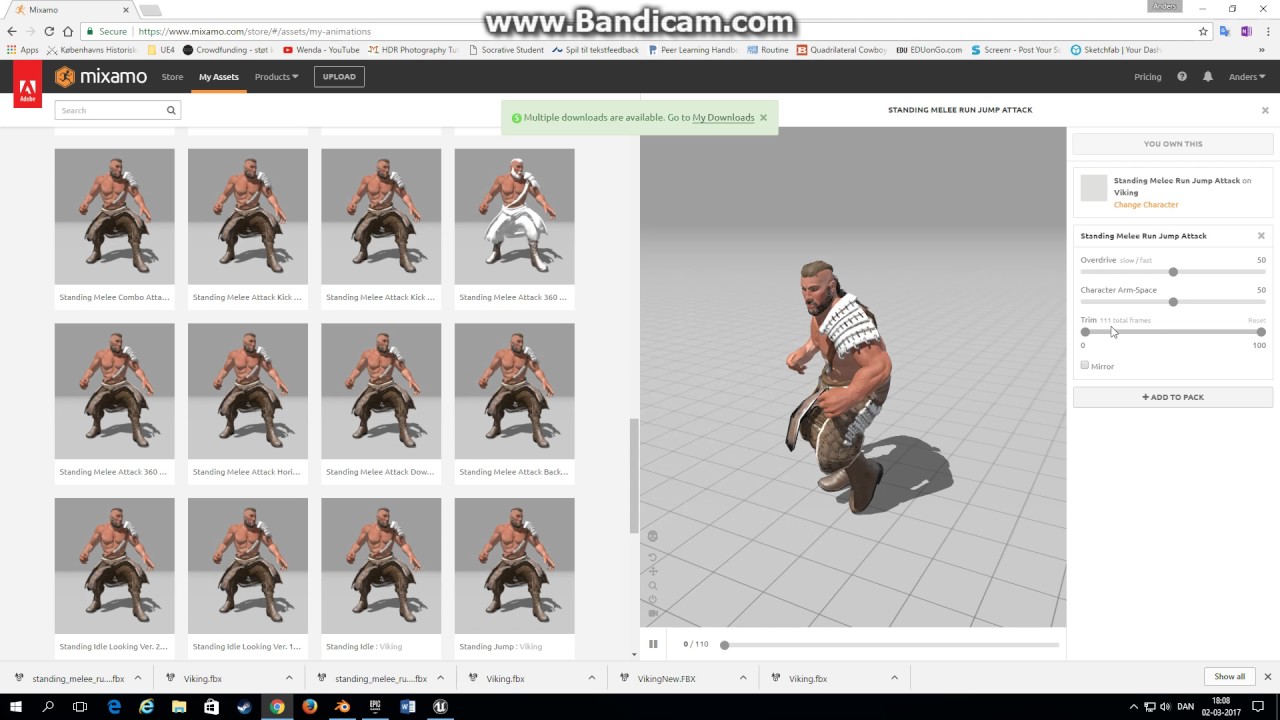
A tutorial showing how to get rootmotion animation from Mixamo into Unreal Engine 4 using Blender. We will first add a rootbone to a character from Mixamo an...
carmine cove
I'm sure you can still do root motion, and it appears to have root motion on the animation, but things aren't going to be fun for you not have a "root" bone at the origin
Guessing your issue is how you're playing the animation in unreal then
Is it a montage or animseq
idle gull
It's an anim sequence in the AnimBP
carmine cove
@devout dagger just divide it by whatever your max velocity is and drive the lerp node off that
Have you set your animbp to get root motion from all?
idle gull
no
I'll try
still the same
I think it's because of the character
it's an First person camera
carmine cove
shouldn't change anything
carmine cove
If he turns back to facing forward at the end, then it's not getting root motion
Did you enable root motion on the animseq?
idle gull
yep
carmine cove
Another thing you can do is add a arrow component to your BP and see if it rotates in game
If it doesn't rotate at all, no root motion
You'll have to set bHiddenInGame=False; bVisible=True
carmine cove
Then you're not getting root motion
Send your SK fbx
@outer garden Each character should play it's own separate animation
You can either keep them both at their own root and offset them in unreal, or you can create both animations relative to the origin in your animation program and play both from the same location in unreal
idle gull
I am using the UE Manequin, how can I sent it?
carmine cove
No way
It's not compatible at all with the mannequin skeleton
you must have retargeted at some point
idle gull
the animation is not rotating because it's not compatible?
carmine cove
animation wouldn't be imported if it wasn't comaptible
idle gull
ok
carmine cove
your character
idle gull
without the root bone modification?
carmine cove
I bet you anything it's because you retargeted
Why don't you just try to use this root motion with your original sk
bet that'll work
Especially if you retargeted to something with a parent root bone that isn't animated
Mannequin doesn't have any root motion because you didn't feed it any animation during the retarget
carmine cove
@dusk dove Deriving animbp child classes has always been a shit show for me
dusk dove
Sub Anim Instance != inheriting
dusk dove
kind of. but you can only use them once in your anim bp
idle gull
no, even with the original SK the controller is not rotating
carmine cove
alright, send your sk
idle gull
with the root bone modification?
carmine cove
the original skeleton with no animation, exported from blender
idle gull
Here
carmine cove
Shouldn't have a root
Why isn't there a root in your anim?
I'm surprised the animation you sent before was even compatible with this
idle gull
I made this Root
 winged valley
@idle gull You don't have a root, the armature turns into a root bone because you didn't name the armature "armature".
winged valley
That removes the armature turned into a root bone but there's still no root bone at 0/0/0 which is needed for root motion.
carmine cove
You sure it has to be at the origin for root motion to be applied?
kinda wanted to test this
@idle gull Did you just change the skeleton?
I need the one compatible with the animation you sent earlier
idle gull
nope, it's the same Skeleton
carmine cove
Then you didn't export the animation correctly
idle gull
huh?
carmine cove
You have a root for the skeleton
But not in the animation
try exporting it again
idle gull
ok
carmine cove
idle gull
like this?
carmine cove
this is your skeleton in blender
idle gull
I have to rename the armature?
carmine cove
This is how Xbot imported
carmine cove
send me the anim fbx
idle gull
here
idle gull
still the same thing
idle gull
😩
carmine cove
There is some animation on the Root bone, but it doesn't rotate the character
just offsets it a little bit
idle gull
ohhhhhhh
carmine cove
Which means that when you play in unreal, it will translate the capsule collider a little ways
idle gull
I think I know what happened
carmine cove
but it won't rotate, because the rotation is from the hips and that's a child bone
idle gull
the guy in the tutorial copied only the location keyframes of the Hips and pasted in the Root bone
if I copy the rotation key frames
I think it'll work!
winged valley
I tested root motion on hip bone, it actually works so you can technically use an armature like that for root motion. But it will cause issues because hip movement/rotation will have an effect on root motion even when you don't want it.
idle gull
the debug arrow do change it's location according to the animation
but it does not rotate because the root bone does not rotate
it could be this
idle gull
I'll try and tell you if it works
carmine cove
I would imagine that on import the hip bone has a root translation of like 90cm?
idle gull
i don't know
winged valley
@idle gull Did you check the retargeting mode in the skeleton for the root bone?
idle gull
yes
idle gull
well
did not go as expected but
I'll make it different
intead of making the animation rotate the player
I'll rotate the player smoothly while the animation is playing
It might have the same results
sorry
sorry for troubling you
nope, it didn't work as exected
forest comet
does anyone know how to set predetermined distance/speed and height to an animation when a button is pressed. And lock out user input while the animation is running? I have a flipping anim, and want the actor to go a certain distance forward and up when 'F' is pressed, and to block user input while until hes landed and anim is over. Any ideas?
I think I can manage the user input blocking. But I dont know how to make it so the animation has a built in distance and height it travels
foggy night
You can set the jump height in the movement component of the character blueprint
forest comet
Pretty much got it. you send target location through timeline, plug that into vector lerp with current location. before that you split sequence the animation to play then the timeline, and throw a jump command in right before the animation node
 stiff fable
anyone know why i cannot import a first person ik rig?
the fbx’s (separate animations) have a weapon and ik rig attached to the arms mesh
is it even possible to have the first person rig to be an ik rig?
and have it function in unreal?
devout dagger
You have to set up IK entirely inside UE4 @stiff fable
How - I have no idea as I haven't gotten to IK yet
stiff fable
guess i have to use the offic. documentation then?
vast trellis
For looping animations, the first key and the last should be the same, or will it interpolate between the two? and how does it know the distance between the two if so?
vast trellis
it seems they should be the same, and the engine has a menu item called add looping interpolation to generate that extra frame at the end that duplicates the start if needed
Is there a way to prevent animation scaling on the idle animation at the center of a 2d blend space? setting rate scale 0 doesn't seem to do it
ocean wharf
No, your last frame shouldn't be the same. A frame after the last one exported should be the same, but that is mainly to control the curves
The looping function adds an interpolation frame between the last exported and first.
 main ferry
Anyone know how I can change the number of frames per second an animation is? Lets say the animation is animated to be 30 FPS. The actual animation is 26 Frames long so it's around 0.85 seconds long. What if I want that animation to play at 8 frames a second? So when I double click an animation I would expect to see the play rate at 8 FPS so I could select between the 8 frames and see where everything would be at that frame increment
misty dagger
why this nonsense is happening to me
iv followed many tutourials
to rig my character from mixamo to UE4
and then retarget UE4 animations to my charcter rigg
and this what i get
my character godzila hands and moving , and my charcter isnt there
what should i do guys
im about to quit this engine
unity3d rigging is alot better
0 efforts
😩 😩 😩 😩 😩 😩
devout dagger
yeah, UE4 is like a spaceship - a ton of controls for fine tuning and specific workflow..
misty dagger
i mean, its suppoused to be simple
my character is mixamo rigged, and i retartgeted its bones manually and fine
but i cant retarget from another animations of other skeletions
or from other skeletion of mixamo characters
anyone know solution? or something im not doing right?
devout dagger
I never worked with Mixamo, so I wouldn't know 😦
Folks, I have full body anims (running, standing and shooting, standing and reloading, etc.). I figured it would be nice to isolate lower body from upper body. This way I can play running anim on the legs and play shooting / reloading on the torso. That would eliminate need in making a ton of anims for every case. I am guessing I'd need to create state machine cache for lower body and upper body (using the same anims, but different transition rules) and then blend them into the final pose. Is that correct ?
if so, what kind of blend node should I use to blend upper and lower body anims ?
devout dagger
anyone ?
 jade lance
@devout dagger node is called "Layered blend per bone" in case if you are still looking for it
devout dagger
aye, thanks
jade lance
use one of the spine bones
devout dagger
if I plan on making torso/legs mixing, aim offset, IK on legs and control head/torso via blueprint (to turn head/torso slightly to look at player), what would be most appropriate and easy to handle setup for the anim graph ?
(I don't know how to do all that right now, so I am planning to gradually get through all of those features; but I need to make sure initial setup will be easily expandable so I don't have to redo the whole anim graph at some point)
jade lance
Honestly is it up to you, and you could check setup from Paragon
devout dagger
I don't think it's up to me - you can see a lot of bizarre setups on Answerhub 😃 It was up to their authors to set it up in a wrong way to begin with. Otherwise they wouldn't be asking how to clean their anim graph to begin with 😉
there gotta be some ground rules and best practices for that kind of setup
sinful smelt
Character Interaction + ALS V3
https://www.youtube.com/watch?v=Bap_-9_XCN8&list=PLlwJ8V-ghUTOkagp7XW4iAIW94cYqqc9N&index=11

TEST 11 A First Person Shooter UE4 Project based on a mix of 2 UE4 Marketplace Assets : Character Interaction https://www.unrealengine.com/marketplace/charac...
devout dagger
I just finished watching this video https://www.youtube.com/watch?v=6aZbnldZjeM

(00:05) - Intro and final Montage setup (02:50) - Blend per bone (04:22) - Cached poses (05:41) - Specifying bones to blend (07:31) - Wrap up
all cool, except he lost lower body anim when punching and standing. Now legs just stand there when character is punching and it doesn't look good.
How to resolve this issue? (have full body working when punching in idle and allow punching with running legs anim when running)
devout dagger
@jade lance ^^ do you happen to know, by chance?
jade lance
@devout dagger check latest animation tutorials from Epic Games on their youtube channel, they did show how to solve that issue in one of the videos
devout dagger
aye, I guess I have no choice but to get popcorn (there are a lot of videos to watch o.O )
😊
 gritty sapphire
Lip Sync Animation Test in UE 4.19 using Allright Rig 2.0 plugin
https://youtu.be/Rd3osAbsB2E
 ivory warren
Hey guys, I've been having problems with root motion for unreal. I have an animation captured from a mocap suit (Perception Neuron). The root motion is done on the "Hip" bone. Unreal Engine needs the root motion to be done on the "Root" bone (Armature). How can i fix this? I'm using blender, can i transfer the animation from the hip bone to the armature somehow? or is there another solution?
 distant sigil
Hi guys.
Some question about characters.
What is correct way to create characters that share same skeleton , but have visual difference?
For Example, i have 11 football players, they all have same skeleton and animations, but how can i make them have different heights, and different faces? maybe use morph targets?
devout dagger
@ivory warren most likely you are screwed 😦 Try this - add a root bone and parent hips to it (in Blender). Then add Copy Transforms constraint to the root bone and use hips bone as source.
there is also a plugin for UE4 to get mocap from the suit directly into UE4
ivory warren
@devout dagger so u mean that i should add a new root bone to the hips in blender. and in UE4 i retarget the root bone to be the new bone i created?
also i've never used the plugin for UE4 for the suit as i've read it's only for displaying the animation with the character of my choice
but i will try it, might be useful 🤔
devout dagger
no, I mean you add a new bone in Blender (inside WarriorSkill_3 Armature), call it Root and parent Hips to Root so you have Root > Hips > etc. hierarchy
the add constraints to Root bone in Blender
ivory warren
oh okay, let me try that and i'll get back here!
devout dagger
actually, that won't work - I just tried
btw, root motion refers to the root bone in the hierarchy, which in your case is hips
I don't think you have to have root bone before hips
ivory warren
but when i export from blender to unreal, the hips are not the root bone
i get an extra root bone above it
give me a sec and i'll send the hierarchy in unreal
devout dagger
If you rename Armature from "WarriorSkill_3" into "Armature", UE4 will remove that on import and your Hips will be root in the hierarchy
ivory warren
already tried this before and didn't work. trying it again, sec
 stiff ledge
Hey,
Is it possible to switch an anim montage slot during runtime?
What I am trying to achieve is to play full body animation if character is standing still, and just upper body while moving.
devout dagger

In this stream, Wes Bunn takes a look at the quickest way to get a humanoid character up and playable from a Skeletal Mesh and a series of animations. We’ll ...
This one talks about all those things
ivory warren
@devout dagger MAN I LOVE YOU SO MUCH RIGHT NOW!
renaming the armature to "Armature" worked! i swear i've tried it before but it kept importing the bone, i might have mispelled it back then or something
devout dagger
👍
stiff ledge
@devout dagger Thanks!
devout dagger
np
 green island
blender bone constraints "limit rotation", does it have an effect in ue4?
 frigid drum
no
green island
ty 😃
sonic roost
how do I use a layered blend per bone to manipulate animation data on 2 separate hands without overriding one another?
frosty peak
@sonic roost You'd manipulate your pose in two separate 'branches' of the animGraph and then use the layered blend to combine the hands together.
devout dagger
@craggy needle @tight tartan In this stream https://youtu.be/YVC-DL9Ibf0?t=1h51m7s Wes mentions a PDF file where it's outlined how animation stuff for Paragon was structured. I can not find the link to said PDF file. Could you guys please share it here or in the stream's announcement forum post ?
In this stream, Wes Bunn takes a look at the quickest way to get a humanoid character up and playable from a Skeletal Mesh and a series of animations. We’ll ...
sonic roost
@frosty peak I have a state machine working on the body overall, the 2 hands separately would have to be added to that
Do I have 3 blend poses, default open hands, right hand closed, left hand closed, both hands closed
or something
then adjust the weight
frosty peak
whats the use case? are you switching grip poses?
sonic roost
Yeah it's a VR game and I have an 'owner no see' body IK system in place. Need the hands to get into grip pos. depending on grip state for other players to see
When holding guns
One-handed, 2-handed, different variations
frosty peak
you can either use a state machine or a Blend By Enum, but I would have one of those per hand
let me see if I can mock something up
sonic roost
awesome, ty
frosty peak
@sonic roost
this is one way to approach it
basically you want to store off your locomotion pose, and then you can choose to use that for the hands when you are not overriding that hand state with a different pose
sonic roost
Interesting, I'll give this a shot now. Thank you
P.S. on a side note, do you know if it's possible to permanently re-size a certain bone? I need to adjust the scale on the hands to 0.95 instead of 1
I looked into this before but nothing I tried actually reflected anywhere outside of the skeleton preview
frosty peak
you can use a modify bone to set the scale at the end of the chain
thats about as permanent as you'll get
sonic roost
What kind of blend pose node is that btw
the Blend Poses (Hands)
I can't find blend by enum
frosty peak
I made a custom enumeration, and then made two variables of that type
when you drag off a custom enumeration variable, you can make that type of node
then you right click on that node to add the pins for the different inputs
or you can use the context search, but its not always great at finding the right enum
sonic roost
so the enum variable is basically a byte where 0 can = open, 1 = primary grip, 2 = secondary grip for example
frosty peak
ya
sonic roost
should work, thanks a lot
frosty peak
if you have not made a custom enum. you can make one in the content browser by right clicking > Blueprints > Enumeration
misty dagger
How do Import facial blends from fuse to unreal?
sonic roost
@frosty peak
How'd you get 'Grip A Pose', 'Grip B Pose'
I have 1 custom enum now, 2 variables made from it for Left state, Right state
frosty peak
pause
the enum is a state switch
not a blend
the anim graph will only take one of those paths
sonic roost
Oh so you have enumerators inside it for the grip states
poses
Did you make 2 separate custom enums or just use the same one in 2 different ways
sonic roost
But they use the same custom enum, how does the blend pose know the difference between Left Hand State variable & Grip A pose VS the other
Right Hand
frosty peak
In the layered blend per bone you type out the name of the bone you want to start blending the pose at
so you might put 'R_Wrist', or something
that will layer in the pose from the wrist and below
In you event graph you would set the enum state for each hand
sonic roost
So here's what I've got:
2 variables based on the same custom enum
This is what the blend poses look like
frosty peak
I you want two separate enum types, that's fine
but they could be 1 type if you wanted less to manage
sonic roost
Ah yeah so then RightHandPose would only blend that hand's animations based on which pose was being inputted
frosty peak
this is essentially just a select node
but you should have a state that is a "None" state
which you would use for when you dont want to override any pose
sonic roost
Well my default 'Open' pose would be what I want to see whenever the user isn't using any input
frosty peak
yes, but you can't set the enum to 'default'
sonic roost
I figured, I added the Hand Open Pose
frosty peak
mmk
craggy needle
@devout dagger - Trying to figure out which doc that was.
devout dagger
@craggy needle I am thinking it's this one https://archives.nucl.ai/recording/bringing-a-hero-from-paragon-to-life-with-ue4/
if it is, maybe it makes sense to provide the link on the forum and in the description to Youtube / Twitch videos ?
sonic roost
@frosty peak that worked, very insightful - thanks again 👌
frosty peak
👍 😄
 idle umbra
Hi all, does anyone know that is there a way to reset an statemachine's state? Seems the 'Always reset on entry' option doesn't work for me.
frosty peak
@idle umbra it should reset if it is completely inactive, which could happen if a montage plays over top, or if you select a different branch.
idle umbra
@frosty peak Hi, my current setup is using a conduit state to transit back to itself like this:
And the state isn't completely inactive. What I'm expecting is 'Attack' state is blending with itself, which is doable in Unity AFAIK. Seems it won't work here.
jade lance
@round shale what?
 round shale
just messing around
 steel panther
hey guys
does anyone know where the performance cost is for skeletal mesh animation?
iirc it runs on the game thread on the CPU right?
just looking at what I am being limited by
 tall knoll
how to Blend two animation. I have two AnimSequnce Move and Attack I want to play both of them so that I can attack when moving
 severe thistle
use montages for the atack animations and you play them on specific created slots
that impact different bones
easiest way imho
frosty peak
@idle umbra Oh I see. So that flag on the state machine is about re-entering the state machine itself, not individual states. For your setup, you could try limiting the number of transitions that can be taken in 1 frame. If you transition back into a state before fully exiting then you won't reset the animation.
@steel panther Have you checked out? https://docs.unrealengine.com/en-us/Engine/Animation/Optimization
steel panther
thanks crow, yes i have. However I still dont know on a high level what it is impacting most. The docs seem to suggest that it is bound to the CPU but I thought skinning happened on the gpu
frosty peak
@steel panther It largely depends on the specifics. Bone count has a cost on the CPU to evaluate the transforms (but not necessarily on the game thread). There is a cost to updating the bounds via the physics scene, which can be optimized in a number of ways. I believe GPU skinning is configured per platform, if your vert count is over the limit, I think the skinning might happen on the CPU. Ticking the AnimBP has a cost, but there are many ways to reduce that cost. There's always the Drawcall botteneck.
steel panther
Thanks! That's the info I was after!
misty dagger
well....at least I know Unreal Engine even pics up the motion equipment https://gyazo.com/ef4466f6e3c4079ae359dd60c805007a L O L
 idle umbra
@frosty peak Thanks for the info. For now I'm trying out a montage based setup. It seems to work for me as it can blend into itself.
 fleet venture
Hi all. Is there a bug in 4.20 ver about Sequencer Editor? I can't found the Transform Track for some components.
in 4.19. it show the "Transform" here. but there is no "Transform" menu in 4.20 . 😦
ivory warren
Hey guys, I've been having a problem with the Perception Neuron suit. I'm exporting the animation from the Axis Neuron program as bvh and importing it to blender. From there i'm exporting as fbx and importing to unreal. The problem is that the root motion is goins nuts in unreal (location and rotation are not working well) though it is working perfectly fine in blender. I am changing the armature's name to "Armature" so that the root bone would be the "Hip" bone when imported into unreal. I've attached an animation exported directly from Axis Neuron. @devout dagger i know i said this got fixed, but turned out that the root motion worked but the transform is going nuts for some reason. How can I fix the root motion for this animation? I'm not sure if the hierarchy of the bones should be changed to be compatible with unreal for some specific case
wheat geyser
Hi everyone, how can I find where an animation notify is set?
Is there a quick way to find where an animation notify is set (in an animation sequence or somewhere else)?
ivory warren
@wheat geyser the quickest way i know is opening the event graph in the animation blueprint and then searching for "Event AnimNotify_<NotificationNameHere>". When u click it again it takes u to where it's implemented, or else it creates it
wheat geyser
@ivory warren Thank you very much. So the problem is I can find the implementation of the AnimNotify_xxx but I'd like to know what triggers it.
So in which animation sequence the animation notify gets fired I think.
ivory warren
oh i misunderstood, then no i have no idea how. But i too would like to know how...
wheat geyser
Yeah, I think anim notify can only be added to Animation Sequence, am I correct?
 rotund star
Hey people! Quick auestion: why do people use Delta time with lerp or Interp To?
I googled for couple of days but still can't figure it out. In lerp case it needs percentage value, but the Delta time is just time between ticks. Why the hell would you use it? And how lerp will work in that case?
In interp to case it uses time between ticks and if we use Get world Delta it kinda sticks to the FPS. Right? But why do people multiply Get world Delta with another float? What's the benefit of it? What's the result of that?
wheat geyser
@rotund star Can you give an example of the Lerp function? So IIRC the lerp function needs a paramter which stands for the percentage from the start point to the destination. This paramter is between 0 - 1 so people usually use the Delta Time mutilpies a float to get a small value between 0 and 1.
rotund star
@wheat geyser why does Proteus uses Delta Time connected directly to the Lerp in his VR template?
As an example
wheat geyser
Right, so in this example. It takes two transforms, the deltatime (which is a value between 0 and 1), and the interp mode.
The return value will be calculated using these two transforms and the deltatime. Not sure how the Quat interp works but a linear Interp goes like this:
People use deltatime as a value between 0-1 to make sure they change the value with the same speed as the tick function.
So if there's a big gap between two ticks which means there is a big delta time, the return value will be closer to the second parameter as well.
 high egret
Hello. We are trying to figure out what's the best way of dealing with animated characters and swappable clothing items. In a tutorial it's suggested to use a Set Master Pose Component BP node to transfer the animation from the body to the clothing items (all sharing the same skeleton). Is this the best way of doing it or does someone know a better way?
rotund star
@wheat geyser , cool! Thanks!
unreal cosmos
@wheat geyser that is completely wrong
using deltatime in lerp is a MASSIVE mistake
a lerp should be done with a proper alpha variable
or it will not be coherent on multiple fps
there is a "LerpConstant" that does work like the guy above intended
but the "normal" lerp is a different thing, you should use a timeline or similar
wheat geyser
Oh thank you for pointing out so what does a proper alpha variable mean?
 peak heath
i wonder if ue4 4.20 changed the way animation importing works so that it uses 0.01 scale or something
🤔
devout dagger
are you exporting from Blender, the person with impossible to use to do @ name ?
sudden sedge
Can I "puppet" models with other models?
like I was wanting to make my first person hands manipulare the third person model's hands
misty dagger
Can someone send me something on creating little dangliy physics objects?
 cerulean cedar
@sudden sedge if they share the same skeleton you can setup one skeletal mesh as the master pose component. otherwise you can drive the rotations through animation blueprint
@misty dagger if it is a part of a skeletal mesh (with its own bone), then you can setup a physics joint in the physics asset for the mesh. if it is a separate object from your mesh, then look at physics constraint component
misty dagger
not possible without a skeleton I assume .
cerulean cedar
with the physics constraint component you can
it just attaches two physics bodies together
you can attach 2 static mesh components together and define the axis of rotation and other values to tweak stiffness, etc
cerulean cedar
 tropic arrow
Hey guys, is there any good way to get humans made in bastioni labs top retarget to mannequin anims?
misty dagger
misty dagger
Dont know exactly how Basitioni rigs work, but I always use Mixamo Auto Rigger, it is just so convenient I use it for all my rigs
tropic arrow
the marketplace plugin ?
tropic arrow
oh, im familiar with site
i thought you were talking about the market plugin for its retargets
wheat geyser
Any ideas why I can't drag the animations from asset browser and place sample points in Blend Space? Thank you very much.
I am using UE4.20 and fbx from this tutorial.

raywenderlich.com
In this Unreal Engine 4 animation tutorial, you will learn how to import and use animations.
ivory warren
Hey guys, I've uploaded a video to show the root motion problem that i'm having. I'm not sure why this is happening, though if the root motion is not enabled then the animation would be performing the way it should. Any ideas to why is this happening?
ocean wharf
Are there any tutorials on how to rig or setup simple animated objects, such as doors, levers, wheels and simple mechanical parts?
Is it as simple as making a timeline transform inside the actor's BP and then getting some kind of parameter to drive it?
outer garden
can i increase the size of these? https://gyazo.com/98d7a977c74309dbabba28948f1884c6

im working on a 43" 4k screen so they are like 4pixels large lol, i keep on missclicking
noble pelican
I have a problem where when landing after a jump while strafing, the characters hips kind of twitch, I assume because the direction input of the strafe doesn't update properly when in air. does anyone have a quick fix for this?
 stoic remnant
Is there away to easily blend two animations on a montage or comp?
they are slightly off
and i need some sort of slight blend on the end
frank bluff
hey gang wanted to check in with something funky. We're playing an animation from origin, so a VR player is looking at a character in front of them who's top level bone is somewhere off to the side at origin of world, maybe 2 meters away.
The character is failing to render on-screen. When I look at that root bone off at origin and look back at where he should be, he appears. That makes sense. However, when I bump up the bounds scale to ridiculous numbers (like, 10, 100, 1000, etc.), the character still fails to appear without me having to look at the top level bone point first.
 atomic stirrup
Anyone out there good at rigging? My rig is messed up for the hands.
 subtle haven
Since moving to 4.20 a few weeks back, every time I start my game up in the editor a bunch of Blueprint Runtime Errors appear in regards to my Animation Blueprint. It can not pull values off of my main character blueprint.
This did NOT happen in 4.19.
Also noticed this issue happens if I created a fresh 4.20 third person template also.
Anyone seen this symptom and know how to fix it? Googling just yields a bucket load of other Blueprint errors for other stuff.
subtle haven
misty dagger
this is a fuse cc character, ive done the bone retargetting manually, and maniquine is humanoid and both are, when i retarget this character to"Run" Animation , this is what i get.. LOL xD any advice??
both share same poses
misty dagger
Please, anyhelp ? xD
stoic remnant
When it comes to grouping animation's, can u do anything fancy like, 1 montage holds all weapon attacks, 1 holds all reload anim
or 1 montage holds all animation for 1 wep
etc
Like what is good workflow?
 ebon dagger
frosty peak
ebon dagger
frosty peak
@subtle haven Did you get your actor reference resolved? One thing you could do is in the Animation Update, the very first thing you do is check to see if your character reference "Is Valid", and if it is not then do your Get & Cast function (This can help in situations where things initialize in a weird order).
If that doesn't work, then just try to print the name of the pawn owner, to verify that your animBP is in a pawn.
 simple aspen
@misty dagger also had similar things happen today- did you make sure to set the retargeting option to “Skeleton” to all bones but the first two which should be “Animation” or Animation Scaled”?”
frosty peak
@stoic remnant That would be a pretty interesting way to structure it, but I don't think that would be a great approach, because you'd have to play your montage bundle and also call the correct section. That's something that is string based, and thus prone to mistyping. And if you ever have to recreate a montage, it is kind of laborious.
I would make a custom struct that holds two montages, 1 for your weapon, and one for your character. Then you can keep your weapon & character in sync. You may want your weapon to hold the references to these montage pairs. Your character calls an interface on the weapon for an action "Reload", the weapon responds by 'Play Montage' on the weapon skeletal mesh and on the pawn skeletal mesh.
stoic remnant
Yeah iv gone for a flexible system to push info updates
for state machines & montages to play
based on tag data
frosty peak
👍
 modern kite
To any Blender 3D users in here, is there a way to turn off, or lower this gray mist that covers the grid when the screen is zoomed out enough. I have my character scaled up really big so that his animations import properly into UE4. But this gray mist is definitely gonna make him nearly impossible to animate. :/
 modern kite
Yes! Thanks man. 😄
 fading yacht
Any good guides on first person animations that interact with stuff? IE: when interacting with a door, the player's hand reaches out, turns the door knob, and pulls the door open.
Spent some time trying to figure this out but didn't get anywhere
subtle haven
@frosty peak Yep i was a derpy doodie and forgot to put an IsValid check before updating my character values in the AnimBP. Thanks for the info 😄
stoic remnant
any clues on why trying to play a basic anim montage with just 2 anim's in, default slot, default settings
is not doing anything at all
simple aspen
Do you have to retarget if your skeleton uses the same hierarchy as the UE4 mannequin's skeleton, but has slightly different finger rotations?
As in, will UE4 expect a 1:1 matching rotation / location match if you use the SK_Mannequin on a custom mesh with slightly different rotations, or will it account for it nicely without having to retarget?
 summer jewel
So I import a fbx file of a machine with SOME parts having armature. Only the armature parts are imported and not the rest of the machine. (skeletal mesh?)
How do I fix it?
I export from Blender
 jovial imp
I've always wondered how to make two actors animate together, like the High Five in Portal 2 MP or like the interacting with to grab it and pull it to one side.
frosty peak
@simple aspen you can have different rotations as long as you match up your retargeting poses between skeletons.
@jovial imp generally it is simply calling a montage on both actors at the same time. As far as authoring, you generally have a known placement between characters that the animation is created with, say the secondary actor is 125 units on X in front of the main actor. You get those actors into relative position and then call the animation.
 clever forum
Anyone here used mixamo retargetong cant get it out of the t pose
round shale
@clever forum try seeing if there's two root bones?
clever forum
round shale
If you've retargeted your Mixamo imported skeleton to the mannequin (or something from the marketplace), take the skeleton you are trying to retarget to (I.E. Mannequin skeleton), and clear out the root bone in the retarget manager. If you have it set to "root" > "root" then you will get this issue. I cleared it out and it worked perfectly!
 wet shale
Reposting with images.
Hey all, does anyone have experience with blending morph shape animation clips with bone animations? Or know if its possible on the animation level(edited)
It works when directly referencing the animations in the anim blueprint but not when using the slots via sequencer.
clever forum
Umm lol
 grave turtle
hey would any one know a good tutorial to get a model rigged to epic skeleton ?:
simple aspen
@frosty peak Do you mean match the general pose (T or A) or match the exact rotation of each finger? I would say it’s almost impossible to match each finger bone rotation perfectly in editor (especially with that tiny rig retarget preview window that only works some of the time). Thanks!
 frail thistle
Hey everyone; I need a bit of help getting a propeller to spin ; Mu problem is the Object Pivot Point, I have reseted it in the World, with Pivot Offset, but it still spins around it's original Pivot Point, as you can see it here
How can I fix this? Thanks.
hmm, NVM, I've done it in a 3d editor.. 😄
Have another one .. IS using the Event tick --> Add rotation , too resource heavy? The target PC is a low to medium PC, not a gaming one.
 floral horizon
Anyone know the correct work flow for working with skeletal meshes in blender to UE4?
Should you scale your character or set the Units or what?
Everytime I have exported a character it ended up an odd scale.
@grave turtle https://www.youtube.com/watch?v=0QT1GNMevfc
Start with this. Get comfortable in Blender. (It is the best)
Then if you look around on the forums or wiki, someone has a .blend file with the UE4_Mannequin rig and character that you can use as a base.
Create Your Own Game Character: https://www.udemy.com/create-a-game-character-blender-sp-unity/?couponCode=YTCHAR-COUPON10 If you're new to Blender, watch th...
grave turtle
@floral horizon im pretty proficient in blender as i alreadt sell models xD
jovial imp
Rigify is really good at making it look like you know what you're doing
 icy raft
If I want to play an animation by setting a state in an animation graph from C++, how would I do that?
jovial imp
@icy raft Make the Pawn class have that C++ state as a member variable and then make the animation BP get the variable. Then you can use that variable in your state machines.
 shy onyx
Hey guys, can Animation Montages be used on Pawns? I never really had to find out before. The nodes all seem to input only Character...
Ah nvm, had the wrong node. This one works with Pawn. **** the ACharacter class! 😛
 delicate locust
how is this 'possible'? the value returns false, even though it clearly should be true:
jovial imp
@delicate locust If that is for a Multiplayer game, maybe there is a server/client mismatch?
delicate locust
ah, it's not that. I think I figured it out. I have two state machines, and when the second takes priority, the first one halts and doesn't update anymore. which makes it pretty hard to sync them up =[
 molten hamlet
What does this do in the blendspace editor?
Also is it bad if the lines are like this
misty dagger
I have 2 anim sequences, both 33 frames long.
One is 1.1s long, the other is 0.567s long.. Both are rate 1.0.
What is the difference here?
 tired vortex
looking in the anim editor? some play rate must have changed somewhere
misty dagger
im looking at the timeline of each sequence yeah when I open each up
one is an anim from marketplace, the other is one i just exported myself quick from maya
i have maya set at 30fps, this is correct?
carmine cove
where's the best place and best way for me to do a ton of facial blendshapes
icy raft
What kinds of animations fall under state machines and what falls under montages? As in if I have a one off animation for an ability, should that be a montage or in a state machine?
 steady ether
Does anyone know the default forward vector of charas in UE4? Is it X or Y?
Ue4 forward vector is X but when I export the default UE4 guy he's facing Z with X as the right vector
Forward vector points at X, why would they "get it wrong" with the template example chara?
carmine cove
Its the standard for Maya
steady ether
K so also the Paragon assets and Mixamo animation pack use Y as forward instead of X
So is this just standard?
carmine cove
Yea, i did a thing a while back
Lemme find it
@steady ether

Unreal, Maya, Blender
coordinate space at the bottom left
steady ether
Alright, this is good to know. Still a bit strange IMO for UE4 to adopt Maya's co-ord system for skeletal only but not for anything else. I guess there's no real "standard" co-ords which is annoying but w/e. Just a bit awkward that "forward" and "right" vectors don't mean what they should with character meshes. But thanks for the clarification anyway, I was having trouble deciding which way to face my character for rigging
carmine cove
Usually the mesh's rotation will never be used
Since they'll be a component in an ACharacter
 plain skiff
Hi. I'm new to UE4 and I've watched a few tutorials on importing an FBX character mesh into the levels and I see everyone else appears to have success doing so except for me lol. They import ok up until I plug in the animation blueprint. I import them and have them use the skeleton that the animations are set up for, but when I plug in the animation blueprint for it, the character goes funky. I have attached a screenshot to show what I mean. If there is anyone who is able to assist me in solving this, it would be greatly appreciated. Thanks. https://gyazo.com/b55c5088cdf03c99854911dfcf606972

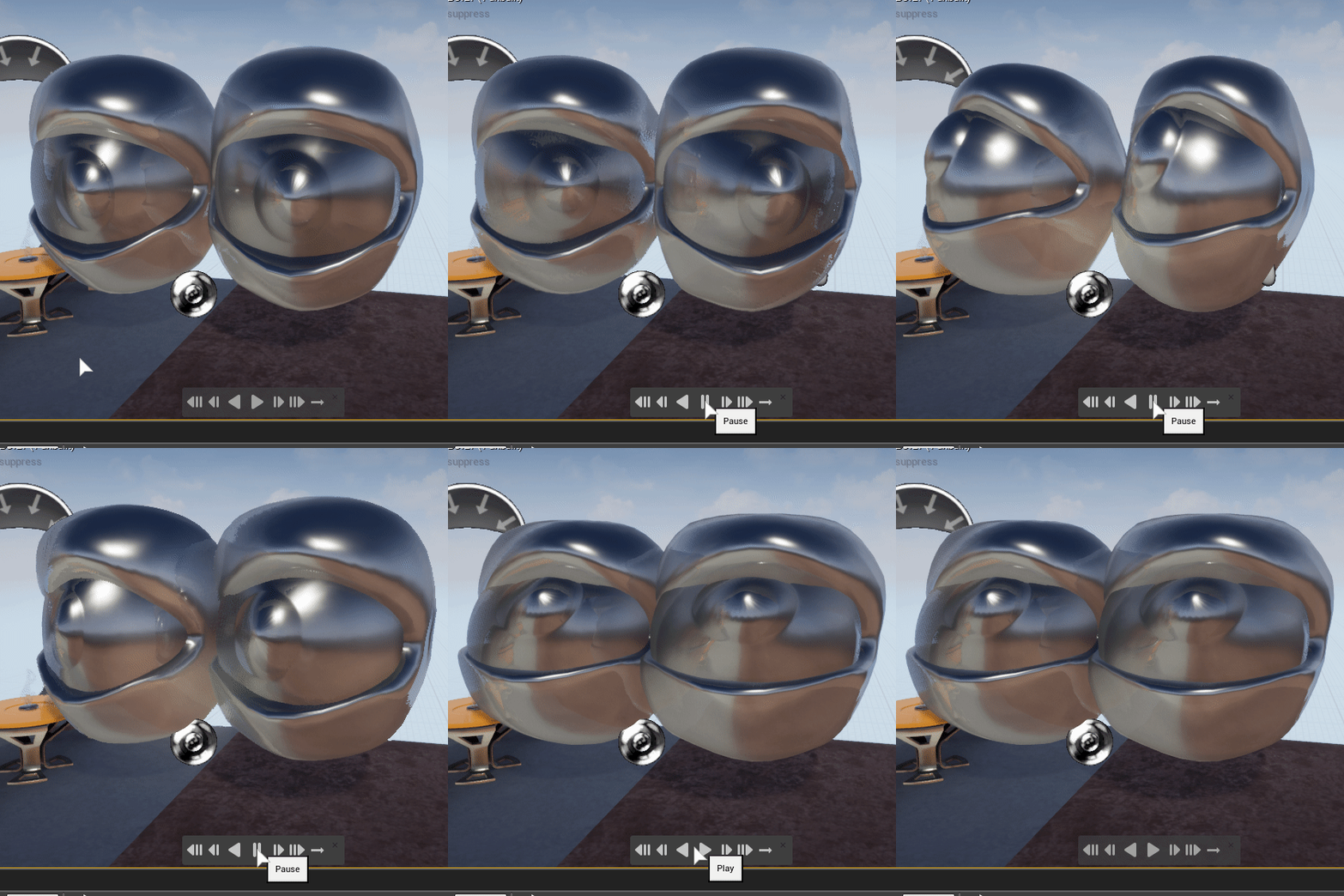


 celest trellis
does anyone have some experience using the import/export motion and pose tools in the Animation and Rigging Toolkit? We're getting some weird behaviour with it. when we import motion lots of the animation is butchered beyond use. The underlying motion is still recognisable, but arms a rigid and jittery, legs are over extending, all motion not present in the original exported animation. Seems to only affect newly referenced characters, not the same one in the same scene it was exported from.