#animation
1 messages · Page 105 of 1
 charred beacon
 latent plinth
@distant sigil
isn't this channel only for the ue marketplace?
 frosty peak
OnDamageRecieve -> Play Montage. Doesn't matter where you are in a state machine, if a slot comes after the state machine the montage plays over top
^Make sure you set this on a state machine if you use this pattern
 molten shore
@distant sigil Seems to have something to do with trying to do it in a sub-sequence, everything works as expected in the master sequence
Definitely a problem for work flow tho, I can't have the master sequence checked out all the time
charred beacon
@frosty peak looks interesting to use in a hybrid model, thanks for the idea man
 jovial imp
When you import animations from Blender, do they not update if you re-import later with an updated animation?
Because the actions that I save in Blender are imported fine the first time, but subsequent re-imports after I make changes don't seem to update the animations at all even though the actions are changed.
 analog tulip
Is this what my rig is ment to look like? Ive seen other ones where if you move a bone it does the rest automatically and i dont know how to do that anyone help?
 dark pawn
Hey everyone, anyone ever dealed with head bobbing when mounting a camera to a full body?
analog tulip
@dark pawn why dont you just have a socket on the head and attach the camera to that socket
dark pawn
@analog tulip cause thats kind of the problem, thats what im doing but the socket moves with the head up and down and the camera inherits that motion
analog tulip
dont you want that since you said head bobbing
if you dont want that dont mount it to a socket
and make the camera a child of the mesh
dark pawn
nah i dont want that, its not realistic ^^
but if i not mount it to the head the head moves in and out of the camera
 cloud lodge
can someone help me with my animgraph, i think i made a right pigs ear out of it
 lofty sparrow
I bought a plane from turbosquid and there is a rly weird skeleton or what ever this is connected to this "movement panel" and now i have no idea how to export it so this dang mesh will work and i will be able to continue working on the blueprints... already legit sitting on this for more than 20h... asking on blender exchange, stackexchange, few forums and on twitch... NO ONE KNOWS...
frosty peak
@lofty sparrow Can you export it out as on OBJ and just bring that file into Unreal as a static mesh? Or do you need it to be fully rigged now?
@cloud lodge What exactly is the problem with your animBP?
cloud lodge
tbh i need some guidance on how i should approach things

i don't think thats the right way to do things
frosty peak
it's a lil bit messy
One thing that I suggest, is to evaluate a bool in the event graph, and feed that to the animGraph, instead of doing the logic there in the animGraph
One thing that the Shinbi animGraph does, is that instead of doing a blend pose by bool. It uses a blend node with an Alpha that comes from the Animation curve, so they can blend portions of full body via the animation
It may not be needed though
If this is confusing to manage. You could make a 'master' state machine, that simple has a different cached pose in each state.
Some characters I've been making graphs for lately have very different animation sets based on an ability that is activated. And it was pretty powerful to simply have multiple state machines that each had their own logic, and then a master state machine which would select the appropriate cached pose based on if the ability was active.
If Special == True:
Play State Machine B
Else:
Play State Machine A
cloud lodge
so for the ultimate, and shield, etc use a different state machine
how do i select what state machine to use?
frosty peak
@cloud lodge You use your bools to transition between states.
 green island
How do i fix this issue with Riggify?, seems after i pass the foot just pass the mid section of the mesh the leg bends backwards
green island

 low charm
@green island I'm still a noob at blender. Try offsetting the knee Pole Target to the foot movement control bone. Also a weird glitch with IK is you have to change the Pole Angle of the IK by
plus or minus divisions of 90
green island
ok ill try that
low charm
watching your video now
Oh ya
offsetting your Ik to your foot movement bone will fix that
What is happening is your foot movement is passing over the Knee Pole target and that's why your getting raptor legs haha
green island
XD
low charm
Offsetting probably isn't the best way to do it but that's all I've figured out so far. Just remember when you move your foot with it offset it may change the angle of your knee so you will have to re-tweak that.
@green island You good now?
green island
tbh, no idea what im doing, iv only created a Mesh/rig a fwe times and messed with ik a little, but this riggify addon is a lot
 plucky viper
add pole vector control for knee and keep it in front
low charm
The hot key is Control P and make sure you select the knee IK pole target first and the foot second.
Wait @plucky viper do you do that with a offset or no need for offset?
green island
i dont think there is a need for offset that way
i just didnt know what it was called, so i didnt know how to google it
when i was watching the hudred of videos iv seen riggify have pole vectors in every video for knees and elbows
also the foot rolls and and a few otehr things i didnt want to bother to try and figure out how to do, so i thought riggify was a quicker eaiser way to go.
low charm
@green island This is a old one but it might help
http://cgfromspace.blogspot.com/2013/11/blender-quick-tip-how-set-up-ik-pole.html

Blender's IK system let's you assign targets (called Pole Vectors) which lets you control the orientation of the bend in the IK c...
green island
ty 😄
low charm
Although for basic stuff offsetting the Pole target to the movement bone of the hand or the knee does have it's advantages. Because to a degree if you rotate your hand or foot your joint will follow slightly. So maybe dampen the inherited rotation would be a good place to start.
jovial imp
Just want to shout out this guy's youtube channel: https://www.youtube.com/watch?v=0a9qIj7kwiA -- it's super helpful and his videos are really good quality for learning animation stuff!

Subscribe here: goo.gl/XCeaKd Patreon: https://www.patreon.com/MilosCernyAnimation/ Visit my website to download more free stuff: https://www.miloscerny.com/...
lofty sparrow
@frosty peak I can export it also as a FBX static mesh, you know. You buy rigged things to make them move ingame...
 harsh plover
Hey guys, I'm not sure if this is the correct channel to post this, but do any of you know how to fix clipping with clothing?
This is the physics object
low charm
Probably a bad guess. But weight painting on the cloth.
harsh plover
Looks like this
dark pawn
Hey everyone, anyone ever dealed with head bobbing when mounting a camera to a full body?
low charm
@harsh plover Maybe paint it to follow the thigh
frosty peak
@harsh plover increaae the collision distance in the cloth settings. It's the last field. And you may need to paint in some backstop radius as well.
 simple karma
@dark pawn delt with? It should@move with whatever it’s attached to. If you don’t want that parent it to the capsule
 carmine cove
I'm trying to come up with an optimized system for my NPC AI/Animations
The NPC will interact with a bunch of objects in the world, each using a dummy rig with their own animations that need to be played synchronously
My method before was to use an enum in the ABP for every animation state, then put the animation sequences in states in the AnimGraph
This led to a huge AnimGraph
frosty peak
@carmine cove Use montages?
carmine cove
I mean more about how it's structured @frosty peak
Like whether to call the montage from the BT or use enums to decide which part of which montage to play
Or pass in the string name of the section and the montage
frosty peak
I would have the object that you interact with define the montage that it wants played
carmine cove
Ah, so use an interface
frosty peak
there are many ways to structure it, but I would have the actual animation by driven via montages
an interface that returns a montage
carmine cove
Yea...just thinking about it...
Would you pass any information to the interface function? Or would you call the function from the ABP?
frosty peak
@carmine cove The interaction is likely happening outside of the ABP, so I don't think you need to pass anything into the function. Just use an interface to find the montage to play from the object, and then set that a as local variable montage, and then call that montage (or pairs of montages for sync'd objects).
carmine cove
So the logic would all be in the BTTask
frosty peak
In general, multi-actor animation syncing is one of the more intricate problems to solve. The only part the animBP should play in it is providing the slot for the montage to run in. The montage should be called from some other actor or system
ya, that should work well
carmine cove
In that case, the ABP wouldn't even really be involved
If you play a montage from the BTTask, does that override any animations from the ABP (like Idle)
frosty peak
yep, the AnimBP just has the Slot that the montage needs
carmine cove
So if i'm just using DefaultSlot, and I play the montage from the BTTask, it should play smoothly over anything in the ABP?
Or are you saying to pass the montage to the ABP?
frosty peak
depends on where your slot is placed in the graph
so if the Default Slot is at the very end of the animGraph
it will stomp over anything else
dont pass the montage into the blueprint, you can just call it from your BTTask
carmine cove
Oh, like a Slot Node in the AnimGraph
frosty peak
yes, montages play in those nodes
 frosty peak
ya, so I'm guessing this is layering in the upper body?
carmine cove
In this example, i was just trying to find the nodes
But it seems like it
What is the purpose of multiple slots?
Is that how crouching would be done?
frosty peak
its just for placing a montage at different parts of the graph
sometimes you'll have additive animations as montages
and you need those to be setup in a certain way
frosty peak
carmine cove
guessing those are for the additives
frosty peak
^this could be used to run an additive hit reaction animation
frosty peak
it's like that, but it is not that
so imagine an animation is a number
like 7
an additive animation takes another animation and subtracts it
so 9 - 7 = 2
the additive identity is basically 0
becaues if you put anything into that apply additive that is not an additive, it would plus them together
7 + 7 = 14
the animation would scale up and explode
carmine cove
I understand Identity in math, just not what that would be in an animation
frosty peak
so additive identity is 0 (additive identity) + 2(Additive Animation) + 7 (Idle Pose) = 9
frosty peak
bone space if it is local additive
component space if Mesh Space Additive
Mesh Space is generally only for Aim Offsets, Local additive for most other additives
ya, its like zero'd out transforms
carmine cove
oh cool, makes sense now
frosty peak
on the sims, we had slots for left arm & right arm. So we could have sims carry multiple objects around
the sim would query the set of animations it needed to run from the object, and it would run some carry poses for that item in the open slot
 nocturne crest
Hi there, kind of a dumb question. I'm testing something and I'm in need of simple FPS animations, however the sample fps animations from UE4 tutorial link is down (https://docs.unrealengine.com/en-US/Programming/Tutorials/FirstPersonShooter/4/1). Does anyone have this resource, or a similar one around? Thanks.
frosty peak
@nocturne crest Can you get the AnimStarter kit from the UE4 marketplace?
carmine cove
How did you do picking up objects if you were already carrying something?
nocturne crest
Does it have FPS animations @frosty peak ?
frosty peak
if left arm is free, play the Left arm pick up animations, Else Play Right arm animations
carmine cove
If both hands were carrying something how did the sim interact with doors and stuff?
frosty peak
@nocturne crest I don't believe that it has FP animations
@carmine cove Very annoyingly
carmine cove
We've hit that problem before, just curious how you solved it
frosty peak
I think the door may have auto-open
carmine cove
genius 😆
frosty peak
I don't remember if the sims in 4 specifically open doors
nocturne crest
That is the thing, I need some Fps specific anims such as the ones that tutorial provides... @frosty peak 😦
carmine cove
Was there anything else that the sims would need to do while holding things?
frosty peak
they would interact with objects and stuff
say opening the fridge
which you could do while holding objects
carmine cove
With your foot
frosty peak
it was solved with animation variations
it might have
either the interaction is blocked while you are holding two items, or it had a separate set of animations for that case
it's all pretty basic state querying
carmine cove
All of your object interactions were done from a fixed offset?
carmine cove
Like different axis?
frosty peak
everything was on 1 axis
for sims 3
in sims 4 there were spots that animations were tagged with
different starting locations
the character had to get into that positions & rotation before starting the interaction
carmine cove
tagged, as in a .txt file everyone can see?
frosty peak
not in some external file, no
animations had a lot of metadata that they exported with
carmine cove
fbx?
frosty peak
proprietary stuff
carmine cove
just about to ask
frosty peak
the premise is the same across most games though
you have a location that you need to get to before running the animation
like opening a treasure box
characters sometimes just slide into place and then start the animation
carmine cove
Even in God of War.
frosty peak
ya, some teams are better at concealing that motion than others
generally its not an immersion breaking thing
carmine cove
Currently our prop root is at the object's origin, and we have a fixed offset from that to the player's root
sounds like the same thing
frosty peak
ya, that's a pretty typical setup
carmine cove
cool, thanks for the info!
frosty peak
good luck! These are pretty hard challenges to solve, so just try to break up the work into discrete parts!
cloud lodge
@frosty peak can i pay you to teach me good concepts with anim graphs and stuff 😄 but seriously this is annoying me
 lyric abyss
Anyone know whats up with a variable that is set from an anim notify from a state transition has a different value inside of the state graph node than it does in transition check?
frosty peak
@lyric abyss This sounds strange. Could you tell me more about the use case?
lyric abyss
I'm trying to set a bool that stores if I was trying to move before the anim bp transitions into a state
and then if that variable doesn't match my movement state during the state it will transition out
I think I might be changing it too late
the anim notify is before it even enters the state that gets transitioned from
but I guess its still too late
frosty peak
@lyric abyss Is it possible to evaluate that logic in the event graph? I've found notifies and transition events to be kind of annoying to maintain.
lyric abyss
maybe, might go that way. I figured it was safe since that state was only used in the animbp anyway
but its being weird so idk
 feral ember
Hey guys... Having issues with Anim notifies working in-game... My custom ones work, but my sound notifies and anim trails work in persona, but not in game
 quartz cove
@feral ember How are you calling that animation?
feral ember
I was just asking it politely to play
quartz cove
so PlayAnimation ?
feral ember
I'm using the animBP to call it
sorry, is that a question for #blueprint?
it's part of an animTree
@weary pine lol it's for a game jam - pretty simple animation
feral ember
I've actually figured it out, I just didn't want victor to know how stupid I was
lol
 weary pine
oh. well don't worry he can't see this channel 
feral ember
I did my notifies on my not-retargeted skeleton
feral ember
haha! start to get sloppy after 11 I think
weary pine
@feral ember anyway the reason I asked about if it was at one end is that blending can skip notifies
feral ember
hmmm I thought it doubled 'em
but good to know
if it's blended completely off before the notify hits
that makes sense
anyway, this is what I saw on answerhub
https://answers.unrealengine.com/questions/80329/anim-trails-matinee-not-showing-in-game-1.html
weary pine
what do you mean doubled
feral ember
like the notify could be called in the blending out anim and the blending in anim if they're calling the same notify
like footsteps / particles etc
weary pine
oh, yeah, probably
weary pine
I think there's some kind of a hierarchy of when they'll actually be blended out
or skipped or w/e
 next ginkgo
Hi guys I facing a problem. My animnotify in animation sequence is not firing on client but it always fire on server
Anyone knows how to resolve this
jovial imp
@next ginkgo Probably the reason is because the Actor that's using the AnimBP is owned by the server. If I were you, I would do a "Run on Client" event where you can put your game logic so that the server updates things for everybody.
next ginkgo
@jovial imp Thanks
 delicate locust
hey! I need this node to choose either 100% true or 100% false. currently there is a blend happening between them automatically (50/50 weight between them), causing the pose to blend, but this is not my design (the blending happens on the next node).
how can I discard the blending between these?
the True and False Blend Time is for transitioning to the next node (which I need), not for transitioning between true and false.
jovial imp
Set Blend Times to 0 if you want it to just snap between one animation or the other
 fluid bronze
Does anyone have a good tutorial on how to create a proper circular progress bar for an RTS?
All the tutorials that I found gave me a weird impression... (Then again I'm new to all of this...)
simple karma
So I was debating ways to make for a 3 point jump animation. I’ll need to track velocity to dot for direction up and right and also a line trace hit to know when I’m about to land. Is there any things to be concerned about if the anim bp is pulling the velocity from character movement at all times?
frosty peak
@simple karma Nope, that's completely normal. Animation blueprints in general are supposed to read values off of the owning actors. It's more efficient than the actor setting the values in the animation blueprint (because of threading).
simple karma
Ok cool
Thank you!
Figure I can get the info there dotting the velocity to determine moving up or down left or right tonuse in conditions
frosty peak
Get Actor World Transform > Inverse Transform Direction with the Velocity. That should return a relative velocity for your actor, I think. I'll have to double check this when I get into work.
do that all in the animBP's event graph
cloud lodge
Anyone have any good tutorial or ideas for best practices with anim graph?, basically slot's don't play properly, not sure they are in the correct place, or if my checking for states is in the correct place, etc, i really have no clue what way i should do it with multiple aim offsets aswell
frosty peak
I'm happy to help, but I need to know more specifics about a problem, and screenshots of your graph can be helpful for diagnosing.
but I'll bbl in an hour or so.
frosty peak
sure!
 dull sedge
If i've two different skeletons that i can retarget with a rig, how i do it so i can have only an animation blueprint for both of them?
frosty peak
Animation Blueprints are directly tied to skeleton assets. I don't think Child AnimBPs work for different skeletons.
I think you need to either consolidate to 1 skeleton, or you need to duplicate & retarget the AnimBP from 1 skeleton to the other.
carmine cove
Is there a way to make a Montage freeze on the last frame of an anim without changing the time dilation?
Or bPauseAnims

 dusk dove
@misty dagger the arms look retarded tbh
jovial imp
@misty dagger I think you need to make the shoulders and the root bone rotate a tiny little bit more so that it doesn't look like the torso is perfectly stationary the entire time
 hushed fractal
Paid work!
Hi!
We're an indie game studio and we're looking to outsource a senior UE4 developer who has experience working on games which are mostly character animation oriented (cinematic experiences)
This would be an hourly task.
The project is an interactive VR experience.
Please reply here or write at: hallarazad@gmail.com
dusk dove
@hushed fractal #looking-for-talent
 obtuse yoke
I want to blend to a second combo animation from a former one,during whenever the user wants to input the second hit during the later part of the first attack animation
But
Simple built-in blend of animation/montage will result in some bad apperance of animation
A good example,dark souls
But I dont know how they arrange thier animation blending system
 vapid ore
hey whats up. I am working with Character Creator 2 for my unreal project. Importing characters is pretty ez and looks good. However i´ve run into a problem. The characters won´t have IK bones. Is there an easy way of adding those onto the mesh? Thank you very much in advance..
obtuse yoke
Any father has any idea for my question?
 daring osprey
Is it possible to use Root Motion with a Floating movement component? Seems to me that the root motion gets applied but no movement occurs, and you can still float around so it does not impede controls like normal movement.
I'm trying to use root motion animations & montages with the custom gravity plugin, but I suspect it is a problem with the floating movement component and Root Motion after doing a couple tests to make sure the animation and animation blueprint were setup and when creating a separate pawn blueprint sharing the animation but not the floating movement component it worked.
 bold fjord
@misty dagger I think the animation looks unnatural since the arms are swinging with the same sided legs rather than opposite. However, that could be intended by you. To me, the cycle reads as someone who developed his own running mechanisms. Perhaps functional, but not conventional. For most runners, unless they're out of sync for a moment, when a leg comes forward in the stride, the opposite arm comes forward, not the same arm.
 misty dagger
AHH my mistake @bold fjord thank you
That might be the cause of the clavicle stiffness
frosty peak
@misty dagger If you are going to have a big swing motion in the arms then the arms should be offset in their timing relative to the legs, they are secondary motion at that point. But in general, people generally don't move their arms that much, and usually the elbow is at least 90 degrees bent.
misty dagger
Yeah someone messaged me about the offset earlier so I'm currently tweaking it and seeing what is gives me
frosty peak
@obtuse yoke Dark souls seems to use just simple blending. Are you firing off different montages or are you using branching sections?
obtuse yoke
No that doesnt seem to be simple blending
frosty peak
do you have an example video?
frosty peak
will do
frosty peak
what it looks like to me
is that they have an ending 'pose'
and each animation in sequence starts from that pose
but they have some return animations back to idle
but while you are returning, you can continue the combo
and it blends you back to that pose
obtuse yoke
Yes
frosty peak
like montage blend in time
obtuse yoke
Not sure if it is simple montage blend
frosty peak
trust me, FROM Software takes the simplest solution every time
obtuse yoke
LOL
frosty peak
their tech is very plain
what makes it work is that they have really strong posing
the only other thing
would be an animation that returns them back into the pose really quickly
which might look slightly better than a blend
obtuse yoke
I guess so
frosty peak
but I'm pretty sure its a blend
like in the first video, when you do the first set of combos
the second attack windsback to the pose that the first attack left him in, even though he started animating back
obtuse yoke
I'm wondering if that windsback is an other animation
frosty peak
man, that animation set has some really long holds
0.5 second hold at the end of the first attack
they definitely do some simple blends because the feet slide like crazy
obtuse yoke
Yeah in first video it does silide
frosty peak
ok, I'm seeing it now
so the second attack pose is almost identical to the first ending pose
but he rotates his blade up
so when they blend into the second strike, it feels like a transition
ya, I don't think you'd want to use montage sections to get this kind of an effect
obtuse yoke
keke
frosty peak
I think you'd want entirely different montages with some notifies
so you can control blend in
obtuse yoke
kind of like this
frosty peak
their blend happens over like 10 frames at 60 fps
so maybe try a 0.16 or 0.1 blend in on a montage?
they also have holds at the beginning of their animations
I wonder if they adjust the blend in based on the exit time, so as you are returning to idle, you have more blend in time for continuing the combo
what would be really funny, and I could totally imagine From Soft doing is to rewind the return to idle animation when you continue the strike
that would be hilarious
misty dagger
I'm not an animation expert but looking at it being a huuuuuge dark souls fan that's definitely at the end of the animation its plays combo 123 etc
I don't think it's blended at all
Or maybe the ending of each animation
frosty peak
they definitely blend between attack combos. The only question is how do they handle the continuation of the combo even though they've started transitioning back to idle.
misty dagger
i did a combat system based on dark souls a while back and the way i handled it was saving the combo
after .5 seconds the combo resets
frosty peak
ya, its an improvement, but whats with the pause in the video?
frosty peak
ah ok
https://orig00.deviantart.net/f2ad/f/2009/201/6/8/muybridge_run_cycle_by_cacodaemonia.jpg <-Some good phase reference

 zenith depot
Hey guys when you retarget animations, do you have to go animation by animation?
Or is there a mass retarget option
frosty peak
@zenith depot You can retarget multiple animations at a time, and even entire blueprints
just select all the anims that you want to retarget and rightclick on them 'Retarget Anim Assets"
zenith depot
Oh so you can select multiple by I’m assuming CTRL clicking
And then right click, retarget
?
frosty peak
@zenith depot Ya In the content browser, that should work
vapid ore
Any tut on two bone ik setup for ue4 with blender?
carmine cove
2 questions about montages
- Is there a way to get a callback when a section of a montage finishes?
Without manually adding a notify to the ends of each section
- Is there a way to make a Montage freeze on the last frame of an anim without changing the time dilation or bPauseAnims?
I've been using this function and it seems like BlendOut is called at the end of sections, but I forsee problems there
frosty peak
@carmine cove 1. No to sections, yes to montages via 'Montage Play'
2. You can try 'Montage Pause',
carmine cove
Ah yea, i was using MontagePause() as well
There isn't any setting to freeze the montage at the end of a section?
Like how theres an ability to make it loop?
frosty peak
Not that I know of
carmine cove
Blend Out only seems to be called when a section finishes
So i guess that's close enough for now
Do montages not blend between anims in the same section?
It's called at 1, but not 2 or 3
But then called with completed
frosty peak
honestly, montages are a pain to work with if you want control
carmine cove
ruh roh
Well, notifies are the fallback i guess. They seem reliable
@frosty peak does MontagePause() work for you? Doesn't do anything for me
 olive carbon
Anyone know any good tutorials on getting into animation? from modeling to rigging to physics etc. Even if it's a paid thing
carmine cove
I did this series in blender that was fantastic
@olive carbon https://www.youtube.com/playlist?list=PLyelx0TsmSpf-8xZfjZveokSsIwj0F3lo have fun
 carmine cove
Why max? you trying to do architecture?
carmine cove
you bought it?
olive carbon
school license
carmine cove
It's $1500 a year if you want to use it for anything
olive carbon
Idk much abou thte animation side of things so I'm still figuring out the process
carmine cove
Maya is on sale for like 1100/year now
If you want to do animation for a AAA studio learn Maya, if you want to do architecture for a large company learn Max
If you want to do anything with a startup or indie learn blender
If you want to go pro, learn them all
olive carbon
Right now my goal is just to make models with skeletons/animations that I can use in a simple game
What can't I do in Max?
carmine cove
Live on minimum wage
olive carbon
How does it cost $ if I have it?
carmine cove
You'll have to pay to use it for anything
Maya, max, Modo, and Blender can all do the same stuff for the most part
Just different workflows
And Autodesk makes their stuff as proprietary as possible so you'll have to use their products tend to only work with their products
Or w/e they're designed to work with
Here's a skeleton in Maya
olive carbon
So I make a model in 3ds, I import it to my game, I release my game, I have to pay Autodesk?
carmine cove
Here's the same one in Blender
You've already paid Autodesk by buying max
Though technically they own everything you make, it's in their terms
olive carbon
I got a free* few year license through my school. Not against using Blender just trying to understand
More just trying to learn the process from beginning to in game moving character atm
carmine cove
the tutorial covers it all
olive carbon
Thanks
carmine cove
Is this the typical setup then for going between full body locomotion animations and montages?
carmine cove
Ah, nvm. Didn't realize Source on the slot would do exactly what i need
jovial imp
@carmine cove This video tutorial livestream that the UE4 people did will show you how to do that stuff properly: https://www.youtube.com/watch?v=YVC-DL9Ibf0&t=4025s

In this stream, Wes Bunn takes a look at the quickest way to get a humanoid character up and playable from a Skeletal Mesh and a series of animations. We’ll ...
carmine cove
cool, i think i've seen it but an hour in is good?
misty dagger
@carmine cove i make weapon anims in max
wanted to learn blender and maya as well
also saw motion builder is required
 inner gull
So, I made what I thought was a nice tail animation in blender using Spline IK: https://giphy.com/gifs/fdRYyWnjhiUwnYdfK7 but when I import it into UE it freaks out: https://giphy.com/gifs/uAC9LjIPuYH1PdI7Ie anyone know where I might have gone wrong?


 devout wolf
is there a way to repose and save an animation, have an idle that im using but the arms are slightly in a weird spot, can i open the animation, repose the bone then save it somehow?
inner gull
I also get this message which may be related: No smoothing group information was found in this FBX scene. Please make sure to enable the 'Export Smoothing Groups' option in the FBX Exporter plug-in before exporting the file. Even for tools that don't support smoothing groups, the FBX Exporter will generate appropriate smoothing data at export-time so that correct vertex normals can be inferred while importing.
The following bones are missing from the bind pose:
NurbsPath
This can happen for bones that are not vert weighted. If they are not in the correct orientation after importing,
please set the "Use T0 as ref pose" option or add them to the bind pose and reimport the skeletal mesh.
 cobalt coral
Hello!
I was wondering if someone could help me out
Im trying to do an animation setup, where I have multiple Skeletal Mesh looking at the same Animation BP
But when i want to call a Play Montage
I would need to call each individual mesh? Is there a better pipeline?
😅
frosty peak
@cobalt coral Do the different skeletal meshes share the same skeleton structure?
jovial imp
@inner gull Clearly UE4 appears to not like Blender Spline IK bones. Are you sure you didn't use any shape keys or object keys? It's all just armature bone keys in there?
inner gull
@jovial imp i used an empty to hook the split to tge mesh at the tailbone.. probably a mistake?
jovial imp
Maybe so -- my recommendation is to just stick to pure bone keys, because when I watched the official training live streams about Blender (which was a long time ago so maybe things have changed), the guy took a moment to emphasize that shape keys and object keys don't really translate well into FBX from Blender and so the import to UE4 will usually messes things up.
So maybe your Splines are a similar story.
frosty peak
Can't you simply bake the animation to bones on export?
frosty peak
That's how most games handle complex rigs
misty dagger
So I'm having trouble with animations imported from Mixamo, which don't look correct even after retargeting the skeleton to the UE4 mannequin
inner gull
I think i am baking it to bones.. some of the terminology is still new to me, but i rigged the tail bones to the spline and hooked some control bones to the handles of it the spline and animated those
inner gull
actually, it seems I was mistaken about the empty, i got rid of that a while ago, and as far as I can tell, everything is hooked up directly to bones.
I do have a whole section in my dopesheet that looks like its dedicated to that nurbs curve, but I'm not sure why, I don't directly animate it at all.
jovial imp
Yeah if it were me I'd probably try to manually keyframe it out myself but then again I make a lot of horrible decisions in life so don't listen to me
inner gull
I'm not really sure what that means TBH, I thought thats what I was doing
frosty peak
You could do it with AnimDynamics, Trail Controller, or Rigid Body in Unreal.
Trail Controller would be the simplest to setup
inner gull
Recreate the animation in ue instead of blender?
 noble swan
Hey guys, has anyone tried doing procedural animation in blueprints?
noble swan
I just started learning, I want to make first person pickaxe mining
cobalt coral
@frosty peak yes they do 😃
Right now I made a function with all the skeletal meshes, to play the same Montage.. seems hacky though
cobalt coral
works but hackish lol
frosty peak
Set Master Pose
which requires identical skeletons
OR
Copy Pose, which requires AnimBPs with a single node in the animGraph
Set Master Pose happens in the Character Blueprint, like on construct or begin play
but CopyPose is super powerful
Either of those methods is preferable to calling multiple montages
cobalt coral
if u do copypose at the construct itll always look at the pose?
I'm looking at a master pose tutorial, seems easier
easy*
frosty peak
CopyPose happens on everything because it is the animBP that runs it
Master Pose is simpler
frosty peak
but copy Pose can do modifications after the pose is matched
master pose requires identical skeletons
you can't add extra joints to some pieces
you need a matched set of bones across all pieces
cobalt coral
hmm in my case then since they'are all Identical skeletons it should be ok
frosty peak
copy pose matches based on bone names, so it can handle varied skeletons
cobalt coral
oooo
frosty peak
ya, should be fine
frosty peak
start with Master Pose
cobalt coral
actually I have 1 more question...
frosty peak
fire away
cobalt coral
Right now I have characters that Shoot, and on the shoot event I play an animation montage (the blend in, out is set to 0)
and on supposedly the first frame I should be firing a line trace
but it seems to shoot around the 3-4 frame
frosty peak
is the trace triggered from a notify?
cobalt coral
1st shot is okay, but the rest arent
No, because the line trace is done through code
so even if the muzzle is done through notify... I would have to talk to the PlayerController? seems complicate
complicated*
frosty peak
you want to structure it such that there is no dependency on animation
cobalt coral
yeah
frosty peak
I would trace between actors
and then make the visible representation come from sockets or something
cobalt coral
mmm
cobalt coral
thanks Crow!
frosty peak
good luck!
 quartz coral
im trying to do a simple animation to get a two buttons to move to the right but one of them is moving randomly. can anyone help me with this? i have no clue whats wrong.
quartz coral
im trying to animate buttons
and when the animation plays for 1 button at a time this is the end result

when i make it animate two buttons at a time (i didnt touch the "Buy" button at all) this is the end result

the "Buy" button positioning is random too. in the above picture it ended at X - 163. Its supposed to end at X - 175. it varies its ending point between 130 and 175
Any ideas whats going on?
 tough oracle
Can I think of animation conduits as 'empty' states with no animation which just transfers to the next state?
 dull venture
Hello guys, I'm using Maya and I was wondering how to keep a pose and send it to Unreal Engine in that pose? Every time I save it goes back to default pose
 lofty helm
Hey guys
is there any way to use the legs of one animation but the hands of another?
i really don't want to have to animate aim down sights for every weapon with walking aswell
meaning a solid ~12 animations per weapon
lofty helm
alright, thanks 😄
misty dagger
I had a tutorial in Unity in hand and wanted to know if I could draw parallels between Unreal's Animation Blueprints system and Animation Controllers
If so, what is the equivalent of Animation Masks in Unreal's scheme?
 inland ridge
guys, how do you add animation for props in level? like doors opening, lights rotating, machinery moving, etc. does every mesh need to be skeletal and have its animation?
misty dagger
is there an easy way to change the base unreal engine fps arms
 dusty burrow
 zenith depot
Do any of you guys have the Open World Animset on the marketplace?
 hardy vortex
any animator here happen to be from the state of RI or MA ?
delicate locust
any clever way to play blend spaces as one-off animations?
setting up a bunch of bools and timings is such a hassle
jovial imp
Retargeting skeletons will still work if bones are missing in between, right? Say, if I wanted to use the default UnrealGuy's animations but I have my skeleton rig just has one bone for the hand instead of multiple bones for each finger...
 icy cove
Hey guys!
Is it possible to simulate ragdoll death animation and still be able to move the mesh?
(and with no predefined animation, e.g. trigger the ragdoll state, and then move the mesh)
icy cove
Ok, solved by saving pose into a pose mesh
molten shore
whats the best way to bake motion coming from an expression into keyframes that can be exported into an fbx?
 toxic dew
Hi all. I have a skeletal mesh with a tail and I want the tail to simulate based on it's physics body. I set the tail to simulate in the physics asset but how would I get the tail bones to simulate on top of the animations?
ahh found the physics based animations documentation.
frosty peak
@misty dagger The closest thing to animation masks is the 'Layered Blend by Bone' node.
@delicate locust If you put a blend space in it's own state, you can transition into the blendspace for a one-shot (Non-Looping), and then wait till you return to your previous state before setting a new set of values for that blendspace. Or you can have multiple instances of the same blendspace, and you use the BlendByBool to flip back and forth between them, Each time you switch it'll restart that blendspace. You'll want two sets of variables to feed to each blendspace
@jovial imp Retargeting will work even if there are some missing bones
delicate locust
yeah I ended up doing it as a state. just too bad I can't play them like Montages, would be more manageable
frosty peak
@molten shore You can record & save animations in the editor or at runtime, via the Red Button. You could also have that expression be in a postProcess AnimBP, which will run while in the Animation Window.
jovial imp
I love you @frosty peak
frosty peak
@delicate locust You can convert the Blendspace to a 'Single Frame Blendspace' which lets you manually animate time. Basically turns it into a montage. You just need to make a variable that += DeltaTime. And then on each instance you want a new 'montage' you set that timeVariable to 0 and set your new random positions
@jovial imp ❤
but ya, if you have something working, keep it!
delicate locust
still would have to set states/bools to trigger entering the state though. you can probably disregard what I'm saying, I just wish I could use the same workflow as montages, which is to just play an animation in response to an event ^^
thanks for your suggestions though. the blendspace evaluator is certainly useful for things
 candid skiff
Hey can someone help me getting a character rigged? (like with advice)
I got this Kirby stlyed character arms and feet not connected to the body
frosty peak
@candid skiff Typically that's just some bones for each limb that are parented to a body bone that is in the center of mass.
candid skiff
basically its 5 different objects
body should not deform upon moving a bone that is connected to the lets say arm/hand
iam not an animator at all thats the weak spot here :S
frosty peak
Ya, so make each limb 100% skin influence to the bone they belong to
candid skiff
using 3ds max would i be skinning the bones onto the objects?
candid skiff
yeh
cloud lodge
can someone help
https://gyazo.com/836548cea3fc20aada618989741d7382 how can i fix the jump at the end of the roll

its a 1d blendspace
nvm fixed it
 devout lantern
can you morph target a bit of a mesh?
seems wasteful of memory etc to have duplicates of the whole mesh to just move a little bit
noble swan
Guys, I'm super happy. Just finished my second animation ever:
 wary dew
Hey guys, when I export this from Maya to Unreal it creates 4 separate skeletal meshes (disk L, disk R, blob and even wheel) instead of just keeping the one skeletal mesh from Maya. Any idea what the issue is?
icy cove
Guys, I have faced a weird issue.
Is it ok that Play Montage is looping the montage animation? I thought it should play it just once...
 upbeat summit
Does the loop flag checked?
icy cove
@upbeat summit nope. I have solved it, it was because of the little weird thing with the X mark near the section
misty dagger
@wary dew without sounding like an asshole that hierachy is really bad
frosty peak
@wary dew Could you try exporting it where the skeleton has no parent? Looks like the Top_joint is parented to a curve at the moment
wary dew
Yep I did that along with combining the mesh thats rigged which fixed it
frosty peak
ah cool
 proper tangle
Is there anything wrong with using a single animation in a montage and splitting it up in sections? I'm wanting to use a single jump animation and dividing it into sections for start, loop and end.
frosty peak
@proper tangle There is nothing wrong with it, but montages & sections can be a bit painful to manage.
proper tangle
yeah setting the idle/apex section to a single frame (almost) was pretty tedious
or do you mean the playback of sections can be painful?
I'm using animations from mixamo and I've customized them all to look pretty good but their 3-part jump animation intended for blending sucks really bad lol the parts don't match up at all so I figured just taking a single jump anim and sectioning it off
frosty peak
I just find the interface for montages to be rather bothersome and difficult to be precise with.
It's purely a personal preference thing
misty dagger
has anyone handled ik foot placement before?
 solemn cloud
Hey guys, quick question for you:
I've been looking for a swimming animation for my community project and managed to find the free CMU mocap animation library which has a few animations that will work. Problem is they don't loop properly, is there a way to edit an animation (or cut out a section from a longer animation) in Persona? I'm a complete noob when it comes to animation... thx
frosty peak
@solemn cloud Hopefully you found the solution to this, but if not, you can right click on the animation timeline and remove keyframes Before or After the clicked point. Won't get you perfect loops from mocap, but hopefully you can get it close enough.
 hazy pollen
Not ue4 related - curious if anyone has a link for, I think cgdc seminar, where they had some animators from LoL talk about making Anims that "pop". It had some good info in it.
Nm, got it. https://m.youtube.com/watch?v=_1j5Tf6ulII&t=176s

In this GDC 2016 session, Riot Games' Alex Lehmann is joined by 5th Cell's Amy Drobeck-Jones, ILM's Jean-Denis Haas, Sucker Punch's Billy Harper, Epic Games'...
misty dagger
Can anyone from Epic shed some light on this tweet?

I regret this sample took lower priority and didn't get finished for release. Super cool technique used on our #UE4 Raven GDC demo #gamedev

 Twitter
that Radial Blur Cage is a godsend!
Wrong channel damn it
devout lantern
I see 4.20 preview is out
solemn cloud
Thank you @frosty peak! I was worried this might need to be done in Maya (which I don't have, I use Max). I'll give that a try, cheers 😃
 safe shore
I was also thinking about grabbing that, would love to hear people's thoughts!
misty dagger
So I'm not sure if this is the place for this, but I'm having a weird issue happen I'm having a hard time getting a good ansewer from google. I'm trying to set up a blendspace for 8 way movement but the issue I'm encountering is that it's all fine and dandy when my guy is moving, but if he stops and idles it'll keep playing the backwards running animation, I removed the backwards running animations and when he's stopped he just starts doing the running to the right lol
Does anyone know why this is happening?
 real atlas
Ive got a really frustrating problem
when I use an animation I made perfectly fine in blender, one of the bones is off to the side a little for no apparent reason
any help?
misty dagger
You might have to weight paint that bone a bit so it moves with the rest of the mesh
real atlas
it looks fine in blender though, it just has an offset in ue
I guess for now I could move that part of the mesh in the opposite direction to cancel it out
misty dagger
anybody used the Advanced locomotion system v2?
frosty peak
@misty dagger I have
@misty dagger Are you using acceleration or velocity to drive your blendspace?
 zinc warren
Hi. I have problem with Maya animations sent by an animator.
Any ideas why skeleton and mesh imports normally, but animations import rotated 90 degrees? The character is laying on his back. I'm setting 90 degree import rotation to fix this. Still, the issue is unclear for us. Changing up axes between y and z didn't help.
Can it be related to the skeleton root somehow? The skeleton hierarchy looks like this: https://i.imgur.com/vSGUoWa.png
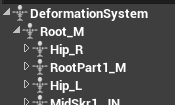
I'm getting this warning at animation import time: "Imported bone transform is different from original. Please check Output Log to see detail of error." Output Log contains exactly same message.
Actually, I found more on Output Log by scrolling bunch of irrelevant warnings up. There is bunch of warnings repeated for every skeleton bone:
LogFbx: Warning: IMPORT TRANSFORM ERROR : Bone (DeformationSystem:0)
Source Global Transform (0.000000,0.000000,0.000000|0.000000,0.000000,180.000000|1.000000,1.000000,1.000000),
Converted Global Transform (0.000000,0.000000,0.000000|0.000000,0.000000,89.999992|1.000000,1.000000,1.000000)
I can see values were changed, specifically rotation, but it doesn't help to find reason.
frosty peak
@misty dagger Hmm, are you normalizing your vector? It's possible that the velocity just pops backwards as you're stopping.
@zinc warren what are your import settings like?
zinc warren
@frosty peak currently like this: https://i.imgur.com/aTV3JGy.png
I tried various combinations from there, but maybe missed something.
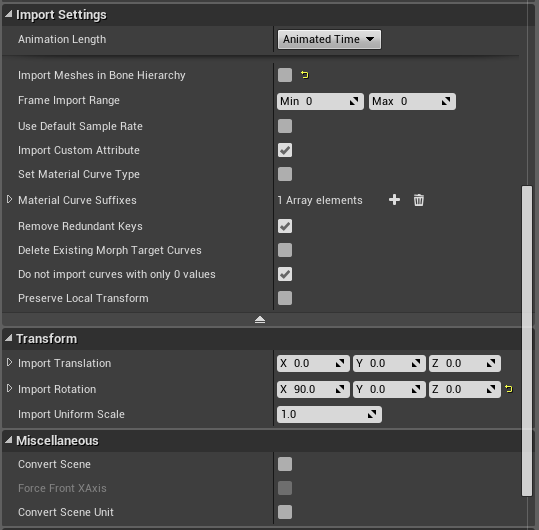 frosty peak
Perhaps try enabling Convert Scene at the bottom
when the animations are imported into the ground, it's usually an up-axis mismatch
zinc warren
Tried those three checkboxes in different combinations, they cause no effect.
frosty peak
@zinc warren Did you try that on the skeletal mesh as well?
in addition to the animations
 sullen nova
Any tips for animation? I have a snake I want to cool around a prop actor in my game... is there a way to bring the prop into the animation screen to I can wrap/coil it right or do I just have to go back and forth back and forth?
jovial imp
@sullen nova If you're doing Blender then you can absolutely copy-paste the model into your blend file temporarily as a placeholder and then delete it when you're done
misty dagger
add key
zinc warren
@frosty peak thanks for idea! Just tried it. Something changes, but nothing got fixed. When I disable "Convert Scene" on character it imports rotated, like animations. With such state, changing this checkbox for animation does not fix issue, but checkbox enabled cause whole animation appear broken. Character still on his back. I think Maya setup involved here, it is not import-only issue. I wonder what need to be done there.
frosty peak
@zinc warren I would check to see if it was exported from a maya with y-up or z-up. And then double check the export setting if you are using the normal FBX exporter (Might be specifying the wrong up-axis).
zinc warren
@frosty peak we tried to export animation with y-up and z-up, no difference. What is normal FBX? We use FBX 2016 standard, as suggested in docs.
Maybe it's worth try to export skeletal mesh with different up axes itself, as it reacts to convert scene option. There is hope it will import properly rotated and all animations will fix themselves.
frosty peak
if you are using the ArtV1 rigging tools, then Z-Up is what your scenes should be using
otherwise it's typically y-up
it sounds weird though, changing axis should make a huge difference on re-import
either good or bad
zinc warren
I think some of the import options just ignored for animation fbx files, but I may be wrong.
@frosty peak skeleton is custom.
frosty peak
well if it's oriented in the skeletal mesh first, thats a plus. And if it only busts when previewing an animation, it must be a setting with the anim export or import
 young urchin
Greetings!
Is it possible to remove some polys from the skinned mesh and preserve the skin weights?
 crude sun
How to play an animation from BP in an skeleton mesh that I already set up to "use animation asset"?
 devout dagger
Does 4.19.2 have posing tools? I'd like to pose my character actor in the Editor to match environment (it will be non-AI / non-moving actor, like a statue or dead body) and the only way to do it efficiently is to do it inside the Editor.
 meager ruin
hi, does someone knows how to fix no connection in livelink ?

firewall, antivirus are already off
simple karma
Those arnt different state machines they are cached results there is a wonderful animation live stream
 cerulean cedar
yes you can use 2 state machines
 glacial canyon
https://gyazo.com/4acd88bd44f01f3e2f5f4bca1b5c8278
What is causing my AI to disappear like that? It doesnt do it when i set it without an idle animation but when i put anything in the idle animation is suddenly shrinks and disappears. Anyone can help me out?
 jovial imp
@glacial canyon Probably when you imported the character model, the animation itself has a broken scale
You probably need to go fix the animation in Blender/Maya/3dsMax or whatever you used for that character
glacial canyon
Dont think so, tried replacing it with the walk animation and it still happens
carmine cove
I'm trying to make a procedural system for NPC head/eye rotations
I've tried using world position before for IK manipulations and it was very buggy
Is it preferable to use parent bone space over component space?
Also, is Bone Space always relative to the reference pose or something?
 long moss
Where do u guys import animations from
jovial imp
@carmine cove In the official Character Animation live training stream on the Youtube channel for Unreal Engine, they talk about how to do head rotations
carmine cove
Ah, is it through AimOffsets?
jovial imp
Maybe, I don't remember off the top of my head sadly
carmine cove
I'm just trying to do some procedural stuff
The axis is a bit weird
@jovial imp Ohhh, the LookAt() AnimGraph node
that's powerful
So that function does the same thing that I did with all this...
cool, cool
misty dagger
so im handling my movement through locomotion but the climbing system does not use it and switches to a different state machine whcih is fine but the actual grab only activates when the camera hits a wall but it causes the camera to freak out and snap back into location
carmine cove
So the issue you're having here is the camera is offsetting weird when you switch FSM trees?
carmine cove
I just mean, what is your intended result?
misty dagger
well its meant to just keep the camera normal but when you hit the ledge its just meant to have a climbing feature
this is what happens i did it all slower this time

this is the switch im doing
carmine cove
Did you implement this?
What do you want it to do, or what is it not doing that you need it to?
I'm not understanding what problem you're having
 coarse fulcrum
I think you just mean that the camera is glitching out when your climb animation takes effect?
You want the animation to happen without the weird camera glitching? @misty dagger
coarse fulcrum
I don't have any answers for you, because it is beyond me, but it may have something to do with your cameras positioning.
carmine cove
Yea, the issue is most likely coming from your character BP
More specifically your SpringArm settings
I don't think this has anything to do with animation
coarse fulcrum
No biggie. Hope you get it figured out!
misty dagger
so do i -_- its stressful haha
yeah whatever it is, doesnt allow me to move the camera around properly either only left/right
carmine cove
You'll want to take it to #blueprint and show your BP stuff
 clever abyss
Is it possible to adjust / control floats from AnimBP IN Sequencer?
 vagrant vigil
ive bought several "rigged to epic skeleton" assets, but every time I retarget the skeletons to my other "rigged to epic skeleton" characters, the animations are a bit off. usually its twisted fingers or shoulders and such. How do I fix this?
 sweet tartan
maya is great, I always get errors from two things that are keyframed exactly the same

Even though the start and end are the same, it comes out as some stupid spinning mess.
I kept trying to figure out what the issue was but it's not me, It's Maya.
frosty peak
@sweet tartan it looks like the tangents on your key frames. Open up the graph editor and check the curves.
@vagrant vigil on the skeleton you can change the retargeting options per bone. The default is every bone is set to 'animation' but you typically want the bones to be 'Skeleton', with only the root being animation and the hip being animation relative. That has sorted out the bone rotations for me.
vagrant vigil
wow thank you!
frosty peak
Check the Options button above the skeleton tree list. Should be one of the first items
sweet tartan
I found a fix, thanks!
misty dagger

is it possible to prevent my character from rotating when colliding with a wall through this?
vagrant vigil
@frosty peak nah didnt help, actually made my character look more silly lol
oh well thanks for the tip though
i thought all epic rigged animations would work seamlessly between characters but ive never been able to retarget animations correctly and ive watched all the epic videos on it
its weird because when i preview animations with my different characters, it all looks fine. but in-game its all wonky
misty dagger
anyone awake?
sullen nova
How to setup an Animation AI so when you move actor to location, it actually walks/runs instead of slides? I setup a blendspace that works... but when I put the character in a capsule and assign AI controller, it just slides...
carmine cove
Anyone know how to make a root motion animation?
misty dagger
@carmine cove i do
carmine cove
In maya or blender?
misty dagger
@carmine cove both its always the same
misty dagger
@carmine cove depends what exactly you want to know
carmine cove
root motion turning of a character
misty dagger
@carmine cove send me a gif or a picture of your animtion with skeleton showing
carmine cove
1 sec
 magic kayak
it's here!
sorry for the poor quality, but it's a transition from the idle pose to strafing right
@misty dagger
misty dagger
ok so with that form of turning @magic kayak you cant actually do a root motion turn
root motion actually requires the skeleton to be moving from 0,0,0 completely
magic kayak
ideally we'd want him turning to walk forward
magic kayak
the problem is animating the root leads to a lot of foot sliding, do you know of a good way to deal with that?
misty dagger
calculate the animations per frame and then match it with the in game movement components @magic kayak
dusk dove
I animate with RootMotion in a linear fashion (I.e. the Root moves with the same speed from A To B).
In UE, I enable "Force Root Lock" which makes the animation automatically in-place.
This way I don't use Root Motion, but can precisely control how my Character animates with my movement
dark pawn
Hey everyone, i'm trying to smooth out an animation of my character walking in a straight line with a gun but in blender no matter what i try nothing sticks
i tried limiting the location of the hand bone tried tracking it to an empty tried clamp one axis to a curve after exporting it to unreal the animation is just the same, im guessing cause of the parent bone?
but how could i basically make the bone stick to one fixed location?
 wintry belfry
all, how do you handle stop animations and have the character still go forward a little while animation plays? I can easily play the animation as a state, but the character stands still since the input key is unpressed. Is this something you achieve with curves?
misty dagger
@dark pawn If you are meaning for the hand to float unparented in empty space then thats something that you need to change with your rig
If im understanding correctly
dark pawn
@misty dagger well basically i want the hand movement to be smoother, i thought about first making it fixed and work my way up from there but i cant seem to change anything about the animation
the best thing would be to have the hand bone at a fixed location and the other bones in the animation to act accordingly so that that position for the hand is always reached
i dont want it to be disconnected cause than i have to change the entire skeleton
what i actually don't get is why limiting the location isn't working, in blender the animation is exactly what i want but importing it into unreal the hand moves again like the limitation constraint didn't take
 snow stone
is it really not possible to get a bones transformation inside an ANimGraph(but Eventgraph only) oO. Like i have a vehicle. The wheel(or better its axis) is controlled by a physicbody. The visual wheel is part of a bone that has no physic body but is attached to it. So by default that wheel will already rotate(because the parent rotates). However to steer a wheel into a direction(visual only) i have to take the parents bone rotation into account. And it seems i have to do that in the Eventgraph?
or in other words: how can i make a wheel steer in a way that it takes the paren't bone rotation into account(so it actually visually steers to left or right instead of flipping over)
frosty peak
@wintry belfry You have to adjust your movement component to have less ground friction. That capsule needs to be able to slow to a stop before you can add a stopping animation
dark pawn
is there no one who has an idea how to smooth out animations?
wintry belfry
oh thank you @frosty peak
in the same line of idea, do you lerp your desired speed to smooth accelerations or do you lerp the input itself?
devout dagger
what's the best way to set up anim BP to have legs/torso/head anims to be independent and allow to control some bones via BP, while animation is playing ?
frosty peak
I'd dig through those movement settings, there is a lot to play with
wintry belfry
well you can lerp only on forward/backward axis
ok thanks will check them out better
frosty peak
@devout dagger Use Layered Blend Per Bone to combine different State Machines and/or Montage Slots together.
devout dagger
so 3 separate state machines plugged into Layered Blender Per Bone ?
wintry belfry
start with 2 😃
frosty peak
It would likely be multiple layered blend per bones, but yes
devout dagger
aye, got it, thanks
wintry belfry
there’s also this sub-thing that i don’t recall how it is called
frosty peak
Sub-Anim Instance
wintry belfry
yep
frosty peak
That might be a bit heavy to start with
devout dagger
isn't it something new, not well documented and buggy ?
wintry belfry
don’t think so
it allows you basically to merge state machines
it’s the same as blend per bone with state machines, except that you use one defined externally so you can reuse it
you prolly don’t need it
frosty peak
It's easy to add later, very useful for managing complex state machines too
I generally put all the dynamics in a separate animBP
devout dagger
I see
are there decent tutorials about sub-anim instance ?
I am planning ahead as eventually I need for my NPC not only have separate legs/torso anims, but also aim up/down (depending where enemy is, vertically)
I am trying to get there gradually, but I don't really want to design my anim BP in a way I'd have to redo it from the ground up to achieve what I need
 mint lagoon
hi so im trying to figure out the best way to use enums to seperate animation such as in my case and shield and sword animation set. any tips would help
carmine cove
Are you required to use Animation Montages to drive a capsule collider from root motion?
frosty peak
@carmine cove no, you can have root motion from anim Graph animations if you pick that setting in the animBP class settings. Default is root motion from montages only.
carmine cove
ah, anyway to have root motion without a animbp?
 sinful smelt
Here my testing with DAZ + ALS V3 with Star Wars Galaxies Themes ( SWG )
https://www.youtube.com/watch?v=LIoIBtRGb2Q

DAZ imported to Unreal Engine 4 Test 05 with Advanced Locomotion System Version 3 !!!!! READ UNDER THIS !!!!! Resolution UHD 4K PC Hardware https://pcpartpic...
 steady pond
I am a total beginner with character animation. If I wanted to import an existing paragon character into Maya and create my own animations what would be a good way of doing it?
I already have Dekker in Maya, but I cannot figure out how to create an IK setup, which makes it very difficult to animate her.
Any advice would be great.
naturally 1 hour of googling, and I find whole setup 15 second after asking the question... https://www.dropbox.com/s/6f79kdr2bleb62o/Paragon_Dekker.rar?dl=1
But would still like to know what the process is. If anyone can give me pointers.
 kind glacier
Hi everyone, to use animation retargeting, do you need the joints of the skeleton to have no values in the translations, rotations and scales channels? I created a rig for a character but much later down the line we are now using another character with a few different proportions. However, the bones for this initial character have translation and rotation values and to make it proportional to the next character it'll have even more different values. Does the retargeting in unreal take care of this automatically or do these values have to be exactly the same?
 worthy delta
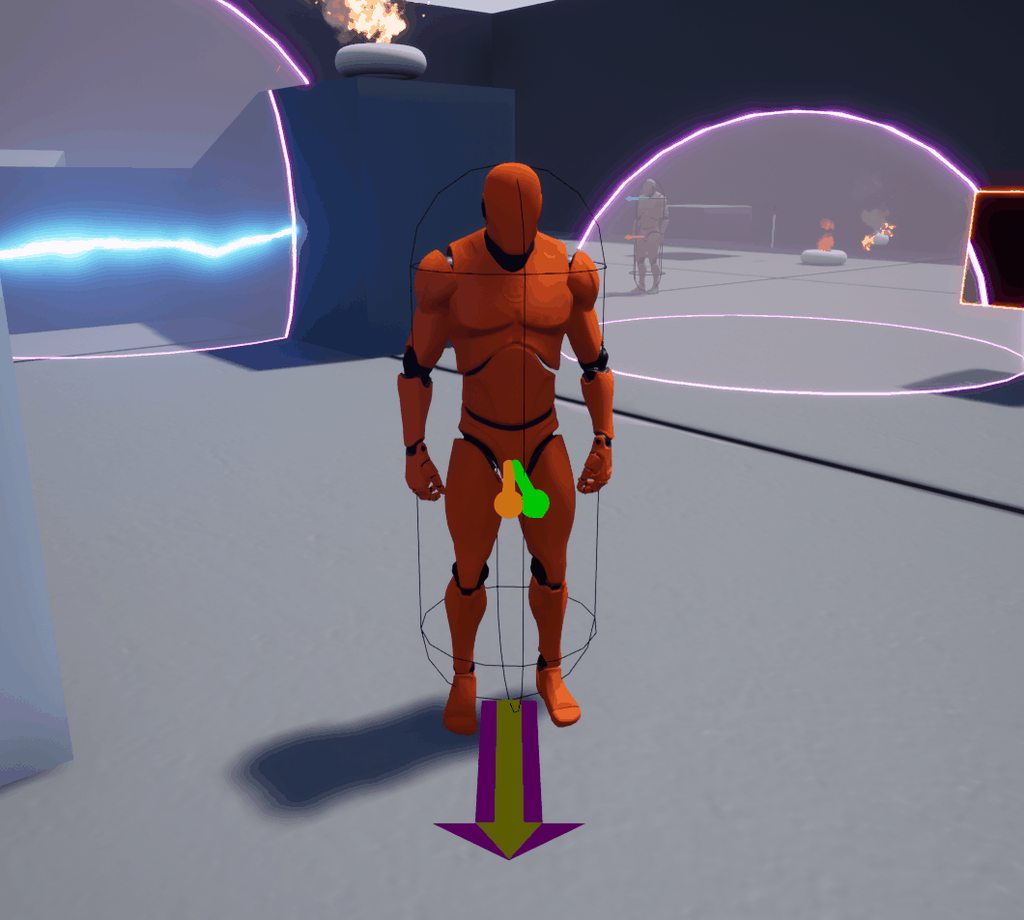
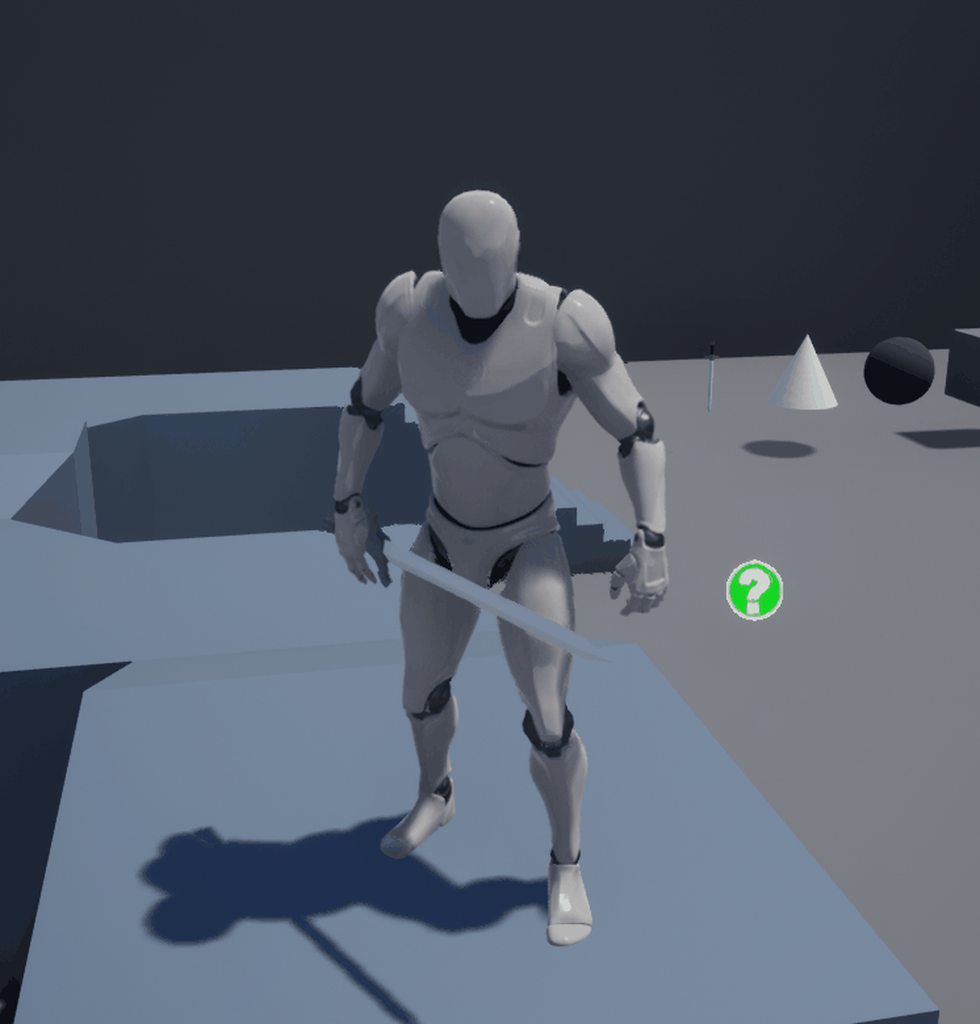
Guys I would be so grateful if someone could help me out with this, Im trying to blend an attack animation within a locomotion state machine and Im getting this weird neck and torso movement
this is the animation without blending
Im using a layered blend per bone node from the spine_01 bone, tried changing the depth of the blend but nothing happens. I've been stuck with this like a week, pls does anybody know how to fix that? Thanks
 jovial imp
@worthy delta I think you just need to use a bone that's higher up the skeleton hierarchy
I don't remember though - is spine_01 the closest to the root?
jovial imp
Yeah I think making the neck not be part of the blend sounds like the easiest band-aid solution
worthy delta
How could I do that? since the neck is child bone of any spine bone I could use
jovial imp
Yeah that's a good point -- maybe cache the pose and then do another blend between it and the original cached pose based on the neck bone, is how I'd try to do it
worthy delta
yeah, sounds good, will give it a try. Thanks!
worthy delta
Is there a way to ponderate the animation blend so i can play 100% my atack animation on the top half of the body and 100% locomotion output on button half?
jovial imp
@worthy delta Yeah absolutely -- the guy does it in this official live training stream video: https://www.youtube.com/watch?v=YVC-DL9Ibf0
In this stream, Wes Bunn takes a look at the quickest way to get a humanoid character up and playable from a Skeletal Mesh and a series of animations. We’ll ...
worthy delta
@jovial imp
I found a way to make a child bone to be not influenced by the blend, I will let the link aroung here in case you want to know
jovial imp
Oh yeah that's really smart - set the blend to -1 for the child bone so that it will know to reset what's going on back to normal
worthy delta
yeah
delicate locust
hey, posting this here too:
https://forums.unrealengine.com/development-discussion/animation/1488142-glitchy-jumpy-broken-animation-transitions
TLDR: animation transitions that break and go crazy
Unreal Engine Forums
I have an issue that has plagued me since day one, which is that animations seem to easily break completely under certain transitions. It's very dependent on
steady pond
Do paragon characters come with rigs? Or do these have to be created using ART?
 nova saddle
Hey, I'm using a montage so I can run and punch at the same time, but since its just adjusting spine_01 up, the animation is punching to the right. Do any of you know how I can adjust this so they punch at a rotation from where they're currently punching at?
Would this have to do done in an outside program or can unreal do it?
frosty peak
@nova saddle On the Layered Blend per Bone, try enabling "Mesh Space Rotation"
frosty peak
😃
 high dune
not sure if this is right spot but was looking for little help getting my shark to swim up or down while they are roaming https://gyazo.com/2b7d229a5f50452cca2bf7360f4bc29d
 fleet venture
Hi, How to Freeze-Frame in an ACT game? What is the usual way to accomplish it? Can I use the Pause Animation method or try the animation curve? Need some advise, thx, thx 😃
delicate locust
@fleet venture would it be an option to timescale the game itself?
high dune
Trying to find some information on how to make my shark swim up/down in the ocean if anyone has a link or ref it would be much appreciated
dusk dove
you need a 3-dimensional Pathfinding
 trim stream
Quite a basic question here - I'm creating a thrown object in my game; now I want to add animations for the character when he throws it.
How do I handle the state machine in this instance? Do I set a bool variable on my character for 'Thrown' that changes back to false after a second?
high dune
@dusk dove ty ill look into that
wintry belfry
@trim stream i usually just use a play montage
trim stream
@wintry belfry Please correct me if I'm wrong - but animation montages are animation tracks that can be played outside of a animation blueprint (aka in the character / controller)?
and they play for one loop?
trim stream
thanks!¬
 tulip field
So I’ve made a model in blender which I plan to import into unreal, however I want to animate attacks for the model. Should I do this via blender somehow or is there another way?
 limpid gyro
if a skeleton doesnt have a distinct root bone, will enabling Root Motion just assume the top bone in hierarchy is root?
@tulip field Blender is completely fine for that.
tulip field
Alright, how would I import the animations after?
Just import and add them to his behaviour tree or?
limpid gyro
when you import the fbx, make sure you have animations checked. itll automatically have everything referenced together if its rigged
tulip field
Ohhh nice, thanks man
carmine cove
How do you usually implement animations interacting with doors?
Also tying into navigation pathfinding
I'm thinking about setting the doors to not block the navmesh, then put all door interaction functionality in the ABP...
Seems messy
The door would need to tell the pawn to open it
misty dagger
Wanted to ask how does an animation set work for a bolt action rifle
1 reload anim for each bullet count
Or a looped system
 brisk dove
looping probably, just like a shotgun putting shells in... there is an example of it in the Shooter Game Example
The first one is an animation, then the subsequent ones are looping... this way you can break mid reload if needed as well
misty dagger
Hey guys I have a question about notify in animation montages. I've set a notify at various points in the animation and in the event graph for the player, I've created a new event with the same name. However, the animation doesn't trigger the event
 fresh rapids
Anyone know how to use the Paragon Assets with Mesh Space Additives? Many of the animations have MSA animations, but when applying them using an MSA node they blow up and cover the entire screen, I can't seem to find a way around this.
dark pawn
So i just started to get into animations and got an animation pack with animations for start and end of walking. I was wondering, in a demo of this pack the start and stop walking is solved in the locomotion with states but could this be solved with montages as well? since you can branch notify on the diffrent foot placements to either stop on the right or the left
 native sorrel
is there any good way to change blend settings on runtime in a state machine transition
misty dagger
its not possible to move joints in UE right?
 shut kraken
How would you guys approach animations for a 3rd person action game, kinda like a 3pp shooter but with ability animations that are more, well, "animated"
I guess the 2 approaches are aim offset or making 5 versions of every ability animation
 ruby dawn
Hello! I'm trying to blend smoothly between separate animation montages for combo attacks, rather than using tracks.
What I'd like to be able to do is to blend each attack into the following montage in the sequence, rather than the character's idle pose.
 thick temple
i'm trying to export my animation from maya but the root bone is always locked to 0,0,0 even though i have moved it around in the scene
with A.R.T rig
thick temple
nevermind, i had translation retargeting for root bone in skeleton settings set to "Skeleton" instead of "Animation" and now the root bone actually moves... but why does retargeting settings affect the imported animations too when there was no retargeting involved in any step?
 grave drift
I've got a lot of animations that work for third person, if I remove the mesh so I only have first person arms left, will the animations still work properly or do I need specific animations for first person?
misty dagger
its not possible to move joints in UE right?(edited)
grave drift
You can. In the animBP you can rotate bones etc.
simple karma
You can set variables that drive additives in the anim bp for bodes such as
Note that this will effect its child bones same as if you rotated it manually in persona.
So it can be very stiff it’s. It like an ik kinda thing
So if you spin the spine one the entire upper body will spin
This can be useful however for things like moving the neck
simple karma
https://m.youtube.com/watch?v=YVC-DL9Ibf0 has some info on per bone stuff I’d suggest watching this to get some info @grave drift
In this stream, Wes Bunn takes a look at the quickest way to get a humanoid character up and playable from a Skeletal Mesh and a series of animations. We’ll ...
But they do a look at object of interest thing somewhere past the hour mark
grave drift
Thanks @simple karma 😃
misty dagger
so i only need to place bbones and joints in blender and then i can animate in UE?
cloud lodge
@raven field you got an aninblueprint ? You put in a slot for the mont@ge to play on ?
 raven field
@cloud lodge Yeah there is a AnimBP. But I've pretty much set it up like the Firsperson Template's shooting animation montage. A slot?
cloud lodge
Montages require a slot ti play on
Right click in your anin graph and selext default slot
Plug that into your amingraph
simple karma
hmm this is gonna be tricky, trying to make a rollng animation of a animal in a tucked ball position
but i'm realizing i cant just rotate root of course he then rolls into the floor haha
guess ideally i should learn how to make a spline circle the but follows
wait thats not animationg lol
 modern cliff
Hello guys. Is there any way to add joint target location for the FABRIK IK?
dusk dove
as a student, what are my options regarding facial animation?
misty dagger
@simple karma good luck with rolling animatins...
frosty peak
@simple karma If you are going to animate the bones directly, you can simply create a sphere and parent constrain (with maintain offset enabled) your hip/root bone to the sphere.
@dusk dove You can either make blendshapes for the different expressions, or you place bones for the different parts of the face that you want to move. Both have their pros and cons. The bone approach is generally less technical and complex, but its harder to hit high quality expressions.
Blendshapes tend to be a higher technical burden to maintain, but you have a lot of control
@modern cliff This sounds kind of unclear. You have a transform that you want the FABRIK to reach for, A location vector can easily be made into a transfom.
 vestal lynx
For context this is the first time I'm messing with the animBP and montages. I have a montage where a character swings an axe to collect wood. The montage has 3 animations: Start, chop and End. The chop is looping and in the middle of chop is a notify event to perform some "collect wood" action. Now if I determine that enough wood has been gathered, I use the "Montage Jump To section" to skip to the end. Is there a better way to do that? Instead of skipping half the chop animation, I'd prefer if I could tell it to just not loop any more. Is that possible?
frosty peak
I believe you can use Set Next Section
vestal lynx
Ah I see so that's what that is for.
 runic totem
Is there a way to attach the left hand to a socket on a gun? The Fabrik version doesn't seem to stay in one place totally.
 idle plinth
if I have a "Blend pose by bool", will the path that is not active (when not currently being blended), optimized away? EG not executed? Or does it execute both at all times?
simple karma

this work?
i'm not keen on blender
but not sure whatt to do to make the toung follow jaw
jovial imp
@simple karma I think you need to modify the weight painting so that make the tongue will move when the jaw bone moves
Another way to do it would be to add another bone to the tongue and make it parented to the jaw or something like that, I think
I'm not an expert on rigging
limpid gyro
Hello, I am trying to make use of Root Motion from Blender to UE4, but am having a bit of an issue upon importing: the animation data for the root bone is nonexistent. so everything plays out except for the LocRot of the root bone. any ideas? Ive played with different Root Motion settings in the animation and anim BP too
modern cliff
@frosty peak Thank you for the answer. Yes that is the transform to reach fo, but in my case I also need to control diraction in wich joints are bending.

@frosty peak Here you can see the nasty "elbow" popping to the oposite side.
 honest shard
When i inport mixamo animations to ue4 they dont work as expected... the waist is static for example.. I imported the mannequin to mixamo and downloaded the animations (that looked good on the web oreview) so the problem its in ue4
import*
preview*
To import the fbx animations i just deselect "import mesh", i select the mannequin skeleton and i press import all.
honest shard
Notice that the waist is completely static and looks a bit weird... Help
frosty peak
@modern cliff I think two bone ik would be a better fit for that then.
@honest shard i would import your animations into your dcc (Maya, blender, etc) and check the name of the hip & root bones. If there is a mismatch on the hip or root, that could cause the problem. If that's the case, you may need to import the animations onto a mixamo skeleton and then retarget them to the mannequin. This seems like a fairly common problem around here, wish mixamo would make it easier or at least provide more documentation.
honest shard
:C
thick temple
@limpid gyro check the skeletons retargeting settings for each bone, scroll up to see my last message regarding that
honest shard
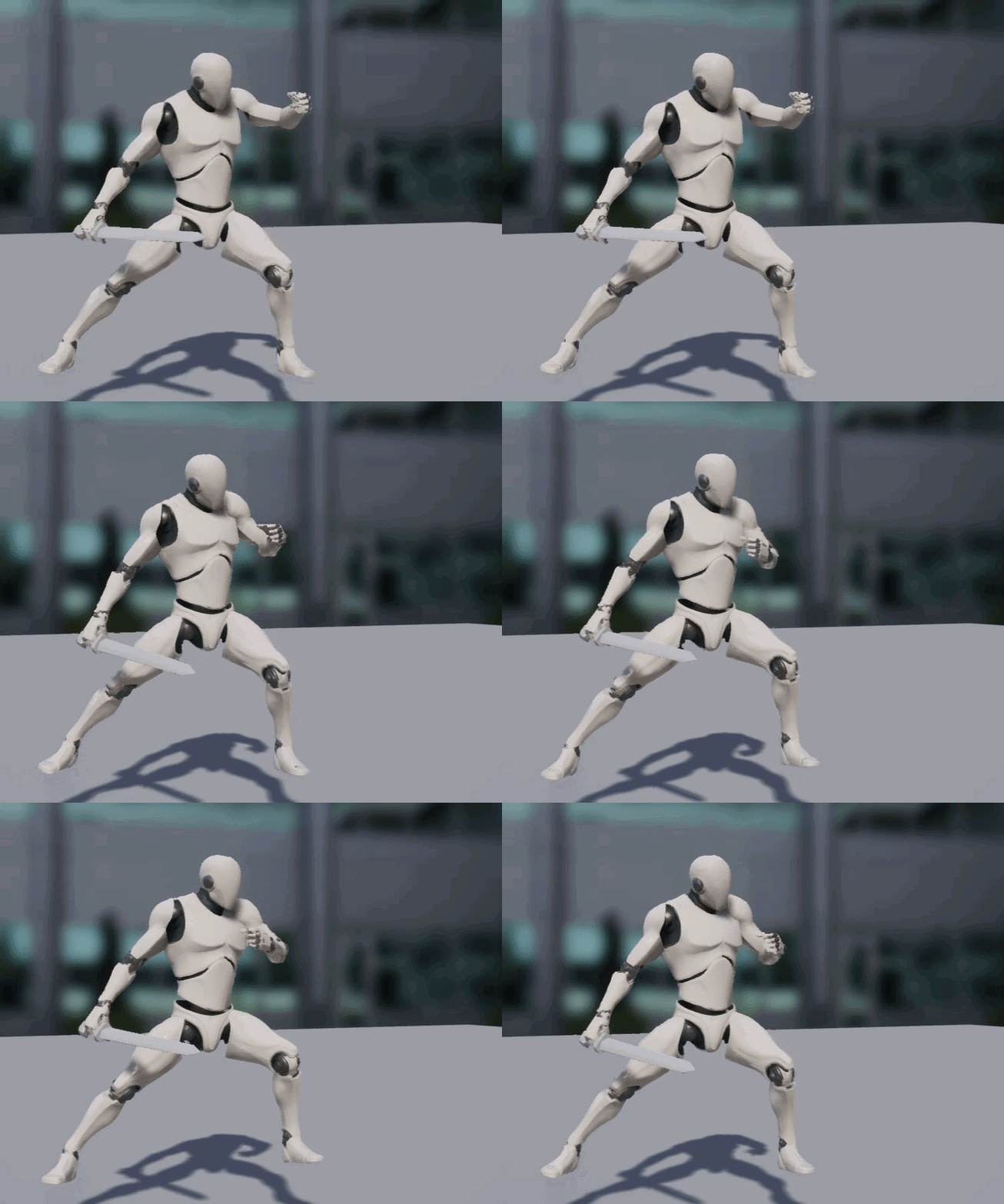
In December 2016, Mixamo decided to pull support for Unreal Engine 4 compatible animations. But what does this mean ? Does this make it impossible to get mixamo animations into UE4 ? In short, R…
limpid gyro
@thick temple does it need retargeting if its a first time import?
thick temple
well in my case it was a first time import but somehow the retargeting settings ate the root motion anyway
it didn't require reimporting after the tweak
modern cliff
@frosty peak Ok, thank you man 😃
steady pond
is there an example on Marketplace (free) that contains blendspace/state machine etc and how to use it?
frosty peak
@steady pond You can check out Shinbi, her animation set is pretty clean. There is also the Animation Starter Pack.
frosty peak
🙂
 tender mist
Do you think most skydiving games play an animation and then blend it to a default body pose? Or do you think it's usually targeted to rotate straight to the default pose/position?
Mainly talking about the jumping out starting phase
icy cove
Hey guys, is it possible to somehow permanently scale a single bone? It's working perfectly in a skeleton preview, but it's not saved and not affecting anything in the game nor for mesh itself
honest shard
Does anyone use https://github.com/enziop/mixamo_converter To fix the Mixamo to UE4 issue?
GitHub
mixamo_converter - Blender addon for converting mixamo animations to Unreal 4 rootmotion
I'm having an error message "Hips not found", hope someone can point me out what i may be doing wrong
 icy raft
in a first person game, how to you make a gun do that swaying animation when you turn?
or like have weapons feel nice in your hands, like how titanfall and battlefield do it
tender mist
^Part of it is adding that velocity or rotation when you turn, but you can do additive animations as well
icy raft
what are additive animations?
tender mist
I should say animation blending
In this tutorial we look at blending between a walking and running animation using the third person template.
That's fundamentally the same principle
 cedar rain
@icy cove you can use Additive Layer Track to add scale https://docs.unrealengine.com/en-us/Engine/Animation/AnimHowTo/LayerEditing
honest shard
Hi, i'm using a variable "is attacking" to trigger the attack animation on my animation BP. but i want to run the animation once or change the value of "is attacking" after finishing the attack animation
how can i do that? I cant set any variable inside the AnimBP, just read
cedar rain
You can trigger event when you exit the node - or on the transition. make sure to define it as Branchin Point instead of the default Queued
When you select node in anim bp - events defined is in the details section
mint lagoon
hey so im trying to figure the best way to switch between attacking, shielding and casting in my anim blueprint. should i do blend pose with enum?
frosty peak
@icy cove Iyou could add a modify bone in the animation graph, and set the scale there. I don't think Unreal likes a scale of Zero, but 0.001 is usually fine.
@mint lagoon You basically have 3 options: Montages (boo), Blend By Enums/INT/Bools (Pretty good), or State Machines. I'm a fan of the state machine approach, because you can have a 'master' state machine that is simply filled with a cache pose in each state.
 round shale
You use state machines instead of Montages?
frosty peak
Depends on the need, but in general I find montages to be only useful for very simple things
I prefer state machines because I have complete control over the pose and it can differ from state to state.
round shale
Do you need to include anything additionally for that?
frosty peak
the main difference is instead of a character BP calling a montage on a skeletal mesh. That Character BP would call an Event Dispacter, which the animBP binds to, to trigger the logic. Or it could be done more directly with an interface or casted function
so there is more setup than a simple montage call, but you can also do way more than what is possible in a montage
round shale
oh so you can set states based off an event delegate or something?
frosty peak
ya
round shale
ohhhh
frosty peak
say there is a delegate for jump
the animBP binds to that
sets a bool to true, then sets a very short timer to set that bool back to false
weary pine
If you're going to do all of that, you may as well do a montage setup.
round shale
I was using a series of AnimNotify in CPP for my montages.
frosty peak
montage setup has much less control
im not a fan of notifies for controling flow, it gets clumsy
round shale
though Sion said he'd recommend using timehandlers along animations to define when they start & stop for events.
weary pine
I can jump to any particular spot in a montage quite easily. Yeah out of the box its kinda limited, but you're going to have to do the setup to control the animation at some point.
round shale
Basically run the animation independent of when an action should take place - but sync the timing manually.
if that makes sense.
frosty peak
the advantage is of the state machine is that any given state can have any modifications that it needs to the pose that is isolated to that state
for example, I have a moving land animation
where I can blend the landing animation with the running animation
but if the character's velocity is zero, I can keep the landing animation intact without compositiing it with a run
and all of those nodes are only in that 1 state
weary pine
Sure.
But for actions instead of states, I'd still lean towards montages.
Doing an attack is something where you need to do blending, but that isn't normally state specific.
Where it would be, you can do the blending there.
The reason you'd do montages would be so that you can more easily control where you are in any given attack sequence and just arbitrarily go to another point even in another animation, and the Anim BP can more or less not care - so if you have different skeletons your code setup can just change the set of montages for that instance.
frosty peak
Ya, montages are good for that type situation.
weary pine
its a shame that project I was working on where montages would have been the backbone ended up being a flop
Woulda been really interesting to see how far it could go
icy cove
@frosty peak thank you, I'm exactly using this method. Just was thinking maybe there is some persistent way to do this. But anyway seems the modify bone node is working good enough for me.
 wheat geyser
Hi guys, may I ask if there's a way to show which animation the NPC is playing right now?
I tried typing ShowDebug ANIMATION in the console but it only shows the animation information of the player I think.
Thanks in advance.
sinful smelt
My latest test https://www.youtube.com/watch?v=1N0bds6GbJw&index=9&list=PLlwJ8V-ghUTOkagp7XW4iAIW94cYqqc9N

TEST 09 Autodesk Maya Live plugin to Unreal Engine 4 with home made Flip Back animation done on blender and added DAZ Characters !!!!! READ UNDER THIS !!!!! ...
 sacred holly
Use the Euler filter for the rotation issues..
The whole live preview and connection between maya and ue4 looks so great. I can't wait to give it a try myself! 😄
sinful smelt
@sacred holly oh tanks for the tips but i done the animation on Blender ^^
sacred holly
ah ok. how did you transfer the animation from Blender to Maya then?
crude sun
I have an skeleton witha lot of small animations. I wan to create idle posses for character selection. Lots of them. My idea is to mix small animations like the upper body of one with the legs of another one. What's the best way to do that? I assume doing that from the animation BP could be a bit overkill, right?
crude sun
In other words, how can I make additive animations that I can use later as assets? Montage? Composite? Blend/1d?
crude sun
Can someone confirm if UE4 allows to compose animations in multiple tracks (like one track for the upper body and a different one for the legs)? As an asset and not an animation BP?
misty dagger
Animating materials/textures. Wonderful. I know how to do them.
But my question is, can you do it with a sprite sheet that doesnt have a square aspect ratio?
Ill explain if you're confused, ᵖˡᵘˢ ᴵ ᵈᵒⁿᵗ ʰᵃᵛᵉ ᵗᵒ ᵇᶦᵍ ᵒᶠ ᵃ ᵛᵒᶜᵃᵇᵘˡᵃʳʸ
sinful smelt
@sacred holly With UE4 Tools and retarget
I you are interested to know how to in details, check the video text details
misty dagger
Basically what I mean, in a sprite sheet, there are little images. Each image if you were to cut them into pieces, they all would have a square aspect ratio. That ratio is usually stretched and adjusted after putting them in, to get the true size you want. However, my sprite sheet has images that arn't in a square ratio, more of a tall rectangle
Is it still fine to use those or do I need to find someway to restretch the files?
frosty peak
@crude sun You're going to need an animation blueprint to do those things. but that's ok because AnimBPs are pretty awesome.
@misty dagger You may want to ask the #paper-2d channel.
mint lagoon
any tutorials that you guys know of that i can look into for the animation issue i stated earlier? i suck at animations
crude sun
@frosty peak Thanks
carmine cove
Anyone understand what happens if I play a montage without an ABP?
I'm getting weird stuff
carmine cove
I created an ABP with a DefaultSlot node and now it's all perfect.... 😐
wintry belfry
All, I still don't understand how to specify to my character to stop slowly, i.e. not instant
Basically I'd like to set that when a user releases the FORWARD axis, the capsule doesn't stop immediately but keeps going for a little while longer
Is that a setting in the CharacterMovement component that I cannot find?
wintry belfry
thank you, will try that
 merry rampart


 golden flax
Anyone encountered problems when using animation blueprint with "root motion from everything" while in dedicated server? For some reason my dedicated server is skipping 60% of time animation notifies in animations even though i have "Trigger on dedicated server" set on notifies and root motion enabled in pawn.