#animation
1 messages · Page 95 of 1
 terse forge
terse forge
terse forge

It doesn't seem to work for me.
oh it looks like it is my materials causing issues
 winged valley
Did you test in a clean project?
terse forge
No, but I removed my materials and it worked.
winged valley
o_O
winged valley
You need to enable Used With Morph Targets I guess, but that was an automatic thing in earlier engine versions.
 winged valley
My theory is that since you imported it without morph targets first the setting wasn't automatically set, but if you import morph targets without any existing materials they will be created with the setting set for you. 😛
terse forge
I guess that makes sense.
I wonder why the material has to be set for morph targets
and doesn't just work dynamically
winged valley
Bug? 😛
Time to test if it's the same in 4.18.
Nah it was automatically set after changing the morph target value in the Persona mesh screen.
terse forge
@winged valley I see, thanks again for your help dude.
winged valley
np
 soft crown
Will an animation prevent me from moving a mesh said animation is animating?
terse forge
no
 devout dagger
So, I finished skinning my character in Akeytsu. Pretty cool stuff actually.
 solid nova
Got a quick question
I imported a model from C4D that had key framed animations on it
Its a character model so it has a skeleton and a rig and such
Problem is that its not playing the animation in unreal
hmm okay nvm i see here when i test the animation its not doing anything
EDIT: Fixed it!
 wise spoke
hi, I cannot find the option to show the targets to control Two Ik Bones in the view :
(Don't pay attention at his missing head 😆 )
 still escarp
Anyone gat a free time to help out
still escarp
Anyone
 rocky brook
Don't ask to ask. Ask your actual question instead. Someone will see your question when they are available.
winged valley
@still escarp It means you shouldn't say "anyone can help me?" because if I say "yes" and I have no idea how to actually solve your problem I'll have nothing to do but say "sorry dude". So it's better if you just state your question, then someone who really knows the answer can help you.
rocky brook
yeah, it's a pretty common expression. All I meant was to ask your actual question instead of asking if people are here.
still escarp
Well here what is the problem i setup aim offset and i made it replicated everything works fine but somehow my character on other window stucks on one direction its not the same like example:
I look at player the player sees me looking right like everything other direction ?
Here is AnimBP
 drifting oyster
Is there any tutorial on setting up shooting animation for a 3D platformer?
still escarp
@drifting oyster There is tons of tutorials how to make that on youtube
drifting oyster
Haven't seen many, I must say
still escarp
What kind of 3d u talking FPS, TPS, RPG
drifting oyster
still escarp
u meen mario like 3d
drifting oyster
I mean a sidescroller 3D platformer
Like, dunno, Mighty no.9
Except probably better
 simple karma
Anyone know of any workflow videos for making small animations in engine? I have my fps mesh sitting still and curious the best route to go in making key poses for walking jumping and shooting etc, possibly stuff like turning lag (sway) etc
I watched some good pointers on the destiny gdc on first person animation and hope to apply it :X
still escarp
@drifting oyster There is planty of thous on youtube try google it also UE4 have tutorials
@simple karma I never try that maybe some one will help u out
drifting oyster
None of them, I'm afraid, talk about adding gun aiming animation (blendspace, taking input from mouse position, the whole shebang) I'm afraid
80% is "llok what I made", 10% is 2D platformer tutorials, and 10% aren;t even platformer tutorials
Even when I added "sidescroller" to the query, still nothing
I'm fairly certain there are no tutorials on the subject whatsoever
still escarp
Then learn from them and combine and u will know how to create your own
play with it
still escarp
Can some one help me with Aim OffSet in multiplayer to work. The problem i have some how only rotation can be seen but its rwong direction and it cant see up and down
 drifting thorn
@still escarp how are you replicating it
 delicate locust
@winged valley hm, I'm in a situation like this where I play a different animation depending on some enum - is it possible in any way to make that particular animation play with my upperbody slot? as far as I've understood, you need montages for this, and it would sort of take it away from this logic if I had to make a special case for a montage.
https://puu.sh/y370S/b26fa18f26.png

(looking to have one of the animations only play on upperbody)
winged valley
You don't, you can use layered blend per bone.
delicate locust
hmm okay, I'll look into it!
winged valley
Not much to look into, just add it as a node and add the bone you want to blend from (spine probably), then increase the blend depth if you want a smoother blend.
drifting thorn
Is player aim offset replicated
still escarp
I set the repicating Pitch and Yaw
i dont used custom event with it
as u can see its replicating but my other client wont its confusing how animation looks like
anyway its setup for deticated
drifting thorn
So when you look around the other player also moves
still escarp
as u can see on first pic my first char is normal aiming but the other not look like it
i aim at character but the other sees like other way
drifting thorn
Right but when you move around does it move at all
I can't see that from a picture
drifting thorn
So that's probably the character rotating
You haven't setup the aim offset to replicate properly
You need to let the server know which direction you are aiming in. It has no idea
still escarp
hmm
well i tryied to make with custome events with multicasts and on server same problem
i can share my screen with u if u have time
drifting thorn
Try sending the server the current aim offset and setting the variable on the server
delicate locust
@winged valley I'm not sure what to plug into the base pose though. like, this is inside the Movement state machine, inside a Land state. if I use the already cached 'Movement cache' as the base pose, it detects infinte recursion. not even sure why it needs two nodes, as I actually want to play this animation entirely from spine and up.
https://puu.sh/y3yW7/9316e38e1c.png
 still escarp
@drifting thorn u mean like this
drifting thorn
Nope after you run your aim offset function you need to send your aim offset variable to the server and then set it there
That way it can replicate to other clients
winged valley
@delicate locust Well if you want to blend that animation on the upper body you will need some animation on the body before that, I don't see how that's different from the setup before adding that node.
delicate locust
so I should set up a new cache of the animation that was already there? not sure how to even explain my setup here
at some point the Land state plays - in there we decide which anim to play.
winged valley
But if you decide on an animation to play that's just one animation, so what other animation will be playing when you're blending that on the upper body?
delicate locust
hmm, I guess the 'next state'. might be a bit more involved than what I think it was.
from the Landing state, we go to the Idle/walk/run state. so I guess what I'm expecting (somehow) is that it should basically skip the Landing transition, go straight to the idle/walk/run, and play that particular landing animation only on the upper body. I realize now though that it was a bit more involved than I thought
I might just have to set it up a bit differently if I want to take such liberties
winged valley
That's the kind of thing that you would do in a second state machine then, because then you could use the input from the first statemachine (locomotion) as the base pose.
delicate locust
yeah I guess that's the thing to do
a different topic, do you know if the single frame evaluation node uses normalized time? I'm expecting the end of the animation to be at 1, but instead it's somewhere around 0.7
trying to make it loop, and becomes pretty hacky if I have to eyeball a time where it loops and reset the timer then
winged valley
I think it's the literal time of the animation.
delicate locust
hmm
winged valley
There is Get Play Length in the event graph.
delicate locust
I'm driving the gameplay logic from C++. maybe the easiest is to make the Blender animation exactly one second, and then speed it up in Unreal a bit. assuming that this scales the animation time
winged valley
Well there's probably some C++ thing that does the same thing. 😛
delicate locust
if there's a simple way to check the time of an animation, that's probably preferrable. I'll check it out
making the anim 1 second worked fine
 hasty pivot
Hey guys i have now completed myblendspace and set it up in animations blueprint but my movement and the crossing of animations are kind of different how can i make it like my blendspace?
terse forge
Just curious, do you guys loop your animations from idle position to idle position
or do you guys go from idle to 1 frame before it would normally return to idle
I guess the first way would have a slight hiccup when it playedback, right?
rocky brook
I think we do idle to idle. Unreal has blending for anim montages that gets rid of that hiccup.
@hasty pivot need more information on that one
hasty pivot
https://youtu.be/CtesCox1yKY @rocky brook and i noticed this weird bug...
 winged valley
You're using a 1 frame idle as the middle thing in your blend space? That's not a bug. 😛
It will blend from your animation with lots of frames to the one with 1 frame and look weird.
 dusk dove
Can I make a Skeletal Mesh tick the Animation even when Paused?
hasty pivot
@winged valley ok and how can i fix this (when ive understood it right..then my animation is 1 frame long?)
winged valley
I think you just put the wrong animation in that slot.
You fix it by removing it and adding the right animation. 😛
hasty pivot
ok because im pretty sure all was right last day
hasty pivot
just curious, how can i animate a buyed character that is textured and has bones?
winged valley
Animate using a mannequin style rig and retarget to your character.
hasty pivot
yeah but shouldnt i can export it and edit it in a seperate programm?
winged valley
Not really, at least you won't get a real control rig when exporting out of UE4.
You can probably export the character mesh and use it with your rig though if you want to do that.
hasty pivot
ok
but yeah as you said i need a skeleton to start from where can i get a skeleton so that i can edit it i want to let the character do a pose for a showcase
winged valley
Depends, if you want to use Blender you can use UE4Tools: http://www.lluisgarcia.es/ue-tools-addon/
 winged valley
You retarget. 😛
still escarp
Can some one help me with aimoffset replication
The server side works fine and normal aiming but on client sees otherwise
winged valley
@still escarp Try doing the math in the character BP and setting variables there, then use those variables in the anim BP.
still escarp
@winged valley Can i share my window and try help me out with that
learning in the process
winged valley
Nope. 😛
You just copy paste the math done in the anim BP to your character BP, create a float variable for the output(s), set them to replicate, in the anim BP you cast once on begin play to your character BP (Get Player Controller - Get Controlled Pawn or something), then use the variable from your character BP in your animation stuff.
winged valley
Actually Try Get Pawn Owner is probably better (one node).
still escarp
and cast it from player in animBP
this is how i made in char now
but all same results
Well now its normal but cant aim at all
winged valley
... 😛
First off you don't need to cast in your character BP.
Also, you put the server event in your function?
I don't know if that will work.
Normally you would put it outside the function in the event graph, then hook it up to the function you created.
Then you need to show how your server/client logic looks like.
still escarp
So i cant use customs in colapsed nodes
 weak beacon
You can, if it's setup properly
If you are using an input into the collapse nodes, the event isnt firing. If you are calling the event node though it will fire.
still escarp
I will test ouside and see what i can get
same results
But he is in one aim postion and cant do like aiming where my mouse pointing at its just stuck on one point but both server and client now see the same
what is good
winged valley
What about the anim BP?
still escarp
yeah i removed it i setup straight from node not in collapsed
in AnimBP i post a pic
winged valley
Yeah that's a bit strange, you shouldn't execute the event there too, you should get the Pitch and Yaw variables from the character BP, then set animBP variables to those, then use the animBP variables.
weak beacon
This is a lot easier in cpp lol. 5 rows of code and the whole aiming and replication is completed
still escarp
@winged valley Get the image and draw it where shell i get this things done
@weak beacon well lucky u know scripting
Once there was amater now its a expert that is the rule of learning
weak beacon
get pitch and yaw from character and pull them into the pitch and yaw of your animation bp
winged valley
You already have a Get Variables From Pawn function, just get the variables from your ALS Character reference (Get Pitch, Get Yaw), then set the animBP Pitch and Yaw from those.
still escarp
winged valley
You should probably move the Set stuff from Initialize Animation to Update Animation. 😛
(the bools and the floats)
And remove the ROS Aim Offset event.
still escarp
It is in update animation
winged valley
... no? 😛
You've even got huge comment boxes saying Initialize Animation BP for the Initialize event and Update Every Frame for the update event.
You should set the bool/float variables every frame too.
I thought you would just edit the Get Variables From Pawn function since that already existed (and sounds like the thing you want to do) but if you made Set stuff outside of the function just move them down there.
still escarp
So i have to cast player from updat animation and setup there
winged valley
No, you cast to player from initialize animation to get the reference, save the reference, then set the bool/float values in Update Animation.
still escarp
U mean like this one just add for pitch and yaw
winged valley
Yeah.
But you get the character reference instead.
Then Get the bools/float, and Set the variables in the anim BPs to those values.
still escarp
I hope i will do right 😄
Its much easyer to ask experiance one for help then hiting my head on the wall and fixing it and fustriating my self
So i have to make to get from character not from pawn and set thous yaws bla bla in there like in image up
this will be massy 😄
I just comfused i dont know how to make this
@winged valley can u walk em true it
u are more experianced then me
winged valley
Not really, I mean, if you don't know how to do this you will have problems later.
Especially since you're already doing this in that function.
Do you understand what it does? 😛
still escarp
This up
Geting animations fomr character and updating it every frame as i see
and component that is separeted
its will be more easy for me to understand to some one walk me true it
and do this fix
that i dont scrow up later and understand what i have to do
winged valley
You've already saved the reference from the cast right? (ALS Character)
So what's the problem?
still escarp
i already posted well i will say again
i made everything setup Aimoffset with weapon
and
now i have to make it replicated
BUT
there is a problem
on server works ok but client not
its fucking up the rotation
As u can see here
winged valley
Yeah, but I said you could fix that by doing the math in the character BP instead, which you did.
Now you just need to get those values into the anim BP and set the anim BP variables from those.
still escarp
so i have to reconect the variables with animbp
winged valley
Do you know how to Get a variable from a char BP reference?
winged valley
It's stored in the character BP, but you saved the reference when casting, so you only need to drop that character reference from the variable list into your BP (and Get it), then you have the character reference there, you can do that in the function.
Then you can drag off of that and type Get Pitch, it will get the Pitch variable from the character BP.
It should be pretty obvious because that's what happening in that function anyway, some sort of reference, then Get a variable.
And after that you just need to drag the Pitch and Yaw in the anim BP variables into your graph and Set them, using the result of the Get stuff from the character.
still escarp
U mean like this function what i made for weapon
still escarp
aha
ohh that will be mess for me i can play with it for days till i get it right
so i have to do math no meter
winged valley
Well yeah it seems like you're not understanding what you're doing at all. 😛
What?
still escarp
its hard to get understanding from chating that is i say call with window share
and explane by way u say now
this is premade project
that is why i am confused
can u find a video or something that shows simmilar to this
or in pics
winged valley
You should probably ask the people you bought it from then if you don't understand how to fix it (even after I explained it like three times)
still escarp
yeah i waiting still for answer 4th day now
i know i am sry but i try to get it right pic wile u explane
winged valley

This is 95% like the thing you should be doing, for example the thing at the bottom. Just put the character reference in the BP and Get it.
Then drag off of that and Get Pitch for example.
Then, from the anim BP variable list in the bottom left, drag Pitch into the BP and Set that.
Then connect the character Get Pitch to the anim BP Set Pitch.
rocky brook
I am gradually animating a skeleton/mesh down via the global control in maya. It works fine when I open the fbx in something other than unreal. But when I import into unreal the scaling doesn't occur. Does anyone know why?
winged valley
What's a global control? It should work if you're animating the scaling of the bones.
@still escarp How does the aim offset stuff look like in the anim graph?
winged valley
That was in the event graph though.
still escarp
ok i put back and test
winged valley
Can you even do aim offsets in the event graph?
In this step, we add the Aim Offset to our Animation Blueprint and hook it up to our existing Anim Graph.
still escarp
done that watch it not worked but i will test this first
rocky brook
@winged valley it's a nurb control that my skeleton and mesh are constrained to. Yeah it works when I scale the root bone directly. So something must be messed up with my control. I'll mess with it. Thank you
winged valley
You can try baking the animation if that's not done when exporting.
@still escarp I'm just saying you have to have the aim offset animation in the anim graph with the variable inputs. Are you sure it's using the anim graph versions?
rocky brook
Yeah I bake on export
winged valley
No idea then, I don't use Maya.
still escarp
@winged valley yeah i hawe it
rocky brook
np 🙂
still escarp
dont minde that error down xD
this one is from that link up and its in animBP
its just saved not connected i have one connected in charactersBP
winged valley
What is the compilation error?
winged valley
Yeah okay, you probably want to run that event from the anim BP then I guess, but before the Get Pawn Variables thing.
So ROS Aim Off Set and then Get Variables from Pawn.
winged valley
Not really, you already have the reference right? Just use that as the target for the event.
still escarp
maybe i have to move the aimoffsetBP to component and call it from there because he uses rotation and all the controls
the characters component
winged valley
Yes? 😛
I don't see how that has anything to do with what you're doing.
But you probably shouldn't have the ROS Aim Offset event in the anim BP because that should only be run on the server.
Actually nope...
Well you should run the Replicated From Client Executes on Server event on the client, switch has authority, Authority - ROS Aim Offset.
still escarp
so i set authority
winged valley
 still escarp
aaa give me sec
winged valley
(in the character BP)
still escarp
Here u go
well its same
so i have to find players movement
and setup function in there
i mean conecting it
 merry rampart
hey guys blender animation question
is it possible to export all Actions through fbx?
winged valley
Yes, but usually better to have one file per animation.
If you want all animations in the same file just exprt with All Actions and Use NLA Strips enabled in the animation export settings.
If you want a file per animation it's easier to use a script: https://gist.github.com/cyaoeu/8ca94319a23d5d3233c5c1792cb8ad99
 merry rampart
one blender file per anim you mean?
Perhaps I need to get more acquainted with the Action Editor + NLA
cause I created a couple Actions, and when trying to export it gave me following error :
Tried to delete some actions, and they still seem to remain as :
with 0 next to them
winged valley
Yeah the actions will be removed if you save and reopen the file.
Interesting FBX exporter error though. 😛
winged valley
You get an error when reopening the file and exporting again?
winged valley
o_O
winged valley
What Blender version are you using?
merry rampart
in my Actior Editor list
I copied and pasted my character + anim into a separate blender file and it didnt have that last thing
2.79
winged valley
Do you have any actions when selecting the character mesh?
merry rampart
Same actions
winged valley
Really?
o_O
You shouldn't have any actions on your character.
Try exporting only the rig with Only Selected enabled, does that work?
merry rampart
Hmm
I just added some keyframes and it worked
in two of the actions they only had 1 set of keyframes
at beginning
none at end
because it was just being animated with curve modifiers
so I guess an animation needs to be complete with 2 sets of keyframes? (ie beginning and end?)
winged valley
Yes. 😛
merry rampart
Haha
Good. to. know.
boy do I feel like a dummy. Most of the time this sort of stuff happens it's because im a dummy
Now im getting clean exports and imports. Thank you for sticking this out with me
winged valley
np
Could you test the script and see if it works? It didn't work for someone else when I shared it with them.
Maybe I need to rewrite it. 😛
merry rampart
It exports each animation as separate fbx file?
winged valley
Yeah.
It also sets the name for the file from the action name and sets the length of the exported animations from the last keyframe length.
merry rampart
And this will make it easier to import/export specific animations within UE4?
like after changes etc
is that the main reason to export separate fbxs?
like "reimport"
winged valley
Yeah you can export a single animation and reimport that one instead of having to reimport a huge file which takes a long time to load.
merry rampart
ooo that will be useful
ok ill try it and report back
animation blending in sequencer = ❤ ❤ ❤
merry rampart
Ah man...
can the action editor not hold shape key animations?
ie my action should include both my armature
and shape keys
winged valley
They are unlinked. 😛
merry rampart
What does that exactly mean?
winged valley
That they are not linked. 😛
I'm not sure myself of a good way to auto select the right shapekey action when selecting a normal action, you would probably need some script for that.
merry rampart
😐
ight im done with the action editor
its the most confusing thing ever
fucks sake
winged valley
How is it confusing?
merry rampart
well im learning about it
but I would like my animation to hold both armature and shape key information, like I mentioned
and when I add keys to my shape key
they only seem to show up in the NLA editor
winged valley
Yeah you can do that, but you need to make sure the right armature action and shape key actions are selected.
merry rampart
and you need a script for that?
winged valley
And you need to export the mesh at the same time I think.
No, you can do that manually. 😛
But it would be nicer if that was done for you, so you select normal rig animation "fancyanimation" and the shapekey animation "fancyanimation_shapekey" is selected automatically.
merry rampart
so do I have to select both of those WHEN I create an action?
or can I do it post-creation
winged valley
Uh, no.
They are separate things.
Which is the problem. 😛
Basically when you insert keyframes on a shapekey slider value a new shape key action is created.
So if you want to make a new shapekey animation after that you need to go to the shape key editor (note: different from action editor), and make a new action there.
merry rampart
Ah I see. but they will be considered different actions
so when I say, import to Unreal Engine 4
they will have to be assembled there as 1 action
like, they will be separate animations
winged valley
Nope!
merry rampart
Well that's good
winged valley
Yes. 😛
1 Normal rig action + 1 shape key action (curves) = 1 UE4 animation
It's math! 🤖
merry rampart
Okay thanks
winged valley
You will need to select the actual mesh for the shape key stuff, but the rig for the rig stuff.
merry rampart
still figuring out what the NLA edtior means in all of this. how to understand its role
ya
merry rampart
Hehe okay
winged valley
It's more useful for animation in Blender, if you export it to UE4 you probably want to do blending stuff in the animgraph using nodes.
merry rampart
ah okay I think I get it - its for combining actions (which if im using UE4 like you said, ill be doing using sequencer or animgraph
perf
winged valley
Yeah, or layering stuff, but you can just do that in UE4 instead, way easier because you can work with one animation at a time rather than one NLA "action" (possibly containing lots of stuff).
merry rampart
😄
learning one day at at ime
time*
I dont mean to be a fuss puss
but to further understand
an Action and a Shape Key are different. they both require different editors
so, when I create a new action, it does not necessarily correlate to a specific shapekey
ie. they are not linked
winged valley
Yeah exactly, so when you create a new rig animation and export it you can end up with some weird shape key animation you didn't want. 😛
merry rampart
yea
it worked fine with 1 action and 1 shapekey
but with 2 actions and 2 shapekeys, what happens
winged valley
I think that will only happen if you export both the rig and the mesh though since the shape key data is linked to the mesh.
Nothing special, you just need to make sure you're exporting action 2 with shapekey animation 2.
merry rampart
hm true
winged valley
Keeping those in sync is probably the hardest part about this. 😛
merry rampart
yea
not a great work flow
Ill research / try, but would you be able to tell me whats a quick way of exporting specific ones?
winged valley
A specific what?
merry rampart
well, make sure I export action 2 with shapekey anim 2
just that they are the current selection?
winged valley
You select the rig, select action 2 in action editor, select the mesh, select shapekey anim 2 in the shape key editor, then select both and export.
winged valley
Yeah, I have no idea what you end up with if you export with all actions with lots of actions and lots of shapekey animations too.
merry rampart
some nefarious monster im sure
winged valley
My export script only exports normal rig animation though, I should probably make a version for normal rig animation + shape key animation.
merry rampart
actually in UE4 when I imported with 1 action and 1 shapekey, it gave me 2 animations: 1 action, and one with both action and shapekey
yezzir!
so I wonder if it would just import all of them sepearate and all of them in combination :p
winged valley
o_O
Yeah maybe.
I tested exporting a mesh+rig with a rig and shape key animation and ended up with 1 animation in UE4.
Maybe you have some other action (in action editor) on your mesh?
merry rampart
Hehe well - I did some research because I had an impossible time getting rid of empty actions
found out you have to make sure everything is deleted in the NLA, clear animation data, shift X the damn action
and then restart blender
so im not sure what im doing wrong
winged valley
Secret. 😛
Anyway I made a script but the batch export part won't work because you need to select the right combination of rig action+shapekey action.
merry rampart
Darn (about the secret)
I just tried to export with All Actions unselected and it didnt export any animation sadly. so not sure how to specifically export what is in viewport
instead just exported all, and then imported in UE4 without mesh (only animations) and just sorted through the right ones ;\
c'est fatiguant :p
winged valley
You need to disable Use NLA strips too.
merry rampart
stupid NLA strips
winged valley
The script works! 
You just need to remember to disable Import Mesh when importing the animation or you'll get an extra mesh which you probably don't want.
merry rampart
Can you send updated script ? 😃
winged valley
But the script is kind of stupid, the only thing that it does is export the animation in a specific folder and set the right length, I should probably add something that tries to select the right shapekey animation automatically.
You can wait a bit and I'll try to make it better first. 😛
winged valley
Right now I made it so if you have a shapekey anim named (rigaction)_shapekey it'll automatically set the right action for the mesh when you export.
I can probably make a batch export version too but not sure if that would be useful, you would need to rename all of the shapekey actions anyway and then you might as well export them that time. 😛
You can also comment out the last line (actual FBX export) to get a script that selects the right shape key animation for your rig animation, useful for running after changing the active action for example.
merry rampart
yo thanks so much man
winged valley
np, I wanted that for myself too.
still escarp
After 4 days of strougle i did it 😄
 jovial night
Im having issues with morph targets, (guess this is kinda animation?)
the output log is saying "cant find file" blah blah blah 'Name_NameTwo_Anim'
CurveName(Morph1) is skipped because it only contains invalid values.
also says that
not sure whats up, anyone have any ideas? I can copy paste full log output if needed
its saying it cant find skeleton or physics asset either for some reason
oh I think I know
maybe not
still escarp
@merry rampart U damn right 😃
winged valley
@merry rampart I disabled PMs because of spam. If you want something you can @ me here. 😛
 faint flicker
hoy, anyone here dealt a lot with additive animations?
I want to use a blendspace as an additive animation
but one part of the blendspace is the base pose that it gets added to
and that part always messes up
faint flicker
ah, well
I guess it works better if I duplicate the base pose anim and set it to additive as well
that fixed it
drifting oyster
Anyone ever used iClone for making character animations? How is it?
https://www.reallusion.com/iclone/default.html
3D Animation Software - iClone
iClone 7 is an all-in-one 3d animation software that blends character creation, animation, scene design and story direction into a real-time animation engine.
faint flicker
oof montages are a bitch to debug
rocky brook
lol what are you debugging in a montage?
 misty dagger
anyone have this issue
with animation montages
shrinking your character
then once its done it goes back to normal
its super strange xD
winged valley
It can happen when using Blender with wrong scene unit settings.
faint flicker
@rocky brook trying to play it from a section other than the first, and it fires notifies and everything but doesn't play the anim
bone blend looks alright
anyway, it's a tomorrow problem
time for some food 😄
 barren wing
there is some artist using ART (Animation Rigging Tool) with Maya here ?
I don't know if it's better to use the v1 or v2
 merry summit
is there a way to blend between poses from a character blueprint? (without passing to animBP?)
drifting oyster
Great, turns out iClone is useless to me. Even if I bought it, I'd still need to buy 3DXchange as well, to import my own characters for animating...
Guess I need to learn animating in Blender 🤷
Oh, and exporting to FBX requires me to buy another license. Otherwise it's just some iContent file format that doesn't work with any engines.
 quartz cove
Fuck iClone
I bought that shit last year for my MoCap stuff
I mean, it was a hassle, but I did figure out a proper workflow
But that shit cost me $1000 for the 3dxxhange and other things I needed
Well, probably 600-800, I can't remember. But, anyway that was 6, and now they are at 7. So, maybe the workflow is better.
drifting oyster
You still need 3DXchange, that's for certain
I could try Motionbuilder from Autodesk, since I'm eligible for a student license, but I couldn't use those animations in commercial product unless I decided to pay, like, $1500 yearly.
winged valley
Blender is more than fine for animation. 😛
Especially with this build: http://graphicall.org/1221
 drifting oyster
I am using 2.79, I just never got into animating with Blender
I've only ever been using it for hardsurface modelling
 frigid flower
Any idea why these mesh deformations are happening? I’m regathering an animation and this happens on the target =\
jovial night
shoot asked in the wrong channel: anyone know about morph targets?
having issues with import
 winged raptor
for actually creating this character through blender. how hard would animation be?
Considering it would be 5'ish objects all sorta centered via the orb
winged valley
Probably not too hard to animate but might be hard to make it look good.
If you use the smooth f-curve branch you get nice auto smoothing by default so it would be easy to make the arcs for the movements that that character would do.
devout dagger
Blender is fine for animation, but not as fine as Akeytsu
especially when it comes to IK/FK switch/snap and animation layers
Blender is more technical, more in-depth
winged valley
You can make an IK/FK snap system yourself, I posted how to do that in the Blender forums.
devout dagger
I don't want to make it myself
winged valley
IK switches are default on almost every rig too.
devout dagger
it's too time consuming and inflexible
since I already tried Akeytsu and I've rigged/animated enough in Blender, I can compare the two and I can tell you Akeytsu beats Blender in many ways. It has its downsides of course, but for me personally it still beats Blender by a mile .
winged valley
Blender beats Akeytsu in many ways too, in Akeytsu there are no twist bones, no drivers, no idea how morph target stuff works either.
And the Blender smooth f-curve branch has better auto keyframe interpolation than any other software right now. 😛
There's no scripting either...
The list goes on.
devout dagger
you don't need any drivers in Akeytsu
winged valley
When I tested it the auto skinning thing was really bad, I used the UE4 mannequin and the result was... not good. You should try that and see if it works better now.
devout dagger
it's a free form animation
winged valley
You can't have any if you wanted them for some reason, like corrective shape keys.
devout dagger
Akeytsu has curves too
winged valley
Or for facial rigs using shapekeys.
devout dagger
That's not what Akeytsu is for and you don't need corrective shapekeys in a video game
(maybe for cinematics only, but what indie does cinematics in their games?!)
winged valley
Uh, probably all of them? 😛 (Using Sequencer)
devout dagger
eeh, no? Unless by indie you mean Epic-size developers, which are in no way an indie developer (I refer to indie devs as to 1- to 5- men/women teams)
winged valley
Most games have cutscenes, it's not just Epic.
devout dagger
dude, you don't have time/resources (unless someone pays your bills and you can afford to work on your game for the next 10 years) to work on cinematics with animation of Blizzard level when you work on your indie game alone or with 1 extra set of hands..
so I don't see how AAA animation features are relevant to small indie devs at all
if you want to use mocap, then yes, Blender is the app.. But if you go hand animated - Akeytsu is the thing
winged valley
??? Why do you need Blizzard level animation for a cutscene? I'm just saying you can't have morph targets driven by bones at all.
Morph targets are not a AAA animation feature.
It's a basic one. 😛
devout dagger
because you only need morph targets and corrective shapes for AAA-level of anims.. I haven't seen a single indie game made in sane time constraints by a tiny team with that kind of animation quality
again, for production of hand animated characters in a short time frame by a small team (1-3 people), Akeytsu is unbeatable
devout dagger
then don't argue - you are Blender fanboy and you 💩 on every piece of software that isn't Blender
winged valley
And you're not doing the same to Blender right now? 😛
You're as much of an Akeytsu fanboy as I am of Blender.
devout dagger
every time someone asks about anims, you push Blender as if they Blender Institute pays you for that.
winged valley
Well it's free, why wouldn't I push for it?
You're pushing for a software that costs money. If anyone is getting payed it's you. 😛
devout dagger
I am all in with Blender, except now I tried Akeystu and I can recommend it as a complimentary animation software to Blender
because it takes money to make more money.. Don't be fooled into thinking you can use all free tools and make a good game in short period of time
winged valley
You can.
devout dagger
no, you can not
devout dagger
telling you this from personal experience
UE4 is not free.. you just don't have to pay upfront
winged valley
Fine. 😛
But a static mesh imported from Blender is not different from one imported from 3DSMax, a skeletal mesh imported from Blender is not different from one imported from Maya.
 abstract prawn
just use cryengine then.. 100% free
winged valley
UE4 doesn't care where stuff comes from.
devout dagger
and like I said, I am all in with Blender.. Just not with character animation.
winged valley
To each his own.
I am all for character animation with Blender, there are tons of open movies made in Blender (meaning animated with Blender). The latest one, The Daily Dweebs, is great too.
And I doubt it's mocaped from the look of it. 😛
devout dagger
you are entirely dismissing my point - look at the team they had. I am one man army with a day job. I am sure there are a lot more indies like me than not. Sitting there and jerking rigging in Blender is not something I want to do. Nor dealing with pretty bad UX and idiotic data blocks when it comes to layered animations. I can go on, but it's pointless because you not willing to see the whole point of this conversation.
If you are going that route, I can tell you this - look how many more outstanding video games and movies were made with NOT Blender and they are a way better quality (script wise and visuals wise) than all those open source movies that were done in Blender.
winged valley
They had one animator.
But sure, you can use whatever you want.
If you don't want to bring in other software then don't talk about them in the first place.
devout dagger
Unlike you, I brought in another software - Akeytsu. Thus I am talking about other software. This isn't #blender-animation channel.
winged valley
Blender is fine for animation, but not as fine as Akeytsu
You could've just said Akeytsu is great or whatever.
But if you say that Akeytsu is better I will challenge you. 😛
devout dagger
because for what it does - it is better
devout dagger
Just like 3DS MAX CAT is a way better than both Akeytsu and Blender.. I don't mention it because it's prohibitively expensive. Akeytsu is accessible.
 tender condor
Hello everyone and one question. Is this channel for animation only or animation blueprint too? Sorry for the dumb question. 😛
weak beacon
@tender condor It's for all animation related questions, ask away with any questions you might have
tender condor
Well, thanks @weak beacon . 😃
It's related to a Layered blend per bone node. We are trying to blend AimOffset with four different Caches, upperbody (reload animations, and all that), rightarm (well, speak for itself 😃 ) and leftarm. Depending on which position we add the nodes and caches, we loose one or the other. Is either we have AimOffset or we have left/right arm animations, but not both.
weak beacon
Hm, have you tried adding the AimOffset to each individual Cached pose?
I would try get it to work with one of them before adding a bunch of extras. (im starting my project to see how i've set mine up)
tender condor
you mean, adding the aim offset with a layered blend per bone on each cache, then blending all the results with the default cache ?
we haven't tried.
I'll wait for you to check your project. 😃
 winged valley
You might want to have Blend Poses by Enum as an input for the AimOffset.
weak beacon
Yeah, by Enum or by Bool are good ways to handle it too
winged valley
Or maybe not, I guess I misunderstood.
tender condor
Will that override the other? since what we want is to be able to make the right left arm to open a door while holding the gun per example.
the left arm*
weak beacon
it depends how your animation for opening door is set up
winged valley
You probably need two layered blend per bone nodes, the first one with the aim offset and the second one with the arms.
And use the output of the aim offset as the base pose.
tender condor
the problem is @winged valley it works when we only blend default cache, and the aimoffset but goes to hell when we blend more than one.
so, will try some combinations. Thanks guys! 😃
I'll bring back with the results. XD
weak beacon
Do that. Play around with some combinations, there is always more than one way to get it to work. You just have to find what works in your particular case
winged valley
Or use additive animation for the hand stuff.
weak beacon
https://gyazo.com/e4bb2b483080bdd4e4efd45c53031278 Example, in case you decide to go with additive
 weak beacon
Awesome, glad it worked!
tender condor
I will share the resulting blueprint.
I am making a cache of the UpperBody slot, and left and the right, blended by upperarm_l and upperarm_r
then the resulting cache is being connected to the AimOffset and blended to the default cache by spine_01
and now works 😃
winged valley
Nice.
delicate locust
you can use the AND node in the transition, if that's what you mean
 obtuse yoke
Yeah cool
I want a node that represents whether I'm inputing any movement keys (wsad or joystick)
Which one is it?
Is that the events we defined in project setting-input?
Maybe I should use GetLastMovementInputVector
 winged valley
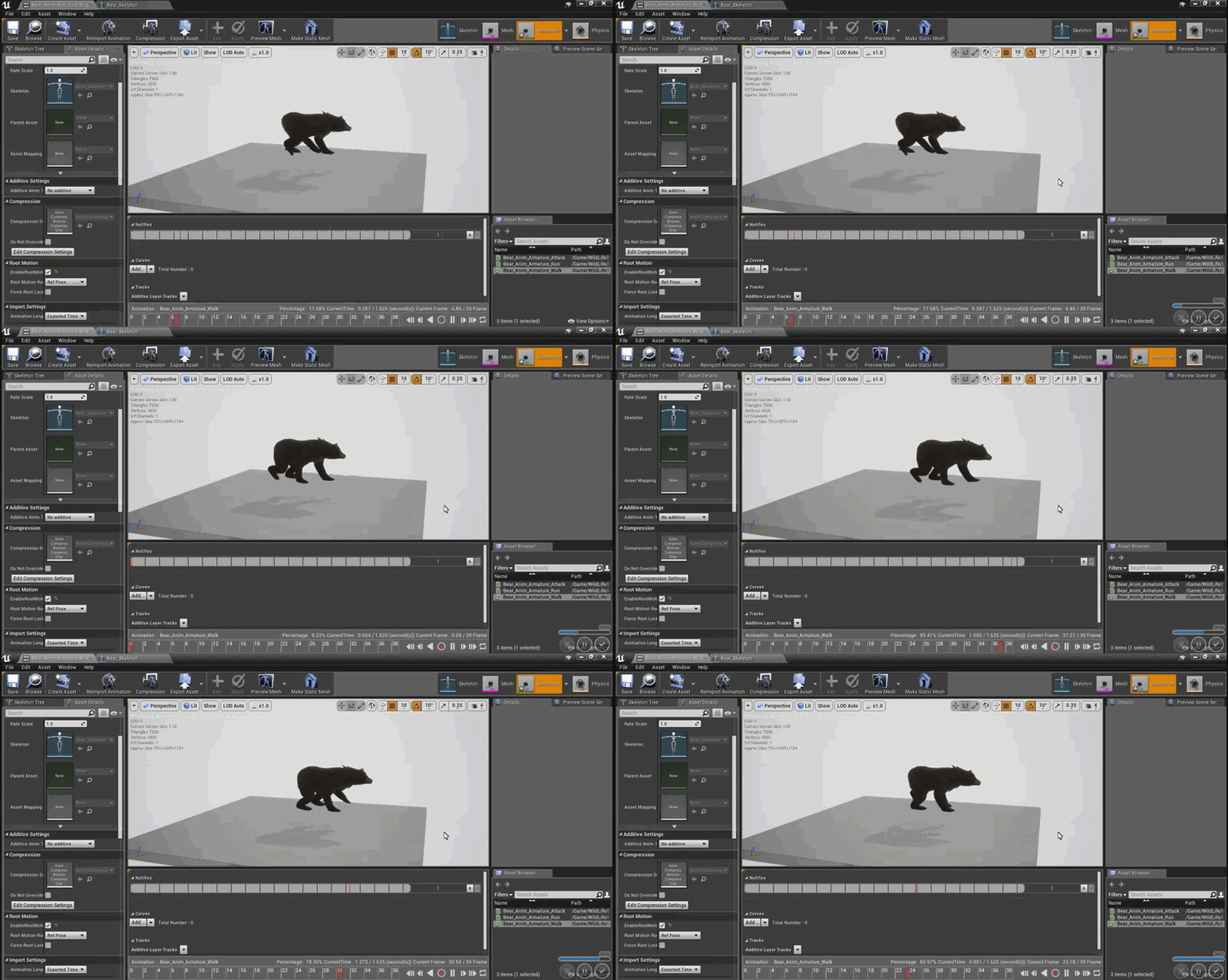
Did you enable process root motion in the Show settings?
misty dagger
yeah you can see that there @winged valley
winged valley
Then either the root bone isn't animated or there's an extra root bone (that was not animated).
Normally without process root motion enabled the character would move in place, then when enabling process root motion it would move forward and not reset.
 hollow summit
Anyone here ever fix the Synty animations?
 native moss
any professional riggers here
misty dagger
yes.. pro rigger here..
 quartz socket
Hi guys, i'm new to Unreal Engine. I'm trying to follow some tutorial on youtube but when i try to get pawn owner it always cast as failed, do any of you know the solution?
winged valley
It would only fail if you didn't have an owner, for example if you dragged the anim BP into the level instead of creating a character BP and assigning an anim BP for the mesh.
quartz socket
I changed the mesh from the default thirdpersoncharacter blueprint, and changed the animation from the character blueprint to the animation blueprint that i created before but still the animation still not playing properly, she just glides
jovial night
has anyone imported morph targets into ue4 recently
jovial night
v_v
jovial night
okay apparently you gotta import the skeletal mesh by itself first without the morphs, then reimport with morphs. Also when exporting from 3DS you gotta include each individual mesh that the morph uses.
 hot furnace
Hey guys! For a project I'm working on we purchased a GiM animal to use for a short animation. This Marketplace item came with a bunch of awesome pre made animations, and an AI controller that we don't need. I'm using Sequencer to animate the animal, moving the transform of the skeletal mesh, and swapping out its animation. I'd like for the animations to fade into one another, is this possible? Also, some of the animations seem to have a built in distance that they travel. But since this came with an AI controller, it seems like there should be a way to limit essentially the X delta change that occurs in some of the animations. Thanks for reading, any help would be much appreciated!
 solid fossil
Hey guys, is there a solution to this problem. I made a 3d character and also rigged it properly without any errors but when i retargted the default ue4 Mannequin animations to my model , with the moving neck the girls hair also started to distort. any know how this can be solved. See video for more clarity
hot furnace
I solved my above problem by forcing 'root motion' in the animations.
solid fossil
@hot furnace are you taking about my error?
misty dagger
@jovial night yeah, I remember 4.14. and such used to work with morphs out of the box. But ive had some issues with a few select meshes too. I also solved it the way you mention there
winged valley
@jovial night No problems with morph targets (using Blender) although if you reimport a mesh with new morph targets by clicking the button in Persona they aren't updated until you close Persona and open the mesh again, not sure if that bug is fixed in 4.18.
If you need to import the mesh first and then reimport with morph targets ticked it's probably a bug.
 river isle
hi guys
I would like to create a realistic sit event with animation
Is it possible ?
misty dagger
sure it is
river isle
I've alreadyh have sit animation
can I use it with physics ? sorry I ve never use phsyics body 😃
misty dagger
whats the idea? how do you want to use physics in a sitting feature? Im not sure anymore I understand what you need.
jovial night
@winged valley yeah i figured it out the other day... damn reimport bug
the first time it failed, i thought i wasnt supposed to include the morph target meshes into my export so it screwed me over later when i tried the reimport thing
just a huge mess of me trying different things because of that bug
oh well, i know how to do it now
@misty dagger I think hes trying to make it so a fat character breaks a chair when he sits down
😆
misty dagger
I got kind of a noob question, but was wondering if UE4 has any rigging tools built into to it yet? I saw a presentation where they showed the ART tools integrated into the engine, but can't seem to find anymore information on it online
misty dagger
never mind found in in the plugins in the animation section called control rig this thing is freaking awesome
river isle
Im working a project like classroom generator .
I generate desk, chair , and other classroom stuff
when I use spawn actor on location for characters they dont sit on chair exactly,
because all characters has differen skeleton and height
they respawn according to target point. but they just spawn . not fall down on sit
any idea to get better result?
misty dagger
@river isle I don't really know a whole lot bout this kind of stuff, but could it be your pivot point stopping it or your characters capsule collision?
river isle
exactly
you are right thanks for idea
Is it possible change capsule component? like body component .
misty dagger
@river isle Maybe if the capsule component was only covering his legs, so he would sit with his pelvis and torso outside the capsule component, not really sure where its located on the character, haven really messed around with it to much either so I'm just guessing if that is what is causing the collision to happen
misty dagger
@river isle or maybe there is a way to turn off the capsule collision when the animation is active with blueprints
delicate locust
got a little issue. when I play montages, state machines are halted. when the montage is done, the state machine goes to 'Entry' again, instead of continuing from the state it was in. is there any workaround to make a 'branching entry node', so that I may transition to the correct state when it restarts, instead of always defaulting to 'IdleWalkRun'?
https://puu.sh/y8qRz/51561a21d9.png

it would be very useful to have state transitions from the entry node itself
hasty pivot
how can i delete one of the points??
weak beacon
Press the point and click the DEL button on your keyboard
hasty pivot
so i noticed that there is a exprort button for animations now im trying to open them in blender but the thing is that i pnly get the mesh and not the bones with anims any ideas what im doing false?
winged valley
No idea. What button are you clicking?
 lost tapir
how I can blend transiction in state machine inside animation blueprint?
like if I need small blend time when state is switching
oh I see there is setting for blend..hm
hasty pivot
@winged valley export asset in the action bar above the viewport
hasty pivot
no idea?@winged valley
hasty pivot
may its because blender
winged valley
Nope, because I've done the same thing and it worked in Blender. 😛
barren wing
there is a way to import animation constraint to Unreal Engine using Maya ?
pretty new to animation, and any doc about IK and constraint is welcome 😄
winged valley
I don't think it's possible to import the constraint, but you should be able to recreate it in UE4. Not sure what kind of constraint it is though.
Describes how the Two Bone IK control can be used to apply IK to a 3-joint chain.
There's also a Constraint node in the anim graph, no documentation yet though.
barren wing
hmm ok thanks 😄 I will take a look
devout dagger
MS discontinued manufacturing Kinect
so I'd stay away from any mocap software that uses Kinect 2
 neat compass
Yeah but there's already a plugin. What alternatives are there? I like the kinect because it's cheap and looks effective
devout dagger
animate by hand or get iPi Soft with PS Eye cameras or camerless mocap
dusk dove
I don't have to retarget my animations when I import the same model with translated bones?
I usually get the "Skeletons do not match" message but not this time
 sharp carbon
Noob question... Blender 2.79 and UE 4.18: after importing an animation (in FBX format) the scale of the mesh is fine but the animation is way too small (0.01). I’ve read that this is due to a bug in the UE importer (apparently, the root bone is incorrectly scaled, or something along those lines)... my question: has anyone come across a good up-to-date tutorial/article explaining how to go about this? The tutorials I have found, in the vast majority, are old or just do not actually lead to the desired outcome (i.e., both meshes and animations/rigs/armatures correctly scaled)
winged valley
@sharp carbon The easy way to fix it is to use a unit scale of 0.01 metric in Blender, then resize the rig and apply transforms for the rig and mesh. That way you can export at 1 scale, import at 1 scale and still get the animations the right size and a correct physics asset.
 turbid surge
apply transformation with "objectmode -> control + a -> apply loc rot siz
When using 0.01 size -> Use under view: End : 100m (so the grid looks normal)
*just to add
winged valley
If you had animations done already you will have to rescale those too, you do that by selecting only the location keyframes in the curve editor, then set the pivot to the 2d cursor and set the current frame to the first keyframe, then select all keyframes and scale by 100 constraining to the y axis.
Well I guess you don't need to go to the first keyframe if you're only scaling on y anyway. 😛
turbid surge
Oh thanks @winged valley , I just recreated the rig 😂 .
winged valley
Yeah you can just scale those actually, kind of hard if you don't know you can do that though. Only the location keyframes are affected by the scaling.
sharp carbon
ok, let me see if I understand... 1) configure blender: metric units and 0.01 scale, 2) model and rig, 3) scale by 100: 4) apply transform (ctrl + a) on location, rotation and scale
winged valley
You only have to scale the rig, the mesh will follow anyway if you had the mesh parented to the rig.
sharp carbon
@winged valley makes sense... thanks a lot 😃 I will try
turbid surge
And (when I got that correct): The lowest Bone in the Amature is where the "ground" is for the UE4 @sharp carbon
winged valley
It seems like you only scale the rig even if you select both though. 😛
sharp carbon
Scale the rig in edit mode? Or makes no difference?
winged valley
Object mode!
turbid surge
Had the same problems on monday 😋
winged valley
Also not really related to animation but the blender conference is running for a few days, some talks will be uploaded to their youtube channel https://www.youtube.com/user/BlenderFoundation/videos , there might be a few interesting ones later
 sharp carbon
Yes, looking forward to seeing some of the conference talks
@winged valley What about Blender’s FBX export settings? Anything there that I specifically should be aware of?
winged valley
For normals you want face smoothing and tangent space enabled, for the rig you want leaf bones disabled and only deform enabled (most times), for animations I would recommend using a script that exports each action to a separate .fbx file.
Also Apply Modifiers disabled if you have shapekeys.
sharp carbon
What about the scaling options?
winged valley
You don't need to change that either.
sharp carbon
@winged valley @turbid surge thanks. Really appreciated
winged valley
For the physics asset you will have to rotate the constraints because it uses the x axis through the bones and Blender uses the y axis for that, but you can just rotate so the "cone" is going through the bones.
That's only really needed if you're making an accurate ragdoll though.
By default the constraints are not limited so arms and legs and everything will just go everywhere. 😛
sharp carbon
I will try... see how it goes 😃
winged valley
https://gist.github.com/cyaoeu/8ca94319a23d5d3233c5c1792cb8ad99 here's a script for exporting animations, you just select the action in the action editor, select the rig and click run script.
turbid surge
thx
 jolly escarp
Can I play a specific animation for a state transition
Through the transition line, or do I need to add a new state in the middle that picks my animation and the exit rule is just on-finished?
jolly escarp
So this works, except Random Sequence Player loops so the animation never finishes so it never transitions
neat compass
I like a lot of things about blender, the controls and hotkeys are not one of them.
misty dagger
@jolly escarp if the animations inside random sequence player have similar length you could just exit the state after a certain time passed, or add an event notify directly in the relevant clips that triggers the state exit
jolly escarp
@misty dagger I just picked a fixed one for now, the long term picture needs them to be hand-picked anyways
Now I'm having an issue where when I make an animation relative to the first frame of it's own pose, it has some sections that become jittery
jolly escarp
Got that one sorted, needed Mesh Space additive. Now to figure out why my eyelids clip through the eyeballs when applied as addiitive in the ABP over the same base pose that I preview with (where it doesn't) hmm
 urban spear
I can't animate for the life of me so i got some animations online although, the way the character holds the gun doesnt work for all of my gun variants. Is there a way i can 'edit' a few files in ue4 to simply change the hand location etc?
Will editing the animation offsets work?
e.g. if i have a sniper vs a rocket launcher that has to go over the shoulder, how would i make this possible without changing all animations
urban spear
anyone?
sharp carbon
@turbid surge hi, we spoke last night 😃 quick question... i have finished rigging and weight-painting a small model and now on to the animations... do i scale by 100 and apply transforms now or do i do that after i have done the animations?
turbid surge
before
urban spear
no one can help"?
turbid surge
sry @urban spear
sharp carbon
ok, scale now and then the animations. thanks!
turbid surge
but if you wanna learn animations in blender, there is a really simple tutorial with alomost everythink you need (took me about 2 day to get into animation)
urban spear
would editing the AO change the way they hold it?
like, i just want to change the location of the arms based on the weapon equipped
turbid surge
can you relocate the bones (via rotating) and use the "key" button in the top?
I just opend the arms in my idle and hit key, when I play the animation it now has open arms
@urban spear
urban spear
Thanks! @turbid surge TY
sharp carbon
@turbid surge it worked! thanks a lot. both you and @winged valley
turbid surge
i'm glad i could help.
sharp carbon
you really did... this was really annoying me 😃 so, thanks again!
 young urchin
urban spear
young urchin
urban spear
thats only for the left hand
young urchin
@urban spear huh? it's a generic solution...you could apply it to any kind of animation
urban spear
ik wouldn't help for what i want to do currently
i think my problem is hard to explain
i've figured it out now though
thanks anyways @young urchin
young urchin
@urban spear ok then, good luck with the game
urban spear
thanks man
still escarp
Can i use aimoffset like this
 little plinth
um hey, so currently I have a problem that I want to animate char, but, it's mesh has no skeleton applied, but the animation has the exact matching one, but I have no experience with animation/3d nodelling applications. does anyone know a easy and fast way to get that skeleton applied?
 stiff thunder
Blender's rigify plugin demands pretty much no skill or takes any effort to rig your character. Could be worth a look if you have zero exp. on the matter.
little plinth
yeah the proplem is as said, that the needed skeleton is already provided in the animation file, I just need to rig it to the mesh
still escarp
Use Maya for autorig
little plinth
the char is not humanoid, So I can't autorig it, I need to apply the skeleton from the seperate animation file, but I have no clue how to do so w/o messing it up
stiff thunder
Hmm using an existing skeleton to rig geometry? This could cause some issues with joint orientation etc IMHO
You could simply retarget the animations from the provided one onto your own rig tho
little plinth
yes the problem is that I can't import the animation to ue4 because the models mesh doesn't has the same skeleton, so it throws errors
still escarp
In Maya just use mash for it he will add new rig to your character and u can setup later on
winged valley
@little plinth You can do that in Blender too, just import the mesh and rig with default settings, add an armature modifier to the mesh targeting the rig, rename the rig to "armature" and export both objects.
You probably won't be able to animate that in Blender though.
still escarp
How can be made or called animations for weapon equip like making animation for every single weapon when equiped playing that animation when unequip get back to delault animation
winged valley
Blend Pose (Enum), make an enum for the weapons and unarmed, when equipping a weapon set the right enum.
dusk dove
How would I go animating Morph Target Eye blinking?
I thought about using a Post Process Animation Blueprint, where a Random Timer triggers an Event with a Timeline
but there are no Timelines within AnimBPs 😦
winged valley
Why do you need an anim BP for that?
dusk dove
how else should I control Morph Targets?
winged valley
Well if you want to use a timeline you can use the character BP.
dusk dove
This is cosmetical only and shouldn't be stored in the characterbp imo 😛
winged valley
Fine, do what you want... 😛
dusk dove
I mean, I completely decoupled my animations from the actual gameplay logic completely. Why should I store Animation stuff / cosmetic stuff in a Gameplay-relevant class (Pawn BP)?
winged valley
I don't really see the point of doing that, but if you want to do that you can do the morph target value stuff in the anim BP instead, you just can't use a timeline.
dusk dove
Scalability is the reason to do that.
My game still works even If i remove the animations.
winged valley
For example with the interpolation nodes.
o_O
If you have to remove the animations for scalability you've got bigger problems. 😛
dusk dove
To rephrase this: Animations are cosmetic only 😛
They have nothing to do how my game works and this is imo how it should be
winged valley
If you want to make it look good too you could have two morph targets, one for the eyelid going down and another for the eyelid going out, then interpolate the going down from 0 to 1 and the going out from 0 to 1 to 0 (so there's a slight arc).
still escarp
@winged valley i tried to use enum with Blend Pose (Enum) but wont show the list from enum ?
winged valley
@still escarp Yeah you need to right click the node to add the pins.
Kind of confusing. 😛
still escarp
Yeah tnx 😃
 visual ore
Greeting, I bought some stylized trees from the asset store, and when I plug the speedtree thing into the material and set the paramet like my other trees, nothing happens
arent't all trees able to work with wind physic?
misty dagger
@dusk dove just make an additive animation clip for the face, add curves that drive the blinks. No need to overcomplicate things.
 silent stirrup
hey I added a new animation to a character and exported the FBX again. It asks to import the mesh again but the new animation doesnt appear.
anyone know how to make it so when I reimport it it also imports all the animations again?
It seems the only way to get the new animation is to import a fresh FBX?
still escarp
Just select with animations or did u exported with animations in FBX
silent stirrup
animations in the FBX
any time I reimport the FBX it just imports it and never makes an armature for the new animation
If I make a new folder and import the character there the new animation appears
Is this a problem with animations in the engine?
if you bake the animations in the FBX then you have to over again to get the animations to import.
silent stirrup
ok so the work around was that I needed to make a new folder, import a fresh FBX then point to the current skeleton during the import. This generated the new armature. I copied the new armature into the old folder and deleted the new folder.
Thats dumb
still escarp
did u try rename it
 short ore
Tutorial from my friend Jona on how to retarget your custom character rig to use unreals base humanoid skeleton.
https://youtu.be/pAfdXxYZtq0

A short tutorial on how to get a custom rig to use Unreal's base humanoid skeleton. Follow the project Eco Tales on Facebook : https://www.facebook.com/ecoit...
winged valley
@silent stirrup There's an option somewhere in the editor preferences to open the import dialog when reimporting, then you can tick Import Animations even if it was disabled at first.
Otherwise you would have to open the skeletal mesh, change the reimport settings in the bottom left and reimport again.
silent stirrup
oohhh
 tacit pilot
guys i'm wondering if it's possible to ingame capture the animations/control of individual characters?
I want to make a short film and have several characters moving around in the scene, I think the best way is just to use the chracters controls and capture the anim realtime. I can't controll all at once so I'de like to capture each individually maybe with some ghosting to help visualise the scene
 marsh knoll
hey im using iclone 3dxchange for inporting mixano placeholder animations to ue4, but i vant even import animations to it, it judt imports the skeletal mesh without animations. how do i import it correctly?
lost tapir
is there something new to how aim offset is made in new vesrion of ue4? like from 4.14 and so on?
obtuse yoke
Hey , a question about animation
I made an attack animation with some X axis movement in 3dsmax
How can I apply this movement to unreal4's character movement?
winged valley
@obtuse yoke If you animated the x axis movement on the root bone you can use root motion, to do that you enable Enable Root Motion in the animation itself and Root Motion From Everything (if single player) or Root Motion From Montages (multiplayer) in the anim BP.
obtuse yoke
Yeah but I have another problem now
My model is too small that I have to scale it into 10 times
when importing
Then the root motion distance is wrong
winged valley
What software are you using?
winged valley
Can't you just make it bigger then?
obtuse yoke
How
winged valley
Scale in 3dsmax? 😛
winged valley
Does it matter? You can probably scale the animations some way.
For example in Blender you can select the location keyframes only and scale them on the y axis after scaling your character and applying transforms.
Pretty sure you can do something like that in 3DSMax too.
(do the scaling in a curve editor)

You can use Scale Values to increase or decrease the vertical distance proportionally between selected keys on the function curves in Curve Editor. It uses the Scale Origin Line as a movable reference point for the scale operation. Track View > Editing Keys in Curve Editor > Keys Toolbar (Curve Editor) > (Scale Values) Track View > Editing Keys in Curve Editor > Edit menu > Transformation Tools > Scale Values Note: Scale Values is not available in Dope Sheet mode
The important part is only selecting the location keyframes so you don't screw up the rest of the animation. 😛
 spare nebula
If I want to use one of Epic's character in my small animated project? I mean it's not commercial, I just want to use them. I may post a video on youtube but all the credits will be given properly, is it allowed?
The one in Sequencer Demo..
lost tapir
what the point of look at axis and look up axis in the LookAt node?
what they are for?
Reading description: Look at Axis : Which axis to align to look at point. I really dont understand what this means
I thought it just transform bone rotation towards target, how axis are involved in this and why I need to chose which axis to align?
misty dagger
how is the weapon In the FPS template connected to the arms?
I'm trying to have another weapon attached to it
still escarp
Using RIfle Aimoffset and example Pistol AimOffSet shell i make also different name of Yaw And Pitch ? like ( RifleYaw - RiflePitch and for pistol PistolYaw - PistolPitch ) and just setup when equiped
or i can just use Yaw and Pitch names in both
frigid flower
@proven osprey depends on what you are trying to do. Are you adding those delays because you want to wait until the attack animation is completed to make a transition?
you can do that from the state machine itself.
guys, noob question about animations and character movement for 3rd person character games: Should I use root motion (AKA leave the animation to move my character capsule) everytime, or should I only use root motion for very specific use cases and have the MovementComponent do the capsule movement?
I'm building a prototype of a prince of persia like game and using root motion seems better, but I'm not sure if there's downsides of using it for when the game is more complete.
 vast steeple
Imported an animation using morph targets, but when i look at the track view in UE4 some of the values are higher than 1 and causing clipping. Is this an import setting I've missed? Why is it going higher than 1? Looks fine in my 3ds max scene. But in UE4 the morph animation is a lot stronger and doesn't look how I intended it to.
I'm baking animation on export, only because it doesn't seem to work if I don't bake. Could this be it?
Oh man, well I just figured it out.
I have eye left/right/up/down morphs and it was doubling them up with inverted values. So in my animation where the eye moved left, it imported that as eye left 1 and also eye right -1 on top.
I tried deleting a morph target from the skeletal mesh, but then it instacrashes when I try to play another animation. Will this mean I have to readjust my rig and rexport all of my anims...?
jolly escarp
When building animations with root motion, do we want to move the root bone and then use the animation editor to extract it out?
winged valley
Yes, you animate the root bone, that is converted to movement in the character movement component.
jolly escarp
@winged valley cheers, will go have the animators match the root to the motion of the hip bone XY on baking
winged valley
👍
 supple elbow
For a character made out of several meshes driven by the same skeleton, ie a customizable character, is it better to set the anim BP for each mesh or should I just go with master pose component?
jolly escarp
Will setting an AnimBP for each mesh cause it to re-calculate the pose? I think it might as each AnimBP on a Skeletal Mesh is an instance
winged valley
@supple elbow An anim BP per mesh using Copy Pose from Mesh is usually nice.
supple elbow
@jolly escarp yeah that's what I was worried about. Master pose comp have worked fine so far in my testing but I think I read/heard somewhere that it sometimes get out of sync. So I'll have a look at @winged valley sollution. Thanks 🙂
winged valley
It's just better than master pose component, you don't need the same hierarchy either.
You need to make sure the meshes are children of the main mesh though.
Then in the anim BP Copy Pose from Mesh node check the boolean to get the mesh from parent.
Also you can still play animations/do physics stuff on the children meshes after Copy Pose from Mesh.
jolly escarp
If I have a bone-driven blink animation (additive) and I want to trigger that with Event Notifies in the actual animation, how does that get plugged into the AnimBP? Is it like a montage that is limited to an "Eye" slot?
winged valley
Yeah, or a state machine for just the blinks.
jolly escarp
@winged valley I guess I'm just not clear on how I trigger the animation as a result of the AnimNotify callback
winged valley
It will turn into an event so you can do Play Montage or whatever, or set a variable that's used in a state machine.
jolly escarp
Somewhere I can control which animations can fire their Event Notifies right in the case of blends? Or is that only in Blendspaces
winged valley
Not sure really, but you can do some branching logic in the notify itself so only one plays.
jolly escarp
So with the root motion, now that the rig has been fixed, I enabled it and now my walk cycle constantly moves across the animation preview window. I was under the impression from the docs that it should walk in place now?
It doesn't pop back to where it was though
winged valley
You need to enable root motion in the details settings to the left.
jolly escarp
That's when it started wandering away from the origin
winged valley
Then you had Process Root Motion enabled in the Show(?) settings.
jolly escarp
It used to start at origin, play the walk animation, then pop back to start and repeat. Now it starts at animation, plays the walk animation (loop forever) and never pops back, just keeps going further from origin.
Ahh ty
still escarp
A quick quastion if i have 2 or more aimoffsets can i use different names of pitch and yaw or i can use all same variables name
winged valley
Yes. 😛
 proven osprey
Where did the Save Pose button go?
winged valley
Modify Pose
winged valley
Yes, Use Current Pose under Modify Pose. 😛
proven osprey
I hit that and nothing changes?
winged valley
? What would change from saving the pose?
 heady mantle
hey simple anim question if anyone can help
how can you make an anim that like eveyr button press it restarts the animation?
i'm not sure how to quickly transition off the anim then start it again
winged valley
You can play a montage, playing the same montage will just restart the animation.
heady mantle
so play a montage in the anim event graph?
i'm just not exactly sure how that fits into the state machine, or does it just not?
winged valley
Yeah it doesn't.
Doing it in a state machine would be pretty messy though.
Well not if you're doing it in a separate state machine but then it's basically a montage anyway. 😛
 clever abyss


 dull sedge
Hey guys, what does this mean? How i do it? 🤔
winged valley
You click it, to the right you can add bones.
dull sedge
I don't want to add bones, the message says "was assigned under config category" where bones have a category?
winged valley
... To the right. 😛
dull sedge
Jesus crist thank you
 worldly ibex
How do I work with the animation editor? It's so confusing, I'm using animation sequences for static poses, and blend between them (hand positions essentially), but everytime I try to duplicate an animation sequence and edit it the changes don't "stick", it doesn't update, when I close and reopen the editor it's reset, I try creating a key at the end and beginning of the timeline but I'm just confused
winged valley
Maybe you need to record the animation. UE4 doesn't really support keyframing stuff in the editor.
worldly ibex
What do you mean? As I said I really don't need any animation, it's just gonna be a static pose that I'll blend through with "blend with int" in the animBP
winged valley
Ah, then you can do create asset - from current pose.
worldly ibex
Huh okay, isn't it weird that I can't create an animation in place after duplicating though?
I mean either way if that works that all I need, thanks cyaoeu
also after seeing your name hundreds of time I only just now realize how to pronounce your nickname and that you're probably british
winged valley
It's not weird because you can do it without duplicating. 😛
I'm actually not british, and I didn't consider pronunciation when making my nickname. 😛
worldly ibex
oh so it's no Cyao EU?
winged valley
Nope!
worldly ibex
I mean the proper italian spelling is Ciao but since you guys use "Cya"
alright then, nevermind I'll go back to thinking a weird way to pronounce your name
winged valley
worldly ibex
I do have an issue with the method of exporting the current pose as animation though, how do I make adjustments to my poseonce it's exported? I can't realistically reexport the pose everytime since I need my pose to hold an object, and I pop the animation in my scene to get it right (since afaik there's no way to show another reference mesh in the animation editor)