#animation
1 messages · Page 93 of 1
 cloud fossil
 winged valley
They could be yeah. They don't have root motion though.
Also someone in the forums uploaded the mannequin and downloaded every animation using a script, you could check that out.
cloud fossil
I mean obviously I'm going to have to team up with an animator and some artists once I get the prototype finished. My current plan was to flesh everything out then either pay for the work or team up with others.
@winged valley Oh nice I'll definately look into that. I just didn't know if I could simply take everything and plug it into my game free of charge. I really loved some of the animations. Obviously I don't have a big budget. I just need to flesh some things out for RTS/City builder kinda game where mostly simple animations would do.
Then if its successful work on the nicer stuff like cut scenes and getting a full time animator.
winged valley
Well you don't pay when downloading the animations so I would guess that it's free. 😛
cloud fossil
@winged valley right but I don't want to publish an indie game then get nailed to a royalty cross that I didn't read about because it wasn't anywhere visable when I was fapping to the awesome free animation downloads 😃
winged valley
cloud fossil
❤ I had just clicked on that 😃
 chrome barn
anyone good with sequencer?
trying to animate an actor path but with a path that's relative to it's root rather than world position
so spawning the animation at runtime can use a persistent actor with an instantiated animation
chrome barn
ok, nm. ended up just animating a non-root component in the actor instead so relative position was used instead of world.
 sudden sedge
basic fps animations aren't too hard to make
still haven't found a good way to make third person aim matrix animations
as the UE4 import process kind of sucks
 naive terrace
How do I make my character transition to walk animation without using blenspace just stare machine
 onyx briar
Have an Idle state and a Walking state and have your transition condition be something like Velocity > 0.
naive terrace
I search for velocity it comes up with nothing
Also whenever I jump or fall off something my character goes in Sprint animation
 spark harness
 empty crypt
hello, can someone help me set a hotkey for triggering run animation and increase in speed on my character?
I set a blend space with idle > walk, and I'd like to set a key like shift to trigger running
could do it with blend spaces and a joystick, but preferably playable on keyboard
 wise spoke
Hello people, when I play a notify sound on a frame, that sound isn't spatialized right?
 simple aspen
@wise spoke Why wouldn’t it be? If you play a cue, it has its own attenuation settings.
wise spoke
Ah yes, that's true. I thougt It would play the sound right at the location without atteuation settings. But of course it's imossible
empty crypt
need help : (
 viscid willow
@empty crypt I saw you posting about this run button earlier, here is another link https://forums.unrealengine.com/community/community-content-tools-and-tutorials/54708-blueprint-tutorial-basic-sprint-beginner-friendly
empty crypt
@viscid willow Thank you : )
 vast trellis
Is it possible to share animations between VR hands and the epic mannequin? They only have a subset of the mannequin bone heirarchy, rooted at the hand bone
@winged valley I saw you had a related question for partial heirarchies when using copy master pose and that it is possible there
do you know if it is possible without resorting to copying pose from e.g. a hidden mesh or something?
 potent frost
hi all
any one here 👋
i need some help
i have problem with importing Fbx animation to unreal
with parent animation
no bones
only curves
here is the fbx
Animaion problem
winged valley
@vast trellis You will need to copy the pose from something, like a hidden mesh. 😛
But if you want the animations can't you just retarget them?
vast trellis
Ah yeah, I think retargeting may make the most sense
 fervent canyon
trying to do some cleanup, and an unused animation is being referenced by the skeletal mesh it worked with
how do I remove that reference? I'd rather not force delete if I can help it
vast trellis
@fervent canyon does it happen even after a restart?
fervent canyon
oooh why didn't I think of that, that sounds obvious
nope, that removed the reference!
thanks man!
 opal jackal
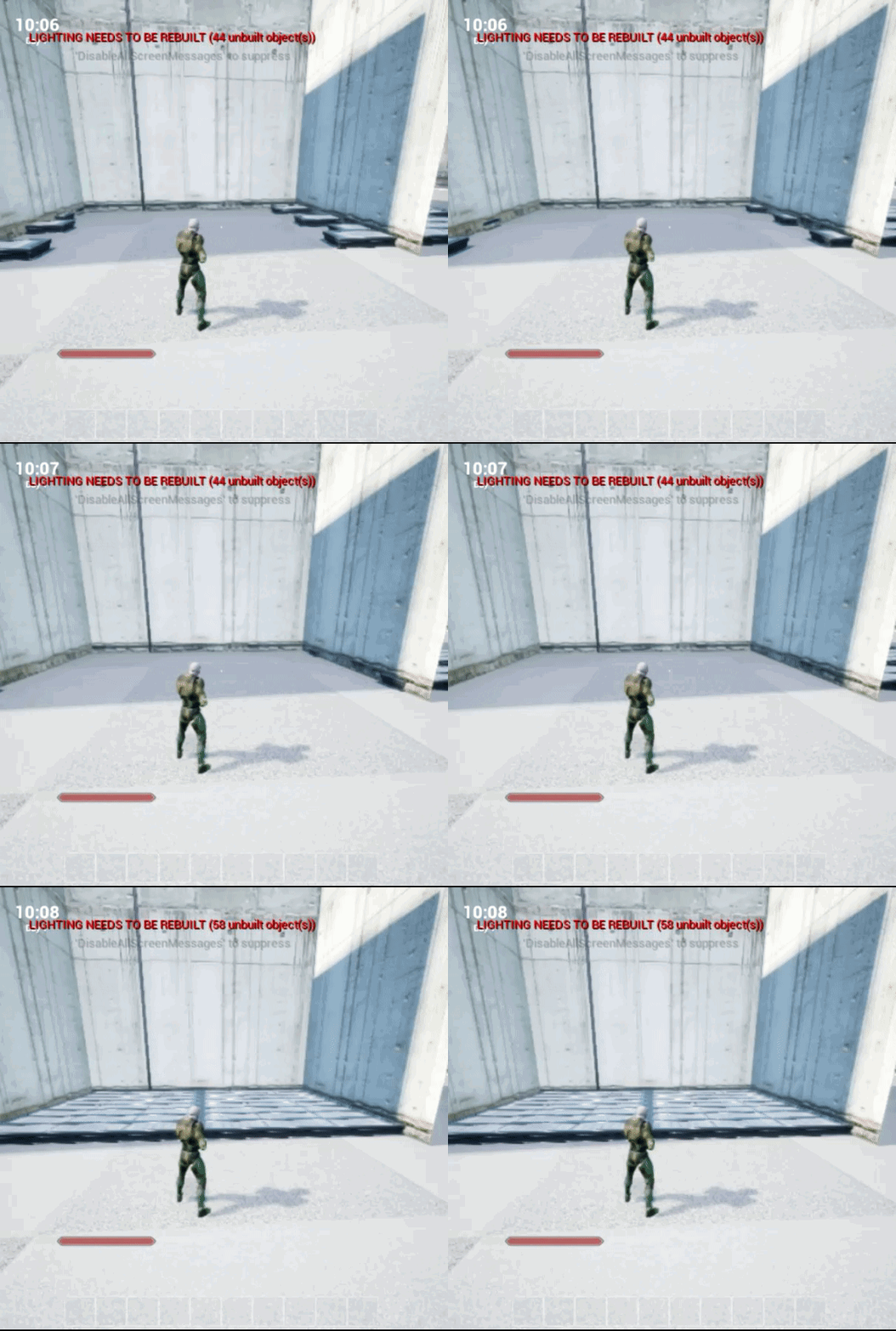
Hey guys. I'm having trouble with my level sequence resetting when finished. I don't have it set to loop but it still resets. I'm moving floor models as a kind of trap. Here's what it looks like: https://i.gyazo.com/4000c05848ef570cdbb0803e790e1c93.gif
 opal jackal
@winged valley Thank you so much. It fixed it. I would have never found that setting. 😃
winged valley
Honestly it should proably be set to keep state by default. 😛
opal jackal
I know right! lol Oh well
 wicked belfry
I imported an animation from 3ds max where I used an HI Solver on the leg bones and the mesh looks fine in 3ds max but in UE4, his feet slide along the floor a bit because the solver isn't holding them in place anymore
Anyone know if there's a way around this?
viscid willow
@wicked belfry Unreal Engine bones are all FK until you setup IK within the engine. So by default the legs will not solve with IK. If you are having foot sliding, im assuming you are talking about some locomotion animations, the way to minimise foot sliding is to animate your character to the in game speed of the player. Does that answer the question?
wicked belfry
Yeah, I had to bake the animation then export it a 2nd time for UE4 import
But yes, thank you
viscid willow
naisuu
wicked belfry
anyone here?
viscid willow
whattup?
 misty dagger
We're in need of an experienced animator, my friends, Someone who is well-versed in UE4's animation suite. If this is you, then PM me, or email me at heathgames@outlook.com
Got plenty of backend and frontend, just need it hooked up.
misty dagger
But hey.
 lime bronze
anyone uses gmh2 here?
winged valley
The 3DSMax FBX exporter doesn't bake animation by default on export? o_O
 merry rampart
Hey guys, working with blender and getting the often mentioned multiple root bones
i'd like to understand this problem a little better
like what exactly constitutes a root bone, is it the parent of every chain?
buh. renaming Armature to Root just fixed my prob so nm
lolz
sometimes ya just gotta rename ykno?
 main ferry
anyone know how I can get ARTv1 setup for ue4.17.2
the marketplace won't let me install on this version of UE.
winged valley
@merry rampart By renaming "armature" to "root" you created a new root bone from the armature object itself. That way it's impossible to animate root motion.
A root bone is what it says, a bone that has every other bone parented to it.
If you got a mulitple root bones error in UE4 when having the rig name "armature" it means you had several bones on the root level, meaning you didn't parent every bone that should be a child of the root to the root bone.
For example this can happen when your IK bones are not parented to the root bone and you didn't export with Only Deform Bones enabled.
You can also check the scene outliner in the top right. A correct rig will have one root bone called "root" and nothing below it in the same level of the hierarchy.
merry rampart
this is what mine looks like
I'm not sure what the difference is between Pose and rmature
winged valley
You need to click on Armature first. 😛
@merry rampart
The difference between Armature and Pose is just that Armature will show the bones while in edit mode, Pose will show the bones while in pose mode.
Also my "HeroTPP" thing at the top would really be named "armature", I just didn't have the right startup blend file opened.
winged valley
Yeah that won't work. Also your bones don't really have descriptive names. 😛
merry rampart
lol I know
so what is not working here. that Bone and Bone012
are
diff parentsÉ
winged valley
o_O
merry rampart
What's not working though?
winged valley
Well if you can't treat either of those as a root bone you can create a new one.
Your bones are all on the same hierarchy level.
You need to have everything under some other bone instead for it to work in UE4.
main ferry
is the artv1 tool still used in UE4.17?
merry rampart
I see
main ferry
I was able to find it on github and follow the instructions bu I'm not able to install to maya 2017
merry rampart
so hence 1 root bone and everything child of that root bone
in order to move the entire mesh through that root bone
winged valley
You could create a new bone and call it "root", have it at the origin, then in the bone panel for every other bone parent (in that hierarchy level) change the parent to "root".
merry rampart
is it "necessary" though? It did import in the end and plays the animation fine. Is it only in the case where I want to be able to move the entire thing via root bone?
OK
winged valley
Yeah, if you've got an extra root bone it will cause issues with root motion.
You would have to animate that in object mode which makes things harder. 😛
It could also cause other issues, for example you would probably have an extra bone in the physics asset.
merry rampart
I think if I organized my bones a bit better this would also be easier to figure out parents
ooo
true
winged valley
You don't really need to do that though, you have the list of the top bones already (the ones that aren't nested).
You can just click in that list and set the bone to a new bone called "root".
Unless you've got some bone at 0/0/0 already.
You set the parent of the bone here in edit mode:
merry rampart
that would be considered an "easy fix" correct?
just make a new bone
and parent all to that
winged valley
Yep.
merry rampart
😉
main ferry
Do people still use the animation and rigging toolkit?
main ferry
Does no one in here use the ARTv1?
vast trellis
is there a good way to go about getting an inverse transform of a socket to a bone?
I want to set the hand bone as the end effector of two bone IK for VR, but the actual thing I know the transform of is a vr controller that will be socketed
viscid willow
@main ferry I guarantee there are a lot of people still using the ART tools (it appears to still be a standard at Epic), it seems though most users here use Blender, myself included. I do use the ART tools as well, but as a user, I wouldnt really know much about the setup side. I do know that ART was built for Maya 2015. We tried porting it over to 2017 but its not really built for that. However, ARTv2 (whenever that is officially done) is built for 2017. I dont think ARTv2 has much in the way of functionality.
I also wouldnt be surprised if the in house version of ART at Epic is different from the public one
winged valley
@vast trellis You could constrain the hand bone to the socket or virtual bone.
vast trellis
thanks, I'll look into both
 tawny dome
What does the "Hand IK Retargeting" node do?
misty dagger
"The Hand IK Retargeting control is a solver that can be used to handle retargeting of IK bone chains. The solver moves an IK bone chain to meet FK hand bones, based on the Hand FKWeight value (to favor either side). For example, 0 would favor the left hand, 1 would favor the right hand and 0.5 would be equal weight."
So, we're to the point where we've got several weapons with vastly different animations naturally. How do we go about "hooking this up". My question is how you would change the animation blueprint based on the weapon, while using the same hands mesh?
And do animators usually hook up all the anim blueprints? Or is that more of a programmer thing?
Would state machines come in handy for this sort of thing, additionally?
 clear zodiac
I'm trying to wrap my head around Montage and if its the right tool for this job .... trying to create a robust weapon switching animation that allows for a "put away" animation that may go one place (shoulder, hip, etc) and a "take out" animation that could also go to one of those places. There's not that many locations so I could have custom anims that move the hands from any one place to the other as a transition between put away and take out if needed.
Would you put all of these in a montage and set the play sections dynamically? (I'm a programmer not an animator)
or would you break it in to multiple montages? one for all put aways one for all takeaways .... or is there a montage for every animation?
winged valley
Probably one for the put away, one for the take out.
Well you could have a montage for each weapon too, that way you could randomize what's being played inside of it if you wanted that.
 thorny egret
Does anyone know where a person can find a plugin called CAT 1.1 for 3dsmax? It's old, like 2009.
1.1 or 1.0
clear zodiac
@winged valley thanks, that's a good idea
winged valley
I think making a new montage is easier than making a new section for new weapons.
Makes the logic more straight forward too.
For example you could switch on an enum and play a different montage from each different pin.
clear zodiac
yeah and like you said, within that montage you could have a few variations to choose from
not a fan of the terminology they chose for montage. "section" for example
clear zodiac
I haven't found a use for them other than to wrap an AnimSequence ...
wish I could just use the sequence instead of having to wrap it in a montage
I'd rather have the ability to create a state machine for a specific slot so I could, for example, handle all upper body animation (reload, weapon switch, recoil, etc) from that state machine and blend it with the locomotion state machine for final pose
winged valley
Can't you do that?
clear zodiac
there's probably edge cases and gotchas that i haven't thought of for that scenario, but seems like it'd be useful
not sure really .. I haven't tried it
winged valley
You can do layered blend per bone and have a state machine for the upper body.
clear zodiac
maybe I'll give that a try when I'm back at my dev machine
winged valley
But I prefer having a state machine for just locomotion, I don't really like the state machine interface.
clear zodiac
seems like its ideally suited for what I'm talking about though
winged valley
Honestly when I'm making a real game I would probably use the finite state machine plugin on the marketplace instead, it's cheap too.
clear zodiac
for movement, I agree that to do anything complex the state machine gets unwieldily pretty fast
I'll have a look, but so far I've found most stuff in the marketplace is not of shipping quality
winged valley
clear zodiac
80% is garbage. Within the other 20%, 80% are incomplete or not suitable for shipping. What's left is maybe usable 😃
hmm seems like that would require quite a lot of evaluation before building anything of substance on it
ain't nobody got time for dat!
clear zodiac
that's great until you run in to some edge case like replication is broken in scenario x, or it randomly corrupts your graph due to a hard to debug memory stomp , etc
too much experience with this to accept that it just works 😃
you even have to be careful about which official engine features to use
 vestal gulch
Hey there anyone here love Sonic The Hedgehog, loved Sonic Riders and would like to help out in an in progress fan game project?! Then DM me cause i have all the dets on how you can help Project Sonic Riders 1.5!
 tight blaze
@vestal gulch there's a channel for jobs at #career-chat , I think you'll find more luck finding someone there
vestal gulch
@tight blaze thankyou will do
 sage delta
Hey all! I have a question regarding animation time. For my graduation project, I animated blossoming flowers on a tree and the animation is supposed to start at a specific point during the montage I will make later with matinee. Anybody know how to do this? I tried looking for an answer, but no luck so far!
winged valley
@sage delta Animation notifies probably.
Uh, montage with matinee...
If it's a cinematic you can probably just drag the animation into the right place in the timeline.
Not sure how matinee works though, it was replaced by Sequencer.
sage delta
Oh ok! Yeah, this is all new to me too. Never worked with animations in unreal let alone matinee or sequencer?? So that's gonna be rough :/ And only got 3 weeks left to do it, so you know, bit nervous :P
winged valley
Honestly it's pretty easy with sequencer if you just want to put an animation in there. The only thing you need to take into consideration is that there's a bug where the last frame doesn't use the camera so your sequence will have to be one frame longer than you think (then just delete the last wrong frame).
Sequencer is Unreal Engine 4's multi-track editor, used for creating and previewing cinematic sequences in real-time.
sage delta
Oooh, good to know! Thanks so much!
winged valley
A guide to quickly get up and running with the Sequencer Editor in Unreal Engine 4.
sage delta
Wonderful, you're a lifesaver! 😃
winged valley
I didn't write those docs, someone else did. 😛 Still, you're welcome.
 soft crown
Can you export rigged fbx from UE4 and if not can I download the source fully rigged fbx of heroFPP and heroTPP from the shootergame example?
winged valley
Nope you can't.
But there are alternatives, like UE4Tools for Blender and ArtTools for Maya.
You just need to retarget animations done with those rigs to the mannequin skeleton.
main ferry
why does ue4 keep crashing when I import an animation?
I've tried reimporting the asset into maya and the fbx holds the animation fine
I can scrub the timeline and see the charcter move.
When I import into ue4 it just crashes
I get an error now saying can't find any valie mesh in heirarchy. When I export from maya I have the root bone selected, and the mesh selected. I have animation toggled in the FBX export options. WTF is going on?
If I export an animation from UE4 to FBX and load in Maya it loads fine, if I then export that same animation from maya back out to FBX and import into UE4 It will not import
NM, looks like I need to move the bones and the mesh outside of the group, so they are sitting bythemselves in the scene
soft crown
@winged valley Can you elaborate on that briefly. Given that I have the FBX and at least the skeleton of the Hero FPP and TPP (assuming Unreal exports FBX with skeleton) then I can use one of those tools (or both in tandom?) to rig them myself? Or did you mean something else?
winged valley
You can use the UE4Tools rig and import your FBX (mesh, the skeleton is not really usable). Then add an armature modifier to the mesh targeting the UE4Tools rig and animate with that rig.
Then export to UE4 and either use the new rig or retarget to the mannequin skeleton if you were using that.
soft crown
Oh Ok, so it sounds like th UE4Tool will allow me to make another rig, which will mean I'll have to retarget so the old animations work but will allow me to then make new animations, yes? Just making sure I'm understanding you correctly, this will be my first endeavor of this kind (I'm a programmer).
winged valley
Yes.
 finite trail
The default UE4 Manniquen skeleton does not animate bone translations in animations. Is this a setting somewhere on the skeleton? How do I solve this?
Works fine on other skeletons.
 gleaming glacier
It inherits rotations just fine, but bone translations that are baked do not work on the UE4 Mannequin. On a custom rig this is not an issue, I can replicate this issue.
winged valley
But animating translation on bones that are connected won't work, you'll need IK to bake the rotations.
gleaming glacier
No I don't I can do this fine on a custom rig
Like I said this is only an issue I see with the UE4 Skeleton
 merry summit
using ART (in maya) is there a way I can bind a new mesh to the UE4 skeleton? so that it is compatible with marketplace animations and the model could be put up on the marketplace ?
gleaming glacier
@merry summit You would import the UE4 Skeleton to your scene and bind/skin weight your mesh to it accordingly. ART tools would not be used inthis process
 velvet hazel
Help! I'm trying to create a movie in a VR scene that I created and when I try to create the movie out of the matinee, it starts recording the VR camera and not the cinematic camera that I've included in the matinee. What have I done wrong?
merry summit
the goal would be to use the ART tools to animate (the IK setup, and other helpers), but I'd like to see the custom model (not the UE4 skeleton model or the proxy model) whilst animating, is that possible?
 heady wedge
Quick question (Because I've never done animation stuff before) But is it possible to use 2 animations and blend them together so that I can use two separate halves of the animation if that makes sense?
I was going to get 2 animations from Mixamo, Running and Shooting, but there's no running and shooting animation together, so I want the lower half of the running animation and the top half of the shooting animation. Do blendspaces allow for this?
gleaming glacier
@heady wedge Yes
heady wedge
Thanks 😃
winged valley
I tested the mannequin bone translation thing btw and found that the only bones that will translate correctly are the loose bones like the root, pelvis and the IK bones (as expected).
gleaming glacier
Right what I'm telling you is that on a custom rig I can move a bone chain no problem but on UE Mannequin it doesn't work
winged valley
It seems like all bones are being treated as they're connected (even the ones with an offset) so you won't get any translation that way. If you export everything (the mesh too) and regenerate the skeleton you'll get the translation again (though animations will get messed up because of the upper arm twist bone which in the UE4 mannequin has 0 length)
But even in a custom rig you shouldn't be able to translate a bone chain if it's truly connected (not just offset with a parent).
gleaming glacier
Interesting, well thanks for the insight, however it works fine on my own skeletons
Shrug
viscid willow
not sure about the mannequin, but definitely in custom rigs you should still be able to translate bones. I'm inclined to agree with @gleaming glacier, translation is pretty common on clavicle bones and I remember watching Richard Lico's animation tutorials where he unlocks the translation of spine bones to create a jiggle effect for Quill in Moss
gleaming glacier
^
winged valley
Yeah but clavicle bones usually aren't connected.
merry summit
@gleaming glacier related to my earlier question, Maya isn't letting me unbind the skeleton from the UE4 mannequin, due to references. I added the character through ART an was intending to rebind it to a new skin, whilst still having the ART tools/setup
I'm not too familiar with Maya but it seems like everything is locked or referenced so I can't make changes to the binding
gleaming glacier
Delete history and/or non deformer history on the mesh
@winged valley Sorry man you're not really helping by saying "not normally" The point is it's an option and it works on other ones just not the default skeleton. Hence why I want to find what the cause is.
viscid willow
forgive me if im wrong but a skeletal hierarchy for a character is all connected is it not? It starts at the root and then it branches out like a tree. At least when it comes to Maya and Unreal you dont have floating bones in the same way Blender or 3DS Max does
gleaming glacier
@viscid willow It is
viscid willow
yeah, might seem off topic but do you know what the retarget options are for the Mannequin skeleton in Unreal @gleaming glacier ?
naive terrace
How can I Check that if the character speed is 120 then branch to false on another node
winged valley
@gleaming glacier It does work on the default skeleton on the root bone, pelvis bone, and IK controllers (like I said). 😛
@viscid willow In Blender "Connected" means it's literally connected to the next bone in the chain and if moved will either move that bone too (if the connected bone was the last in the chain) or will only be able to be rotated (if it't between two Connected bones).
Anyway what the mannequin skeleton does or doesn't do isn't really important now when we have retargeting, you wouldn't animate the mannquin skeleton directly anyway.
viscid willow
@winged valley yes i understand what connected means
okay, so here is a little anim i made in blender with one bone disconnected, not unparented
This is how it turns out in unreal with default options
then i set the retarget option on the last bone to skeleton and
@gleaming glacier This is why i mention to check the retarget options on the mannequin
@winged valley this is also true for bones that arent last in the chain, I disconnected this bone in the middle
winged valley
@viscid willow Yeah but if the bone is connected (like if you extruded from another bone) the location transforms are greyed out and trying to move it will rotate it instead.
viscid willow
yes i understand
winged valley
Good catch with the retargeting settings btw, it seems like the mannequin has skeleton set by default on a bunch of bones. If you set them to animation you'll get bone translation back.
And it seems like regenerating the skeleton reset the retargeting settings which fixed it too.
But it messes up most of the mannequin animations, so I think the fact that some of the bones were set to skeleton meant that it was a band aid solution to some problem. 😛
Ah yeah, in the bind pose the upper arm twist bone is just a dot (without length), like some sort of special control instead of a bone, but in the animations the bone has length so animations get messed up.
viscid willow
In any case I think @gleaming glacier was trying to create bespoke anims
main ferry
anyone here have experience with root motion?
I'm trying to get root motion working but when the skeletons root moves it does not translate onto the capsule
winged valley
Did you enable Process Root motion in the view settings?
And Enable Root Motion in the settings to the left?
main ferry
in the view settings? I've enabled root motion in the animation sequence, and in the anim BP I've set the root motion mode to "from everything"
winged valley
In the Persona (double clicking the animation)
main ferry
Okay I have the animation open in persona
on the left I have root motion toggled
It's my understanding that when I do this the red line from his pelvis to his starting feet location shouldn't be there
winged valley
You click the arrow at the top of the viewport and choose Process Root motion.
winged valley
When you have enabled that the character should move and not snap back.
main ferry
when I turn that on it still doesn't show the root motion
winged valley
What is your top bone in the skeleton view?
winged valley
It's not a real root bone though, if it was it would have a reference location of 0/0/0.
That's probably why it doesn't work.
main ferry
Not a real bone? I'm confused
winged valley
Not a real root bone. 😛
main ferry
IF I move this bone in maya it moves the entire character (isn't that how a real bone works?)
Okay
winged valley
In order to properly use Root Motion, it is important to note that the Root Bone of your character should be at the origin (0,0,0 with no rotation) as this allows the system to isolate physical movement (capsule) from animated movement (character).
winged valley
Yeah, and parent all of the other bones to that.
main ferry
gotcha, and thanks!
main ferry
Is it possible to add that bone in UE4? I have this maximo character that I'd like to add the bone first in UE4 then export, then animate so I can test quickly
Nm, I should probably just do it in Maya real quick.
winged valley
Nope it's not possible.
 cold crow
How am I supposed to do immersive scripted sequences when my actor teleports if I bind it to a sequence? 😦
soft crown
Does UE4 Market Place have a pack with free crouching anim?
 abstract wagon
hi everyone!
got a question -
I see that I can pose a mesh using the animation editor and make a static mesh out of it
is it possible to do the same, but in the level editor?
gleaming glacier
@viscid willow Yes the reason for this was creating custom animations on the default skeleton. As it is rigged to our own mesh.
abstract wagon
@misty dagger thanks! though I was just looking for a quick simple solution for this... I'll see if the sequencer approach makes sense to my workflow. Thanks!
 craggy coral
Hey!
Does anyone know what the fastest way to access a bone/socket transform is in ABP?
on my own skeletal mesh that is
or rather, how to get the proper poseable mesh component that I can feed into GetBoneTransformByName
 frozen nova
Has anybody experieced issues with character being rotated like 90* in packaged versions?
soft crown
Trying to retarget from mannequin skeleton to HeroTPP skeleton.
IDK why they didn't use the Unreal Mannequin for this, I guess it didn't exist? I'm considering to replace the HERO models with models that have been rigged with the now standard Mannequin skeleton but that would then break all the original animations the shooter project uses.. What to do...
 frail arrow
hey can anyone in here help me with an issue im having?
soft crown
So I'm trying to retarget and setup the rig, but the HERO TPP is missing a spine, the mannequin has 3 spines Hero has just two, what should I do in this situation?
 oblique canopy
Does anyone have any idea how I'd rig a bike to export into UE4? I was trying to do it with static meshes and physics constraints before but that isn't really enough. I'm thinking I'll have to use a skeletal mesh to keep the joints rigid
 weak beacon
@soft crown try use the neck bone
soft crown
@weak beacon I just used spine1 twice and that seemed to help! Now Im trying to figure out why the forearms are slightly rotated, almost there!
I'm playing around with the base pose hoping thats it, can a mismatched base pose cause twisting as well?
soft crown
So I got the animation to play but I'm confused about something. The animations I bought and swapped skeletons from Mannequin to the Hero doesn't seem to have the pistol weapon mesh follow correctly. Not sure why this may be.
 twilit silo
Hi everyone! I have a background with the Blender Game Engine, but want to get into UE. Something that I have been struggling with is animations. It's so confusing. Does anybody have any advice or help?
In the BGE it was super simple with logic bricks!
But in UE it's kinda 😕.
winged valley
System for deforming skeletal meshes based on keyframed animation data and morph targets.
twilit silo
Thanks! @winged valley
 delicate locust
hi. doing animation states and don't want to create a spaghetti of arrows all over. is there a way to enter a state regardless of what state you are in?
or a way to enter a state directly from an event?
winged valley
I don't think so, which is one of the cons of the state machine system.
There is the finite state machine plugin on the marketplace which would allow for something like that though.
Or you could have several state machines instead of just one huge one and layer the animation per bone.
delicate locust
hmm okay. if there was just a way to enter a specific state from blueprint, that would solve a lot of issues
winged valley
I mean you could have a boolean for that state but you would need to connect it to everything.
You could also try using montages instead for things that should happen from any state.
delicate locust
hmm, will check that out!
winged valley
A common thing is to have a locomotion state machine, then play montages on the upper body with layered blend per bone.
twilit silo
@winged valley How would you do a complex animation that is not a skeleton? Like a cube unfolding maybe.
@frail arrow Just ask away!
winged valley
Dunno really, if it's simple you could still have a rig, if it has a lot of sides you could use shape keys.
frail arrow
@twilit silo i was having an issue where my dropdown menus were not working when trying to import animations however it turns out i was using 4.13 which apparently had a known issue with that. thank you though 😃
winged valley
Or alembic.
twilit silo
Is vertex animations possible in in UE? @winged valley
winged valley
@twilit silo Yes, but that's done in materials.
 dusk dove
Guys, I would like to implement a Climb Up Animation.
However, I would like to not use Root Motion. What are my options to keep translation of the (Character-)Capsule and Mesh Animation in Sync?
It would be nice to move the Mesh independently from the Capsule:/
 median dove
could someone explain the workflow to me a bit , I've got this running animation but no idea how to add this to a character / mesh . sorry for noob question
 summer sun
anyone else lagging when trying to record some scene from the side ?
when actors are moving away of moving toward the camera everything is smooth
only when going sideways I lose FPS and it gets choppy anyone know why?
soft crown
I have a question, when dealing with animations that may require a weapon to be held up higher than a previous weapon, how is this handled with a fixed camera perspective for an FPS?
Is it normal practice to adjust the FP Camera or to have consistantly leveled Animations?
simple aspen
@soft crown I would say from a fair point of view, all animations are leveled the same- otherwise the player could have a height advantage / disadvantage depending on the weapon.
weak beacon
You can also change the IK with each individual weapon.
oblique canopy
Hey! Can anyone help me set up an animation blueprint for a full suspension mountain bike? I'm struggling to figure out suspension
soft crown
So I purchased a pistol pack that has FPS animations and they use the mannequin but seem to have their weapon_mount bone and hence WeaponSocket down at the root? Why would that do that and how should I go about correcting this?
naive terrace
My third person character when I try to connect mesh to play anim montage it says skeletal mesh reference not supported something like that
 hasty pivot
Hey guys just wondering how are fluttering clothes or hairs are made?
fervent canyon
am I able to change the playrate of an animation dynamically with code?
so, like, if sprinting, the run animation plays at 1.5 speed?
 quick shore
Everytime I import collision on my mesh, it loses all the divisions in the collision hull by simplifying it... is there a way to prevent that? I'm trying using multiple collision hulls but thats crashing on import.. grr
 spiral cloak
Hi all, When using Stop Montage to stop an anim montage early, does it still use the blend out time of the montage to blend out?
@fervent canyon Yes, if you expose the play rate of the animation in the graph (by clicking on the animation node and clicking the tick box for playrate expose as pin) then you can feed a float into it. Create a float variable in the animation blueprint and then you can change this playrate on the fly
fervent canyon
thank youuuu
spiral cloak
No problem. This can also be done as a C++ float variable if you know how to program and your animation blueprint is based off a custom animation instance type
fervent canyon
yeah, I think exposing the pin is the only real tough part
I just made a sprinting system by exposing the play rate pin, storing a float variable in the animation blueprint, hooking it up to the animation, and casting to the animation blueprint and setting the float variable from the player blueprint
spiral cloak
Perfect 👍
vast trellis
@twilit silo there is also vertex animation through alembic import; I think there is a blender->alembic exporter too
 carmine cove
How do most people solve opening doors without making them cutscenes?
And without hitting yourself on the door collider, but also not overstretching the arm to the door handle
twilit silo
@vast trellis Thanks a lot for the info!
soft crown
Why do the animations I buy all do something slightly different with the Epic Standard Rig.
They say, We use Epic Rig, but then they throw in some new bone to the mix that makes everything difficult
Now I can't mix and match animations with ease, which was the purpose for advertising "Uses the Epic Rig"
Is this normal? Is there a valid reason for doing this?
winged valley
@soft crown What bone?
sage delta
Heya, in which channel is it best to ask questions about level sequencer?
soft crown
@winged valley in my case its called weaponmount. Also am I supposed to tweak the rotation of the weapon socket till the weapon looks right?
winged valley
Probably yes.
Well if it's a socket you can tweak everything.
But it's a bit weird if it's not a child of the hand bone.
soft crown
It has me concerned because buying from different assets seems like a one time calibration won't be enough.
winged valley
You could just make your own though.
soft crown
Own?
winged valley
Your own socket. 😛
soft crown
Oh I do that, that's what I mean
winged valley
So what's the problem then?
soft crown
I buy a gun but maybe their exported differently and so I'll have to rotate said socket uniquely each time? I just wish there was some standard people would adhere to so you can just do this once and have it work
Thought epic rig was that standard
winged valley
You could just rotate the mesh itself in that case.
If they look the same in the viewport you won't have to change the socket every time.
But you could also use a different socket for every weapon too.
There's many ways to do things.
soft crown
I see...
Now what about retargeting from an epic rig that has an extra weapon bone to a normal epic rig without a weapon bone? What does one do in that situation?
winged valley
Good question. 😛
Maybe add a virtual bone if retargeting actually works with virtual bones.
In my case I have a real rig so I would just add the extra bone and reimport the mesh+skeleton.
I don't think you were really meant to just use the mannequin skeleton itself for your characters, that's for making retargeting easier.
soft crown
@winged valley What do you mean by not really using the mannequin skeleton for characters?
winged valley
Instead you would have a control rig in a 3d software, skin the mesh to that rig, export it to UE4, then retarget animations that use the mannequin skeleton to that custom skeleton.
That way you can add bones or whatever yourself when you need those.
soft crown
Still confuses me. All these assets on the store, they use the Epic rig.
winged valley
And? 😛
soft crown
They were not really ever meant to be used?
winged valley
Yeah, but you would probably export it and bind it to your own rig instead of just using the mannequin rig. At least that's what I would do.
At least if you needed something special (like a custom weapon bone).
soft crown
Another question you may be able to help with. You can add a preview asset for the skeleton, can you do that for previewing an animation with a preview asset?
winged valley
Well if you set one for the skeleton it should be the same for the animation too.
winged valley
The preview mesh is just for previewing, it has nothing to do with what happens in game.
If you want to see how it looks in game watch in the anim BP viewport.
Do you have armor and stuff like that or things that should follow the body?
The preview mesh stuff uses Copy Pose from Mesh by default, you will have to do the same with any meshes that should follow the skeleton.
soft crown
Yea I thought that is where you meant for me to look inside the Anim's BP viewport. @winged valley
Inside there my gun points down while it plays the idle animation in game on idle the gun points straightish
winged valley
And you have an anim BP set up for the gun?
soft crown
hmm the gun itself? No
not yet, plan to
and I do no logic to rotate it or move it at runtime.
winged valley
?
So why do you see the gun in the anim BP? Because of the preview? 😛
Or were you looking in the main BP?
soft crown
yes
I'm trying to skip a step if possible. I find it very tedious to tweak socket rotation, then save, then run game, then move to my guy to check him out.
Where as if I could just preview the way the gun would look with a certain animation in editor without having to run the game.
Would save me time
soft crown
Doesn't seem accurate for some reason
winged valley
As I said the preview mesh uses Copy Pose from Mesh, if you want it to look like that in game you would need an anim BP with that for the gun.
Well it is accurate but you don't have an anim BP for the gun so it looks different.
soft crown
really?
So lack of an animBP for gun is causing this descrpency?
So even if I have no animation for the gun, I should give it an aniim BP anyways?
winged valley
No, you using a preview mesh on the skeleton instead of viewing in the BP viewport.
Well it shouldn't matter if you're using a socket.


 winged valley
That doesn't make too much sense to me, are you using that socket in the foot or whatever?
soft crown
socket is IK_Gun from the Mannequin
winged valley
Ah, it's a hand from a strange angle. 😛
winged valley
Not sure really, what happens if you edit the socket in the skeleton view to look more normal?
soft crown
What do you mean by more normal?
like what a gun should like like if he were to hold it?
winged valley
Yes. 😛
soft crown
I tried that first and it was off in game
I'll try it again and see what it looks like in the anim BP though
That is the part that cofuses me
You'd think when they export this stuff out
winged valley
Do you have some special anim BP/character BP or something for that character?
soft crown
they'd do it so you can fit it in the hand normally
Not sure what you mean by special?
Its a unique anim BP for the character


does that look more normal?
winged valley
Yep!
soft crown

ok so it looks fine in the viewport of the anim BP now
so now I have to ask myself why it looks off at runtime?
winged valley
Yes. 😛
soft crown
This is based off the shooter game project, so I suppose they have some C++ code that could be moving the position at runtime?'
Does that seem like a fair thought?
winged valley
Not sure really. Is the gun attached in the character BP component list or are you attaching it with BP nodes?
soft crown
the entire project is C++, they have C++ code that attaches the weapon to a socket named WeaponPoint
I'll do some detective work there and see if they tweak it
The project is a great start but since its soo old they did a lot of odd things by todays standards
And its been throwing me for a spin
winged valley
Probably some keep relative vs world location thing.
soft crown
oh you think?
winged valley
Yes.
delicate locust
when I make a new animation in Blender, then export an FBX with all the animations in it, Unreal doesn't import the new animation if I just replace the FBX I had in Unreal already. tips?
soft crown
@winged valley Thanks for your help, I'll let you know what I find
winged valley
@delicate locust Change the settings to always open the reimport dialog, then try again and make sure import animations is ticked.
But it's better to have a file for each animation, that way you know where things are and reimporting stuff is way faster.
delicate locust
@winged valley I changed the setting, and noticed 'Import Animations' wasn't ticked on re-import. still, it didn't reimport the animation in question ;/
soft crown
Mesh3P->AttachToComponent(PawnMesh3p, FAttachmentTransformRules::KeepRelativeTransform, AttachPoint);``` @winged valleyit's just more convenient for me to manage all the animations from the same file in Blender. though there may be a way to export a single animation that I'm unaware of..
soft crown
You think it should be set to World?
winged valley
@delicate locust https://gist.github.com/cyaoeu/8ca94319a23d5d3233c5c1792cb8ad99

I'm not sure, I haven't attached things in BP in a long time. But if it looks wrong in game it's probably wrong. 😛
delicate locust
@winged valley hmm cool. I tried dropping it into Scripting and hitting Run Script (I'm new to using python scripts in Blender) and it says it failed and to look in the console, but it doesn't say anything there, if I'm not mistaken
winged valley
@soft crown You could try SnapToTarget.
@delicate locust Window - Toggle System Console.
soft crown
KeepScale?
"IncludingScale" or NotIncludingScale" ?
I'll do Not since that seems to allow for more flexabilit
delicate locust
@winged valley aha, seems like it mixed // and \ somehow.
https://puu.sh/xT3z4/d7a1559970.png
 winged valley
Ah you're editing the path?
Normally it would just use the .blend file location.
But yeah you may need to change \ to / or something like that.
Especially since I'm using / in the code. 😛
delicate locust
I haven't edited the path, this was out of the box
winged valley
o_O
 dapper flare
Weird request. Can any experienced animator send me a PM over a private matter? It's not about needing help with an animation or anything like that, so no worries there.
delicate locust
tried flipping it, but it gave me invalid syntax and unknown location
soft crown
@winged valley Its odd, it looks right when I unposses my character, but when I possess my character it looks off
winged valley
You could try creating an Animations folder, maybe it doesn't create that by itself.

 winged valley
🤔
soft crown
There is a 1PMesh and 3PMesh for the gun. In this case both should be showing 3PMesh (Possessed or not)
Since there is also a 3P Animation and 1P Animation
This bit I'm not sure about at all, doesn't make sense to me
delicate locust
@winged valley https://puu.sh/xT3ML/0d6d193e9b.png
only have flipped / to become [discord doesn't want me to type this symbol], and made an Animations folder alongside my .blend file
 winged valley
What happens when you remove the \animations\ part?
so just path + "AS" and so on.
soft crown
I missed a condition @winged valley if( MyPawn->IsLocallyControlled() == true ) { USkeletalMeshComponent* PawnMesh1p = MyPawn->GetSpecifcPawnMesh(true); USkeletalMeshComponent* PawnMesh3p = MyPawn->GetSpecifcPawnMesh(false); Mesh1P->SetHiddenInGame( false ); Mesh3P->SetHiddenInGame( false ); Mesh1P->AttachToComponent(PawnMesh1p, FAttachmentTransformRules::SnapToTargetNotIncludingScale, AttachPoint);//Original shooter used FAttachmentTransformRules::KeepRelativeTransform Mesh3P->AttachToComponent(PawnMesh3p, FAttachmentTransformRules::SnapToTargetNotIncludingScale, AttachPoint);//Original shooter used FAttachmentTransformRules::KeepRelativeTransform } else { USkeletalMeshComponent* UseWeaponMesh = GetWeaponMesh(); USkeletalMeshComponent* UsePawnMesh = MyPawn->GetPawnMesh(); UseWeaponMesh->AttachToComponent(UsePawnMesh, FAttachmentTransformRules::SnapToTargetNotIncludingScale, AttachPoint); UseWeaponMesh->SetHiddenInGame( false ); }
Just switched the else statement as well
should fix it I hope
Also why do they do set the TranformRule for detach Mesh1P->DetachFromComponent(FDetachmentTransformRules::KeepRelativeTransform); ?
Doesn't make sense too
winged valley
GetSpecifcPawnMesh That works? It has a typo. 😛
delicate locust
@winged valley ooh seems to work fine. thank you much!
winged valley
@delicate locust Really strange that it didn't work though, it works fine for me.
soft crown
ok that solved it, thanks again @winged valley
delicate locust
maybe it's different in different.. language settings? not sure
soft crown
What solved it? They had an else condition if you were locally controled, they'd attach it slightly differently
I didn't set the else to snap
But my question now is why do they bother with transform rules for detach ?
 pallid dune
Ok, I'm struggling here.
Basically I copied the thirdperson default Anim BP to my character with a custom skeleton, and I made 3 jump animation (Start, Loop, End), but when I jump, the Start animation just plays infinitely.
soft crown
Sounds like we may need to see the Conditions set for your state machine?
pallid dune
Uh, yeah, I mean, I should have sent a screen shot
soft crown
Also if you haven't seen this tutorial https://www.youtube.com/watch?v=ZezNr-DOSRI

Now that we understand the nature of State Machines, in this video we create one to drive the AnimGraph of our character's Animation Blueprint. A link to the...
it more than likely will cover your situation
soft crown
Are two roots for a skeleton bad?
viscid willow
yes, there should be one root
soft crown
Anyone know how to get one root out of maya on export?
When I export it out it gives CH_assult_04_f as a root as well https://gyazo.com/5275c2cbf199da64fd14fcd1d7a92ec8

so it seems to treate CH as a bone then?
 stray pewter
Did you try the maya rigging toolset?
Overview of the Maya Animation Rigging Toolset.
Not sure if it’ll help
soft crown
So I'm trying a different approach.
What does it mean if you see one thing for mesh but another for the animations?

the mesh preview https://gyazo.com/3a29e3d4b1a356f1c72b27ca811b8fd9

What it is animating https://gyazo.com/e51ee16b9d5d8370387b24eb26b7ce2f
 stray pewter
so the weapon is suppose to be in the hand. can you try to drag it up to where its suppose to be?
soft crown
well my concern wasn't really with the weapon but the arms being different between mesh and preview
I may have to move the weapon there
stray pewter
true
I'm assuming this is a first person shooter, how much is the player going to see of the arms?
soft crown
not much
I finally actually managed to use a purchased set of FP Animations with my edited Third Person Mesh to FP arms.
stray pewter
sweet
soft crown
Yea because its like, I got this nice looking third person mesh but I can't use the arms that came with the purchased set of FP animations
 main frost
How do you guys usually handle time remaining transitions? for some reason mine stays on anims it's supposed to transfer from
in this case from landing back to idle
soft crown
Best advice I can give if no one can give you an answer here is to check out the ShooterGame project example and see how they have their Animation Blueprints setup @main frost
Following that project has helped me out a lot, but they scrwed me over by not using the Epic Rig for their charcter
CURSE YOU Early Unreal
stray pewter
😛
soft crown
Its why I've jumped through whoops trying to Retarget it to them, which was a pain and not going anywhere so I decided to redo all their work from scratch.
I can't model or animate so I have to get from the Unreal Store, but they all use Epic rig, and shooter game does not
Even today just trying to get rid of some mesh from the Third Person character I bought to make FPS Arms took all day for me (first time though and did learn a lot).
The tricky part buying from the store is meeting all the requirements you want and some how mixing and matching things till it all fits
I guess AAA game studios don't have that issue since all of what the devs need get made for them already made to fit (oh how nice that sounds.)
delicate locust
can't find anything on google regarding additive animation in Unreal. can anyone point me in the right direction?
main ferry
Is it possible to use pose asset for blend space?
Is there a way to blend between poses the same way a blendspace works? It seems like I should be able to drop a pose down in the blend space and have it blend between them the same way, but that doesn't appear to work
winged valley
@delicate locust There should be documentation about that. There's an additive node and a mesh space additive node in the anim graph.
Then in the animation itself just set if it's additive or not.
@main ferry That's pretty interesting actually, but I don't think it's possible to just drop a pose asset and add some curve value or whatever and make it work as a blend space.
However you can create new one frame animations from the pose asset poses themselves by opening it and doing create from current pose at the top.
delicate locust
@winged valley I didn't find anything in the docs, but you were right! I must have searched accidentally in the montage, not in the animation itself. only needed to set the animation itself to additive, and it works :)
https://puu.sh/xTNCe/4f73c8af9c.gif
 winged valley
individual assets containing all of the transform data making up a single animation.
Animation nodes that blend multiple animations together based on a set of criteria.
And for pose assets: https://docs.unrealengine.com/latest/INT/Engine/Animation/AnimPose/AdditivePA/index.html
Describes how the Additive and Full Body settings affect a Pose Asset.
By the way if you're holding the gun behind your head you should probably recoil the other way.
😛
Guess that doesn't happen too often though. But it's possible to do that too I think.
delicate locust
seems I must refine my googling skills!
winged valley
Nah they weren't really named "additive" or something, but that's where the additive stuff is.
delicate locust
yeah, actually if he holds the gun behind his head, he should turn around, just haven't gotten there yet ;d
either way, it could be done with just one more animation I guess
winged valley
You could also have a blendspace with additive animations, (one with head going forward, one with head going backward). Maybe not necessary in this case but could be useful for other stuff.
delicate locust
hmm, true!
 devout dagger
let's say my NPC is in idle anim and player approaches NPC from the side. When player gets to a certain distance, NPC needs to turn head and start tracking player with his head only. At certain point (as player going behind NPC) NPC needs to turn torso and then at certain point NPC needs to get into "turn on the spot" anim to face player.
do I need to have anims for extremes of the head turned and anims for extremes of the torso turned? Or is it all done by rotating bones and the only anims I need are idle and turn-on-the-spot ?
delicate locust
that sounds more like somthing you'd do in code/blueprints, rotating the head bone, torso bone, then eventually the entire character
winged valley
Rotating the body will rotate the head too so you'll probably need a LookAt node or something for the head putting it after all of the other animation stuff.
devout dagger
so basically it's done via BP and not purely by blending between extreme poses ?
delicate locust
I think there would be just as much work in driving the blendspace values for the extreme poses than to do all the transformations in BP
although if you wanted to try, you could try something like having three head poses (left, forward, right), then finding the direction vector towards the player to look at, and doing a Dot product between the NPCs forward vector and the direction vector.
if the target is right in front of him, the dot product would be 1, and when the target is at the sides, it would be.. well, probably something useful!
but that entire system with head and torso and full body rotation sounds easier to do entirely without animations
devout dagger
I see
devout dagger
@delicate locust so how do I do it in BP so that while idle anim is playing, I can track another actor with head and torso ?
delicate locust
@devout dagger in my case, I do it with a Transform Bone node in the anim graph before the final pose.
https://puu.sh/xTRcy/fc63cfaef6.png
you can set it to override a rotation.
I'm pretty new to UE, so there might be some framework for doing what you want that I'm unaware of though

but yeah, from there, you'd make a anim graph variable to drive the rotation, and set that in the Event graph of your animation blueprint
devout dagger
I see
soft crown
Hey guys, what is the recommended way of handling lots of different weapon animations where each weapon has its own unique skeleton? Is it as simple as don't have unique skeletons for varying weapons like Pistol vs Assault or is it expected to swap out skeletons at run time (is that even a thing?) or something else?
The shooter game project does not really have this problem since they got around it by having two very similar style weapons aka Assault (two handed) and Luncher (two handed as well).
But I'm wanting to include a varity of weapons like sniper, pistol, assault, grenade, etc... and each one from the asset store from what I can tell have different rigs.
delicate locust
@soft crown have you looked into animation retargeting? it deals with transferring animations designed for different skeletons to one single skeleton
winged valley
@soft crown An animation blueprint per weapon. I don't think you can reuse animations because the parts are mechanical. You could check out how they did it in Robo Recall.
For a firing animation I would probably do it with a montage triggered in the weapon itself when fired.
soft crown
Hmm, thanks for the feedback but not quite in line with my problem (I think). Currently the shooter game does do it with a montage triggered by the weapon itself. That much the shooter game covers and that isn't the problem I'm discussing.
So I have 9 skeletons and each one has its own weapon and animations designed for said weapon. What it sounds like @delicate locust is suggesting is to pick one of the 9 and have the other 8 retarget to the skeleton I picked? The issue and concern there is retargetting issues? If the assault rifle was animated using an extra bone that the target skeleton does not have, what am I to do? Wouldn't that break the animation? If Unreal decides to correct for it by adding the bones to the target, then the next animation I chose to retarget to may have one less bone or a different extra bone and it will remove/add bones again to have the target much the new source.
Do I just copy one of the 9 skeletons 8 more times and then have the other 8 skeletons retarget to a copy from one of the 9? But wouldn't that lead to other problems? This whole work flow seems really strange to me.
Optimially in my mind, I imagine having one skeleton for all 9 weapons (surely this is possible) but is that realistic, is that the natural tactic most game developers take? Or is it in fact better to have 9 different skeletons for 9 different weapons?
winged valley
It sounds strange because it is strange. 😛
What's wrong with having a different skeleton for each weapon?
I don't understand the problem.
soft crown
@winged valley ok well that is sound a bit more promising. I too would like to know what is wrong with having a different skeletons for each weapon.
Perhaps the shooter game is setting me up with false expectations for how a game should be made. You see they have a single ThirdPerson Mesh, a single First Person Mesh and a single skeleton for the Third Person Mesh and a different skeleton for FirstPerson mesh. All their gunes (two in total) had animations for TP mesh and FP Mesh respectively. This setup has me thinking that the way to go is to have a single skeleton for each mesh and have animations for all weapons for ethier TP or FP skeletons.
Now perhaps that isn't the best way or the only way, and what I'm trying to figure out is, what changes in setup and execution to achieve a varity of weapons if a varity of weapons require different skeletons? If I have 9 weapons does that mean my PlayerPawn has 9 meshes/rigs that I toggle on and off depending on what gun is equiped? That sounds silly to me, so then what do I do?
winged valley
Yeah that sounds silly, you would just have a layered blend per bone for the upper body with the right animation for the weapon.
soft crown
Can you elaborate on that a bit? My undrstanding of Layered blend is it would work for a single animation which has its own skeleton. How does a layered blend per bone help exactly with two different skeletons?
winged valley
Uh, it doesn't, you're probably thinking of something else.
What I mean is for the weapons they will all have different skeletons.
Which works fine.
Then in the player anim BP you need a layered blend per bone with the right animation for the hands to match up with the weapon.
soft crown
So your saying I should do more research into layered blend per bone as that will allow me to have multiple weapons each animated using different rigs to work on what? A single skeleton or if not a single skeleton a single animation blueprint rather?
or for every animation montage I make I need to use it there?
Also if you know of a tutorial that tackles this exact issue I'd love to watch it.
winged valley
You're mixing different things. 😛
winged valley
The weapons have their own anim BPs/skeletons and have nothing to do with the character.
In the character you need Layered Blend Per Bone to add the right pose for the hands (holding the weapon).
You will need different animations for in the character for holding each weapon.
The way you do that is connecting something like Blend Poses By Enum connected into a Layered Blend Per Bone, then when you switch the weapon you switch the enum (set the variable to the right value) which switches the upper body animation.
Also you would handle recoil and stuff in the character, because they affect the hands. You would keep the animations for the mechanical parts of the gun moving in the skeleton for the gun.
soft crown
its not clear to me yet but it sounds like looking into Layer blend per bone will set me on the right track.
winged valley
How is it not clear? 😛
You can say what you don't understand and I can try to explain it better, if you don't understand and just try some random stuff it's pretty likely to not work.
soft crown
@winged valley Well, I don't see how layer blend per bone will help if each animation is based on different rigs?
Layer blend per bone I thought will help blend between a single skeleton's bones
winged valley
Because it's two different things, layered blend per bone is in your character only, not in your weapon anim BPs.
winged valley
Then your animation is not based on different rigs. 😛
soft crown
But they are
winged valley
It's just for gripping the weapon in the right way.
soft crown
example

FPS Starter kit w/ VFX, 9 weapons, FP Arms, Attachments, and Bullets with 4K textures. Save 60%!
Google Docs
Animated Ironbelly FPS Starter Kit Technical Details: Technical Details: -(9) AAA Quality Weapons --- TT-33 (7,419 Tris / 3,954 Verts) --- Beretta M9 (7,158 Tris / 3,727 Verts) --- Micro-Uzi (9,220 Tris / 4,907 Verts) --- AKS-74U (17,891 Tris / 9,485 Verts) --- P90 (9,428 Tris / 9,343 Ver...
-- TT-33 Skeletal Rig (10 bones)
-- Beretta M9 Skeletal Rig (11 bones)
-- Micro-Uzi Skeletal Rig (11 bones)
-- AKS-74U Skeletal Rig ( 9 bones)
-- P90 Skeletal Rig (5 bones)
-- HK416 Skeletal Rig (9 bones)
-- Benelli SuperNova Skeletal Rig (5 bones)
-- Striker Skeletal Rig (9 bones)
-- SVD Rifle Skeletal Rig (8 bones)
they all have different bone counts
yet I need to use each weapon with a single character
winged valley
So? They still have nothing to do with the character itself. 😛
soft crown
Well am I not going to have to use those rigs with my character?
winged valley
They are different skeletal meshes.
soft crown
btw I haven't bought that pack I'm just trying to understand what I'd be in for if I did
Correct
they are different
winged valley
In that case you've already got the arms rigged and everything and probably set up for the weapon switching too, but you could do it yourself if you didn't have that.
winged valley
... No? 😛
•Male (12,120 Tris / 6,094 Verts)
•Female (12,424 Tris / 6,937 Verts)
•Military Male (14,043 Tris / 8,109 Verts)
•Military Female (15,803 Tris / 9,293 Verts) ```hmmm
winged valley
Okay, let's talk about something different.
If you were to pick up a pistol in real life, do you change your arms?
soft crown
of course not lol
devout dagger
depends on how you make it @soft crown
winged valley
You just change the animation for holding the weapons.
You COULD do that for more work for no real benefit.
devout dagger
Some games have a set of arms for each of the view weapons
winged valley
But it's not required.
soft crown
Right but that would be the ideal, purchasing stuff from the marketplace, I'm not sure I'm getting the ideal
So I'm assuming the worst case scenario here
In the worst case scenario, I buy the pack, I get 9 different arms for 9 different weapons, how do I work with that?
devout dagger
usually that's the case for older games, since skeletons couldn't share anims
in UE4 you can, so why would anyone make 9 sets of arms is puzzling
winged valley
Well you don't. But if you did you would retarget the animations to one skeletal mesh with the arms you want to use, then use the Blend Poses by Enum+Layered Blend by Bone stuff there.
Or just make your own arms and make the holding animations yourself.
😛
soft crown
well this guy here http://www.kubold.com/?page_id=450 for example states the following
In UE4 all animations must reference just ONE skeleton FILE. Although the skeletons are identical in all packs, I can’t reference animation files to the Skeleton file, that is in some other pack. This is physically impossible.In UE4, it’s not enough to have identical skeletons. An animation must reference a specific Skeleton file and will work only using that Skeleton file. It doesn’t matter if some other skeleton file is identical, the animation must use just the one that it was imported to. That is how UE4 works.That’s why, if you bought 2 of my animation sets, and you want all animations to point to just one Skeleton file, you have to retarget one of the sets, even thoguh the Skeletons are the same. Here’s how you do it, it takes like 3 mouse clicks:https://docs.unrealengine.com/latest…ing/index.html
If the 2 skeletons are identical (like in my animsets) there is another way to do this:1. Choose the skeleton you don’t want anymore and delete it. It will tell you that there are still assets referencing it (all the animations, blendspaces and skeletal meshes).2. Use the “replace” option, and choose the remaining skeleton.If all goes well, the assets referencing the deleted skeleton will now be swapped over. Then you can delete the skeletal mesh and materials too.```Anyone know how I can add two poses together? Using blend I get a halfway of each... I would like to add one on top of the other
viscid willow
The pack doesnt state that it consists of 9 different arms, and if it did there would be far more bones in these assets, considering the number of fingers required
soft crown
"In UE4 all animations must reference just ONE skeleton FILE. Although the skeletons are identical in all packs, I can’t reference animation files to the Skeleton file, that is in s"
Assuming this each animation he makes for the weapons will have its own Skeleton file correct?
viscid willow
One skeleton has multiple animations
soft crown
Which means I have to worry a bout using one mesh with 9 different skeletons and if the bone counts are different in the Iron belly pack, then SOL ?
winged valley
No, it means that an animation must reference (be assigned to) one skeleton.
viscid willow
there are not multiple of the same skeleton for multiple animations
winged valley
??
soft crown
Right so if I get it and it has 9 weaposn each with their own animations and each with their own skeleton I have to use one
viscid willow
1 set of arms, with 9 different weapons that can be attached
Sorry it says there 4 sets of arms, for different skins
soft crown
so it sounds like I may be overthinking this?
Everyone here seems to think this is not an issue?
Nor that it could be an issue?
winged valley
It seems like you're thinking that the character and the weapons are connected in some way, they aren't, you do weapon stuff on the weapons and the weapon holding stuff on the character.
viscid willow
Therer doesnt seem to be an issue with the pack, it seems you are just trying to find how to get these assets to wwork together
soft crown
I'm strictly talking about weapon holding stuff
Well yea, no issue with pack per say
But issue working with the pack
winged valley
You don't need to make animations either if you don't want to, you can use IK for the holding stuff too.
viscid willow
Hands are one skeletal mesh, the weapon can then be socketed to the arms using the attach bones
Since this pack has been make with all these assets in mind and are animated, i would assume the appropriate animations come with the pack to have the arms hold any of the weapons
soft crown
Yea I made an inquery about that already. Pending their response, I may go ahead and get the pack.
viscid willow
eg attach the weapon and play the correct anim and your asset should look fine, at least going by what the creator has said
couldnt find a full anim breakdown but if you can find that, it will probably answer your question
soft crown
so it is my understanding that the biggest issue when trying to mend and mix assets from the market place is skeleton/rig comptability, yes?
But in theory, as long as they all use Epic Rig, that shouldn't be that big of a deal?
viscid willow
Im not sure what rig they use, i imagine it would be custom but built around the needs of the pack
soft crown
I purchased their pistol asset and hey used the Epic rig asside from a bonus WeaponMount bone by root. And I didn't know if they'd change more stuff up for double handed weapons for example that would make this harder to mix and match.
viscid willow
They probably base their skeletons on UE4 workflows because thats just the best way to do things for ue4, it looks like a pretty thorough pack though
soft crown
@viscid willow and @winged valley Thanks guys, really tempted to get it but since I'm making a MP Shooter game I need Third Person and First Person assets and sadly there is no package to buy that has both and I'm trying to do my research before I go broke buying all these assets
viscid willow
Also this might be useful to you, the workflow for Fortnite's weapon animations using multiple poses https://youtu.be/3NK97psTA8g

Senior Gameplay Programmer Laurent Delayen and Lead Animator Matthew Russel join us to discuss a few animation workflow tips and tricks. The East Coast Dev T...
winged valley
I think you should figure out how it works (making mockups by yourself) before buying a bunch of assets. 😛
soft crown
Yea I've been doing that to an extent as well
Its what has led me to the questions I have asked
but yall are saying it doesn't seem like an issue so that is giving me more confidence to go ahead and get it
viscid willow
It would be good to get the information you were talking about from the creator first 🙂
soft crown
cool 😃
winged valley
If they set it up in a good way it should be pretty easy, if they did something stupid (like use some crazy base pose for the arms) it could be hard.
But I guess the only hard part would be setting up the base pose for retargeting if they were completely different.
soft crown
I'll of course be here when I encounter further problems :p
viscid willow
lol
main ferry
Anyone know how to use the layered Blend per Bone node?
Specifically what is the blend depth?
soft crown
That would be nice to know
Can anyone say when to use IK and when not to use IK? I'm overwhelmed by all the IK options right now
Not sure If I should focus on them or not
 thin trout
@misty dagger I have a question. If sockets and bones are the same thing in UE4, what if I created sockets in UE4 for my un-rigged weapon, then exported it to maya and animated them there and got them back into UE4? Would that work? I'm just hypothesizing
misty dagger
@thin trout What are you trying to do specifically? Are you trying to animate parts of the weapon?
@soft crown Are you talking about IK in regards to animation in something like Maya or in regards to Unreal Engine?
delicate locust
@soft crown use IK when you need the feet to stay planted on the ground, or when arms should follow some position/object that the animations themselves cannot know about. procedural animation
winged valley
@main ferry You can just try changing it and see what happens.
😛
But for example you can use negative numbers to mask out bones from the layered blend, useful when you don't want to copy all of the children bones.
And it seems like increasing it makes the blend smoother.
delicate locust
@winged valley I have a tiny issue. I'm using a montage on the default slot to trigger falling/landing animations. when I start a montage on the upper body slot, this overrides the montage on the default slot. so if I make my character shoot while falling, he discards the falling montage and starts doing walk cycle in air.
setup: https://puu.sh/xUw4u/faeae4124c.png

any other way it could be set up?
winged valley
You're using the same group which you probably shouldn't.
😛
You can only have one montage playing per group.
winged valley
But I guess it's hard to understand because "groups" doesn't really make sense, I think "groups" should have been "slots" and "slots" should have been "animation track" or whatever.
😛
But I guess "slots" were called that before you could actually have multiple montages playing at the same time.
delicate locust
yeah, just a little bit confusing
soft crown
@delicate locust thanks, also IDK what I've done but my AnimationBlueprint is no longer powered up? The white lines are not pulsing as they were.
 delicate locust
@soft crown hm, neither is mine. shouldn't matter as far as the game goes. not sure when it should be pulsing and not
soft crown
well my FP animation isn't working in game
but for my third person I see it flowing
and it works
 delicate locust
hmm. anyway, as far as it not working, have you clicked on the 'Blend poses by bool' and set up which bones to use yet?
this is how mine looks: https://puu.sh/xUB9t/b6245e60ea.png

(although mine is Blend pose by bone)
soft crown
well shouldn't this at lest be working? https://gyazo.com/576f2ed2e2e9bbba088d7fb5259ec487

Blend by bool just needs a blenld type
delicate locust
True pose isn't set
soft crown
oh lol
nope
not it

I compiled of course
so odd it was working exactly how it was
Really don't know why its stopped flowing
delicate locust
don't worry too much about the flowing, mine isn't flowing and works fine
soft crown
well it isn't working ethier
and I feel like it should be flowing? I guess unless you have a bool to false that you set to true at runtime?
delicate locust
you use the 'Use cached pose 'Something' node, but have you cached the Something node?
(I suppose that's what happens after the Blend Pose by bool)
soft crown
Yes I cache it
here is my state machine https://gyazo.com/dbf7a1e73e7e7895402d120c580b0132

idle used to be on
not it isn't

oh wow IDK what I did but its working now
by working I mean its working in game
delicate locust
oww. worst thing is when you don't know what fixed it xd
soft crown
still not flowing outside
also I reverted the change I made with true/false
so its just false plugged in
basically that'll break when I right click to aim (no animation for that yet)
yea IDK.
thanks all the same
delicate locust
well, glad it's working. tell me if you get it to glow again :P curious what makes that happen, since mine isn't either
soft crown
the flowing still sucks though cause i can't preview outside of editor now
yea maybe if like the root/source of it has a bool set to false then it can't run? But that doesn't make much sense ethier. Cause you'd still expect a tiny flow somewhere.
delicate locust
🤷 ^^
main ferry
Anyone know how I can rotate these edges in the blendspace?
The triangles in the interrior should form a diaomond shape not a gem shape
This changes the way the blendshape works, because sanpling a point within the top left interrior quadrant results in getting a blend between interrior animations and the outermost animation. This is not accurate to how it should be
winged valley
@delicate locust @soft crown Did you set the preview instance in the anim BP?
soft crown
what does that mean?
winged valley
There's a dropdown where you select the debug instance.
I meant debug instance. 😛
It's at the top next to Play and so on. (to the right)
soft crown
 winged valley
Yeah, No debug object selected should say your BP name when you play.
If it doesn't you can click it and select the right one.
soft crown
it isn't giving me an option to pick anything
winged valley
I mean when you click Play.
soft crown
but you are right
winged valley
It obviously won't work just in the editor. 😛
soft crown
https://gyazo.com/bacc3915cf4a62b1e07e992b9bb4c4bb but the one that doesn't have anything is missing the Preview Instance option

 winged valley
Ah yeah, preview instance is in the editor.'
soft crown
IDK what i've done to lose that but that is why it isn't flowing
delicate locust
mine is flowing if I select 'Preview Instance' :P
winged valley
Yeah, I guess anim BPs are a bit different from normal BPs.
 remote summit
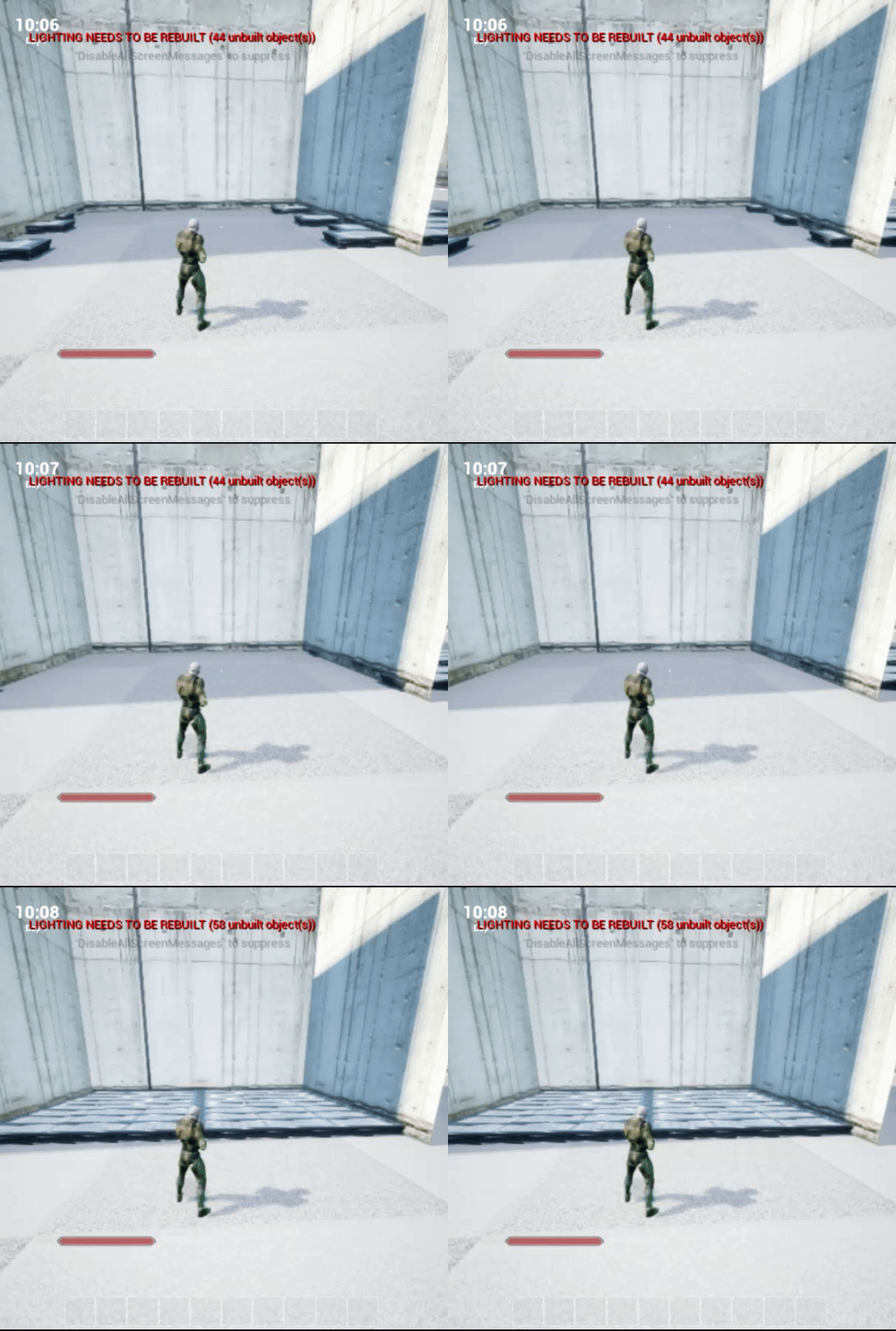


 winged valley
Still, when you click Play you should be able to find it in the dropdown.
If not your animation BP is screwed up. 😛
soft crown
great 😄
winged valley
If you actually assigned the anim BP to the character BP or whatever you've got.
I mean specifically in the skeletal mesh component.
delicate locust
@remote summit nice dragon. also nice movie sounds in the background ;D
soft crown
well I have to go to work now but I may remote in at home to see if a simple restart will fix it
delicate locust
could have been worse!
main ferry
Anyone know how I can subtract one pose from another, resulting in the difference pose?
winged valley
Yes, you set the animation as additive.
😛
You can also set the pose to create the additive animation from there too.
But if it's a pose and not an animation you'll need to use Make Dynamic Additive.
winged valley
And what is that? 😛
main ferry
I want to be able to add a pose ontop of a blendspace
but have it only add the difference between it's current state
to the pose being added
Any idea how I can cache a pose inside of this locomotion state?
I don't like using the Template_BS_Horizontal BS twice
nm I just read that it's not possible to cache pose inside state machine
main ferry
not inside the state machine you can't
You can in the surrounding anim graph
but inside the state machine there isn't a node to save cahched pose
winged valley
What's the difference from caching a pose inside the statemachine and connecting the output of the state machine to save the cached pose?
main ferry
One's inside and one is outside
winged valley
So you want to cache the pose from only one state or what?
I don't really understand. 😛
main ferry
If you want to use the pose that you've created inside the state like in my image above
Where I can't pull a line off the Horizontal Blendspace node. So isntead I have to create a second BS node and do the logic again
so I had to create a sexond state machine, cache the pose on the first, then use in the second
 lost tapir
anyone used morph target? Is set morph target enough? I dont know why, but my mesh does not want to display any change in morth target value 😦
winged valley
Yes it's enough.
Is the mesh not displaying the change in game?
It's possible that you won't see the changes in editor if you use a preview mesh.
winged valley
Also if someone is still wondering about the Layered Blend Per Bone node Blend Depth stuff I asked Lina Halper:
So if you set it to 3 for example you will get a smoother transition between the poses, 33% of blend pose on the bone that was typed in, 66% on the bone below that in the hierarchy, then 100% for the bone below that (and all other bones below that too).
And if you set it to 0 (or 1) it will just take over the pose completely from that bone.
main ferry
can someone help me understand state machine., I need to cache a pose so that I can use it to add another blendspace on top. The only way to cache a pose is to do so in the anim graph outside a state machine. Can I have two state machines in an anim graph and which one plays first if so?
winged valley
Well they play in the order you put them in. 😛
main ferry
like in the image above, how do I know Horizontal pose gets stored before the vertical state machine ?
I don't follow, how am I playing the states?
winged valley
Through some logic (hopefully), but for example if you're using a cached pose (Horizontal) in a state in Vertical it will have to be resolved before it's evaluated, at least that's how I think it works.
main ferry
I'm not sure where/ what is calling the state machine, and which one
So how do I know which state machine is called first ?
where would you call to execute a state machine?
winged valley
??
main ferry
Before I added the vertical state machine my animation was running, so how did it know to execute the default state machine before I added a new one?
main ferry
That doesn't make sense
winged valley
How are you using state machines if you don't know how they work?
main ferry
If there are two state machines that are not connected, are you saying the left one goes first>
winged valley
The above thing is referring to the anim graph.
No, I'm saying that the thing connected to the final pose is evaluated last.
This shouldn't be hard to see. 😛
main ferry
It's unlike anything else in Blueprints. Usually there is an event, or a tick function, and everything stems from there. How am I supposed to know that just sticking a second state in (vertical) will go last
If there is no signal from the first/ left one.
winged valley
You're saving it as a cached pose right? And using that in the other state machine?
 weary pine
its pretty exactly like the "pure function" evaluation rules in BP I think
winged valley
That means you'll always use the cached pose (whatever it is) in that state machine, which goes through the state machine, then to the result.
main ferry
Yeah, I want the default state machine to run first, save the pose, then the vertical one to use the pose, before outputting the "final pose"
winged valley
Is that not happening right now?
main ferry
@weary pine except a pure blueprint function is Called. so what is calling the states?
And in which order
weary pine
evaluation rules define how the function is called
main ferry
@winged valley I can't tell. Only the pose calculated in Vertical is visible
winged valley
The anim graph is evaluated each frame.
main ferry
It doesn't appear to blend with the pose cahced
winged valley
😛
weary pine
the function is not called exactly according the the execution wire like an "impure" node.
weary pine
Are you familiar with the pure node eval rules?
Cause if not I can give you a quick rundown.
winged valley
Normally you would have the cached pose in the anim graph and blend it with the result of the state machine for example.
But I have no idea of what you're trying to do.
main ferry
is there any way to debug this in a state machine?
I need to verify the first state machine is executing
devout dagger
are there any good tutorials about setting up IK for feet (so that NPC could walk/run/stand over uneven terrain believably)?
also looking for tutorials about mixing up anims for legs with various anims for torso
winged valley
@main ferry You can run the game, open the state machine, choose the debug instance.
main ferry
oh right, I forgot about that. I'm in VR so I forgot about the desktop
@winged valley Well I just tested it an the pose is working. All I did was attach the saved pose instead of using logic in the "veritical" state machine. The pose is being saved. The make dynamic additive must not be working
It's completely overriding the saved pose with the vertical pose
winged valley
The Make(Create?) Dynamic Additive just creates the additive, are you using it somewhere?
main ferry
winged valley
@devout dagger For IK: https://docs.unrealengine.com/latest/INT/Engine/Animation/NodeReference/SkeletalControls/TwoBoneIK/ for mixing anims, https://docs.unrealengine.com/latest/INT/Engine/Animation/NodeReference/Blend/index.html#layeredblendperbone
Describes how the Two Bone IK control can be used to apply IK to a 3-joint chain.
Animation nodes that blend multiple animations together based on a set of criteria.
main ferry
Yeah. I think I'm using it right. Am I right in thinking that it takes a pose and subtracts it against a base pose. This creates an additive local pose. You then apply this additive pose to the base pose using Apply additive
This way you can have an additive pose which is dynamic, instead of just using the bind pose or a specified animation
winged valley
Did you try the mesh space version?
main ferry
Yeah that crumples the body up and breaks it
I've also tried setting the two poses that make up the vertical blendspace, their animation mode to local and mesh
but because I'm making a dynamic additive, you can't use those settings
Because it is doing that by subtracting against the new base pose right?
winged valley
Did you check it works outside of the state machine?
Just connecting some random animations together.
winged valley
Well whatever you're trying to do outside so you know it works at all. 😛
main ferry
I've tried hooking up each blend space and those both work. Now I'm trying to add one to the other
It's basically completely applying the to add pose, and overriding the base pose
winged valley
I don't see why you need a dynamic additive for that though.
main ferry
so only the second blendspace "vertical" is coming through after the add
winged valley
Can't you just set the blend space animations to additive themselves?
main ferry
Yeah but then they are additive from the default bind pose
which is not always perfect
winged valley
Did you test it?
main ferry
yeah
winged valley
Both local space and mesh space?
main ferry
it adds correctly but because it's an additive from the default bind pose, it adds too much during different parts of the animation
The problem is this
winged valley
You can set it to be additive from a different pose (animation) though.
main ferry
blendspace "horizontal" blends in 2d horizontally the arm movement. Blendspace "vertical" is 1D and only raises or lowers the arms. So if I sitck my arm out to the side, then blend the vertical in using additive animation
then I get the addition from the bind pose to the vertical blendspace added on top of the horizontal blendspace
which isn't in bind pose
So I get too much because it's being subtracted against the default bind pose
I need it subtracted against the current pose that horizontal blendspace has the pose set to
oh wait
LOL
I think I just figured out
devout dagger
thanks @winged valley
 open dove
Hey guys, I was wondering if you guys knew any good free maya rig sources that port into unreal. I'm creating a multi engine script for rigging and am looking for a point of reference.
winged valley
There's Art Tools, I don't use Maya though so I have no idea how it works.
open dove
ah yea i've taken a look at ART, it seems pretty solid but i'm just looking for a file refernce not a full auto rig system
winged valley
A file reference? o_O
You mean a list of all the bone names used in standardized UE4 rigs or something else?
open dove
yea i'm currently building my own ART system
but just want a starderized UE4 rig so i can build multi game engine rigs
it doesn't need to be fancy just something that will work within the engine without any hitches
winged valley
Ah, then just get the UE4 Mannequin from the 3rd person template for example.
It won't have any controls though, just the deform bones.
open dove
cool and it's a maya file?
/ not fbx or obj just maya with all the group and naming correct?
winged valley
Nah it's .fbx. (exported from inside the engine)
You'll have to ask Epic for their source file for that one.
But if you just need something that retargets you could use something else maybe, like UE4Tools for Blender. (not compatible at all with Maya though)
But the mannequin .fbx should have the right bones/naming and so on if you're opening it in Maya.
Then you just have to add controls yourself. (Or use ART. 😛 )
open dove
hmm alright sounds good
wicked belfry
Does setting up IK help when I'm using animations and blendspaces? Like, if I have two pre-set animations blending, will the IK set-up ensure that their feet, for example, won't go through the ground regardless of the animation playing out?
open dove
I'm not a avid UE user, since i'm mostly work with piepelines in maya. But i assume that in UE if there is a collision based surface, and IK controls are based on the collision of the terrain. Theoretically it should work.
soft crown
Ok new questtion, is animation blending a thing with blendspaces?