#animation
1 messages · Page 88 of 1
 bronze jewel
They may seem like unnecessary questions to you, but you know what the problem is for the most part. We may not :)
 smoky sail
does anyone know why when previewing animations in the animation tab, or previewing the skeleton... i'm seing the anim output from my anim graph state machine?
 misty dagger
@faint flicker @bronze jewel i fixed it someone helped me
 faint flicker
what was the issue?
so the next person having the same problem can learn from your problem
misty dagger
I just had to retarget
misty dagger
Any fix? So when I click the button so my character sits in correct position and doesn't move like this only his head.
 tawny dome
So you did have two different skeletons.
I love it when my first question is the right one
Especially when I'm told "it was a pointless question"
 weary pine
"It uses a mesh that looks the same"
"therefore, the skeleton is the same"
"Any Fix?" "Any Ideas?"
Anyway you'd just have the mesh not follow the rotation, and then you're done unless you're gonna have hair/nose/ a head later- you'd solve that separately
But I can't give you a specific because I don't know how your pawn is set up and asking about it is pointless
@tawny dome try not to get too hung up on this kind of thing
tawny dome
Nah I'm just trying to prove a point.
I was more than willing to help and I had a pretty good idea what the problem was
But I'm not gonna help if you aren't willing to work with me.
 runic totem
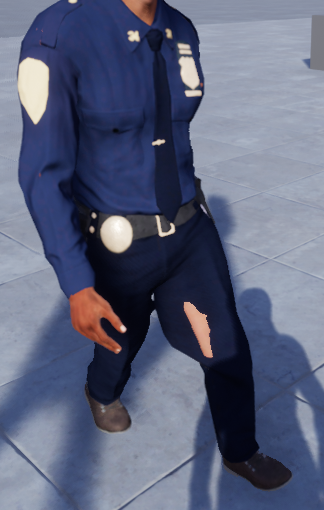
Is there a trick to stop the character's skin from showing through clothes when moving?
 copper dawn
 wicked belfry
Does anyone know why the Grip socket in the FPS template always forces itself onto middle_03_r even when I right click hand_r and want THAT to be the parent instead of the finger?
 round shale
hey guys I'm just doing some placeholder animations, so nothing fancy
But where's a good place to start with just creating a simple animation based off the default unreal skeleton?
 small heron
Is there a way to disable bOrientRotationToMovement during runtime? I'm trying to make a character lock on system.
 undone flax
Does anyone know how to do an additive only version of a blendspace? I'm trying to get look at working as it would effect more than just the head. Right now it overrides any movement that the head is already doing.
Apply Additive turns the mesh into something from a horor movie.
 icy valley
Hi anim fam. What would you do to prevent such twisting with montages? https://gyazo.com/87ac6a84e0b31686299a90c20f7c2388

 plucky fog
I want to animate an simple Sphere that will move forward and back, that's it. Im not sure if i actually need an animation for that. How do i setup that simple animation?
 tender condor
Hello @icy valley
When we faced a simmilar problem we just edited the animation. Is not the best solution if you need to change 100 of them, but good for a few. Sorry not being able to help a little more. 😦
icy valley
:\
tender condor
@icy valley is it from the Rifle animset pro? I am not sure...It happens with a lot of the animations ?
icy valley
Yeah
Kubold anims are average af
I wish there was a decent rifle anim pack similar to PUBG
Like holding the gun pointing forward
tender condor
I guess you retargeted your animations to that character. right ?
tender condor
Is it matching 100% ?
icy valley

I got it working pretty good, by cutting some of it down & blending
But it has a bad blend out
tender condor
Yeah... Cutting will probably screw the blendings...
You can try to just edit the throwing animation, and make the rotation of the torso a little less by adding keys and modifying that... Just need to be sure first and last anim frame are close enough to blend.
tender condor
Thay may make it... dunno. 😦
I solved some of our animations (we uso some Kubold too btw) that way.
use* (sorry writing from a mobile...)
Do you know how to do it?
icy valley
Hm?
 full drift
Is anyone else unable to find skeletons to re-target to in 4.16.3?
Found something, they show up if you untick "Hide incompatible skeletons"
But I was using the default UE4 and the one from the Animation Starter Pack
round shale
I don't know if the Animation Pack is compatiable
misty dagger
i can help me some 😃
 final mulch
@wicked belfry easiest way is to make a new socket for the hand_r as far as I know you can't retarget the sockets parent bone
 sick brook
@plucky fog if you didn't figure this out, create a Timeline node and plug it into set position
round shale
Is Maximo too much of a hassle to get working?
 grim nova
Nah is easy
plucky fog
@sick brook thx for the tip! Will try to do it with an Interlerp to Movement component first, if this doesn't work i will try your variant.
undone flax
What is the best way to add a blendspace to an already established set of animations? I've tried the "Apply Additive" and the "Layered Blend Per Bone", but the prior turns it into a freakshow and the latter overrides animations set further up in the pipeline.
wicked belfry
What is with these thick XYZ rectangles?
They're blocking the actual arrows at times and the rectangles themselves are useless (perhaps just for reference)
How do I disable them? I've accidentally enabled them several times.
misty dagger
Anyone know how to solve this problem?
so i got done stuff for the animation but also ran into probs and so far no one has found a fix
https://gyazo.com/02071190fdab379dda08d7c4f0c1aa05

im trying to set this up where i can sit but when "controller rotation yaw" is enabled
my whole body rotates 360
but when i disable it, my body doesnt move but my head turns 360
https://gyazo.com/8a5b08282768a8153cdecc20bb1bc336

is there a way i can tell in bp where when i sit, my whole body doesnt move, only my camera does from left tor ight
 ripe hearth
Hi guys, anyone here familiar with working IK on unreal?
I saw this plugin in UE forums, Full Body IK: BIK, but can't find any resources about it
 cold crow
Is there a way to animate JUST the position of an actor using a level sequence? It will animate the rotation and scale which I want to keep the initial ones 😦
 mighty edge
I'm trying to import an animated skeletal mesh from Houdini but it doesn't import the animation and it gives me this message in the log
The one i'm most concerned about Is the highlighted one
Do you know what to do?
 obtuse hatch
Someone wants to help me combine awesome mocap animations with Locomotion system?
undone flax
@wicked belfry You have to click off of the bone as those are to denote the rotation/direction of the selected bone.
Within your perspective, go to "Show" then "Bone" under "Hirearchy" then "None". It defaults to "Selected Only".
 nova hemlock
i saved two diferent animations (.fbx) but for the same model. do i just select all and import?
nm figured it out
undone flax
What is the best way to add a blendspace to an already established set of animations? I've tried the "Apply Additive" and the "Layered Blend Per Bone", but the prior turns it into a freakshow and the latter overrides animations set further up in the pipeline.
nova hemlock
i set up an animation blueprint, how do i do 'play animation' from its blueprint? If i want to play the walk instead of the idle?
undone flax
You have to have something that manages the state that the character is in. Double click the <-> and set the rule that allows you to change from Idle to Walk.
You'll also want something to go back from walk to idle.
Go and look at the third person sample project. There is a lot of good information you can glean from here.
nova hemlock
there's something i checked.. 'can enter transition'
undone flax
Don't do that.
@nova hemlock Go and look at the third person sample project. There is a lot of good information you can glean from here.
nova hemlock
ok will do, thanks
where can i find it at
but i'm thinking i need to create varaibles in the blueprint that the anim blueprint will read and set state?
undone flax
@nova hemlock Make a new project and select the Third Person Template under the blueprint tab. There should be an animation blueprint with transitions set up already.
nova hemlock
ah ok
 frigid flame
hey guys. can anyone point me in the right directoin to learn how to trigger animations and set them up? the newbie guide for that 😛
frigid flame
i'm not talking about c++ change X and Z no. I want to animate the meshes, and call through C++ like "trigger animation foo" and the mesh goes and does the animation
nova hemlock
figured it out, checking velocity in the animation blueprint to switch between idling and walking
 river isle
https://docs.unrealengine.com/latest/INT/Engine/Sequencer/HowTo/CharacterAnimation/ I found how can I achive it
Illustrates how you can apply animation to a Skeletal Mesh Actor in Sequencer and blend animations.
 halcyon agate
I can't seem to "hook" my camera onto my character? So if my animation's head goes forward.. it moves the camera so its not in the head
tawny dome
look for the "socket" property of the camera
And set it to "head"
Or are you asking to do the opposite?
If so change that setting to nothing
halcyon agate
Ty @tawny dome
wicked belfry
Where is the option to display the blendspace timeline vertically in the new version? It's not under the new 'axis settings' section and the timeline has no options next to it anymore ..
 uneven wigeon
What's the easiest way to make an animation where you lift your arm with a button? For example like you're shooting from the hand wrist with left click?
wicked belfry
@uneven wigeon Not sure what you mean. You can trigger the animation when the left click is pressed that's animated to raise the arm and then set up a short delay on your "shot", timing it with the moment your arm animation is at its climax (the shooting position)
Making a spidey game? 😉
uneven wigeon
ummmmm
not entirely
@wicked belfry and yes i know how to do that, but my question is the animation itself
like how do i make the arm go up
without doing too many complicated things
Do i need a separate program to do a simple thing as that or can i maybe edit it in UE4?
wicked belfry
@uneven wigeon Ah, yeah you can do that in UE4. If you have an idle animation for the character, duplicate it and rename it to whatever you want then go inside of that animation. You can re-position the skeleton and set the keyframes to start from the idle position and to have the arm move up into its climax.
You can look up some basic animation tutorials if you've not used that system yet, it's fairly simple.
Once you have that animation set up and the keyframes are locked in, you can call upon that animation in the blueprint. That is the simplest way.
uneven wigeon
@wicked belfry could u recommend some good tutorials on that ?
uneven wigeon
@wicked belfry but wait, if i do it that way, then when i press the button, he will stop walking if its idle animation? How do i do it when the character is running, walking, jumping and idling? That way he can continue doing everything normally, except raise the arm?
 tacit citrus
 river isle
Is anybody know why I cant blend between 2 animation with character BP in level sequencer
?
 eager hull
okay guys, my idea for my unreal project is this
if i press w, a, s or d, play the walk animation
if i press lmb, play the fire animation
if i press r, play the reload animation
that is literally all i need, i'll deal with exceptions like, don't fire if there's no ammo, don't play walk if im in air etc.
but how do i do that, it seems incredibly simple but every tutorial i can find is doing things 10x more complicated like, 20 different walk animations depending on direction and adding blendspaces and shit
like just 3 first person animations dependent on just an input, and just like, override eachother if a new input is given
misty dagger
lol @tacit citrus that video
 versed umbra
Hi, how can I achieve this gun shake effect considering my camera is attached to the gun?
 river isle

The importance of Camera Shake cannot be understated! Add weight and impact to your project with this micro tutorial.
@versed umbra you can check this tutorial video
 floral sky
Can someone help me understand bone animations?
Not understanding the transtion between kniematic and simulated, and how that all mixes with the animation blueprint
wicked belfry
I may be wrong, but I believe 'Simulated' animation refers to physics-based events whilst Kinematic animation refers to a fixed, linear sequence animated using bones within a character. Simulated then may be unpredictable and can have various outcomes depending on its interactivity with the environment whereas Kinematic relies on you and your animation needs. I'm still fairly new to UE4 so if I'm wrong, someone please correct.
@floral sky
floral sky
@wicked belfry I believe you are correct, and that is my experiance with the animation type. Right now all bones are set to Kinematic and have an animation blueprint driving those animations. However, what I'm trying to do is produce a "ragdoll" effect on death. Which, in my mind, means setting all the bones in a skeleton to simulated. But that just freezes the charater in space...
wicked belfry
Hmm, look into the ragdoll documentation. I believe you may be able to set it to simulated upon death but actually making the ragdoll work is an entirely different process that I've not experimented with yet. @floral sky
floral sky
Yeah I'll look into it some more. Thanks for the guidance @wicked belfry
versed umbra
@river isle I did that, but doesnt give the same effect
wicked belfry
Any way to make my AI decelerate when approaching my player? Right now it's using an AI MoveTo but when it reaches the player its speed goes from 150 to 0 instantly which makes the blendspace pointless.
floral sky
How do you animate something on a physics constraint?
floral sky
do you just swap the asset to a bone?
 dim cloak
Anyone know why a post process animation blueprint would work on 1 mesh but not another (both with the same AnimBP and skeleton).
In the debugger it looks like it's going through all the appropriate nodes, but the animation doesn't change anything with this 1 mesh.
floral sky
Still confused on animations and how they are used behind a physics constraint
dim cloak
think i got a bit closer to my problem, the mannequin appropriately shows the transform when it's set to the preview mesh for the skeleton
but when my mesh is set to the preview mesh it doesn't show anything:
any ideas why that would be the case? I imported my FBX and just selected the existing mannequin skeleton
(that's the same skeleton.. just different preview mesh)
river isle
Hi there,
I m trying use character BP in level sequencer. But the blend doesnt work between 2 animation. When I try with skeletal mesh it s working correctly. But I need to use character BP for AI . Is there anybody know any solution?
wicked belfry
Do you have a BlendSpace within an animation blueprint? If so, you can set your character BP to use that animation blueprint. You'll get your blending animations that way and have a character BP as your AI.
@river isle
Inside my character BP (the enemy), with the Mesh selected in the component viewer, I have the animation blueprint set:
It uses the animBP I created separately.
That animBP has a state machine:
That drives the blends
Which themselves are a separate item in the content browser:
That way I end up with:
A functioning character BP as my enemy AI.
river isle
it means I have to create blend space for every two animation? or
wicked belfry
What kind of animations are you trying to blend? @river isle
river isle
for exm. idle and talk
wicked belfry
talk or walk?
river isle
idle and talking 😄
wicked belfry
is he also idle while talking?
wicked belfry
would be easier if I understood the scenario so I can tell you what a good method would be
is this character an NPC?
friendly or enemy?
wicked belfry
multiple-choice selections?
river isle
multiple choise for animations actually
for exm idle or talk or angry
I can do it but animations passing is not smoothly
wicked belfry
well, you can set this up in blueprint so that when a command is issued, an event is triggered. There are a few ways to do the animations:
(a) Command is issued > Play animation of choice in BP
(b) Command is issued > Play matinee
(c) Command is issued > Use BlendSpace
I would use BlendSpace and an animation blueprint because it's the only one I know of that will blend between different animations.
So for example:
In the character BP, you have to define a few notifiers.
If command A is chosen > custom Boolean is set to True.
Then in the AnimBP you cast to your characterBP, reference the Bool and set a new Bool to True which itself would trigger an animation in the State Machine.
It's hard to explain, I'm somewhat new myself...
I'll show you what mine looks like:
river isle
@wicked belfry thank you so much but I think I couldnt explain my problem
😄
I'm using level sequencer to create scenario
I have character blueprint for every character
I did set their animation bluprint and blend space(only idle /walk)
so lets imagine for two character
they have conversation
when one of them playing talk animation and the other one playing idle animation
but I cant do animation passing smoothly 😄
have I made myself clear? 😄
actually I just want smoothly passing between two animation 😄
when I use skeletal mesh its working correctly
but I need to achive it with using character BP
dim cloak
i think you would usually just tell the animation BP what to do from the character BP
so the blending is all done in the animation BP
wicked belfry
the BP would just trigger animations from frame 0, there's no blending whatsoever
yeah, animBP ^
oh he's trying to do animations in the character BP
I get it
Lecks is right, you can't do the blending in the characterBP - you must do it in the animationBP. With references, you can achieve what you're trying to do, but with blending.
dim cloak
i'm no expert.. but the way i'd do it is to have a bool on your animation BP for 'IsTalking', and set that bool from the character BP
then in the animation BP you can use a 'blend by bool' node
river isle
yeah I got it but if I use blend by bool I should create one blend space for every two animation
am I right?
dim cloak
yeah.. if you have a bunch of talking animations you might be best to use montages or something
they seem to blend automagically
river isle
ok thanks both of you to trying help me 😃 @dim cloak @wicked belfry
dim cloak
seems my problem is the skeletal mesh i'm importing doesn't have IK bones
didn't think it would matter since i'm importing it to the mannequin skeleton..
any ideas how to add them?
wicked belfry
Did you add bones in another 3d software? (3ds max, maya, etc.)
If you did and exported as an FBX, it will let you import it + the skeletal mesh.
river isle
oh you use iclone like me 😄
river isle
not yet 😄
dim cloak
i guess ill try importing the iclone skeleton, adding 'virtual bones', and retargetting manually
no idea if that's the way to handle it though
don't really understand why it's not just using the ones from the mannequin skeleton though
like it disables it for that mesh
well that idea was thwarted quickly.. can't add child virtual bones
dim cloak
adding the bone with motion builder fixed it
 odd thistle
Hi, would there be someone who could help me create few simple animations for the Spyro the dragon character for a fun/personal fan project that i work on? I'm looking for someone who would like to do it for fun and so it is not paid, the project is just for fun and i do it in my free time. I will provide you with the model and current animations. You will be credited for the animations.
 supple tendon
welp, I thought this was a fun reference reel https://vimeo.com/224873136

Character Animation by Anthony Hodgson Video Reference by Anthony Hodgson and Rani Namaani Copyright DreamWorks Animation
 stray timber
What are the best setttings for exporting in Unreal ENgine i am using the squence editor but i keep getting choppy exports and very very low frame rates
 ivory bear
is anyone else getting errors exporting animation from blender?
ivory bear
nevermind
river isle
hi there
I 'd like to do create a function for head follow to head. I have two character . they have to look each other face.
this is my BP
and result 😄
river isle
anybody can help?
 karmic mesa
Hey all, ive tried setting up a character for a platformer, however, i have come across this issue when using movement https://gyazo.com/8ea1d4287b565d7c7537852b5344ad52

 molten shuttle
for the animation whats the thing called so u can run diffrent animations i forgot
doest matter i found it lol
odd thistle
anyone here?
@here is anyone good with animation here
?
I have a rig with animations and i have a separate FBX model, how can i join the rig to the model quickly?
would anybody be able to help me?
tacit citrus
Are you using Maya?
karmic mesa
anyone here?
undone flax
I have a bunch of poses broken out into different animations, how can I add them to a single pose asset? Importing the poses from a linked animation causes it to go screwy.
 bronze osprey
@karmic mesa looks like its using root motion and leaves the capsule
karmic mesa
@bronze osprey how would i fix that?
bronze osprey
bronze osprey
@karmic mesa if you play the anim in the screen i showed does it move or stays in 1 spot?
bronze osprey
it should not, the capsule does that
bronze osprey
did u make the animation urself?
karmic mesa
no i got the animation from mixamo, i created the 1d blendspace and used the mannaquin template to create my own animation bp
i just wanted to use a different character for the side scroller template to practice
but its glitchy as hell
bronze osprey
i bet u can do it in unreal , id prolly do it in blender tho
undone flax
Anyone know how to add poses to a Pose Asset after it is created?
wicked belfry
Anyone there?
I have an animation here with 1 keyframe. I set up the frame for Frame 0 and set it, then when I go to Frame 1, there's a slight change but I can't re-do everything to be 100% exact. Is there any way to copy Frame 0 and paste it over Frame 1?
 autumn wind
anyone here making animations of models with blender?
 plush adder
@river isle haha that's amazing looks like he's trying to chat her up and she's like "nah mate"
undone flax
@karmic mesa Look into this tutorial video from Epic: https://www.youtube.com/watch?v=200-D0A3ntU

(00:05) - Intro and Hugh Jackman analogy (02:30) - Adding a Custom Event (04:49) - Adding Anim Notify Events (06:32) - Telling Montage to jump to Sections (0...
karmic mesa
@undone flax ive watched it already, do you have any idea how i would create a kick function
ive already got the punch
but i dont know how to add the kick as well
karmic mesa
my kick animation doesnt really work, it makes my characters arms swing and i feel like it has something to do with the bone i have selected? any way to fix this?
karmic mesa
basically, my kick animation does not work on the whole body, only the upper body
karmic mesa
anyone here?
 rigid coyote
so, my question isn't really related to UE4 per se, but rather Blender as I'm trying to export an animation to UE4 from Blender
Unfortunately, I finished an animation before setting the scale
and now when I re-scale the armature to the proper scale and hit 'apply scale', the animation gets messed up
I am aware scaling should be done before animating
but alas, it's a bit late now
so if any of you Blender gurus know of a workaround, please help
 sudden sedge
afaik, you set the model import scale to 2, then the animation import scale to 2 as well
or so
 pale epoch
I don't know if this is the right place to go, but I need help doing main menu widget animations, can someone link me to a tutorial or something pls?
 teal mulch

import into unreal
and the socket is huge
anything attached to is huge to i think by x10
any ideas how to fix this?
(tag me if you have a response plz 😃 )
 winged raven
any blender experts here?
tawny dome
For some reason I feel like that is an oxymoron. :L
winged raven
its all good I solved a problem I had
teal mulch
Yeah i need a blender expert myself and an unreal dev for this socket bs
 hushed agate
I want to play a montage - and have it stay exactly where its at at the end of the montage..... however its returning to frame0 at the end of it. probably due to my slot setup i haev inmy ABP.....
I have an idle state - but not any state machine for this..... i was hoping to work off Montages - but maybe thats not the best choice. Anyone offer some guidance here? Reason for the BlendByBone is to have a right & left door animation for this skeletal mesh.


thoe above pic is the END of the montage played.... when it finishes - it looks to go right back to the Idle
 vernal lion
@hushed agate The way I've been working is to treat the animation state as a 'stance'; an animation that it always reverts to. Then, I play a montage on top of that.
So if I wanted to open a door, I would change the state to "Opened", then play an "Opening" montage
and when the Opening montage is completed, it would revert to the Opened state
State Machine - > Montage - > Final Pose
Works perfectly for doors, as long as you have zero blend in time on your montages
 cosmic verge
So I´m making a small ue4 cinematic scene and would to know if it´s possible to save VR movement to an animation curve?
Or basically runtime data/movement to a animation
 past nebula
Is there a way to make a state transition between two animations any smoother ? I have an arm that very visibly "Snaps" back into place when coming out of a roll animation, and I've tried every curve under the settings and none seem to fix it.
misty dagger
"Animation should be non-additive" => Switches to non additive => "Invalid additive animation type"
please assist!
 pallid dune
I have this problem : I imported a mesh from blender with his skeleton, in UE4.
Then, I made a running animation, and imported it too. But when I assign the animation to the BP Class the mesh is in, the animation is like 100x smaller than the mesh. Why, and how to solve that ?
runic totem
Is there a way to have an identical UE4 skelton on a custom model? Can I import the UE4 skeleton into a program like Maya or Blender?
pallid dune
I think you can, but I have no idea how. Go into the content browser and try right clicking and maybe there will be an "Export" option ?
runic totem
I'll try. See if it exports as an FBX or something.
pallid dune
Yeah good idea
runic totem
I would like it to where when I import a character I can just choose the default unreal skeleton without importing the one in the file.
Then I don't have to retarget.
sudden sedge
why does everyone like the default UE4 skeleton?
pallid dune
Meh, personnaly I created a much simpler one for myself. But the default skeleton is cool 'cause it already has some animations
sudden sedge
I just make my own and abuse ik to bastardize all the animations I need
runic totem
My IK system and everything works with the UE4 skeleton.
When I switch it to another the IK stops working.
sudden sedge
isn't reliance mostly name dependent?
runic totem
Ya. Not sure why it isn't working. I updated them to the proper names.
sudden sedge
and what happens if you have creatures
like I mess with a lot of creature type characters
runic totem
Haven't setup IK on any of our animals yet.
runic totem
If I export a skeleton it wants to export as a .copy or .t3d.
sudden sedge
mostly corrective ik
source is actually a really pleasant engine to make animations for
runic totem
If I export the model it should attach the skeleton to it. I guess that would allow me to pull it into blender.
 sudden sedge
UE4 is a bit weird with skeletons
runic totem
Ya. I've been trying to get something that is consistent.
I own that auto-rig. I might just end up using that.
sudden sedge
I personally just manually rig everything
runic totem
Ya. I have rigged it manually, but, I am not a pro. Follow YouTube videos the whole time. The issue is I am worried I am not doing something correctly.
runic totem
I just don't want to run into something later that doesn't work because I didn't know better.
sudden sedge
only thing you can really mess up with skeleton
and the only issue you'll run into is you forgot a bone
runic totem
The part that threw me off was weight painting.
I had a hard time getting the knees to bend just right.
sudden sedge
a lot of that is trial and error
runic totem
I just figured there was some techniques I hadn't figured out yet.
runic totem
Well. That makes me feel better. 😛
sudden sedge
what I'd suggest is using auto riggers then just playing cleanup
if you want to be lazy 😛
runic totem
Ya. I mainly want something very consistent between models.
sudden sedge
as long as the joints don't move weirdly consistency doesn't really matter 😛
runic totem
The auto-rig seems to do a good first pass. I might just try that.
Then if something doesn't look right manually fix that.
sudden sedge
one thing
NEVER use auto-rig without cleanup (unless it's somehow perfect)
either way some parts you'll have to manually rig so I'd say it's good to at least learn how to do it
especially skirts and other such things
runic totem
I'm fairly comfortable with it in Blender. Since I have made them from scratch I should be able to see an issue.
I haven't rigged clothing or cloth yet. Just characters that pretty much match the UE4 skeleton and face rigs.
You have any experience with the Allright Rig for animating?
runic totem
I tried the educational version and had a hard time with 3ds. Difficult because the controls are so different.
runic totem
Ya. If I got used to the controls I know it is really good.
sudden sedge
also 3ds max has a lot of plugins and maxscripts
dim cloak
I had a play with Allright Rig last night.. i'm not an animator but it seems pretty good
past nebula
Is there a way to transition out of a state the second an animation is done playing? Like a boolean I can check somewhere?
 foggy night
what about using an anim notify?
past nebula
Yeah, that solves my problem. Thanks
foggy night
no problem
misty dagger
Anyone try out the character controller for UE4?
undone flax
Anyone know of some tutorials on how to use the "Twist Corrective" node in an animation blueprint? I can't find anything after looking around for awhile.
undone flax
Anyone?
 weak beacon
Google seems to be worthless so I'm asking here: Is there a way of creating animations within the UE4 editor or do I need to create them in Maya for example and import them from there?
Having a rigged skeleton imported to UE4 should be enough to create an animation imo, but haven't dived into the subject
undone flax
@weak beacon This is the closest thing I know of, outside of importing animations, to doing animations directly in UE4: https://www.unrealengine.com/marketplace/maya-tools (You still need to have Maya)
Its the tool created and used by Epic to do animation work in UE4.
weak beacon
Wow, how can I have missed that one. It's exactly what I need I believe
Thanks a lot for linking it, silly me didn't even think about checking for such a thing.
It should pop up when searching in google, would make it a lot easier for people like me
undone flax
No problem. Its Epic's fault for not expanding the ART acronym in their title. (Animation Rigging Tool)
weak beacon
Yeah, they should have thought about that one before naming it
 heady robin
How to create right foot placement?
like in that video https://www.youtube.com/watch?v=DZglqlOl8fw
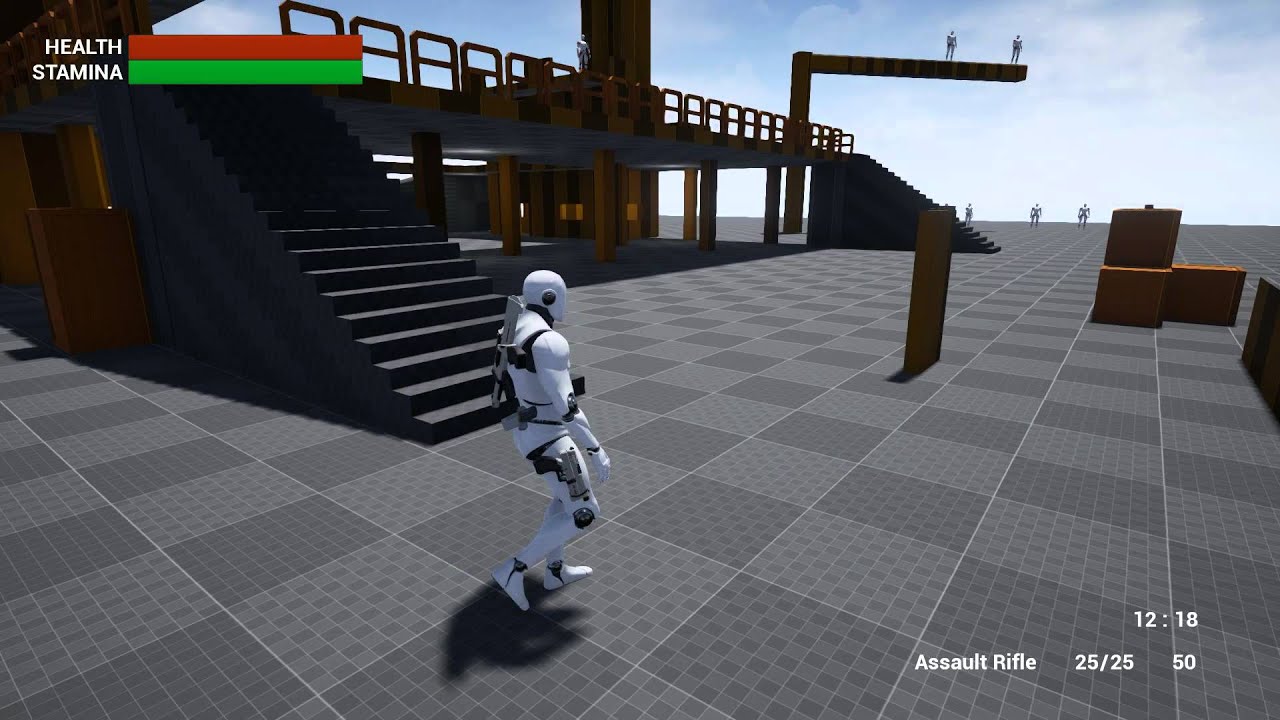
Proper foot placement for UE4 using Two Bone IK.
bone IK?
 errant scaffold
I use hide/unhide bone with animnotify in a rocket reload animation, but at unhide bone the rocket is seen for one frame at a wrong place.... what can i do about it? Any tips?
 serene perch
Anim noob question here: Is there any easy way to do animation control with automatic blending, but without animblueprints?
specifically for first person viewmodels?
I wanna control them via c++, but simple anim instances dont seem to do blending at all
The problem I have with animblueprints is, that they require to specify one skeleton
misty dagger
Any blender animators here that have good price rates If so can you message me thanks.
misty dagger
Hi guys, how do I stop UE4 from adding two extra frames from my imported animations?
 snow hearth
I have a mesh with bones and animation. Whenever I import it in UE4, I get imported bone transform is different from original warning. Result is the mesh in the animation scales down and is almost invisible. I've applied the mesh scales and even tried keyframing the scale in Blender, all to no avail. Anyone know any other trick to rectify the problem? Thanks!
 vernal crystal
@Σpacewalker#6964 check your export scale, see if its exporting it at some weird scale
snow hearth
@vernal crystal Checked the model and skeleton scales in blender. All set to 1. Even applied the scales, it's still giving the same warning. Mesh is super tiny after importing
vernal crystal
no no no, dont check the scales in blender, check the export scale
i know when you export FBX it can be really weird
this is how it is in max
not sure how blender exports though
snow hearth
Export scale is also set to 1 in Blender
Units are set to cm in the editor.
Odd fbx import issues.
vernal crystal
thats interesting
 icy cove
Hello everyone!
How can I combine animation state machine & montage?
I have walking/idle animation in state machine and want to use montage animation for melee attacks... But when I'm trying to play montage manually the state machine still performing it's own animation
maybe any docs or tutorial?
icy cove
Ok, it seems I've figured it out
 whole rain
@icy cove I've found this video series to be extremely useful in figuring out montages: https://docs.unrealengine.com/latest/INT/Videos/PLZlv_N0_O1ga0IoRrpI4xkX4qmCrhGu56/200-D0A3ntU/index.html
(00:05) - Intro and Hugh Jackman analogy
icy cove
@whole rain thank you!
 proud fossil
hey guys 😃
anyone knows if it is possible to make angular limits or any sort of angular constraints for two bone iks? i only see the possibilty to limit to complete axis
btw using 4.17
misty dagger
uhhh since when could you add sockets to static meshes???
omg this changes everything!
🙏 praise
 dapper lava
how the hell do you add a keyframe to sequencer now they they changed the damn keyframe options and i cant figure it out? and the stupid 4.17 damn overview video is just a bunch of talking heads? . RAWRRRRRRRRRRRR george is getting upset! 😦
ok fine i give up back to 4.16 for now....if it aint broke...
 lime bronze
anyone here know how to do a face animation the easiest way?
like expressions and like talking and stuff
lime bronze
any apps or like, capture your face like in senua sacrifice but without using that expensive camera lol
 split vale
I took the UE4 Mannequin and put in Blender
The bones look weird
Is that on purpose, or do I need to fix them?
misty dagger
Hi.
Yes I have a problem.
I have 3ds max facial morphs with the morph modifier
And there are keyframes for these facial morphs.
I export the fbx and UE4 imports them
Click the character in the assets, switch to animation tab
The morph target animation is there, just not applied to the mesh.
How do I do this?
 winged valley
@snow hearth No idea if you fixed it already, but you need to set the Blender scene units to 0.01 scale metric, like the image. Then select the rig and scale it 100 times, apply transforms for the rig and mesh. Should fix animation scaling issues (it's a UE4 bug though)
@split vale The UE4 mannequin rig will look like that in Blender. If you need a rig with IK controls and stuff use UE4Tools and retarget animations to it.
snow hearth
@winged valley I see. I just scaled my animations by 100 after importing to get over the issue. But if this works, it'll be great! Will give it a shot once I get home. Thanks a ton!
split vale
@winged valley Should I do the same scaling thing?
winged valley
@snow hearth Doing it that way your physics asset is probably messed up, you should delete it before importing the fixed version.
@split vale Yes. All Blender users should do it. At least until the UE4 bugs regarding scaling are fixed.
 young urchin
Who's using Mixamo?
snow hearth
@winged valley Thank you!
 clever abyss
Is it possible to preview physics in Sequencer?
split vale
@winged valley Okay, noted.
clever abyss
I made few keyframes to disable and then enable... but It doesnt seems to be working in Sequencer
dapper lava
mixamo animations are so cool lol
i got the moba elf charecter and i was sad there was no walking animation but i just imported her into the rigging thingy found some and wo la, not perfect. but good enough to start with 😃
some of the dancing animations are funny :-p
i wish unreal had an easier to use autorigging system like mixamo's tho.
retargting is nice but for the elf i had to select every single part and it still wasnt perfect.
but found by importing into mixamo's rigger thingy it just "worked". then just exported the animations back into unreal
bronze osprey
i just downloaded the zombie animations , just in case i wunna make a zombie shooter in a few days and dump it on steam 😛
split vale
@winged valley So I tried my hand at animation. I'm no animator that's for sure, but perhaps it could serve it's purpose well enough as prototyping.
https://www.youtube.com/watch?v=lMypdnXccMc
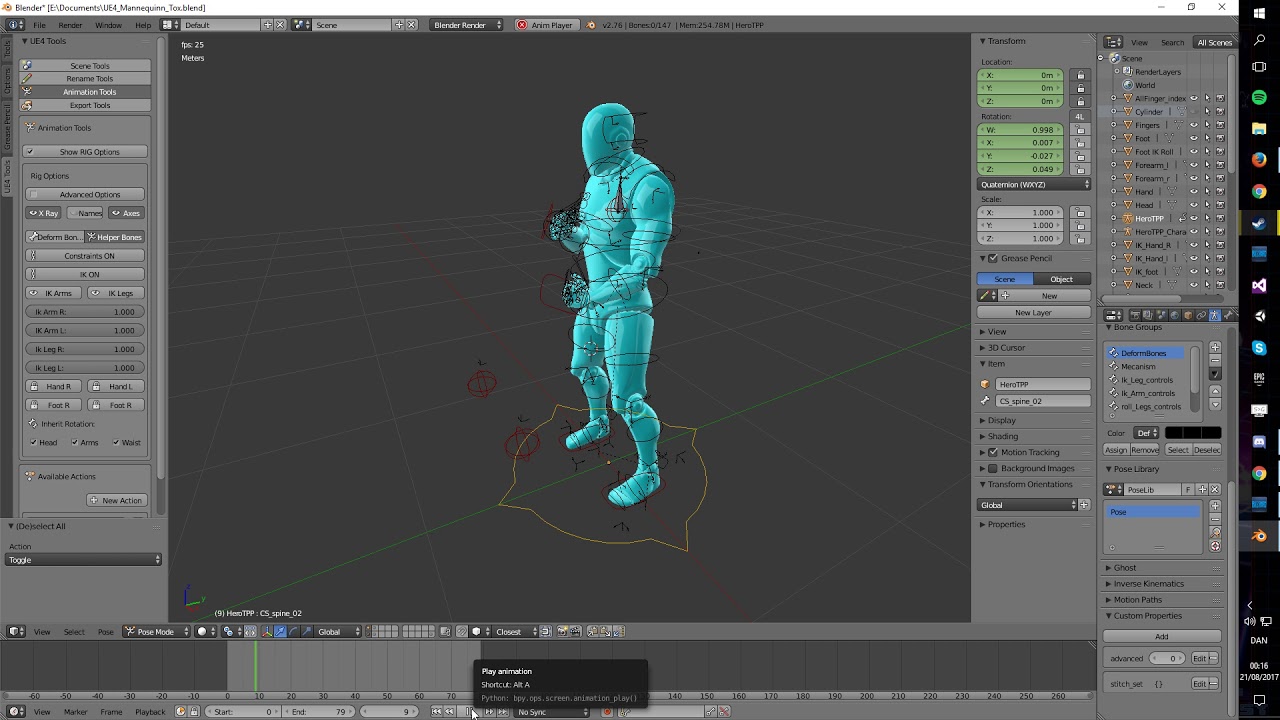
I tried to animate using the standard Mannequinn from UE4 for the first time. It was simple Keyframe animation here, while Blender interpolated between the d...
misty dagger
are anim notifies broken in 4.17???? none of the ones i make are showing up in bp
new animnotify or animstate blueprints wont show in animationblueprint only thing that works if i right click and hit new->type in name.......
 stoic remnant
 limpid kindle
I need my Ai to freeze his animations when an event is trigered. How should I go about it? I can't find any freeze node.
split vale
@limpid kindle Could try and stop delta time for that AI
limpid kindle
@split vale At the moment I set the custom time dilation to zero which freeze the enemy but he change stand which ruin the illusion that he freezes while running.
 devout dagger
@split vale or use Akeytsu instead of Blender for animation - it exports UE4 rig
split vale
Never heard of Akeytsu @devout dagger
 mellow hazel
@split vale that animation looks nice
split vale
Thank you
mellow hazel
Shoveling animation right?
split vale
Haha no
It was supposed to be an overhead swing downwards with an axe
But I kinda fucked up how to control the rig so
It looks like more of a stabbing motion
As a first animation though, I'm alright with it
mellow hazel
Ah
split vale
Really it just needs to be representative of what I want for a full animation done by an actual animator
mellow hazel
For some reason it looked like shoveling to me
split vale
No, I get why you see it
Prototyping
I'm a programmer so
I do programmer art
But now I can somewhat do programmer animation
So that's alright I guess
winged valley
It's easier if you put the whole body poses at the same keyframe so you can easily move them around in the dope sheet (selecting the top summary thing), you can improve the timing that way. For example if it's a heavy axe it would take some time to lift it, when you're swinging it it's faster because of gravity and because you're really using your muscles, then a slow recovery because it's still heavy and you're working against gravity. It's also good to think of the most important poses and do them first (in your case maybe the pose where the axe is at its highest, then the impact pose), then you can figure out the rest after that.
split vale
True. I have yet to learn all the animation basics so.
I'm sure I'll be taught those things
This was kinda like the "sandbox" time
Just playing around
devout dagger
@split vale https://www.nukeygara.com/akeytsu
it's a way better animation solution than Blender
winged valley
@devout dagger Citation needed. 😛 I mean you can watch the animated Blender shorts and see for yourself whether Blender is good for animation or not.
Also it's a paid product. So I guess it's better if you don't like having money.
devout dagger
You need money to make more money
$79 for fully functional commercial license is cheap
no need for Blender fanboyism to spread here too
Blender is my only 3D tool, but when it comes to animation, it's quite unproductive
I wish CAT for MAX wasn't a plugin, as I found it to be quite an awesome animation tool when I used 3DS MAX in the past
also Blender can not do non-destructive layered anims and walk/run/etc. cycles procedurally
winged valley
In what way is it unproductive for animation?
And wouldn't you do procedural animation in UE4 using additive animations instead?
devout dagger
building rig, weighting mesh, no layers, no anim cycles
you don't make anims in UE4..
winged valley
You make animation blueprints which can have blended animations.
devout dagger
layers and anim blending are entirely different things
winged valley
In what way? You're blending one animation with another animation.
devout dagger
Instead of arguing (without knowing the subject), grab yourself demo of Akeytsu and try it
winged valley
I'm just asking questions. You were the one that claimed that Akeytsu was better for animation than Blender.
Bulding rig: UE4Tools, it retargets the UE4 mannequin perfectly. Weighting mesh, automatic weight painting and the regular weight painting/vertex group editing tools. Layers (if needed) would be done in UE4 by blending additive animations. I don't really understand anim cycles, I just make loops by copy pasting the first frame and pasting it on the end frame, it produces a perfect loop in UE4. I'm not trying to be a fanboy or anything, just saying that Blender is more than good enough for game animation.
devout dagger
Blender is good, Akeytsu is better
if you don't like it, don't argue.. People who can afford to fork over $79 can make a judgement call for themselves
 stiff thunder
thats tool looks nice will probably do a "shootout" between thats one and maya
for ~80 bucks it could be a real steal
 hot burrow
Can anybody offer any suggestions to this problem? I have 15 blendshapes in Maya, but only 11 in Unreal. I also have a mystery 'MorphTarget_0'. And the wrong morphs are being triggered at the wrong times. In the screenshot, the leg goes out in Maya and the leg fixes are activated as expected, but in Unreal I have an arm fix bulging out the shoulder for no apparent reason. Any ideas?
 civic fiber
does it make sense to convert strike animation node to single frame animation and control it from c++ to perfectly match the state of the strike?
first approach was to use anim notifies, but it is kinda buggy and I feel bad about graphics/animation effecting gameplay, so I want to control stuff from c++
but if I just start the anims maybe it gets desynchrnozed a bit, so I thought using single frame animation could help
but I have no idea how expensive is that
any idea/advice? what's the best way to synchronize character strike animations with the game logic?
winged valley
What about animation montages? You can trigger those animations from the event graph.
dapper lava
unreal needs an easier retargting, system like mixamo has. i tried to follow a tutorial to get my elf moba charecter to work with mixamo animations in the engine itself. it kinda worked but hands were a bit off. then i just upload it to mixamo. and ta da. it autmatically maps it right.
to be fair i think i did easily retarget the elf to the unreal skeleton but not so much to mixamo lol
rigid coyote
Is there a simple way to do a camshake for the sequencer?
give it that handheld look
I noticed in this video there is an option to do that easily

Watch this landmark synthesis of creativity and technology as Epic's Kim Libreri hosts. Epic's Michael Gay and Grayson Edge demonstrate the new Unreal Engine...
at 8:32
but I don't see that option anywhere in my sequencer
sudden sedge
anyone know how to set up a "rig" for animation retargettin?
winged valley
Yes, but it depends on what you mean by "rig".
winged valley
How does the physics asset look? The bodies for the feet should line up with the mesh.
 low ibex
Scary!
winged valley
Looks okay, just change the retargeting for the root bone to skeleton.
winged valley
Go to skeleton, open the skeleton tab to the left, in the lower right corner of that there's an option to show retargeting options. Then go to the root bone at the top and set the dropdown to skeleton.
All bones, active sockets
But yes, not very clear...
Once you know it's there you know it.
Cool.
dapper lava
fucking adobe
pardon me
looks like their update to mixamo that axed many things also screwed up mixamo rigging.
it gives me bone errors when reimporting back to unreal when i had no problem before
😦
talking to some idiot adobe chat support, first guy closed the chat on me and said they dont offer chat support and to use the forums. wel i yelled at the second guy sayigng there IS NO Forums anymnore lol and if they are gonna put a product on their site they should have SOME support for it lol
so we will see
i thin the idiot transfered me to someone else cuz he didnt want to deal with it lol
damn adobe support lol
not cuz the other person actually knows what to do
oh well i figured out by retarting the epic 3rd person guy to my elfy i actually finally finally goto a workign 3rd person controler for her. using some mixamo animations for my custom idle, walk, run but using the default jump lol so thats something
just wish i had saved the rest 😦
RAWR
sad panda
dapper lava
i wonder if i just need this pluygin now Mixamo Animation Retargeting
from the marketplace. i emailed them. we'll see
 hollow tulip
hi guys, how can i make a rifle attach to my both hands of my character ?
weak beacon
Anyone else having problem with downloading Mixamo animations?
Or maybe found a solution.
Seems to work for some
 hot crescent
Hi I don't know which channel sequencer goes under but how can i make it so i can open up another map once a sequencer cinematic is finished? I have set the master Sequence to autoplay so it starts from the beginning.
 worldly orchid
@weak beacon They'll have if fixed soon
weak beacon
@worldly orchid Glad to hear it.. I'm working on all the animations of a game atm, some of their animations would be nice placeholders..
worldly orchid
Any idea why my character clips into ground when walk run crouch prone? idle it is fine, only when I use animations it clips.
devout dagger
I think it's because he walked into quick sands 🙀
worldly orchid
Ooooo right. thank you ^
weak beacon
not a collision issue?
When working with animation I usually have the capsule visible ingame
worldly orchid
Does Half height collisions apply to prone. The idle works as wanted. Why would collision change during animation?
weak beacon
Because if you capsule stays the same when you lay down for example, wouldn't ppl just walk through you? while hitting that invisible wall (the capsule)
winged valley
@hot crescent There's an event, drag out from the level sequence and look for stopped or finished (forgot which).
@worldly orchid If it looks like that during animations it's probably floating during the idle and you dragged it down too far in the level. You should check the physics asset.
Or the animations are just below the ground from the start.
worldly orchid
not sure what I'm checking for? a floating charcter?
the animations start above ground for a few frames and return to normal a few frames before animations ends
a few frames into animations they clip
winged valley
In PHAT you should check if the bodies are lining up with the mesh, usually they are sphyls instead of boxes and too far down which makes the character float.
The feet that is.
worldly orchid
the animations in the viewer are perfect no movement up or down
collision in character BP
Right leg should not be like that right?
winged valley
No, but it doesn't matter too much. You can try playing an animation in PHAT and see if it still looks good.
Or check the anim sequence and see if the location of the root bone or anything changed.
wicked belfry
Is there any easy way to cycle between random animations in an animBP?
A google search suggested this node but I don't understand it and I couldn't find anything on that.
Scenario: State (Attack) activated, cycle between 2-3 attack animations - blended.
Do I need to create a boolean loop or something e_e feel like this should be simple enough
 celest hamlet
@wicked belfry you can use the random sequence node if you want to cycle between random animations
https://gfycat.com/ShorttermIllfatedDiplodocus
 hot crescent
@winged valley how do you drag out or get the event? I have only referenced the sequencer but never really made an event.
wicked belfry
@celest hamlet I'm not able to test rn but will it cycle randomly or?
Like is it looping so long as active?
 fallen otter
am i able to use an animation for 2 different skeletons? like the mixamo swing animation on my third person bp animation, if so how? i followed a tutorial vid and his worked but he had the same skeletons
i cant seem to override the skeleton on mortimer to force it into the third person anim bp
its either change the skeleton or somehow copy the bone movements into my own skeleton
celest hamlet
@wicked belfry you have a lot of options with the random sequencer.. just give it a try... shoot me when you got a chance to test it..
@manic quail click right mouse button and type in "random sequence player"
@fallen otter yes you´re able to use mixamo animations with the ue skeleton... but you have to retarget the animations to the ue skeleton... also if they have root motion you need to transform the rootmotion information on the root bone.. mixamo saves the root motion information on the hips...
check out youtube and type in "mixamo to unreal engine"
fallen otter
ill check it out
fallen otter
got it done thanks
winged valley
@manic quail You get the event by dragging out from the level sequence reference. There should be a bunch of different ones.
I guess it's an event dispatcher so you would Assign On Stop and get an event from that.
wicked belfry
@halcyon aspenbbykr#5840 I tested it. It works but I have a problem.
My enemy has 3+ meshes inside of it, separate skeletal meshes
They all use that same BP
That random node throws them all into a separate animation. The body does attack 1, the clothing does attack 2, the eyes do attack 3 and so on.
winged valley
You should change it to use different anim BPs for the clothing/eyes, then use Copy Pose from Mesh targeting the body.
wicked belfry
Will the copy pose not work if they all use the same animBP?
Seems unnecessary to create an animBP per piece of clothing, in total I have like 10 different clothing items across my AIs
winged valley
Actually I guess it should but I haven't done it that way myself.
As long as you're putting the nodes after you're triggering the animation.
wicked belfry
I've never used this copy pose node, how is it set up? On event begin play, create a loop that copies the pose constantly?
winged valley
You could have a clothing anim BP that is shared between the clothes with Copy Pose from Mesh though.
You just need a reference to the mesh.
wicked belfry
So if 'copy pose' is activated once, it'll copy it forever?
winged valley
It'll copy the running animation whatever it is, assuming the bone names are matching.
 upper belfry
hi guys ^^ , i have one problem with my walking animation... any idea how can i fix this ? https://gyazo.com/43251d98466069d001dea46614322ab4
 misty dagger
anyone here know of any decent tutorials on how to properly sync up weapon animations with a character's animations?
using blender
winged valley
What kind of animations?
@upper belfry You probably need another animation for walking backwards. Or reverse the one you've got if your speed is negative.
misty dagger
like reload animations and things for the firearm itself, plus the reload on the character. stuff like that
been having serious difficulty trying to figure that out without catastrophic failure
winged valley
The easiest way is to make the animations have the same length and animate them both at the same time.
misty dagger
so basically have the rigged weapon and the rigged character in the same file and animate them both separately?
winged valley
Yes.
Then you can play back the animation and they should sync in Blender and you can see how it looks, you can also attach it to the hand using a constraint so you can see what it would look like in UE4.
misty dagger
would moving the weapon model itself away from the 0/0/0 point mess anything up on import? i exported the weapon rigged, but without animations into UE4, and it was centered at the 0/0/0 position
on export i mean not on import
winged valley
And you could animate that too, by animating the constraint, then baking the action. It's used often to make characters hold things and drop them and so on.
Do you need to? It's usually better to have the root bone at 0/0/0.
misty dagger
my games weapon equip system is using a socket based system on the hand
like Fallout
or Skyrim
or whatever. loads of games do it like that
so the weapon model wont have any transform on it.
winged valley
You could delete location keyframes on the root bone before exporting.
And reseting it back to the origin.
misty dagger
oh. huh. yeah that might work
winged valley
The rest should still animate right.
winged valley
I guess you don't even need to constrain it in pose mode, you can just constrain the object itself, then remove that constraint when you're done and put it back at the origin.
np
misty dagger
like add a child of constraint on the weapon
parent it to the hand, then animate everything besides the root bone
winged valley
Yeah, at least I think that would work.
misty dagger
been considering getting Maya LT for animation. does Maya have better animation tools for setting this kind of thing up?
winged valley
No idea.
misty dagger
yeah i just kinda messed around with a ChildOf constraint on my weapon model and i think that idea might work
when i disable the constraint it pops right back to the origin point
winged valley
Yeah it should work, the only awkward thing is that the bones are still in the origin.
misty dagger
nah the bones move too for me
the whole thing moves
another issue is getting the magAttach bone to follow the rest of the thing lol
cant have it fully parented
winged valley
"another issue is getting the magAttach bone to follow the rest of the thing lol"
misty dagger
if i just simply parent the bone to the rest of the rig, in a reload animation, if i move the pistol the mag moves, glitching the reload animation. like when the character is holding the mag, itll float out of their hand
and ive noticed the child of constraint can be a bit awkward at times.
winged valley
How so? It should be like attaching it to a socket.
But there are others like copy transforms.
misty dagger
i dunno sometimes it just doesnt attach properly. rotated at a wierd angle.
winged valley
You can just disable rotation XYZ and move it into a place that looks good, then use the same orientation for the socket in UE4.
For the magazine you could try using another child of constraint on the hand that's holding it and animate the influence.
Also if having 2 of them doesn't work you can bake the first one with Bake Action using visual keying. That way you can do the general gun stuff first and the magazine part after. You'll need to remove keys on the root bone when you're done though.
misty dagger
oh huh i didnt think of adding the ChildOf only on the hand that manipulates the mag.
fallen otter
so i want to split my character animation to upper/lower body so i can attack while moving, im looking at this fortnite video but they arent really doing a tutorial more of a "this is what we did" and scrollin by real quick
fallen otter
ok so i separated my upper and lower body but when i use the slash animation it stops my character and i cant move again until the animation is complete
what do i do to make it not do that?
i can jump but thats about it
wait i fixed it
i followed a tutorial vid that said check enablerootmotion on the animation sequence and i was going through putting things to default and testing, and now i can run and swing
maybe this is what all those people on answerhubs problem is too
they followed that same guide and it fucked their stuff up
fallen otter
uh oh
wat do
i did the same thing as before with mixamo animations and this is how it ended up
i think i might know why, it only has 2 spines instead of 3 you think that threw it off?
wait it does have 3 im just a noob who starts at spine1
fallen otter
is there a way to make my animations run in place? because i just got my guy all hooked up and the animation plays in a loop moving him super far and teleporting back to start and doing it again constantly
or do i need to redownload all of the animations and make sure they just move in place?
foggy night
For some animations in Mixamo you set the animation to be "In place" before you download
Otherwise you can fix it in a 3d Software
 cloud plinth
Trying to retarget a humanoid skeletal mesh with the UE4 animations (also set to humanoid) but getting an error stating both need Preview Meshes setup. I've double checked and both Skeletons do have a preview mesh set - any idea on how to sort?
cloud plinth
^seems to have sorted itself out
 sacred lodge
Anyone with experience with the nvCloth cloth simulation?
I'm having an issue where the cloth only collides with capsules\spheres\boxes, and not with any custom convex body
cloud plinth
Is there an easy method for retargeting animations on DIFFERENT skeletons? Something like UE4 skeleton to T-Pose or an easy way to match a 3rd party skeleton to the same form as the Epic skeleton?
winged valley
You can use a pose asset pose as a retargeting base pose.
cloud plinth
and the pose asset is what you do within unreal engine itself not in 3dmax/other 3d app?
winged valley
No, you create it by importing an animation and right clicking it and choosing make pose asset. But if you've got a T-pose character and can constrain the bones to the mannequin skeleton and bake that to an animation it's possible.
But I have retargeted Mixamo rigs (T-pose) to UE4Tools rigs (mannequin pose) before when you could actually upload rigs to Mixamo. But I don't know if you can do the same on the original mannequin rig because it's usually messed up orientation wise outside of Maya.
cloud plinth
hmmm
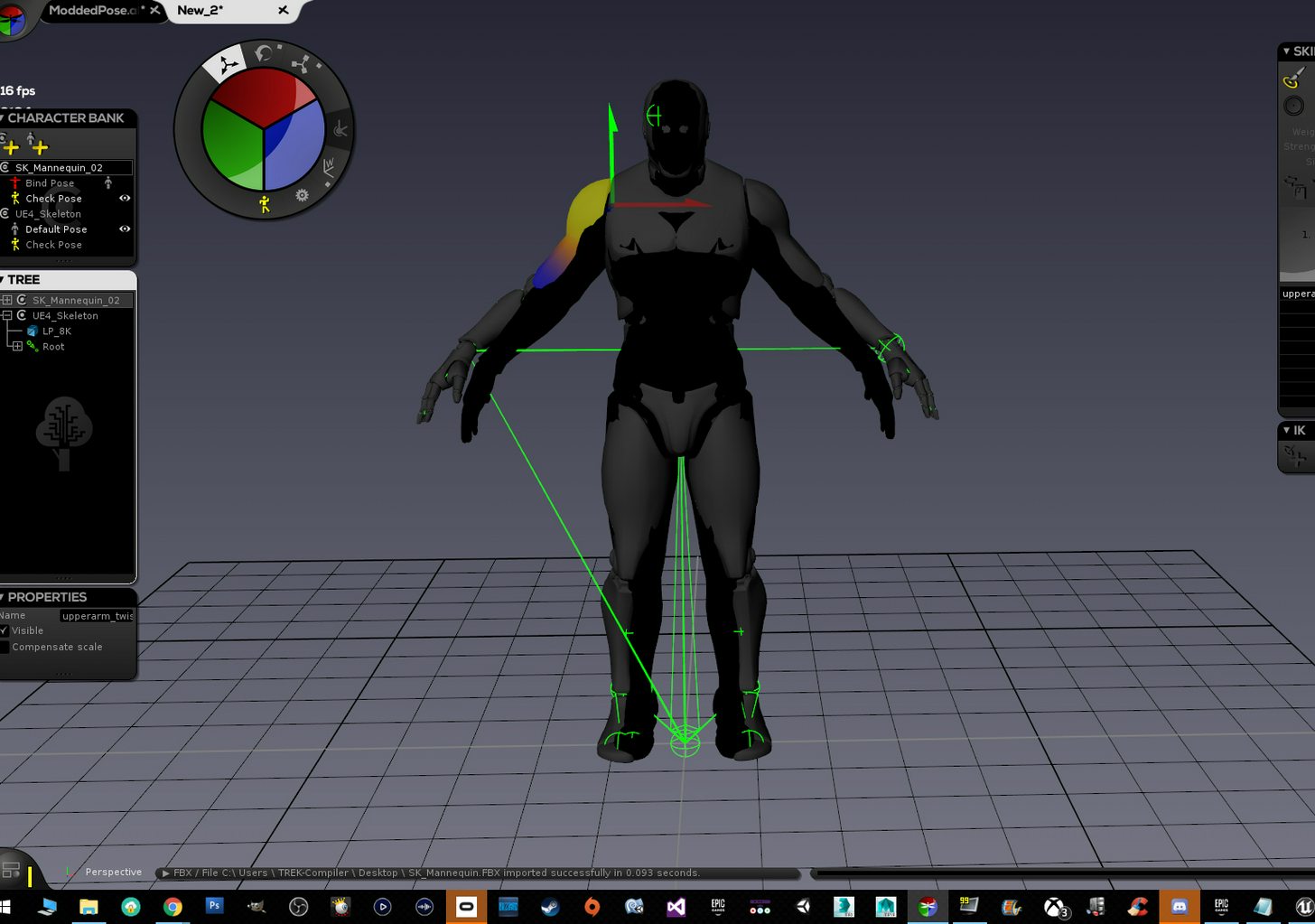
my guy is the black guy
ue4 mannequinn is grey
cannot figure out whether my best bet is to try and pose my black guy similiar to the ue4 grey
outside ue4 and bring it in
bring both to mixamo and do some hack job
or retarget as is
winged valley
I don't know if you can even upload to Mixamo any more, wasn't that removed?
cloud plinth
yeah mixamo is not really an option anymore
winged valley
But it looks like you should be able to constrain the bones of your rig to the mannequin rig if the software supports it.
cloud plinth
as of this month
mine is just a mesh
no skeleton yet, trying to place the ue4 one into him
and import it as a custom skeleltal and retarget
winged valley
I would probably edit the mesh then, easier than messing with the rig.
Do you have some rig?
cloud plinth
yeah, it does have a custom rig
problem is there are a bunch of custom armors that match this mesh
and go with it via skins
so if i mess with the mesh i have to modify all those attachment pieces
winged valley
Yeah, then you would need to get a pose asset in engine with two poses, the first frame should be the skeleton as it is with everything reset, the second frame should be your rig constrained to the mannequin rig. But if the bone orientations of the rigs are different it might be hard because those constraints usually just copy the transforms of the bones.
If the orientations are different and you don't have a mannequin version of your rig it's probably better to just pose it yourself, but you can still use the pose asset and reimport that when testing the retargeting.
winged valley
Actually a nice way I thought of now is to select the ends of the bones of the mannequin and set it as a pivot (in Blender it's Snap Cursor to Selected) and create some fake object there (in Blender an Empty). Then on your rig create an IK constraint with a chain length of 1 and point it to the fake object. Then you will only have to worry about editing the bone roll, the rest should match.
lime bronze
is there any way where I can use the default skeleton of Unreal Engine and apply it to my custom character?
winged valley
Yes (get the skeleton into a 3d software and attach it to the character) but it's usually not worth it. It's better to use a rig that's already been created with controls so you can animate the character yourself later if you want to, the only downside is that you would need to retarget animations which is an extra click.
obtuse hatch
Can someone recommend me any tutorial so I can handle animations in UE4? Like retargeting and .etc
winged valley
The documentation is pretty good: https://docs.unrealengine.com/latest/INT/Engine/Animation/index.html
System for deforming skeletal meshes based on keyframed animation data and morph targets.
 thick ridge
Hey, guys. I've made a character rig in Maya, and I'd like to get some baked animations over to UE4. I've been told I have to create a skin rig (so I probably have to skin the character again, just my luck), but the examples I've seen show all the joints in one big hierarchy. I don't have that in my rig, it's more modular with the different components in separate groups using parent/point/orient constraints (so I have control over rotation spaces). How exactly do I set up this skin rig correctly? Anyone have a good tutorial on it?
 dire vapor
i got a question, i am currently working on a spaceship for my game and i want its wings to extend in an animation. so do i have to do that with a skeleton or what. that i have the 2 wings in the skeleton as "legs"
stiff thunder
I'd say that's the way to go.
dim cloak
anyone encountered this before? a transition anim (in N_to_A) just loops because this never gets set to true even though the value is 0?
dim cloak
gah found the loop tick box in the anim node (still don't understand how that is false though)
misty dagger
@thick ridge the process is simple: you have your maya anim rig with the modular bone hierarchy and constraints and all that, then you also have a version where all the bones are under one root bone in a meaningful hierarchy. That one you export as skeletal mesh fbx to ue4. When you want to transfer animations from the anim rig to the ue4 skeleton version, you just constrain each bone of the game skeleton to the respective ones in the anim rig and bake the animation out. I have a video that sort of shows how I do it, maybe it helps: https://www.youtube.com/watch?v=vN-_0fyX2F0

Hello, heres a quick demo of my maya rig to unreal engine 4 animation and retarget workflow. Not going over unreal engine importing procedures tho, there is ...
winged valley
@misty dagger If you play a montage it will blend automatically. There's some settings for the blend time too.
 merry rampart
hey guys - am looking to make a Meteor. any idea how to go about it?
I dont want too much detail, mostly a strong emissive lighting - its mostly the trail i'm wondering about
 orchid shoal
Is there a free workflow that allows to do facial animation without buying expensive 3rd party softwares? I use blender for 3D Animation.
If there is a tutorial please give a link, I tried alot but couldn't find it.
winged valley
You can just animate bones or shape keys in Blender for facial animation.
orchid shoal
But manual animation for face is too much time consuming for a single person who does everything.
 vast trellis
@orchid shoal there are some automated middleware tools used in big RPGs and stuff, probably really expensive
you still have to do a lot of clean up on them too
for a single person that does everything (and who isn't an animator) you probably need to go with a cartoon style and a sprite-looking flipbook face
orchid shoal
I know I found many videos on youtube regarding Blender Facial MoCap, but no peoper tutorial.
vast trellis
kinect v2 has some facial capture stuff too you can look into
orchid shoal
Luckily the art style is anime like.
winged valley
What kind of animation are you talking about?
orchid shoal
I don't have access to kintec. I just have a 720p webcam
winged valley
For simple expressions you could do those yourself.
vast trellis
anime-like doesn't really make sense with mo-cap
or well maybe it does but I can't picture it
winged valley
And for something like lip sync you could use an envelope follower that changes a morph target.
vast trellis
check out the couch knights project for some simple face expression flipbooks
 vast trellis
you might be able to pull it off with a lot of work, but I'd say shoot for something like this:

if you want to be able to animate it on your own
you may be able to find some phoneme detectors and stuff to drive the lips, valve has one for the source movie making stuff
orchid shoal
I can't post the images as the project is under NDA. I was thinking to make 2 models. One for Gameplay and another one for cutscenes. The cutscenes one will have facial bones.
Is there a way to export animations in seperate FBX file rather than the model itself?
winged valley
Yes, just export the rig without the mesh. Then in UE4 select the skeleton you want to use. You can't do it the first time because you need a mesh+rig to set up a skeleton.
orchid shoal
Yean I mean the mesh will only have The Geometry and Bones.
The Animations needs to be seperate.
If yes I found a video that solves this -https://www.youtube.com/watch?v=M1krMnXfvxQ&list=UUBeWAWsNhSf3ZOiKG9nOtxg&feature=plcp
Sharing incase someone need this.

I show you how to do Facial Mocap in blender 2.6 latest trunk version. You can download blender at www.graphicall.org The version of blender I am using conta...
winged valley
If it's Blender just select the rig and export it with only selected ticked and the multiple animation stuff disabled (if you want an .fbx per animation).
orchid shoal
Which one will be less expensive on a low end system?
One file with all animation or animations per fbx.
winged valley
It's not really a question about less or more expensive, it's basically the same thing, but a file with all animations will take much longer to import and probably reimport too.
I prefer having a file with a single animation because it's better for organizing things. In the .blend file I've got all animations though, just exporting one at a time (or batch exporting all of them into separate files).
orchid shoal
Thanks for helping out ^_^
winged valley
np
Also the export script is here: https://gist.github.com/cyaoeu/8ca94319a23d5d3233c5c1792cb8ad99 (never used this before, no idea if it works)

 pliant latch
what is it called when a animation starts from any location(example: im standing "near" a table and i have a animation to pick up said item, it then walks to the item and picks it up)
 outer mantle
Been researching lip sync and how much a pain it would be... found this neat tool (maybe you've heard of it, new to me) http://my.smithmicro.com/papagayo.html
just tested it and its neat! I don't use blender but still neat to find something as easy to use as this
 dusk dove
@dim cloak When an animation loops, the "Remaining time" will never be < .1
winged valley
@outer mantle It's an interesting idea but the implementation is so bad. The "overview" track thing is at the top and if you accidently touch it it will replace your changes with the defaults and there's no way to undo. When you drag words around you would likely want some crossfade thing, but there isn't, the word just gets smaller and again there's no way to undo.
You need 3 frames to move around by clicking them in the middle. If you end up with a 2 frame word you can only stretch it out, not move it anywhere. If you accidently make the left most word a 1 frame word you can't even stretch it out again. It's just bad design.
thick ridge
Thanks, adeptussteve. Seems to work.
My character has one little quirk that doesn't go so well, though. My character has non-spherical eyes, so I use a scale joint to scale the eye to the desired proportion, then have 3 joints underneath that for rotating the eye end eyelids. It works well in Maya, but Unreal seems to import the baked animation with uniform scale. The scale information is correct, but the actual scale isn't, and the default skeleton leaves the scale value at 1-1-1, even though I exported it with the correct scale values. Does anyone know how I can retain the non-uniform scale and ability to rotate the eyes within that scale joint in Unreal?
winged valley
I complained a bit before that you couldn't use your anim BP in Sequencer, but it seems like you can now, my character is moving like in the game. Was this some 4.17 bug fix or what?
I did find two other bugs in Sequencer though. 😛
misty dagger
is there a way to have an animation be driven by a custom float instead of the time when playing?
I have a thing that needs to be based on a float, but setting play rate to 0 and plugging that float into start position in the animBP doesnt do anything
winged valley
Well if the play rate is 0, does the animation play at all even when changing the start position?
But it sounds like it should be possible to set something like that up.
misty dagger
ended up doing it via 1d blendspace, simply splitting the anim in question into 1frame fragments and chugging them in order into the blendspace, then using the blendspace parameter to drive the anim
works pretty well
winged valley
Is it just me or when you import a new character, is the Skeleton field already set up with the last character you imported? Is this a bug?
winged valley
4.17
4.17 changed the importing/reimport too, for example when you click Import in the content browser and try to overwrite something (this used to open the import options screen) the mesh just reimports instead. Kind of disorientating.
misty dagger
wut, so how do you re-import something with different settings now?
winged valley
You open the asset in Persona, then go to the import settings in the bottom left and change them there, kind of disgusting.
😛
And it's even impossible to change the import animations setting, so if you imported the first time without animations but want to import the animations later you can't change that setting there so you're screwed, which seems like another bug (didn't report yet though).
misty dagger
yo, quick different question: how do I connect an attribute in my animBP to an animCurve ?
winged valley
animCurve? What's that?
If it's a regular curve baked in the animation Get Curve Value should work.
winged valley
@misty dagger Found the float time thing btw, you get an animation sequence (Play animation whatever), then right click it and do Convert to Single Frame animation, then you get an Explicit time float input that you can drive with some float value.
clever abyss
Is there a way to control how many keyframes your NEW animation willl have? Pressing Rec button records automatically.....
Is there a way to decrease amount of keyframes inside Animation in UE4?
winged valley
You can right click in the timeline and remove frames.
clever abyss
I want to reduce amount of frames
My current animation track is like MAX 14 frames
All I want is MAX 10 frames.
winged valley
You can still right click in the timeline to remove frames. 😛
cloud plinth
Does anybody here know what I can do about many assets (from LEARN, MARKETPLACE, EPIC examples, etc) containing the UE4 Mannequinn/Skeleton but needing to use a character on ALL of them? It doesn't let you automatically select other UE4 Mannequin animations and I really don't want to retarget from a skeleton to the same exact skeleton. Surely their must be another method??
for example ShooterDemo and AnimStarterPack both have a Character/UE4Mannequin file
vast trellis
@cloud plinth delete the skeleton it comes with, it will warn you about referenced assets, then select replace asset references with and select the standard skeleton
For the fp template arms you need to add their grip socket to the epic mannequin before replacing
Or it won't show up as a compatible skeleton
cloud plinth
That's a good idea, I will give that a shot when I log back in tomorrow
vast trellis
I bought a soldier asset on the marketplace that said it was compatible with the epic skeleton, but the arms are a bit longer. What's the best way to go about fixing it, bone scaling?
vast trellis
you can see it is really close, but the hands don't quite match up
tawny dome
Uhh you should be able to just move the bones
vast trellis
@tawny dome it isn't just moving though, the size is a bit off, like a little longer armspan
actually yeah tip to tip matches up, the hand may just have longer fingers
I'll have to check again, need a way to get semi-transparent in blender xray view

 lament bane
Is there a control setup available for Epic's Mannequin Skeleton? I would like to create some animations for prototyping purpose. Thanks.
cloud plinth
@vast trellis you should be able to move the bones as needed, just make sure you have local orientation on (where it follows the orientation of each bone, not the WORLD/GLOBAL)
and it should work fine
then when done import it to UE4 and select the UE4 mannequinn you want to use (dont let it generate a skeletal mesh)
worldly orchid
@Legomon9191#2923 try rotating the mesh in the character BP
 tall maple
Hey, after a sequence, how can I say "the object must keep the last transform"?
weak beacon
I'm seriously not going to use Launch character for my Roll dodge
I refuse to do it the hacky way
Trying to create games, not school homework... Anyone who has successfully done it are more than welcome to pm me, I got 5 different kinds of roll animations, in place, with root motion, root motion and moving etc, I'm not to good with setting this kind of things up though.
vast trellis
does anyone know how the first person hands rotate along with the aim in ShooterGame? They aren't attached to the camera like in the First Person shooter template
ah, it seems to be manually rotating the first person mesh in C++:
in AShooterCharacter::OnCameraUpdate
vast trellis
What happens in a blend space if the animations don't have the same length? The BS_Jog that comes with AnimStarterPack has one animation (Jog_Lt_Rifle) that is shorter than all the others
do they all get stretched up to the max or down to the min?
or do things start running out of phase
misty dagger
@weak beacon roll animation.. as in.. something like this? https://youtu.be/YalS_A8eYJw?t=1m10s

Some footage of the work in progress character controller im working on. (might be slightly nsfw) Showing features as they are right now and what is planned ...
dusk dove
Someone knows about a Facial (Markerless) Motioncapture software that uses Morph Targets?
weak beacon
@misty dagger Yeah, already got another animation but the same kind of functionality would be applied
If that is yours I would love to hear how you did it
misty dagger
yeah I did that, let me have a quick look at the bp again, not sure youll like the setup tho
ok, I get the direction the arrow keys are perssing towards (xy vector) and simply set velocity with that vector * jumpForce * some speed multiplier
Id love to know if there is a more elegant node as It seems thats pretty much the same as launching character?
it feels nice tho, I dont have problems with the look, just the implementation
after all Ill need some soft way of adjust character speed in all axes for when I upgrade my flight system
To
*yo
Anyone around?
me
weak beacon
@misty dagger hey sorry, was mia for a few
misty dagger
Do you think you can help with something? I downloaded the animation starter pack from unreal but I
I'm trying to figure out how to switch the mesh on the animation blueprint
weak beacon
i'll pm you, I have a few different ways that i tried to approach it and we might be able to figure something out!
misty dagger
I tried to do retarget animation but it doesn't seem to work...
explain more Sheldokin
I have an animation bp - I want to change the skeletal mesh on it
I want to change it from this to look like this
@misty dagger Retargeting doesn't seem to work
unless I'm doing it incorrectly
Unless there is a better way to do it
misty dagger
does the skeletal mesh have the exact same bones and positions?
weak beacon
Use "Set Master Pose Component" in your character BP Sheldokin
vast trellis
@misty dagger there are some tutorials on retargeting the infinity blade meshes on youtube
I've been trying to retarget ShooterGame's animations without a lot of luck
 clever latch
Help D:
https://gyazo.com/11d87d331cba62e9645e609adc7923c2 How does one connect that

Parent Actor, returns always fail, Parent Componment returns fail
its a actor inside of the car
added by child actor
misty dagger
the drive is inside the car blueprint?
clever latch
This is in animation blueprint,
and the driver is added as a child actor on the actor BP defualt list
Conpment lkist is the word im looking for i think.
misty dagger
ok, you need to make a variable inside the car blueprint, set the driver into that variable. Then in your animBP you cast to the carBP directly, then get the variable with your drive in it, then cast to driver
clever latch
Ah cheers!
thick ridge
How do I achieve this in UE4, rotating a deformed sphere like this? Can't use lattice, joints won't scale correctly, and blend shapes don't seem to be useable as a deformation cage.
misty dagger
you might be able to achieve that effect via material
does the eye have to squish and deform further? or only the pupil traveling over the surface make it look like it is, while the general shape stays static?
cos basically what you can do is make a material that operates on the object and moves a texture around, creating that effect on a non spherical object
thick ridge
Might need a little squash and stretch, but first priority is to just be able to deform a sphere, and then rotate it within that deformation. Basically rotating an oval shaped eye without having it pop out of the socket.
Material? Would that work on a sphere without weird artifacts? I've already UV mapped it and completed the texture (not shown here).
misty dagger
yeah, if you solve the traveling of the eyeball via UV offset in meterial, you can have your eye, any shape and deform it further using bones.
to make stuff like lookAt you can use vectors and dotproducts attached to offsetU and V of your texture
 shadow ether

an idea why she would break like that when she had on hand over the face and the other over the hip?
and thoses... between her legs weren't in the mech and appear only in animation >.>
 rigid gulch
looks like a bad rig maybe?
when you play with the skeleton on its own does it deform like this? or only with this one animation
shadow ether
i found it on spriter ressource so i don't know the quality of the squelette >.>
how can i obtain info ?
misty dagger
open it in blender or maya or whatever 3d software you have
check if it looks the same there too
 misty dagger
so if you make the same pose you did in ue4, does it behave the same way?
shadow ether
in fact it was working well when i was under perso, but it's when i left it goes wrong >.>
thick ridge
Oh no... About those eyes, I just remembered my character has eyelids that rotate around the eyes as well... So I might just need that deformed rotation after all.
I know someone has nailed it, here: https://answers.unrealengine.com/questions/213153/how-to-rig-cartoon-non-spherical-eyes.html
But this person doesn't provide any information on how to do it, just calling it "blueprint magic". Can't find any contact info for this guy, but he's got the answer. Just sharing it here in case anyone can make sense out of what little he shares.
 lofty marlin
So, just for funs, how would you animate a strafe walk for a Kirby like character?
It's just a placeholder char, but I want him to properly run through my 2D Blendspace. I suck at anims though
Any cool idea? https://puu.sh/xpdnX/aa2c1bbcb2.png
 weak beacon
@lofty marlin I would probably have her do a side flip, catching herself on the hand in the loop before landing on her feet
Would look really good imo
lofty marlin
True, though I need her walking
They can carry things on their head/hands
There are like 2 ways of walking sideways: Crossing legs, or moving the outer one first
Crossing doesn't look good on a character like that and outer one first is slow (if you do it in reallife)
i wonder if I should just turn her lower body by 90 degree
rigid gulch
I feel like kirbys proportions and lack of legs or knees make this really hard.
is there a reason why you don't want to just rotate the character? if you look at how kirby carries large items in smash it might help you out
weak beacon
Doesn't Kirby like breath in and grow in size?
If so I'd probably try to make an animation where she breaths in and flies to the side. (Beside my first idea that is the best I can come up with)
With no legs the options are few lol
 lofty marlin
Yeah I tried it without rotating the foot and body
and that just doesn't work for that "body"
Now, how to mirror that
sigh
rigid gulch
ah okay, i was thinking that you were making something with 2d perspective, but you actually need 360 degree movement + rotation
since you can move all directions while fixing all direction, right?
weak beacon
If i remove all movement inputs during attack montages, but still want the Character to be able to switch direction, would I do it through AnimNotify? Before the ChainAttack Notify but still after the attack
lofty marlin
https://twitter.com/exifrexi/status/903767838179119104 @weak beacon @rigid gulch

Little dummy character for #UE4 project: Done. https://t.co/ivE6U2dytI
 Twitter
Works :D
Thanks for helping (:
 lofty marlin
Ya, it is a placeholder after all.
I'm just a programmer. :D don't want to waste too much time on that char
weak beacon
Understandable!
Is there anyone here who have faced and perhaps already solved the problem with using Combo Event in Melee attack Montages, making your character jump from within a montage to another montage without a delay? I'm trying to create a DS looking style where you can change direction you are facing in between attacks
Surely there must be some way to do it? Or will I have to make the whole combo function in another way, slower but with the the ability to change direction?
rigid gulch
I think you need to abstract what you want to be possible into data structures before you try to implement it
if you try trying to create a combo type system, you need to setup a system
i.e. lets ay you had a char that could swing their sword 3 times in a row as a combo
you might want to limit the angle you are allowed to transition between the slashes
you might want to limit the timing, maybe you want it only to happen on hit, etc
weak beacon
The system is already completed, the problem is switching attack direction in between the attacks
I have a function for it as well, problem is that my animations jumps from montage to montage without a break so it never fires. Going to make a few changes tommorow to it
 red prawn
Howdy
Anyone around for an interesting question?
Having a weird problem with animated doors.
Made a door that opens to the left and right (split down the middle). Animated in 3dsmax and imported. Made the right BPs and the door opens on projectile or player collision. Closes on a timer. All that stuff works just fine.
However, my collision on the door seems jacked up. When I shoot projectiles through the door while it is open, everything is fine. They pass through.
When I fly through, however, I get "stuck" on something in the middle of the door.
Check it out: https://i.imgur.com/RpAi8lv.gifv



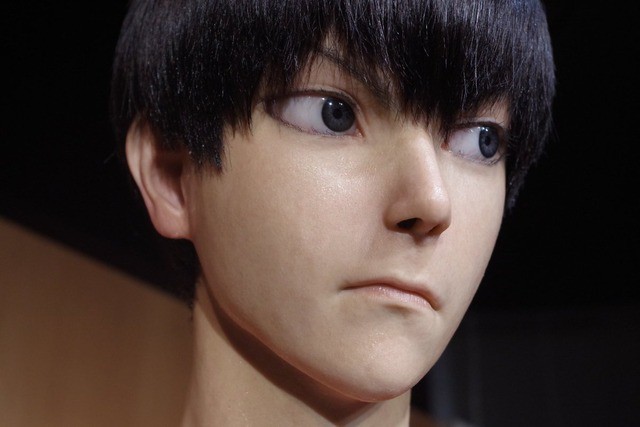


If I move just a bit to the left, or right, I can get around it and fly through.
It almost feels like the physics asset (two boxes on the two door meshes) are not animating with the doors.
However, the projectiles do not collide with this.