#gameplay-ai
1 messages · Page 125 of 1
 stable void
 hybrid cipher
@heavy ore 🤞
 sullen escarp
@stable void Are you using RVO Avoidance or Detour Crowd?I've experienced that issue where there was something at the goal location causing the AI to think it needed to go around as it approached the destination which included overshooting
stable void
@sullen escarp yeah but I hacked it, I'm just lerping the character in place when it gets close enough, Weirdly enoughg it's working really well haha
 pseudo venture
Hey guys, I'm currently playing around with projects and am trying to decrease the radius of the generated navmesh around static meshes. I lowered the Agent Radius in the project settings and found a RecastNavMesh on the map where I also adjusted the Agent Radius but it doesn't affect the game. In the picture on the left is the editor view and on the right is the game view ... does anybody have any tips for me?
hybrid cipher
hey everyone EQS question, is there a way to stop EQS when context changes? say I have AI running on server and player disconnects (have custom generator and all, but not all of my tests are custom)
sullen escarp
Sounds like you can abort the Move action with a decorator tied to a BB key of the context actor
 dusk pewter
Looking for an opinion: i am split between using a BT+BB on some of my foes as their behaviours are so rudimentary basic it doesn't seem worth it. From my standpoint, I am throwing in a lot of casts for AI that just needs to crawl around and really do nothing else...
At what point would you forgo the BT in favor of straight up scripting the behaviour?
As an example, I have a spiked enemy that just crawls around and if the player is withing a perimeter, it fires spikes every now and then... i put all of this in a BT but holy cow it seems to be complete overkill...
hybrid cipher
@sullen escarp prolly the best way to go thx
sullen escarp
@dusk pewter Looking at a tree can be easier to get a sense of how your AI is going to be behave and where it's going wrong, versus scrubbing through event graphs. Gameplay debugger has a lot of helpful info / visualizers to debug AI too.
dusk pewter
and i get that, i plan to use it on my robot guards that patrol, chase and shoot at you. But like i said, if the expected behaviour is just to roam around... is it even worth it?
hybrid cipher
@dusk pewter I think it's really up to you, personally, if I could generalize the behaviour enough so that I can reuse a couple of BTs for my AI, it'd be worth it to me
Fair to say your described behaviour is much simpler than mine, ultimately I think with simple BTs it won't matter either way so just use whatever you are comfortable with
 urban wadi
Does anyone recommend using casting for enemies to interact with Player, or Interfaces? Which approach is better?
 simple crest
Not really related that way... The purpose of interfaces is to add specific functionality to unrelated objects. Like get health on a human and get health on a destructible wall
 sharp plank
when ai following main character. i want the ai to follow the exact same path followed by my actor rather than following the shortest path? what is the most efficient way to do it?
 full jolt
I'm not sure if this belongs here or elsewhere, but my pawn is pushing my AI controlled pawns all over the place. If I run into them from the side they just slide around. If the enemy pawn isn't possessed then I can't push it around. Is there something I need to do in the AI Controller to prevent being pushed around?
sharp plank
@full jolt this will have something to do with their physics i guess
Physics of pawns
full jolt
I'd imagine that too, but it's weird that it only happens if they are possessed, but doesn't if they are not.
sullen escarp
@sharp plank Store breadcrumbs whenever the main character moves a meter or two, then have the AI path to each one in order.
 fresh remnant
Does anyone know if we can explicitly set what type of Nav Agent a character should be so I can guarantee the navmesh it needs to use?
I have two nav agent types but even though a nav mesh is generated for the second nav agent, no character is using that navmesh
hybrid cipher
@fresh remnant I believe UE infers the type from agent properties, so if you change properties of the agent to be the same as your second type it will use that
fresh remnant
@hybrid cipher The radius is different between the agents, I have set this, and also the preferred nav data type are actually two different nav mesh classes..but I'm not even sure how I can tell if the character is assigned to an agent group or not...
hybrid cipher
Do you use BPs or c++?
fresh remnant
c++
hybrid cipher
Ok so, sry cause I'm on phone, but there's a method GetDefaultNavData
Or some such
hang on lemme just look it up
ok or simple yet, try GetNavData() on character CMC to check what config it uses
fresh remnant
Ok thanks I will try that
hybrid cipher
I was trying to figure out how to have 2 nav meshes for 2 different agent types recently (no luck), but anyway, if that fails, then dive into code of PathExist decorator and see what is passed as nav data, it should show the way UE does it, it's via a TMap
fresh remnant
I'm checking the code, looks like an AIController is the one that is querying using it?
Ah ok, got it, it is on the right mesh, just not pathfinding
breakpoint in BuildPathfindingQuery
for AIController
hybrid cipher
possible yea :)
fresh remnant
@hybrid cipher What were you doing with the 2 nav meshes? Did you find a work around for what you wanted to do?
hybrid cipher
in theory, but haven't tested it yet
it's along the line of using different nav areas for different types of AI
 flint trail
what's the easiest way to handle AI in VR (6DoF) ? By default AI targets the character and when someone walks around in VR, character stays in place (camera moves outside of it) - when AI attacks, it looks like it attacks an empty spot
 azure marsh
Hey fellas! I'm making a simple crafting system and players can spawn walls into the map as defensive barriers. However default AI vision would see through the newly added walls.
My guess is that I need to register an actor/mesh somewhere so it can be tested against AI vision, is that so? Otherwise how should I solve this problem?
 pine steeple
nope
you just need to make sure the collisions are correct
they do a trace
if you don't block that trace they will see through it
also perception system stores lifetime, so if they do spot you, they can continue to come, regardless if you put a wall up
you need to handle such cases, like expire the sight, or do what we did, and made our own perception system, which is a lot simpler and easier to handle. And is a lot more performant.
azure marsh
I've built a wall in the map and spawned the same actor but one can block AI's sight but the other cannot. I never modified collision preset at runtime
pine steeple
like i said, its possible they already spotted you
and will just keep coming
you can bring up the debugger
with the ' key
and see what the perception system is doing
azure marsh
very useful tool1
to the left is the wall I built from editor, to the left is built at runtime
and the player-built one simply does not block vision
azure marsh
Hey Kaos, I wrote a custom event to perform a LineTraceByChannel:visibility test from AI to my character, and it returns HitActor=MyDeployableObject. Is AI vision supposed to test the same way?
fresh remnant
Anyone know anything about "Default Agent Name" being the only agents that can pathfind? I have two agents, and two nav meshes, and whichever agent I set to the Default Agent Name in the Project Settings is the one that can pathfind. The other agent type will not move. What's the limitation here...? And if I set the agent to a fake agent name, then neither agent will pathfind.
fresh remnant
Partial answer is it is a limitation of UCrowdFollowingComponent for some reason..turning on ObstacleOnly works but makes agents move different...And this all only works when you set a fake agent name as the default..very weird/buggy system for multiple nav agents
hybrid cipher
@fresh remnant hey, I believe it's because of RecastNavMesh, agent type default expects RecastNavMesh-Default to be in the scene, so if you name your agent type something else like Bike, it will expect to find RecastNavMesh-Bike
Have no clue how to make it work tho, was looking at it few days ago and just gave up
sharp plank
can we add a sphere collision in AI controller class?
Because i did and it didn't seem to work
hybrid cipher
@sharp plank I mean you can but you probably want to do it on AICharacter
sharp plank
figured out. we can do it we just need to check attach to pawn in ai controller. And rest is same.
Thanks for your time.
 quiet root
Attempted to use State Machine Instance when it was pending kill or unreachable Anyone know where I start to find the cause for this? On my state machine, I did a bind event to "pawn killed" where I call "stop" on the machine, and clear any timers that I have running. But this message still occasionally pops up about 10x in a row
flint trail
what's the easiest way to handle AI in VR (6DoF) ? By default AI targets the character and when someone walks around in VR, character stays in place (camera moves outside of it) - when AI attacks, it looks like it attacks an empty spot
fresh remnant
@hybrid cipher It's quite annoying but they basically don't support different nav agents on different nav meshes with crowd follower. So I'm inheriting it and overriding some things to allow support. I'll see if it works..
urban wadi
When using the AI perception component, do I have to implement the AI stimuli source on the character? Or do people use overlap events instead?
 storm imp
can any one help me...
i want to implement a optimized horde of zombies
the amount of zombies at a time on screen is approx 450-500
how to do it ....with out costing much resources...
 jaunty peak
That number of AI actors is going to cost. Unless you disable the AI when it's out of range etc
 heady raft
Hi !
I was decorating a level when suddenly, my AI stopped moving. I wasn't doing much (adding a few barrel, some three, stuff like that). It seems that the function "Find Path To Actor Synchronously" can't find a valid path betwen my AI pawn and the player even in a clear environement (the output path are labeled as invalid).
I checked my nav mesh and they are fine, I did not move them or delete them by mistake. I also tried rebuilding path, or using "Find Path To Location" instead. All AI in the level are affected. I wonder If I used a wrong shortcut or something... I definitely did not modify my AI pawn.
When i go into a new level, put a plane for the ground, a player character, an AI and a navmesh, it work just fine.
Anyone has an idea of what may cause this, or on how I could search for the error ?
 misty wharf
Is there any good material anywhere on using behavior trees for NPCs that can move about, take damage, etc., - I feel like I'm probably reinventing a wheel here poorly (setting up a paper character, switching animations based on a BT, etc.)
storm imp
yes check these

YouTube
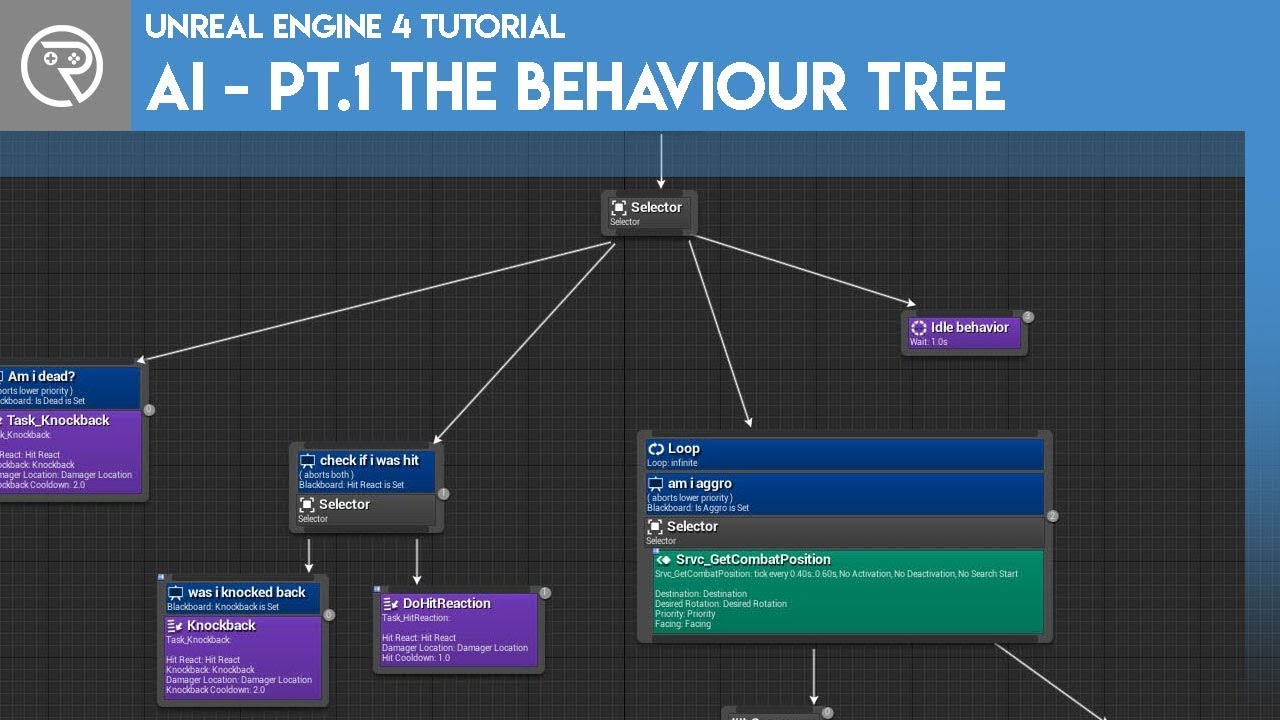
Welcome to the start of a brand new series. This time we are diving into AI for games. This episode introduces the concepts being used in AI design and in particular, the behaviour tree. In this episode we add an NPC that can randomly roam around the level.
Support me on Patr...
misty wharf
@storm imp cheers :)
 fierce zealot
Hey 🙂 Can I make an Actor invisible for the Sight stimuli?
fierce zealot
Alright, I think the IAISightInterface will be the way to go.
 final holly
Hey I was wondering if anyone every got the "Mark Low Height Areas" option of the NavMesh to work?
fresh remnant
So I don't know where to put this question, anyone every run into weird caching issue with Navigation mesh/system? It's getting an old cached "Agent Radius" whenever I regenerate it, and doesnt' match my project settings for Agent Radius. Seems like some sort of editor issue or something..I had put the agent radius at 5.0 a while back, but now no matter what I do it keeps regenerating as 5.0 instead of the ones I set in project settings. Even after I delete all agents in the project settings, two agents with old values always get generated with nav meshes...
fresh remnant
@hybrid cipher Btw I got multiple nav meshes to work if you want to know how just ping me. Lots of little annoying things, but now I have a nav mesh for flying units that can collide with only flyers when pathing, and a separate one for ground units and buildings etc. Figured out how most of the system works, pretty rigid but a few ways to get around things.
@final holly How do you want things to work? Low Height is un-navigable unless you do some things I think
final holly
I want to allow my agents to crouch in area's specified. When I hover over the option it tells me I can replace the lowheight areas with a NavModifier. Currently I fixed the problem by just adjusting the agents height to his crouch height and then just making sure there is an area saying it's crouchable, however I'm scared this might cause problems at parts in the level
It's just that when I check the option nothing seems to happen (no areas marked as LowHeight)
misty wharf
Out of curiosity - is there some point to use both Apply Damage and Report Any Damage? It seems like they both sort of do the same thing but just go through different systems?
(right now I just have apply damage, and my AI controller listens to the damage events from its pawn in order to update the health value in the blackboard)
sullen escarp
Apply damage actually applies damage to the AI, and report damage just tells the AI perception system it took damage.
You probably only want to report damage that could be coming from another targetable source like a player / AI bullet or grenade, but there's maybe not much value in reporting damage from a fall or environmental danger like fire.
misty wharf
That makes sense, I figured it might be useful to have a distinction something like that :) Thanks
 desert cipher
I have a service set to tick every 3 seconds give or take 0.1 seconds. The problem is, it seems to be ticking every frame. If I put a break point on a branch near the beginning of it, it's definitely not breaking on that branch every 2.9-3.1s
This breakpoint is hit immediately as soon as I hit resume, over and over again. Shouldn't it be waiting 2.9-3.1 before executing again?
or is it instantly resetting because the tasks assigned to this node are completing?
urban wadi
Does anyone know why my AI wont face my character when he is chasing him? He runs but its left to right running???
his body does not turn
simple crest
@desert cipher but that's the receive activation event... (i don't know why that one would fire every frame though, I thought it was only supposed to fire once when it first activates, my knowledge of BT's isn't super deep though)
desert cipher
@simple crest I'm positive it's because the sequence is completing and it's firing over and over again. Basically I have my AI set up so that when the AI is not engaging the enemy to be "idling". The idle consist of making sure he's in cover and checking if his gun needs reloaded.
simple crest
@urban wadi did you forget to turn on orient rotation to movement in the character movemnt component
urban wadi
nope
desert cipher
My AI has 3 main behaviours. Returning to base (left most) engaging the enemy (middle), idling (right).
It basically works, but I just noticed an issue.
When the player issues a move command to a unit that's already in cover, it doesn't always work. I think it's because the "checkincover" is hammering away so fast that before the unit really gets a chance to move the assigned location is overwritten by that service and erases the location the player told it to move.
and that's because the check in cover is being hammered every frame
urban wadi
@simple crest fixed it
desert cipher
After some more testing and filtering, that's what was happening. There is a race condition between the move order being issued and the target location being set and that service immediately overwriting that. After some filtering with a bool I was able to make sure that that service doesn't won't overwrite the location until the correct time. I'm still not sure why this service is being hammered on tick rather than the designated time though.
simple crest
@desert cipher just making 100% sure you're aware of what was in your screenshot, sorry if it doesn't help https://i.gyazo.com/ace138eebf73535b189528ef17ddc110.png
 desert cipher
Yes, it's receive activation
I'll make a video later so you can see the execution going through the node
but the execution is flashing like a light show.
and it seems to be reseting the timer each time
when the unit is actually moving, the execution line is solid, but while idle, it flashes non-stop
simple crest
ok, just because you were saying earlier that your breakpoint was triggering every frame and you were wondering why it was ticking but you didn't show a breakpoint on a tick function so it was confusing if you knew what you were doing
desert cipher
What I can see happens is this: On tick, the behaviour tree ticks, and it "moves to" it's assigned position. Since it's already there, that whole execution path just resets. So rather than remaining solid, it just keeps refreshing that path over and over and all of the services in there firing on tick rather than their designated activation time. If I move the unit to a far off location the execution line remains solid and I think operates normally.
There is check box on the service "Restart timer on each activation", but it's not checked. So it seems like it should be saving the execution time, but that's not happening.
I'll toss a print in there, that'll make it clear what's happening
simple crest
there's also Call Tick on Search Start... but it sounds like you might have some other more general design flaw in your tree to me
desert cipher
LogBlueprintUserMessages: [BTS_CheckInCover_C_0] Receive Activation AI: 15.69623
LogBlueprintUserMessages: [BTS_CheckInCover_C_0] Receive Activation AI: 15.805127
LogBlueprintUserMessages: [BTS_CheckInCover_C_0] Receive Activation AI: 15.916286```as you can see, that is firing continually rather than ever 3 seconds as it should
simple crest
but that's not your tick function
desert cipher
Yes that's my point
it's not the tick function, but it's still firing on tick
or pretty close to it.
simple crest
how often ^ that function fires has 0 to do with that setting though
like it's completely unrelated
it's the activation event
desert cipher
ah I see
I need to be pulling off the tick not the activation
doh
I had it backwards
thanks man
simple crest
i think you still have an issue with your overall tree design though - something maybe still causing it to rapidly exit and enter this branch maybe from what you've said
desert cipher
It's the default "last branch" the idle branch
it's supposed to sit there while the unit is idle
until enemy units come in range or it's told to go back to the base.
The only thing with changing to tick is that it doesn't tick once first.
simple crest
right, if he reaches idle state that log message you printed above should only fire once until he leaves the idle state again (sees an enemy or whatever)
it shouldn't keep re-entering the branch
(i mean, given that that log message was being fired from the activation event)
desert cipher
Well it has to enter a branch while idle because if everything fails then the whole tree just breaks down
so something always has to succeed
simple crest
but it should stay there
sounds like it's exiting and re-entering every frame or every other frame or something rapid
desert cipher
So the right node, I broke into 2 nodes. Now when it needs to move, it sets a bool saying it needs to move. It goes to move and then when that's done, it goes back to the right most idle node
If I don't put the "wait" there, all those nodes fail and the tree just doesn't run.
simple crest
your "idle" state is reloadweapon?
desert cipher
The idle state is standing there
and if it just finished killing enemies, it checks to see if it needs to reload
before more enemies arrive.
simple crest
where's your "stand there" idle state?
desert cipher
It doesn't really exist. He doesn't need to be told to stand there.
when not engaged in firing, the units AnimBP defaults to showing an idle state.
I could change the wait to longer, that would probably prevent the constant firing.
simple crest
wouldn't fix a thing
you need an idle state
once your ReloadWeapon state returns success/fail, your tree restarts
unless you just make it return running all the time, but that'd be really lazy design
desert cipher
Right, but the reload won't even run unless it needs to run, if it doesn't need to run, it returns a fail and then all the nodes fail.
desert cipher
That's what I'm trying to do 😉
I think the issue I had before was that my services were running on activation not tick.
now that they're on tick.
maybe it'll be fine.
simple crest
no because your AI is trying to reload his weapon all the time even if he doesn't need to
there's no behaviour for him to "park" in
you've designed the AI equivalent of the bus from Speed, he can't stop
desert cipher
Hmm.. that's odd.
I've changed that check in cover function to Tick not activation
as an experiment, now that everything has its own tick rather than activation, I removed the "wait" node to see what would happen
my tree, properly, looks like this. Execution is stuck at the top because no nodes are true right now.
However, print is giving me this:
LogBlueprintUserMessages: [BTS_CheckInCover_C_0] Receive Activation AI: 178.697464
LogBlueprintUserMessages: [BTS_CheckInCover_C_0] Receive Activation AI: 178.705795
LogBlueprintUserMessages: [BTS_CheckInCover_C_0] Receive Activation AI: 178.714127
LogBlueprintUserMessages: [BTS_CheckInCover_C_0] Receive Activation AI: 178.722458
LogBlueprintUserMessages: [BTS_CheckInCover_C_0] Receive Activation AI: 178.730789```as if it's being called on normal frame tick.
rather than the 2.9-3.1s it should be called on
simple crest
ok i think i know what you're missing
i just don't know if i can do a good job explaining it. but basically you don't know how BT's work
say the tree skips the first three major branches, we'll just focus on the last one
tree starts its tick -> it goes into the Sequence node, in doing so it activates the services of this node
Sequence node continues on to try and run each child node, it gets to the Reload task
desert cipher
Okay
simple crest
presumably the Reload task fails or otherwise returns finished, because the AI doesn't have to reload
this finishes the tree's execution. it will start over next tick
if a node returns Running, the entire tree will stay in that "state" as long as the node keeps returning Running
simple crest
an idle state task
desert cipher
And a wait won't work because those eventually end.
which causes it to restart when it doesn't need to
simple crest
a wait could be compared to a task which returns running for the wait duration and then returns success
desert cipher
The other nodes are set in such a way that they'll take over if their values change. So the idle state (or wait) doesn't really need it's own abort method.
the only thing I Need to do is make sure that unit will reload it's gun once while idle, if it needs to
simple crest
you would normally either add reloading to its own branch somewhere left of idle, or use it as part of a parallel tree somehow (like giving hte AI the ability to execute a Reload task in parallel with Idle... or in parallel with a Move task or others too maybe)
desert cipher
The other issue is the check in cover is used when a unit is deployed. The player selects a target area for the unit to move to, and once it arrives, it should check to see if it's in cover, and if it's not find a valid cover location and if one exists move to it. That currently works, but since I changed to execute on tick, it waits for the duration first before moving. So Unit deploys, moves to position X (indicated by player), stands around for 3 seconds then checks if its in cover and then moves to cover.
is there a way to tell it to execute once before starting the timer?
simple crest
is the bCallTickOnSearchStart variable default off, maybe it needs to be turned on?
i am pretty good with "generic" BT's but not so familiar with UE's specifics
desert cipher
if I turn it on, it'll be called every time search starts.
maybe I should change "check in cover" to a task and not a service.
honestly when idle, they only ever need to check once if they're in cover.
if they're not, move to it, and if they are, just carry on standing there.
they really shouldn't need to check again until they've moved.
full jolt
Does this still work? I feel like I've followed it to a T, but my AI doesn't do anything. When I watch the Behavior Tree during play it just flashes through "patrol" super fast then goes to wait. It never "moves to" even though if I print the patrol location it's a valid location. There's just never any movement.
https://docs.unrealengine.com/en-US/Engine/ArtificialIntelligence/BehaviorTrees/BehaviorTreeQuickStart/index.html

This guide shows how to use Behaviour Trees to set up an AI character that will patrol or chase a player.
desert cipher
I'm thinking to create a new task, to the right of "move to" and when the unit is done moving to that location, it can check if it's in cover. If it's not in cover. Set the new target location, and then abort the "reset need move to" so the node will fail and then come back down and move to the cover location. Then when the unit is in cover, it'll succeed and the need to move can reset.
desert cipher
@simple crest This seems to work better I think. After moving to the target location, the unit checks for available cover. If he's not in cover and it's available, it sets a new target location and leaves "needstomove" as true. if he arrives and finds himself in cover, it sets it to false and moves to idle.
I'll clean up reloading next
simple crest
Sounds like you're moving in the right direction 👍
storm imp
hello can any one help me with a setup of a horde of zombies about 300 .. without reducing performance
now i tried both physical and nav movement; and end up getting like 30 fps for only 70-80 of zombies
even with the lowest LOD setup for the zombie character
 static crater
@storm imp u might wanna use plain actors for the zombies
without any move component
then implement your zombies movement yourself ideally in c++
if u use nav mesh u could just find paths with c++
 prime vessel
Yo anyone familiar with the concept of weapon phantoms?
sullen escarp
@storm imp If you wanted to get a license to some tech might be worth checking out Atoms https://atoms.toolchefs.com/atoms-unreal-open-beta-extension/
 wary ivy
that page is annoying in the sense that it hijacks mouse scrolling
- click to scroll doesn't work
storm imp
@static crater thats great to know thanks ,does movement components cost that much in system??
@static crater Btw i'am using the open world spawner from marketplace.. and what im thinking is instead of spawning (which was the main cause of lag spike) just call a actor from pool of actors;will it work ,or i'm not just thinking straight.
@sullen escarp this is awesome .... Thanks really helpful tysm
 grave coral
@storm imp you got something working? I'm looking for a solution as well.
 fluid gull
Hey guys, does anyone know if there is a limit on the active AI? I haven't been able to find anything related on google. After around 50-60 AI at a time, the rest just freeze. AI debugger just shows them as "Not Active", though they have an active behavior tree and set variables. Dragging one around to a new spot doesn't wake them up or anything.
Weird thing is if I just keep spawning more, after 5-60 active ones, new ones freeze. But as the first ones die, newly spawned ones will be active. The frozen ones don't wake up, just new ones spawned after the first active ones go
 past stone
Hi guys. Does anyone know if it's possible to pass a BB key value as a param to an EQS query, from the BT? e.g. pass the value for max range.
 bitter breach
currently the Nav Mesh only get calculated for Pawn-Vehicles channels , is there anyway to use other custom channels ?
sullen escarp
@past stone On the EQS you can set inputs to be query params, then on the EQS tree node you can assign BB key under the query config
desert cipher
is there any way to change the tick of a service through code?
 random topaz
Anybody has some pointers how to use the ai perception system,it feels most of the features in BP kinda don't work, I. E. Having the system handle the age and clearing targets, the faction parts and some others, should I just do those stuff in c++ or I just should handle em myself as much as possible, am asking cause I made a system to make wolf's basically circle an enemy, main issue is that sometimes the bb value of the targets get cleared and the bt gets reset giving the ugly result of the wolf stopping and going in a different direction
 cerulean sky
I want the acceptable radius to change depending on something
I'm trying to form a line
random topaz
oh hmm they haven't made it as a bb selector
sec
how do you want it be done
in c++ or bp?
cerulean sky
i'm using bp
cerulean sky
I found a better way to my goal tho
random topaz
oh you did?
random topaz
how
cerulean sky
I was going to set acceptable radius depending on the AI's queue
I had an array
Now I'm just setting the last index of the array to be the target location
desert cipher
That move to node is very basic. If you want more control you need to roll your own task.
random topaz
ooops
forgot to plugin the top the overlap and the radius
but basic jyst
@cerulean sky
random topaz

here's the code
just paste it in a bttask
you need to add the variables too
should be 2 selectors
and 1 boolean
Anybody has some pointers how to use the ai perception system,it feels most of the features in BP kinda don't work, I. E. Having the system handle the age and clearing targets, the faction parts and some others, should I just do those stuff in c++ or I just should handle em myself as much as possible, am asking cause I made a system to make wolf's basically circle an enemy, main issue is that sometimes the bb value of the targets get cleared and the bt gets reset giving the ugly result of the wolf stopping and going in a different direction
@random topaz buuuuut anyway,anyone can say your opinion before i just go in c++ and start doing the thing
@cerulean sky if you want to check if blackboard value has changed
you can create set timer by event and have it on execution of the move to node,to do a check of the blackboard value and have a local variable that contains the location
and end the timer on success or fail
storm imp
is there any way to change the tick of a service through code?
@desert cipher this may help u..
@desert cipher https://software.intel.com/content/www/us/en/develop/articles/unreal-engine-4-optimization-tutorial-part-3.html
Intel
Part 3 of 3 - This is a tutorial to help developers improve the performance of their games in Unreal Engine* 4 (UE4). In this tutorial, we go over a collection of tools to use within and outside of the engine, as well some best practices for the editor, and scripting to help i...
desert cipher
That seems to be for actors. Not services running on behaviour trees
storm imp
@grave coral Using open world spawner works...but not to a level i wanted but check out atoms crowd plugin...it is useful for simulating thousands of then in a horde exactly what i'm looking for ;thanks again to @sullen escarp
 storm zephyr
hello, what is the best way to determine whether an AI should use a door while pathfinding?
i was thinking of maybe having a trace between the intermediate navigation points to see if it hits the door
another way would be to see the relative location of the intermediate points and see if it has adjacent points that have X values with different signs, within a certain range
any other ideas?
this is because the enemy should play an open door anim and he needs to be at a certain distance so that the hand doesn't clip through the door, so i need to know i advance whether he'll use the door to make him move to an intermediate position to play the animation without any clipping
random topaz
the way id do it
is have the door not affect the navigation
and have 2 static points on both sides
if the character reaches the door
it goes to the closest of those points
i mean first check if it's open or closed based on the state you set it
if it's closed
go to the point and do the animation
@storm zephyr
storm zephyr
the door doesnt affect navigation
random topaz
there is a new ik that handled stuff like positioning limbs to locations
storm zephyr
right now i'm triggering the opening animation when the capsule collider of the enemy hits the door
but by then its too late
random topaz
that's an option too
but i'd just check periodically
or have an overlap sphere that checks if there is a object
further than the collision
storm zephyr
the problem with using colliders is that it has to be really tight, because there are times where the enemy is just passing by and doesn't want to use the door and still enters the collision
that's why i wanted to have a way to filter out whether the door needs to be used or not
so i can rule out false positives
random topaz
guess you need to check the path if it crosses the doors collision
storm zephyr
yeah, but that might still fallible
storm zephyr
i've used nav links for that initially and they worked, but they had other problems
i also tried the hand ik a while ago and didn't get great results, but i can take another stab at it
thanks anyway 🙂
random topaz
yeah haven't really encoutnered doors xD
but i'm sure id hit my face in one at one point
 low field
Hi guys! Does anyone have any experience with using 2 of the same AI perception?
I would like to use 2 sight perception, but I'm not sure if its possible to tell know from which one of the 2 sights the target has been detected.
 torn ermine
I’ll just remind those who missed the AI perception discussion, it may interest you:
#gameplay-ai message
static crater
Hi, for my ai i use a box collision component to draw a navarea on roads to make ai use roads. is there any other option like navarea, is there anything else than box to create a thin line?
i cant make the blue area any smaller (blue is the draw color of the nav area)
low field
I’ll just remind those who missed the AI perception discussion, it may interest you:
#gameplay-ai message
@torn ermine Ill take a look, thanks!
torn ermine
@static crater
This is a really good question. At the moment I am solving it by generating geometry along the spline, adding a navigation modifier to the geometry.
but for good, I would like to see this inside the navigation system, and had more options when generating. But the provided api does not have the extension functionality of the current system.
 shell flume
Hi, I'm struggling with setting an enum black board value in cpp.
I declared this enum in cpp but it's not working, other values I can change in the blackboard.
BlackBoardComponent->SetValueAsEnum(TEXT("CurrentJob"), EJobs::CollectingFood);
So doing this, the blackboard enum is not updated.
Any ideas how I can get a cpp enum to be used by the blackboard and update it as well in cpp?
final holly
@shell flume Did you declare you UENUM as a BlueprintType?
shell flume
Yes I did
UENUM(BlueprintType)
enum EJobs
{
    Idle = 0,
    CollectingFood = 1
};
Tried adding the 0 and 1 later, but didn't work
This being the entry in the blackboard
final holly
In our project we have an enum specified like so:
enum class DirectorInstruction : uint8
{
    LEADING = 0        UMETA(DisplayName="Leading"),
    FOLLOWING        UMETA(DisplayName="Following")
};```

and I set the blackboard value using

```m_Blackboard->SetValueAsEnum(FName("DirectedInstruction"), uint8(a_affectedGuards[i]->m_DirectorInstruction));```

and that worksI'll try that, thank you!
final holly
hope it works for you too
shell flume
Damnit, doesn't seem to be working 😦
BlackBoardComponent->SetValueAsEnum(FName("CurrentJob"), uint8(EJobs::CollectingFood));
BlackBoardComponent->SetValueAsObject(TEXT("TargetToCollect"), iCollectibleComponent->GetOwner());
The second one does work, but the enum just doesn't update :/
@final holly Your setup in the blackboard is the same?
shell flume
Neither do I 😅
@final holly Where and how do you have your enum defined? Mine is in the Character.h where I'm trying to update the blackboard
final holly
Well you know how I defined the Enum as I sent you that before. As of where, it's a seperate .h file with some other Enums
past stone
@sullen escarp Great, thanks!
 latent acorn
Hi all, I'm having an issue with the navigation system, I have 2 nav mesh, and I want some actors to use one, and other actor to use the other. I have done this by defining the agent size properties. The problem is that the actor configured to use the second nav mesh doesn't move. I attach the pic with the error I get. Any ideas?
past stone
When passing a BB key to an EQS query, do I just set the param name to be the same as the BB key name? With the BB key it doesn't seem to work, but the same value set as a float on the EQS test does. Is there something I'm missing?
sullen escarp
@past stone The param name on the bottom isn't filled in. Sometimes I need to hit the yellow reset arrow or clear the EQS template selection and re-select it to get a fresh listing of the query config
past stone
@sullen escarp Thanks. I tried earlier but it wouldn't let me change the param name, like you mentioned. I just tried resetting the EQS template and resetting the query config too but neither seem to allow the name to be changed 😩
 fossil summit
Anyone good with arrays/AI targeting able to help? I am trying to set up a system where two AI's target each other dynamically. So, in would drop 25 good + 25 bad AI and they would each automatically pick one target and run towards it, each side picking the same one. I've split them into two different classes and have each of them form the other in an array, but I don't know how to make them target the same one on its own. Any thoughts?
past stone
@fossil summit When you say pick the same one, you mean they would pair off?
fossil summit
Yes exactly. I've had the problem where one picks a target, but the target picks one a different guy to run towards.
past stone
Ah I see
fossil summit
Been using a random int to get the spot in the array, just for testing but can't figure out a way to do it more properly
past stone
What if you let the target know when it's chosen, then it can target the character who has just targeted them?
Could even let the bad guys pick targets first
fossil summit
That's the goal. Any idea how to set it up? I've been using arrays but maybe there's a better way?
past stone
maybe just give the character class a pointer to another character as the current target. Then have a method IsTargetedBy(Character* Attacker), where you set your current target to Attacker
then have your AI charge/attack the current target if it's not nullptr
you would need to have some kind of system or check to prevent it being set again if the character already has a target though
fossil summit
That sounds very interesting, what is a pointer though I've never heard that? A bit new on the AI front.
past stone
Just a reference, to a Character
a variable
so you'd make a variable "Target", reference to your character class
then have a method on the character class "IsTargetedBy" with a param of a reference to another Charcter, the attacker
then if your Target variable is not set yet, set it to attacker
fossil summit
hm, the "IsTargetedBy" seems to be my biggest challenge to build at the moment
because it'll have to somehow access which actor in the array chose it, assuming still best to use arrays
past stone
It would just be a public function
with a param of type Character (or whatever your character class is called)
I guess you're in blueprints? It would be an object reference to the character
or a pointer in c++
fossil summit
Ya I've been using blueprints. Oh a public function with a param could work nicely I haven't tried that.
I've been trying to do it with casting, but its been very unreliable
past stone
it should work I think
fossil summit
I'll give it a shot, thanks for the ideas!
past stone
np, gl 🙂
 smoky summit
Anyone have a decent bot wander algorithm that provides more humanlike behavior than just picking random points?
quiet root
SMSystemModule: Display: Attempted to use State Machine Instance when it was pending kill or unreachable
Anyone know where I should start looking to track down this warning?
past stone
@smoky summit I don't have an algorithm unfortunately, but a lot of that comes down to animation - e.g. having the character look where they're about to go before turning their body. You could also try starting and ending the movement slowly, with a quicker pace in the middle.
jaunty peak
@smoky summit sounds like you need to use EQS to generate sensible locations.
smoky summit
Yeah the sensible locations part is what I'm after
jaunty peak
Definitely look into EQS, you can set all kinds of different criteria and get possible locations all given a score. If you are a cpp guy you can also expand on the types of condition checks too.
simple crest
I don't have an algorithm, but I might think it could create more realistic looking behavior to simply favor points that are close to in front of the character and favor points that are a similar distance apart or at least not close together. If I'm truly wandering around a room I will usually just walk mostly forwards until a wall forces me to turn and I won't ever pause after only walking 1cm. I'd consider trying to use something like perlin worm noise to generate a wiggly path in front of the character, if it fails to generate points due to an obstacle fallback to regular random point gen to get moving again in another direction
smoky summit
I was thinking of doing something like this, but wasn't sure how to tie it in with pathfinding https://gamedevelopment.tutsplus.com/tutorials/understanding-steering-behaviors-wander--gamedev-1624

Game Development Envato Tuts+
Steering behaviors aim to help autonomous characters move in a realistic manner, by using simple forces that combine to produce life-like, improvisational navigation. In this tutorial, I'll cover...
sullen escarp
@quiet root Look for references to State Machine outside of the class itself like in a NPC or misc actor script, sounds like you'd just need to add an IsValid check to the state machine reference before using it
quiet root
@sullen escarp thanks for the feedback! Yea, the only thing referencing it (other than itself) is my AI character, and that's just to create the state machine instance and start it up. I'll still run that "start instance" through a validator and see if that fixes it, but I'd be surprised. 🙃
static crater
@torn ermine so are u able to actually get a thinner shape using the generated geometry else than using box collision?
static crater
tried using a 1 cm box using splinemesh, but it seems the box collision seems more accurate in width
 pallid atlas
Hi everybody. I am new to AI. I am making a game called Kitty Catastrophe where it is your job to drop lures like yarnballs into your apartment, in order to herd a group of kitties from their food trough over to their litterbox before they shit all over the place.
I was wondering, because up until now, I've been building this game without any AI, and just having the kitties walk around randomly until they came within the influence of a lure, at which point they'd go there, etc.
But, would it be beneficial to actually use an AI controller (or whatever it's called) for the kitty's behavior?
Watching a video on AI from the Unreal team right now. Thanks for the advice! 🙂
past stone
@pallid atlas Sounds interesting! I think an AI controller would be a good idea. There are a whole bunch of useful tools that will become available to you.
pallid atlas
i am watching ryan laley's AI series on youtube right now :)
 last ravine
I have a question regarding ai but it's not yet at the stage of behavior trees. I'm following this old ue tutorial (only about 15 minutes in) ...and for some reason unbeknownst to me, every time without FAIL the ai character skips path node 2 and goes to path node 3, but when he goes back around to the first path node, he goes to path node 2 like normal??
https://youtu.be/evYE7tfWXUY Here is the tutorial

Training Content Creator Ian Shadden walks us through getting up and running with AI in Unreal Engine! He shows how to do simple patrol AI including path finding using navigation meshes as well as simple Behavior Trees.
I've made sure that the character moves from the first path node to path node 2, and on path node 2 it goes to path node 3
It's just...bizarre
I've deleted them from the map and tried to replace them all, yet still it skips path node 2 lmao, only on the first run though
Are there some references kept of actors even after you delete them from the map? I notice the actor says "Pathnode2_23" or something like that
The other pathnodes do not have an underscore 🤔 I'll try and ask general about that underscored number
This is my code for the AI controller that was made
The AI character itself only has a DesiredNode variable of type Path Node object
And the Path Node actor has a Path Node variable called NextNode
i'll screenshot the behavior real quick
and now a video demo lol
after node 4, he goes to pathnode, then 2, then 3, repeat repeat
I have no idea why he so desperately wants to skip path node 2 
Any and all insight would be greatly appreciated
OR if you know a good way to debug this and see which node he's going to, that would be great!
last ravine
Update: did a print string on the "Next Node" and it literally just skips to node 3
hybrid cipher
@last ravine bp might be tad small for me or something but where do you set NextNode?
 sacred vapor
^ yup, show us where you set the NextNode. Right now we only see you set the next node to be the desired node
pine steeple
@last ravine Visual logger is your best friend
last ravine
@hybrid cipher @sacred vapor Sorry for the late reply, does this screenshot help more? I ran a display "Next Node" in the console on tick to see where it was going, and weirdly enough it said PathNode2 immediately upon starting
this is NextNode contained within the PathNode BP, it's not initially set to anything
sacred vapor
Makes sense. Your NextNode is empty initially, gets sets to Desired, then loop
Can't see why it skips the 2nd node in its first run tho
weird
last ravine
It treats PathNode as PathNode2 🤔
Maybe because of the BeginPlay event? It's battling with the eventtick?
Not sure why since NextNode isn't in the beginplay part at all
sacred vapor
Where do you increment your desired node?
Where do you say "i've visited this node, go next"
Had a look at the tutorial now :p
Did you set them like he did at 6:40?
last ravine
It seems on BeginPlay, I set my desired node through the stored pawn, which makes sense because desired node is a public variable inside the pawn. Before play, I select the desired node, which is then stored. Play begins, and I set the Desired Node as the goal (in the BeginPlay event of the AI controller BP)
sacred vapor
I think your node is already set once it runs BeginPlay, so when tick goes off it skips the node
but when it loops it just runs back through tick again, so it goes through all the nodes like you say
Or tick calculates your next node before actually traversing it
Either way, it doesnt seem like you've done something wrong atleast
last ravine
oHH so you're saying once i start play, the branch condition immediately fires to true, which sets the next node immediately to PathNode2?
And it assumes that somehow, pathnode1 is pathnode2 and immediately skips to 3
You know, I bet they address this further into the video 
Assuming I've set up things correctly
I think I get what you're saying now!! Also thanks so much for your patience and helping me out w/ this, I was so confused why something so simple was bein weird. But the skipping thing makes total sense
SUCCESS!! I FIGURED IT OUT
I plugged Next Node directly into the goal, rather than running it through the Desired Node variable to the goal
Yup, that was it. sorry for taking up so much spcae but thank you for all the help man, I really really appreciate it
past stone
@smoky summit From the .h file This class is now deprecated, please use RunMode supporting random results instead.
smoky summit
ahh okay, thank you
 tulip shale
is the perception system still what ppl use for ai nowadays?
misty wharf
Is there some trick to using the navigation system find the closest point on the navmesh to some arbitrary location?
It seems to fail despite attempting all sorts of methods if the target point is outside the reachable navmesh area
basically I'm trying to make a rudimentary "run away from scary things" logic, where it basically calculates the direction between a noise and the AI, and plots a point along that direction so the AI would move away from the noise
which works as long as the plotted point is reachable, but since the logic is super simple and it just places the point at a specific distance away, it sometimes will be out of bounds - in which case I'd just like the AI to navigate to as close to it as it can
(I found a tiny bit of info on how to solve this from google but it seems to suggest using EQS)
simple crest
@tulip shale yes or roll your own (perception is basically abandoned by epic, 95% complete) or try to find a plugin (only one I know of is Snake's SenseSystem but I bet there's others out there somewhere)
tulip shale
i made my own for another project and it worked fine, just didnt know if i should try with the built in perception this time. ill prolly make a simple one myself, thx
pallid atlas
@simple crest Wait, perception as in find-by-sight, sound, etc?
I thought that looked cool
Why they abandoning it?
simple crest
not officially. they just haven't done any work on it since like 2015 or 2016
it works for what it is
 winter ibex
Hey guys may i ask for some help here?, I'm trying to get the location of the monster for footsteps but when i refer to the monster character bp it gives me an error.
sacred vapor
@misty wharf EQS works great for that stuff
You can also easily check if a point is reachable, in range or in line of sight with EQS
 sweet dagger
@winter ibex probably because you monster character object does not exist in the anim blueprint.
Either set it as a Variable and/or get it from the Character Object of the Monster Character.
misty wharf
@zinc verge alright, I'll give that a spin then :) thanks
 zinc verge
wrong one
zinc verge
don't ask me, I never met him before ¯_(ツ)_/¯
misty wharf
@sacred vapor alright, I'll give that a spin then :) thanks (hopefully this goes to the right Stof this time lol)
zinc verge
 misty wharf
I've always said Discord's autocompletion for names is poor, I don't know why it even defaulted to autocompleting the wrong one lol
zinc verge
it doesn't care about the context
that's a topic they could use some AI and machine learning to improve on 😛
sacred vapor
Hahahah
you don't play dota by any chance, @zinc verge?
i've had this Stof guy pop up on dotabuff when i search my name for ages
zinc verge
I stopped playing like 3 years ago 😢
sacred vapor

View the complete Dota 2 profile for Stof on Dotabuff
holy crap its you
lmaaaaao ive seen you there billions of times
sacred vapor
Haha, small world i guess
zinc verge
indeed

 winter ibex
@sweet dagger i did that and i think the audio is coming from the monster im not too sure it doesn't seem to have direction but now i have this error after i close the editor, any idea what it might mean if you don't mind me askin
pallid atlas
How do I get the actor using this AI which triggered the perception?
The Actor pin is the actor containing the stimulus. I want the actor who perceived it.
self refers to the BP_Kitty_AI, I need a reference to the BP_Kitty Pawn-type Actor which is implementing BP_Kitty_AI
sacred vapor
@smoky summit EQS is lots of fun 😄
smoky summit
yeah it is ❤️
sacred vapor
You can apply nav queries to them as well, manipulating the pathfinding a bit
A* has a tendency to group up the AI if you have a lot of them pathing to the same goal
nav mesh modifiers are my hero
smoky summit
Right, yeah I've been digging into those too
sacred vapor
was hoping for more AI updates in 4.25 😦
smoky summit
Do you understand how project down/up and extent x work with the pathing grid?
sacred vapor
Hmmm not super sure, i'll open up a project and have a look once dinner is done
smoky summit
okay, I've been playing with it and it's not straightforward at all
I'm trying to generate nodes that can handle going up and down ramps
But it seems that up/down work are added together
For example, increase Project up causes the nodes to generate lower
But so does increasing Project Down
sacred vapor
Sadly it's poorly documented as well :/ Starting up a project now to play around with it, haven't used project up/down before
I would assume it generates points up or down to whatever value you set
smoky summit
Right, that's what I would expect
sullen escarp
@pallid atlas Use GetControlledPawn https://docs.unrealengine.com/en-US/BlueprintAPI/Pawn/GetControlledPawn/index.html
Get Controlled Pawn
pallid atlas
@sullen escarp thank you! 🙂
smoky summit
@sacred vapor Any luck?
past stone
@smoky summit It's strange but the up/down values seem to be working as expected for me. Can't seem to recreate what's happening in your project. Looking at the code, the projection midpoint moves based on the average between the up and down values. Might be worth looking through the code to see what it's going on.
smoky summit
hmm strange
past stone
Also, somewhat unrelated, I noticed that the items only spawn when the test dummy is close enough to a navmesh (about 400uu or so), no matter what you set the up/down values as. Not sure if theres a way to extend that.
pallid atlas
What is the problem here?
I even changed the SetValueAsInt to just set it to zero, same error
Oh, it's having a problem getting the blackboard?
Hmmm... I don't get it
It seems to no longer have a problem after changing EventBeginPlay to this:
But now the BT doesn't seem to be running
I've got one of them set to activate when LuresInSight == 0, the other when LuresInSight > 0. I'm initializing LuresInSight, in the EventBeginPlay, to the size of a Set (which should be in the range 0 to some positive number).
What's going on?
I added this debugging task in to make sure it's going into the BT and it is. It is printing "BT executing!" over and over again, so it's never entering either of the other two Sequences
oh shoot, that's a selector
Well, I changed the selector to a sequence and, same thing
sullen escarp
Would flip your branches so Can See Any Lures is the first check, then the default fallback is to wander around (remove the decorator check). Your AI will wander by default instead of churning every frame on a failed tree that doesn't do anything
pallid atlas
good point. @sullen escarp. still doesn't explain why the LuresInSight BB var isn't working though
cuz when I changed it to this
it works
WTF I don't know what is going on. Now it's working exactly the way I initially implemented it. I don't know what I had changed in between then and now but... whatever I guess, it's working.
@sullen escarp
Thanks for the suggestion though
It helped me work through it 🙂
simple crest
yeah behavior trees must always be laid out high priority --> low priority
 wraith eagle
@smoky summit Did you figure out the issue with the Project Up/Down thing? Seems interesting
smoky summit
I ended up writing my own generator instead and extending the engine to allow me to randomize the projection data (up/down)
It works really well 🙂
wraith eagle
👍 Sounds good. That's why I like UE4. I recently had to do something like that. Had an awkward level setup that the designers wanted for certain specific levels. Normal NavMesh wouldn't work, so I wrote my own NavGraph style thing. Bit of complication getting it to play nice with the FNavPathSharedPtr handling, but once I figured that out, it just seamlessly fit into the systems we have in place. Source access and extending is a must at this point imo...
I really do need to actually spend some time looking into EQS and Behaviour Trees though. I feel like I'm half using the engine at times haha. Maybe next project will be a full BT system using EQS 🤔
smoky summit
I would definitely recommend EQS. It's very powerful. 
wraith eagle
Hmmmm, well, I have a personal project. If I continue with it far enough, I can definitely think of some EQS stuff that can be used (It's good for like, finding places that are obscured from the player and stuff right? So like, XCOM style enemy movements to places that are in cover?)
smoky summit
Yeah, it's good for finding locations using many metrics to score and filter. That is certainly one application, however it's much more flexible than just that specific use case.
sacred vapor
@smoky summit Fell asleep after dinner yesterday, sorry! Seems like you figured something out tho, good work!
smoky summit
That's okay, yeah I did 🙂
 lyric flint
If i have multiple actors that want to get to a same location,
How do I know if the actors close enough and make them stop trying to move toward that location
sullen escarp
Don't send to the same location by checking other AI destination goals, or give bigger acceptance radius on the move
lyric flint
acceptance radius depends on how many actors have already reached the location though.
it should be 0 if theres nothing at the destination, and then the capsule radius until it runs out of space, then capsule radius * 2.. but that "run out of space" is very vague and hard to figure out how to code
also, how would u define "not sending to same location"? when a actor is moving to a destination do i "claim" that destination + the capsule radius in memory, and when another actor tries to move, it checks all the claimed spaces and if it is trying to move to a claimed space, it alters the destination location by a random offset?
sullen escarp
Yeah that sounds about right, if using EQS it doesn't need to be a random offset it'd just be closest available from how you spaced the points in the EQS generator (probably also scoring the shortest path so he doesn't run around the AI).
lyric flint
how would u solve the case where outer characters in the formation would arrive to the destination before the inner characters and so the inner characters are blocked from reaching the the destination because the outer characters are blocking the way, so there would be multiple random holes in the destination, and the AI trying to reach those "holes" would never get there
sullen escarp
Would look into using RVO Avoidance or DetourCrowd controller
Or creating a behavior for the first guy to move out of the way if someone is close by with a velocity trying to go through them
lyric flint
Yes, i am currently using rvo And when i send multiple actors to same location
The actors end up running circles around the first actor that gets to the destination
Using rvo would not solve the previous problem because it would try to simply circle the outer actors and never reach the holes that the outer actors make
"Moving out of the way" doesn't really work when the actor that needs to move out of the way is surrounded in all sides by other actors that want to take its spot
Also, doing all this assigning different positions feel like an over complication because making all actors simply move to the same location with rvo works for the most part, as the actors make a clump at the destination... It's just that i need the actors to stop trying to reach the destination once it forms this clump
fossil summit
Is this a marching formation? You could add a collision box to each actor and have them get the actor in front of them, + set it to follow. Then for the guy in the front of the line set him to walk to a target point
lyric flint
Nope it's just multiple units being told to go to a specific location
fossil summit
So they all have to reach the destination?
lyric flint
And realizing that it got as close as it can go because another actor is already there and just stop trying to get there
Yep
fossil summit
I will bump this then because that’s a good question and I don’t know 😀
sullen escarp
Not aware of a 'cant get past this' delegate that gets broadcasted already, but a custom tree service that ticks every 0.5s or so and check if is moving and haven't moved 1m since the last tick then stop the movement action.
lyric flint
wonder how games like SC2 and command and conquer solved this problem :/
what if the actor is using RVO and is trying to path around another actor and has slowed down to do so?
because i noticed that characters moving with RVO tend to slow down when avoiding/moving around other agents
a units thats told to move to a destination isnt guarenteed to be constantly moving :/
sullen escarp
Change the conditions to when you would think the AI should timeout of an assumed fail move action. Can do overlaps or traces to see if near other characters, scale the check based on speed, etc
sullen escarp
You already know the conditions of when they should stop such as getting caught in a wall of other NPCs, you'd just need to write those rules for when to abort the move. Start with something simple like checking if they haven't moved far enough (something small like 0.5m) in the past 2 seconds to abort the move, then go from there as needed to extend the rules.
 warm dagger
Why not base it on collision? First unit makes it to the exact specified location. Bool variable "destinationReached" set to true, movement aborted naturally. Other unit bumps into that unit, if "destinationReached" is true for the unit being bumped into, set it true for this unit as well and abort movement. The chain reaction will stop all units as they collide with each other. You can also do a distance from destination check to make sure they don't all stop in a line and form up in a group instead.
lyric flint
because they will stop in a line
and if u are able to calculate the distance needed for "distance from destination" check, u don't need to do the "destinationReached" logic
warm dagger
The calculation doesn't need to be exact, just enough to give it more of a group feeling based on number of units moved.
Also, if the units come from different directions, they won't be in a line.
warm dagger
If done right, it would be more of a diamond to half-circle.
lyric flint
so, how would u calculate the "distance from destination"? that shits dynamic based on how many actors already reached the destination
warm dagger
Num units times set distance. The point is to not try to get all the units to fill in a perfect circle, but to get your units to crowd together and stop at the destination.
lyric flint
that.. would create a line
if the set distance = radius, it would create line of 1, if set distance = radius/2, it would create line of width 2
majority of the time, you are click/dragging a group of units and telling them to move to a location tbh
so it would def create a line
they wont be arriving from multiple directions most of the time
warm dagger
If you make your set distance the exact radius of your units, then yes, you would get a line every time, but why would you make it that when you can force it to be a smaller number?
lyric flint
i mistyped the formula
if u make it smaller, u would still make x lines where x is dependent on ratio to radius
warm dagger
If you want the exact math to form them into a circle around the exact point you click, then you would need to use this:
https://en.wikipedia.org/wiki/Circle_packing

In geometry, circle packing is the study of the arrangement of circles (of equal or varying sizes) on a given surface such that no overlapping occurs and so that no circle can be enlarged without creating an overlap. The associated packing density, η, of an arrangement is the ...
warm dagger
If you have the distance set smaller, if the unit moving bumps one that is already at destination (or close enough), but this unit is still outside the minimum distance, it will continue to move until it collides and is within distance. Add a delay to setting them as arrived at destination and this will allow the grouping to be tighter.
warm dagger
Actually just adding a delay would probably get it close to exact. Let them collide, then give them x amount of time to find the next perfect spot to finally stop in.
warm dagger
It sure is, but a simple hack, haha.
pallid atlas
Anyone know what exactly determines this Strength value upon encountering an AI Stimulus?
I'm using sight. So is it just how far away it is?
lyric flint
though, it means i need to run "circle trace" every frame or close to it
sullen escarp
This using DetourCrowd and a custom timeout as mentioned
lyric flint
lines!
u sure ur doing the detour or rvo right?
it doesnt look like they are moving around correctly, and just ramming into the guy in front and letting collision push it asside
warm dagger
@pallid atlas did a quick test and I am only getting 1 or 0 for strength on sight. Basically just another switch it seems?
pallid atlas
Hmmm... then why is it a float?
I haven't yet tested it myself, so that's interesting
sullen escarp
Ah yeah forgot to change controller on the Character class
lyric flint
sweet, cool that you did that soo fast
do u just do sphere trace every tick tho to check how many is already at the location?
wondering how efficient sphere trace really is...
sullen escarp
I would have done this on a BT Service so its modular but this was quick and dirty version on the Character. A timer check every half second
lyric flint
cool, i guess i'll try that along with this formula i found https://forum.arongranberg.com/t/multiple-units-with-the-same-destination/4508

Support Forum
[Sorry if solution was mentioned earlier somewhere but I didn’t find it.] When more than 1 “cube” unit has the same destination, they collide each others at this point and can’t stop pushing/rotating/jumping. How to tell each unit that if this point is unavaliable because of ...
though, it means that i def need 2 do sphere trace
pallid atlas
@warm dagger Yeah, you're right, I'm only getting values of 0 or 1 for the Strength as well...
What's the point of this Strength pin then? If all it contains is 1 (seen) or 0 (out-of-sight/forgotten), then it carries no more information than the SuccessfullySensed pin
The mere fact that it's a float makes me think that there are conditions under which it falls between 0 and 1, I just can't figure out what they are
The documentation isn't any help, either
smoky summit
Does anyone know of a good way to filter out noise in a bots control rotation? I'm getting a lot of little fast rotations when walking
pallid atlas
@smoky summit is it a Character or a Pawn?
smoky summit
Character
pallid atlas
It has settings already built in for that
Click on the root component and it's in the details panel on the right
errr, not the root component, but the... BP class above it
(self)
smoky summit
Are you talking about CMC? Or on the AI controller?
pallid atlas
Something about limiting rotation speed, etc
I'm using a pawn, so I had to do this
pallid atlas
Um... where is the noise coming from then? By noise, I assume you mean it's getting a fast stream of random rotation instructions...
sullen escarp
@lyric flint I tried it with EQS so they knowingly try to fill in spots, it's only checking where AI currently are though just a thought on another approach. 
smoky summit
It's just really short rotations that look unnatural
I'm not entirely sure where it is coming from yet. But it occurs while just traversing a path normally
pallid atlas
Or oh... it might be on the details panel for the Movement component
actually
the thing I was originally talking about
Yeah I was originally talking about these settings
@smoky summit
smoky summit
okay, yeah I have a custom UpdateControlRotation
FRotator NewControlRotation(FMath::FixedTurn(ControlRotation.Pitch, DesiredRotation.Pitch, RotationRate.Pitch * DeltaTime),
                            FMath::FixedTurn(ControlRotation.Yaw, DesiredRotation.Yaw, RotationRate.Yaw * DeltaTime), 0);

SetControlRotation(NewControlRotation);
I'll probably just write my own noise filter
pallid atlas
So... on this page

Documents the AI Perception Component and how it is used to generate awareness for AI.
It says the Strength is
"The weight defined in the Stimulus"
makes sense, but
Here is the details panel when I click on my Stimulus. I don't see anything about a weight value.
Where is this weight value set?
I also tried to set the weight in my BP constructor that uses the stimulus. Don't see anything available in the context menu when I type in "weight"
Errr, excuse me, that ^ is the details panel for my AIPerception component
that is triggering it
Question:
I have my AIPerception registered for sight.
When will this:
be called?
Whenever any of the Actors it sees change in any way? (change location, rotation, etc)
Whenever any of the Actors it had been seeing leave sight?
When?
The official documentation is pretty bad regarding this stuff. Goes into no detail at all...
urban wadi
when you guys deal damage to your character from an AI, is the best method using a Collision volume around weapon(sword) and then doing an overlap event to execute the damage to character? Or do you guys deal damage in a different way?
sullen escarp
@pallid atlas Strength is always 1.0 in Sight, on Audio / Damage stimuli you can define the strength.
sullen escarp
@urban wadi Check out ActionRPG from Epic on Marketplace. The melee weapon swing montages have Anim Notify tracks which turn on the collision for the weapon for duration of the notify. Then the weapon BP checks for overlaps. https://www.unrealengine.com/marketplace/en-US/product/action-rpg

Do you want to know more about how to make a high-end mobile game for Unreal Engine 4 (UE4) that can be deployed to both Android and iOS? Learn this and more in the Action RPG sample.
Licensed for Use Only with Unreal Engine-based Products
 minor vapor
Hey I need help with displaying a health bar.
I don't want it to show up on the ai until the ai senses the player.
As of now, it is always present, even at death.
smoky summit
So I figured out what was causing the short abrupt rotations I'm seeing
It's the crowd following component
 spring dove
just starting to dig into elementary AI states. is there a reason why one might not want to rely on behavior trees for their AI?
urban wadi
@sullen escarp do you know how they attach the weapons to the AI characters?
sullen escarp
@urban wadi
lyric flint
hi
soo how do i make an AI "push" other ai
that does not have RVO turned on
setting character mass to 0 didnt work
 crystal grotto
Any advice on how to make several enemy AI's to not stack when they are chasing the player ?
I'm using a single, simple move to(Player) so far for every enemy
smoky summit
@crystal grotto https://www.youtube.com/watch?v=dDnHAUgaQQk

Today I show an often unknown but very useful tool for helping differentiate our AI movement.
sacred vapor
@smoky summit i've found the crowd controller to be a bit lacking tbh
the times i've used it instead of inherting from the regular AIC the movement gets wonky and they try to path or rotate in not intended directions
would anyone here have any guidelines or tips for implementing a boids/flocking behavior?
smoky summit
Yeah that's exactly what I'm seeing. I'm debating on switching to RVO
crystal grotto
thanks
smoky summit
np
lyric flint
@crystal grotto rvo works well
crystal grotto
I'll take a look at it when i start working again 🙂
static crater
Hi, i use FindPathToLocationSynchronously to get a path, but it seems long distances are partial, Path->IsPartial() is true.. why?
 patent hornet
seems that anything over 40-45k is partial, unreal hardcoded to refuse to calculate that long a path
static crater
40 - 45k in path points @patent hornet ?
patent hornet
in path length or total or distance, don't know the exact number
static crater
right, okay 🙂
so actually, this would be ignored: Query.SetAllowPartialPaths(false);
@patent hornet ?
patent hornet
not entirely sure, its mostly Kaos that deals with AI
but partial path will be max distance towards the target that is too far
static crater
yes indeed:) but its what i actually wanna prevent
 craggy bloom
Hi all, I'm working on a simple racing game that uses rolling balls as pawns. I've created a closed circuit in which the player and some AI bots can roll around in. So far the rolling balls just move to waypoints I've set. I'm looking for solutions to make the AI Bots complete laps in the circuit while also moving more randomly rather than moving to fixed waypoints. Does anybody have some ideas?
low field
Hi guys, does anyone know if it is possible to set the values of an AI perception using blueprints?
 misty lava
So I've been following this tutorial but my behaviour tree stops at finding the path point: https://www.youtube.com/watch?v=eLI6TOXaG5k&t=1106s
In this episode I show you how to make a NPC patrol a route; travelling from point to point.
Support me on Patreon and get access to videos early, join our developer community on Discord, get exclusive behind the scenes videos on my projects and much more over at https://www....
This is the code for the task that's failing


Does anyone know what I'm doing wrong?
jaunty peak
That looks correct, what's going on in your BT?
pallid atlas
I'm getting some strange behavior from the AI perception component. I've got targets that I dropped in front of my AI Pawn, and it will see them as long as I dropped it right in front of him. If I had dropped it behind him, then he turns around, he won't see it. I thought it would be in the perception settings, but take a look:
My entire playing area is only a 4000x4000 square
torn ermine
AI perception updates are very unreliable, usually this behavior is observed while the pawn is in motion, but looking at the video you found some other weakness.
#gameplay-ai message
maybe this thread of discussion will interest you
@pallid atlas
but the number of system participants in the video is quite small, maybe you should debug your code and visualize information about the current state
 mortal bone
@low field I tried doing the same thing a while back, if I remember correctly those are private values that can't be edited outside of the defaults.
low field
@low field I tried doing the same thing a while back, if I remember correctly those are private values that can't be edited outside of the defaults.
@mortal bone Aww thats unfortunate. Thanks for answering
 pseudo yew
Does anybody know how to group enemy AI and have them move in tactical formations
final holly
You'd have to create some sort of AI director that tells them where to go
 obsidian wolf
Hello guys! I'm trying to learn more and improve my EQS system. I have 3 NPCs wich will go to the target location the EQS delivered. The thing is that all 3 NPCs are going to the same winner point and they overlap at the same target location. How can I add another win point after one of it was overllaped? Hope I make myself clear
misty lava
Does anyone have any clue why AI Sight Perception works in my AI Controller but not the Character class?
final holly
@obsidian wolf If they all go to the same target location and run the EQS at the same time. You can create a method that get the best 5 or 25% of points and then assign a different point out of the returning array to each AI that wants to go to this target location
misty lava
@final holly sorry to ping you but would you know how to solve my issue? It seems so simple but i cant figure it out
final holly
Honestly I've never worked with the perception that unreal provides
fierce zealot
Hey :)
If using the NodeMemory for a custom Service for example.
Is the address of the Memory the same during the lifetime between InitializeMemory and CleanupMemory or can the location change during runtime?
 tough leaf
Hey guys. Has anybody seen this issue before? I've literally searched for a month trying to find a solution and I don't think anybody's had the same problem. Basically, every other frame the velocity of the pawn sets to 0. Would anybody know the cause of this?
smoky summit
My bots are getting stuck on things like this, where they are still on the navmesh. Is there a way to fix this other than checking to see if they haven't moved in x seconds and aborting?
pine steeple
looks like capsule radius
look how close the mesh is
to that edge
you need to either bump the capsule radius or adjust collisions on that object so it doesn't draw navmesh so close to the edge of it
smoky summit
ah okay, my nav mesh settings and bot character both have a capsule radius of 45
pine steeple
yeah
might want to also adjust your merge regions
and stuff to fine tune it
some settings we use
pine steeple
yeah min region area needs adjusting
also adjust your cell size
5 is pretty small
smoky summit
okay will do, thanks so much ❤️
In general do you also normally use a manual check against location to abort bad paths if the player is stuck for a bit?
pine steeple
we havea BT Service running which monitors for failed movements and runs a eqs query to free it
final holly
@tough leaf If you have any MoveTo tasks that are being retriggered it might be the cause as they will stop all movement once they are aborted
tough leaf
@final holly In the behaviour tree it appears to be a constant flow to the MoveTo task
final holly
Then it might have something to do with collisions and your geometry. Does this same behavior appear when you place it on a flat surface?
tough leaf
Yes, I have a flat test level and the problem still proceeds
and to note the NavMesh works with other AI
I've not got a single clue why it does it
final holly
Me neither then. maybe take a look at all the settings again, make sure the movement and such is set up properly
tough leaf
yeah. I think I might try and contact staff at Epic because its persisted for ages now.
 glossy spire
Anyone have thoughts on how to add AI navigation on a movable platform?
low field

Does anyone know why the AI Perception sight doesn't rotate with the character?

If you look at the debug lines, the perception is already looking at the next patrolling point before the character is rotate towards there
final holly
@low field I suspect that the perception looks at the direction of movement directly. As the AIController tries to match this direction smoothly you end up with the result seen here
@glossy spire I've never done anything like this but maybe you could look into using a custom SmartLink which you link to your moving platform. When the AI arrives at the link it will notify the link it wants to move along it. You could create some custom logic that waits untill the platform is in place and then tells the AI to move on the platform. And then do the same once the platform is on the other side, but then moving the AI off the platform. It's a bit hacky but should work
 autumn pecan
this might be slightly vague question but: how do I hook up Behavior tree to custom movement component
best I can think of is doing full list of custom tasks
smoky summit
Is there an easy way to jump to the "winner" node in the visual logger when looking at an EQS query?
 mild saddle
Does anyone have any clue why AI Sight Perception works in my AI Controller but not the Character class?
@misty lava from the Unreal Engine AI tutorials I've seen (e.g. https://docs.unrealengine.com/en-US/Engine/ArtificialIntelligence/EQS/EQSQuickStart/index.html) they all put the AI Perception on the AIController. from personal experience Sight has worked when attached to Character and AI Controller classes, however, Damage sensing only works on the AIController
Have a question of my own, I feel like there should be a relatively simple solution - in an EQS query, when querying on the player's visibility (in my case, the template FirstPersonCharacter) how can I get the visibility trace to go from the AI character to the "head" of the player character (or camera component) rather than the middle of the CapsuleComponent? At the moment, if I'm standing behind a piece of cover, say 60 units high, the gun and camera component are still above cover, but the EQS query fails the visibility trace.
final holly
@mild saddle try playing around with these values
 grand atlas
I think that traces are started from the AI character head/eyes and to some predefined bones that they should look for. In your case maybe setup some sockets or scene components to trace to.
Welcome to the School of Stealth, a GMTK miniseries on how stealth games work. In episode one, I’m going to tackle guard perception and awareness. How do guards see and hear, and how do different solutions lead to different game experiences? Subscribe to ensure you catch futur...
So I'm just starting with BTs and would like to know what the proper way of communicating between BT, character/pc bp and animBP is.
So the BT is informed or decides that an attack should happen. That attack depends on the weapon the character is holding. And that action requires animation to happen.
Should the BT communicate with the AnimBP?
I guess the flow looks like the following:
BT decides to attack. Query the weapon attack range, move into range. Play Animation. AnimNotify when the damage happens. Weapon provides damage properties. Animnotify when attack animation is done, BT attack complete.
grand atlas
Hm, so the default Move To Taks, is it possible to change the acceptable radius at runtime?
Guess I'm thinking about it wrong. I should first have an Is In Range composite, if not move to.
mild saddle
@mild saddle try playing around with these values
@final holly Thanks that worked, used a value of 100 (player's capsule half height) for the context height offset (context is my player)
smoky summit
ahh okay, I might add that feature then because it would be useful
final holly
@grand atlas Mostly the communication is done through Blackboard (for testing decorators) and otherwise straight up reading variables from the controller and/or controlled pawn. It's up to you to decide what structure you like the most. As for animation blueprints, you can indeed use the animnotifies to set a boolean to say that the attack has been performed in order to proceed with your behavior
As for changing the acceptable radius at runtime, that's not possible. So you'd indeed have to find a way around this
torn ermine
SenseSystem is perfect for stealth games. you can not only redefine the points of visibility, but also get a numerical rating of visibility, with the ability to modify the rating in runtime
glossy spire
@grand atlas If you're doing anything complex, you might want to make your own Skill task tied to montages and probably a custom movement task as well
 stiff gale
Any idea why AI won't move if I'm facing away from it? i've a cougar NPC AI that attacks I'm nearby. It works when I'm facing it but when I look away. It doesn't do anything until I face it again. I think it's being not rendered since it's not in front of camera is that anyway to fix that?
sullen escarp
There's an optimization tick you can change on your skeletal mesh component
stiff gale
For my parent class I have the last option selected but for some of the child NPC such as cougar, and bear. I've selected the option from your screenshot since they will be chasing the player in some cases.
@sullen escarp Even if I change it for my parent class, the issue still occurs. Is there any other options?
last ravine
Sorry for asking so many questions lol but I have more AI annoyances... so I'm trying to do basic sight by following this tutorial: https://youtu.be/gH88ZKB1_IE?t=3170
For some reason my blackboard keys aren't updating and I think it has something to do with how Wes gets the blackboard. To my knowledge he just uses "get blackboard" because I can't find any other way to get the blackboard reference in my AI Controller. The problem is I have multiple blackboards in this project file just because I've been experimenting with AI so much lol. I'll post my code in a second but here's a screenshot to what I think the problem may be
The documentation team has been hard at work expanding and improving the documentation for AI. Wes Bunn will be in the studio to talk about these improvements and show us a sneak peak of what's coming!
ANNOUNCEMENT POST
https://forums.unrealengine.com/unreal-engine/events/164...
This is from the video. He just has a blackboard reference here and I don't see it in the variables list, which means he didn't cast to get a reference to that specific blackboard...
So here is my basic basic code of the sight mechanic
I tested the conditions with strings and yes, the ai detects when i enter its field of view and when I leave, so that's good!
This is inside the sight key function
I've double checked and the strings are identical lol
here are my keys, and for some reason "B Has Line Of Sight" in the function has a capitalized "B" when the variable name has a lowercase one...maybe that's conflicting
And I'm just checking in the lower right-hand corner of the behavior tree if the values are returning true or false, they're not implemented yet
And when I manually set "bIsFollower" to true, it does NOT update that in the blackboard
So it seems to me that while the code makes sense, i can't get access to the proper blackboard and change the value of the keys. This video was made in 2019 so was there a specific change to the AI where you can't just "get blackboard" anymore from the AI controller?
Here's proof that, while the AI can see me, the blackboard values in question, "bIsFollower" and "bHasLineofSight" don't update
Update: just tested the line of sight with a different string that was completely identical, and it wouldn't work. So I think it's the blackboard reference that is messing things up.
Aha okay! I did a "print string" of the "get blackboard" reference and it returned nothing! So nothing there is set, gotcha
Does anyone have any idea how to set it? Sorry for taking up so much space and talking through these issues lmao
To reiterate, it IS the blackboard reference that is messing up the transferring of variables. "Get blackboard" does not work to get the specific blackboard I'm using. How would I get a reference to the blackboard in the AI controller?
last ravine
FIXED! Okay, sorry for taking so much space but here is the solution: 1. Use a "get blackboard" node at the start...which the tut didnt do and that got me confused. 2. Remember to change the DEFAULT VALUE of the key name string variables, not just keeping the variable name the same. Can't believe I didn't notice that
urban wadi
@sullen escarp in the ActionRPG unreal project, do you know where the damages is applied to the character from the enemies? Is it done through casting to the character through overlaps in the weapon class?
sullen escarp
Mostly in custom c++ extension of the #gameplay-ability-system system using metadata tags + effects. Probably easier to work backwards off the AttackDamage data table, the effect GE_GoblinMelee will do a table look up for damage amount and update the health attribute in C++. The effect is run when the ability GA_GoblinMelee executes it, and the ability is invoked by the anim notify's tag in the anim montage matching the ability key/value pair.
pallid atlas
Question:
After changing my the floor in my level from a "Static Mesh Actor" to a "Static Mesh" (I needed to apply different materials to different sections of it), my nav mesh no longer applies to it.
How can I get a nav mesh to apply to what is essentially a single plane static mesh?
 unique jacinth
Hi.
I've started getting acquainted with the AI side of things. To that end, I'm following along with this video off a livestream: https://www.youtube.com/watch?v=nshHCycft4A
To be sure I don't run into things that have changed in the meantime, I've chosen engine version 4.14, which seemed reasonably close to the version they are using.
Near the end, after they've made the "chase" logic and before they handle the "use", I've decided to try things out on my own.
I'd like to be able to run away from the NPC and for him to lose track of me.
First I made his speed slower than mine so I even have any chance at all to get away.
The next thing I'd expect to do is to clear the "target actor" entry in the blackboard so that the behaviour tree no longer executes the "chase" branch but the "wander" instead.
There is a parameter in AIPerception, "lose sight" which I would expect somehow to help me with getting the NPC to lose sight of me.
It seems that this is not quite how it works, though (get an event when I walk into your sight radius, get another event when I leave your "lose sight" radius).
Is there a way to lose perception that is equivalently simple to the way perception is gained?
If not, I'm expecting to have to take a deeper look at BT services and so on, perhaps introduce states (some of the proposals of solutions to similar problems that I found with Google).
So the behaviour I'd like to see would be this:
- NPC wanders randomly
- I walk into his perception
- he starts chasing me
- I run away from him, eventually
a) I run out of his perception radius
b) he loses line of sight. (I'm really asking only about a for now, once I know how to do that I can probably figure out b on my own) - loop back to 1
Is there a simple way to do it? If not, am I on the right track with looking into services and states? TIA
grand atlas
So as a beginner to BTs, I find myself having to safeguard tasks from receiving what feels like multiple executions on the same frame. Is that something you do, or do you manage do design your BTs so that never happens?
sullen escarp
@unique jacinth I wouldn't clear the "target actor" key, I'd probably have a "target is visible" key and when they lose line of sight that key changes aborting the current behavior and the AI pursues the last known location of the player. Then when he gets to that position, he can either start searching or go into wander while still maintaining the state of having ID'd the player
unique jacinth
@sullen escarp okay, let's say I have a "target is visible" key (in the blackboard I presume), how do I set it when I "lose line of sight" or "move out of radius"?
When I step into his perception I get an event, when I step out I don't. What does the "lose sight radius" parameter even do?
sullen escarp
@unique jacinth The perception component has an event Target Perception Updated that you can go off to detect when gained or lost a sense
 fallen berry
@unique jacinth watch https://www.youtube.com/watch?v=gH88ZKB1_IE
The documentation team has been hard at work expanding and improving the documentation for AI. Wes Bunn will be in the studio to talk about these improvements and show us a sneak peak of what's coming!
ANNOUNCEMENT POST
https://forums.unrealengine.com/unreal-engine/events/164...
he will walk you throught just that
unique jacinth
@unique jacinth The perception component has an event
Target Perception Updatedthat you can go off to detect when gained or lost a sense
@sullen escarp
Ah okay, so Perception Updated will only notify you of new entries, and Target Perception Updated will notify you of changes within those entries?
sullen escarp
Yeah sounds about right. Also regarding LoseSightRadius, I would look at that as the range at which to see someone you ID'd already vs the regular SightRadius as range to which to positively ID someone.
unique jacinth
ok, I'll try that
 dapper gazelle
hey folks! 'zup? Does anyone has any idea on how to make the AI avoid lights?
urban wadi
@sullen escarp would it be a bad idea to deal damage by using the notify to enable the collision volume on the weapon, and then when the collision volume overlaps the player call Applydamage to the character?
sullen escarp
Not bad, probably just have the sword deal the damage though on overlap as long as it's not the owner. Action RPG has some good concepts in it but wouldn't follow it too closely unless you're ready to commit to gameplay abilities / C++
static crater
Whats the max path length before it gets Partial ?
lyric flint
@dapper gazelle Perhaps more details about the context, more specific about what you looking for? lights are actors, and as such you can find them in the world, for example your AI could keep an eye on distances to said lights and if the distance is shorter than some value, flee in the opposite direction 🙂
Checking the distance can also be determined based on light/s radius/cone. So if you have a light with a radius of 500, and your current distance to light is 550, you're obviously safe, but if it's for 450 you are not
And if you have a light with a radius of 200, then 250 is safe and 150 is not, You get the idea 😄
You can add in your mix finesse, and by that I mean include in your calculation your capsule size, forward vector of light and so on...
unique jacinth
@sullen escarp @fallen berry It works fine now. I'm just slightly curious now what the other event listener would be used for (the one I used originally), since I can do everything I want with OnTargetPerceptionUpdated (and much more elegantly, no rifling through arrays etc.)
@dapper gazelle @lyric flint can't you just update their navigation mesh based on proximity to lights?
grand atlas
So I am trying to figure out how the BT works. So I made a very simple BT, shown below. I wanted to see when the Blackboard Based Condition decorator is updated. So if I run the setup below, when the actor is destroyed (1) the Blackboard decorator does not react to the reference becoming invalid. Which is what I expected. Now, if I connect the Set Value node (2), I would expect the Blackboard decorator to get informed about it and abort the task, since it's set to Abort Both when the value changes. And the Task does receive the Abort event, but the BT is still executing the Destroy Actor task. I would have expected it to switch to the wait task. Why is it not doing that?
Connecting either Finish execute nodes does make the BT switch to the Wait task, but I would have thought that just relying on the Blackboard Based Condition should have done that.
grand atlas
I thought that was what I was doing. A blackboard key "Enemy actor", and a behaviour query based on whether or not that is set.
Hey, I'm all for a simpler solution, I just don't know what that would look like.
Oh, you mean like this? Sure.. doesn't really affect the behaviour but sure.
pine steeple
no
blackboard key selector
ah yeah
its better than use the other way
but the issue is
you need to set a default value
not just clear it
where are you setting it?
grand atlas
Well, it's really just a simple test. Behaviour is: game start - wait task. 2s in, Set the target value which causes the BB Based Condition to switch to the Destroy Actor task. When the BB key is set to null, the task recieves an abort call but still lingers on that task. That's what I'm confused about.
pine steeple
ok..
show me your BTD
your settings
https://www.thegames.dev/snaps/UE4Editor_2O7nkueMdL.png < i know quite a bit about BT's


😄
grand atlas
pine steeple
hmm i never set BB keys outside of BT
wonder if its related to that
i just have a service which grabs the attack target (from the controller) and sets bb key
grand atlas
Ah okay
I mean, the actor reference is set from the controller blueprint, I can see that in the keys list at runtime, shortly before it gets destroyed by the task.
grand atlas
Here's another fun question - I'm trying to call a BT inside a BT with the Run Behaviour. I have made a decorator and a service that only prints string when one of their functions are called. If they are attached to the "Weapon Root" composite, then they print. But any node under the "Weapon Root" is never called. Am I missing something?
fierce zealot
Hey,
what steps do I need to follow to change the Team ID at runtime? Is there an event to call so the perception system updates the team id for an actor? Since if I spawn my NPCs after the game has begun to play, and if I don't set the team ID in the constructor but update it depending on my posessed pawn, the new Team ID is not accknowledged. Well and there is a Todo to update the perception system on this change in the API :/ ^^
UAIPerceptionSystem::UpdateListener
That's what you're looking for if running into my isse -> Solved 😄
 shy creek
I'm trying to make my soldier sense the boss (Darius), but for some reason it's not sensing. When I cast to player, it is sensing. How do I make it sense Darius? Can an AI not sense another AI?
pallid atlas
Question:
I was under the impression that "Successfully Sensed" would be false when the object stops being sensed (goes out of sight, etc), but apparently that isn't the case.
I need to set a boolean to false when this happens. Anyone know where I can do this?
pallid atlas
Nvm I found a way to work around this
grand atlas
https://media.discordapp.net/attachments/221798778208780288/716280524921897049/BT_Subtree.png Just confimed that this setup works in 4.24. Time to report some bugs..

 grand atlas
Wait.. does a subtree require the use of the same blackboard asset?
pine steeple
yes
urban wadi
@sullen escarp if you were to have damage dealt would to a character from an enemy how would you do it? Would you just have the enemy deal the damage to the character or....?
Does anyone have any advice on how to make the enemy AI continue on a patrolling path after the character is dead?
sullen escarp
The weapon deal damage on overlap or hit event, checking if the other actor has a health system of sorts and remove damage. That way characters, environmental things, vehicles, etc... all take damage.
urban wadi
@sullen escarp thanks. And I know i can check to see if the character has health through the weapon, but I have the AI behavior to patrol on a Behavior Tree, I attached the weapon to the AI but how would I access the ai through the weapon?
static crater
Hi, anyone knows when a path is returned as partial, would is still be the same part as if it would be full? I notice paths that go in the wrong direction..
quiet root
Is this the right spot to ask about NavMesh? I have a dynamic navmesh, but when I load the map, I have an error that says NAVMESH NEEDS TO BE REBUILT and my AI doesn't move
static crater
U should rebuild it (Build > build paths)
quiet root
Yeah, I suspect gremlins. I deleted my recastnavmesh and let it generate a new one, and it's fine
 candid cedar
Hey guys,
has anyone of you encountered an issue with behavior tree changing a decorator to REINST when restarting the editor (which is still unclear to me what that is) ?
In my case it only happens if I play in editor after opening up the project. If I open the behavior tree before that, everything is fine 🙃
It's an odd one.
PS : I have many behavior tree, and this is the only one who does that.
PPS : It's a blueprint only project
simple crest
are you editing CPP code and hot reloading @candid cedar
candid cedar
are you editing CPP code and hot reloading @candid cedar
@simple crest Sorry i should have mentioned it's a bp only project.
simple crest
all good, not everyone knows it's relevant. sadly I've got nothing for you then, not sure 😦
candid cedar
Just for the record, i managed to fix it, but it's quite a complex topic.
I've been hard at work converting a maximum of hard referencing into soft referencing, since my project just exited its prototype phase.
And this came up at some point without me realizing, so attributing this behavior to this specific change, was conjecture. I actually thought I broke something else somewhere along the way, in how I communicate between my blueprints (or just renaming interfaces, the usual suspect).
But, turns out, after fixing more hard references, the issue magically disappeared.
really didn't expect blueprint integrity to be potentially threaten by using soft referencing :/
 weary holly
why tf am i not able to open the ai debug menu with ' in 4.22????
past stone
Is there any reason why "Run EQS query" can't be called from a Blueprint on the client? It seemed fine in PIE but on a deployed version the on completed event is never called. Querying geo and not navigation, so I figured it would be fine.
misty wharf
Hm, why does AI Perception not report which sense was used in the perception events? That seems like a fairly major omission unless I'm missing something obvious...
I guess you can query it from the AI Perception component based on the perceived actor object but seems a bit peculiar ¯_(ツ)_/¯
sullen escarp
You can check metadata, it's on the AIStimulus struct as tag
misty wharf
Yeah but that's user-defined, it doesn't get reported for example on sight
I mean I guess I could just make sure I always tag the others, so if it's empty it would mean it's sight
static crater
Hi, im looking for a way to make my AI move to locations with a large distance, (like 1 to 2 km)
however when i find a path it will become a partial path. Anyone knows this partial path does point to the right direction? would it still query the full path in background?
final holly
I read somewhere up in this channel that Unreal doesn't like extremely long paths and will always make them partial. So it's normal that the path becomes partial. Just tell the AI to move to the location again once it's completed this partial path
static crater
i tried that, however my AI moves to a completely wrong direction
lyric flint
Throwing random words to sound like I know what I'm talking about :D
How about dynamic generation with nav invokers?
Now somewhat less random, I've seen Bethesda Creation engine having a neat way to handle this. So you can try and reimagine it...
final holly
i tried that, however my AI moves to a completely wrong direction
Try visualizing the path
static crater
@final holly i do visualize the path
image this is my map, red has no navmesh
the green Dot on the right is the target (like 1km far)
blue is my ai, it just moves to the green square
yellow is the expected path (or it should be partial)
but why would a partial path 'knows' where to go, if its partial? 🙃
final holly
oh I see what you mean. Well to me that would then suggest that there actually isn't a valid route from blue to green dot
static crater
@final holly meaning there's a issue with navmesh, or its just to far?
final holly
If you choose a location closerby, does the AI navigate around the red obsactle as you'd expect?
static crater
yeah, most of the times
also, it seems some parts of my navmesh is red (navmesh visualizer) (instead of just not visible/green) any idea what that means? sometimes the ai walk on red parts)
misty wharf
Any good way to pick nodes at random in behavior trees? I'm thinking about just making a service that generates a random number in range when the branch activates, and then using decorators to select based on it, but wondering if there's some better method :P
 past dragon
Hi
Is it just me or is the Damage Senese broken? I got the sight to work no problem but damage is not reporting and perceived. I added it in the stimulus, added report damage node. But it doesn't seem to respond at all!
Any tips?
UE4. 25
static crater
So, anyone knows how to fix this issue?
wary ivy
what have you tried so far? To me that just looks like a case where you want to use acceleration for steering towards the next waypoint on the path
with low acceleration to get that bendy looking path
static crater
@wary ivy , as said above, the blue hexagon is my custom AI, the big green dot is the target location like 2km away
however when i find a path, a path will be returned as partial to the green square
wary ivy
oh
static crater
yellow is the expected way
static crater
actually, its because the navigation system cannot get paths bigger as like 500 to 600 meters
yeah navmesh is okay (because when i e.g. set the target to the left it works)
so yeah, i doubt its a issue on my side by navmesh, or its just a limitation by the engine...
however, it sounds kinda obvious, because the system can never know the yellow path, as its partial (to far)
so basically there's no way the system ever could take the yellow path...
note that i do not recalculate the path on the go (e.g with timer or whatever)
static crater
nope, the engine seems to be limited to 450 meters, any path that would be further away will become partial
however, in most cases i could just take the partial path and then do another path find
but, as seen in the image above, it wont work in some cases
wary ivy
could it be the MaxSearchNodes field in FNavigationQueryFilter?
that seems to be set in RecastNavMesh.cpp DefaultMaxSearchNodes(RECAST_MAX_SEARCH_NODES)
#define RECAST_MAX_SEARCH_NODES 2048
maybe try changing that? Just a thought
static crater
hhm, will look into that
first thought its the amount of points rather then the length of the path, the length is really around 45k (450 meters)
@wary ivy docs say: Specifes default limit to A* nodes used when performing navigation queries
so a A* node is ?
wary ivy
in a navigation mesh the faces of the mesh are the nodes
and the edges that connect the faces are the connections between the nodes
static crater
right, just like a polygon of the navmesh right?
yeah..!
okay, so that sounds kinda interresting
even, : Can be overridden by passing custom FNavigationQueryFilter
static crater
@wary ivy having some issues to be fixed in c++, but i assume the RECAST_MAX_SEARCH_NODES is exactly what i need 🙂
it looks kinda obvious 🙂
so thanks!!
wary ivy
glad I could help 😄
static crater
i'll for sure leave a message here when it works, but need some more time
yeah.. actually i assumed i needed to have a custom engine build for it lol
misty wharf
Is there any info anywhere about how to use parameters on EQS queries? I can't for the life of me figure out how to use one... for example, in my BB I have a point, which I'd like to use in an EQS "Distance" test but I can't figure out how to get that in there
I guess I could maybe make an EQS Context that pulls the blackboard and pulls a hardcoded value from it, but that seems awfully complicated/clunky
misty wharf
Where? :D I've seen there's query parameters for example in filters but as far as I can tell that's it
misty wharf
Also kinda wondering how are the nodes like Move To implemented? I'm customizing the movement a bit (want to add some deviation instead of just exact path follow), and it seems I need to make my task a ticking task so I can check whether the destination was reached and things like that... It doesn't seem Move To even shows the "tick interval" option 🤔
Similar to my EQS params question above, I can find ways to do this stuff but it seems like these systems are so elaborate that I might be missing something obvious :D
(it is very good tho, very easy to do this AI stuff with BT's and EQS seems pretty handy as well)
pallid atlas
What would be the best way to have my AI-controlled kitty turn around if they're facing a wall?
As of now, he does this when Wandering:
Here is inside GetRandomLocation
I was thinking I could either put it in GetRandomLocation... test against if that would have him face the wall, etc, and then adjust it in there
Or I was thinking I could put a collider on the walls, and on overlap, just have the kitty face the center of the room
It would be nice if it could be generic (so no matter the shape of the room, it would work). That's what made me think the first solution may be tricky to do generically. I'd have to have a reference to all the walls in the room and check against them all when getting a random location?
I thought also about changing the shape of the nav mesh so he can't get near the walls, but that is just plain dumb on second thought. I'd still have the problem of him running into the new, virtual "walls" and getting stuck against that, just the same as the real walls