#gameplay-ai
1 messages · Page 122 of 1
 gilded tree
 ocean wren
yeah, it looks like you are.. but you can check by just watcing it in editor
ocean wren
shouldn't it be true?
gilded tree
Yeah, the print string is showing true, but the BT is not having it applied as true
Oh wait...
ocean wren
is your blackboard keyname right?
gilded tree
Could it be because I'm not actually calling if the enemy is dead and that it's actually checking if itself is dead?
Lol, it must be
ocean wren
yeah, looking at that it is
you're checking if the AI controller is dead.. not the enemy
ocean wren
well done sir!
gilded tree

still think Im doing it in a hacky way though

when I wanna begin looking to check if ALL the possible prey around the predator is dead, thats when my referencing comes to a halt... what should I do at that point? :/
shouldnt be casting to each actor per tick to see if its dead, cant imagine that being healthy for my project haha
ocean wren
no, but you could do a subset of them per tick
keep a list, update the list every 5 seconds.. check say 3-5 per tick
or even better, handle death by sending out an event and listen for that event and reduce the actors from perception list if it dies 😉
gilded tree
🤯 No clue how to do all that. I guess I would have to make a custom event if it's dead connected to an interface, or something? time to research 😉
ocean wren
well, when an actor dies (i.e. really dies), there's a notification you can listen for
can't remember which classes get that event notification by default.. but you can then send it to your AI controllers
might even be a virtual function on Actor classes.. its been a while since I used it
gilded tree
Ohhh. "Really dies" as in is Destroyed or Health = 0?
gilded tree
Hmmm yeah... that poses the issue of having to replace the destroyed actor with a replicate of itself, as I want the mesh to remain as they eat it 😉 I could ofcourse replace it with a eaten mesh version make it a bit more gorey... 🤔 😛
gilded tree
Hehe yeah 😛
gilded tree
Another issue arose; Im having the AI move to their dead prey, but the prey has ragdolled and has moved outside of its capsule. Theyre referencing the capsule (actor location) for their movement, and begins eating the prey's capsule. Not so fancy. Is there a way to collect the ragdoll location, or make the ragdoll simply fall straight down?
ocean wren
you could always just get the position of a bone in the ragdoll
gilded tree
Oh thats a good idea, I was considering attaching a hidden sphere to the mesh
gilded tree
Hmm, gotta look into how I do that, wasnt able to do it tonight. I tried adding the sphere, but then I had issues setting the AI's focus to the actor, since the focus is still the origin (sphere), while the sphere isn't usable as an actor focus. Anyhow, here's what I've got so far (hitting the capsule), thanks for the assistance! 🙂

 feral estuary
I am successfully using AIPerceptionComponent with the sight config. In the OnTargetPerceptionUpdated event, I am getting successfully sensed and active, then NOT successfully sensed and INactive sub seconds later, then success, then failed, etc. This is happening in a continuous stream. Is this to be expected?
Yah...so...don't make your losesightradius less than the sightradius...sigh
 wary ivy
😄
 lyric flint
Is there any way of restarting a behaviour tree sequence if something happens or a value changes?
lyric flint
@lyric flint That's what it does by design, a path in the tree is taken based on something happening or values changing, is there something in particular that doesn't work as expected?
@lyric flint What i mean is, the sequence is executing, it has several steps. But in the midle of the sequence something in the game changes, and when that happens i want this sequence to restart.
Imagine an ai saw an enemy and starts to run away, but before arriving to his destination he sees another on his way and needs to recalculate his new place to go
Sounds good. You can have a service on top of your tree, that does something like: every half a second or so is looking for a key called AfraidOf and some logic to update the key with different object/actor if needed or keep the same object/actor if there's no need for change, or even empty the key if there is no stress stimulus. The action RPG template has a service that is looking for closest target, you can use that as a template to look for the most immediate threat to run away from. @lyric flint
wary ivy
@lyric flint you can observe and abort if a blackboard key value changes at least
 limber tendon
any one know why my ai is sliding along walls to reach its target? Also, near the end of this clip it seems like my pathfinding kicks once it realizes it can't move through a wall and then goes around.. Im using a "move to" task in a behaviour tree btw
 carmine flicker
'move to' finds the shortest path
so it will slide along the walls
haven't done AI yet, but maybe add line traces and have it move away from the wall when line trace detects the wall?
 mossy nexus
hey guys, I got a different use case for behavior trees
I'm looking into hooking up a camera to use BT
has anyone had any experience with this before?
I'm also looking to understand what the best setup for decorators is here
like do I treat them as states that perform logic?
 patent hornet
BT requires an AIController, which requires Pawn
mossy nexus
my dreams, crushed
patent hornet
aside from that if you have several states, decorators combined with a selector serve as flow control
oh, you can put a fake pawn in if the benefits outweigh the inconveneience
patent hornet
its the only thing in the game with a brain component, and its strongly coupled with it
mossy nexus
shame because a BT seems like a nice structure to abstract behaviors in for other elements
patent hornet
BT is good for flow control
gilded tree
Hey guys, how can I get a bone from my AI's enemy physical asset? Need to make it move and focus on the ragdoll of it's dead prey.
 fallow hound
@mossy nexus there is no reason needing a pawn should stop you
tons of things are managed by floating actor managers in UE4 games
just give the pawn a pointer to the camera and you are all set
 novel crane

 slow bobcat
I have that bug when debugging it too. It's only the debug render what is wrong, no the navmesh itself. You can repro it by changing the debug options in the recast object while in editor (without playing). You will see the debug nav mesh goes away
 fossil briar
Hey guys 😃 so basically ive been trying to understand how i can activate a cinematic when i kill my AI something like this https://youtu.be/quNgMDpY0Hc?t=256

AI Update, added a lower alert state where they cannot determine the noise location and start a search, added nav links to make them vault cover and jump down ledges. And they can now use grenades they were carrying, haven't add any safety script yet, they happily blow their t...
literally been banging my head trying to pull it off but im confused LOL
 hidden comet
Hey, can anyone tell if there's a blueprint node for getting the movement direction for an AI character?
I'm using "Get Last Movement Input Vector" for my player character, but that doesn't appear to be working for AI controlled characters. Simply using the velocity vector direction doesn't work either, because of deceleration and ground friction et cetera.
patent hornet
as in your velocity vector is not on a horizontal plane @hidden comet ?
if that is the problem, just project it to a plane with 0,0,1 normal
iirc lost stimuli because of arc/range also needs to age out
so there is no difference
hidden comet
as in your velocity vector is not on a horizontal plane @hidden comet ?
@patent hornet Not quite, it's more about the velocity not necessarily matching the actual desired movement direction of the AI. For example when doing a 180 turn, the velocity remain in the previous direction for a short time due to deceleration and low ground friction.
patent hornet
you can pull a pathpoint from the AIController/PathFollowingComponent
hidden comet
I just found the "GetImmediateMoveDestination" node, however. I still have to do some testing, but it appears to do the trick
Right, I think that's exactly what that node does. :)
patent hornet
which is just what that ImmediateMoveDestination might return
hidden comet
Thanks though!
patent hornet
easy to check, when you give MoveTo, you can FindPathSync and DebugDraw the points then compare
 celest turtle
how can I visualise current AI path? is there any get actual path points from navigation that I can use to visualise it in game, not debug?
nvm got it
lyric flint
when i put about like 30 ai in my scene
it gets laggy as hell
is there any way to reduce that?
i thought about putting around 200 ai 😄
or some place i can read from
lyric flint
@fossil briar Definitely the action RPG template has the answer. It's just a simple play Death Montage With time dilation When health is 0 . If you look at the action RPG template you will see that it uses animation notification state, Enabling time dilation In the beginning of the Death animation and disabling it at the end
@lyric flint Take a look at Detour crowd controlller e.g. https://www.youtube.com/watch?v=8BB1-S4Uqo0

Quick demonstration of some Unreal Engine Crowd setups.
wary ivy
AI is really laggy in general
lyric flint
when I grow up, I want to be an AI whisperer 😄
wary ivy
something like this would be nice https://www.youtube.com/watch?v=9SVC7XBhBpk
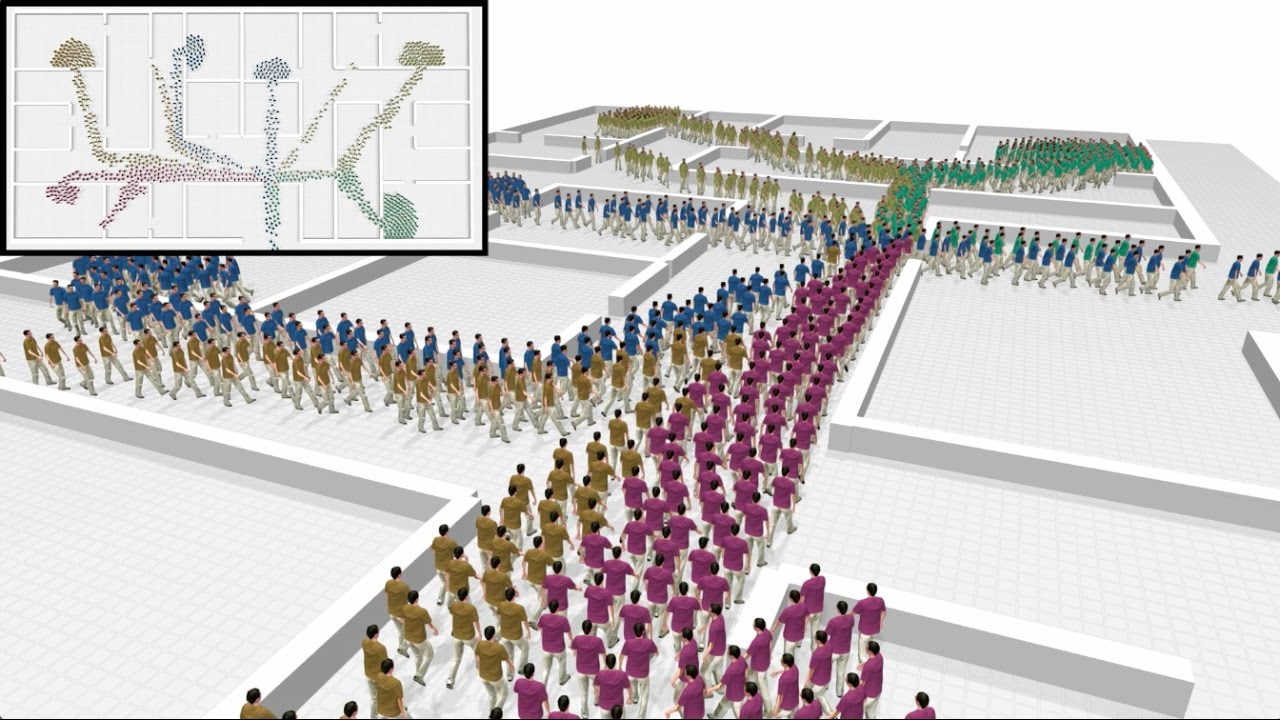
Large multi-agent systems such as crowds involve inter-agent interactions that are typically anticipatory in nature, depending strongly on both the positions and the velocities of agents. We show how the nonlinear, anticipatory forces seen in multi-agent systems can be made c...
those are for sims, not for real time games tho 😛
 zenith gust
Hey guys iv been struggling with AI, i need it to simmulate physics to be kinda PUSABLE, but Move to node isnt woking then, what should i do, any suggestions?
wary ivy
become an AI researcher
feral estuary
I subclassed AIPerceptionComponent and overrode the HandleExpiredStimulus() method to explore its workings. I had wanted to use the method to determine how long the AI would continue searching after the SuccessfullySensed was false from the UpdateTargetPerception. But the FAIStimulus does not have the actor information in it. I am guessing I could tie the Stimulus Loc to the loc on the sensed false method. Has anyone looked to do something similar? Did you just use your own way of tracking the time to search after Actor was no longer sensed?
 spiral ember
I'm try to debug an AI behaviour tree at the moment, but instead of Simulating it just says "Steps Back: -1" in yellow in the top right corner. What would cause this?
gilded tree
Hey guys. I already asked about the array logic for my setup in #blueprint, but figured I could ask for additional tips here.
I'm having my wolf AI eat their dead prey and I want to make sure that the wolves do another task (i.e roam around the corpse) if the array limit of 2 wolves per prey is breached. So I'm running a check if there's < 2 wolves eating (Array -> Contains -> Integer < -> if) and if true, add to the array and run the eating sequence, if false roam around.
However, if more than two AI run this logic at the same time, i.e close enough, conditions met etc., then the array limit is breached and it looks like they ignore the array check and suddenly I got 3 wolves running the sequence. Never more than 3 though, oddly enough. Probably due to collision space around the prey's corpse.
So... any suggestions on how to make this system fail-proof? 🙂
 foggy moth
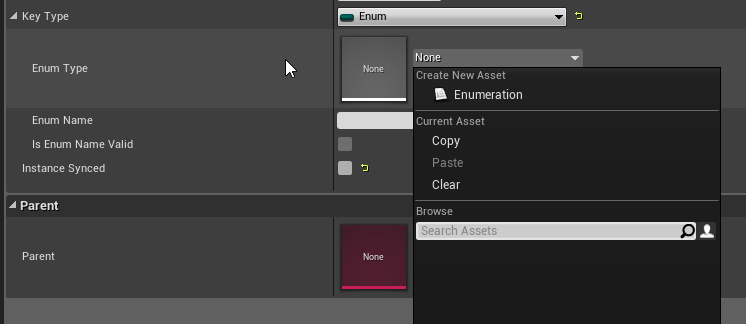
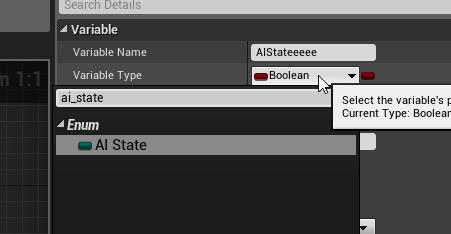
This is weird - setting up some BehaviorTree logic (core of project is C++) and i noticed that in my Blackboard trying to setup an Enum keytype - the C++ BLUEPRINTTYPE Enum isnt showing up in the list... but it shows up in classes just fine (Pics below) - do I have another modifier to put onto the Enum class to enable it to show up in blackboards list for enum types?
BLACKBOARD (Enum Type selected)
https://i.imgur.com/Tggmmc3.png
BLUEPRINT (NewVariable of type AI_State - My CPP Enum)
https://i.imgur.com/Tzxeah6.png
CODE:
UENUM(BlueprintType)
enum class AI_State : uint8
{
Idle UMETA(DisplayName = "Idle"),
 wary ivy
there was some oddity with c++ enums and the blackboard iirc
you should be able to use them but there was some odd enum type iirc in the BB editor
foggy moth
i mean i cant type it in to show up as a default Enum type - here's hoping 🧐
wary ivy
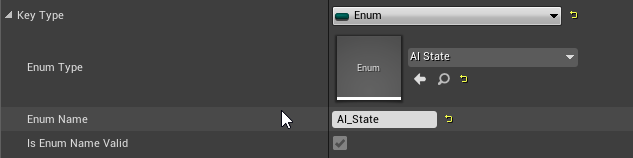
type the C++ enum name into the enum name field
 wary ivy
yea it was a bit puzzling to me too at first 😄
foggy moth
looks good now though! (CHeckbox has to be checked too i think....)
https://i.imgur.com/7IOascO.png
 wary ivy
yea it probably checks it automatically if it can find the reference to the enum
foggy moth
it was a manual check but i hovered over the tooltip - stated to use this if EnumName was filled out - and checking it put in the EnumType above (AI_State)
 flint trail
any idea why AI in UE4 isn't progressing beyond what it is ?
 sullen escarp
It's a good system already and can easily extend it with some C++ per project needs, plus games are successfully shipping with it?
sullen escarp
To be fair Gearbox said on the livestream they used a heavily modified AI solution for Borderlands 3, which makes sense since if you know what you're making than BehaviorTrees can be limiting. Think Coalition said the same thing about Gears somewhere, using AI Tasks/ Actions in code instead of BTs.
flint trail
Fortnite has AI ?
@sullen escarp Sounds like what you are saying is basically stock AI is not that great and flexible and devs had to invent their own..
sullen escarp
Fortnite was a co-op PvE game before it was Battle Royale
It's great for getting your AI on the screen really fast, and from there it depends on your needs. Trover Saves the Universe was shipped using stock AI, and AFAIK Paragon and Fortnite use the stock AI
 pallid palm
heavily modified and custom are words that dont actually say anything
every1 thinks their kid is special 😛
 alpine path
@flint trail Fortnite is not PVE anymore, Paragon is dead. Epic does not have product which requires AI.
 winged vigil
@flint trail What features are you missing?
flint trail
nothing missing just yet (except maybe inability to easily have AI Perception to be attached to the head bone, to follow animation), just wondering why it's not being worked on.. I mean, they have a dedicated AI engineer on staff and no projects with AI, so why wouldn't the guy keep improving existing system and fixing reported bugs in timely manner?!
and yes @alpine path I get that (same as VR stagnation in UE4, especially mobile VR)
 simple crest
it's just a shame. there's so much good to be done in the realm of AI. their HTN Planner implementation is just sitting there too, half baked
 jaunty peak
AI Sight not being attached to the head bone is a weird one, you'd have thought it was an obvious **option **to include. Apparently if you know your way around C++ it's not hard to do either. When the Answerhub eventually returns, this piqued my interest https://answers.unrealengine.com/questions/743065/ai-perception-attachment.html
flint trail
yeah, things like that should be a part of stock AI
and if there is no game that requires main (and only, afaik) AI guy's attention, why isn't he refining/fixing existing AI ? 🤷
or maybe there is something in works we don't know about..
simple crest
cyberdyne systems model mieszko 101
 near jetty
@alpine path you are wrong there
fortnite has bots
both player-bots (quite complex), and npc type bots for some of the events
 vale berry
@simple crest What's missing from the HTN implementation?
apart from the blueprint interface, the test suite looked like it covered some stuff
Could The HTN planner be used alongside BT?
Say you break out of the tree in certain cases.
I'm struggling to see if it could be beneficial.
simple crest
sorry, I don't actually know much about the current state of it, other than the fact that it's "not finished" and not being worked on 😦
 olive delta
hey! i have a queastion about ai behaviortree. I have added a hearing sense
when i make a new sound it doesn't restart
how do i fix that
fallow hound
@vale berry how I have imagined using a HTN w/ behavior trees is in choosing subtrees. Let's say the AI has a goal GetFood, a number of subtrees could accomplish that like Hunt, BuyItem, and so on
but those subtrees might need subtrees to make them viable, like Hunt might need GetBow and BuyItem might need GetGold
an HTN could map out a path of subtrees needed to meet an overarching goal, along with giving scores to each cost.
vale berry
The planner struct does already seem to have a lot of that covered
fallow hound
also I messed up, I'm talking about GOAP not HTN
dunno about HTN actually
oh there is a planner struct?
I didn't know
fallow hound
ah, got it
vale berry
So getfood is the composite
there is like 0 information about this plugin though. 🙄
BrainComponent itself also seems half baked and a bit of a mystery.
 boreal stump
can you change a bool in a AI blackboard from actor blueprint or do i need to cast to a function within a BTT (blackboard task)?
boreal stump
any ideas?
i just want the character to move to one location based on if a bool is true or not.
i cant figure out how to toggle the bool in the blackboard from a characters blueprint
 thorny gyro
you get the blackboard from the character then set it
if you are trying to get the blackboard in something else you need to get that something else and replace the self with that something else
boreal stump
ah i see. i was trying to make a function public in a task, and then cast to that function to set the blackboard bool. what you sugested seems to be working. 🙂 thank you
thorny gyro
either way works, it just depends on how you want to do it
boreal stump
problem with the cast is i could not ever get the cast to not fail. what would i put in the object pipe for a blackboard task?
but ill run with your first idea before i try the casting method, seems to be working.
thorny gyro
no way of knowing what should be in your cast, it should be whatever has the object you want. the way above is the normal way tho to talk to the blackboard and set values on it
boreal stump
fantastic. i appreciate the info.
 broken tartan
Hey, I am doing a masive multiplayer fight with spawned AI, the problem is : the 51th spawned AI doesn't get any controller .... anyone have any help ?
patent hornet
There is a defsult cap
In 50 nav agents running around
On*
Need to change it in project settings
 honest plume
is there any example for 3D Side Scroller AI?
 wintry osprey
Why does the "On Target" fire on sight, but not "On Perception Updated"?
 gleaming portal
I've noticed that behaviour tree Task Move To will sometimes report a fail if the target is already at the move to location. Is this supposed to happen does anyone know? I've fixed it by making my own task that reports sucess if you're already there but I want to know if this is intended.
honest plume
How can I make AI jump and climb on the ledges?
I mean since My character can climb and stuff, if he's near the leadge
limber tendon
anyone know why "move to location or actor" works fine when I give it an actor, but when I give it a vector or hardcode a world location it doesn't move at all? This is with a character in flying mode and with use pathfinding ticked off
 reef birch
is there anyone who can guide me in the right direction to use aim offsets with ai? how to get the pitch value; is there anyone who has a magic node i havent seen before ? thx in advanace
fallow hound
There's no magic node, you need to calculate where the object in relative to the NPCs direction and feed data to the anim bp. Usually you would want pitch and yaw, but it depends a lot on your setup and anims.
Findlookatrotation might help
reef birch
i will take a look at that node and somehow calculate pitch from distance
thx @fallow hound
honest plume
Here after AI moves to food source for some reason idk what it it.
It just jumps from Move To Target Food Source -> Find Suitable Location
and ignores that Wait and BTTask_SetKeyFloat
sullen escarp
Use Visual Logger to check why MoveTo is failing
honest plume
Move to is working but it's failing to reach wait node
it does run the first time but on second loop it just jumps
sullen escarp
Is your EQS getting a point that's off the nav mesh
mossy nexus
hey guys, is there any good way of testing if a BT is active?
honest plume
run a simple logic to check it
mossy nexus
I ran a task that prints a string when executed off a selector
that should be good enough yes?
honest plume
I think so.
sullen escarp
Gameplay debugger shows the running BT on an AI and which node it's at in real-time
@honest plume You can have spots in your map where AI can fail a MoveTo, like this whole area has NavMesh volume but standing on the corner half a meter too far from mesh and the AI can't get to me / fails MoveTo
honest plume
It's not failing. It's just ignoring the wait and Set float vault tasks, and just going to next sequence
sullen escarp
Tasks report back if they fail or succeed, in your current setup the Selector up top picks Hunger at Maximum but the MoveTo fails (based on what you described) so it bounces back up reporting the sequence as failed at that point and moves on to the next sequence.
honest plume
Thanks @sullen escarp
Got it fixed
I had Distance To set to "EmQueryContext_Querier"
switched it to "EmQueryContext_Item"
and now it's working
mossy nexus
so on a recommendation to use BehaviorTreeComponent, I've exposed it to BP as a component that I am now hoping I can turn into a behavior tree for non-pawn related intelligence. has anyone had any experience with this, or even getting the BehaviorTreeComponent to work?
lyric flint
Hey I have a character where I need the capsule to be wider than the model
Usually Id use a pawn but in this case it was necessary for a system to use a character
I saw under character movement, theres a custom radius settings just not how to use them
I essentially need a capsule to go around this so it doesnt phase through walls, I'd like to use character movement to control the speed and movement dynamically for the AI
gleaming portal
AI seems to also fail a move to if they're already there
lyric flint
so on a recommendation to use BehaviorTreeComponent, I've exposed it to BP as a component that I am now hoping I can turn into a behavior tree for non-pawn related intelligence.
@mossy nexus not sure I understand what is it you're looking for. I'm assuming you created a behavior tree component on your AI controller blueprint. Would it be possible to provide a case scenario?
mossy nexus
it's fine I got it working
I'm trying to use a BT without an AI controller
which seems to be working now
 wraith eagle
Figured I'll ask here too. If I have static nav mesh. I can turn a sub level visibility on/off multiple times and it will load the tile data in just fine. But if I play the level in editor, and then change the visibility on a sub level, it causes the nav mesh to rebuild instead of just loading the tile data in. Is this an issue for everyone? Just downloading a fresh engine to see if it happens in a clean project...
jaunty peak
This has what to do with AI?
wraith eagle
Nav Mesh? Pretty heavy in the AI section
Here's a video showing what I mean, in case I failed to explain it well enough above
jaunty peak
So sorry, my dude. I totally misread what you wrote.
For some reason I read it as static mesh, not static nav mesh
wraith eagle
No worries haha. Can see how it could have been seen as a Level Streaming or Tile Map question or something
 kind wigeon
I have a dumb question. When you run a dynamic BT subtree, root node decorators don't work. Is there a reason you shouldn't just have a dummy Selector root node and then put your decorators on the node beneath it?
mossy nexus
don't think so no, I think the reason dynamic subtrees can't have root decorators is due to how it gets loaded in
slow bobcat
@kind wigeon Mieszko (the programmer behind the BT system in Unreal) always recommends to add a node under root that will be the real root. The root now you see acts as an entry node, not a "real" one.
I always do this
then place your root decorators/services in that fake root.
 night juniper
I am trying to make an AI Master Class to be used for Followers as well as Enemies. Currently I am working on trying to set up a way to assemble said AI into formations, similar to Mount and Blade I suppose? Anyone have a good idea on how to implement something like that?
wraith eagle
Use the EQS to determine optimal locations around a specified "Lead" actor or position maybe?
sullen escarp
Have the leader generate the EQS points for the followers
kind wigeon
Thanks! That's exactly what I was thinking.
 nimble perch
how do i disable building navigation on top of a character placed in the world?
limber tendon
theres a Can Affect Navigation Generation flag in your character class defaults
nimble perch
nvm solved it, thanks anyway
 queen venture
does anyone have experience with board game AI? I'm struggling trying to make the ai for a game
 simple timber
@queen venture what are you specifically looking for the ai to do?
kind wigeon
In a Blackboard decorator, how do you check if a Name key is not None? I have this right now, but it's still evaluating to true despite the value being None:
queen venture
@simple timber I'm looking for tips or references for board game AIs... I understood the general idea of representing the game state, and the AI can see all the states and maximize the best action
but i'm working on a digital adaptation of a complex board game, there are different phases, the game state is complex, and it's hard to "give a score" to any action
simple timber
@kind wigeon you could maybe do a service that checks if the name is set using an isvalid node?
queen venture
for instance if not all possible moves give points right now, some of them give resources that can be used to acquire points in the future, or granting special abilities... I'm having a hard time making the AI account for all possible consequences
if it was "this action grants X points, this other action grants Y points" it would be easier
kind wigeon
...I changed it from empty to "None" as a joke and it actually worked
simple timber
@kind wigeon lol awesome
Good to know for the future
@queen venture I see
So you want something like Civ AI behavior where they make decisions which don't impact until later in the game?
simple timber
Gotchya. Well there are probably a few different ways you could do it:
mossy nexus
hey guys, what's the best way to do an action over time in a BT?
simple timber
- AI learning/training. Simulate many games while having the AI make random decisions. Keep track of what decisions helped the AI get more points in the end, and prioritize those decisions for the AI in the code
- Play the game enough to learn the 'meta' figure out ahead of time what good strategies seem to be and have the AI follow one of those strategies manually
- Maybe research Real Time Strategy games and how they set up their AI because that might be helpful and somewhat similar in its complexity
@mossy nexus it depends on the action a bit
What are you looking to do
mossy nexus
and also, am I understanding it correctly that I can have one root selector that branches out, then have each of its children have decorators that react to state changes from an enum?
simple timber
@mossy nexus Yes you can do one root selector that branches out. You can even make multiple behavior trees if it gets too complex and call whatever behavior you need at a specific time within the character bp
mossy nexus
I suppose eventually I want to have decorators that just do what the conditions for the state is
queen venture
@simple timber thanks. I thought about doing Machine learning but I don't know about it enough
mossy nexus
well I'm hoping to keep it really really simple in terms of depth
simple timber
@queen venture I don't either but it might be good to research for what you are attempting to do
mossy nexus
I'm trying to model intelligent camera behavior
simple timber
@mossy nexus interesting! That sounds like something I have very little knowledge about but seems super cool lol
Could you give an example of what a state would do?
How complex is the behavior
mossy nexus
per state, simple
simple timber
Like just move the camera in or something?
mossy nexus
a single action, or an action over time
so for instance I have a FreeMovement state that reigns supreme and activates as soon as players take manual control of camera
simple timber
Gotchya
Take this with a grain of salt (and hopefully someone else can chime in) but I would not even use behavior trees for that
I would keep the logic in the camera bp
mossy nexus
the I have a Follow state that is the default once players release control of camera movement
I tried
simple timber
What was the issue
mossy nexus
but it gets really complex with state machines
the reason apart from organization to keep it in a BT is that BTs are delegate driven
simple timber
Ahhh okay
mossy nexus
and the system is very malleable, so you can move things around and iterate quickly
blueprinting a state machine is not something I'd recommend to anyone at this point :/
simple timber
I wouldn't have even used a state machine
I would have just used good functions and eventing
You can have a master function which switches behavior based on the enum to point to other functions
But again, I'm no expert 🙂
mossy nexus
well that's no different from a behavior tree
simple timber
Yeah I suppose you're right 😛
mossy nexus
and I strongly prefer the organization of a BT to lists of functions, many of which have to run on independent timers
simple timber
That make sense, I guess I'm just more used to BT's for character behavior instead of camera behavior
Anyway, I clearly don't know what I'm talking about in the subject so maybe you can repost your question for someone else who knows better lol
mossy nexus
to be fair it took a while to understand how to not have a strong coupling between BT and AI controller
but I got lucky
and here we are
is there a way to couple BT tasks to a behavior tree, so it automatically knows the BB for instance?
or at least have some way to pass this information to the task?
kind wigeon
Any clue why I have no Detection by Affiliation options?
kind wigeon
https://forums.unrealengine.com/development-discussion/c-gameplay-programming/69433-ai-perception-detect-by-affilation I found one thread about it but no answer :S
Unreal Engine Forums
For gameplay programmers writing C++ code.
lyric flint
or at least have some way to pass this information to the task?
@mossy nexus you can perhaps try something like this in a constructor
    BlackboardAsset = BlackboardDataObj.Object;
    //reset with out custom keys
    BlackboardAsset->Keys.Empty();
    SetupBlackboardKeys();

    UseBlackboard(BlackboardAsset, BlackboardComponent);
RunBehaviorTree(BehaviorTree);```{
FBlackboardEntry KeyData;
KeyData.EntryName = TEXT("TargetToFollow");
KeyData.KeyType = NewObject<UBlackboardKeyType_Object>();
Cast<UBlackboardKeyType_Object>(KeyData.KeyType)->BaseClass = AActor::StaticClass();
BlackboardAsset->Keys.Add(KeyData);
KeyData.EntryName = TEXT("DistToTarget");
KeyData.KeyType = NewObject<UBlackboardKeyType_Float>();
BlackboardAsset->Keys.Add(KeyData);
KeyData.EntryName = TEXT("IsAttacking");
KeyData.KeyType = NewObject<UBlackboardKeyType_Bool>();
BlackboardAsset->Keys.Add(KeyData);
KeyData.EntryName = TEXT("SelfActor");
KeyData.KeyType = NewObject<UBlackboardKeyType_Object>();
Cast<UBlackboardKeyType_Object>(KeyData.KeyType)->BaseClass = AActor::StaticClass();
BlackboardAsset->Keys.Add(KeyData);
KeyData.EntryName = TEXT("IsRanged");
KeyData.KeyType = NewObject<UBlackboardKeyType_Bool>();
BlackboardAsset->Keys.Add(KeyData);
KeyData.EntryName = TEXT("MoveToLocation");
KeyData.KeyType = NewObject<UBlackboardKeyType_Vector>();
BlackboardAsset->Keys.Add(KeyData);
KeyData.EntryName = TEXT("CanSeePlayer");
KeyData.KeyType = NewObject<UBlackboardKeyType_Bool>();
BlackboardAsset->Keys.Add(KeyData);
BlackboardAsset->UpdateParentKeys();
}
this way you keep all the blackboard stuff in C++ and you can do whatever you want with it on the fly
mossy nexus
yeah I see, but it requires me to go back to cpp every time I want to add a new BB value
I'd rather not
lyric flint
you don't have to, I just hate blueprints with vengeance for some obscure reason that I don't understand 😄
this was an example of how you can do dynamic staff at runtime
mossy nexus
what do I need to do to make a condition or value pop up on a decorator?
lyric flint
in C++?
mossy nexus
also can I get away with just have a BB as an asset reference or do I actually need a blackboard component on the actor?
lyric flint
and then they show up in your tree, said variables
mossy nexus
right but they won't be exposed in the BT?
huh
alright
I couldn't get it to work before
lyric flint
poke around the action RPG template, I recall some good examples there
mossy nexus
I don't have it
mossy nexus
wasn't it free at some point but no longer?
lyric flint
I don't know
mossy nexus
I think that was the case
lyric flint
also can I get away with just have a BB as an asset reference or do I actually need a blackboard component on the actor?
@mossy nexus you should be able to without any problems
is just an object
like any other object
again I speak from a C++ point of view
mossy nexus
that's at least one less worry, thanks
lyric flint
but I wholeheartedly recommend the action RPG as a learning experience
mossy nexus
well let me tell you the blackboard component doesn't even have a slot where you can plug in the blackboard asset
lyric flint
this is how I coupled them in C++ UseBlackboard(BlackboardAsset, BlackboardComponent);
mossy nexus
I have a custom setup because I'm using a BT for camera, not for AI
so I have a subclassed BehaviorTreeComponent
lyric flint
I don't think it matters, is just the container of a collection of objects that are being run based on their execution index
I think your approach should work just fine
mossy nexus
well fingers crossed, but I appreciate the confidence
lyric flint
😄
mossy nexus
now
most of the important logic seems to be happening in my decorators atm, and I have one branch that just needs a dummy task of some sort
I'm not sure how to make that happen
it's essentially free camera movement for the player
which is the highest priority
I don't need the BT to do anything
but as soon as other conditions fall in place, a decorator of a different branch should pick up on that
what would you recommend?
it's almost as if I need to use a decorator as a task at this point
mossy nexus
I did try with a state machine before
but unfortunately it's incredibly cumbersome to use state machines in UE4
lyric flint
with different modes for the game, such as mode_free_cam, mode_explore, mode_combat, mode_dialogue, mode_inventory etc.
and then branch my logic based on these modes, but not in a BT
that doesn't mean that your approach is wrong, I just may be more old-fashioned 😄
mossy nexus
I would have stuck to a state machine if UE4 facilitated it better
but it just becomes a logistical mess to work with
especially in BP
I guess I could make a task that per tick looks for a condition
lyric flint
honestly, your approach is interesting, I should put it in my list of different ways to tackle a problem 🙂
mossy nexus
that mimics a decorator
lyric flint
that's most likely how I would do it yes
mossy nexus
perfect
lyric flint
juggling this ENUM modes
mossy nexus
yeah essentially I have enum states that are set based on conditions
lyric flint
correct, that's how I've done it in the past too
mossy nexus
technically at this point I could absolve the enum completely and make each enum state a decorator, but who knows if that will work correctly
lyric flint
in my opinion it's worth a try
for at least scientifically you would have an answer 🙂
yay or nay
lyric flint
no problem, your struggles are a learning experience for me as well!
that's why brainstorming is invaluable 😄
Any clue why I have no Detection by Affiliation options?
@kind wigeon I recall a few years back, I got so frustrated with the randomness of it working, that I ended up implementing my own logic. It's really simple, basically your characters have a handful of variables, of any type you want ( although I would stay away from string 🙂 ) and in said variables you can keep track of: friendly, enemy and so on, or combatant, noncombatant, ambient combatant etc. etc.
I got so used with my custom basic approach, that I didn't even check again to see if a newer versions of unreal engine it was fixed or not. But this basic approach I mentioned works perfect for me
kind wigeon
The problem I'm encountering is that AFAIK the perception system literally does not even work out of the box without the ability to configure that property
So it seems ridiculous to me that no one has encountered this or knows how to fix it
I'm glad to know I'm not alone in my exasperation though
lyric flint
because implementing my custom approach was so simple, I didn't even worry too much about it 😄 generally I'm very happy with the AI perception, I also tend to do all the logic in C++ so I end up with some freedom, in my opinion 😄
wraith eagle
Is there a function to just run through and build the Nav Links? I've tried calling UpdateActorAndComponentsInNavOctree and passing in the ANavLinkProxy*, but that doesn't seem to work
lyric flint
you know scientists, not good at naming stuff 😄 Perception System is deprecated. AI Perception Component is currently more favored. I guess the misunderstanding comes from perception system versus perception component hehehe. In my case I meant the more favored perception component 🙂
 obsidian wolf
Hello. I'm having a problem with the AI walking under collisions or small places. Right under the door it's a BP where the AI will crouch and if I remove the door collision the nav mesh will not split and it will work, but I want that collision for avoiding the player to go inside. Also using nav links it doesn't work. How can I solve this?
alpine path
Allows applying selected AreaClass to navmesh, using Volume's shape.
You can try nav modifier
obsidian wolf
Thank you! I've added the nav volume but still doesn't work. The nav mesh it's split under the door
Even using nav modifier and nav links still the AI doesn't walk under the door
limber tendon
go into the detail panel of your recastnavmesh (it will be in your level after you build paths) and adjust settings under generation
in addition to that you may want to look into setting up multiple navigation agents inside of your project settings, so that different characters of varying sizes will just know automatically where they can and cannot move
obsidian wolf
Thank you! I'll look into it
lyric flint
That's the one. Pawn sensing. My dyslexia is acting up 😆
lyric flint
For some reason my AI wont abort Idle Mode when it sees player It was before but now for some reason wont do it
I added a print string for when the AI sees the player and the print string triggers but my AI wont abort Idle Mode am i doing some wrong?
sullen escarp
@lyric flint Did something break with how you're setting the Blackboard Key? Use gameplay debugger to check, look at the AI and press '
lyric flint
My AI can also hunt/look for the player when the AI is in Hunt Mode and sees the player CanSeePlayer turns to true and the AI chases the player but for reason when the AI is Idle for some reason It still stays at false and never chases player i dont know why this is happening because yesterday it was working fine and was able to Chase player
sullen escarp
You could move Idle all the way to the right as the fallback behavior with no decorators, will also make sure your tree isn't churning every frame unless you have a fallback
and on CanSeePlayer for hunting set it to abort lower priority
lyric flint
That works, Thank you
 bleak raven
anyone had problem where navmesh works correctly on things placed in editor, but not on HISMC dynamically generated during runtime? And yes, I have options in project settings like NavigationMesh->Runtime Generation = Dynamic set and configured collisions in instancer. I also verifed that HISMC works with navmesh as long as it is pre-placed in editor.
 marsh cedar
is it possible to hook up multiple navmesh spawn points to one spawn actor from class node?
mossy nexus
hey guys, has anyone worked with the behaviortree component?
I'm trying to figure out how to attach a blackboard to it so I can use owner's blackboard
not sure if that is set through using a blackboard component, or?
or is there a way to expose to BP a function that makes the internal BB of the behavior tree available?
simple crest
just roughly glancing at some source code it appears to be publically available.
ubehaviortreecomponent has a getcurrenttree method and ubehaviortree has a blackboardasset field ... there's some code in \Engine\Source\Developer\AITestSuite\Public that might give hints
mossy nexus
ah
perfect
I couldn't find the blackboard on the component, but it makes sense its on the tree itself
simple crest
yeah a "tree asset" references a "blackboard asset" ... then they both have component classes to house those objects. I don't know a ton more than that
might at least help you figure out which country to start searching for treasure in 😄
 valid zodiac
Hello
does a better system between AIPerception and PawnSensing
i don t really understand difference or the case for use one or the other
simple crest
PawnSensing is older, simpler, and generally considered obsolete (but is still functional)
mossy nexus
in terms of getting a BT task to run per tick instead of once, where does one specify that? is it just a question of having the tick value be anything else than -1.0?
 iron crow
hi guys, i need help with my AI's behavior tree
 ionic nebula
Just ask it mouse, people will answer if they can
iron crow
Here's what my behavior tree looks like currently, its supposed to enter a wandering state since the player hasn't been seen yet
ionic nebula
So it’s getting stuck on search ?
My first guess is it looks like you have the AI search but not told it’s reached the location and/or that it’s completed it’s search
iron crow
from what it looks like, yeah
its my first time using the behavior tree and ai perception
ionic nebula
It doesn’t feel the task is completed
ionic nebula
Get blackboard has no target?
ionic nebula
A reference to whatever uses the blackboard. I’m relatively new to AI and I’m not at my PC to reference my own work to see if that’s the pawn or the controller
Just trying to help a lil on my break till a wiser person arrives to tell us both why I’m so wrong ;p
iron crow
rip 😦 i mean, ill try my best
simple crest
(nah doesn't need it, ai controller owns that function)
iron crow
oh, im not too sure what to do XD
simple crest
from your diagram above, WanderingState will only be entered if ReachLastKnownLocation is entered, runs, and finishes successfully. is how Sequence works. does that sound like what you want?
iron crow
i think so
to be honest, im using a tutorial to try and get my head around the basics of AI XD
will it be easier if i show you?
ionic nebula
I would think you would reach a destination and then search it
iron crow
i think for the reachlastknownlocation, what its supposed to do is when the AI loses sight ofthe player, it sets the last known location the player was sighted at, then moevs there)
simple crest
BTs are a little confusing if you're newish to them. so ReachLastKnownLocation can only be attempted to run if RecentlySighted is true. if the AI hasn't even seen the player once yet, I'm guessing that task is failing, which fails the sequence, which tells the selector "ok try the next one instead" which is ChasingState
iron crow
pretty much
from the tutorial i followed, it seemed to work for him
either im missing something, messed something up, or its outdated
should i rearrange it?
simple crest
generally you want to arrange tasks under your selector from high priority to low priority, left to right. consider your "last" action as your "fallback" action - what the AI is going to try to do if nothing else worked. right now the lowest priority action is "Chase Player"
it sounds like you might want "Chase Player" as your highest priority action, "ReachLastKnownLocation" as a lower priority action, and "Wander" as your fallback lowest priority
 simple crest
it is possible to get the same preferred logic flow with it all done up backwards like he did ( ) but just less intuitive to read and requires more care about setting entry variables
simple crest
looks more like how I'd build it at least
then of course the real question. does it w o r k 😄
iron crow
sort of, i checked on the debug, and it seems that even though the ai can see the player half the time from the corner of its view it would focus the set last known location of the player rather than going on chasing state
simple crest
oh, sorry, your tree is still mixed up to how I would recommend setting it up. first priority should be chasing, next priority is going to last known location, lowest priority should be wandering.
if it's set up the way I'm recommending, you'll need specific decorator conditions to enter each of the three subtrees: "TargetSighted is set" for chasing, "RecentlySighted is set" for going to last known location, and no requirements to enter the wandering state
the way you have it right now it's like the AI will always either choose Wandering or Chasing ... because the entry conditions to them are just a bool, true/false
if you set it up "backwards" then you need specific decorator conditions designed to stay out of each subtree, instead of conditions for entering them.
iron crow
i see
sorry, i was just running tests on the perception of the AI
it seems to work alright
i think i may need to put in a second blackboard service in for the wandering one
Okay, i think i got it to work now, I readjusted the wait node to be the first thing to run in wandering state, and i have also made a 2nd blackboard on both the first two sequences
sullen escarp
@iron crow Some suggestions
iron crow
Alright, seems to be working perfectly, thank you guys!
mossy nexus
alright, I gotta ask
what does the loop decorator do
like how does it differ from a task that is set to never finish if you set it to infinite?
does it cause other decorators to recheck their conditions?
(if on the same node)
simple crest
@mossy nexus sadly I'm actually not a wizard with BT's, I used them in other engines and kinda know how they work here. try Mr. Wadstein's video https://www.youtube.com/watch?v=OkXgp_HgniM

What is the Loop Decorator Node in the Behavior Tree in Unreal Engine 4
Source Files: https://github.com/MWadstein/wtf-hdi-files
mossy nexus
yeah alright, thanks
 unkempt path
how do I get a enenmy who shoots line trace to cause damage to the player character
sullen escarp
Apply Point Damage
lyric flint
am i the only one that thinks this should return the predicted position? I can see it in debug but cant seem to find a way to actually get it
lyric flint
Well after looking more into it, to get the location you actually need to get it from the stimulus with the sense class of AISense Prediction
 thick surge
Hi guys how can I tweak the navmesh path without touching the collisions https://gyazo.com/9976dd490a797ee6a92a4feda26b9ac5

 sullen escarp
@thick surge In your map is a Nav Mesh Recast object where you can tweak how the nav mesh is built.
thick surge
@sullen escarp thank you that help, for those wondering I just had to decrease the cell size to 2, I did it in the project settings since on the recast every time you rebuild the settings get reset
 barren crypt
@thick surge use a nav link proxy - search for it under all classes
wraith eagle
Is the "best" way of letting a user select to only do something on a certain NavMesh to give them an FNavAgentSelector and then just loop over the max nav agent count and see if both the navmesh supports that index, and the NavAgentSelector contains that index?
wraith eagle
oh wait, FNavAgentSelector isn't exposed to BP 😦 lol
ionic nebula
So having a little AI issue here with a branch seemingly getting skipped?
"Check for Employment" doesnt get used
neither of those prints fire off
simple crest
without any more context, this would suggest your "move to - wander location" task is returning failed for some reason
mossy nexus
I'm looking for a way to invoke the tick functionality of decorators
it doesn't seem to work off the bat, even if the condition is true
simple crest
also you normally structure a tree from "high priority to low priority" left to right, with your "fallback" tasks on the right. I would consider unemployment/job hunting normally to be a fallback action. it might be a wiser design to set it up so the AI should enter the "construction" tree first only if you have a job, and enter the "unemployed" tree otherwise as a fallback.
mossy nexus
I really wish there'd be better resources available for looking through BTs
can a service force its node to succeed or fail in any way?
mossy nexus
nope
I'm looking to use a tick based action to switch to another action
I suppose a task is the best place then?
bleak raven
how can I force navmesh to update? I changed its size (as transform) and it does not update ;/ it updates if I move it by hand in editor (when detached from player)
mossy nexus
I'm also trying to understand if there is a design pattern for what i mentioned above
simple crest
Cranz - hmm, sounds like an odd use case, you're trying to make it so depending on what is happening in task/action A, it might next explicitly execute some task B or C or D or something?
mossy nexus
have you set it to dynamic on your recast navmesh?
bleak raven
yes
mossy nexus
@simple crest pretty much
bleak raven
I have nonending troubles with navmesh in general ;/
mossy nexus
I wanted to use decorators for this
but if decorators can't tick then I can't use them
or rather if I can't make them tick
I'm wondering if I have to go down a weird route of simple paralleling tasks
ionic nebula
You were right Mader
I had AI MoveTo handling success/fail but when I plugged into Pathfollowing result it worked
err
hojo
sorry
simple crest
normally the "intent" would be that when it's time for the action (task) to stop running, it would return (either success or fail depending on your arrangements). then your BT would carry on running to the next branch where it would select the action. "selective" task choosing can be a bit of a nuisance to set up in BTs, you might have to do something like create a blackboard int and use a selector node, with each of those possible tasks coming off of it... with decorators on each, enter task B if int == 1, etc
mossy nexus
ugh I hope that's not the case
It's a collision check that may happen per tick, and if it happens I need it to correct for collision essentially
I guess a simple parallel for now will work, since if the main task completes or fails, the secondary task can be set to abort
I was just wondering if there was a different way
or again
if there are good practices and design patterns
ah fuck, simple parallels finish with task, not just abort
simple crest
it's hard to help brainstorm much without seeing the full use case. normally I might expect something like a collision check to happen elsewhere, causing a result to get set on the unit's blackboard, and a decorator in the tree could react to that. maybe.
mossy nexus
I can show you the tree if you want? or do you want the description of what I am doing
simple crest
moreso a description of the goal behavior, but I'm sure it wouldn't hurt to share your current attempt too
mossy nexus
well it's not an AI 😉
it's just intelligent behavior
for a camera in this case
this is the general idea, past initialization the action happens between the bottom three nodes
the camera collision is currently a service but it can't stay there as it'll interfere with what the tasks are doing
if I can figure out a way to make it work with the collision I'll also do the same for the FOV. it works fine for now but I'd like to make it observer based as well
simple crest
so at a guess: this is for something like a follow cam? and if the player is within some collider shape, the camera is "near" the player and just looks at them, otherwise the camera knows it is not near the player and will starts moving to follow them while looking at them?
mossy nexus
bit more complicated than that but yes
the camera should eventually pick the most optimal option based on collision for instance
which in most cases isn't coming closer but just moving slightly out of the way
simple crest
and what's the "free camera" part supposed to do, generally? or is it just like manual freelook or something
mossy nexus
yeah any player agency always has priority
so anytime the player wants to break free we let them
then we listen on when the player stops having camera agency and return
simple crest
can you elaborate on how having the camera constantly checking for this "collision" state will interfere with the resulting behavior? e.g. is there a worry that the collision state might vary from start to finish of some correction process and its change would interrupt the correction process when it should have been allowed to keep running?
mossy nexus
the chase cam runs indefinitely
it already has some default behavior tied to it, and never finishes unless interrupted
for instance, it will keep to being behind the player when possible
and yes, that is exactly the worry
plus potentially concurrently running two processes that are opposing each other
simple crest
so this is probably going to be a bit of a naive suggestion as a bystander, but what about having several trigger variables, if certain conditions are met a certain trigger is set, this will cause the BT to jump out of its current branch into another task, and that task unsets the trigger when it's done. the collision check can remain as a service in the branch which is not executing while one of these triggered tasks is running. like maybe have Free Camera | Focus Camera | Special Actions
mossy nexus
so you'd have something in the blackboard saying collision hit or what have you and set that from the service, which then causes a decorator to switch branches?
simple crest
Right (And that "special actions" branch would actually probably be on the left or middle, depending on how much priority you intended for it to have)
mossy nexus
I was considering having the "special action" be the highest priority of the three, but I'm trying to think of whether it has value in terms of visibility to e.g. track a target with a camera that would otherwise be obstructed
simple crest
If it was in the middle with an "aborts lower priority mode" then setting such a trigger from the focus camera branch should kick it into the special action for example
mossy nexus
and whether or not that goes counter to how you lose a target after acquisition
it does make sense
so this may solve the collision based part of it let's say
I also would like to at least sanity check the FOV Adjustment service
I was initially considering extra setup for volumes where the FOV would change
but I'm thinking whether or not it would make sense to have it also have some autonomous control over FOV, perhaps combined with collision
e.g. a time without collision means an open plain, means there's room to expand the FOV
while colliding often means there is one or more narrow corridors and therefore keep the FOV close
simple crest
Sounds like testing/prototyping needed :)
mossy nexus
before I start implementing this though I'd love to know what a good way would be to have it analyze "trend"
e.g. something happened multiple times, adjust based on that
would that be something like a fluid state?
jaunty peak
Sounds a lot like utility scoring, or at least something similar.
simple crest
If the character is constantly moving (racing game) you could monitor frequency of some events (collision) and adjust some float parameter based on ongoing frequency. If character stops a lot you might need to base it on distance traveled instead of time. Though I wonder what the actual game looks like, adjusting fov a bunch might on its own not look great (hence becoming more of a prototyping problem)
mossy nexus
it's not a racing game unfortunately
it is perhaps the polar opposite
I get the issue with adjusting the FOV a lot, hence why I'd prefer manual setup most of the time
this is more of an adjustment that attempts to understand trends instead of acting mechanically
so it would by design not want to adjust FOV too often
I suppose if it was setup only I could handle it using a decorator
thick surge
Hi guys I have an enemy searching lockers, and I'm trying to do so he only check the closest one, the house has different level and I only want him to search on the current one

how can I make it so that he stays on the same floor
there's a distance Z so I imagine that has something to do
kind wigeon
How do you use Run Behavior Dynamic/SetDynamicSubtree with nested subtrees? I get "Failed to inject subtree" when calling SetDynamicSubtree to inject a subtree into an injected subtree.
mossy nexus
@kind wigeon I don't know on top of my head but there could be a limit on how many dynamic subtrees you can have
kind wigeon
I thought that might be the case, but it works fine when they're only on the top level, no matter how many there are
 gritty egret
My AI Works fine in the PIE window. But when I build the project in shipping mode it doesnt work
I have an AI in the world that follows a certain actor location, in a NavMeshBoundsVolume
Does anyone know what to do
@frank swift
mossy nexus
@kind wigeon what I meant was dynamic subtrees within dynamic subtrees limit
@gritty egret it's really hard to debug cases like these
kind wigeon
If there was such a limit, I would expect it to be documented somewhere.
mossy nexus
@kind wigeon have you tried with non dynamic runs?
kind wigeon
Works fine when non-dynamic, yes.
mossy nexus
then yeah it's a limit
my take is that it's probably not documented because the implication of creating dynamic behavior within dynamic behavior would have been insane to keep robust
like there's not a warning label on everything in unreal
 coral mesa
How Navmesh algorithm really works? Got clue? Not finding reliable source
coral mesa
any more source?
simple crest
ionic nebula
any reason someone can think that an AI MoveTo would fail to execute even when printing a success result?
I know the Task works because it runs properly on a different branch but once it is used again through a different switch it stops but prints success. Destination and Pawn data arent null / no errors
When "None Selected" The passed destination / target location work fine. Second time it comes through "Work" and sets new destination / target location but despite the AI MoveTo receiving those, it never moves but will print success off the execute pin coming off Ai Move To
thick surge
Hi guys so I'm trying to finish my game for a game jam, but I'm running into this last moment issue, basically if the player stops with no motion the ai gets stuck in a loop
is trying to constantly move even though it already within range, there an option in the task, that say ignore restart self, but it doesn't seem to help with this
simple crest
show more of your tree. what's it supposed to be doing here, is there an "attack" node off-screen or something that it should be running only?
 wild stag
hello this might be a stupid question but is there a way to make a behavior tree "pause" on a task node until a value is set?
 copper flicker
@wild stag Use a blackboard value, then add a blackboard check like "is not set" to the task. Once entered, set this value at any time you want to finish it.
gritty egret
Anyone know why simple moveto AI doesnt work in the Packaged shipping version of the game?
mossy nexus
@wild stag tasks don't finish until you tell them so they are automatically locked in until said task finishes, either by success/failure or abort
though keep in mind tasks will abort automatically if a higher priority decorator/task gets activated
sullen escarp
@thick surge There's a decorator Is At Location you can add to check if your AI is already by the Player, if not then do the MoveTo
 deft sedge
would there be any reason that my ai are trying to move directly towards a goal even though they are use the regular move to node and not the move directly towards node?
ah nope found it, the code is using add movement input towards the location. weird
thick surge
@sullen escarp thank you man I'll try that
sullen escarp
I'm not a mod but sure, this channel could use more playable examples of AI for inspiration
thick surge
@sullen escarp I went through the rules again and they say to use the #work-in-progress so that's what I did you can find a link to the game there
 glossy spire
Hey folks, in a BT I can Run EQS Query, and include parameters taken from the blackboard
how can I include parameters like that when running an EQS query in blueprints?
I dont understand how I would add special parameters here
I can make a wrapper EQS Query Instance object, but I have no idea what it does
found it
mossy nexus
any reason a decorator set on a task with observer aborts lower priority would show up as aborting itself as well?
 dusk pewter
trying my luck here, anyone know if there is a way to clear pending tasks?
trying to clear this one
 slow bobcat
Talking about AIMoveTo, has anybody extended it?
I would love to:
- When you use it to move towards an actor, it automatically updates the actor location (destination of the AI agent) so the AI will follow said actor. I want to extend it to do the same when passed a location. That way you can pass an Actor + a FVector offset and use it for things like "ok, follow this actor but, instead of use the actor location, use a point 100 units to its right"
- I don't know how you guys handle movement/stop. I always use a parallel node where the main task is a task using AIMoveTo and the parallel one is checking "is the ai agent within a desired range? then stop movement immediately". The problem with that is that the return enum of the AIMoveTo is very limited, so it will always return "Abort", no matter the reason why the movement stopped. So, if I stop the movement voluntarily (like I just explained), it will say abort. If the movement stopped because the target got out of the nav mesh (no path possible), it will say abort. If you follow the code, you actually have that information, but it's not exposed to the upper layers. I want to extend it to have a better information back.
Anyone tried any of that? What's your experience? any advices?
patent hornet
@slow bobcat we spawn a MoveTargetActor, and set the AI to go after it with continous goal tracking
then we attach it to actor we want followed, or just teleport it to AI position if we want it to stop
we give start only a single moveto task for an AI during an entire game
bonus: with default animations, they won't glitch for a frame when new move to is given
slow bobcat
umm I see. That actor is like the minimum configuration possible right? a super light weight actor?
So.. do you spawn one of those actors per AI agent? do you destroy them when the AI agent "owning" it is destroyed? I can see this being very demanding due spawn/Garbage Collection if you have a lot of enemies with a short life spam.
patent hornet
its destroyed from the AIControllers EndPlay
and yes, its one per AI
and its basically just an empty actor that can log some debug information on the side
slow bobcat
yeah, spawning the actor is not a concern, the garbage collection could be (depends a lot on the game). But it's actually a good approach.
Thanks for the advice. I will consider it
@patent hornet about the continuous goal tracking: isn't that a problem with many agents? Character Movement Component operations are very expensive (they always peak in the profiler and/or unreal insights). Isn't that making your CMC's to be on constant work?
We disable the CMC's ticking and we only enable it just before moving the AI. That was a noticeable improvement
patent hornet
pathfollowing and CMC are not the same thing
slow bobcat
ok, so the continuous goal tracking is not forcing the CMC to check on tick "am I at the location? no? move"? I not very familiar with the option @patent hornet
wary ivy
doesn't CMC implement path following? 🤔
slow bobcat
yes and no @wary ivy . You calculate path and pass the points to the CMC to move one after another (very roughly explained). Is a 2 step thing
wary ivy
or was it that path following was done by the ai controller? Gotta check the source code 😄
slow bobcat
yeah, you communicate with the navigation system through the AI controller
or with the AI controller, not sure what's the appropriate word
wary ivy
yea it was the AIController class that has the UPathFollowingComponent variable
patent hornet
pathfollowing component passes movement inputs to CMC
simulated following the path
this doesn't affect CMC in the slightest
@slow bobcat @wary ivy
wary ivy
ya
slow bobcat
so... if I get this right, you are saying that continuous goal tracking is a path tool right? Does that mean that they check path length from the AI to the target to follow constantly?
patent hornet
it will just do a check if it needs to calculate another move when its at goal really
not sure if its on tick or on timer, but it is a simple distance check
at goal check doesn't check for path length, just the distance
iirc
slow bobcat
ah ok ok. That sounds good if that's the case. I like this approach. Thanks a lot @patent hornet
patent hornet
it simplifies some more complex movement operations all in all
you can just easily animate a movetargetactor along a spline
or attach it to relative location of an actor you want followed, so it attempts to appraoch from the flank or side
without having to run EQS to reevaluate the target location
 lost tiger
https://www.youtube.com/watch?v=3ompWy5IPZw hello friends .. how can I make my boss do that animation when he sees my player .. as well as the video .. someone who knows about a tutorial
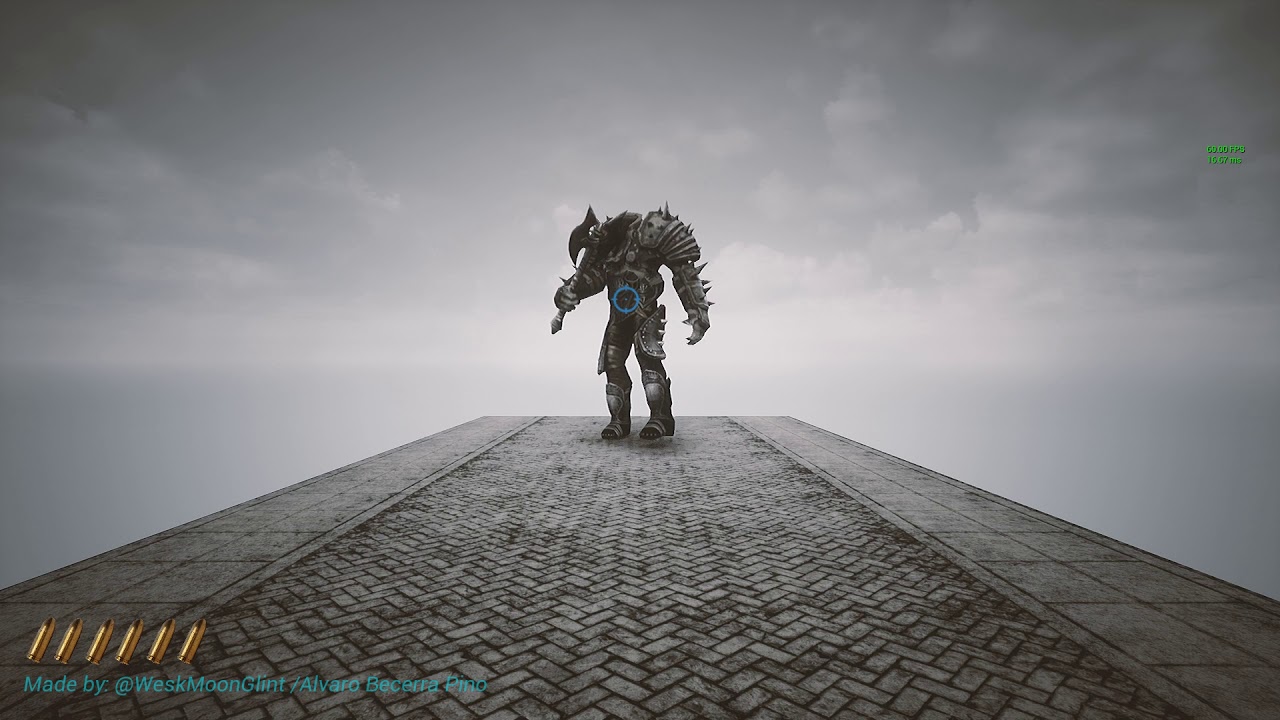
Testing the code and some animatios for the first boss of this reimaginated project
You can help me keep working on my projects by supporting me on Patreon:
https://www.patreon.com/Moonglint
sullen escarp
@lost tiger A couple ways: Behavior Trees has a built in Play Anim task you can add in when your AI changes states, Anim Blueprint where you can trigger a state change, or regular BP call PlayMontage with however you're detecting player perception
lost tiger
@sullen escarp thanks you friend
POVEGLIA GAME - TEST ENEMYS VS BOSS
https://youtu.be/hcyPLzrF24I

POVEGLIA GAME - TEST ENEMYS VS BOSS
https://web.facebook.com/povegliaisladelosmuertos
ionic nebula
Is there any particular reason a RunBehavior node wouldn’t run a tree properly? Copy pasted a branch into a new BT and all settings are back to the original but the RunBehavior branch won’t run properly while the original does
 fiery dirge
why does my ai run outside the navmesh then just kind of get stuck there
 whole flare
I'm having some troubles doing line traces from AI decorators... Is this just a me thing or do they not work from decorators?
whole flare
Sorry traces work, just the displaying of the debug line isn't
wary ivy
how long is the time of the debug draw?
mossy nexus
@ionic nebula are your decorators set up correctly?
ionic nebula
They were. I copy pasted a second time and it worked for whatever reason despite no changes lol
 hoary nova
hey guys, it is possible to retrieve number of items from eqs, like it shown in debug mode and set it to blackboard? if yes how? the result of eqs is always a vec ...
hoary nova
my problem is that on EQS with 0 results is still have my previous result so I don't know when I have a valid result or not ...
hoary nova
nvm, apparently the debugger shows last vec but the result goes in not set state when there are no results
 rustic nova
When a character stops in my game I want them to affect the NavMesh using a NavArea_Obstacle. When I want them to move again they should disable their NavArea, but there's a delay before the NavMesh is updated which messes with the pathfinding. Is there a way to make is so that only the actor who created the NavArea ignores the NavArea?
 worn yarrow
hi guys... does anyoye know what's the 'cheapest' function to test if path exist from one to the other
i tried to use IsSegmentOnNavmesh which is used by a BTdecorator ( PathExist )
didn't work.. .keeps failing
 lavish lotus
casualdistraction
this is solid
saw someone here reccomending agaisnt using BTs and its deffo worth it
simple crest
link seems to be dead (oh yeah you can find it manually in the blog October archive link)
vale berry
it's on the blog it's like some basic overview
lavish lotus
Really??
The link I found was dead
so i went and found it
and pasted it again huh
 wraith sand
Has anyone been able to inherit ADetourCrowdAIController or add UCrowdFollowingComponent to an AIController so that it actually work? Mine does not even trigger Initialize break point when I try to use it. My ai-pawns are spawned, not placed.
 daring sierra
How do I prevent my AI to see other AI's?
When the current layout is 2d, the AI at the back can't perceive the player because the sight is being blocked by the other AIs in front.
Nevermind, I found the issue. If anyone encounteres the issue, the sight perception casts a Visibility trace in front so I just had to Ignore the Visibility channel for the other AIs so it will only hit the Player.
wraith sand
Btw DetourCrowdAIController should be found here, right?
wraith eagle
Is that not showing because the DetourCrowdAIController isn't exposed to an API? In the class, it doesn't have AIMODULE_API between class and ADetourCrowdAIController? @wraith sand
 gaunt ermine
How do you setup navigation for a large areas? I have several NPCS and I load a map onto a level. So, fix navmesh areas won't work for what I need.
I tried using the nav invoker but that also needs to be in a navigation volume.
wraith sand
Yap, it doesn't
thorny gyro
sooo... stupid question lol. the Move To task that is built in aborts when a decorator tells it to abort. A custom node I made does not respect this and abort properly. Any hints?
It looks like the AI Move To and the Move to Location or Actor nodes won't abort in the BT 😦
welp I take it all back for whatever reason hooking it all back up calls the abort function now and I can stop movement manually.... soo.... epic
mossy nexus
so, in terms of notify observer, what's the difference between value and result changed? especially for a bool?
vale berry
for a bool there's not going to be any difference, I assume.
value will be for any change
mossy nexus
thanks lexx
kind wigeon
I've overriden OnNodeActivation and OnNodeDeactivation in a custom decorator and put it on a Selector, but for some reason, neither is being called. Any idea why that might be the case?
 vocal rampart
kind wigeon
vocal rampart
kind wigeon
Ah. I had to set bNotifyDeactivation and bNotifyActivation to true in the constructor. Really wish that was indicated in the method documentation...
wraith eagle
I remember seeing a list of things you should make as a gamedev a few years back which was like a progression of difficulty. I'm terrible at thinking of things to implement, and I want to learn behaviour trees properly, so is there like a list of AI implementations that anybody knows of that I could work through? 🤔
 bitter breach
hey, so guys I've been having a weird problem
AI Sight Perception works well in editor and in a packaged game
but when I launch the game from unreal project icon, it no longer works (all other senses however work)
has any1 encountered this problem before ?
mossy nexus
@bitter breach pretty sure AIPerception is deprecated at this point
EQS is the new thing
simple crest
no aiperception and eqs are unrelated things pawnsensing is "deprecated"
mossy nexus
ah yeah, i always get confused
I have a task node with a decorator that aborts lower priority only yet in the visual it seems to abort itself too
I tested other decorators and they seem fine, it's just this one
 somber compass
oh haha i was just about to ask why my AIPerception isnt working
simple crest
in case my crappy run-on sentence before wasn't clear: AI Perception is not deprecated and should work (I have no solution for Symatix though 😦 )
mossy nexus
do you have any solutions for decorators redecorating their own observer states? 😉
simple crest
no 
mossy nexus
how much is too much responsibility for a single task?
I have an algorithm with several steps and I am debating whether or not that is the responsibility of one task or several tasks
jaunty peak
It's considered good practice to split things up as much as reasonably possible, if you're in doubt do several.
mossy nexus
I am aware, however when it comes to atomic parts of an algorithm I'm debating whether it makes sense
I can't guarantee modularity for instance
lyric flint
hey
what can i do when ai needs to jump over but gets stuck near wall cus navmesh bounds leaves an empty space
sullen escarp
An overview of the NavMesh example level, example 1.2: Nav Link Proxy.
lyric flint
yes im using them
wraith eagle
My god, streaming in sub levels with nav mesh seems so royally goosed...
 celest anvil
Anyone have any issues with Navmesh based characters with avoidance, pushing each other into walls causing them to get stuck?
 halcyon tusk
is there way to change tickrate of the behavior tree?
the ai on my server has tickrate of 0.1 instead of 0.0, their movement and logic is interpolated by the client to smooth out the rest.
therfor the behavior tree is doing pointless work since all of it relies on things that only update every 0.1 tick..
sullen escarp
@halcyon tusk Since the tree is event based can you achieve that with a wait that happens at the end of your logic
 cursive stag
Does anyone know where the AI's site is calculated from? I ask because my ai loose site of me whenever I walk behind half height cover
jaunty peak
default is your waist kinda level. Yes, it's weird.
mossy nexus
There is node that traces to waist and neck, can't remember what it's called though
 somber compass
Does AIPerception sight detect things in a sphere or in a 2d circle?
 pine steeple
circle
halcyon tusk
is aiPerception sight a bunch of traces or something fancy with grids ?
pine steeple
everything the AI can percept has a component
it simply does a distance check between the two actors
and ensure its at eye level and inside cone (a single trace is involved)
halcyon tusk
so it does sphere traces every now and then to figure out what to do cone traces on ?
pine steeple
it doesnt do a cone tract
trace
it just checks to see if player is inside cone iirc
 wanton wind
Hi everyone! I want to find a path from a character to a target location, but within some acceptable radius from target location. I am thinking to implement this by iterating over navigable points by some delta angle around target location and finding one with the shortest path. But I am feeling it may be not the most optimal way to do this. Is there any solution in Unreal Engine out of the box?
halcyon tusk
i dont know much about navigation but i do know when plotting a path threw a navmesh the ai will always pick the shortest route to the destination. this also takes into account "costly" obsticles that you can mark.. like some water that will slow the ai down etc
 outer anchor
@wanton wind the Aimoveto node has an acceptable radius value if I am correct
lyric flint
For Some reason in every UE4 project i create everytime my AI is supposed to do AI Move to It never does it (it always fails ands the Movement Result is always Aborted and yes I have nav mesh and everything place in the map)
sullen escarp
Maybe your goal location is too far / high from the nav mesh, try projecting it down
lyric flint
Even if it’s supposed to chase player when the player is right in front of it it doesn’t work
The Aiperception works and the canseeplayer variable works but it just keeps failing/aborting to go to player
sullen escarp
What's your acceptance radius on the MoveTo
lyric flint
Ill check
its 5.0 which i think is the default
Btw the reason im using Destination instead of target actor is for testing just going to a random location
sullen escarp
Try using this, just plug in your location and set the Query Extent to 200,200,200 (or something bigger if that doesn't work) https://docs.unrealengine.com/en-US/BlueprintAPI/AI/Navigation/ProjectPointToNavigation/index.html
ProjectPointToNavigation
lyric flint
Ok
So i deleted my Nav mesh bounds and placed a new one and put it to the same size and now it works
mossy nexus
does anyone know when the set/unset triggers for vector values? like can I make it trigger on vector.IsZero?
is onvalue unset the same as that?
cursive stag
For those a bit more up to par than me.. when working within my AI's behavior tree I cant seem to get this task to work. The closest vector is successfully pulled through and set in my black board but the tree task just seems lock up and refuse to move onto the "move to" task. I added a second successful exit at the end of the loop body line in hopes of forcing a successful exit but no luck.
sullen escarp
You probably want a Sequence instead of a Selector. Sequence keeps going left to right as long as tasks succeed, Selector will stop when a branch succeeds
 crystal grotto
Any advice in how to let the AI chase the target even when the target is too high in the air?
On the ground the AI is doing a great job, but when the target of the AI jumps as example 1000 Z units up the AI will just stand still until the target reaches the ground again
patent hornet
chase a MoveTargetActor instead, which is attached to the target if the target is on land, or follows under the target if its airborne
 jaunty coral
Does anyone know what functionality the agridpathaicontroller has differently than the regular ai controller?
sullen escarp
@jaunty coral This post by Kelfire has some details and links to API (which proivde some more details themselves). GridPath controller lets your AI use a grid navigation but also fallback to nav mesh as well https://www.reddit.com/r/unrealengine/comments/c7e0pk/a_textual_blog_tutorial_on_how_to_implement_a/esf21wt/

reddit
84 votes and 4 comments so far on Reddit
halcyon tusk
behavior trees can only run for AIController APawn pair or is there a way to run behavior tree for just plain ol actor? or actor & ai con ?
glossy spire
@halcyon tusk AFAIK you're really supposed to use controllers and pawns
but I think you can probably run an aicontroller without having it posses anything, if you really want
 verbal violet
Hi folks, I have a specific problem, I em use MoveTo in my BT. Target is AActor, and i should in some moment remove Target from BB and interrupt moving, but intrruption doesnt happend, it just continue toward ex-target object. Same situation with FVector as "target"
Any smart way how to debug that? It's possible to get active node as UBTNode and cast it in BTTask and abort on some way?
sullen escarp
You can abort the MoveTo task.
One way might be to have it come from a Selector and then place a decorator on the MoveTo that checks for a boolean CanPursue is true, then set to abort self when the result changes (to false)
jaunty coral
thanks sparky 🙂
lyric flint
I have a blackboard bool where my enemy can see my player or not. How can i tie that to an animation blueprint transition?
dusk pewter
is this a good place to ask about navmeshes?
lyric flint
no
patent hornet
@dusk pewter it is
dusk pewter
😠
alright here goes nothing then
I never encountered this before, I have a map with a navmesh and I spawn AI actors on it. The actors, when asked to move using the simple blueprint node "AI Move to" stutter and sometimes try to avoid non-existant obstacles.
When checking the navmesh pathfinding, the AI generates massive pathfinding red squares. I think this is the cause but I have no clue where or how to solve for it.
Anyone else every have this happen?
I had another project where this was not an issue, so I am not sure what went wrong
dusk pewter
just did a print string on tick for the movement result, it immediately spams "aborted"
visual logger... never used it before, I'll take a look at it
ok, I see what's happening, there is a continuous OnPathEvent: UpdatedDueToNavigationChanged, not sure if that is normal
queen venture
how do I set an option so that a level is loaded and the pawn is AI controlled (and the player is just spectating)?
this is probably an easy question but I'm struggling with it 😦
more details: single player project, I start with a menu with the options for "human player" or "AI player". If I choose human, the PC possesses the pawn and the player plays, otherwise an AI possesses the pawn and the player just watches
 potent ember
I'm using an AI to move a pawn to the player, is it possible to make the AI set and orientation for the pawn? I want the pawn to orient itself in a certain way as it follows the player
verbal violet
tnx sparky
mossy nexus
@queen venture use AI controller on the pawn
you can override the function SetDefaultPawnFor in the GameMode to inject the AI Controller instead of the player controller based on a variable in the GameInstance
queen venture
I've tried setting the AI Controller on the pawn but it didn't work (although I'm not using a PlayerStart, I'm spawning the pawn on begin play)
will try the SetDefaultPawnFor
carmine flicker
Why doesn't it work? This AI is supposed to control a paper2Dcharacter with movement type set to flying, but for some reason AI is doing nothing...
I have no navmesh, but I googled that MoveDirectlyToward doesn't require navmesh
Checked it all and: pawn is 100% connected, everything runs as it should, but pawn doesn't move
carmine flicker
why isn't it moving? when I control it myself it moves
sullen escarp
everything runs as it should
@carmine flicker So the tree is successfully finding a random location and moves on to the next node to move? Use gameplay debugger to make sure the BB key is being set for MoveToLocation, look at your paper2d AI and press '
carmine flicker
@sullen escarp they use the same key (there's only one key) and it prints correct location when setting it, so the problem must be either with MoveDirectlyTo node or character
I tried making custom task to move it, but it doesn't do it
it just skips it and proceeds to wait
and since it isn't moving it always prints the same location
(because for test I made it increase location 50cm every time instead of picking random)
sullen escarp
If your acceptance radius on the move to 50cm too?
carmine flicker
acceptance radius? wait a second
that bastard still doesn't move...
I think I'll have to create my own moving system instead of relying on pre-made one...
what a pain
 frozen hill
why does my nav mesh break everytime I load into it from another level? It works fine if I just play from the level.
Using PIE btw
dusk pewter
@patent hornet thank you for the suggestion yesterday, we resolved the issue. it was the nav modifier that interfered with the pawn itself. we disabled it on movement and worked fine. On the visual logger, the pawn would start moving and immediately detect an obstacle and stutter. Cheers!
lyric flint
Hello. How can I improve my ai? Right now, all my ai does is chase's you and SOMETIMES he loses attention and wanders off. Thank you 
patent hornet
@lyric flint maybe go through some AI tutorials to get some ideas and also how to implement them
there should be some pinned on this channel
 ocean fractal
Guys, is there a CHEAP way to check whether a pawn is on navigation?
In my game, characters sometimes walk off the nav or get knocked off, probbly due to root motion.
I'm thinking to constantly check and if they left it - teleport them to nav, but doing ProjectPointToNavigation even every sec for dozens of pawns seems too expensive.
patent hornet
its not, its a single trace
but you dont need to check unless they fail to find a path
ocean fractal
@patent hornet yup, my problem is exactly that they somehow (we didn't yet discover exactly how) walk off nav (rarely) and then can't move from there. Any pathfinding fails and unless you move them back using editor gizmo, they can't go anywhere.
patent hornet
crowd avoidance and collision can push them off navmesh
most likely in combination
ocean fractal
Ah, avoidance is a good bet
patent hornet
you can also end up spawning stuff off navmesh if you're not careful
ocean fractal
nah that ground is covered, it only happens with guys who already walked around.
What would you suggest for checking if pawn is on nav? ProjectPointToNav with smth like {0, 0, 100} box size?
patent hornet
@pine steeple added quite a few nav recovery algorithms to the game by now
CMC/PathfollowingComponent already checked that
don't know which one off the top of my head tho
ocean fractal
I'll dig that, thanks 👍🏿
patent hornet
CMC really likes to know what the character is standing on
jaunty coral
Hmm, navigation works fine vs static objects in the scene, but add other actors (that aren't even moving) and it gets terrible fast 😢
 solid bane
Hey all, I can't figure out why my enemy isn't using the navmesh. I have 2 supported agents (a "Large" and a "Small") and both navmeshes build perfectly fine.
All enemies have "Update Nav Agent With Owners Collision" set to false, but for some reason enemies with settings identical to the "Large" agent settings don't work, while enemies with the "Small" agent settings work fine.
Some testing has shown that whichever agent is in slot 0 works fine, but the nav agent in slot 1 cannot navigate. The visual logger gives me this: https://cdn.discordapp.com/attachments/225448446956404738/689863141437210637/unknown.png
Also, I just discovered the "FNavAgentSelector" is a thing so maybe I'll look into that, but it seems like this should be workable in the editor. I would rather have unreal auto-select which agent an enemy uses rather than set it manually in C++, but as far as I can tell that functionality is broken. Any ideas?
 pine steeple
So issue is crowd following doesn't work with multiple agent types.
So all agents need to use the same names
Navmesh
@solid bane
Way we have it set up in our game. Big agents don't use crowd avoidance logic but register themselves as obstacles to the crowd following comp. Normal agents use crowdnfollowing as normal but will avoid obstacles including big agents. Just big agents don't avoid the normal agents so we ended up using rvo only on the big agents to avoid.
solid bane
@pine steeple That makes sense, but I have no idea how to go about implementing that.
 knotty sorrel
how do you turn off the nav mesh automatically rounding off corners? i want a robotic style of movement, in linear lines. I have two nav meshs perpendicular to one another, and where they merge, there is a corner added for smoothness. Can i turn this off?
pine steeple
there is settings in the navmesh

could try reducing that down
to stop the simplification rounding
knotty sorrel
thanks kaos, mine is already on the minimum 1
 lyric flint
Ok I have a question. I have 8 gas cans you have to pick up. How can i make my enemy store each gas can's location on destroy of that actor's instance and come to the location once that instance has been collected?
lyric flint
Ok i'm trying something else
How can i get the location of the last collected gas can and tell my AI to move to it's location it was at?
I want that to happen for all of the instances
pine steeple
have a dispatcher on the item
that the AI listen to
and store the location
then have a service which checks to see if that location is valid, set the BB key for it, and move to it
seems relatively simple
jaunty coral
still can't figure out movement, how do I generate a navigation path that goes around character actors?
patent hornet
its not what the pathfollowing does
if they are not moving its easy
nav modifier on static actor
if they are its avoidance or custom
by custom i mean entirely custom code
lyric flint
@jaunty coral there is rvo avoidance and the detour crowd ai controller https://www.reddit.com/r/unrealengine/comments/9jdb8u/detour_crowd_ai_controller_and_rvo_avoidance/

reddit
38 votes and 12 comments so far on Reddit
jaunty coral
yeah neither provided the results I was looking for
lyric flint
you could also implement custom nav mesh areas that shall be avoided
for this actually all you need to do is make a new nav area class, make your characters be that class, make a new navigation query filter class, include the to be avoided class there with a high cost, use the navigation query filter in your ai controller
when you tick IsExcluded I think it tries to avoid it entirely
jaunty coral
hmm I shall look into that thank you 🙂
 deep reef
So when using NavMeshBounds the floor is supposed to turn green right? (Navigation is enabled) Any reason why that is not happening?
Also, is your behaviour tree supposed to be inactive when simulating?
Dumb question, it probably isn't lmao.
deep reef
pine steeple
press P to show the navmesh, if it doesnt show then you likely dont have any collisions on your floor
or its set to not influence navigation
deep reef
The box vanished when i tried building the level for some reason so i'm just trying to use a landscape now.
But it's still not going green
 brisk zinc
When player opens the door to a room, I want all AI characters in that room to be activated. How would you do this?
Currently each room gets their own "room controller", which dispatches "room activated" events, this triggers other actors to start like lights etc. I'm currently wrapping these other actors with a blueprint which exposes a roomcontroller variable which I set in the editor. This doesn't seem ideal to start with. But now I need to trigger the AI to start from the room controller somehow.
so I'm thinking to pass the roomcontroller to the ai characters, and then only possess them when the roomcontroller sends the event
is there a better way to set this up though, it feels a bit clunky
the dependency might the wrong way around? i.e. the lights and ai chars know about the roomcontroller, but perhaps instead the roomcontroller should know about the lights and the ai chars?
brisk zinc
Maybe what I'm after is a way to send a signal to actors within a volume or something
deep reef
https://i.gyazo.com/8f8fe3389ea75fe0743da5c21ce3403c.gif Isn't this supposed to be working? I'm very fresh as you probably see.

 wide geyser
does anyone know why the event "Smart Link Reached" doesn't always fire? my AI will path to the point where it should and sometimes the event just doesn't happen
patent hornet
@deep reef controller didn't possess the pawn by the time it calls BeginPlay yet
use OnPossess
lyric flint
How can I get my ai to go to an array of locations depending on which one I'm close to? For example I have 8 gas cans spawned randomly across my map. I would like my ai to go to the location of the last gas can I collected and then repeat for all 8 cans
Please tell me that made sense
knotty sorrel
How do i get my AI Pawn to move only on the axises. eg no diagonal movement at all. if beginning position was 0,0 and end is 1,1 , i would like it to go either 0,1 then 1,1, or 1,0 then 1,1??
wide geyser
@lyric flint im pretty sure arrays in unreal maintain the order in which items were added so the last gas can added to the array will be at the end.
so you can create a function that loops through your array and have it start at the index -1 which will be the last item in the array, which would be the most recent gas can. i believe there is a node for "last item" as well, to get the index for the last item in array or it might return the item itself.
then the function can increment through the array normally and return each item so you can get the location of the actor as a point to move to. for this i would think you might need to track your own index instead of using a built in forloop because that forloop node will always start at the first item in the array.
i had a long day un unreal so i dont wanna open it back up again for fear that i might tear my own eyes out so i cant create an exact example for you but that should be the gist of it. if you can first create a function that loops through the array to create a series of nav points for your AI to move to, then adding the extra layer of starting at the end of the array to get the most recent item should work.
@knotty sorrel unfortunately the built in AI pathing is always going to look for the shortest route to a point which is a straight line and it will add more complexity depending on things that it has to circumnavigate around. it seems like what you want is Grid Pathfinding and you can either make your own or maybe theres something in the marketplace? i found this on a very quick search
https://www.youtube.com/watch?v=AgjtWRr0G0g

Pathfinding provides the ability to find viable paths to a destination using algorithms. This blueprint explores how different algorithms, heuristics, and rules affect search and movement between graph nodes in search of the final destination.
Algorithms:
Breadth First, Dijks...
knotty sorrel
thanks very much Neon. It looks like i would need a grid floor for that to work, but ill investigate, thanks man
lyric flint
@wide geyser that's the only way?
wide geyser
@lyric flint well there isnt a core way to do what you want in unreal. there isn't a special node that would just give you exactly what you need here unfortunately
 vagrant wolf
I’ve been looking at ways to try to re create Skyrim’s radiant ai and I would like to try using utility based approach, is there anything that gives me the framework for utility ai?
lyric flint
How can I code a jumpscare? I have an animation ready and when my enemy catches the player I want his rotation to lerp to face the enemy, keeping the enemy DIRECTLY in front of the player's camera and play the animation
ocean wren
GamingPidgeon: Tom Looman did a Utility based AI thing for UE4, might want to search for that
deep reef
So i've followed this tutorial up until now https://www.youtube.com/watch?v=-3hbYfYKG8U&list=PLUUXnYtS5hcX5Bq3WRCnkI-p2PW6PBulP&index=5

This video lays out the design and initial pieces for a stealth shooter AI. The idea is to use Behavior Trees to build something more representative of a real AI.
But this video takes gigantic leaps compared to the prior ones, is there any other AI videos that you guys could recommend?
mossy nexus
@deep reef is there anything particular you're looking to do?
I don't have any tutorials but I pretty much figure stuff out on my own
if you're familiar with state machines it helps a lot
patent hornet
there is at least one pinned on this channel
deep reef
I'm not used to blueprints at all, and most of my AI experience prior to this has been pretty simple. I'm just pushing through on this tutorial just to learn more about behaviour trees themselves and not worry too much about getting a working replica of what the tutorial presents.
mossy nexus
it's hard
I'm still not sure how the observers work in all cases. it seems like in some cases aborts lower equals abort self whereas in other cases it does not
the blackboard decorator values set/unset is incomprehensible for every value as well, so I tend to make my own validation decorators
pine steeple
@analog crown dont keep using MoveTo?
we solved the stupid "stop every time" issue, by having the AI follow a simple plain actor, and enable goal tracking
this way we just move the simple actor, and the ai follows it, no start/stop.
 analog crown
@pine steeple Sorry bout that, I ended up deleting my post because I fixed it as soon as I posted. I was running StopMovement on the deactivation event in the service for some reason, but removing that eliminates the temporary stop even when the MoveTo is re-used. (4.24)
pine steeple
yeah, i kinda modified the engine MoveTo task so if it got aborted, it would keep acceleration
got annoyed with the insta stop
on certain moves
deep reef
I've made a service that locates targets for my AI. Then I use a blackboard check to see if I have a target. My problem is I want to move to the target but the target is saved as an object and therefore I cant select it with MoveTo. I tried to toy around with GetActorLocation but couldn't figure out how to save the targets location within the service and onto the blackboard. Is there any other way I could do get the location of my target and plot that in to the MoveTo Task?
pine steeple
Object can be expanded
and you can choose the type (Actor)
the is a drop down box in the blackboard item


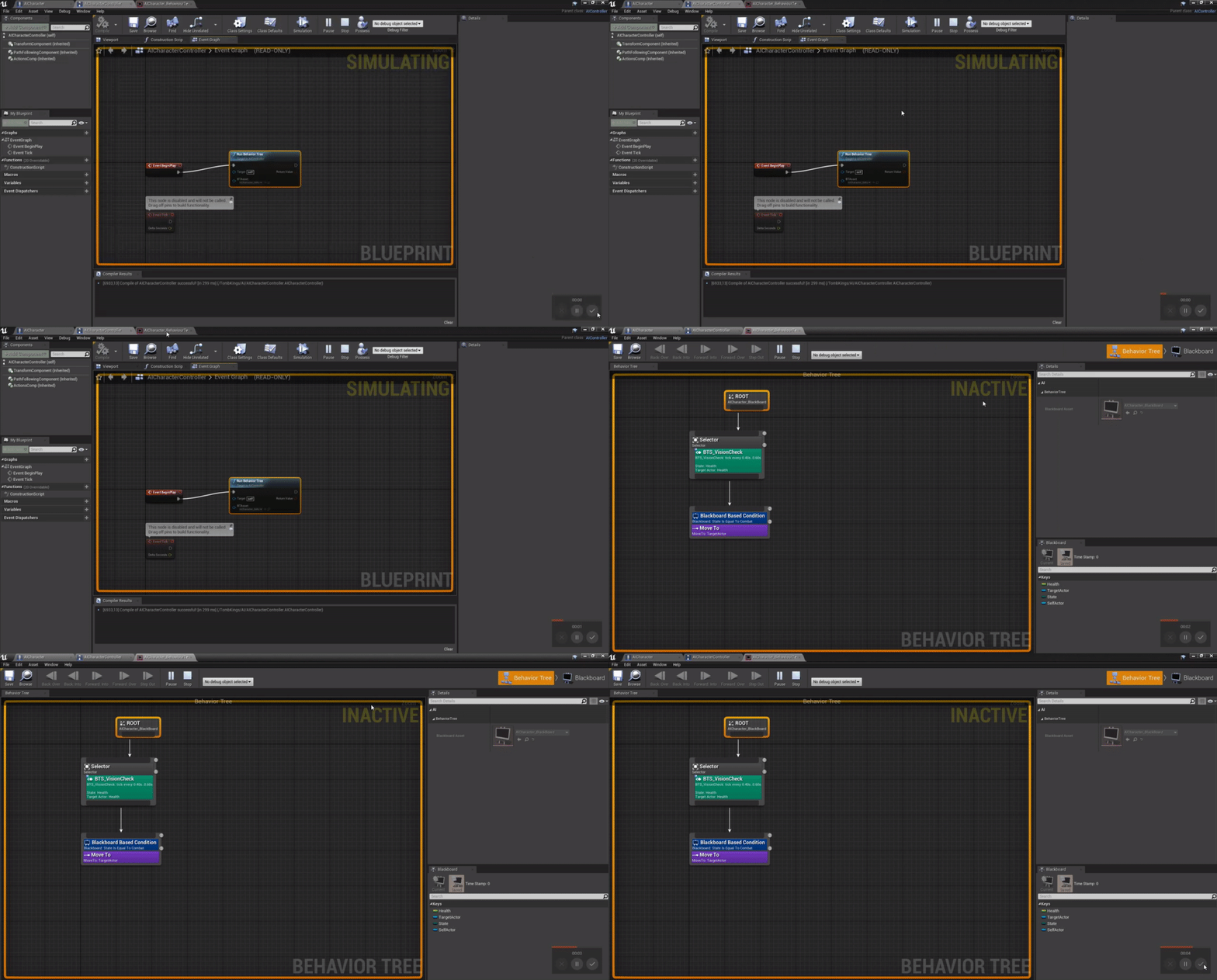
 viscid oasis
The AI MoveTo doesn't seem to take into account the size of the actor.
Though it does accept a paramatrized Acceptable, but that's blocked out.
 distant cedar
this is my ai blueprint
i followed a tutorial but when he plugged the behavior tree node he didnt get any erros i got one saying i need a target
so i gave it a target
and whhy is it not working
i dont get any errors but they just wont move
distant cedar
how do i confirm it
distant cedar
alrithy
viscid oasis
Do many people re-write the AI MoveTo function? I'
m finding it's a bit weak. Makes some odd choices.
Also if I do a 'MoveTo' actor, it approaches it from the strangest angle everything.
 jolly coral
also you can take a look to the top down template
and there is an useful function on Controller to get position behind cursor
if your issue come from the line trace
viscid oasis
I'll check it out, Jack, but I don't think that's specifically my issue.
Never hurts to check though
jolly coral
if this didn't solve your issue even if the hit location is correct, maybe the native path finding didn't work properly with your game
viscid oasis
yeah I'm going to look into that a bit more now. I think there's something to it. For example, a lot of my pawns (RTS) get stuck running into each other when heading towards a target
Easy solution is to make them not collide, but they should know to avoid each other as they're set to dynamic navigation (or whatever it's referred to as).
viscid oasis
gah, EQS is still a dark art to me.
 keen furnace
@viscid oasis to make them not collide while pathing use RVO or detour for easy fix