#gameplay-ai
1 messages · Page 121 of 1
 jaunty peak
 lyric flint
o thats a nice thing
lyric flint
How can i set a timer in my behavior tree or in my ai controller where if the enemy doesnt see the player, it generates a random time and then plays a sound?
 patent hornet
overlaps with what?
lyric flint
overlaps itself
patent hornet
then your sound is too long, or your wait is too short, or you're maybe doing something else wrong
lyric flint
I have an issue https://gyazo.com/d358c03fc3b96d1292fc8e89e00433a5

My sound overlaps itself
patent hornet
the answer i gave you was specific to behavior tree
lyric flint
ok
 sullen escarp
Have a Blackboard boolean TargetVisible that gets set via a service, then in some part of your tree have a Selector that branches, check if it's true then do that behavior but also mark it to Abort on change since the other branch will have a Sequence with a delay and then play sound.
 sharp notch
Has anyone else messed around with using float curves for EQS scoring?
Here's what I did:
Just wondering if that's something that anyone else might have any warnings about. It seems significantly more powerful than any of the equations given out-of-the-box with minimal overhead.
lyric flint
@rustic nova Hi, if you don't mind me asking, could you elaborate what would be a reason to need a tick on a decorator? I'm trying to think of one, and I'm drawing a blank 🙂 I can come up only with explanation for tick on task 🙂
 pine steeple
so decorators carry on checking
whilst the stuff below them is running
for any changes, tick can be used to do certain other checks, but tbh, i never have used it
i use services for data grabbing, decorators for checking if we can enter a node/branch, tasks for actually doing stuff
lyric flint
That's my problem, with the dependency of sequences: if the service runs twice a second, what would be the reason to have a decorator child running every tick?
as an example
pine steeple
pointless, and i am sure decorators don't tick by default?
lyric flint
I have to test it, I'm actually not sure 🙂
 rustic nova
@lyric flint I want an AI to stop chasing a target once it is too far. So I have a decorator which checks the distance then aborts the subtree which is responsible for moving and attacking. I don't actually need it every tick, but I mainly wanted to know how to use the C++ decorator while the BT is executing a subtree node. Figured out that blueprint decorators have very different behaviour than C++ decorators, if you have a look at the class BTDecorator_BlueprintBase there is quite a bit of logic in there. And the BP decorators will call their PerformConditionCheck every tick if you have defined one.
lyric flint
@rustic nova I understand what you mean. Thank you for taking the time to explain!
lyric flint
@midnight galleon yes its going in the door
 midnight galleon
@lyric flint might pay to repost the question here im not an ai guy sadly.
can i see the nav mesh and the door?
have you changed the collision of the door?
is it a blueprint door or a mesh?
lyric flint

blueprint
the collision is the same
I just added a box collider to it
@midnight galleon
whatever
midnight galleon
Sorry going through engine hitches
is the door intersecting the ground?
other than that im not sure, maybe you need to change a collision setting on the mesh within your BP
repost question here if that's not the cause, sorry dude not an ai guy
doubt theres a setting in your nav components to fix this
just some simple interaction with your mesh and the nav mesh
lyric flint
I just decided to just screw it and take the doors off
lyric flint
@lyric flint Absolutely, a behavior tree would be very useful in this scenario ( follow-up from the #blueprint )
as FYI, I do all my logic in C++, But simple built-in tasks/decorators would work either way
but how would i do that?
I would recommend to take a look at the behavior tree for the goblin NPC Implementation from the Action RPG template free from epic marketplace
do i have to download the project?
It should help you get a better grasp of how blackboards entries are used and how behavior trees are evaluated
yes, it's free on the epic marketplace
ok thank you my good man
appreciate it
Don't thank me, thank the epic creators for making that project available, it's been one of the best learning experiences for me ! 😄 @lyric flint
so that really helped you with bts?
@lyric flint After installing the action RPG project, look for BT_NPC and studied to your hearts content
I went through the trouble of converting all the blueprints from this project to C++ as a learning exercise and thought experiment, and it was absolutely amazing the entire experience.
i cant find the project
I keep repeating this statement left and right to any channel I have a chance to, I'm so happy I've done it, I can recommend it wholeheartedly to anyone, for anything, ( except multiplayer )
one sec

Do you want to know more about how to make a high-end mobile game for Unreal Engine 4 (UE4) that can be deployed to both Android and iOS? Learn this and more in the Action RPG sample.
Licensed for Use Only with Unreal Engine-based Products
It covers all the systems but multiplayer: UMG, AI, GAS, Blueprints, C++, etc.
 stark zealot
Everyone keeps asking me how to make simple zombie ai enemies able to jump up and down off of things in a level. What's a good response? Nav Link Proxies?
 wide mirage
lyric flint
wide mirage
lyric flint
first the flow control was on none, so the ai find me go to my last seen vector location, after that he plays dumb again and go again to a random location, in flow control i changed the observer aborts and now the ai follow me like i want, i dont know why this solved my problem, please tell me what changed when i abort both both ?
pine steeple
@stark zealot you would use navlinks
if you want "call of duty" zombies style
as zombies drop down from pre-determined points
lyric flint
Just a random share, I don't know the reason why, but I'm glad I learned the right way :-)
BAD OwnerController->GetBlackboardComponent()->GetValue<UBlackboardKeyType_Object>(Target.GetSelectedKeyID()); nullptr
GOOD OwnerController->GetBlackboardComponent()->GetValueAsObject(Target.SelectedKeyName); OK
pine steeple
i use the bottom one
never used the first one
also ensure you use set nodes to create instance
unless you don't mind them being shared (ie, they don't keep state or you store state in the memory uint8 pointer)
lyric flint
The engine keeps crashing when i do a composite generator in EQS 😢
ensure you use set nodes to create instance
@pine steeple Something I should do in C++? if yes, how would an example look like? Thanks!
pine steeple
bCreateNodeInstance in constructor
lyric flint
In EQS what is the point of doing multiple generators from the root? seems that it only works for the first that is created. Is this something that it is what it is and they will fix in the future or is it an intended feature that i am just not able to make work?
lyric flint
@pine steeple Clarification question. In my tree, none of the custom nodes, of any type, inherit from their blueprints counterparts, but straight from their C++ ones (e.g. not from UBTTask_BlueprintBase but from UBTTaskNode). Do I still need to consider bCreateNodeInstance ? Thanks!
lyric flint
Perfect, thank you!
lyric flint
What can i do to learn about blackboard entries more?
patent hornet
WTF is? videos are pretty thorough
jaunty peak
https://www.youtube.com/channel/UCOVfF7PfLbRdVEm0hONTrNQ
https://www.youtube.com/playlist?list=PL4G2bSPE_8ukuajpXPlAE47Yez7EAyKMu

YouTube
This channel is dedicated to exploring Unreal Engine 4 and the Blueprint programming language that it uses. You can think of it as a companion to the API doc...

YouTube
lyric flint
Thank you
lyric flint
I don't know whether to use ai perception or pawn sensing. Every time I try to make the simplest game, it blows up in my face
jaunty peak
Pawn Sensing is depreciated now (no longer worked on) AI Perception is the more recent version of AI.
lyric flint
How can I make my ai open multiple doors? I tried get all actors and then for each but it still only works with one
 shy atlas
Is anyone free to help with some AI issues?
lyric flint
@shy atlas I'm here
shy atlas
Awesome
So couple bugs
Not sure why
The AI only wants to move when I jump
also I want to simulate physics on this AI and that obviously does not work
lyric flint
I don't have an answer for physics. But for moving Only when jumping, I'm guessing there is a bool being inadvertently set On your blackboard, assuming you are using one
shy atlas
No bools
I might just create the AI via blueprints
I hate using event tick tho
any suggestions?
lyric flint
To be honest, in your particular type of game, I don't see a need to actually use behavior trees
Occam's razor would suggest that the simplest solution most likely correct
lyric flint
so SimpleMoveToLocation would perhaps work better for what you need
shy atlas
Yeah, let me see what the bp type is
lyric flint
Or believe it or not a LERP On tick When used judiciously can do wonders 🙂
shy atlas
LERP?
lyric flint
Linear interpolation, basically move at the same rate from point A to point B
it's the simplest type of move
from vector to vector
you don't need AI or a nav mesh
shy atlas
hmm
lyric flint
e.g. SetActorLocation(FMath::VInterpConstantTo(vCharacter, vNode, DeltaSeconds, nSpeed));
The variables used in this method are: source, destination, rate, speed
DeltaSeconds is Tick
I'm not saying that this is Necessarily your best solution, But it's one of the multiple ways available to move from a to B 🙂
lyric flint
But your project is physics-based, right? or do you have non-physics mechanics as well?and if yes, which actors are physics-based and which ones are not?
lyric flint
if all the actors are physics-based, I'm thinking maybe AddImpulse Should be the only thing required or something like that?
shy atlas
Add impulse is used for like jumping
lyric flint
I'm just trying to understand the reason why you would need a fancy AI
shy atlas
or 1 time things
Well its not fancy per say
but it needs physics due to the gameplay style
this is another ball
lyric flint
If you can tell me the relationship between NPC and player
shy atlas
Alright, ill try to cover it
So I have a ball
that is the character
A and D move the ball
W to jump
There is another ball, the ai
I want it to move towards the character and try to hit the character
This ball will have spikes
so if it hits the character it will do damage
it also needs to push the character back
and the ai will have less mass
so it can be moved my the player
Does that make more sense?
lyric flint
Yes, I don't think you need AI at all. SetActorLocation(FMath::VInterpConstantTo( should work on tick of your NPC ball. And together with physics and maybe collision checking ( for the spikes ), Should work fine. Without any extra complications
I don't see SetActorLocation And physics being mutually exclusive
but I don't know physics 🙂
shy atlas
lyric flint
Assuming that SimpleMoveToLocation really just does nothing, SetActorLocation(FMath::VInterpConstantTo( Can be tried as a fallback alternative, at least as a test, so you can scientifically exclude it as viable 🙂
That's the one!
I think 😄
shy atlas
Hmm, we can see xD
lyric flint
you know me and blueprints
lyric flint
it's the simplest form of move
I used it here
You see how the NPC moves out of the way when he gets hit by the character
Nothing but good old SetActorLocation(FMath::VInterpConstantTo(
shy atlas
Gotcha
lyric flint
Should work perfectly on flat even surfaces
shy atlas
lyric flint
Seems correct, but I know how to read only C++ 😄
press the play button, and see how it goes
shy atlas
I mean no errors, but this wont move lol
lyric flint
Couple of things you can do, add some print strings messages
make sure that the player and the npc location is actually get properly
even though it would flood your view with messages on tick
shy atlas
Seems to be casting fine
lyric flint
but just for your own sanity check
shy atlas
It's just that its not moving because event tick never actually calls it
there is no call ability
lyric flint
just print up location to string of both balls
shy atlas
I'm honestly not sure how its used
lyric flint
I don't know what that is
shy atlas
Yeah, so far its not moving
lyric flint
if the breakpoint is being hit, your tick works
two different things
- let's ensure tick works
- Lets vector to string message for player and AI ball locations
Then we regroup
that white arrow means that after the current command is being executed move to the next
I think
shy atlas
1 moment
lyric flint
Side note, half of my development in unreal is printing messages 😄
because I learned the hard way what I think is real and what unreal engine thinks is real are two different things 🙂
lyric flint
Yay!!!
shy atlas
Can you make sense of these blueprints?
I know you dont use them
I can explain if you want
lyric flint
first functionality then performance. It works. It just works! 😄
shy atlas
xD right?
lyric flint
I wouldn't worry about it, it looks legit to me, this approach you just showed me
shy atlas
Yeah, its not awful its not gonna break or anything
lyric flint
it may not be as scalable and performant with 200 balls , but 2 ok
shy atlas
However its sorta limited
without adding a lot to it
I'm sure there is a better method
I'll need to talk to some people tomorrow and see if anyone knows anything
lyric flint
Keep asking, someone smarter than me would provide a better way 🙂
lyric flint
I politely disagree, but I accept 🙂
shy atlas
Haha, I guess we agree to disagree
Check this out
My method for checking is in air
lyric flint
Looks fine, I used a similar method for a view cone
I forgot, it may not play, regardless, your method looks legit
shy atlas
Thanks
It took me a bit to come up with
Tbh I'm just happy I'm finally getting the hang of this
With some help it seems I can actually come up with viable solutions to my problems
They aren't the most ideal but it works
lyric flint
@lyric flint I'm sorry for the late reply, but in the action RPG template behavior tree there is an EQS Example that you can study, In case it helps, e.g.
lyric flint
@lyric flint that was not what i was talking about what i mean is that from the root of the EQS you can make two pathing grids, or a pathing grid and something else, but as far as i can tell it has no use since it only takes the first, and i was just double checking if that was really the case
stark zealot
Is there a way to make AI jump up and down off of ledges without having to place nav link proxies? I know about nav links but what if you had a very large level and just wanted the AI to "think" for themselves and climb up/down?
 glossy flame
how can i make an aicontroller obey the charactermovement braking deceleration when using "move to" in the behavior tree?
sullen escarp
@lyric flint If you want to use multiple generators then you have to use Composite, linking individual nodes like a behavior tree doesn't work.
lyric flint
@sullen escarp the composite never seems to work very well (either does not or crashes the engine for me)
sullen escarp
EQS is "experimental" might be the reason  When I use composites I usually set them up with basic settings before connecting it to the root.
lyric flint
Maybe i am just doing it wrong, i was trying normal grid + all actors of class, and i either get one or the other but never both to work
sullen escarp
@stark zealot Check out PositionGenerator on marketplace, it's all BP and auto grabs corners of meshes and calculates cover spots. Could maybe massage the BP or make your own Blutility in the same vein that grabs ledges and adds Nav Links https://www.unrealengine.com/marketplace/en-US/product/position-generator-for-ai
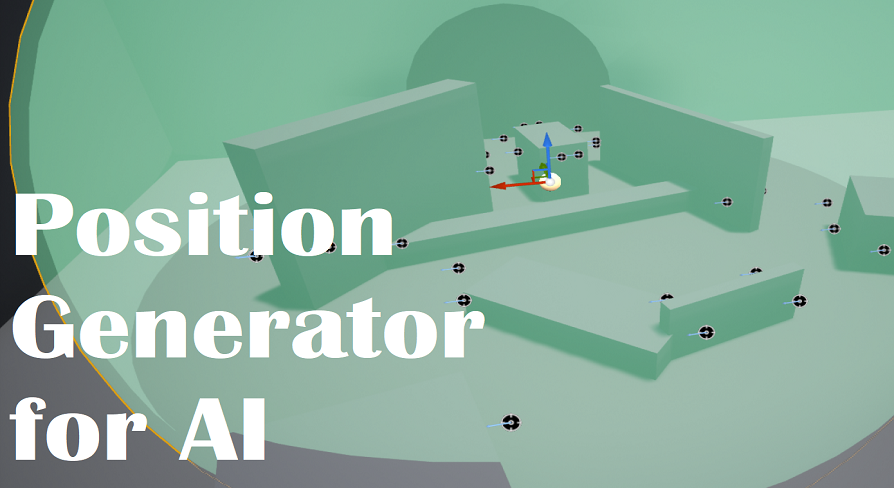
This is just one blueprint that works in editor mode, designed to calculate and set positions for bots.
 amber sparrow
is there a built-in way in AIController, when the focus is set on another actor, to update the pawn rotation not instantly?
 gilded tree
How do you move an AI with root motion without having it reset its location after the animation is complete? I.e a wolf jumping forward to bite.
 midnight quartz
Anyone having issues with crashes or Ai Actor falling through world when Ai is moving small amounts in 4.24.X using MoveTo Behavior Tree Task or Ai Move To BP Node? 🤔
 dreamy sandal
Is there a way to make AI jump up and down off of ledges without having to place nav link proxies? I know about nav links but what if you had a very large level and just wanted the AI to "think" for themselves and climb up/down?
@stark zealot i think you'd have to temporarily sidestep (or modify) the pathfinding/nav mesh bounds system to achieve this. i've yet to dig very deeply into the path following code, but from the time i've spent in there it seems that by the time the movement component is able to takeover, the path has been chosen.
what you might be able to get away with is teaching your AI to "perceive" these areas, and check if jumping down / scaling up would be beneficial. this would be some work though - probably more than just maintaining nav links
is there a built-in way in AIController, when the focus is set on another actor, to update the pawn rotation not instantly?
@amber sparrow Are you using theCharacterMovementComponent? There's aRotationRateproperty in that header, that may help you. i'm not too familiar with character AI, i've been working exclusively with vehicles (where theMoveTo...implementation is completely custom).
Anyone having issues with crashes or Ai Actor falling through world when Ai is moving small amounts in 4.24.X using MoveTo Behavior Tree Task or Ai Move To BP Node? 🤔
@midnight quartz i'm on a fork of 4.20.3, so i can't speak to issues with the specific version, but i have dealt with physics actors falling through the landscape and have some workarounds if you think that might help. i suspect it's not quite relevant to your situation though...
midnight quartz
@dreamy sandal Thanks for the reply. I'll keep that in mind if I can't figure it out "soonish". 👍
dreamy sandal
I encountered something interesting today regarding the AIController::MoveTo() behavior. I noticed that the AI can locate and move to Actors whose GetActorLocation().Z value is almost exactly the same as the location where the NavMeshBoundsVolume intersects the Landscape. If the Actor is above or below, a path can't be found.
I tried ProjectPointToNavigation to no avail, and ultimately implemented a GetActorLocationForNavMesh(), which subtracts the radius from the GetActorLocation().Z. I'll replace this with a proper projection if I can't get the build-in projection working.
Does anyone know of a way to increase the range allowed of Z values for a NavMeshBoundsVolume?
It's already scaled up to appear to consider airborne or bouncing objects, but does not do so when pathfinding.
@dreamy sandal Thanks for the reply. I'll keep that in mind if I can't figure it out "soonish". 👍
@midnight quartz something else that just occurred to me: you can find this at the top ofUCharacterMovementComponent::RequestDirectMove:
    if (MoveVelocity.SizeSquared() < KINDA_SMALL_NUMBER)
    {
        return;
    }
which is to say, small movements are ignored. are you using the Character or some custom MovementComp?
midnight quartz
@dreamy sandal Custom MovementComp. I haven't looked at that part yet. Still trying to rule out everything else this just started happening after upgrading to 4.24.2, or at least that's when the crashes started. So it's either 4.24.2 or something else that I've done. 🙂
amber sparrow
@amber sparrow Are you using the
CharacterMovementComponent? There's aRotationRateproperty in that header, that may help you. i'm not too familiar with character AI, i've been working exclusively with vehicles (where theMoveTo...implementation is completely custom).
@dreamy sandal Thanks. I was indeed hoping to find something in the AIController which would make use of that property. But there is none. I ended up doing what UCharacterMovementComponent::PhysicsRotation does, but in AMyEnemy::FaceRotation, which is called by the controller when the focus is set
lyric flint
Ok guys i have a question, so i have two composites, one for the enemy cannot see the player, on which he roams around and talks to the player, and one where he chases. Now, I have a closet the player can hide in, and when the player sees me go in, i want him to KNOW I did, how can i do that?
right now, he just roams again when i go in
This is my tree
stark zealot
Thanks guys for the help and ideas @dreamy sandal @sullen escarp
shy atlas
Could some lend me a hand with my ai? Just want to improve it, even re-write if needed.
Atm it works, its pretty simple but imagine there are some things I can do to improve it.
Here is check is in air function
 quasi knoll
Straight away, there is a built in function on the character movement component called "is falling" so manually making one is not necessary @shy atlas
shy atlas
@quasi knoll Yeah, thats is a really nice feature, sadly for my specific needs I can't use a character. So I don't have is falling.
I should also note I'm simulating physics
Which is partially why I have to move the character this way. I also don't like to use event tick, so if I can find a way around that I will.
jaunty peak
What is it that's falling?
 feral jasper
any kind soul willing to recompile BTUtilityPlugin for 4.24?
pine steeple
whats the errors?
 subtle shoal
Is it possible to modify the tickrate of a Behaviour tree?
lyric flint
@subtle shoal I'm not sure I understand your question 😦 Regardless, you can have a service on top of your tree running at whatever interval you want...If you don't mind me asking, what would be a reason to modify the tick rate? Worse comes to worse, use % Modulo on the current tick 😄
subtle shoal
Getting pretty heavy performance hits if I have 40+ AI, and I'm trying to optimize that a bit.
Most of the operations that hit are the move-to nodes, and I've gotten performance gains in other games I've made where I updated movement once every .1f seconds, rather than every ~.016 seconds
lyric flint
40+ Independent AI? no way to crowd them somehow?
subtle shoal
I'll look into it, but I've not used crowd AI before.
lyric flint
It should definitely help with the MoveTo stuff 🙂
subtle shoal
Thanks for the advice, do you have any particular resources you'd recommend for crowd AI?
pine steeple
@subtle shoal how many times are you calling moveto?
calling it constantly is terrible
subtle shoal
It was being called every BT tick.
pine steeple
why?
subtle shoal
I put it on the service node, now telling it up update ever .8 seconds
subtle shoal
was still learning AI when this was written, this is decently old code
pine steeple
should def not be calling moveto
every .8 seconds
even that is bad
it should only be called when the path has failed/finished
subtle shoal
what would you suggest for AI that need a chase behavior, for instance Zombies in L4D2?
pine steeple
get your target, and have it goal track the player
let me show you
this is quite complex

let me get a simpler one
man none of mine are simple
lol
subtle shoal
Hahah
lyric flint
 subtle shoal
I'd imagine if you want to let it choose a new target, IE multiplayer game, you'd allow it to check for a new target, and then potentially break the movement tracking and go for the new target?
pine steeple
my ai use aggro
generated using Perception component
i have a service that pulls the chosen attack target from controller
lyric flint
Mine use distance
pine steeple
and sets a BB key

like this is my Root BT
that all other BT's are injected into
subtle shoal
Huh, I'm curious, do you have any videos of your AI in action? Looks super cool, super complicated.
pine steeple
sure
lyric flint
@subtle shoal An example of a service that checks for the nearest target in C++
    ARPGAIController* OwnerController = Cast<ARPGAIController>(OwnerComp.GetOwner());

    if (OwnerController)
    {
        const UBlackboardComponent* BlackboardComponent = OwnerComp.GetBlackboardComponent();

        ControlledActor = OwnerController->GetPawn();
        bool bPlayer = ControlledActor->ActorHasTag(TEXT("Player"));

        TArray<AActor*>& Actors = *(new TArray<AActor*>());
        if (bPlayer) //look for Enemies
        {
            UGameplayStatics::GetAllActorsWithTag(this, FName(TEXT("Enemy")), Actors);
        }
        else //look for player
        {
            UGameplayStatics::GetAllActorsWithTag(this, FName(TEXT("Player")), Actors);
        }

        for (AActor* actor : Actors)
        {
            if (IsValidAndAlive(actor))
            {
                if (ControlledActor->GetDistanceTo(actor) < ClosestDistance)
                {
                    ClosestDistance = ControlledActor->GetDistanceTo(actor);
                    OwnerController->GetBlackboardComponent()->SetValueAsObject(TargetToFollow.SelectedKeyName, actor);
                }
            }
        }

        OwnerController->GetBlackboardComponent()->SetValueAsFloat(DistToTarget.SelectedKeyName, ClosestDistance);
}```Would this still be a slow operation? > UGameplayStatics::GetAllActorsWithTag(this, FName(TEXT("Enemy")), Actors);
I'm curious since I've never used the Gameplay Tags system, sorry, I know thats missing the point
subtle shoal
Honestly what I'm doing, I store all the player controllers in the GameMode, then, since AI are server run, I just have them get the controllers from the game mode, get the respective pawns, and then find the closest one.
The AI have no reason to not always be aware of where the player is located, and it seems like it'd be the cheapest way to hold the references.
pine steeple
yeah if you have all the controllers
then just iterate them
find closest, and move
subtle shoal
I'll probably just tell the service to check for a new target every 5 seconds, then re-run the MoveTo after 5 seconds, and oc have continuous tracking on.
That seems like a decently middle line approach.
patent hornet
those tags are not FGameplayTags, just Actor tags tho
that the GetAllActors returns
pine steeple
TArray<AActor*>& Actors = (new TArray<AActor>()); < why?
lyric flint
Because I suck, and I don't use your methods 😄
lyric flint
Honestly, I don't remember, I copy pasted it from somewhere long time ago and out of habit kept repeating the pattern
pine steeple
also for optimal
make a AIManager or something
get enemies/players to register with it
then you have a much quicker loops
without getting ALL actors
lyric flint
Great idea! thank you!
I was hoping for a comment on the random ClosestDistance = 99999997952.f; I shamelessly copied the value from Action RPG template. I still don't know why INT_MAX or something wasn't actually used instead of this random number 😄
subtle shoal
Tbh, I'd honestly probably do a -1f var, and then you check to see If Dist < ClosestDist || Clostest Dist <=-1
lyric flint
I sometimes get lost in copy pasting 🙂
subtle shoal
Hahah, fair enough
Side note, tomorrow is my last day teaching, and I'm excited :)
(Obviously I don't teach AI)
rustic nova
You can also use TNumericLimits<float>::Max(). Not sure why they used that float, perhaps they are the same value?
rustic nova
Should have known there was a macro for that lol
They do use the numeric limits quite a bit in the source code though, not sure what the difference is
pine steeple
it depends on the system
MAX_FLT is pretty generic and is fine for distance checking
its used a lot for that in engine code
also i prefer to use DistanceSquared
its cheaper than Distance
ControlledActor->GetSquaredDistanceTo(actor) < (ClosestDistance * ClosestDistance)
is cheaper than ControlledActor->GetDistanceTo(actor) < ClosestDistance
SquareRoot is expensive
subtle shoal
Not quite sure why, but after doing this, if I kill a massive group of AI at once, it crashes the game.
If I remove the node, then it works fine.
pine steeple
why you doing that for
subtle shoal
Creating that task?
subtle shoal
If I try to use the engine default one, it doesn't let me select the proper actor
subtle shoal
They're both object types.
pine steeple
right, but you need to set it as Actor
subtle shoal
huh, okay.
pine steeple
cause it has some nice benefits
lyric flint
I love this so much TargetToFollow.AddObjectFilter(this, GET_MEMBER_NAME_CHECKED(UBTService_FindNearestTarget, TargetToFollow), AActor::StaticClass());
subtle shoal
Specifically this way, yes?
pine steeple
yes
lyric flint
@subtle shoal AddObjectFilter Also helps trimming, Just a thing to consider
lyric flint
is there a way to let the Ai stay around hes spawning point or without leaving hes EnemyTerrain ?
i dont want a make a game were the enemy's villager wander around and farm my fruit and then go back to hes own base, only a noob would think this game is to hard then xD
@lyric flint Assuming I understand what you're looking for, you may want to look into the concept of AI Rubberband . This basically says that AI can wonder around a target point randomly and freely but not exceeding a certain radius. If the distance to wonder is greater than the rubber band limit, a task should kick in to force the NPC to head back to its home base, so to speak
thanks AD ! thats what i want yes
That's all you need to do. Have your blackboard with a vector-based key that is the rubber band home
have your NPC Get a random destination in a radius. Check the destination distance to the rubber band home not to exceed what ever limit. If it doesn't, move the NPC to the new random point. If it does, try again @lyric flint
thanks !
going to do that now
👍
I'm going for some shut eye, it's late now here in China 🙂
 wary ivy
I'm confused, wasn't one of the AI sensory systems deprecated?
so what's the deal with AI sensing components and AI perception components?
jaunty peak
Pawn sensing is depreciated
 simple crest
pawn sensing is like 6 years old and AI Perception is like 5 years old, pick your poison 
wary ivy
fine I'll ask here since Hojo said so 😛
what's the deal with AIController's getter for the ai perception component?
how does the component get set?
simple crest
the default AAIController class is hard-coded to look for an AI Perception component attached to it on startup simply using FindComponentByClass, if there is one it will simply cache the pointer to it, and that is simply a convenient way to access it (instead of doing a FindComponent on the AI Controller actor yourself)
simple crest
it's just a convenience getter in case you do use AI Perception component (they're probably assuming 99% of users will)
np
wary ivy
at first I thought I'll just need to add it to the pawn and then the ai controller somehow gets a reference to that
simple crest
nah, any good tutorial or documentation reference should be telling you to add the perception component to the controller not the pawn. there are some use cases where it might make sense to add it to the pawn, but generally you're thinking of the AI Controller similar to a human - e.g. it's the human (PlayerController) that sees things, not the character (Pawn)
the AI Controller is the brain and memory and vision and all that
simple crest
(and sorry for telling you to go back here but the way you worded the question at first seemed more general in nature, plus cpp is always busier than here 😄 )
wary ivy
too many channels with overlapping topics :\
it's hard to pick, at work we have a similar problem with slack
well, actually there the problem is that we have too many too specific channels and it sort of balkanizes discussions here and there
jaunty peak
think of the AI Controller being the brain, BTs are the thoughts
lyric flint
Can you have special characters in blackboard variables?
jaunty peak
As a rule I avoid any non alphanumeric characters
 worldly mural
I'm trying to use the AI MoveTo node but the AI constantly fails the move even though it looks like it goes to its location. The output On Fail is executed and the Movement Result is Blocked even though like I said, not only is nothing blocking it, but it looks like it does arrive to its location
more debugging shows that it arrives at its location:
worldly mural
I fixed it by using the Move To Location or Actor instead
Next time I will use the Visual Logger if I get issues, thanks
lyric flint
Hi, im trying to learn how the Parent/Child work with AI, does anyone know a good video, where it explains, what the parent should have?
 reef birch
is anyone out here with some experience regarding EQS. im trying to setup a method that detects closest target near querries, but for 1 dark reason it doesnt use 0 - 1 value but the actual distance.
what do i need to set to make it a 0 - 1 value
jaunty peak
You should be able to score it, based on whatever criteria you ask it.
reef birch
@jaunty peak seems i gotta do more tutorials see how that scoring works, since it does detect what it needs to detect,
 tulip shale
is there any standard/acceptable to get ai to move as a group/in formation? ive thought of a couple things to try but i havent really done much with it yet. just curious before i start hacking my crappy stuff together
 gaunt ermine
Hi.
Do anyone have a suggestion? I have a NPC Pawn with a AI controller. I'm not using a character but I need the behavior tree to do move to. Before it worked because move to used the character movement controller. I would like to do similiar.
jaunty peak
I'm sure there is a generic BP node something like 'move actor to' kinda thing, which doesn't need a nav mesh. I might be remembering wrongly though.
gaunt ermine
@jaunty peak I will look.
I tried this with no luck. https://blueprintue.com/blueprint/sg0ks1o3/
BlueprintUE
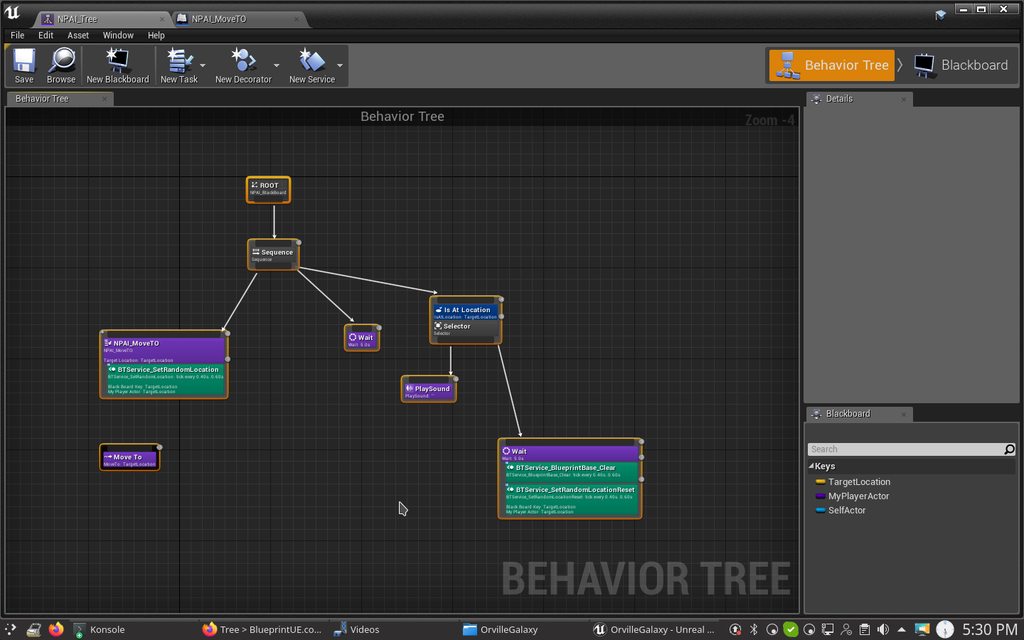
BlueprintUE
Hmmm
jaunty peak
my bad, I was probably thinking of "Simple Move to Location", rather than "Move to Location" (unchecking context sensitive)
gaunt ermine
Ok
 main heart
Has anyone tried reinforcement learning for NPC in the engine (eg for combat)? Any reference would be great. Currently I am reading https://arxiv.org/pdf/1806.05117.pdf and it seems it is possible to do so.
lyric flint
@main heart There is a QLearning on marketplace https://www.unrealengine.com/marketplace/en-US/product/artificial-intelligence-q-learning
the closest I got to faking it was RPG tactical combat similar to Dragon Age Origins from Bioware, but that just uses tactic tables and some randomness for tie-breaking, although it's pretty believable :-)
the other day I was also reading https://www.tomlooman.com/journey-into-utility-ai-ue4/ which was a pretty good read, especially because I dabbled in reverse engineering Bethesda's Skyrim NPCs, which use a pretty believable utility AI implementation.

Endow NPCs and other autonomous agents with the ability to acquire new behavior through reinforcement learning – an algorithmic approach to decision making that mimics the way humans and other animals learn

Utility AI is a powerful alternative to Unreal's Behavior Trees and Black boards. In this first entry we dive into the core concept and implementation.
lyric flint
Hey guy's, I have a newbie question. I've made an AI that's the classic patrolling = see player = chase player = attack player. But I was wondering if it's possible to play a sound/music when the AI sees the player? I've tried inputing a play sound function in the behaviour tree, but that just repeats over and over everytime it sees me and is done attacking. Any suggestions?
 grim bramble
sounds like you need to implement a bool that tracks whether the AI is aggroed or not
feral jasper
anyone ported that utility AI plugin to 4.24?
jaunty peak
got a link to MP ?
 wet valve
Hi, question guys what is the proper way to populate a level with a.i is it with a spawner or place by hand around the level, thanks
pine steeple
depends on your game, there is no "proper" way
do you need to spawn them, or are they always in the same location?
 potent steeple
So my question also relates to anim bps but fits more here: how can I have an AI slow to a stop rather than stopping abruptly? Accelerating is as easy as changing the value in character movement component, but deceleration doesn't work that way (for reasons I understand). This causes an ugly sudden transition in the anim state, so how can I solve this issue?
 fallow hound
are there build in async path finding functions?
I see TestPathSync
looking for the same as async
 alpine path
What is best practice to save/load AIController?
 vast sphinx
any advice about loading precomputed navmesh with streaming levels?
 hasty lake
HEy guys, i've made a waypoint system, and i'm trying to do some ai, i've implemented some dijkstra to do some pathfainding, but i'm wondering if there's something better in the engine already (for pathfinding on a group of actors)?
vast sphinx
that's what navmesh is for but it seems really broken
hasty lake
Can i use waypoints, like, custom objects to define points to move to? also i would need to define custom data and relationships on those objects. @vast sphinx
lyric flint
@hasty lake You answered your own question: custom objects 😄
but you can use TargetPoint for convenience
hasty lake
@lyric flint is that a no?
lyric flint
but as I mentioned, nothing stops you to use your own custom objects
that's a yes
all objects in its simplest basic low-level form are collections of data.
You organize the data how you see fit
what you call waypoint, unreal calls targetpoint. Same thing
an arbitrary marker to set an arbitrary move
hasty lake
thanks, makes sense, the waypoints/targetpoints do have some connection rules (eg they connect only to specifics ones) my challenge would be if i want to move near to certain points, which targetpoints do i need to traverse.
lyric flint
you probably need to implement your own custom mapping
such as Dijkstra or A* Or whatever custom mapping, if you need
You can for example inherit your custom target From the existing target point and add a neighbors array
and keep track like that
e.g.
hasty lake
oh i see, so there's no generic pathfinding in place (which was what i was looking for). cool makes sense. ill search some info. thanks 🙂
lyric flint
There is a pathfinding that uses navmesh Already available
hasty lake
i see but that relies on physical representation, not on the custom connections right?
lyric flint
if your design requires navmesh, sure, you can drop a target point in your level, and tell your controller to move to actor
hasty lake
maybe i should look if i can extend a target point
lyric flint
you definitely can
I don't know your design, so I don't know what is the purpose of these waypoints in your project
In the end they are just arbitrary Markers, you can reach them, that is their world's location Through various types of move
Unreal engine comes with several methods for moving, out of the box
hasty lake
I see, thanks. ill try to look more into it.
 modern owl
How do I enable this Parameterized acceptable radius in the "Is At Location" task?
https://gyazo.com/275a85a053d6457f09dc349aadcc5ba5
 lyric flint
how can i play a sound ONCE and then when a blackboard bool gets set, reset it?
@lyric flint You can set on service, get on decorator, play on task, the sounds also have getduration
can you give me an example?
the playsound task overlaps the sound cue
the sound cue overlaps itself
@lyric flint What do you mean? By design or by accident? 🙂
accident
 pallid mica
Has anyone exposed stuff like Structs or Actor pointers as params for EQS queries?
sullen escarp
Make a custom Context https://docs.unrealengine.com/en-US/Engine/ArtificialIntelligence/EQS/EQSNodeReference/EQSNodeReferenceContexts/index.html or use BlackBoard Keys as query params
Describes how Contexts are used within Tests and Generators in the EQS system.
 honest whale
Anybody else having issues generating NavMeshes with 4.24.2? Seems like my previous nav meshes wont work, and trying to gen new ones does 0 work
(i.e. the Task finishes immediately)
wet valve
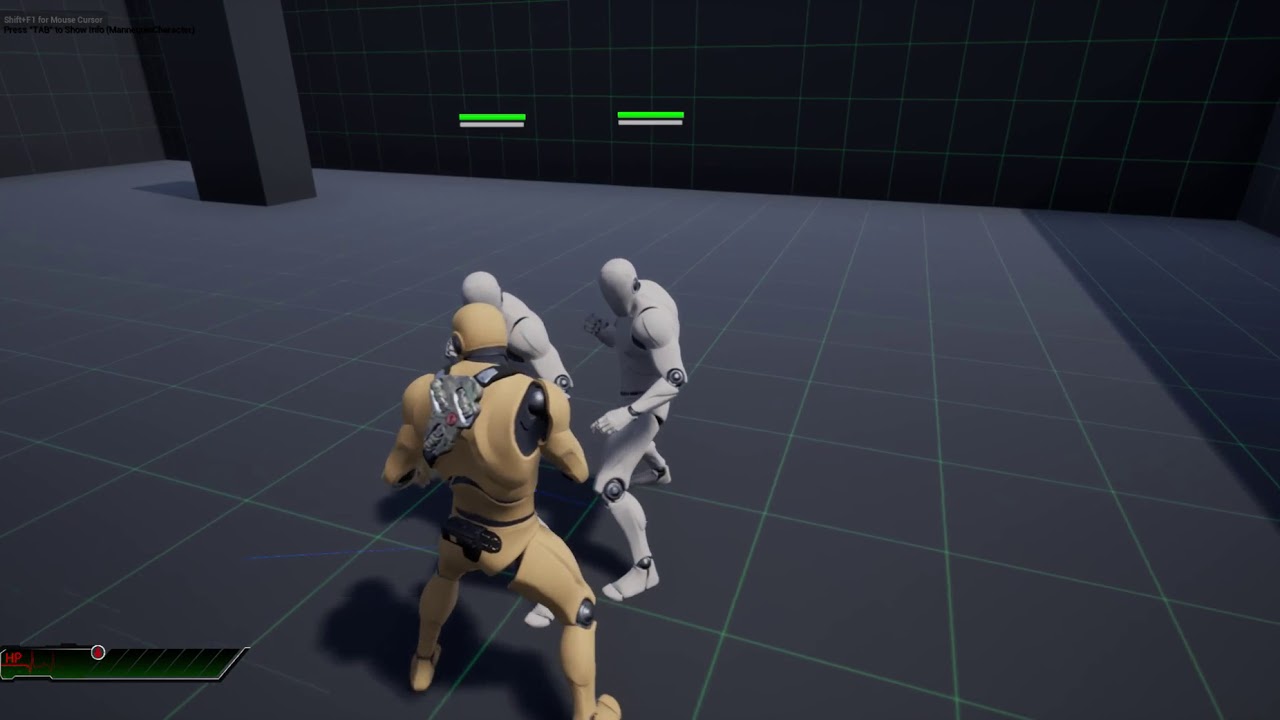
I have this problem, the grapple animation is not working with the duplicated A.I. how do I fix this?, ty
tulip shale
can anyone explain the basics of how utility AI would be set up in ue4? i guess the basic idea is u have functions outside of the BT to pick a task, then it tells the BT what to do? it worked when it was real simple but got hella cluttered and complicated once i needed it to do some more things. im probably misunderstanding a lot o.O
sullen escarp
Each behavior has some logic that weights it, one way is to have it weigh between 0.0 - 1.0 checking for conditions. Then you have that alpha applied to a curve to balance it, so Take Cover is balanced between 0.1 - 0.3 but Evade is balanced between 0.2 - 0.4 that it's sightly more important
tulip shale
ya but then what do u do with that value? tell the BT to "evade" if thats whats highest? so instead of a tree its just a ton of little sequences? so... the utility AI part is basically the selector?
simple crest
normally a Utility AI is a separate concept from a BT ... though if you're good at stuff you could shoehorn in some utility functionality to leverage the existing BT editor
if you really want to give it a go, the Apex Utility AI for unity went open source some time ago and is worth studying a bit to see how they did theirs. I'm rolling my own a bit differently, still finding my way on how to architect it
if you REALLY knew what you were doing, building a decent utility AI system might only take a few weeks. I've been working on mine off and on for a few months
tulip shale
well i had a basic one working, mixing utility with BT. but it ended up getting super cluttered. using an enum to control the BT based on the result from the utility scoring
im starting off with just critter behavior. wander aimlessly... if u see something run the eff away... continue to wander aimlessly etc
but ya blackboard values are hella annoying so maybe ill just not use a BT at all. could prolly save some headache. just not sure if i would need it later but after thinking about it... probably can recreate anything BT does
simple crest
or if you want to do it sort of that way you might want to try using this as a start https://wiki.unrealengine.com/Behavior_Tree_Utility_Plugin
(I never looked at that so I don't know how capable that plugin is/was)
stark zealot
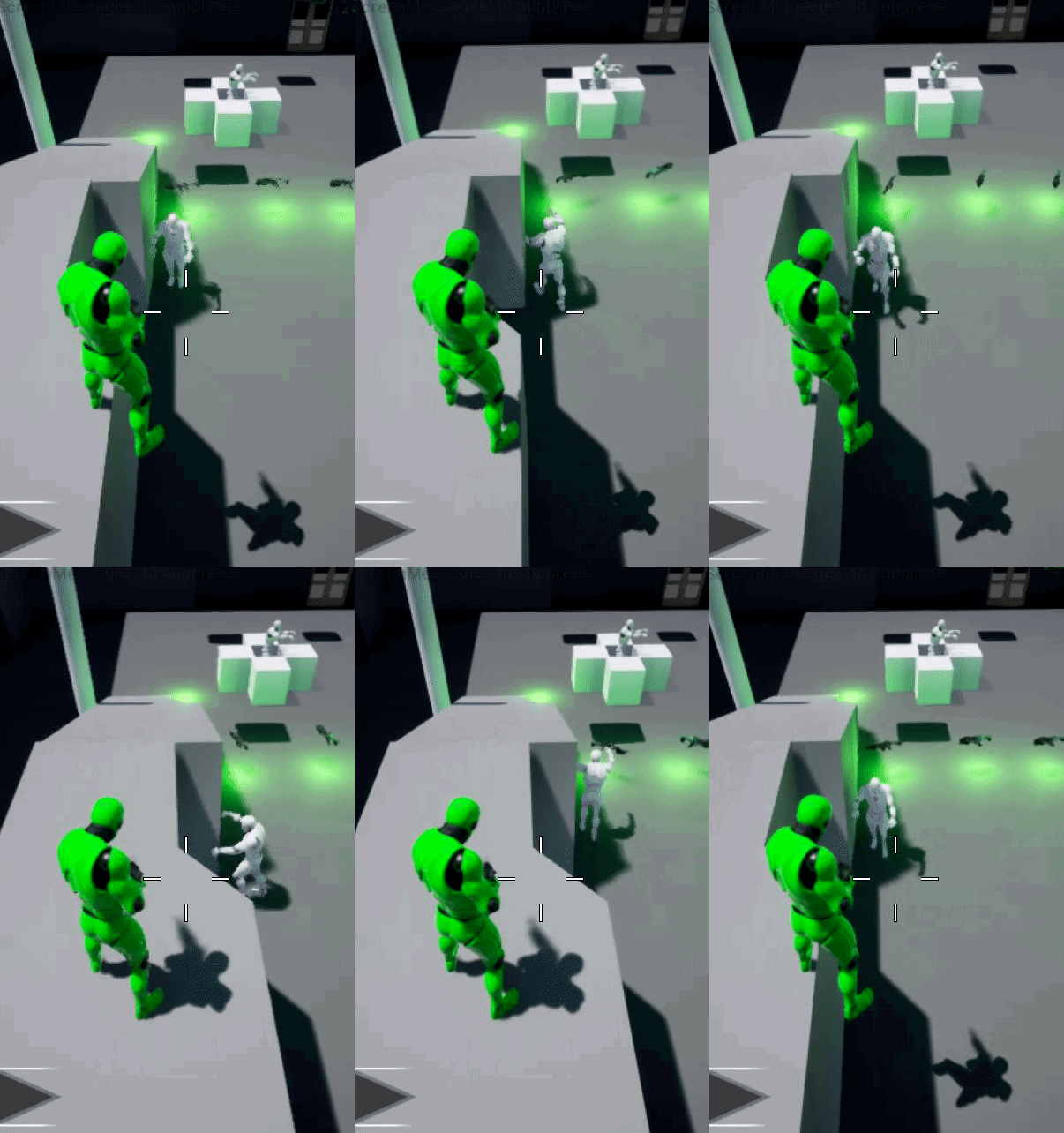
Does anyone know how to make the "AI MoveTo" node not fail if a player jumps off of something high or gets somewhere high such as a ledge where the AI cannot get to? You can see in my gif if you look closely, that the AI stops moving for a second while i'm in the air. How could I fix this issue? https://i.gyazo.com/f2ef9e0b6cb5a4e1cf107ffe6090f5cc.gif
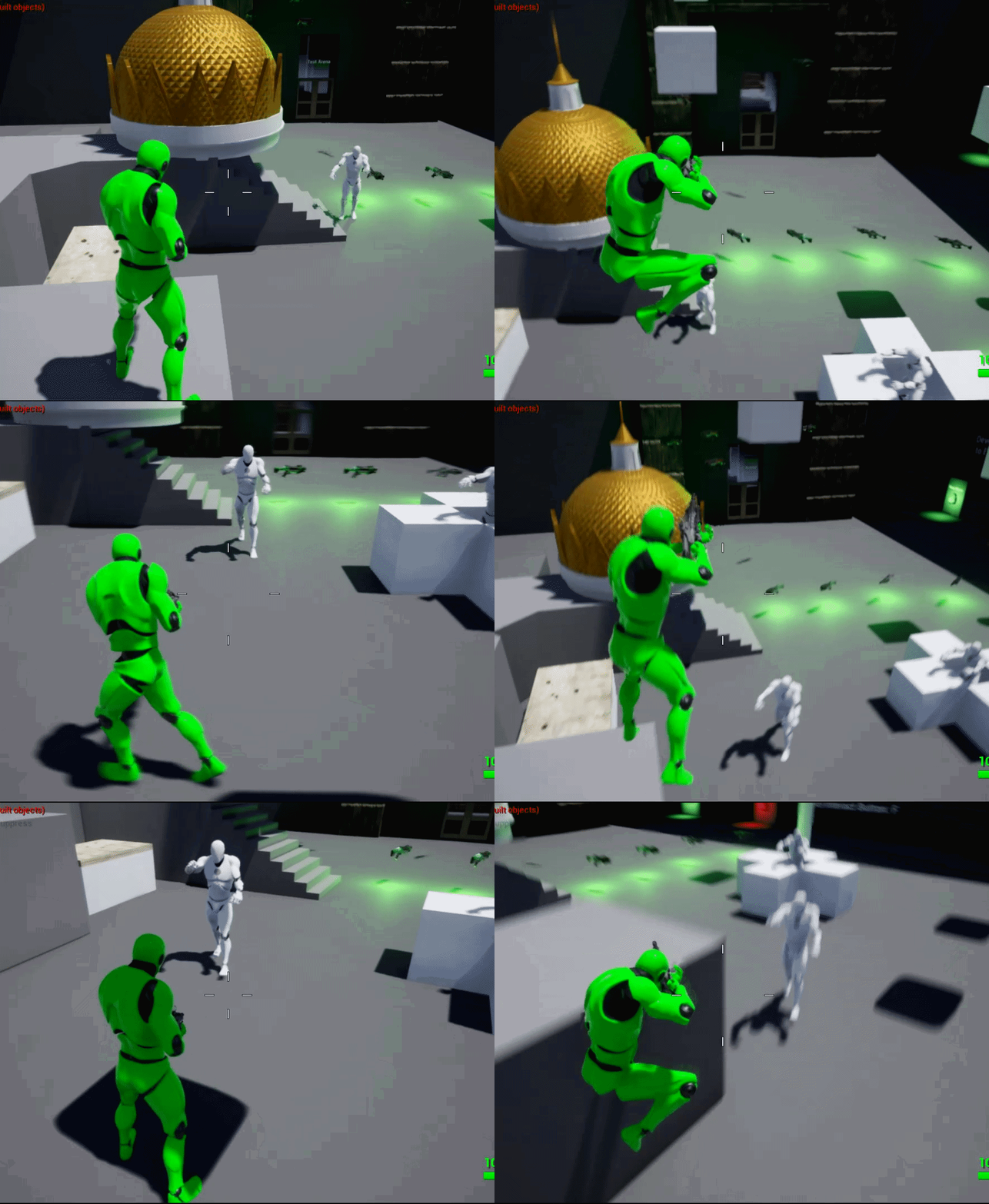 stark zealot
Or mabe an easier question would be: How can I improve the "SimpleMoveToLocation" node so that it will get my location better and fix the issue where the AI try to get me when standing on the edge of things. https://i.gyazo.com/23df61fbe9918e9cfa47b63f3012e84a.png
https://i.gyazo.com/ad7af356af2e73a504bcaf57ecb1d7a4.gif
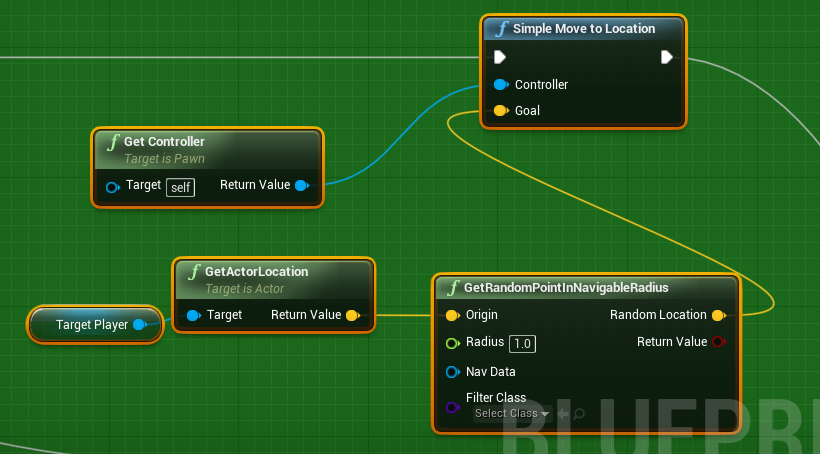
 feral jasper
I'm still wondering if someone not incompetent can update the BT utility plugin to the most recent engine version.
I wouldn't even know where to begin
I was interested in using it to play with utility ai without having to roll my own at first
@stark zealot you check your navmesh ?
Could you have the last location persist if the height axis hasn't changed over a certain value?
stark zealot
@feral jasper The navmesh is fine. I was looking for something like you said about a check that would somehow determine if the location to move to isn't at a certain height or something. IDK
feral jasper
like I'm fairly certain you can store the 'last known' position (which might solve when it 'pauses' when you jump)
but generally from what I read you normally want to implement some kind of 'inertia' into the AI to keep it from oscilating.
So whatever it's currently doing, there should be some inertia so it wouldn't want to change state unless there is something much more significant that is happening.
So maybe the zombie goes to the players position, wait a period of time before checking for the position again, unless it exceeds a certain vector distance?
So since in your example that side step is not a large distance, maybe the Ai ignores that new position and keeps going for the old one?
simple crest
I would focus on figuring out a way to have some kind of service determine an "attack position" and have the zombie move to the attack position rather than the player actor
wary ivy
then again... they're zombies
personally I'd use the AI perception system's latest valid sight stimulus of the target actor (the player's)
and move towards that
 uneven junco
I'm having nav mesh headaches. I have a gameplay map with a nav mesh. If I play that map in PIE my characters move along the nav mesh just fine. However if I load another map up in PIE, then enter that same map via OpenLevel, navigation seems broken. I can't see the nav mesh either when ejecting and visual logger is reporting:
LogNavigation (Warning) FPImplRecastNavMesh::InitPathfinding start point not on navmesh
Any ideas?
jaunty peak
 slow bobcat
hi!
This has probably been asked multiple times here, but the search bar doesn't throw any results: temporary deactivation of the perception component.
I have a function that does this, where Enable can be true or false.
for (UAISenseConfig* senseConfig : SensesConfig)
{
    UpdatePerceptionWhitelist(senseConfig->GetSenseID(), Enable);
}
But this is not stopping the perception component from updating. I took a look into the base class and I can see how OnRegister() and CleanUp do stuff like Unregister the actor owner from the Perception system etc.
The problem with this is that, everything that happens in OnRegister and couple things from CleanUp are private. I could modify the engine source, but I prefer not to if I have a better alternative.
That said, do you guys think that:
doing this for register
UAIPerceptionSystem* AIPerceptionSys = UAIPerceptionSystem::GetCurrent(GetWorld());
if (AIPerceptionSys != nullptr)
{
    AIPerceptionSys->UnregisterListener(*this);
    AActor* MutableBodyActor = GetMutableBodyActor();
    if (MutableBodyActor)
    {
        AIPerceptionSys->UnregisterSource(*MutableBodyActor);
    }
}
and then registering it back would be enough?
I can see the OnRegister doing all this
UAIPerceptionSystem* AIPerceptionSys = UAIPerceptionSystem::GetCurrent(GetWorld());
if (AIPerceptionSys != nullptr)
{
PerceptionFilter.Clear();

if (SensesConfig.Num() > 0)
{
  // set up perception listener based on SensesConfig
  for (auto SenseConfig : SensesConfig)
  {
     if (SenseConfig)
      {
                    TSubclassOf<UAISense> SenseImplementation = SenseConfig->GetSenseImplementation();

                    if (SenseImplementation)
                    {
                        // make sure it's registered with perception system
                        AIPerceptionSys->RegisterSenseClass(SenseImplementation);

                        if (SenseConfig->IsEnabled())
                        {
                            PerceptionFilter.AcceptChannel(UAISense::GetSenseID(SenseImplementation));
                        }

                        const FAISenseID SenseID = UAISense::GetSenseID(SenseImplementation);
                        check(SenseID.IsValid());
                        SetMaxStimulusAge(SenseID, SenseConfig->GetMaxAge());
                    }
                }
            }

            AIPerceptionSys->UpdateListener(*this);
        }
    }
And I wonder if I need to re-do it
all the sense config part looks to me like it will just work, but I'm not sure.
Is this the right way or is there a better way? does anybody know?
 signal python
so why does this make my enemy spin like crazy
 carmine flicker
I think it's because it moves there every tick and locations change so quickly it can never reach them
Resulting in spinning
But I'm not sure
sullen escarp
@signal python Every frame you're telling the AI to move to a random location so it's turning to face each one
signal python
ooh
i see
thank u
so
quick question
how would you do this but when the ai's gravity is set to 0
 wheat talon
has anyone ever had the situation where bots can navigate fine in the editor, but when I cook a build (client and server) they just stand there?
slow bobcat
@wheat talon cook development and try the command show navigation. It might not be generating the navigation
signal python
right now the ai is just floating midair doing nothing
carmine flicker
Oh no, delay on event tick
carmine flicker
You could make it proceed when it reaches the location
signal python
how
carmine flicker
Instead of delay use branch and on true set the bool variable (make one) to false and then set it to true on the "on success" pin in moveTo node
signal python
aalright
carmine flicker
I already made something similar, because I wanted it to first finish the animation before starting it again
(also on event tick)
signal python
still need them to move when gravity scale is 0 lol
carmine flicker
That's something I can't do, I'm making a car game and cars usually don't fly
signal python
i see
wheat talon
@slow bobcat I have a packaged dedicated server binary that I connect to with a cooked client -- my understanding is that AIControllers/ Behaviour Trees run on the server only, so I can't visualize the navmesh on the server
I have however hooked into my Nav System's OnNavigationGenerationFinishedDelegate, and I can see via server logs that the navmesh is indeed being generated (but I can't see what it looks like)
slow bobcat
oooh ok.
Yeah, that's correct. Anything AI related runs, by default, on the server.
I have no clue how dedicated server debugging works. Never done it before I'm afraid
what you can do is to set a breakpoint in AAIController::MoveTo and check why is it failing
wheat talon
yeah I actually did that, and I'm landing on the line AAIController::MoveTo failed to project destination location to navmesh
but it's unclear to me what exactly is the cause of the pathing failure
when I dig down into the navsystem properties when Im at the breakpoint everything looks reasonable enough
eg the current ai position, destination vector etc
it's really odd
I created a brand new map with nothing on it and Im getting the same behaviour
the weirdest part is that if I connect to the packaged dedicated server FROM THE EDITOR AS THE CLIENT the bots can now move around on the server just fine
it's only when I connect to the packaged server with a packaged client that it fails
slow bobcat
but it's unclear to me what exactly is the cause of the pathing failure
either you don't have nav data or it's failing to project into the data you have.
bool UNavigationSystemV1::ProjectPointToNavigation(const FVector& Point, FNavLocation& OutLocation, const FVector& Extent, const ANavigationData* NavData, FSharedConstNavQueryFilter QueryFilter) const
{
    SCOPE_CYCLE_COUNTER(STAT_Navigation_QueriesTimeSync);

    if (NavData == NULL)
    {
        NavData = GetDefaultNavDataInstance();
    }

    return NavData != NULL && NavData->ProjectPoint(Point, OutLocation
        , FNavigationSystem::IsValidExtent(Extent) ? Extent : NavData->GetConfig().DefaultQueryExtent
        , QueryFilter);
}
you might need to debug that ProjectToPoint there.
the weirdest part is that if I connect to the packaged dedicated server FROM THE EDITOR
Could it be you are not cooking something you should be cooking? that's the kind of thing that would happen.
If you debug draw an sphere on the map at the destination location, everything looks fine then?
wheat talon
hm ok thanks I'll try both of those things and report back
I'm not sure what I need to cook is the thing, in the past nav meshes have just worked for me out of the box...
slow bobcat
yeah, they should just work. One test you can do is setting the navmesh as dynamic. It will re-build when the level loads etc. If that works, then something is f**** up. If you still get the same result, it's probably not the nav-mesh but something else
wheat talon
ah yeah the navmesh is already dynamic actually
pine steeple
@wheat talon the Visual Logger is the best tool
wheat talon
@pine steeple can I use that with a packaged dedicated server?
@slow bobcat I dug into ProjectPointToNavigation, the issue is that NavQuery.findNearestPoly2D(PImplRecastNavMesh line 1401) is not finding any polygons
PolyRef is always empty, so the projection fails
I assume this would indicate that the navmesh isn't present
slow bobcat
yep, looks like you don't have a navmesh. Something similar happens if you move the recast object in the level after generating the navmesh. it relies in its position and it fails to find polygons.
wheat talon
interesting
again I'm completely baffled how this baked server CAN find a navmesh if I connect to its map via the editor client??
Im debugging the exact same server package in both cases, but the navmesh is present only when I connect via editor client
not packaged client
Ive never seen anything like this
how could a client be providing the server with a proper navmesh?
in any case Im not sure where to go from here exactly, I dont know how to command UE4 to properly bake the navmesh into the server build
 graceful saffron
Trying to stop my AI using StopMovement on the AIController, but it doesn't seem to do anything. The AI continues to go to its AI MoveTo location. How do I interrupt this AI MoveTo so the AI stops moving?
(not using behavior trees, just event graph)
pine steeple
well are you restarting it again?
ie something on tick or something that restarts if movement stopped?
work around would be calling Cast<UBehaviourComponent>(BrainComponent)->PauseLogic
or something
oh
your not using BT's
so yeah, something is def keeping it moving
cause i use StopMovement on the AI controller, works fine for me
lyric flint
Stop movement on controller is just void StopMovement(const AController& Controller) { Delegates.StopMovement.Execute(Controller); } , It should have worked 🤔
as a hacky test , instead of stopping movement, update MoveTo to the current pawn location, see how it goes, If that makes sense 🙂 @graceful saffron
graceful saffron
def a bug, I've tried a bunch of things and it just doesnt want to stop. I'm only calling it once, not running it on tick or timers or anything. And then when I test having it move to the player target, the result is always Failure because of Blocked
just testing in a flat default level, I have no idea
lyric flint
How does your navmesh look like, all green?
graceful saffron
yeah
lyric flint
hmmm
Did you try by any chance that hacky test?
Which unreal engine version are you using?
graceful saffron
yeah that doesnt work because for whatever reason the first AI MoveTo I set it wants to complete that no matter what
4.23.1
if I do Disable Movement from the movement component that stops it, but seems hacky as well lol
lyric flint
true true
graceful saffron
still cant get it to work, just trying to get it to move to the pawn target now. Super simple lol. But on the movement result for AI MoveTo, the result always says Blocked
wish i could get more information and see what exactly is "blocking" it
pine steeple
Visual Logger
or is this dedicated server build?
maybe your navsystem settings are wrong
cause i have no issues with navmesh and ai on dedicated server
i would be testing by packaging standalone with a test level
in debug version
not shipping
lyric flint
how can i play a sound when my ai sees me? Sorry for having to repeat myself, i forgot
the playsound node overlaps the sound over and over
 worn latch
Hey, I've been trying to create AI for my local multiplayer game for a University project. The idea is to has an enemy boss that senses the multiple players and finds the closest one to focus and attack. The problem is that when both players are within the sense area, and then one of them leaves, the boss does not focus on the other player, but rather goes back to the patrolling task. Has anyone got any ideas on how i would go around getting the boss to focus on the closest player ?
lyric flint
@worn latch Assuming you are using BT, find nearest target should be top service
And then if none, going patrol mode
This is my C++ service
lyric flint
yeap, looks good at a quick glance 🙂
worn latch
cheers, I'll be back with an update in abit, thanks for your help
lyric flint
@worn latch Don't thank me, thank the action RPG template free from marketplace, That's where I learned from 😄
worn latch
Just got to see if i can decipher the C++ into Blueprint
lyric flint
The action RPG template already uses blueprints @worn latch
worn latch
ah oooh, i'll have to check that out
lyric flint
I just went through learning experience by converting all the blueprints to C++
but you can look at the way action RPG implemented it in blueprints
worn latch
Hey, i'm back again 🙂
So after a while of tinkering
i've managed to get it to a nice point
apart from i cannot seem to get the enemy to focus on the player when attacking
(1) If no targets (Players) are found, then simply roam around an area
(2) If a target (Player) has been found, then check to see if the player is close enough to attack
(3) if not, then move to the player
(4) if the target(Player) is within 1500, then play the attack animation in the characterBP
The problem is that the enemy does not look look at the target when attacking
patent hornet
if a Target (Player) has been found, SetFocus
and hgave the ai use control rotation
 boreal lodge
https://www.youtube.com/watch?v=gJ7j6p6MFxA
video showing a promblem on how my ai wont follow the character
 signal python
so any idea on how to make this work when the charactermovement gravity scale is set to 0?
main heart
I was wondering if anyone tried SetFocalPoint(SomeVector) for AIController. For me it is setting correct rotation yaw but not the pitch. On the otherhand SetFocus(SomeActor) sets correct yaw and pitch.
main heart
Nevermind, I found the solution https://forums.unrealengine.com/development-discussion/c-gameplay-programming/1720091-setfocalpoint-not-setting-correct-pitch
Unreal Engine Forums
I am writing an AI for an FPS game. To set aim, I am using
SetFocalPoint(Enemy->GetActorLocation()) in the AIController class. However it is not setting the correct pitch of the controller. When I use
SetFocus(Enemy) it works fine. Am I missing something?
lyric flint
Is there a way for when I move an object when the AI see thats the object is missing or moved the AI can hunt for/try to find the player?
 unkempt path
How do I make AI respond to the player shooting or a key imput as I want the AI to become hostile/run away in that scenario pm or @ me if you come up with something TIA
lyric flint
anyone ported that utility AI plugin to 4.24?
@feral jasper As far as I can see, This one works fine with minimal changes in 4.24 https://wiki.unrealengine.com/Behavior_Tree_Utility_Plugin
feral jasper
Okay I'll give it a shot, last time it wouldn't load. Thanks
lyric flint
@feral jasper The only changes I made were
- Comment out
OnNextChild.BindUObject(this, &UBTComposite_Utility::GetNextChildHandler);inBTComposite_Utility.cpp - replace
int32 GetNextChildHandler(struct FBehaviorTreeSearchData& SearchData, int32 PrevChild, EBTNodeResult::Type LastResult) const;withvirtual int32 GetNextChildHandler(struct FBehaviorTreeSearchData& SearchData, int32 PrevChild, EBTNodeResult::Type LastResult) const override;inBTComposite_Utility.hdue to the fact that I was getting a deprecated warning.
After that, I compiled everything from scratch and everything was ready and available next time my editor started
feral jasper
So do I need to download the source and compile?
lyric flint
I usually start everything from scratch in C++, just to be sure 🙂
feral jasper
I'm not really a C++ person sadly.
lyric flint
oh
feral jasper
I'll give it a shot, i've only ever done 'babies first c tutorial'
It's not my strong point but I'll try to do it.
I appreciate you responding at all!
lyric flint
I'm sorry it took me so long, sometimes I miss stuff in the wall of text 🙂
and sometimes I just don't know the answer, but in this case I was interested in utility AI myself 😄
feral jasper
It's all good, you don't owe me anything. I'm grateful there are people in this community who can help someone out. I'm excited to mess with utility AI, maybe this plugin is just a starting point for me to get my feet wet. We'll see.
gilded tree
Is there an easy method to get all the possible prey AI actors for a predator AI? Currently Im using EQS's GetActors generator, but that will just grab the first actor in the list and chase that even if a less prioritized prey is right infront of it. Can I simply add a tag on the prey and get it and set it as a blackboard value, and thereby have access to it? That sounds a lot less performance heavy than getting all actors for multiple actors.
(The first task for a predator is to constantly search for prey, so I want it to be as optimised as possible, and it should chase whatever is closest, no matter of priority)
lyric flint
@gilded tree Absolutely, have this service on top of your tree
It's the C++ version ported from the blueprints version of action RPG template
if you prefer blueprints, just look how it was implemented in action RPG template
signal python
any idea on how to make get random point in navigable radius work when the gravity scale is set to 0?
wary ivy
I don't think navmesh system really converns itself with gravity
signal python
well
when my ai characters gravity is set to 0 it doesnt move
how would i still get the same as get random point in navigable radius with the gravity scale set to 0 then?
 wraith eagle
How are you currently attempting to get it? Does it work with Gravity Scale as 1?
gilded tree
@lyric flint Thanks I will take a look at that. This works with tags, I guess?
gilded tree
@lyric flint https://gyazo.com/cbe481c43f47f2d14de0ff96adb606a8 - this is using Get All Actors With Tag though... can I use "Has tag" instead?
 lyric flint
Yes, Of course, my example is not that efficient, because it uses casting in order to get is alive
but you can use tags to bypass the casting need @gilded tree
lyric flint
It was based on Simons comment that he's looking for extreme efficiency 😄
and it's our duty to accept the scientific fact that 99.9999% is closer to 100 than 99.9998% 😄
lyric flint
Let me have my silly moments, Kaos 🤣
gilded tree
I was thinking maybe I could use this:
Make Literal Name; is that collected from the percepted actor's tags?
Or is that just a name string that you use for the behavior tree?
lyric flint
Just a string, most likely. I need to look at its C++ Under the hood to be sure though
but I guess we can assume it's just a string, without anything else fancy
gilded tree
Yeah
based on an AI tutorial from here: https://www.raywenderlich.com/238-unreal-engine-4-tutorial-artificial-intelligence

raywenderlich.com
In this Unreal Engine 4 tutorial, you will learn how to use behavior trees and AI Perception to create a simple AI character that roams and attacks enemies.
Oh that pic is bad, mb

Obviously he's casting to his one definitive target actor
I'll try getting all actors with tag 🙂
 ionic nebula
I understand AI is best done in cpp. Do most people first create it in BP behavior trees etc and then concert to cpp? Or what
lyric flint
I understand AI is best done in cpp.
@ionic nebula I apologize, but I politely disagree 🙂 AI is best done in logic. Meaning the process of correct reasoning. After that, it really just doesn't matter ... 🙂
other than that, I personally prefer C++
ionic nebula
I understood nodes to be slower processing than cpp?
lyric flint
if you are concerned about the performance impact from the reflection mechanism used by unreal C++ in particular, I personally wouldn't worry too much about it
Use what comes easier to you
I keep the basic visual flow in the visual behavior tree. I just write all the logic behind the services, decorators and tasks in C++
wary ivy
you can make the individual nodes in C++ if performance is a problem
but the actual overall logic might be best done in BP
wary ivy
question: would this be the interface to implement if I want to define to which spots the AIPerception system tries to resolve sight? https://github.com/EpicGames/UnrealEngine/blob/release/Engine/Source/Runtime/AIModule/Classes/Perception/AISightTargetInterface.h
like, instead of just the actor head or so I would want the system to check sight to body + head + arms + legs
the interface definition seems rather useless though
 ocean wren
jonimake: no, that's a boolean check on an object that can filter the potential sight target pairs
you'd want to go to the place where AISense_Sight is implemented
basically, the update method here:
where it does the raycasts
wary ivy
doesn't seem like a really extensible system
pine steeple
@wary ivy that is correct
that interface is for that
it has an OutSightLocation
which you should return the location you were seen at
                        {
                            Listener.RegisterStimulus(TargetActor, FAIStimulus(*this, StimulusStrength, OutSeenLocation, Listener.CachedLocation));
                            SightQuery->bLastResult = true;
                            SightQuery->LastSeenLocation = OutSeenLocation;
}```if you don't have an interface, it does its own trace
alpine path
In world composition on level hidden event all AIController are destroyed. How can I workaround it? I want to save state before pawn is unloaded completely.
 desert cipher
any trick to getting the blackboard and behavior tree to open separately in the editor?
lyric flint
@desert cipher You could hack it By opening your main behavior tree. Then make a fake behavior tree, assign your main blackboard, and switch to it. It should work, I just tested it 😄
desert cipher
haha yeah. i knew there was a way that it sometimes opened randomly, I just wondered if there was an actual confirmed way to make them both open . I had them both open when I closed the editor, but when I clicked the button to restore it restored them to the same tab
desert cipher
Do services continue to run even if you're in a sub tree?
Like this service, will it run while it's in the lower nodes?
gilded tree
Fairly certain it is, afaik it's being executed before the lower nodes in every instance so it has top priority.
desert cipher
okay thanks.
it does not seem to work
Neither one of those services seem to be having any execution running through them and both of them would normally succeed in the current setup which should have kicked it over to another path.
gilded tree
Is it possible to collect the future point of an AI's move to point? I wanna make it so my herd can pick a point infront of the leader aswell to break up the formation a bit. They should move in somewhat the same direction as the leader's next steps though... or should I just add a random boolean where they pick a random point in the forward direction of the leader's location?
Another question, some use SimpleParallel to apply an attack when close enough, while if not strafe around the target etc. Is this the normal method? It doesn't work too well with my predators who chase a prey that is constantly on the move from them.
 cinder condor
Question: How does the Nav Mesh bounds volume work in a 2D game?
I mean, I added one but nothing happens / nothing turns green
the behaviour tree is running properly as it seems but the MoveTo does nothing, i guess it's due to the Nav mesh not being properly generated or something
nvm just realised i need to use the move directly towards
pine steeple
@desert cipher might be the old bug where you change a BB value for the first time, decorators don't respond
desert cipher
@pine steeple so that service in the top node should be running? Strange. Not a huge deal at this point. It just meant I had to put the service on both of the lower nodes.
pine steeple
put a break point
see that they are yellow
everything in yellow is being executed
including services
 stark edge
Should a child npc, when destroyed, make other child npc's behaviour tree's stop working?? 🤔
desert cipher
if they were somehow pulling data from that child NPC..maybe?
but if they're fully independent and not intertwined, then it shouldn't.
gilded tree
When having my wolves chasing my deer AI using EQS, the deer picks a new point once the wolf catches up and runs towards it. The wolf on the other hand is still running towards the old EQS point the deer had been at; how do I make the wolf update this point faster so that it doesn't just run past the deer that's literally running him down? 😉
jaunty peak
Are you using BT task 'move to' ?
try making your own move task, and use a simple move to node
as long as you're taking the deers location, and not just using the static location of the EQS result.
gilded tree
Oh Im using the EQS static target (deer) as the location
And yes, using the Move to
 jaunty peak
Instead of returning a vector, you need the deer character, then you can use the actors location with a simple move to node, with the deers loc as the goal.
Been a while since I used EQS but you should be able to do that. Unless someone else has a better idea, of course 🙂
EQS could be used to find a position around the actors location, as long as you were continually updating the results.
gilded tree
Hmmm, EQS is hard on the brain after lotsa hours of work 😉
patent hornet
@gilded tree make the wolf not chase the deer, but its MoveTargetActor instead
then attach it to the deer
jaunty peak
What is your EQS doing anyway?
gilded tree
The wolf AI is roaming around until it spots a prey. If the prey is too far the wolf will chase it until it's within X distance, at which point it can strafe around the prey and attack it.
In this case I'm using deer. They run away from the wolf, but when the wolves chase them down they don't update the timestamp for the context and they end up running to the old location of the deer. I would prefer to grab their location per tick. I know how to do that with the non-EQS method, but I would prefer using EQS as it gives me better results in complex environments (nature scenes)
jaunty peak
You don't need EQS for that, once the wolf see's the deer, get the location of the deer and give that to the wolf to go to. If you use simple move to, you'll have the wolf always running towards the deer.
gilded tree
Simple Move To Actor?
Haha, this wolf AI has gone way over the top complicated for me, haha. Feel like just scrapping the whole BT and recreating it from scratch
jaunty peak
store the deer character in a BB key. Call it something like TargetCharacter. Then in one task you get the location of TargetCharacter and in the next task move to it. I think you're looking for a complicated solution to a simple problem 🙂
No need for EQS for this 🙂
Something like this, obviously not using the player but the bb entry for the target.
jaunty peak
cool 🙂
gilded tree
Now onto making it attacking realistically and making use of perception haha 🙂
jaunty peak
Good luck. AI is frustrating at times, but fun too
gilded tree
Hahah yeah, very frustrating. I wanna move onto more environmental design stuff, but if I do that I know i'll forget what i've learned of the AI creation process until next time I decide to dive in 😛
fallow hound
Do characters have any built in navmesh invoker logic? I don't have any invoker's but my chars are generating dynamic mesh around them.
NVM got it. Didn't turn invoker's on in project settings
gilded tree
Hmm, when my AI notice their enemy for the first time they think they can trace straight to it, and thus damages it instantly. This only occures the first time they spot their prey and after that they act fine, only attacking within the blackboard condition distance check values I've got. Any tips on how to workaround this?
The attack is executed as the task of a Simple Parallel for reference
patent hornet
@gilded tree MoveTargetActor is just an Actor you spawn in your AIController
then you set a reference, you start MoveToActor with continuous goal tracking with it as the goal actor
and then instead of issuing move orders you teleport the MoveTargetActor around
gilded tree
Ohh okay, thanks for the explanation 🙂
https://gyazo.com/4cd34b2ac17afa5528b250e400fe879b ^ from the issue above heh
 patent hornet
they could also use some crowd avoidance
because those bouncing wolves are terrible
gilded tree
I agreed 😉
 zinc verge
I see the deer died of a heart attack when he saw its impeding doom
patent hornet
no horns, the deer is a she 😛
zinc verge
hmm I thought I made the whole sentence neutral but I failed 😄
 unborn jungle
Is a navmesh of 200K x 200K x 20K units far beyond the suggested limit for a navmesh?
fallow hound
at that point I'd consider invokers
unborn jungle
It builds quickly and fine, it looks as it should but it completely breaks my game (no collisions on spawned objects, traces don't work, UI doesn't finish animations properly, AI don't move at all), but 1 / 10 times of constantly rebuilding settings it works perfectly as if nothing was a problem
I tried invokers but same problem
My level bounds aren't that crazy, about 600K x 600K (of which only about 200K x200K need a navmesh)
The frustrating thing is that it works fine but randomly and rarely
Settings that work perfectly break after rebuilding for no apparent reason
Which means if I have 10 maps, I can sometimes get a few of them working but it's a lottery to see when it works
Is there a way to have all the navmesh related logs pipe into the output log? Might point to a potential solution
Just as I'm typing this, I got it working fine with a 600K x 600K x 100K navmesh, but of course if I slightly move it or change the dimensions it'll stop working
unborn jungle
I think I have found a pattern to make it work, it works only the very first time you place the nav mesh bounds volume and then click build navigation
Any further changes or tweaks to the size or position of the bounds volume and it breaks, even if you make the bounds 50 x 50 x 50
Seems as though that only has a chance to work in a packaged build however
patent hornet
that is 36 square kilometers
unborn jungle
@patent hornet Sure but how come even if I make the navmesh 500 x 500 it still breaks the game?
If I remove the navmesh everything is fine
There are no visible floating point errors or anything else
I had thought 200K x 200K unit terrain is only 2km squared
Which isn't gigantic by many game standards
Is the solution just to make the level smaller or don't use navmeshes at all?
patent hornet
200k x 200k is 4 square kilometeres
im not entirely sure why your navmesh breaks so frequently though
unborn jungle
Right it's just frustrating as it worked flawlessly in a build and works occasionally perfeclty
But making any changes causes it to break
patent hornet
the usual quick fix is move the bounds a little bit
unborn jungle
When I move it breaks
My most consistent fix is to recreate the nav mesh bounds / recast
Delete and recreate, then don't touch anything
and package
patent hornet
delete recast and then move the bounds is the heavy version
unborn jungle
I'll try just deleting the recast thanks
Would you recommend nav mesh invokers in general for this kind of size? They have the same problem from my tests (just have to get lucky and it works very rarely)
patent hornet
you probably have something off with recast settings
unborn jungle
Have reset them and tried all kinds of settings
patent hornet
or project nav settings in general
unborn jungle
Both in the recast actor and default settings
Sometimes huge tiles work sometimes they don't
Sometimes tiny tiles work
But most of the time it briefly works then randomly breaks
Sometimes works fine in editor but breaks when packaging
I'll try a clean repro tomorrow
patent hornet
20k units is way way more then we use for height though
unborn jungle
Either way I feel a 4km squared terrain shouldn't be reaching the limits of floating point precision
patent hornet
using landscape?
unborn jungle
Yes I'll try with a mesh too
Landscape actually does have some interesting bugs lately
But I believe I did test with both a mesh and terrain and had the same result
Basically it feels related to the world bounds in some way
As soon as I have a mesh larger than about 100K units in any direction and need a navmesh on it, things get funky
Tried multiple smaller navmeshes, same result
Always centered around the origin
If I play it safe and keep to a tiny world it works consistently
But I feel like it should work over a larger than 1km squared area
patent hornet
our maps don't go over 70-80k, so not sure about that
unborn jungle
It just limits me to tiny terrain
I need a larger world that is navigable by AI
70-80 K is nothing when traveling fast
(racing game)
unborn jungle
I need about 32 nav agents on average
So for better performance should I stick to fully built navmeshes?
And avoid invokers?
patent hornet
invokers need to build the navmesh dynamically
and the faster you go, the larger radius you need
if its not an open terrain
unborn jungle
I'm happy to do static, doesn't even have to be dynamic in any way
Just needs to not break the games collision
It's really strange
patent hornet
you could restrict your navmeshes to build only on the roads
unborn jungle
It's an offroad kind of game so you can go where you want
Unfortunately
I really wonder what relationship navmeshes have to the collision system in general
Terrain collision still works but any dynamically spawned actors have no collision when they should and even simple line traces don't work when the navmesh is too big as described
Always fixed when deleting the navmesh or getting lucky while remaking / rebuilding the navmesh
patent hornet
well, deleting recast then moving bounds has the same effect as deleting bounds then placing a new one
its somewhat more convenient
unborn jungle
Yeah that's a great tip, no need to resize every time
Thank you
I'm half tempted to just scale my entire game down to 0.25 the size
I know how bad of an idea that is but I need things to be this large and it seems there's no way around it in this version of the engine at least
And I can get it to work consistently at around 1/4th the size
unborn jungle
Thanks will try
desert cipher
@pine steeple Follow up from yesterday. After a little testing, it looks like it runs services 1 level up. If I put the service in the top node, it won't run. If I put it in the next node down where the green circle is, it runs.
gaunt ermine
Question. I made a ai controller bp. The issue I am having I would like it to be attached to multiple pawns. I am not sure how to make the aicontroller have unique values for each one it controls.
I tried copying the bp with one master bp then I set a different random stream seed. The pawn changes it's assigned ai controller bp. Oddly they all do the same thing no matter the seed value.
desert cipher
Typically all your AI units would share an AI controller, or a child of the AI controller. Any common variables/functions can be contained on the parent AI controller and anything unique to that kind of unit would be on their specific type of AI Controller
without knowing what kind of values you want to set and change, it's hard to say
gaunt ermine
So in a way. If I choose to have a random number generated. It should pull from the parent bp of the ai controller. Not the ai controller.
a random number would be a waypoint
desert cipher
If it's random it'll be chosen at random for each unit
gilded tree
I see the deer died of a heart attack when he saw its impeding doom
@zinc verge
Aye, the wolf firesquad is something to fear 😂
@patent hornet Do you have any suggestions for implementing crowd avoidance?
Another issue I face is that the wolf's rootmotion anim launches it forward to bite, but then quickly zaps it back in place where the motion originated from. How should I move the origin as the animation is played?
zinc verge
isn't that exactly what root motion is supposed to do?
A look at how root-based animation is handled within Unreal Engine 4
gilded tree
Yeah, but the root motion is reset after being executed
It jumps forward, bites, but then is teleported back in place instead of remaining in the location it jumped to
zinc verge
this totally is how it would look like if you didn't Enable Root Motion
does the collision capsule of the whole move while it's animating?
gilded tree
Hmm yeah that was a good read, I knew what RM was, but now in more detail, thanks :) I will debug the capsule later today
zinc verge
if the capsule doesn't follow the root bone of your animation, it means root motion isn't enabled for it basically 😛
gilded tree
👌
fallow hound
@unborn jungle I wonder if tiling nav mesh volumes rather than 1 huge volume would help?
desert cipher
So...what can I do with my AI running in to each other? When the AI are not moving they are not blocking the navmesh, so other AI try to run through them. This causes units like medics who need to run to heal a unit and then run back to their area to jam up on other units and then screw up their logic as they can't complete the move.
pine steeple
use RVO or crowd avoidance?
desert cipher
I've tried RVO and I've tried the detour controller
neither fix it.
this is the detour controller. The closest unit is trying to go to the far side of the other unit.
instead of going around behind the box, it just spazzed out nonstop beside that unit
Because the stationary unit doesn't block the navmesh they think they can still go through there.
I think rvo and detour work when everyone is moving, but not so much when one of the units is stationary and blocking a path.
desert cipher
Here is the attempted solution I came up, it doesn't work because.. who knows why. You can see in the video what happens when I try to do this. the nav modifier doesn't affect the navmesh unless I manually touch the instance. I don't even have to change the value. Just depossess and touch it. If anyone has any suggestions I'm all ears.
gilded tree
@zinc verge The animation was packaged and called rootmotion, but it didnt have it enabled xD
desert cipher
here's the right video https://youtu.be/1Fjyne8FdlE
 gilded tree
Hmm, anyone got a clue as of to why my AI is hitting it's spotted enemy when initially spotted from as far away as it wants? It does hit it within the distance it is allowed to at its 2nd attack and later, but the 1st attack ignores the blackboard condition.
ocean wren
crossmr: I think you've hit a use case that the current codebase isn't really meant for
I suspect the navmodifiers are meant for static objects like I dunno, doors
not for moving objects
I did experiment with disabling collision between characters and using a seperation force to keep them from penetrating too much (like TF2 does for players) and that works to some extent
ocean wren
i think that the RVO/Detour implementation in UE4 is broken to be honest
gilded tree
How should I check if the target the AI has been hunting is dead or not, in behavior tree? I know it should be a simple boolean check, but I'm not sure how to collect that boolean from the prey.
ocean wren
You'd have the enemy actor as an entry in the BB
and then write a node that checks the dead or not of that actor blackboard key
gilded tree
Alright, so I'll make a task where I get the enemy actor blackboard key and then check if the actor has the boolean "IsDead"? Will it then check if the actor has that value within its actor blueprint? @ocean wren
ocean wren
I can't remember if there's an IsDead, I guess you could check IsValid on it...
you'll need to edit the blueprint to add the blackboard entry for the enemy
and add the enemy to the blackboard when you percieve them
so basically, you'd need to handle taking the newly sensed enemy from the perception system, then shoving that value into a blackboard entry for enemy
then in your behavior tree, you check if there is an enemy in that bb key, if there is, check if its dead etc..
gilded tree
Hmm alright. I want my wolves to eat their prey you see. I'll play around a bit, thanks 🙂
 grand atlas
Can't find anything about this topic so I got to ask; say I have a door that can be opened and locked. When open any AI can walk through it. When locked, only some AI can walk through it - those who have 'the key'. But while locked, the pathfinding should see the door as an obstacle for the ones without a key and not even try to path through it. I've looked into the filter class and created my own filter class and nav area. But unless I'm missing something, it doesn't really scale. Imagine a village with a dozen homes, each with one of these doors. Each door would have a filter class, saying "you can't go through these other 11 doors".
Any thoughts?
desert cipher
@ocean wren The thing I don't get though, is why does it work after I just "touch" the nav modifier in the editor? You can see that after I depossess and just click on the drop down for the nav modifier, it starts working as it should.
It's like me touching it "initializes" it or something. And after that it continues to work exactly as it should.
 feral estuary
@grand atlas I am still finding my way around UE4. I would approach it with intelligent navigation points. Have the AI walking around, when they come up to the door, there is information on the door (nav point) that indicates whether or not they can continue on through the door. So everyone could walk up to the door if you want, but only those with the permission/attribute that matches the info of the door can get in.
desert cipher
Do services tick once when execution first runs through them and then every interval after that? or do they first wait for an interval before ticking?
 ocean oriole
I have an ai mechanic where every ten seconds a character has the chance to change the material. Can anyone tell me how to do this?
The chance grows every ten seconds
ocean wren
crossmr: its possibly a function of the serialization process. It reruns construction scripts when you change a property if I recall.. which might then cause some hidden silent functionality to invalidate its state and cause an update on that nav modifier. Only way to be sure is to instrument and trace through the nav generator, which isn't so bad really.
Its basically what Epic expects of C++ programmers.. the code is our only real documentation
gilded tree
Is there a better way to run these EQS situations? For example I'm collecting the nearest actors and then strafing around them. The selector stops when something is true though, so it wouldn't matter if there were one actor further down the list, it would still select the first picked from the execution order. Any tips? It looks like a bad workflow and not the way it's meant to be done haha.
 lyric flint
Hey I'm using horror engine and when a door opens the nav mesh doesn't let the a.i go through it
carmine flicker
not sure how do it, but I think you'd either need to swap between 2 navmeshes or generate navmesh dynamically
ocean wren
SymeOn: doesn't look right.. why are you running so many queries?
Are you trying to strafe around them all? why not just strafe around an actor? or are the behaviors different?
gilded tree
@ocean wren Same behavior, but different actors
https://gyazo.com/23874f086c2ea55e7758c9aa6b550003 Each query is an ActorsOfClass generator

Wait. The above one was the same type of query spam that I use to collect the enemy's location
Below is my strafing, which also has the same query spam for each actor

The context: https://gyazo.com/eb2e93970d76630690b15c2611cd2361 - When looking at the code again I know there should be an easier way instead of getting all actors each check... yikes

 limber tendon
hey can anyone explain to me how I'm supposed to use the "find path to Actor/Location synchronously" to tell my AI to actually use it?
wary ivy
I think there isn't any BP function to start moving the given path
 loud summit
I'm brand new to AI and in a game jam, and AI is all I'm missing before I can build out my levels. How would I make:
- AI that periodically dashes (x meters) towards the player's location? for example:
-> Dodge 5 Meters in any direction
-> Fire a projectile
-> 20% Chance to dash a max of 10 meters to the player and deal 70 damage - Flying AI
-> Hovers around moving towards the player slowly
-> Shoots a projectile every 8 seconds - Leaper
-> Jumps up and attempts to land on top of the player
-> Pauses for a few seconds on the ground and shoots a projectile
-> Repeat until dead
Is there any "crash course" on AI in UE4 that would show generally what I need to build these? I have my movement, powerups, weapons, inventory, environment interactables, etc all I need is to figure out enemy AI in order to get the game ready for level design and polishing
 robust sky
Hello guys, I'm experiencing this strange behaviour with NavMesh and AI. In editor, I see a navmesh correctly calculated while in game, if I activate the Navmesh preview, it seems that the NavMesh that the AI is using is actually moved to a different position.
Here is a screenshot to better explain
WTF NavMesh
Is there any reason why the AI is seeing a navmesh moved at a different location?!
gilded tree
Hmm... trying to get the bool if my AI is dead, and if it's dead stop attacking it and rather begin eating it. Here's the BT logic:

I'm doing a simple IsDead check. The IsDead is being set in the actor if it's health = 0.
This is how I'm setting the bool. What am I doing wrong? :/ It returns that the bool fails in the BT.


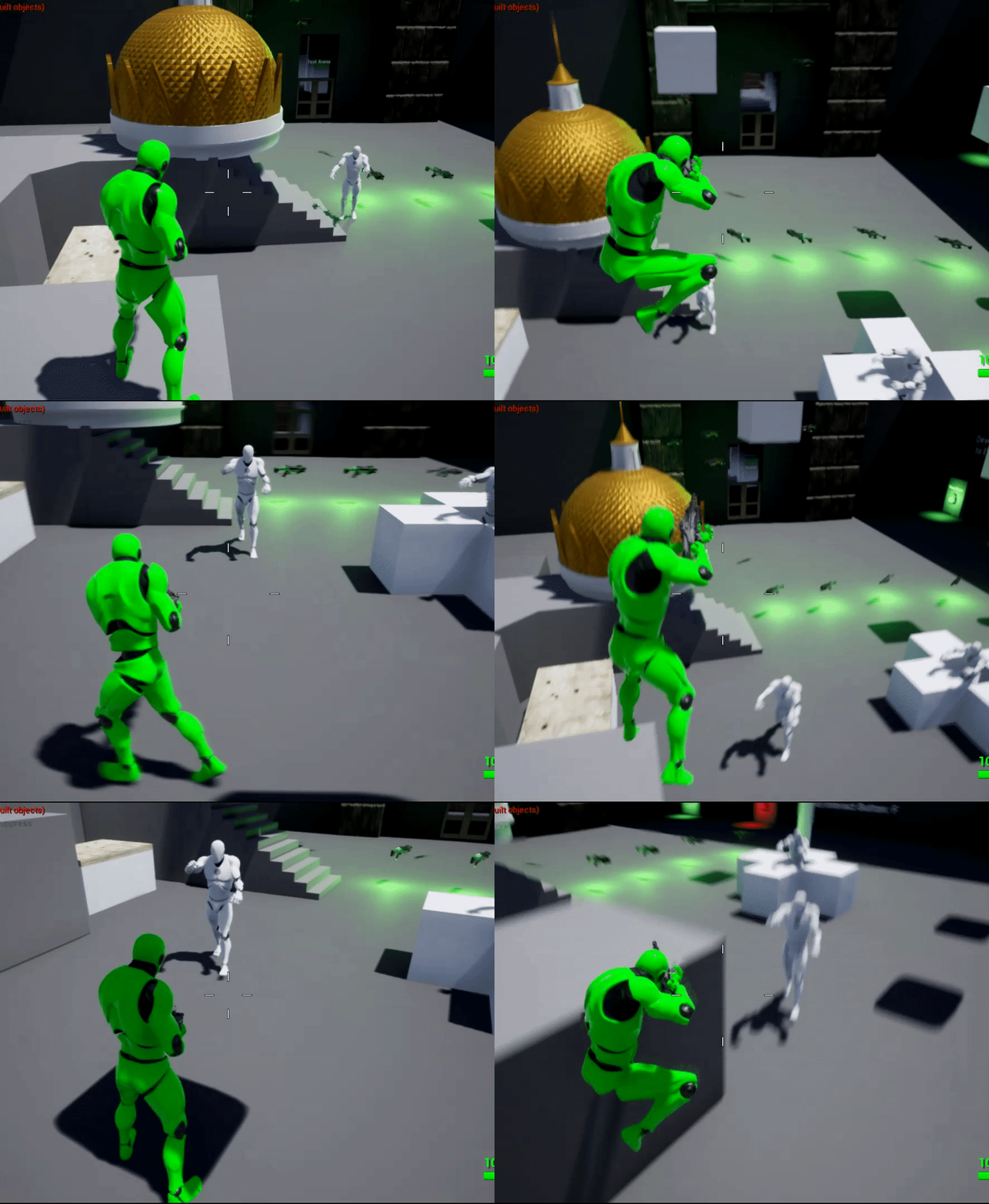
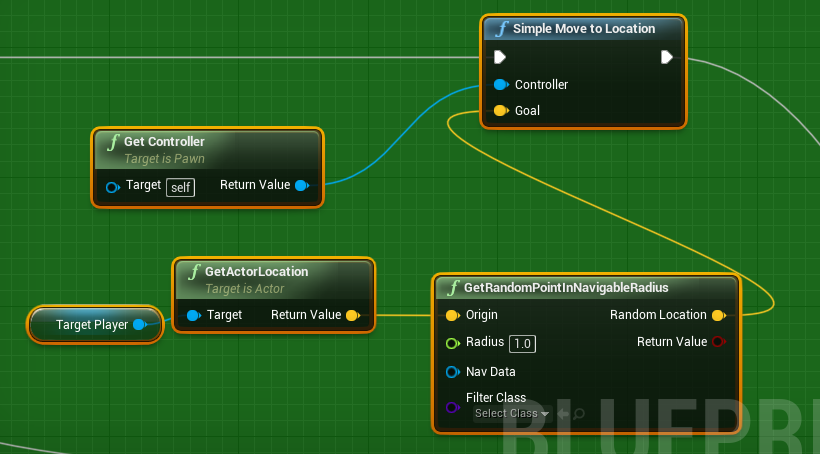
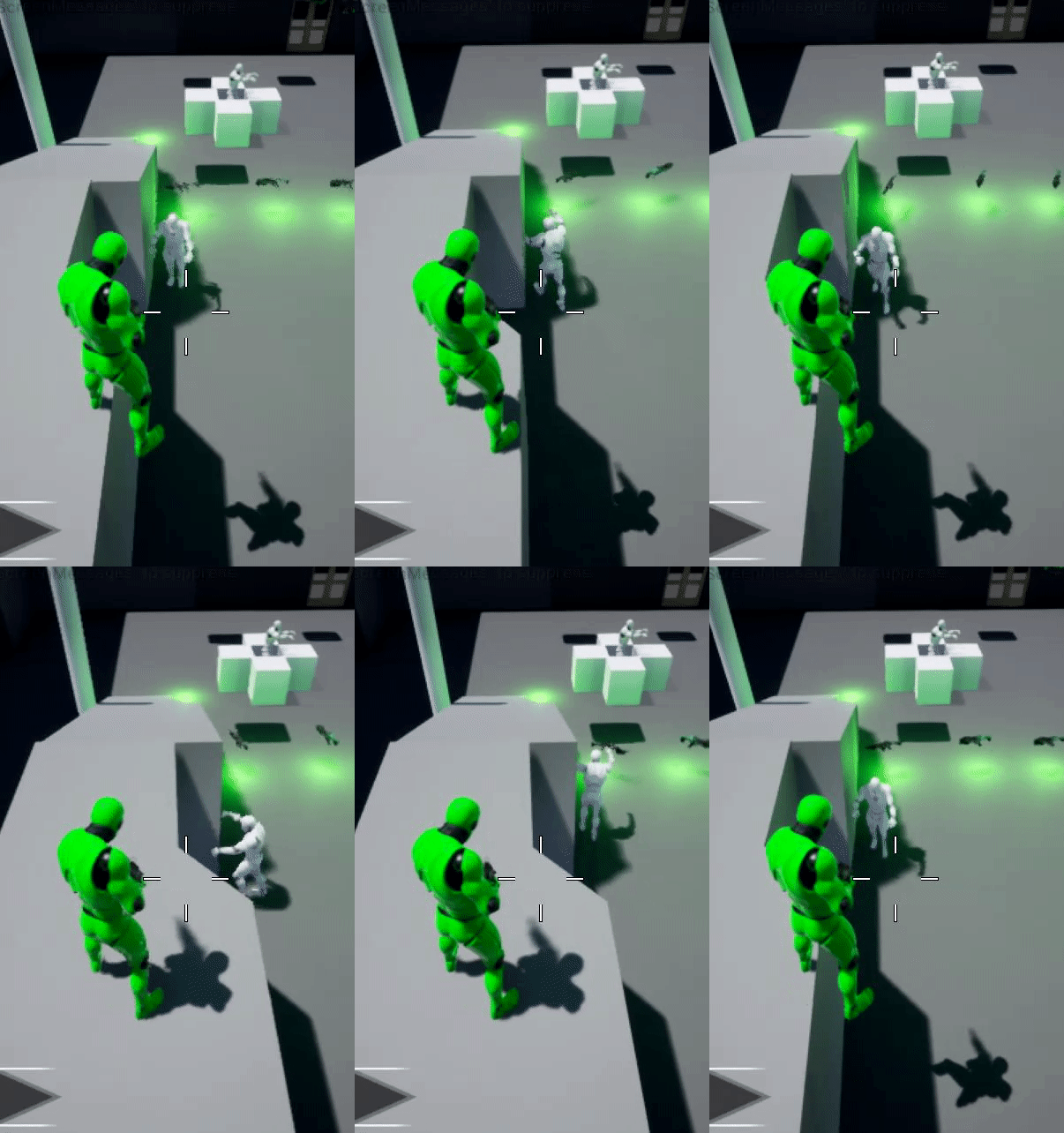
 ocean wren
Have you checked the value of the bool? is it changing, is it what you expect?
wary ivy
yeah, what is IsDead at the time you assign it?
gilded tree
Yeah it changes to true when it dies
wary ivy
where do you modify it?
gilded tree
It's false until it's true when health = 0
ocean wren
so the BP is setting it properly?
Is that bool check on the leftmost subtree right? surely it should be NOT set?
gilded tree
Yeah
ocean wren
i.e. isdead is NOT set, so do some stuff
you've got it the wrong way round haven't you?
gilded tree
Should I possibly do the check after I deal damage? Grab the Hit Actor, check it's health and set its bool there?
ocean wren
I thought your bool was working alright? just inspect the value as you play it and see if its true/false when it should be
gilded tree
Nah, the leftmost part is the section where its supposed to scavenge the corpse. The right part is its attack sequence
gilded tree
True 😉
ocean wren
I'd break out your rightmost tree into subtrees too
you've got 3 conditions there that are really different things
you should have an isdead condition.. then subtrees below that for what to actually do if isdead is false
each with their conditions
gilded tree
(Ups, I'm setting the bool aswell on the actor as it dies, after the health check)
Hmmm yeah the attack sequence tree is used as this BT is applied to multiple types of animals, i.e predators and prey. Therefore I need to know if its supposed to run away or not, and if not it'll attack 🙂
It does return true when it dies though, so I'm really not sure how it's not updating in the tree
Am I setting the value as bool correctly? 🤔
ocean wren
just remember to break out your logic into the levels it differs.. if you have lots of conditions on one node, there's a lot of potential for edge cases for bools being wrong blocking others